#avatar-rigging
1 messages · Page 91 of 1
 fading verge
 sharp viper
yep
blender makes me crazy
also no stupid view panels doing insane things or your workspace going insane. Tools stay where they belong
sharp viper
lol as someone who works in software quality and testing in a technology rnd lab blender is like trying to explain peanut butter to a frog
fading verge
lmao!
 drowsy fossil
It's single one mesh though called body. How it rotates mouth piece like that is a mystery to me
fading verge
yeah, i think i have around 70hrs in blender and i dont know jack yet honestly, so many shortcuts with functions
have you tried weight the bones yet?
sharp viper
I can tell you with absolute honesty after 10 hours in meta had me creating numerous blend shapekeys fully after fully rigging a model from scratch and texturing it.
having never used it once
sharp viper
but even meta is super broken in many ways too and not all that greatly translated.
the point is there does not exist a single complete 3d artistic solution that can do soup to nuts yet that I've seen that is beginner friendly
Clip Studio Modeller maybe, but it's not available in english yet. Adobe needs to make something complete I think
meta suffers from broken documentation and a tiny userbase
and a major lack of hardware optimization. It shouldn't be slow on a 1080TI extreme on Ryzen with 32gb of ram over 50k poly, but it is.
fading verge
jesus
sharp viper
but it's super gewd for vrchat - because it's super good for MMD.
fading verge
i honestly dont even know what else exists, i just thought to myself "mmd models, blender, unity, vrchat, fun"
sharp viper
It's fun regardless I gotta say
fading verge
yeah
sharp viper
and since blender is open source and super popular there's a bazillion people making plugins and tools
fading verge
i thought sitting on my ass without getting paid was going to be boring, but apperantly i have more time on wasted on blender than vrchat :T
sharp viper
there does exist all kinds of weird 3d modelling tools and even ones in vr now but the demand is fairly low for beginner friendly tools to exist. Zbrush was a step in the right direction but they stopped there. Someone needs to make something that isn't a university project that starts with the bones and ends with the model.
sharp viper
that's something I stumbled on a while ago, super cool starting point
Zbrush is like moulding with clay
both blender and meta have that now
built in. It's for taking something like a sphere and turning it into a head
that's only the mesh part though
and you have to retopologize and then rig of course
and probably split that mesh at some point
then re-merge so you can properly target bones
fading verge
huh
sharp viper
but yeah. Some people prefer literally clicking verts out in space
that's actually a really good way to do it if you're working with 2d drawings
in meta what we usually do is take a drawing of a profile and straight on, and stick those references on the x and y axis
then literally click along the drawing just like the pen tool in photoshop. People do that in blender too
then turn 90 deg, drag out the vector and boom.
face
fading verge
ive seen something similair to what youre describing in blender, is it easier to do that on meta?
sharp viper
meta was designed with that in mind
meta was made from the ground up to be a tool to allow traditional artists used to photoshop or paint tool sai or whatever to make 3d models
which is why it does some things pretty gewd
blender can certainly do more though overall
fading verge
i might learn meta then, a friend wanted me to make him a model from an anime he watched, and i have nothing better to do with my time, so i said yes
sharp viper
and maya trumps both but it also suffers from the learning curve falling off a cliff
the one upside with meta is that it's the go to for mmd models
so like - go get a Tda base and you're 90% of the way done already
for making that anime character
you'll need to model the clothing and hair
generally
fading verge
mhmm
sharp viper
hell you could even just modify kizuna ai if it's a girl
fading verge
lol
sharp viper
fading verge
that sounds way more convenient lol, just finish the head right?
sharp viper
get from there, throw into pmx edit, export as pmd, throw in meta
drowsy fossil
what you mean by armature
sharp viper
yep, that's how 99.9999999% of mmd models are made
sharp viper
literally playing with barbie dolls
fading verge
okay, double click a first to deselect everything
hold down shift, left click on the mesh(texture), and then leftclick on the armature(skeleton)
you can let go of shift now
then use ctrl+P
and you should see an option for automatic weights under something
drowsy fossil
alright
fading verge
i cant remember what it was under, but it should be visible
just in case you dont see the option, you might have done the proccess in edit mode instead of object mode, in which case you can just press tab to get out of it.
drowsy fossil
 fading verge
That doesn't even look like the same model anymore lol
 odd cargo
If there is someone who can rig an avatar for me in blender message me please
fading verge
Huh
Did you move the skeleton separately in blender away from the mesh?
Or was it like that in blender
 static parcel
https://imgur.com/a/IezHi Is there anything I'm doing wrong with this rig? The arms can't fully extend down and one arm locks up after a while.
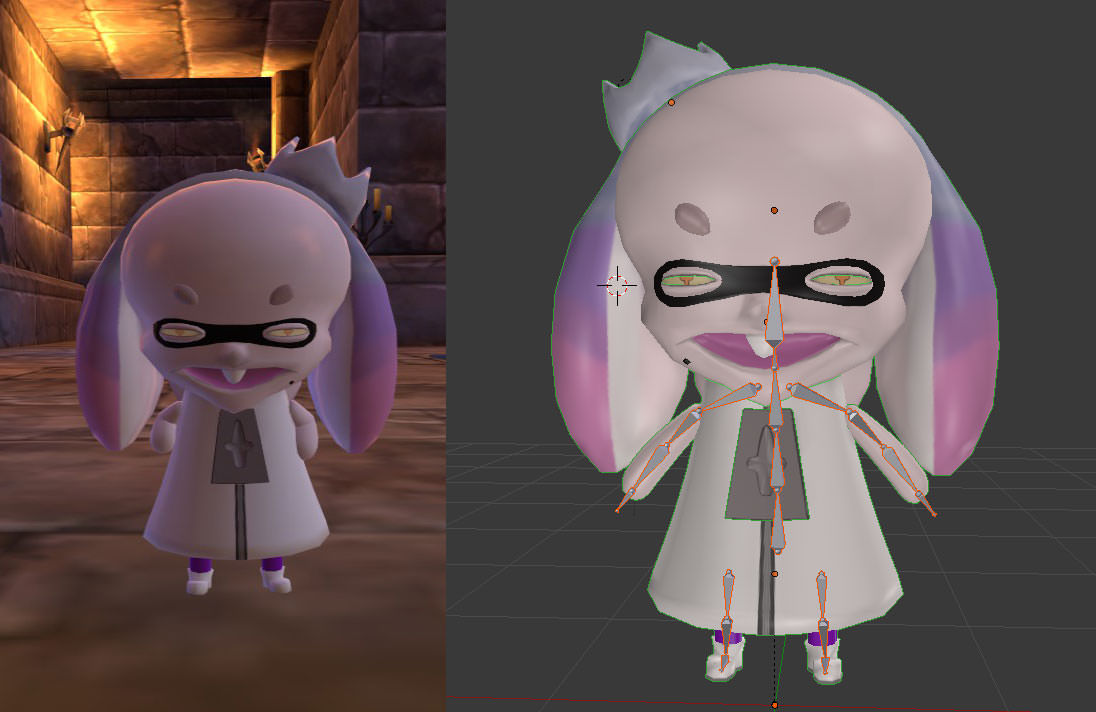
 winged plinth
Hey, so I'm working with visemes and eyetracking, and I'm encountering this this glitch where when people look at a certain distance, they see my eyes closed, and when they get closer, my eyes are opening and blinking. I can't see this happening in the mirror, and it's happened consistently with 3 models I've worked on
 crisp tendon
@static parcel It has to do with IK and body proportions afaik, i have the same problem.
 echo atlas
Anyone know an easy way to add dynamic bones to a model without spending 20 bucks?
winged plinth
Why are you guys ignoring me?
echo atlas
I'm not, I just don't know how to fix it.
 stuck edge
If you're going to be rigging multiple models, I say get it
you can torrent it
but that runs a high risk of viruses
even with an Antivirus
echo atlas
I see why you're called dangerzone.
stuck edge
I say just buy spend the $20
echo atlas
rip.
stuck edge
that's what I did
I spent $15 on muscle animator too
makes animating hands and stuff SOOOO much easier
echo atlas
Maybe after I purchase a VR headset.
stuck edge
I have avive
but I'm waiting on the Pimax 8K to see if anything good comes out of it
For now, I bought some split wire loom to stop my vive cable from twisting on itself. its awful.
crisp tendon
@winged plinth Any image or info on your eye tracking would help, we can't do anything without information.
echo atlas
Would the windows vr for ~210 bucks be good?
winged plinth
I can't see it happen to myself
crisp tendon
You'd be better saving for an oculus rift
fading verge
how do i merge both of these armatures together, impretty sure i'm doing ctrl +J incorrectly because it messes up weights and stuff https://i.imgur.com/SWJ0yf3.png
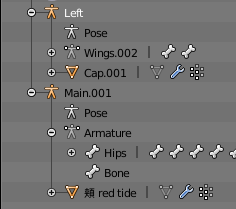 crisp tendon
I don't think you can do that.
crisp tendon
Your hair is a mesh, not a bone ?
fading verge
mesh and bone
winged plinth
Where do I upload the screenshots
crisp tendon
imgur
winged plinth
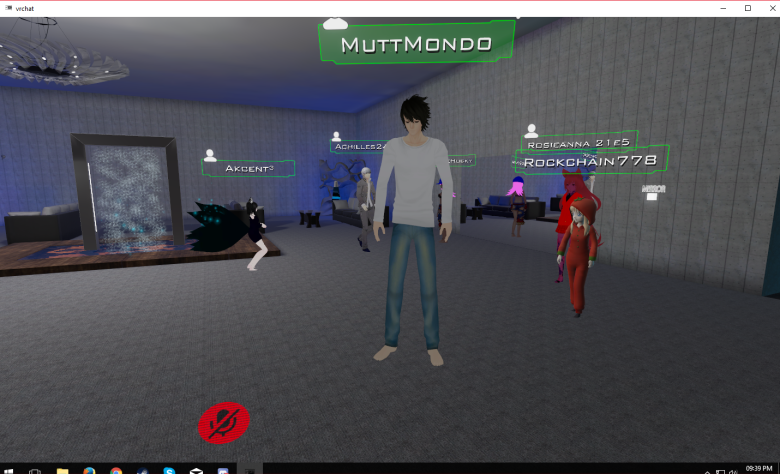
 worldly palm
Is there an easy way to lift up an avatar? My avatar's feet are under the ground
winged plinth
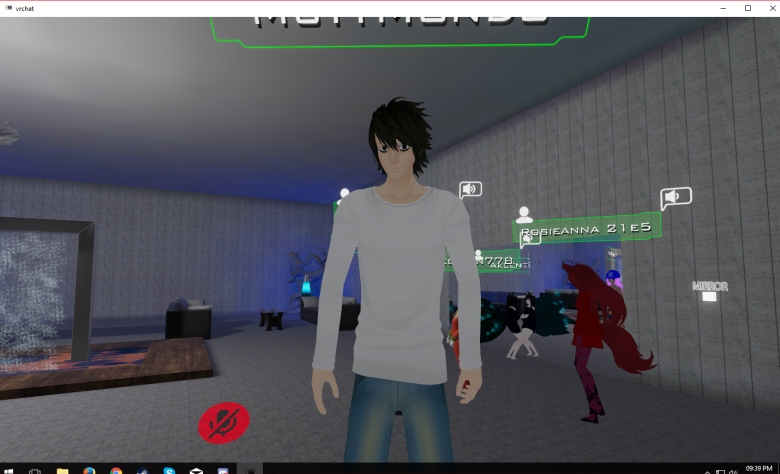 crisp tendon
@worldly palm How in the ground ? All the rooms ?
@winged plinth i meant your eye tracking in blender
winged plinth
What are you referring to?
worldly palm
Yeah in every room, I think I just have to make the bone bigger
So it actually touch the ground
crisp tendon
@winged plinth Your eye bones, shapekeys and settings you have chosen in blender
winged plinth
I used Cat's MMD thing, I don't know those specs
crisp tendon
@worldly palm Take it completely in blender and lift it, then select all, ctrl + a "apply location"
winged plinth
Can you reword the question?
crisp tendon
Can you give me a screenshot showing your eye bones inside of the model and the eye tracking panel in the cat's addon
winged plinth
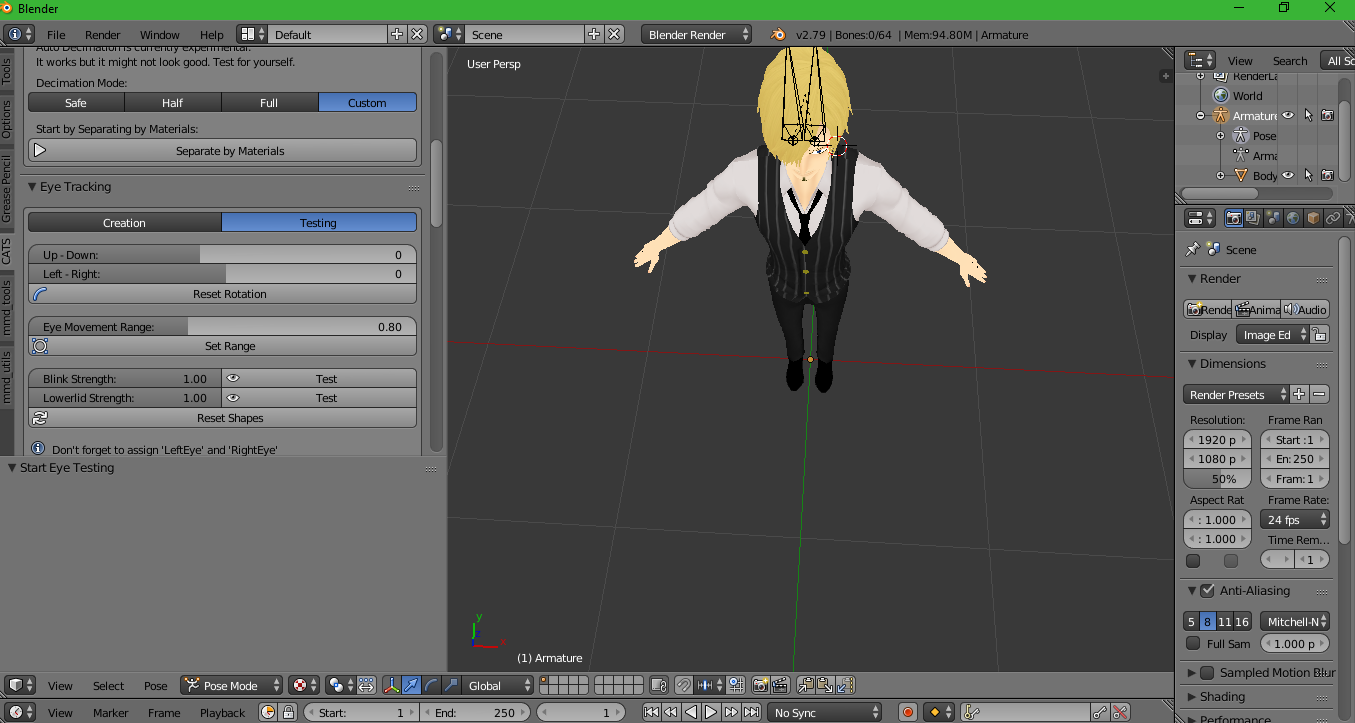 crisp tendon
can't see your eye bones there
winged plinth
What eye bones?
crisp tendon
The bones you used for the eye tracking ?
winged plinth
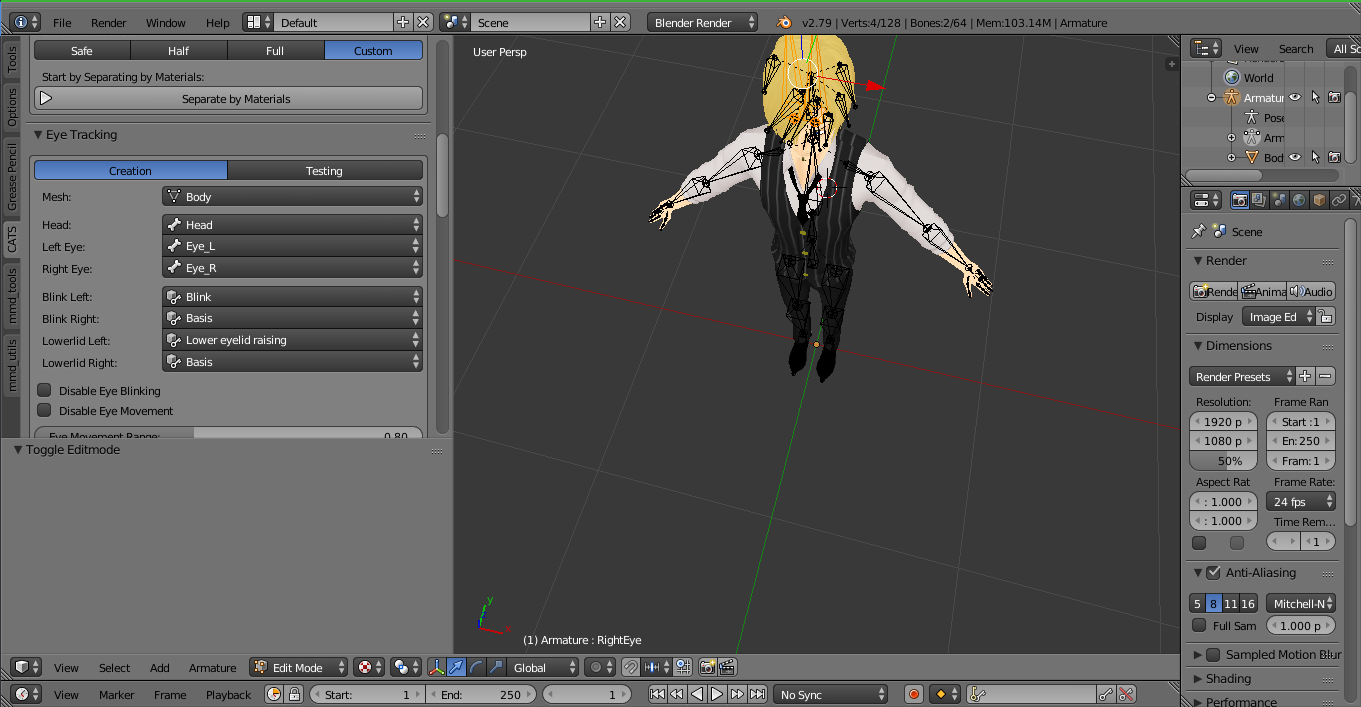 crisp tendon
Yeah some of your shapekeys are messed up
winged plinth
Ignore that, because it's different for each model and it happens for all of them
crisp tendon
basis is the default, it shouldn't be used for a blink, lowerlid, or even both anims at all
winged plinth
The other models don't use basis
winged plinth
I didn't use basis for my other models that have this problem
In fact, I only did basis just as a test, and this model didn't have basis either and it still did it
crisp tendon
But you need basis, it's part of the process, and if your blink is incorrect then i'm not surprised you're having weird issues
crisp tendon
You need one, not to use it
crisp tendon
It needs to exist, it doesn't need to be used. Look at the eyetracking creation panel, Basis, isn't mentionned, but basis is the first shapekey created when making your shapekey that will then be used for eyetracking
So i'm not sure which tutorial you followed, but you may have missed a step
winged plinth
I know that.
 native isle
Oh
winged plinth
What else is messed up besides basis. I didn't delete basis, it's there in the model, but I would use the blink shapekey for each model .
native isle
Eye tracking problem?
crisp tendon
Your blinks are messed up, and lower lid as well
winged plinth
I know that, but tell me how.
crisp tendon
I've asked you three times which tutorial you followed, still waiting, i need to know what process you followed
native isle
Is the Body your only mesh?
crisp tendon
Eh, i've tried to help, good luck.
native isle
Ruuubick!!
winged plinth
Yes my body is my only mess
native isle
@crisp tendon Hey!
I see
@crisp tendon Are there any common solutions to eye tracking problem?
I have the guide I followed
I can show you

Doesn't work unfortunatelly T_T
crisp tendon
Please don't ping unless you need urgent help. There's a lot of tutorials for each specific parts of the creation process, i suggesting finding individual video if you ever have a problem, they usually go into more details.
native isle
Sorry...
crisp tendon
If you have 2D eyes there's a tutorial for that, if you have 3D eyes there's also many tutorials for those.
fading verge
managed to join both armatures into 1, knowing the order to join is confusing
crisp tendon
Most common issues rarely are issues andmore people forgot a step or made a small mistake that broke the whole thing 
native isle
Yeah pretty much 😄
crisp tendon
How did the weight paint react ? @fading verge
fading verge
no weight issues
winged plinth
Yes, for each model, though one only has one for both eyes and not individually
native isle
Then you can do the blinking as an animation
Watch the whole video 😄
Ok, I guess gtg. Thank's for advice Ruuubick
winged plinth
Thanks for nothing
You could always be a little more patient Ruubick
I do have Autism, after all
fading verge
You are being rude, and ungrateful. People can CHOOSE not to help you, you aren't ENTITLED to get help.
winged plinth
Whatever, feel however you like. Goodbye
 midnight arch
 neon quiver
is there more advance rigging then just weight paint? because im adding weight to a belt but it clips in are. a i cant make it move more. i want it move natural when the legs moves.
 fringe rose
Does anybody know if there's a way to allow sleeves to bend whilst preventing them from rotating?
 restive hill
lock rotation on the correct axis
ok, does dynamic bones colliders interact with models that have "generate colliders" checked during generation?
also, for sleeves, "keep inside" colliders might be nice... but im not even sure if you can anchor them to arm bones
but anyway. does anyone use "generate colliders" for going MMD>blender>unity?
oh lovely. transparent secondary eye textures had me worried for a second there.
fringe rose
oh thx Smoo
restive hill
i do not think that i should generate colliders like that... i should use a test model or something
hmmm
that's be killer if i could just tick that box and use minimal colliders on stuff tho
got a kizuna at 80k triangles, and auto-decimate seemed to do a pretty damn good job
damit, her hair is fucked up
whatever.
too bad that if people COULD go above 20k, we'd have people running around with avatars 100mb in size with millions of triangles
nah, it doesnt-work as much as i thought it wouldnt 😛
 spark nova
https://cdn.discordapp.com/attachments/389106002383077379/408762691109388293/unknown.png
anyone know a quick fix for this. i was applying all the textures to the model before i switched it to humanoid and did the rigging and then after applying it, went back to this. when i press re import it takes the original files that wernt translated and i have to figure out what was what again

https://cdn.discordapp.com/attachments/389106002383077379/408763329885110284/unknown.png
this is after pressing reimport
 fading verge
20k isn't a big deal. It's getting hiked up to 60k in the future so people say
restive hill
that generally gets sorted after i export from blender
oshit, really?
60k i could easily decimate down to 😄
anyway nutty
fading verge
20k is fine for avatars, get better models or textures, this is not zbrush 😉
restive hill
when i export from blender, i choose the, uhm
fading verge
Over say 64k is shameful
restive hill
path mode "copy" under the main export options stuff
and that gives a directory with all the textures
also, use cats and combine same textures, maybe save some work
spark nova
so im past that point then 😦
in blender it was all just purple and then i just exported into unity to see if it was working
restive hill
then i stick in the model, and delete the auto-material white spheres and stick in the correct textures
yeah, i had one kinda like that, was able to get it working in unity
i had one with a ton of extra mesh in front of the face, deleting them made ALL the shape keys go berserk
restive hill
here's a shader. save the text as "hide.shader" and stick it into your stuff directory, and import as needed:
Subshader {Pass {
    GLSLPROGRAM
    #ifdef VERTEX
    void main() {}
    #endif

    #ifdef FRAGMENT
    void main() {}
    #endif
    ENDGLSL
}}

Subshader {Pass {
    CGPROGRAM
    #pragma vertex vert
    #pragma fragment frag
    struct v2f {
        fixed4 position : SV_POSITION;
    };

    v2f vert() {
        v2f o;
        o.position = fixed4(0,0,0,0);
        return o;
    }

    fixed4 frag() : COLOR {
        return fixed4(0,0,0,0);
    }
    ENDCG
}}

}```worked like a charm for me
yeah, probably reapply, did you translate the first time through?
spark nova
yeah i did the translation in cats and it didnt do much for me
restive hill
stick that shader on a mesh, and poof, it's gone. visually.
spark nova
i did it all myself
sorry newb here. how do i add that thing of text you sent as a shader?
restive hill
make a text file (notepad++ recommeded) and put that in, change ame to hide.shader
and then poof, you have a shader you can import into unity
i got that off a forum, i have no experience with shaders
scared, actually
fading verge
it's fine, the shader is simple and sweet
restive hill
ive always sucked at programming math, i get really pissy when people say "durrr, you like games, you should program them"
suggested response "you like eating, you should become a professional cook. or driving, you should become a mechanic"
"oh, you go to the bathroom DAILY? become janitor"
spark nova
so do i just apply the shader on each of the new mats that it recreated?
restive hill
no
use it the same way you use cubed's shaders
except it has no options, it simply removes a troublesome mesh with low visual cost
you MIGHT never need that
but if you do, now its in your toolbox
spark nova
when i hit the shader drop down where do i find that shader?
restive hill
it is very obvious
spark nova
oh
restive hill
the name is literally "Unity's Multi-Material System is Borked"
spark nova
so how do i bring back the good material
restive hill
use a diffo shader
that's if you have a silly little mesh that's being annoying, but you can't delete because shape keys
 icy jungle
Can someone rig me a Primarina model, It does not work for me in blender 😦
spark nova
im not sure if that was my issue. well at least i dont undertstand whats happening
restive hill
can someone? almost certainly. it depends very heavily on what you're paying, i'd guess
icy jungle
nevermind then
native isle
Will having the separate mesh for the face break the eye tracking?
restive hill
the eyes are generally just a couple bones weighted to appropriate parts
restive hill
there's some way to do eyes that move texture around, but i've very much given up on that
fading verge
1- The bone hierarchy Hips->Spine->Chest->Neck->Head->{LeftEye,RightEye} must exist!
Exact names are required, there can be no in-between bones.
The bones don’t need any vertices skinned to them. They can be “empty”.
2- The blend shapes vrc.blink_left, vrc.blink_right, vrc.lowerlid_left, vrc.lowerlid_right must exist as the first four blend shapes. (index 0 through 3).
Exact order is required, names are actually unimportant though.
They can be the same as the basis shape. They can be “empty”, but blender won’t export empty blendshapes.
3- The skinned mesh must be named “Body”.
i wasted WAY WAY WAY too much time on that
restive hill
yeah, use cats to set up eye tracking, if that doesn't work, i just disable
restive hill
i do not have the capacity to fix eye tracking stuff for cats T_T
 fading verge
nah, you learned something stupid 😉
restive hill
merge.
your.
meshes.
fading verge
@fading verge blinking isn't required but it adds in a nice touch, also the mesh that has the head needs to named as body.
native isle
I have an animation for blinking
native isle
(which will break after I merge meshes )
restive hill
yeah, if you have a two-eye blink, just set that to one eye, and the other to basis
no, shape keys don't break when you merge
restive hill
oh, it almost always works for me
fading verge
😄
restive hill
dva worked great, most other stuff works, but my neptunia models get broken by blender somehow
for some reason, blender hates neppy skirts, idk
restive hill
it works fine when i just toss them straight into unity, but then the damn hair isn't parented to a root
oh, i know, i should just use exclusions.
native isle
Are you using tupper tutorial?
restive hill
well, they WERE the first couple i did
native isle
Just watched it
restive hill
tupper tutorial is great to start, i link that all the time, i don't really NEED it, after doing it what, 8 times fully thru
native isle
We need 1001 message to get pinned
restive hill
cats has been perfect at visemes so far, im not doing that manually 😛
native isle
😄
fading verge
I can think of so many things that need to be pinned because they get asked every damn hour 🤔
restive hill
tupper is ALWAYS online
restive hill
Tupper is watching you. Tupper is silently judging you.
Tupper is there when you pee, staring.
 thorny gate
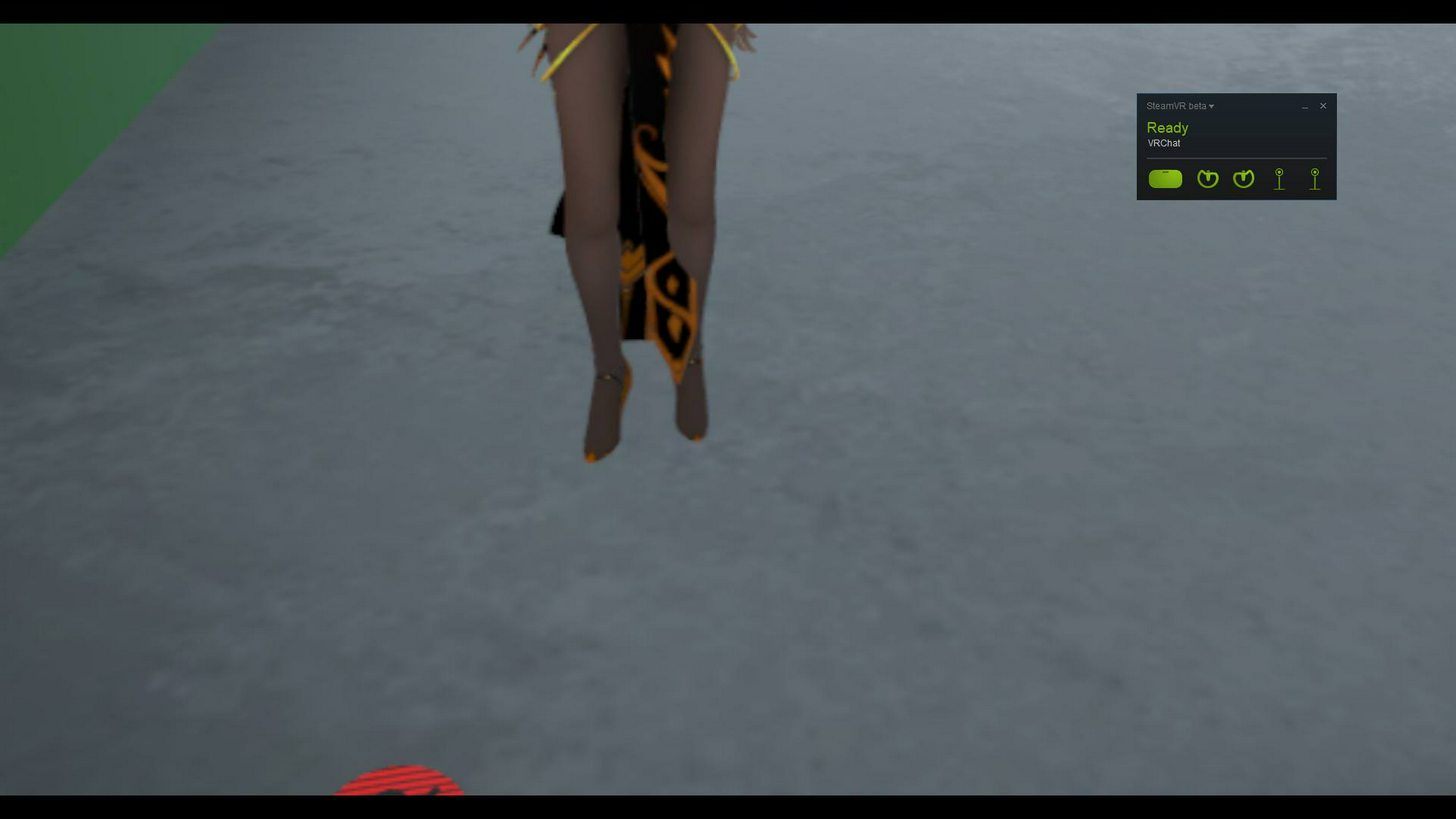
I have a question that I haven't seen asked
My models ALL are clipping slightly into the floor.
The origin is perfect
The bones are perfect
fading verge
okay, is your model in high heels?
 restive hill
mine started doing that, it was an issue in blender best i can tell
native isle
XDD
thorny gate
But some of them are not
fading verge
it's because it thinks the floor is where the ankle is
restive hill
you have to make sure they're not just a little above or below the plane
native isle
In the rig section you can put the hip bone up a bit.
fading verge
raising the spine sometimes will nudge it right
thorny gate
in unity model config?
native isle
Yeah
thorny gate
I'll give that a try
restive hill
or transform it maybe?
native isle
Lol
fading verge
moving the origin of the ankle to the lowest point of the heel is also an option IIRC
hmm
native isle
You have a curse renerrix 😄
fading verge
what's their diet?
thorny gate
I know, end my suffering
I'll legitimately give you
my project file
if you'll help me fix it
lmao
native isle
Just put the hip up
spark nova
hmmm so i decided to start back over and i noticed it wasnt translated in my blender...
native isle
@thorny gate here
thorny gate
?
native isle
Cant send the screen 😦
 native isle

Super simple and lightning fast image sharing. Upload clipboard images with Copy & Paste and image files with Drag & Drop
I have this
Do it in configure
thorny gate
yeah
fading verge
is vrchat doesnt support transparent texture?
native isle
It should be the length you model falls through the floor
thorny gate
but + or -
fading verge
@fading verge how to setting that?
thorny gate
should be - no?
thorny gate
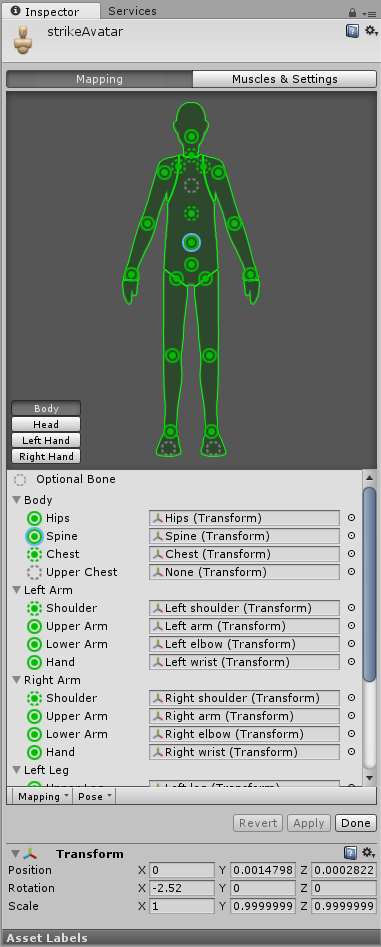 native isle
That's spine you've chosen
thorny gate
There are also toe bones, but I unassigned them
native isle
Should be a hip
thorny gate
I wasn't transforming
native isle
Choose the hip bone and send the screen again
thorny gate
it was just a misclick lol
fading verge
@fading verge the render mode of your material must be set to transparent and your texture file needs to have an alpha channel
thorny gate
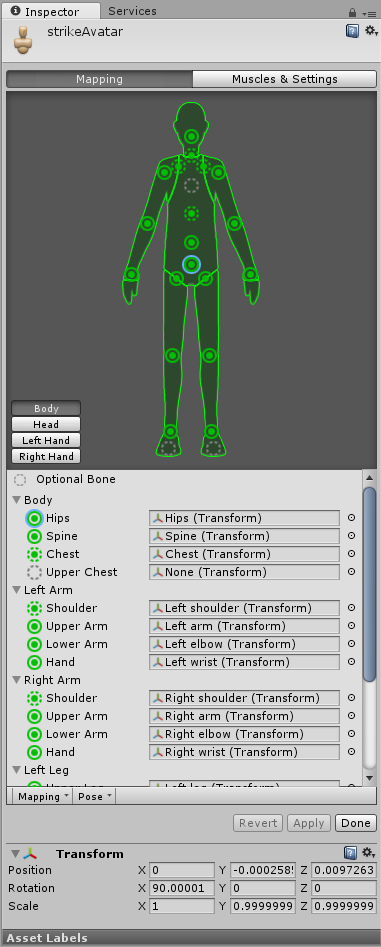 native isle
Yeah just move the bone up a fraction
fading verge
@fading verge be sure to import the alpha channel in your texture file's import settings
native isle
With the green arrow I guess. The one that looks up
spark nova
okay so i do see thats why it messed up. i didnt translate after join the meshes back. i only translated after seperating them
native isle
And it should work
native isle
Might be the blender import problem
If you are using the same armature for all of your models
it can also affect it
 terse coral
so my model im trying to use is making the torso and head be in the opposite direction of the legs and arms
native isle
Just when in blender, don't forget to put your model on 0 0 0 position
thorny gate
it is

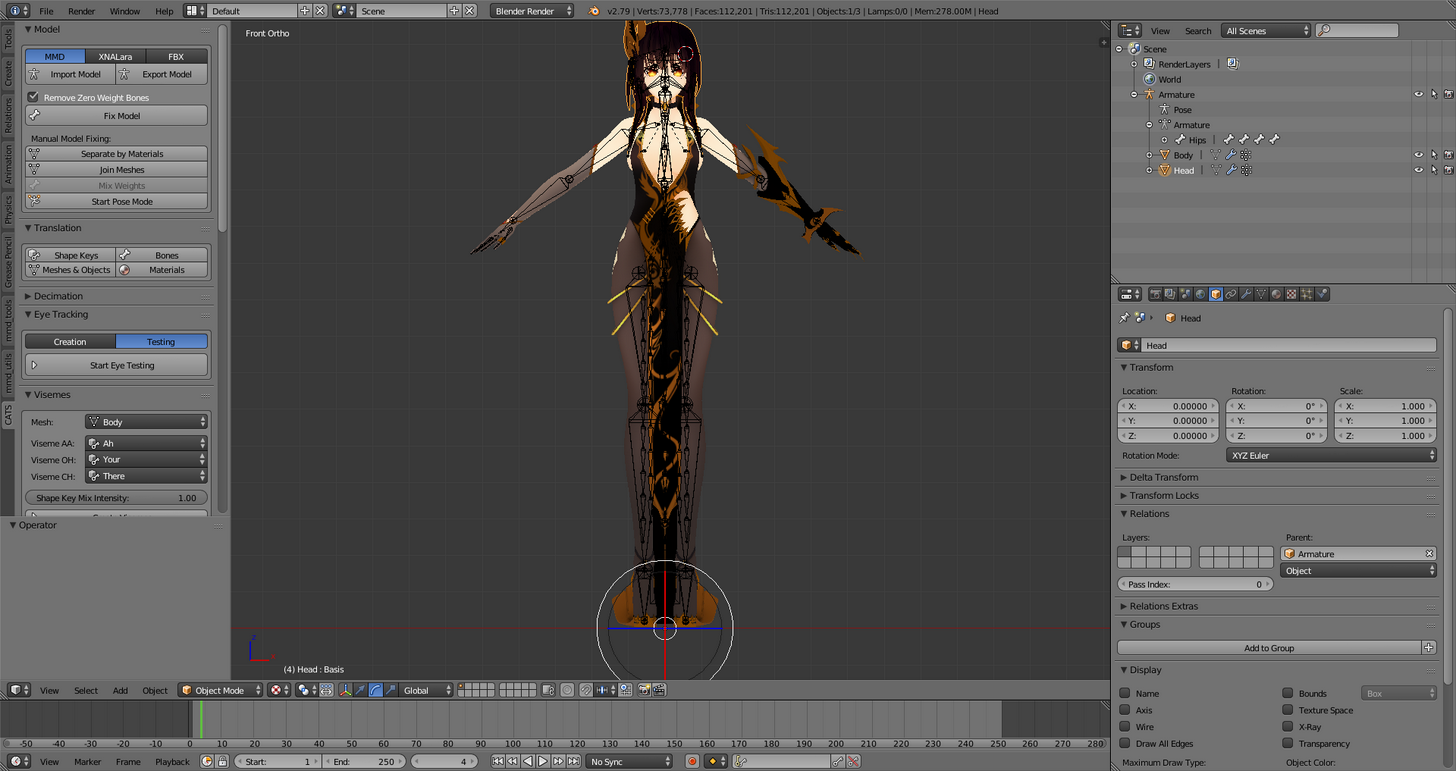
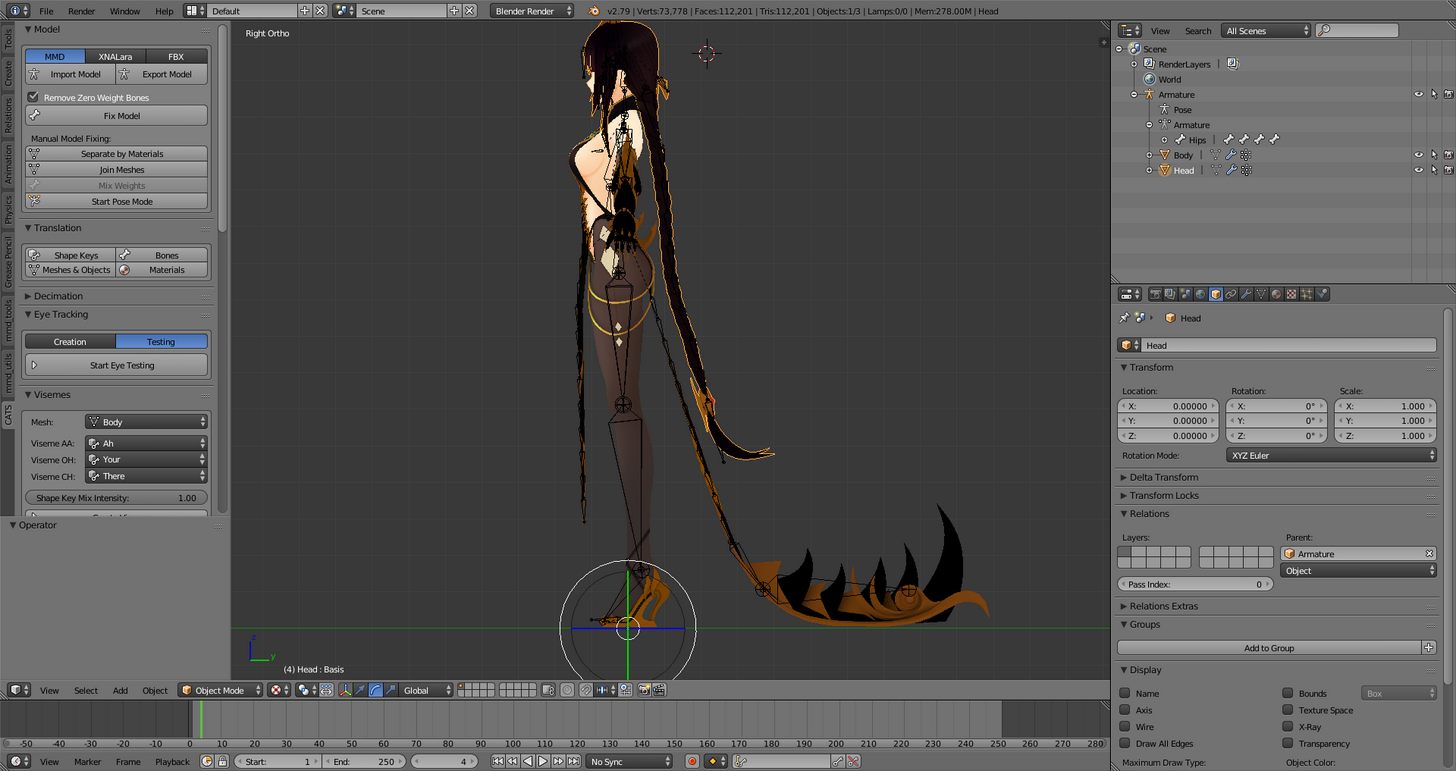 thorny gate
I really hope it is
native isle
Wait
native isle
The model has the lowest part of the legs bone
And it has a big angle
I think it might be the rigging problem
How does your weighting look like on those bones
I mean here https://pasteboard.co/H5HbdKh.png

Super simple and lightning fast image sharing. Upload clipboard images with Copy & Paste and image files with Drag & Drop
thorny gate
just a second
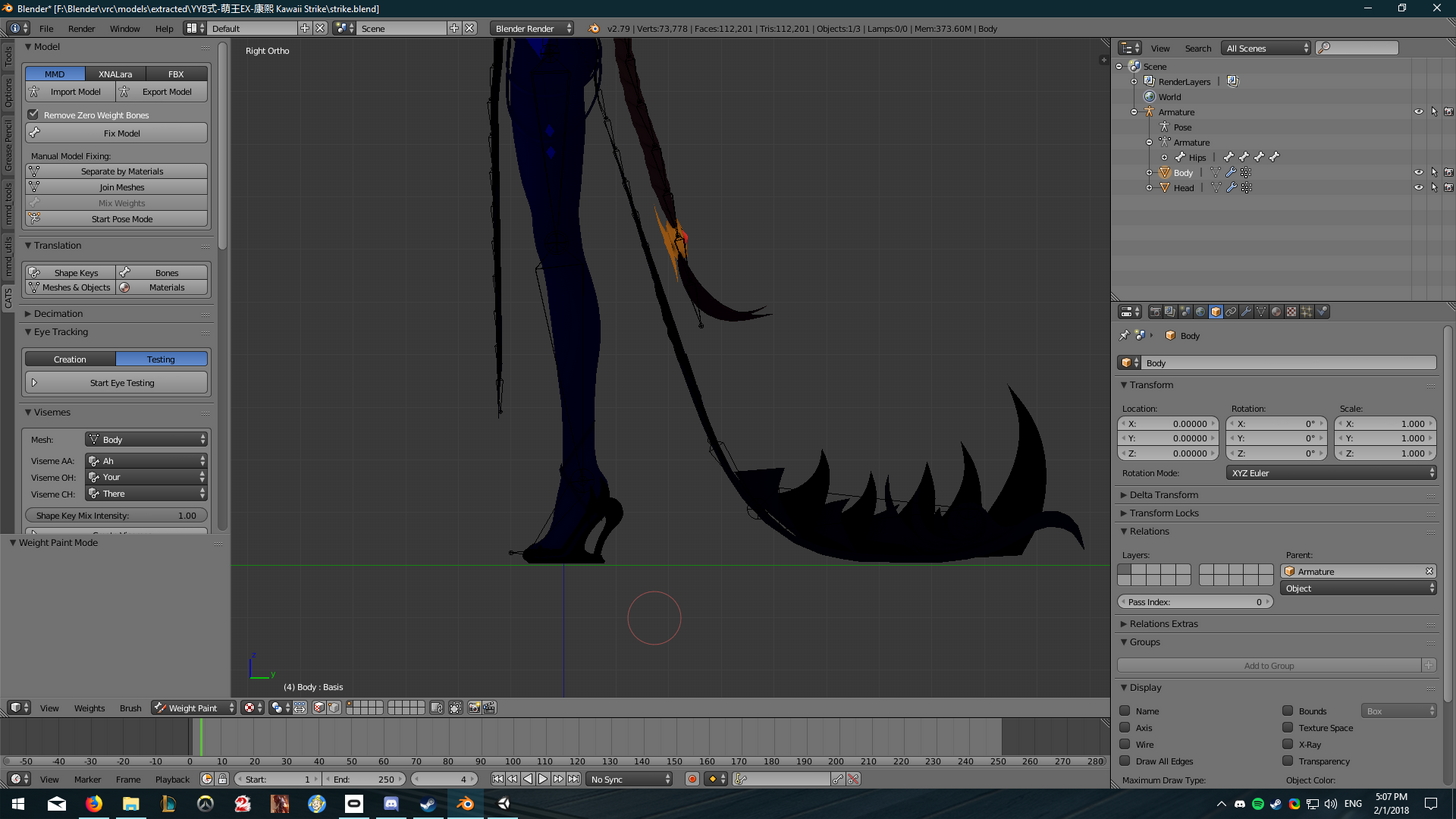
Not quite sure how to pull the specific bone
I'm a Maya guy
Should be mesh > bone > weight paint
but can't do that here?
native isle
Go to object mode -> select armature -> go to pose mode -> select mesh -> go to weight mode -> select the leg bone
Maya 😄 Good memories...
thorny gate
are you able to dm me?
 brisk chasm
little question, my avatar makes.. weird movements in the middle, but that happens when i dont move.. what can it be?
(sorry, i dont speak 100% english)
maybe its common and easy to fix..
spark nova
https://cdn.discordapp.com/attachments/389106002383077379/408781445402984489/unknown.png
I see that i have like blush and those extra face things, but im not sure what material I place them on since i already have a face one

https://cdn.discordapp.com/attachments/389106002383077379/408781845053046784/unknown.png
heres the things that i have no clue what they do
 fading verge
I have an avatar that doesn't have any fingers, and I can't figure out why this model in particular will not do gester overrides. Is this the reason why?
 rugged vale
I don't even understand how this. http://prntscr.com/i8xbok

became this. http://prntscr.com/i8xbzx

the bones just grow massive for no reason in unity?
 lilac moss
holy cow :D
rugged vale
ya i love how I sat and made the mouth visemes for an hour just to discover it was for nothing.
 graceful wave
Maybe this is a rigging issue IDK, but in blender I can't get the blinking to work. I've got the shapekeys set right, the eyes are parented under the head, but it just won't work and IDK why
lilac moss
is the mesh named Body
graceful wave
Yes
neon quiver
lol
graceful wave
The tracking works for up/down/left side/right side
like the eye movement works
just not the blinking
 rain delta
In the cats test or only in VRC?
graceful wave
ah, well thanks for the help anyhow
rain delta
Sorry man :/ I really don't know how to help..
 cobalt geyser
Has anyone actually found a way to fight off dynamic bones just rolling over the colliders?
my legs just go through my robe
rain delta
^
rugged vale
set multiple colliders on the object. and make the radius of the bones on the other decently sized so they don't have space to pass through. For example this character has stuffed animal on her arm and it doesn't pass through her arm. http://prntscr.com/i8xl32

 gentle shuttle
I can't seem to find the avatar discriptor view point
i have it set to 0,2,0 atm
ive tried moving my model but still cant seem to find it
 spiral delta
Maybe your model is scaled too big
Pull in the SDK avatar scene to get a sense of scale
gentle shuttle
i found it
trying to upload a screenshot

see my models head poking out from the back
@spiral delta
spiral delta
Did you compare it to the avatar scene
spiral delta
Go to the vrsdk folder in your assets
And look in the folders for the scene folder, I don't remember exactly where it is
gentle shuttle
I closed that tab
spiral delta
Then just drag the 2nd one (avatar one) into the left scene area
gentle shuttle
how do i reopen it
spiral delta
I don't know what the window is called I've never closed it before lol
It's somewhere there
spiral delta
Yeah I thinj
Just drag that into the left menu where your model is
And then scale your model appropriately
spiral delta
:thumbsup:
 distant nest
Is there any easy way to swap two bones place in a heirarchy? A lot of the models I'm importing have the hips as the child of the spine instead of vice versa for some reason.
brisk chasm
little question, my avatar makes.. weird movements in the middle, but that happens when i dont move.. what can it be?
(sorry, i dont speak 100% english)
maybe its common and easy to fix..
 flat sierra
idk if this is the right room for the topic but
for some reason after making a new project dynamic bones wont show up in components
gentle shuttle
I'm getting an error when i go to the build control panel to upload my model where it says "This avatar does not contain an animator, and will not animate in VRChat"
gentle shuttle
anyone D:
fading verge
@brisk chasm Usually means your spine and hip joints are too close together so IK is getting confused about what angle they should be facing; you can luckily just move the spine joint up very slightly to reduce that in the rig editing screen in Unity
However it would be better to move the joint in the FBX before you import it in the first place
This happens to me in some nintendo models where the spine and hip joints are in the exact same position; I just move the spine up and it fixes it
 cosmic mica
I have a robot avatar that i need to continuously play a subtle humming sound effect, how do i apply it to the idle animation without it ruining the idle pose?
 opal aurora
Well it also depends on how the breast bones are made and positioned in general, but here's my settings for near everything, change according to your tastes
0.1/0.1/0.6/0.4
@fading verge
cosmic mica
how do i apply a sound effect to the idle animation without changing the idle pose, i just want a sound to it
opal aurora
@cosmic mica you can simply add an animation component in and have it played out therevi think
Would be easier than praying for the idle to not 404
Set the .anim to legacy and set it to loop
cosmic mica
so i create an animation for the sound then drag it into scene or under the character armature
?
gentle shuttle
any ideas about my question
opal aurora
You add the .anim to it
Make sure the animation is set to legacy and is set to loop
Otherwise it'll play once on entry and stop
opal aurora
No
cosmic mica
(im sorry, im still learning)
opal aurora
You never worked on manual blink animations right?
It essentially is the same formula
You click on the 3 lines next to the lock on the top right
Go into debug mode
Click legacy on the anim file
Exit debug mode
Set the anim files' wrap mode to loop
cosmic mica
havent done manual blinks yet 😦
opal aurora
Hit play in unity to hear it in action
If no sounds play whatsoever, there's a few possibilities for such:
The animation isn't done right for the audio
The audio file isn't being read correctly
The audio is too low to be heard
Or audio doesn't work in legacy mode (which i doubt)
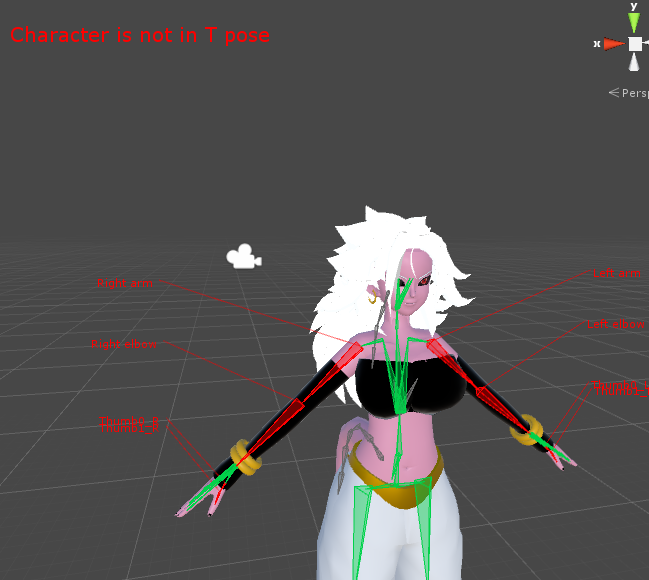 opal aurora
Bottom right
opal aurora
Pose -> force t-pose
opal aurora
Then it's probably good to go, if not, try the following
 gloomy loom

It looks all green
And I mess around with the pose mode in blender
so I should have any issues
shouldnt*
thank you exsgt
 small zinc
anyone know how to make bones look like the arm here https://cdn.discordapp.com/attachments/276471869857857548/408833216921862144/unknown.png
 fading verge
Where do I get the older Unity Version 5.6.3p1 ... I only can find the new updated version of unity 2017.3.0f3
small zinc
Like, the smaller bones connected by chains rather than large and directly linked
opal aurora
Go into blender, go into edit mode on the bones (3D view) select them all with the A key and press alt+r to put all their rolls to 0
@gloomy loom
gentle shuttle
@small zinc link the download for this once you are finished
small zinc
Why?
small zinc
Oh
I don't know if I wanna share it, lol
It's been an absolute nightmare to extract from this glitchy SFM file
gentle shuttle
okay...
gloomy loom
Am I gonna have issues in vrchat with the bones?
gentle shuttle
oh sfm
opal aurora
@fading verge have you tried to literaly search on google unity 5.6.3p1?
It should be the very first link
gloomy loom
if I enforce tpose?
small zinc
Like, lemme grab the original
fading verge
I can just find the link for Unity 5.6.3 but i'm not sure if that's it
because it doesn't say P1
opal aurora
@gloomy loom i heard that it could have issues but i'm unsure myself, if it does, do follow what i mentioned
@fading verge are you sure?
gentle shuttle
@fading verge https://unity3d.com/unity/qa/patch-releases/5.6.3p1

Unity
Unity is the ultimate game development platform. Use Unity to build high-quality 3D and 2D games, deploy them across mobile, desktop, VR/AR, consoles or the Web, and connect with loyal and enthusiastic players and customers.
gloomy loom
its alright cause this is a terst model im working on but if I have issues ill do that
opal aurora
^
small zinc
https://imgur.com/a/XFu5W @gentle shuttle
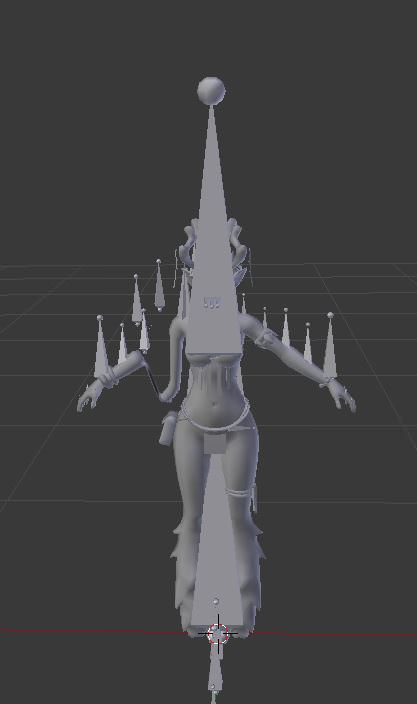 small zinc
Absolute
fading verge
thanks apparently the one I downloaded was f1 and not p1
small zinc
Nightmare
gentle shuttle
ive had that happen before
gloomy loom
L...Lewd
opal aurora
BIG BONES
small zinc
This is missing the GIGANTIC BONES six times the size of the model above it
attached to the skirts
gentle shuttle
wtf
small zinc
causing the skirt to be irrevokably broken
So I had to go get the sfm original file and crack it open wtih the help of a friend to get one with bones that work
crisp tendon
@small zinc You'd be better of using Mixamo
small zinc
Of note: This one doesn't have shoulders
or, rather, upper arms
The shoulders attach to the lower arms
Or upper legs
gentle shuttle
but why
small zinc
Because it has roll bones
It's designed to be manipulated in video, not actually animate
gloomy loom
I added THICCCness to the chest and ass, and made an ass bone to my Model for rigging and pose editting
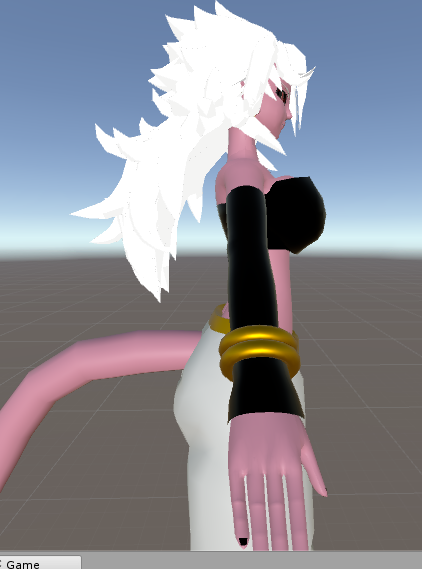 small zinc
But that shouldn't be that hard, I think. I just need to figure out how to mimic the current design of the bones
gloomy loom
I should make the ass thicccer I think
gloomy loom
I realised what ever size edit you do to a bone in pose mode at blender
Itll resize the mesh too
gentle shuttle
I can't seem to upload any fbx files to miximo
opal aurora
@gloomy loom where'd you acquire her model ifye don't mind me askin
 gloomy loom
I found it on devientart, but the shapekeys and the model is kinda badly done
 winter walrus
Can someone help me out real quick
opal aurora
I'd like a link via dm if ya don't minds :3
It's cool if ya don't want to though
winter walrus
Blender file; In case anyone
gloomy loom
I gotr you fam
opal aurora
Thank yaz
opal aurora
Yeah the designs' pretty neato imo
small zinc
So does anyone actually know how to unlink the bones so they don't automatically stretch each other?
 gloomy loom
you can remove parenting
winter walrus
@scarlet crow
small zinc
I don't know where that is
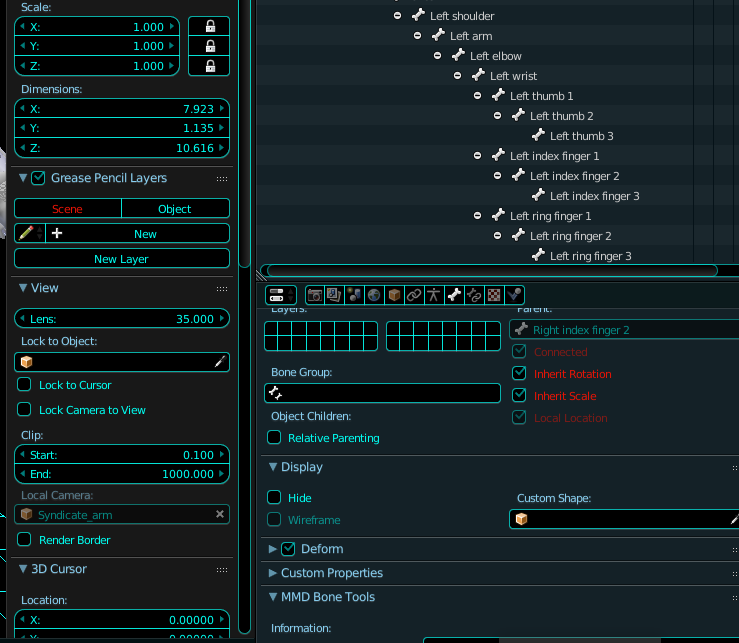 gentle shuttle
It seems like most of my questions are ignored :/
gentle shuttle
humanoid and are pre rigged
small zinc
Delete the armature if you're putting it through mixamo
gentle shuttle
i'm getting "This avatar does not contain an animator, and will not animate in VRChat" when i try to upload it so im trying to get animations
oh...
small zinc
Wait
gentle shuttle
and how do i get said armature back
gentle shuttle
how
small zinc
Components, on the right, when you drag the model into the scene
gentle shuttle
so add component?
 mental lynx
Quick question. My avatar's feet sink into the ground. Any ideas on how to fix this? It may be because of tall shoes so the point of impact is on the joint
gentle shuttle
make sure it is above the grid before upload
small zinc
Adjust the feet bones so they end at the base of your model
gentle shuttle
trust dragon more than me
mental lynx
Is this possible in Unity without warping the meshes attached to it
 low parrot
You might be able to move the bone in Blender down
low parrot
yeah
mental lynx
Oh and one more question. I have a mesh that sits well over another, and yet they face-fight even when there is no reason for them to even be near each other
I'll post examples
The arm sits entirely in the center of the sleeve, as you can see here. Nothing should ever clip because they share the same rotations and joins.
https://i.gyazo.com/e5a27447a51d8425c3c7015edbb0b4b5.png


Yet they somehow clip through ONLY when in VRChat. Not even in Unity will it do this.
small zinc
They may not actually share the same painting
can't say for sure on that
I'd just delete the arms under the sleeves
mental lynx
I honestly have no clue how to do that, but I will try.
small zinc
Are they seperate meshes?
mental lynx
Yes
Even more curious

The arms should literally not be there
I have... no clue where that mesh is coming from
Im so confused, now
small zinc
lol
well
that's fascinating
Look on the inside of the hoodie
might be a singular mesh poorly designed
and it's bowing through itself
small zinc
Descriptor
gentle shuttle
ya
 gentle shuttle
oh and riggid bodies work with coliders right
small zinc
oh no
opal aurora
Oh no
mental lynx
Im gonna activate it in Blender and see what the fuck this is
mental lynx
the answer was yes
dont lewd these friends dangit
Hopefully no one will somehow look into the sleeves and notice a missing body/mesh
opal aurora
Make a solid black mesh there
mental lynx
Is there a way to return the placement of a material
opal aurora
Bam shadows
winter walrus
Can please someone help me
 light kindle
We're all open ears
winter walrus
I'm really frustrated because I keep getting this:
Bone Heat Weighting: failed to find solution for one or more bones
I think you can ask in here (lol)
winter walrus
And I googled; But nothing helped
and I REALLY do not want to manually weight paint it
opal aurora
Did you have a bone in a bone?
opal aurora
Hmm...
light kindle
Weight painting isn't that bad though
winter walrus
In case you would like to check yourself:
https://mashiroshiina.s-ul.eu/ciAgorsq.blend
@light kindle I really have no nerves for it right now tho xd
opal aurora
Is the mesh parented to the bones?
winter walrus
And i never learned how to do it properly
@opal aurora I tried it with being parented & without
Envelope Weighting works, but sucks
gentle shuttle
should the camera be infront of the nose or over it
small zinc
Man this is actually way easier than I thought once you actually understand what you're looking at
You wanna aim for the bridge of the nose
light kindle
Go in pose mode and play around for a bit
light kindle
See if you can find the buggy bone
mental lynx
https://gyazo.com/54544c8efe7ead18a258718c702ed17b
To stop the sandel from clipping through the ground, how far should I drag the bone down before things get wonky?
 winter walrus
I tried deleting one bone after another @light kindle and every single one didnt work
even just hip/chest bone or anything
would give me the error
light kindle
As in every bone is broken or blenders just being stupid
winter walrus
idk
opal aurora
Both?
light kindle
Are the bones starting from the bottom and building up?
small zinc
uhhh
hold on a sec, Brandon, I havent' actually touched a model without hooves in a long while
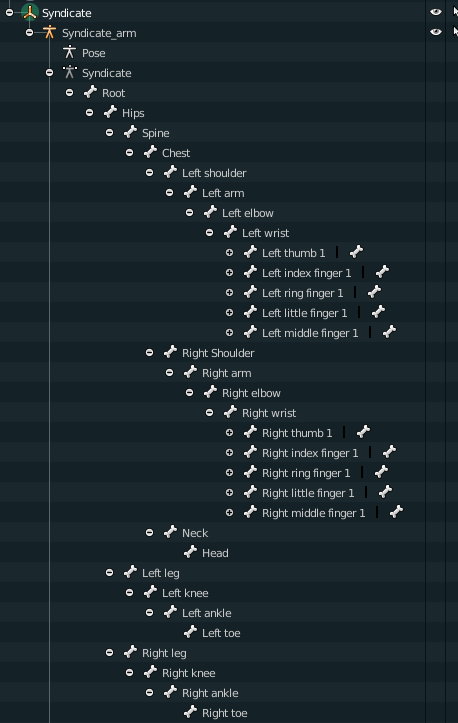 mental lynx
A lot less joints in them hooves
winter walrus
(Also tried instead of having a Root on the bottom with Hips being the root)
opal aurora
Time for the old tech support question
small zinc
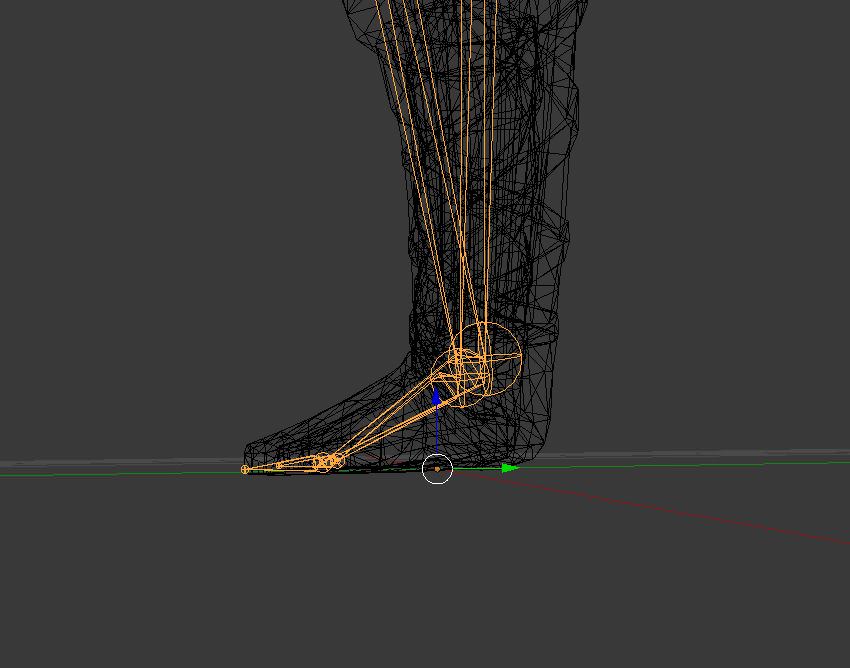
https://imgur.com/a/gTpD3 @mental lynx
 opal aurora
Have you tried turning it off and on again?
mental lynx
Now place 3 inch sandels on it, ha
small zinc
Put the end of the foot at the absolute floor of the model
as far as I understand the 'toe' doesn't actually move anything
it just shows where the model stands?
idk
it works well enough for VRChat as a rule
light kindle
Try exsgt's idea
mental lynx
You usually dont want to use toes because they'll sink the front of the foot into the ground in VRChat
winter walrus
@opal aurora mean me?
mental lynx
Either way, for some reason it wont let me move them
opal aurora
Aye
small zinc
Are you in edit mode
mental lynx
I selet them, I go to move it, it only wants me to move a single joint at a time
yes
small zinc
What are you actually selecting
mental lynx
small zinc
you will have to do them one at a time, probably
just watch the numbers as you scale them out
mental lynx
That's ludicrous, how would I keep symmetry
opal aurora
Select ehm both?
opal aurora
Exactleh
Arrow tool should help in that regard
As both can be moved at the same time
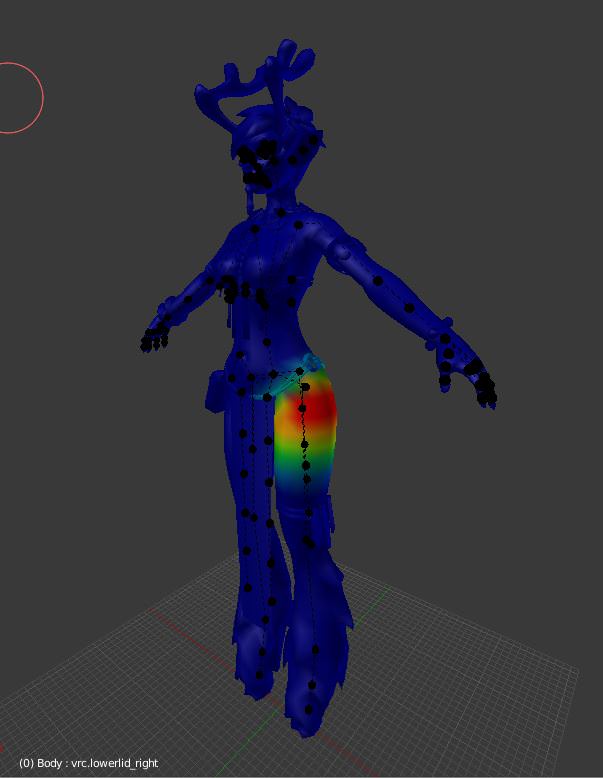 opal aurora
Valve bones shivers
opal aurora
Ikr
small zinc
The eyes are fully rigged out though
Trying to figure out if I can use pose mode to make shapekeys somehow
opal aurora
I need something that turns valve bones into pyramid bones
mental lynx
Hit the wrong hotkey and I think it just deleted my layout
small zinc
Pyramid bones?
mental lynx
That sorta makes me want to give up right now.
small zinc
oh, you mean the triangle things?
opal aurora
Yes
small zinc
I kinda prefer it this way
restive hill
oh thank goodness, dyn bones behaves in the most intelligent fashion
 hazy tusk
is there any known issue with colliders currently?
small zinc
@mental lynx Can't just ctrl+Z it?
hazy tusk
https://puu.sh/zeQUX/d282e1c9da.png
I know these are big on the skirt, but just to give an example
 mental lynx
That doesnt work for UI
hazy tusk
these colliders are not interacting at all
hazy tusk
but everything is set up rtight
restive hill
do you have colliders set to 1, and pointed at the character?
you have to tell a dynamic bone to collide
opal aurora
@hazy tusk You did it backwards
gentle shuttle
@small zinc still having the "This avatar does not contain an animator, and will not animate in VRChat" yellow caution sign below the upload and publish
restive hill
what even is that doing
hazy tusk
backwards?
mental lynx
Reverting factory settings and I guess starting all that over
opal aurora
They got the colliders on the skirt instead of legs and/or hips
hazy tusk
I've done the same as everything else to make colliders work, so im confused
restive hill
my current edit is a neptunia named noire, the collider is on head/root with proper exclusions, and the ONE collider points at noire
gentle shuttle
oh and it says 0 polygons :/
hazy tusk
Not an attempt to prevent clipping
restive hill
we both say it's backwards, i'd check that
gentle shuttle
ya
small zinc
Make doubly sure
gentle shuttle
the armature is what I was told
gentle shuttle
oh...
small zinc
Tip top of the list. The one that holds your armature, model, all of it
Attach it to that bit
restive hill
yesssss, that
opal aurora
That's understandable, but if you really want it to work out, add a collider to the legs and hip and put those as the colliders for the skirt
small zinc
(Not the lamp or camera)
restive hill
EXSGT I LOVE YOU NOW I UNDERSTAND HOW TO PUT COLLIDERS ON SKELETONES
i was pondering that before
opal aurora
Wot
restive hill
i was thinking about sleeves
gentle shuttle
now to set up visememes for the millionth time
mental lynx
Any idea how to put a movement limiter on a bone so I only move it on the z-axis?
opal aurora
Oh another thing actually
restive hill
and a keep-inside...
small zinc
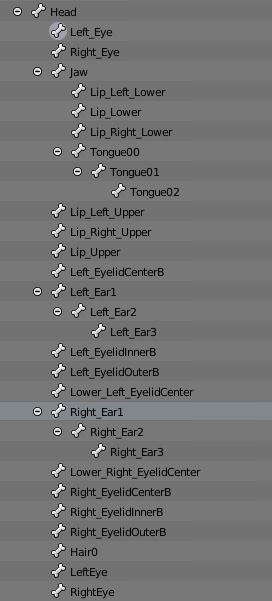
https://imgur.com/a/AyCGG I don't know whether to be horrified or extremely intrigued
 hazy tusk
eh?
restive hill
wow thats a lot of head bones
opal aurora
For more reliable collisions make sure to add a good radius value to your dynamic bones(not the colliders)
restive hill
this neptunia model that i used for my very first avatar has ZERO moving head stuff other than hair
frankly, that was a good idea
small zinc
I am gonna make
restive hill
cake
small zinc
the wiggliest ears
opal aurora
They'll appear as white radius colliders
restive hill
no make cake
opal aurora
@small zinc 0.1/0.1/0.6/0.4 thank me later
hazy tusk
 mental lynx
Figured it out, nice.
hazy tusk
Like this?
gentle shuttle
@small zinc you are amazing ty ❤
mental lynx
I'll wait to ask a question until he's helped, dont want to clutter things
small zinc
I'll come to that later, EXSGT
lol
I wonder if I could jerry rig this so that instead of 'blinking' my ears twitch
That may be too much work
or impossible
small zinc
Factually untrue
opal aurora
Das a no-no
restive hill
dragon, i used a "eyes shrink" shape key for lower lid, and it's pretty hilarious
works nicely
small zinc
The blink only triggers shapkeys, right?
mental lynx
https://gyazo.com/790cc3392676985fede1cc185d12ef89
Think this would work to keep the sandle above ground?
 restive hill
idk ANYTHING about animations, i need to learn custom dances and such
restive hill
can't you just go isometric and transform the model upwards?
small zinc
Nah, Smoo
small zinc
The way feet work is apparently determined by bones
Because my Blossom sunk through the ground on account of having two toe bones
and backwards legs
restive hill
shite
restive hill
well, at least the hair should be ok
opal aurora
Yes
small zinc
Look at me i'm fucking stupid
opal aurora
You can drag the hipbone upwards
Unity's standard view will display the default though
small zinc
and that'll stop it from sinking into the floor
can i make models that hover feet off the ground doing this
hazy tusk
nope
small zinc
Might need to come back to my DJ sona at some point
hazy tusk
adding these radius / white circles didnt help
It's like the colliders aren't even existing
but, I don't see why they wouldn't be. They're attached, they're tthere
small zinc
You are assigning them to the dynamics, right?
opal aurora
Do this chiseled
opal aurora
Make a collider on hip and upper legs
restive hill
you should have the collider on the hip or base model, not on individual skirts




 restive hill
no that is insane