#avatar-rigging
1 messages · Page 89 of 1
 quiet zinc
 flat sierra
dang got it into unity finally but a huge chunk of its face is missing for no reason
I recalculated normals and it didnt fix it
 peak drum
Hey, does anyone know where i would be able to get the dynamic bones asset?
 coral relic
the only answer you'll get here is unity asset store
peak drum
ok, thanks anyways
 hot plank
Does someone know why my dress is twice in one mesh ? my character looks fine alltho the duplicated dress just stands there unassign and ruining everything and i cant seem to fix it https://gyazo.com/a92cc0ac70141bef1e7466fdd8a29a0d

 drowsy storm
how do i swap a head on an avatar?
coral relic
@hot plank go over the model with the L key in blender and delete any duplicated meshes (make a backup first). Sometimes meshes get duped during imports. Looks like in your case one of them is skinned and the other is not, so be careful not to delete the weight painted one (notice how only one pair of arms followed the bones).
 lofty sparrow
Is their a toturial about avatar rigging?
hot plank
@coral relic do you mind kinda leading me through the process, its my first time rigging and weightpainting
coral relic
I'm at work but I can take a quick look if you pm me the blend file. It can be a quick fix if you're lucky.
 winter walrus
Quick question
When rigging a model that has less than 5 fingers
Should I rig invisible fingers or just leave it at 3 ? (I am unsure how it affects gestures?)
 pine harbor
probably best to rig in dummy fingers if you want to use full body IK
winter walrus
k thx
pine harbor
if not...hm, not sure if it'll throw up any errors blocking you from uploading -- i did it anyway just to stop the SDK throwing up complaints
 naive tree
drag it in by the tip http://prntscr.com/i71nbr

 thorny gate
Does anyone know if there is a way to ignore Blender when it tries to prevent me modifying the base pose because of shape keys?

I really need a way around this, I don't want to go slicing up my model and deleting shape keys.
coral relic
why are you applying the armature?
if you want to modify the base pose then you have that option in pose mode
thorny gate
@coral relic immediately before applying
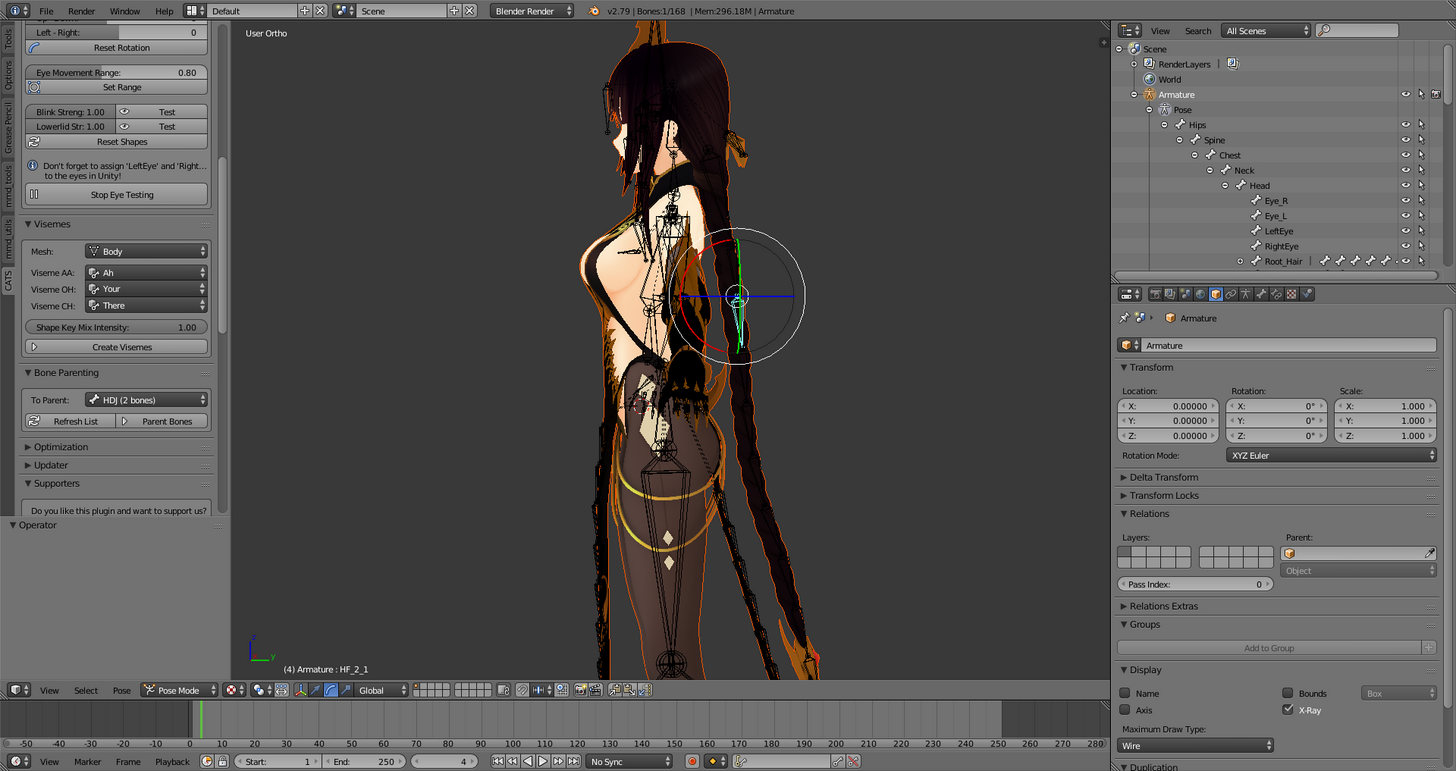
Pose > Apply > Apply as Rest Pose
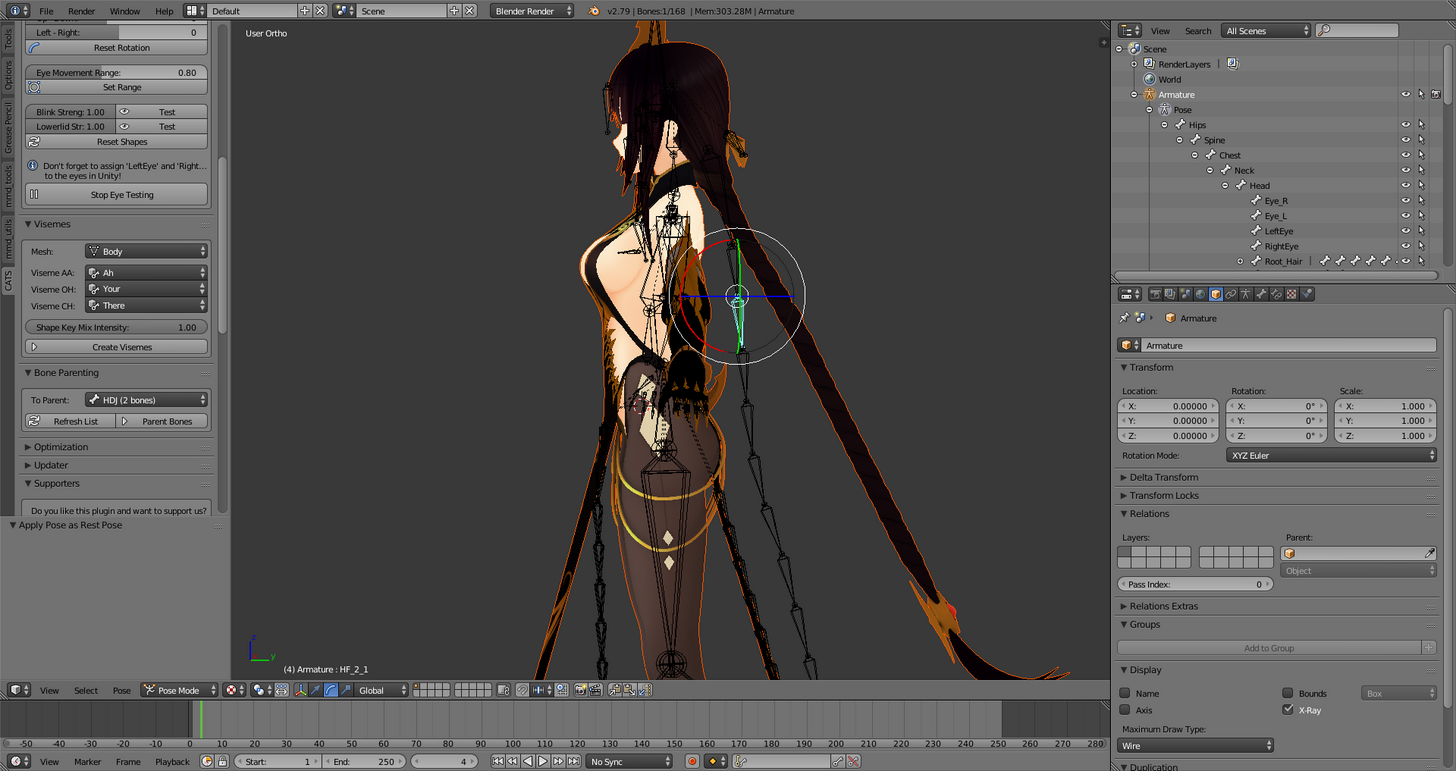
Gets me this, which is not what I want.
However, the way I normally do it when modifying the base pose works, which is what I was trying to do.
coral relic
hm ok. so you probably have shape keys only on the head. what I'd try is to separate the head from the rest of the body, delete all shapekeys from the body, then apply armature. at the end you can join the meshes again
 dreamy warren
@quiet zinc if you want to commission someone then go to vrc traders discord server
thorny gate
Yeah, I basically shattered the model, deleted the basis shape keys from all the parts, then remerged.
Oh well, got it.
 thorny falcon
Hi so I got this avatar and it doesn't have bones in the head, what should I do?

DeviantArt
- This XNAlara GOD EATERS's Characters Pack is available from "BANDAI NAMCO Inc.", jem0920123 and user619, so please do not maliciously act as a commercial infringement. Thank you for your coopera...
 final cave
If it says Your rig has the upperchest mapped in the human rig. This willl cause problems with ik. What do i do?
 thorn willow
take it off
final cave
if i do it gives me another error
final cave
yeah its talking about spine and for some reason i cant open it in blender
is there a way to get a .amd in blender?
.smd
naive tree
takes 2 seconds to google
final cave
sorry yeah stupid
 river oriole
Hey.. when combining two armatures and two meshs into one. Is there a way to keep the weight painting on both? As of right now only my main mesh has kept it's weight painting after joining the two armatures. I'm sure there's got to be a way both meshs have their own weight painting before I combined thrm
 ivory yarrow
Hey guys ^^
I hava a problem with my rig
Sorta
Everything is mapped correctly
Like this
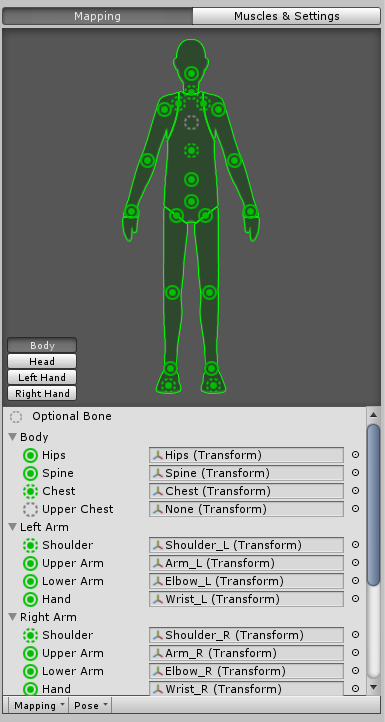
but I have an issue in the sdk saying that nothing is mapped

any ideas?
 crystal vector
@ivory yarrow Can you show your bone hierarchy?
ivory yarrow

I already have sucessfully uploaded this model before with the same hierarchy and bone mapping
I only wanted to make an update with dynamic bones, lipsynch and maybe custom animations
The latter hadnt't been tested yet.
But the thing is even with reverting all changes to the working state I still get the error
And Unity have no problem animating the character, in both working and in dev state
crystal vector
@ivory yarrow OK so a lot of the bones aren't directly parented to their correct parents. I wonder how you uploaded that 😄
You either have to fix that manually or use cats
ivory yarrow
let's haed back to blender and do a great cleaning then
Thx. I'll try that and report wether it works or not
 old vine
Anyone know why the weight painting differs in unity when compared to blender?
ivory yarrow
it seems to wörk
thx a lot
it looks like I have broken the arms tho.
Should be easy to fix anyways
and the legs are boken too
damn
crystal vector
@ivory yarrow What is broken exactly?
ivory yarrow
parts are not moving
crystal vector
Did you fix it manually?
ivory yarrow
yes
but I have just fixed it
I think I deleted too much
Everything is confirmed back to working again from tests withinVRC itself
 weary geode
@river oriole You just need to set armature of the mesh you import to be the same armature as the other
 devout river
does someone know how to fix the bones in a coat for an ncr veteran ranger from fallout new vegas, if so can you slide in my dm's and i can send you either of the 2 if you can thanks!
 vale shell
Does anyone here have experience with Autodesk Maya or 3DS Max?
vale shell
Do you also know how to sculpt?
 paper sparrow
i do
vale shell
awesome
paper sparrow
😃
vale shell
I just now got Maya, so I don't really know how to do stuff and would need someone to help me to get started
paper sparrow
are you familiar with 3d modeling at all?
or what exactly do you want to do with it?
vale shell
I mostly just want to rig at first
paper sparrow
ah straight to the hard stuff 😛
vale shell
I find 3d modelling harder
vale shell
not really
paper sparrow
ok to bind a model to a skeleton you need to assign influence to each vertex on a model for every bone
this is called skinweight painting
vale shell
oh, ok
paper sparrow
you'd best look up a tutorial on how to do this since its hard to explain without showing someone
vale shell
ok
paper sparrow
also look up how to make a skeleton
as for the model i assume you are using a pre-made one
vale shell
I have one pre-made that I want to test Maya with, because even Mixamo effed up on it
paper sparrow
ah
vale shell
although it is a normal human
paper sparrow
so i assume it doesnt even have a skeleton then
paper sparrow
well best look up a tutorial for that as well then. cause making a skeleton in maya is alot more complicated than using mixamo
paper sparrow
aye and you need to know where the bones go
what order they need to be parented in
etc
vale shell
Normally the highest parent is the hip, isn't it?
paper sparrow
correct
vale shell
and it is always left to right
paper sparrow
though i believe for vrchat you need to make a root joint
so thats the highest one
vale shell
from the most centered to the outstide
paper sparrow
yes
vale shell
the biggest problem is - I think - the non normal bones, for the eyes for example
well "bones"
Rigs
vale shell
ok
weary geode
Hips = root in vrchat
vale shell
Yeah
weary geode
Hips > Spine > Chest > Neck
Shoulders parented to chest with offset
Upperlegs parented to hips with offset
vale shell
This character would be my first own rig, but not my first own avatar
paper sparrow
ah ok so no root joint
good to know
i'm working on my first avatar not my first model / rig 😛
vale shell
I got a nice pre-made thing from someone
aah 3ds max is finally installed and updated
paper sparrow
this is my current project 😃 https://i.imgur.com/S1jiMZL.png
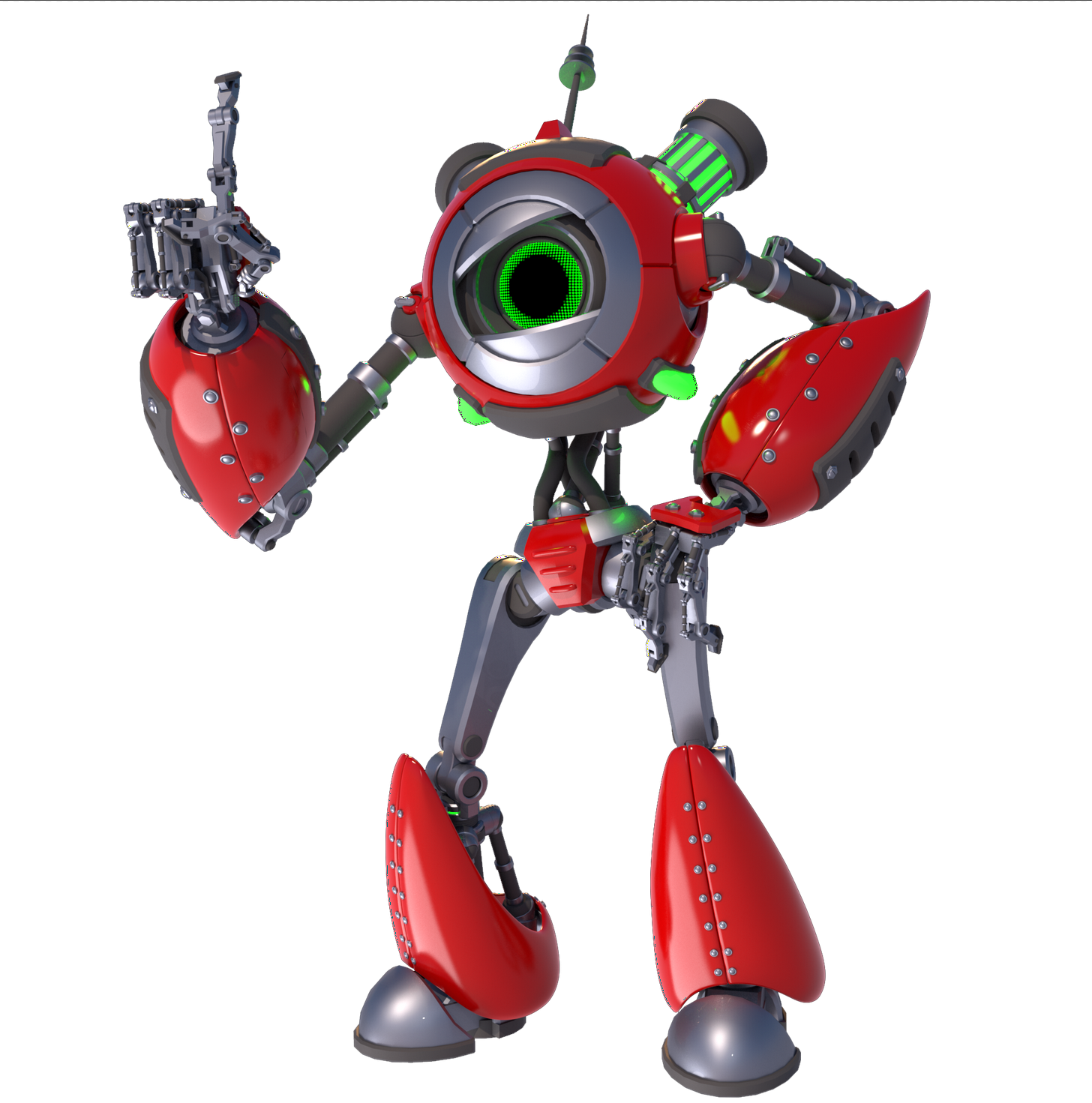
not exactly gonna have a default humanoid rig
vale shell
That looks a bit like Atlas
paper sparrow
i took some inspiration from portal yes
 wary wave
I have a bit of an issue
vale shell
I know
wary wave
My avatars legs are always bent in seated mode, but not standing
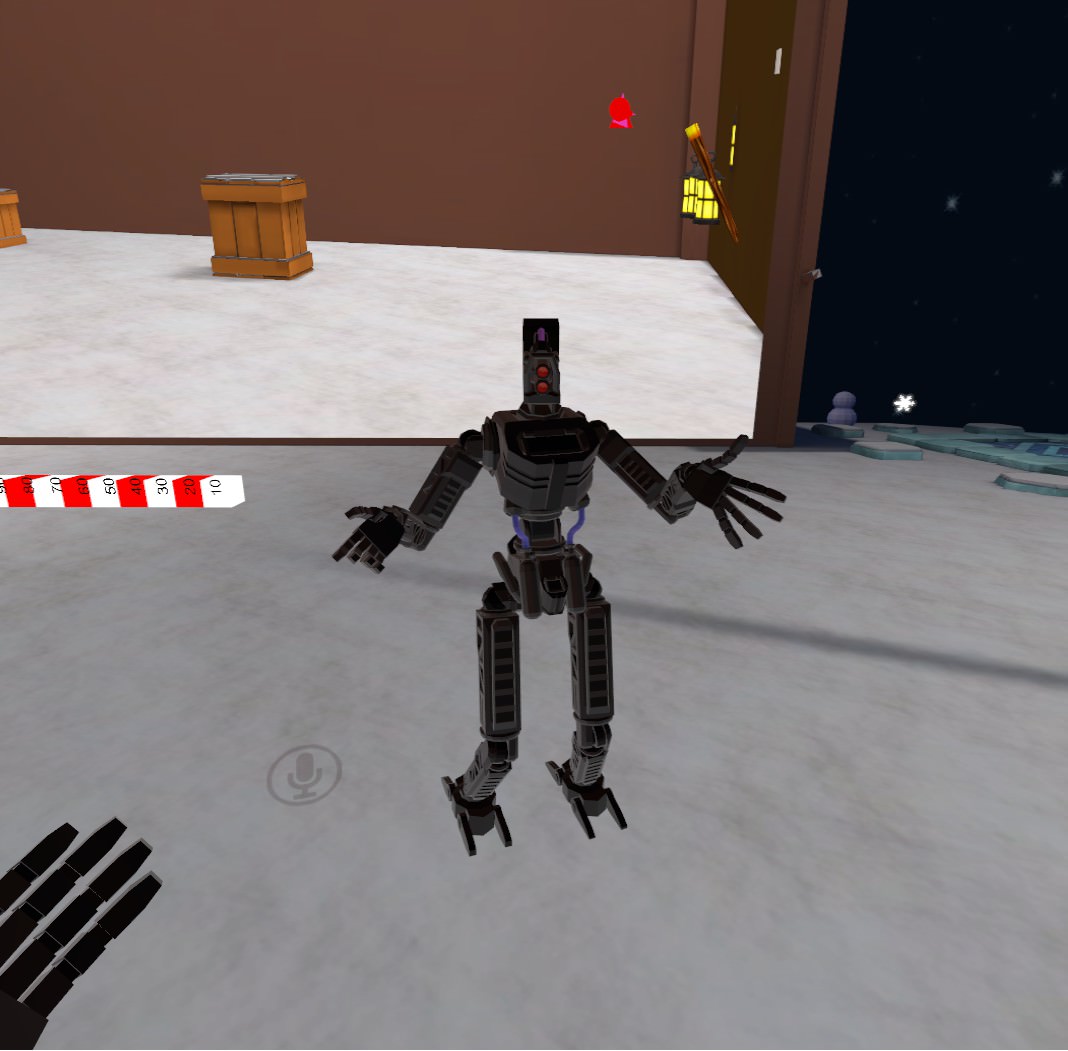
I think its due to rigging but I'm not sure
 fading verge
I like the pose
vale shell
It looks funny
wary wave
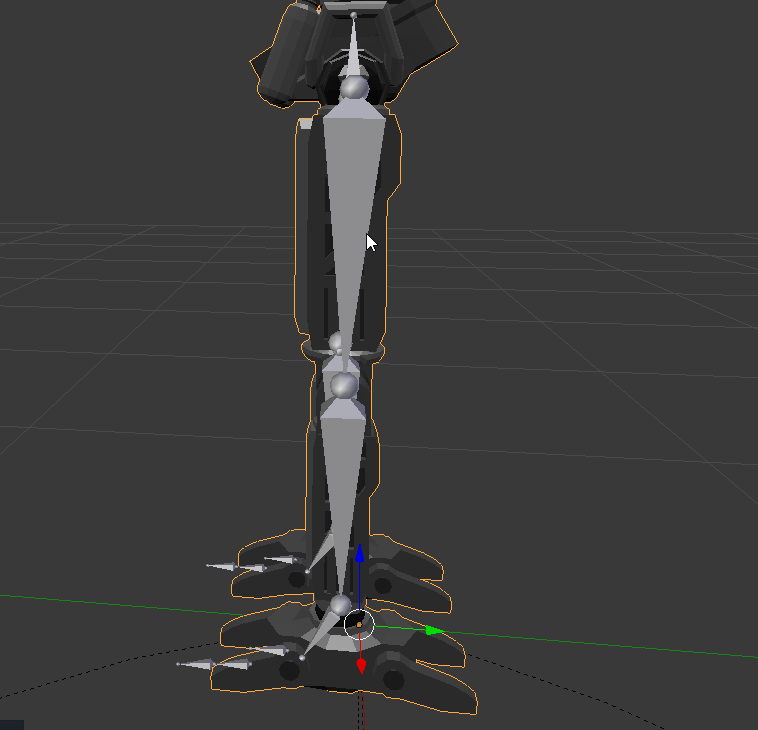
Legs are normal in blender too https://i.imgur.com/BrOfH9C.png
 fading verge
Did you change your height in the settings?
 cunning marlin
Anyone here good at mapping bones?
Also, @wary wave What are those extra bones on the ground? Did you forget to remove toes?
You have your thigh bones, knee joint, shin bones, ankle joint, foot bones, and then two sets of extra bones after. If you're having issues, that might be it.
Basically, I would move your ankle joint down, realign your foot bones, remove extra bones, the are probably causing collision issues.
wary wave
Ah, they are from the example avatar armature and have never caused a problem on any of my other avatars
cunning marlin
They wouldn't on some, but on others, they can be problematic.
Since bones are generally parented to the mesh surrounding them. It's not hard to fix in blender.
cunning marlin
I would just grab to ball at ankle joint and drag it down abit and then the ball at the end of foot and out and up.
And then remove the rest after that. Make a back up, first.
 west cliff
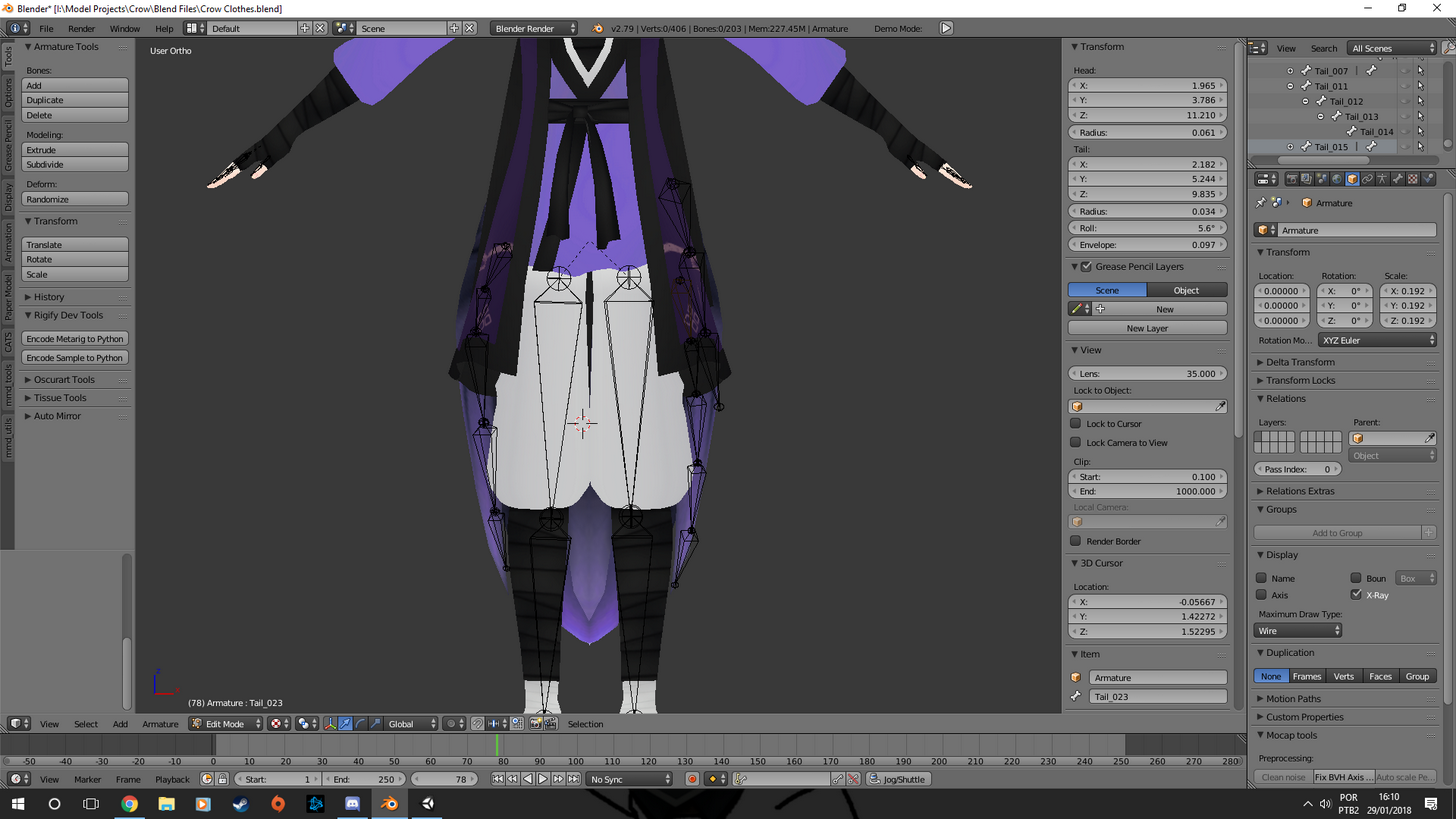
https://imgur.com/a/itGkl I've been trying for so long and I just cant figure it out x-x
 cunning marlin
🤷
I mean, your bones look off center but also, that may refer to rotation of bones, indicating that it is not facing forward?
I can see that they aren't centered in the model.
west cliff
https://imgur.com/a/FsRhC @cunning marlin they look like this on the side
 cunning marlin
Oh, I get it.
The angle between PELVIS and UPPER THIGH bones is too sharp forward. It wants the joints pretty much on the same axis
west cliff
same axis as the hip bone, then?
cunning marlin
Pretty much.
west cliff
i'll try it here :D
cunning marlin
I'm working on a similar project, right now. xD
 native isle
Hello everyone, have you experienced the problem with your avatar when it stands like in question mark pose?
I thought it's the rigging problem so I came in here
Yeah it's definetelly is
Just moved the bones a little bit and it fixxed the question mark pose
XD
But also I got more problems to deal with now
 compact sky
Anyone here familiar with generic rigging when it comes to vrchat avatar?
compact sky
@brisk bane I was wondering what is possible by using a generic rigging in vrchat. I believe I've heard somewhere that its possible to use a custom animation controller that way, will the variables for movement and emotes still be fed to that controller?
what about IK?
 low parrot
So, uh, what's goin' on here? https://gyazo.com/08770e248ebcf4665122654070e5219d

Why're these all red?
 brisk bane
@compact sky if youre talking about getting your animations into vrchat, you'll have to use the CustomOverride, otherwise i think i may have misread the question a bit
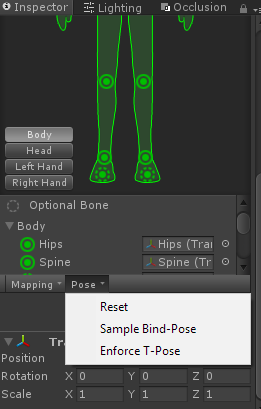
@low parrot have you tried enforcing t-pose?
low parrot
I haven't, but I also don't know how to do so
brisk bane
i think #animation is better fit for your issues, since they know more about animation than i do
compact sky
@brisk bane I know I am asking something annoying right now, but could you repeat my question in the way you've interpreted it? if you would do that, I'm sure I can ask my question much clearer. I am not talking about custom animations on human rigging. I'm not new to any of that
low parrot
I see, thanks @brisk bane
brisk bane
oh im just now realizing you meant the generic animation type in the rig settings, sorry. i actually dont know much about that at all, since i found no need for it myself
np @low parrot
compact sky
@brisk bane Thanks for trying anyway ^^
 wet zinc
Does anyone know an accurate angle to work on the hands? Its so disorienting lol
compact sky
what do you mean?
low parrot
https://gyazo.com/3f69dd114c564b28b48e1ef591fb80b8
Is there any way I can mirror her right side onto her left easily without having to manully redo all the posing?
 weary geode
@low parrot you can force t-pose
 eternal bone
Hello, how do I put mixamo animations FBXs that I downloaded into unity to apply them?
weary geode
 low parrot
@eternal bone I've never used Mixamo, but here's what I assume is a good way to do it via Googling it
"Hello, Willem. I stumbled onto your post earlier today while trying figure out for myself how to get Mixamo animations to work inside of Unity. I don't know if this helps, but I'll give it a shot. I downloaded my animations from Mixamo with the character included (T-Pose or w/Skin option) into a Unity FBX file. This should create an avatar for you to rig inside of Unity. I then saved those animations (and the model) inside of a subfolder called _MyAnimations in the Assets folder of my Unity project. On each animation, I had to change the rig animation type to 'humanoid', set avatar definition to 'copy from other avatar', and set your source avatar to that of the model you imported from Mixamo with your animations. Hit 'apply'. They should now play within the preview window when you select the animation tab. If you haven't created one already, you need to create an Animator Controller for your character. After that, I arranged my animations in the Animator window and assigned them to _MyController, which controls the actual character that I want to use. Once everything was in place, I hit play, and it is working with no problems...finally. I haven't finished it yet, but I just wanted to share what I have learned so far. I hope it helps."
eternal bone
o
low parrot
https://gyazo.com/f24f1196d1f46521b566672c1d6e19c9
She's missing bones to connect to her toes. How can I make them and allow them to connect to her ankle?

 opal aurora
Those aren't necessary, but a bit of advice, merge your meshes before exporting
fading verge
Going crazy here. I've got a model in t-pose that I'm rigging. Only issue is it's feet are practically overlapping at the symmetary point, so basically when I go to pose they're dragging a good part of the other foot with it. I've tried the weight brush, not really helping much since the feet are so close together. Anyone mind pointing me in a video that would help separating them so I can rig them as two separate feet?
low parrot
Ah, will do, @opal aurora . Forgot to do that for this one
wet zinc
@compact sky I did the rigging of a hand, but when I changed angles, it wasn't actually on the hand, it was angled wrong. Unless I adjust it after I do the hand?
compact sky
Is your bone angle aligned with that of the hand mesh?
wet zinc
Thats what I'm trying to do
compact sky
I feel like there is still missing information to this situation
wet zinc
I'm trying to allign it
fading verge
 compact sky
@wet zinc in blender or unity?
compact sky
Perhaps it might help to share an image of your blender bone structure of the hand in question
the visualised part, not the textual hierarchy
wet zinc
https://i.gyazo.com/539cddf38f4bd69a4d547f332e388039.png https://i.gyazo.com/37d75dd4c827edb5aab60e9ab051cee9.png

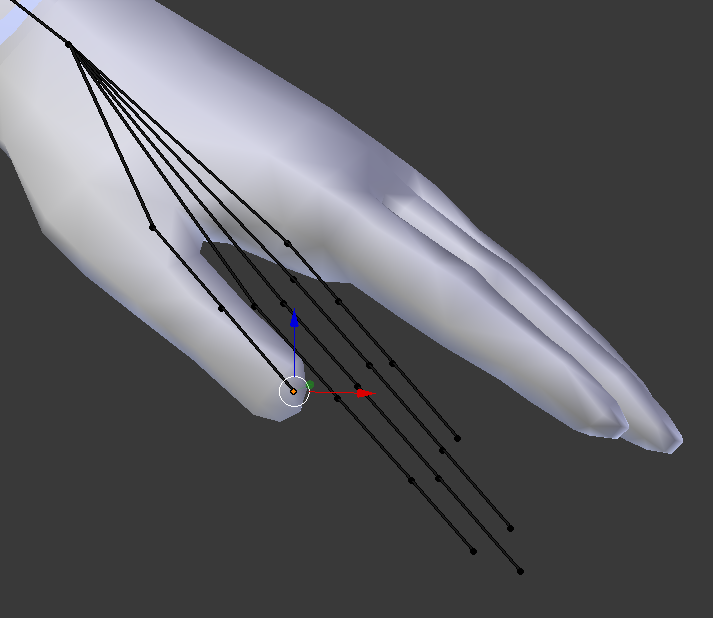
Its my first time rigging and I'm following a tutorial, I'm trying to allign the hand properly
compact sky
I mean you can just move the bones to the appropriate places
weary geode
you can use vertex snapping to snap the bone positions to the hand vertices
wet zinc
@weary geode How would I do that?
weary geode
at the bottom there's a little magnet icon
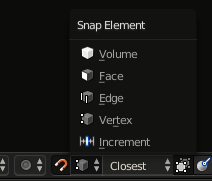
you click the magnet icon to enable it, by default it's enabled whenever you hold ctrl key while moving something
then select vertex from the list to the right of it
then whenever you move the head/tail of a bone, it'll snap to closest vertice (or bone) that the cursor is positioned over
wet zinc
That helped me a lot thank you!
weary geode
np
 rugged vale
How do I adjust the angle correction in blender for the hip bone to be 180? http://prntscr.com/i7cr6n

 vast bolt
 still epoch
ok 3 photos incoming
http://puu.sh/zcnHJ/ca7f624da5.jpg
http://puu.sh/zcnGn/13a43dcfc8.jpg


why does this happen?
please help
 ivory terrace

 tardy harness
I'm not quite understanding the colliders in dynamic bones and hair. Is there any tutorials out there? http://prntscr.com/i7d6ws
https://cdn.discordapp.com/attachments/405905292778536960/407645708666011648/unknown.png

 fading verge
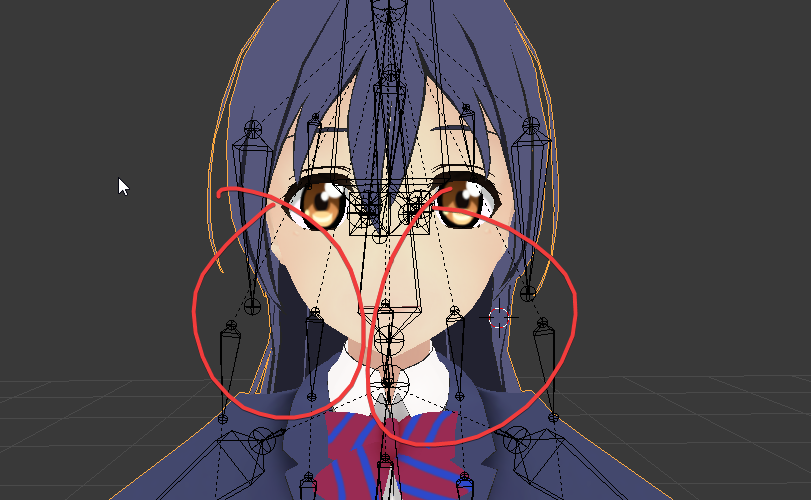
one question, does anyone know how to fix this Transparent issue? my hair is somehow Transparent in Unity, but in blender its completly fine
tardy harness
@fading verge Did you change the shader of the hair?
fading verge
Shadeless is ticked
whenever i import an avatar to unity, i have to use Cutout Rendering mode
 tardy harness
Can you send a screenshot?
fading verge
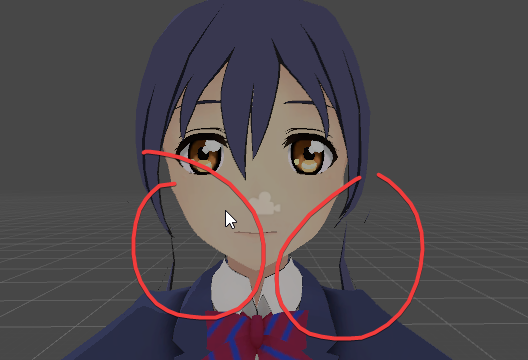 tardy harness
Oh
tardy harness
 fading verge
yea
 dense helm
dense helm
dense helm
outline mode
fading verge
oh
Tinted
?
lmao
works now
and i was 1 hour in blender fixing this issue
thank u guys
fading verge
i just set it to 0 and shadow to 0, dont want Outliner
weight painting issue i guess
yea i did
and set the color to white
i removed some of the hair
i might redo things in blender
because now i know how to fix :p
dense helm
theres only three mesh's
how would I connect them?
cause I mean I've combined them all into one mesh
and I even attempted trying to add automatic weights to the bones and bind the mesh to it but that either fucks up the whole model/and doesn't work
its like the hair and ear meshes aren't binding to the bones and I dont get why not.
 leaden moth
can someone tell me how do i make rainbow texture and need help seperate
dense helm
it wwas like. two different mmd models and then an a maximo auto rig on an obj
one for the hair and one for the ears
I like. have it in game working, but not at 100%. The hair and ears dont move with the head, they just stay in their place.
what do you mean? I'm saying I took different models and combined them.
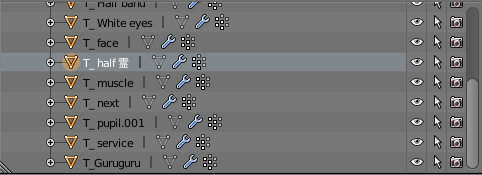 dense helm
yuh thats what im asking help for Idk how to do it
I've tried that sadly
im actually just going to try and rerig it with maximo and see how it goes
 charred sorrel

i moved the tail a little by accident and now it wont move with the model
how do i reset this fsdlkfj
it didn't let me undo
vast bolt
Could I ask someone to fix the bones in my model. ._.; It sorta really bugged out.
 restive hill
Re-import?
vast bolt
importing from the beginning has even jankier bones, reason why im trying to work with them.
restive hill
Revert to an earlier save?
vast bolt
_>; Thats where I kind of screwed up.
restive hill
Heh. Well, having screwed up, it always goes faster the second time
dense helm
restive hill
Here, click here to get one free help
vast bolt
Click.
restive hill
Butts
dense helm
Does no one know the problem?
low parrot
I don't have very much experience, but are there no bones on the ears?
And if there are, are they parented to the hood?
 stray dock
Is there anyway to give look input in the general avatars? I've noticed with the humanoids when the player looks up and down, the models does the same. But with General, the isnt look input.
 ocean blade
is there anyway i can get a quadrapedal rig for my eevee avatar or something similar?
fading verge
I need some help with a model's skeleton. I've been trying to get a model of Jean Luc Picard (star trek: TNG) into VRchat but the skeleton the downloaded model came with is far from ideal. Ive managed to connec the un connected bones and fix the parenting on the shoulders and neck, but there's one error I keep getting: Not enough bones, according to unity. I fixed this once by deleting the armature in blender and putting it through mixamo, but this resulted in a god awful ingame avatar with a f*cked up back. Starting from scratch I tried subdividing the spine but I STILL get the error when i try to apply a humanoid skeleton. Here's what it looks like so far in blender. any advice?
https://imgur.com/a/S47eM
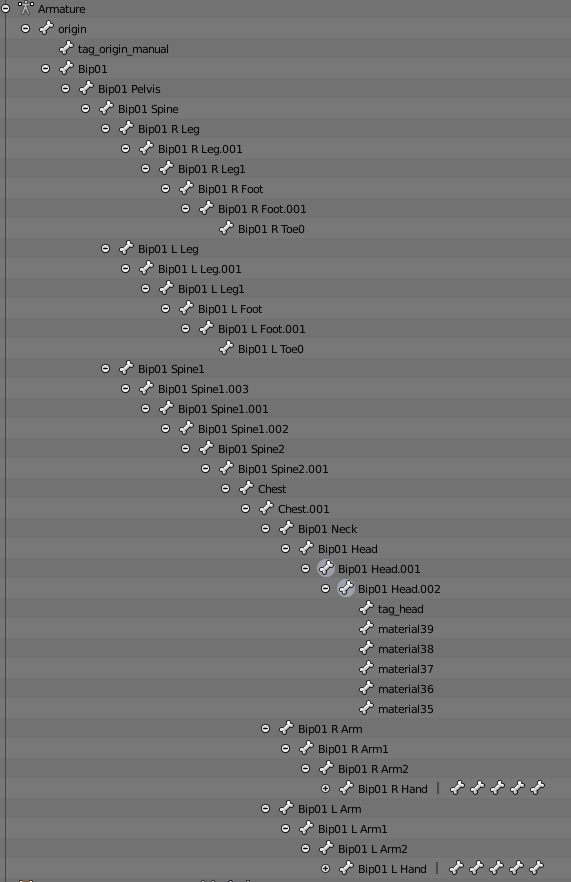
 short mulch
Too much spine? Should just need Spin->Chest->neck right should left shoulder and those should split off to your other bones
also your arms are not the child of chest it olooks like
looks*
fading verge
they are, as is the neck.
originally the shoulders were children of neck
chest .001 is chest.
short mulch
ah kk hmm you have 2 chests and 3 spins too
fading verge
yeah I subdivided it
short mulch
make sure the one that is the top is the right assigned bone
and it should work as far as I know
chest to chest 001
spine to spine 001
fading verge
you mean connected?
short mulch
No under configure
under humanoid
it has the option to check your head
see if anything is blank (jaw is fine if it doesn't have the green circle I usually unbind this)
fading verge
this is all i get https://imgur.com/a/mufxn
 short mulch
can you open your models rigging and send that image?
not the bone list
the one you see with the green skeleton on the right
fading verge
I can't get that far in unity because it cant configure it
Ill send what i ahv ein blender
fading verge
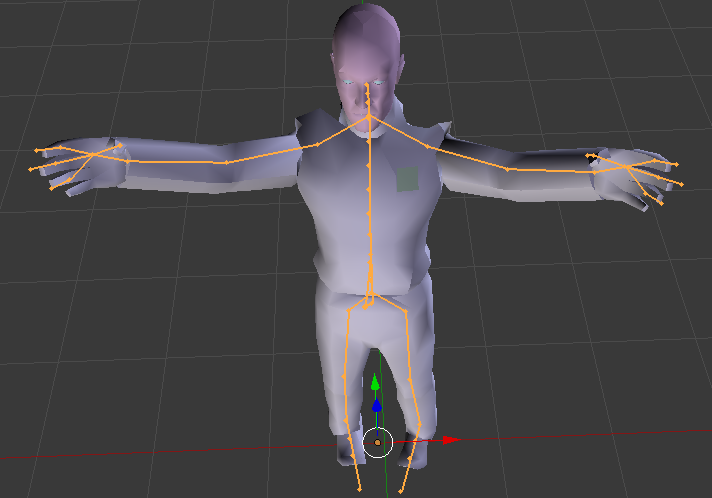 thorny gate
Can anyone tell me whether or not metallic textures work in vrc?
fading verge
they do
short mulch
Hmm I believe your issue is the bones are so small
and you lack many in the head hands and feet
fading verge
?
short mulch
I see only 3-4 finger bones and the head is missing eye connected bones and a few more I see on most skeletons
pine harbor
that avatar also appears to be missing dedicated shoulder bones, at a glance
the two arms need at least 4 specific bones before it diverges into the fingers:
- shoulder
- upper arm (bone between the elbow and shoulder joints)
- lower arm (bone between elbow and wrist joints)
- wrist (the thing that pivots your palm around)
fading verge
if any of you think you can fix it pleas elet me know.It's given me nothing but headaches here's where I got it from: https://lezisell.deviantart.com/art/Elite-Force-2-Captain-Facepalm-O-Picard-XPS-442480019

DeviantArt
Extracted and converted by me. Download here: onedrive.live.com/redir?resid=… No facial bones. Have fun. Oh, and DO NOT ask me to port any other character from this game. I will do it myself...
pine harbor
doesn't have to be those names, but it requires 4 bones
fading verge
ill try fixing the shoulder bones
pine harbor
tossing my own question into the mix as well: does anyone else have issues with VRChat not rendering their model if they're using a very large Cloth component, like a cape?
having an avatar behave like i've set the view ball at a very long distance behind the model, but it also seems to be causing my coordinates to jump all over the place
fading verge
still didnt work\
pine harbor
hmm, can't say i'm too sure what's going on with that rig -- it seems to mostly have enough bones for the other parts, unless it's unity failing to recognise them
it might be a parenting/bone hierarchy issue, depending on how the original model was set up
 cobalt needle
Hey chat, I got a MMD file where the upper arm part has 3 bones lying on top of each other
fading verge
I think its a unity issue
cobalt needle
can I merge them to one with a hotkey or so?
 sturdy talon
Does anyone know how to stop the avatar from moving it's torso when the avatar's head moves? When the torso moves the legs bend or the avatar's feet go on the tip of its toes. I know @charred sorrel was having a similiar problem but I do not know if he solved it yet. Any suggestions?
 verbal depot
Is there any other way to rig clothing to droop outside of dynamic bone?
pine harbor
@cobalt needle got this link suggesting "Ctrl + X", with an attached animated picture in there
https://blender.stackexchange.com/questions/40311/how-do-you-merge-two-bones-into-one

I have a generated mesh and set of bones from a makehuman model but it created two bones in the shin.
How do I merge the two selected bones into one bone but keep the skeleton intact, i.e. the kne...
@verbal depot there's "Cloth", but i'm encountering some bizarre issues with it right now -- someone else suggested using a combination of joints and rigidbodies, which i'm still figuring out myself
 pine harbor
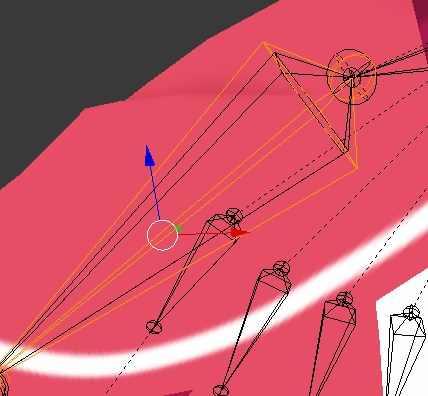
clicking in the same spot doesn't select them? you can also choose them in the order you want from the outliner view over on the right, if you haven't rearranged your window
cobalt needle
you can only see 2 bones but it's accually 3
pine harbor
bleh, not properties, my bad -- the "Outliner" pane
make sure you're in edit mode, then expand your armature hierarchy -- try selecting the bones you want from there, then moving your mouse back to your 3D window and doing what you need with them
verbal depot
Rigidbodies eh? I tried them out before but it just caused the bone to drop into the floor, gonna have to play around with it more I guess
pine harbor
@verbal depot that's because they haven't been given an anchor point to connect to yet -- you need a fixed joint somewhere for that (still figuring this out myself, so i can't explain in a lot of detail)
but a rigidbody on its own will pretty much just fall to infinity because it's not actually attached to anything keeping it on a leash
 sly shale
Can anyone help with an issue I'm having? I've taken a deviantart model and gotten the tris down but when I go to import it to unity I get the message that I don't have enough bones and that I'm missing a Hip bone. But in blender I look at my armature and I have hips there so I don't see the issue.
low parrot
Have you set your avatar to Humanoid?
low parrot
Have you configured the bone setup?
sly shale
I don't think so, I don't know what that is
 sly shale
I opened it and I have none for every section
verbal depot
gotta apply those to rig it
low parrot
Alright, you've gotta put in the correct bones
it's not too hard, just look at the left for all the bones on your model and drag them to where they go on the right
Don't forget to swap to the head and hands after the body
https://gyazo.com/8b46ff77e8ea4fef0b060c850251a453
 sly shale
Alright I'll give that a go thanks
When go to select transform I only see the camera light and my model, no bones
low parrot
hit the dropdown to the left of your model and go into the armature
sly shale
I can't find any drop down sorry
tardy harness
Hm, when I sit down my arms are up in the air, it doesn't happen on any of them besides the one I just uploaded. Is this a simple fix?
fading verge
I find the avatar, for some reason, is using the view position as part of the IK chain; eg, the head bone moves around the viewpoint instead of the other way around
this pushes the entire model backward or forward if the viewpoint is too far above/in front of the actual head (like on characters with muzzles/long noses)
verbal depot
This might sound silly but, how do I turn the facing of a set camera in unity?
 icy jungle
How do I add bones to the body?
 agile schooner
just delete them
 shadow shoal
Don't enter pose mode
 cold seal
fading verge
cold seal
fading verge
how do i mirror a rigged model (with seperated bones for the mirrored one) https://i.imgur.com/78Ecraq.png
 opal aurora
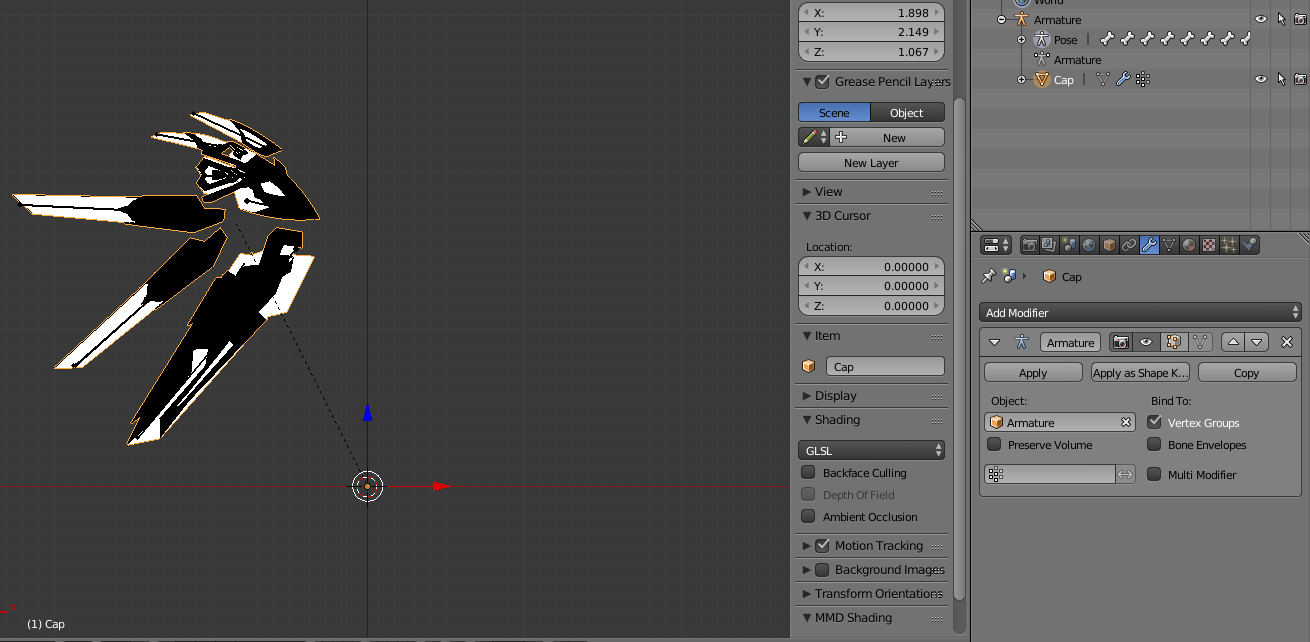
Weight painting issues
fading verge
mirror modifier mirrors the bone nmovements
sly shale
Any solution to that? I'm not sure what you mean
opal aurora

Quick intro and guide to skinning/weight painting. this video is meant for those with a basic understanding of Blender
sly shale
Thanks!
opal aurora
Make sure to use auto normalize so that you keep weights from what you paint and remove them from other bones
It'll be under the tools tab when you're in weight paint mode on the left side
How to nearly crash blender and make your 2k tris model into a monster

Because reasons
 storm aurora
does anyone here know how to mesh stuff together? buddys helping me make my own avatar and we started with a base and added a face and hair but the head isnt connected to the body so it does move when the avatar does
brisk bane
is there any possible way to disable the shadow shading on flat lit toon?
https://gyazo.com/47f544f2f30a03a54096c899ddce75e8

it sounds stupid, but i hate that they dont have a unlit version of it
im using the rainbow effect which is awesome but sucks when you're in dark places
 static parcel
https://cdn.discordapp.com/attachments/381967274602659850/407727495262240768/unknown.png This is weird. I have symmetry on and it's been fine for the rest of my model but here, the weights are crossing over to the other side
 static parcel
Tried applying symmetry and remaking the connections but it keeps happening
 dry fossil
https://gyazo.com/7fd714c1d9da6116c773fbb7266e2811 how do i fix this
 drowsy storm
I'm having an issue with an avatar where a point of the dress is following the right hand. I checked and weight painting and everything seems fine. Anyone knows what could be wrong?
 earnest kite
when I create eye tracking, it doesn't put those big antenna looking bones where the less-pointed ends of the eye bones are like it normally does
and when I test eye tracking, they pop out of the head like they're being moved directly along the X or Y axis rather than rotating
any idea what's not right about these bones?
https://prnt.sc/i7hgfe

those bones above it are eyelids btw
ok I found the LeftEye and RightEye bones, they were really tiny and in his pelvis for some reason
would making them larger and at the ends of the eye bones make them work properly?
https://prnt.sc/i7hlsy
 peak drum
https://gyazo.com/97c4390d498099905678f5196750d794 https://gyazo.com/3b73efc1f05afcf30a6c9cf58a90c866 Quick question: If i want the rear legs to move with the front legs, i weight map them with the front leg bones, right?


What if i were to create a second set of leg bones and parent them to the main one?\
fading verge
You could try that
Or do custom animation for it
Also nice, i see you're a spyro fan
 cosmic mica
how do i overide the idle animation without it going into the slumped position?
peak drum
@fading verge I'm gonna try the Parenting thing, worst case scenario i create a horrific abomination and show up in a youtube video as a "VRChat Fail". I'll take my chances. 😁
fading verge
lmao alright
from what ive understand, you parent the back right to Front left, Back left to Front right
you can do that @peak drum
tell me how it goes, i'd love to see it!
 scenic marsh
So, I went to fix up a Blood Moon Jhin model I found and import it to VRChat but when I got in game, the arms would be behind the model stuck there and the thighs animate like they're jelly
How do I fix this?
peak drum
@fading verge Interesting, I'll have to consider that when i continue tomorrow. Send me a DM and I'll show you the finished product when it's done! I'm planning on using a ps1 shader to give it that classic feel!
fading verge
alright! cya tomorrow!
 charred iris
I need some help on blender
save meh
I am not sure how to add dyanimic bones on cats blender tools
peak drum
I'm pretty sure Dynamic bones are done through VRCSDK with the plugin from the asset store, not blender
 light kindle
yes, dynabones is done in unity
peak drum
yeah, so just make regular bones for the parts you want to be dynamic in blender, then you use unity to turn those bones into dynamic bones, there's plenty of tutorials on it on youtube
 cinder shale
When a Cloak from a Avatar is Straight up, how to set the Dynamic Bones that it Drops physicly in a normal Position?
 analog garnet
How do I attach the item to a bone?
if anyone's familiar with the Miko model, I put a longsleeve shirt on her, and deleted her hands because they were clipping through
And I wanted to put dyna bones on the end of her sleeves
so they sagged
pine harbor
@earnest kite if you're still having eye tracking issues, one way that seems to happen is if your model's been scaled to anything other than 1.0 -- CATS seems to freak out about where they're meant to put those generated bones when that happens;
in theory, you should be able to make the LeftEye and RightEye bones move properly if you put them at the root of the original eye bones
 small storm
So even though I hit 3D on the project, it's showing up at 2D. What do I do? https://i.gyazo.com/2c9eb5274c81020a1205f486323f1a4a.png

 static sigil
switch to the scene tab
earnest kite
oh my GOD I imported an audio source somehow and now there's orange all around my character

make it go away
opal aurora
Ctrl+z?
 pliant helm
How do you do the gradient rainbow shader?
earnest kite
I tried
oh well, it's on my copy of my avatar
any tips on adding audio to an animation?
 modern oyster
@earnest kite Should just be like adding an item, hide the sound until you want it to "Play on awake", then just extend the starting periode until it matches to what you want.
earnest kite
@arctic grotto it's just two short .ogg files, they won't loop or do anything obnoxious
either way, I spawned in and for some reason the animation on the emote broke because I have a humanoid avatar
also when I spawned in it played both sound effects at once
modern oyster
Is is going to be a constant passive sound, or an activate sound?
modern oyster
Have you added an item in before?
earnest kite
I think the most pressing issue for now is getting the emote to work even without sound
modern oyster
What is the emote, If I may ask?
earnest kite
because when I was getting the animation planned out, it was like "you can't do keyframes with a humanoid model"
one sec

This is my playthrough of Shin Megami Tensei III: Nocturne for the Ps2 (PSN Classic) with live Commentary In the post-apocalyptic Vortex World, Dio Urameshi ...
go to the timestamp
also I just realized the grunt and punch play at the same time, so that makes it a bit easier maybe
modern oyster
It's the same to be honest xD
This should explain what you need to do ^^ https://www.youtube.com/watch?v=xxSezH13vAI
FAQ: 1. If you can't find the animator or animation tab go to window at the top and select animator or animation 2. If your character is going in the ground ...
You technically make a copy, that is NOT a humanoid, and make your real avatar invisible, when the animation plays, whilst revealing the generic insted ^^
I think that is the easiest way of explaining it ^^
@earnest kite
earnest kite
ohhhhh ok
I was referencing that video when doing this
that explanation helped a lot though, thanks!
also any idea how to fix the issue with the sounds both playing as soon as I spawn in?
modern oyster
In the sound box, click OFF "Play on awake".
earnest kite
I made sure of that
oh wait, I'll make double sure
I gotta work on it later
what should I do if that doesn't solve it?
modern oyster
xD
It should, Play on awake is a test script, that is there to make sure the sound works when you press "Play" in Unity.
People often forget about it, and get this error.
So that should fix it.
(If it plays when you spawn)
If it plays when you start the animation, just push the "play" action til it matches.
earnest kite
yeah that's what happens lol
modern oyster
Common mistake ^^
earnest kite
hmm
modern oyster
?
earnest kite
so the toucanz video should get me on track to making the animation actually work with the copy of my model and whatnot
modern oyster
Yes
earnest kite
and making sure play on wake is off will fix the audio
hopefully I'll get it working
I so got this
modern oyster
Remember, to make a Generic copy, you'll need to copy the .fbx, not the project avatar ^^
earnest kite
oh alright
modern oyster

 glad egret
should the shoulders be parented to the chest or neck?
modern oyster
@glad egret The children of the chest are: Shoulders and neck.
glad egret
yeah i saw your other reply, thanks
modern oyster
^^
 violet bison
can some one tell me what im doing wrong here, i go to make keyframes in unity and they are ignored by the avatar no matter the change, (reset back to default pos)

 ionic bramble
Spine hierarchy missing elements? rigged properly as a humanoid so not sure whats wrong(Fixed)
 outer oriole
fucking source engine jank
i dont know why this model is so much more difficult than a fucking pepsi man
WHAT THE FUCK IS THE HUMAN DESCRIPTION
IT LITERALLY SAYS ITS FINE
I JUST WANT MY SHITTY SOURCE MODEL MAN, COME ON
YOUR RIG HAS UPPERCHEST MAPPED
DELETE UPPER CHEST -> YOUR RIG IS FUCKED TRY AGAIN
im angry
 robust gull

 remote fog
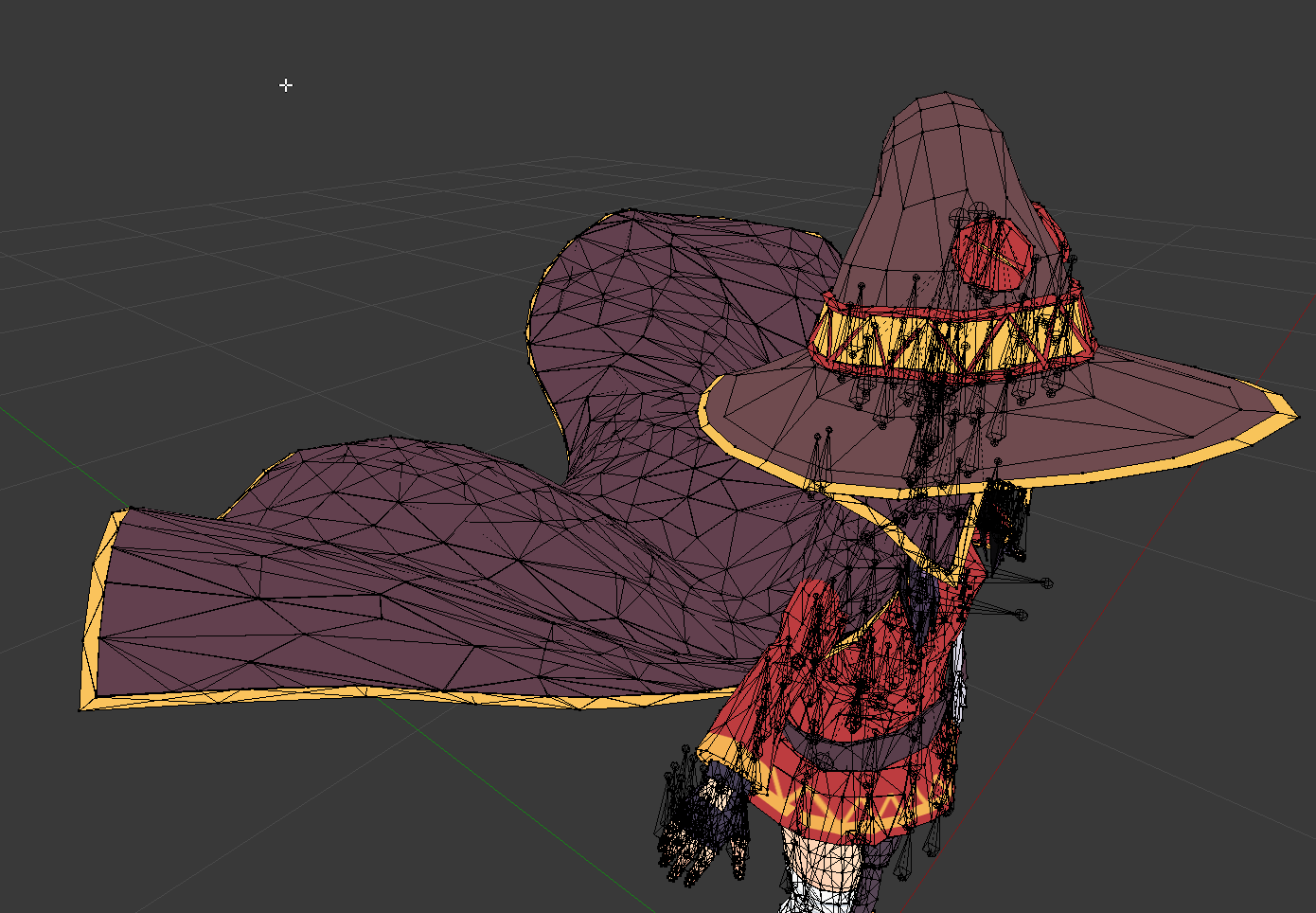
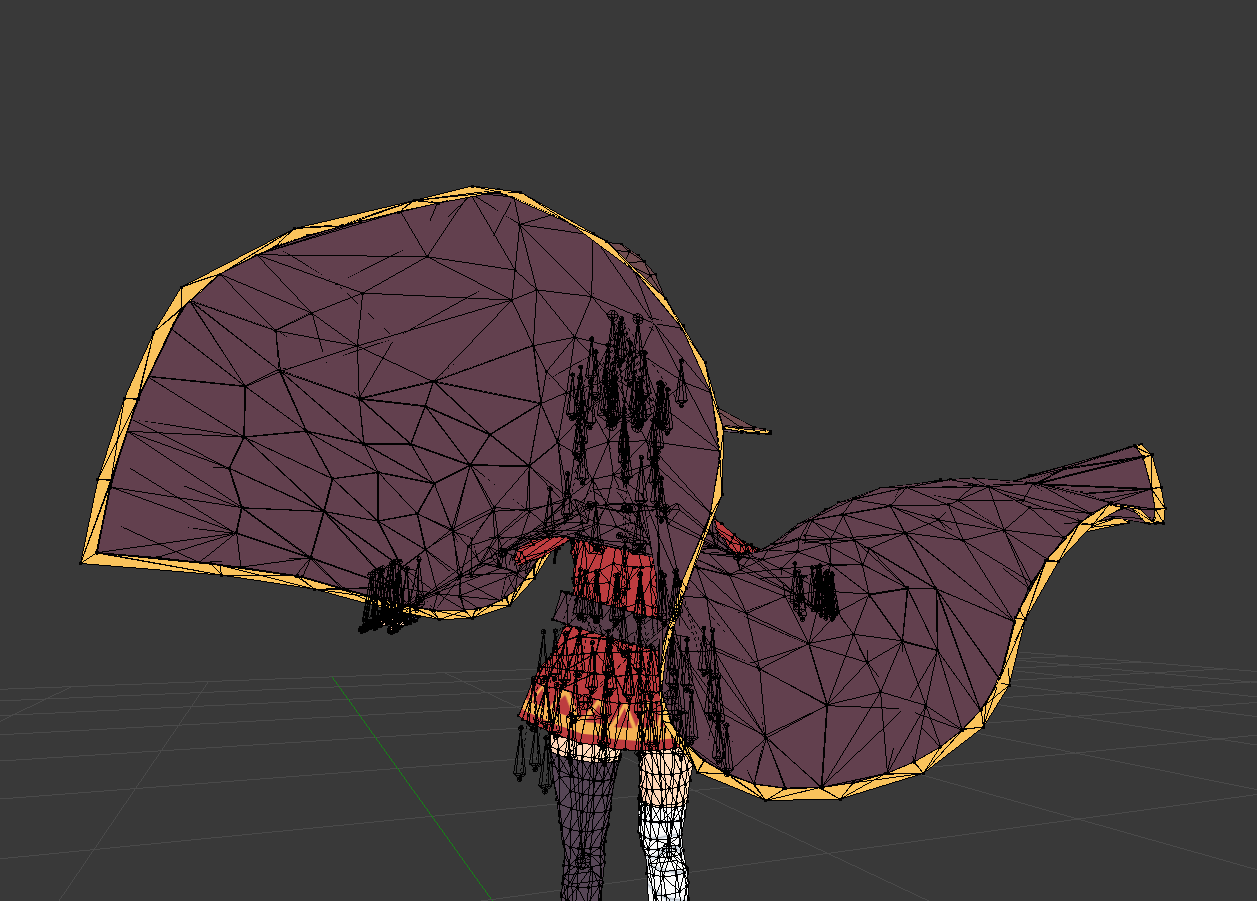
so. what'd be a good way to rig this cape that's modeled as billowing behind the model in the t-pose https://i.imgur.com/IsBvfq5.png
 fading verge
@remote fog try placjng the bones on the s then moving the other point to the start of the cape
coral relic
@outer oriole would you kindly post a screenshot of your character bones hierarchy and the humanoid configuration?
 neon quiver
Still learning other things about riggin in blender. Do i have to use IK? or that just an extra option to do more advance things? I notice my rig in vrchat the arms a a bit bent instead of being relax. or maybe that because of using extra motion trackers.
leaden moth
Hi can anyone help me with Seperating materials
Looking for someone can help me with seperating materials i got problem
 mild heart
trying to do Visemes, what is AA OH and CH?
coral relic
mouth shapes when you make those sounds
CATS wants you to point to shape keys for those visemes
it will generate even more based on those 3
charred sorrel
@sturdy talon I'm still having the torso/toe problem ;;
i only managed to fix the pelvis/thigh issue and it still does it
charred sorrel
oh! when i look up or down in vr or desktop the character's torso moves with it
so like i look up and his spine kinda curls/he bends on his knees
i look down and his back straightens/he goes on his tiptoes
mild heart
how tall is the avatar and how tall did you set your height?
charred sorrel
i had to set my height taller than my natural height cause otherwise he'd be crouching on his knees
the avatar is a little over 3ft
or how big the square in unity is
a small block bigger than that not including his hair
mild heart
oh that issue, normally i fix it by using cats or making every spine/upperbody bone completly straight
charred sorrel
last time i used cats it messed up every bone and said it couldn't find a bunch of bones
mild heart
did you translate them before you did fix model?
mild heart
did you call the bones appropriate?
charred sorrel
Yeah, i'm not sure why CATS didn't recognize them
mild heart
wierd
 clear tulip
Anyone care to help set up hands rig/armature that's been giving me trouble? I need the fingers apparently for full body IK. Be warned I'm s compete blender/ Unity noob
Also, this seems to be the most well articulated tutorial I found on the subject, but seems to have some more advanced things in it that aren't need ed for VRC if I'm assuming correctly? If anyone has any other useful resources on the subject id love to see them https://youtu.be/PlL9Ez9SyS0

Hello everybody, In this Blender Hand Rigging tutorial you will learn to: • Creating IK/FK switch for fingers • Creating Finger Tips control bones • Turning ...
(Or good recommendations for series/getting started with blender in general)
leaden moth
Yo can someone help me with Manual altasing seperate material's
 scarlet atlas
Hey guys, is there a way for me to do dynamic bones without paying for the scring on the asset store in unity? I assume there is because I can't see everyone paying $20
script*
fading verge
you might be able to find a solution in #tutorials
scarlet atlas
Thanks Fleshy I'll take a look now
 pulsar mortar
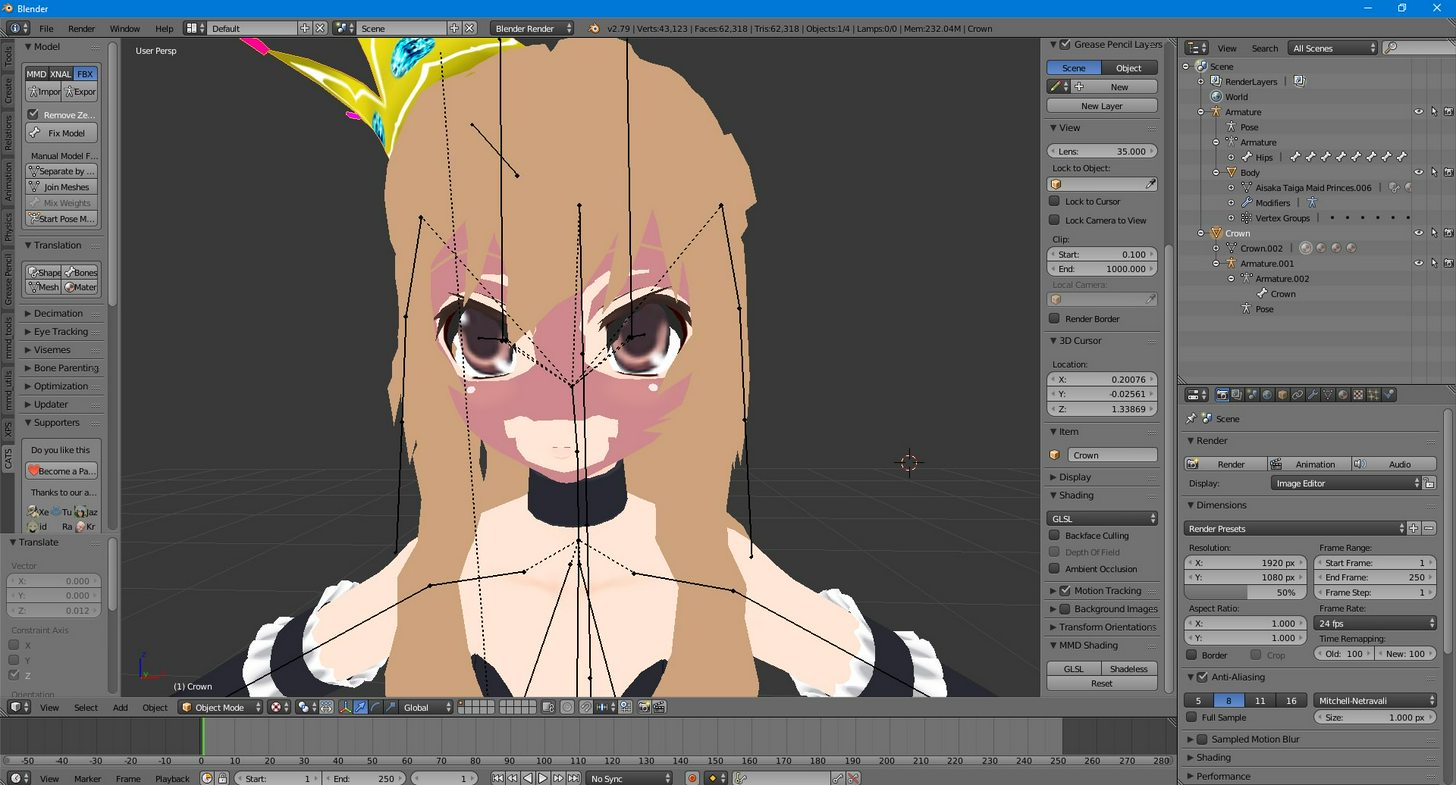
anyone here know how I can fix a hat bone to a already made skeleton as I am trying to put a crown on my model but I cant link the bone I made for the crown to the already made skeleton https://imgur.com/a/qA6Ah
 autumn parrot
So I have a model with missing bits of his clothes when imported on blender. I was able to make the faces appear on the mesh through blender but it screwed some other stuff, like it made his glasses disappear and his hands were all weird, also the texture on the places were the polygons were not appearing messed up.
But my model is kinda weird on blender. On object mode he is normal (but still with the clothes messed), but on edit mode he goes upside down and he rotates, while the armature stay on the same place. Also, on edit mode he goes back to his pose pre Mixamo, not the t-pose that I setted when I downloaded him from Mixamo.
Is there a fix for this issue? I had finally made the lip sync of my character work and now this happened D:
Also, on paint 3D the exported .fbx model from blender apparently opens normally (although it opens withouth the textures so I can't know for sure if everything is ok on it)
scarlet atlas
Hey guys, hope someone can help. I'm currently trying to set up a really simple dynamic bone for my character, the character I'm using is a 'Poe' from Ocarina of Time. All I want to do is have the lamp in his hand move around as I walk etc but it seems I can't do it without adding an entire skeletal structure to the Poe which I can't quite do as he doesn't have legs or anything and.... I'm at a loss I don't know how to just make the lamp move D:
Has anyone got any suggestions?
storm aurora
does anyone know how to skin two necks together?
it just pisses me off i cant find anything with the stupid ass blender file explorer
because it hides everything i try to find, i cant even import the wolf onesie :/
and i cant find the dumb ass file to make CAT work, OR the dropbox file you gave me
 hazy knot
@scarlet atlas Can you show me the bone structure of the armature for this poe?
If there isn't a bone attached to just the lantern, you might need to add one and weight paint the lantern to it. It's fairly simple if you're a slight bit familiar with blender, but that would probably do it.
scarlet atlas
@hazy knot Yeah sure I'll show you what I have in about an hour if that's ok?
Currently there are no bones attached to it but I did try to make a skele structure in maya and it went horribly. I have blender and I've used it a bit but I don't know it well enough so you may need to show me if you have the time
 random lotus
https://cdn.discordapp.com/attachments/401816037269438484/407960366971093004/unknown.png does this look good for a ear bone? or should i put more than one bone on the ear?

 cobalt geyser
yo guys, my character crouches by crossing his knees instead of spreading them. Is this because his knee bones are too close to each other?
@random lotus What kind of movement do you want to give the ears? does it fold or not? based on these questions you put in more or less bones
 split cave
So I've replaced a head on model that is already rigged
I made it one mesh
But how do I get the bone to move the new head
cobalt geyser
how have you replaced the head?
deleted the polygons and just pasted the head on his neck or did you actually stitch all the vertices to the neck of the old body
split cave
So my friend made a head with visme
Sent it to me
And i deleted both the neck and head
And replaced it with tge new neck and head
cobalt geyser
so it's now floating on the body or are the polygons of the old body connected to the new head?
split cave
Its all one mesh now
split cave
Ye
cobalt geyser
what software are you working in?
split cave
Blender
cobalt geyser
hmmm I don't know blender, you will have to find a way to paint the skin weight of the head bone onto the new head.
just search on google "blender paint skin weight"
cobalt geyser
seriously? oh damn
coral relic
you might not have to skin it
split cave
Ok
So i can weoght paint
Weight *
Put it just inflates the mesh
Anyone know how to stop this?
 thorn grove
Okay, so I have this model that's missing a shoulder. What would be the easiest for a newer user to add a shoulder? Assuming this would be best place to ask
random lotus
@RELFIR#8030 I'm away from my computer right now, once I get back to it I'll look at the original model and see and let you know
 undone hill
The avatar im trying to upload into vrchat doesn't have a chest bone
What do plz
I will go through any steps
fading verge
Did VRC always handle blinking by itself? Because now my model doesn't blink in game with the animation I gave it
 fair bluff
https://imgur.com/a/0ffCa How do I even fix this?
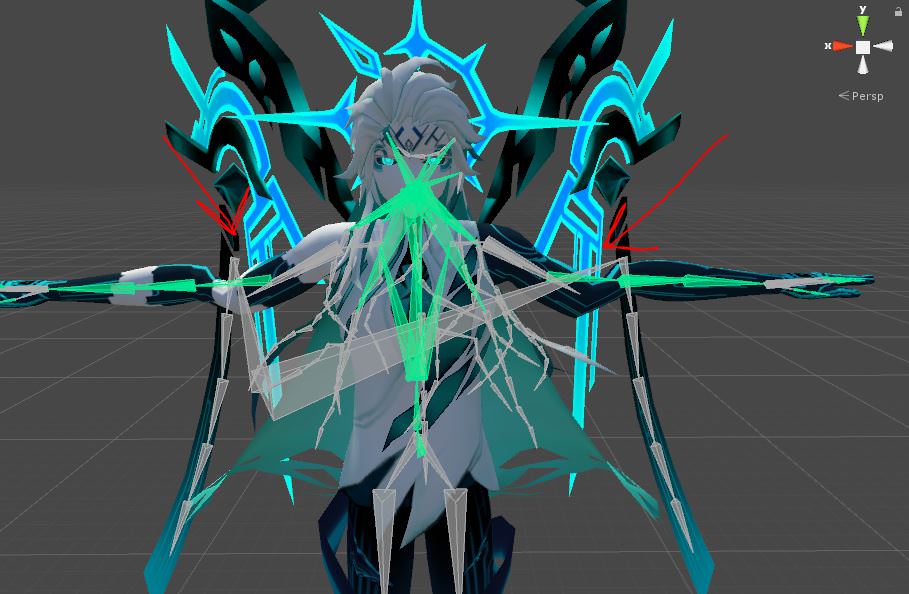
I saw someone using this model ingame, the same model as this one, only this one is broken. They somehow fixed it.
fading verge
Well it seems its using a different pair of shoulders and not the actual ones try remapping bones?
fair bluff
I've been trying, I dunno. There's 3 different shoulders on each side
then there's 4 different arm twists, with one being used as the upper arm, since the regular arm bone doesn't work
fading verge
try remapping the bones if that doesnt work you may have to rerig it in blender yourself
fair bluff
So, if remapping doesn't work, then there goes all my work on adding stuff to it in unity :P I don't know how to rig, and I don't want to spend half my lifetime trying to rig this of all models.
fading verge
Theres tutorials out there on how to rig things
fair bluff
:/
fading verge
but thats if you desperately want that model
random lotus
@cobalt geyser the ears just move around, they dont bend or anything
peak drum
Hey does anyone know what to do when a material is missing when you import the avatar into unity? there's no eye material on my avatar, and the eyes seem to have the right texture but placed incorrectly. https://gyazo.com/392db085c1aa02910ae6eaaf7e573ff8
 random lotus
Ooooooo Spyro 😄
peak drum
yeah, i got the ps1 shaders and everything but the eye material doesn't export with the model and i have no clue why
autumn parrot
Can I copy the shapekeys from one model to another?
 sour kite
Why does blender shrink my bones when I upload a model as fbx?
thorn grove
how do i go from weight paint to testing a rotation of the bone?
static parcel
Does an avatar have to be one mesh for visemes to work? I've been messing with fbx export settings but unity won't detect them
 olive vault

can anyone help me with merging the body to the head?
i tried to make a custom avatar
peak drum
I found a Fix for my issue, i went to the import settings for my model and changed material search to local materials folder and the material appeared!
 rich saffron
https://imgur.com/a/nrGvc anyone know how to stop the skin from popping through the shirt on my shoulders?
 fair bluff
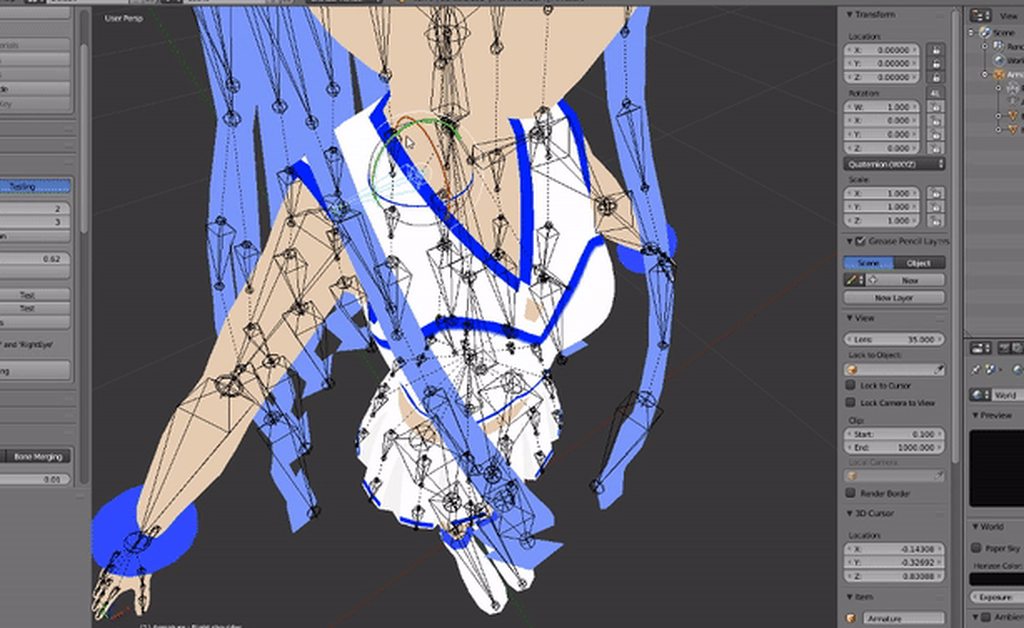
Should there be a bone called "jaw"? Cause expressions work on my model, the mesh renderer opens the mouth and everything, but in the mapping in unity, there's no bone called "jaw". do I just use the head for that or keep it empty?
@rich saffron when meshes are seperated, that happens. if it continues to do that when you merge the meshes together again, I recommend going into edit mode and erasing the skin under the clothes. Only the skin that wont be seen.
hazy knot
@fair bluff You probably should look into setting up viseme facial morphs in blender, then use the viseme blend option on the VRC avatar descriptor and match them up. CATS tool can generate them automatically for most models as long as they have a basic set already.
fair bluff
oh, cats plugin has everything :P I just downloaded it this morning. Still learning everything it has.
thanks
mild heart
cats plugin doesnt make a jaw bone. it always places it in the tongue. how do i fix it?
 minor sapphire
@rich saffron the weight painting in the shirt is less strong than the skin
just paint the shirt a bit with the add brush until it doesnt
rich saffron
@minor sapphire @fair bluff ty both very much
random lotus
Can someone help me model a blade for this sword for my model? i can send the whole model or just the sword handle if needed, ive been trying to get this for days now but i can't get it right

this is what the blade looks like
 grand dagger
 cobalt geyser
@random lotus Then 1 bone should be fine
Aynone know why my character crouches by crossing his knees? Is it because his knee bones are too close to each other?
fading verge
@random lotus You could try making the blade out of particles if modelling the blade itself isn't working
random lotus
hmmmmm maybe, its just this is the first time ive ever modelled something so its still new to me
and i think if i use particles it'll lag the shit out of the game
Okay nvm, blender is pissing me off, how do i make it out of particles exactly?
fading verge
You don't have to use very many particles if you do it right. You can just give them a longer lifetime and spawn less frequently
 crimson timber
Anyone know why my avatar lies flat on the ground after Fixing it through CATS?
 shell kraken
unity is being an ass and saying my model has no feet or hands mapped when it does
vast bolt
Did you set them up to be that way?
Theres a way to make sure unity can see you have hands and feet mapped
fading verge
why can I not post images here?
vast bolt
Just upload them to imgur, I guess.
shell kraken
how do i set it up, im new to this so its juts more kinks n notes i gotta work out
or with the body parts how do i "transform" because i got the part in the list and the shoulder selected
fading verge
ohh
shell kraken
upper arms and feet are specified is what unity is saying
 analog falcon
hey in blender when I decimate properly and how I want to, shape keys are in japanese, if I decimate things grossly it's in english? How do i change it from japanese to english?
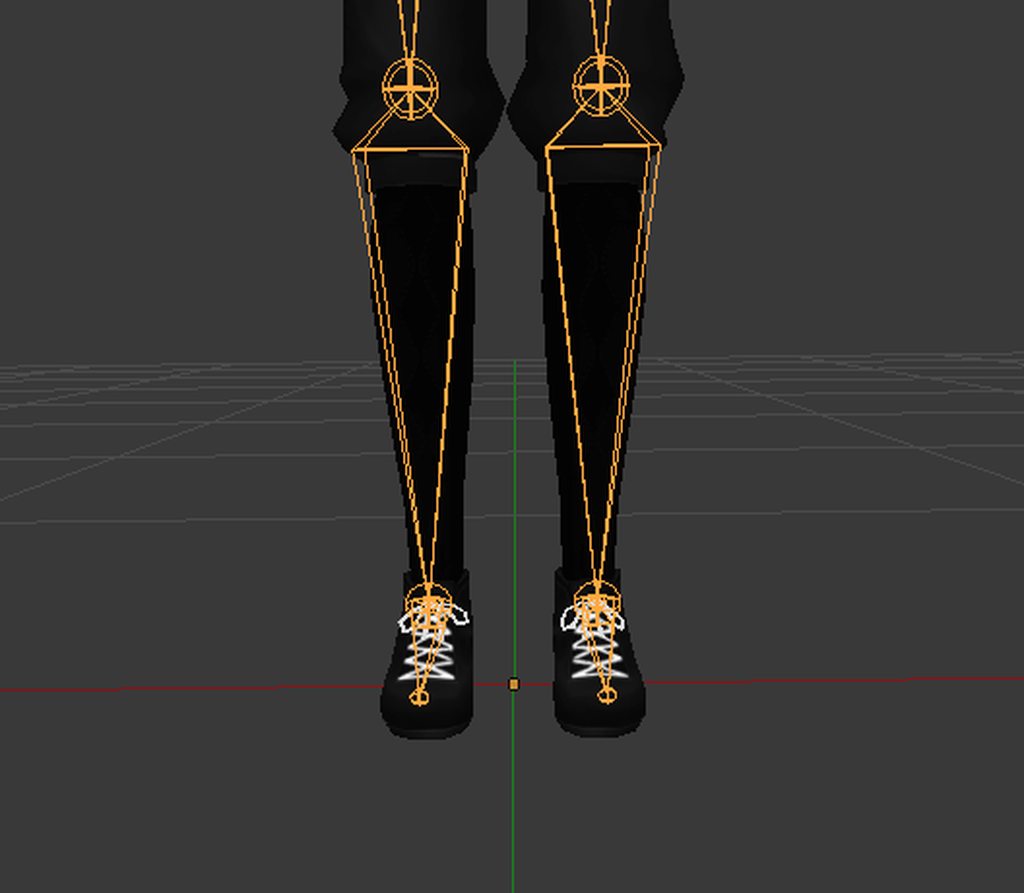
 torn locust
rotate the bone in edit mode
to align it with the mesh
i think pose mode works better actually
earnest kite
hey if i'm making a custom emote for a humanoid character, and it gives me that "you can't use keyframes for humanoid models" thing, how do I set up a generic copy to do the emote I want to do?
the Toocanz video is only showing me how to do the absolute most basic emote ever
shell kraken
i uploaded a character and its now showing up in my avatar list
earnest kite
that ought to be a server issue, I usually wait a bit and it shows up after not too long
 wild jacinth
anyone know how to extract a .phyre file to .obj
shell kraken
it shows the personal tab for a sec then nothing
 odd plume
Hey can someone help me
 thin sky
I'm having a problem where part of my head doesn't move right when I turn my head, my eyes and hair and stuff move normally but the head itself is off, I've tried reassigning the vertex groups and stuff but it still is weird
peak drum
Anyone know how i can fix the black parts on this model? the Texture is a PNG and the parts that are black are transparent when viewing the texture in an image editor.
 shell kraken
with blender to unity is there a reason hend feet and other bones may not load in?
thin sky
https://im.ezgif.com/tmp/ezgif-1-29e3d6a84b.gif Anyone know how to fix this problem?
 peak drum

 woeful idol
https://imgur.com/a/dVcvd How can I fix these bones?
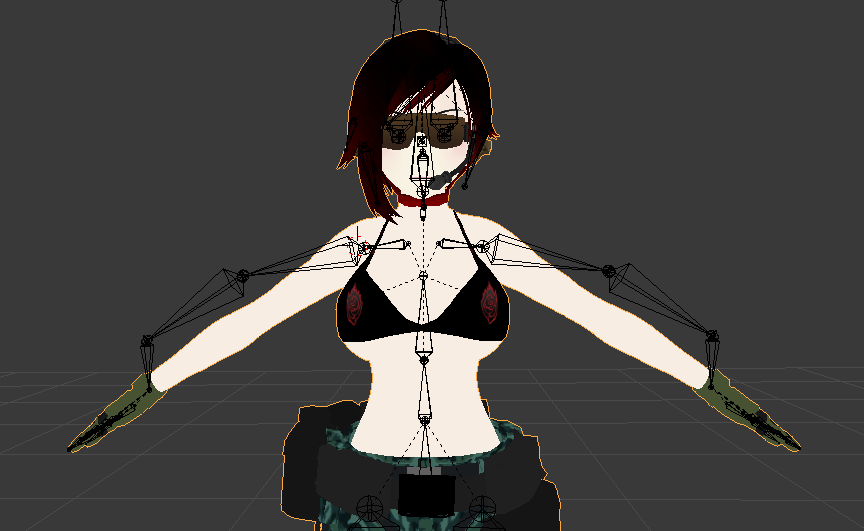 flat sierra
https://image.prntscr.com/image/19lQWE_0QcO1B8sDc7fUwg.png anyclue why my model would be like this even though its weightpainted and moves completely fine in blender

 odd bronze
I have a non-humanoid model with two sets of skeletons (the original one and a dummy one to fit onto a humanoid rig) and custom animations; the custom animations work fine when idle and emoting, but when moving around the custom walk animation won't play and the model just kinda swivels around the root. Why's that?
 cosmic moth
Hey guys quick question and hopefully an easy answer (think im just a noob). Im trying to connect the shoes to the model so they move with each leg... (I already had to split up the shoes and make them their own material which i figured out). Im just struggling to figure out what to parent/connecting meshes... halppp

oh and dont worry about the leg mesh not connected - Im going to fix that soon
fading verge
https://i.imgur.com/BijY2il.png 2 armatures, joining bones with ctrl+j, how do i join them without one of the mesh transforming (changing position or scaling)
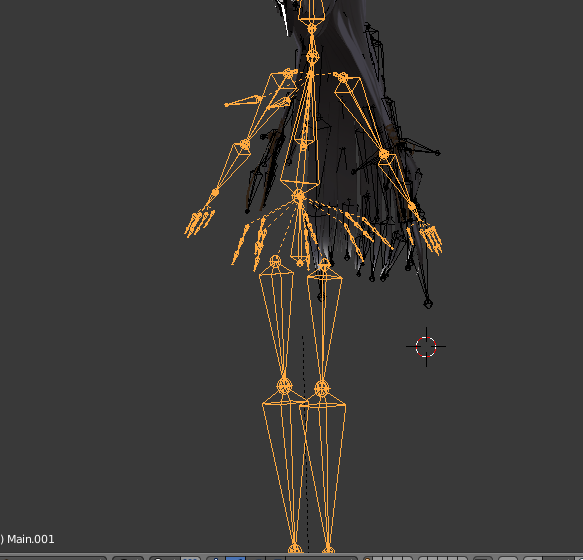
 granite herald
I've been at it for a bit but anyone know a proper placing for these bones so the hips don't jut forward? I've tried adjusting spine and hip placement a few times to no avail. This is the rigging in it's original state after a CATS fix. http://puu.sh/zdoxC/543656846a.png
 naive tree
drag your hip tip down http://prntscr.com/i7zj1j @granite herald

not as much as in my screenshot, just so hips and spine dont touch
and hips are below spine level
fading verge
Currently having an issue with a model where when i upload this model of wrench from watch dogs 2 it says its not using the humanoid rig when i can clearly see thats the rig its using and i've rigged it several times
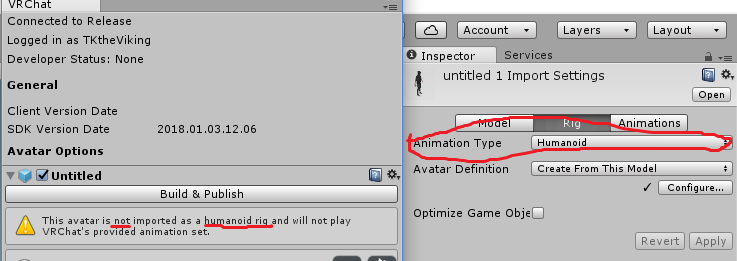
 calm needle
did you put the descriptor on the base object and not the mesh?
calm needle
the joys of unity
granite herald
Thanks for the tip @naive tree, while it didn't fully fix the issue it reduced the tilt Slightly. Might just be due to the model being short
flat sierra
how do i change the texture of a particle in particle system cause dragging it onto the particle wont work for some reason
fading verge
having some issues with an avatar, I imported it as an .fbx into ubity, skeleton worked fine and everything. but when i open it in vrchat its stuck in tpose. Yes it has a humanoid skeleton. what would cause this? Before i first uploaded it I got a "doenst have an animator" error but it doesnt show up anymore
calm needle
was the descriptor on the base object or the mesh?
fading verge
on the base
fading verge
desktop
calm needle
ok, so its not the controller bug
for the heck of it, did you try setting it to generic, then back to humanoid?
fading verge
not yet
 fair pelican
Been working on a model and I've encountered an issue. For whatever reason the model doesnt bend its knee's. I've looked at the legs and everything seems fine. I've got the upper leg, lower leg, and the foot. Everything is weight mapped correctly. On a side note, I've been having an issue with the hands too xD For the hands to work, do you need 3 bones in each finger or does two bones still work?
fair pelican
mmd
calm needle
did you use cats or are you manually fixing it?
fair pelican
i used cats first
calm needle
after you used cats, did you try doing a pose test in blender to make sure everything worked well?
fair pelican
i adjusted a bit of it manually because the finger boens werent lined up
pose test? ive never tried anything like that
il check it out now
do you mean pose mode?
calm needle
yeah
calm needle
does the model have a skirt or dress?
calm needle
ok, just going through some common problems. I've seen skirts somehow get picked up as leg bones before
fair pelican
oh? thats interesting to know.
calm needle
its rare but if its a long skirt or dress and the base o fit connects to the hips, there is a small chance unity will use that instead for the legs. Alwyas funny to see in motion
in unity, can you still manually rotate the upper and lower legs just fine?
calm needle
Is the lower leg the only child of the upper leg?
fair pelican
It is.
I'm not experienced but maybe its got something to do with the bones in the Torso(e.i. hip, spine, and chest placement?)
calm needle
when in the humanoid configuration, does the muscle settings move the model correctly?
fair pelican
It all moves nicely
calm needle
do you use vr?
fair pelican
I do
calm needle
in your vr status, does it show 3 controllers?
fair pelican
2 controllers
calm needle
ok, so its not the controller glitch
fair pelican
i noticed one new thing in unity, btw
i clicked on the knee(lower leg) and moved it and that whole part of the leg moved without the upper leg moving with it
calm needle
in a steam vr update, it can somtimes detect one controller twice and show 3 controllers. Vrchat will see this and asume you have full body tracking. That will cause some fun oddities
fair pelican
ive tried other models and they work fine so i dont think thats it?
calm needle
considering that the lower leg is the the child going down teh chain, that should be normal
does seem odd though cause everything seems to match up
might sound like a stupid sugestion but have you tried restarting unity and reuploading?
fair pelican
i would say yes. ive closed and opened it multiple times since then and ive uploaded 3 different versions of it. each time restarting unity
calm needle
new scene?
fair pelican
i believe ive tried two seperate scenes? although i may have just deleted the old model and reimported a newer version without creating a new scene
Ill check that now and see what happens
btw, can pictures not be posted in here?
calm needle
not directly. you can upload to imgur though
then if you post the link it will auto show
fair pelican
ok, ive got two pictures that im a little worried about
calm needle
if its moving correctly in the muscle menu though, im kinda stumped
fair pelican
thats in unity
when i moved the lower leg bone itself
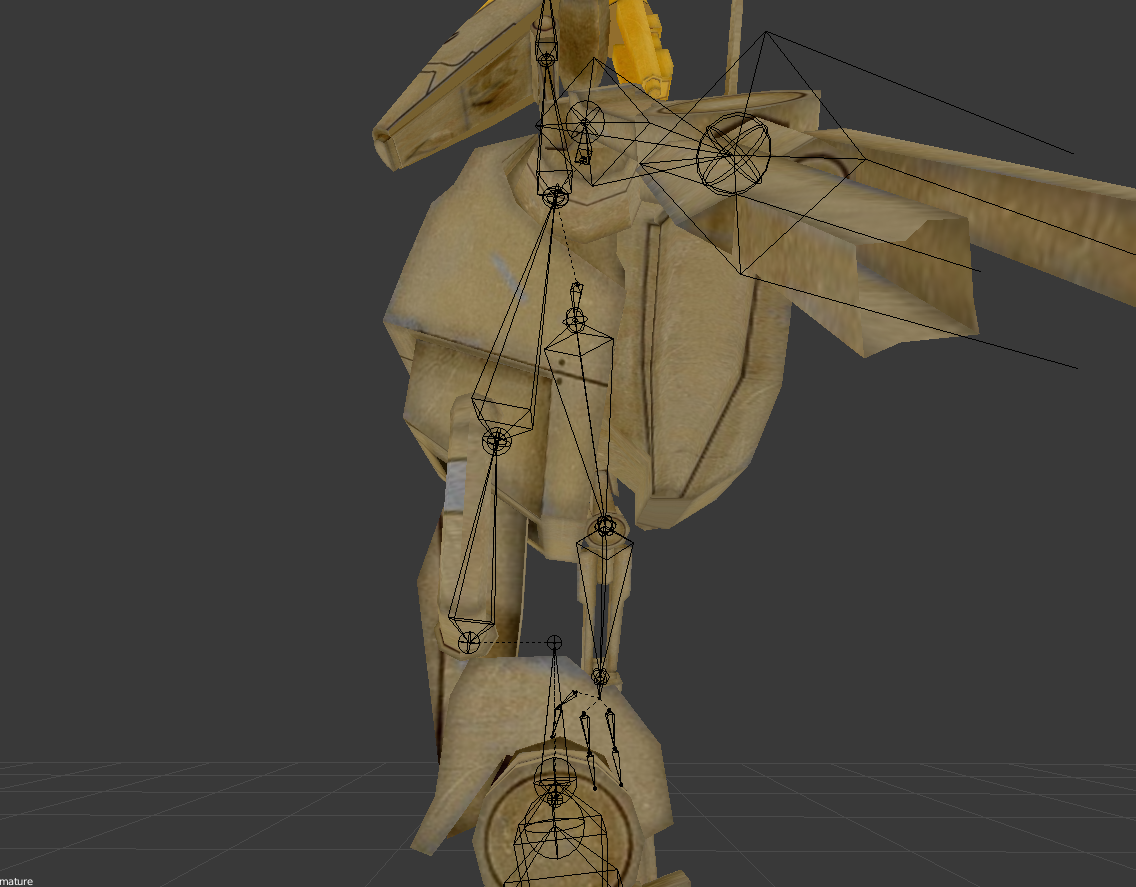
and this is in blender. idk if the hips, spine and chest are all supposed to be lined up or not
i dont think that matters but idk :/
calm needle
i dont see anything odd in those pictures
calm needle
https://i.imgur.com/yH7UZ6K.png
nothing unusual about pulling off a limb 😛
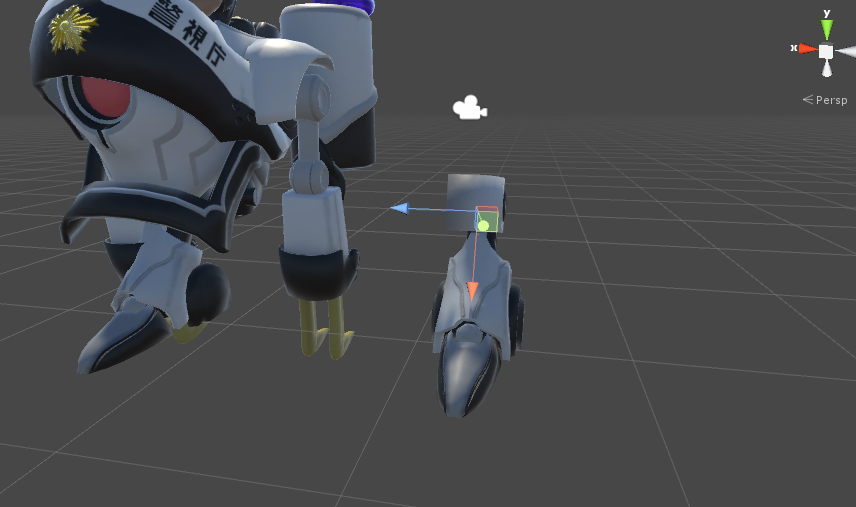 fair pelican
btw, I don't have any shoulder bones set in unity even though i have them existing in blender. Maybe that might be whats causeing it?
calm needle
maybe
fair pelican
uploading now
i added the shoulders in unity
@calm needle It's working now
so it was either a new scene fixed it or adding the shoulders
im gona do some more tests and see which one it was
calm needle
hard telling wtih unity and vrchat 😛
fair pelican
Thanks for all the great help :)
cosmic mica
I have questions about dynamic bone collision does anyone know it well?
coral relic
well enough
calm needle
dependson the question
cosmic mica
my bone collisions are working perfectly fine in unity, but in vrchat they no longer respond. I can screenshot my interface, but again it works just fine in unity, but not in vrchat
coral relic
did you edit idle or walking animations?
coral relic
physics still work though? just collisions don't?
cosmic mica
the hands, elbows, knees, chest, and waist have colliders on them. The cape has those coliders set to them. In playmode i move the thing around and it works as it should.
but in vr there suddenly are no bone colliders
calm needle
did you set a radius on the dynamics?
cosmic mica
i did, yes
large enough to hit without missing, but small enough to not make the cape poof out
calm needle
did you get other people's opinion in game to confirm its not just a client side glitch?
cosmic mica
i was able to confirm it with another avatar the other day, had a quill pen and the feather had a collider but was not colliding. they noticed it too.
im aware colliders only apply to myself, but outside of unity they seem to not respond anymore, leaving me confused
............and it crashed and deleted all my data, last save was an hour ago.
someone kill me
coral relic
I have to admit, not sure what to say to that. I myself have a problem where everything looks good in unity but eyes are totally screwed in game...
static sigil
i had similar issues the other day
turns out my avatar simply wasn't updating
i would suggest exiting VRChat and reopening it to see if it updates
cosmic mica
i will give that a shot (ive been at this for 6 hours straight im losing my marbles over this)
static sigil
I worked for about 16 before figuring out mine wasn't updating
coral relic
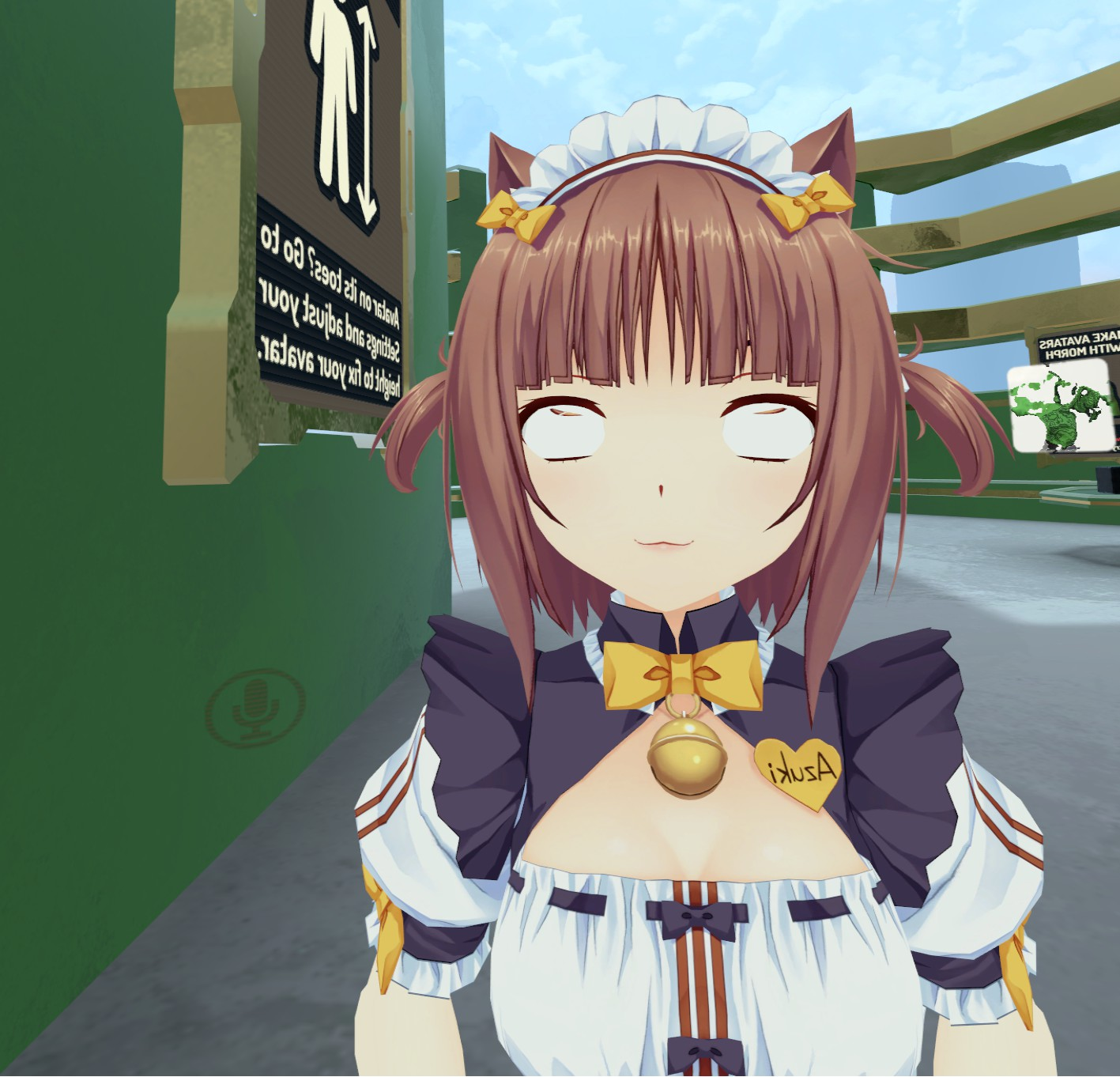
did you guys see something like this before?
pupils rotated 90 on x axis
worked fine before the update
static sigil
no, mine work fine
coral relic
yeah I checked the bones 10 times, it's all good imo
low parrot
Ayy Azuki
coral relic
they behave perfectly fine in unity
low parrot
sorry I have no idea about problems like this but Nekopara represent
coral relic
high five 😃
low parrot
🙏
cosmic mica
now unity is complaining that its feet are not specified, nothing has changed for its armature
 strong topaz
So my model isn't exactly in the proper T position. How do I position it so it is?
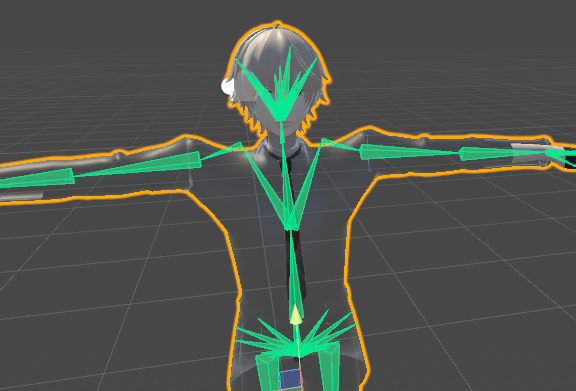
The shoulders seem to jut up a bit
coral relic
I'd guess that the shoulder bones are a bit too high
strong topaz
How do I move it so it is in the correct position?
coral relic
you'd have to go back to blender and edit the armature. bring the shoulder bones thicker end down a bit
could you screenshot the model in blender with visible armature?
I wonder how it looks before unity applies the t-pose
strong topaz
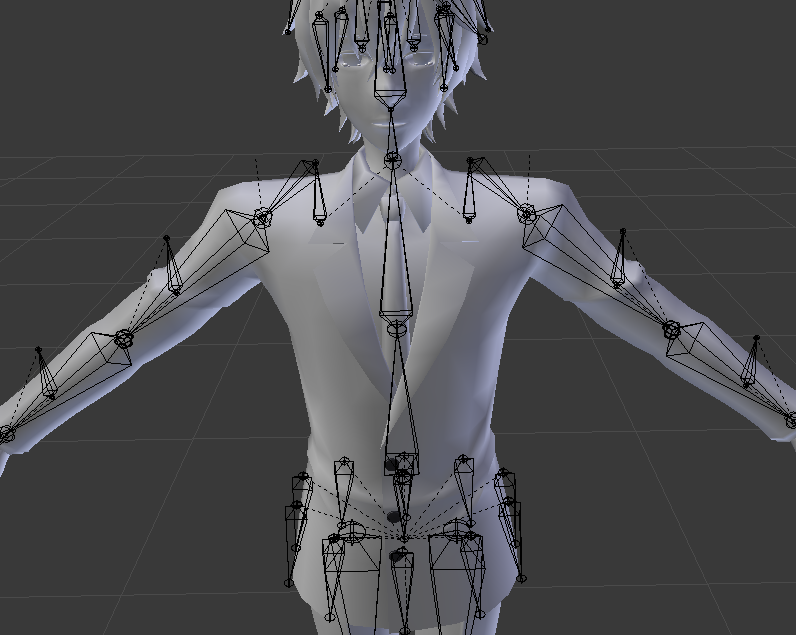 coral relic
oh that's something new
strong topaz
It ends up making my shoulders look weird in game
coral relic
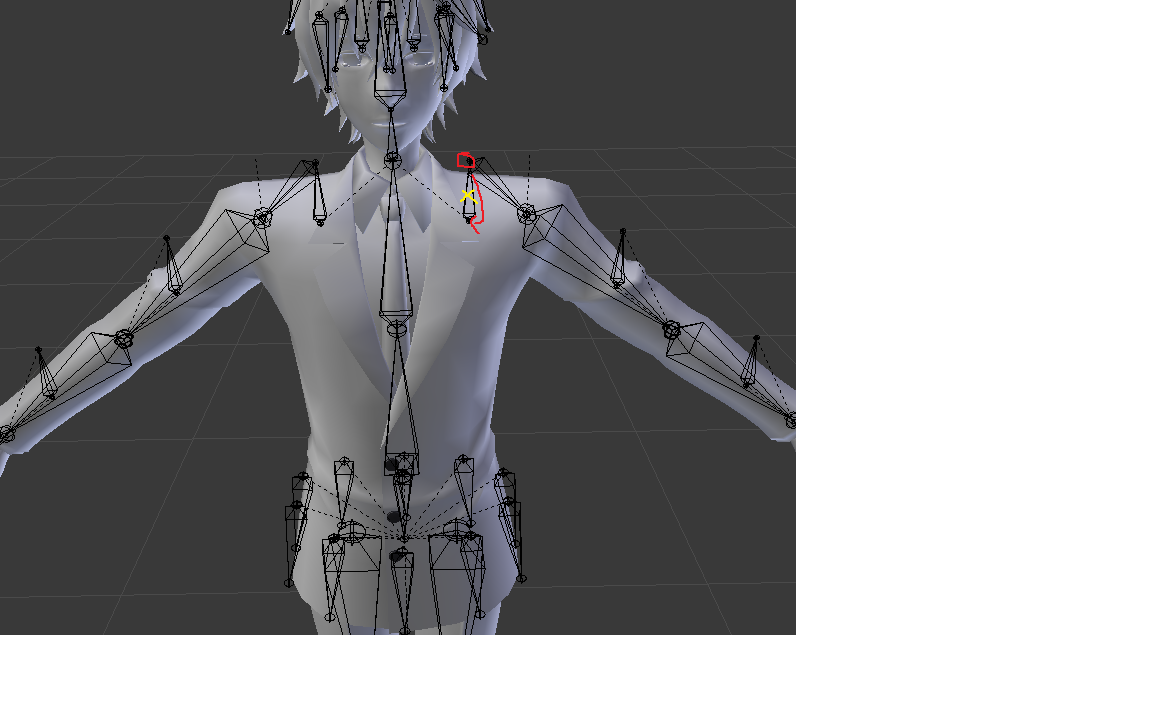
 coral relic
I'd get rid of the first bone (yellow) since you don't use it, and place the second bone acording to the red arrow
then make sure that shoulders are parented to the chest
strong topaz
Well I deleted the bone and moved it to the position you told me
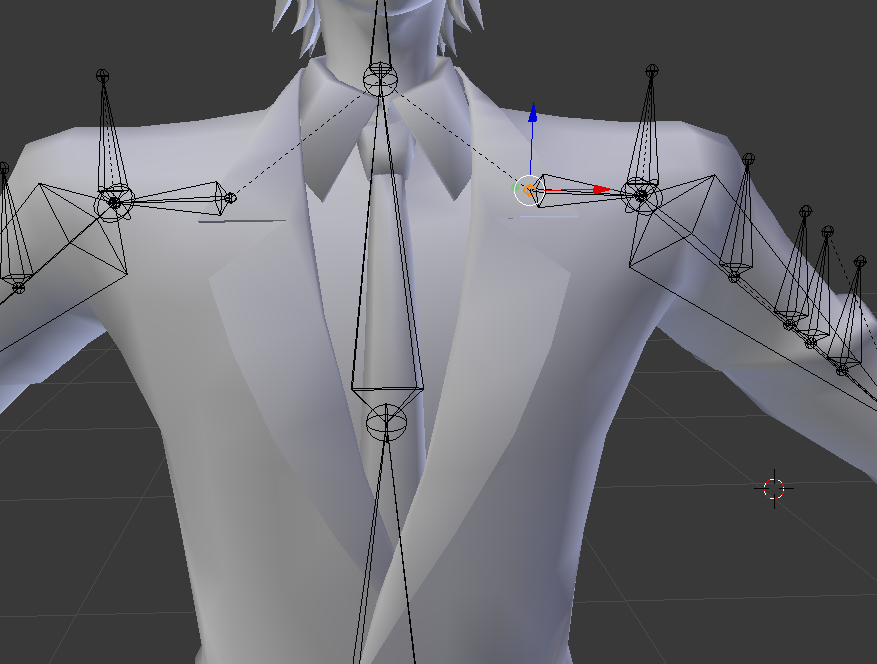
How do I go about checking if the shoulders are parented
 limpid scarab
@coral relic did you find a fix on the eye issue? i had it yesterday and fixed it (kinda)
coral relic
select the shoulder and click the bone icon in properties panel there's a 'parent' field, should say the name of chest bone
but it looks good, the dotted line goes to parent
@limpid scarab I did not. Do you know what to do?
limpid scarab
Do you by any chance have the cubed shader on it with the "Fade" setting?
I changed it to cutout or any other and that fixed it
(also, nekopara fuck yeah!) https://media.discordapp.net/attachments/400655891256311818/407203912253308938/unknown.png?width=951&height=414
 coral relic
pretty sure it's cutout. but in my case it can't be a shader issue. the eye mesh itself is rotated, but pupils are visible
Vanilla ❤
limpid scarab
Thats what i thought too, the one eye was normal, the other only showed white and was visible from the inside
after i changed the shader it turned out normal as i'd expected it to be
(it also showed correct in unity)
coral relic
btw when I spawn in front of a mirror I can see her eyes for a second, and when eye tracking kicks in they go haywire
also no problems before the update
I think it's a bug
limpid scarab
Hmm, sounds pretty simular to what i had indeed, but not 100% the same
this was mine before: https://media.discordapp.net/attachments/400655891256311818/407665474176942080/unknown.png?width=491&height=415

and after https://media.discordapp.net/attachments/400655891256311818/408020283350581248/unknown.png
 coral relic
I'll check the shader as soon as I can though, thanks for the suggestion!
 slow arch
anyone know my avatars mouth is just opening randomly now since the patch :/
almost like its moving with the news
eyes*
static sigil
might want to check your eye tracking blend shapes to make sure it's not affecting the mouth
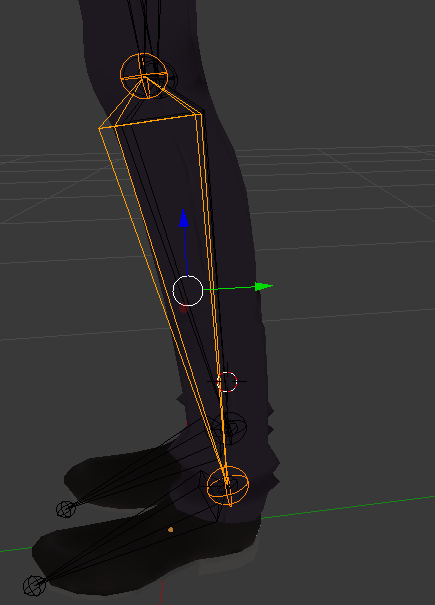
 gloomy loom
left click and pull that green arrow in edit mode ( which you alreaday are in)
strong topaz
Will it still be attached to the bones at the foot?
gloomy loom
yes, infact shift click + left click the foot bone as well
slow arch
so i disabled eye movement on my avatar, and it stopped the strange mouth movement, but i dont see why its connected
gloomy loom
and pull both together
slow arch
my eyes are just spheres, no blend shapes
mouth is blend shapes
yet having eye movement on, causing mouth to twitch between blendshapes used for lip sync
strong topaz
shift click + left click
Is this shift left click
gloomy loom
shift and click on both bones so that the leg and the foot boot in orage
and then pull back on the green arrow
draken check the shape key values in blender
you mightneed to fix the shape keys so it doesnt move and eye vertizes
coral relic
@slow arch two things to check
- in unity - humanoid configuration unmap jaw bone
- in CATS plugin settings in blender check if some other bone didn't take place of eye bones
it happens
I mean the eye movement creation section of cats. check if it has correct eye bones specified
strong topaz
https://i.imgur.com/LjSokRB.png @gloomy loom how do I attach these two bones back together?
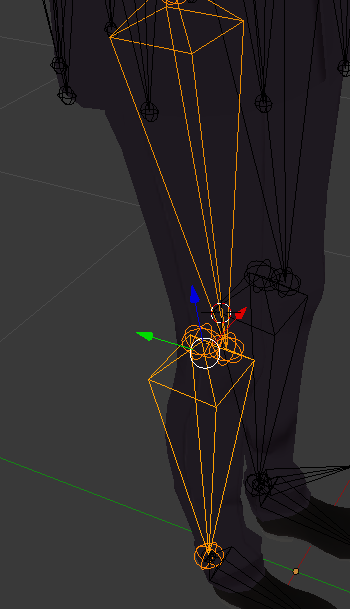
 manic marsh
@strong topaz when you have that bone selected look in the bone tab and there's a checkbox witch says conected
slow arch
@coral relic could it maybe be 'blinks' some how ? Ill disable blinks but leave eyes
strong topaz
ah
slow arch
i dont have any blinks, but maybe something somewhere is screwed and the jaw is blinking
strong topaz
tyvm
manic marsh
Np : )
coral relic
for now just check what bones you have mapped here https://i.imgur.com/yYMk4bw.png
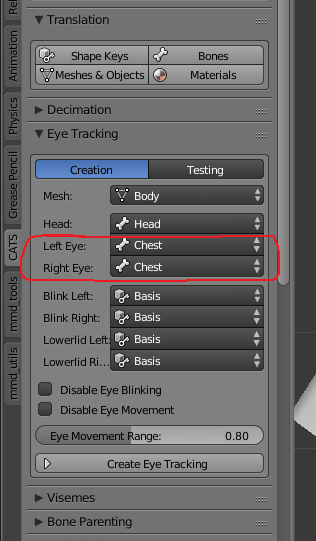
I've seen it change by itself and you might not notice before exporting
and check the jaw bone in unity https://youtu.be/7P0ljQ6hU0A?t=1h8m38s (go to 1h8m38s)

VRChat Community Discord: https://discord.gg/VRChat Download VRChat! http://store.steampowered.com/app/438100/VRChat/ mmd_tools GitHub: https://github.com/po...
he talks about chest but go to head tab and unmap jaw if it's mapped
oh and while in blender switch to pose mode and move around the eye bones. see if the jaw moves there too or just eyes
limpid scarab
Yeah, might be worth to check the eye bones in blender, maybe for some weird reason there is weight paint for the mouth mesh on the eye bones
 warped basin
How can I fix an arm bone that's slightly off from the center? It's already attached to the mesh so realigning it just morphs the sleeve around it, I want to make the arm on the left the same layout as the arm on the right
 manic marsh
When you go into edit mode you should be able to move the bone without moving the mesh @warped basin
warped basin
Ah, alright. Will the bone's affect on the mesh stay the same?
I forgot to toggle to edit mode before trying, yeah
Yeah, it's looking better now, thanks. I'll try to get it exact
manic marsh
Is there any way to modify the position of your hands with a animation override?
I need to extend the arm
warped basin
uhm, I've used animations to move bones, but only on accessories
like I made a shotgun rack move back when the reload hand gesture was done, dunno what it'd look like on a model
 shy hare
SO I've been fighting with this avatar for several hours, trying to get the neck to look right and I can't figure out what's causing this issue. I've removed any doubles in the neck mesh, connected everything that should be connected and still the neck is acting up. Anyone else have this issue and was able to fix it? https://i.imgur.com/JDJascg.jpg
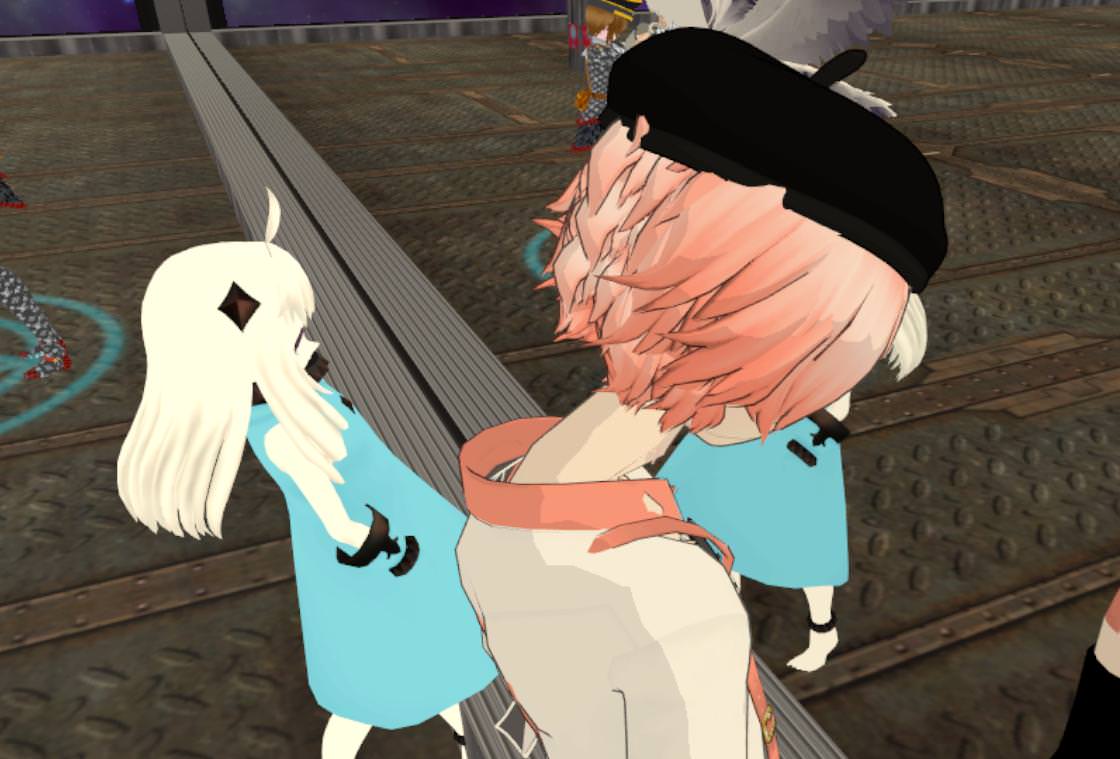
I've also checked the bones, and have moved them slightly up and down, still same thing.
It's like the neck is bending at the connection to the chest.
fading verge
Looks like the bone itself is too low
light kindle
compare pose mode to object mode/edit mode in blender
fading verge
Guys how can I let my tail sink, if I don't move? (Dynamic Bones)
fading verge
I find gravity doesnt do anything until you move, so i use forcr myself
like -0.005 or something
 wild canyon
So anyone knows what I need to do to fix this? http://puu.sh/zdyUW/38f74171d1.jpg
 light kindle
^^take his words instead of mine
wild canyon
obviously it has to do with the bone rotations that I can figure out atleast
but idk if I should be hunting the problem in the original 3ds max file, blender or unity
fading verge
Looks like the bones are 90 degrees off their orientation yeah
wild canyon
in this cae it seems the upper and lower legbones, feet and shoulders or upper arm are twisted
left/right arm in different directions probably
wild canyon
Because when I import the rig from blender to unity it's 90 degrees off, but turning him 90 degrees in the scene shouldn't affect this.. right? XD
shouldn't *
 little inlet
what happens when you rig in unity
fading verge
<3
wild canyon
noone has any ideas? XD
 covert badge
Does anyone know how to keep pants from clipping through legs? Is that weight painting?
wild canyon
you should probably paint the leg and the pants to the same vertex group
that way they will deform while you walk
both of them
if you're having another issure I can't tell with this limited information, sorry :p
covert badge
Do you know how I go about that? I know nothing when it comes to weight painting, as I find it rather confusing.
fading verge
@covert badge https://youtu.be/Tl4qTgwQwYw
Quick intro and guide to skinning/weight painting. this video is meant for those with a basic understanding of Blender
wild canyon
if the bones are doing this in blender http://puu.sh/zdAaF/685bbc2b91.jpg

is that gunna be a major problem for unity?
little inlet
ya
opal aurora
Oh boi
light kindle
if you select the bones (one by one) and choose connected it might fix it
opal aurora
That'll work quite well i recon^
limpid scarab
oh that might fix my skirt on vanilla too..
they're also all pointing up, not a issue but it bothers me :3
light kindle
lemme see cyb
limpid scarab
ah not really able to screen it atm i'm on my work
but I'll just try that setting when I can
limpid scarab
Jup, know the setting, thanks for the info!