#avatar-rigging
1 messages · Page 88 of 1
 neon quiver
btw does the humanoid need to be full green circle or is it ok if the circle has the doted green circle?
 coral relic
@verbal zinc you sure can but it may be easier to fix the finger bones in blender
up to you
coral relic
well I don't know anything about maximo 😉 must be magic
 verbal zinc
basic stuff
 calm needle
the spots with dotted circle are technicly optinal bones for unity's humanoid rigging. Some are still mandatory for VRC though
 shadow shoal
Shoulders, Head, Chest and Neck are required
 fading verge
What's the answer of seams in the neck?
 restive solstice
I don't suppose anyone knows how to combine the Body_MeshPart0s in unity together?
 teal locust

 charred sorrel
are there any offical vrchat models i could go off of with my model?
i keep having rotation problems/movement issues when i use my oculus and i can't figure out why they're so wonked
 brisk crypt
@restive solstice unity separates meshes if the tri count is too high
 earnest ivy

This is fun.

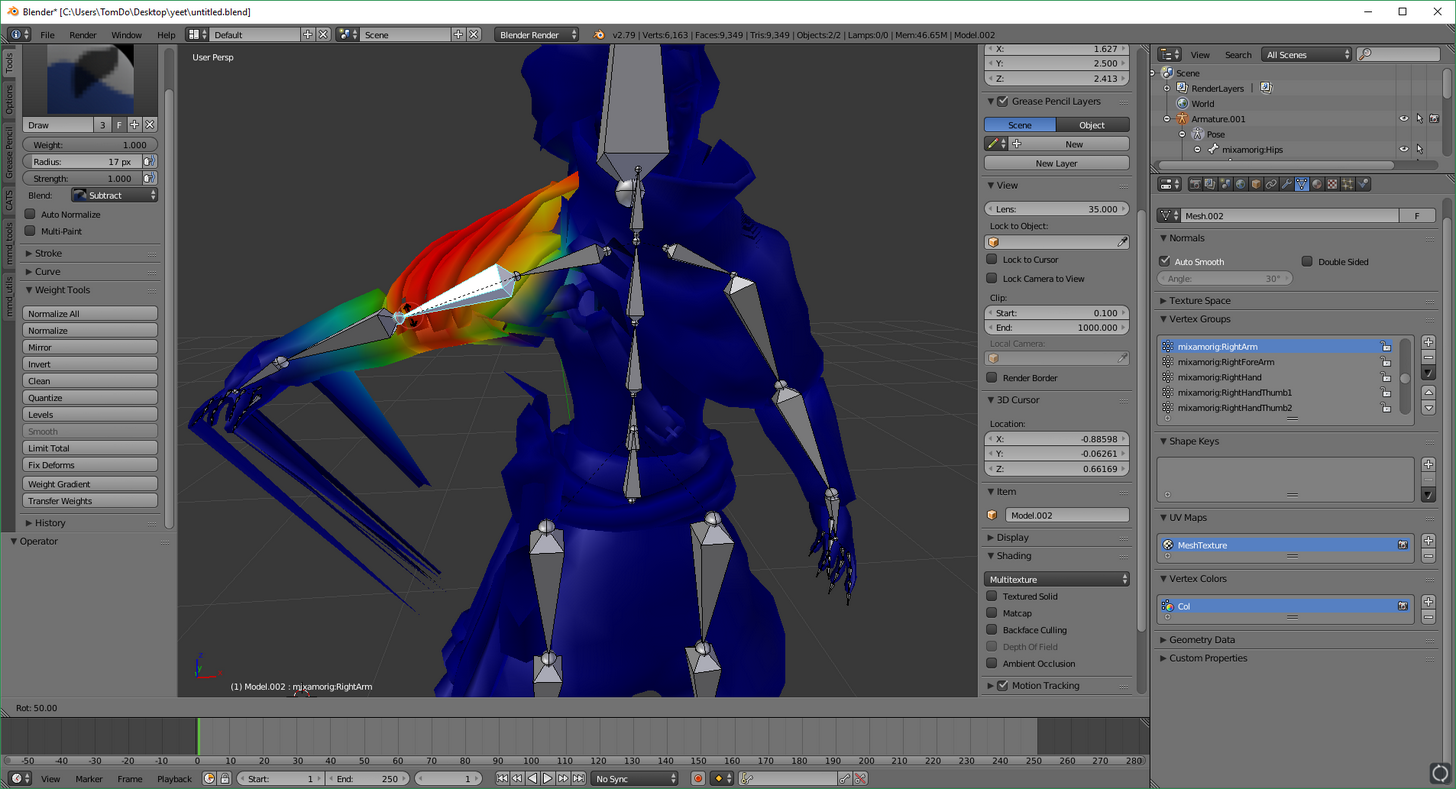
I need to remove the weights here
but I can't get under the pauldron to remove it
charred sorrel
can someone help me with shoulders?
 lost lotus
In blender I've got 4 bones in a chain for a dynamic skirt bone. how do I merge it down to like 2 bones? and no CAT's plugin optimization screws it up.
 restive hill
lrn 2 weight paint, then
 bleak vine
can someone help me with replacing Hairs in blender without messing up the armature and rig of the model ?
 glad egret
you should use the same process as headswapping
tupper has an avatar workshop video, skip to about 1hr and he goes through it
 raven pumice
When I look downward my avatar's whole body moves upward and his legs get stretched out. When I look upward my avatar's legs kind of collapse against the ground and eventually his torso starts clipping into the ground. What is happening with my rigging here
like the further i look up or down the more pronounced the effect becomes
glad egret
sounds like shitty weight painting
raven pumice
every other animation looks fine, it feels like some sort of IK rig issue or something
it doesn't happen while walking, only while standing still
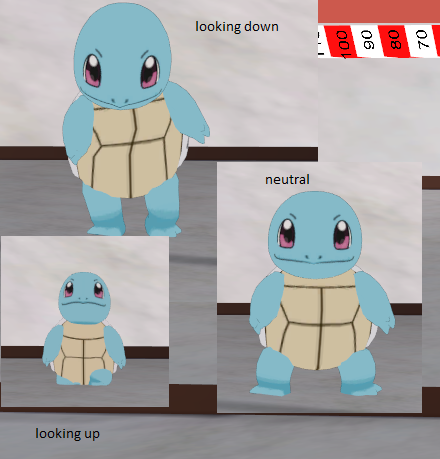
i dont know if the pics help
charred sorrel
i'm having this same problem
did unity give you a pelvis error when trying to upload it?
raven pumice
it did say something about the angle of the hips and the legs, but nothing else
charred sorrel
it might be the angles
i'm having the same problem where my model keeps tapping his feet/legs don't bend right, i'm trying to play with the angles now
 short mulch
Hello I am currently having an issue with my model in blender everything looks fine to me but before I exported I attempted to use pose mode to test it and its legs are stretched widely seemingly for no reason
wondering if that doens't matter or how to fix if it does
it looks fine while not in pose mode
raven pumice
Let me know if that solves it. I'm not sure what else to try
charred sorrel
i'll definitely let you know! it's frustrating, especially when trying to use vr
raven pumice
@short mulch if that's only in Pose Mode and not your normal model it shouldn't be a problem
short mulch
okay
raven pumice
Yeah I don't have VR unfortunately but I still want stuff to look right
I was kind of annoyed I ran into this issue after I spent like an hour and a half troubleshooting my visemes (eventually got them working)
 torn nest
hey could someone help me out with my rig issue here?
 daring glacier
What's wrong with it?
torn nest
So when I've been setting my rig up in unity, I've got this constant and reverting error where I change the parent bones of my shoulder bones to my chest bones back to it's parent which are unused bones apparrently. It's sorta difficult for me to explain, but may I dm you a visual?
daring glacier
Go ahead, I doubt I can be of much help, so link the screenshot here afterwards
fading verge
It is an IK issue; I find it happens on avatars that have short legs
torn nest
For shoulder bones?
fading verge
Nono, the whole legs stretching when looking down thing
You can't change the bone parent in Unity; it switches back when you leave the Rigging screen and throws errors
 tough oriole
would any rigging pro's be willing to coach me through a model in a vc call?
fading verge
have you checked the weight paint?
should be red coloured, the area for the upper arms
 ivory radish
u didnt
parent rest of arm to it
:/
if u can see blue dot and then a black dot inside of it
its not connected or parented
either that or u should try weight painting the rest of arm also
also bones move by rotating them
not sliding them around
 sturdy talon
@charred sorrel Can you tell me how it goes to? I have been having the same problem for a while now.
ivory radish
ur dislocating their shoulder
tough oriole
can someone please help me?
I think it'd be easier to explain live.
When I try and edit the bones and then weight them to move the mesh, the whole model just explodes.

before

after
and these are huge and in the distance
 ivory radish
i seen tat model before
tough oriole
Where?
tough oriole
I dont know how
the only 3d model i've found of this guy isnt available for download ordinarily
i had to email him to get it
and it's not made for VRChat at all
I've been working on this for like a week.
tough oriole
I wanted to be this character specifically
I got it to work in game, but the Mixamo bones are all sorts of fucked up
ivory radish
mixamo is for humans or at least bipeds with a human-like shape
ivory radish
sometimes u get lucky but if its not then ur probably better off rigging whole thing
tough oriole
I have to rig it myself then?
ivory radish
probably
tough oriole
Cause i figure that the fact i'm editing pre weighted Mixamo bones isn't helping
i should probably rig it myself from scratch
fuuuck
ivory radish
just dont forget essential bones
and ive already seen that character in game several times so im sure theres a game addon or at least a place with it already lol
tough oriole

I was playing him like 15 minutes ago in the tron arena
with the broken version
i have no idea how you've seen it
ivory radish
idk wat it called but ya i seen it before with textures too
tough oriole
if so, it's super hard to find
ivory radish
wtf he cald
tough oriole
Ainz Ooal Gown
fading verge
i tried to helped them with the materials
tough oriole
Apparently theres an MMD model
tough oriole
I cant find it for the life of me
ivory radish
yeet
fading verge
the dude i tried helping asked about the textures/materials being all fucked up
ive tried to seperate the model by materials but that wouldnt work out
confusing for me, this model
tough oriole
I found it
the whole site is in japanese
this some deep web shit
It's a PMX file.
I dont know what to do with that.
oh theres an MMD pack for blender

 tropic roost
does anyone know if its possible to make an animation where my avatar transforms
i dont need to move around or anything after i do, i just want it to transform into a stationary object
 earnest rivet
Any idea how to fix this stretch? (Blender bone rotation caused it i think)
https://drive.google.com/open?id=1iP2iHWHLygqucdqsts2x7dtMwi5oMdMP

Google Docs
short mulch
Hello I was told their is a way to upload a model with over 20000 faces/tris
but I can't find working info for it
anyone have a suggestion
raven pumice
My avatar seems to do this weird stance, where he gets on his tip-toes and puffs his chest upward, whenever he stops walking. Is this an issue anyone else has run into? With a fix?
raven pumice
well i 'fixed' it by telling the game the avatar has no toes
fading verge
Hey guys, I'm not sure if this has to do with rigging, but here it goes.. I added a sweater to the base avatar on blender, it had its own bones and I did some arrangements to "add" the bones to the main ones. Now when I enter pose mode the parts connected to the body won't move.. Any ideas?
 pine harbor
in blender, or in unity?
pine harbor
it's all still one armature, right?
as in, the sweater and the base avatar belong to one armature, rather than there being two separate armatures where one's been parented to the other
fading verge
Yeap
pine harbor
"the parts connected to the body won't move"...hmm, did you check the vertex weights back in blender again?
if you can move the bones around, but the avatar mesh isn't following, the weight painting might've been messed up a bit during the process
https://blender.stackexchange.com/questions/6994/bones-not-moving-in-pose-mode
there's this suggestion if it's the bones being unable to move in pose mode specifically, but not entirely sure what's happening in your case

When ever I try to move or rotate a bone in pose mode, nothing happens. The bone stays frozen, not moving to any axes, no matter what bone I chose..
I tried rigify ready to use mesh but had the same
 fluid zodiac
what is the the time limit for gesture overrides?
fluid zodiac
same
fading verge
Re did it and now it works, but the bones on the skirt of the sweater don't move anything qwq
I have to assign it manually, right?
coral relic
@raven pumice where did you put the viewpoint in avatar descriptor?
 stuck hamlet
lol did someone earlier ask for an exploit on the official discord
I've seen a lot of goof-ass questions here but that takes it
 pallid raft
 wise summit
Need some help rigging up a character like this (Good ol wraithy)
https://imgur.com/a/lvEKt
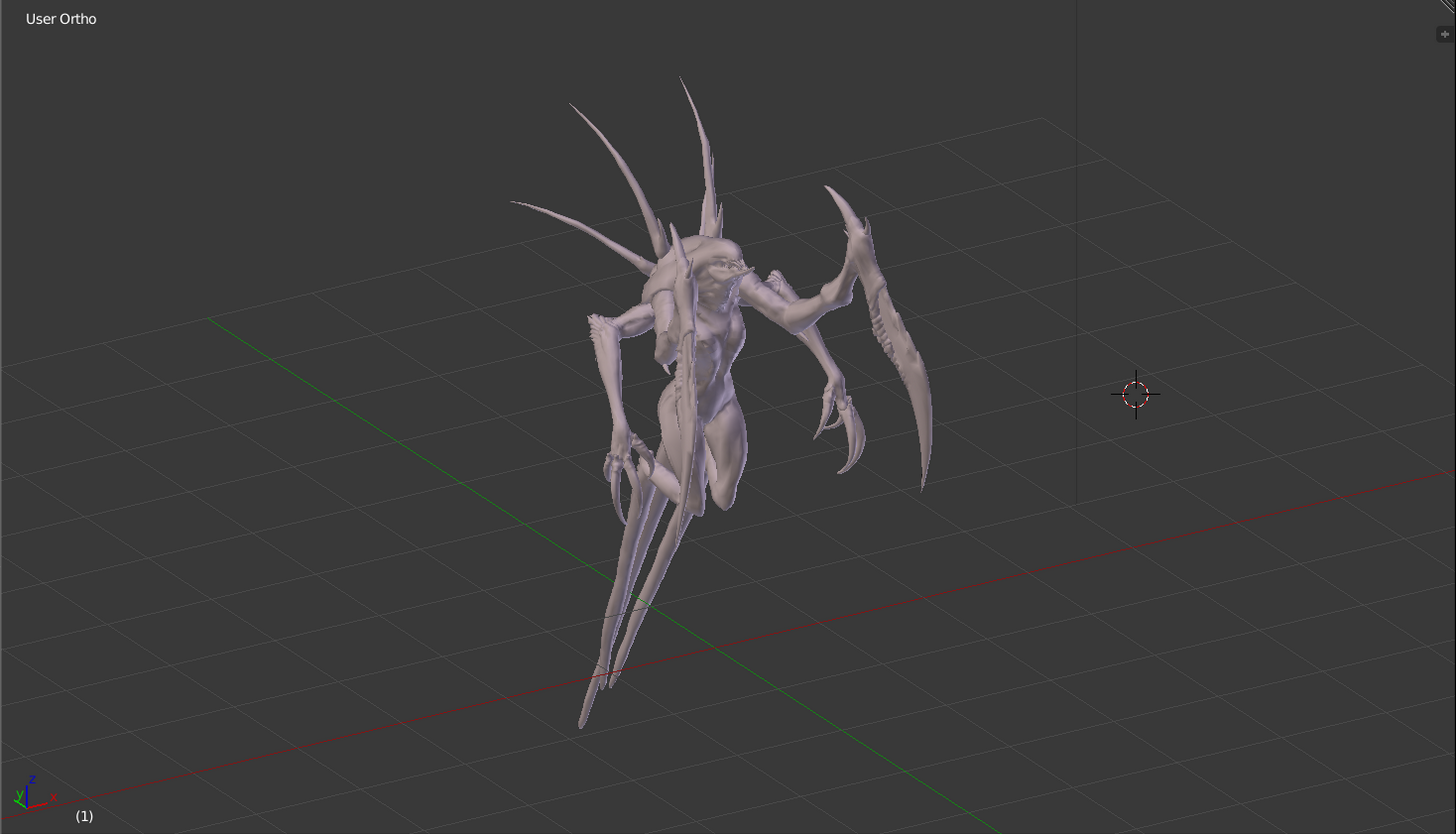
Spines are solid, they hover and kinda have a sway as they hover
 tulip granite
If you need help on a commission then you probably shouldn't do it
Just saying
Because it's like we are helping you to earn money
No hate intended
 light kindle
i think its more of the problem of: we're doing the work and your profiting
yore*
youre*
fading verge
oh
wise summit
or see tutorials
fading verge
oh yeah, how's your hearing dio?
fading verge
ah i see
wise summit
Right now I need some help working on a Wraith model
It's got no legs and hovers in the game so it's a bit challenging
wise summit
Do you remember their username?
wise summit
Straight up just Death? That's gonna be hard to find
wise summit
Gonna be hard to find with all the edgelords on steam
wise summit
Ah, perfect
Do you remember the numbers? Every one is unique so it's easy to find people
fading verge
Their name was just >Death...<
and thats about it
i remember seeing them have one with custom animation that spawns something, and a really fucked up one
tulip granite
For legs you can add weightless bones
fading verge
^
tulip granite
Hovering animation you can watch my. Tutorial

This is a tutorial on how to make a simple animation in unity for VRChat which can practically have tons of uses like example making something hover or like ...
wise summit
Oh sweet
fading verge
👀
wise summit
👌

 bleak vine
why do i get an error "Loop in parents" ?
 pine harbor
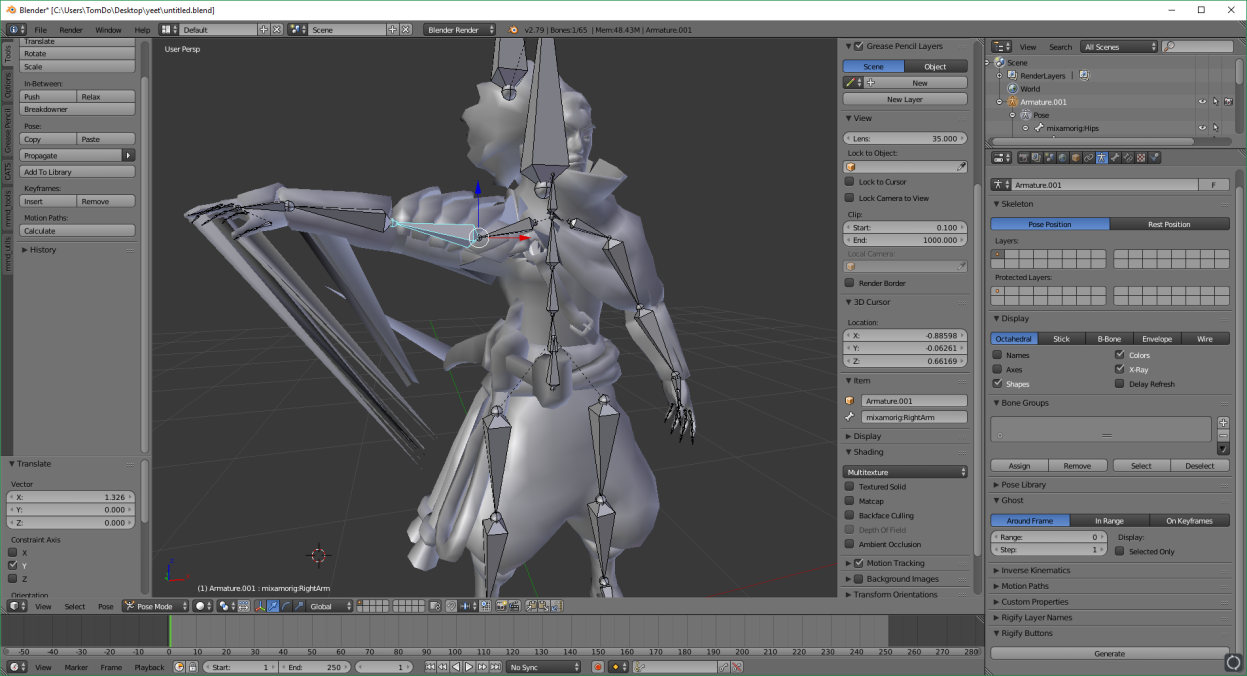
looks like your model's doing a 180 degree twist around the waist region for some reason in unity
"why" it's doing that, i honestly have no idea, other than the fact that unity seems to be really finnicky about bone rotations and directions for some reason
i'd give that a shot, and if nothing seems to fix it, try reimporting the fbx
if that doesn't seem to do much, i'd try subtly messing with the bone rolls and/or the head/tail coordinates of the bones in blender, without pushing the bone alignment too far off from the original
yeaaaah, i've got no idea why -- i had a model get imported with a normal t-pose on the armature but arms distorted like flapping chicken wings just earlier today
glad egret
hip bone wont rotate, how do i get it to?
pine harbor
changed one bone coordinate by a tiny bit in blender and then it went to unity with no issues...no idea why =_=
i'm more inclined to blame unity, all we can do is try to figure it out
calm needle
@arctic venture looks like you just need to weight paint the tips of the fingers
pine harbor
@fading verge did you try enforcing T-pose while configuring the rig as humanoid?
yeah
hmm...if all the bones were assigned correctly during the rig, and it's only the waist that looks twisted
can't say for sure if it'd work, but if you want to try something before reimporting the FBX or going back to blender, i'd just click on the hip/pelvis bone in your armature's hierarchy and try to correct it manually by twisting it back around
upload it once it looks right, and see if that makes it behave as you'd like -- don't think there's any real way to test it locally as of right now
glad egret
help how do i get this to face forward https://imgur.com/a/AuyHp
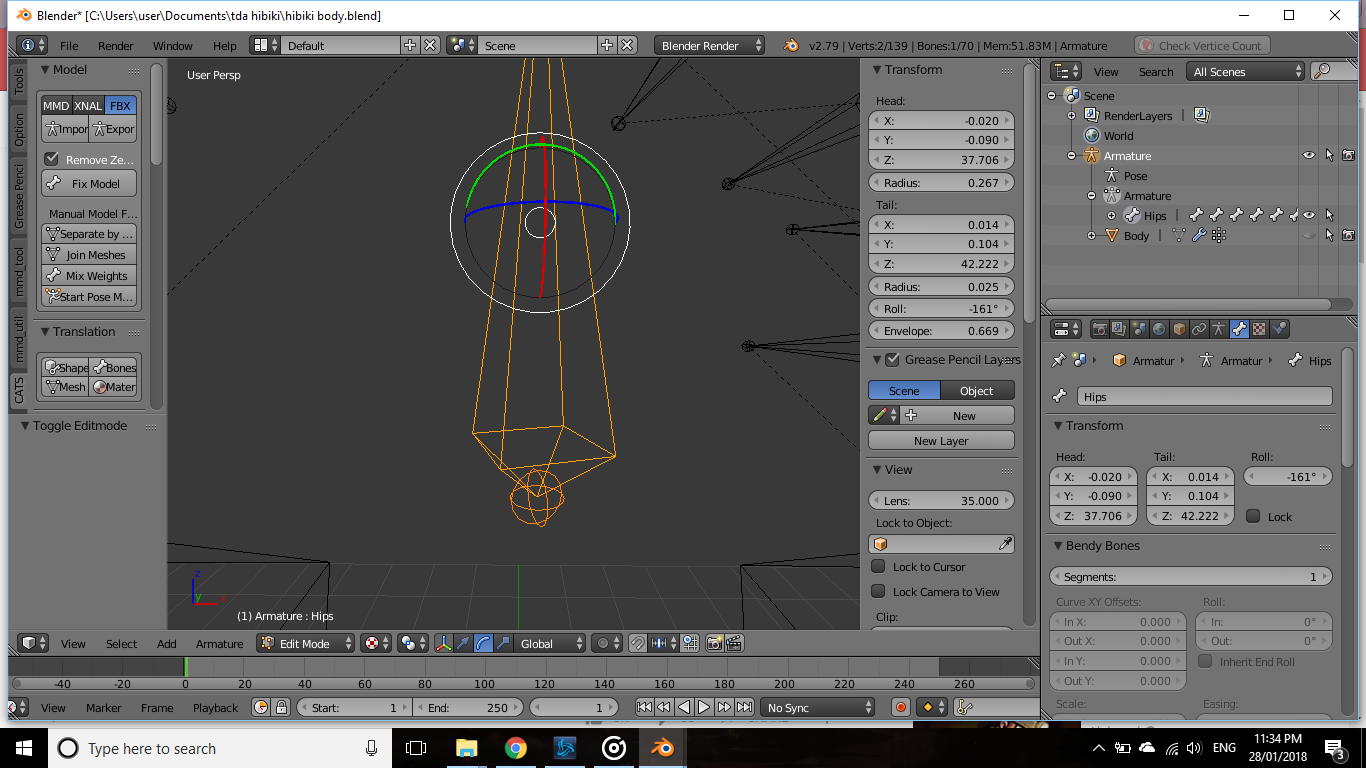 pine harbor
only basis for suggesting that is that i've tried twisting and repositioning some bones like that on multiple avatar versions, and they all look slightly different from one another after uploading
forward as in, towards you/the camera?
pine harbor
i'd just be inclined to mess with the tail coordinates of the bone, but i don't know what that'll do to the rotation
glad egret
that just changes the bone size
pine harbor
like, set the X and Y coordinates of the tail to have the same value as the head, and then the Z value to be lower to make the whole thing point this way (or was it the Y axis that needed to be different rather than the Z...)
but wait, that bone's the hip
i think it's meant to be pointing either straight up or down
glad egret
yeah but i dont think that rotation is normal
every other model of mine has the spine bone rotated right
but i cant fix this one
pine harbor
@fading verge i thiiiink it helps, but it's supposed to still work even if it's not T-posed as long as the bones are named and structured correctly
glad egret
does it matter if its rotated like that
pine harbor
@glad egret it might, but hopefully not -- the most common warning i get from unity is about the angle between the hip and thigh bones being incorrect
i get more errors if the hip bone's parallel to the ground rather than perpendicular to it
@fading verge that's probably unity being an ass with the import then =_=
 arctic venture
@calm needle Thanks dude found some hidden red areas in the model
coral relic
@fading verge I just had a very similar problem
in armature edit mode check every bones Roll on the properties panel (N key)
for me I had to reset roll to 0 deg
also Crtl+N recalculates roll, it might help you
looks like hips most of all
 shrewd linden
question I have this model that doesn't have any foot bones so I can't set it to Humanoid in unity. So I need to know the root node if i set it as Generic
coral relic
whatever roll you have on the hips, try changing it by 180deg
Jules, give it a bone at 0,0,0 and call it root
shrewd linden
huh?
coral relic
well, what do you mean by "need to know the root node"? maybe I didn't understand what you're asking
shrewd linden
trying to take a screenshot but it's not letting me
basically if you're trying to set animation type as generic in unity you need a root node
and idk what that is
coral relic
@shrewd linden if I understand correctly, you'll have to add a bone to your armature (if you don't have one already) that sites on gorund level in the center. you don't have feet so the game doesn't now where you touch the floor. said bone should be at the top of hierarchy (whatever the 'hips' are on your avatar should be parented to the root). https://i.imgur.com/L8C6ZkW.png
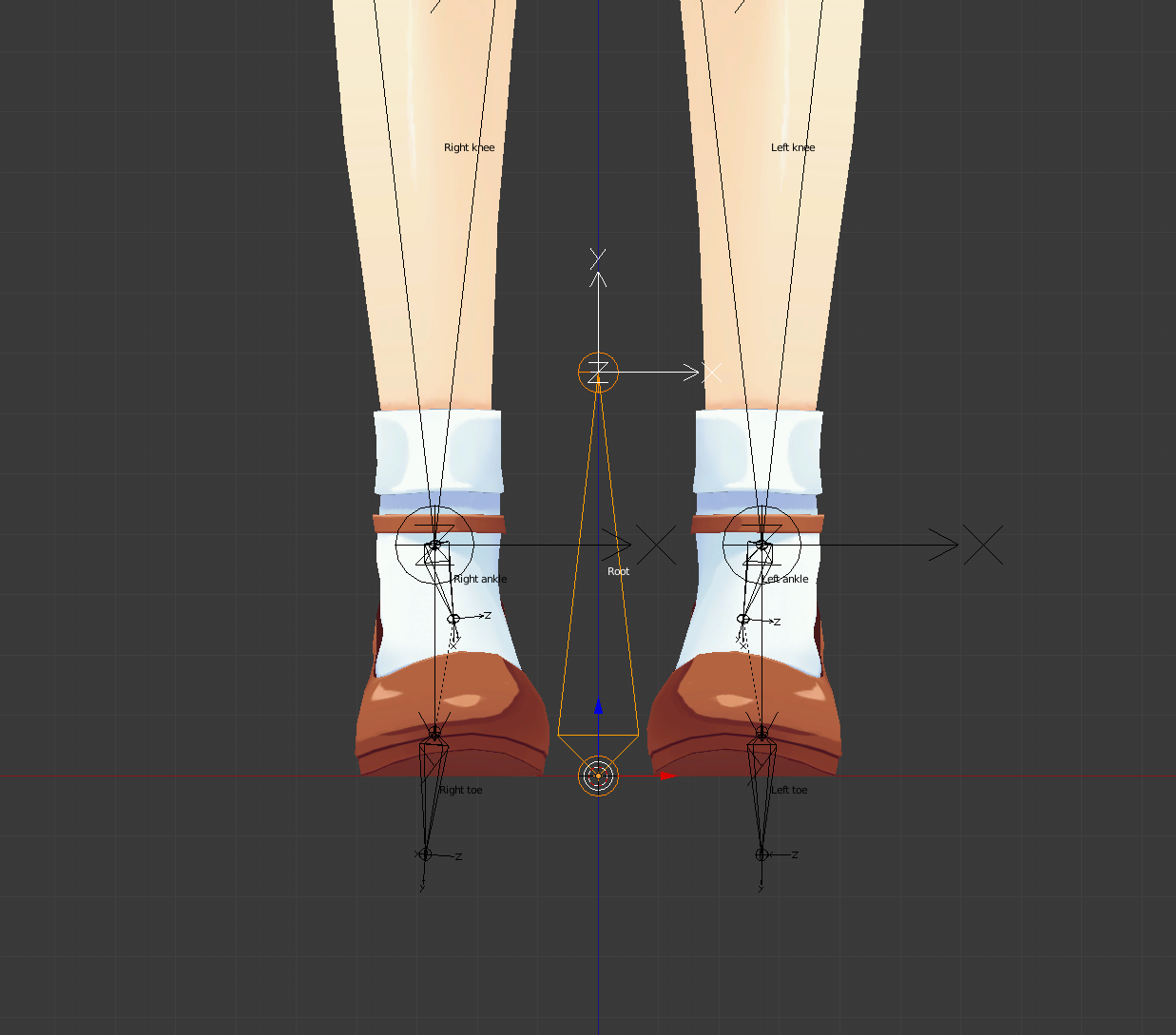 coral relic
I mean you can tell unity to use any of the existing bones as root node, but you may end up with half of your avatar in the ground or something
 lavish perch
Does anyone have any skeletons with dynamic bones?
coral relic
sure, why?
lavish perch
would i be able to borrow one anf try use it in maya to create my own avatar?
im kinda new to VR Chat
i want to create a model, bind it in Maya so all the weights are how i want them, but i want dynamic bones too, but idk how to do that
coral relic
you set up dynamic bones in unity, not it 3d software
lavish perch
Ah alright then, ill have to try and mess around with it myself, thank you :)
if you have any tips or anything to help tho when i start working on it, that would help too thank yo u:)
coral relic
Tupper has good video tutorials. Come and ask if you need help with something specific, don't worry.
make a standard skeleton in maya/blender, skin it how you like it and then after exporting to unity you use a plugin called dynamic bone where you tell the engine which bones wobble and how
lavish perch
Where would i find the plugin?
lavish perch
i dont has moneys
 cobalt geyser
Anyone ever experienced the arms of the model being shorter than yours?
I have 2 models with the exam same arm length, one has the correct length compared to my real life arm but the other doesn't.
even though they both have the same length
 cobalt island
The arm mesh might be the same length but maybe the bones are different lengths
cobalt geyser
so I might have to re rig the character?
fading verge
D:
lavish perch
Does anyone here own the Dynamic bone plugin, thats willing to just add quick dynamic bones to pre-made models?
fading verge
what is the keyboardcombination again for creating a bone in blender?
 teal pecan
I need some help

I have an avatar that faces the right way for me in mirrors but others see him walking and turned sideways
fading verge
I had a similar problem where my avatar faces the right way while walking but spins quickly when walking to the side?
Fixed it by disabling IK...
teal pecan
@fading verge Where do you disable IK at?
fading verge
My model only had 4 fingers so I just shifted middle to ring and ring to little, so it would have the middle finger missing in the rig
If your model has no thumb you could also set that to something else and it would disable IK
teal pecan
hmmm, all my fingers seem to be there though
fading verge
Is it a model you made yourself? You could set the ring and middle fingers to the same bones and define it as the ring finger in Unity
As long as either the thumb, index, or middle fingers are missing in the rig, IK will be disabled
teal pecan
It's not, but ok I'll give that a try, thanks
 hoary torrent
okay, so my model has cat ears inside the head and i want to get them out to stay permamently but idk how to do it within blender
 cobalt needle
Hey guys~ I have a little problem with my tongue bones~ everytime my character moves and I'm talking there are meshes glitching out of my head
I was told to parent the tongue bones to the head but I deleted them a long while ago in blender... any way to fix this another way?
fading verge
Weight paint the tongue to the jaw bone if you have one
 paper sparrow
hey quick question. does anyone know if VRchat supports bone constraints. I'm making a character that has pistons on its arms that need to extend whenever the arms bend. I just want to know if its possible. so i dont waste my time trying to figure it out.
fading verge
You're able to change how much everything bends when you set up your rig but aside from that I'm not sure
paper sparrow
ah what i need is 2 bones that always aim at eachother
one thats parented to the upper arm and one to the lower
 hazy tusk
I have a model with eye tracking, left and right work normally
But up and down make the eyes go forward and back
Like, out of the body, like they're on a giant circle thats larger than the body
But if the bone parenting was incorrect, I assume left and right wouldn't work either. Anyone had this?
paper sparrow
i believe they said eye tracking is broken this patch
hazy tusk
Yes but this isn't an issue there
Yes but this isn't an issue there
It's an issue with the eyes literally popping out, instead of looking up and down
In blender
So when eye tracking is fixed, the eyes will perform incorrectly
 opal aurora
Can you take a screenie of your eye bones?
paper sparrow
ah sorry i misunderstood.
hazy tusk
Yeh, I'll send em when I get home. Thoughts while on the road, sorry
opal aurora
Aight, safe travels
paper sparrow
its possible there is history on the bones or grouping with different orientations in the skeleton that might make them move in a different direction
at least thats usualy the problem in maya when you get results like that
 silent fulcrum
can someone tell me how to weight paint im having trouble its like im weight painting to nothing
paper sparrow
you should look up a tutorial on that. weight painting isnt something you just explain.
silent fulcrum
sure it is i just need to know how to start it off
paper sparrow
what program are you using?
 paper sparrow
ah, cant help you with that. i use maya sorry
silent fulcrum
tryin to paint both these blocks to the bone
but when it seems like im doing it pose mode doesnt move them
cobalt island
Are you weight painting correctly? blue is 0 weight and red is 100
silent fulcrum
mhm
when i did wat ex said it moved the pieces but pose mode still didnt move them
ok i got it now finally nvm
didnt have bone selected
 frigid flower
I cant seem to keep my legs from clipping into my coat, I know I need to use dynamic bones or colliders but not sure where to put them on my coat since it goes to my feet
 stuck edge
Any idea what's going on?
 zinc aurora
just 5.2 degrees off is still pretty close to 180, i get that error on lots of avatars and just upload anyway, havnt noticed anything wrong ingame.
fading verge
http://prntscr.com/i6tp6d any genius out there that knows how to make this tail bend

 vivid wagon
Does the tail have bones?
stuck edge
I think I can work around this
Just use my avatar without materials
as like the "driver"
fading verge
yeah it has bones
i put a dynamic bone in there to make it move, jsut cant figure out how to make it bend
vivid wagon
I havent worked with non-bending tails yet, sorry
fading verge
nps
zinc aurora
Might work if you split the bone into several, so its not just one long one, not sure that would solve it tho.
fading verge
I was thinking that but that would require putting it into blender again ;_;
vivid wagon
Worth a shot
restive hill
Yeah, you want to add bones and change weights, you'll need blender or something
 fringe stratus
I can't get the head bone to move the head, only the neck bone moves the head
opal aurora
@fringe stratus https://youtu.be/Tl4qTgwQwYw

Quick intro and guide to skinning/weight painting. this video is meant for those with a basic understanding of Blender
zinc aurora
@fading verge you can just import the fbx from the unity directory and edit it, it will update in unity and after double checking the bone mapping i think it should be fine.
fringe stratus
thanks
opal aurora
@fading verge add weight on your Y axis for the tail in the dynamic bones
The value can either be negative or positive but tends to use really large values
 ember basin
Does anyone know the difference between the Outside Bound and Inside Bound in Dynamic Bones colliders
 cosmic mica
how do i clear the armature pose in pose mode to reset it to what it was?
opal aurora
Outside keeps things out, inside bound keeps ehm in
@cosmic mica click on the armature (bones specifically)
Then click on the small stickman icon under the hierarchy window
Press reset on the pose
cosmic mica
thaaaaaank you
opal aurora
I'm sick as all hell can be but i can still help haha
vivid wagon
@opal aurora I hope you get well
opal aurora
Thank ye
 stable frigate
How do i get my avatar from not faceing the ground in unity? It breaks the avatar.
cosmic mica
@opal aurora Reset Position on bones does not allow me to contiune editting thier pose after that, turning it off puts it back in the bad pose
opal aurora
What do you want to do specifically?
cosmic mica
it was in a pose that was okay, but after i editted the bones cause i redid the hand (its a wierd hand) the pose worked on top of that new bone edit so now the bones are over-posed, i need to reset it to be the pose that the edit bones are in
hazy tusk
https://puu.sh/zbBck/02119f2ce5.png
@opal aurora question from earlier
 opal aurora
You could simply do such in edit mode on the bones
hazy tusk
https://puu.sh/zbBdh/37d537d4b2.png
left and right is clear tho
 opal aurora
I think the bones are too close to the eyes
cosmic mica
o_O?
i just need to clear the pose in pose mode
so that it defaults to what pose the bone edits are in
but i need to continue doing pose adjustments
actually now its not posing at all
opal aurora
I think there's a pose variable under the hierarchy you can remove after reseting the pose
cosmic mica
i did just that right now, and now it wont pose at all anymore
wait i got it
had to poke the slider
opal aurora
Hmm
 vast bolt
Is there a way to add a extra bone to armature? :[, or is that kind of a idiotic idea?
cosmic mica
im just gonna have to repose it manually
click the bone then press E and drag for new bone
vast bolt
In... Blender?
cosmic mica
yes
vast bolt
Alright.
cosmic mica
in blender
vast bolt
I'm too frightened to do that. After attempting it twice xD
tough oriole

Why this happen
All the bones are indiviual, but i copied and pasted them from eachother. Why is this happening?
Will this matter when I apply automatic weights?
opal aurora
Quick intro and guide to skinning/weight painting. this video is meant for those with a basic understanding of Blender
tough oriole
Nothing is weighted yet, this should be a problem with the parenting i think.
opal aurora
Use auto normalize to not have overlapping weights
tough oriole
These are all indiviual mesh parts.
opal aurora
Just givin' ya a heads up for weighting later on

 tardy harness
Hm, in Blender my pieces are in english, but in unity they're in japanese. Is there a fix to this?

 tardy harness
Yeah, I tried doing the whole "Shape keys" in blender. But it doesn't seem to work.
charred sorrel
my model keeps tapping his feet and i can't figure out why
i stand in one spot with my vr and his feet tap all weird
restive hill
Aliens.
 left hound
i added a xps pose on blender and its perfect but when i go to unity its not right any help?
tardy harness
Hm, so is there a way to translate it within unity or blender so I don't have to guess? Or do I just not "Fix model"
restive hill
Cats plugin
opal aurora
If you hit fix model the bones should be in english
tardy harness
Hmm. I did that and re-exported it and I'm still getting this http://prntscr.com/i6w8pg

 hazy knot
Did you hit the CATS translate bones button?
left hound
how to fix pose on unity?
hazy knot
I imported that same model and didn't have any problems
@left hound What do you mean? Whats' wrong with your pose?
tardy harness
Hmm. I did click on Translate bones, but it said that it translated 0? Does that matter?
 hazy knot
Are they just random floating verts?
charred sorrel
how do i get the feet to stop tapping?
tough oriole
they're a couple of bone digits in the skeletons hand
actual skeleton, not rigging skeleton
like knuckle bones
left hound
@hazy knot https://i.imgur.com/Uk5CegE.png
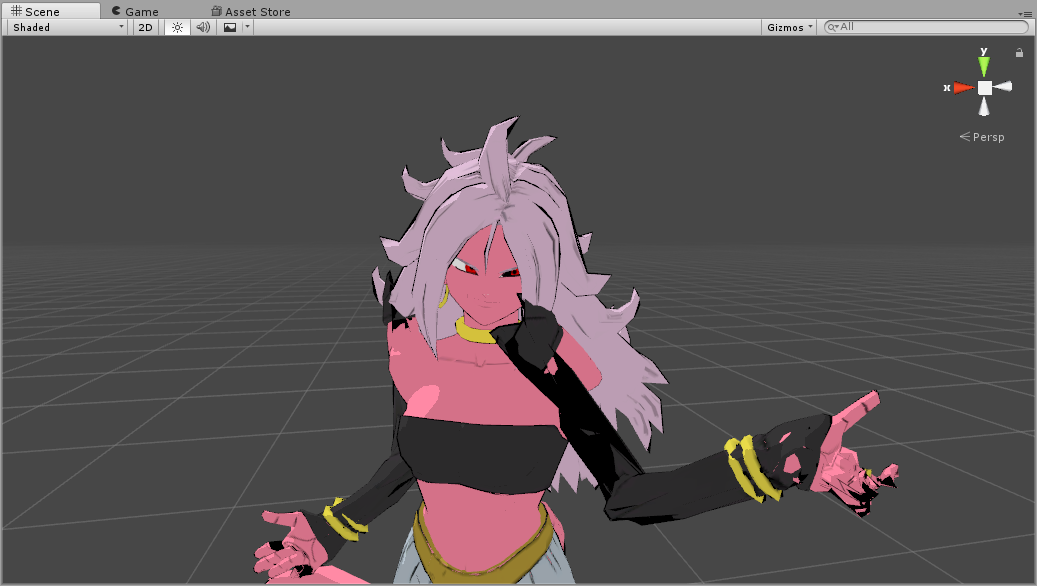 hazy knot
That I'd like to know. I think it has something to do with the model not having toe bones and the height being offset, @charred sorrel
tough oriole
each bone is an individual mesh
hazy knot
But are they needed for something or could they be deleted as duplicates?
charred sorrel
@hazy knot ahhh, could it also be a pelvis error?
hazy knot
Maybe. I haven't pinned it down yet and I wonder if anybody has found a solution
charred sorrel
i keep getting the pelvis/thigh bone issue on every single model i rig and i ask in here a lot, but nobody ever answers me
tough oriole
I'm gonna duplicate the whole hand and flip it to make a right hand
but those 2 are just kinda
there
and i need them to NOT be
hazy knot
so select the verts and delete them? That should be enough.
tough oriole
oh I think i get it
hazy knot
go to mesh, edit mode, b to box select, grab them all and delete
 hazy knot
@charred sorrel I saw a tutorial that showed how to move the spine up if there is a rotation issue, it's done in unity on the avatar rigging screen. I've not tried it myself but I might give it a go after I get home from work.
charred sorrel
move the spine up? that might make sense
i'm at work as well but i'll try that when i get home!
it's not the bone rolls, i already tried that
hazy knot
Yeah that way the rotation is closer to a straight line 180
charred sorrel
when i went into side view and moved the thighs in/out towards the front and back of him it gave me different angle measures but got no where near 180, it just went up to 110 and then went back down
hazy knot
I'm not sure, Poly. I'm still learning Blender myself. I don't have a copy in front of me to look through the settings. Maybe check the mesh option in the bottom left for any options that might relate to linking?
tough oriole
I'm getting it
hazy knot
Yeah I'm pretty sure that measure is the degrees between spine and hips
hazy knot
sweet
tardy harness
Hm. Should I start from scratch @hazy knot ? I'm still having the issues with jp text.
hazy knot
might want to try just importing and fixing immediately. Check if the bones change
I know that model is a pain to decimate
charred sorrel
I'll play with it, what time do you get off work @hazy knot ? Could you let me know if you find a fix?
hazy knot
I'll be home in about an hour
charred sorrel
Oh awesome, lemme know! I've been searching everywhere for a fix for this stupid error
not even google had it, it just kept spamming a link to a steam thread where someone only responded with "same problem" but no solution
opal aurora
What's the issue.
charred sorrel
pelvis/thigh bone angle error
hazy knot
happy feet dance
charred sorrel
all my models that have the error do it
opal aurora
Rotate it into place?
charred sorrel
i tried rotating the bone and it didn't change anything
opal aurora
In blender?
charred sorrel
yeah
opal aurora
Is it straight up.
charred sorrel
i tried to adjust it to be straight, didn't do anything either
opal aurora
Large side down, small side up
charred sorrel
yup ;;
opal aurora
What's the angle deviation.
opal aurora
It's straight up and the angle says it's 82?
charred sorrel
yep
opal aurora
That makes no sense...
Change your rig from humanoid to generic and hit apply
Change back to humanoid and hit apply
Check configure tab to see if everything is correct
Try to upload again
charred sorrel
i also tried that unfortunately, didn't change the angle
if you're around in about an hour and a half i can provide screenshots, i'm at work D:
opal aurora
Does your hip bone have any roll?
charred sorrel
i tried to change it to 0, 90 and 180, all didn't change anything
it's the weirdest error
i don't know how to fix it
opal aurora
Have you also tried to drag outvthe model into the hierarchy again?
The prefab might've gone rogue
hazy knot
Yeah if you drag it in before you rig it, sometimes that can happen
opal aurora
Also when you're in blender, go into edit mode and select all the bones
Press alt+R and it'll set all their roll value to 0
fading verge
I know in Maya bones can have an "orientation" which determines which angle they rotate; I'm not sure if these are reflected in Unity or not
charred sorrel
yeah, i tried to redrag, i get the error every time D:
i don't think all my bones are 0 so i'll try that once i'm home
but the thighs and the hips/spine are all 0 and it didn't work
opal aurora
That's quite odd...
charred sorrel
is it the roll that's the issue or the position of them? cause i don't have a screenshot on me but i'll sketch what the bone structure looks like real quick
opal aurora
This is essentially how it must be https://gyazo.com/82c6908734b1ba00562a67de8f63cecf
 charred sorrel
it won't let me send a pic
hang on
that's essentially what it looks like on my model
i'll provide a screenshot when i'm home
tough oriole
How to i reparent the right hand

Right hand (on the left) is a duplicate of the one on the right, and you can see the dotted line that still connects it to the arm bone on the right. How do I set it to be the arm bone on the right?
This isnt the rigging skeleton
this is meshes
 opal aurora
This is joints
tough oriole
How do i remove it
 ivory hedge
How would I get my model to reach out and grab in game objects? My model doesn't seem to want to grab things in game such as things in the Lobby like those blocks on the tables.
tough oriole
I'm not sure where it is @opal aurora
opal aurora
Can you take a screenshot of your hierarchy?
tough oriole
it's big and stupid
hazy knot
@ivory hedge , did you rig the model in unity properly?
 ivory hedge
@hazy knot Yes I did and it still doesn't seem to work.


 hazy knot
do you have a bone structure set up yet?

 opal aurora
Why are there 2 extra pelvis bones?
tough oriole
?
hazy knot
So find the bone that is parented to the other side, if you click the bones you can open the bones tab on the right and click through, and there is a tab on the right that shows you what each bone is parented to. You can edit that box in edit mode.
opal aurora
I see 3 bone extrusions on there
hazy knot
You do have two extra bones on the pelvis that aren't probably needed.
tough oriole
Ah, i have those as hips
I could delete them, yeah.
but Bean it's not anything to do with the bones
its the mesh
hazy knot
The one thing I'm sad about is that unity doesn't utilize the groove bone like MMD does. No more hip swing action for me 😭
tough oriole
The "Wrist bones" mesh is attatched to the left arm's mesh elbow

exsgt said it's something to do with joints
opal aurora
Yep, rigid bodies & joints are unused entirely in vrc for avatars
tough oriole
I'm just worried cause it does this when I rotate one

Also, the left forearm bone is a mirrored copy of the one on the right
 tough oriole
The actual bone rig is completely fine
opal aurora
Then it should be fine overall
left hound
after clicking fix model the pose that i wanna use gets reset to the original t pose any idea?
opal aurora
Pose it after fixing
left hound
it doesnt work.
opal aurora
Why not?
 left hound
dunno why but after i click fix model even if i try to import the pose, the model will stay in t-pose.
opal aurora
Oh it's that kind of pose...
left hound
i even tried to rename the bones in pose file but still it doenst work
 opal aurora
Alright i'm honestly unsure of where you'd go from here but, to actually keep that pose you may need to export it without fixing
tough oriole
After auto weighting the skeleton to the meshes, the left hand gets exploded.
I HAVE to remove that joint or the left hand explodes
 spice jetty
did you try seperating by materials then auto weighting?
left hound
well if i export it without fixing the model the pose is fucked up on unity xD
tough oriole
@spice jetty ?
hazy knot
@left hound What I do for importing MMD animations and poses is use a stock MMD model without fixing, import the animation onto it, export it into unity and rig it as well as you can, then dupe the animation out of it.
spice jetty
i had trouble with auto weights then i saw a video and the top comment said seperate mesh by materials then auto paint each piece
hazy knot
After that you can use the animation with any normally rigged unity model.
opal aurora
Yep that's also what i do
left hound
same goes for xps models?
 opal aurora
There's normaly a few surefire rigged bones that work well with vmd's
tough oriole
Cube.013 shows the highlighted mesh of the area
hazy knot
Pretty much the problem is that a lot of the bones for the animation get renamed. The animation stops being able to stick to the skeleton, so in theory, yes.
left hound
the model that i have its xnalara not mmd xd
hazy knot
Same concept
left hound
is there a tutorial on that?
opal aurora
Doesn't matter honestly
hazy knot
Just be aware, you'll probably lose your hip sway.
 vocal pollen
Has the SDK been updated?
tough oriole
I found this

It's parented to that mesh
but when i remove the parent

it explodes upwards
Should i just re duplicate the hand and remove the parent first?
tough oriole
In unity, to you HAVE to disable upper chest and replace the spine bone?
what's the purpose of that?
cosmic mica
i know i asked this before but how do i clear the pose in the armature pose edittor, i need it to be the pose that the dit bone is defaulted on
Reset Pose locks it, i cant edit it while its on
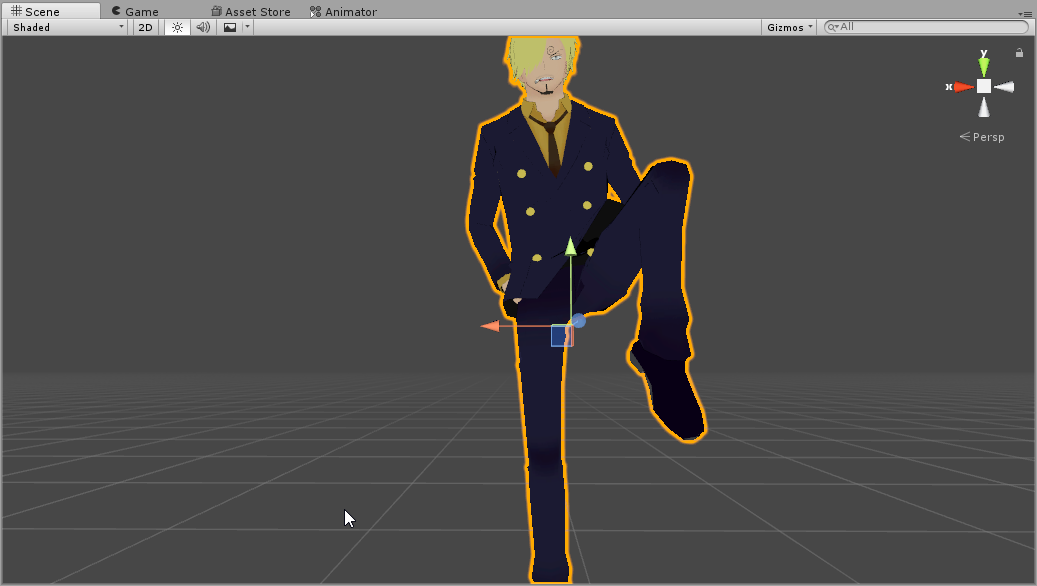
 weary geode
@cosmic mica In pose mode, highlight all bones with A, then press Alt + R/G/S to reset Rotation/Position/Scale
 jovial dune
@left hound far as I know, you’ll have to do it in blender
 random lotus
For all god gosh i cant figure this out, this models rig is fine but when i load it in vrcaht
jovial dune
But google something like changing the ”resting pose” and you should find it
 jovial dune
Have you checked the weights in blender?
weary geode
@left hound In blender, you can set it as rest pose by posing your bones in that position, then Ctrl + A > Apply as Rest Pose, and then applying your armature to the model and then add new armature
random lotus
https://cdn.discordapp.com/attachments/401816037269438484/407335729262231553/unknown.png see? the rig is fine, i dont know what else could cause it
 jovial dune
And is upper chest cleared?
random lotus
If you're talking to me, i will check the weights again and the upperchest is cleared
jovial dune
I’ve never seen what happens if you include and upper chest but that looks like a chest problem
Yeah check the weights
random lotus
Ok now i fixed the weights but i have to move his ears back to the position i want them in but when i do before i can even get them there they start to bug out

This model is driving me insane now
tough oriole
Why does my character crouch when looking up in vr?
charred sorrel
mine does too
my character's arms also bend all funky when i put my arms down to my sides in vr and it's not the tracking. any ideas?
@random lotus it's not letting you move the ears back in pose mode?
 brisk bane
not sure if this is actually possible..? but here it goes.
i'm wanting to be able to use two materials for one Element (or section of the mesh), so i can use seperate shaders, but i dont know where i can specify which sections of the mesh is each element, if that makes sense? So if i were to increase the materials size, how would i specify which element is tied to the portion of the mesh that i'm wanting?
https://gyazo.com/dbcdef4c7aaf779ac7df5d12f410d7a2

so Element 12 is my characters mask, as you can see here: https://gyazo.com/7bba1be7bd43fd46441a16908dc0d364

but if i went ahead and increased the size to 16, how can i bind the new Element 15 to the mask part of the mesh?
weary geode
you can't do that in unity
new elements that you add won't be assigned to mesh
you need to create new materials in blender
weary geode
then in edit mode in blender, you select which faces you want to apply to material, then select the material and click apply button
brisk bane
thanks
 naive tree
welp, i'm going to hate myself, but I'll be adding loads and loads of backpack pins, later on gotta make 1 material for them, rescale and merge all pictures and uv them.. fuck me
or leave it to be 50 materials 
 astral ridge
Are vrchat servers up yet :P
light kindle

trying to rig my my characters left
anyone know what to do?
dont have much experiance so i cant tell if this is normal
 autumn parrot
I'm trying to rig my model with riggify, but this happens when I try to bind the mesh with the armature

Anyone know why?
 dusk pilot
Just use miximo dude. Works like a charm.
autumn parrot
I have this character rigged with Mixamo, but I want to rig his face plus Mixamo only rig 4 of his 5 fingers
dusk pilot
Rig the face? You mean like lip sync?
autumn parrot
I just want him to open/close his mouth when I talking and open/close his eyelids
dusk pilot
That isn't controlled through bones. You can make shape keys for those.
autumn parrot
I'm a total noob, how can I do that?
Thanks, I'll try it
Also, do you know how I can edit the Mixamo's rigg to add a finger on his hand?
dusk pilot
Np as for the fingers you can simply make new bones, position them correctly, automatically weight them in blender and set the parent to the hand.
It's a bit of a process I would explain it in detail but I'm sure other tutorials exist.
autumn parrot
I see
 peak drum
hey, i'm trying to set up the textures on this model but the mouth of the model appears incredibly small, as a dot, on the uv map and i can't seem to make it larger. does anyone know how i can fix this? https://gyazo.com/df4d086bf3730612e6a620c927a6a160

the dot in question is in the lower middle of the texture
I'm getting it with the eyes too
hold up, i clicked unwrap and it fixed it
 wooden elbow
I'm having problems all night: now it's telling me that the model's upper arms aren't specified, but they are! How can I fix this?
 final cave
So when i try to rigg up this it says your rig has upperchest mapped in the humaniod rigg. this will cause problems with ik anyone know how i would go about fixing it?
wooden elbow
@final cave Don't worry, it's an easy fix. Just delete the upper chest bone.
autumn parrot

I've followed @dusk pilot 's tutorial but the mouth of my character is like that lol
His lips are glued on each other, it is not like that on the original model. Is there a fix for it? Can I like, cut the midle between his upper and lower lips?
 slender shuttle
Does anyone know how to change the resting face of an avatar? Thank you!
 thorny gate
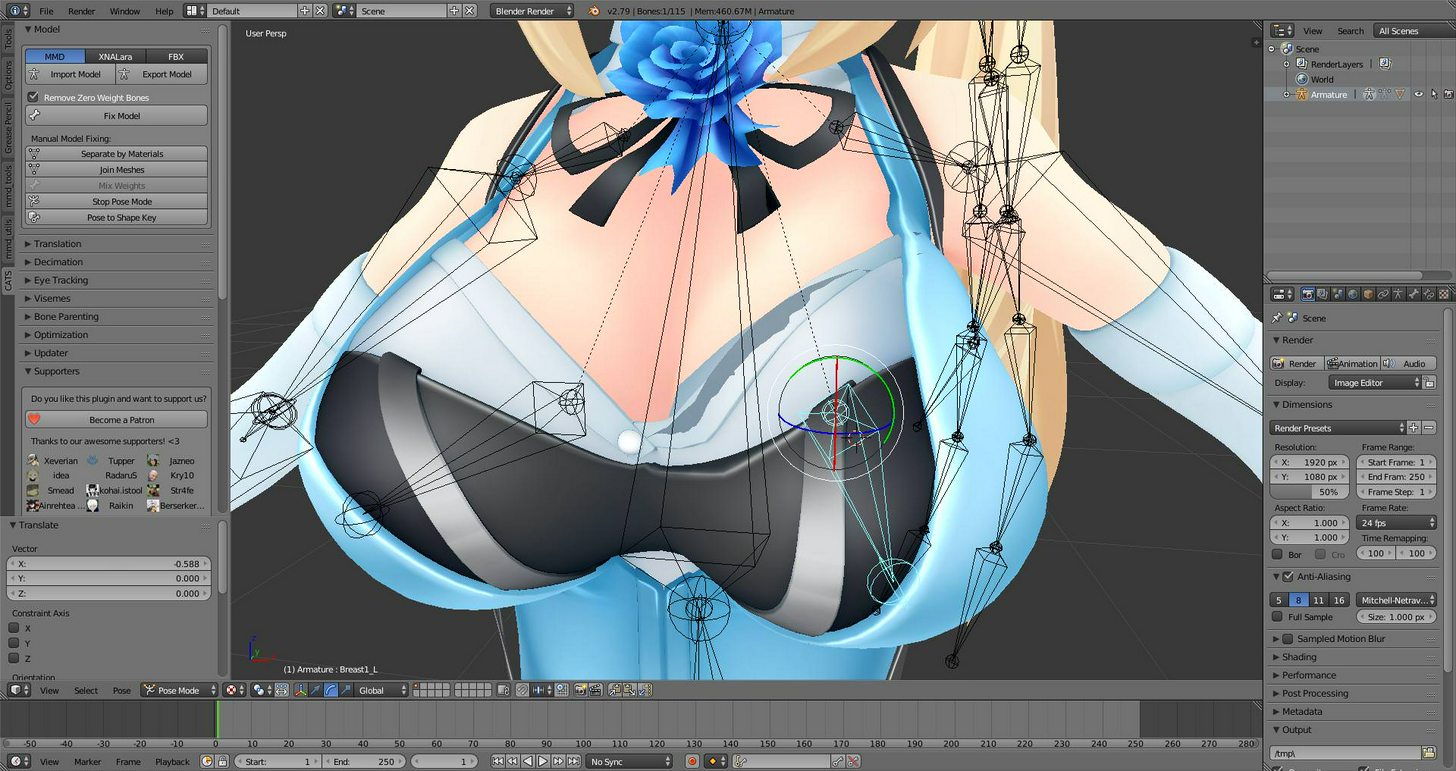
Any idea
Why this type of tearing happens?
And how to fix?
The whole area is weighted
But it's still fucked
fading verge
@thorny gate did you expand that area somehow, looks like a part of the mesh is clipping into the breast
thorny gate
I'm only doing that to show what happens when I rotate a bone.
Look at the left one
That's what it normally looks like.
@fading verge
fading verge
there's a piece of the mesh inside the breast that probably isn't weighted
you weighted the outside, but you need to switch the view and look for the unpainted area inside the breast
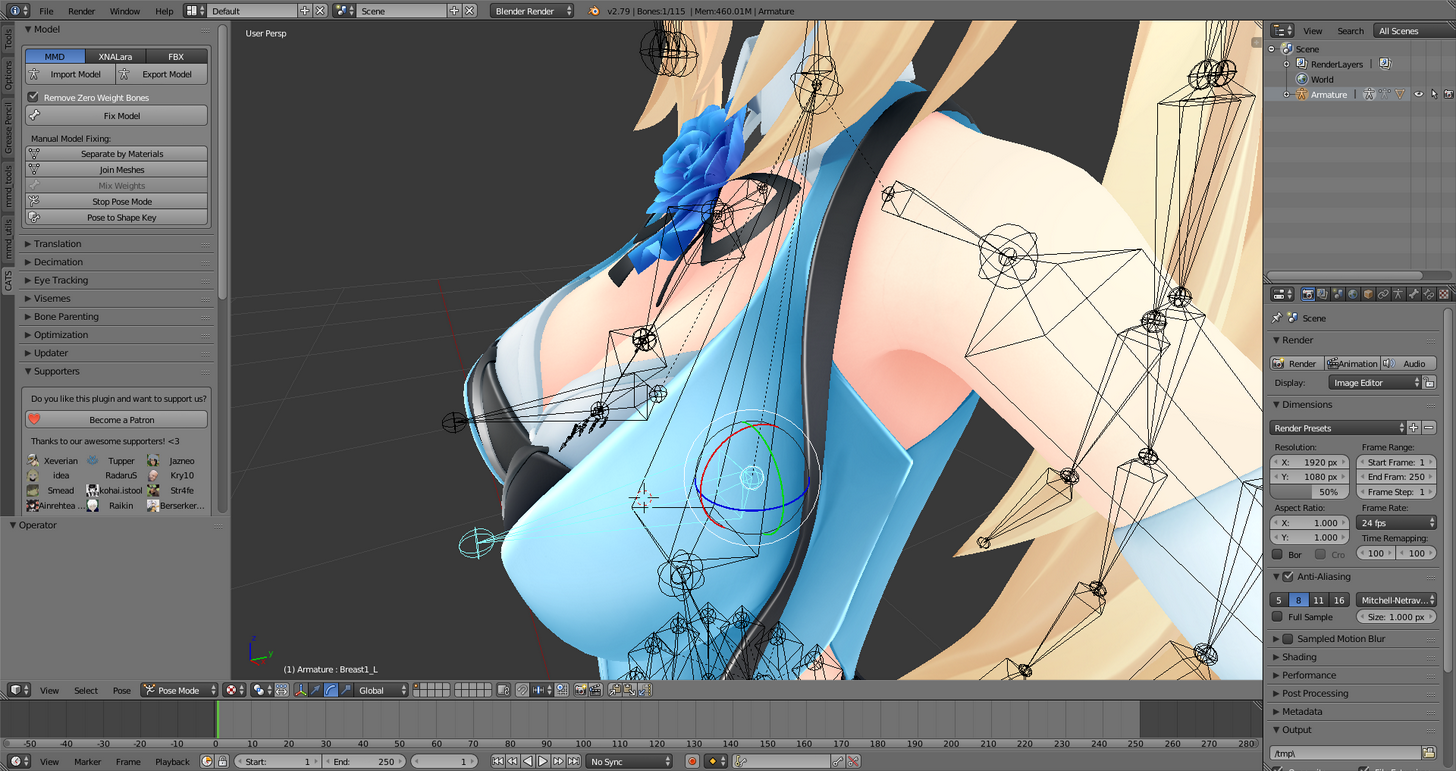 fading verge
@thorny gate select the mesh and go into Edit View, change your viewpoint to Solid
edit mode*
just move your camera around and into the model and you should clip into the breast area. then you can check there for unpainted mesh
 timber lion
https://i.gyazo.com/3b82ea16c909de0728c9a9a188a273d3.mp4 asks in here but cats made these eye bones like this, is there any way to make it.. like.. not?
cosmic mica
i have a model plane with a texture that needs to be 2 sided with transparent cutout, what shader should i pick?
fading verge
@thorny gate if that helps, I'm just telling you the best way of actually seeing the part of the mesh inside the breast
thorny gate
okay, thank you.
charred sorrel
@opal aurora you around? i have screenshots now
or anybody that can help with this
opal aurora
Aye i'm here
 opal aurora
I see atleast 3 hip bones
 opal aurora
His tail is sideways on the hip in both directions?
charred sorrel
wait okay so i don't need those bones?
the ones coming out to the sides and parented to the thigh
opal aurora
Alright so... do you have cats or neitri's tools installed in blender atm?
charred sorrel
i do, but when i tried cats it messed up my skeleton and said i was missing a bunch of bones
opal aurora
You aren't going to try cats on that department
Are the side hips connected to the main hip?
As in parented
charred sorrel
alright! lemme try it
opal aurora
On a side note, i think that what were going to do now is going to fix your issues
@charred sorrel you're not just parenting them and exporting it right away right?
I still got a thing or two to do about it
opal aurora
Select bone of them
Actually
Check if the upper legs are connected in the bone properties
If they are uncheck that box
opal aurora
Select the 2 hip bones now
Press mix weights on CATS
That will transfer the weight from both of them to their parent
Which in this case is the hip
After that is done, export it, change the rig from humanoid to generic and apply, then back to humanoid and apply
Check the configuration to make sure everything is alright
Done, try to upload
charred sorrel

aghhhhh
what in the world is this error
it's configured correctly in unity, i didn't have to change it at all
opal aurora
Hold up a sec...
dusk pilot
@autumn parrot try seperating the upper lip as it's own object (cntrl+p) and rejoin them (control+j)
opal aurora
Lemme look at the bones for a bit
charred sorrel
i do use vr ;;
dusk pilot
@charred sorrel I get that warning on 99% of all my models. They still look good in vr.
dusk pilot
tap?
charred sorrel
my model can't stand still, their legs move really restlessly and they crouch when i look up
opal aurora
Let's try something
dusk pilot
That doesn't happen to me.
opal aurora
Go into the configure tab
At the bottom right there's a small tab called pose
Click it and press enforce t-pose
charred sorrel
WAIT
opal aurora
Hmm?
charred sorrel

OKAY THIS EXPLAINS A LOT
it was connecting the bone to the root and not the hips???
opal aurora
What is it?
charred sorrel
mapping*
opal aurora
Ohhh
charred sorrel
DUHHHH OMG
WOW i feel dumb
it's still not quite 180 though, how would i get it closer?
opal aurora
Well go fix that angle up even better now then haha
charred sorrel
 opal aurora
Give me another side angle but with the mesh hidden
 opal aurora
Tilt it slightly to the left
charred sorrel
YOOOOOOOOOOOOOOOO that fixed it!!!
opal aurora
There ya go
charred sorrel
i'm still learning sdklfjsd, i'm only a few weeks into doing this stuff and i just got vr a few days ago so i wanted him to be near-perfect
thank you so much literally, no where on google had any solution to the issue
charred sorrel
aw thank you! i'm trying omg, there's so much stuff to learn
it's frustrating but it's worth it once it's finally working
opal aurora
After you spend enough time in this you learn crazy things
 thick yarrow
 opal aurora
I could just start porting models for source game mods with my experience so far
And that's just 4 months
charred sorrel
are they weighted to the mesh @thick yarrow ?
oh dang!!
that's awesome omg, only 4 months??
you weight paint it i think
opal aurora
Weight paint
charred sorrel
to the hand bone
opal aurora
Quick intro and guide to skinning/weight painting. this video is meant for those with a basic understanding of Blender
If necessary
charred sorrel
put the armature into pose mode then select the mesh and put it into weight paint mode
opal aurora
Use auto normalize so weights don't overlap
With the hand specifically
Or if the spear has bones and weight, parent the side of one to it
That doesn't really matter
As long as you remember what the bones are they could be in japanese for all unity could care
charred sorrel
okay i just tried him in vr, his legs are working a lot better (he still taps but it's not as bad)
though there's one problem
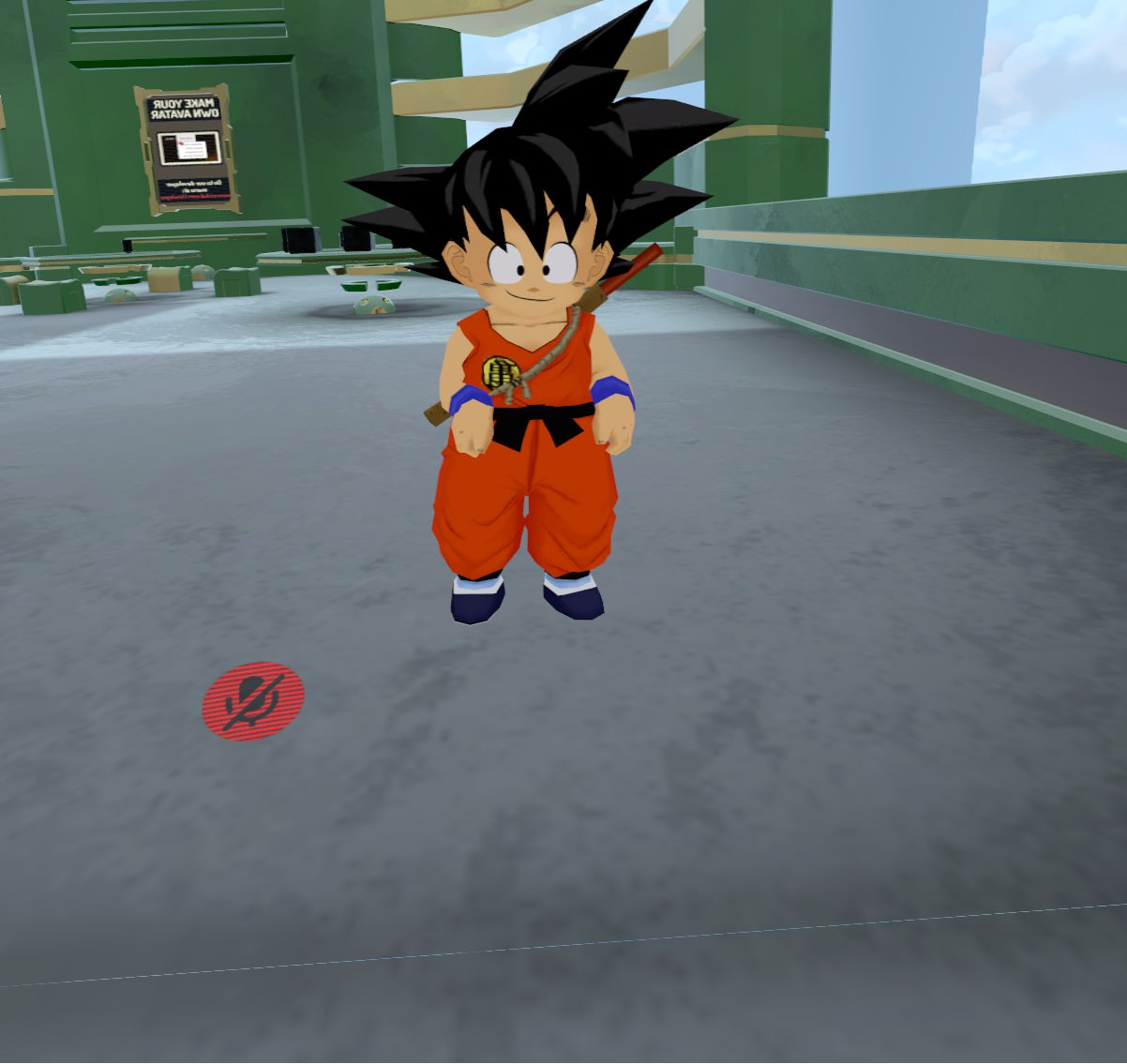
that's what happens when i have my arms down at my sides and it's not my tracking
at least i don't think it is? i can crouch and feel around the floor 360 just fine
opal aurora
It may be arm lenght issues or...
Do you have dynamic bones on your hip bone perhaps?
charred sorrel
http://prntscr.com/i6zwch here's the structure

i have a dynamic bone on the first bone of his tail with his hips as an exclusion
though as of that screenshot the dynamic bone wasn't working
i forgot to put the root
opal aurora
Are the hips parented to anything?
 hot plank
If a character has a dress, to which bone should i assign it? Dress shouldnt have bones yet. So should i assign the bottom half to hips or Spine?
charred sorrel
oh hips aren't parented to anything what
opal aurora
Depends on the dress
naive tree
ususally dress goes to hips
opal aurora
Nah keep them unparented
hot plank
Its a long dress that i did cut down in half because i want the upper part move with the chest
opal aurora
Yuumi you got vee arr you can diagnose this
hot plank
Kinda tight, so it shouldnt move too much
naive tree
i just turned off vr
want to add some dank accessories to my cop miku and fix the hentai magazine
charred sorrel
do you happen to know any cause for the arms acting all wonky yuumi?
he's fine regular desktop playing but in vr his arms won't go down to his sides
they just kinda bend funny
naive tree
bad bone position? like shoulders too far out?
charred sorrel
 cold seal
How much is it to commission a rigged vrchat ready character (already have model)
opal aurora
It's weird because i mostly see people in vr almost always with their hands like that
naive tree
@charred sorrel i mean that's how people ar ein vr, as controllers are in front
charred sorrel
oh is it normal for vr to wonk their arms like that then?
naive tree
yes, that's normal
opal aurora
I rarely see people with their arms fully down
charred sorrel
ahhh so there's no errors or anything?
charred sorrel
just wanna square him fully away so i can work on learning how to do animations
ah cool! thank you!
naive tree
your hands are down if you put your controllers to sides
but if they are in front, your hands will be like that
as they are tracked at that position
opal aurora
Well dere ye go
naive tree
that's how you identify vr ppl immediately 😄
charred sorrel
oh i put my controllers to my sides and his arms just kinda stay bent
https://imgur.com/AgIOeco that's my arms down to my sides
naive tree
🤷
charred sorrel
i use an oculus rift with 3 sensors so i have 360 tracking, it can't be that
opal aurora
It may be something to do with your arm lenght or even the bones' sizes in general, i sadly am unsure
naive tree
my arms bend kinda odd on my schoolgirl miku
the elbows to be precise
prob cuz they are too short
or idk
opal aurora
If your arms are smaller than the models' they bend
If your arms're longer than the models' arms, they stretch
 opal aurora
Or atleast it makes sense
charred sorrel
i tried adjusting my height in vrchat and instead i clipped into his hair
so i can't go any taller ;;
naive tree
i use my actual height on all my avatars and unmap toes
trying to put avatar height only caused problems
and im 180
vs 130~ avatars
charred sorrel
i tried my actual height and his arms still bent funny D:
opal aurora
Yer bloody taller then meh
charred sorrel
does mapping toes mess up anything?
naive tree
makes people tip toe in vr
charred sorrel
i kinda wanted my avatar to go on tippy-toes when i do in vr but i was told to keep toes unmapped
naive tree
or tha tmight be caused by bad bone position, but i just lower my ankle bone horizontally with the ground and unmap toes in blender
charred sorrel
that's how i have his, i wanted to do tip-toes but i don't know how to do that without messing up ;;
naive tree
to make him tip toe i think u need toes at the ground level and the ankle above
just an idea
opal aurora
Wait really?
naive tree
i dont know
that's what i would try
then work from there
oh, you can also decrease your height
that made my miku tip toe
when i went from 140 to 180 she went to normal
opal aurora
I thought just having them at ankle-level, weighted and both essentially at ground level was how it worked
naive tree
you'll probably right exs
opal aurora
I mean i'm sick n' tired, literaly, so i might be spitting out bs


 mental lynx
Where is that window, if I may ask
charred sorrel
 mental lynx
Thank you very much!
charred sorrel
you're welcome!! lemme know if that works! it happens to my model too
mental lynx
Worked instantly
charred sorrel
oh good!!
 charred sorrel
can you screenshot your mapping?
cold seal
😦
 foggy juniper
lol same
foggy juniper
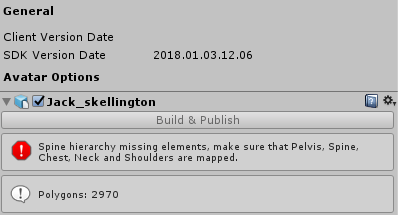 charred sorrel
can you guys send screenshots of your skeletons?
foggy juniper
https://gyazo.com/a0d9624ef9b950d354c53b0dcd8c179e
I dont really know what you want a screen shot of?
 charred sorrel
your shoulders aren't mapped
foggy juniper
ohhh
charred sorrel
map the breasts to the shoulder bones and go to muscles to make sure it moves correctly!
foggy juniper
im an idiot
charred sorrel
NO YOU'RE FINE
i was sitting here getting angry at everything because of the pelvis/thigh error when it was mapped to the wrong bone the whole time
foggy juniper
yeah it was just the shoulders. thanks so much 🙌
charred sorrel
no prob!
fading verge
http://prntscr.com/i70a4q does anyone know how i make this tail fricken move

driving me insane
charred sorrel
dynamic bones
foggy juniper
^
fading verge
yeah
 fading verge

 quiet zinc
Hey guys. I'm new to doing anything with VR, literally started playing four days ago & now I'm trying to do modeling for the first time. I've seen a lot of videos but I'm still having trouble doing the very basics. Is there anyone that will take a commission? Or a place I should put a commission? I feel like it would be faster & better than me fumbling with it.
charred sorrel
it doesn't look like you have the spine/chest/hips right @cold seal
cold seal
model came that way
charred sorrel
@fading verge lemme send you the settings for goku
foggy juniper
@quiet zinc if you do want to do it yourself this guy's videos are long but very good to follow i found https://www.youtube.com/watch?v=nRnu_V9LUU0

Disclaimer - Sound broke on me part way through creating this so you will need to continue with Part 2 sorry for the inconvenience! Blender: http://store.ste...
fading verge
Alright thanks dude
charred sorrel
also i recommend adding a little bit of shape to it so it's not sticking out straight!
one sec
ohhh
i think i know why it's not moving
under exclusions put 3, for each put hips, thigh L and thigh R (or upper legs, whatever you named them)
then you can test it in unity by clicking the play button, selecting the whole rig and wiggling it with the arrows
if it doesn't move correctly i got goku's to be really wavy if that's what you're going for
fading verge
yeah i want it to be wavy basically
charred sorrel
http://prntscr.com/i70b4m here's his settings
 quiet zinc
ya I think I want someone to do it for me
I feel like I'm not really doing as much good as i am just destroying my model & stuff
charred sorrel
http://prntscr.com/i70bsz that's how i have his tail so it's not sticking out straight, it's just proportional editing in blender
 foggy juniper
Drakkar what model is it?
 rotund socket
My avatar has a scarf and when the head tilts down the scarf clips. What am I looking for in blender to fix this? I know it's something simple. The term that is.
quiet zinc

this
trying to get this rigged & I'm not really understanding what I'm doing. Plus VRchat doesn't accept a lot of the upload attempts I make just to see how scuffed it is in game
fading verge
@charred sorrel It's still not moving at all ;-;
 flat sierra
is there a way to remove all vertex groups at once? cause this model has like 50000 and I gave up trying to remove it by hand after 20 minutes
naive tree
@flat sierra http://prntscr.com/i70gjl
 cosmic mica
in regards of a drawing trail, my marker trail is not staying behind after im done with it. how do i make it stay behind so i can break letters apart instead of being stuck with one long line?
 low parrot
If I've exported a model from Blender into Unity, can I edit it in Blender and then re-export it to Unity and keep everything I edited in Unity? I really don't want to have to re-make a marker for it and such
Specifically to add visemes to it
fading verge
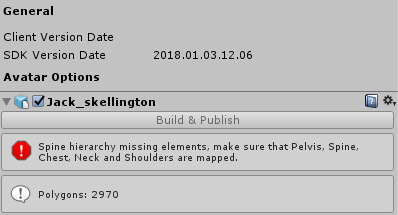
any ideas why this is popping up when the bones are all mapped? https://gyazo.com/8a7b03baf6b648d27db0956121ef7bb0


 low parrot
Post your bone hierarchy?
quiet zinc
I really need to commission somene to do my model