#avatar-rigging
1 messages · Page 86 of 1
 robust gull
robust gull
robust gull
winrar or 7zip?
 leaden moth
7zip?
robust gull
Think tupper have a video on that
robust gull
No sorry happend to me ones i just restarted and it worked sorry
leaden moth
..
 spice jetty
tupper talks about how you have to go through an extra step if you use 7zip https://youtu.be/7P0ljQ6hU0A?t=960

VRChat Community Discord: https://discord.gg/VRChat Download VRChat! http://store.steampowered.com/app/438100/VRChat/ mmd_tools GitHub: https://github.com/po...
 dry thunder
anyone know how to get 4 legged avatars to work?
 kind parcel
Not sure, but since you can't set it to humanoid you'll have to do every single animation by yourself
leaden moth
https://imgur.com/a/PLoi0 any idea about model to help me?
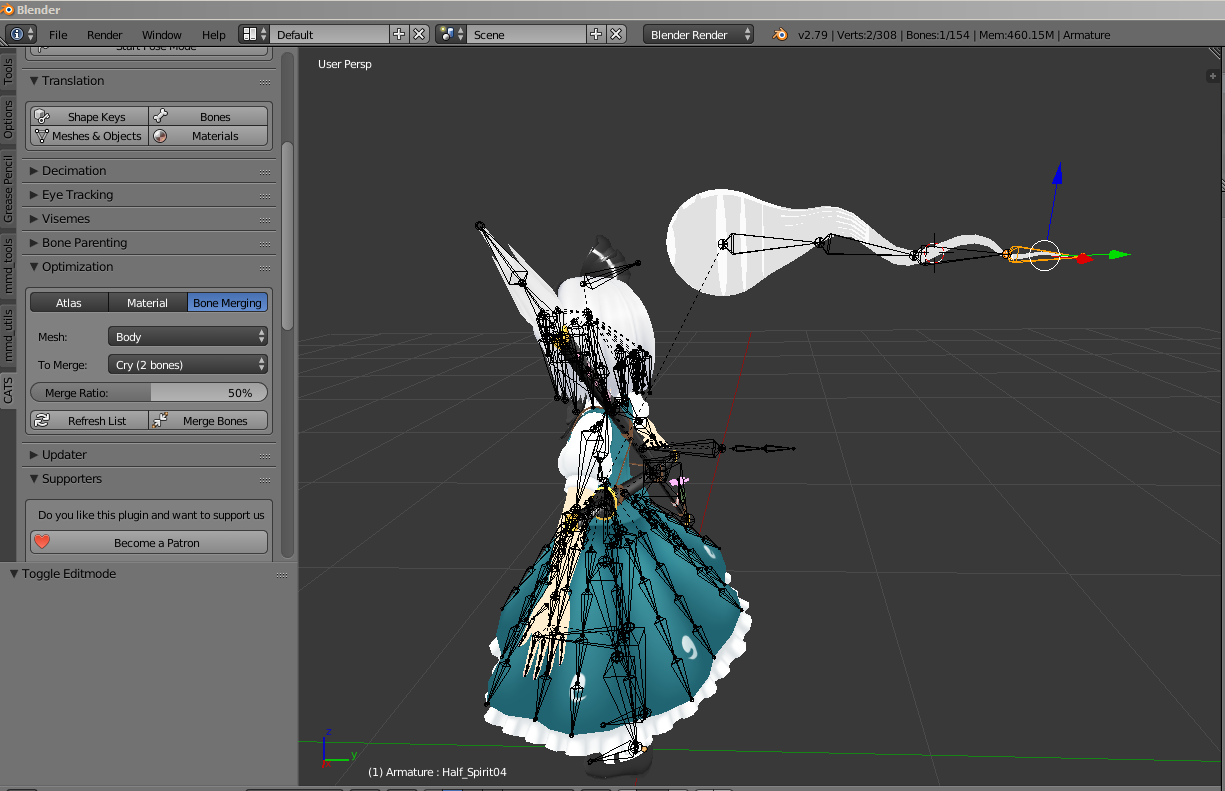
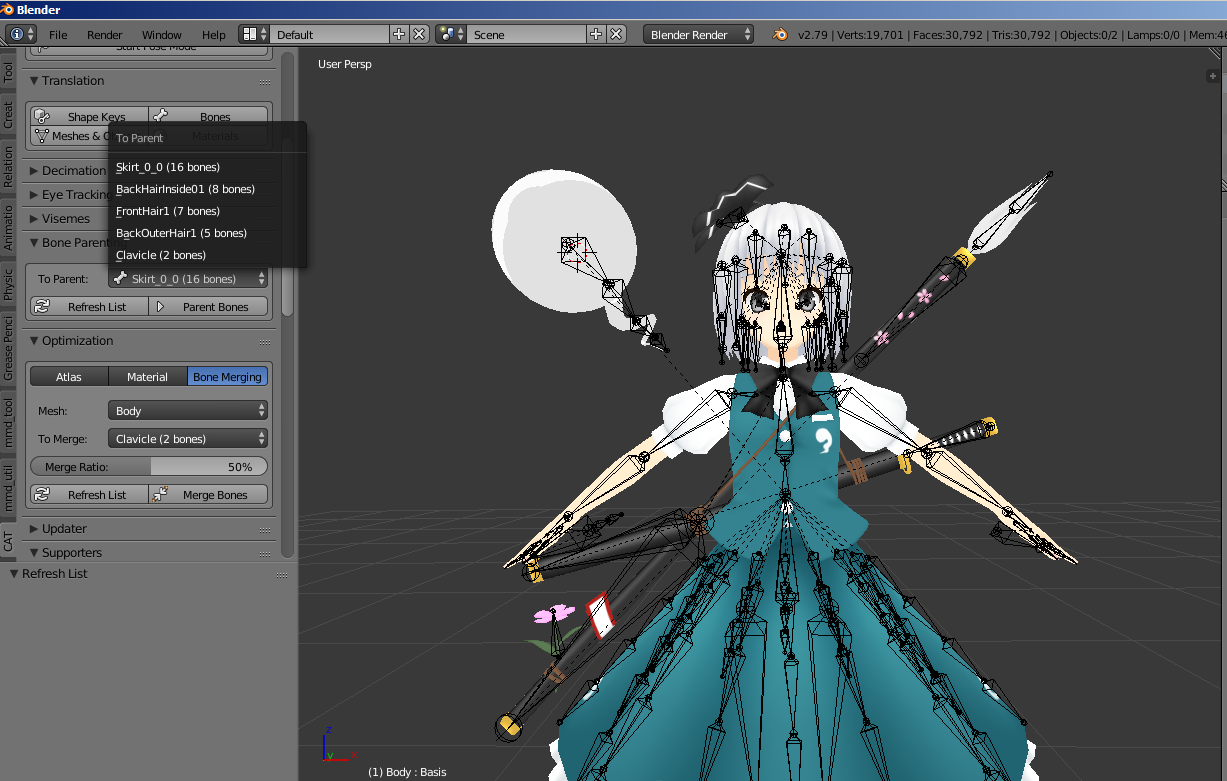
any idea about bone parenting?
 neon quiver
@fading verge Did the Force T pose and it did not do anything. So going redo everything just incase i mist something. *edit: problem seem to be fix once i redid the hand bones. and the enforce t pose is working now.
 glad egret
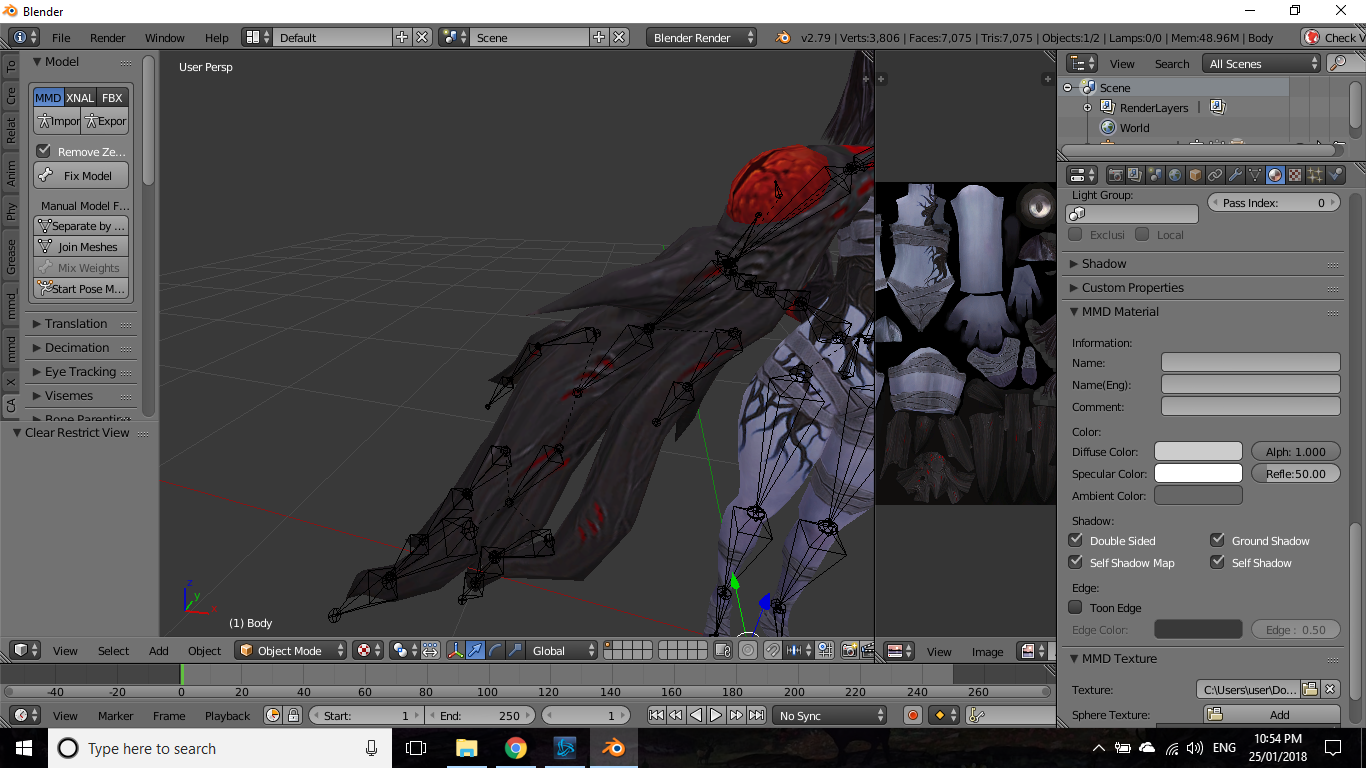
would i even be able to use this as an arm https://imgur.com/a/AwoFh
 spiral fog
Quick question does VRChat have a texture size limit
 static parcel
Got a weird issue with weights in blender and couldn't find an answer on google. Hopefully it's not too dumb
I was trying to weight verts to a single bone, both with Assign and Weight Paint but some just refuse to go 100%
I fixed it by going through the other bones and removing them from the vertex group but that's terribly inefficient. Wondered what could have been causing the issue
 cobalt island
You might be able to do it quicker by seperating the vertices from the mesh into an object, removing the vertex groups, selecting the mesh and then in pose mode parenting it to that bone and then joining that mesh back to the original mesh. If the vertices were connected to something you would just select the vertices in that area and hitting the remove doubles button on left side screen (edit mode only)
static parcel
I guess. Just wondered why blender wasn't letting the verts go 100% to that bone. Couldn't see any kind of masking setting on
cobalt island
Not sure :x
 upbeat comet
@static parcel if a vertex is assigned for two bones on 100% each, then each bone will affect it 50%. Got the idea?
static parcel
That's what I figured but when I selected just the one bone and manually assigned it, so remained 50% for some reason
 mystic nymph
Guys, what not to do, to prevert this mess with blendshapes? https://i.imgur.com/mlutjVe.png
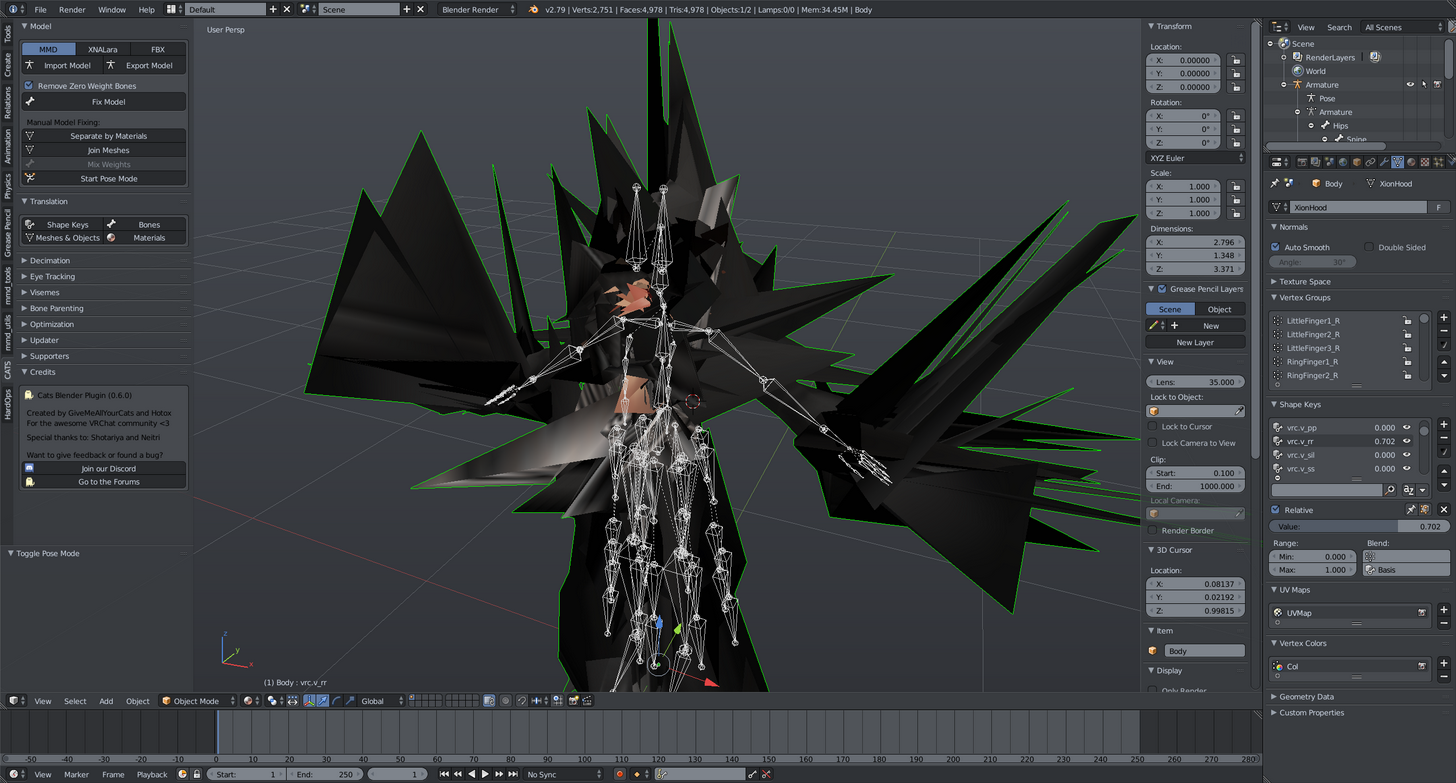
I just tried to play with paranting, weihgt paint, moving everyting, but nothing lead to this result.
 calm needle
blend shapes are usually what you want to do last
or did the model come with them already?
mystic nymph
yep
calm needle
did you delete anything from the model?
mystic nymph
yes, i done a lot of stuff. Remodel some parts, reperent several bones, changed some waights
but did nothing to face
calm needle
did you remember to seperate the face into a sepearte mesh during your edits?
mystic nymph
nope, so thats it?
this is probably the case, but i just tried to recreate this situation with clean model, and nothing bad happened
 smoky wharf
question for everyone: I wanted to add some bones to a model, however, they did not work with the dynamic bones. going back, I checked the weight paint, and when i tried to change it, it said the active group is locked. any idea how i could go about unlocking said area? the area in question would be the ears, though i can't provide pictures because I don't have the model readily available.
yes the bones were parented correctly
and if i remember correctly, almost all of the head was red when viewed with weight paint i think
please @white pond if you answer, otherwise i won't see it, as i'm going on lunch break soon.
 cobalt geyser
Hey everyone, this has been asked a lot probably, but can someone share this dynamic bone asset with me perhaps? Would really appreciate it :) Some people in the game told me to just ask for it on discord
 thorn beacon
can someone help me with understanding gravity with dynamic bones? the character i'm rigging has broken handcuffs on their wrists with the chains hanging off, and i'm trying to get it so that the resting position is toward the ground rather than perpendicular to the wrist
 polar surge
question do i add whights on the skirt to the waist
 fading verge
@thorn beacon add a force to the dynamic bone in the Y direction
to simulate gravity
thorn beacon
alright, should i reset the gravity position to 0,0,0?
fading verge
also set elasticity lower so it doesn't snap back to the original shape that much
thorn beacon
alrighty, thank you!
fading verge
note that the bones' orientation may be different whan your world orientation, so look at the arrows on the bone, not the world to see what up, down, left, right is etc for that particular bone
polar surge
this is all i have got up to just need to weight paint to make it move https://twitter.com/deanquelch/status/956588222167109632



 radiant blaze
What's a good way to shorten legs of my avatar?
like how do i do it
i really want to do it the way that you can shorten them in Pose Mode
nvm found it
pose > apply pose as rest pose
radiant blaze
nvm ofcourse its not that easy why would it be
goddamnit its annoying, blender does it automatically in real time for me in two clicks, yet i cant apply it
and im like an hour in
 crisp tendon
 pine mason
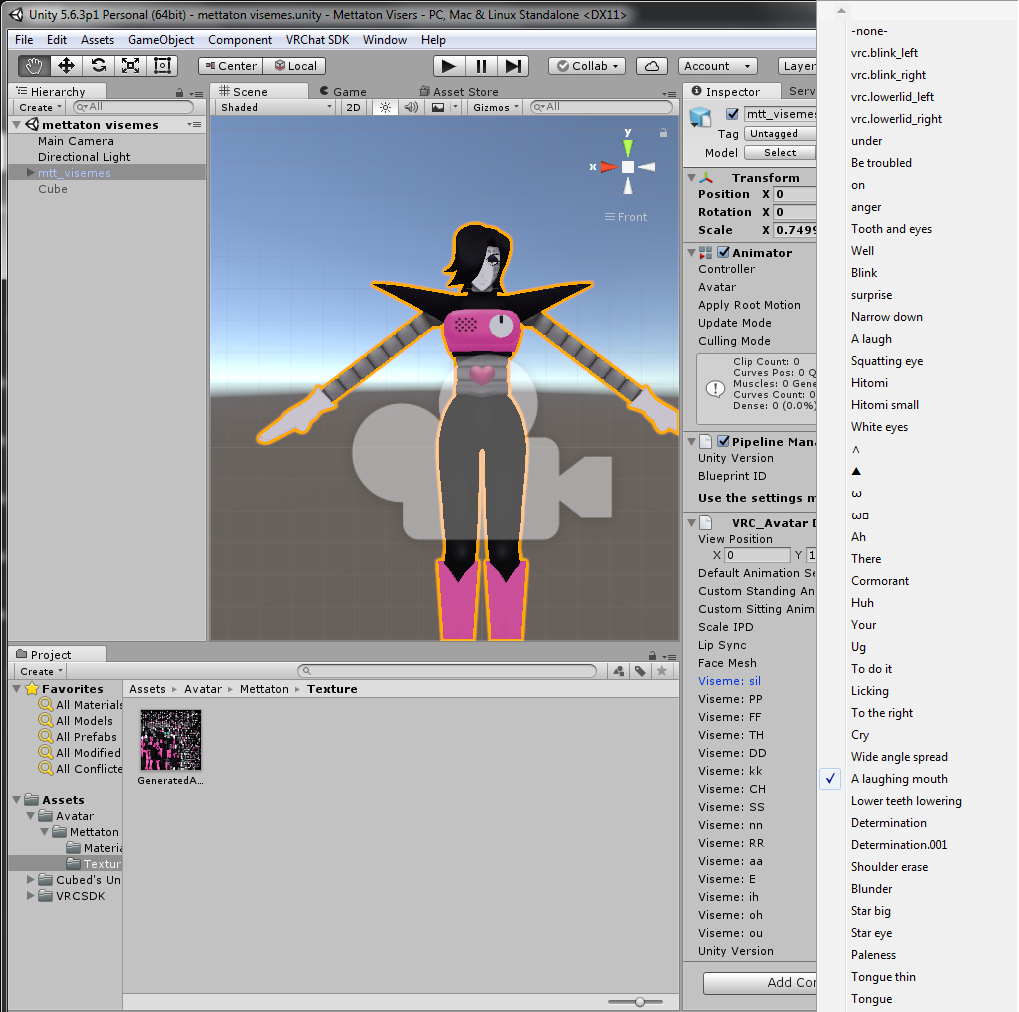
I'm following Tupper's guide to importing a pmx file to vrchat. I'm able to make the correct visemes in blender, but they aren't showing up in unity when I create the lip sync.

 radiant blaze
oh god im suffering
fading verge
Does anyone here have experience with .dae?
 fast rain
https://www.dropbox.com/s/24lqvjyzb5xcsdk/hips_parent.jpg?dl=0
Trying to do eye tracking right now. I'm trying to remove the parent of "Hips" here to move it directly under Armature, but it won't let me. Any idea why that could be the case?

Oh, nevermind. Armature had to be selected.
 sudden hare
i assume someone here knows how to make a skeleton/armature, right? if anyone is willing to help me with that
 restive hill
removing stuff can make shapes go berserk
oops, responding to old stuff
ciaran: have you tried rigify? its a blender plugin
fading verge
I hate when discord shows old stuff and makes no effort to tell you it's old
sudden hare
i was thinking there might be an easy rig maker
restive hill
i've done minor bone stuff
sudden hare
but then i also figured that the whole process would be complex either way
to a degree
but i'll try that
restive hill
yeah, rigify is in blender, just activate it, use it, and hope for the best? XD
sudden hare
the main problem i had was
x-axis mirror was not working
and i have no idea how to make a parent bone
restive hill
naming
sudden hare
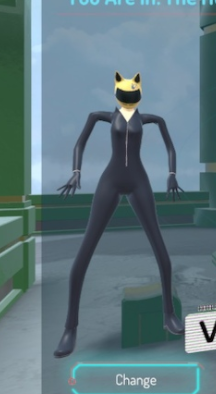
there's no other celty model i know of that i can download
that has bones
or doesnt cost 50$ on a random 3d model website
restive hill
that's actually a best-case scenario
sudden hare
now i just need to figure out where addons are again
restive hill
now to see if shinobu didnt manage to screew up
sudden hare
how do i permanently change the position of the model
because for whatever reason the celty model is offset
 unique canopy
Heyo people the finger bones on my model go directly up for some reason and I dont know how to change them? Ant ideas
 sharp raptor
pine mason
sharp raptor
pine mason
Fixed my problem! I was taking a step for people who didn't do the auto visemes
sudden hare
hopefully this works
thorn beacon
alright, i've been messing around with dynamic bone gravity for the chains hanging off my avatar's wrists. it seems to work fine in tpose (resting towards the floor and wiggling fine) but as soon as i move any of the limbs, the chain goes rigid and points toward the body. i have no idea what to change to fix this
 sudden hare
the only concern i have about the blender rigify
is that i didnt want to spend time moving the hand bones to fit the mesh's hands
is that fine?
 jovial dune
¯_(ツ)_/¯
sudden hare
yes
i should actually play that some day
my friend gifted it to me for my birthday but i gave up after like 3 hours
oh no

:(
oh i think gyazo is broken
but basically her legs are spread out and her shoulders are
not working

i have no idea how to fix this
 past marlin
I'm having an issue where the sleeves aren't attached to the arms
 slate skiff
hey my feets are in the ground
https://imgur.com/a/LXKv3
any idea how to fix this ?

 quartz hound
@past marlin have you looked at the weight mapping for your meshes in blender? Sounds like they aren't rigged
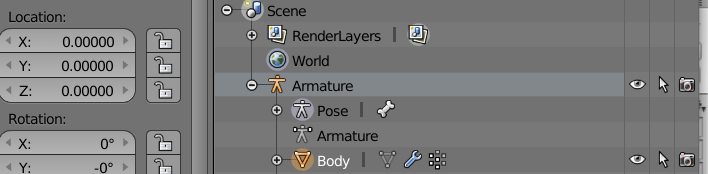
@slate skiff did you make sure your model was at 0, 0, 0 when you exported from your rendering software?
 quartz hound
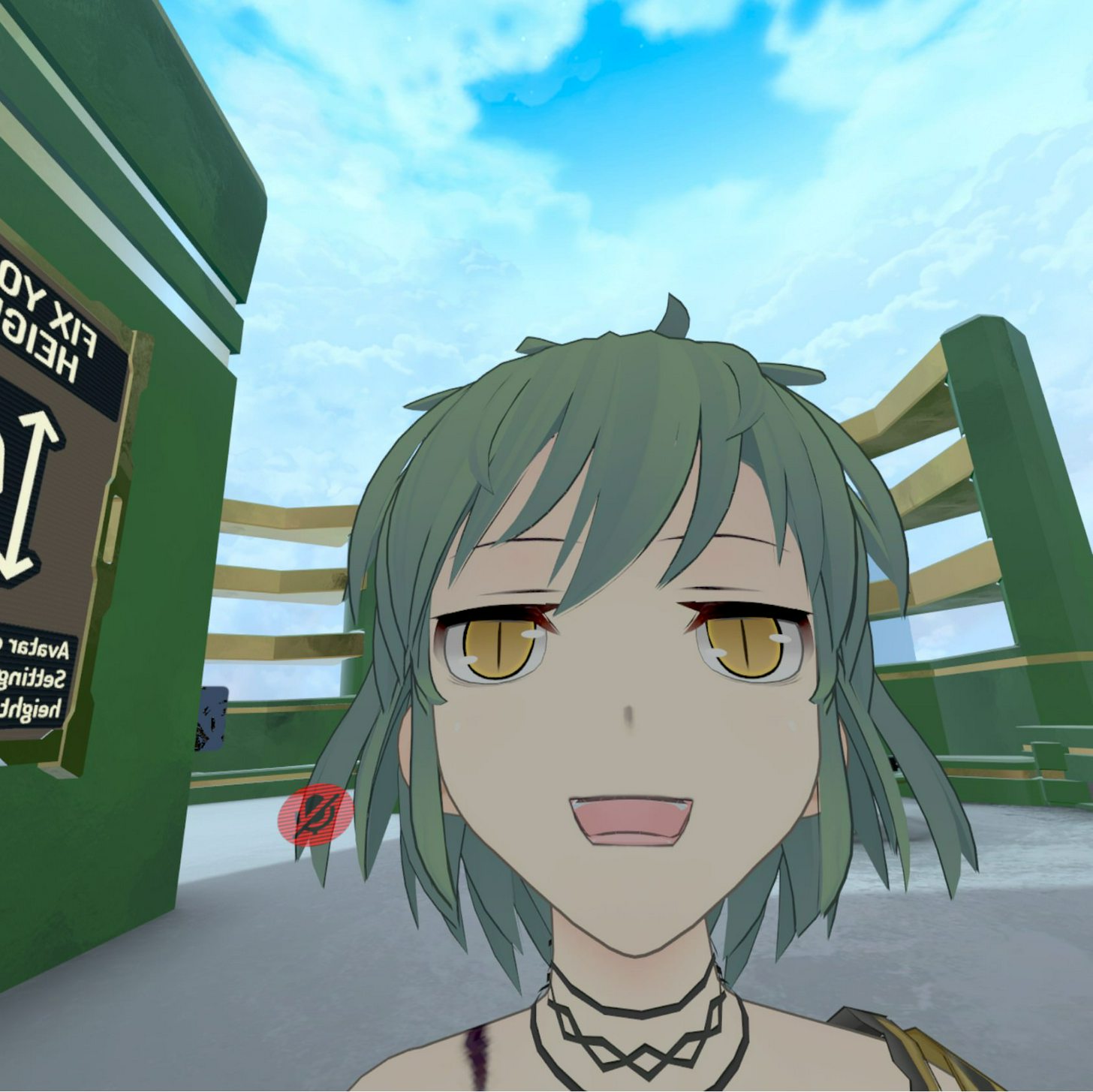
What does it look like in game?
past marlin
@quartz hound how would I go about changing the weight mapping
slate skiff
cause i know the how big u are by the numbers
quartz hound
Boop go into pose mode in blender, press ctrl-tab select a bone ctrl-tab again and select a mesh and that should put you into weight painting
Blue means no weighting to selected bone red is full weighting
slate skiff
ok he is in the same place
quartz hound
Hmm how odd, those were the only problems that have caused that warning before for me
past marlin
Thanks I'll try that now
 dim snow
hey guys
in my model i had to fix a few broken faces using recalculate normals
but the affected faces are a slightly different color then the rest of the mesh
so i these triangles of slightly different colors and it looks ugly
how can I make these faces colors' match the main model?
quartz hound
Got a picture?
 small solstice
how do i fix the character having a permament 😄 face
past marlin
How do I weight to a bone
 quartz hound
Boop select the bone then a mesh and set your brush to add and paint the mesh
Is that the neutral face or do you have facial rigging
 compact sky
I have a question.. I have a summer dress for a character.. which basically means two surfaces where the dress obscures the skin. I wish to glue to them together, but even with weight transfer and painting the transformation is not the same. Any idea how to properly glue the dress to the bust? They're both assigned to the same shape keys and seem to have proper weights.
I'm doing this in Blender
quartz hound
Does the dress have a rig?
compact sky
its all one mesh
Exported right from a pmd (mmd) editor, custom (from scratch) model
So technically it has a rig.. the same one as the skin
For dresses that obscure the whole bust, its not too hard to make proper
but this one has a small part of the bust exposed
dim snow
yeah one secv
see the parts of the mesh that are different color?
those are the faces that were fixed
previously in game, those faces would not appear at all, so i recalculated them
but now theres a color mismatch
past marlin
When I'm weight painting do I want the sleeve attached to the arm?
fading verge
@slate skiff Try raising the avatar's root joint up in the rigging screen, it should move the whole model upward including the feet
quartz hound
@past marlin yes, attach it to the arm bones
@dim snow have you checked to see what it looks like in game? Cause sometimes things look weird in Blender when they're actually fine.
apologies for my delay, had to eat
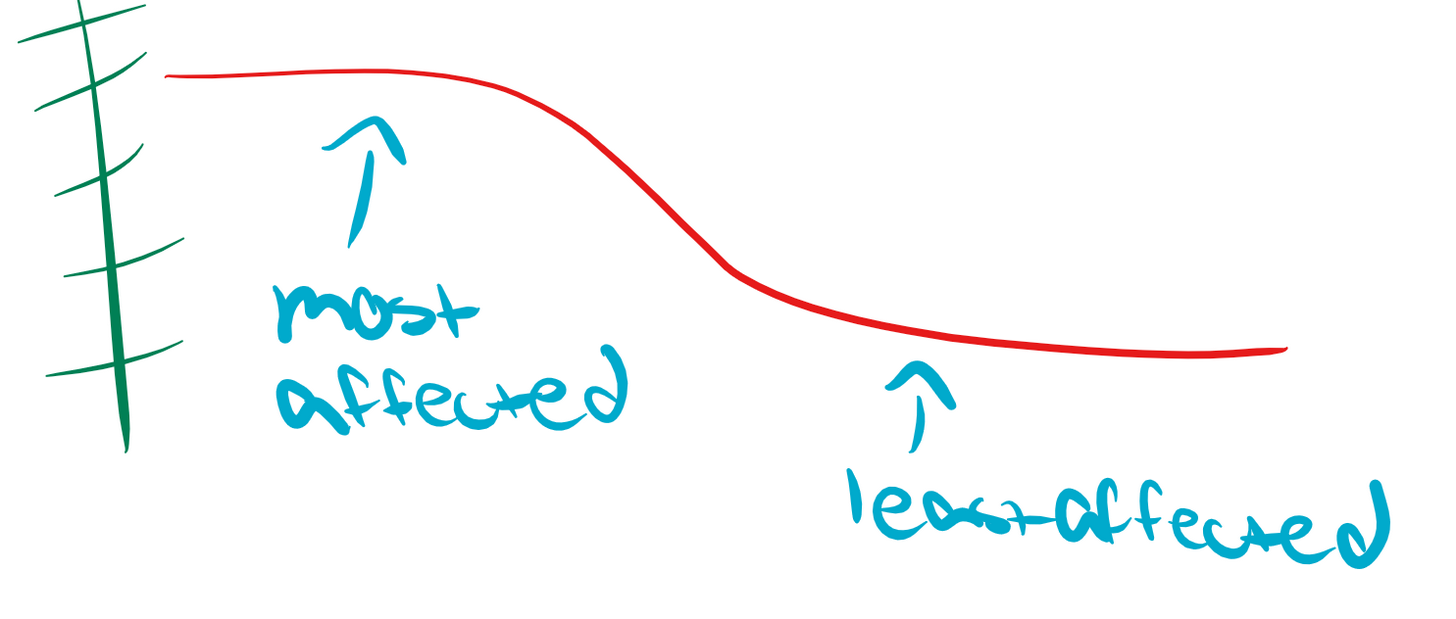
different behavior settings I'd imagine, damping being how much it resists initial motion, elasticity being its willingness to stretch and bend
 ivory radish
theyre pretty simple
stiffness is how much motion of previous bone ignored
so say u have 1 stiffness, it ignores all the motion
so it acts like its attached
0 stiffness means it kinda floats freely
then catches up when moved
damping is opposite of how bouncy it is
elasticity is how quickly it will move/react
radius is just collision stuff
inert, i havent seen it have too much of an effect but i keep it between .8 and .95
fading verge
 slate skiff
@fading verge ty =)
fading verge
...
ivory radish
in some other properties it may be like a value from X-Y
i most cases its a value from 0-1 used as a multiplier
so u could choose how much to multiply radius value
etc
dim snow
@quartz hound I have not, it did it in uinty too, so I figured thats how it'd be. I'll check it out though
static parcel
Is there a way to make a blendshape the 'idle' expression for an avatar, if the pose version is open mouthed?
 quasi whale
Hey I need help with making visemes for xps models
 naive tree
@static parcel if your avatar has constant open mouth, try unmap jaw in unity
static parcel
There's no jaw bone if that's what you mean
 lilac moss
the "sil" blendshape stands for silence @static parcel
static parcel
Oh neat
mystic nymph
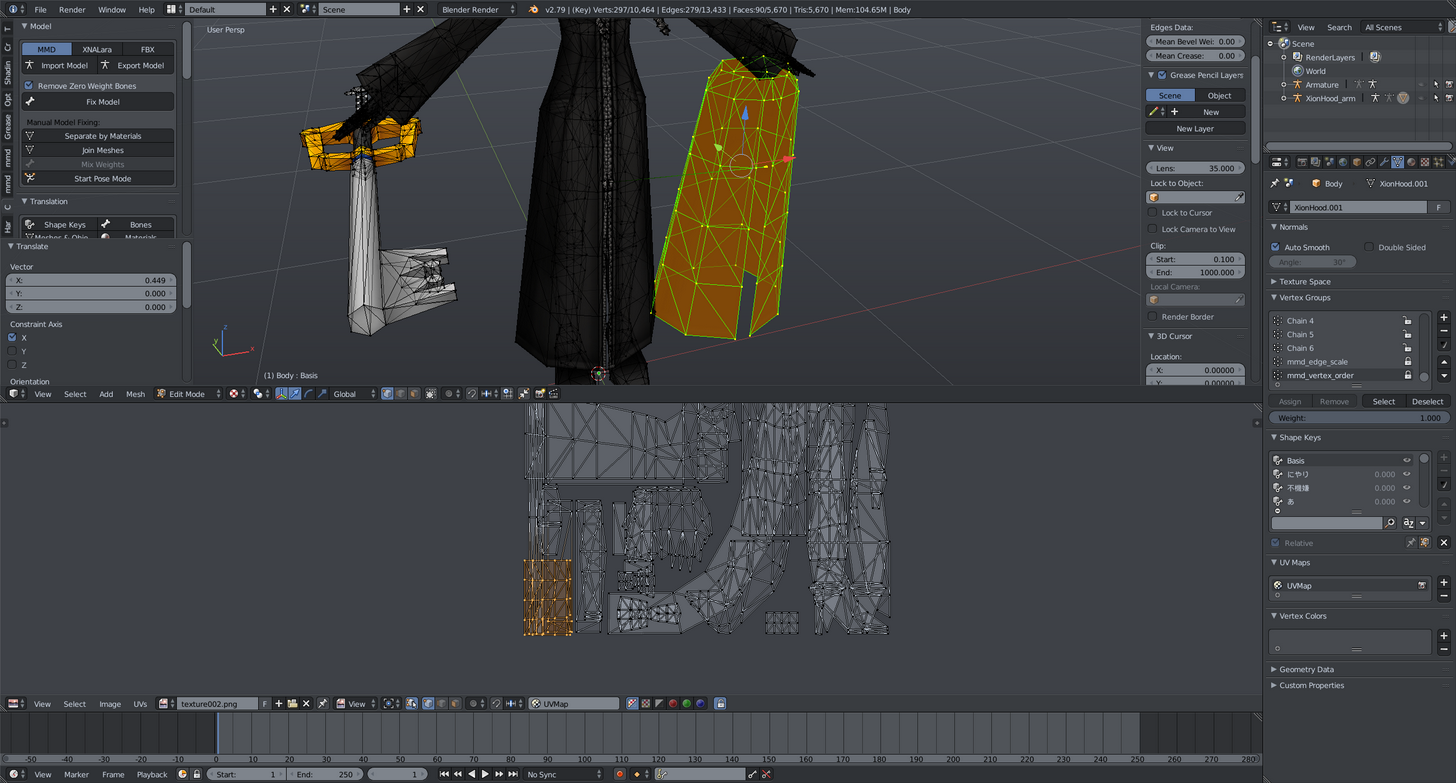
@dim snow I did this model too (it so messy), the black parts are backfaces of the hood, you can select all of them from uv editor, and then just delete or resize. https://i.imgur.com/kBX1GMf.png
 neon quiver
So twisted feet thing still happening in the end. Thought i fix the problem. Not sure why it happened. First time i made .y rig for a different avatar it did not happenm try to test it again on a different avatar and thr same result happen. Wonder now if i export the file wrong for fbx. Guess ill look at more tutorial.
 autumn parrot
Anyone know about a facerig tutorial with CAT for 3ds max? I had found a simple one on youtube but I've lost it
fading verge

the helll does this error mean
nvm a friend pointed out my issue
rotation script on some particles
 rugged vale
So i've not done anything in regards for rigging so far as everything has come with that all basically done. But i'd like to see if this is possible. Would I just make the right bones but have them do nothing? http://prntscr.com/i5om5e

 wraith temple
https://prnt.sc/i5omji i got this problem .-. i have no idea what to do

 crude crag
wraith temple
crude crag
wraith temple
ok i give a try
naive tree
no
your bounding box is too big, select mesh in unity and change extents and center values
usually 0.008 for extens is what u need
that has nothing to do with avatar height @wraith temple
wraith temple
i fix it thx
spice jetty
If I change my model's rest position (ie aim the hands a little more straight than tilting slightly down at the wrist) can it have an affect on my chara in game?
fading verge
HEY @rotund warrenRYONE
spice jetty
did you just try and ping every single person in the chat....
fading verge
im having trouble with my avatars and my chest comes up into my face a little after i move any help?!
 frigid flower
It says my spine hierarchy is incorrect, what do i do?
naive tree
@frigid flower have you tried using cats fix armature?
naive tree
do you have a cats addon in the first place?
frigid flower
I do not
naive tree
@frigid flower https://vrcat.club/threads/cats-blender-plugin-0-6-1.6/ get this and then try Fix Model, it fixes majority model armatures

VRCat: Community-Run VRChat Forums
Cats Blender Plugin (0.6.1)
A tool designed to shorten steps needed to import and optimize models into VRChat. Compatible models are: MMD, XNALara,...
and it has lots of useful stuff in it besides that
frigid flower
can i take the unity file and put it back in blender
naive tree
yes, blender can import fbx, or use it with cats plugin, change to fbx andhit import
frigid flower
So how do i fix the bones from here @naive tree
naive tree
click Fix model and hope it fixes your armature
it fixes most model armatures if you do not edit the model prior
fading verge
Anyone know how to fix this https://gyazo.com/727bc9a50926dc9fa0e39df740e798a1

 echo bear
https://prnt.sc/i5oy40 I am new to this. This is my first model. How do I parent the hair to the bones so they move when I set dynamic bones in Unity?
 naive tree
you need to weight them
naive tree
@frigid flower sure
 inland lodge
OK so, I had a character that could only tpose because it didn't have enough bones to be humanoid
so i cheated and split a bunch of bones

now it looks like this
the texture mirroring thing is annoying too
i fixed it in blender so what's going on
im ok with it looking a bit wierd
i just want it to work
 restive solstice
I don't suppose anyone knows the hotkey to dissolve. Since Ctrl+X ain't working out so hot.
 obtuse ether
hey im having the problem where when i rig my model to unity to make it humaniod it says it has no hips but yet it does


anyone know a fix?
lilac moss
@obtuse ether in unity, under rig, click configure and set your hip bone manually
obtuse ether
oh the rigg didnt transfer i guess lol thats a problem i have to fix now i guess
lilac moss
heh no bones
 vapid osprey
hm... anyone know how to get rid of the "bone heat" warning when adding amature to a model?
 clear tulip
Anyone know why mixamo wouldn't be rigging fingers? Just a bad model? First time it did index and thumb, second upload only did index
vapid osprey
@clear tulip sometimes Mixamo can't "find" the fingers so as a result they only make a few bones for tyhe fingers that they do find. That's why i don't really like suing mixamo i prefer manuelly adding my bones to a model.
 stuck jasper
This makes for fun times when testing animations
clear tulip
That's what I was afraid of, idk how to rig, never tried
 ionic storm
Does anyone know how to make a public in-game avatar private?
stuck jasper
I use Mixamo to make it easier on myself, and then go on to make changes
clear tulip
Whay do you use for that? I'll try to stumble through tutos lol
stuck jasper
Though, I think I have the hang of it now and I'm thinking of doing some more all by myself
For learning reasons
It's easier to learn by copying, rather than wasting time and fucking up constantly
imo at least
ionic storm
Does anyone know how to make a public in-game avatar private?
clear tulip
What software do you use for rigging?
stuck jasper
Afaik, just don't put it on a pedistal @ionic storm
blender @clear tulip
As long as you keep it to yourself, and not on a pedestal, then no one else should be able to use it themselves
ionic storm
ah
stuck jasper
(aside from any of them good ol' hacker gods)
Though I've yet to run into any lately
frigid flower
So my neck bone has disappeared after using cats
clear tulip
anyone have some video resources to add fingers onto a mixamo-rigged skeleton in blender?
 sturdy talon
Does anyone know how to change a model's origin in unity? My model's feet are below the origin point.
 random lotus
ok, so i got this model uploaded only to go on and discover this, the rig is perfect and everything

but his top and chest are all deformed
sturdy talon
So continuing what I was talking about before. I tried creating a empty object to connect the avatar to so I can manually change where the avatar is, but now the avatar is the size of a giant. Anyone know something else I can do? Or something I can do to fix the avatar size.
 lime monolith
Is there an easy way to transfer weights from one bone to another?
Specifically, like, delete a bone and send its weights to its parent
fading verge
like weightpaint?
lime monolith
yeah, just all of it
lime monolith
Specifically, my model's eye bones don't have any weights/verts. They're all in the child bone
which isn't an issue, except CATS refuses to accept the eye bone as a functional eye bone because it doesn't have any of its own weights/verts
fading verge
oh rip idk how to deal with eye bones
lime monolith
they're bones like any other
fading verge
yeah but i never done anything with eyes
so i can't picture it, keep asking you'll get someone useful
lime monolith
I figured it out
fading verge
o nice
lime monolith
select vertex group - select - remove - select other vertex group - assign
fading verge
gj
 high geyser
spice jetty
high geyser
spice jetty
idk enough to help but nice avatar
 wooden wharf
@random lotus i tried a klonoa avatar too man
 opal aurora
I think it's roughly the same as for speech, i'd say roughly 15-20 meters
 fluid zodiac
I assume the default 500 in 3D sound settings means 500 meters?
opal aurora
Anybody here know how i'd go about getting the back legs to either follow the front ones (in reverse order or even symmetrical) on this one?
i've tried cross-parenting both leg sets already to no avail
https://cdn.discordapp.com/attachments/390048413493755904/406306174968004610/unknown.png

Besides reanimating it completely that is
The rig is set as humanoid, the arm bones are simply hidden
@fluid zodiac maxrange is in meters, i'm not sure about that variable specifically
cobalt island
hmm
Dang, i wouldv tried the cross parenting to heh. Never attempted something crazy like that
opal aurora
Well i did rig this one from scratch so any changes necessary could be done to it if needed, but as it stands, cross parenting gets them in odd angles and very stretchy
I've tried setting an intermediary set of leg bones, symmetrical and cross parenting, and even tried to use the exact same leg bones for it (via duplication and weight transfering) sadly to no avail
The main body bone is parented to the waist so turning would work perfectly fine, my only issue is getting them legs to move haha
 quasi cedar
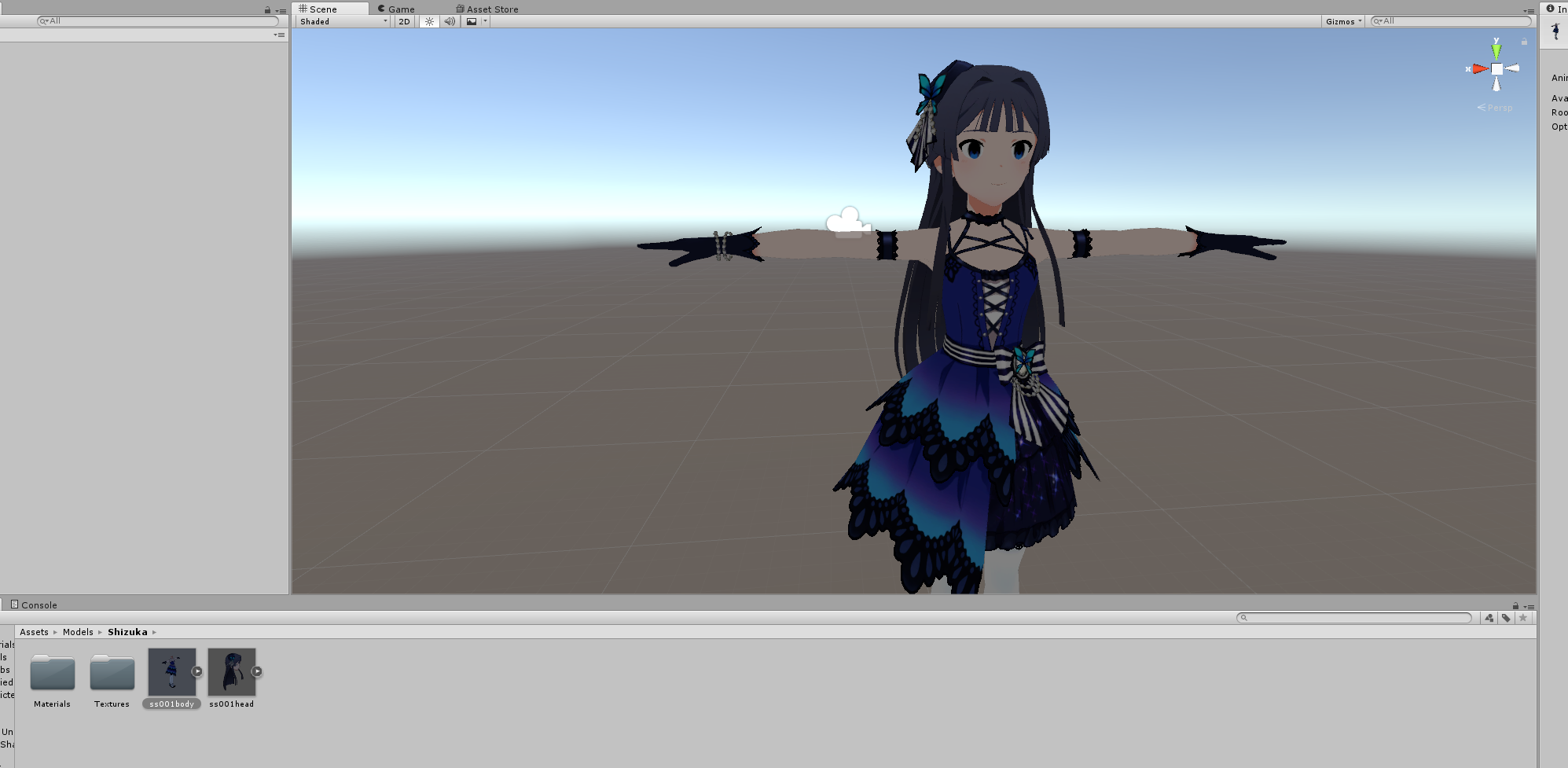
So have a model here which already has bones, but seperate models for the head and body. How would I go about combining them in unity so I can rig them? This model was from a unity based game and it doesn't play nice in blender, so I'd like to keep it in unity if I can
 opal aurora
You can not do such in unity unfortumately
cobalt island
Well, if its just 2 meshes and they animate correctly you can probably get away with just using it as is
clear tulip
anyone have some video resources to learn how add fingers onto a mixamo-rigged skeleton in blender? Is it possible to add onto the skeleton with just the downloaded fbx?
 tired meteor
You might be able to parent it together.
 ocean meadow

 quiet prairie
so i got this problem my model looks fine for me but to everyone else either the head or the body is facing the wrong way anyone know how to fix this?
 rich wedge
I'm having a fuckin hell of a time trying to bring a certain model below 20K
everything I try, the topology completely breaks down before I even get close to 20K
spice jetty
Maybe try and do it by hand? prolly some tutorials on that
 silent cliff
Is it a really high poly base model? You could try doing retopology.
 manic marsh
@opal aurora have you tried to remove the bones for the back legs and weight painting the front bones to the legs in the back in a cross formation?
Never tried it, but it might just work if parenting doesn't.
rich wedge
I think I managed to do it
I did 3 seperate decimations
50% collapse, 15 degree planar, 55% collapse
also why do I always end up in rigging when I mean to go to MMD
though I guess it helps that I'm here cause I'm having trouble re-doing the bones
I'm trying to remove bones without fucking up the weight paint
clear tulip
okay, so ive watched a few tutorials, and im feeling ready to start trying to accomplish this... but i cant figure out how to get the model that i have imported into blender. Its an fbx that I downloaded from maximo. Is it possible to open that up and alter the bone structure?
all i managed to find while looking was the import option, but it doesnt visibly seem to do much of anything... i have never used blender before though
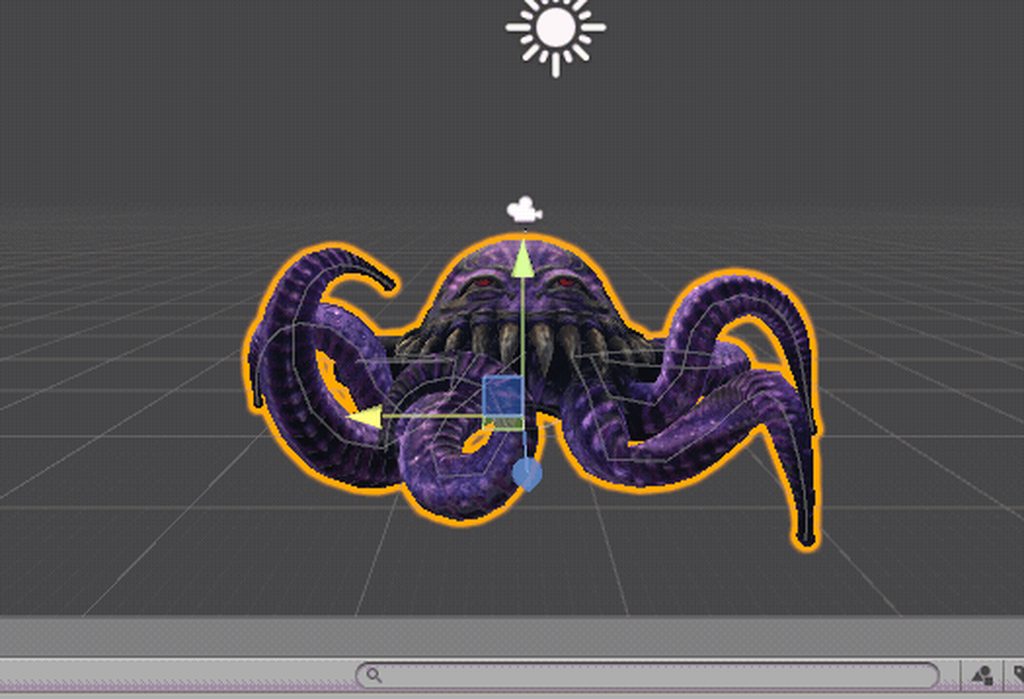 manic marsh
@sturdy talon you can't in unity you need to open it in blender and move it up until the legs are ate y=0
@brisk mesa Dats a lot of jiggle Bones
Love it
fading verge
@brisk mesa spooky
manic marsh
@clear tulip so when you select import - fbx, nothing imports for you?
clear tulip
Nope, I still saw the same ole cube sitting therw
manic marsh
Try opening the model with another program it might be broken or its very small and it appears in the cube, sometimes mixamo does this Idk why ¯_(ツ)_/¯
clear tulip
Oh yeah I think the model is incredibly tiny, when in unity trying to upload it, I have the scale at 130 lol
Good tip
manic marsh
Try reigning it with mixamo it should export it at a scale of one
clear tulip
What would be the easiest way to amend that, can you scale up the model in blender?
Do you mean reuploading the fbx that I downloaded from maximo?
manic marsh
You can resale it in blender too there's a button at the bottom of the app where you can select rotation, scale and move
clear tulip
Okay, I will try that in the morning, I gotta get some rest. Thanks for the help
manic marsh
No problem, always trying to help when I can : )
 mental lynx
So I have a character that's 80% tail.
And an early version of it I was able to get that tail to follow behind the Avatar using dynamic bones.
I have yet to be able to recreate it.
Any ideas?
 sleek tendon
whats the issue?
mental lynx
The tail drops downward through gravity
Beforehand, it'd follow me around
I only have one bad screenshot of it
Oh right, IMGUR

I could get it to coil and all that
Now it falls through the ground
sleek tendon
and its still on dynamic bones?
mental lynx
Yes
sleek tendon
all I could say is mess with the sliders...
mental lynx
One of the settings I had must have allowed it to ignore gravity effects
sleek tendon
I'd cehck more but not near my pc with unity rn
well dynamic bones tend to do that themselves
fading verge
 sleek tendon
they try to revert to the shape you have them in
fading verge
i need help with that
mental lynx
Oh I think I figured it out
sleek tendon
so make them more rigid, give them at least .0005 of elasticity and damping,
mental lynx
Cant have inertia at all?
sleek tendon
g2g, glhf
fading verge
what does that mean?
fading verge
well this was useless
mental lynx
So, you need to go through your model's rig and make sure it has everything mapped that isnt a dotted circle
mental lynx
Can I get a quick screenshot
 fading verge
i dont have the chest
mental lynx
Fake one
I had to fake a right leg and pelvis on my character Im doing now
If anything I type turns to Japanese lettering, let me know.
Somethings I accidentally hit the hotkey that turns on IME
fading verge
create fake bones like this for example
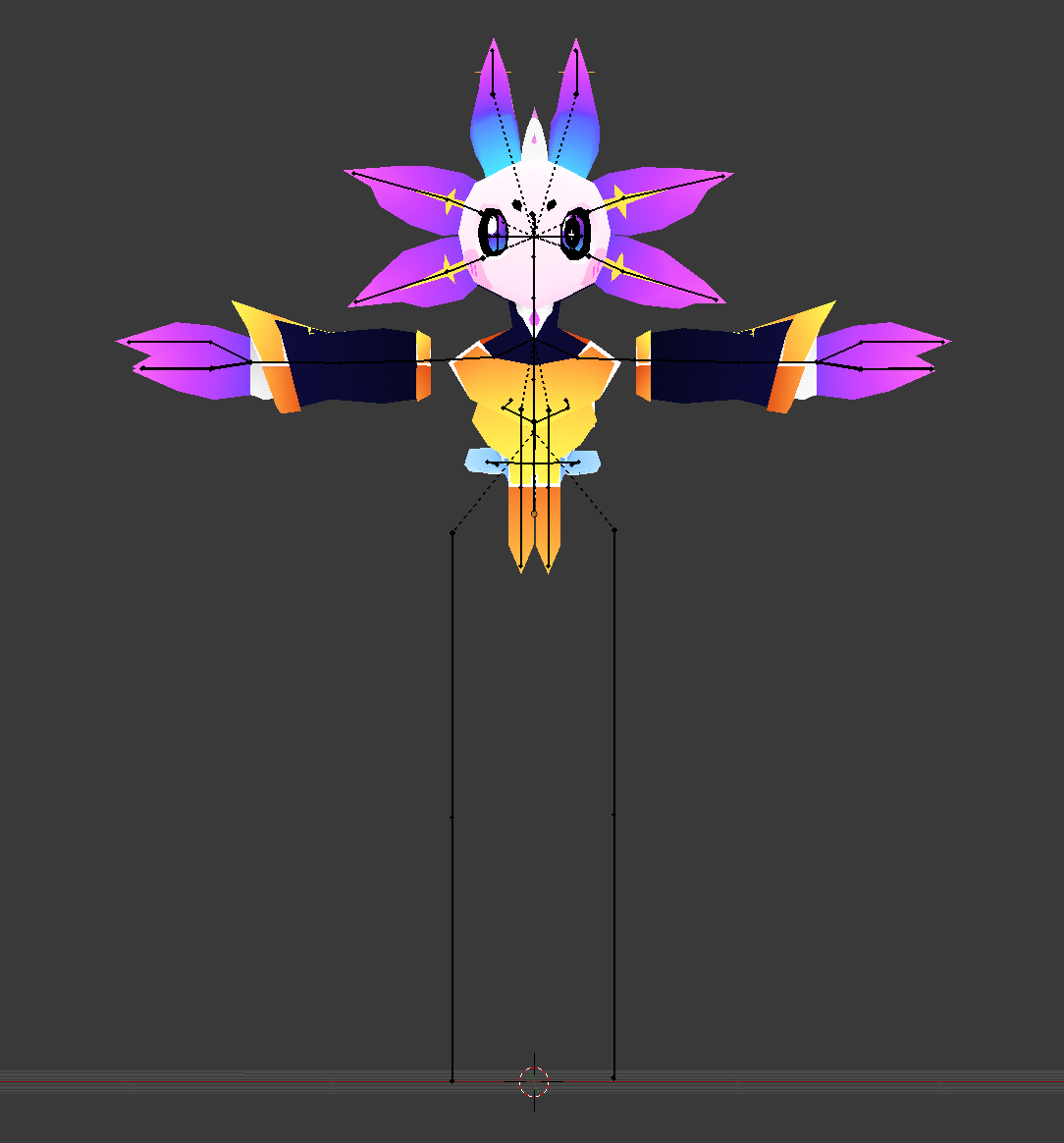
tried that
it turned red
have you parented them?
mental lynx
You need to make sure the bones could be similar to whatthe placement could be like and give them a parent
fading verge

 brisk mesa
what i really need is an mmd of that spiderbitch
mental lynx
wat
 mental lynx
Miia was the only one I cared about because I went into the series thinking it was about her and the guy
brisk mesa
yknow, the spiderbitch that was in the same manga/anime as the lamia chick
fading verge
oml that model?
brisk mesa
and the centaur chick and the mermaid chick and the harpy chick
mental lynx
The moment I realized it was a harem, I left.
mental lynx
This isnt the channel for this conversation though
 strong arrow
https://cdn.discordapp.com/attachments/387987989319385099/406406105170968577/stickers.PNG The stickers on her are blurry since I just added them to the main texture file I Atlased on her. Would there be a way to just import the stickers as a separate texture and apply them within unity to have them be sharp?

 fierce snow
is there an easy tutorial on how to set a pre-rigged character into a t-pose? i've been looking, but i can't find any useful info on this for the life of me
mental lynx
I don't use atlasing due to how low quality it comes out, so I wouldn't know
I just make as little amount of mesh/textures as possible
Keeps the textures at a decent quality
brisk mesa
mfw s.o. told me i spend hours on this and that i should just finish some of these avatars instead of moving on so fast
but it's like YO I KNOW BUT LOL the broken shit
 hollow mortar
Heya
So ive rigged up a model in Maxmio or what ever its called
Now what do i do once thats done?
 coral relic
you have to click their name I think
fading verge
can anyone help? my chest keeps buffing up into my face because of the animation!
fading verge
i mean its where i want it to be
could it be the angle of my chest??
could be
if the bone for the chest is pointing far forwards then that could be it
mental lynx
I'm at upload 8 of trying to find out how to get the tail of my character to stay above ground. The previous one was a step backward.
Gotta keep trying.
Im thinking the unit that counts as the leg needs to be tall so the rest of the body will follow suit.
Or, the rest of the tail, I should say.
fading verge
@mental lynx can you rotate it? in unity?
fading verge
in scene without on play
just go to the bone you want in the heirachy
and rotate it
mental lynx
I'm needing to get the body from sinking into the ground with the tail, because the tail follows the body
I think I know what may be causing it, actually.
fading verge
ah
mental lynx
But Im stuck mid-upload and will have to move where the dynamic bones begin?
No wait that'd remove the snake wobble she does
Dammit
mental lynx
No worries
mental lynx
Up to upload 10, woo I wish there was a better way to test this.
If this one doesn't work, guess I'll move the bone structures up one
And with that, I just wasted my time uploading this character because I forgot to change the parent to these dynamics
Well, I may need to get outside help with this later.
Having 7 hours of sleep since tuesday...
not doing me any help. probably also why im like... here talking with myself
 oblique coral
hey there, i exported a model from blender to fbx and into unity, but the jaw blend shape isnt appearing, and i definatly unticked apply modifiers
neon quiver
i guess this is why the bone are twisted because fo these errors? https://i.imgur.com/l6ChS9U.png
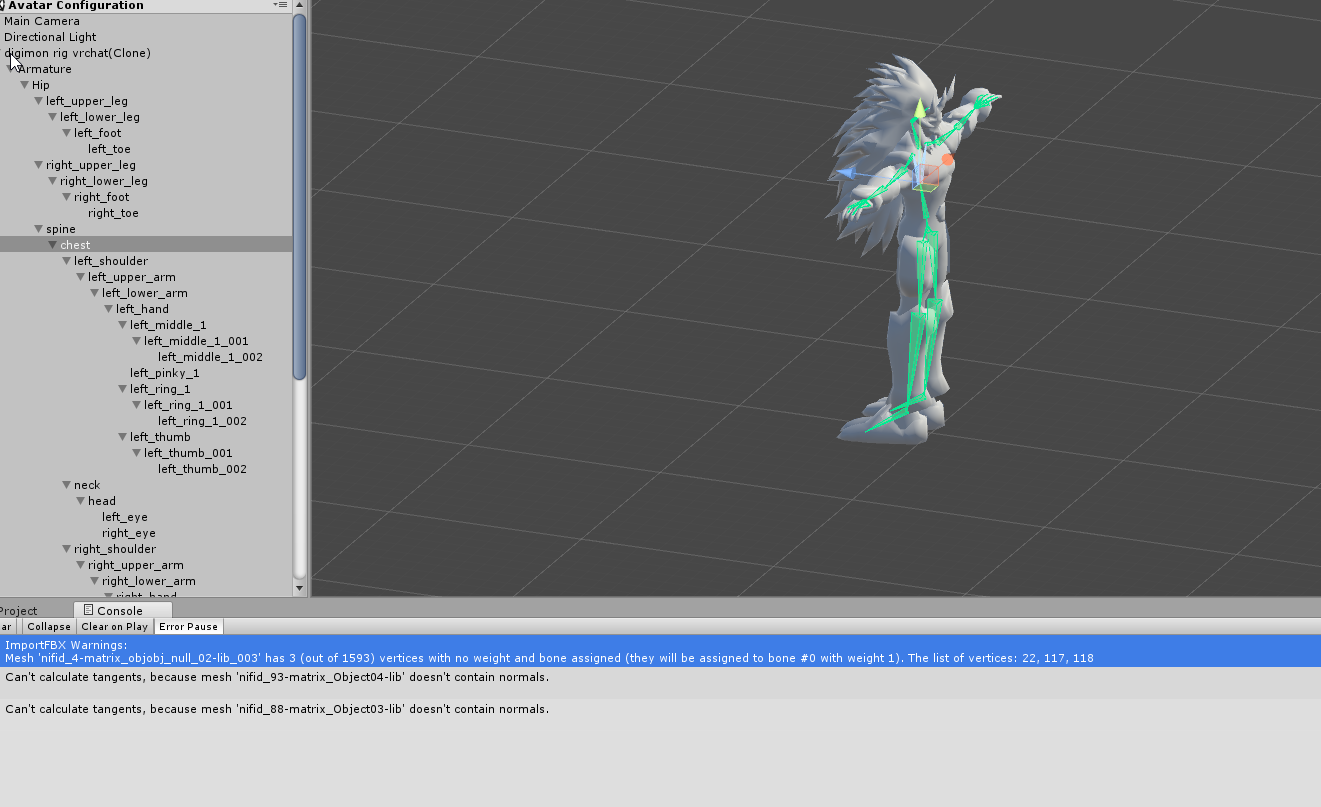
Just don't undstand how the first i made this avatar it work the first time with no error and now it does. :-0
How do i find those 3 bones that have no weight? I been looking for them.
 valid rapids
I have an issue with my ear bones that I haven't found an answer to
calm needle
ear bones?
calm needle
custom rig?
valid rapids
no it's one I found on deviantart and customized yesterday
this one, on the right https://cdn.discordapp.com/attachments/399734370346467330/406252320687521794/20180126025928_1.jpg
 valid rapids
yeah when I move my head in game the entire ear floats around like it's tied to my head with a rubber band
I'd like to have the bottom of the bone rigidly attached to the head so it only pivots
like the hair or skirt
calm needle
where do you have your dynamic bones?
valid rapids
I made a root bone for all the stuff in the head, and the dynamic bone is on that
right now I have all the hair excluded because part of the hair doesn't have a bone on it...
calm needle
that would be the problem
i would sugest putting a dynamic on the base of the ears
or exlucde just the base of the ear
 valid rapids
so do I need 2 dynamic bone scripts, one for each ear?
autumn parrot
i think nifskope was not able to export the skin weights
valid rapids
seems inefficient
autumn parrot
can i fix this? like, hiding the bones and still have the original rig intact?
calm needle
hence why i said try doing an exclusion for just the ear base
does posing the skeleton do nothing?
valid rapids
the ear has 2 bones, the bottom one moves almost the entire ear and the top one has a little bit of weight to it at the top
autumn parrot
I don't know how to pose on 3DS max :x I'm a noob sincerely
valid rapids
the ear moves properly with the head
it looks like the hair root bone isn't connected to the head
I can just grab move it
frigid flower
Ok so whenever I use cats to fix my model, it deletes the neck bone. I'm guessing the reason is because it's not weighted maybe. Can anyone help me weight that one bone?
valid rapids
maybe I can put the dynamic bone script directly on the head instead, since that one's rigidly attached to the rest of the armature?
or is there a setting I can toggle so the root bone won't move
and just remove the loose root bone
 hoary torrent
can someone help? my character is stuck in a weird pose. when i change the rig to anything other than humanoid it'll go in a t pose
however in humanoid it'll go into an animation pose
valid rapids
I think the rest pose on your character might be screwed up in blender, I'd go check if I can apply a T-pose as rest pose
hoary torrent
no it's not blender. lemme explain
i was making an animation for my avatar, and i the original and duplicate avatar. i accidentally put the animation on the original instead of the duplicate, so i deleted the animation on the original and now it's stuck in this pose
 valid rapids
oh that, yeah the tutorial I followed said to never ever work with animations on the original model and I didn't lol
I hope you have a backup
valid rapids
could just reimport, you shouldn't lose that much work, you can just drop the animation file on the new one
neon quiver
ok i was able to find the missing rig area and add weight to them. :). now i just need to figure out the other error of saying it dosnet contain normals. :/
hoary torrent
is there no way to copy all my pre existing work onto the new model?
valid rapids
I think you can copy the dynamic bone script along with the settings from the gear icon
autumn parrot
anyone can help me with my problem?
valid rapids
but you have to do that for each one
hoary torrent
yeah each one, so not all at once ;___;
autumn parrot
ok, thx
valid rapids
I made the root hair bone "connected" in edit mode and it vanished, now everything is parented to the head and I can't grab move anything away
so in theory it should be fixed...?
as long as I reimport and add the dynamic bone script to the head instead
also a part of the hair doesn't have bones on it, or not skinned to anything
neon quiver
Ok so no more error showing for unity but the feet still show backwards. I'm so lost on what to do. https://i.imgur.com/hj2Hpx8.png
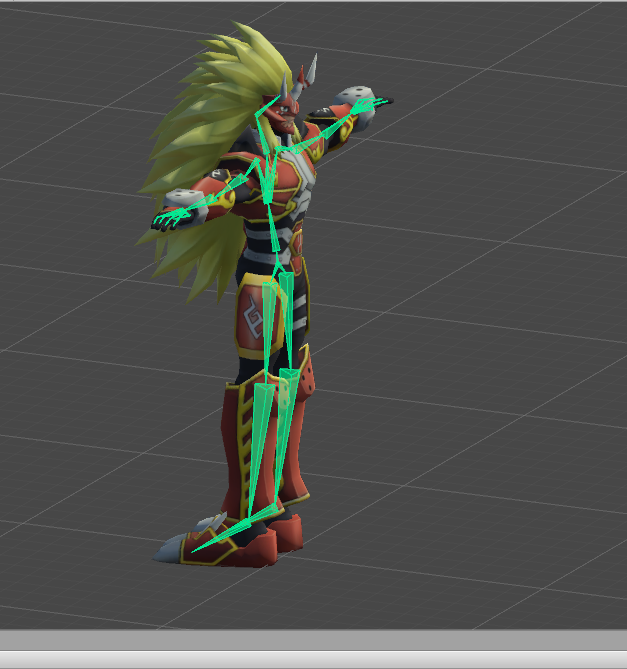 valid rapids
am I out of luck if I want beautiful flowing hair without losing my sanity trying to weight paint manually?
 raven pumice
Unless you can find it pre-rigged, bones are gonna be necessary for using Dynamic Bones to get the flowing look
valid rapids
I'm pretty sure this is how the model imported originally, there's a couple of versions of this in avatar worlds and none of them have nice hair
fading verge
@neon quiver I never figured out how to fix the feet or other body parts twisting all the way back
valid rapids
hmm, my avatar has two sets of eye bones that seem to do the same thing, worked alright in-game last night though o.O
that's not a problem, is it?
opal aurora
@manic marsh where would the legs be positioned after re-weighting? I'm sure that at that distance from the back legs it would go airborne
valid rapids
I think I fixed the ears by using two separate dynamic bone scripts, one for each ear
that way they pivot from the bottom of the ear bone
probably not an optimal solution, but at least it works
the model is otherwise perfectly optimized at least
opal aurora
Singular rooted dynamic bones move only in regards to said bone, so hair and animal ears move weirdly according to such
opal aurora
Well people just root every set of bones nowadays and seem to not understand why their dynamic bones rotate/pivot at an angle (that being of the central root bone)
Having multiple dynamic bone scripts isn't going to kill anyone, the same ammount of bones will be affected (+1 per root) and in general, having a single root reduces fluidity, unless you go reaaal crazy nobody should lag at all
valid rapids
ok that's good to know
I'm still sad about the hair, seems pretty unfixable without doing everything from scratch
but at least I got the ears working for extra cuteness
 odd bronze
Anyone have any idea why my non-humanoid avatar with dummy bones to fit a humanoid rig is always stuck lower than it should be?
editing its position through animations doesnt change anything because it'll always reset when previewed/in-game
 thorn minnow
What do I need to look out for when making a completely from scratch avatar for body tracking?
 timid seal
Hiyas. Using cat plugin in blender. After using fix model there is something odd with the wristbones. Cat did not seem to remove all of the extra mmd bones on the fingers. Can i use mix weights on the extra finger bones? And what to do with the weird wristbone?
opal aurora
Use remove zero weight bones on the extra fingers
And what is odd with the wrist bone?
timid seal
Struggling with posting the picture, lol. Give me sec
odd bronze
how it should be https://i.imgur.com/ujHRF87.png and how it ends up https://i.imgur.com/c1j8ZZJ.png
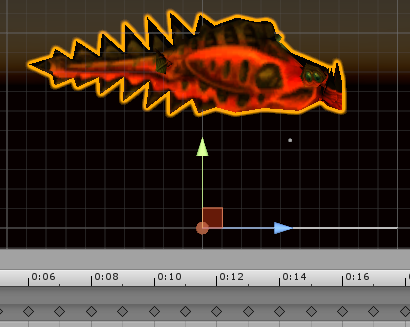
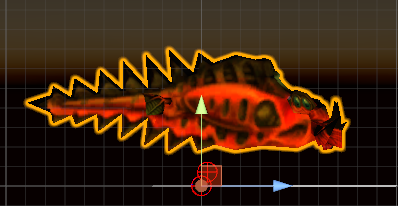
even if i set the model to be below the ground, it'll still rise to the spot in the second image when previewed/in-game
opal aurora
Is it a generic model?
odd bronze
humanoid with dummy bones
timid seal

Google Docs
 remote fog
Ayo, i'm working on a MMD model in blender right now and i'm using CATS. I want to add eye tracking but the model didn't come with bones for the eyes. How would I go about adding those bones?
opal aurora
Go to your rig configuration
odd bronze
the model works fine in generic, it's only in humanoid when this problem happens
opal aurora
Lower your model in the 3d view with the arrows (supposedly via the hip bone)
Apply
You need to have a controller attached for the position to update in unity
And it must be playing aswell
timid seal
@opal aurora was the picture visible for you?
opal aurora
Extremely weird on my side tbh, got a checkerboard pattern all over it
fading verge
https://imgur.com/gHvJSP0
oki i have this issue that when i edit the mesh by useing modifer i cant get the body to move with the rig
 timid seal
@opal aurora https://imgur.com/gallery/hFmIZ
odd bronze
moving the hips in the rig config screen didn't work for me, the model is still automatically stuck at that position in the 2nd image whenever i go preview/in-game
i dont think there's anything wrong with the way i set up the dummy bones https://i.imgur.com/n0DYMUF.png

 gaunt belfry
@odd bronze and the model is weight painted right?
odd bronze
the model is already weightpainted with its original bones
only the dummies arent weightpainted
gaunt belfry
Hmm
I believe if this is an in game issue, I've had it before where the hips refuse to me up or down in the actual game
 uncut yacht
Anyone mind helping explain why my titty bones don't want to show up in unity? I created them in blender, duplicated chest bone into RootBreast, then created two bones from that bone named BreastRight and BreatLeft, assigned vertexes, moves fine in pose mode. But in unity, the bones just don't seem to want to exist?
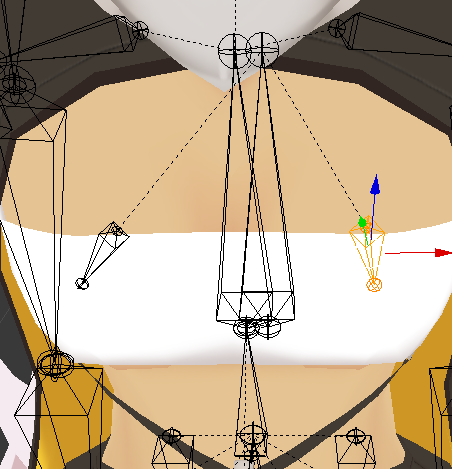
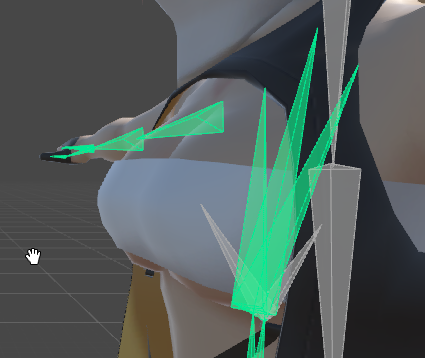 odd bronze
have you tried dynamic bones on them?
uncut yacht
Nvm I'm retarded, I incorrectly named the root
 tropic roost
anyone know how to do custom emotes without mixamo, i wanna make one from scratch but everytime i move a bone, it reverts back right after
jovial dune
@valid rapids well hello there
uncut yacht
Ok, so that fixed the dynamic bones working, but it didn't fix the bones not showing up where they should be
https://imgur.com/z4F07P1

I have to put really low values to add movement because they register all the way there for some reason?
 low reef
manic marsh
low reef
manic marsh
@uncut yacht they dont show up but they are still there unity does that sometimes idk why
@low reef pss kid
i might be able to help you @low reef
clear tulip
https://i.imgur.com/WWvtm2D.png i have gotten this far.. trying to edit a skeleton rig made by maximo, but how can i select those bones? do i need to scale down the one sticking out of the head to be the spine? it worked fine in the animation tests in maximo
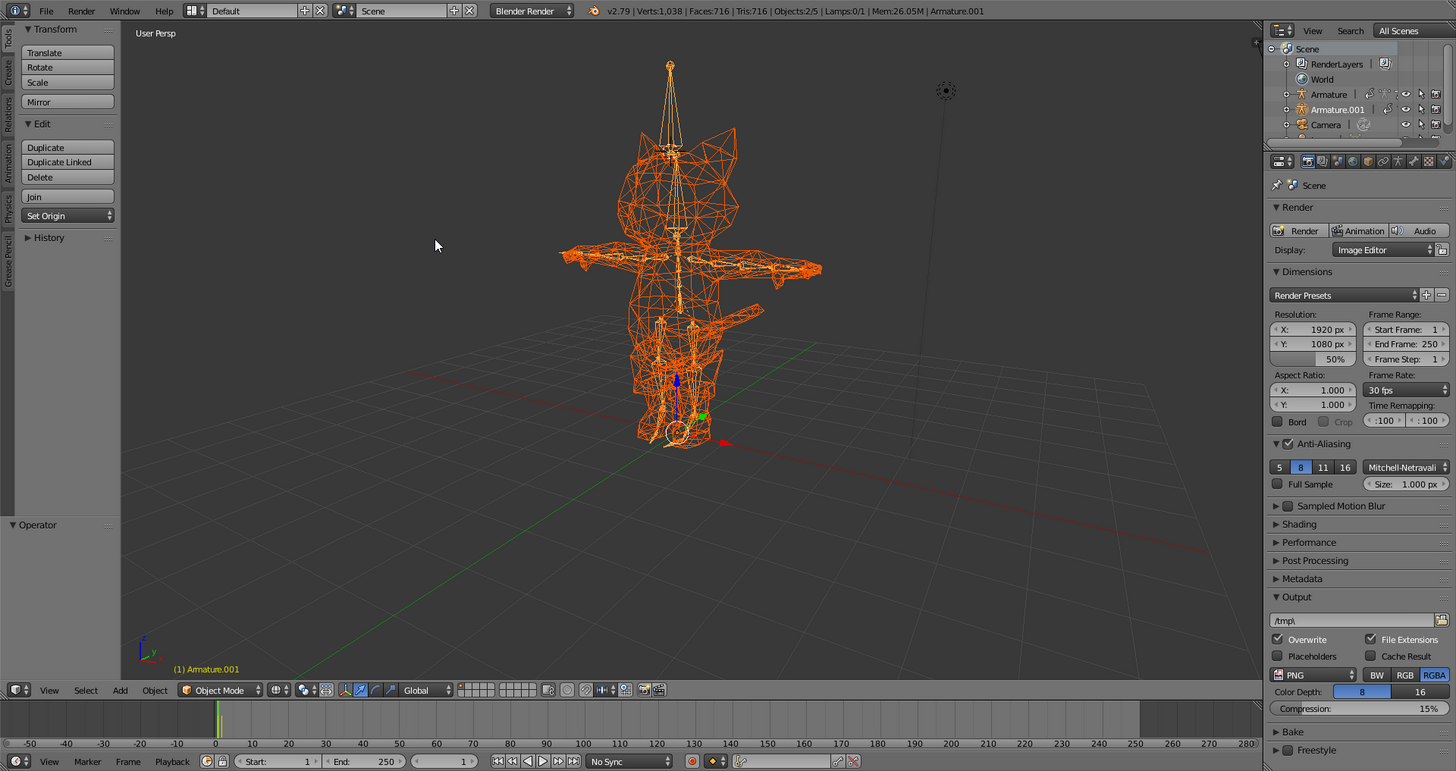 manic marsh
the stick out of the head should have no weight thus is uselles
you can delet it if you want
@clear tulip if you want to be sure it doesent have any weigt you can go into pose mode and than select the mesh than go to weight paint
if it shows purple it does nothing
clear tulip
i know what a few of those things are... lol i think its time to watch more videos
valid rapids
@jovial dune hello? D:
tfw I changed a position of a vertex for basis shape key and went to reset it in all the other shape keys, but they were already updated
feels like I broke something
seems to be working though...
manic marsh
@clear tulip you dont really need to watch tutoraials on the basics most of the things are explainde by the descriiptions when you hover over the buttons ( or atleast thats how i learned blender : P )
 hallow bay
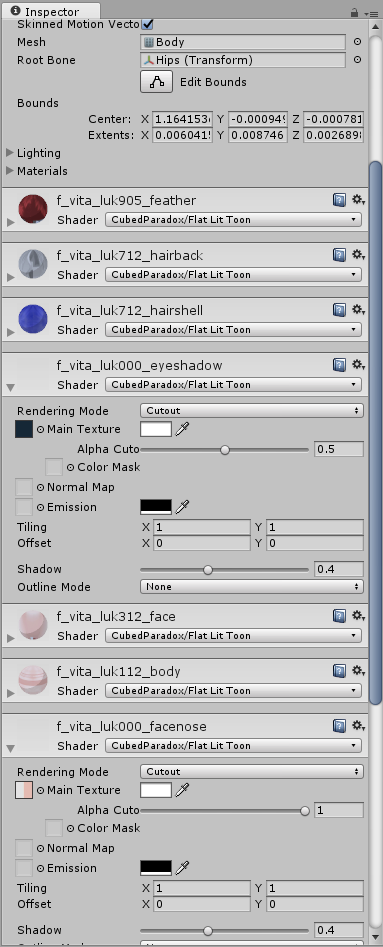
eyes are not present in the avatar in unity https://i.imgur.com/eQptCRs.png
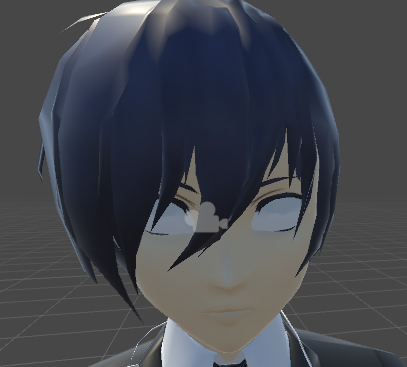
on blender, they're present, but I believe it has so problems with the location, because when eye-tracking to a corner of the eye, the eye dissappeared
fading verge
did you drag the eye matieral to your model's eyes?
hallow bay
yes
fading verge
weird
hallow bay
ok, this is weird https://i.imgur.com/CJHUhfn.png
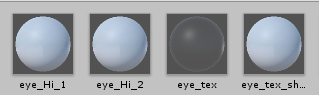
however the eye textures are present https://i.imgur.com/yn8wmIp.png
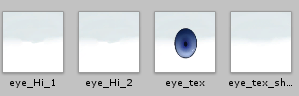
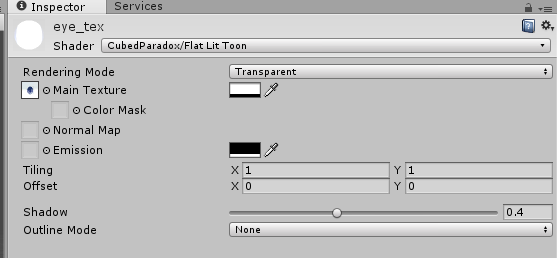
...wait, why the eye tex mat is transparent?
also, as I can see on the miniature, the eye tex is correct https://i.imgur.com/pc4vXRo.png
 rapid meteor
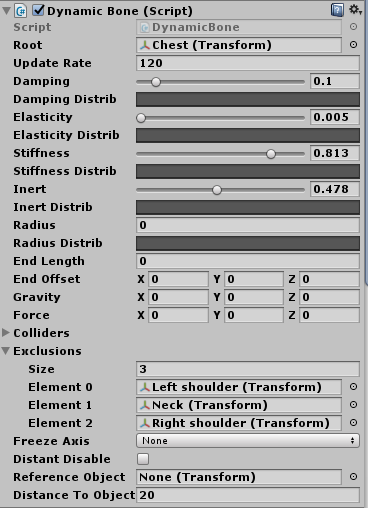
What settings in Dinamic Bone are you using for breasts so they look natural?
sleek tendon
I have a really nice one, let me load it up,
depends on the size, but this one I use on all of mine, looks pretty close to natural
 hallow bay
Rip, I might come to ask later
sleek tendon
didnt get yoru question @hallow bay
rapid meteor
@sleek tendon thank you 
sleek tendon
yw
hallow bay
@sleek tendon when I get into unity, my model eyes completely dissappear
and I don't know why that happens
because I showed with images that I checked that the texture and the mats are fine
manic marsh
@hallow bay i think your eye texture is set to transparent in the rendering mode
 hallow bay
let me see
sleek tendon
- the folder in unity where you keep the textures
hallow bay
https://i.imgur.com/bKs9Msq.png ignore the w_eyes, I tried to check if it was the texture fault by adding a texture on another avatar that worked, but didn't did much

 spring geyser
Do you guys share the dynamic bones addon here?
hallow bay
@spring geyser no, and requesting it is considered as piracy.
spring geyser
Ok, my bad
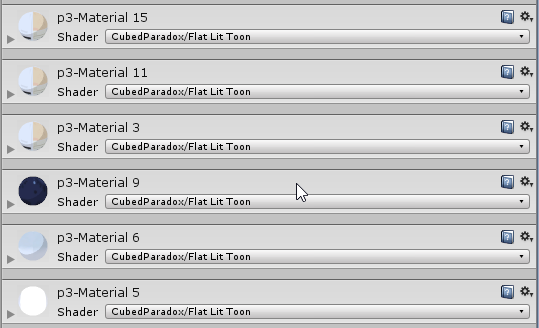 sleek tendon
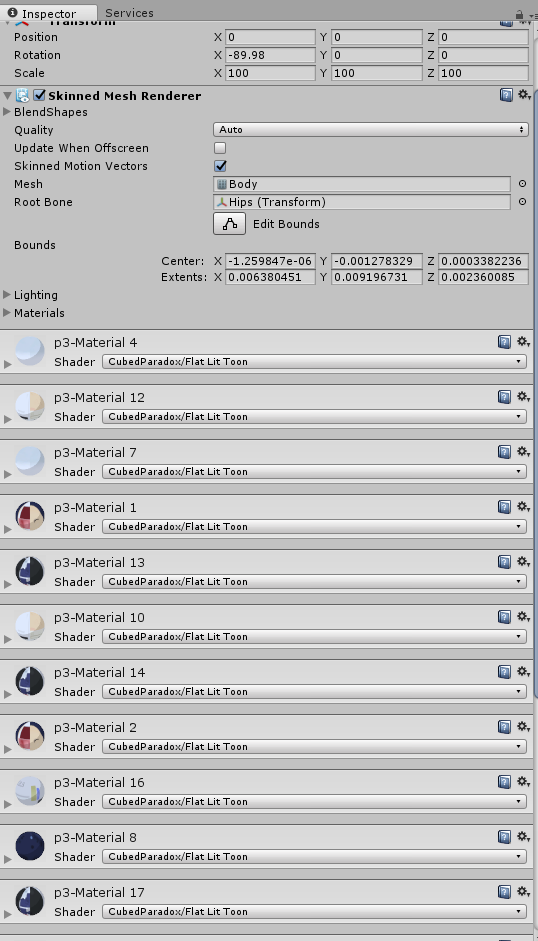
try putting a material on p3-material 5?
I think its just assigned wrong
the texture
so open one up with the triangle
either drop onto main texture, or use the circle next to it to browse and select
hallow bay
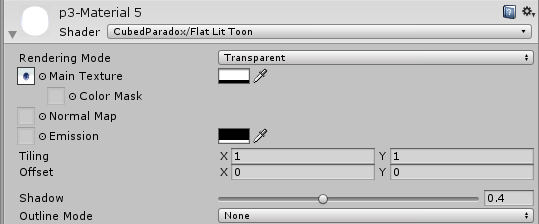
that's the eye texture as you can see in the miniature
that is the same material for eye that I set in the folder
sleek tendon
its on transparent
fading verge
why is it on transparent ^
hallow bay
opaque does nothing 😦 https://i.imgur.com/N9fNeJT.png
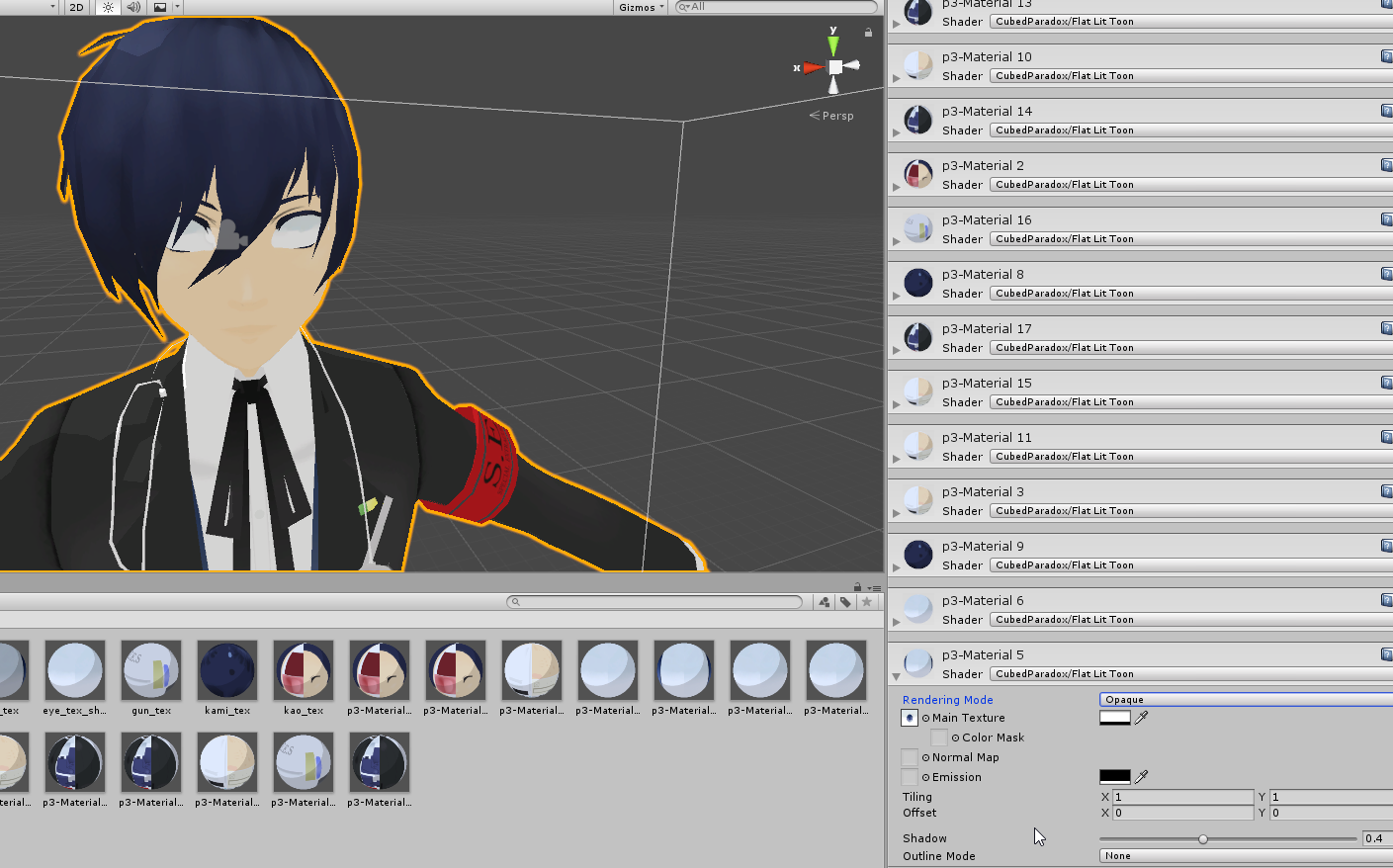 sleek tendon
might be anothe material then
look through them
cuz one of them is wrongly assigned it seems
hallow bay
is there any way to hide a material?
to be checking what material belongs to what part of the model
sleek tendon
temporarily select a bright colour
like the blue hair maybe
do that to each one and revert it till you find the eyes
hallow bay
seems like that did the trick. https://i.imgur.com/O0Vg4nM.png

I found the material that belonged to the eye globe, and just assigned the eye tex to that mat.
seems like that did the trick for now. If eye tracking looks weird (when it get fixed on server) I'll just simply disable it. Thank you Xenu, I learned something new.
sleek tendon
no worries 😃
 balmy goblet
Hello does anyone know how to rig my idea here ? http://prntscr.com/i614pc

arm movemenst and head movemenst should be carried out as peach doll
im completely new to rigging this shit
the cpt falcon came with a rig i could move peahc not
 earnest rivet
Grah. There's a weight on my character's head, attached to something on the a bone on the right side of my body, and i cannot for the life of me find it.
sleek tendon
yeah fixing weights can be a bitch, especially in blender
earnest rivet
I'm thinking it might actually be my neck pulling down against the head in a weird way....
Hoping that's it, because it's nothing else XD
 gleaming needle
Looking for somebody experienced in mapping bones. I have a character which needs a whole body boned.
sleek tendon
enable Riggify in Blender
optionalle remove 1 or 2 spines, or just don't use them in unity
full skeleton in 1 go, just set mirror on in options (tab on the left)
raven pumice
So this Squirtle rig has no spine chest or neck, just arms/legs/head (and tail) all off the root bone. Will this cause problems?
sleek tendon
so when you edit it mirrors it to the other side
you can't upload it most likely space
VRC needs chest etc I think
gleaming needle
and if i say that this character is actually a little cube one that doesnt need bones but i need it to be mapped so i can do blend shape expressions?
raven pumice
I can probably adjust the rig if it needs the right heirarchy and spine/chest bones. No neck on the model though so I guess I can dummy that bone
sleek tendon
yeah dummy bones isnt an issue, just don't weight htem
raven pumice
Yeah. Thanks! Think that will be my weekend project, need to relearn weight painting and that's a good excuse
 dry marsh
Hey everyone! So I'm working on another abomination, and I'm REALLY close to having it work. The only issue is Unity throwing a fit over the t-pose. Is there anyway around this?
I would post pictures, but I don't seem to be able to..?
 sick oasis
Links work. Upload to imgur then paste the link.
dry marsh

Ah, there we go. Much obliged ❤
So yeah, Unity seems to break it entirely when forcing the T-Pose, which VRChat also does, if I'm not mistaken?
fading verge
Hey, does anyone know why my character I created doesn't spin his head while he does a backflip?
 bleak vine
can someone help me with mixamo auto-rigging? if i wanna auto-rigg it says : oops! please place all markers on the character! but they are all placed
 plucky terrace
does anybody know if a model is in the ground, how to get it up?
dry marsh
@bleak vine what is the model?
naive tree
@plucky terrace make screenshot of your ankle bones from 90 angle in blender
smth like this http://prntscr.com/i63efi
 fading verge
number pad???
small solstice
learning how to weightpaint wrists, is there a way to improve something like this? https://my.mixtape.moe/xafdpr.webm
trying to fix this weird issue in vrchat

bendy wrists
opal aurora
If you have enough faces for it, add more weight on the arm portion, and remember to use auto normalize so the weights don't overlap over 100%@small solstice
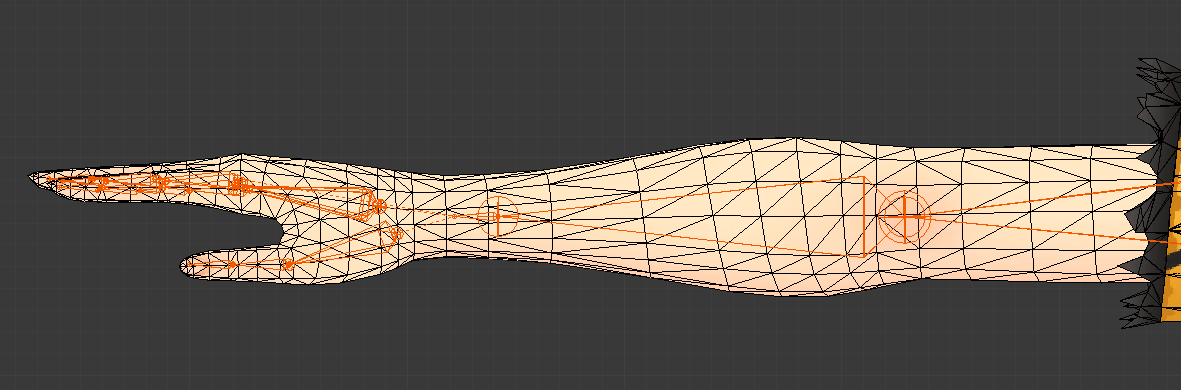 opal aurora
Check the weight on the forearm specifically
I think the set of faces before the small ones in the wrist should have around 60% weight on the wrist bone and the ones before it perhaps around 30-40%
Using auto normalize so the forearm keeps it consistent
small solstice
does auto-normalize even out the weights or something? i never really used it till now
opal aurora
Yes it evens out the weights
If you use 100% per example it removes any influences from other bones so you don't need to remove the extra weight later on
small solstice
o
opal aurora
A must-have-enabled in most weight painting scenarios if you wish to save up time
opal aurora
Mhm
small solstice
i probably should wipe the weights off both arms and start from scratch now that i know auto-normalize is a thing
opal aurora
Might be a good idea to start from scratch, but if it seems to work as is for now, there shouldn't be any need for such
Overlapped weights don't always cause issues, but they may at times
Welp time to head off
Good luck with it
timid seal
@opal aurora how about now? Can you see the picture? https://i.imgur.com/uc9vrdB.png
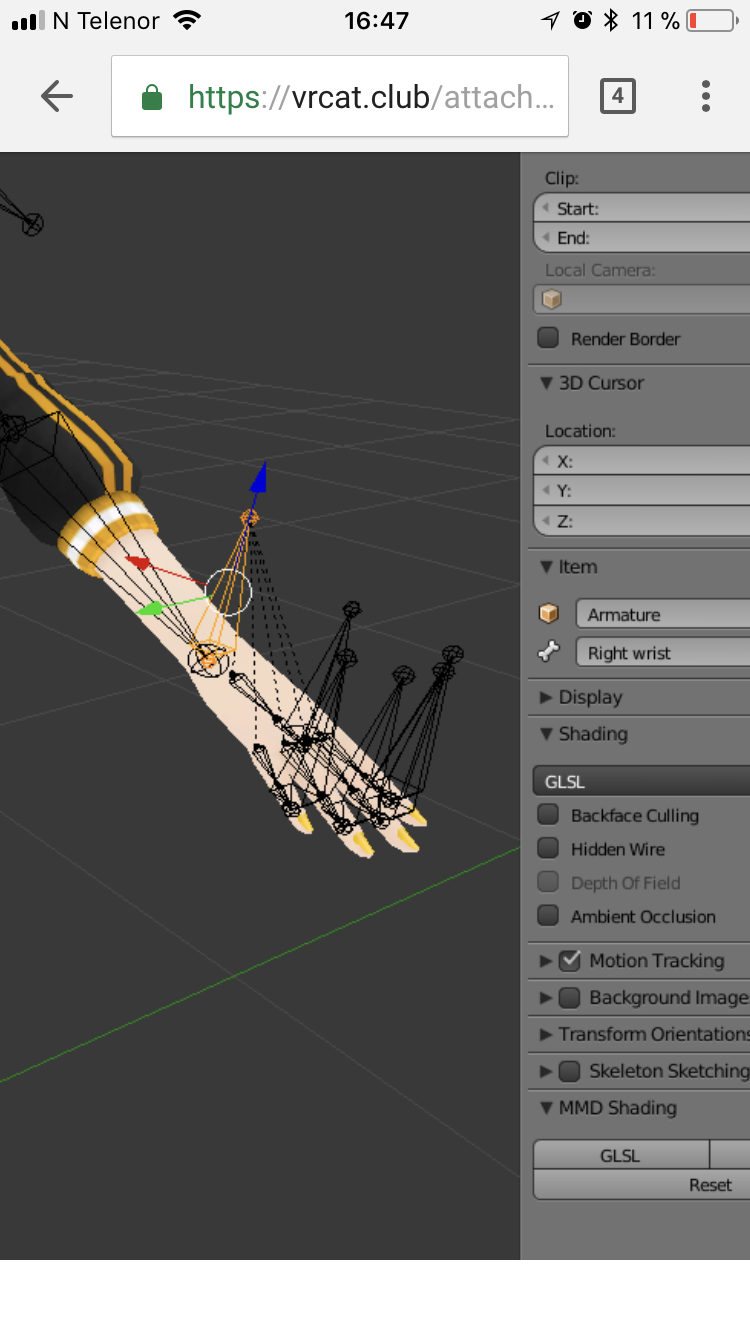
 neon knoll
Sorry for not knowing, but what this this exactly mean? http://prntscr.com/i645n5

Actually, where do you even access the descriptor
 dusk pilot
 blissful onyx
@neon knoll are you trying to upload your avatar from the rig editor or from the scene?
neon knoll
I figured it out, whoops. I didn't put the avatar descriptor yet. Sorry if I asked this in the wrong channel
 spice jetty
i need weight painting pro tips on the hands for the peace sign because no matter what I do I can't get the peace hand gesture to look good in VR
the back of my hand below the pointer always caves inwards in the peace sign but looks good for every other motion
blissful onyx
@spice jetty do you have a screenshot of how it looks?
spice jetty
1 sec ill grab 1
slate skiff
I get in unity the warning that my feet is underground but when i upload the avatar it looks fine feet are above but the avatar descriptor is at my neck now hm so does the game set the avatar higher but not the descriptor ?
spice jetty
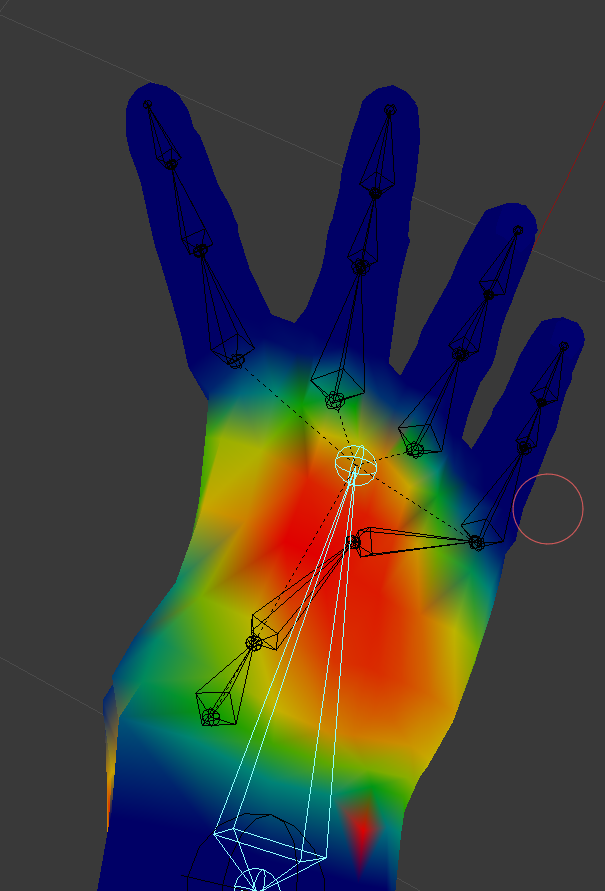
https://imgur.com/a/hAwqn it curves in under the pointer like that in VRchat but just a little worse. i was thinking there has to be something to like, add density or something of the like to make it a little more resistant to collapsing. if I lighten the weight paint any more gestures like thumbs up end up doing poorly
 blissful onyx
Have you tried rotating the first bone of the fingers?
spice jetty
I haven't, I've seen videos saying you want the bones properly aligned but I've never seen/understood why
autumn parrot
Mixamo is rigging only 4 fingers on my character and not 5, anyone know why?
fading verge
Hey I just added a bone structure to my model and I parented the mesh to the armature and when i go into pose mode the mesh wont move with the bones. Can anyone help me?
spice jetty
youve got to weight paint
fading verge
whats that?
spice jetty
https://www.youtube.com/watch?v=IZPqxADetWE&list=PLVjqNAJqhr_EEKaepqEDt-muPi-sEbPLJ&index=2 it basically tells the mesh what bones to move with and by how much. this videos and the top 2 comments helped me a ton I'd reccomend going of this

This is a tutorial on how to overcome errors that can occur when using the automated bone weight function in Blender 2.5
fading verge
ok thanks
spice jetty
np gl
 weary geode
@fading verge If your mesh is already weighted, make sure to add an armature modifier to your model
weary geode
Is it a new model you made, or one you imported that was rigged?
fading verge

This didnt have bones so I put them on
im trying to have the mesh pose into a fist
so i can put them into a particle system in unity
weary geode
go into edit mode of the mesh and check the vertex group list, it may already have weights applied
weary geode
then you'll need to weight paint it manually, follow the video that Rei linked
fading verge
ok thanks
weary geode
If automatic weights didn't apply, then it's probably because your mesh isn't parented correctly
weary geode
Make sure your armature modifier on your mesh has your armature set as "Object", and make sure on the Object tab of your mesh, your armature is set as parent
frigid flower
Can someone assist me with dynamic bones
 dark garden
Can anyone here help me with a weight/bone issue?
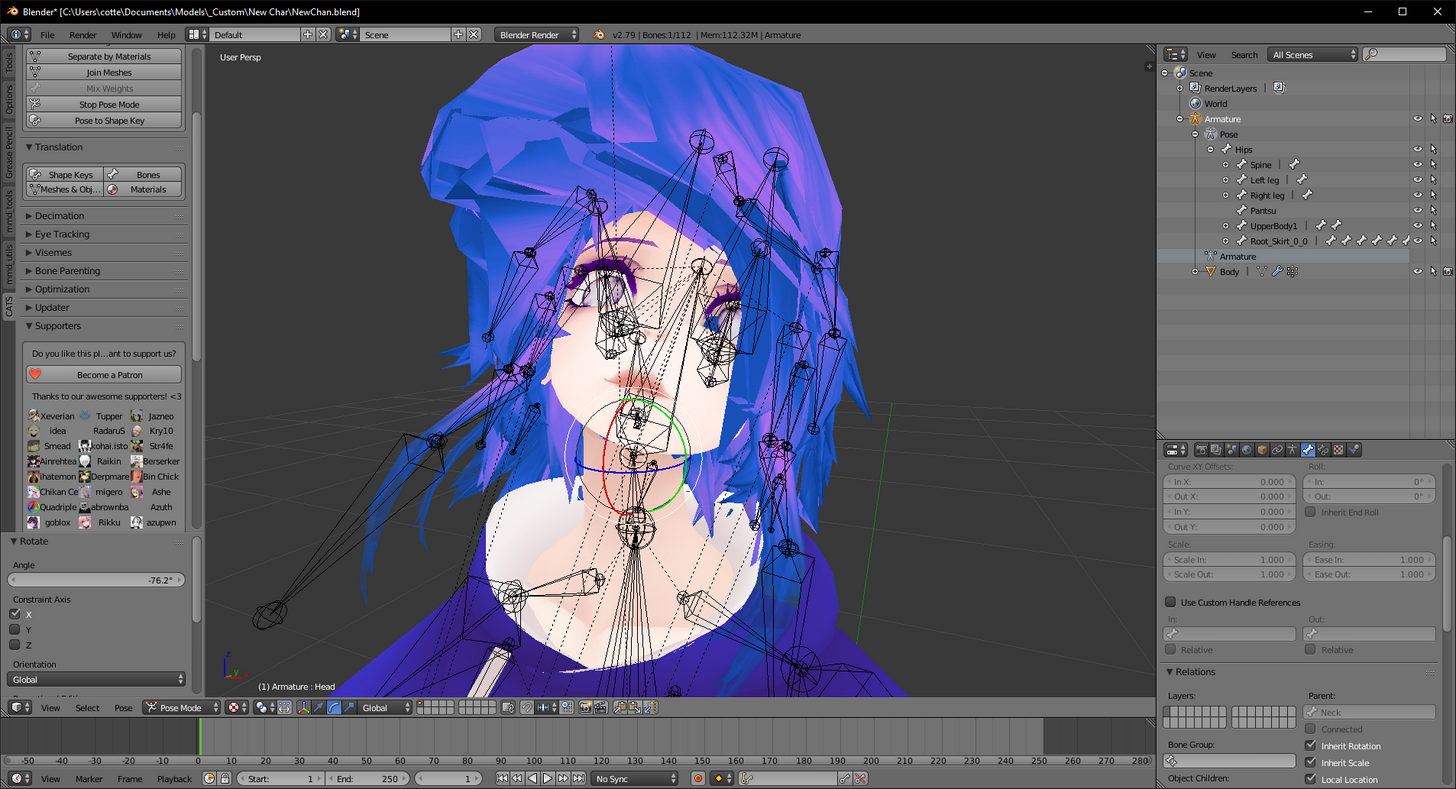
basically, https://imgur.com/a/IRNFO
 weary geode
Are your hair bones connected to the head
 left hound
does a motorcycle need bones?
weary geode
@dark garden And they are following the head bone?
dark garden
yeah the bones all seem to follow the head. it's only that top part that is stuck
weary geode
pm me your blend file
dark garden
okay, I have to add you to pm though
 slow solar
Has anyone found that Unity will just 'seize up' for around 10-20 seconds every few minutes constantly?
It used to be fine, but as my VRChat project grows, it seems to get worse and worse
 main sage
ok
heres a possibly challenging question
this guy has blendshapes / shapekeys for moving his eyes up/down/left/right to look around
can i somehow use that for eyetracking?
 vocal fog
I need some help with the bone structure of my character. his thumb is just streching

please dm me
calm needle
looks like the thumbs may have been deleted off the model by mistake
 heavy sun
Greetings. So, i've been editing a particular MMD on blender, or more specifically, combining two mmds. I've almost finished everything, and merged the two armatures deleting unnecessary bones, but for some reason, even when i use CATS to fix the model, my bones seemingly dont move anything in pose mode. And everything seems correctly weight painted. Wat do?


Not sure if anything it out of order with my layout... kinda puzzled
 lapis osprey
i need help rigging the skirt so it moves with the legs
balmy goblet
bump
frigid flower
@L1ghtn1ngc4t#4924 you need dynamic bones
 shadow shoal
^$20 for it
lapis osprey
i have it yes
i need it to not stay like a part of the torso though when i sit down
its like it awlayse has to be level
and thats what im trying to fix
left hound
i have added a motorcycle as an avatar how to make a sit for others to ride?
shadow shoal
You don't
left hound
what you mean?
weary geode
@lapis osprey Weight mix the skirt bones to the leg bones
 regal star
Hi guys, I seem to be having a problem with my model in unity. In the tv show they come from, the character dosnt move there legs, they kinda levitate close to the ground. Yet because of this, the model wont be accepted as a humanoid because it dosn't have feet or toe bones. Any reccomendations on how to get it as a humanoid without them?
weary geode
make fake leg/feet bones that aren't weighted to your mesh
regal star
I've never created bones before. Don't exactly know how. LoL
frigid flower
I'm not sure what bones need to be excluded when making dynamic bones
weary geode
in blender, select your armature go to edit mode with tab, then you can either go Add > Single Bone, or select a tail of a bone and press E to extrude another bone from it
fading verge
exclude the bones that arent related to what you want to move in the same parent
weary geode
any bones that you don't want to be influenced by the dynamic physics should be excluded that extend from whatever the root bone you set is
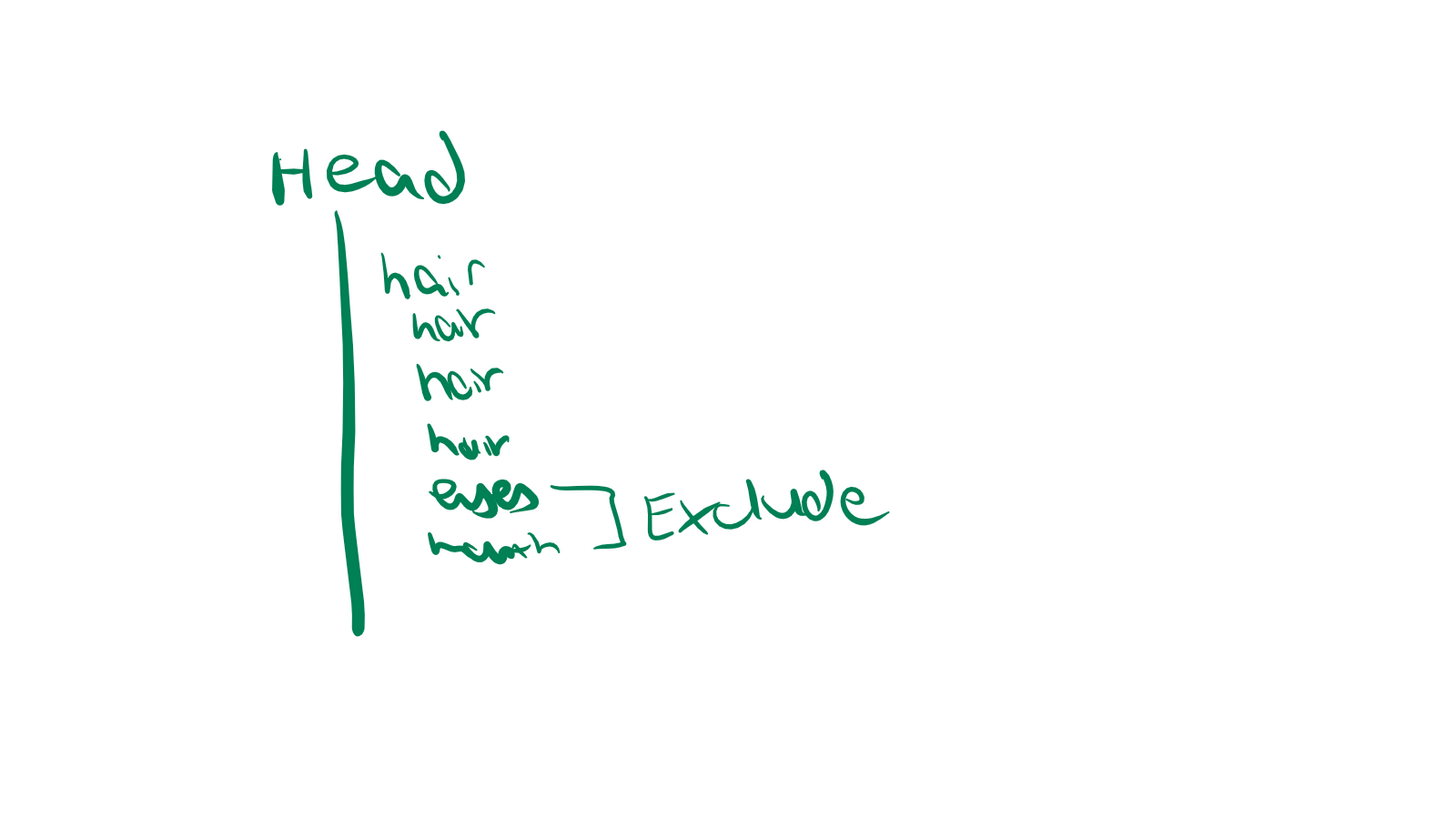
Eg. If you're creating dynamic bones for hair, you set Head as root and exclude the eyes and whatnot
fading verge
ex: https://i.imgur.com/Sxg35i3.png with hair that isnt grouped together
 stuck hamlet
Or make a spoof head bone that only has hair children and make that dynamic instead to avoid making exclusions
4 the future
Needed for clothes because making your hips dynamic causes problems
weary geode
you set hips as root, not dynamic
main sage
If i wanted to move this guys feet out of the ground, what would i move up abit: the armature or the clone that Unity makes when setting the rig? https://gyazo.com/2fb82902ecf9552e285925b014d33c49
 weary geode
armature
main sage
k
weary geode
or rather, when editing the model you'd move the mesh to offset the armature
I don't think it's something you can change in unity, never tried
stuck hamlet
cant you just raise the root bone? that's what I do and it gets my feet out just fine in-game
left hound
How you can add the sit script on an avatar ?
stuck hamlet
🤔
left hound
I mean is it possible to add the sit on a motorcycle avatar and others can ride ?
weary geode
custom scripts cannot be added as components to your avatar
or you mean when creatign a world?
if it's a motorcycle avatar then no, it's not possible
but IK bones is a planned feature, you could do it with that possibly
weary geode
your own avatar, yes
left hound
Kay thanks
weary geode
If you want the motorcycle to appear only when an animation triggers it, then you'd use animation overrides (will need VR controllers)
otherwise you can just add it to your current model and you'd need to set a custom sitting pose as rest pose and create fake legs to prevent vrchat from animating your legs
weary geode
sets gravitational influence on the bone, can only see the affect it has if your model has rigid body with gravity set
not sure if it actually has an affect in-game, depends on the world
 magic crow
Hey guys, my avatar's eye tracking isn't working and I cant figure out why
i used cats tool
and eye tracking testing works fine, i can rotate vertically and horizontally
and the correct eyes are selected in Unity
but when I get into game, the eyes do not move at all
does anyone have any idea why this is happening?
weary geode
eye tracking is currently broken, won't be fixed until next patch
magic crow
Oh, okay. I just went through all of my models and realized eye tracking was not functioning properly on all of them
weary geode
A temporary "fix" is to create a blendshape where your eyes are positioned a bit further into your head to create the illusion of staring, some mmd models already have such a blendshape
but it depends on what kind of eyes your model has
magic crow
there isnt anything we need to do in unity besides selecting the correct eye bones in rigging right?
weary geode
nothing needs to be done in unity, the eye shapekeys relevant to tracking just need to be the first 4 in your shapekey list
weary geode
ya
 calm prairie
okay, i have been having a problem with the avatar i am setting up. when i try to publish it, it says "Humanoid avatar must have head, hands and feet bones mapped but i have. the only issue i see with any of them is i cant see the head bone. Please help?
fading verge
is there a head bone on your amature?
calm prairie
yes.
fading verge
like, can you see it in the hierachy
hm
is at an actual bone, not like the end of the neck bone
fading verge
sometimes models can have bones and bone_ends
the head could be named as the bone_end of the neck
not sure though
calm prairie
no its not, and ive tried using that bone, which i deleted early on
fading verge
ah rip
i have no knowledge at this point
calm prairie
its fine, it literally just worked,but then i rtied to fix a vertices group for my FOOT, and then it did that
im a sad boi
calm prairie
yeah
weary geode
pm me your blend file
calm prairie
k
file is too big it says
i think i have a solution
my head vertices my be not linked to current head bone since i removed it
so i need to relink it, then ill try again
fading verge
you mean parent right?
weary geode
If you named it the same then it shouldn't be a problem
the mesh retains vertex groups even after you delete a bone
fading verge
you using blender?
calm prairie
yes
fading verge
one moment
weary geode
in edit mode on your armature, select head bone then go to bone menu and scroll down to relations
Neck should appear as parent there
fading verge
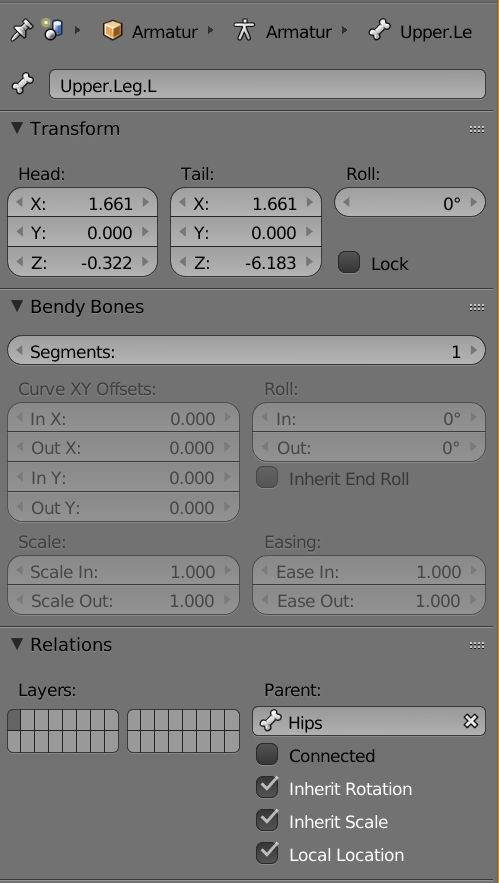 fading verge
oh its just an example
calm prairie
oh ok
fading verge
when you selected a bone
weary geode
check parenting of your other bones too
calm prairie
what other bones would i check?
weary geode
neck should be parented to chest, chest to spine, spine to hips
calm prairie
yup
weary geode
shoulders should be parented to chest with offset, upper legs should be parented to hips with offset
calm prairie
yup
weary geode
did you setup your avatar rig in unity ?
calm prairie
no i used mixamo as a stupid person then fixed it afterwards.
weary geode
I mean
calm prairie
the model has worked in vrchat before, i just want to fix some things
waht do you mean?
weary geode
when you import the model, on the import settings go to the rig tab
the "Animation Type" there should be "Humanoid"
calm prairie
yup
weary geode
and the click Configure and make sure that it has set the bones correctly for everything
then click apply
calm prairie
yup
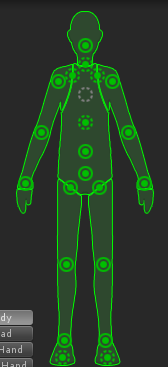 calm prairie
thats what it is except the head bone dosnt show up in the 3d view
thats how it is
buti cant see the headbone
in the 3d view
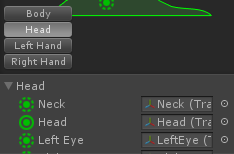 weary geode
hm okay, you may not have previously applied your avatar rig, or you reimported your model after making changes to it
calm prairie
when i exported the model to unity, i set up some things in the export settings, like turn off baked animations, get rid of leaf bones, etc
i made a new file for blender but didnt change it for unity, so it was wierd
i wanted to fix th labels.
no to see if the model is messed up ingame like it was earlier
thanks for the help guys.
in-game its so bad
jesus christ\
 velvet tulip
hey guys, can anyone help me with this issue i'm having?
https://image.prntscr.com/image/g7OlcI-5Q7uN4jpLC0mEJQ.png
i don't know why my characters thumb is deforming like this

https://image.prntscr.com/image/p0Cft7_RQb6K3sMwuJiL5w.png
on a separate copy of the same character, i did some sort of automatic bone weight adjustment or something for the whole thing and it fixed the thumbs but messed everything else up
anyone know how i can make the original look like this second pic without messing everything else up?

 last flame
i tried to get my own model for the past five hours but im getting flooded by errors only shortly into the tutorials
 native egret