#avatar-rigging
1 messages · Page 85 of 1
 surreal parrot
 torn isle
To me at least.
surreal parrot
Ported an addon
 mental lynx
Quick question.
In VRChat, my model's mouth is see-through on the inside and you can see the blue hair behind it.
What can be done in Unity to fix this?
 spiral sleet
FYI, CAT plugin from what my research has shown completely breaks motion-tracking rigging
mental lynx
What you're breaking are the shape keys from improper decimation, right?
spiral sleet
I've spent now a handful of hours trying to figure out why my models ended up with messed up legging, and the answer is that obviously nobody ahs motion-tracking on the CATs plugin team
no, its breaking the bone structure that is functional for motion tracking
mental lynx
Really? Because mine work fine
And I've given my models to someone who uses VR
Maybe its a busted build? I had to reinstall Blender/CATS three times before any of it worked.
spiral sleet
every single MMD character I load up and export into unity has either their "rear end" sticking straight back or just messed up legging in general
mental lynx
That's weird
mental lynx
Ive done a few characters and its all worked
Maybe me wonder if a reinstall is needed
Or something
mental lynx
I'l ask what they use
 woeful idol
can anyone import an animation with maya and export it for unity use ?
 calm needle
@surreal parrot based on the picture, one hand isnt selected?
spiral sleet
I'm almost positive you're thinking of just the default headset and controllers, Brandon. I'm talking about feet/waist tracking
my models work fine without feet/waist tracking.
calm needle
er, lower right arm it looks like
spiral sleet
It's when I try to use the trackers that I get models with rear-ends upwards; I can see the issue in the bone structure and I'm almost positive CATs simply isn't designed for motion-tracking below the waist as the rigging it "fixes" models to won't work
TLDR: Have motion trackers? Don't use CATs to import, or if you do, expect the model to be broken unless you somehow skip ALL bone fixes.
surreal parrot
@calm needle would that mess with how the head moves?
calm needle
after rereading your stuff, no it wouldnt, although you said it was a source model though. maybe there are some extra odd bones floating around the head?
 gentle shuttle
How would you rig a cloak to have its "own" physics
As it would react differently to movement than let's say hair
gentle shuttle
What's wrong with cloth physics
 small zinc
Like
gentle shuttle
So ya janky
gentle shuttle
So the bones are better? Or is there a plug in that would work
small zinc
I use them on loinclothes and shit like that because...fuck it
What exactly do you need to do?
is the cloak on its own mesh?
small zinc
That's one of the other issues of cloth physics
gentle shuttle
Ruby rose timeskip
small zinc
So you'd need to actually snip the cloak from the mesh so it's in its own section
yeah
gentle shuttle
Ya it has armatures in it :/
small zinc
Oh, it does have bones in the cloak?
Okay
So that does sound like a job for dynamic bones
gentle shuttle
Okay
I legit just started using blender today
I've tried in the at but couldn't continue. I believe vr chat will keep me going
gentle shuttle
Hopefully work with my nephew to make some worlds too
 spice jetty
@spiral sleet leg tracking is fine for me but I use kinect
small zinc
well
spiral sleet
yeah, I'm not sure if it applies the same....if it does, then maybe like someone suggested, I need to simply update the client
spiral sleet
@spice jetty I'm taking a handful of simple models and running them through CATS to see if I'm right or not, so we'll find out
I know most in-game skins bug out at the hips, so its obviously something that CATS could fix if we find out whats wrong with the bone structure down there
I think it's where the hips are placed honestly, but this is DEFINITELY not my ballpark (network admin/JUNOS guy)
calm needle
any new info for the cats team would be handy
spice jetty
I'm using my brother's oculus setup so if it does turn out to be a big problem for sure share that chiz in bug report. Leaning towards a vive but if your right im getting an oculus
calm needle
if the problem with the rig can be figured out, then new info the the rig fixing can be made
spiral sleet
I'm running vive with opentpcast and 3 trackers in a warehouse
so I find all the fun bugs.
 worthy coral
Oh tell us more
spiral sleet
tpcast is buggy as fuck, but jesus its so fun shocking people by dancing to a song
also all the models being broken for motion tracking gets REALLY DEPRESSING once you realize your 300$ makes the game WORSE for the most part.
worthy coral
300$ broken dlc
spiral sleet
^
worthy coral
Lol
spiral sleet
well, it's just kinda shocking how out in the open HTC/VRChat leaves motion tracking customers
I don't even have a reset button for my model in VRChat
 fading verge
Anyone know how to get the upperchest to work anyway..or boucning boobs..boobs with physics xD
spiral sleet
I have to reboot the entire game if I have ANY issues......
 mystic relic
Doesn't it reset when you change world?
spiral sleet
honestly not sure, I'll let you know (hopping on right now)
I know when it breaks, oh boy it breaks
mystic relic
I'm trying to protect my wallet from my massive desire to get full tracking
worthy coral
They're cheaper than the HTC vive?
gentle shuttle
@small zinc i ment in both
small zinc
Fair
spiral sleet
HMD-only is going to be roughly 400-500 USD from what I heard
the entire kit in fall with lighthouse 2.0 and updated wands will be like 800-900 most likely
mystic relic
idk... I'm just a student; I don't think it's worth :p
spiral sleet
also intel wireless comes out at the same time, which wireless is pretty amazing
gentle shuttle
So are the new wands able to track finger movement like the rift
spiral sleet
if I had a purchase order, this would be it: vive> DAS> tripods > wireless > vivepro > trackers
my 2c
gentle shuttle
Tension poles are pretty stable
mystic relic
finding it hard to justify the DAS... it sounds really nice, but I'm annoyed that I can't just get a good strap without headphones
spiral sleet
DAS is worth it......I hated it/thought I wasted money, then found out I was wearing/using it wrong for the most part
once you actually adjust it right, it's pretty amazing
spiral sleet
example: I kept complaining the audio was weak, but then a quick fix and its way too loud now lol
Deluxe Audio Strap
gentle shuttle
Ah
spiral sleet
I mean, I dance with the DAS and throooooooooow my head hard. I've yet to lose the HMD, so well worth the $100.
gentle shuttle
I LIKE CAPS TOO BUT IT'S A LITTLE MUCH
 topaz turret
sorry
topaz turret

like that
how would i parrent that so the top moves when the bottom moves
in vr
 opal aurora
@topaz turret yes, if the bones are parented to their direct counterparts they move in unison
fading verge
@topaz turret you should probably add another set of bones to the fingers
just to be sure
topaz turret
Yep already on that @fading verge 😃 👍
fading verge
👍
 open lintel
I actually think i just buggered up my rig but i can't rightfully tell.. part of her cape seems intent on being glued to the backside of her knee, but the rest of it flows proper. its on both sides for both knees and it just stretches the inside to the knee. doesn't show up in unity or blender.. would that be a vertex mapping issue, as in like i caught a vertex I wasnt supposed to have and mapped it to the cape bones?
I havent done much testing, I just noticed it and thought i'd throw it out here to see if someone else has ran into this before
 harsh radish
Could someone please quickly help me with this https://i.gyazo.com/056624dbcf31ff8c3f0ece4ebbd98a7f.png

😄
fading verge
fix the bone setup, if you use strange names Unity sometimes misreads the bones
opal aurora
If you updated your models' hierarchy sometimes the prefab doesn't update, in which case you'd need to re-drag the model onto the hierarchy to fix it
harsh radish
Ill try thank you 😄
spice jetty
tirandarr sounds like a heat map problem
surreal parrot
So
Doing another model
And the fingers

And if I try to correct them it says its not in t-pose
Also yes I will texture everything
Just wondering why this keeps happening
 hexed frigate
excuse me, anyone in here know to change color into rainbow ? i'm very appreciate with your help 😄
 opaque sierra
anyone know how i can rig this to be human? like creating false bones? pls DM if you know ^__^
won't let me send pic but it's the bird from birb world
surreal parrot
If ypu want to send pictures send it as a link
Send it to a bot and just copy it from there
Also
I too have a problem
This

Any other spine configuration fixes it but also doesn't let it publish
So idk what it's doin
Or will these errors even do anything
 fading verge
Burb
small zinc
@surreal parrot these are nonessential
It's likely you have zero weight bones or rotation bones somewhere on your model
You can honestly just ignore them
It's basically like...
I have a model from battlerite that has deer legs
This means it has one more joint than usual
Between the knee and the foot
In essence, if that middle bone, that isn't mapped on the skeleton, has any weight to it, it can stop the model from moving correctly, but it isn't so critical that it will ALWAYS break your model
99% of the time? You'll be fine
small zinc
Unfortunately beyond my skill, sorry
surreal parrot
Mkay
Just trying to center the camera now
It's just off to the side for some reason
Must have moved the model off center in blender
small zinc
that's...weird
is there anything attached?
because the prefab should be centered automatically
surreal parrot
Well the descriptor was where I wanted it
But it was over my shoulder in game
Or the camera
And it seems to move the head as well
Like I can tilt my head and it follows
small zinc
you should be able to see a dot
small zinc
Pray
surreal parrot
My camera would just be to the left of that blue square
small zinc
are your feet bones at the very bottom of your feet?
surreal parrot
Why?
small zinc
Because if your bones aren't right your body can drop lower than the camera point
I can't think of why it'd be off center though
 small zinc
The fuck
Oh
That's normal
don't mind t hat
...actually maybe mind that
Show me your prefab contents
surreal parrot
Thats just the assets I'm using right?
surreal parrot
 small zinc
no
like
to the left of the viewer
the list of objects in the current scene
not your assets

 small zinc
what happens if you delete h11_jfo_h_base
 sly jackal
yo does anyone know how to rigg a four legged model up in unity?
surreal parrot
Just seperated everything
small zinc
But is the line gone?
surreal parrot
Looks like it
small zinc
the dropdown menu no longer exists?
surreal parrot
Ok
Well we will see
If this works then all there is left to do is the fingers
Nvm
The line is back
But this is new
small zinc
if you click on it you should be able to select it directly
should be two clicks to select the part or something like that?
 small zinc
I am very confused now because that's not a physical object
that's an indicator in engine afaik
surreal parrot
Ya
Looks like it is dead center
Maybe thats it
Because it doesn't move with the line
And it wouldn't fit anything on the model
Hopefully this works
Also if it is even more off center I know where to move it
And if not then shit
Also god uploading takes forever
Welp
Didn't work
 cobalt island
Does anyone know what causes a person to not be able to reach/touch the ground on some avatars? My main avatar camera is about 1 foot above the ground, but the avatar and everything else is perfect.
er I mean, the bottom blue circle that should be ground height is one foot above. The main viewing camera is in the correct position in the head
small zinc
Do you have your player height calibrated correctly?
cobalt island
If you mean the vive room setup then yeah. I even went and changed it a foot higher and lower. The blue circle stays the same in game but does affect my avatars legs etc
small zinc
I mean in the VRChat settings
cobalt island
Talking about the tiny ball thing you can adjust for camera? Or have i missed a setting actually lol
Im hoping i missed a setting
cobalt island
Oh, It is set to my height in real life since the menu is better positioned. But then I dont think it could be that because some avatars have the blue circle on the ground, some are a bit higher, and mine is 1 foot above
So i was assuming it has to do something with the avatar/rig
I should double check to see if that affects the blue circle though but I feel like it won't, brb quick
I wouldnt mind changing that height as a bandage fix
Darn, its still floating around 1 foot high. Just affects the avatar rig and not that circle position
Ill import the unity blue guy example into blender and export and see if I get that same problem. If not, ill compare rigs
(I see in google some people have this problem, no fix listed though)
Oh, the example blue guy has a large root bone centered at 0,0,0 named Armature.001. Not parented to anything. I don't recall people needing a root bone.
cobalt island
Yeaa its np. I figured a fix for this would be super technical rofl. Ill just have to do some googling about this and see what I come up with
Ohh, im getting a good feeling about this xD. Gotta import and test with this root bone
 coral relic
if it's not the root bone here's another thing to check
in blender select the object and on the right panel (press N) Location should be set to 0,0,0
the dot indicating object's origin should be in the center of axes
cobalt island
Yeah, both rig/object mesh are centered at 0
Ive never seen a tutorial set up requiring a root bone though, so now I have to figure out how this works. Guess I can try parenting the hip to the root bone i made and see if that fixes the floating issue
cobalt island
It is set to 1 atm, I did try changing it last nite a bit but I don't think there was much progress there.
Ill see what happens quick after I do a quick import with this root bone in place with hip parented
I have a good feelling about this root bone! Uploading now lol
fading verge
hey
anyone know why my particles doing this?

it having those weird circle
inbetween
cobalt island
meh, still got my issue to figure out, but the circle height did change, though that might be because the character isn't the same scale for some reason lol. Have to figure out what im messing up
coral relic
@cobalt island A bit Cpt. Obvious but is your viewpoint in avatar descriptor correctly set up?
meaning inside the head?
fading verge
@fading verge having the same problem myself, not sure how to keep it a consistant line ugh
cobalt island
@coral relic - oh snap good call, i forgot to change that with my latest attempt to fix with the root bone
maybe I did fix it, reuploading
coral relic
coz by default it can be above you and then the avatar can snap up to it and you float
maybe that's it
cobalt island
My past models have them in the correct position, but this latest one didn't with my fix attempt. Will see if i did fix it
ah darn, its not fixed. I got super excited because right away it was on the ground, then i moved and it jumped up 1 foot back to where its always been
fuuuuu
So the root bone fix was a no go
Maybe I should try making the leg bones shorter rofl
Just to see if that affects it
cobalt island
Nope, the rigs all done by me in blender
cobalt island
This recent one I did was bare bones, haven't touched anything animation related etc :\
hrrm
coral relic
VRChat Wikia
Make sure if your scene has fog enabled, that you have a value specified higher than 0, or turn off fog. You can find fog settings under your scene lighting. This is known to occur when a...
VRChat Wikia
Make sure if your scene has fog enabled, that you have a value specified higher than 0, or turn off fog. You can find fog settings under your scene lighting. This is known to occur when a...
looks like unity check for feet location, they have to be at 0 height
cobalt island
Hm, i don't see my specific issue in there. You think it would be since others described the same problem
ill read that bit over quick
coral relic
stuck in floor and floating above could have the same cause really
cobalt island
Well that sounds like the avatar is floating above, but my avatar is on the ground
Its just that myself, the vr rig thats floating 1 foot above. Arg
It seems like a camera isue honestly but.. idk
coral relic
oh
can you control hands then?
do you see your head rotating?
ir is the avatar static?
cobalt island
Yeah everythings working just fine
its just the blue circle that should represent my foot height is 1 foot higher then it should, So my avatar is correct, but myself in vr is 1 foot higher then it should be
so it keeps me from touching the ground to pick up objects
I could take a screenshot to give a better idea
Its really strange 😐
coral relic
well if your player height in vrchat settings is right then I have no idea lol
feel free to DM me the blend if you want, I could take a look in a couple of hours. I don't think I fully understand what's going on just from the description
cobalt island
Ok i think i know the issue
I changed the scale of my character in blender cause I was changing its scale in unity but wasn't getting issues except for that. After this change, the blue circle appears very close to the ground, but the rig is messed up lol. Its gotta be a scale issue then
So strange since everything else worked fine
coral relic
yeah, if you rescale, rotate or tranform anything in blender make sure to hit Ctrl+A and apply everything before exporting
cobalt island
oh no,I applied the scale and everything. Some reason scaling it in unity was messing up the blue circle
cobalt island
Yeah ive worked with blender/unity for quite a few years but this is a bit new to me lol
 robust gull
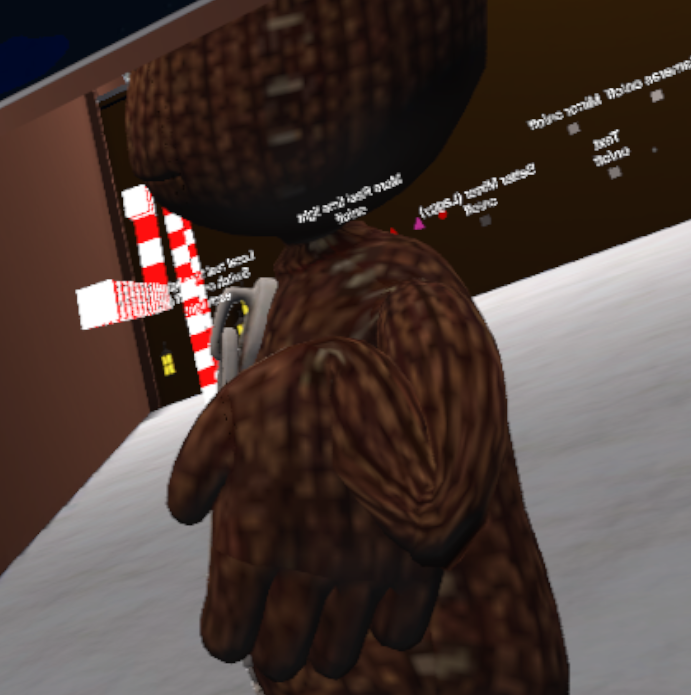
Is this a bone rigging problem? https://imgur.com/a/KXYNg when i point the hands up the arm become normal down and it do like in the pic
 cobalt island
No, its just the indicator that shows where the ground is in VR
coral relic
ahh
cobalt island
My play space circle
cobalt island
Ah, yeah, when in the vive home, its on the ground, but in vrchat on my avatar, its 1 foot above showing me why i cant reach the ground lol
coral relic
i mean user height?
cobalt island
Yeah, vr room setup, i changed it, its just messed up only on my avatar lol
coral relic
ok got it
cobalt island
Soo messed up
robust gull
Slaghton i have the same problem do you sit or stand?
cobalt island
I stand here
But i think i have the problem down to changing the scale in unity. That appears to break my vr rig height
coral relic
makes sense in a way, but it's strange cos I have avatars with 0.08 scale in unity and no such problems
cobalt island
Fixed that by changing the scale in blender fixed the circle height, but broke the rig. Its possible once i fix the rig, that the circle goes back to 1 foot above again
yeaa, it might still be broken really
Ill have to test it with the rig fixed to see
robust gull
Anyone saw my pic?
coral relic
yeah, but the description is hard to decipher. can you explain the problem again?
your hand isn't rotating?
cobalt island
But like you said, if i dont get it working, i could send the blend over to u
to see if u have the same issue
coral relic
sure
fading verge
@robust gull might be rigging or weight paint issue
robust gull
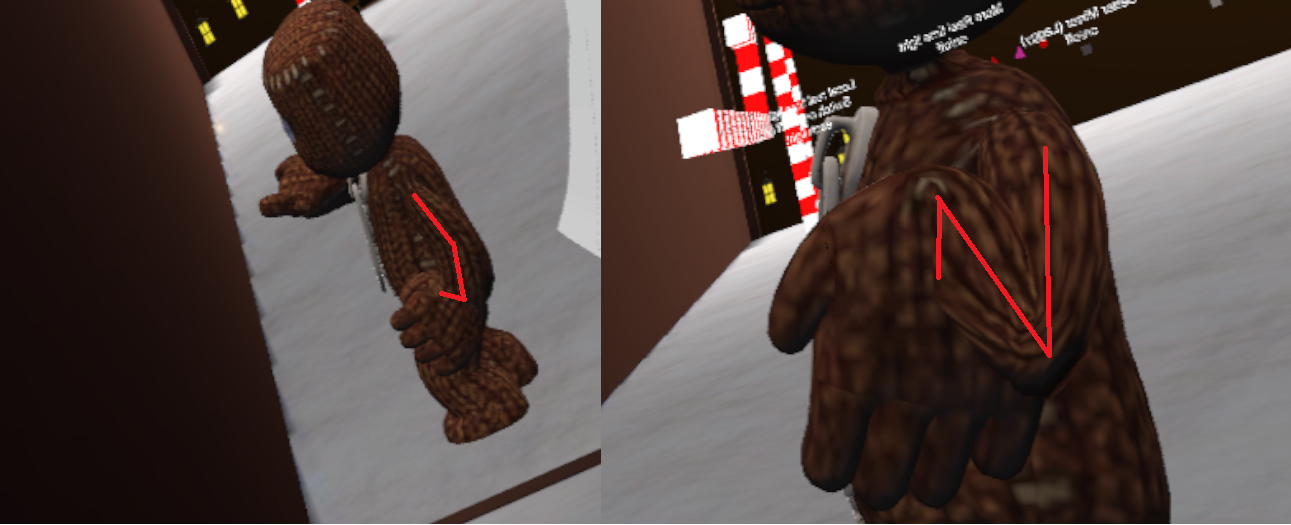
The arm is like going to wrong way or what to say. If i point my hand down so fingers points down ( like in the pic) the front part of arm points up and not down.
Not good and spelling or grammar sorry
robust gull
https://imgur.com/a/f6jDh i already made the bones in the arm straighter, but that was not the problem
 cobalt island
@coral relic - Fixed the rig issue, the circle is back to where it is again rofl
coral relic
what was it?/what did you do?
cobalt island
I forgot to apply the scale after I resized it in blender which caused the rig to mess up but the circle was at a better spot. I applied the scale and fixed the messed rig but the circle went back to floating again
The camera rig was lower in the body for some reason though in that messed up version
So maybe it is a rigging issue or something
fading verge
@robust gull you made sure the bones were not in the wrong direction?
robust gull
@fading verge Tbh i have no idéa, i didn't make the rigging for it
fading verge
ah rip
robust gull
Downloaded it like this only thing i have done is scaled down the head
fading verge
could be the model itself tbh
robust gull
Np 😃
coral relic
@robust gull go into armature edit mode and make sure that all arm bones are aligned along the same axes. you can display themin armature settings.
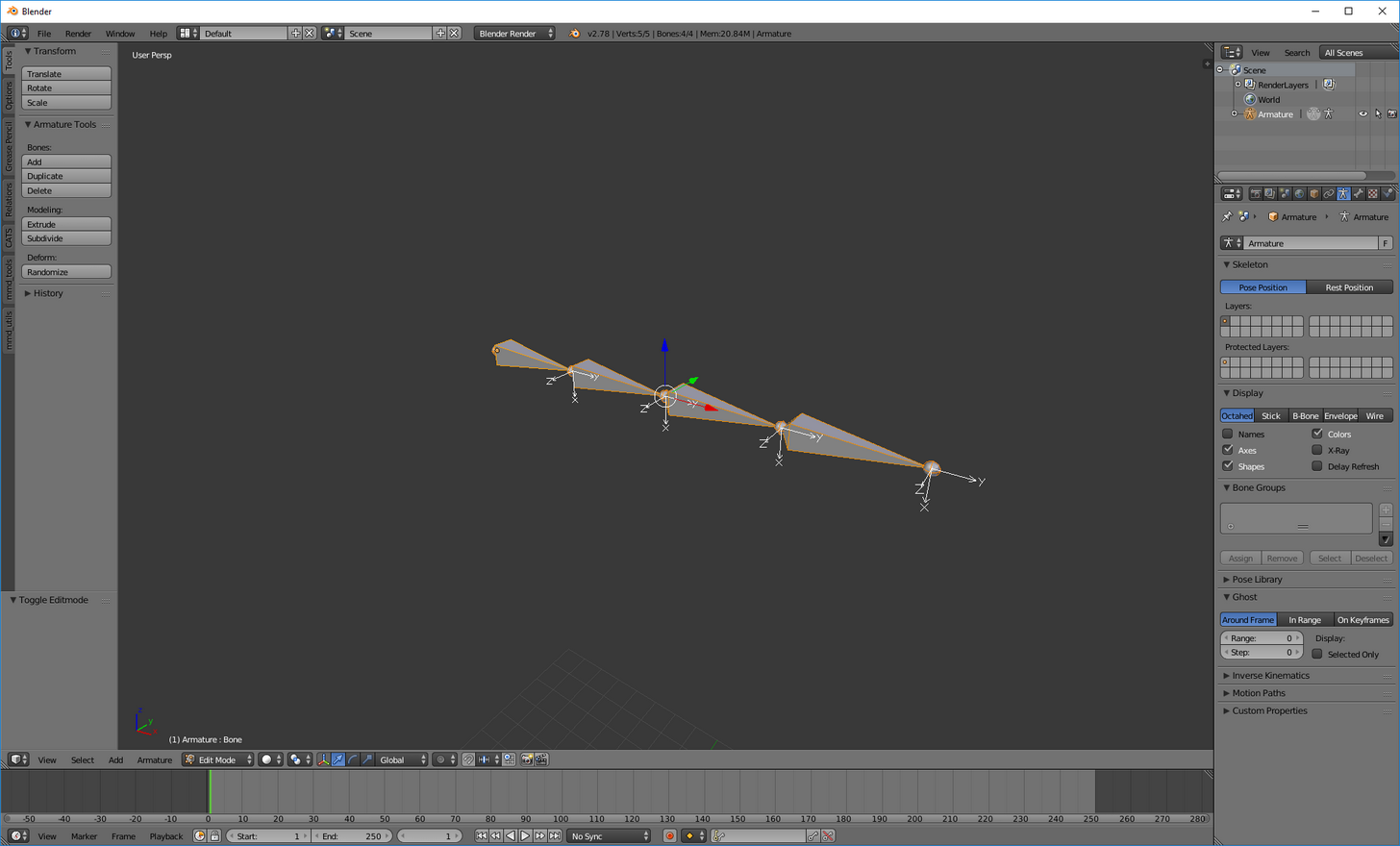
i have a feeling that one or more can be rotated in a bad way
another possibility is that weight painting is broken
but that's something you'll have to learn about on YT I suppose
it's not simple
 pine harbor
could it just be an effect of VRchat's IK settings? i've seen IK animations do some weird stuff over in MMD sometimes
cobalt island
Bah, still didn't find a fix for not being able to reach floor and I can see a few people have this issue but no solution (example from someone else "The floor is about an (in-game) foot below my actual floor, and makes picking things up extremely difficult, if not impossible. This isn't a problem with my VRsetup, as my SteamVR Home's floor is properly displayed to match my real life floor")
 steep tinsel
Anyone know how to rig a feral model? xwX
fading verge
While weight painting the hands, the tips of my fingers split in half.moving it
cobalt island
My first model I made had that problem, not sure what caused it though anymore :x
never made a rig like that yet for vrchat Convex
steep tinsel
Drat xwx i can't seem to find a single person who has...
robust gull
I give up tbh can't figure out what's wrong or how to fix it
opal aurora
@steep tinsel feral as in 4 legged creature?
steep tinsel
Yep!
opal aurora
Parent the back left leg to the front right and back right to front left
Use the front legs as the main legs
It's not the most elegant way of doing such but it should work
Back left leg to front right leg
back left knee to front right knee
back left ankle to front right ankle
And vice-versa
 naive tree
why would you want to be a 4legged creature and not a cute anime girl?
opal aurora
That will make said legs move in unison
naive tree
unless that's a 4 legged anime girl with huge tits, then it's ok
opal aurora
xD
opal aurora
@steep tinsel any luck?
 crisp tendon
time to learn !
cobalt island
@crisp tendon - heys, would you have any idea what causes avatars (say the premade ones) to have that blue circle for the vive that indicates the height of your player feet being at different heights? Some are on the ground which allows for easy picking up of items but can float higher making it harder. I have 1 avatar where its 1 foot above, the other I just made to test I got it just a couple inches above the ground. I was wondering if its because the humanoid rigs (mine and the one made for the animations for vrchat differ) so that if my legs/hips are 5 inches taller on my rig, it makes that circle float that much higher off the ground.
Phew, sorry for the long post if you read that
Because the one I made that doesn't float as much does have shorter legs with hip closer to the ground
crisp tendon
It's definitely related to body proportions, it might be fixed soon ™ but it could still happen for some models
cobalt island
ahhh ok, that makes sense then lol. I tried everything till someone talked about animations cause I said my circle was on the ground once till i moved and it jumped 1 foot up after. Ill have to let him know he was on the right track
@coral relic Heys, you were right about the animations. I believe its because of the differing proportions of rigs used for our avatars and the rigs that are used for the pre-made animations from vrchat sdk
 ivory radish
export meshes as bigger than usual bc if scale in unity is > 5 then it will trigger an error
make sure ur using scales <= 1 typically
robust gull
Why is this happning -.- https://imgur.com/a/abUs2
 fleet echo
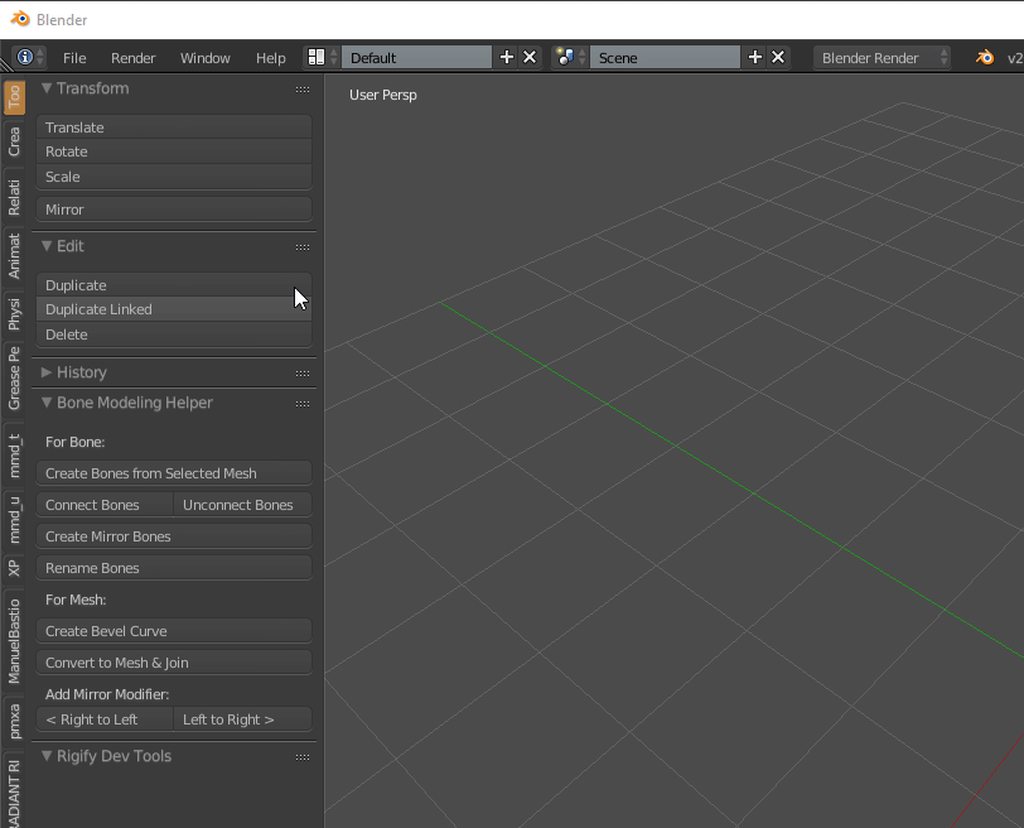
@steep tinsel https://i.imgur.com/wcUb6A4.gif this let you rolate with camera with alt with mouse and shift + alt let you drag around in blender
 fading verge
is there a way to make dynamic bones not rotate along a specific axis?
 rotund trout
The hair doesn't move w/ the head, how could I link those bones to the main head/body?
 fading verge
https://cdn.discordapp.com/attachments/331965077009989632/405775592697364490/unknown.png Anyone have a clue how I can fix this? lol
 robust gull
https://imgur.com/a/Rx1pZ this didn't end well just sayin' 😂
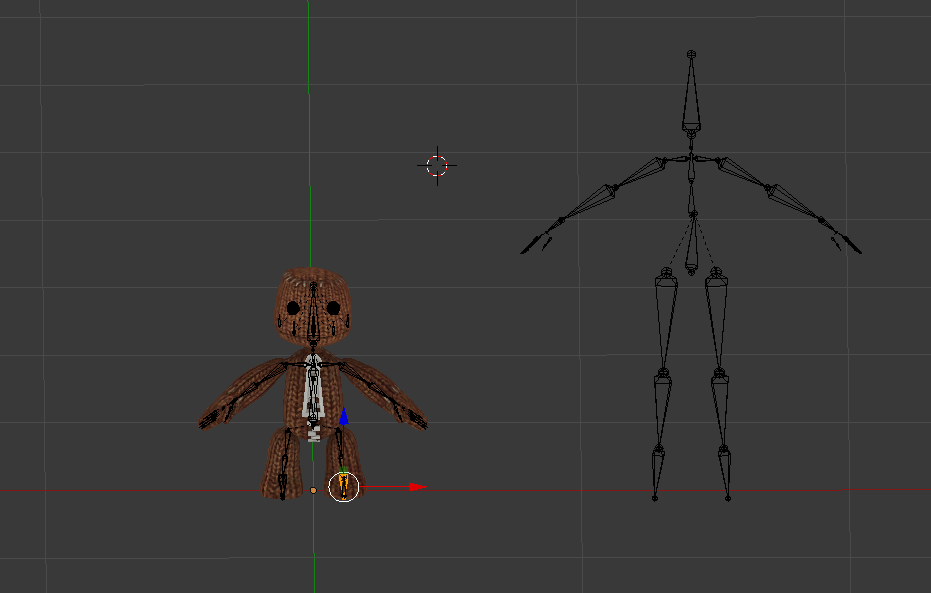 fading verge
looks like he summoned his Stand
robust gull
Took the bones from another avatar, i have a hard time getting fit so thinking of just taking Hips to wrist
 neon quiver
I using blender. I try even redoing my rig from scratch again to make sure it was nothing wrong. When i import my model to unity and apply the configuration under the rig tab. the feet are twisted backwards. Not sure what to do anymore.
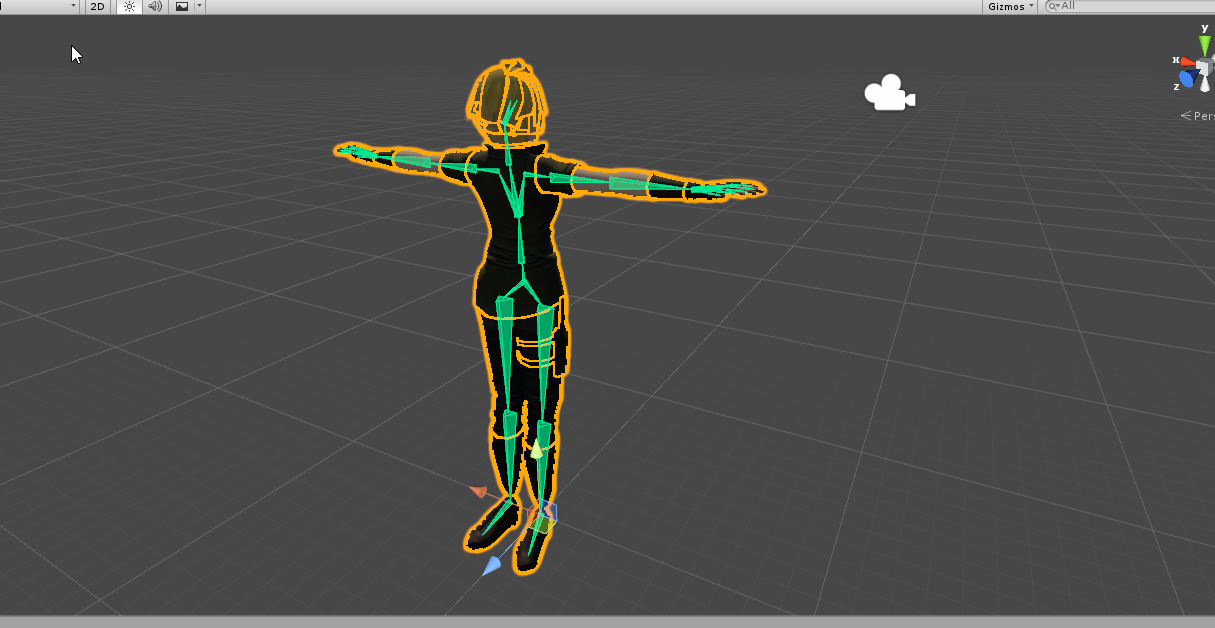
So on my 3rd try i went around and get rid of bone to see if the leg go back to normal and it seem to be the hand area that affect it. But I'm not sure how or why.
Though I am getting error "can't calculate tangent because mesh foot" doent contain normals"
Sorry for the long post.
Maybe i'll redo a clean file to make sure there no hidden error area.
fading verge
@neon quiver Does it do that even when you enforce t-pose in the rig menu
fading verge
https://imgur.com/a/CeAIH anyone know how to fix these elbows? [ignore the eyes]

 prisma magnet
is it possible to rig an avatar with a child object with a different layer name?
calm needle
pickled, if i had to guess, the model technicly doesnt have a shoulder bone
and is useing the upper arm bone as the shoulder
fading verge
but what should i map the shoulder to?
 vagrant rock
Can anyone explain as to why one of my shoes are moving slightly with the other?
calm needle
odd are, youw ill have to create a shoulder bone
manly, sounds like a weight paint issue
vagrant rock
Yea its really weird
Like the shoe completely falls apart aswell
but only the left one
vagrant rock
Auto weight
fading verge
i cant really use mixamo because the feet are stuck together and i dont know how to use weight paint
vagrant rock
By flipped you meaning like duplicates and then just flipped?
calm needle
did you dupilcate then mirror?
vagrant rock
No just duplicated the right one then went cntrl m then put it on the other axis
calm needle
picke,d it aht was directed towards manly. You just need to use blender to give that sonic and invisible shoulder bone
yeah, that is mirroring manly
which means the normals are flipped as well
calm needle
yeah, flipped normals do weird things to auto paint
it will also make the model look inside out when in unity
an easy way to tell if normals are flipped is to enable backface culling in blender
vagrant rock
Aight
calm needle
to easily enable it, hit the N key to bring up a new sidebar and its in that area
fading verge
how do i add bones?
calm needle
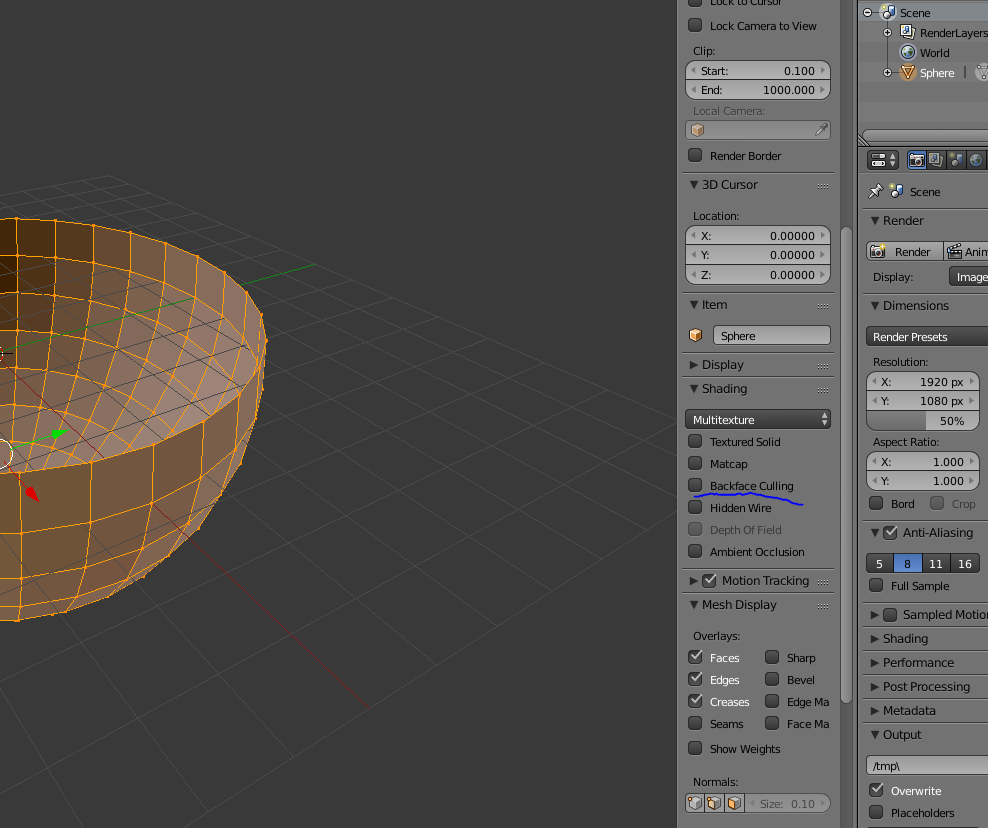
there are many ways to go about doing it but when i tend to do when a shoulder is missing is to extrude a bone from the tip of the upper arm, flip it, and then fix the parenting
vagrant rock
I'm always getting this
Mmd tools keeps failing?
Like i gotta keep putting it back in addons for blender
fading verge
are you putting the right folder in? are you enabling it in user preferences?
vagrant rock
yea
 main cape
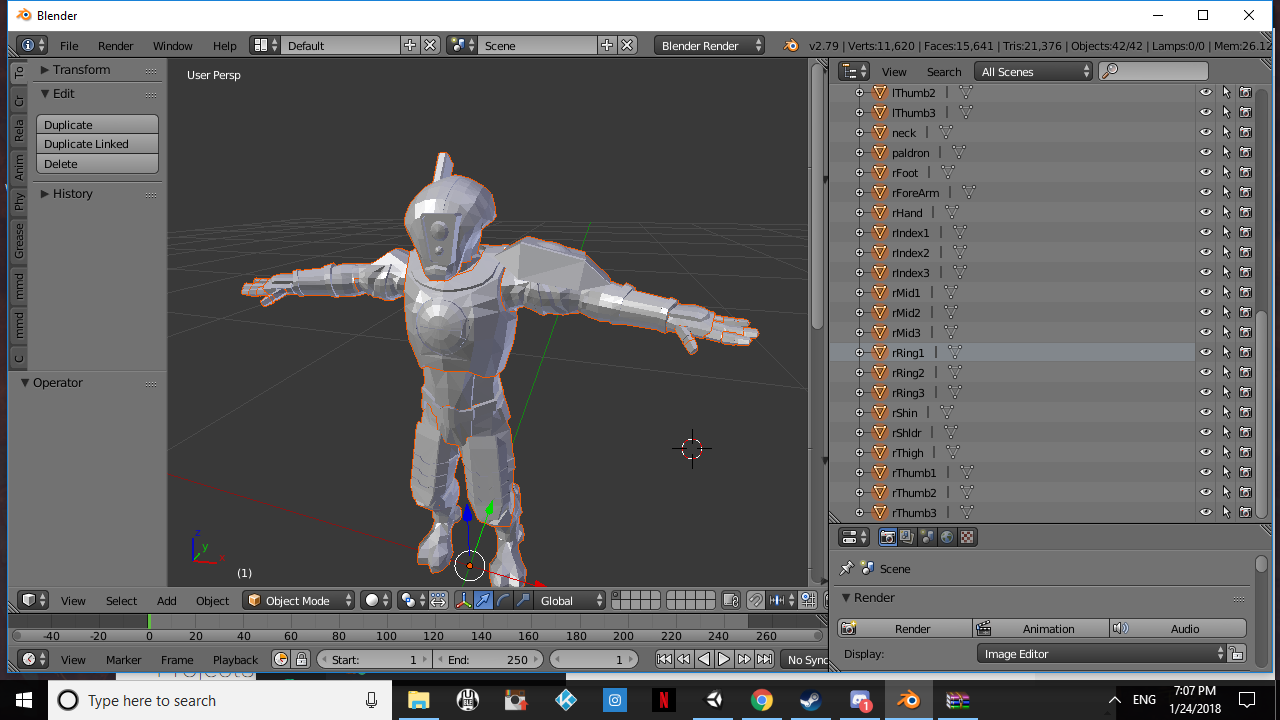
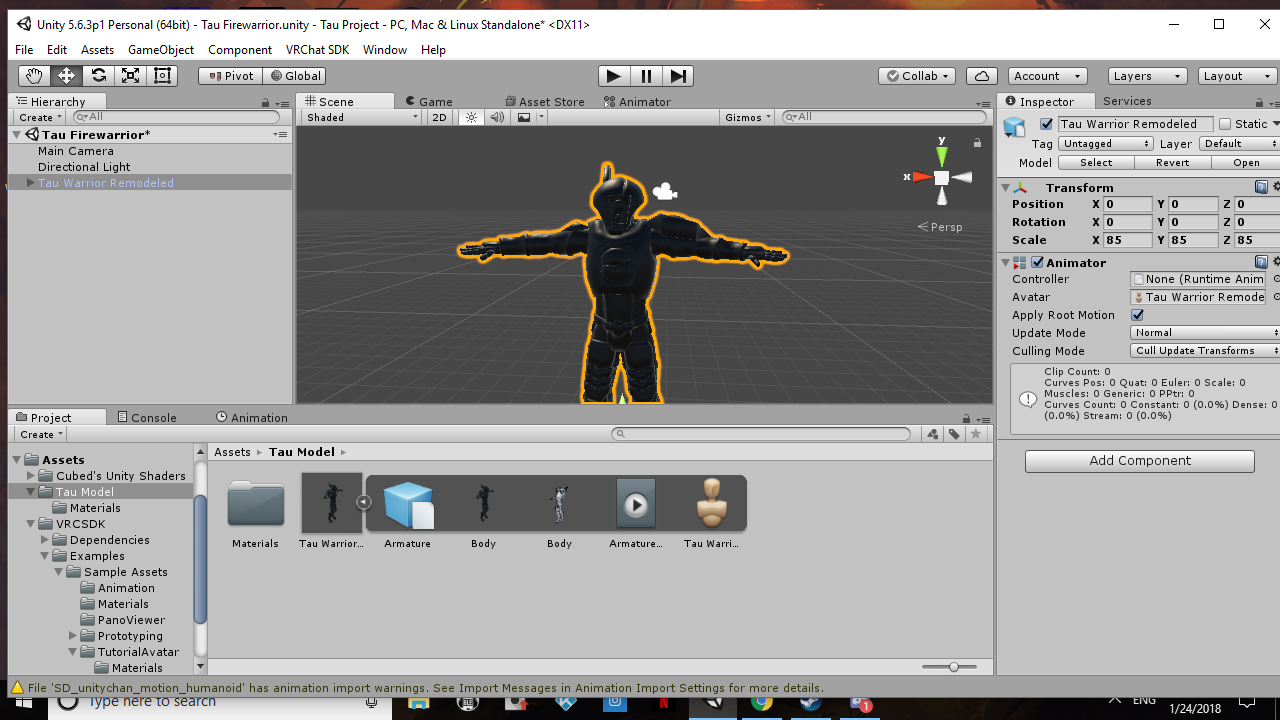
so i need some help i dont know where to begin i got a Tau Firewarrior model with the textures but i dont know how do rig it or get the texture on it
 vagrant rock
its just really weird some times it works some times it doesnt
https://www.youtube.com/watch?v=7P0ljQ6hU0A @main cape

VRChat Community Discord: https://discord.gg/VRChat Download VRChat! http://store.steampowered.com/app/438100/VRChat/ mmd_tools GitHub: https://github.com/po...
Follow that
main cape
its not a a mmd model and i tried the hitting shadeless as well it just goes white
main cape
its a obj model file
vagrant rock
not to sure then sorry

@fading verge Thats what im getting
its in the right folder and everything
fading verge
odd
 limpid bear
could anyone help me out with this problem
https://gyazo.com/a6b0a8ac2cd7d53a453ae5d29f095082


 jovial dune
So I've got this cape on my model in blender
And I need to figure out how to stick some bones on it
Any tutorials or anything of this nature I could get a hold of?
crisp tendon
Any will do, bones tutorials on blender are very basic and usually very simple
jovial dune
what's the average number of bones used in dynamic things like capes/skirts?
Like how far can I allow myself to go before I should expect people to start stuttering
crisp tendon
stuttering would be difficult, but performance issues might start around 15-30
jovial dune
alright
fading verge
how do i map the pelvis? it says its not rigged
 hallow spire
hey anyone here who can help me with dynamic bones as i cant afford to buy the asset
crisp tendon
@hallow spire There's free alternatives
hallow spire
@crisp tendon i basically just want the nose and ears of my model to be pysics enabled
crisp tendon
@hallow spire Look into Unity Rigid bodies then
hallow spire
do you have a video since i used unity for apporixmately 5 actions spanning over 20 minutes 😄
crisp tendon
I have never used it so i can't really recommend anything, but there's probably some really good tutorials on youtube
hallow spire
alrighty thanks for the hints tho
naive tree
sry for not avatar related q, but was wondering if any1 is using plug usb adapters to charge their controllers (vive) without any issues?
crisp tendon
I've used mine since last year and haven't had any issues
naive tree
ok sweet, not gonna use pc usb charging, it's just too slow
is what i've got http://static.m79.lv/prod_img2/w3e3m6u6f1k6o4j5j7i342650w3.jpg
 fading verge
https://cdn.discordapp.com/attachments/331965077009989632/405775592697364490/unknown.png does anyone know how to fix this? Bottom view is mirror, top view is a camera behind the model
hallow spire
AHH THIS IS SO COMPLICATED
 low parrot
https://imgur.com/0Rwvcwr
So I was about to upload a model, and I got this warning on the Build & Publish menu. Is this a big deal, or should I just leave it alone?

 gloomy loom
Fleshy ill be honest yoyr avatar looks cute af like that
fading verge
I already have two hilarious outtakes of this avatar, just wasn't looking for a third
gloomy loom
You need to parent thearm and finger bones relaxed
Youll look weird, especially if you have vr
gloomy loom
Google how to parent bones in blender
Id show you with pictures but im not at my computer atm
low parrot
alright, thanks
gloomy loom
Np
The basic idea is your arm bones want to move with each other
If the bones are parented they wont move naturally
jovial dune
it says "this avatar has not been imported as a human rig and will not play VRChat's provided animation set"
Where do I go to open that green menu and set my bones settings?

 cobalt current
click your fbx in your assets folder, after you click it, look on the right pane of unity and there should be an option there to rig it as humanoid
hallow spire
https://www.youtube.com/watch?v=BQG_a8AW1CI&t= this should help you a bit @jovial dune
Links: Unity ► https://unity3d.com/unity/qa/patch-releases/5.6.3p1 VRChat SDK ► https://vrchat.com/ Skins ► https://www.models-resource.com Mixamo ► https://...
gloomy loom
Also make sure the head doesnt have a bone attached to the chin
 soft shell
I've seen a few with those. What problems does that create?
jovial dune
Far as I know it doesn't. This is a continuation of an already-working mesh I did about a month ago
I imagine if it didn't have the problem back then it wouldn't all of a sudden now.
gloomy loom
If you have hair or glasses attributed to that then itll move as you speak
main cape
where can i get a prefab rig for vrchat?
gloomy loom
I dont even know if that exists. I guess just search up rig in the vrsdk and see if you get any hits
Why do you want a prefab rig?
main cape
i just want a rig in general so i know i am doing this right i have a model of a Tau Firewarrior but i cant rig to save myself :/
jovial dune
@main cape Have you tried mixamo?
main cape
mixamo?
jovial dune
You import your model in mixamo and it has you line up little targets with different body parts and if all goes well it'll rig it for you and let you export it
It also has a massive list of built-in animations so you can test it all out and see if it works
and it's in-browser
every rig-noob's (mine included) dream
main cape
your a god send dude trying it just now 😄
jovial dune
lol
Also it doesn't work if you have floating meshes that aren't connected
That's the problem I'd originaly ran into
I just made temporary faces connected the head to the neck, rigged it up, then got rid of them after
because I have a big cloak looking thing convering my neck but inside that the head itself is actually just kinda floating
main cape
whats the shortcut to parent a bone again and keep the offset in blender?
 frigid flower
So my models leg stretches whenever I walk, I think its because my model is wearing a coat and it merged with the legs. I dont know how to fix it
ivory radish
bad weight painting
ivory radish
also ac u can also use parent property
naive tree
or leftover bone
gloomy loom
I alway forget which bone you select become the parent when you do cntrl p. Is it the first or second
frigid flower
I'm not sure what to get rid of and what not to
frigid flower
I would send a pic but I don't know how to convert it to imagur
main cape
okay so i got it all sorted rigging wise but for some reason its now not showing any of the textures and is fully black?
 ivory radish
u didnt import any of the textures lol
main cape
i did they are all in a file beside it
ivory radish
... ur not listening
u didnt IMPORT them
make a folder called Textures next to it
put textures inside it
then reimport the character prefab
next time put the textures beforehand
 warped oyster
Don't put them inside Materials folder tho, just import the pictures inside the "Tau Model" folder in Unity.
main cape
i'll see if that maybe sorts it
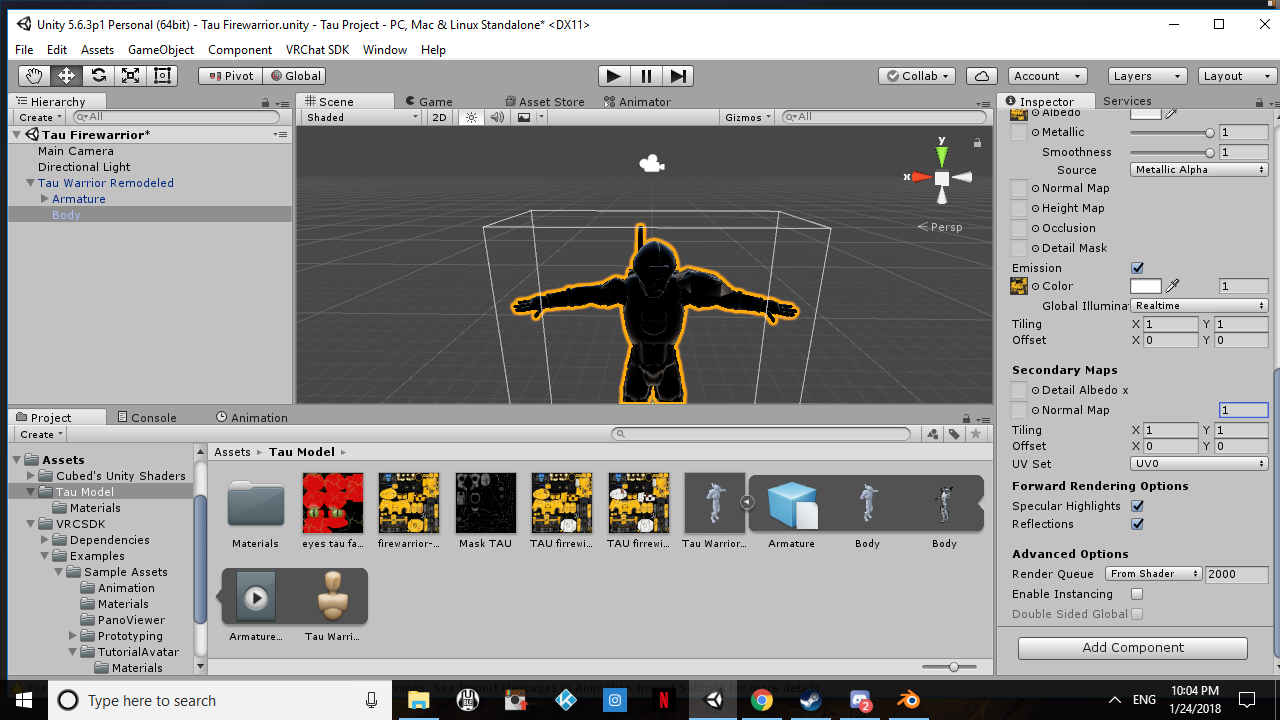
okay i am confused asf when it has no shader on its white but as soon as any material is put on the model it goes black?
 digital sage
u gotta put the materials in first then the model to get textures
ivory radish
no u put the textures first
and the textures should be assigned automatically when imported into unity
main cape
omg how many times do i need to say i have done that the materials are coming up in the list its just when i attach them they are going black
ivory radish
did u try using standard shader
 gaunt belfry
Could it just be that the UVs are borked?
fading verge
does anyone know how to fix a model twisting backwards in vrchat
 fading verge
how difficult would it be to add bones to a model so i can give it jiggle physics?
warped oyster
@main cape try setting Metallic to 0.
main cape
still the same :/
fading verge
@fading verge if the skeleton's already set up it wouldn't take too much effort
just a matter of attaching them to the chest and positioning them correctly? @fading verge
gaunt belfry
@main cape does the textures apply correctly in blender?
main cape
no it doesnt but earlier one before i used cats to fix the model rigging it worked fine
fading verge
@fading verge Yeah something like that. You might have to play around with the parenting of the breast bones
gloomy loom
youd want to remove the weight original bone have on the breast, then extrude a root breast and two new boob bones and weightpaint them yourself. then in unity use dynamic bones
but cats makes that easy for you with rooting the breast with a totally new bone in the same position as the old bone that the cheast was weighted to
 restive hill
It's pretty easy to just duplicate and rename a bone, anyway
fading verge
how do i make the avatar in blender bigger?
gloomy loom
I think its cntrl alt s
fading verge
never used that shortcut before but I'd be careful, alt-s shrinks/fattens mesh and does so unevenly. s scales the object proportionally at every axis
frigid flower
Does anyone know how to uv map?
fading verge
what's the best way to add dynamic bones to a skirt/dress that has multiple levels of bones? i can't seem to get it right no matter where i add them
 vernal birch
Is there a way to attach a bone from another armature to the model armature?
ivory radish
ye
limpid bear
how tf do i fix this
https://gyazo.com/7aeb9573bb155c99315868fdad2b3470

 golden geyser
Ugh
I'm having trouble with my eye blinking animation; It works in unity, works in the in-game avatar selector menu, but not when I'm actually wearing the avatar
I have other avatars with the same kind of blinking animations & the same settings and they work all the way
Anyone have any idea?
 wet kelp
Weird question, but a friend of mine wants me to add jiggle physics to boobs for a model of hers. anyone have good settings for dynamic bones that are good for that?
golden geyser
@wet kelp I'd recommend them to play with them a bit! Settings can look different on a lot of things, depending on their length etc
ivory radish
whats wrong with people and trying them
there are dozens of mixamo animations and many settings work
vernal birch
Can anyone tell me why in blender my character's hair mesh stretches when arms are moved and it does not move upon hair movement?
 worldly arch
not sure what i messed up
wet kelp
alright i got another problem does anyone know what ArgumentExceotuin GUILayout: Mismatched LayoutGroup.Repaint means? im getting that error and it wont let me build my model
 lofty topaz
Does anybody know how to change this pivot?
http://prntscr.com/i56jai

tried to look for it on google but meh
gentle shuttle
So I have an mmd character that I had to delete the shape keys for to reduce the number of faces and I want to add back the deault keys that came with it
how do I do that
 azure lotus
original model https://imgur.com/vu5IF7k my problem is my model is going through the floor https://imgur.com/9tp4m2e what should i do?
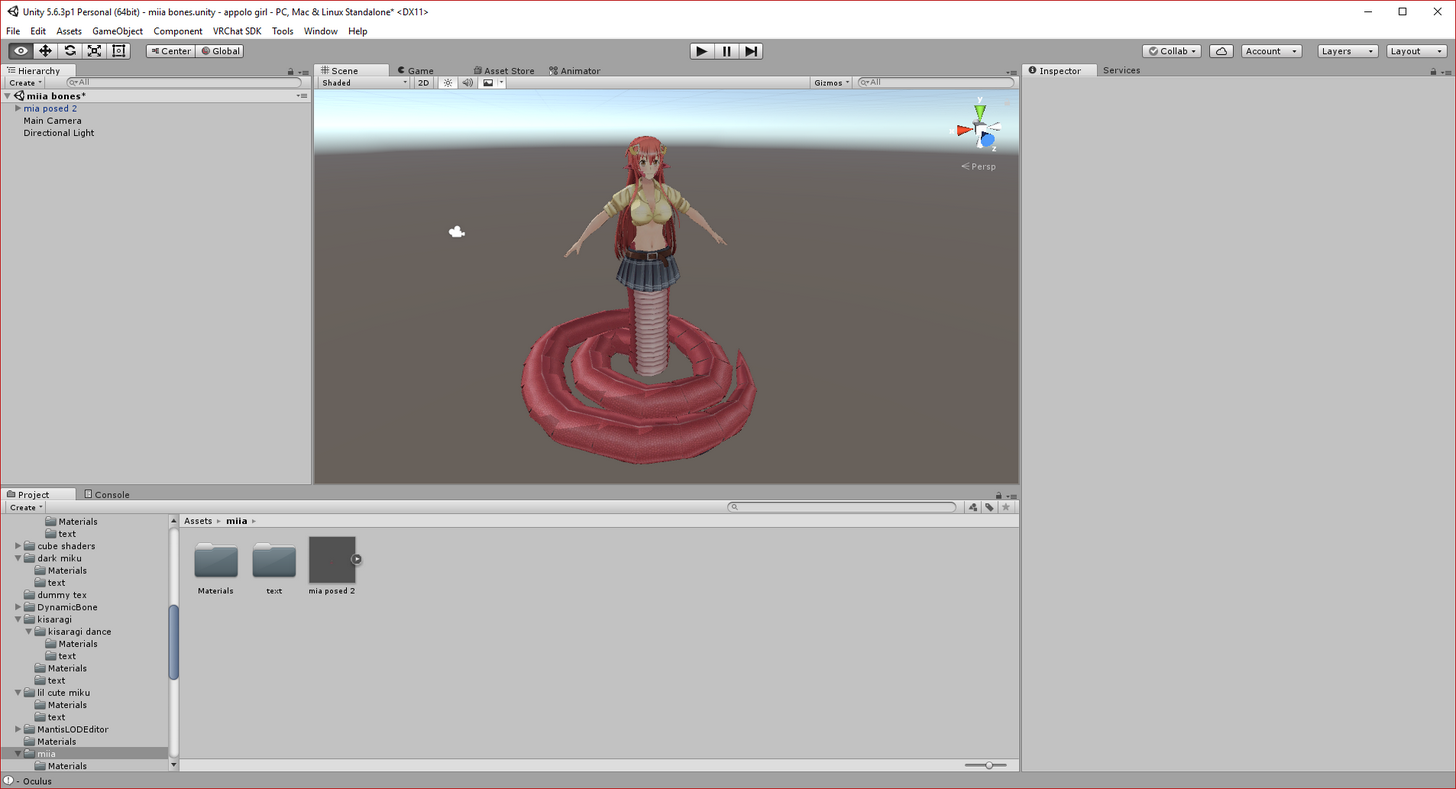
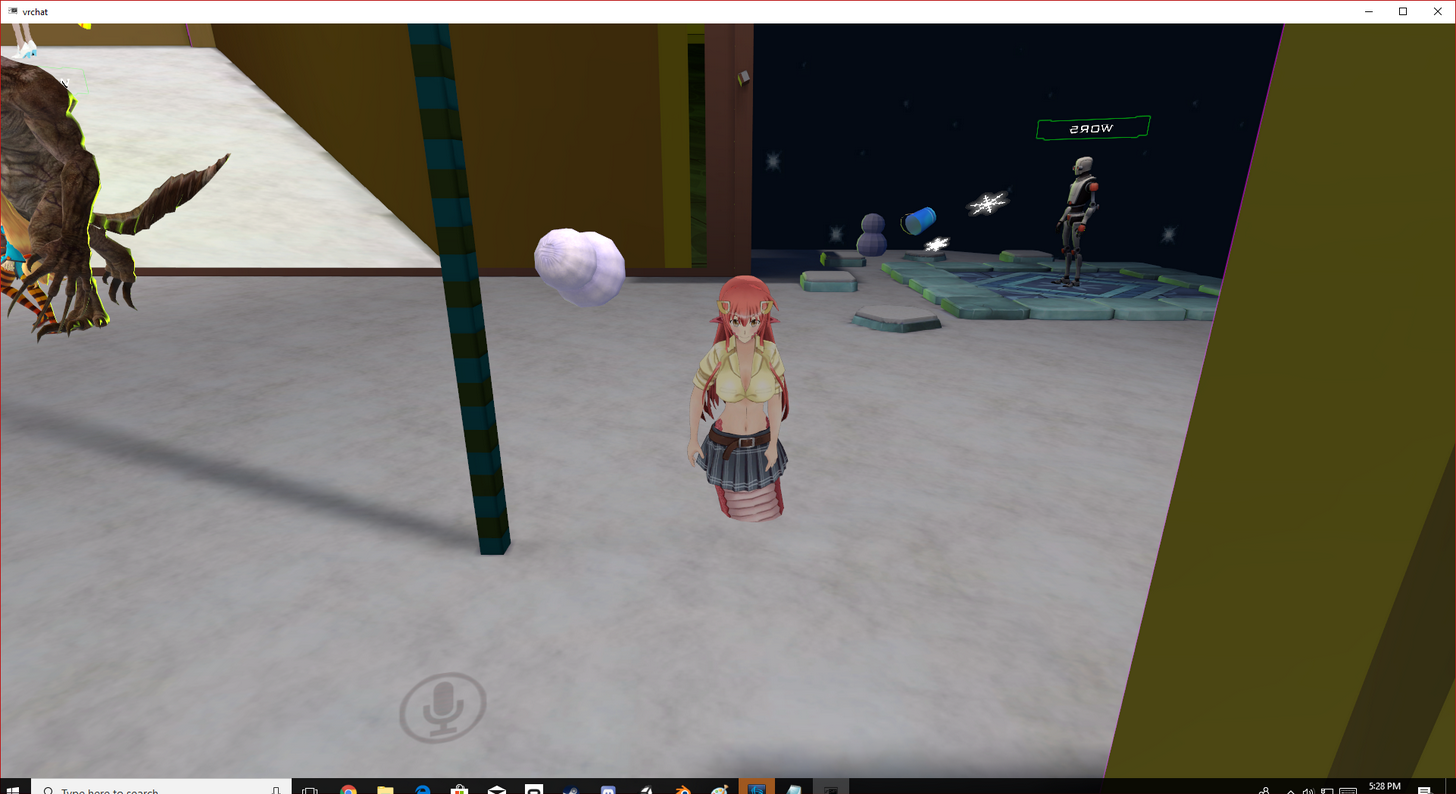
rigging the legs to unity is difficult as well
 modest anchor
okay so i have encountered a problem. https://imgur.com/6ZGwSfg how do i fix this?

 brisk mesa
well where is your origin for miia?
 bold atlas
Gimme one sec and i'll help ya
brisk mesa
also yeah those shoes need to be weighted to their proper bones
bold atlas
There's a few issues going on
You need to fix your vertex groups, as well as the weighting
fixing your vertex groups will get the right pieces to move with the right bones
and weighting will make sure the bones affect the mesh the right way
also i found your image on imgur as listed, so be sure to unlist your stuff!
modest anchor
no idea how to unlist that
bold atlas
when you upload a file you can disable adding to gallery or something like that


 wintry orchid
Can someone explain this
 granite kestrel
 craggy fulcrum
^
 cobalt cobalt
https://gyazo.com/0a33678e730ff932704bb103de9eb2cc help please. idk why his leg is buckling, his torso jutting back or why his eyes are missing, his eyes were fine in unity

 graceful wave
Hoping someone can help me out... I imported another set of hair onto my model, but forgot to copy over the skeleton. So after I copied over the skeleton and it's in the right place, how do I now make that a child of the character's skeleton?
Or more specifically how do I rig it onto the hair
fading verge
Anyone here know how to...
Add new bones on blender?
I found a model I wanna do with no Right and Left Ankle ;~;
craggy fulcrum
There are good rigging tutorials you should watch to learn those basics
graceful wave
Yeah I probably should watch them but... they're all like 45 minutes to over an hour which is insane.
craggy fulcrum
Watch them on 1.5 or 2x
There are also other, shorter tutorials
Best way to learn instead of someone here explaining every step and taking hours to do so
graceful wave
I figured it'd be something simple like dragging the hair skeleton under the main skeleton
limpid bear
why is my hand broken? Everything should be rigged correctly
https://gyazo.com/8913294fed39ad3dfd999a0fa68f7b61
 graceful wave
Looks like a bad case of boneitis.
limpid bear
should the fingers be "Connected" to wrist?
graceful wave
Oh hey, I did it. All I had to do was select both skeleton's and hit ctrl+j to join them.
modest anchor
Thanks to everyone who gave me advice, got everything working and learned quite a bit.
 warm crow
 long patio
yo im new to rigging and avatars and modeling and blender in general- im guessing when the bones or spikes are gray its not good?? I tried the model already and when i walk, the boots disconnect from the legs and im assuming its because its gray but im not sure http://prntscr.com/i57e37
 graceful wave
Make sure the legs are mapped properly. Drag them (the gray legs) onto the model where the knees are I believe.
long patio
the ones that were green went gray
 quiet bluff
jason just go to your bones in blender on the right and delete the 3rd leg
aka large bone inbetween the feet
long patio
would that fix the legs coming out of the boots problem??
 balmy summit
How can i delete the black from the fur of the ears?, what i can apply?, the original one is transparent https://prnt.sc/i57myt
 graceful wave
I'm trying to do weight painting
But the bone I want to weight paint isn't showing up under Vertex Groups
How do I fix this?
Whenever I select the bone in question the entire model turns pink instead of blue
balmy summit
i did that as well, you need to click again on the bone you want to paint over
graceful wave
Yeah I did, still pink. Pretty sure it's because it isn't in a vertex group
 vagrant olive
@balmy summit Shaders > Unlit > Transparency Cutout.
balmy summit
thanks ;v;
 buoyant berry
Hey Ive uploaded my avatar but its invisible but some of its object infront of a mirro but I can see it first person just fine. Anyone know why?
gentle shuttle
So keep my meshes unmerged right 
restive hill
whats the unity button to move something around so you can see dynamic bones work?
also, enma, GIMP saved as PSD is pretty good for transparency, and if the texture is separate, a cubed shader can do transparency
 noble jetty
could I get some help real quick?
restive hill
no unless you ask a question
noble jetty
I used mixamo to rig a skull kid model, and the elbows move but the shoulders don't
restive hill
i have only used blender so far, i'd use pose mode in that
restive hill
it's playing, and i can select stuff, but idk how to move them around
i didnt even know you could until i saw a video XD
 ember nest
oh there tabs at top hit the one left of game if i remember correctly
restive hill
yeah, ive got it on scene, but i cant get it to grab the model
oh wait, there it goes, weird.
restive hill
ya, had to grab the box
WHILE it was in play mod, in the scene tab
*mode
welp, this looks like a working shinobu char
still not sure on good values for hair/skirt bones 😛
high inertia and high force? or low everything...
ember nest
this seems to have good values it seems 😛 https://www.youtube.com/watch?v=KywzhVH5o0Q&t=279s

A Unity tutorial on how to use the dynamic bone plugin, which is available on the asset store here: https://www.assetstore.unity3d.com/#!/content/16743?aid=1...
fading verge
how do i move the bones along with the mesh, i just wanna move it up
so i can recenter the origin
Usually you can just select the root bone and move it and the mesh should move with it
Unless it isn't weighted yet
restive hill
ohhh, i get it, exclusions lets you NOT move bones. and dummy root bones makes that a moot point
durr, took me long enough
surreal parrot
So guys
My character's camera is over his shoulders
And the descriptor is in the dead center of the model
Any idea whats wrong?
 shadow shoal
Set it between the eyes
neon quiver
@fading verge i will try that once back home. still leanring how unity works.
surreal parrot
This is what it looks like in game

Sorry for the garbage quality
Took it with my headset on
Like the character's center of mass is just to the left of that blue square
torn isle
Even doing a new project doesn;t work? @surreal parrot
I've had that issue and had to start a new project.
torn isle
I mean if it's an already rigged character it shouldn't take much time.
surreal parrot
Could I copy over all the assets to the new project
torn isle
What did you add to the character?
surreal parrot
Nothing
It just is in a bunch of pieces
It was a modular gmod player model
So lots of different bits
All that have different textures
 torn isle
You should be able to.
torn isle
Should be the same.
Just reimport the textures, sdk, shaders, and fbx.
Should be fine.
 spring crescent
Can someone please point me to a tutorial for eye rigging? I've been told they are problematic.
surreal parrot
Mkay
Also
One more question
Could i edit this in unity
Because that is t-pose aparently
 sturdy talon
Does anyone know a way to fix the avatar so it does not bend it's knees or lift it's heels off the ground when you move your head up and down?
sturdy talon
ok I will try that
ivory radish
not u
fading verge
I find the character usually bends its legs like that if it has unusually short legs
sturdy talon
ah
fading verge
My nidorina avatar does it
ivory radish
only fix i know of is disabling full body IK
sturdy talon
How do I do that?
ivory radish
idk how to disable it manually other than changing rig to not have main fingers
fading verge
Yeah, disabling just the thumb is enough to disable it
sturdy talon
Where can I go to disable the fingers?
fading verge
It's in the rig, set the finger bones to "none"
sturdy talon
ok
fading verge
When you go to compile, it'll have a yellow warning saying IK is disabled because fingers aren't mapped
 calm prairie
does anyone know how to make a character in blender go into a t-pose?
 slim heron
Can anyone help me figure out how to straighten my characters arm.
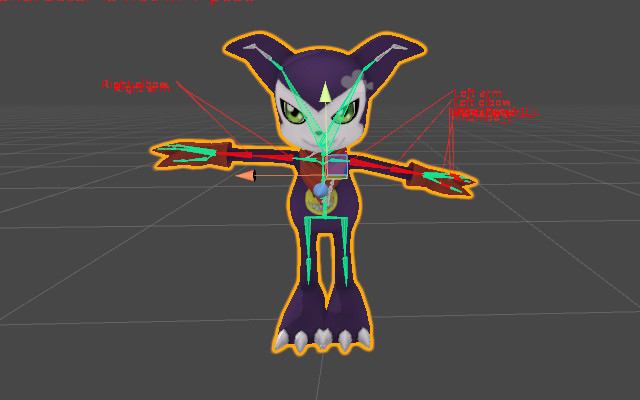
https://i.imgur.com/olM2vlU.jpg
One arm is like lopsided and when I try to fix it in the configure screen it just makes his arm super crooked like broken.
 fading verge
You can edit the rotation value on the bottom right after selecting the arm bone
There's also an "Enforce T-Pose" button but last time I used it it messed around with my avatar's fingers
slim heron
Yeah that's the thing I do that and it doesn't really change anything for me, his arm still looks broken and off. Where is that button though?
fading verge
Just under the area where you map your bones to the rig, there's a little button that says "Pose"
Click there and it'll open a menu
slim heron
okay I'll check it out thanks.
fading verge
how do I add particles into custom emotes?
sturdy talon
I removed the thumbs. It caused the avatars legs to only move when you walk around using the crontrollers. Legs do not bend and the legs do not do the walk animation when you move around your own irl space.
Also the hands do not change with gestures
fading verge
@ivory radish https://gyazo.com/8d4896352a0bcd398e845242e6c311e2 ?
 ivory radish
u didnt turn it off
also emotes get cut off before they end for some reason so stop the particle before

 hazy tusk
https://puu.sh/z98cb/b3a67abd04.png
How do I get the bone point up to attach to the upper arm and forearm?
 soft shell
Well this was unfortunate. I seem to have lost half the hair bones somewhere while adjusting the settings and not sure how far back it was. Anyway to readd bones in Unity itself?
hazy tusk
Any time I'm parenting, it's just not connecting. I can't merge the random bone into them, merging bones within chain does nothing
 oblique karma
how do you reset the animation of an avatar you d idnt mean to animate in unity?
fading verge
wat 2 do from here? and is ths how you do it? if you want to add particles into custom emote?

 sharp viper
weight painting is so much nicer by anchor, jeez, where has this been all my life
 warped basin
I'm getting a strange bug where my character's hips will rotate either direction on every other step, I'm trying to increase height slightly to fix it but are there nay other ways? It doesn't happen in mirrors, only for other player's point of view
surreal parrot
Ok
So
Poaaibly
Possibly
Foe anyonw who has broken finger issues
Just rotate them when setting up the skeleton in unity
It says it's not in a t-pose
But I guess that part of the skeleton doesn't matter to vrchat
Gonna see if it works now
fading verge
@warped basin i have that problem with my own avatar too, there are no errors or anything so Im just really confused
but not steps, it's the avatar standing still
opal aurora
Hmm... it sounds like either the hips' at an odd angle or it has roll to it, same maybe for the rest of the body
fading verge
the bones on my rig are completely straight and in the right directions
i wouldnt understand why that would cause the hips to be angled
warped basin
It's just odd that it doesn't happen in mirrors
opal aurora
Yeah normaly those things show up client-side aswell
fading verge
mhm
opal aurora
It could be the location of the bone if it was moved at all aside being rotated
As the weighted parts would try to follow the new location whilst they were previously designed to follow the previous one
fading verge
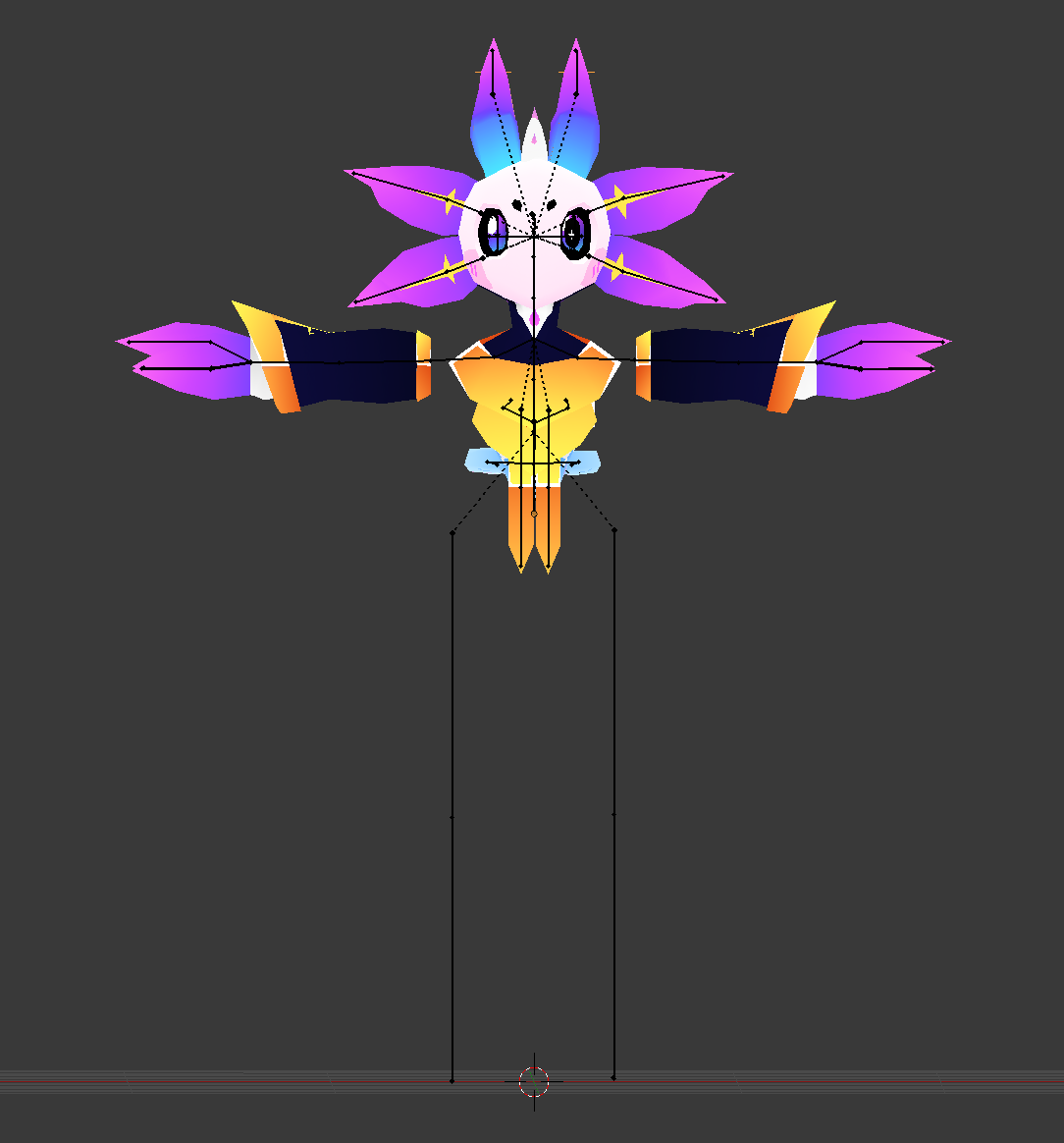
this is what I have set up for my avatar
https://imgur.com/a/ey3ia
I assume the root is the bottom of the hips there
hm
opal aurora
It's odd to look at xnalara bones, but atleast they're better than source ones
warped basin
My bones also look equal, but the point where the widget appears is the left hand instead of between the feet
when I select the main avatar
 opal aurora
If the hips, spine and chest don't overlap eachother and are parented, oriented correctly, it should work
opal aurora
No i mean, literaly a slight overlap can also cause issues
Even if no error appears
The zero size error per example only occurrs if a massive ammount of the bone overlaps another
fading verge
ah
opal aurora
Say 60-70%+ of the bone
warped basin
none of my bones seems to overlap, and no visual effets happen in the mirror.. I don't get it
i had another similiar bug with the mirrors
opal aurora
I think you might have something offscreen, due to the selection box
Maybe a bone way off in the distance, or even a mesh
warped basin
Seems the "waist" bone which is'nt the actual root bone isn't part of the skeleton
fading verge
? 🤔
 opal aurora
Oh...
fading verge
ah
warped basin
This seems to be the only issue it has, so I wasn't sure
everything that's a child of that wasit is a normal skeleton
opal aurora
Spine 1 should be parented to hips, waist to hips and mix weights on the waist so that the hips are now the waist essentially
ivory radish
not always
on valve rigs i set the spine to the center spine
a spine bone in between spine and spine2
mostly bc thats where most of the weight goes
opal aurora
That depends on the model in it of itself, i'm talking about the situation at hand
warped basin
Seems the parent object is just meshes, the true avatar starts at tr0002_00
opal aurora
Yeah the armature starts there
warped basin
Weird, when I look at it in configure view the waist, origin stuff is all in the correct spots
opal aurora
Maybe try to re-insert the model into the hierarchy and check if there're changes?
Sometimes the prefab doesn't update with all the changes
fading verge
any one here know how to add particles into emote? i bneen trying, idk how it works
ivory radish
u activate particle then deactivate particle
fading verge
by doing wat?
 fading verge
it humanoid
fading verge
oh that is from the asset called particle ingredients, the bottom bit
where is this yes on an doff
ivory radish
keyframe
;/
u put red line on the keyframe
and u set on or off
or u just move the red line and check the box and it will add one
fading verge
In this introduction to Unity's Animation tools, all we'll do is make a ball bounce. It's wickedly simple but hey, we have to start somewhere! I'll also intr...
smh or look up tutorials
not that hard
ivory radish
animating in unity with muscles is pretty annoying
i usually just animate the rig and then export the armature with anims
and then if i need to hide or show stuff
i put that in unity
especially since the muscle values are super small
and u cant make the curve graphics any taller
or at least i havent been able to
 kindred thicket
Anybody know how to deal with having 4 arms on a model? I'd like to just mirror the movent to the secondary arms if possible
 wanton forge
is it possible to change the camera position for the right eye only?
i want to be able to pull out my eye and view around corners and stuff
kindred thicket
@wanton forge Pretty sure your view isn't actually linked to your eyes
woeful idol
Does anyone know how to combine PMD and VMD files in Blender and export them for Unity?
Can't find any good tutorials either.
Also this is for an Object.
wanton forge
yes i'm just wondering if i can move the camera to be parented to the eye?
@kindred thicket
woeful idol
When I import a VMD it has no keyframes
coral relic
@cobalt island hey wanna know a funny thing? After we talked about the floor problem I went into vrchat and noticed that the exact same thing happens here. And not only on my custom avatars, even on the default ones. I have to set my height in game to 2.5m to touch the floor. But like you said, some of those characters have very unrealistic proportions, especially little catgirls lol. Luckily I can still grab objects on the floor but it's unnecessarily difficult.
wet kelp
anyone have an idea how I would stop my avatars legs from going through his jacket? Ive done it where the jacket is dynamic bones and all the leg bones are colliders but that didnt work. Anyone have any ideas?
wet kelp
ive done that, but if it clips through just make it bigger?
coral relic
the colliders will just go through the gaps
well, you can try, but the mesh will strech
honestly I don't think it's possible to get good results
wet kelp
so other words dont do the model?
coral relic
Sorry, I didn't mean to say that you should give up. I hope you find a solution. Just saying that I didn't 😉
wet kelp
oh no worries haha
coral relic
there's a parameter on dynamic bones where you can restrict movement on an axis
maybe you could use that
like prevent it from swinging front-back
wet kelp
what option would that be?
coral relic
freeze axis i think
wet kelp
so probably freeze the x axis right?
coral relic
on the other hand it won't help with clipping when you crouch or something, hm
yeah I think so
it work fine on a tie, when it went into the chest but that's a bit different
spice jetty
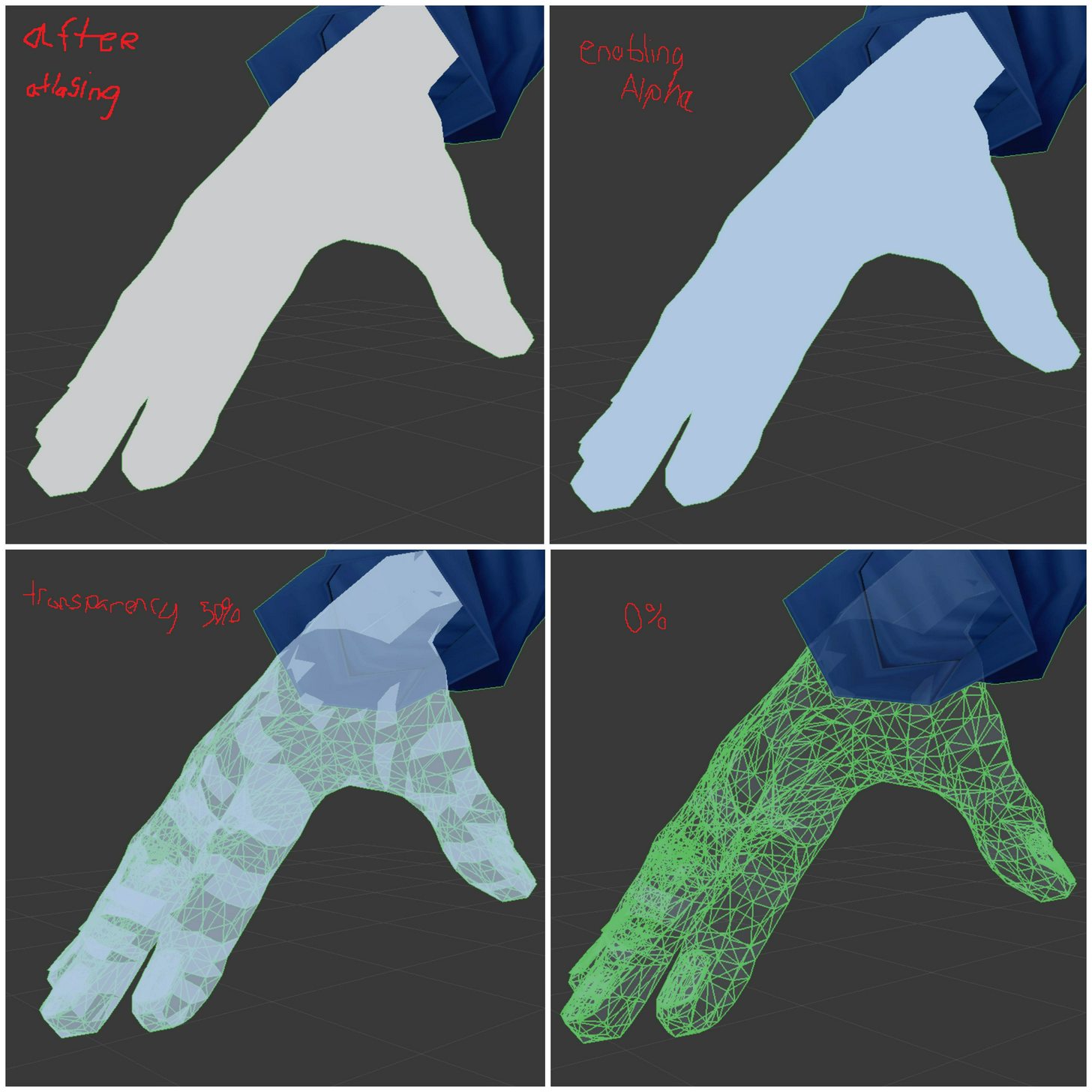
https://imgur.com/a/tbbLM so my hands were originally skin colored go figure but they wont work right after atlasing. following tupper's tutorial i go to fix shadow stuff and these steps occur. Also, on my texture atlas the hands literally show up as 1 pixel. I don't have to rerig my hands a 4th time do i?
 fading verge
ujuyu
cobalt island
@coral relic loll glad its not just me and a few people that notice this problem 👍
 robust gull
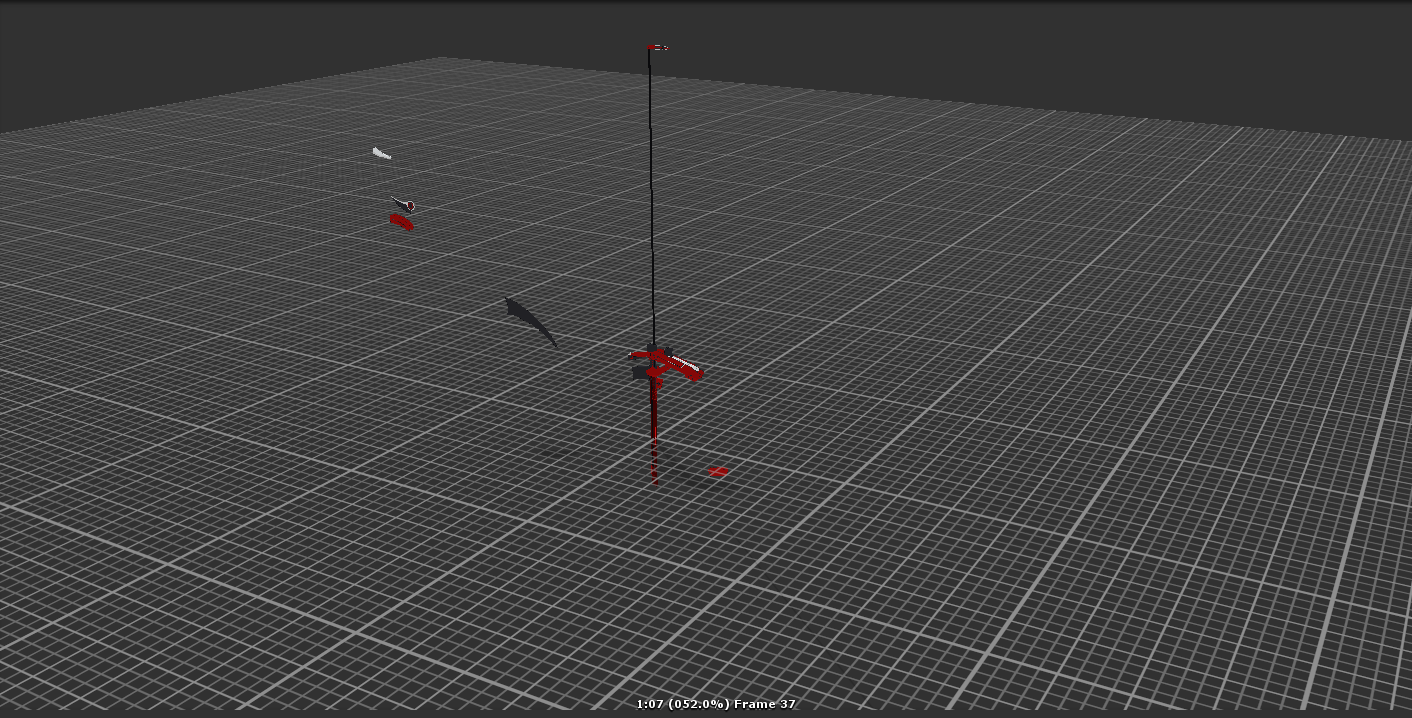
The bone transplant worked but i think the problem is my small legs, it really screws with the handtracking
 onyx crown
Just heard in a stream that there's a fix to the broken eye tracking?
 leaden moth
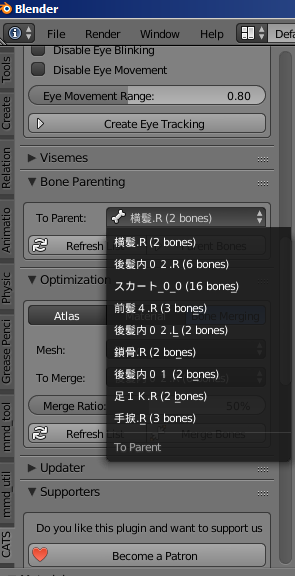
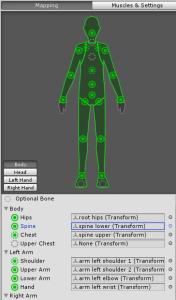
https://imgur.com/a/5f0MT anyone know why i can't translate bone merging and parent bones?






??