#avatar-rigging
1 messages · Page 84 of 1
 raven pumice
 charred estuary
I never did that and eye tracking worked fine
until the update of course
but thanks
 vagrant olive
@molten tulip You need or you don't need dynamic bones?
raven pumice
you might be able to get eye tracking working without doing the dummy bones, i just find them a reliable method
charred estuary
I just didn't bother because it worked
 tame skiff
@molten tulip Yes, you can use dynamic bones to make his cape move, AND stop at his body
raven pumice
yeah i wish it just worked how it's supposed to for everyone. unfortunately thats not always the case
 ivory radish
is there another way to push/pull
charred estuary
so wait, the pic you showed me has different names on the skeleton and hierarchy
I'm confused
charred estuary
so do the names matter
raven pumice
yeah that
 raven pumice
the eye tracking only really needs the Hips Spine Chest Neck Head LeftEye RightEye bone names too
charred estuary
see it?
raven pumice
is he missing a neck
charred estuary
the arm doesn't move while holding something, though the hand does
raven pumice
oh, weird
charred estuary
Sonic characters don't have necks
raven pumice
i havent run into that particular problem before unfortunately. if i had to guess there might be an issue with the IK rig
charred estuary
also, I've been trying to find a solution for that arm issue since the beginning
raven pumice
are his fingers all rigged individually?
 fading verge
my question is: when it comes to making armatures in blender, do you need to connect the bone join to the wireframe? or just the bone through it...
?
 molten tulip
is there any tutorial or something how to make the cloth stop at his body?
fading verge

Can you guys help me fix this
i just wnat to know how to make the moustache, hat, and mouth move with the body
 hallow bay
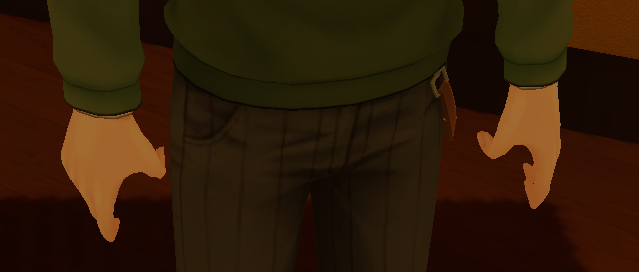
how I can fix twisted finger bones? https://i.imgur.com/K2cWcNe.png
 gloomy pollen
can anyone tell me why when i pose in blender then click apply pose as new rest
it snaps back to regular?
ivory radish
use the rig config
and reset rotations to 0
also does anybody have a fbx converter
gloomy pollen
rig config?
ivory radish
i need to convert old fbx format to new format and autodesks one doesnt export to 7100+
and ya the humanoid thing
itd be nice if blender could accept old file so can import shape keys .-.
i exported as dae before but no shape keys in blender
gloomy pollen
im on the human thing
i changed it to Pose Position
rotate the hair pieces
then what?
gloomy pollen
oh you're talking to Black
charred estuary
This is bugging me so much https://prnt.sc/i48as0
 hallow bay
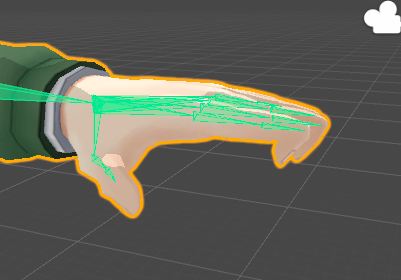
can someone help me? fingers looks like this: https://i.imgur.com/mfNqLhH.png
 worldly spire
someone should really just make a how to fix fingers guide at this point lmao
charred estuary
lol yeah
 agile schooner
adjust the bones in blender so they line up with the fingers
that is the easiest and most neat way i know of
 karmic steeple
I'm new to all this avatar and 3d modeling stuff, so I apologize if this question is super simple. The model I'm using came with bones already rigged to it, but trying to give it a humanoid rig on Unity breaks the rigging since it says it doesnt have enough bones initially. Is there a way to add more bones or if the bones have to be meaningful? I cant use miximo because the prop on the characters arm breaks his hand if I try to auto rig it
ivory radish
also here something i talked about earlier
'Unity will attempt to find the textures used by a mesh automatically on import by following a specific search plan. First, the importer will look for a sub-folder called Textures within the same folder as the mesh or in any parent folder. If this fails, an exhaustive search of all textures in the project will be carried out.'
raven pumice
When I look up or down, but only while walking, my character model seems to either float or slip into the ground. It's more severe the wider the angle I'm looking up or down. Anyone know what might be wrong?
Is there anything that would be moving or affecting my root bone? I don't want it to be messed with unless I'm jumping
fading verge

Can someone help me with this
i don't want the anything like the hat, teeth, and hat to move at all on the neck
vagrant olive
it's the model. the meshes are badly assigned.
raven pumice
Is there a way to lock down a bone's movement or something? I'm getting a lot of weird stuff happening on this character when these bones aren't even intended to animate at all
shifting positions when moving to several inches up and to the left, sliding into the ground or floating above it while walking. it's weird stuff i haven't run into on traditional rigs but im trying to do a weird thing now i guess and it hates me
fading verge
@vagrant olive Oh i didn't join them, if that is what you meant. I did that so i can make weightpainting easier for me by doing them individually
raven pumice
Hm. Fix one problem and something else happens. Now the rotation stuff is all gone but I'm floating in the air whenever I walk
fading verge
^ i feel u
 frail burrow
Anyone know how to give eye bones children in order for dynamic bones in Unity to work? Eye-tracking seems to be giving me issues again so I'm trying to create custom eye movement
 slender patio
there is a problem with eye tracking rn
frail burrow
That's good to know I'm not the only one dealing with that lol
Though the workaround I've come across seems to be applying dynamic bones to the eyes so that they kind of drift a bit when you move your head around
The problem is that the avatar I'm working with now doesn't have any children attached to the eye bones
 native egret
How can I fix my avatars feet going through the floor?
When i switch to rest position all the bones from his knee down move a bit lower
including his leg mesh
slender patio
hmm im not sure @frail burrow may have messed them up with the dynamic bones but not sure lol never done that
@native egret when you are configuring your avater in unity, it will bring up all the bones right?
native egret
Right
slender patio
okay now if you grab onto the hip bone and the little moving tool should appear and you just drag the body up until it is above the white plan on the ground
then you apply and press done
ivory radish

The Jungle Book 'Creating the Animals and the Jungle' Visual Effects by MPC Subscribe and click the notification bell HERE: http://goo.gl/SrrTlT Subscrive to...
hax
native egret
Alright, appreciate it @slender patio
 warped basin
How can I stop my model having a constantly open mouth? It has 4 jaw bones and if I assign either the upper or lower jaw as the jaw bone the mouth is always open, but not if I unassign it. I wanted to get Jaw Flap lipsync working, would I need a jaw assigned?
 shadow shoal
warped basin
shadow shoal
warped basin
Ah, this isn't an MMD model and I don't think it has visemes set up, it just has jaw bones
 opaque sierra
anyone know how to add fake bones to a bird? (im not sure the necessary bones for unity to think it's human)
im having a struggle
 wide heron
Anyone know how to rig accessories to avatars? I tried to give my avatar a hat and glasses but his body ended up invisble in game. I'd appriciate any help anyone is willing to offer.
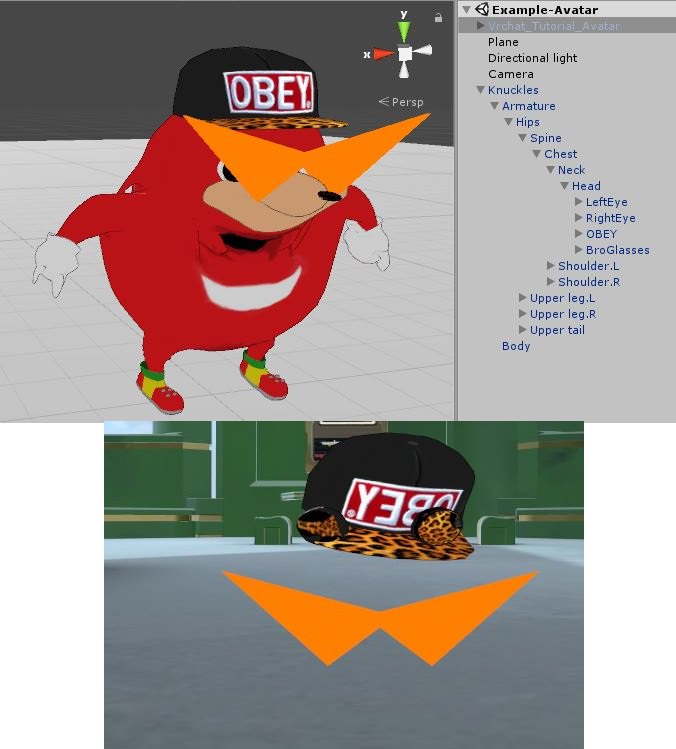
In Unity vs in game
fading verge
feelsbadman
ivory radish
how do u select then move back
 cyan adder
how do i create fake bones
so i can get this working for looking up / down and the legs moving

the humanoid selection refuses to work without arm bones
 young estuary
if my humanoid mmd model has everything but a chest bone, what steps do I need to do to add it and make everything work properly? anyone got a guide they can link me?
ivory radish
just extrude random arm bones until u have enough
fading verge
oh
idk
it just says
cant uplload avi
spine hierchy
check chest neck head etc
ivory radish
did u map it correctly
fading verge
good news-eyebot works as it should
 glad cliff
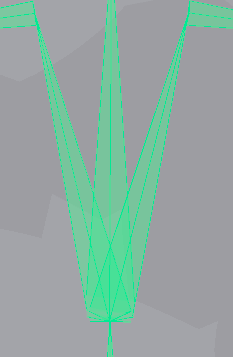
anyone know how to make 3 bones turn into one whole bone cause unity is not detecting my chest
 spice jetty
is it a |/ shape? because you can manually select your chest bone in unity
fading verge
Someone just
spice jetty
whoops, a shape like 3 fingers
spice jetty
lol ik what you mean, then you can select it by hand
glad cliff
how it only allows me to choose one
fading verge
@ivory radish if no one helped you with the 7100 thing I believe that Cinema4D can export them as 7100+ after importing them in.
glad cliff
so i can only select one \ but i need all 3
spice jetty
https://imgur.com/a/f3GRm sorry im not sure then, mine looks like this and the 3 count as 1
 glad cliff
yes but for me only one bone is green
charred estuary
Is there anyone here who is well versed in oddly specific issues
fading verge
Specific how?
fading verge
Did you map the shoulders and such properly?
charred estuary
yes
fading verge
What was the upload message before building/sending it to the avatar servers
anyone know how to fix the feet stuck on the ground issue. suddenly all of my new avatars get their feet on the ground by some pixels (toes underground). Pls, Im baffled at this bug tbh
 real kernel
is there a bone limit
charred estuary
I have 3 warnings - close to poly limit, height, and sound object
fading verge
Check the humanoid rig settings
charred estuary
what specifically
fading verge
See if anythings mapped weirdly
 worthy coral
You can prob make your own animation by rotating the shoulder to fully extend your arm
And then adding that animation to the override
charred estuary
I don't think that would work, there is no override for holding things
fading verge
i will check just in case
fading verge
Are the bones mapped propely to the mesh itself Miner?
glad cliff
Rei? how do i send a screenshot cause it would be better to show you
i have no option to send a pic
charred estuary
as in bone weight?
fading verge
Yes
charred estuary
should be
fading verge
That could be why possibly?
https://sketchfab.com/models/51a569aad7f549adbf2a963eef248805 If I wanted this as my avatar, would I need to change something about the model?

I do 3d Modeling and Figures (3d printed and painted)if you are interested on commission me please write me to bbmbbf@gmail.com
T-Pose and possible Rigging
glad cliff
can anyone help me 😦
fading verge
Can anyone find a similar looking model for use?
I'll do the poly count in blender if needed
worthy coral
Prob in deviantart
fading verge
With legs like those? Not likely
fading verge
I'm talking about finding a model with those sexy legs
charred estuary
any other ideas @fading verge ?
spice jetty
@glad cliff since the 3 are seperate i'm not sure myself sorry
fading verge
Mmmm...
glad cliff
its fine dont be sorry =, you tried and im thankful you at least tried
fading verge
How many arm bones are there
 muted helm
@fading verge email the author of the model and ask them if you could have the model for VR Chat or if you could buy it.
glad cliff
dont know why i put an =
fading verge
@charred estuary
He said that I could buy it, but I can't really buy much right now
charred estuary
 fading verge
Emails in the model's description, so I might check him out
https://cdn.discordapp.com/attachments/354455994438516736/405245771433115650/unknown.png But I mean, those legs...

It's rare to see a Sonic model with those sexy legs
worthy coral
I can feel my CPU crying from all those polys
worthy coral
Will be looking like Mario 64
fading verge
That was a funny joke I remember those Graphics lol
 fleet echo
@worthy coral polys dont effect the cpu it the material and dyanmic bone
how many skin mesh render
worthy coral
Its joke mkay
fading verge
So what your saying is, all those polys the CPU has to render don’t hurt it? Never knew :insert gasp emoji:
fading verge
@charred estuary no idea everything seems okay
fading verge
Oh someone had a weapon with a high ass poly count @worthy coral
Wanna guess that count?
fleet echo
@fading verge poly effect how long take to download that avatar
fading verge
1.2mil
worthy coral
Phew
fading verge
No idea why or what it was
But my friend told my about it and my render buckled.
Question, do you guys think with the default Sonic models that you could make Amy's legs more accurately proportioned like that?
Wdym
I mean, give Amy a nice ass
worthy coral
Tbh you should be talking about this in the regular avatar channel
fading verge
^
spice jetty
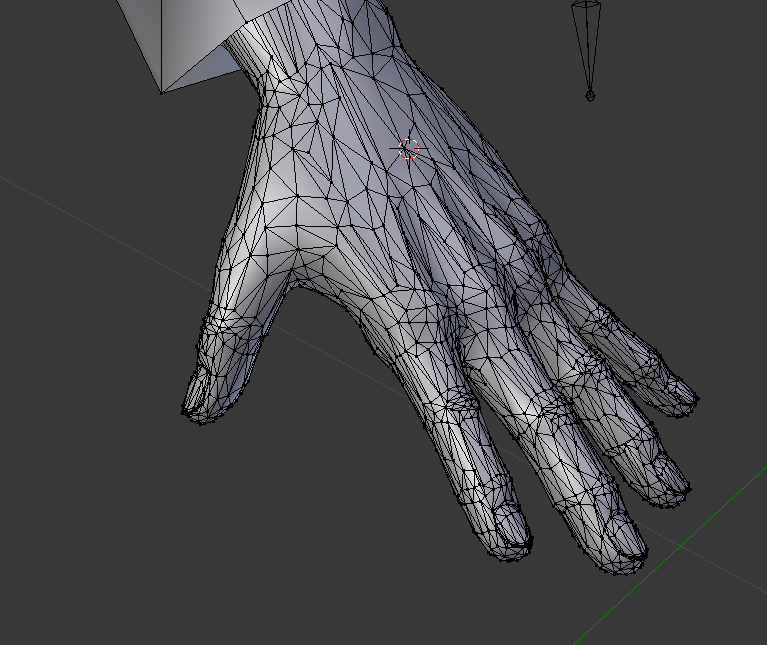
is there somewhere I can get hands that will look good to use in VR? I've been working on weighting these for 20+ hours and I just suck so bad https://imgur.com/a/9pbzp
 fading verge
Uh. Those is some high detail hands.
spice jetty
like 4k each. tehy started at 30k each. It's just so distracting have ugly hands in vr
muted helm
...
fading verge
Thats a lot of polys just for hands
muted helm
go grab a free or pay for a set of hands from https://www.turbosquid.com/3d-model/hand
a lot of them aren't really suited but there's a few low res proxies there you can probably use.
You'd need something with more distributed topology with no long triangles.
fading verge
Yeah was gonna say those hands had weird polys to begin with
spice jetty
yeah its near impossible weighting them
fading verge
No offense
muted helm
I usually pick hands and use biharmonic/voxel capture and usually I don't even have to botter to paint weights or touch up hands/fingers and they look fine for VRC.
spice jetty
and I didn't make them I got them from a guy
muted helm
https://www.turbosquid.com/3d-models/human-hand-3d-model/480027 thats anice low res cage there with decent topology [poles in good spots and it loops out to the wrist connection is 16 edged circle]
there were a few zbrush guys over on artstation who released a bunch of free low poly mesh proxies for starting points for sculpts and they're pretty suitable for bodyparts.
spice jetty
thanks a bunch. I think I can definitely find something that'll meet my expectations on this site. ive got a lotta wiggleroom for poly count as well
muted helm
yeah.. its good to budget out your polycount on areas of focus.. you can kill detail on some areas [like limbs and such go down to a lower polygon count and increase it where you really need it.. eg elbows/shoudlers for deformation or points of interest on a character.. face/hands for emoting, etc. if you find a good model but it's really high polycount I'd look into the retopologizing workflow over decimation since its yields better results but it takes more time to draw new models over the reference mesh and regenerate blendshapes, etc.
spice jetty
when I got the model it was 22k and 12k were the feet, theyre like 2k now and work fine so the extra is going to the hands which I constantly see in vr
 wintry orchid
err hello
muted helm
Yeah.. some modelling is out there in terms of where they spend the polygon budget.
wintry orchid
i'm having issues with a model
muted helm
30k polys on a bow for a japanese mmd? LOL.
wintry orchid
oh kay....
muted helm
A lot of hobbyists is still into modelling everything out in polygons and missed the whole sculpt/displacement/normal mapping workflow
 restive solstice
fading verge
restive solstice
fading verge
I swear everytime i get a model it is always broken 😦
 ionic lake
Bad luck
fading verge
ok
i give up
idk how to fix the spine hierarchy or whatever error problem
someone dm me if they know
 cobalt island
@fading verge - Does it look like this? http://i175.photobucket.com/albums/w137/sk8er754/spine rig_zpsuhxw1cje.jpg

Ignore the skirt parent bone i forgot to hide
fading verge
actually
not to sure
i have no idea how to see this
sorry unity noob with bone parenting
cobalt island
Hmm, alright if you still need help you can just send a dm over. Im too awake to sleep still lol
 abstract hill
Damn, rigging this blanket is harder than I thought.
 tawdry pivot
Anyone here know if some mmd models are pre rigged? Most of them (that I can tell) are in pmx format which I know is mmd, and I want to put them into an auto rigging website mixamo.com but it only accepts fbx / rar / obj formats. I've attempted to convert the pmx into those formats to no avail. Could anyone help me?
cobalt island
Yeah they should be all pre-rigged. Only problem is they have so many bones that if you try to use cats tool in blender, the bone list for setting up eye tracking and stuff will only have so many and some will be missing off screen and yeaaa
If you get blenders mmd tools plugin and the cats blender plugin you can import pmx files and then export as fbx. Thats how everyone pretty much does it for vrchat
abstract hill
Oof, does anyone have advice on rigging a simple blanket/cloth? Like a blanket you'd put on yourself if you were cold or something, I can't seem to get the rigging right since I don't understand weightpainting that well and "automatic weight" doesn't seem to help here
I could just take the cloak off of a random mmd model, maybe.
fading verge
@fading verge its actually extremly easy to fix.....
@fading verge i had the same exact issue n finnaly figured out how to fix it...now im just goin back on all my models n fixing the error
i fixed it too
i wanna kill myself 😦
 stone shoal
Hi guys, I've replaced the shirt on my model (mmd TDA base) with a hoodie for TDA bases, reparented the bones n' stuff, the model moves correctly in Blender, but I end up with weird looking arms and fingers when imported into unity. https://i.imgur.com/8wicelK.png https://i.imgur.com/ATdfwii.jpg any idea what's causing the issue or how to fix it?


 drifting whale
anyone willing to help me on something?
 steady ledge
@stone shoal Does the model have quads in blender?
If not, try applying a triangulate modifier.
 golden adder
anyone have the tutorial on hue-shift avatars?
fading verge
If you mean what I think you mean it's literally a shader
I forget the name
When I upload my model to VRchat I'm looking through the chest and my model is massive, I have scaled it down many times and I've got the white dot where the eyes are. Only irregularity is that the white line for placing the view point is above the feet. Anyone know what might have happend?
fading verge
Unity won’t upload my avatar anyone know why it says it’s uploaded to my account but I can’t see in my avatars menus
 naive tree
either overwriting one with existing blueprint or slow servers
molten tulip
Is it possible to make a part with dynamic bone only move when touched with its collider?
 high lava
 coral relic
 hazy canopy
If I forget eye tracking, how can I add it after it's been exported to unity?
naive tree
you create in blender and export as new fbx
 odd bronze
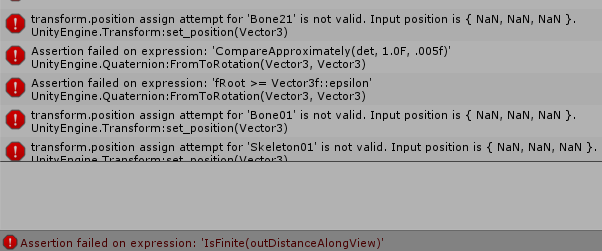
i tried giving dummy bones to my worm, so why does it disappear when previewed and have 999+ errors printed out? https://i.imgur.com/COLlAVq.png
 fading verge
should I add a bone on avatar's eyes?
 left falcon
hey everyone, do i need to worry about this message that says "this avatar is not imported as a humanoid rig and will not play vrchats provided animation set."?
odd bronze
if you are deliberately doing a non-humanoid with its own custom animations, then you dont have to worry
if not, then it means your avatar isnt in a humanoid rig and therefore have no animations
left falcon
i used a humanoid rig from blender and parented it to a mesh
odd bronze
you need to set up the humanoid rig again in unity
click on the model file and go to the rig tab and choose humanoid and then configure
left falcon
leave avatar definition alone?
odd bronze
yeah
odd bronze
dont forget to remove the upperchest bone
left falcon
how do i do that? i know how to do it in blender but not unity
odd bronze
in the humanoid rig config screen in unity
the slot for upperchest
leave it blank
by clicking on the slot and then pressing delete
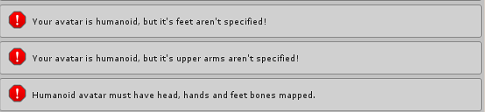 odd bronze
just go in the humanoid rig config screen again, press done, and then return
left falcon
done and same errors
okay
now its gone
now it says the spine hierarchy is incorrect. make sure that the parent of both shoulders and the neck is the chest
ivory radish
is there a way to know what toon outline shader looks like ingame
when i look in mirror it looks too fat but when i look at self looks too thin
left falcon
two errors down and one to go
odd bronze
help, dummy bones are making my worm avatar all fucked up
left falcon
well my model has no textures and no finger bones but it works!
 gaunt belfry
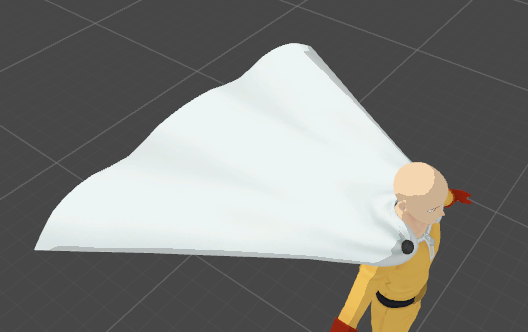
When creating bones for long capes, for dynamic bone purposes what would the genera bone structure be for it?
 dim trench
anyone know the reason why r my avatars eyes not blink/rotating and mouth not moving when i talk? even my old avatars which should blink/rotate an has mouth movement doesnt do that anymore
 charred sorrel
@dim trench is it all set up in unity? you might need to reupload it
charred sorrel
oh yeah eye tracking isn't working with the new update i think
molten tulip
Viewball problem, put it near the nose will make my avatar look down, put it near the mouth will make his mouth his eyes
is there any solution around this?
fading verge
I have a similar issue, my avatar's mouth doesn't move clientside for me but other people see it moving fine when I talk so I guess it's fine
ivory radish
between eyes
tame skiff
@gaunt belfry Not speaking from experience mind you, but I think you'd need at least three bone chain running from the top
ivory radish
in front or inside face
tame skiff
How many segments you add per chain is up to you
gaunt belfry
Ye I figured I would need more than one lol, thanks for the advice, surprised I got a response.
fading verge
I put a picture of a model i am workin on n the bones are...weird to me
its in VR chat pictures
 calm needle
do you have dynamcis setup?
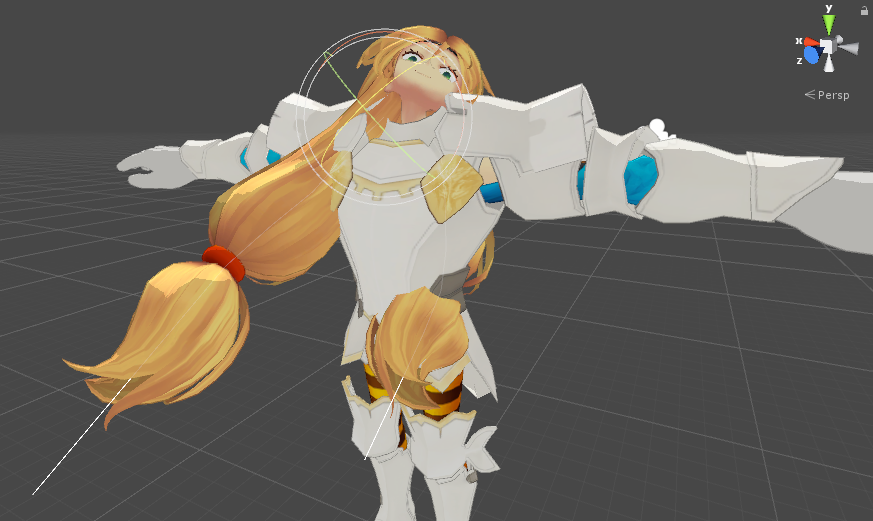
you need to add a dynamic bone collider to the legs
did you set a radius value on on the dress dynamics
that should basicly be the size of the dynamic bone. when you set the radius, you should see little spheres pop up on the skirt
these spheres are what colide with the leg collider
https://i.imgur.com/OLFpEhy.png
example with radius
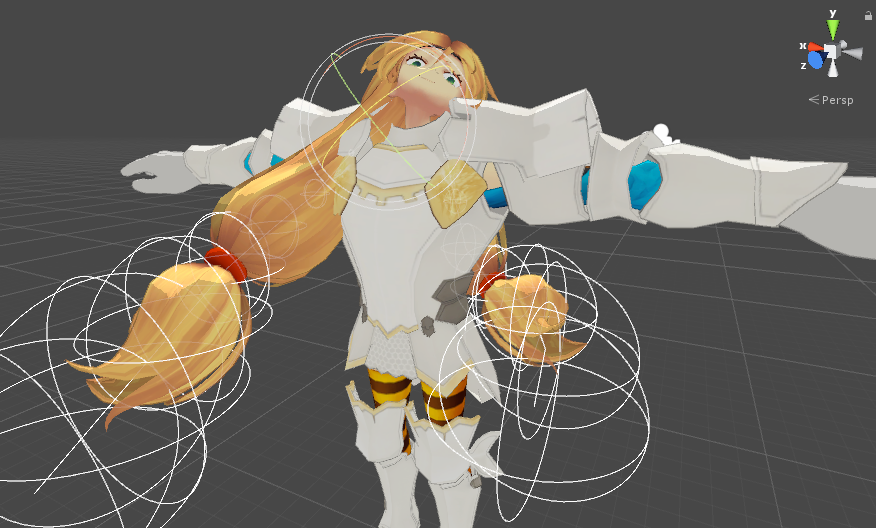
https://i.imgur.com/j34R34A.png
example without
 dim snow
Is it possible to get xnalara models with lipsync?
calm needle
technicly any model can have lipsync
The kratos model i found was xna and i gave it lipsync via posing the mouth bones and turning them into shape keys
 calm needle
😛 figured someone would beat me to the video
i need to bookmark these thigns for easier pasting
fleet echo
well cat plugin add feacture to save pose setting now
it make keyshape name as pose
but ned change name on it
calm needle
oh nice. i havent updated my cats in a while cause i havent fiddled with a mmd recently. Guess i should check it out and see what QOL things have been added
fleet echo
@calm needle it support xps now lol
calm needle
😄 so it removes all those extra pointless bones?
calm needle
wait, im thinking of source model
source models have some pointlessly extra bones that have no weight to them
calm needle
the remove zero weight bones as a seperate option intead of only mmd fix was a suguestion i asked for. Wonder if enough people asked for it to be a useful thing
 mystic nymph
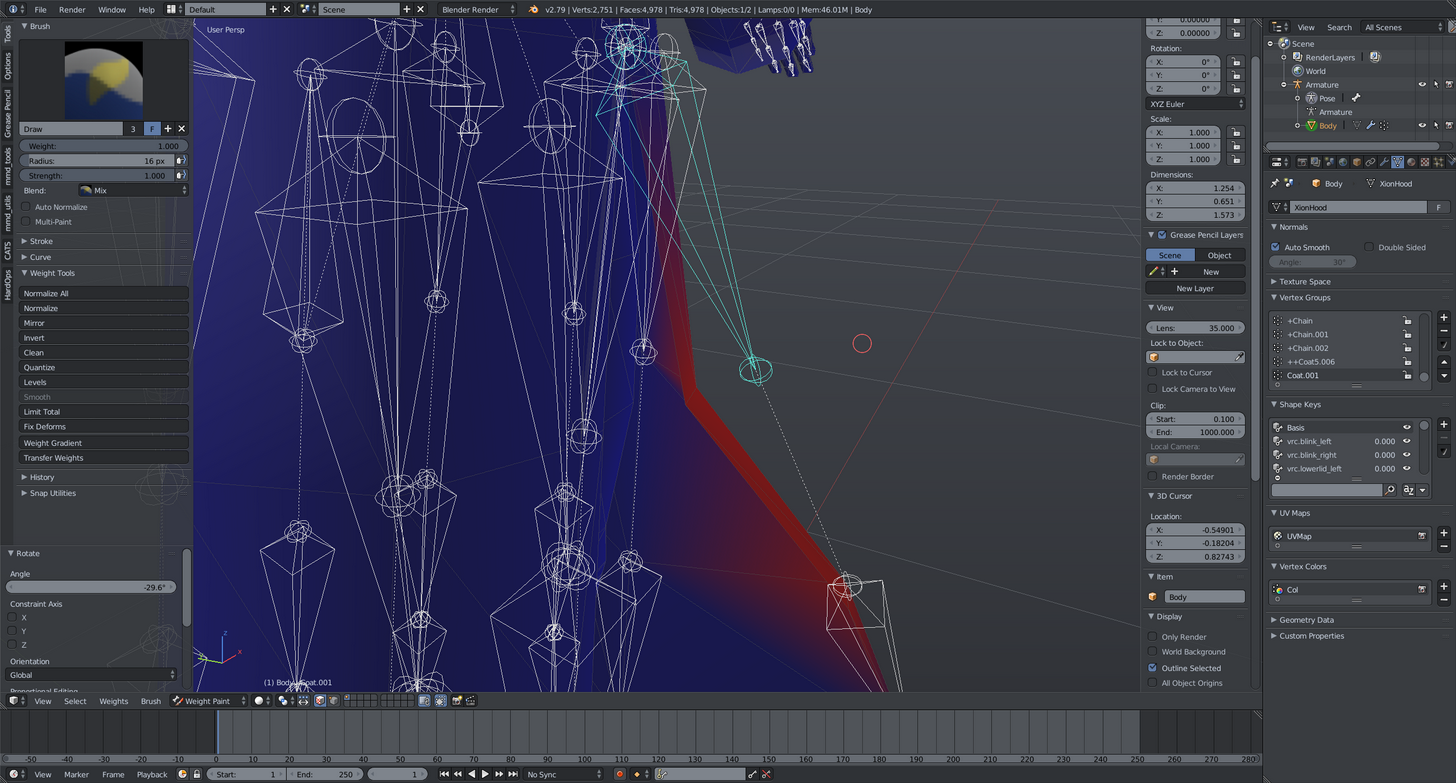
Why some vertexes doenst follow the bone? https://i.imgur.com/A6wxOU5.png
 rain imp
Power of paint in area on other bones?
mystic nymph
Oh, yeah! Checked some nearly bones, and one of them was affecting it, thanks!
dim snow
would I do fix model, then start doing that? at what point in time do i press create visemes?
How many shapes do I even need?
 brisk mesa
you need as many visemes as there are shapes to make those words, there's like 14 or some shit idk
 peak drum
does anyone know how to fix this? https://gyazo.com/ad5c5866b2584aaf76c8f4769b1dad47

 stoic cloak
Does anyone know how to fix these issues https://imgur.com/a/XUc7t
 crisp tendon
What issue ?
stoic cloak
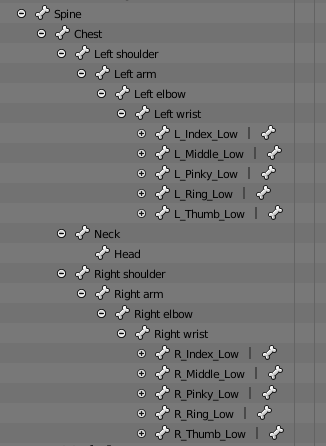
Finger tips are messed up and the hip bone is two bones, one that is horizontal, and one that is diagonal
 gloomy loom
Well you could just rig it yourseld
crisp tendon
@stoic cloak Have you tried suing Cat's addon in blender ?
stoic cloak
Yes, it fixes everything but those two issues.
 crisp tendon
@stoic cloak Then yes that'll have to be a manual process then
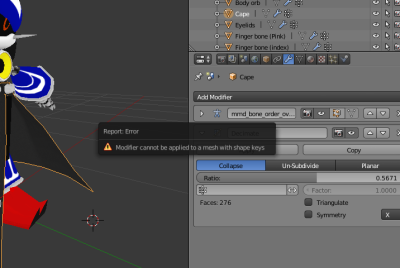
gloomy loom
Delete the shape keys from the mesh
 gusty robin
@random lotus delete the shape keys
gloomy loom
Then decimate
stoic cloak
@crisp tendon hmm i have no idea how to do that any good guides?
gloomy loom
I doubt thr cape has any important shapekey
gusty robin
If you drop down somewhere in the menu to the top right you can find and delete the shape key for that material
Clicking the plus symbol in the menu will expand it
 hazy ridge
So I suddenly got a good idea for an avatar addon, but im not sure quite how it works
adding a lightsource?
How would I manage doing that?
 drifting whale
yo, anyone avalable to help little ol' me?
i'm getting that "spine hiarchy" or whatever it is
crisp tendon
@stoic cloak On this specific thing, not really, you just need to learn how to create bones and parent them + weight paint, not very difficult
fleet echo
@left hound set the force on dyanmic bone to -.0005
might have adjust couple time
Y axes
 left hound
@fleet echo it didnt do anything
fleet echo
that why i saw might need adjust value till does anything
left hound
so im looking for negative numbers?
 marsh robin
Hey guys, I'm having a probloem, I've been trying to get My model's long tentacle to look somewhat normal, and when i configure it in Unity Rig, it looks normal, but when i go into VRChat, it looks just like when it was in the T-Pose, I dont know where to really go for something like this, People have said dynamic bones, and i've tried that, but it just makes it jiggle in place, so i dont really know where to go http://i.cubeupload.com/VbK1Ok.png http://i.cubeupload.com/KLWmkB.png http://i.cubeupload.com/rrOQ2U.png


 crisp tendon
@marsh robin You have to adjut the values of the dynamic bone to behave the way a tentacle would
marsh robin
I've put dynamic bones on the tentacle, but i only put 3 for the top, middle and bottom bones
should i just make more of the bones dynamic?
crisp tendon
Or just one dynamic bone for the entire thing at the top
marsh robin
I've also tried that
 random lotus
so i deleted the shift keys, and when i put it inot unity, i discovered that the shoulders are one bone, is there a way to make it so that they become seperate or would i have to add a fake bone or something?
???
naive tree
what do you want to do? @random lotus
random lotus
I need to map the shoulders but the shoulder are the same bone, im trying to make it so that they're each a seperate bone
naive tree
subdivide it?
random lotus
How do i do that?
naive tree
select bone, hit space and type in subdivide
random lotus
is this in blender or unity?
naive tree
or you can try removing the shoulkder and extruding from the arm
then u gotta weight paint it a bit, i think
or recalculate autoweight for that bone
if that works good enough
i like this idea though, you can try removing the shoulder, extrude new bones from both arms as they'd be shoulders
and then in pose mode select the shoulder, shift select mesh and hit W > autoweight bone
random lotus
ok so how would we add a new bone?
gaunt belfry
I bet whoever modelled this hair is laughing at me while I rig it https://puu.sh/z85sR.jpg

 robust gull
Anyone here use vr and know how to rigg so it works good?
random lotus
Ok, i went to to go do the thing for the shoulder and it seems the shoulders bone doesnt register as a bone in blender
 plucky terrace
can somebody help me my model is not taking more than 1 texture
like the eyes are the same texture as everything else
how do you split up the body so the eyes take a diff texture
hazy ridge
How can I attach objects to the rigged model? This ball isn't actually connected when my character is in an idle pose https://i.imgur.com/vDaPyAg.png

 torn locust
drag and drop into the model hierarchy

 tacit adder
what shader one use to see the texture from the inside? like those spheres people make?
ivory radish
thats not a shader
hazy ridge
Its a physical sphere
ivory radish
i mean u could make a shader for it
but usually u would just invert normals
can do that by setting inverse scales or by flipping it in the model itself
hazy ridge
oh wait thats not directed to me oops ignore me
fading verge
Well there are shaders out there that has that
tacit adder
the dupe it so you can see it on the outside as well?
ivory radish
no thats called double normals
normals define the direction of any given face on a polygon
which is why you can have an inside face, or outside face
fading verge
 ivory radish
its also why most programs only render one or the other leading to having 2x as many polygons when doubled
also u could use panosphere
if ur wanting a fixed image or something
is there a way to kno how big outlines are
because i have this shader that draws outlines but
it looks different in game mode
and also in mirrors
i need it for textured toon shading
fading verge
:thinking:
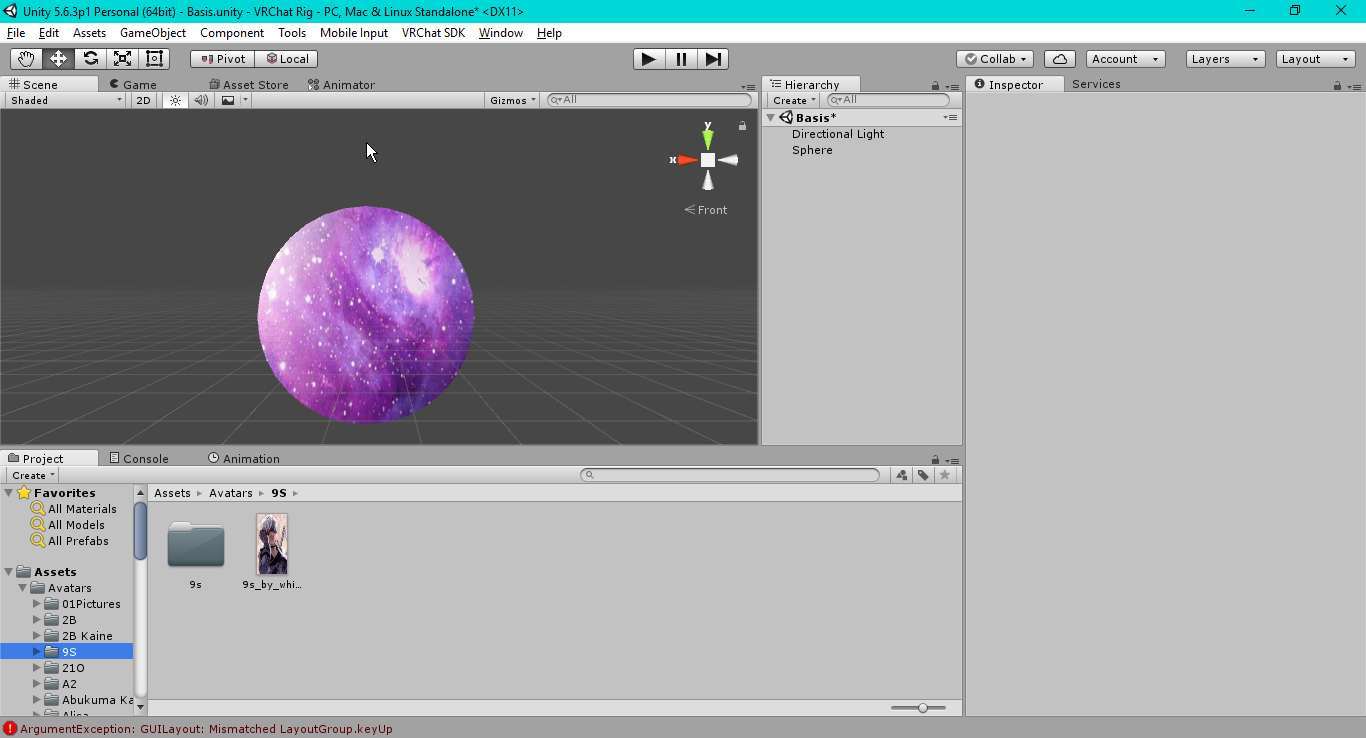
 quiet bluff
So that awkward moment when ur mmd model has clit and labia bones in the armature . it was scary and i need a hug.
fading verge
Just remove em?
quiet bluff
I did lol
it was simply funny till I made the wrong movement and it tryed to eat me.
fading verge
👀
ivory radish
invert normals
tacit adder
where tho
ivory radish
blender
tacit adder
i dunnooo
ivory radish
or use inverse scaling
tacit adder
inverse scaling?
ivory radish
nvm unity doesnt support that
tacit adder
aaaaaaaaaaaaaaaaaaaaaa
ivory radish
inverse scaling is essentially
u use negative numbers for scale
so it flips the model
but unity doesnt do that
its good bc u can mirror things
but u cant invert their normals
tacit adder
mk then
 shy vault
Idk where else to ask this so, I downloaded a model from Models-Resource and it doesnt have fingers. but everytime I add "dummy fingers" according to this guide "http://vrchat.wikia.com/wiki/Quick_Start_-_Mixamo_Avatar_Creation", the characters hands bend 90* in seperate directions while its idle...
VRChat Wikia
Quick Start - Mixamo Avatar Creation", | VRChat Wikia | FANDOM powered by Wikia
shy vault
Can you explain maybe a step by step how to do it then? I might be doing it wrong
ivory radish
just extrude random bones
and set them
they get removed for some reason after you apply
but they still exist
bc vrchat warning goes away
see
 shy vault
you're talking to a complete blender beginner lol...
shy vault
So I dont add the bones in blender?
ivory radish
u do
but u map them in unity
bc they wont map automatically
u only need 3 fingers and i think each requires 3 parts to work with IK
thumb1 thumb2 thumb3 index1 index2 index3 middle1 middle2 middle3
\||..
that part of hand
shy vault
So do I rig the model in Mixamo before or after I add the dummy fingers?
ivory radish
if ur adding fingers that dont do anything ur adding bones
theres no use in adding bones if ur going to use another rig
so u put them after
shy vault
Alright, then thats one thing I was doing wrong
 peak drum
https://gyazo.com/ad5c5866b2584aaf76c8f4769b1dad47 hey, same guy from earlier, would anyone be able to explain to me how to fix this? It's a SFM model, and this jittering occurs both outside vr and with vr. is this something to do with the rig?
 ivory radish
why doesnt it look right
its parented to hip bone
the other way around would mean hip is parented to leg bones
ionic lake
so it sohuld be like that?
ivory radish
yes
when in orthogonal mode
tail is connected to parent
head is connected to children
 valid forge
hey when I'm importing an XPS to blender, but I have a .mesh and a .mesh.ascii, which do I use
ivory radish
in other modes it is too but its easier to see in orthogonal
 ornate turtle
I have an issue for some reason on the avatar I have the bottom lip stays where it is however the top lips would simply go up if I look up or clip through the bottom lips if I look down, is there a way to simply make the head solid so when I look down the head as a whole would look down, rather than just the top half? https://cdn.discordapp.com/attachments/325629574559956993/405488549605933068/unknown.png

I don't want to add lip sync or anything fancy to the head of this avatar, just wanting to stop the head from clipping down when looking down and mouth wide open while looking up.
ivory radish
weight painting done incorrectly
ornate turtle
Ah if I fix the weight painting would that correct that issue?
ivory radish
weight painting judges how vertices react to bone manipulation
red means it follows the bone when it moves
blue means it ignores the bone
ornate turtle
Ah!
ivory radish
pink means no weighting for the selected bone and mesh
so the bottom of its head should be more green and blue than red
fading verge
ornate turtle
Thanks a bunch, you both been really helpful 😄
fading verge
👍
shy vault
So I rigged this model in Mixamo, and all the bones are facing downwards, is that normal? https://cdn.discordapp.com/attachments/405489889467957259/405489981281533952/unknown.png
 ivory radish
yes its a mixamo thing
however u should probably reorient them
or turn on 'connected'
this only actually does anything because of the
'thigh rotation' issue
but usually not harmful
shy vault
Then to make the dummy fingers, what would I do from there? Extrude bones from the hand?
ivory radish
ye
3 fingers 3 bones each
each hand should have 9+ bones
i think u might be able to get away with just 1 or 2 each finger
but i do 3 just in case
shy vault
Uhh... nooby question, how do I orient the bones? lol
ivory radish
rotation
fading verge
Just do 2 for each finger if you're lazy

 vapid spire
I'm trying to join a seperate hair object to my model. When I try to join them, the hair's armeture disconnects from the mesh. How do I fix that?
vapid spire
how do i do that
vapid spire
The whole reason im trying to keep the armeture attached is to avoid having to repaing the hair
crisp tendon
Auto weight paint has been fantastic a few times for me
Same as Mixamo
So it could be 0 or 100
ivory radish
its rlly bad when i use it lol
vapid spire
I did it before where I joined a hair object to the body and it kept the weights that it had before hand... I dont know how I did it though
 spiral sparrow
How do dynamic bones actually work?
ivory radish
cant u just
look in the script
it calculates jiggle physics
basically uses hookes law and that sorta stuff
spring mechanics
shy vault
Hey Wulfe, you said to use the connected feature for the bones to reorient them right?
ivory radish
it connects them together so usually will work
shy vault
 ivory radish
armature too small
shy vault
Easy way to fix it?
ivory radish
resize
shy vault
I have to do that in Blender right?
ivory radish
in blender change mesh scale until fits armature
ornate turtle
yeah upload it elsewhere like a message and just copy the link not the image itself
ivory radish
u cant upload images
without a 📎 button
use embedded images or links
embedded images automatically appear when the link is detected as an image or there is a twitter card in the link
 zenith anchor

I think it should be a tda Model. I just want that mouth
Mine has lips and a line in between. This is kinda cuteomg face with no line in between
charred sorrel
hey hey! has anyone found a fix for this pelvis issue?
where the angle isn't 180, it's saying it's 82 on my model
crisp tendon
rotate the bone in blender if necessary
charred sorrel
oh on the upper legs?
or on the hips?
i have my upper legs parented to the hip bone
crisp tendon
The error tells you which one is affected
charred sorrel
gotcha! thank you!
fading verge
@charred sorrel make sure the bone is straight af 👍
 limpid wyvern
Hello there, is this the right place to talk about hips problem ?
shy vault
So, thank you for all your help Wulfe, I managed to get it ingame somewhat but... now I'm having this weird texture issue https://cdn.discordapp.com/attachments/405489889467957259/405507673610780693/unknown.png

The frills on the skirt and straps are like cutout and missing a lot
 pallid zealot
guys, im currently triying to get this guy to vrchat, but, as you can see, it has no shoulder bones. What could i do? https://i.gyazo.com/07578eef3742048143e82a7c3086dd4f.png

 raven pumice
Anyone got good dynamic bone values for something like a scarf or cape?
wintry orchid
Does anyone ever help in this channel ;.;
spice jetty
@wintry orchid it doesn't look like there's a spine in your bone chain?
wintry orchid
The model only had one spine
I have a feeling I had to add more in blender dont I?
spice jetty
I'm no expert but I'll tell you thats why I'd do that and make it close to human as possible. Will probably look strange though, like imagine if a trex walked as a human, ie standing up and with their hands to the sides
@pallid zealot shoulder bones aren't required (indicated by the dotted circle) so you -should- be good
ivory radish
they are sphere colliders
spice jetty
yep, idk what that even means XD
Ive spent about an hour trying to figure out why i cant view my model from inside anymore any help? the clipping values are set to default
 spice jetty
even .001 doesnt clip. maybe its a camera setting?
spice jetty
so my best idea garchomp would be to drag the bones apart so theyre connected by dotted lines in edit mode, then click and shift click the ends of the dotten line and press F to turn the dotten line into a bone
fading verge
you what belnder is that?
naive tree
what do you mean by "view from inside" though? like this? http://prntscr.com/i4p3o1
 spice jetty
yeah and i just figured it out lol. apparently I was in "user ortho" (numpad 5) and it doesnt clip like that
wintry orchid
Alright Thank you rei
spice jetty
np hope it works
wintry orchid
now to resume my torture
naive tree
i need to get used to numpad
spice jetty
^^^^^^^ agreeee
naive tree
never really using it
fading verge
I had an interesting problem, my avatar's mouth was hanging open when I set up the jaw flap bone.
wintry orchid
Hopefully when I do Salazzle it esaier
spice jetty
in tupper's tutorial I think he mentions unselecting the jaw in unity but you're not the first person to come in here and ask
 sonic elbow
guys what's the difference between male and female animation sets aside from the crossed legs while sitting down
like what happens if I put male animations on a female character
spice jetty
you get a masculine actin girl prolly
fading verge
okay I will go look then,
sonic elbow
I'm just tired of my legs being crossed and freaking the fuck out whenever I turn left to right
spice jetty
you can replace specifically only the sitting anim if you want
fading verge
unity keeps telling me to update my license. not sure what that means.
 tulip granite
You can set to male In descriptor it will sit with normal legs
gloomy loom
I really fucking hate people who rip models off games, rig it half assed, dont put any shape keys whatsoever and then have the decency to ask others who dl it to respect their model as if they made it themselves
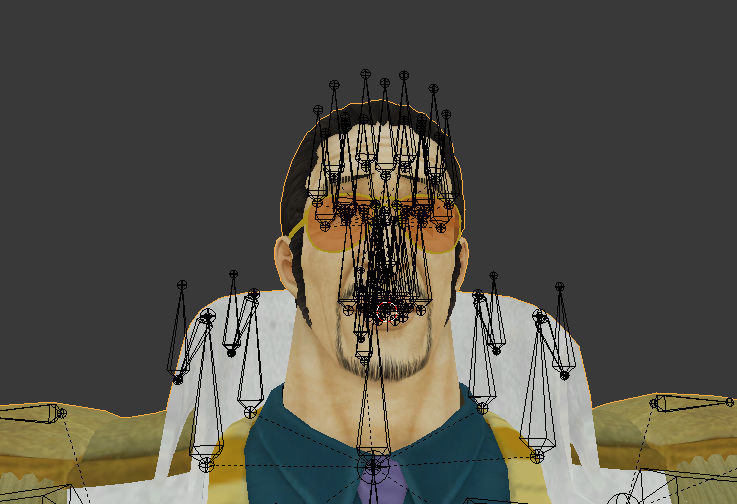
Like What the fuck is this rigging
I have to rerig this entire mess
😡
spice jetty
looks like an expressive dude
fading verge
sounds really hard. I feel your pain
gloomy loom
i made shape keys for his expression
fuck if I didnt love one piece so much I wouldnt be doing this
he's also probably the reason Ill buy vr too
fading verge
I have no idea how to make shape keys mine has none
gloomy loom
its really simple
go object mode, select the body mesh, go into the shape keys and hit the + sign, then name it to a shape key, then go edit mode with selecting faces, select some faces and move them around to make a facial expression, and then once you hit object mode again your face will snap back to the original posture
go to the new key value and raise it and itll conform the face to the edit you made
its also the easiest way to make facial emotions for customanimation overides
fading verge
ohh thanks! I am copying what you said so I can remember it lol
mine was a xps mmd model
gloomy loom
I dont think someone has created a facial shape key tutorial for vrchat yet
I know someone did with meshes hidden in the face
but if I have the time Ill make a quick youtube vid on it
itll only take like 2 mins
fading verge
cool that would reall be awesome
gloomy loom
its a give and take community. I give you information because I took information from someone else whenI needed help
And the cycle continues 😃
fading verge
yeah thanks for the help so far! I actually was able to rig a Chocobo myself because Mixamo would not do it for me lol
I'm learning
 floral light
yo, i modeled up a 2d image and its all ready but when i upload it it comes out flat on the ground instead of upright? any support is appreciated
fading verge
@floral light You can probably rotate the model in Unity
I am already confused again and I cant upload a picture of what I am dealing with lol
gloomy loom
upload it to imgur then post the linkhere
Cause for some reason That mades vrchat discord "better"
 grim notch
Hi all, new member here in the Discord Server. So I've tried my hand at rigging a non-rigged model in Blender and have had relative success, but I keep running into the same kind of issue and hope you guys can shed some light on why.
So when I rig a model, usually what I'll do is set up all the bones that I'm going to need for the rig, and then piece off the character mesh(es) relative to the bones that'll be assigned to those bones. But then when I finish with that and Parent the model, I have deformities from parts of the mesh that are completely unrelated to the bone in question.
I.E.- I rig a model, parent it and rotate the Right arm at the shoulder to test it. The shoulder moves, and so do meshes in the head, torso, and maybe the lower left leg, meanwhile the lower right arm is glued to the right leg.
Any ideas why I keep running into this issue?
random lotus

is it already weight painted or something?
i just went to do the weight paint and got this
fading verge
 grim notch
If it were the weight paint how would I go about ammending that issue to resolve it?
random lotus

is there a way i can make his ears go down? So they're not in the t-pose?
will using dynamic bones or something work?
gloomy loom
dynamic bones and gravity
there is a gravity option on the dynamic bones, go for the y axis and try a very low value
@random lotus
fading verge
okay so, I think it was the exporting that made mine confusing but making sure right now.
random lotus
@gloomy loom that only works when he's moving, im trying to make it so that in general his ears don't stay in the t-pose when he's not moving
this is why i hate this stupid models rig, it was pulled from the game, so the ears are forced in a t-pose
but this is the only model of this one avaliable
well of this design
floral light
@fading verge model is rotated, no matter the rotation its always flat
fading verge
literally just move the ears down bro 😆
random lotus
i did,
fading verge
@floral light I had that exact problem with a model and I never figured it out.
spice jetty
you could pose the ears in blender and set that as the default value i think, ctrl + A
random lotus
The root
gloomy loom
add it to the bootom ear bone
floral light
@fading verge dang, thanks though!
gloomy loom
if that doesnt work then check the parenting and weight of the boens
random lotus
yeah now nothing happens
spice jetty
i forgot to unpose my model in blender before exporting once and the pose it exported to unity in was the bent up pose
random lotus
hmmm, so i dont unpose my model in blender, it will reatain the pose?
spice jetty
that's what happened to me
random lotus
Hmmmm runs to expreiment with this annoying model
fading verge
question about the pelvis, it has to be straingt up right?
spice jetty
I think someone had a problem finalizing their upload because spine or pelvis or something was more than 5% off straight up but not positive
gloomy loom
yea it causes upload issues sometimes but i dont think it really matters unless you have full body tracking
quiet bluff
So I have not tryed to add weapons or anything yet. will adding object like for say a sword bring your tris up? im like rideing right on my limit with this modle.
spice jetty
it will
 indigo loom
if the sword is hidden until you pull it out, it doesn't count toward the limit
gloomy loom
if its a custom animation override it wont
indigo loom
yeah
gloomy loom
if its on your model at all time it will
indigo loom
but that doesn't have to be the same sword
spice jetty
learn something new every day XD
quiet bluff
yeah I have thought of lots of idea to help combat some of this but as long as im not creating lag for others. like I know for a fact i could get realy any models over the tri limit in but im sure thats just a lag fest and also get a ban
random lotus
 quiet bluff
also that would be hacking lol
random lotus
Gosh Darnit that was hard af to get right
quiet bluff
u will get it just keep at it.
fading verge
https://i.imgur.com/KckzODL.png how do i hide these dots so i can select these bones and weight paint
 edgy ginkgo
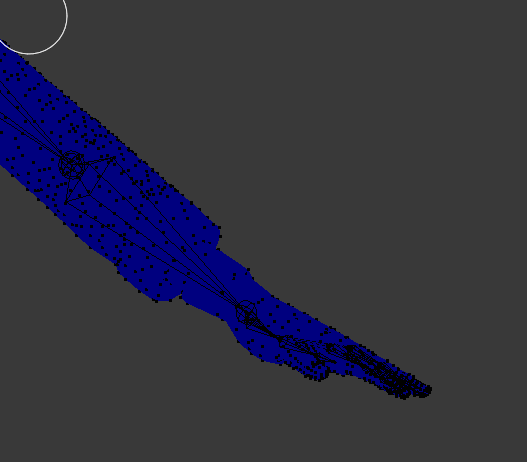
whut dis? http://puu.sh/z8jFg/7d83f68e11.png

everything IS set in the Unity Rig tab
so why is it saying this?
fading verge
nvm
edgy ginkgo
 spice jetty
make sure the bone chain is right on the left and that everything is extruded properly
spice jetty
💯
 molten vale
I don't know if I am doing something wrong or if it's normal. But with every avatar I imported into vrchat I cannot get it to touch the floor. For example, my hand is feeling the floor but my avatar's hand is around knee high, in every other vr game I can get to touch the floor. Does anyone have an idea why?
spice jetty
oculus or vive?
molten vale
oculus
 prime dove
sockulus
molten vale
haha
spice jetty
okay so when it happens to me I tend to find that its a mistake on the oculus end not on vrchat. either that or I need to adjust height. steam has an option that help it figure out height as well but I haven't looked to see if that helps
molten vale
Maybe it's a steam vr setting
 mystic sluice
Interesting issue.... when I try to parent a separate imported asset (weapon) to my avatar's hand, it sets the origin of the hand, arm, and shoulder to where the weapon is...
molten vale
vrchat is the only thing is use steam vr with
Guess I'll run the SteamVR setup once more, maybe that helps
spice jetty
it happens to me on and off for it to never be right for you I can only spitball
molten vale
I just want to be able to pat the heads of the tiny ones
mystic sluice
Nvm, tool handle was set to center instead of pivot
spice jetty
you can also use seated play as a crouch button
 ionic rain
Hey, does anybody know of any free alternatives to dynamic bones?
spice jetty
pretty sure there isnt any that are worth the time if there are; you'd be better off just going without dynamic bones
ionic rain
Eh, well okay then. Thanks.
 restive hill
sheez, i had to delete half the model to get under 20k
still, better than the 70k model that i found, that would be even more terrible
 spice jetty
hm?
doh i only just noticed the words lol
https://www.youtube.com/watch?v=IZPqxADetWE was literally watching this video just now its everything youll need to know (probably). top 2 comments we necessary for success for me as well

This is a tutorial on how to overcome errors that can occur when using the automated bone weight function in Blender 2.5
 muted spade
That moment when the viewpoint is from nappa's crotch
hm can't share the image
let me try this
fading verge
anyone know how people make their character meshes move ?.? you know those galaxy meshes..
muted spade
I dont' sadly, but I know that with some messes they use this wierd image for texturing.
https://gyazo.com/546249348a144aa1d10febed983f0763 this is a weird viewpoint
 fading verge
okay ty
muted spade
Viewpoint?
spice jetty
after i google for june Ill screenshot
muted spade
ok, thank you
spice jetty
june I tihnk it might be related to shaders. seeing as this exists and is moving . ik my charas outline is white and entire inside is white because of it. so in theory the inside of this persons character looks trippy like the lines. if they flipped the mesh inside out then bam https://camo.githubusercontent.com/b32eec135fe3e3e8f9f94699f517792c010c79ed/68747470733a2f2f696d6775722e636f6d2f61344c344736682e676966
 fading verge
oh wait so basically put the meshes white and change the shader ?.?
spice jetty
the shader i think is making the outline, and all none-textured parts look like the outline. sorry I didnt clarify that isnt my character my character doesnt have glowy
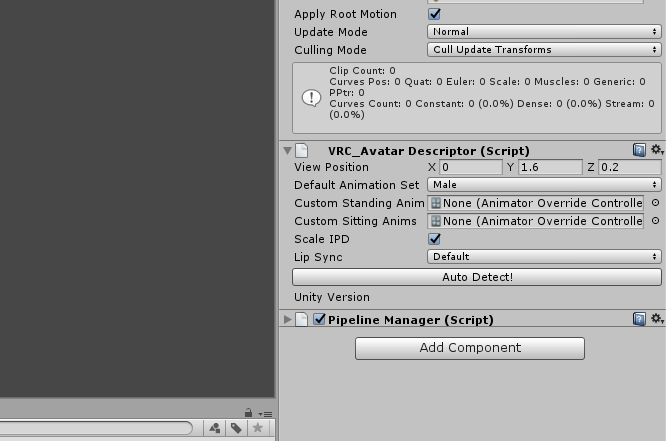
https://imgur.com/a/EdedW @muted spade it says view position if you have your model selected in the scene
 muted spade
if I'm righ the view position is determined by the dot right?
spice jetty
mhmm there should be a tiny white ball
 spice jetty
https://youtu.be/7P0ljQ6hU0A?t=4992 this talks a little bit about it but ive never heard of it going wrong before

VRChat Community Discord: https://discord.gg/VRChat Download VRChat! http://store.steampowered.com/app/438100/VRChat/ mmd_tools GitHub: https://github.com/po...
muted spade
now there's a couple issues with this model that has noted although I don't know how to solve

The Avatar short, and avatar feet below the floor doesn't make sense to me
raven pumice
I import a file into Blender and it textures fine. Then I combine the meshes and the majority of it is no longer texturing properly. I'm guessing it's losing the UV mapping somewhere in this process, how do I preserve that while still combining the meshes?
There's something like 11 separate meshes in this model so I do need to combine them
spice jetty
jammer, one sec theres a youtube comment I think that might say your issue
right before you export you model as fbx "You have to delete the original UVMap under the Data tab, and rename the "TextureAtlas" map to "UVMap.""
raven pumice
It's still doing this within Blender before I even export though
I think I may have figured out a fix on my own though, I'll just need to mess with it a bit to see if I'm right lol.
Thanks though!
spice jetty
oh you mean the part where you're putting all the meshes into one atlas?
raven pumice
I'm just trying to merge the separate meshes into one, and when I do it erases all but one UV map
But I think I got it to combine them and keep them, it's just a little more messy. Gonna see if this carries over properly to Unity
spice jetty
tupper's tutorial explains all that stuff extremely well if you can't figure it out try that
@muted spade def something there causing it
 deft moss
Does anyone know why my avatar's head distors/bends
ivory radish
bad weight painting
ivory radish
again bad weight painting
helmet should have full weight only on head
no other bones
unless u make a helmet bone connected to head
deft moss
Ok thanks I'll see what I can do, just rigged it in mixamo thats it
raven pumice
Hm no seems I was wrong and even with the UVs preserved, merging the meshes is preventing parts of the model from being textured. This is very weird.
ivory radish
did u try increasing resolution of texture and baking it
raven pumice
I mean it's not displaying any texture at all on the majority of her body despite it working when the parts aren't joined
I don't feel like changing the texture itself would do anything about that
 twilit crescent
Anyone have any idea on how to have something connected to the chest and the arm to move with the arm?
fading verge
Need help in blender
drifting whale
i need help with somethin too
muted spade
hm, after redoing the nappa character I don't know if I broke his feet. https://gyazo.com/4e60bbdb63b3de752c62822b05d9e79e
 drifting whale
those feet are broken
ivory radish
press enforce tpose
drifting whale
so, in VRChat, are shoulders actually required?
ivory radish
probably for IK
drifting whale
i dont want IK tho
ivory radish
sometimes i bisect upper arm
muted spade
@ivory radish where's that again? Complete noob on unity
ivory radish
pose
muted spade
alright quick question. I notices there's alot of white bones in naps face. https://gyazo.com/36a5ee0e6f7028ffb6138bcce1d5c35c

what's up with those?
 teal pewter
what do i put( left leg) as the foot and the lower leg on unity rigging?
ivory radish
no
u put lower leg as lower leg
upper leg as upper leg
lol
why would u put left leg as foot
is that ur foot
drifting whale

Google Docs
muted spade
ah alright, I had to start this nappa model from scratch because the previous one keep showing me the viwerpoint of the crotch despite putting the descriptor in the right spot as well as the face kept collapsing in
drifting whale
having the "spine hierarchy missing elements* shit
fading verge
Ik how to fix
ivory radish
bisect arm bone
teal pewter
well this model giving me a hard time but the other models went thru
ivory radish
need 2 find push/pull plugins in blender
want 2 be able 2 do stuff like pull on the side of a jaw and stuff
 white briar
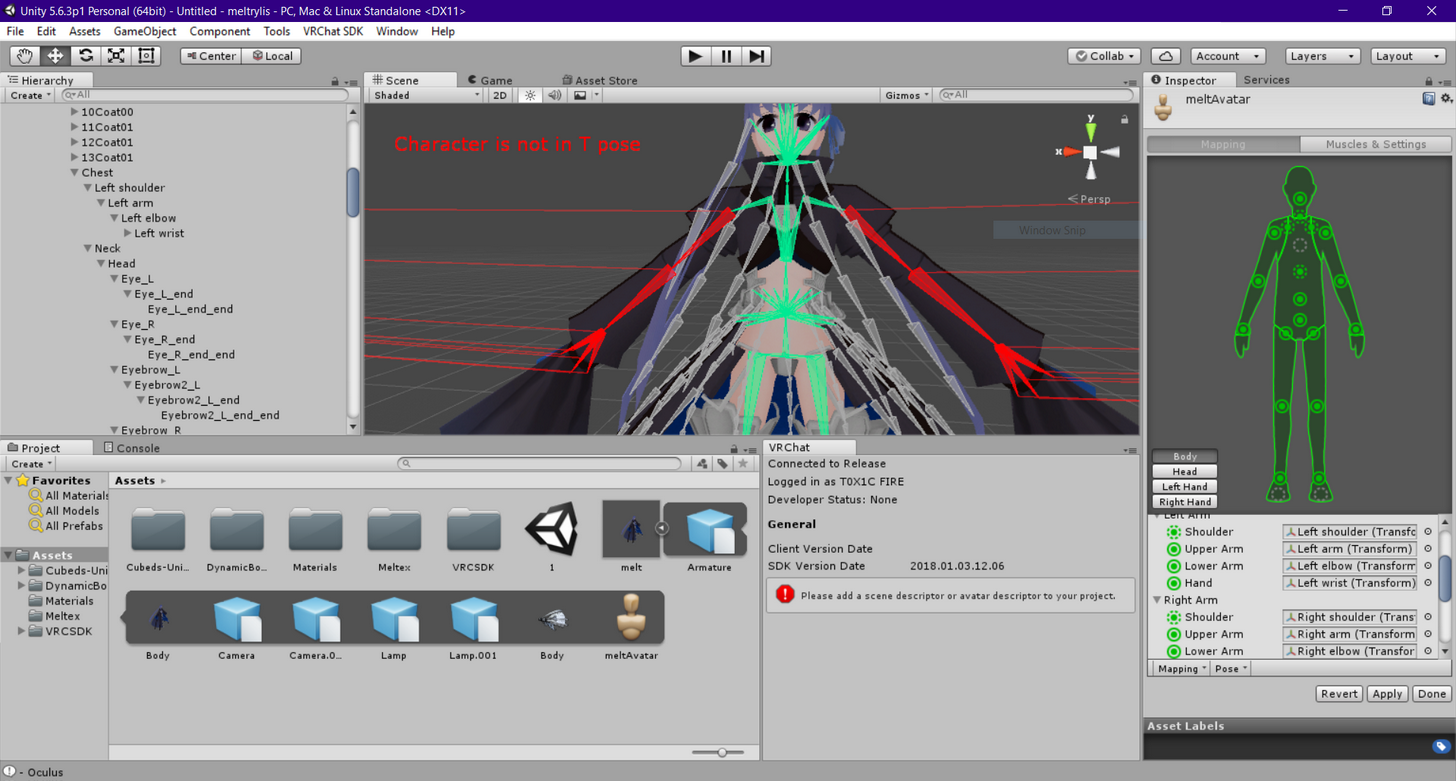
unity keeps saying this isnt in t-pose, but it looks pretty t-pose to me. i dont know what i did wrong
https://imgur.com/uvFn84K
 fading verge
 white briar
ah, this angle was default worked on all the other models i downloaded. so i guess ill try moving them then
muted spade
for some reason when I enforce the T bone, the feet goes back t o original position. wtf https://gyazo.com/451d4905e7a3bf1f6b612249bedb9c26
 ivory radish
lol
muted spade
I don't know how to fix this
muted spade
probably going to use unity sinc eI lost the blender file XD
 ivory radish
what does that mean
ivory radish
also does it even have any bones
 dim snow
Well heres the thing
I cant get the bones to work in unity with the hierarchy
so i mixamoed it
did mixamo fuck it up?
ivory radish
idk
dim snow
yeah so when i import the model
with an armature, without one, no matter what
its missing that part of the zipper.
spice jetty
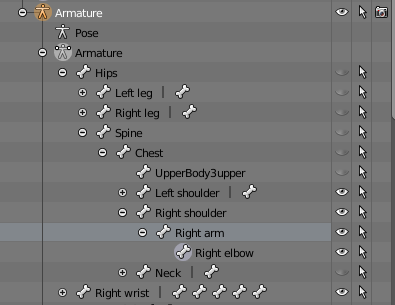
https://imgur.com/a/dBac2 can I fix the hierarchy?
 ivory radish
whats wrong with it
spice jetty
right wrist
ivory radish
toss it in right elbow with local offset mode
or just set its parent
why is it there anyways
spice jetty
i was replacing my characters hands and was trying to save a lot of time bone angling so i chopped off the right hand after modeling the left correctly hahaha
ty
 woeful idol
white briar
woeful idol
white briar
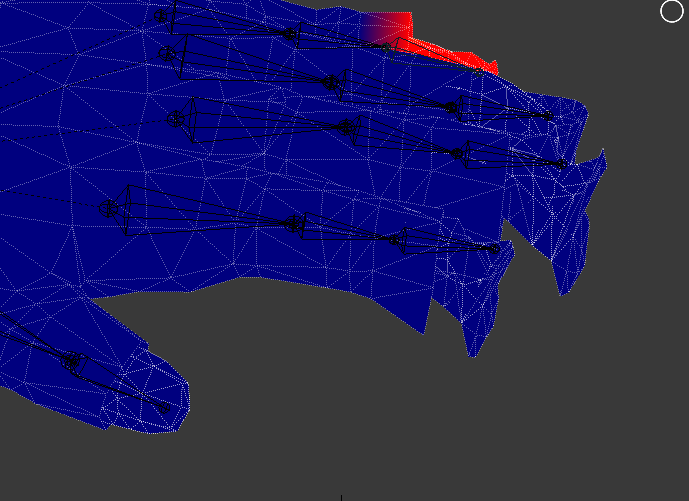
trying to set bones as feet in unity, but every time i hit apply, they unset themselves
ivory radish
ignore it
its set internally
i dont know why it happens
its happened to my hands sometimes
but it doesnt show the error anymore even tho its 'gone'
so ya ignore unless error
white briar
ah i see, thanks
fading verge
question, how does one make things from panosphere move it on it *own?
dim snow
It looks fine in blender
grim notch
Hey guys, question since I'm still relatively new to Unity and model rigging. Would someone be able to explain the other Rig settings in Unity besides Humanoid? Legacy, Generic, and None?
heard rumors that the other modes or at least one of them work in vrchat, but would someone be able to explain how so?
ivory radish
they arent used for vrchat
all those things do is
it maps bones to muscle parameters
instead of using the actual rig
it would do something like
armStretch 0%-100%
instead of u know storing rotation of arm
which is why 'all rigs' can be used in vrchat and etc
bc its mapping the rig to muscles
generic doesnt map crap i think
none doesnt either but i think it may remove rig or something
legacy is old version of humanoid
grim notch
huh, so all essentially useless for vrchat models huh?
 opal aurora
I mean, i think generic is usedfor literaly boneless models, or atleast ones that couldn't function properly as humanoids
An animation could still be applied onto them and all, like a floating animation for a floating robot, but general walking movements wouldn't work on such as it's not a humanoid
 surreal parrot
Ok
So
I have an avatar I just made
And it works fairly well
Except for one thing
The head bobs side to side very far
Like disconnected from the neck far
Really don't know what I did wrong
calm needle
@dim snow it might be a flipped normal




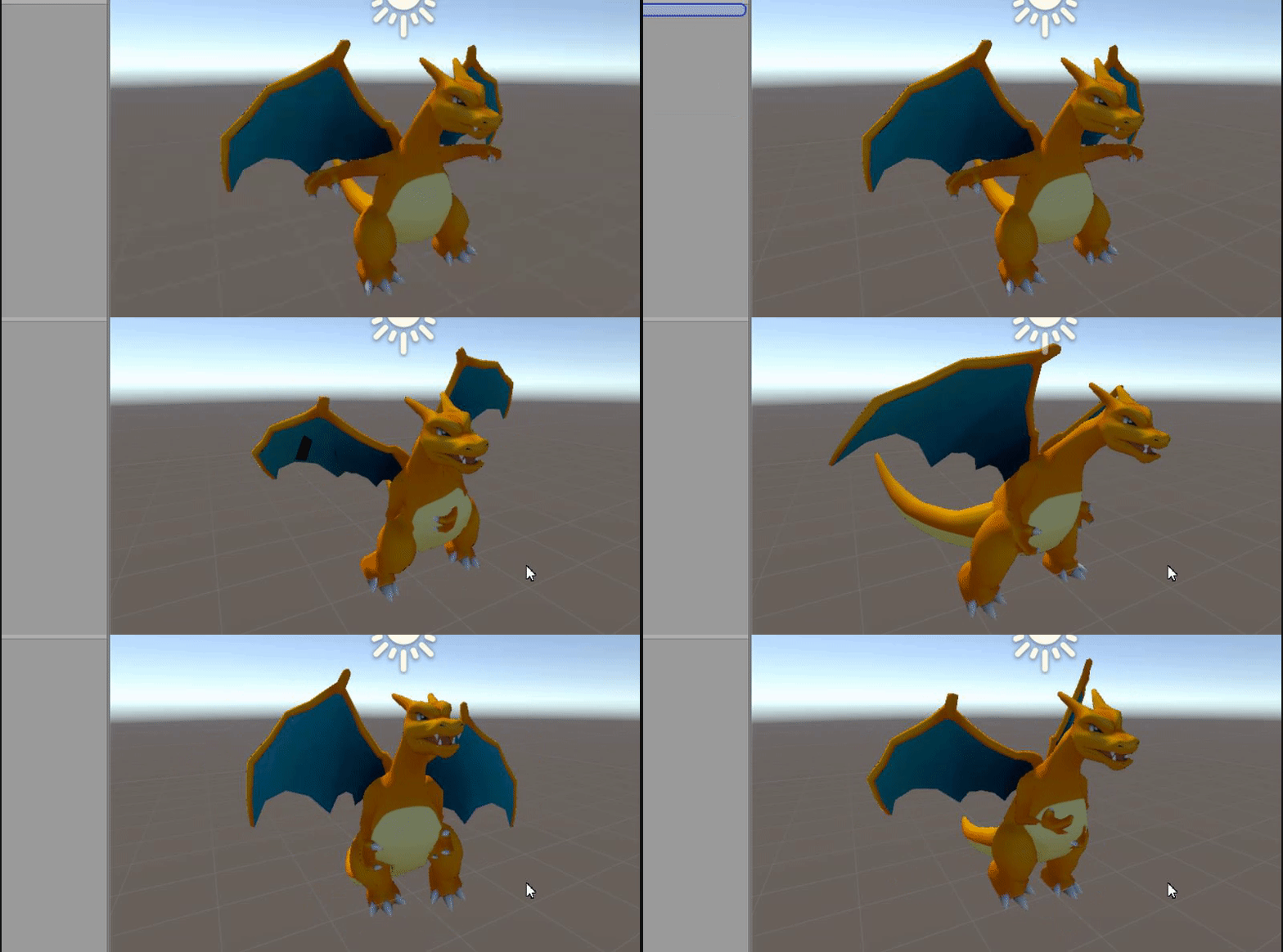


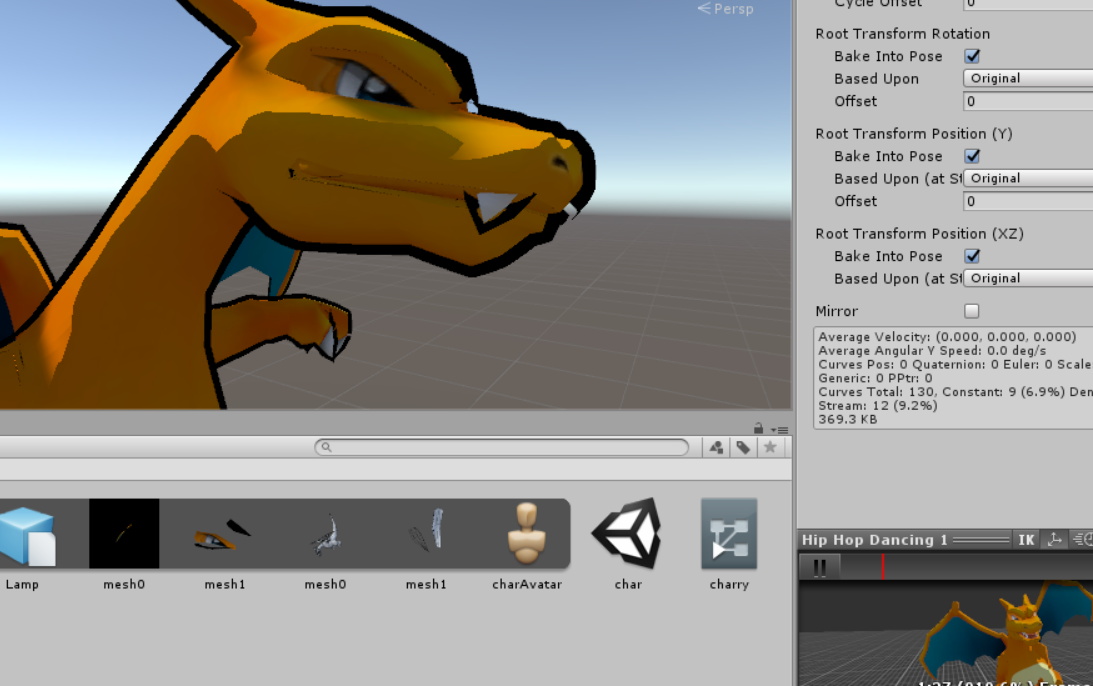


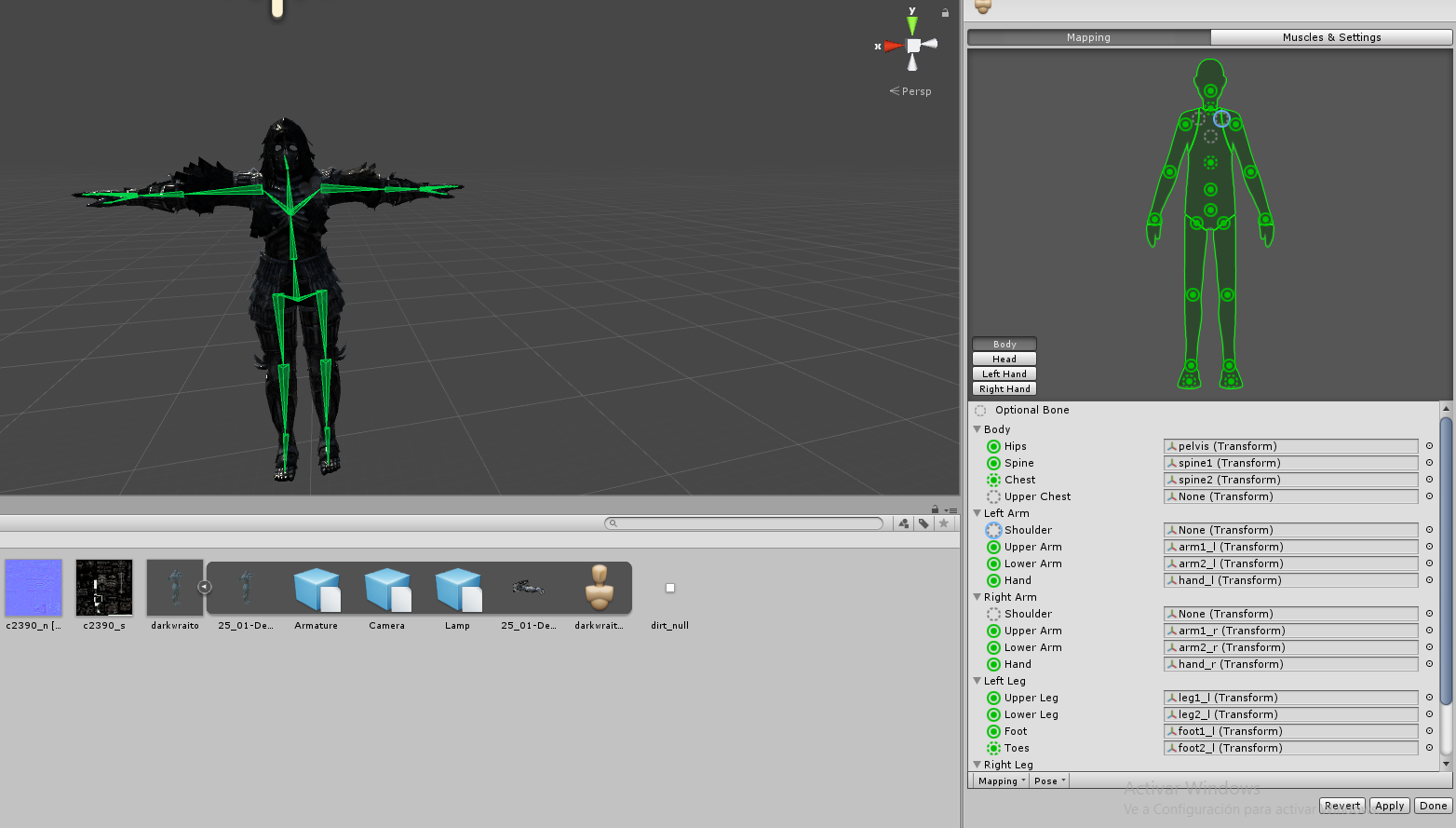


 calm needle
snipping tool will allow for clearer quality screen caps and is prebuilt into windows
calm needle
not a problem 😛
 torn isle
So you're doing a mixamo rig?
surreal parrot
Nope
torn isle
Well, it looks like the main chest.