#avatar-rigging
1 messages · Page 83 of 1
 ivory radish
 sick adder
wtf
 balmy goblet
never happend before with any of my models
sick adder
what kinda demon is that
balmy goblet
I dont know but does anyone have an idea on how to fix my best boy
is it something wrong with the shape keys?
it only occurred ingame
 crisp tendon
You just have a lot of hand meshes, delete those in blender
 balmy goblet
happend to me too
crisp tendon
pink doesn't matter
balmy goblet
^^

how did i not notice this
thanks
i thought it was something with the shape keys
 vocal cedar
wait if pink doesn't matter does that mean i dont have to care about this lol
crisp tendon
yes
 nocturne marlin
is there anyone that could show me how to maunally rig a model from scratch since the model i want to use is an obj?
 prime breach
Hey would anyone be able to do a simple rigging for a model? I am willing to pay if that helps
crisp tendon
@prime breach If it's simple you can do it yourself for free and learn something cool in the process
 peak drum
Total noob here, can someone help me figure out what's wrong? i did the rigging and weight painting myself. https://gyazo.com/e5e9579c69d584f1a0ff8500a1770a16

 left falcon
the weight paints for the arms are also connected to the chest
crisp tendon
@peak drum probably the rotation of your bones
ivory radish
if ur doing weight painting urself ur probably doing something wrong considering
and yea check bone rotation in humanoid config
don't just rely on the no errors no problem
 crisp tendon
weight paint it
peak drum
thanks
 fading verge
@fading verge weight paint issue it looks like
Still not entirely sure how to do the weight painting
left falcon
in blender set the skeleton to pose mode and then select the model and go into weight painting mode
prime breach
@crisp tendon I've been told it's a simple process, but I havnt worked with this stuff before so idk
fading verge

Quick intro and guide to skinning/weight painting. this video is meant for those with a basic understanding of Blender
if you have a complex model
it gets difficult
crisp tendon
@prime breach follow a tutorial then !
ivory radish
yes learn how to use the internet to your advantage this isnt the 1990s
seek advice if u cant find any help online
fading verge
Just says Active group is locked, Aborting
 left hound
how to remove unused bones in blender?
crisp tendon
@left hound right click it in edit mode, press x
left hound
they are still on the hierachy tho
fading verge
Select the armature, go into edit mode and select the bone/s you want to delete and press x
left hound
i cant find the unused bones in the edit mode.
fading verge
then i have no idea, im pretty new myself
ivory radish
whats wrong with unuseds
left hound
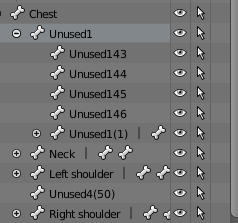
i can see them here only.
i select for example the bone from there, then go to edit mode click X > delete and then bone is still there but its not visible.
 sonic elbow
Will decimating the face in blender to reduce polycount fuck up animations?
 naive tree
you can reduce tris in face and preserving shape keys by manual reduciton of edge loops or using LOD tools in unity like mantis lod online
i love dissolving ears, as ppl make the complex
 safe sage
Does the jaw of the avatar actually have to be rigged with a bone for the mouth to move, or is that something detected automatically?
ivory radish
no
 normal socket
Moving the mouth just by moving a jaw bone would get pretty strange result
I'd dig dynamic bones on the lips tho 👌
 frigid cliff
When i use viseme on my avatar , the mouth opens randomly following my eyes movements ( when my eyes go up , the mouth open.
peak drum
Hey, i'm back, i cleaned up the weight painting, made sure he was T-Posed and tried adding SimpleAvatarController, but the IK still makes him do the Limbo, is there something else i'm missing? it's telling me that the angle between pelvis and thigh bones is around 90 degrees when it should be close to 180, Are my bones set up wrong?

 peak drum
I just noticed that big one taking the screen, it says it's armature
normal socket
I would check the parenting
Hmm, Ive had a similar issue before when the uppermost bone wasnt the Hips
peak drum
I FIXED IT YAY
fading verge
that shrek bone gave me a good laugh
peak drum
the hips were parented to armature not spine1
thank god
ok now im getting spine1 is not an ancestor of leg.l
normal socket
Yeah check your whole parenting hierarchy
Do you have another working model you could use as reference?
peak drum
i've got a couple that i used mixamo to rig, would that work for reference?
normal socket
If they were tested on Unity and worked then yeah
ivory radish
named to match blend shape
and u have to make sure that u don't do stuff like move eyes up when moving jaw
peak drum
thank you so much for the help
normal socket
@peak drum Normally your topmost parent is Hips, it's children are Spine Left Leg and Right Leg since they are directly connected to it. You need to follow that logic for the rest of the bone hierarchy
peak drum
So, do i have to redo my bones in blender then? or is this a simple issue that can be fixed from sdk?
 fierce crystal
Isn't it normally the spine then the chest
normal socket
uuhh, yeah
ivory radish
from down up
normal socket
If I start from the hips then next is spine yeah then chest
ivory radish
toe lowerleg upperleg pelvis spine chest neck head
then side
arm forearm hand fingers
also make sure forearm is the first parent of arm
idk y it just says it has to be
can be fixed in unity just by moving it to top of children list
peak drum
k i think i can fix this, i just need to get rid of the 2 hip bones I created and parent the leg bones to the spine bone?
ivory radish
no why
normal socket
you dont have hips?
ivory radish
everything attached to pelvis
why in the world
would u have hips and attach legs to ur spine
its human anatomy 101 lol
normal socket
that sounds horrifying lol
ivory radish
ikr
normal socket
Grunt basically the hierarchy defines how all the bones in the skeleton are attached to one another
ivory radish
to make a hip bone is very very simple
just add a root bone and u can parent everything to it
and u can also just weight everything at 1
peak drum
that's all i have to do?
normal socket
If the rest of the hierarchy is fine then yes
ivory radish
always save before doing anything
i save all my stuff in 1 folder
with scene textures materials models and blender save
each char
normal socket
making backups is good practice in anything pretty much
ivory radish
helps u stay organized, makes going back super easy, and prevents 1 mishap ruining all ur progress
normal socket
Plus it eases reproductiblity
ivory radish
i also always make a pre-save and a post-save
not many people do that
it basically means
i save before rigging avi
then after
and if it didnt work out i have a backup
if it did then i can just save it to pre save
safe sage
So what'd actually cause lips not to move?
ivory radish
later on
frigid cliff
so this is what happens to my avatar when using viseme :
ivory radish
not using blend shapes correctly
frigid cliff
 ivory radish
or not having a jaw bone
frigid cliff
the mouth is moving when my eyes move
frigid cliff
tested all of them
the sil keeps the mouth shut like expected
etc
even trying to use the SimpleAvatarControler in unity to preview my avatar , the mouth is correctly closed
fading verge
I had a similar issue but couldn't source the problem. I even had only sil, and the rest none, which does work with eye tracking, and the mouth still does move.
frigid cliff
this bug is making me crazy x)
frigid cliff

even if some of them were wrong , the simple fact that my mic is muted should keep the mouth closed, so it can't be that
normal socket
the jaw bone could be the issue
nocturne marlin
is there anyone that could show me how to maunally rig a model from scratch since the model i want to use is an obj?
frigid cliff
the jaw bone is set to none in the rigging
nocturne marlin
i have to use blender because mixamo doesnt accept the model correctly
it sticks his feet together like playdoh
nocturne marlin
thats what im asking....i dont know how to fix it
ivory radish
u have to make many bones
and weighting is hard to get right
especially since ur weighting beside things like arms
which are part of same mesh
but changing weights is pretty easy
just use pose mode on armature and select the mesh
then u use weight paint mode and select the correct bone with right click
then u get rid if the weights on the other leg
nocturne marlin
god with all these people who have time to 5tell me how hard everything is i could have had it done by now im sorry but i am an absolute novice who only knows what ive seen in youtube videos but none of it makes sense to me so i need an actual person to see what im doing and talk me through it if you cant do that then forget i asked
ivory radish
no u rlly don't u just open weight painting window, set weight to 0, and draw on the other leg
nocturne marlin
i dopnt know what any of those words mean
ivory radish
its like fixing an image in photoshop but in 3d
normal socket
Google search Weight painting
nocturne marlin
thats it fuck this chat no one gets what im asking
ivory radish
i trying to help multiple people at same time
and i not even on pc
if u cant take the effort to follow the steps i gave u on opening the window or ask what i am saying
then theres not much else i can do
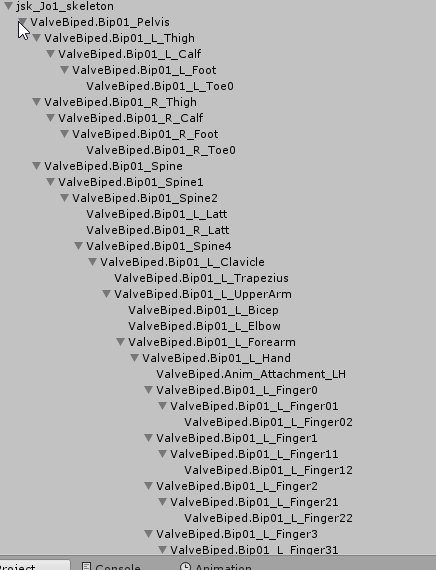 ivory radish
for valve
make forearm first child of arm
and make sure spine is spine2
spine4 is chest
and fix the finger rotations by setting them to 0 0 0
in the humanoid configuration
left hound
i do all that in unity right?
frigid cliff
I think i may have found my problem , if it's this i will feel stupid, gonna report back when it's done uploading
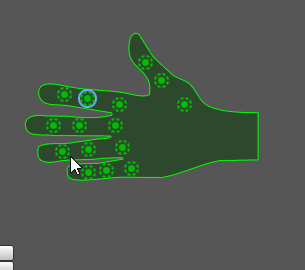
 robust gull
Anyone have pic of a good rigging for vr setup? My bones in the arms seem to be turning the wrong way or something im not sure tbh
left hound
@ivory radish and after that i save map or just apply and done?
fading verge
anyone know why my shader is showing up greyscale? http://puu.sh/z7fi0.png
 crisp tendon
@robust gull Use the sample avatar you have in your sdk folders in unity
peak drum
I'm at a complete loss for words now. I added the root in blender and made sure everything was parented to it, and now when i get it all set up in unity, the VRCSDK thinks that the feet and upper arms aren't specified and that the head, hands and feet bones aren't mapped! I don't know what to do anymore.
normal socket
When you say everything is parented to it, do you mean directly? Like every single bone has the root as parent?
peak drum
no, the hip bones and the main spine bone.
normal socket
send me a screenshot of the hierarchy please, expand as much as possible
peak drum
ok, i will
here it is, i goofed up on some of the names for some bones but that shouldn't matter, should it? https://gyazo.com/c93b11212738d5e9c126d92525e1a055
 left hound
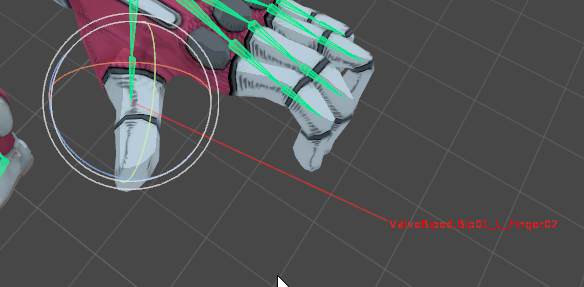
on another model im doing the same thing on the fingers 0 0 0 but it gets character not t pose
normal socket
@peak drum Bypass the hips if that root is the equivalent of the Hips as one bone
@peak drum By that I mean Left Leg and Right Leg's parent is root
robust gull
@crisp tendon Dose it matter the size of the bones?
peak drum
ok, should i get rid of the hip bones altogether or leave them and just parent the leg bones?
normal socket
@peak drum You can leave them here, it shouldn't matter
peak drum
ok, i will do that and let you know
normal socket
@peak drum Basically what you're parenting is what Unity wants in Humanoid configuration
@peak drum Since it doesnt have 2 bones for the hips but just one, you replaced those with 1 root bone.
peak drum
okay, i get it now
crisp tendon
@robust gull it shouldn't
peak drum
should i do the reparenting in unity or do it in blender because unity gives me an import error when i reparent the leg bones
 normal socket
I always do that in blender, idk about unity
peak drum
ok, i will get on that then
 molten tulip
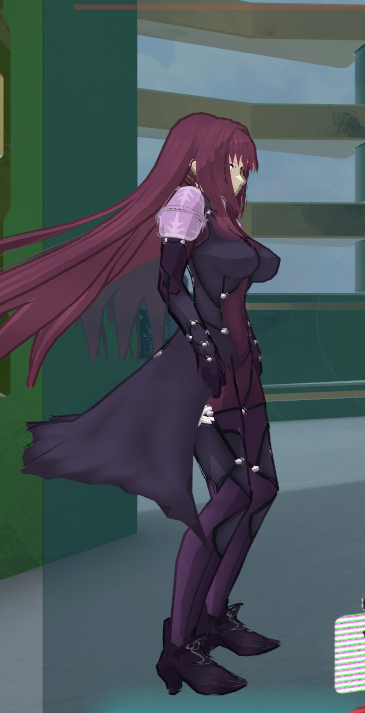
https://i.imgur.com/HjF44US.png Why is her legs bent like that?
 normal socket
@peak drum The error is because you already configured the rig and what youre changing in the hierarchy doesnt fit the configuration
peak drum
ok, thank you
Shrek's leg wasn't warped when i imported him in so i hope that's a good sign
normal socket
You can test your rigging in blender in pose mode. Right click the bone you want and move with your mouse to see it move.
 charred patrol
https://gyazo.com/f6e19933b1e4c5b2753267d699d661e7 should i ignore this?

 ocean latch
if it doesnt cause any problems, then you probably can ignore
peak drum
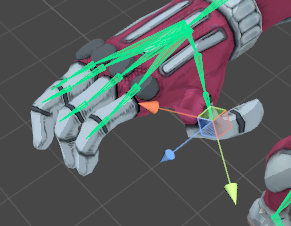
Ok, so he isn't doing the limbo in VRchat now, but his legs are constantly pushing up now https://gyazo.com/b1af43f2124d7c7f5aebdce51708cc6c

 supple portal
Yeah, just peek at yourself in game to make sure
 normal socket
@peak drum Try making the two old hips children of the root bone but dont link them to anything else
peak drum
Like this? this is how i already have it. https://gyazo.com/03228c69e9503c658caff8dfde09bbf1
 normal socket
oh..
supple portal
Did you hit create visemes before exporting?
normal socket
@peak drum At this point Im not sure what would be the best route to fix this. Sorry. It could be an issue with weights but I barely know anything on that side of things.
peak drum
ok, it's not as big of a deal as before so i think it's safe to say i can leave it like that for now, thank you so much for helping me with this, i really appreciate it 🙂
normal socket
@peak drum Glad I could help
peak drum
Maybe once i get my sign set up on this avatar i'll try my hand at something simpler, like maybe a payday 2 avatar
anyways, thank you
normal socket
The best part is always what you've learned going through this
peak drum
yes, exactly, now i know how not to make the same mistakes
 shut prairie
Hey i need some asistance with sorting out character joints
im trying to get all the joints down and most of them are alright but the head one does not want to connect to anything https://cdn.discordapp.com/attachments/347421763396829195/405076764168159232/unknown.png

 stone vortex
You need to make a neck and head bone in blender, just don’t assign them to any part of the mesh.
shut prairie
i see
naive tree
@left hound if u still ahve that problem, there have to be 3 finger bones, your 3rd bones are very very small, make them bigge rin blender
 glad cliff
can i make a creature like avatar cause i dont want the head facing up because its hunched
i would post a pic but i can send pics
cant*
 fallow prism
Hi! I have a problem! When my avatar bend down, the dress is going through her legs! I tried to weight it, to put some colliders and setting the dress mesh as a cloth but nothing's working T_T https://imgur.com/a/erK5U
 shut prairie
ok thanks for the help with that tho the only other problem is that it does not see this as a tpose
https://cdn.discordapp.com/attachments/238789440707887114/405082954122133514/unknown.png
 peak drum
hey @fading verge , it turns out perfectly in vr, the ik problems arent noticeable at all! couldn't have done it without you!
 modest iris
Somebody know why my feet seem disconnected and draw huge lines?
 tawny zephyr
https://imgur.com/a/ptEL4
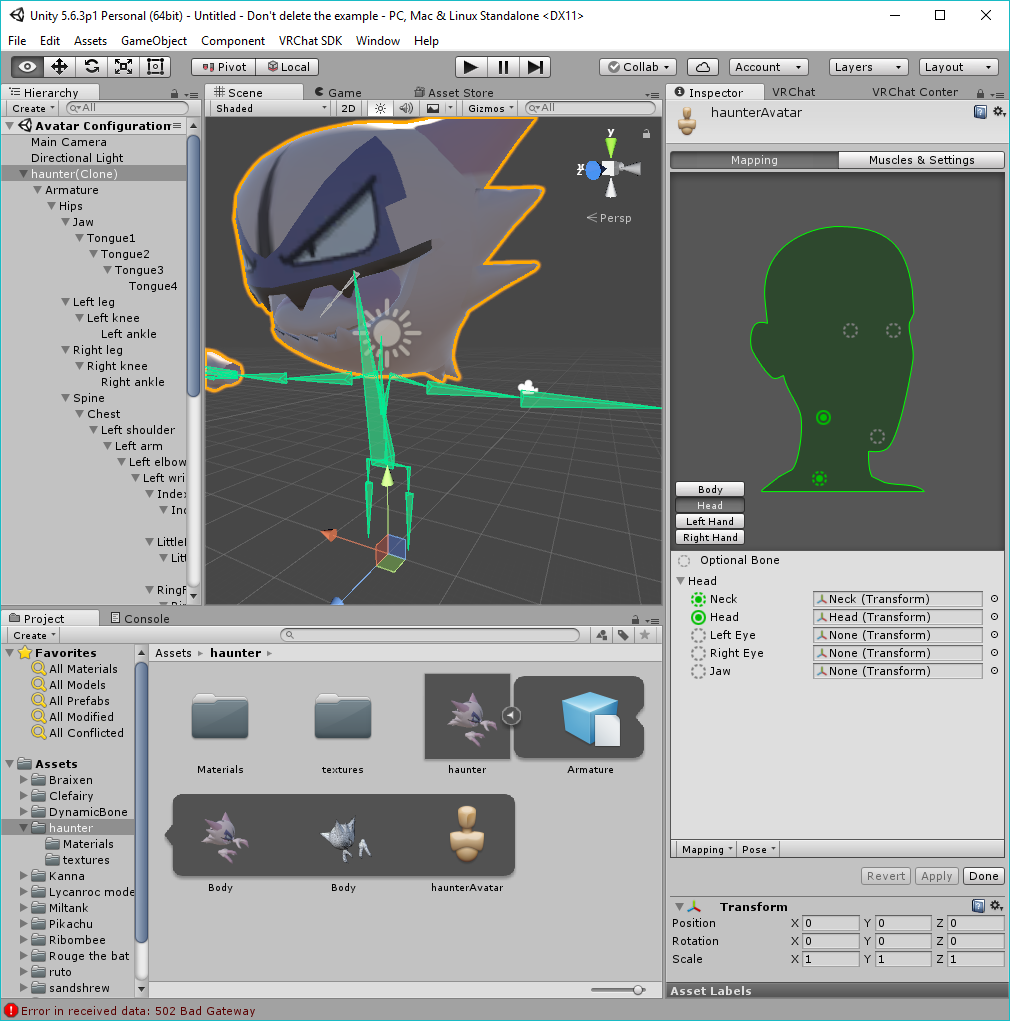
i'm having head tracking problems
i don't know what to do because my model is basically just a head but it won't follow the head bone when playing in VR mode

 ivory radish
it does not matter thats its not tpose
as long as the character is visually in tpose
some rigs have a different tpose
normal socket
@modest iris Did you use CATS to fix armature? it does not always do a good job and with some models you will want to reparent the bones manually.
 harsh radish
https://i.gyazo.com/e2345df34a5ef2ce4eb3f9e6ccf38bfb.png I need some help regarding this issue, could someone PM me and help me please 😃
 modest iris
@fading verge I'll try to do that, thanks. Tutorials incoming
frigid cliff
So for anyone with the problem i had "Mouth opening when looking down",
CAT's plugin wouldn't create the lowerlid keys required for the mouth in the case you checked "disable eye blinking", the latest update (0.6.1) fixed it


 gloomy pollen
can someone help me with lip sync?
i used CATs to create the visemes
but they dont show in unity when i set the Body to the blend shape object
the face mesh
gloomy pollen
i did twice lol
normal socket
Was your model divided into multiple meshes?
 torn isle
You sure?
normal socket
okay
gloomy pollen
Ah Your and THere are set as the 3 keys in blender
with Body as the mesh
intensity 1
they get exported as .dae right?
normal socket
Did you actually try the resulting visemes in blender?
gloomy pollen
not sure how hehe :3
normal socket
Hmmm, I'd send you a picture if I were home :/
gloomy pollen
i can screen share you over disc?
normal socket
I gotta go actually, sorry but someone can probably tell you how
gloomy pollen
ohh ok
oh ya
they do work
i see them under body key shapes and if i increase the value they move
ivory radish
export as fbx i think
gloomy pollen
xD
eyyyy
that did it
thanks 😄
do the eyes work by themselves if they are mapped in the bones?
blinking too?
glad cliff
does anyone know how to make 3 bones into one?
 jovial anvil
How would I rig up items from other models or items to a character and have it stay and follow the character?
Example I took a cape from one model to place on another and the cape follows my avatar but it just floats
 orchid shale
I have a model that looks fine in blender and unity but ingame his fingers look liek they've been whacked by a monkeywrench. Why is that? It cant be decimation because I never decimated it in the first place
glad cliff
anyone?
gloomy pollen
Row go into Unity
into the modify rigging
and select Poses then Enforce T-Pose
try that
Dromac you need to put the cape in the models' heirarchy
attach it to the spine
just drop it on top of the word spine and it should drop it in
Ghostly drag and drop the picture onto discord
 stuck hamlet
@orchid shale did you check the roll on the finger bones in blender?
if that's set up wrong it also causes deformation
orchid shale
Yeah someone on the MMD channel told me to check that aswell
orchid shale
Alright, ill try that first. Thanks!
stuck hamlet
what causes things to just import funny anyways
gloomy pollen
if the model isnt exactly in a tpose
ivory radish
idk valve models have issues with rigging fingers
stuck hamlet
like jaws and eyes and the like
gloomy pollen
the regular rigging is trying to make the fingers go to x,y,z
ivory radish
and ignore the tpose thing
gloomy pollen
and if it's pre-rotated
the game will rotate to fit your VR, so its double rotated
then when you flex it goes crazy
gloomy pollen
oh dunno heh 😄
ivory radish
all u do is rotate them back its just a weird glitch
stuck hamlet
thats why I always check the axes on the fingers and apply transforms before exporting 😉
ivory radish
i rotate them in unity
stuck hamlet
easier for me in blender but to each their own
cause you can just select each bone chain and set the roll the the active bones roll
er...selected?
blender terminology takes time :<
gloomy pollen
i just set up lip sync, it works fine but her mouth stays open
how do i fix that? 8)
stuck hamlet
is that an actual question or are you being facetious cause you seem to know what you're doing :v)
gloomy pollen
its a real question lol
i was gonna test my first eye tracking too but vrchat team JUST BROKE IT
stuck hamlet
quick n dirty fix is to rotate your jaw into your head in the config to compensate for the amount that its open
gloomy pollen
hmm that sounds gross
stuck hamlet
you can apply the tpose animation controller to see if it looks right because that will give you a good idea of how the avatar will look in-game
ivory radish
no
stuck hamlet
it'll look weird in the config but correct in unity and in-game
ivory radish
just import some mixamo animation with movement
and then toss it into character during play mode
jovial anvil
Facepalm Thanks SonyUSA, can't believe I forgot about adding it to the Bone instead of the Mesh. I attached a sword to a hand before and totally forgot that I need to add the seperate model to the bone.
ivory radish
and it should simulate moving avatars
t-pose is already 't-pose' when in the humanoid config menu
ivory radish
no
stuck hamlet
just for the jaw though you shouldnt need all that
ivory radish
import a mixamo anim
fix the config
go into run mode
drag animation into character
if u have dynamic bones it helps also to test
it creates a few runtime animation controller stuffs just delete those when done
gloomy pollen
can i grab a mixamo right from the site?
stuck hamlet
why do that though when the sdk's tposecontroller works fine? literally never had issues fixing jaws with it
stuck hamlet
other issues sure but just the jaw that seems a bit much
ivory radish
its just a mixamo thing
unity automatically rotates bones into t-pose when in config
at least when u first apply
then u can change
gloomy pollen
tpose anim controller is in sdk assets right?
stuck hamlet
okay? that doesn't effect the SDKs own tposecontroller
ivory radish
y do u need a tpose animation
only use ive ever seen for one is making a custom animation
stuck hamlet
the SDK's tpose will show the jaw issue
gloomy pollen
i just want to do the jaw, im good at dynamic bones
ivory radish
bc it puts the muscles in the right params
cant u just rotate it in the config
when u apply it it will stay
stuck hamlet
Litterally already said that
ivory radish
ye
stuck hamlet
but in the config it sometimes looks fine
ivory radish
no
stuck hamlet
so you have to rotate it into the head a bit sometimes
gloomy pollen
oh i found it
ivory radish
and again u can just compare it with the mixamo anim
gloomy pollen
avatarcontrollertpose
stuck hamlet
yeah or just use the controller you literally already have
ivory radish
or u can use muscle testing
stuck hamlet
if they were fixing the armature in other ways sure
ivory radish
and move jaw open and close
ivory radish
ya but usually u can already do with anims and muscles
go into config and muscles
open head tab and move jaw open and closed
left is open right is closed
stuck hamlet
you can I'm just saying full anims arent necessary for fingers and jaws. dynamic bones and looking at bone rotation yes you'd want a test anim
ivory radish
u can do this for every other muscle
ya ik fingers and jaws are super simple just mess with the muscles
if it doesnt rotate correctly fix it
stuck hamlet
yeah cause it can look right in config but off in-game
like I said sometimes you have to rotate the jaw to compensate
gloomy pollen
well small issue
stuck hamlet
if it's just a simple jaw flap usually its just rotating it up a bit
ivory radish
its not going to look off in game
they use the same muscle animations that ur looking at
gloomy pollen
in game her mouth stays open a bit
stuck hamlet
odd, I cant
gloomy pollen
can i test eye tracking in unity?
gloomy pollen
i noticed if you have your animations set to be disabeld in the distance you dont see it in mirror
gloomy pollen
yeah but can i test in unity with the test animation?
ivory radish
audio ranges are broken also
stuck hamlet
oof
ivory radish
if u swap worlds with an avatar that has audio
stuck hamlet
audio breaks every other update tho so its to be expected
ivory radish
the range of the audio gets increasingly smaller
so u have to swap characters
swap worlds
then swap back
its annoying
stuck hamlet
had a lovely time last week where I could hear everyone in the world at once all around me
ivory radish
or else u end up with tiny range audio
ivory radish
it happened to me i made a knuckles throwing animation
and i made the range like 9
then all of a sudden i join 2 worlds
and now its at like 1
bc i have to be rlly close to it
but its funny bc it goes 'do u kno da weeeeeeeeeyyyyyy'
stuck hamlet
worth
ivory radish
do u wanna see it lol
 valid forge
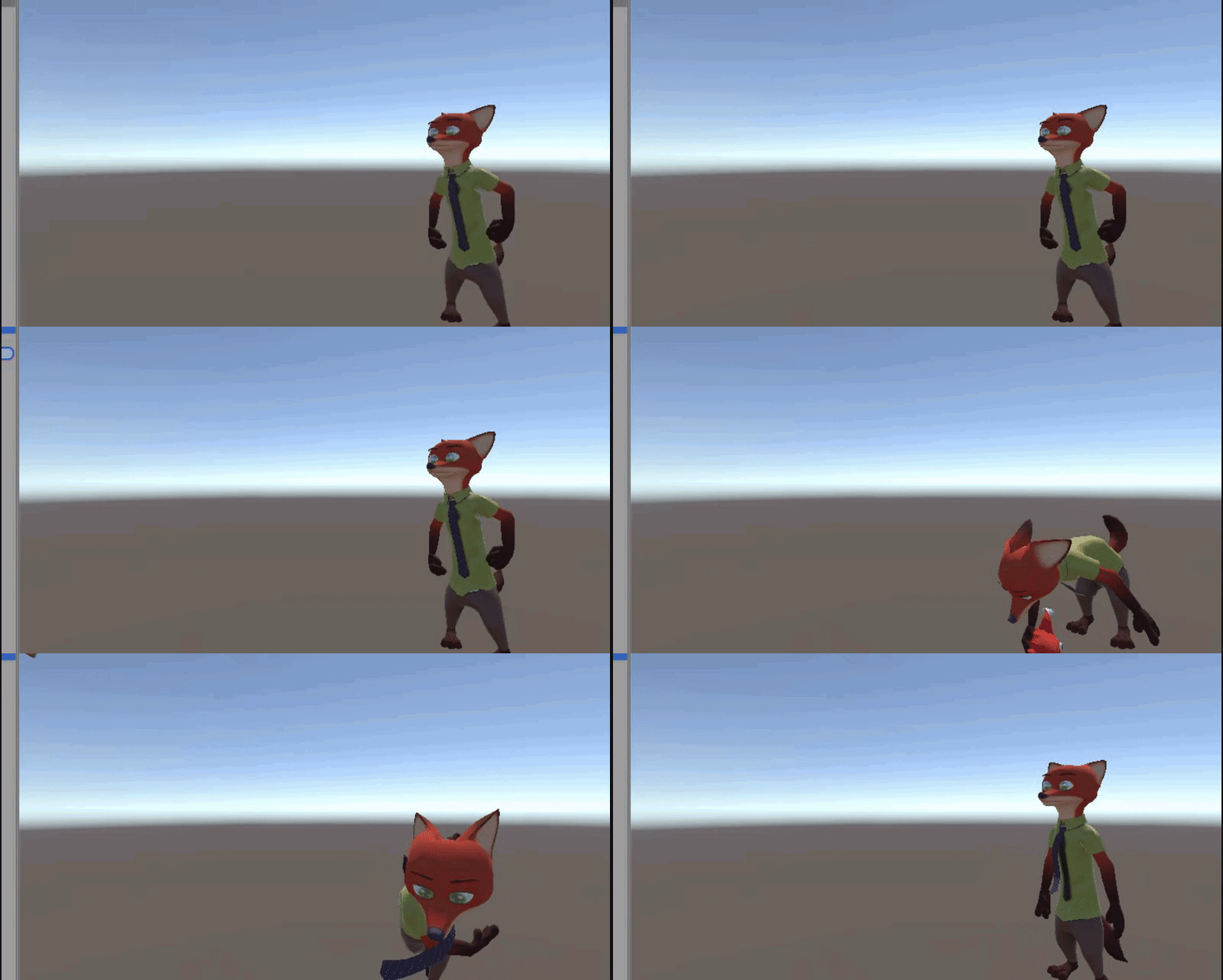
Is there someone here who could give me a hand with putting actual legs on an avatar that currently has none
 stuck hamlet
I like frankensteining mixamo animations with my own keyed animations 😃
gloomy pollen
beh
ivory radish
ya i made a dabbing animation
gloomy pollen
what a cuck
ivory radish
used an idle animation and added dabbing poses
stuck hamlet
I'm an animator professionaly so it's fun
the worst part for me so far is just blenders learning curve
 ivory radish
ik
stuck hamlet
maybe even something as simple as a slight twist and a bent leg
stuck hamlet
the unity animator isnt the best i'll give you that
ivory radish
easier in blender but then i cant keyframe things like audio
u cant even zoom in on curves
so u have to edit that curve between -.1 and .1
literal hell
how do people make static shaders
if uve ever played monkey island before
stuck hamlet
isn't that just the panosphere effect
there's also noenoe's which does a slightly better job cause it's still got specular
 stuck hamlet
yeah that's what I'm talking about too
ivory radish
ye
ivory radish
also does anyone have neofur or something
i cant find working good fur shaders that have fur threads with gravity
stuck hamlet
Those would...probably not perform well?
ivory radish
they do
stuck hamlet
at least not mixed with the standard vrchat crowd of a trillion dynamic bones and particle emitters
ivory radish

NeoFur 2.0 for Unreal Engine 4 enables developers to better tackle the creation of challenging fuzzy and fibrous characters, objects and surfaces such as fur...
this is the unreal engine version
stuck hamlet
if it's just a shader it'd be easy to just apply and get in game
ivory radish
ye
stuck hamlet
but if theres a script needed theres an issue
stuck hamlet
cause of no custom scripts d00d
ivory radish

YouTube
Note: NeoFur is no longer available for sale. Existing customers should have received an email from us. For more info please visit our website www.neoglyphic...
'and our shaders'
they dont give out licenses anymore
so i cant find a copy of it
 restive hill
What do I Google to bring yo that pano shader?
stuck hamlet
have you searched the_redacted_bay?
ivory radish
whats that
fading verge

stuck hamlet
if it isnt there then good luck mang
fading verge
how do i make my bones wireframe https://i.imgur.com/S5EBCLG.png
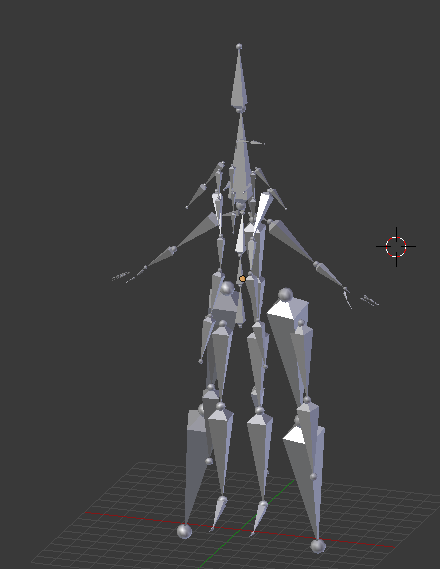 stuck hamlet
z
ivory radish
u cant make bones wireframe but u can change their display to stick and stuff
stuck hamlet
you absolutely can make bones wireframe
fading verge
while using materials fpor the mesh
ivory radish
but wouldnt it be even harder to see
fading verge
no
ivory radish
just make them stick
fading verge
stick and toggle x-ray I think
 tame skiff
I'm fond of stick bones
gloomy pollen
is there a good place for dance animations?
restive hill
So what's the Google for the panosphere shader?
ivory radish
dude theres like hundreds
fading verge
good enough ¯_(ツ)_/¯
ivory radish
and if u find some in a videogame u can import that
stuck hamlet
 ivory radish
as long as it fits humanoid rig
restive hill
On my phone right now, this isn't probably the best time to be thinking
stuck hamlet
wireframe bones mang
stuck hamlet
well yes but that wasnt the question :v)
ivory radish
wof
glad i got a lot of ram
i keep like 3 3d modelling applications + mixamo + vrchat open at the same time
stuck hamlet
pff u r like a little baby :v)
restive hill
Ug furries
stuck hamlet
no really though I have way too much shit open all at once
the adobe products are such RAM hogs :<
stuck hamlet
uare leik a little bab!
ivory radish
having chrome blender mixamo unity vrchat noesis is a lot
orchid shale
So unfortunately enforcing T-pose does not fix the fingers. So now im trying to allign the fingers correctly, is this right or am I just making it worse. Also roll is 0 as recommended. https://imgur.com/a/wmxL8
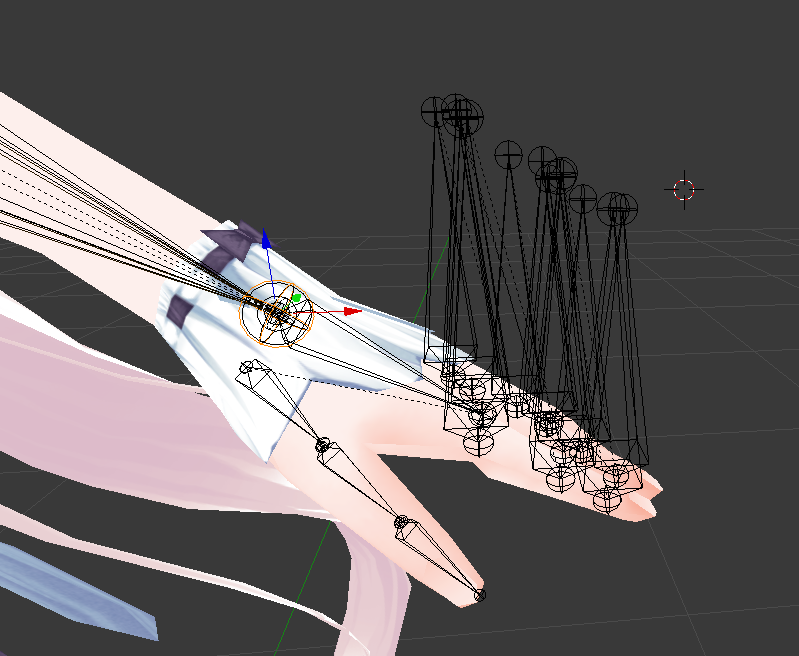 ivory radish
it takes up more than half
cant u just fix the angle of fingers in unity humanoid config
stuck hamlet
I've got 64gigs cause of what I do for work so it takes a lot to stuff up my system
I've done it before though
ivory radish
ik but i on a laptop so i cant have 2 much on it
orchid shale
do i just open up the skeleton in unity and rotate it? Never done it before
fading verge
found it https://i.imgur.com/Hwkx72F.png
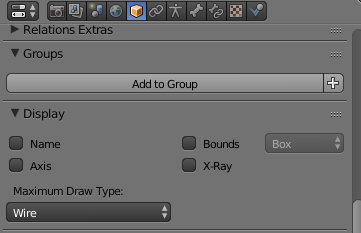 ivory radish
no
restive hill
Buy a real pc?
stuck hamlet
my boss has a lappy thats got 32
ivory radish
i can run literally anything at 70+ fps
i dont need a pc
and i need a laptop for college
think pls
also u import it into unity
and u have to set it to a humanoid rig
then u can rotate the bones in the configuration
gloomy pollen
ooh these dance anims are nice on mixamo
ivory radish
some of them dont work correctly
ivory radish
left leg sometimes exports with some weird jigglyness in foot
usually on swing dance anims
idk y
ivory radish
i never take them off
gloomy pollen
maybe thats why ^ lol
ivory radish
arent they necessary for full body ik
stuck hamlet
no
ivory radish
o
gloomy pollen
no, only for tippy toe standing
ivory radish
i keep them so can do that
ivory radish
do u use vr
gloomy pollen
yeah
stuck hamlet
I remove toes and I can still "tippy toe" in game
ivory radish
set the height in game to your actual height in real life
stuck hamlet
it just doesn't happen unwanted
gloomy pollen
it doesnt work u_U
ivory radish
it has to calibrate to your height
so that when you stand you dont stand on tip toe
increase it
stuck hamlet
the height is still slightly
gloomy pollen
i have to set it to like 6'4
stuck hamlet
off
gloomy pollen
and im not that tall lol
stuck hamlet
its close tho
ivory radish
just do it until u dont tip toe in mirror
and until u dont lie on the floor like a zombie
stuck hamlet
or bend your knees
ivory radish
but yea its used to calibrate ur player height
i would recommend setting it to standing height
then using seated play option when sitting
it might be a bit off but it makes vr more immersive
gloomy pollen
hmm
stuck hamlet
otherwise you need to recal every time you stand
its better to have slightly off sitting and well adjusted standing
ivory radish
ya bc then when u stand up it feels more real
stuck hamlet
or you could just fuck the whole system up and lie down sideways in a bed like I did
ivory radish
vr when sitting down is basically just so u can look around and touch things
when u stand up its to actually put u in the world
stuck hamlet
then when you get up the height wont cal right no matter what you do 😂
ivory radish
lol
gloomy pollen
ok i found one i want
do i have to download the whole model?
i dont see a button just for the animation
ivory radish
without skin
:/
and export at 60fps if you want it to look pretty
and use fbx for unity
gloomy pollen
cool thanks 😄
ivory radish
then u have to do the same thing u do for avatars
stuck hamlet
after doing that sittng mode looks right while standing and standing mode puts my camera above my head even though I didnt change my height setting 😂
ivory radish
convert to humanoid rig
then u duplicate the animation out with Ctrl+D
the little ▶ looking thing
and from there u can do 1 of 2 things
a: drag prefab into the little window in animation properties
gloomy pollen
i have a custom override made up already
ivory radish
b: drag the animation onto the character to play or edit the animation
doesnt matter u still have to
set the rig up
u also have to change all the properties
if its an emote it should not loop
and they should go back to original positions
gloomy pollen
ya i rigged it and then duped out the animation
then put that into my override emote
ivory radish
to test u can again drag it into the anim window
wont render physics
or u can (remember to save before doing this!) run and put the anim in character
i say remember to save bc sometimes the character will be stuck in that pose on stop or something like an object remaining visible after you put it in an animation
usually its not something u should really worry about unless u make a blank animation
but its annoying
fading verge
how do i automatic weight specific bones?
ivory radish
press ctrl+p
 neat cipher
Do Non-Humanoid emotes overrides not work? I tried adding them but it has the default names and nothing happens
ivory radish
that should be obvious
the avatar is a humanoid
meaning the animation is judged by muscle parameters
like front-back arm
that sort of stuff
instead of transforms
so u have to make the rig also a humanoid rig
then u can use it on any other humanoid rig
neat cipher
Hrm, because i saw someone with a tank avatar that used an emote i believe to shoot
ivory radish
so
probably not using humanoid on the AVATAR
and u can also make ur own animations pretty easily
fading verge
@ivory radish specific bones
ivory radish
what specific bones
and i told u
u have to make them humanoid rig also in unity
if ur character is in it so does the anim rig
fading verge
blender
ivory radish
bc again it maps bones to muscle parameters instead of bone transforms
fading verge
for weighting
ivory radish
and u select them and it should show auto assign weights
fading verge
..
ivory radish
:/
fading verge
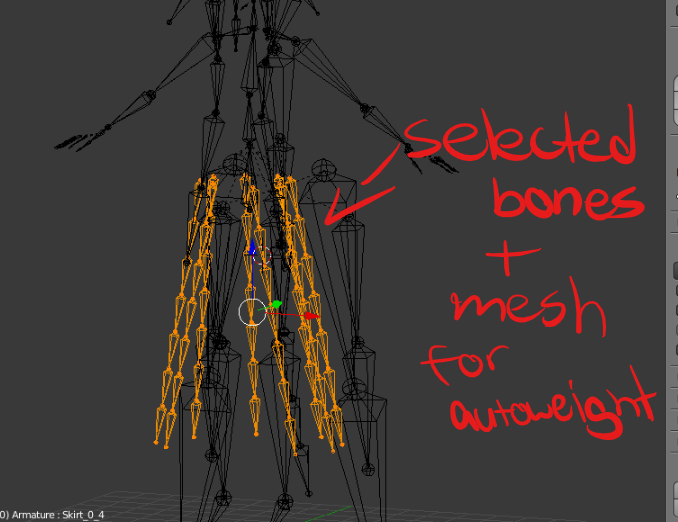 ivory radish
no
u select them in pose mode
and then select the mesh
and weight paint .-.
then ctrl+p
fading verge
no luck with that but skipped it anyways by just transfering old weights
Anyone know how to set up multiple shaders in unity for a material? Or is it only a solid one?
ivory radish
i think its just one per
 low river
they broke eye tracking :v
 pine harbor
depending on how complex the shaders you want are, you can try and write one yourself that has the effects you want...but all i've managed to do so far is add UV scrolling to a copy of one of the default shaders
some of the more specific stuff look like nightmares to combine
 waxen elbow
can anyone rig a model for me ;-;
ivory radish
:\
 limber pecan
so im having a problem with eye tracking where the eyes clip through the skin mesh when they move
fading verge
how do i mirror weight paint https://i.imgur.com/hblTcrh.png
yeah i can draw but it wont mirror the left
 pine harbor
@limber pecan do the eyes move normally when tested back in blender?
limber pecan
I did the testing in blender with cats
fading verge
 marsh robin
Hey, does anyone really know about this probloem, i've been trying to get these bones to look a bit more natural, and i managed to fix them in the rig, but in-game, it's stuck in this T-Pose position, and i dont know what to dohttp://i.cubeupload.com/FbqK6S.png http://i.cubeupload.com/fCRvbw.png

 pine harbor
@limber pecan if there's no issue with the blender-cats test, then that's probably the bug they're talking about in the latest release notes -- they said they'll fix it in the next patch
 spice jetty
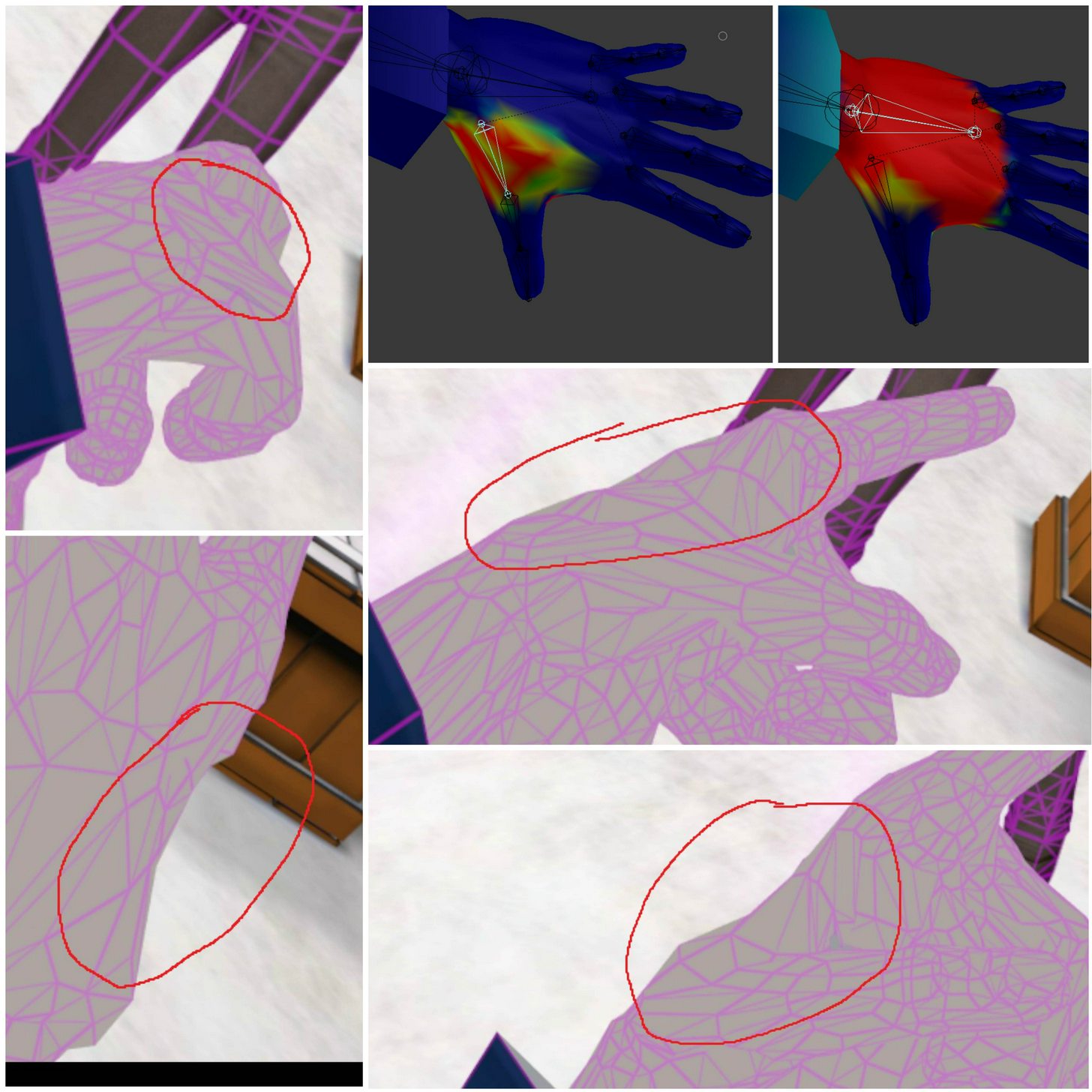
https://imgur.com/a/DHcE8 I'm having a lot of trouble getting the area of the hand between the thumb and pointer to not collapse when my thumb is positioned inwards and could really use some advice I only started doing this stuff 4 days ago
 ivory radish
the weight painting is awful no offense
spice jetty
none taken
ivory radish
weight painting should be smooth
if it looks like triangle stuff its bad and wont blend very well
spice jetty
when I tried automatic weighting it wouldnt touch my hands so I had to do it manually
ivory radish
make sure it looks more like a circle projecting outward
limber pecan
@pine harbor im having the issue pre-unity in blender with the cats test
pine harbor
ah...hmm, has the model been scaled to anything other than 1.0 before you added the eye tracking?
that seems to mess up where the tracking bones go to
they're meant to appear pretty much exactly where the model's original eye bones are
spice jetty
I should mention I had to decimate my hands because they were 35k each
 worthy coral
monkaS
limber pecan
@pine harbor yeah I just followed @vocal quiver guide but hadnt had any issues in the past
pine harbor
hmm...provided the original eye bones weren't really out of place, you could try fixing it manually like this (although you could also just try deleting LeftEye and RightEye, and then using CATS to re-add the eye tracking to see what happens depending on the scaling):
- In Edit Mode on the skeleton, check if your Eye_L and Eye_R bones appear to be in the correct position (the original eye bones for your model, not the LeftEye and RightEye bones that CATS added)
- If they're in the right spots, select the base end of your Eye_L bone (the circular node that's at the wider end of the bone, assuming your bones look like triangular pyramid thingies)
- Press "Shift + S", and then choose "Cursor to selected" to bring the red and white circular selector onto that point specifically
- Now select the entire LeftEye bone by clicking on the pyramid part of it, and press "Shift + S" again -- this time, choose "Selection to cursor"
- Repeat steps 2-4 for Eye_R and RightEye
limber pecan
@pine harbor thanks ill give it a shot and let ya know
 royal glen
I want to mirror my model in blender to flip its asymettrical features to the opposite side, how can I achieve this without screwing up my bones?
pine harbor
i imagine you'd have to rename some of the vertex groups either way if you attempted that, because some of the mirrored features are still going to be bound to stuff like "Arm L" and whatnot when flipped to the right
are there asymmetrical bones that don't exist on the other side?
royal glen
Goal is to get the pigtail on the left
ivory radish
cant u just
royal glen
and the bangs
ivory radish
copy all the bones and the mesh from pony tail
and then paste on other side mirrored copy
 plucky terrace
can anybody add a neck and a head to a model for me
pine harbor
hmm...i'm not seeing any problems with the face normals when doing this, so maybe you could try:
- Select the Armature in Object Mode
- Find the scale, and set the X axis to negative
plucky terrace
???
pine harbor
- rename all the bones where they have an L or R in their name, or "left" and "right" (answering Chdata's question)
royal glen
where's scale ;o
pine harbor
ah, click anywhere on the part of your screen where you see the 3D model, and then press "N"
should bring up a small side pane, look along that
naive tree
@royal glen http://prntscr.com/i46dr6 very useful stuff
 naive tree
you don't need shape keys in hair
plucky terrace
can anybody add a neck and a head bone to a model for me\
naive tree
if you want to mirror your tail
the absolutely only shape keys you care about are the face mesh
unless you want shape keys that enlarge your breasts or other stuff
pine harbor
@naive tree would that modifier also keep the arms moving normally, or would all the actions in VRchat be mirrored or distorted?
thinking about what happens with the bone mapping for L and R stuff
naive tree
it assigns the correct vertex groups, at least when i mirrored my kantai ship
copied 1 cannon 4 times
then finished 1 side of the ship and mirrored it
all bones were correctly assigned
pine harbor
hmm, that sounds worth a shot...certainly sounds less tedious than manually renaming half your skeleton =_=
pine harbor
Chdata wants a mirrored version of their model
as in, ponytail moved from right side of head to left, bangs painting left instead of right, etc
naive tree
it should work for the ponytail
ithink
but it will have no bone
i dunno about mesh that uses bones and u dont have bones on the mirror
im going to bed though, 35h~ nosleep session
gn and hf guys
pine harbor
good grief, get some sleep buddy o_o
naive tree
it's aight, im used to it
 languid sierra
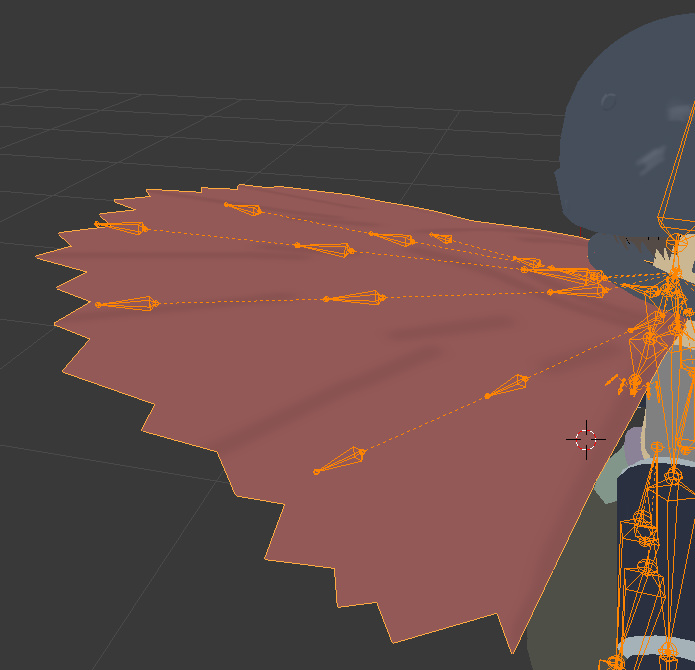
noob question, I imported this mmd avatar into blender but am not sure how to get the cape right, it just stays stiff upright like that https://imgur.com/a/AjcdA
 royal glen
lol, my model ended up upside down and contorted, i'll have to try again tomorrow cause i'm outta time
ivory radish
gravity/force
plucky terrace
can anybody add a neck and a head to a model for me
fading verge
How can i fix a character looking down when looking straight ahead
my character seems to be in a permenant slouch unless i look up
 round sage
hey guys
fading verge
Hey
If I wanted the headphone cords to move around, would I put a dynamicbone or a dyanmic collider on it?
 low river
Dynamic bone and collider
round sage
anyone know why my model isn't able to upload to mixamo
low river
collider for the body so it doesnt go through you depending on where the hand is
fading verge
Spine or chest bone?
Which bone do I give the collider to? @low river
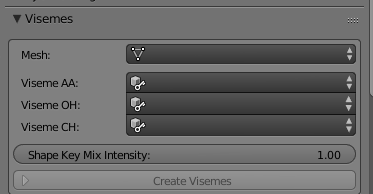
Guys if i wanted to do visemes do i have to include all shape keys so that it would work or can i leave a few out since my character doesn't have the mouth to do those movements
low river
I think youd need all the keys buuuuuuut
They dont have to exactly look as if they were doing the sound
fading verge
Well, okay.
low river
an open mouth that generally looks like it works [i recommend using the CATS plugin so you basically only have to make AH OH and CH, and then CATS auto-makes the rest ffrom those]
fading verge
Oh really
low river
Yep
fading verge
Would it work on a wide mouth with almost no lip?
 fading verge
@low river Do I give the collider to the Spine or chets bone?
low river
I say both
just to be sure
though I have no idea how yours will go when its animated
fading verge
After i put ah oh and ch i put create visemes?
fading verge
Is it because i have relative checked
low river
Maybe?
Oh uncheck it
no wait
Im wrong
its meant to stay checked
did you increase the "value"?
fading verge
"Update cats blender plugin"
Uh
No i did not increase value
Should i have done that?
low river
yeah tahts how you see it
fading verge
Oh you mean "shape"?
low river
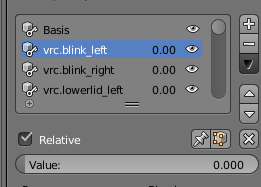 fading verge
Thought you were talking about shape
low river
check if your visemes work
fading verge
Ye
round sage
hey y'all
low river
Hrm..
round sage
where's the best place to rig an avatar
fading verge
Screw mixamo
fading verge
^ never was with me
@low river the "old" visemes do work but the new ones that cats made dion't at all
round sage
I was able to fix all the shit and get my model in vrchat but it was locked in tpose
lol
fading verge
Set the mesh to what
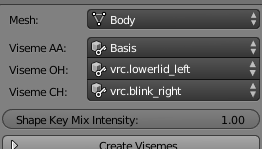 fading verge
Yeah
fading verge
Shape key intensity?
low river
I keep it at 1
fading verge
I don't have that on my cats
 fading verge
Oh so i have to rename?
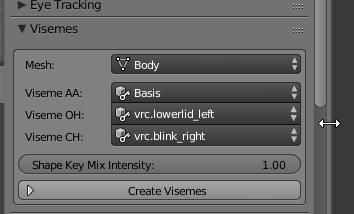 low river
yeah
fading verge
nice it worked
now i have to deal with 2 more problems
when i went to vrchat the mouth wasn't joined in with the whole mesh
so it didn't move at all and it was visible
fading verge
ripp
yeah maybe it gave me a foreshadow when i was in unity
when i unrapped the textures and put them into the mesh
the whole body was texture but not the mouth or teeth
@low river https://gyazo.com/f8106213046650187f8f8b5c83e6aa86 is there any way to prevent this from happening?
 low river
thats more on the model, sorry
fading verge
okay then
tame skiff
Hey everyone, I thought you might like some nightmares, enjoy:
https://cdn.discordapp.com/attachments/356209135949316096/405162064655548427/Screenshot_2018-01-22_19.44.37.png
 marsh robin
Hey, does anyone really know about this probloem, i've been trying to get these bones to look a bit more natural, and i managed to fix them in the rig, but in-game, it's stuck in this T-Pose position, and i dont know what to dohttp://i.cubeupload.com/FbqK6S.png http://i.cubeupload.com/fCRvbw.png
 lime jolt
is there anyway i can have an armless model??
or must the model and rig have arm bones?
low river
You can have empty arm bones
like they have to exist for humanoid to work
BUT
they dont have to actuallym ove anything
 frozen violet
torn isle
frozen violet
torn isle
Eye tracking doesn't work per vrchat update. @frozen violet
 hollow kelp
is anyone able to rig a model for me?
my friend can't do it so this is the only other place i could ask
here's the model if anyone is willing to
https://kirakotova.deviantart.com/art/TDA-OC-Kitonura-Seiki-VIRGIN-KILLER-SWEATER-675853414
 hallow bay
why do my fingers looks like this? https://i.imgur.com/K2cWcNe.png
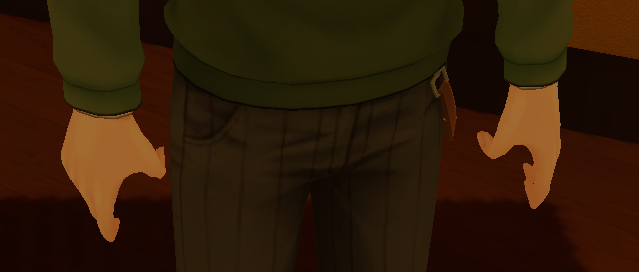
 verbal adder
Sometimes when bring a model into Unity and select humanoid and configure nothing happens... It has happened to a few models i have tried to import and would like to know why it happens to avoid it in the future.
@hallow bay your finger bones are twisted when imported.
charred patrol
@verbal adder or you need to put weight paint
 pallid zealot
guys, im currently getting this guy to vrchat, but, as you can se, it has no should bones. What could i do? https://i.gyazo.com/07578eef3742048143e82a7c3086dd4f.png
 fading verge
my character is sliding in position instead of animating from mixamo and I dont know what to do
hallow bay
@verbal adder
 half fern

 shadow shoal
@marsh robin Dynamic bones
And you have to fix that when configuring rig or in blender
 humble galleon
Hey, so I imported a pre-rigged model from SFM, put it into Blender, converted it to FBX and put it in Unity and I get this https://i.imgur.com/3U3OYFl.png
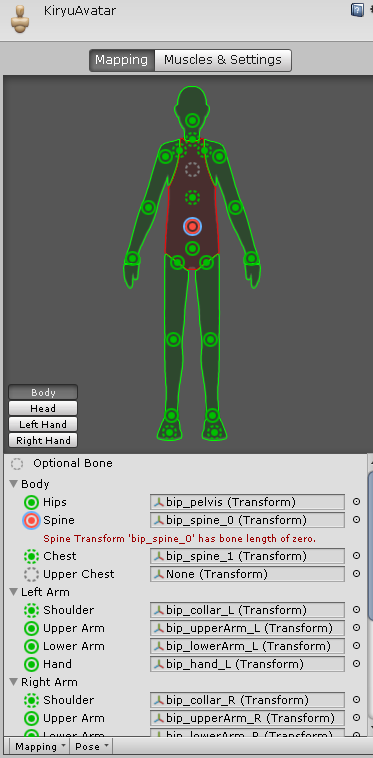 shadow shoal
Fix the model with cat's blender tools
sonic elbow
Guys I've tried like 3 different models but every time I import them to vrchat the face just gets completely fucked up
I don't know why and it's really discouraging because no one seems to know how to help me
fading verge
wait if my avatar had visemes wouldn't i have a jaw bone on my rig in unity?
@half fern m key
if you want to fill in the holes it's f
@humble galleon just move the spine bone so it doesnt overlap the chest or hip bones
i think thats how to fix that

 shadow shoal
Lower scale to 0.8
fading verge
it would say that it is is way shorter than i would want it to be
is it because the mesh is too fat
prob
shadow shoal
Sadly it's too big to be uploaded so you'll have to lower scale
fading verge

feelsbadman
I may have a small problem @shadow shoal When i first uploaded the model the mouth was visible and did not lip sync at all when i put the visemes in the right place
shadow shoal
That's a problem with the model itself
fading verge
oh ok..
molten tulip
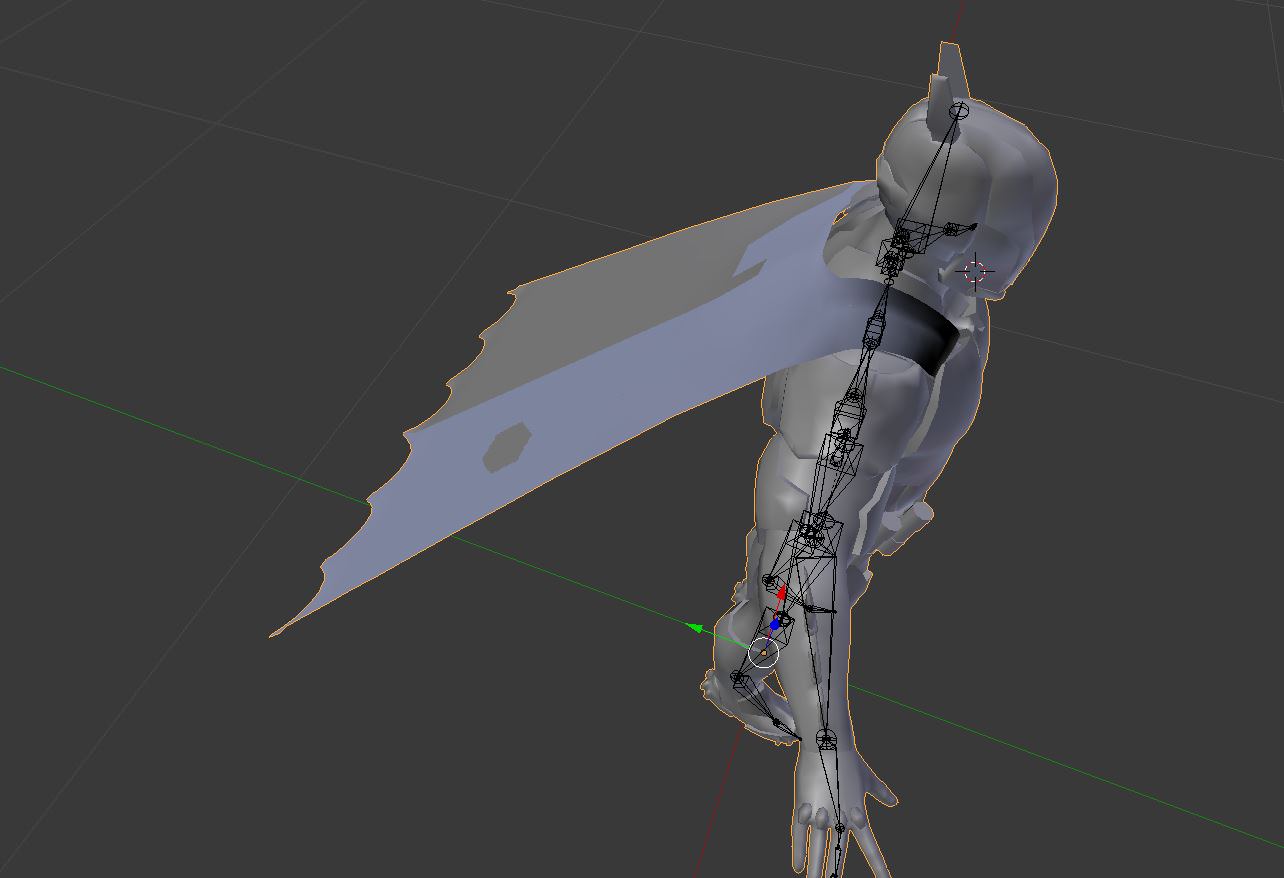
Is there any way to add physics to this cape with dynamic bones? the same question for hair models and other clothes
https://i.imgur.com/6isusjP.jpg
 fading verge
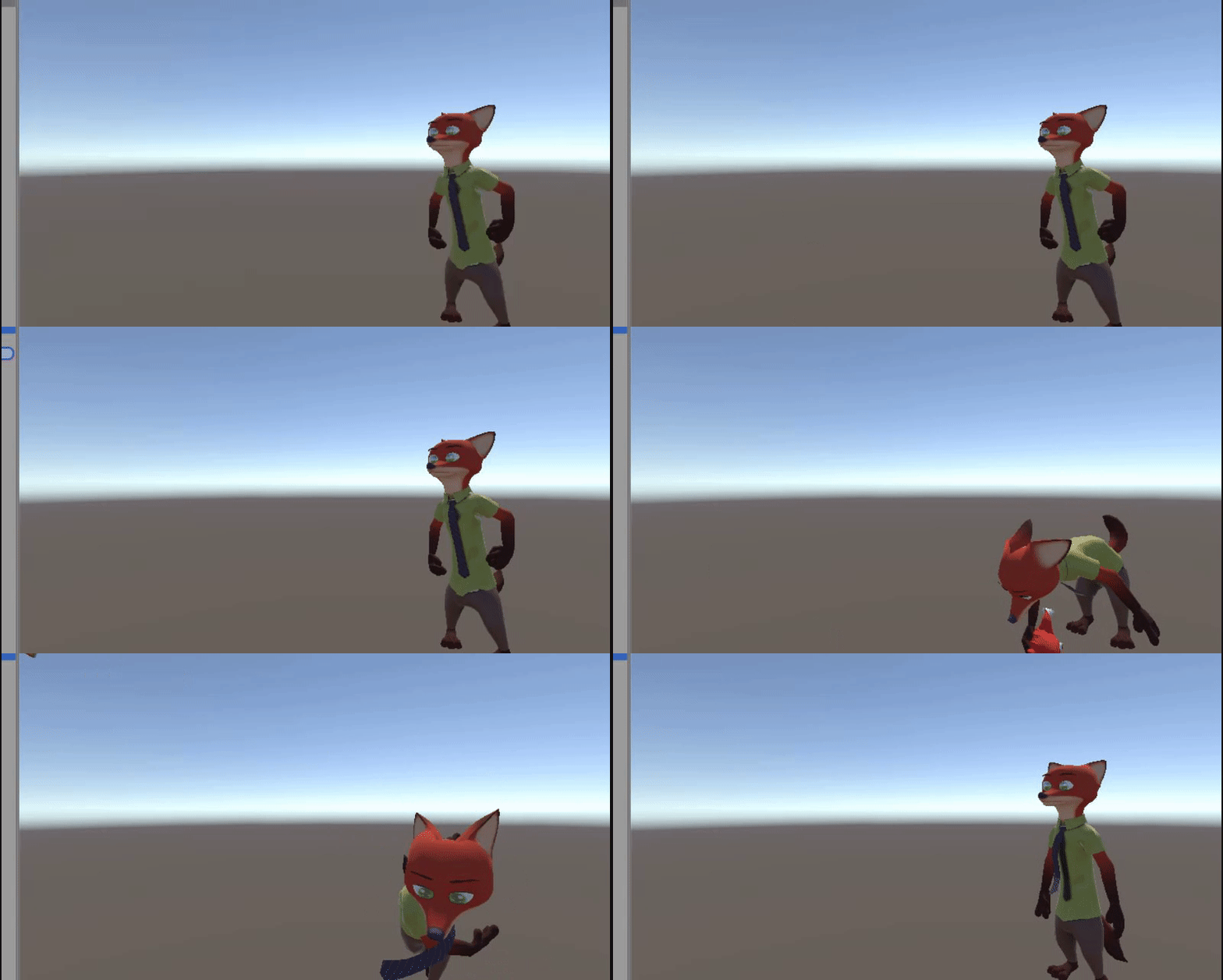
https://gyazo.com/c48c8ec24b4a95c06dc94f849cc26a8f do you guys get this

the avatar is pixelated and the camera is stuck in place
molten tulip
@fading verge you're in game tab, move to scene tab
fading verge
thanks
 woeful idol
anybody familiar with reversing an animation to happen the other way around?
fading verge
Hi, I've been working on making a floating fallout eyebot avatar from a pre-made model but each time I import it it's floor level. I put in blender to make a skeleton for it but 1) I don't know how to center the bones or connect them to the model, and 2) I have pretty much no blender skills or exp. to speak of...help?(edited)
https://imgur.com/qcMsvAy
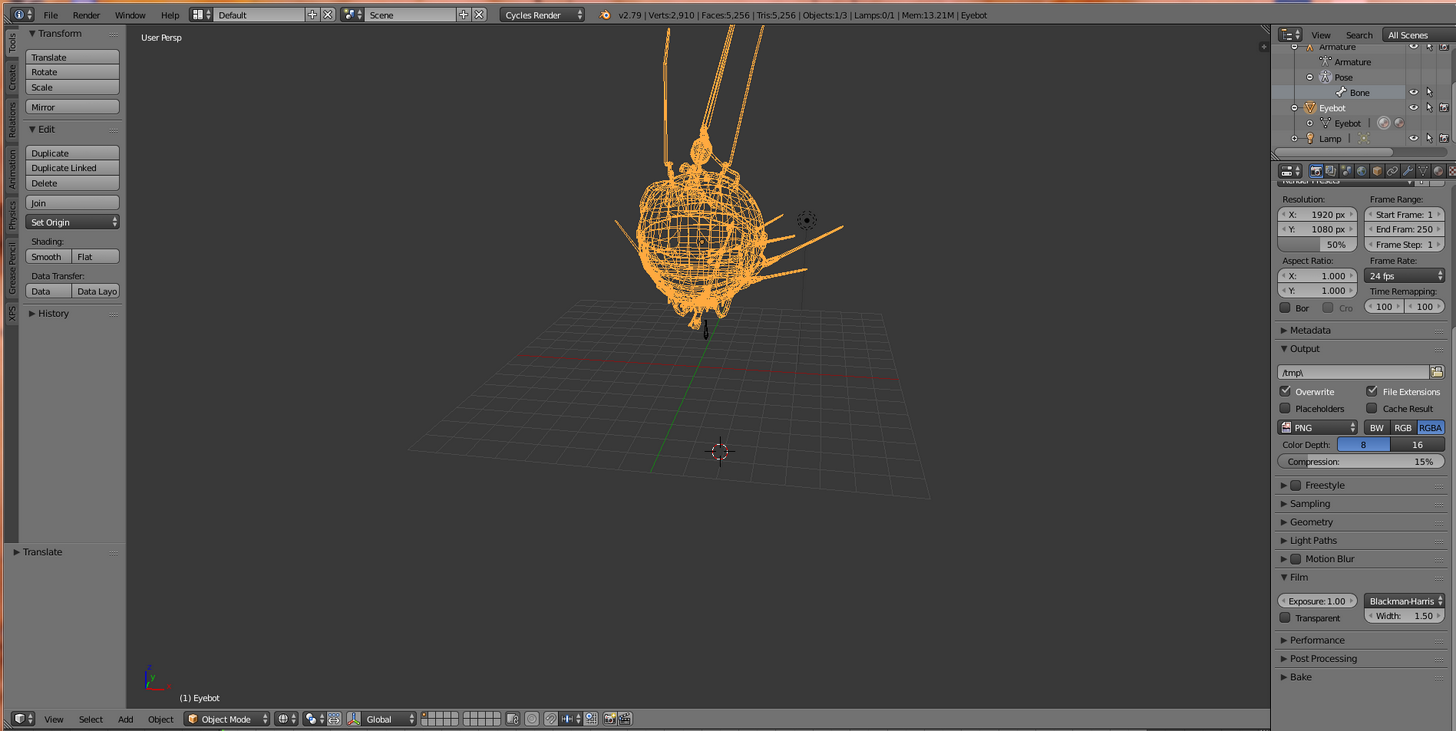
would this work? I feel like Im missing a step...https://imgur.com/3Uk5gyu Note: I was going to do generic rigging








 charred estuary
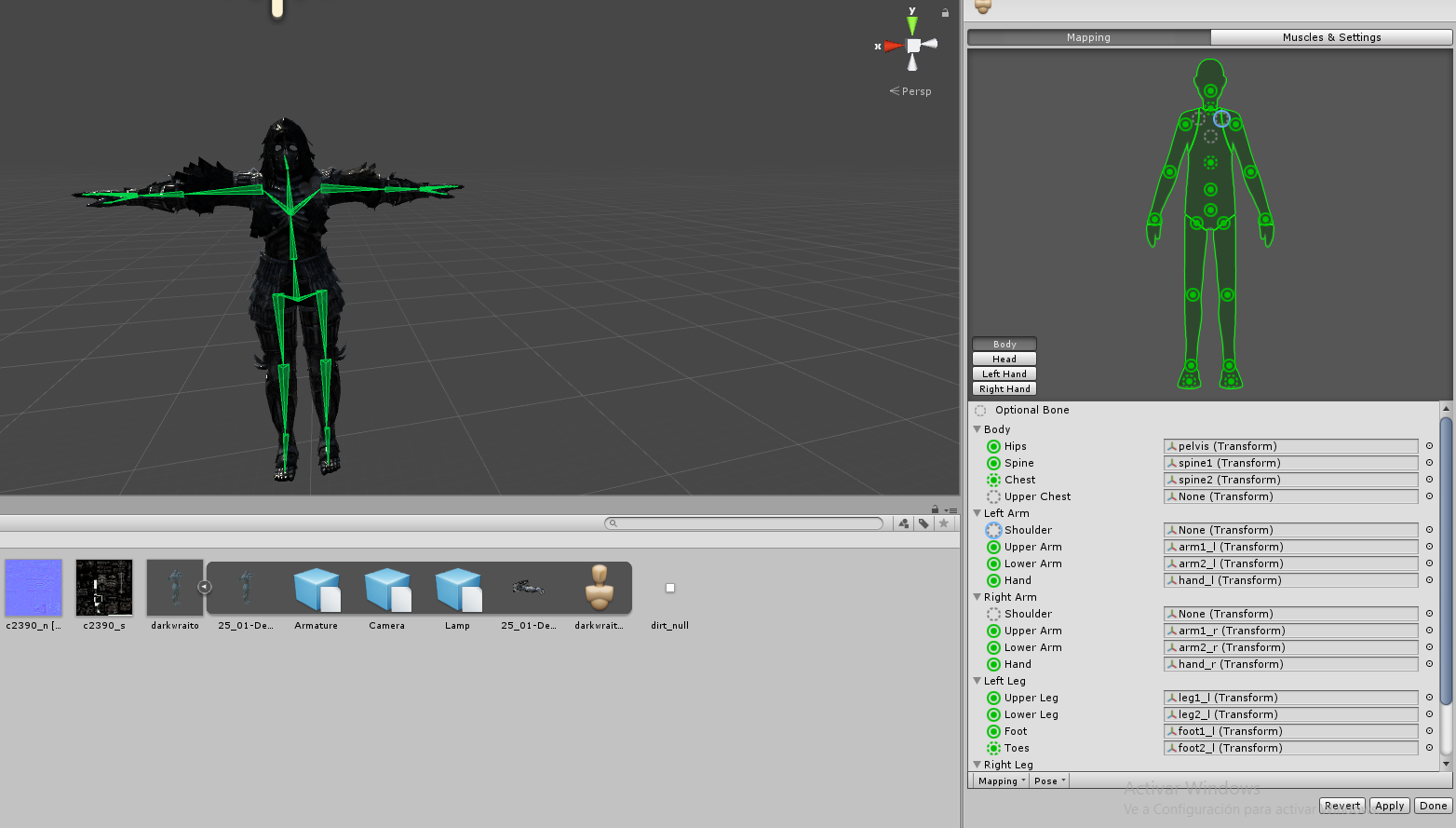
Hey, does anyone have a list of what all of the bone names should be?
 raven pumice
https://cdn.discordapp.com/attachments/251862595030482955/404301325380091906/guide.png This shows the only bone names that matter in the heirarchy as far as vrchat cares

