#avatar-rigging
1 messages · Page 82 of 1
 fading verge
 neon gale
no idea where to go from there.
 untold kindle
hi i have a Question is there a way to combine 2 Armatures
i wanna add the bones of Armatue.001 to the Armature

 agile jackal
select first armature in object mode, then shift left click the armature you want to combine it with and press Ctrl+J
:frog:
untold kindle
its the Herad bone but thanks serced for an answere but this works thanks
 stable elk
mm i need some help getting this to vr chat but i get these errors https://drive.google.com/file/d/1cJckLEbjTklYi6dzhNm0bhkken8Kwk-J/view?usp=sharing

Google Docs
untold kindle
ok one more Problem i needed to Scale the bones when i join them the bones and the mesh dose not work
 slate nest
I need help with publishing a model
agile jackal
you can scale each separate bone in edit mode
slate nest
it says "This avatar measures too large on at least one axis. It must be <5m on a side but its bounds are (7.3, 4.7, 3.4)
what do i do?
 opal aurora
@slate nest you need to edit your bounds, go to your body mesh and decrease the bounds
slate nest
where would i find this in the mesh
opal aurora
It's a big button, called edit bounds
 tulip cedar
My avatars arms seem to move down into their body when I’m idle and I don’t really know how I could fix it any help? https://i.imgur.com/T9GhD4A.png
 opal aurora
That's the standard idle
If your characters body width is too large, the arms cave in
tulip cedar
Is there anyway to change it?
slate nest
Alright i got it working thanks! @opal aurora
opal aurora
@tulip cedar by having a custom override for the idle with a custom idle, or make your characters' body thinner
tulip cedar
Alright thanks for the help! Hopefully it’ll be easy to find a guide on that
@opal aurora hey I can’t see to find any tutorials on idling, do you know of any?
opal aurora
Nope none whatsoever, there's a idle template under the VRCSDK somewhere though
tulip cedar
Alright I’ll check that out
 hoary torrent
can anyone help me? my facial animations aren't working even though i done the exact same thing in the tutorials
 naive tree
when you export uncheck "apply modifiers" and be sure to drag in your mesh in descriptor
or if u use cats export as fbx, then it should be good
in descriptor choose blend shape visemes i think and then drag your mesh into the Face Mesh:
or use viseme fix 2.0 and u can autodetect https://vrcat.club/threads/vrcsdk-patch-visemefix-v2-0.76/

VRCat: Community-Run VRChat Forums
VisemeFix
A patch for the VRCSDK to fix the automatic detection of visemes.
Installation:
Download the patch: VisemeFix v2.0
Open your Unity project...
 silk kestrel
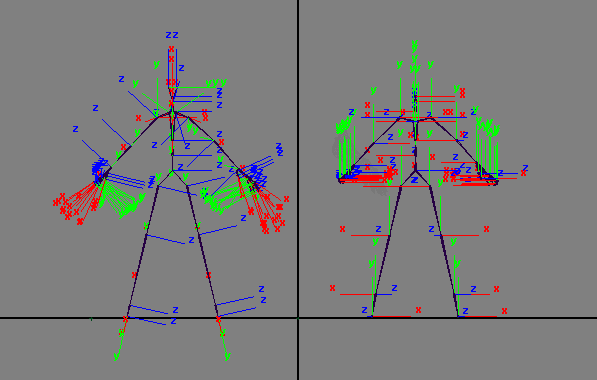
@crisp tendon Question, on the left, I have bone orientations which are aligned while on the right they are all over the place. Is there any difference in behaviour if both of them are brought into VrChat? I am under the assumption that the one on the right will have gimbal lock issues and the animations will not be as smooth. https://imgur.com/a/SC8g1
The only problem with bad orientations I have confirmed so far is that it makes it hard to do gesture overrides as the fingers can bend at impossible angles.
 crisp tendon
Bad orientations will also affect default gestures
And I believe your assumption is correct
I'm currently fixing every bone rotation in my body to avoid having goofy looking gestures
silk kestrel
Good to know, thank you
 noble badger
Anyone know how to rig a non-humanoid avatar in such a way that it works with tracking and doesn't look like a horrible monstrosity?
crisp tendon
manually
noble badger
It's a raptor, so the body will be about a 30* angle, how do I get it to stay that way with unity's weird humanoid rigging?
 solid yarrow
Can you add/configure bones directly in unity? I'm trying to get a Trucy Wright model working but her fingers don't have bones and I can't seem to get the model to work in blender
noble badger
Is there a way to duplicate bones or mirror them?
 robust gull
Hello i just played vrchat with headset for first time and saw that arms are stuck forward everything else work anyone know what can be the problem
fading verge
you using blender? go to edit and then tap space then type dupilcate
robust gull
Im using blender not very good at it will try that thanks
 wide cobalt
anyone know how to make custom models in blender?
I've tried but no matter what I do its stuck in T pose with no animations
 lean sequoia
hey can someone help me out with unity
 deft spindle
@fading verge it did move but i removed my comment
lean sequoia
i have a character i want to turn into an avatar but it didnt come in a t-pose
do i have to manually pose it
 ocean latch
no
lean sequoia
it gives me red text in the corner that says it isn't in a t-pose
lean sequoia
and then?
deft spindle
i have a model that has a hand and sleeve attached but i had to modify it in unity because it was not properly connected so i modified exisiting bones but now the sleeve just stays in place anyone any clue to fix it?
fading verge
oh
naive tree
@deft spindle yes, you parent the bone that holds sleeve to arm and then hit mix weight in cats plugin
deft spindle
i kind of removed the sleeve bones.. as i thought i would automaticly fix it... i guessed wrong
 orchid shale
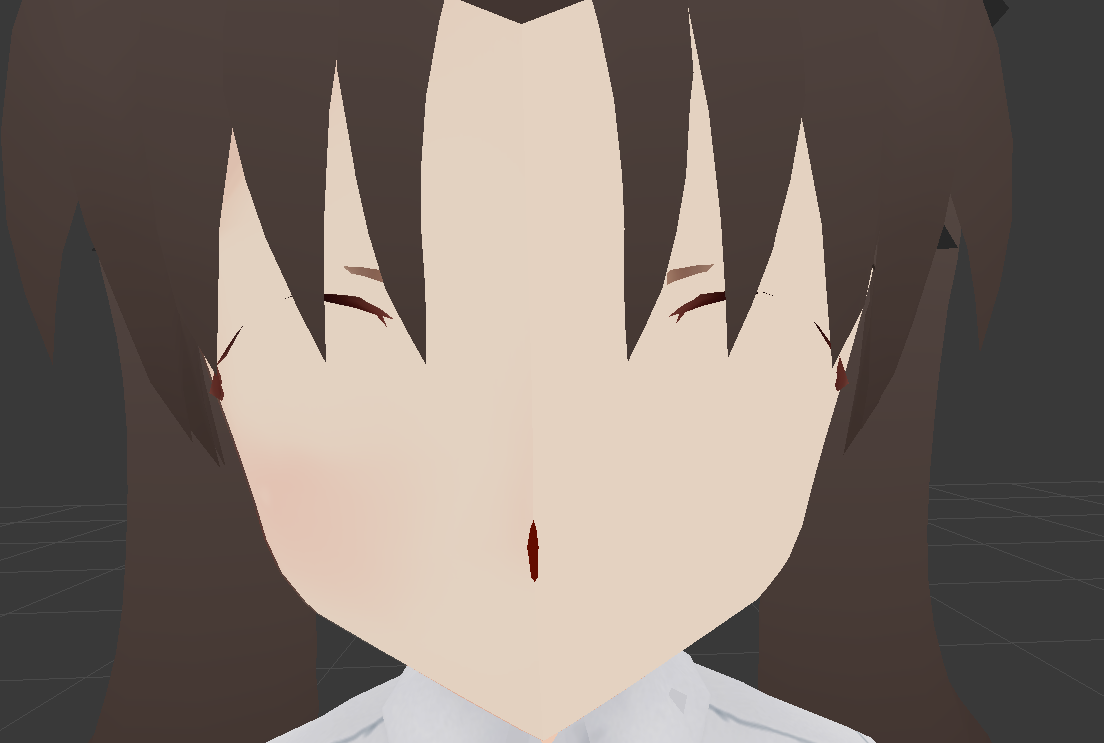
The model i imported into blender came out with no face, what do I do to fix that?
 crimson mauve
So im not sure what is up with my eye tracking but my eyes are constantly looking up
naive tree
@orchid shale need screenshot of "no face"
orchid shale
https://imgur.com/a/7CEAT @naive tree Also for some reason when I seperate the materials half of her face just dissapears
 opal aurora
That's up for debate as nobody actually knows
They just normaly say about 20, but if nobody has issues, then y'know
crisp tendon
@terse plover The least amount
 tepid jacinth
okay, I have a model ive gotten a basic rig on in Mixamo plugged onto unity and I'm trying to figure out how to get this mindflayer's tenticals moveing.
can I create and atach bones to it in unity or do I need to figure out how to make it work in blender instead?
 warm pecan

VRCat: Community-Run VRChat Forums
Hi everyone.
This is a chart I put together to help newcomers understand how their rigging should look. I also added some annotations to help avoid...
tepid jacinth
I already know this. that does not answer my question
naive tree
you do that in blender
opal aurora
@tepid jacinth you need to make the bones in blender
tepid jacinth
thankyou.
so everyone and there grandmother that I was "adviseing me" to just make the bones in unity have had me growing grey hairs for days trying to find -Unity- tutorials on how to make bones
opal aurora
Welp
orchid shale
To people who've ported Pupuko and Pipimi into VRchat how did you deal with this problem? The hierarchy of the characters seem correct but I keep getting this error. https://imgur.com/1Uosa7m
 warm pecan
how do you make 3 bones be the hips or chest?
 jagged oak
Anyone have a fix for the open mouth or do I have to set the lip sync for it to be closed?
warm pecan
you can do it in unity
when you configure the rig go to head
click jaw then backspace
jagged oak
Yeah. I selected empty for the bone use.
fading verge
My "Avatar" is "Rigged" in fortnite, Its making me die...
 manic condor
how do i make a rig?
warm pecan
hey im watching a video right now on how to make on on blender https://youtu.be/3fZNzUeCW_Y

In this video i show you what you need to know about using blender to create your own rig ,add textures, apply lipsync, eyetracking and blinking , and even i...
@manic condor
I just need to know how to make several bones into one whole hip https://cdn.discordapp.com/attachments/333701504840105986/404720602721681418/unknown.png do I just name them the same thing or do I connect them as one somehow?
 manic condor
thanks man
warm pecan
np
 obsidian pendant
Guys who is good with Particles?
naive tree
please be respectful to other people when you do particles, don't do shit job of them
don't be THAT guy who makes entire room lose 50 fps
obsidian pendant
Yuumi I just want Particles for my eyes it's the only thing I want
I don't want that rooms lose fps or something else
 near fulcrum
I need halp! keep in mind I'm a noob who's still learning. I want to enable the bones in my avatar's jacked so it stops fkn clipping through the rest of the model but I cant seem to figure out how with the humanoid option in Unity.
Got a picture of my screen if anyone's willing to help.
warm pecan
what do you mean its clipping? did you parent the armature to the mesh or whatever it's called?
near fulcrum
I can see the shirt underneath when I bend certain ways in game.
I used Catsblender plugin's autofix. Guess it didn't take care of it.
robust gull
When i use cats in blender to fix my model if fucks up all the bones, rigging on this is so weird
near fulcrum
I think I could do it if Unity would just let me add optional bones to the humanoid rig but it doesn't. I'm a total noob when it comes to manually messing with bones. Maybe I can fiddle around with it in blender a bit. Hope I don't make my avatar a gimp by mistake lol
 patent oasis
is that handy little rigging diagram floating around?
i can't seem to find it online
jagged oak
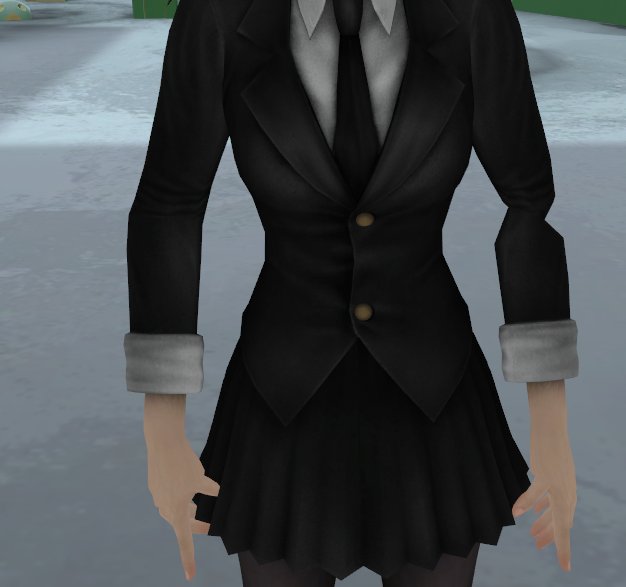
Gosh. Anyone know why this could be happening though the skeleton looks fine in Blender and Unity. https://imgur.com/a/c41p6
 robust gull
Avatar making got harder when i use vr 😦
 gloomy loom
@jagged oak make sure you dont have any extra bones in that joint
Or you could have some weird weightpainting so check each bone
I had the same issue when my knees had a bone for some odd reason
near fulcrum
If I stick with generic and import to VRchat I'll be stuck in T-pose won't I?
gloomy loom
ye
near fulcrum
uuuugh
What if I upload custom anims for walking n stuff?
I'd probablly still look weird tho...hmm
gloomy loom
those custom .anim need to be humanoid too I believe
near fulcrum
feck
gloomy loom
cause youre using the custom animation overlay
fading verge
o/
near fulcrum

Unity Community
Is it possible to get a humanoid Rig in unity to animate extra bones that aren't set on the humanoid rig in unity?
We have a few extra bones we need...
says there is a way to add additional bones to humanoid but I can seem to find any of the options there are in the screen caps
gloomy loom
honestly Id just trick unity into thinking you have a humaniod rig
I havent done it myself but if you ever uploaded a characters with skirt bones and hair bones those things seem to be ignored
as long as you have the essential bones for the humanoid rig the rest of the bones Id imagine would be ignored if you can trick unity into ignoring them
or you can do some weird things with weight paint, for example if I have a centaur I would make a regular huamnoid rig with no bones on the back sdie and just weight paint the leg bones in front to do the same things in the back legs
near fulcrum
Perhaps the great sages google and youtub can help. Was hoping this would be a quick fix and I could jump into plaing VRchat but I guess I gotta learn some sht today.
opal aurora
Custom .anims in generic models work via their predefined bones, so it wouldn't need to be humanoid necessarily
As long as the animations are working correctly via unity, they should work correctly ingame
Or even on a humanoid setup, if the bones are defined, they should work, but IK can screw with standard animations like idle and walking so breaking it entirely should work
Check the pinned messages, there's a chart of the necessary bones for a humanoid
gloomy loom
the problem is the generic model would be stuck in a t pose
@opal aurora do you still have control over the overlay?
opal aurora
I've heard about people animating generic models however, unsure of the process but i think they make their own controllers for it
They however have no controll over the standard emote menu buttons
As those are humanoid specific
 hardy yacht
Hey for some reason my bones are like, super large... i have no idea what caused this, and they worked fine before, now they are just https://cdn.discordapp.com/attachments/344748965088067585/404736012397576213/unknown.png

 mental lynx
Thats an issue I've had, before. It rendered the bones.
hardy yacht
sorry i dont understand, is there a fix? @mental lynx
mental lynx
Not a clue. I've had that issue, twice. The first time was fixed when I clicked CATS's fix model button
The second time, it was made worse by it.
warm pecan
how do you make several bones be hips?
mental lynx
I have no clue what cuases it beyond a bad import.
warm pecan
it changes the name if I try to name them all hip
mental lynx
You can't have a structure that is just multiple hips.
You need a base one, and then have the others under the base hip
robust gull
quick questions i needed to make a neck and head bone anything i need to think of? and my head bone that i made has tip bone checked when noting else have that should it be like that? sorry to bother everyone
 lusty magnet
Hello
i was working on my model in blenders
i switched the mesh locations abit
but on vrchat it doesnt seem to be using the new locations
robust gull
nvm everything failed agian
 winged zinc
im trying to make an scp 173 model but it doesnt have bones how do i add them
ocean latch
asssuming you're using blender then, Shift+A > Armature > Single Bone
warm pecan
any idea why symmetrize wouldnt work ?
jagged oak
Thanks @gloomy loom There was apprantly extra bones all the way through the arms. The fingers are still weird tho.
warm pecan
https://cdn.discordapp.com/attachments/401561094231162891/404745858723348483/unknown.png trying to symmtrize the selected bones to the other side but it doesnt work

 toxic gorge
Hey guys im having issues with unity, when i import the fbx file to unity, the model doesnt have any colors, its all white, help?
 warm pecan
you need to add the textures manually
Click materials>import the textures as asset>Click the spheres and drag the textures to corresponding sphere to albedo
make sure it's set as opaque
fading verge
anyone successfully figure out how to rig an export from WoW model viewer without wanting to shoot yourself?
the bones are just horrid lol
warm pecan
@toxic gorge
 fading verge
how do you trigger an audio if I want to have it played when I change into a character?
 left hound
is it possible to rig a 2d image?
 tame skiff
@red thistle Let's take a look at that rig
ocean latch
@fading verge if its just when you change to the avatar then just add an audio source onto your model and make sure "loop" is unchecked.
tame skiff
In the meantime I have a question about eye tracking. Does it still require exact bone and mesh names?
If so, follow-up question: why?
 brisk crypt
I mean. For eye tracking it requires bones. If you are using cats to create eye tracking you want to make sure it's making the correct bones move
In regards to the mesh, if you join everything together you will have one mesh that all shape keys and such are assigned to so the job is easier
@tame skiff
Sorry if I'm not answering your question I'm kinda tired
 red thistle
https://media.discordapp.net/attachments/247078062179483648/404755730797821954/unknown.png?width=1379&height=676 you mean this? @tame skiff
 tame skiff
@brisk crypt This question is more about design decisions that I don't like
If I want to try to import an existing animation to use for my avatar, I can't have eye tracking if the bones in the animation are named differently
 tacit adder
anyone know how to put a bobbing effect on an object on a model?
tame skiff
Why couldn't eye tracking just look for the bones ASSIGNED to neck and head instead of looking for the ones literally named "Neck" and "Head"?
@red thistle Yes. You have no neck bone assigned
brisk crypt
I was under the impression eye tracking looked for bones named eye
tame skiff
That too
brisk crypt
Because all the mmd models I upload usually have eye bones
tame skiff
But according to this tutorial you also need neck and head bones explicitly named "Neck" and "Head"
https://www.youtube.com/watch?v=gCPcg9y4ZBM&t=14s

Creating Eye tracking for your Avatar in VRChat Links: Download Unity MMD rigging: https://www.mediafire.com/file/7awm878q43c1m7q/MMD_EYETRACKING.ht Eyetrack...
 autumn parrot
Yesterday, someone said this is easy to fix, but I have no idea on how to do it

Anyone know how I can fix her feets?
 restive hill
Are the weights right?
 frigid cliff
is it normal that using viseme my mouth stay open weirdly when i look in the mirror ? even with the mic muted ?
autumn parrot
@restive hill I'm a noob regarding 3D modeling, but I think they are, I just exported the model from .nif to .obj
restive hill
Yeah, be quiet for a moment with the mic on for the mouth to close
autumn parrot
But on T Pose her feets are overlapping
restive hill
I suggest checking in blender
frigid cliff
it's definetly weird , its opening randomly even if i haven't had my mic active the whole time
restive hill
Bones booooooones
It looks likely that her feet got cross-weighted
Learn you some weighting in blender
frigid cliff
so after testing , with the viseme blendshape , my avatar will open his mouth randomly when the eyes are moving , or when i look down
 raven pumice
I'm bringing in a Dragon Quest slime as an avatar- it's obviously not got the traditional skeleton setup. Is there anything special I need to do to make sure this still works properly with visemes for lipsync? Or will that not affect it?
 gritty urchin
Hope this is the right place for this: Bones "pulled" by gravity. I have dynamic bones, having difficulty replicating the effect; Is it possible without riggid bodies?
fading verge
How come whenever i import a mmd model the chest is always unassigned and when I do assign it i get an error?
 supple portal
Ohh, @frigid cliff I think I might have an idea
tame skiff
@gritty urchin Try using a negative force value on the y axis
@fading verge Chest or UPPER Chest?
fading verge
Both are unassigned and I try to assign Chest.
gritty urchin
@tame skiff You nailed it, my force value was (Suprisingly) too high. Thank you ❤
supple portal
Its the base jaw still set in the avatar Rigging configuration? if so try just blank out that zone so it says None in the jaw field as the Avatar animator should do its job. @frigid cliff
tame skiff
@raven pumice I think visemes work the same way on humanoids and non-humanoids
raven pumice
Awesome, thanks
toxic gorge
How do i fix this? http://prntscr.com/i3o9uw
 tame skiff
@toxic gorge You weight paint or repaint the offending geometry
tame skiff
If there are bones controlling those upper sleeves, they must not be parented to any other bones in the arm. You'd have to go into blender and parent them.
Or can you also parent bones in Unity?
fading verge
PM me if you need a model! (Must be a PMX file, $5)
tame skiff
Then you have to weight paint them
that is, assign bones to move them
It's called weight painting because there can be degrees to how much the bone moves them
the values are weighted
 viral mica
hii anyone know how to make the audio system work properly in vrchat
toxic gorge
the sleeves
viral mica
mine is always toooo quiet
 night sigil

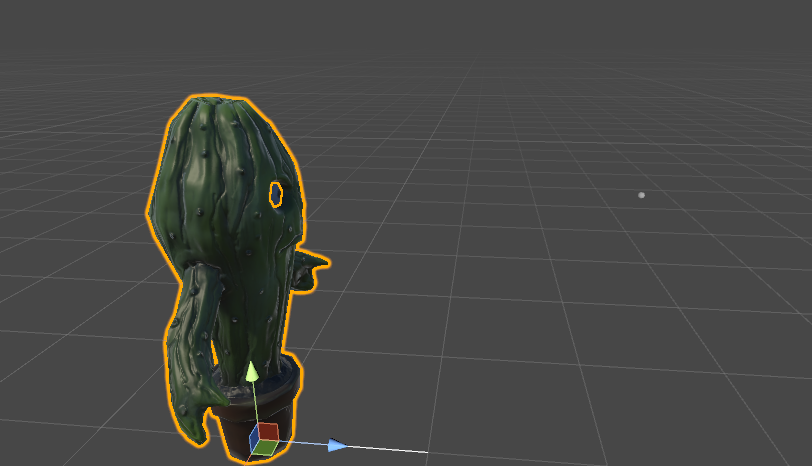 toxic gorge
or its just clothing with alpha textures
tame skiff
The sleeves are part of the polygons, but they aren't attached to the thing that vrchat uses to make the polygons move like arms and legs
and clothing worn on those arms and legs
In your model, the arms and legs are attached, but not the part of the sleeves your having trouble with
toxic gorge
the issue is not the sleeve, its the actual arm shape
tame skiff
That's my guess anyway. Unless there really are hidden bones, and I don't have any idea how you'd hide them from Unity
tame skiff
Oh, your bendy noodle shoulders
tame skiff
I did notice it, but I honestly thought the sleeves were a more noticable problem and assumed that was your issue. Sorry!
toxic gorge
no problem
 rose cipher
Anyone know what cause a model to be stuck in a t-pose when the avatar is chosen? No I dont have full body tracking?
tame skiff
How many bones are there between the shoulder and the elbow joint? @toxic gorge
tame skiff
There's a function in cats blender tools to merge bones and their weights, you might need to use that instead
tame skiff
If the offending bones are actually part of the arm instead of attached to them
er, sticking out of them
tame skiff
Okay. Go into pose mode in blender and click on a shoulder or upper arm bone and rotate it around with the r key
toxic gorge
http://prntscr.com/i3ohfv lets see how this goes
 tame skiff
To see how it moves
toxic gorge
ok
tame skiff
In pose mode

 stuck hamlet
is there like
A better version of automatic weights that actually works? cause weight painting is killing me
not even a complex mesh and auto weights still managed to fail miserably https://prnt.sc/i3okr6
 tame skiff
@stuck hamlet Go to File -> Preferences. Search for and enable the Rigify addon
I actually don't remember how to use rigify, but I hear and remember it being good
stuck hamlet
I do use rigify, does it have a feature for weighting that isn't just the automatic weights from blender cause if so then I've been missing out
as you can see the boy here is rigged https://prnt.sc/i3omgj

 stuck hamlet
weighting it automatically had so many issues that it was most likely more time efficient to paint the weights myself as I'd done before but I was just wondering is ther was a better plugin somewhere I'd been missing
tame skiff
@stuck hamlet Sorry I can't help. I hate feeling like the time I spent trying to find an easier way could have been better spent doing it the hard way
stuck hamlet
No worries, just how it goes sometimes
tame skiff
@toxic gorge It kind of looks like that's just how that model's arms are going to be, given how ridiculously skinny they are
toxic gorge
@tame skiff Why? isnt there any way to fix it?
fading verge
Hey tiny can you tell me what the warning means? Does it mean the legs are twisted or are they just too far apart
 tame skiff
I was just alking about the arms, not the sleeves
I still think you're going to have to weight paint the sleeves
 pallid badge
Having problems with my avatar, it seems like his knees bend inwards, anyone know how to fix that?
toxic gorge
yea @tame skiff i know i did the bone thing to the arms and its still not working
raven pumice
I set up the visemes for lipsync and they don't seem to work on my nonhumanoid rig character. Do dynamic bones affect visemes or anything?
toxic gorge
it still looks like noodles when bending
tame skiff
@fading verge His legs aren't straight down, is probably the problem unity is having
But I don't know if you should mess with it
fading verge
feelsbadman
stuck hamlet
in my experience the hip angle error hasn't seemed to mean too much unless you've got full-body
tame skiff
The tutorial avatar has the same problem, it's probably fine
I think it can make you lean far back with the male animations
stuck hamlet
couldn't you fix that by adjusting your spine in the rig config
tame skiff
Absolutely unsure about that
stuck hamlet
just like fixing jaws and fingers
tame skiff
Probably. I'm scared to tweak the t-pose much because of the animation importing I'm planning to do with mine
tame skiff
@toxic gorge Here's a crazy idea, I'm going to try to find you in-game
 tame skiff
I want to see your rig in motion
toxic gorge
ok
tame skiff
But it lookes like you fixed it
stuck hamlet
thats in blender
stuck hamlet
kinda just looks like bones have influnce where they shouldnt
also that pose isn't optimal for really seeing what's wrong just saying
fading verge
anyone know where to download the MitchiriNeko? so i don't have to keep going to the avatar's world?
toxic gorge
 stuck hamlet
my only guess is that one of those clothing bones might have influence on your arm near the bottom there
toxic gorge
i moved it to loook like rest
tame skiff
Nevermind, I forgot that the pose mode edits show up in object mode
 stuck hamlet
oh yeah that looks like weighting
tame skiff
Zoinks
stuck hamlet
did you do the weights yourself or is this pre-rigged
toxic gorge
pre-rigged
tame skiff
Before you weight paint, see if there are two armature modifiers
on the right in the tab that looks like a wrench
In blender
with the body selected
stuck hamlet
 stuck hamlet
hehe
 graceful wave
I'm not very experienced in Unity/Blender at all so I don't really even know where to start in fixing this problem or what kind of problem it is, so I'm hoping someone here can give me some advice. My cape clips into my arms, and my arms clip into my chest. I can literally put my hand right through my chest.

Is this an issue with rigging or something else?
stuck hamlet
youll always be able to stick your limbs through yourself
after all it's not like youve got rigidbodies or solid colliders
graceful wave
Yeah but it happens when I'm not even trying.
 half fern
does anyone know how to fix my textures in unity?
http://prntscr.com/i3oty3
 stuck hamlet
in blender you need to set the atlas as the new UV
graceful wave
Like if I go to cross my arms, my arms will be inside my chest.
 stuck hamlet
@graceful wave wheres your view dot
half fern
@stuck hamlet my atlas is already set as my new uv
stuck hamlet
if the view dot isnt in the right place it can displace where you think your arms should be
 graceful wave

 round sage
guys
graceful wave
I have it a bit higher than my eyes cause the collar kept getting in my view
stuck hamlet
what if you put it further from the head a bit
graceful wave
I can give that a shot. My main concern is the cape though
stuck hamlet
@half fern the atlas UV is the only one youve got in blender correct?
 hallow bay
how I fix the "not in T pose" error?
half fern
 stuck hamlet
and it's just called UV map?
half fern
is that correct^
round sage
I'm a total noob here, does anyone know how to fix the thing with upperchest error
stuck hamlet
cant tell, thats not where I can see UV maps
tame skiff
@toxic gorge Oh right, instances have numbers.
stuck hamlet
 tame skiff
How can I go there?
stuck hamlet
should only have the one. you delete the old UV map and replace it with the mapped atlas
in blender you need to rename it to UVMap or unity wont get it right
graceful wave
@round sage Don't assign anything to upper chest.
stuck hamlet
click the green halowed dot and hit delete
same with toes
assign the 2 spines (spine 1 and 2 usually)
 stuck hamlet
delete the old UVMap and rename the atlas UVMap
save as a copy before
just in case
toxic gorge
@tame skiff whats your name on vrchat?
half fern
ok
stuck hamlet
then export and see how it goes
tame skiff
@toxic gorge Dr. Fraggington
stuck hamlet
lol
half fern
@stuck hamlet it worked thanks!
stuck hamlet
No problem! glad to help 😃
 rotund thunder
so i have a model for a friend and its mouth just kinda stays open and it looks kinda dumb. is there any way i can close the mouth?
stuck hamlet
yeah
go into the rig config in unity and rotate it into the face a bit
go back and apply the tpose controller to the animator on the avatar to see if it worked. if the mouth is closed then it's corerct
I can send pics if youd like
rotund thunder
the mouth is basically only open when the character animates but when in unity the mouth is closed
stuck hamlet
is the mouth always open in-game?
cause the fix is the same
try applying the Tpose controller and see what it looks like
rotund thunder
yeah the mouth is always open ingame
stuck hamlet

apply that and hit play
if the jaw is open I can help you
ah, hit play on the animator
not game play
http://prntscr.com/i3p027 as you can see I've got the jaw rotated in the head in the config. in unity and in-game this looks normal it's a common issue

when applying the tpose controller the mouth is in the right place which means it's good in VRChat
rotund thunder
well i mainly noticed when it was in the animator and wondered if the mouth would be open ingame and on the bone mapping the face is a jumble of bones so its really hard to know which is the jaw bone
stuck hamlet
yeah it can b that way
what have you got mapped as a jaw
start there
http://prntscr.com/i3p0wt with the Tpose controller on the jaw looks fine which means it'll look fine in-game
 rotund thunder
ok mouth is still open. ill have to really look for that jaw bone even though the whole bone structure for the face is one giant mass
 spark nova
I'm a newb still but if anyone could help me out a tad that be awesome. https://imgur.com/a/3OwYB (Album)
This is my issue and I was comparing it to my other model. One was the parent to the other model but i saw some differences in them.
 stuck hamlet
the tpose controller is good for looking at a lot of issues actually
I'm no expert but if I can help I will
 tawny zephyr
i can't believe it...
i FINALLY figured out how to fix models with missing bones and/or the "spine has bone length of zero" error
restive hill
Nutty, that looks fairly standard, I'd do the dummy thing for the hair and any cloth tho
spark nova
o hits an album and it shows my issue
restive hill
Really? I have a few Neptunia models that an arm messed up on into blender
That and the skirt goes weird
rotund thunder
ok so its a chin bone i think which is optional
spark nova
like to the ther model i had worked on this one with the dress has like an extra set of bones in the arms it looks like
stuck hamlet
when you move the arms does the upper arm seem to droop?
restive hill
It could be a sleeve, that you could make dynamic
stuck hamlet
cause that could be a weighting issue
spark nova
i tried weighting the arm and it still looks weird droping like you said it was like a noodle
stuck hamlet
did you check to make sure the only bones effecting the arms are the arm bones?
looking in all the vertex groups with weight paint visible
spark nova
nope never done that before ill look at that
rotund thunder
ok so removing the chin bone fixed the mouth
spark nova
but also i was trying to lok it up bgefoer saying something in here, but i think the unity isue is becasue i have them parented wrong or something
like they are extremely similar except my arms with the amarture
stuck hamlet
are the arm bones parented correctly?
spark nova
like when i hit the drop downs they are really different from each other
like the dress one looks a bit more seperated thatn the black outfit one
round sage
@graceful wave I tried it, and it responded with "Spine hierarchy incorrect. Make sure that the parent of both Shoulders and the Neck is the Chest."
anyone here know how to fix it
anyone?
stuck hamlet
can I see your rig in the config menu in unity please
round sage
me?
stuck hamlet
Yes
stuck hamlet
just send an image like this http://prntscr.com/i3p7n4
 round sage
ok
hold on
ok uh sorry
but how do I show all of it
the riggings
@stuck hamlet
fading verge
this avatar does not contain an animator and will not animate in vrchat?
when uploading
its invisible model 😦
like
the model isnt invisible
but when I upload
its a warning they say
before i upload
but after i upload
model is invis
😦

 fading verge
can i "connect" two weighted armatures into 1 armature?
stuck hamlet
why do you have 2 seperate armatures?
fading verge
custom model
stuck hamlet
join and re-parent I suppose? Not sure, admittedly I've not encountered a split armature
 subtle plover
I have a model and I need to divide its bone (upper arm) into the shoulder and upper arm. once I divide it, I export it and then bring it into unity, when I look at the armature, only 1 of the bones show up (shoulder) and the other one doesn't appear but the rest of the arms are fine. I couldn't find any other posts that had a solution so I'm asking here. Thanks in advanced.
stuck hamlet
when you split it do you weight the added bone properly?
subtle plover
how do you do that?
fading verge
anyone know how fix this error?
this avatar does not contain an animator and will not animate in vrchat?
subtle plover
im know blender only a little
you have to click you avatar then on the right click add componenet then search for avatar descriptor
round sage
Rero, I know how to OPEN the rig, it's just that it's shown on a scroll screen and it'd be inefficient to share it that way
stuck hamlet
I really only need to see the upper body portion like what I posted
to make sure it isnt something as simple as remapping
round sage
Ok
stuck hamlet
brad look up a video on how to rig in blender, specifically weighting bones
fading verge
@subtle plover Already did avatar descriptor
stuck hamlet
empty or unweighted bones wont move anything in unity
frigid cliff
@supple portal The jaw was already set to none but thanks anyway ^^
subtle plover
hold on
round sage
Sorry, Rero, back
I had to do some stuff
basically, here's the stuff:

it's a fifteen second vid
because you see how small the scroller is
@stuck hamlet
fading verge
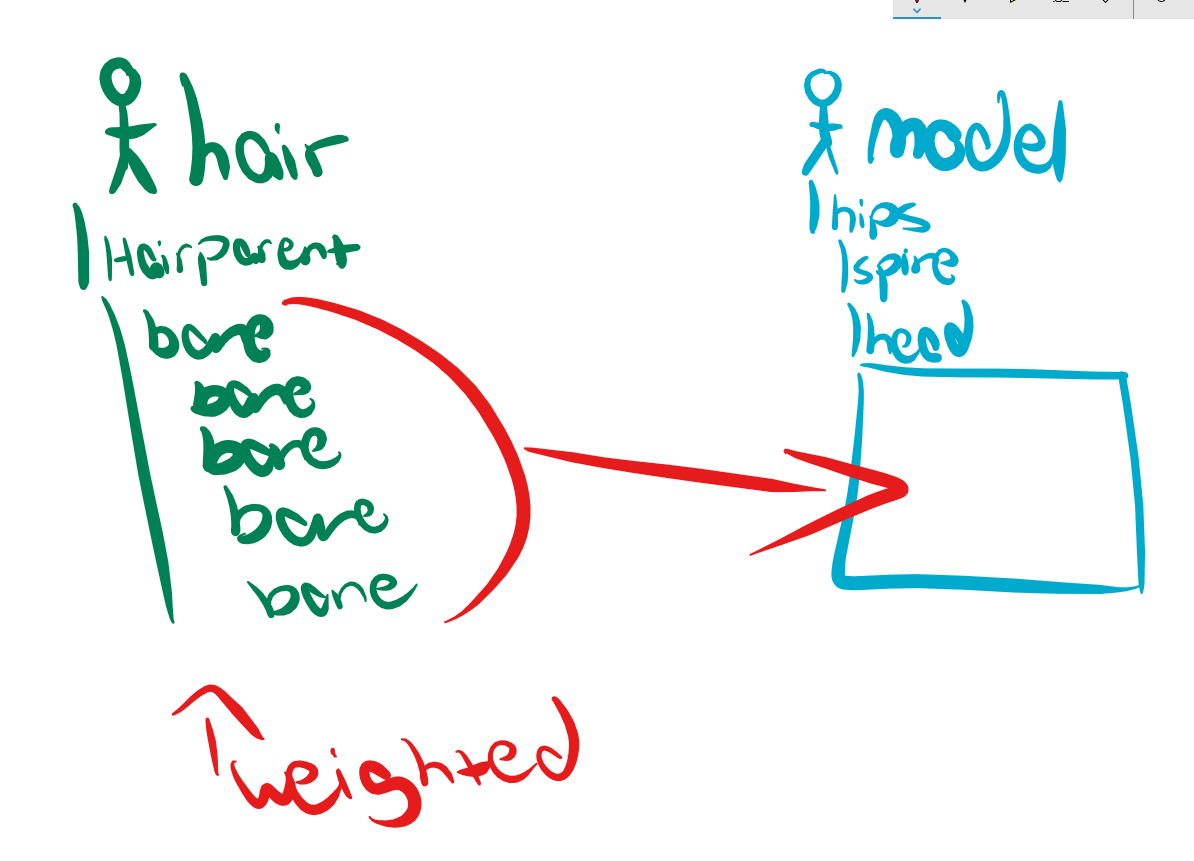
i dont know how to move these hair bones into the head bone https://i.imgur.com/wPln8qA.png parenting was it?
 autumn parrot
So, my model was originaly a .nif model. I imported him on 3DS max but I'm not able to export his bones alongside the model. I used maximus and the rigging on the body with it is perfect, but I want the rig on the face as well
Can I copy the bones of the .nif model to the .obj model?
Here is the .nif model on 3ds max
 stuck hamlet
did you parent everything correctly in blender @round sage
fading verge
ok
I need someone who actually knows how to help
anyone know how fix this error?
this avatar does not contain an animator and will not animate in vrchat?
stuck hamlet

I have to go for a bit. Glad to help a few that I did, sorry if I couldn't assist you. If I'm able, I'll try to help again once I get back online and finish this project
toxic gorge
https://img00.deviantart.net/5c4e/i/2016/241/4/7/yowane_haku_cleopatra__download_by_hikariwakamiya-dafpyi6.png this is not ok right?
 fading verge
new issue
your avatars humanoid but its feet arent specified your avatars humanoid avatar must have head hands and feet bones mapped your avatars humanoid but its upper arms arent specified
 toxic gorge
you gotta hit configure
 high geyser
halp
fading verge
your avatars humanoid but its feet arent specified your avatars humanoid avatar must have head hands and feet bones mapped your avatars humanoid but its upper arms arent specified
it is configured
thats my issue
I rigged it already it

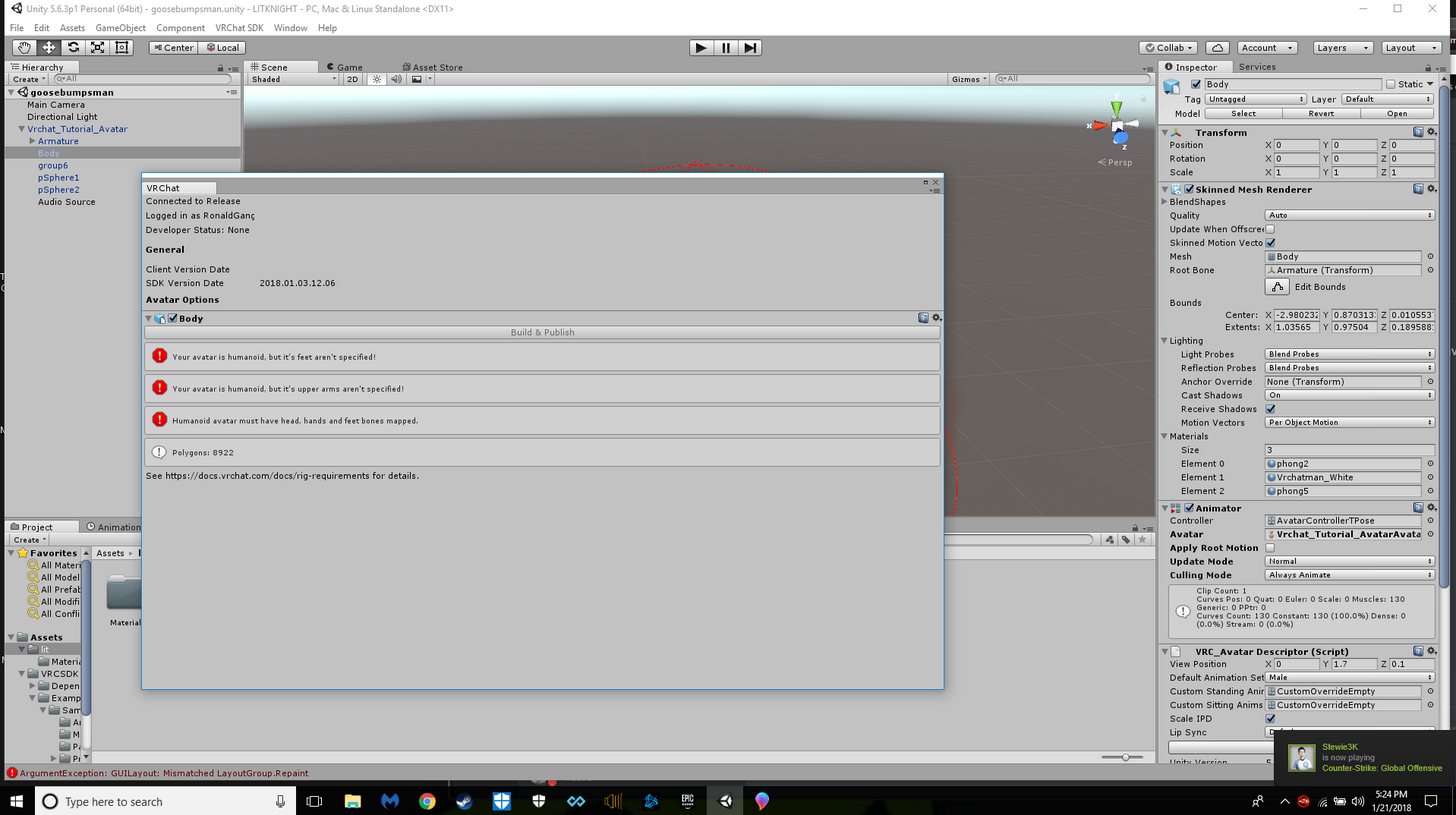
help
 devout trench
Hi I'm trying to rig a claptrap model and I'm not sure how to go about it because he's different from a humanoid avatar
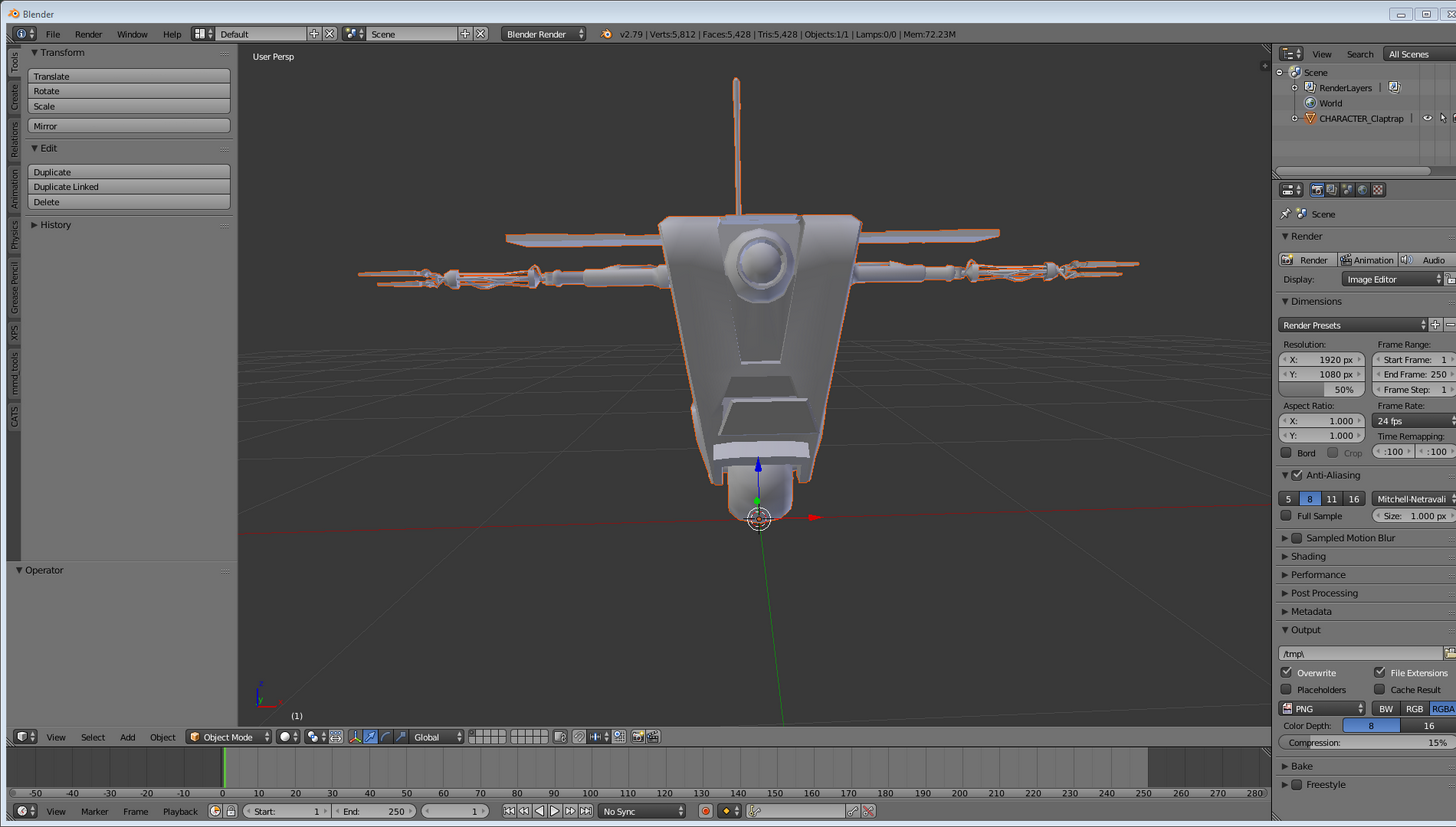
I'm also pretty new to blender and rigging in general
I'm also not sure if you can rig his wheel at all to move or if I should even bother
 fading verge
My character avatar has no legs so i just made them and not weight paint it to the mesh
🤔
devout trench
lol sorry I'm just learning all the terms still and everything
I'll watch the vid 😛
subtle plover
nvm
 icy fiber
s
 abstract shore
Hello, I'm currently rigging my avatar in Blender and testing it out in VR. So far everything is going well but I've notice the head on my avater doesn't move with the rest of the body when I do emotes. I'm not sure if it's a rigging issue or if I've may have overlooked something in Blender when exporting it. Any help or a point in the right direction would be greatly appreciated.
https://gyazo.com/e40cf0dcb8042097f54042290e66ea81
 supple portal
Ahh alright... I still cant get my jaw to even move at all no matter what I do
subtle plover
does anyone know how to fix this, When i subdivided a bone in blender (Pic 1) it splitted it fine, and then when i imported it into unity i loose a bone and then it becomes weird in game. Pic1: https://prnt.sc/i3q7fe Pic2: https://prnt.sc/i3q7l9


 midnight plaza
How do I copy bones from one armature to another?
CATS removes them because they are zero weight, but I want them as they are hair bones
abstract shore
@midnight plaza In blender right?
fading verge
pls i wanna know too
midnight plaza
Yeah
fading verge
 midnight plaza
a true artist
abstract shore
Select both your armatures you want to combine with shift+right click. Then hit ctrl+J to join them into one.
midnight plaza
How do I then parent the bones from one armature to the other?
fading verge
is there any way to keep the pose without it resetting after i ctrl + j?
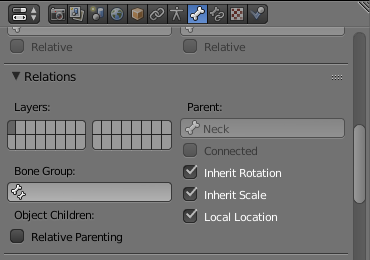
@midnight plaza after joining, go to edit, right click the bone, https://i.imgur.com/CMwysf4.png set the bone you want to parent it to in parent
 midnight plaza
Thanks man
abstract shore
@fading verge Select your armature then go into pose mode, then hit Ctrl+A and select "Apply pose as rest pose". This will make your current pose your default pose.
midnight plaza
You guys are wizards, Thanks!
abstract shore
You're welcome.
 bitter pier
would someone plz set the spine1 of my avatar to not zero i cant figure out how it is done
fading verge
https://ibb.co/giTFUG I have been trying to get this model to work for many hours. I place down the example avatar and make it the correct size I want, I then put down the descriptor and all that stuff and get the view point right and when I spawn in I'm viewing through the chest and am massive.
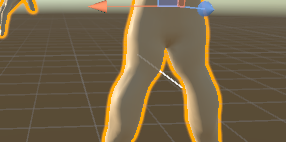
and the bottom of the view line is there
 cosmic mica
how do i change the default unity save path? it keeps saving my projects in My Documents and its clogging it up, how do i change where it saves them?
stuck hamlet
@abstract shore still having the immobile head during emotes issue cause I know the solution
subtle plover
does anyone know how to fix this, When i subdivided a bone in blender (Pic 1) it splitted it fine, and then when i imported it into unity i loose a bone and then it becomes weird in game. Pic1: https://prnt.sc/i3q7fe Pic2: https://prnt.sc/i3q7l9
abstract shore
@stuck hamlet Yes I am
stuck hamlet
Yes, you have to weight the bone you created or else unity wont detect it's influnce on anything and it wont move the mesh
subtle plover
where do you weight it?
stuck hamlet
@abstract shore have you got a middle, index, and thumb in the rig?
properly mapped?
abstract shore
Yes I do.
fading verge
how often do you guys use this when manually weight painting? https://cdn.discordapp.com/attachments/404835363895640064/404836578020818954/unknown.png
 stuck hamlet
when you upload do you get an error with fullbody IK tracking referenced?
a warning rather
the head not moving during emotes is due to fullbody ik being disabled. normally this is because a middle finger isn't rigged but other things can cause this
when you move your head does the entire characters body move with it at the same time?
crisp tendon
 abstract shore
Went back to check in Unity and saw the "Thumb,Index, and Middle finger bones are not mapped, Full-body IK will be disabled" messaged. So it may be the fingers that's causing the problem after all.
crisp tendon
Bones are important, and so are tutorials
stuck hamlet
It's pretty much always the fingers 😄
abstract shore
Alright, gonna go take care of that now. Thank you @stuck hamlet
crisp tendon
You only need three fingers btw to enable IK
stuck hamlet
@abstract shore take care!
crisp tendon
At least three, thumb, index and middle finger.
crisp tendon
It disables IK
crisp tendon
So, pretty bad.
 lost lotus
k thx
stuck hamlet
at the point where I'm weight painting a pair of timbs I have to wonder what I'm doing with my life
crisp tendon
Dope footwear is important, often overlooked.
subtle plover
how do you weight a bone?
stuck hamlet
http://prntscr.com/i3qnvl it's worth it to see this hypebeast in action
subtle plover
where in blender
crisp tendon
Check a basic tutorial
crisp tendon
🤔
stuck hamlet

Quick intro and guide to skinning/weight painting. this video is meant for those with a basic understanding of Blender
stuck hamlet
You could just select the mesh and those bones and try with automatic weights but my experience with auto is always that I have to fix more than it's worth
for 2 bones it oughtta be fine tho?
stuck hamlet
ctrl-P with the armature and mesh selected with the armature active
subtle plover
do you select it in the 3d space or the outliner?
stuck hamlet
3d space so the mesh is orange and the armature is yellow
save before you do this
just in case
subtle plover
with automatic weights?
stuck hamlet
yes
subtle plover
Bone heat weighting: failed to find solution for one or more bones?
stuck hamlet
try going into pose mode and just selecting the bones you want
subtle plover
same error
bitter pier
can i give my model to anyone for them to fix the spine1 length from zero for me please
stuck hamlet
You can give it to blender and modify the armature with scaling 😉
bitter pier
i've tried that it isnt loading into it
raven pumice
Hey folks, I've got a non-humanoid model with visemes and they don't seem to work. Anyone run into this problem before? Do I need a fake humanoid rig or something added to this character?
I just want my lil dragon quest slime to have a talky mouth
stuck hamlet
afaIk I think a spoof humanoid rig is the only way to get certain things working on a non humanoid avatar
I'm no expert though so don't quote me on that
raven pumice
Yeah I know that's required for blinking and eye-tracking but I wasn't sure about visemes
supple portal
I'm having the same issue... I have jaw bones and all, lip sync refuses to work, I can't apply visemes.... I just want my mouth to work...
and I can't get a hold of the person who made the Avatar and got it to work
stuck hamlet
generic or humanoid avatar
supple portal
Humanoid
raven pumice
Jawbone flap lipsync and visemes are mutually exclusive things, are you set to jawbone flapping or visemes?
If you're using visemes, you need to make sure that Unity ignores the jaw bone (set it to none) and then select Visemes as your lipsync option, and set them all up
subtle plover
Rero so is there no fix for the weighting situation?
supple portal
well first I tried using what was already there. but the jaw just hung open so I un mapped it, it closed and still wasn't moving
fading verge
oki, so i set the bones up right, and my character wont crouch, like i'll get down on my knees in vr and only the hands will follow me, the only bones i dont have are the individual fingers which i was going to do later
stuck hamlet
thats why
fading verge
so if the individual fingers arent made now i cant crouch?
stuck hamlet
not having a thumb, index, and middle finger disables fullbody Ik (crouching, head movement, etc.)
fading verge
AH
stuck hamlet
that warning should have shown up when you upload
fading verge
ty sm, i'll make the bones for the fingers, and i thought it meant just the hand gestures
stuck hamlet
youll also notice your head and body move at the same time
supple portal
Then I threw it back into Blender to see what I could do with the tools there and still I think I'm a bit too new to get to it but even then... I made no progress
stuck hamlet
the jaw hanging open from your earlier post could have easily been fixed with just unity
now your issue is...unkown. or at least non descript
supple portal
Hmm well I mean, does un mapping the jaw mean that even the lip sync wont work?
stuck hamlet
think about it, without a jaw bone what is the animator supposed to move to make you talk
supple portal
yeah
stuck hamlet
unless youve got a set of visemes or blend shapes
raven pumice
Unmapping the jaw means the game won't try to use the jawbone for lipflapping. You have visemes so you don't want lipflapping
stuck hamlet
^
your visemes wont work if you decimate any areas that are affected by blend-shapes fyi
avoid doing that
supple portal
Hmm well just going about it in the Avatar Rigging configuration might still solve it yet?
stuck hamlet
er, shape keys
supple portal
I am afraid I'm not grasping that
stuck hamlet
have you got visemes or are you wanting a jaw flap bone
supple portal
anything at this point
stuck hamlet
if you have a jaw bone that moves the jaw use that
if the jaw hangs open when you play the tposecontroller from the sdk theres a fix
supple portal
Hmm alright
stuck hamlet

set that to none when you do upload though
the tpose controller is good for seeing a rough rep. of what the avatar will mostly look like in-game
devout trench
https://i.imgur.com/g4eptEQ.png Hey so when I try to do automatic weights to parent this error pops up
 stuck hamlet
is that pre-rigged?
devout trench
no I tried to rig it myself lol
stuck hamlet
was about to say that's a very abnormal looking rig for that type of body
devout trench
haha
subtle plover
@stuck hamlet this thing popped up: https://prnt.sc/i3r02v
 devout trench
I thought I was supposed to match the body itself, should I have done something differently?
stuck hamlet
the error might be from the shape of the armature vs the shape of the mesh
like those extentions look like legs but the mesh has a wheel. theres a head bone but no head. just my assumption
devout trench
yeah i wasnt sure what to do
since he really has no neck and head, hes a box thing
first time rigging anything
subtle plover
is there anything i do after that?
stuck hamlet
when you go into weight paint mode and click on the bone do you see any areas in red?
if not then it's not weighted
supple portal
Where would I actually find that animator controller?
stuck hamlet
if you have the SDK you should just be able to search for it with the finder
bitter pier
no matter what i do the bone length stays zero someone plz help me i can give u the file
stuck hamlet
are you making sure to apply your transforms?
devout trench
@stuck hamlet its completely blue
stuck hamlet
oh lol I was replying to bradley with the weight paint comment
devout trench
do you know how to get it to work with my mesh?
its kind of weird trying to put an armature into a box robot
subtle plover
how exactly do i select the bone?
subtle plover
shift click it in paint mode or pose
midnight plaza
Hey my dynamic bones move but my model doesnt
Any ideas why?
supple portal
hmm, alright so I confirmed I'm back to the point that my jaw hangs open again
raven pumice
After some digging, it looks like visemes don't work with anything but the Humanoid rig setup, so I guess I do need to make a dummy skeleton for my DQ Slime
Just in case anyone else was wondering, or other people ask in the future, for Visemes to work, your skeleton needs to be using the Humanoid animations
stuck hamlet
@raven pumice Fight on!
same with eye tracking and blinking
@supple portal when you play the tpose controller from the animator the jaw hangs open?
supple portal
Yes
stuck hamlet
great, try going into the rig config and rotating the jaw until it's clipped a bit into the head
what you're going to want to do is compensate for how much its hanging open
then apply and go back to aplying the tpose controller
repeat that until the jaw is closed
bitter pier
is there anywhere i can go to get help with my problem?
stuck hamlet
I have an example
@supple portal http://prntscr.com/i3r4cb horrific i know but trust me it works
 raven pumice
Alternately, if you don't need the lipflapping for lipsync (like you are using Visemes, or don't want lipsync) you just need to set the jaw bone to 'none' in Unity's mapping
unless i'm misunderstanding the problem
stuck hamlet
I didnt think they had visemes
midnight plaza
Hey my armature isnt moving the mesh, any ideas why?
stuck hamlet
is the mesh weighted to the bones?
midnight plaza
im awful at weighting bones and dont really understand it, but ill check
stuck hamlet
you'll get it. I've only used blender for like a week it's got a learning curve but it's not too bad
supple portal
Hmm alright
midnight plaza
it looks like for the hair yes, but if I select an arm, the whole model goes pink purple
raven pumice
Was there a guide somewhere that just showed the VRchat humanoid rig bone requirements? I can't find it
midnight plaza
@stuck hamlet
supple portal
I didn't have Visemes and I don't think I the model to do it to begin with
devout trench
Ok I fixed my error, I had to remove doubles on the mesh
stuck hamlet
oof wow you got that box mesh weighted?
that is going to animate in some interesting ways my dude
spark nova
so ive been messing with my vertex groups on my model and it just keep getting really weird everytime. at first ingame my arms were like noddles. I got it so they didnt look so droopy, but now i have bad bends and stuff. the one arm i was just annoyed and was playing around so see if something good would happen
 devout trench
haha well we'll see, im doing this all my first time so ill probably be hurting
 rain atlas
does anyone know where I can find an empty VRChat rig file or something?
supple portal
@stuck hamlet when I hit play button after rotating the jaw up quite a bit, it still shows it hanging open
Should it still happen?
fading verge
i'm trying to attach a prob with bones already to my main armature, but if i use parenting it moves and rotates, or even scales down to tiny . . . i figured it out once before but now i forget
everything i google is of 0 help
i can't apply modifiers because i have intentional shape keys on the mesh
this should be simple, but it's being a massive pain
bitter pier
if anyone ever decides they want to help me message me and i will send the avater file
supple portal
Oh wait is this all before or after I apply the Avatar descriptor and such?
 low grail
supple portal
low grail
supple portal
Or should I do all this befor I drag it into the Hierarchy?
@stuck hamlet Nvm I got it! thank you for the help!!!
cosmic mica
i added a dynamic bone collider to the base of my avatars head, the radius just within the skull and not outside the skin - and my hair is flying upward, wont go back down until i delete the dynamic collider. I am using the generic settings and the collider is not big enough to make it go flying upward - i dont know what to do
supple portal
even with everything compensated and set up the jaw still won't move sooo.... I think my problem runs deeper than that....
 stuck jasper
So I have a model that doesn't have fingers on the right hand and this is preventing me from having IK on my body anywhere
I've tried making dummy bones that do nothing but it still gives me this error
"Thumb, Index, and middle finger bones are not mapped. Full-Body IK will be disabled"
wait nevermind im an idiot
cosmic mica
you must have 4 fingers at least on each hand
you can just make the 4th finger invisible
stuck jasper
I figured it out
 frigid flower
Can someone help me attach bones to the mesh of a model? I cant do it and I havent been able to find anyone else able to do it
cosmic mica
there are tutorials on how to do that, the easiest (and extremely sloppy way) is to put the bones into pose mode - select the model then, hold shift and select a bone, click ctrl P then select automatic weights. its a very sloppy way but a good start
from there you can adjust yourself with selecting the model and going to the weight tools and painting the wieghts
 river mulch
hey can anyone tell me how to combine 2 materials?
fading verge
could anyone rig a a character for me? ("Skeleton")
 cunning marlin
So, anyone here good at rigging? More or less, I am trying to get My custom Feirce Deity Link's hat to do what it does.
Also, I have cash money
 subtle moth
@fading verge i could give it a go, would be my first one though. After fixing countless boned id love to try rigging
cunning marlin
I already got the av rigged pretty good, jut trying to get the hat to be less stiff, do what it does. Cloth setting being a biatch.
frigid flower
Can i get the blender source tools link please?
supple portal
Like the mmd tools and Catz?
mental lynx

Does anyone know what could have caused this, and how to remove it?
It's added a good 10k tris as well. No idea where it popped up from
opal aurora
Shadow?
mental lynx
It's adding to the tri count
opal aurora
Yes, a physical shadow
mental lynx
What would have caused it, because that makes no sense.
I exported with 19k tris, not 24k
opal aurora
Honestly unsure, it just looks like one to me
mental lynx
Its also saying the model is too big as well
Yet it's the same size as another model I already have uploaded.
opal aurora
Height is defined via the bounds
mental lynx
She's barely 4'4
opal aurora
Something is messed up on that one for some reason
Check the bounds box on the mesh itself in unity
mental lynx
Found it
It was a mesh rendering thing for animations
I was gonna prepare it for animation, not sure why it added to the tri count and did that
 inner obsidian
"too big" probably refers to tri count

 small zinc
Where is it attached
mental lynx
The main
small zinc
...weird
mental lynx
Well it fixed itself without me doing anything
mental lynx
So what is the best way to stop a skirt from clipping?
 grave eagle
i'm trying to work out this bug i keep having where the jaw hangs out when i have mouth flap and the jaw bone assinged to the humanoid
can anyone help
never mind
just had to remove it from humanoid
stuck hamlet
you can fix the jaw bone and keep mouth flap btw
just rotate the jaw into the head a bit in the rig config and when you apply the tpose controller to the avatar you should see the jaw closed
 vocal cedar
Anyone know why this happens when trying to create a blink animation/when walking in game (hair isn't attached to head)

 trim kraken
Can anyone please direct me toward a guide or tell me how to fix this? I tried to map the vertex groups (the little hair buns, and knuckles' face) but it didnt work. Please @ me or DM me if you have an answer. Thanks!

I need to know how to map the hair buns and the face to the head bone :(
fading verge
can someone give me a discription of culling mode
https://imgur.com/wN2wEbx

 slow hearth
Well that's weird as heck. My avatar worked fine last time I followed tupper's tutorial. This time I did the same steps on the same model after adding some parts to it and when I changed to it ingame I just see a huge mess of vertices. It looks fine inside unity.
 dusk inlet
can someone help me with my avatar?
slow hearth
Avatar looks fine in the ingame preview in the menu but when I wear it I just get a mess

Can't see shit
can't use menu either
 young estuary
I get this error when I try to do eye tracking in cats' plugin http://puu.sh/z73hu/4dc53c2a41.png

I know I have the correct eye bones selected, I just don't know what that error means or how to fix it
vocal cedar
@trim kraken did you find a fix for this I think I have the same thing?
 winter walrus
Hey
stuck hamlet
helo
winter walrus
I just rigged a new model
When Im trying to apply weight paint though
I can't select a single bone
Dunno why
stuck hamlet
not even in pose mode?
winter walrus
In pose mode yes
stuck hamlet
you should be able to select a bone in pose mode and shift click the mesh. then go into weight paint mode and you should be able to select bones to weight
winter walrus
Thats what I did
stuck hamlet
so what are you seeing instead?
winter walrus
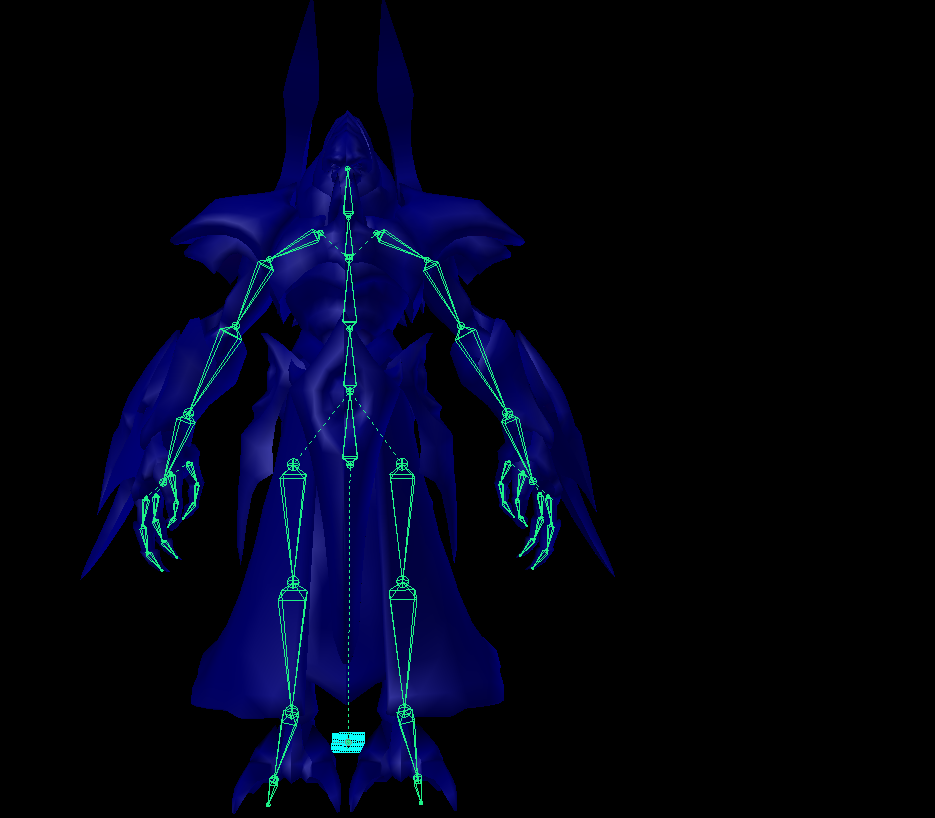
Trying to select a single bone doesnt wsork
Did I mess up here maybe? https://i.imgur.com/NHgNZY3.png
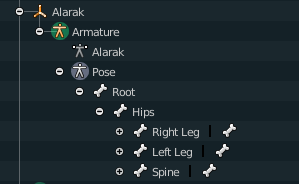
First time rigging
stuck hamlet
The rig itself looks okay
so you cant hit a and just right click one bone even in weight paint mode with the armature in pose mode?
winter walrus
In Pose mode it works
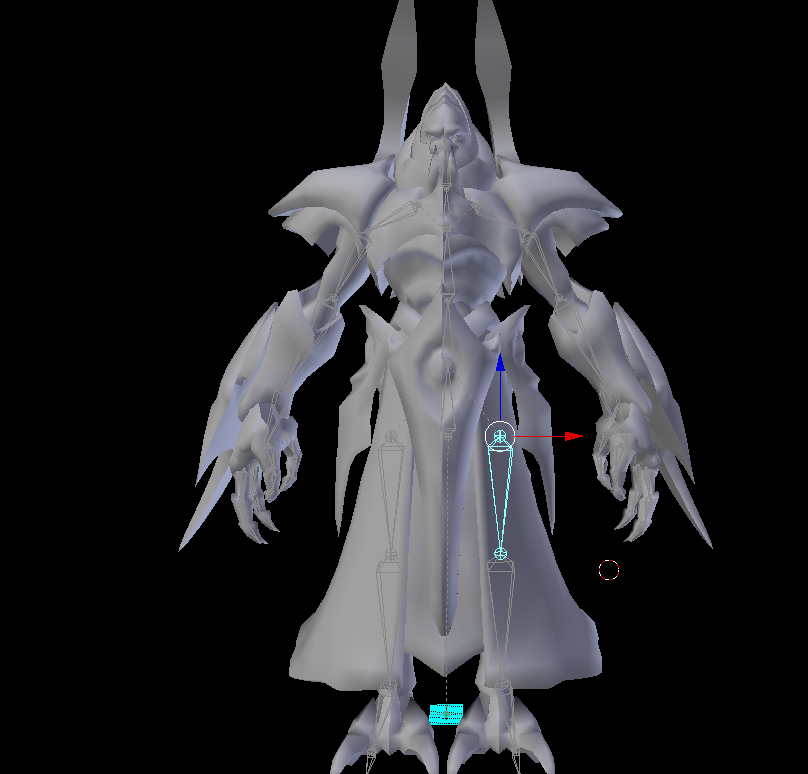
But as soon as I go into weight paint mode after Shift+Rightclicking the Mesh it just doesnt let me select a single one anymore
 coral relic
select mesh, shift select armature, ctrl+p
winter walrus
got it
thank you
damn
and it also auto weights
wtf
I mean
atleast Kind of
coral relic
you'll have to clean it up for sure, but auto weight are a good start
winter walrus
@coral relic The texture went missing on the start; but I got it now how do I correctly implement it

This is what the materials look like sadly
coral relic
@winter walrus sorry I'm not on my PC, can't check. In the textures tab you're probably missing a texture file path, but can't tell you much more. Maybe the "fix model" button in CATS could help?
save first 😉
frigid cliff
So i have this really annoying problem with my avatar :
If i use Viseme, in vrchat my mouth will randomly open in weird shapes when i move my head even if i am muted, i don't have this problem in unity even if i temporaly set the animation controller to the vrchat's one. I also have the Jaw bone set to none.
This bug is making me crazy!
naive tree
i think that's only client sided issue that your mouth stays open after talking
frigid cliff
it's not clientside
naive tree
oh, it's when you move your head even
frigid cliff
asked for friends to check and it really opens randomly when i look down or when my eyes moves
coral relic
Does it look like jaw flapping or more like distortion? Simplest explanation could be broken weight painting.
Some head bones could be affecting the jaw, when they shouln't,.
frigid cliff
I would say jaw flapping but not really sure
coral relic
if that's the case, you'll have to correct it in blender
frigid cliff
sometimes i can see the teeth go a little to much down
fading verge
can anyone help, my avatar doesnt turn right or left
https://imgur.com/CrhetZ5
 frigid cliff
but i don't have a jaw bone on my model
 sand patrol
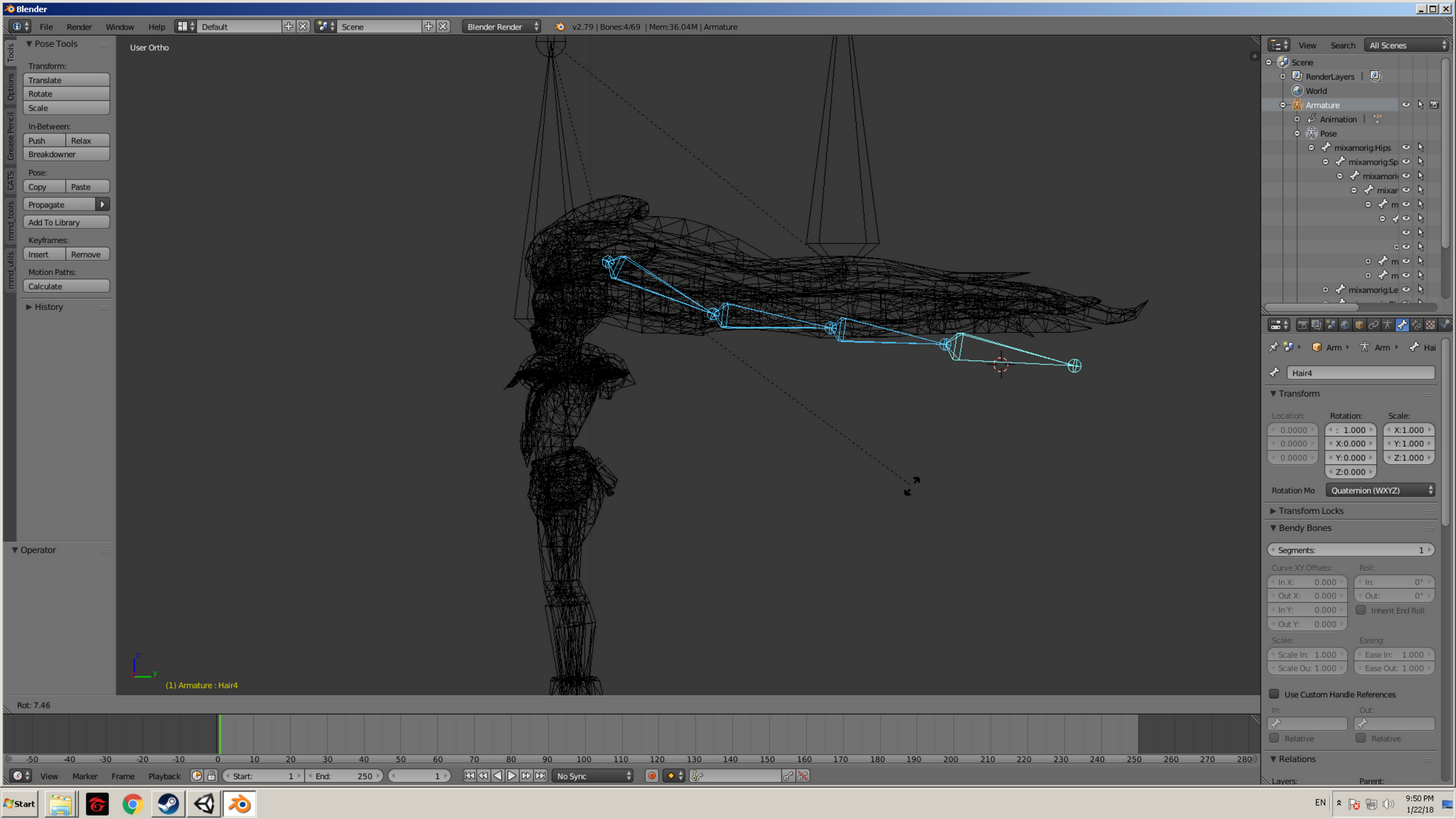 restive hill
Soraka: weight.
 restive hill
You can weight paint, select a bone in pose mode, then select a mesh
Then in the drop-down that displays edit or object, go to weight paint
Deadly, are you using a VR headset?
left hound
nope
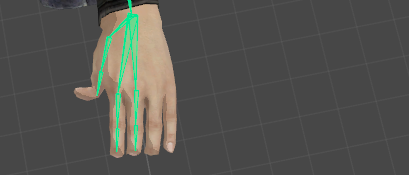
 fierce crystal
oh
restive hill
Your model needs work
fierce crystal
Yeah thats common in older models theres only 2 finger bones you'll need to add the other 2
fierce crystal
Think it should be fine since you don't have vr
restive hill
Yellow errors shouldn't stop you uploading
fierce crystal
those are just warnings
left hound
yeah i know.
restive hill
Heck, only a couple of my avatars DIDN'T have warnings
left hound
to attach the sword on the back i put it on chest hierachy?
fierce crystal
weight it to the chest or create a new bone thats the child of the chest to weight it too
left hound
i see a bone named weapon_bone
 odd bronze
anyone know how that alaskan bull worm avatar was rigged so that it can use the humanoid rig (thus making its head able to look up and down)?
i know it's got something to do with dummy bones, but how are those dummies set up?
fierce crystal
then its probably weighted to that already just give the model a try
restive hill
Probably has a normal skeleton, that doesn't affect any mesh
fierce crystal
@odd bronze just make a normal humanoid skeleton and only bind the needed parts of the skeleton.
like this guy all I used what the hips,spine,chest,neck and head bones

didnt even care about limb armature placement.
fading verge
spook
 left falcon
good morning everyone!
when it comes to the skeleton should i make one from scratch or use one that comes with blender?
fierce crystal
up to you
left falcon
what do most people do? last time i did any rigging was with second life and that was a pain
fierce crystal
I'm not sure what others do, I start from scratch its easier for me than to have to fit the default one to my model
fading verge
 left falcon
okay i am going to try doing this two ways first is with the premade skeleton and then second with a custom made one, my question for the premade is would it be bad to delete the heal bones?
odd bronze
@fierce crystal did you create and parent the arm and leg bones manually?
fierce crystal
yeah I just extruded them when making the rig
thats a from scratch rig
they are just there for unity and the sdk
the mesh doesn't know they exist
 final zealot
my charcter works fine exept if i move my head up/down left/right in vr the model doesn't move in these directions anyone an idea why?
i didnt map the fingers but that should not change it right?
left falcon
my last question for now is, how do i join the mesh with the skeleton?
left falcon
thanks and sorry when i did this for second life there was an addon where you just clicked to parent it etc all in one menu
fierce crystal
you can parent it with one button with automatic weights
it might not work right though and you'll need to edit the weights
fading verge
yo guys quick question how do you merge meshes
fierce crystal
select them and then ctrl +j
left falcon
thanks for the help now to figure out how to upload
fierce crystal
it'll merge the the meshes in to one object
 pine harbor
^think mesh merging can also only be done back in blender
don't think there's a way of doing it once you're in unity
left falcon
ah so we have to export with bones and weight paints and then import into unity and upload from there?
pine harbor
yeah, export it as an FBX file, then import into unity and configure a bit more
the tutorial they put up on their website mostly covers it, if you need help with that
https://docs.google.com/document/d/1W5KFa_aszCMrJaFD8mb9a-GHYO4X4S9M63GjM4UwuEw/pub
fierce crystal
if you have non steam version of blender you can just use the blender file in unity.
instead of exporting for quick changes
left falcon
making a world was easier than a avatar lol
pine harbor
avatars tend to be more complex with all the rigging and bone weighting, yeah, although maps seem to get harder when scripting/events start getting thrown in
left falcon
i did a very simple house and it came out fine
winter walrus
Anyone here good with Blender/UV Mapping?
fading verge
raises hand
 cosmic moth
Uhm hey guys, im new to this stuff and am just following along tuppers megatutorial. Im not super far in but at the pose stage I can see that the bone isnt meshed correctly or something. I have a working model of this that someone had to redo the whole spine or hip or something... (learning from scratch) anyways just curious if I should start with a different model thats easier or learn to fix it somehow? https://gyazo.com/b0cbde0f309f45407331cd164c2236e4
 subtle moth
@cosmic moth looks like a weight painting issue
cosmic moth
no idea what that means aha -- but heres another angle https://gyazo.com/56f292eb7674d9c8394bfc8306d06a2a .. looks like the chest isnt connected to it?
 cosmic moth
should i get a new model until i know the basics? im assuming this isnt covered in this tutorial
subtle moth
Not sure but weight painting can get complicated depends which part its on
subtle moth
Maybe i can do it sometime but for now ive got to rig a whole model ^^
cosmic moth
yeah, someone already fixed it for me which took him quite awhile coz he learnt how to do it, but the model he gave back (68k poly at beginning) was down to 32k poly but its got lots of holes and stuff (hard to explain)...
since i dont know correct terms
 sick adder
okay ive never worked a mixamo rig before, and when i go to upload i get "Spine hierarchy incorrect. Make the parent of shoulders and neck is chest" if abyone can help ill attach a screenshot
https://gyazo.com/282c41e49c467c8ff1737d90acfd6f25?token=81edff6d2480a9376e9f4a5dd678ae27

 ivory radish