#avatar-rigging
1 messages · Page 80 of 1
 mental lynx
 tame skiff
@fading verge That's likely the problem
 fading verge
Do I not want it assigned?
tame skiff
I think jaw is broken like that for now
fading verge
Oh
If I want lip sync and such to work should I unassign it then?
Or can I not get that working atm
tame skiff
You'll have to use shape keys exclusively
fading verge
Oh ouch
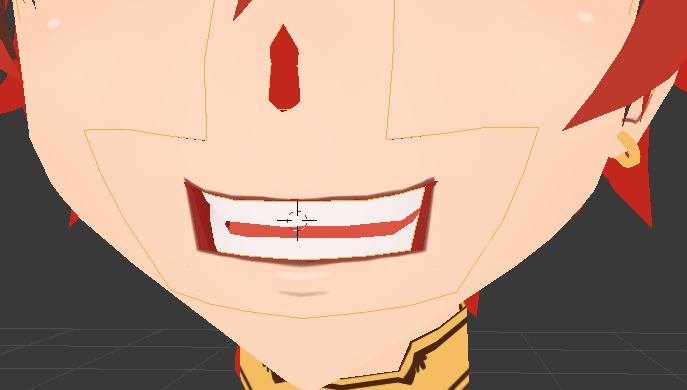 tame skiff
If you can survive creating just three shape keys, Cats' blender plugin will fill in the rest
 hallow bay
I'll take a little break, otherwise I'll get frustrated
hallow bay
it's ok, it was dumb from me not considerating it even though I told you it was influenced
mental lynx
What is the quickest way to make jiggle bones go back to their original position?
High dampening?
tame skiff
Elasticity makes bones return to their origins
dampening slows the speed either way, coming or going
 edgy ginkgo
So i dont know where to put this, but when i use full body tracking, it seems that the sensors on my avatar that i made are off the ground, but on others, they are level with the ground, any idea why?
 restive hill
oh, i never thought of the types that way
im not sure how that works unfortunately, and can't test it anyway
why would a fbx (neptunia chars) import into unity properly, but spaz out when imported into blender?
 tame skiff
Between the two, Unity is probably more up to date on fbx definitions than blender
restive hill
i want to link the hair/clothes stuff to dummies in blender, but cats borks on the models, loses arm bones
hm
tame skiff
You know Unity can read .blend files?
restive hill
any good ways to export back out of unity?
tame skiff
I guess reading blend files won't help you send your fbx back to blender
restive hill
yas
tame skiff
But for the future, maybe, just use blend
tame skiff
Oh I see
restive hill
and i REALLY want to only have say, two dynamic bones attached to copies of head and hips for stuff
tame skiff
Export from unity as something else blender can import?
restive hill
the fbx exporter plugin is REALLY insistent on sending to maya 😛
which i only ever had for a trial
tame skiff
You can bluff your way into a student version of maya
Tell them you went to Dogdoo U., or something
restive hill
hell, i HAVE an edu email address
tame skiff
Nice
hallow bay
tiny, is there some way I can ask you about more things later? because after I finish with the mouth, I need to work with the eyes
it seems like they're not tracking for some reason
restive hill
oh god dont get me started on eyes not tracking
i have two mmd models that it never actually worked on, i just gave up
something something drivers and textures offsetting from a bone
 brisk mesa
it doesn't help that there's some eye tracking bug too and the whole 'make fake eye bones' and shit
restive hill
it worked on a dva that i imported, tho
i'd seen a couple Leafa models that had garish block-colored rainbow wings, i was happy to get actual transparent wings mostly working
brisk mesa
but did you edit her titty vertexes to make them larger? that's the real question
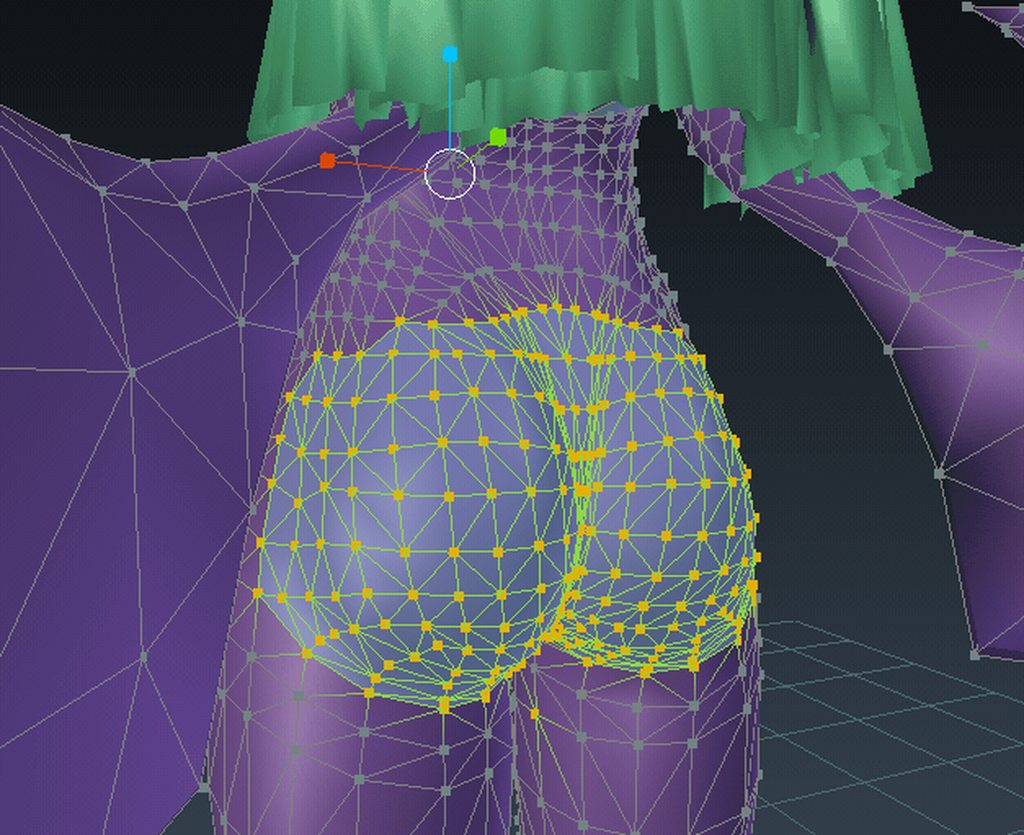
me demonstrating with ass
restive hill
dat,
brisk mesa
ass.dat
restive hill
i wonder what i actually did wrong with the sinon model
i added a couple ears in, and they MOSTLY worked, except the model wasnt designed with movable ears in mind
and the tail mostly worked as well
but when i tried to weight things in... weird shit happened
 crisp tendon
Do it in pose position ?
restive hill
ugh, i was very much learning stuff, i must have done something inadvisable
i did manage to import one MMD nicely, at least
fading verge
@brisk mesa oh yeah thanks for showing that, im really new to blender so I had no idea that was possible hahaha
 flat sierra
any clue why unity made a huge hole in my mesh when its not there in blender
brisk mesa
I'm always coming up with ways to LEWDIFY
restive hill
Shiju: is a bone dragging something away?
brisk mesa
if i make a hucow girl next i should attach like four different tits
flat sierra
i dont think so
restive hill
look at the weights in blender, see if something is set in that spot that shouldnt be
restive hill
aliens, then. definitely aliens.
restive hill
i guess try and figure out how that area is different from the rest
hm, tiny pair of floating eyes that turns into the little tomato girl at close range
i COULD, but SHOULD i?
she would be creepier with no eyes...
 restive hill
vertices not weighted to bone?
restive hill
same thing happened when i deleted weird bones in the tips of dvas fingers- they weren't weighted to anything without them
use the painter, and paint the ear bone onto that side, unpaint anything else
mental lynx
Hold on, everything I put a TON of work into just reverted when I left game mode.
oh no
Well, I'll never make that mistake, again.
There goes about 20 minutes of work.
I really wish I could take all of those edits with me
Or like, drag multiple instances into exclusions instead of one at a time
restive hill
anyway, in the 3d viewport, probably at the bottom
view/select/add/object/and the mode selector box
select a mesh in object mode
and you can change that to "weight paint"
Then
you select a bone in pose, and switch to object mode and click a mesh, and go to weight paint
the bone you have selected should have a heat map around it for what it affects
mental lynx
I'll try that out when I get to it. I have to redo every single bone that I was working on
Every damn bone.
I have hundreds of exclusions to prepare.

i hate everything
restive hill
hundreds of exclusions?
restive hill
if you have hundreds of anything, you're probably doing it wrong
tame skiff
@hallow bay I'm going to bed soon, but if we're both up later I'll be around to help
@restive hill It sounds like you could teach me something about eye tracking, I've never gotten anywhere with it
restive hill
i can get it to work when cats works, that's all 😛
and on a round-ish eyeball
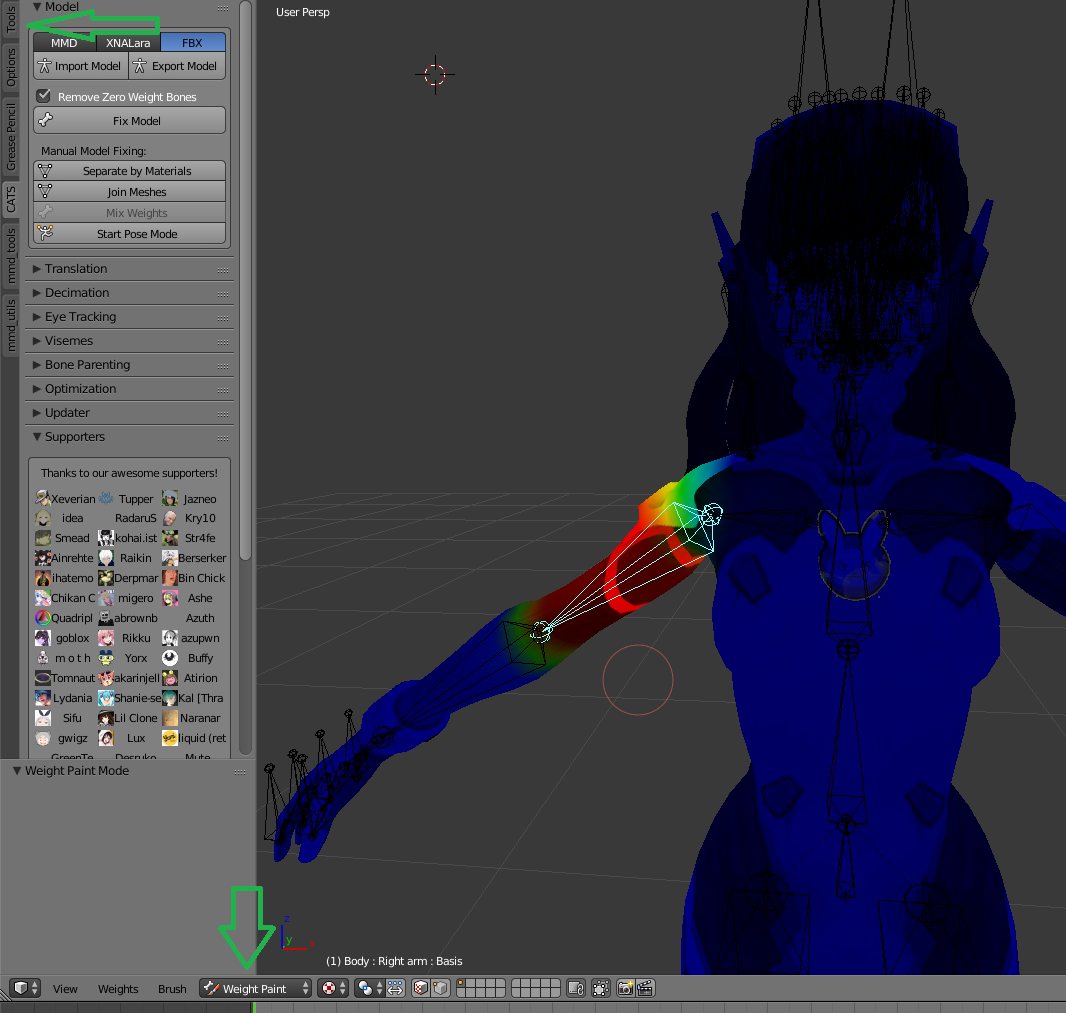
that's weight painting
flat sierra
saving it as a blend seemed to fix whatever dissapearing act the head was doing
restive hill
specifically, that's a weight paint on dvas arm bone
red is 1.0 to the arm bone, blue is 0, and greens are half-half to the other areas...
so basically, just mess iwth the brush (top green arrow in screenie) and nail the entire ear with 1.0 to the correct bone, and 0.0 to any other bone that might be there
mental lynx
It'd be nice to figure out how the breasts are altering something on the head that I already have excluded
restive hill
i mean, i did her without excluding anything, i don't even know what you're talking about XD
uh, what IS an exclude?
mental lynx
What?
 twin grail
Could someone link me a quick vid on reparenting bones 💕
mental lynx
Oh, I'm doing this work in Unity at this point
restive hill

VRChat Community Discord: https://discord.gg/VRChat Download VRChat! http://store.steampowered.com/app/438100/VRChat/ mmd_tools GitHub: https://github.com/po...
skip to relevant points in desc
oh, dynamic exclusions?
if your model isnt weighted, get your butt back to blender
mental lynx
It's weighted
Just, maybe badly?
It has previous weighting by the person who did it beforehand
restive hill
ok, if your model ISNT WEIGHTED CORRECTLY IN ANY WAY, get your butt back to blender
if i need to be specific XD
i dont think unity can deal with that?
restive hill
oh, i feel ya, i made one with 11 dynamic bones, which was idiotic. leafa has TWO dynamic bones, one for ALL the hair, and one for ALL the 8 or so chains of skirt
restive hill
get into blender, parent that shit to a copy of hips or head or whatever
then slap dynamic bones on the parent. DONE.
mental lynx
So far Unity has thrown out every single dynamic ANYTHING
Unity throws out my mouth animation stuff, eye tracking, everything.
restive hill
well yeah, you parent things in blender, and set up visemes
then use cats to make the VRC set
and set eye tracking in cats
then export
unity: bone stuff, and visemes
and set eyes to the eye names that cats sets up for you, if the cats eye trackign worked
mental lynx
Eye tracking didnt move over from Blender, even when it worked in blender.
restive hill
you just set the eyes to LeftEye and RightEye in the rig
that's the names CATS uses
 acoustic garnet
is there anyway I can translate this?https://gyazo.com/f8d476c6f178d6b78c393c9c0dc53c1f
 fading verge
cat plugging
restive hill
VRChat Community Discord: https://discord.gg/VRChat Download VRChat! http://store.steampowered.com/app/438100/VRChat/ mmd_tools GitHub: https://github.com/po...
as far as full body tho, nope!
edgy ginkgo
V-___-V
i just dont know im doing wrong, ive matched my rig to others from the asset store, and its identical
but when i go to possistion myself in it, the hips snap to the left foot
so i know its not the rigging, and not the tracking
cause the right foot tracks fine
 atomic summit
Heyi gotta a littl more of an advanced question, Lets say I wanna get rid of geometry altogether, like for example, a stupid looking, magically floating, anime style, hair ribbon, my question is if I delete the bones from end to root, and then get rid of the vertices, is that everthig I need to eliminate? Or is there some hidden gremlin?
brisk mesa
so are you trying to delete the ribbon?
or delete bones? i don't understand
cause you can select the vertices of the ribbon mesh and delete that shit
if both then yeah just delete the vertices and any bones of that ribbon
sometimes i use cat's plugin for the separate button so i can get rid of some shit like that, before starting
fading verge
So is there anyway for me to fix IK with the model I'm trying to port into VR chat? Using decompled source bones.
https://i.imgur.com/wBID9ge.png

 final sphinx
Heyyyy my bones stopped moving with my avatar, how do I fix it?
 charred sorrel
can you upload to vrchat from unity to a steam-created vrchat account?
final sphinx
Wut?
fading verge
It says pelvis and thigh bones should be close to 180.
final sphinx
Oh....
atomic summit
Go to your rig and make sure that Hip is assigne to hip and then in the heirarchy make sure pelvis is a child of hip?? Otherwise Idk might just be as simple as rotating so bone matches? Ive never seen that error since I never have a "pelvis" just hip>LegR,LegL,Spine
@brisk mesa Yeah just wanted to eliminate the ribbon altogether since it looks ugly and will look worse with dynamic bones so just gonna eliminate it completely.
 proper ferry
Somebody know how to fix the shape keys?
fading verge
is there an easy way to delete all of the bones in blender to re-rig through mixamo?
proper ferry
Select the armature and press supr
fading verge
thanks, wish VR Chat made it easier to configure the bones with a million different pieces to get all the clotes to work properly
mental lynx
Yeah
But that's rigging for you.
The worst thing to do with 3D modeling.
Now on to my problem, what the fuck is rest mode, because it wont let me weight paint
Oh I see
fading verge
I have it assigned as hip>spine>chest and it still gives me some errors, I have noticed that rotating it changes the value of the IK error so that might be it.
mental lynx
Having mouth issues. Seems the mouth is controlled completely by shape key...
But Unity wants bones to control the mouth.
atomic summit
I learned how to manually rig today in Blender, I like it better than mixamo for rigging.
proper ferry
the mouth bone makes some glitches sometimes
fading verge
I don't remember how to make bones rotate about their own joints and not the parent.. because i have my thigh bones detached from the hip bone, so i want it to rotate independently too
atomic summit
The way you edit shape keys is something like movng the actual mesh to set max and min movement for a shape key, since a shape key is basically a morph key allowing you to make the mesh do anything, it can even be used as a poor mans muscle animation if your good at morphing.
proper ferry
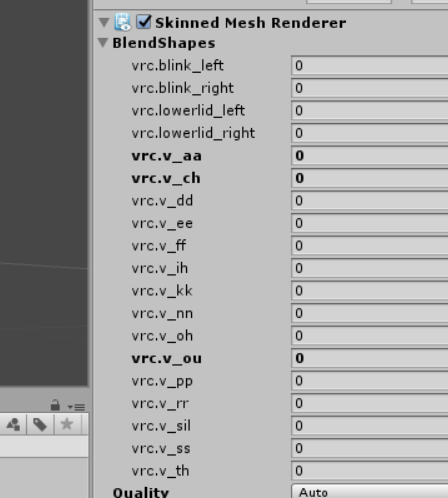
It works in unity, but not in-game https://imgur.com/a/kWPLy
 atomic summit
@fading verge I think you have to disconnect the bone then you can move it withot affecting parent
mental lynx
For me, I don't understand why Unity wants a bone for mouth movement, when the models I have all use shape keys for it
fading verge
It is disconnected tho, it still revolves around a sphere of radius of the distance from the parent
i want it to rotate about its tail, not its parent's head
atomic summit
@proper ferry I dunno what you mean by work", you need your visemes set to the ones that cats made unless you have custom ones you made, which either way, you set it to the ones you want assigned. I for one have never had an avatar do much more than a binary "puppet" mouth that just opens and closes, when just using visemes tool in cats, if thats your issue then better start learning how to make shape keys
fading verge
actually seems to rotate about the cursor lol
proper ferry
the thing is, when I ajust the numbers in the BlendShapes section the mouth moves correctly, but when I speak in-game nothing happens
(and there's no mic problems because I test it with others models and it works on them)
atomic summit
@fading verge So basically you want the bone connected at the point/front of the parent bone? I think you click the point you want to connect from, then the child part you want to link to and click F
restive hill
i think you have to unbond the jaw and set the VRC avatar thing to use visemes, optimally
atomic summit
Or if you want to create a new one altogether you click from the point on parent bone you want to connect then left click where you want the new bone to end and click F
restive hill
then you weight everything
atomic summit
@fading verge But if the bone isnt connected you should be able to move and adjust is free of the parent without moving the parent, then you manipulate it how you like.
restive hill
don't you extrude from parent bones?
fading verge
comparing with a diff model.. seems its the cursor not jumping to the joint
restive hill
or is that one of the things that i fucked up
because any model whose face swings around with the hair, something fucked up.
atomic summit
Dunno if that helps you, Im gonna get back to this hair bone mess Ive got on my hands, nearly 400 hair bones Ive gotta bring down while not ruining it for animation.
restive hill
i di not think you need 400.
just make an array and weight them properly between various bones?
fading verge
selecting bone in pose mode on working model results in rotation tool to be on the bone joint.. on this model it jumps to cursor and not bone
restive hill
alternately, make one bone for each strand of hair, go hardcore, and put an individual dynamic bone on each
fading verge
dunno how that even happened lol
restive hill
MAKE ONE BONE FOR EACH VERTICE
make two bones for each vertice, for more detail
400 bones for each verice
atomic summit
I know how to set my bones, its jist the sheer amount I jave to get rid of. Like jfc, Theres 4 forking pieces of hair hanging down to the ankles on each side then the three center sets, then another whole pig tail mess on either side. Did I mention the ribbons? Its a mess.
fading verge
ill just screw with it in unity.. seems like a blender blunder
restive hill
the cats plugin can remove bones at a percentage
then, just delete them and make sure the weights are right?
atomic summit
The cats plugin wants to destroy my work and delete my butt bones and attach hair to my hip so thats a negative ghost rider Im on my own here.
brisk mesa
yea that's why i don't use that shit so freely
i mean i guess i understand when some long hair should just be 'heavy' and attached to hip but i don't always want that
restive hill
idk, cats seems to work pretty well, if it's trying to do that, maybe there's more model problems than you thought
brisk mesa
my long hair doesn't attach to my ass
atomic summit
Exactly Ive had to restart enough times thanks to cats bone parenting/optimization that I just manually reparent and merge
restive hill
maybe it's ALREADY attached to your hip
atomic summit
It isnt.
restive hill
maybe the hair attached to your brain, and is making you think that
atomic summit
You're clearly not Dank Enough to understand my problems. 😂
restive hill
that's something a hair-brain would say.
i like how that works, no matter what you typed next
brisk mesa
hmm
restive hill
manually doing things attached a face to my hair and resulted in trashing that run
atomic summit
Cuz ur bad
brisk mesa
manually decimating is actually very rewarding with almost no quality loss btw
that is a valid thing to do, however those people are also insane and have a lot of time
lol
somebody here mentioned doing that shit for 80k to 20k 😐
restive hill
i thought i had to decimate dva, but whoever modeled it did the body 3 times, apparently
oh, maybe that was the lights
atomic summit
YESS manually decimating is soo useful. Dropping 15k poly is hard without it meanwhile with good methods dropping 100k isnt gonna ruin it.
restive hill
shit. maybe i should redo her
brisk mesa
so do you guys think it's too lewd to put those creampie tally marks on girl avatars?
lol
YOU KNOW THE ONES
正正正
atomic summit
Uhh? Idk
brisk mesa
or even regular tallymarks
atomic summit
Dude one of my avatars has her whole snatch exposed I need to put a bandaid and delete geometry until it no longer had genitalia, I was wtf, who does this when I imported it.
mental lynx
So, how do I weight stuff? I've tried, doesn't seem to work.
atomic summit
Like literally you couldve taught anatomy off the damn thing
restive hill
i told you already....
go to pose and select a bone
go to the 3dview, select a mesh, change mode to weight paint with the modething
the tools panel can change the brush, to partial weights, or just anything in the circle gets full weight
 hexed sandal
does anyone know what causes an avatar's arm to rapidly flap up and down? only some people can see it. happened after i added visemes. https://imgur.com/WRmqh4W
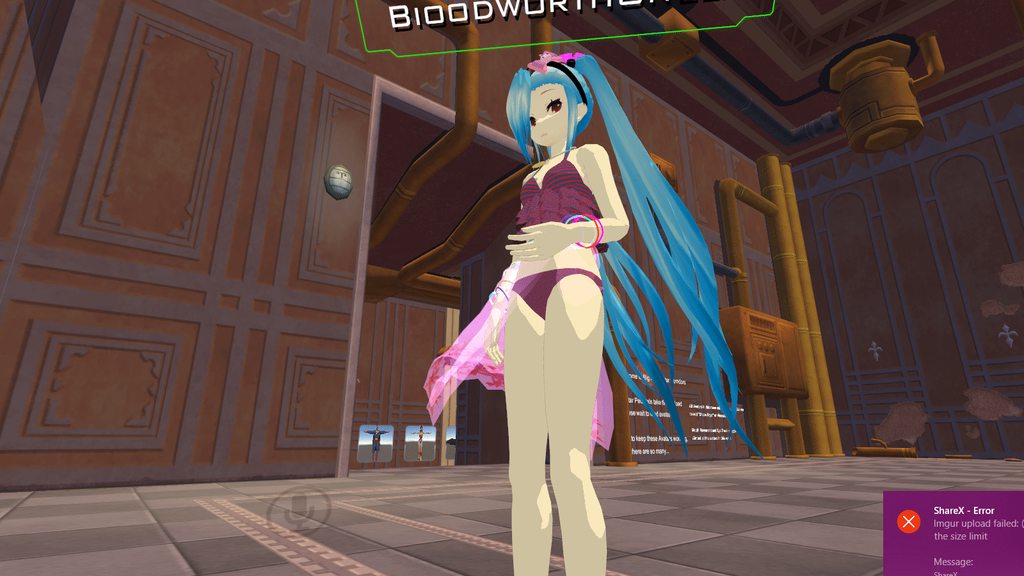 restive hill
you have jaw set to something, or a shape key?
are visemes all set to cats-generated stuff?
 opal citrus
@atomic summit so if we mess with the shape keys in unity without doing anything else, it affects the bones ? could this possibly be how i set my models ear shape key to flick when my left eye blinks and my right eye to droop/close as i look down?
restive hill
and brandon: you can only enter weight mode with a mesh selected
hexed sandal
all of the visemes are set to the vrc.v_xx stuff generated by cats yes
the "face mesh" is the entire body though. is that a problem? do i need to separate the face in blender?
restive hill
@opal citrus no, thats because you touch yourself at night
wait, was it intentional?
also about the weight thing- apparently it retains which BONE you have selected in pose mode as well, it just doesn't really seem to display it anywhere much
illuki: there should only be one mesh, but different parts should be weighted to different points
so multiple things pulling on an arm could do weird things
restive hill
you get the circle cursor, and you can set bone weight to multiple vertices at once, and partially, as well
on the left green arrow is the tools tab, open that for the brush controls
you can set it to de-weight for a certain bone, or add weight
and if you select a curve, you can add partial values to the outer parts of the brush
restive hill
pretty reds and blues
ahh, as to WHAT needs weighted, that's entirely up to you
look at the screenshot
that's her upper arm bone
red is high 1.0
blue is 0.0
mental lynx
So, things like hair should be weighted for dynamic bones?
restive hill
no
hair should be weighted to the hair bones, that's all
dynamic bones is later
each hair bone should affect the hairvertices nearby
brisk mesa
oh a lot of mmd has vagina and asshole cause you can use them for porn.
restive hill
and NOTHING ELSE unless you want THAT to move too
brisk mesa
it's not news lel
mental lynx
Hrm
Well I think this is all weighted fine
But the dynamic bones were pretty destroyed once I got it into VRChat
restive hill
dude
brisk mesa
you can delete the vertices of the vulva, make it flatter, and then make the texture for her vagina and butthole just flesh color. then it'll be less lewd
restive hill
dynamic bones is a vrchat thing, don't worry about them in blender
brisk mesa
unity thing*
restive hill
oh, yeah, unity thing
brisk mesa
in blender you should however add the bones.
cause i mean, how are you gonna do that in unity and place them
mental lynx
I did them in Unity
restive hill
oh wait, sorry, you meant dynamic ones
mental lynx
Anyway, my biggest issue is unity throwing out the shape keys for the mouth movement, and only using bones for a mouth.
restive hill
*bones
 brisk mesa
is that you t-posing?
mental lynx
You cant upload without the controller, right?
brisk mesa
yeah
mental lynx
Anyway, why cant I control the mouth with the shape keys from before
restive hill
you set the avatar component to visemes and unmap the jaw, right?
and it looks to me like the wrong bones are pulling on vertices
only a few, probably
which might make it worse, actually
mental lynx
Not sure what that means, or at least how to fix it
restive hill
afaik, you're supposed to unmap the jaw if you dont want it to try and flap
mental lynx
So how do I set avatar components?
mental lynx
Oh thank you, I see.
mental lynx
So all my issues were because of me screwing up in Unity, Im guessing.

Not sure why the breasts are trying to map to hair that I have excluded
restive hill
wtf is that
mental lynx
Thats dynamic bones screwing up.
hexed sandal
only some people can see the arm flapping thing though. i made the avatar for a friend and neither of us see that happening at all but another friend who sent us the gif can and so can some random people. so i'm pretty sure its nothing to do with bone weighting. ive seen another model from an avatar world with the EXACT same movement before though. like the arm goes to the exact same position
restive hill
are those collision circles?
you realize that collision circles try and stay OUTSIDE the colliders, right?
mental lynx
No they're not collission
The collission ones are a light yellow
There is only one and its for the head.
hexed sandal
those are collision for the bones though right
 brisk mesa
i need to get a homu homu in this bitch but devil version
mental lynx
Im going to restart the collissions entirely.
brisk mesa
and put some pantsu on my head and shit
mental lynx
I just don't understand why one bone tries to fuck with every bone with dynamic bones
restive hill
anyway, the white colliders try and stay outside the cylinders the yellow collider bases describe
you should NOT be getting that overlapping mess
restive hill
i do not think disconnecting root bone is a good idea
restive hill
but seriously, wtf is even going on here: https://gyazo.com/b06e7b44e39f5c6f12c5d1dc334491a5
the white spheres should be about as big as the mesh they're inside
i do love parenting things to dummy bones, that leafa has a grand total of TWO dynamic bones
and two colliders
thassit
easy to rig, easy to tweak
atomic summit
@brisk mesa Lmao really it was the first time Id ever seen it, Dude you think I should add bones to the "lips" and add some really soft dynamic bones? ×D WITH COLLIDES OMFG Im dying.
mental lynx
Honestly I dont know what Im doing at this point
I just needed one for the breasts, one for the tail, and the wings
And I have no idea what the fuck Im doing
I might as well start over.
restive hill
if it makes you feel better, that leafa was a second attempt at her, and a third attempt at MMD importing
oh holy hell this one has a lot of hair bones
mental lynx
Well, could you give me some examples of what you did?
I tried doing what a video showed me, and it turned into hell
restive hill
i watch this one a lot
VRChat Community Discord: https://discord.gg/VRChat Download VRChat! http://store.steampowered.com/app/438100/VRChat/ mmd_tools GitHub: https://github.com/po...
haha, this model has a lot of MMD rigging, how in blazes do i delete this extra stuff if it's not linked together and breaking down by materials breaks EVERYTHING
fading verge
So i figured out my problem, had to rotate the leg and thigh bones after applying my armature modifier.
restive hill
oh, that's interesting. eye plate, but the outer stuff is weighted entirely to head, inner stuff to eye bone
 pure yarrow
I want to add jiggle bones to my avatar
But I can't afford dynamic bones
Is there a way someone can give it to me or get it for free?
Tag me if anyone can answer

 thorny gate
set the rot to 0deg
or wait
rotate it so it's flat then mark that as the base position
flat sierra
huh?
 restive hill
did it worked?
oh dang i just had the most hilarious idea
you don't need to use everything.
i'll take some anime girls legs, hack off everything else, and just be a pair of legs running around
hey B, which gaia you in?
still there?
oops
brisk mesa
oh actually if you have a working anime girl just make all her textures gone except for legs.
easier
also i would close the tops of the legs by using the F button for Fill when you select a seam of vertices on each leg
ez
restive hill
maybe a walking skirt
with gravity pulling it up
hm, one invisible ribbon and slightly derpy bones, overall that was a good first run
eye tracking worked perfect
why wasnt my little tomato girl in the game tho
red ?
brisk mesa
oh yeah im p sure dynamic bones will pull up the skirt bones if you play with the Force thing too
ezzz
restive hill
gravity is a thing as well
mental lynx
I need to get animations for this or somethin.
fading verge
Can I have a model with 3 fingers? If yes which fingers need to be mapped for it to work?
 honest blaze
Cri when the model you want needs completely new bones
 pastel spindle
someone know how to fix the "The angle between pelvis and thigh bones should be close to 180 degrees ..." warning
fading verge
Go to blender, select the hip bone, rotate it by 180 vertically.
pastel spindle
thx ^^
 scarlet drift
Hi can anyone help me with something in unity to do with cubed paradox?
 thorn willow
that hipbone error pissed me off a lot
 thorn willow
like I have no idea how to rotate it to 180
tried many attempts, only to make it worse
mental lynx
Hipbone error?
thorn willow
the angle shit
where VRChat complains about the angle between pelvis and thigh bones
thorn willow
I know but I don't want my model to look like he was airhumping
made worsened that I'm doing one and its 3.5
thorn willow
I was only making it slightly taller
idk how I would fix this shit, trial and error wouldn't really do it
 inland spade
what suits better https://gyazo.com/5c9eb8164d8367ae2c5e93ac5529b90b

with hoodie cap on or leave it off ?
fading verge
ISG do what I said on my previous message
fading verge
How to?
thorn willow
rotate this hipbone shit to 180 vertically
I really needed a documentation just for this angle shite
 crystal wolf
So to the people who suggested videos and things for me yesterday, still not got it http://prntscr.com/i327ag
 fading verge
Go to edit mode, select hip bone, press r, rotate it.
 cobalt needle
hello chat
can anybody help me fixing those holes?
https://imgur.com/a/xKHGD

 simple jetty
Late reply, not sure if you fixed it already but have to select the vertices that are missing and press F, then add the texture to them, matching the rest of the head
 arctic venture
im so shit at unity struggling all the time any great tutiorals for rigging etc ?
thorn willow
Unity isnt a fucking meme for no reason
 restive relic
Anyone here good at rigging models? 🤔
i have a model that i need to have rigged. hard to find model 🤔
 candid drum
https://i.imgur.com/mhG1UX4.png the automatically enforced t-pose by unity is wrong. how do i fix it? i tried rotating the bones back to how i should be, but unity then thinks there is no t pose anymore and the animations are messed up
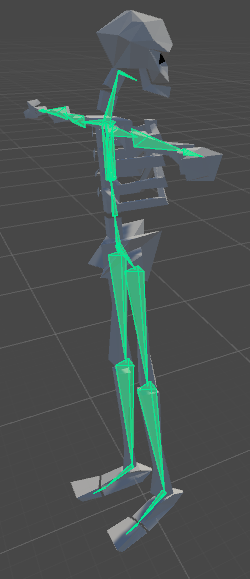 thorn willow
@candid drum dude dude, one time I tried to make HUNK
his feet are like twisted 90 degrees
his feet are like twisted 90 degrees
candid drum
ya i spent a lot of time making the bones myself too because mixamo cant do it
but i did it the way a mecanim armature should be
thorn willow
also Unity is always a meme
hell for some reason it always loves recoloring and messing up materials
candid drum
https://i.imgur.com/jK5FTSI.png this is in blender

 hoary torrent
is there a way to make a certain body part smaller or bigger in unity or must it be done in blender?
 left falcon
whats the best program/tutorial for rigging?
hoary torrent
blender
 frigid flower
Would anyone mind lending me a hand in the rigging of my model? I'm really confused
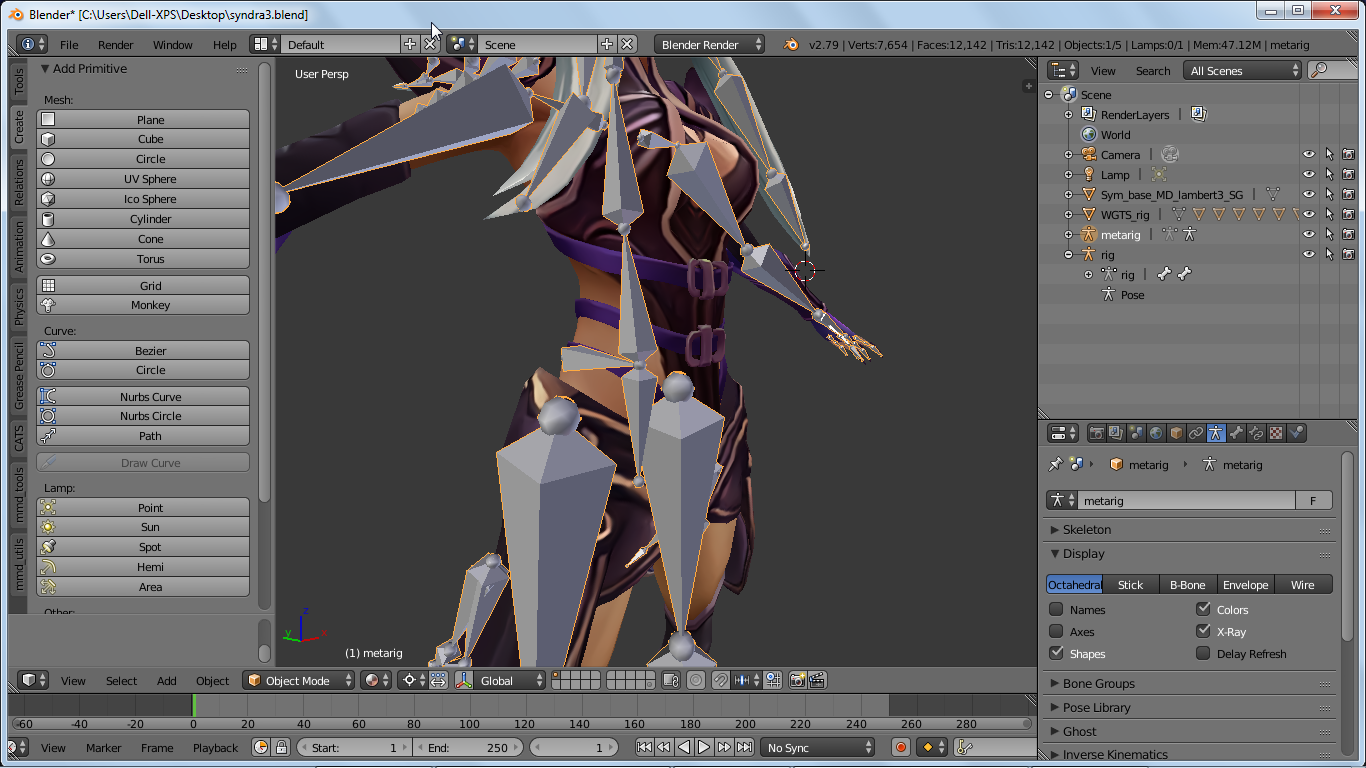
 opal aurora
Rotate the hip bone upwards
 novel wharf
So I should always start with the hip bone and not the bone poking in from the back? 😕
opal aurora
The bone in the back looks like a tail bone
novel wharf
I followed the advice of this tutorial for rigging here https://cgi.tutsplus.com/tutorials/building-a-basic-low-poly-character-rig-in-blender--cg-16955

3D & Motion Graphics Envato Tuts+
In this tutorial you will learn how to build a basic rigging system for a low poly character using Blender. Though blender has a Auto-Rigging system called Rigify for bipeds, one must first know...
 stray dock
I like to think all of the hip and up bones must always point up
But a good rule is to always start from hip
fading verge
oki os i have a limbless avatar and hes rigged up with dummy limbs but when he walks he sways because of the walking and running, is there a way of making a avatar just hover?
novel wharf
Ah. Okay. Thanks!
Doesn't seem like it's a big hassle other than to unparent bones and reconnect to the pelvis.
stray dock
Generic would keep it not moving until adding own animations. I think that is a way to make it float @fading verge
fading verge
@stray dock thanks
stray dock
But the root should be toward the ground if I'm right. I haven't tried making a floaty avatar yet
opal aurora
Quite literaly like so https://gyazo.com/82c6908734b1ba00562a67de8f63cecf
 stray dock
Subdivisise is a good way to make a new hip, take from the spine, rabble
If that is the right word
On phone atm
novel wharf
@opal aurora It was parented to the basebone before. And so was the stomach bone. I needed to delete the base bone or weird rotations would happen. So I parented the stomach bone to the pelvis/hip bone. Otherwise, it would've went. pelvis/hip > (unparented) stomach > chest> neck > head
fading verge
I followed that tutorial myself some time ago, the root bone is nice for posing the model around
opal aurora
 stray dock
Jinx, I think you do need some armature or root bone to the floaty thing you're making. I just remembered that my root was at the hip, the avatars feet were in the ground.
opal aurora
That's essentially the standard rigging in a humanoid
stray dock
im gonna take on animating my own body type
i wonder if i should follow with the human rig
novel wharf
https://i.imgur.com/QCV13WX.png So this is what it looks like now. Is that correct?
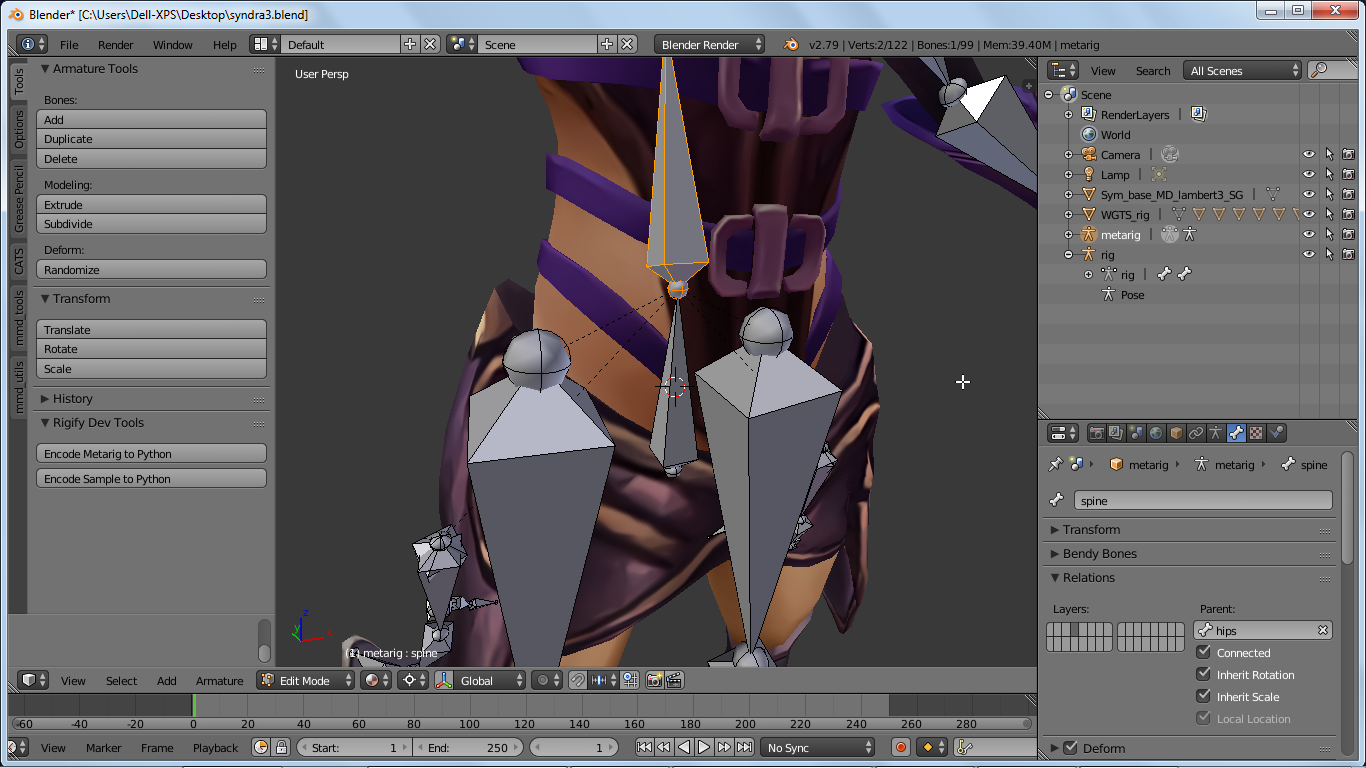
Included the bone's parent to make sure
You can see the thigh's parent through the dotted line
stray dock
looks correct for what i can see
opal aurora
That seems correct
 verbal adder
I have imported a model into unity and winking seems to have been read as the default idle animation for the face shape keys
can this be changed in unity or do i have to go back to blender to fix it
opal aurora
Go into blender, select the basis, pin and unpin it, click the armature and export again @verbal adder
verbal adder
yeah figured thanks
opal aurora
It's a weird glitch, you may need to select a few shapekeys and move their values back and forth untill it works
tame skiff
Is winking a feature in VR Chat, or is there only the animation component trick?
verbal adder
Winking is only avalable through custom animations normally the characters just blink
opal aurora
I think it's a feature aswell, not entirely sure tbh
 raven pumice
So if I tell a bone in Blender to mimic another bone's rotation, I shouldn't need to do anything extra in Unity right? It should still work in-game?
opal aurora
Simply having a bone parented will make that bone move and rotate with it
novel wharf
I'm not so sure about that picture, though. I think the direction the "arrows" might confuse people.
fading verge
is someone here experienced with weight paint?
 vagrant olive
@novel wharf I love you for doing Syndra omg
novel wharf
I picked her soley because I thought she'd be easy to rig. xD
Zed never occured to me, though. But I'm glad I picked her because I can learn dynamic bones and visemes and such on her.
THe model has lips I might be able to move but the eyes are baked onto the mesh, so it's going to be a challenge to make her blink. Especially since I just started learning rigging about... a week and a half ago, maybe?
fading verge
@novel wharf im doing tahm kench and it feelsbadman
novel wharf
Oh god. My condolensces.
Question, though, @opal aurora Say I wanted to export as is right now without any visemes and such. How should I export it? I hear there's some weirdness in the "Up direction" when exporting from blender?
As it stands right now, Syndra is ready to export, just I wanted to add lip sync and eye blink.
 young estuary
how do I position colliders? I can only figure out how to change radius but not the exaction positition. specifically I'm trying to add a collider to the head so dynamic hair bones don't constantly clip into it
fading verge
how can i even lip sync tahms mouth
fuuu
any of you guys good with weght painting
novel wharf
I haven't really picked up learning shapekeys yet. My duo partner in League keeps pulling me away for ranked when I'm watching these long tutorial videos.
fading verge
Hey my dudes, If I am gonna make a model with 3 fingers, how would you map that? Or can I not
u can
novel wharf
Create dummy bones that aren't weighted to anything, I imagine?
tame skiff
When I asked about winking I meant blinking
novel wharf
😉
tame skiff
Har har
So blinking is a feature, and you just have to name the corresponding shape keys correctly?
fading verge
Soo having an issue with HEELS clipping thru ground
tame skiff
Should I set up wink AND lower eyelid or just wink?
hallow bay
hey tiny!
fading verge
does somebody know how to weightpaint a mouth?
hallow bay
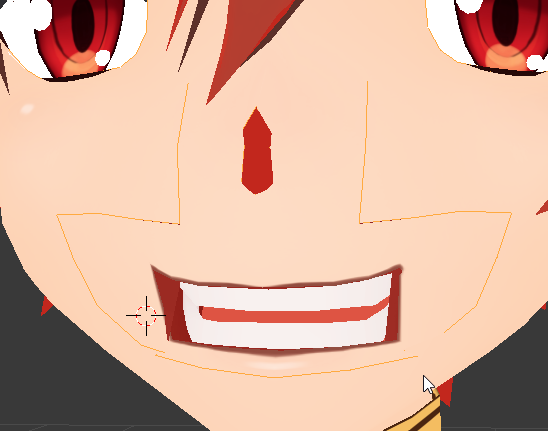
@tame skiff could this make a good CH? https://i.imgur.com/PpYXzLh.png
 tame skiff
Hey Claud
That looks positively CH
Well, maybe I'd clench the teech
Teeth
and round off the corners
hallow bay
Ok, I'll work on that and send another SS
 meager fern
@tame skiff hey, the issue i talked over yesterday it might be a blender/bone issue.... could you help me ? 👀
tame skiff
Okay
hallow bay
@tame skiff how about this? https://i.imgur.com/ipJeySF.png

ignore the error, I accidentaly pressed F12
tame skiff
That's better
hallow bay
and this for AA? https://i.imgur.com/g5XiO6d.png
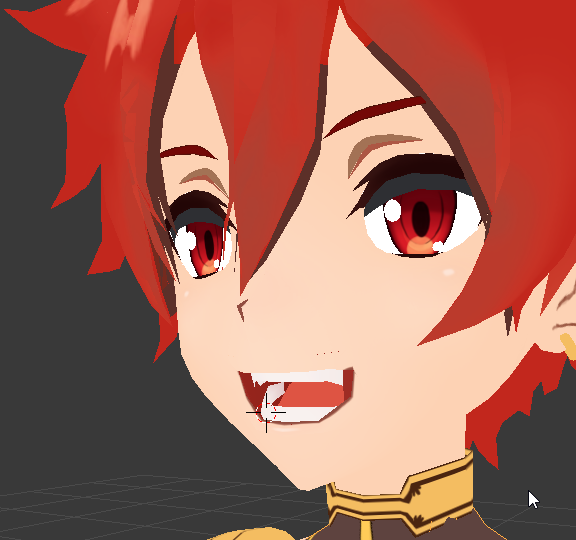
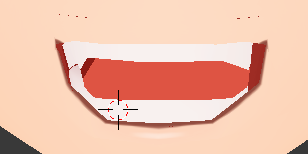
however, I have problems with the upperlip, it's between the inner mouth and the outside skin, so it's pretty hard to grab it without making the mouth look weird
this is how it looks front https://i.imgur.com/jyBCnWB.png
 opal aurora
@novel wharf What kind of weirdness?
novel wharf
As in the model gets imported sideways
opal aurora
That's... not normal at all
Visemes shouldn't even affect the import rotation on a model
They're literaly just shape keys that generaly affect the face mesh
If the model gets imported in the wrong orientation and setting the rig up as humanoid and correctly having all the bones rigged up in unity doesn't fix it, something went horribly wrong in the model development process in general
I've had a model be faced down due to being exported as a fbx 6.1 ascii and setting up the bones in unity's rigging fixed it's orientation
Reason for me exporting it as a 6.1fbx is due to the model having some sort of error whilst trying to be read via 7.4, and the former seemed to fix said issue
tame skiff
@hallow bay You mean with proportional editing?
novel wharf
@opal aurora Oh! No, I mean just that without visemes, sometimes it's imported sideways. Pretty much something about what Blender or Unity count as a n updirection.
opal aurora
I've exported countless models with both shapekeys, without them, and with and without visemes
None of those ever caused me said issue
 small fiber
Quick question, how do I add a weapon to a character? I want to have a staff that I can pull out/put away. Do I do that in blender or unity?
opal aurora
That's actually a good question, i think it can be done via both, but it might be much more accurate via blender, of course you'd need the mesh for said weapon separate from the rest of the model, unless you want it always visible of course
I'd recommend watching videos about animation overrides for vrchat
small fiber
Thanks! I've got the character and staff as separate files in blender, so I'll see if I can figure out how to put them together
I've used animation overrides to change character expressions, so I think I can figure out how to make the staff appear/dissappear
hallow bay
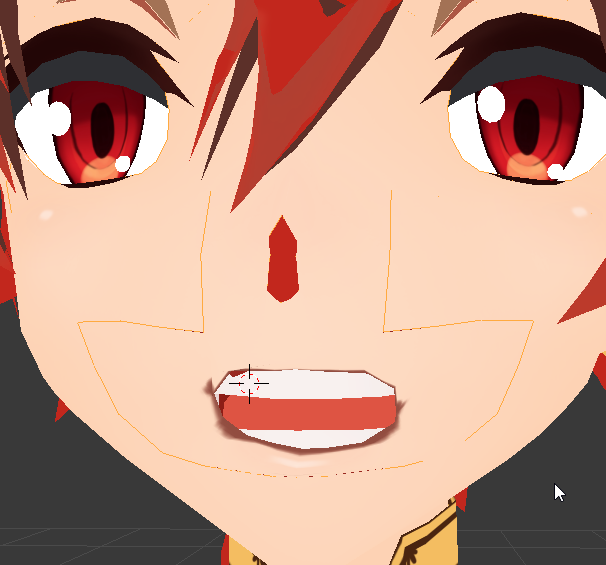
I'm having troubles making the "OH"
@tame skiff would this look like a OH? https://i.imgur.com/NuqCx2x.png
 hallow bay
more like it? https://i.imgur.com/UXVBr7u.png
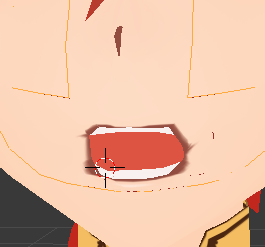
(I'll fix the lips once I found the correct form)
 molten rock
When i upload my avatar it shows up as a red glitchy dude ( kinda like the blue loading avatar dude ) any ideas?
fading verge
prob cause there are server problems or something
 reef mango
real quick anyone know why my bones showing up like this in blender o.o https://i.imgur.com/o5RjAT1.png
 fading verge
@reef mango can you resize those 2 big ones?
reef mango
o
hey that worked LOL
also found this option https://i.imgur.com/9DufoXd.png
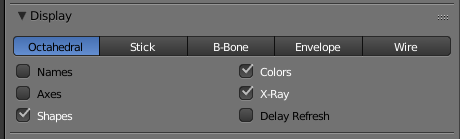
made them look more normal https://i.imgur.com/CrB5PCu.png
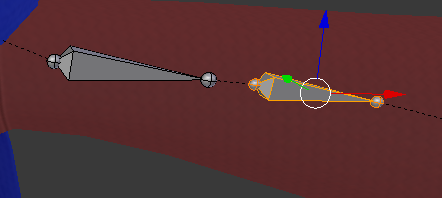
wow thank you for the lightbulb situation
fading verge
:thumbsup:
tame skiff
@hallow bay Bring the mid upper and lower lips up, maybe
novel wharf
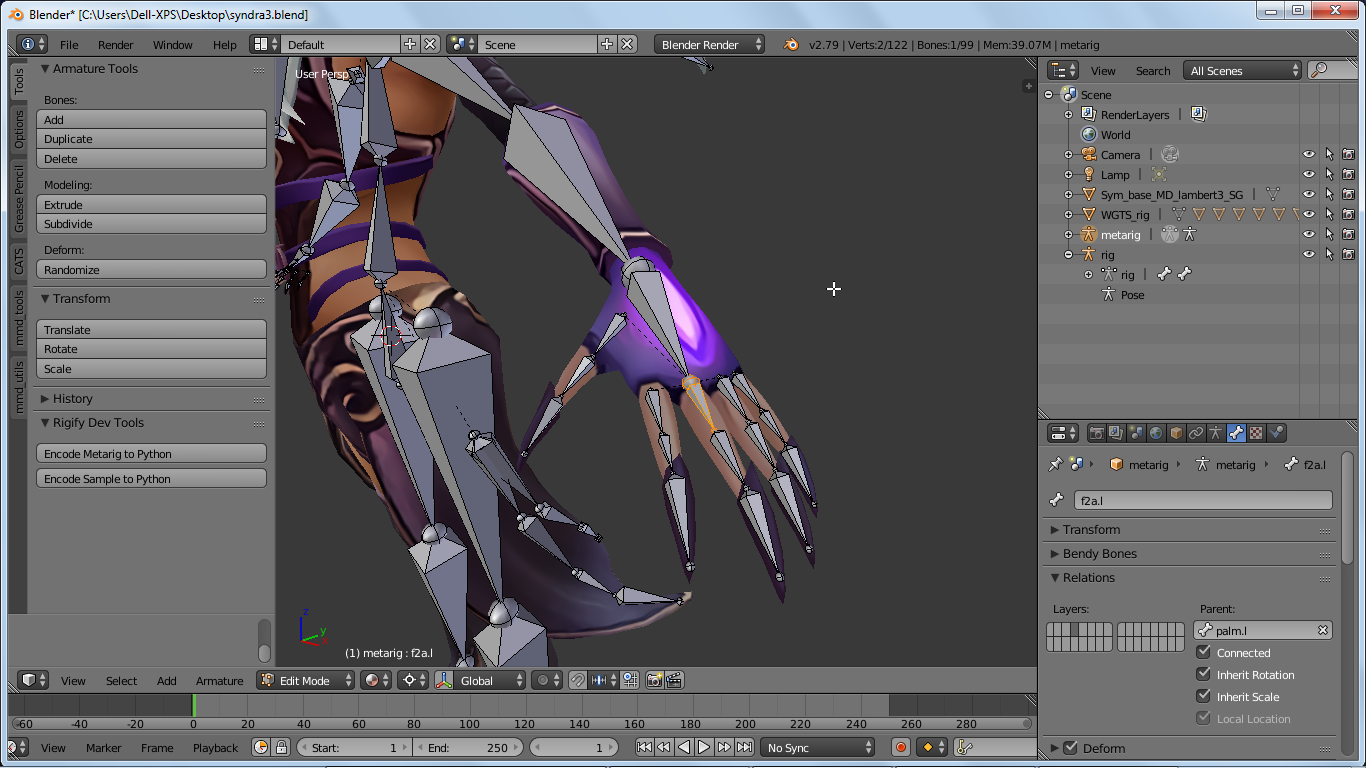
https://i.imgur.com/yaN2DyA.png Is this the correct way to rig a hand? Take note the beginning of the middle finger parented (and connected) to the palm.
 mint current
hey yall, im lookin to get some assistance with some bone stuff, can anyone lend me a hand?
novel wharf
This is the correct channel to do that, @mint current 😃
I may not be able to answer but any question in particular?
mint current
hahaha thanks, im new to the server so im just a lil nervous 😅
novel wharf
We're really friendly here. No need to be nervous. ❤
mint current
<3!!!
basically, ive got a kirby mmd model that ive been using that ive added bones to
but for some reason, the bones arent moving the mesh
https://i.imgur.com/pwsWotM.png all of the armatures ive highlighted are ones that ive added to the previous bones
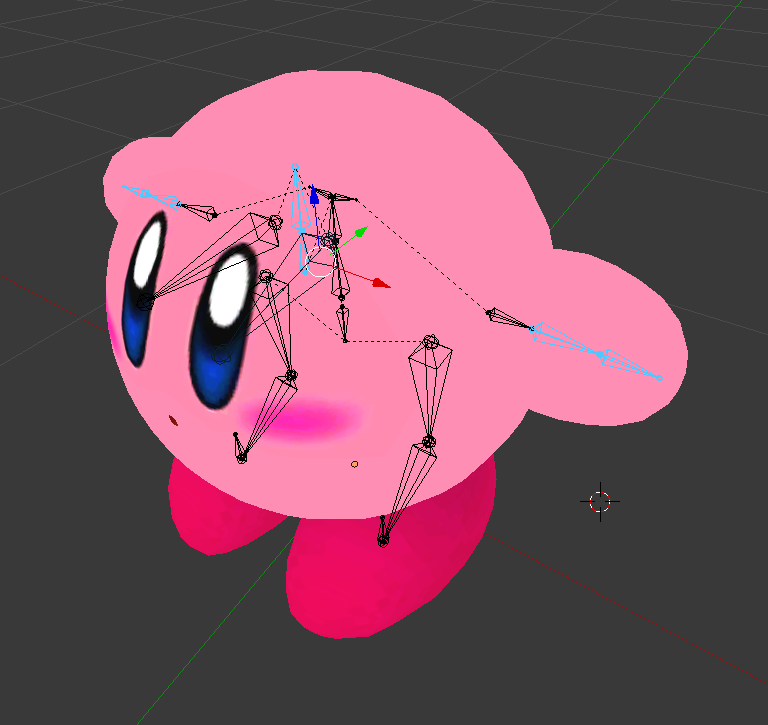 novel wharf
Hehe. 😅 Not sure how nicely kirby might move in VRchat. 🤔 So the MMD model had a skeleton already? You just added extra bones?
Are the new bones weight-painted?
mint current
yeah i basically added in some extra bones to accomodate for the lack of head, arms, etc
just so it exports correctly
my previous uploads actually work on VRchat but
i want a little more movement in his arms
his feet are able to articulate but i cant seem to figure out his lil arms
also ive never eally done weight painting before
novel wharf
That's a real head-scratcher. I don't really know how to custom-weight-paint. But it sounds like you need a creative way to paint how the bones affect the vertices of the arms.
tame skiff
w -> assign automatic weights from bones
with a bone selected
I recommend doing them one at a time
Typing is hard!
mint current
same lol
novel wharf
Tiny, while you're here, can you tell me if my hand structure is current above?
tame skiff
Okay
mint current
im hitting w but im not seeing an automatic weight from bone option?
tame skiff
In weight paint mode
mint current
oh true
tame skiff
or is it pose mode?
mint current
i was on edit mode
brisk mesa
i expected something hard and i look up and it's kirby
raven pumice
Let me know how well he works in game once you get him set up, I was thinking about doing something similar with a Kirby model
brisk mesa
if it's rigged with just one rig, not two cause WHY, then you just paint his little stubby arms red to the bone there
done
 inner bane
could someone rig an mmd stitch model for me i can link it
i really wanna be stitch
or low poly kirby
mental lynx
You could learn it yourself and then never have to rely on someone. That's why I started rigging this stuff.
mint current
yeah im super SUPER new to blender so im still a little struggling to get into weight paint mode
LOL
mental lynx
I started like, two days ago at best.
mint current
my b
 plucky terrace
guys i how i make my avatar float in the air in game if the avatar doesnt have any bones, its okay if it doesnt have a animation set
 tacit adder
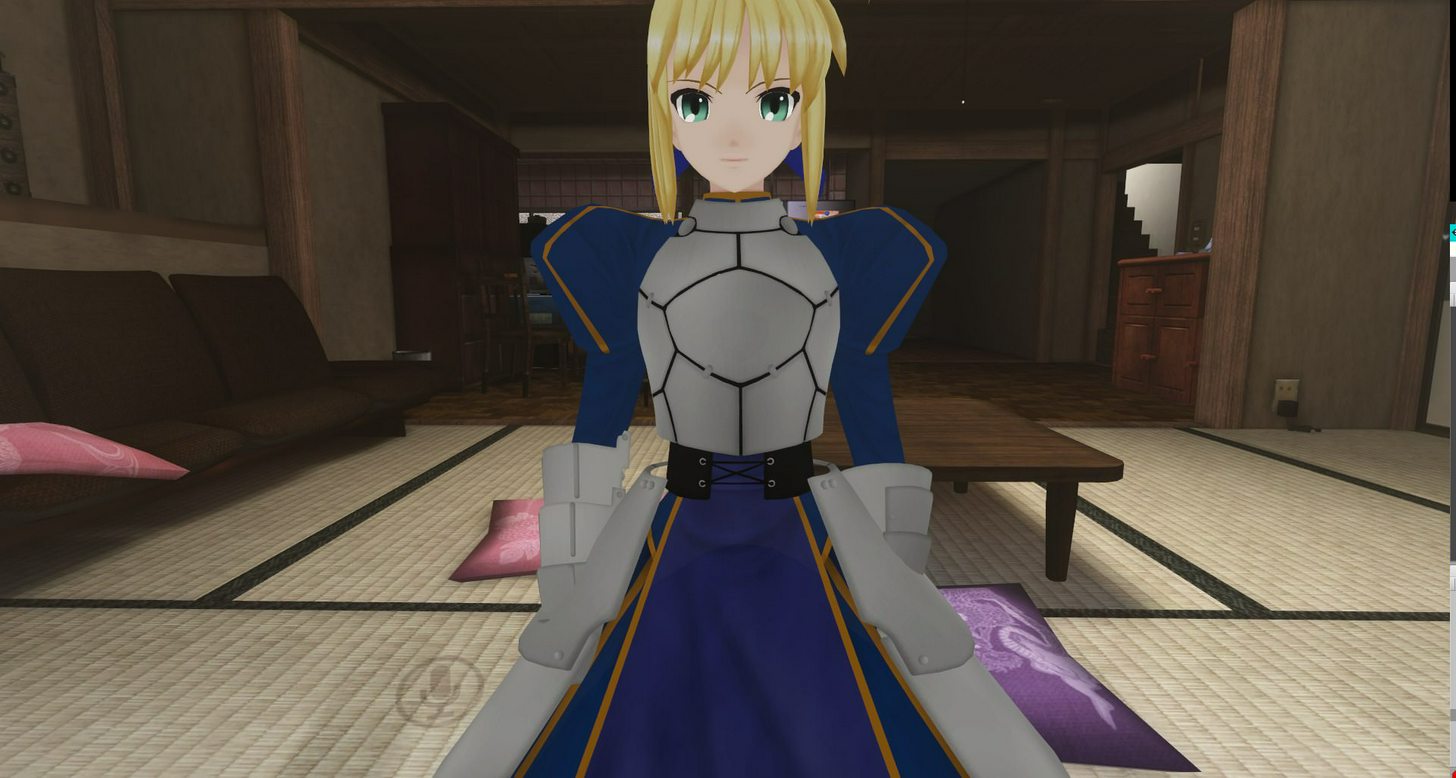

camera view isnt working correctly?
places it at the chest even tho it is at the head?
mint current
is there a way to hide meshes you dont want to weight paint?
tame skiff
I think you have to go the opposite route, select the ones you DO want to paint
There's an icon on the bottom toolbar in weight paint mode, a box with a checker pattern on one side. Click that
Oh, looks like that mode also hides any geometry you've hidden in edit mode. There you go.
@mint current
mental lynx

Strange. I can't seem to get these units to actually have collission
Anyone have any ideas what I am doing wrong?
mental lynx
Huh, yeah. The collission system isnt working at all
raven pumice
@mental lynx you set up the collider on the physics object right? It has to know the collider is there
I know that's what I always forget
mental lynx
I did, yes
raven pumice
Is it acting oddly or is it just ignoring it entirely?
mental lynx
Ignoring it, entirely.
raven pumice
Hm. Is the collider set to inside instead of outside?
raven pumice
Try making the collider a bit larger and/or repositioning it to see if you can get any reaction at all from it
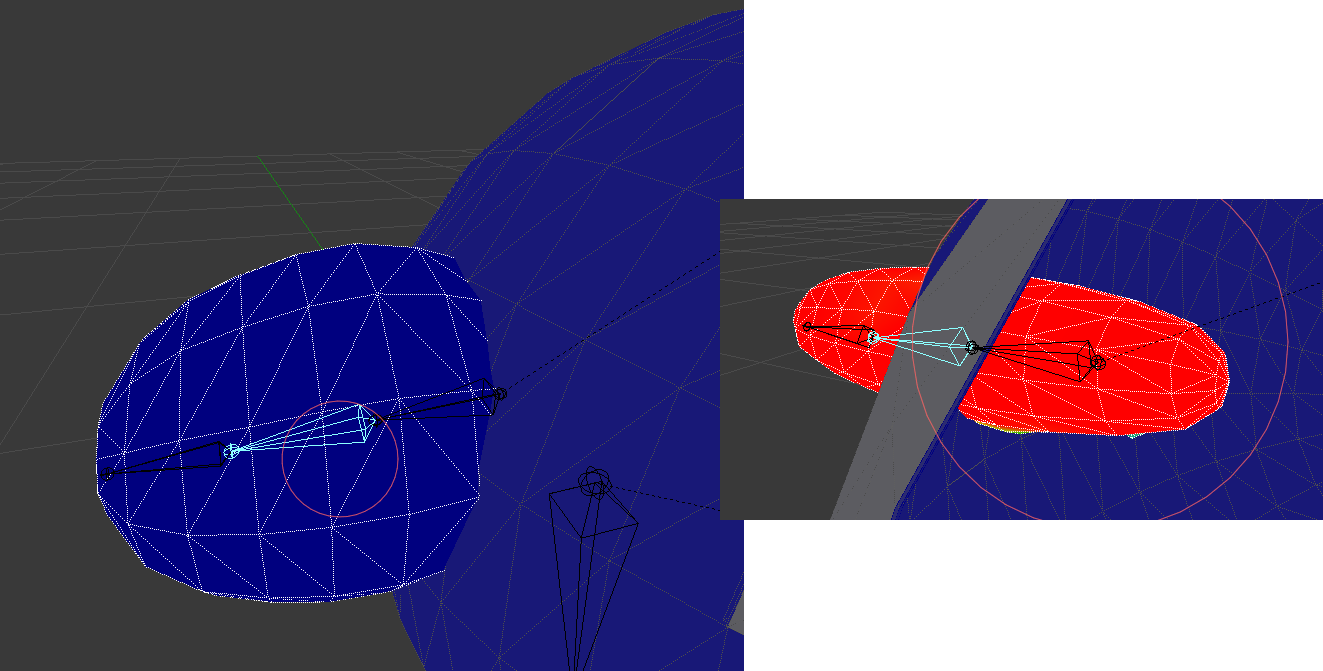
mint current
okay so ive finally selected the meshes i want, however, when i apply the weight paint onto the mesh, the mesh seems to change shape and not retain its original form
so heres the before and after https://i.imgur.com/YO5QGgm.png i basically want to retain the first shape before i applied the weight paint
 glad cliff
so i made the bones for my character but when i export it to unity it says i need more than 15 bones even though i do
mint current
how should i go about this? @tame skiff sorry if this is bothering ya!
 glad cliff
anyone have an answer for my question?
mental lynx
Honestly, king grimlock, i have no idea.
Could you set up some dumby invisible bones?
mental lynx
Dumby bones are bones that have no real use and are just there to fool the export.
Some people use them to set up parent scripts for dynamic bones.
tame skiff
You just make a bone without assigning or painting it
glad cliff
that doesn't help, im new to rigging 🙃
mental lynx
Same here, I just know about the concepts.
tame skiff
@mint current Maybe your pose isn't in the rest position
mental lynx
Sucks I cant get the collission to work. I'm gonna upload this as-is to test it.
tame skiff
In the right menu, under the tab with the stick-figure shaped icon, click "rest position"
glad cliff
then what?
mint current
hmmm okay, its not distorting in rest mode
but its still distorting in pose mode :/ will that effect the way it looks when i export it?
tame skiff
Possibly. Your highlighted shape key is set to default when unity loads it
To reset your bones pose positions, in pose mode, click the "pose" menu on the bottom toolbar
Go to Pose > Clear Transform > All
@mint current
Er, with all your bones selected!
novel wharf
So renamed my finger bones one by one to work with CATS's decimation exclusion. Is there a way I can automate renaming the other hand now that I've got the left hand renamed? 😆
mental lynx
I decimate all of my avatars by hand.
tame skiff
@glad cliff Grimlock, sorry, that comment was meant for someone else. You should just click on your armature(skeleton) and press tab to go into edit mode
mental lynx
Automated decimation never works how I wanted.
glad cliff
ok thanks
mint current
holy smokes i think that worked!!! you are a LEGEND @tame skiff
thank you so much 😭
tame skiff
@glad cliff In bone edit mode press shift+a to make a new bone
tame skiff
You can shift+d duplicate an existing one too, yeah
restive hill
then parent them to the hips or head, and parent the ones that will be dynamic
glad cliff
ok
restive hill
keep all offsets ofc
i think the bones being inside the model is purely for user benefit, really
they could probably work just as well anywhere
i got one miku, who i can't even separate meshes without mucking up the nose.... hm
maybe if i mess with the nose texture
tame skiff
I think bone position is for generating weights from bone heat
restive hill
oh, that would make sense
oic what the problem might be
the nose is half just TRANSPARENT
 hidden gorge
@mental lynx increase the radius of the dynamic bones for the hair
make them big enough that they clip slightly out of those hair bits, but not so big that they start smashing the colliders
delete the colliders you placed. I don't think colliders interact with each other
then you can have hair that does stuff like this https://gfycat.com/AnguishedPresentBanteng

 compact cedar
Hey so im kinda new to setting up bones and what not. So I have a model that already has weapons attached in blender. How exactly do I go about detaching them or whatever so I can use those weapons in vrchat as well for VR?
 devout isle
I'm having an issue in blender with a model,I have a model which is made up from different assets but each asset (Hair,Body,Dress) each have their own set of bones,do I need to connect these bones together to have the hair/dress work properly?
hidden gorge
also, if you add the dynamic bones to each hair piece individually it gives you a LOT of control over them
just highlight all the hair pieces then add the dynamic bones like usual
mental lynx
I don't need that level of control for this hair, at least.
hidden gorge
lets you tweak individual area's and such
mental lynx
I've got some good control over the feathers, though.
restive hill
yeahhh, but all the hair generally works the same, and adding and tweaking one root is a LOT faster
restive hill
i wonder.... how can i combine textures and meshes in blender?
hidden gorge
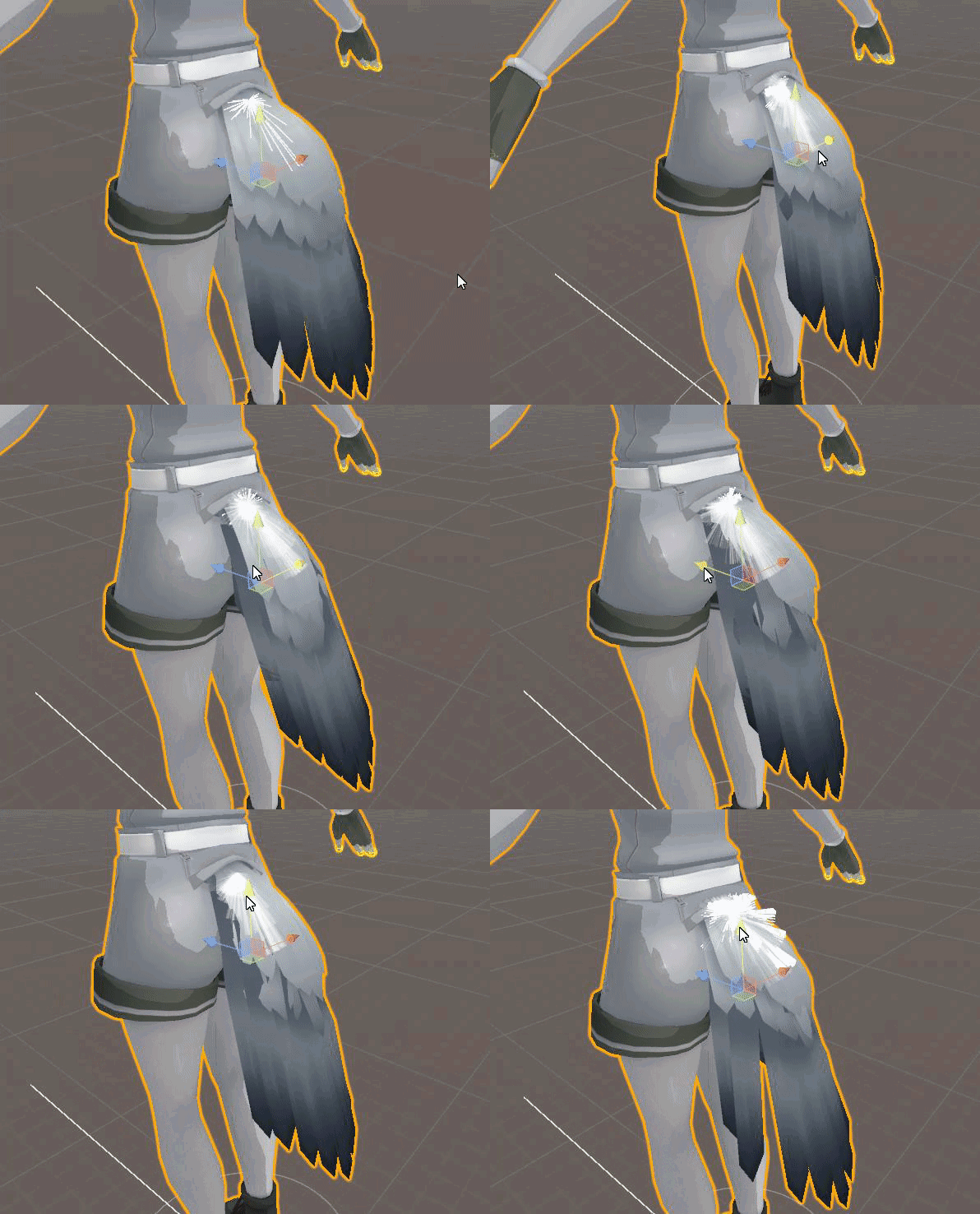
also I can't get the force option to work at all unless I add them to the bones
like, on that one I linked, I couldn't get force to work at all unless the force was applied directly to the hair rather than the head
 restive hill
this model has a crazy amount of extra meshes lying around for anime-style derping, and it messes up the shape keys catastrophically if you delete stuff
hidden gorge
birb tail
mental lynx
I want to figure out how to activate and deactivate some of the meshes and stuff I have on this model.
Blender can easily do it, not sure how to in Unity.
restive hill
yeah, i think you want high elastic on that? i'm not sure quite what syiffness does
mental lynx
Because she has tears, sweat, blush, shocked faces, etc.
restive hill
yeah, she has one nose texture with transparency
mental lynx
I also want to find some animations for emotes.
Like that dab everyone seems to use.
I want it because other people have it, dammit.
mental lynx
Setting the chest as the root to the breast causes the breast physics to affect everything.
raven pumice
Us non VR peasants gotta rely on animation
mental lynx
Aah
hidden gorge
then I don't have to set exclusions
mental lynx
ah, ah, thank you.
restive hill
OH! all i needed was white main tex and black emission, i think it might actually be right now
all it needed was to not be a transparent
fill with face color, then paste the old detail back on
mental lynx
Why is the suggested collission size of the breast set so high on default
0.06 is crazy huge.
Shouldn't it be something like 0.006
hidden gorge
you mean for the bones? it defaults to 0.5
restive hill
idk, why does dynamic bones need such low values, why isnt there presets, bleh
hidden gorge
when you add dynamic
mental lynx
The radius option for dynamic bones
hidden gorge
yeah it defaults to 0.5
mental lynx
0.5 is like, half my editing field.
hidden gorge
lol ikr?
mental lynx
Huh
hidden gorge
I couldn't figure out why my stuff was freakin out cause I had a stray collider that i couldn't see cause it was too big
restive hill
aha
mental lynx
So I guess I'll make the breast collission around the size of the breast, instead of this crazy shit
restive hill
brandon, did you get the rest of your weights and stuff sorted?
hidden gorge
the radius thing for breasts is weird
mental lynx
Yep, it wasnt the weights at all
hidden gorge
it tends to push the collision area outside of the breasts lol
restive hill
oh, nice
mental lynx
Bad bone tiers, have them fixed
restive hill
still, it's a good thing to know
restive hill
like, if you want to deliberately fuck up a knuckles
put in a set of absolutely insane shape keys and set them to mouth visemes.
mental lynx
The tutorials also say to have the breast offsets that make them concave into the body
I dont get that.
mental lynx
No. I'm just following a tutorial
restive hill
blender has been taking square chunks out of a few of my models, idk
hidden gorge
might be a negative offset they mean
restive hill
no, is the collider pushing out the boobs?
hidden gorge
idk, i didn't follow any guides on breast physics
restive hill
i haven't really bothered
mental lynx
Well, setting the breast to its own root seems to have stopped them from moving.
hidden gorge
colliders don't do anything unless you tell a dynamic bone to interact with them
reef mango
Anyone know of a tutorial on how to do eye tracking from scratch? I'm not interested in adding it to existing MMD models.
restive hill
yeah, i'd copy the chest, attach the copy to where the chest attaches, and attach the breasts to the copy
then bone the copy and should work
jar: not really, you just weight the entire eye to a bone inside the eye
mental lynx
oohh
restive hill
then cats can grab that bone and run with it
reef mango
could an eye be
restive hill
flat?
reef mango
let's say I just literally put a sphere in the face
mental lynx
Wait, it says it will break the instance
reef mango
is that sufficient
restive hill
jar: not sure what you mean
reef mango
eh, i'll figure it out
restive hill
idk brandon, it's the same thing that CATS does automatically sometimes, just manually
raven pumice
Sphere in head, bone attached at proper place in heirarchy, you done
raven pumice
Though you will want to clean up the eyeball so you're not wasting resources on parts that nobody will see
 zinc ravine
lol I hit enter too quick >_>
raven pumice
Eye tracking is really simple as long as everything is set up correctly
zinc ravine
I'm currently working on rigging a model in Maya. I've got everything rigged, weighted. Looks good in a walk cycle, but when I idle my hips jut backward and my chest moves forward: https://imgur.com/o4I9hph
 restive hill
also, if the eye is more flat, you can weight the outer edges to the head, and have the eye bone deform the inner, it's twitchier
zinc ravine
I've re-rigged it a few times, and it always does the same thing
reef mango
every tutorial is about pre-rigged MMD models 😤
mental lynx
Thats because pre-rigged models are easy to come by and figure out
raven pumice
You can also use a lattice for "2D" eyes using a 3d eyeball, it's cool
 rough violet
is there a place were i can see what bones i need for my character?
zinc ravine
It does not seem to do that with other avatars, though this is the first time I've tried to model/rig my own model for Unity.
restive hill
vrchat expects a certain set, requires some and optional on others, if that's what you mean
zinc ravine
@rough violet https://docs.vrchat.com/docs/rig-requirements tells you what you expect as far as bones.
Unity will flag your humanoid rig configuration if it does not meet the Mecanim requirements for a humanoid. Please read and be familiar with this part of the Unity Manual when setting up your avatar: https://docs.unity3d.com/Manual/ConfiguringtheAvatar.html There are sp...
mental lynx
Setting up collissions for the breasts so the tie wont stick to them. hopefully
restive hill
hm
raven pumice
Little fiddly stuff is not always great with dynamic bones
restive hill
i think i tried to do dynamic boobs once, didn't really notice any effect
rough violet
my character is made of mutiple objects do i need to parent them all togther or merge them into one object?
restive hill
not: unclear
the bones have to be hooked together ofc, and the meshes should be merged, but do not have to be actually connected
you should have ONE mesh when you export
mental lynx
I have the breasts reacting fine.
rough violet
okay
mental lynx
Tie is a different thing entirely.
restive hill
just set the tie to positive gravity so it floats up, call it intentional
mental lynx
Dilbert
restive hill
or just delete the tie and tie bone entirely XD
i think i got mikus nose fixed at least
hm, now i just need a few dozen MORE early access survival games on steam. really.
mental lynx
I think I get this, now.

The chest will have multiple collission points so that the tie will rest properly
Ill make the breast collissions smaller
rough violet
do i apply my mirrior modifier before i rig?
restive hill
i am not at all sure that having dynamic bones INSIDE a collider is a good idea.
mental lynx
Well, guess I'll find out testing it.,
restive hill
i'd expect the breasts to do something very weird.
tame skiff
Me too
rough violet
ive never rigged before so idk what to do
restive hill
OH
mental lynx
Would that be elasticity?
restive hill
remove collision on the breasts!
have the tie collide, have the breasts just be relatively high elastic
what does stiffness do, specifically?
 restive hill
huh. someone wants to show me their boobs today.
sao
8wao
i have no idea why that worked, but awesome
mental lynx
Why wouldn't it?
The collissions are small enough that the tie is resting on the chest and between each breast.
They only collide when they move
restive hill
i expected the colliders inside the chest to push the boobs out
what values are you using for the boob DB?
mental lynx
Oh, no. Those colliders are set to only interact with the tie
restive hill
oh, ok
 restive hill
yeah, i thought you had colliders on the boobs as well
 dim snow
Hey guys, my breast physics are being wonky. The breasts are clipping through the clothing, showing the nips, And I don't want that. what's the best settings for dynamic bone? Currently I'm doing it on the breast left and breast right with chest as the target and it's excluding the shoulders and neck
mental lynx
I do, but those are only for the tie to interact with.
mental lynx
I need higher elasticity on the hair.
I dont get why people want their hair to be floaty and nearly anti-gravity.
These tutorials were helpful at least
dim snow
But it's all on one mesh cuz I fixed it with cats.
restive hill
its' a weighting issue i think?
the bone is pushing boob mesh, but not pushing the cloth mesh, so it will always do that
 chrome reef
http://prntscr.com/i38u8c Not sure how to link the mario head to the rig.
 restive hill
parent the mario head to the head bone, but wtf are those other bones?
chrome reef
It's a model from xenoverse, the bones are layouts for attacks in the game
dim snow
So how could I go about fixing it?
restive hill
oh, i'd go and do a lot of cleaning in blender maybe
dim snow
Someone told me to make inert 0.9 but idk
restive hill
seph: learn about weight painting
mint current
hey, real quick - is there an easier way to select faces in weight paint? my finger is kind of getting tired of selecting each face
restive hill
open the model in blender, and look at the boob weights, apply them to the cloth as well, and... well, maybe it'll all move at the same time?
that is weight painting
you get a brush
fading verge
In order to get lip syncing i have to create a shape key right?
restive hill
two ways
dim snow
But if it's all on one mesh.
restive hill
jaw bone, or visemes
dim snow
-listening-
restive hill
seph: EVERY SINGLE POINT has weights on it
fading verge
 restive hill
something on the chest is 1.0 to the chest
fading verge
 restive hill
something at a joint is .5 to each other of the two bones nearby
fading verge
Lip syncing is possible on this models mouth right?
dim snow
So would I make the breast area lighter? Or heavier? What would I do with the clothing?
restive hill
the breasts are probably 1.0 to the boob bone in the center, and 1.0 to the chest on the outside, and they blend together, so the bone doesnt tear things apart badly
if the same pattern is done to the clothes, they will act the same. supposedly.
dim snow
So just fine the clothing material and weight paint it?
I thought it's done by colors, not numbers lol
restive hill
you can split it, paint it, and merge, weights arent affected by that
dim snow
Yeah I guess I gotta do it before fixing then lol
restive hill
nah
you can split it after fixing
SHOULD be fine. some models have screwed up, but it SHOULD work
dim snow
I've spent all 4 days off this week working on this stuff lol, so how would I split it?
glad cliff
ok i need help
restive hill
gentle: does the mouth on that monster even move? you picked a hell of a job
dim snow
Gotta get back to work now dang it lol
hidden gorge
@mental lynx you didn't delete the boob meshes first? I mean geeze that's a lot of tris you could've killed
restive hill
gentle: try doing visemes on an EASY model before you go up to the grand-master level mouth stuff 😛
mental lynx
I killed many tris from the breast region
plucky terrace
can anybody dm me so i can show wats wrong with a model i have? i got a picyure and its weirdly doing things
mental lynx
Wait, what are you talking about, exactly?
glad cliff
when i imported my character to unity one side was green with the bone structure but the other is red
restive hill
i think he means seph, not brandon
mental lynx
Confused me
restive hill
and he's right
hidden gorge
it's 2pm and i haven't gone to sleep yet
restive hill
... just delete the clothes, run around naked, problem solved
hidden gorge
exactly
lol I actually kept the mesh for hifumi's mole
it's only 2 tris and it's hidden
but I wanted to know it was there
restive hill
i have a dva model, it has THREE identical meshes just for light sources
idiotic
on the plus side, easy way to take it from 22k tris down to a much better number
fading verge
https://gyazo.com/96d8a0a2815aebf6da5bd9cbfa665799 should i be worried about this


 smoky wharf
question: I want extra bones in my character's ears, and i've successfully added them and parented them. what do i need to do for them to actually move the ears?
fading verge
@smoky wharf did you weight paint the ears?