#avatar-rigging
1 messages · Page 79 of 1
 spice jetty
 fading verge
it still selects the whole skeleton
 tawny zephyr
hey what's a good stiffness for dynamic bones?
like so they don't move at every little movement?
spice jetty
lol in pose mode?
 restive hill
omg thanks, that helps a lot XD
fading verge
no, pose mode i can select each individual one
 open lintel
oh hey i think i figured it out, if I uncheck deform in bone settings for the shoulders it should stop deforming the geometry its attached to, correct/
fading verge
but in weight paint it gives me a green-like glow around the skeleton
spice jetty
the green glow means whatever bone youve got selected is influencing that area
restive hill
how do you select a bone in weight mode?
fading verge
thats what im trying to figure out
restive hill
it seems to deselect when i enter
spice jetty
https://imgur.com/a/B6E0t this is what your aiming for right?
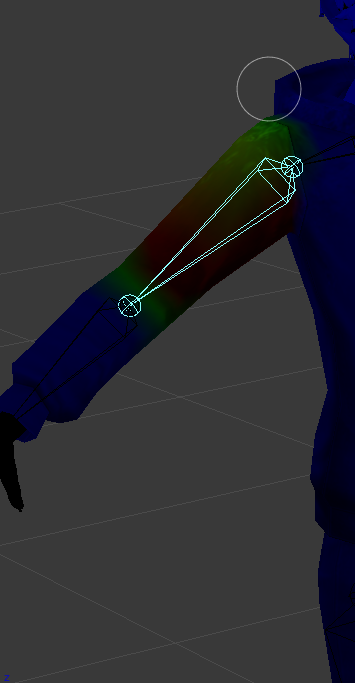
to do like I posted go posing mode -> right click a bone -> right click mesh -> change to weight paint in bottom left and bam
spice jetty
then i cant say i know. i only learned this stuff yesterday
fading verge
aighty then, <@&397642795457970181> !!!!!
send help
i cant select bones in weight paint mode
restive hill
ehe
 pale hull
Are you seriously pinging all the senior mods for tech issue?
pale hull
I'm then giving you a formal warning to not do it again.
fading verge
oki my apologies
restive hill
anyway KS, what Rei said does seem to work
spice jetty
I'll take 50% success
fading verge
oh
restive hill
but its almost 4am, so i'll probably just redo the import tomorrow, i'm nearly certain i've done some seriously weird stuff to this model by now
oh
if you have dummy bones from the CATS function to consolidate hair and stuff, make SURE you select the correct bone in the armature tree
you do not want to paint the hair bone on your head. it would be funny, though
fading verge
i was sent into "UV map"
when i select my armature i get a green glow around the bones
fading verge
to upload a screenshot here, its just screen and then strg + v right?
 glass river
I ported Devil Summoner dlc outfit from persoma 5 using XNLara, edited in blender and transfered it to Unity. but when i edit maping it show me this https://cdn.discordapp.com/attachments/367818151980957698/403840029626990602/asd.PNG

And model look like this in unity rig editing https://cdn.discordapp.com/attachments/367818151980957698/403840187878211597/asd.PNG

 surreal imp
You need to fix the hierarchy in blender
fading verge
do people just make dance animation or theres a website that let you download em?
i fixed it! horray
 vital mason
for optimizing bones, i know what you can do is to merge bones in skirts for example but
would there be an issue if i merged 2 "chains" together, by changing the parents and using mix weights to merge them?
 gilded barn
http://prntscr.com/i2m054 tried to use rigify and this happenedf

 crystal wolf
Am trying to attach clothes to an mmd model of mine, i've followed some 3minute video which only half worked, anyone know my answer here? http://prntscr.com/i2m1zn

 safe bluff
You need to weight paint the clothes
gilded barn

Quick intro and guide to skinning/weight painting. this video is meant for those with a basic understanding of Blender
it just assigns the mesh to a bone so it will move with it
crystal wolf
^that is what i've been trying to work out for the past 2 hours
 naive tree
@crystal wolf check if there is another bone holding the sleeve
crystal wolf
i added the blazer myself which had its own bones which i removed, what i don't get is How to attach
crystal wolf
I don't use pmxeditor
naive tree
it's useful if u want to make a custom avatar and not worry about weight problems (most of the time) and merging/deleting bones
crystal wolf
So, how does one go about attaching the blazer to the body/armture
gilded barn
when you add in the clothes in pmx editor, you cant delete the bones because that will delete the weights
adding it in with the bones will automatiaclly replace them
naive tree
in pmxeditor bones automerge and carry weight correctly mostly
so it's easy there
@crystal wolf you join meshes and then weight the blazer
crystal wolf
So attaching clothes in blender is, not possable(?)
naive tree
ppl do it differently
u can try data transfer, but something like hair can scew it up, let me find a vid that explains this +-
 velvet parcel
Anyone experienced that can help me with this?


Liek how do i make the shoulders childs of chest?
 subtle moth
@velvet parcel Was this an MMD?
velvet parcel
Yes
subtle moth
Go into Blender
velvet parcel
mhm
subtle moth
Hold Shift and CLick on the Shoulders
forgot sth
go into edit mode
Then do what i said
At Last hold shift and select Parent, in this case chest
ctrl + p
"keep offset"
velvet parcel
Question is there any manual way to move the camera without just zooming?
cause i cant zoom in far enough to get a good view of the shoulders
velvet parcel
blender
subtle moth
hold shift and press mouse wheel while moving mouse
 velvet parcel
https://gyazo.com/9c64b2160944910f7e3fe99d52aa142c
Nothing happens when i hit Ctrl + p

 fading verge
need some help
im at 41:00
https://youtu.be/7P0ljQ6hU0A
but idk how to select groups of meshes like he's doing. I click the face and it selects 1 line out of hundreds.

VRChat Community Discord: https://discord.gg/VRChat Download VRChat! http://store.steampowered.com/app/438100/VRChat/ mmd_tools GitHub: https://github.com/po...
naive tree
planar is a pretty terrible decimation mode
 night sierra
Is it possible to have a generic rig that will still turn it's head when you move the mouse? In simple terms.
velvet parcel
@subtle moth ty so much for the help ❤
subtle moth
Np 😄
 fervent wasp
So I have my model fully done in Blender and imported into Unity. I've been watching tutorials and they all say to just search for VRC Avatar Descriter under add component and when I do that nothing comes up. Do I have to download something for that?
I have that added though?
night sierra
Can you see the SDK at the top as a drop-down list?
fervent wasp
Oh wait my SDK files didnt open
yep
Okay got that working!
Under my mapping for bones, the legs are both red??
fading verge
check the mapping and make sure your bones are all in the right places
fervent wasp
yeah they look like theyre in the right place
okay i got it
its taking ages to sign me in tho 😦
fading verge
FUCK IT
I GIVE UP
ILL JUST PAY SOMEONE TO DO MODELS FOR ME
DM ME AND ILL SEND YOU MY INFO
fading verge
i give up
im not an artist
at all
and money can buy things
so fuck it
ill throw money at my problems
fervent wasp
Says Visemes are being used but Face Mesh is not specified
how do I fix that?
oh wait
i did that
but i guess when i went back to fix the bones it deleted them?
naive tree
u need to drag your mesh to face mesh in avatar descriptor
fervent wasp
yeah i know i did that already and i rigged the right animations just when i went back to fix the bones it got rid of that
 obsidian laurel
Hey, anyone knows about physics? its for tail and clothes (maybe hair in the future)
fading verge
Dynamic bones and such? @obsidian laurel
obsidian laurel
I don't have them-
because I got to make work reasonably a tail in Unity (with the assist of a friend) but in Vrchat it goes all jiggly, (maybe) like a constant colision with the body
or thats what my friend told me
naive tree
dont go by what unity shows you
fading verge
oh hey yuumi senpai
obsidian laurel
I think my friend could use that phrase-
naive tree
hello
fading verge
It's probably a common problem lol, but my character's mouth stays open after I made the vicemes for his mouth with the CATS plugin. He doesn't have a jawbone... Would anyone know why it stays open? His mouth only opens in Unity; not Blender.
obsidian laurel
oh oh I know this one
I fixed just yesterday
for me, I had to just un-map the jaw bone
fading verge
Yeah he doesn't have a jawnone though X3
obsidian laurel
hmmm, it's often that
fading verge
It's why I'm confused I'm like what's making him do thissss
naive tree
could be an ex-hockey player
obsidian laurel
yeh sure there is anything mapped in the jaw part, right?
fading verge
Nope there's nothing mapped in the jaw part. I can't rotate it like the other solutions because he doesn't have a jawbone.
fading verge
I didn't apply all the materials yet but I think y'all get the gist of it lol https://imgur.com/muwvYIO https://imgur.com/OHR4pc1
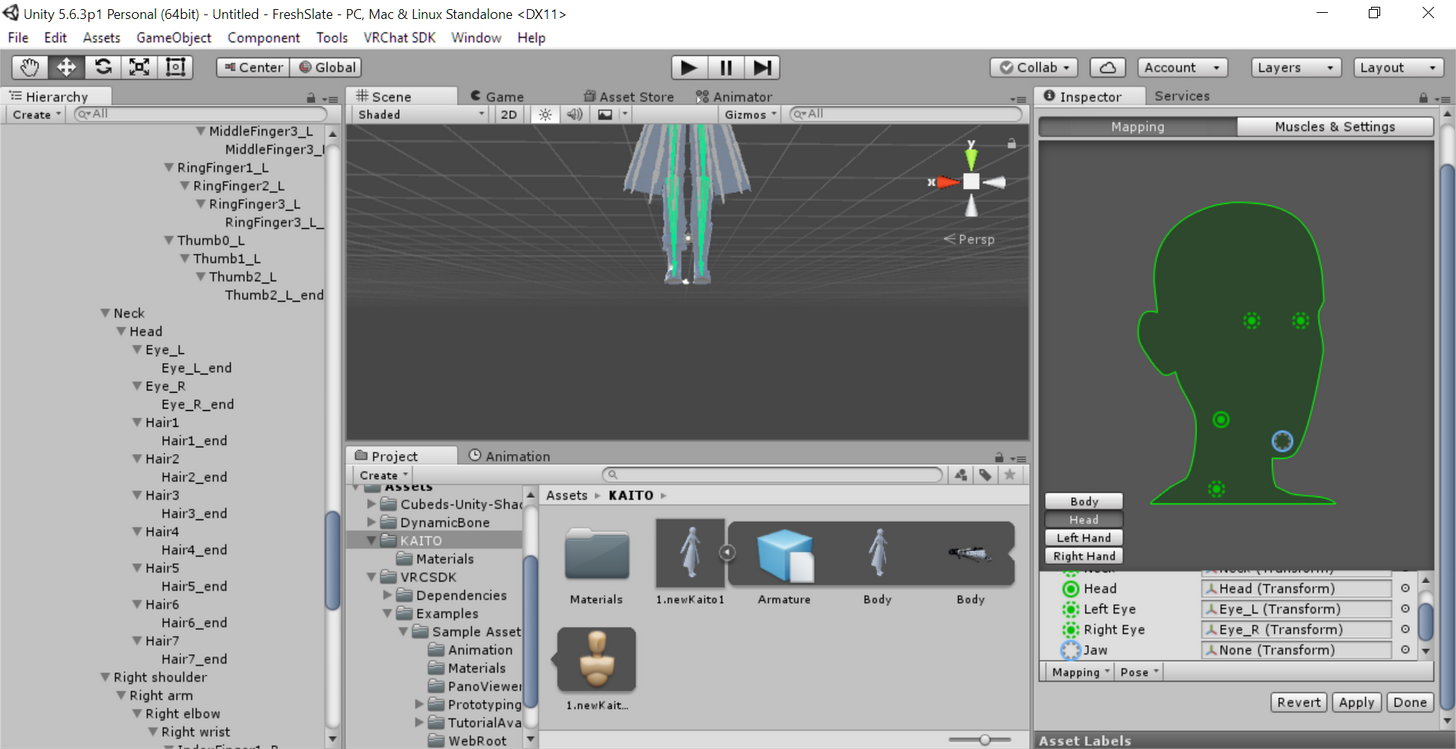
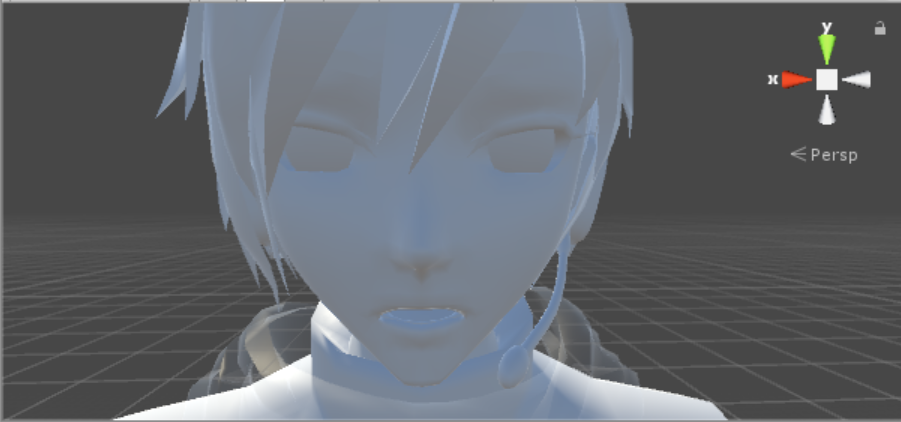 naive tree
@fading verge try selecting your mesh in unity, open blend shapes and see if any of them are bolded out or at other values thjan 0
if there's all good, could try moving the jaw up
if any of the shapes are bolded out, mouse2> revert to prefab
fading verge
they're all set to zero and none are bolded out... so how would I move the jaw up?
@naive tree
fading verge
well fuck XD
thanks though~
I got a question
I gave my avatar particles, but when I get in game, they dont' show up?
I guess I could technically make a jawbone in Blender and try to fix it that way maybe by putting some weight on the jaw? Idk... I'll keep working with it XD
I'd try to help June but I wouldn't know what to do
nvm i figured out
 jade wolf
Are Visemes disabled?
fading verge
@jade wolf You're asking me right? I don't think so. I can see them if I try to animate the character if that's what you mean.
jade wolf
k
Wanted any responses
So I take it that I got something wrong & I can't figure it out.
fading verge
Ohhh you're asking for a problem you have XD I'm having visemes issues too.
 ivory badge
did you mess with the visemes/shape keys in Blender? didnt leave his mouth open by any chance before exporting?
fading verge
Nope his mouth was completely closed in Blender... I checked all the shape keys and they were set to 0. I'm not at my computer right now though but I'll go double check to be sure
 tidal parcel
Hi, I need a favor, could anybody rig a model for me please? It's an o.obj model with textures. (I don't have time for doing it by myself)
 fading verge
@odd cargo try setting the x rotation to 90 or something
 prisma magnet
I used mixamo for the bone rigging of my avatar but when I squat the legs go out like frogs legs to the side instead of forward like the knees are supposed to. I know a lot of people use mixamo and it is just a normal humanoid avatar. Any idea of what went wrong?
 honest blaze
Can some1 rig a model for me?
 odd cargo
@fading verge i did try it but when i upload it to the game its still broken
 crisp tendon
Fix it in blender, set it straight then ctrl + a "apply rotation" then export again
 green wasp
anyone wanna log into my unity account and set up an avatar for me? Its to hard 4 me xD
 wind vale
I take commissions for character modeling and rigging
 nova wigeon
@wind vale Could I see some of your work? Not planning to pay you to model me something, but I'm just interested to see some of your work
restive hill
hm, yes, i definitely screwed up that last model with parenting stuff.
when your face starts moving with your hair, you know something is very very wrong
wind vale
sure! heres my latest one @nova wigeon https://imgur.com/XNvGVH8
https://imgur.com/KNmPDOl
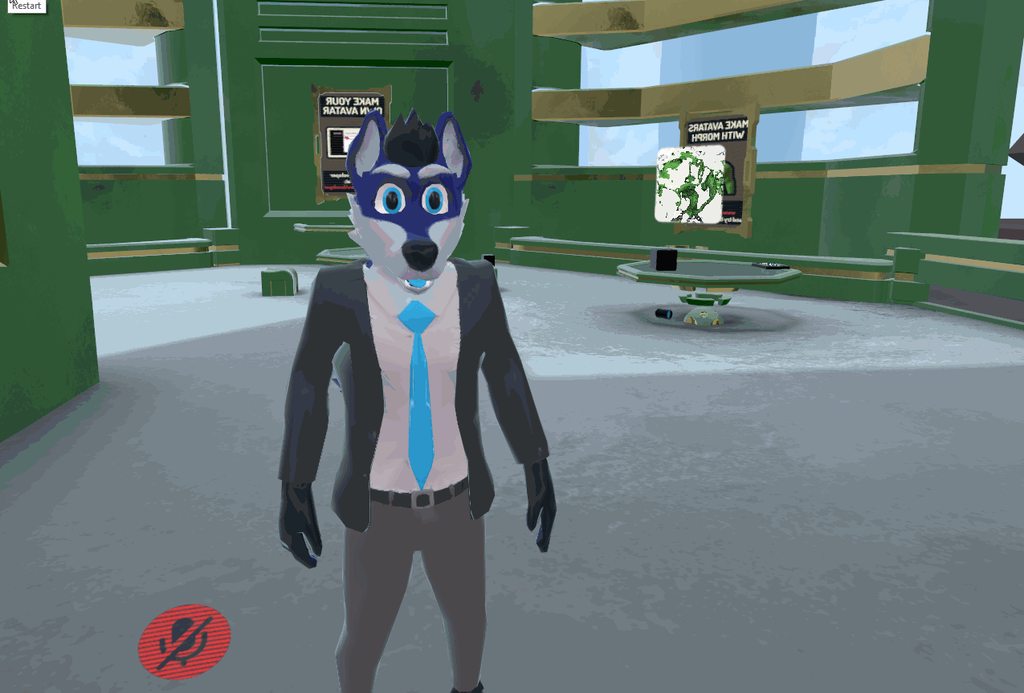
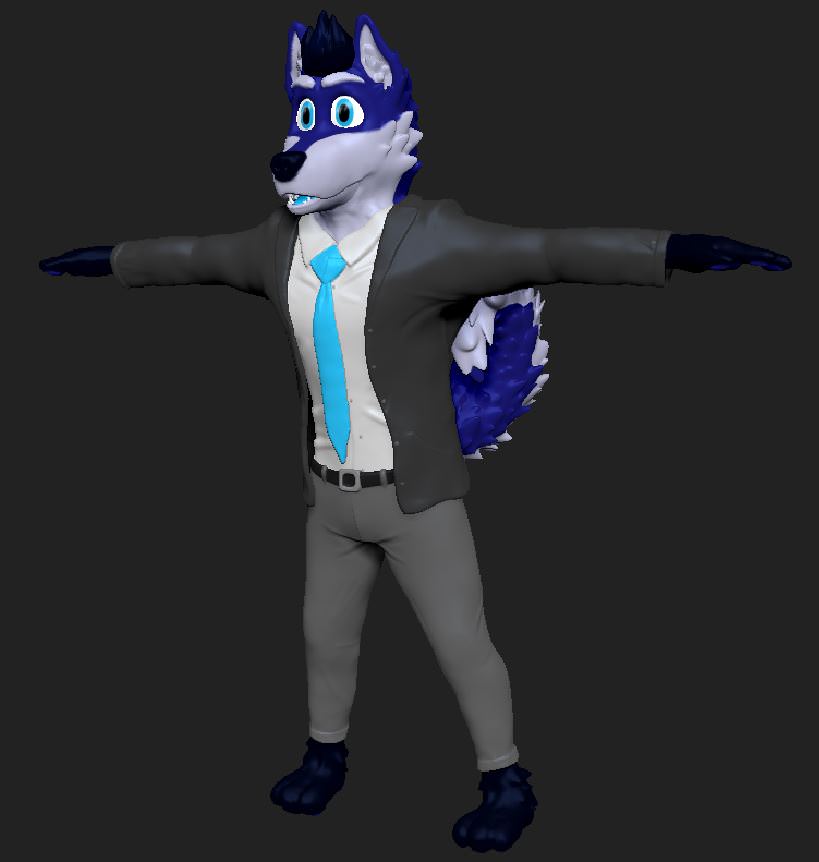 honest blaze
Ew a furry
wind vale
If you want to find someone who is truly dedicated for their art there’s nothing better than a furry
 magic zodiac
I wouldn't say that.
fading verge
Michelangelo was a furry
magic zodiac
Being a label doesn't define whose more dedicated to what.
 silent marlin
anyone know how to fix bones when they do this? http://puu.sh/z557S/d774438991.jpg
in blender they look fine and there's no weight painting on anything to make them do that, so, I imagine there's something messed up with the orientation/rotation in blender, but I don't know how to solve it

only thing I can think of is just redoing the finger bones
wind vale
Lol I know it’s not a law but it’s a fair rule of thumb
restive hill
rogue weights on vertices?
magic zodiac
Anyways, @wind vale how much was that fur you got comm'd for?
honest blaze
@wind vale Furries are pure cancer and borderline beastiality
magic zodiac
DM prices really.
restive hill
go to a furry if you want advice on tails, i guess
wind vale
That’s not accurate at all but thanks @honest blaze
silent marlin
there doesn't seem to be any weights hidden in the vertices
honest blaze
I am a person who likes Cat girls (Anime cat girls) but that aint furry
magic zodiac
That's just being a hypocrite.
silent marlin
I think I might just redo the finger bones and see how that fares
wind vale
that’s debatable ¯_(ツ)_/¯
restive hill
rogue lack of parenting?
honest blaze
Its not being a hypocrit
restive hill
oh stop it with the furry stuff, the only thing worse than furries running around is a war between them and furry haters
magic zodiac
I don't know where people get such balls to be harsh against other peoples tastes.
honest blaze
Tbh I cant complain my fetish is genderbender 🤷🏻
magic zodiac
🙄
honest blaze
*Atleast I'm not a lolicon
restive hill
just let it be, everyone has an opinion on this and that's fine. hold it close to your heart and treasure it, you're not going to change anyones mind
now lets see if i can rig this anime girl properly
magic zodiac
Lol, npnp the avatar looks nice @wind vale
restive hill
if you wanna be outraged, go watch ep8 of nisemonogatari
wind vale
Thanks
restive hill
yanno, i'd like to see a non-human head that had well-done visemes
magic zodiac
That'd be cool.
honest blaze
https://cdn.discordapp.com/attachments/403561016732024834/403958039721279502/unknown.png
When Blender is not your friend and deleting bones does this

 novel wharf
Non-human as in animal or as in robot? 😛
honest blaze
Dalek lol jk
fading verge
@wind vale you sure? Im not a furry myself but I've also created my avatar from scratch as well
🤔
 fair gate
anyone know a good guide that explains how to fix the "Avater is too tall" error?
wind vale
you can make a new 2 meter tall cube and use it for reference
silent marlin
I fixed my hands, boys
apparently the first bones were slightly too big, causing them to twist
fair gate
the default cube is 1x1x1 meter?
So, all the guides say to put position x,y,x to 0, but what about rotation? Should that be 0,0,0?
crisp tendon
@honest blaze Careful with images
wind vale
yes @fair gate
fair gate
ty
So I created a cube with scale of 1,1,1, and it looks like the size of a rubix cube compared to my avatar, lol
had to resize the scale on my avatar to 0.1, but now it is hard to zoom in close enough to set the descriptor
mouse wheel isn't fine enough control
ah, alt+right click and drag works
 dire stag
Does this hand looked rigged correctly? https://imgur.com/gXOJut4
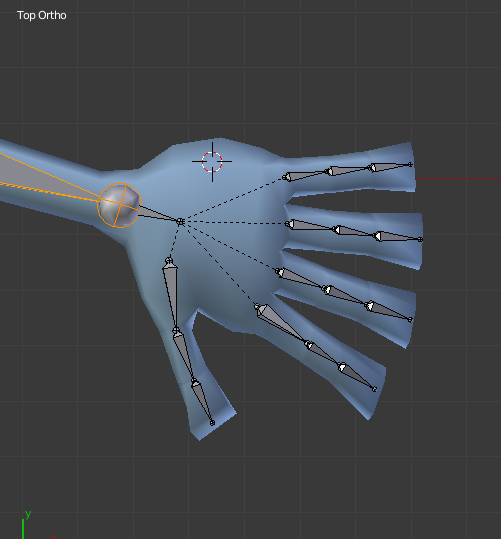 fading verge
looks ok to me
 surreal meteor
maybe bring the knuckle bones little bit close to the palm, but not too much
 hallow bay
anyone got good dynamic bones values for cloths?
 knotty moon
What do you do to fix wonky shoulders and rigid hands? My model looks fine but its rigged oddly
 wary cedar
looks pretty good
 wet granite
It's my understanding that if I want an animated non-humanoid avatar, I should still use the humanoid rig. Do I still need the standard bone heirachy? I only need about half the bones for animating.
 harsh brook
any advice with the spine length of zero issue? Tried to fix it for a while now...
 raven pumice
If I'm adding a second model to an existing one (squirrel riding on her shoulder) is it better to rig it on it's own and then attach it, or attach it to an existing bone structure from the start?
 muted helm
that can be pretty overkill unless you want the squrrel to do other stuff [like crawl around on an emote]
raven pumice
I'm just going to be giving it some dynamic bones for tail and bow it's wearing, and have the head rotation mimic the eye tracking so it looks around
Doesn't need a full skeleton, more like just a puppet thing
Body, bow bones, tail, head
 astral sand
Anyone know why when importing into blender all my textures are black?
muted helm
yeah if its a setup like that I'd treat it like a prop or puppet in the main rig
 foggy osprey
@astral sand probably set the textures as materials, go to the material panel and set it to shadeless so it doesn't use lights to render
astral sand
That didn't do anything, but i just turned on matcap and it was good enough. @foggy osprey
hallow bay
why if in blender I have created visemes won't appear in unity? https://i.imgur.com/P1SYk8T.png
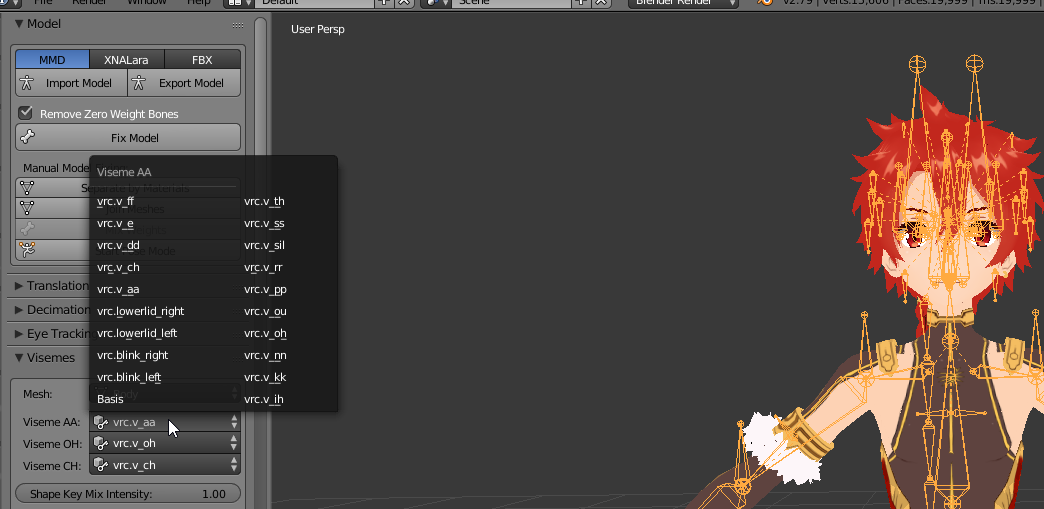
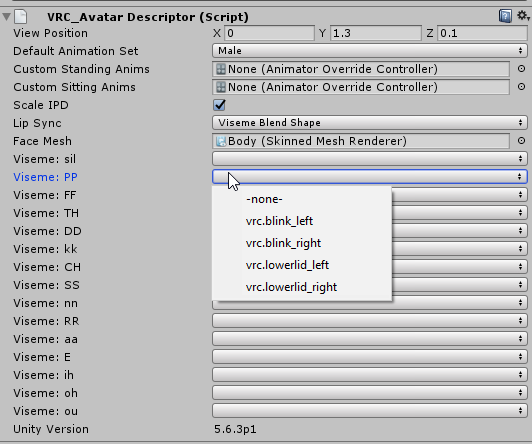 hallow bay
what do you mean?
wind vale
Like you upload MyCharacter_1 and then reupload it as MyCharacter_2 and in blender you modified _2 but you are still using _1 in unity
hallow bay
don't think so, because for that reason I added completely different names
I just confirmed once again that the avatar is the correct one
raven pumice
They're real visemes right? Not empty?
 cedar musk
I managed to get a Gmod model from the workshop, rip it, texture it ect; luckily the model is rigged (even Mixamo recognises it https://imgur.com/16LNDEU) but when i put it into Vrchat or view it on Mixamo with an animation on it, the model remains in T-pose; i managed to get "physics.smd" (which came with the model) assgned to the corect bones in Unity, but the model still doesn't animate http://steamcommunity.com/sharedfiles/filedetails/?id=1267136946. Could somone help/explain how am I suppose to fix it?

Steam Community: VRChat. Rig2
nova wigeon
did you add an avatar descriptor and add the simple avatar controller?
cedar musk
@nova wigeon I have added a descriptor, but not sure what you mean by "simple avatar controller"
nova wigeon
You need a simple avatar controller
send a picture of unity with the descriptor
I don't feel like opening unity.. So i'll just draw what you need to do lol
 nova wigeon
http://prntscr.com/i2u5s2 @cedar musk

also don't put the descriptor circle inside the head
put it around 2-3 inches away from the eyes
in front of the face
cedar musk
So that's it, I just had to add the controller (ik about the descriptor, just threw it in there for test)?
crisp tendon
FYI asking for paid assets is considered piracy
crisp tendon
Someone did a few minutes ago, removed the message
nova wigeon
Ah
hallow bay
@raven pumice what do you mean?
 orchid shale
So decided to give my character a hat with no prior knowledge how(Just messed with buttons), and I got it work! But how it came out in Unity is different in VRchat. What do? (Pic related)
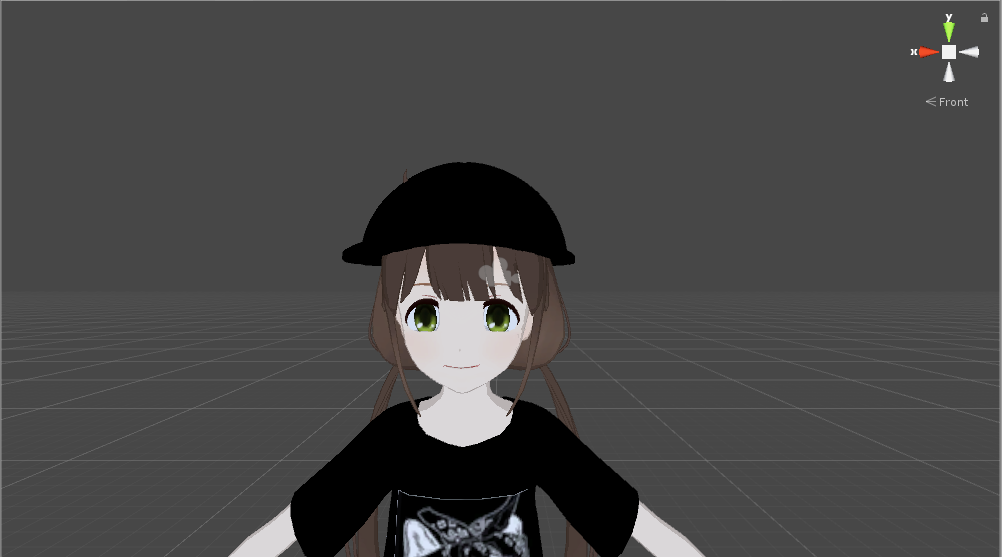
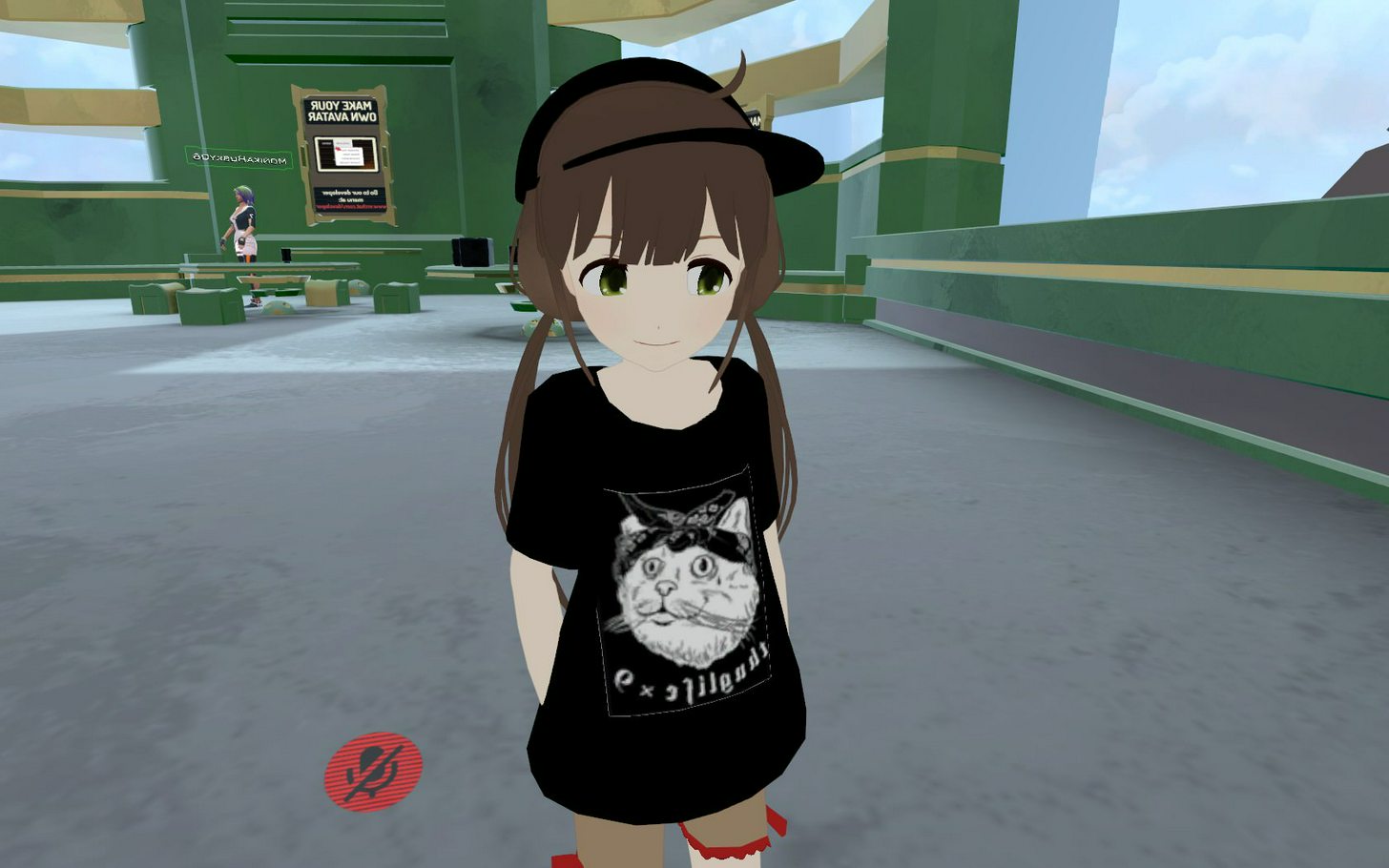 nova wigeon
It's because the hat and the head are 2 different meshes
they need to be connected or else they'll slide like that
orchid shale
How would I do that, sorry im kinda derpy at this
nova wigeon
Merge your verticies
orchid shale
Thanks ill try it out
nova wigeon
join the 2 meshes if they aren't already by selecting both and pressing ctrl + J
then go into edit mode and merge the verticies so they become one mesh
orchid shale
Thank you!
 dusk pilot
Or you can export the hat as it's own object and attach it via bone in unity.
 round dagger
it's probably weight paint issue
nova wigeon
Didn't know you could do that. The more you know. ¯_(ツ)_/¯
round dagger
did you weightpainted your hat to bone?
nova wigeon
I already assumed there was already a weight paint applied
Nice! Thanks for the video
orchid shale
Yeah thanks! 😊
dusk pilot
Np
dusk pilot
No because hats are a binary weight paint, either they are attached or they aren't to a bone. Shirts blend between multiple bones to look good so you will have to manually weight paint them.
nova wigeon
Right
Figured so, but didn't know if unity would transfer the weight paints to an object or not
dusk pilot
If it's already painted them you should just attach it directly to the model
nova wigeon
Right
but attatching it to a model would have clipping issues
unless you made the shirt bigger or made the chest smaller to compensate
hallow bay
space jammer, what do you mean by real visemes (not empty)? how I check that?
 shrewd acorn
Anyone know how to fix my legs going through the dress when I'm running ? https://puu.sh/z4Mj2/9db09a0c9b.jpg

 mild heart
 raven pumice
Real as in actual visemes, not ones that are just the base model. Blender doesn't export empty blendshapes
Sorry for slow response I'm at work
hallow bay
how do I make real ones?
raven pumice
If you're making them at all they're not empty
Empty would be blendshapes with nothing changed
hallow bay
I created them with the CATS viseme option
@shrewd acorn I was planning to fix that adding collission to the legs on dynamic bones
 opaque jetty
I just finished fixing the Hierarchy for my avatar, but now Unity is telling me the feet, upper arms, hands and head arent mapped
even though they definitely are
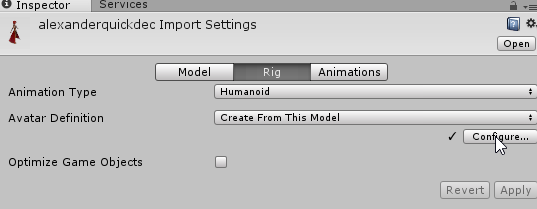 opaque jetty
I already took care of all of that though
everything is mapped but the optional stuff
 pulsar mortar
hey all need some help the texures for my eye are pulling from the wrong part anyway to fix this? https://imgur.com/a/XN78b
 raven pumice
Either a UV mapping issue or you need a separate material for the eyes
 hearty mauve
for some reason no matter what i do i cant bones on my model to dissolve
hallow bay
@raven pumice I believe this is what you mean? effectively, my model didn't had any visemes at all https://i.imgur.com/kCNwkJx.png
 raven pumice
Yeah that s just empty visemes.
You have to deform the model's mouth to make the three base ones, it doesn't edit your model for you
That just takes the three base ones and uses them to generate the rest
raven pumice
Look up some phoneme blendshapes guides, should get you on the right track. I can't get too in-depth while I'm at work sadly
hallow bay
don't worry, you gave me a source to search, and that's enough, thank you anyway
opaque jetty
Hey some of my bones have disappeared from my rig.
They're still listed on the Hierarchy and when selected the cursor moves to where they SHOULD be
but uh
they arent there
 cobalt needle
heya, can someone answer me the question please?
I have this model where the pupil has meshes... can I delete them? I need to get rid of some polygons
hallow bay
wait a second. I have to work on the avatar that came from MMD or I can work directly on the avatar I have already exported to unity? @raven pumice
raven pumice
You can't do it in unity
hallow bay
@balmy vortex you can't ask for that, is also considerated as piracy. I suggest deleting your msg.
 dim snow
how do i create multiple shape keys?
Ive got one made for a blink, but posing wont do anything after creating that one
 potent solar
how do i add music to my avatar
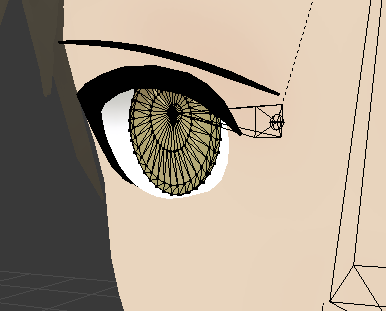 fading verge
@opaque jetty Did you try unhiding everything?
opaque jetty
I don't evewn know how I would go about hiding things in the first place
all of the bones that would be on the hands+feet are just gone

 stone relic
@shrewd acorn I'd imagine the dress isn't weight paitned to the legs, so they just stay stationary whilst the legs move
fading verge
Ohhh its already in Unity
Then I'm not sure... they were there before you exported right?
opaque jetty

the bones are here in blender
they show up in the Hierarchy in unity
but they're not visible at all
fading verge
I think it's because he's missing his actual feet he only has his ankles
opaque jetty
so add extra bones that go into the hands and feet and label them?
fading verge
Yeah and I'd imaging you'd have to weight paint them too
 pseudo grove
Does anyone know a workaround getting jaw movement working well with .xps models?
mmd models work perfectly fine, but I can't for the life of me get viseme movement working on xps models.
opaque jetty
I dont see why.. the ankle bone moves the feet fine
fading verge
Them I'm not sure... Sorry DX
 pulsar oxide
Can anyone help me out real quick on importing this AE86? It gets in game just fine, but it's never on four wheels - it's always on it's side, not on the wheels
Whoops guess you can't upload screenshots here RIP
 normal socket
What would be the easiest way to fix an armature that has too many bones for legs: Exemple: Left Ankle High, Left Ankle Low which would normally be just one bone
 neon shard
Quick fixable!
Select the foot bone, then the left ankle high, shift+P and select keep offset
That should be all you need to do
the ankle low can stay
to clarify, select the foot, then SHIFT select the left ankle high
cobalt needle
Hello chat. My default bone position of my avatar is not in a T shape. So Unity has problems to asign the bones... how can I fix this in Blender?
@nocturne hornet where can i find it >.<?
honest blaze
Can someone rig a character model fer me?
cobalt needle
oh yeah 😄 thanks ❤
Oh and also... the outlines of the head is red... what does that mean?
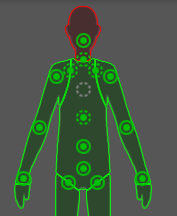
If you click on the link there is a screenshot of the head as well. which bone is missing? sorry I'm kinda new with this
honest blaze
Headbone
 scenic delta
Wait I can't send picture anymore what
honest blaze
You hav to send links
scenic delta
that sucks
honest blaze
Ye especially when I use snippet tool
scenic delta
yeah...
honest blaze
I have to post my images in another server then get the link for this
scenic delta
I use ShareX
 wicked spire
anyone know how I can stop the legs from walking but glide instead and the top have be useable for vr?
scenic delta
 wicked spire
half*
scenic delta
So Someone can help me with this one ? I keep putting the "ShoulderP_R" and L in the requested place "Neck" and they still say there is a problem
when I "apply" they say there was an error and they put back my Shoulder to it's original place
wicked spire
sounds like you need to move them in the correct hierarchy first before you start the rigging
then move them in the rig in the same hierarchy you set the model
then add the bones in the correct place in rig
wicked spire
shrug go back to blender and parent them properly I guess
 opal citrus
does anyone here know how to permanently change a shape key to default to a set value in blender? i can't figure this out to save my life...
wicked spire
go on the mesh, click on the shape set the value to 1
anyone know how I can stop the legs from walking but glide instead and the top half (arms,head, chest)be useable for vr?
 tame skiff
@wicked spire Maybe in blender lock rotation, translation, and scale for the leg bones?
I don't know if that will work
jade wolf
Blender is literally driving me crazy cause of the inability to fucking sort the hierarchy
tame skiff
I have a question. How the feck do I set up eye tracking. Without cats, I don't want it to break my perfect Smash Bros. armature
wicked spire
hmm, I was thinking more of a unity method rather than blender
jade wolf
I CAN'T get Spine to the top of Hips list. No matter how much I fiddle with parenting
and renaming
And dragging
I wanna personally excecute the dude who made this garbage hierarchy system
 sudden nova
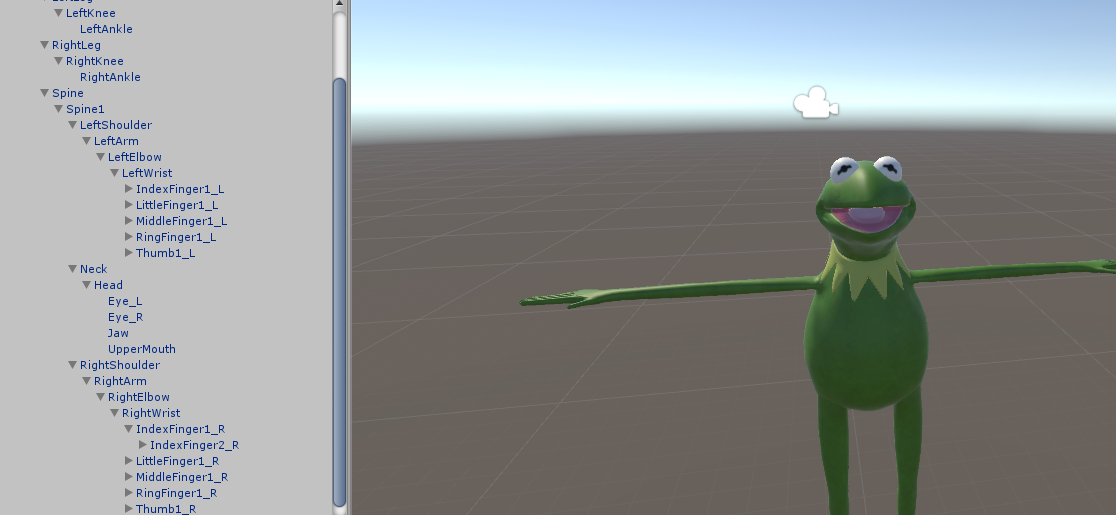
so, have bones set correctly, hierarchy is correct, but the sdk doesnt like it anyway, did i fuck up in blender or what?
https://i.imgur.com/3b8h9lR.png
https://i.imgur.com/wbUtEeL.png
 opaque jetty
Im having the same issue
jade wolf
Spine1 is issue
 frosty thistle
Does anyone mind otimizing an avatar for me?
 prime falcon
i can't upload my model, and i have the newest sdk
opaque jetty
what's wrong with spine1?
jade wolf
It's hierarchy
sudden nova
but first spine is the actual spine and the child is the chest
jade wolf
Hips->Spine->Chest OK
sudden nova
renaming it to chest doesnt work tho
opaque jetty
How about this issue then?
https://media.discordapp.net/attachments/163002850480226305/404046521978322945/awgriouh.PNG?width=1154&height=343
 tame skiff
Last time I got that error I just reloaded the scene
I learned recently to save scenes, not projects
opaque jetty
reloaded the scene, same error
tame skiff
If you already saved with this error it's probably too late. If not, then I guess I got lucky
 brisk mesa
you just un-weight assign the legs entirely, hips downward, @wicked spire
to slide around instead of walking
wicked spire
Ooh
brisk mesa
the blender solution for this is actually really simple cause you just go to the right bar options and press vertex groups, and just assign all those leg/shin/foot/toe/heel bones to like 0
wicked spire
Thanks I'll give that a try
wicked spire
aye, i just hate messing with vertex groups
brisk mesa
if you do a flip though, your legs are gonna be still and your whole body is gonna flip inside itself lmfaooo
brisk mesa
xD
 old vine
My panties are like stuck to my arm when I move them ingame, but not in blender
brisk mesa
maybe you wanna make a root bone perhaps on the floor or something and assign all the legs to that
jade wolf
Finally figured out how to move the bones within the hierarchy within Blender.
Fucking Vertex list is what affects the hierarchy.
dim snow
im convinced
shape keys with bones are fucking impossible
Im done
Ive been here for 4 days wasting my day away and absolutely zip shit has been accomplished
:/
sudden nova
@opaque jetty now i have the same problem as you
dim snow
I can do one shape key and have an eye close
but cant do more than just a mouth, or an eyelid at a time
i feel like dying atm -_-
opaque jetty
okay well mine just fixed itself by importing the model again
sudden nova
if i import the model again, then i have the error with the hierarchy
opaque jetty
HOWEVER
now there's a new problem
https://cdn.discordapp.com/attachments/163002850480226305/404050167512432640/Untitled.png
 opaque jetty
yeah, the feet are stuck pointing inwards
would I have to rotate them in blender, or would Unity be able to fix it?
fading verge
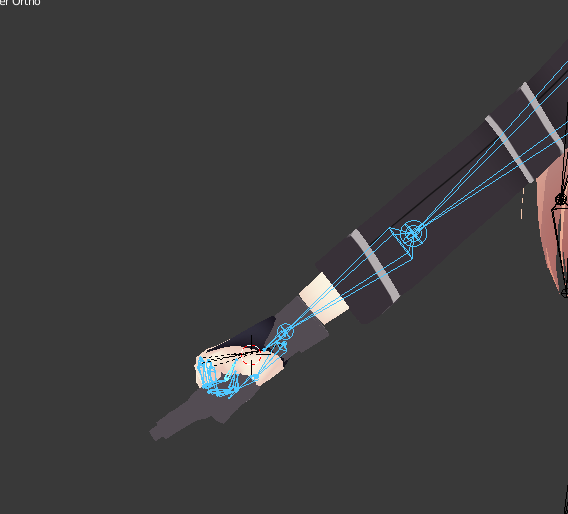
how do i copy the pose setup of this https://i.imgur.com/8wq7GtF.png to here https://i.imgur.com/8wq7GtF.png
 stuck hamlet
You can fix that in unity I believe just like jaws and feet being in the floor
apply the Tpose controller sometime to see how the armature is acting. It helped me with mouth-openness
opaque jetty
thanks, I'll test it out
brisk mesa
yea i weight painted opposite front and back legs for 'walking'.
and i didn't bother with weights for the arms
that way it still uploaded as humanoid
centaur though you can keep the arms
 torn sonnet
@brisk mesa Umm.. was that for me?
brisk mesa
yea
are you working on a dog or something?
i haven't bothered with custom animations ever
opal citrus
@wicked spire sory late reply, but that does nothing of what i asked, i want to change the shape key to stay specifically .794, i know how to make it 1. But no matter what i do i can't figure out how to set it to specific values that actually carry over to unity...i know it's possible because someone did it before with this same model...i just don't know how.
and if anyone actually knows how to do this would be amazing to know...been searching for 2 weeks now on how this is done ;-;
dusk pilot
@opal citrus you want tour shape key to only go up to a specific value?
 summer shuttle
So I'm making a model with really long hair with dynamic bones, how do I get it so that the hair won't clip through the body when I'm moving backwards? Do I just add a bunch of colliders to the body?
old vine
high inertia
summer shuttle
I want it to sway really far in the back when I'm moving forward though as that's how it is in the game he's from
All I want it not to do is clip through the body.
Any advice or is my only solution to leave it with a high inertia?
summer shuttle
It's still clipping. Where do I put the colliders and what values?
Or should I just say forget it and leave the inertia really high?
 stable elk
hey can some one tell me how to delete the old uv map before exporting the FBX.?
summer shuttle
What are dynamic bone exclusions?
 spring crescent
@summer shuttle They tell the system to not apply 'physics' to those bones
So, say you set the component on the head bone, you'd exclude the eyes and mouth so they don't flip out
summer shuttle
ah I didn't know if they would help make it so the hair doesn't pass through the body.
summer shuttle
Which is what I'm trying to get figured out.
 solemn estuary
and rig
 devout isle
I'm having an issue in blender with a model,I have a model which is made up from different assets but each asset (Hair,Body,Dress) each have their own set of bones,do I need to connect these bones together to have the hair/dress work properly?
spring crescent
@summer shuttle Add the collision component to the area you want to block, then set the size of the sphere and length to make it a capsule component.
Then you need to tell the dynamic bones thing to collide with that new collision component
It has to know about each instance.

Dynamic Bones - 20 USD on the Unity Asset Store! http://u3d.as/7fH VRChat Community Discord: https://vrchat.net/discord Download VRChat! http://store.steampo...
stable elk
@spring crescent Do you know how to delete the old uv map before exporting the FBX?
spring crescent
I'm not sure what you mean. Are you in Blender? You want NO UVW map?
stable elk
i just found out and idk whats the problem
summer shuttle
So will I need a bunch of colliders or just one or two due to the size factor and whatnot?
stable elk
it changes where the textures go in unity
spring crescent
What are you trying to prevent? Keeping hair from passing through the body?
summer shuttle
Yep
spring crescent
Collision can be done in a very general way. Like one whole capsule for the whole spine
summer shuttle
ah that might help then. I'll give it a shot
spring crescent
All show you where I put mine (if my file isn't corrupt. Computer crashed while saving!)

It is on spine1, and has been moved forward so that the sphere can be bigger and better approximate the body's width.
 summer shuttle
@spring crescent what were all the settings you applied to it? The values i mean
 main sage
?
spring crescent
Sorry, just closed the file. It will be unique to your avatar though. Just tweak the numbers for the sphere size and length until it looks like it covers most of the back.
stable elk
hey guys can you tell me how to fix this https://drive.google.com/file/d/1cJckLEbjTklYi6dzhNm0bhkken8Kwk-J/view?usp=sharing

Google Docs
spring crescent
@stable elk Make sure your material is set to 'Cutout'
stable elk
?
spring crescent
When you import characters, you need to edit the shaders/materials
There is a 'rendering mode' called cutout, which allows for transparency, which it looks like your character's hair needs.
You'll also want some toon shaders https://github.com/cubedparadox/Cubeds-Unity-Shaders/releases

GitHub
Cubeds-Unity-Shaders - A compilation of custom shaders for Unity3D
I can't walk you through every step for setting that up, but if you poke around, you'll figure it out
stable elk
well that was not in the video i was useing so i thout something was off
fading verge
do you need to have all 4 finger bones or can i have less than 3?
spring crescent
Not all characters need it, is all. Just looking at your screenshot, that's what it looked like to me
stable elk
thx @spring crescent
fading verge
like if i have mickey mouse hands
do i need to rig in human finger bones or can i have less
summer shuttle
Alright I think I'm getting it. Thanks so much for the help @spring crescent Just think I might need to set it up on the arms as well and I'll be set
spring crescent
No problem! 😃
 brisk crypt
@spring crescent am I supposed to be using cutout for hair?
I generally just add a 0 value outline
spring crescent
It depends on how the model is made
Some artist cheat and make hair using a few quads with a see-through material to make it look like lots of hair
stable elk
@spring crescent bty i do have cubeds shaders
spring crescent
Others model all of the hair on. If you see solid colors where it looks like the hair should be clear, you need cutout.
@stable elk Yeah, that guy's work is top notch. My model from Zelda Breath of the Wild looks almost the same as it does in the game.
stable elk
@spring crescent dose this guy explan this? https://www.youtube.com/watch?v=7P0ljQ6hU0A&t=484s
VRChat Community Discord: https://discord.gg/VRChat Download VRChat! http://store.steampowered.com/app/438100/VRChat/ mmd_tools GitHub: https://github.com/po...
spring crescent
Maybe. I'm not familiar with MMD and haven't watched that one. But he explains a lot of things
 earnest kite
I have a .3ds of an extremely normal 2006 Chevrolet Impala, would it be hard to put bones on the wheels and make a walking animation for an avatar that's the wheels spinning?
fading verge
@earnest kite you could, but there would be learning involved
stable elk
@spring crescent i am using that to transfuse over and do you think he might explain somewhere in the video
that video to help*
summer shuttle
While I'm previewing is there a way my settings can be saved before I leave the preview mode and have to reenter it all over again?
I got it to a point where it will still clip somewhat but to a point where I'm satisfied.
 edgy ginkgo
Is there anything special i have to do when i rig for full body tracking? Cause my avatar is compressed into the ground and stuck on either the right or left foot.
 dry umbra
 shadow shoal
You don't have shape keys then
fading verge
Anyone knows how to rig the game Fate/Extra from PPSSPP? 🤔 🤔
spring crescent
@summer shuttle How? I have no idea how to do that. I just tweak in play mode, write down the values and re-enter them
summer shuttle
When you have tweeks you're happy with. copy the character as a whole BEFORE you exit play mode. exit play mode, delete the character then paste the one you copied.

Unity
Unity is the ultimate game development platform. Use Unity to build high-quality 3D and 2D games, deploy them across mobile, desktop, VR/AR, consoles or the Web, and connect with loyal and enthusiastic players and customers.
stable elk
@spring crescent yep he says it
thx any way if only i would of followed more tho the video
spring crescent
NP, his videos are great!
@summer shuttle Nice! It's a workaround, but if it works...
stable elk
now i need to know how tall kanna is in the anime ugg
edgy ginkgo
so what does this mean exactly "http://puu.sh/z5mMG/a154c1ca0b.png"
 summer shuttle
Alright moment of truth time, let's see how it looks in game after a 10 min upload bc my internet is garbage
fading verge
Y'all I found out why my avatar's mouth stays open... sorta XD
For some reason if I use CATS fix model with the face visemes, his mouth opens when he gets to Unity. It stays closed if I don't fix the model. So, I'm guessing it has something to do with clicking "fix model..."
Now I have to reparent a bunch of stuff without any help from CATS but at least now I know what to do lol
 opaque oracle
I'm having a terrible time trying to figure out good dynamic bones values. Anyone have any guides?
brisk mesa
yeah but what is 'good' to you? what are you animating
titties need jiggle and halfway dampening, no inert for me cause i like chaotic tits, a little stiffness is okay, and some elasticity to force it back to normal but in a soft way
clothing that is chiffon and light to sway in the air? i go max dampening, less elasticity, no inert, no stiffness. starchy clothing always needs stiffness
just play with it fam
my ava has headwings and hipwings, and i didn't want them to look all floppy like they're going to break, so i jacked up inert to .2 and had a little stiffness, more elasticity, a little dampening
ponytail prob needs more elasticity, a smidge of dampening, etc
tame skiff
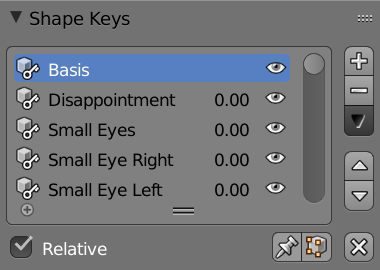
@fading verge My models always save with the selected blendshape active, which appears in unity
hearty mauve
the bones on my model wont dissolve no matter what i do, please help
fading verge
@tame skiff you mean one of these right? I wanna make sure since I might get the vocab wrong lol https://imgur.com/5GjR7nt
 fading verge
alrighty i'll give it one last shot before I put myself through rigging hell again XD
HOLY SHIT YOU ARE A SAVIOR
I WANNA CRY
IVE BEEN AT THIS ALL DAY
tame skiff
I know that feel
fading verge
thank you 😃
tame skiff
Sure thing!
fading verge
it was so simple lol
brisk mesa
whoever was looking for titty physics as a starting point:
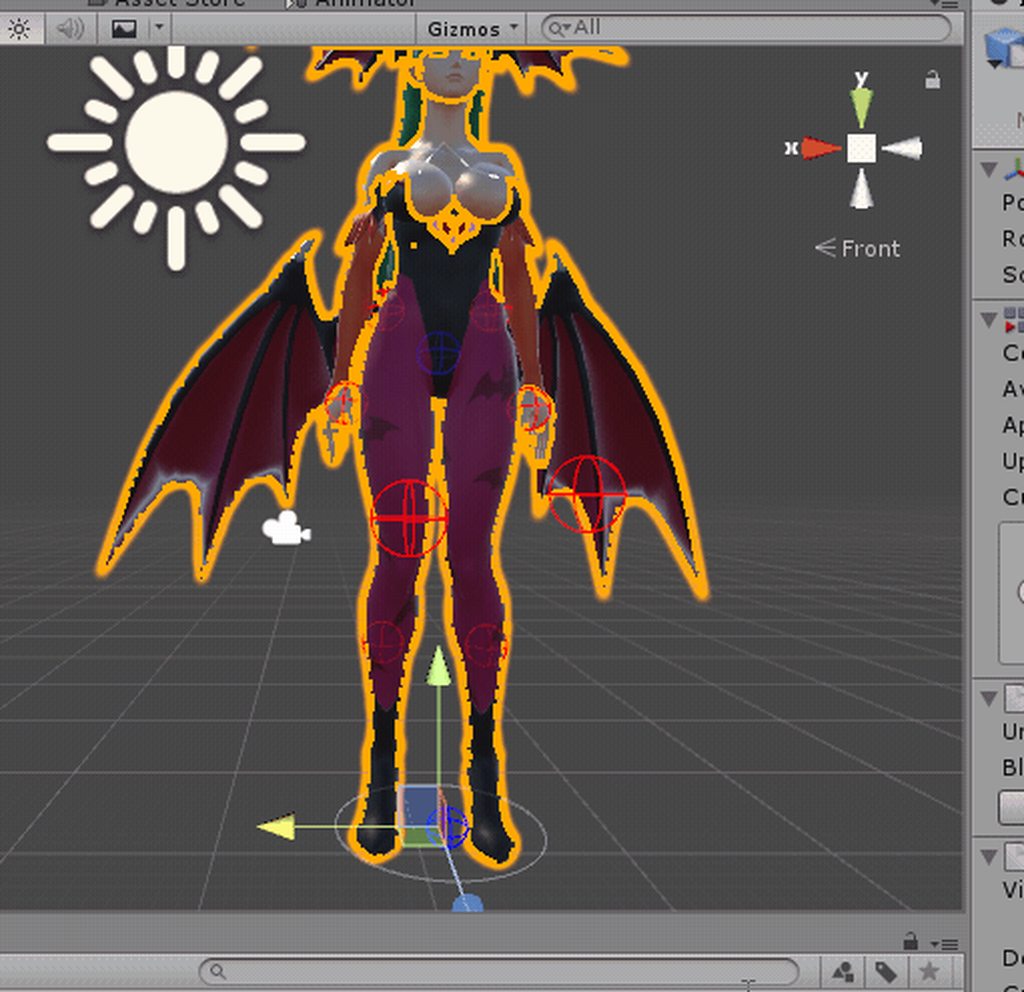
values: try dampening .9 elast .5 stiffness .1
no inert
fading verge
thanks that'll come in handy tbh
brisk mesa
then tone it down from there with stiffness if you want i suppose or less dampening
but bear in mind that these values are for -that- cup size of titty
flatchest better not sway like that or imma choke a bitch
tame skiff
It always comes back to Morrigan's rack
 acoustic garnet
quick question guys, im setting up jiggle bones for my hair on my avatar. Is there anyway I can group all of these strands so I dont need to setup 21 indivudal jiggle bones? https://gyazo.com/490b7e7e895cd0180927ae8ee4e74b6c
 brisk mesa
esp with me, yes
i just select 20 of them sometimes and you can mass add and bulk add values just once but i'm guessing people will frown at this
prob need to cut down
fading verge
20 dynamic bones 👀
tame skiff
@acoustic garnet You just need a single root bone to parent them all to, Dynamic Bones uses the entire heirarchy
acoustic garnet
Thats what im trying to understand, how do I get that single root bone?
brisk mesa
you can add it and then parent the top bones of your hair to that new bone
if it doesnt exist
tame skiff
In blender
brisk mesa
yes
acoustic garnet
thanks!
 molten tulip
https://imgur.com/DU8f4wD I don't get it tbh
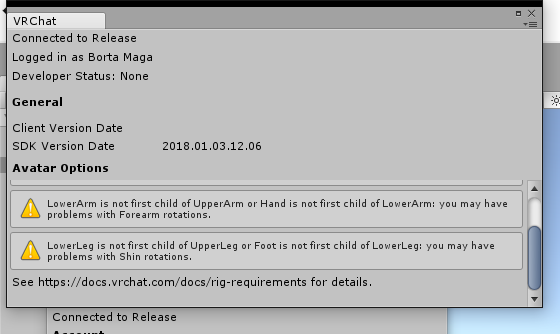 tame skiff
So. How about that eye rigging?
molten tulip
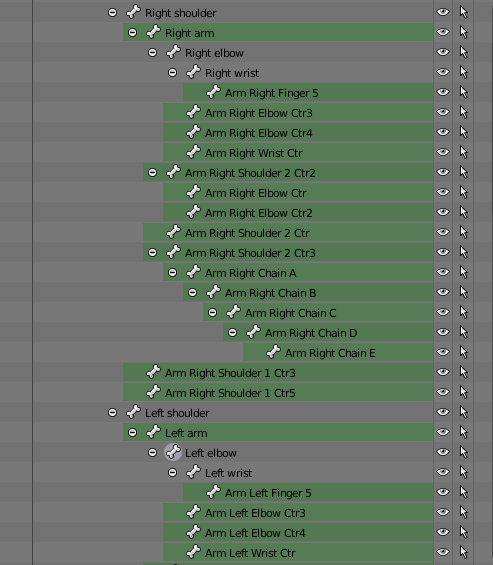 brisk mesa
that's a lot of "center" bones
honestly the last time i dealt with that, it was a disaster
i just shoved my own rig into it
simpleass shoulder to upper arm to forearm to hand to fingers
and hips to thighs to shins to feet
maybe you need to start merging some of these bones
like elbows shouldn't exist
acoustic garnet
ok so, I have all the hair bones selected in blender, how would I but them into a parent bone
acoustic garnet
yeah I see that

 meager fern
guys im in need of help
what causes one bone to work with particles
and the other doesnt?
tame skiff
@charred sorrel Redundant geometry can cause that
 charred sorrel
how do i fix that? D:
tame skiff
w -> remove doubles in edit mode, with everything selected
charred sorrel
it says removed 0 vertices
tame skiff
Oh. There are other kinds of problems with geometry that can cause that, but I can't think of them right now
tame skiff
If you want to select everything at once, simply press the "a" key
charred sorrel
DUH thank you
removing doubles worked i just didn't have it selected
but now the model looks kinda wonky whoops
tame skiff
Uh oh
charred sorrel
how do i fix unassigned parts of the mesh?
weights were applied but the teeth for example won't move
tame skiff
You'll just have to assign those manually I guess
But assigning those isn't hard if you want them 100% hard weighted
Like you probably want the teeth
On the right side look for the tab that looks like a triangle
within that is a section called "Vertex Groups"
Find and select the one named after the bone you want moving your teeth
charred sorrel
oh okay gotcha! i'm having one issue -- the brush won't weight paint inside the mouth
tame skiff
I was trying yo tell you how to do it outside of weight painting, but alright
In weight paint mode, look in the bottom toolbar for a camera icon
charred sorrel
OH OMG i'm sorry hang on
tame skiff
right next to that is another button you want to click
It will let you see and paint through faces
molten tulip
I have no idea how to merge these bones and google search is no use
glass river
My arm have two bones parented to same bone. And if i move only one it look like shit, move two its normal. Unity will move this two bones like one or not?
charred sorrel
huh it won't let me upload images
but when i rotate the head up it's moving the teeth outside the jaw
 real roost
Hey, what's the bare minimum I could do to just move the head and body of an object?
charred sorrel
oh wtf just figured out why
 onyx crown
I changed around some vector groups to stop some deformation, but it hasnt updated in my pose yet. Any idea?
 worthy citrus
sorry if wrong section, but im clueless https://imgur.com/a/qmTAh
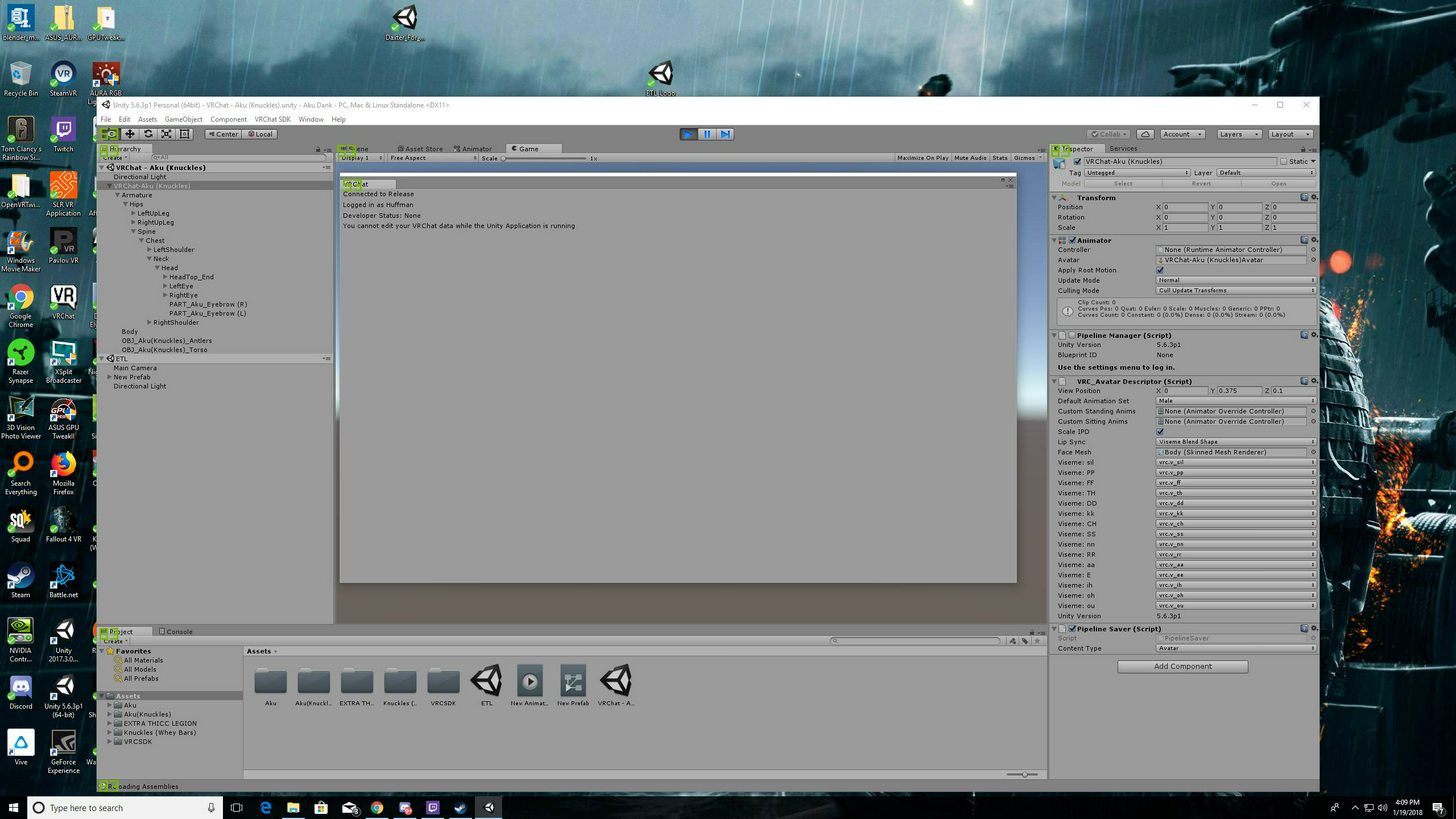
wont let me upload after everything
hallow bay
can someone help me with creating visemes (from scratch, the 3 sounds)? I'm having a really bad time
tame skiff
@hallow bay I'll try
hallow bay
thank you, because I can't find a good guide about that. I don't know how to record the open mouth animation and set it as a shape key
tame skiff
Create the shape key first, THEN with it selected make the modifications
hallow bay
also, how do I delete many shape keys at the same time?
tame skiff
I don't think you can delete them all at once.
hallow bay
I have the ones that CATS created that does nothing, so I want to delete them https://i.imgur.com/Vtsr2r2.png
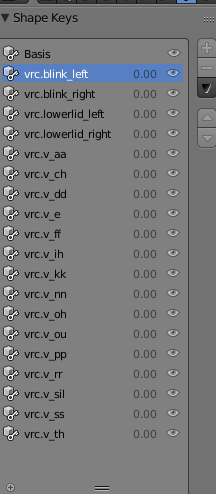 tame skiff
But if you want to delete all of those, or at least the bottom bulk, click on the lowermost one and spam the minus key
hallow bay
minus key reduces the zoom
hallow bay
minus key is locked
tame skiff
Go into object mode
hallow bay
done
tame skiff
Shape keys can't be removed in edit mode
hallow bay
so, I create a shape key first
tame skiff
Yes
hallow bay
alright, is created
tame skiff
Then, in edit mode and with the key selected, make the changes to the geometry for your viseme
SELECTED. Man, typing is hard
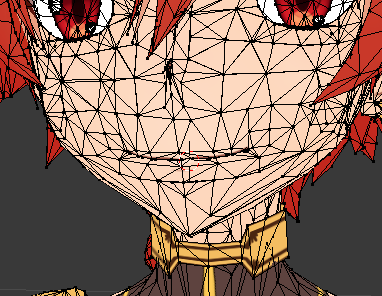 tame skiff
I don't quite understand?
hallow bay
how do I select multiple points?
tame skiff
shift + right click
meager fern
that looks like someone from grand chase 👀
tame skiff
Proportional editing might be a big help here. It lets you grab within a radius with influence
hallow bay
that is the hotkey L?
the problem is that when I drag, it deselects everything I selected and just moves one point
fading verge
I recognize that neck and hair! Alexander?
tame skiff
L selects all verts connected to the one you mouseover
hallow bay
@fading verge bingo.
fading verge
Nice 👌
tame skiff
@hallow bay after selecting, press g to move
hallow bay
oooh
tame skiff
and r is rotate, and s is scale
and you can additionally press the x, y, or z key to operate exclusively on the respective axis
tame skiff
@meager fern What is your shitty problem?
meager fern
ive made a particle effect for my 2B swords
then i used dynamic bones on both swords to move around when walking
then i set one of the particles as a child of one of the swords
it works great
but the other sword is giving me problems
hallow bay
seems like I'll have to select manually https://i.imgur.com/q35j1lm.png
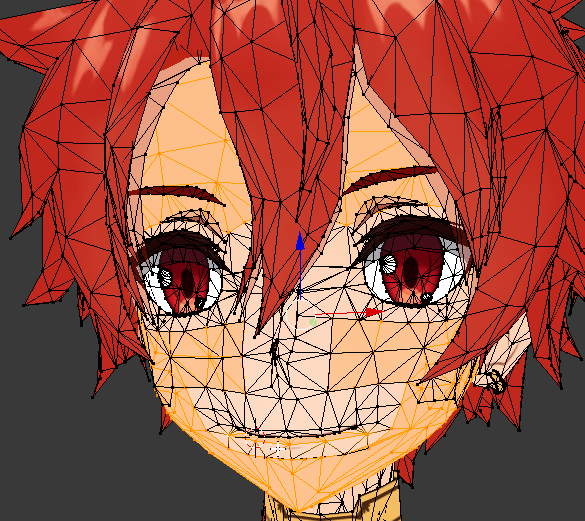 meager fern
like > if i set the particle in the mesh, the sword will move but the particle wont
if i put the particle in the root bone, the sword wont move
charred sorrel
dumb question -- it's not letting me move vertices, did i accidently type some kind of hotkey that locks it by accident?
fading verge
Can someone make me an avatar with knuckles holding a bottle of whey protein?
meager fern
https://gyazo.com/5ed9b6840c9346d2386c65ba1c36da61 why wont u work!!??! reeee 😦
 tame skiff
@hallow bay It looks like your mesh is chopped up. If you clean that up later with Remove Doubles, it will break your shape keys. Just a heads up
@charred sorrel I'm drawing a blank, give me a screencap
charred sorrel
OH i got it, it was the magnet icon, my bad!!
hallow bay
@tame skiff means that it's better to just not having mouth movement?
tame skiff
@hallow bay No, I mean it's better to fix that before you start making shape keys
tame skiff
@meager fern Oh, sorry. Blender is my comfort zone, I'm totally new to Unity
hallow bay
I'm totally new to both softwares hahaha
hallow bay
what would be a good remove doubles distance?
tame skiff
@hallow bay I'm really meticulous and just select individual parts to combine rather than the entire mesh at once, so I haven't bothered with the distance much
You should probably leave it at 0 though
hallow bay
at 0 removes 2937 vertices
mmm, I believe it's better to separate by materials while doing this, right?
open lintel
is there a way to delete a bone and all bones linked to it without manually selecting them each? i am deleting a skirt bone set for a skirt that is no longer there, and dont feel like selecting close to 80 bones
 mental lynx
YO this is just...
https://gyazo.com/694434fba14699f4b21f3489ef6b973b
I can't see anything, anymore.

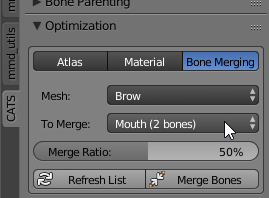
 astral bramble
I been having an issue where my fingers are inverted on a model im trying to import, the right hand is messed up, but the left seems fine, i got some screenshots if itll help https://cdn.discordapp.com/attachments/257994772814233601/404105821140811776/unknown.png
 mental lynx
i... I think I took this too far
https://gyazo.com/28c2390065d21882cf2e6f9d89b5cc0e?token=0941a09713a35be227dd875ec4591d5b

 floral sable
Too far or not far enough
mental lynx
🤔
 echo atlas
Anyone willing to add lip sync to a model?
it's not my model, I got it from the vrchat website
hallow bay
I'm doing it myself
with A LOT of help hahaha
but you need to create it from scratch or just add the sounds?
echo atlas
Who are you talking to?
hallow bay
you
spice jetty
to my knowledge if you make ah your and there mouth shapes cats can use those to make everything else
hallow bay
if it's scratch, you're on the same boat as me
echo atlas
So do I do that in blender rei?
hallow bay
if it's from already-created visemes, then just using the cats viseme tool shall do the trick.
spice jetty
mhmm tis in blender
dim snow
guys quick question
hallow bay
yes karma
hallow bay
send screenshot
hallow bay
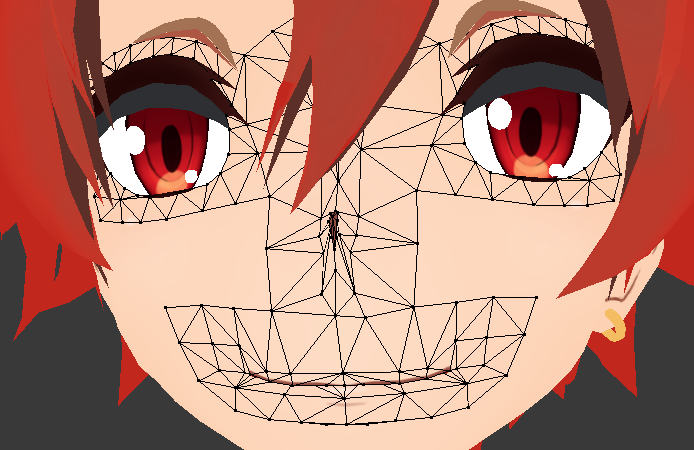
btw @tame skiff I found something when decomposing. There are 2 different mats that works with the face: the face https://i.imgur.com/TK5GEtF.png
and the mouth itself: https://i.imgur.com/6iEwdhj.png
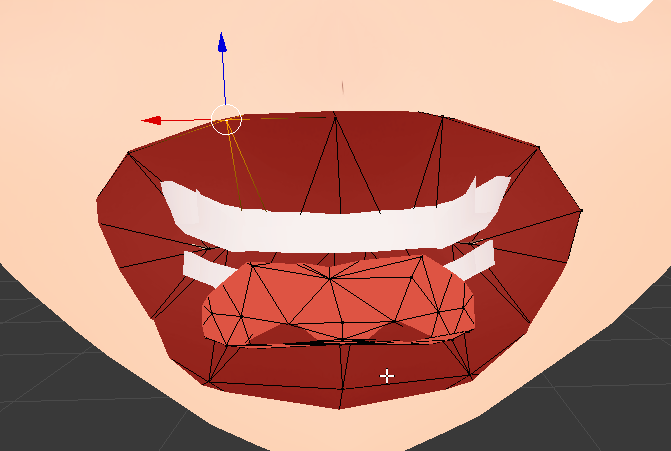
I need to find a way to select those both mats at the same time
dim snow
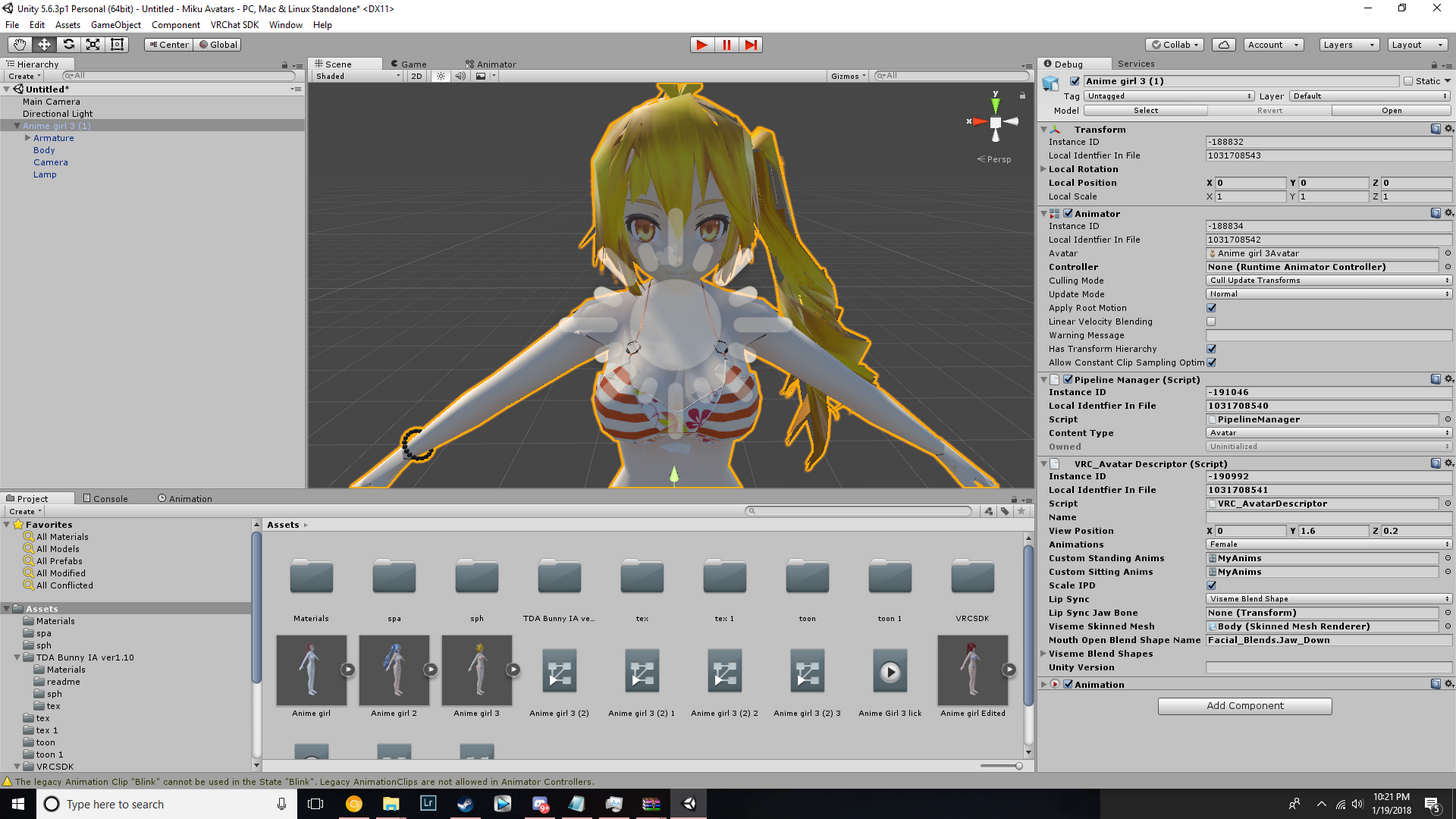 spice jetty
i think you can shift click their materials? something like that
echo atlas
How do i open those files in blender?
dim snow
my menu isnt like everyone elses o_O
theres tutorials created just today and this menu doesnt match theres
echo atlas
I got it. nevermind
dim snow
any clue?
tame skiff
@mental lynx Set exceptions. Dynamic Bones follows the entire chain from the root
dim snow
that did nothing lol
hallow bay
nvm sephi, is not that
mental lynx
That's what I'm trying to do at the moment
tame skiff
If the head and neck bone are in the way, they're going to jiggle
mental lynx
The exceptions, the chest is higher in the heiarchy
So is that where I set the exception?
hallow bay
maybe you have another version of the SDK?
tame skiff
^
tame skiff
I ended up with a weird error that made my viseme list different from usual too, until I re-updated
tame skiff
Wait
mental lynx
Quick question, how do I make the tale stick outward, and not downward?
Wait I may have this
dim snow
2018 01.03.12.06
tame skiff
@dim snow Did you select update from within unity?
dim snow
huh????
tame skiff
No I mean that would be the source of a problem if you did, don't do that
hallow bay
he's on the latest version
btw, why your unity button looks red?
should be black when nothing is running
hallow bay
or in my case, blue when something is running
dim snow
and i think it glitched that way
its black currently
yeah why does my menu look different for the visemes
i cant figure that out
hallow bay
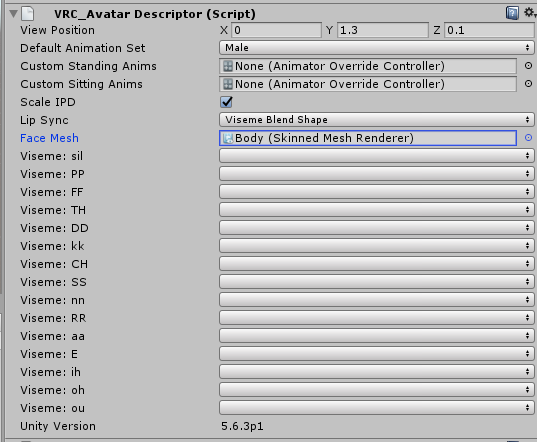
yours looks way more detailed. It should normally look like this: https://i.imgur.com/knTm0Ur.png
 mental lynx

So, no matter what I do, the tail does what it pleases.
Any ideas on how to get it to stick out more horizontally?
Ooh, I figured it out.
Rubber duck theory and all that
hallow bay
@tame skiff what could I do in my case? because when selecting, it either selects the geometry of the face or the geometry of the mouth. Is there a way to do both?
tame skiff
Select them from the materials panel
The little checkered sphere tab
on the right
You can select one and then the other
tame skiff
You mean the pivot point?
hallow bay
I mean, if I modify the position of the pivots of a material and then select the other material, doesn't reset the pivots of the first one to it's original pos?
tame skiff
Wait. The mouth and the face aren't seperate objects, are they?
hallow bay
the face only covers the outside, so if I open the mouth, it still looks closed, because there's a different mat for the inside of the mouth
mental lynx
Strange. The exceptions I have don't seem to be working. Everything is still all jiggly
hallow bay
oh god I accidentaly pressed a button that removed the color
looks like this now https://i.imgur.com/iDbOdlN.png
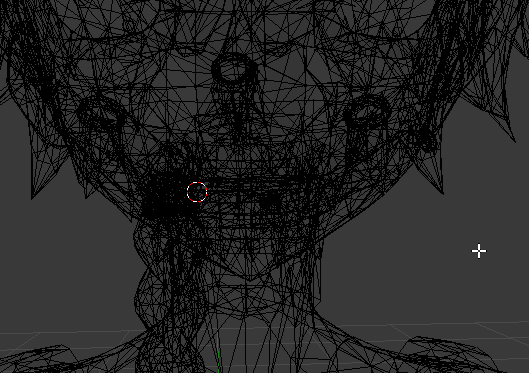 mental lynx
You selected to view the wireframe.
 bold atlas
 tame skiff
Yeah, just press z
bold atlas
bottom bar there's a little sphere next to the mode picker
you can change your view type
right now it's on wireframe yeah
tame skiff
Select the nearest thing and press numpad .
You'll change the focus to that object/area
hallow bay
that tool is so handful
tame skiff
Like pressing f in unity
 lofty topaz
...anyone knows what this means? https://imgur.com/LzsSpT8

 charred patrol
unmap it
tame skiff
You've assigned a bone to "UPPER CHEST." DON'T DO THAT EVER
lofty topaz
Well... I already got it rigged
brisk mesa
then you'll have to unrig it cause vrchat doesn't use upper chest bones
the only bones we are allowed to have here are hips for the ass area, spine for the midsection area, and chest for all things chest
tame skiff
You don't have to fix this in blender. You can do it in unity easily
brisk mesa
and shoulders both of them and the neck are connected/parented to the chest bone
hallow bay
alright, so I hided the mouth and the teeth and now I can clearly see the geometry from the inside. I hope this may do the trick https://i.imgur.com/eDyVVtc.png
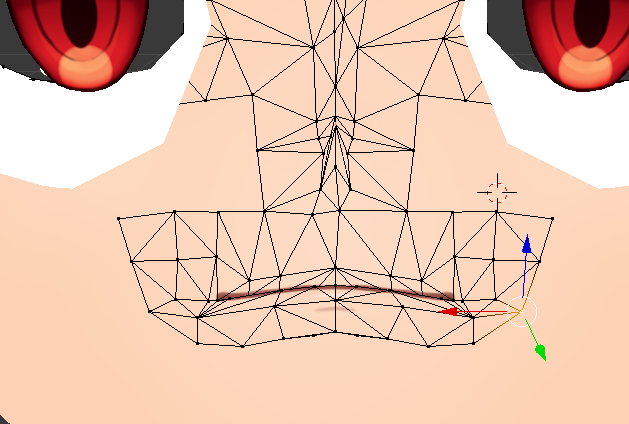
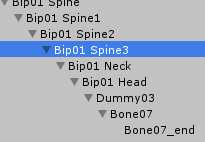 hallow bay
also @tame skiff dude, your patience is absolutely insane, thank you very much!
mental lynx
https://gyazo.com/390b89f44ff5d9695b2f46050705f5ae
What am I doing wrong with these exceptions, I wonder.

I've pretty much placed exceptions on everything to try and stop this.
tame skiff
@lofty topaz In Unity, select the model from your assets, go to the Rig tab, and from there click configure
brisk mesa
are you using dynamic bones on her hair?
mental lynx
Yes
mental lynx
The hair is doing what I need it to
brisk mesa
yea but everything else is jiggling xD
brisk mesa
yea you just make a new root bone for the hair, a child of the headbone
mental lynx
I think I understand now
lofty topaz
@tame skiff So I should just delete the upperchest? https://imgur.com/tffg5gI
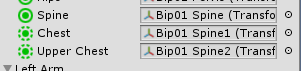 brisk mesa
if you delete the upperchest you must make sure that your shoulders and neck are properly parented to your regular chest
and the weight assignments too, they shouldn't make your chest act weird
i mean i guess other people probably merge the chest bones together so it shares the weights so maybe look into that
hallow bay
@tame skiff I believe I found how I should work to make the mouth movements properly. I can do It now without any problems, I just need to play a little to meet the right open mouth shapes. Your help has been invaluable
tame skiff
Don't delete the bone from the armature, just remove it from the field in your screenshot
lofty topaz
Yeah, but then he says the spine hierarchy is wrong
tame skiff
Oh. Oops
lofty topaz
 tame skiff
In that case I guess you do have to merge them
mental lynx
Uh. Still jiggling. Not a clue. Thought I figured it out,.
tame skiff
@lofty topaz the Cats plugin in Blender has a tool for that
brisk mesa
if you added dynamic bone to your headbone, you should delete that
mental lynx
I didnt
tame skiff
@hallow bay No problem. I just want to save people from banging their heads against the wall like I am did
hallow bay
the only problem is
mental lynx
What about collider scripts
hallow bay
that for every sound, I have to move the tooth, the mouth, and the face manually hahaha
mental lynx
Yep. I guess I just have no idea what I'm actually doing.
lofty topaz
@tame skiff when trying to fix the model http://prntscr.com/i2yrm4
 mental lynx
But the entire body, chest and up, shouldn't be jiggling like this.
hallow bay
it's a start. https://i.imgur.com/DUYulwM.png
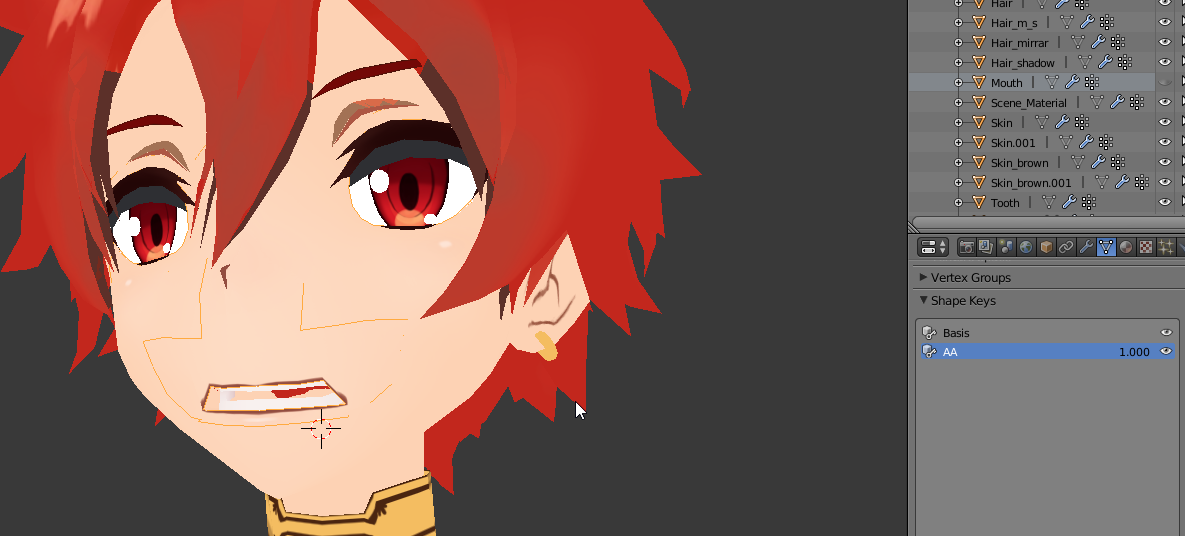 tame skiff
CH
stable elk
is thier any thing in unity for bones that are like Dynamic Bones and works as well but is free
brisk mesa
i sucked -bones- to get my Dynamic Bones
mental lynx
Okay. Head and everything no longer jiggle...
But... the facial features all still jiggle
brisk mesa
haha
hallow bay
for example, that AA key makes a movement for Face, Mouth and teeth material at the same time?
mental lynx
I was wrong.
hallow bay
is there a way a shape-key can have direct effect on shapekeys of another mats?
tame skiff
I think you've gotten the wrong impression about materials
hallow bay
Yep, I'm confused
tame skiff
I was just showing you a way to select verts, you don't enter a "material mode" when you do that
you're not editing materials when making shape keys or moving verts
hallow bay
I got that
but the problem is, that only looks good if I hide the mouth mat
because, if I make mouth visible again, it looks like this: https://i.imgur.com/Qr0Entj.png
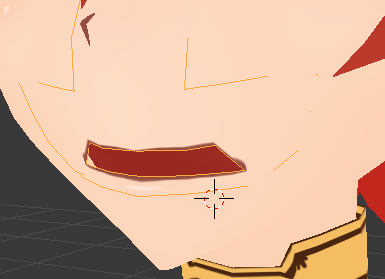
because I have to do the same for the mouth
right now I'm opening the mouth, but it's a different shapekey, and that worries me https://i.imgur.com/MIcNabZ.png
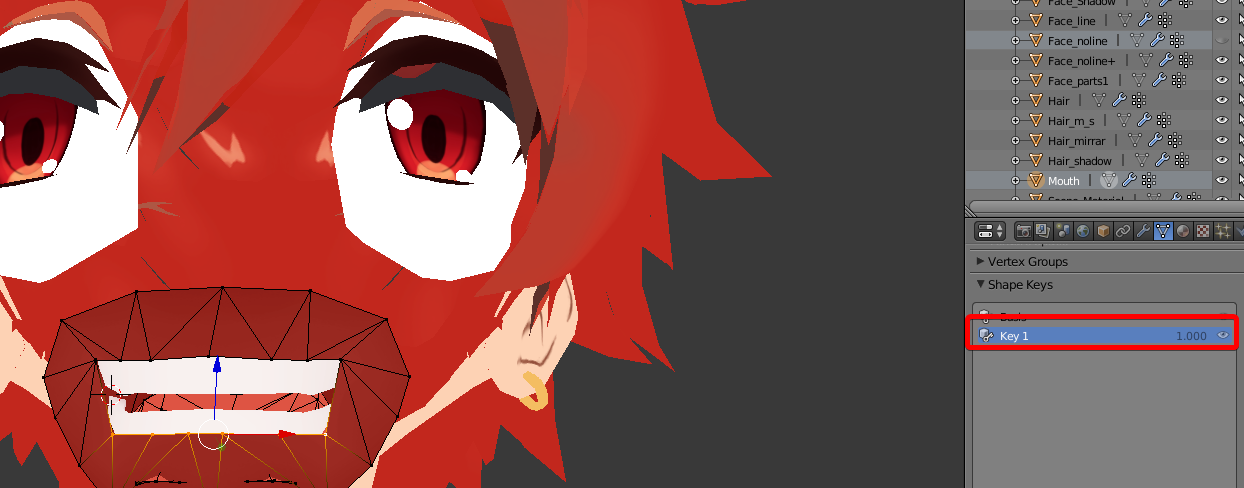
because, at the time of using the CATS tool, which shapekey for CH shall I select? the mouth one or the face one?
tame skiff
So your face and mouth are different objects?
hallow bay
yes
tame skiff
Okay, that's a problem for shape keys
mental lynx
So far so good. For some reason the face still jiggles.
https://gyazo.com/87da19cec33befd93f06f0828e6cbf60
 tame skiff
They need to all be one object
hallow bay
that's what I was trying to say, but I didn't knew the words for it
so, I need to merge them?
tame skiff
Yes. With every part to merge selected, press ctrl +J in object mode
hallow bay
I'll better save a copy just in case something goes wrong.
tame skiff
Blender's probably cool with your shape keys spread across objects, but I bet VR Chat isn't
Good idea
 modern reef
Hey is anyone elses upload stuck at "Future proofing your content!"
This is new for me
hallow bay
that could mean servers are having problems
brisk mesa
i counted.
tame skiff
If you're okay with starting over
I think otherwise it will just add them. But seperately
hallow bay
I'm completely fine. I got already the hang of modifying the geometry
how do I multi select mats?
tame skiff
Do you mean objects?
tame skiff
shift + rmb
hallow bay
the highlight means selected? https://i.imgur.com/ZNFDhC2.png
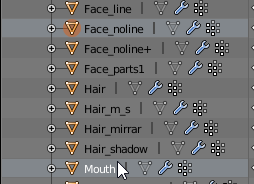
or there I'm just selecting mouth?
tame skiff
An orange circle around the triangle means it's selected
hallow bay
so, it's both selected?
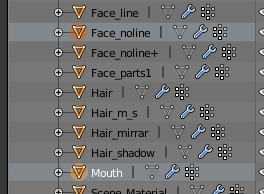
tame skiff
In your screenshot only Face_Noline is selected
 heavy pasture
When I pose the avatar in pose mode and click apply pose as rest pose, the bones will remain posed but the mesh will revert back to the previous rest position. Anyone know what's wrong?
tame skiff
In the viewport it's right click, in the heirarchy view it's left click
 fading verge
Anyone know why my model might have a hanging open mouth?
Its not until brought in game it hangs open
tame skiff
@fading verge Do you have the jaw assigned?
mental lynx


 fading verge
I do