#avatar-rigging
1 messages · Page 78 of 1
 main cape
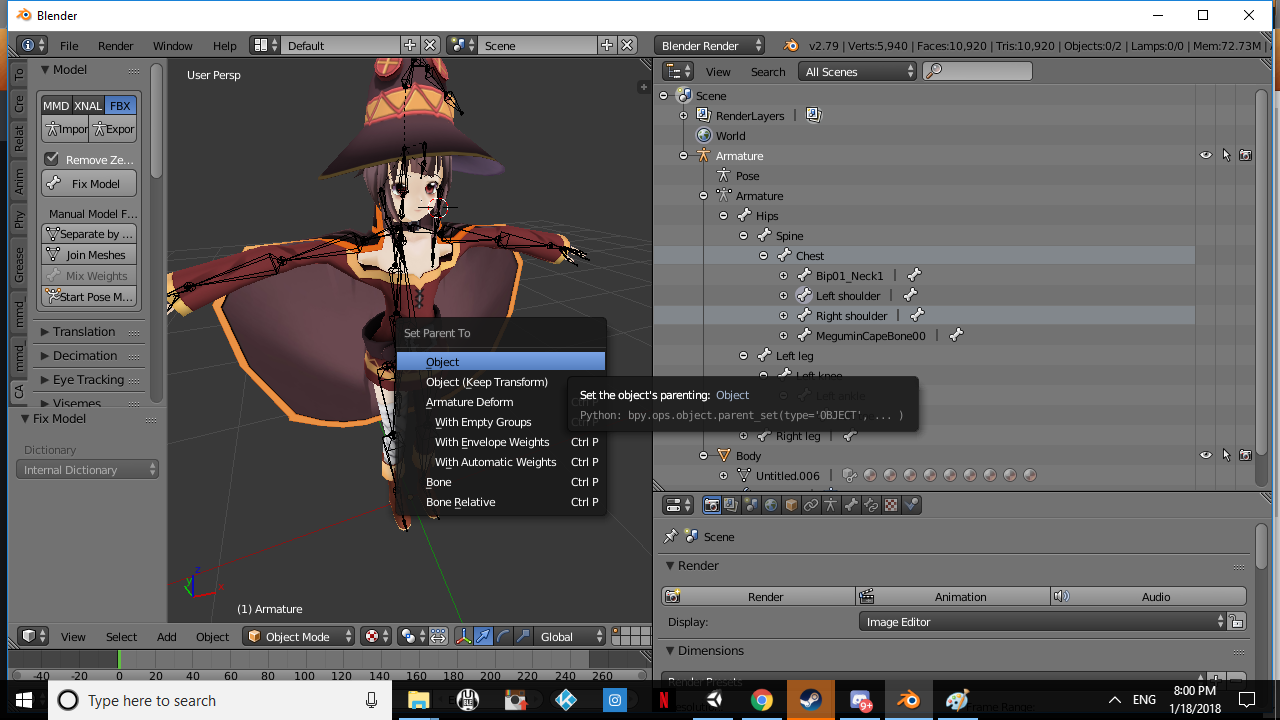
https://imgur.com/a/alQAR it comes up with this when i do that?
 nova wigeon
Don't select the bones inside the heiarchy
just right click the bones in the viewport
 charred patrol
@brisk mesa i really need help with the weight paint
main cape
when i right click in the viewport it selects the whole armature
charred patrol
nothing is working
nova wigeon
Then go into edit mode
main cape
ah there we go
nova wigeon
@charred patrol What's the problem? I don't have enough information from "my model is fucked up in unity"
 nova wigeon
Are your bones rotated correctly?
 wind vale
That seems to be an issue with weight paint
main cape
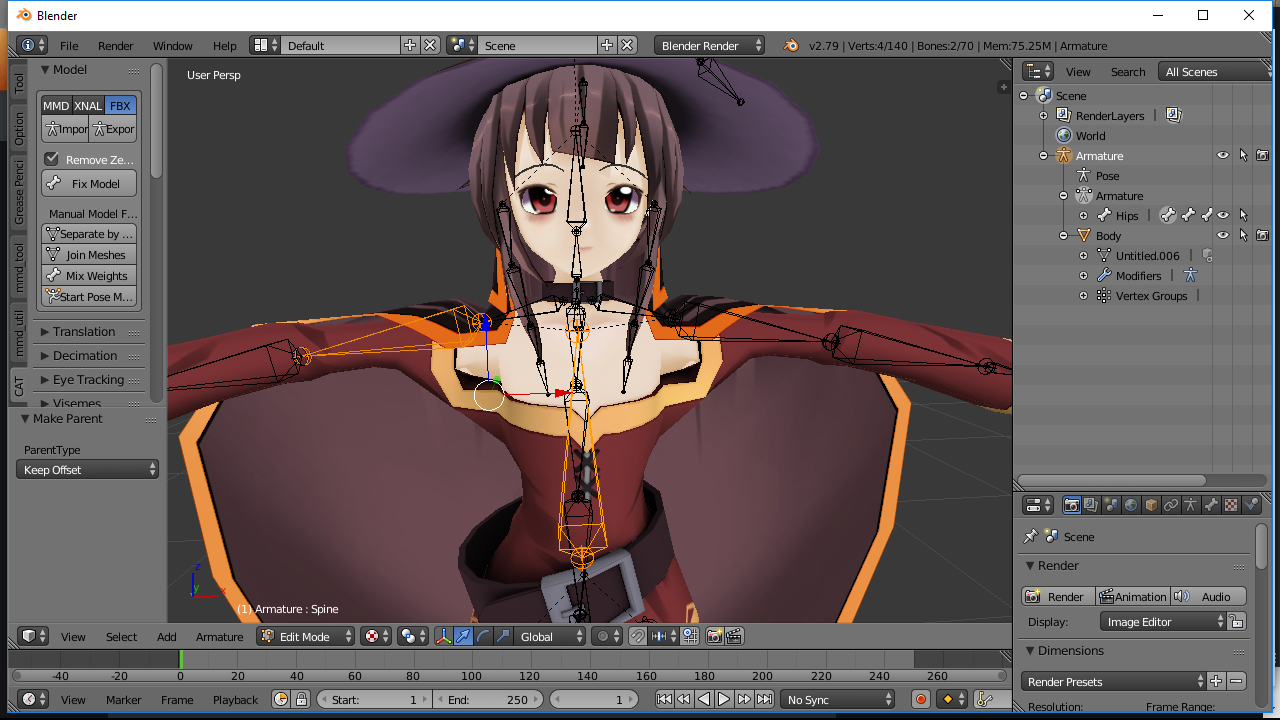
so i selected the shoulder then shift clicked the chest then i hit ctrl p and hit keep offset should i the click the neck then shift click the chest ctrl p and hit keep ofset?
nova wigeon
Yes
same with the other shoulder
also make sure your model has it's rotation, location, and scale reset @charred patrol
main cape
ok did that should that fix it?
 cerulean hawk
ok
main cape
 nova wigeon
Your shoulders, not upper arms
main cape
ah will reload the model and do the shoulder sorry if i am being a idiot here 😰
nova wigeon
It's fine lol
An unbelievable amount of people come in here asking for help. Amazes me how they even end up getting a model into vrchat tbh
lol
main cape
haha i have quite a few in game with weapons and stuff just never tried the rigging stuff before
ok i did it to the shoulder this time take it i would just export it again and try it in unity or are there any other additions i need to do?
nova wigeon
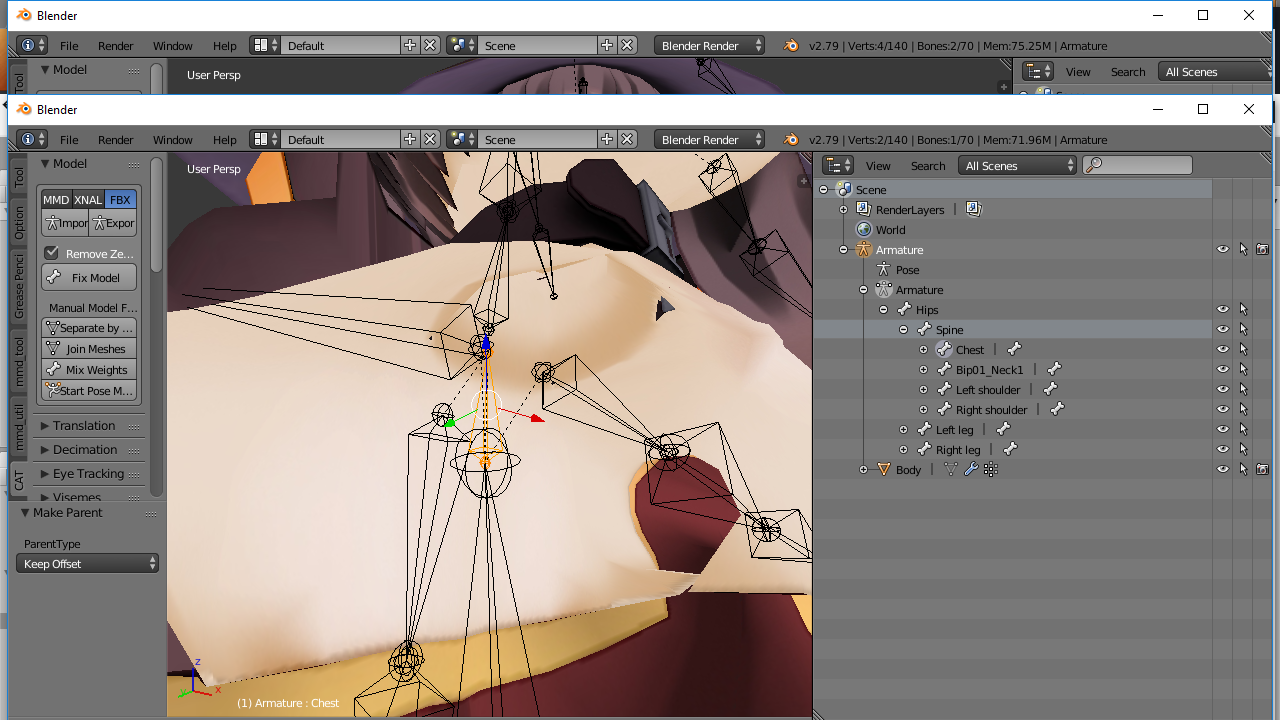
did you remove the upper chest bone?
main cape
no how do i do that?
nova wigeon
You select it and press delete? Lol
main cape
https://imgur.com/a/mLEZa take it this would be the upper chest bone?
 nova wigeon
Looks like it
 native nebula
Anyone else has a Eye Tracking problem? All my avatars seem to have eyes that go all over the place o_O
main cape
i think i deleted the whole chest when getting rid of that bone?
@nova wigeon
 royal agate

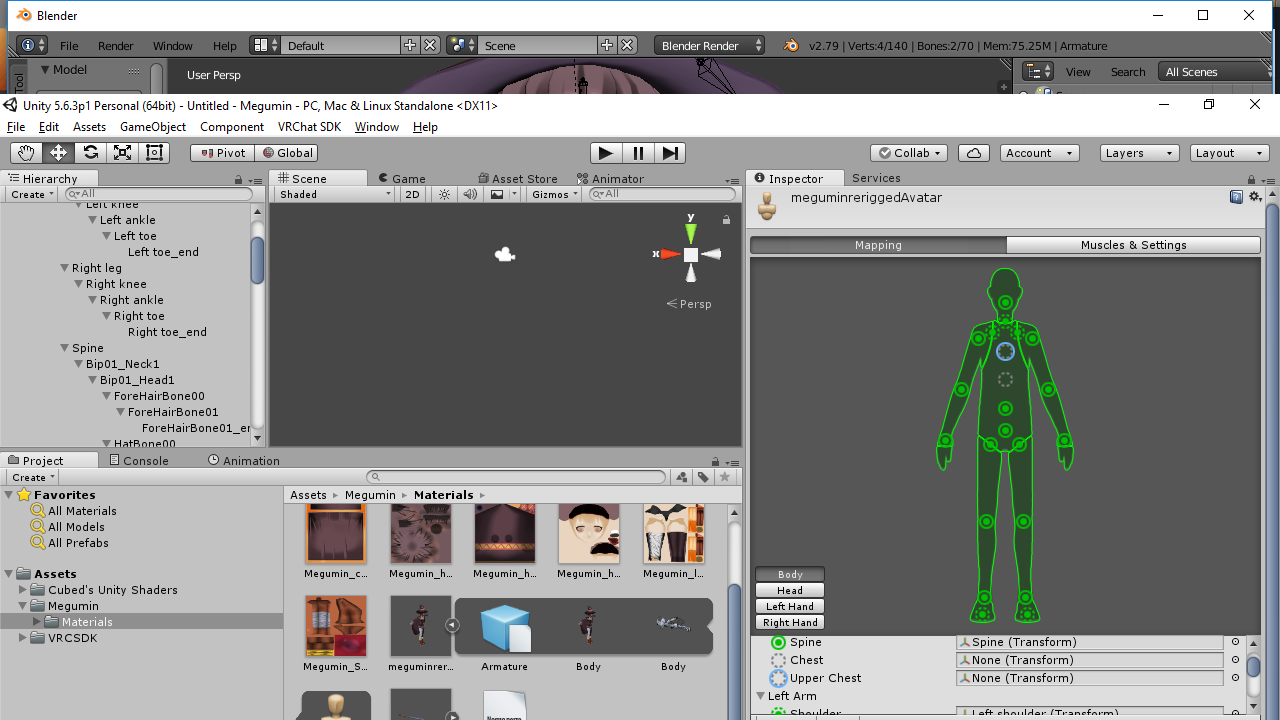
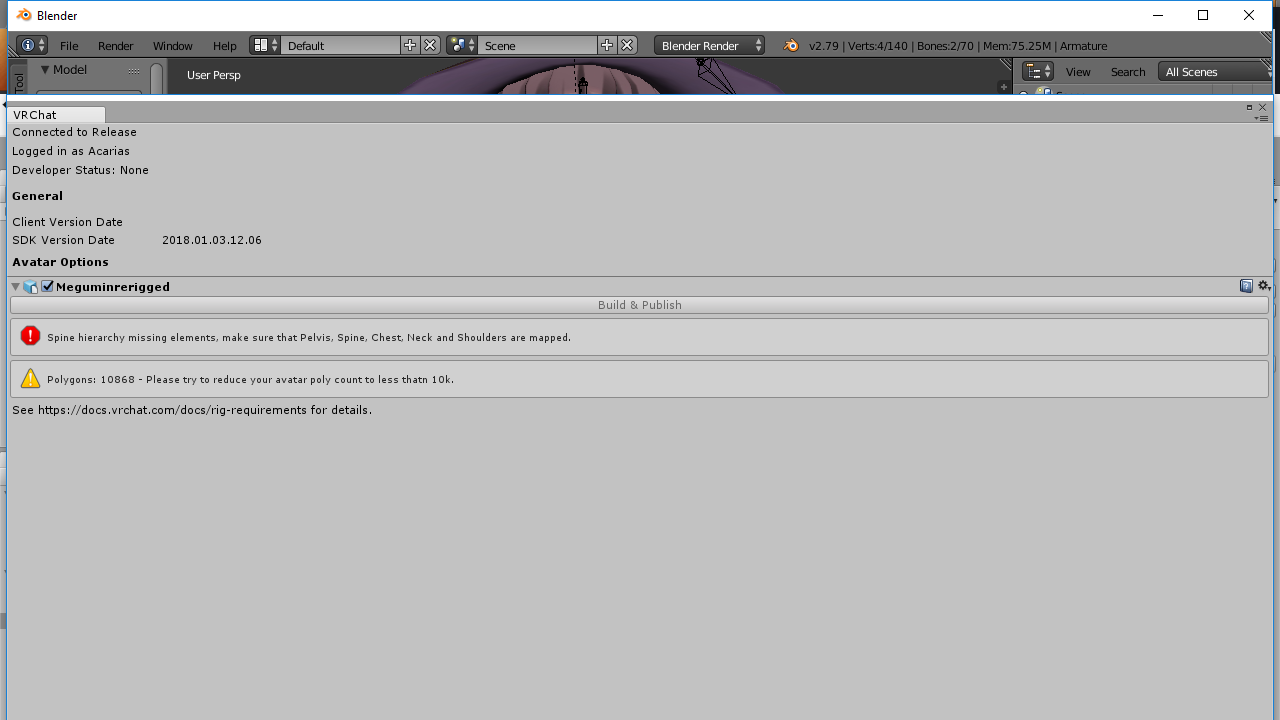
So VRChat build thing says the hiearchy doesnt work
im guessing i need to change the hips cos right now they are where the lower spine would be
can anyone confirm?

 astral sand
 royal agate
go into blender and rename the chest bone whatever its called to Chest
Neusaric thats your hiearc hy
get cats and fix bones on blender then re import
astral sand
that is after doing cats
nova wigeon
@main cape just set your spine bone
Chest bone*
whatever it's called in blender, just set it as it in Unity
 nova wigeon
http://prntscr.com/i2ctqu @main cape set this bone as the chest bone in Unity
 nova wigeon
Did you enforce tpose?
 noble willow
how
nova wigeon
Or did you reset the location, rotation and scale inside blender?
noble willow
?????
its an mmd model, i set the joints to their parents and brought it into unity
nova wigeon
Google these things... Google is your friend
noble willow
boi i work at google, google aint my friend lol
nova wigeon
Right
noble willow
probably wont beleive me if i say im a girl on the internet either so it doesnt matter
but neither of those "fixes" you give are the issue
the issue is that his neck joint is broken for no reason
nova wigeon
I don't believe it until I see it.. Common motto ¯_(ツ)_/¯
noble willow
sad
nova wigeon
If you believe everything someone says, that's sad.
noble willow
and if youre not going to be any help, get lost
nova wigeon
Lmao
I told you what you should to. I was merely giving you troubleshooting options
There could be countless reasons why your neck looks like that in Unity. I was giving you ways to fix it. That's not helping? I don't think anyone here can look at your model from that picture and say "Yep! I know the problem! This and this is the problem, rotate your neck precisely 2.04928% clockwise and you'll be good to go!"
main cape
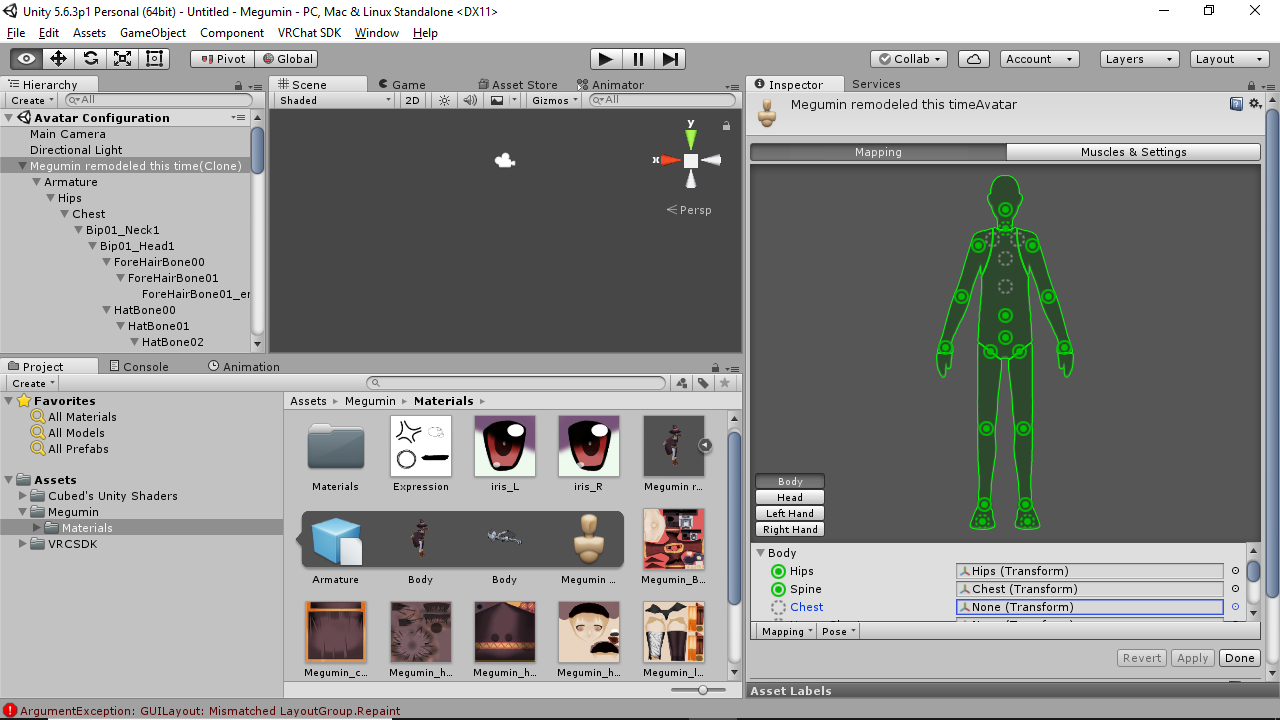
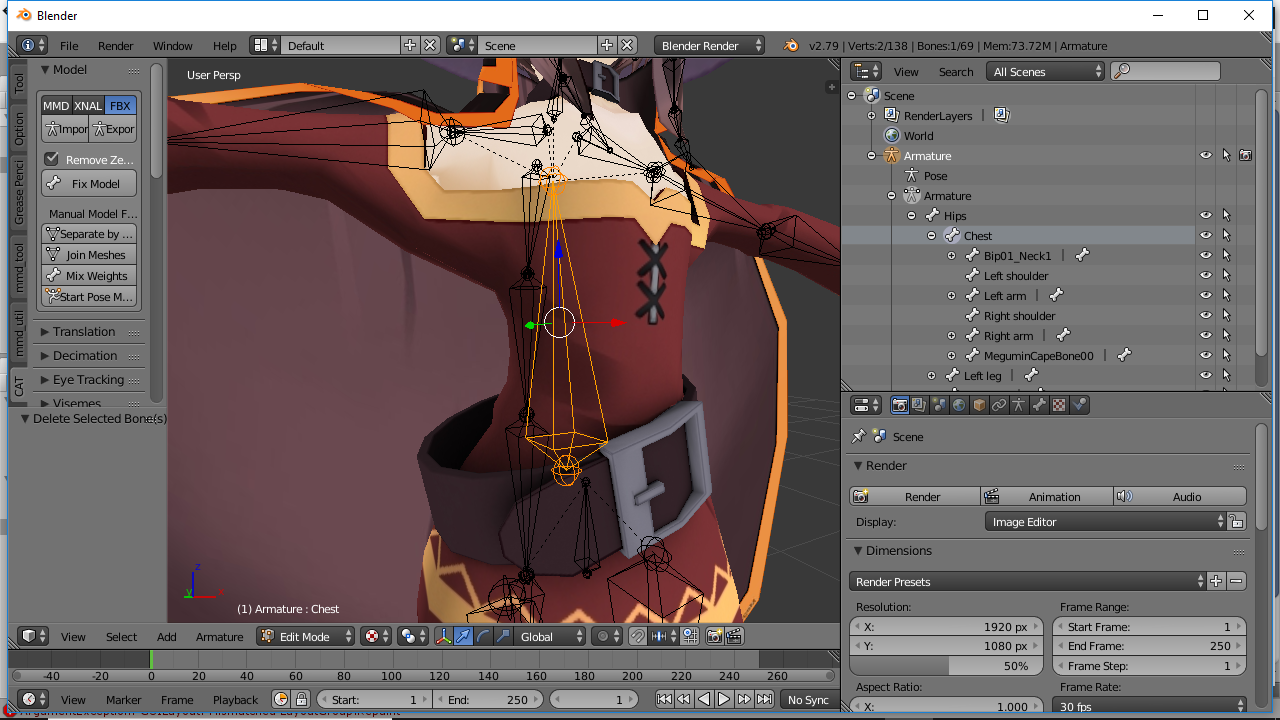
ok i did what you said tanner although for some reason i does have a chest bone that middle bone we editted was the spine
it doesnt have a chest bone *
nova wigeon
Send a picture of your model
 fading verge
if im correct if i wanted vanashing arms they would have to be an animation right?
nova wigeon
Don't know the answer to that one. Sorry @fading verge
 fading verge
yikes one giant bone for the whole spine?
main cape
aparrently not
main cape
thats cause i changed the spine the one marked chest in that was orignally spine
nova wigeon
Rename that bone to spine and just extrude a bone from that bone to make the chest
and then parent your shoulders and neck to the new bone
main cape
ok i renamed it back to chest how do i extrude a bone?
nova wigeon
Rename it to spine. Not chest
main cape
i named it back to spine i mean't
nova wigeon
Select the top circle of the spine bone
press E and move your mouse upwards
left click when you have it in place
also, move the bones to where they would be in real life. I don't think a spine bone goes all the way up to the shoulders lol
 grand dagger
lower mark is not first child of upper arm or hand is not first child of lower arm: you may have problems with forearm rotations
help olz
main cape
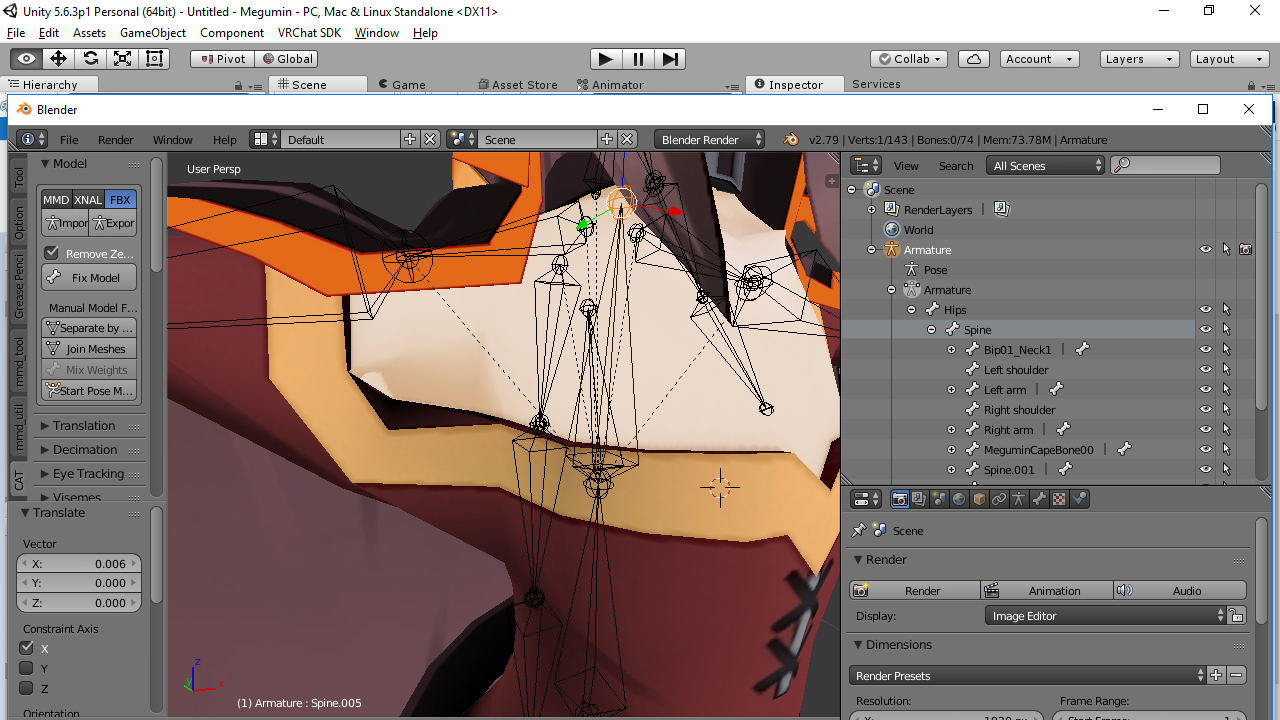
https://imgur.com/a/dPsy8 i lowered the spine and added a chest bone in from the spine to inbetween the should blades how do i parent the new bone?
 nova wigeon
@grand dagger You... literally just typed what was wrong. Which part do you not understand about "lower mark is not first child of upper arm or hand is not first child of lower arm"
nova wigeon
http://prntscr.com/i2d37r Looks like your hiearchy is there..
 nova wigeon
What's the exact error?
grand dagger
my bones dont have names theyre just sqaures
 reef mango
use translate in CATS blender plugin
royal agate
'Spine heiarchy missing elements.'
main cape
how do i parent the bones now that i made a chest bone?
nova wigeon
same way you did earlier
 proper depot
Anyone know how to fix rigging in blender so that moving a bone doesn't cause unrelated meshes to move?
grand dagger
where is the CATS blender located
nova wigeon
What are you typing on? A clay tablet? Use google!
royal agate
Fixed it
royal agate
The shoulders werent auto picked so just selected them in the humanoid config
nova wigeon
You can get help, but googling something will find you the answer faster than I can type it out
Congrats @royal agate
reef mango
hey any ideas on why my arms spaz when i assign my three dummy fingers? https://i.imgur.com/RKjJiUR.png

they do a weird bendy thing
:S
 gaunt belfry
Weightpaint issue? ionno
 fervent helm
any idea why Mixamo imports my model rotated a bit? It doesnt face forward so its a off.
 main cape
thats it all fixed and working :3 @nova wigeon thank you very much for your help your a god send bro
nova wigeon
Nice! @main cape
fading verge
I'm trying to figure out how people are getting their avatars to lift into the air with colliders, anyone know how?
grand dagger
spine heirachry missing??
proper depot
I have a good spine heirarchy
fading verge
Does anyone have a tutorial on how to add dynamic bone colldiers to hands?
grand dagger
no i have that error
 hidden gorge
@grand dagger http://lmgtfy.com/?q=cats+blender+plugin

LMGTFY
grand dagger
i have it now and it fixed it but a new error popped up
hidden gorge
what's the new error
 surreal imp
how do you move the arms in unity so that they wont clip through the body?
 honest blaze
Can some1 rig a model fer me
nova wigeon
Probably not, unless you pay them
 distant raven
try using mixamo first
honest blaze
cri


 tacit sinew
anyone have ideas why the legs pop outward? https://i.gyazo.com/5853fa4646bea35a23b7705bdc322ab8.png
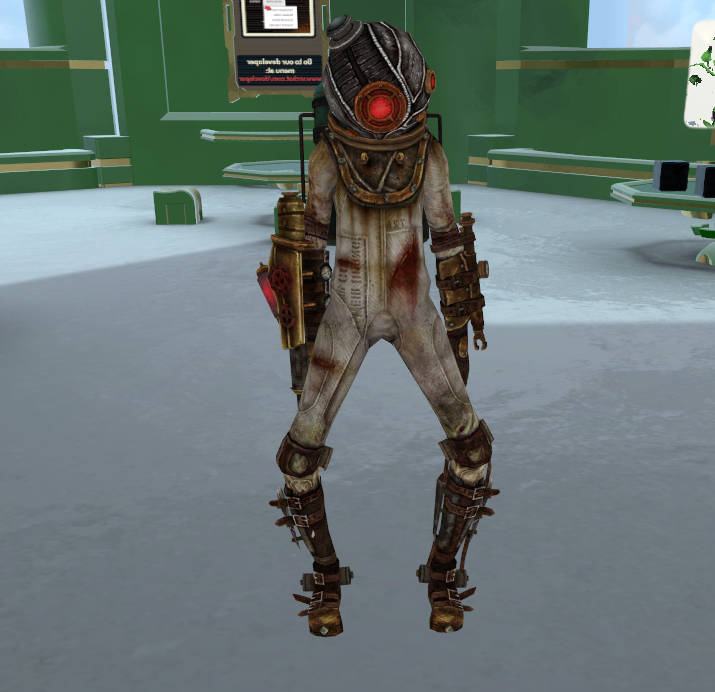 wind vale
Lol that happened to my model too
 zealous crescent
the original model isnt in a straight t-pose when you uploaded.
 wind vale
Fixed it by moving the knees in the TPose on unity inwards
zealous crescent
close them legs
wind vale
Make the Tpose look like it wants to pee
wind vale
Ye
 raven pumice
Are there any good non video guides for Dynamic Bones stuff?
 coarse sky
Hello, can someone rig a model for me?
tacit sinew
rotate or just move @wind vale
wind vale
Move
coarse sky
Anyone at all?
 main sage
also @coarse sky not to be a dick, but not alot of people are gonna rig an ENTIRE model for you. plus, alot of models you can get on DA and such already are rigged, you just need to follow a few steps to get it into VRchat
 spiral sparrow
Managed to import a working non-humanoid avatar into vrchat, but no matter where I place the view position, it always appears in game as looking through the centre of my avatar, through the body.
Does anyone know the cause of this?
 autumn parrot
Is there any easy way to rig the mouth/eyelids of the character like on mixamo?
wind vale
Mixamo only rigs the basic skeleton
If you need anything else you have to use blender or similar program
autumn parrot
I see...
Then, can I rigg the basic skeleton on mixamo and then rigg the face on 3DS Max? Or I will have problems if I do that?
tacit sinew
@wind vale when im in vr and go low the legs bend outward still like pictured
wind vale
Oh ok then the bones need to be rotated
tacit sinew
back in blender or can i do it in unity
wind vale
I believe you can do it on unity
 spice fjord
Anyone know how to reverse the camera on an avatar? I just have a static avatar no animations or anything but the camera is facing backwards ingame. Tried rotating it in unity and re uploaded several times but no dice 😦
 stark sandal
Ok ok i need some help.
I rigged and created my own model for vrchat. Only problem is i forgot to/how to texture it. Now i have an untextured model in vrchat. How would i texture it in unity
zealous crescent
Does the model itself have textures?
are they in a folder somewhere?
If so, just drag them into unity and place them where they need to be
stark sandal
No i mean, there are 0 textures. I guess when i saved it i forgot to add textures in blender
the UV texture i did have from another program doesn't work
stark sandal
I did, but it doesn't wrap itself on the texture the way it should
 wide heron
Anyone know how to rig two different models together for an avatar in VRChat? I 'm trying to get knuckles to sit in this car. It appears correct in Unity but when I upload it into the game, Knuckles disapears and it's only the car. Can someone point me in the right direction?

 lilac hound
 wind vale
Are those dynabone colliders
wind vale
Huh
charred patrol
https://gyazo.com/61dad12e5f2e7a6d10fb3c0ae6ee596d is that normal?
 wind vale
Yeah that’s just the weight paint
Put your armature on pose mode and then you can select through all the bones and see the way they’ll interact with the mesh
 wind vale
Go to weight paint, select the arm bone and fill the whole thing with red
charred patrol
the entire arm with the bracer?
wind vale
select the bone, then while pressing shift select the part that didnt move, and then set it to weight paint. there you can use the tools to your left to paint the mesh, red means it moves, blue means it doesnt. using the gradient tool you can pant the whole glove thing that you want to move with red, while selecting the arm bone
 golden adder
Making a small avatar but when i upload its feet are in the floor. Any advice?
gaunt belfry
What's the model lol
 weary condor
I have a model which has the upperchest mapped in the humanoid rig, however, if i remove that, the spine hierarchy will be incorrect.
 gleaming sand
 weary condor
I'm not sure if i should remove it or not.
gaunt belfry
@gleaming sand send me the model over DMs
nova wigeon
http://prntscr.com/i2fl7z as stated in the #avatars-2-general channel
 gleaming sand
my bad im sorry
weary condor
Wait, does this have to be done in blender? 😨
 shadow shoal
Yes
nova wigeon
Yes @weary condor
 dusk pilot
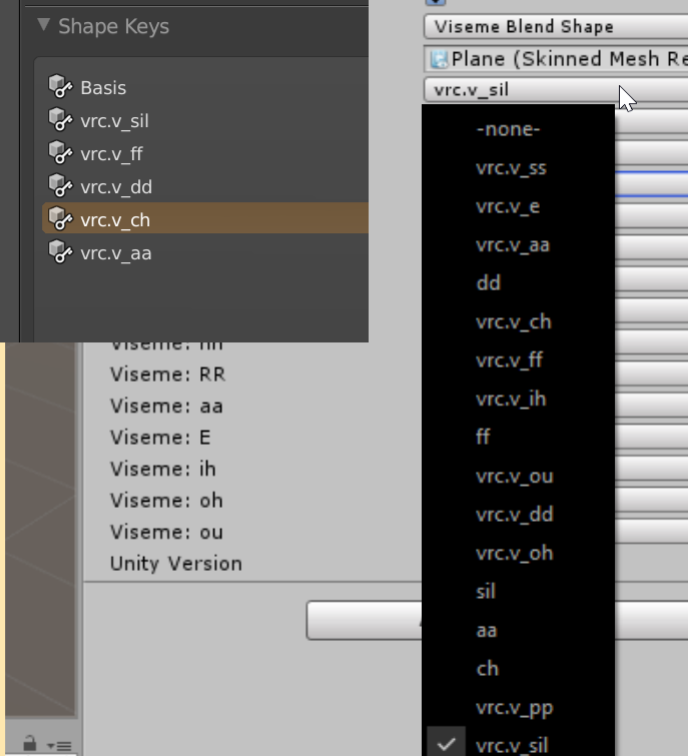
The knuckles avatar only has 5 blend shapes in blender. However when I import it into unity There are the other blend shapes to choose from. I'm trying to get my model to have viseme with only a few blend shapes. How is this knuckles model fooling the SDK into thinking it has more shapes then it really does?
 weary condor
This is gonna be scary, since i haven't actually done this.
Parenting bones.
ohhh wait
fix model
😅
 spice jetty
been working on parenting hand bones for about 30 hours now yeah its great when that button exists
wind vale
@dusk pilot you can probably set the same key in different options
charred patrol
fuck
wind vale
for example the v_dd can be used for v_ff, v_rr, v_kk, etc
dusk pilot
Ill try that, thanks.
spice jetty
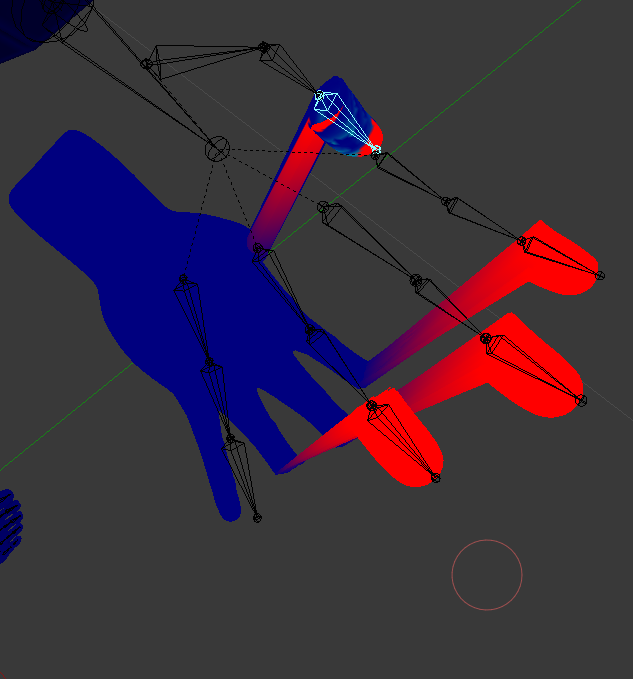
So I couldnt get the hands right so I had the idea about 5 minutes ago to just move the arm bones up and weigh them so that the material flies up so I know I got it right 😄 https://imgur.com/a/VIMTk
 spring crescent
Yeah, hands are tough! I normally make an animation first, moving from T-pose to fingers splayed opposite directions. Keeps you from cross-painting a nearby finger (and tests the rig at the same time)
weary condor
The mouth of my model is open in vrchat.
charred patrol
@wind vale https://gyazo.com/6d7165e3f37d05214429617f75e7627b how do i revert this to normal
 wind vale
i believe it was ctrl+w
spice jetty
I had trouble figuring weight gradient out, know of a good tutorial maybe? just in case
wind vale
then select clear user movements or something like that
charred patrol
doesn't work
weary condor
It appeared to work fine outside of vrchat, but it's mouth is open somehow. https://cdn.discordapp.com/attachments/344608839162789898/403705590175629314/unknown.png

Didn't add any visemes either.
I can't add visemes to this model because of it having no shape keys.

wind vale
if you have bones in the jaw you can move the Tpose and close the mouth there
@charred patrol its just W
then clear user transformations
raven pumice
@weary condor remove the jaw bone from the mapping in Unity, unless you need it to flap for lipsync
 static flint
Does anyone have good dynamic bone settings for a Cape by chance?
weary condor
Won't need flaps.
raven pumice
Just tell unity there's no jaw bone then
wind vale
Are you in pose mode?
weary condor
Do i delete Head Jaw in the bone configuration in unity?
that's what's causing it as far as i know.
raven pumice
Set it to none but don't delete the bone
spring crescent
I'm having the same problem but I DO need flaps O_O
Oh, and my eyes are black and scary AF, but that's a totally different problem
charred patrol
weight doesn't seem to wanna work properly
raven pumice
If you need flaps then you need to adjust the bone position, theres some tutorials on that if you Google it, but it's simple
spring crescent
Yeah, I'm seeing that now. Thanks
raven pumice
If I wasn't at work on my phone I'd explain better lol
spring crescent
Though, mouth movement is totally broken for me right now, so that is the larger problem I guess. I'll google more!
raven pumice
Mouth and eye stuff is very picky
 mild mural
Mouth movement with the jaw bone never works for me. Only blend shapes.
spring crescent
Ah. Well I was planning on trying to do that anyway, so maybe I should just move on to that step
raven pumice
Yeah I've had no luck with jaw bone flapping
fading verge
Is there another way to add visemes? I bought an avatar from the unity store and It appears i cant get the visemes to work at all
raven pumice
Visemes look.so.much better anyway
spring crescent
Do you typically just do morph-targets (blend shapes) for the whole avatar, only moving the face, or do you separate the face as its own skinned mesh?
raven pumice
Whole model
mild mural
@fading verge the visemes need very specific names.
weary condor
Before i do end these questions, how do i change the angle between two bones?
spring crescent
Ok, good. I figured there would be performance issues, but I guess two draw-calls is more than 1
weary condor
in blender
fading verge
I'll paypal someone $10 if they can help me get this shit working 😦
paying $50 for an avatar and i cant get the eye tracking or mouth tracking to work
spring crescent
Did it come with visemes and they don't work, or it has none?

 spring crescent
And it may be that they didn't include vowels, just expressions.
raven pumice
Weird thing: visemes seem to be correct in Blender but they 'snap' instead of smoothly transition. Anything more than 0 looks the same as full. Is this going to cause a problem? Can I fix it?
Speaking solely in Blender btw haven't gotten it in-game yet
fading verge
http://prntscr.com/i2fwrw these are my animations, i dont know how to import them into VRChat at all, i've followed tutorials but always hit a wall
 charred patrol
oh boy
fading verge
If anyone wants to help me i'll be greatful enough to pay you for your time ^_^
charred patrol
 weary condor
Gonna have to figure out how to turn these legs very slightly.
charred patrol
how do i put the bones back?
weary condor
Change the angle by 5'.
 silent fulcrum
quick question how do i move bones in blender fromone parent to a different one
spring crescent
Are you trying to get mouth movement working, or just implement face animations?
charred patrol
@raven pumice
fading verge
Are you talking to me @spring crescent ?;o
raven pumice
? Why was I tagged
 dim snow
guys I need assistance
im trying to add breast bones to the model with a mixamo rig
and doing the same steps aint working. and my model looks oddly deformed when in object mode.
Why wont breast bones work on the mixamo rig? It worked fine earlier on my non mixamo, but now im trying to add them on my mixamo version and it aint working when I try to add them
 cosmic mica
im trying to test dynamic bones in unity (im seeing tutorials pick the bone up and move it to watch the live reaction of it) but its stiff, not moving, is there a play button or something i need to press to test dynamic bones?
dim snow
Yes^
cosmic mica
ok
dim snow
Press play and at top left press scene
then move model
But anywho, anyone know how to fix this freaking issue?
I made the bones, from duplicating the spine/chest bone or whatever
charred patrol
@raven pumice https://gyazo.com/c63a04875ad666092b806938c2a6e354 are the bones supposed to be like that?
cosmic mica
have the breast bones connected to the chest bone, dont try to include them in the mapping heirarchy
dim snow
named them breastleft and breastright, made bone groups for them
cosmic mica
keep the bones in reset original pose, if you try to enforce tpose it might smoosh them
dim snow
it worked earlier but on this mxamo one, posing the bones doesnt even move jack shit
dim snow
Like I have it working fine ready to go and rigged, but I want them sweet custom animations man
raven pumice
@charred patrol sorry I can't really see it well on my phone to help
dim snow
So i tried adding the bones to mixamo and failed
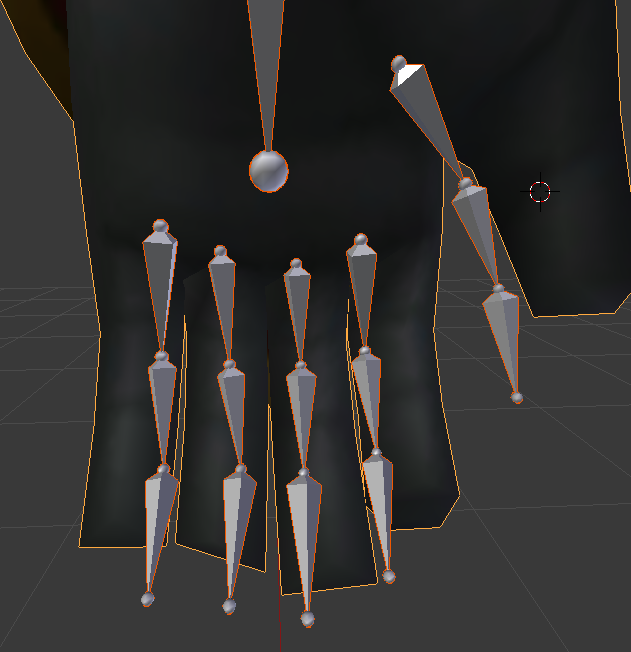 cosmic mica
does anyone have any reccomended values for hair that hangs down as if heavy to gravity? (dynamic bones)
 ornate tundra
Just wondering, Do B Bones work in unity/vrchat or only octohedral bones?
weary condor
Jaw is fixed on my model now, gonna change the angle between the pelvis and thigh bone tomorrow if it’s really necessary
charred patrol
how come weight paint doesn't want to grab the slightlest color changes
spice jetty
because weight sucks and I've been struggling with it for 30ish hours. but i could be wrong there could be an easy way im not aware of
charred patrol
https://gyazo.com/37aff394ad88eac5b621681a0a517af1 i can't even color that little area red

strenght and weight are maxed out, can't color
gaunt belfry
Goto X-Ray mode it's an option on the bottom bar, it's a box behind a dotted line square
raven pumice
Is there a way to get a bone to mimic another Bone's movement? Like a second smaller head kind of thing?
Was thinking of sticking an animal on a model's shoulder if I can get it to look where I'm looking too
 cold seal
can someone help me?
Why do i get this message
Your rig has the UPPERCHEST mapped in the Humanoid Rig. This will cause Problems with IK.
charred patrol
because it's mapped
raven pumice
You need to make upper chest set to none
spice jetty
space ik there is i just didnt understand the process, saw a video last night you want the link?
charred patrol
this
gaunt belfry
Silent, push Z, then click that button at the bottom and try to paint it then, the vertex might be overlapping or inside
cold seal
how
raven pumice
@spice jetty that would be great, pm me it? At work
charred patrol
@raven pumice i'm trying to color the bracers but it's not letting me, there's mini areas that i can't even color
raven pumice
It's in the skeleton/muscle settings in unity
Find upperchest, set it to none instead of a bone
charred patrol
 raven pumice
Sorry I can't go more in-depth I'm on my phone at work
gaunt belfry
@charred patrol you tried what I said to paint it right? It usually let's me paint it when I do that
cold seal
How do i go back to the bone section?
charred patrol
@gaunt belfry nope, that method doesn't work
cold seal
oh nvm
wind vale
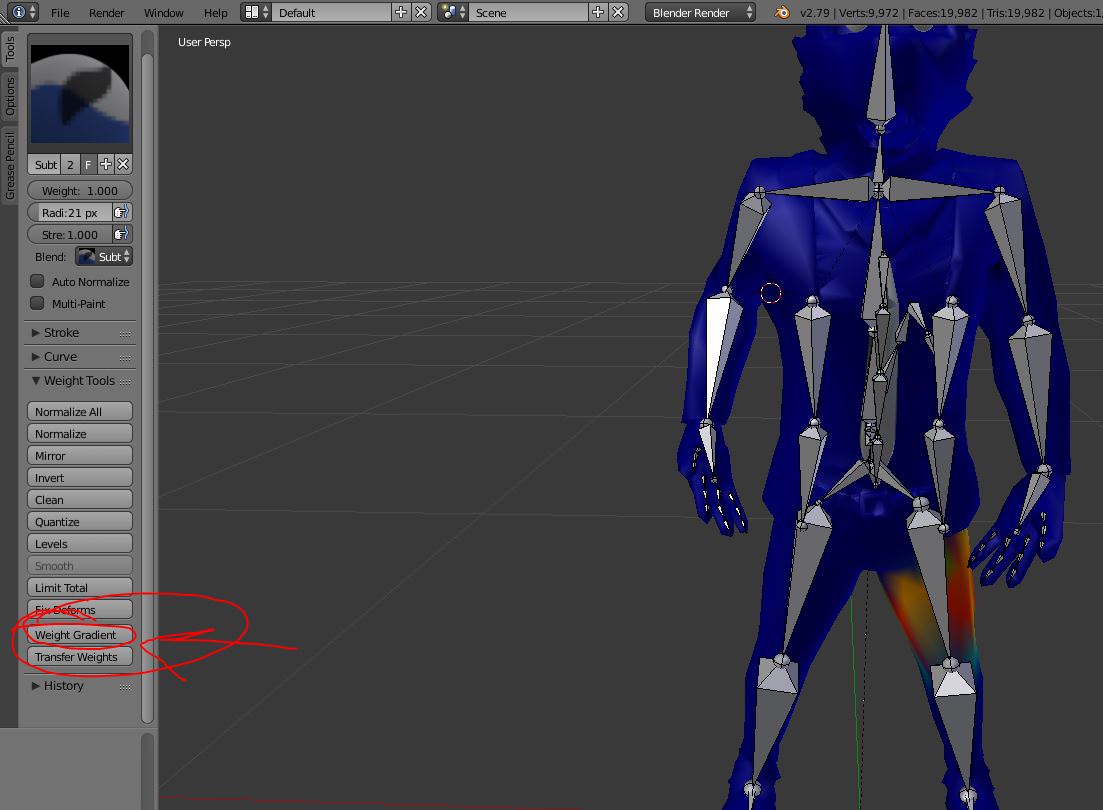
use the weight gradient
charred patrol
how do i use that
dim snow
Hmm it says my bone hierarchy is fucked up but everything is green lol
gaunt belfry
You checked the neck section ye?
wind vale
@charred patrol https://imgur.com/W6PKYkl
 spice jetty
hahaha sephirothskr its like a doctor saying "Well you might have the bubonic plague but you seem really healthy"
charred patrol
https://gyazo.com/f13c2ea5d157b4ba2434d44c0b8dba6c tried every single angle, weight gradiant confuses me
 gaunt belfry
@dim snow it's a button where it previews the picture of your Skeleton
charred patrol
weight gradiant does nothing
gaunt belfry
Silent show me what the vertice looks like in X-Ray mode and with the button at the bottom unpressed
dim snow
Now its saying make sure the parent of both shoulders and neck is the chest
ffs
if i cant get mixamo boobs I at least want this to work damn it lol
gaunt belfry
Lmao
spice jetty
oh silent try selecting what you can with C in edit mode on your mesh then hide it. in theory since you couldnt touch the other with a brush that might help?
cold seal
removed UPPERCHEST bone to none and now it says:
Spine hierarchy incorrect. Make sure that the parent of both Shoulders and Neck is the Chest.
How to fix?
charred patrol
nothing is helping
spice jetty
so when you hid what you selected nothing was there?
shadow shoal
@cold seal That upperchest bone has to be on chest
gaunt belfry
Send me the model and I will try to paint that spot in a bit lol, if you want that is
dim snow
@cold seal Same dude lol. if you're using mixamo, set the bottom spine to spine 2 and top spine to spine
cold seal
so confusing @_@
 neon cloak

VRCat: Community-Run VRChat Forums
What I need to be done (it's a lot):
Wings Flapping Once in a While
Eyes Naturally Blinking
Mouth being functional, while still beautiful
An emote...
^^
cold seal
still dont understand
neon cloak
I gotten 0 responses
charred patrol
goddamnit

why is this such a pain
now the model is bigger than it's own skeleton
ugh
why is there no history
dim snow
"make sure parent of neck and shoulders is the chest
agh how do i do that
cold seal
@dim snow mixamo?
cold seal
how do i make it the parent 😰
cosmic mica
anyone have any reccomended values for dynamic bone hair to hang down as if heavy with gravity?
cold seal
wow it takes hours to import 1 character......
cosmic mica
o_O did you update your sdk?
cold seal
yes
cold seal
ive seen people be a house
raven pumice
@fading verge yeah but it's either sloppy looking and easy or good looking and really difficult
fading verge
Im okay with difficult as long as its possible
raven pumice
Like if you have a whole skeleton and just rig a fighter jet to the head bone it would work even with the bones unused as long as they exist
 rocky heart
im having bone problems
when i try to extrude a bone from another bone, it extrudes off the wrong end
raven pumice
Just would look weird sometimes
rocky heart
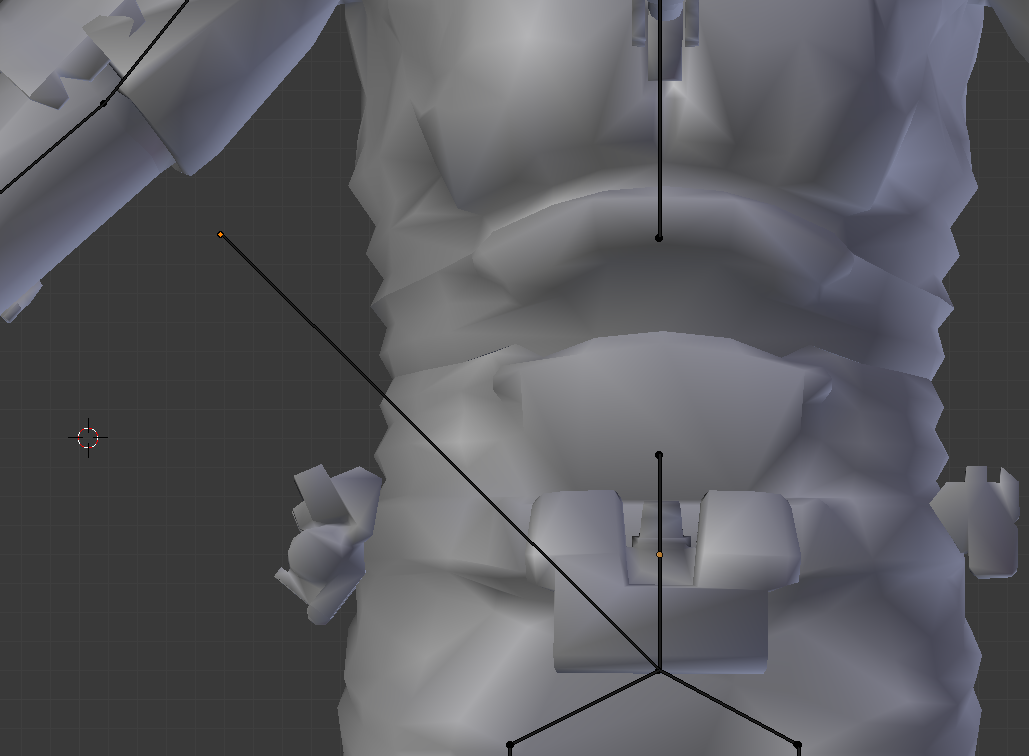
Im trying to connect the hips to the chest, but i can't extrude it properly
whenever i extrude from the point instead of the actual bone, i have to parent it, but it ends up just connecting on the same point, making it practically not exist and look REALLY weird
charred patrol
why is weight painting such a pain
rocky heart
^^^^^^^
gaunt belfry
You should be able to
gaunt belfry
I just hold down middle mouse
charred patrol
middle mouse only rotates
gaunt belfry
Is there any problem with the weight painting on your model at the moment?
charred patrol
nah, it's just annoying
gaunt belfry
It gets better with practice
 pallid badge
Hey how do you parent bones to something by copying the main bone you're merging it to again?
I just want to parent these skirts to the hip, but forgot how to copy the hip again to avoid issues while sitting
 potent solar
https://www.youtube.com/watch?v=o2ZnuTpBNvw&feature=youtu.be
YouTube
peate
2018 01 18 20 50
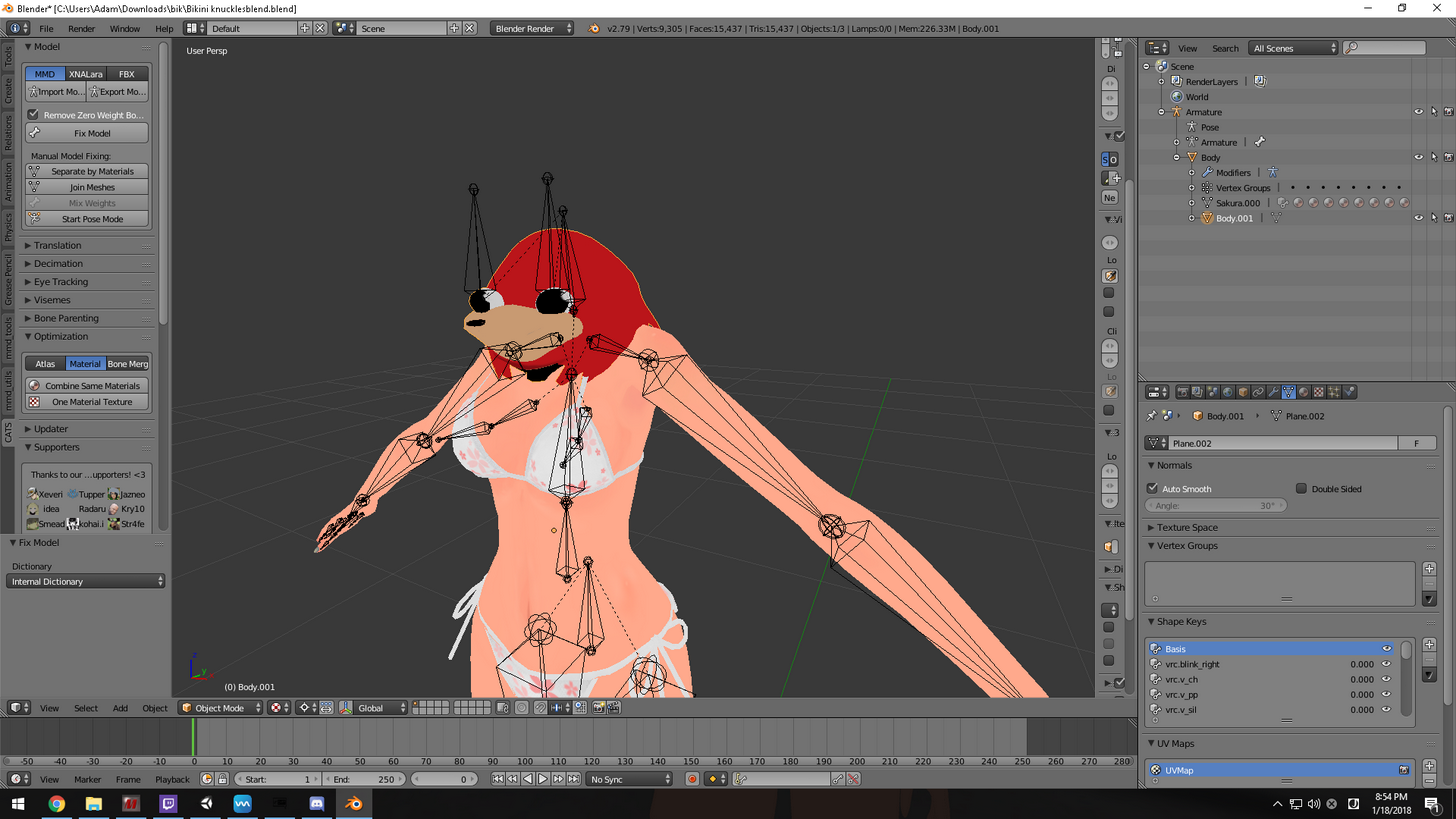
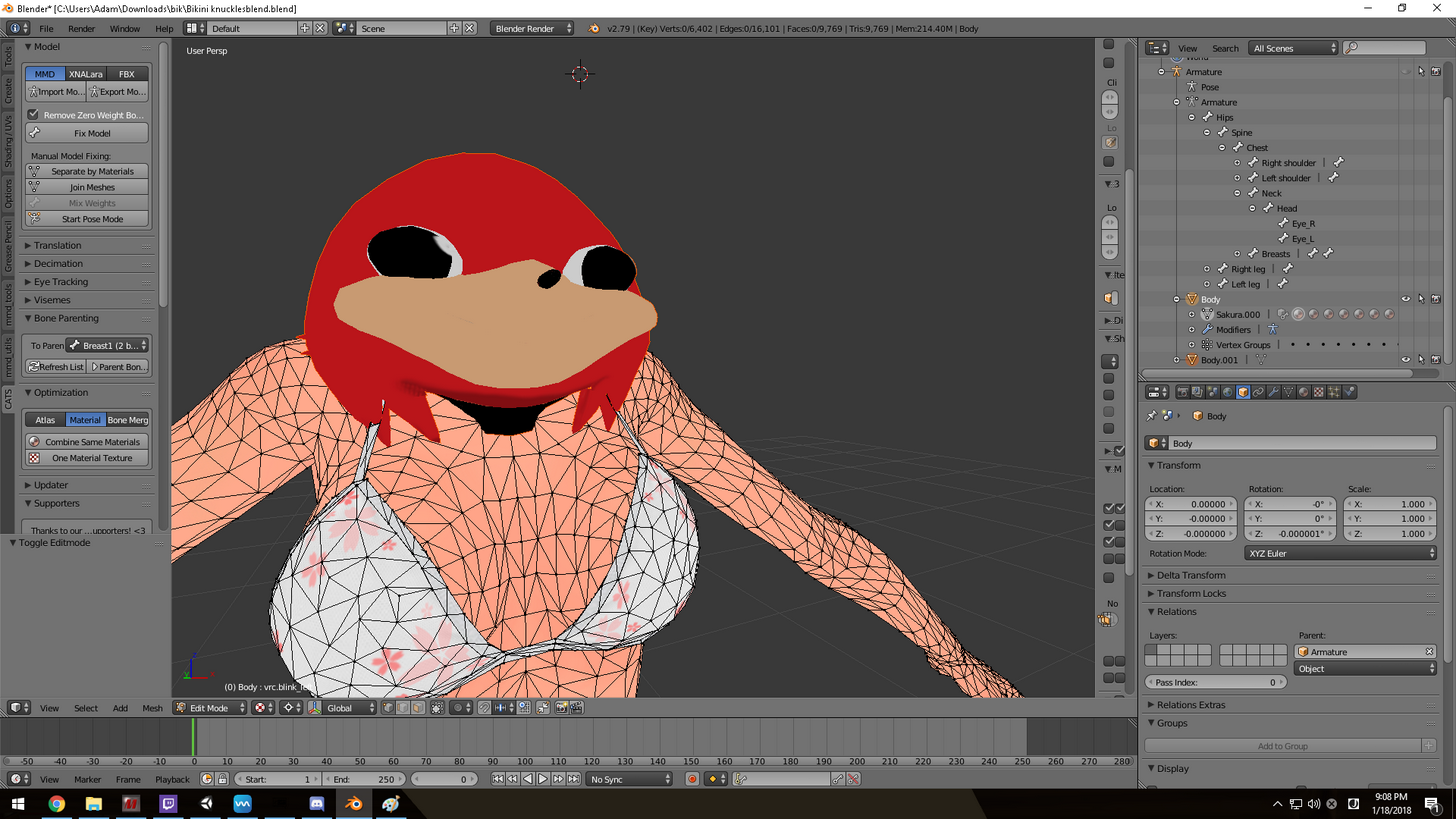
why is my model doing this
https://imgur.com/a/QL5FW
heres my blender file

 nova wigeon
Where's your neck?
wind vale
you need to increase the Z value of the view point in the avatar controller
raven pumice
Missing some bone structure there
potent solar
my neck is there its just small
nova wigeon
Also if your head isn't connected to your body it'll cause issues
You should merge the verticies
 potent solar
u can use imgur
 merry cape
do I need to like
name the neckbone neck for everything attached to be removed ingame?
nova wigeon
When did you appear? @merry cape
 arctic kindle
i'm going through with morris's video for my like 7th try and he says to replace my models spine1 with spine2, but the problem is that the listings are spineA, SpineB, SpineC of which trying SpineB I get an error when trying to publish
merry cape
sorry I mostly hang out in #world-development
nova wigeon
Lol
arctic kindle
Note: I have uploaded models before with no error so i'm genuinly confused
arctic kindle
?
here i'll just type out the error see if you could just explain that in simplest form (I'm p dumb)
"Spine hierarchy incorrect. Make sure that the parent of both shoulders and the neck is the chest"
arctic kindle
...
potent solar
 arctic kindle
okay but that doesn't help me in the slightest, I said i was stupid and I dunno how to fix it
that's why i'm asking for help
potent solar
i cant merge verts
nova wigeon
This is where google is your friend. Google "how to parent bones in blender"
arctic kindle
they're parented in blender
nova wigeon
@potent solar go into object mode, select both meshes and do ctrl+j
rocky heart
im about to lop my fucking head off with these stupid ass bones and their retarded ass roots
nova wigeon
Holy hell lol.. Thinking about making a video on how to rig a model for vrchat..
cold seal
im stuck
nova wigeon
It's seriously not as hard as you people think it is.. if anything, rigging is literally the easiest part to do in 3D modeling
cold seal
im having difficulty with the Rig
 oak blaze
silly shotgun have you ever use blender before?
cold seal
wanna blow my brains
rocky heart
especially when i have to shotgun what the problem is
cold seal
damn bones
oak blaze
curk dont do that
potent solar
@nova wigeon is that all i have to do to merge them
nova wigeon
Merge the verticies and it should be good, yes
charred patrol
i don't understand the weight painting one bit
arctic kindle
tanner, look it's parented right? https://imgur.com/a/doZd8
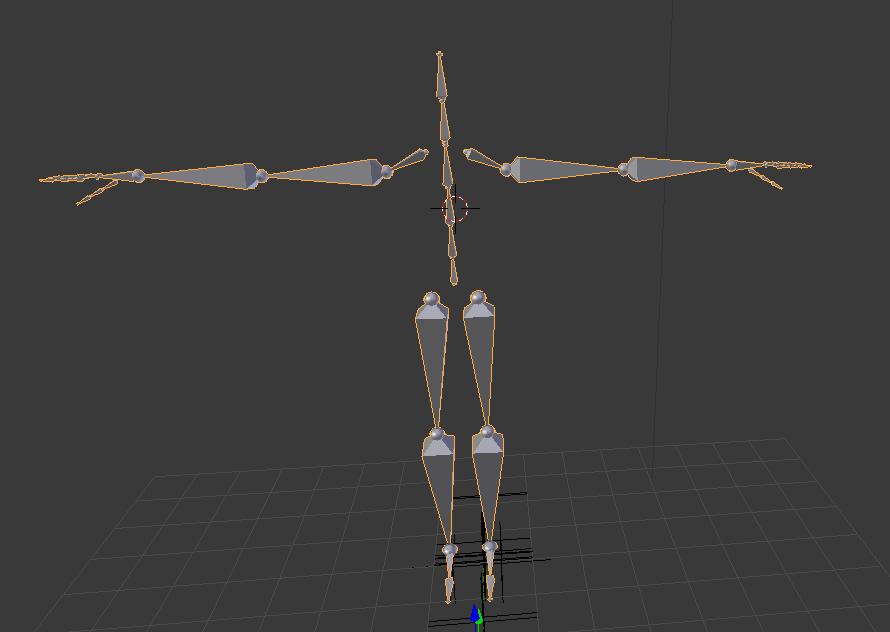 arctic kindle
shit
cold seal
first day using blender and unity hehe
charred patrol
@gaunt belfry you wanna try weight painting the arms?
rocky heart
those are some long arms
arctic kindle
ye
rocky heart
thank god my fuckin model finally works
 fallow lake
uh. so i am trying to put an armature on my model in Blender but the X-mirror option won't work properly...wtf is going on
charred patrol
anyone wanna take a shot at weight painting EmperorGreymon? https://gyazo.com/f8de254cf00fbe8931d804b8347cf33a
 rocky heart
for the most retarded reason it kept attaching the ENTIRE armature for the spine
and it was pissing me off for the longest time
fallow lake
Why won't my armature properly recognize the X axis? It keps wanting to mirror on the Z axis and shit...
Should I just manually split the shoulders and arms?
rocky heart
sometimes i wish i could yell at the armature "FUCKING WORK"
and it would just fix itself
shadow shoal
Cat's blender tools in a nutshell
fallow lake
Like I have the actual Axis display on and I'm extruding on the X axis but...it just wants to be a bitch
Should I disable Cats?
I'm not even using an MMD
fallow lake
It doesn't support this one I can't say why I'll get yelled at.
shadow shoal
Fbx?
fallow lake
Nope.
Something I made myself, I'll put it that way.
It's like when I extrude it's double creating bones...wtf?
and now the mirror option is off
charred patrol
@fallow lake you have to select one end of the bone, not the full bone
cold seal
cant share image
fallow lake
tried that it's still being wonky...let me try exporting model as FBX and see if I can auto rig with CATS
shadow shoal
@cold seal Yes you can
cold seal
not me
charred patrol
@cold seal wat, just post the image link
 shadow shoal
@cold seal You removed your mesh and body parts?
@fallow lake Yes, check for updates
gaunt belfry
@charred patrol send me the mode
 tame skiff
Who has successfully gotten eye tracking to work?
shadow shoal
@cold seal Your "issue" is not an issue
charred patrol
@gaunt belfry which mode?
shadow shoal
Yes
 thorny gate
I have a question
gaunt belfry
I meant model lol
thorny gate
Anyone know why if I am in "standing" mode, my avatar is crouched?
charred patrol
lol
thorny gate
but sitting mode it's fine?
potent solar
@nova wigeon its still a little broken, better than before but still messed up
is it becuase the neck is so small
charred patrol
@gaunt belfry i can send you the fbx
gaunt belfry
That'll work
 shadow shoal
Dude come on are you seriously kidding me
cold seal
i did
shadow shoal
Read what the heck it says in #avatars-2-general description
fallow lake
You clearly didn't apply
charred patrol
@cold seal upperchest should have nothing
shadow shoal
Clearly did it
charred patrol
click apply, then done
fallow lake
And make sure your project file is clean and you are actually working on the right scene
charred patrol
@gaunt belfry i dm'ed you the file
gaunt belfry
Aight
gaunt belfry
Lol
 shadow shoal
Then just do what it says there
charred patrol
this
cold seal
do i have to go to blender?
charred patrol
yes
shadow shoal
No
charred patrol
or no
shadow shoal
If you selected the right bone
tame skiff
Did you just delete the bone without reparenting?
shadow shoal
Make sure chest is connected to neck and shoulders
fallow lake
uhhh can i not extrude bones on the x-axis mirror?
i swear i should be able to...its not working for some reason.
charred patrol
@gaunt belfry can you also make sure, i rigged the model correctly?
fallow lake
do i need to have bones parented first?
You need to fix your heirarchy. And honestly the name doesn't matter so long as you assign the proper bone
shadow shoal
It's not specifically named 'Chest' might be named bone5 or spine2
raven pumice
Bone names only matter for eye tracking
fallow lake
^
fallow lake
i just want my navajo hero to work properly
cold seal
@charred patrol Blender
charred patrol
then you didn't make a chest bone
rocky heart
animations carry over gloriously,
 keen lark
I have a model that works perfectly in normal VR but in full body tracking mode it does this
cold seal
@charred patrol MMD didn't make the bone
keen lark
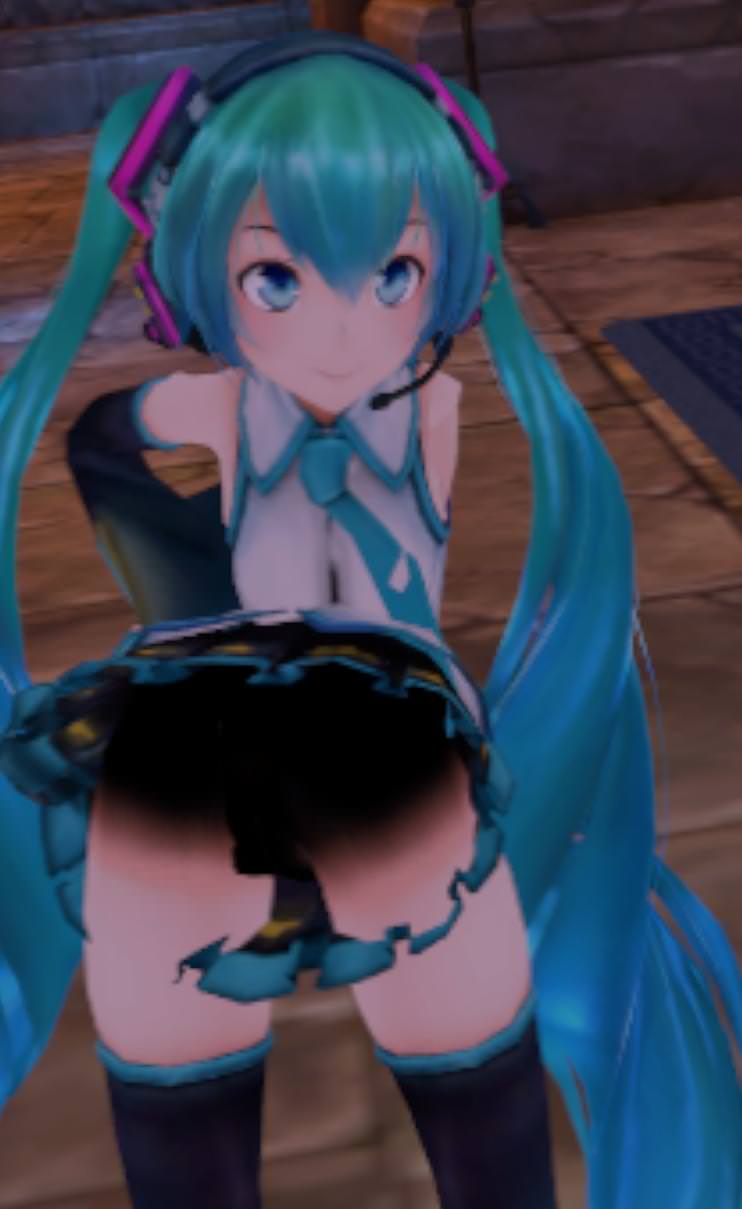 charred patrol
@cold seal then create one
thorny gate
Can someone please tell me why my avatar is crouched on the floor when in Standing Play mode but not Seated Play mode?
rocky heart
10/10
shadow shoal
@keen lark Did it mention full ik body tracking will be disabled when uploading?
 fluid zodiac
@thorny gate make sure your character's feet are at y 0
fallow lake
Anyone know why i can't extrude bones in x-axis mirror mode?
keen lark
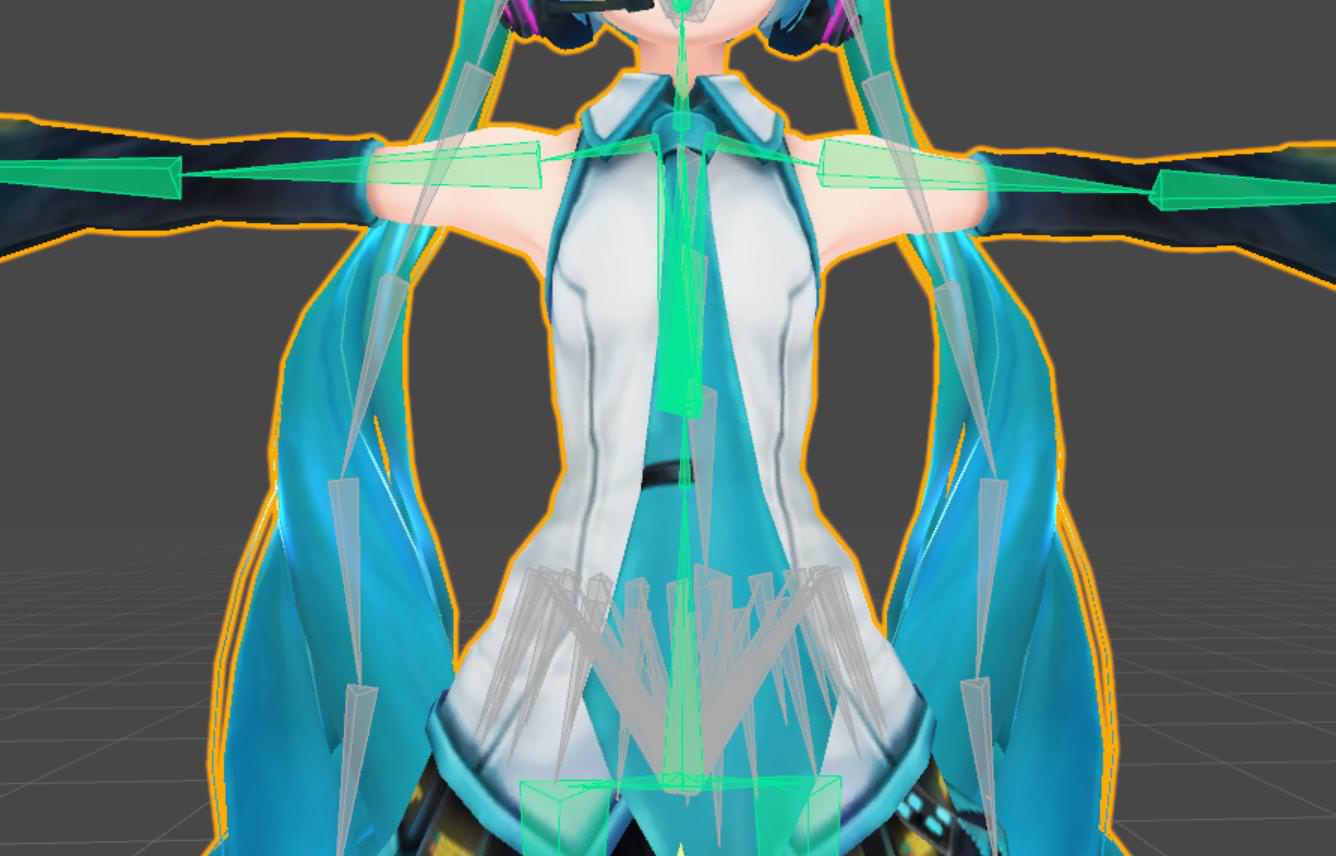 fallow lake
i am about two seconds away from using mixamo. i really don't want to though because those rigs always look wonky af
cold seal
where do i make a bone
keen lark

Side view
can nobody help me?
OH
you know what it is?
I think the back tracker is moving the middle bone
not the hip bone
thorny gate
thank you @fluid zodiac
cold seal
Can someone do it for me?
fallow lake
alright apparently no one knows the asnwer to my question 😕
to google I guess it is.
nova wigeon
Should have been your first option
fallow lake
still not finding shit...
not sure why i can't extrude properly and have it symmetrically mirror.
nova wigeon
how can't you extrude properly
fading verge
Broodas!!
fallow lake
It's not creating anything on the other side even with x-axis mirror selected
my google search says after you exit edit mode they will appear in object mode but that's not the case...
i know how to extrude bones, it's just not mirroring.
nova wigeon
Only do 1 side
then select all the bones on the side you did and press w > symmetrize
In edit mode
fallow lake
huh
okay
i remember being able to extrude symmetrically on another model but i'll try that. thanks
dim snow
are servers actually populated now or nah

 wispy mica
Anyone here can help me with Kel'zulthad by any chance? Have the bones in place but I need someone with experince to see if there's any problems or issues with it.
 normal socket
@nova wigeon hahahahha good joke
main sage
i got a like
normal socket
@nova wigeon Unless you update CATS to deal with this mess
main sage
error i think
potent solar
whats going on with my model https://www.youtube.com/watch?v=jP6XL_3OtBw&feature=youtu.be
 normal socket
@nova wigeon It's not an MMD model
main sage
supposed to look like this: https://gyazo.com/3f54e406db78883e9b4b250db692b497
 potent solar
heres structure https://imgur.com/a/Vmsac
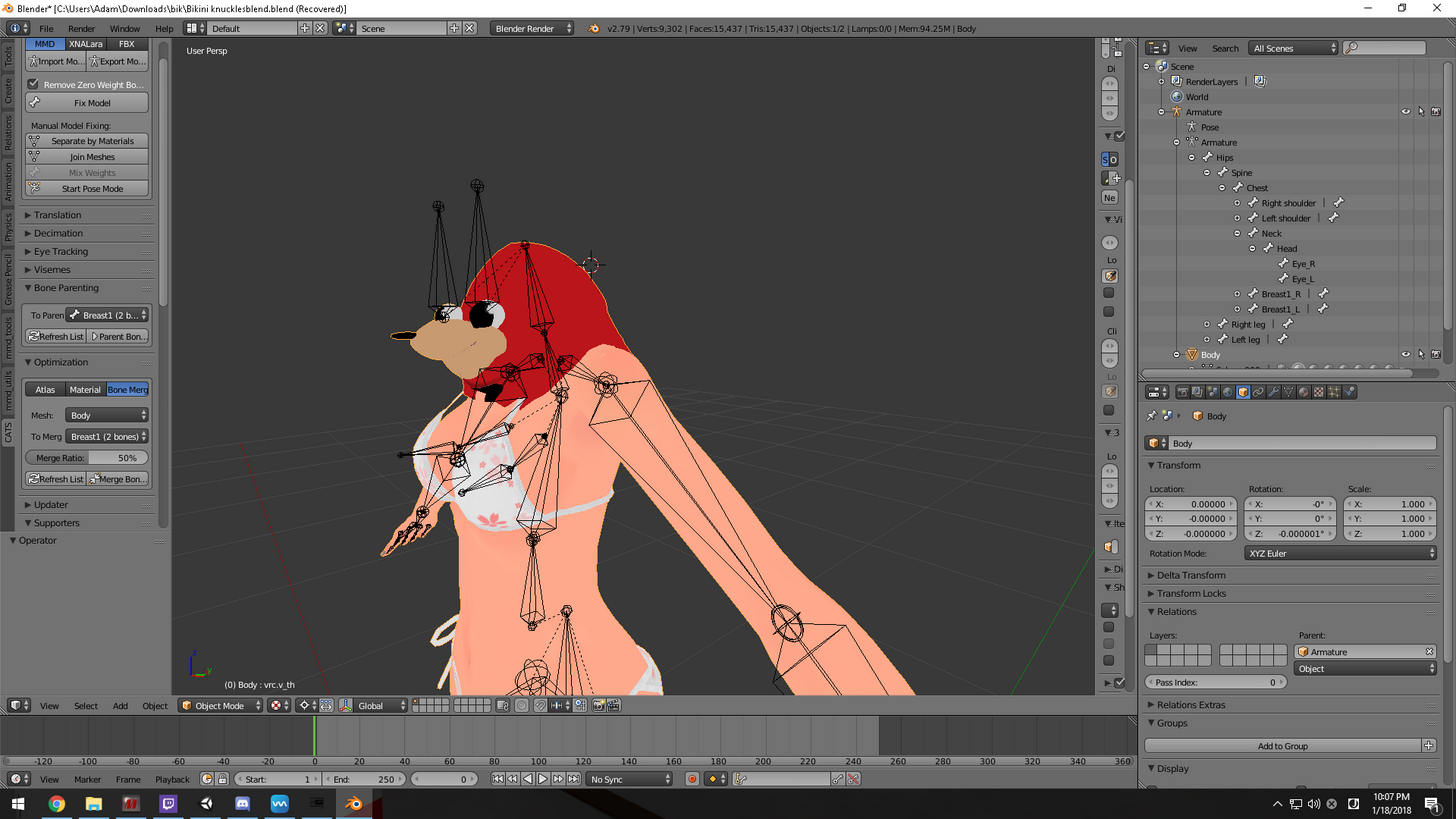 nova wigeon
Doesn't have to be MMD @normal socket
 nova wigeon
All cat's does is remove useless bones.
main sage
tho the preview pic works
nova wigeon
and translates bone/textures/meshes
main sage
so idk
normal socket
@nova wigeon Yeah I already ran it through cats to remove like a few hundred bones this is whats left. The necessary stuff I gotta reparent
 surreal fox
Can anyone help with this? https://imgur.com/KMAxAj1 i'm so lost and so new RIP
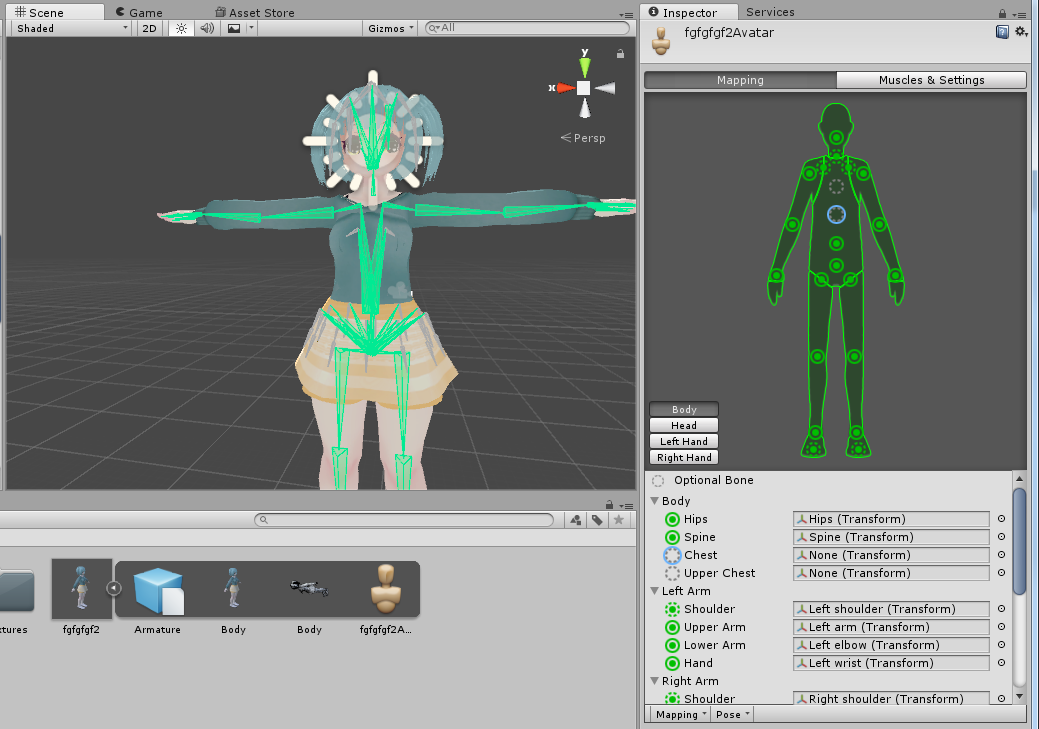
 main sage
anyone know why it doesnt show up in a mirror? its 2 models together
surreal fox
OH thanks, but now It's saying "Left Shoulder Transform 'left shoulder' is not a child of Chest Transform 'Chest'" Sorry if these are dumb questions. I appriciate the help nonetheless
nova wigeon
Exactly what it says
left shoulder isn't a parent of the chest
Which you need to fix in blender
Unity will flag your humanoid rig configuration if it does not meet the Mecanim requirements for a humanoid. Please read and be familiar with this part of the Unity Manual when setting up your avatar: https://docs.unity3d.com/Manual/ConfiguringtheAvatar.html There are sp...
surreal fox
Ah, thanks! Sorry for the really simple questions.
keen lark
Is there a way to test full body rigging in unity before uploading
raven pumice
With animations applied or just in general?
keen lark
Just in general
raven pumice
You can test the rig in the muscle menu stuff I thonk
raven pumice
Oh tracking, not sure
fallow lake
do you guys extrude bones off the spine for the hips and then connect the legs to that or are your legs disconnected from the hips but still parented to it?
nova wigeon
No
You extrude your chest from your spine and your spine from your hips
you parent your legs to your hips
you parent your shoulders with your chest
you parent your neck with your chest
fallow lake
I got that but it seems in some peoples models that have basically like this
|
|
|
| |
didn't come out how I wanted...
grr
anyway I'm figuring it out, first time manually rigging.
oh no!
the model i have is broken into multiple separate meshes and instead of stretching and moving as one model when i pose it it's breaking apart into pieces
golden adder
https://gyazo.com/59e62f8ee3989901c36003909f55b675 Helllp the arms are supposed to be down

 charred estuary
I have an avatar that came in SMD format, I need to know how to set it up properly
 calm needle
@golden adder what does it look like in the humanoid config?
 astral sand
Can anyone tell me why when my avatar looks down the mouth opens and gets wider as i look down?
calm needle
what about the tpose itself, what does that look like?
 calm needle
do you have eye tracking on your model Neusaric?
thats the normal view, what does ti look like in the humanoid config
golden adder
 astral sand
Yes. @calm needle
calm needle
double check your visemes in blender. It might be toggling the mouth viseme instead of the lower lid viseme
golden adder
thats what it looks like @calm needle
golden adder
because there were no hands in the skeleton so i added bones from the "elbows" just to fill those slots so i could use it
calm needle
hit the enforce tpose option
golden adder
where is that
calm needle
on the bottom right where it says pose. it will bring up a drop down that says enforce tpose
 astral sand
I don't think I understand, mrtuckleton. Do you mean make sure there is nothing other than ah, your, and there in the visemes?
calm needle
for eye tracking to work properly, you need left blink, right blink, lower lid left, lower lid right
if you are missing the lower lids, it will try to go for the next thing in the list and 90% of the time those are the mouth visemes
golden adder
depending on the model you may not need lower lids
astral sand
I've done several models and never needed lower lids.
calm needle
yes but the viseme itself still neeeds to exist
golden adder
what now after enforcing tpose?
calm needle
reupload and see if it fixes it. unity is a wierd beast and sometimes simple things like that fix it. if not then it might be something else
golden adder
weird alright lemme try it
calm needle

for example, with my earthworm jim
despite not having eyelids or anything, the visemes still had to exist for eye tracking to work properly. Otherwise it would be trying touse the mouth viseems for the blink instead
on export, blender will also auto remove empty blend shapes so usually its best to move a single vert 0.0001 in a single direction if you dont have true blink
what is the problem you are having with teh SMD?
golden adder
@calm needle Negative. Same issue.
calm needle
are you in vr or desktop?
golden adder
desktop
astral sand
So i should move a vert in the eye or mouth or anywhere?
calm needle
yeah, its a cheap but affective way to get the viseme to be registered as valid
charred estuary
eye tracking won't work no matter what I do
calm needle
just make sure the eye visemes are the first 4 below the basis key
astral sand
To clarify, i need move a vert in the eye?
calm needle
the vert can be anywhere
smds are a bit wierd, they have a bad habit of having extra bones that are pointless and have no weight to them
charred estuary
I don't think I have that issue, at least not in Blender
calm needle
this cloud model is a good example
charred estuary
I'd try editing the FBX directly, but that screws things up in the Unity project
calm needle
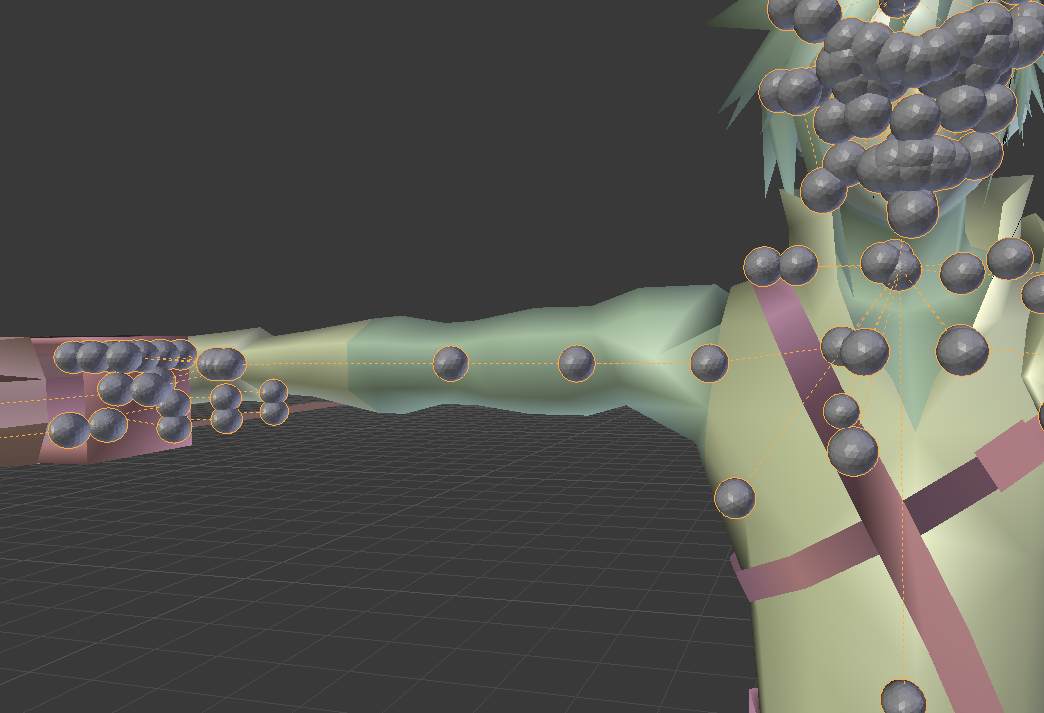 charred estuary
yeah that's not the issue here
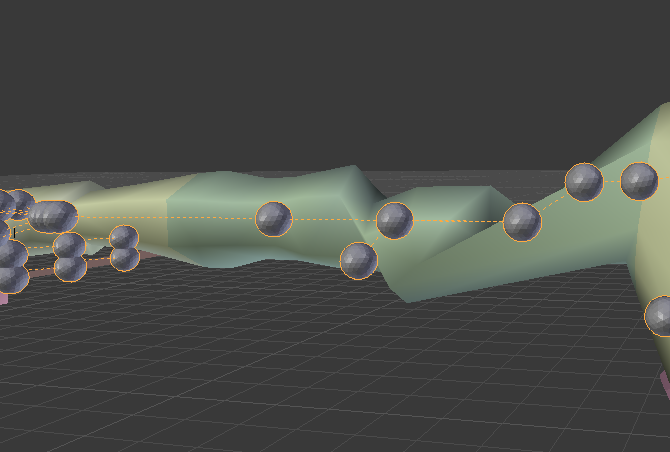 charred estuary
the model has the bones it needs and the bones that I want
golden adder
I have no idea how to fix this :/
calm needle
in what way is the eye tracking not working?
just not at all?
cause the bone structure and naming needs to be exact
charred estuary
the muscles work well in Unity, but in game they do not move
tell me more about bone structure
calm needle
for eye tracking, the armature has to be named Armature, the main mesh needs to be named Body, and the bone structure has to follow exactly Hips,Spine,Chest,Neck,Head with the eyes being named LeftEye and RightEye
charred estuary
oh
the armature
thanks for the tip
Unity doesn't like it when I mess with the names, but I'll get it to work
fading verge
Hey my dudes, Arm twists do need to be in line with the arm correct? Does it matter where in the arm it is if so?
raven pumice
For some reason every time my character takes a step, her eyes look upwards and she opens her mouth. why is this happening
And when she blinks it's just the left lower eyelid and the right upper eyelid. what did i do wrong here
 astral sand
@calm needle Checking in to let you know that you helped. Thanks. ❤
calm needle
😄
 tiny python
so i have a model and i rigged it using maximo cuz im bad at rigging, and now everything looks bad can someone help me fix it?
astral sand
Dont know how i fucked it up.
calm needle
if i had a nickle for every time i asked myself that
fading verge
?
tiny python
can someone please help me fix my model
fading verge
Do hip bones have to be sideways?
Skimming through videos looking but thought might be quicker to ask
calm needle
hip is usually virtical

 shrewd acorn
Can anyone help me, having my legs going through the dress when I'm running
https://puu.sh/z4M4V/a6164a7628.jpg
 calm needle
if you have dynamics bones on the dress, you need to add dynamic bone colliders to the legs
shrewd acorn
I have put colliders on the legs, but the dress still going through
calm needle
did you tell the dynamics to use the colliders?
shrewd acorn
I did
keen lark
Anyone here familiar with solutions to common full body tracking problems
fading verge
@fading verge dont worry too much about it unless you're using VR, its probably one of the bones being rotated a bit off to the side
calm needle
what do the dynamic spheres look like?
raven pumice
Hm, I fixed the mouth problem when moving but now the model isn't using the lipsync at all. eyes still track and blink properly
calm needle
awhat full body tracking issue do you have Icy? Im not too familair with FBT but i can at least try to answer questions
did names get changed at all? did you remember to restup the visemes?
shrewd acorn

 hazy steeple
Anyone know what's causing this? In Blender everything looks normal but then in Unity looks like all the face keys are active.
https://pasteboard.co/H3ATYOT.png

Super simple and lightning fast image sharing. Upload clipboard images with Copy & Paste and image files with Drag & Drop
calm needle
https://i.imgur.com/g1eivcw.png
you do have them selected here too right?
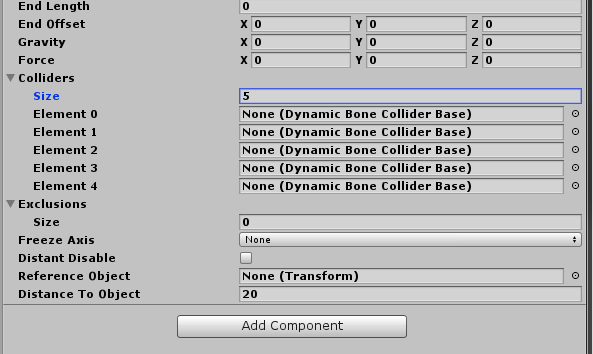 shrewd acorn
Yep, they're here too
raven pumice
oh, i had the wrong body assigned to the face mesh, im stupid
calm needle
😛 ive done that too many times
raven pumice
still a learning process for me, first time doing this. im glad its working as much as it has
calm needle
i could be forgetting, but i think the radius value needs to be set for the dynamics
static flint
Does anyone know of a tranparent shader that won't go invisible?
raven pumice
Is there a way to widen the dynamic bone radius for collision? just widen and not increase in all directions?
calm needle
With Radius
https://i.imgur.com/TVZeusp.png

Without radius
https://i.imgur.com/TvSPuls.png
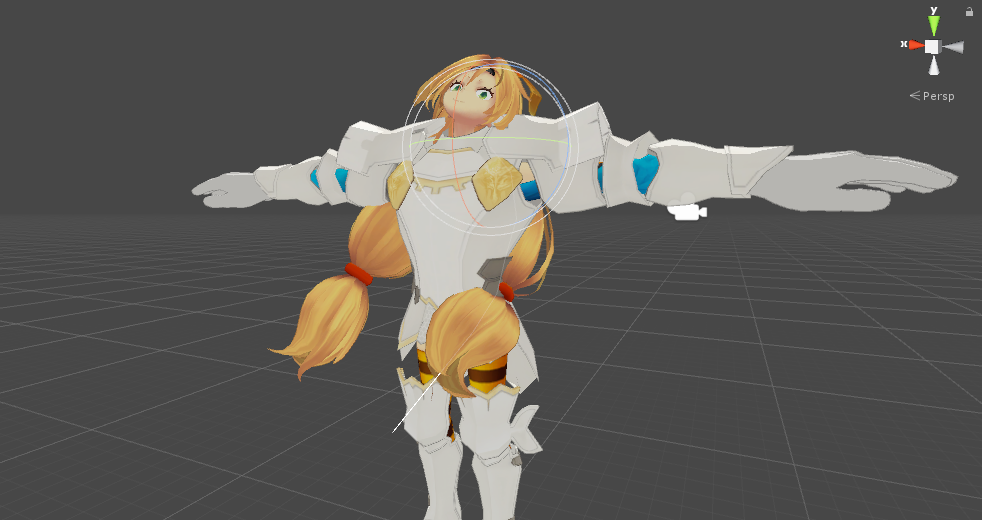 raven pumice
so does it not matter that much? i was worried im not going to have good looking collision
calm needle
it varries from item to item.
 queen verge
Hey my dudes, I wanted to change the head of my avatar and I have the head n place and all that. So how do I attatch the head to the rig so it moves with the body?
calm needle
in blender it requires two main things
the new head model has to have the armature modifier set to the body's armature
second, is the weight painting
queen verge
Aight thanks fam bro, I'll come back if I have any more issues
 soft shell
Not quite sure what I did..suddenly the avatars head and hands are wiggly disconnected flailing things when in motion. Everything else seems fine.
calm needle
do you have dynamic bones?
raven pumice
Is there a way to keep a dynamic bone thing from clipping inside itself? I've got a squirrel tail, kind of curls at the end, and it likes to curl too much into itself. not a huge deal but doesnt look great
calm needle
dynamic bone colliders
queen verge
Aight I got it! Thank you!
soft shell
Yes I do
 mystic sluice
make sure the first root is itself instead of what it's attached to
calm needle
your dynamci bone is probably set to the chest and is then affecting every child which would mean the head and arms
dim snow
I imported a model from blender into unity and for some reason hes more.. blocky.
any ideas why?
calm needle
https://i.imgur.com/Tq8FuMv.png
blocky like that?
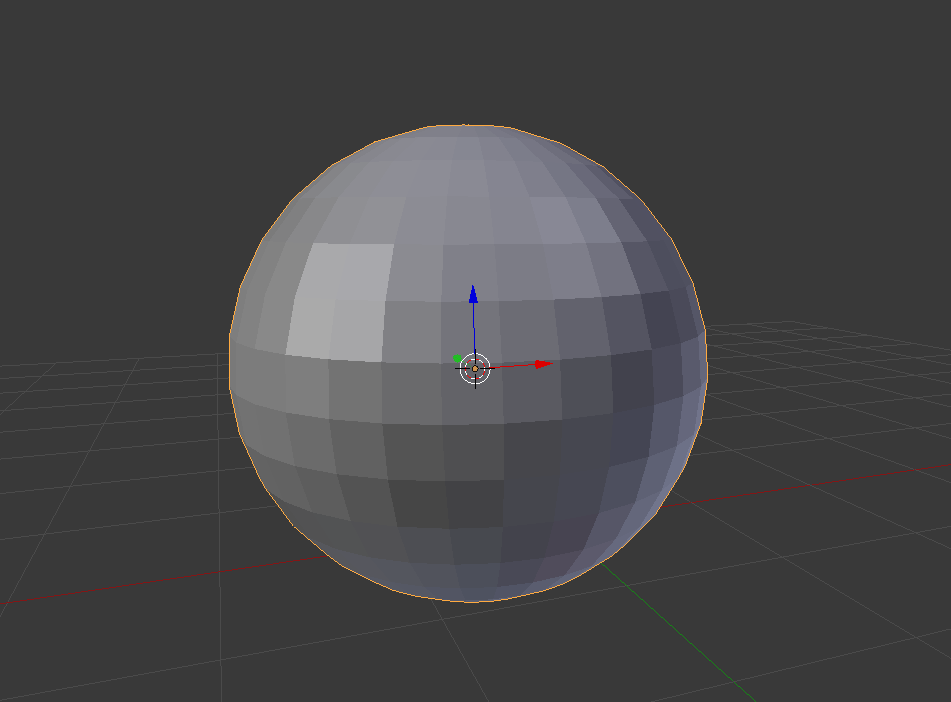 fading verge
oops
calm needle
have you tried removing doubles?
dim snow
I simply pressed fix in blender on cats
it looks fine in blender so idk why it looks shitty in unity
calm needle
you might technicly have some holes
dim snow
how do i remove the doubles then
calm needle
select the mesh, go to edit mode, select all the polys, hit W, and select the remove doubles option
fading verge

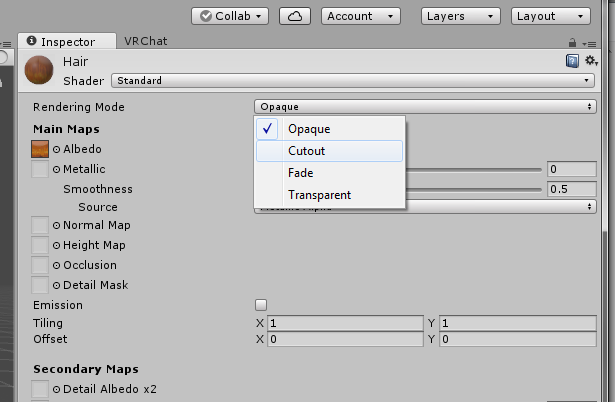 fading verge
ty
 west fern
i gona sleep now
 opaque jetty
Hey, does anyone have experience with custom skeletons? I've been trying to rig this Gargamon model for like 5 hours at this point and I can't get it to animate at all

Sorry this isn't edited or anything, I could really use some help
^This video should help to show what I mean
I can get the skeleton to move with no problem, but the model itself won't move with it
calm needle
looks like its not weight painted or the model isnt set to the armature
fading verge
have you selected the model then the amature and pressed cntrl + p to add automatic weight?
opaque jetty
I have it paired with Automatic weight
and I would post what the heirarchy looks like but I cant post pics
queen verge
Can anyone hop in a call with me to help with getting my item attatched to my model?
opaque jetty
MrTurkleton is it alright if I pm you a screenshot?
 worldly palm
In blender I ticked "disable eye movement" and in testing they don't move but in game the eye tracking is still there, how do I disable it?
calm needle
sure dusty
queen verge
https://imgur.com/05c7DUs How do I get the sword attatched to the hand?
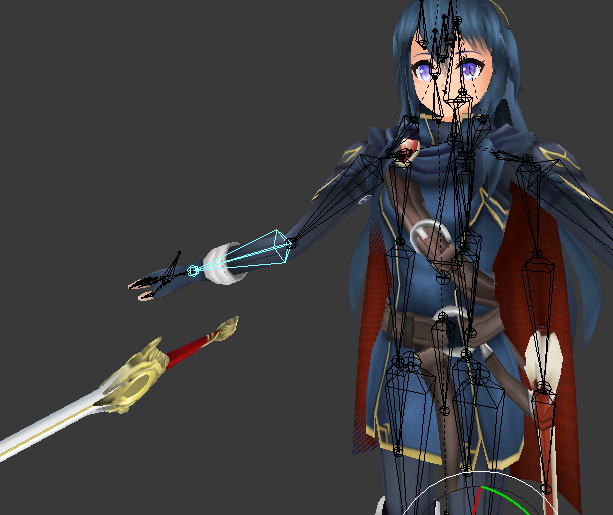 worldly palm
Nevermind, fixed it by changing the eye bones in rig
calm needle
tiger, there is more than one way. Do you have vr and want it as an override or just always there?
keen lark
I'm getting the error message "character not in T pose" in unity
 restive hill
i was running into that a lot. the items have to be parented to armature/bones or something.
the attach thing, not the t-pose thing
i know what i have to do, i think, but not quite the keys or tools to do it- remove the animated bones from weighting anything but hair/clothes/tail, and vice versa
keen lark
I clicked "enforce T-pose" and it worked
restive hill
i recall running into that, but not quite why it was being wonky
a couple MMD models that i imported into blender got infuriatingly close to working, but have glaring flaws 😛
 clear tulip
yo, has anyne used Mixamo?
restive hill
like hair that affects the face, a skirt that affects part of the boots...
raven pumice
Mixamo does alright as long as your character has no big accessories or extra limbs, and is proportioned like a real human or close to it
clear tulip
oh x3 ok thanks..also are mouth/eye movements only exclusive to vr? or can i import them in?
raven pumice
Mouth and eye stuff works on every model if you set it up
raven pumice
No prob
fading verge
nope, you have to make custom animations for them
fading verge
never seen it, but if you saw one someone had to make a custom walking animation for it
the only non humanoid avatar I know of ingame that's animated is the afk avatar
fading verge

Google Docs
Advanced Avatar Creation: Making Non Humanoids This tutorial was made using Unity Version 5.6.3p1 This tutorial assumes you already have the current SDK imported and knowledge of how to upload a basic avatar. You will also need an avatar you wish to upload as non-humanoid with it’s own set of a...
 sick ermine
I'm wondering if I can get some help with this model. I'm trying to avoid making the mistake where the blinking motion didnt work as intended or didn't want the character to blink. Can I get some help with this? I'm starting over from square one.
thorny gate
Is there any way to prevent dynbones from clipping into the body?
Via colliders perhaps?
restive hill
ya, that's the one thing that's worked reliably
put something like a collider sphere in the head, and use a column or two in the body area
then set the bones to use spheres that look about right
then how you didn't hoplessly fuck up the job you did in blender before, thus rendering all that work pointless
_>
fading verge
help i am having a weird issue with my right wrist

it looks fine in unity but not in game
... tbh is hilarious and i'll keep a broken version but i will love to get a working model too
restive hill
screenshots for ants
spice jetty
is the distortion static or changing based on where your hand is
fading verge
it is kind of static, i have no vr headset
but when i hold an item in my hand it stay the same
restive hill
might be something you would have to fix in blender
spice jetty
not sure then, this happened to me but it moved more than a stretch armstrong https://imgur.com/a/YWReM
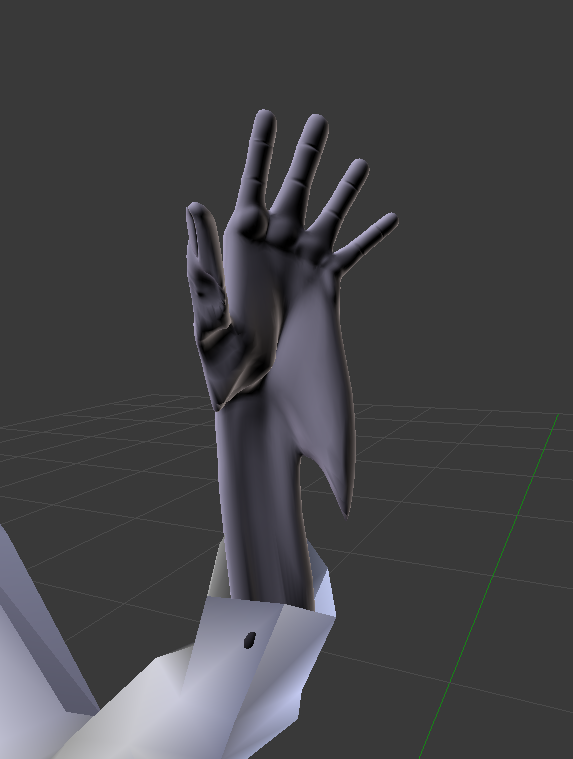


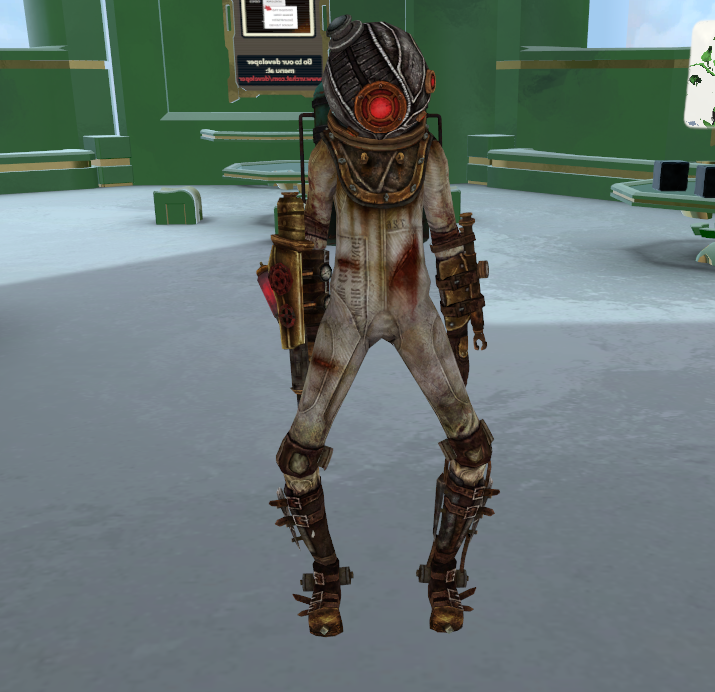


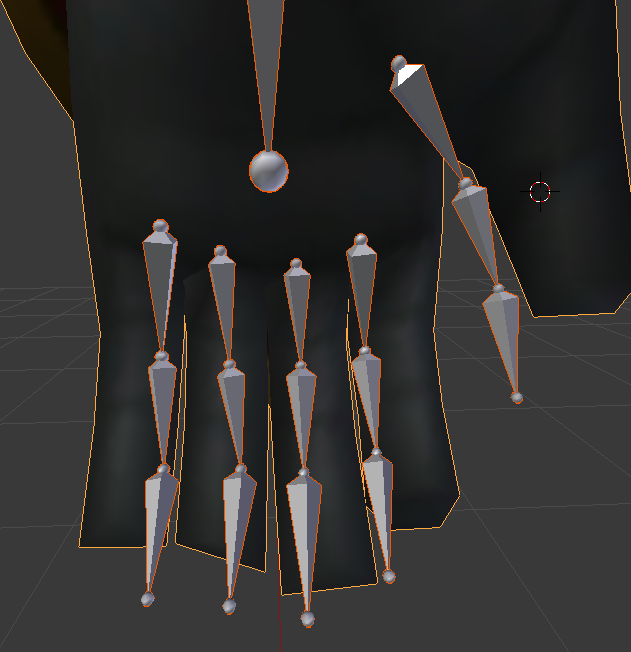


 fading verge
that avatar had a missing right elbow, i duplicate the left one and placed in the correct spot, also parented it correctly
restive hill
each vertice has weights for which bones influence it- so ones near arm and body weight to both, but one ONLY near an arm only weight to the arm
so if the points are set incorrectly, they can take movement from the wrong bones
fading verge
i tought it was weight related, i d k how to fix that
restive hill
unfortunately, i only have the vaguest idea of how to correct this
restive hill
there's a weight painting tool in blender, that i don't know, and you can set each weight individually
no
restive hill
each point on the mesh, all the little dots between the triangles
fading verge
omg
restive hill
those ALL have weights
restive hill
but there's a paint tool to do it much faster, that's what i need to learn next
fading verge
alright 😦
spice jetty
you can look in blender in weight paint mode. spent all day rigging my hands with it
restive hill
erm, do you know any webpages with the keyboard shorts for weight painting?
spice jetty
check each bone, see if any of them have a weird pull on the arm and no idea
restive hill
i am slightly bad with keyboard shortcuts
pose mode is useful, i forgot to look closely and missed that dang sleeve
i did learn how to use transparent wing textures- use gimp to save them to psd, and import THAT, since programs seem to screw up PNG a lot
it looked like it worked in unity, i never got a model that worked well enough otherwise to upload
fading verge
Im rigging a guy in blender but in weight painting mode i can't select individual bones, it shows me the whole armature pls send help
spice jetty
start in pose, click a bone then click the mesh, then go to weight thingy
posing mode, that is
fading verge
i tried that but it doesn't work for me
 modern oyster
Couldn't they just clickbones and enter "Edit mode" insted of "Object mode" ?
Down in the left corner, change to edit mode, AFTER you clicked on the bones.
restive hill
how do you bring up the weight thingey?
modern oyster
That should do it.
spice jetty
i couldnt go from edit mode to weight idk
restive hill
which window is it in?
 open lintel
soo i have a weird thing happening to my newest avatar. in t pose in blender and unity she looks fine, but in game her upper chest/shoulder area try to squish into each other and makes a mess of the center. its uglying up her little bow on her neck/upper chest... there a way i can detach that area from the bones so it stops moving around?