#avatar-rigging
1 messages · Page 77 of 1
 fading verge
 rocky heart
ah,
fading verge
If you use blender and do that
Dotted lines will show
And that's how it works for the legs
fading verge
Lmao
 fading verge
You'll just need to create a single bone
Then parent the legs to that bone
Name it hips
 novel wharf
There any video tutorials on how to make llipsync'd avatars with an actual 3D mouth. My avatar is 2D eyes but 3D mouth.
fading verge
There should be some on yt
novel wharf
Not sure if I should weightpaint inside the mouth (and that's ****ing hard to reach and I don't want to accidentally weightpaint the hair).
 fading verge
@rocky heart https://prnt.sc/i1ygcr
 rocky heart
Oh!
 hazy steeple
Not sure if this right area to post this, but when I go to transfer body over the avatar descriptor for Visemes its not just the body but 3 meshes as you can see on left side. Also in animator there are no shape keys under body. Everything was fine in Blender and face not decimated any clue what causing it?
https://pasteboard.co/H3pZUWp.png

Super simple and lightning fast image sharing. Upload clipboard images with Copy & Paste and image files with Drag & Drop
rocky heart
So i can just delete the hips then right? since all i need is the 'spine'?
rocky heart
ah, i see
fading verge
👍
novel wharf
Basically, you'll parent (non-connected) the two leg bones to the center bone.
You'll likely expect to see a dotted line
fading verge
Ye
novel wharf
From each leg going to the center.
rocky heart
hm, i think i messed something up really early on.
 torn isle
So dragging the body into the visemes slot will work.
rocky heart
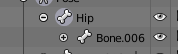
EVERYTHING is parented to my hips...
 wispy mica
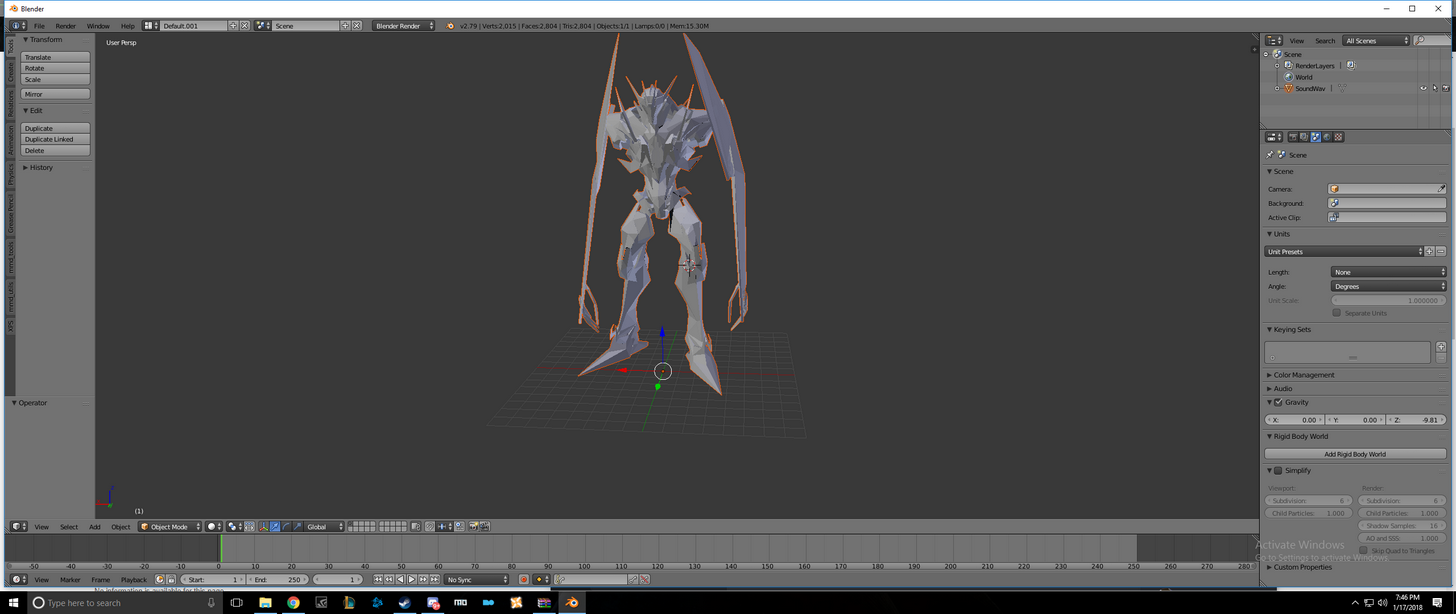
Greeting peasents! I'm new to Vrchat but was wondering if someone here can help me with rigging Soundwave from Trasformers. I would have liked to share the image but can't sadly... Dont have the permission to do so Hahaha...
hazy steeple
That's te issue I cant drag the whole thing over wont accept it
hazy steeple
And for some reason even though I have shape keys when i go to animator they dont appear when i select add property
fading verge
@rocky heart wh
torn isle
And add body manually.
hazy steeple
Wont do that just shows the 3 body meshes separetly
rocky heart
 hazy steeple
Something is going off when its being imported from blender
rocky heart
bone 006 has every single other bone in it
it goes upwards, from hips, to spine, to chest
then it extends to the arms
hazy steeple
It shouldnt have 3 separate meshes it should just be body. So not working. And for some reason shape keys not showing up in animator
Someone said modifiers will make it so blend shapes doesnt import properly but i see no modifierers on it in blender
wispy mica
This the one I'm talking about. Got permission from the author just in case anyone was wondering... I'll be in my corner now. https://imgur.com/a/HVIuN
 fading verge
@wispy mica does it have bones my dude?
wispy mica
None.
fading verge
RIP
fading verge
Guess you're gonna have to rig it by scratch
I could help you but I'm not at home atm
wispy mica
I dont mind if I have to do that. I have the time this weekend to do that but trying to get it symetrictal so it can be eaiser rigging it.
fading verge
Ah
wispy mica
And sure the help would be really nice too lol
wispy mica
Alright the help would be wonderful! But also I want to be able to do these type of things myself too lol
fading verge
https://youtu.be/cp1YRaTZBfw you'll need at least 15 bones

A quick tutorial of how to rig a character in blender the very very basics. nice quick and simple to get you started. It's meant for people with a basic unde...
wispy mica
Ah.
fading verge
5 for main body > Hips, spine, chest (or the other way around i forgot), neck, head
4 for arms > shoulder, elbow, arm, hand
Bones for fingers > thumb, index, middle, ring, little
4 > upper leg, leg, foot, toes (optional)
 fading verge
The body?
 zealous crescent
the face
wispy mica
Holy sweet jesus...
fading verge
I'm not to sure about the face aaa
zealous crescent
 fading verge
Oh no neck?
zealous crescent
 fading verge
@wispy mica another one
https://www.youtube.com/watch?v=mhQY2_gVoVg&t=42s

(Ignore the animating part)
zealous crescent
All the bones work and move as they should
fading verge
Hm
zealous crescent

Everything in the movement section and muscles menu corresponds correctly
neck does what neck do
zealous crescent
Everything in unity looks fine and functional
up until I upload to vrchat
inside the game, its all jank and fucked
fading verge
Not sure how to help I'm sorry
 vagrant olive
what's a good radius for a dynamic bone collider to minimize clipping? 0.001 doesn't seem to work as it work for hands.
fading verge
Perhaps there is someone else that have better knowledge than me
rocky heart
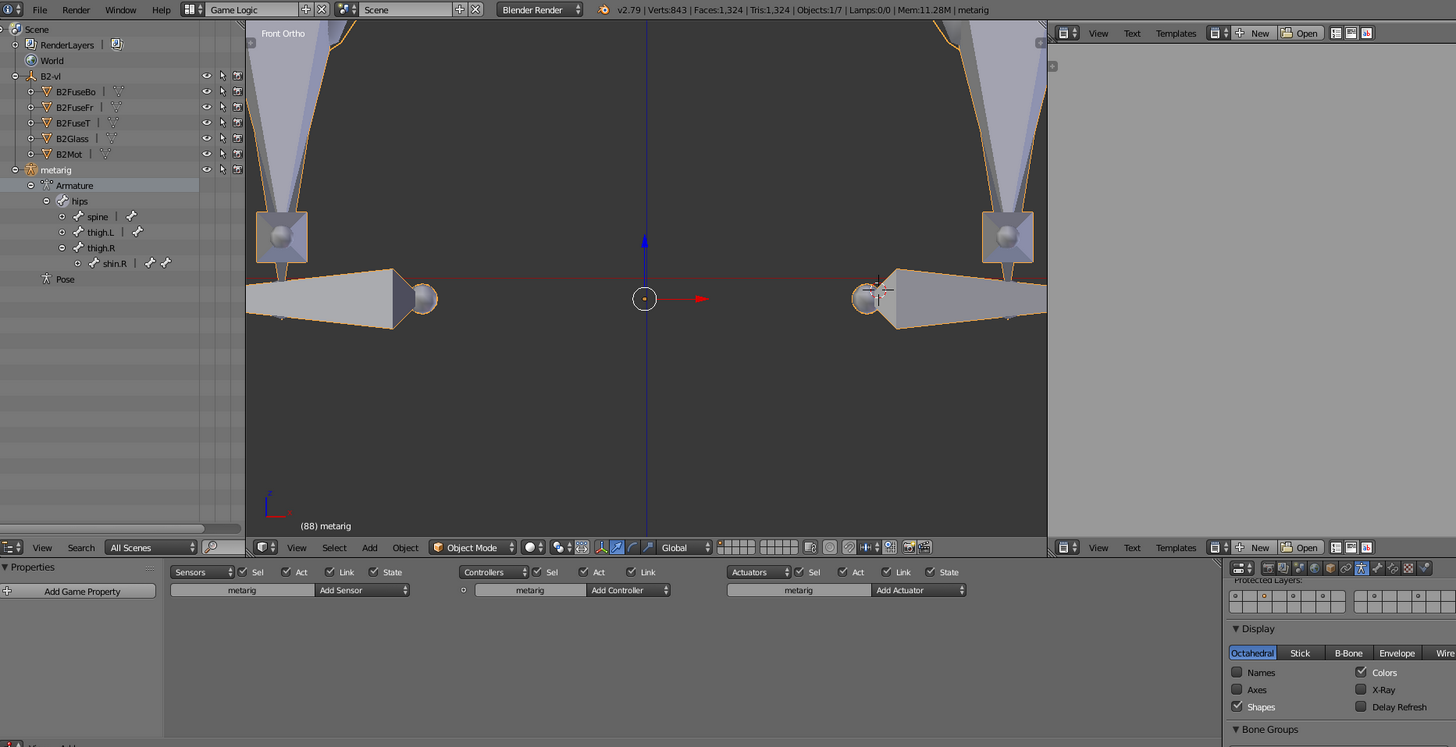
So this is how i THINK you guys said it should go?
the legs are parented to that bone
fading verge
:thumbsup:
rocky heart
noice
 dark elbow
skirt bones attached to a hip bone, meaning the legs clip through the skirt, how do I fix or is this not the problem?
wispy mica
Mkay I think I'm slowly getting the handle on this. The Strom trooper one is helping alot.
vagrant olive
again, what's a good radious for dynamic bone colliders to minimize clipping?
rocky heart
wouldn't that completely depend on the model
assuming i have any idea what im talking about, which i probably dont
fading verge
who has a model of stitch
zealous crescent
I figured out what cause my problem
Okay, so'
Mouselook should move your avatars head, yeah?
Turns out, my mouse look is moving instead my avatar's face bones
 agile schooner
check your mapping
zealous crescent
How do I do this?
 pine smelt
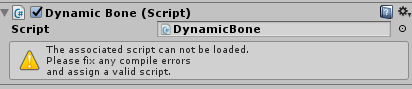
Hey I don't know where else to put this but I was trying to add dynamic bones to one of my characters and it didn't exist so I loaded up a character which them and this happened, anyone got ideas? https://imgur.com/a/Dcdrr
 vagrant olive
are dynamic bone colliders supposed to work with any bones or just dynamic bones?
pine smelt
Just dynamic bones I think
agile schooner
dynamic bones is supposed to turn bones into dynamic bones
i never used it so im not sure how exactly it works
zealous crescent

It does this.
I was wrong in that mouselook moves face bones
face bones just sag
hazy steeple
Anyone know how to adjust angle of pelvis and thigh bone? getting error in unity that its 173 and not 180
 crisp tendon
@zealous crescent that is both the funniest and worst avatar i've seen yet, bravo
zealous crescent
please help me
rocky heart
jesus mary chrsit what is that
fading verge
@hazy steeple perhaps straighten the bones in blender?
 dim snow
Hey guys, I need help
My Mixamo walking animation doesnt seem to be working in game
everything else works except my idles and walking. I start to walk normally then I just freeze and glide. And my idles are acting as poses rather than animations
any clue?
I'm using the custom override for the animations, as per the tutorials
Really frustrated -_-
dim snow
I'm pretty sure it worked just fine
But i really wanted that custom walk cycle/idle
XD
fading verge
Rip
dim snow
trying to make the perfect avatar, would yall have any idea as to why it didnt work?
Or possibly just the model is fucked?
I'm using a high quality Honoka Model because WAIFUs
Lol
dim snow
could my walk animation not be working because I have bake into pose and original selected?
do you think?
zealous crescent
So, anyone able to help with this face bone issue, I'm tired of being in worlds and having everyone crowd around around me'
 low grail
hey so clothes textures come with rigging. what do i do about that and does it matter?
novel wharf
So I'm trying to seperate this into a seperate mesh so that it's not affected when I try to decimate. But what are these blue lines? They seem to forbid me from doing really anything.
 ivory kayak
ok so i could use another person to help me out with rigging kirby up and all that
novel wharf
Well, it seems to affect my me translating the arm. I shouldn't jump to conclusions.
Well it worked, actually. But there seems to be leftovers. I'm guessing from the inside of the mesh
 jagged oak
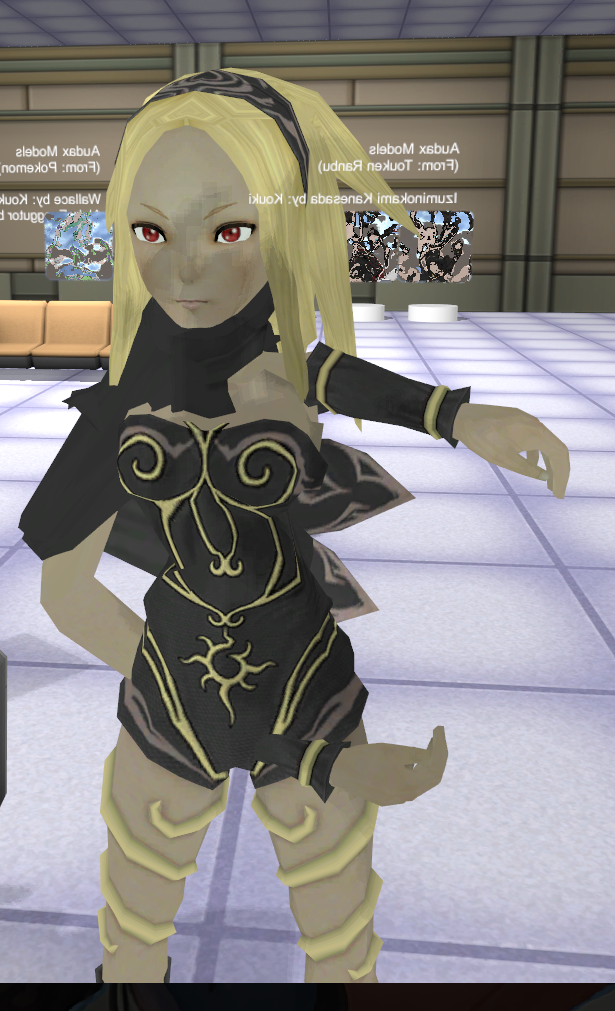
An update on Kat Mk 18. Things are going well as you can see. https://imgur.com/a/VEQ3q
Why is it so much effort to remove one bone.
ivory kayak
basically im stuck in a T pose
rocky heart
Because i have a mixamo stomp animation i want to use, but it uses different properties
ivory kayak
and i dont have enough left arm
fading verge
^
novel wharf
https://i.imgur.com/tv7WTZv.png Why do these strips remain when I try to use the P key to seperate it into smaller meshes? It seems happen along the light blue lines.
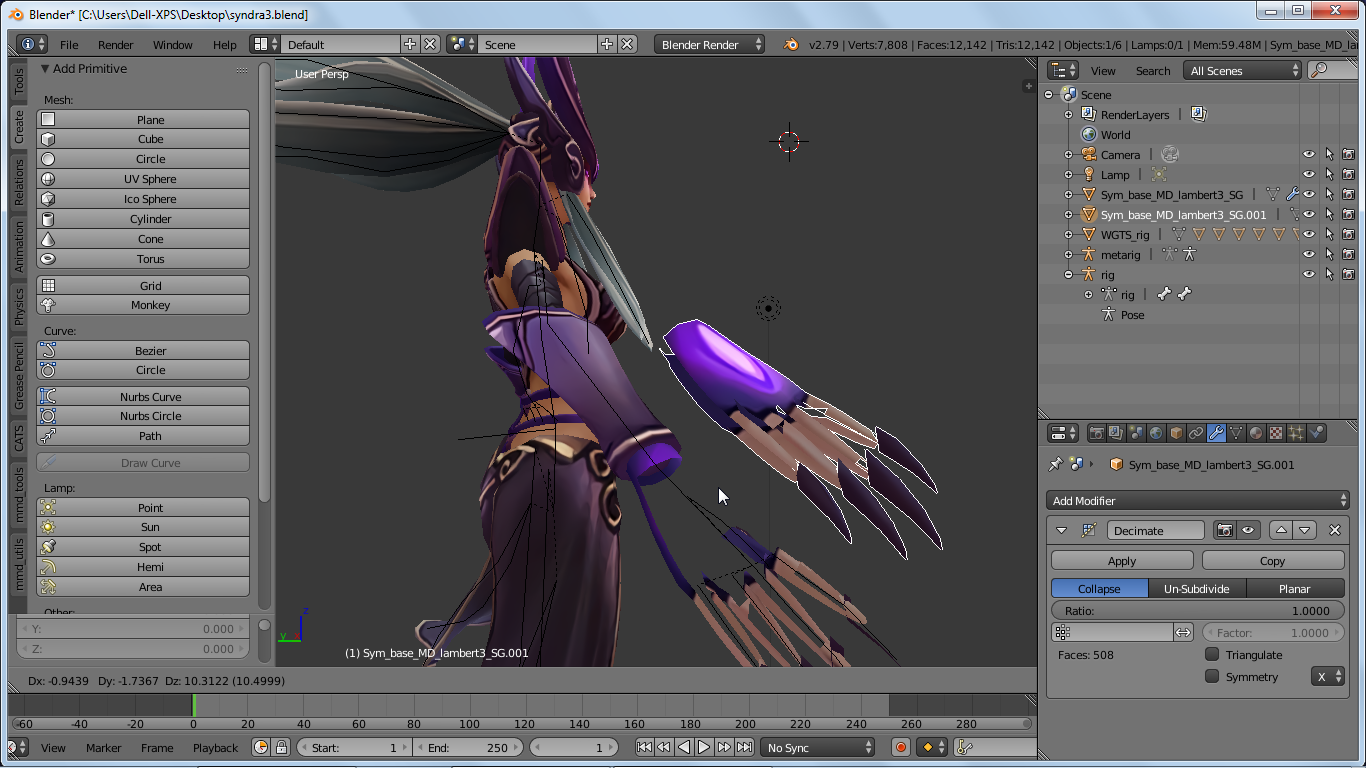
I'm trying to seperate a single mesh model into seperate meshes to make it easier to decimate.
novel wharf
I used the B select tool to highlight everthing I could before using the P key to seperate by selection
I looked it up. Apparently the light blue lines where it's not dividing are areas where the UV map is set to "sharp"?
wispy mica
I think I got the hang of it the spine is a bit werid because of the model's is tilted. https://imgur.com/a/y5GAQ
 low grail
so clothes seem to have rigs. what do i do about that
wispy mica
@fading verge
fading verge
Ah
wispy mica
Check the link I have like 3 more images that you can see
Hopefully it looks correct lol
fading verge
Yee
 charred patrol
https://gyazo.com/227a94cd009a72f4694861e13613493b how do i get these three pieces together onto Agunimon?

 rare marsh
i just watches frontier yesterday :D cool model
 cinder hollow
jagged oak
cinder hollow
jagged oak
...6 hours and I finally got Kat working \o/
ivory kayak
6 hours and i havent gotten kirby to work
jagged oak
shouldn't be too difficult with kirby no?
ivory kayak
mmm well, i think i need to re rig him
but i have no idea how to use blender besides turning things into a pmx file
i think its a pmx file
jagged oak
if it's mmd is should already be pre=rigged
fading verge
I'm so lost on rigging up a face. Anyone know any good tutorials?
ivory kayak
yeah thats the problem with this MMD model. i can only fill up 2-3 sections of the arms but i need like 3-4
needs more parts to rig with on unity
novel wharf
Is it just the hands?
ivory kayak
yeah just the hands
i think i can get away with just setting 1 more bone in kirby
but idk if you NEED to have your shoulders with the right arm attached
ivory kayak
mm well, i was hoping i could just recreate the entire arm itself
make it have 4 parts
novel wharf
What one tut I saw said is basically just taking an avatar without hands into Blender and extruding a few non-weighted dummy bones
 gaunt belfry
I have models with fake arm shoulders and it works fine
ivory kayak
right arm, right arm extention 1, right arm extention 2, right arm end
gaunt belfry
I also have a model with fake shoulders and forearms
 livid chasm
i finally got an avatar uploaded for the first time, but it isn't showing up in the game. does it usually take a while to appear, or should i reupload?
like, in my personal avatar menu
gaunt belfry
Is it a red model?
ivory kayak
wait do you HAVE to have a dummy sitting in your shoulders or can you leave them blank
livid chasm
i don't even see any option to select the avatar
gaunt belfry
You have to have a dummy sitting in it
gaunt belfry
The arms have to have shoulders, upper arm, forearm, and hand
ivory kayak
https://sab64.deviantart.com/art/MMD-Model-Kirby-V2-Download-682315873 this is where i got the model originally
gaunt belfry
Just create a fake hierarchy if you have to
gaunt belfry
Thats how I made this http://puu.sh/z41W9.jpg
 novel wharf
The problem is that he's saying he doesn't now how?
ivory kayak
maybe my model isnt moving because i have nothing in the shoulderS?
gaunt belfry
If you have nothing in shoulders, its not rigged as humanoid.
To make the shoulders, duplicate the upper arm bones and use the duplicates as shoulders with the upperarms under it
ivory kayak
my probelm when i do that is when i hit apply, they go away in unity
gaunt belfry
Like the bones unassign themselves?
ivory kayak
yeah they just delete themselves
and if i try to parent an existing bone, they go back to normal
gaunt belfry
Ah
ivory kayak
here, this is what im dealing with
gaunt belfry
From what I know, whenever you add bones to the armature that deals with the rigging, you have to reimport the entire folder back into unity
gaunt belfry
Ctrl + P if I'm correct
jagged oak
You select a bone, then shift click another. Then ctrl+p yeh
always select the child first.
jagged oak
Move your cursor into the edit window and ctrl p
gaunt belfry
^
jagged oak
it's finickity
ivory kayak
and make it a bone relative right?
gaunt belfry
Make sure your armature is in edit mode
jagged oak
no idea. I was just clicking things and somehow it worked.
gaunt belfry
Edit mode and when you do ctrl + p do connected
gaunt belfry
Select armature and push tab
ivory kayak
aha!
there we go
that takes care of the dummy shoulder issue
now how do i make a dummy arm?
gaunt belfry
For the forearms, just do shift A and make that the dummy forearm and do it again to do dummy hands
ivory kayak
mk
 meager fern
https://gyazo.com/7f4f9fd2532ccde3057186fe91052547 guys is there some simple tutorial to add gravity to an object or bone? like i want to add gravity to this tassel right here
 gaunt belfry
From what I know, you need Dynamic bones for gravity
meager fern
oh i can do that on unity?
gaunt belfry
Ye
meager fern
do i need to set a new rest position for it tho?
ivory kayak
i can export it now and set it up in unity right?
gaunt belfry
@meager fern Nah you shouldn't have to if you mess with the settings enough. @ivory kayak You have parented the bones correctly ye?
gaunt belfry
Kek, also are the leg bones for kirby all there?
ivory kayak
yeah the arms were the issues
meager fern
btw i have a simple question i guess
gaunt belfry
Ye?
meager fern
i have a rigged model and all that
ivory kayak
left leg left ankle left toe
meager fern
but i want to assign a new object to a SINGLE bone in the armature
how do i do that?
https://gyazo.com/4df7d36fe0255b11baeadafa0c19f42d i want to add this new sword to my rig
 gaunt belfry
In blender, go into weight paint for that new object, select the bone while armature is in pose mode
and paint that new object completely
gaunt belfry
np
 glad egret
anyone know how to publish an avatar without leg bones? i dont need the legs since she has a tail for her lower body, but i dont think it will let me export to vrchat if it doesnt have the leg bones
glad egret
rrh
meager fern
OR you can add the bones
but dont assign any mesh to it
so it wont matter at the end
gaunt belfry
^
glad egret
i cant rig for shit
meager fern
thats what i did for my volcan 300
gaunt belfry
Should be the object panel in the right corner of blender
fading verge
is there a premade blender layout i can use for character modelling?
my screen doesnt have the object panel
gaunt belfry
wot, that shouldn't be right. hold on
 fading verge
 wispy mica
Is it good or bad?
fading verge
im missing windows
wispy mica
btw sorry
gaunt belfry
@wispy mica Everything looks good
@fading verge You have the window, bottom right click the button with the orange box in it
gaunt belfry
Also your blender layout would drive people with OCD insane
gaunt belfry
Idk what that is lol, I just use the default one
fading verge
how do i have multiple view windows
i want to see my model in multiple perspectives
at the same time
gaunt belfry
Click view>Quad view
fading verge
why are there so many different view menus
i have like 4 view menus
and they all have different dropdowns
gaunt belfry
Ye lol, your layout is absolutely borked
Look for the one that has Toggle Quad view as an option
fading verge
thanks i found it
rocky heart
Hm
fading verge
how do i pan the view?
rocky heart
how do i export an animation from blender?
fading verge
when i drag it rotates the camera
rocky heart
I've made a stomp animation, but i can't figure out how to export it properly
use shift
fading verge
ok thanks
gaunt belfry
I don't know anything about exporting animations from blender to unity or if it will even work for VRChat
I know VMDs can be changed to work with unity th
 tacit adder
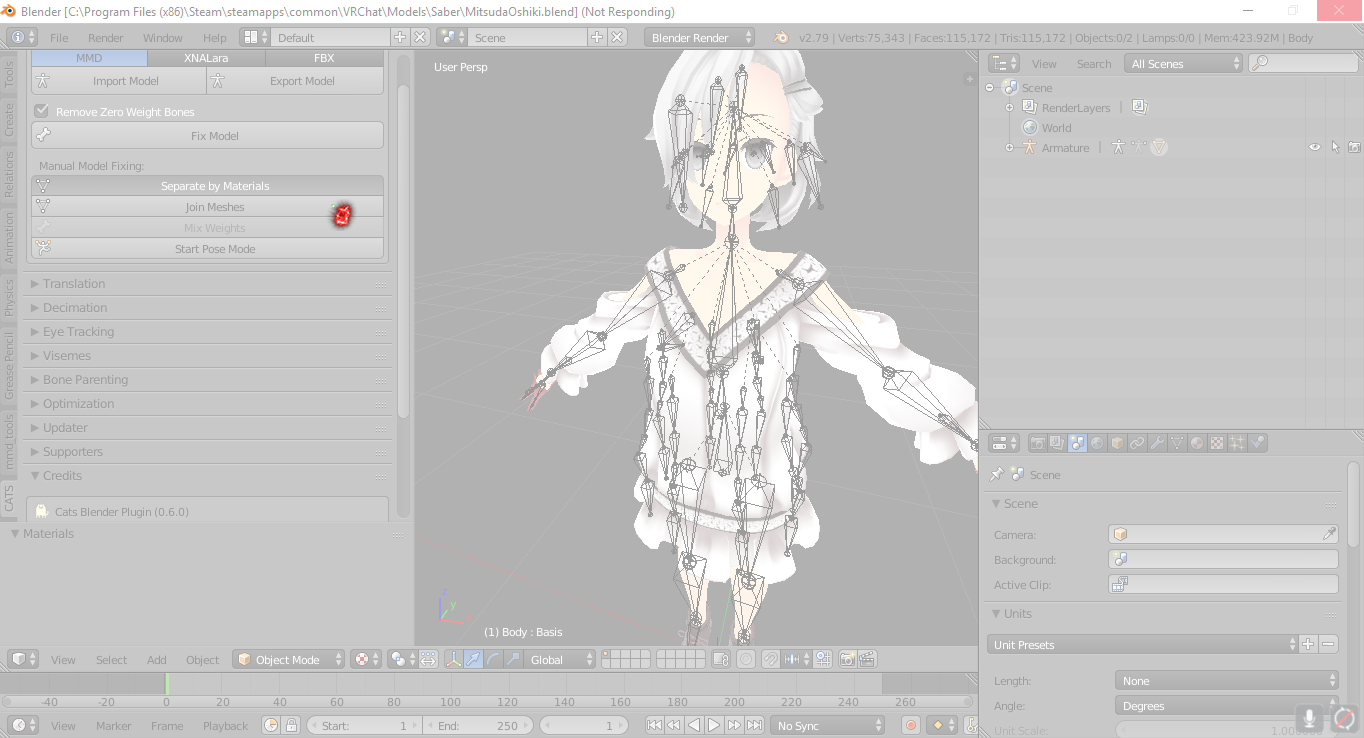
blender crashes everythime i click seperate materials for this model
and some others
any help or suggestions?
gaunt belfry
I've never heard of blender crashing because of that, your model isn't high poly enough to even lag blender. Thats very odd
tacit adder
its only 115k tris, I loaded in a 160k tri one before
so im not sure why it is doing this...
ivory kayak
ok
 clear tulip
question: What is everything I need to make my first avatar...including programs and correct extensions to files?
ivory kayak
it seems im unable to post a picture
tacit adder
@clear tulip blender, unity 5.6.3, cubed unity shader, vrcsdk, mmd_tools
gaunt belfry
O wait 115k faces lmao, it actually is capable of doing this, so does it only crash when you try to unlcik faces from the model or delete by material @tacit adder
tacit adder
it only crashes when i try to separate by material
clear tulip
oh thankssssss
ivory kayak
anyone know what im doing wrong? (picture in #vrchat-pictures )
tacit adder
o yea it crashes when i try to create visemes or eye tracking
gaunt belfry
@tacit adder O thats a addon option, Blender might not take kindly to seperating that many polys at once
You might have to manually seperate it by texture
 shadow shoal
@ivory kayak Extremely tall avatar
tacit adder
how so?
shadow shoal
And you forgot to map those things it says there
ivory kayak
but he is scaled at .4
gaunt belfry
@tacit adder Have the model in edit mode,find the material panel in the bottom right, and select by material and do ctrl + v and do seperate
ivory kayak
mmm
tacit adder
ok, ty
gaunt belfry
You might be able to do that auto seperate if you decimate the model first though lol
 coarse prairie
is there something special I need to do for passive blinking?
gaunt belfry
Check the neck portion of the rigging in configure
gaunt belfry
o lol
ivory kayak
in the first one
 main sage
there a way to hide like all but 1 mesh when weight painting
so i dont get paint on the wrong thing?
gaunt belfry
Yes
fading verge
I don't really know where to start for rigging. I get what I'm meant to be doing, I just can't figure out how to make my bones in blender.
gaunt belfry
Select the one part you want to paint in edit mode, do ctrl+v and do seperate
 silent fulcrum
anyone know whats the shortcut that will allow me to select all the bones connected to the first bone im selectin
so i dont have to select each bone because their covered by other bones
gaunt belfry
That works lol
ivory kayak
still saying it even though i got rid of the extra armature
gaunt belfry
Make sure there aren't two options in the build&publish screen
 regal belfry
anyone know how to do shape keys for specific eyes when using a mirror modifier? Because of the mirror modifier, the shape keys get transfered over to the other eye, so when I adjust them it moves both eyes
ivory kayak
aha finally
lets hope that everything works right
shit its late
a total of 8 hours working on kirby trying to figure it all out
sigh
im pretty sure it wont work...
 shrewd aurora
can you put breast bones in a model with none? I tried to and linked it as a parent to the chest but in unity only the bone moves, the mesh wont move with the bone
I think there is just something I didnt do in blender that I need to
ivory kayak
anyway, could i just drop the FMX file down somewhere and hopefully get a DM back with a fixed version? i really have no clue what im doing, and i gtg to work tomorrow.
i havent the time anymore to mess around with kirby
gaunt belfry
Dm the model SDbait and I will look at it
ivory kayak
thanks have
shrewd aurora
I guess in other words Im trying to add bones to a model so I can do the dynamic bone movement for the breast, I added the bones and set the parent properly but when I go into unity and set dynamics for the bones, the bones wiggle but they dont effect the character in any way.
 open cedar
Can anyone help me with this?

Unlisted Video for purpose of receiving help from online community.
fading verge
I thought your original avatar was the problem. Are you talking about the slouch?
open cedar
no how the chin just goes down and the chest goes up
like watch how peters chin gets swalloed by his face
gaunt belfry
Could be a weight painting problem
open cedar
hmmm
clear tulip
question: could u use 3ds max to do all this shit u guys do with unity and blender and import the model into vrchat all the same?
fading verge
I wouldn't be surprised if you could
open cedar
How would one fix this weight painting problem
fading verge
Would be harder to find VRChat related tutorials for 3ds max but I assume since you're asking that you already have an idea of what you're doing
try it out and see how it goes
open cedar
Any ideas how to fix the issue would be amazing if anyone has ever experienced that before
i used a fbx that worked with textures> Uploaded to mixamo> downloaded> Imported into unity> Then to vrchat
fading verge
that's something I get on most of my models tbh. what you could try is weight painting the chin so it moves somewhat less with the rest of his body
I'm assuming Mixamo does that behind the scenes after it rigs the skeleton together but it's not good with unusually shaped humanoids from what I've noticed here
you need blender and some understanding of how weight painting works to do it
fading verge
it can be fairly tedious so don't expect perfect results the first time
open cedar
well thanks alot
it helps
i fell like you need to be a game designer to get exactly what you want in vrchat haha
i wish i could just download the peter griffin model from al avatars, and then use said avatar as a upload to my account
so that i could spawn it in when needed
feel*
I wonder if thats possible?
Is there a way to find or get already in game avatars in your possesion? with mouth rigging and all?
fading verge
temporary avatars easily
go to any of the avatar worlds and just pick what you want
the quality would vary greatly though
open cedar
So but is there a way to essentially aquire or copy that temp avatar, to i guess some folder on your pc, and then simply import it into unity, and then upload it, so you could then use it upon will using the menu?
fading verge
if you want to use hacks yea
thats against tos though
so dont do it
but for real I don't know if anyone uploads vrchat avatars anywhere for others to use
maybe deviantart or something
open cedar
so what your saying is... Use another steam account, aquire hacks to get the files i need... and then upload it to my main account?
lol
fading verge
no
open cedar
im kidding 😛
Well that kinda sucks, feels like a dead end or something
i was wondering if there were some way to contact the dev of Al's Avatars
and see if i could get a helping hand
heres hoping lol
fading verge
why Al?
open cedar
Because he has a working Peter Griffin Model, exactly the same one i am using, except his works and it has mouth riggin
fading verge

Make sure you subscribe because I will be uploading more tutorials and VRChat videos. This is da wae to import your MMD to VRChat the easy way. _____________...
 fading verge
how'd you rig it
 fading verge
hard to tell from that perspective
 tacit sinew
want to help me I can screen share 😄
fading verge
Nah I'm probably checking out for a while
tacit sinew
awh
fading verge
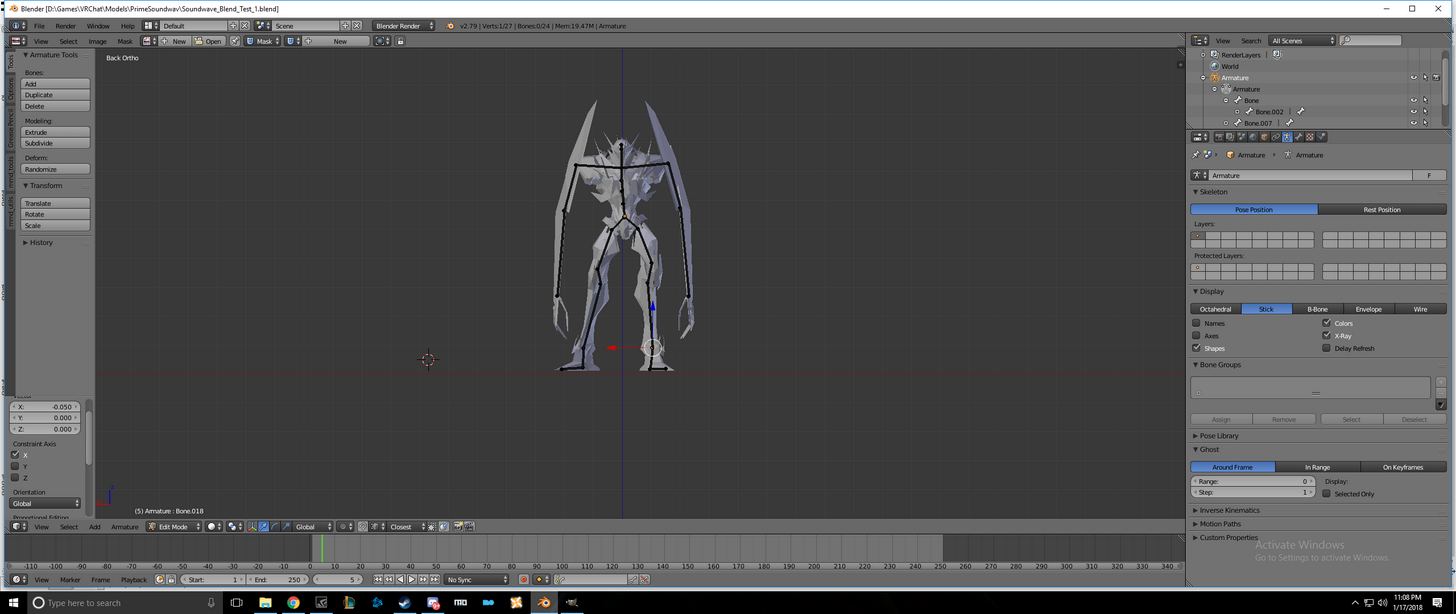
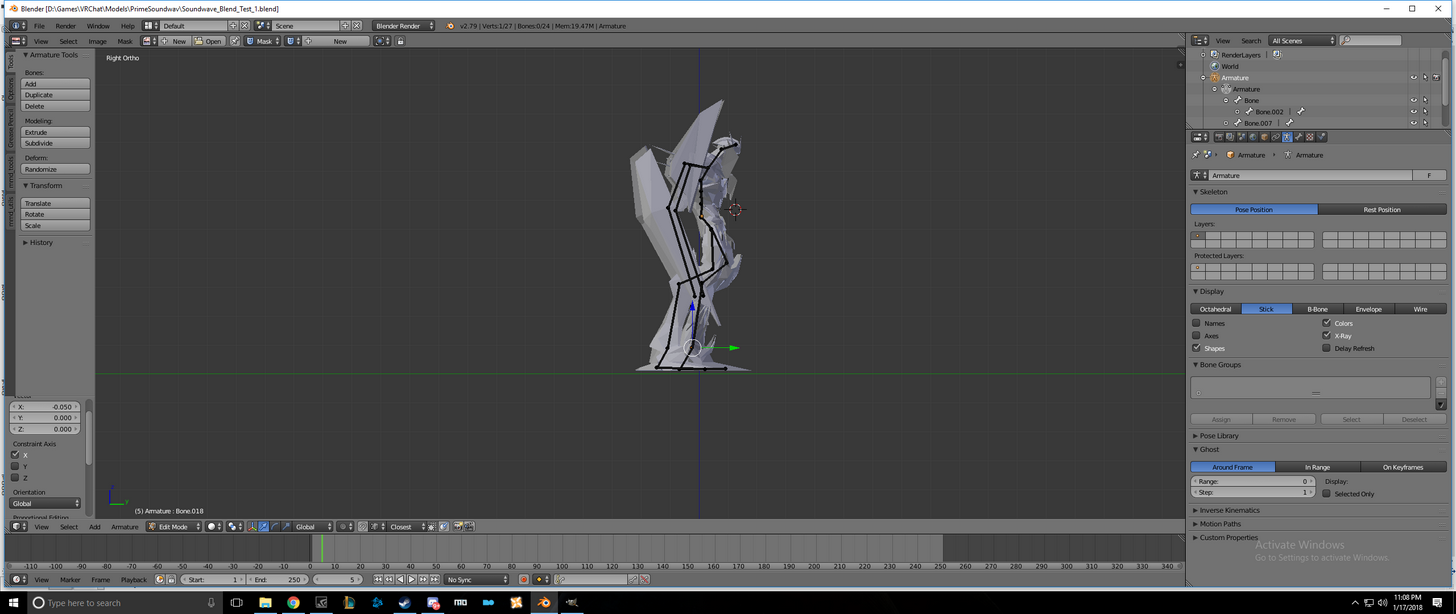
check the bones from multiple perspectives and make sure the hip bones aren't bent too far forward
 cosmic mica
"Model is humanoid but does not have feet, hands, or head mapped." Yeeeeeet it does in the bone configuration. Heck im even using the same recycled humanoid armature i use for all my avatars, Ive never seen this error before and dont know what to do about it.
 quiet bluff
rigging scylla from smite... what a pain.. fml
 radiant kiln
What's a good way to make sure my avatars mouth won't be gaping open in VRchat? I can't replicate it in Unity
quiet bluff
@radiant kiln do you know how to edit the shapekeys?
quiet bluff
True - adding them manually should do the trick. but its kinda based on your modle ect. you are not trying to add them you could cheat and add a a few bones that will hold it shut.
radiant kiln
I actually do want to go through and create shape keys, though not sure which ones I will need. Considering I will probably need this for eye tracking and lip sync
quiet bluff
lol just make the parent bone the hips or something so when u squat your moth comes open......... hahahahaha sorry not sorry. I had to share that
yeah if u want all that shape keys is the way.
radiant kiln
Alright
 shy notch
I'm doing Blender weight painting. When I paint near but not onto a vertex, the weight changes partially. Some vertices look visually red, but when I sample (Ctrl-click), they're like 0.99914 or something. How do I make the paintbrush all-or-nothing to stop these errors from happening?
radiant kiln
Do you have auto-normalize clicked?
shy notch
It happens regardless.
radiant kiln
Hmm
shy notch
Strength = 1.0 too.
found it
"Curve" tab exists. Turns out it's brush shape.
The only way to find out what the editor does, is to hover the presets.
quiet bluff
lol
shy notch
GENIUS decision.
coarse prairie
is there a way to test mouth movement / voice syncing in unity?
shy notch
Is there any easy way to replicate weights across the model? X-Mirror doesn't work well. Should I just manually replicate everything?
quiet bluff
what tool sets do u have?
quiet bluff
my terms may be off one sec let me look it up lol
im just a am like most here :p
and yes
actually hold up are u doing that part in unity or saving time by doing it in blender 1st?
shy notch
working in blender at the moment
quiet bluff
oh ok what type of file are u working with?
shy notch
MMD + CATS = .blend
quiet bluff
oh ok cool u do have cats
thats what i was about to ask
also Tupper's tutorials on youtube are bad ass. - I feel like this may help with some of ur problems https://www.youtube.com/watch?v=7P0ljQ6hU0A&t=1567s

VRChat Community Discord: https://discord.gg/VRChat Download VRChat! http://store.steampowered.com/app/438100/VRChat/ mmd_tools GitHub: https://github.com/po...
- link to his actual channel - https://www.youtube.com/channel/UCVxjI7B8uhcKqj75nVkm_oA

YouTube
This channel contains tutorials for VRChat (vrchat.net), a Virtual Reality Social app that allows you to upload your own content. You can upload avatars and ...
 opal citrus
anyone able to join me in vrchat and help me figure out how i did this? i somehow moved my right eye's blink on my models ears, so when the left blinks my ears twitch and my right eye does nothing, but the right one does become lazy when i look down oO i wanna tweak this because i love it but idk how the heck this occured XD.
shy notch
^ watched tutorial, it assumes mmd is prerigged. I had to import extra legs with broken rigging.
quiet bluff
true yeah I mean most are a bit more simple. sounds like urs is a manual job for most of it.
 subtle moth
@opal citrus Tbh thanks, i really want that
 vital mason
does anyone have issues with characters constantly tapping their feet when they ever so slightly look down? It happens mostly to models i've been importing from cm3d2 myself. I suspect it might be because the model exports from cm3d2 in a bit of a hunched tpose? But i could be wrong. Left is how it looks like by default https://nyanpa.su/i/yfF7Sur.jpg , is the right one better?

in blender the spine/chest and hips are not aligned

should i align them straight?
subtle moth
@vital mason i did that on my model and it fixed her bakc, so just try
but you should be able to do this in unity as well
vital mason
yeah, but i think its better to fix it in blender so i dont have to do it again if i need to reimport
quiet bluff
i love how i just tryed to rotate that model hahaha
quiet bluff
im also trying to figure out if this is a bubble but thing.
subtle moth
wot
vital mason
yeah, i noticed while standing my character is a bit hunched, which is why her legs start tapping when i look down
 worthy coral
Bootybones
vital mason
ah about blender, does rest position matter? or pose position? my model is also off ground by like 10 cm and i'm only able to move her in pose position but rest position remains the same
 shy notch
holy shit what is that
quiet bluff

Scylla's ultimate, I'm A Monster. More info: smitecamp.com
^ she is from smite
worthy coral
Upload servers are down
 dusk bridge
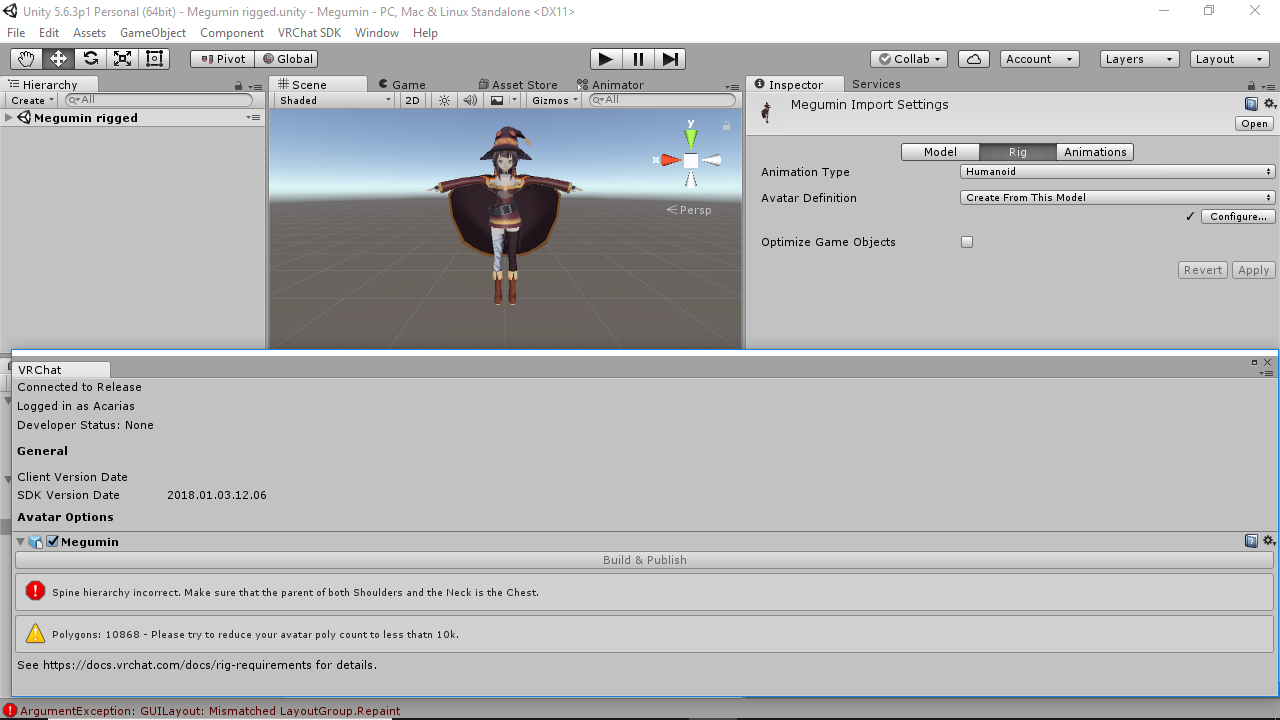
hey i have a question im making an avatar and im currently in unity for the rig, i get the error spine hierarchy something parrent of shoulder. now this is a common issue and there are fixes that state that i should change my chest bone to spine but i dont see a spine bone to select can you help?
 gilded barn
does anyone have a good tutorial on how to rig models without like fancy shit on them, like just whats needed for vrchat?
 fluid zodiac
only for maya
shy notch
User Preferences/Add-ons/Rigify (I've never used).
......
You should have an Armature group, with an Armature and Mesh object.
fluid zodiac

With our model complete we can now go through the process of rigging it up using Maya HumanIK. This video goes over the humanIK setup window and quirks/bugs ...
shy notch
Is Spine supposed to inherit from Hips?
fluid zodiac
yes, that is normal human physiology
subtle moth
Bone hierarchy should go Hips>Spine>Chest
Then Chest should branch off into Left Shoulder, Right Shoulder, and Neck.
shy notch
where are legs? under hips?
fluid zodiac

A super simple song for learning parts of the body. Great for Halloween, or anytime of the year! iTunes: http://bit.ly/TheSkeletonDance_iTunes Amazon: http:/...
worthy coral
Not sure if troll or
shy notch
When I bend forwards, my butt sticks out. Will this be a problem in practice? https://i.imgur.com/kf4cfSJ.png
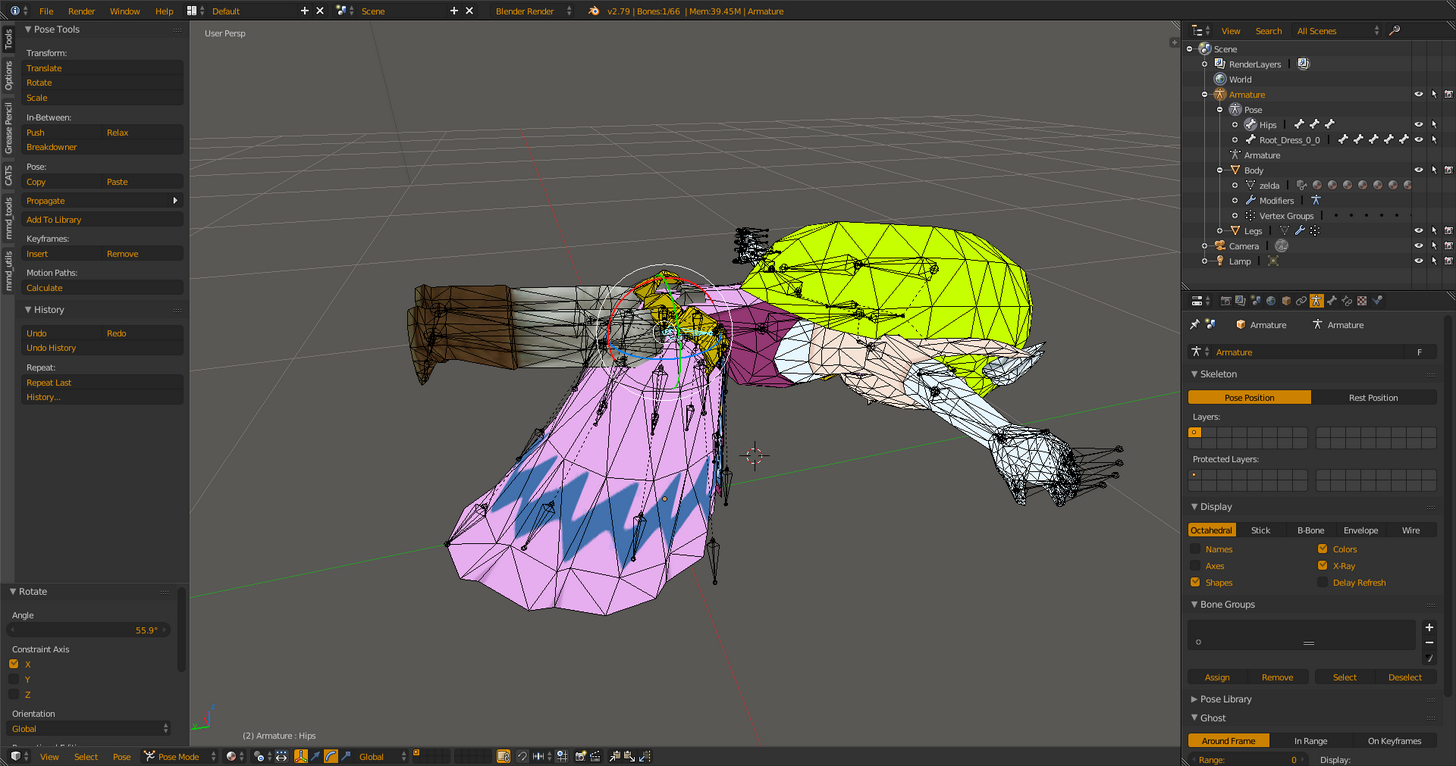
 limpid scarab
@vital mason Did you manage to fix the foot tapping already? Noticed a model of mine had the same issue.
vital mason
havent had a chance to test it yet, uploads seem to be down
does your model have similar bone structure where the spine was hunched out from the hips?
limpid scarab
Oh, but for now you just made her not hinch over?
vital mason
yeah
vital mason
guess i'll try again
fading verge
Pls
I don’t get an error two weird things happen
It says uploded
But doesn’t there
Or
limpid scarab
Let me check my model for a sec
fading verge
It’s stuck on finalizing
 spice jetty
https://imgur.com/a/1qztg any advice on how to ctrl P ?
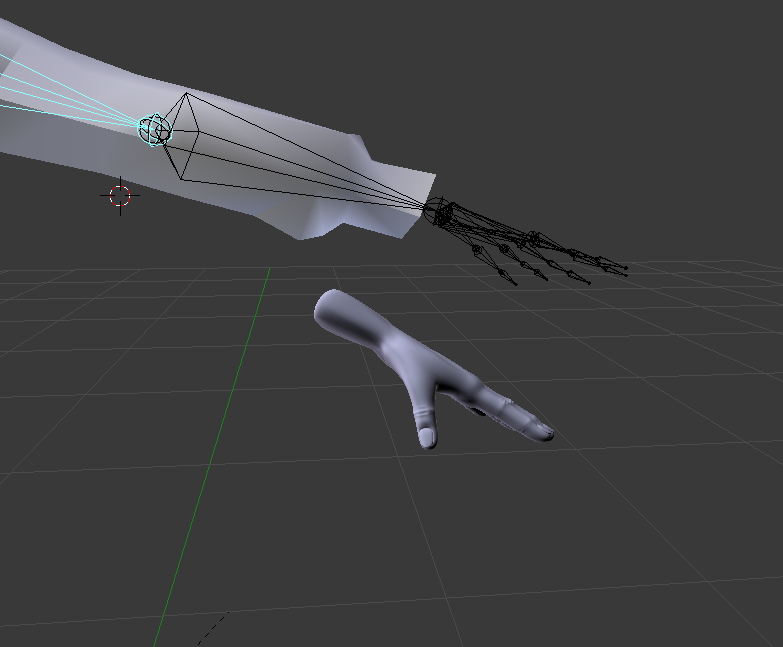
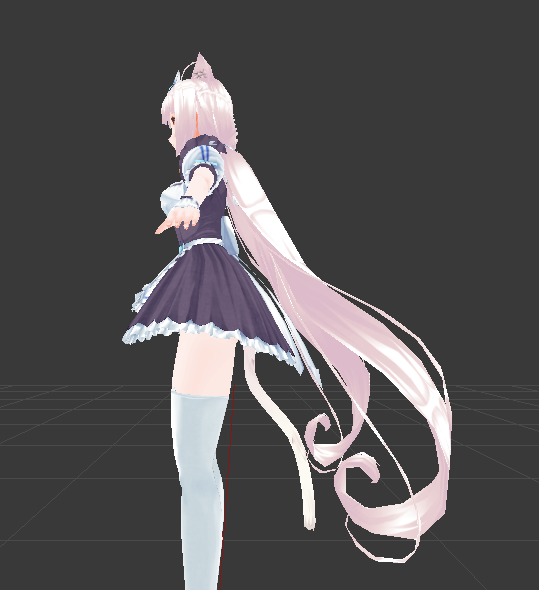 vital mason
nice vanilla
limpid scarab
😄
vital mason
upload worked, gonna check it out
 peak kestrel
like im makeing a avatar and its all most done but after i deleted the uper chest and the toes it just now whut
subtle moth
@fading verge you mean like parenting stuf and things?
subtle moth
Then use Rigify @glad egret
vital mason
aaaan its a red body
spice jetty
yeah, I managed to remove all the mesh-bone parenting because the hand had none but now it wont stick together
glad egret
doesnt that do a shitty job though
subtle moth
i dont really know how to do that exactly but you select the ones you want to parent first then the one they should be parented and, hit ctrl p and click on object
i think?
dont really know
i just know how to parent bones
tamerlein i dont think so
spice jetty
so i would select mesh then bone?
subtle moth
think so
spice jetty
def worth a shot. i was using A to select all. ty
peak kestrel
im makeing a avatar and its all most done but after i deleted the uper chest and the toes and it wont work
subtle moth
what does it say?
peak kestrel
um
peak kestrel
spine hierarchy incorrect @subtle moth
vital mason
should be server problems
subtle moth
okay, can you make a screenshot and upload it somewhere? @peak kestrel
peak kestrel
ill try
subtle moth
not of the error
please go to the bone configureration in unity
sorry
forgot to say that lmao
@peak kestrel
subtle moth
i think its preinstalled
unitys guide just shows how to use it
blender*
excuse me
spice jetty
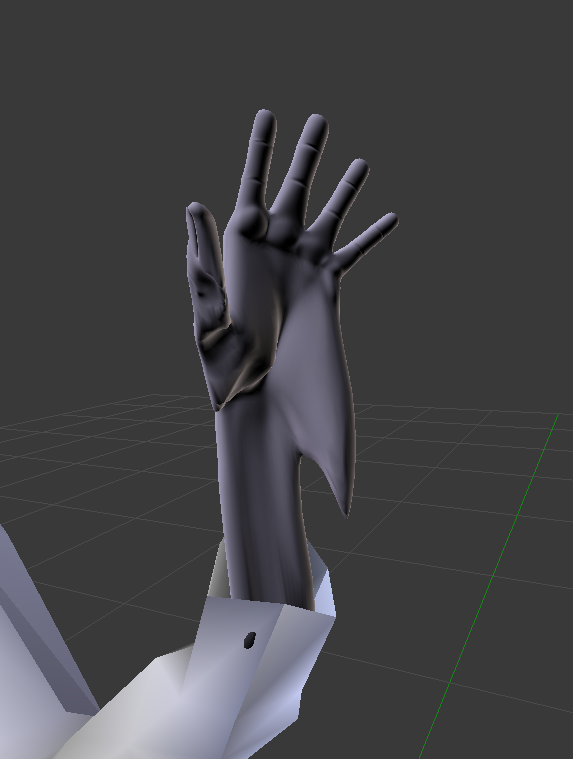
So the hand still won't move if I parent it with automatic weights but if I do envelope weights it does move, but it warps as it moves farther https://imgur.com/a/7eEgy
 subtle moth
thats a tricky one
spice jetty
wait my hands are about 30k tris each everything else combined is about 18k, if I lowered poly count first would its "weight" be less?
subtle moth
no idea
spice jetty
worth a shot. if not I think Im going to fiddle around with envelope weights, the internet says its adjustable
vital mason
jesus 30k tri hands
spice jetty
the ones originally on the model with about 500 and drove me crazy looking at them in vr
limpid scarab
The hands alone aren't even uploadable
most important is to have a good amount of tri's near the bending parts, the rest can be pretty much more straight blocks
spice jetty
naturally i was gonna reduce them a lot, and my fingers felt like jack skelington so i had to do something XD
vital mason
@limpid scarab doesnt look like it made any difference in the tapping
or the server doesnt have my updated model cause the preview still looked a bit hunch
limpid scarab
@vital mason Was discussing this with someone else too and got the tip to try and bend the legs a bit more in the unity bone configuration
upper leg & knee
vital mason
bend it more straight?
limpid scarab
more bend
I'm not at home atm so i can't try it, but i will tonight
also just adjusting your height ingame can fix it
vital mason
gonna try that, the models i have that dont have the problem do seem to have a bit bent knees
okay, not all of them, some have straight legs too
but i do notice all of them have spine a bit out front with chest bone bent back a bit
gonna try that as well
shy notch
How does unity pick which bulb to use for legs? It treats dress as legs, and complains about missing feet.
My bones are named left/right leg/knee/ankle/to.
Assigning manually fixes it.
radiant kiln
What exactly is the jaw? I have a jawbone on my model but his mouth is always open still
vital mason
@limpid scarab oh i think i know why, those characters that dont have the problem go tippy toed a bit when looking down
those that do have the problem.. dont have toe bones
fading verge
Okey i seem to be missing Spine scene from the choice to rig the body
i have spine 1 2 3 and 4
but no spine on its own
Where can i obtain it because i get the hierarcy message and it wont let me upload to vrchat
vital mason
dumb question: is kinematics based on the pose position or rest position of your model? in unity the model looks like its in the pose position i placed, but are the interactions still based on the rest/edit position of the bones?
fading verge
well i guess i cant ever make avatars what a shame 😦
i just cant seem to fix it no matter what i try
vital mason
merge the spine into a single bone?
fading verge
tryed it would not work
apparently its because i dont have Spine on its own
but only spine 1 spine 2 spine 3 spine 4 entrys
fading verge
mix weights?
vital mason
its one of the buttons in the CATS menu
merges the selected bone and its weights to its parent
assuming spine 1 - 4 are parented to each other you can put them all into spine 1
vital mason
its right at the top below seperate materials
wait, you dont have CATS plugin installed?
vital mason

GitHub
cats-blender-plugin - A tool designed to shorten steps needed to import and optimize models into VRChat. Compatible models are: MMD, XNALara, Mixamo, DAZ/Poser, Blender Rigify, Sims 2, Motion Build...
i cant imagine converting models without it
 modern oyster
@vital mason I think this one explains it abit better ^^ https://vrcat.club/threads/cats-blender-plugin-0-6-0.6/

VRCat: Community-Run VRChat Forums
Cats Blender Plugin (0.6.0)
A tool designed to shorten steps needed to import and optimize models into VRChat. Compatible models are: MMD, XNALara,...
It tells what you need, how to install, and how to start.
glad egret
does anyone here make models for free? i cant create my own or pay to have one made >_<
 native bronze
I keep running into "make sure that the parent of both shoulders and the neck is the chest" no matter what I do.
is there a quick-tip of something I'm probably overlooking?
 proud dome
@glad egret just find an already existing one and edit it
glad egret
there arent enough resources for me to make the one i want
proud dome
what kind of avatar do you want lol
glad egret
its from a really unpopular franchise
theres like 2 models i can use
out of everything
and theyre not even that good
proud dome
just check models-resource and also yobi3d
 weak notch
Checked nico3d?
glad egret
everything
proud dome
then learn to model from scratch if you want it all that specific looking
or just wait
glad egret
ive never modelled something before
weak notch
Sadly I don't think many people are gonna make a full 3d model for free :/
 foggy osprey
gotta start somewhere
native bronze
neither have I and here I am learning it
glad egret
: (
native bronze
just like anything it'll get easier the more you do it
proud dome
yes
native bronze
So don't overwhelm yourself trying to do a full-ass thing in one night or anything
proud dome
it took me 1 day how to rig in blender all kinds of characters and how to edit models
it was a hell tho at first
foggy osprey
if you want someone to make you an avatar that is 100% from scratch and unique to you you're looking at a several hundred dollar commission
glad egret
damn
native bronze
currently I'm figuring out how the hell parenting works because I thought I had it right and apparently I don't 🙃
vital mason
you could make a somewhat original one from cm3d2 and import it
thats what i've been doing
glad egret
i dont have cm3d2 and the tools dont work for me : (
foggy osprey
use blender
proud dome
i thought about commissioning at some point but the cheapest i could find was 150 dollars oof
i have money barely for the school books
foggy osprey
blender is one of the most robust modeling programs available and it's 100% free
glad egret
yeah i have blender
but i dont know anything about making a model
and i absolutely suck at anatomy and everything
vital mason
out of curiousity what characters were you looking for?
glad egret
some anime characters
vital mason
name?
proud dome
just tell the anime jfc
foggy osprey
there are countless tutorials and documentation available online to get you started, most are free
CG Cookie
Brilliant Blender, Unity, and Concept Art tutorials for animation artists and game developers.
glad egret
senki zesshou symphogear
proud dome
oh you were right about it being unpopular lol
glad egret
: (
proud dome
never heard of it
glad egret
apparently its much more popular in japan but even so theres like 2 models out there
proud dome
the style used in the anime looks like your usual anime style
there are base mmd models you can customize
try them lol
glad egret
finding a base isnt the problem, its more the outfits and hair
proud dome
then find them
glad egret
ive searched and the closest things were for characters i dont like
proud dome
ok
vital mason
huh, i'm surprised i thought symphogear did well
guess its not very popular for mmds
glad egret
nope : (
foggy osprey
if you aren't interested in making an effort to do it yourself you're probably going to have to pay someone. that's just the reality of it.
glad egret
i would but theres nothing i can use and i suck at 3d modelling
 fresh pier
looking for someone to rig an avatar and upload it on my account with dynamic bones, lip syncing and eye tracking. send me your offers. (:
 balmy solstice
Would I add dynamic bone coliders to a dress to make it not clip with the legs or what?
modern oyster
@balmy solstice Add colliders to the places where the bones (of the dynamic item) should not be able to move through. ^^
 hoary torrent
oof ok so i have this problem where my hands keep on twisting rly weird
idk why
https://gyazo.com/c866dedc15b3665e390b26fb0081d1f0 like can you see how it's twisted weirdly?
 fading verge

just improted a model in and it looks like this, does anyone know how to fix this
Paying several hundred $$$ for a shitty commision by somebody in the VRChat community or spending almost no money at all getting an actually good model made by somebody with expertise in the actual professional community. 🤔
@fading verge duh the first one obviously
 modern oyster
@fading verge You should be able to just change the parent of the bone to where you want it to.
Like Claws for hands? Put them as a child of hands.
fading verge
i tried and i cant because the claws are a imported model not the same
it wont let me
@modern oyster
fading verge
oki
modern oyster
Can you send a pic of said claws?
 modern oyster
Is it just the bones, or is there a mesh aswell?
 modern oyster
Ahh
I'm sorry, but I am not too familiar with the whole combining of 2 different armatures.
proud dome
i would just make a whole new skeleton tbh
oh you mean
nvm
@fading verge if you are gonna add stuff to your character i recommend always doing it before rigging
but you can try joining them together with ctrl+j
like select the whole thing and if it doesn't work then experiment
also move the object the way you want it to be connected to the character
fading verge
@proud dome oki thanks
proud dome
np
i had to deal with the same issue minus the other object having its own skeleton
tho if you keep failing then its for the best to remove the object's skeleton and edit the character's skeleton
if you want the object to have special movement in it
fading verge
@proud dome THANK YOU it worked
fading verge
whats your lip sync settings @echo atlas
fading verge
doesn't that model have viseme?
 echo atlas
appears so.
fading verge
use them instead
echo atlas
wow, i'm dumb. thanks
 echo atlas
That fixed the model for me, thank you nep.
 serene cloak
@fading verge If I'm gonna help you, contact me in like 5 hours.
Heading to work now. 😛
fading verge
@serene cloak oki thanks
meager fern
https://gyazo.com/d2052a327d3611595fcff6b6dd077fec guys can anyone help me as to why my character is walking like a football player? 👀

 still lark
@meager fern One thing that could help you is the leg spacing option inside of the muscles tab
still lark
it's funny because my 9s model had the exact same problem lol
I didn't try to fix it tho
meager fern
i was considering deleting all pre existing leg bones and redo it
still lark
a new leg bone should fix it if you rigged in Mixamo
using inverse kinematics as well could improve it
 crisp tendon
@meager fern I think you need to chose female animations in unity ?
meager fern
i did
crisp tendon
this looks like the male one
 fading verge
I don't know if this count as rigging, but since the humanoid stuff is under rig I ask here, anyone want to help me quick? I won't spam, I just stream to show what happens and see how could I fix it
 atomic hill
Recently I got the problem in blender that _end bones arent showing up, even in older blender files that should have them. any idea what caused it or how I get them back? Seems like sometimes dynamic bones wont work if theyre not present (at least I think so). Like Cat Ear_R used to have child Cat ear_R_end but doesnt in any files anymore
https://cdn.discordapp.com/attachments/117341483622727685/403577447876132864/unknown.png
https://cdn.discordapp.com/attachments/117341483622727685/403577983861784586/unknown.png

 fading verge
anyone know how to get dynamic bones in unity to be affected by gravity?
atomic hill
turns out its an issue with the newly added CATS mmd exporter, that doesnt export _end bones. Using the default blender export seems to work
 languid sluice
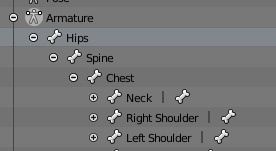
guys, isn't the orders suppose to be hips > spine > chest ?
fading verge
you mean hips are parent of spine and spine is parent of chest?
languid sluice
i mean like this
https://gyazo.com/0b9fcf1d2e34f0f4ae2c0d0cefa2ae1d
 fading verge
I don't see anything wrong with it
languid sluice
i was just confused lol, thanks
 oblique latch
would anyone like to help rig dinosaurs for me for my new map so player can play as dinosaurs
fading verge
Non humanoids aren't easy
oblique latch
yep thats why i need help as i still have a lot to do with the map
languid sluice
https://gyazo.com/8328d3e0126fb190d93f8b98c895b676
is this a rigging problem or just a mesh problem?
 fading verge
could be either, assuming you rigged it nicely it could be a weight painting issue
languid sluice
Ah
 raven pumice
My rig looks fine but when animating the character's arms seem too close together and clip into the body when idling. is there something i should be doing with the muscle settings in unity?
charred patrol
https://gyazo.com/4586c2a6c627173d46fd574695ba1dc2 i'm currently rigging Agunimon
 fading verge
👀
 glad cliff
I have a question, how do you rig a four legged creature... cause on vr chat there is scooby, roach, ant
fading verge
ant is an insect-
glad cliff
it still has more legs 😄
fading verge
the scooby doo one
I assume has dynamic bones in the back legs
so all jiggly
not sure about the others
glad cliff
so jiggle jiggle
charred patrol
https://gyazo.com/db1b77ecc6205d6ed6cbb9cf72b9768d uuh, is this normal?
 raven pumice
the model has summoned it's stand, it's ready to do battle with you. very normal, if you defeat it you will be allowed to use the rig
charred patrol
lol
fading verge
🤔
glad cliff
you have awkened the rig monster
awakened*
kinda looks like regigigas
if i spelled it right
Silent Night Moonboy65 i wanted to put DexDorugamon in
fading verge
👀
charred patrol
i might do EmperorGreymon next
glad cliff
the thing is his wings and tail are massive
fading verge
mhm
glad cliff
machinedramon 😄
glad cliff
yes he's my favourite
currently in vr chat i put justimon in
do you think machinedramon is worth trying to rig?
 compact fog
could someone help me with fixng 2 props on my avartar that keep morphing together when i put it in vrchat?
 dapper osprey
How do I keep the bones I moved in parent mode
the same way in unity?
a.k.a with the body stuff that's moved
 tropic garnet
how do i add a particle affect to my character and have it work always in game ? ... i already have the particle affects made but i dont know how to get them to work on my character when i select my avatar in game ... were do i put the particle affect in unity ?
 wise jay
@tropic garnet drag it on your player model so that it is in the model's hierarchy
tropic garnet
i did that
then made a random id , and uploaded to my vr chat . when i selected the character . i went into avatar testing and the particle affects were not on .
 wind parcel
 charred patrol
 charred patrol
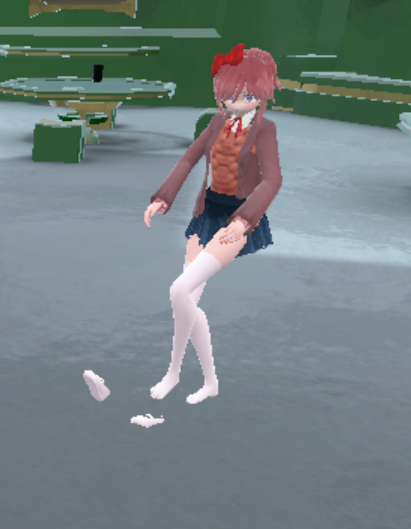
how do i fix the feet
 brisk mesa
it looks like your feet got weight-assigned to the other foot's bones
like criss cross
that's why it looks like they're being pulled in either direction
you can maybe try to solve this by weight painting your feet yourself
but also remember to erase your mistakes with the weight 0 value brush
don't miss a spot either
 silent niche
Could someone tell me how to bypass height restrictions?
 wind vale
does someone know a good way to set up eye tracking?
dapper osprey
@brisk mesa can't he just choose a bone and remove the paint from the other foot
charred patrol
@silent niche i want to know that too
main sage
ok, does anyone here know how to actually MAKE shapekeys from scratch?
cuz i need to make some
simpler stuff, but still
wind vale
i made a couple shape keys from scratch @main sage
charred patrol
and auto weighted everything together
wind vale
right click your body model in object mode, go to data tab (triangle with dots) and then open the shape keys drop down menu, there press the + button twice, the second one being your new shape key. Now with they key selected press tab to go to edit mode and modify your mesh, then press tab again. Now you have a new shape key that you can modify with the value slider @main sage
 main sage
@wind vale would this work for materials? all im doing is trying to make a shapekey to make one material (cuz this model has abunch for diff facial expressions) transparent / hide while another is visible
wind vale
oh i guess you could go into texture paint mode instead of edit mode
main sage
like, heres a possible scenario. lets say this dude has 3 facial materials / textures: happy, sad, blank. by default in blender i think, only the blank is enabled / not transparent. so i wanna make a key to make all but one of the faces hide, while the selected is made visible
 native egret
So I'm working on a2d model,and whenever he looks down his face goes through his head. Any help?
main sage
...k
 noble willow
I imported a model from mmd->blender->unity and his neck is a little...broken. is this something that I need to go back and fix in blender itself?
charred patrol
so, how do i fix the weight paint?
main sage

as you can see, his feet are in the ground when in rigging in Unity
how do i fix this, move the model up? move the armature in the rigging?
 mental quail
No bypassing heights here...
silent niche
😦
noble willow
i found the issue
charred patrol
 noble willow
the model had a custom head they locked so i couldnt parent it to the neck bone causing it to break
main sage
@charred patrol lol thats how blender / VRchat works for hips
mental quail
My hips don't lie
main sage
they gotta face upward
 brave root
anyone wanna rig a model for me i got the bones in but i cant get them to combine with the mesh. the bones are only getting part of the mesh
brave root
my weight paint isnt gettin the entire part of the mesh that the bone controls


 main sage
@wintry fable prob no vertex groups for the arms in Blender
like the bones are there, but not attached to anything
charred patrol
still need help with the weight paint
 wintry fable
how would i go about fixing this?
main sage
@charred patrol well considering the picture isnt rlly clear on whats wrong, idk
wintry fable
actaully i think i missed a step
thanks for the help
this made me realize big mistake
main sage
then just shift em back in place in blender 😛 seems more like a bone placement issue then weightpaint.
charred patrol
https://gyazo.com/cfb90f9694266e8b487876dc4cda6d49 nope. it's the weight paint, all of it is on the right foot
wintry fable
i mean automatic weights
 main cape
can anyone help me fix this issue i am a bit of a idiot when it comes to avatar rigging
 charred patrol
remove the upperchest from the mapping
@main cape your upperchest in the mapping should be empty
 surreal imp
Yo, how do you guys prevent arms clipping with the body?
 main sage
ok i rlly need to fix this stupid avi
looks like this in t-pose (as it should be) https://gyazo.com/7d4dff672e528f99667ecee099626f3c

with a sampleavatarcontroller


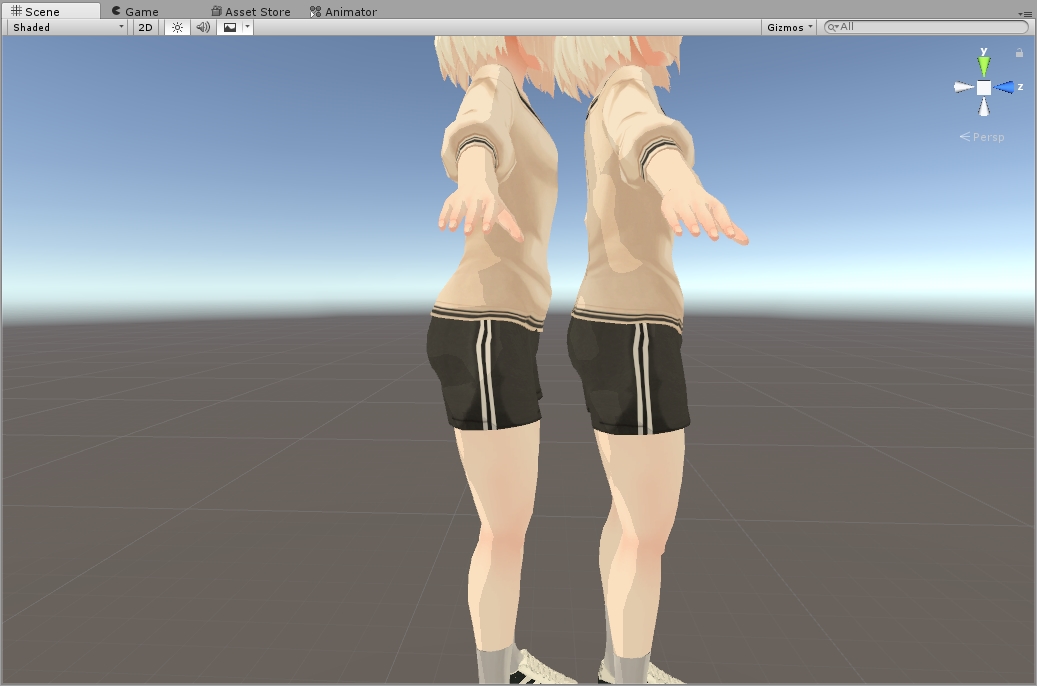
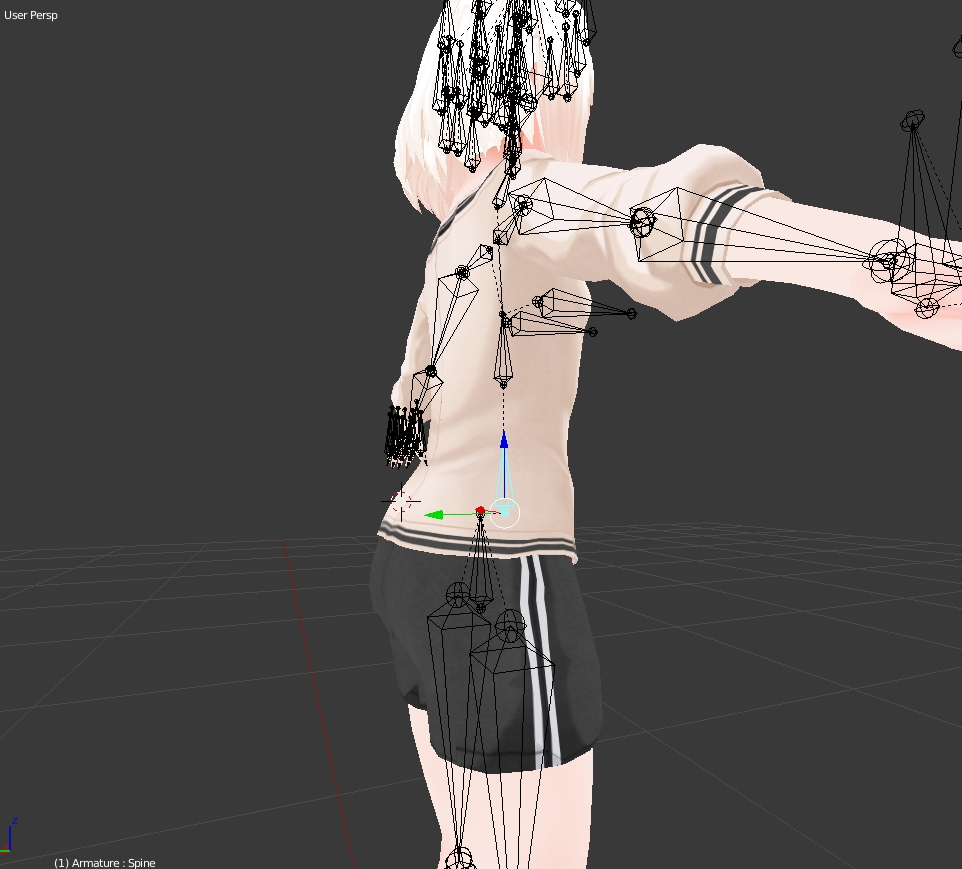


arms vanish inside body
main cape
any help?
main sage
@main cape pretty much any and all bone probs should be fixed in Blender
or somehow the bones your chosing for the rig arnt childs of eachother
main cape
right i have blender i have used it to decimate and stuff only issue is i have no clue on how to edit bones? i have cats plugin would that sort it?
main sage
maybe. it all depends on what your trying to say is the bones
arms in terms of hiearchy should go Shoulder > Arm > Elbow > Wrist (then fingers are optional)
legs are Legs > knee > ankle
Hips > Spine > Chest > Neck > Head
 nova wigeon
@main cape Use blender. Select the shoulder, then shift select the chest. press ctrl+p and click keep offset
same with the neck
main cape
?
charred patrol
i still get the fucked up feet in unity