#avatar-rigging
1 messages · Page 75 of 1
 loud blade
loud blade
loud blade
Ohh rightt ill see if i can install it
 subtle moth
Now that i read it, yes "Fix button from cats" actually is misleading XD
 coarse prairie
@subtle moth well, the other issue I'm seeing is that I can't set any colliders
like I can't drag them in to any element slots
subtle moth
wait...
coarse prairie
and the list view from the circle is empty
subtle moth
Wait so you make the colliders like on the body and stuff
then you open the respective bone
go to colliders
change the amount
to how much you need
then click the circle and select the ones
coarse prairie
oh I didn't know I had to set colliders? I see it in the Add Component list
and would I want collider or collider base?
loud blade
@subtle moth I just click "Fix Mode" and thats it?
subtle moth
aaah 😄
Finally ^^
If youve imported it @loud blade that may do the trick, yes
Wait "Fix Model"
not mode
subtle moth
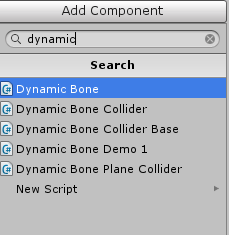
@coarse prairie just search dynamic and dont put the bone in but the other thing that pops up
 subtle moth
@coarse prairie okay, i dont have those but just take the 2nd one
coarse prairie
ok cool
 full cairn
Is Dynamic Bone a download or is it in unity already
coarse prairie
download and costs $20
subtle moth
yes @full cairn
 royal agate
Any way to translate all the names of bones from japanese to english lmao
subtle moth
Sure 😄
royal agate
is on the blender community tab thing or do i need to google it
 desert crater
Guys can anyone help me? I have a problem with a model that somehow shows 2 body meshes and all of my key shapes are lost
subtle moth

VRCat: Community-Run VRChat Forums
Cats Blender Plugin (0.6.0)
A tool designed to shorten steps needed to import and optimize models into VRChat. Compatible models are: MMD, XNALara,...
desert crater
 novel wharf
Is there a way to hunt out ONE vertice that's evading my weight paint sweeps? It's hidden under a damn belt. x.x And I can't get to it!
 worn gale
im getting annoyed on how I downloaded the very latest Unity AND my models keep appearing bigger than the example avatar
subtle moth
@worn gale That may not have been the best idea
The best working Version is the official build
and you can scale anything

Unity
Unity is the ultimate game development platform. Use Unity to build high-quality 3D and 2D games, deploy them across mobile, desktop, VR/AR, consoles or the Web, and connect with loyal and enthusiastic players and customers.
is the build which is recommended
worn gale
I got version 2017.3 so yeah
subtle moth
well...
worn gale
is it better or should I uninstall my version and get 5.6.3p1?
 old vine
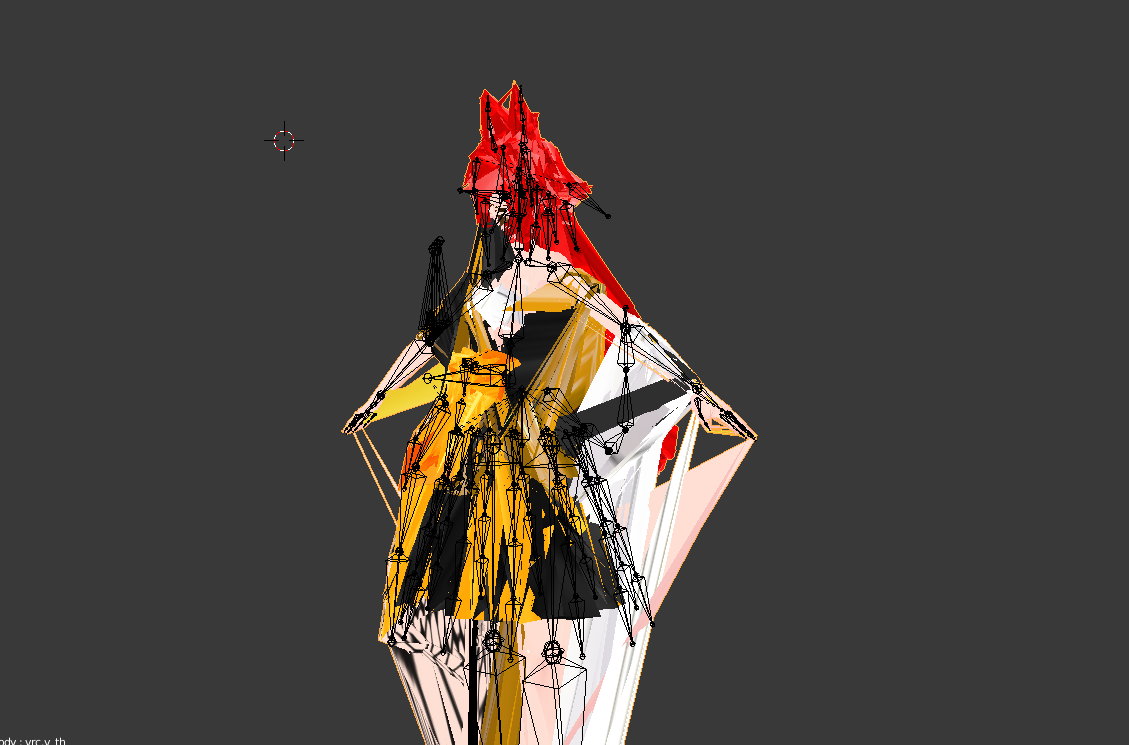
Anyone know why my avatar turned into this abomination when exporting it to fbx ? https://i.imgur.com/V889hMU.png
 subtle moth
umm, did u auto decimate it?
 fading verge
Jesus christ
subtle moth
to like 2 poly xD
worn gale
looks like a poorly optimized mmd model
fading verge
Yeah, I thought that as well xD
 shy lark
 old vine
rip
subtle moth
i mean i know that from somewhere
fading verge
lmao xD
subtle moth
im talking bout the issue not the monster XD
a few of mine have threads sticking to the world center
old vine
Hey it has feelings to
royal agate
I exported mine to FBX and Unity isnt loading it properly but PAINT 3D is
 safe bluff
@worn gale yeah you need 5.6.3p1 or else you wont be able to upload at all
 meager fern
https://gyazo.com/47bdf24749c2424083b944bd4fac7c90 does someone know how do i set up the standard specular setup so my character doesnt look like this? using specular fixed the hair but it didnt work with the body and i dont wanna use cubed's on this one
 subtle moth
not to be rude but what is that abomination
meager fern
in blender, shes a cute android named Devola... in unity, shes a nightmare fuel
XD
https://gyazo.com/f23a228fd6f56d6e71bb9c3fa7b4a180 @subtle moth see? y u do dis to me unity
 subtle moth
probably
The nightmare Fuel one reminds me of a distorted knuckles if its ok to say that xD
meager fern
i mean i CAN fix that with cubed's
but i don't want to use cubed's on this model
shes not supposed to look animeish
since its not a mmd model
subtle moth
yeah, i can understand
 green wyvern
how can I prevent this from happening? It has sleeves bones but they are not connected to the sleeves apperently http://prntscr.com/i16p5p
 novel wharf
If I run a model through mixamo, can I move around bones that were autorigged improperly without it majorly screwing the final product up?
Or is it just the weights that matter?
 sonic ivy
@meager fern last time that happened to me its becuase i went into edit mode while selecting a shapekey
meager fern
yeah but in blender it looks amazing, while in unity it looks poopoo 👀
meager fern
tbf cubed's makes my model not worth uploading
green wyvern
@naive tree how can I make zero weight bones having weight?
 thick trout
Anyone know who I can pay to do my character's mouth visemes?
thick trout
If the price is right I'm cool with it. I know how to do it, just not really all that well and don't really have the time this week.
thick trout
Got it, thanks!
 serene cloak
@meager fern Make sure to use the CubedShaders, and try to see if all the materials is opaque
serene cloak
How does she look with Cubeds?
meager fern
the model just looks plain bad with cubed's
serene cloak
You tried to test it ingame?
Maybe it's the light in Unity that causes your dislike to the shader.
 naive tree
@meager fern might need to play around with render mode
sometimes i've got set random transaprency or cutout on materials that don't use those
subtle moth
So... My Eyetracking never works
i dunno why
i use cats feature
i makes eye bones they work in testing
i assign them in unity
i go ingame
and my avatars stare into your soul
serene cloak
What does it say, when you're trying to make the eye tracking?
Did you remember to join all the meshes? @subtle moth
subtle moth
Nothing it works just fine
do i need to?
cuz i need a face mesh for lipsyncing
if i need to i dun goofed
naive tree
always join meshes, please
naive tree
or else youre contributing to obnoxious performance
subtle moth
and if i join them i cant select it anymore
naive tree
each mesh counts as a seperate avatar basically
naive tree
join meshes = go to visemes tab in cats
subtle moth
yes, but im talking about unity
serene cloak
@subtle moth If you're not joining the meshes, somebody on VRChat will be mean to you.
Just saying
subtle moth
in unity the visemes thing requires a face mesh
naive tree
dude
serene cloak
If your eye tracking in Blender works, then it does in VRChat aswell.
naive tree
don't make shit up, you can have visemes with 1 whole mesh
you change to blendshapes and drag your body mesh in face mesh
subtle moth
it fkin tells me to input a facemesh
naive tree
and it finds the needed shit
serene cloak
What Yuumi said
subtle moth
how am i supposed to know if it doesnt tell me that
serene cloak
@subtle moth If we're going to help you, you should properply start being nice to us..
serene cloak
Yuumi told you exact what to do. But you ignored it
naive tree
dude, all you have to do is join meshes, then change to blend shapes in descriptor
drag in your body mesh in face mesh
and you're done
naive tree
avatar descriptor, change the jaw something to viseme blend shapes i think
then Face Mesh: appears, there you drag in your mesh
naive tree
please, always join meshes for coming ones
 cerulean mantle
Optimization
naive tree
otherwise such avatars pile up and we have horrible performance for every1
 brisk ginkgo
I think this issue is about rigging so... Can anybody help me? https://streamable.com/s4fqf
I saw a yt vid and I thought I would be able to fix it by moving the Spine bone in Unity a little bit up but seems like it didn't work at all
 serene cloak
@brisk ginkgo Are you using the CATS tool for Blender?
brisk ginkgo
Yes
I've followed entirely the tutorial of Tupper, but seems like this issue goes a little bit deeper on complexity
serene cloak
@brisk ginkgo Did you remember to fix the model with CATS? That should fix the bones
Well, I just saw your video.
Seems like a height issue in your VRChat settings
It's trying to configure you at a certain point, and if the model is to high. She wil bend a bit
Got that on a lot of my models aswell, not really caring about it though
brisk ginkgo
I see, thanks
I thought it had a fix since a dude randomly told me in-game that my i don't remember what was broken and I was like oh.. okay, I'm gonna fix that then
serene cloak
Don't missunderstand me.
You properply can fix it somehow.
brisk ginkgo
I guess I'm gonna investigate more, thanks anyway
serene cloak
You welcome. 😃
 quaint halo
is it the right place for vertex groups ?
my model has multiple layers of clothe (mesh) and I don't know how to assign them all to the same vertex group
 turbid spear
Select them one by one then just click assign to assign to a single group, the one that's selected in the list. Clicking select on one should add it to your selection
quaint halo
yeah but how do I select each layer it's very cramped
turbid spear
depends on how it's setup for you
if each layer is a vertex group then just do that
If they use different textures you can select by selecting a polygon then ctrl+L and checking an option on the left panel
quaint halo
I created my own vertex group
turbid spear
I'm a bit confused as to what you're trying to do tho, so a screenshot could help
quaint halo
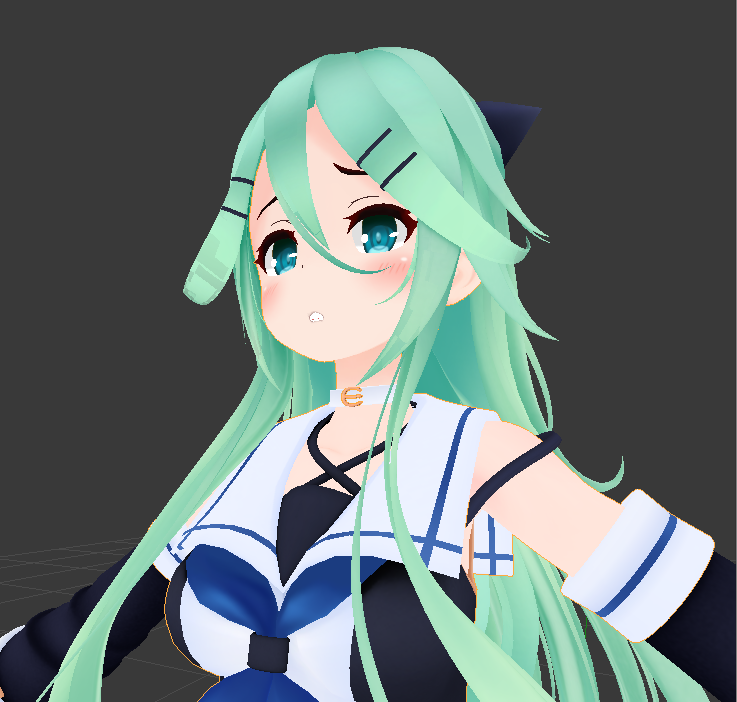
my model has multiple layers of mesh
and I want to assign them to the same vertex group
I just want to know if I can hide layers in the 3d view when I do this
she has a bone not moving the uniform
so I need to assign the bone to the uniform + skin
fading verge
is there a quick way to copy over a models scripts to another model?
turbid spear
So you want the whole clothing to be one group?
fading verge
or do i have to copy them one at a time
 ashen crystal
Buying a rick (rick and morty) mmd DM if you have one. (the file)
quaint halo
in this case I want my vertex group to include skin + fabric
and the skin is obvsly hidden under the fabric so i don't know how to select it
quaint halo
how do I do that ?
turbid spear
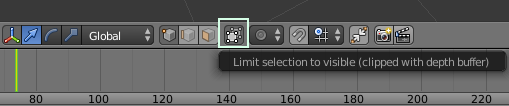
Then just select as you normally would with box select or paint select
I don't remember the shortcuts
box should be b and paint might be c
quaint halo
I tried that but it also select everything on the cursor
and I don't know how precise the selection was behind the first layer
turbid spear
select a part of the clothes and press ctrl L
then H to hide it
just hide everything that way
then select the skin you want
alt H to unhide and everything you've hidden should be selected
quaint halo
alright, how to unhide it to select it after I'm done with the first layer ?
nvm
thanks I'll report to you after I'm done
quaint halo
alright I selected the first layer
how do I keep my selection after I unhide everything to select the second layer @turbid spear ?
turbid spear
Depends, you could make a new vertex group, you could separate it with P
or uh, not sure what else
quaint halo
I can assign a bone to multiple vertex groups ?
turbid spear
I think so but I wouldn't be messing with bones
It's more for selection purposes
I'm not sure if you can just save a selection like in max
quaint halo
I created a new root bone for that purpose, I just need to know if a bone can have multiple vertex group assigned
turbid spear
Well, multiple bones can affect a vertex
so I would assume so
but if you assign a vertex to a vertex group I think it gets removed from other groups
quaint halo
I don't a vertex to multiple bones, I want 1 bone to multiple vertex hidden behind layers
I think I got it
I assign my vertex, unhide everything
hide what I don't want again
and hit select
now I have my hidden layer from before selected and I can continue
 fervent hatch
 polar surge
guys i need help rigging https://twitter.com/deanquelch/status/953308570950553607


 fading verge
does anyone has RIcky Sanchez model as MMD? So i can add it to VRChat?
polar surge
dose any one know a rigging totorial/guide
 topaz dune

Learn Blender at https://Blender101.com It's time to start rigging our character! In this video we clean up the scene a bit to prepare for rigging, and then ...
polar surge
thx
 rough siren
In order to show the wings, you need to look for a slider in the "other" section. It will remove the wing tattoos on her back and add the real wings instead
where is this "other" section
since im trying to find it
ashen crystal
Does anyone know a addon for blender (not cats) that will help me rig eyes/mouth (no bones there or help add) I cant seem to figure out how to rig a face or the best way to do it
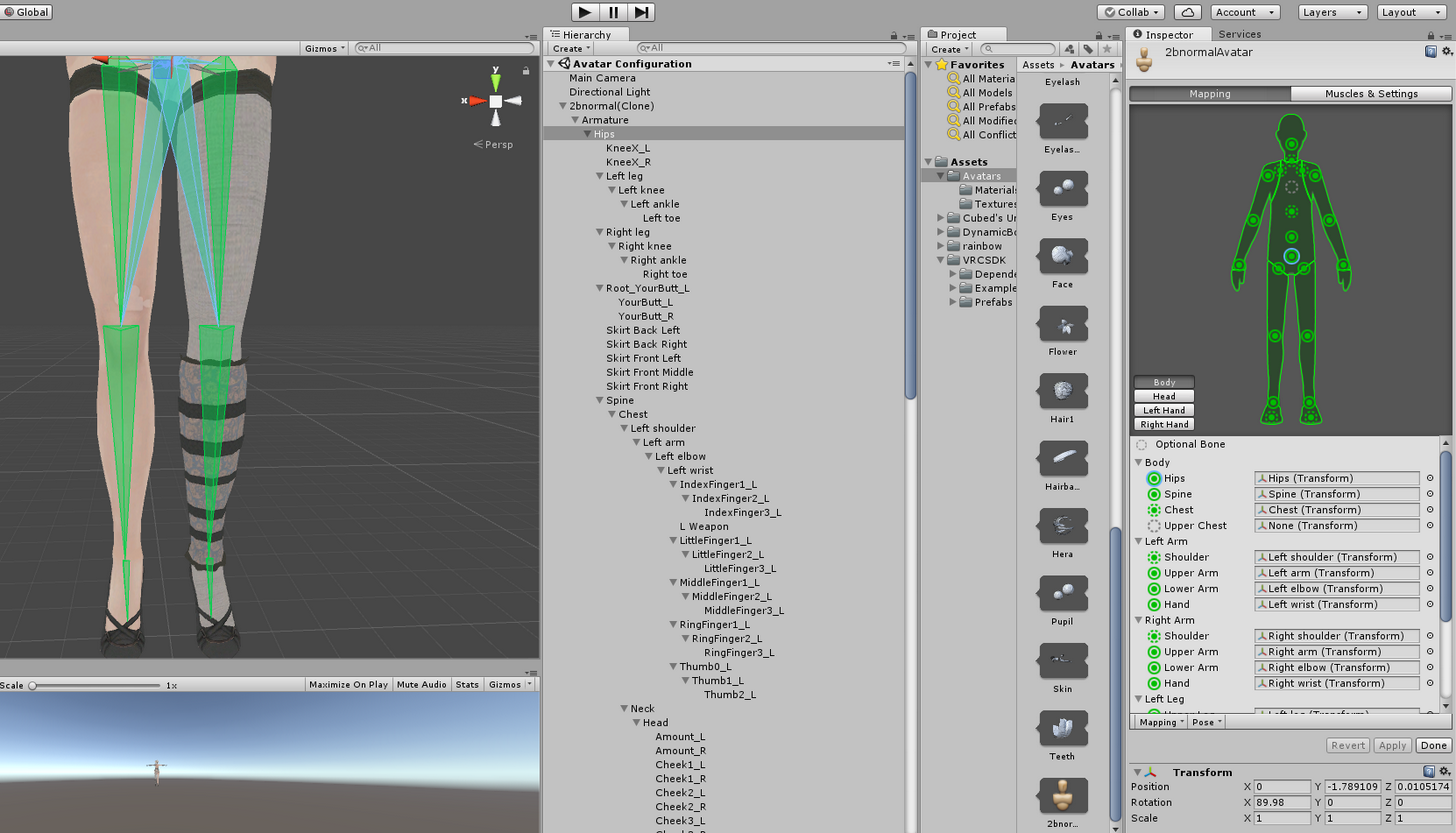 ashen crystal
Im just trying to figure out how to rig a face 😦
ashen crystal
thats just words to me sadly
https://gyazo.com/e2f186fd6d0d2d04fb967f46256591df see it only has a head bone, i dont know how to add bones and how to attach to mech or how, or anything 😭

and sadly not many people willing to teach haha
 gloomy loom
I swear cats makes the weirdest shit
when I root
Ugh I guess Ill have to do it personally
ashen crystal
how is there not a addon yet that u select eyes and mouth and it tries and auto maps bones..
 viscid path
Yo. i hope someone on here can figure this out. I'm getting the dreadded "Spine heirarchy incorrect" error. I don't see how as this is my heirarchy. so, it goes, B_root, B_hip, B_wrist_ik, B_spine_1- B_spine_2-B_spine_3-B_L_Shoulder-B_Neck-B_R_Shoulder.
the commas are under root
dash is under spine
 charred patrol
is there a way to make a model float in midair above ground?
 silent niche
Anyone available to help?
naive tree
@viscid path tried cats fix model?
@silent niche type out your question, add screenshot too
rough siren
http://allyy.co/i/jpw7s.png how do i combine these 2 objects
 silent niche
I have an animation that jumps about 6m when it walks. It barely jumps a meter in game.
Do you know how I can fix that?
 half cloak
@rough siren select them both then use the join tool?
rough siren
okay cheers, sorry im really new to this
half cloak
aye, as am I.
viscid path
https://snag.gy/7umYX3.jpg Could this be because i'm porting from unreal?
 ashen crystal
Can someone link me a video on how to rig a face from a head bone? i need to get this mouth moving 😦
https://gyazo.com/d6341a648a0cc327e36a5a8cc6ae398d whats the quickest way to check this. cuz the bone structure is correct

https://gyazo.com/c93c9eb2c3bad9e8ef5b35e6a986dca6 wouldnt that mean that it already is?

I dont get it. L/R shoulder and neck is parented by chest
then chest to spine and spine to hips.
 surreal parrot
I was having the same problem, I changed the chest to spine4 and it did this
ashen crystal
yea it doesnt make sense when its all correct
surreal parrot

The neck is fine
But the arms are inside
And it shouldn't matter if it wasn't t-posed
Because the guy I watched had his in the exact same position and if worked
 main sage
ok so, i need someone whos done weightpainting before

what percentage would you say that is?
tryin to copy the cape settings from one model to an alt skin
 whole fossil
is there a way to move character parts in unity? my character's mouth is too far out his face
ashen crystal
all the questions but no answeres
whole fossil
true
main sage
@whole fossil grab the bone in the armature dropdown and move it where you want
may fuck up movements a tiny bit tho
fading verge
can somebody give me a tutorial on how to rig mouth
whole fossil
it is like a plane over the mouth, it doesnt move. Its just a 2d thing but i cant get it to move anywhere.
default avatar size varies depending on the model
whole fossil
i try and use the 1.6 from vrc avatar descriptor to base my stuff
rough siren
compare*
whole fossil
in unity?
rough siren
yeye
rough siren
this makes sense
okay nvm the image didnt laod
let me upload to imgur
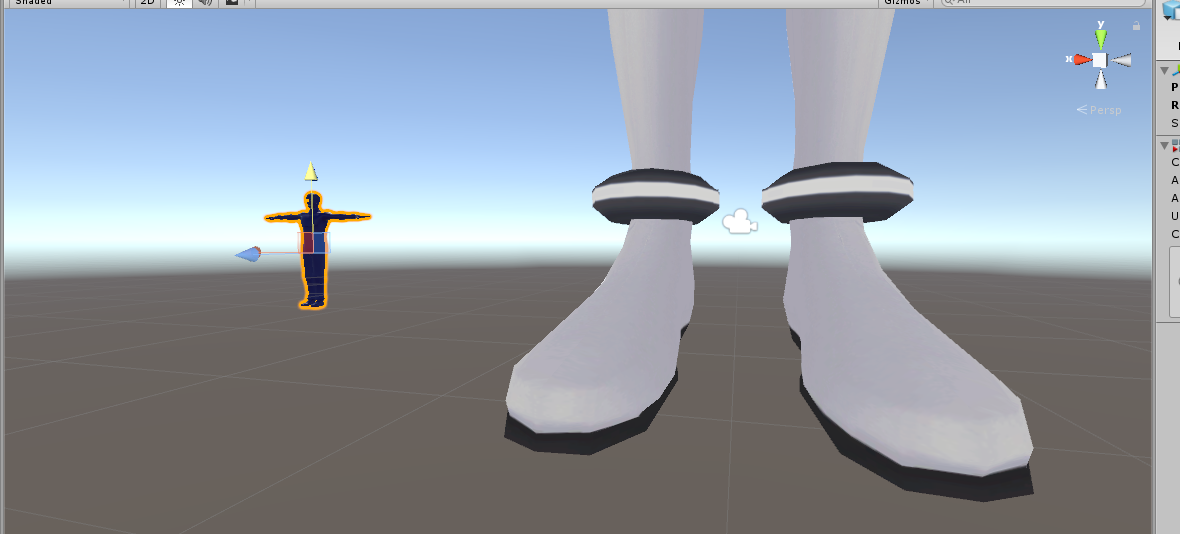
only a small difference
 neon shard
hahaha
rough siren
apparently i went in an the guy was like WOH someone messed up the scale size
 rough siren
how come im getting an error now saying "404 Avatar not found"
 sly pelican
Lmao - where are your arms lieutenant dan
 sly pelican
Hmmm
sly pelican
And I suggest rechecking blender. Make sure its above the grid surface. And suggest joining the meshes if you haven't already.
Oh no its fine.
It never happened to me and I've been porting source models.
surreal parrot
Well the thing js
sly pelican
So I'm wondering what you did lmao
sly pelican
Eh - when you configure the rig in Unity. Does it look alright?
sly pelican
All the bones and stuff where they were suppose to be
sly pelican
Lmao - did I hit the bingo?
 umbral lichen
howdy yall
sly pelican
Salutations
umbral lichen
I need help if anyone is willing?
surreal parrot
Not really
sly pelican
This is the Whuping Helpline how may I assist
sly pelican
Mhm - source models
lmao
I had a couple problems with that - so you'll prob have to take some time to re-adjust a couple B O N E S
 sly pelican
Lmao
sly pelican
Is it just saying it isn't in T Pose?
surreal parrot
Ya
surreal parrot
So just take the arms and move it up?
sly pelican
Try it out
umbral lichen
I dont know how to fix this so she's in the t pose unity wants
surreal parrot
Can i do it in unity?
 grizzled flame
how do i upload an image?
surreal parrot
Do you think fingers would matter for t-pose

Because I can't get them to turn green no matter what
neon shard
did you try pose > enforce tpose?
ashen crystal
How do i get my avi's to not stan with a hunched hip?
neon shard
Under the green man, after all the assignments, there are two buttons
one says Pose
Hunched hip means your spine is angled incorrectly generally
Check to make sure you havent assigned a tiny sideways bone as your hip bone
your hip bone should be pointing almost straight up
neon shard
👍
 ember gyro
Anyone willing to give a avatar some fake shoulders, as I have no idea what I'm doing in Blender and keep moving things around with everything I do and it's freaking me out?
 quiet whale
I might be able to help out
fading verge
Hm... Im new to animating my avatars. I finally got the animations to work but he only walks for a couple seconds then slides the rest of the way. WHat did I do wrong?
Hello!
ashen crystal
OK so i got my avi in game, and no longer hunched rhe new issue i have no is i have a desripter at his eyes but when im in game my vision is at his waste and i dnt have 2 descriptors on

 dry marsh
If a model has bones in the hair, but Unity doesn't count it as part of the primary humanoid structure, do those bones still end up being used?
I have a model with hair and other moving bits
Just wasn't sure what I had to do to make it all move properly
 errant spear
Yes, I have a dozen or so gray bones and if I make them dynamic they work without a problem
dry marsh
Sweet, thank you so much!
errant spear
Quick question: Which bone is used when grabbing items? I had my model working decently until I grabbed an object
 dry marsh
I''m not too sure about that one...
 surreal parrot
Hey guys
Any idea how I could make this material transparent

The teeth aren't actuall part of the helmet so they poke through
Oh
Nvm
Fixed
Now just to fix the camera
 abstract plover
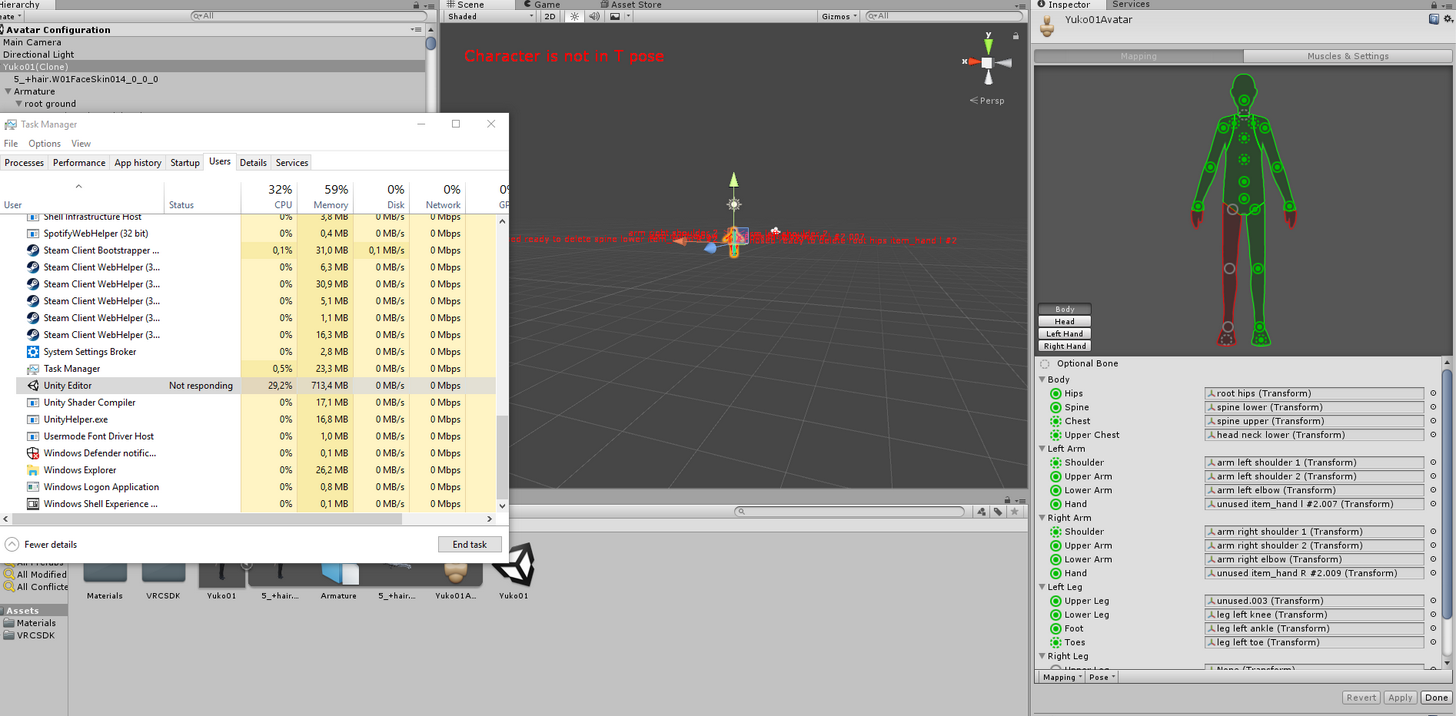
i'm trying to rig my model but unity just keeps "crashing" at this part
it doesn't respond but it isn't exactly crashed
does anybody know why
it happens everytime i open the character to rig it
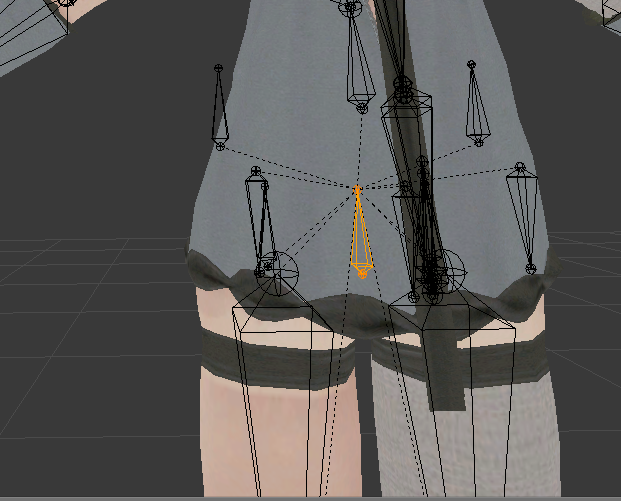
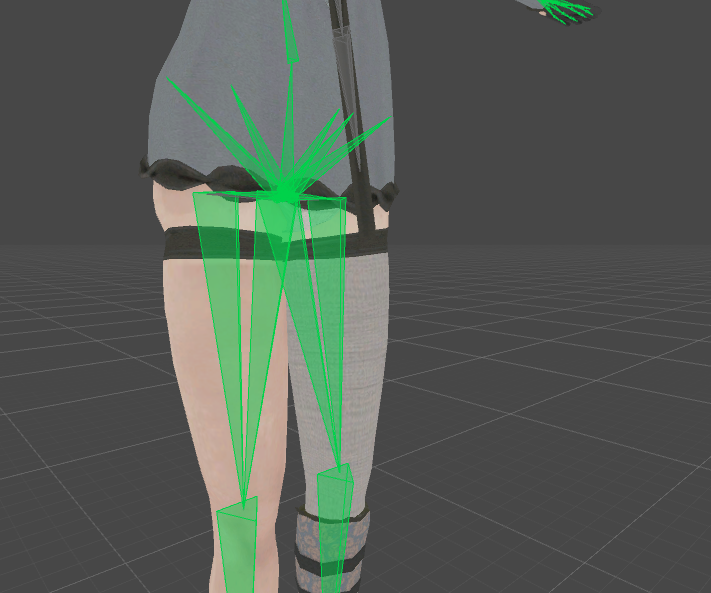
 buoyant berry
Skirt bones from a previous model
 alpine hill
soooo
buoyant berry
Keo its because the model is a hack. Someones re-editted an original and left the skirt bones in the armature
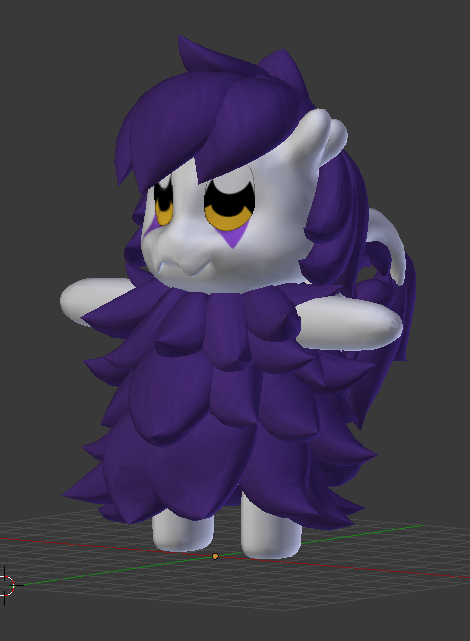
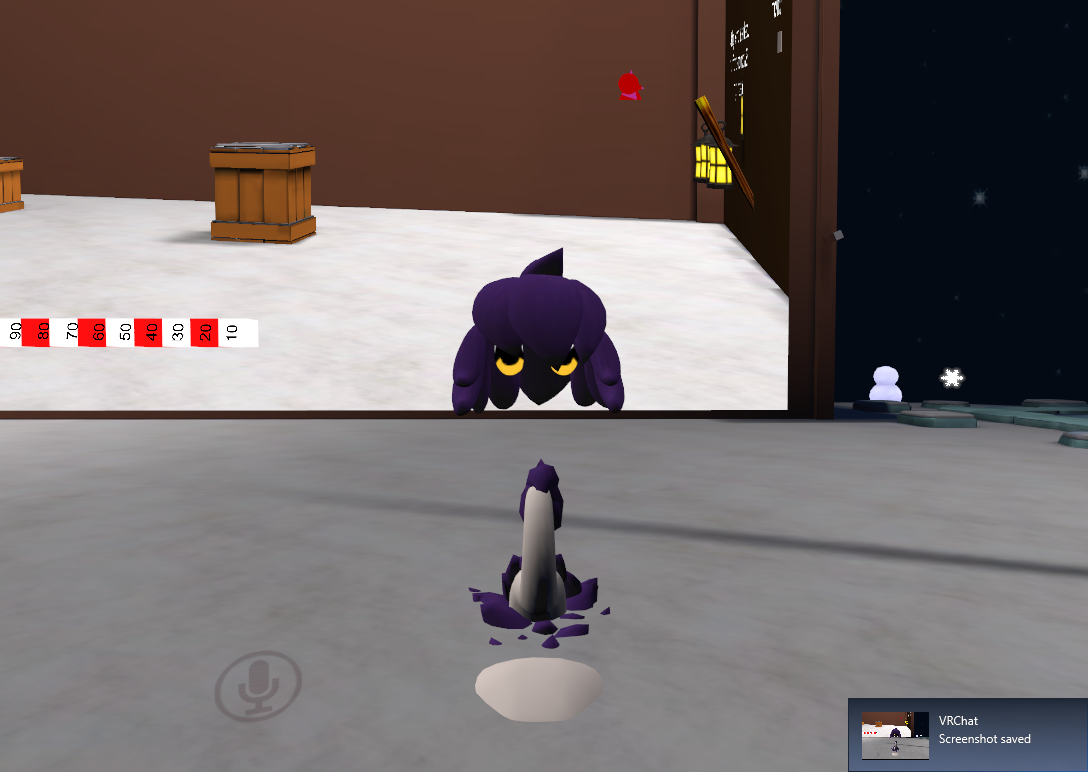 buoyant berry
Cute asf
alpine hill
and this is the issue I meet
the hairs and eyes are rigged good but the rest of the body
buoyant berry
Weights are off
alpine hill
weights?
gloomy loom
why cant I see those bones then in blendeR?
buoyant berry
How the mesh aligns and shift with the bone
alpine hill
mmmh
buoyant berry
You can they are those four bones around the hip. Those four triangles, two pointing up and two pointing down
In the first picture
alpine hill
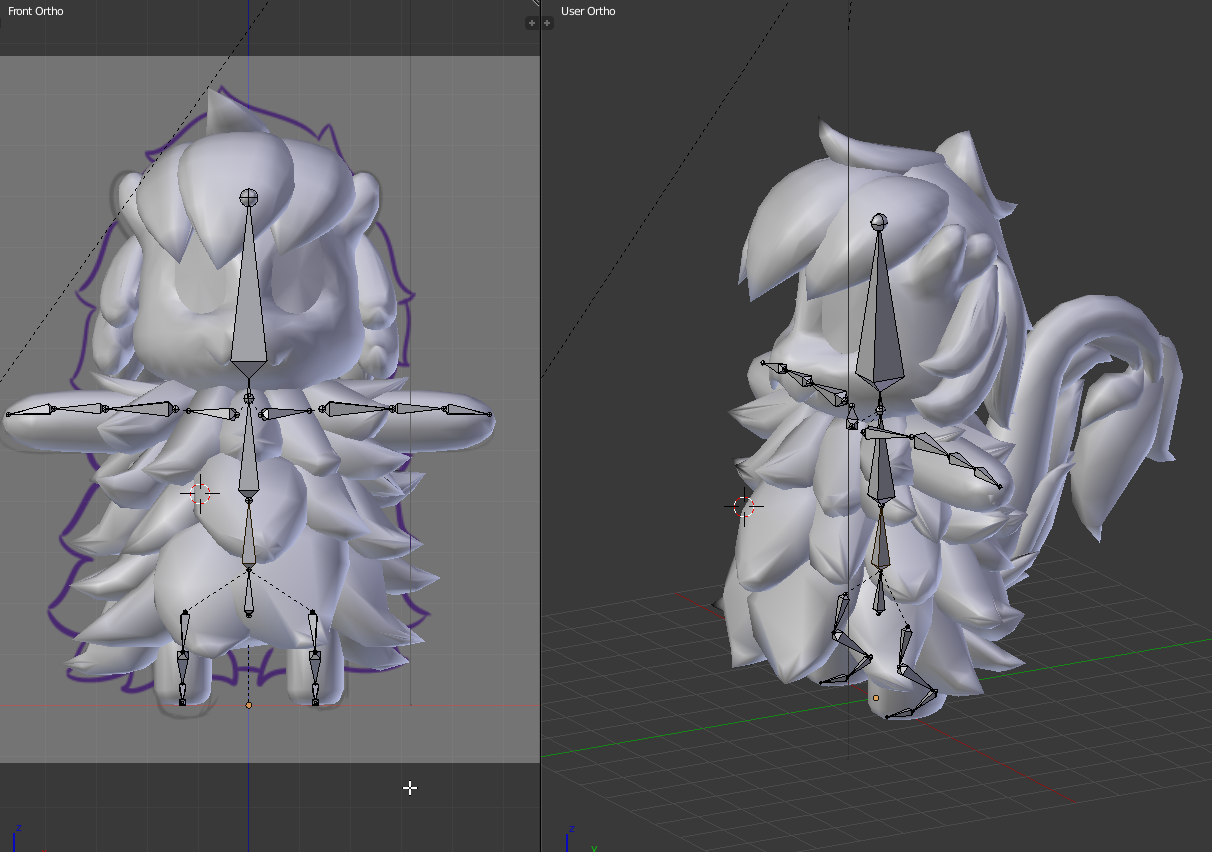
these are the bones, if there's something missing..
well I assume that when I rig the model in unity, there's the upperchest part missing
 silk pewter
@velvet orbit It may be a problem with the normals on that specific part of the hair being inverted. You'll need to flip them so they're visible after backface culling.
In Blender, I think you can switch to "Select Faces", select all the faces, and check for the ones which look "dithered"
alpine hill
there's also a itty tiny link between the chest and head part.. the neck
fading verge
https://cdn.discordapp.com/attachments/304025046626729985/402910931648118794/image.jpg Can anyone explain to me why it is when I convert this to a mesh it loses all its vertices and keeps its shape?
 silk pewter
To ally, https://blender.stackexchange.com/questions/29132/how-do-i-flip-normals-on-this-model#29133

This is probably too many questions at once but my time is short as the semester is coming to an end and I really want to work this issue out before my class time is over. Please humor me.
Yester...
 violet moat
Anyone got an idea why the "Build and Publish" button isnt working?
i keep hearing an error notification but i dont see a msg anywhere
The VR sdk is already updated
alpine hill
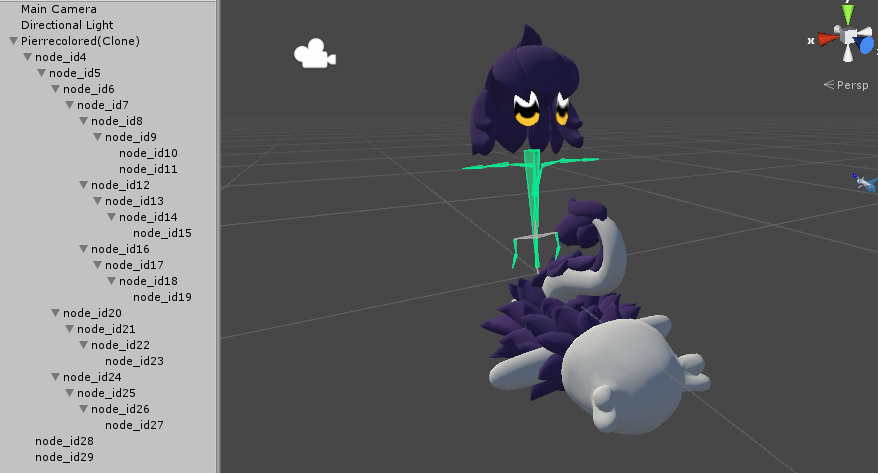
the node id 28 and 29 are the body and pill of fluff on the ground
huh.. I don't get why it turned out like this, it was perfectly fine on blender..
fading verge
when you set up the avatar cam is there any easy way of doing it because i cant do it without me clipping in the head
How do i fix textures when exporting from 3ds to blender
3ds to universal file to blender
green wyvern
how can I prevent this from happening? It has sleeves bones but they are not connected like the ones for the skirt http://prntscr.com/i16p5p
full cairn
Using dynamic bones on skirts, what values should I be aiming for to stop it just stretching to infinity?
neon shard
The default values shouldn't make it break, move the values slowly and check in play mode
green wyvern
@neon shard I tried parent them to the elbow and the wrist both didnt work same as before
neon shard
Are you certain that they vertex weights are assigned to the bone in question?
if you move the bone in pose mode, does it move the vertices?
green wyvern
nope
neon shard
check one of the vertices and try to identify which bone they are following
using the vertex groups
 light inlet
😩
 neon shard
Do you have your model in blender?
rough siren
its in blender yes
neon shard
Ok, click the left shoulder, shift click right shoulder, shift click neck, shift click chest
then ctrl+P > keep offset
This will parent all of those bones to the last selected bone (the chest)
You should see the dotted line from them aiming for the top of the chest bone
rough siren
this may sound dumb
full cairn
How do I make it so the things I used dynamic bones for doesn't jitter about?
rough siren
like really dumb, but how can i click the shoulders, since all its doing atm is nothing
neon shard
You need to be in bone edit mode
choose the armature, tab into edit mode
@full cairn do you have colliders set up?
colliders can cause havoc if they arent set up perfectly
You might also just have way too many dynamic bones
some of the skirts Ive seen have SO many
neon shard
hmm
Not sure, sorry.. Maybe a bit more elasticity to keep it in line. but this is beyond my knowledge of the plugin
neon shard
Their arm weight might be your issue
keeping them in line with the arm
how much weight on the arm? should be nothing for those verts
try zeroing out the arm influence for those verts specifically and see if it fixes
green wyvern
ok 1 .000 btw
neon shard
yea set thoseto the elbow rather than the arm, they are nowhere near the arm bone
green wyvern
yep the arm is also assigned to the vertex around the shoulder seems not normal
neon shard
That happens sometimes. might just need to clean up the vertex groups that are wrong
green wyvern
how can I remove the sleeve vertex without removing the vertex around the shoulder from the arm?
neon shard
Dont remove the vertex, just remove the vertex group influence
you can use the weight paint tool to do it
if you put the armature in pose mode, and the mesh in weight paint
you can right click bones and hunt for out of place colors
 timber lion
hey question does anyone know how to stop certain bones from interacting with parts of the mesh? a part of the bones for hair is interacting with the shirt and making the shirt flip out if the head is moved
green wyvern
I think you have the same problem I just had. do what vilar just recommended to me? btw thanks it worked
 cosmic mica
does vrchat still have the glitch of if you have a custome gesture override while you are sitting it glitches you stuck there until you are forced to change worlds to move again?
 tame shard
what does spine transform has bone lenght of zero mean and what can i do?
timber lion
aaaa i tried fixing that and only noticed like 5 billion other issues, i dont think im doing this right at all
fading verge
Hello
I wanted to ask you peeps that if I wanted a model's hair, skirt, or jacket to bob around as I move, will I need dynamic bones in Unity for that? Or do I just create a new bone root in blender for that?
full cairn
For some reason my hair moves when I talk. And my jaw isn't rigged any more
 slow thicket
anyone know how to deal with a mesh that is touching something? trying to rig a model but a sword it touching the arm and it does not like it at all
slow thicket

 marsh herald
is it a common issue that eyelids are somehow being manipulated by looking up or down? I dont think i've changed anything in my model but for some reason whenever i look down the eyes close, and it overlaps with the blinking animation
fading verge
@cosmic mica I was afraid of that answer. But thank you anyway for responding
Anyone know how to fix the angle of the pelvis and hip bones to be 180 degrees in Blender?
im at 174.6~ but I don't even know how I got there to begin with lol
 blazing niche
soooooo i got a new error for yall today...

all i did was click "fix avatar" like in the trupper's how to video
fading verge
@blazing niche If someone tells you the solution to this, please let me know as I'm facing the same thing with my model
marsh herald
tap your push to talk button
 mossy pelican
https://gyazo.com/a79922ca0e5aa3ce3b5e57da7a685b61
Can someone help me with this?

So it should be fine?
blazing niche
what about the model losing its texture in blender?
 tall marten
 neon shard
Many models lose texture in blender, dont worry, the materials likely are fine. Just reassign textures in Unity
tall marten
been stuck here for 10 mins
neon shard
Make sure your SDK version is the MOST up to date
tall marten
it is
neon shard
Looks like 2018.01.03.12.06 migth be the latest
Might also be server issues
Have you been able to upload before?
tall marten
yeah
neon shard
I would guess server issues. maybe try again later?
tall marten
man.
 golden adder
can someone help me with defining a waist in blender? I'm dumb
 dark pawn
fading verge
dark pawn
fading verge
https://imgur.com/a/BTLP0 How do I get something like this animated in vrchat?
Take a bathroom break, break out the scented candles and meditate for a few minutes. Maybe eat a last meal. Then say your prayers and prepare for the adventure that is non-humanoid rigging and animation
 smoky anchor
That is a quadruped, unless you wanna stand on two feet, you're in for a bad time.
naive tree
@blazing niche when you extract, press ctrl+E and change encoding to japanese (winrar)

Google Docs
Advanced Avatar Creation: Making Non Humanoids This tutorial was made using Unity Version 5.6.3p1 This tutorial assumes you already have the current SDK imported and knowledge of how to upload a basic avatar. You will also need an avatar you wish to upload as non-humanoid with it’s own set of a...
 dense helm
pretty sure im in the right place to ask this but can someone help me out
naive tree
yes, we can read your mind
dense helm

my ear and tail aren't like connecting to the body mesh like it should. bones are parented right (Im pretty sure atleast
along with my hari
 cerulean dawn
so I have an avatar that looks up when I look down and down when I look up, any ideas on how to fix this?
fading verge
Does anyone know how to fix sideways feet?
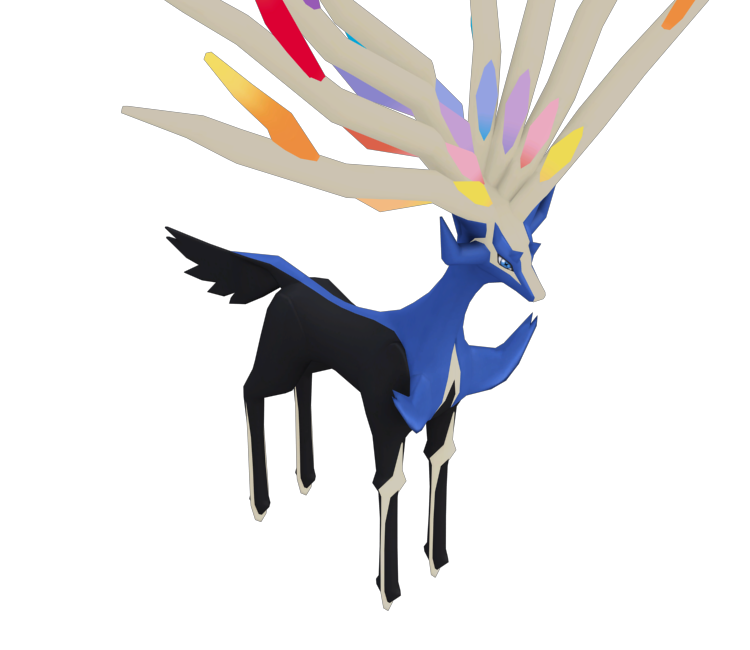
@fading verge Hey. Are you still going to attempt rigging that Xerneas model?
Can someone help me with a weight-paint/model problem
 pseudo kernel
@blazing niche thats just an issue with importing textures, you just have to go in and manualy relink textures to the model
 arctic lintel
@dense helm Make sure the ears are parented to the HEAD bone and tail to the HIP, should be fine then
main sage
problem
whenever i use this avatar and sit down
once i stand up everything like slides down into the floor abit until i walk
 lethal bone
does anyone know how to fix the problem where a bone's length is shown as zero after transfering from blender to unity? I've been having this problem with the spine, and when loading the .fbx back into blender it still appears as zero
 dusk pilot
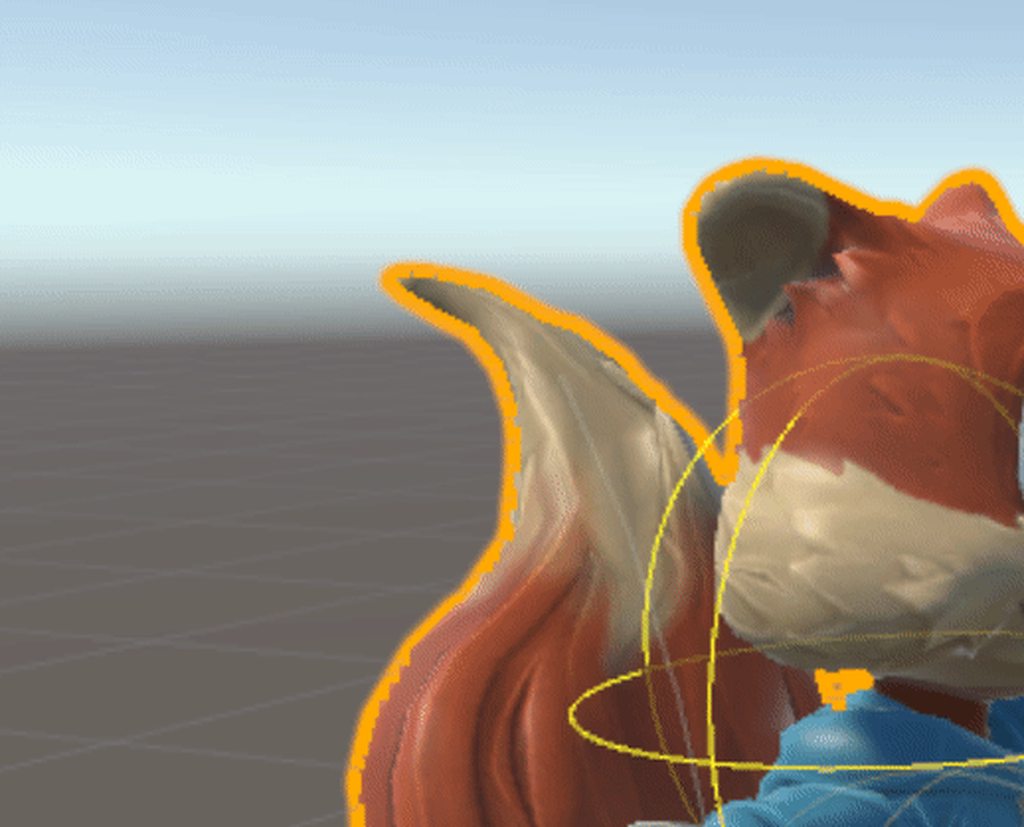
Can anybody help me find out why the end of my dynamic bone tail spazes out like this?
 main sage
hmmm. prob weight maybe
 foggy osprey
looks like all the weight is concentrated on the tip with no blending to the rest of the tail
dusk pilot
Tail is completely weigted, other parts are not so much
Ill give that a try thank you.
 small solstice
how do i fix a problem where my arms are always in front of me in vr mode
friend shared me a model and it works on their end but on my side the arms just stick out forward
is it due to the rigging or osmething wrong with my vive
lethal bone
does she use vr too?
small solstice
she has a oculus
this is my first time i uploaded someone elses model as my own avatar and i didnt really edit it much except size and usual setup stuff like setting it to humanoid and vrc_avatar descriptor stuff
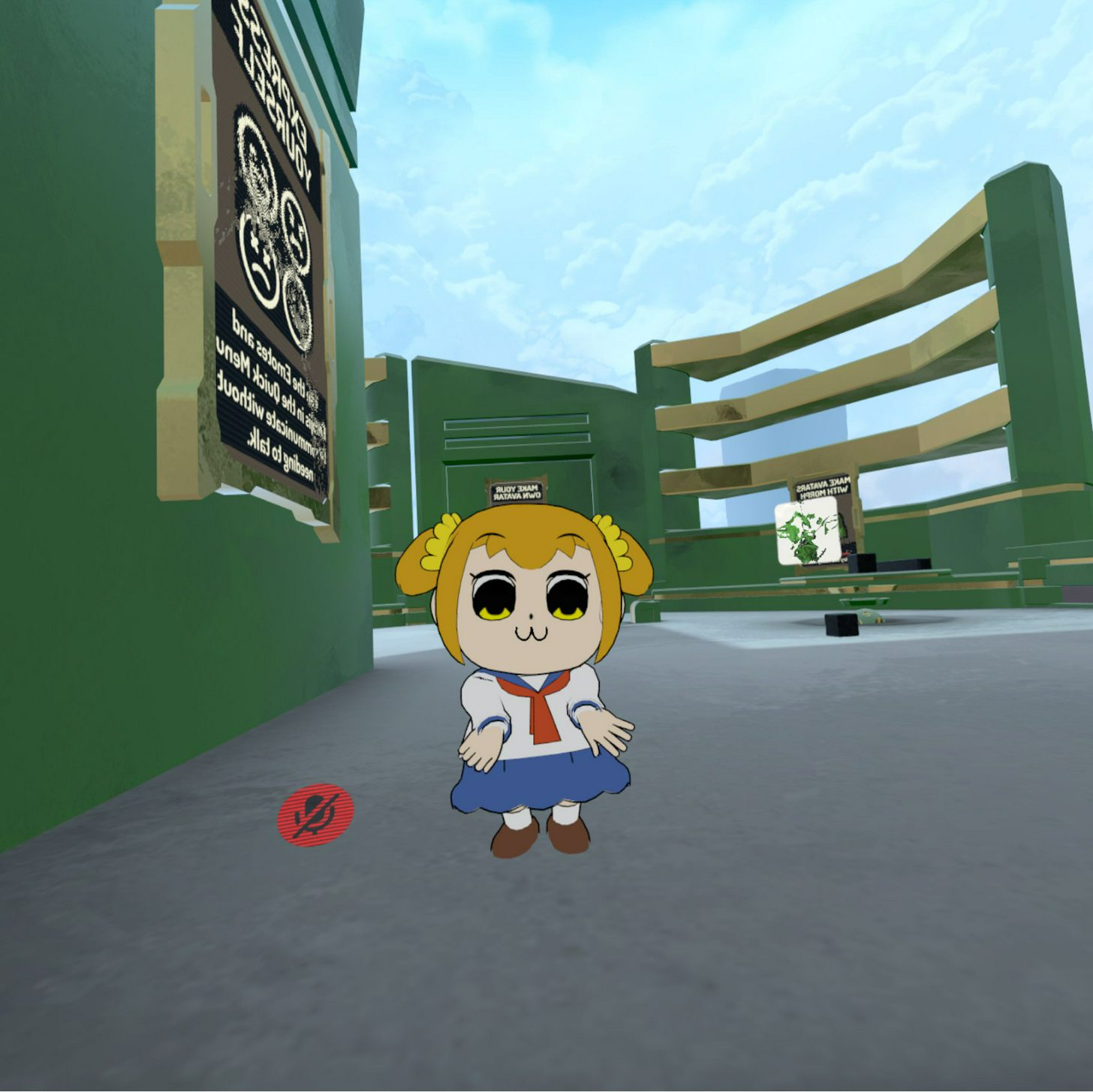
it looks like this when im standing with my arms at my side
lethal bone
well if this happens only to this avatar then the problem must be in what you edited
small solstice
only scaled it down
to 1m
didnt touch bones
or anything vital
sized in unity
not blender/whatever
dusk pilot
So I redid the weight paint and removed the bone at the tip. The last bone isn't tied that much to the mesh,, but the same problem persists.
https://i.imgur.com/uHRZ52l.gifv
 lethal bone
maybe something she did that you didn't?
small solstice
im askin
i upload my own custom made models and i never had this issue so
kinda 🤔
small solstice
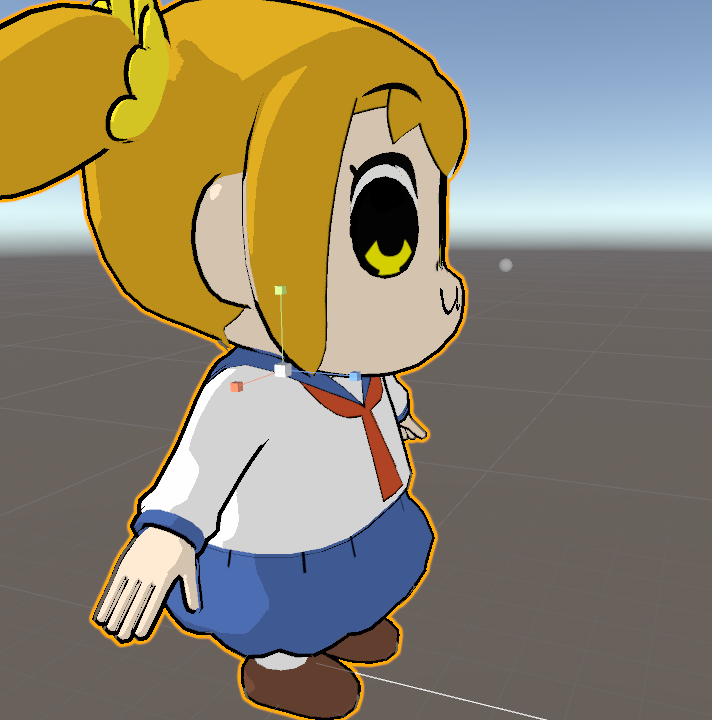
could it be due to the fact the camera is too far forward since i have to do that for the big head?
fading verge
me?
small solstice
 fading verge
 lethal bone
yeah, it should be inside the head
fading verge
I put 2 images in Imgur
o neat, i dound a model im interested in, lets see how many tris it has.... oof... 100k
it says my Spine Heiarchy is...
lethal bone
that must be the problem
 lethal bone
alyssa, the hierarchy seems fine
small solstice
have you tried fixing your avatar in the unity rig editor?
lethal bone
what error do you get?
foggy osprey
really weird @dusk pilot , is it only when its a dynamic bone? if i were you i'd check the bone by posing it before setting it dynamic to make sure there isn't some errant weight painted on that part of the mesh for a different bone. if it's fine i guess fiddle with the dynamic bone settings? i don't know what else it could be

 fading verge
I did that
 lime silo
how do you mirror bone rotation in unity?
small solstice
then my area of expertise is dead, rip (im still a dumb noob on rig)
fading verge
Literally the only thing restricting me is the thing saying "make sure pelvis, hips, spine, and chest are mapped
is it just me or when you put on outline on your avatar it messes up your view in game when you look up or down
 worthy citrus
keep getting "you cannot edit your vrchat data while unity is running" when i try to upload character
lethal bone
miya, try putting it in the center of the head, a little bit to the front
worthy citrus
anyone know whats up with that?
small solstice
kk
 green ice
Reposting in here, just need to check if the hips/spine/chest look okay to experienced folk, since this fat fuck keeps crushing his own legs with his ass. And the head doesn't really move independantly.
https://ibb.co/jhNGwm
https://ibb.co/g1Vx2R
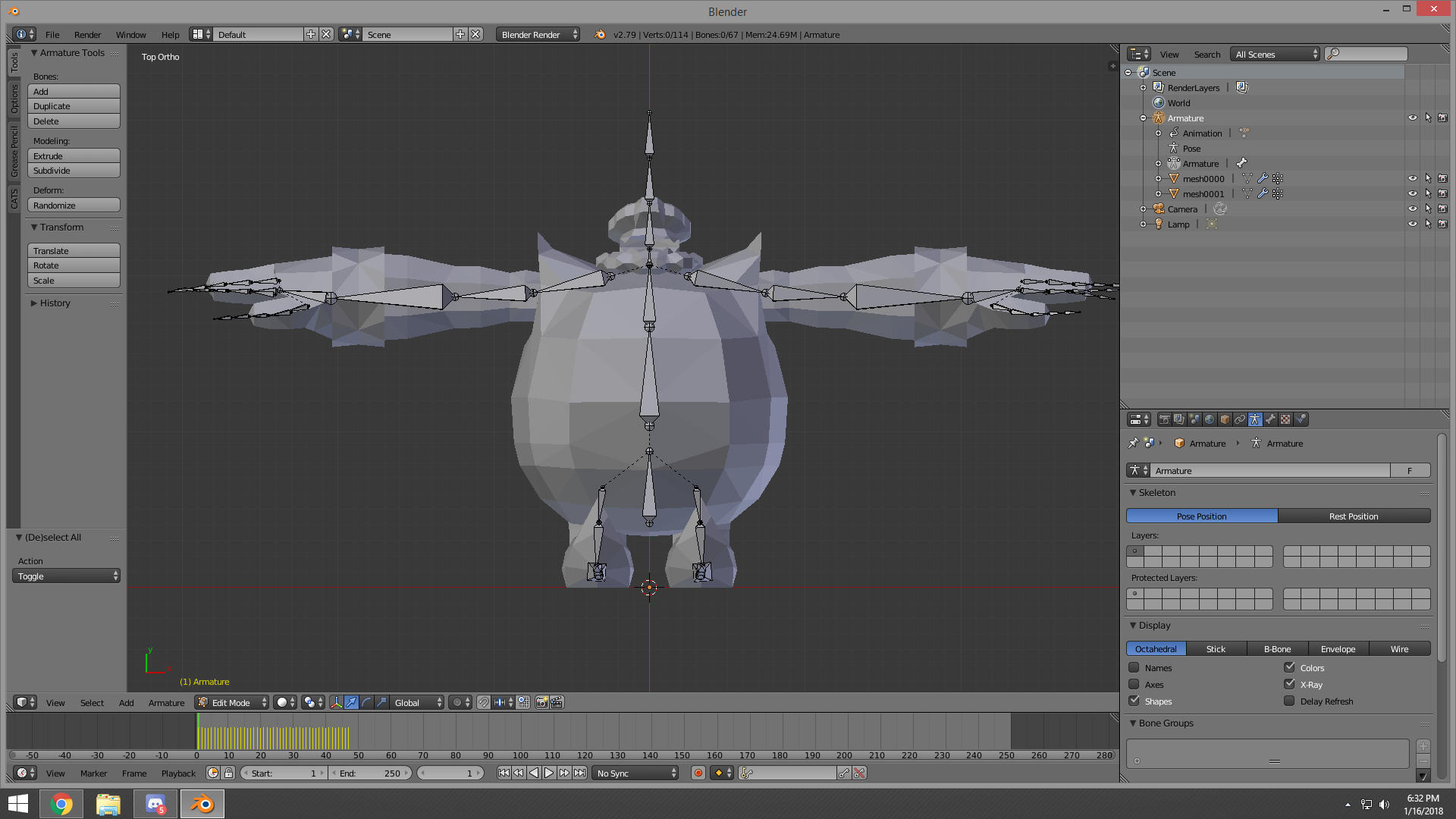
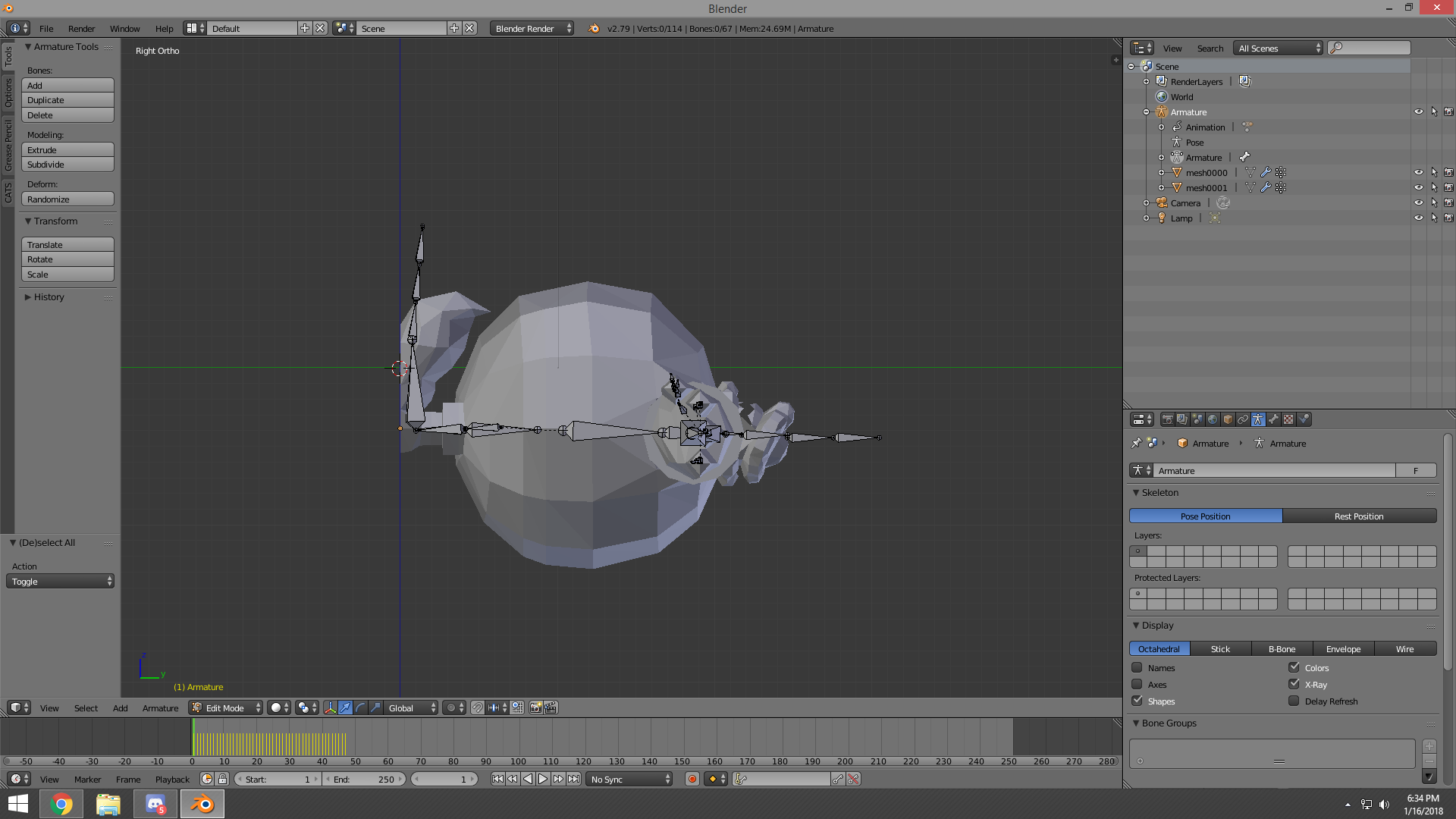

 foggy osprey
@green ice sounds like the issue is more to do with how you've painted the weights and not the armature itself
lethal bone
a little more to the center I think
green ice
Hmm. Sadly I know not of such wizardry. Last I CHECKED everything seems okay, but where should I be focusing on?
dusk pilot
@foggy osprey Weight looks fine in blender I'm going to mess with dynamic bone settings.
https://i.imgur.com/YnI9bzb.gifv
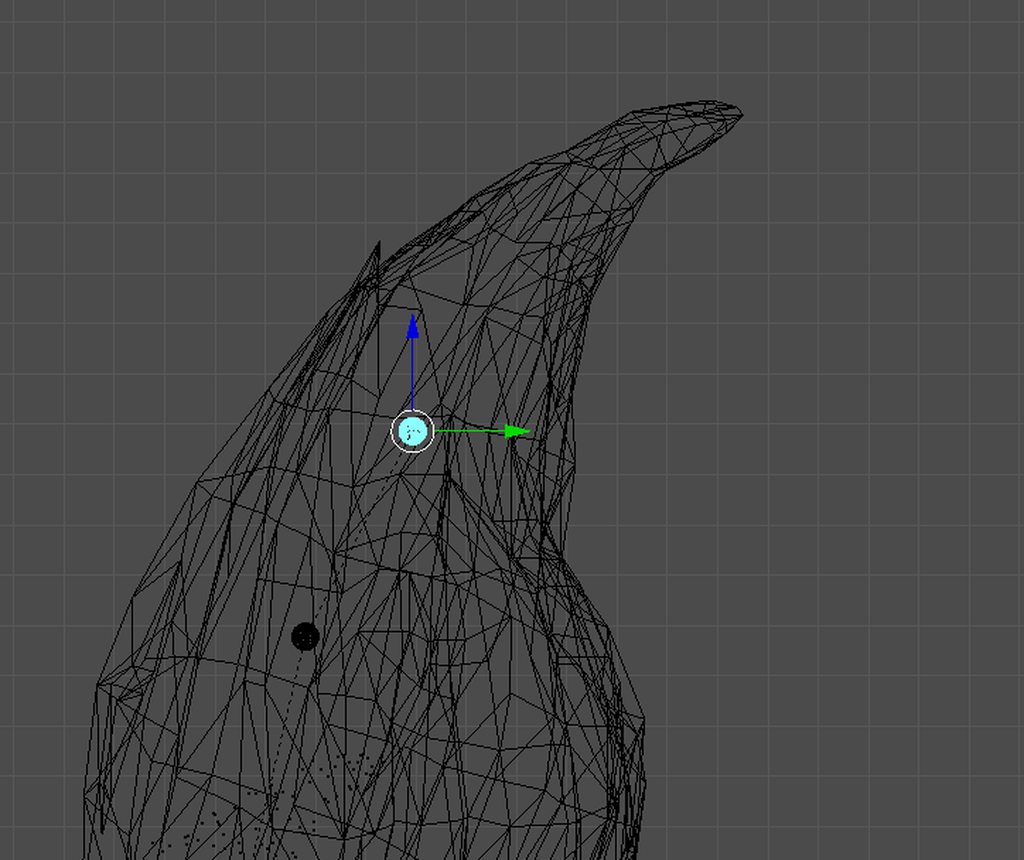 lethal bone
oh I think I got confused with the perspective
foggy osprey
@dusk pilot when you move the tip i can see some geometry moving that shouldn't be closer to the base of the tail. even though it's such a tiny amount it can cause issues like that. just in case you should remove the weight in that area and see how it looks.
lethal bone
that should be alright then
dusk pilot
I found the mesh painted to the tip and removed it. Unfortunately no result. It's like the tip has a mind of its own and doesn't follow the parameters for the root bone. This has happened with another character I was working on aswell. @foggy osprey
https://i.imgur.com/1tsSJjs.gifv
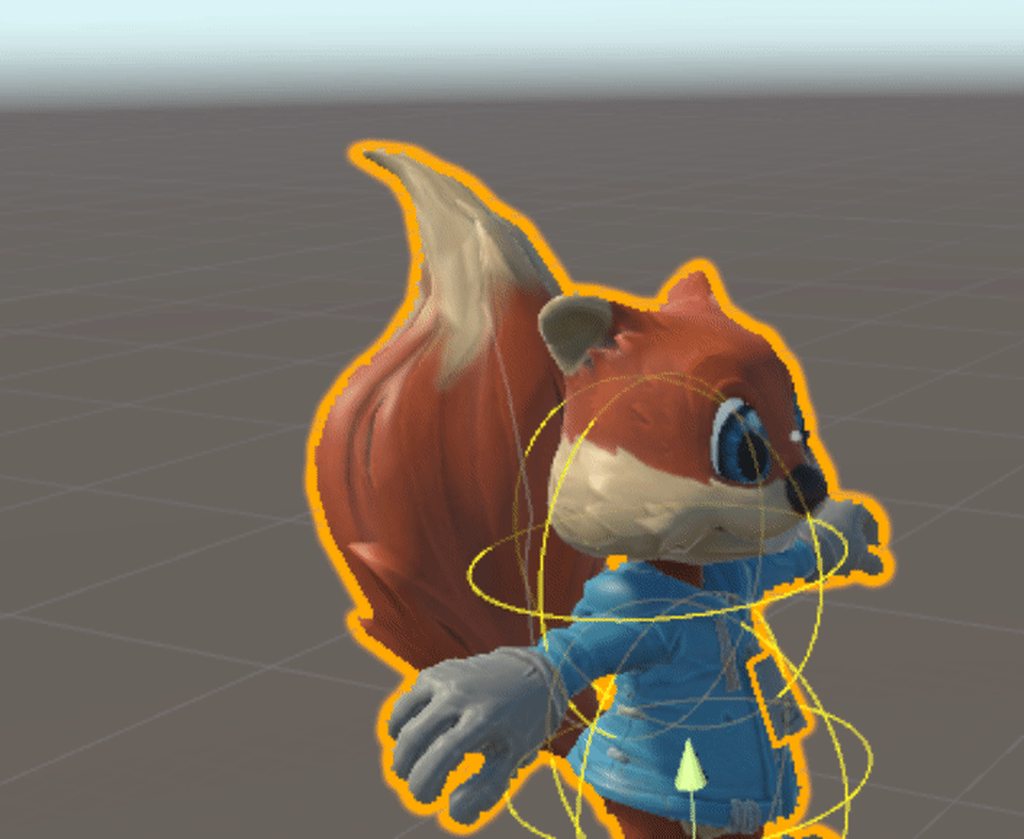 lethal bone
is there a joint in the end?
small solstice
ok so
its a bit less i think
than last time
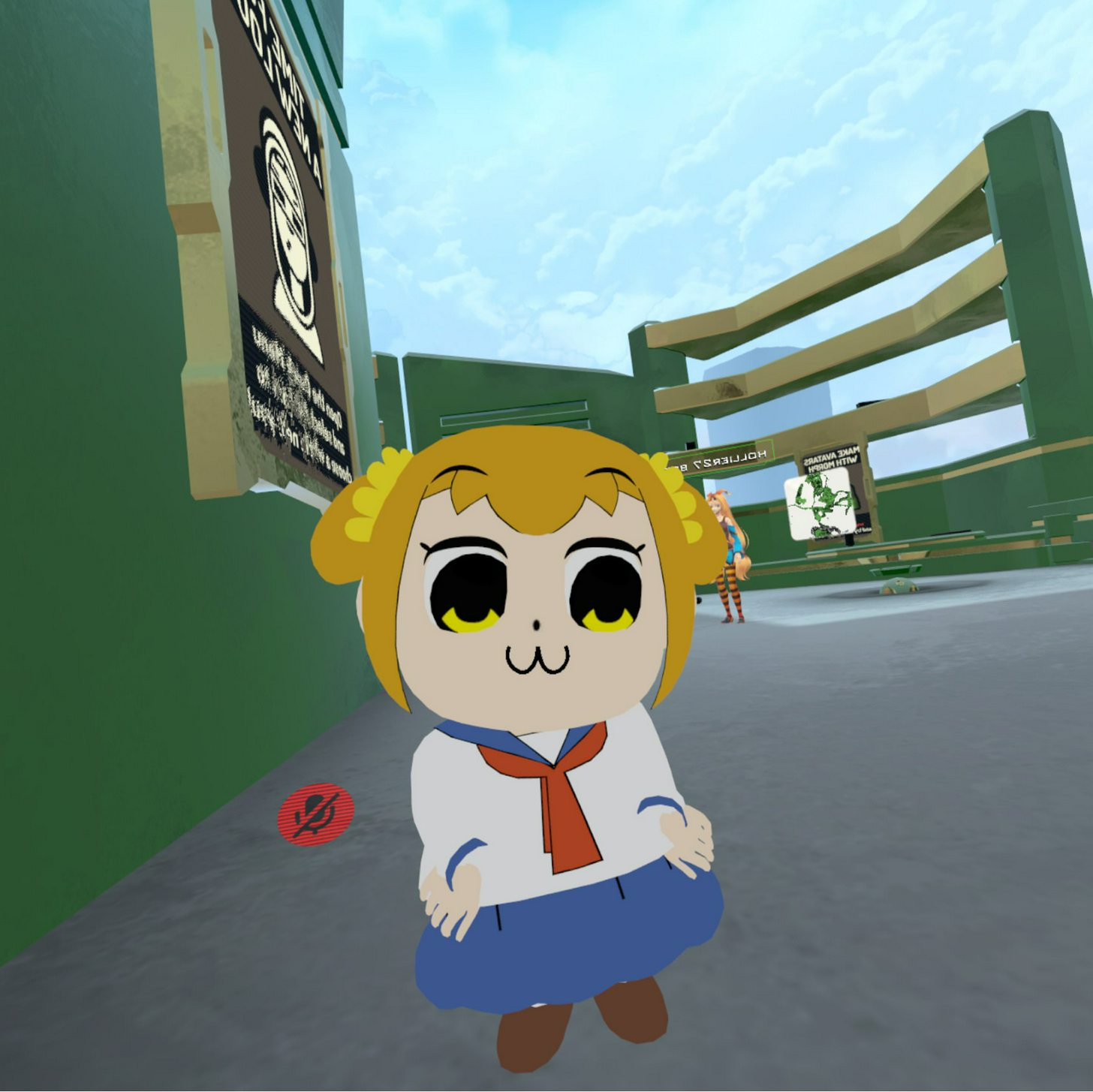
(also needed to turn off outline as it made the head dark inside

compared to last time
i think the arms are lower down
so i think the camera is basically where vrchat thinks your actual head is
and puts your arms on there based on that
 sand pollen
Anyone know how I can make one bone imitate another? I have a four armed model and I want the two arms on the same side to move together.
small solstice
ye char is already 0'd position wise
fading verge
Okay I fixed it
But its kinda... frozen on "processing image..."
May just be bugged
dusk pilot
@foggy osprey I fixed it by redoing tail bones from stratch. Thanks for the help.
foggy osprey
@dusk pilot np, glad you figured it out
 crisp tendon
@small solstice great job
fading verge
My VRchat screen is black
@crisp tendon is there a way to transfer weight paint to another part of the body (i.e right arm to left arm)
small solstice
@crisp tendon it’s not my model, friend gave it to me
Also putting the camera in the head made it work fully
crisp tendon
I believe there is, you can copy vertex group paint, but it's maybe difficult/impossible if it's not symmetrical
fading verge
Well ok
crisp tendon
I figured Miya, but it's still cool that you made it work so well ! Big fan of Poputepipikku
small solstice
Ye
The other girl is on my computer too but she wasnt ported to vrchat yet via my friend or me
Guess I can do it to learn how to mmd to vr
Before this was my own custom blender models :v
fading verge
Another problem i still face is that the shoulder and arm meshes are seperate so when i uploaded it to unity and saw the model rig there it was ripped apart like my last model Rubick
Weight paint didn't solve that ^
crisp tendon
@small solstice For MMD you have the best tutorial ever in the pins of #avatars-2-general
@fading verge You have to join your meshes in blender
 keen lark
I imported a model from the source engine and its rigging aparantly isnt normal blender bones because I cant do things like dissolve
How can I fix this?
fading verge
@crisp tendon they already were joined
crisp tendon
i'm not sure what the issue then
crisp tendon
make sure there's no bone constraints ?
crisp tendon
Then you should probably google if source engine models have bone properties or something
never personally used them i don't really have a clue
 vapid osprey
im planning on adding bones to the clothes the thing is do i parent it to any other bones or it doesn't need a parent?
crisp tendon
parent to bone that makes the most sense, i don't know if there's a rule
but hair is generally head or head top, breast to chest and skirt/tail to hips
vapid osprey
alright i'll try that out thanks
fading verge
@crisp tendon Are contraints a no in models?
crisp tendon
bone constraints are ok, i was just wondering what could cause that user's issues
fading verge
oh ok
 regal belfry
I duplicated a shape key and it ended up flipping my guy's mouth but correctly moving the eye, is there weight painting for shape keys or something? That way I can leave the eye as is and prevent the shape from affecting other parts of the mesh
 hot leaf
Rip I just posted in avatars-mmd but I realized this is actually where I should be posting xD
I have a model that's wearing a tailcoat, and there's bones in the tails but they're sticking straight out. Is there a way to let them hang loose? I know how to make dynamic bones in Unity but dynamic bones will of course just return it to its base position, which is sticking out weirdly
 flint flare
some know the settings for a little bit of hair flow ? cant seem to get it right ?
dynamic bones
hot leaf
You mean the actual values in the dynamic bone component?
flint flare
yea
 humble basin
does anyone have dynamic bones they want to give out?
flint flare
@humble basin buy it -.-
hot leaf
Teshaman, it's really something you just have to play with honestly, cause it'll depend on the length of hair and the character and all that
flint flare
can you give me some guide lines ?
hot leaf
Sure, I'll message you
flint flare
ty
fading verge
@crisp tendon Is there a way i can know the weight-paints weight for a specific bone so i could put that weight on a different object?
 stiff kite
Feet in ground. Can I fix this in unity?
crisp tendon
@fading verge Set armature in pose mode then select mesh, go into weight paint mode, you can right click bones to check individual weight paint
fading verge
But can i see the paint color in numbers?
So i can apply that number of weight to other objects

lol k
main sage
how can i tell how much a bone or such is rotated in Blender?
it have to do with the whole "roll" thing?
fading verge
is there a way i can select all vertices and put their weight to 0
just selecting them all and putting 0
cause the vertices won't budge at all
 slender tartan
how can i seperate bones so i can delete some extensions?
i cant de;ete bones period
im trying to delete some but delete just doesnt work
 mystic sluice
you have to change to edit mode
slender tartan
new sdk is needed
 glass river
Can i not map Neck for vrchat, because mesh not moving with neck bone and head bone in the same time
its 3dsmax
idk
mystic sluice
yeah just doubleclick the file
 odd urchin
Hi, does anyone know a good way to rig Source Models for VRChat? all of the models I use, the rig causes character glitches and animation problems.
mystic sluice
Yeah I ran the sdk file with Unity closed
odd urchin
I ported Dallas PM from Garry's Mod, but when you move the model to unity the fingers bend out of control
Yeah, when you use the models in the game, their chests push out and just look silly.
Is it worth keeping the source rig? or just manually re-rigging it in blender?
fading verge
does anyone know how to copy and transfer weight paint to a different limb?
like right arm to left?
hey
does anyone know if blender has a built in basic premade armature
?
or how to get 1
 worthy coral
@fading verge search rigify on google
 vale wren
idk if this is the correct spot
but my model is stubby
and they dont have a lower arm or hand
how would i go along with making my own?
nvm i got it
how do i put the model in t pose then?
 stray spruce
I think I might be stupid
I've got the "mmd_tools" folder in my Blender addons folder, but CATS doesn't recognize that I have it.
Send halp.
Nevermind, I think I'm in the clear.
 subtle mural
 vagrant thunder
hi can some one help me with something
fading verge
hopefully this works
vagrant thunder
i have a friend and i have run in to a dead end
we have our models good and everything
but
Why can't I post a picture
Here I'll message you
@main sage
 solemn hound
hey, how do i get my particles to save and load in game? for some reason they wont
main sage
k
fading verge
ffffffffffffffff
my air plane is too low to the ground because i made the skeleton too small
😦
hey guys i have a question
why are my models arms out stretched like hes holding jugs inbetween his arms and legs
anyone able to help me fix this? https://cdn.discordapp.com/attachments/397786340986716162/403042997198913556/unknown.png

tails + skirt getting stuck and flailing around when i add dynamic bones
Yeah you have it set globally
Better to do it manually on each bone you intend to use DB on
But you still have way too many fucking bones that are unecessary tbh

what do you mean i have it set globally @fading verge

like idk where it went wrong
 visual current
hey guys. im having issues with textures on a model in Unity. in Blender the textures are visible but when i import into unity they are gone. I originally imported an SMD file in to blender with 2 images for textures and ive tried exporting in several formats but nothing is working.
sand pollen
Anyone know why my dynamic bones are appearing above my model instead of where they are suppose to be? https://1drv.ms/i/s!AkdI-q7fQ69CsHGIyb5rpYvrGUWz

PNG Image
Nevermind, it was just a problem with the scale of the model.
 onyx crown
how do you rotate a bone relative to the scene?
for ex, I have this https://i.imgur.com/Xve89dG.png rotation on this https://i.imgur.com/GBvjVV6.png bone. How do I modify the rotation relative to the scene and not the bone?


 soft heron
Hey guys, not sure if this belongs here but, im having trouble with the Space Robot Kyle model from unity asset store, it doesnt have a chest bone, how do i give it one?
onyx crown
I add bones in blender. Don't know if you can do it in unity
soft heron
i know its already ingame, but i edited the texture so it would be personal, i like the avatar
oh so i have to use blender? fck
onyx crown
Is there another bone that could act as a chest bone?
Like a lower neck or upper chest bone?
onyx crown
hmm then you might have to
soft heron
anyway of extrating the default model file from the game?
vagrant thunder
Yea my friend has the same problem right now
soft heron
extracting*
soft heron
im suprised there isnt already a place you can download ready to upload avatars, or maybr there is but its paid? idk
onyx crown
oh ty
I'll delete
same smurfy
thinking about creating a forum or something for it
but that's awhile down the road
soft heron
ive been trying to learn but it feels overwhelming, how long does it take to learn all this stuff lol
 fleet echo
if you want pay somone to make model i send discord link to that
fleet echo
reason people dont share because it alot work
soft heron
makes sense
fleet echo
people realise that when makine model
soft heron
but atleast monetize it yea, good
 torn isle
Only monetize if it's your own model you made from scratch.
Not if it was made by someone else.
And they take credit.
fleet echo
there plain to have handmade avatar be sale to vrchat but vrchat need work on secitry before
torn isle
That's just wrong.
fleet echo
that stuff come
soft heron
but this model im working with, its one of the defaults, so weird that it doesnt work
fleet echo
it would not smart to make market in vrchat right when somone can easy take id
soft heron
true
fleet echo
secitry need come first
torn isle
Yeah, we need more security.
fleet echo
it base on the model if basic body
it can be easy
but if alot stuff need alot work in weight painted
soft heron
i mean the skeleton is super simple, its the bare minimum just no chest bone
that body is so simple it didnt need it lol
 dusty pollen
does anyone know if blender can tell you which bones are giving the "heat weighting: failed to find solution for one or more bones" error
 orchid shale
Sometimes when I put dynamic bones in the breast they don't create the physic things(idk what they're called), what should I do because I clearly see the bone in the right places in blender
soft heron
omg i did it
it was my mistake
the weird naming with root, hip, and ribs confused me so much
 soft heron
your height might not be set properly ? i know my avatars bend their knees or stand on tippy toes when the height isnt right
but im noob so im probably wrong
 tacit sinew
not in vr,
but when im in vr yeah height fixes it, but still feels like weak knees and just bends outwards
also no toe bones
 tropic roost
ay, i dont have a solution to ur problem but i appreciate that big sister
tacit sinew
ay, lol ty
tropic roost
is that the elanor one or a normal big sister

 tawny silo
fading verge
tawny silo
fading verge
@tawny silo Your bones? avoid mapping upper chest, map everything else to its appropriate slot
 obsidian minnow
Okay, i'm trying to rig a MII for unity. Because of how simple the anatomy is i'm only weighting parts of it to certain bones (torso to Spine2, hands to the two spheres) and not weighting anything else. But when i export it any bones that weren't attached to any vertices aren't being exported. Only the ones that have weights. Is there any way to fix this in blender?

 soft heron
I need help please, im pretty much going insane trying to fix my avatar
i can give all the details if someone wants to help me rig, willing to pay if i have to
 obtuse wasp
alright so im making a model with diffrent hairsyles that switch.... i was wondering how i would put another set of clothe or hair with bones onto a already existing rig
 modern oyster
@serene cloak ^
serene cloak
@obtuse wasp You can actually use blender to do it. 😛
@obtuse wasp Would love to teach you how, when I get home from school.
worn gale
guys any good areas (save deviant art) where I can get models I can use as avatars? I don't want to return to VRChat with a default and make a quick trip for another Avatar
modern oyster
worn gale
uh ok
alpine hill
a friend of me is going to check my character model
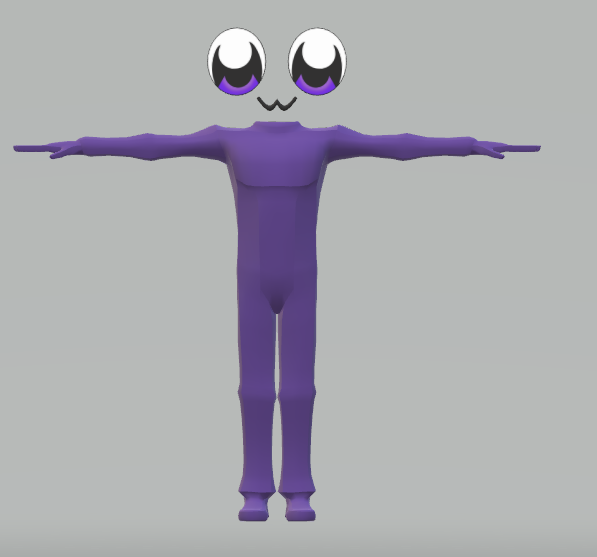
in the meantime, I made a placeholder




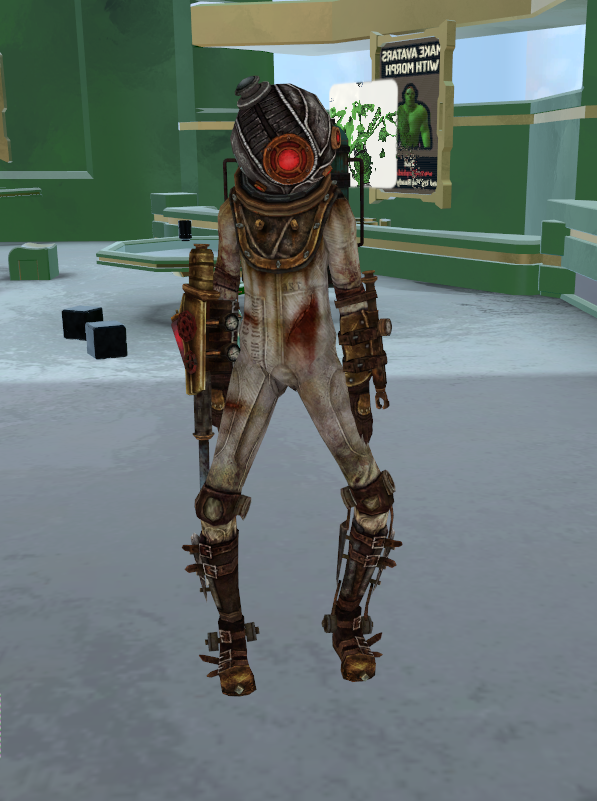
 modern oyster
@fluid folio Hair edges does not seem to be children of the main hair/head
 fluid folio
PM, @modern oyster ?
modern oyster
Sure thing
 distant raven
re-posing hair is so tedious sometimes >.>
modern oyster
Indeed
 scarlet igloo
https://cdn.discordapp.com/attachments/396463844261888001/403135238101794818/unknown.png
hello i have i problem with my model i put the bones on humaniod but it gave me this error is there anybody that can help me ?

 modern oyster
Some dude had an avatar with medium length hair and 6 tails.. wanted everything reposed...
distant raven
xd
modern oyster
I cannot remember where, but there should be a "Pose in T-pose" button somewhere
distant raven
I am currently reposing a Shiro from NGNL her hair.. is.. annoying...
Small body.. longer hair.. XD
modern oyster
xD
serene cloak
@scarlet igloo In Unity, reset pose, and then Enforce T-Pose
modern oyster
^ !!! IT'S TINY RIG !!! @serene cloak
subtle moth
@scarlet igloo Does it work now?
scarlet igloo
I am at school need to wait a few minute to try it but how do you reset the pose? Where is the button?
subtle moth
Imma wait, but you can just Manually do it tbh
just select the red bones, then select the rotation tool in the upper left corner and rotate it on the axis unil your model is in t-pose
scarlet igloo
@subtle moth i got the arms right but the thumbs are a little difecult to get at the good place
subtle moth
Yeah, just play around with them, they normally are near 90 degrees
 untold compass
flatten your hand and use it as a refference for the tpose, that helps me
subtle moth
if it wont work after playing around try what Weis Suggested
scarlet igloo
ty guys il try it now
subtle moth
yup, gl
untold compass
i can do it poorly
 heavy loom
im literally clueless with rigging, animation and such lol been trying to get a ahri for agers
untold compass
i have no idea how to do animations yet, and my weighting is bad : ^)
heavy loom
think animations might be easier so i wouldnt mind learning that but the rigging part just seems to much for me lol
untold compass
it only took me ~8 hours so have decent understanding of rigging and weighting
animation just seems like too much effort for me tho 😛
 tiny berry
I'm trying to rig a quadruped as a humanoid
heavy loom
hah
untold compass
thats gonna look so weird lol
tiny berry
it works in non ik but when i set up for IK it wiggs out
heavy loom
do u think it would be hard to rig this? https://sketchfab.com/models/c494974dbad24b93a4329eacd73fbb63

League of Legends in Source FilmMaker!Select Your Champion! Create Your Masterpiece!Want more information on the process?Here: http://www.loltosfm.com/Export OBJ: SFM Rig | Lighting | Mesh | Scale
tiny berry
only reason I want Ik is overrides the non ik version is my main avatar
scarlet igloo
@subtle moth eeeh when i change then the hit done i did save it ?
tiny berry
just a human with the tails parrented to the hips
subtle moth
yes
modern oyster
She souldn't be hard to rig. the poly counter though..
heavy loom
yeah haha i cant find a high quality ahri
scarlet igloo
@subtle moth it doesnt work when i go back to it again it in the wrong prosition and i have to do it again am i forgeting something?
heavy loom
@modern oyster I have no clue how to rig trying to find someone that can rig it real fast just so i can use it ingame
subtle moth
look if the new one has it
modern oyster
Sadly I am at work ATM, so I wont be able to do anything for another few hours
heavy loom
no worries
scarlet igloo
@subtle moth the new one doesnt as wel