#avatar-rigging
1 messages · Page 74 of 1
 granite kestrel
Not sure on that one @fading verge
The power of Google compels you (to Google)
 fading verge
Teach me how shanie xD
granite kestrel
One moment..
fading verge
@granite kestrel One thing I did figure out is that it doesnt get an error message if I combine all the Objects, let me elaborate a bit. I kept the Hair and Goggles separate from the body, considering those 3 parts have 3 different textures, and so then I can apply them to the correct spot on Unity. If I combine all objects into one model, I don't get the error message, but the textures wont be right at all on Unity. Halp!
granite kestrel
@fading verge put the character into Pose Mode in Blender. If the bones move the skin then it is working, and if it is not you'll have to use a weight paints tutorial
 vestal peak
Does anyone know how to fix arms of charecter models clipping into skirts?
granite kestrel
@fading verge so you should be able to click on your mesh and then go to your materials on the side where you made it Cubed's Unity Shader
Then expand that material, click "Outline" in the first dropdown menu
 sterile hamlet
Hey everyone, I found a rigged model that I wanted to bring into VRChat, but apparently the rigging is different that the usual, and I'm pretty sure it can be modified to work. According to a friend of mine it can be fixed relatively quickly but I'm really new to this.
It seems like it has no spine2 bone and the connection with the neck/shoulders is different from usual
https://ibb.co/czuCZ6
 granite kestrel
Then I think you get some sort of drag-slider, and drag it until you can see your stuff if I recall @fading verge
sterile hamlet
Any help would be really appreciated
granite kestrel
My unity isn't booting so I'm doing it from memory
@sterile hamlet Looks like you're missing a neck
Also it looks like the "shoulders" aren't actually the shoulders but I can't tell from here
I think you're lacking enough bones to utilize that model
sterile hamlet
@granite kestrel I did manage to fix the neck later on, but the overall structure is different, there's more sections than what's usually used for VRchat it seems like
granite kestrel
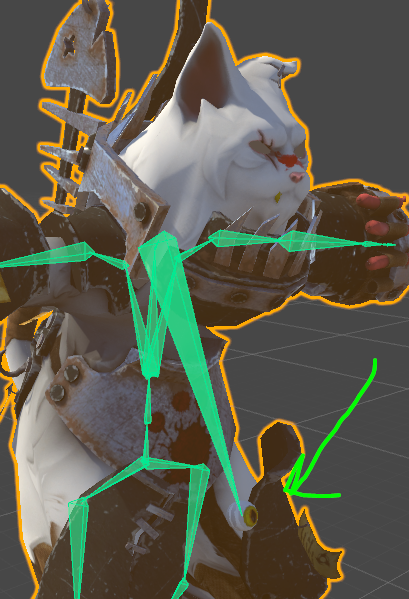
If there's extra bones, just select the first bone and the last bone as the necessary bones and VRC should be able to branch down the hierarchy
Example if you have 5 spine bones from 1 to 5, select the first and the last
 granite kestrel
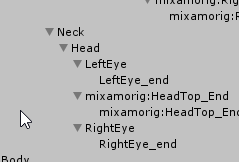
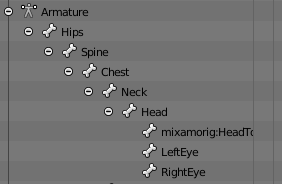
I question if all is fine in Blender, looks like the bone is hooked to the eye, not the head....
Put it into Pose Mode and move the neck.
(In Blender)
 granite kestrel
Looks like Mixamo might have uh...
I'm unsure what to ask you, again, use Pose Mode and figure out where the fault is
 proper kettle
 proper kettle
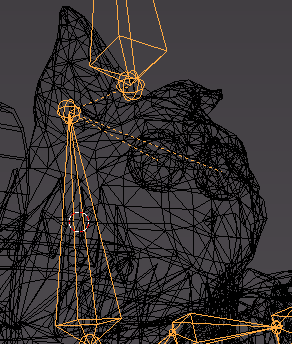
everything looks fine in pose and rest position
granite kestrel
@fading verge yeah, alpha cutoff
And set the outline mode to the second one
no, those eye bones don't look right. I don't know how they're supposed to look, but I do know it's not like that @proper kettle
Best I got for ya
Wish mor of the Senior Chat Mod's hung out here
proper kettle
@granite kestrel thanks for help. I think i just detached god damned bone Spine2
granite kestrel
Well at the end of the day, upload it, see whats up, do some tests and try again @proper kettle 😃
proper kettle
1 minute to win or loose...
granite kestrel
I've been fighting with a full body problem for days so I hear you
 neon bramble
Does anyone here know how to make the mouth of a model move for when they talk in vr chat?
granite kestrel
@neon bramble You either configure Visemes or have the jaw flap. There's tutorials on Youtube for both
neon bramble
@granite kestrel Ok thank yous!
granite kestrel
Welcome. Good luck
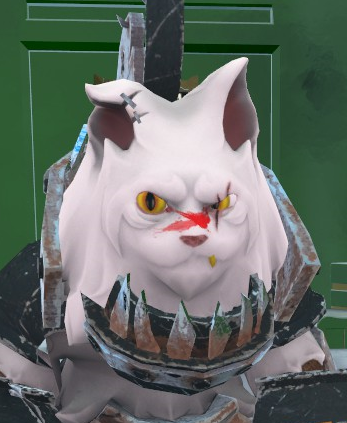 granite kestrel
Niceeee
proper kettle
hmmm... Can i make something like that for a closed mouth?
without any blendshapes
sterile hamlet
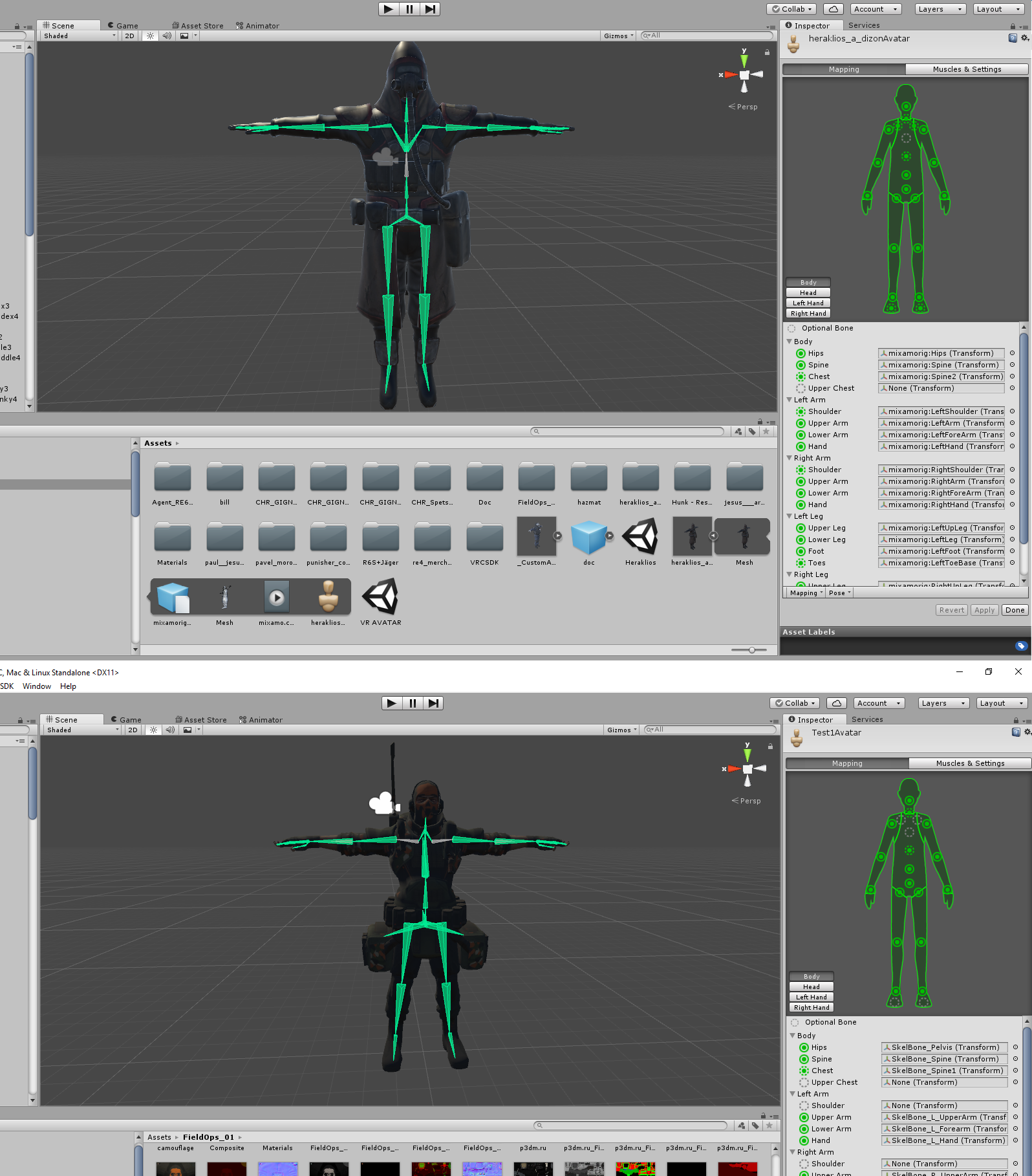
So I added an example of a working avatar as an example, I think the issue is that I don't have arm bones connected directly to the spine https://ibb.co/hZHwSR
 granite kestrel
I don't think so @proper kettle. You may be able to create 2D blendshapes and make it kind of look like talking
 tame skiff
What are eye bones supposed to be rigged to?
granite kestrel
The...eyes
tame skiff
I mean what part of the armature
granite kestrel
Under head on the right side of Hunter's picture there
tame skiff
Are the eyes children of neck?
granite kestrel
Eyes are children of head
 foggy osprey
hey can someone tell me what's wrong with my uv map?
granite kestrel
@sterile hamlet Hmmm. It looks like everything is good to me so far...
 slate nest
when i walk in game my avatars legs go in the ground how can i fix this?
 sterile hamlet
@granite kestrel You think it's just bad bone association then?
granite kestrel
Oh wait, second picture...
sterile hamlet
First one is a working avatar, second one is the one I have issues with
granite kestrel
Second one needs the shoulders associated with those gray shoulder bones
sterile hamlet
Alright, I did the association, still says : Spine hierarchy incorrect, make sure that the parent of both shoulders and the neck is the chest
 fallow lake
Drag spine 2 to chest and remove upper chest
neon bramble
Hey guys do you know how I would get like a marker so my character can draw out of the presentation room using a finger emote?
sterile hamlet
@fallow lake Upperchest is set to None and Chest is so to Spine1 ; I only had Spine and Spine1 to work with
Did you notice anything else @granite kestrel ?
neon bramble
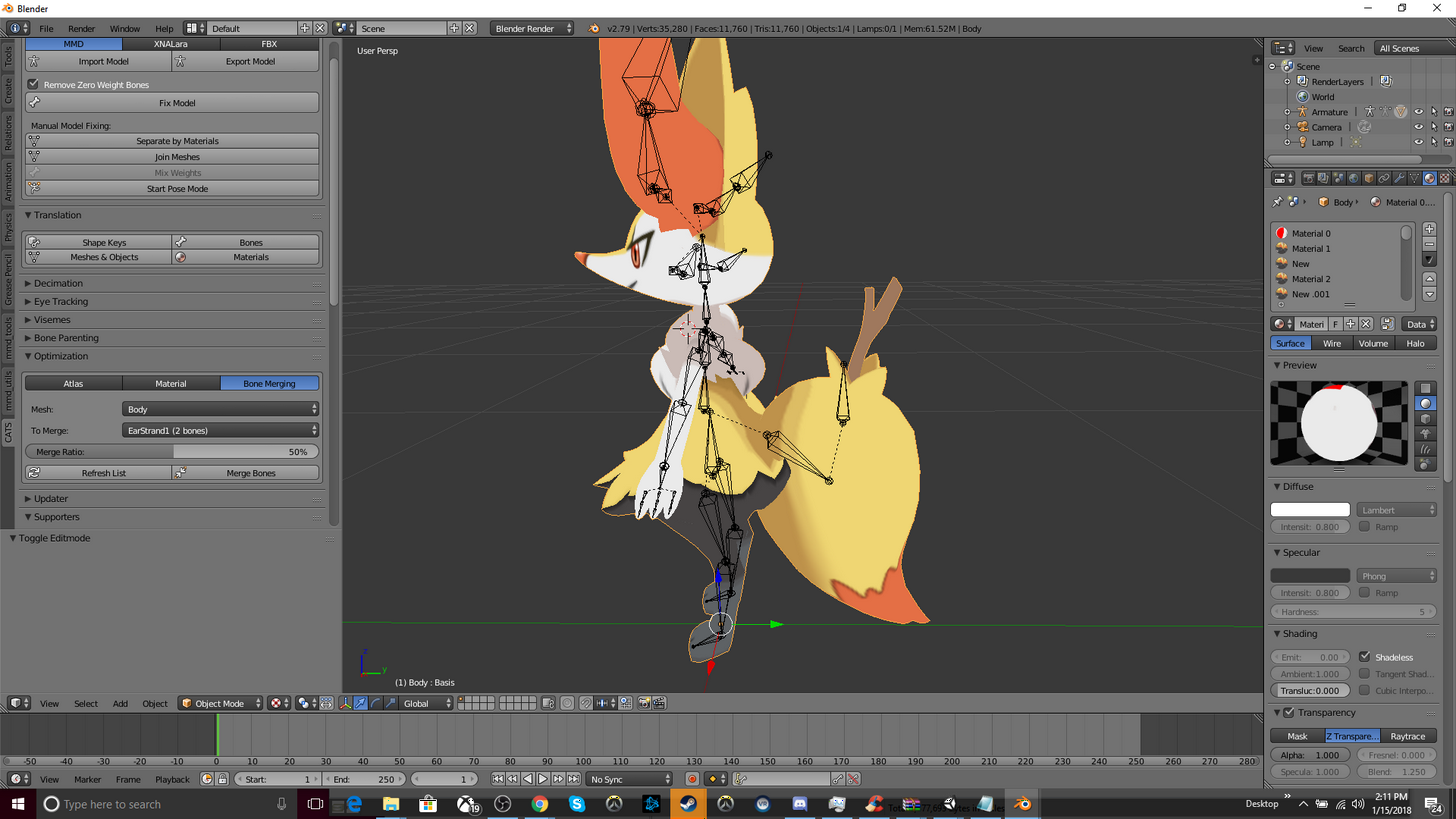 fading verge
anyone here know why does this happen? its an fbx model straight off the internet, hasn't been messed with in blender

 nocturne vortex
when i try to rig my model parts of the head don't move how would i do that?

see?
fading verge
why
is the content server
so slow
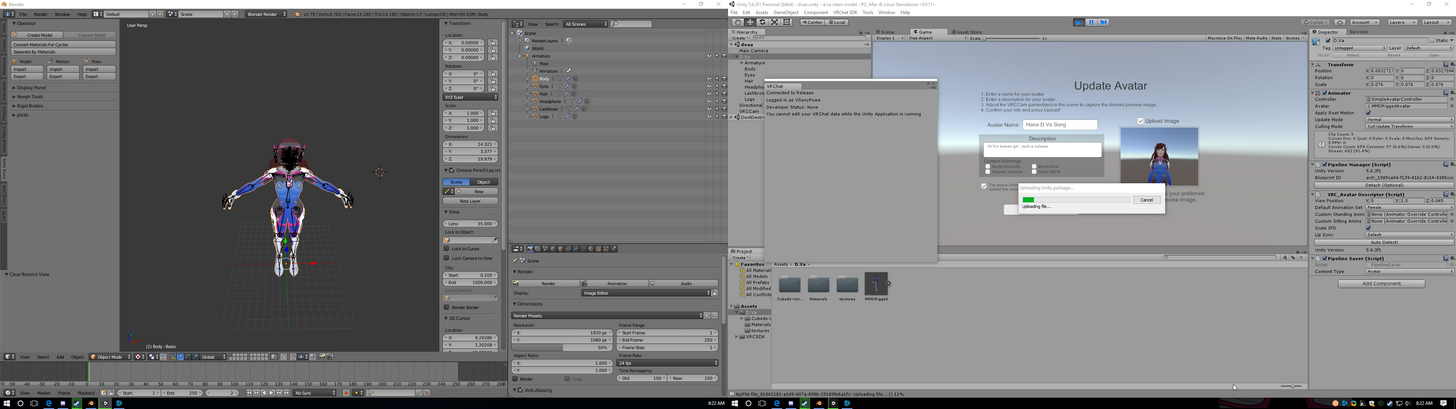
1 Hour later i need to reupload cause it doesentw ant to load ingame
neon bramble
I need help here
I am trying to parent some bones and it is only showing the ear bones
vestal peak
what bones are u trying to parent?
And to parent bones u dont need to use that side panel but the one on the top right
checked the pinned video if you want a better explanaition
neon bramble
I am assuming that I should parent the start of the tail to the hips
so the one that is below the one for the stick
Also how do I view all of the bones like the names and stuff?
OH Nevermind
I think that they are already parented
 teal pewter
how does helping building a new model sound for Vrchat? do i do it myself or how it works?
neon bramble
You can like find models and then use an auto rigger or rig the bones your self
teal pewter
lol yeah sorry forgot about that
neon bramble
It is pretty annoying to say the least
tame skiff
So, there's no texture eye tracking, right?
 torn isle
Eye tracking is done with eye bones.
 brisk mesa
Did your bones break
fading verge
no
my avatar
so i need 3ds max to convert files to blender?
i spent hours just trying to fix his feet
his feet are not alligned perfectly
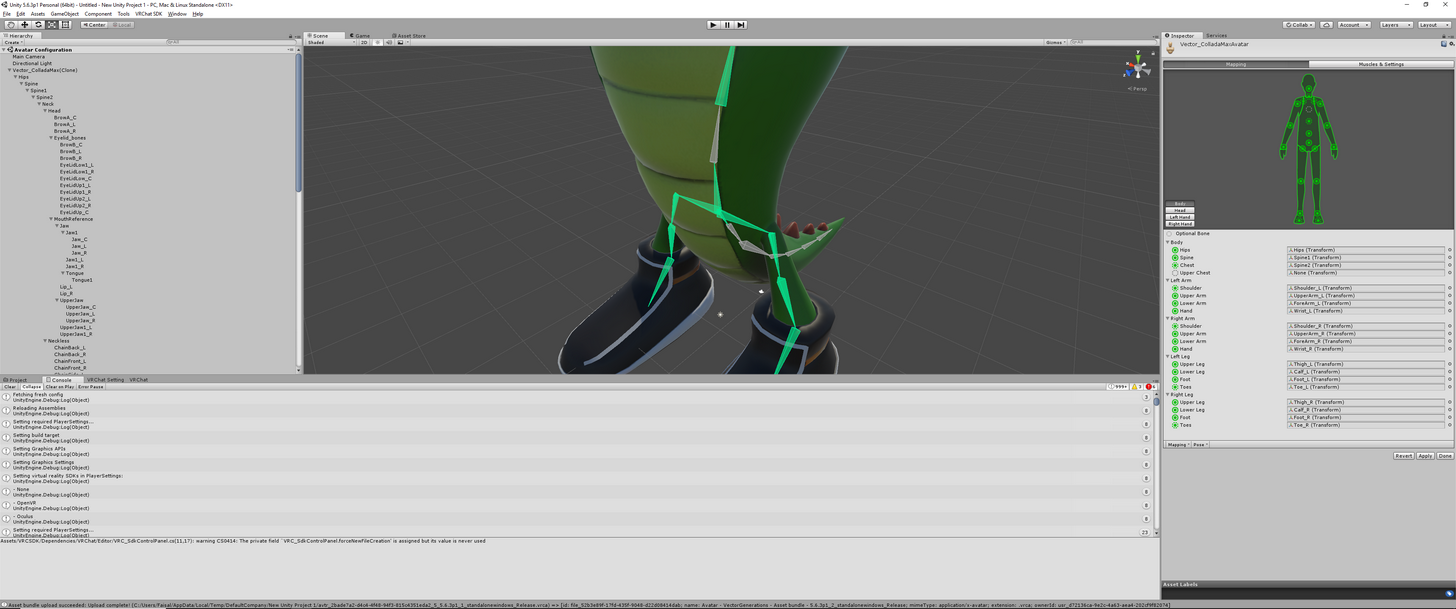
this is the unity one
looks normal right?
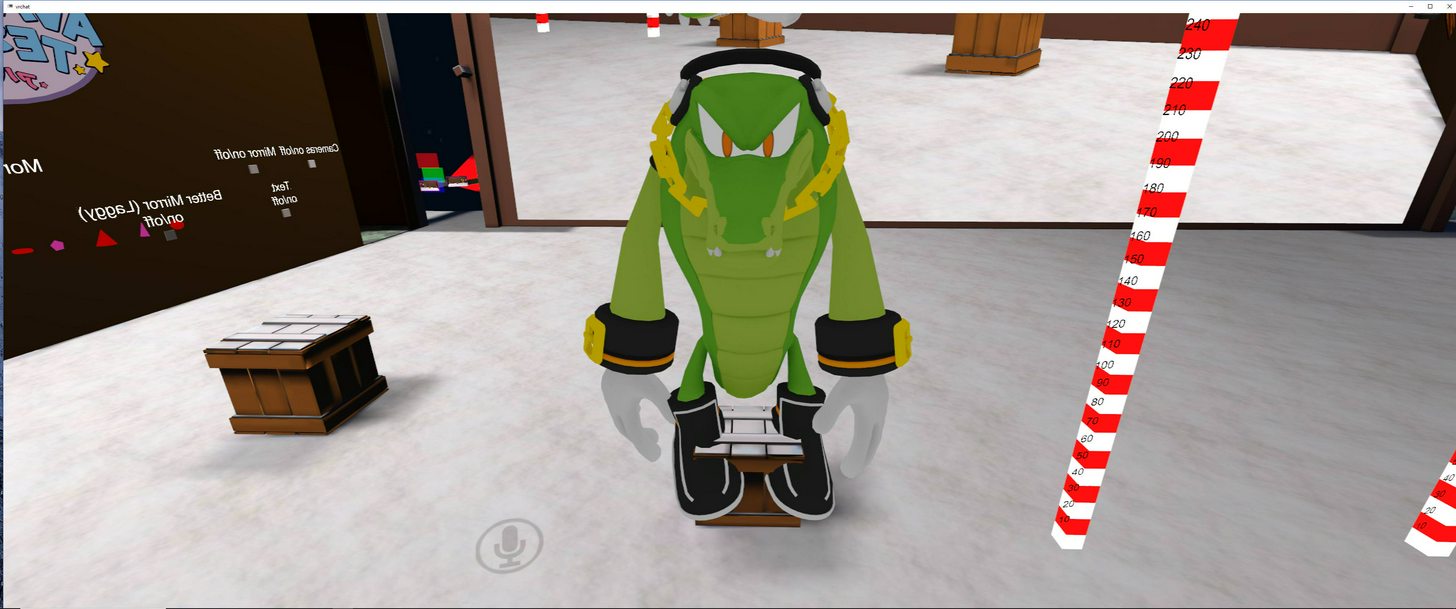
but in game they look like this
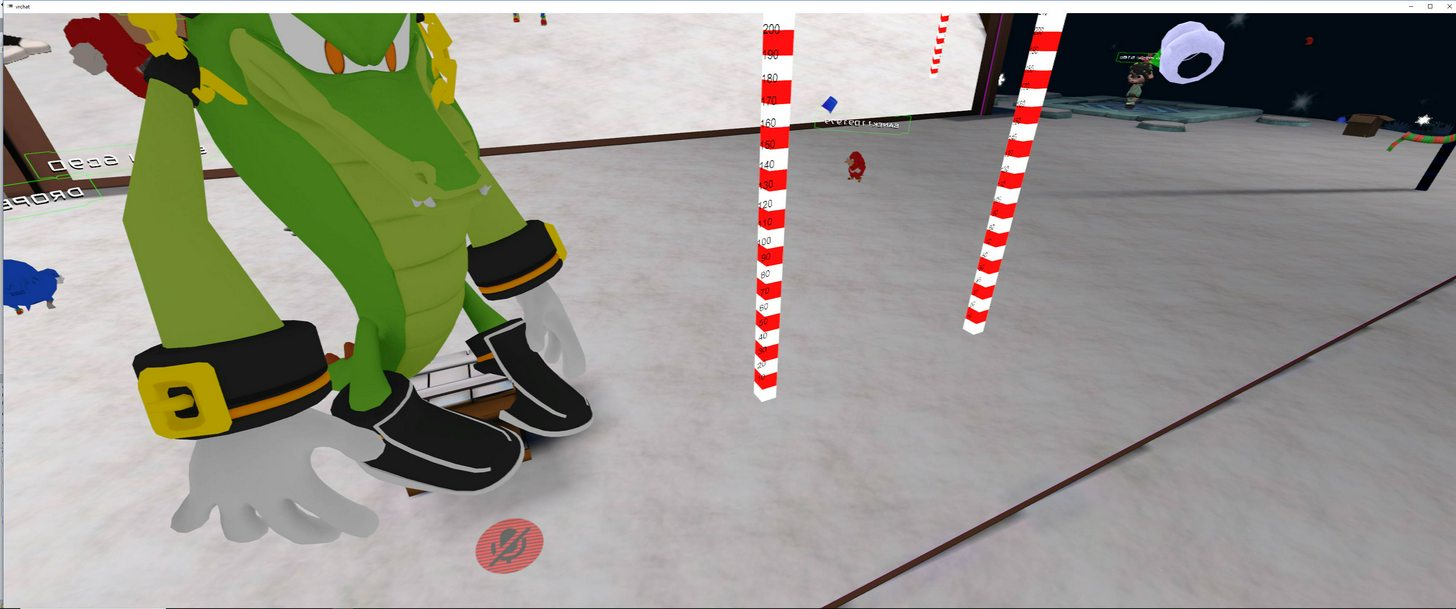
look at how his feet are not placed solid on the ground like the one in unity
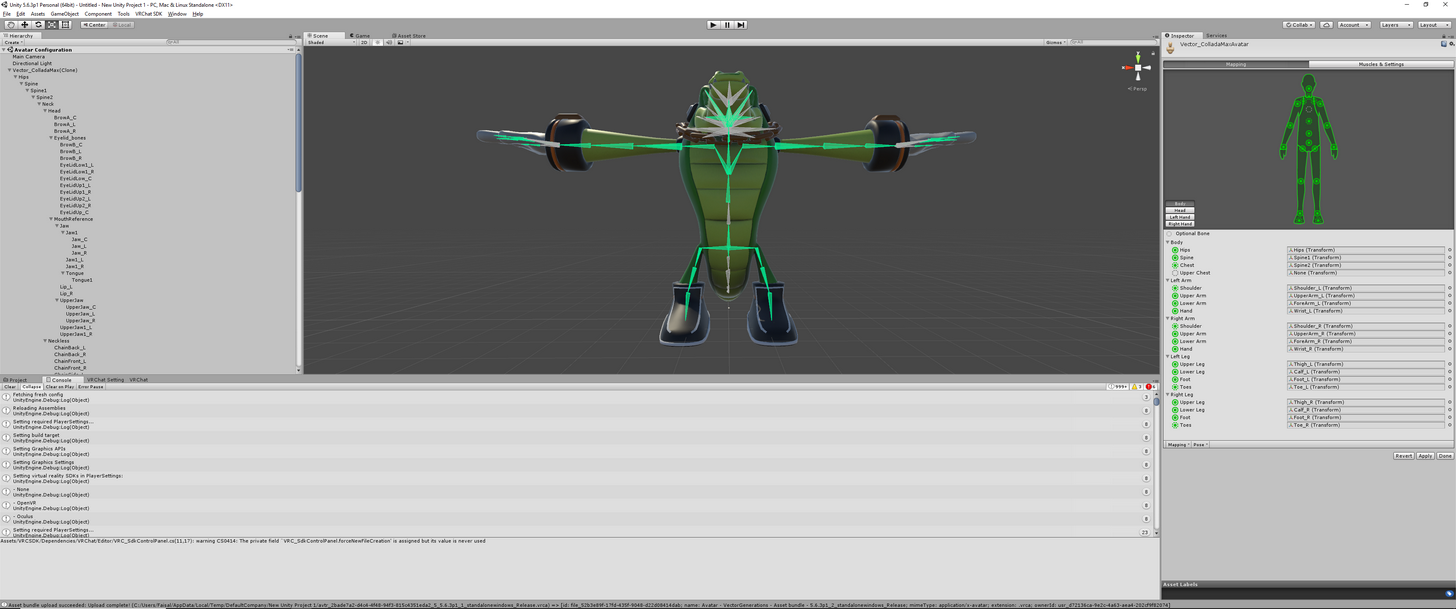
this is what hes supposed to look like in-game
I tried re-sizing the foot, deleting the toes and everything but nothing happens
can you rotate his feet outwards?
I could but
do I need to do that or is something wrong with the bone-structure and mapping?
 candid cargo
Everytime i create atlas i get a picture without any textures on it
 oak sapphire
i found a model i want to use online and it's mostly rigged, only unity says 2 fingers are missing, which would be correct since the character only has 3 fingers, how could i fix this? it's my first time doing any of this
 slim heron
I'm having an issue with an avatar I'm trying to upload. It kind of already has issues cause it's non humanoid but the only issue I'm really concerned about is that one of it's arms is like leaning down more then the other and when I try to move to see if I can straighten it it just looks like it's broken. Any ideas on how I can straighten it out without making the arm look broken or weird. I'll put a picture up.
https://i.imgur.com/olM2vlU.jpg
 fading verge
hey guys
 abstract wedge
 slim heron
@oak sapphire I can tell you briefly from my experience with the avatar above who also has three fingers they aren't an issue for me since I don't use vr just desktop mode. I was able to move his arms and pick up things just my personal issue is he has a limp arm.
oak sapphire
alright then one more thing, apparently i need to map specific parts of the rig with correct names, but for example the neck/head area has 3 parts, so should i rename one of those neck, and the other 2 head?
abstract wedge
can someone show me like an image that shows what needs to be named what
fading verge
same
oak sapphire
is there anyone willing to join me in vrchat to guide me with my first attempt at fixing and importing a character model?
oak sapphire
that's what i'm working on, but there's some flaws with the model i found, mainly the spine hierarchy and polygon count
 little glacier
how do I make my skirt not clip through my legs
im using colliders
but nothing I do fixes it
foggy osprey
@fading verge when you import your model into unity and choose humanoid armature type, click configure and delete the bones assigned to "toes" for both feet
fading verge
how do i change the bone sturcturte
foggy osprey
weird, i don't know then
fading verge
yah
its stupid
sega dont know how to rig models XDD
lol
just take out all the bones
and redo it with miaxamo or something
neon bramble
@plush dagger Can you help me with a mouth please?
 abstract wedge
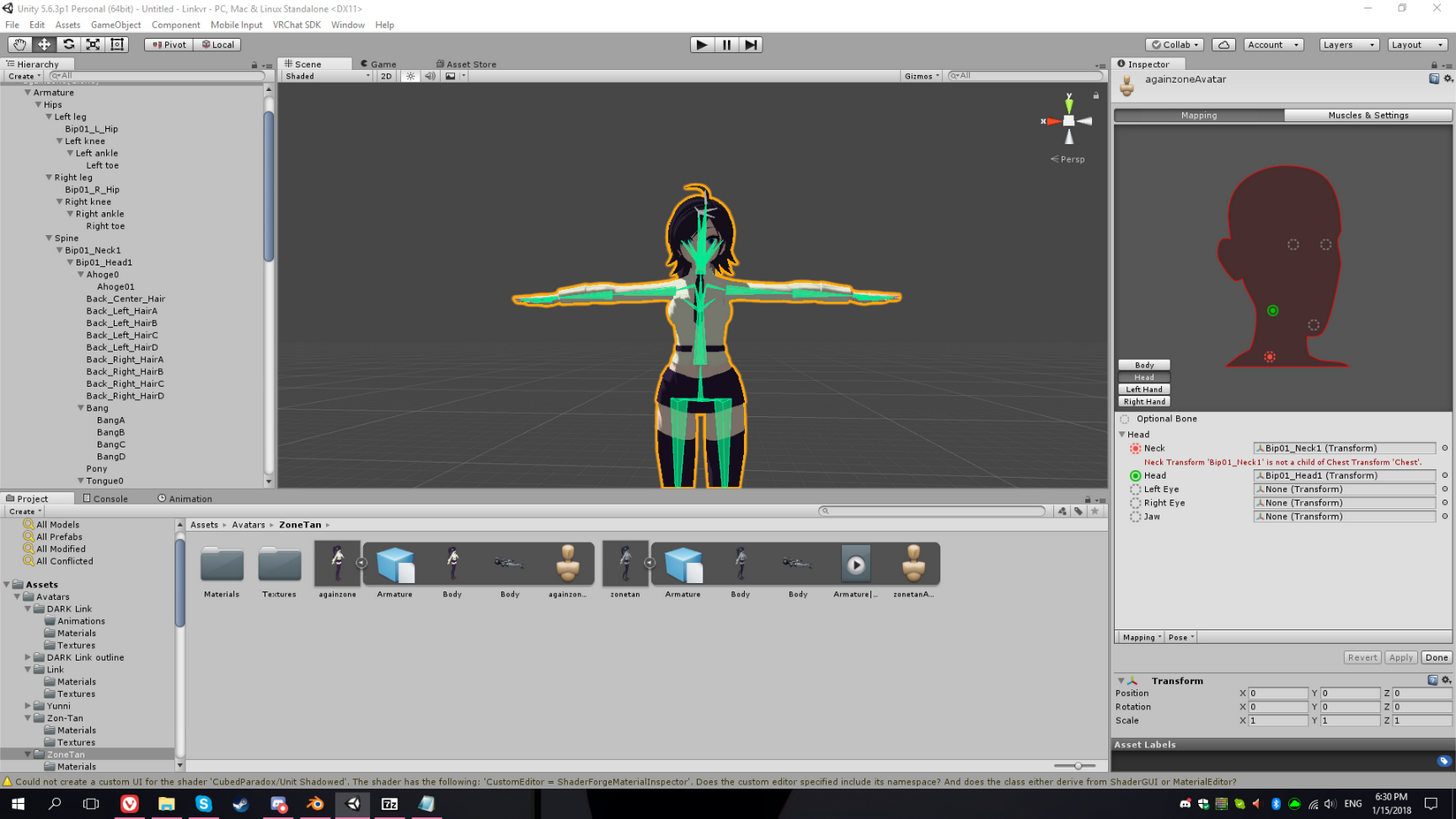
HELP, my model isn't moving with the bones I set!
 flint mural
 slim heron
@oak sapphire If you still need help look at this tutorial it's a great guide that's helped me tons so far. https://youtu.be/7P0ljQ6hU0A

VRChat Community Discord: https://discord.gg/VRChat Download VRChat! http://store.steampowered.com/app/438100/VRChat/ mmd_tools GitHub: https://github.com/po...
fading verge
Are there any tutorials that skip straight to the point of rigging? I cant focus on videos that spend like an hour doing things we've already learned from other tutorials
slim heron
Now I have another question myself maybe someone here can help me, does anyone know what would cause an avatar's arms not to move, this is for another avatar I have. Everything works but when I pick things up it's just floating in front of me.
I'm sure there are, I myself though haven't tried actual rigging, just pre-rigged stuff so can't really direct you anywhere except to just try looking it up on youtube.
fading verge
havent had much luck with youtube, but thank you
abstract wedge
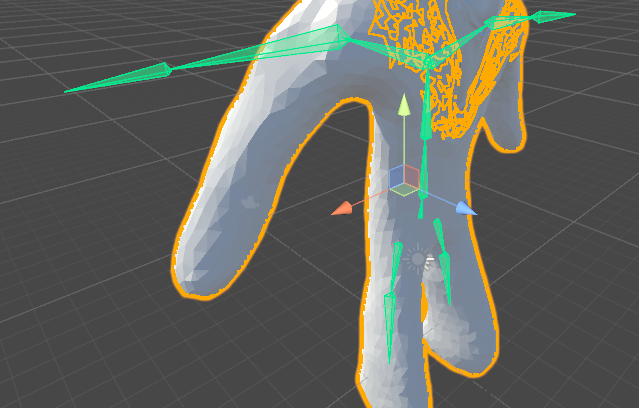
WTF , please HELPP https://i.imgur.com/brMsuVR.png
damn
fucking
howdo I get out of render mode
https://i.imgur.com/lYcx0qQ.png Please help

 feral spoke
Anyone here available to explain Visemes to me? Trying to use a model that doesn't have any and I was unable to find any updated tutorials on Visemes.
fading verge
when ever I tried to decimate a character, but shaper key is not letting me, what do I do ?.? just delete all the shaper keys?
abstract wedge
why arent you guys responding to me at all? I'm just wondering what the hell I'm doing wrong.
ok nvm, fucking got it
why is this seperating but not moving around? D: https://i.imgur.com/iZ3svYR.png
 fading verge
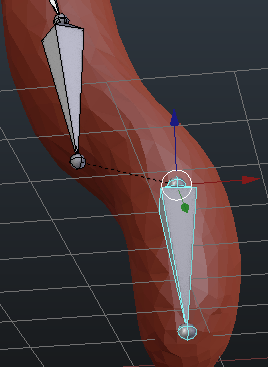
what is that thing
lol
Is there a simple way to prevent the humanoid rig from rotating the shoulders by default?
i.e. going from t-bose to arms-by-sides
pose*
Guys, even tho this is outdated, THIS tutorial is easier and works great

THIS VIDEO IS OUTDATED. Check out the new tutorial here: https://www.youtube.com/watch?v=7P0ljQ6hU0A PLEASE READ THIS: Do not use PMXEditor to translate anym...
Repeat, DOESENT MATTER that he calls it outdated, it works well
says outdated though
just kidding
slim heron
@fading verge You can't decimate until you delete the shape keys but note if you do this if you wanted any movement out of said decimated part you will eliminate the chance of doing that.
 split cosmos
can i ask about unity problem in this channel?
slim heron
Shoot your question.
split cosmos
When i upload the model unity send me this message in red:
Unity : [967] Request finished Successfully, but the server sent an error. Status code: 404-Not Found Message: Avatar not found
i dont know how solutionate it
 idle bough
Try detaching pipeline and reuploading
 regal belfry
anyone know how to fix washed out materials in Unity
(when other materials/models look fine)
fading verge
How to fix Finger Bones?
feral spoke
So if a model has no shape keys to start with, how would i create some? Or is that really time consuming?
slim heron
@regal belfry You try using a shader yet or is this after the shader is used?
fading verge
How do I get rid of upper chest?
I click configure, click upper chest, click delete, but it makes everything freak out
slim heron
click on the little dot next to it in unity and click none at top. You shouldn't have to delete it in blender if that's what you mean.
regal belfry
@slim heron I fixed it, apparently Unity washes out .dds textures
slim heron
Ah kay great.
fading verge
um kago
do i have to disable the finger bones in Unity so my fingers dont look like i broke them all in the game?
Hm that's weird, I don't see the word none.
slim heron
it should be all the way at the top of the list or do you not see it there either?
fading verge
This is in configure, right?
slim heron
Yes
 jagged moth
if you have 2 different armatures and you want to make a bone in #1 a parent of a bone in #2 is it possible?
fading verge
i need help with particles effect
how do i replace the particles effect with an image
split cosmos
Finally
 foggy terrace
hey, does anyone have a good and easy tutorial for eyes tracking (or can explain it to me) ? ^^
 slim heron
@fading verge https://i.imgur.com/7xr1wge.jpg
 fading verge
Does anyone here know how to remove upper chest? I clicked configure, clicked upper chest, clicked delete, but then everything freaks out.
Ohhh
slim heron
Like that
slim heron
@fading verge You said you have finger problems Sony, I can try to help you but I haven't experienced this error myself. When you go to configure does it look normal?
fading verge
It has every single bone
added
its normal
but ingame
fingers like
idk how to explain
the tip of the finger
goes inside the finger itself
like bends
im attempting a fix one here
i added all bones to my model
ill try to upload
and see what happens
slim heron
@fading verge under projects you would click on the avatar model and where you put the Rig as humanoid you will see the configure button and it should automatically show up for you.
Alright let me know how it goes VSony, I'll admit much of this for me is also trial and error.
fading verge
uploading atm
gonna see what happens
Everything shows up for me except for the menu that says none...
I"m not sure what I'm doing wrong
slim heron
maybe try typing it in? Idk that's weird that it doesn't.
fading verge
if ur talkinga bout this menu
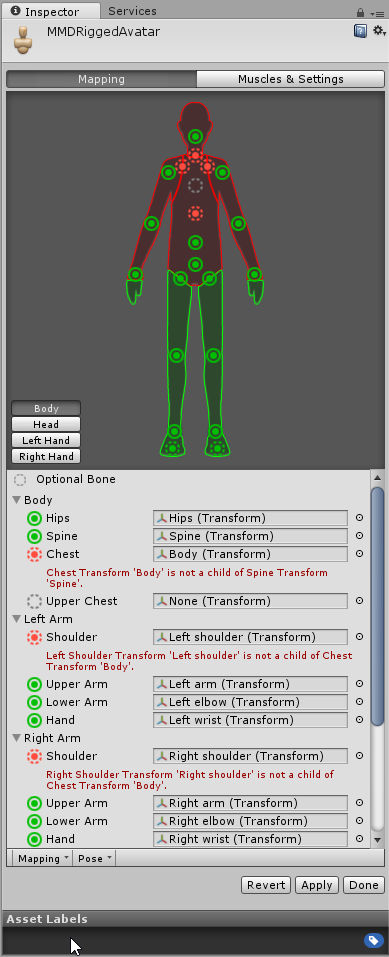
Click the circle all the way on the right next to the None [ Transform ]
then u can select a bone
This is a old pic
close
her hands seem to be fine now in the Unity Preview
I mean the menu that you select none on
ill see what happens ingame
I dont have that menu, but I have the rest
u mean this
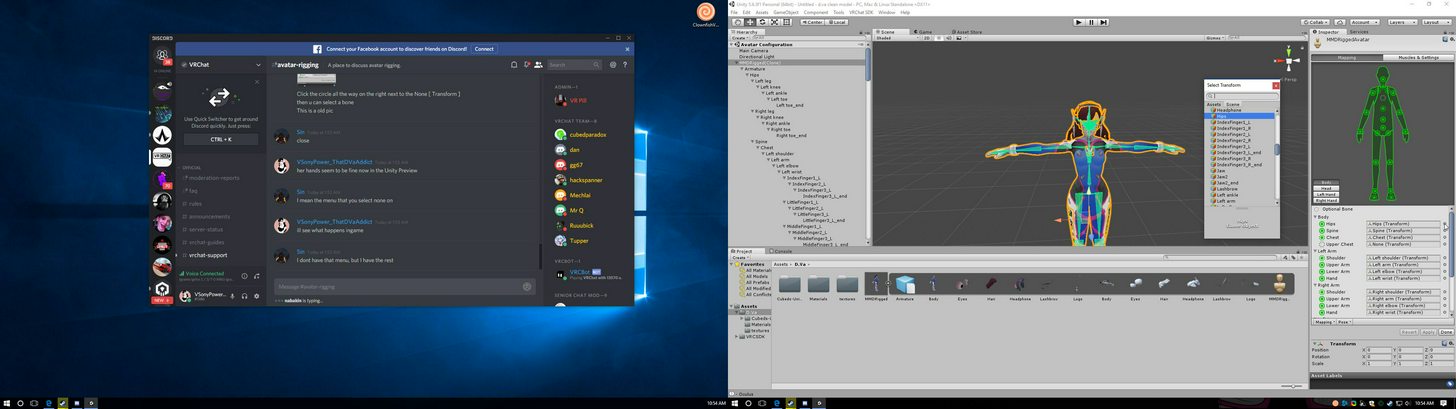
see next to her
@slim heron i fixed my hands
its all ok now
i fixed the viewmodel too
cus camera was odd
LMAO
Yeah the menu to her right
so wait
it doesent appear when u click the lil circle?
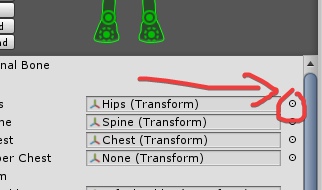
Ohhh, that circle
yes
I thought you meant the green one
no XD
 onyx crown
I'm moving bones from the sample character in the vrchat sdk to a model that needs a skeleton. The only significant difference between them is that the sample is in a t-pose and the model I'm trying to import has his arms down by his sides. Do I need to do something special to the arm bones because of that?
fading verge
There we go fixed it 😃
😄
wat2do? chest bone and having this weird tail looking bone? https://gyazo.com/fb0046da87e823fe1f9abd56d45787af

Dont hesisate to ask me anything

uhm
i dont really use mixamo
You might have Missplaced the little circles in Mixamo
tame skiff
Can distance disable for Dynamic Bones be used in Vr Chat?
fading verge
Yes
slim heron
@fading verge Oh nice, so what you did helped then?
tame skiff
What is the reference object for distance disable?
fading verge
Let me check on my avatar
June
Did you make sure u deleted the Armature + Bones completely in Blender?
slim heron
What did you end up doing VSony to make it work?
fading verge
@slim heron ill show you

Deactivated the TIp bones
Um June
do i just delete these put then import the char into maximo for a new bone set ?.?
you need to completely delete the blender armature
yes
mixamo sets a new set of armature
slim heron
Ah okay real trial and error there too, thanks for showing me. Like to know as much as I can to figure out future problems too.
fading verge
😃
im not even ment to do this hahaha
my main job is Graphic Designer hehe
Also Heads up:
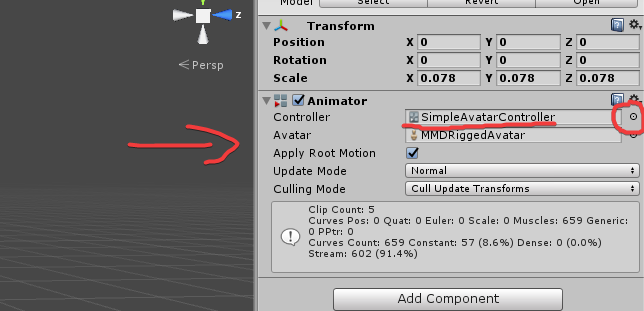
80% of the people forgets this
If your character is stuck in T pose
you didnt do this !!!
sigh
i cant import anything into unity
it just freezes
 meager fern
@fading verge can you help me with something?
fading verge
Sure
brisk mesa
upon import into Unity, the thin red feather bits on this Morrigan model is warping. I don't know why, and I've also already checked weight assignments and they seem fine. Any ideas? https://imgur.com/a/PyAZX

for now i've hid them so that it's not gross but i'd love to have them
fading verge
can someone help me
meager fern
https://gyazo.com/585d5756c43884530e505a03b4ba5840 im editting this model, and im doing the atlas texture and baking
 fading verge
how do i import items into unity without it locking up?
Ok so whats the issue @meager fern
meager fern
https://gyazo.com/130537220da25a025e263e604f747758 but it ends up like this when i use pack islands and set the original UV as map
 fading verge
This is in unity or blender?
meager fern
blender
fading verge
Take a picture of your Meshes
This is just simple material assignment and i see whats going on
its assigning the same material to all of the meshes
omg
it wont let me drag the asset into the scene window
meager fern
https://gyazo.com/b3025d9d4cb59b3131ce8890dd59c78f i merged the meshes, it originally had a fuckton of meshes
 meager fern
uhm
fading verge
So what it does now it assigns the same material to all the meshes
meager fern
i see i see
fading verge
Typical error, happened to me few times
my character has
9 seperate meshes
Hair
Body
meager fern
so, how do i do the atlas texture and baking for vrchat?
fading verge
First off go back to the point where the meshes are seperated
fading verge
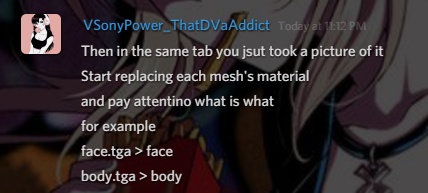
Then in the same tab you jsut took a picture of it
Start replacing each mesh's material
and pay attentino what is what
for example
face.tga > face
body.tga > body
or
HAIR.png > Hair
meager fern
i see i see
https://gyazo.com/ead651c8fb226eea54e7e9d49172359e this is the original btw XD
 fading verge
I feel like theres something excess there
For example
my model had a stupid lighting kit for MMD
i deleted that
it saved me
27000 tris
my model dropped down to 18700ish tris looking normal as it was
So check if u have
Duplicates
1 is the lighting
1 is the actual mesh
you see the eye icon?
Disable and enable 1 per 1 and see what happens
meager fern
k
fading verge
Tomorrow im gonna work on adding Polygons to my model
i want my girl's "tits" to look good
zzzzz i cant use this program
wut wrong with the face? https://gyazo.com/8fefa1e45e2540249b63eaab51c8c442

cant import anything
wtf
@dapper charm u have leftover bones
crash on importing any file
dont know what to do
meager fern
alright... clothing sit was an excess and so i deleted it
fading verge
@primal sentinel reinstall
i did
woah wrong tag
left over bones?
or no?
doesnt work
hmm
reinstall does nothing
@dapper charm u have some bones left in your head
Unity 5.6.3p1 (64-bit)
slim heron
Anyone have any idea why an avatars arms might not move? Can pick up things still but they only float in front of me.
slim heron
lol what do I need to do there to fix this?
fading verge
Make sure the bones are assigned in the correct order and correctly connected
now its on a loop and wont load antyhing now
you literally have to pay attention to what is what's parent
for example
Shoulders are linked to chest
chest is linked to spine
let me show you
with a picture
Just to finish uploading my model sorry for a bit1
so did I delete everything?

@dapper charm yes
now save that as FBX
position 0 0 0 is ground level right
and hop into mixamo
yes
meager fern
https://gyazo.com/03728f64e3aee742f2617be3dde5392b i guess i actually don't know how to do this part XD
 fading verge
so if i want my character to float i would adjust the y axis correct?
@primal sentinel yes
Rabino
You can do that part in the Unity too
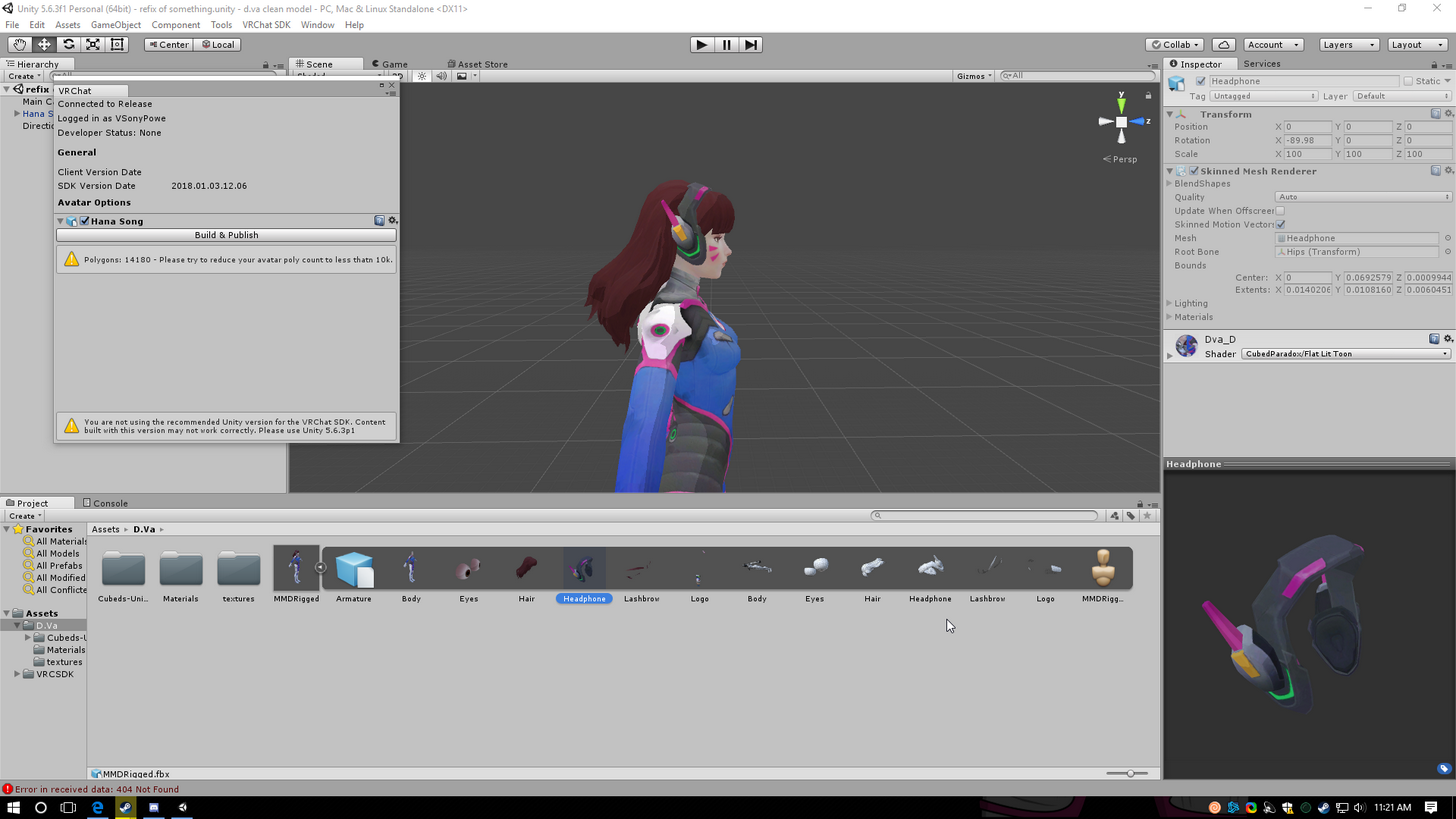
@meager fern when you select a piece of your character it asks you to assign a material on the side [Where it says DVa_D
 meager fern
right
slim heron
Were you planning on showing me a picture VSony or was that in reference to someone else?
fading verge
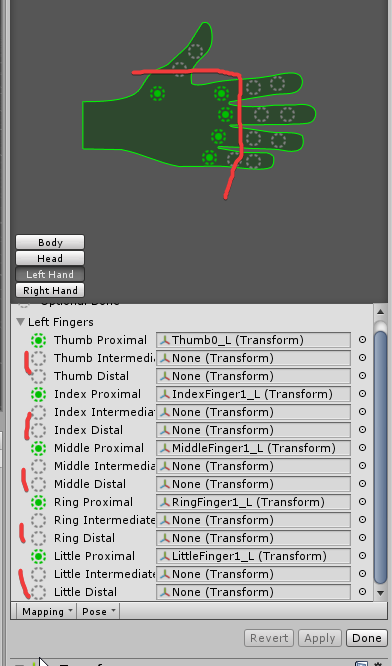
@slim heron this is where you gotta move stuff and make sure its properly organised then check the menu with the green circles
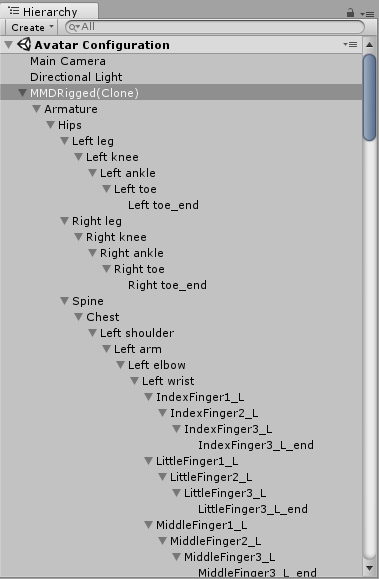
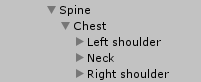
Rule of linking:
Armature:
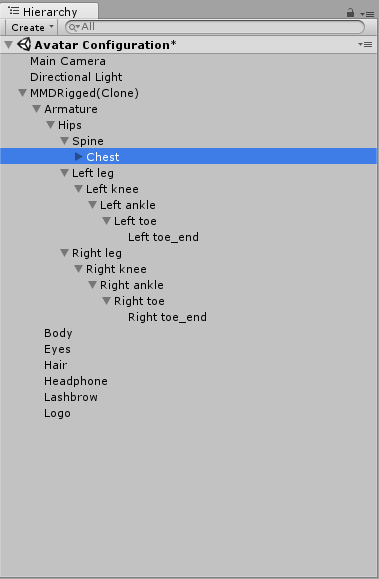
Hips > Left leg + Right Leg
Spine > Chest > Left shoulder + right shoulder + neck
Neck > Head
or simply shown:
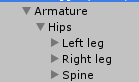


?
Thats ok
the face suppose to be like that?
yes
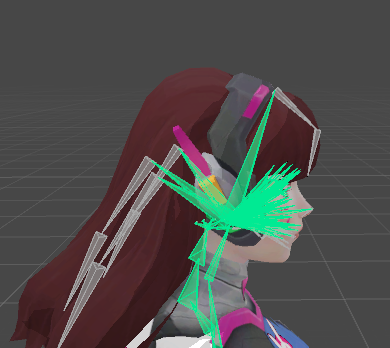
see the big green one at me?
Rest are for facial movement
eyes , smile etc
If you think this is painful , Try unreal engine 4
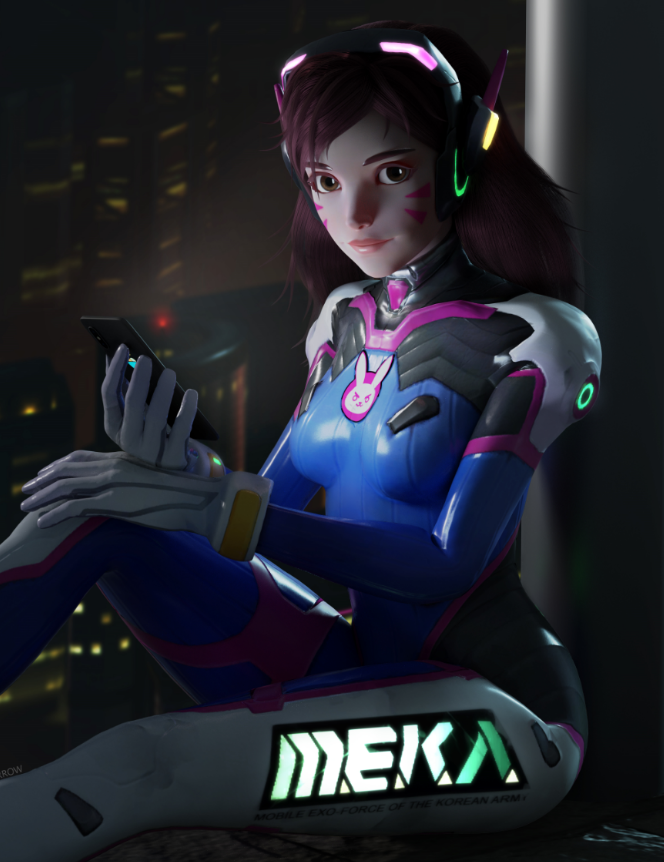
if anyone has any rigging question feel free to leave it to me in PRIVATE Chat! I am going off for tonight once i finished my rig , Tomorrow i will LIVESTREAM and show you how to solve your problems LIVE! 15:30 GMT+1 Timezone!
Heres what a fine rigged , finish looksl ike
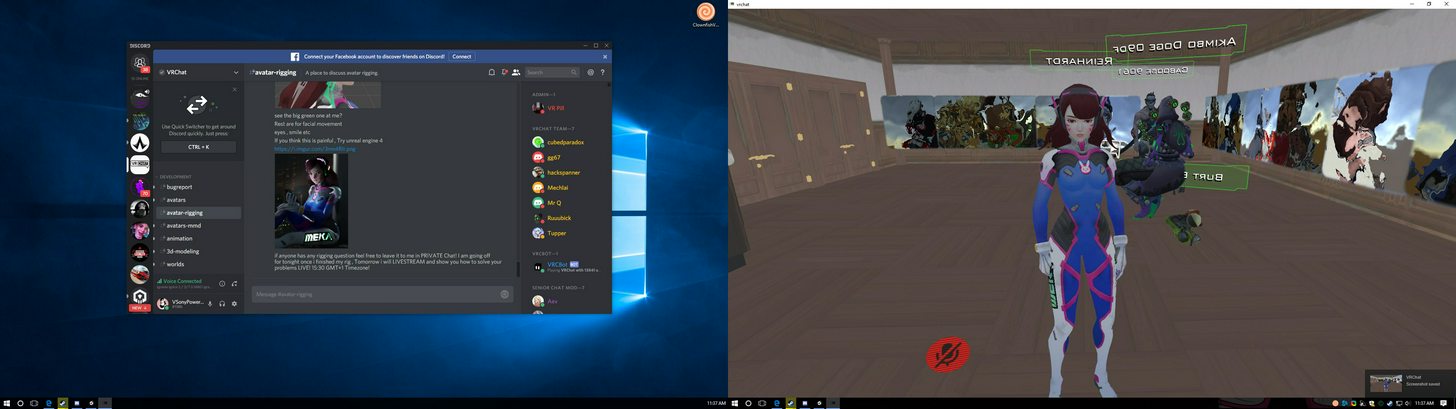
ty @fading verge 4 helping
nice
@dapper charm no problem , dont hesitate to leave questions in PM
i have question later regarding to emote and stuff
im new to all these things, so idk how do to those
brisk mesa
to emote? like in-game emote or did you mean animations and more complex stuff?
fading verge
animations
i tried to import into a char following a youtube guide
my char end up sitting in place doing nothing
brisk mesa
oh i see
fading verge
when my feet don't move it because of my bone putting in the wrong place or wut?
im thicc af boi
lol
meager fern
sony.. im still struggling with my issue XD
fading verge
my char's feet is so creepy not moving
meager fern
do i need or not to do all that baking / atlas stuff on my model?
fading verge
Leave me a message will the full problem in DM So i remember tomorrow i will help you all
OR! if yo uhave

Steam has no 18+ Backgrounds unfortunately. ( ͡° ͜ʖ ͡°) ─ CS:GO Settings ─ ─ Fov ─ cl_viewmodel_shift_left_amt "1.5";cl_viewmodel_shift_right_amt "0.75";viewmodel_fov "68";viewmodel_offset_x "-0.900000";viewmodel_offset_y "2.0";viewmodel_offset_z "-0.300000";viewmodel_presetpos "0";cl_bob_lower_amt "21";cl_bobamt_lat "0.4";cl_bobamt_vert "0.25";cl_bobcycle "0.98" ─ Crosshair ─ cl_crosshairalpha "255";cl_crosshaircolor "5";cl_crosshaircolor_b "255";cl_crosshaircolor_r "255";cl_crosshaircolor_g...
add me on steam
added
So my avatar is upside down. Camera view is all good, but I can barely see above the floor
Unity is not picking up Thumb bones, named "Thumb.L" should I name it something else?
@fading verge maybe its not linked correctly , displaced
Check in the left menu https://i.imgur.com/8i5zhKP.png
and this menu
It's correctly parented to the Hand
Honestly to avoid cancer with the fingers
myself i unlinked the
parti dont need
cus i dont have a VR headset
nor joysticks
That's what I am trying to do too
see on the pic what i did
Did it pick up your Thumb or did you have to manually assign?
i manually assigned each new finger
and remvoed the rest of the un-needed bonnes
Alright, I get it, doesn't answer my question about why it didn't pick it up but I see what you did there
My other model I just drop it in and it auto assigns
the model was well rigged
badly rigged model have a mess on the left and you would get something like this;
It's just blank for the fingers, can easily manually assign but i am doing a lot of iterations here and thought if I just gave it a name so that it picked it up I could save some time
u could try
just make sure everything is in proper place on https://i.imgur.com/MYyJBcX.png
Yes I already stated it was rigged correctly, just the name I am asking about, thanks
ye you can rename it
to whatever u wish
oi v sony, y is my char's feet not moving at all?
but in maximo is moving
ingame or unity
in game
badly organised rig
exactly what im explaining atm to this guy
that it needs to be organised
u must Organise in the way of the pic i sent
ill send them again:
where's the pic
Heres what it looks like all open:
for you
it will be named
mixamo.com_hand
or something like that
i forgot about how mixamo works

alright im really going off now, ANY rig questions or so leave them in the DM
@dapper charm just try to follow what i sent ya
the pictures
nvm there's a feet inside the feet
help
how do i reduce polygons?
 stiff oasis
you have to import your model into blender and use a compression tool, or something to that extent
fading verge
so for non humanoids i dont need a skeleton right
stiff oasis
without a rigged skeleton, your character won't have any animations
however, if you have custom animations already made a skeleton is not required, iirc
fading verge
ok

 lucid isle
uuuugh this stupid moogle
https://cdn.discordapp.com/attachments/398954517896495117/402656412221571102/unknown.png every time and yes theyre mapped

nvm
unity unmapped the chest after i hit configure
idk why but yeah it works
 nimble idol
maybe u forgot to hit apply
 charred patrol
how does one remove the links between two bones? https://gyazo.com/19a03a277a6d38590469f7b2dc557dd3

i want to separate Sona from her turntables
lucid isle
@nimble idol no i hit apply lately unity has been acting screwy for me but meh the avatar can be up loaded i just gotta figure out how to make it float with flapping wings
fading verge
Does anyone use Maya instead of blender?
for view placement is it different for nonhumanoids
would i put it in the mouth or longest part of the face?
charred patrol
nvm, managed to separate them
 summer shuttle
So I wanna do Dynamic Bones on a character I have a custom animation for, do I put the dynamic bones on the model with the animation or the main model?
summer shuttle
Aright and the dynamic bones will still be applied while I have the animation active? The animation is to get a weapon out.
fading verge
for all the newcomers, CATS on blender does a wonder for rigging
makes everything so ez
 novel wharf
CATS on Blender?
fading verge
@fading verge astronautilus?
novel wharf
I'm trying to figure out how to rig and weight-paint from scratch. Not sure how to make eyes work.
Do you weightpaint the actual eyes?
fading verge
@fading verge no its not a league model
fading verge
after 300 BILLION YEARS
I found the bone error issue...problem is i have no clue how to fix it...
The few times I tried to use CATS for rigging I ended up with eldritch abominations for skeletons lmao
 pallid badge
I'm having problems with my Bones set up, I have no chest bone, and when I apply my chest bone to the Chest collum then I gives me an error saying that my shoulders are not children of the Chest
Anyone know how to fix it?
fading verge
check what bone you parented the shoulders to
pallid badge
I might have forgotten to do that, let me check
 main sage
so wait, does the left/right shoulder bone actually MOVE or can those be like unmoving things?
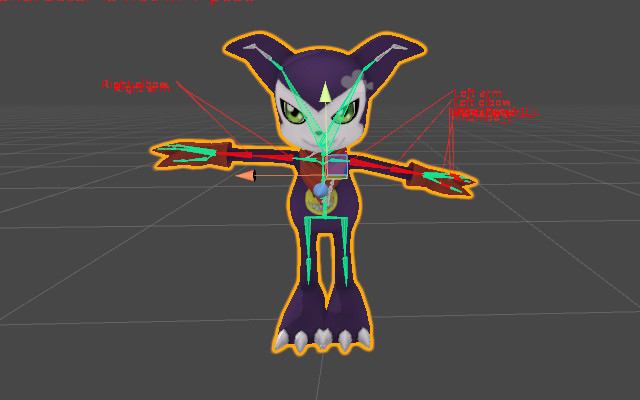
tryin to import a digimon
stiff oasis
i'm not sure what you mean by that
main sage
i mean like
fading verge
How would they be unmoving? They move with the rest of the body walking and running
fading verge
@pallid badge its an issue like mine..its in blender
got fix it there
I finnaly found my issue...but idk how to fix it
fading verge
can somoene help me with eye/view placement
i have parts of my head eyes and nose in my view
main sage
does the arm parenting go shoulder > arm > elbow> wrist? or is arm and elbow swapped
 prisma root
OOOOOkay
so I added some missing finger bones in Blender
and they aren't showing up in unity?
 rare viper
hello! has anyone had the problem where your mouth opens and closes when you're moving? i can't find where the issue is and i've followed Tupper's tutorial the best i could
stiff oasis
check how your model's skeleton is rigged
might be a problem with the neck/jaw bones
fading verge
does anybody have any experience with rigify?
Is there a way to have talking in game trigger an animation?
 crystal vector
@rare viper It's probably because the lower lid shape keys got deleted by Blender on export
 agile olive
does anyone have an idea if it’s possible to have a 6-armed character where each “extra arm” moves exactly like the main ones? And if yes: How do I do that?
fading verge
I have an avatar that has 6 arms, but so far to my knowledge, there is no way yet @agile olive
if there is a way, id also like to know as well
agile olive
hmm parenting each bone of each arm to the main one would maybe work..?
agile olive
also is it “ECHO”-Gumi?
onyx crown
that's what I was thinking
fading verge
nah
onyx crown
I'm having some trouble with my avatar. I made the armature (https://i.imgur.com/PHQp6Z6.png), I combined the armature and the mesh, but when I go in game I get this thing https://i.imgur.com/vqMincJ.png


What's the problem? It looks to me like everything's ok in blender
The bones are connected correctly and there aren't any extras https://i.imgur.com/IpCFQ2U.png

I'm not too concerned about the hair and floating disk yet, it's really just the arms and legs that I'm trying to fix for now
onyx crown
I've heard that's the minimum
 forest basalt
onyx crown
forest basalt
onyx crown
What format are you exporting it as?
onyx crown
what do you mean? You don't go to file->export when you want to put it in unity?
onyx crown
strange
onyx crown
is extruding the same as adding bones separately and then moving the tail of each bone to the next bone's head?
fading verge
i think its the armature file
and i dont know how to use this thing
the armature file is missing bones
and i dont know how to add them in
im trying to learn these programs using the knuckles file
ok so apparently the hips are the entire upper body and i have to split it
and none of the joints are connected
tame skiff
Dynamic Bones is pissing me the hell off
 subtle moth
Why? @tame skiff
tame skiff
It seems no matter what settings I use it gives me stretching and levitating in-game
Unity shows otherwise, and is a lie'
 mild mural
Unity doesn't lie
subtle moth
I never had any problems with dynamic bones
Might be a bone issue
okay, what was that message
fading verge
im trying to get help but i cant get photos to go with the messge
Okay friend be up with me is it possible to rig something like this
its got cloth in weird places
I got bones in it
but when posing it only the second mesh moves not the body
so if you could teach me how to do this kind of stuff that would be great Ive watched all kinds of videos at this point and got pretty far but I cant get the mesh to stick to the bones
and when importing it into unity it freaks out saying model not in t-pose
and missing bone left lower leg even though in blender you can clearly see its there


This is my problem
subtle moth
well, i have no knowledge regarding that topic as well, sorry
 surreal parrot
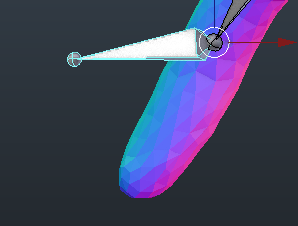
Are they just like little balls stuck on, because I got an odst model with them on the hands and hips. I think they were placeholders for making weapon animations, like where the end of the weapons handle would be. You can probably just remove them in blender.
 flat rivet
https://prnt.sc/i12dyo help pls

 shrewd aurora
I think you need bones connecting the clothes to the body, and you need to make sure the body bones are rigged not the clothes bones
with which error @flat rivet
both i assume? lol
flat rivet
yeah
shrewd aurora
you need to make sure the head hands and feet are mapped in the rig when you configure it, if not just drag and drop the correct stuff in place, same with the arms lemme see I think I have a tut that might help
Yeah, try this https://youtu.be/NMwd53Po93Y

Fixes to common rig configuration issues.
flat rivet
ok
@shrewd aurora https://prnt.sc/i12h26

i have it mapped but it still says the error
shrewd aurora
is the right arm fine too?
shrewd aurora
o
And the bones are parented correctly right? hips>spines>chest>neck>head and such?
or atleast I think thats the order they should be in, 1 sec lol.
flat rivet
 shrewd aurora
actually yeah I think it has the arm mapped with the wrong bones, follow that vid I sent, cause you need to have the elbow mapped in the upper arm spot
even though its green its got them mapped weird, unity likes to map shiz wrong auto
flat rivet
oh
shrewd aurora
but that video should show you exactly which bones need to go where and even how to find the bones.
flat rivet
ok
shrewd aurora
Also make sure it didnt map any twist bones.
 shrewd aurora
oh wait no Im dumb elbow should be lower arm
 leaden carbon
Okay, so the avatar I downloaded was not meant to have a chest nor upper chest apparently. I believe this prevents it from exporting as a humanoid since it doesn't cooperate in VRChat.
Anyone know of a way around this? (btw, I could only find an FBX of this avatar).
shrewd aurora
https://gyazo.com/2dfcdc1cfa9f076bbb12174f9a11bd3c mine looks like dis
 leaden carbon
copy/pasted from main channel
shrewd aurora
@leaden carbon I dont think there is a way around not having a chest, but you dont need an upper chest, infact you probably shouldnt put anything for upper chest on any models.
flat rivet
maybe the model isnt doesnt have correct bones or smth?
shrewd aurora
I had to make a chest on an avatar that didnt have one manually in blender, it sucked but turned out good.
leaden carbon
I'd love to make edits to these bones, but I can't find my avatar as a pmx anywhere, only fbx.
It is Decidueye.
shrewd aurora
oh dang
wait cant you import fbx files into blender? thought you could but I could be wrong, havent tried.
Thought I saw an option for it somewhere though
shrewd aurora
I didnt either a few days ago, but via dedication and lots of youtube tutorials I got it down pretty good lol
leaden carbon
I'll give that an attempt, but it will have to be another time. Thanks for the suggestion!
flat rivet
are the devs working on a workshop for vrchat cuz this omg is so hard
shrewd aurora
Yeah no prob, you could also try deleting the bone structure completely and then saving that as a seperate fbx and then try using Mixamo to rigg the bones
but make sure you dont save over the one you have now incase it doesnt work well lol it works great with human models but might be a bit derpy on a pokemon
subtle moth
@flat rivet At first i though like that as well, by now ive spent around 20 hours in unity and about 50 in Blender and i can say, with time comes knowledge
shrewd aurora
Yeah I have spent about 10 hours in blender and about 8 of those were on the bone rigs for that 1 model I had probs with lol
flat rivet
i spent more time on unity then the actual game
shrewd aurora
well prob not that many hours but a good bit of that time, but it gets easier.
flat rivet
i barely played the game
shrewd aurora
not a bad thing
 lament bronze
Was wondering if anyone knows what might be wrong with this? Whenever I stand still the chest section does this
flat rivet
the only thing i did on vrchat is looking in the mirror to see if my character is working
lament bronze
 shrewd aurora
are you using vr
lament bronze
no
shrewd aurora
o
flat rivet
i dont use vr
shrewd aurora
does it do that in unity? lol @lament bronze
lament bronze
looked fine as far as I know
shrewd aurora
idk tbh thats weird, did you try relogging or switching avatars then switching back? Maybe it loaded something wrong.
lament bronze
tried swapping and reuploading
still does that
thinking of scrapping and restarting it from scratch since this model doesnt require much decimating
shrewd aurora
dang, thats weird. Could be a weird rigging issue but I couldnt say exactly what.
 worthy coral
Try increasing the height of the spine maybe that would work
shrewd aurora
oh thats a good idea
worthy coral
Judging where the spilt starts it's either chest or spine
worthy coral
It might be the rotation of the chest bone too
flat rivet
@shrewd aurora can you still help me?
shrewd aurora
Maybe, what's up? if that vid didnt work I honestly have no idea what could be wrong, following that vid fixed all the rigging issues I had on my avatars
I would just google the error and try suggestions you can find, thats what I did
flat rivet
yeah maybe if i just redo the model
cuz i followed this guy

Show the full description for all the links! SUBSCRIBE, LIKE AND ALL THAT GOOD STUFF!! :D DISCORD ► https://discord.gg/vNyJgCX Unity ► https://goo.gl/DsDaKz ...
and i worked for him
shrewd aurora
You could try that too, starting from scratch helped me with one of mine, it was a pain but worth it.
Hmm.
shrewd aurora
is it the same model he is using in that tut you are trying to use?
flat rivet
no its a different one but its the same type
its a neptunia char
in the same website he used
shrewd aurora
oh hm.
Have you tried using CATs Blender plug in to fix the bones? It's hit or miss but Id try it
flat rivet
ooh i fixed it yay
i re did the thing and it worked
still didnt know what the problem was but i fixed it
 orchid shale
Is there a way to combine shape keys? I need to have two shape keys combined together for her mouth to work
subtle moth
Id say Through the Roof
Dynamic Bones on Skirt @nocturne hornet ?
Then i have no idea 😄
sorry lmao
maybe
"Vrchat Skirt deformation while playing animations" ?
or sth similar
brb
 subtle moth
@nocturne hornet Did you put the Bone Script on the right bones?
Like, i know you can make roots and then apply one script for all of them
I could image her mantle dynamic bone is on the boobs or sth
fading verge
😦
 twilit galleon
@fading verge Are you running unity 5.6.3p1?
twilit galleon
it has to be exactly the right version, or so I've heard
fading verge
where can i get that @twilit galleon ?
subtle moth
Yes, that may be an issue xD
and also make sure its on the right body part
yup, think so
gl
^^
Yup :3
This'll cheer u up just in case 😄 https://www.youtube.com/watch?v=MVuAAMX1ESc

This week's upload is "She" by Stereoman. A super cute upbeat track off their EP "Up to You"! Stay tuned for next weeks upload and thanks for 14.7K subs! Ori...
 restive urchin
So I am poking at the humanoid animation set to see what I can get away with, and as it's on two legs have this guy going https://imgur.com/a/6BVG1 I never expected things like emotes to work, but running around it actually animates very well. The trouble is when it idles, the limbs get sucked toward the view position dot. Without the humanoid animation set though there is no IK which is a shame as it's fun to actually use the claws and head motions. Is there any option via rigging to force IK to fall more in line with the model itself rather than the view position or is this sort of thing with IK just not possible at the moment?

 edgy hill
Vertices is points
The connection between two vertices is an edge
and three edges is a tri
 fading verge
ye i see that
edgy hill
The thing is, quads are also a thing
fading verge
but i dont get which of those translates to polygons
fading verge
right ok ty
shit that fucked it up
its 20,0001k at the moment but it looks like a burned plastic soldier
novel wharf
Do I need to do IK in blender while rigging something for vrchat?
fading verge
20,038k
subtle moth
no xD
subtle moth
20,038k = 20 millions
its 20k 😄
i hope so at least
yay boob jiggle xD
Wait, i know someone who might be able to help 😄
@modern oyster Have you got any idea how to fix the Model?
 modern oyster
Sup
@nocturne hornet enlighten me. what's happening?
In other words her bone structure is messed up
Have you checked if you accidentally pushed her body in Unity?
subtle moth
Wait, Maybe She has zero weight bones? o.o
 summer hornet
hey im pretty sure this has been asked before, but how do i fix "your rig has the upperchest mapped in the humanoid rig. This will cuase porblems with IK". I used mixamo to rig my model, and then blender to fix some textures, and then uploaded it to unity. But i am a total noob when it comes to unity, and in blender i barely know how bones work
modern oyster
just delete the upperchest in rig configuration
summer hornet
i am a total noob to unity and in blender i barely know how bones work
subtle moth
Its really easy @summer hornet
In unity
go to your file browser, where your fbx of your model is
then look where the humanoid thingy is
there should be a configure button below it
click dat
summer hornet
yes
subtle moth
then a view opens
at the right
theres all kinds of stuff
look for the upper chest
click on the small circle to its right
then select none in the window which opened
now you need to go to chest i think
and also click the circle
and replace it with chest 2 or sth like that
it was a mixamo thing if i remember correctly
summer hornet
yes thanks a lot!!
this took me 5 minutes, why are all the tutorials on this 30
how can you see how big your avatar will be? all i can see is the scale of the avatar
restive urchin
In the VRCSDK there is an example avatar you can add to the scene for comparison.
summer hornet
ooo
subtle moth
For me, the character scale 0.105 works for most cases
summer hornet
is it that important to keep the avatar on 0,0,0? because right now the feet of mine are slightly underground
subtle moth
i mean, dont think so? 😄
summer hornet
because in the tutorial they said it was important
subtle moth
but when i think about it it might just auto-move it to 0,0,0
Try it out
and then decide what to do when youve seen the effects ingame
restive urchin
Speaking of effects in game - is there a way to shift where IK stuff is biased toward? If I shift the view position dot around the limbs seem to want to get stucked toward it which is a problem for the avatar I'm working on. If I could set the IK to work off the model's origin instead or something that'd be great, but I'm not knowledgeable enough with unity to know if that's possible.
modern oyster
@summer hornet sorry that I just ditched you there.. I am doing this in the side whilst being at wirk. and a co-worker came by and I needed to show him some progress.
 oblique karma
anyone know how to fix this arm issue im having https://i.imgur.com/6Aknvzj.png ?

I'm assume something to do with mapping the mesh to the bone
 brazen plaza
dont think it's properly weighted
 royal agate
My model wont auto weight
on blender
anyone know any fixes
other than re doing the whole skeleton
restive urchin
Could it be the topology of the mesh rather than the bones? @royal agate
royal agate
i dont have a clue what you just said but the model is a pretty normal weeb ass anime girl model so
 subtle moth
^^
royal agate
im just waiting for a para saying everything in the rig is dreadful lmao
restive urchin
I'm not overly familiar with Blender sadly, however whenever I've needed to rig anything in it from Zbrush the topology / mesh has to be rather specific for the auto weighting to work, so it could be the model over the skeleton is all. Sadly I can't really help further.
royal agate
yeah okauy
I think i may have made some mistakes while Rigging it so imma probs try that again if not ill have a go at brushing it
which wont be fun
oblique karma
 fading verge
BOI
oblique karma
not sure how to fix this lol
fading verge
THAT ARM
oblique karma
How 2 fix plz tell
royal agate
jesus
royal agate
have you checked the weight brushing because it seems to be attaching to the dress
 glad egret
how to fix this? https://imgur.com/a/gk8br
 oblique karma
@royal agate it was the weight paint lol
royal agate
my 10 seconds of experience coming in clutch
fading verge
nice skirt
subtle moth
maybe xD
surreal parrot
Why csn i not send pictures
royal agate
what happens when you pose it in blender or whatever your using?
surreal parrot
Ah
subtle moth
its a preview 😄
surreal parrot
Just saw the link
subtle moth
^^
surreal parrot

This is my problem
Im guessing its because it wasn't t-posed
Extremely new to this all
So I didn't know how to do any of that
So I didn't know how to do any of that
Maybe the rigging itself messed up
Because it told me to set the chest as spine4 or sonething
 coarse prairie

would anyone be able to tell me how I can get the tongue to default to pointing down?
I have it set that way in the rig settings, but it won't let me change them when I go the main view (not sure if that's the right name for it)
when I position it down and move back up the hierarchy it resets the position
coarse prairie
that's what I thought would happen, but when I went to test it, it still stuck out like that
subtle moth
try to place the script for the tongue parts on the part theyre used on
so tongue1 dynamic bone is actually a component on tongue1
maybe thatll help
 naive tree
or just reposition your tongue in blender to a place you want it to be
coarse prairie
I also tried to do that but it only rotated the bone in place without moving the mesh
I'll try the script on the parts
subtle moth
also youre settings are pretty stiff
the higher the slider the heavier is the effect
so half full stiffness is pretty stiff
elasticity is only exception keep it low for most
coarse prairie
just realized I set inert when I didn't mean to
maybe that's what's making it stick
subtle moth
maybe
but your values are way too high no matter what
turn down stiffness and elasticity
and try that
coarse prairie
what about damping
coarse prairie
cool, got actual movement now, testing to see what the default positioning looks like in game
glad egret
@brazen plaza sorry for the late reply, but yes it is
brazen plaza
i remember looking everywhere for that model to no avail. surprised you found it
coarse prairie
 subtle moth
is it stuck in that position?
coarse prairie
it's flopping around at least, but doesn't ever point down
it also rolls back into the mouth if I walk backwards
or forwards I guess
subtle moth
When i think about it you should be able to select the tongue bones and rotate then downwards without complication
its an optional bone
also, if you want to make the tongue a dynamic bone you need to make colliders for the whole body or it'll stick through while walking



 subtle moth
Why, looks gud
coarse prairie
I have it down in rigging, but it won't "take" in the main view
when I use done, it keeps it sticking out
glad egret
@brazen plaza i found it on deviantart somewhere
subtle moth
see if sth changed
glad egret
was by prichama i believe
coarse prairie
actually, I got this one @brazen plaza @glad egret https://2234083174.deviantart.com/art/MMD-PK-Lickitung-DL-669804725
glad egret
why
brazen plaza
oh, thanks. i found it
coarse prairie
@subtle moth nope, still sticking
subtle moth
hmmm
try modifying it but not in the bone view
you wont see the bones but you should be able to move em i guess?
if that doesnt work im lost 😄
 loud blade
Anybody know how to fix this? https://prnt.sc/i15j6c

Arms and feet are facing correct way but head, and body arent?