#avatar-rigging
1 messages · Page 73 of 1
 brisk mesa
to see the tab of armature pop up, you need to select your whole thing in general in your list
 tawny zephyr
then... wheres the Xray button?
brisk mesa
you definitely have bones right?
tawny zephyr
yeas
brisk mesa
yea idk then it should be there
tawny zephyr
oh i found it now
brisk mesa
xray and name checkboxes are under that "Display" thing yea
tawny zephyr
i thought you meant to click the little person in the hierarchy
so now how do i change it's length?
brisk mesa
select bone and mess with it, i imagine
 crude crag
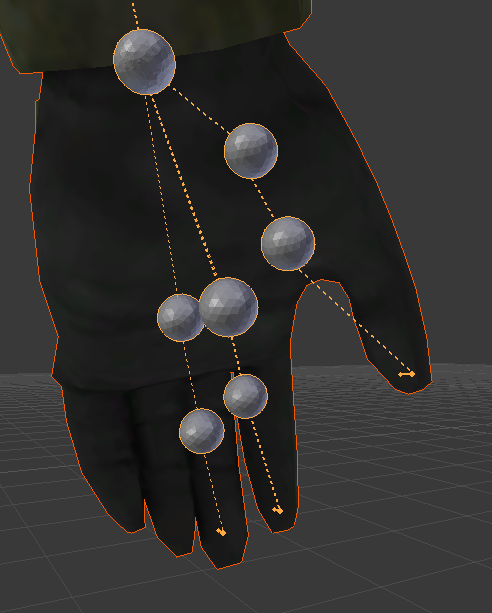
https://cdn.discordapp.com/attachments/390924372782612480/402245051394162703/guardswomanhand.PNG
https://cdn.discordapp.com/attachments/390924372782612480/402245956642275338/guardswomanhand2.PNG
couple of pictures of my characters hands. advice?


trying to change the unity fingers bit on top
tawny zephyr
and then how do i export it so that the changes are saved?
wait... i'm editing the bone i think... but it doesn't look like it's affecting anything
 topaz dune
@crude crag this is problem is so fitting for you name, make one more bone for the fingers, mabye it'll help
brisk mesa
i drag bones like this, after i make sure this bottom setting is correct. arrow is axis based, curve is like rotate, the right line with box is scaling. also i am in edit mode.
now to export your changes blender has export as fbx up top.
tawny zephyr
oh, i found out how to make the bone grow but now compared to the other bones it looks liek they're not there
crude crag
lmao glad i asked for someone to point that out niko
tawny zephyr
the other bones are just dotted lines
topaz dune
Tho i'm off for now, hope you guys get to fix your problem.
crude crag
thanks for helping those you could!
brisk mesa
dotted lines means those bones are i guess parented to some other bone. you can see what they are parented to in the bone tab settings or looking
so if you're missing bones you're gonna have to add them
brisk mesa
i like to add bones like um... i click the round joint at the end of any bone and i press E and start dragging.
tawny zephyr
if i export the model the changes will be saved right?
brisk mesa
it should yes
but um you should probably assign those bones some weight of your mesh
otherwise the new bone aint gonna move jackshit
that's why people here talk about weight painting btw
tawny zephyr
my model doesn't have a texture in blender, is that gonna affect unity?
tawny zephyr
ok
tawny zephyr
i don't know what i did wrong... how did this happen?
this doesn't happen with the model BEFORE i change the bone
 fading verge
Where can I get someone to make me a avatar?
 cerulean dawn
anyone know why my character's feet are stuck in the floor, I tried moving the model up in blender and that didn't help
 vapid osprey
question how come my avatars hand look like this in unity BUT my model in BLender looks fine?
i can "move" my models had in unity but will it stay int he palce if i move it? not sure what the problem is but all my hands were "connected"
hm..
was i supppose to get rid of those and parente them manuelly?
hm. i see.
alright i'll give it a go and ill update on my progress
cerulean dawn
ok so on my model the origin is fine and all but when I assign my bones in unity it shifts my character down to the point where it's feet are in the ground, any idea how to fix this?
 main sage
is there a guide / vid somewhere about adding accesories to avis? i wanna put something on the back of this thing
 rare fjord
would I have to rig this as humanoid in unity and figure out how to piece a rig in this model?
fading verge
is it going to have arms?
cause of how simple it is you might be better off just making a very basic walk animation and importing it as a generic
also im driving myself insane with this miia model http://puu.sh/z1Lxo.jpg
 main sage
how would i attach an object to my avi in Unity?
like a hat or backpack
 turbid vault
 brisk mesa
nice try on the miia model btw, i was too scared to try
fading verge
 brisk mesa
@fading verge did you assign weights to your earth-chan's arms though?
fading verge
im sO CLOSE
 acoustic tulip
need some help with weight painting
brisk mesa
it helps weight painting if you can get some mesh out of the way if you have them separated. like i select some, press M, and i make them go to another layer kinda like photoshop
fading verge
mRage
THat is one one thing i did not do
or did
idk
At one point everything was working except for a spine error
then that
brisk mesa
also if helps weight painting if after i'm done painting one part, i double check with weight 0 blue brush for parts that should not be moving
fading verge
im getting there
brisk mesa
cause i always fuck up
 tame skiff
How do I set up eye tracking bones without Cats?
acoustic tulip
is there a way to paint the entire mesh not with a brush but with a bucket like in Paint? Because my model is somewhat complicated and the brush just cant reach a few spots on the inside because its a single mesh
so when i move the body part there are a few glitch lines showing
like broken geomentry and stuff
tame skiff
@acoustic tulip I think you can go into object data (tab on the right that looks like a topheavy triangle), find the bone's vertex group, select everything you want in edit mode, and click "assign
fading verge
attaching files has been disabled in this channel from now going forward
acoustic tulip
hm actually
i think it would be easier if i knew how to save characters default pose
fading verge
This is done as a security measure. You can still link to pics via imgur or similar service.
tame skiff
Rest Pose is a button in the Armature tab
vapid osprey
@arctic grotto YOOOO Major thanks my friend that shit was driving me crazy but your idea definetly helped me out.
crude crag
wait why can't i upload screenshots anymore
tame skiff
VR Pill - Today at 9:21 PM
This is done as a security measure.
crude crag
bah.
fading verge
How do i fix this error Q_Q LowerArm is not first child of UpperArm or Hand is not first child of LowerArm: you may have problems with Forearm rotations.
Anyone knows? Q_Q
 copper merlin
Do you know how to fix a see through skirt from looking from the inside?
acoustic tulip
This is my problem basically https://imgur.com/yrPD1Yo
 tame skiff
@fading verge Sounds like you assigned the bones out of order, or assigned bones that aren't connected
acoustic tulip
nothing in the edit mode tho https://imgur.com/SGGaqV3
 tame skiff
Then reassign
fading verge
wanna screenshare on me for a closer look?
tame skiff
manually
fading verge
Done so
same error
even tested it
this is also my other issue The angle between pelvis and thigh bones should be close to 180 degrees (this avatar's angle is ___). Your avatar may not work well with full-body IK and Tracking.
<--first time unity an not sure what to do
tame skiff
Ignore that for now, it'll probably still animate in-game
acoustic tulip
so can someone tell me whats up with those spikes that i cant get rid of?
fading verge
Ok
fading verge

Is there a way i can rig the mouth for movement?

It has such a wide grin and i don't know if visemes would work on him
https://gyazo.com/813ac76ebc1d0934d3e9b4557a2fddb2 <inner mouth
 brisk mesa
i'd get lazy on that and use jaw flap but i'm sure you could still use visemes
but gonna have to make some radicalass visemes
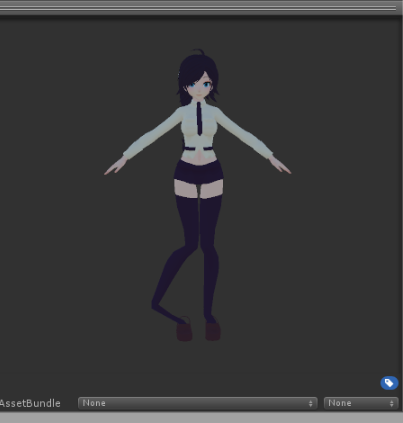 brisk mesa
is your skeleton correct in the legs? like did you weight assign it?
fading verge
Dam genetics screwed up there
brisk mesa
normal japanese girl legs
fading verge
what do i do about it
fading verge
mRage would the visemes affect the mouth inside too?
brisk mesa
not sure
fading verge
i went thought blender and found nothing wrong
Cause the fleshy part you see behind the teeth is a seperate model itself
brisk mesa
from what i can tell everyone who uses visemes uses shape keys right? so they just set the tongue and shit too then
fading verge
Same thing with the teeth
brisk mesa
@fading verge even the weights?
cause i mean what if you accidentally have some finger bone affecting that leg, etc
fading verge
what are the weights
brisk mesa
you check the weight assignments, like in the weight paint mode where mesh turns blue
blue meaning 0 influence, red being max influence
fading verge
?
brisk mesa
and you go down the list of vertex assignments shown in your right bar
in the tab with the triangle
fading verge
The thing i am scared of what might happen is that when i import this to unity the legs and arms would stretch out cause he has stubby arms and legs. @brisk mesa
brisk mesa
if i had stubby arms and legs, to make it not stretch i would weight assign it a little bit better and make smaller trex limbs, right?
for the skelly
fading verge
No idea what you said
how do i see the weght
That's new to me
When you say weight assign what would you mean
 uneven rain
does unity save colliders if I import a new model? If I decimate the model in blender and then import it into unity again will I have to redo the dynamic bones?
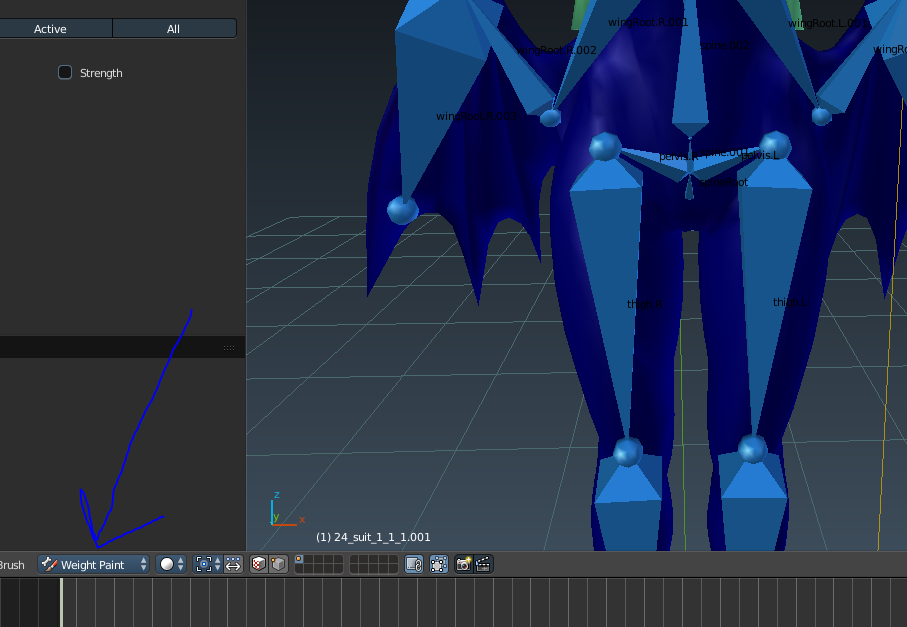 fading verge
Yeah i was about to send pic of the Tahm's model limbs
brisk mesa
this option, fam
yea i just started uploading to imgur
when your mesh turns blue it means 0 influence on that particular bone, go down the list on the right in the tab with the triangle thing
fading verge
Oh is that image for me?
fading verge
O ok
brisk mesa
brush settings are upper right bar
brisk mesa
that's how you manually assign the bits of your mesh to the bone
that's what
like very specifically
you can make gradient painting to make it more natural
fading verge
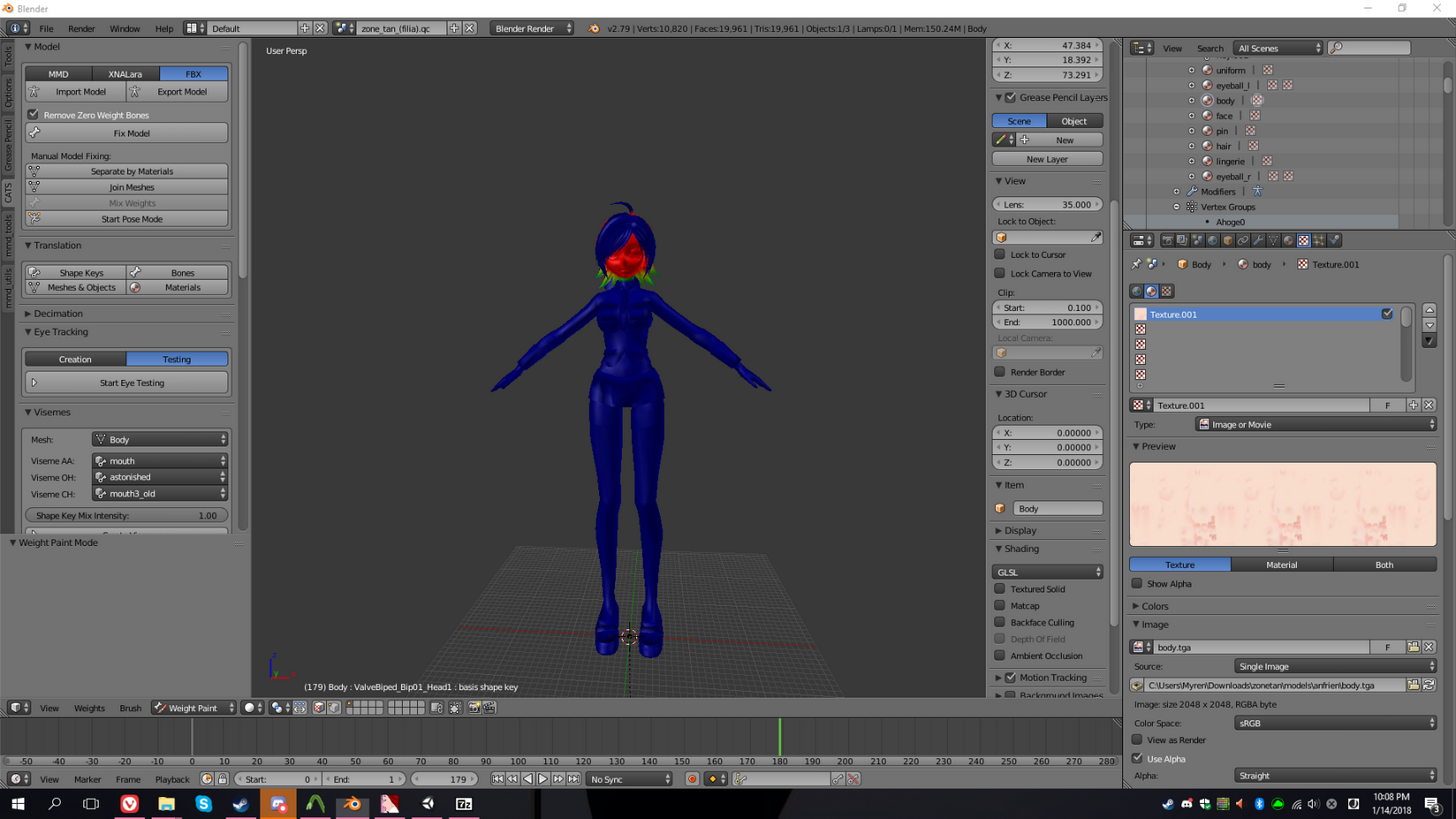 brisk mesa
okay now check down your list to make sure nothing weird is affecting that one leg
fading verge
So weight paint would prevent stretching and tearing of models?
brisk mesa
it could. yea. you just need to do it properly
fading verge
O ok
brisk mesa
like earlier my dress was tearing cause something else was pulling on it
fading verge
But how do i know where to use it?
brisk mesa
if i have stubby arms and legs on a model i would make the skeleton bones actually those sizes.
and i would auto-assign the mesh to the rig first as starters
then check it out
fading verge
Can you tell me if i am doing it right or wrong in pms?
 fading verge
fake legs
gonna see if i can fix her tail clipping into the ground now somehow
and then i'll add dynamic bones to hair and such
brisk mesa
oh maybe move her origin more down
fading verge
that wouldn't help too much
cause shes sinking in at a angle
she'd just be floating weirdly
probably gonna just bend the tail slightly and make her fake legs taller
Jaw bone flap is just the jaw acting as a hatch right
=D!!! I found my issue
the arm bone is detached.....
FFFFFFFFF!!!!!!
meanwhile i have to learn how to fix it...fml
fading verge
O hey smashed
crude crag
hiya
crude crag
o
fading verge
wait what....
I'm currently cracking my head open trying to rig a model
i didnt do anythin n the bone went back on its own...O_O!?!?!?!?!?!
it did have a parent
i think the bone out of place caused it to be gay
but...its back on its own....
idk bruh head desk
If i delete bones that are not in use in the pose mode on blender...will itcause an issue?
crude crag
make sure that they have no weight assigned to them or have any children @fading verge
if they don't then it should be fine
@fading verge another one?
fading verge
Idk how to check for that...
I delete some bones but i dont think i deleted it in the files in blender...would that cause an issue?
crude crag
make a separate save
 summer shuttle
So my models I uploaded tonight aren't showing up in game, They appear as blue outlines. I uploaded them and everything as proper but I dunno what's going on.
I used an older version of dynamic bones on one and I did a custom animation with the other.
fading verge
k
summer shuttle
Neither of which are showing up in game. My older models are working fine though.
crude crag
upload servers aren't working well @summer shuttle reupload later
summer shuttle
They uploaded successfully
I did that earlier
Or have they just not refreshed yet maybe?
@crude crag ^
summer shuttle
So should I reupload or just wait to see if they show up eventually because they are there on my personal avatars but they don't load in.
 orchid kernel
can someone run me through dynamic bones real quick?
like what does the options in it do
summer shuttle
https://youtu.be/7P0ljQ6hU0A?t=1h17m16s This should help. I put the link at the proper time too

VRChat Community Discord: https://discord.gg/VRChat Download VRChat! http://store.steampowered.com/app/438100/VRChat/ mmd_tools GitHub: https://github.com/po...
Ok so from what I looked up if the outline is red then they didn't upload properly correct? @crude crag
crude crag
yeah if it's blue i think you just have to wait???¿¿¿
summer shuttle
Yeah they were both red.
ugh and my internet is garbage. Hopefully everything is saved over.
My one at least is.
I'll try it again.
fading verge
the vrchat upload servers are real spotty right now
summer shuttle
Also I guess my one with dynamic bones replaced one from earlier that didn't have dynamic bones, I guess I didn't change the name?
Gotta love it
Have they just been spotty starting today?
crude crag
no it's been quite ongoing
fading verge
^
its pretty bad today though
waiting like 10min to see if my avatar uploaded
and then 50% chance it didn't even upload and i get the red player model
@crude crag yep and this guy is a fat catfish
he has a wide mouth too so i don't know if i can use visemes
 mild mural
@fading verge you might try doing one jaw viseme for jaw blend shape
I've never tried the single viseme, but it should work (unlike jaw flap)
fading verge
I am forever with the same error
 orchid shale
This hem of this MMD models flare jeans is giving me grief to no end. Whenever my character moves her legs the hem stays in place and doesn't move with the legs. Anyone got advice for the hem to move with the legs in animation? https://i.imgur.com/eFnHR8i.png
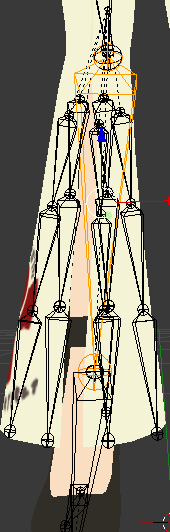 orchid shale
I did dynamic bones earlier and it came out like this with colliders added to her legs(Pic related). And without colliders it just stays in place barely moving. https://i.imgur.com/HBoDXAD.png
Idk about this weighted thing though, do you have a video tutorial about it?
 rich oriole
Umm hi, is that an issue on the .fbx model or also on the .pmx file?
 merry cape
you gotta mess with the settings, I think the colliders on the legs probably make it jump back like that
rich oriole
I know how to fix weighting issues in the .pmx editor, unfortunately not the .fbx files
merry cape
there's a pretty good weighting tutorial for blender
rich oriole
Ah, maybe this will help you? https://youtu.be/Tl4qTgwQwYw

Quick intro and guide to skinning/weight painting. this video is meant for those with a basic understanding of Blender
orchid shale
Even with messing with the colliders, the hem stays in place, like static in its postion. It'll still move and stuff, but the hem will stay in the same position. Sorry if that doesn't make sense.
I'll try looking into this video regarding weight though, thanks.
rich oriole
if you have the .pmx file I could check it for you if you need some help with it. I wish you the best of luck!
orchid shale
Thanks ^_^
fading verge
Do I need dynamic bones for a tail?
merry cape
it helps yea
mild mural
you can animate it if you don't want to do dynamic bones
or you can do a combination of both
merry cape
animating it would be cooler but take more time
 balmy solstice
How would i get a T-rex like posture?
Assuming the humanoid walking animation would work with such a posture?
And that it's doable in Unity
crude crag
https://imgur.com/a/P7n84 okay so how do I move this bone without messing with anything else? I just need a better joint for animation
 abstract wedge
how do I leave the upper chest bone blank
 foggy terrace
set it to the bone None
(in the list of the bones)
abstract wedge
this thing?
er
cant add images here 😐

this thing?
(sorry I'm new to this lol)
I can't change it
crude crag
click the little circle on the far right of that image
its not very intuitive i know
@abstract wedge
fading verge
Anyone have a guide for avatar rigging for models that can't have a humanoid rig but generic instead.?
 cosmic mica
my avatar seems to be working just fine but its fingers wont bend with my controls, according to its setup all necessary bones are there on the correct side of the skeleton, could it be its throwing a fit over an asymettrical skeleton? (the right arm is a light beam)
abstract wedge
tells me to set upper chest to none, then I get told to set the parent of spine heirarchy ... ehhhhh
abstract wedge
ah
balmy solstice
Just to be sure, It is possible to have someone in a t-rex posture?
 abstract wedge
Is it possible to give a car a humanoid rig?
crude crag
i dont know why you'd want to
fading verge
Can anyone give me a quick hand with a rigging question please? I can't seem to post the image here of the trouble I am having.
crude crag
upload to imgur and share the link
fading verge
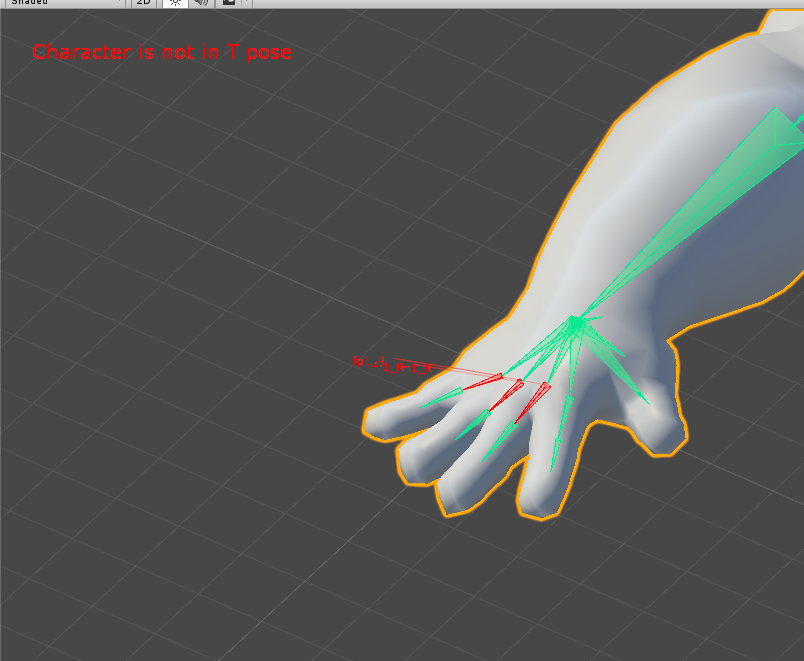 crude crag
you can prolly ignore that
fading verge
Surely there's a way to make it so everything aligns?
The index finger seems to be happy.
 manic flicker
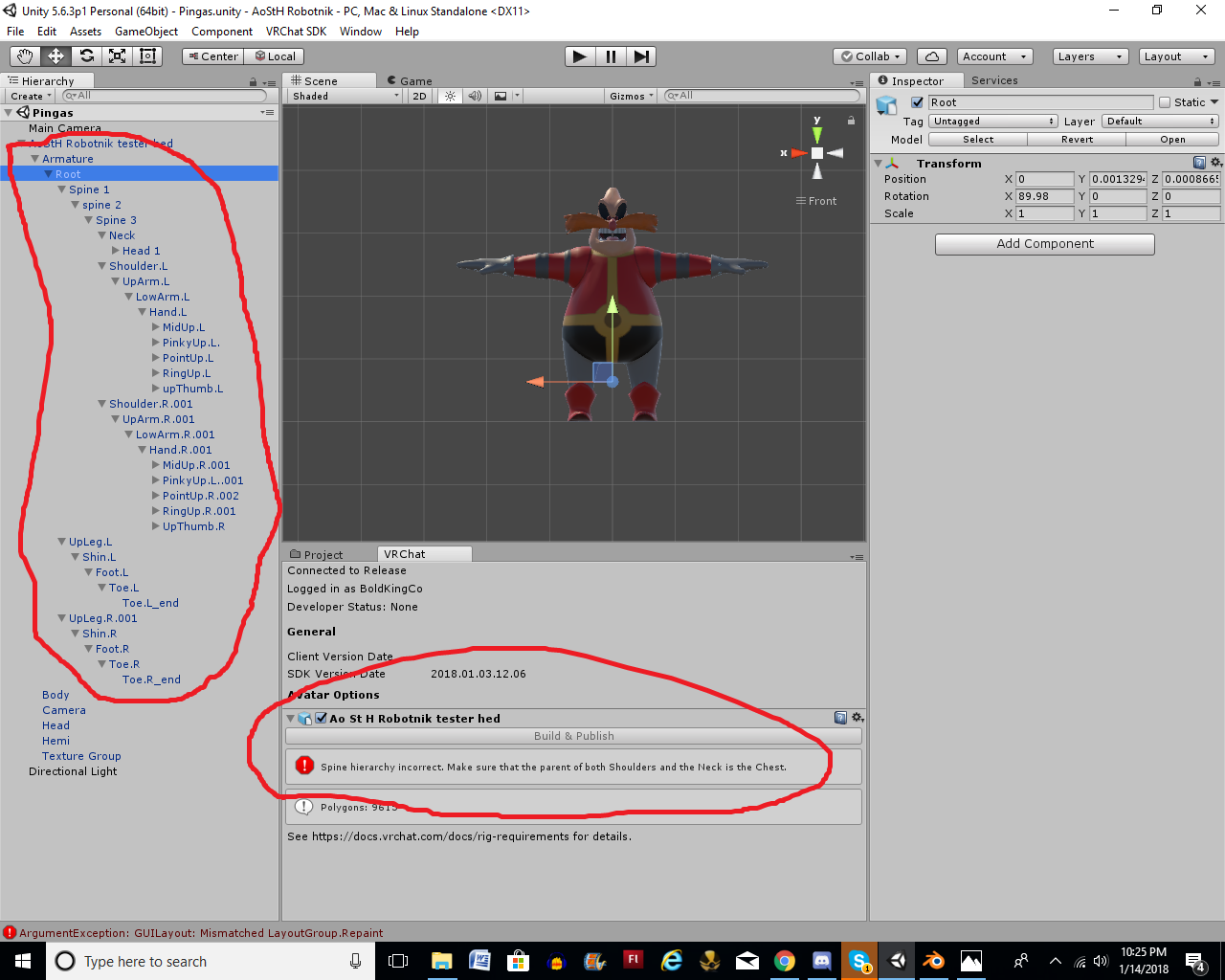 abstract wedge
just switch some bone settings
if you took out a _2, and you have one set to the _1, set the _1 to the _2 or something
worked for me
 blazing tide
Make sure you spine 3 is assigned to chest in the model's rig, in unity.
 onyx crown
https://i.imgur.com/8zlvTIx.png I have bones that can map to these areas, but I dont see where I can define the spine, pelvis, etc. Only see options for chest, feet, and the rest.
 fading verge
i need help
 violet ruin
Any good tutorials on rigging from the ground up?
fading verge
Anyone have a guide for avatar rigging for models that can't have a humanoid rig but generic instead.?
If I wanted to add a tail on a model how would I do so
and keep the bones
 dusk pilot
Does anybody know what causes this leg splitting? Is it just the positions of my bones into the humanoid skeleton?
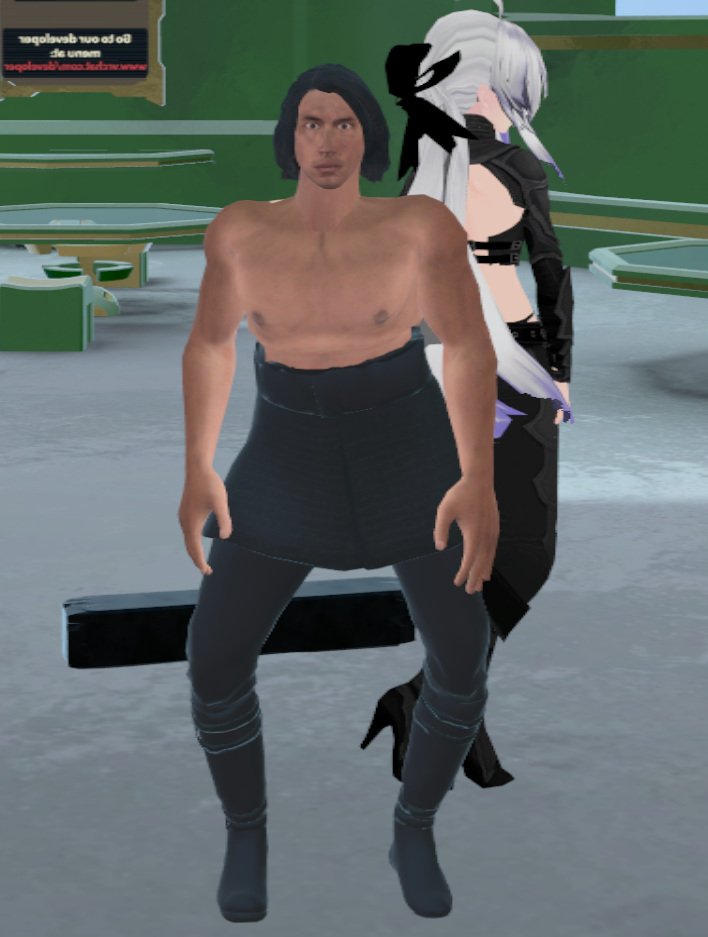 fading verge
I NEEEEEEEED HELPPPPPPPPPPPPPPPPPPPP!!!!!!!!!!!!!!!!!!!!!!!!!! PLS PS THANKS
 restive urchin
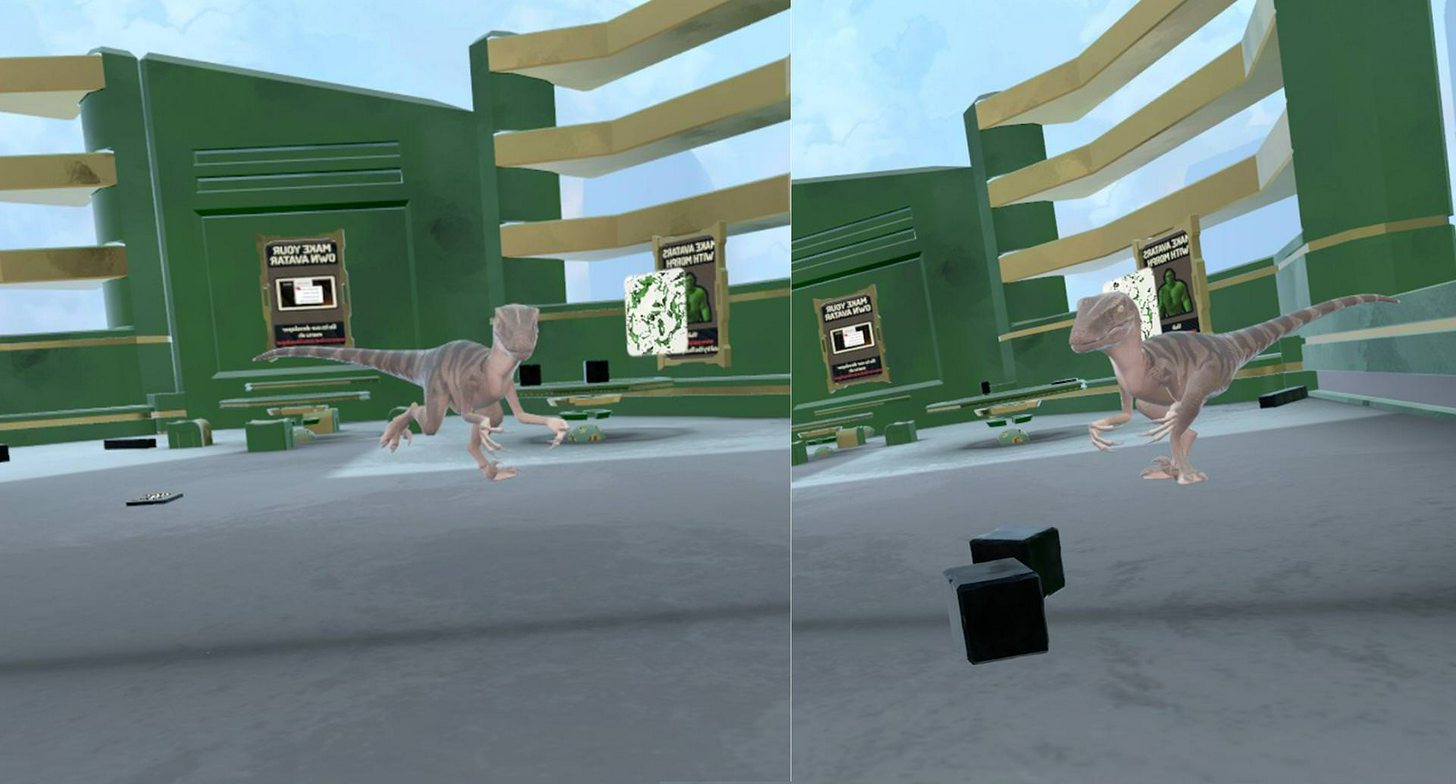
So seeing a dinosaur related question above, I've actually had a large amount of luck convincing the humanoid animation set to paly with a velociraptor avatar, with just one issue. IK when stood still seems to ignore the muscle constraints of the legs. https://i.imgur.com/WMkFyf4.jpg The left is it working fine, the right is if I dare stand still. Is there any way to force IK into line on something like this, or will I need to try and make an idle animation? And, will an idle animation even work in this case as in VR stood up you're never quite idle?
 near kindle
 hallow plover
Anyone know the quickfix for "ShoulderP_R/L, preventing from making the shoulder bones direct children of the upperbody2" isuue by chance?
 late stag
@dusk pilot i think its your player height
 crimson sonnet
Does anyone else experience weird character dynamic bone twitching when using the CustomOverride?
fading verge
i need advance help with characters and major or i think problems pls
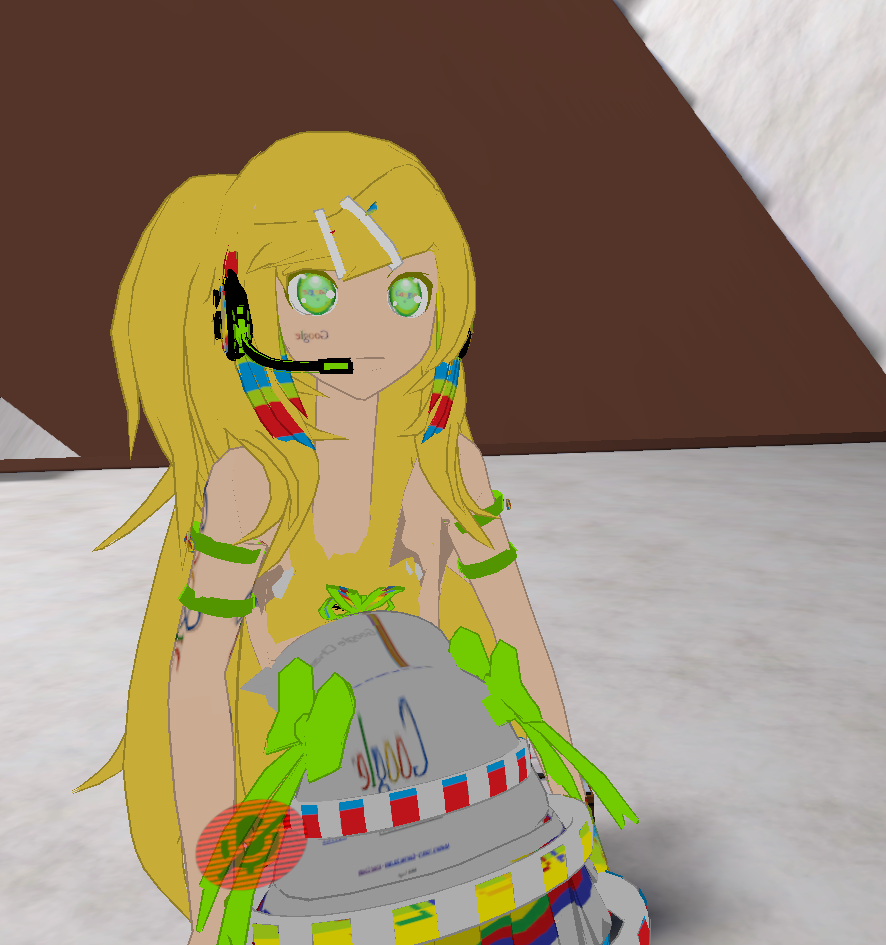 fading verge
If I wanted to add a tail on a model how would I do so?
and keep the bones
 arctic sigil
Can someone give me some pointers on trying to rig a killzone model or should I not bother?
brisk mesa
killzone peeps are humans so it should be pretty basic, no?
arctic sigil
Mh, well yes and no.
brisk mesa
do you have a model already?
arctic sigil
I have 4...
brisk mesa
you could shove a skeleton in it in blender and see how well blender does automatic weighting
and then go from there maybe, tweaking it
balmy solstice
 arctic sigil
was using mixamo because lazy
brisk mesa
i figured but yeah if you want better results, you can't use mixamo xD
balmy solstice
I have 19 lel, but i didn't bone a single one (I did edit some bones but never fully boned one myself because I am stupid.)
 limpid scarab
@fading verge Is the body piece weight painted to the correct bones?
limpid scarab
Ah alright, I'd check the weight paint if I were you, see if the chest area is done correctly
 brave flower
https://imgur.com/tNGLxuj Can anyone assist me in figuring out why the sleeve isn't inheriting the movement of the shoulder? like the arm moves but the sleeve doesn't

 polar marlin
Hey guys, can anyone help please ? I’ve been trying to upload a pikachu model using Unity and the sdk. I managed to reduce the polycount, the size... But as it’s not an human model I’m having a lot of issues with the rig. Each time I try some fixes it gets more in the red. 😭 Is there a way to auto apply a skeleton other than mixamo ?
brave flower
Or should I have it inherent it from the arm and not follow the shoulder since the shoulder isn't really used in VR chat
brisk mesa
pikachu should be human enough if you rig it yourself in blender tho
can't be that hard
just tiny scaled arm bones instead and a bigass head bone lol
 charred patrol

how do i fix this?
when i do enforce t-pose the left feet turns towards the other
 small zinc
might be a model irregularity or the weight painting might be off?
is the model naturally t-posed?
 polar marlin
@woven estuary Yeah that’s what I thought I’m pretty sure it’s a simple fix... Just dunno what it is. but I’ll try downloading blender thank you.
small zinc
your bones might not be symmetrical
if one is painted or placed differently to the other
it means the feet misalign
 soft shell
Finally got everything to import, but I seem to have an issue with the avatar tip toeing when I look around. Also the hands do not want to go down to the side easily.
charred patrol
fixed the ankle thing in blender
fading verge
I need help learning this kind of stuff Ive got bones by using the meta rigging system on blender and put the bones into the body but when importing it to unity and configuring it the bones go t-pose instend of relaxed pose like i made them in blender. I was wondering if anyone is willing to help me out and take a discord call to help me out with pointers of something that would be great. I would love to learn so I could help others in the future
If anyone want to help DM me
https://ibb.co/caF4wm Okay guys, need your help on this. I want to make all of these bones into one big bone so the cannon is static and it doesn't deform into a hand when I import it to VRchat... However, whenever I delete these bones (the mesh is combined, there shouldn't be an issue) the gun completely detaches itself from the ball joint. How can I make this into one big bone and keep the mesh intact? I have tried joining the mesh, but it's already joined.

(Bones I'm talking about are these)
onyx crown
My model looks great (https://i.imgur.com/2gKRWi8.png) in unity, but for some reason warped in vr https://i.imgur.com/GssIt8s.jpg


any ideas?
fading verge
I want just a plane circle with a jaw bone (Like pacman) Is that possible
fading verge
I cant really figure out what button in blender makes the jaw bone >_<
 ocean meadow
just paint the whole jaw to the bone
select the head armature and then hover over the tail of the bone and hold e and drag
sperate it from the bone by clicking the jaw bone, then the headbone and then press ctrl p
or is it just p?
one of the to
and then choose the setting under connected
forget hat it's called
"keep offset"
then you can move the jaw bone to the proper location
 rapid urchin
Hey, so im having issues with my rig. I have everything seemingly rigged correctly but when in game i am still in T-Pose, i can supply screenshots and such of what ever is needed if someone is able to help real quick.
ocean meadow
are you missing anything?
 quaint halo
Is it the right place for bone merging/parenting ?
ocean meadow
i would geuss so
fading verge
I feel like Im missing something
rapid urchin
Were you asking me Graelyth?
quaint halo
I just want to know the general guidelines about bone merging/parenting. Do I merge hairs/skirt/tails only ? DO I merge all hairs together ?
fading verge
I held e and clicked the side of the mouth but there's no bone
ocean meadow
yeah napalm
also did you bind everything properly? right arm to right arm, spine 2 to chest etc.
rapid urchin
I do not believe i am missing anything, I followed the quick tips on the Common rigging problems video shown in the pinned comments, let me send a screenshot that qould posibly help
I rigged this myself, so i dont have the mixamo 'spine 2' label
 ocean meadow
gotcha
rapid urchin
I labeled the joint for the arm/neck spot as upper chest so hopefully that isnt confusing
ocean meadow
did you weightpaint/vertex group everything?
rapid urchin
I did not, is that possibly what is missing? I wasnt able to use the Mixamo quick rigger so i did it old school in maya, first time by hand so im still learning it.
fading verge
@ocean meadow So um.,.. how do I make bones from scratch? I feel like Im missing something important here
I'm new to blender
rapid urchin
Ahhh, fair point. Lol ill get on that thanks a ton
ocean meadow
guys i'm streaming right now if you want me to run through some basic rigging real quick
rapid urchin
Link?
ocean meadow
 rapid urchin
If you wanna show how to do the weightpaint/vertex group thing i would greatly appreciate it my dude
fading verge
Does anyone here know how to just make a bone in blender? I have instructions for everything else I just cant make a bone in the first place
ocean meadow
ctrl A
sorry shift a
armature then create bone
it's creates it at the 3d cursor
fading verge
Thank you
 still lark
@fading verge https://youtu.be/jp_SqjB0468 I highly recommend this video, it taught me rigging from scratch
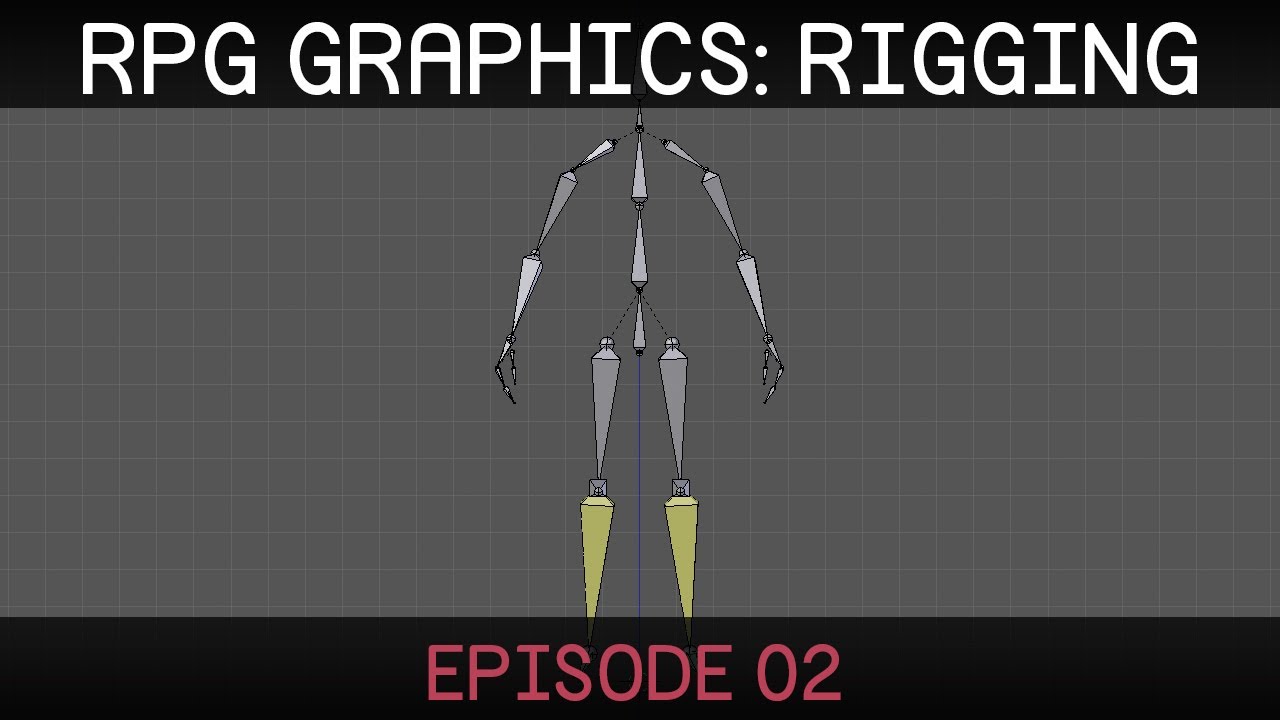
In this episode we create a rig for the character. In the following episode the mesh deformations will be improved using weight painting. See Brackeys' chann...
the only difference is that you won't be needing an upperchest
I recommend rigging it like the tutorial and then using the vrcat blender addon to fix it
soft shell
I beleive I had it all correct, but its extreamely difficult to get the arms to drop to the side entirely, theres a dead range from directly beside to 1/4 up where they do not like to stay. They also rest above the waist even when held below it.
If anyone has an idea why that may be, or where to look that would be great. Haven't seen it as a common error in any videos or tutorials that i've found.
onyx crown
@ocean meadow how do I know if the rotations are correct?
This is what my skeletal structure looks like atm https://i.imgur.com/BpPYYvo.png
 brisk mesa
How do you guys deal with bones like that anyway? I always have like an actual connected skeleton lol
soft shell
As long as the hierarchy is correct, those structures seem to work mostly...
soft shell
Neat
onyx crown
Looks fine in unity though https://imgur.com/2gKRWi8
soft shell
could be as simple as player height, sitting/standing position, or calibration of the ground height with your headset.
I think those issues mostly effect arms, not legs but worth a shot.
 tulip granite
Hidden bones causing the distortion
Needa remove then in blender
The tutorial only teaches you common hidden bone
This type of bone is hidden in the armature
 low tinsel
Um, my character goes from this in unity https://media.discordapp.net/attachments/322844578661007360/402401120611467274/unknown.png?width=363&height=336

then I go to rig the bones
to this

what happened?
ocean meadow
check your timeline in blender and make sure there aren't any animation keys mapped
if there are, open the dope sheet nad delete them
low tinsel
uh oh, blender
ocean meadow
oh did mixamo do that for you?
low tinsel
I don't think I had it saved since this was made like uhhh 2 days ago
ocean meadow
oh ok
low tinsel
I did use mixamo to rig it but I'm not sure if that was the problem
@ocean meadow nevermind! I did save it from blender, found the .blend file
ocean meadow
nice
low tinsel
@ocean meadow there is no animation frames I think?
ocean meadow
check the weight paints
make sure every bone is bound to the right part of the mesh
low tinsel
alright
ocean meadow
and switch to weight paint mode
then click on each bone and make sure everything connected properly
i.e. when you select the left leg bone, the mesh around that bone should light up
 low tinsel
actually, I think those are the bones of the timbs
and the alien has no bones at all.
?
ocean meadow
did it ever have a full armature?
low tinsel
Probably not
I forgot to import the mixamo-rigged version of the alien
to blender
I'll just remake it
then
 worn gale
anyone here can DM me a full length tutorial how to rig my own model? I got a mixamo model I made from Fuse CC (welp)
ocean meadow
@worn gale i can just show you anything you need to know right now
if i know it already of course 
ocean meadow
seperate anything you don't want decimated from the main model
select everything you don't want to be decimated and then press P
worn gale
ah
worn gale
in blender?
ocean meadow
yes
worn gale
what does P do?
ocean meadow
seperate tool
you can always rejoin the whol mesh later
you'll just have to keep parts eperate until your done decimating
worn gale
pressing P does nothing
ocean meadow
well you have to select what you want seperated first
 edgy flicker
noticed that my models mouth opens sometimes when the eyes move but its not consistent, what could be causing this?
worn gale
i cant seem to separate, help
ocean meadow
get on boi https://www.twitch.tv/graelyth
fading verge
I need a rigging guru to help crack this case
 modest harness
Guys is this a rigging issue or something else?
https://gyazo.com/3e6154dfd8d4fde20635d9e4770cecef
I mean the skirt bending forward
 fading verge
My model has bad spine hierarchy but rigging configuration looks fine and normal
it's just refusing to work
man, why cant having custom avatars be CONVENIENT
worn gale
thanks @ocean meadow
fading verge
So whats going on here the bones look fine in blender 😦 http://prntscr.com/i0nzb1
 modest harness
add a constraint to the arm bones in Blender
i mean a constraint in the mesh but to the arm bones
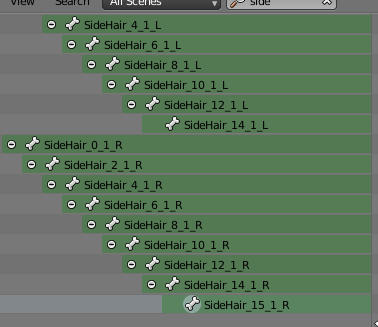 fading verge
Not sure how to do that but okay
modest harness
@fading verge https://www.youtube.com/watch?v=_RhPePY5DoU

Blender Tutorial, in which I show you how to attach an object to a bone armature. Hello there. Today I am going to teach you a very basic Blender technique. ...
fading verge
Thank you !
 nocturne vortex
is there anyone on who can help out real quick? :S
 final sphinx
Heyyy so I got this thing where the bones don't move with the body...
final sphinx
Happened when I joined clothes and a body together in blender
fading verge
Is there a way to make it so dynamic hair doesn't clip through my chest when walking backwards?
ocean meadow
yes
fading verge
how do
fading verge
ye
ocean meadow
yeah add a bone collider
still lark
@final sphinx whenever you make big changes to the mesh, you need to apply the automatic weights again
ocean meadow
and make sure it's paired to the hair so they actual interact with each other
final sphinx
@still lark Where?
fading verge
how does the bone collider work
just stick it where you don't want dynamic bones going past?
nocturne vortex
i'm learning how to do visemes, anyone know how to do that ?
fading verge
@modest harness my whole charaters mesh isnt attached to any armature so if I select the whole mesh of my model what bone do I constrain it too ?
modest harness
ehhh
for now, just try to fix the part that isnt working in unity
did you rig the avatar yourself?
still lark
select , all by type, meshes, then select the armature, ctrl p - with automatic weights
if you don't get that option it's because you didn't select the meshes first and then the armature
nocturne vortex
feelsignoredman
still lark
@nocturne vortex it's easier to help if you have a specific question, that's just a general question that can be googled 
final sphinx
Is this before or after I hit the fix model button in CATS? @still lark
still lark
shouldn't matter
nocturne vortex
visimes are you supposed to make the animation yourself in blender? the tutorial i am following simply states "edit the vertices on the 19 shape keys until you get the appropriate shapes" but it doesn't tell me how to go about doing that
and since it's a text based tutorial (because i have yet to find a video one) i am stuck trying to figure out what he means
https://docs.google.com/document/d/1W5KFa_aszCMrJaFD8mb9a-GHYO4X4S9M63GjM4UwuEw/pub <- link to the tutorial
still lark
you're supposed to go to the vertices and edit them directly yourself
nocturne vortex
but how do i edit it so only the viseme gets the edit and i don't accidentally give my model a permanent aa face or something
still lark
I think this will help you, the guy edits there so https://youtu.be/cWuZjsyUuMA

Learn Blender at https://Blender101.com In this video we go back to the rigging stage and add the ability to control the eyes of the character. We create a n...
fading verge
is there a way to make these colliders stronger
nocturne vortex
kk thanks time to go back at it then o -o
fading verge
bones still go through them if the model moves fast enough
still lark
his model is conveniently modeled with the eyebrows separated so he can edit the eyebrows easily but your experience might be harder
fading verge
@modest harness Yes i rigged it myself the model came with no bones I used the blender meta rig tool
modest harness
Yeah just try moving the bones in pose mode to see whether the meshes are attached correctly now
still lark
you're supposed to edit under the vismes as the slider is all the way, save as copy often just in case
I'm not that good in visemes and I've never actually rigged anything with it but I hope i helped @nocturne vortex
nocturne vortex
it did @still lark !
still lark

 agile raft
Guys I added an object(mustache) onto my model in unity but in game it stays still and wont move with the head,
How do I make it move with the head?
 abstract hill
Any idea ho w to get these bunny ears to move? I added bones and did the child-of thing, but it doesn't seem to do anything

 lime silo
can the collision be set so it doesn't clip through parts while running? (dyn bones)
it seems that collision isnt absolute, it only has a certain force b4 it clips through
 umbral stag

okay, new to this. trying to weight paint my ears. and the ears are separate layers.
can i parrent them like in the image to make the painting easier?
or will it scuff up the whole thing?
anyone?
 shrewd epoch
If I would like to make just a floating head and hands (much like how you are portrayed in a lot of Steam VR environments) that are essentially parented to HMD and Controller the easiest way would still to be a fully humanoid skeleton only that the only bones weighted are the head/hands? I dabbled a little and it seemed to still try and deform hands and heads if I moved too "much". Any pointers?
fading verge
quick question how to stop my character from levitating http://puu.sh/z25ax.png

I have no idea :<
i mean its not a huge problem, i can deal with a inch of levitation or so
o well
Maybe it was levitating in blender
Or something like that
probably, that means fixing it would involve having to re-configure all my bones and such
i'll do that another day tbh
 naive tree
@abstract hill u need dynamic bones for that, if you already have, then the bones u've made carry no weight, so u have to weight paint or assign the ears to bones
@fading verge fix ankles/toes in blender?
http://prntscr.com/i09sva smth like this for ankle, then u prob can unassign toe anyway
fading verge
i'll try that later yuumi
naive tree
left side of the bone can be lower
fading verge
cause if i reimport the model i have to reapply all these: http://puu.sh/z25FN.png

😂 🔫
 eager bronze
https://imgur.com/a/5ZAz2 Bones are in and the next steps are to Unwrap, texture, skin then I can Put it into Uniy and test it in VR Chat
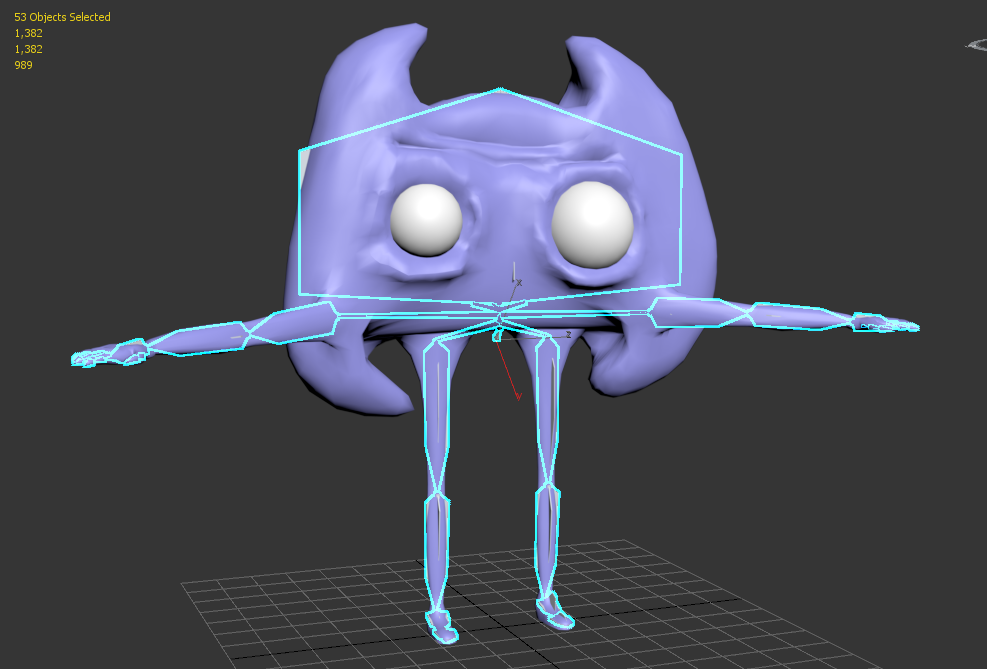 naive tree
why do u have so many of them? create couple dummy bones
fading verge
hair bangs+back hair strands+skirt+shirt ties+breasts
eager bronze
This is a helpful article for rigging for unity. https://docs.unity3d.com/Manual/Preparingacharacterfromscratch.html
edgy flicker
how do I seperate a part of the mesh so that I can rig it to a bone?
this model has eyes but hasnt implemented them so that they can move
eager bronze
Just link them to the head bone
edgy flicker
but how do I do that?
eager bronze
Are the eyes on the body mesh or are they seperate?
edgy flicker
on the body mesh
eager bronze
so you want them to be able to move independantly for blinking?
edgy flicker
i want them to move independantly for eye tracking
they are on the same mesh as the body and the bones in place arent actually connected to them
eager bronze
can you put up a screen shot?
edgy flicker
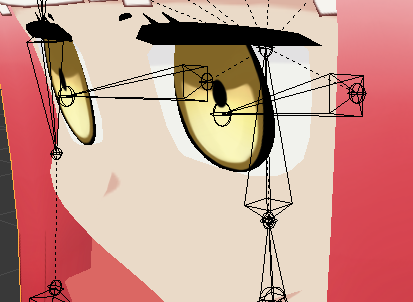 fading verge
Found the problem
https://imgur.com/YVOPfLJ
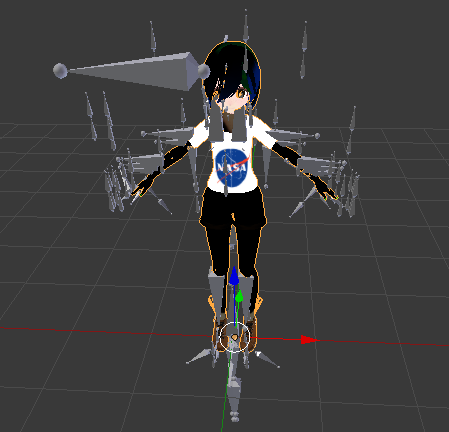 eager bronze
You're going to have to seperate the mesh
@edgy flicker
did you model that or is it a premade?
edgy flicker
premade
im asking how do I seperate the mesh
I know how to select parts of the mesh I just dont know how to seperate and assign it
eager bronze
You should be able to select the polys and detach to object
edgy flicker
wheres the option to detach?
eager bronze
What softwear are you using?
edgy flicker
blender
fading verge
I feel so stupid.
I am so tired that I did not fix the size of the model
eager bronze
The command you're looking for is "split" and you can select it with Mesh > Vertices > Split, menu or by pressing the keyboard shortcut Y.
 meager fern
https://gyazo.com/9aa13de74978c089d382ddb0897c3dd1 guys how do i rig non humanoid characters into the game?

 mystic sluice

Google Docs
Advanced Avatar Creation: Making Non Humanoids This tutorial was made using Unity Version 5.6.3p1 This tutorial assumes you already have the current SDK imported and knowledge of how to upload a basic avatar. You will also need an avatar you wish to upload as non-humanoid with it’s own set of a...
@meager fern
meager fern
kaaay, thank you a lot 😃
mystic sluice
👌
edgy flicker
@eager bronze I seperated the eyes from the head but how do I assign them to the bone?
 copper verge
 eager bronze
Link Them directly to the bones, but make sure to change ther pivot point of each eye to that of the bone
copper verge
Im only getting 1 tab wtf'
edgy flicker
how do I do that?
eager bronze

how to affect the origin point within blender
I've got to head to bed now Bird
If you have any more questions just do a quick google search alright.
edgy flicker
thats not what i wanted but thanks anyway
eager bronze
sorry about that
mystic sluice
oh @edgy flicker
Select the bone and go into weight painting
paint it all red
all of the eye that is
edgy flicker
whats the keybind for that again
mystic sluice
ctrl tab
while on the armature
then just right click the bone you want to apply it to
if I remember correctly
Yep
edgy flicker
I cant go into weight painting mode with the armature selected?
and I painted the eye red but it doesnt seem to do anything when I right click
 restive relic
 errant spear
Hello, I've got a (hopefully) quick question: My skin modifier increases the size of my model a bit, so she's around ~1m80. However I forgot to add eye bones for any potential future eye tracking. I added the bones to the armature, but whenever I give the Eye_left or Eye_right bones any weight it scales the eyes down to the orginial size/location. Any idea how to fix this?

Only newly added bones do this
 wispy moon
So I've heard about the dynamic bones script for avatars and how people are sharing it despire it being a paid script. Is that really a safe thing to do?
 pulsar mortar
Hey all does anyone know why this is happening https://imgur.com/f2yCok5 all the bones in blender are correctly parented and are done but in unity they seem to dissapear and are not recognised. help
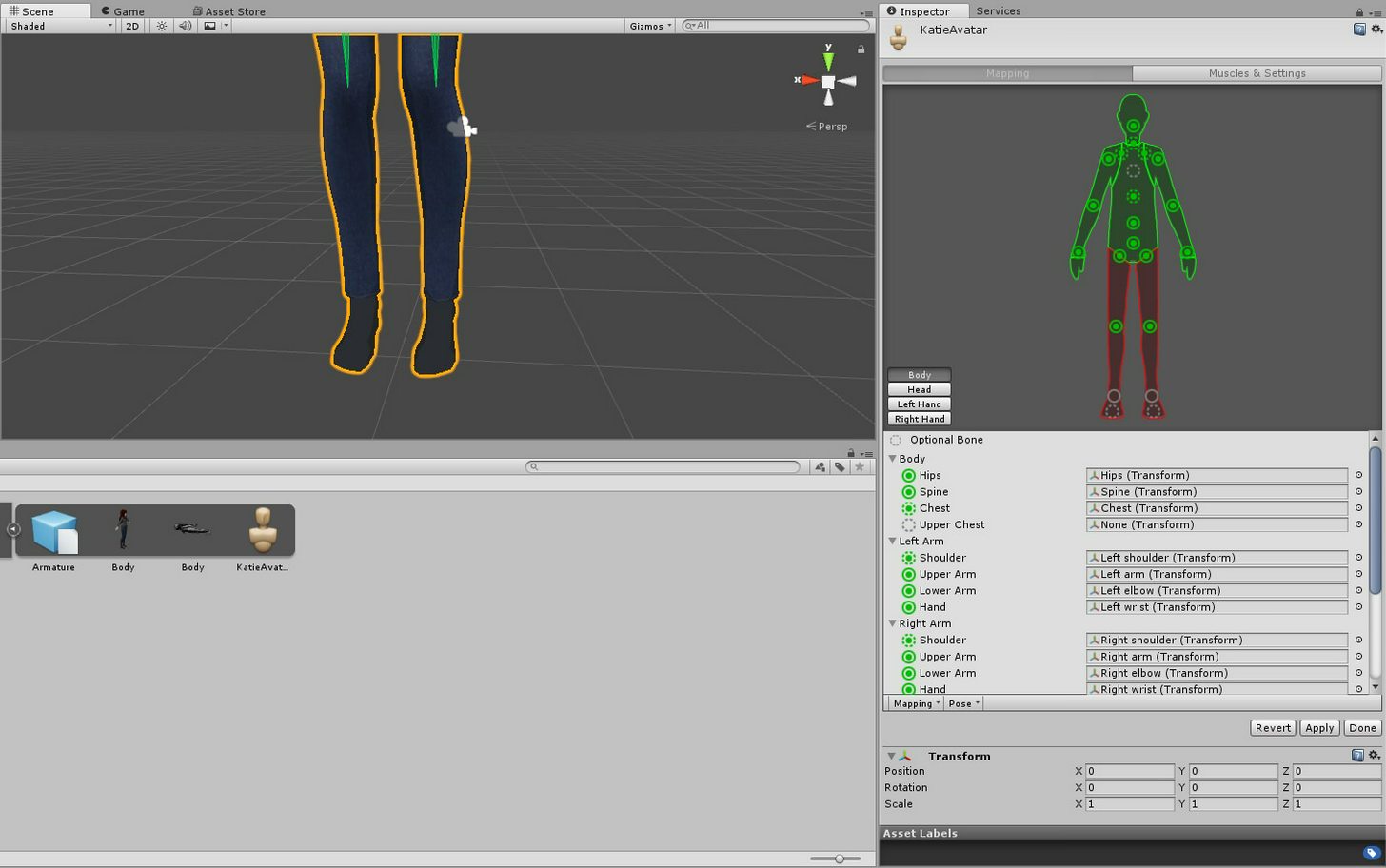
 lethal axle
@pulsar mortar start by switching the chest bone to spine 2
Has anyone here found out how to fix the "You cannot edit your VRChat Data while the unity Application is running" issue?
pulsar mortar
@lethal axle after you have saved your file you have to close unity and re-open it.
only way i found of fixing it
fading verge

can anyone help me with this
for some reason dynamic bone isnt connected to the body
are the bones that you made dynamic weighted onto the mesh?
lethal axle
I give up
I've been trying to upload this model for half a week now
Fixed around 5 different errors
But I can't find a solution to this anywhere
fading verge
guys why does it say spine hierarchy incorrect make sure that the parent of both shoulders and the neck is the chest?
@fading verge go to the Rig tab, hit Configure and check how the bones are set up
particularly the chest
 sharp raptor
anyone know why i can see the top of my head when running
but not when standing still
fading verge
@sharp raptor You have to tweak the viewpoint a little bit
I usually put it on the tip of the nose
depends on the model though.
sharp raptor
okay
limpid scarab
@fading verge What Nepgeah said, you need to weight paint the ears to the ear bones
fading verge
they are me and them spoke and even they said there was nothing wrong with it and they doesnt know what to do
@limpid scarab
limpid scarab
and if you rotate the bone manually the ear moves perfectly?
fading verge
idk what it is
 narrow marsh
i've got a problem, got a model I wanted to use, do all the steps of putting it through blender then into unity, when I go to upload it, it tells me the model is missing an animator so it wont animate in vrchat
and i cant figure out what i did to do to get it to work
because it has bones and an amature
 silent niche
can someone tell me how i can bypass the height limits
umbral stag
Pray to Jesus.
 civic kraken
@narrow marsh I had the same problem
- did you switch the rig to humanoid?
- did you attach the thing in the avatar discreptor and it allowed you to
i fixed mine by redoing it
I get the Error spine hierarchy incorrect
:p
 static iris
Hey how hard would it be to get source MDLs visemes and eye tracking working?
meager fern
https://gyazo.com/bf172f50d1b4a7a170ba203f83acde84 guys im working on a model that i downloaded and i noticed that she has 3 sets of eyes/eyelashes should i delete 2 of them?

 mental quail
@wispy moon well, it's meant to be used with games, not normal users like us using it for hair physics.
 proper kettle
i made a model with a mixamo rig. It works fine, but i wish to add an eye tracking. Where should i start?
brisk mesa
Try all the eye tracking tuts on youtube
proper kettle
ok
brisk mesa
As to how hard it is, depends on you
 grim pasture
How can I make my custom avatar stand right without knees bending and stop hip movement. Kinda like the default avatars do.
proper kettle
i hope there will be no "Make a new skelet and rig from scratch"
narrow marsh
@civic kraken i believe so, let me double check
 low river
@proper kettle you wont have to
civic kraken
@narrow marsh Actually I found a different fix if you still have the issue
narrow marsh
@civic kraken i am :/
civic kraken
ok so
remove your descriptor and the other thing that came with it
and go to the hierarchy and double click on your models name
and if you look in the inspector you should see an animator, do you see one?
narrow marsh
yes and it's checkedbox
controller is set as none (runtime animator)
avatar is of course the avatar
civic kraken
k so add the descriptor in add component
narrow marsh
apply root motion is checked, update mode is normal and culling mode is set to cull update transforms
descriptror has been readded
civic kraken
ok now
go to pipeline manager and press attach
noaw go to the build log and check if you have the same error
narrow marsh
it's still saying "This avatar does not contain an animator, and will not animate in VRChat" under Armature
proper kettle
@low river so, all i need is to create 2 bones and rig 2 eyeballs?
low river
yep
 zinc aurora
Do i need a rig in an avatar that should be static except for visimes?
low river
it helps if the eyes are seperated from the mesh thats the body
civic kraken
@narrow marsh send a pic of your inspector where you have the descriptor in
using like pushh or gyazo
proper kettle
@low river thanks
 acoustic quiver
https://cdn.discordapp.com/attachments/290311237663981569/402518646993321984/unknown.png How can I make it so I see the bones more easily?
narrow marsh
i have lightshot that lets me do custom screenshots but it wont let me copy and paste it into this chat
one sec

@civic kraken
 languid plaza
https://www.dropbox.com/s/zvqden2gjjiv8df/Unity_2018-01-15_17-41-15.png?dl=0 can anyone help with fixing my fingers? i'm at my wits end, last thing to do before my model is ready for upload
 narrow marsh
i wonder if something got messed up in blender
because it shows it has an amarature
and all the pieces are there
languid plaza
would really appreciate some help from anyone whos rigged their own fingers
meager fern
guys to add eye tracking should i just add 2 bones to the eye meshes and apply it with cats?
narrow marsh
i unfortunately dont know the answers to those two questions
im still fairly new to this myself
meager fern
same, im just having fun in here messing around with blender and stuff
https://gyazo.com/76ee062defe6ad457db9be8288ce809f currently working on a Devola model i found on the internet

fixed the hair textures, which was pure white, fixed the eye positioning and all that shit XD
narrow marsh
nice
meager fern
now i wanna add eye tracking 👀
narrow marsh
i found a vaporeon model i wanna put in but i gotta figure out to rig it so it's walking is 4 legged not humanoid because that would look terrifying lol
meager fern
Google Docs
Advanced Avatar Creation: Making Non Humanoids This tutorial was made using Unity Version 5.6.3p1 This tutorial assumes you already have the current SDK imported and knowledge of how to upload a basic avatar. You will also need an avatar you wish to upload as non-humanoid with it’s own set of a...
👀
narrow marsh
i figured it would be setting my own animations
rich oriole
@meager fern Awwww Devola ;~;
meager fern
@rich oriole i already have a Nier Devola into the game and i sometimes drop around the nier world playing the song of ancients on my acoustic guitar 😄
rich oriole
NieR and Drakengard broke me
There's a NieR world in VR chat though?
I know where I'm hiding
meager fern
there is one
search for the keyword nier
and it should pop up
oh
nier... not yet
someone whos experienced with world making should gift us with either a bunker or resistance camp world 👀
or the village in nier
now, decimate first and do eye tracking or the opposite?
rich oriole
Try to decimate all but the face and hands unless you really need to
then eye tracking
Also I would like to have the sea kingdom place from Drakengard 3 tbh - Five's domain was awesome
narrow marsh
Im also now getting the spine hierarchy error but looking under it the chest and neck are parented to the spine
;-;
oh wait i see the issue
it's showing that the spine is the parent of chest
but chest is the parent of neck
how do i reparent a bone
nvm i found out a way to do it but the setting i need to click on is disabled ._.
 shrewd panther
@meager fern isn’t that Fuse CC
meager fern
wat wat
shrewd panther
The modeling program your using
shrewd panther
Oooo looked like fuse
fading verge
guys in blender how can i select more than 1 thing like i need to select 2 UV thingys
uvmaps
naive tree
hold shift?
fading verge
wont work ....
naive tree
what do you want to do?
 slate nest
I neeed help my doods
when im putting the skleton humanoid thing
it looks fine
but the control panel says this
Spiner hierarchy missing elements, make sure that Pelvis, Spine, Chest, Neck and shoulders are mapped
fading verge
select 2 UVmaps to make a Combine UVmap so i can get Atlas to Function
(auto atlas)
 opal citrus
why is it when i upload an avatar for my friend it is red/qued? but she sees herself perfectly fine? so confused

 earnest lily
is that not the default pose?
 grizzled rain
if it's a blend shape just turn it to 100% in unity
earnest lily
if the ear was previously upright and you made it like this by posing it, just set this as the new t pose/resting adn you should be fine
if you dont know how, then ask as soon as you see this @fading verge
fading verge
@earnest lily how do i set it as new t-pose/
earnest lily
ok so you first of all go to your body thingy in the top right
the orange one
and once you selected that, in the menu below should be a wrench icon
click that, should bring you to the modifier's page
copy the one that is there, apply it one of them
then go back to pose mode and hit ctrl a and select "apply as rest pose"
proper kettle
i made two bones, two eyes. All is rigged. But when i look in a mirror, nothing happens. My eyes completely static. What can be wrong?
fading verge
whos good with exporting MMD models
meager fern
https://gyazo.com/5ae7ee883ef18fa5e0309a8ff4febf4e how can i generate an atlas when there so many objects in a model?
 acoustic quiver
https://cdn.discordapp.com/attachments/401845171052085259/402539627279417344/unknown.png My avatar floats when I move, would this be the cause?

 fallow lake
Hmmmm more than likely. Make sure your avatar is also origined to 0 on all axis as well
acoustic quiver
so how do I fix it?
acoustic quiver
is your avatar origined to 0?
slate nest
ye
acoustic quiver
wait
fallow lake
Same thing Tommy. Make sure your avatar is set to 0 on all axises
fallow lake
Lol
slate nest
alright
acoustic quiver
So how do I fix the floating issue with that bone there?
How do I move it more into the foot?
fallow lake
Skyfry you may be able to move the bones in unity to better match the model but you may have to do it in Blender
acoustic quiver
So how do I do that
fallow lake
Your ankle bone is sticking out of the very back bottom of the calf it seems.
Look up a YouTube vid on bones in Blender
fading verge
Um guys
fallow lake
I can't explain in great detail right now I am at work
fading verge
why is my character's mouth stuck wide open ingame?
foggy terrace
hey, I have 2 questions:
How need I to setup the bones for the eyes ?
And with my model, My vr-space (I don't remember the name ^^) is a little bit under ther ground, so how can I fix that ? 🤔
fallow lake
In Unity when you're configuring bones deselect jawbone that should help
fallow lake
Slaynash you set the viewpoint for VR on the VRC descriptor. There is a little gray ball that shows it's position.
Yes in the rigging under head Jebac
I had to do that with all four of my MGS avatars. Mouths still animate with visemes though
acoustic quiver
yeah it seems that the foot bone is actually in the ankle....
so... I need to... move it down?
fallow lake
Yes. Make it match the model
topaz dune
Badabing badaone, any troubels that's needs fixing done?
acoustic quiver
alright.. working on that now
fallow lake
Got three here that need help. Two with a floating/sinking avatar legs and one with a mouth stuck open
Mouth issue you should be able to fix by setting jawbone to none
If you have visemes set up the mouth will still animate.
topaz dune
if your avatar is sinking try and move the hip bones up in unity, that fixses it for some ppl
fallow lake
Got a buddy of mine whose Mistral avatar opens her mouth randomly when he isn't even talking.
foggy terrace
Here is how my model looks in Unity (I set the gray dot between the eyes)
fallow lake
Gonna try to fix that for him tonight
foggy terrace
we can't post images here ?
fallow lake
You should be able to
fallow lake
Skyfry is your model humanoid?
topaz dune
@foggy terrace nah, it helps us getting an idea of how to fix your problem
acoustic quiver
its um
like the rig or the model itself
it's dry bowser
the rig is humanoid yes
foggy terrace
So, this is the image ^^
https://ibb.co/jtiWu6
foots are on ground, and the model is located at 0,0,0, but my vr-space in a little bit (like 5-10cm) in the ground :/
topaz dune
did you try to move the hip bone up a bit?
foggy terrace
It's like this for now (https://ibb.co/g7BgSR), hope doing this this the problem ^^
Thanks
 compact wren
should i auto rig my avatar in mixamo then edit it in unity?
foggy terrace
if your model is simple it's ok, but anyway you surely have to edit the weights later (I did it with blender)
compact wren
my mind will blend from this blender im gonna explode
i saw a vid from tupper about common bone issues and most of the stuff i have is not like in the vid
if i make a skirtroot skirt bones won't go with it
i was doing this for over 8 hours
does anyone know someone that's making avatars so easy for him? 😭
fading verge
ok so my model works and all
but now my friends say
they cant see me
while i can see myself in the mirrors and everywhere
acoustic quiver
uploading the model now... let's see how this goes
(let's hope it doesnt float when i walk)
fading verge
set
cosmic mica
my avatar is fully rigged and works, and the fingers ARE working and bending correctly in idle, but they will not respond to controller finger movements. what am i doing wrong?
acoustic quiver
funny thing is, this is supposed to be like, a more badass, more devastating version of normal dry bowser
yet it has 4k polys less
 topaz dune
seem's like the fingers aint weight painted to the finger bones
acoustic quiver
so...... upon moving that foot bone down, the skeletal structure is now outside the model.
I assume it was because I resized it?
 tawny scroll
Oh btw, why do some models I put as children of certain bones disappear? For example yesterday when I parented my wings to the shoulders they disappeared, currently under the spine and they work fine
abstract hill
https://i.imgur.com/yG01hvG.png?1 Any advice on how to properly weight paint/child these bones to the bunny ears? If I move the ears it bends the whole object rather than just pieces of it.
 acoustic quiver
still T-posing after fixing that foot bone... hmmmm
topaz dune
if you move the bone that are parent of the ohter bones, the intire line will move. like moveing the hip around will move the intire skeleron around. so if the weight paint looks right and all the bones are mapped to the mesh, it's ready.
@abstract hill
@acoustic quiver is it in a t-pose in game?
topaz dune
go back to blender, if you applyed the armature tool. the bones will snap off the mesh, for some reason.
acoustic quiver
if i applied the whatnow
https://cdn.discordapp.com/attachments/290311237663981569/402560931646668810/unknown.png it looks fine in unity
 topaz dune
 acoustic quiver
i didnt touch that
topaz dune
allright so that's not the problem, i think i misunderstood the problem then.
acoustic quiver
character when walking was floating
so I moved the foot bone down into the foot
aaand that broke it
fallow lake
Skyfry you probably need to force t-pose. If you want Bowser to walk hunched over unfortunately you will more than likely have to make custom animations.
acoustic quiver
well forcing t-pose does this

the arms disconnect from
the arms
also the leg bones aren't in the legs
jeez
fallow lake
I dunno man that's a weird model
acoustic quiver
it was fine before, bar the floating when walking
abstract hill
When I "join the meshes" using CATS, are my constraints for the individual pieces removed? The ears dont move at all anymore after that.
fading verge
 fallow lake
Do you have the file saved before you moved the footbone?
fading verge
can anyone tell me why its laking long for this to upload? its been 5 mins
acoustic quiver
if not I can easily get it back
but i think i do
may need to start a new unity project
wait, yes i have the dae file
fallow lake
Not really sure what could cause that then skyfry
 grand bough
hey does anyone know how to make Mixamo Rigs work right?
fallow lake
You're positive the position for all axis is set to zero?
acoustic quiver
yes
fallow lake
Toasty I have been trying to figure it out too. Makes my chest puff our and arms look really bad
fallow lake
Out*
grand bough
when I use Mixamo I can't crouch :/
fallow lake
Oh I dunno I don't use VR. Mixamo isn't the best. You may want to learn to rig yourself.
I think I am going to
grand bough
:/
fallow lake
Either that or use Mixamo as a starting point and go from there editing it
But if it isn't seeing you crouch you may need to check constraints on hips for I'm tracking
IK
 willow heath
Hi there~ A friend of mine has a problem with avatar he wants to upload.
willow heath
Error says that models feet and upper arms aren't specified.
willow heath
Yes, it is
willow heath
Humanoid type
 torn isle
Did he tick optimize game object?
willow heath
Discord won't upload the picture.
torn isle
In unity?
willow heath
I don't think so. 🤔
willow heath
Oh, he managed with this problem now. Thanks for your help :3
cosmic mica
im losing my mind - my avatar rigging works, but the fingers are nto responding to controls. The fingers are working cause they are flexing correctly while in idle, they just simply are nto responding to controls. I made 3 different rigs and even took a working rig from another avatar i made and still the fingers work but will not respond to the controls. Ive never had this happen before, I dont know what to do.
fading verge
Guys
My avatar is this with all the blender configurations
But without reason in the unity seems nude and broken
willow heath
@cosmic mica if you have appropriate weights for each finger bone, I don't even know what is wrong.


 brave root
lable her lewd
torn isle
You can always delete nipples in blender.
fading verge

Worth for the head but the clothes are broken
guys.. my blender bones are fine (i think), but unity turns them into this mess..



help pls, im noob af to custom models, but i rly want my wow char ingame
(picture of blender bones on same link aswell)
 granite kestrel
@fading verge Yeah, you'll be banned
Also even if it's covered you still need to do the removal
fading verge
 granite kestrel
@fading verge looks like the character isn't weight painted
fading verge
Idk why it rip in unity, on blender it its complete without problems
granite kestrel
@fading verge Might be because some of the faces are inside out
fading verge
@granite kestrel I do get an issue in blender that it Bone heat weight fails, one or more bones somethingsomething. Any workaround it?