#avatar-rigging
1 messages · Page 71 of 1
 main sage
@brisk mesa pffft, thats my problem
it makes characters parts that are supposed to be solid all bendy
like a hip sword bends
 sly pelican
Maximo - properly rigging since whenever.
 hallow bay
I just want to make a shapekey to open the mouth and just use that for every expression
main sage
@near gull unless you know C++ and such, cant really "remove" anything in Unity
all bone-play is done in Blender usually
 near gull
dang alright.
hallow bay
yep
sly pelican
What do you mean remove optional bones
hallow bay
just like that fare hahaha
near gull
@sly pelican In Unity when it shows the skeleton mod and the circles, the spotted circles mean the bone is optional, and I was wonder if I was able to delete it since it was optional
it as in a specific bone
hallow bay
wait, now that you mention it, he rarely opens his mouth
sly pelican
Well - you don't have to add anything
hallow bay
so maybe making an animation shall be more appropiate.
near gull
No, I mean remove
 vocal cedar
upper chest is always blank
near gull
how do I make it blank
sly pelican
See that circle on the right?
vocal cedar
select none at top
near gull
okay that's what I needed, thanks
sly pelican
Make sure to add a Neck Bone too.
near gull
how do I apply a neck...? sorry
@sly pelican how do I apply a neck? sorry to trouble you
 torn isle
Why can't you do it yourself?
Rigging is somewhat easy for humanoid characters.
What is the problem?
 fading verge
fug it
ill try to rig it
how do, i might as well practice
my new dream is to be a 3d model animator nude artist
as in an artist who makes nude chars that do lots fo animations
hueueuuheuheueuehueuhe
buticantrigforshit
greatstartamirite
 gaunt belfry
Ye all rigging takes is a bit of know how and practice and you'll soar Yis.
fading verge
oh
so its like doing bones and the meshes and etc
Aight ez pz
Lemme check a tutorial thn give soraka the file.
looks at 20 minute tutorials
da fuq
 empty hare
so does anyone know how to fix crab thumbs in unity via mixamo
fading verge
Mixamo what
empty hare
bone rigging
fading verge
why use that
empty hare
CRAB FINGERs
empty hare
put a zoidberg head on it?
 steel sphinx
empty hare
steel sphinx
empty hare
dislocated my thumbo
fading verge
i have problems with "Spine hierarchy incorrect. Make sure that the parent of both Shoulders and the Neck is the Chest" on the mixamo rig
how do i fix it ?
near gull
Anyone know why models are appearing small in Blender when I upload one?
 pseudo hedge
can someone who is good with rigging and vertex groups shoot me a pm, no matter what i try i can not get my rig to move my mesh, i have done all the steps for weight painting and assigning vertex groups but its still not working
 sand patrol
@torn isle I just need help to add physics to the hair mostly. I just don’t know how.
torn isle
That's something you do in unity.
Not blender.
You need dynamic bones for moving hair physics.
 glacial vector
What do you do if Mixamo won't read the .zip you're giving it?
 simple jetty
Unpack the .zip? Should have model files inside
 half cloak
you dont need to put in your own model to download from mixamo FYI, it will still work
fading verge

I'm trying to weight paint the eye to the right eye bone (which hasn't been done proberly apparently) and it only tells me the active group is locked
but I can't seem to find the group and unlock it
 crisp tendon
Do you need to weight paint that ? I would imagine an MMD already has all the correct weight paint
fading verge
It's not persee an MMD
It's a model ripped from CM3D2 ported into .pmx
And yeah, I need to if I want eye tracking to work.
As cats tool tell me that eye_r is not a vertex group and can't be assigned to the eye tracking.
crisp tendon
Interesting, and you can't unlock the group in edit mode ?
Or every group for that matter, and then lock what you need again
fading verge
Well, the problem is that eye_r dosn't seem to have a vertex group.
And none of the others are locked, in case that it was a translation mistake
glacial vector
I figured out my problem... apparently the 3d model I downloaded doesn't even have any .obj file or anything of the sort... wtf
fading verge
Wait a second
These cheeky bastards

I'm have the right eye selected, in the EyeR mesh
see what group it has selected?
Eye_L
Can someone help me, my avatar is like moping around and keeps leaning and shit
glacial vector
Any recommendations for pmx to obj converter? or is that not possible
 cosmic mica
I just bought Cubed Shader off the asset store in Unity but now I cant find it. Is it in the program now or is it its own file somewhere else?
 nimble lantern
I have a problem with the rigging in the model I downloaded. Before, in blender there are shoulders in the rig. When I put it into unity and check if all the bones are mapped, only the shoulders are not mapped as well as not visible, while every other bone needed for an avatar is mapped and visible.
 granite kestrel
@glacial vector use CATS and MMD tools to get the pmx into blender and save as OBJ
 glacial vector
ffs another program I have to download :<
fading verge
Atleast the eye moves now, lets see what happens when I combine the meshes
 fallow lake
Dudes, if I am using an .smd like this with this many bones and set up like this, do I need to entirely re-rig myself to use in VRChat?
glacial vector
Oh well, I give up. Lol
fallow lake
Are you sure? Cause I'm pretty sure this is how the World of Abominations Kaz ended up like it did lol
There are joints where there shouldn't be in VRChat models
fallow lake
...lol. There's not even a bone labelled for chest
nimble lantern
Here's the picture
torn isle
You need shoulders.
 charred patrol
how do you add bones to a model that has no .fbx file?
charred patrol
nope, it's Doctor Strange (movie version) from Marvel Future Fight on the models resource site, it has no .fbx file
torn isle
Damn, that's rough.
 coarse halo
Is there a way to use the dynamic bones script to give an item phyics?
coarse halo
for example, I have a GoW avatar and I have the frag grenade avatar taht I want to add as an animation override
basically so i can "hold" the grenade
and the grenade normally is this chain sort of thing that you can swing
so if i rig it with bones, can i make it where it will flop down when at rest?
im having verbal dairriahea
torn isle
I'm not sure of what you mean.
I'm not sure if you can add physics to something in an animation.
coarse halo
Can I just add physics to an item?
I meant that I would "Equip" the grenade through an animation
charred patrol
so, what would happen if we had a character whose legs are not visible at all?
 lament pulsar
I've got a question for anyone with rigging experience, pretty complicated one
 grave eagle
then it would just be a floating torso i guess
 tawny zephyr
how do i fix an error where the spine bone has a length of zero?
is there anyway to fix it in unity? I'm useless with blender
fading verge
HELP! im trying to rig a hand gesture up to make noise and i've done everything in cats tut, when i go in game i cant get the specified gesture to show up? why?
torn isle
That's animation I believe. @fading verge
fading verge
my bad
tawny zephyr
can anyone help with the bone length of zero?
 haughty island
Hey i have a problem where my character's upper chest and shoulders stick forward when standing in idle formation. Character seems fine when walking but when in idle his chest just bursts forward a bit.
 maiden mason
how do you remove the UPPERCHEST component?
 lost briar
go to dropdown list and select None
charred patrol
would this be ok for animations? no legs tho
lost briar
for anything except walking, lol
lost briar
you could probably simplify the bone chains that hang down to have less, for ease of animating.
maiden mason
@lost briar where is that?
lost briar
in the mapping tab of rig configuration
lost briar
👍
charred patrol
@lost briar the bones on Sona's dress are part of the rig
but idk what they are for lol
lost briar
yeah, but you probaly don't need that many in each strand is what i mean. you gotta keep them if you want to animate the dress
you can probably condense it so that when you go to animate it you aren't working with so many different bones
 primal wasp
When I transfer my character to unity from blender, my materials don't transfer. What went wrong?
lost briar
are you using a singular texture atlas @primal wasp ?
primal wasp
I have one texture atlas
set at 4096
I'm watching Tupper's tutorial, and he ends up with a materials folder that I don't see how he got.
lost briar
ohh do you mean from blender to unity?
lost briar
ahh gotcha. no worries. so you've placed your texture atlas into the folder before dragging in your fbx, right?
it gets complicated if you don't put the textures in first
primal wasp
That's right. There was one case where I was editing the settings after I imported the atlas, and forgot to apply settings before I dragged in fbx, was that the problem?
*the settings of the atlas
lost briar
it should be okay as long as the fbx isn't in there yet, and as long as you didn't create your own materials folder beforehand - it has to generate by itself
lost briar
if you changed the texture size from what it was in blender, it won't generate properly either, i've noticed. what settings did you change?
primal wasp
I might've imported the wrong atlas. Is a 4096x or a 2048x atlas bigger?
I imported the bigger atlas
 final heart
It says Spine Hierachy missing elements, make sure that pelvis spine chest neck and shoulders are mapped. everything is mapped from my understanding.
primal wasp
not the more detailed one maybe?
lost briar
4096 is bigger. if you were working with 2048 in blender it may not map properly.
primal wasp
I worked 4096 in blender, but it says 2048 in unity for some reason
fading verge
This is what my avatar looks like when I scale the Y to her actual height lol
lost briar
pancake!
fading verge
The models come so oversized
lost briar
cedric, it might be worthwhile to dump both the 2048 and the 4096 into the texture folder, then bring in your fbx, and see which one attaches itself
primal wasp
that's a good idea, but is that what's causing hte materials folder to not show up?
lost briar
most likely. it generates the materials based on the correct texture map
primal wasp
Okay! THank you so much. That's probably it
Knowing me, I just exported my 2048x fbx character instead of 4096
lost briar
no worries. i'm still learning too so i'm not 100% on all of this but from what i've found stumbling around, that might be it
primal wasp
when I was testing atlases
 night sigil
how do i set these back?
lost briar
could be it. if you put both in and it shows up, then you can try deleting one. if it still looks fine after deleting one of them, then that wasn't the one it used
fading verge
can anyone help i have an issue with the knees of my model being folded in
 full cairn
Quick question to throw in the room. When the pelvis/hip or whatever angle isn't 180, what are the complications?
 jagged moth
so I got different clothes and fitted them onto a body but nothing is combined or anything like that (blender) - would i need to combine them before moving them to unity? or would it be something else?
primal wasp
Back to square 1 lol
lost briar
@primal wasp i know that feel. i've redone everything from the blender to unity step like 3 times over lol
primal wasp
It gets easier every time tho, so maybe I'm getting somewhere
lost briar
absolutely! it's all practice.
primal wasp
I'm trying to get Kiso Kai from Kantai Collection into VRChat 😄
full cairn
I've been trying to get one character into VRChat for a good week now. I've managed to get 10 characters into it as a distraction from the fact I can't be bothered with this one.
lost briar
aw lol
primal wasp
I guess you just get unlucky sometimes 😦
full cairn
Haha
Without manually rigging her I'm stumped haha
Tried Mixamo but for some reason it makes her shoulders start at the edges of her t-shirt
lost briar
manual rigging is tough to get started on but worthwhile once you get it!
primal wasp
Did yall fork $20 for dynamic bones?
full cairn
If doing all this doesn't get me a job at pixar or some shit
lost briar
i did, yeah. i wanted physics on my hoodie strings 👀
lost briar
same lol. my buddies are like 'why haven't you been playing games with us the last 2 days'
primal wasp
It's a good thing college is starting pretty slow rn
or else I
'd have 2 problems instead of 1
 latent prism
Can anyone help me get an avatar?
 woeful hatch
I asked earlier but I still ned help on something. I was wondering if anyone can help me with like non humanoid models to animate and move and stuff. Again sorry for asking, i'm just confused
What avatar?
primal wasp
I'm new, don't know 😦 sorry
woeful hatch
Its ok.
primal wasp
Maybe not atlasing will help?
 dull totem
guys one of my avatars is missing in Unity
I hit the checkmark and entered the "all children" option and it disappeared
not sure what really happend tbh
torn isle
Only thing you can really do is reimport the fbx and start again.
lost briar
^
 valid hemlock
hey sorry to bother you guys, but can anyone help me with this? I really want to make this an avatar but this hair bones are freaking insane and I dont really know how to fix it.
dull totem
LOL wtf
valid hemlock
ikr
valid hemlock
yeaaaaah aint that a problem :\
torn isle
It seems that the hair is connected to the hips.
valid hemlock
yeah it is, seems to be part of the skirt family if that makes sense. CAT tools dont even see it as a seperate tree
torn isle
If you select the hair bones, maybe you can reparent them to the head instead? @valid hemlock
valid hemlock
Yeah I can try that
fallow lake
hey guys if I wanted to make my Kaz avatar walk with his crutch properly how would I go about doing that?
lost briar
custom animation
fallow lake
Okay, I'll ask in the animation channel
lost briar
does anyone know why i don't have text fields on my per-muscle settings anymore? i was able to modify these sliders by just typing the numbers but the fields are gone now. i want it to be precise.
fading verge
anyone can help me, im having this error "Spine hierarchy incorrect. Make sure that the parent of both Shoulders and the Neck is the Chest." with a mixamo rig
lost briar
just as it says. make sure your hierarchy is hips > spine > chest > neck > head
both left and right shoulder should be under chest.
 fathom vortex
Blender, you need it to get all the bones set up.
haughty island
Uhm my character has a issue. When i stand in idle pose his chest+shoulders+arms get pushed forward. This doesnt happen when he walks only when standing still. Iv tried to rotate the neck and spine in unity but no results.
fading verge
well, im fucked, i don't know how to do it
lost briar
you have to change the parents of the bones. it's in the menu on the right side, at the bottom.
fading verge
So I could use some help im working on a model but the model has two texures but only one material so How would I make this work If someone could help me that would be great
 low kraken
Choose one texture
Or if it is one texture but just separated
You can apply it by clicking on the model, and dragging the texture one it
 echo mulch
Can someone assist me in unity. My model I am using has two sets of ears one of which is hidden inside the head. I am trying to switch them in unity but its not working
primal wasp
@lost briar Is it possible to add a 2nd dynamic bone script for a different root you want to have physics?
 distant elbow
so I got a model with a ton of extra bones how do I know if its safe to mix weights or delete them?
I got a ton of bones around the collar of a dress was translated as cape but anyways
how do I know if its safe to mix weights or if I can delete them?
primal wasp
Why delete when you can move to parent?
 floral bone
got this thing, well... crap... im one of them that have 0 clue how to fix it
distant elbow
so again just mix the weights or what do you mean cedric?
 low river
I wish the view thing was a biiiit more easy to work with
or made it so your head went invisible or junk
 subtle plover
on unity it says my character's feet are below the origin, do any of you know a fix to raise it above the ground?
 crude crag
@floral bone I had a model that said that but it works fine for regular use
idk about VR
lost briar
@primal wasp it is, yeah. if you just add it to the parent, the child bones will follow along with physics, but they won't bend independently. you can copy your dynamic bone script to each child along the chain if you want it to be fluid. keep the parent to each as the main one, or the first one in the chain at the top.
floral bone
@subtle plover change those numbers to 0 or change to whatever positon u needed
low river
wheres the best spot to put the descriptor
https://i.imgur.com/ix9SIJR.png cause like
 low river
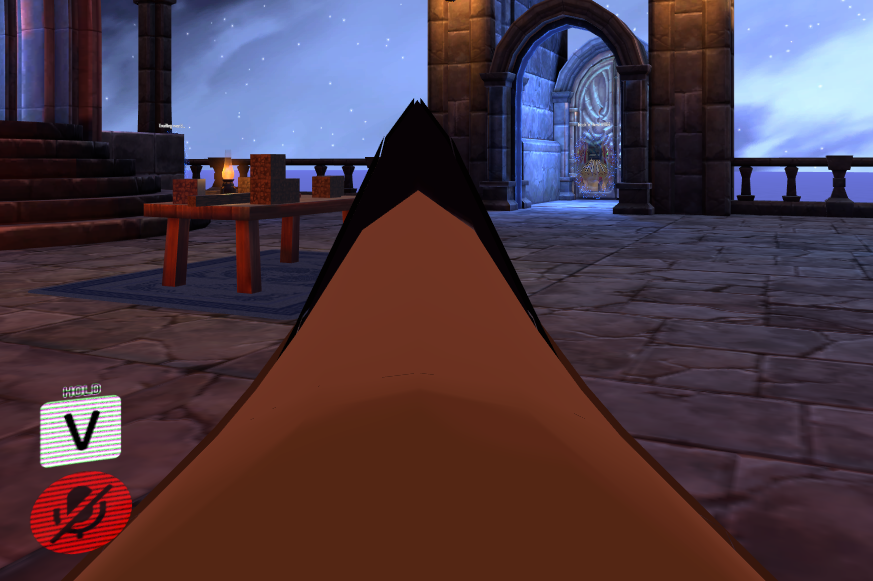
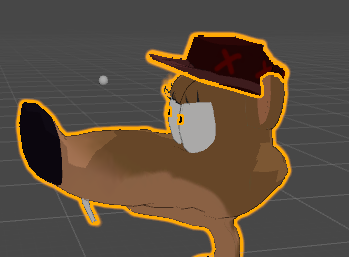
ITS NOT IMMERSIVE WHEN I RUN AND I SEE MY EYES
lost briar
lmao. for humanoid faces it's best to put it at the end of the nose, but... ya got a big ol' schnoz, there.
low river
Yep
lost briar
you're gonna have to fiddle with that one for sure to find out what works best for you. you could put it at the end of the nose but your camera will be floating in front of your body
subtle plover
@floral bone when i change any of those, it doesnt raise him up above the white line, just moves the whole thing
lost briar
to amend what i said earlier, i put it at the end of the nose, but then sink it into the head a bit so it feels like you're actually looking out of the eyes.
i haven't worked with anything with a snout though
low river
yeaaa maybe
tawny zephyr
hey, i have a model and it's all rigged but it's eyelids are closed by default in unity and i have no idea how to do eye tracking or whatever
can someone help me?
and lip sync too
primal wasp
@lost briar Know the best way to animate a cape? lol
 charred sorrel
can anyone here help me with 2D eye blinking? nobody's answering me in animation
tawny zephyr
god dammit
everyone ignores my questions
charred sorrel
i feel you fluffy, nobody's answering me and i've been asking since hours ago
tawny zephyr
@charred sorrel i have a video i can link you to'
torn isle
More like they don't know the answer.
charred patrol
question, is there a way to make ethereal hair on your avatars?
charred sorrel
it's probably the tutorial i've been following but i want the eyes to have more than two frames
charred sorrel
and i can't figure out how to attach a different material to a different keyframe
tawny zephyr
charred sorrel
that's the one i've been following
charred patrol
image on the top is teh model i have in unity and on the bottom is the normal in-game model
tawny zephyr
oh
charred sorrel
but he doesn't explain how to add more frames for a more fluid blink
i have all the frames assigned and everything but i can't figure out how to get them on different keyframes
charred patrol
oh and here's the preview image from the mmd file, notice how the hair is almost transparent and ethereal-like
is there any way to make the air on the model like that?
low river
Anyone else have their uploads just
not work like it uploads but when you go into VRChat its clear it didnt go through
lost briar
@primal wasp i haven't done a cape, only dynamic bones for loose clothes. if you start with the values in the mega tutorial it should give you a good starting point
low river
@lost briar it worked putting the view at the end of her snoot
 hasty yoke
so after i build and publish my avatar is there anything else I do? I can't see it in the avatars list :X
half cloak
@low river give the snout a dynamic bone so it bounces out of your face every now and again
the perfect solution
low river
God I was actually debating
id do it if re-rigging it wasnt actually painful and makes me wanna die [like some of the teeth just didnt connect so I had to delete them]
lost briar
ooh haha good! you might not see yourself if you look down but that's alright. a trade-off for having a magnificent snoot
 calm needle
i thought the game auto scaled down the head to 0 for first person, so its interesting that the nose is showing up that way.
could always use a reverse distance fade shader so that anything past nose length is visisble
It worked well for a friend of mine when his huge shoulder pads get kepting in his eye sight
primal wasp
@lost briar The skirt on my character seems to be attached to my hands, so whenever I move my hands, the skirt is influenced. Any idea?
lost briar
@primal wasp you'd have to check the bone parenting in blender and make sure they're not connected in any way. skirt should be attached to hips or lower spine, ideally
once you get into unity, you can add dynamic bones to the skirt and add colliders to the hands so that the hands will move the skirt around when they interact. good for if you actually have a headset and want your skirt to react when you touch it
👀
low river
@calm needle that could work, but wouldnt it make part of my avatar fade away for those who get close?
fading verge
Scale your avatar down
fading verge
try 1 for all 3 areas
 nimble cape
Okay, so what should I set the scale to then?
low river
1
fading verge
^
low river
Also for position do 0 in all
fading verge
Mine was too big at 1 so I ended up going with .8
low river
Haha lucky mine usually need like
.1
And aldun go into the SDK folder and go into the uh, examples or scenes, and then placr the second one into the left window
Id show this but im mobile
Thats an example avatar, and depending on your model you want it to be around the size of that
fading verge
I strongly dislike Rigging
low river
Its so much fun
 turbid vault
so say i imported a model into blender or any other 3d modeling program, and the model is laying flat instead of standing upright, is that okay or do i need to fix it, and how?
low river
Select the whole thing and rotate it so its 90 degrees to the "floor"
low river
Huh
fading verge
IMA MAKE A BIG TITwhat
nimble cape
idk mannnn
fading verge
a big giant big titted girl
whos in clothes
@low river I just can't understand why I can't get this dang avatar to animate via vrchats animation set
nimble cape
lol @fading verge this is gonna be my avatar
nimble cape
HAHAHAHAHA
low river
Nice
fading verge
is that owen wilson?
low river
Honestly it might be
nimble cape
HE'S FROM DEAD RISING 3
low river
Or its Owen Wilson
fading verge
Wow
nimble cape

The cutscene and death of Dylan Psycho
fading verge
Wows owen wilsonly
nimble cape
I had to decimate polys on Dylan
low river
Rip
low river
Omg
low river
I mean
fading verge
u want screenies?
low river
Technically you can juat not publically
fading verge
k
afk
gonna beat some meat on mic in vrchat
get the steak out rq
brb
@low river anyway to edit ancestry in unity?
...
Faux
Are u a boss at a workplace?
LOL
low river
Not that i onow of
fading verge
AND DID YOU MAKE A DISCORD CALL TO ONE OF YOUR WORKERS
low river
Sorry haha
nimble cape
Can I at least get some solutions for my issue atm lol
 naive tree
@nimble cape ill dm you the fix for it
nimble cape
thank you ;w;
 brisk mesa
hey, with Dynamic Bone stuff, do you absolutely have to have the root bone connected to the jiggly bit, or can the jiggly bone just stay unconnected?
charred patrol
what is body IK?
brisk mesa
that's for vr shit in general
it's just telling you it'll look weird
it'll probably be fine cause you're close enough to 180 degrees imo
charred patrol
ye
brisk mesa
it'll just definitely be weird if it's like... 30 lmao
IK means inverse kinematics i think
charred patrol
model looks good so far, just need the custom animations lol
fading verge
does anybody have a tutorial on how to import custom emotes
charred patrol
i don't even know how to view the animations so no
 uneven rain
Is there an alternative to the dynamic bones plugin I can use?
I dont wanna pay 20$ :S
fading verge
supposedly you can ask someone to share it with you
 vale dragon
anyone know why my model's feet are partly in the ground? she is set to 0,0,0 in both blender and unity
vale dragon
tried that too tbh
lost briar
if you're going to use it a lot, the asset is worth the purchase
vale dragon
who are you talking to @lost briar
uneven rain
The thing is, I don't know how much ill be using it.
vale dragon
oh
lost briar
ooh. supposedly there's an alternative called cloth, but it's apparently kinda crappy
anything's worth a shot though
uneven rain
@vale dragon try changing the bone structure in blender
lost briar
here's some info on unity's built-in cloth as well https://docs.unity3d.com/Manual/class-Cloth.html
fading verge
cloth modifier isn't that great
sometimes things fall from the model
othertimes everything starts spazzing
vale dragon
@uneven rain the bone structure should be okay. https://gyazo.com/6b2d19a1b657418ed7182196549b5c89 The feet bones go all the way down to the floor

hmm actually wait I just encountered this in the configure menu in unity

the bones arent there and they go through the floor
why is it like that
uneven rain
no idea, but try to move the feet bones from the first picture up
fading verge
yay
 steady sonnet
what are good starting values for dynamic bone for hair?
my hair looks like rubber
ah i guess low elasticity is what i needed
fading verge
some good vaules are 0.1/0.2/0.6/0.4
uneven rain
How strict are VRChat's policy on nudity lol, I deleted the underwear for my model to lower the poly count and its just bare rn with no gentals. Would this be bannable?
fading verge
then probably isn't bannable
steady sonnet
lol
vale dragon
@uneven rain I was able to fix my problem, I legit just had to change the position of the configure menu model
uneven rain
ayy congrats
jagged moth
any idea how to fix this? https://gyazo.com/bd6ed37cf82713b2eb5b337d9f165da9
 uneven rain
did you just drag it up?
fading verge
i mean, this is my avatar, its full ken mode, without the cloth thingy covering his non existant dick
 snow prism
@jagged moth don't use upper chest bones, it breaks the shoulder bones, my dude.
jagged moth
yea i tried that but this is what happens when i do - https://gyazo.com/b16fb52e89856f5fe45a29305d44a1fa
 snow prism
Well the Hierarchy should be: Hips > Spine > Chest > Shoulders (both)
Legs come from the Hips, Arms come off the shoulders.
snow prism
My guess your Center bone is probably a renamed Root, which you don't need for an Avatar.
Did you make this file with Blender, Mixamo or any other similar programs or is this an imported model?
jagged moth
blender
snow prism
Okay then it is an easy fix.
jagged moth
want to see the left side on unity? or nah
snow prism
Nah it doesn't matter if the center is the messed up part.
turbid vault
has anyone here worked with models from ffxiv?
snow prism
No, but do you have a question about modeling?
I've dealt with bones and meshes without bones.
fading verge
the fastest way to rig is using mixamo autorig thing and reparent 3 bones on blender
turbid vault
not at the moment, the way that game handles characters is weird and each part of the body is pretty loaded seperately
and it scales things internally so
 snow prism
Yeah, another cool thing is importing your mesh into a T-Pose from Mixamo if the arms were at 45 degrees which is great for animating, sucky if your new to modeling and its not a t-pose.
Just realign them, then press Ctrl+J
turbid vault
well its not just that
the model for the gloves are scaled to human males
so i have no idea what scale to actually use
lost briar
ffxiv handles proper scaling in-game so it'd be tough to port things over, yeah.
 worthy shuttle
i require assistance friends
turbid vault
wait
lost briar
looks like your hand bone hierarchy is messed up.
snow prism
@worthy shuttle you need to use Cats Tool to translate as well lol.
lost briar
go into the individual hands to see what it looks like.
fading verge
@worthy shuttle https://vrcat.club/threads/cats-blender-plugin-0-6-0.6/
VRCat: Community-Run VRChat Forums
Cats Blender Plugin (0.6.0)
A tool designed to shorten steps needed to import and optimize models into VRChat. Compatible models are: MMD, XNALara,...
turbid vault
wait okay
so if it's scaled to a default model
all i need to figure out is the height of that and find the difference, right?
snow prism
Something similar yes.
I'd just scale it until it looks right then adjust the individual parts to fit the mesh better,
jagged moth
rip
snow prism
Happened to me a few times but I save frequently to the point I don't lose all my data.
fading verge
rip
blender on ubuntu almost never crashes
but i can't get used to ubuntu, so i prefer to stay as a filthy windows 10 user
snow prism
Here's my almost complete baby boy lmao
jagged moth
ok so i figured out my problem was an easy fix in unity
whoever made the body put the hair as left and right shoulders, and neck. and put the actual ones under the hair
 restive lotus
Is anyone here able to help me on how to make a jiggle model?
jagged moth
swaperoo
jagged moth
or (my theory) have someone who has it send it to you through discord (might take a while)
turbid vault
so in theory, I can take the character's height and divide that by the height the model is scaled to in order to get the correct scale ratio in blender, right?
snow prism
I think you're overthinking this, but I guess you can do that, mate.
 rocky mesa
Okay so yesterday i figured out how my fix out my humanoid rig import error, i forgot to move the shoulders to chest in the hierarchy , but then that removed the animator thing , not sure if this still counts as rigging or now animation. How do i get back animator?
 old heron
so i got into this whole avatar thing today and i was wondering how would i go about making shoulders look normal
snow prism
@rocky mesa I don't think animator really matters much.
@old heron What are you talking about?
rocky mesa
Well it does, since i get the error that it wont play the animations without it
snow prism
Then just re-add it using Add Component and typing in Animator
snow prism
When you imported from blender did you make sure everything was selected before exporting as FBX?
rocky mesa
yes
snow prism
Did you make sure you check marked "selected Objects" Uncheck “Apply Modifiers.” Uncheck “Add Leaf Bones.” Uncheck everything in the Animation tab
Export your avatar as an FBX
rocky mesa
mhm, not sure.
snow prism
Blender likes to be a jerk about it and reset that option everytime its opened.
rocky mesa
okay i made a new fbx version of the model , with everything disabled except selected objects
Okay, this finally fixed all of it, only thing is this is pelvis angle thing, gotta fix that.
fading verge
Anyone have a guide for importing models that can't exactly have humanoid rigging but generic instead.?
rocky mesa
Sigh, animations wont play in VRChat for some reason, ill go move my questions to animation channel now.
fading verge
So I ported a model from CM3D2 into a .pmx file and tried to rig it since then.
Problem is, either due to a bug in the port or some weird coding stuff from CM3D2, the neck and shoulder are connected to the face.
https://puu.sh/z1cN8/172ef87721.jpg
So, I removed the weight from the face and ever other mesh besides where weight SHOULD be applied, but spinning the left shoulder still result in the face getting ripped apart.
If I remove the weight of the vertex itself, it would stop moving the shoulder all together, right? What else could I do?


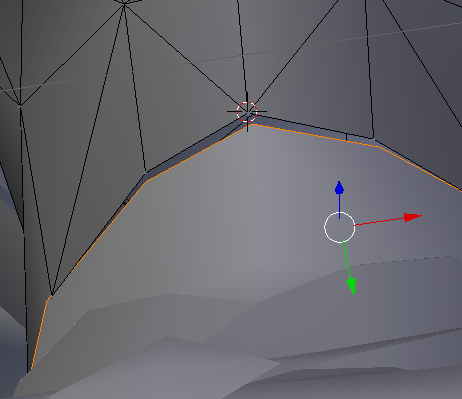
 alpine hill
select the dots and then alt+m and you select either to first or last,
it will link them together
 fading verge
Anyone have a guide for importing models that can't exactly have humanoid rigging but generic instead.?
old heron
how exaclty would i move a bone?
 charred estuary
I have a weird issue where my arm does not move while holding an object. What in the world could be causing that?
 leaden moth
lost briar
leaden moth
lost briar
buy it?
charred sorrel
how do i import a .mdx file? any addons?
 unique agate
So...
My avatars fingers
are all fucked up. >_>
Bending backwards and at weird angles.
turbid vault
oof
lost briar
the ol' salad fingers
unique agate
An apt descriptor.
turbid vault
\
unique agate
Is it a unity or blender thing?
turbid vault
i can see it
unique agate
nm figured out the issue
CATS fucked the fingers, lol.
https://imgur.com/QahiAkb simple fix for once rofl.
 lost briar
ooh there you go lol
 proper kettle
i want to optimize my rig and delete fingers. Should i do it in blender or just turn it off in unity?
 summer sequoia
anyone know why when I put an acessory on my mmd model in unity it causes only the acessory to show up ingame, floating where it was supposed to be on my avatar while my avatar is invisible?
dull totem
I hate when the majority of Tris are on the face and you cant decimate
 obsidian kernel
umm i put one of my gestures to play music but now when i use it my hand goes into a weird holding position, what do i do>
 native narwhal
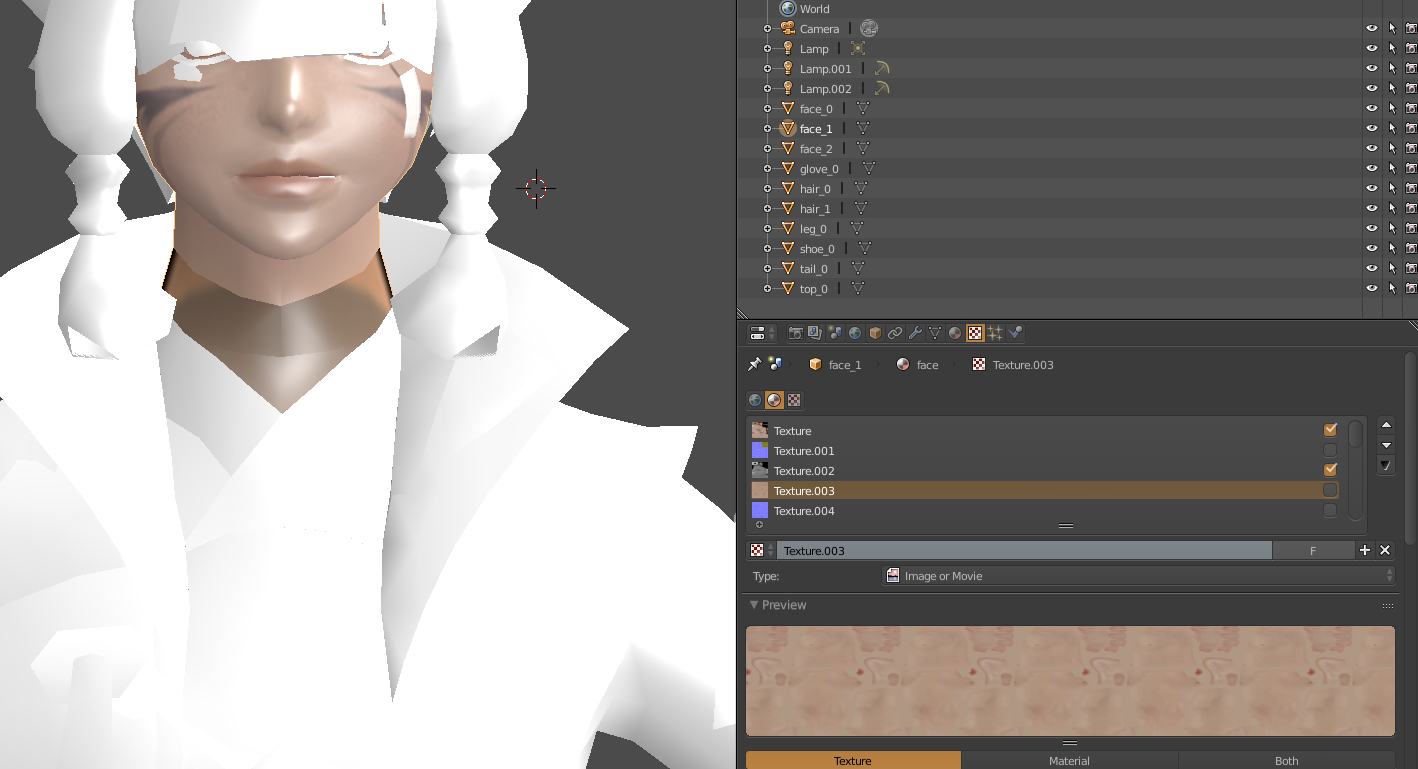
Could anyone instruct my dumbass how to fix this issue?
rocky mesa
So in Unity, how would i set a bone to be like a piece of clothing , like my model has a tie, how would i make the tie act like a tie?
dull totem
Has anyone here ever decimated body / face?
 violet night
Uh so my problem with unity is that it won't save the scene but it will save the project? It keeps telling me it has to be in the assets folder (which it is) but it won't save.
 mortal halo
Hello, does anyone know how to fix the "Spine hierarchy incorrect" error? It looks like I've done everything correctly, but I guess there's something I'm missing.
 chrome finch
the shoulders have to be parented to the chest in unity
rocky mesa
in configure did you move the shoulders and neck out of spine 2 (upper chest)
mortal halo
Yooo thank you so much!
mortal halo
It's also saying that the avatar is not imported as a humanoid rig and will not play VRChat's provided animated set.
Outside of the configuration?
rocky mesa
can you screenshot me your screen so i can see the layout
Basically on the far left of your screen you should see this.
fading verge
Eh, I ask again in hope somebody might get me an answer
So I ported a model from CM3D2 into a .pmx file and tried to rig it since then.
Problem is, either due to a bug in the port or some weird coding stuff from CM3D2, the neck and shoulder are connected to the face.
https://puu.sh/z1cN8/172ef87721.jpg
So, I removed the weight from the face and ever other mesh besides where weight SHOULD be applied, but spinning the left shoulder still result in the face getting ripped apart.
If I remove the weight of the vertex itself, it would stop moving the shoulder all together, right? What else could I do?


 weary geode
@fading verge You may not have removed the weighting completely, or bones connected to the shoulder are also weighted to the face vertices? To ensure you're removing all weight, go into edit mode of your model and in the vertex group list, find whatever the Head bone is and click the "Select" button to select all vertices for that group. Then find the name of the shoulder bones in the vertex group list and click "Remove" button to remove the selected vertices from those groups.
fading verge
Oh, alright.
I will try that out in a minute, currently giving attention to another model.
I'll ping you when I tried it, okay?
weary geode
@turbid vault In edit mode, you can select which vertices you want to assign to specific materials. If you're using a single material for the entire object, you can assign them to different textures via UV mapping. Select the parts of the mesh then open UV/Image Editor, there you can set which texture to project to.


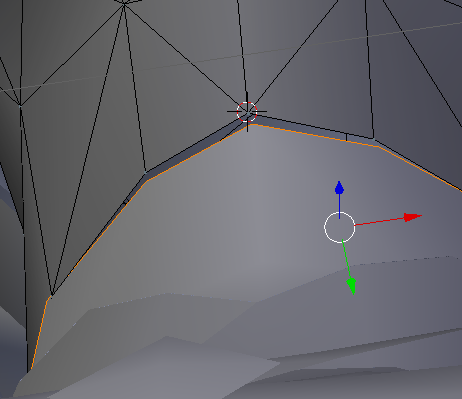
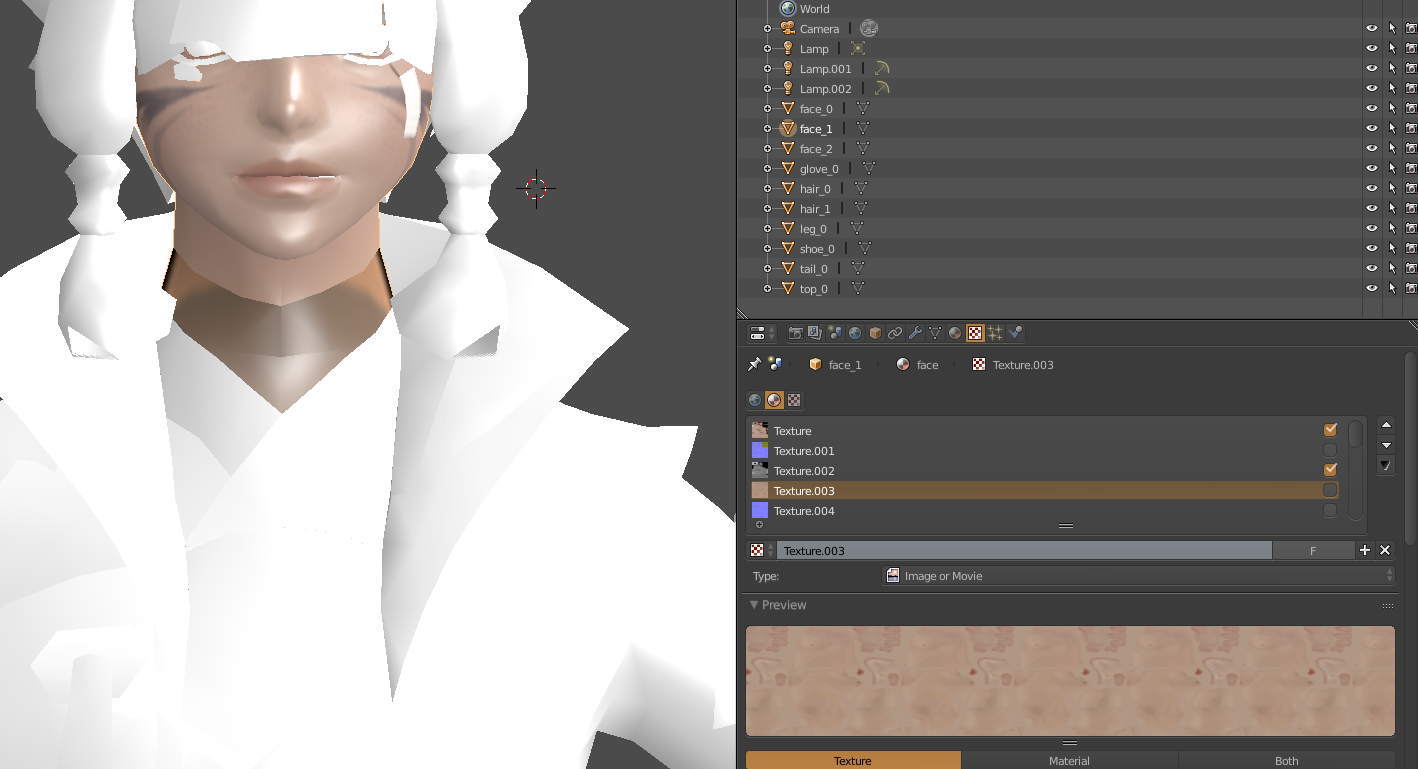 fading verge
does anyone know how to make the ear like flop, idk how else to put it
like this
That should be done in blender
unless you want a dynamic bone in there to wiggle arround
mortal halo
Have no idea how to do that :/
fading verge
i have but i want it to be fixed like in the image
Oh
gravity doesnt do that
Yeah I guess that needs to be done in blender
oki
how?
@weary geode
http://puu.sh/z1k5Q/f3e652ca45.png

Yo, the ripped model dosn't really come with vertex groups, it only comes with this

I ain't no expert in this Jinx, I'm new to this myself.
oki
 crystal vector
@mortal halo www.youtube.com/watch?v=7P0ljQ6hU0A
mortal halo
Oh boy, an hour and a half long... but I'm sure it'll be usefull, so thanks!
Wish I would have found this about 5 hours ago though.
fading verge
oki how do i make this stay as it is?
fading verge
when i did shift + a i got this
weary geode
@fading verge Apply armature to your model then in pose mode go Pose > Apply > Apply as Rest Pose
then add armature to your model again
similar to how you make an object go in edit mode, there's a menu for it at the bottom
but for your armature instead
or you can do ctrl + tab
when you have your armature selected
@fading verge You can find vertex groups in the object data menu above where you'd find shape keys. If your model doesn't have vertex groups then your model isn't rigged.
fading verge
It was a port from Custom Maid 3D 2 into a .pmx file, made with a custom DLL
@weary geode how do i apply armature?
weary geode
then it should be rigged, unless you're using a bad exporter
weary geode
what plugin are you using for exporting from cm3d2
fading verge

DeviantArt
♥ How to extract cm3d2 models with bones, physics, expressions just like 3d Custom Girl ◕ ‿‿ ◕ I did this tutorial with the help of :icondego4ever2getter: ♥ ...
There we go
yeah, its the same .dll
Also, I didn't got the .pmx personally
Somebody else ripped the .pmx for me
weary geode
ya that's same plugin I use, it should work fine but cats plugin for blender does not import it correctly, you have to connect bones yourself and such
weary geode
@fading verge Select your object then go to modifiers menu, should see the armature that you can apply there. If your face has shape keys attached you won't be able to apply directly. You'll need to separate the face mesh from the model and then remove shape keys on the object before applying.
fading verge
Hey, if ya like you can rip the mod for me, the guy that did it for me apparently used his own creating and made the titties way bigger than they should be
@weary geode fyi im a newb at this and everything you said is new to me and im lost, sorry
weary geode
Well, select your model (object mode), then in the right menu you should see a blue spanner icon
when you click that, you should see something like this
that's your armature modifier
fading verge
Oh fuck Primu
I finally understand what you mean
sorry, I'm dumb
Is there like a way to delete an entire vertex?
Because on the left shoulder bone seem to be two vertex that are somehow connected to the face
weary geode
you mean, weighted?
you can just select them in edit mode, then select the head vertex group and click the remove button
fading verge
@weary geode oki ive final got there, what next?
weary geode
@fading verge Select your armature and go in pose mode, then Ctrl + A > Apply pose as rest pose. Then back on your model in object mode, go to modifiers again and click Add Modifier > Armature, then select the armature as the object
fading verge
Eh
No wait
I'm dumb, I can't get this shit to run


I did it manually again and went through every single mesh, through every vertex
weary geode
looking cute
fading verge
but the eye keeps poppin out when I move the left shoulder
weary geode
I'm assuming you separated everything by material?
weary geode
if so you can just select the eye then remove vertex groups that are not relevant to the face
fading verge
But what if I merge everything back together?
weary geode
then it'll be merged, but the groups that you removed will no longer have weight influence on the eye
fading verge
.......
AHW FUCK
I could have gotten that idea by myself
Okay absolute last question
because when I have that I have everything
how to delete vertex groups?
fading verge
@weary geode i got this once id apply pose to rest pose
Okay, go ahead and shoot me with a 12gauge point blank
I'm so stupid today
is it early or late for you @fading verge
It's noon
then yeah not your day
Alright, thanks Primu. I'll report back in when I'm done.
@weary geode is that ment to happen?
weary geode
no
fading verge
hmmm
weary geode
You did pose it before applying right ?
weary geode
yep
fading verge
well im in this now so fuck it XD


YES!
Finally bend shoulders
and intact faces
@weary geode is there anything i missed? cus i just pressed ctrl + A and it gave me the choice to apply pose as rest pose
weary geode
@fading verge You can send me the blend file if you want me to take a look
fading verge
oki yeah thanks
 tacit adder
I need help with this error, "FileNotFoundException: C:/Users/(info info info)/customAvatar.unity3d does not exist"
idek
fading verge


Now what could be wrong here?
Moving the neck moves hair and such
but not the face
weary geode
cm3d2 models come with 2 different head bones
merge them if that is the case
there's also a hair bone that you can merge into the head too
fading verge
shhh
Neither is the face
I'll try Primus approach, he has ripped CM3D models before
so I guess he knows what he is doing
weary geode
I have hachiroku & chocola/vanilla in vrc from cm3d2
fading verge
Get it!
or ask someone who has it
Was your expierence a download from sexybabces.com in 2001?
Anyway, Primu
pseudo hedge
ok anyone know how to fix this without having to go to each vert and manually merge it to the other ones its connected to.. cuz.. there is a shit ton of them that are doing that and i just spent the last 2 hours doing it and im hoping there is a faster way or it will be a week before i finish all of them.. (btw this pic was taken while in pose mode, move the entire model off to one side)
fading verge
The two headbones, you mean head and headset?
pseudo hedge
yeah, parts of it are getting left behind ( i assume its because they thing they arnt connected to something? the weights are fine as far as i can tell
damn.. ive litterally gone over those parts 8 different times to try and fix it, i cant find anymore blue spots at all
i remade this model from scratch, custom rig, custom vertex groups, all painted by me, the only thing i started with in the first place was the obj file of the model that was empty
thats one of the points
yeah i believe so, as you saw from that pic there are a lot of spots so its kind of hard to find it, if you want me to share my screen i can
if it helps
simple jetty
Did you try to remove doubles on the model?
pseudo hedge
besides moving that vert out of the way to look at the other ones, is there an easier way to cycle through all points on that spot?
tbh i am not sure what remove doubles does
simple jetty
If there's 2 vertices on each other, it will delete them, it can be that you paint the top one but the bottom one is not weight painted
fading verge
How do I delete avatars that I uploaded?
simple jetty
just in edit mode select everything by pressing A and then W > Remove doubles
pseudo hedge
@simple jetty that would actually make sense cuz it looks like one peice of "wall" if you will but when i start pulling it apart, it looks like its double layerd, and @arctic grotto while pulling it apart i did find 4 verts that were not weighted so yeah both of you are right
crystal vector
@fading verge at the top press Vrchat sdk, then manage uploaded content
fading verge
@crystal vector Thanks
simple jetty
Removing doubles is useful, reduces verts count for the model and also removed some problems
pseudo hedge
have you ever found it to fuck up the textures?
fading verge
Sorry what
Right click my face and look for a vertex called "face"?
I don't have a vertex group called face.
crystal vector
@pseudo hedge it did for me once
simple jetty
It could at time fuck up the textures if they are based off double vertices, I've ran into that before, you can always deselect the parts that go weird in edit mode and just use Remove doubles on other parts of the model
pseudo hedge
@crystal vector i have had absoluly ZERO luck with textures the last week of trying to make a model.. this is my 4th model becuase i had to give up on the other ones after a day or two of fucking around with the texture to get it to work and stuff lol
@simple jetty what is the command to remove doubles? i tried hitting W but what pulled up didnt say anything about removoing doubleds
doubles*
crystal vector
@pseudo hedge What's the problem with textures?
simple jetty
Did you do it in edit mode and selected everything?
pseudo hedge
ahh edit mode, that would be what i was missing lol
and @crystal vector A LOT
lol
crystal vector
In Blender or unity
pseudo hedge
both
beleive it or not
and the doubles thing didnt screw up the texture so thats a plus, lets see if it worked
probably should check the weights though first
simple jetty
Are you also using auto-normalize when weight painting? Sometimes if you go over the vertex multiple times with different bones it will create a pink vertex that you have to fix manually
fading verge
@arctic grotto yo, I can't find what you're talking about
pseudo hedge
i am not using auto, didnt know that was a thing tbh lol
fading verge
there is no vertex weights on the side menu though
simple jetty
Yeah, it's useful as if you have a vertex weighted to 1 and want to do .3 for another bone, it will automatically make the 1 to .7
fading verge
Yeah I fixed that already
 uncut yacht
Speaking of selection, I have my materials seperated and I'd like to rotate one of my models ears. If I join my meshes, I'd have to rotate the entire model since it's one mesh, but since the materials are seperated it only rotates a piece of the ear. How do you select and edit multiple materials at a time?
fading verge
I have now these two parts of the face, one that moves with the neck
one that dosn't
pseudo hedge
lol that face thoo
pseudo hedge
if i ever get the model into the game.. i dont think ill ever take it off lol... so fart put 28 hours into this trying to fix shit
fading verge
to the neck?
uh
yeah of course of course
But like the hair is no weight painted to the head
yet it moves along
OHhh
yeah
yeah nevermind
weary geode
@fading verge You can delete the extra face, it's used as a preset default for shaping in cm3d2
fading verge
I'm having brainfarts
weary geode
but I think it's also attached to the neck, so don't delete the neck
fading verge
I already deleted most of it
the only thing thats left are the eyelashes
and I don't wanna delete the eyelashes
oh no wait he talks about the head INSIDE the head
what I deleted were unnecessary stuff like tear and drool meshes
When I have full VR
and not only a headset
an top of that, this is the second (third) model im trying to do
so i threw myself into a difficult excercise regarding i have no knowledge about this
alright
time to weightpaint some shit
pseudo hedge
ok well after removing doubles and repainting, there are deffiently quite a bit less now
so thats a plus
fading verge
Yeah, i get along well now
Well, it's of no consequence when I accidentally deleted all the uh textures in blender, right?
No, i only spammed ctrl z to go back
and hit something to turn off textures I guess
My avatar got "uploaded". But it isnt on VRchat, Welp
can any1 help
pseudo hedge
@arctic grotto #PatienceOfaGod lol
fading verge
pseudo hedge
i know haha im just kidding around
pseudo hedge
im still knew, this is only my 4th day of hands on building
pseudo hedge
hahahah you dont know what a mess looks like untill you see what mine started as
fading verge
VRchat got like thousands and thousand of people into 3D modeling
or atleast rigging
pseudo hedge
snoop, relaxy man i was only kidding around
 topaz dune
same here
fading verge
Everything you learn is valuable for the future
pseudo hedge
alright alright easy with the chat spam, send me a pm and tell me what you want done
topaz dune
now that i know how everything works, i just started reworking on my models.
fading verge
yo btw
was it you that offered me to do the Hotaru model?
¯_(ツ)_/¯
Nevermind.
Somebody on the secret hackerforum told me he would do the entire thing for me and I declined because I wanted to learn how to do it by myself
Oh
That works too,I guess.
I'm so gonna screencap this and post it
Pff
as if
I posted dick pics with my adress on 4chan
and nobody gave a shit
Thats just memes

Paul Fetch you stupid cunt. The only reason you do this shit is so you can receive views and gain money from youtube partnering. Or do you just live off the ...
But hey, hackers on steroids
Last off topic post because this is not avatar rigging related


"We're talking about dicks, do you want to join"
Live on Fox!
 minor sapphire
does anyone know if there is a way to use a rig to set shape keys, If I have a rig done, seems silly to move vertices around to get shape keys and expressions and the visemes
but ofc poses != shape keys, so this seems impossibru
weary geode
you can apply a posed armature as shape key
minor sapphire
but it records all vertice's positions
so u move the face bones only but it stores everything, ingame u use the shape key aaaand memes happen
weary geode
after you can use shape blending to exclude those vertices
minor sapphire
OwO
weary geode
in edit mode ctrl + v > blend from shape
to create a new blendshape that only includes the vertices that you want it to include
there's probably an easier way of doing it but that's the way that comes to mind
weary geode
well, when you apply the armature, you're creating a new shape key that has the parts that you want to have moved, but also contains positions for the ones you don't want to have moved
minor sapphire
yup
weary geode
We'll call that one "ShapeA".
So, you make a new shapekey, named "ShapeB" and select it, and then in edit mode select only the parts of your mesh that you want to have influenced by ShapeA and go ctrl + v > blend from shape, and then select ShapeA as the shapekey to blend from with 1.000 blend
now ShapeB is the same as ShapeA, but without the extra vertices that you didn't want to have influenced by it
minor sapphire
thank you, so much...!!
weary geode
you're welcome :3
weary geode
just remove vertex group for leg bones?
no
you want his legs not to be animated, only to be posed in the same position they're in relative to the rest of his body right?
so you weight the legs to the hips or something instead of the leg bones
in edit mode, select the leg vertex groups and click the "Select" button to select the vertices that are influenced by those groups, then click the "Remove" button to remove that influence from the leg bones, and then select the Hips vertex group and then click "Assign" to assign the leg vertices to be influenced by the Hips instead.
ya
well the cart is going to be fully weighted to the hips too
you're basically just weighting everything except the head to the hips
what do you mean by that
as a separate object?
doesn't matter
both your character and the kart will retain their position/location/rotation relative to the hips bone when fully weighed to that bone
go into edit mode on the kart, select all vertices with A, then in vertex group list add one named "Hips" and click Assign
that will weight the kart to the hips
they should be in the same blender file, yes
you have different blend files for each of these?
 slow scaffold
anyone here have experinece with 2d visemess?
weary geode
Just go File > Append > select the blend file, then in Object folder select the object to import
what are you having trouble with
oh dear
he is already posed?
so you're not doing it in blender?
you want him to pose so that he's holding the steering wheel and such
and set that as rest pose?
why are you doing it in blender if you already did it in unity?
oh right, so in game he's not in that pose due to being weighted to the legs
you can create an animation override for the walk animation then
well check a youtube video for vrchat animation override, and do it but without actually setting anything for the animation frames
that way you'll have his pose as the animation and walking in game wont make him move
simple jetty
Couldn't you just weight paint the head, rig everything else on he hips and make fake bones?
weary geode
just don't set keyframes for head
fallow lake
So I just uploaded a model to mixamo to re-rig and downloaded it. But when I put it into Unity there is no model attached it's just a skeleton...wtf?
 compact wren
guys can anyone send me dynamic bones plugin
because i cant download it from unity store
@fallow lake i think you have to put the textures manually
 oblique cloud
u gotta buy it friend
fading verge
i need some help
oblique cloud
we all need a little help in our lives
fading verge
can anyone help me Get the Bones Right on my avatar
Did you specify the feet and the upper arms in the Configure menu for Rig
the fuck how to do that
click the model in your Assets and then click Rig, click Configure
k
then you just use the menu there to select the bones
i got that far after that my brain just didnt process what i have to do
how do i Specify stuff
cus im brain dead rn
model has bigger issues than a few unmapped bones lol
oh
well
no merged meshes whatsoever
emmm
i think i need a bit of help (epmfisize on the Bit)
walk me through what you've done so far
got it of Web and Shuved it in Unity
sigh
After a nap I went on with the model


But apparently I forgot to weight one of the eyebrows
Eh


Eyelashes I mean
Otherwise good.
Yeah looks nice
Also
Feet are stuck in the ground
what gives?
check your model and make sure the feet are at 0 0 0 coordinates, something like that.
@fading verge do you know what format it was originally in
I placed them at 0.3 already because they were in the ground in unity already
it was in a Zip and the files were .FBX and . MAX
oh