#avatar-rigging
1 messages · Page 68 of 1
 atomic summit
 nimble cape
E C H
 west gulch
gaaaaah there is a spot of blue that is not turning red
 vestal peak
Anyone wanna help a poor guy out with some dynamic bones
nimble cape
I'm going to bed hhhhh
This whole ordeal is really stressing me out and I can't really take much more for tonight without any sort of help :(
west gulch
I figured it out, I needed to break the items, and Ctrl l and hide items to get the problem items
 modern niche
My problem seems to be only one of my arm bones is actually connected to the mesh
How do I connect bones to the mesh?
 regal belfry
Cats uses shape keys, right? Is there a way to use cats with bone poses instead?
 kind nacelle
what do people generally use for re-adjusting model's poses?
regal belfry
@modern niche did you use automatic weights to assign the armature to the mesh?
modern niche
I didn't do anything to do with weights myself
I don't even know how they work
I just took the model as it was
Which I actually didn't download but imported from a game that had a mmd export plugin
All the bones seem to be in their proper place and hierarchy
But moving all but one of my arm bones doesn't move the associated part of the mesh
regal belfry
In pose mode?
modern niche
Uhh which one is that?
The configuring one?
That's where I see the problems, when it goes to T-Pose
The default pose is just fine
regal belfry
You’re using blender, right?
regal belfry
If I understand everything, this sounds like a weight issue then. If the model is rigged but parts of the mesh aren’t moving with the bones, then you should go back into blender and adjust the weights for the bones that don’t work
modern niche
Wait, is this the rigid thing?
regal belfry
I’m not sure what you mean
regal belfry
Send me your fbx and I’ll see what’s up
modern niche
Do you need textures?
regal belfry
Nah
modern niche
Alright
kind nacelle
can someone take a look at a model for me and tell me whats wrong? I can't seem to open it in unity
atomic summit
Alright so I manually duplicated my forearm bone to set up a root bone to parent the sleeve and chain bones coming off the forearm. When I set up the parent bone so it was named the same way as cats tool names the root bone when you do bone parenting, it all works, BUT the sleeve doesnt move with the forearm it moves with the duplicate forearm, how to I fix it to work the right way like it does when cats parents it for you.
 crystal vector
@regal belfry Cats will be able to convert the mmd bone poses into shape keys next uodate 👌
regal belfry
awesome, thanks!
atomic summit
basically what im asking is after Ive duplicated the forearm bone and renamed it for bone parenting, how do I link it at both points so it moves with the forearm???
Or should I try renaming bones so that cats boneparenting sees it and does it for me? Im new to this and this model has a lot of bones i need to simplify
crystal vector
@atomic summit Parent the duplicate to the forearm
@soft mulch Ingame?
I don't think this has to do with rigging
Why do you think that
atomic summit
I have it parented to the upper arm since thats how cats structures the bones when it makes its root bone. Are you saying thats the problem and I just need to parent it to the forearm instead??
crystal vector
@atomic summit yup
 north trellis
May I ask how to unparent a bone? I accidentally rooted a rooted bone with a root bone
sentence gore
crystal vector
Cats does the same thing
north trellis

or wait actually lmao
https://files.catbox.moe/ytlsmu.png

Should I be safe keeping these the way they are?
crystal vector
Hit undo maybe @north trellis
atomic summit
Oh yeah it does derp, I thought it left the bone at the same point lol, thanks guys. This avatar was a real pain trying to manually redo the rig but Im almost there.
north trellis
Probably a bit too late for that one since I just now noticed this
atomic summit
@north trellis Pretty sure you can just reparent manually and then remove the extra roots
I did the same thing on my first model but idr how I fixed it.
north trellis
Gonna try that, then.
crystal vector
@atomic summit You say you had to manually redo the rig? Why
atomic summit
Well for whatever reason everything was super over complicated and It wouldnt register as a humanoid
north trellis
Fixed it. Thanks, guys. https://files.catbox.moe/qci137.png
 crystal vector
@north trellis Why it the lower body under the head?
atomic summit
So I didnt have to redo everything, I just had to redo every bit of the rig beyond the core stuff. Although I had to redo the rig for another model so i learned the basic stuff for connecting meshs to bones and whatnot
crystal vector
As well as the upperbody
@atomic summit Ah ok 👌
@north trellis And why did you put them under a root xD
north trellis
I don't knowwwww
aaaaaaaa
NotLikeThis
I'm really not sure where to put them at this point
crystal vector
Do you have hips, spine and chest already?
north trellis
Yes.
atomic summit
I do have a question about rooting for parenting. Do they all have to have the same name, like if I make a root with cats for hair and theres a front and back hair, I can just parent them both into the root_fronthair0 even though theres gonna be backhair0 etc in there?
north trellis
 north trellis
lemme see if they do
atomic summit
@north trellis I think you should just parent them all under one root bone?? Thats what I was told I should do in those.
crystal vector
@atomic summit You can just manually reparent them into the same root
atomic summit
So I won't have any issues from that, good. I was worried if it made any problems.
north trellis
Moving the LowerBody in Pose Mode isn't doing anything, but moving the UpperBody moves the scarf
I moved the LowerBody bone and parented it to the Spine.
since it looked like it fit there more.

But yes, moving the LowerBody in pose mode does nothing
crystal vector
Well then it should be a problem. And the scarf looks like it can be parented to the chest
Shouldnt *
Stupid Auto correction :D
atomic summit
Hey I was wondering if its an issue to have a "head tip bone" Where it goes head>headtip>hair
 queen verge
How to I prevent from my arms clipping in the body this badly? I'm only crossing my arms irl.
north trellis
The Root_UpperBody is part of the upper part of the scarf, and the Root_Scarf is part of the ends of the scarf.
atomic summit
I feel like I should mix weights to remove the head tip
crystal vector
@atomic summit You can do that, but it doesn't make a difference
It's just cleaner
atomic summit
Alright, I just had an issue with an avatar where unity said it wasnt human and I was worried it might be that
 tropic roost
hey, if someone isnt busy, think u can help me out with an issue im having
so i have the hips automatically assigned to the bone going down the center between his legs
however the pelvis is unassigned so i cant upload it
when i switch the hips to the pelvis, the whole thing freaks out
tropic roost
is there a way to fix this i cant see
crystal vector
@tropic roost Parent Spine 1 to Pelvis
tropic roost
so instead of spine 1 on spine, make it pelvis
ohhhhhh
so make pelvis spine 1's parent?
or the other way around
tropic roost
i cant seem to get it work
crystal vector
@tropic roost Try it, it might work in Unity
west gulch
Well its not gone but its not showing
tropic roost
keeps telling me it isnt parented
crystal vector
Then go into blender @tropic roost
queen verge
What do I do to prevent the feet from doing this?
west gulch
As you can see there is the back but when I rotate it goes away and the other sides show up
queen verge
Do I have to delete something called "AnkleTip" or "AnkleTip End"
crystal vector
@queen verge unassign the toe bone in unity
west gulch
Is it because clothes don't have bones?
tropic roost
im just tryna figure out how to parent in blender now
keeps tellin me to ctrl p but it wont work
west gulch
Mesh before bones
queen verge
@tropic roost go into edit mode, select a bone, click the bone icon in the little tool bar below the bones, and then type in the parent bone in the parent box
west gulch
So anyone know whats up with mine missing skirt/cape
tropic roost
ty
 sand patrol
How to flip the bones
 fossil lance
So is there a way to add non humanoid ?
 naive tree
blender rotate 180deg
west gulch
R to rotate bone
fossil lance
i saw cockroach it was moving it's legs and all that
tropic roost
aaaaaaaaaaaaaaaaaaaaaaaaaaaaaaaaaa i love you @queen verge @crystal vector
 robust geyser
Look at this abomination that I have no idea how I created
queen verge
ily too
tropic roost
❤
west gulch
Anyone? Missing clothing in Unity?
fossil lance
No 3dmax love in here ?
queen verge
@west gulch The only think I could think is the texture is missing all together
Not too familiar with clothing and its glitches
west gulch
if that was the case blender would have had that issue
west gulch
I figured out what happend, it backface-culling
it had no thickness so it would appear to disappear
 brisk shoal
I have dymanic bones and i still cant figure this out
north trellis
Alright, having more issues.
My boots aren't parented with my feet, and I have no idea how to.
https://files.catbox.moe/5w886s.gif
How do I parent one of the boots to one of the feet instead of both of them together?
 daring cairn
Anyone else with decent amount of experience with full body tracking? My hips are tilted about 45/90 degrees basically making the rig arch it's back like I'm sticking out my butt at everyone. It requires me to instead have the tracker facing up or down vs flat against my hip
naive tree
@brisk shoal make a screenshot of your hips/spine/chest please http://prntscr.com/hzbzzc like this

 digital sierra
If bones start with different names but are all the right bones and posistions do i have to change them for vrchat?
like instead of spine its labeled XP_BR_Spine or something
digital sierra
alright
daring cairn
@naive tree Did you want the picture in blender or vrchat?
naive tree
blender
 potent moth
how do parent extra bones to avatar?
daring cairn
@naive tree Here you go
daring cairn
Whoooops
naive tree
@potent moth explain more in detail
potent moth
@naive tree i want to parent bones from Extra clothes to my avatar
naive tree
u join them with ctrl+j
potent moth
i have 2 object now, one is the avatar and one is the extra clothes w/ bones
 rose blade
anyone know how to make transparent images appear trasnparent

pic has no backround but shows up as black
potent moth
@naive tree So i have 2 objects here, and i want the "Extra Clothes" become a part of "Armature"
 lavish latch
VRChat should support editing the camera prefab, sadly any edits to the camera cause strange bugs including but not limited to avatar image not loading, avatar not uploading at all, and Unity freezing when trying to upload an avatar. I think this is a pretty major issue that people should be made aware of, as it can make you unable to upload your current project.
naive tree
@rose blade use cutout in unity shader? idk
@potent moth u need to look up some tutorial for that, I haevnt joined bones from other stuff
potent moth
hum maybe how to add custom image to VRcam when you upload your avatar ?
 flat sierra
how do i get the mouth to close
just disable talking?
cause it just hangs open for some reason
 bright kettle
Hi, im haveing a issue with my modle. It's legs cross when she looks down and i am not sure how to fix it.
 fading verge
is it possible to place bones in unity
because i wana upload this model but the issue is it dosent have any chest bone
and idk how to add any with unity
@bright kettle the leg bones must be bent in a weird way
bright kettle
humm
 manic flicker
i am dopne rigging my model, what do i do next? i tried going to mixamo, but it keeps loosing its colors
sorry for bad grammar. its 2 am and i am just trying to finish this
idk what i'm doing wrong
fading verge
any way i can import from unity to blender?
 young orbit
oh wait
fading verge
to vr chat
young orbit
mixamo
young orbit
yeah just zip fbx with texture(s) and open mixamo file with cats plugin
 charred sorrel
my model in vr is stuck on queued for other people? how do i fix that?
like it won't load at all
young orbit
after downloading from mixamo
fading verge
ok
charred sorrel
how do i fix the queued problem?
 keen barn
I'm getting this error message ("Avatar feet are beneath the avatar's origin (the floor). That's probably not what you want.) in the Show Build Content Panel in Unity. This is the second time now this has happened to my avatars and was wondering if anyone had a fix for it? I'm lost.
fading verge
welp i got this @young orbit
https://puu.sh/yZDc7/88dd9d5461.png

 flint rain
Anyone here good with bones and shit mind helping me setup a working dva mech? ive got one with basic bones I doubt itll be a lot of work for someone who knows what theyre doing
young orbit
okay i think you have picked really bad one then @fading verge
what avatar you are making ?
fading verge
ill show u for a sec
@young orbit issue im having is the model dont have a chest bone
the only thing keeping me from uploading it to Vr chat
and im not sure if unity can make bones
 grim hollow
I tried uploading a model into VR chat and this is what happened. How to fix x.x
young orbit
@fading verge did you merge 50 % from bones ?
fading verge
its a 3d model i downloaded
that some 1 made im just trying to bring it into vr chat
young orbit
click chest and pick chest ?
fading verge
if u want i can send you the file n see if u can get it to work because im just following off youtube how to add models to vr
never done these before xD
theres no chest
when i try to pick 1
flint rain
Kodai that doesnt work since the one that he has selected is spine
And then he would need a spine
fading verge
i think its strange that there isnt any chest
flint rain
If you dm me the file I can look at it real quick
flint rain
Yea
fading verge
@flint rain ok i message u it
flint rain
Ye got it
grim hollow
Anyone able to give a hand with my issue. It seems like the legs are attaching a 90 degree angle to the hips but I don't know why. It shoes fine in the model selection and is showing fine on unity. But not on the actual model in game
 dire mica
Is it in T pose when you go the configuration screen of your avatar?
grim hollow
In vr chat? No it's showing fine and just doing the generic look around animation
 sharp nimbus
What do you mean by shoing? because my avatar's feet are unatached from it's legs so I'm trying to figure out if it's the angle thing.
It looks fine on unity but not the actual game.
its*
grim hollow
Yep it's tposed in there
dire mica
Does the sdk give you any warnings before you upload?
grim hollow
Nothing red, only gives the warning because the poly count is 13k
 pallid jungle
Getting this msg https://gyazo.com/85d9aa985f029112bab7dc0948a7d256

 swift frigate
Ooh I actually know how to fix that one
pallid jungle
:D
pallid jungle
Ehhhh
 swift frigate
What do you have as spine, chest, and neck?
 grim hollow
So I tried switching from LegD_L to Leg_L, same with the knee and ankles version of those on both legs and now my boots are flipping up with the legs
pallid jungle
It should be
pallid jungle
It is
pallid jungle
 swift frigate
So what are the import messages?
grim hollow
Do my Legs need to be directly parented to the spine? 'cause I've noticed that they're parented under WasteCancel which is parented on spine
swift frigate
It should be a chain
There's a gradeschool song about this lol
Just as an example:
Legs to hip to spine
grim hollow
That might be why my legs are going weird as fuck
swift frigate
It might be they're on the wrong section of the chain
grim hollow
Do I need to redo that in blender (It was from an MMD model) or can I do that in unity
swift frigate
mmm, that I actually don't know
grim hollow
That's what my current tree looks like
pallid jungle
 dire mica
I'm not sure about reparenting in unity
I always do it in blender just to be safe
@pallid jungle seems like you have too many spines
grim hollow
Guess I'll try it. See if it works
grim hollow
Okay yeah I need to do it in blender
 lean mason
anyone know how to fix the puffed out chest thing
 bold merlin
How to set weights in blender? my model/mesh doesnt follow the armature/skeleton in unity
lean mason
ingame sorry
dire mica
@bold merlin https://www.youtube.com/watch?v=Tl4qTgwQwYw&t=33s
bold merlin
i will see. thanks.
dire mica
That's all I can help you with, I've only done minor weight painting
@lean mason does the SDK give you any warnings? Does the model look fine in unity and in the avatar configuration?
bold merlin
aiaiaiai. thaaaanks dude. automated weight pain ting doesnt work for me.
lean mason
yes it does but it does give me some warnings hold on
lowerarm is not first child of upper arm and angle between pelvis and thigh bone should be close to 180
although i may have fixed it
i hunched him over in the viewer
dire mica
The window with all the bones you mean?
lean mason
yea
brisk shoal
The angle between pelvis and thigh bones should be close to 180 degrees (this avatar's angle is ___). Your avatar may not work well with full-body IK and Tracking.
How do you fix this?
lean mason
nvm still have the same issue
 tender ravine
Somebody know what to do? I cannot found solution
grim hollow
If I re-export and overwrite an fbx from blender will unity automatically update it?
 lucid orbit
Best to delete your old model and then reimport it. Yes, this does mean you'll have to do all your settings in Unity again.
 left river
useful info for those who have avatars with tassels poking out horizontally, fixed me up good
https://blender.stackexchange.com/questions/49768/can-i-set-my-pose-position-like-the-new-rest-position

I would like to move my armature from pose mode to another pose (a random one) and set the position I create like the new rest position. Is there a way in order to achieve this goal?
My armature is
naive tree
hips=hips
 eternal hedge
?
naive tree
ah and spine
eternal hedge
?
naive tree
looks like hips aren't assigned, there should be hips and not waist
eternal hedge
i dont understand im new to rigging and creating avatars
 civic copper
you should probably watch some of the rigging tutorials then, theres too much detail to explain in text chat
eternal hedge
like this?
civic copper
but everything the skeleton rig must follow certain naming conventions and obey the heiracy
grim hollow
So my legs aren't at 90 degrees anymore, but now my boots and upper legs don't seem to be connected at all and I don't even know anymore
eternal hedge
I think the only problem is that spine1 has a length of 0
But I don’t know how to change that
bold merlin
here another weightpainting tutorial: https://www.youtube.com/watch?v=nK2F-l8Wjbg

In this episode we improve the way the mesh deforms using weight painting. See Brackeys' channel for the programming half of this series: https://www.youtube...
naive tree
@grim hollow your boots are parented hips, go into blender, rotate in pose mode your leg 45 deg and make screenshot
grim hollow
I got help from the other chat. apparently it was something to do with waistcancels. I'm trying it now now
pallid jungle
So I uploaded my avatar and the animations work, but its super tiny and really far up in the air
 pearl hound
does anyone know how to work with source model's? im trying to get one rigged right
lean mason
how do i fix this stupid chest puffing shit
ingame
fading verge
@grim hollow Floating wizard weeb?
grim hollow
Floating vampire wizard weeb
 ebon prairie
This is my first time rigging a stuff, is this any good?
I don't care if it looks a bit shitty and stretchy ingame as long as it works
... My antivirus decided: "Hey, this program is trying to create a file in \Documents! Probably malicious, so what about I stop the process and erase this dumb girl's progress! Stupid Blender virus"
fading verge
That's strange. What antivirus do you use?
ebon prairie
Bitdefender Pro
young orbit
no wonder
ebon prairie
I'm starting to hate it
It didn't use to be like this
Nowadays it just says any file on my computer is a virus that should be exterminated
Blender? Virus
Roblox? Virus
Porn? Virus
Gotta love them false positives
@_@
 steep tinsel
https://cdn.discordapp.com/attachments/311987726872215552/401024718117011466/unknown.png can someone explain these errors?
 fading verge
configure ur model
in humanoid
make sure hips spine chest are filled
and everything else
that needs
a bone
u can ignore the 2nd one
ur model has no fingers
so its just telling u IK will be disabled
@steep tinsel
pearl hound
does anyone know how to rig source model's from garry's mod?
i have one with bones in it already
but haveing a chest sticking out and the hands are broken
fading verge
you can always delete all the bones and rig it on mixamo if u wanna be lazy
pearl hound
never used that before
but also for some reason part of the helmet on this model goes missing when brought into unity
here is what im talking about
and here is a image of the other issue im haveing
 proven parcel
idk if i should ask this in here or not but vrchat build panel says my feet arent mapped even though they are. could someone please tell me how to fix this? (btw i've tried remapping).
young orbit
hmh.... can't get all Visemes to Unity at all x)
just getting these no matter what i do
 sand sedge
My avatar has normal walk animation, but when I finish walking, it tilts its body slightly (not that much, but noticable) to the left side, anybody got idea what could the cause be?
fading verge
Does anyone know how to fix your character turning yellow when in a dark ish area? I'm using Cubeds shaders
steep tinsel
huff
I don't assume anyone would be willing to take a look at this personally? I'm completely stumped
 crisp tendon
Make sure to ask your questions in the appropriate channels, this is a channel for bone related problems
 little knot
Anyone know how to shrink these in blender for texture atlasing? Tutorial didn't mention how he manually shrink the selected ones
 topaz dune
press s
little knot
Thanks }}
topaz dune
Yw
 chilly remnant
Im trying to make this tiny Pokemon model and it doesnt have all the needed bones. Do I just create them in Blender and put no wight on them? Or is there an easier and faster way?
topaz dune
if it's missing bones, the best way would be to use blender.
 granite kestrel
Never seen robo-placement like that
topaz dune
try and press shift + tab
little knot
Holding control fixed it while moving them with G 😃
 tawny pewter
I can't viseme my avatar mouth because her body mesh split into 2 parts so any idea kinda stuck over here
crisp tendon
What happens if you go into edit mode, right click on of the vertex of the mouth and press L ?
granite kestrel
Anyone know how I can take this hips bone and make it not suck, AKA full body tracking ready?
crisp tendon
looks good to me
granite kestrel
Isn't "best practice" or whatever an upside down V shaped hip?
 rugged tide
oh @crisp tendon i have a quick question regarding the guidelines of VRChat
i found this really cool avatar and i wanted to knowhow to like, make it
so i went around and asked some people if they knew how to make it
but apparently that kind of avatar breaks some rules
but they werent 100% sure if it was allowed or not
the thing i wanted to make was a ditto avatar, which would let you copy other avatars
crisp tendon
What rule does it break ?
naive tree
@granite kestrel no, it has to point up
crisp tendon
Oh yeah, that's a big nono
naive tree
otherwise it drags everything to bottom
rugged tide
oh okay i didnt know that so i wanted to make sure
crisp tendon
Good call
rugged tide
i saw it in this highlight clip and it looked cool
thanks though, prevented me from breaking rules
naive tree
ditto? more like hackerman 
granite kestrel
@naive tree Really? Huh. Okay. In game it's giving me problems (it's rolled over) so I'm trying to figure life out
crisp tendon
What you can do is having a ditto avatar and make a lot of other avatars you can change into if you find people with the same avatar
rugged tide
oh yah thats true
naive tree
ye u always want hips to point up
rugged tide
like, get the more popular ones
 turbid tinsel
yo guys, is anyone willing to enter a discord call and help me with a unity problem that i am having?
topaz dune
depends on what the problem is.
turbid tinsel
the problem i have is that the model i am using, is from gmod, and the gmod model, when i import it to unity, after blender, doesnt have a neck part
and i want to fix that
but i dont know how
and then after that i also want to make the eyes and mouth move
fading verge
whips out Blender
turbid tinsel
?
granite kestrel
Sounds like you need to add a neck bone and weight paint
topaz dune
https://docs.google.com/document/d/1BvX_OdEilbJ7wEcvd5MRA1g29NGCAp3G3nHGp73t_CQ/edit#heading=h.jrvl7338su6g https://www.youtube.com/watch?v=luYoj9FM2UM&t= for the eye tracking and visemes

Google Docs
Overview VRChat has very anal eye tracking. This document attempts to describe it, and a basic solution to implementing proper tracking eyes. Requirements VRChat won’t enable eye tracking at all unless three requirements are met: The bone hierarchy Hips->Spine->Chest->Neck->Head->{LeftEye,RightE...

Tutorial on Visemes aka lip sync for VRChat Avatars in Blender. For some reason this video was deleted? Heres the reupload :) My Twitch: https://www.twitch.t...
turbid tinsel
ok, thx, and how do i add a proper neck bone?
topaz dune
well you can make sure all the bones are there, and if they are weight painted to the mesh.
turbid tinsel
how?
granite kestrel
GMOD models are pretty dynamic, if they don't have a neck bone I'd be mega-suprised
I mean the head looks up and down without being too goofy
topaz dune
yeah, they are really simply made. @turbid tinsel do you have blender?
turbid tinsel
how do you think im doing this, of course i have blender XD
this is why i wanted a voice chat
i can talk and work at the same time
topaz dune
great, let see if we can fix this. call me baby
 winter cipher
hmm,when I get my model into blender and hit fix model in cats it moves all the bones outside sof the body
crisp tendon
make sure it has weight paint
crisp tendon
Should probably ask in #avatars-2-general
flat sierra
oo ok
winter cipher
im gonna assume this is my tpose problem

can unity "break" the bones in a model?
crisp tendon
unity doesn't break bones
crisp tendon
select "ignore leaf bones" in the import menu
winter cipher
when im importing into blender?
crisp tendon
yes
 lyric current
Hey, so i've installed the CATS plugin and activated it.... Put the MMD in the addon folder for blender. It seems like i can't enable the MMD plugin, anyone have a solution to this? I've tried installing it in the zip and the *.py
winter cipher
that helped. but not quite
crisp tendon
@lyric current you have mmd_tools too ?
winter cipher
still have a bone out of my head instead of two
lyric current
@crisp tendon That's what i'm trying to install.
winter cipher
👌
ohhh
i think i just found my issue
so it seems my main body texture isnt attached to my bones
when i pose
i rotate the bones outside of the body
crisp tendon
🤔
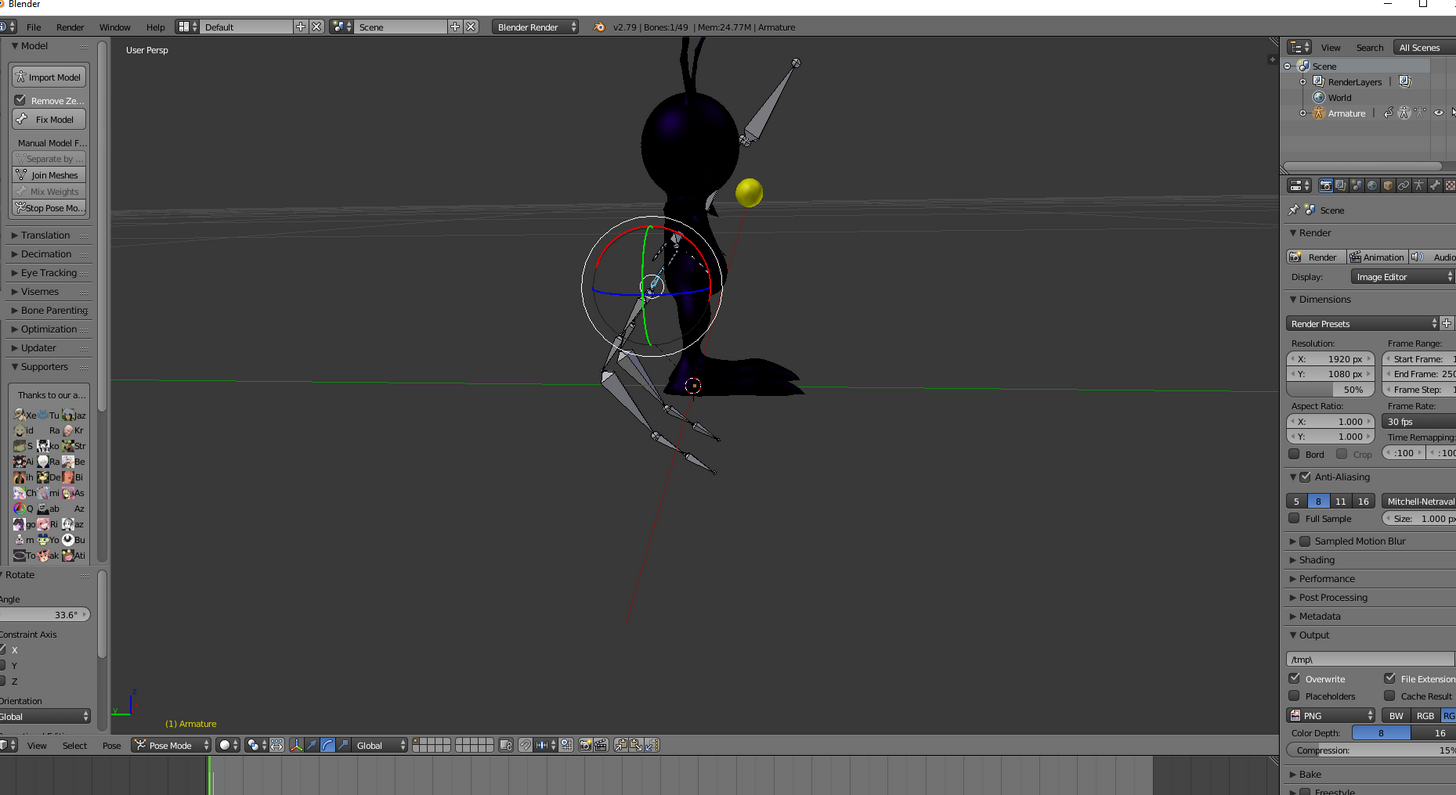 crisp tendon
so no weight paint then
winter cipher
the eyeballs move but not the body
ok so weigh paint onto that one texture
and thats a blender thing correct? not unity
crisp tendon
yep
winter cipher
after i edit this, i need to go back through the humanoid process in unity?
@crisp tendon ok I have that texture selected, and now I add a modifier for .... vertex weight ? google didnt really give me adirection to go so im resorting to asking
crisp tendon
no it's weight paint
winter cipher
alright, gonna skip through tuppers vid to see if i can find it
 glossy hinge
Hey team
 tidal parcel
@crisp tendon Hi maybe you can help me. I have a question about Visemes from Blender to Unity. My avatar have custom Visemes (all of them) but even if I set the right ones on Unity in the descriptor, the mouth of my avatr doesn't move... Do the mouth need bones?
glossy hinge
I've fucked up. I've been trying to fix the bones on my feet for hours. My avatar bends forward ingame and her feet sink through the ground so I wasn't sure what else I could fix. Any thoughts?
fading verge
@tidal parcel have they been names correctly in blender
tidal parcel
yes
fading verge
did you set lip sync to viseme blend shape
 left hound
i hope this is real https://www.youtube.com/watch?v=e1kCK3DKrNA

Auto-Rigger and Reshaper is a tool for processing and rigging the 3D human body scans. The user can import a 3D human model and use the tool to create a rigg...
tidal parcel
@fading verge yes but my avatar doesn't have bones for the lips and mouth, are those required?
fading verge
they're optional
tidal parcel
so the movement don't depens on mouth bones, right?
tidal parcel
@fading verge Check this
I don't think to understand, but I'll check if it is everything in order...
sand sedge
Could anyone help me with my rig in blender? I can't get one stupid part of mesh move, no matter what I do, and it's driving me crazy, because I can't see any single reason, why it shouldn't work.
The center of body just stays in one spot, no matter what I do. When I got the model, it was already rigged, and I deleted some bones to change the spine structure, and can't get this to move along with the body.
fading verge
@tidal parcel one last thing, did you unasign the jaw bone
 opal aurora
@sand sedge weight paint
tidal parcel
@fading verge yes I did
sand sedge
@opal aurora Can you please explain that a little?
opal aurora
You deleted bones right?
sand sedge
I deleted the bone that was moving that part of body
opal aurora
That's the issue
Weight defines how much a bone moves a part of a mesh (model part)
If you delete a bone, all the weight that was there is gone
sand sedge
Can I create it again on new bone?
opal aurora
You can simply weight paint it

Quick intro and guide to skinning/weight painting. this video is meant for those with a basic understanding of Blender
sand sedge
@opal aurora Thanks, I'll try that
opal aurora
Next time, if you need a bone to be removed, perhaps consider using the mix weights button on CATS
That will transfer the weight from that bone to its parent and remove the aforementioned bone
sand sedge
Thank you very much, that solved my problem
opal aurora
Good for fixing rigs with alot of bones
sand sedge
Also another question, I have a model in Unity that's already mapped, has dynamic bones set and so on. If I discover that a bone is misaligned or something and change it in Blender, can I avoid going thru everything in Unity again?
crisp tendon
nope
tidal parcel
Ok :\
How can I merge a complete skeleton of bones (armature) with a model body of another model?
tropic roost
So when I try and crouch, some of my avatars don't play the crouch animation
Anyone know if there's a specific reason
crisp tendon
@tidal parcel automatic weight paint
tidal parcel
automatic? is it a Blender feature?
crisp tendon
As long as the skeleton matches the IK, it shouldn't matter
@fading verge Weight paint issues ?
fading verge
i have no weight assigned to anything but the arms and legs, because i want the grey part to be static, is that bad?
 hardy sequoia
https://i.imgur.com/VfPwjiy.png trying to replace the head but the bones goes weird when i move it. send help
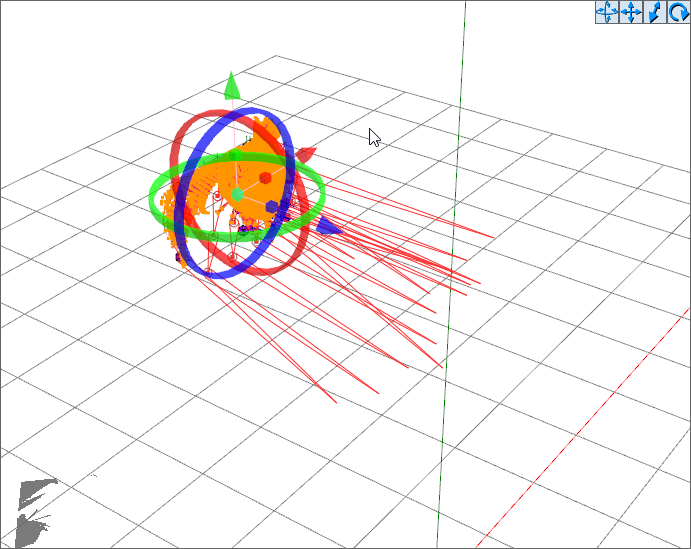 crisp tendon
@fading verge What's supposed to not move ?
fading verge
torso/neck/head
lyric current
If you have only three fingers... how do you map it so full body IK doesn't disable?
crisp tendon
Like it says in the text, thumb index and middle
lyric current
Ahh
For some reason i thought you would have to bind them together somehow.
But this is much easier. >.>
Thanks @crisp tendon for putting up with my ignorance. :]
crisp tendon
there's a video that explains it

This is a tutorial on how to overcome errors that can occur when using the automated bone weight function in Blender 2.5
 crude crag
@polar surge Mixamo?
 polar surge
thx
crude crag
yep yep! mixamo automatically gives you a basic skeleton to work with
be sure to delete the bones already in the model before putting it in though
little knot
Any reason why i can't bake?
 silent fulcrum
@hardy sequoia idk if anyone helped u but they are attached to hidden bones, press the grey circle bottom left to make them appear them select them also to move
hardy sequoia
@silent fulcrum Cheers dude
nimble cape
welp, time to get back on this rigging thing
 limber sleet
This is what I currently have so far, and from what i understand everything seems to be in order. However when tabbing over to the VRChat SDK I still have the error "Spine hierarchy missing elements, make sure that Pelvis, Spine, Chest, Neck and Shoulders are mapped", which they are. Is there something I'm particularly missing?
fading verge
you look to be missing shoulders
limber sleet
Alright, I was thinking about that
was wrestling with this all night so I wasn't in a solid state of mind at the time
I'll give it a whirl
 subtle moth
@limber sleet Maybe the parents are wrong, i had this on mine once and followed a tutorial from tupper, after that it worked
silent fulcrum
most likely the parenting is wrong
u gotta make sure spine is in hips
and chest is in spine
etc etc
shud tell u the path when u get the rrow
error
limber sleet
Gotcha
 smoky anchor
I know how to fix that issue, feel free to PM me
 stiff hornet
Unity made a bunch of my bones red, should I be scared?
Also trying to put this model without any bones into mixamo does jack shit
nimble cape
Is anyone able to help me decimate polygons for a custom avatar via blender without messing up the model?
I tried last time, but it messed up his jaw
stiff hornet
What model?
limber sleet
@sh3lly#8707 Shoulders looked to be the definite issue, danke vel for pointing it out
 hexed lake
Can anyone help with my avatar? Anytime i move my head the characters clothes move a little aswell, revealing some of the body.
smoky anchor
Did you make this model yourself or edit the weight of bones at some point?
it could be that the head bone is influencing some points on the clothes... or if you used dynamic bones for clothes, could be that they are too sloppy
hexed lake
i didn't make the model and i'm pretty sure i've done nothing to the bones
 lucid isle
i learned how to weight paint kind of i have to fix some errors with my avatar other the that shes complete
 tacit sinew
Can someone help me or point me in the right direction. I have a bunch of bones in the face that move certain things, but no shape keys, Is ther a way to create shape keys using these bones?
 sacred pecan
yo
would i be able to apply a soft body on my avatar without problems?
or is it a bit more complex to do that than id think
lucid isle
its a bit complex
sacred pecan
is it not just applying the property in blender?
lucid isle
nope
sacred pecan
oh dam
lucid isle
its also assigning verticies and weight painting
sacred pecan
oh, well ive got the rigging part down, i know that
lucid isle
a good way to go about doing anything with bodies is using pmx editor to make a new one from parts
sacred pecan
wym
sacred pecan
im just makin a little guy and i want his belly to jiggle lol
lucid isle
oh thats easy then
sacred pecan
yeah, do i just map his belly to a bone and apply the property?
lucid isle
so what yer gonna do is from the hips or spine youll create a bone where his stomach is
then youll weight paint it
sacred pecan
oke
lucid isle
then in unity youll use it as a dynamic bone
sacred pecan
is it bad that i dont weight paint? i usually just select the verts
i think its easier
lucid isle
yes
sacred pecan
oof
sacred pecan
o okay
sacred pecan
then go to animations, and change it from generic to humanoid
sacred pecan
click on your avatar in the library and not in the scene
and you'll see a tab named rig
sacred pecan
youre going to have to configure it, apply the bones to the right parts
it may take a bit
sacred pecan
nah, you mapped the bones to the verts
but now youve gotta tell unity that the arm bone is the arm bone
and not something wierd
 hallow bay
how do you select a single bone in blender?
ebon prairie
Right click
sacred pecan
go into edit mode and right click yea
hallow bay
selects me the whole model
ebon prairie
Are you in Edit mode?
 silver skiff
 sacred pecan
rip
hallow bay
actually, nevermind, I'm following a video guide and my model doesn't have that many hair bones
sacred pecan
thats the message that murders me tbh
sacred pecan
nah, usually not
ebon prairie
Alright
sacred pecan
is your avatar rigged to the bones, though?
you cant just place them, you have to tell blender what the bones will move
sacred pecan
o idk
ebon prairie
It's so harder to rig it in Unity
Can I just please send you the blender file and tell me what's wrong?
Wtf Unity
sacred pecan
it works in blender?
ebon prairie
What do you mean?
sacred pecan
can you pose it in blender?
ebon prairie
The bones are alligned properly in blender if that's what you mean
hallow bay
where is edit mode?
ebon prairie
Towards bottom left corner
silver skiff
Rip my bank. Wont let me purchase dynamic bones..
hallow bay
oh, I have to change that to edit mode?
sacred pecan
yea
hallow bay
(I'm super newb)
sacred pecan
lol its aight
 torn isle
Press tab in blender. @hallow bay
hallow bay
what should happen once I press it?
 main sage
i got a problem where when using / importing a Generic rigged model (not humanoid movement and such)
despite changing the viewball
it like puts my view smack dab in the middle of the model
fading verge
ok this is probably a real dumb question but is there a way to import an avatar into unity, that you've already uploaded to vrchat (i.e. download from vrchat and import to unity)? im on my laptop and have all my models and stuff on my desktop at home
hallow bay
tab does nothing
subtle moth
@fading verge dont think so, i think the stuff is linked to the specific unity project
 oblique cloud
Don't think so
fading verge
rip
oblique cloud
Transfer your fbx to. A usb
hallow bay
I have the model selected and yet I can't enter into edit mode
subtle moth
Umm btw, i really need help... i click on build & publish and literally nothing happens theres a windows 10 noise and thats it
subtle moth
nah dude i made avatars before normally its like 10 sec
oblique cloud
Any errors that show up?
subtle moth
ive been sitting here for 10 min straight now
silver skiff
After you have successfully published it how do you get acces to it?
subtle moth
nope like i said literally nothing happens
silver skiff
I logged in to vrchat but dont see it.
oblique cloud
What do you mean?
silver skiff
nvm i'm blind
fading verge
after its published its in the avatar tab under custom i think
hallow bay
nothing happens at all with tab
subtle moth
This appears at the bottom
oblique cloud
You didn't rig it properly
subtle moth
me?
oblique cloud
What's the file type
subtle moth
Like where
in the hierarchy
or where
In Hierarchy its called Lucoa Finished
in the publishing window it has no name because no window opens
oblique cloud
It cannot find the file for it
subtle moth
huh
subtle moth
okay
hallow bay
investigating, it seems I can't edit it because of the mesh file
oblique cloud
Yeah your mesh is fucked up
subtle moth
pressed it again after restart still nothing happening
oblique cloud
Still error?
subtle moth
yes
wait...
i may know why
i tried something before and it was a custom avatar
but i deleted it
oblique cloud
Remove any assets that have scripts generating errors cerzix
It's trying to upload a file that doesn't exist
subtle moth
okay i found the prefab instance was hiding inside some folder
 brisk mesa
do you guys know what settings count as "low jiggly" for Dynamic Bone? I keep fucking it up cause I have no idea.
subtle moth
wait i have settings saved somewhere
brisk mesa
seems like vrchat made it more sensitive so i keep turning it down
subtle moth
1 sec
brisk mesa
i became a missingno with the amount of jiggly-jaggy i was becoming
oblique cloud
Haha
hallow bay
it's no use. I can't edit from the .pmx file
oblique cloud
Cerzix
subtle moth
yes
hallow bay
I'm on blender
subtle moth
ayy it works now ❤
hallow bay
I'm following tupper's guide
subtle moth
thank u @oblique cloud
oblique cloud
:ayaka:
subtle moth
So what are you trying to edit?
hallow bay
the tris
oblique cloud
Go to mesh
hallow bay
the model Im with is way above the permited
subtle moth
yeah you need to delete the shape keys in order to decimate
subtle moth
and then tupper should say the rest in the video
oblique cloud
Oh he has shape keys?
subtle moth
i dunno
hallow bay
wait, where is mesh?
subtle moth
like thingies
hallow bay
shall I share a SS of how's my blender configuration right now?
subtle moth
its stuff like key.102
oblique cloud
Yes
hallow bay
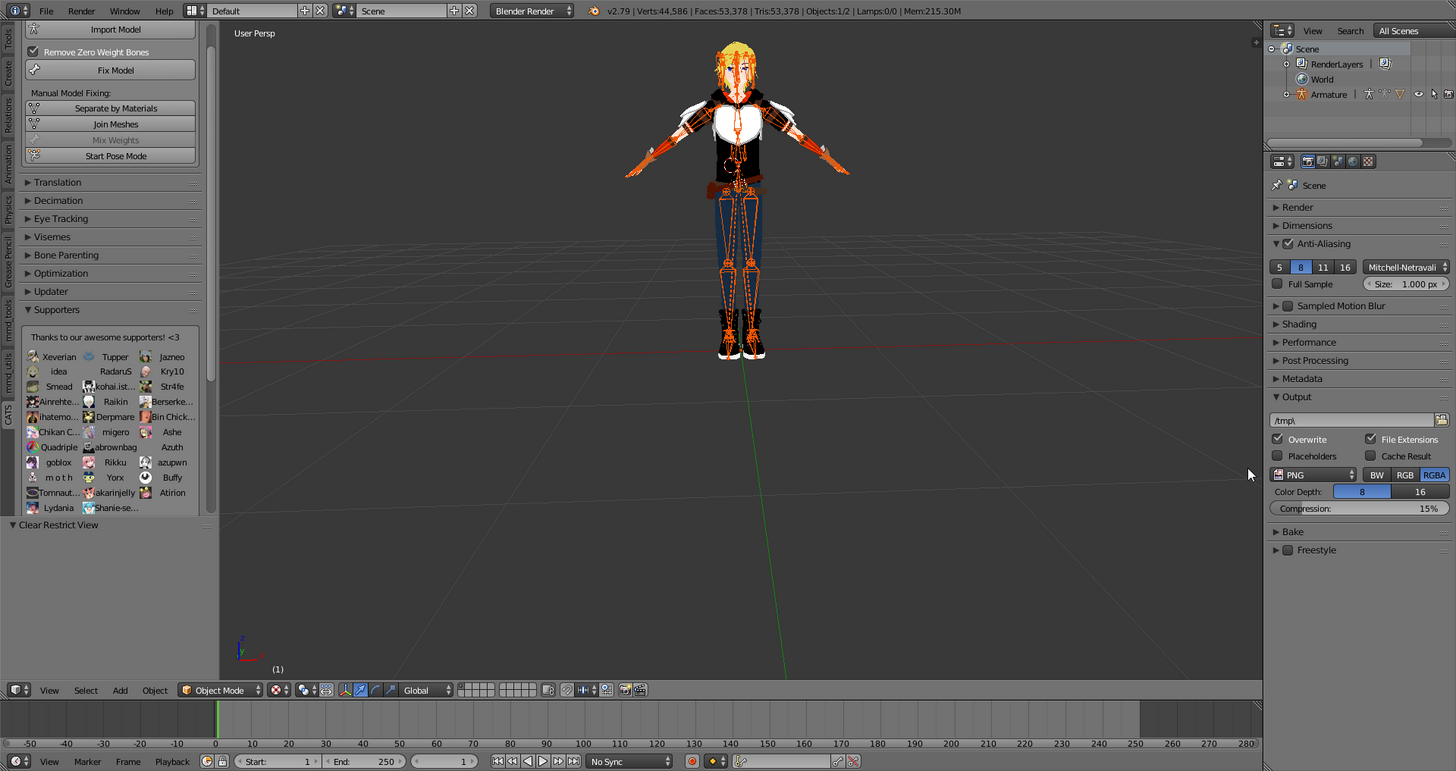 subtle moth
i cant get into vrchat
tacit sinew
Can someone help me or point me in the right direction. I have a bunch of bones in the face that move certain things, but no shape keys, Is ther a way to create shape keys using these bones?
hallow bay
can't enter
oblique cloud
If not. Top right left of armature there should be a plus sign click that
Then there should be upside down triangle
hallow bay
body?
oblique cloud
Click that and then go to the top left you should see tools
Yeah orange upside down triangle
Morpheus
Go into rigger
ebon prairie
Alright~
subtle moth
Well Scrazeloppe?
hallow bay
and thank you once again for the insane amount of patience.
oblique cloud
Cerzix
oblique cloud
What happens when you enter vrchat
subtle moth
but everytime i rig one its a living nightmare
oblique cloud
?
oblique cloud
Because it's too small?
subtle moth
so at least it doesnt look like a yellow black red ball
no it messes up the bones and stuff
oblique cloud
Do you have cats installed?
oblique cloud
For blender?
subtle moth
can i import fbx as well?
fading verge
yeah mixamo supports .fbx
oblique cloud
Lol
ebon prairie
Done
oblique cloud
Click it then press delete on keyboard
ebon prairie
Thanks <3
ebon prairie
oblique cloud
Did you use mixamo to rig?
oblique cloud
Cats?
ebon prairie
No
fading verge
had a similar warning, you have to use a bone that is the parent of the shoulders and neck for the chest slot iirc
thats how I fixed it at least
oblique cloud
You may have to. Go back into blender unless you can swap a different bone
subtle moth
This is what im talking about, if you rig it with mixamo it ends up like this
oblique cloud
But don't worry you won't have to redo everything
 vernal gale
how to rig eyes?
oblique cloud
Do you have a mesh
vernal gale
ye
vernal gale
 full cairn
Attempted to make a rig with Mixamo and essenttially worked. But for some reason the pointing finger is now rigged to a piece of jewlery on my avatars wrist
vernal gale
seperate
oblique cloud
Do you want tracking eyes?
 lean mason
Let's see if somebody can help me, I've made a robot with one wheel.
If I want the wheel to turn when I go forward, do I have to add a lateral joint and tell it to just rotate?
oblique cloud

Creating Eye tracking for your Avatar in VRChat Links: Download Unity MMD rigging: https://www.mediafire.com/file/7awm878q43c1m7q/MMD_EYETRACKING.ht Eyetrack...
Eye tracking
oblique cloud
Christina
fading verge
click enforce T-pose under pose
main sage
ech
oblique cloud
Try to move the bone or delete if it is actually on the ring
oblique cloud
You will have to parent the upper chest in blender
To neck and chest
You can overwrite the new fbx once you do
You won't have to restart the whole unit part
ebon prairie
How does one parent bones to other bones?
fading verge
cya
ebon prairie
Cya o/
ebon prairie
How can I tell which bone is the neck?
 dusty atlas
i mean you should be able to tell
ebon prairie
Meh, I guess
dusty atlas
do you have then named?
dusty atlas
why is there 7 spines
tacit sinew
If I wanted the legs to be closer or the arms futher apart when idle how would I do that
ebon prairie
Erm
dusty atlas
not sure
topaz dune
@tacit sinew change the positions of the bones
tacit sinew
in unity, blender or when you configure in unity?
topaz dune
blender.
 past kindle
My avatar pushes his pelvis forward in an awkward fashion. What could be the problem?
topaz dune
change the hip bones to be on line with the spine
past kindle
@topaz dune So don't parent the Spine to the Hips?
topaz dune
@tacit sinew choose a bone and go to edit mode, that way you can change the bones locations. and you pose to see how the mesh react to the changes.
@past kindle they need to be paranted, but their positions need's to be on line https://gyazo.com/3f38c941d898b06f28b385b4e2849ab8
 silver skiff
aww man i fucking did it.
silver skiff
I had a similar issue. Turns out i had to go and configure the rig and make sure the neck was assigned.
tacit sinew
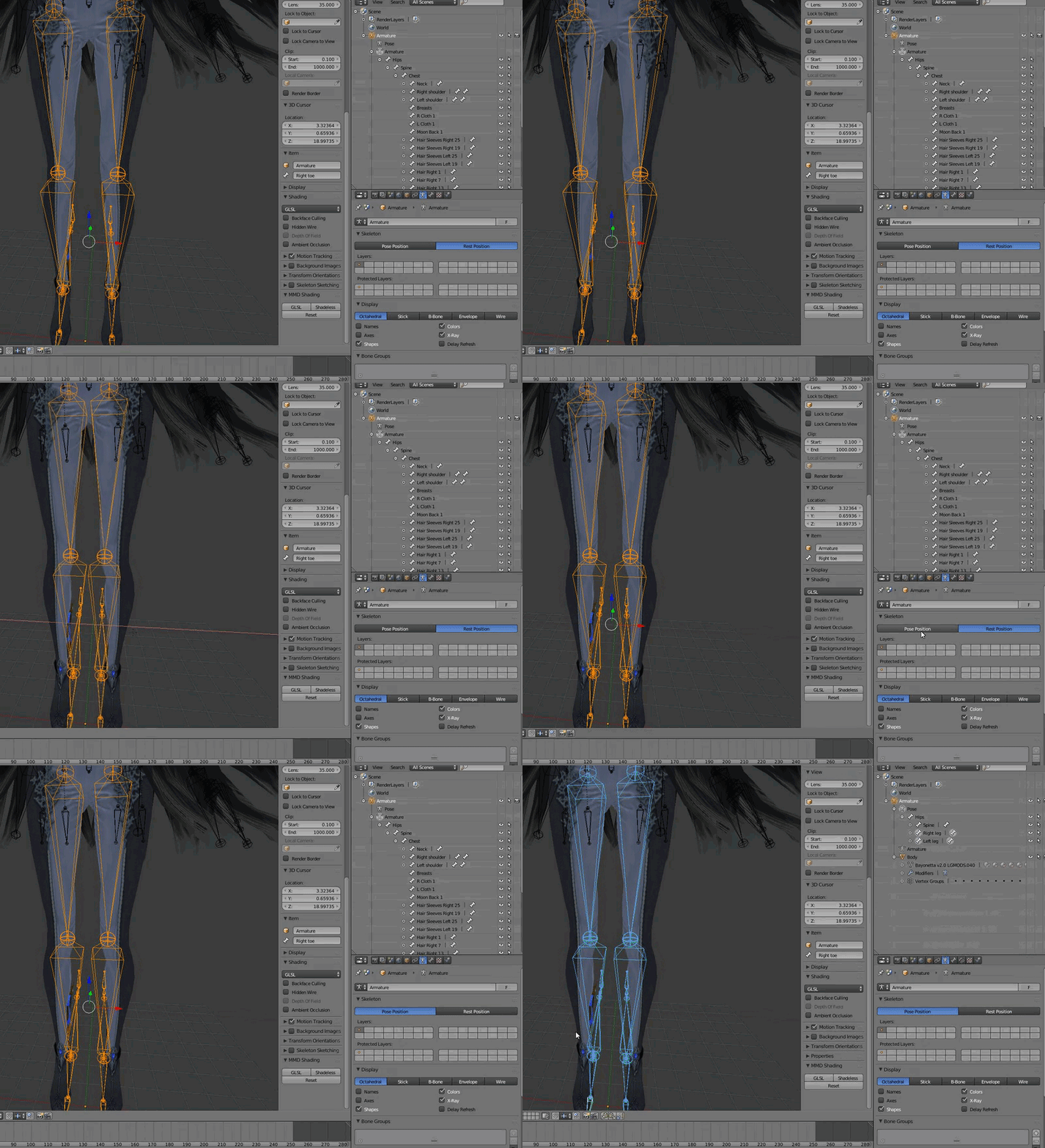


@topaz dune am I doing something wrong?
you cant see it but im in edit mode then very last second go into pose
topaz dune
you did select the bone's, then go into edit mode?
 tawny silo
I have a problem with my rigging in unity, in blender though it looks fine if someone is willing to spend time trying to problem solve my issue please PM me i have spent more then a day on this and don't know what to do
tacit sinew
yeah
 worn dove
quick question, what part of the model should be weighted to the chest bone? is it the part of the torso above the stomach?
cause right now my whole torso is weighted to the spine bone, but thats below the chest bone
topaz dune
@worn dove yeah you want to make the torso bound to the chest bone, will look better that wey
tawny silo
topaz dune
way when it bends*
tawny silo
how do fix my poor legs
worn dove
so then the spine bone is weighted to the small area between the ribcage and the hips?
topaz dune
@tacit sinew i cant see every thing you were doing. when you have made your changes, what do you press?
@tawny silo move up your hips
topaz dune
@worn dove yeah, send a pic when you are done.
tawny silo
like move the hips up in blender?