#avatar-rigging
1 messages · Page 67 of 1
 rough whale
 shell shard
unity chan is default height so go off of her--
 fading verge
Hmmm ok
 fast rover
but what about arms
fading verge
That fixed it! Thanks Stupid Cat!!
 silent fulcrum
anyone know how to join the bone to a mesh?
fast rover
because my models arms came all screwed up and I wanted to fix that
 brisk mesa
yea that's like this entire channel lol
rough whale
np 👌
 robust thorn
Mother of god
They really are dense motherfuckers
It's not me
Lmfao
Alright anyway
fading verge
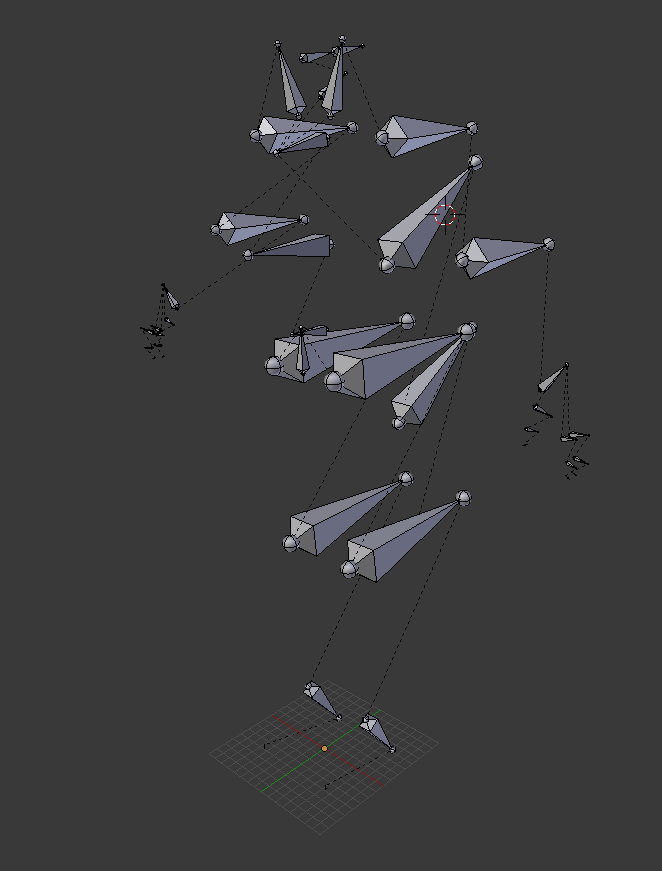
Can someone help with this bone structure, imported with Source Filmaker Plugin https://i.imgur.com/ycRpk5r.png
 fading verge
Ikr
silent fulcrum
does anyone know how to join bones to a mesh?
robust thorn
Weight paint is the only way I know
fading verge
Called Souren i think
robust thorn
Wait for someone else tho
robust thorn
Bruh
fading verge
but im failing
rough whale
do you only have a skeleton? not a model?
silent fulcrum
me?
rough whale
no, staffu
robust thorn
Cat did you block me too
 rough whale
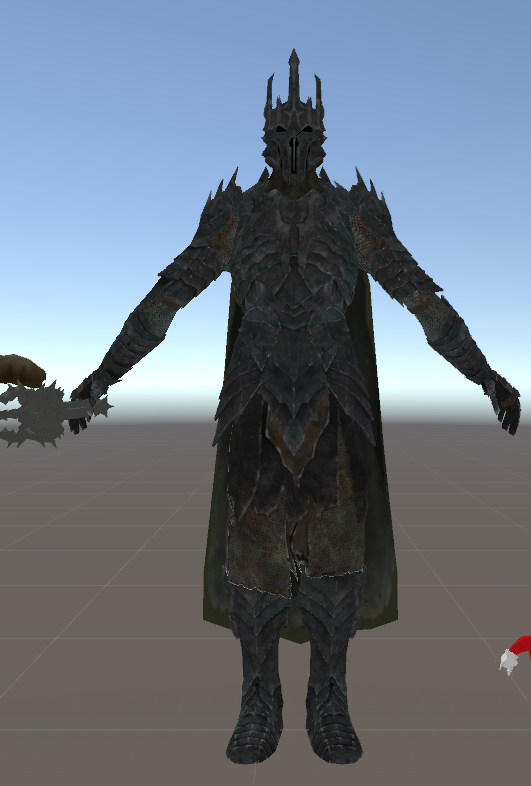
your bones are at all the wrong angles 🤔
fading verge
It looks okey in Unity never did the Source stuff tho so it was dotted bones
quite strange
robust thorn
hmmmmmmm
fading verge
You can say that again :lul:
rough whale
i personally would delete the skeleton and rerig it
fading verge
problem
rough whale
you could probably also get away with using mixamo
rough whale
so, i added some fingers to my model for IK tracking. everything's just peachy on my left hand. however, my right hand is having.... difficulties.
the right index finger looks fine on my model in maya, as well as unity's bone mapper thingy. however, in the actual scene the finger is going right through the hand. is this an issue of the bones being twisted?
any tips would be greatly appreciated
 robust thorn
Jesus fuck
why the lighting
dude it looks like someone poured water on your textures
oof
how old is it
rough whale
comes in for rigging advice
gets insults about textures
🤔
 obtuse fog
 shell shard
pretty sure they made their textures if they just got insulted
robust thorn
Well did they?
obtuse fog
Its a good question.
rough whale
textures are fine, unity is just having a hissy fit with them
but that's besides the fact
obtuse fog
🤔
rough whale
because i asked about rigging and this is #avatar-rigging
robust thorn
sure but I was just asking man
the colors bleeding is uh.... Well it makes it look very old.
And for it looking so old you'd figure itd be low poly too but it doesn't LOOK low poly
shell shard
i don't think they want any more comments on the texture, as theyre looking for help on the bone situation
rough whale
^
shell shard
and all of this otherwise is mundane to them
obtuse fog
@robust thorn You know Amethyst?
robust thorn
?? who now?
obtuse fog
Mutal friend
silent fulcrum
so no one knows how to join bones to a mesh?
shell shard
@silent fulcrum do you mean rig in general?
silent fulcrum
i guess?
fading verge
Ok so character has hat on his back, How do I exclude the hat from rigging? it thinks it is a component of shoulder
robust thorn
I mean, I probably do know them then
fading verge
Can provide screenshot
robust thorn
Now I'm curious
obtuse fog
o.o
rough whale
weight painting, henry
obtuse fog
I don't personally know him but he's in a chat with people from the school thats in the town next to mine which is like 10 mins away.
robust thorn
Huh, neat...
I may have met them in the politics discord but that was cancer so I left
silent fulcrum
guess ill google
rough whale
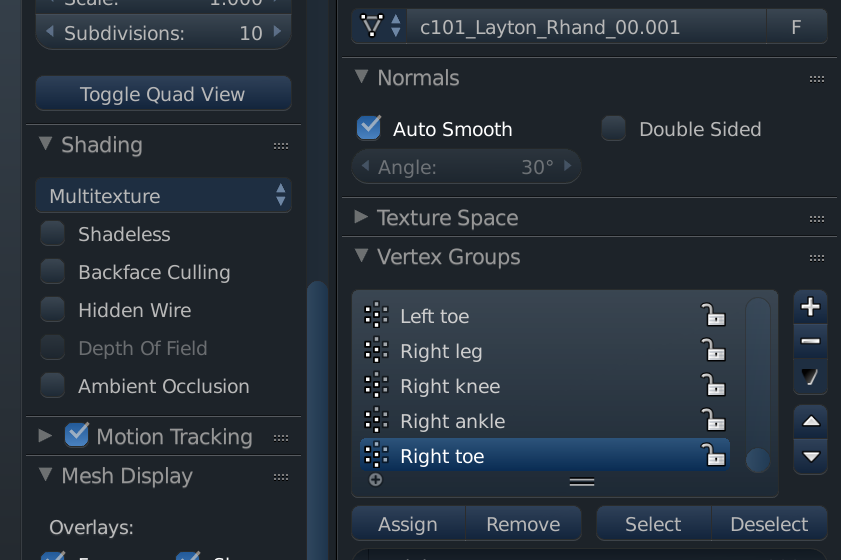
@silent fulcrum if your bones aren't moving the model, it means that they haven't been weight painted
silent fulcrum
ok how do i do that?
rough whale
i dont personally remember how to do it in blender, but iirc there's a weight paint tool
silent fulcrum
like a plug in?
rough whale
you select a bone and the mesh, and then paint on the mesh where the bone should be able to affect it
no it should come with it
silent fulcrum
yea but is it a plug in like already built in that i must activate?
or is it something else
rough whale
it's not a plugin, it's just a base part of the program
rough whale
i cant remember, looking for it now
robust thorn
Okay SO
fading verge
You are so beautiful too meeeeeee
fading verge
ye im looking now
robust thorn
This is why I can't just delete the bones that are sticking up
They're ALL sticking up
obtuse fog
Modeling lolis?
rough whale
 obtuse fog
Gonna have the fbi at your door soon.
rough whale
i did ask why the vertical bones happen
and i did get an answer on how to make them not vertical
 sleek magnet
vertical bones are probably not the end of the world
The visual indicator for the bone doesn't actually relate to the bone itself
As long as your heirarchy and weights are right it's fine, I suspect you've just got an import issue?
 daring wadi
karmabefore you get vanned
rough whale
ok @silent fulcrum @fading verge you select your mesh, go your mode, and change it to weight painting https://cat.needs-to-s.top/3d60a3.png

 tired storm
i really neep help can someone rig a model for me?
rough whale
you can then select the bone you want to paint for, and then paint the areas of the mesh it should affect https://stupid-cat.is-going-to.space/b8d8c4.png
 rough whale
it's in the 3D View panel https://everyone.needs-to-s.top/980d22.png

this is blender, not unity btw
fading verge
Wow, I'm an idiot haha
Dont have blender 😛
Gotta go get it I guess
I give up for now, Ill save those photos though. Thanks for the help cat 😃
rough whale
np, good luck!
robust thorn
waut waut waut @sleek magnet
so are you telling me this shouldn't be a problem
wait wait wait;
sleek magnet
depends
sleek magnet
It does just depend on the rigging
daring wadi
than what is it
rough whale
 robust thorn
Okay now you can't prove that
It's CyberConnect2
It's a mary sue from nepgear
it's basically the mary sue of the guys who made dot hack
obtuse fog
When porting in unity do I need to remove the toes?
I don't see the need to, but most of the youtube tutorials say to.
 gritty urchin
Alright, didn't want to ask because it should be easy, but I've failed the simpliest solutions: Trying to simply place a mask onto a character's face. That is all. Everytime I get it where I want it though, it won't rotate with the rest of the head when I move the bone. I assigned the vertices to the same "Head" bone as the rest, that simply didn't work. Moved it to be under the same parent, still nothing. I rather not mess with my existing face verticies with a straight up merge, but straight up assigning it to the bone just doesn't want to work. Anything I can do?
 daring cairn
Anyone know why with full body tracking the avatar is just warped all over the ground?
 charred sorrel
do i have to parent the thigh bones to the hips for it to work? it seems to work fine without it but i could be wrong
robust thorn
show me the bones from the side
charred sorrel
gotcha one sec
robust thorn
I might know your problem but I need to be sure
 mental stream
Does anyone know how to stop my avatar from sitting inside the ground? I've moved it around in unity and blender (cant in the program I made it in) and nothings worked
charred sorrel
rough whale
that is a curvey spine
charred sorrel
also his finger animations are pretty wonked and i can't figure out why, they're all mapped correctly
robust thorn
real goku's have curves
charred sorrel
HAHA
robust thorn
Hue
SEE
I'M A FUN PERSON
STOP BULLYING ME LOSERS
alright so uh
do you use VR
rough whale
i think if your spine is so compacted that it's curving with your stomach, you should go see your doctor
that's not healthy
charred sorrel
no i don't, i want to fix him in the event i do get a vr though so i don't have to deal with it later on
rough whale
i've gotten the waist warning and haven't encountered any issues
i dont really know what causes it
charred sorrel
he stands very oddly
rough whale
he probably stands oddly because of the spine, not the waist
charred sorrel
 robust thorn
Keep a back up
that's the spine
straighten it
for sure
But save a back up
Hell something that simple is cake for me
I can do it if you want
lmao
fading verge
!online
robust thorn
check it in unity
 jaunty flowerBOT
There are 14535 users in VRChat currently
charred sorrel
also another quick question
robust thorn
sure
charred sorrel
he looks really funny when he has hand animations like pointing
gosh there's so much wrong with this model cause i had to rig it from scratch dfkljsd
robust thorn
...
Yeah so
I'm gonna have to edit that for you
That's a mesh issue
I'll do it for nothing so
eh
the fingers have to be straight
that's your issue
the bones have to be able to be straight
otherwise it animates all spooky
one time a guy had L's for fingers
it was fucked up
lol
charred sorrel
yeah it's stange like
whenever he points there's these things that grow out of his fingers on both hands?? xD it's really funky looking
robust thorn
yeeaaaaaaaaaah
mesh issue
good luck unless you want me to straighten that for you
I enjoy helping others with this stuff, it's good practice.
 wooden bridge
ive asked in the basic avatar chat with no luck. so imm ask in the advance user chat... Ive rigged a simple model and have uploaded it successfully into vrchat when I select the model I can see it in game and works great. OTHER PLAYERS can not see me they just see me as invisiable or if I choose an avatar, swap back to the one I made it just shows the old avatar crouched cause the one I made is half man height. Some people say they can see a queued message. However its now been 3 days and ive tried reuploading a few times with same results.
 naive tree
@wooden bridge i think it's servers + new sdk?
robust thorn
aite so
charred sorrel
try reuploading it, i was having that problem yesterday and reuploading seemed to solve it
robust thorn
you're just having an upload issue
I know it sucks but
I swear that's not your fault
it's the servers
wooden bridge
ive uploaded it 3 times now ko
charred sorrel
damn i kinda like goku's fists being curled as he walks, that sucks i gotta straighten them out
charred sorrel
there's no way to fix mesh on both sides at a time is there?
i really wanna do his hands symmetrically
robust thorn
Yeah but
it requires ampuation and mirroring it
then fusing the verticles
after lining it up just right
I did it to a balmung
lol
wooden bridge
anyways that said, ive got a more advance rigged version of my model, that needs to be converted into something vrchat can read. Where would one go to comision a higher quality vrchat rig of a premade rigged model? Id love to have fingers work along with eye blinking and mouth moving (its stitch from lilo and stitch)
the model I have is just basic head, elbow, hand, knees movement no eyes or mouth.
robust thorn
Maybe...
I dunno, I usually straighten out unrigged meshes
if it's weight painted and posed then sure, probably
rough whale
on the subject of mouth moving, how would one pose that? would i use one joint or two?
would something like this work? https://stupid-cat.needs-to-s.top/2b9338.png

 vivid quiver
does anyone have a fix for this?
 trim kraken
can someone help me with rigging a .blend model?
 rain fulcrum
Hey guys, I have a weird issue with VTFEdit
Any idea how I can fix this texture? It's not supposed to be this color
 violet summit
Hello i was wondering if any one could help me solve this error
violet summit
ok
vivid quiver
when you configure the rig, the model will map its own bones
 dusk pilot
Ok so I downloaded the sample avatar for mouth testing from the google doc. I filled all of viseme boxes in correctly but my mouth still will not move in game. Does anybody have any idea why?
Why does my face mesh say body (skinned mesh renderer) when on the tutorial it just says body:
vivid quiver
@violet summit you need to check the rig amd change remove the bone marked upper chest. pay attention becuase it might be the bone connecting the arms
violet summit
So remove the upper chest
vivid quiver
yes, if it IS the bone connecting the arms reassign the bone to chest
 crisp tendon
Probably won't work if you have all thesse mapped before
 main sage
shoulders appear like that, also when looking up abit, the right foot like...taps
crisp tendon
@main sage Could be player height, when the player height doesn't match, characters get on their toes
Check if your toes are mapped in unity
 livid raft
can anyone fix my spine hierarchy
crisp tendon
We can help, but you'll have to do it yourself
violet summit
Yeah me to
livid raft
thats gonna be rough but ok
vivid quiver
@violet summit yeah, but double check
livid raft
it says spine hierarchy missing elements
crisp tendon
Learning is good
main sage
yeah toes are mapped, but the like left toe is mapped to toes instead of middle / all 3
crisp tendon
Send us screenshots of your hierarchy and bone mapping @livid raft
Toes shouldn't be mapped tbh
It just creates issues
violet summit
There is still a problem the spine hierarchy
livid raft
main sage
think the chest stretching is a like weight thing?
crisp tendon
Ok yeah, you have one too many spine bone like all biped, and they aren't connected
you'll need to download blender
livid raft
i have blender
crisp tendon
Do you have cat's addon ?
livid raft
yes
crisp tendon
Cool, import and i'll keep helping you
 regal belfry
anyone know how to change camera clipping in unity? I'm trying to check my rig but it hides the mesh if I zoom in too far.
crisp tendon
Click on Fix model on cat's plugin and see what happens
crisp tendon
@regal belfry Is the scale of your model correct ? people have camera issues when models are too tiny
@livid raft Then what you can do is remove all bones, export as an fbx and bring it into mixamo
regal belfry
It's a decent size I think. It's like 1.5 box size
crisp tendon
select the armature, and press x then delete
@regal belfry If it's still difficult you can scale it up by a lot to help with the camera
 rose blade
anyone know how to fix this? model is fine in blender but once i import to unity it loses the polygons http://prntscr.com/hz9h60
 regal belfry
this is specifically in the "muscles & settings" section when looking at the rig
livid raft
how do i check how many bones there are
crisp tendon
Oh yeah then it's a bit more difficult
Don't need to, click on one of the bone and it should select the entire skeleton
livid raft
oh
crisp tendon
@rose blade loses the polygon or it's transparent ?
livid raft
shit how do i undo
rose blade
losing
livid raft
1 sec i messed it up
crisp tendon
ctrl + z to undo
rose blade
i already selected all materials and changed to opaque
fading verge
were do i ask a question bout dynmic bones can i ask here lol
regal belfry
@rose blade fix your normals
rose blade
and they dont show up
crisp tendon
@rose blade Then try recalculating normals in blender
violet summit
Does anyone know how to fix the spine hierarchy
crisp tendon
Select that part of the mesh that is disappearing and hit ctrl + n
@violet summit Do what is says, make sure the order is good in hierarchy
livid raft
regal belfry
@rose blade press N in blender, scroll to the "mesh display" section, click the face box under "normals" and set the size to max
livid raft
what now rubick
crisp tendon
Now you export it as an fbx and use mixamo
regal belfry
@livid raft how many polygons does your model have?
livid raft
7.5k
main sage
yeah i think the shoulder / body thing is a weight paint thing
 topaz dune
@rain fulcrum those are texture's to show height driffence in the texture, you dont need those. but they look good if you know how to use them.
silent fulcrum
theres an auto rigger?
main sage
nope not a paint
crisp tendon
Make sure you removed all the bones @livid raft
livid raft
i right clicked a one then deleted
topaz dune
yeah maixmo can auto rig @silent fulcrum
silent fulcrum
what i do import file from blender into it?
naive tree
@rose blade is it from just 1 side?
topaz dune
make a fbx file and import it to maixamo
topaz dune
no, i would say do that after
silent fulcrum
ok
regal belfry
Anyone ever have an issue with a broken neck in Unity? Not sure how to diagnose it. I checked the weights in Blender and they seem fine
topaz dune
how about the paranting?
robust thorn
Ha frig u I think I got it to work >:U
So if it's missing a neck just.. drag the neck bone onto the thing
I didn't need to exit unity q q
regal belfry
silent fulcrum
niko i uploaded it to maximo, where do i go from here, is there something i have to search?
rose blade
@regal belfry is there a way to fix the normals without selecting each piece manually?
topaz dune
and you cant select the neck sloth at the rigging window and assaign it to the neck? @regal belfry
charred sorrel
any way to set a pose in pose mode as the rest pose w/ the mesh?
i click apply as rest pose and the mesh goes back
livid raft
so @crisp tendon i did that uploaded to mixamo
regal belfry
@rose blade ummm... I'm not entirely sure. You can try recalculating them, but sometimes that doesn't work. I had to go back in forth between unity and blender to see which ones were the wrong direction
topaz dune
i have no experince with maixamo, i rig my models myself @silent fulcrum
livid raft
@crisp tendon
rose blade
does it have upper chest
livid raft
no
 crude crag
@livid raft post a pic of the characters tpose
regal belfry
@topaz dune I can. The rig is fully attached to my model. It's just that the unity humanoid breaks his neck
crude crag
in unity
livid raft
 civic pulsar
anyone have a shader that can fix uhh
silent fulcrum
 civic pulsar
crisp tendon
civic pulsar
crisp tendon
@livid raft yes now use cat's plugin in blender
silent fulcrum
LOL i think i might have to step away from this
rose blade
did it have an upperchest?
livid raft
oh ok ty
civic pulsar
underneat is insivible
regal belfry
@civic pulsar probably normals
vivid quiver
@violet summit make chest "spine3"
civic pulsar
it just kinda bugg me
regal belfry
@civic pulsar no, I mean that the normal might be flipped inwards making it invsible
topaz dune
@regal belfry it's a problem that happens a lot, i really wanna know what's wrong.
vivid quiver
change it to spine 3 sprry
regal belfry
@topaz dune Imma remove each bone in Unity to hopefully see which one is the culprit
crude crag
Well, butts. the avatar that was working fine on my end earlier isn't working now. just red silhouette
violet summit
This is what i have so far
topaz dune
take a look in the hierarchy, the bones might be paraneted the worng way. @violet summit
violet summit
oh i just tryed it and it worked thx
vivid quiver
any more errors?
topaz dune
love a quick fix!!
 prime dove
so nate what class from tf2 you pulling in to unity?
fading verge
'ello
I ran into a problem while setting up dynamic bones
https://puu.sh/yZsac/d5416305d9.png
The bones have left the body and don't seem to be attached to the model
In play mode, I can move the model arround and the dynamic bones move alright. But the hair dosn't move.
The root_backhair is a child of the head, this shouldn't happen from what I know. Anyone know what I can do about this?

 wise wagon
Can someone possibly help me with making my avatar blink? When I go to skinned mesh renderer, there is no option to blendshapes.
naive tree
@wise wagon if you created blink+visemes with cats, what u do is, 1 sec
ill load up unity and dm u what to do
 limber compass
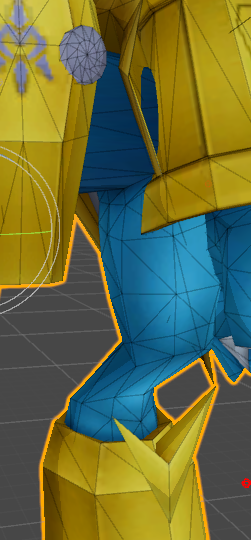
https://i.gyazo.com/547c491a0ff74b890e43c29af151305b.png what's the issue here experts? :X
 civic pulsar
fucked bone?
regal belfry
@topaz dune I just straight up removed all weight paint from my neck. It only had one line of vertices in the middle which is where it was hinging. Maybe that's not enough for Unity to understand the neck?
limber compass
I can tell its a fucked bone, anyway of fixing the issue?
topaz dune
there is a problem with blender not implementing stuffe that are ''empty''
 thick trout
https://i.imgur.com/gw426WE.png This character I'm trying to import from GTA V wasn't in natural tpose so now it breaks the mesh, any ideas?
 topaz dune
i made a bone for an eye, but it didnt show in unity. @regal belfry
i had to assaign it to the mesh before i could see it in unity.
@thick trout you need the change the weight paint.
 ember gyro
So, question on rigging in Unity. Even if a part is optional (dotted line circle) does it still have to be given a role? I keep getting the make sure blah blah is mapped, but they are all mapped... Everything is green and upper chest is not mapped.
topaz dune
optional dont need to be filled @ember gyro
ember gyro
Grr. Then why won't this damn message go away. >;c
 sacred pecan
yo can somebody help me?
ember gyro
Chest is mapped. Damn. I don't have things to put in shoulders...
 vagrant olive
Anybody knows how I can combine certain bones in Unity? I have this Snow day Syndra Model from LoL and it is rigged, but it has too many bones and I can't combine them. I tried parenting in Blender but it doesn't work.
ember gyro
Crap.
limber compass
Make fake shoulders
sacred pecan
my character's arms hand way too low and clip inside its own body
how could i fix this?
ember gyro
how, in blender?
ember gyro
lol
crisp tendon
@sacred pecan You can scale it down in blender, but it'llprobably look weird
rose blade
@vagrant olive are you getting error that you cant upload cuz of too many bones?
ember gyro
shit, i dunno how really. Guess its time to watch more tutorials.
sacred pecan
the entire body?
ember gyro
skeletons and rigging scare me. I'm gonna mess this rancor up. :c
limber compass
so where your upper arm is, click on the orb that's closest to the head - Shft+E and drag a bone across where a shoulder would be
crisp tendon
@regal belfry Even though i've tried multiple methods in blender, i still get that result in unity or it looks like shit https://i.gyazo.com/a642631c5608f8760d826e40bcc846b4.png

if you have any tips
rose blade
hey i got that same problem
vagrant olive
@rose blade No, It says the Upper Chest is mapped, but I can't unmap the Upper chest because if I do so the model destroys itself.
(AKA, the bones are disconnected, I need to combine certain spine bones)
rose blade
it destroys itself in unity?
ember gyro
I barely even know how to navigate blender... the button combinations shit confuses me. like alt this and ctrl that and this. Ugh.
limber compass
Change the hiarachy?
sacred pecan
is there a way to spread out the arms on the humanoid rig more?
crisp tendon
@vagrant olive Fix the moel with cat's in blender
regal belfry
@crisp tendon And that's after recalculating normals?
crisp tendon
@sacred pecan Sure, move them manually and set pose as rest pose
crisp tendon
@regal belfry That's before, after looks like this
limber compass
so dont always rely on that
sacred pecan
in unity? or blender?
vagrant olive
@crisp tendon It's a DAE file, and it isn't letting me even see the DAE file in the first place :/
I just can see it on Unity, not on Blender
crisp tendon
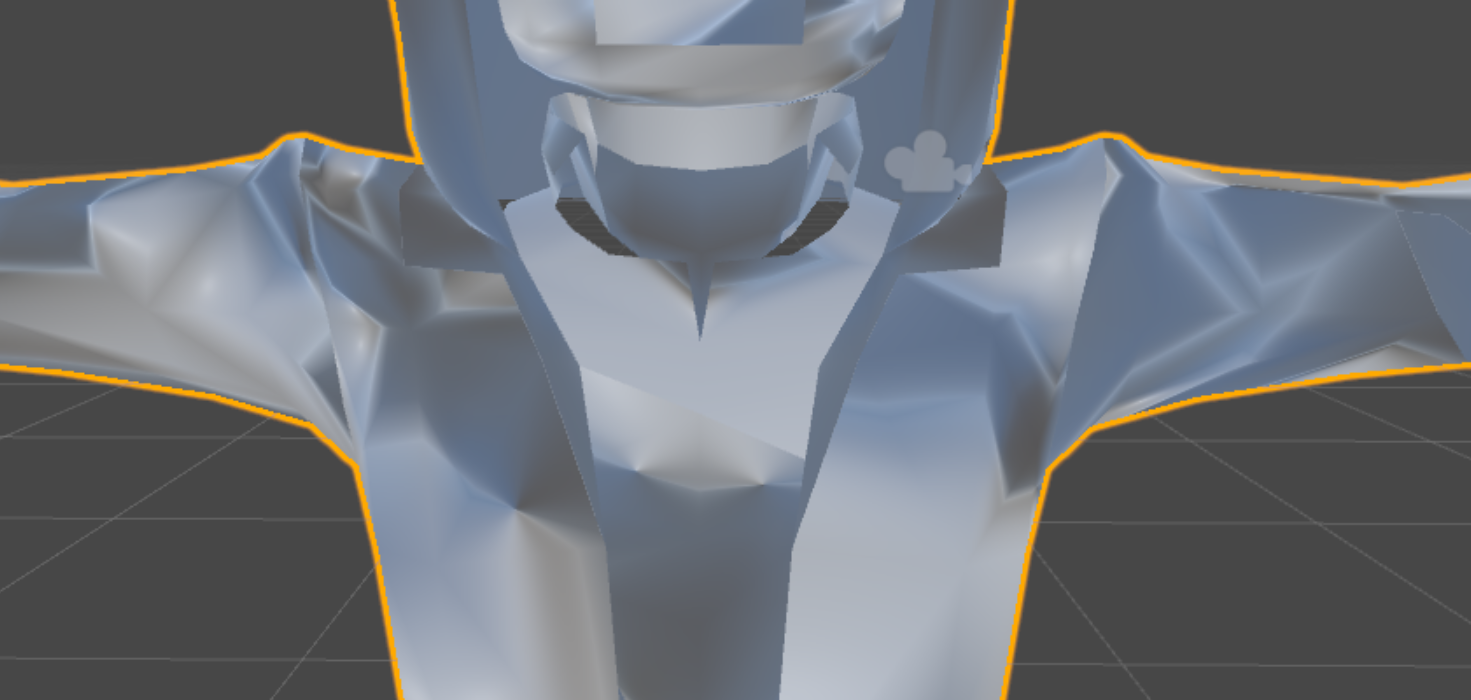
And it's missing parts of the mesh still
might be backface culling
didn't bother trying to fix this because it's trash
 zealous shard
where do i pay someone to rig my already almost done avatar
crisp tendon
@vagrant olive https://i.gyazo.com/64b6b6ca51fe10b7beb3428c671b611a.png ?

@zealous shard Use mixamo
zealous shard
@crisp tendon my model is still missing some bones that i don't know how to add on blender
regal belfry
@crisp tendon does your model have an inner layer of clothing?
vagrant olive
I do that @crisp tendon , but it does nothing. The model just... doesn't appear, as if Blender got an error while rendering the model.
zealous shard
does mixamo add those?
crisp tendon
Start from scratch in mixamo and compare the results @zealous shard
zealous shard
ooo
crisp tendon
@regal belfry Nope, there's only one layer
Where did you get your avatar from ? @vagrant olive
crisp tendon
Even worse ?
sacred pecan
oof
 night sigil
why are my fingers doing this
vagrant olive
https://www.models-resource.com/pc_computer/leagueoflegends/model/18118/ Models Resource. It's this one @crisp tendon . It is available in Unity, but not in Blender.
night sigil
but not in blender
ember gyro
So... how do I go about even getting this rancor model from unity into blender so I can fix it's shoulders...? I can't figure out this import/export crap. completely clueless on navigating between blender and unity, or even opening shit on blender.
crude crag
Wait what kind of file did you start with @ember gyro
ember gyro
fbx
ember gyro
I go to the folder that has the model and nothings there...
Do I need some sort of plug in?
vagrant olive
Thank you so much!
crude crag
you said you had a .fbx file boogi
vagrant olive
@crisp tendon Thank you so much!
ember gyro
Wait, I have the plugin... Why is nothing in that folder. Yeah.
crisp tendon
Let me know if someone's weird, but it should be fine
something*
@ember gyro Stop importing with the plugin
regal belfry
@crisp tendon want me to take a look at your model?
crisp tendon
@regal belfry I'll send you that
vagrant olive
I celebrated too quickly, didn't download it before you deleted the message, @crisp tendon . RIP.
ember gyro
Oh well, maybe the problem is the files are now unity scenes. Uh... lemme find the original file.
ember gyro
k, I try to import the fbx and i get a triangle that says version 6100 not supported. I gotta update blender?
crisp tendon
2.79 is the latest
crisp tendon
what fbx file ?
 rotund nacelle
I'm making a really dumb avatar from scratch, effectively, using just a premade model and nothing else. Here's a quick and dirty armature I made for Blender, unrigged and etc. Will this end in disaster?
vagrant olive
@crisp tendon Any way to fix this? I can't make the skeleton look... normal.
 near gull
Hey guys, I'm trying to add different models to each other; for example, I'm trying to get a hairpiece on to the base, but in Blender, how do I completely move the hair and its endoskeleton?
crude crag
@rotund nacelle that's a great idea yo
crisp tendon
@vagrant olive When importing the fbx set the option "automatic bone direction" in the bottom left corner
crude crag
as long as your bone hierarchy looks like this you should be fine
crisp tendon
@near gull What do you mean by base ?
near gull
A pre-made human base, no clothes on it
sacred pecan
@crude crag thank you
crisp tendon
@near gull If the skeleton is the same then it doesn't matter
near gull
@crisp tendon I think my issue is that when I upload another model, it might be already attaching its seperate skeleton onto the base's skeleton, but I'm not sure; basically, I want to know how to move a seperate base and its skeleton from the original base and its own skeleton
vagrant olive
RIP. @crisp tendon . Did what you recommended, that happens.
crisp tendon
@near gull I'm still unsure as what you mean by base, do you mean the mesh ? Are you trying to move part of the mesh to another model ?
@vagrant olive Rename all the bones so that they correspond
near gull
@crisp tendon hang on, I'll show you a picture, but yeah I might mean mesh;
I'm able to move the hair, but not its orange parts
crisp tendon
Really ? In edit mode you should be able to select the hair and these bones individually and mvoe the whole thing togather
near gull
I have that CATS editor thing installed if you know what that is, and what I did was import the two models (human and hair) and then clicked "Seperate by mesh and materials." I did this because if I didn't click it I'd have the same issue for some reason
 torn isle
Wait you have two separate models open in blender?
near gull
Yeah
crisp tendon
You just move those btw
charred sorrel
im using a .blend file in unity, if i save weight paints in blender do i have to drag it onto the hierarchy again or will it stay?
i have dynamic bones and i'm getting tired of redoing them a million times lol
crisp tendon
You should only have to do weight paint once
charred sorrel
so say i'm using a .blend file and it's in the hierarchy, i go back to blender, edit weight paints and save, then go back to unity... do i have to delete what's in the hierarchy and redo everything because i changed weight painting for a bone?
crisp tendon
Oh, yes, it's a different model
vagrant olive
I can't fix my Syndra, the bones just go everywhere and some even pop out of her q.q. Thanks for the help anyways.
crisp tendon
You can just remove all the bones and use mixamo
near gull
So when I first open both the models, I'm able to move the hair and its bones to where I want it. But when I click "Fix Model" to add the textures, it moves the hairpiece back into its original position, @crisp tendon
vagrant olive
Not even sure how to remove all the bones since it deletes the model itself for me, but I would try...
crisp tendon
click on armature and hit x @vagrant olive
crisp tendon
I'm not sure what you did @near gull
near gull
crisp tendon
Did you parent the bones ? Did you fuse the mesh ?
near gull
okay
vagrant olive
@crisp tendon Any idea how Mixamo fixes the bones for my character...? It shows them... kinda... but it just lets me animate stuff..
crisp tendon
@vagrant olive Mixamo doesn't fix bones, it creates a skeleton
vagrant olive
oh, thank you.
charred sorrel
unity's uploading forever and i forgot to save... i can't exit ksdfsdl what happened
i tried to click cancel and it grayed out uh oh
crisp tendon
!online
jaunty flowerBOT
There are 15442 users in VRChat currently
 tulip meadow
Can someone help me with a custom avatar?
crisp tendon
Is the problem bone related ?
tulip meadow
just need a avatar in general lol
crisp tendon
tulip meadow
ok
charred sorrel
oh, i've seen people with custom images as an icon for their avatar, how do you do that?
 west gulch
Hello again, is there a reason why I move my bones the clothes pull with it?
crisp tendon
@west gulch In pose mode or edit mode ?
west gulch
pose
crisp tendon
it is normal then
ember gyro
Maybe im missing something, does anyone else see a issue? I can't read hierarchy stuff at all yet... Says the parent of the neck and shoulders must be the chest.
I think this model also has not enough bones.
crisp tendon
@ember gyro You should try cat's plugin
@thin sky You probably fucked up the shapekey
ember gyro
Well, I was hoping I wouldn't have to use blender, bcause these are still those 6100 fbx files...
Guess I'll just abandon this batch of characters.
west gulch
This is normal? Tends to remove part of the coat in unity
 tight forge
For some reason bones like the shoulder bones are effecting the hair I autowighed, but when I go into the weight painting tool they're blue.
 thin sky
@crisp tendon I've looked at all my shape keys and none of them are out of place
maybe the plugin is bugging out, I'll try saving and reloading it
west gulch
Like the front and back of the jacket goes away
thin sky
yep I reloaded it and now it's fine
crisp tendon
@west gulch set the model at 0,0,0 first, the click on a vertex of the cape, press l then x and delete vertices
@tight forge press n, click on a vertex of the hair and check if you see the shoulder bone name appear
west gulch
okay
 tame swan
Why is this happening to this character in game? The rig in both Unity and Blender looks fine.
main sage
would it be possible to have like
a generic rig / non-humanoid, but be able to move the head / look around?
cuz i got this dino thingy that i wanna be able to move the head
west gulch
Okay that deleted a part of the cape?
crisp tendon
@main sage Yep that should be possible
Asking for a paid asset is considered piracy
just fyi
tight forge
Question: Is there a reason that a bone doesn't have a gizmo in pose mode? My neck can be rotated, but my head doesn't have a gizmo when I select it.
 tranquil sandal
Its been sent to others before
crisp tendon
it's not between your feet ?
tranquil sandal
im not going to sell it im using it on a personal model
main sage
mmk.
crisp tendon
Yes it's been sent, but asking for it is against the rule
tight forge
Nodda. Zoomed way out and I can't find one anywhere.
main sage
idk how tho x3
crisp tendon
@tight forge Apparently there's a hand icon to make the manipulator appear
bottom of the screen i think
@main sage Just upload using a generic skeleton ?
main sage
guess so
tight forge
Trying to find it.
 west gulch
So this is what happened
 winter cipher
Ok, finally got my avatar to load, if it's stuck in t pose while I'm walking, is that a blender or a unity thing?
tight forge
Yup. Already have it set. Still nothing.
tranquil sandal
Is there anyway to find it without asking, im trying to learn and build on a personal avatar, i wont be selling it or my avatar
crisp tendon
@west gulch Remove the vertex groups of the clothes parts that have arms in them
@tranquil sandal You can ask in vrchat
tranquil sandal
thanks
mental stream
I have a rather frusterating problem, an imported (small) avatar is sitting mostly under the ground, the menu is unreachable and I cant find a solution. Ive tried setting it to 0,0,0 in blender, there are no bones (generic) so its not a hip placement problem. Any ideas? I feel like I've tried every fix other then remaking the model entirely in a new program.
winter cipher
Oh whoops just realized I wasn't in #avatars-2-general
crisp tendon
@winter cipher blender thing
winter cipher
Myb
crisp tendon
it's bone related
@mental stream Check the origin in blender
@tight forge I'm not sure, that's pretty weird
winter cipher
Ok will look into it. I'll have to research it some more but just wanted someone to point me in the right direction. Thanks @crisp tendon
mental stream
Trying that now, ty Ruuub
west gulch
okay I'm lost
You say "Remove the vertex groups of the clothes parts that have arms in them" but what does that mean?
crisp tendon
Select one of the vertex of the part of the mesh that moves around your waist
press N
you'll see groups appear in that menu
and one of name in that group will probably be arm
And there's probably weight paint too
i hope you checked that
crisp tendon
Yep
One thing you can do is select the entire mesh using B
select all the vertices of that cloth, and on the far right menu, find the vertex groups for the arm bones, then click on select then remove
west gulch
The ones to delete is in vertex weight?
mental stream
Didnt work, looked promising in unity tho :c
crisp tendon
@west gulch this https://i.gyazo.com/49793f697b0d566cf4c835c5c937b1a1.png

@mental stream Can you send the file ?
mental stream
sure, which would you like?
crisp tendon
Well, the one you want to use
mental stream
ah so the unity save, sure one sec
main sage
so whats the diff between the lip syncing for Jaw flap bone and jaw blend shape?
crisp tendon
Jaw flap bone is default and blend shape is more precise ?
 safe veldt
Hello! I've been wondering if there are any alternatives to Dynamic Bone for, well dynamic bones for my custom avatar. I didn't get the plugin when it was on sale 💔
crisp tendon
@safe veldt You can try cloth physics in unity
main sage
it talks like a puppet
crisp tendon
yeah basically
 meager fern
guys i need help, i build a 3d model from scratch, rigged it and made some textures for it, whats my next step to be able to upload it to vrchat? i dont have a vr set so i dont need the fancy things, just basic stuff
main sage
blendshape uses shapekeys
 nimble cape
Hey, guys, is this where I get help for rigging stuff?
main sage
k
crisp tendon
it moves the bone up and down
nimble cape
I'm new here so
fading verge
whenever I important my fbx into unity my avatars mouth is open? Will this show up in game, or is unity just being an ass?
crisp tendon
@meager fern What skeleton did you look at to make this ?
crisp tendon
@fading verge Is your jaw mapped ?
meager fern
none, i built it based on my needs i guess
crisp tendon
@nimble cape Decimate and fix hierarchy
nimble cape
How do I fix the hierarchy?
crisp tendon
@meager fern Check this
crisp tendon
@nimble cape Move the bones to be in the correct order
and decimate there's tutorials
fading verge
should be, I just imported it, then went back to blender and imported it again after decimationg a part of the hair
crisp tendon
Check the tutorial in the #avatars-2-general pinned mesages @nimble cape
@fading verge Remove the jaw then to make sure
fading verge
perhaps is it because I have 2 different fbx's iin the same asset folder?
the first one doesnt have the issue only the second
nimble cape
Which tutorial?
crisp tendon
no there's usually some issues with visemes and jaw bone
@nimble cape the one called MEGATUTORIAL
main sage
um...i think somethin is kinda glitched about this model
cuz its no where NEAR 5m tall
fading verge
I have tonguw bones, no jaw though
main sage
but it says its like 5.5
west gulch
@crisp tendon I tried that, did not work
nimble cape
But I'm not using mmd
crisp tendon
@main sage Bounding boxes might be
Still check the tutorial for decimation @nimble cape
crisp tendon
@west gulch Did you remove the weight paint too ?
nimble cape
This is my avatar setup structure so
crisp tendon
Download blender, then get cat's plugin, then fix the model with it
main sage
how can i tell what the bounding boxes are?
nimble cape
I'm hella new to rigging
mental stream
cant send the unity file, too powerful
west gulch
Yeah I did and it still moves, no paint on itand it still moves
ooooooooooooooooooooooooooooooooooooooooooooooooooooooooh
It needs to be red to move
I think I did it backwards
 heavy pasture
Anyone know how to stop the inside of the dress from falling down after dynamic bones is applied? I've tried zeroing the weights and even adding a bone between her legs and weighting it to that, but it still falls once inside vrchat.
nimble cape
HHHHHH I HAVE NO IDEA WHAT I'M DOINGGGG
night sigil
why are these bones not triangle's like everyone else's
nimble cape
Where's the plugin?
heavy pasture
@crisp tendon I thought it would be more of a rigging issue. I'll try asking there as well.
west gulch
or not...what the heck?
crisp tendon
 night sigil
still stays as sticks with points
crisp tendon
@west gulch Blue is 0, red is 100
@night sigil You didn't select the correct armature then
night sigil
main sage
so if i edit the bound box, will it like mess up the model and such? or is that just for like hit detection / collision?
dusk pilot
If you imported them for source engine they will look like that @night sigil
crisp tendon
Kinda need to see the hierarchy to make sure
west gulch
Yeah, I fixed one small part by making it red and it stopped spreading but then I tried on another and its still bleeding
 queen verge
How do I prevent the feet from doing this? I hear that you need to delete the toes but I'm not sure.
dusk pilot
They still work fine
queen verge
aight let's see if that works
night sigil
@dusk pilot not this one, it's got a problems with the fingers
main sage
mmk. just wondering if editing it like messes up my location and such when i upload
crisp tendon
it shouldn't
near gull
I'm having a bad day, man. How do I fix this and get the list of models back
night sigil
I think? I ust pressed humanoid
crisp tendon
close blender
 wheat apex
I want a quick tutorial at rigging, can someone post a video?
crisp tendon
@wheat apex They're on youtube
charred sorrel
how do i get a bone to extrude from both sides? i checked x-axis mirror and it's not working
is there a specific spot i have to click on the bone? im trying to rig a skeleton from scratch
crisp tendon
Extrude from both side ?
charred sorrel
it's only coming out to one side
crisp tendon
you can just mirror that process
charred sorrel
how? checking x-axis mirroring didn't work
crisp tendon
no that's a different option
charred sorrel
OH where's the option to mirror?
west gulch
I think I got it @crisp tendon if the part is not red on another bone, can it warp with other bones?
rotund nacelle
I think this is a beginner's mistake, but I don't know how to word it in google
I set the mesh to parent the armature with automatic weights and
It makes the mesh huge and rotates it 90 degrees?
I feel like I'm missing something painfully obvious
main sage
so
despite putting the viewball in the head of this thing
it like moved it back to the dead center of it
(note its not a humanoid char, its a generic rig)
 gleaming skiff
can someone rig me a kermit rig?
charred sorrel
how do i get the bones to come out of both sides of the skeleton...?
trying to make shoulders from here but it won't extrude from both sides
i have x-axis mirror checked
still only extruding from one side
 upbeat narwhal
Hey guys I'm new to VR Chat and Unity I tried making my avatar by watching some videos but they either come out invisable or bones I tried to move aren't changed in game
invisible*
 atomic summit
Go on youtube and watch tuppers tutorials
 gilded night
(asked from other chat too) https://www.screencast.com/t/5WFIOfIg To add text like this, would I need to make it an object in blender or can I just add it in Unity? (being summoned by an animation override)
 charred sorrel
atomic summit
charred sorrel
atomic summit
You can make that all in unity.
charred sorrel
okay i figured out how to extrude from both sides but why is it doing that
atomic summit
You need to resize it down, you want one shoulder per side and then you have to add another bone for the forearm and another for hand on both sides
crisp tendon
@west gulch Just look at all the bones between shoulder and fingers, if you see red on the clothes that you don't to move, remove the weight paint
select the bone and press S
charred sorrel
but why isn't it mirroring equally?
 covert wigeon
do you know how to fix shader/texture stuff, ruuubick? cant seem to get an answer on my issues in #avatars-mmd
crisp tendon
not really but i can try
 crisp tendon
Which tupper's video ? If you can give me a timestamp
covert wigeon

VRChat Community Discord: https://discord.gg/VRChat Download VRChat! http://store.steampowered.com/app/438100/VRChat/ mmd_tools GitHub: https://github.com/po...
there we go
atomic summit
So your issue is that you cant change it
You're looking at the texture arent you, not the material
crisp tendon
is it a .mat ?
covert wigeon
uhhh, idk how do I check that?
west gulch
I did that but somehow they still effected it
crisp tendon
@covert wigeon https://i.gyazo.com/aad2c4c1f07f792f0b16c537a618ce22.png bottom

 crisp tendon
@west gulch Probably messed something up with auto weight paint or mixamo or whatever you used then
@covert wigeon And so what are you not seeing ?
west gulch
Blender, someone on here fixed a heat bone issue, then not knowing what I was doing made tons of it blue
covert wigeon
the Render Mode option in the inspector window like in tuppers at that timestamp
right under the shader list
crisp tendon
Which version of unity are you using ?
covert wigeon
5.6.3p1
crisp tendon
And what problem does not having rendering mode cause ? It's not having an effect on your model ?
covert wigeon
if you zoom in on my model, the transparency is jacked up makeing the eyes not right
crisp tendon
i'm gonna assume you also got the latest cubed's shader version
 versed vine
Switching between my custom avatar and one that's much shorter (I think you can guess which one) and then trying to switch back to my custom avatar results in my view height not adjusting. Am I doing something wrong? In the older SDK there was a specific object you could set at your character's eye level, but that's no longer a thing, it seems
crisp tendon
@versed vine The viewpoint ?
covert wigeon
im fairly certain I do, I got the github from the video and went to the the user and made sure it was the newest, though I think it said last change was a month ago
so it could be the wrong version I guess
versed vine
Yeah. In the previous SDK you could align where your eyes should be with where your characters' should be so that, when you're in the world, your perspective matches that of the character
How is that done now?
 limber prawn
Hey all, whats the fix for this here? first time coming across it
covert wigeon
oh maybe I wasnt using the most current shader, I downloaded again to make sure and now it's there
crisp tendon
@covert wigeon You should be able to change the shaders options when clicking on your mesh in your hierarchy too
Oh
Welp
@limber prawn Make your spine not 0
covert wigeon
thanks for bearing with me. oof this is tough
main sage
how come when i set the viewpoint on a static / generic rigged model, it resets the view back to dead center of the thing when in-game?
crisp tendon
Oof indeed
@main sage No clue, because it doesn't have a head bone to scale it to maybe ?
main sage
maybe.
nimble cape
what do
main sage
just made a dummy skeleton


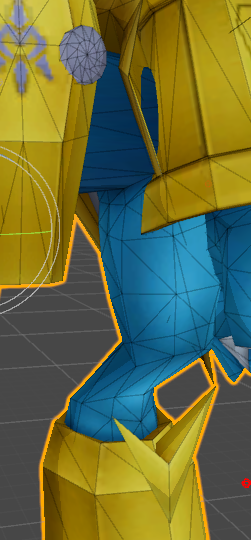

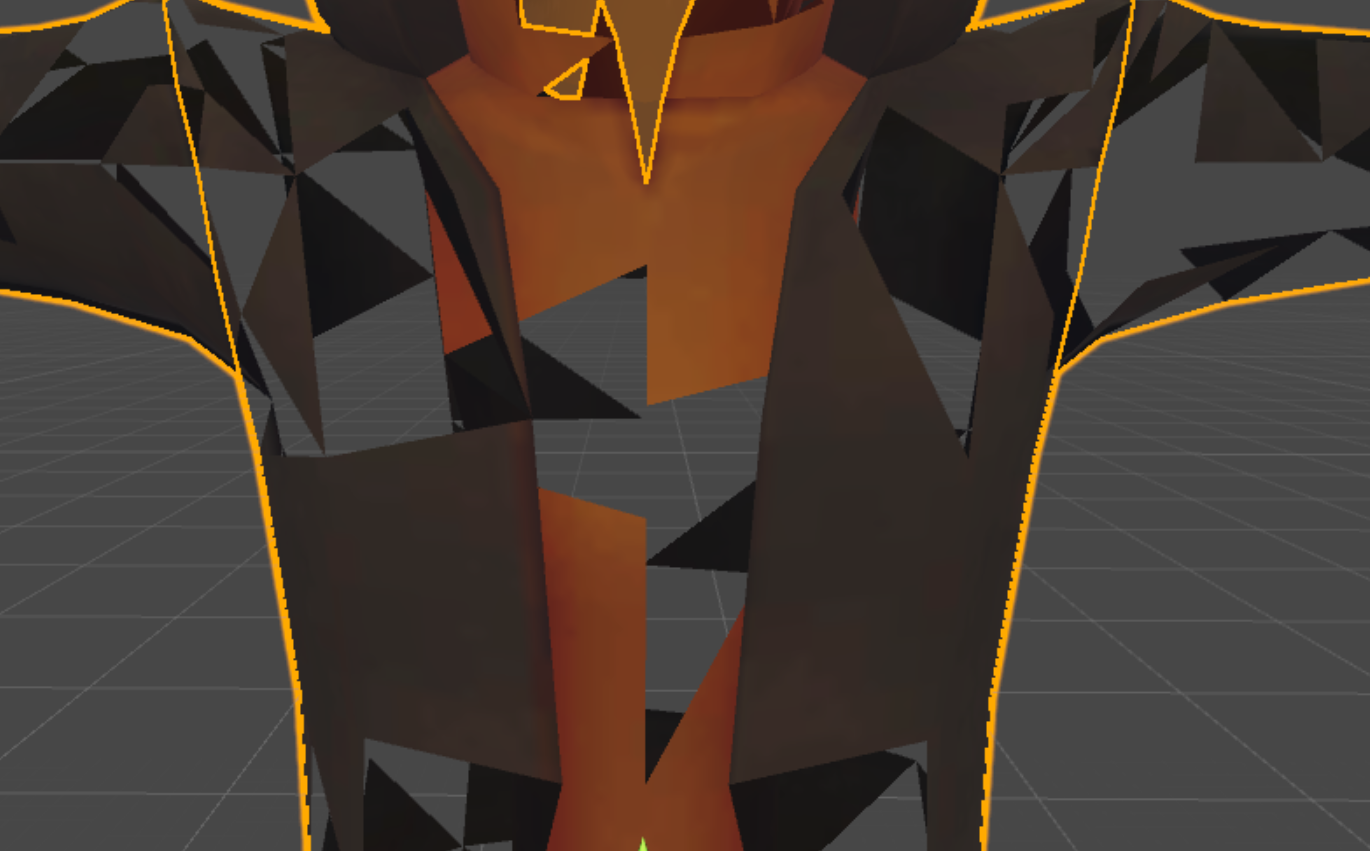
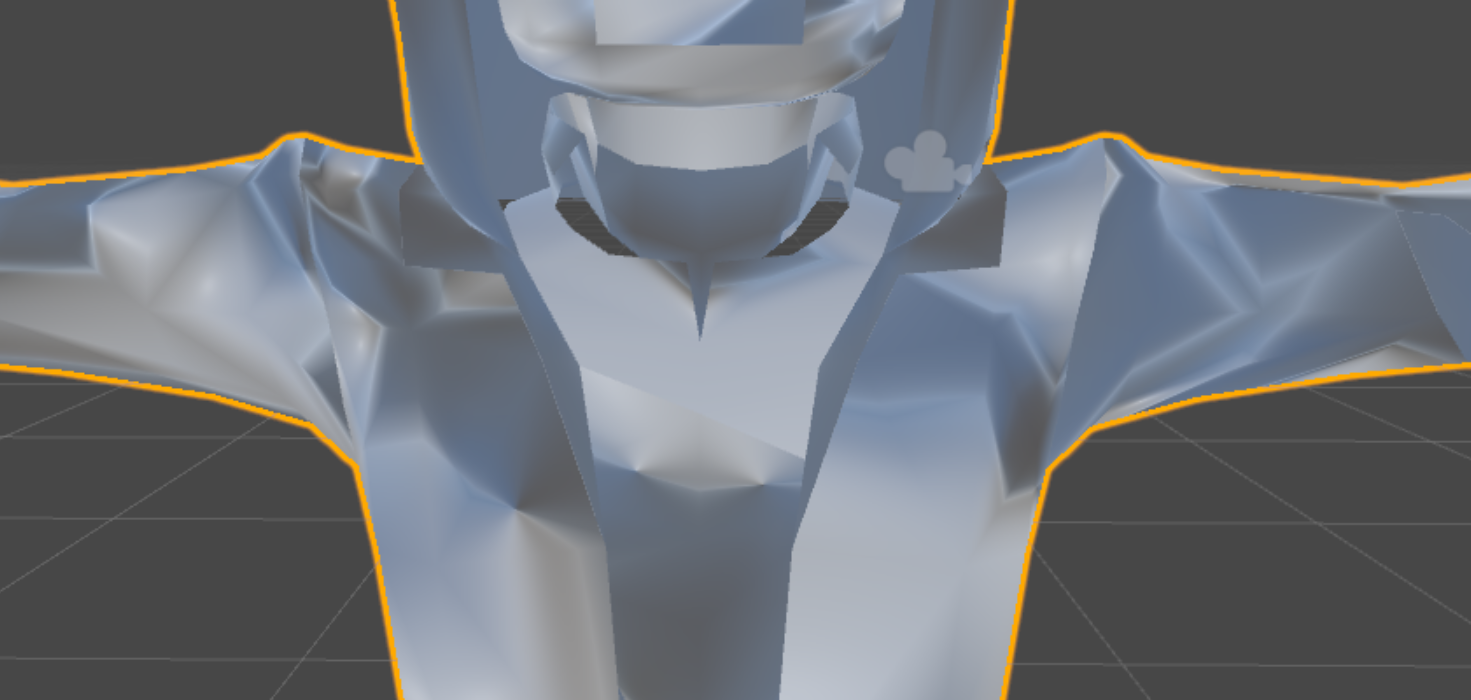



 nimble cape
I don't know how to do that lol
Like
it messed up my model's face when I imported him to unity
crisp tendon
Nobody does when they start, we don't expect you to either
Don't decimate face
Never
crisp tendon
Yeah then you fucked up somewhere lol
But that's ok, you'll do better and better over time
tight forge
Just spent several hours mixing and matching together this avatar, still nowhere near done but at least I checked and realized it was a waste of time NOW. No facials, the eyes aren't even connected to the bloody eye bones, ect. I could put that together, but I'm taking this as a sign that I should work on something else.
tight forge
Set that Ratio back to 1, to start with. Just to get you back to where you started at.
Where did this model come from?
tight forge
What format is it in?
nimble cape
fbx
 modern niche
Anyone know what's going on here?
My bones and mappings are symmetrical I'm pretty sure
I triple checked the mappings
rain fulcrum
Anyone know how to fix black spots in textures in blender?
crisp tendon
@modern niche Check the weight painting in blender, and make sure the hierarchy is correct too
tight forge
@modern niche Did you check weights?
crisp tendon
@rain fulcrum wrong channel
rain fulcrum
Which channel do I ask in?
crisp tendon
crisp tendon
Then look at your hierarchy
crisp tendon
No in between bones ?
tight forge
@nimble cape What does the list on the right side that lists what's in your scene look like?
nimble cape
????
crisp tendon
That's it then
nimble cape
which one??
modern niche
They're symmetrical though
crisp tendon
Remove the in-betweens
main sage
AYYY
modern niche
Why is one arm fine
main sage
adding a full dummy skeleton fixed the box too
modern niche
What if I want those in betweens to move still
Just like the original model
Is that impossible?
crisp tendon
Do you have all your custom animations ?
modern niche
I don't think I have any
crisp tendon
Then remove the bones
modern niche
I'd like to add some though
crisp tendon
Use cats plugin in blender if necessary
If you create animations you won't need those bones anyway
modern niche
How will my avatar walk
crisp tendon
With the default animation from the humanoid
nimble cape
modern niche
There are shape keys though
So maybe it does have custom animations?
It doesn't list in the animations tab though
crisp tendon
Shapekeys are Usually for blinking and mouth tracking
modern niche
Hmm
 lucid isle
i give up on my moogle
lucid isle
its arms are constant tpose
atomic summit
Alright so I accidentally parented my sleeve to the hip how do I get that bone chain cut and pasted so its parented on my arm?
crisp tendon
@lucid isle Bone mapping is probably missing a connection, fix that with cats plugin
@atomic summit blender, bone menu in edit mode
nimble cape
hhh
crisp tendon
@modern niche check a tutorial, this is very basic stuff
modern niche
I looked at one and it didn't mention controller
lucid isle
bones without cats after fbx import to blender
atomic summit
yeah what commands though??
crisp tendon
I'm off for today, if you have questions you can ping me, but make sure to check the search bar and look at tutorials first
@atomic summit no command, check how to parent a bone in blender
@lucid isle send me a friend request, I'll check the file tomorrow if you still haven't fixed it yourself
atomic summit
I know how to parent bones, cats tool messed up my parenting order thats why im asking this question
main sage
for some reason its not letting me click diff handles of the box
crisp tendon
@main sage you can also use w e and r to scale it down, or set your own coordinates
lucid isle
sigh well...least all my other model nees is weight paint