#avatar-rigging
1 messages · Page 66 of 1
 leaden moth
@pulsar phoenix can u show me how to auto decimate?
 pulsar phoenix
ok
 rigid rose
http://prntscr.com/hz0b9c Every single bone structure is somehow not right and causes stretching regardless of weights mixed. How can this be fixed up.

 scenic helm
Hey guys. I have this model of artorias from dark souls. In the game, his arm is dislocated from his chest and I was thinking I could achieve a similar effect by not assigning any of the bones in that arm in the rigging, and then do some dynamic bones magic. Anyone know if it's possible in dynamic bones to make the bones not fall back to their original position, but rather hang towards the ground as it would in real life?
 fading verge
anyone on?
do I just make spine the child of hip? cause when ever I do, it makes the character have ghost hand


 crude crag
no, make spine1's parent be the hips @fading verge
fading verge
@crude crag leavei tli ke this? https://gyazo.com/c7a2ee6039932a2314933cf3352481e1

and export?
crude crag
yes that should work better!

 topaz dune
@leaden moth If your model is in driffent objects you can decimate each object on it's own. leaveing the face and eys untuched.
crude crag
all your bones are assigned properly, yeah?
topaz dune
that way you will not remove visemes
fading verge
 crude crag
Sorry, do the bones line up with the model in blender? @fading verge
 topaz dune
@fading verge did your model come with animations, and do you want to keep them?
 topaz dune
allright. you could delete all bones, remake the skeleton. and reasseign the weight paint
fading verge
 topaz dune
there are a lot of bones only made for making animations, in my opinion they are useless
crude crag
@fading verge make a seperate save file for this, but have you tried deleting all the bones and uploading the .fbx to mixamo? See what it spits out.
topaz dune
if you want animaitions you can allway's remake bones, and learn how to make your own animations. it's almost like making visemes
 radiant loom
Hello
Could someone help me with this issue i'm having in blender?
I'm pretty sure I will have to start over from the obj but I need to know why joining my mesh in the begining isn't doing what I thought it did.
How do I splice the edges that seperate together before I parent the mesh to the armature?
 livid saffron
idk what to do to get cats on my blender im dumb
 opal phoenix
install addon from file
 prisma pelican
hey guys, i'm getting this message in unity, any ideas how to fix it?
livid saffron
I did that now wat, It's like greyed out
prisma pelican
alright, thanks @radiant loom !
opal phoenix

 blissful cargo
am I correct in assuming VRChat removes the heads of avatars client side so they dont get in the way of the players view?
radiant loom
Yeah click it lmao
opal phoenix
😄
 half cloak
Im not sure about that caseface, considering you can see your own head when you do the "die" emote
crude crag
This is a skeleton mixamo gave me, if you look in #avatars-2-general you can see what I started with before using that. Are there any errors with what mixamo spit out? https://cdn.discordapp.com/attachments/361742235525709825/401033267534495756/GB_skeleton2.PNG

 limber barn
how to do dynamic bones?
livid saffron
now time to look up a tutorial on how to work this
limber barn
can i do it in unity?
radiant loom
@limber barn Do you understand how to rig in general?
limber barn
kina
radiant loom
@limber barn https://www.youtube.com/watch?v=GXrllGsGlFI

Dynamic Bones - 20 USD on the Unity Asset Store! http://u3d.as/7fH VRChat Community Discord: https://vrchat.net/discord Download VRChat! http://store.steampo...
limber barn
danke
radiant loom
Oh wait, so I am trying to connect vertices at the joint areas but removing doubles didn't actually merge them.
topaz dune
if you want to merge vertexs. select bouth of them and press alt+m to merge
livid saffron
so im trying cats for bones n stuff but in unity there is no where i can map the chest to because that bone is the spine and i dunno what do
scenic helm
Hey guys, I'm trying to import a one armed model. Is it a requirement to have two arms in order to import as humanoid? I'm a VR user, so the best scenario would be to be able to control the one existing arm
topaz dune
@scenic helm you need to have a full skeleton. but some ppl on development-advanced might know if you can change that.
@livid saffron you want to reparant the bones, mabye delete some and change the weight paint in blender.
scenic helm
Okay I'll check, thanks
topaz dune
yw
 stiff hornet
Alright new problem today. I wanna try importing Niko from OneShot, the SFM file has multiple faces and when going into a level...I wanna say the avatar dungeon, that's where we could find him...anyways, that one had multiple faces. How does one do that?
To elaborate, on the vive when you did certain hand positions, the face did...well, different things.
topaz dune
That's some development-advanced or animations channel stuff. but i might have a tutorial
https://www.youtube.com/watch?v=yfVmfGOOkOw @stiff hornet

A VRChat tutorial on how to override hand gestures and emotes with your own custom animations. It can be used not just for VR users, but for desktop users to...
radiant loom
@topaz dune If you have a moment I would totally appreciate it. If this is advanced I understand. Merging vertexs seems to be exactly the issue I was having but there has to be a better way of doing this. If you look in my example image you can see that I posed the head backwards showing the small area I merged on the neck. Will I have to go around the whole project merging individual vertex pairs until I have one true single mesh for rigging?
Joining the mesh doesn't actually merge the different parts, When I do automatic weighting the parts move around. 😦
 half lynx
Guys
What texutre is it that allows me to make my hair move when someone is close. Or when they move they see it move?
topaz dune
nah you can merge all the objects togehter, but some places it'll look better if you have the vertex's merged togehter. as merging objects only makes them into one object. so when they strech the object can move away from eachohter and you'll see emty space
@half lynx that's a more advanced problem maby one of the ohter channesl as an answer
like the hair you can merge as an object but the neck i would merge the vertexs
radiant loom
Ohhhh was I supposed to select my whole mesh and MERGE instead of JOIN before I did my rigging?
Otherwise this happens:
crude crag
I tried using mixamo for bones (deleted them all and uploaded, y'know) and that's what this first picture is. I was told to check out CATS.
So I tried used CATS "fix model" funtion, that's the second picture with the wireframe ON MY ORIGINAL MODEL, NOT THE MIXAMO ONE.
Which one would you all recommend going forward with?
topaz dune
haha, yeah it's easyer to merge the hole thing togheter and then rig
radiant loom
I'm going to try that Niko you're a great help thank you
crude crag
with which one?
topaz dune
there not really any corner cutting here
crude crag
idk which is best to use
cause the first is what mixamo gave me, the second is my original model after being worked over by the CATS fix model tool.
topaz dune
you delete those bones that are not supposed to be there. there is a way to merge the bones
crude crag
I'm asking which .fbx should I continue with, the top or bottom one?
topaz dune
top one
crude crag
alrighty, ty
topaz dune
Yw
 mental stream
Is there a way to rig and use non humanoid models? I'm currently modeling a slime (think minecraft or terraria) and would like to know if its possible to use as a player model, or if I should stick to only using it as a world asset.
opal phoenix
yea you could use that as a model, probably use the generic rig in unity
mental stream
awesome! thank you 😄
 brisk mesa
yea cause i've seen people be weird worms that fly about
i was planning on being a Quelaag too
 queen verge
Aight so
I deleted all the arm twist, wrist twist, etc bones
And it did this
Soo ??? How do fix?
 obtuse seal
You should see a doctor or go to the hospital
queen verge
Weight painting?
crude crag
yep, it assigns what part of the model is attached to what part of the skeleton
brisk mesa
that's a sexy kizuna ai, a true virtual yootooba
crude crag
@queen verge make sure that the parenting on the bones is correct, that's my only other suggestion
brisk mesa
yea those lower parts of her arms, i bet theyre not vertex assigned to the bone you want
queen verge
Even though I deleted wrist twist it still does this
brisk mesa
so it tries to stay in that tmodel original pose
queen verge
Aight, thanks loves
 trim hemlock
Good morning everyone. I've been told i can make my models better if i use dynamic--bones but i do not have it. Any help?
trim hemlock
Thank you for the quick response. I'll check out the asset store or try and make friends lol
 torn isle
Nice.
 full cairn
My avatar seems to be looking up when stationary. Looks forward when running.
Rigged it with Mixamo because lazy
trim hemlock
I'm fairly new but i'm guessing it could be something with the idle animation
topaz dune
@full cairn try and take a look at it in blender. take a look at how the bones are positioned and how the weight paint is located around the head and neck
crude crag
https://cdn.discordapp.com/attachments/361742235525709825/401058087882194944/GB_skeleton4.PNG alright so does this skeleton from mixamo look okay? I made it so that one spine bone has no weights associated with it.
 topaz dune
why dont you just merge the bones? i think that merges the weight paint aswell
crude crag
how would i do that
topaz dune
select the bone you want to merge into anohter, the select the bone you want it merged into. press alt+m
in edit mode
leaden moth
hmm which license 🤔
fading verge
which one describes you?
crude crag
bottom
 quiet river
heya

tried to upload this guy and it says that certain parts aren't mapped and idk how to fix it
brisk mesa
what certain parts tho
quiet river
according to the thing I have no upper chest and no toes
brisk mesa
it also looks like your shoulder/collarbone area is like in his titty area
 brisk mesa
oh yeah people have to make actual eyes for that, dont bother for now
like they have to make new eyebones and eye planes and texture that shit
 hearty turret
does it matter what way the model is facing? does it have to face towatds the Z axis?
brisk mesa
dotted circle is optional anyway
wonder if your spine,neck,head, chest,hips whatever aren't parented correctly
crude crag
@quiet river screenshot the error message
full cairn
My avatar is looking up a bit on Unity but not nearly as much as in VRChat itself
 crude crag
@quiet river does your bone setup look roughly like this?
leaden moth
should i enabled unity analytics?
 brisk mesa
yea it doesnt matter
quiet river
how far do I raise it
topaz dune
@quiet river from what i can see you are missing head bone and foot bones. the hip positions dont matter atm
 topaz dune
you might also have bone parenting problems
quiet river
didn't have a head thing
topaz dune
and neck
quiet river
the neck folder has a "head 0" in it
so i'm guessing whoever made this just skipped the neck cus he just doesn't have one
crude crag
oh yeah you need to add a neck at the very least yep
head isn't necessary technically (afaik)
crude crag
go back to blender and add a bone whose parent is the chest
quiet river
I have 0 experience in either blender and unity so idk how to do that either
brisk mesa
mfw unity fbx exporter costs like 100 dollars
 crude crag
what did it look like before that?
quiet river
there was nothing in the head part
crude crag
im asking for a screenshot
quiet river
so idk if it fixed the head or just extended a neck part
crude crag
to compare with
crude crag
@quiet river What I did is select armature, edit mode, tools tab on the left, and hit add bone
quiet river
alrighty got my bone
brisk mesa
you can rename it too on the upper right
or in lower right if you're in the bone tab settings
crude crag
and be sure to make sure its parent is the chest bone.
that will place it in the hierarchy correctly
brisk mesa
yea bone tab settings on lower right will tell you what the parent is. if it is blank you need to type one
quiet river
I called it neck
 fluid folio
Can someone help me with a small question I have?
When you are making Dynamic Bones, Do you have to use the "Bone Parenting" tool, or can you select the bones youself and click "Keep Offset". My model won't show up in VRChat and thats the only issue that I can come up with that are wrong(I think)
 sand sedge
Hello, don't know whether it belongs here, but lipsinc on my avatars doesn't work. When viewing in both blender and unity, everything seems fine (can confirm in unity that mouth can close and open, even when testing via animator). When I then view avatar in-game, it has permanently open mouth, not reacting to my talking at all. I got same issue on two different avatars, solved it temporarly by unmapping jawbone, so it stays close at the very least.
brisk mesa
if you did everything right, then i think there was actually an open-mouth-permanently bug going around
 full cairn
It's bad but it works slightly
crude crag
and middle mouse held to rotate
@quiet river wait did you add a bone to the model worked over by CATS?
quiet river
I loaded up a new blender added the model and then hit fix so that the textures would load
crude crag
if you hit fix model then you shouldnt need to add more bones
the pic you posted earlier looked fine
but try putting it in unity
quiet river
that's what I did before
fixed model, went into unity and gave it shaders and then did the stuff with the sdk
sand sedge
@brisk mesa So there's no fix to the lipsinc then?
quiet river
must've been cus I haven't deleted anything on it
ok the neck thing should work imma try and upload again
leaden moth
um so why is my texture white 🤔
quiet river
did you fix the model in blender first?
sand sedge
@leaden moth I usually reapply textures to avatar in unity
sand sedge
In left-hand menu (hierarchy), open Main Camera > Your avatar
And you should see different parts of the model
Now when you click on the part in hierarchy, it should open in right-hand menu in inspector
Did you import the textures into unity before model? That's pretty important @leaden moth
sand sedge
@granite kestrel Jawbone
 granite kestrel
Your jawbone might be positioned in a way where VRC thinks that it's already maxed and can't get bigger
A solution is to rotate the jawbone into your head a bit and try again
sand sedge
Rotate in Blender?
granite kestrel
I think you can rotate in the bone structure in Unity
sand sedge
In unity, it is half open when in "muscles & settings" and when I drag "Jaw Close" to right side, it closes (like the model has it in blender) and to the left side, it opens more.
crude crag
Which of these do I need when applying textures to a model in blender?
topaz dune
oohh you can bake the textures togehter into one
sand sedge
This isn't even rigging related
granite kestrel
The alphas and whatever suit you want @crude crag
crude crag
tyvm!
granite kestrel
In Unity you can add the cool stuff like the normal maps @crude crag
leaden moth
@sand sedge can't i redo or something?
crude crag
what do normal maps do anyway?
granite kestrel
Normal maps tell the graphics card the height data of the stuff, so it can make low polygon stuff look higher poly
sand sedge
@leaden moth I also apply shaders in unity, so I don't know
granite kestrel
@sand sedge The shaders in Blender do not matter
sand sedge
@granite kestrel @leaden moth Yea, that's true, Blender and Unity use different set of shaders
granite kestrel
👍
Only time materials actually matter in Blender is if you're making a texture atlas
sand sedge
I don't know what do you mean now
In unity, you can just open hierarchy of your avatar, then open different parts of the model. Menu should appear on right and you will be able to change textures
And shaders and transparency
@granite kestrel Also, when doing the clap emote, avatar's hands are cliping thru each other, do you know anything about that?
granite kestrel
Typically it means that the arms are longer than the game is expecting @sand sedge
sand sedge
And is there any workaround for it?
granite kestrel
Make the arms shorter @sand sedge
Or get VR and don't use the clap emote
You could also make a custom animation @sand sedge
sand sedge
I think the third option the only possibility for me right now
granite kestrel
Animations in VRC aren't hard once you get it down
Actually they are hard because Unity
I should make a video...
torn isle
It's a learning curve.
I struggled for 7 hours trying to add a simple muzzle flash/gunshot animation.
And I can't even test it ingame because servers.
 sage shard
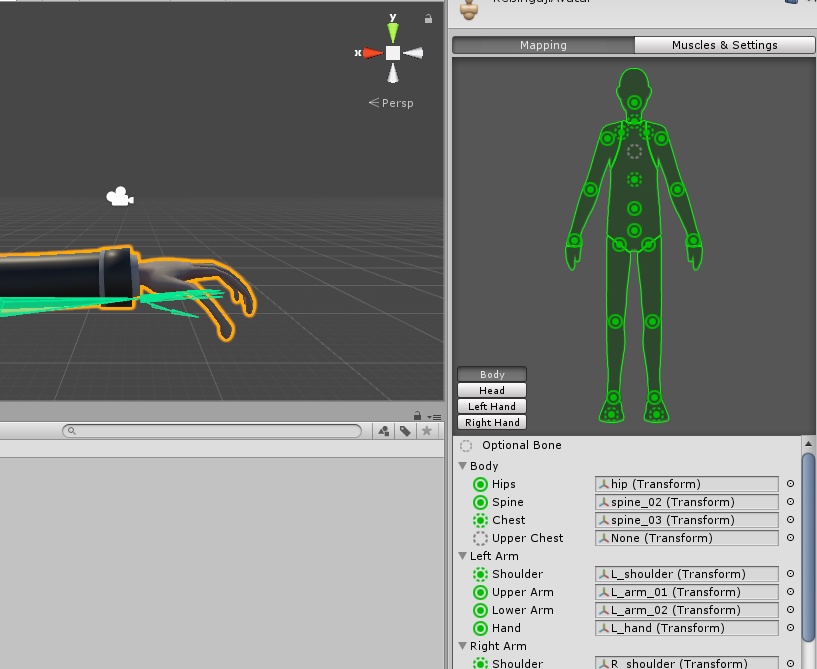
Can anyone explain this error to me? In the rig configuration, everything is green
opal phoenix
in rig config unassign upper chest
granite kestrel
It doesn't matter if everything is green @sage shard, you CANNOT have an "upper chest" bone
torn isle
^
granite kestrel
Change Upper Chest to Chest, and remove a middle spine
sage shard
then why is there a thing for it in the first place lol
granite kestrel
Because Unity can use it. VRC does not
leaden moth
..
granite kestrel
Welcome. I'm sure you'll be back in a minute 😃
sage shard
why do you say that?
 spice holly
anyone ever had the problem that dynamic bones dont work. the front hair isnt working for me. everything else is working totally fine
granite kestrel
@spice holly You'd have to show us your hierarchy and your Dyanmic Bone
 lyric current
So rigging the jaw to move for lip sync. While applying the bones you leave jaw to none and apply it to the descripter?
spice holly
screenie from unity
sage shard
so the animation works, but uh there's kinda an issue. It looks like this in-game. when I move, it shows my viewpoint as ontop of the pants, and when I'm still, it completely shifts the chatacter. In unity the model looks fine, but in the rig config it shows the top of the pants seperate from the rest of the model
spice holly
yea i like these settings use em on all my models 😃 ty again. soemtimes you dont see the obvious xd
sage shard
@granite kestrel you were right about me coming back lol
it's literally only in the rig config that it shows the top seperate from the rest of the model, everywhere else it's connected
 solemn oasis
Can I add additional bones after I parent + add auto weights in blender? I messed one up and want to fix it but can't undo far enough back since I posed it to test
I should've saved but I got too excited like an ass
granite kestrel
@sage shard You're missing hips
torn isle
Your hips are the wrong bone I think.
Find the hip bones among the hierarchy and drag into the spot named hips on the greeen diagram.
sage shard
nah it was walking fine. Joined the pant meshes in unity so hopefully it fixes itself now
granite kestrel
I mean it "has hips" but it's connections are wrong so you will likely have future issues @sage shard
Maybe not now, but maybe a patch from now if they change the rigging settings
A quick drag of Hips on the left to the Hips section on the right will solve this issue
But it's not my mistake to make 🤔
Oh wait, you don't even have a "hips"
sage shard
When the time comes I'll fix it. As long as it works, I'm content
sage shard
yeah unity changed my skeleton from blender lol, idk why
granite kestrel
You have a Spine 4...
 lunar tartan
How do I flip eye texture/material? My eyes show up inside the head and not out through the eye sockets.
granite kestrel
Yeah just you do you @sage shard lol
@lunar tartan Change Opaque on the right to Cutout and change the alpha until it fixes
sage shard
this is the skeleton in blender lol, idk why unity did it's own things
crude crag
@sage shard it's because the bones are mapped improperly in unity
granite kestrel
@sage shard If it works don't worry too much about it, if it doesn't come back
sage shard
uhhhhh this is what it looks like now that I joined all the hulk meshes
lunar tartan
@granite kestrel Do I change that on the eyeA_Diff or on the one that actually has the eyeball, Iris, pupil texture?
 pseudo sedge
@sage shard you have not mapped elbow bones(map them in this window) and not clicked Enforce T-Pose
 stark sandal
Ok i ran into a a problem with a different model
Everything is mapped fine, and the bones show no issues
Send halp
sage shard
alright, I remapped the arm bones
wot in tarnation
guess I have to join the knuckles mesh to the hulk mesh?
crude crag
take it into DMs
 night sigil
@sage shard if you can undo everything you just did, tried just deleting any bones set to toes
try*
sage shard
in blender or in unity?
night sigil
unity
don't actually delete the bones
just under right and left toes have nothing set
sage shard
alright I deleted the two toes, but it looks the same
didn't delete the bones, just the stuff so nothing is assigned to toes
night sigil
wait let me make sure I'm getting this right, what is happening to the model in game?
sage shard
as to how it's set right now?
night sigil
@sage shard what was happening that was the problem from in-game, from the photo you first posted. It looks like whats happening is when standing still the body shift forward a bit. but is that the problem?
sage shard
the way it was in the first photo, it had the body off set like 5 feet to the right and the top of the pants where it was suppossed to be
night sigil
ohh I see now, sorry no idea for that 😩
full cairn
I'm trying to upload a model on Mixamo and I think the hair is making it weird. I think the problem with the initial shape because the hair sticks out too much.
night sigil
I thought you were having another issue I was having before where my model's body would shift forward while standing still like this.
@sage shard
sage shard
nah mine is just it shifting everything
night sigil
hmm wish I could help 😦
sage shard
it's like i spent ages trying to figure out how to make the skeleton in blender, and now it's being like this lol
granite kestrel
@lunar tartan Depends where the issue is. How many materials does your avatar have? I'm concerned that you have like 15.
night sigil
I still recommend removing anything set to toes and trying it in game, see if it stops the shifting.
granite kestrel
@sage shard That is likely what happens when you don't have the hips set up right.
sage shard
now it looks like this. The knuckles movesm but the hulk is in t-pose with the bodies seperate
granite kestrel
Click the hip bone in the Unity rigging thing until they're highlighted. Look at the hierarchy and find the yellow highlighted thing that illuminates
Drag that highlighted object to the Hips section on the right.
night sigil
when standing still it moves like that?
full cairn
Looks normal moving
sage shard
@granite kestrel thing is there's two hip bones, and only one hips
granite kestrel
@sage shard when you choose a hip bone it only chooses one side???
granite kestrel
Back to blender, choose the hip bones in Blender, push J to join them.
night sigil
@full cairn did ya get that?
granite kestrel
I'm pretty positive that's how it's done but I don't normally join bones...
full cairn
Gonna give it a try
night sigil
it does something like this when standing still right? @full cairn
sage shard
have the two bones selected, but I don't see a button to join them
granite kestrel
Push J on your keyboard @sage shard
stark sandal
Ohh mine does that @night sigil
granite kestrel
Most of the commands in Blender are keyboard
You can also push Spacebar for a search
sage shard
pressed J, but it doesn't look like anything happenned
night sigil
@stark sandal go in unity, go to rigging, and set right and left toes to nothing
it should fix that
sage shard
yeah they're still seperate
 jaunty flowerBOT
Command not recognised
sage shard
apparently I can't join the bones in edit mode
granite kestrel
Sorry it's @sage shard CTRL + J
night sigil
@stark sandal tell me how it goes
sage shard
did the spacebar search to join, and it says you can't join bones in edit mode
granite kestrel
Uh....maybe Object mode?
sage shard
object mode just selects the entire skeleton
granite kestrel
Hmmmmmmmm....
One sec. I'm sure there has to be a "how to join bones" tutorial somewhere

In this Blender Pelvis Rigging tutorial I will guide you through the steps to rigging a pelvis in Blender. I would touch basis on the importance of helper bo...
This one looks pretty good
night sigil
whats it doin now?
full cairn
It's a lot better than it was before
Still sort of listlessly looking off but it's useable now
night sigil
yeh that I have no idea, but that other issue took me forever to figure out what it was
it was happening to all my models
full cairn
I'd rotate the head but then it flashes with "not in T pose"
fading verge
Anyone had this problem with unity? Pressing play show my avatars like this. some of the skin or texture just gone. Its like that on every one of my avatars right now. lol. Please help
 stoic atlas
how does one add rigging in blender to add a tail to a humanoid bone structure? one that just flops around when you move, and whatnot
sage shard
yeah @granite kestrel idk how that'd video would help
granite kestrel
Well that butthead is using a couple too many bones
sage shard
lol
granite kestrel
The importnat part is where they connect
And how to join them in the middle
I mean actually what he's doing is pretty good because it properly works da butt
sage shard
that's the thing, it's not connected, it's essentially 3 different things
granite kestrel
I'm actually kind of mesmerized watching him work
12:15 is the important part it seems
 true geode
Heya. Sorry if this is the wrong spot but I'm having trouble with my Avatar as well. Everything looks ok but when I load in, the upper arms are facing forward. Would anyone be able to help with this issue?
night sigil
@true geode like dis?
night sigil
try this for me
in unity
go to rigging
go to right and left toes and remove any bones assigned to them
then try uploading again
true geode
ok. But the other issue is the upper arms. for some reason they just always want to jut forward
true geode
ok
night sigil
caused*
sage shard
oh i see now. so it has the two bones going out as children of the bone they connect to
so now I can set that as the hip
now I just need to figure out how to move the model to the origin, because for some reason when I set it to 0,0,0 it's not at the actual origin
 winged zinc
if i add another model piece to i have to do anything to them to connect them or is it fine
sage shard
one weird thing I noticed, is that it shows the knuckles here, instead of by itself
winged zinc
if i do have to connect them how would i do that
 tired storm
would anyone here be willing to help me rig a model? im really inexpereinced with this stuff
granite kestrel
@winged zinc Ah, you're doing exactly what I did
Put need to go into the hierarchy, split the Processor devices from each other
Then you need to attach each one to the proper bone by dragging it to the right bone
If it moves, fix it, and then you're done
Attaching in Unity is literally dragging and dropping.
night sigil
@true geode how'd it go?
winged zinc
ok thanks i was about to ask that
true geode
trying it now
granite kestrel
@sage shard Yeah I don't know much about your "metarig"...
Someone better than me in Blender will have to answer that one
winged zinc
@granite kestrel so i take out all the pieces and put htem into the plutia model hierarchy then connect the bones
granite kestrel
Yes, by dragging the pieces onto the corresponding bones
winged zinc
ok thanks
granite kestrel
Example: The hip processors to the hips, the head processor to the head
lunar tartan
@granite kestrel I'm not sure. I'd have to check that when I get home. I know there are some textures I didn't include into unity since they belonged to extra parts like the sword, 2 guns, and bloody face that I did not include.
granite kestrel
Alrighty
winged zinc
how do i get to editing the bones
night sigil
on blender or unity
winged zinc
unity
night sigil
select your model
top right it should say rig
then set to humanoid
then press configure
stiff hornet
I need help merging a skeleton and a mesh
winged zinc
@night sigil if i do that i have to redo all the dynamic bones?
night sigil
no idea
stiff hornet
I need to figure out how to merge these bones to my mesh.
Is there any way I can do that?
winged zinc
oh ok
it wont let me add it in
i can put in the same file but thats it
it wont let me add it in
it wont let me add it in
i can put in the same file but thats it
 proud wolf
is there a way to use valve rigs/models in vrchat with valve's default walk anims and such
that would be lit if i could
winged zinc
as you can see this iss the farthest i can go
night sigil
just select the main fbx
night sigil
nvm Idk
true geode
sadly having difficulty loading into VRChat. still trying
night sigil
yeh servers are being a bitch rn
so wait are you trying to see the bones to set them correctly, or to move/ change them?
night sigil
oh, yeh i don't know
brisk mesa
so uh does anybody else's model in Blender say that it's like 177MB memory or is it just me and i'm a fuckup? lol cause idk if that's big or not for Unity to import, since it did crash
 white sparrow
are there any YGO fans here that wanna make some characters come to life in VRC ?
torn isle
Ygo?
brisk mesa
sounds simple enough if yugioh is what you meant
white sparrow
ye
brisk mesa
i kinda want a mai valentine now
white sparrow
I can get you dark magician girl >.>
brisk mesa
oh i got that one, apparently easy to find off model resource website
white sparrow
I got the 3 godcards, but they are all missing a skeleton
also have a model for the pharao and kaiba but they are missing some bones in their hands apparently
brisk mesa
oh model finding is half the battle won, just gotta rig it
night sigil
just use mixamo
brisk mesa
mixamo sucks tho
white sparrow
mixamo doesn't recognize the models i put in there
brisk mesa
basically only three results come outta mixamo, 1. it works 2. it works but badly and the skeleton is messed up still 3. it won't take the file
brisk mesa
lol
white sparrow
this is what mixamo did when I tried to make obelisk the tormentor
night sigil
if it takes the file it ends up working everytime for me
?
oh yeh
I had that problem once
just once
white sparrow
look at the error message on the top
night sigil
I figured out how to put in gmod characters
and they're already rigged
but
I have one singular problem
brisk mesa
already rigged is good but sometimes needs cleanup tho
brisk mesa
i heard that a lot and then i go into blender for some of those files and the vertex assignment is all messed up
white sparrow
@brisk mesa are those ygo models on that site you posted already rigged ?
white sparrow
also japanese, I can't understand anything xD
brisk mesa
i can like kinda read and kinda not
night sigil
i also had a second problem but I fixed that
I've seen other people have that problem too and I seem to be the only one who figured it out
so I try and help anyone I see have it here
this beautiful issue
where your pelvis moves forward when standing still
 vernal gale
for the shape keys, do I need all 19 keys, or can I remove some like the blinking ones
topaz dune
you dont need the blinking shape key, if you dont want eye tracking.
vernal gale
my model uses a texture for the eyes on the main mesh anyway
it is fine to split the mouth area into a different mesh, and add the shape keys to said seperate mesh
or will I have to join the mesh back
topaz dune
is it all 2d viseme?
crude crag
lmao
vernal gale
I think they're all 0 by default
topaz dune
i see you allready done that.
vernal gale
the basis is the current face. Quade asked me to keep it to this
I don't think I even need the nose in the mouth area, that's got bones in it
i'll just join it back to the main mesh
true geode
Well finally loaded in but no difference in results
vernal gale
nevermind, I didn't see the blender to unity tutorial had plenty more to it
true geode
Sadly still having the same issues with the legs & my arms. Not sure if it has something to do with the head bone
night sigil
damn
true geode
Yeh. I was thinking about doing the CATS method in Blender but I hear that's only for MMD models
mental stream
does anyone know how to make certain objects translucent? (ie tinted goggles)
 earnest shale
that'd be on the unity shaders end. need to find a good materiel for it
anyone that can screenshot their rigged skull showing how bones for lipsync and blinking look like?
 sharp raptor
can someone help me with my eye blinking i already created the shape key for left and right eys and used the cats eye tracking but when i go to game it doesnt blink
 naive tree
@sharp raptor try unchecking "Apply modifiers" in gemetries when u export as FBX (bottom left)
geometries*
sharp raptor
okay
also
when i configure humanoid
do i need to put the eye bones
in the slots
naive tree
idk
brisk mesa
to make some stuff translucent, @mental stream i know that in Unity you can dropdown menu to make the texture transparent on the right menus
but if you are trying to make just the lense of goggles translucent, you had better separate just the lense from the rest of the goggles mesh. or it'll make your whole goggles translucent.
mental stream
actually that was just for an example, Im making a slime model with a solid inside and a translucent jelly, but thank you!
 meager fern
https://gyazo.com/0224845c2ef2928a7583598762280344 can someone explain to me why is my head warping around ?

< complete beginner btw
mental stream
The neck bone is bent I believe
 vapid osprey
hm... how come when i want to add bone amatures to my IMPORTERD model when i try to apply automatic weights it says "bone heat failed to apply to m,ore than 1 bone"
i read through answers where i can go into edit mode and reduce the duplicate or something like that but it still doesnt mhelp me out
brisk mesa
@mental stream to make your slime model more squishy wet looking, I think there are some shininess or metallic/smoothness settings in Unity too
vapid osprey
remove doubles
brisk mesa
i think you have to select your whole mesh then press W for the special menu??
mental stream
Ive tried finding shaders but all appear to be out of date, but if I can do it with the default thatd be perfect! ty! @brisk mesa
blissful cargo
is there a way to just clear all weight paints in blender? im pulling my hair out trying to figure out why this crap is happening when I subtract weight paint http://prntscr.com/hz6tea
 meager fern
@vapid osprey i found a fix for that while scrolling for tutorials, add a subdivision multiplier to your model but dont apply it, then do the usual to app,y automatic weights, then cancel the modifier
vapid osprey
@meager fern i'll try that out thanks
meager fern
nope, my bone is perfectly aligned now but im still getting the same warps on my head
https://gyazo.com/84554c83b893dd677184fd10fb148fec testing out the paint weight thing
 brisk mesa
i'm wondering if your head is being 'pulled on' by another bone then
or if your pose mode also needs clearing
meager fern
so the other bones have a influence on my head ?
even tho said bones arent selected?
brisk mesa
well i'd need to look at your file to really know, ya?
meager fern
oh it actually worked
cleared out the weights on the other bones over the head
and now it isnt warping anymore
brisk mesa
@blissful cargo idk but i know i go down the list of vertex group assignments on the right, for the particular mesh, i make sure the weight is 0 and i keep hitting Assign Assign Assign lol
cause fuck if im gonna paint them 0
blissful cargo
alright ill try that
brisk mesa
sure, tie it around the neck
or staple the vertexes like kinda on the shoulders or something if their clothes look like that
fading verge
alright thanks
full cairn
Mixamo is being a dingus. For some reason it's classing the start of the t-shirt sleeves as the entire shoulder
brisk mesa
yea mixamo is super mixed results
 magic robin
How I can open .mesh file?
full cairn
XPS
brisk mesa
oh i was using the blender addon for that
magic robin
Unworking
magic robin
Checkbox?
full cairn
I wish I could fix it manually but it's giving me some strangle noodly arms
magic robin
@brisk mesa can you send me addon?
brisk mesa
i did earlier, lemme find
 inner quarry
my avatar instantly sinks a few inches while walking..is this a foot bone problem or?
it's fine standing still and jumping
topaz dune
@inner quarry you can move your hips up in unity. that has fixed it for ohters
 topaz dune
use dynamic bones, or change some of the weight painted areas.
topaz dune
there is a script that controls the dynamic bones. anybody who can remember what the scripts called?
 covert badge
collider?
topaz dune
yeah, i'm not gonna throw around with the names. espacialy when i know so littel about dynamic bones.
 lucid isle
this...prolly wont be answered but worth a shot how would i change bone hirearchy in blender
cuz i keep getting that error
lucid isle
ahh
k added now i have to make them the parent of the left and right arms
and now the shoulders have a bone length of zero......
 crude vortex
crude crag
crude vortex
crude crag
that?
 muted helm
that's a good diagram.. I'd have the thighs lower than then hips for a upside Y shape for better tracking for full body capture folks.
lucid isle
ok...so...how would i fix the bone length of zero....
covert badge
Does anyone know how to fix my coat problem?
lucid isle
u need either dynamic bones weight painting or colliders
topaz dune
@crude crag would be nice to have that pinned
crude crag
lol true
lucid isle
that i dont know i havent touched colliders yet
crude crag
I have it saved to my drive
lucid isle
im working on this stupid moogle
fading verge
can anybody help me with this? https://gyazo.com/92ed5858e85ba27a229e3408ee5fbe59

not sure what you'd call it recentering the avatar perhaps?
topaz dune
@crude vortex Tbh it dosent matter too much.
lucid isle
@fading verge use cats blender tool hit fix model and select remove zero weight bones
topaz dune
I exstended the head bone to the top of the head.
lucid isle
then in the panel where you normally find the mmd shaders go to the position set it all to zero
my question is how do i fix zero length bones
maybe i should just do it from scratch
remove all but the hips and go from there
bc this is frustrating
night sigil
when I've tried to import gmod models, it always ends up like this
crude crag
you add another knuckle bone fever?
topaz dune
try and make some changes in blender? make the figer bone's longer or change their positions.
fading verge
Anyone know where i can get a classy af monocle mmd? All i see on devianart is just kinda not classy
topaz dune
nope, mabye you wanna make it yourself?
 pseudo hedge
Please someone help me out, I'm pulling out hair here lol.. How do I copy bones from one armature to another.. I was making bones for the hair (eventually for dynamic bones) but I made them in a new armature by accedent... now I need them to go from the new armature to the original armature for the model.. please help
lucid isle
mmm you cant...at least not in blender
for anything that needs combineing i start with base MMDs and use pmx editor to combine the parts
(thats how im making my own model)
 bitter ember
is uploading down?
pseudo hedge
the new sdk is f**ked, if you can go find an old skd it should work (2017 version)
and @lucid isle is there no way to unparent from the armature and then reassign it to another? or join the two armature together?
muted helm
if you need to switch sdk versions how do you do that? delete the VRCSDK folder then re add the older version?
pseudo hedge
I think, I would start a whole new project to make sure (my firend did it all last night and he got it working but im not sure of his exsact process)
 fast rover
if I put my knee joints backwards, will vrchat automatically detect that and make them bend that way in game? or do I need an IK bone for that?
 somber umbra
Im having trouble with this simple Army Man model. The bone hierarchy doesnt seem funky to me, and the legs will work when doing a sprint animation or other animations like "backflip" or "die", but I can not figure out how to have the legs move when I squat or take a small side step in any direction.
 potent moth
what this model is? toy solider?
somber umbra
Exactly, yep
topaz dune
@lucid isle try it out. if it dosent work, come back.
lucid isle
yeah im gonna hopefully i got the structure right
ima export and see
ok....so unity keeps setting the ears as its shoulders...when it HAS shoulder bones
crude crag
did you manually remap it?
pseudo hedge
how do I make custom vertex groups? my model has a bunch of them already but none for the hair and I am trying to make dynamic bones for the hair. I created all the bones, now I just need to connect the bones to the mesh (which i know is basically just assigning the weight to each part) but the the head and the hair is all one group, so is there a way to select a bit of the mesh and name it something and then assign it to a bone (I would assume via weight)
topaz dune
Is the hair in the same weight paint group as the head?
pseudo hedge
yes
inner quarry
ah ok finally figured it out, I had to bend the leg bones instead of running them straight down the middle
lucid isle
omfg
lucid isle
i make the rig correctly...unity fucks it up
......thats not the spine...thats not ANY bone i added
......
blissful cargo
has anyone used Auto-Rig Pro for blender? if so is it worth the 40 bucks?
 dusk pilot
I have a vrc.v_aa shape key in blender but my mouth doesn't move
Am I missing another stepp?
lucid isle
did u create the visemes in unity using the avatar descriptor?
lucid isle
you need to select viseme
dusk pilot
Im just doing jaw flap blend shape
topaz dune
you need a jaw bone for that
lucid isle
dusk pilot
If you chose the Jaw Flap Blend Shape method, choose the “Jaw Flap Blend Shape” option from the drop down and drag your Body mesh into the Face Mesh slot.
topaz dune
viseme is for shape keys
lucid isle
yes...it is but by using viseme blend shape it'll creat mouth movments based on the blend shape
he has the shape keys
topaz dune
I never get why ppl want jaw flap, it's so easy to 'uck up.
lucid isle
idk either thats why i use the viseme blend shape
fading verge
y is my char transparent? https://gyazo.com/7eccbd07eef70b5fe33027a275ab800a
 lucid isle
although if u get someone like the guy who uses the piccolo avatar its pretty funny
 slender patio
So for a kirito charater im creating how would i go about adding the health bar to the side of the player and the little green icon floating above my players head?
lucid isle
your materials are set to transparent
naive tree
first you delete kirito, then it's done
lucid isle
Yuumi kill me ples
topaz dune
@fading verge change the shader of your avatars matrials
lucid isle
this stupid moogle model wont do what i say
naive tree
http://prntscr.com/hz8fgj 50k down from 110k without deleting anything, still 30k to go  🔫
🔫
 fading verge
change it here? https://gyazo.com/d40b3212ab7e01d9d131e5833a62ea39
 lucid isle
yes
 brisk mesa
@slender patio i think i would achieve SAO health and selection diamond by uh, maybe make that kind of diamond vertex mesh shape + an invisible sphere for the health bar. then i would bind both of their positions to a ground root bone underneath my avatar that would never rotate or whatever
naive tree
@fading verge no
lucid isle
wait...no
dusk pilot
Even if I only want my model to have an open and closed mouth state I use viseme?
brisk mesa
i think that would actually work, and texturing is just texturing
naive tree
go to your materials folder, select material and there's shader top right @fading verge
lucid isle
sorry im going insane trying to fix this fuking moogle
viseme is for "realistic" mouth movments
brisk mesa
the texture for the sphere i would make it that transparent png obviously, so only the bar will curl around the sphere
lucid isle
a majority prefer it
naive tree
@slender patio attach diamond to head or spine, animate it floating, health bar attach to head
dusk pilot
I only have 1 closed and open state
 hollow crescent
everything looked fine both in unity and blender but when i go to use it in VRChat it breaks the arms
dusk pilot
Is that jaw flapo blend shape?
dusk pilot
If I use visemes
lucid isle
MUCH easier
lucid isle
you dont
lucid isle
select Viseme Blend shape
topaz dune
yeah, it'll know when to move the shapes on it's own.
lucid isle
go to face mesh and select "body" or whatever its called for the mesh
lucid isle
select all of the VSC shapes for the respective boxes
dusk pilot
I only have 1 shape key
topaz dune
that's driffent mouth shapes.
lucid isle
it mimics mouth shapes when u speak
slender patio
So it sounds difficult to work with as ive never done that lol do you have a video you could recommend me? @naive tree
brisk mesa
you need ALL keys if you want that shit to work for real
lucid isle
yeah
dusk pilot
I dont want it to work for real, I just want the mouth mesh to move when I talk
Not meant to look realistic
1 open and closed state
lucid isle
if u only have 1 state then the mouth might just stay open
dusk pilot
I have 1 shape key
naive tree
@slender patio it's literally couple clicks http://prntscr.com/hz8hho go to your avatar folder, go to Materials folder, ctrl+A to select all amterials and top right there is Shader, youi have render mode: transparent, set it to Opaque
 lucid isle
if u have 1 shape key thats the only shape it'll have
lucid isle
now if only i could fix this moogle id be set
topaz dune
what are you trying to fix?
 amber raft
im having a problem with importing to unity
it keeps saying im missing human bone upper right leg but there is one
topaz dune
@amber raft pic plz.
slender patio
@naive tree I was reffering to this " i think i would achieve SAO health and selection diamond by uh, maybe make that kind of diamond vertex mesh shape + an invisible sphere for the health bar. then i would bind both of their positions to a ground root bone underneath my avatar that would never rotate or whatever" which @brisk mesa said, I dont even understand how to intially add the bar into the unity editor or the steps needed to make it appear
amber raft
@topaz dune i just went to configure to see if i can manually set it but it saws that its not a child bone of hip but in blender they are linked
 winged valve
I just finished putting a weapon on my avatar, but when I go to do the hand gesture in game, my hand slowly goes into the gesture I have set in the animation but without the weapon, and then goes back to normal
lucid isle
ok u all see im miking both a spine AND a chest right?
 robust thorn
who wants to help me figure out how I'm supposed to position this piece of work?
tired storm
would anyone be able to help upload a non-humanoid model for me in exchange for $$$?
robust thorn
Reeeee
crude crag
@lucid isle a good idea IMO would be to make it look like this
lucid isle
i have been
crude crag
alirghty 👍🏽
topaz dune
@amber raft yeah i can see what you mean. it's paranted right, so it must be unity making trouble.
amber raft
hmmm its really a bother since i cant even import because it says its not humanoid
topaz dune
@amber raft mind pm me a fbx file? i would like to take a quik look at it.
meager fern
so i have a question, im trying to rig a model that im doing but when rigging the arms and legs, which are chopsticks, when moving and bending the elbow, half of the arm starts shrinking for some odd reason
 zenith imp
I'm getting this clipping problem with my skirt, and I think it's because the neck is the parent of it. Does anyone know I fix for this? https://gyazo.com/643c08222e7a672e2b4d2e96595ba1e3
 meager fern
zatch bell XD
robust thorn
YASS
meager fern
im new to 3d modeling, ive been spending the last 2 days learning how to do stuff... took me the whole day to make the texture D:
robust thorn
So I'm starting to figure this out
Should a bone partially being inside of a bone cause an issue like this
 daring wadi
guys
robust thorn
They're all in the positions they need to be but they seem a little....
daring wadi
Is it possible to rig up a gmod .rar file avatar into blender?
robust thorn
Well you see what I mean
crude crag
@daring wadi it's possible to convert gmod models to vrchat, if that's what you mean
daring wadi
How so?
crude crag

In this tutorial I show you how to rip models from garry's mod and use them as an avatar for vr chat! ---Downloads--- Blender: https://www.blender.org/downlo...
daring wadi
There's no .pmd file inside of it, so opening it using cats does nothing.
 tawny zephyr
how do you import SFM models?
daring wadi
I don't need to rip it, I found a download.
crude crag
very similar way to whats in that video
daring wadi
thanks, man
naive tree
@tawny zephyr that's why we have google for "blender import sfm", takes 2 seconds to type and search
zenith imp
I'm getting this clipping problem with my skirt, and I think it's because the neck is the parent of it. Does anyone know how to change the parent bone?
https://gyazo.com/a80d36e934e215eede508938e6cb80a0



 robust thorn
Guys for real cmon
Is this going to be a problem
and if so should I decrease the size of the bigger bone or something
naive tree
@zenith imp select skirt bones with shift, then select hips as last, then press ctrl+P > keep offset
lucid isle
use cats blender tool
naive tree
it will reparent all to hips
lucid isle
it'll remove the twist bones
naive tree
or reparent that all to dummy bone that is made from hips and parented to hips
somber umbra
@zenith imp I think I remember seeing on the Cats blender plugin download page, theres a video showcasing some of the capabilities. One of which was being able to copy the hip bone and making copy the parent of the skirt bones
 shell shard
@zenith imp can change parent bone easily in pmx editor
lucid isle
this...moogle...i want to strangle it with piano wire
robust thorn
You keep telling me to use cats
but I am being told that
because it's not an MMD model
naive tree
@zenith imp http://prntscr.com/hz8pal
 naive tree
i would duplicate hips (shift+D) rename it SkirtRoot or SkirtParent or w/e, parent it to Hips and then parent all skirt bones to that
zenith imp
@naive tree Thank you so much!
lucid isle
all of those bones that are sticking up u can just delete
naive tree
@zenith imp u must select skirtparent as last, last = counts as active
crude crag
CATS works with stuff that isn't MMD as well
lucid isle
go into edit mode
robust thorn
All of those bones sticking up are literally everywhere
lucid isle
....go into EDIT mode
robust thorn
I AM
somber umbra
Could some one offer a hand with this simple model? The legs wont bend if i crouch or sidestep, but they work during sprint and backflip animations
robust thorn
You're telling me to delete the whole skeleton
That's not something I want to outright do
lucid isle
...in edit mode with skeleton selected it willdelete 1 bone when u select it with right click
lucid isle
yeah...it'll only delete the ORANGE bone
robust thorn
Alright am I the only one here thinking this person is dense as fuck or is it me
 rough whale
out of curiosity, why do the bones stick up like that? is that healthy?
shell shard
you guys seem like youre getting moderately heated
lucid isle
.>
robust thorn
lol life ending goosebumps
shell shard
@robust thorn its not a good idea to be rude to people who are trying to help you
like
fading verge
Used mixamo and cannot get rid of upper chest bone without having a parent for shoulders
robust thorn
Rinni
fading verge
How to reassign
shell shard
you can say '' hey buddy i dont think youre understanding what im saying, haha hold on a sec ''
rough whale
because when i import my model from maya into blender it does the same thing; bones are all vertically aligned
robust thorn
They said I can just delete all the bones sticking up
shell shard
instead you're being p rude dude
robust thorn
No, quiet
robust thorn
They said delete all the bones sticking up
shell shard
chill out
robust thorn
They're ALL sticking up
shell shard
you're way too heated over model bones
you don't have to be rude, either fucking way
you dont have to be rude over MODEL BONES
just move on and find someone else to get help from, don't be a pompus ass
robust thorn
Cool story
That's not the issue here
I think they're mistaking something I'm trying to say
shell shard
the issue is you're still bitching and being rude dude
robust thorn
My issue isn't I don't know how to delete single bones
shell shard
nobody wants to help you if you're like this
robust thorn
Fuck off then
shell shard
^^^^^^^^^^^^
you just don't know what the fuck you're doing so YOU'RE getting mad someones helping you
robust thorn
Araedi do you see what I'm saying to you at all
shell shard
this is probably why you have no idea what to do
lucid isle
blocked em if they dont want the help fine by me
shell shard
because you never listen to others huh , just get mad LMAO
lucid isle
ima go back to working on my own bone issue
robust thorn
Jesus fucking christ
rough whale
im just curious why they go all vertical in the first place, because that's happened to my models as well
when importing from other software
robust thorn
Cat my issue wasn't what they were telling me
rough whale
is it just a BlenderThing™?
lucid isle
yup i woulda told em to delete bones and re rig it but sheeeeeeeeit
robust thorn
I said I can't just delete the bones that are sticking up
shell shard
@rough whale the invisible bones look like thats why, bones need an invisible bone to be extended outwards and so when you important it its probably an existing bone issue
rough whale
hmm, i see
robust thorn
I'm not saying if I click one they're all selected I already know about the edit mode thing
shell shard
typically a re-export will help
this is a model you downloaded from deviantart right ?
rough whale
gotcha, good to know! thanks
fading verge
Cant get rid of this upper chest bone halp
shell shard
no problem !! : ) i know basics of MMD and pmd and that helps me when it comes to vr chat
robust thorn
I was trying to explain that my issue is VERY specifically that all the bones are sticking straight up so the advice to just delete the ones pointing right up is wrong
the whole thing was doing it
 azure lotus
hey canyone ever get a AABB rkbox error in unity?
fast rover
does adjusting the positioning of a model in unity affect how it ends up in vrchat?
rough whale
henry, did you apply it?
fading verge
yeah I did
shell shard
@fast rover yes i do believe so !! you need to set a ball thing that detects head/eye level
fading verge
The uploaded says shoulder has no parent
rough whale
you can't remove the upperchest bone itself without using the modelling program, you can just unmap it from the avatar
shell shard
also use unity chan as a load in to resize your model and make sure its not too big