#avatar-rigging
1 messages · Page 65 of 1
 crude crag

 fickle sand
o you're a life saver
crude crag
😁
crude crag
@eren try that sure.
 brisk bane
oki
crude crag
np lux. just be sure to help other people if you think you can, 😉
fickle sand
I'll try, (ps. the limit is 20k right? Mine says 17.9k at maxed) so I should be fine yeah?
crude crag
Yeah, but you should get it closer to 10k if you can
 torn isle
But you should be fine to upload. @fickle sand
Under 20k faces and tris is good enough.
 crimson timber
After setting up eye tracking with CATS my eyes will only rotate from the spot where the bone is, they wont move to the left or right with the tracking. Does anyone know how to fix that?
 crisp tendon
Viewpoint should usually be 50/50 outside of face between the eyes
crude crag
what do you mean by 50/50
 daring dirge
One message removed from a suspended account.
crude crag
define "adding feet"
brisk bane
im guna make my character a little chunkier instead of taller and see if it helps
i could maybe also make the viewpoint higher
crimson timber
Actually I think I may have done something to my Blender
None of my eye tracking works anymore
On any of my models
Could it be a snapping issue that's part of Blender's settings?
fickle sand
How do I assign the Chest as the parent to shoulders / neck? When I go to select parent, it only gives me the options of the model name?
brisk bane
update on issue:
the body actually moves around, like slightly walks when i move my head around to look
not lean
(does walking animation and everything)
so when i look down, my character steps back
 night sigil
can anyone tell me why this is happening?
 glass path
Does using the old sdk fix problems with uploading?
brisk bane
@glass path for the latest sdk you need to use unity 5.6.3p1
glass path
@brisk bane thats what im using but whenever i upload nobody can see my avatar, i tried multiple on different times of the day
 fringe hamlet
you could also be missing another bone for the feet
brisk bane
or edit the bone structure
glass path
I can see myself though
brisk bane
what shaders are you using?
glass path
Cubex
brisk bane
hm
im not really knloedgable on most of the bone problems
sadly
if i was then i wouldnt be having my issue ahah
 odd bronze
my eyes arent blinking even though i have the shape keys all ready, why's that?
crisp tendon
@glass path Could be server issues for now, could be something else, i'm sure you're using the latest sdk and correct version of unity?
@night sigil Not showing up ?
night sigil
glass path
@crisp tendon Yes I am, some guy in avatar testing told me downgrading to the earlier version of the sdk actually solved a lot of his issues
crisp tendon
If if does fix your issues, please follow up with a post in #user-support-old
brisk bane
@hushed storm wouldnt that go in the #event-system-sdk2 channel?
they'd know the answer
 hushed storm
didn't know but ill move it over there, i would've just assumed it would be rigging but thx
brisk bane
np!
increasing the thickness of my character and moving the viewpoint still didnt fix the issue of my body moving when my head tilts.. anybody have any idea what could be causing this? i checked the weight painting and nothing seems to be wrong
 rough whale
hey so im having an issue with my rig where my arms are going down at too much of an angle and clipping through my body. im unsure if this is a paint issue, or if my bones are not in the right places. could i get some tips? https://stupid-cat.needs-to-s.top/d21177.png
 crimson timber
Okay, I got eye tracking working but now its going pretty insane. Is that normal?
brisk bane
@rough whale i think that is a limitation of the non-vr players sadly. check around at other people and see if they are slightly clipping too. as far as i know its normal
torn isle
Yeah.
 fading verge
these must be connected to make the char uploadable?
torn isle
That's normal for non-vr.
rough whale
what gets me is that when i was screwing around with it yesterday, my arms were sticking out at right-angles. today i tried doing some weight painting and my arms are now as shown above, even after resetting my paints

 brisk bane
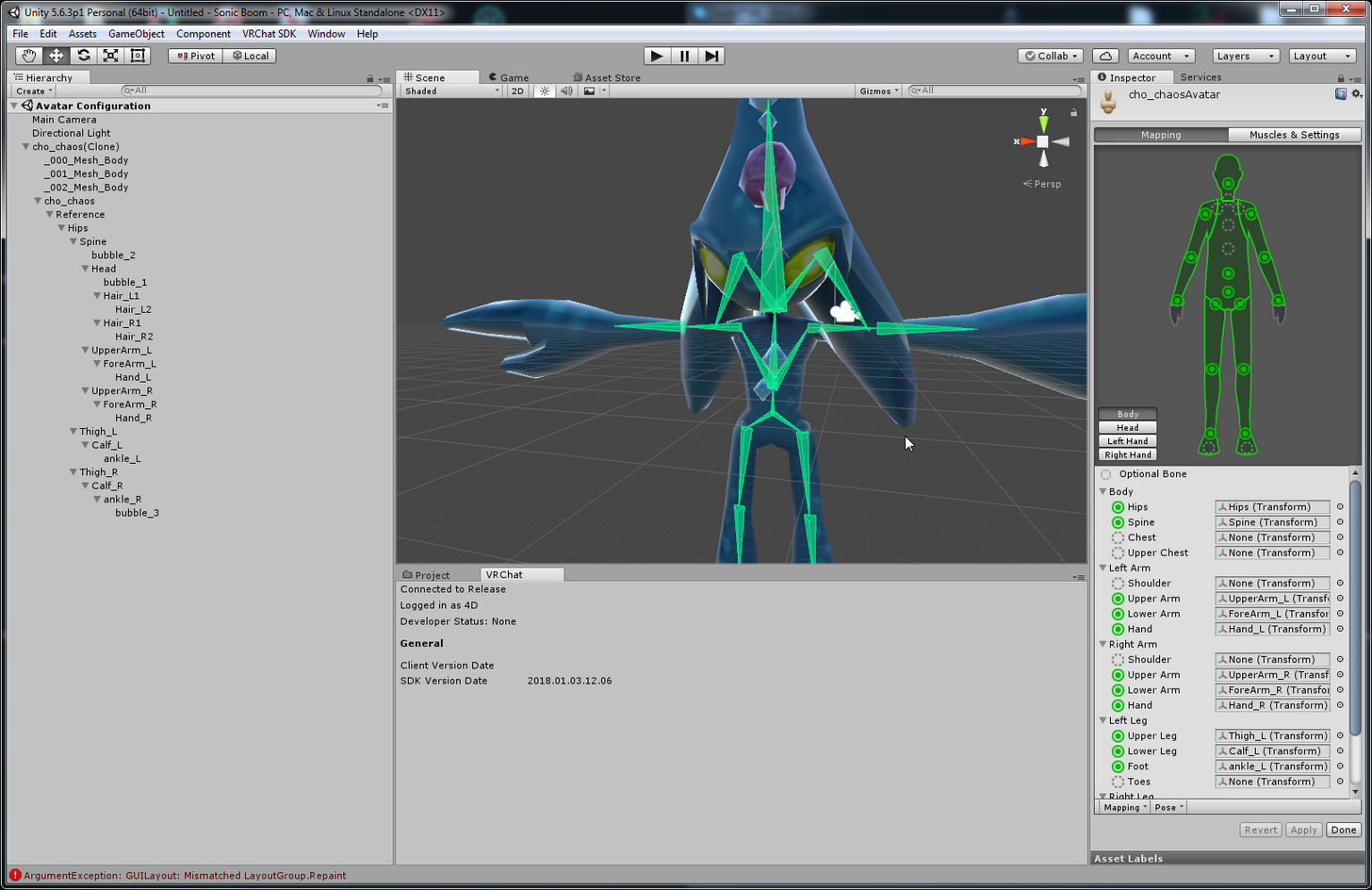
@dapper charm yes, Unity expect hips>Spine>Chest>Neck>Head
with hips being the parent
 zenith dagger
Y are some parts of my model transparent when i put them into unity from blender
Halp
 zenith dagger
You mean in unity? i did to flat lit toon
brisk bane
oh
 ocean latch
cutout
zenith dagger
brisk bane
did you check to make sure the textures were int he same folder as the fbx? and did you import the textures?
ocean latch
brisk bane
(in the same folder as in inside the explorer)
zenith dagger
Well there is my FBX in the folder that has the texture folder in it
 dapper charm
y you @ me
brisk bane
@ocean latch Opaque works too
also check if the textures are assigned @zenith dagger
if there is a texture in the left box
ocean latch
good to know
zenith dagger
WEll for some reason in the shaders it was transparrent i switched it to opaque, we good now
brisk bane
woot!
zenith dagger
Thanks for the help
 blissful cargo
am I correct in assuming this is a weight painting issue?
brisk bane
did you weight paint correctly?
blissful cargo
I didnt paint it at all, its a Mixamo rig I did the model and everything but I havent gotten into doing skeletons manually
or weight painting for that matter
I kinda hate blender
brisk bane
theres a auto weight paint
blissful cargo
oh really? how so?
brisk bane

This is a tutorial on how to overcome errors that can occur when using the automated bone weight function in Blender 2.5
blissful cargo
awesome thank you
 pulsar phoenix
hey yo
 vivid quiver
Have any of you guys been dealing with your avatar being invisible to other players?
pulsar phoenix
is there a way to fix the pink clipping on the skirt?
vivid quiver
That looks like a texture error
pulsar phoenix
so theres no saving?
pulsar phoenix
delete it as in?
well to be fair this is post decimation
source of problem from blender
after i decimated it
ocean latch
in blender, can u just slect the sskirt's faces and just apply the shirt material?
nvm
vivid quiver
Maybe the decimation caused a render issue from the inside of the clothes
And what we're seeing is the interior color
pulsar phoenix
separate by materials?
vivid quiver
Another cheap fix would be to change the interior color but you lose the interior color
pulsar phoenix
this?
yeah lets do that
i dont mind losing the interior color
how do i do that
fickle sand
Mapping says Hips deafult is "Waist", when I change it to "Hips" it says Spine isn't a child of Hips, but I made sure it was in Blender, any info?
ocean latch
yes that
depending on the model it will useally seperate hair/clothing and stuff like that
brisk bane
yep @pulsar phoenix
ocean latch
depending how the model maker did it
brisk bane
^
brisk bane
also to join it back together, select everything, do CTL+J, and then click "Fix model"
you cant select the purple?
is it a part of the skirt?
 limpid oak
Anyone who knows how to use Blender can do me a small favor?
pulsar phoenix
okay fixed it
it had to be
pre atlasing
post atlasing means the colours are fixed onto the model
zenith dagger
whats up with ppl not able to see my avatar
 native egret
 worthy lantern
How would you reccomend testing my rig?
native egret
Any ideas?
pulsar phoenix
last question guys
worthy lantern
I think it's good but I wanna make sure.
zenith dagger
Would it be on my end if they can't see my avatar or nah?
Cause i think it just says queued above my head but never loads
torn isle
servers'
pulsar phoenix
anyone know the fix to this? im on blender now so i wanna wrap up my model to not go back to blender again
torn isle
It will still upload.
So long as there are no red errors you are good.
But the chances of uploading avatar right now are slim.
fickle sand
Any Ideas? o:
zenith dagger
Yea i just uploaded mine and ppl cant see it P:(
fickle sand
umm thats the one with all the green lines and stuff right
torn isle
Tes.
brisk bane
lux, Unity expects the parenting in this order: hips>Spine>Chest>Neck>Head
if you are using a MMD model you can download the plugin "CATS" on blender to fix this for you by clicking "fix model"
fickle sand
ooh
zenith dagger
Im upset i want my avatar to be seen
brisk bane
(with hips being the top of the list)
zenith dagger
but nuuuuu
fading verge
https://gyazo.com/279b8bd8a039c8c135e72a1be12c7e10 doesn't let me
 fickle sand
(see left side) I think i have that order, maybe its something internally?
brisk bane
@zenith dagger did you use the correct shaders? can your character be seen by yourself?
brisk bane
spine should be under "hips"
brisk bane
its beside it currently
 queen verge
Can anyone help me with my dynamic bones? I can't seem to get them working at all.
brisk bane
@zenith dagger id go to #user-support-old then because if you can see yourself then it should be fine and dandy
fading verge

 brisk bane
thats also a possibility that i assumed, yeh
fickle sand
@torn isle I have "hips" instead of waist, but when I put Hips, for hips, it gives this error
zenith dagger
Should i just wait till servers are less bogged to upload then?
fading verge
im getting the same erorr atm
torn isle
Might have to reparent in blender.
brisk bane
reuploading gives it a refresh
torn isle
Did you use CATs? @fickle sand
blissful cargo
http://prntscr.com/hytlst what would cause this vertex to shoot back like that when I paint over it in weight paint
 zenith dagger
Ill try to reupload , if that doesn't work ill just use an avatar that does work for right now
fickle sand
No I just learned about that now, shall I just install that and try again? @torn isle
fickle sand
Alright i'll try that out now, tyty
brisk bane
like i said, @fickle sand spine should be under "hips"
queen verge
Anyone here good with dynamic bones?
fickle sand
@brisk bane oooh
brisk bane
when you showed the screenshot, hips was not spines' parent
zenith dagger
its weird tho, someone that was in front of me just uploaded and avatar and switched to it just fine
fading verge
where do you add hip to be the parent of spine ? https://gyazo.com/b199ece4cadd2f2b98127dbac2607926?token=d13443fff4d75bd20f42a5025c707af7
 fickle sand
@brisk bane ohh I see how you mean! Ok I put spine under hips, and the error is gone O:
queen verge
Sooooo no one knows anything about dynamic bones
zenith dagger
I mean my avatar has 15986 poly, but idk if thats the isssue
brisk bane
https://gyazo.com/e1fe80d3bc3df38131f674a39c81c41f @fading verge
 fickle sand
However, it says the Avatar isn't a humanoid, when I have humanoid selected o_O
 reef estuary
to make a new avatar in the same project you just create a new scene right
brisk bane
you could also use CTL + P
fading verge
Reparent the bones?
reef estuary
?
fading verge
@fickle sand
fickle sand
o
brisk bane
@fickle sand click "import message"
reef estuary
to make a new avatar in the same project you just create a new scene right
fickle sand
@brisk bane
fading verge
@reef estuary ye
reef estuary
ahh ok
brisk bane
you never did the first thing we said, to reparent
 grizzled flame
How do i edit the bones in blender?
brisk bane
hips>Spine>Chest>Neck>Head
fickle sand
ok i'll rearrange that now
zenith dagger
Why does this seem to be happening to only me lol , other ppl switch avatars just fine
brisk bane
im having issues with servers as well, you just gatta keep trying until it works
torn isle
Or you can wait.
zenith dagger
Like i reuped and relogged
 molten rock
when i add a shader to my model my custom animations go away an ideas?
torn isle
And join hours later.
queen verge
What am I doing wrong with my dynamic bones??????
zenith dagger
what time zone?
molten rock
when i add a shader to my model my custom animations go away an ideas?
fickle sand
@brisk bane Hmm I think I have it in that order, still an error tho
crisp tendon
@molten rock #animation
brisk bane
you have to do it in blender
fickle sand
ohh
crisp tendon
@fickle sand The hierarchy is completely off, back to blender !
fickle sand
ahhhh
zenith dagger
Soo when i logged in , the ppl in the hub could see me but then i switched worlds and then they cant see my
queen verge
;-; no one will help with dynamic bones
crisp tendon
Dynamic bones aren't really a rigging issue
@zenith dagger Using correct version of unity and SDK ?
fickle sand
Does the order of Waist matter when reparenting Hips>Spine>Chest>Neck>Head?
zenith dagger
Well i think it says qued under my name , but it never loads
fickle sand
where should it be? i have it above hips, by default
reef estuary
how do i import mmd models into unity
crisp tendon
Waist and hips are one in normal armatures
grizzled flame
@crisp tendon how can i fix this ?
grizzled flame
tried that it didn't fix
crisp tendon
Which bones are still red ?
grizzled flame
rig leg
grizzled flame
how do i re edit bones in blender >.<
crisp tendon
need to create a dummy bone in blender, a fake left leg
brisk bane
its like i need to scale the vr camera itself down tbh
crisp tendon
If your avatar is very tiny yeah
brisk bane
its taller than most lolis
its about the size of 1 unity cube
1 meter, 3 feet
etc
 west gulch
I have a question, if the character is not in T-pose but the bones are, will there be an issue ?
brisk bane
how would i go about doing that
worthy lantern
I'm using the rigify addon for blender, and it called the hips pelvis.L and pelvis.R
What should I rename them to make it work properly?
ocean latch
@brisk bane scale the model up in unity, also what was the question/problem
crisp tendon
@west gulch Making that pose the rest pose in blender would solve that issue
brisk bane
@west gulch add weight
crisp tendon
@worthy lantern Are they leg bones ?
brisk bane
@ocean latch but that would make my small character taller, which i want to be small. there are other models there that are smaller than me which work as intended
pre-made ones.
zenith dagger
So im guessing my avatar will be seen when the servers are less bogged?
worthy lantern
They're connected at the bottom of the spine, don't lead into the legs.
The tops of the legs are thigh.L and thigh.R
grizzled flame
@crisp tendon so where can i find the dummy tool bone?
crisp tendon
@zenith dagger yes
@grizzled flame It's just a regular bone with no weight paint
Make a leg that touches the ground like the sample avatar and you'll be good to go
zenith dagger
Okay , i was worried it was on my part, thanks for the info @crisp tendon
west gulch
any good videos on weight?
crisp tendon
@worthy lantern Then they're probably not usable
Lots of good videos on weight, any on youtube will do
worthy lantern
Alright.
brisk bane
https://www.youtube.com/watch?v=IZPqxADetWE @west gulch
This is a tutorial on how to overcome errors that can occur when using the automated bone weight function in Blender 2.5
this one i find is the best
crisp tendon
Yeah that's the simplest one
brisk bane
i think it should be pinned tbh since i've sent it multiple times
west gulch
thank youy
worthy lantern
Think there's any way I can fix it or do I need to start the rig again from scratch?
crisp tendon
If your auto weight paint screws up, we can help
west gulch
kk
crisp tendon
@worthy lantern That should be an easy fix
west gulch
brb
crisp tendon
Check if these bones have weight paint on it, if not you could safely delete them
and that's it
if they have weight paint it might be a bit of work but not a lot
brisk bane
i used the CATS plugin and clicked "fix model"
 charred sorrel
nah they're in english
brisk bane
you should be able to check??
charred sorrel
worthy lantern
Okay, discovered a more pressing problem, tried to reimport, got "Invalid avatar Rig Configuration"
charred sorrel
OH one second
zenith dagger
So how do ppl have like moving textures on their avatars , im still new to this
zenith dagger
No you're right , they arent
worthy lantern
@zenith dagger That's probably an advanced development question.
charred sorrel
huh i thought they were parented
zenith dagger
Oh okay
brisk bane
i mean your angle is pretty close
sometimes it doesnt matter
go to a mirror and see if anything looks off
grizzled flame
@crisp tendon im so confuse lmao any links to a video so i can figure out this dummy bones think >,<
crude crag
#tutorials is good
 potent moth
My avatar's hair glitched after export into Unity,however it works fine in Blender. Any help?
crisp tendon
@grizzled flame Just make a leg, with three bones, like the one in the sameple avatar, parent it to the hips and you're good
@potent moth Probably a question for #avatars-2-general
grizzled flame
does that mean tha i have to create an object then link it to the parent?
west gulch
Yeah I can't find my normals > recalculate
fickle sand
Yay!! I ended up just using CATS and now im able to upload!! ty for all the Help Eren and Ruuu 😄
grizzled flame
just started blender like yesterday i should join ict class in my school
west gulch
I just logged 100 hours in blender
crisp tendon
Use the create tool to make a bone, then make two others, and parent them correctly
don't need to do anything else
brisk bane
okay so update.. i found AN issue but not sure if its anything wrong with my model.
My body feel slike its behind me, and not on my actual body.
 potent moth
humm how to rig a no-bone model to Chest bone while not stick with the hair?
ocean latch
@zenith dagger shaders probably
brisk bane
i feel like im in front of my body, even though the descripter is as close as i can be
crisp tendon
I told you to put the descriptor in 😦
 tawny temple
put it inside her head
crisp tendon
It's your vision
brisk bane
inside?
crisp tendon
your vision is literally outside of your head if that screenshot
tawny temple
yeah
brisk bane
i thought you were supposed to put it inside between the eyes?
wait
outside*
so its gatta be inside?
tawny temple
nah put it inside her head
crisp tendon
No, your eyeballs are inside your head lmao
tawny temple
lol
brisk bane
how far back do you recommend? half way?
crisp tendon
try 0.02
tawny temple
that or .05
grizzled flame
@crisp tendon so i made 3 bones now what
crisp tendon
I'm not sure what i'm looking at
worthy lantern
I think the head's on backwards.
crisp tendon
or the head doesn't follow the body ?
tawny temple
nono, the head doesn't move with the animation
crisp tendon
That's an animation problem then
tawny temple
also @grizzled flame you want the bones to start from the hip then down
crisp tendon
unless your neck has no weight paint either
tawny temple
yeah
fading verge
wat to put ? https://gyazo.com/00de95caeb251ca35d3676721a00df20


 tight forge
How can I get IK back on an avatar that lacks hands? It's really stupid that you lose the ability to crouch if you don't have fingers.
fading verge

 modern niche
Where does one test their avatars if they have no idea if they're going to work?
tawny temple
oh yeah you have to fix that in blender then
fading verge
any vid guide?
tawny temple
not that i can think of
west gulch
I keep getting the heat weight errors
fading verge
wat d oi do den
west gulch
is it because I can't find recalculate?
fading verge
https://gyazo.com/389ca82281bc5060c0bcadd959c0b55a @crisp tendon where do you think i should put the viewball
 grizzled flame
@tawny temple does the bones need to connect to anything or just leave it
tawny temple
@west gulch try seperating the mesh by loose parts then select all the mesh and parent it to the armature selecting with autopmatic weights then rejoin all the mesh together into one
west gulch
okay
crisp tendon
@fading verge In between the eyes
tawny temple
@grizzled flame it's a parent issue,one of the bones isn't the right parent or child of another bone
fading verge
wat do i do from here? https://gyazo.com/a297045ebcb88ad23e0892287b69bba0
 crisp tendon
Rename your bones
tawny temple
oh wait it doesn't really have to be connected
crisp tendon
west gulch
okay blender let me cats the model
tawny temple
but i prefer to connect it
west gulch
but its all blue
grizzled flame
how can i remove the model so all i see is the bone figure
west gulch
awesome, took my damn thumbs again
fading verge
so just change spine 01 to hip ?
 placid chasm
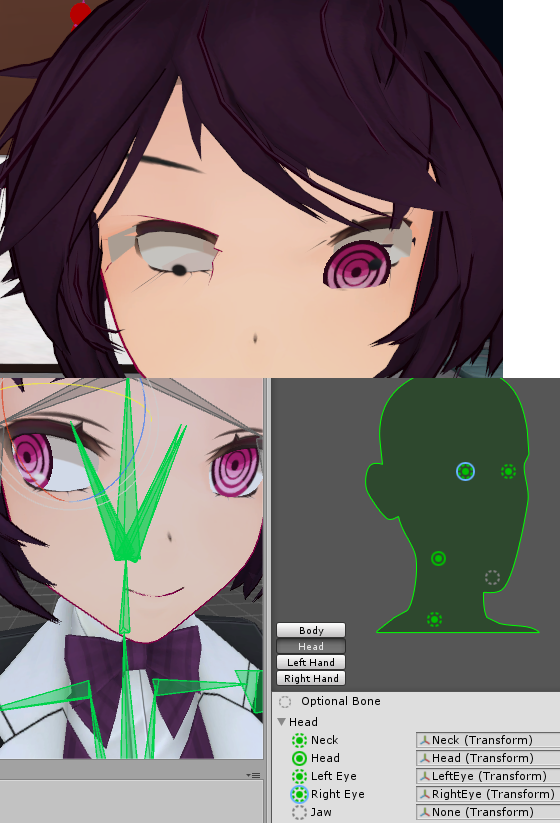
Hiya, so I've been trying to figure this out. Eye movement seems correct in Blender and Unity, but once I get in game it becomes this jumbled mess moving several things around it seems? https://i.imgur.com/dE0zpFA.png
 zenith dagger
how do i get more shaders tho
west gulch
what does cats have against thumbs
placid chasm
@crisp tendon I did.
fading verge
CATS doesn't have opposable thumbs @west gulch
brisk bane
awesome, so that helped as far as my arms reaching forward, kinda (the arms are now longer than my irl arms)
but now it feels like the camera is in my forehead, and not between my eyes.
red is where it is, blue is where it feels like
fading verge
!online
 jaunty flowerBOT
There are 13405 users in VRChat currently
west gulch
Well time to pay them to have thumbs in the game
tawny temple
@crisp tendon lmao another example of heads not moving with animation
crisp tendon
Is it happening on all your models ?
tawny temple
no only some
fading verge
wait can i drop animation overdrive items on the ground?
tawny temple
it's odd becuase some prerigged does that some doesn't, then there's a model that i rigged the bones from scratch and it works fine
fading verge
or use two of them at once
brisk bane
im guna move it down some and see what happens
limpid oak
@tawny temple How can I get lol models?
tawny temple
extract them from the directory or find them unrigged online with no animations
brisk bane
ok?? moving the vr cam descripter didnt even move it down at all
tawny temple
also i'll make a world for my models soon,just need to fix stuff like this ;-;
brisk bane
it feels like moving it down does nothing at all
shouldnt it reduce the height of the vr cam??
tawny temple
it should
tawny temple
you re-upload and waited for the avatar to load in game right?
potent moth
Humm, do i need to add a extra bone for the clothes to un-glich with the hair?
brisk bane
could it be the hair bones have weight on the clothes?
potent moth
humm.. how to do that?
brisk bane
if im seeing this correctly
click on yer mesh, then at the bottom click "object mode" and go to "weight paint"
crisp tendon
"yer mesh" the scottishness
brisk bane
This is a tutorial on how to overcome errors that can occur when using the automated bone weight function in Blender 2.5
shhhh
i have
many relatives
from everywhere
crisp tendon
that sounded like a threat, i'm scared 
i love scottish people tho
that dude from lost was my favourite character
tawny temple
This looks goofy but i doubled checked if the bone had influence on the neck and head and it does. The animation also plays perfectly in blender too until i switch over to unity -.-'
@west gulch i can take a look at your model if you want
west gulch
want me to send the blend?
tawny temple
sure
grizzled flame
i give up lol
crude crag
Hey, noobish question: how do I get my model to change colors ingame when a colored light is shone on it? (tried asking in #avatars-2-general twice and didn't get a reply, thought someone here might know)
tawny temple
@grizzled flame i can take a look at your model too
grizzled flame
@tawny temple
potent moth
@brisk bane err..the no-bone clothes accidentally stick with the hair bone ,anyway to spit them alone and not stick again? sry for bad english
tawny temple
i meant like send me the model with the bones,sorry i suck at explaining to other then doing the fixing myself T^T
 crystal vector
@crude crag I think you need a shader for that
crude crag
will any of cubed's work? Do I need anything beyond a model and textures?
 swift radish
Why is this happening?
crude crag
I thought that might be a shader thing but i wasnt sure
swift radish
crystal vector
@placid chasm You have to assign the correct eye bones in Unity
modern niche
it's telling me my avatar is too big, it says it's 12.5, 18.8, 4.2
Is this a huge scale or something?
swift radish
yea, you want your character generally under the sun icon
modern niche
Oh, did not know that
crystal vector
@crude crag I have no idea which shader would work. I don't even know if it works at all
swift radish
About half way under the sun is smallish/average human size
modern niche
5ft?
swift radish
You can always put the vrchat example avatar into your project to compare size
crude crag
There's also a sample cube in unity that's 1x1x1m
 stable trench
brisk bane
stable trench
brisk bane
so i just found an issue, it seems that my feet are clipping through the ground (at least in the "Avatar test!" world. thats the only place i've been to with a mirror) and i feel that could be causing my y-axis view issue.

this is how the feet are setup in blender
it cuts off right above the ankle
crystal vector
@brisk bane Drag your Hips bone up a bit where you map all the bones. It should move the whole model up
brisk bane
i cant actually move the hip bone up via the pose mode, only rotate
but yes rotating the hip bone does rotate everything
since it is the parent
 tawny temple
@swift radish a little preview of what i'm working on,just need to learn how to make their animations play as one instead of playing it seperate :3
crystal vector
Not there, in the configuration mode
brisk bane
gotcha
crystal vector
And literally drag the bone up
 crystal vector
Move it up by the amount you are in the ground Ingame and hit apply
brisk bane
oh gosh
thatll take a few tries
that shouldnt mess with my viewpoint though?? right?
tawny temple
the in-game floor and unity floor should be the same
fading verge
!online
jaunty flowerBOT
There are 12339 users in VRChat currently
 ivory spire
http://puu.sh/yYQce/8234cc0ad7.jpg what did i mess up in the eye section?
 grizzled flame
@tawny temple do you want me to email the model to you?
tawny temple
through discord is fine
grizzled flame
k
tawny temple
@swift radish check rig
swift radish
The wolf is generic
tawny temple
check to see if unity is assigning the head to any of the bones on wolf
grizzled flame
@tawny temple i send you a friend request
swift radish
They were two seperate models
So technically wolf is just an object
Attached
The bottom jaw is in the place it's supposed to be, but the rest attaches to kindred
tawny temple
show me this
tawny temple
kindred
swift radish
Ignore the reds
Don't think it's a kindred problem because I can upload her perfectly by herself
Wolf is just having issues
I've uploaded over 60 models now, so I'm not a complete noob lol
tawny temple
:T in blender try combining them like select both of them then press ctrl+j
tawny temple
o,can you send me the model to mess with it trying to find the problem too
oh yeah and when i'm done with super galaxy kindred i'll send you her stuff since i see you have the base kindred :3
i have her base to but no animations :p oh wait i can try to see if i can get her animations
swift radish
You have the League blender importer addon, yeah?
tawny temple
yeah the collada
swift radish
No, I mean for .obj with .skl, .skn and .dds
tawny temple
oh yeah
swift radish
There's a blender addon specifically for league models
tawny temple
i can open those in blender,that's how i got my models although i rip them from the games directory and convert it to .dae
 proud wolf
how do make the bones visible through the model without putting the model in wireframe
like the images above
i forgot
crude crag
@proud wolf IIRC select the model in observe mode and press H?
unsure how to unhide it though
fading verge
w0t happening to the hands? https://gyazo.com/3f9d5c1a9387e3f124f6c74d4fe03b1d
 crude crag
@fading verge did this happen as soon as you imported it?
crystal vector
@fading verge I think you can just rotate them back
fading verge
@smash yea
I changed and parentef some spine bones then export and t into unity
Import* now it ghosthands
brisk bane
gettin real tired of popping into the vrchat only to find the same issue of my eye level being at my forehead lol
raising the muscle level did work for the feet clipping tho
well, worked a little. im still raising it
also any reasons why my elbows like to snap straight?
i have to bend my elbows a little before the vr model actually starts doing it
it likes to be straight for some reason
its causing my hands to be off centered from my controllers
OKAY
so i fixed the eye level issue
apparently the VRC_Avatar Descripter script was broken.
readding it fixed things
my only issue now is the elbow/hand issue
where the elbows snap and the hands are not exactly on my controllers
rough whale
so, i added some fingers to my model for IK tracking. everything's just peachy on my left hand. however, my right hand is having.... difficulties.
the right index finger looks fine on my model, as well as unity's bone mapper thingy. however, in the actual scene the finger is going right through the hand. any idea as to what's causing this?
i dont think it's a weight paint issue because it renders fine in maya
 steep sonnet
do you need Dynamic Bones for jiggle physics
west gulch
Okay now what? I tried to zero out that
 spiral sleet
So, I've been working on a few models and I kept thinking I was screwing up the rigging, but its become obvious now after several models and turning the trackers off that these models simply won't work with the current rigging when utilizing trackers
My question is , does anyone have ANY working models for trackers?
I'd love to study a working model and possibly make a guide for those of us with trackers who want to make models with working rigging
west gulch
I need a tracker just so I can JoJo pose
spiral sleet
I'm not sure you want a tracker just yet.....they're expensive, and having 9/10 models not work gets depressing really quick
rough whale
but jojo poses
spiral sleet
plus everyone I see with them tends not to do anything exciting with them, because of the price point
I've done so many handstands and barrel rolls because IDGAF
west gulch
lol
spiral sleet
wireless + carpeted warehouse + trackers + music
so fun
anyways if someone has a working tracker model (or knows where I can get the Ybot/etc default rigged skins), send me a message/link!
 fleet echo
cat plugin supprt mixamo, MMD and XPS
XPS expermentail
so you have mix wieght some bones
 atomic stratus
Re-asking from other channel. How do I actually edit the eye bones like I did inside eye-testing, I cant actually change the position of the eyes outside of it and the bottom right panel is also different
 sharp breach
My avatars chest keeps automatically sticking out when idling and I don't know why/how to fix it
placid chasm
Any ideas on what would random body parts on my avatar to start bouncing when walking? Neck and eyes bounce around when walking and fidget when idle.
would cause*
sharp breach
Any good examples of good bone placement? Or resources about weights?
fading verge
I found a cute mmd, but it has no bones and mixamo refuses to work on it, am I done for?
 uncut trellis
I had a friend export a model from gmod I had and put it into vrchat. It was rigged weirdly and tried to fix it myself in blender. Anyone know how to do this stuff? I am bad at these kind of things.
This is what I got to work with.
grizzled flame
@crisp tendon can i send you my shadow fiend model and you try fixing it i've been doing in for 2 hours lmao
it sorry english
crisp tendon
I can help you understand but can't do it for you ssorry
right now i'm going to be, good luck !
I've fixed a few dota 2 avatars so you can do it too
grizzled flame
i just started blender yesterday you cant expect to be this good <.< oh well i just used the terrorblade model
@crisp tendon i will take your soul if i see you in the server 😈
crisp tendon
How do you think i became good ? By making people fix my avatars for me ?
i spent 150 hours on my rubick avatar
i think you can spend a few making a leg bone lol
fleet echo
@grizzled flame yea it take time to learn how to fix model took me 5 month understand everything
i never ask people fix my
grizzled flame
yeah it all good i was just asking him to look at it since i dont know what was the problem
@fleet echo nekles is such a nice guy i give up fixing the model yet he still want to fix it
 gilded sphinx
Does anybody here know how the jaw flap works?
I rigged said bone to the jaw in blender, it works in pose mode. unity sees it and lets me select it no problem, but it doesnt work
 distant patrol
set it via avatar desc?
placid chasm
Awh man, I think I finally figured out my issue. Automatic weighting screwing up vertex groups.
 cyan nexus
Anyone know how to add the eye texture to the eye bone so that eye tracking works properly in blender?
 south oar
 modern rain
I'm having a hard time with Dynamic bones and colliders. I have a model that I have dynamics mapped to the skirt, and colliders to the legs with interactions mapped to the skirt to bounce off the legs, buuuut, it still just clips right through the legs on the model and might as well just not have a skirt
Here's the skirt modifiers that I have set in place
and the leg modifiers that I have set to both knees
 polar mural
I've never found someone that has accomolished a no clipping skirt, dress yet with dynamic bones
polar mural
Maybe fiddle with the stiffness so the skirt never goes that far when moving
modern rain
I've got it set to 1. Can it go higher than that?
polar mural
Yeah just noticed
modern rain
Would Damping do anything to it?
polar mural
I usually set it to 0.9
modern rain
still not entirely sure what Damping does
polar mural
Neither but try putting it lower
And not having any of those first 3 settings at 0 or 1
potent moth
why my hair glitched in Unity but moves fine im Blender?
however most strange thing is after i delete all the hair bones and it not glitching in Unity
polar mural
What is the glitch?
potent moth
they stick together , and some of them became invisible
fickle sand
How do I remove dynamic bones in my Avatar?
 steep tinsel
So..this appears to already have bones, but it's not rigged?
Actually, it's telling me that all the bones are arms?
Any help
 silver orbit
Heya guys, a super noob here when it comes to rigging and all of that type of stuff. I just wanna know if there is a good/correct way to add clothes to a character model and in what stage to do it in. Like, I have this model and with it came models of alternative clothing. I have looked online and there are lots of tutorials on how to do stuff fast but is there a "best" way to do it? And if there is, are there any good tutorials on it? If it helps the model is an obj.
 white briar
So how can i set the parent of the tail to the hip? they are on different armatures so idk how to do it.
so how can i move the tail to the other armature?
steep tinsel
I don't think anyone is going to help right now
white briar
rip
steep tinsel
I have no idea what the fuck i'm doing
 left river
does anyone know how i can change the order of children in blender? this screen demonstrats what i want to replicate to the right hand
steep tinsel
What the fuck did i do...
 timid ether
Some one tell me how create humanoid bones animation in Unity? Every time when im trying do some thing, avatar stucking in a mantis pose.
fading verge
the only way to make them work is to create them in 3d editor, import them, CTRL+D them as a separate humanoid animation and only then edit them
 tidal cedar
So I'm having an issue where my sleeve on my afatar is supposed to be free floating, but it just keeps shooting up like gravity is reversed, any ideas?
 digital arrow
im having a problem where the legs of my model is passing through the shirt, anyone know how to fix it ?
fleet echo
@digital arrow weight paint or cloth only reall options
digital arrow
@fleet echo srry, i didnt understand
fleet echo
@digital arrow if you want the skirt move correct you would have weight paint the skirt to leg bone
or take apart the skirt mesh use cloth that unity use
both idea not easy to do
need to learn how to do it
digital arrow
but it is not the skirt, it is the shirt @fleet echo
fleet echo
@digital arrow delete the skin under the shirt
dont need skin under that shirt when it cover up
digital arrow
it is not fully under the shirt
ill send u a pic
this is what is happening @fleet echo
fleet echo
yea that need to be weight paint because it has maybe bone in the shirt
digital arrow
it has
fleet echo
for the model you have to reparent the shirt bone on the right part on other bone
so mix weight can merge weight paint correct togther
to me shirt with bone bad idea for vrchat
fleet echo
best thing i can tell start to learn about it useful skill for 3d modeling
steep tinsel
Bleeeeeh
i give up. Just can't figure this out
all my textures are messed up, i'm missing spine and pelvis parts, and i have too many of something -w-
If anyone is willing to help, that'd be great
fleet echo
@steep tinsel is it xps?
steep tinsel
I don't know?
fleet echo
what format was it?
steep tinsel
Format?
fleet echo
fbx,xps,mmd
steep tinsel
How do i check?
fleet echo
it be last thing exmaple sonic.fbx sonic.pmx. sonic.xps
fleet echo
show them ain folder
were find the model?
need to know this stuff before import in to unity
if it obj wont have no bones
steep tinsel
it's a .meta file?
fleet echo
OBJ wont have bones
steep tinsel
wait, no, pmd
fleet echo
anything find on model resource you need rigged them up
fleet echo
go to #avatars-mmd there info on mmd what tools to use
in the pinned
watch tupper video
on import mmd models
fleet echo
cat plugin fix it fast
steep tinsel
And all those videos imply i know what i'm doing...which i don't
fleet echo
i send you right info you need in PM
digital arrow
why my blender doesnt have weight paint ?
fleet echo
@digital arrow need watch weight paint tutiroals
if you weight paint with no info
screw up
weight paint is not easy to master first time doing it
 pale mirage
so whats the right place to place the VR-descriptor ball? right now i placed it between eyes and center of head(seen from a side view) but if i look up in game. the whole neck/body follows, not just the head.
fleet echo
@fading verge do you have screen shot
that happen
it can be many things could be the toe bone
pale mirage
ingame you mean? i havent gotten it with any other model ive rigged, its like she cant tilt the head upwards, ill try moving that ball around alittle
fleet echo
go to human configure in unity
click muscle
then use scroll
for body to see how look
could be weight paint issue there
pale mirage
alright ill have a look. ty
 meager kiln
my model has no neck nor chest, what should I do?
https://i.imgur.com/TMpwIVb.png
 zealous shard
@meager kiln i have the same issue with my pikachu model
zealous shard
@fleet echo ohh
 leaden siren
@zealous shard @fleet echo if you use Blender to edit the model, you can select a bone and press the W key, and press Subdivide to split the bone in two.
fleet echo
@leaden siren his model dont have legs lol
more work then subdvide bone
4d can maybe do that
meager kiln
will try to, making soul of cynder rn
 polar surge
just wondering is this how u rig
 open cedar
Anyone know how to delete the green shape??
fleet echo
@open cedar cat plugin would delete and fix the bone
open cedar
ahh..I pressed fix already..left this green thingy need to be deleted
I using cat plugin too
open cedar
@@ but I did others just fine ._.
fleet echo
@open cedar green button download oudate link https://github.com/powroupi/blender_mmd_tools/archive/dev_test.zip
other way to delete it g were the mesh is delete rigibody
open cedar
ahh okok thanks man
open cedar
aight..tqvm
meager kiln
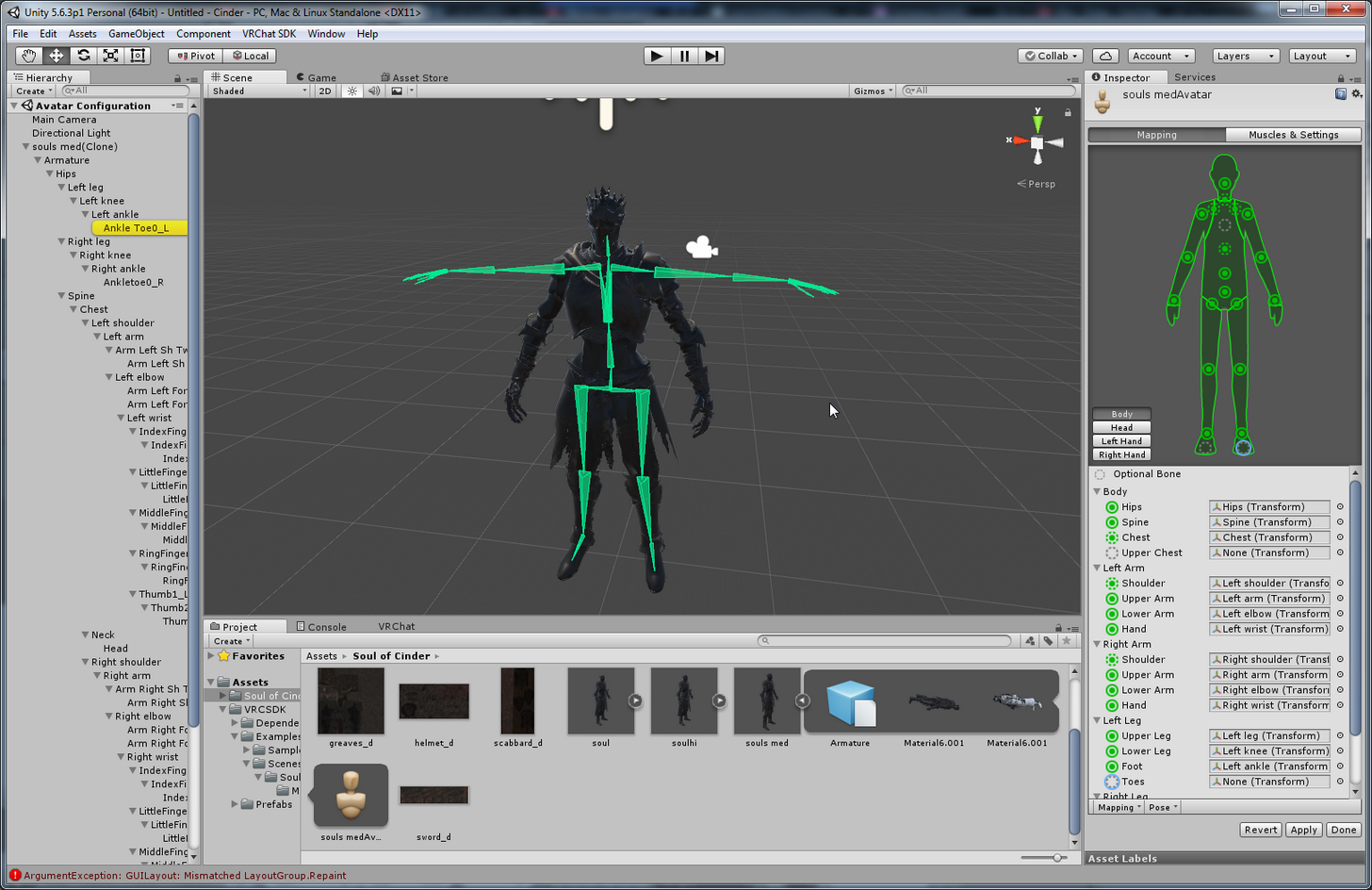
will that work?
https://i.imgur.com/1uBc3u7.png
 polar surge
Press h on the modle and bones after u could proply see that on its own and delite it
fleet echo
@meager kiln need add armature modifiy back on your model in blender
potent moth
how to make the mesh move in Blender?
 oblique cloud
 meager kiln
@fleet echo like that?
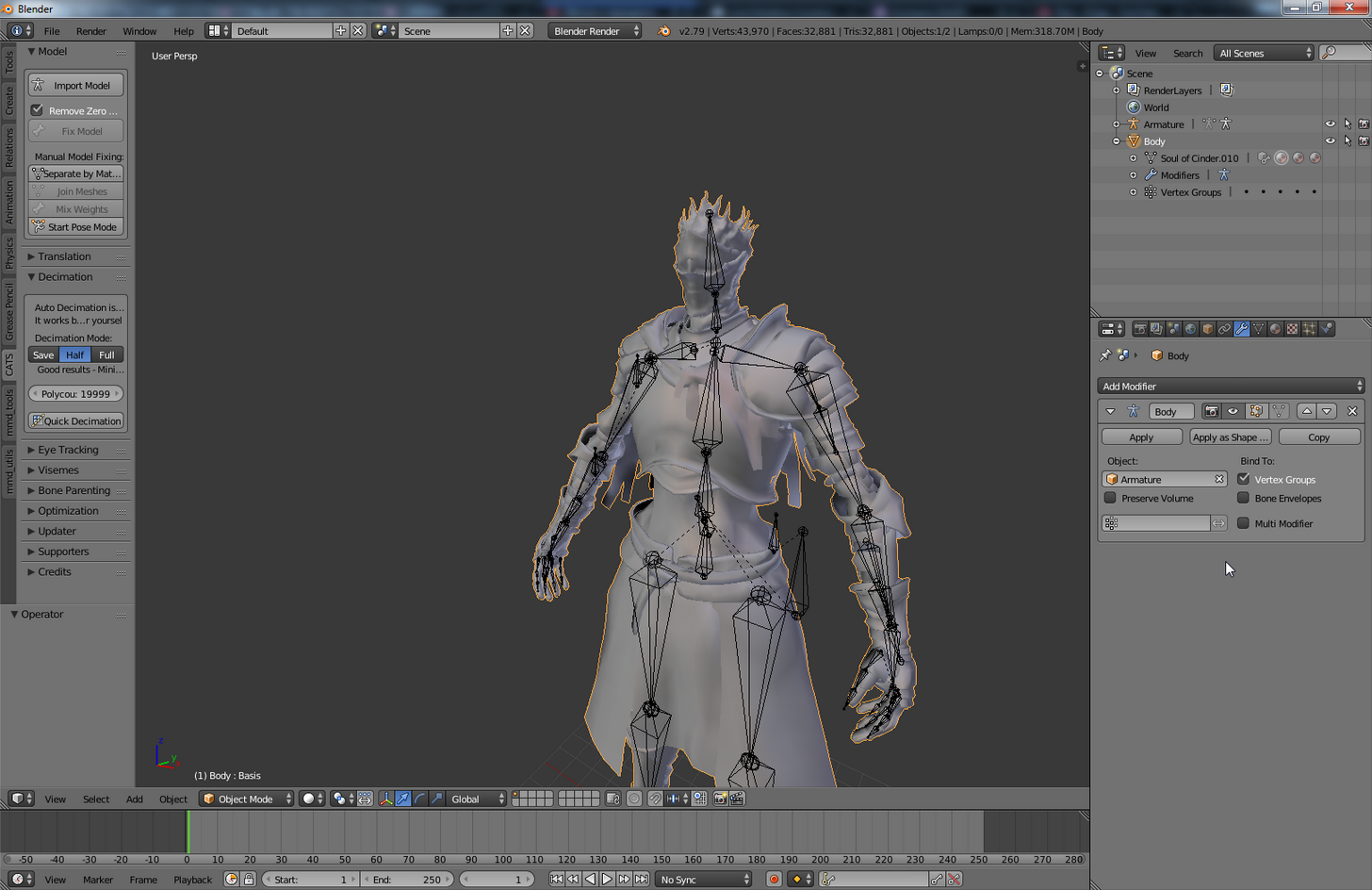
https://i.imgur.com/ctUMUCc.png
 potent moth
how to i rig it back to normal....?
meager kiln
I applied it as a shape becasue the mesh had a key 🤔
oh, I shouldnt apply it? roger that
fleet echo
@meager kiln when make shape key you have to make sure re add armature modifer that how your model stick togther
that like glue for your bone and mesh
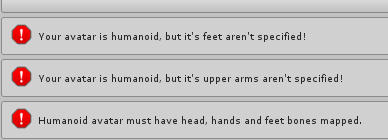
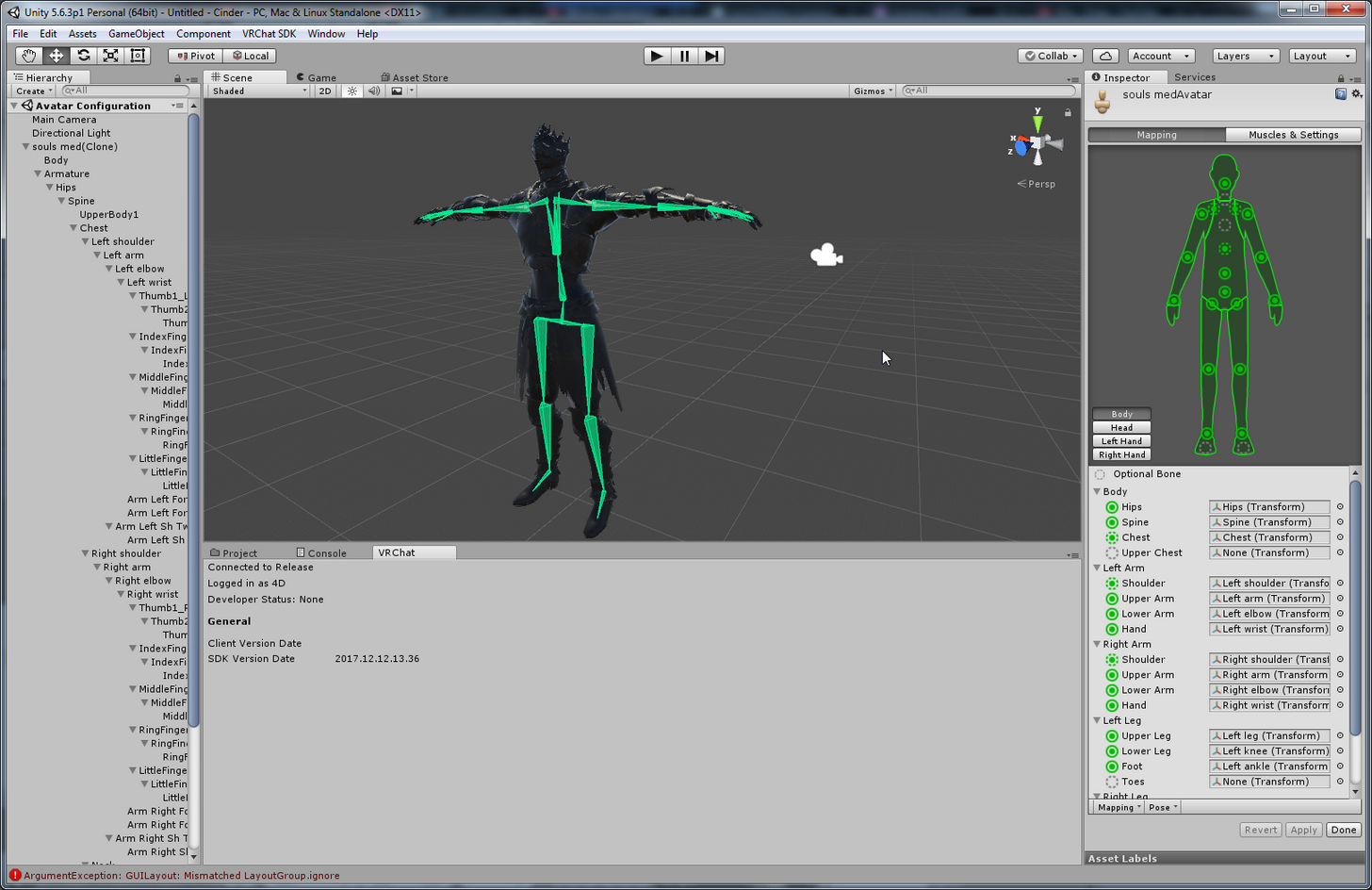 meager kiln
rest or reset?
meager kiln
done, should i enforse T-pose?
fleet echo
yea
that to
before apply
to test movment click muscle setting
it show how the body would move
meager kiln
yeah, seems to be in working order, thanks
alright, back to my nonexistant neck and chest model
ancii fbx not supported
Rip model
nvm i have dae
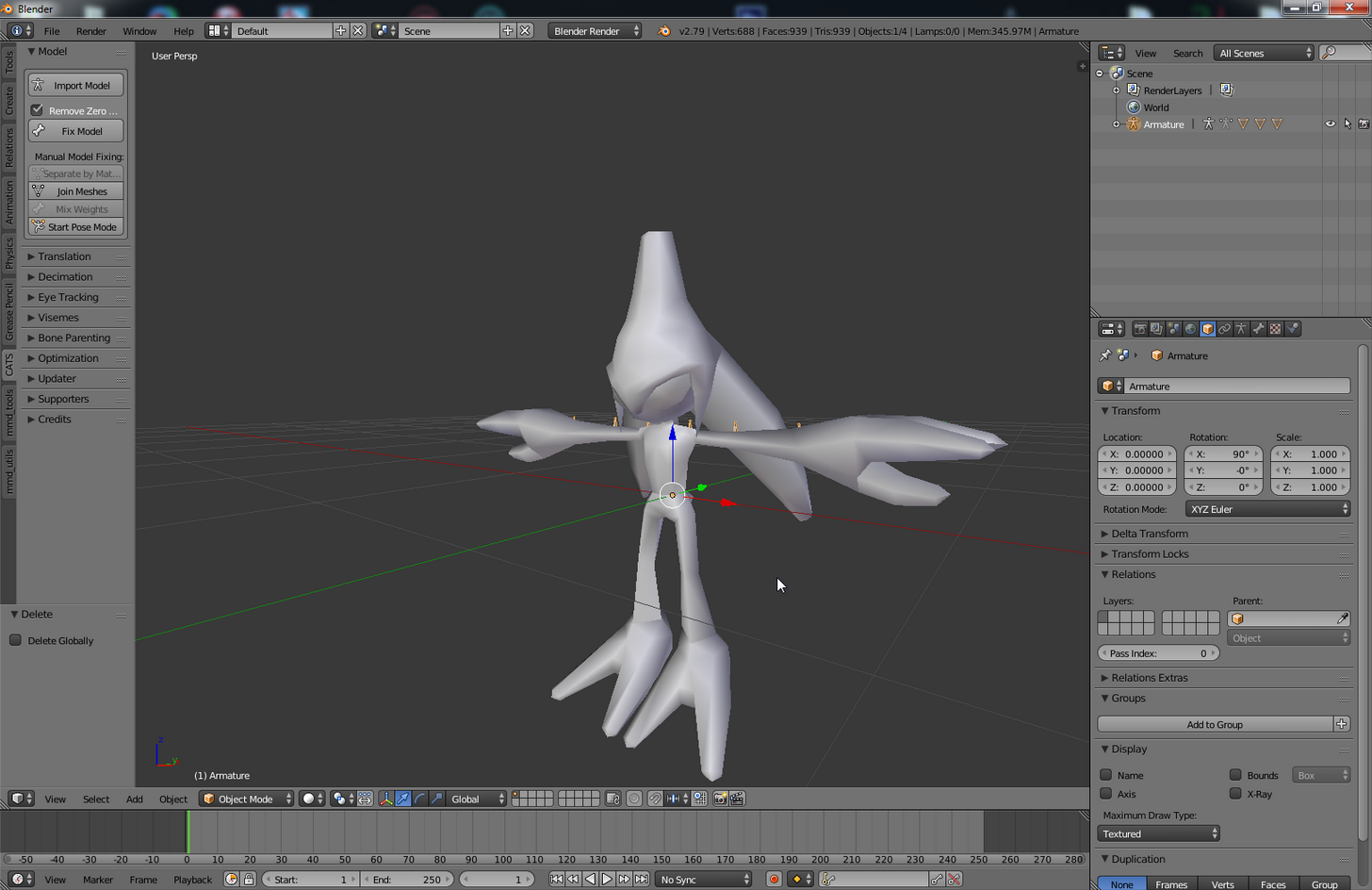
he kinda spawns with his center of mass on 0 0 0, is that ok? https://i.imgur.com/ahl4Y4j.png
 naive tree
@potent moth still problem or fixed?
potent moth
@naive tree problem exists
naive tree
@potent moth ok your prob has to be duplicate bones, check if there are oddly name bones like armTC_R or something, if there is, reparent the bone to themain, like armTC_R parent to Right Arm and hitmix weight in cats plugin
do the same for elbow to elbow, wrist to wrist if u have them too
for both hands
potent moth
@naive tree i knew where the problem is
@naive tree my hair glitch because it stick with my extra clothes since i add the clothes as " automatic weights"
naive tree
data transfer and auto weight can easy fuck up when things touch each other
potent moth
although "automatic weights" will glue them together, but it would make them stick with each other
naive tree

select faces or vertices u want to weight to your arm
find your arm in data tab and then hit assign
potent moth
@naive tree lol kancolle model
naive tree
yea, this is 110k model im workin on
http://prntscr.com/hyz4oz http://prntscr.com/hyz4rl getting it in in high quality with the ship

 rare scarab
100k+ models look potato unless you spend hours redoing everything imo
there's simply no way to decimate it and preserve quality
naive tree
not hard with methods im using
potent moth
@naive tree do i need to seprate them before assign them?
naive tree
http://prntscr.com/hyz641 http://prntscr.com/hyz67q very high qual @rare scarab , almost nothing deleted from it

 rare scarab
re-rigged?
naive tree
hm?
rare scarab
i'd figure the only way to do that is to manually adjust all the bones
instead of just mindlessly decimating things to lower poly count
naive tree
you can't use decimate modifier on kantai models
if uwant them high quality
it's all manual work
rare scarab
yeah that was my point from the beginning
naive tree
and decimate is sometimes used
rare scarab
for high poly mmd stuff
naive tree
10h only if inexperienced
potent moth
@naive tree why them move in same time as i should already assigned each of them to different bone
naive tree
?
potent moth
so i should assigned them to different bones ,but....
potent moth
@naive tree after i assigned each of them.....
naive tree
just doing weight paint is going to be easier for you
potent moth
excuse me, what is "weight paint" and how to?
 gray ocean
@naive tree your skills with those kantai models makes me jel, looks fantastic! 😃
naive tree
@gray ocean im thinking of making a somekind of a "guide", not really aguide, but just something that shows how i am doing that so ppl can get an idea of the use techniques
cuz it's rly rewarding to get a kantai model in with the ship, when most ppl just delete them or have bad quality models
gray ocean
Oh that would be neat! I've been working on a kantai model myself (Yamato). Told myself to get rid of the cannons but would be cool if they could stick, and I had to get rid of pretty much all the details. Worked quite long on it, not very skilled myself yet. But would love to learn more and more
naive tree
@gray ocean http://prntscr.com/hyzi2v this?
 gray ocean
Trying to get her in the game now but it's staying a red t-pose for everyone just now, ree
Oh damn
That's cool
naive tree
 potent moth
fap *fap fap
gray ocean
I'm already proud of myself with what I can do now after 4-5 days, but damn that is a target
naive tree
i also tested dynamic bone with inverse collider, it works great for the turrets
naive tree
maybe sometime later ill do inverse collider to see how it works for the big ship sections
cuz i'd love the ship to have some kind of a movement
and inverse can do that very nicely, i hope so
like it traps a bone iside of itself
and it can't move out of the collider
gray ocean
Would be very cool if that worked well
naive tree
yea im just afraid of clipping out of it, then it'd be a disaster 😄
naive tree
if u are curious about how my models look, i can show in game
gray ocean
Sure thing
Was about to hop into an avatar testing myself to see if my yamato would show up now x)
gray ocean
Orrr I can chuck you an invite only URL 😃
(I dont know how to search users ingame ;D)
 slate skiff
hey guys =) I am super bad at weight painting sadly the model i found has fucked up hands, so I wondered if I could move hands with their bones to the model then merge the bones to the model and delete the hand bones that are meant for the model
torn isle
Did you even separate by material and decimate the mesh individually?
If you want visemes and/or eye tracking, you need to make sure not to decimate face hands or legs.
45k is doable. @ @leaden moth
 leaden moth
ikr
Idk how to decimate...
skirt shirt hair and shoes..
all like lesser then 30k..
but i need 10k more..
there no way..
wait..
it 34k..
cause i have no idea now..
🤔 🔫
torn isle
Go watch a tutorial.
torn isle
Principle is the same?
pulsar phoenix
does anyone know why it turned pink after i 'fix model' it?
leaden moth
CAUSE THERE NO GEOMATRY 😡
torn isle
Delete unnecessary textures?
leaden moth
..
torn isle
Fuck, even delete the bow.
leaden moth
i decimate like
 gleaming falcon
@pulsar phoenix Looks like the files arn't found
torn isle
I've worked on 40k tris and got them ingame.
pulsar phoenix
@leaden moth use autodecimate
torn isle
Not sure if he wants visemes or eyes though. @pulsar phoenix
torn isle
Doesn't that option decimate as a whole?
gleaming falcon
@pulsar phoenix I think, File > Export Data > Find Missing Files. Or something like that
leaden moth
if i auto decimate..?
pulsar phoenix
you will still get it
bro
yestertday
i fixed my felix argyle model
77k tris
it works perfectly fine
got it down to 19999
leaden moth
really?
fleet echo
@pulsar phoenix before export file from winrar do this https://imgur.com/MJC6TYZ
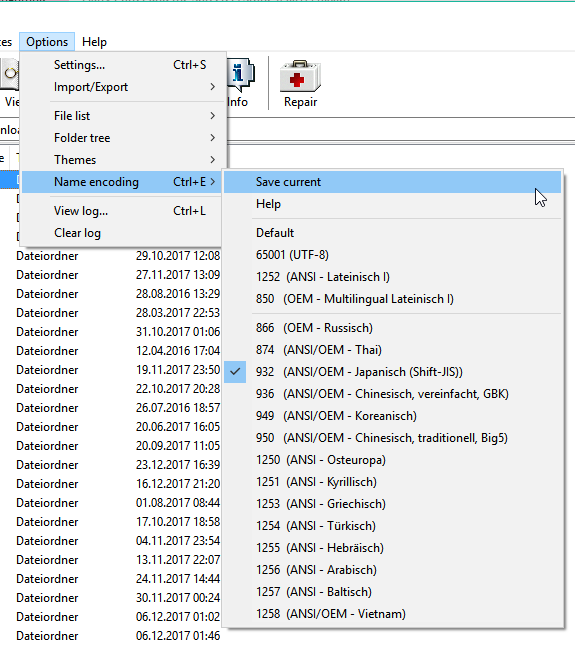


encode become scrable letter
if dont change that