#avatar-rigging
1 messages · Page 62 of 1
 modest tusk
Not necessarily. Just make sure to line up the shoulder joint with the ball joints on your mesh and it should look great
 low river
modest tusk
low river
modest tusk
Firstly select your middle section
Just that one bone in particular
press W
and it should subdivide
In the left menu, set subdivide sections from 1 to 2
And you should have 3
 small solstice
o cool
modest tusk
I'm assuming you know how to extend from a bone tip for the head/feet?
small solstice
extrude?
modest tusk
Yes
small solstice
ye
im guessing there might be a join command so i can join the arms to the rest of the skeleton
modest tusk
As for the shoulder
Kind of
Basically extend the shoulders out as you usually would
small solstice
im newbie-ish/bordering on intermediate for blender
modest tusk
Oh dont worry
 limpid oak
It did not solve the problem, but I think we are on the right track, now it is twisted to the other side.
modest tusk
I gave myself a crash course in a week and i'm already teaching everyone here :S
So for the shoulder bones
limpid oak
I just need to find the number that makes it right.
modest tusk
@limpid oak if that's the case just keep trying at 90 degree angles until you find the right one
limpid oak
Right, I'll try.
modest tusk
As for the shoulders
Extend off of the tip of the 3rd chest bone as you would for normal shoulders
And then set the arms to be child bones of the shoulder bones
Do you know how to do that?
 dry thunder
is there any way of knowing the damn angle on the pelvis and thigh crap in blender?
modest tusk
That's easily fix'd
 shell basin
https://gyazo.com/d10221fe24b0a7bd36ce6a129e6fb9ae arent these sliders supposed to make my modle move?
 limpid oak
@modest tusk I noticed something, I just need to turn it around half of the body, not the whole body.
modest tusk
In the same area you set the parent/child you can also connect them. Make sure to connect shoulder bones to arms and then you should have a fully functioning skeltal inside your mesh. Spoopy.
You mean rotate it around the z axis Umbryel?
limpid oak
Yes, I need to turn from the waist up.
modest tusk
Then do the same thing but on the bone where it gets borked
Treat that as the new origin
That'll look weird as hell in Unity but if it works it works I guess
dry thunder
how can i tell what angle the damn pelvis and thigh are at in blender?
limpid oak
How do I put it as the new origin?
modest tusk
Oddly enough @dry thunder there isn't really an easy way. Look at the coordinates of the tips of the bones and adjust from there would probably be the easiest solution for already existing bones
 modest tusk
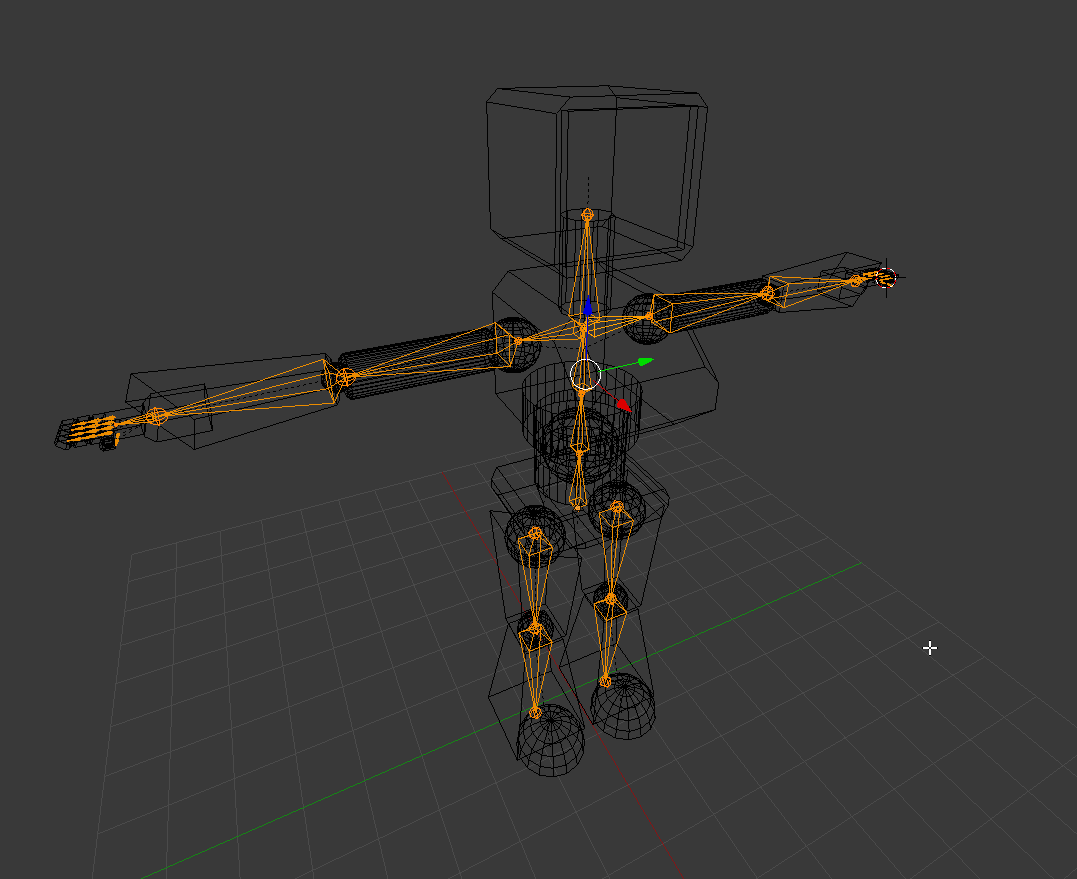
That looks good and actually no, you can keep legs detached
Dont forget your feet bones as well
@limpid oak find the dot in the center of the model
small solstice
 modest tusk
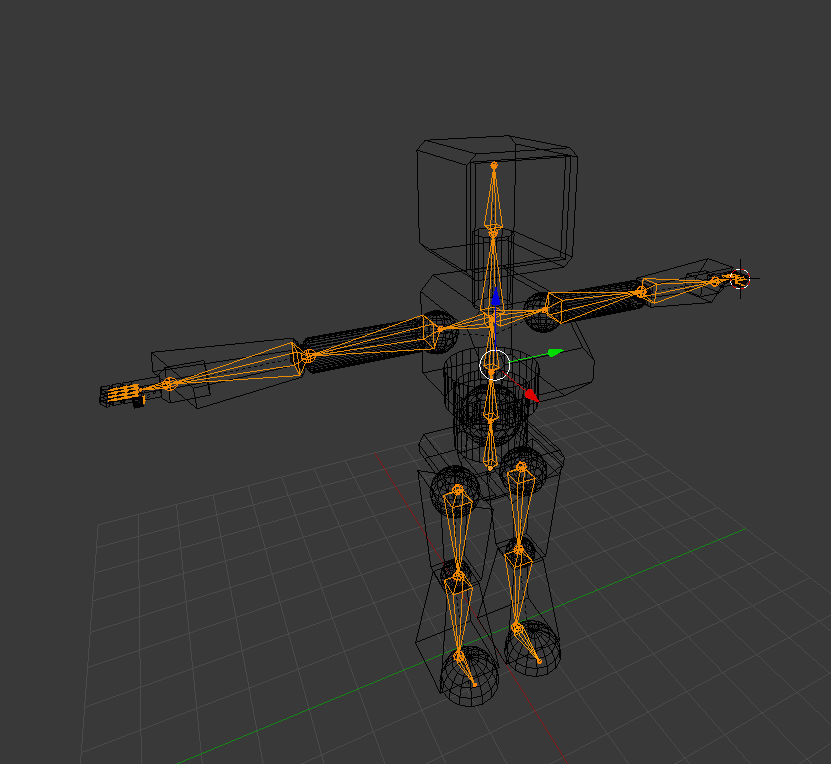
Should be one of the 3 spines
small solstice
there we go
modest tusk
Looks good! Just weight paint and test
small solstice
before i do that are the hands good https://i.imgur.com/UpcbqxL.png
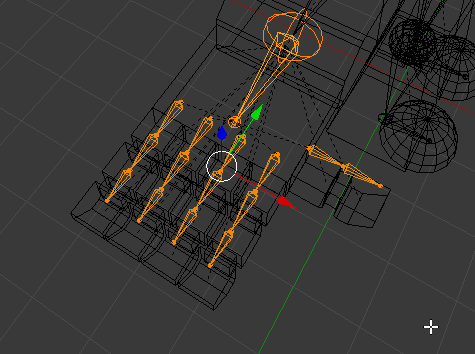
might need to realign thum
modest tusk
The thumb actually uses 3 bones as well
small solstice
oh
modest tusk
You can actually just put another one right behind your closest one to the hand
Most people place the 3rd into the hand as it really doesn't make sense for the thumb to have it
modest tusk
Looks good
modest tusk
Highly reccomended in case unity doesn't get it right the first time
modest tusk
Yes
modest tusk
If you name the center 3 from bottom to top Hips Spine Chest it should realign from there
Not dumb at all
And just use reasonable names for yourself for the rest
i.e neck, rshoulder lshoulder larm lhand etc
For the fingers I would do li1 li2 li3
Short for left index 1 left index 2 etc
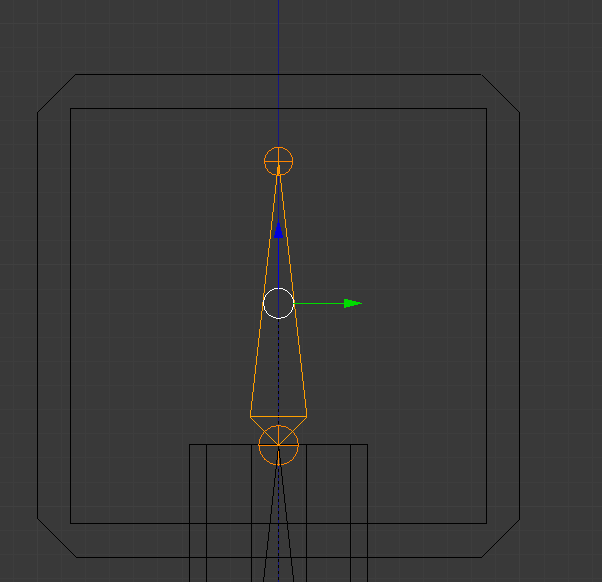 modest tusk
It should if you want the pivot point to be lower
small solstice
 small solstice
ok
modest tusk
I usually end it right where the neck meets the head but that could work too
Whats up Eren
 small solstice
thanks

 willow nymph
 brisk bane
alrighty
willow nymph
is it going to be hard to replace the hand
 ocean meadow
is there anything else similar to mixamo?
brisk bane
kk
small solstice
im guessing the weight painting stuff, Blue = move, Red = Not Move
modest tusk
Opposite way around
ocean meadow
yup
small solstice
oh
ocean meadow
think of it like a weather forecast
modest tusk
Except instead of weather your adding intensity of the mesh reacting to the bone movement
you're*
brisk bane
it seems to be worse now
modest tusk
Show?
 modest tusk
Check to see that no other bone anywhere else has paint in that area
willow nymph
inside of the characters sleeve has a weird invis thing happening I know i can just cap the hole but is there a way to make the texture not invis on the inside?
modest tusk
Click through them all and make sure that area is blue everywhere else
 modest tusk
In unity under the textures if you add an outline I hear that helps with really thin textures @willow nymph
That weight painting is Incorrect Eren
Think of weight painting as muscle groups bound to a bone
willow nymph
ya i seen that seemed inefficient
limpid oak
@modest tusk I managed to fix it on Unity, but it goes invisible when I zoom in, I need to do this in Blender, I need to rotate Z of spine1 by 180 degrees.
modest tusk
So it should be red and fading away into blue as you get further and further away from a bone
small solstice
do i join my entire robot before parenting the aperture with the body, its still a bunch of objects
limpid oak
It is invisible when I zoom.
I'm sure it will not look like this if I can rotate the spine1 on Blender.
modest tusk
@charred bay if you leave it all unparented it is easier to highlight individual parts for weight painting but I hear parenting em all helps with performance
 solid hull
does anyone know how to fix the "unable to map existing skeleton" error in mixamo?
modest tusk
Parent them all to the armature first
And when you're happy with the weight painting parent them all into one mesh
I am not versed at all in Mixamo, sorry @solid hull
solid hull
the guide i'm using for uploading avatars involves that site. are there any similar ones that tend to work better?
that you know of
modest tusk
? I thought you could only upload avatars through Unity?
limpid oak
I think I'm going to give up.
modest tusk
What's wrong with the model?
limpid oak
I'll try one more thing and I'll show you.
 modest tusk
Looking better
brisk bane
it seems to do it to both the upper legs, knees, and foot
but
it gets better the closer you are to the problem
 modest tusk
Try weight binding only the shoes to those vertical bones sticking out from the tip of your feet there
brisk bane
kk
limpid oak
No matter how many times I spin it on Blender, it always stays that way on Unity.
I think this model has some black magic.
modest tusk
Hang on, im getting Unity on this rig rn and i'll try my hand at it
brisk bane
tried what you suggested, same thing occured
limpid oak
@modest tusk All right...
 reef flare
@modest tusk There is no weight paint on the back end of the character. How do I open the weight paint
Or well.. get to it
When I try it says
It's locked
Aborting
modest tusk
? Show pic
modest tusk
@brisk bane Also while keeping it red for the tip there make it blue for everywhere else for the shoes
Including the feet
 spare lagoon
@fading verge does that leg even have bones?
brisk bane
yep
reef flare
 modest tusk
Double check and be certain again that nothing else is weighted on the shoes
 fading verge
they disappear when moved into unity
reef flare
Picture posted for ya
spare lagoon
Hm...
modest tusk
Rukio, try right clicking the mesh in question and see if there's an unlock option
In the side panel
spare lagoon
Can you post the bone hiarecry? @fading verge
 steep tinsel
Ah, hello everyone. I'm so sorry to bother, but i could really use some help rigging a mesh X-X
modest tusk
Ask away @steep tinsel
fading verge
also sidenote, the little metal thing on his pegleg has a bone. is that messing it up?
ill show you it
fading verge
steep tinsel
Well, i'll be honest. I've never used anything like this before so i have no idea what i'm doing. What i have is a MMD model i found online i have made into something Unity can use, along with textures and animations...but i just have no idea how to rig it
not animations, physics, sorry
modest tusk
Shouldn't there be an auto rigging tool for Blender for MMD models?
steep tinsel
Blender?
spare lagoon
@fading verge That might be it
fading verge
should i delete it or just rename it?
steep tinsel
also...do .spa files work in unity?
modest tusk
1 second Conny
steep tinsel
o7
reef flare
One was secretly locked
brisk bane
@steep tinsel this will give you the basics
Very useful tut https://www.youtube.com/watch?v=Gf1BusE6q-E
Extra stuff https://www.youtube.com/user/Kayla98CS/videos
reef flare
How much paint should be added to the back end? @modest tusk
brisk bane
or even more than the basics
modest tusk
Its not a question of how much
brisk bane
also https://www.youtube.com/watch?v=IZPqxADetWE fixed most of my issues of weight paint but not my shoe one
modest tusk
Add and test
In the armature pose mode
Press r
And rotate the bone in reasonable ways
And fix any outstanding issues you see
spare lagoon
@fading verge I don't know at this point you should that
reef flare
Was that for me?
fading verge
So i put a animation on my charecter but its not showing up in emotes unless thats a vr only thing
modest tusk
@steep tinsel https://www.youtube.com/watch?v=7P0ljQ6hU0A&t=5000s

VRChat Community Discord: https://discord.gg/VRChat Download VRChat! http://store.steampowered.com/app/438100/VRChat/ mmd_tools GitHub: https://github.com/po...
Have you seen that bad boy?
brisk bane
very useful^
steep tinsel
no
modest tusk
Take a look
fading verge
That man is a hero
modest tusk
Should get you through step by step
steep tinsel
i alrady have the mesh, i just don't know how to rig it
brisk bane
you should watch youtube tuts before you come here for the complex stuff
small solstice
all the rigging video in the pins show me is that i should learn how to make organic characters rather than robots
:v
steep tinsel
right now it's just one big body part
modest tusk
Watch the vid regardless
He breaks it down, you an also skip around
So you could skip to rigging
modest tusk
@reef flare add paint in weight paint, and then fool around with the bone moving it in posture mode
Basically, if you have armatures on pose mode, and the mesh on weight paint, you can seamlessly click from one to the other
And edit at the same time
 distant patrol
I'm answering avatar questions and providing help via reddit. For longer stuff too. https://www.reddit.com/r/VRchat/comments/7p6j1h/help_will_help_with_any_avatar_issues_you_comment/?utm_source=reddit-android

reddit
I noticed a lot of questions about avatars and a lot of people asking for help but receiving none. I found it too much to go through all the posts...
modest tusk
A robot should still work with that system
steep tinsel
...Yeah, i'm at a complete loss
modest tusk
Specifically Conny?
distant patrol
loptr. bottom left force tpose
brisk bane
@fading verge did you try adding weight paint? Unity ingores "unused bones" (bones without weight) so thats why the leg is missing
steep tinsel
Everything. I've never used any of this stuff before, i somehow disabled parts of my unity, and the tutorials linked do not work with my mesh
brisk bane
https://www.youtube.com/watch?v=IZPqxADetWE if you're missing bones this will help you as well with painting
as supreme said, in the bottom right corner click "point" then "force T-pose"
fading verge
ohhhh okay. I know nothing about weights so i didn't even check them.
@brisk bane i'll @ you after investigating
modest tusk
Still no luck with the shoe issue?
brisk bane
the painting seems to be perfectly fine, i also painted with x-ray to make sure everything was working
yeah
same thing
hold on ill send one more gif
it just slowly "drifts" i guess?https://gyazo.com/c7a217166cbec96dab60da1d58d175c0

i triple checked all the paints
modest tusk
That still looks like it's got some other bone higher up influencing it with weight paint
 modest tusk
Are you certain you checked all?
modest tusk
unfortunately I dont think so
Just quickly clicking across all the bones and staring at the foot
brisk bane
well its on both feet and the exact same way
steep tinsel
I also somehow disabled the selection thing that was up here...
brisk bane
so its either auto-done it or theres some other issue
modest tusk
Actually try un-weighting it with the feet
Un weight it from the legs down and it should become more obvious what is influencing it
steep tinsel
Anyone know how i can get it back? X_X
modest tusk
Because if it's truly all blue it will not move at all due to bone movements
fading verge
@brisk bane there's a checkmark on CATS that allows you to delete 0 weight bones, which I had checked this whole time. I'm guessing that means the leg actually has a weight of some kind?
 brisk bane
@fading verge it means that the leg had 0 weight on it, so you need to give it weight so it wont be removed
modest tusk
Are the shoes by any chance a separate mesh from the socks/feet?
brisk bane
they are, indeed, if i seperate them. but i joined them
fading verge
okay, thanks.
brisk bane
<3
modest tusk
Next to the weight paint setting
Keep highlighting the buttons to the right of it
Until you find the one that says
Limit Selection to Visible
Uncheck that
and try binding it to the foot again
brisk bane
yeah
thats what i've been using
:p
i've also tried turning it on and painting it but it just ended up with terrible things
so i am making sure i'm getting the whole mesh
fading verge
can i assign the weight of vertex group left leg to the right leg?
steep tinsel
So are these bones or something else? I'm shooting blind here
brisk bane
@fading verge honestly i let Blender take care of the vertex groups for me, i just follow the fixing tutorial and it will auto assign those
wait...
modest tusk
Those don't quite look like bones
brisk bane
@modest tusk could the vertex groups be the problem
modest tusk
select the mesh instead of the armature
And it should just select into the mesh's last used mode which should be weight paint
steep tinsel
If they are not bones, how do i add some?
modest tusk
I'm not Sure Eren
modest tusk
1 sec again Conny

In this video I show you how to add bones to create a skeleton (armature), and how to make that skeleton influence a character mesh.
steep tinsel
linking videos isn't going to help, but thanks xwx
modest tusk
Unfortunately it's a lot of explaining otherwise
Do you have any basic understanding of blender?
steep tinsel
What's blender?
modest tusk
Ho boy
fading verge
Blender is a 3D modling program.
brisk bane
i had to take a whole simester of classes to understand blender, im just having a refresher and tapping into a few things im not familiar with
LOL
brisk bane
(is this a troll?)
modest tusk
I swallowed tons of video tutorials in the spawn of 4 days and just got everything I needed to know to setup models for vrchat in my mind
If I were in your shoes, I would look up some blender tutorials to start off
I know a great guy for it
 serene crypt
so im watching a video thats telling me i need dynamic bones but i dont have that
modest tusk
But you will definitley want to know blender at least at an intermediate level to continue model porting
Or you could ask someone to do it for you
fading verge
looks good!
small solstice
it finally just werks™ https://i.imgur.com/XLy9olu.png
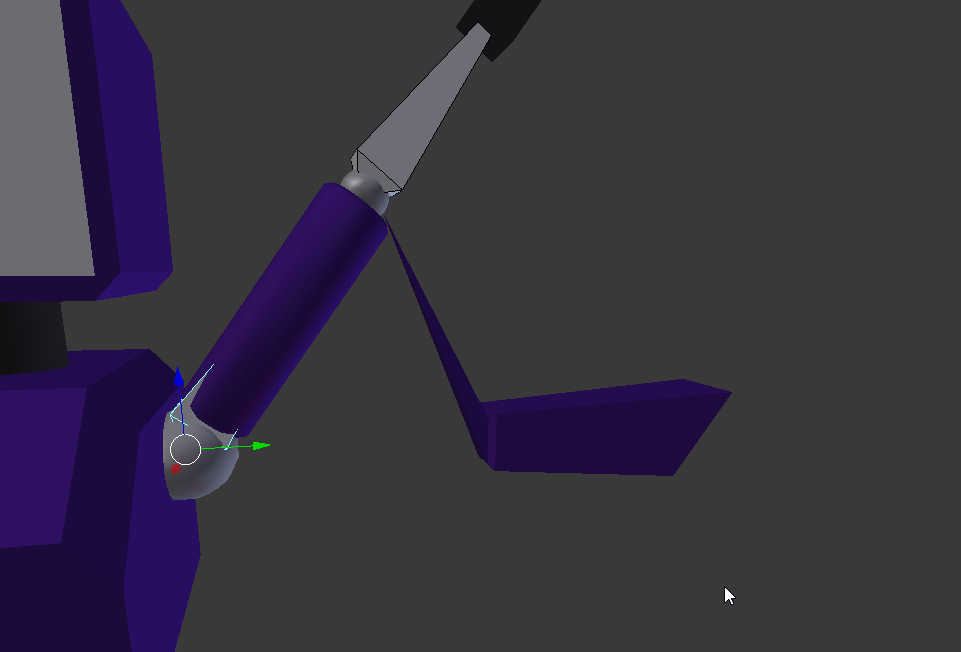 steep tinsel
That's way too much effort for something so small...i think i'll just try and look for a friend who knows how to do it. Thanks anyway
modest tusk
No problem. Sorry I couldn't help more in depth.
 hearty rain
why are some of my bones grey?
(i also have an error saying "make sure that the parents of both shoulders and the neck is the chest" but i'll probs deal with that later >w>)
modest tusk
Grey bones aren't mapped and need to be
fading verge
some of the bones dont have to if they're not needed
modest tusk
Your shoulder bones (if you have them) are not mapped
hearty rain
everything's green though, does that mean i need to mess around with what's already there?
fading verge
it means that it accepts whats there, it doesnt always mean its correct
but most of the time its fine
doesnt hurt to double check
hearty rain
oh okay e.e
guess i'll mess around until the error disappears
modest tusk
@small solstice Common occurence. You accidentally nicked that corner there with weight paint on a bone somewhere on that arm. Find which one and just set it back to 0
fading verge
Mhm
 rare lion
does anyone know what could cause my avatar's arms to always be at least about a foot in front of my avatar's chest in game and how I could fix it?
reef flare
@modest tusk Do I need to weight paint the entire model? because only doing the legs seems to make it worse
modest tusk
Do you know how to properly weight paint?
reef flare
Nope
modest tusk
Weight paint basically dictates how "sensitive" a part of a mesh is to movements in the bone
The more intense the color for a specific bone, the more the mesh will contort in response to that bone being manipulated
You can basically think of it as attaching "muscle" from the bone to the skin
or the mesh
steep tinsel
ok, i'll try a little more. How do a drop a mesh into blender?
reef flare
So I don't need to paint the surrounding stuff also?
modest tusk
What filetype is your model?
steep tinsel
pmd
modest tusk
You only need to paint whatever the bone should normally influence
For example
If you're weight painting a foot
The only real thing that should have any coloration is the foot up to maybe the ankle
And it should stop there
Because the foot bone is not responsible for any other part of the mesh
fading verge
@brisk bane i know this is a noob thing to say, but is there an.. easier way to assign weights? I'm not sure what the autoweighting is doing and I can't paint on the foot's bone in the manual paint mode (there's no model to paint on there) so I'm kind of at a loss.
brisk bane
there is either manual or auto.. auto just paints the area around the bone
modest tusk
GitHub
blender_mmd_tools - mmd_tools is a blender addon for importing Models and Motions of MikuMikuDance.
brisk bane
and estimates
modest tusk
Install that for Blender to import mmd models Conny
brisk bane
each bone has its own weight @fading verge
fading verge
so do i only select one bone at a time?
 dry minnow
okay so when i use full body tracking this happens. was told it's a rigging issue. how exactly do i fix this?
 odd musk
can i parent an armature to a mesh that has different pieces or do i have to join the mesh pieces together into one first?
modest tusk
You can parent pieces to an armature @odd musk , just make sure you select the mesh(es) 1st and the armature 2nd
 crystal vector
@modest tusk Don't recommend people the old mmd_tools version :<
modest tusk
Whoops, could you link the newest one?
steep tinsel
i'll take that as a yes...
odd musk
@modest tusk I think i got it now, thanks!
fading verge
my eyes keep going off my model
crystal vector
@modest tusk https://github.com/powroupi/blender_mmd_tools

GitHub
blender_mmd_tools - mmd_tools is a blender addon for importing Models and Motions of MikuMikuDance.
modest tusk
Conny, get this version instead
To install it, open Blender
Save it somewhere first
Then go to File -> User Preferences -> addons
And in the bottom import from file
And just select said file
solid hull
alright so im trying to import a mew avatar, and it says it needs the shoulders mapped
fading verge
solid hull
but it doesnt have any shoulders
fading verge
what happened to her eyes lol
modest tusk
Alright then, please take him through it, as I have no experience generally with MMD models or tools or anything of the sort
steep tinsel
crystal vector
@modest tusk im in bed, so I can't do that right now
modest tusk
Do you at least know if Tupper's MMD megatutorial is still up to date then?
steep tinsel
fuck it. How much would i have to pay one of you to do this shit for me? I really can't be bothered
crystal vector
@steep tinsel You have to extract the "mmd_tools" folder from that downloaded zip and manually place it in the blender addons foldet
@modest tusk it definitely is
modest tusk
Conny, you'll have to go through that video I posted earlier for you
It will literally hold your hand and take you through importing that model step by step better than I could
solid hull
what's the difference between the humanoid and generic animation type?
crystal vector
@steep tinsel You really should watch Tuppers megatutorial 👍
solid hull
hmm
steep tinsel
No offence, but fuck that. I just wanted a simple model i already downloaded from the internet, not wasting two days of my life and taking a course in 3D modeling
Thanks for trying to help though
solid hull
this avatar im trying to add doesnt have shoulders, so its basically not letting me upload it lol
 crystal vector
@steep tinsel Yup though the same thing when I started. Then I said fuck it and watched tutorials
modest tusk
Revert it to what it was before you started tweaking and send me the file, i'll take a look
fading verge
leg's there, wondering what happened to some of the model though. 👀
reef flare
Send you everything before the weight paint, yeah?
My name is Rukio in game in case you wanna check it out live when I put the full body trackers on
@modest tusk
 deep hollow
my avatars keep coming out slightly opaque or transparent
modest tusk
Change alpha in Materials
deep hollow
its fine in blender but once i export to unity it goes see-through
where at exactly?
reef flare
Sent @modest tusk
 limber prawn
Anyone know why an avatar floats up when it walks
deep hollow
@modest tusk i dont see where i can adjust this setting
modest tusk
Under the materials folder, there should be textures
If you select a texture, to the right you can change its alpha value
In Unity
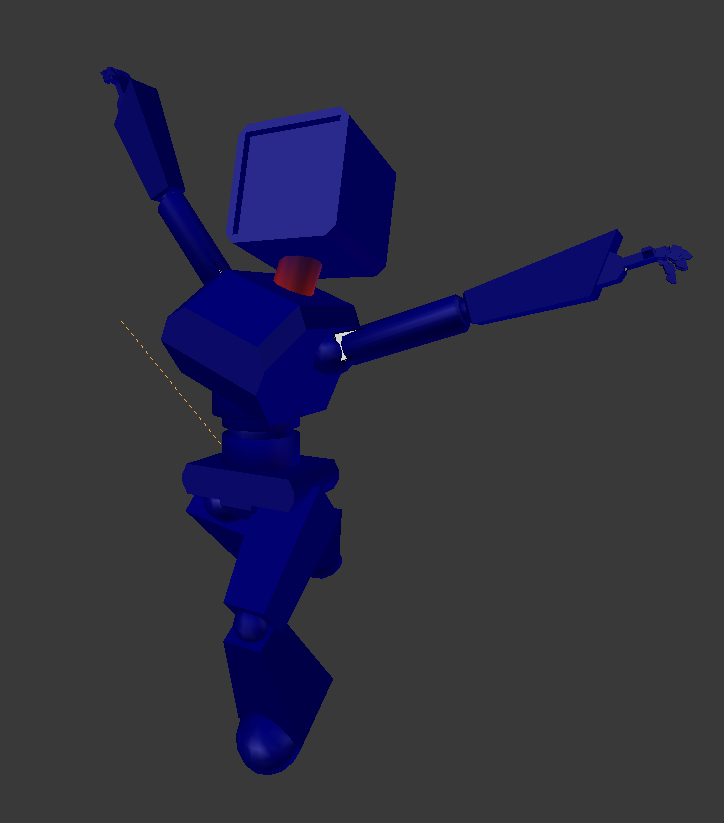 modest tusk
I really need to get to work on a quarian
 rancid widget
I tried rigging my avatar but it seems after uploading all I'm getting is this red hologram. Anyone by chance know what the problem is?
 ancient spoke
Just reminds me of Canti tbh
small solstice
who
ancient spoke
fading verge
After 10,000 years I think I finally fixed my avatar
small solstice
oh the flcl person
nah
i kinda aimed for retro 90s computer look
with modernism
tho i see similarities
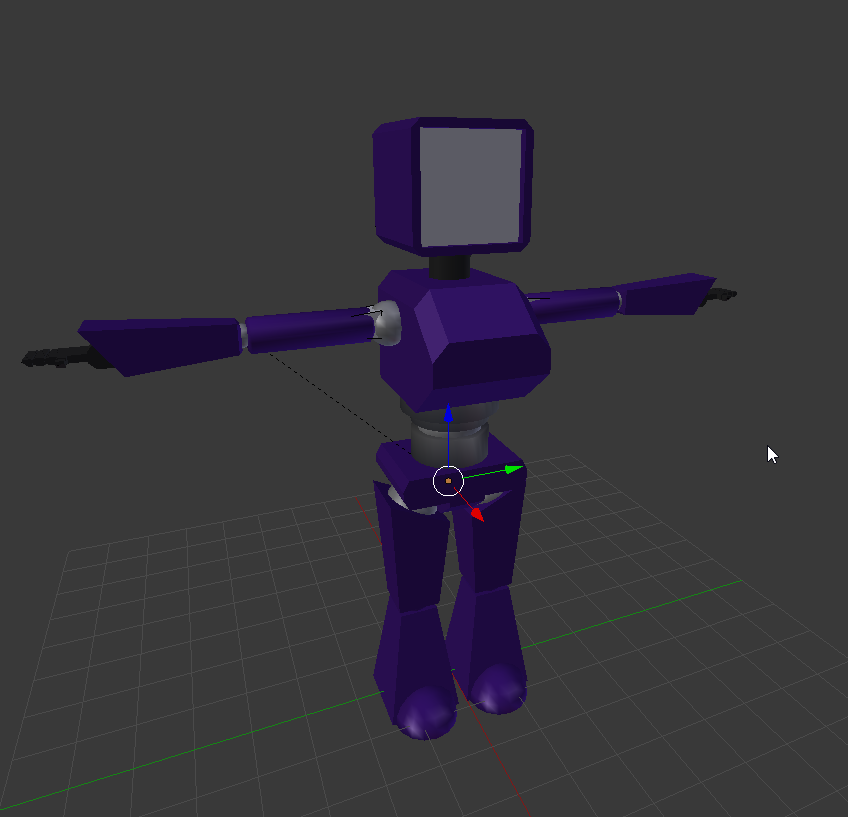
ball jointz
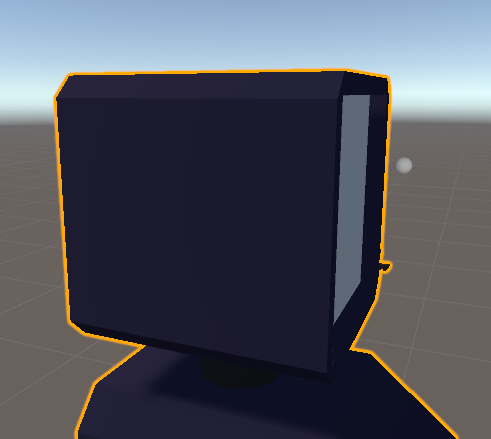
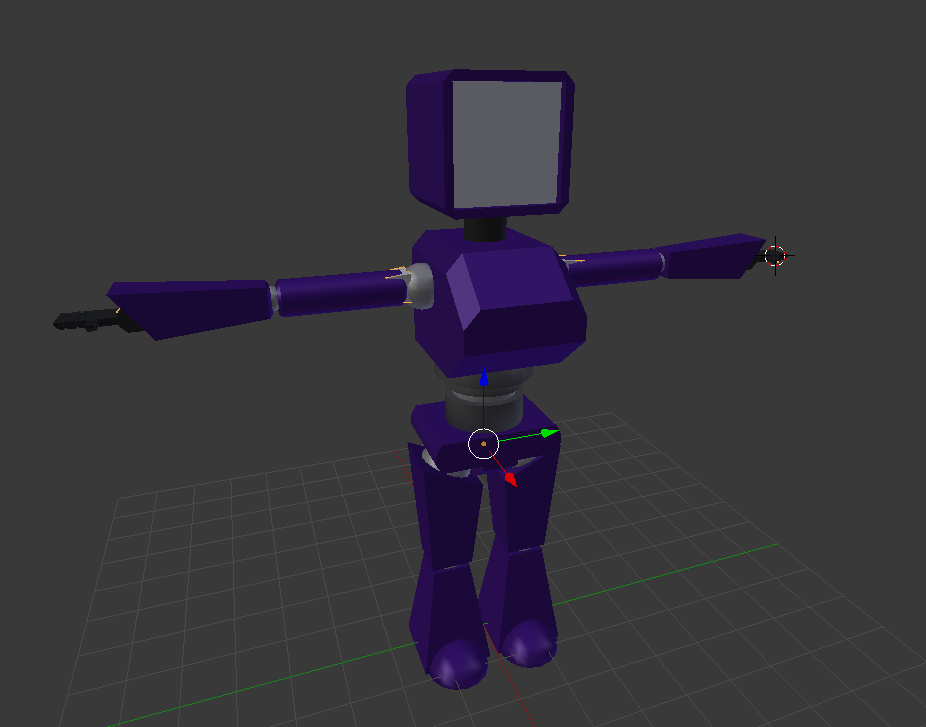
not textured or anything yet so the colors are temp
for ball joints should joint move with the moving part like this
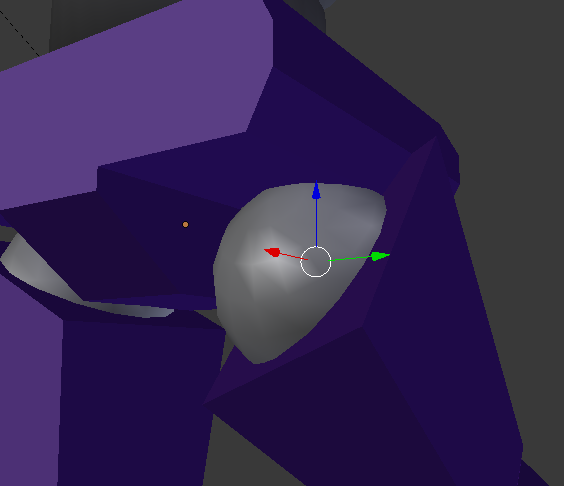
or bend to keep it inside the robot body
 deep hollow
thanks fam! @modest tusk
 old patio
@solid hull re-parent the bones
 modern rain
I have a question regarding adding important missing bones in MMD before I port it over to Unity
small solstice
ye i have old concept art that was way more 90s oriented color/shape wise
drawing
solid hull
i installed unity today and honestly have no idea what that means
i looked at a reddit post with the same problem, and i did everything the solution said to
modest tusk
I believe in most ball joint cases realistically speaking the ball doesnt move, it's just the joint, but it's a game at the end of the day so it's up to personal taste
old patio
Uhmm its in the hierarchy if you know what that is
modern rain
Does anyone know how to add a spine/chest to a model that does not currently have one?
old patio
Find spine and see if chest is below it
old patio
@solid hull Message me and I'll get tp you with an explained solution as soon as I get home
And aquatos I don't know about adding/removing bones sadly I'm sorry
modern rain
hrm, I'll keep digging on youtube and see what I can find
odd musk
quick question, when weight painting, how can i remove the weight from multiple bones at once?
crystal vector
@odd musk I think just delete their vertex groups
small solstice
thank to ak person who helped me today (im bad at names)
want to make sure i said that
 zenith dagger
small solstice
zenith dagger
small solstice
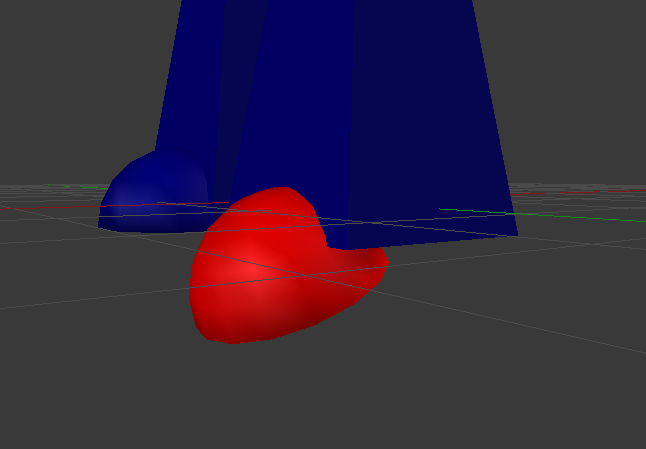
will putting the foot pad on my boot to the foot bone
screw up my walking animation
or should i take it off and keep the entire bottom of that foot static
 crude crag
@faint cliff post a pic of the t_pose
crude crag
weird, that looks set up properly. there's two bones in between the neck and hips right?
oh! one second
your hierarchy looks like the bottom right here, yes?
post a screenshot of that if you feel like it
crude crag
sure
crude crag
yep
it may not like that the head is above the clavicals. Don't take my word for that though.
oh!
you need a head bone AND a neck bone!
crystal vector
@faint cliff You are missing the Neck
crude crag
lol we figured it out at the same time
 faint cliff
it is necesarry cause yesturday i was told it wasnt
crude crag
neck is mandatory, head isn't
crystal vector
@faint cliff Then they lied, it's necessary 😁
crude crag
it might be as simple as remapping them...but if you want a jaw i think you need the head bone
anyone know if you need a head bone to have a jaw bone?
or can you just connect it to the neck
crystal vector
@crude crag I think you still need the head, but try it out
crude crag
smiley should try it 😁
small solstice
once im basically done with rigging, do i just throw it into unity from blenderor
??
 slate bronze
Can someone help me with weapons? Apparently no one can see mine (or my model, even though I personally see both just fine)
crude crag
@ Bluejay try reuploading
crystal vector
@small solstice Yup, export it as fbx
slate bronze
@crude crag Kinda already have, but I'll try again
crude crag
oh, when you mean "people can't see" do they just see "queued" above your head?
@slate bronze
 tropic crypt
Isn’t uploading iffy right now? Or was at least.
crude crag
its been off and on
slate bronze
@crude crag No, like I can see myself just fine, but apparently Im invisible (and so is my weapon)?
crude crag
oh hm idk then if reupping will fix that
tropic crypt
Could just be the servers, id try again when the servers are at a lighter load
Servers aren’t meant to handle this massive influx of people since the knuckles became a meme and people like pewdiepie and jacksepticeye both recently uploaded vids of vrchat
 fading verge
why is this so hard T_T
crude crag
@miya that's an issue with the bone not being mapped properly in unity
Make sure you selected the right thing
fading verge
is it possible to import a model that just isn't made right and cant be fixed ?
mine has no options for eyes they're all set to hairs o.O
the jaw too
fading verge
@crude crag i tried to use the model for vr chat but i looked at the arms and one of the sides of my back and they were teared apart
The fingers do work and i got the viewball almost just the way i wanted
fading verge
You should put Foot.L
crude crag
/shrug I don't know about fixing that. Good that the fingers and view work
fading verge
Kk
so apparently my model has no chest or upper chest ? how would
I give the chest circle
OH ID ID IT 😄
 neat condor
so uhh, anyone know how to rig dynamic bones? I got a rampent end to a long string of them and i dont know how to fix it
small solstice
could this be the source of my rig issues?
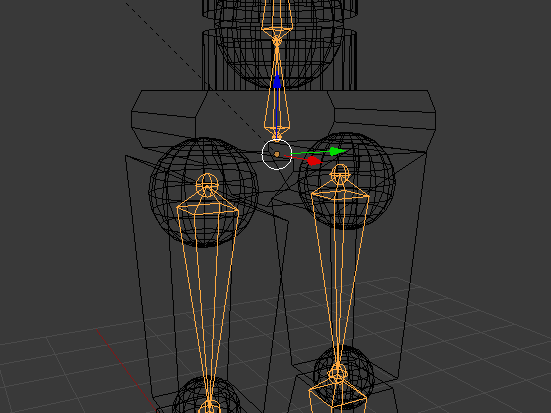
they are parented to that spine
part
nah
fading verge
Where r the hips
small solstice
that didnt fix it
the third bone is the hips
someone told me i could keep the legs detatched
but parented
fading verge
Yeah parent them to hips
neat condor
thats not parented
neat condor
if it was parented legs would be under the + of hips
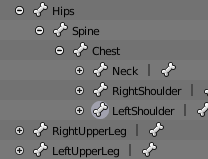 neat condor
its the main on mine
small solstice
so why cant my legs parent, thats really weird
neat condor
If you click on the legs, on the right side you can select the bone menu. in there is a drop down called Relationship, you can easily change parenting there
neat condor
yeah, from what i've seen it needs to all connect to the hip
 neat condor
you might also want to check the config for the rig in unity
small solstice
oh thats a thing
neat condor
you can manually set the foot into the right slot
small solstice
i didnt even know this menu existed
ocean meadow
is possible to have an extra bone in the legs?
neat condor
Uhh.....i dont think so, only in the body and sorta side bones used for dynamic
 opal aurora
Possible, yes, recommended, no, and this is only via parenting not unity rigging
small solstice
so what does it mean when it thinks this bone is here but in red
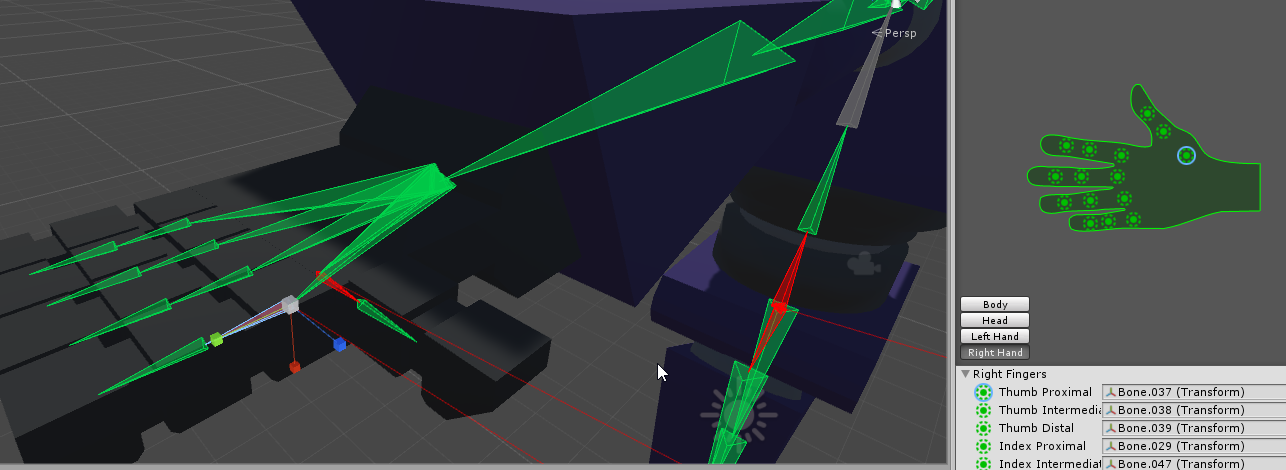
but green
on the hand menu
neat condor
huh, maybe its to close to the hand bones for it to read. config will also give errors saying what is wrong
they should be off of those red lines, or in the bottom left.
anyone got suggestions for my havoc flail?
small solstice
when ur probably responsible for ddosing the vrchat servers because you forgot your password for the 4th time
neat condor
that wont do that
small solstice
if i fixed the skeleton in unity, does it fix it in the fbx file?
because it wouldnt upload in Mixamo
but now that i got the avatar fixed up in unity it could work
small solstice
ok
i dont have a build and publish button

i feel really dumb goin step by step over this
:v
 torpid sundial
How can I fix this in blender? Ingame the fingers snap back like that. and everythings off
fading verge
neat condor
2 things, current sdk version date is 2018.01.03.12.06 and you need to patch unity to 5.6.3p1
fading verge
anyone know how I can join these together? Its a common problem with most models you try and import
or for me at least
I ive tried reorganising the family but it kicks you out
neat condor
@torpid sundial in blender you need to rotate the proper end, via the right menu. just select the bone you want to change, clight the bone icon on the right and change the position of it in transform till its aligned
small solstice
ye the bones are stickin out fo the finger
so push the bones outside the finger back in basically
 hexed sandal
hey i was wondering does anyone know if i take a model that is already fully rigged, add an object onto it in blender and then send it thru mixamo, will it just add weight to the new object for me without messing up the other weights? provided it is able to work with the original skeleton
neat condor
@fading verge from how it looks just set your chest to what your upper body is, and clear upper body
 wintry cairn
Anyone know how to increase the range on a shape key? I have an emote shapekey, but the emote doesn't extend past the face far enough
neat condor
I tend to have 1 extra bone in the torso due to how i'm used to rigging bones
neat condor
if it doesnt stop you from pressing build and publish, then good chance it wont effect in a big way
 opal citrus
lol does anyone know the best dynamic bone settings for skirts? i keep getting this with all my avatars when i move and it's a lil annoying.
neat condor
when you push it to the game, you can check to make sure it did nothing.
hexed sandal
you could look for a youtube video for the skirt thats what i did one time and it turned out pretty well
neat condor
@opal citrus whats your numbers for the dynamic bones?
hexed sandal
i would def have less elasticity on cloth
neat condor
also you have no colliders set to the skirt from the body
neat condor
those are too small and not enough tbh. it needs to be a bit bigger then the size of what you are stopping it from going into. also to try to add some lower if you can so it doesnt bend around the colliders
hexed sandal
increase radius from 0
 devout isle
Hi I have a quick question about meshes and animations if someone could help,I'm new to blender. So I have a skeleton with an animation,I've played the animation through the skeleton and it works fine,I then added the meshes that I wanted,but the meshes go invisible unless in edit mode,is that normal?
opal citrus
o @hexed sandal increasing the radius of the dynamic bones themselves fixed it for the most part, now only time it actually clips is if i throw my character back and forth pretty fast
neat condor
yeah, more helps with that
hexed sandal
cool 😄
opal citrus
thanks xD never knew that was a thing
neat condor
So anyone know why a part of a model would go rampent when given dynamic bones?
opal citrus
i'd assume if the colliders touch the bones or go through it?
hexed sandal
maybe its being forced against a collider
neat condor
nope
neat condor
no colliders
hexed sandal
well whats happening lol
hexed sandal
is it a tail or something?
neat condor
i did
I cut the number in half and upped damping
it happens if there is just 1 bone
hexed sandal
change the root to where the hair starts?
neat condor
i'll try
hexed sandal
put the dynamic bone itself on the bone where the hair starts, and have the root as that same bone
neat condor
well, if i go that high up with them, the hair fully unwraps which i dont want
hexed sandal
oh ok yeah just where u want the hair to start moving then
neat condor
yeah
small solstice
how do i upgrade to Unity 5.6.3p1, i can only get f1 or the latest version 🤔
hexed sandal
try adding the bone for that ball as an exclusion
i think that happens because bones are too close to eachother
not sure
miya im sure u can find it if u google it
i tihnk i got it from a link off the wiki
neat condor
they shouldnt be too close, my fingers have less of a gap
fading verge
@small solstice https://unity3d.com/unity/qa/patch-releases/5.6.3p1

Unity
Unity is the ultimate game development platform. Use Unity to build high-quality 3D and 2D games, deploy them across mobile, desktop, VR/AR, consoles or the Web, and connect with loyal and enthusiastic players and customers.
small solstice
ah
hexed sandal
yeah im not really sure what causes it but i had the same problem with a drifloon's feet going spazzy at the end of its legs which are basically strings
so its a similar situation
small solstice
yeah im trying to figure out how to upload to vrchat and it told me to get that ver of unity
fading verge
What exactly is avatar rigging?
hexed sandal
giving it bones
neat condor
its just rotating for some reason
small solstice
Basically your 3d models you use in the game have a skeleton
fading verge
Bones is eye tracking?
small solstice
this is about telling the avatars you use "Hey this is your hand,eye,foot etc."
fading verge
XD
I have a model i need the eye tracking and mouth movement
idk how to ask for that would it be rigging?
hexed sandal
im pretty sure yea
i don't know much about eye tracking i've only done it on 2 avatars
fading verge
XD could ya help me then? i have the files for my model but they need eye racking
*tracking
reason I love this website 😂 😂 😂
hexed sandal
have you been using blender? @fading verge
fading verge
I dont do 3d modeling of any kind..or art programs in general
Id rather pay someone to do it for me xD
hexed sandal
well to set up eye tracking you need to do it in blender unless the files you have are already set up for it
fading verge
shrugs idk i just have the files xD
hexed sandal
you need blender and the CATS addon, and mmd tools addon if it's an mmd
fading verge
idk what it is xD sorry im clueless on this stuff lol
hexed sandal
well it is a lot of work if you want to get it working.. if u want to id suggest looking for a youtube tutorial, like just search "vrchat eye tracking" or something
small solstice
finally on the final step
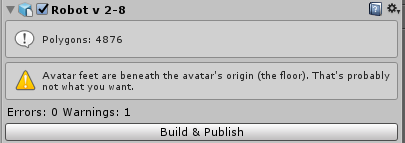
the last hurdle
im guessing they mean this
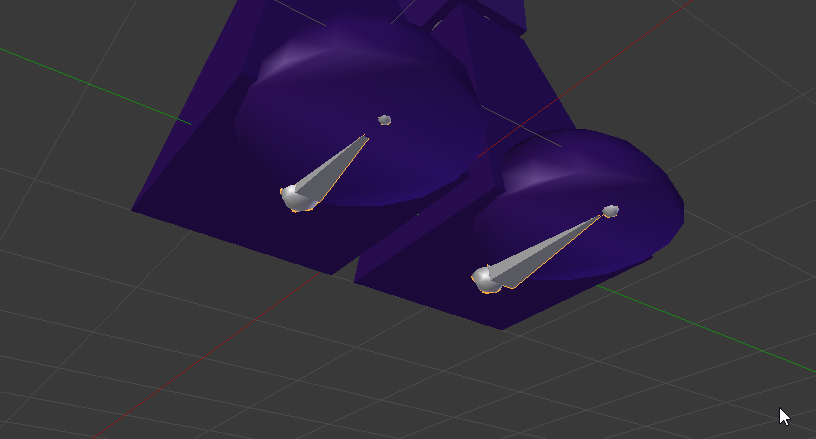
i just noticed this
small solstice
thru the skeleton editor?
hexed sandal
i think you can just in the main editor
idk u can try it, press play and see if it worked
fading verge
@hexed sandal You tellin me to do somethin i rather pay someone else to do if they know how to do it n get it over with....cries
hexed sandal
@fading verge probably if you arent interested in learning a lot of junk lol
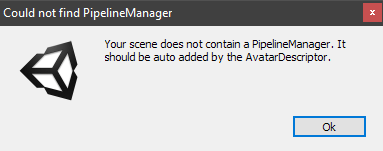 hexed sandal
whaaat weird
fading verge
@hexed sandal Nope not interested in that...ever xD
small solstice
its a componet
hexed sandal
try removing and adding the avatardescriptor again i guess
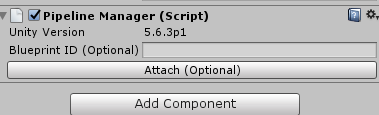 fading verge
Are you on p3?
small solstice
i moved to p1
fading verge
because it HAS to be the exact version
fading verge
I meant p1
small solstice
i readded the vrcdescriptor
after deleting
trying again
maybe i should just
redo the VRChatSDK
hexed sandal
🤔
neat condor
i fixed it i think
opal citrus
killyyyy
it's fixed in unity but clips when going left, right, and forwards
going backwards does not clip me so confussseeeddd xD
neat condor
I added more bones to the ball to hold it in place about to rig the full braid to see if it worked
hexed sandal
well look at where it clips and mess with the radiuses there
hexed sandal
i have the some problem with things acting differently in unity and vrchat
what i would try is making the collider a little bigger and maybe the skirt radius slightly smaller just so they dont clip
dunno if it would work but thats what id try
wait, is it just her legs clipping?
 lavish latch
Not sure if this link fits here or if I should be posting in another room (I'm a noob and suck at terminology), but I found this tutorial that I've not yet tried but i feel that it may save some people $20 while giving them better results... https://www.polygon-treehouse.com/blog/2017/8/4/howtoponcho for ponchos, skirts and probably other cloth types.

Polygon Treehouse
A few weeks ago we shared a GIF of Lars' amazing physics-driven poncho that you can see above. The response was pretty mega (seems that everyone loves Pom Poms!) and we had multiple requests for a tutorial showing how we set it up in Unity. We're more than happy to help, so this week's blog-post w
neat condor
lol, nope! I still had a chaos ball
neat condor
this is agrivating
opal citrus
indeed
hexed sandal
pogchamp
lavish latch
@hexed sandal the poncho thing?
hexed sandal
yea looks interesting
opal citrus
uhh
lavish latch
If you get it working before me let me know. It's my first time with all of this but I'm pretty happy that I was able to port a model in without any bugs on my first try. :D I just wish my skirt animated because it looks weird when it clips.
opal citrus
i accidentally somehow moved my camera in unity and lost my character, was there a shortcut key to reset the camera angle?
hexed sandal
on the bar on the left double click your character
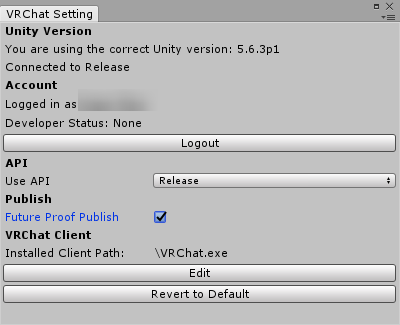 hexed sandal
miya u sure u got an avatar descriptor?
small solstice
vrc_avatar descriptor is in ye
and the pipeline was added automatically this time
hexed sandal
did u add the descriptor then try to build really fast
 placid rapids
look at build control panel instead of settings?
hexed sandal
sometimes that page doesnt update right away for me
hexed sandal
🤔 🤔 🤔
lavish latch
VRChat is secretly training an army of riggers (people who rig models) and they don't even know!
small solstice
yeah i basically learned rigging asap
Oh
was that settings
🤔
im dumb
its 4:35am
neat condor
Well, i am already a rigger xD
hexed sandal
rigging is the one thing i avoid as much as possible but still end up spending a lot of my time with
neat condor
I have calmed my ball quite considerablely
hexed sandal
lul
small solstice
ill texture my avatar tomorrow
i just wanna see what it looks like now before i slep
neat condor
he still moves, but its not destroy the world mode
sadly the hair doesnt move as much as i'd like now
lavish latch
I'm going to be messing around with the tutorial I linked and my characters skirt. Then once that's done I want to make a custom textured version. Then I'll need to figure out how I can put it in a private world.
hexed sandal
ava i bet someone smart can help u if u ask for help again at a more normal time lol
lavish latch
5 AM is a normal time
hexed sandal
yea u can delete
 flat sierra
small solstice
flat sierra
small solstice
cool cause i have only temporary textures
hexed sandal
i have tons of different versions of the same models
flat sierra
how do i get it out of the ground
neat condor
@hexed sandal i just reduced the number of dynamic bones and excluded the ball on all of them. i'm slowly adding back till i get the flow i want and the ball doesnt rampage
lavish latch
Try raising him up in Unity?
flat sierra
tried
small solstice
first proper model i made finally in a game
flat sierra
no avail ;;
hexed sandal
try raising the origin bone
not the whole model itself
but idk
that worked for me one time
but it didnt another time
opal citrus
@hexed sandal i learned to detach the id from the model and delete the old one. updating to the same one does not work for me lmao, this whole time it just wasn't updating it
lavish latch
Ask your parents and make sure you're not grounded? (I'll show myself out...)
opal citrus
tis now 100% clipfree 😄
opal citrus
nu nu i'm ingame
hexed sandal
it should if you restart the game tho
hexed sandal
u can add new ones but not update yeah
opal citrus
ahhhh
hexed sandal
thats why i have tons of the same model
im lazy with deleting the old ones
once you get a ton of models it starts to bug when you scroll through though
neat condor
I FIXED IT, OMG
hexed sandal
!!!
 jaunty flowerBOT
Command not recognised
hexed sandal
wat
neat condor
Hi bot xD
hexed sandal
lol
neat condor
The ball now only moves extremely when she does, which is how it should be!
also you can delete avatars
hexed sandal
yea i know im just lazy
actually right now is the perfect time to do it since i dont have vrchat open
i usually dont because the avatar list gets laggy when i have unity and vrchat open
flat sierra
guess i can live with it for now
neat condor
I went from 30 bones down to 7, and looks like that worked. the ball was also excluded from everything.
flat sierra
its not like its upto his knees just the whites of his sneakers are going in for some reason
neat condor
god, i hope this works in game
flat sierra
all the klonoas are rigged completely of models resource weirdly
i just had to add a chest
and hope it works too
hexed sandal
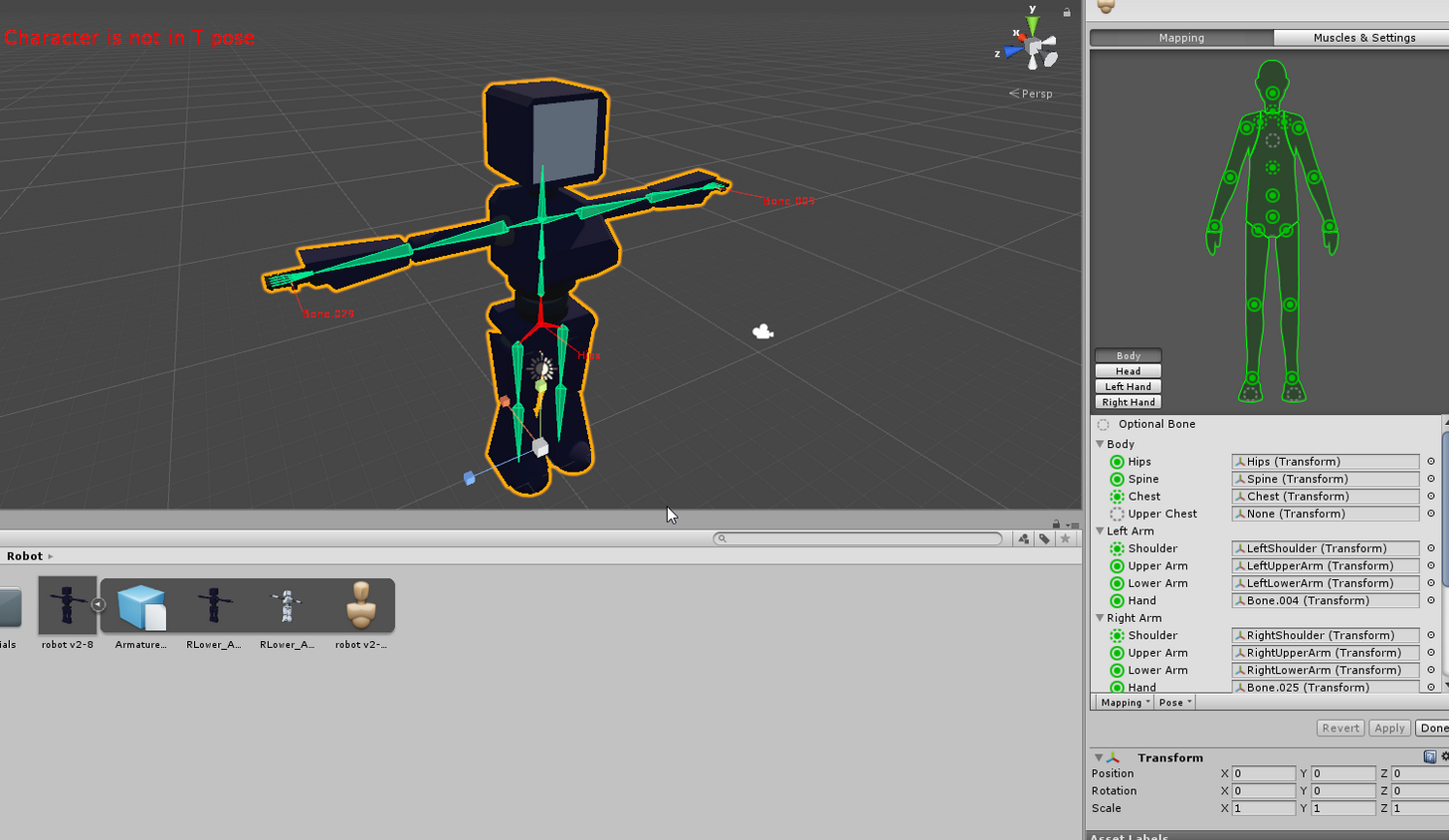
its sideways?
small solstice
ye
hexed sandal
in the rigger in unity you can turn it
small solstice
and the fingers are fucky but i can figure that out later
small solstice
but its rotation is at 0
hexed sandal
some models are rotated by default, or just their skeletons are
all of my wow models are
or like half
 hexed sandal
league of legends models are comepletely backwards
hexed sandal
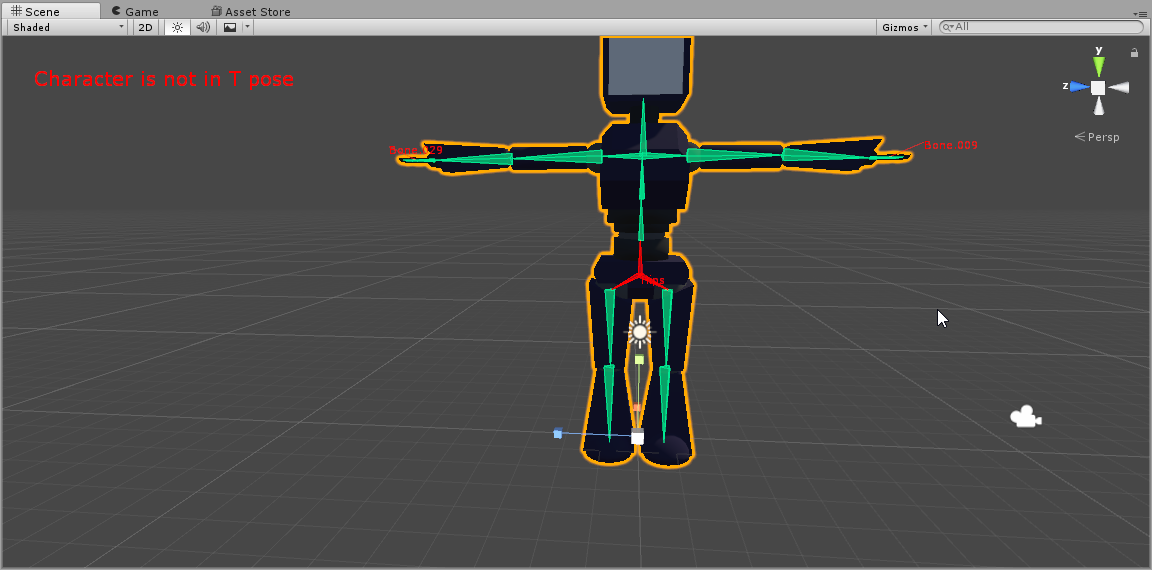
is it facing forward right when you open up the rigger
or do u have to move your camera
 lavish latch
That error is weird saying it's not in T pose when it is...
hexed sandal
it loads depending on the way youre facing in the main editor
small solstice
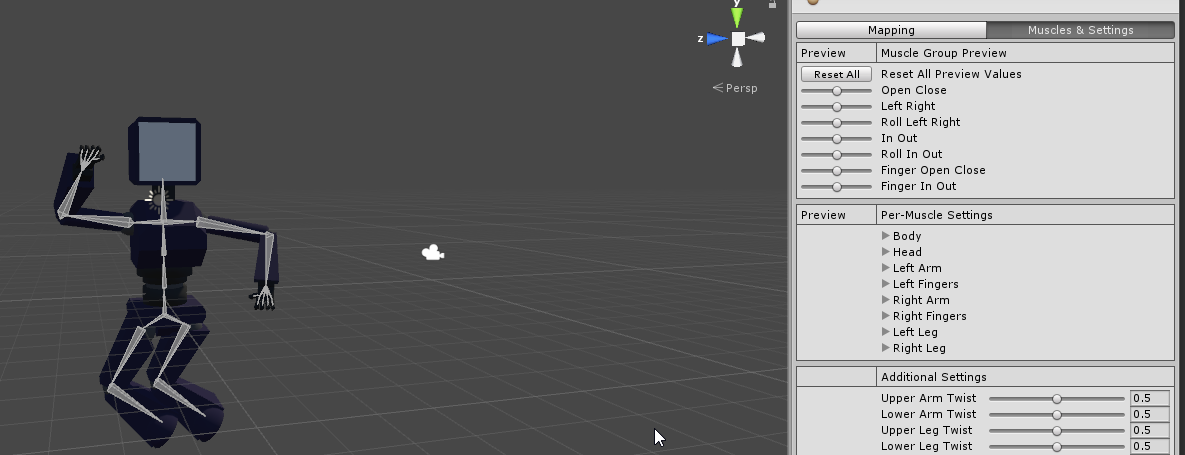
when i go to muscles and settings in the rig editor
it does this pose like it freeze framed in a 80s sitcom
 small solstice
oh
hexed sandal
mine says x on the left
neat condor
LOL, i forgot to do the eye position
hexed sandal
not Z
small solstice
you mean the XYZ stuff
hexed sandal
i think your model is turned 90 degrees
lavish latch
Rotato Potato?