#avatar-rigging
1 messages · Page 61 of 1
 meager kiln
 reef flare
I have an MMD Rakan that works fine normally but when I put him on with foot and waist trackers he breaks.
 modest tusk
Not sure then
meager kiln

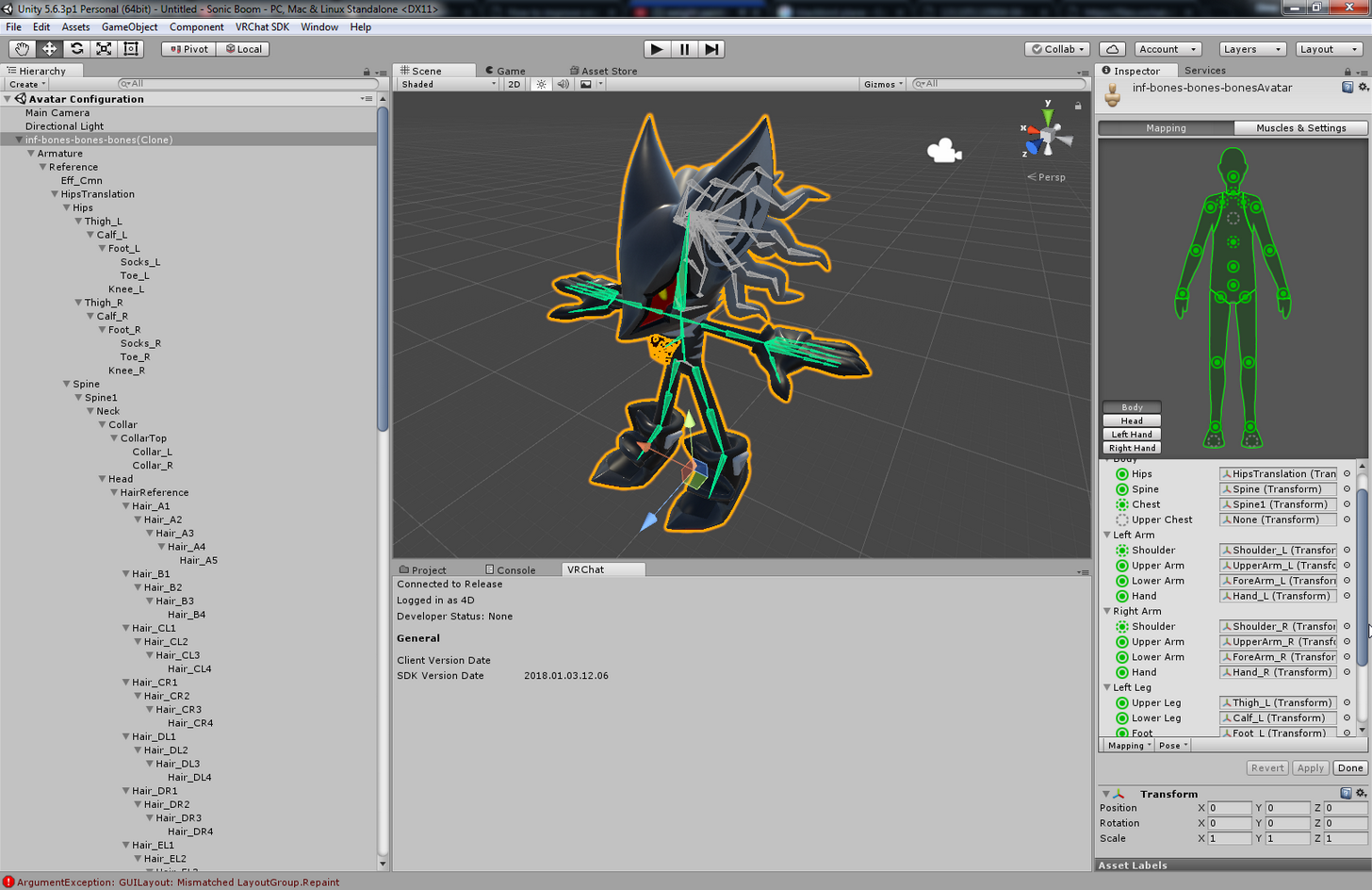
 sharp raptor
can someone help me with unity rotation resetting everyime
 topaz dune
@🐦ハシビロコウ🐦#1501 if you want to parent a bone in blender, let's say chest and shoulders. pick the shoulders first and then the chest and press ctrl + p chosse with keep offset to parent the shoulders to the chest.
 narrow ermine
How do I change my object viewing so I can see meshes? I'm trying to decimate but can't figure it out.
modest tusk
Is that your T pose 4D?
Is the game giving you a warning about the pelvis not being close to 180 degrees with the hip bones?
 solid hull
okay this is my first time using unity, and this is the only problem with my avatar. how can i fix this so the feet are facing forward?
even the slightest rotation makes them go crazy
topaz dune
@Moto (Romzuh)#5831 tap to change to edit mode
solid hull
lmao okay i was putting in numbers for the coordinates
modest tusk
@solid hull your T-pose feet should be pointed straight. Edit the model in something other than Unity
modest tusk
@meager kiln so it IS giving you a warning?
meager kiln
yes @modest tusk https://i.imgur.com/YdJb5KS.png
 modest tusk
That may be your problem
meager kiln
pelvis are hips, right?
modest tusk
To get the best results, you should try your best to readjust the bones so that the hip bones connected to the spine are creating a 180 degree angle
The bones that begin your legs are your hip bones
Err wait
Other way around
Hang on
Im confusing myself
The bone starting your back should be called hips
And the bones connected to that are your pelvis bones
topaz dune
the hips is the essens of you avatar... if suff is unalined it *ucks up
 tight coral
Alright so I have my bones set with weight paint on my model, but when I go to pose it only the bones move and not the model
I thought I had the bones parented already
meager kiln
https://i.imgur.com/jNPOnn6.png
This is my weight on the neck 🤔
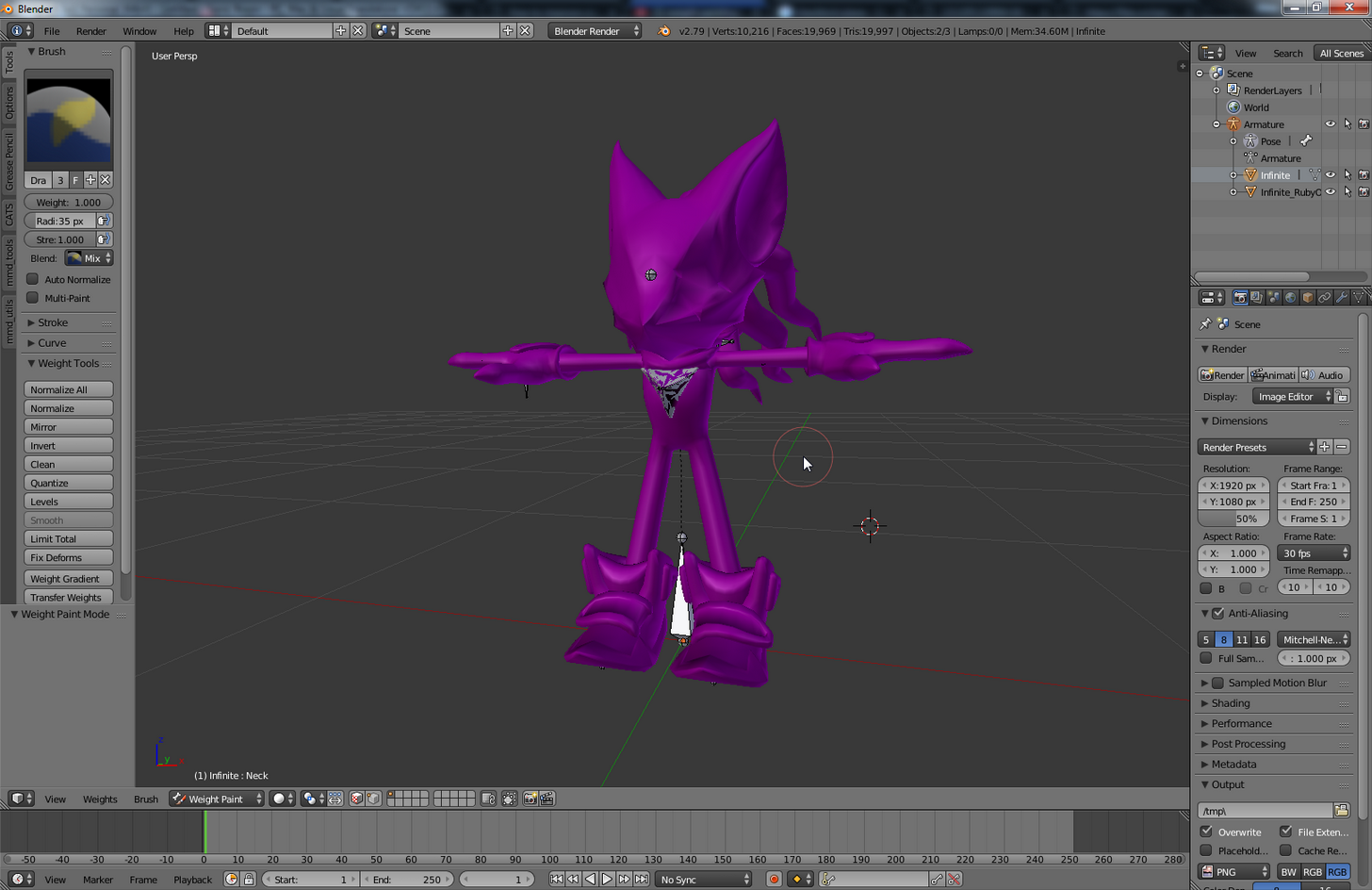 modest tusk
Hard to tell in that picture... does your model have a neck?
meager kiln
as a point, not as an actual neck
when i try to paint in 0 the entire body goes to blue
topaz dune
@Hbz#8513 did you parent the skeleton to the mesh?
modest tusk
Then i'm not so sure a neck bone would really serve you any purpose
meager kiln
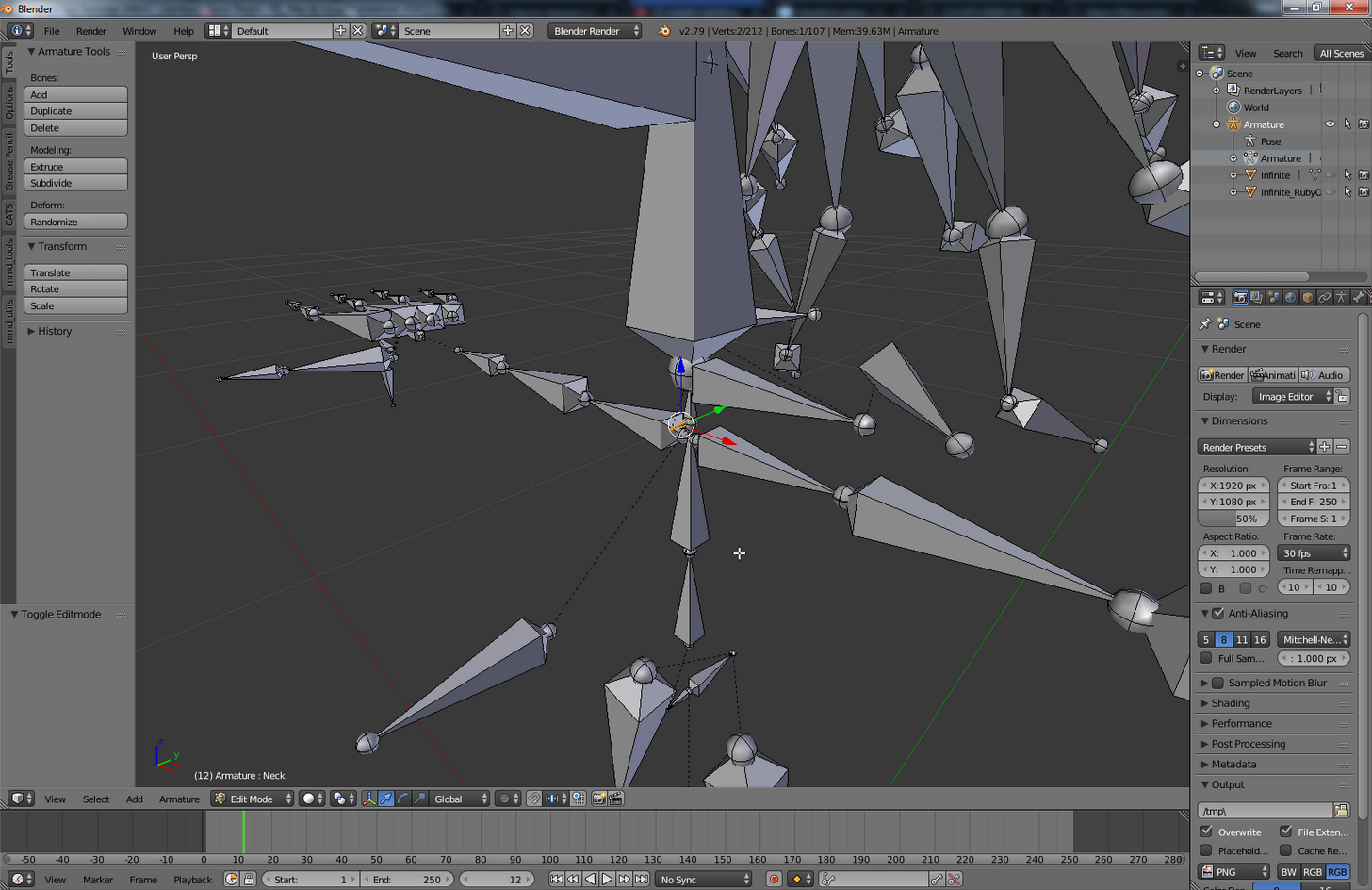
here is the neck
https://i.imgur.com/mUfERCk.png
 topaz dune
so tiny!!
 gaunt belfry
I'm looking at your model, I don't see any reason to attempt to paint the neck if thats what your trying to do lol. I may have this situation wrong though.
meager kiln
@gaunt belfry my problem is body movement when looking up
topaz dune
but if you model has a neck just paint that little part and it's good.
gaunt belfry
O that weird chest pushout thing?
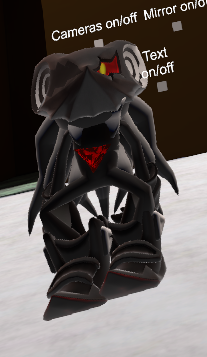
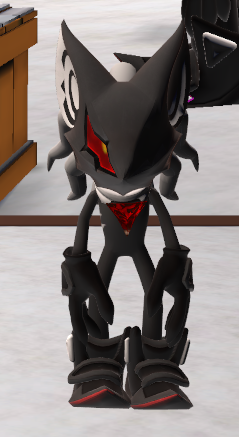 gaunt belfry
O its that problem. I haven't heard of a fix for it.
tight coral
@Niko INC.#8367 Yeah I think so
topaz dune
just means the weight paint is allover the place.
narrow ermine
I'm decimating a model but it doesn't seem to be reducing tris... What am I missing?
meager kiln
 tight coral
when I go to try to parent it says loop in parent
gaunt belfry
wait when you select the neck bone, the entire body turns purple right?
meager kiln
yes
topaz dune
also if you apply the amature tool it releases the bones from the mesh
solid hull
when i finish configuring the model (left) the feet look just fine, but once i hit apply and done, it goes back to looking like this. any reason why?
gaunt belfry
I don't know what weight intensity purple is, but I would remove all weight painting on the neck.
meager kiln
to this level?
https://i.imgur.com/ltkXkRL.png
 gaunt belfry
Yes
modest tusk
Bob, look closely at the bones right before your feet
meager kiln
will try
 fading verge
Can someone please help me with rigging
Does anyone know how to fix the issue that Cat's Plugin causes with full body tracking, where the hips move back a bit in game?
modest tusk
If you're looking at that model directly from the front, they're still at an angle
fading verge
Cats says that some bones don't exist
modest tusk
They should be completely vertical going down
 midnight arch
Anyone here?
topaz dune
mabye.
fading verge
Hm
midnight arch
Anyone getting the sdk glitch where its telling you the avatar measure is too large but yet its a tiny person
fading verge
You know what, could it be because the bones are not completely aligned going up and down?
gaunt belfry
@midnight arch That is prob. because of how big your model was before you imported it into Unity
 gaunt belfry
For MMD models, the bones are usually like that though.
fading verge
They are?
gaunt belfry
Or from I have seen they are.
fading verge
 topaz dune
@Hbz#8513 do you get more options than loop to parent?
 gaunt belfry
That is the bound given everytime, I pay no mine to it.
meager kiln
@midnight arch model select
modest tusk
What seems to be the issue Rhino?
gaunt belfry
I would just keep making it smaller until it accepts it and then adjust from there
midnight arch
Yeah but it wont let me Build and publish
meager kiln
@midnight arch bounds will be there, just notice the white cube edges
midnight arch
meager kiln
Model [Select]
midnight arch
...?
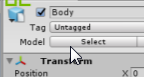 midnight arch
100....
tight coral
Well when I select the armature in the heirarchy it lets me rotate and move the model
and posing just moves the bones
midnight arch
Still .3 and still saying too high
meager kiln
edit bounds in same menu
 north trellis
I guess I asked this in the wrong place, silly me.
why am I getting this error when trying to import a model using CATS Blender Plugin?
https://files.catbox.moe/42lo1i.png
 meager kiln
@midnight arch you can also try to click the model twice
topaz dune
@Hbz#8513 i forgot, did you choose the hip bone and weight painted around the hip?
meager kiln
and look at transform menu
tight coral
I'm cheking the weight right now and every bone is painted correctly
eveyr bone has the heatmap to the correct mesh on the body
I don't know what's wrong
ugh
midnight arch
Never mind it finally realized it
 solid hull
@modest tusk regarding this pic, what exactly am i changing? i've never used unity before so i'm lost
meager kiln
are bounds
@solid hull it wont show right away, use play button
and look around in scene mode
modest tusk
You need to re-adjust your bones, and you can't do it in Unity. You need to use something like Blender
topaz dune
two things i know can go wrong, applying the amature tool or not having the bone paranted to the bone.
modest tusk
Look at your feet, and make sure they are 100% straight down vertically
meager kiln
@gaunt belfry weight seems to have effect, testing further
gaunt belfry
Aighto
 honest timber
so this model I have has a .dae and .smd file.
I tried importing the .smd using a plugin and it appears to be rigged...but it is missing an extra bone to act as the chest.
How difficult is it to work with an existing rigging in Blender compared to just doing it from scratch (.dae)
(plus the rigging seems...off....)
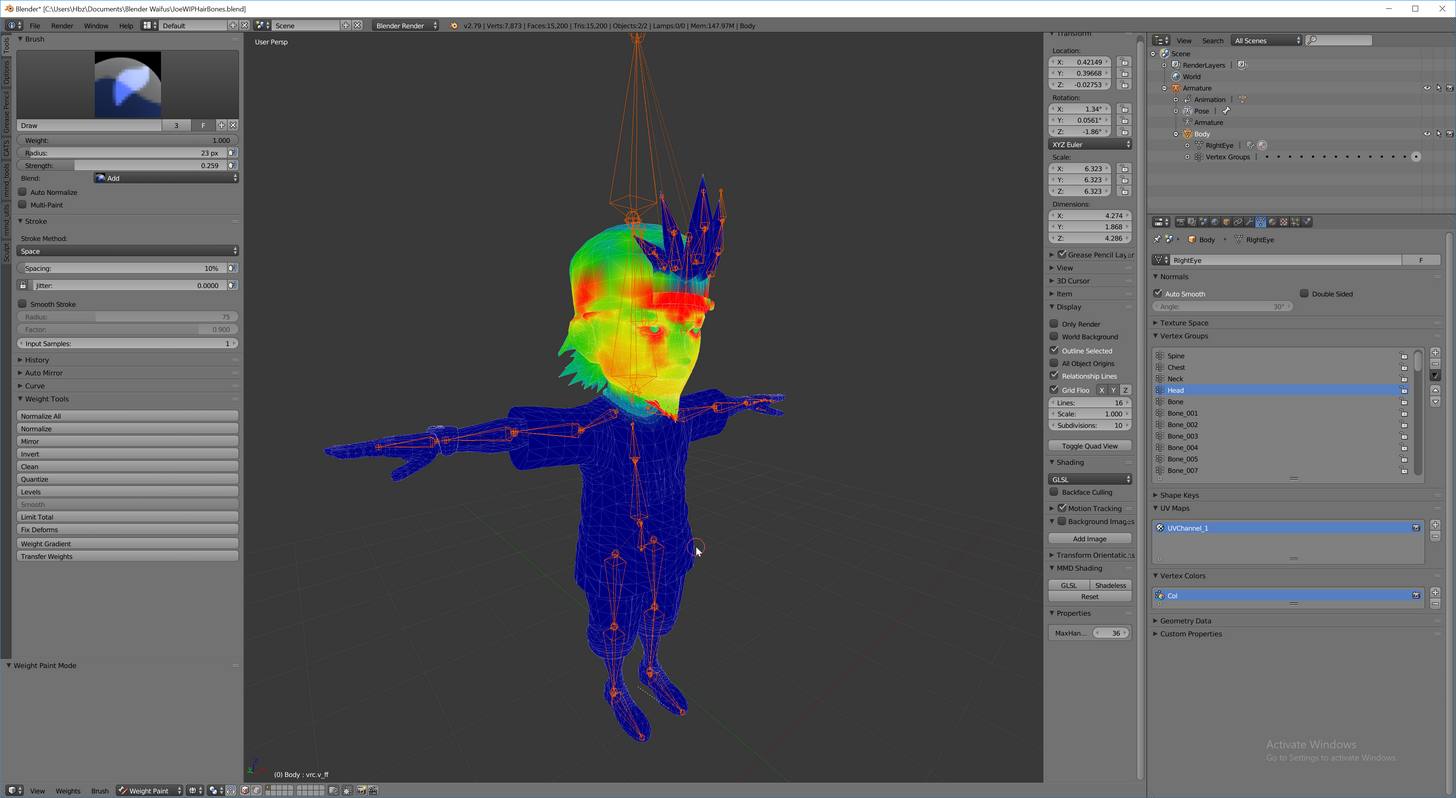 topaz dune
no
meager kiln
big bone above the head?
tight coral
controller
meager kiln
fair enough
topaz dune
go to the object modifier, is the armature tool still there?
 native egret
Anyone know what I can do to fix this bone? It's a part of the hair and a parent bone, so with dynamic bones on that part of the hair it spazzes
tight coral
Oh no, it just has add modifier
topaz dune
yeap.
tight coral
shoot
topaz dune
thats the problem
meager kiln
@gaunt belfry I deleted toe bones and it got fucked up again, testing further 🤔
tight coral
how do I fix this, start over?
gaunt belfry
O, I woudln't go around deleting the bones, I would just check the weight paintings on the bones.
 kind horizon
wow another Lucario avatar how original
gaunt belfry
O
meager kiln
aka empty slots of toe bones
topaz dune
nah i think you can reapply the armature and add the bones to the allready exsiting weight paint
meager kiln
they still exist in model
tight coral
Ok I'll see what i can do
meager kiln
anyway, assigned them again and going to test again
gaunt belfry
So when you unassigned the toe bones, the chest and all that started jacking up?
gaunt belfry
Nono I mean when you removed the toes, the body got messed up when you moved your head?
meager kiln
yeah, it moved forward again
gaunt belfry
Check to see if there is any weight painting on the chest when you select the toe bones
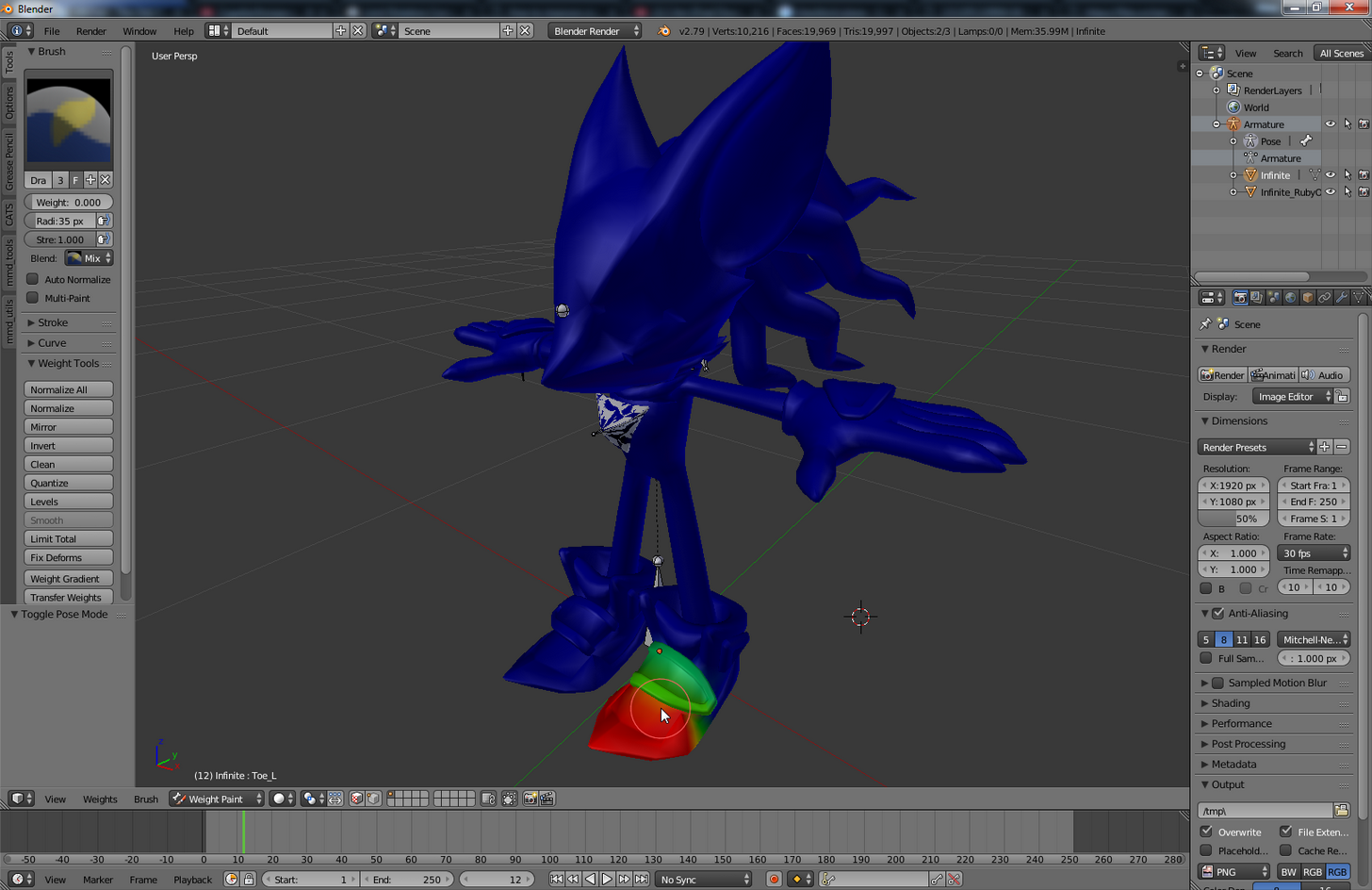 gaunt belfry
Huh thats odd, no idea why that would happen.
meager kiln
hm, testing with toes again.
its confusing >_<
anyway
its raising my toes when i look down
look normal forward
gaunt belfry
Check your neck/head bone or anything remotely close for painting on the toes.
meager kiln
it moves my knees and body to some point about 70 degree upwards
and then fixes itself
when i go beyound
fml
 knotty plaza
could anyone help me? my character's head isnt moving completely at all while doing emotes, and while beeing stable it suspiciously twitches from side to side
knotty plaza
i think i screwed some rig
meager kiln
the controller has whole body purple
gaunt belfry
remove all painting on the controller
meager kiln
also same for hips
gaunt belfry
@knotty plaza That might be because your neck bone isn't strictly the supposed neck bone.
If the hips bone is covering the entire body reduce it so it only covers it supposed area
meager kiln
how do i make bones visible inside of body
gaunt belfry
They should be by default
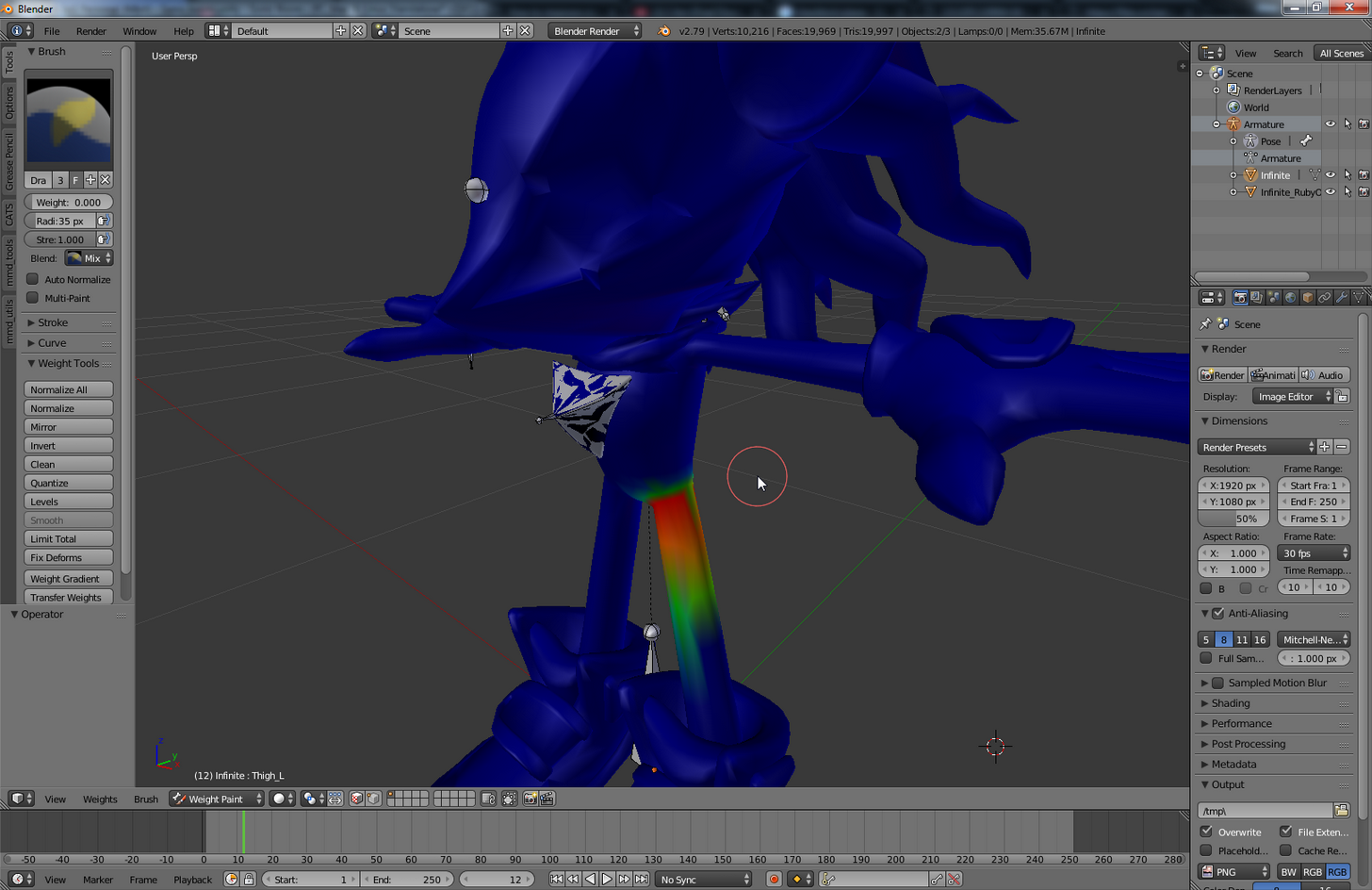 gaunt belfry
aight push z
meager kiln
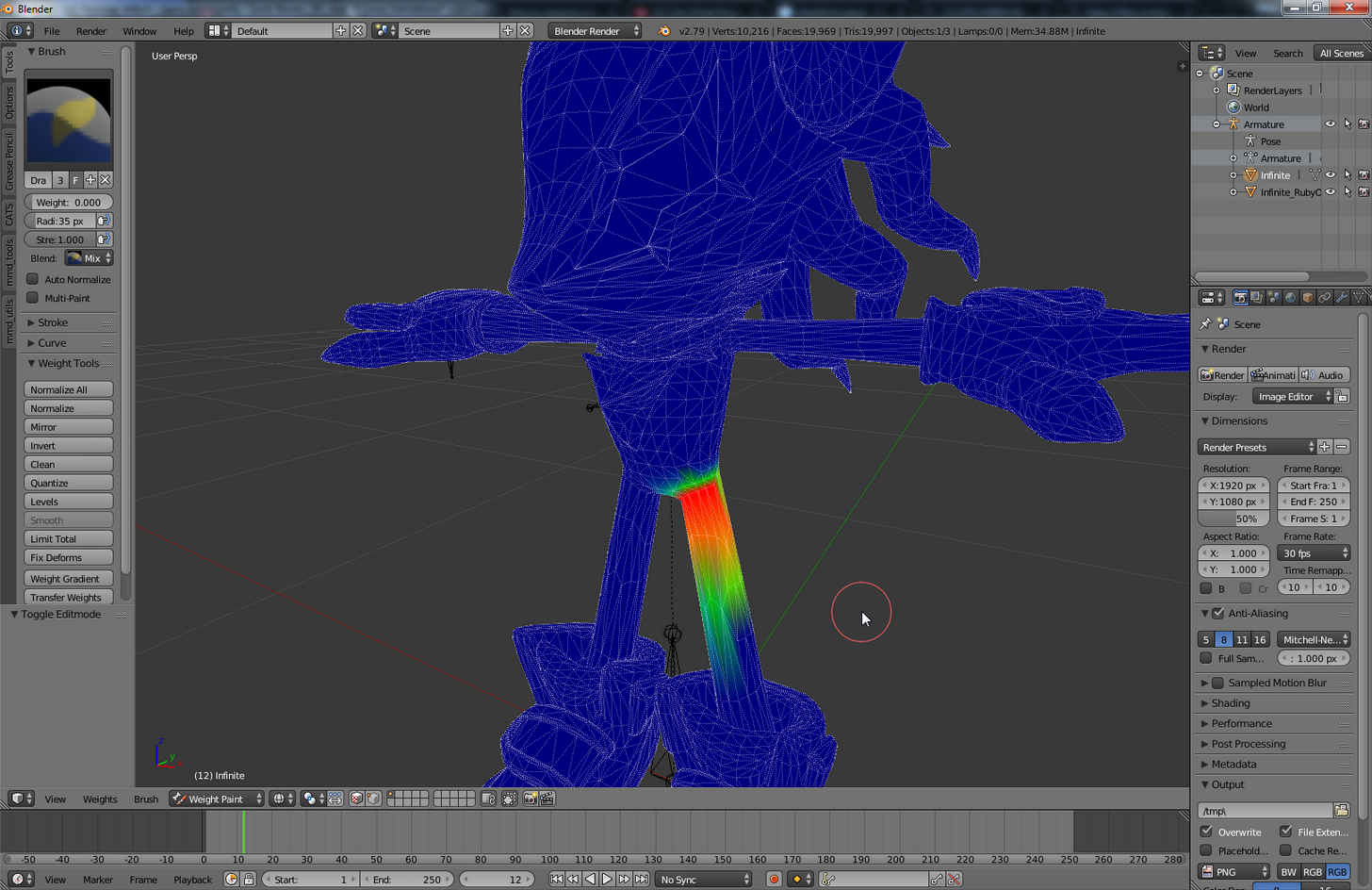
and the hips has same effect as with neck, when i paint anywhere it changes the entire body from purple to that weight ( 0 )
gaunt belfry
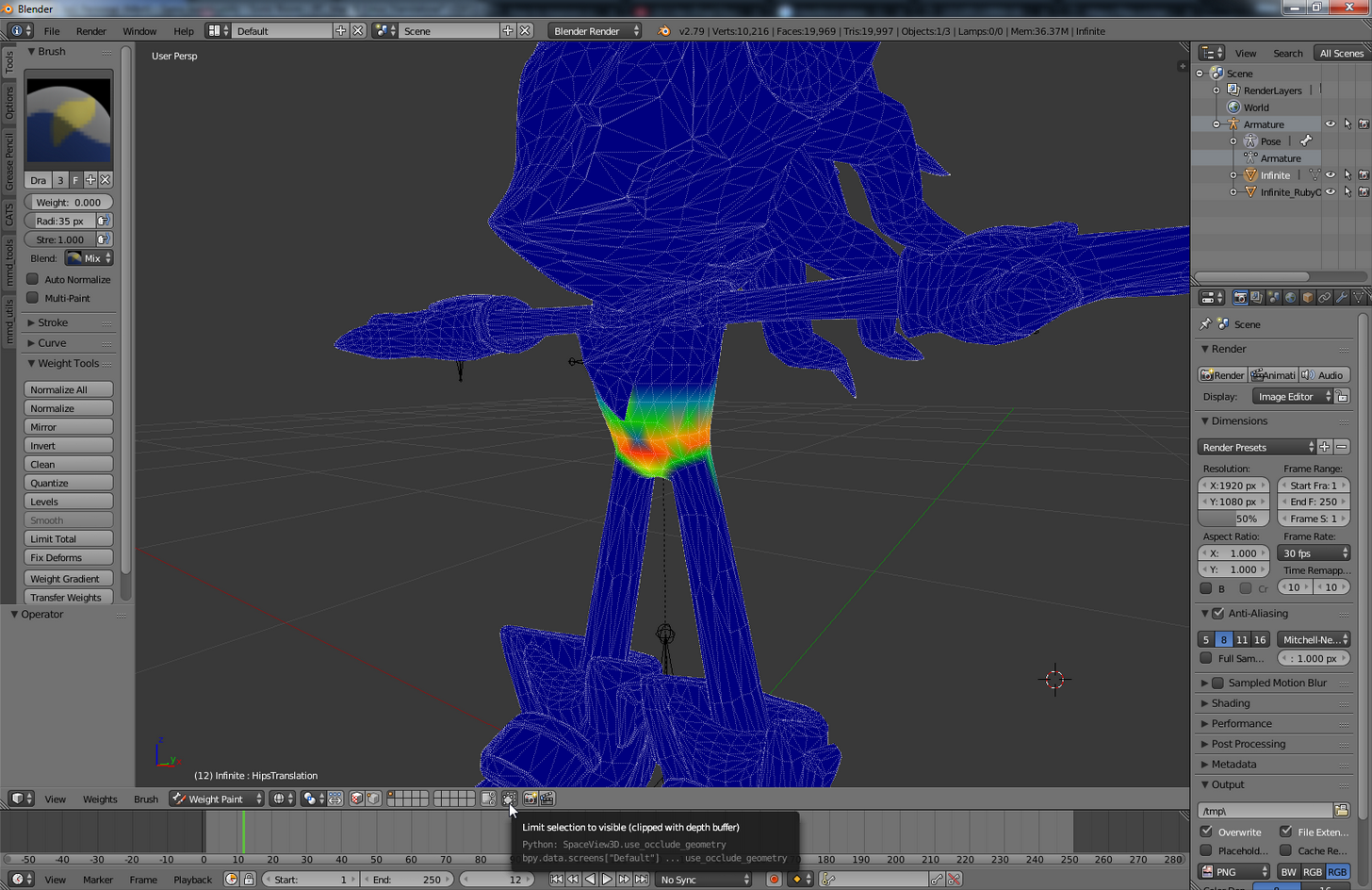
On your bottom bar see the button with the two squares on it next to the rows&columns
Click it
 gaunt belfry
If thats the neck bone selected, where is the head bone?
meager kiln
this one?
https://i.imgur.com/jZh7Div.png
 knotty plaza
 gaunt belfry
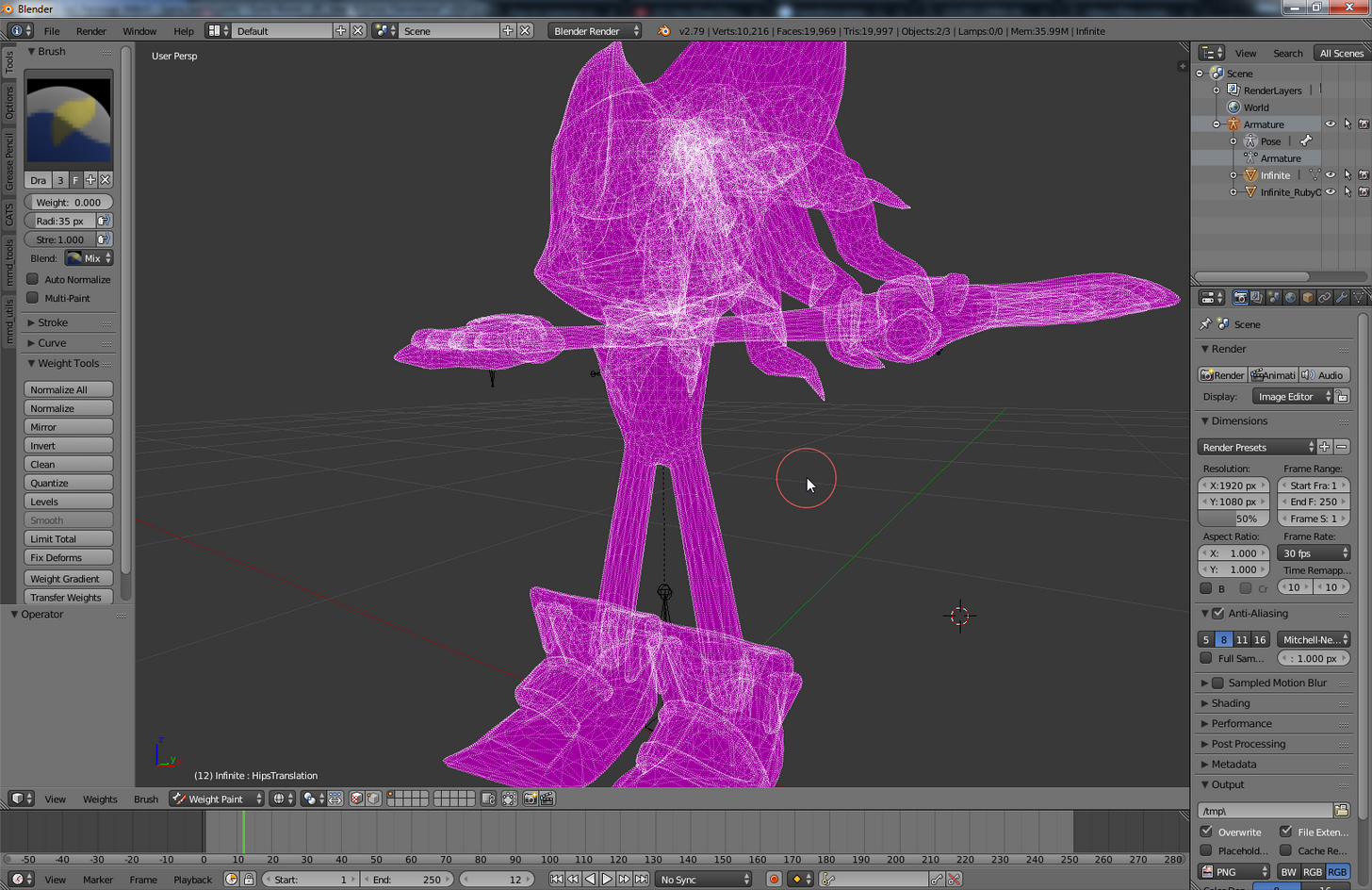
Yup that on @meager kiln
meager kiln
 gaunt belfry
@knotty plaza I might be wrong, but it could be that the neck bone is too far in the head, I am not sure.
fading verge
Guys do i have to have a mmd or a mixamo model to use vrcats
gaunt belfry
@meager kiln I see some bones but I have no idea where the rest of them are going lol.
knotty plaza
@gaunt belfry i have no clue how to fix this, i am verry rookie at this
meager kiln
@fading verge nah
gaunt belfry
@knotty plaza Can't help ya much here, try youtube I guess or ask someone better than me.
 grand drum
hey guys should i weight paint the whole hand for the (hand) and only the fingers for fingers?
fading verge
@meager kiln May i have a little bit of assistance with vrcats?
meager kiln
maybe just CATS?
gaunt belfry
@grand drum Yes
fading verge
CATS*
grand drum
@gaunt belfry okay thanks
gaunt belfry
@knotty plaza You can scale down bones, but that might mess up how it looks.
modest tusk
@brittle mango go to your armature, click the icon of the little t-posing dude in the center right, and hit enable x-ray
@brittle mango *
grand drum
@gaunt belfry btw what i ment is should i paint the hand for the hand part leave the fingers alone or i should paint the whole hand for the (hand) bone?
 sinful glacier
hey i was wondering
knotty plaza
@gaunt belfry i think i figured it out, if i try to sale "neck" it scales the whole head and if i try to scale "head" it scales the neck, so i think my model just messed up and exchanged neck for head for some wierd reason
fading verge
@meager kiln Isn't the MMD tools only meant for MMD?
gaunt belfry
@grand drum Paint the entire thing if you don't want to rig fingers, if you want to rig fingers, just leave the fingers alone when painting the hand.
meager kiln
its for blender
grand drum
@gaunt belfry okay thanks again!
topaz dune
yeah?
sinful glacier
@grand drum how long does it usually take
sinful glacier
i dont know how to do it, the guide i found was like
hey use mixamo
tight coral
couldn't apply with shape keys
sinful glacier
end of story
tight coral
I'll have to redo them
meager kiln
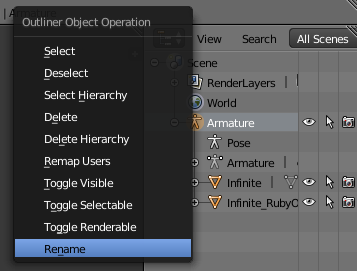
https://i.imgur.com/ky1Us6D.png
im not sure im clicking in the right place
 grand drum
@brave sequoia i wasnt counting the time, just have to add bones and weight paint the bones which might take like 1-3 hours maybe
fading verge
https://gyazo.com/088d683418ad3188b8fce7d01f47c112 this is the right one right?
 meager kiln
yes
modest tusk
Below that screen
meager kiln
look up installation guide
topaz dune
you dont apply the armature tool, it has to be there for the mesh and bone to stay togehter.- if that's what you did @Hbz#8513
meager kiln
there is no blue icons ._.
gaunt belfry
@meager kiln Select Armature below that one then select the mesh you want to weight paint.
Armature has to be in Pose Mode to weightpaint
knotty plaza
how can i exchange bones for eachother? when itry to do it it tells me "Head Transform 'Biped.bip01_Neck1' is not child of neck transform 'Biped.Bip01_Head1"
modest tusk
Right below the screen that shows hierarchy
Is a row of buttons
One has a little earth
Another a photo
Another a bone
tight coral
I think so
honest timber
So a couple of the tutorials I am seeing have a similar "spike" to represent bones, like it does in unity
meager kiln
doesnt help seeing the bones 🤔
honest timber
but in Blender, this model just seems to be lines
gaunt belfry
@topaz dune I thought bone selection outside of pose mode wouldn't work in weight painting?
honest timber
modest tusk
Make sure you have armature selected
honest timber
(also it is probably big...)
modest tusk
@honest timber You seem to be using Source bones
topaz dune
when you have the bones in edit mode is the only way you can get into weight paint.
honest timber
oh I guess it grabbed it from the smd file. Will it cause problems?
gaunt belfry
Huh, Pose mode worked for me when I was rigging to source armature.
modest tusk
A few. It should be easily fixed
meager kiln
i tried doing this with both armatures, i feel stupid because i think im doing something wrong
modest tusk
I don't remember off the top of my head, but you need to do something like manually select which bones Unity uses for what
topaz dune
well you can do bouth ways. posemode, object mode, dosent matter.
meager kiln
click armature - pose mode - click mesh - weight paint
meager kiln
yes
topaz dune
yeah
 rain delta
Anyone willing to help me out with dyn bones a lil? <3
topaz dune
you can turn on x-ray so you can see the bones at all time
 untold spire
Does anyone know how to get around unity not letting you log in when your VRchat username has special characters? I thought using the email associated with the account would work, but I can only log in and not build and publish :T
meager kiln
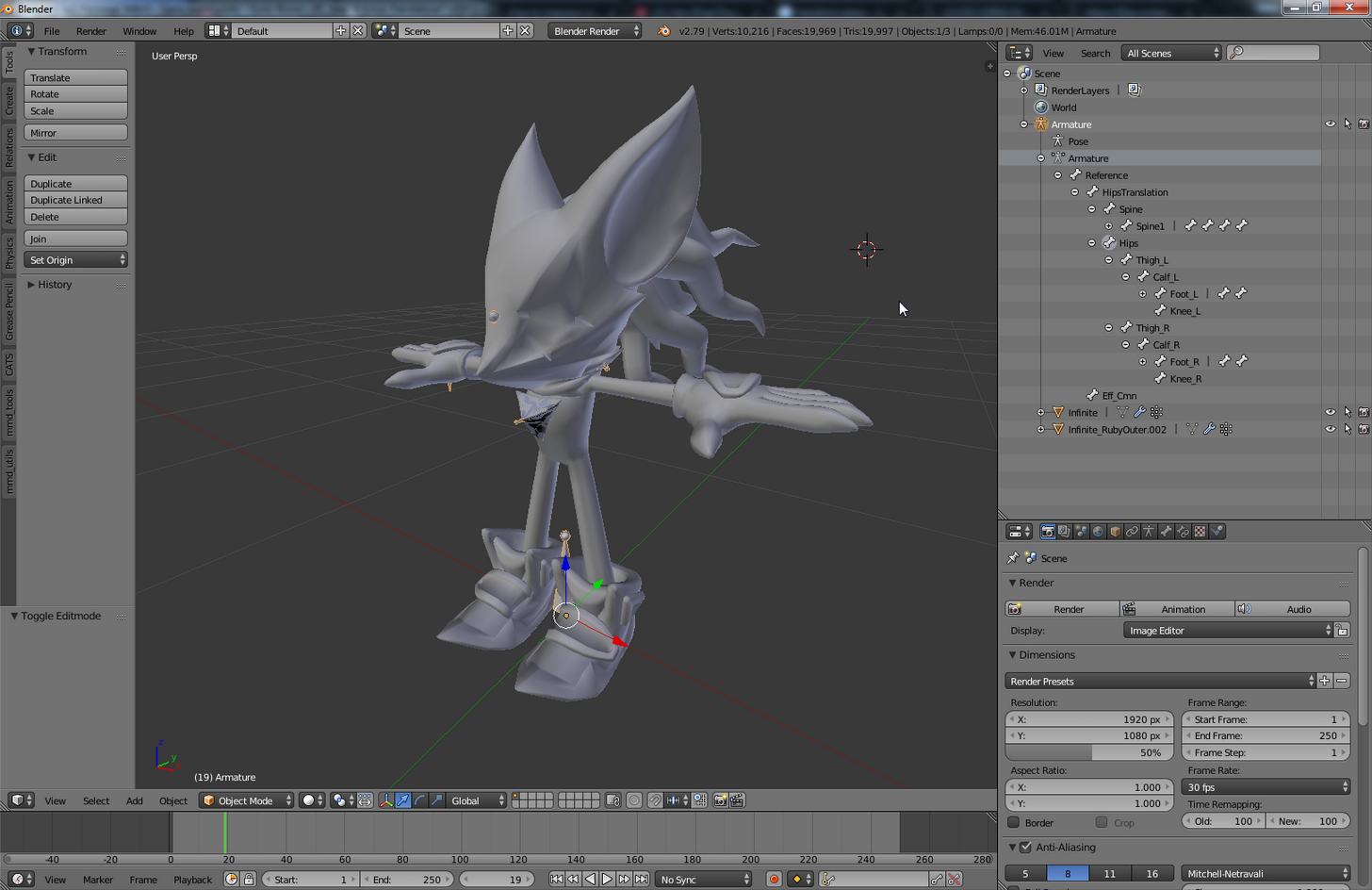
cant see bones in pose mode
gaunt belfry
Well in 4D's case, its like the armature is missing the bones completely in view
 crude crag
did you try copypasting your username @untold spire ?
gaunt belfry
Check the Armature group and make sure the bones are even still there
fading verge
Hey i imported 5 models from SFM, and their arms shake really rapidly looking like they're jacking off. This happens in 4 of them where their arms are almost T-Posing, but they slant downwards, and in the one where the character is just normally T posing that never happens
anybody know how to fix this?
untold spire
@crude crag Yeah, it doesn't let me. Seems non standard characters are blocked in unity.
Very annoying :<
meager kiln
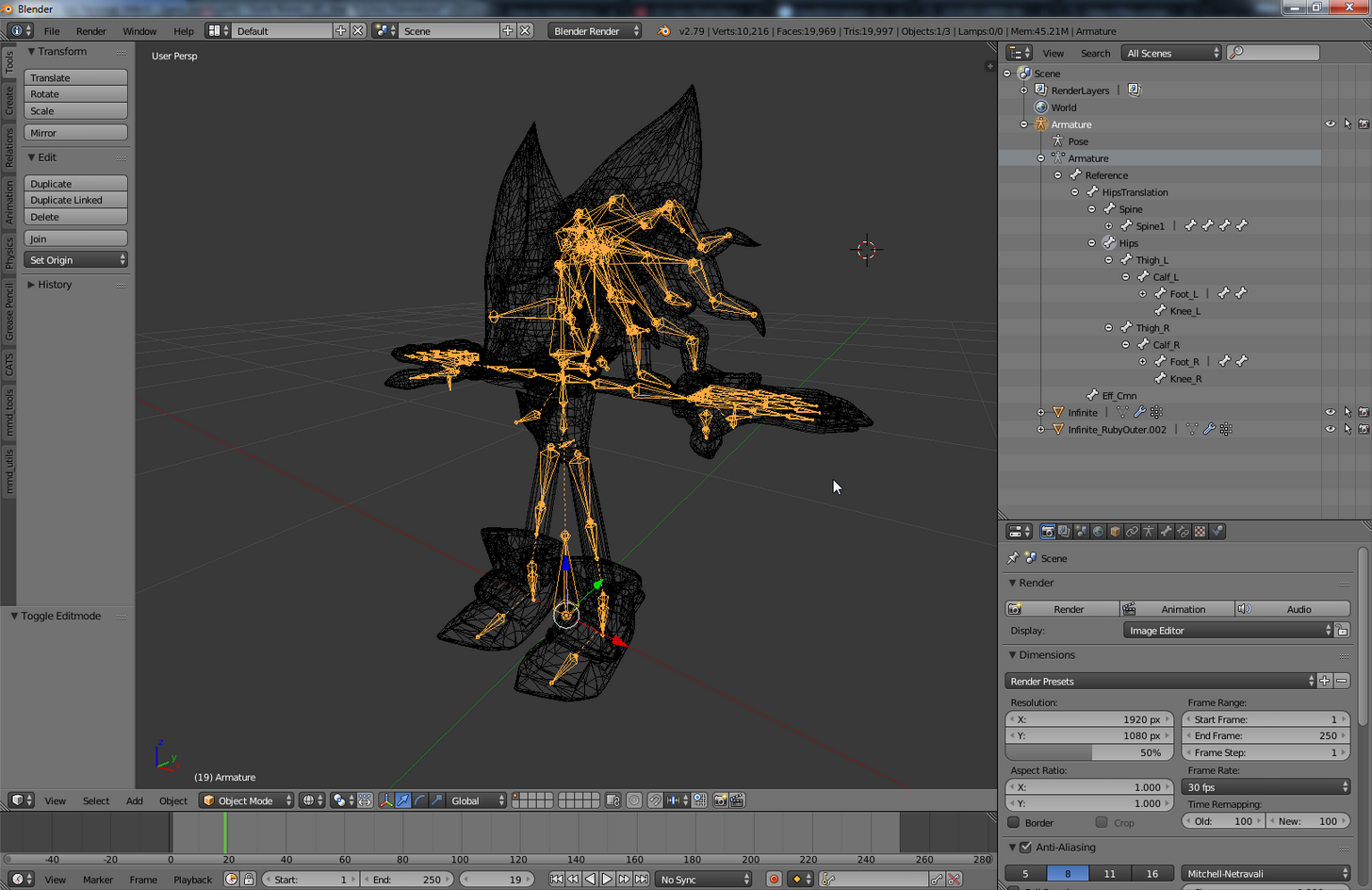
yeah, seems like it. I can just click armature and Z to see them, but that doesnt apply to weight paint
 crude crag
@fading verge in unity?
topaz dune
if you choose a bone, lets say in object mode you go to your tool box and look for a box that say x-ray under the skeleton tab
meager kiln
 fading verge
in vrchat they shake rapidly
fading verge
one of them, whenever she moves her arm shakes crazily
then for one his arm just shakes crazily
and another one its random
its like a jacking off motion
idk how to make a gif but if you're in game i can show you
crude crag
ah ok, sounds like an animation issue
meager kiln
 rain delta
Well.. If anyone gets the chance, I added dyn bones to one of my avatars and her skirt doesn't move correctly when I sit. Is this the right place to ask for help with that sort of thing?
meager kiln
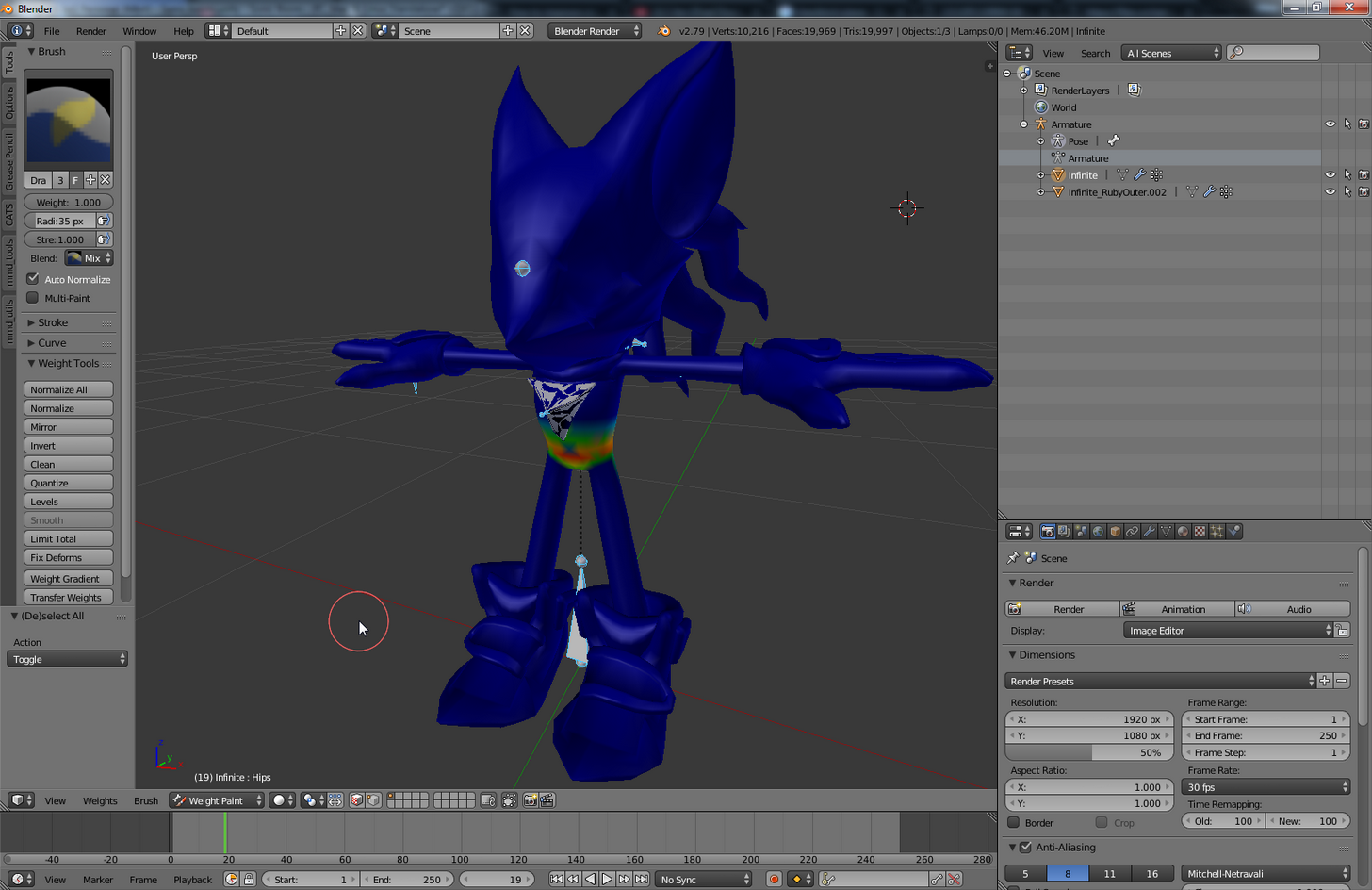
the bones are even in blue outline now
crude crag
lmao
 lyric current
I don't want to fix this...
tight coral
Oh and yeah thanks NIco for the help
meager kiln
i can see them when I look inside of the model,but that isnt right way to do it.. https://i.imgur.com/DgcC4mt.png
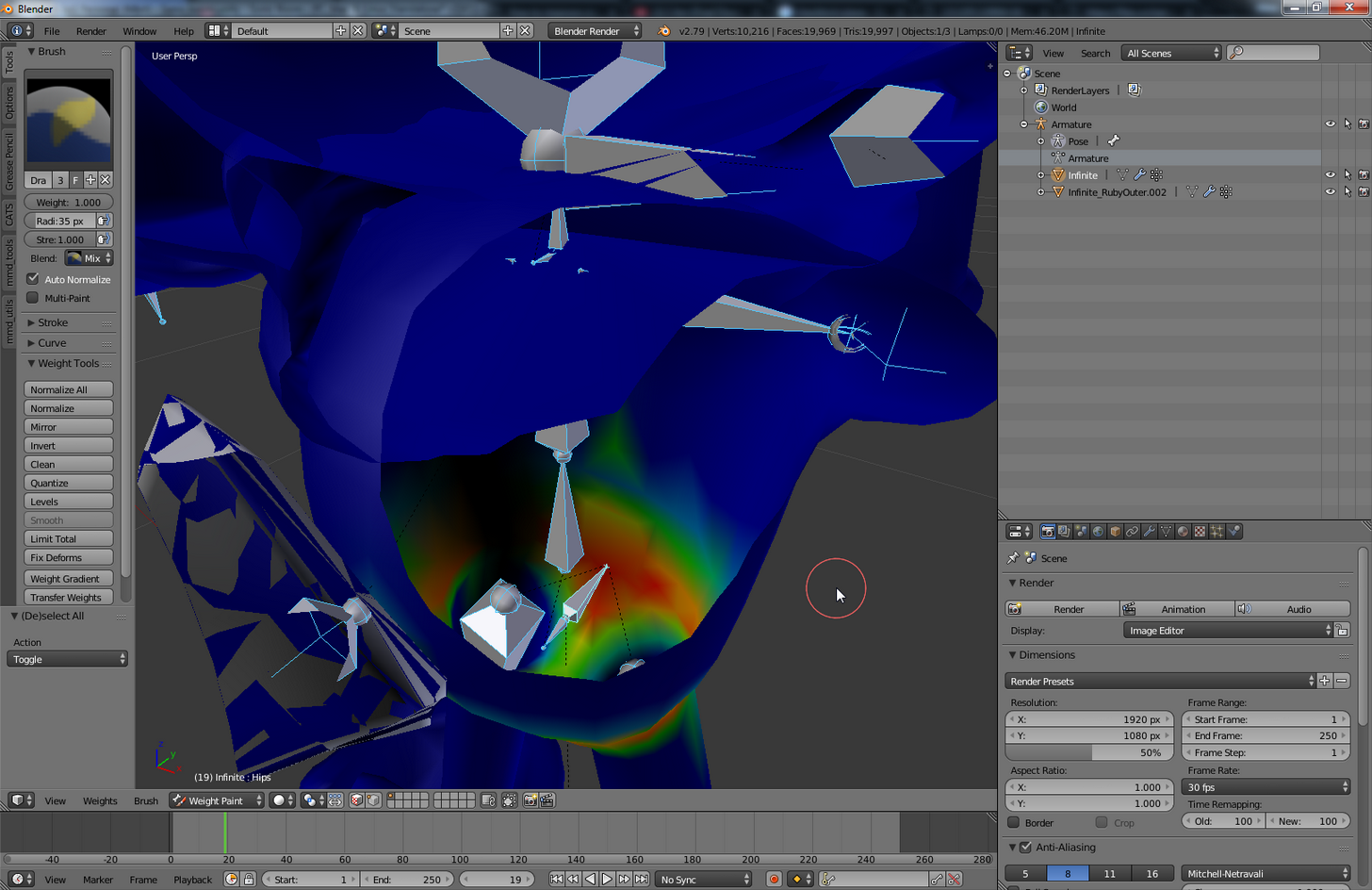 gaunt belfry
and they disappear if you push Z?
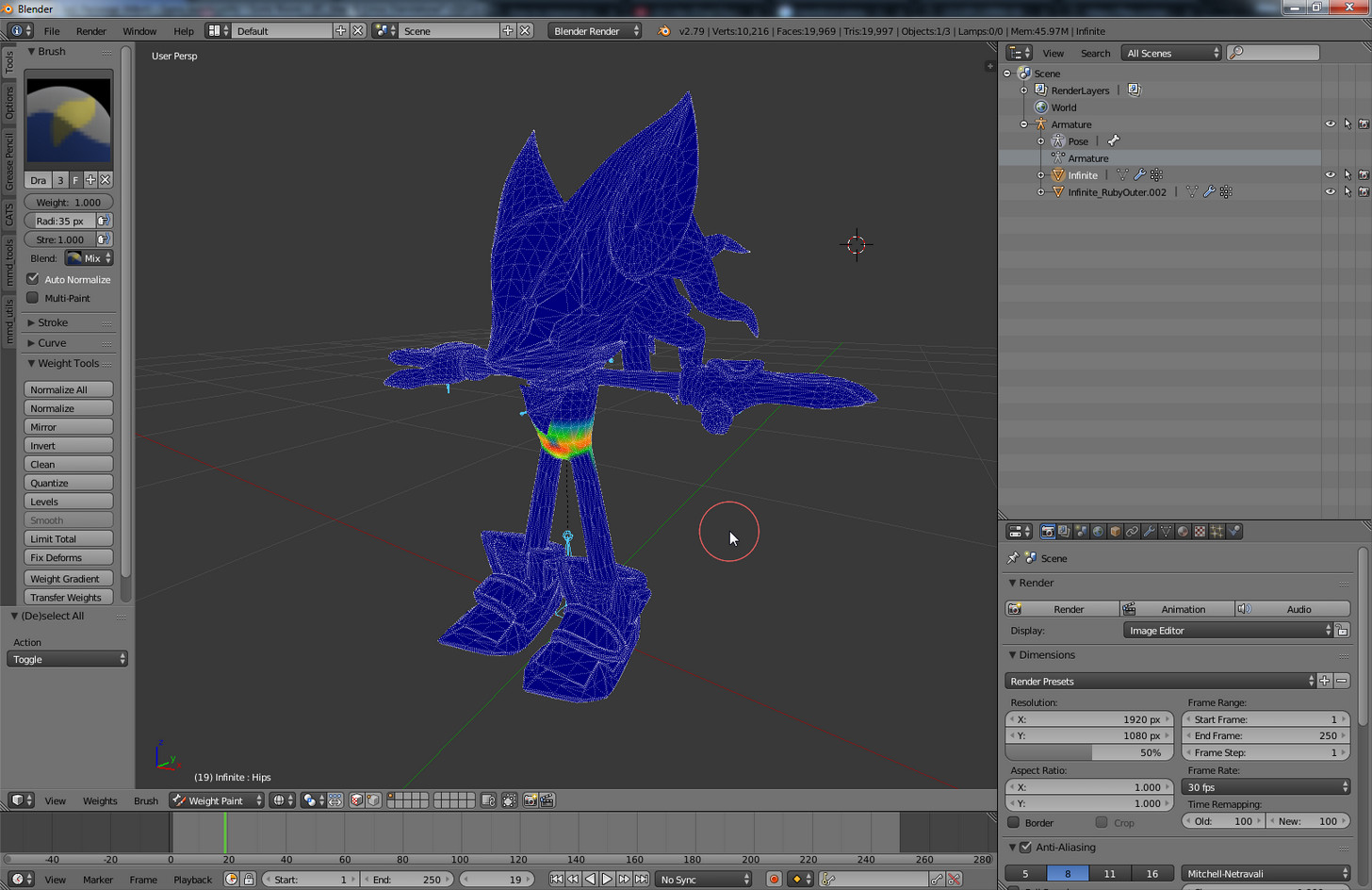
 gaunt belfry
and when you tick the square box thing, they are still missing completely
fading verge
and whenever i load him in game, it just does a REALLY REALLY quick hand to crotch motion over and over again
and I can't stop it
gaunt belfry
Because they are still there, the body is just still hiding them
meager kiln
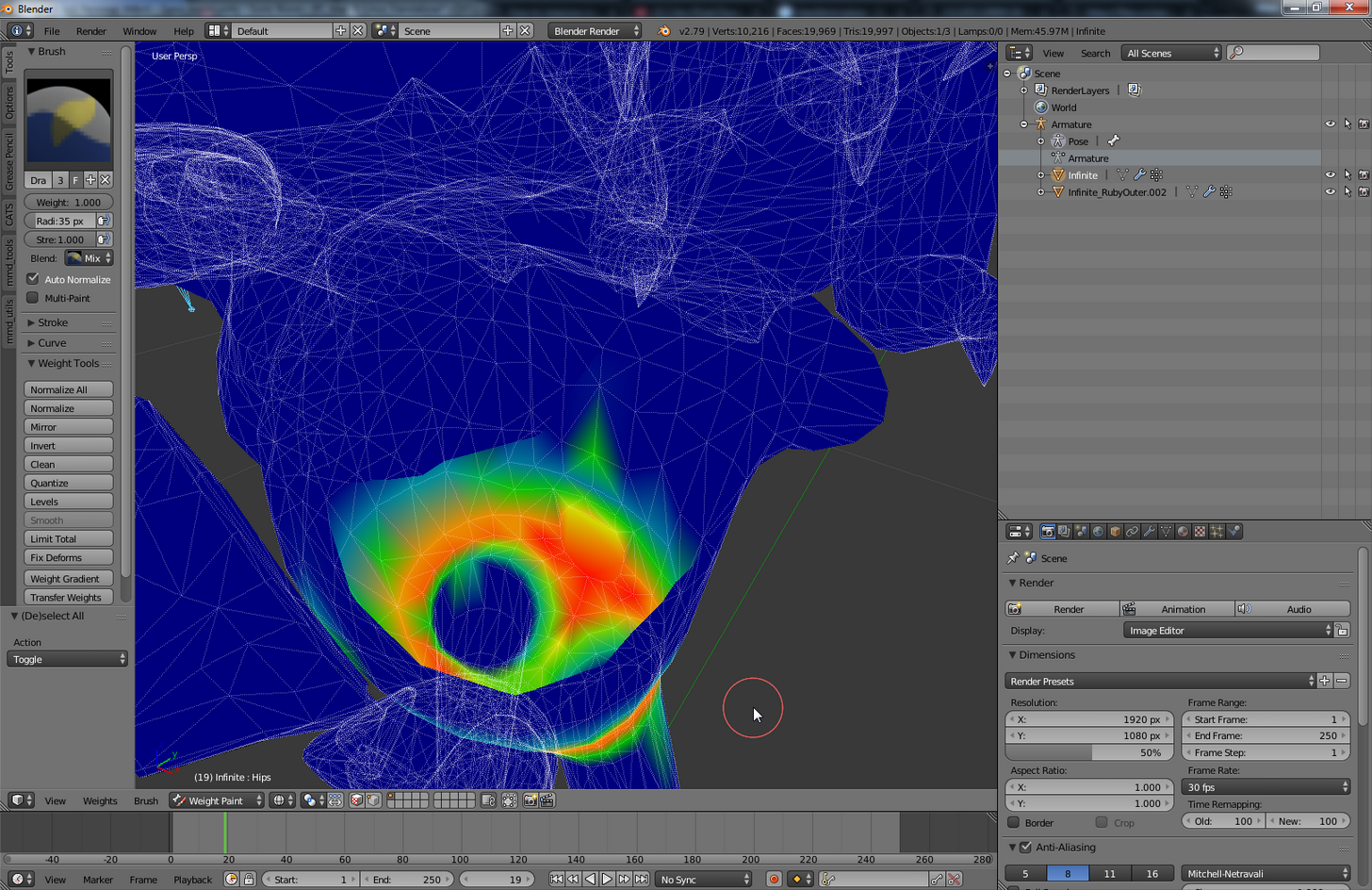
 fading verge
Who is the person who made the knuckles hanging from the noose?
https://gyazo.com/6430dc287b4408695d6eb65c52fc6f99 could it have to do with this?
 meager kiln
jesus, it all started with a knee problem ._.
rain delta
Well then..
lyric current
Can anyone help me figure out how to rotate the bones back into place? LOL
modest tusk
Try disabling x-ray on the mesh
gaunt belfry
4D at this point, I would just try restarting blender lol, I don't know what is causing this.
topaz dune
one problem usally dont come alone
modest tusk
It might just go to x-ray by default and if you activate x-ray again it hides it
topaz dune
@4D#5780 if you feel like it pm me a fbx file and i'll have a look aswell.
 coral oar
Sorry to post this in multiple channels, but I can't configure my avatar in Unity. I'm clicking the configure button, but it just selects the avatar object and doesn't bring me to the editor.
gaunt belfry
Is it in "Play mode" The play button at the top is clicked?
lyric current
.-.
coral oar
Nope.
 topaz crest
@lyric current GL with your Mipha. That model gave me hell when I tried messing with it.
fading verge
Hey guys, what is this neck bone that's unrigged?
 vapid osprey
has anyone successfully rigged a sfm model with eye tracking features?
 agile schooner
LEAVE UPPER CHEST BLANK
lyric current
@topaz crest 31k Polly..... UGH
fading verge
I know, I'm going to LOL
modest tusk
I plan on trying very soon, i'll get back to you @vapid osprey
fading verge
which 7zip file should i get
modest tusk
From what i've seen it seems doable
fading verge
the 2016 or the 2017(BETA)
vapid osprey
@modest tusk cool i heard from people that you need bones that point "UP" in order to have eye tracking
vapid osprey
and also lip sync is kinda confusing tbh
modest tusk
You make the mouth shape with respect to the sound the model's suppossed to make
But eh, idk
topaz crest
Decimation baby. That's yo best friend. 
lyric current
Every time i decimate her bones flip.
 crimson timber
How can I make it so that bones manipulate mesh? I had to add something but the bones wont move it. They're properly parented though 🤔
modest tusk
Holy smokes that is a tiny foot/toe bone
rain delta
Weight paint
crimson timber
i hate weight painting
modest tusk
And weight paint accordingly
rain delta
Same
I seriously don't mean to be impatient, but I would really like a tiny bit of help
crimson timber
Is there a guide on weight painting?
rain delta
google is your best friend
modest tusk
look up blender weight painting on youtube
crimson timber
A lot of them are poorly made, which is why I asked
Did you add the dynamic bones to a duplicate or to the hip?
gaunt belfry
I learned weight painting best when someone showed me through screenshare how to do various parts.
rain delta
I duplicated the hip in Blender and made it the cloth root
meager kiln
@gaunt belfry having no toes assigned, no weight on neck and hips did not help, will test with toes next
rain delta
Thank you btw ;-;
crimson timber
What happens when you sit?
modest tusk
I guess I could show via that
rain delta
The skirt just kinda stays in the standing pos
gaunt belfry
@meager kiln Wait did you remove all painting on the hips?
crimson timber
And it only happens when you add dynamic bones?
crude crag
@somber nacelle I think you want to make the bones take up more space in the foot.
like, extend it further
meager kiln
yes, it didnt change anything
rain delta
Well uh.. I honestly didn't think to check without
I'll have to try that real quick lol
gaunt belfry
Lol, you weren't supposed to remove all weight painting on hips, just the paint not on the hips.
crimson timber
weight painting 
gaunt belfry
The area around the hips was supposed to stay painted.
fading verge
So I set up my lip sync but when I'm idle my mouth glitches open every few seconds, help?
Not quite sure where to ask this but im trying to get my model ready for eye tracking with CATS but only one eye for Blink is selected and its the only one, there isnt one for the other eye how do i go about fixing this?
meager kiln
is there a way to copy a weight paint?
gaunt belfry
Not that I know of.
fading verge
you can mirror weight paints
crimson timber
you'll be my hero
crimson timber
this is the third model where ive had weight painting issues
Guess its finally time to bite the bullet and figure it out
crimson timber
im just flipping through videos at this point
modest tusk
When you select a bone to weight paint
 fossil gale
Okay so I have a question, whenever I try to do mouth movement with the jaw flap bone nothing happens. I have been assigning the jaw bone to each model I've attempted this with but still no dice. Could you help me out?
modest tusk
And you start adding the coloration
Think of it as assigning "Muscle" to that part of the body
And the muscle reacts only to the movement of the bone it is assigned to
fading verge
edge what do you mean "nothing happens"
fossil gale
The mouth remains closed when I speak
fading verge
according to who
fossil gale
I've asked different people in a few servers
I know that apparently sometimes you can't see it in a mirror
fading verge
how did you set it up
crimson timber
CATS removed the bones I needed for the cloak so I imported the model back in and copied those bones from the 1.0 version and took it to my new one. But now I need to get the bones to lock in with the mesh
fossil gale
fading verge
So I set up my lip sync but when I'm idle my mouth glitches open every few seconds, help?
edge have you tested it in muscles and settings
fossil gale
Yeah I messed with the open close and side to side but still although it functions in unity once it's in game it doesn't work
fading verge
What is wrong with my rig? Is it because of this bone (arrow pictured)? I can't figure out which one is unassigned... and every other part of the humanoid rig seems assigned. :/
fossil gale
I've tried quite a few models and even tried making blend shapes with another
Nothing happened
gaunt belfry
Whatchu need Rhino?
fossil gale
@fading verge you need to assign the chest to the bone that's connected to the shoulders
 naive tree
@crimson timber you have duplciate bones, find ones that are named armTC_R or whatever else name, parent odd name bones to their respective main bone, ARMTC_R to Right arm and then hit mix weight in cats
elbow to elbow, wrist to wrist if u have
do that for both thands
fading verge
This bone? Because the chest area is already assigned here.
crimson timber
Ohh, thats a good idea
rain delta
Is there a way to temporarily remove dynamic bones? I was about to reimport the model and everything but figured that it would be better to just figure out if there was an easier way lol
naive tree
@crimson timber that is not an idea, that is 100% fix of the problem
crimson timber
tyty
fossil gale
@fading verge Aah good point, Maybe it's the waist area? How are the hips rigged?
modest tusk
You have 4 center bones @fading verge ?
fading verge
Yeah. It was like that for the other model ported over and it went fine.
fossil gale
Oh nevermind I can see
modest tusk
You want 3
Hips Spine Chest
@somber nacelle did you weight paint the new bones and reimport the model?
naive tree
@fading verge from top to bottom http://prntscr.com/hybrzl chest, spine, hips

bone that is above chest is neck, check your head assignment
modest tusk
@somber nacelle send a pic?
fading verge
Ah! The head does seem to be the issue?
crimson timber
@naive tree Looks like that did it!! Thank you!!
fading verge
@gaunt belfry Trying to import mmdtools into folder but apparently BlenderFoundation doesn't exist in my OS
I think I've forgotten to assign the neck
naive tree
head neck lower = neck, head neck upper = head
naive tree
95%
gaunt belfry
O its the steam version
fading verge
do i actually have to reinstall it
gaunt belfry
I don't use the steam version, but I'm pretty sure Blender can install addons from the program itself through a zip file
fading verge
how can that work if i can't go into it's add on files
gaunt belfry
Goto preferences>Addons and click on install from file
crimson timber
@rain delta How are you making out?
gaunt belfry
and click the zip file that the files are in
modest tusk
@somber nacelle what are those bones sticking out of the side of the ankle?
fading verge
Oh there we go!
Fixing the neck seems to have fixed things.
I appreciate the help
rain delta
@crimson timber Sorry I'm taking a bit. Being a little stupid atm.. I should be back with results in a few miniutes. Thank you for helping btw ^^
fading verge
@gaunt belfry Don't work
There is no other option i can choose for Blink R nothing was set for it only Blink L how do i fix this?
i saw a tutorial and they had to import the file in the OS
gaunt belfry
You can't get to the blender folder from your steam properties?
naive tree
join meshes @fading verge
vapid osprey
question i have bones for eye rigger and face the thing is I heard that naming them are imported like naming your right eye right eye in this case my right eye is called mavis_sfw_arm_l_skeleton
fading verge
That did nothing
Blink is only set for the left eye it was never set up for the right on my model for some reason
vapid osprey
i also heard that i need bones that "face up" in order for my eye tracking to even work is this true?
modest tusk
The bones responsible for your eyes should be pointing upwards, yes
 brisk mesa
how do i get a face and a hair mesh to move together perfectly, they seem to be pivoting using my headbone all weird, like the face pops out hahaha
fossil gale
So when I press play to preview the model the mouth is closed, is this how it should be?
Or should it be open
native egret
fading verge
So there is Wink and Wink 2 Wink closes the left eye But wink 2 makes her Close the left eye again but in a more happy way
native egret
it's been multiple hours now
modest tusk
@somber nacelle whatever you did messed up your foot parenting. The dotted line in blender shows it as a child of the foot bone, making it the toe bone. That is why your foot is so messed up.
native egret
I can't find why her hair goes through her head when she moves with dynamic bones
the part to the far right
vapid osprey
@modest tusk that's the problem my Model only have bones that are "circle" not your regular blender bones i should also point out that im using a SFM model.
rain delta
Wait crap there's an update for the sdk lol
Any specific way I should update it or does it matter at all
native egret
A better pic of it
modest tusk
I've never worked with SFM bones. I usually end up just deleting the SFM skeleton and manually adding in blender bones myself
So i'm not sure what to do here
 timber python
would a kind soul mind rigging something for me?
fading verge
Hey to get rid of a slouch should I try and get all my spine/leg bones in a straight line
This is wink
vapid osprey
i see ...
modest tusk
@fading verge yes. you want your t-pose to be as straight as possible.
 finite reef
@native egret I think you need a collider if you're using dynamic bones with the hair.
fading verge
Ok. I'll go and adjust the bones a little later
finite reef
@native egret that hair looks like "fun" to work with, you have my sympathy.
finite reef
stop it, get some help
modest tusk
 finite reef
and merge some of those bones lol
fading verge
arent all those hair bones going to lag the hell out of the game?
fading verge
idk if the bones will cause lag but the materials... 🤔
brisk mesa
mfw
fading verge
When you decimate a model do you no longer have the option to add shape keys for eye tracking and visemes
vapid osprey
this sfm models....
 shadow shoal
Fix the model with cat's blender tools
native egret
I'm actually not sure how to fixthat
I did to start
well, I hit the magic fix button
Which hitting it again did this
damn that's sexy
 heady cliff
how come i cant upload with a upperchest bone
shadow shoal
@heady cliff Lol are you serious
timber python
i got rif of most of it but
modest tusk
@heady cliff Don't upload with Upper Chest. Leave that empty. VRChat has problems with it.
modest tusk
Then either deselect it in unity or delete it altogether
shadow shoal
@heady cliff Stop troll

 limpid oak
So I'm in need of help with something, I can not put the hips in the right place, because the spine is not the child of it, but I do not know how to move those things.
reef flare
With only VR it looks fine but as soon as the feet trackers come into play
His abs go behind his crotch
My other model works fine
So I'm trying to figure out what is causing the body distortion
Not sure if there is some rookie mistake that would be involved there.
limpid oak
@reef flare my model has the same problem, we probably have the same one.
modest tusk
@limpid oak you need to reparent your bones in something like Blender
reef flare
Yeah he looks fine normally but man. The second those feet trackers come on
I become an oompa loompa
modest tusk
Show me pics of the bones
reef flare
Sure thing.
limpid oak
@modest tusk I tried to do this, but putting the character back in Unity, the character was distorted.
modest tusk
You will need to re-apply and weight paint the character again as well
limpid oak
I do not know how to do that. :c
modest tusk
I really gotta get on that weight paint tutorial for you lot, geez
Are you willing to try on your own ?
limpid oak
All right, thank you! I'll be waiting.
modest tusk
@brisk bane That looks like an issue with T-Pose. did you rotate the model in Unity?
modest tusk
Strange
modest tusk
Try it as is
limpid oak
@modest tusk I do not know how to use Blender very well, I learned some things with tutorials but I do not know what to do.
modest tusk
oh thats bad news bryan
 brisk bane
i tried the model in vr and i could only see it in the distance, it was laying on the ground, and i started falling through the world slowly
lol
 solar patio
Hey so I've been importing runescape models for a couple of days now and I was wondering if there's a way to import the animations from the game itself overriding the ones from VRChat
fading verge
the bones look separate from the mesh
solar patio
I'm talking about walking/standing animations
 fading verge
@solar patio There may be but I couldn't tell you how. I know for certain someone copied Jad's ranged attack from RS3 and ported it to VRChat somehow
modest tusk
@limpid oak you can try weight painting yourself, but i'm probably going to upload a tutorial on that definitley sometime by the end of this week if you want to wait
solar patio
That's awesome fleshy where did you see that?
modest tusk
It's not too hard, you just have to understand the concept
reef flare
@modest tusk
https://cdn.discordapp.com/attachments/191327728572563456/400492490475438100/1.png
https://cdn.discordapp.com/attachments/191327728572563456/400492518476742657/2.png

 limpid oak
@modest tusk I'll show you how it looks after I change parents.
modest tusk
Are they weight painted on?
 modest tusk
Well you also need to reposition the arm bones, they were completely off of the mesh
brisk bane
but in blender they're correct?
brisk bane
gotcha
native egret
so if it moves the bones in unity from blender it's weight paint?
 limber willow
are avatar servers down? I cant seem to update
modest tusk
They are indeed
native egret
same ^
reef flare
Did the image suffice @modest tusk
native egret
saame
modest tusk
Can you make those bones non-wire frames?
Also show me a weight painting of the hip bone
reef flare
10-4
That image was with Bone fix
I have one without it. But a moment for the requests.
modest tusk
I tend to not rely on software just in the rare event that it messes up consistently with a model's rigging
timber python
NOOOOOOOOOOOOOO
NIIIIIIIIIIIIIIIIIIIIIIIIIIIIIIIIIIIIIIIIIII
AAAAAAAAAAAAAA
(╯°□°)╯︵ ┻━┻
native egret
Hope you saved
 jaunty flowerBOT
┬──┬ ノ( ゜-゜ノ) There you go
modest tusk
kek
timber python
nvm it sback
fading verge
😆
timber python
saving now
fading verge
So im not sure what happened here but there is 2 of the same model here
timber python
limpid oak
@modest tusk That's right now, is not it?
modest tusk
Dear lord, rename those bones!
 fading verge
Not sure why there is 2 of me
reef flare
There ya go
limpid oak
They were already like that. D:
modest tusk
@reef flare so your issue was the abs were sticking out?
fading verge
I'd kill to have somebody help me with a Herbert the Pervert playermodel. I can do the voice and everything. 😭
modest tusk
@limpid oak Rename your base bone (the one that has both legs connecting to it ) to hips, the bone above it to spine, the bone above that to chest
Then LShoulder RShoulder etc
limpid oak
@modest tusk All right
fading verge
Not quite sure what went wrong here but i need some help
modest tusk
1 second Asch
fading verge
k
modest tusk
@reef flare Correct me if i'm wrong, but your hip, spine, and chest bone seem to be slightly going back at an angle
That may be causing it, again, you want your T-pose bones to be as straight as possible
limpid oak
@modest tusk The problem is that I have 3 spines.
reef flare
They are
modest tusk
@limpid oak send pics
timber python
omhg this model has a peener
modest tusk
@fading verge show me the blender model that you're trying to upload to Unity
limpid oak
You can see in the one I have sent
fading verge
hm?
modest tusk
In edit mode, edit the ends of the bones
fading verge
Its a fbx file
modest tusk
You (May) have to redo weight paint as well, maybe not
reef flare
Yeah I figured the edit. Just didn't know if there was an option to straighten things out
For 100% accuracy
modest tusk
Use the coordinate system Blender has
Re-align your hips
And off of those xyz coordinates just ctrl-c ctrl-v the necessary ones
limpid oak
native egret
You could also x-axis the bones for things suchasarms and hips
modest tusk
You can also when move press x y or z and blender will lock it to just that movement type
when moving*
limpid oak
I renamed it, but I have this extra spine.
brisk bane
thanks, ak3120<3
modest tusk
Did the weight paint fix?
limpid oak
Where is that weight paint?
modest tusk

That bone shooting out to the back
Looks like it was meant for tail physics?
What's it called?
Is it one of the spines ?
limpid oak
I think it's for the backpack.
modest tusk
Oh thats a backpack
fading verge
Oh i fixed it
brisk bane
well
i thought it did
until i got a failed to upload message. is that because the servers are down?
modest tusk
Yessir
fading verge
looks like a sidepack
fading verge
or a holster
modest tusk
That sidepack bone, is it called a spine as well?
limpid oak
I'll show you.
fading verge
how do you lock blender movement to a specific coordinate?
fading verge
ooo okay thanks
honest timber
Crap, I think I messed up a step somewhere
 hallow plover
Asking for a friend, anyone know what could be the issue?
limpid oak
This, 3 spines.
honest timber
finished rigging, but:
modest tusk
@hallow plover open the import issues
limpid oak
I can not put the hips in the right place, because the spine is not his child. And when I put it in Blender, the character gets contorted in Unity.
modest tusk
Umbryel, that is because when you reparent, the bones also need to be weight painted again
limpid oak
Is this something easy to do?
modest tusk
@honest timber What is going on with the left leg there? Did you create those bones yourself?
honest timber
yeah
modest tusk
Takes some practice, but its not that hard
limpid oak
;-;
modest tusk
A few issues I see already Dont
modest tusk
Firstly, the hip bone is upside down
topaz crest
@limpid oak I see that Gladion. 👀
reef flare
Put the bones as straight as I could and I'm getting this message. @modest tusk
https://cdn.discordapp.com/attachments/191327728572563456/400498680068833280/6.png
 limpid oak
@topaz crest This Gladion is giving me a headache all day...
reef flare
Says about needing to be 180 degrees
reef flare
Hm?
modest tusk
Lowerleg is not parent of blah blah blah
Was that showing up for you before and not causing problems?
 wintry cairn
i think one of my models is 20 or 70 something degrees... it works fine in game
honest timber
I was actually confused about the hip bone
It seems that hip needs to be the parent of everything
reef flare
ArcticGamez - Today at 11:01 PM
whos 2 msgs show up only when i dont use Cats model fix
honest timber
Which I did
reef flare
Those two messages show up
modest tusk
But yours is upside-down?
reef flare
When not using Cats
honest timber
are the legs or upper body messed up or do I just need to reverse direction of hip
honest timber
should the bone end at the heel instead of going into the foot
reef flare
I had used Cats bone fix @modest tusk and those messages disappear
modest tusk

 floral sable
So I'm having a strange issue relating to bone weights. A completely unpainted area of the mesh is being effected by the arms.
modest tusk
The top line is your hip bone
honest timber
Oh I see what you mean
modest tusk
The bottom two are your legs
honest timber
Yeah I can adjust that
modest tusk
They should make a 180 degree angle
wintry cairn
Does anybody know if visemes work with non-humanoid rigs?
modest tusk
@floral sable Then that means something in that arm is weight painted on there
Click around on the arm and look for even the slightest color difference
reef flare
Tryin' not to hog ya. 😛
modest tusk
Test whenever you can Rukio
floral sable
Ah crickey.
reef flare
LowerLeg thing
honest timber
@modest tusk Like this?
floral sable
Thanks friend. I'm looking into it now
honest timber
oh so like I had it before
modest tusk
Move down the 1st set of leg bones to around the knee
The second set of leg bones all the way down to feet
And the 3rd set of leg bones are the feet
modest tusk
@reef flare yours was at 172.3 degrees?
honest timber
So similar to what I had before, but with the fixed hip?
reef flare
Yes.
floral sable
Found the issue. Looks like one of the dummy fingers was painted
modest tusk
You may not even need fixing, it's pretty close to 180 degrees
reef flare
Was asking about the uh.. how to fix the LowerLeg terror.
modest tusk
The parenting issue?
modest tusk
Take a look at your model in blender
The bones in the legs should all be children of the 1st bone connecting the whole leg to the hip bone
and that in and of itself should be a child of the hip bone
fading verge
i have another problem although i cant screenshot it that well
modest tusk
Whats up
honest timber
@modest tusk
fading verge
im trying to add dynamic bones to the hair but it seems to just disconncet the hair from the head
modest tusk
Dont, why are all your hinges not together?
honest timber
Because I did them manually and then set the parent afterwards, instead of using E
modest tusk
You should use E
reef flare
Oh god
modest tusk
Your model is going to look awfully wonky
wintry cairn
Fix Model in CATs should help
modest tusk
@fading verge i'm not too well versed on dynamic bones. Haven't used them myself at all yet
brisk mesa
afaik i think her hair was all buggy in the game too lmfao
honest timber
Well I guess I'll try this and see what happens. Now from my understanding, I want to select the Skeleton + the two meshes I have and then CTRL-P and select With automatic weights?
modest tusk
Select the 2 meshes first then the skeleton
It parents to whatever was selected last
And yes, ctrl p with auto weights
Then you will need to tweak and adjust to fix issues
honest timber
k. It seems to sort of work but the mesh isn't sticking together
and breaks apart at the seems when joints are rotated
modest tusk
That's what happens when joints aren't place with E
naive tree
@honest timber select vertices or edges and press alt+M
 frosty carbon
Will vrchat accept models with no rigging? I want to upload an avatar with no animation.
naive tree
or u can enable magnet clip
brisk bane
so i went in game and the only thing i can describe what happaned is "aids"
the clothes were offset everywhere, my tail was sticking in the air, etc.
its like the clothes were not sticking to the body
gaunt belfry
I would say thats a weight painting issue but idk
gaunt belfry
auto-weight paint doesn't always work, for me it rarely works.
hallow plover
@modest tusk this was their error, is it something to do with the parenting?
gaunt belfry
I would check it manually and see if anything is super wonky
limpid oak
I think he needs medicine.
gaunt belfry
@hallow plover When that happens I remove the entire folder and reimport it into assets
frosty carbon
Ive seen all these people around with avatars of cars and the like that have no animation.
How are those rigged?
modest tusk
They aren't
They use the "Generic" animation set i.e. none
Just make sure you have an origin point
In the correct position
frosty carbon
ah.
okay
limpid oak
Hey @modest tusk
honest timber
That didn't do the trick it seems. All my bones are properly connected now, but the mesh still tears itself apart when I pose
modest tusk
What's up
honest timber
Before:
limpid oak
I have to mark this "connected"?
honest timber
Rotated leg:
modest tusk
Mind, do automatic weights again
Also it may not be centered correctly now, so you may just have to redo with E this time
There is also a way to mirror on the x axis so that you only need to do 1 side and Blender just does the same thing on the opposite side as well
limpid oak
Automatic weights? At where?
honest timber
yeah I've been using that. Symmetry
fading verge
so i mightve found why that was happening when i tried to add dynamic bones
limpid oak
Oh, it was not with me.
honest timber
@modest tusk am I possibly just missing something that would cause the mesh to not stretch?
modest tusk
Some bones may not be weight painted at all
Did it give you an error on auto weight paint?
modest tusk
@limpid oak @honest timber Could you guys give me your models so I can take a gander?
limpid oak
Are you going to fix it?
honest timber
the blend file?
modest tusk
Yes
limpid oak
I love you
limpid oak
Here
just click in the image.
You already know.
Thank you so much, I've been trying to fix this all day.
solid hull
alright so im trying to upload another avatar, and it says to sign in through settings
but in settings, its just giving me a window saying "signing in"
fading verge
God i solve one problem only for another one to arise
solid hull
is it just gonna take awhile?
fading verge
after fixing the problem in blender putting it into unity again causes my charecters mouth to stay open for whatever reason
limpid oak
@solid hull Close and open the program again, maybe it will work.
Sometimes things like that happen to me.
modest tusk
Servers are down, Bob
limpid oak
@modest tusk Really? O_o
solid hull
maybe its a sign that i should take a break from doing this
modest tusk
Upload servers are
limpid oak
So I will not be able to test my Gladion today.
solid hull
so once you get the hang of it, it takes bascially no time at all to upload a model
assuming its already rigged and everything
native egret
but it rarely works out perfectly haha
fading verge
so im not sure what i did to have my charcters mouth to be partialy open like it is
honest timber
The Vivi model I used ALMOST worked, but it lacks a chest bone so I couldn't get it to work in unity. so I tried rigging it myself...and that didn't go well either 🤷
 small solstice
do i join all the model pieces together when i rig
i made a custom avatar robot
thing
solid hull
so theres no way to sign in and upload an avatar until the servers are back on?
im on a roll here with this
modest tusk
@limpid oak the model that came with just needed to be upturned 90 degrees. It seems to be fine now?
solid hull
i cant stop now
gaunt belfry
I just kept trying to sign in until it let me on
modest tusk
Good ol' bruteforce
gaunt belfry
Mhm
limpid oak
@modest tusk That was why he was contorted, were you able to fix it?
modest tusk
Yes and I don't even need to give you the file, I can just tell you how you can do it yourself
Open the model in blender
fading verge
Anyone have smough from dark souls?
limpid oak
Hmmm...
 hidden talon
@tame swan
limpid oak
modest tusk
Now
 wintry laurel
Does anyone have Yukari from touhou or Giant Dad?
modest tusk
Press r then x
Your character should be rotating on the x axis now
*press r then x when you select that origin point
Now just type in 9 0
To rotate 90 degrees
He should now be upright, yes?
hit enter at the end as well
limpid oak
Wait...
limpid oak
I have to press R, write 9 and then X?
limpid oak
honest timber
🤔
limpid oak
He lay down.
 stiff widget
Can't you just type in the values?
limpid oak
Remembering that, it only gets contorted in Unity, in Blender it gets normal.
@modest tusk Did I do it right?
fading verge
If this spine doesn't fix my dude's slouch I'm going to cry 😂
limpid oak
limpid oak
Now he's back to normal.
 frail hinge
yes good work
modest tusk
Now save and try importing that
reef flare
Is driving me nuts
small solstice
im completely new to rigging and making a custom robot avatar, would this be good for a skelton? https://i.imgur.com/Ovtj44f.png
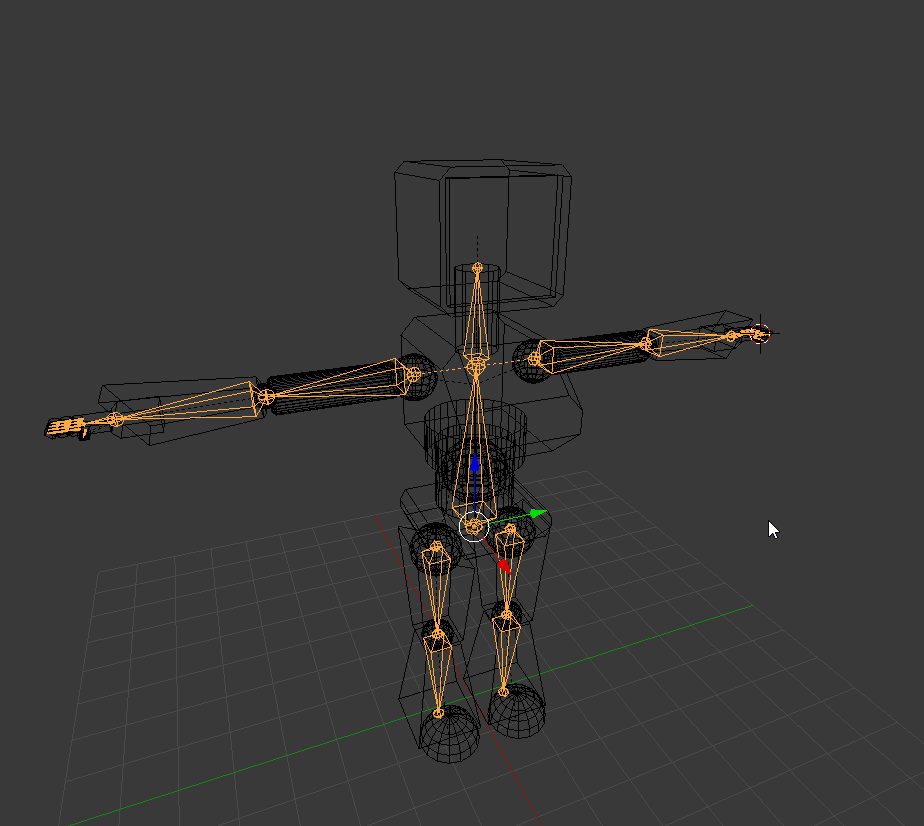







the arms and legs are detatched
but are parented
modest tusk
a couple of issues
Firstly subdivide your hip bone into 3 bones
Second you need actual shoulder bones connecting the arm bones else VRChat won't accept your avatar
small solstice
ah