#avatar-rigging
1 messages · Page 56 of 1
 tulip wadi
 fading verge
._.
tulip wadi
as in the first thing i do
fading verge
Dan just save a new .blender file as a backup version
sok0 how do import textures into blender
With the UV/Image Editor
And assign textures and materials
ok
where's that? im new to it. like this is my first time
fading verge

Support these tutorials at Patreon: http://bit.ly/SupportDarrinLile This is a short video going over creating a UV map in Blender. Covered are topics like ma...
tulip wadi
i need to combine 2 models into one
 stiff hornet
Oi for the hands, is it supposed to use the dynamic bones coliders?
fading verge
That is a video of how to add a texture to a mesh which is what you asked
tulip wadi
ok but how would i get the bone structure for the knuckles?
fading verge
ok thnks
tulip wadi
actually no, I just need the head to move
 smoky pumice
Guys quick question if your using a basic 3d cube to measure how big a character is, what would be a regualr sized (5-6 feet person)
fading verge
Crispy you can think of the knuckles like a normal avatar and the baloon is just a really big hat you are adding to it
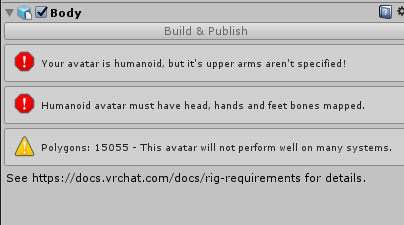
uh im tryna upload my model and it says this
https://i.imgur.com/iU5deFo.png
even tho i have hands, feet, a head, and upper arms specified
 tulip wadi
@fading verge can you do it for me please because idk how, do you want me to pm you the files
tulip wadi
i dont know even how to work blender
smoky pumice
coffee did u use cat
fading verge
yes
tulip wadi
how the heck do i move the camera in blender
smoky pumice
right click and middle mouse in different ways
 naive tree
@tulip wadi shift+F 😃
 torpid minnow
Paint comes back on the ring finger on another
tulip wadi
and how do i move the model by coordinates
 mild basin
So I have this model with a really long skirt, right, and I set up Dynamic Bones and colliders hoping that I can make it so the legs don't clip through said skirt, but no matter how many times I try, the knees clip through the dress, mostly during a running animation, and a little bit when the model walks. Any ideas on a solution?
tulip wadi
ug i wish there was a simpler way to do this
torpid minnow
At this pace I'm gonna end up giving up
The weight-paint isn't working for me, probably because I can't understand why it literally destroys the model
fading verge
Dan is your model posed at all?
torpid minnow
The armature is COMPLETELY connected to the model
torpid minnow
I moved the fingers around, and the mesh follows.
 odd fable
@fading verge what camera movements can you do in blender, scroll wheel click lets you rotate and zoom but can you go up and down or left and right?
tulip wadi
how do i cut in blender
fading verge
why not?
tulip wadi
sok0 how do i cut in blende
tulip wadi
im trying to texture
torpid minnow
Sok0, I'm incredibly new to blender.
I have no clue what you mean by removing poses
tulip wadi
nvm
 tawdry sentinel
so can someone help me out. I feel like this is a common question. I just put in my own avatar via a tutorial I followed but for some reason the character's head/neck isn't rigged to turn I guess? And so turning left and right has the entire model move instead of using the responsive head, then following body movements like the defaults.
fading verge
and the game still says i dont have and head, hands, or feet bones mapped
even tho i do
fading verge
you need to assign the material to that
tulip wadi
how
fading verge
then go in to material view mode
fading verge
The video at the end should go through that
tulip wadi
ug my models have so many edges
tawdry sentinel
but mine remains the same pose
when turning
no feet movement
every other animation seems to work fine.
tulip wadi
how do i delete some of those edges just from the texture view
fading verge
Crispy you should see what it looks like first
you may not need it to line up
Isnt the whole point of that model that it looks like f'ed up
tulip wadi
and there isn't an undo button UG
 patent oak
Anyone recognize the issue? I'm currently throwing everything at the wall to see what will fix it. Any movement outside of the basic pose causes the palm to deform. Similar issue in the legs was resolved by deleting an auxillary bone, but this one had no effect for hands.
 craggy fulcrum
Is anyone that is super knowledgeable in rigging and bone constraints able to VOIP with me to discuss a non-simple rigging issue?
fading verge
Shearpaw is tlooks like some of your verticies are not mapped to the finger bones
 merry jewel
Oh, can you not see jaw flap in mirrors?
patent oak
So it could be a bone parenting issue, @fading verge ?
fading verge
Jerot that's what I have heard
tulip wadi
nvm found it
fading verge
Searpaw, i don't think so
Some verticies are not linked to the bone, that's different situation
patent oak
Ah, darn
Any clue on how I could approach a solution? Or if there's a video guide covering it? Can't think of where to start.
tulip wadi
OMFG i hate blender!
patent oak
Alright, thank you
tulip wadi
why won't right click work!?
fading verge
What are you trying to do
tulip wadi
i cant go into edge mode
fading verge
Edit mode?
tulip wadi
oh yeah that
tulip wadi
doesnt do anything
 worldly edge
alright
tulip wadi
can someone please just do this for me?
fading verge
Well yeah you are chaging modes it shouldnt do anything
worldly edge
so I delete the upper chest for upload on the VRChat SDK menu
because it won't let me upload with it
then I get an error about the spine hierarchy
fading verge
Right Vin
 crisp tendon
use cat's plugin
crisp tendon
blender
patent oak
Looks like Cat's plugin is what's causing the issue when I "Fix Model". Must be deleting something in the hands.
tulip wadi
@crisp tendon can you please mesh my models together in blender for me please? because i am having so many problems
crisp tendon
@tulip wadi Click on the button ?
tulip wadi
what button
crisp tendon
join meshes in cat's plugin
craggy fulcrum
Ruuubick, do you have a ton of bone constraint knowledge enough to possibly assist me?
crisp tendon
not a ton, but i might be able to help
tulip wadi
what is cat's plugin
craggy fulcrum
crisp tendon
Google that, download it and add it to your blender @tulip wadi
fading verge
It needs to be connected to the hip
crisp tendon
one isn't connected yeah
craggy fulcrum
It is
crisp tendon
even parented actually
tulip wadi
now how do i add the plugin
craggy fulcrum
There's an IK chain
fading verge
You can see the black dashed line on the one that didnt move
and there isnt one on the one that did
tulip wadi
@crisp tendon how do i add the plugin
craggy fulcrum
Those neck rods are children to a lower bone to keep their locations on the body
crisp tendon
@tulip wadi There's literally a gif on the download page
 ancient jackal
Hey, does anyone know how to parent bones on blender?
tulip wadi
...
crisp tendon
@ancient jackal In the bone menu when clicking on armature
fading verge
Snivy in edit mode for the armature
crisp tendon
edit mode, select the bone and chose the parent in the menu
craggy fulcrum
The last bone selected in edit mode of the armature, hit ctrl+p and keep offset
ancient jackal
Gotcha
fading verge
i gotta go
 brisk mesa
wow this plugin seems magical.
tulip wadi
uuggg i can't import something that is .blend
brisk mesa
well export it, you have blender
make it fbx or whatever if you're going into unity, ya?
tulip wadi
can someone please do this for me and record them doing it, because i am having imense troubles no matter what i do
@brisk mesa are you able to?
crisp tendon
@tulip wadi can you not double click on your blend file ?
 scarlet crow
Is there a way to shorten just one part of the body in unity?
tulip wadi
how i wish you could mesh in unity
crisp tendon
@scarlet crow blender only
scarlet crow
rip all that work :/
brisk mesa
i think i learned the hard way i gotta go back to blender and do a bunch of shit there primarily, unity is only for some simple shit for me
scarlet crow
I just shold have checked size limits beforehand, my avatar is 3m too long because lamia so now i need to start over and shorten the tail
scarlet crow
I did from the start but didn't know how to rejoin the mesh, now i know how at least so it won't take as long
tulip wadi
wait can't i make my hot air balloon by character pedastol?
scarlet crow
how can i tell the length of a mesh in blender?
brisk mesa
doesn't that cat's plugin or whatever do rejoining
scarlet crow
Not the way i need to
 pastel sun
Just a quick question, anyone here know if Roblox's R15 model is already rigged when it's imported?
tulip wadi
even when I have one simple model to have as an avatar, it does not show up in my avatar menu for some reason
crisp tendon
@tulip wadi You logged in with your steam account
tulip wadi
the controls of blender are so freaking annoying
crisp tendon
use the vrchat account
tulip wadi
god dammit
im stupid
@crisp tendon but how do i stop it from doing that every time i open vr chat?
it does it automatically
nvm
tulip wadi
i hope this works
 narrow ermine
Guys, the first time I checked out my Avatar, everyone could see it. Now, everyone says I look like the default avatar crouching. I can see my avatar in the mirror. Anyone have any idea what's wrong???
tulip wadi
and hurray! im stuck on loading screen
crisp tendon
@narrow ermine #user-support-old
tulip wadi
do I restart my game if i get stuck on loading screen or do i click return to hub
@crisp tendon ^
crisp tendon
can try both
 gentle dock
Can someone help with them dynamic bones
tulip wadi
k i tried return to hub
and im stuck on another loading screen
restartnig game
ug im going to get stuck in a loading loop
mother fricker
@crisp tendon why does it take me to the lobby then instantly back out
the loads and repeats
tulip wadi
oh sorry
 reef flare
https://gyazo.com/f2f7041ef6aa10e19e8bc1f8d1b16d9a
Any idea how I'd go about fixing this error?
 crisp tendon
fix the hierarchy
reef flare
I'm a toddler in these types of things.

I know enough to open it
How do I 'fix' it
crisp tendon
by move the lower arm first in the list under upper arm
or Right Elbow under Right Arm
reef flare
So move Right Elbow above R_Skull1?
crisp tendon
yep
tulip wadi
@crisp tendon i logged into my vrchat account and they aren't there, do i have to reupload them?
crisp tendon
@tulip wadi if you uploaded them the first time on the same account they should be there
tulip wadi
well they aren't
crisp tendon
then you didn't upload them
reef flare
Looks like Hierarchy got fixed, however a new challenger appeared.

ArgumentException:GUILayout: Mismatched LayoutGroup.Repaint
 rustic fjord
@tulip wadi Are you using Steam to play? If so try going to System and then Log Out and then log back in
crisp tendon
@reef flare What does that do ?
tulip wadi
huh?
reef flare
I don't even know
tulip wadi
im using my vr chat account, not my steam
crisp tendon
@reef flare i need to know to help you
reef flare
What does Repaint do?
crisp tendon
Please guys move the discussion to #avatars-2-general @tulip wadi @rustic fjord
tulip wadi
oh wait, i only uploaded from a different version
crisp tendon
@reef flare I just need to know what that prevents you from doing, that's not an upload error
reef flare
Well when I go to upload, it makes a beep noise and that pops up at the bottom
gentle dock
Whats a good value for hair with dynamic bones
crisp tendon
@reef flare Sorry to say that this is the worst bug possible right now, you'll have to upload from a different computer or open regedit, find the folder call Unity Technologies and delete it, then start your avatar project from the beginning
reef flare
I know when I go to hit play, I get "All compiler errors have to be fixed before you can enter playmode!"
crisp tendon
what compiler errors do you have ?
reef flare
Guessing the compiler errors are at the bottom left?
I've got a few dynamic bone things popping up if thats what ya mean

I forgot to mention that.
crisp tendon
remove those yeah
reef flare
Remove the dynamic bones?
crisp tendon
you don't have the dynamic bone script on those, they're worthless right now
reef flare
Hrm I thought I had it
 viscid jewel
this error is making me go insane... what should i do?
 crisp tendon
@viscid jewel map your bones
reef flare
I've got dynamic bones (See path)
viscid jewel
@crisp tendon i'm pretty new to unity and blender, what is "mapping" bones and how do i do that?
reef flare
I guess I'm not sure how to set up the Dynamic Bones script to the model
 sterile spear
@reef flare you should only need one dynamic bone script on that game object.
crisp tendon
@viscid jewel you should probably watch a basic tutorial then
reef flare

Hrm
Not sure if it was set up by my friend to have separate dynamic bones per thing, hair, eyes, cape, etc.
viscid jewel
@crisp tendon any specific video i could watch?
reef flare
I hear Tupper's got good stuff
crisp tendon
dynamic bones should be on specific bones, why do you have 7 on your armature ? @reef flare
@viscid jewel #tutorials and pinned messages in #avatars-2-general
reef flare
I'm not sure. My buddy was the one who did Dynamic bones for me as they're still black magic to me. I asked him to do it for the Hair, ears, and cape for example
rustic fjord
Watching Tupper's mega guide made dynamic bones easy so I suggest doing that
reef flare
I'd love to, hopefully a solution can be found for this so I can open a new project and mess with it
sterile spear
@reef flare is the dynamic bones in your unity project not just in downloads?

 rustic fjord
You have two Assets folders, one of which is not the real assets folder
dynamic bone seems to be in the wrong folder
I think
sterile spear
It should be fine
 brisk mesa
props on the crying laughing face pikachu btw, that made me laugh my pasta out
reef flare
You'd be right about the two asset folders
I'm not too sure what the compiler is but the errors are read as followed:
The associated script can not be loaded.
Please fix any compile errors and assign a valid script.
crisp tendon
definitely dynamic bone related then
 viral lily
I cant seem to find the face mesh in unity for the blinking animation, anyone who can help?
craggy fulcrum
 viral lily
i am using cats
 feral spoke
Can someone make an avatar for me? I'm inexperienced. I need to send a picture of my face, then you work from there.
crisp tendon
so that's in blender
viral lily
huh?
crisp tendon
@feral spoke vrcat forum or vrc trader discord
feral spoke
Oh.
crisp tendon
@viral lily "I cant seem to find the face mesh in unity"
feral spoke
Sorry LUL
rustic fjord
@reef flare I have no idea but I'm just throwing out suggestions, try re-importing dynamic bones
viral lily
the "skinned mesh renderer" in unity
craggy fulcrum
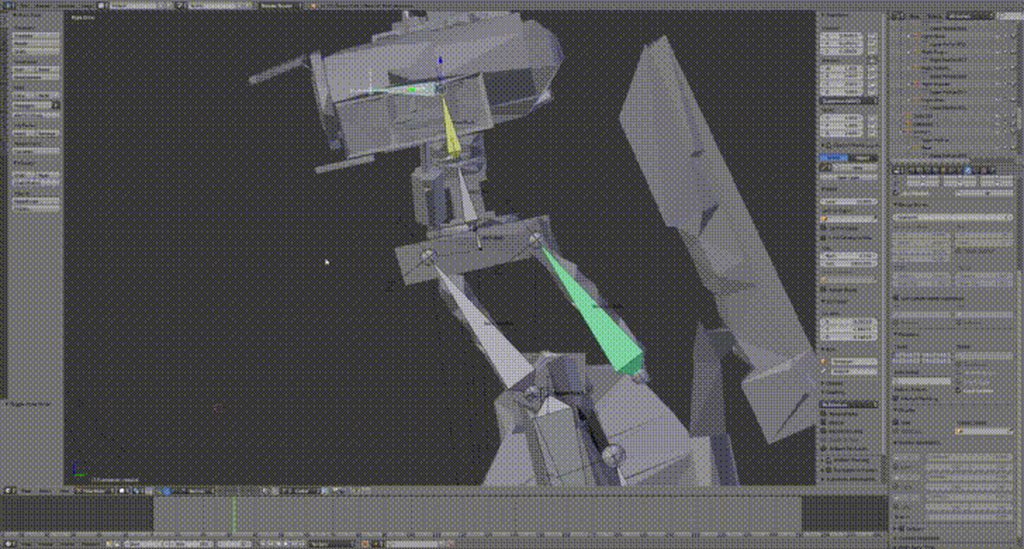
@crisp tendon What's unparented?
reef flare
So do I delete it right now?
crisp tendon
@craggy fulcrum the bone that doesn't move the way you want
rustic fjord
I guess
viral lily
@crisp tendon like this guy does
crisp tendon
@reef flare save project first and then yes
craggy fulcrum
The root of it needs to stay in place, but the tail needs to attach to the piece it keeps disconnecting from
crisp tendon
ok so you're not using cats then
viral lily
i did use cats to create the blinking in there, but do i not need to do that in unity too?
crisp tendon
@craggy fulcrum have you tried parenting that bone ?
 limpid scarab
@viral lily you mean the in the animation screen?
crisp tendon
@viral lily i wasn't aware you fixed your blinking in blender, then the face mesh should be in your materials folder somewhere, hopefully
viral lily
well i added the blinks, but no lowerlids
crisp tendon
you can make them by just copying the blink shapekeys and moving one vertex by a tiny bit, and that works too
viral lily
the namings are off, so i dont know what to put in
crisp tendon
at least it did for me
viral lily
no idea how to do that
 gilded vessel
Is this where I would come if I have a model with issues?
viral lily
still a noob to this cats thing, and rigging in general
crisp tendon
bone issues yes

VRChat Community Discord: https://discord.gg/VRChat Download VRChat! http://store.steampowered.com/app/438100/VRChat/ mmd_tools GitHub: https://github.com/po...
gilded vessel
Ok. Am I allowed to post screenshots and such of what seems wrong? Also, if it's mmd, do I post it here or in that channel?
crisp tendon
click the timestamp
@gilded vessel if it's bones, here, if it's not bones, #avatars-mmd
crisp tendon
other shapekeys don't matter
gilded vessel
Ok. Well, I would assume the issue is with the bones, so may I post screenshots?
crisp tendon
sure
 crisp tendon
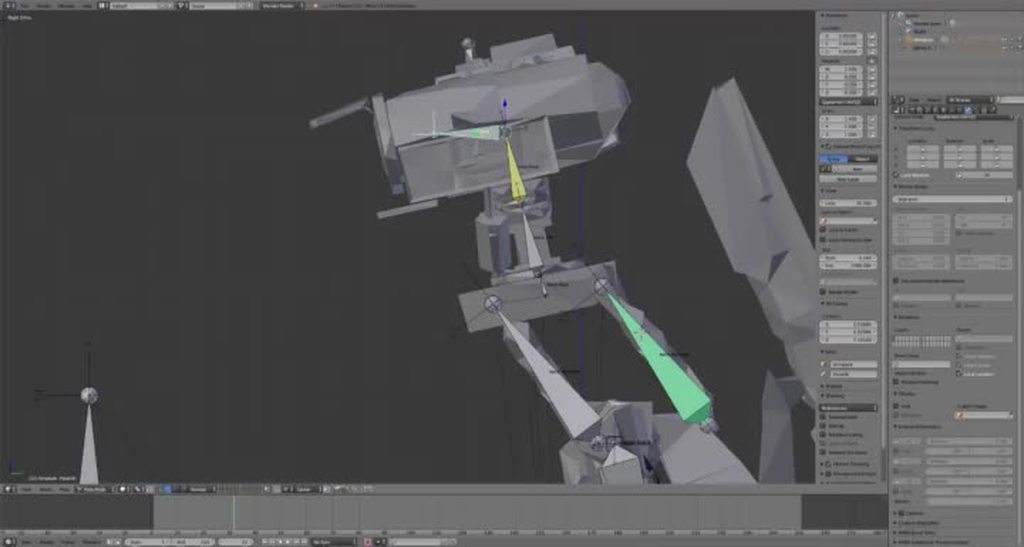
So your back neck bone is not connected either ?
craggy fulcrum
It was a child to a lower bone to keep the root of it in place
fading verge
what do vrc.lowerlid_left and vrc.lowerlid_right do? are they related to blinking?
crisp tendon
yep
gilded vessel
One of these lacks color correction because it was earlier in the process, so ignore that, but I seem to have an issue with the spine and arms.
crisp tendon
no clue, but they are, so i just made them
gilded vessel
pastel sun
Does anyone happen to know if the R15 Roblox comes pre-rigged out of Roblox Studio or will I need to rig it?
crisp tendon
@gilded vessel what does it look like in blender ?
craggy fulcrum
@crisp tendon I have a bone constraint on the back bone to rotate in sync with the front one
crisp tendon
@craggy fulcrum but what is the back bone supposed to be attached to ? it just dangles by itself ?
fading verge
so you are not even sure if it's related to blinking?
crisp tendon
@gilded vessel nope
@fading verge it's part of every tutorial and cat's blinking/eye tracking feature, so i assume it is ?
craggy fulcrum
@crisp tendon It needs to stay attached to the body but also be attached to the neck to translate the neck base
crisp tendon
have you tried creating a dummy bone and connect it to that one so it doesn't go up ?
craggy fulcrum
Parenting to an empty?
crisp tendon
also it's still not parented lol
fading verge
I'm just confused if I want to make just the upperlid move with vrc.blink_left, vrc.blink_right
crisp tendon
connecting, not parenting
fading verge
or if I make the lower lid move there and also in the other one
crisp tendon
@fading verge you can, they're mandatory, but they don't have to change anything afaik
fading verge
but when my character blinks does it use both blink and lower lid or just lower lid, i guess you are not sure
i mean just blink
crisp tendon
they use blink
i don't know what lowerlid does, but it says everywhere to make them, so i did
gilded vessel
I'll just restart with that megatutorial video, but thanks for the responses!
crisp tendon
even tupper told me to so i'm not gonna argue
craggy fulcrum
If I bone it to an empty, the rod itself won't pivot
crisp tendon
@craggy fulcrum it will pivot on the bone it's connected to
fading verge
its bothering me because as you said there is no explination as to why it's needed
crisp tendon
the same way your neck front bone does
fading verge
just 'cause
crisp tendon
you can ask cat why, i didn't need to know so i didn't care
fading verge
trying to learn and not just blindy follow tutorial \
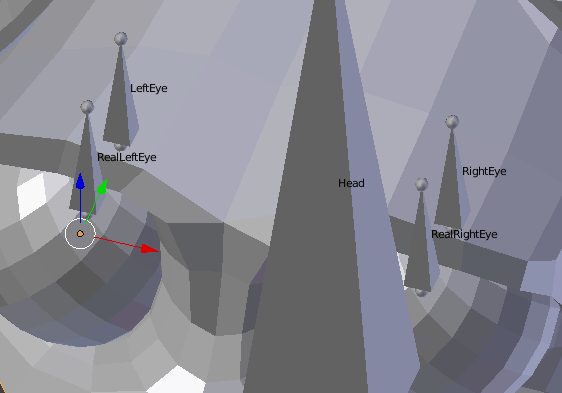
 low river
Ok so, for the eye bones
they HAVE To be named LeftEye and RightEye to work in Vrchat?
 pallid roost
Anyone see what the issue is here? I keep getting an error that says "Spine Hierarchy is incorrect. make sure that the parent of both Shoulders and the Neck is the Chest". As you can see, I have chest set to Waist Upper 2 and both the shoulders and neck are children of that bone. I'm not sure whats wrong.
crisp tendon
@low river yes
crisp tendon
@pallid roost the problem is in your hierarchy
 daring wadi
The .bmp file, which should be in the same folder, doesn't aooear that way on blender
using the plugin
wat do
crisp tendon
get a plugin that allows you to import .bmp ?
daring wadi
I do
and I should be able to using the cat's vrchat plugin
But it just doesn't appear
pallid roost
@crisp tendon what do you mean?
crisp tendon
@daring wadi i'm not sure how that's a rigging problem though
daring wadi
eh idk, this is my first time and you guys looked like you knew what to do
sorry mane
crisp tendon
@pallid roost it says spine hierarchy, hierarchy is the window on the left, check the bones that are mentionned check which bones comes first under each
daring wadi
;
crisp tendon
no worries, but .bmp aren't popular, maybe someone in #user-support-old or #avatars-2-general can help
daring wadi
How else would I import the texture?
fading verge
ruuu can you suggest a person i can ask about the lower lid question?
low river
https://i.imgur.com/65Z5QJC.png somehow this is workking
 crisp tendon
You can pm GiveMeAllYourCats#5076 when you see his light turn green i guess, he's probably the one who knows best @fading verge
craggy fulcrum
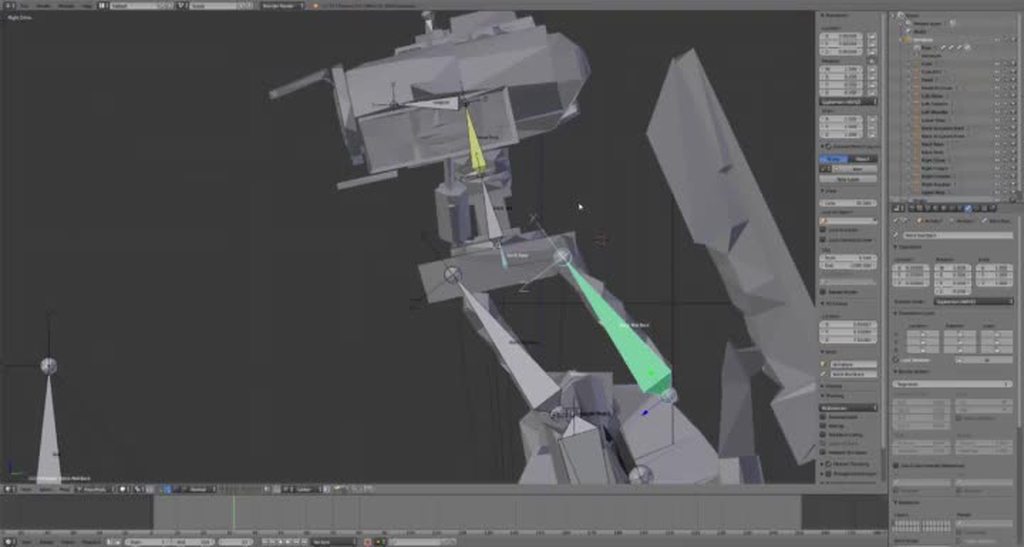 crisp tendon
@daring wadi through the UV mapping menu
craggy fulcrum
If I parent it, it removes the front rod from the IK chain
crisp tendon
wtf
pallid roost
@Ruubick I did. It says make sure the shoulders and neck are both children of the chest, which they are.
crisp tendon
oh, they have the same name ...
daring wadi
Where is uv mapping?
crisp tendon
@pallid roost show me your hierarchy then
@daring wadi menu in blender, make sure to check a basic tutorial
pallid roost
did you not look at the screen shot I posted?
gilded vessel
Just to be sure before I get restarted on this model, these errors aren't things I can fix in Unity, or if they are, they're not related to the screenshots I posted earlier? Or am I able to fix it without restarting?
I'm really new to this, so I'm pretty bad at it and still learning some basics.
 candid dome
hey guys... do any of you know how to fix this texture problem?
the skirt is like inverted
crisp tendon
this is the bone channel @candid dome
candid dome
oh
crisp tendon
🅱 one channel
candid dome
sorry
pallid roost
@crisp tendon
craggy fulcrum
@crisp tendon I've got the file if you're interested in testing it out yourself.
candid dome
do i use avatars mmd for textures?
craggy fulcrum
DMed, or just linked here?
crisp tendon
@pallid roost Something in your bone is fucky, check in x ray blender
@craggy fulcrum dm if you want
pallid roost
@crisp tendon ok
craggy fulcrum
@crisp tendon Just tried.
crisp tendon
@candid dome This is probably a backface culling issue, you can ask the folks in #avatars-2-general
gilded vessel
I can come back another time, if it's busy right now. You seem to have a lot of requests already.
 acoustic pilot
I recently uploaded a shaggy avatar, I used mixamio to rig it for me and I tried it out in VRChat
And it for some reason is up in the air
And all twisted up
Even though it seems to work fine
In unity
 cosmic mica
"lower arm is not first child of upper arm" error, yet according to the heirarchy it is? Im confused.
acoustic pilot
Is it because I deleated the chest bone, and turned the upper chest bone into the chest bone?
cosmic mica
dont delete bones just reassign them
acoustic pilot
How?
viral lily
@crisp tendon i followed that video you sent, and with the same export settings and everything...i still cant find the blinking in unity 😦
acoustic pilot
@cosmic mica How do I reassign bones?
cosmic mica
just pick another bone to go in its place in the configure bones window in unity
for upper chest just choose none
acoustic pilot
Ah
So it's because I deleated the bone rather then assigning to "none"
So it really screwed up the character
So it appears to be in the sky all twisted up
I see
@cosmic mica That didn't work
It just gives me the error that the spine hiarchy is incorrect
When I set the upper chest to none
It's because the SHOULDERS is parented tot he upper chest
Mixamino made it that way
:L
*Mixamo
tulip wadi
so how would i go if i had 2 models im trying to make into unity without blender because f blender
low river
So, for some reason now I know the eye bones DO work in unity... but not in VRChat?
Like, its not bulging them out, they just dont work
scarlet crow
Is there a way to turn off the slow paning when zoomed all the way in in blender?
fading verge
As you maybe can see, the thumb is messed up, im a noob with bones, can i just make it smaller and drag it to the sphere bellow?
or better to the left
acoustic pilot
It seems noone is coming to help us this time boys
pastel sun
Cna anyone help me? Mixamo is not letting me do anything with a roblox model I'm trying to rig
All i get is pure gray
low river
@fading verge you can move it down but ithe weight painting will stay
fading verge
The finger looks really shitty ingame
do i have to adjust the weight?
aalong with it
low river
yep
Put the bones into pose, then the model into "Weight paint"
does it drag the hand?
fading verge
it drages likes the whole shit in the size of the bone 😄
looks really shitty ingame
gimme a sec
low river
Ok so
 nova wigeon
@pastel sun What do you mean nothing? Did you try uploading it? Did you try clicking an animation? Send a picture of what you're talking about
low river
when in weight paint, right click the bone on the thumb
fading verge
what the heck
low river
and on the menu to the left chose "subtract" on for the brush
fading verge
the whole body is pink
nova wigeon
Literally nothing to me means LITERALLY nothing
fading verge
yea sec
pastel sun
Lemme get it
pastel sun
@nova wigeon I get this
pastel sun
I tried on firefox first, gave me that and that pic was from Chrome
low river
also, are the gloves a seperate object or
no wait theyre not
so just click the rest of the body with subtract
low river
alright
fading verge
okay i fixed the weight on the whole body, now i have to add new weight to the right zone right?
pastel sun
The funny thing is I first tried the roblox .obj and it gave me that, then I tried a Monokuma model from Modeler's Resource and that worked
nova wigeon
Plus, it'd be best to rig it yourself to prevent complications... Rigging is not difficult, it can just be time consuming. Look up a few videos on youtube. Literally just type in "vrchat avatar rigging" and it'll come up with countless vieos
pastel sun
@nova wigeon Any good one you'd suggest?
low river
might work better
fading verge
actually my first time weight painting haha, atleast i knew how to do it
pastel sun
@nova wigeon DM me the video once you get it
fading verge
Ah, so you think i should remove a little bit from the second screenshot
or a little bit more on the first one aswell?
low river
well heres the thing
https://i.imgur.com/6TdVwJB.png this is where the base of the bone will begin on mine
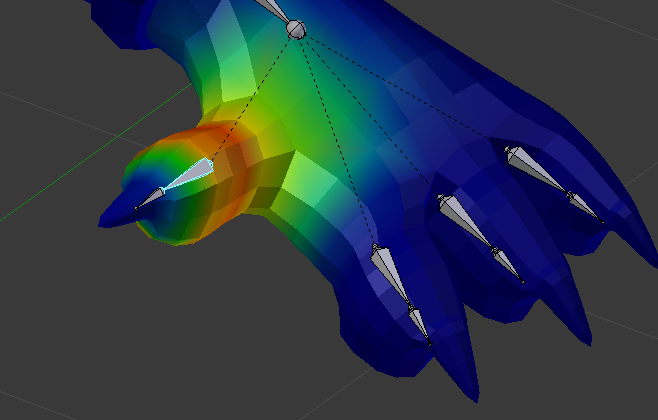
im not tooo knowledgable on this
so i say, just mess around
fading verge
Alright, still good help for me, thanks! 😃
 manic flicker
camera issue
how do i go back to my model? i am lost
all i see is nothing
fixed it
 south oar
 velvet sedge
Hi I'm wondering about something. How come a model like this which has added clothing (sweater) look fine after weight painting in blender.
But look like this in unity?
 pseudo silo
if i were to guess, it's either the weight painting, or the blend shapes messing up
sometimes on export, bones can get shifted around
you can fix them in unity just by moving the bones back into place manually
velvet sedge
I moved them out on purpose to show the sweater sticking on
I just cant figure out why the mesh sticks to the hair even with no weight paint bound between the two vertex groups
pseudo silo
if the sweater is sticking on, and is not supposed to, then you'd have to adjust the vertex groups in blender
it's possible it's attached to a different vertex group, like say if your hair is moving with your arms
but you checked the arms and the hair is not attached
it could be attached to the fingers
or even the shoulder/chest if you're testing with an animation
velvet sedge
i think im gonna try something
if the mesh has a bunch of vertex groups, should i just delete them until it only has the ones it should be bound to?
Would that work?
velvet sedge
is it safe to delete stuff like
pseudo silo
it's safe to delete a vertex group when it doesn't have a corresponding bone
if it does have a corresponding bone (has the same name) then it'd be attached to that bone
 bold heath
This is driving me insane ~_~ No matter what I do in blender or unity, when walking or running, my avatar still lifts like half a foot off the ground.
pseudo silo
@velvet sedge then you might want to merge some bones
if you merge mmd_edge_scale with the chest
then use a vertex weight blending modifier to transfer the weight of mmd_edge_scale vertex group to the chest vertex group
then you'd essentially change nothing
 dusky pendant
Okay, I'm making this for someone
Please, how do I fix this error
Preferably without having to re-export
velvet sedge
@pseudo silo It fixed it deleting the vertex groups and then joining together
pseudo silo
sweet!
velvet sedge
NEVERMIND
dusky pendant
OKAY I'M NOT HERE
velvet sedge
I WAS BAITED
pseudo silo
aw
dusky pendant
NEVER MIND
velvet sedge
pseudo silo
you probably need to adjust the weights for that bone, or its children
velvet sedge
i forgot to delete the groups from a thing before i joined them together
im doing that now
fixed
Thank you so much nael
pseudo silo
np dude
dusky pendant
 granite kestrel
@dusky pendant Abort, abort
dusky pendant
Problem is this model is decimated already
And I can't just use the original cause I have no clue how the hell they made it 9000 poly with that good of a fidelity
So I'm gonna hand delete all these shitty shadow bones and such
 lunar sinew
It seems that somehow, don't ask me how, I managed to connect my chest to my eyelids, so everytime I blind, my boobies morph XD How do I undo that, please? ^^
 neon shard
lol
You can limit the affect oif a morph to certain vertex groups with the vertex group button in the blendshape
assuming your eyelids are all on the head bone vert group, this should be an easy fix
just limit it, and if you have to, create a new blend from mix
lunar sinew
cats fix model doesn't help?
 shut loom
@dusky pendant doesnt cats fix that?
shut loom
wtf
dusky pendant
And if I disable remove zero weight it doesn't get rid of the other stuff
shut loom
does it do that when "remove zero weight bones" is turned on?
ohh
that means your weighting is all messes up
dusky pendant
This was a model someone decimated for me and it seems they did it rather quickly and deleted all the shapekeys and stuff too
 fading horizon
Anybody available to take a look at my model and see whats up with it? It doesn't bend over or crouch in game and the neck doesn't move independant of the body
dusky pendant
But they used a manual translator and such
shut loom
if it removes bones like chest and hair when "remove zero weight bones" is turned on, that obviously mean those bones arent weighted to any mesh
 lament knoll
okay Q, can someone walk me through making blendhapes or viseme blendshapes?
dusky pendant
And chest because why not jiggle physics on Sadie
lament knoll
and bone creation
shut loom
its pretty broken at this point.. .you can fix it but its gonna take alot of time @dusky pendant
lament knoll
because my avi is missing some bones and lipsync stuff
dusky pendant
So, should I just give up on the hair and chest?
shut loom
the model as a whole
lament knoll
even if you just walk me through adding a jawbone that's be great AF
shut loom
your chest and hair is not gonna move with the bones
dusky pendant
And accept it because my other model I overdecimated it and fucked up her hair?
Wait, it's not going to move even if it's connected to the body?
SHIT
dusky pendant
So that's why on my other one it wasn't working with dynamic hair
shut loom
if "remove zero weight bones" is turned on, it means it removes bones that have no influence on your model
dusky pendant
The main reason I would really prefer not to start over is this WAS a NSFW model
shut loom
so you jjust have a broken file
dusky pendant
And it takes like half an hour to delete the NSFW bits
shut loom
the original might be fine.. but just try to rotate those bones and see if the body moves accordingly
dusky pendant
And repair any gaps I make with my cutting tool because I really suck at accuracy
So just import it without decimating and try to rig?
After running the fix model?
I thikn the hair shapekeys are gone which is a problem
shut loom
you dont need any shapekeys except on the face
 alpine aspen
okay, i am completely new to blender and unity and all that junk. i have tried for the past like 7 hours to properly create a skeleton for Barnacle Boy but I am unsuccessful every time. does anybody know what "Bone Heat Weighting: failed to find solution for one or more bones" means?
i apologize for interrupting another conversation
shut loom
thats okay dude but sorry i have no clue what that means
dusky pendant
Okay so YES the hair bone weighting is messed up
Would I be able to set up those bones now that I've deleted all the unnecessary crap?
 weak rose
@alpine aspen I highly advise being new to this to stick to already rigged models
 tame skiff
"Bone "RightHand" not found." DO I just need to rename it?
weak rose
Yes tiny
alpine aspen
Barnacle Boy must succeed
weak rose
Though ikd why its asking for right hand as it should be looking for right wrist
dusky pendant
I've gotten a couple models imported so now I'm experimenting
shut loom
@dusky pendant you would be able to, look up "how to skin weight blender"..... but its probably gonna take even longer that starting over
dusky pendant
@shut loom I did start over, the bones don't have weight in the original model
tame skiff
It definitely has a right wrist
shut loom
@dusky pendant oh boiiii thats nasty... well if youre really determined to make it work, you better hop on youtube xD
tame skiff
Samus only has a canon on that arm but the bone is defined
weak rose
@alpine aspen if you insist on rigging this might help
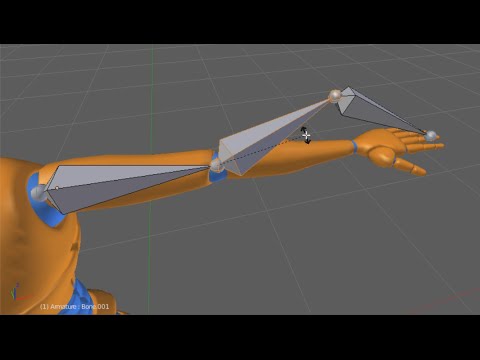
Watch the full Introduction to Rigging in Blender: http://www.digitaltutors.com/tutorial/2275 In this Blender tutorial, we’ll take an introductory look at th...
its a little old
but it works
fading verge
@shut loom or auto weight it
tame skiff
Unless Cats' app didn't rename it properly
dusky pendant
How would I autoweight
tame skiff
^ Rigify
fading verge
Go thru the tutorial
dusky pendant
I've got all the meshes separated if that would help
shut loom
@fading verge yeah that might work
dusky pendant
Most of the bones are already done
fading verge
is lipsyncing an existing model in blender as tough as it looks?
dusky pendant
I'd really prefer not to delete the entire existing armature and remake it, I don't know how long that would take
tame skiff
@fading verge Tozza just use proportional editing
alpine aspen
thank you @weak rose im really determined to learn it since ti seems funa nd interesting. but i just wasnt sure where to start
weak rose
Yeah, its a tedious pain with alot of failing
the first obstacle youll hit with that is your model might not be properly segmented to be attatched to a rig
and I have no clue how to do so so youll have to figure that out yourself
bold heath
Anyone know how to keep an uploaded Avatar from hovering when moving?
weak rose
The camera is in the wrong place
bold heath
It's between the eyes though :x
weak rose
and if not that import the model in mixamo
tame skiff
Does mixamo have a free version?
 odd mantle
I've tried using this Avatar in VRchat but it's stuck in a T-pose. Any obvious reason why it's stuck doing that?
bold heath
Kk's Ty Zoe, Gonna try Mixamo again, I've been doing it in T poses but i'll try a walking
weak rose
Wisp show me the blender rig
odd mantle
Alright one second
viral lily
so is the upload up again without errors?
 shadow shoal
Did you fix model with cat's blender tools?
odd mantle
Its an Xps file
scarlet crow
I manually atlased the texture for my avatar but when brought into unity it completely messes it up, how do i fix this?
shadow shoal
@odd mantle Doesn't matter, it still helps
shadow shoal
So now just rename the hips bone to that
tame skiff
Why am I getting the "Human Bone "RightHand" not found" when there totally is such a bone?!?!
weak rose
@odd mantle Wnet afk you still need help?
odd mantle
I think I'm alright now
weak rose
btw did you have your models rig in unity set to humanoid
fading verge
Console says that angle should be 180 degrees. Mine is closer to 170 degrees as you can see in the photo. Anyone run in to any issues with this?
angle of hip to thigh bone that is
hm, does that error message only apply to full body tracking and won't matter on desktop app? i think so...
odd mantle
I did yes Zoe.
dusky pendant
Guys
fading verge
https://gyazo.com/4ba9a607d5024c9fe50b2f995d895b1c anybody have an idea why the textures arent showing uo
 dusky pendant
I need to decimate my arms
But they're linked to the hands
And the hands have shapekeys
shadow shoal
@dusky pendant If it has unimportant shape keys, you should delete them
dusky pendant
They're the hands
That's not unimportant
But it won't let me apply the decimate because of them
shadow shoal
dusky pendant
It just says basis
shadow shoal
Delete it
dusky pendant
Ugh
 hoary torrent
i put colliders in the skirt yet the legs still clip >_<
dusky pendant
I'm still 28000 poly
hoary torrent
 hoary torrent
ik but isnt it suppose to reduce it
shadow shoal
You should increase inert
shadow shoal
Yeah it's because of that
hoary torrent
o
shadow shoal
I have another model with short skirt and it clips all the time
shadow shoal
Check materials first
scarlet crow
No, I manually made the atlas
shadow shoal
You shouldn't use atlas unless the model used a lot of textures anyway
scarlet crow
I usually don't but i keep seeing that you should, either way it's too late, i saved the blender file after atlasing
 robust swan
Hey, are avatar uploads messed up right now?
shadow shoal
I think they are
robust swan
okay... i tried and it didnt work, didnt know if its my end or theirs
odd mantle
@robust swan messed how
robust swan
i couldnt upload my avatar
fading verge
i got it, i had to set it to shaderless.
odd mantle
Fails in Unity?
odd mantle
Server issue then
shadow shoal
You should scale it down on blender
 mystic fjord
how do i import my avatar into unity as humanoid?
mystic fjord
where
 livid raft
then humanoid
shadow shoal
mystic fjord
no in blender
livid raft
nimbo do you know how i can fix my guys hands?
mystic fjord
it says avatar wasn;t imported as a humanoid
shadow shoal
@livid raft Did it look like that in blender?
shadow shoal
That can help too
livid raft
it shows just fine
but when i go into rigging
the hands break
then i click configure rigging
and it breaks
 sleek ore
doesnt look like theres any bones in the hands
livid raft
how can i put bones in the hands?
im very new to this and im just trying to get my favorite league character ingame
shadow shoal
You can use blender for that
dusky pendant
Guys
How do I decimate this more
Her arms show in Unity
For some reason they show as transparent in Blender

 still harness
@dusky pendant how close are you to the limit?
dusky pendant
I'm at a bit over 24k
And I don't know where the hell they're coming from
Because the skin/clothing are only like 6 or 7k combined
still harness
@fading verge http://puu.sh/yWyQb/34c0d604ab.jpg this should help you out

whoops
Here's a video on extremely common issues I see with bones and rigging setups, and ways to solve them. I cover: - Leaving Upper Chest Blank - Reparenting spi...
 main sage
there a way to remove eye tracking after you've already applied it?
still harness
There you go @fading verge
fading verge
thanks my guy
still harness
Could just remove the eye bones from you avatar's map
dusky pendant
Mine?
dusky pendant
I can't decimate the hair much more or it will start to disappear
main sage
i did
main sage
removed em from the humanoid rig
perhaps because the upload thingy is down it didnt update
still harness
You could try to separate the hair from the rest of the mesh then decimate again
main sage
tried it like an hour ago
fading verge
@still harness i udidnt use mmd so my settings are different than in that video
let me watch all of it tho
fading verge
How do I rig an avatar with no arms in unity? For example a goomba
 fleet echo


 still harness
^
main sage
owait
someone told me removing the VRC shapekeys in blender disables eyetracking
time to find out
pastel sun
Quick question, where in the side menu does it let me resize bones? Trying to make some bones the same size
 odd musk
whenever I look at this model in unity or blender it works fine, but when i load into vrchat this happens, any idea on what it could be causing this?
cosmic mica
I want to add a source of light to the palm of my avatar's hands (by gesture) so i can use it like a "lanturn" for dark areas, what lights are recommended for this? (Ive already got the rigging and gesture ready to go, but i dont know what light source is reccomended for it)
 fringe hamlet
I've never rigged a model in my life, but I'm using 3ds max and it is hell
I'm just really stumped with how to handle envelopes
 calm needle
screw envelopes, weight paint that manually
fringe hamlet
where do I do that
calm needle
unfortunately im not familiar with max. i've been using blender
blender has the option for envelope based weight as well and its always been bad when i used it
livid raft
Hey guys every model i rip from gmod has broken hands
Does anyone know how to fix it?
They have no hand bones and are pointing down in tpose
livid raft
Idk how to make handbones
calm needle
only the tips need fixed
livid raft
Im just trying to make a draven model
calm needle
lets see if i still have an unfixed source model to use as an example
calm needle
unity will auto position connected bones
the tips not being connected to another join will use their default position
livid raft
Ok
livid raft
Ok thanks
scarlet crow
How would i fix my avatar being sunk into the ground?
livid raft
So you have had my same problem?
calm needle
i should really make a vid on this at some point
how much are they sunk into the ground?
shadow shoal
@scarlet crow Correct the Y position in Unity
livid raft
Try to put your avatar at 0 0 0 coords dragon
scarlet crow
Kina a bit, hard to describe because shes a lamia, I had her at all 0, then went back to try raising her and i don't think that helped
calm needle
odd question, but where is the pivot point on your model?
scarlet crow
Where do i find that?
calm needle
 tight trail
thats ussually a tell tale sign that something is either missing a weight paint or has been improperly weight painted @odd musk
calm needle
up top it should say pivot. then when you have the avatar selected, where the move or rotate thing is located is the pivot point
livid raft
Hey turkleton
scarlet crow
It shows that it's at her base
livid raft
Ill send you five bucks btc if you make a quick vid on how to fix the problem i had
 minor shore
can someone tell me why there is a black outline on the clothes and how do i get it away? q.q
calm needle
hmm, what do the feet bones look like?
scarlet crow
does the armature layout matter too?
fading verge
I'm not keen on rigging terminology, but what are rigid bodies used for?
crisp tendon
USE 👏 MIXAMO 👏 IF 👏 YOUR 👏 AVATAR 👏 IS 👏 HUMANOID
minor shore
@calm needle oh thanks that fixed it ❤
scarlet crow
honestly it's a snake so doesn't technically have two legs, so i just made the missing leg in a random place. should i make it as though it were a normal pair of legs?
calm needle
im wondering if vrchat is just trying to drop the feet to "floor level" and its putting it in teh ground there
calm needle
yeah. make the "legs" go all the way to the ground properly
crisp tendon
If your skeleton is trash, yes
fading verge
What would make it trash? A skeleton that's just 15 weight painted bones?
crisp tendon
If cat's can't easily fix it then i'd say it's trash
because mixamo is skeleton + weight paint
and free weight paint is 👌
fading verge
Ahh, okay. I haven't really used Mixamo yet.
What exactly are rigid bodies and joints that are common in MMD models used for?
calm needle
if you have at elast some minor understanding of weight paint, i would sugest cutting off some clutter from a model before mixamo and then readd it afterword
fading verge
I know as much as basic rigging a skeleton, what inverse kinematics is, and weight/vertex paint rigging, but I'm curious about learning more.
calm needle
rigid bodies are used for physics
fading verge
Ahh, I see. And joints?
calm needle
how they are connected to gether
fading verge
How the rigid bodies are connected together?
calm needle
yeah
fading verge
Okay. I was thinking they were related to bones, and always wondered why the skeleton didn't explode after nuking the joints.
What is it called when, say, grabbing the foot and moving it, also adjusts the leg in a natural way?
fringe hamlet
I'd use mixamo but come now where's the fun in that ,':^)
calm needle
IK
mixamo can be fun somtimes if you have odd shaped humanoids and like the stretchy face 😛
fading verge
Oh, I thought IK was all about handling twisting arms and wrists. Hmm.
Does vrc support IK skeletons?
calm needle
vrc runns of its own ik system
which im still trying to figure out why some of my models have legs that bend inword 😛
fading verge
What about for nonhumanoids or modified IKs?
I was going to say for animations as well but i guess that wouldnt affect ingame
narrow ermine
Hey guys, I have a question off of the Tupper tutorial. He says that when you create Visemes in Blender A should be Ah, B should be Your and CH should be there. I, instead, have Viseme A vrc.lowerlid_right, Viseme O as Angry, and Viseme C as angry. Any thoughts on what I'm messing up?
fringe hamlet
so I found out how to paint weights, I'm doing hip_l does this seem ideal?
i don't know what I'm doing at all for the record
I just wanted to scratch import a full biped because I'm out of practice
 crude crag
I'm running into a snag with my model, getting this error: "Spine hierarchy missing elements, make sure that Pelvis, Spine, Chest, Neck and Shoulders are mapped."
I am aware that my model has no neck, how would I go about fixing this? presumably using blender.
separate, perhaps easier question: if I've been working with a model in unity do I have to start over if I make such a change?
easiest question: do these questions belong in #avatar-rigging or #avatars-2-general ?
 crystal vector
@narrow ermine This means cats couldn't find them by the name. Just look for the appropriate shape keys for yourself and select them
narrow ermine
@crystal vector Goootcha... Thanks boss
tight trail
@crude crag your model has a head yeah? perhaps try using that as the neck, and see if it works
I doubt it will look right, but it might solve the issue shrugs
crystal vector
@crude crag Yup use blender for that. You can copy your components in Unity so you don't have to begin from scratch
narrow ermine
So, Cats is trying to make my viseme for my face, but I actually don't have a mouth. I want to create a viseme for the hat instead. Is this possible? Or is it going to be way too hard to pull that off? I thought it would be pretty funny.
 solid wasp
Hotox got a question for you, Im trying to add 2 textures too one of my charater in blender but it only shows 1 untill i click on the toehr part than it only shows textures on that part of the body, Do you know a way so all the textures show at once?
than when I click the arms the only half show up them the rest goes away
oops is this the wrong palce to ask about this
 somber gale
@crystal vector can you help me with my spine heirarchy, its inncorrect
crystal vector
@narrow ermine It will be really hard if you never did this before.
@solid waspIdk how to do this, I'm no texture expert 😅
narrow ermine
@crystal vector Gotcha. is it something I could come back and work on down the road?
crystal vector
@somber gale Sure, send a screenshot of your hierarchy please
solid wasp
thanks Sorry I didnt know I was on the wrong thing, sorry to bother you
crystal vector
@narrow ermine Sure
narrow ermine
@crystal vector One last question for you, should I be concerned that my blink animation in eye testing my eyes don't actually close, but the blink animation in the tester thing definitely shows them as closing? Which would it be upon upload?
 alpine drift
Is anyone able to publish an avatar right now?
crystal vector
@narrow ermine What is the second tester?
narrow ermine
@crystal vector Yeah, that was confusing. I'll snip it.
crystal vector
@somber gale Uuhm is this a mmd model?
somber gale
yes
crude crag
so here's the current state of the skeleton. imported from Gmod with no adjustments yet
do I add a bit above or below that top dot to make a proper neck/head arrangement?
narrow ermine
@crystal vector
calm needle
i just realized that rigging this hand might be extremely wierd for vrchat but i want to do it anyway
 swift radish
Why
somber gale
@narrow ermine is that veigar
narrow ermine
@somber gale no
somber gale
oh who is it
narrow ermine
ff8 vivi
calm needle
@swift radish looks like you imported the model backwards by accident
calm needle
technicly the KH2 version of vivi 😛
narrow ermine
Ah, I didn't know that. 😛
crystal vector
@somber gale Put that model into Blender, click fix model im cats and then put it back into unit,
narrow ermine
@crystal vector So to ask my question like I know what's going on, if my blink animation in the eye tester shows my eyes as not closing, but the shape keys animation show them closing, which one will it be when I upload the model? 😃
crystal vector
@somber gale It's all explained here: https://www.youtube.com/watch?v=7P0ljQ6hU0A
VRChat Community Discord: https://discord.gg/VRChat Download VRChat! http://store.steampowered.com/app/438100/VRChat/ mmd_tools GitHub: https://github.com/po...
naive tree
@scarlet crow choke me to death senpai 
crystal vector
@narrow ermine It will be the one in the eye testing
scarlet crow
MAybe if i can get her working correctly lol
narrow ermine
@crystal vector Any idea why the eye testing ones are making me look sad, rather than blinking?
naive tree
i saw a guy with custom anim having perfect snake walk
crude crag
so here's the current state of the skeleton. imported from Gmod with no adjustments yet. do I add a bit above or below that top dot to make a proper neck/head arrangement? https://cdn.discordapp.com/attachments/390924372782612480/399757626344341505/neckbone1.PNG

 scarlet crow
I'm sure making a custom animation would work a ton better, but i have no clue how to
crystal vector
@narrow ermine Probably because that shape key is just multiplied by 2,it was never meant to look like that
calm needle
@scarlet crow what does your rig look like?
scarlet crow
just the armature?
calm needle
yeah