#avatar-rigging
1 messages · Page 54 of 1
 crisp tendon
@sour kite weight painting my guy
 sour kite
I get that I need weight painting, I'm trying to figure out how to parent the armature first.
 fast rover
but that still doesn't explain why blender deletes my legs and spine when I fix the model
crisp tendon
maybe because the weight paint isn't good enough
 alpine drift
How do I get the component of Dynamic Bone in Unity? Anyone know the answer?
sour kite
I'm assuming I have to select both the mesh and armature for the ctrl + P to happen. One is highlighted as yellow and the other as red. Is that normal? Shouldn't both be yellow?
 fading verge
should be thr #1 reccomended plug in
alpine drift
Do I have to purchase it?
fading verge
yes you do
alpine drift
That's the only way to get dynamic bones working?
fading verge
Yes that is the only way
alpine drift
kk
 robust python
Does anyone know why whenever I press seperate by material my avatar freaks out with some textures? Here are some pics
fast rover
where do I disable reset position
robust python
And thhat is the after I seperate by materials
The first avatar i rigged didn't do this 🤔
fading verge
i dont even see a difference
fading verge
I see a wireframe of the eye bone
fading verge
your alpha channel is lost or something
fading verge
not sure why that happens but possibly because if you have an almost transparent color then blender doesnt know where to draw the line?
just a guess
 violet reef
https://gyazo.com/a90bb827b7307f47a71ad98eb12af478
how the fuck do I stop my legs from popping out the yukata

 pine smelt
@fading verge Hey, deleting the vertices didn't fix it, the model is still thinks it's tall
fading verge
@pine smelt lower the scale
upper right side
use .2 or less
(or little more, experiment)
pine smelt
It is lowered to scale for the game in unity and it still thinks the base of the avatar is below it
fading verge
what
 low river
Question on dynamic bones
if I wanted to make hair wiggle, would the bones be attached to the armature or on their own?
pine smelt
@low river I'm not sure but normally you can parent certain sets of bones using cats in blender then using the parents and applying the dynamic bones to them
fading verge
@violet reef using dynamic bones?
violet reef
I'm trying to rig my shit so that I can put cloth physics on my shit
fading verge
right
so your dress would be dynamic bones and your legs would be a collider that pushes it
but it's an entire process that you would need a tutorial to explain to you
violet reef
yea
 dry fable
Would anyone know how I would fix the bottom of my avatar being inside the ground?
fading verge
where is your object located in Blender?
dry fable
In Blender it is correct, with the bottom of the actual avatar at 0 height
But when I rig it in Unity, it ignores the bottom of the shoes
fading verge
the object location is not defined by the location of the mesh
dry fable
I think it might be a problem in Blender, but it only appears after moved to Unity and the game itself.
fading verge
where is the dot?
 swift radish
How to import .obj files into blender with bones?
dry fable
This dot?
dry fable
Here is it in Unity
The character used to have Vshapes that could transform the shoes into more normal ones, and that is where it sets the bottom of the avatar. I am pretty sure that is the reason for it, but I do not know how to fix it.
dry fable
I can take a better picture, the shoes are aligned with the ground but everything under the sole itself is under the ground
Maybe this is a better angle?
fading verge
have you tried bringing the bones down to the floor too?
im just testing some stuff myself
and when the bone is up high it imports in a weird place
now it's not doing it
fast rover
I don't know what I'm doing wrong. parented the armature to the body exactly according to the video
 wild arch
can you change bone hierarchy in blender? or does it have to be done in unity?
fast rover
why isn't it working
wild arch
yeah i see it, and i know what i have to move.. but idk how to move it
fast rover
my mesh still isn't moving with the bones
fading verge
select your bone, then click on the bone settings, looks like a little man
next to the man sorry
its a picture of a bon
bone
then there is a Parent: box
where you set the parent
fast rover
alright...?
fading verge
i was talking to taymullins
fast rover
oh
wild arch
ok thank you.... i'll try it... thanks for your help btw! 😃
dry fable
Lowering the bone makes the animations weird (because the leg itself bends instead of the ankle)
I got it working in a limited way by trying that before, but I couldn't replicate my work around (and I want to prevent the weird animation)
fast rover
I guess I was watching a video for blender files
fading verge
select your object then go to weight paint
first select your bone
then select your object
then paint which vertices you want to be affected by the bone
fast rover
what mode is that done in
fading verge
start in object mode
fast rover
by object, do you mean the mesh?
dry fable
Object mode
fast rover
ok.
dry fable
Select the bone, then shift and selected the mesh (which is the model itself)
Then in this same menu, you can switch to Weight Paint mode
I might be wrong here, I hardly know about weight painting.
 fallow lark
hey guys, anyone know a way how to fix the shoulders, since subdividing the arms doesn't work well
fading verge
fix what?
fallow lark
the shoulders
fading verge
look fine to me
fallow lark
ehh
fading verge
they are broken or you just dont like the way they look?
fast rover
OOOOOOHHHHHHH I was trying to ctrl select the entire time and I was trying to find an alternative way to do it
wait never mind. I still can't find weight paint
fading verge
Does that Farfetch'd has a fidget spinner? XD
wild arch
won't let me change it
 high mango
@lost radish what's up?
wild arch
the parent bone that is
dry fable
Are you in object mode?
 vapid osprey
you're picture avatar looks fine @fallow lark
dry fable
I think you have to be in object mode to change parenting
 zealous mango
So I've put my two avatars together and made them into one object through the Hierarchy and now I get this. I need some help
dry fable
Yeah, I had the same problem with the wrong mode
fast rover
I've been in object mode the entire time
wild arch
sweet.. thank you...
sorry carc.... i hijacked the convo again... they were talking about mine
😦
fast rover
'sokay
fading verge
@zealous mango you skipped the first step of importing
which is setting your avatar to humanoid
fast rover
but how do I unlock the active group?
fading verge
before you import it
zealous mango
Nahhh I Did that
zealous mango
well I set it to Humanoid. clicked applied, then went to the second one and set that to every other single option because it's not a human type of model
 lost radish
@high mango pm me
fading verge
well if your model is not a humanoid then VRChat will not animate it and you have to do your own custom animations
fast rover
It's not letting me use weight paint
zealous mango
i see
fast rover
says active groups are locked
fading verge
i forgot to tell you to add the armature modifier to the mesh
and select the armature as the object
 warm oar
Can someone help me rig this models bones. i am trying to help a friend with this model and there is a situation with the chest bone area. everything else is fine but if anyone would be kind enough to change the bones properly that would be kind of you.
warm oar
from what i can tell from my friend the chest bone seems to be not connected with it. i understand if no one helps but give me tips and how to fix it
fast rover
oh. It was literally locked
crisp tendon
@warm oar Use mixamo + cats, works wonders
warm oar
kk one sec
 proper depot
Anyone know a reason why a rigging in Blender wouldn't carry over into Unity?... In blender it shows the rigging correctly, but in Unity, when it is in the T-Pose my model does not move accordingly
fading verge
really depends what you mean by rigging in this case
you are saying that you can pose your model in blender but not in Unity?
proper depot
fading verge
or at all
proper depot
hmmm..... its all under one armature in blender.... (not terribly experienced)
fading verge
right maybe you got the hierarchy correct but you still need to tell it which verticies move when which bone moves
as you can see the bones are moving but the vertices are not
you would test that in blender before going in to unity
proper depot
okay, give me a bit to work away on this and if I am stilll having some issues, I will come back and ask. Thanks for the protip
 odd musk
What should I parent Pelvis under in a hierarchy?
Or what should the parent of pelvis be, i mean
fading verge
None
odd musk
alright thanks
 timid marsh
can someone help me? i uploaded my avatar but its facing backwards idk what to do
fast rover
how do I select individual bones in object mode? it seems I can only select the whole armature
fading verge
you can select individual bones in edit mode and pose mode
fast rover
but I'm also supposed to select one bone and the whole mesh in order to make use of paint mode
wieght paint*
fading verge
no but I watched a tutorial on it
 scarlet crow
How do you add vertices to an existing mesh?
dry fable
How do people make avatars that float? I think that would be a workaround for my problem, but I can't find anything about it.
fading verge
@fast rover Use Pose mode, sorry
odd musk
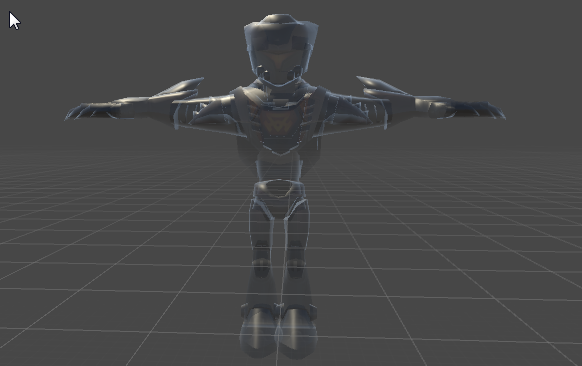
I imported an FBX into unity and my model is transparent, any fixes?
dry fable
Did you put your textures in Unity first?
 fast rover
@odd musk go into body then click on each material and set them to opaque
scarlet crow
how do i use subdivide? i haven't before
fading verge
go in to edit mode
select the area you want to add detail
press w
select subdivide
odd musk
@fast rover think that fixed it, thanks!
fast rover
I have no idea what I'm doing with these paints
fading verge
blue means no effect, red means big effect
Add or Subtract brushes to change color
the bone you are editing for should be hilighted
scarlet crow
I'm not sure that's actually what i needed then, will the mesh bend at vertices still?
This is what i'm trying to fix
fading verge
LOL
scarlet crow
because that's what happens in game
fast rover
all I'm getting is blue
fading verge
yes you need to subdivide a few times
What weight painting do I need to adjust to fix this clipping at the armpit? It is the arm-sleeve cutting into the torso.
https://steamuserimages-a.akamaihd.net/ugc/925920383108953651/84EDDCE2FC517F0636C6C26E20AE9560284A30F2/

open the tool panel
near the top is says Blend
change that
 dusk depot
Has anybody found a fix for this yet? My bone mapping and hierarchy are correct...
 meager kiln
is there a way to get free dynamic bones?
 crude sun
@dusk depot Are the bones assigned here correctly?
meager kiln
so if i was going to make a Tails (from sonic) model.. I wont have much success with his tails?
fading verge
not unless you get a job where you can afford $20 luxuries like video games
 gilded ore
rip
scarlet crow
Is there a way to link two vertecies to make the lines between them?
fading verge
dragon, use knife, K
fast rover
I don't get any of this. the only bone showing up in the list in weight paint is my hips
dusk depot
@crude sun Is this right? If not, what should be reordered?
fading verge
dusk depot
Hmmm...
fading verge
Missing Chest?
dusk depot
I thought Chest was optional...?
fading verge
Does anyone know how I could get a hold of the blue Mixamo avatar so I could learn from its rigging?
meager kiln
not for vrc
gilded ore
upper chest does not work. just "chest" should be present
fading verge
Or really, any well-rigged model.
dusk depot
Hmmm ok
crude sun
@dusk depot hm... check if the bones spcified in teh red text is actually assigned on thr panel on the right. drag from the left list to assign
gilded ore
btw, I seem to be having a bone rotation and parenting issue. can someone help or point me to a video that would help.
fading verge
the thigh bone should be towards the ground and the hip bone should be towards the sky
so 180 degrees apart
the heirarchy can be adjusted in the hierarchy list on the left side of unity
there is a link for a complete VRChat rigged model
even has eyes and mouth
gilded ore
cool
scarlet crow
i use the knife tool but this still happens
fading verge
it's going to happen until you fix it
gilded ore
cuz im more of a visual guy and Im more puzzled that something is not pointing in the right way and I dont see the bone structure showing that in a sensible way. my leg is jacked up when i walk in vrc
fading verge
it looks like you fixed it a little
scarlet crow
Okay, so i just need to keep going around an cutting? It is at least better than it was
fading verge
you should have like 10 cuts going around the elbow area
dusk depot
@crude sun Okay, the shoulder wasn't assigned. However, there are only shoulders, lower arms/elbows, and hands available
dusk depot
Upper arm = shoulder, lower arm = elbow, hand = hand
fading verge
@fading verge thank you
scarlet crow
How come i can't make cuts through some areas?
fading verge
Using which tool?
 wide badger
aloha
scarlet crow
that spot where there isn't a line going through where there is the rest of the way
fast rover
so the hips are the only bone in my list of modifiers in weight paint
how do I get the other bones on there
fading verge
what happens if you delete the face
then add individual faces back in
but delete the face first just to test
wide badger
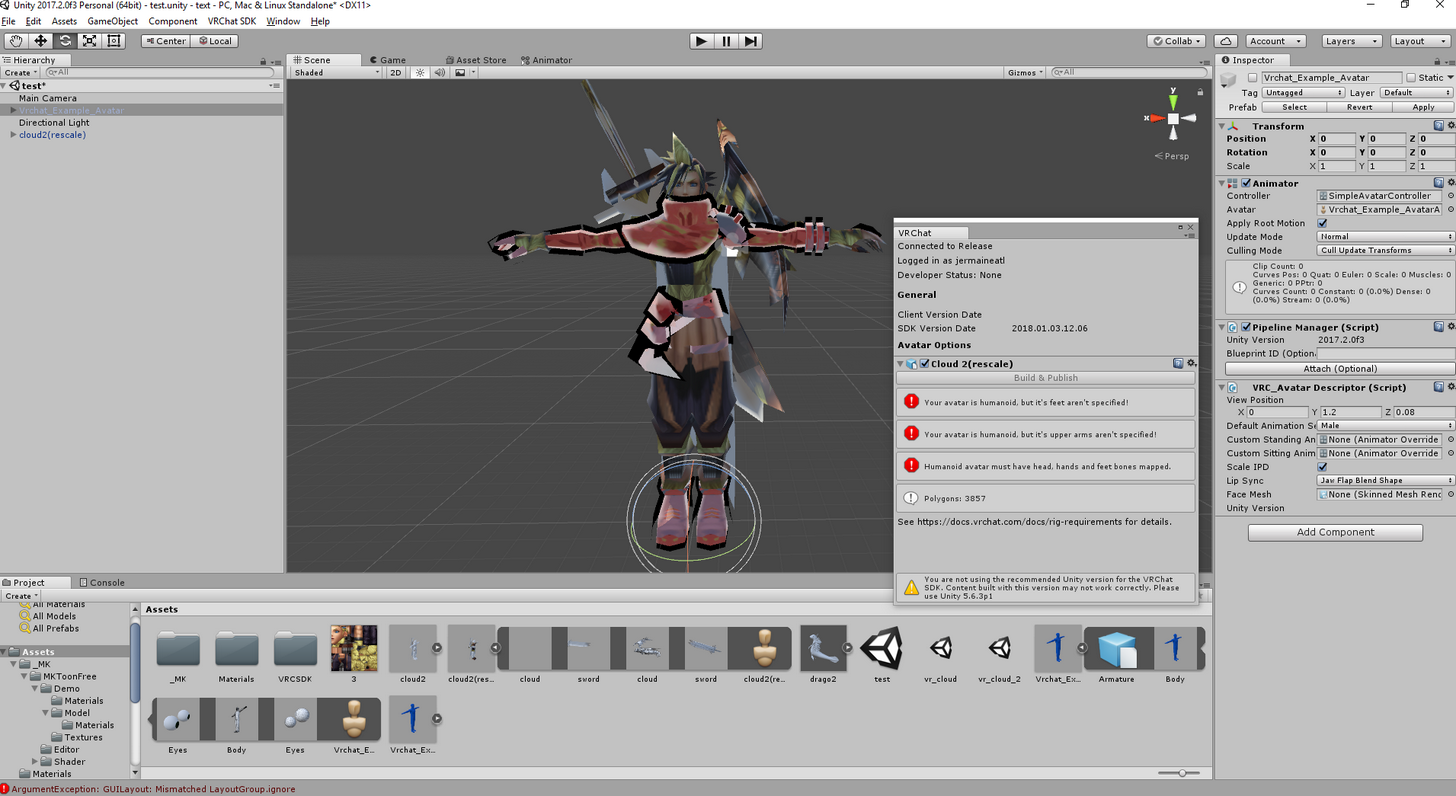
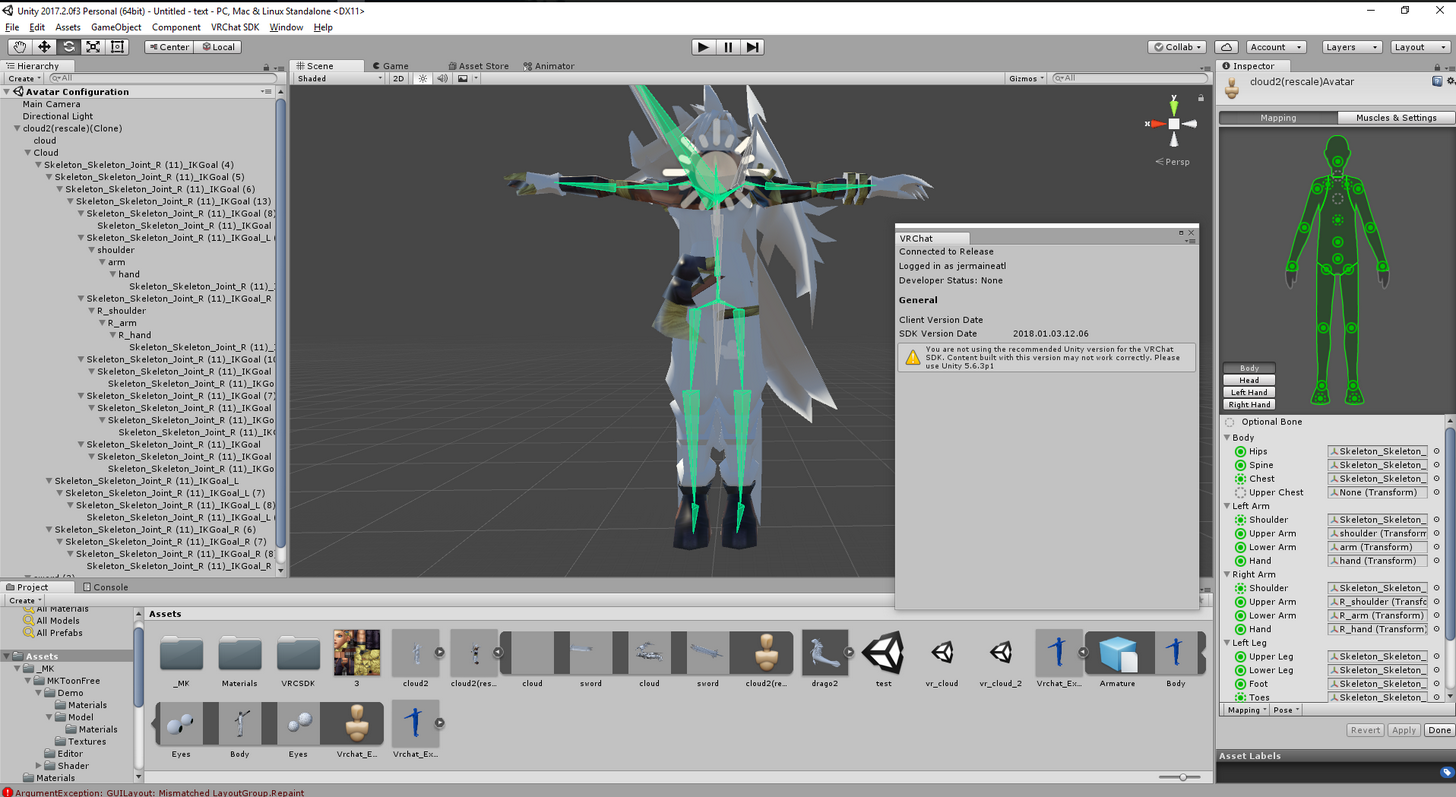
so i have a weird issue when uploading the avatar works in the animator, with the bones assigned but when i try to build and publish it says its a humanoid but parts arents specified. do they have to be named specific names or something?
fading verge
They have to be assigned in Unity before you import
wide badger
they are and worked without it.
you might want to freeze your transforms before exporting
dry fable
That's basically T-pose yo easy peasy
wide badger
well zero them out
fading verge
haha EEEE
 dusky pendant
But yes, why the hell are they deformed that badly
dusky pendant
Can someone help me? I was trying to import this custom model I made
I spent a VERY long time decimating it
fading verge
Does it still look good in blender?
wide badger
make sure all you transforms in the original program are 0'd out
dusky pendant
Yes, in blender it looked fine
scarlet crow
Export settings matter i believe
 cosmic mica
one of my avatar's legs keeps bending inwards, if i angle it to bend a bit more in unity will it stop doing that?
fading verge
yes i would try bending the leg
cosmic mica
k
 abstract yacht
I have a random strange problem,
Does anyone know what exactly is causing this: https://gyazo.com/48fbd3d230f1f30492878daf289b6c1b
The eyes are Parented to the Head.
The shoe.. I have no idea what's wrong with that.
 fading verge
your vertex groups are wrong
crisp tendon
remove weight paint
meager kiln
when i import and then export .fbx files from blender, my characters' fingertips are 90 degree downwards, is that normal?
fading verge
hilight the vertex group for that bone and then remove all vertices not associated with it
abstract yacht
Oooo
meager kiln
no
fast rover
does blender only recognize certain names in weight paint?
abstract yacht
Thank you for telling me.
fast rover
because hips are the only thing showing up in my modifiers list
fast rover
ooo
 vagrant lance
https://gyazo.com/9692c065dad369886f5dfda5af246b28 can someone explain whats happening here
 meager kiln
@vagrant lance no textures
fading verge
textures are only applied to the normal face of the vertex
not to the back of them
your cape needs to have a "thickness"
it can't just be a single plane
vagrant lance
how can i fix that
dry fable
btw, I fixed my avatar by raising the hips in the Unity rigger
blep
fast rover
how do I add vertex groups?
fading verge
@fast rover ill answer you shortly
fast rover
k
scarlet crow
Here's probably a stupis question, but is is at all possible to copy part of a mesh from one model and bring it to another?
fading verge
yes it's easy
fast rover
that's how jameski has that buff miku
fast rover
as soon as I can get my bahamut avatar finally rigged, I'm going to graft natsuki's face on him
scarlet crow
I'm willing to do whatever it takes because i already resized part of the model and don't want to do that again lol
I just accidentally over decimated her body
meager kiln
my chin sticked with my neck ingame for some reason, even though in unity its all fine, what should I do?
fading verge
Import what you want to steal
go in to edit mode and delete the stuff you don't want
then go back to object mode and Ctrl+J to combine
vagrant lance
cant find extrude
 royal glen
I'm trying to set up dynamic bones / colliders so my skirt doesn't go through my body, but I just can't seem to set it up right
abstract yacht
@crisp tendon @fading verge I tried removing the weight paint however there was no weight on the other foot.
And how does the eyes move with the leg for no reason.
Ah nevermind about the foot
fading verge
Xen go to the vertex group
crisp tendon
@abstract yacht Ok, screenshare time
fading verge
no
scarlet crow
so i just import the model into the same window as the one im woking on?
abstract yacht
Don't worry I think it's fixed ish
fading verge
ok
abstract yacht
I'll do a pose check
fading verge
yes dragon
vagrant lance
@fading verge where is extrude
fading verge
E
 fading verge
@fast rover OK
meager kiln
in mixamo its all good too 🤔
fading verge
are you in modifiers?
4D I dont even know what you are trying to convey
looks OK to me
vagrant lance
ok i got it to extrude can i use the same texture for the other side or
idk what im doing ive never messed with this part
meager kiln
btw, when im selecting the chin in mixamo, should I apply it on the lowest point of it, slightly below or slightly above?
 meager kiln
um..
meager kiln
you didnt update your bucket
fast rover
@fading verge what was that random OK for?
fading verge
I asked if you were in the modifier tab
wide badger
gotta click the link itll load the image
fast rover
oh
fading verge
@wide badger link does the same thing for us
fast rover
the tab says it's not yet implemented
vagrant lance
@fading verge will you tell me how to set new texture or what should i do idk
wide badger
ill upload it elsewhere
fading verge
I only know the hard way Sryve, I am aware of a much easier way that you can just copy the other one to it
but I don't know how to do the easy way yet
 fading verge
try to find a video about duplicating a UV or something
fading verge
I think it involves opening the UV, unwrapping the new faces and placing them on top of the existing ones
but for step by step I haven't done it myself yet
fading verge
Can't say, maybe it did it for you, that would be nice
wide badger
anyone know anything about the issue? i saw alot of people post but no solutions
fading verge
it says your bones arent specified
wide badger
yeh but the second image they are?
fading verge
I see what you mean
wide badger
and it works wth the animator
fading verge
can only take a guess here
maybe your names are bad
i.e. one says R
and the other does not day L
say*
vagrant lance
i mean before hand it was able to see both sides in blender
fading verge
How do I make floating avatars
like models that float
wide badger
http://gph.is/2F4ynjb are there specific names they should be made?

cause on the setup end it works as labeled above
fading verge
@vagrant lance it's not that easy
scarlet crow
Am i able to select just a specific part of a mesh to decimate, like if i wanted to do only hands?
fast rover
just leaving this here for someone to recommend a fix
fading verge
Blender defaults to not tell you when you are making that mistake
I have a question
or issue
vagrant lance
youre not getting what im sayin lol
 rare marsh

my moddel is laying back with her hip, everytime i stop running. some ideas why this happens?
wide badger
thats probably bone position
rare marsh
i woundnt mind if it werent for her skirt that vanishes into her legs
fading verge
@vagrant lance press n and go to shading then turn on backface culling
then your result in blender will be the same as in unity
meager kiln
@rare marsh best fisting girl :V
rare marsh
:^)
meager kiln
but anyway, any idea why blender exports .fbx with broken finger bones?
fading verge
The Real I want to know the answer too but I think it has something to do with the way that blender figures out the bone direction
I've only seen it when I try to import a Mixamo model
meager kiln
i had raw fbxs do it too after blender
fading verge
@fast rover did you figure it out lol i was trying to help
meager kiln
now I cant get mixamo to rig my chin right 🤔
 sonic musk
Do you guys know where i can find pre rigged models?
meager kiln
maybe due to the skarf?
@sonic musk mmd models or modelsresourse
@fading verge this is what happens when i look up
 sonic musk
@meager kiln I see people all using the same anime models so i was wondering if they found it on some website or something.
meager kiln
deviantart mmd
fading verge
@meager kiln OK 4D you said before that it didn't do it in Unity though, but it does, right?
meager kiln
yeah
fading verge
You have an incomplete vertex group associated with your head bone (or neck bone)
 fading verge
I'm not convinced
meager kiln
im not sure what that suppose to mean
wild arch
unity force quits every time i try to upload my avatar..
meager kiln
I think mixamo thinks that scarf is a part of the head too 🤔
fading verge
are you using unity 5.6.3p1
meager kiln
and the latest SDK
fading verge
sorry that was for the other guy
I agree that the problem is mixamo
and you need to bring it in to blender to fix it
meager kiln
I was talking to him too
fast rover
@fading verge nope. I didn't
fading verge
btw how are you moving the head in blender
fading verge
carc, what exactly if your problem i am confused about your sitatuion
you said something about modifiers
but you dont select vertex groups in modifiers
only the armature
fast rover
none of the bones are showing up in the vertex groups except the hip
fading verge
4D how do I add it
wild arch
@fading verge yes i'm using the correct version
fading verge
carc show me a pic
meager kiln
shouldnt it be like that @fast rover https://i.imgur.com/CL7saVE.png
 meager kiln
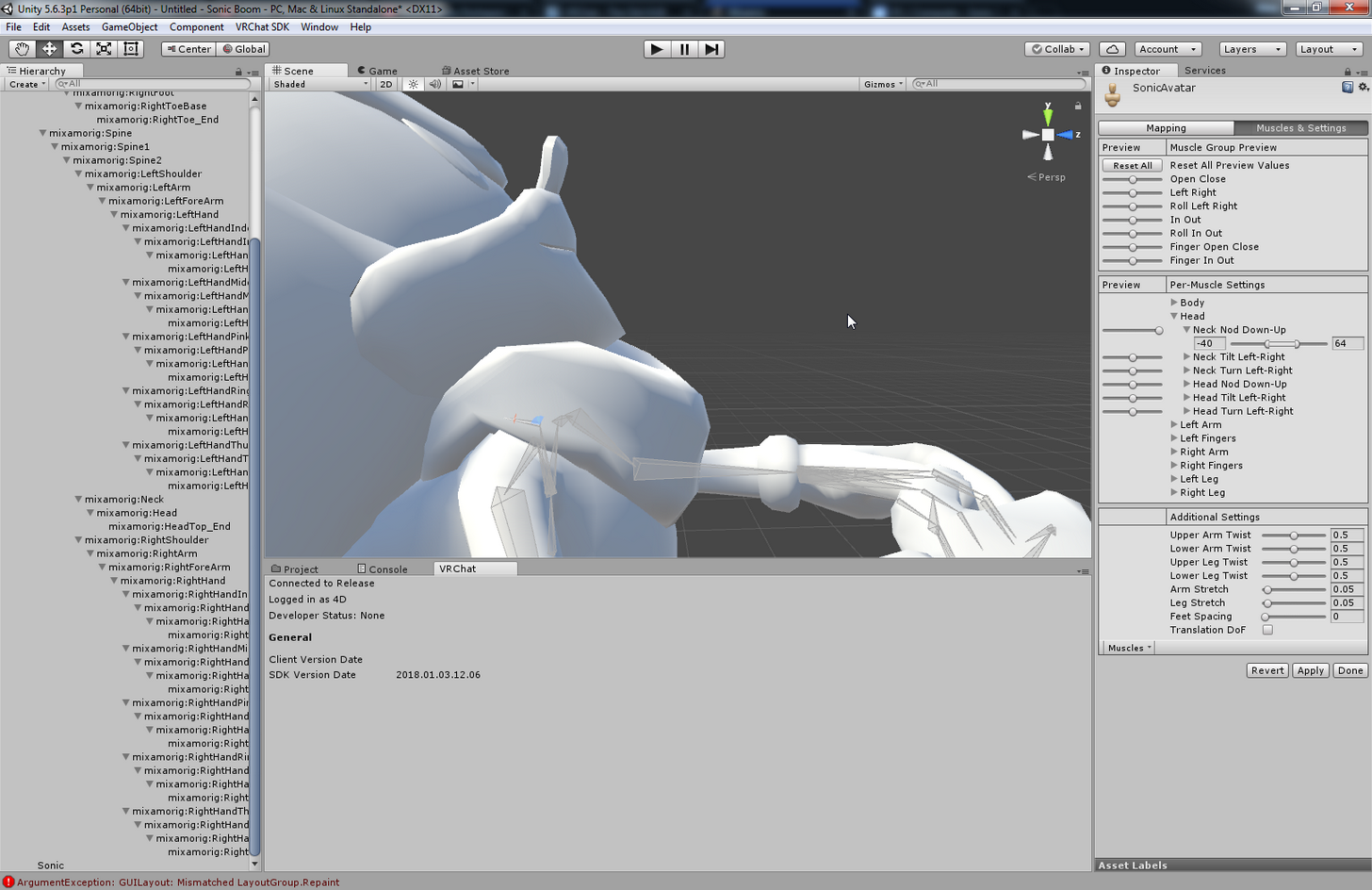
@fading verge click on model
top right "select"
Rig
Configure
Muscles and Settings
Head > Neck nod
oh
open armature
fast rover
did that
meager kiln
though my model in blender rn has a shitton of vertixes
um..
you have cats?
try separating by mat
fast rover
yeah
fading verge
carcino when did you parent the armature
what option did you select
there is an option to create vertex groups
that you should have picked
otherwise you did the steps backwards or picked the wrong thing
fast rover
I parented it a long time ago, I selected automatic weights, didn't see the vertex groups option
fading verge
OK well you did something wrong because automatic weights creates the vertex groups
maybe there was a conflict if you already had vertex groups or something?
fast rover
object mode?
fast rover
I'm there either way
fading verge
ok you see the list of vertex groups?
fast rover
yes
fast rover
yup
fast rover
but I have no idea how to associate a bone with one
fast rover
and the only one that was there automatically was hips
 balmy solstice
This frustrates me a lot the lack of chest/spine/hips
 manic flicker
i cant make my model intangable (use x-ray) so i can see if the bones i make work
fading verge
doesnt need that much work
you can't use x-ray what do you mean
you turned X ray on?
fast rover
should I delete all my vertex groups and reparent?
fading verge
I would try that first yes
fast rover
yeeeeeeeeeeesssssssssdsiouahiuaebgiabvioabnvjkabn
manic flicker
havent set anything just yet
fading verge
there is X-ray button right there
fast rover
it worked
manic flicker
it doesnt let me do it
fast rover
I wish I could give you the money I saved from stealing dynamic bones
fading verge
no its ok
meager kiln
it surely attaches chin to the scarf for some reason.
https://i.imgur.com/yPskYYy.png
 manic flicker
fading verge
manic flicker
fading verge
Bold King you are in the wrong place
I can't seem to weight paint some of my bones. I can weight paint my right shoulder, but not my left, in blender. Anyone know what's up?
you have to select the armature FIRST
You have the mesh selected
which is wrong
meager kiln
sonic the werehog from Sonic Unleashed has over a million polygons 😰
meager kiln
329k
 shadow shoal
Makes sense
meager kiln
fur
shadow shoal
Fur
fading verge
its sanic
shadow shoal
He's a wolf hog
manic flicker
i have a learning disabliity so it makes it so much a=harder when a step is not mentions and i have to do steps to find it
balmy solstice
this is frustrating, I don't even know the first thing about blender ffs
I need like chest, spine and hips
And the thing is too complicated for my stupid mind to handle
shadow shoal
Well realistically you can just leave it like that
manic flicker
i'm going to have go go back to pre step one with the bones and see how he did it
fading verge
ok Bold King, turning on X-ray will not impact your progress though
balmy solstice
@shadow shoal, when i do then i put it into unity, when it comes to the back heiracy there is no chest
fading verge
it's purely for ease of use
shadow shoal
Select the chest yourself
fading verge
Oh I'm a dumbass, I locked my other bones.
shadow shoal
Make sure it's a parent of neck and shoulders
scarlet crow
@fading verge I've got the mesh i wanted to take all set up, how do I connect it to the armature? I thought you selected both and hit control P but it says loop in parent
manic flicker
but i still need to work with the bones when iintergrate the skeletone with the modell
i made a sepreate file so i could experiment, but i could not find ANY of the bones i made in the folder
fading verge
I thought I said Ctrl+J @scarlet crow
meager kiln
jesus, its 7:18
balmy solstice
@shadow shoal, it think's This is the hips
shadow shoal
@balmy solstice Translate bones with Cat's blender tools
balmy solstice
and it thinks this is the chest
shadow shoal
Seriously it will save you a lot of trouble
scarlet crow
upon doing that is says no mesh data to join
balmy solstice
@shadow shoal How?
shadow shoal
Download cat's blender tools
fading verge
@scarlet crow Are you on Object Mode?
scarlet crow
yes
balmy solstice
@shadow shoal I have them already
 amber tundra
Don't know if I'm posting in the right place for this, but could anyone help me out? I'm using a tutorial for setting up my avatar and it's saying I need to choose the "Sample Avatar Controller" option but I don't have it. Did I not download something correctly, or will it work fine in VR Chat if I just use "Simple Avatar Controller"? (Or are they both just the same thing and I'm a dumbass?)
fading verge
And you have both meshes selected?
scarlet crow
Yes, i made a mistake, but got it right now. the new mesh still doesn't move with the armature though
fading verge
Yes you need to re-assign the verticies
scarlet crow
Is this where i do what i tried to earlier?
fading verge
It's where you go in to pose mode, select the armature, then the object then switch to weight painter
scarlet crow
I haven't used weight painting before, where do I enter it at?
fading verge
it's at the same palce where you switch from object mode to edit mode
scarlet crow
i see now, do i just go over the area i added?
fading verge
you want to make sure the bone is selected
then paint the area red that you want to move with the bone
and blue other places
balmy solstice
@shadow shoal now the feet are backwards
scarlet crow
Okay, do i just return to object mode when done?
 odd fable
fading verge
odd fable
fading verge
Well you would want to test it in pose mode
shadow shoal
@balmy solstice You clicked on Fix model?
balmy solstice
it does this
 tulip wadi
My models keep saying they successfully upload but they don't show up in the avatar menu in game.
This is my model (it isn't as big as it looks)
low river
Ok so, for some reason I cant move any of the bones in blender that arent just, floating
fading verge
Crispy where is your Avatar Descriptor
tulip wadi
My what?
tulip wadi
Wait for all seperate 3d models part?
fading verge
uh i guess? sounds like you dont have one at all
 native swallow
Could anyone point me to a video tutorial that shows how to fix broken fingers?
tulip wadi
@fading verge i have knuckles one in the basket but it is too small to see from the the viewpoint
@fading verge thanks@
balmy solstice
@shadow shoal it does this when i fix the bones
fading verge
Crispy right...
You're going to need to combine them in Blender
then import them as a single object
The way you are trying to do is not supported
shadow shoal
@balmy solstice Hmm maybe don't fix the bones
scarlet crow
so when i test the weight painting the whole mesh moves/deforms rather than act like you would expect it to
fading verge
Dragon you may have painted too many verticies
you need to make sure that things you dont want to move stay blue colored
manic flicker
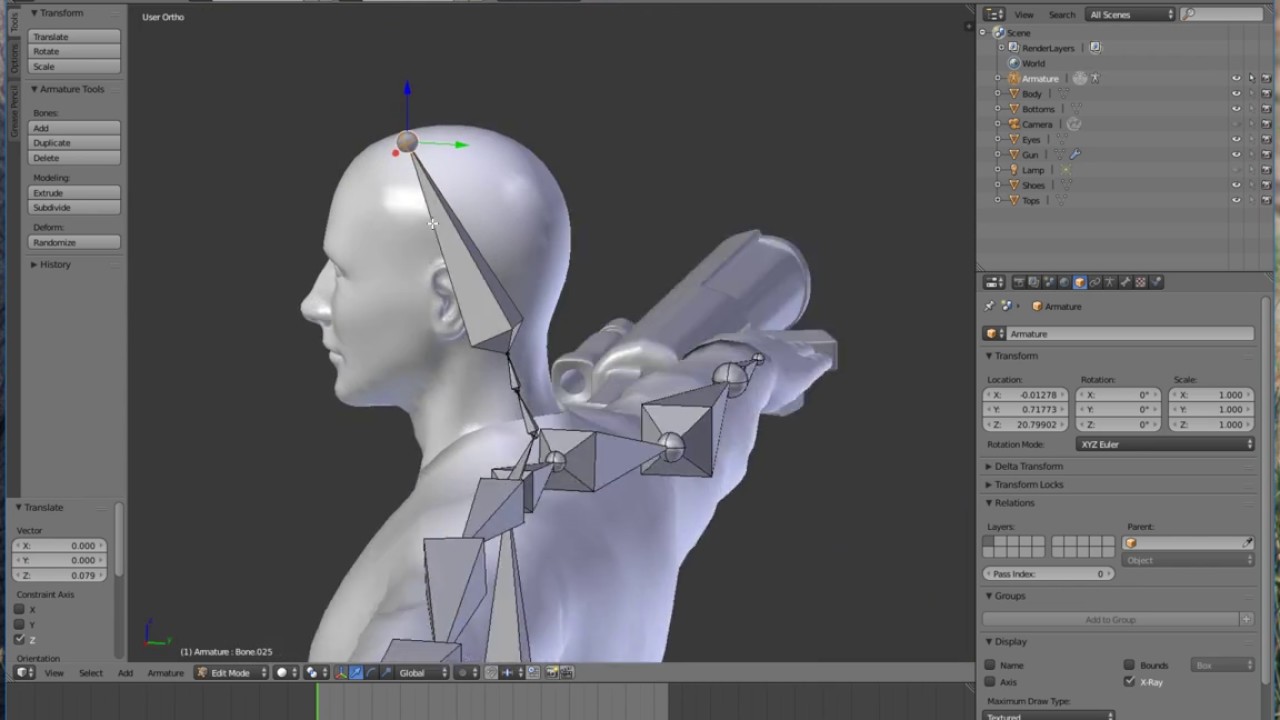
i found a tutorial the talks about how to rig imported characters
that have no bones
https://www.youtube.com/watch?v=yxISkyeG5qs send this tutorial do the higher ups. it may be useful
In this tutorial, I show you how to take your character that was created in Fuse and start a basic Armature for it so that we can animate the character in Un...
scarlet crow
how do i erase what i've painted?
scarlet crow
Okay, also should i be doing it one bone at a time?
fading verge
Yes that is the only way
scarlet crow
Okay, just making sure, i learned that fast lol
fading verge
Unless you delete all verticies and then start over and do weighted groups again
but you still need to check every bone is correct anyways after that
 split quail
Can anyone help with this skirt problem. The skirt doesn't have dynamic bones. It goes up and down
fading verge
You are using dynamic bones or no?
split quail
No
fading verge
Then the dress is deforming with the bones
which is something that you can look at in Blender
split quail
it doesn't seem to be weight paint either
fading verge
dunno man this is rigging channel
royal glen
just MK
scarlet crow
can i just clear all the painting set on one bone ? i have one vertice i can't find that's still painted no matter where i look
fading verge
yes you can do it in the vertex group itself
which are next to the modifiers
you can select all verficies and remove from the group
scarlet crow
How do i do that last part?
balmy solstice
Rippe
fading verge
looking good
balmy solstice
how do i fix this?
fading verge
fix what
balmy solstice
Being backwards
fading verge
flip the scale in unity
balmy solstice
and the arms and legs moving wrong?
fading verge
wrong how
balmy solstice
Back to front
fading verge
try it?
meager kiln
how do i make dynamic bones fall to the gravity?
balmy solstice
I guess I'll have to flip the registered bones too? @fading verge
fading verge
in unity
top right area
says scale
whatever you have for Z, just make it negative
or rotate 180 degrees around Y
same effect
balmy solstice
I should clarify
the arm moves in reverse
so like how we'd bend an arm foward, the model bends it backward instead
fading verge
Are you sure?
Sounds like the arm is moving forward
but the model is reversed
so that it looks like it's moving reversed
 pliant helm
Can someone help me? x.x It keeps saying "Spine hierarchy incorrect. Make sure that the parent of both shoulders and the neck is the chest." (and no I don't know japanese)
balmy solstice
Well Only one way find out
fading verge
indeed
balmy solstice
@pliant helm did you translate the bones in blender?
fading verge
You need to know which bone is witch to move it to the right location, cats plugin for blender has a translate feature
which*
pliant helm
Mm trying to. Either the file isn't updating or it didn't translate the part I need x.x
meager kiln
should i just apply vertical force to the tail with some colliders on it to make it behave like a tail?
balmy solstice
@fading verge
fading verge
the file will not update
you have to delete the asset then reimport it
but you can also rearrange the bones from within unity
balmy solstice
I'll delete then reimport
pliant helm
Hmmm mk. I'll try
balmy solstice
Oh
pliant helm
Ah okay, that did it. Had to delete and reimport the asset. Thanks 😄
balmy solstice
@fading verge how do i do that?
fading verge
You already have blender set up right?
balmy solstice
yes
 wooden canyon
Hey, can anyone tell me how make my avatar extend a hand when grabbing things in non VR? Been trying to figure this out for hours
balmy solstice
@fading verge this is driving me nuts.
fading verge
you lost fingers?
balmy solstice
When i first imported it, the feet were back to front
The feet show in the correct position
But the rest of the body ends back to front
this is the thing freshly imported with no changes
fading verge
where is front though
balmy solstice
You can see the feet are back to front, which is the direction the body SHOULD be facing
the front
fading verge
no use the box
in the upper right of the scene
click the blue cone
and it will say Front
balmy solstice
 hidden ether
Your bones might be the wrong way around
I.e. left arm is right arm etc
pliant helm
Ok, so I got it to english XD Still giving me the same error though. "Spine hierarchy incorrect. Make sure that the parent of both shoulders and the neck is the chest." Like what does it want me to do? I don't understand.
fading verge
Murdoch, good point
hidden ether
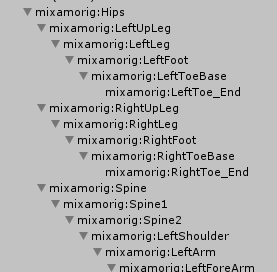
@pliant helm your hierarchy is wrong, should be
Hips
Spine
Chest
Neck
Shoulders
@balmy solstice try turning the hip bone 180 degrees. That might fix the model just for VRChat
(In unity)
fading verge
https://b.catgirlsare.sexy/3YFi.png anyone got an idea on how to fix stuff like this?
 pliant helm
@hidden ether The list on the left side?
balmy solstice
@hidden ether this is just frustrating me to no end (I get easily frustrated with things i don't understand due to my horrible inhability to learn
 south oar
missing hips how do i create one?
hidden ether
@pliant helm Check in Blender or your chosen rigging program
I would send a screenshot but im not at pc atm
@balmy solstice also lol my bad, rotate spine bone not hip bone
unless the hip bone doesnt turn the whole model 🤔
i wish i was in a position to test this right now
 tawdry fern
I have a mesh here that is not fully following the rig, tried weight painting it to no avail any ideas what could be causing it
fading verge
its caused by not being weight painted obviously
balmy solstice
the structure of the model from the side
fading verge
Glaciate now show the front
not the model front
but Front Ortho in Blender
Numpad 1
fading verge
You can add hips by going in to edit mode with the armature
balmy solstice
@fading verge
south oar
where do i put it?
 agile crater
does anybody know of any good tutorials on adding a jawbone to a model thats already rigged?
hidden ether
ah yes hello i am now at a computer
hidden ether
h
hidden ether
to create a hip you simple need to create a new bone and name it hip and place it where the hips are
south oar
i'll have to create one
balmy solstice
@fading verge
hidden ether
alternatively rename an existing bone as the hip bone
fading verge
ok glaciate well you can obviously see that the model is backwards from where it should be
and needs to be rotated
I thought you already took care of that
balmy solstice
I removed it for a moment
 cedar garnet
i saw that someone made a Thomas the dank engine model 😰 but i been making my own for a few days dose anyone know where that file would be so i dont have to config all my bones if someone could like or show me where to get that would be awsome
 sweet nest
Sometimes I hate my life
balmy solstice
@south oar welcome brother, I too am about to cry from frustration because i don't get this one bit
sweet nest
I have no idea why he's tearing like this now.
 fierce vale
Look on youtube how to add them.
south oar
hidden ether
@south oar Which bone is that unused pelvis bone?
fierce vale
You've asked like 5 times in the last 10 minutes for how to add the hip bones, people have told you, but you keep asking.
fierce vale
You need to create it
hidden ether
ok well you need to create the bone
fierce vale
You've already been told this.
hidden ether
in object mode hit shift+a then armature, create bone
then make it the parent of everything
but remember you'll have to repaint the skeleton if you're going to add new bones
hidden ether

south oar
i never did this before...
hidden ether
Weight Painting is the act of painting over how much influence a bone has over a mesh's vertices - how much a bone controls parts of the body.
south oar
CATS doesn't do that automatically?
hidden ether
i think it can
hidden ether
I've never used cats so
south oar
simples as that
 torn isle
CATs is the go to tool.
south oar
How do I decrease the size of this bone?
torn isle
Fix and it should work.
hidden ether
Scale it using S I believe is the hotkey.
Or on the left there go to Tools and use the scale tool within there.
fading verge
looks good
hidden ether
fading verge
little smaller
hidden ether
^
fading verge
need to set parent structure as well
south oar
CATS automatically does that
fading verge
ok never used it
hidden ether
hmm
south oar
should i click?
scarlet crow
@fading verge I went back and just re did the mesh stealing because i needed to tweak it anyway, but now after i've been testing weight painting I notice that sections that got cut are not actually connected, how can i fix this?
fading verge
you didn't marry verticies up?
wide badger
so i found out what the issue was
fading verge
you have to select them and use alt+M
south oar
i want to see if the hips are working
wide badger
it was the naming @fading verge
fading verge
ah really?
wide badger
yeh i rebuilt the rig and renamed everything and eventually got it
thanks for the help
south oar
IT WORKEDDDDDDDDDDDDDDD
YEYYYYYYYYYYYY
THX GUYS
HE HIP IS WORKING
HOLY SHIT
I'M ALBERT FUCKING EINSTEIN
I'M GOING TO HARVARD
SEEE YA
balmy solstice
Cries a river
cedar garnet
im not sure how many times i need to post this
fading verge
glac what are you even stuck on
cedar garnet
i saw that someone made a Thomas the dank engine model 😰 but i been making my own for a few days does anyone know where that file would be so i dont have to config all my bones if someone could like or show me where to get that would be great
fading verge
the last thing you posed you were still backwards and didnt flip your model yet
scarlet crow
which option do i select once i hit alt+m?
fading verge
well you have a few options
depending on the order you selected the verticies
you either want the first one you selected to move to the other one
balmy solstice
@fading verge I did
fading verge
or meet in the middle
balmy solstice
 south oar
his eyes are all messed up
balmy solstice
That's texture
scarlet crow
Okay, so i just need to do two vertices at a time?
south oar
@balmy solstice what about them?
fading verge
select edges
south oar
what do i do?
cedar garnet
can anyone help
fading verge
that connects them
do which ever is faster or easier
this is probably the wrong channel to be asking for free memes
scarlet crow
I feel like i shouldn't need to ask, but how do i select edges?
fading verge
its on the bar near the bottom
 serene wharf
@fading verge If i may ask for some help as well? I'm currently setting up the fingers on a model. But depending on what combination of the finger bones i connect. it says the character is not in T pose. should i just ignore it?
fading verge
there are three options, verticies edges or faces
 noble frigate
Hello! I was adding dynamic bones to my avatar, my skirt works fine, but the hair refuses to budge... I was told it was possible that they did not have any weight, how do I check their weight in blender?
sweet nest
I'm getting this error over and over again: Bone Heat Weighting: failed to find solution for one or more bones
Does anyone know what it means?
scarlet crow
Oh i see, thank you (thank you very much for all the help you've given me tonight, it's helped me learn what to do with other issues i've been having in other models as well)
fading verge
I don't see why there would be more than one combination to connect finger bones so your question doesnt really make sense to me


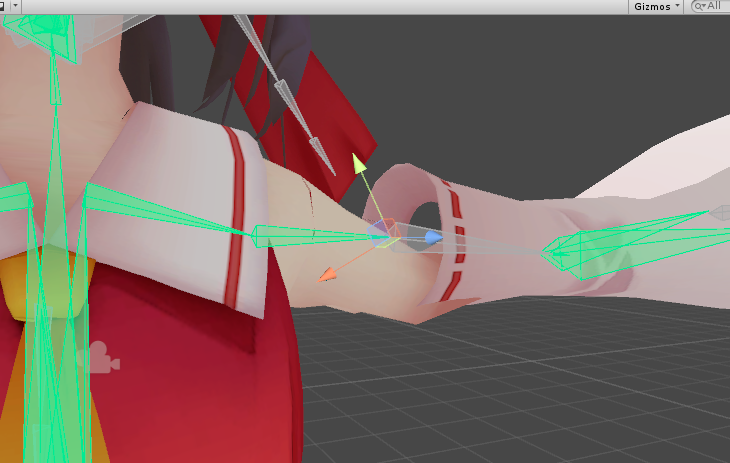
 balmy solstice
@fading verge https://cdn.discordapp.com/attachments/390924372782612480/399453690718715904/unknown.png I did
scarlet crow
What do i do if the entire model went black and fix model in cats doesn't fix it?
balmy solstice
Yes
scarlet crow
balmy solstice
I titled it Arresterdramon4, exported as FBX, Imported it to unity and still the same
@fading verge
fading verge
Dragon do Shift+A and add a Hemi lamp
scarlet crow
It only affected the arms, it made them gray
fading verge
Are you in material viewport shading?
scarlet crow
I'm not sure
fading verge
right next to where it says object mode
scarlet crow
I was, when i switched to rendered is showed them though minus the area i cut from the other mesh
fading verge
scarlet crow
but not in texture or material
fading verge
@fading verge You need to pull it in to Blender and add a decimate modifier
serene wharf
@fading verge Aight, easy question hopefully. The VRCCam. I can't seem to find it. How do i locate it in the Assets so i can manually move it?
fading verge
Ace you mean the one that shows you the picture of your avatar?
serene wharf
Yeah
fading verge
You can move on the screen that shows you the picture
switch to Scene tab at the top and move it
Can someone tell me why my models fingers are ponting upwards when adding the rig in unity?
serene wharf
Aaaah thank you!
 limber grotto
i think this is the right place actually
does anyone know how to manually create bone root parents like CAT does automatically
fading verge
make a bone
set it as the parent to whatever bones you have at the top of the hierarchy
limber grotto
does that bone have to be in any specific spot or is it just like a ghost bone or something
fading verge
The Hip bone is already a root parent though
so what are you trying to accomplish?
it doesnt have to be in any parciular spot
limber grotto
basically uhh
i'll screenshot
i'm trying to parent bones like CAT does automatically for dynamic bones for a group that doesn't show up in CAT
fading verge
Why can't the Hip be the parent bone?
torn isle
@scarlet crow Using winrar, use name encoding in Japanese to translate gibberish to such. Then have cats tool fix model. Textures should work properly afterwards.
scarlet crow
I don't know what fixed it but it's fixed now, bt thank you
torn isle
Post. @gentle dock
 gentle dock
Hm?
torn isle
Picture of model with skeleton.
gentle dock
I have no clue but I know its not child right
 torpid minnow
I put this model through mixamo then realized the hands didn't rig right. I added the ring finger and straightened the bones. How's it look for my first time rigging?
fading verge
Dan looks good but you still need to attach the mesh to the bones before they will do anything
limber grotto
from what i understand of the bone parenting option in CAT, it creates a duplicate of the parent, reparents all children bones to the duplicate then parents the duplicate to the original bone
but how do i do that manually
torpid minnow
Of course
scarlet crow
@fading verge Do you know how to set the rest position for an existing model to a new one? this is for a different model
torpid minnow
I know that.
 lucid isle
help? the right side is a duplicate of the left because of how messed up the original right side was
torpid minnow
What would be the point of making an armature without connecting it to the very thing you're trying to make.
fading verge
i dont even know what rest position means, what is it?
torpid minnow
Not hard to bind an armature to a rig.
fading verge
not hard to add bones either
lucid isle
u n u
fading verge
Interesting, I see what you mean but have not done that myself to know how to do it
torn isle
@gentle dock Still there?
torpid minnow
Fuck
scarlet crow
Dang, I know how to set the bones to a new rest pose bt the mesh doesn't stay with them after doing so
lucid isle