#avatar-rigging
1 messages · Page 53 of 1
 molten vale
You can select in a AvatarTPoseController into your avatar
click it in the heirarchy and select a controller
and then hit the play button and go to scene
see how it looks, keep adjusting til it looks alright. Remove the tpose controller when you're done and save.
 timid fog
I can't make my mesh move as a whole unit, I don't know why the hair and headband won't move with the rest of the head. (all of the same mesh)
molten vale
Need to make sure the vertex groups match the bones
timid fog
How do I do that?
molten vale
alternatively select the non-moving pieces and slap them to your head vertex group.
or appropriate body part
Click the mesh you want to edit, go to edit mode
should be a tab called vertex groups to the right.
it's handy to use H for hiding and A for selecting all and deselecting all
shift H to hide everything other than selected and Alt H to unhide.
but yeah, find those lost verticies and pair them to some vertex group
don't pair it to whatever tho cause then if you move your leg, your hair will move etc
lmao
 plucky fjord
@molten vale The jaw is like that by default
plucky fjord
How ?
plucky fjord
I need to put it up ?
molten vale
Rotate upwards yes, to close it
plucky fjord
it is closed when not in game, so I don't really know what to do
molten vale
Yes I know
but fucking slam it into your face already
as in close it MORe
And then you can check how it looks with what I said above
plucky fjord
Like this ?
molten vale
yes
Test how it looks by adding a controller and hitting play
if it looks good, remove the controller and save
if not, go back to rig and keep fixing.
plucky fjord
@molten vale I think it's looking good now
molten vale
well done
plucky fjord
thanks a lot
timid fog
So, I have seperated the hair and headband from the rest of the head, and it shows up as having all the same vertex groups as the main head… Still no idea what I'm supposed to do to fix the issue…
plucky fjord
@molten vale well now it appears that my model is completely invisible when in game xD that's one way to solve the mouth problem but it doesn't suit me
 naive tree
@plucky fjord select your mesh in unity, go to skinned mesh renderer, go to Bounds, Extents: scale XYZ so that you have a white box around your avatar
 mild mural
did you change the controller back?
naive tree
if you don't have the bounding box, or your avatar is outside of it, you'll be invisible
naive tree
if it's there, then there's other problem
plucky fjord
@naive tree any clue to what kind of problem it could be?
 light token
@hidden ether
 rustic fjord
hey so Im rigging in blender for the first time, how should I fix the feet? https://i.gyazo.com/bc63d7151bdcbd84738384fe97a5dd3f.png
 rustic fjord
it's normal for the bones to be below the ground?
light token
yea
rustic fjord
aight
rustic fjord
I mean I kind of asked everyone...
 spare wagon
hi, question.
i'm trying to use a humanoid model but it only have two fingers, and the IK is disabled on the model because of that.
How can i use a model without the full hand ?
 hidden ether
@rustic fjord just move the bones to the feet?
 round breach
@naive tree i had it happen again with the bound box, it was so big you couldn't even see the outlines this time :p
hidden ether
@light token perfect my brotha
light token
@hidden ether hah, thanks you
hidden ether
Now make sure it's weight painting properly and bound
rustic fjord
@hidden ether is it that simple? as I said it's my first time doing this so I dont wanna mess anything up
light token
naive tree
@round breach yea, that's somewhat common issue, mine was e+20++ large
light token
im not shure that Z axis should be look it in a front of view
X on a front, Y axis on a side, right?
spare wagon
Like in only have this parts attached
hidden ether
@rustic fjord It looks like there are a few too many bones in that foot, however if you just delete the ones sticking out and rearrange one of them to be a proper, singular foot bone it should work out. However that is not the best solution, and it might mess up the foot's influences.
rustic fjord
aight I'll see what I can do, thx c:
spare wagon
hi, can anyone help me ?
 thick verge
could you show a screenshot of the handrig itself?
thick verge
ok
spare wagon
and if i assign the same transform on different parts, it doesnt recognize the avatar like a humanoid
so i'm stuck
thick verge
yeah, that's a toughie
what is the error that it gives when you try to build the model
like, what does it say in the area wher emine are just yellow triangles
spare wagon
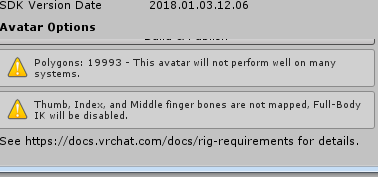
so if i doesnt have all the bones assigned: Thumb, indec and middle finger bones are not mapped, full-body IK will be disabled
And if i use the same transform on the parts: This avatar is not imported as a humaoid rig and will not play vrchats provided animation set
because the humaoind importation is broked because of the duplication
thick verge
you can use the generic rig option with the SimpleAvatarController as it's animation controller
perhaps that might work
spare wagon
same problem, no vrchat provided animations
 frank bay
Been looking into this myself because I have a similar issue with a model I had Mixamo rig. Very limited experience with Unity and Blender, but I read a solution to this is to make the bones to assign to those slots, but don't weigh them to the mesh, so they are basically phantom bones. This should check off the requirement to add them. Not sure if it works because I'm not familiar with the step by step.
spare wagon
good idea !
thanks !
Finger Mappings
Thumb, Index, and Middle finger bones are not mapped, Full-Body IK will be disabled.
In order to have full IK (allowing crouching and automatic foot placement) you need to have these three finger bones mapped. If you ignore this warning, your avatar will not be able to crouch, and it's feet will not automatically step (unless you use controller locomotion).
It will also prevent custom animation overrides on hand gestures from being played back. (This is not currently mentioned by the warning in the SDK.)
i think there is no other solutions
 woven pulsar
my model doesnt appear in game when i publish
all it does is that it makes my >personal appear for 1 sec
 shadow shoal
Use your vrchat account, not steam account
woven pulsar
im using vrchat acc
shadow shoal
Are you using latest sdk
woven pulsar
yes
shadow shoal
Vrchat account in game?
woven pulsar
The ingame account is the steam account
shadow shoal
Logout and use vrchat account
 knotty epoch
I play with my VRchat acc
When you uplaod an Avatar it's on your VRchat acc and not ur Steam acc it's differente
woven pulsar
dont want to switch acc
shadow shoal
Steam account can't use personal avatars right now
 tawny silo
How would I parent (if you look to the right in the screenshot) like how to i turn this into a mesh
shadow shoal
Where's your armature?
tawny silo
Again I am about to Rig it up
woven pulsar
I mean can i have the same account in vrchat as steam?
tawny silo
but i wanted to put the eyes and the body in one
 crisp tendon
@woven pulsar nope
tawny silo
parent
shadow shoal
@woven pulsar No
woven pulsar
damn
tawny silo
like before i want to rig this is there a way to convert it into a mesh or something
as i got eyes and body not parent to each other
anyone able to help?
woven pulsar
but you cant launch game without steam acc
shadow shoal
Not true
woven pulsar
therefore creating a new acc on their website is only for downloading the SDK
shadow shoal
Why do you think you created an account in vrchat.net
It wasn't just for sdk, it's also to be used ingame
woven pulsar
personal avatar via steam, will it ever be possible?
shadow shoal
Maybe when they add steam workshop
 vagrant lance
i went in to animate my model and this is what it looked like https://gyazo.com/b0f9a2cdd71b9ea8aef84137e0e5a4c0

why
 timber python
okay i need a little help
can someone fix a rig for me?
I just need the groin moved down
 fading verge
so i had to creat a eye bone how would i bind the eye texture to it
thick verge
my character has a satchel (which is a seperate model) and I want to make it move/wiggle a bit when i move. Any idea on how I can do that?
shadow shoal
$20
fading verge
^
 coral coral
So I'm looking to rig up a model of kirby.
And the one I have doesn't have enough bones.
So is there a way I can make "dummy bones" that are there only to satisfy the requirement?
shadow shoal
In Blender you can make the bones
coral coral
Well yeah but is there a way to make some of the bones correlate to mesh but some not?
I just want the head, hands, and feet to go with the mesh.
coral coral
I also run into an issue where I want to put a hat on him, but I don't know how to do that without parenting the entire armature.
 urban prism
Hey guys, I'm trying to rig an avatar and I get the 'Bone heat weighting failed to find solution to one or more bones' error
anyone have an idea?
 lilac lake
Is there a way to change the point of view in blender? I dont like to always look at 0 0 0
mild mural
middle mouse?
lilac lake
No not that i know i can change it like that but for example that i like not down more in the center of my avatar
mild mural
oh, no that's just unity
lilac lake
rip .-.
fading verge
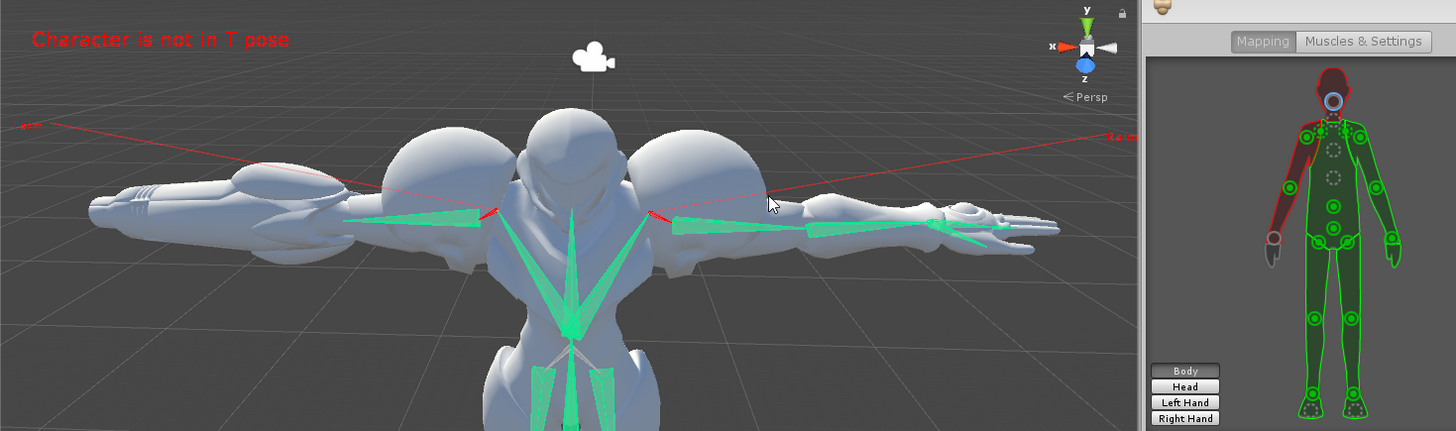
hey how do i get the head working? im new to unity
https://i.imgur.com/cTHry3V.png
 mild mural
you mean eye position right?
fading verge
like the head
unity is saying i can't use humanoid animation because i don't have a 'head'
mild mural
sorry, meant for death
fading verge
oh
lilac lake
xD chronubis i mean on blender but its k i maybe just make the avatar small and make it bigger on unity
mild mural
@fading verge click the button by the green man, and assign the head bone to the head entry
fading verge
what head bone
this?

so like can i make a headbone in unity or do i have to go back to blender
mild mural
if there isn't a head you'll have to add it in blender
that bone in your last picture looks like the spine bone
fading verge
ok so i figured out, for some reason unity is treating the entire head as a head bone?
but it wont let me assign it
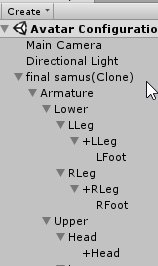
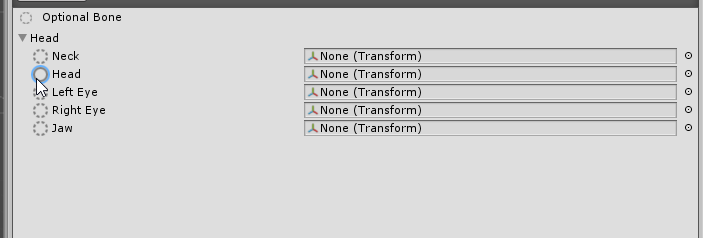
like the head Is the head bone
but it wont let me assign it
mild mural
click the little dots on the far right in that last pic
mild mural
also it looks like the model has no neck, or it's out of order
mild mural
the order you'll have to change in blender
fading verge
but the right hand is the gun
silent screaming
and i cant assign something to the whole hand
theres a button called 'optional bone' but clicking it does nothing
hm
mild mural
you can keep the gunhand fingers empty, however without bones your model will slide when you turn in game, instead of moving each foot
fading verge
wait so i need to go back to blender to add bones?
hm
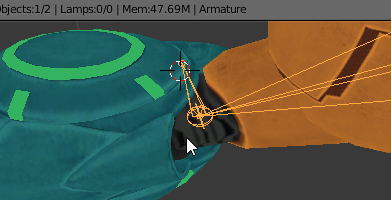
so there is a hand bone
its just not transferring to unity
so how can i edit bones?
mild mural
the pinned videos up top should help if you haven't watched em
 earnest lily
so for dynamically boned things that defy gravity in their idle pose, is there any way to set them up to obey it with dynamic bones or is the best approach to just change the idle pose in blender? https://i.imgur.com/WPYE1gS.png
 mild mural
that's Kolin's scarf, isn't it. 😋
 gritty sable
Can anyone help me with adding textures to my model from blender to unity i dont know what im doing if so Dm me please
mild mural
I converted it just this week
anyway, performance-wise it might be best to just pose it down
you can also play with the force setting for dynamic bones
and turning the elasticity down
earnest lily
alright, thanks bud
mild mural
force Y -0.01 should be a good starting point if you want to try that way
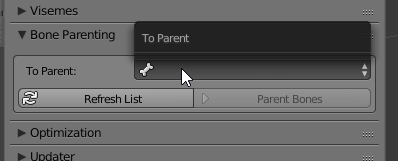 mild mural
make sure your new bone went into the existing armature, it may have created its own
that's the yellow figure in the hierarchy
 swift frigate
Can someone explain why it says my feet aren't specified even though the only rigging things not marked are toes?
I'm trying to upload it now
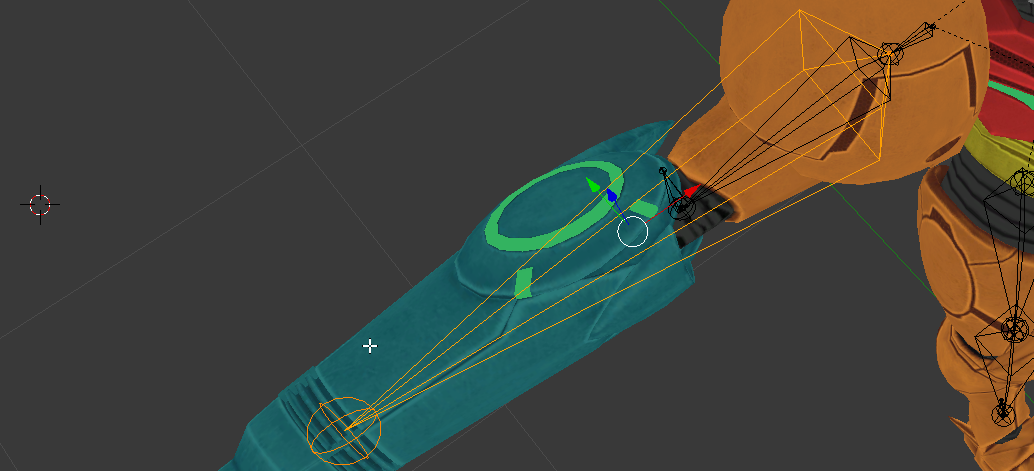
mild mural
@fading verge is that the elbow/forearm bone or a long upper arm?
 mild mural
so it's supposed to be the forearm?
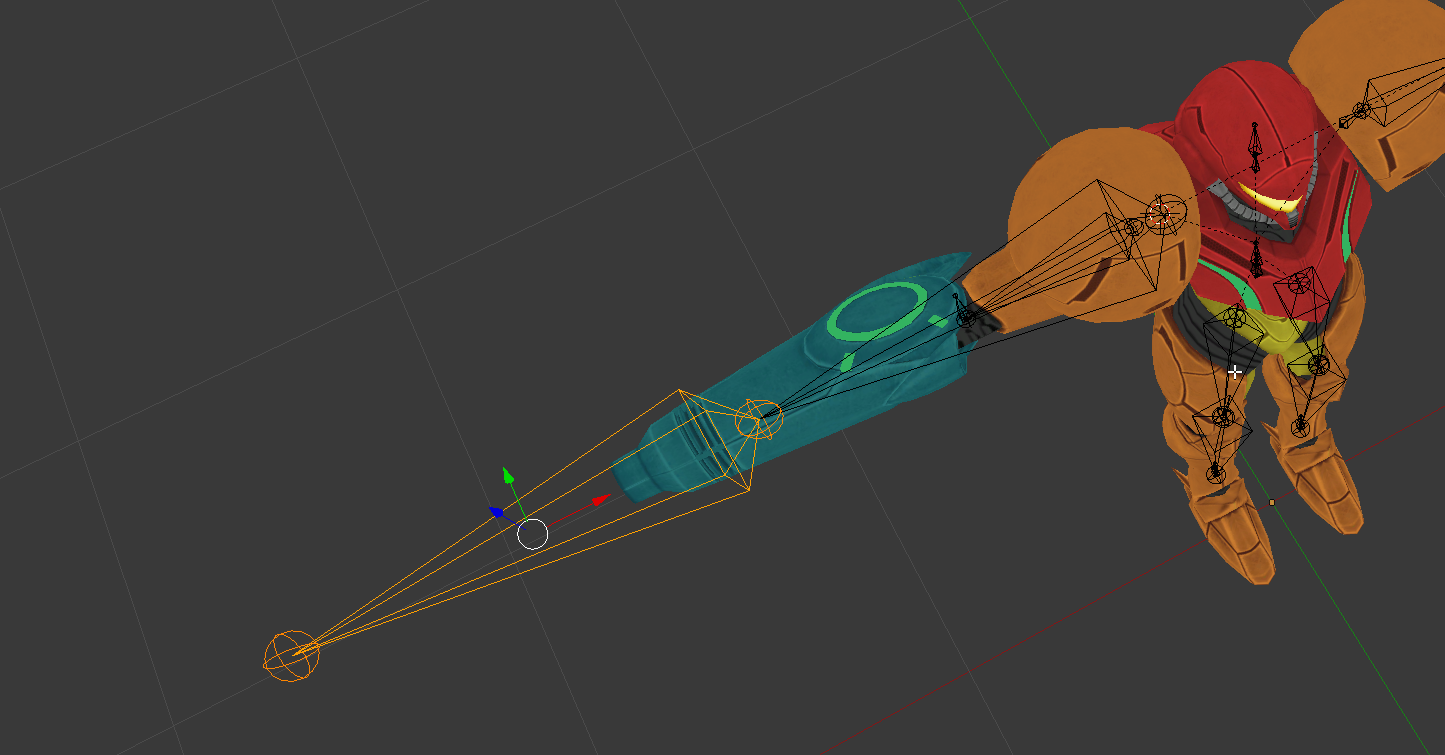 mild mural
set the parent of the forearm to whatever the upper arm is named, it might have a weird name like shoulder2 or upperarm2
fading verge
ok thats better
wait
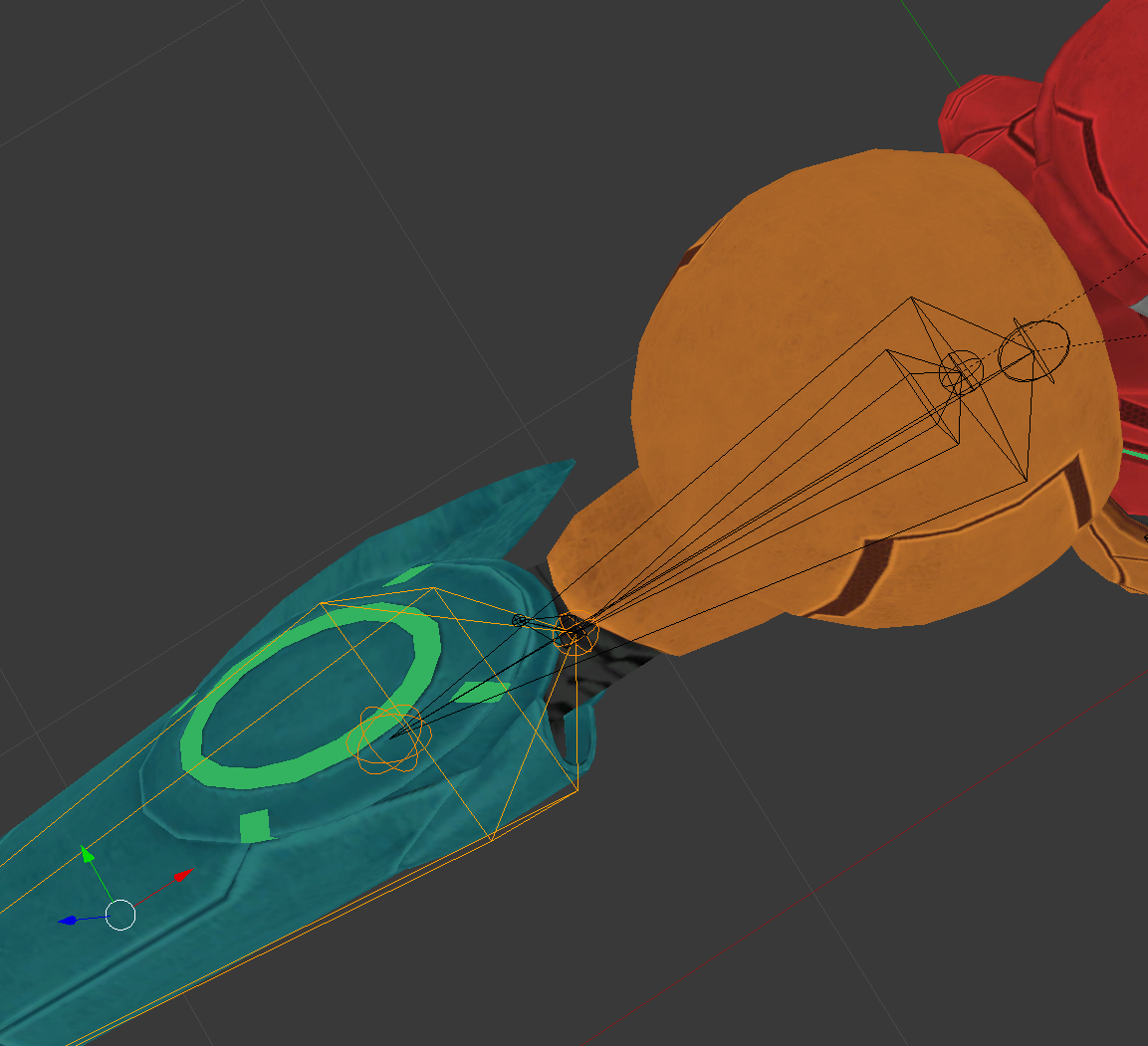
theres a yellow forearm coming out of the broken forearm
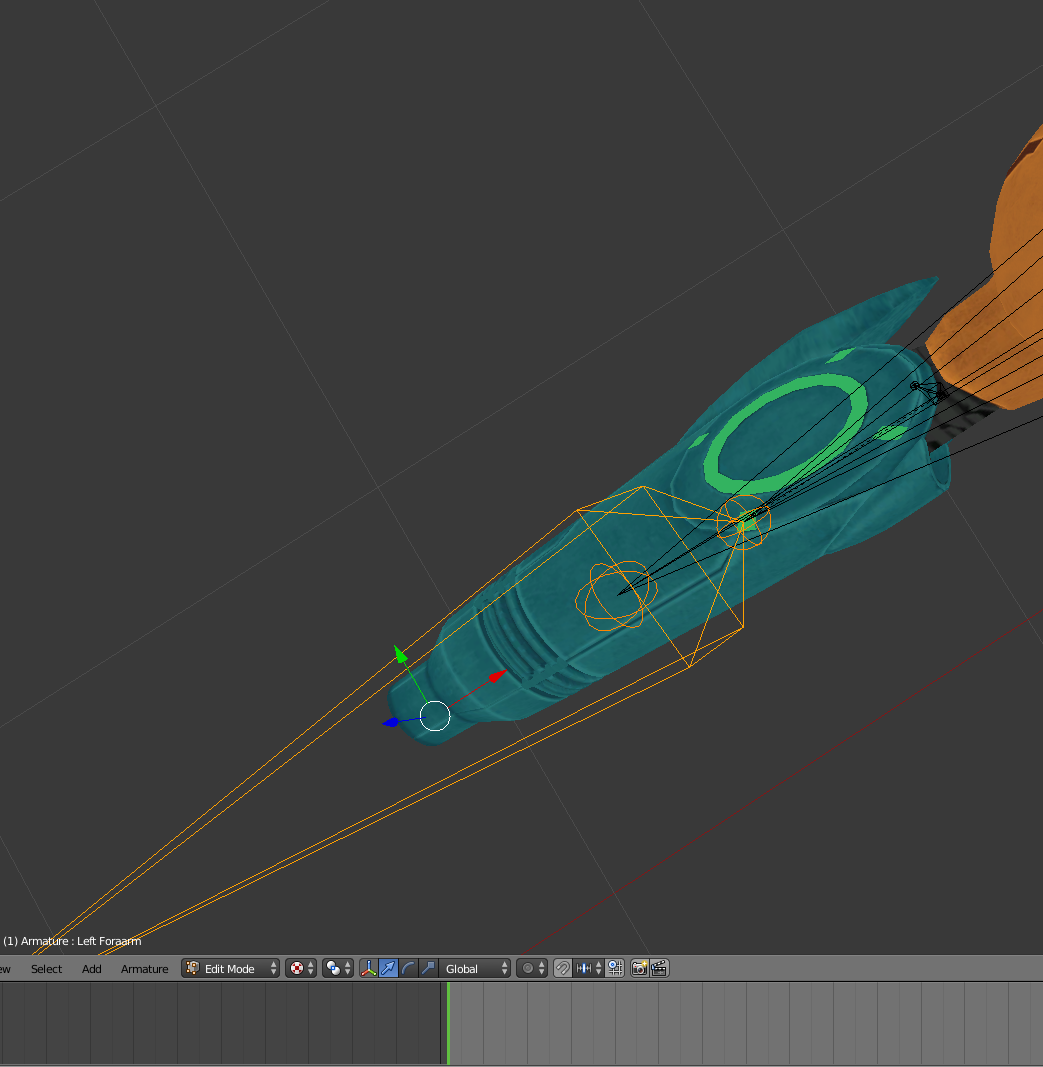
and theres a sclaer that affects upper arm and broken forearm
jesus blender is wierd
ok nvm
shoulder was broken for some reason
@mild mural it fully works now, thanks!
 tepid jacinth
So, silly question. but how do you change the scaleing of something in unity? My little greminoid thingy is positivly miniscule
nervermind, I clicked around and saw the option.
fading verge
what does this mean?
https://i.imgur.com/R5MyVsF.png
 mild mural
there may be double vertex groups for each of those
mild mural
click your mesh, then go to the Object Data tab (bottom right pane, the tab that is a grey triangle)
fading verge
wait in unity or blender
mild mural
blender. then scroll down to vertex groups and check for duplicate entries
mild mural
must be a unity thing then... honestly I'm not familiar with the error. is your cannon assigned twice in the humanoid rig?
fading verge
idk lemme check
oh it is
thx

JESUS CHRISt
IMMA KMS
atleast i only have 2 erros now
does manual texture atlasing usually result in higher res faces? cause i noticed even though my texture is 4k, stuff gets really low quality in some areas
ok this is my last error, does anyone know what this means?
https://i.imgur.com/j1yUoDr.png
 mild mural
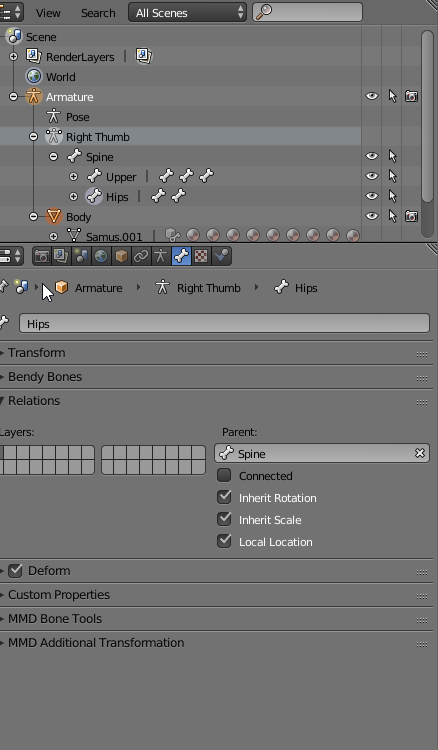
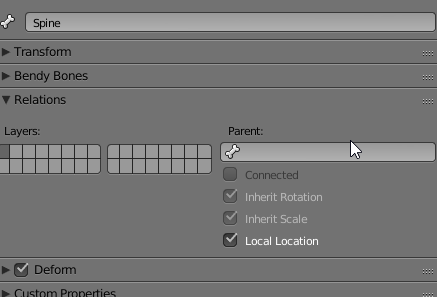
make sure hips is the parent of spine
fading verge
uh for some reason in blender whtever i select the right thumb is always in the right bar?
god this is so annoying
 summer wren
My avatar has all the bones needed but vrchat says my avatar is humanoid but no upper arms, head or feed are mapped
Pretty sure i mapped those correctly
fading verge
ok nvm
ok @mild mural hips are the parent of the spine, and spine has no parents, is that right?
 odd musk
Hey guys, I made a rig and it was working perfectly fine in Blender, but when I go to pose mode to test it out, the limbs no longer rotate like they're supposed to, what do i do?
They're completely stiff and move the entire model with it, instead of rotating
mild mural
@fading verge you just said conflicting things there
fading verge
sorry to keep asking questions this is just INCREDIBLY CONFUSING ANd BORDERLINE IRRITATING
 mild mural
under hips, the parent should be empty. under spine, parent should be hips
coral coral

Why is this a t-pose.
And why don't his arms or legs move in Unity when they move in Blender?
Seriously, All I did was add bones to the ones he already had.
But apparently now the bones that do move the mesh don't actually move it and this is now a t-pose.
 pseudo silo
the only explaination i can think of is that the bone weights are off
but if they work in blender, then they should be fine
i actually don't know what's wrong
coral coral
Oh shoot.
The Bone weights.
So when I put in the bones I just placed them in.
And I tried to do automatic weights.
But most of them don't do anything.
So I have no idea what to do.
fading verge
how do i make atlasing not look like complete shit
cause i need to do it yet it makes my model look like it went through a dishwasher
 cold lichen
How are people bypassing the size limit?
fading verge
I have a similar question: following the megatutorial, I atlased, then I set z transparancy alpha to 0. this fixed the mouth problem, but when I put it into unity the mouth is wrong again.
 zealous mango
Need some help on this issue, what do I need to do to fix this? @vocal quiver. I'm following the steps from your updated tut
zealous mango
yep
 lucid isle
click fix model
zealous mango
Done that
zealous mango
just put the bones in their correct places
the problem I'm having is with this Left Eye bone
lucid isle
is it not working?
zealous mango
yeah, it's not working for the eye tracking part of Tupper's tutorial
lucid isle
combine the meshes
in cats tool theres aneye tracking option
make sure the mesh is set to body the main bone is the head
lucid isle
k pull up the dropdown
see if you have LeftEye and Eye_L
or L_Eye
dont remember which
fading verge
how do i get free dynamic bones
the tutorial im using want me to buy a 20$ thing for dynamic bones? help
zealous mango
lucid isle
k try creating eye tracking
if that dosnt work use the LeftEye and RightEye bones instead
ive had this issue several times and its always one of the sets that works
@fading verge we cant discuss pirateing here
plus samus shouldnt need any dynamic bones
unless its zero suit
 crimson vine
DISAPPEARING BONES
crimson vine
I need help with them TvT
lucid isle
k...u mean u make bones and they disappear in cats tool?
crimson vine
I make a model in blender and bring it into unity but I have bones that simply disappear
lucid isle
oh thats normal
crimson vine
:/
crimson vine
So they're still there but just invisible?
lucid isle
yeah like if theyre on a dress or hair
crimson vine
Ah so how do I revert this to get back something like fingertips?
lucid isle
you cant
crimson vine
oh golly how do I prevent it?
lucid isle
fingertips are already part of the config
crimson vine
Yeah but the bones are gone
crimson vine
Ohh they make all the bones on the ends very tiny?
So all I have to do is add an extra bone to the ends in blender?
 eager hill
do avatars need finger bones for vr gestures to work? (by that I mean can I still trigger overides and grab things without finger bones?)
lucid isle
mine also has fingertims but they arent essential to the model so theyre hidden
zealous mango
Thank you very much @lucid isle , joining meshes fixed the problem 👍
lucid isle
they need finger bones yes but they dont need tips
crimson vine
To this
zealous mango
saved the day
eager hill
thanks 😃
crimson vine
My finger bones are gone
lucid isle
what do the errors say
crimson vine
They're complaining because I got rid of the neck
because the head bone disappeared too
lucid isle
post a full screen shot
crimson vine
lucid isle
in unity....
lucid isle
ok...
crimson vine
It's only upset because I got rid of the neck bone. It didn't have a problem when I had it because it used it as the head
lucid isle
you should have a bone list on the bottom
like this
show a full screen of unity ples
wait
you removed the neck bone entirely>
crimson vine
Yeah because it was trying to use the neck as the head
I didn't really get into naming ...
lucid isle
unity need all of the bones listed except upper chest
crimson vine
Listed?
lucid isle
this includes head and neck
yeah
see the list below the skeleton in unity?
they should all be filled in except upper chest
crimson vine
Oh on the right?
crimson vine
You talking about having things assigned? Yeah that's the thing
I can't assign everything because the bones are gone
 tardy lily
did you guys know how to put this together?
lucid isle
the neck is an optional bone but by removing it in blender it messed up the parenting of the other bones
crimson vine
I used the disolve deletion method to reparent the head to the chest
lucid isle
@tardy lily pmx editor
 south lagoon
Quick Q guys- Anyone know why a mesh/texture would disappear based off distance, Ingame a few friends noted that my head kept disappearing when up close and in unity I can also replicate this behaviour
lucid isle
yeah...dont touch the skeleton at all unless u need to add
south lagoon
tardy lily
@lucid isle uhm okay i'll try, ty
crimson vine
Oh, it's my own skeleton
lucid isle
@south lagoon thats from fading its a shader option in unity
oh well yeah u need to have a neck bone in the hirearchy
south lagoon
Odd as they are all set to cubed paradox shaders :/
crimson vine
Ah okay. I couldn't find the specifics in the documentation if I could just get that I can take care of the rest
 sturdy galleon
does anyone know what to do when you have "too many polygons"? im new to this and not sure what it means and it seems it says that with every avatar i make
lucid isle
descimate
crimson vine
^^
shadow shoal
Don't auto decimate from cat
sturdy galleon
alright ill try that, thank you!!!
shadow shoal
Auto decimate from cat removes shape keys
 glad drum
Hello there 😃
 viral stag
Is it absolutely necessary to add fingers to a fingerless avatar to get the arms to move?
shadow shoal
Yeah
lucid isle
save option has no shapekey loss
viral stag
heck
glad drum
I'm new into 3D modeling and stuff and i'm trying to create my own avatar (like everybody i think) but i've got a problem with my Rig.
I'm doing it on mixamo, i upload the Prof Layton model but when i upload it, he has 4 hands <.<, any idea why ?
glad drum
That's freaking creepy ._.
 south bear
Does anyone know how to do 4 legged avatars as i need some guidence on it @~@
fading verge
maybe it's an error with the model
glad drum
eh, ok i'll try with another model :/
south bear
go look at it in blender
lucid isle
4 legged ones need dynamic bones for the 4 legs and a normal skeleton
glad drum
Ok brb
lucid isle
unless theres some kinda work around
lucid isle
(im not an expert on rigging ive just had a ton of issues and learned how to resolve some)
lucid isle
hmm can try to set it as humanoid...but it may turn into a creeper
fading verge
it will, I've seen people humanoid rig horses and the result is not pleasant
glad drum
What kind of file i should open on blender ? Dae or obj ?
south bear
 lucid isle
pmx or psc @glad drum
glad drum
eh
south bear
i just made it do sample t-pose
lucid isle
why are the ribbons like that
 lucid isle
its not gonna look pretty in game
south bear
lucid isle
yep nightmare fuel
lucid isle
best choice is to find a humanized sylveon
south bear
that isnt lewd
lucid isle
theres plenty
crimson vine
Hey Araedi have you got any reference model I can download to peak at?
lucid isle
@south bear check dm
south bear
i do have a whole bunch of pokemon x and y raw model and animation files
crimson vine
ah ok!
lucid isle
id say use pmx editor to merge the skeleton to yer mesh but yeah
thats actually how i got my clothes on my model
rustic fjord
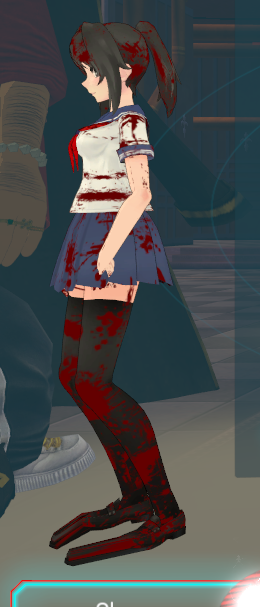
anyone know how to fix this without having to redo basically everything from the start? ;-; https://i.gyazo.com/f1417e5f7901c7739b059d585ba3b1ae.png
 lucid isle
omg what did u do to her feet
rustic fjord
apparently I was not supposed to remove the toes unlike what someone told me to do here when I asked for help earlier ;_;
help
lucid isle
yeah load up the old one with toes
rustic fjord
I have to redo it all then? D:
lucid isle
cats plugin has auto descimate
just use the save option and you'll keep all the shape keys
or do it by hand
unity will hide the toes by default someh
 pulsar mortar
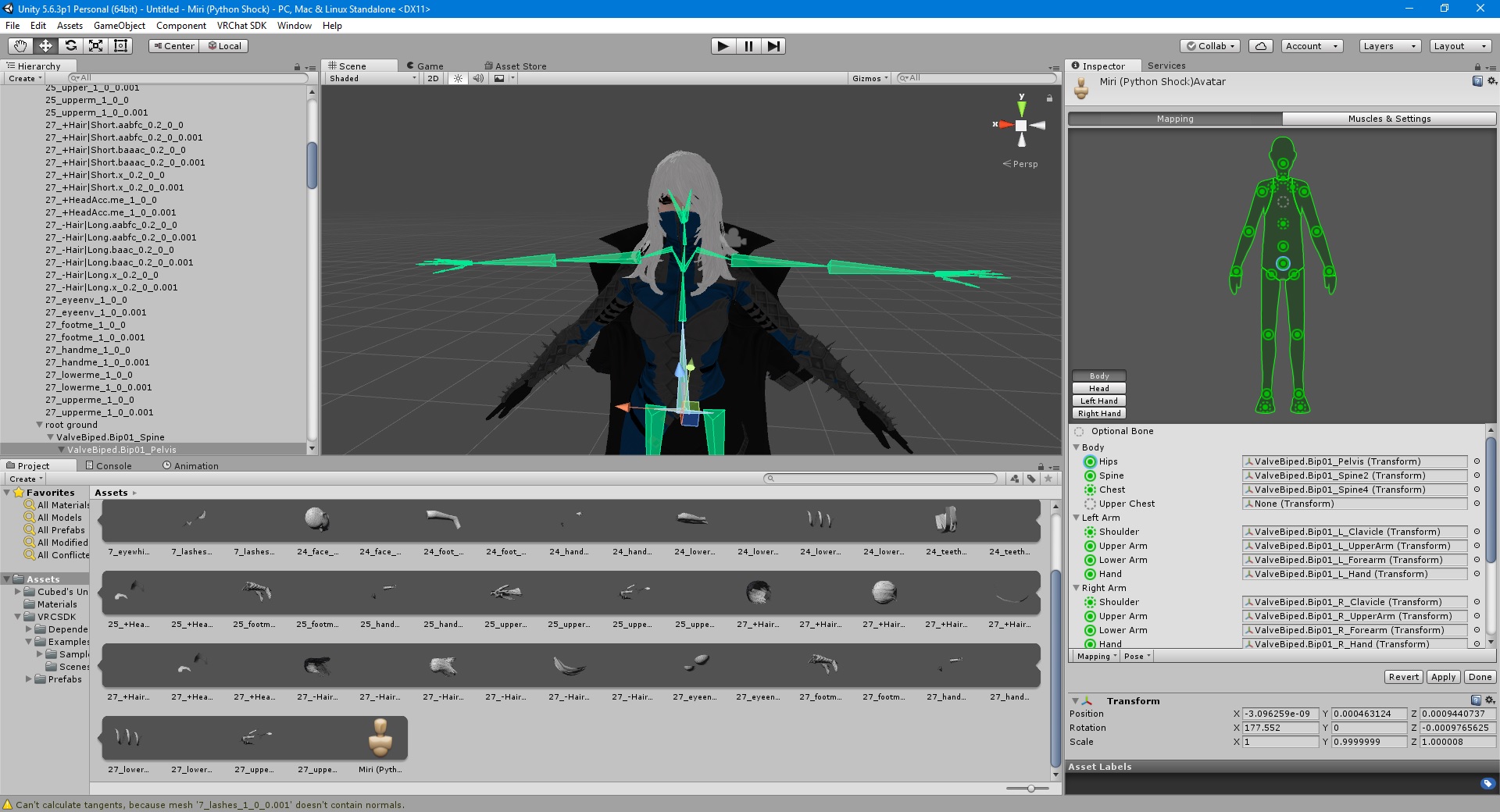
anyone here know how to fix this? https://ibb.co/hXEwew
 rustic fjord
how would I do it by hand?
lucid isle
find the foot bones and right click one og the balls on the end
south bear
-w-
Traceback (most recent call last):
File "C:\Program Files (x86)\Steam\steamapps\common\Blender\2.79\scripts\addons_contrib\curve_tools\add_curve_simple.py", line 1298, in poll
when ever i try to install a plugin
lucid isle
then hit E
south bear
?
rustic fjord
ok I'll try that
lucid isle
what plugin are u trying to install?
south bear
mmd
lucid isle
oh
south bear
import tools
 rose blade
anyone know how to fix this? i tried to parent the breast bones to the mesh and it duplicated a part of the head and if i delete it deletes the original but it still moves when i pose the model http://prntscr.com/hwzito
 south bear
reimport the model?
rose blade
every version of it does that

 karmic dew
how do i make an custom iddle pose?
lucid isle
were the bones pre parented?
rose blade
no
lucid isle
mmdsusually are
rose blade
yeah
lucid isle
@pulsar mortar hmm
south bear
its all due to my audio set up that fucks with everything
for some reason
idk why but realtek drivers mess up alot of stuff if moddifyed
 shrewd idol
Anyone know how to add blinking to a avatar?
 near walrus
Can someone help me with rigging my avatar. I have a model already but I've never used 3d tools like maya, blender, or unity before
 sour kite
Anyone know of a good manual rigging tut?
south bear
soo i had a look in blenders appdata files and saw that it did install the scripts but it wont show up in blender
zealous mango
How would someone go about attaching Knuckles to a tank and then importing it into VRChat ? in Blender of course
 potent basin
i have a quick question
ive got everything done but it keeps uploading the avatar as a world how do i change that?
nvm i figured it out
i had a scene descripter not avi descripter
 tame skiff
@south bear Are you trying to install a plugin/addon?
potent basin
ok new question my "custom idle" and "custom sitting" animations dont show up as applicable to the model how do i configure that?
tame skiff
If so you have to enable it in preferences
south bear
yepp
no
i know how to use blender
im trying out the lateist branch to see if that fixes it
viral stag
Can somebody show me what the bone structure is supposed to look like or whatever works best before exporting over into Unity?
south bear
so im getting traceback errors for different addons
that are built with the app
WHAT!?
zealous mango
If I were to stick a model inside a car in Blender, what would I be needing to do in order to import it into Unity and then VRChat ?
south bear
FIXED
zealous mango
to make it all stick together
 fast rover
it would be better just to have both models seperate and stick them together in unity
fast rover
how long would it take for a newb like me to rig the arms, legs, spine and wings of a bahamut model?
coral coral
A long time.
fast rover
the car you can just rig as nothing
 quiet river
heya trying to rig dr. robotnik and I can't find the descriptor component for the camera
 fast rover
wtf is that?
zealous mango
so it's as easy as putting the two models in Unity , putting them in a order that seems best then importing ?
fast rover
it's best to rig both as none and make one model parent the other
zealous mango
ahhh ok
 rustic fjord
It says they're not mapped but they are, anyone know what the problem might be? https://i.gyazo.com/a9bee5f82ef5d281a259a38945e5358e.png
 shadow shoal
@quiet river Unity 5.6.3p1?
fast rover
did that model come as an xps?
quiet river
ye @shadow shoal it's the one I had installed so it's what I went with
do I need a specific unity build?
fast rover
any 5.6.3 build
rustic fjord
@quiet river you have to add the descriptor as a component
rustic fjord
ah
fast rover
really the only thing the version affects is the uploading of the avatar
fast rover
So I separated the bones on this leg to avoid having extras that mess up unity rigging. will this work as long as they're parented?
 crystal jay
this could be a huge help based on the rig I'm working on
fast rover
so you had that problem too?
crystal jay
 pulsar mortar
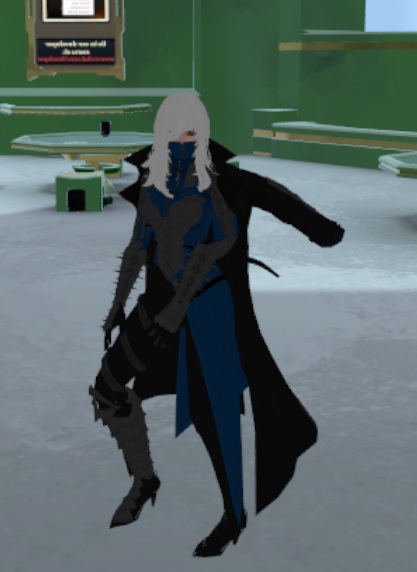
so I used cats to fix my arms on my charater but in game my charater arms are like this help https://ibb.co/cDpnKw
 crystal jay
sort of. i still need to apply bones and merge them wit hthe mesh correctly
or i have fun stuff like this
 fast rover
mesh merging should be easy, right?
crystal jay
yeah, i guess. i don't know how, considering the armature is outside the main body Rig

like this.
I imported the humanoid rig, if you'Re wondering, and using its bones
but I still don't know what armature bones is meant that I need to delete
fast rover
I hate how I have to limit my height because shoulder length is a thing
coral coral
I'm curious why you're making your own Lugia model when there's already one in the game?
crystal jay
i know there is one, I'm actually using it. It's a bit of a personal touch since its my fursone i guess x3
plus i'd love to learn this. since I want to add other friends characters later.
which are hybrids.
fast rover
Is this a common way of rigging fingers? I'm using this as reference for my own avatar but I'm not sure if it will work.
fading verge
Are joints or rigid bodies (not sure which is applicable) usable in VRChat? Ex, setting the max rotation on a skirt to prevent clipping with the legs.
fast rover
 dusky pendant
Hey how would you add bones that are missing from a skeleton?
Or would you have to make an entirely new skeleton?
fast rover
if it's something like hips, you'd might as well just rig your own entire model
dusky pendant
It's apparently feet. Someone else asked in another chat
Figured it would be easiest for them to add bones via blender
 robust iron
Just curious as to if anyone has ran into this. I have the spine hierarchy as, Hips>Spine>Chest>shoulders/neck. And yet when atempting to upload it, I am geting the spine Hierarchy is incorrect error.
dusky pendant
@fast rover So to add bones for the feet so they'd actually animate is that a re-rig or is it possible to add them?
fast rover
you can add those because they're outer bones
dusky pendant
How would you go about that, I doubt this person has lots of experience
And I don't either
fast rover
but can someone confirm the validity of this rigging process?
you just put it back into blender and extrude the bones from the lower leg
pulsar mortar
So I used cats to fix my arms on my charater but in game my charater arms are like this anyway to fix this? https://ibb.co/cDpnKw
 high mango
does anyone have a voucher coupon for dynamic bones?
zealous mango
Alrighty, how do you go about sticking to models together in Unity ?
So that they move as one
fast rover
put one model where the camera and light source are
zealous mango
yep
fast rover
then put the other model inside the first
zealous mango
yep
fast rover
now move the second model around in the scene until it's sitting to your liking
pseudo silo
@pulsar mortar it probably has to do with your muscle settings
 bright grail
Hey can anyone help me? My unity is saying my models head, hands, and feet bones aren't mapped even though they are and it wont let me upload. Any fixes?
pseudo silo
in unity under configure rig, the settings are a bit hidden. They are double sided sliders that designate how much your limbs can move
 gloomy loom
really?
pseudo silo
@bright grail you gotta specify the bones under configure rig
you probably have a non-humanoid rig so the auto-detection didn't work
fast rover
sometimes you don't even get all the bones so the model is useless
bright grail
https://gyazo.com/9191848e43a1500985a4aa559db51eae i mean this is the model im using

And i went in and checked, all of them are specified
bright grail
https://gyazo.com/5fa850cc78dafae70cd74900fd29b28b so like this then
 pseudo silo
looks like you have a couple in-between bones
fast rover
wait. I already started rigging at the hips. how do I set down the root?
pseudo silo
if you specify the wrong ones as chest
it won't work
you actually have a bone between your chest and shoulders too
it should be fine as long as you specify the correct bones within the rig config
 latent mortar
What is when theres a waist ?
fast rover
I think that's for advanced rigging
my sephiroth model has that and it attatches to the hips
but I don't think waist is necessary if you have hips
latent mortar
Can it cause the bug that your hips bend forward and the upper body kind of backwards ?
bright grail
You mean this bone? @pseudo silo https://gyazo.com/337dce2e2d01f841e856de75a523a6be
 fast rover
and no upper chest to worry about
 oblique atlas
lemme see the whole tiddy though
bright grail
Yea its already set, as are all the others, but its stll yelling at me for the head feet and hands
fast rover
how do I rig an arched back?
pseudo silo
in the config, did you click on the Head section of the bone settings?
the spine has to be specifically hips->spine->chest->neck->head
no upper chest
 latent mortar
Is there any known cause for the Characters Hips bending forwards ingame when standing still ?
pseudo silo
looks good to me
latent mortar
Or just weird bending in general
bright grail
https://gyazo.com/bb358e07741821c8608fc8ab43e5ab0a alright what about all that then?
 shadow shoal
@latent mortar It's normal
pseudo silo
looks good to me still
i'm curious if your scene avatar is different
you can delete bones in the avatar scene
latent mortar
Well it doesnt look normal to me xD
pseudo silo
sorry i was talking to extractor
bright grail
I think i might have just found my problem. My neck bone in the hierarchy was below the head bone
fast rover
if my 3d model has an arched back, how do I go about rigging that? should I place the bones in a curve or have them stick out the back and back in to keep that curve?
bright grail
Nope, didnt change anything
south bear
OMG
I think iv done it
0w0
fully got a ported and neatly rigged botw link
its now one thing
not a bunch
 icy sigil
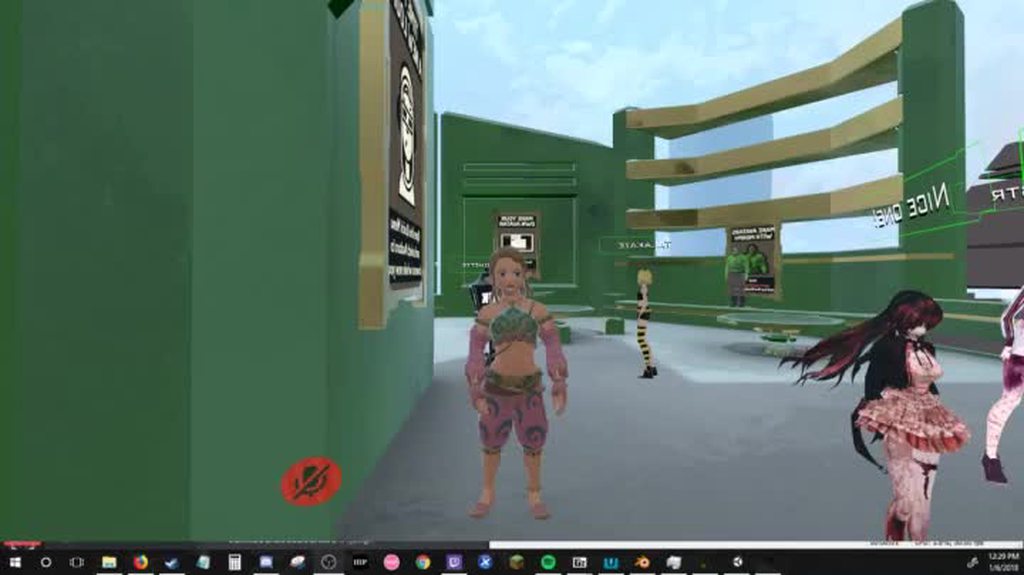
@south bear ive been working on one too
mine looks like this so far though ... https://imgur.com/a/iSCC9
 proud bone
Oof
south bear
i might completely realese this
as
the rigging for botw models is a fucking pain
for unity
hmm

uv editing
fast rover
so I see this blender tutorial on rigging bones and I'm seeing this step that involves adding controller bones or something like that. bones that aren't attatched to the actuall rig. Is this required for vrchat

 charred totem
keep it that way
south bear
no
fast rover
If you don't know what I mean, skip to 3:16 on this https://www.youtube.com/watch?v=cGvalWG8HBU&t=561s

Hey guys. This is a quick tutorial on creating a simple, but rather effective character rig in blender. Hope it helps some of you out! Read FAQ below: Follow...
charred totem
itll scare people
fast rover
are pole targets necessary for vrchat models?
south bear
nope
fast rover
ok good
fast rover
which means that if knees are inverted, it automatically bends back?
latent mortar
So im still having the problem that the Avatars Hips are bending forward and the upper body bends backward, does somebody know a fix to that, moving the spine or hips didnt help 🤔
 amber slate
hey guys, quick question, whenever i pull a model into blender it goes solid purple, anyone know why?
amber slate
well arent i stupid
south bear
and blender chosses a random color
amber slate
how do i obtain said textures
 muted helm
The root isn't really needed that seems to be coming carried over from some game rips and mmd but not needed for vrchat/mixamo
amber slate
muted helm
although it could be handy to have it there as a parent for some future effect [eg you wanted to do a ground based effect attached to that point]
 wild arch
that little bone at the pelvis?..... srry i'm new to this...
fading verge
Is Pelvis and Hips the same thing?
i.e. VRChat documentation uses Pelvis but Mexanim uses hips?
But Hips still need to be ancestor of all bones?
south bear
 fading verge
so two different names for the same bone in the docs?
south bear
i dont regret
lilac lake
Is there something special i need to know when you conect bones?
lilac lake
Because when i tell Unity what bone the spine is it says
Spine Transfrom Spine is not child of Hips Transform Hips
fading verge
hierarchy needs to be changed so that it's the parent of shoulders
wild arch
how do i change that
wild arch
ok.. thanks
wild arch
yeah i see it.... i need that translator addon... it's all in japanese
 pine smelt
Does anyone know what's up with this and how to fix it?
fading verge
what's the problem?
pine smelt
It thinks the base of my model is like all the way down there when it's not
fading verge
the base doesnt move in edit mode
so you moved your thing in edit mode
when you came out it was off
move it back in edit mode then when you go back to object mode it should be ok
pine smelt
Well that screen shot if from unity I didn't see anything out of place in blender
fading verge
the base of your object is set in blender
pine smelt
It looks correct here?
fading verge
its the tiny orange dot that is usually in the middle of your object while in object mode
in your case it will be way off
what are you selecting in unity?
pine smelt
Just the model
 craggy fulcrum
Can bone lengths be made to change depending one parents?
fading verge
and if you add a normal box or something, it works?
pine smelt
Huh?
fading verge
How to you make invisible models
like the ones that are a bunch of dots
create>3d object>box
"cube"
pine smelt
One min
 unreal current
I need some help with eye tracking
I have no experience with blender or 3d modelling so sorry
fading verge
maybe this is silly, but you're 100% the model in unity is the same one in blender? i.e. you deleted the old one and imported the updated one?
pine smelt
I can create a cube and yeh I'm almost 100% sure
fading verge
you deleted the asset then imported the asset?
not just deleted the object in the scene
pine smelt
Yeh I did that
 mystic iron
Thats a big model
pine smelt
I haven't scaled it yet
 wicked narwhal
to edit a model what better to dounload it in OBJ or GLTF?
pine smelt
I just tried to fully import the model again and nothing changed and yeh I exported my model through blender as a fbx
fast rover
What happens if I don't put a root bone down?
fading verge
did you export JUST the object though
or did you also export the camera and light for example
pine smelt
Just the model
fading verge
by slection?
pine smelt
I think? I have never had this issue before so I dunno what's up
fading verge
what happens when you press f in unity on your object
pine smelt
It zooms out?
fading verge
there is an artifacto or something man there has to be
artifact
like a loose vertex floating in space somewhere
 charred estuary
I have a very bizarre issue. When I hold an object, the hand moves and the arm doesn't. Not sure what to do. https://media.discordapp.net/attachments/361742235525709825/399360632899633152/unknown.png
 fading verge
screencap after you pressed f
f puts your object in the center
so there is something out there that is making the center between your object and that thing
pseudo silo
@unreal current I got you dude
hold on a sec

Google Docs
Overview VRChat has two eye tracking facilities, and they both interfere with each other. This document attempts to describe them, and a basic solution to implementing proper tracking eyes. Requirements VRChat won’t enable eye tracking at all unless two requirements are met: The bone hierarchy H...
pine smelt
There genuninly nothing I can send you the model to look at if you want
fading verge
i can take a look
fast rover
how do you select both the mesh and armature to attatch them together
 hoary torrent
i'm trying to decimate my model in blender and it keeps saying it cant be modified
something to do with mesh and shape keys idk
 charred estuary
Pretty sure it's Generations
 manic flicker
only at your pizza hut
charred estuary
lol
fading verge
@pine smelt i see 4 loose verticies
 lost radish
Does anyone have a Dynamic Bone torrent that's clean?
fading verge
in blender
fast rover
ok. so I just selected everything in my model, pressed ctrl p, and it was supposed to give a large list of options but only gave me two
fading verge
maybe there are more
fast rover
do I need a plugin?
fading verge
but i just saw 4 right away
lost radish
@fast rover What kind of options?
pine smelt
Where? I didn't see any
fast rover
the video showed one that said automatically attatch mesh to armature
mine didn't have that
did I select them the wrong way?
fading verge
fast rover
I did it in object mode and selected the model with border select
but the video showed selecting them both individually
pine smelt
@fading verge Well you where right I guess, how do I get rid of them, can I just take the model apart and delete them?
fading verge
in edit mode
vertex select mode
delete vertex
carcino let me see a snapshot of your hierarchy
fading verge
in windows 10 open the start menu and type snipping tool
@hoary torrent yes that is correct
pine smelt
@fading verge sorry to bug you but by delete do you mean just press delete then vertices or some other way?
hoary torrent
?
fast rover
here it is
fading verge
@pine smelt are you in edit mode?
pine smelt
Yeh
fading verge
@fast rover why do you have two armatures?
fast rover
I think it had something to do with when I copied the left side over
fading verge
ok at the bottom there you have three options, vertex mode, edge mode and face mode
you need to be in vertex mode
make sure everything is deselected by pressing a
then press b
then use the mouse to select all the verticies
pine smelt
I'm on vertex select
fading verge
then press x
then select verticies
@fast rover you need to join the halves together
fast rover
how do I do that
fast rover
ok. I think I know what one problem is
I think I duplicated the armature 3 times
I'll just delete those two duplicates then
pine smelt
@fading verge I keep deleting the vertices but nothing happens they remain there
pine smelt
Lmao
fading verge
the button next to the verticies mode
looks like a grey square
just to the right of the select by faces
pine smelt
Yeh
fading verge
good luck
fading verge
you need to finish adding bones
manic flicker
i meant after putting the bones in
fading verge
ok well the term animate can mean a lot of things
so i can only tell you what your next step is
based on what you posted
manic flicker
so in general i meant. after i finsihing the bones. do i need to animate into blender or unity? or i dont need to
 split edge
which bones do i use for mixamo rigs
fading verge
animate is not a term used to describe what needs to be done for you, maybe english is not your first language?

VRChat Wikia
This documentation should be able to assist someone with absolutely no 3D/VR Chat SDK experience in creating a quick and easy avatar. If you see a model with two variations, a High Poly and Low...
about half way down
tells you which bones need to be changed from the mixamo export
fast rover
so my armature tab is parenting a pose and armature.001 and it seems to be interfering with merging to the mesh. do I need to delete one of them?
crisp tendon
armature 001 usually
fast rover
ok
fast rover
meaning that it usually happens when you copy over bones?
crisp tendon
@fading verge Yep, but we use hips
fading verge
documentation uses Pelvis actually
fading verge
thanks haha
 split edge
oh alright
fading verge
ur good
split edge
does it matter if i leave top or bottom bone out?
fast rover
so how do I delete the extra armature. it doesn't seem to let me delete child assets






 split edge
alright lol
fading verge
or if you want to pull it in to blender and resize the bone and delete the extra one
getting kind of nit-picky
lost radish
@high mango
south bear
can any one help with this bullshit https://puu.sh/yVSdy/9155cf12f1.gif

 south bear
make sure your arms are in exclusions https://puu.sh/yVSfZ/2f6ec43dd7.png

 hoary torrent
yea but this happened when i was trying to do skirt physics
fading verge
melody it looks like your eyes are clipping
south bear
no
fading verge
yes it does look like
fast rover
so I have the entire skeleton for my bahamut mapped out but but when I go to fix the model, it deletes my thighs, and spine and says that it can't find them.
fast rover
how do I prevent cats from doing that
 charred sorrel
Could someone help me out with rigging? I don’t know the first thing... I managed to get a skeleton on a skeleton-less model but his tail has no bones/physics and I’m pretty confused by it all haha. Not rn but later?
fading verge
you need the dynamic bone plug in for unity ($20) if you want tail bone physics
otherwise it will just be fixed
charred sorrel
Damn :/
fast rover
why does the CATS delete my legs and spine and claim it can't find them
sour kite
I've manually created an armature for my model. How do I bind the bones to the mesh in blender?