#avatar-rigging
1 messages · Page 46 of 1
 young chasm
dunno, all I know is that 2017.3 cloth has collision.
Maybe 5.6.3 cloth can do it already as well
but yeah, you'd need collision
 vital ruin
well, i found a vid that shows how to setup the collision im looking for
so hopefully I can get it to work
 meager kiln
i think this chat is more appropriate,
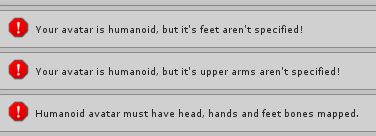
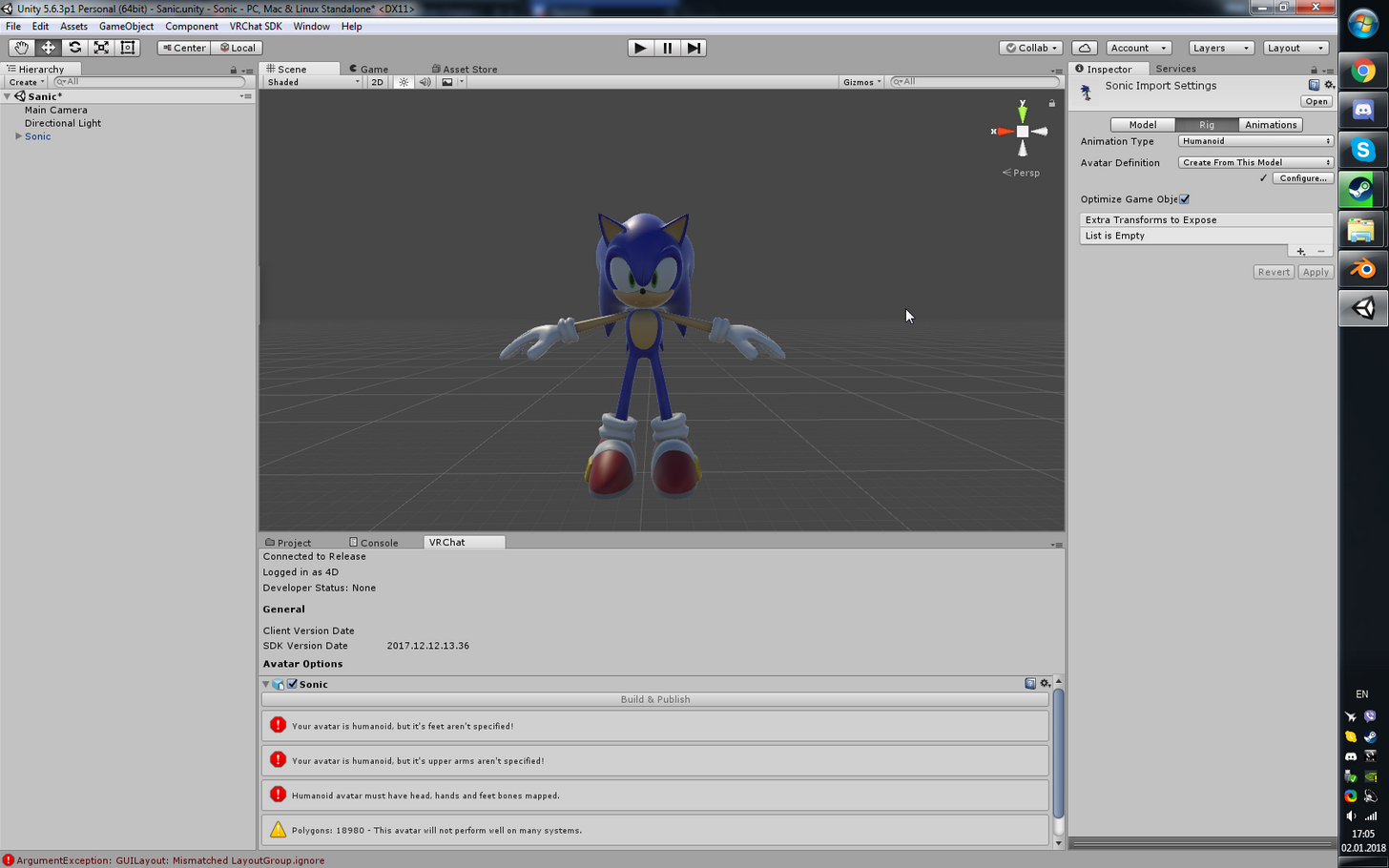
How do I specify those things?
Everything seems rigged fine
https://i.imgur.com/eT9xUhm.png
https://i.imgur.com/IblNBLT.png

 meager kiln
remind me where is pose
 gloomy loom
cloth?
meager kiln
ah ty
nope, didnt help
also
it seems like when i click done it changes the pose a little\
gloomy loom
This rigging problem has me suicidal
meager kiln
its like this in normal view
https://i.imgur.com/atHkT8o.png
and like this in rigged
https://i.imgur.com/KIP0GYp.png

ah ok
what did you mean by new version of the model?
I deleted the old descriptor and added a new one, didnt help
done, added descriptor, didnt help
its DAE file fyi
yes
I also have fbx, but its backwards
when I rotate said FBX 180 degree, it looks fine to me, but everyone sees that my head is looking backwards
let me screenshot yeah\
smaller is DAE

fbx ingame

of fbx or dae?

Im even greener in blender, how do i do that? DEL doesnt work, as RMB
 heady loom
Okay, so. Apparently I have too many bones for fingers? But when I tried to delete them it still didn't apply the correct bones in Unity
meager kiln
done, pose remains
yep
nothing happens
ok, will tell the results
it still spawns sonic backwards in unity
and has no texture
done, processing
still backwards
should I rotate him or leave backwards?
0
yep, done, wont bother with textures for now
i have like 20 different ones
meager kiln
can you describe angle problem?
 mental niche
young chasm
mental niche
young chasm
ignore it, as long as it works ingame
meager kiln
btw, I always added simple avatar controller in animator, now when i add it it doesnt change him from T-pose when I hit play
my bad, will do
it needs neck, brb
mental niche
Are y'all talking to my? owo?
 gentle geyser
Anyone got advice on non humanoid rigging?
meager kiln
when I hit play i see him from behind, even though the cam is in his face
mental niche
me*
meager kiln
@gentle geyser yeah, they said you to ignore iit
yes\
180
done, works fine in play mode
going to upload now
gentle geyser
It won't permit me to upload without a spine however and my avatar that I'm aiming to use is supposed to be floating
Cheers
meager kiln
uploading, will tell my results and ask others about the head
head looks fine to me, but still broken to others
https://cdn.discordapp.com/attachments/227721651003850752/397775821265174529/unknown.png @arctic grotto (sorry for the ping)

 primal wagon
Can anyone help me? I'm making an extremely basic rig with just a head + hands controlled by the HUD and vive controllers, but do I need rigify to just do this?
 tacit peak
Quick question, is it possible to extract the rig from a model and put it to another one which is the exact same body structure ?
 crisp tendon
@gloomy loom In blender
tacit peak
i'd appreciate that
crisp tendon
@tacit peak You'll have to do the weight paiting yourself though
tacit peak
Fair enough
aka i won't do it cuz at the end of the day my models are all aberrations and i love it
meager kiln
psst, it didnt work :(
i have the normal model, which, i assume, i made from DAE, but I lost it and the only copy of it is in the game, which is why im trying to find a way to get it
fml D:
 round wolf
(blender) can I paint weights on a model without the mesh moving around?
I want to remove the weight from the head and when the wieght gets to zero the head sinks in to the ground 😠 what the hell
gloomy loom
@crisp tendon hey mrdota 7.07 meta hero, how do i add in the bone into the armature file directory in blender?
Plz help kuroky
 fading verge
'lo there. Pardon me asking but.. I seem to be missing something crucial here. When I import into unity it starts with Transform -> Rotation -> X -89,9°
So I figure it must be something hella wrong with the rig, right? But it looks.. fairly normal.
round wolf
not necessarily
 molten vale
should just rotate that sucker back, right?
fading verge
Yea, when I rotate back it looks fine in unity, but the export to vrc doesn't like that pose. Makes me a slithering character once I log in
molten vale
🤔
round wolf
did you look at the model in blender as well?
molten vale
did it look fine in blender
fading verge
it did, ye
molten vale
If you go into the rig configuration in Unity, and go to the mapping section, is it doing the default fetal pose?
fading verge
fetus pose, lol - nah I'm seeing some discrepancies in the unity rig conf, lemme demonstrate
molten vale
might have to chuck it back into blender afaik
crisp tendon
@gloomy loom You don't, you import the other model with the skeleton in your scene then you just steal the skeleton from that model
fading verge
that's the only unusual thing I'm able to notice though, the rig doesn't match the model (even though it did in blender)
molten vale
Also might as well raise the question here, is it possible to collapse bones into themselves, or at the very least attach them to another bone and stretch it?
For dynamic bone, that is. Trying to get Kass' accordion affixed to my other hand and make it stretch in and out.
well that's concerning
fading verge
indeed
molten vale
Also if anyone has a possible solution for me, please @ me. I'm gonna go open my third eye.
fading verge
Excellent, I'll see you on the other plane then xP
gentle geyser
Anyway for me to add a head to an existing rig?
fading verge
Do you simply need to add one more bone for the head? That should be quite possible
gentle geyser
Yeah literally just missing a head
fading verge
Take my advice with a pinch (truckload) of salt, I'm not an expert. But have you tried simply selecting the nearest bone (the one you wanna parent your head to) and go to Tools -> Armature Tools and hit Extrude to create your new head
gentle geyser
Cheers
meager kiln
@arctic grotto i fixed it, lol
gentle geyser
Sorry this is really nooby of me but where abouts is the tools tab?
fading verge
blender, top left (factory settings)
meager kiln
i rotated the bones in blender for 180 ._.
gentle geyser
Ooh I'm on unity atm not blender sorry I should've specified
 karmic sun
can someone pm me how to fix this thing
meager kiln
try enforcing t-pose
karmic sun
i dont know what that means
molten vale
two buttons down there with the bones
Mapping and pose
click pose
enforce T-Pose
your hand is also assigned to a finger
lul
meager kiln
my avatar goes into the ground for a few centimeters, do I fix that by placing the model in unity higher?
molten vale
I usually fix that in blender myself
cause otherwise I think in VRchat your dude will be floating
meager kiln
his legs make a quick weird movement for ~.2 of a second before going to normal each time because it tries to get on the ground above his feet level
meager kiln
i think you mapped fingers wrong
 oblique latch
is there a way to have two bones act as one so if it has more then 2 legs
 flat sierra
what do i do if unity makes the skeleton distort?
im making slow progress but getting closer at the same time idk what to do about this though
 pseudo valve
not 100% sure what to do about this
 jovial bison
Does anyone know if there's a way to do dynamic bones without having to buy the addon on the asset store ?
I got jiggle physics in Blender but they don't cross over in Unity
 tulip granite
@pseudo valve swap spine 1 and 2
 primal cosmos
Could anyone give me some help?
jovial bison
Sup Mark ?
primal cosmos
Right
I got two spines, ones being used by the upper chest and one by just the chest
Actually got a picture of my problem
jovial bison
You don't use Upper Chestf or VRChat
tulip granite
Or just press del button
jovial bison
Then set Chest to the one that's currently set to Upper Chest
primal cosmos
and then it says that its not connected to the shoulders
tulip granite
Replace chest with spine 2
jovial bison
^
primal cosmos
I did
jovial bison
Show us
tulip granite
Hmm
jovial bison
Lol
primal cosmos
Ahhh ya little diamond
tulip granite


primal cosmos
Also whats a good human height?
jovial bison
So does anyone know how to get my jiggle physics in blender to work in VRChat ?
 digital mango
Hey, so, I have this model that is already in unity. Someone helped me rig it. Basically I need to take the fbx so I can edit the bones. How do I get it out of the unity package/export it into blender?
@jovial bison you have to edit it in unity and add dynamic boning\
jovial bison
Which costs money... right ?
digital mango
I have the file
tulip granite
1.3 in the vrc descriptor is an average height
jovial bison
Could you send it to me ?
digital mango
here ill message you it
jovial bison
Thanks <3
tulip granite
Right click the model file in unity
Open in explorer
 pulsar mortar
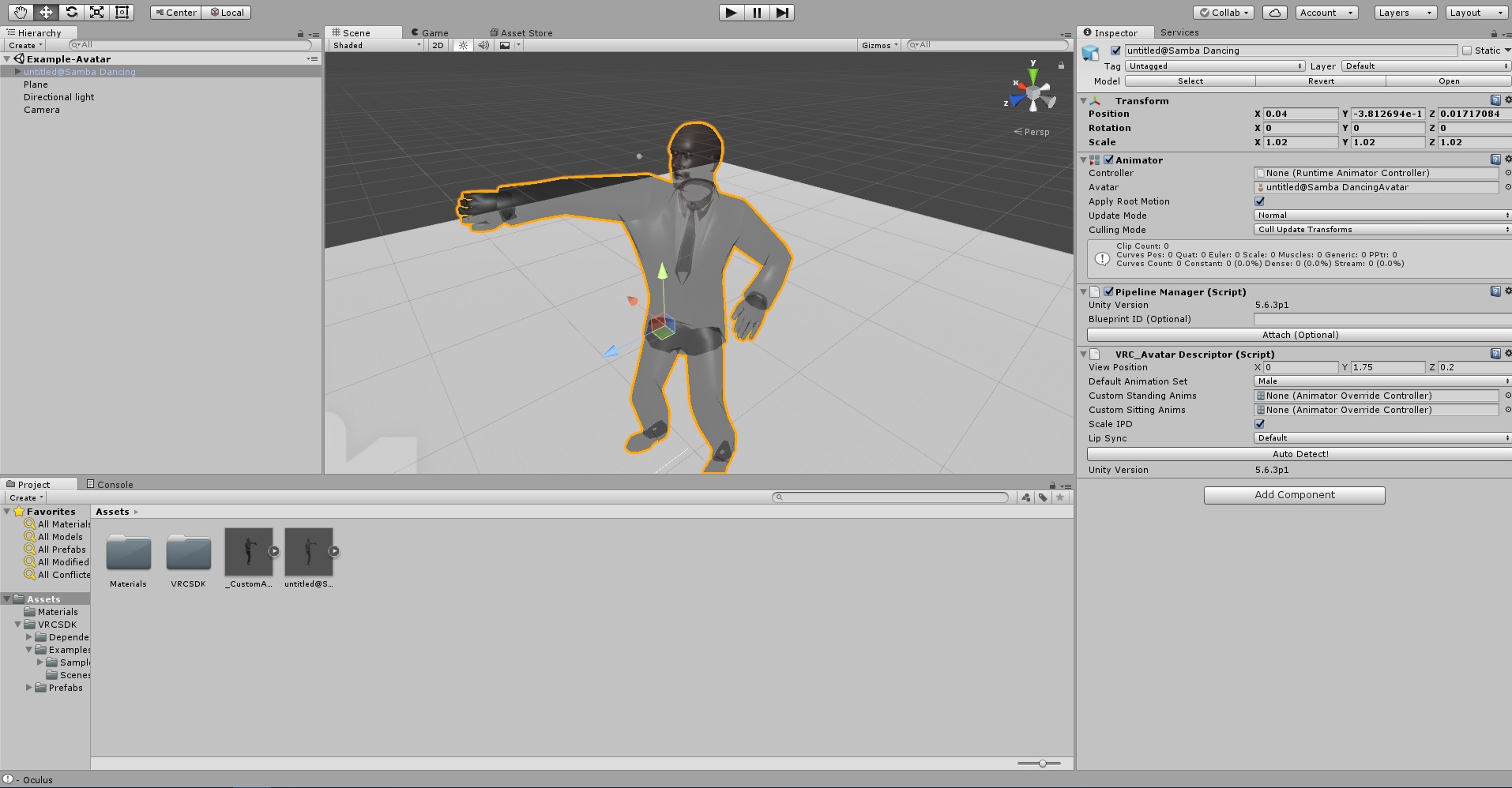
anyone know how to fix this i exported it in fbx for unity and he has appeared trasparent https://ibb.co/b7NHgb
 tulip granite
Material
 tame swan
Anyone here that would know why my avatar is slightly leaning his chest forward when idling in non-vr mode? I have tried moving the spine up a little.
tulip granite
Change to opaque
Sometimes its not just the spine
The hips might be too high and stuff
Also depends on how many spines you have
And their angles
tame swan
I have 4 spine parts, as it's a model that I imported. The hips are slightly to the front of the spine parts, and the upper spine part also bends a little forward
tulip granite
4 spine
Thats the issue
If possible use the mix weights function in cats to reduce the spine in blender
tame swan
Fair enough. Figured that wouldn't be a big problem. Oh well, assumptions are always fuck ups. Thanks for the info 😃
 amber heart
anyone here free to help out via voice chat?
amber heart
im trying to export a unity thing to blender so i can lower the polygons
amber heart
idk about that
tulip granite
Right
So go to that thing in unity
The file
Right click it and open in explorer
amber heart
.dae
tulip granite
So you have the dae file right
amber heart
yeah
amber heart
oh
tulip granite
Looks like your finger is broken
primal cosmos
looks like he had a bad heist
tulip granite
Remove the finger tips from the bone mapping then reset pose and enforce t pose
Then reupload to fix finger
primal cosmos
His upper chest seems to be pulling up as well and his legs are gammy
tulip granite
Might be due to your 3 spines
pseudo valve
this happens when i swap them (sorry for that delay, was doing something
amber heart
i needa collapse it
israelite - Today at 8:16 AM
@amber heart it should be on the right
so select ur model by right clicking it
click the wrench icon
add modifier
decimate
then move ratio down until faces is 19000~
tulip granite
Drag both spine 2 and 1 up a little
Make sure to give 2 and 1 a little space between too
 midnight kelp
Guys can someone help me with this?
amber heart
wheres that
tulip granite
Oh i meant snek ^
amber heart
how do i do it then @tulip granite
midnight kelp
The problem is that I've mapped everyone except Pelvis cuz I dont have it
tulip granite
Right click the mesh of your model
On the top right click the wrench scroll down on the right find add modifier
If your model is missing bones
You can try using the armature as hips
 brisk crypt
Is there a tutorial that shows how to add bones
brisk crypt
My model doesn't have visible feet or legs
tulip granite
Then you can try using weightless bones
 half glade
guys why i can see inside the avatar in game? anyone knows how to fix it?
tulip granite
Just go into edit mode click the bones where the feet is supposed to connect to and press e then drag ur mouse and left click
tulip granite
@half glade move your vrc avatar descriptor
Its probably inside your avatar
Move it near the center of the eye and just inside
So you are saying theres nothing below the hips ?
brisk crypt
I mean it has leg bones
half glade
thnks let me see if it works
tulip granite
Just go into edit mode and click on that leg bone
Then press e and drag ur mouse to make a new bone
half glade
shana i dont find the vrc avatar descriptor
tulip granite
In unity when you click on your avatar it should show a floating dot
Thats where your eyes are supposed to be
half glade
primal cosmos
"The angle between the pelvis and thigh bones should be close to 180 degree (this avatar angle is 85.6)
How do i change the angle?
half glade
brisk crypt
view position
tulip granite
That error shouldnt really do much to you unless using full body tracking
Move that Y up and down till u see the floating dot
For a male height you want it to be at 1.4
Then scale your avatar accordingly
half glade
😮
 neon shard
half glade
neon shard
half glade
uploading to see if it fixed
 cobalt needle
im having this problem where everytime i walk with my character, her mouth opens and closes, anyone know a solution?
half glade
i just moved the ball
 cosmic mica
my avatar is fully rigged, but when i put it in unity it squishes all the fingers together in one line. Why is it doing that?
tulip granite
1.4 is pretty average in vrchat
As most female avatar is 1 to 1.2
@cosmic mica go into pose and click reset pose then manually map the bones
It got mixed up
cosmic mica
thanks!
brisk crypt
So I made the bone, how do I rename it so unity knows it's a left and right foot
tulip granite
Theres this bone icon
On the top right
It shows the name of the bone on the first line
Just rename that
 tawny scroll
If 1.4 really is under 5 feet like Vilar said, that is pretty darn short, maybe fitting for loli characters
tulip granite
In vrchat 1.2 is average
cosmic mica
i reset the pose bones and now the hands are as they should be, but some of the bones are red now, will that harm the avatar?
 placid rampart
Yeah, characters in VRChat are generally shorter than in RL
tulip granite
So just manually go thru them and map it
cosmic mica
ohhh
nothing is repeated, the rig is complete, i angled one of the bones differently and it turned green again, perhaps its whining about the bone angles?
tulip granite
When its red it will tell you the clash under the name
 manic warren
What u mean lower the chest
primal cosmos
Yea
primal cosmos
Yea
manic warren
The bone or the acrual model
brisk crypt
@tulip granite So Idk if I'm making the bone right
manic warren
Thats just something with the animation
brisk crypt
Even if I name it "leftfoot" it still doesn't recognize it
manic warren
A common problem
primal cosmos
Its fine when I walk about though
tulip granite
Erm
Take a pic of the tab when u click the bone icon
@primal cosmos in the humanoid configuration drag the chest bone down
primal cosmos
brisk crypt
https://gyazo.com/32b2c292606a363c1a4fdd59aef63abe here is my feets
 primal cosmos
Right Ill get that a try. Any advice for the weird legs?
 primal cosmos
tulip granite
primal cosmos
tulip granite
Yeh you renamed it to right foot
brisk crypt
Isn't that what I was supposed to do?
brisk crypt
Yeah
primal cosmos
How do you "drag the chest bone down"
tulip granite
You need to reimport the model then map the bones again
Click on the chest bone in the humanoid configuration
Press w and drag arrows
brisk crypt
Was that to me? For the bone mapping
tulip granite
Yes
brisk crypt
Where do I map it? Sorry never done this before.
tulip granite
4 bones
If its upper and lower leg
Plus feet and toe then yes
tulip granite
When u click on the model under humanoid click configure
 sharp raptor
and toe
tulip granite
Then its not normal
sharp raptor
hmm
primal cosmos
Well that literally drags the whole upper chest down
I just want to move the bone position, if thats possible
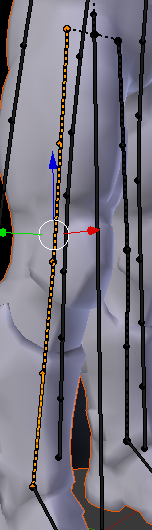 tulip granite
Bone position must be done in blender
primal cosmos
damn
tulip granite
For chicken you should go into pose mode in blender and check out what each bone does
sharp raptor
ok
tulip granite
Then use mix weights to merge extra bones
tulip granite
Cats plugin
sharp raptor
okay i have that
sharp raptor
wait
brisk crypt
did it thanks
sharp raptor
1 more question
brisk crypt
You're wonderful
tulip granite
If you mix weights then no
tulip granite
Click on the child bone it will merge with the parent
tulip granite
💤
gloomy loom
So I placed a new bone in the area
That the bone was missing
but in unity
I still get this
I really need help
😦 🔫
 warm oar
same here. i don't know how to rig it and it ends up stiff when i wear it in VRhchat and i see in the inside of his mouth
gloomy loom
You cant move your hands aroudn huh?
warm oar
no the model is all stiff like those stupid knuckles where they are only moving their heads only but it's all of it. nothing moves. it slides
i really need help
gloomy loom
did you add dynamic bones?
warm oar
i don't believe so. where do i put those?
gloomy loom
if you want dynamic motion you needa add dynamic bones
warm oar
where do i add those?
warm oar
kk thanks
digital mango
Anyone have a solution to this??
for some reason only that is showing up
when I drag the character out
 summer wren
Can anyone help me figure something out, it should be pretty silly
But i got something hang from the horns of my character, it has bones and the bones function in blender, but once adding dynamic bones to them, they dont work
Hair does tho
 wispy spear
Spine hierarchy missing elements, make sure that Pelvis, Spine, Chest, Neck and Shoulders are mapped.
 vernal wave
I finally got an avatar in vrchat but now the mouth is constantly open. How do I force the model that the mouth is closed?
wispy spear
What am I doing wrong exactly?
I am about to throw this computer out of my window. this is ridiculous
gloomy loom
@wispy spear Show me the rest of your mapping under that green man
I got the same issue but thats cause I dont have a right shoulder mapped
your green man looks mapped tho
Strange
wait do you have it set as a humanoid?
 oak forge
Why does it look black from the inside, I cant see anything when I play.
summer wren
Anyone know why this happens?
gloomy loom
hmm ok I think I make have solved it, just make the bone larger, subdivide it, rename the two new bones
Hopefully this works
if this works Ima cry
digital mango
@summer wren it looks like your bones are smaller than your model.. did you try and size it down??
summer wren
@digital mango how would i do that
half glade
Not as a separte weapon
i want to add it on his hand
i tried it but when i upload the file to the game only the show me the body without the weapon
how can i do it?
 timber rune
Probably rig it to his hand so that it is attached to the model when you upload it
half glade
Trying
 fading verge
er... Which part, exactly?
brisk crypt
apparetly the shoulders aren't connecting to the chest?
fading verge
Huh... But they're still parented correctly in the Avatar Configuration window, right?
 fading verge
That's weird.. Like the bone its parented to is still drawing a green imaginary triangle to the shoulders
Oh! Yeah, I had to do that with mine too
warm oar
quick question, do i need the chest one for this model? i have the center one and the one below it. is this fine or do i need it?
 quaint adder
How do I fix this ? 🤔
fading verge
Brimstone, from what I understand you always need a chest bone otherwise the exporter wont allow you to build your avatar
So you're going to need to add a bone between the neck and chest and give it proper weights
And Teasa since it says that the bone 'neck' isn't parented by Waist Upper 2 it won't allow that setting
quaint adder
ok o
fading verge
So you'd have to go into the model's bone hiearchy and make sure it's all set properly. Since like
That error is essentially if you told the model to recognize its knee as it's elbow
when the knee is nowhere parented under the arm itself, if that example makes any sense.
 sour kite
Does viseme and blendshape talk fall under this channel?
warm oar
i think i'm fine, i watched a video and it says that the circles with the dotted lines are optional to use
fading verge
It does, but the VRC SDK may stop you from uploading it. It's still worth a try, but I'd put money down that its gonna want you to add a bone
warm oar
i'll come back here it is that if not i will confirm that it isn't needed. thanks for the help tho
summer wren
Anyone know how scale bones to match the mesh?
quaint adder
@fading verge Alright, ty! Already fix it ❤
fading verge
Glad I could help Teasa o/ ❤
flat sierra
the model still wont move with the mesh
i tried a completely new model and its still the same problem
fading verge
Errr it looks like you were using Mixamo, weren't you
half glade
i didnt
i added it on unity
mixamo dont allow me to add the hammer without ucking up the bones of the body
fading verge
Did you put the weapon into his hierarchy and all that before uploading it?
Well I mean you'd have to for it to even show up, so that was silly of me to ask actually
flat sierra
no matter what i try the bones wont move with the mesh
merging it didnt work
weight paint didnt work
heady loom
Your stand-o [HAMMER]
flat sierra
putting both together and putting ctrl p didnt work
pseudo valve
[ZA HAMMA]
half glade
:'c
fading verge
Rioka, could you show me a screenshot of your model's hierarchy
fading verge
okay yeah
I think i see the problem. All you did was put the model inside his model.
What you want to do is open up his armature there, which in your case is "mixamorig:Hips", find his right hand portion through that tree
half glade
Yes
fading verge
and drag that weapon to that hand.
fading verge
Like so how I did with GameObject in my character just now.
half glade
let me see
flat sierra
i cant figure out what im doing wrong with these bones ive looked at a bunch of tutorials but it still isnt moving with the mesh ;c
fading verge
What exactly is the problem Pepsite? Bear in mind I only know every basic stuff about 3d modelling etc
fading verge
So you made it in blender it looks like. Made the skeleton, properly weight painted it and everything, right?
How are you testing for movement exactly
flat sierra
just going into pose mode
half glade
@fading verge Uploading lets cross the fingers ❤
fading verge
Forgive my shit bone structure here since I essentialy had unity give my character IK legs even though they're digitigrade but like
So when you check your weight paints, all the bones are properly like colored and junk right
half glade
guys did you buy the dynamic bones plugin for unity? is it worth?
fading verge
I did
heady loom
Not yet but apparently it is
fading verge
For $20 its pretty rock solid.
I use it for my character's tail but you can use it for cloth, breast physics, whatever that would have some sort of bounce to it.
heady loom
Tassels
half glade
yes!
fading verge
Yeah, dynamic would work great for those too since its just cloth strands.
half glade
that could be awesome
fading verge
All it does is take bones and have them properly simulate that kind of stuff with sliders to adjust elasticity, desnity, and what not
heady loom
I tried to cheat making some bones connected to cloth-phsyics verticies but it just made the model go crazy and not move
fading verge
Yeaaaah. I havent messed with any models with clothing cause I like my 90cm tall pumpkin cat, but I wouldnt suggest trying to circumvent using dynamic bone
fading verge
Which bone is slected atm there? Your shoulder?
flat sierra
all of it i think
heady loom
I just spent four days learning that mistaken ideal, I want to try my hand at full-on making a 3D model but... I need some rest after making that rigging.
 scarlet crow
Would someone be able to help me with legs clipping through my avatar's dress? i have dynamic bones , bt don't know if i can fix that issue, I do have colliders set on the knees but that didnt seem to help any either
fading verge
odd. I'd want to say maybe you froze your mesh in place somehow but I wouldnt know for sure
flat sierra
i can send the file ive been trying to figure it out
but Im so new to blender i got no clue
half glade
BOOOOOOM
fading verge
I haven't messed with clothes yet, but wouldn't you need both the cloth and knees to have colliders for them to recognize each other? Or am I just being nutty
half glade
Cranky it worked ❤
fading verge
There ye go Rioka o7
fading verge
So for future reference
That's you tie anything to your model
So you could give him a hat or extra addons so long as you put it to right bone.
scarlet crow
Does the dress need colliders too? I thought just the bones needed them so that the dynamic ones would know what needs to interferes
fading verge
Just remember that those objects do 'not' fall in line with your characters weights, so it won't bend or distort to match say a shirt etc
Not sure Dragon, but it wouldn't hurt.
scarlet crow
I read somewhere a thing about creating a mask that would just hide the legs from even showing thrrough the cloth, but i have no clue how or which mesh needs that applied
pseudo valve
i still cant get this thing to work, i dont know much at all about rigging
 mild skiff
anyone know how i could prevent my characters arms from clipping through the body
mild skiff
like her legs are fat so when she's idle her hands go through
 round abyss
and use the animaiton override
mild skiff
oh ok
scarlet crow
should i have the cloth be more 'flowy'?
round abyss
got a gif?
scarlet crow
Me?
scarlet crow
Yeah I'll make one, just a bit
round abyss
@mild skiff Use the Animation editor to tweak them

alternatively you can animate them in blender or what have you
 sturdy ruin
How do I create a Bone Parent, which is not recognized by Blender ?
sturdy ruin
I am talking about CATS in Blender. I want to create a Bone Parent, however, CATS is not recognizing the bone Group
mild skiff
@round abyss what would i set the animator controller to? avatarcontrollertemplate?
mild skiff
i just want to adjust the default ones so i can fix the arms
round abyss
so then you would use animaitonoverride
leave the ones blank that you dont want to edit
 ocean thistle
Uhm guys can i ask a question?
round abyss
no you may not 😠
ocean thistle
😦 okay
round abyss
lol whats up?
round abyss
:3
ocean thistle
... how do i transfer that to unity?
round abyss
whot is cats
ocean thistle
the plugin for blender
round abyss
I use maya :<
ocean thistle
Damn
i mean, i made the eye tracking + blinking and tested it
and worked
then i transfered the model to unity and then to vrchat
and it isnt working in-game
round abyss
not working?
ocean thistle
nope
round abyss
how so?
ocean thistle
yes
round abyss
and go ingame?
ocean thistle
and has no eye tracking
round abyss
Ok ok
 lavish jacinth
how do i add blinking? without the tracking? i have the shapekeys but thats all
round abyss
I know how to fix the blinking thing
you need to make an animaiton in unity or export one from blender
then add an animator component
lavish jacinth
oyyy
ocean thistle
uh
round abyss
lemme get pics
ocean thistle
i guess i will have to learn
round abyss
im a visual teacher
round abyss
you in vr?
round abyss
yeah fix the axis then
ocean thistle
i can join if u want to but my spoken english is not that good
flat sierra
i tried remaking the skeleton again but im having the same issue
 flat sierra
of the mesh not sticking with the bone when i try to move it
round abyss
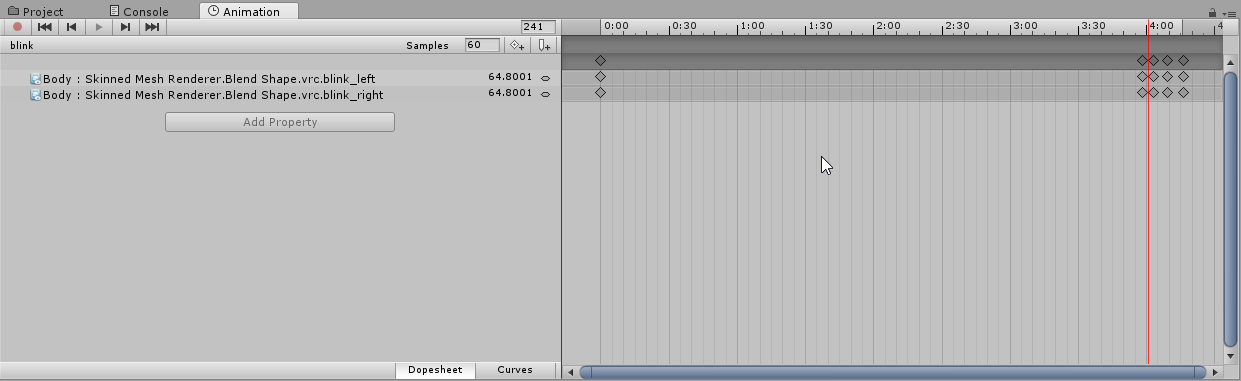
you need to add the blink as an animaiton that always plays
put like 4-5 seconds of nothing either at the beginning or end of the animation
round abyss
from the animator ta b
flat sierra
flat sierra
how?
round abyss
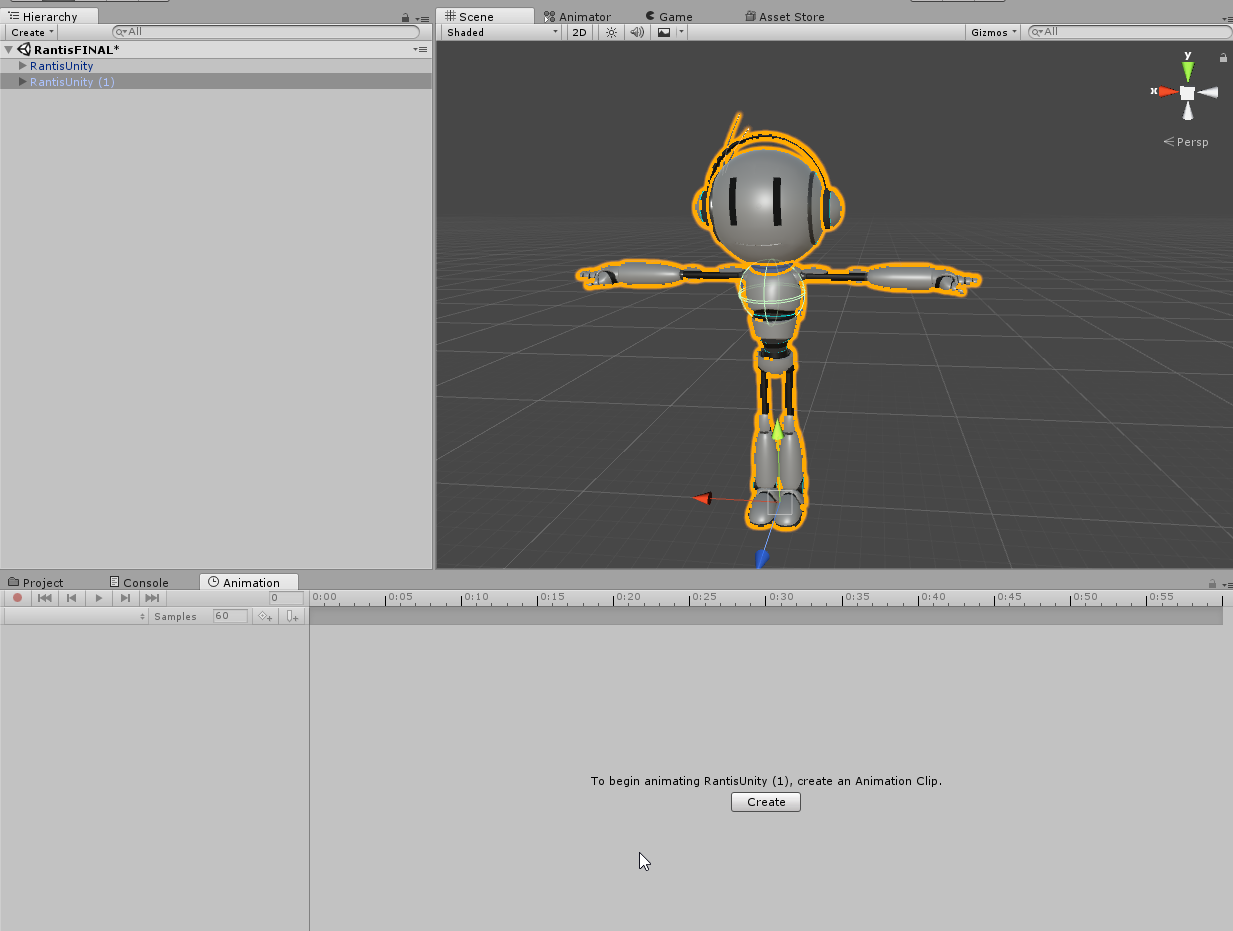
 round abyss
 ocean thistle
uh
round abyss
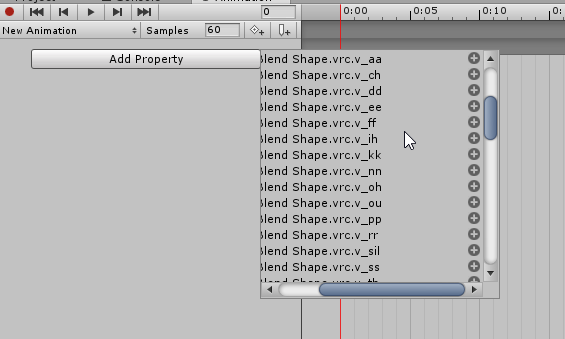
then from there add the shapekeys you made in blender
round abyss
well youll only select the blink ones
:p
it should be under your mesh > skinned mesh renderer
 plucky terrace
can anybody hop into a call to help me fix a avatar, its very complicated
 violet patrol
Can I not freeze transformations in more than 1 axis when using Dynamic Bones?
 twilit folio
is this the right spot for a bone collider problem?
round abyss
bone colliders?
twilit folio
dynamic bone collider
round abyss
yeah I guess so
ive never gotten the colliders to export
keeps saying thats not a whitelisted component
round abyss
did you define them on your cloth?
scarlet crow
yeah
round abyss
id say put them on the upper legs
otherwise the cloth will just roll over the knee ones

 digital mango
Could someone help rig together a model for me? I'll pay with art cus that's the best I got.
twilit folio
I started with only the hips and tried more but it still seems to cut through my legs
round abyss
put some capsules on the upper thighs
OH
your using dynamic bones
not cloth
@twilit folio id say rather than using 5 sphere colliders
use one sphere and two capules that go down the length of the leg
scarlet crow
Does that apply to my issue as well?
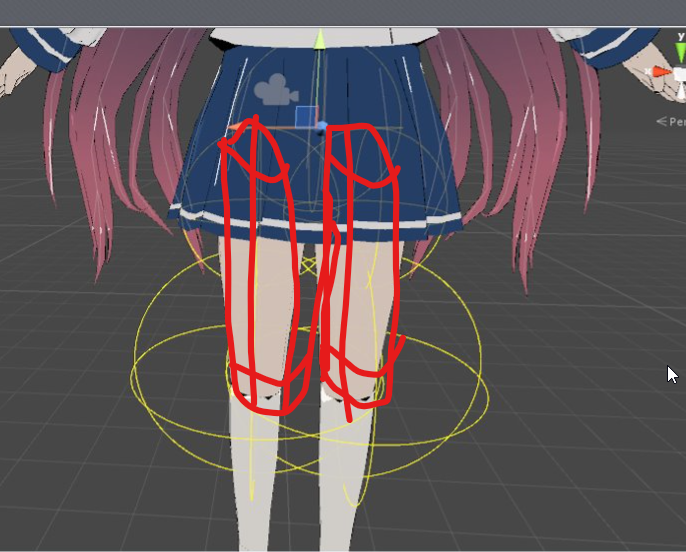 scarlet crow
ho do i make them oblong?
round abyss
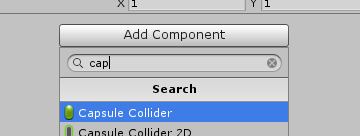
use the capsule collider rather than the sphere
scarlet crow
How do i choose that?
 cerulean tendon
So, I'm 3 hours deep, finnally at the last step of the tutorial for making an avatar and this happens
twilit folio
never used these before, Material : None is fine? or do I need to put in the skirts
cerulean tendon
Apparentlly I need to restructter the bones or something
round abyss
yeah material is physics properties
 lucid isle
i was gonna say i have a rigging issue...but now the file seems to have lost its bones and what not
round abyss
none is fine
fading verge
Oh huh. I should probably add colliders to my character too so his arms dont sink into his legs
fading verge
Okay yeah
cerulean tendon
Can anyone help me out with it? I'm new to this whole thing and the tutorial didn't even mention this issue at all.
fading verge
I just had a brain fart dont mind me
round abyss
colliders are for cloth and dynamic bones
fading verge
I'm being dumb lol.
round abyss
and other things that are calculated in realtime
fading verge
Yeah I know. I just spaced for a moment before I went "WAIT I SHOULD KNOW THIS"
round abyss
XD
fading verge
I'm actually considering if I sohuld try and do custom animations for my character, but if I'm gonna put that much effort in I should just model one of my own characters lol
round abyss
😛
ocean thistle
well, someone that used the CATs plugin has a moment?
because im doing something wrong
round abyss
I love animating
ocean thistle
clearly
round abyss

I wish I didnt have to butcher the rig to get it into vrchat tho 😦
I probably would need to rebuild it entirely
fading verge
I wish I had the files to my old model to rig it, even tho it prob wouldn't look great in vr
cerulean tendon
Can anyone help me?
 rustic fjord
hey it's not supposed to look like this, right? https://i.gyazo.com/00cca056a65b0146f4b0cc45ddcc8da3.png
 fading verge
it'd be fun to get his poncho to work and rig him together, but i have no clue where the .blend is
round abyss
gah
hate when you loose your files
I had like 5 unfinished versions of cinder before I found one I could work off of
cerulean tendon
@rustic fjord don't worry, thats a really easy fix. if your following the tutorial than it tells you how to fix that later on
lucid isle
ok...soo i downloaded an mmd when i first opened it it was right with all the bones and whatever closed it and opened it again...no bones
fading verge
Yeah Jon, you'll be able to set the textures when you bring it into Unity after using Mixamo I believe.
cerulean tendon
So can anyojne tell me how to restructure the bones?
rustic fjord
ooh aight thx
lucid isle
re downloaded it opened it and no bones
round abyss
WELL
lucid isle
idk what happened
round abyss
that depends @cerulean tendon
how are ya with weightmapping?
or weightpainting
either works
cerulean tendon
Literally brand new to this. Was just following the tutorial. It said it was done. And this issue poped up where it said I was missing everything even though it was all actually there
round abyss
are you sure you cant revise the binding stuff?
dunno what its called off the top of my head
hold on lemme use the power of screencapping
cerulean tendon
I thought I could just swap around the order in the files or soemthing
 swift axle
can anyone help me for a second? Do I have to make a model workspace folder or should I already have one
I can't find mine
round abyss
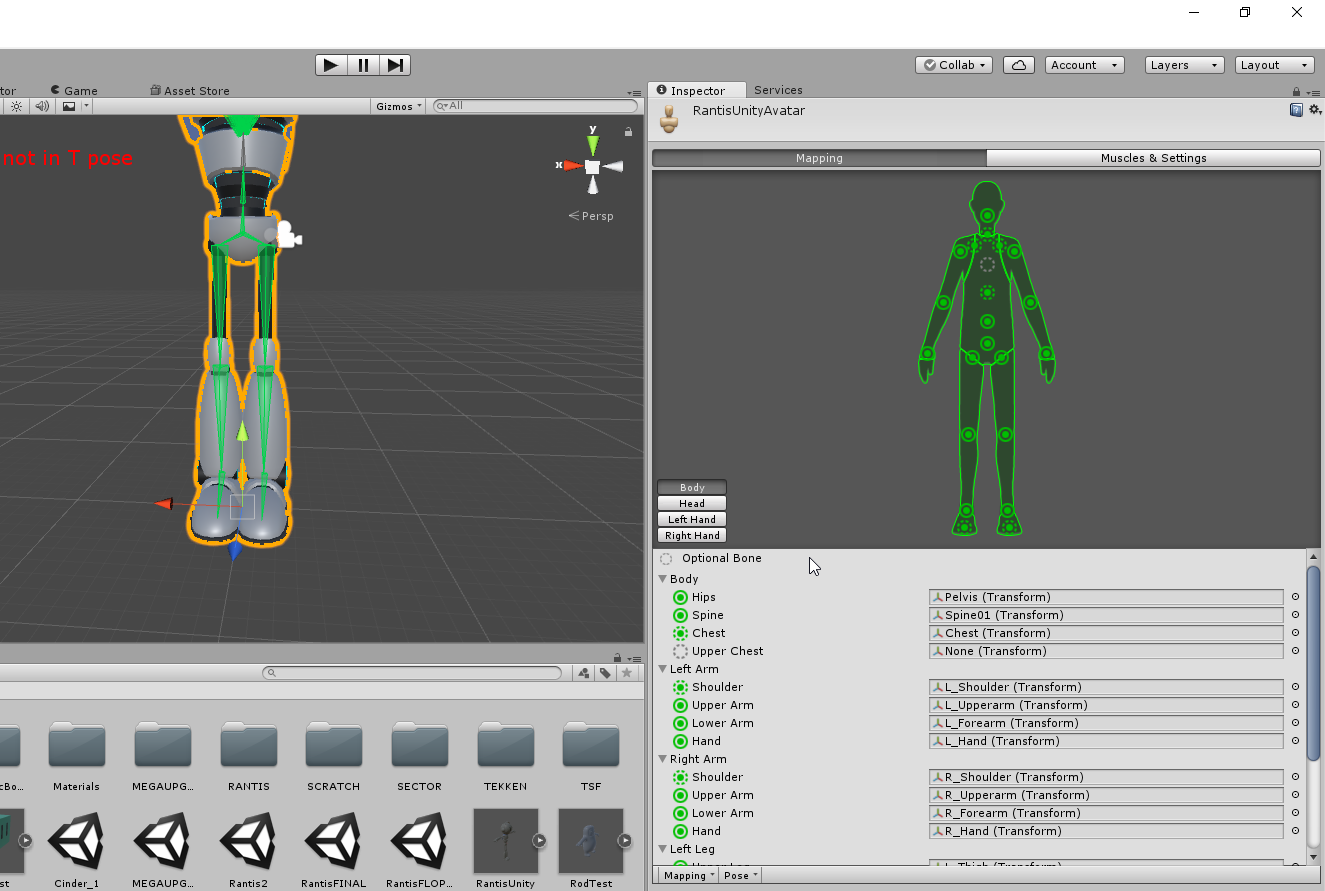
this?
@swift axle its not required but its strongly reccomended if you want to keep organized
cerulean tendon
What do you mean?
swift axle
@round abyss so I can just make a folder in documents called model workspace?
 cerulean tendon
This is what mine looks like atm
ocean thistle
@round abyss i figured out the problem
i dont know why, my blend shapes are not getting exported
so they dont appear in unity
round abyss
it was probably something stupid like not having the mesh selected when exporting
round abyss
@cerulean tendon https://i.imgur.com/n5brgfu.png
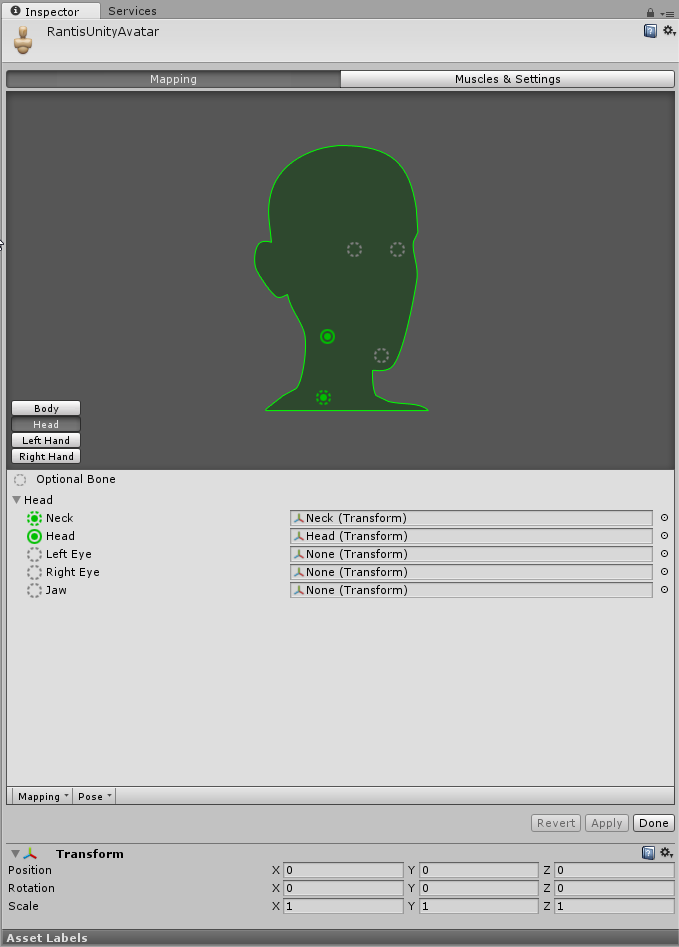 twilit folio
@round abyss First go didn't work, I can't seem to add these Capsule colliders as Collider Elements on my Skirts Dynamic Bones, is there anything special I need to do after theyre on?
round abyss
sure
twilit folio
 cerulean tendon
Heres the head
round abyss
@twilit folio oh what dynamic bone dosent support capule colliders?
cerulean tendon
OOOH
round abyss
thats lame as hell
cerulean tendon
hold on
warm oar
okay, i ran into some errors on the bones. i can re adjusted some of them to turn green but the rest seems to be weird and i can't readjust them is there a way to adjust them correctly or do these one by one?
lucid isle
welp
round abyss
also that LOD compnent isent currently suppoted
rustic fjord
um, what do I do if the fxb file doesn't include the textures?
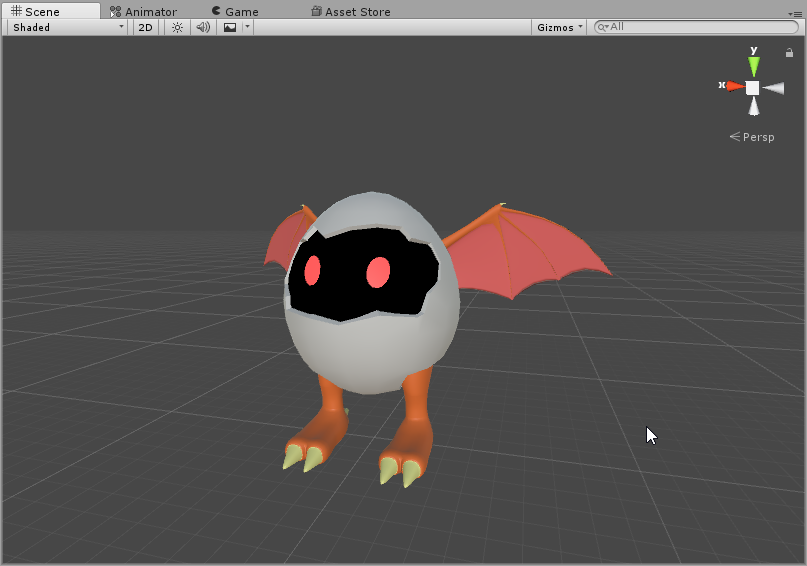 ocean thistle
Does anyone know why my blendshapes arent getting imported into unity?
lucid isle
i liked this model too bc its at 15k tris i wouldnt need to descimate it
ocean thistle
When i export them as FBX from blender
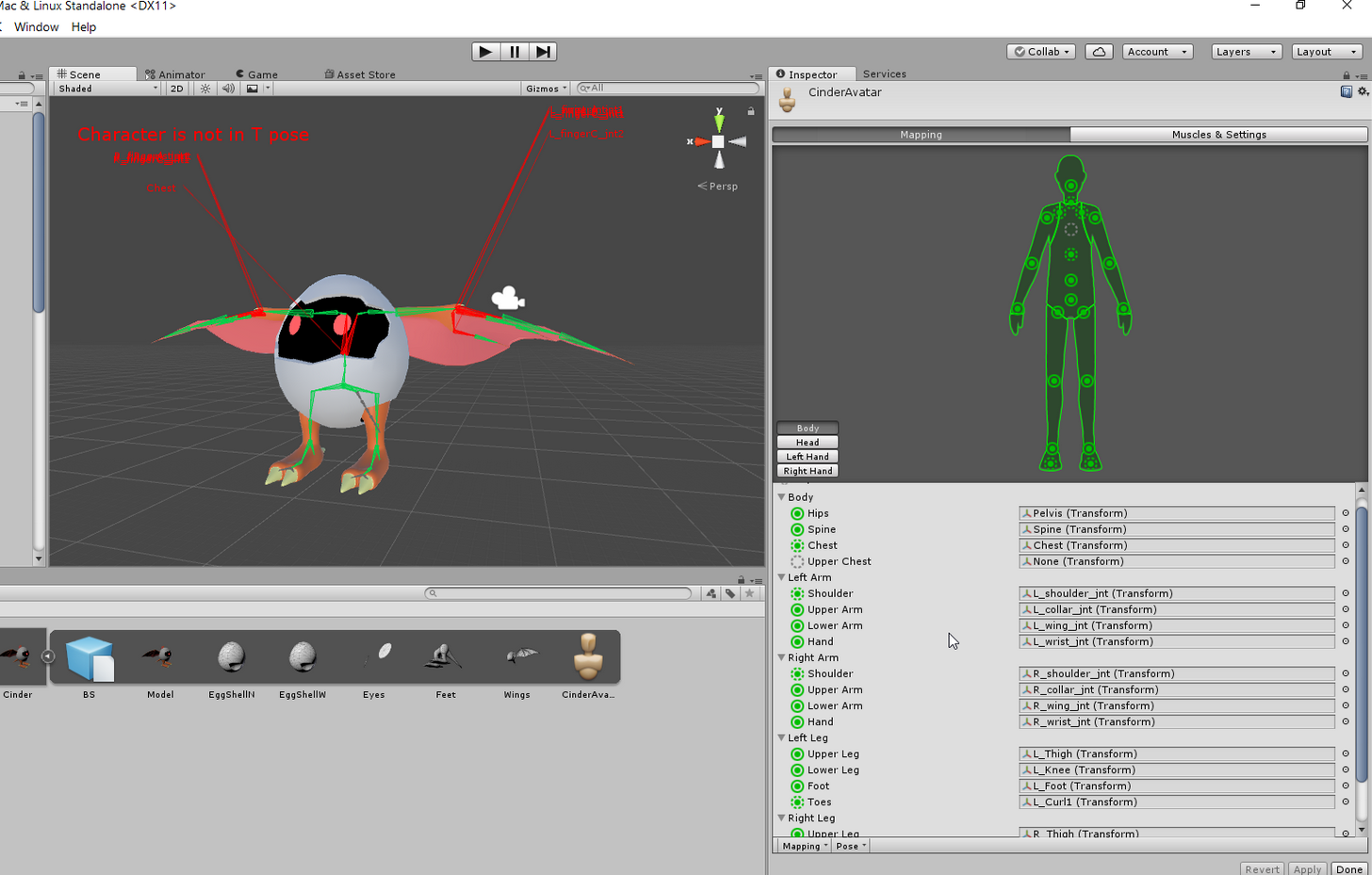 twilit folio
@round abyss https://gyazo.com/b59aef578dcc1a88ea52627043a4c51a
 cerulean tendon
Ok thanks to you I fixed what was wrong. This smaller issue is still here though, so is there an easy fix? If not I might just leave it and fix it another sday or somethign
twilit folio
that's where I was selecting the colliders originally, the capsule ones aren't available in the list when I click it
round abyss
you can safely ignore that
cerulean tendon
oh thank god, your a good man @round abyss
round abyss
😃
half glade
Tried to add custom dance in animation and when im going to upload it this happen
round abyss
@twilit folio so it seems that dynamic bone dosent really support the normal unity colliders
tbqh I would just remove the dynamic bones and make the whole skirt a cloth object
 twilit folio
I'm pretty new to blender/unity, do you know of a link to a video that would introduce that process to me?
round abyss
@twilit folio https://i.imgur.com/uxlzrM5.png
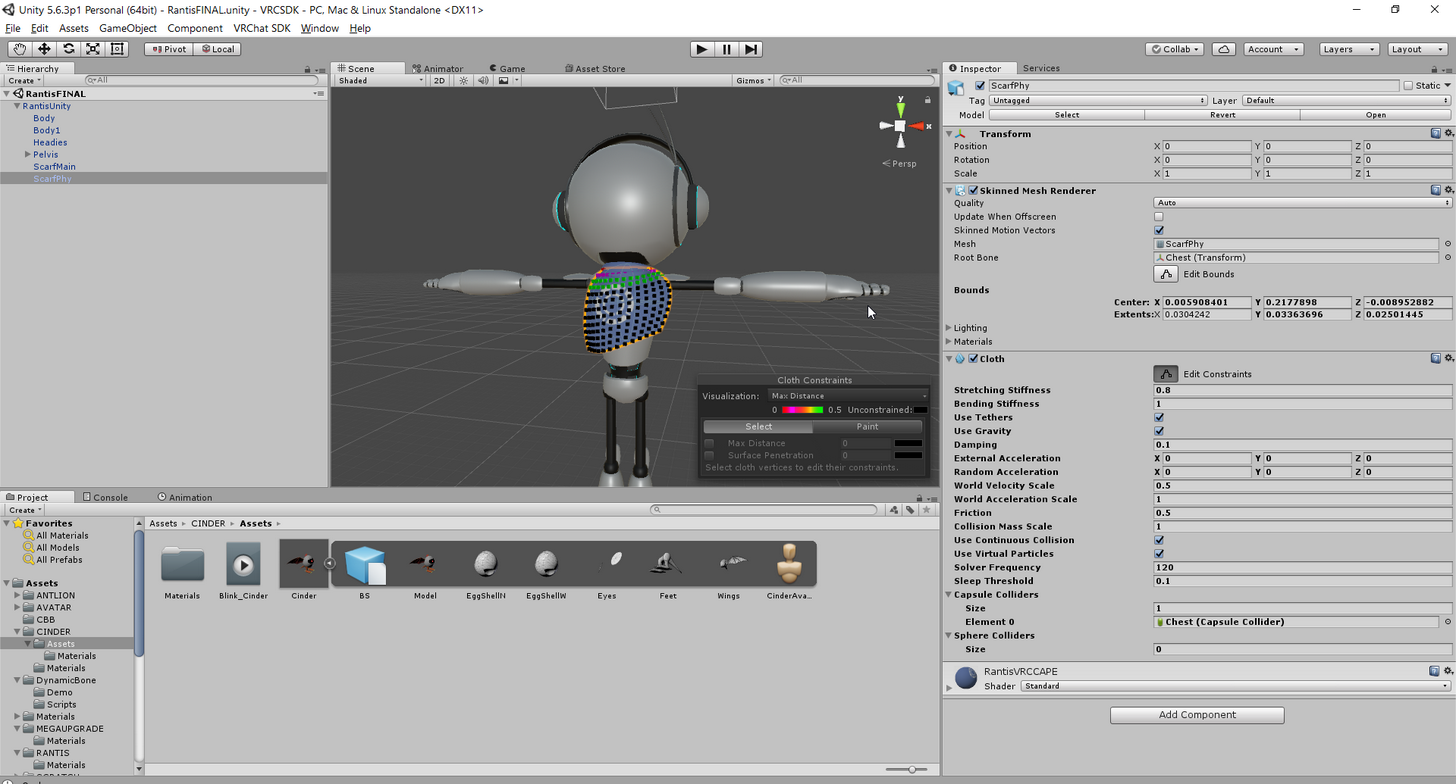 round abyss
yeah just select the mesh you wanna make cloth
and add the cloth
then you can test it in the engine with the camera stuff
dont forget when your painting the strechyness of your cloth
that some points are locked and frozen and have no strech or bend
otherwise the cloth will just fall off the model and through the floor
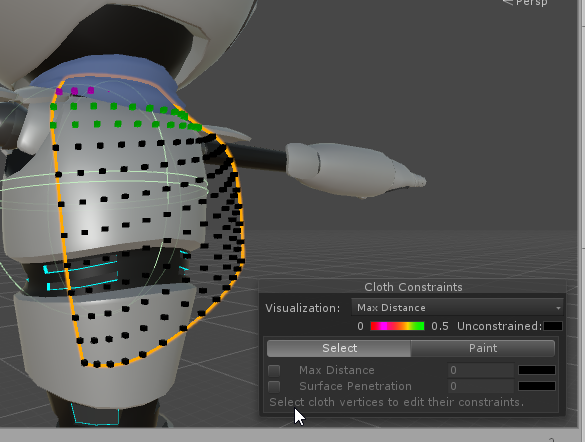
like that top row of red points dosent move
lucid isle
i think i know what happened
 gusty saddle
Anyone know why this model won't rig with miximoo ?
round abyss
whats the skeleton look like?
lucid isle
yup thought that was the issue
the one i downloaded has no bones bc its using the bones from its original version
gusty saddle
lucid isle
so now i gotta fix the skeleton
gusty saddle
I got it into the game, but it refuses to rig with miximo
round abyss
hmmm
warm oar
anyone mind helping me solve this issuse on how to rig these bones properly?
 coarse nest
anyone know why this is off center? (This is my first time doing this)
round abyss
check the avatar descriptor values
 dire mica
Did you change the x value
round abyss
or check if your model is off center
lucid isle
OH i found one rigged
coarse nest
No I did not change anything, and if I move it the ball moves with
warm oar
well the issue is that the bones are all red and i have to reline them. is the a quicker and simpler way. if not i will have to do this manually. i came here in case there was a better way?
lucid isle
@coarse nest do u have it in animation mode
pseudo valve
this is still happeninG
coarse nest
k
lucid isle
bc if its animated in unity the ball is always off center just pay it no mind
gusty saddle
brosiff
round abyss
@pseudo valve Unity dosent like bones being at the exact same place
gusty saddle
@coarse nest
round abyss
at least the avatar descripot dosent
gusty saddle
You can do values of between integers for your descriptive
Such as 5.31881
to make it as exact as you'd like
pseudo valve
ah, alright. any way i can fix this in unity tho? or do i have to use blender
round abyss
@pseudo valve Had the same issue with scratch
youll need to take it back into blender
then move those bones slightly
then it should be fine
pseudo valve
heck ok, im decently new to this but ill try
round abyss
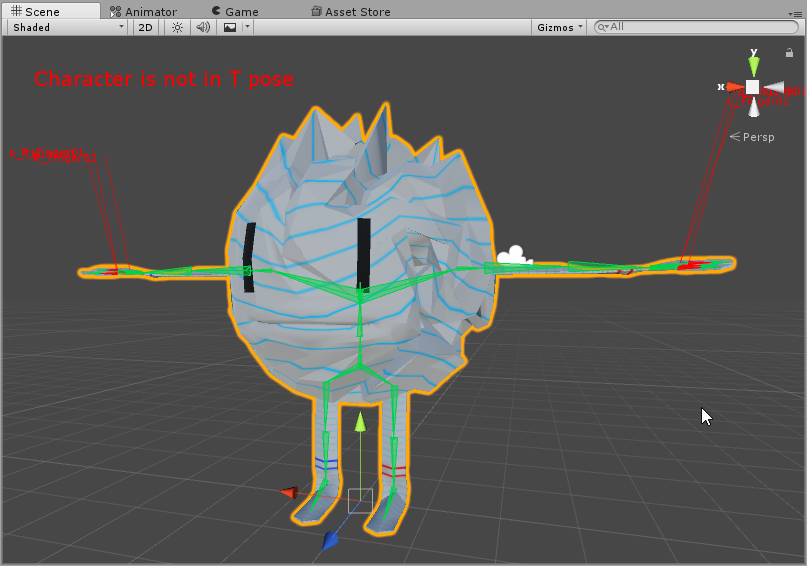
had the same issue with this guy
all of the spine and chest bones were in the center
in the first version
pseudo valve
all the bones are out of place in blender lmao, im trying to do this with a victini model
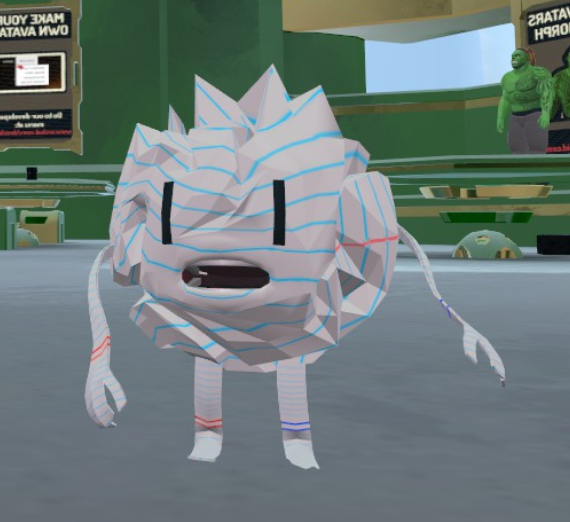 pseudo valve
=0
scarlet crow
So what do if i want to use cloth on the dress but dont see it as it's own separate mesh? It's all just part of the body
cerulean tendon
Howd you know know if a model has mouth bones?
round abyss
my egg models eyes are actually its "head"
lucid isle
usually the mouth one is super tiny and u cant or dont notice it
also
no head bone
i can just make one right
lucid isle
and then extend the right and left eyes from there?
 gusty saddle
So anyone know why that natsuki model won't rig with maximo
round abyss
cant say :/
lucid isle
ya that lil thing is the "head:"
round abyss
id need to troubleshoot hands on
and im not familiar with mixamos system
I make all my own animations
gusty saddle
What do you use to make your own animations?
lucid isle
eh? im in blender lol
round abyss
I payd good money to go to art school for animation and im gonna use those skills damnit
I use maya
lucid isle
well for blinking it just needs the right and left eyes ya?
gusty saddle
how hard would learning to animate be for a brand new beginner
cause I wanna rig this model so damn bad
just to move her hands and such
 gusty saddle
lol
round abyss
dammit chrome work with me
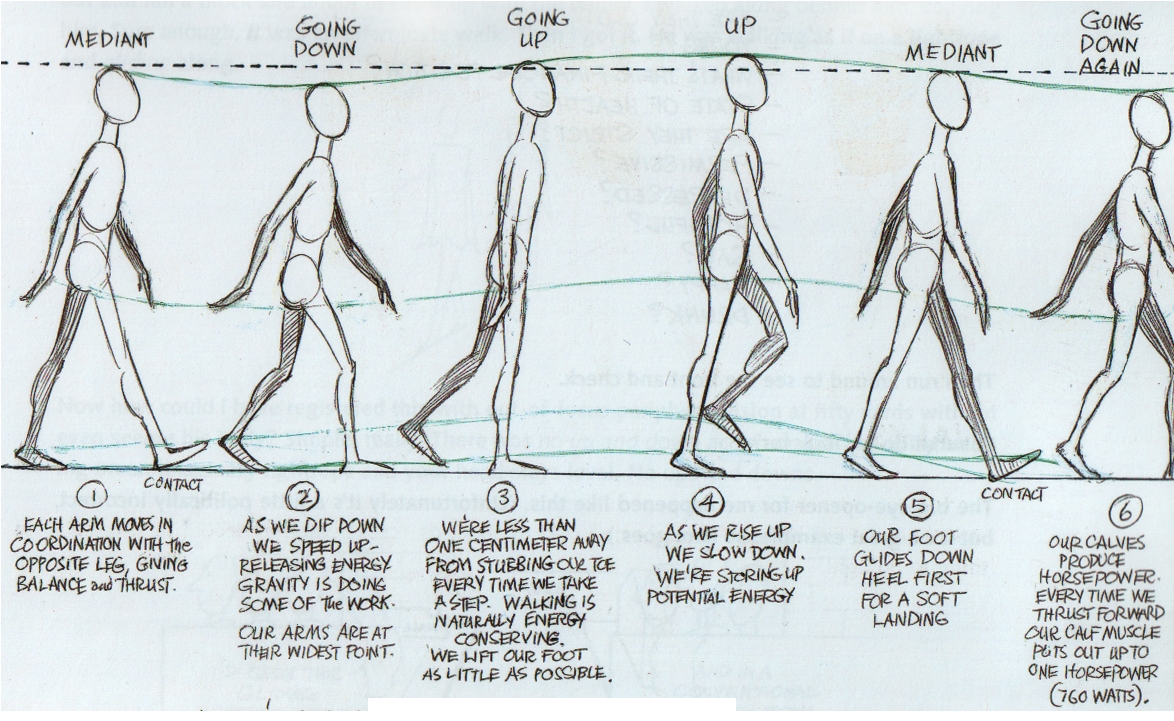
THIS textbook
it was written by richard williams
hes one of the golden age animators
gusty saddle
aprox how many pages
lucid isle
ok...thats really weird
 lucid isle
im super confused
round abyss
I would post a pdf to the full textbook
but idk if that counts as warez
its easy enough to find if you google "animators survival kit pdf"
@lucid isle So she blinks her hair?
fading verge
having a bit of an issue here with my colliders. I have a long skirt and my colliders are set on the knees. all of the leg still goes through the skirt. any ideas?
round abyss



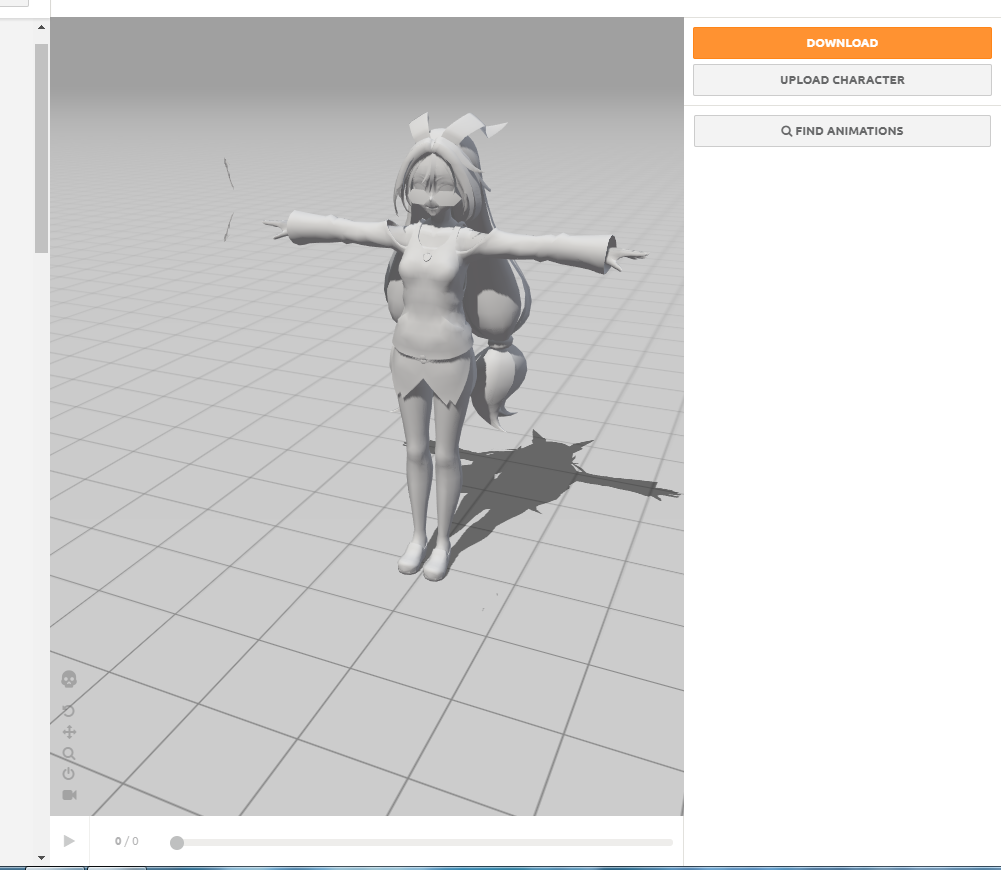


 lucid isle
should these bones be sticking up like that
lucid isle
iono
round abyss
idk how to do effects in unity
lucid isle
should they be sticking up
round abyss
im a NOOOOOB (at unity)
plucky terrace
does anybody have time to hop into a call and help me with a serious issue im having with a model
round abyss
what kinda issue?
 wind grove
anyone know what this means?
 tawny temple
@lucid isle did you import a .fbx into blender?
blender does that for some reason with .fbx but it should be fine
i think it also does that to pmx too if they have bones included in the model
@wind grove try making 023 Spine 2 parent bone 004 Hips in blender
warm oar
@brisk crypt i have and everything is working properly but when i go to publish it and all it says, it's in humanoid but feet need to be specific, hands as well and , head hands and feet to be mapped. and on the screen shot everything is fine expect when it goes to sample pose
tawny temple
@warm oar is the hips mapped to groove by any chance?
tawny temple
oh i guess the bone is called something else but the hips are assigned to the wrong bone
should be assigned to the bone that connects both the legs
warm oar
it's called center and the one above it is called upper center
fading verge
anyone know about dynamic bone coliders? my legs are clipping through my skirt even though colliders are on the knees.
warm oar
okay how do i fix it then?
tawny temple
find what the bone is, then just change the hips to that bone
 fallow sigil
Guys the unity cart wont let me through to buy dynamic bones. Anyone have the files to potentialy share with me?
 solid fjord
Quick question if having no finger bones will it result in having the models arm stay in a t-pose?
solid fjord
Because the legs work fine
wind grove
noob question, but how do i do that? @tawny temple
tawny temple
go into blender,select the bones,press tab(goes into edit mode) select the bone 053 Spine 2, theres some little icon to the right half way to the bottom,click the little bone icon, you should see parent then a rectangle to the right of it,select the rectangle then search for 004 Hips,select the hips then hit enter then you are good to go
should i just rig it like this XD
wind grove
what icon am i looking for?
tawny temple
or like this, orange is for the arm, just going to be dummy bones for the vrchat req
wind grove
im probably doing something wrong but i dont see parent
tawny temple
@wind grove
plucky terrace
can anybody help me rig a model for me
fading verge
you want to do it yourself or someone do it?
plucky terrace
i dont know how to im new so i guess somebody do it?