#avatar-rigging
1 messages · Page 45 of 1
 severe flower
 faint cliff
so no 😦
 fading verge
@faint cliff did you use mixamo to rig your avatar?
 silk kestrel
@faint cliff open up your bone heirarchy
faint cliff
damn
ok
how would one go about doing that though
or i can look that up actually
and if i wanted my mouth to move\
would i have to do that through blender or unity?
silk kestrel
do you have blender opened up?
for mouth movement, unity accepts either a jaw bone, or shape keys known as visimes
faint cliff
i do have blender
openeed
also thx for the mouth movement but i should probably ask when i get to that point
anyway i opened up blender and currently its empty
silk kestrel
have you touched blender before?
silk kestrel
just import the .fbx file in
faint cliff
to import and export models to work with unityt
silk kestrel
blender has native support for .fbx
 south oar
how to make it glow?
silk kestrel
lol...that avatar...you do now know the way
severe flower
Do you know the way
silk kestrel
I will show you the way
ok first delete the lights and camera and square from the window on the otp right
faint cliff
Done
silk kestrel
ok open up your armature and select one of your shoulders
screenshot what you have afterwards
 crisp tendon
You might want to watch a basic tutorial first
faint cliff
true
 waxen ember
I'm losing my mind over reparenting these bones, I did so in blender but it still did not transfer to unity
silk kestrel
How are you re-parenting the bones?
waxen ember
i go through the armature in blender, right click and select a bone ( i believe in pose mode?) and select the chest and choose chest as parent to the required bones...it shows up as done but the moment i save the blend file and export to unity it reverts again
 swift radish
I have a weird problem, can someone help?
waxen ember
sorry i select the required bone first (shoulder, neck etc) and then press chest to parent
 icy maple
So i'm in unity now, and i put my character there. I spent a lot of time having bones in the skirt and all, but the imported does not have them in unity...? something wrong?
 jagged spruce
waxen ember
jagged spruce
waxen ember
@silk kestrel if there's another way to do it or something I'm missing (which im sure there is) please let me know, im still new to this and blender as well, thanks a bunch <3
 worldly pebble
For some reason my Unity says that my model doesn't have enough bones, the minimum is 15 and I have 18 bones on my model.
 spare gate
How should I save the orders of bones?
fading verge
i cant see
icy maple
there should be more in the skirt while in unity... what is happening?
fading verge
How do I add hip bones, spine, etc 😦
faint cliff
@silk kestrel
silk kestrel
ok the way is clearer now, at the bottom of your window, there is a bone and human stick figure tab
silk kestrel
ok now go to your 3d view and hit tab to enter edit mode
fading verge
Potted
silk kestrel
on the bottom of your screenshot, there is this thing called "Parent"
fading verge
How do I get the bones to have different names? 😭 I only have bones
silk kestrel
click on the box below it and set it to your chest
now you know the way, do it for the other shoulder
fading verge
Help me @silk kestrel 😦
silk kestrel
@fading verge that is a clusterf*ck of armatures!!! 🙀
icy maple
i'm assuming that my issues could be how blender set up my characters bones?
faint cliff
@silk kestrel alrighty so that should be it then right just render it and do the rest in unity if i am not mistaken
worldly pebble
unity still isn't working with my bones
icy maple
my charater have 4 hips that spike out on one side.
How do i get rid of them/change them to not have any affect?
fading verge
@silk kestrel Help me? Please guide me 😭 I am new to Blender1111!!!
silk kestrel
@fading verge I have not done re-parenting from different armatures, I can take a look at it later on as I do not have blender with me, just DM me the file
fading verge
Okay
icy maple
no one knows whats going on with my issue? or is this the wrong subchat?
silk kestrel
is that all commandah?
faint cliff
well i am about to try and make mouth movements and jiggle bones in unity
but untell then hopefully
silk kestrel
yup, got it. will take a look once I get back home in....6 hours
icy maple
okay.
One thing though, is that the thing thats happening inside of Unity, is what blender does when i 'remove zero weight bones'
silk kestrel
yeah if you see me online, just DM me again , cause I got a backlog of stuff to look at also and might forget your request
icy maple
What is a zero weight bone? and how do I apply weight to other bones?
silk kestrel
go into your materials folder and select everything in it
in your inspector window (top right panel) change it from transparent to opaque
faint cliff
ok
 sacred sequoia
So for some reason an unassigned mouth shape toggles between 100 and 0 with each step my avatar takes. I know it's the blend shape because it's a shape none of the assigned vowels make ( I made a generic open and close to make the other mouth shapes) and I know it's not rigged to another bone cause it's not deforming in a strange way and posing other parts of the body doesn't affect it. Any ideas?
crisp tendon
It has to be assigned somewhere
faint cliff
@silk kestrel how would i make say the crown have jiggle physics?
silk kestrel
you need this plugin called dynamic bones
sacred sequoia
@crisp tendon yeah but what the hell is it assigned to that it moves with walking?
silk kestrel
cost $20, or you can ask someone who has it to setup for you
faint cliff
the plugin does?
silk kestrel
it makes stuff jiggle
silk kestrel
you need a jaw bone
sacred sequoia
oops
 swift axle
can anyone help me with a personal avatar?
sacred sequoia
Yeah but it's not assigned to anything that moves, and it didn't do this before
swift axle
dm me if u can
 hushed moth
faint cliff
hushed moth
faint cliff
@hushed moth hit me up
 mystic locust
I'm not sure what I did wrong here.
faint cliff
dms
faint cliff
gross
silk kestrel
you can try to get it from uganda commandah
crisp tendon
@sacred sequoia Could be hips, neck, jaw
sacred sequoia
I don't have the jaw boned assigned to anything and it wasn't doing this during a previous iteration.
I finished all the meshing, rigging, texturing, ect and merged everything to set up eye tracking
only then did things go fucky
mystic locust
Nevermind I fixed my thing
crisp tendon
Yeah tracking is fucking with me too right now, it's 5am and i'm still wondering what the fuck is going on
severe flower
garfield you fat cat
fading verge
I h a t e m o n d a y s
 drifting tulip
Can someone explain the blender hotkey for parenting 2 bone sets and keeping the offset?
I can't seem to remember how to do this manually.
crisp tendon
Click on the tiny bone icon in edit mode and chose the parent of one of the bone
drifting tulip
Okay, i'll try that, thanks.
severe flower
i might be stupid here but how do i rig a character from scratch
 mental niche
Excuse
drifting tulip
@crisp tendon I got it to work, thank you. ^w^
severe flower
the character im wanting to rig has 15 body parts
mental niche
I already downloaded a rigged model but... its a zip folder, that it have a "Source" and a "Texture" folder
What i have to do next?
ok...?
severe flower
ok
mental niche
ok, np ;-;
 formal bridge
Hello! I am having some difficulty with my custom avatar's hands clipping through her skirt. The only thing that I think would work might be dynamic bones in the skirt and colliders in the hands, anyone have any alternative ideas?
I cant really get dynamic bones
crisp tendon
@mental niche What type of model, from where, what file type
crisp tendon
hand clipping through material seems kinda unavoidable ?
mental niche
Sorry, its not OBJ, its FBX
formal bridge
yeah a little bit.
mental niche

Izzy, leader of an underground band or trained assassin?Izzy is created with Character Creator 2.0, a robust 3D character design tool that takes the complexity out of generating fully-rigged custom characters. Characters can exchange outfits, morph to custom face and body shapes, generate emotive facial expressions and lip-sync with any audio.Character Creator works seamlessly with other 3D tools for further customization like Maya, 3ds Max, ZBrush, Blender, Cinema 4D, Lightwave and more. 3D characters created in Character Creator are ready for direct upload to Sketchfab, or FBX export for game engines like Unreal and Unity.Know more about:Directly Publishing Animated Character to SketchfabExporting 3D characters to 3D Real-time Engines
formal bridge
I'm just not sure how to fix it. Maybe move the bones inward a bit so her hands aren't technically resting at her sides
worldly pebble
How do I upload a avatar to VRChat w/o overwriting a past one?
I just want to know just incase because I don't have a copy of my past avatar.
icy maple
Nothing seems to be working the way it should and i dont know why. In blender, my verts is 19998, faces 27.9k, but in unity my charter is over the 20k limit? I thought i had to get verts under 20k?
mental niche
Make a new project and change the name
formal bridge
its 20k triangles
worldly pebble
Yeah I did that, so hopefully it's good.
icy maple
wow. i asked earlier and they said verts needed to be under 20k -_-
mental niche
@crisp tendon 3D Model, FBX, https://sketchfab.com/models/8476e3679aa442c3ad811727705524ac#
Izzy, leader of an underground band or trained assassin?Izzy is created with Character Creator 2.0, a robust 3D character design tool that takes the complexity out of generating fully-rigged custom characters. Characters can exchange outfits, morph to custom face and body shapes, generate emotive facial expressions and lip-sync with any audio.Character Creator works seamlessly with other 3D tools for further customization like Maya, 3ds Max, ZBrush, Blender, Cinema 4D, Lightwave and more. 3D characters created in Character Creator are ready for direct upload to Sketchfab, or FBX export for game engines like Unreal and Unity.Know more about:Directly Publishing Animated Character to SketchfabExporting 3D characters to 3D Real-time Engines
formal bridge
how many tris do you have
icy maple
tris 27.9k >.<
icy maple
it was 56k at start.
mental niche
Oh damn
icy maple
godamn i shoulda picked a basic dude or something. This is my first time diong this.
crisp tendon
@mental niche Have you opened it in blender ?
mental niche
I dont know what blender is xD
icy maple
click on whatever im decimating, bring it down till i start seeing triangles, and go back up a little.
like, big triangles.
formal bridge
I feel you @icy maple
icy maple
hair alone was like 12k
formal bridge
maybe planar would help a little?
formal bridge
make em bald!
icy maple
her.
mental niche
@crisp tendon It is an app? Do i have to download it?
formal bridge
make her bald!
crisp tendon
@mental niche Yes, this is the software you'll be using a lot
formal bridge
did you seperate meshes by material krazye
mental niche
@crisp tendon Ok... I will download it :3
formal bridge

VRChat Community Discord: https://discord.gg/VRChat Download VRChat! http://store.steampowered.com/app/438100/VRChat/ mmd_tools GitHub: https://github.com/po...
watch it, live it, learn it
really useful.
crisp tendon
This is my background music
formal bridge
definitely @crisp tendon
 tall marten
Can someone plese help me with this
crisp tendon
Use cat's plugin in blender and translate
icy maple
I wonder how to make a character's hair shorter...
if i doenloaded it from deviant art.
crisp tendon
You can scale it down
worldly pebble
i can't get my avatar to get a chest
crisp tendon
What do you mean ?
worldly pebble
for some reason whenever i add a humanoid to the avatar it doesn't give it a chest
like here
crisp tendon
aren't you already using the chest for spine in the image ?
worldly pebble
sorry im really new to this still
i don't know, it just says this when I try to upload it.
sacred sequoia
For some reason eye tracking causes the first keyshape in my Viseme Blend Shape to active (as in the PP sound), does anyone know why?
 royal gale
you can drag and drop from the left or click the little circle and add it
crisp tendon
@royal gale Your icon freaked me out damn
worldly pebble
ok i'll try that, hopefully i won't remove anything important
worldly pebble
When I click the circle it doesn't do anything, and whenever I drag and drop from the left it gives me an error saying Character is not in T-Pose when it is
crisp tendon
 narrow gyro
http://prntscr.com/huzy9h why does my character have this giant bone? unity says its a part of her hips

http://prntscr.com/huzyhh also, whenever i enforce tpose her textures get stretched and wonky on her arms
 icy maple
Help with blender. It's not letting me look around anymore
what is causing me to only click and drag everything out of its place istead of pan my character?
nvm gotta scroll wheel click everything. I was just freeking out from continuously decimating everything to get under 20k.
fading verge
look at the bone in blender Pinto
narrow gyro
@fading verge http://prntscr.com/hv00xs this is looking umm quite abnormal
 sacred sequoia
For some reason eye tracking affects the first keyshape that moves the mouth, does anyone have any idea why? (as in if my eyes move, it'll suddenly trigger the mouth for no reason)
 native egret
so when you decimate in blender all the blendshapes disappear
and I am trying so hard to fix that
can someone please help me
narrow gyro
if you decimate too much the model disappears
dont put the decimate ratio down too far
native egret
I have to sadly
it's 35k faces
there's gotta be some way or tutorial I can watch to fix it
 topaz briar
decimation is a destructive edit you could say
once you apply it you cant go back on it
narrow gyro
try deleting things that are out of view
like if your model has a long sleeve shirt delete the arms
be careful not to delete things like the armature though lol
native egret
alright thanks
topaz briar
also, try not to decimate too much the hands, arms or legs to keep the model from making some wierd things when it bends over those parts, and avoid decimating the face if you decide to do some animations on it later on
narrow gyro
and a lot of the mmd models have little faces on the inside of their heads
theyre called expressions or something like that, and you wont need them in vrchat so you can just delete them
native egret
ok thanks
fading verge
ye
well you could add finger bones too
if you want the fingers to move
make sure you have another bone for the head @severe flower
since you need the neck
fading verge
ah
 blazing hornet
I got a question, I have a texture I want to edit, and so I edited it, basically made same size and renamed it the exact same, but would it not work if the original texture was a .bmp and the texture I made was a png
blazing hornet
I am dealing with a 4 in 1 texture but I am only trying to do 1
severe flower
this yes?
fading verge
ye
 raven quiver
my avatar looks fine normally
https://gyazo.com/581cf576517682f7d93df71f198078f2

but when put the SampleAvatarController on it it looks liek this
https://gyazo.com/7160cbd20dab98ddd35f976a444b120d
Anyone here know what the problem is?
 blazing hornet
I made it a bmp and it still is not recognizing
silk kestrel
@raven quiver is this in unity or blender?
raven quiver
unity
silk kestrel
sorry, have not done custom overrides, cant help you...
raven quiver
in the rigger their arms are kinda... higher than usual https://gyazo.com/8cb28e932b89f15ac30851a06868448c
 severe flower
now how do i mirror this for the other side
after im done with Frank here I gotta do my Databrawl characters, they should be much easier to handle
 raw sphinx
can you disable eye traking in unity?
blazing hornet
I dont know you fully can besides copy paste and re-coordinate
severe flower
o alright
severe flower
oh its a little game me and a friend made
 severe flower
ill post the game link in #general-media
 covert kite
I was told I had to rotate the hips because it's doing this
http://prntscr.com/hv0914 in game
 topaz briar
@raven quiver What things did you did that you think made the model be like that? Did you tinkered with the rig?
 tame shard
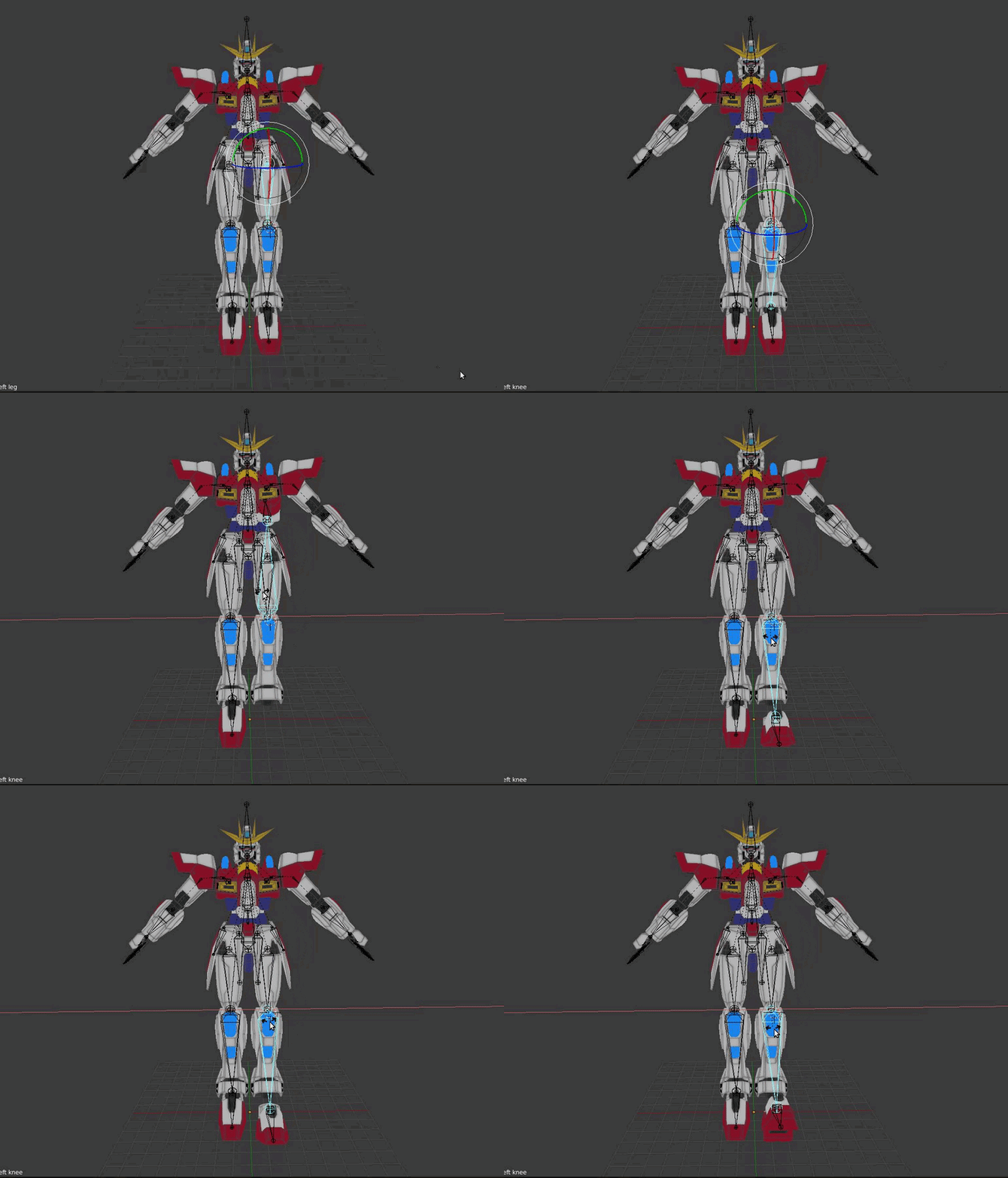 silk kestrel
@raven quiver it looks like your upper arms are mapped incorrectly
from the image you provided, your upper arms are mapped to the elbow while your lower arm is mapped to a twist bone
raven quiver
wowee im bad at this
so i shouldnt map anything to a bone that i cant actually see on the model?

the arms are straight but theyre behind the model now
these are my bones https://gyazo.com/f6ee2be5467c9ae4d66e5835393de2fc

are they wrong?
silk kestrel
that looks about right, I would remove the twist bones first
raven quiver
so what's causing my arms to be all behind my back?
blazing hornet
ok if I have an "egg" model in unity with no arms, chest etc.
do I put it as humanoid
and just update it normally?
or how would I go doing so
cause its not in the "t" pose

this made me laugh
 flat sierra
i figured out how to make bones but the armature wont go onto the model
i press ctrl P and nothing happens
silk kestrel
@blazing hornet I would create dummy arms and legs for unity to map onto
using the humanoid rig also
 brisk crypt
Is it possible to add regular bones in unity? I fucked up after putting work into this avatar that doesn't have feet showing, realizing that it doesn't have feet bones and thus won't rig
blazing hornet
potted wdym
transparent arms
or invis
it also says the spine hierarchy is missing elements

where and how would I put the neck

@silk kestrel
silk kestrel
I meant create arm bones
blazing hornet
but theres also a problem with the neck
silk kestrel
I would place the neck and head bones above the chest
the head bone should be higher than the neck bone
flat sierra
oh it uploaded but its not registering theres bones
silk kestrel
the important thing is not to give any weight to the bones
blazing hornet
so do I just create a bone and call it neck
silk kestrel
yes, create a bone and call it neck, place it higher than the chest bone
 silk kestrel
@flat sierra on the bottom right panel, can you switch to the bone tab, it is currently in the stick figure tab
flat sierra
its still not letting me merge them
silk kestrel
select the bone and hit [e], you will extrude a bone from the last piece
blazing hornet
I am doing that, nothings happening'
silk kestrel
do you have the spine bone selected?
blazing hornet
oh shit
flat sierra
what tab do i have to be on with the mesh
blazing hornet
I get why
silk kestrel
are you also in edit mode?
flat sierra
blazing hornet
how do I know if its less than 1 tho
and its not letting me drag "Chest.001" to Spine
silk kestrel
@flat sierra on the right side of your screen, there is a panel with a bunch of tabs, can you select the tab which has a bone icon?
@blazing hornet screenshot your bone heirarchy
flat sierra
i did that but its still being weird
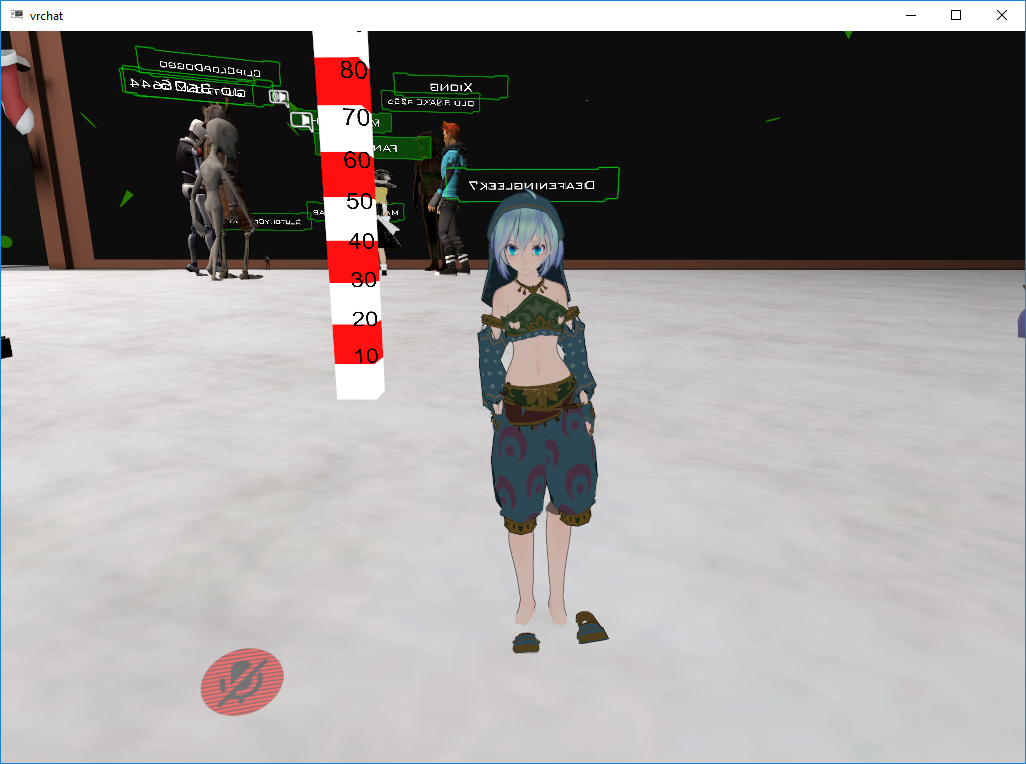 blazing hornet
so you can't drag bones to another part of the body?
fading verge
and the meshes are joined
silk kestrel
@flat sierra look for a text called parent, below it there is a textbox, is it grayed out?
flat sierra
no clue where to look for that ;;
silk kestrel
I dont use the drag and drop method, I am not even sure if you could still learning blender
@flat sierra it should be located under the bone tab
you have to scroll about to search for the parent attribute
blazing hornet
when I try to move the neck bone, the spine expands with it
silk kestrel
@flat sierra everything looks correct, did you create the armature yourself?
flat sierra
yes
silk kestrel
@blazing hornet check in your bone tab that the connected checkbox is turned off if it disturbs you
flat sierra
its my first attempt so it might be messed up
silk kestrel
ok, can you switch over to the tab which looks like a wrench and screenshot it
silk kestrel
ok, under the armature tab dropdown box, click on it and place your armature inside
flat sierra
I had to make a new one from scratch cause it looked so messed up
 silk kestrel
@flat sierra yes, the mesh is looking for an armature
@blazing hornet start it from the chest
silk kestrel
no worries, click add modifier and add an armature into it
there is a modifier called "armature"
blazing hornet
what would I call the bone after right arm,?
shoulder?
or chest > Shoulder > Right Arm
silk kestrel
right elbow > right wrist
flat sierra
do i hit apply?
silk kestrel
chest > right shoulder > Right Arm > right elbow > right wrist
flat sierra
cause when i do I lose it
silk kestrel
dont hit apply
flat sierra
oh ok
silk kestrel
can you screenshot what you got now?
blazing hornet
after wrist is hand?
flat sierra
silk kestrel
the wrist takes your hand position
flat sierra
when i pose its still not going with it though
blazing hornet
okok
flat sierra
only the bones move
silk kestrel
the next bones would be your fingers, but I believe they are optional in unity
 elder cypress
Is there anyone who would be able to help me with a model, preferably in a private chat, call or text? I'm having an issue with bones not staying after I add them
silk kestrel
@flat sierra select the mesh and your bones
narrow gyro
how do i create bones manually in blender? my avatar doesnt have any head bones
silk kestrel
hit ctrl + P, there should be a option for automatic weights or something like that
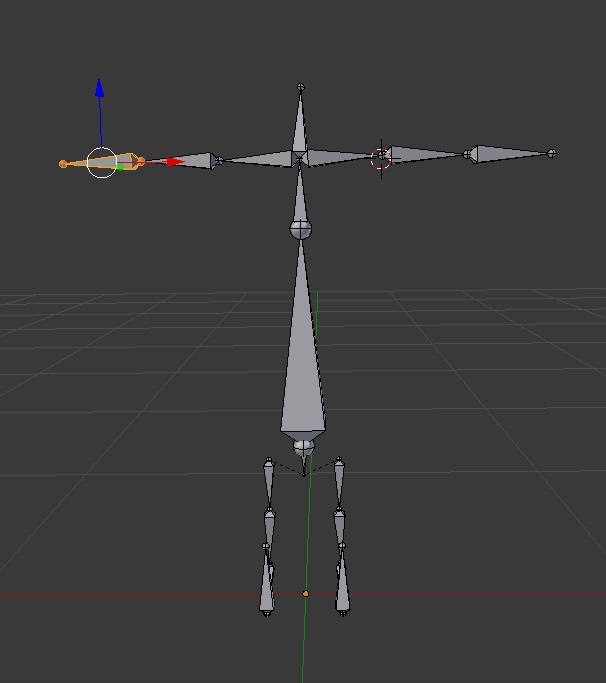 silk kestrel
what is with all this bones problems coming out of the wood work!
 heady loom
So the model I'm rigging doesn't have seperated Meshes, but the teeth and hair are completely seperate to my Weight Painting.
narrow gyro
will it work even after ive done "join meshes" and "fix model"??
flat sierra
its still not registering
elder cypress
Lol sorry @silk kestrel 😅 Im just getting frustrated after spenind around 12 hours on a model that stays T-Posed
silk kestrel
@flat sierra ok, select the bones and go into pose mode
blazing hornet
potted, am I done?
silk kestrel
select your mesh and go into weight mode
@blazing hornet yes, try to map it in unity
silk kestrel
@flat sierra your model should now turn either blue or purplish
@elder cypress could you elaborate more on your issue?
screenshots would be helpful as well
elder cypress
 royal glacier
my dynamic bone makes my model flat, anyone knows why?
elder cypress
the spine won't stay, no matter how many times I make a spine
silk kestrel
are you making your spine bone in unity or blender?
elder cypress
unity
silk kestrel
do it in blender, from what I understand, nothing good comes out of adding these stuff in unity
flat sierra
for some reason its not doing the weighted thing you said
its only object
when i hit ctrl p
elder cypress
alright, do you know how I would put a .fbx model in blender? or should I just google that one
silk kestrel
can you try [p] instead of [ctrl + p]
flat sierra
ok
narrow gyro
http://prntscr.com/hv12hc when i look in the armature list it says that the model has a neck and head bone, but looking at the armature it looks like theres no headbone
 flat sierra
nothing happens
silk kestrel
blender has native .fbx support
blazing hornet
hey potted, do you know much about cubed shaders?
silk kestrel
@flat sierra it looks like you might need to manually need to weight paint
blazing hornet
I was wondering if it was possible to make the egg rainbow and the feet normal
is that possible?
silk kestrel
I know a bit, why? Did you get the transparent effect thing?
blazing hornet
or egg, animated
silk kestrel
ok, I guess you can try to use the rainbow shader on cubeds
flat sierra
huh?
silk kestrel
I have not used it myself though
blazing hornet
I mean I want the egg rainbow but the feet not and since they are the same texture, I dont think its possible
silk kestrel
@flat sierra we need to check if your bones have weights on them, can you select your bones and go into pose mode, the bones will turn blue
@blazing hornet You could seperate the mesh and apply a different material to them in blender
blazing hornet
 silk kestrel
than rejoin them back
@flat sierra now select your mesh and change it to weight mode
flat sierra
how?
silk kestrel
@blazing hornet can you screenshot your bone heirarchy?
silk kestrel
yea
silk kestrel
change it to chest 😃
flat sierra
i donno how to change its mode
blazing hornet
do I have to delete it to move it?
silk kestrel
@flat sierra on the bottom left of your screen, there is a drop down box, currently it should be set as either object mode or edit mode
click on it and you should find weight mode
flat sierra
ok did it
silk kestrel
what colour is your model now?
flat sierra
silk kestrel
ok, press [r] button and move your mouse about, use your right click to escape
does your arm move also?
elder cypress
I opened it in Blender and now the bones are all over the place
flat sierra
silk kestrel
screenshot please
topaz briar
Guys, have any idea why each time this part of the rig moves, the leg gets all messed up?
elder cypress
silk kestrel
@flat sierra when you added the armature modifier, did you have your mesh selected?
@topaz briar check your weight paints
 frigid anchor
So I don't think my character has a chest bone. Do I add that in?
flat sierra
i think so
 flat sierra
topaz briar
flat sierra
topaz briar
@frigid anchor Yeah, add the chest
flat sierra
i had the top one selected
frigid anchor
I know there's renaming bones but I don't know how to create another bone
silk kestrel
@flat sierra can you select the wrench tab and screenshot it?
flat sierra
royal glacier
@frigid anchor you probably cant do that just using unity, I think you need either 3dsMax or blender to do that
frigid anchor
I'm in blender
elder cypress
@silk kestrel I feel like I may be in the wrong area
royal glacier
@frigid anchor Oh, shit, I have 3dsMax, Im pretty sure there are a few tutorials lol
blazing hornet
@silk kestrel do I need pelvis and shoulders
silk kestrel
@blazing hornet yes you need shoulders
not sure about the pelvis
@flat sierra can you select the mesh and than the bones and hit p
flat sierra
nothing happens
silk kestrel
try ctrl+p
flat sierra
silk kestrel
select object and screenshot your heirarchy
your mesh should be under your armature now
silk kestrel
oops, wrong selection, can you undo and select your armature first and than the mesh and hit ctrl+p
flat sierra
ok
blazing hornet
where would shoulders go
silk kestrel
shoulders should go into chest
silk kestrel
chest > shoulders > arms
flat sierra
gives me the same options
silk kestrel
select object
silk kestrel
yeah choose the weighted auto thing
flat sierra
silk kestrel
can you move your mesh now?
flat sierra
if i do it the weighted auto one it does that
niether way lets me move mesh though ;;
silk kestrel
would you mind sending me your file, I will take a look at it later once I get back from work
silk kestrel
thanks I will try to get back to you once I look into the issue
elder cypress
@silk kestrel Should I wait till you get back from work too? I can't figure this out the bones are all sticking out and I don't know how to rearrange them, I think unity auto set them
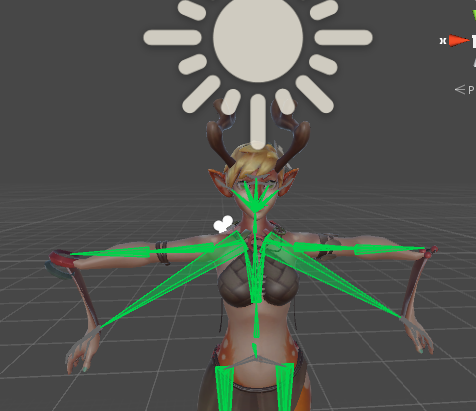 elder cypress
woah what the hell xD
 prisma root
reparent those bones to the lower arm lmao
silk kestrel
@elder cypress yeah, that would be better, It will be easier when I have blender in front of me as well
narrow gyro
http://prntscr.com/hv19iu so my hair isnt attatched to my characters head... is this an issue with weighting?
 blazing hornet
hey, potted would it be left should and right shoulder or shoulders and left and right arm inside
fading verge
Yep.
blazing hornet
@silk kestrel
silk kestrel
left shoulder should have left arm, right shoulder should have right arm
blazing hornet
so
if I am getting this right, chest should have 3 items in it
Neck, Left Shoulder and Right Shoulder
correct?
 vital ruin
So I threw my model into Mixamo and it came out alright but the weight on the feet was off. Its dragging the left foot with the right one and vice-versa. If I change the weight painting tho it makes the foot do this lol
https://i.imgur.com/CWAUoyq.png
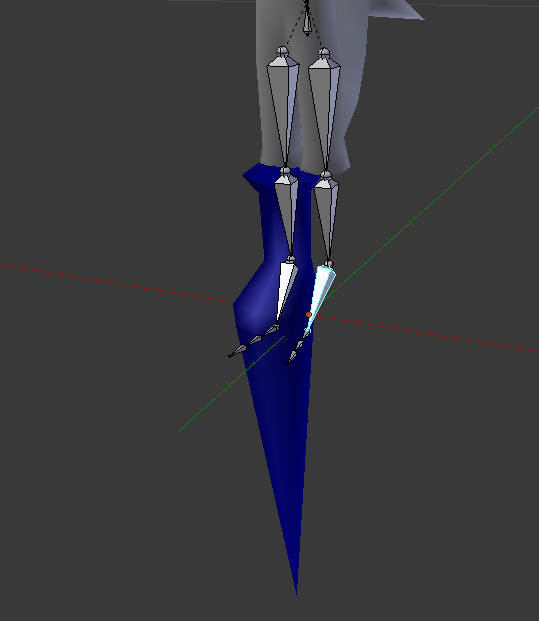
what do
blazing hornet
@silk kestrel
fading verge
would i have to rig fingers for both hands or is there another solution to this
royal glacier
I think you can have them but no need ro actually weight the skin to them
i could be wrong but I'd do that if I had to
silk kestrel
@blazing hornet correct, your chest should have 3 objects
raven quiver
how do i get rid of a bone? Whenever i try to delete this one it just closes the rigger and if i move its children to the bone above it to skip it it jsut undoes what i did after i hit apply https://gyazo.com/93e62f1457686ec6b9cbe73fc34db2f2

 bitter sky
er
frigid anchor
How do you make a model smaller

 royal glacier
@frigid anchor in unity or Blender? in Unity you have to select the model and then change the scale numbers in the upper gith side
frigid anchor
I found another model with a chest bone but I just need to downsize its dimensions to under 5m
fading verge
silk kestrel
@blazing hornet could you send me the file, I think I need t odebug this on my end
narrow gyro
in unity im testing my avatars movement and when i test her neck movement, the face moves with her, but when i test her head movement the face stays in place and only the hair moves. how do i attatch her hair to her head so that it moves properly?
blazing hornet
wdym
silk kestrel
have you tried enforcing t-pose?
if it still gives you a weird pose, I need the file to debug it on my end as there are quite a few scenarios which causes it
prisma root
@fading verge if you find a way to get full body ik working for that model let me know
I have the same one
silk kestrel
just model will do
fading verge
trying
blazing hornet
@silk kestrel dm'd
 pseudo halo
is it possible to make an avatar with armor that doesnt warp with the bones
so the bones are pretty much just pivot points or not really
 muted helm
Yes, you just have to armor at full weight assignment per bone or joint.
I just rigged a bunch of robots and treated it like a largely normal character except really stiff/rigid weighting on the hard points.
narrow gyro
how do i weigh my avatars face to her head bone in unity? currently when she moves her neck bone, everything moves normally, but when she moves the head bone the face doesnt follow
narrow gyro
can i weigh bones to the mesh in unity, or do i have to do it in blender?
royal glacier
I think you have to do it in Blender @narrow gyro
never seen anyone do it in Unity
narrow gyro
when i look at the armature in blender theres no head bone i can see (except its listed on the armature list which i dont really understand how its there but i cant see it), but when i look at it in unity theres a neck and head bone
 naive tree
@fading verge still having the issue? i can pm u how to fix it
blazing hornet
can someone send me a pic of a rigged avatar and bone names
I wanna see what I am doing wrong
icy maple
My character's feet is broken... how do I create new bones for the toes?
My toes drag along the floor instead of stay with the character
fading verge
so i was going through the mmd to vr chat tutorial
is there an alternative to needing to spend 20$?
howdy, i was wondering if someone could help me with this eyetracking issue im having
icy maple
Doesn't seem like it duskitty. I'm going to make more characters than spend the 20 for the dynamics
 potent quarry
can shape keys control the pose of your model?
 oblique latch
so i have my rig working all i have left is three things (1) he is in the ground when i do not move in game (2) avatar descriptor looks like it's backwards when i boot him up in vr chat (3) my avatar controls are backwoods ?
fading verge
for 2 you mean like you see his back and tail?
oblique latch
i have the descriptor at his face like you do but when i boot him up i have his tail
narrow gyro
is there any possible workaround from needing a neckbone
my characters face isnt attached to her headbone so i put the neck as her head and unity accepted it, but when i go to upload my ava im told that i need to define the neck
narrow gyro
but my issue is that my characters headbone breaks her, so i opted to make her neck her head. and unity accepted that, but now when i go to upload my ava to vrchat im told that i need a neckbone so im wondering if theres a workaround there so i dont need to put the neck
fading verge
did u weight paint and try to fix it?
narrow gyro
weight paint in blender?
fading verge
yeah
narrow gyro
yes
when i fix the model with cats it resets it i guess
do you know if theres a way to weight paint in unity
 safe bluff
Just make dummy neck bone
safe bluff
Press e at the top of your current chest bone where the round little ball of the bone is
Parent your current neck to it
And rename it to dummyneck or something
Since it’s not painted to anything won’t actually move anything
narrow gyro
oh the model already has a neck bone its just that the face isnt attached so when it moves only the hair goes w/ it
wait would i not attach the bone to anything?
like can i just have a bone
out and about
safe bluff
Since you’re extruding it from another bone it’ll automatically be patented to it
narrow gyro
can i have multiple parents for a bone?
fading verge
can you show the model real quick
narrow gyro
ya sure
narrow gyro
http://prntscr.com/hv3c0i ok so this is when i test move the neck in unity

and everything acts normal
http://prntscr.com/hv3c6t but when i move the headbone this happens

because the face isnt attached to the headbone for some reason
fading verge
well
add an extra bone which goes to the top of her head
then weight paint
so like
still add a normal neck bone
then add a head bone
or does the hair still not move after that
narrow gyro
can i do weight paint after combining the meshes
because i tried to do it before and her turtleneck got in the way
fading verge
in what fashion did the turtleneck get in the way?
narrow gyro
the weightpaint was highlighting the turtleneck
and i was worried it would look wonky in game which now that im typing it sounds kind of foolish because i shouldve just tried it anyways
fading verge
yeah u can subtract it
narrow gyro
hang on im going to try to do it again
can a bone in unity have multiple parents or no
fading verge
i dont think so
i believe it was meant to be something ages ago
but it was never introduced
fading verge
oof
fading verge
misnaming bones shouldnt be an issue unless its in a foreign language
narrow gyro
is there a way to change the angle bones go at? if so maybe thats the issue
i see a rotation/position/scale thing under configure
heady loom
It's not foreign, I just named them hand.001 etc
The issue is the Thumb is designated as the pointer finger
And the fingers are being pulled TOO far forward
safe bluff
Then configure them correctly in the configuration tab
 amber heart
I need help!
narrow gyro
w/ what tho
amber heart
i cant see my avatar in unity once i delete the toes and apply that stuff etc
@narrow gyro
narrow gyro
can i see a pic of your config rig tab in unity pls
amber heart
voice chat?
narrow gyro
🤔
amber heart
can we chat on voice chat?
fading verge
@amber heart like after u drag the fbx into scene its invisible?
amber heart
https://youtu.be/BQG_a8AW1CI?t=7m51s this part
Links: Unity ► https://unity3d.com/unity/qa/patch-releases/5.6.3p1 VRChat SDK ► https://vrchat.com/ Skins ► https://www.models-resource.com Mixamo ► https://...
i just cant see my character
fading verge
like
oblique latch
so this is what my avatar descriptor looks like when i am in game wtf
amber heart
i think
fading verge
or after u click apply ?
amber heart
yep
amber heart
i did
amber heart
fading verge
and it should zoom to it
narrow gyro
@oblique latch youll probably have to experiment w/ where you place your camera since its an abnormal ava
amber heart
i dont know what to do
heady loom
fading verge
np
amber heart
😊
fading verge
my one good deed after getting 5 accs banned for hate speech and racism
narrow gyro
hey im doing the weight paint and im sure that limit selection to view is off but for some reason its still missing bits and pieces
fading verge
oh
narrow gyro
but for the most part it got everything
fading verge
well
narrow gyro
it was just that piece for some reaosn
oblique latch
@narrow gyro i had this avatar descriptor bug thing with my old avatar as well and thats just a standard looking npc
narrow gyro
ok im in the muscles and settings tab in unity testing it out
amber heart
too many polygons. do i make a new character with less?
narrow gyro
and for some reason if her head goes back all the way she gets scalped
did you not decimate in blender
?
amber heart
whats that O.o
amber heart
how
amber heart
ok
narrow gyro
VRChat Community Discord: https://discord.gg/VRChat Download VRChat! http://store.steampowered.com/app/438100/VRChat/ mmd_tools GitHub: https://github.com/po...
fading verge
select ur model
then go to the wrench
click add modifier
decimate
then put the ratio down
till faces is less than 20k
narrow gyro
http://prntscr.com/hv3oye ok so heres my avatar all cute and shit

http://prntscr.com/hv3pbo and here she is with her wig falling off
 narrow gyro
scalpt
fading verge
select the bone that moves that part
then
wait
show me ur weight paint
real quick
narrow gyro
just a screenshot of it?
amber heart
How do I find that menu?
narrow gyro
what do you mean a screenshot of the bone
its at the bottom right of blender
when you select a part
 fading verge
@amber heart it should be on the right
so select ur model by right clicking it
click the wrench icon
add modifier
decimate
then move ratio down until faces is 19000~
amber heart
ok
amber heart
Ok
 frigid grove
Hey Israelite, I have a quick question if it's not too much
 young chasm
20k is the hard limit, 10k is the recommended limit
 gloomy loom
What do I do if my rig is missing a bone
 olive ivy
I think you mean 19999 ;)
fading verge
sure @frigid grove
young chasm
@gloomy loom add it and put it into the hierarchy
young chasm
does the other arm have that bone?
frigid grove
@fading verge Why do all of my models end up tilted like this?
gloomy loom
yes
young chasm
or is it missing on both
narrow gyro
damn where did you all come from it was so sudden
young chasm
@frigid grove never happened to me, is it right after importing?
fading verge
does it just come pre tilted when you pulled them into unity
frigid grove
Yeah, after changing it to humanoid
gloomy loom
@young chasm
frigid grove
T-Pose is straight and perfect but as soon as I change it to humanoid and test it with Play it tilts
young chasm
@gloomy loom try copying from the other arm
gloomy loom
young chasm
and move it
fading verge
hmmm
gloomy loom
Can I fix it on blender?
frigid grove
this jirates back and forth
gloomy loom
unity*
fading verge
that configure menu is known to mess with the model a bit
then when u get out of it its ok
frigid grove
the bone configuration?
fading verge
yeah
frigid grove
nah, after configuring everything and applying it, it stays the same and tilted
fading verge
🤔
frigid grove
though I did export the model from XPS, I don't think that's the issue
happens with mixamo too
heady loom
I am so done
narrow gyro
wtf
listen man i told you to go to the doctor for that
omg could the placement of the neck bone be scalping my poor ava
amber heart
how do i open the thing in blender
narrow gyro
maybe you should watch a tutorial video on blender since youve never used it
frigid grove
i havent messed with scripts in the slightest in unity
oblique latch
my rig looks so odd but so cool if i judt did not have all the bugs http://gph.is/2A6Nftq
 frigid grove
also pinto is the hair a seperate mesh?
narrow gyro
from before CATS turned it into a single mesh?
frigid grove
I'm just asking if you can select the hair by itself inside of unity
narrow gyro
no its all one big mesh
frigid grove
oh jeez, if it was seperate you could just drag & drop the mesh under the hierarchy of the head bone
narrow gyro
should i try to do it without it all becoming one mesh?
but the CATS addon makes it all one big mesh when it auto fixes the armature so idk :think:
oopsies
🤔
frigid grove
you could try that
narrow gyro
are you going to give any more info than that
frigid grove
did you try reparenting with cats before you combine the mesh?
gloomy loom
narrow gyro
i thought that the reparenting was just for hair and things that would be for like. physics and the like
gloomy loom
I just added a bone
but Idk if its correctly rigged
or how to add that new bone to the armature
amber heart
anyone can voice chat? im confused and this is stressing me out
frigid grove
hmm, i haven't worked much with Cats yet, because I have no mmd model i want to use, can't find a Link one from a game
narrow gyro
do i need to turn everything into one big mesh before putting it into unity
will it affect anything
frigid grove
not that I know of, no
safe bluff
Yeah you’ll reduce drawcalls for everyone
Plus if you don’t join meshes parts of your body will disappear depending on distance
frigid grove
oh in optimization
narrow gyro
what are drawcalls
safe bluff
So you’ll be a big ghost sometimes
frigid grove
i mean there's a 20k poly limit so the drawcalls aren't exactly horrible for everyone but people with ancient computers from what I experienced
I have an i5-2400 and a GTX 760, yet i never had any frame problems or anything of the sort
narrow gyro
my model is pretty low on tris i think
amber heart
can someone help me find the thing to set up my blender
narrow gyro
damn
amber heart
to find the location of my character
narrow gyro
wait a minute feet is your icon perhaps some weeb shit
one could even call it lit ass weeb shit
safe bluff
yes
narrow gyro
i love komaeda
is there something can tamper with how fast a mesh moves when on a bone
becuase my hair is moving way faster than the head and its causing the hair and face to desync i guess is the best way to put it?
 civic copper
@narrow gyro Do you have dynamic bones for unity?
narrow gyro
no
crisp tendon
@narrow gyro Yes, join all your meshes please, that's important
narrow gyro
dont worry theyre all 1
 icy vessel
since i'm completely pulling my eyes out with how the existing rigging on some models is, i decided to start rigging a model on my own
is there a recommended amount of spines for VRChat use so it doesn't push its chest out or anything?
young chasm
^ I should do that as well
heady loom
young chasm
never rigged a model - how long does it usually take to rig a humanoid model?
with the bones like in the img above
icy vessel
two it is
young chasm
w h a t
icy vessel
i was wondering how many spine bones there should be and it turns out i need two
rigging a model takes a short amount of time to really long depending on how good you are
the pinned messages list has a rigging tutorial
icy vessel
yeah probably not 10 minutes
oblique latch
this is how f up my rig is xd http://gph.is/2ECxsWQ


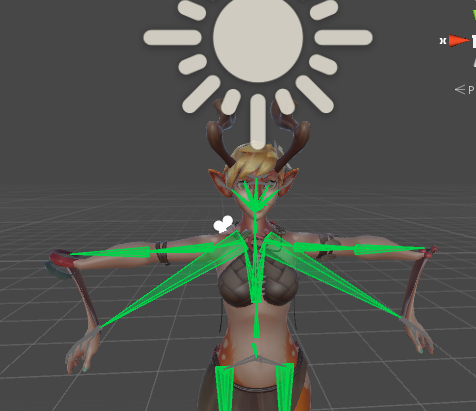
 oblique latch
its not hard it just the avatar descriptor is not woking as it needs to or it is hard xd
 thin saddle
can someone send me some good boobs jiggle values?
thin saddle
👀
young chasm
just so people around the world can communicate
and ask others
what the best boob jiggle value is
oblique latch
0 is the best 😄