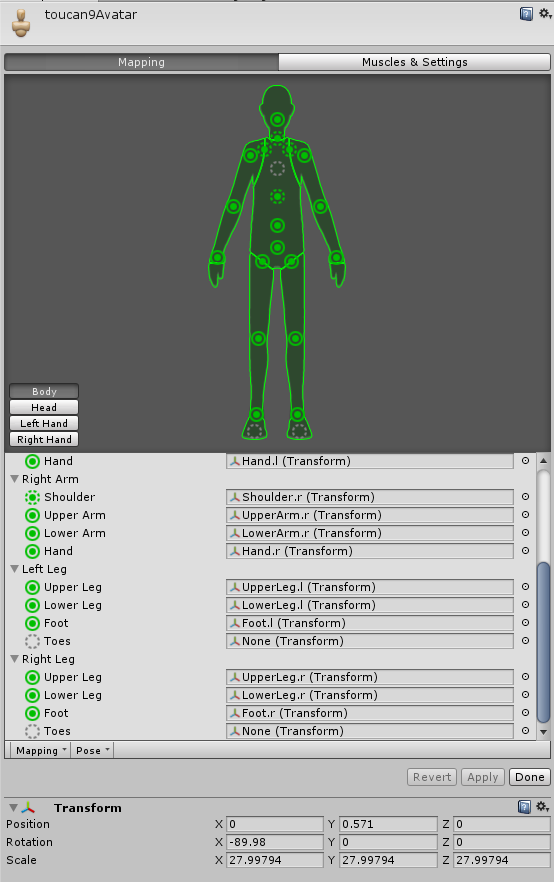
#avatar-rigging
1 messages · Page 39 of 1
 crisp tendon
Yeah it looks pretty hilarious backwards
 safe gate
@crisp tendon I went through a couple tutorials, this is the best I have been able to get it https://i.imgur.com/9jQVSw9.png
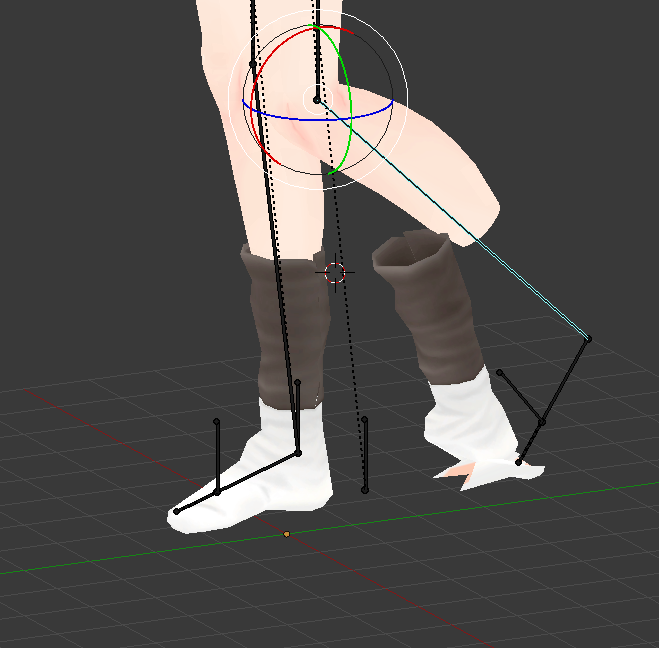
at least the top part of the sock moves c;
crisp tendon
@safe gate the left foot seems to be backwards though
safe gate
Na the toe just moves inside out
crisp tendon
🤔
 patent cosmos
ok how do i "run cats" on it
also why are there a lot of orange dots on the ground behind him 🤔
patent cosmos
oh i see the cats tab now
crisp tendon
Dots 🙄
patent cosmos
just click "fix model" and see what happens?
crisp tendon
Yep
patent cosmos
the dots are the post-rotation transformation
it's complaining that it couldnt find Hips
isn't that its job im confused
 neon shard
What are the minimum finger bone requirements to get the hand gestures?
Do I need three segments on each finger? Do I need 5 fingers?
patent cosmos
oh jeez that's gonna be renaming EVERY bone rofl
no and no
you need 1 segment on 3 fingers iirc
crisp tendon
@neon shard three fingers, thumb, ring and indexI think
crisp tendon
@neon shard It will tell you which one you need in the error anyway
patent cosmos
uhh
 silver mountain
aw now i got this
patent cosmos
every time i click "fix model"
it removes the hips bone
and then complains that Hips doesn't exist
..what the hell
 silk kestrel
ha ha...CATs remove my entire hand and the last bit of the fingers... have to reconstruct them
patent cosmos
yeah CATS isn't helping me much
it's being very dumb
LITERALLY removing the hips and then complaining that Hips doesn't exist
w h y
silk kestrel
Looks like your model did not conform to mmd rigging standards, thus CATs got confused
patent cosmos
ripped from a game
 chilly ridge
thats why
patent cosmos
that's why it's deleting the exact thing it wants to have?
chilly ridge
no
thats why youre having so many problems
mmd models that are already ready to be rigged go so smoothly
patent cosmos
downloading a model with a built in rig seems like it SHOULD be faster than rigging it myself but it seems like that isnt the case
chilly ridge
nah
patent cosmos
because everything hates my rig
chilly ridge
hm
patent cosmos
i also have no idea how to actually rig things myself
although learning would be fun
but i dont understand the level of stupid that cats is being right now
before i renamed the legs it said it was looking for those
silk kestrel
creating an armature is 100 times easier than rigging
patent cosmos
then i did and it started deleting the hips
silk kestrel
wait until you learn about no flips, gimbal locks...
patent cosmos
it really seems like i should just be able to tell it in unity
"no, you've got the spine backwards, flip that and you're golden"
crisp tendon
@silk kestrel Why is rigging more complicated in your opinion ?
crisp tendon
Yes that's usually a good thing
silk kestrel
rigging = creating the controls for the animator to animate on
so you would need a good grasp of local/world space, your up vectors,
patent cosmos
idk i've spent a LOT of time building/programming on roblox in the past
the 3d vectors arent my issue
silk kestrel
of course most of it can be automated nowadays
crisp tendon
Nothing that can't be learned though, even more so now thanks to all the tutorials and documentation there is
silk kestrel
but I have animated on some unity assets and they are the worst rigged characters I have ever seen
patent cosmos
so i tried actually just publishing the non-edited model
and the only thing that's fucked up is my arms
my head is shockingly non-backwards
silk kestrel
programming 101, everything is broken, I do not know why. everything is working, I do not know why
patent cosmos
so if i just swap my shoulders around in the mapping, that SHOULD fix it? maybe? i'm lost
rofl
 acoustic pilot
I have been facing with a problem as of late, but I have figured out the issue, but I need help with figuring out how to execute with fixing it propperly. My problem is that with my rig, is that one of my bones won't get weighted in blender, because when I attempt at weighting the bones to the mesh, all the bones but spine01 get weighted, how do I fix this?
patent cosmos
i expected this to be a totally different kind of messed up
crisp tendon
@acoustic pilot I'm not sure what your issue is, can you not paint that bone specifically ?
acoustic pilot
Whenever I try to do this, which pretty much connects the bones to the model:
It gives me this error
And the only bone that comes off with a weight of 0 (which makes the bone not exist) is spine01, which is the bone I circled above
As you can see, in blender the bone is clearly there, but for whatever reason it doesn't get a weight
And it attaches the waist and the bone above spine01 together, pretty much ignoring spine01 altogether
crisp tendon
Are you sure this isn't trying to apply weight paint of the root bone indeed, which is often placed in the same location ?
acoustic pilot
or, I should just say the spine
initially, when I used CAT to fix the rig
the spine was placed inside where the waist was
So two bones in the same location
All I did was move the spine bone up
crisp tendon
@zenith plank Rename your hip bone to Hips
acoustic pilot
Mine are all parented
So idk why mine is acting up
And I haven't found a solution online
crisp tendon
@zenith plank Cats should fix that if you name things correctly
 zenith plank
These are the bones
acoustic pilot
here, I'll show what happens when I try to use the model in unity:
acoustic pilot
zenith plank
can you dm me a list of names? or is that to much?
crisp tendon
@acoustic pilot So yeah the spine is the wrong bone
@zenith plank cats is telling you the name every time there is an error
acoustic pilot
How do I fix this?
zenith plank
just hips
crisp tendon
@acoustic pilot Spine bone 0 needs to be extended
zenith plank
there's Hip_R and Hip_L
crisp tendon
@zenith plank Then rename your hip bone to Hips
acoustic pilot
So all I have to do is make the spine longer
zenith plank
ok so know it says spine isn't found
acoustic pilot
So, just go to edit
Grab an end
And just make it longer?
Was that really all I was missing?
zenith plank
Ok so I just need to rename everything?
so I renamed The spine thingy to Spine
so
now it says chest
acoustic pilot
I made the spine bone longer, but it still is coming off as a length of 0
patent cosmos
@crisp tendon so in the end only my shoulders are actually messed up with just the base rig
acoustic pilot
I made it double it's size
crisp tendon
@acoustic pilot Make sure to move the bone around to make sure there's no hidden bone inside of it somewhere
patent cosmos
ingame it looks like this
crisp tendon
Not bad
patent cosmos
think just switching the L/R on the shoulders would fix?
crisp tendon
Hopefully yes
acoustic pilot
Yeah, I moved the bone
patent cosmos
acoustic pilot
There are no bones inside of the spine
patent cosmos
i mean it's still very unhappy with me
 swift radish
Why does this happen???
patent cosmos
LOL i had something like that happen but i was using mixamo
that's bone weights issue i believe
patent cosmos
rofl
crisp tendon
God damn
acoustic pilot
It just has to be put in a t-pose
crisp tendon
It's not in t-pose
patent cosmos
well when i put it into t-pose it fucks itself up
crisp tendon
Then it's not good
crisp tendon
You may have to set the t-pose as rest pose in blende
crisp tendon
It's always fine in blender lol
crisp tendon
Select one in edit mode and hit the delete key
crisp tendon
Agreed
crisp tendon
Yeah the zoom is a pain in the ass
 weak rose
The feet on ym model in game are stretchy and shit and someone said its because of toe bones is that correct?
patent cosmos
i would much prefer it to work like unity does
if all of my 3d editing things could just WORK THE SAME WAY AT ALL
crisp tendon
@weak rose yes do not map the toe bones
patent cosmos
that would be great
weak rose
how do I delete the toe bones
crisp tendon
Don't delete
crisp tendon
Just do not map them then in the humanoid configuration
patent cosmos
like i have a model that has a tail
crisp tendon
Usually why we tell people to not map jaw and toes
crisp tendon
Well I'll leave you guys to it, currently 4:52am, I'm off to bed, @ me if you find your solution
patent cosmos
@crisp tendon any idea why CATS is deleting my Hips and then complaining that Hips doesn't appear to exist
weak rose
My configure menu under rig in unity has stopped working
patent cosmos
oh ok rip lol
weak rose
it isnt opening
crisp tendon
Hips might not be the correct bone or wrong rotation or no weight or no parent/child
Lots of reasons
patent cosmos
oh does it need to be parented to something specific
you know what
im gonna go load in the example rig and see what that looks like
lol
crisp tendon
@weak rose That's a bigger issue than usual
patent cosmos
idk how to change parents of bones in blender either
crisp tendon
Yeah the sample avatar is a good template
patent cosmos
it's ridiculously unintuitive
crisp tendon
Click on the bone in the armature menu, then select the tiny bone icon on the below panel
Then you'll see the parented and other options at the bottom right
patent cosmos
i dont have a tiny bon icon on the below panel
nvm there it is
ugh why cant i just drag stuff around
lol
crisp tendon
Ikr
patent cosmos
so mapping toes is buggy?
crisp tendon
Anyway, good luck
acoustic pilot
Huh
crisp tendon
It makes people tip torn so yezh
acoustic pilot
It seems the "no length" issue is very obscure
weak rose
patent cosmos
lol kk nighto
crisp tendon
Tip toe*
weak rose
I dont have toes mapped
weak rose
so what else would cause the stretchy feet
crisp tendon
Never impossible, I'll look tomorrow if you haven't found a way
patent cosmos
why the hell did my sample avatar disappear from assets
acoustic pilot
Someone said they have a sollution, but I don't understand what they are exactly saying
patent cosmos
:l
weak rose
Any idea whats causing the stretchy feet since my toes arent mapped
acoustic pilot
I'll DM you it though Ruubick
weak rose
@crisp tendon
swift radish
Can someone message me how to add the extra bone tip thing to the hands so the fingers don't break at the tips?
I've never had to mess with the bones, they've always come pre-rigged and blender is a pain in the butt to navigate
I just need a lil help
patent cosmos
hey guys every time i click "enforce t-pose" it puts my rig in a pose that's definitely not a t-pose
xd
patent cosmos
i think i have an idea of what the problem is
the way this skeleton structure works, there's a "root" which everything is parented to, and then a pelvis which the legs are parented to
 astral torrent
https://gyazo.com/332db4f38f0326c686942b01fab5f199so everything seems to be rigged correctly but I dont have finger usage in vr
patent cosmos
and the way most rigs want to work is to have everything descended from Hips
basically the pelvis bone is confusing it
astral torrent
why did that gyazo not work ?
weak rose
Vex did you make sure it was humanoid in unity
 weak rose
Did you use CATS in blender?
 jade juniper
does anyone know wat this means>? https://gyazo.com/cab082532fe180773fbb27c32711f92e
 astral torrent
Um it was a pre rigged one so im not entirely sure
weak rose
You should translate your files using PMX Lobbin
Vex it would ahve been fixed with CATS then
jade juniper
so do i have to re do everything
weak rose
go back into blender and run it through cats
not sure
id say you should personally
Just open it in PMX Editor go to Name repair and repair materials bones and the one after bones and make sure its set sequence
there are tutorials online if you dont know how
Materials Bones and Morphs are the main ones to fix
you can fix them all but usually you wont see anything otuside of those main three
astral torrent
How do I get this model into blender from unity ? its not really letting me unless im just doing it wrong
chilly ridge
are you exporting it correctly
astral torrent
Save scene as ? or
 clear jacinth
Is it possible to just steal the bones from an already rigged model and place it in a new one?
chilly ridge
Yes
clear jacinth
^
chilly ridge
Bruh u cant delete the pigtails smh
weak rose
Dude I gotta for this model man
chilly ridge
I hate planar
weak rose
sometimes I gotta do both though
chilly ridge
I just go all out with the first one
Some are super easy, some make you want to gouge ur eyes out
astral torrent
Um so I read through that but I don't know how to import it into a blender thing still
patent cosmos
seriously how the HELL do i change the parent here
astral torrent
I know how to upload it but
patent cosmos
it's greyed out
i have superfluous bones in my structure and i cant get rid of them because it wont let me relocate their children
overprotective abusive parents
smh
patent cosmos
i dont even understand WHY
it's doing things it didn't do last night
if i could just understand what the hell is going on then i'd be fine
clear jacinth
Fade, have you got a tutorial on something on how I'd just rip the bones from one model to another?
patent cosmos
i have potentially hundreds of these that i could upload and i'd like to get some of them
chilly ridge
Search it up
patent cosmos
i have no idea how armature/rigging works
blender doesnt want me to touch anything
chilly ridge
Rega what is the model ur using
chilly ridge
Are you doing it from scratch or something
 gentle granite
Are you saying you can't select the bones in the viewport?
patent cosmos
i can select them but i'm pretty sure the pelvis bone needs to go
i think Root is equivalent to Hips
from what i can tell by looking at models that actually work
spine_b is chest
im not sure what the BUFFBONE things are for but i think it's for something specifically in the game and it shouldn't hurt too much to remove them
so what I want to do is move L_leg and R_leg to be children of root
and then from there it matches almost 1:1 with the demo avatar in the sdk
but blender wont let me change their parent
gentle granite
patent cosmos
yes
gentle granite
While in edit mode, for the bones, you can delete and select parents
patent cosmos
i have that but
it's greyed out
and will not let me change parent
also that menu has disappeared now.
gentle granite
Go to edit mode
chilly ridge
Tab
gentle granite
For the armature?
patent cosmos
wait found it
patent cosmos
and it's no longer greyed out
oh youre right
i was in pose mode
dear god blender is unintuitive
gentle granite
Yes, and it is highly reliant on hotkeys
 sacred sequoia
So I'm having an issue with eye tracking
I have the bones added to the eys
eyes*
But they don't do anything.
Am I doing something wrong?
 low river
How do I make things like, just bounce around on their own in Unity?
low river
Also, if I want to make their mouth move as I talk
at a default I keep their mouth closed, right?
patent cosmos
btw the "root" bone if turned on the base model
will rotate the entire character
oh that's the way hips are supposed to work
hm
patent cosmos
oh i have a problem now
i have a spine and a spine_b
as well as a Chest
not sure what the Chest was before CATS changed it
low river
OH SHIT ITS YA GOOD BOY BUNPUN
patent cosmos
wait what
hold on
spine_b was being mapped to Chest before
so now i have a bone called Chest and i have NO idea what it is
thanks CATs
low river
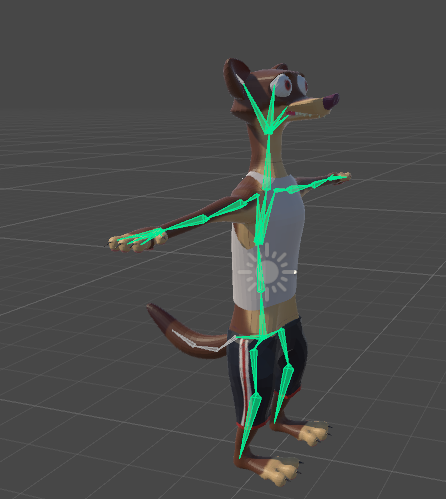
https://i.imgur.com/ii2D2zl.png anyone know how to make the tail drag or the ears wiggle?
 low river
Ok but
patent cosmos
IT WAS FUNNY THE FIRST TIME BUT THIS HAS GONE ON TOO LONG
low river
Please import it like that once just to see how it looks
patent cosmos
dude
if you wanna meet with me and see what the first version looks like
hang on i actually have a screenshot it's pretty good
i got pissed and used mixamo and welded the lower half of my face to my chest
low river
Nyello
patent cosmos
someoen told me
"yo look up"
so i pointed at the sky
and he barely managed to get out "WHY THE LONG FACE" through hsi laughing
no screenshot though so i have no idea what it looks like
uh what
low river
 midnight blaze
@here can someone please help me with rigging the mouth of my character and maybe eye rigging too?
low river
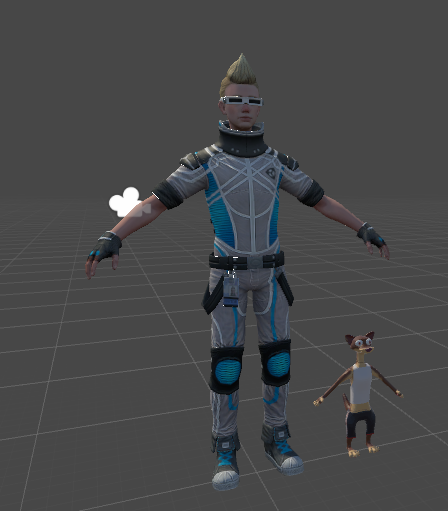
Hes very tiny
patent cosmos
i think removing my pelvis bone caused more problems than i was hoping
i'd genuinely be better off re-rigging this from scratch wouldn't i
low river
Maybe!
patent cosmos
pretty sure the here ping is disabled and it's super annoying when ppl use it
i dont have time to entirely learn how to rig rn
low river
Once you know how to rig properly though its not too hard [I rigged this in like a half hour]
WELL
Gimme five seconds
midnight blaze
can i get some help with rigging my character please?
midnight blaze
yes
patent cosmos
i have both blender and unity open
low river

This is part 7 in a tutorial series on character creation in Blender 2.77. In this part we'll finish the character's materials and start working on the armat...
I was following this video
low river
I timestamped when he began rigging
patent cosmos
at least i know how to use it
midnight blaze
@patent cosmos maybe you can help me
patent cosmos
wait no
patent cosmos
it's 15:11 but it's 911 seconds
chilly ridge
Uh
patent cosmos
lol
low river
I used this one for the Duke Weaselton
patent cosmos
im just going to upload the dumbest things
low river
You DID mention Roblox...
patent cosmos
like "im shit at rigging but it can be funny at least"
i did roblox a lot when i was 11-15
i knew all of the top content creators there
before it became a meme
low river
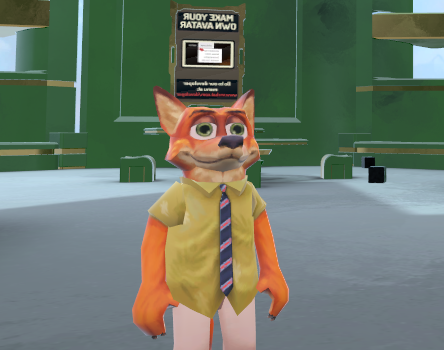
I found this hellish model from Roblox
And I rigged it
through maximo and ive scared many people
I should try genuinely rigging it
patent cosmos
and even though it's a meme ppl are still making shitloads of money off of it so idk how much hate you can really throw at them without incorporating some jealousy
low river
Rega
patent cosmos
lol
low river
im part of a roblox group that was officially labelled as a terrorist group by the Roblox UN
patent cosmos
hahaha
low river
Roblox is great with pals
patent cosmos
one summer i got bored and decided to join a warclan in rbx
and got promoted up to like, 4th in command in a week or two
while being a total dick to everyone
because i was actually good at the game
patent cosmos
uh, random-chat?
low river
Should we move it there?
patent cosmos
yeah we're a little offtopic
chilly ridge
Roblox lul
 pseudo python
So hey, I just fused two models together (a head from one and the body from another) and I can't find a way to get the armature to stick
midnight blaze
@pseudo python do you know how to rig mouth and eyes?
pseudo python
yes
midnight blaze
can you give me a hand on it plz
pseudo python
Uh, I kinda want to get this fixed, I can just link you to a video I used to learn from
low river
 midnight blaze
but if you want to give me the link to the video that would work too
pseudo python
for eye tracking
https://www.youtube.com/watch?v=AjpwHHNAXF4
for visemes
https://www.youtube.com/watch?v=luYoj9FM2UM

Tutorial on how to put eye tracking on your character. Model: https://meennie46.deviantart.com/art/MMD-TDA-Mythic-Flower-Dress-Miku-Model-DL-719208824 Cats: ...

Tutorial on Visemes aka lip sync for VRChat Avatars in Blender. For some reason this video was deleted? Heres the reupload :) My Twitch: https://www.twitch.t...
other than that, I really want to get this fixed
 pale hull
@low river Would you mind donating the avatar ID of that roblox Nick model to my avatar dungeon? It's freaky enough to earn a spot there
low river
I say a biiit taller than the uh, knuckles stuff
pale hull
That's fine to me
low river
How would I give it to ya? I also have...
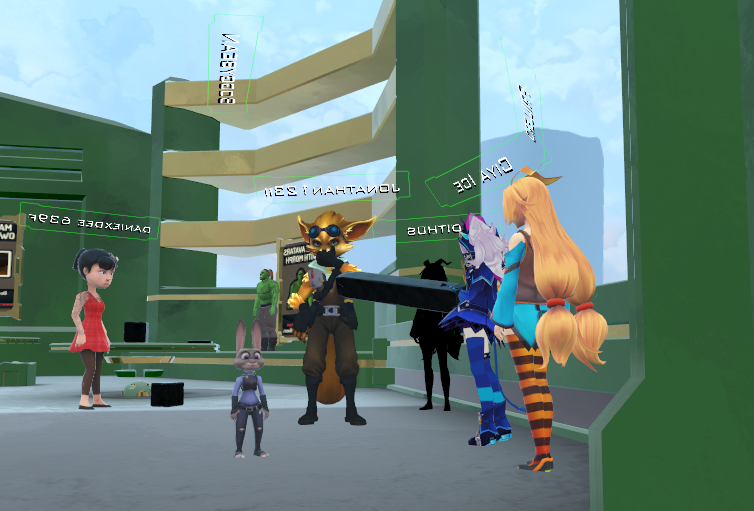
I accctually wanna try re-rigging them in blender
low river
Huh
Either way, if theyre gonna be shared/scared for all, id love to see if i can re-rig them in blender
AND considering I cant log in to see if my Duke avatar worked i may do that quickly..
pale hull
You can give me the ID now and then update the avatars whenever you wish
Planning a big update for the world. I currently have 41 avatars and I want atleast 20-30 new ones, hopefully 40+ more
So there is still at the very least a couple of days before the new version goes live
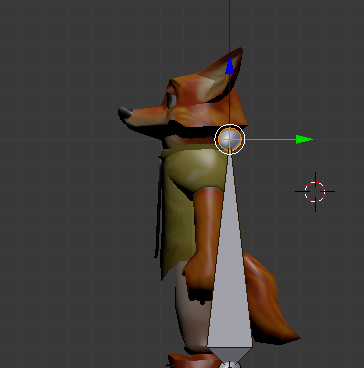 pale hull
oof
low river
@pale hull somehow rigging it with fucking Maximo worked better
pale hull
Mixamo is either godsend or shit. There is no middleground
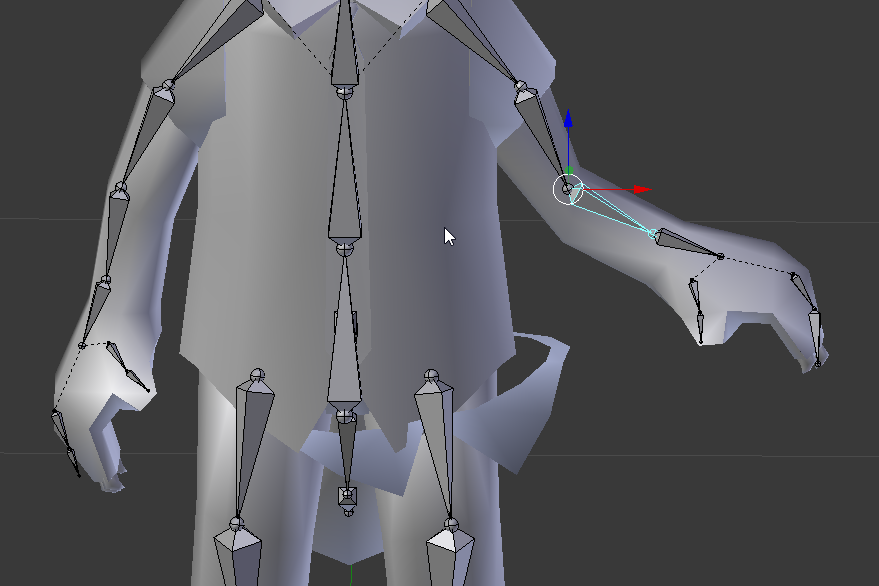 pale hull
oops
 pale hull
bluh
 long valve
how can i change the error : ''bone lenght to 0''???
 fleet echo
@low river dyanmic bone + animation
low river
They cost cash to use right?
fleet echo
just setup animation in legeacy mode loop want to work on model
basic learn that from blink animation video
acoustic pilot
@long valve I have that problem too, it seems barely anyone knows how to fix that issue
Although I have someone that's gonna be helping me tomorrow to figure it out
long valve
@acoustic pilot oh damn,if you have any news on that dm me pls 
acoustic pilot
I'll be sure too
 woven condor
anyone able to tell me why when I hit play mode for unity the camra locks and I can't interact with field?
sorry if wrong channel for it
low river
https://imgur.com/amCpQ6S I did it
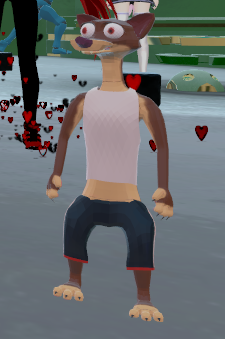
 solid adder
@woven condor I assume you're talking about the game tab it switches to. Just simply click back to the scene tab
woven condor
tyvvm @solid adder
solid adder
Also make sure it's off when you make any changes, otherwise it won't save.
Then you have to do it again
woven condor
yep making sure of it lol
long valve
anyone knows how can i go left here?
solid adder
holy cluster
long valve
i know....
solid adder
That.. that is just horrifying... Not the avatar just.. all of that.
You need a pro for that
long valve
the avatar is already in vrchat
just want the eye tracking
but i can't select the eyes because the menu wont scroll left
swift radish
The hell is happening with this texture?
It's like... see through from the front only? but also weird
 tawny temple
darius?
also can i just use cloth as an alternative to dynamic bones since I don't really want to spend $20
solid adder
@tawny temple what are you trying to do?
tawny temple
was just asking for future models that i import
midnight blaze
can someone help me with rigging please im trying to rig my characters eyes and jaw movement but i cant figure it out
woven condor
look into cats blender addon for those thats what I've used and it works like a charm
 dusky sentinel
@tawny temple you can get dynamic bones for free off some sites
that's what i did cuz i didn't want to pay $20 either xd
can link you if you want
dusky sentinel
shh
 chilly remnant
How do I fix an avatar thats legs are in the ground and the viewpoint is floating above the head even tho in Unity it all should be in the right places
solid adder
@chilly remnant screenshot?
chilly remnant
Hold on a sec ill get one in game and in Unity
solid adder
Sounds familiar, but i need to see. Also nearing 2am so visuals are helpful xD
swift radish
Quick fix for avatar under the floor? Why this happens?
solid adder
x0, y0, z0 ?
 odd tulip
For me I was able to fix it by going into the rig configuration and moving the armature's transform up to offset the amount i was in the ground
i suggest reseting to 0,0,0 and spawning a plane at 0,0,0 there so you can see where your feet land better
odd tulip
it's in the picture
chilly remnant
0, 0, 0
solid adder
Any animations?
chilly remnant
Nope
solid adder
Hmm..
chilly remnant
I tried raising the model up a bit but it made no difference
chilly remnant
Yeah I used Blender and yes its 0, 0, 0 there too and Ive tried raising the model up there too
odd tulip
@chilly remnant find the model in the assets folder, go to rig, configure, select the armature in the inspector and then in the bottom right change the transforms Y value to offset the amount you are under the ground
chilly remnant
Ill give it a shot
odd tulip
the transform is at the bottom of this tab https://i.gyazo.com/9c62186dfd193583484194a550e4f461.png
 chilly remnant
A small part of the foot is under the ground but in game the whole foot is
swift radish
Yeah nothing's working to get mune above ground, every time I drag him up the game says he's too short and he stays under that white line
odd tulip
if you go to the animation tab and hit play on the idle animation it will probably show how far it moves down like in game
did you try what i just told yerite to try @swift radish ?
odd tulip
maybe try moving the hips up rather than the armature idk why it wouldn't work
chilly remnant
@odd tulip It did not work 😦
odd tulip
What animations did you override?
chilly remnant
None?
odd tulip
you need to select the override you duplicated and drag the animation clip you want to override into the right slots
chilly remnant
I havent changed any animations tho
odd tulip
oh sorry this isn't the right conversation
you changed the offset
whoops
uh i'm not sure why it isn't working that's just what fixed it for me
 hidden ether

 toxic swallow
i'm trying to follow this thing http://vrchat.wikia.com/wiki/Avatar's_mouth_is_open_in_VRChat but where do i drop the controller?

VRChat Wikia
Click the avatar model in your assets view, then on the inspector view click on the "Rig" tab and assuming its already on "Humanoid" select "Configure" It will ask you if you want to save, do so...
please help 😦
 fading verge
anyone tell me why in blender the model is correct with CATS but now in unity to publish it says missing elements for bone mapping when it has every bone tho?
 edgy ginkgo
is there a way to test the ingame hand animations?


 vernal wave
I rigged my avatar and uploaded it to vrchat but I realised the head and arms don't move in vr. The whole body is static. What do I have to do to use my vr controllers to move my head and arms individually?
edgy ginkgo
is there a free alt verison of the dynamic bones?
vernal wave
I have zero experience with unity and made the avatar with a tutorial on yt. how do I check this?
There is the same avatar already in vrchat and there the arms and head works, but wanted to have it on my account.
 quartz perch
in unity
 dire mica
Is it a humanoid?
 pseudo iron
does anyone know if its possible to put a custom emote with a generic rig without it bugging my character out where i can no longer move
quartz perch
@dire mica talking to me?
dire mica
Yes
quartz perch
@dire mica of course,
 uneven hill
Gobe, just make shoulder and neck bones but dont weight it to anything, then assign those to the shoulder and neck slots
That way, it would be as though you never had them, although your avatar might animate weirdly
@quartz perch
uneven hill
Just create the three bones in blender, and parent them as needed
quartz perch
so how do i insert a new bone between 2 existing ones?
uneven hill
You first unparent them from each other
So select the child of the two, then go to the tab on the right that looks like a bone and click the x in the parent box
You need to be in edit mode for that
Then when having the chest bone selected, click e to make a new bone out of it
Then name this new bone to shoulder or neck
quartz perch
im not using blender keymappings
uneven hill
And parent the arm/head to this new bone
Hmm, i forgot hie to make bones without keymaps
silk kestrel
question, my avatar's feet are partially sunk into the floor, did I mess up some part in the rigging? I already zeroed out the translations in unity
 distant patrol
@silk kestrel it seems to be female animation set. all my attempts to fix this failed 😦
uneven hill
Try stretching the feet bones to the very bottom of the feet in blender
distant patrol
dont do that. it will fuck up ankle joint
uneven hill
This can also fix some finger issues where the finger tips curl in a weird way
It might, trial and error
silk kestrel
by feet, did you mean the toe or ankle?
uneven hill
Does the feet sink in blender at position 0 0 0?
silk kestrel
does not sink in blender
distant patrol
literally every character with female animation set has this issue
uneven hill
^ not all
distant patrol
if you set it to mal it is instantly fixed
*male
yes it depends on toe and foot bone but if you set em to foot sole they wont rotate properly anymore
and tbh thats something vrchat devs should fix.
silk kestrel
cool, I thought the joint position might be messing with the in-game IK system
distant patrol
im still looking into a workaround
it will be fine if you move the bones ik wise but
if your angle rotation is in a different place your foot will disort considerable when moving
uneven hill
You dont need joints or rigidbodies for vrchat though
silk kestrel
oops, by joints I meant bones. Still not used to blender terminology
too much maya ha ha
distant patrol
same
im using 3dsmax
if you shift down the anke it indeed does fix the feet n floor but
well when your feet move this happens
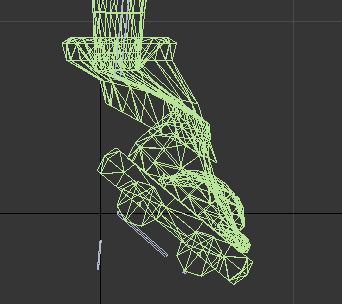
so i wouldnt advise doing that
i might have a fix tho. im gonna verify ingame if it works in a moment
uneven hill
I meant stretch down though, not shift
distant patrol
if i stretch it i also move it
unless you can explain in more detail what you mean
uneven hill
Ah ok then
distant patrol
i can stretch the bone before it. if i stretch the bone itself i end up moving toe.
uneven hill
I mean the one end of the bone (represented by a circle in blender) moved down while the other end stays in its original position
distant patrol
but the game doesnt seem to care about toe
so you do mean moving the toe joint
rotaiton orgin. whatever
uneven hill
Mapping the toe in unity can cause problems for some people in vr
No the toe but the one end of the foot
So basically make the bone longer to reach the bottom of the foot
uneven hill
Easier to just not map it
distant patrol
still this may onyl work with avatars without toe weights
however. from my research it doesnt care about the bone end
onyl start
uneven hill
You can always weight the whole foot to the foot bone
distant patrol
ill have to verify to be sure but last time i tried the char hight was beginning of foot bone for female anim
as in the ankle
thats what happened when i didnt map toe
when i mapped toe the end of foot became the floor
which still didnt solve my issue because toe was in a realistic position
uneven hill
Ah ok then
distant patrol
i then introduced an additional root bone and i now shifted that downwards to solve it (gotta check ingame now)
i was also recommended to make an empty game object in unity but that actually didnt matter to the animation set
uneven hill
Most of my models have a sepereate root bone, so I never had to deal with foot problems
distant patrol
if the root solution fails it might be possibly to use male anim and just define custom sitting
i actualy used a correct root bone too which did not solve the issue
i now shifted that downwards and gonna check now if that helped
distant patrol
well the model you seen
its got unsusually large feet right
models with like high heels and stuff
that could factor in
uneven hill
I have yet to use a model with heels
uneven hill
What about modifying every animation to be slightly higher up :p
distant patrol
that definitly is an option but i have no idea where to get the stock anims
uneven hill
You can ways just use the animations maximo gives, and edit them to your liking
The animation method seems like a lot of effort though
uneven hill
Mm
uneven hill
I havent used maximo either but i know that they provide animations
distant patrol
you ever dealth with coliders much?=
uneven hill
A little
distant patrol
you know how to set colliding force?
atm its sorta the bigger collider the more the force
uneven hill
I havent done enough with colliders to remember everything about how to use it without seeing it, and I cant see it because i am currently without my pc, so I dont think that I would be abke to help much about that
distant patrol
compiling the version with newly defined toe end
quartz perch
@uneven hill hey ,if i create the new neck and shoulder bones , all i have to do is parent them properly and than not have to touch anything else? just export? because i dont want them moving anything ?
uneven hill
Yes, parent the arms to the shoulders and the head to the neck, then parent the neck and shoulders to the chest
Then if you didnt weight them to anything, they shouldnt move any of your mesh in game
distant patrol
didnt change anything, even moving toe didnt change anything. i really wonder whats up. maybe it uses lowest weighted vert or something but somehow shifted it in anim set
contradicts my prevous result
now back at zero
uneven hill
Maybe, but if the problem is only with the female animation though, maybe the problem is just the animation itself and not the model
distant patrol
it might be but there shoudl be a way to counteract that issue via model
its so weird, i got characters without legs and they do float even if feet have no weights
so it must be something with toe and feet
but somehow this time it didnt work
quartz perch
@uneven hill the location of the new bones shouldnt matter right? like if its just 3 new bones poking out of the chest , for neck and shoulders
 trim plume
hey guys wussup listen yesterday i managed to export a model to vrchat for first time but the thing is his tail and hands have no animation or phisics
uneven hill
@quartz perch try to put them in the correct locations so that the arms and head to use them as an axis properly
uneven hill
Do you have hand and tail bones?
uneven hill
Then make sure that the hands are mapped in unity
uneven hill
And for the tail, you will need to use either dynamic bones or a custom animation
trim plume
but i managed to export soem models to vr
uneven hill
Select the model and click select, in the rig tab, there should be an option to set animation to humanoid, after setting animation to humanoid, click configure
distant patrol
i think i might have found why female anim is wrong. it might be set to a root offset
uneven hill
Rag, click the hand tab (on the image of the body with the dots)
And make sure that both left and right is mapped
quartz perch
http://prntscr.com/htsb7o @uneven hill i hate to bother so much , but thats what im working with , the bones are massive when i extrude , but reach the areas , size doesnt play a role does it ? i have no knowledge of bones , just modeling and texturing

i havent made the bones in this screenshot
uneven hill
It should be fine
quartz perch
should be? XD , why
uneven hill
Just put the shoulder bones in between the arms and chest (maybe move the arms out a bit if you need to make space) and the same for the neck
Rag, make sure that the correct bones are mapped
trim plume
wait
the problem is
the fingers wont match
i ment i cannot make a fist
with vr i can move my arms no problem
maybe because he has 3 fingers i dont know
uneven hill
Well if the fingers have bones then the only problem I can think of it if they are mapped correctly or not
Ah
Maybe
Then only map the thumb, index and middle fingers
trim plume
ok
 safe bluff
Have to have all bones for full body IK no? Or else he’ll be missing certain animations
Even dummy bones would work
safe bluff
Yeah add dummy bones in blender for the rest of the fingers
Don’t weight paint them to anything
Just need to have them
trim plume
the be honest
the only 3d program i know is 3dsmax
on unity or blender i have 0.2 clue
can i be a bit rude
and ask if someone here can fix it for me
?
distant patrol
i know 3dsmax
distant patrol
they support fbx and unity
you can make avatars with it but there is basically no tutorials. but i can explain
trim plume
justr to letr you know
mewtwo's fingers have dummy bone
but stil i have the full ik error
ohh
now i see its tellin me the fingers are not mapped
on unity
distant patrol
it doesnt amtter if dummy or not
trim plume
sure
 twin grail
Could someone help me with attatching 1 models head to another models body?
distant patrol
you can
distant patrol
yeah
trim plume
hmm ok
distant patrol
we're gonna pretend mewtew has 5 fingers basicaly
but 2 of em wont do anyhting
i dont know how pretty this will look ingame. but you can try
xD
trim plume
hmmm
uneven hill
But make the real bones in the thumb, index amd moddle finger slots
Or atleast just the thumb
And index
distant patrol
waaa
uneven hill
You might think so, but not really
safe bluff
Other model will probably have the same issue just based on how the hand is
trim plume
this what i been using
safe bluff
Since it's not a regular humanoid hand
trim plume
i know
quartz perch
i had to do other things for a while so i didnt get back to you @uneven hill
http://prntscr.com/htsmw4
also your opinion? @safe bluff

just have to parent and good right?
trim plume
i wil leave him like that then
eve though yesterday i saw a mewtwo with evertything works
uneven hill
Yeah, it should work just fine, but when you're done, just test it out in game
safe bluff
It looks fine to me? Not sure what the context is of this whole conversation though
quartz perch
ill just test the model in unity before uploading because it wont even let me upload lol without those "optional" bones , i saw in that rig tab you can move everything around and see how it moves
uneven hill
Because gobe has a model without shoulders nor a neck, so he made dummy bones to take their role
So they arent weighted to anything
trim plume
can someone
fix my mewtwo model it would be great help 😃
just the finger bones thats all
safe bluff
Give me the blend file over PM
trim plume
the fingers
the problem
anbd
i tried to fix the texture of his eyes
because it has 3 eye textures and buy defaulkt its the sleepy eyes
i think the right texture is eye1
uneven hill
Rag, i think you can fix the eyes with uv mapping
uneven hill
Its surprisingly easy when your familiar with it
trim plume
yeah
you just need to know what to do
i mean yesterday to export the mewtwo model it was freaken easy
but the dang ol finger gave me probs
oh and i have soemthing to say im a huge fan of mewtwo
i had alife size inflatable mewtwo but once but costed me an arm and a leg
trim plume
how dd you fix it?
safe bluff
I selected the hand bone
And pressed E to Extrude a bone from it
And then just named them LHandDummy
trim plume
when saying extrude
 static flint
Is it possible to use the same hierarchy on Unity if you re-edit the model on Blender, or do you have to do the whole thing again on Unity each time?
trim plume
is it like clone a body part?
safe bluff
It will most likely be fine
No, it creates a bone connected to the bone you extruded from
trim plume
oh ok
 toxic umbra
Hey everyone, I've a question regarding rigging https://gyazo.com/9b0fbd3c1c75e07ace620e2987533503
After I've done my stuff in Blender, Unity gives me an error with my Avatar's leg bones

any1 know how to fix this ? much appriciated
static flint
@chaz you need to add extra bones for that.
static flint
1 sec. Will get 1 now for you
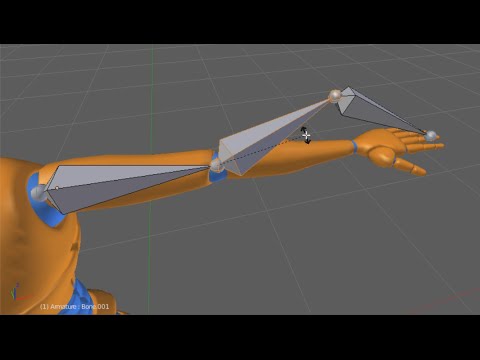
Watch the full Introduction to Rigging in Blender: http://www.digitaltutors.com/tutorial/2275 In this Blender tutorial, we’ll take an introductory look at th...
toxic umbra
@static flint much obliged
static flint
No probs. Hopefully somebody is able to answer my question though.😂
safe bluff
Depends @static flint, if you edit only the mesh it's fine but once you start editing bones you'll need to set it to 'Generic', apply, then set to 'Humanoid' again and apply
static flint
The humanoid part I don't mind redoing. It's everything else like the avatar descriptor that I don't wanna do each time I re-edit the model.
safe bluff
I mean, if you save your scene and overwrite over the original file it shouldn't be an issue
static flint
So if I put the re-edited model in and load the scene it will inherit everything?
safe bluff
Yeah
fading verge
I assume we don't report bugs here other than the vrchat support?
Or, problems. Not bugs.
safe bluff
Depends on the problem I guess?
fading verge
Well I need a fix for "Spine hierarchy incorrect.".
safe bluff
That's not a problem with VRChat itself, it's your rigging that's the issue so you're probably in the right place
fading verge
Yeah because i'm trying to become that knuckles meme on vrchat
 upbeat bluff
how do i fix this ?
fading verge
I have the same problem with Knuckles.
upbeat bluff
fading verge
How? Sorry, i'm a huge noob to unity
Oh.
So, how do I add that?
Oh
Okay
Done.
Should I try now?
Nope.
Doesn't work
Still the same error coming up.
fading verge
Do you have any idea how to fix my problem aswell? Enforcing t-form didn't fix it
upbeat bluff
fading verge
Wait, what do you mean head?
upbeat bluff
fading verge
Who are you talking to now..?
oh
It's very confusing lmao
like this?
Wait..
I think I know a fix!
Since I followed a youtube tutorial and there was a "fix" for this problem but I didnt understand what they mean
upbeat bluff
should be good now
fading verge
but now that I managed to go to that panel I think I understand now
toxic umbra
@sterile ruin I'd like to ask something aswell
https://gyazo.com/9b0fbd3c1c75e07ace620e2987533503
Any way to fix my missing legbones in unity
fading verge
YES YES YES
THE FIX WORKED
:DDDDDD
TIME TO SING "SUICIDE IS PAINLESS" TO BRIGHTEN UP PEOPLES DAY WITH KNUCKLES
chilly remnant
How can I fix an avatar that has a very wide branch walk and idle pose?
 fickle mural
Was that you on Gaia Nights yesterday singing that as knuckles
toxic umbra
@sterile ruin https://gyazo.com/975c74eb263e52f2cf845c6cbd2a28f4
 uneven hill
You need feet bro
silk kestrel
never skip leg day
 weak drum
Can someone tell me how I go about adding dynamic bones in Blender?
toxic umbra
Looked fine in blender for me https://gyazo.com/a1ab15d9647e1a9f5172ceceb47b1586
 fading verge
Lmfao
Oh wait
I thought it glitched because it looked weird and you said "Looked fine in blender" sarcastically
 weak drum
oh, so I just need to add the bones to the scarf and then add in the dynamic bones in blender?
 outer python