#avatar-rigging
1 messages · Page 35 of 1
 manic warren
instead of the two bones just assign the actual objects to the head
like weight paint them
 lucid isle
no
manic warren
so you didnt assign them as anything
lucid isle
as im aware theres no slots for those?
manic warren
yea there arent
lucid isle
nope they arent dynamic
manic warren
well thats why its just floating
just try the head thing again
it should work
if it doesnt then i dont know
lucid isle
ok...and what about her leaning forward
manic warren
something must have moved
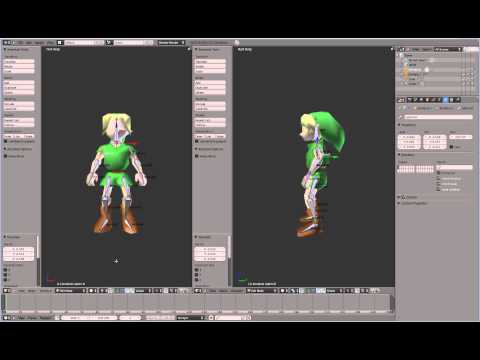
This tutorial shows how to rig and skin a character model in order to change the character's pose. Comes in very handy for animating character models. Charac...
around the 7 minute mark you can see how to assign vertex groups
lucid isle
ok and that will fix her tilt?
manic warren
No
lucid isle
oh...
manic warren
This for the bone
lucid isle
ok and for the ears and antlers i select them then select the head then ctrl p and assign them as bones?
manic warren
Her tilt you must have moved something
manic warren
Toez up? Beforehand
lucid isle
yeah
lucid isle
dont think it'll affect her walking cuz that'll irk me if shes walking on her heels in game
manic warren
Yea
 sudden field
Is there a special trick to getting mouth shapekeys working ingame
lucid isle
u need to generate visemes
sudden field
even if im just doing the jaw flap shapekey method?
 fleet echo
@sudden field need blendshape on model
if your model dont come with blendshape
you have to make some
sudden field
no as In I already made em, and I put them in the lipsync bit in unity also
but they dont show up in game
hell, I can even toggle em on and off in unity
fleet echo
did you fill all the slots
sudden field
I was doing just the singular jaw method, but as a test I did the viseme multislot method by filling them all with vrc.v_aa and it still didnt work
fleet echo
they dont work
only visime does
and jaw flap basic bone move up and down and it horrible
sudden field
hmm, they should update the guide then
fleet echo
lol
sudden field
This is what im using, its just not showing up in game regardless of what I do or see in unity
fleet echo
only info correctly bone names
and how to make model
bone jaw bone and jaw bone blendshape no every use
becausee visime better
sudden field
yeah, but they should still WORK a little bit right?
even if its shittier
I cant even get it to begin to work
sudden field
huh
That still doesn't explain why the time I did use the viseme method it fucked up
fleet echo
make visime for visime setting not that hard
sudden field
is it NECESSARY to include the eyes?
fleet echo
it way better for the mouth
sudden field
like will it not work at all without the eyes
fleet echo
eye you need to make sure the name relabel correct
on the bones
if you have extra spine you need remove it
sudden field
would all those things prevent the mouth from moving?
fleet echo
nothing just set in correct slots
make it fill every slots
and make sure sil close mouth
basic just make close mouth use A
on everything else
sudden field
So then this should work
sudden field
and just to be clear again, I can do this method without using the eye blinking shit and it should still work
fleet echo
eye wont move basic your face is not name Body
sudden field
Oh do I have to rename it?
sudden field
no im saying I dont have anything for the eyes
Im only caring about the moving mouth atm
I havent mapped or added eye bones
sudden field
and with the viseme method I should be able to see it work in the mirror?
fleet echo
but if future want eye movment need label all the bone correctly
yea
there be maybe 2 sec delay
in the mirror
sudden field
No worries, im taking this one additional thing at a time
fleet echo
because you talk the mirror need try to copy it lol
sudden field
okay, time to test it
Sweeeeeet
I think my issue before was choosing my silent as AA on accidnet
thanks brah
 teal echo
I have a bug here in Unity (or the character) I did that scheme of pmx editor to pass to blender and move to unity to put in vrchat but of this error someone knows how to fix
teal echo
ok i go I will search
teal echo
Does her skeleton have any problems?
 polar blaze
lucid isle
polar blaze
lucid isle
yeah sooo the bone thing and rigging directly to head didnt work....
ok ....how do i check vertex groups
 fading verge
@lucid isle what were you trying to do? And by vertex groups what do you mean - weight painting or mesh group or material group?
lucid isle
im trying to get my ears/antlers to not float behind me when i run around
 lucid orbit
Weight paint them!
fading verge
That’s probably the answer, assumjng its not dynamic bone flopping
They arent moving at all?
lucid isle
i cant use dynamic bones
lucid orbit
Does the Mesh you have the ears/antlers assigned to them have the Armature modifier on it?
fading verge
@lucid isle message me in like 4 hours about dynamic bones
lucid isle
they are they go behind me when i move they arent supposed to
lucid orbit
If it doesn't have the modifier, you can weight paint them all day, it won't do a thing.
fading verge
Go behind like dont move at all?
lucid isle
i dont know every time i ask how to check this stuff i never get an answer
fading verge
We need info to give an answer
fading verge
Define behind you. They stay floating in the air?
lucid orbit
@lucid isle Take a screenshot of the contents of your Modifiers tab for the ears/antler mesh.
fading verge
I’d screenshare if I was at home
lucid isle
antlers
ears
i was gonna get the one of her with the frilly dress but i was linked this one
or id totally use the dress
lucid orbit
Why in the world is your hiearchy closed off? Well, whatever.
 modern cedar
Aight here's a question, is there an official spec on eye-tracking, like what the game uses or looks for to get it working? So far I've only seen the blender plugin which does it for you, but that messes up my bone setup
lucid isle
i collapsed it bc i didnt know what i was looking for ive been trying to fix this all day mostly by myself
lucid orbit
Yeah, you closed off a lot of information so I can't see your parent-child relationships between your bones or even see what you're doing mesh-wise.
fading verge
I am unfamiliar with blender’s weight painting but shouldnt there be a modifier like Skin or something for the mesh, listing which bone theyre attached to?
lucid orbit
@lucid isle Now you're just being a smartass. I could just let you figure it out on your own, you know.
fading verge
I dont think they are dude. They joined the discord barely a week ago.
lucid isle
that wouldnt be any different and at this point im repeting myself
fading verge
@lucid isle When I get home tonight I’ll ping you if you’re on if we don’t figure it out. I could tell you how to do it in Max, but in Blender I’m a bit green.
lucid isle
k
lucid orbit
@lucid isle Make your bones visible, go into edit mode and let me see how the head and bones for the ears and antlers are.
lucid isle
fading verge
This video at 9:38 starts talking about attaching bones to meshes and weight painting. Should have an answer within 5ish minutes

Select the mesh and the bones, cntrl p, parent.
lucid orbit
@lucid isle Okay. If you've done all of this right, this shouldn't do anything bad, but... you should save before doing it anyway. Go join your meshes into one.
lucid isle
ok
fading verge
That video does do some weight painting even though he says he doesnt around 11:00.
lucid orbit
@lucid isle After that, go into Pose Mode and see if things are moving right.
lucid isle
yeah theyre moving fine
fading verge
Did you combine the mesh previously before importing it?
lucid isle
i didnt build it myself kinda i did import the antlers and ears and tail
tail is just fine tho
lucid orbit
@lucid isle Are the antlers and ears moving with your head now?
lucid isle
no only the bones are
lucid orbit
@lucid isle Now that the mesh is merged into one, check the Vertex Groups in that triangle-ish tab. Do the groups exist in there that have the same names as the bones you made for the antlers and ears?
lucid isle
no i dont even see the bones in thre prolly bc theyre under the head?
lemme look again maybe im missing something
nope no groups for either
lucid orbit
@lucid isle Eh? Hmm... okay, that's just super strange. Alright, go make Vertex Groups that have the exact same name as the bones you made for your ears/antlers.
lucid isle
ok
lucid orbit
@lucid isle Then, go into Edit Mode, click on a vertex on one of your antler/ears to make it and only that vertex light up orange. Then press ctrl + l to select the entire antler/ear. Then assign that lit up mesh to the corresponding vertex group. Yeah, you'll need to do it like four times, but... eh. Then see if it moves right in Pose Mode.
teal echo
hey I said the chat
fading verge
Probably wouldnt hurt. Probably. CATs sometimes derps when it combines meshes
lucid isle
yeah i split em just in case pluse maks it easier...sorry im drinking atm
good thing i saved before doing this
fading verge
No worries my dude, tis the season. Would if i could but visiting my super Mormon family.
Tonight I’ll walk through the whole process from the start when I get on, should only take a few minutes. *should
lucid orbit
@lucid isle Huh. Wait, what? No, don't seperate by materials, the whole point of it was to-argh.
fading verge
Really it SHOULD be a matter of just parenting the meshes to the bones and painting them redhot for their bones right?
lucid orbit
It should. But Blender can be fussy sometimes about the whole process.
fading verge
Maya 4 lyfe
lucid orbit
Sometimes, you can slam ctrl+p all you want, it'll still refuse to do it.
fading verge
In maya it takes me all of 20 seconds to add a head piece. ❤ and you can mesh edit without ruining UVs.
 gilded schooner
9.9 I need to re-rig my model..
fading verge
RIP
lucid orbit
Well, you get what you pay for and all.
lucid isle
ok sorry that took so long theyre assigned
fading verge
Maya has a free student program, and removing the student license from a model takes seconds
Not that i would do that
lucid isle
liar
fading verge
I am a kind hearted soul who dont do no wrong
lucid isle
i may be a lil tipsy but i can still smell LIES
fading verge
You can’t SMELL text >:/
lucid isle
sure i can u ever smell a book b4?
fading verge
Did you print out my words and take a sniff? That seems elaborate
lucid orbit
@lucid isle You didn't break the mesh back apart into materials, did you?
lucid orbit
@lucid isle Okay, good. Check to see if it worked in Pose Mode.
lucid orbit
Yup. Sorry for Blender being such a fussy program.
lucid orbit
Sometimes, you can't just slam ctrl+p and be done with it. :<
lucid isle
now that I know how to do this ima make the other fox gitl into a reindeer too 😄
fading verge
So the issue was that Araedi’s new meshes werent assigned a vertex group with the correct name? Jesus christ
lucid isle
they were assigned to the right eye for some reason
fading verge
Just the wrong bone?
I’m bound to run into this issue myself as I learn more blender for vrchat help
lucid orbit
Blender is a heck of a drug. It sometimes feels like it's on some pretty powerful ones itself, anyway.
@unborn atlas I'm guessing the bones in the shape of a "v" down there are for the skirt?
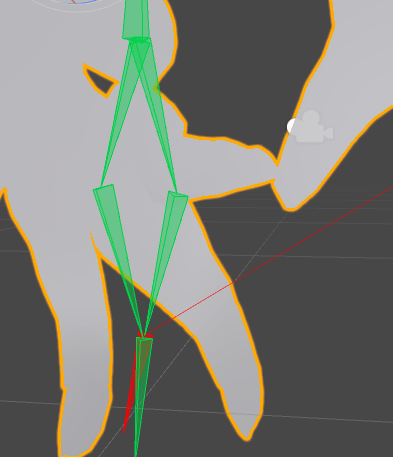
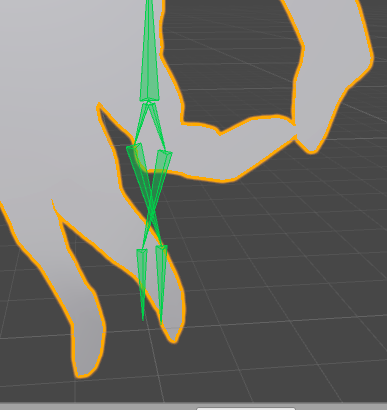
@unborn atlas Err... why do your fingers have 4 bones?
fading verge
Gotta get that extra bend
gilded schooner
So when I rig my model in blender it doesn't matter the amount of bones I havE?
lucid orbit
(looks down at hands) What extra bend... wait. Are you an alien?!
 unborn atlas
@lucid orbit The V shape is called "pelvis" when I click it, and There are 4 fingers and 1 thumb
lucid orbit
@unborn atlas I mean, why does each finger have four bones each?
unborn atlas
IDK
That's what it gave me XD
Should it have only 2?
I mean...
It does make sense.. xD
lucid orbit
@unborn atlas Each finger needs three bones at most.
@unborn atlas The fourth one is going to confuse Unity like crazy.
unborn atlas
Male Unity crazy! \o/
lucid isle
hey these 2 huge eye bones
unborn atlas
*Make
lucid orbit
@lucid isle The better to see you with, my dear? (You can probably ignore them. Probably.)
lucid isle
ok
unborn atlas
@lucid orbit How's that?
lucid orbit
@unborn atlas Looks good!
unborn atlas
👌 🐸 👍
lucid orbit
@unborn atlas Although uh... I just noticed. You don't actually have fingers. Just a glove.
(You still should keep them. Without them, Unity won't allow you to use Gesture Animations nor any Gesture Animation Overrides.)
unborn atlas
Glove shouldnm't be too much of an issue I think, should be still goo as long as I weight it all red, right? XD
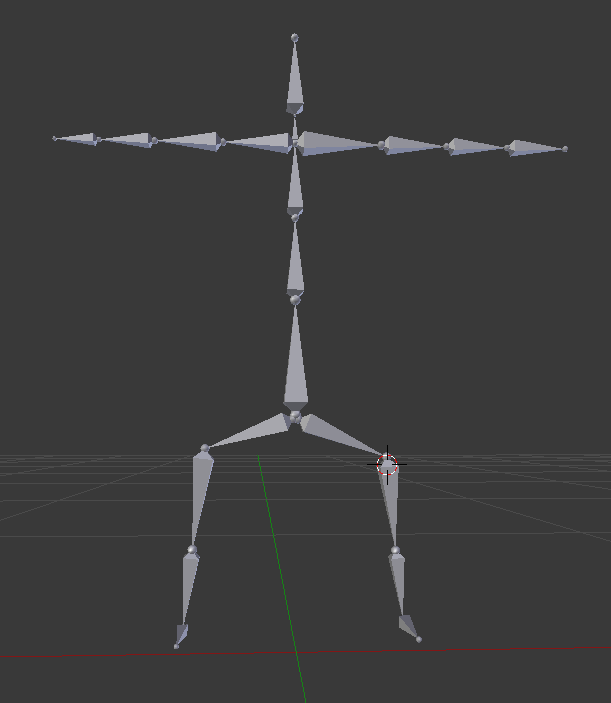 unborn atlas
@abstract musk Try to uncheck the small magnet on the bottom row
 abstract musk
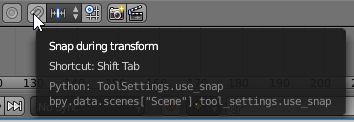
this one?
it wasnt set in the first place
the bones are normal in blender and in unity until i set up all the bones for humanoid
then once i hit apply the legs get screwed up
fading verge
Is zoomy memeing or is that real omg
fading verge
Also @lucid isle eye bones are used for eye tracking
unborn atlas
@abstract musk Everyday it's shuffelin' XD
fading verge
It looks like a meme to me but probably wrong bone structure and in unity wrong bones applied to the fingers
lucid orbit
@abstract musk Hmm... this might be an .fbx export error. Have you tried just drag and dropping the .blend into Unity to import it instead of exporting as .fbx?
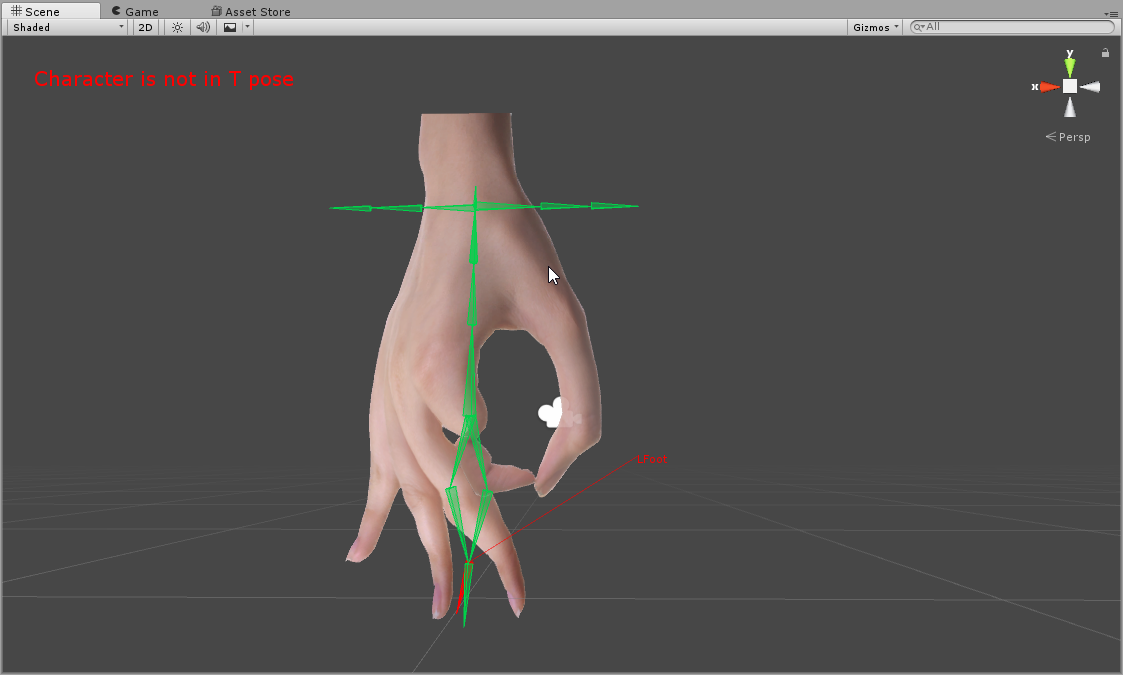
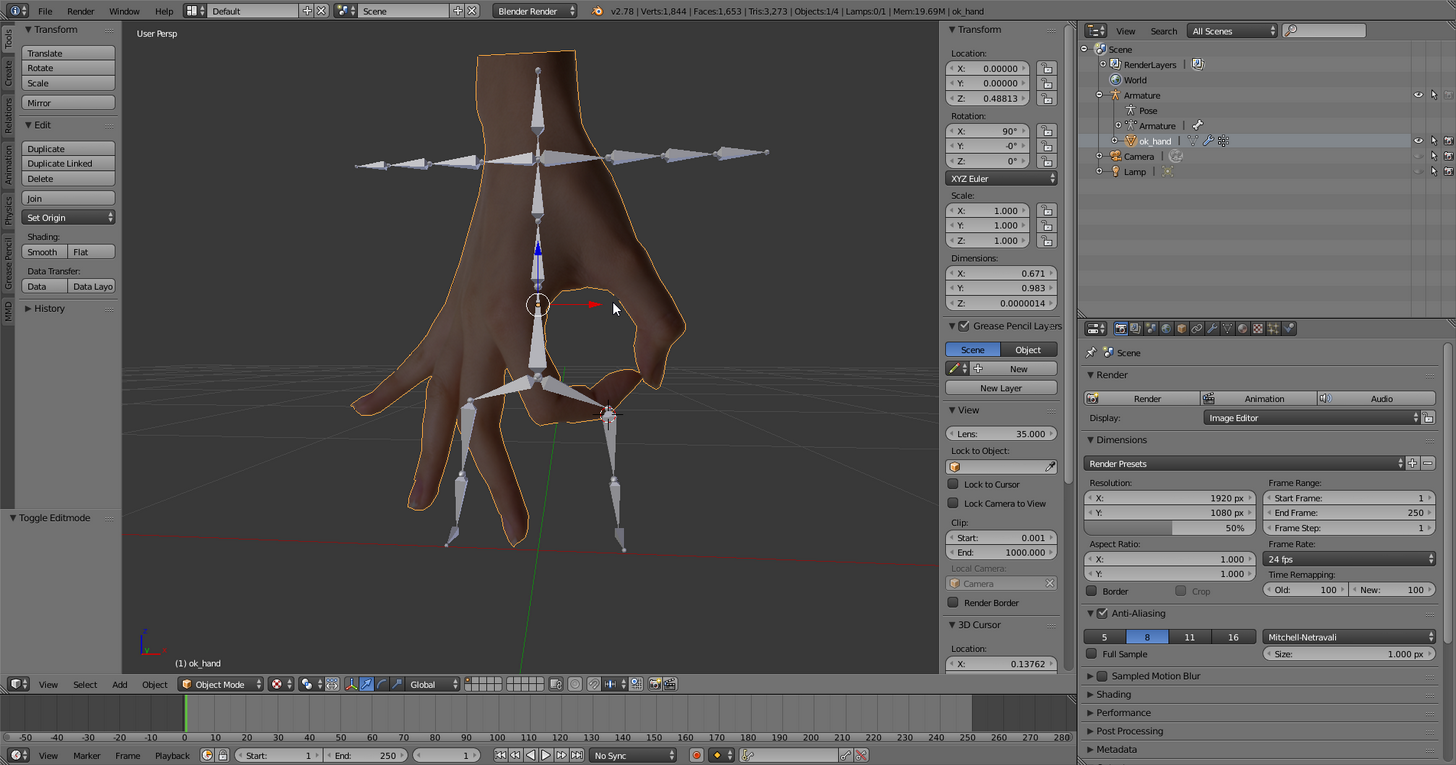 lucid isle
.....
abstract musk
haha
lucid isle
gods damn it zoomy
unborn atlas
Nice avatar though XD
lucid orbit
(opens her mouth to say something... but then closes it.)
unborn atlas
Lololol
abstract musk
ok so this is what it looks like before i configure the bones
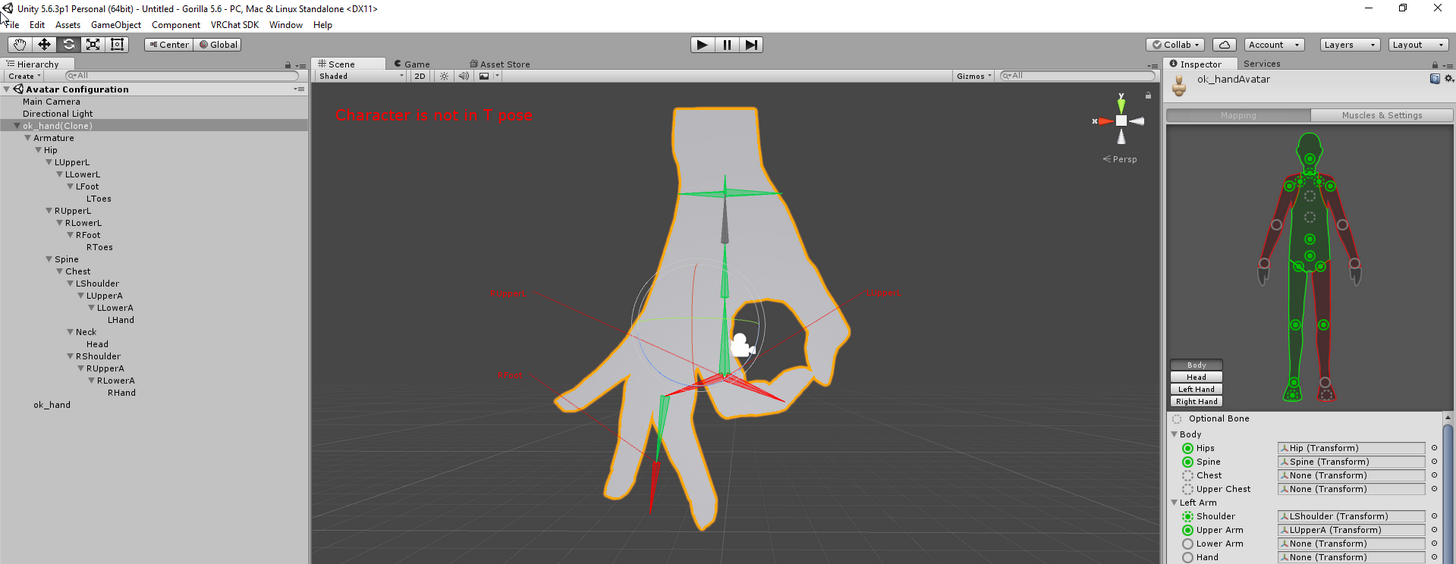
lets see what happens when i set everything
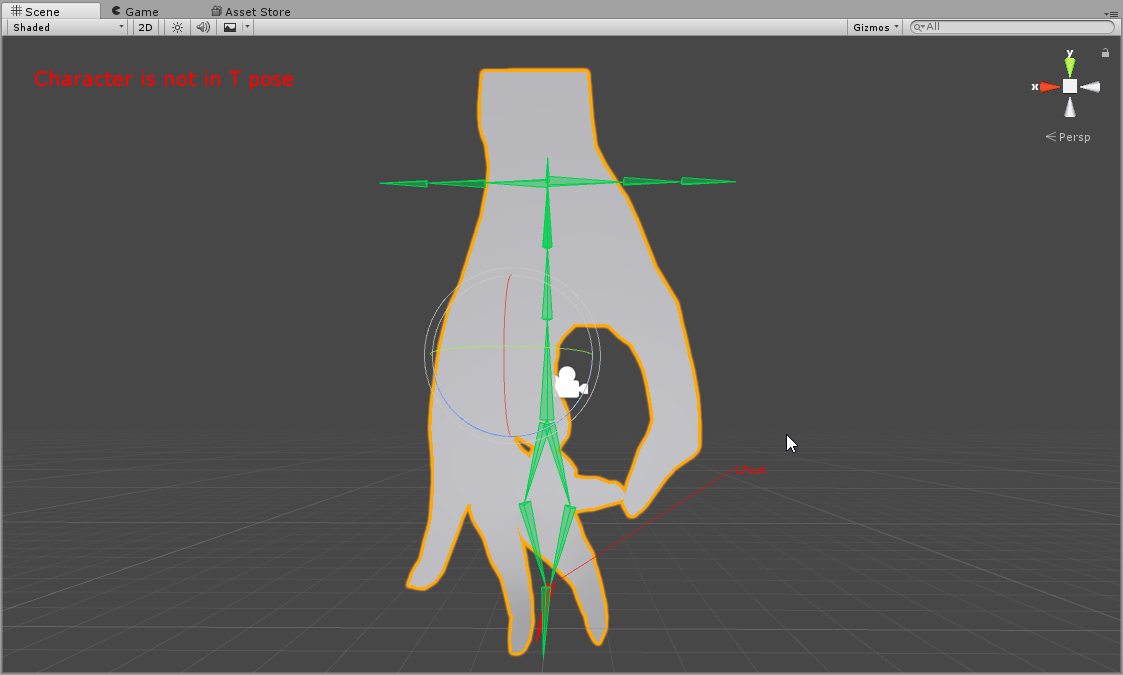
still happens wtf
is my t pose wrong?
this was happening yesterday too with another 2d model
i didnt fix it
abstract musk
this is really bothering me too
unborn atlas
If I wanna keep my model's skirt static, I shouldn't put bones in it, right?
abstract musk
yea
unborn atlas
Ok
 tardy harbor
Hey, can you guys help me with this?
lucid orbit
@abstract musk Try Enforce T-pose?
tardy harbor
This grey line is on my model where it tells me if my charcter is going to be above ground or under.
Anything above can be seen above the ground
abstract musk
@lucid orbit in unity or in blender
lucid orbit
@abstract musk In Unity.
lucid isle
ill enforce your tpose alaylle
tardy harbor
The rest is just sitting under the ground until I jump or fall where you can see the rest of the avatar
 oblique heron
I had that issue with a plane. I put a low poly humanoid model on it and made it invisible.
Worked after
oblique heron
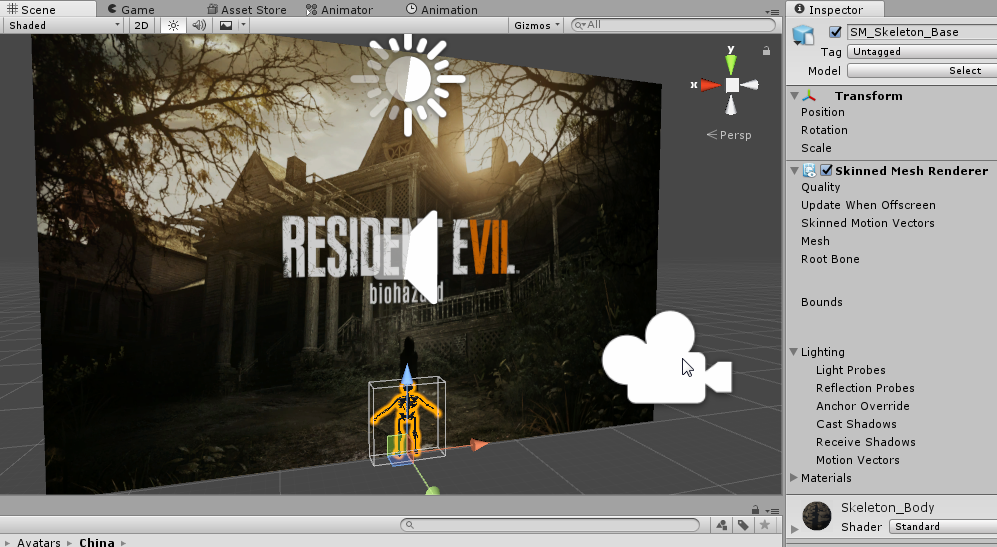
I did it like https://i.imgur.com/63BpqN2.png
 abstract musk
in blender
oblique heron
Turn skinned mesh renderer off
abstract musk
probably something wrong with your export
gilded schooner
Right, so, I'm about to do me some rigging - problem is the avatar is multiple parts. Does it matter if it's all one part or not?
abstract musk
anyways yea @lucid orbit it happens when unity tries to enforce the t pose
if i reset the pose it looks fine
lucid orbit
@tardy harbor Rip out the Tutorial Avatar's skeleton (eww, that sounds like a Mortal Kombat fatality) and put it in your model in Blender. Then, make a single bone that's parallel to Hips and assign your non-humanoid avatar's mesh to that.
tardy harbor
and also, how do i reset my orgin to the foot level?
abstract musk
set your 3d cursor to center
unborn atlas
Is this an issue when the hands and feet are red and not moving with the rest of the rig..?
abstract musk
then position your feet and center above the 3d cursor
then spacebar > set origin > to 3d cursor
lucid orbit
@abstract musk I'm actually a bit surprised you actually assigned mesh to the bones in that... thing.
abstract musk
haha
tardy harbor
@lucid orbit How do I get the Tutorials Avatar skeleton?
abstract musk
its not unique if its just an unrigged plane
but see
if i want to do backflips
then its gotta be rigged to humanoid
lucid orbit
@tardy harbor He's in the VRCSDK > Examples > Sample Assets > Tutorial Avatar
abstract musk

i assume i would fix this by setting the bones to the correct t pose position in edit mode?
tardy harbor
@lucid orbit import it right?
lucid orbit
@abstract musk Huh. Looks like Unity expects the legs to be closer together.
tardy harbor
the tutorial avatar anyways
lucid orbit
@tardy harbor Yeah. Then you can delete his mesh and join your armatures. That should make things work. Maybe.
 gilded schooner
Time to rig for my first time. Ever. :V Fug
tardy harbor
i feel you vox
abstract musk
after moving the legs closer together in blender
lucid orbit
Make up your mind, Unity!
unborn atlas
So what does it mean when I have red colored feet and hands which arn't moving with the rest of the rig..?
 lucid orbit
@tardy harbor Err... what?
lucid orbit
@tardy harbor Uhh... I have no suggestion other than to reinstall the SDK.
gilded schooner
Me either.
tardy harbor
already doing so
unborn atlas
@abstract musk What gave that up? XD
abstract musk
i thought that editing the bone position in configure was just to test
and i didnt know that it actually changed stuff
unborn atlas
@abstract musk I really want to see that avatar in-game already XD
tardy harbor
@lucid orbit Now, how do I rip the skeleton out of the model and put it into the phone?
abstract musk
delete the mesh
copy the skeleton
paste it into other project
success
does anyone here use 3ds max or maya
or cinema 4d
ive used blender for about 5 or 6 years now and i dont want to switch to maya because i know blender so well
lucid orbit
@tardy harbor Yeah, basically what zoomy said. Delete the mesh, then shift click the two armatures and ctrl+j. I'm a bit worried about which should be primary, but then... you're a door so... it shouldn't matter.
abstract musk
i usually do ctrl+p
tardy harbor
Phone*
 near tartan
if i wanted to update my model in unity but still keep all the components i added to the old version of it is that possible or will i have to apply everything manually again
abstract musk
the armerature should be primary
 hard hedge
question what is the best way of rigginga gun prefab to my character prefab in unity? or should I do this in blender?
tardy harbor
Is a small menu suppose to pop up once I hit shift+j?
 lucid orbit
@tardy harbor You probably want to move the skeleton closer to your door. And your door closer to the skeleton.
@tardy harbor Most likely move the skeleton over the orange origin dot. Same with your door.
unborn atlas
When the hand palms and feet are red and won't move with the rest of the rig, is this an issue?
gilded schooner

So should I remove the two bones connecting to the base joint?
Or should I just keep the two?
lucid orbit
Going to have to leave soon. Can't help much more.
tardy harbor
@lucid orbit Tried moving it, this happened
lucid orbit
@tardy harbor I think you made a duplicate rather than moved them.
tardy harbor
That's the closest i can move them by using the arrows.
lucid orbit
@tardy harbor Uhh... what? You can use g and then press y to move along the y axis, right?
tardy harbor
Yup, it just skips over the phone.
 indigo hearth
Hey does anyone have an Avatar with working eyetracking I can use as reference?
abstract musk
 lucid orbit
@tardy harbor I... what?
abstract musk
there u go @lucid orbit
tardy harbor
I don't know.
 gilded hawk
gilded schooner
gilded hawk
gilded schooner
Jesus christ Zoomy. That's creepy.
modern cedar
gottem
tardy harbor
Current model im working on in Unity by the way
fading verge
amazing
tardy harbor
how to get banned 101*
unborn atlas
Lol
tardy harbor
@lucid orbit So what do I do now? Just keep it like that and export it?
lucid orbit
@tardy harbor Yeah, give it a try. That is, you're going to be importing it as a Humanoid Avatar and you'll be assigning the bones as normal.
@tardy harbor It's just the bones have no mesh assigned to it, so you may have to assign everything manually (because the autorigger will get confused).
abstract musk
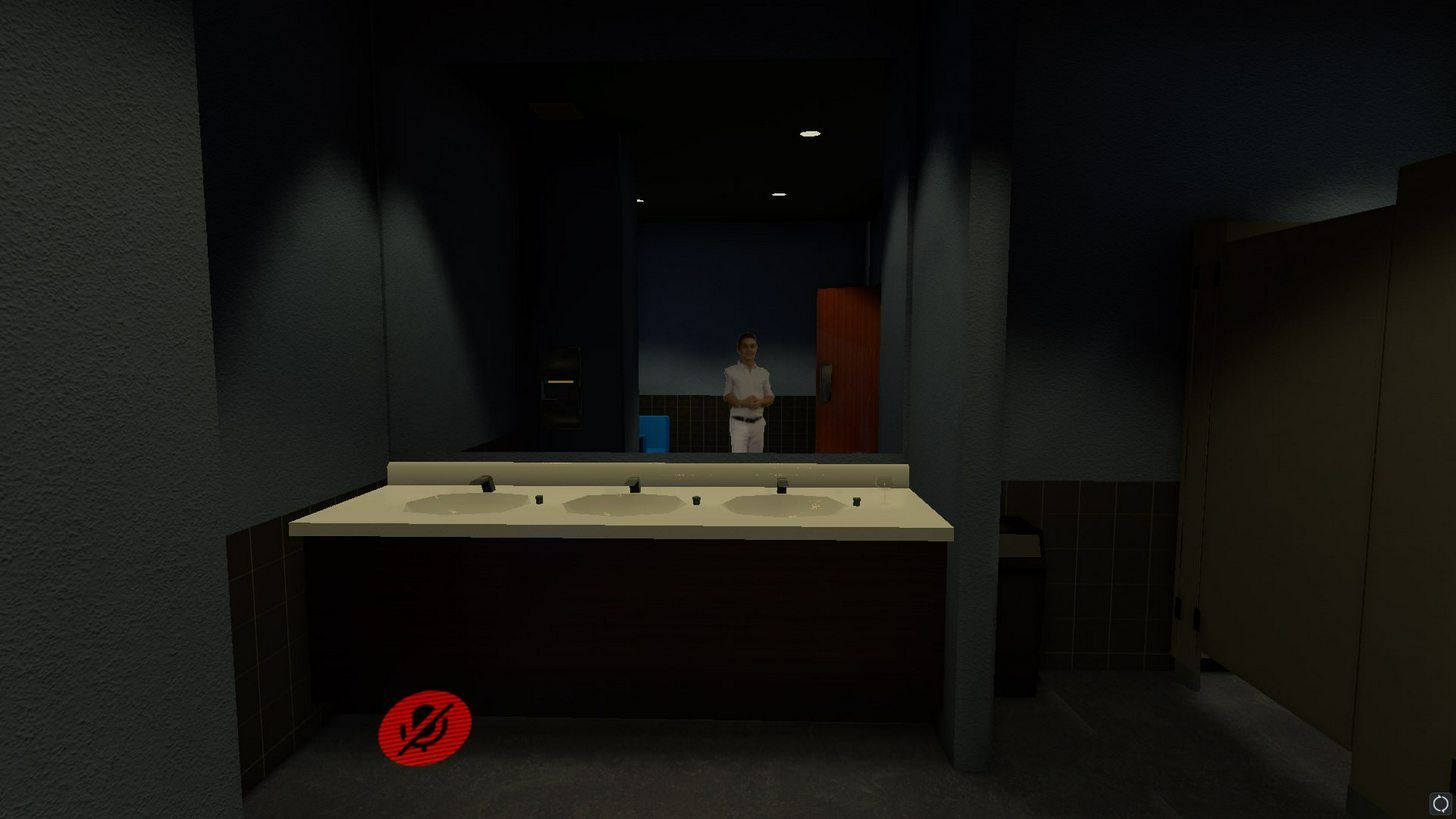
@lucid orbit https://i.imgur.com/AEYJ7LW.jpg
 tardy harbor
@lucid orbit I CANT
modern cedar
up until now a perfect avatar did not exist
lucid orbit
@tardy harbor No idea.
 crisp tendon
They look like two big knuckles avatars
crisp tendon
what are they called
lucid orbit
@tardy harbor Eyeballs, maybe?
crisp tendon
Get close to your avatar ?
tardy harbor
That item on the left is suppoed to be a small phone
That's supposed to be the main thing.
lucid orbit
@tardy harbor Go back into Blender and search for those stray eyeballs and delete their mesh?
lucid orbit
@tardy harbor Did you hunt down those stray eyeballs in Blender?
tardy harbor
Yeah, I deleted them. They were in the back of the model where I couldent see them
lucid orbit
@tardy harbor Manually add the missing bones.
lucid orbit
@tardy harbor The autorigger has no idea how to handle it since you're a phone. See the little circle to the right of the text boxes?
@tardy harbor Click on that and search up the names of the bones. Or drag and drop the proper bones from the hiearchy on the left into the text boxes.
lucid orbit
@tardy harbor Uhh... you can just keep them there. It's not like there's any mesh assigned to them.
tardy harbor
@lucid orbit What do i assign upper chest as?
lucid orbit
@tardy harbor Even if the mesh is empty, you still assign None to Upper Chest.
unborn atlas
It's optional
lucid orbit
No, Upper Chest set to None is Required!
crisp tendon
@tardy harbor 
tardy harbor
done
unborn atlas
I meant that it's optional to set anything to upper chest, and that he shoudn't worry about doing that XD
unborn atlas
But WTF do I know? I can't even get my rig to move my model on Blender.. XD
lucid orbit
@tardy harbor There we go. Now you can properly set your viewpoint and even be above ground for a change.
tardy harbor
But they grey line is still there.
oh my bad
didnt read the last part of the sentence.
lucid orbit
@fading verge Green means nothing.
 opal parrot
What could be wrong with this model?
 long valve
guys can anyone help me? when i go to upload the avatar the sdk says : your rig as the UPPERCHEST mapped in the humanoid rig.this will cause problems
how can i fix it?
lucid orbit
@fading verge You can argue with me all you want, the computer isn't going to change it's mind. Here. https://youtu.be/LrCCl_F9XNs
Here's a video on extremely common issues I see with bones and rigging setups, and ways to solve them. I cover: - Leaving Upper Chest Blank - Reparenting spi...
lucid orbit
@tardy harbor Check your origin point in Blender.
long valve
anyone?
tardy harbor
@lucid orbit
lucid orbit
@tardy harbor Raise your phone's mesh!
long valve
lucid orbit
Anyway, have to go!
tardy harbor
Alright, thanks for the help.
 woven rivet
Sorry if this is in the wrong section but if I take my dynamic boned model and need to add another physical bone in it in blender, would i need to remap my dynamic bones when brought back into unity? or will the scene just pull the model from the asset folder that was recently updated in place of the other?
 torn pewter
If you have eye tracking bones set up correctly so that they don't clip with the face, but the pupil's range of motion is too large, how should the bones be adjusted to preserve its arc of motion while restricting the range?
abstract musk
@fading verge manually adjust the bones to be normal or go to pose>reset
it should restore the correct pose
 full comet
Do i have to manually straighten the hair down? I tried adding gravity but it didnt work.
https://puu.sh/yNWQ6/f85d53e8a7.png
 fading verge
@lucid orbit @lucid isle I ran into the "Weight painted but blender don't care" issue tonight. Thank you for telling me the solution, I was able to fix it within a few minutes. This issue will arise if you are re-painting the weights of a mesh.
In my case, I was moving a gun from the hand to a holster, and after weight painting, blender didn't care.
 steep hazel
🤔
 dark elbow
Go to the console and take a picture of the errors on the bottom of the list
unborn atlas
When i'm weight paining the head, do I need to paint stuff like cheeks, chin, eyes and ears..? 🤔
steep hazel
 lucid sapphire
quick question, cat's blender plugin doesn't detect any shape keys for my model, since it is just a normal model. does that mean i need to manually make them myself?
like for talking
dark elbow
Jason make sure not to use MMD Tools
 crystal vector
@dark elbow Well you still need mmd tools, but you can do everything in cats
dark elbow
just dont export from mmdtools?
crystal vector
You mean import?
full comet
https://puu.sh/yNXBe/309267646b.png
How do i get the hair straight?
 lucid sapphire
wait, guys, is cat's blender plugin specifically only for mmd and mixamo models? i'm wondering if that's why it doesnt work for my mesh model
 lime monolith
In Blender, I'm working in a situation where I imported a character's legs and boots as separate objects, with separate armatures and everything. When I join the armatures together, all the bones from both armatures are shown, but in pose mode, moving the bones of the boots no longer moves the mesh at all. The mesh still has its vertex groups and weight paints, but they're just not moving and I can't figure out why
I can still move the leg bones in pose mode, and the legs move with them, but the boot mesh seems to be unaffected by any bone movement at all
Is Spine1 the parent of LeftShoulder, RightShoulder, and whatever the neck is called?
fading verge
How does one apply a decimation when you have shapekeys?
fading verge
Then I'd have to re-make them. RIP
lime monolith
Are you decimating the face?
 solar cargo
Wait for what part of your character?
fading verge
whole thing
solar cargo
You should never have to resort to decimating the face
since that's where most of the shape keys are
fading verge
granted it says all my meshes have shape keys when I separate it.
solar cargo
If you run into an issue where you can't decimate part of your models like the Arms then there's a basic shape key by itself you need to delete
solar cargo
If you see any other model with a shape keys other than Basic you leave it alone
There are some models where whoever made it just left Basic shape keys on every part so you'll need to manually delete them to decimate them
fading verge
good to know my dude, thanks
Also, the model always looks like shit when I bring it into unity, like the shaders are missing. this is an MMD model but is not 'anime' style, so cubed's shaders wouldn't help much. Any tips?
unborn atlas
Am I doing it wrong and there is an automatic way to do weight painting, or do I need to keep doing it manually..?
gilded schooner
How many bones can the spine have?
oblique heron
@full comet Yeah you might have to in blender
full comet
@oblique heron manually i guess?
oblique heron
Yep
full comet
ugh
gilded schooner
Or does nobody know the answer to that one?
oblique heron
Not sure
full comet
@oblique heron Do i just move the bones ?
oblique heron
You can try rotating them yeah
full comet
Aight, this is gonna be a challenge for me xd
fading verge
Can anyone help me with adding Dancing to my model
full comet
@oblique heron Ok so i moved 1 hairs bones, do i have to do something to the hair model?
oblique heron
I don't think you have to do anything with the hair mesh itself.
It's pretty much bone issues. You can just rotate them in unity too but I found that with dynamic bones it looks a bit messed. XD
fading verge
Where can I learn about prepping my model for VR users to prevent stuff like wrist twisting?
solar cargo
I'm not a vr user myself but I thought it was automatically done sense most people I see using VR never have an issue of their wrists twisting
fading verge
Many users do, its just not typical hand movements.
It has to do with inverse kinematics. However, I do not have a VR set to test it myself, so I would like to do whatever prep I can.
lime monolith
In Blender, I'm working in a situation where I imported a character's legs and boots as separate objects, with separate armatures and everything. When I join the armatures together, all the bones from both armatures are shown, but in pose mode, moving the bones of the boots no longer moves the boot mesh at all. The mesh still has its vertex groups and weight paints, but they're just not moving with the bones and I can't figure out why
I can still move the leg bones in pose mode, and the leg mesh moves with them, but the boot mesh seems to be unaffected by any bone movement at all
fading verge
Is it possible to change visimes based on client distance? Ex if someoen walks up to my character, for them my character makes a weird face?
unborn atlas
@fading verge I have no idea, but if you ask me, the real fun is when you make thier faces change when they get closer to you.. XD
fading verge
I might agree, but it was a request someone made and I want to figure out if its possible.
unborn atlas
Say
When you weight paint, is there a way to do it automaticly..?
Because I've been sitting here for the past almost 4 hours weight painitng.. :/
fleet echo
@unborn atlas most time weight paint automatice dont do it correct
so you just fix what it mess up
unborn atlas
How do I do that?
 hidden ether
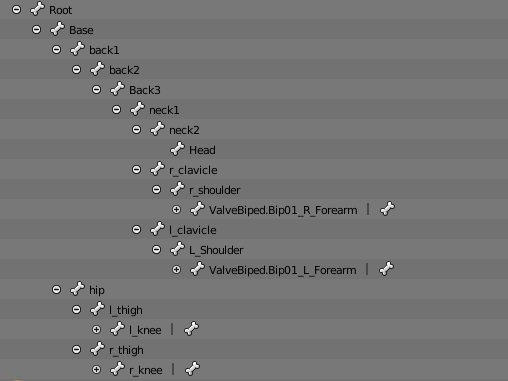
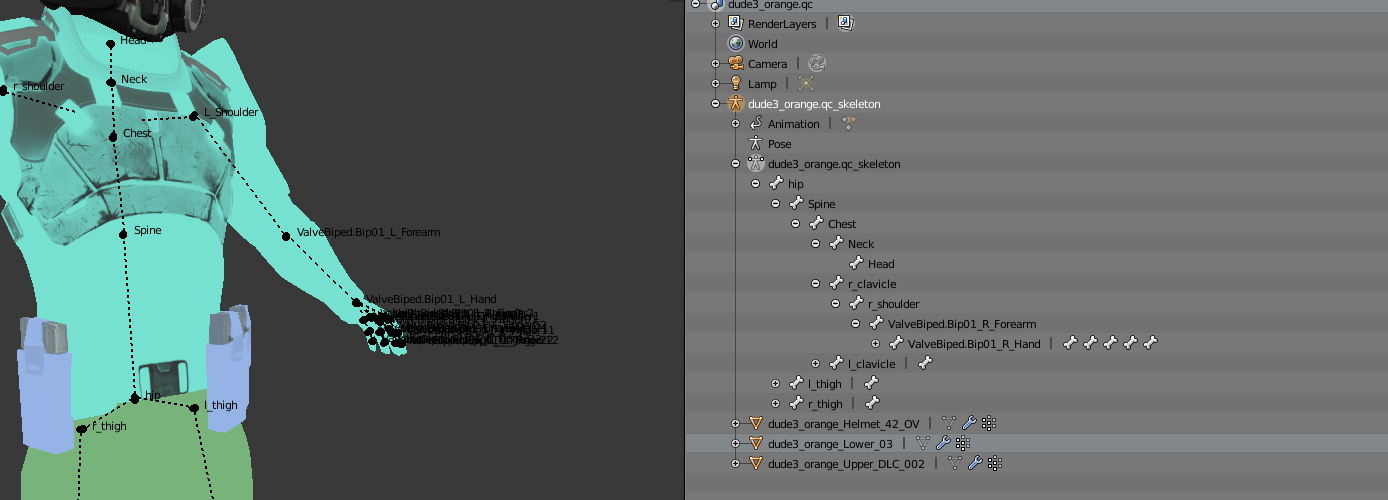
Hello people, so I'm attempting to use a model that uses Valve's skeleton, and of course it's giving me the spine parenting error. What should I do to this rig to fix it, and can anyone give me the suggestions in step-by-step form? I've watched some videos however they all use a different kind of rig and I haven't been able to find any about SFM rigs.
https://i.gyazo.com/d2d75ec58ddf6a328220c5e896260ae4.png
https://i.gyazo.com/bca25827b07a676b802c8d9be1e68502.png

 forest cove
Gmod model? @hidden ether
hidden ether
SFM/GMod.
hidden ether
followed a guide by some dude on youtube
forest cove
Ah, okay
hidden ether
basically he downloaded something called Crowbar which can convert MDL to FBX or whatever it was
forest cove
Yeah, yeah crowbar extracts the model and then it can be imported and rigged in blender.
hidden ether
yee
forest cove
You're getting the spine parenting error in which program?
hidden ether
Unity.
hidden ether
That's what I have pictured
But it's too overwhelming for me to be able to figure out how to correctly parent them so I need quite a detailed hand with it.
forest cove
oooh okay
unborn atlas
Ok, this is messed up... For some reason I can't see what I'm painign anymore...
*painting
fading verge
Can anyone here help me with blender
Everytime I export to FBX it crashes
but only with VMD dances on it
 warm tangle
Anyone know how to solve a bone not being an ancestor? Ive tried changing heirarchy
lucid sapphire
@warm tangle you have to change the bone hierarchy in blender, not unity
warm tangle
Right, I'm doing that at the moment. THanks still 😄
lucid sapphire
np
fading verge
Can someone give me a quick pointer on how I rig a vertex group in a way that stretches connected faces rather than tearing the mesh? Should I re-assign the group by selecting by vertices instead of by faces?
lucid orbit
@fading verge Basically, stretching occurs where there is a sudden change in the weight painting.
@fading verge And yes, you should be weight painting by vertex. Makes things easier, if slower.
fading verge
I just want it to stretch it rather than just rip a hole in the mesh.
lucid orbit
@fading verge First of all, make sure said mesh is fully connected.
fading verge
Like, instead of that point on the collarbone staying where it is, stretch down with the rest.
lucid orbit
@fading verge If you have holes in your mesh, they will become that much more apparent when stretching occurs.
fading verge
So will I have to manually connect all these stray vertices? I can see the issue now that I took a closer look.
There are multiple vertices overlapping each other but are not connect.
warm tangle
Now after changing bone heirarchy in blender and opening the model/rig in unity, my model is missing it legsa nd in a funny position lol
lucid orbit
Honestly, if you're creating a mesh yourself? It tends to be easier to start with a standard shape or Tri sheet and then molding it into the shape you want yourself.
fading verge
It's not my mesh, I'm just rigging it. xD I figured out a lazy solution.
lucid orbit
Then you trim off the excess. Face creation is best done for those little details that make a model.
fading verge
Using the brush select with limit selection to visible turned off so I can catch the overlapping vertices.
And the mesh is already under 5k tris.
 wispy mirage
How come in Blender these textures are filled but when I import to Unity its missing?
fading verge
Yep, I got it, I think. Learned how to fix holes the lazy way. Didn't even think to check to see if there were multiple vertices.
@wispy mirage If you can figure out how to duplicate normals to both sides without adding more tris, I'd like to know.
 keen ether
@wispy mirage Oh I had this problem, select the material for the skirt and there's a drop down that has Tinted you gotta do that
wispy mirage
in Blender or Unity?
keen ether
Unity
keen ether
 fading verge
I'll try that myself. I have that issue on my two vocaloid ports.
keen ether
looks like this
fading verge
I assumed it was a problem with the way my normals were applied and just lived with it.
keen ether
I found the fix by accident while seeing what that dropdown had done.
fading verge
@keen ether Holy crap! Thanks for that. Wasn't expecting to find a fix for that.
keen ether
No problem dude 😄
fading verge
See? xD I just did it to the right. I'm happy now.
wispy mirage
@keen ether Thanks again 😄
keen ether
I was so happy when I found it. I had two other models that had the same problem but assumed I messed up some where and just had to deal with it
Your welcome 😄
Actually, I have a question for you guys as well. How close is best for View Position? I've seen some people put it touching the skin but others a little away
Mine currently: http://a.pomf.cat/cqulej.png
 fading verge
@keen ether I actually put it inside the head a bit. Usually around 0.05
Tupper mentioned it, I tried it, and it felt more realistic.
keen ether
I find that if I look down I kinda clip through my body
 fading verge
Here's where mine typically sit. If you can see it.
keen ether
I see, will test it out. Thanks.
hidden ether
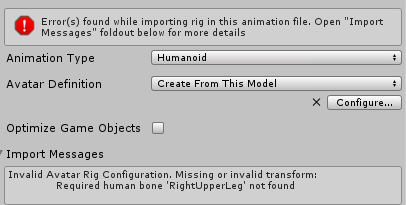
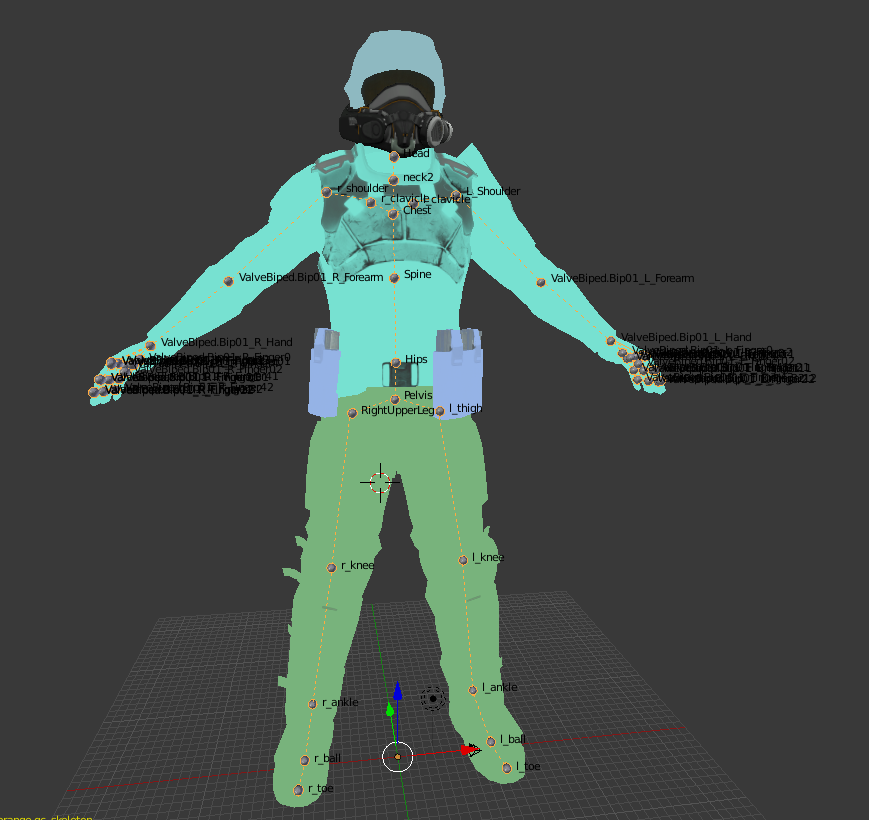
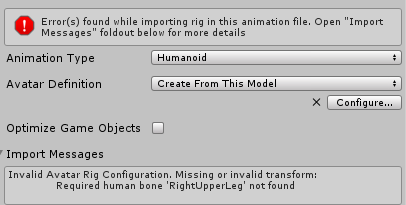
So, I've been beating away at my problem for several hours, and just when I thought I'd come around to solve it, Unity tells me this...
https://i.gyazo.com/0658017f78dc6ed176bba37a8b963110.png
https://i.gyazo.com/f0b3c7da249a7b4f89932f7c91218533.png
I even thought to do something braindead stupid and just rename his right upper leg to that, but it did nothing... What am I missing?
 fading verge
Any extra bones in the legs?
I'm a novice, but I'd think it's something wrong in the rigging config.
I've had similar issues with XPS models.
hidden ether
What do you mean extra?
I'd say there are probably a few too many if anything, since it's toe>ball>ankle>knee>thigh, but there's nothing that's out on its own or missing from what I can tell.
Also, iirc this is not an XPS model.
fading verge
You have an extra bone in the foot and toes are optional and only seem to cause issues, I've noticed.
Maybe save a back-up and fudge the bones around?
hidden ether
Ah. So shall I get rid of the toes?
fading verge
I saw, you ported a gmod. xD
hidden ether
🤔
fading verge
I'm not sure I should be the one getting advice from. I just know I've never seen a "ball" bone in the foot before and I never rig the toes.
Could also just be as simple as a parenting issue in your armature.
hidden ether
Since they're from SFM, valve's generic skeleton has two parts of the foot that can be moved around. (case you didn't know)
I was attempting to solve the parenting issue, then that spawned this issue.
Could you show me an example of a skeleton that works?
(Just the feet part.)
fading verge
You'll probably have to enlarge it.
Note that the toes are there, I just don't rig them in Unity.
All of my rigs are about the same in the legs.
 rugged plank
I need help, I need to parent the spine bone to the hip bone, but when I do and bring it into Unity it's no longer in the T-Pose, I don't know much about Blender and Unity pls help!
hidden ether
Right, I figured that out, aaaaand now I'm having trouble with the hips and spine again.
 hard vapor
how do I rig a legless and armless model
hidden ether
It's telling me spine is not a child of hips, and then when I do that everything completely breaks.
@hard vapor IIRC you need to make custom animations. Which shouldn't be too hard because it's armless and legless.
(and a custom rig)
hidden ether
allg
warm tangle
could anyone tell me why my model turns upside down and half his body is missing after i set heirachy in blender?
fading verge
I hope you guys all have back-ups. D:
fading verge
Noice.
If I do anything that has a chance of breaking my avi, I save right beforehand.
hidden ether
So, uh... What on earth is this?
fading verge
Do you know what you did recently? xD
hidden ether
If it's something I should be aware of that I shouldnt've done, no.
If it's just something I should revert to, ...Also no.
fading verge
If you post a screeny of your hierarchy, it'll help either myself or someone more competent @rugged plank and @warm tangle
@hidden ether I don't think spine should be the parent of hips. Just a guess.
hidden ether
When I do it the other way around, the same thing happens.
fading verge
Unless you just have them named weird.
rugged plank
This is what mine looks like unedited
hidden ether
https://i.gyazo.com/223ae3c34b47a7305bfff27c7c2c2fdf.png
I think Blender is just multiplying them to insult me at this point.
 rugged plank
Spine1
fading verge
Wait, hold on. Which are you rigging as the Spine in Unity?
lucid orbit
@rugged plank Your Spine 3 is your Chest.
fading verge
I usually have spine 2 as the spine.
lucid orbit
@rugged plank Make sure to assign Hips as the parent to Spine 1.
fading verge
Spine 3 as chest.
lucid orbit
As for which bone is your Spine? It's honestly your call. Either Spine 1 or Spine 2 is your actual Spine.
rugged plank
Spine 3 is chest, My problem is that I can't parent Hips as the parent without breaking it
fading verge
His rig looks okay. I think it's just assigned wrong when he configures.
In Unity that is.
lucid orbit
@rugged plank By the way, why do you have two sets of Hips? Are you a centaur?
rugged plank
Hips.001 is filled with skirt bones, I just forgot to rename them
fading verge
I don't use skirt roots.
warm tangle
Well, actually, this is what I'm getting now. My model is fixed and doing t-pose and such correctly. But i cant upload
fading verge
I just use exceptions in the Dynamic Bones script.
lucid orbit
@rugged plank So what happens when you Click on Spine 1 in Edit Mode, go to the Bone Tab, and assign Hips as the parent to it?
fading verge
@hidden ether I have no clue what's happening to you. xD
warm tangle
my bone structure
fading verge
@lucid orbit He duplicated his original hips for a skirt root so he doesn't risk breaking the avatar with dynamic bones by accident.
rugged plank
@lucid orbit It assigns them, and it looks fine in blender, but this happens when I bring them into Unity
fading verge
@lucid orbit But they never worked for me when I import them and it breaks my rig.
hidden ether
Okay, so the model normally comes with these two bones known as Root and Base - I get rid of them but make sure everything is connected. Should I not get rid of them?
lucid orbit
@warm tangle Err... what? You're going Chest > Hips > Spine > Neck. You want it to go Hips > Spine > Chest > Neck.
lucid orbit
@rugged plank What happens when you configure the rig as Humanoid?
@warm tangle Okay, well. This is really messed up. You have no Chest, and for some reason, your shoulders are children to your Head?
warm tangle
should i make shouldres children directly to spine?
fading verge
@warm tangle You need a chest. And then parent shoudlers to it.
I'm not sure where your chest went or why you don't have one. xD
rugged plank
@lucid orbit when I rig it and go into configure it seems to be fixed, which is weird because it wasn't fixing it before
hidden ether
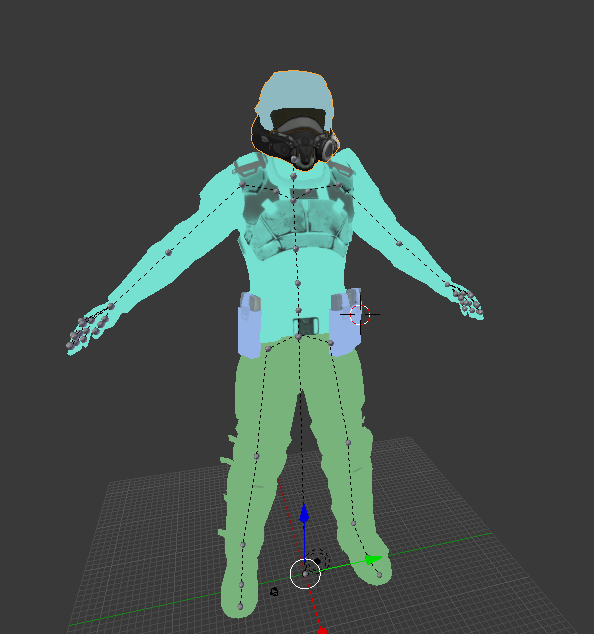
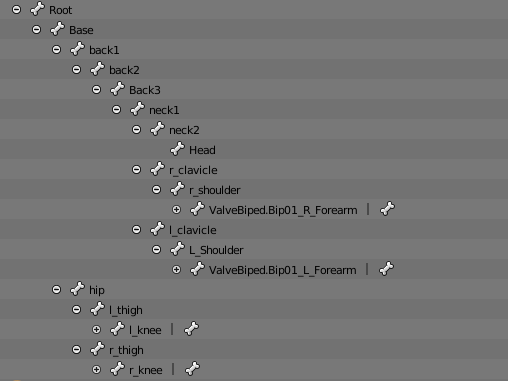
https://i.gyazo.com/919e59c1e2821bd7c7e890b384e25e95.png
Does this look correct? Clavicles are hidden.
 warm tangle
There isn't really a chest here... the closest is the "root", or an item infront of his body hanging from his neck
lucid orbit
@hidden ether Yes, that looks perfect.
hidden ether
Alright, brilliant. Let's see how I screwed it up.
rugged plank
@lucid orbit I think it's all fixed up now, i'm gonna try bring it into VRchat and see how it goes
hidden ether
It worked, except that Chest wasn't automatically assigned... Brilliant.
rugged plank
Oddly the sdk has disappeared, but thats an easy fix
lucid orbit
@warm tangle You'd have to make your own Chest bone out of your Spine bone and the mesh it's assigned to, then reparent the shoulders as children to the Chest. This isn't something for a beginner to do.
warm tangle
is it possible to do that in blender?
hidden ether
"The angle between pelvis and thigh bones should be close to 180, your avatar's is 95.8."
How worried should I be?
also yes mad
lucid orbit
@warm tangle Yes, it's something you'd do in Blender.
warm tangle
Is there a way to delete floating weapon objects in blender? Any tutorial on making chest? I just wanna check it out
lucid orbit
@warm tangle Yeah, you delete the vertices of the weapons. As for the tutorial... uhh... I don't think there's a tutorial on that.
@warm tangle Like I said, this isn't really something a beginner can tackle. I suggest shelving this avatar and coming back later when you have more experience.
warm tangle
I tried to delete the vertices but the whole model disappeared (this one a different avatar)
fading verge
@warm tangle You need to separate by materials. If you have CAT or mmd tools, there's a button at the top for that.
@warm tangle Unless you have to do it manually. Then you need to go into edit mode with the tab key and hold shift and select each vert.
@warm tangle Or either switch it to select by faces or tap C to bring up the selection brush.
 sudden saddle
https://puu.sh/yO2M3/5d0e25787d.png
posting here as well, cant figure out why its saying i dont have it set to humanoid
 fading verge
@sudden saddle Did you rig it before dragging it into the scene?
fading verge
Did you delete the original that you dragged in before rigging and drag in the new one afterwards?
Ahkay.
fading verge
I'm fairly new myself, but I'm picking it up alright, I think.
Only about 2 weeks using blender and unity. ;P
rugged plank
I only have around 11 hours of experience with both blender and unity, I only just finally got my avatar working right
fading verge
do all the starts/ends of the bones have to touch?
 quiet kindle
What can i do about a model that has no chest componant?
everything else is rigged properly but the chest isnt included on the list
lucid orbit
@quiet kindle If it's an MMD, Cat's Blender Plugin might be able to Model Fix one up for you. https://youtu.be/0gu0kEj2xwA

Today we'll be going over Cat's Blender Plugin, an amazing Blender script that will save you TONS of time with your armature, visemes, eye tracking, and text...
lucid orbit
Make sure you save before using it. Sometimes it fails.
 strong shoal
Let's say I want to be a plane, how do I rig that so that I look like I'm flying when walking?
Saw someone else be a plane and I want to be one myself
fading verge
what kind of plane did you see
 limpid scarab
I guess you could do like what I did for a model with no legs
just make the needed humanoid bones (arms/legs) but don't weightpaint them to anything of the actual model
 split edge
if you have vr you can make use humanoid armature and attach it to the hand so you can wave it around c;
fading verge
"Found duplicate transform 'LeftUpperArm' for human bone 'LeftUpperArm' and 'RightUpperArm'"
where is the duplicate/
?
now the error is "Transform 'Hips' is not an ancestor of 'LeftUpperLeg'"
this is so confusing
strong shoal
You don't have a Chest bone to parent your shoulders and be a child of Spine
 dire mica
 fading verge
so i have to include all the "optional bones" as well?
fading verge
nope
fading verge
yeah i do but its still saying it needs an ancestor
dire mica
And hips themselves have no parent
fading verge
ive done hips and spine the opposite way
i put spine > hips and hips > spine
thanks for explaining that <3
fading verge
do i have to name them like in that picture? because i've been naming them like RightUpperLeg and i think its been working? i wouldnt know
dire mica
Not necessary
 iron basin
Hello! i require some assistance!
I've watched the youtube tutorial for rigging my own bones. and I've done that, but when I enforce T-pose, the arms and a sort of 'tail' stretches
 naive tree
@iron basin go to blender and rotate arms in pose mode
there has to be extra bones on them
iron basin
Weight Paint?
could you provide a tutorial or explanation?
naive tree
@iron basin https://www.youtube.com/watch?v=Tl4qTgwQwYw

Quick intro and guide to skinning/weight painting. this video is meant for those with a basic understanding of Blender
iron basin
thank you
 fallen compass


 civic copper
chest is parented as spine?
looks like you have hips, spine, spine cant see in the screenshot
 plucky terrace
can anybody help me with a problem im having
fading verge
@fading verge remove the bone from upperchest, dont need anything
sweet, thanks
make sure the shoulders, neck and spine are rigged too
yeah they are
my view point goes out of my character
like its set in the middle of the head but when i move my mouse, the view point goes everywhere
hm
odd
ill show you what i mean
anyone know why this shows up when I import a .dae file?
modern cedar
Make sure your object is selected, and you should export as .fbx if you're doing vrchat stuff- better feature support and such
 wicked patio
Hey guys, I'm new to making avatars, how does one fix "Spine Transform 'spine lower' has bone length of zero."?
 wary wave
Hey, I need some rigging help, please.
I have a rigged and avatar, but the head, which is a robot eye, is currently offset to one side of the body.
The bone is currently in the center of the body, which causes some rotation issues
Does VR Chat work fine with a head off to one side, but keeping the viewpoint in the middle?
fading verge
When i look down or up my viewpoint keaves my body and it puts me in a shitty 3rd person
can i lock it or something
wicked patio
how do you control bone length
fading verge
please if you think you can fix my issue @ me because im going to bed
crisp tendon
@wicked patio Bone length is usually fixed in blender
@wary wave Yeah, the head can be anywhere, the viewpoint doesn't affect anything afaik
wary wave
If I move the head bone, the viewpoint won't change then?
wicked patio
how do you fix it in blender?
wary wave
If so, thanks @crisp tendon
I do have one other question, how does the head/arm scaling for the world work?
crisp tendon
@wary wave It won't 😃 but if you move your head it might do weird things
@wicked patio Take the bone and stretch it upwards
wary wave
Like, does moving the head closer to the arms make the world smaller or larger?
wicked patio
how do I take a SINGLE bone, it selects all of them at the same time (sorry for lots of questions xD)
crisp tendon
Scaling is done with the unity scaling afaik
@wicked patio Edit mode, bottom left corner
wary wave
@crisp tendon i meant in game world scale. I was told it was measured by the distance between the arms and the head, not sure if that's true. If it isn't, how can I make the world scale better? At the moment, everything is much too small.
When in VR
crisp tendon
@wary wave I wasn't aware that's how it worked, sorry
fading verge
How do I fix my feet stuck in floor
tho my toe bones aren't weighted
Also it seems my camera is higher than where I set it
wary wave
Double tap standing and seated play sometimes fixes it
fading verge
@wary wave not in vr
 unreal timber
hey all, i'm having a small issue that's probably easy to fix but i'm a clueless newbie right now... trying to upload an avatar and i'm getting "lowerarm is not first child of upperarm or hand is not first child of lowerarm: you may have problems with forearm rotations" as a warning. here's how everything is setup in blender and unity.. hopefully this can get me some help and sorry the image is so small
wary wave
Save it as something else so you don't overwrite.
Then remove skull and wing
See if that fixes it
 prime dome
@unreal timber make a duplicate of your avatar in the unity scene
then on the duplicate make sure the wrist is the first object under the elbow
then try uploading that one
ex: i made sure my sleeve is below my wrist here in the hierachy
unreal timber
@prime dome worked like a charm it looks like, will see what happens in-game but thanks so much! 😊
 orchid rapids
I'm trying to make this child close his mouth, this is what it looks like with the jaw bone
This is how it is without it, it helps but it doesn't get the job done
I used the rotate tool but it doesn't seem to stay closed, am I doing something wrong?
plucky terrace
can somebody rig a model for me so i can drag it into unity
ive been trying to rig it for like 2 days now i have so many technical errors
it doesnt work in mixamo
 kind sapphire
anyone know simple way to Rig a Model that doesnt have Bones?
 mental cloud
Can someome tell me the difference between a bone that is connected and one that isnt ? What bone would u connect?
crisp tendon
@kind sapphire Mixamo if it's humanoid
@mental cloud bones that are directly next to each other, bones that are connected will interact together w bones that aren't connected wont
For example arm bones are often connected, but hips and legs arent
kind sapphire
@crisp tendon does it matter for auto rigging to be no textures just white?
unborn atlas
I'm having an issue with weight painting on Blender, I've done most of my painting on my model, but all of the sudden I cound't paint anymore, when I try to paint nothing happens, I can still see all of the paint from the other parts but can't add/subtract and weight
NVM
Fixed it xD
 native nebula
Well I can't seem to make any rig work. All my MMDs have either a spine and a chest, but no upper chest... And there are no other bones I can use to make the missing one o_O
 prisma grotto
How do I rig my model being a total noob at Blender/Unity?
mental cloud
@crisp tendon thanks
crisp tendon
@kind sapphire Doesn't matter
mental cloud
What do the bones so that are upstanding from the arm bone tho ?
crisp tendon
You'll have to try that one more time in English please
mental cloud
Sorry my phone tries to german so hard, what do the bones do that are upstanding to the sky
most likely found on arms
kind sapphire
@crisp tendon ty but what if it had wings that suddely joint the hand?
crisp tendon
@kind sapphire Are you sure the model didn't have bones before ?
kind sapphire
@crisp tendon im sure as it was OBJ that was converted into fbx
crisp tendon
So you checked inside the fbx in blender ?
crisp tendon
Because if the wings had a bone and mixamo removed it, then the wings might have moved
kind sapphire
hmm how can i check?
crisp tendon
Import the fbx in blender and use x-ray
 naive zinc
@kind sapphire ?
 hot plank
Can someone help me? I basically got 1 Human model and 1 Mech model, i want to put together in Unity. The thing is both are humanoid rigged so if i put them together. they use the same rig and every mesh overlaps pretty badly....
How can i put them together without the mech's hands being my humans one as well?
 calm needle
@orchid rapids for your jaw, in the humanoid configuration, rotate his jaw a bit upward. It may look stupid in the viewer but it will make it look better in game
@hot plank is the human suposed to be stationary?
naive tree
@hot plank assign hands that u want to move, and leave other ones stationary?
don't parent them toether or smth
hot plank
The Mech's supposed to have some bones but mainly stationary, i thought about putting dynamics in it
I set the human as main object, the mech should just be behind my back wiggleing a bit
But both connect ingame everytime, eventho in the avatar selection screen it looks fine
calm needle
did you connect them in unity or blender?
naive tree
check if mech hands are not parented to human hands
hot plank
in unity
naive tree
unity might pick them up as main hands, so u might need to assign human hands
instead of mech
hot plank
They cant be parented, they're two different models with 2 different rigs
calm needle
you might have to combine them in blenderthen
hot plank
How do i do that :/ I tried around for 2 hours now to combine them but its not working as intended
(in blender)
calm needle
depends on how you are doing it but applying the scale and location to the armatures, applying the armature if its been posed, and then joining them is probably the main way to go about it
hot plank
Whenever i try to join both armatures, the bones get deleted
calm needle
make sure they dont share the same name?
 trail fulcrum
you'll figure it out
and then ull show me in game
i hope it has some thicc hips like the rest
 tepid glade
could anyone hook me up with dynamic bones?
 safe bluff
@tepid glade rule 13
safe bluff
You never know, just alerting them of it.
tepid glade
Didn't know exacly what to expect myself tbh, was told to ask in disc ^^ If it's something not ok i'll manage anyways
fading verge
Dynamic bones is a paid asset, so if we handed it out it’d be piracy as well as breaking discord and VRChat rules
It is 20$ on the unity store and might be on sale with xmas. If you get it, i can help you use it
tepid glade
Thanks for the offer! Will come back to you on that if i decide to give it a try 😃
fading verge
Sounds good!
Question, my model lacks one bone, how would i go about adding it? I can not export my avatar otherwise.
naive tree
which bone is it missing
fading verge
One spine, that's supposed to be in the chest slot
I have had that problem with many models i've tried.
fading verge
Hips and spine are the ones i have
naive tree
have you tried cats plugin, cuz I know it can fix this issue, but not sure if it does on all
naive tree
fixes armature problems for you, and has many other useful tools
https://github.com/powroupi/blender_mmd_tools https://vrcat.club/threads/cats-blender-plugin-0-4-1.6/

GitHub
blender_mmd_tools - mmd_tools is a blender addon for importing Models and Motions of MikuMikuDance.

VRCat: Community-Run VRChat Forums
Cats Blender Plugin (0.4.1)
A tool designed to shorten steps needed to import and optimize MMD and Mixamo models into VRChat.
[IMG]
Features...
fading verge
Thank you!
 sour horizon
What does it mean if it says "Your rig has the UPPERCHEST mapped in the humanoid rig. this will cause problems with ik" in unity?
mental cloud
it means u should unmap upperchest as a bone of your humanoid creature
remove selected https://gyazo.com/ea57919a61d2facc79324cee110cf4a7
 orchid rapids
@calm needle Thank you, I managed to get it to move now I just need to find the right angle
sour horizon
@mental cloud How long have you worked with unity for because i might need some help ^^'
mental cloud
dunno like 1 1/2 weeks?
sour horizon
Is there anyway i could screenshare to you whats going on because i have 2 potential models i want but they both have something wrong with them that idk how to fix. :c
 barren parrot
So the thighs aren't connected to the hips but rather to a root, I can't find out how to fix this pls help
and if I make the root the hips, the spine heirarchy is incorrect
I think I'm just going to redo the bones myself at this point
mental cloud
u dont need to redo the bones just reparent them
unborn atlas
I have done all of the stuff, what am I missing here?
mental cloud
or do cats for blender because u have a lot of unnecessary bones
oblique heron
@kermit bones are unmapped in unity rig menu
fading verge
Howdy, got an issue here, um
I want to get rid of that Grey bone, and connect the upper green bone (Spine) and lower V-shaped green bone (Hips) together, But I don't know how.
 kindred bay
legs brok pleas help
 idle coral




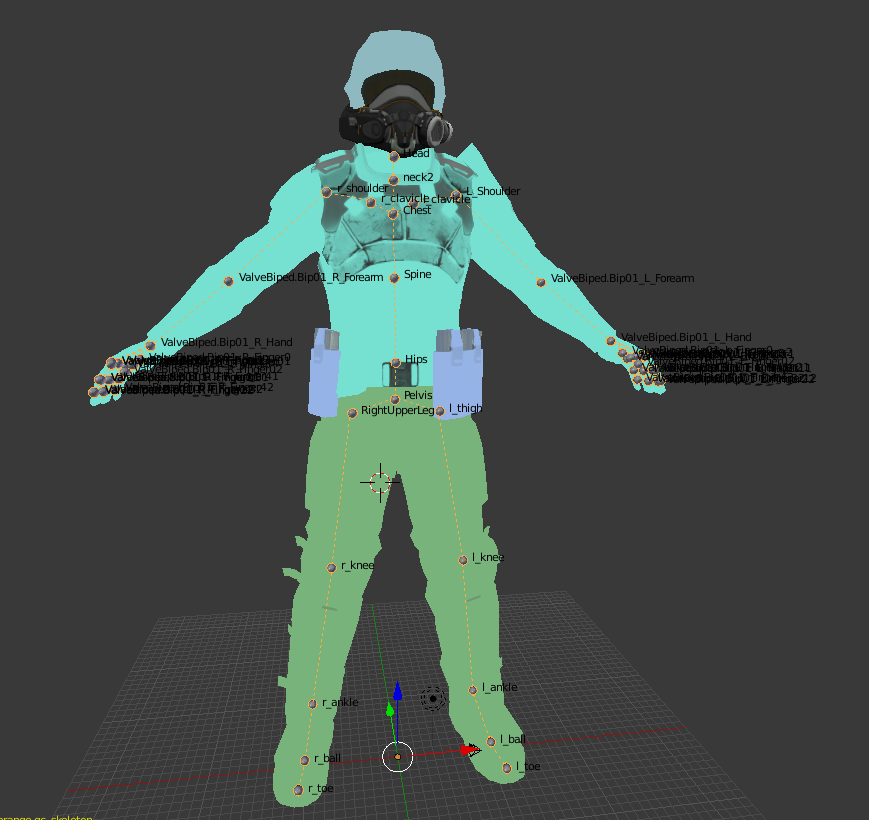
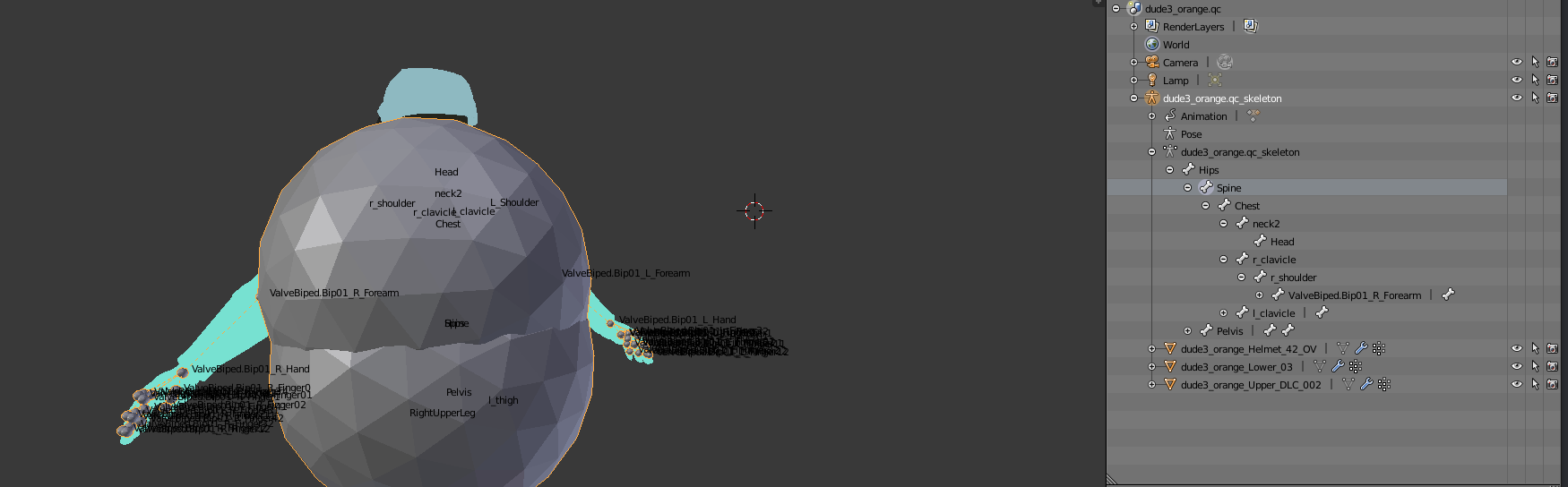
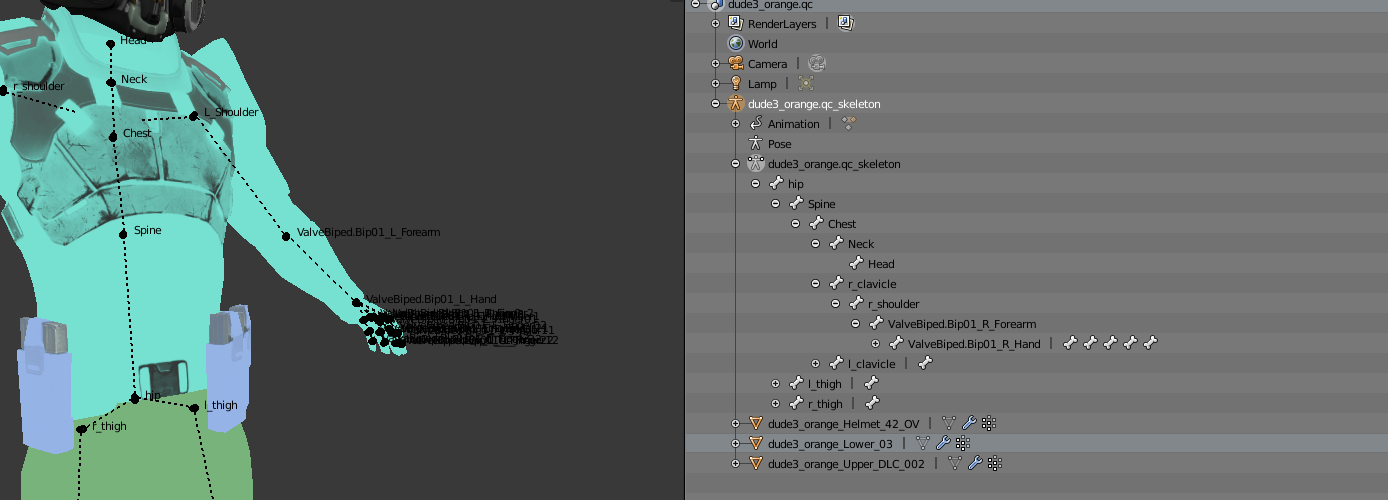

 kindred bay
brb getting the rope
 heavy barn
lol
kindred bay
he looks just a TAD less brok but i cant go any further
 fossil moon
hey my mans, i started rigging an avatar but i've faced alot of problems with it. Actually it doesnt seem to be that hard, but i definitely need help with it. I would say that 8/10 of the work is already done, so if anyone has probably about 20 minutes time, please dm me so i can send you my prepared file. TY in advance