#avatar-rigging
1 messages · Page 34 of 1
 fading verge
Oh sorry.
 signal crane
@crisp tendon I imported bones from another model, and its the same issues
and that other model has it working :x
 crisp tendon
Check the hierarchy then ?
You can also stretch the bone or move it to see if the mesh moves with it
signal crane
moves and stretches with it
comparison between the 2 models that..are otherwise pretty much alike
crisp tendon
So it is a weight paint problem ?
signal crane
weight paint looks the same too
crisp tendon
one stretches to the end of the bone, the other one doesn't
signal crane
yea but the weight paint strength looks the same, just that somehow the right version doesnt care about the previous bone
 valid junco
this spine hierarchy shit it pissing me off, it's happened to the last 4 models i've tried and i can't fucking fix it
valid junco
apparently the spine hierarchy is wrong
crisp tendon
If the error says so yeah, but you can fix that
valid junco
how? last four models had it happen
crisp tendon
@signal crane One of the bone might be rotated 90° to the right, and that why it bends the finger mesh that way on unity ?
crisp tendon
@valid junco Did you not check the video for common bone rigging issues ?
signal crane
what if the bone sticks out?
crisp tendon
of the mesh ? Probably not good for weight paint
valid junco
i give up, fuck these models wtf
signal crane
no idea o-o
crisp tendon
Can i look at the second fbx that's messed up ?
signal crane
one sec
valid junco
does anyone know why nearly every model does this?
signal crane
i figured it out actually, cause you mentioned rotation is off
its the positioning
i moved it further back and it rotates more naturally now
Thank you @crisp tendon any hint btw on getting those bones into the correct position or is it just trial n error
crisp tendon
It's like a human finger, the three phalanx are almost the same size
it's like 100% 90% 80%
You can find pictures of human hand skeleton
That's what you should attempt to get in you model
at least that's what i did and it worked perfectly well
signal crane
hmm
maybe ill jsut be cheap
and copy over bones from other models of the same type
n then merge
 near tartan
is it possible to make it so you can draw a sword with kbm controls
near tartan
dang ok
crisp tendon
@signal crane You're welcome, merry christmas !
valid junco
-> why does it have to be so hard
 glacial spade
hey guys there mind if i ask how can i fix red arm i got a mmd model from devianart and tryed to edit him in blender he looks fine but in unity eveyrything is messed up and his left arm is red
crisp tendon
Is that a C3PO model ?
glacial spade
uh where can i see it?
crisp tendon
You probably didn't recognize him because of the red arm
glacial spade
......... pls im not into jokes atm i've been trying to fix this in 5 hrs
and part of his skin is showing
crisp tendon
Well click on enforce t-pose then
glacial spade
at the pants
crisp tendon
Oh man you didn't use cat's plugin again ?
glacial spade
i did
crisp tendon
It's not translated so no
crisp tendon
It's not just "fix model" there's a lot of stuff to do with cat's plugin
crisp tendon
Watch Tupper's video on cat's plugin
glacial spade
should i FIRST remove the rig bones and joints?
crisp tendon
Why would you do that ?
 forest crane
@signal crane 
crisp tendon
The video is 28 minutes long
glacial spade
wait
crisp tendon

Today we'll be going over Cat's Blender Plugin, an amazing Blender script that will save you TONS of time with your armature, visemes, eye tracking, and text...
25 actually
forest crane
enjoy this tutorial
glacial spade

PLEASE READ THIS: Do not use PMXEditor to translate anymore! Use Cat's Blender tool! https://www.youtube.com/watch?v=0gu0kEj2xwA MMD_TOOLS UPDATE: https://ww...
 desert maple
With this i just have to move upper to middle and then middle to lower correct?
crisp tendon
remove upper chest pls
desert maple
So i have but then i get another error .-.
crisp tendon
what's the other error ?
forest crane
@crisp tendon such good meme ruined
crisp tendon
@forest crane Yo, but was my star wars joke good or not
That's like one in a millenium
forest crane
yah was good
crisp tendon

glacial spade
should i ignore the 48 min one and go to 25 one?
crisp tendon
If you have an MMD yes
desert maple
Spine hiearachy missing elements make sure that pelvis,spine,chest,neck and shoulders are mapped
crisp tendon
Ok so map those
glacial spade
should i uncheck physics and display?
crisp tendon
That i have no idea, the folks at #avatars-mmd might be able to help
desert maple
The error mini game of Unity is great fun.
 abstract musk
ah
so i fixed my offset issue
but what would be causing this
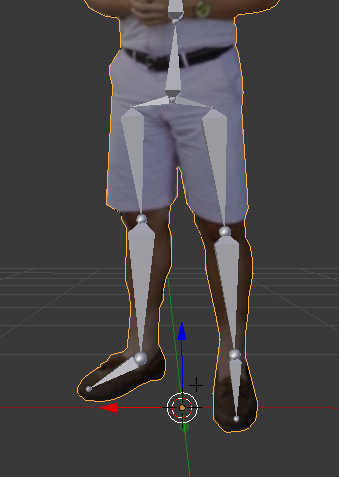
these are the leg bones
 crisp tendon
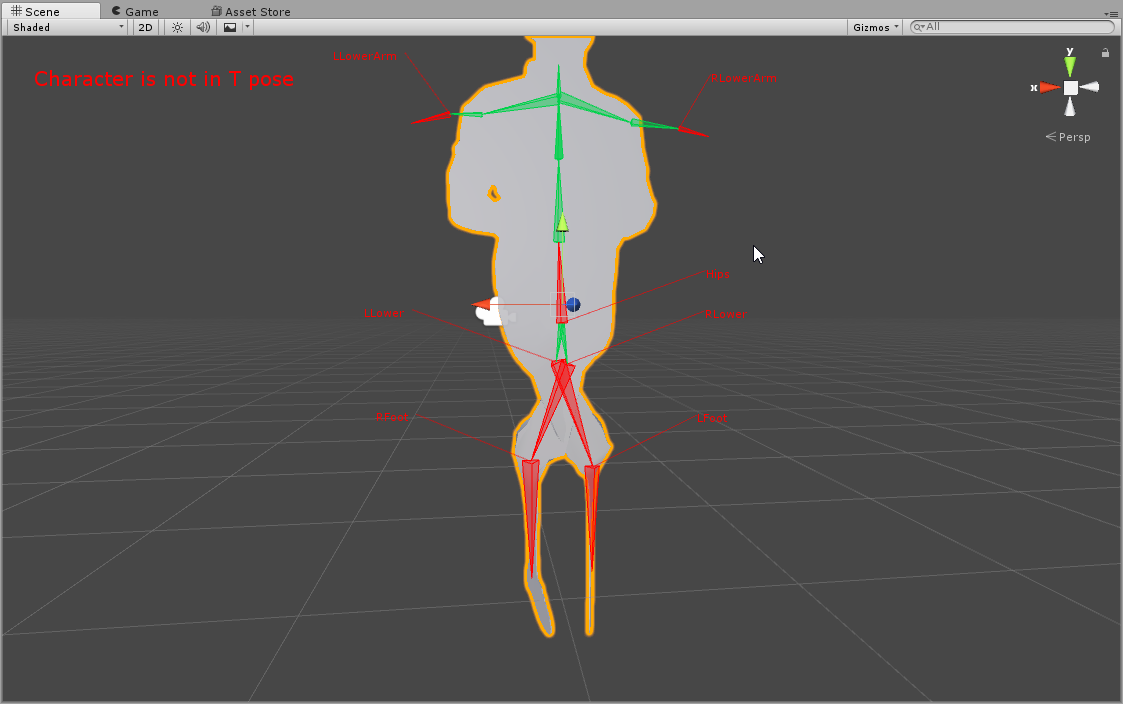
Force t-pose first
 crisp tendon
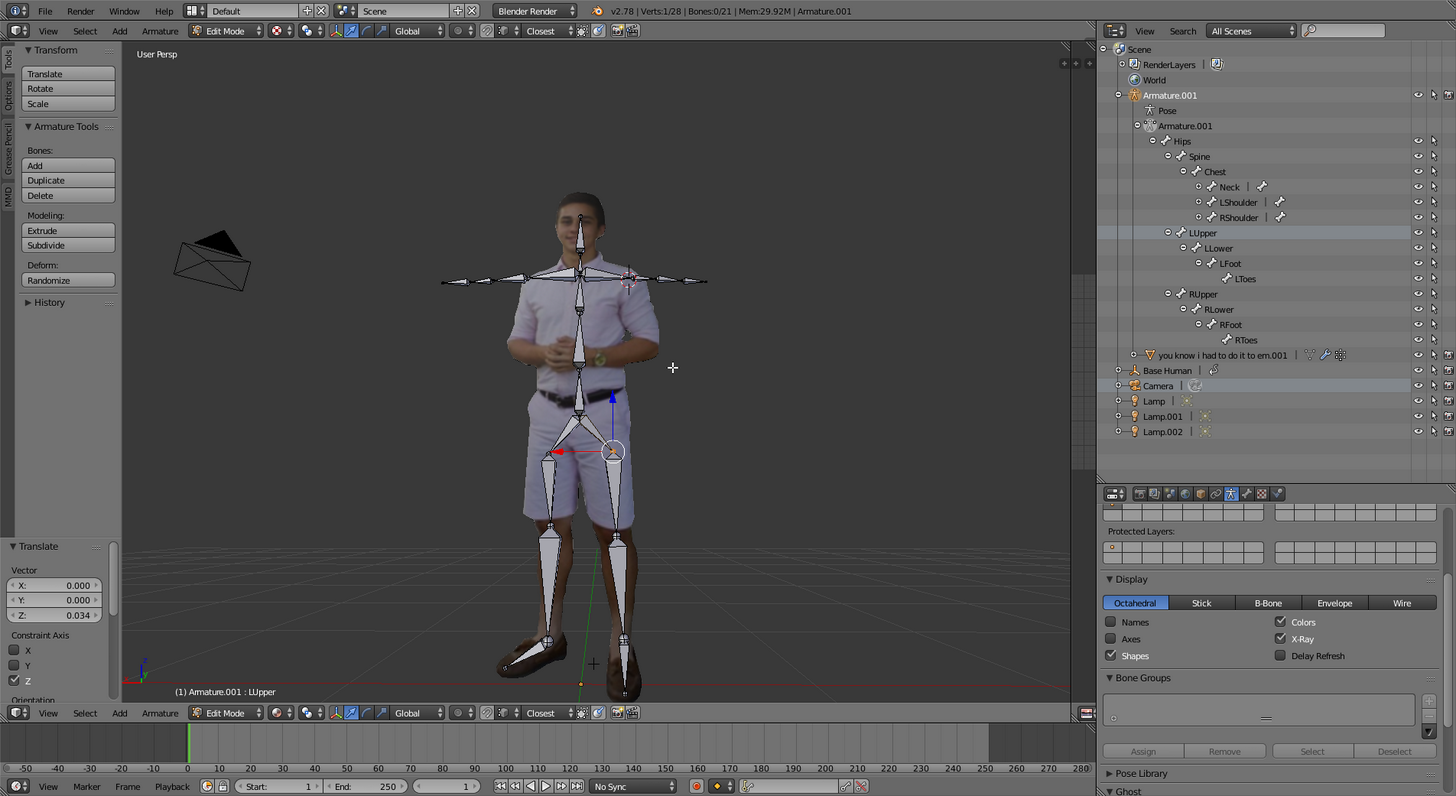
it always looks good in blender lol
abstract musk
also for some reason its reversed in unity
wait
nvm
ok
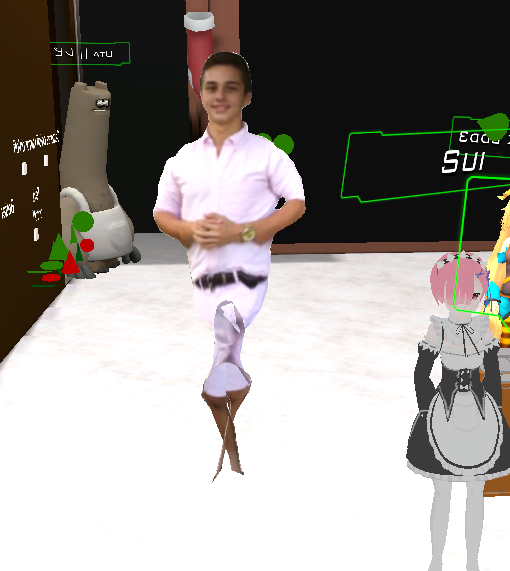
i put it into a t pose but the legs still cross for some reason
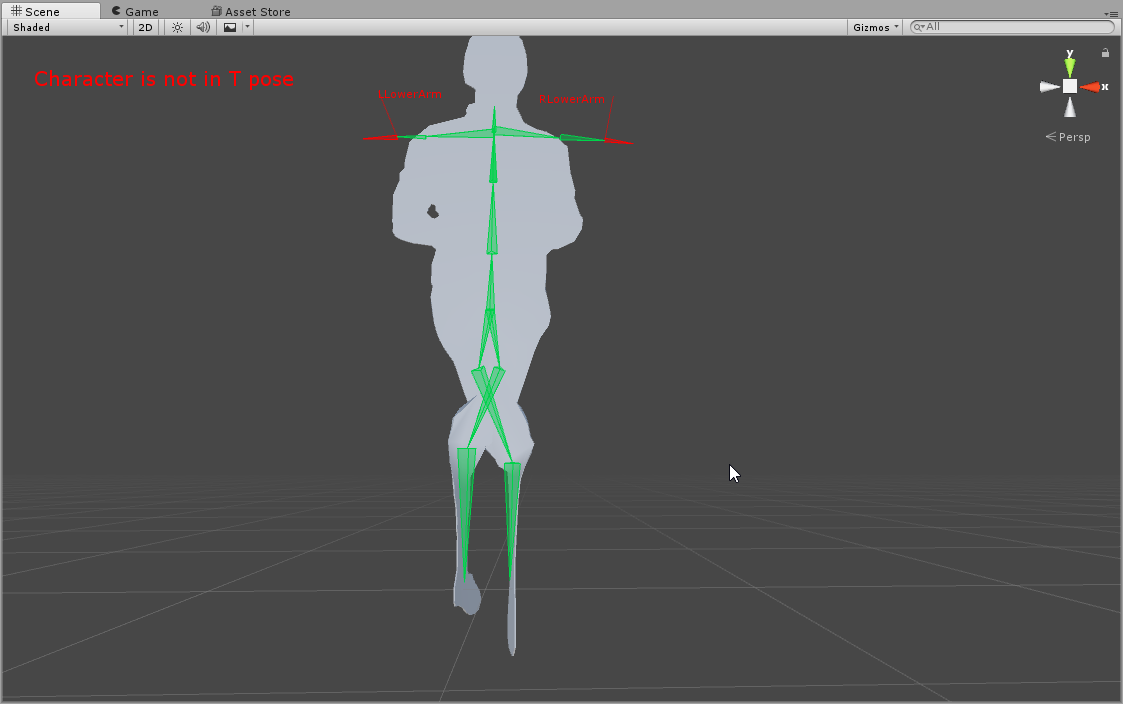 desert maple
I have completed my first rigging of my model and it's now working \o/
I knew about removing upper chest but i had no clue my neck wasn't mapped .-.
 limber prawn
anyone know why a model floats up when it walks?
 willow heath
Hello. I've got a problem with rigging a model:
I tried to fix it with adding chest bone, but it;s seemed I choose the wrong one.
 safe bluff
Chest is Waist Upper 2
willow heath
I tried but it didn't help
safe bluff
Shoulders should be Left Shoulders P and Right Shoulder something
Basically the one above the one you currently have
So you see how your Left Shoulder is set to the blue one? Set it to the red one instead, do the same for the right shoulder
willow heath
Ty, I'll try it now
safe bluff
Also for future reference just use the CATS tool, fixes everything automatically
safe bluff
No problem, check this out for next time you use an MMD https://www.youtube.com/watch?v=0gu0kEj2xwA
Today we'll be going over Cat's Blender Plugin, an amazing Blender script that will save you TONS of time with your armature, visemes, eye tracking, and text...
Make sure not to translate with PMXEditor if you do this, it'll break automatic rig fixing
willow heath
I think it will be really helpful with some models, thx.
 smoky wadi
Hey so quick blender question i have been working on rigging a model for the past 10 hours and i saved the blender file on my desktop but when i opened it again the whole toolbar on the right is no longer there any ideas why?
safe bluff
Press Shift+Space
 fleet echo
just hit T
safe bluff
T is for left side no?
fleet echo
T for left and N for right
safe bluff
Cheers, didn't know about N
smoky wadi
Ok thx
Alright ive ran into another problem sorry i just starting rigging yesterday so still pretty new but when i extruded from a joint while i was trying to make the leg mesh it made new joints but this has not happend anywhere else so far any ideas why?
if you need screenshots i have some
fading verge
I need help with my rig big time
is anyone who can help me fix this mess available?
 unborn atlas
I'm tring to make my 1st avatar, I've managed to pir a model and texture from a game, after a while of googling I've figured out how to make bones on Blender, after matching all the bones the the right places on the model I've saved it to a FBX file and opened it on Unity, and now that I open the bones mapping it's like that.. What did I miss?
Yup
I'm pretty sure I've missed a step.. xD
Read the text
 naive tree
@unborn atlas you didn't weight the bones to mesh, seems so
unborn atlas
I can't seem to see or edit the bones on Blender again
How do I get back to the thing?
naive tree
press alt + h
in case you hid them by accident
@unborn atlas https://www.youtube.com/watch?v=Tl4qTgwQwYw

Quick intro and guide to skinning/weight painting. this video is meant for those with a basic understanding of Blender
unborn atlas
@naive tree Do I need to actually bind the bones to the model in any sort, or is just dumping the bones there is enough..?
 cold lichen
@wanton shore You can add "unused" boned between the ones you have. The humanoid rig needs to have a bone for each slot in the correct order, other than toes and upper chest, even if it's not weighted to anything.
You just click the little dot to the right to select which bone is being used in each slot.
@unborn atlas Either select the mesh then armature, press ctrl+P to parent them, or In the object section (little orange cube icon) you can do it in the relationship section
Weighted and parented should be all you need.
unborn atlas
Guess the part I missed was to do generate the thing and make it a part of the model, as is showen here...:
https://youtu.be/dYiAd_08-0k?t=13m50s

Discover how easy it is to rig your bipedal character with Rigify: https://cgcookie.com/tutorial/quick-rigging-with-rigify
Not gonna do that right now though.. XD
Thanks for the help guys!
Guess I'll just start over tomorrow XD
 west crest
is it possible to quickly add a jaw flap bone to a model or is it a whole ordeal?
 lucid sapphire
anyone know why my changes in rigging arent saved after i apply and click done?
i just had to reparent the legs to the pelvis, but it wont save the changes
 nocturne flume
does anyone know how to keep the feet from stretching because of them being together?
naive tree
@nocturne flume when u move one foot, the mesh from other follows it?
naive tree
weight paint problem
 onyx matrix
nocturne flume
onyx matrix
nocturne flume
I'm not sure how to do that as it's my first time in unity
naive tree
that's in blender
nocturne flume
How can I bring up the weight paint tool? It says ctrl+tab but that brings up pose tools
 flint umbra
You've got to select the mesh
nocturne flume
Oh, I was on the bones
 lucid anchor
hey i am looking for someone to rig a model for me
flint umbra
Blue for the stuff that you don't want to move with that bone
flint umbra
Yeah. You're going to want to move those meshes (in edit mode) that have clipped into the other foot too and then paint that red as well
nocturne flume
I think I'm making it worse now lol

 nocturne flume
Okay found it
naive tree
u can also move your leg like 40 degrees to side and see what sticks to ground or comes with it
then select ankle and pait stuff red
 manic warren
how do you do vertex paint
naive tree
 naive tree
then u brush the sticky part red
manic warren
i did a while ago but i forgot a simple thing
nocturne flume
manic warren
how to get to the vertex selector
naive tree
@nocturne flume needs to be red
naive tree
@nocturne flume 2nd screenshot was to show what is your situation most likely
nocturne flume
So like this?
nocturne flume
I'm not really following, I painted it all red but it still stretches
nocturne flume
This is what mixamo gave me after auto rig
I can give the original before that if you need it
nocturne flume
Move faces?
nocturne flume
Okay
 pliant acorn
hey im having an issue cats says the hips arent being found in the hiearchy how do i correct this
manic warren
make a hips
pliant acorn
how do I go about this ive never had to add or edit the bones
manic warren
uhhh
its easier if you rigged it yourself but adding a bone in is harder
@robust field i rigged the godzilla
 fading hazel
manic warren
fading hazel
manic warren
have you clicked on select and rigged as humanoid
fading hazel
yes 😃
manic warren
something must be missing
fading hazel
a little over 3 feet tall as well
fading hazel
hmmm
manic warren
did u select the head and neck as well
 gilded hawk
i believe so
manic warren
i meant starr
fading hazel
i dont think so
manic warren
i have no idea what that green thing is
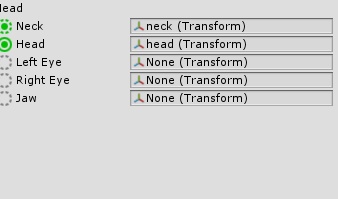 fading hazel
oh how do i open that panel again its been awhile
last time i did rigging was for imvu


 robust field
@manic warren hi
fading hazel
sweet thank you!
manic warren
do you know how to upload the character @robust field
manic warren
manic warren
lol all i got
 wanton shore
@manic warren hey Prav do you know much about rigging non humanoid models?
manic warren
why cant i just send a folder
manic warren
did you do those bones yourself?
manic warren
@robust field ford wait dont use that file its the wrong one
 orchid rapids
Is this the place to ask about rigging issues?
manic warren
yea
manic warren
also johnny thats because the wrong bones are selected
yea your avatar is missing bones
@orchid rapids
manic warren
check head
orchid rapids
?
I thought with everything being green it would be fine
I don't know what either error message is asking for, they're both the same models I've just been experimenting
I think the one that actually says Link I adjusted the neck for
wanton shore
yea the bones are all mixed up but some of the required bones like Spine don't seem to be here
or hips
orchid rapids
Alright now its asking for a scene descriptor
Which I then use the avatar descriptor
and then get this
orchid rapids
I feel bad for constantly asking, i'm just legitimately confused
Cause they're there, no?
smoky wadi
Will not let me remove the Vrchat example avatar help pls
manic warren
its fine it happend to me too
well you messed up
you added the model in the same scene as the example
you should just be able to right click and remove scene on the left side
but you made example avatar the scene
fading hazel
hmm i exported it and it went well but i dont see it in game
manic warren
might take a while idk
fading hazel
ahh kk
smoky wadi
Oh so do i need to make basically another layer or....
manic warren
i mean it says ankle so that might not be the right bone
could be a bone named foot
gon basically you need another scene
smoky wadi
Ok ill see
manic warren
that guitar might be a pain
probably attach it to the chest so it moves with the chest or something
manic warren
lol
smoky wadi
Whenever i do new scene and add example 1 scene from VRchat folder the original scene is deleted
manic warren
you can just start clean with the model and rig it yourself
wanton shore
yea might as well learn
 manic warren
it doesnt need bones
manic warren
it just needs to be designated to a bone
 crystal vector
New Cats update 0.4.1 released! Happy holidays everyone! 🤶 🎄
This update contains some important bugfixes and internal improvements. More to come in the future!
Changelog
- Added: Model: More models are now compatible (if not please report it to us)
- Added: Translations: Now shows how many objects were translated
- Added: Model: New notification when mmd_tools is not installed/enabled
- Fixed: Model: Joining meshes causes models to be decimated weirdly
- Fixed: Model: Rigidbodies and joints not getting deleted
- Fixed: Visemes: Shape keys getting wrongly renamed to name + "_old"
- Fixed: UI: Improved some loading bars
- Fixed: Other bugs
Update with the build-in updater or download it from here: https://vrcat.club/threads/cats-blender-plugin.6/

VRCat: Community-Run VRChat Forums
Cats Blender Plugin (0.4.0)
A tool designed to shorten steps needed to import and optimize MMD models into VRChat
[IMG]
Features
Optimizing armature...
manic warren
and it will move with that bone and all of the vertices designated to it
wanton shore
hm
smoky wadi
I figured out the scene thing thx for the help
wanton shore
that may be weird
manic warren
Added: Model: More models are now compatible (if not please report it to us)
???? how would we know
smoky wadi
Xd
crystal vector
@manic warren If you get any error with your model or if something doesn't work right
manic warren
I mean there could just be a model that never works
orchid rapids
I've been trying a lot of combinations with what was established, maybe it'd be better to start from scratch?
manic warren
if you know how to do it or are willing to learn it then go for it
i learned it in like 1 night
wanton shore
probably save this for tomorrow then, not sure I can get into building bones tonight lol
manic warren
where did you get that model
manic warren
alright ill try to use it and see what happends
wanton shore
mmk
seems like it would be a good model to learn on anyways
especially if the guitar can be hidden
manic warren
hidden like being able to pull it out?
wanton shore
well on the page it says "you can also hide the guitar from view"
not sure how to go about doing that but
manic warren
so you want to run around as him without the guitar?
wanton shore
of course not
lol
for learning purposes it would be easier
gotta have the guitar
manic warren
we can just segment the upper arm in 2
and segment chest into 3 and make it spine to chest to neck
manic warren
yea
wanton shore
did you rename that?
manic warren
no im just saying upper arm cause thats what it supposed to be
wanton shore
gotcha
manic warren
but i understand why its 1 because thats where the arm starts
the only problem is that he doesnt really have shoulders
manic warren
are you able to get xray of all of the bones
wanton shore
think so
manic warren
nevermind i also got it
i forgot how to split something in blender
nevermind found it
manic warren
hold on im gonna finish my model real quick
smoky wadi
Im assuming im going to need to make the bonestructure of the fingers for VR chat correct?
wanton shore
yea you're fine, I'm watching some rigging stuff
manic warren
you dont have to do fingers if you dont want them
you need fingers only if you want them
orchid rapids
I just redid all the bones and I'm still getting the same error
lucid sapphire
@orchid rapids I had that same error before, but it was finicky because if I messed around enough it went away for no reason. i don't know how to do that again, however. but i'm pretty sure unity is just being dumb
orchid rapids
God...
smoky wadi
I tried weight painting my model without the auto and jesus is it a monstrosity XD
Im saving it just to mess with it later because it cracks me up everytime
orchid rapids
This is what I have after redoing them
they probably aren't right cause I couldn't get the bones in the hands to work
fading verge
i need some help on making the mouth move
orchid rapids
orchid rapids
Why is it listed as optional
manic warren
well it isnt optional for vr chat
lucid sapphire
can you look at mine?
https://imgur.com/a/4zvVx

im wondering if the root ground has anything to do with the error?
manic warren
does it have a neck
lucid sapphire
@manic warren I made the neck lower neck, and the head the upper neck. it seemed to make the prob go away so i can build the avatar finally. i'll see how it looks in-game
robust field
@fading verge wanna see them?
orchid rapids
What I think is weird is that even after I map new things that fit none of the error messages change
orchid rapids
Its always upper arms feet head
Is it normal for the error message to change when I go to edit bones?
orchid rapids
But the VRC descriptor is already added
manic warren
yes but when you go to rigging the model isnt selected
it means nothing dont worry about it
lucid sapphire
@manic warren it's actually functional for once! the only probs i see, are that the mouth doesn't move, and that the neck kinda giraffes away (a small bit) if i look around. i know this by looking at the mirror. not sure if that's normal tho
https://imgur.com/a/4zvVx
 manic warren
yea the mouth bones probably arent selected correctly
fading verge
anything i could do here?
if i force the rig to a t pose, then the sword would face the wrong direction..
lucid sapphire
try t-posing it anyways. for me, it didnt always move the actual person
lucid sapphire
save before you do that though
fading verge
did
lucid sapphire
for safety measures
fading verge
alright thanks
lucid sapphire
did it work?
lucid sapphire
oh cool
fading verge
lucid sapphire
ouch
lucid sapphire
huh
fading verge
i dont know why
the left shoulder
doesnt have a bone sticking out
like the right
the left arm is fine
just the right one looks weird
orchid rapids
I decided to work on another model
And its telling me one arm isn't the child of another
but it is, and won't work any other way
orchid rapids
No?
fading verge
wait take a screenshot

 orchid rapids
fading verge
orchid rapids
fading verge
and you should probably reduce the polygons there
orchid rapids
Its low enough
 lucid orbit
@orchid rapids Uncheck that Link GF, whatever it is?
orchid rapids
Wait
...that was it?
THATS ALL IT WAS? I THOUGHT THEY WERE SEEN AS DIFFERENT OBJECTS
GOD BLESS YOU
BUT GODAMMIT
fading verge
🤔
orchid rapids
Well its working now
Thank you very much
I'm going to ditch the other Link I was trying to make..
 summer wren
So when i open the worlds/social/avatar menu
my character just flies off
no idea why lol
wanton shore
any news? im having some difficulties still @manic warren
summer wren
Can anyone help me with dynamic bones?
lucid sapphire
@fading verge Maybe fix the other shoulder bone in blender?
fading verge
hm
summer wren
It works fine at first but it starts glitching out at some point
fading verge
here let me show
summer wren
Also my character is behind me in the air when i open the worlds/avatar menu
fading verge
the right is fine
the left is not
even though they're like the same
im gonna reparent them again
lucid sapphire
huh
fading verge
here let me just
lucid sapphire
yeah, just fix those bones up man
lucid sapphire
i had to reparent my two legs to my pevlis for my model in blender, for example.
fading verge
ah
lucid sapphire
unity doesnt like you doing certain things like that
fading verge
mhm
summer wren
"The angle between pelvis and thigh bone should be close to 180 degrees (this avatar's angle is 90,)"
fading verge
So im using Unity (The 5.6.3p1 ) and i left the upper chest blank but i still cant upload the Model. Anyone can help in what i need to do ? It`s saying "Spine hierarchy incorrect,Make sure that the parent of both Shoulders and the Neck is the Chest".
OH
lucid sapphire
@summer wren that's pretty weird.
fading verge
ffs
 teal echo
Anyone here has the ooka miko model for unity to pass me by?
fading verge
now the shoulder bone isnt shown
what in the fuck
lucid sapphire
welcome to the emotional rollercoaster known as vrchat modeling
lucid sapphire
i've been working on my current one since yesterday
i've only now just gotten it to work
then i broke it
ughhh
lucid sapphire

summer wren
AAAAAAAAAAAAAAAH
I was gonna go sleep
But i cant till i fix this
oh btw how do you move the VRCCam
nvm found it
WHY DOES IT DO THAT
fading verge
do what?
summer wren
Why does my character teleport some distance once I open Worlds/Avatar/Social/System
summer wren
yes
my character is fine ingame
just when i open the bigger menus its like completely fucked up
it makes no sense
fading verge
odd
manic warren
@wanton shore still got problems with which bones?
lucid sapphire
weird
@manic warren any idea what to do to fix her mouth?
https://imgur.com/a/4zvVx
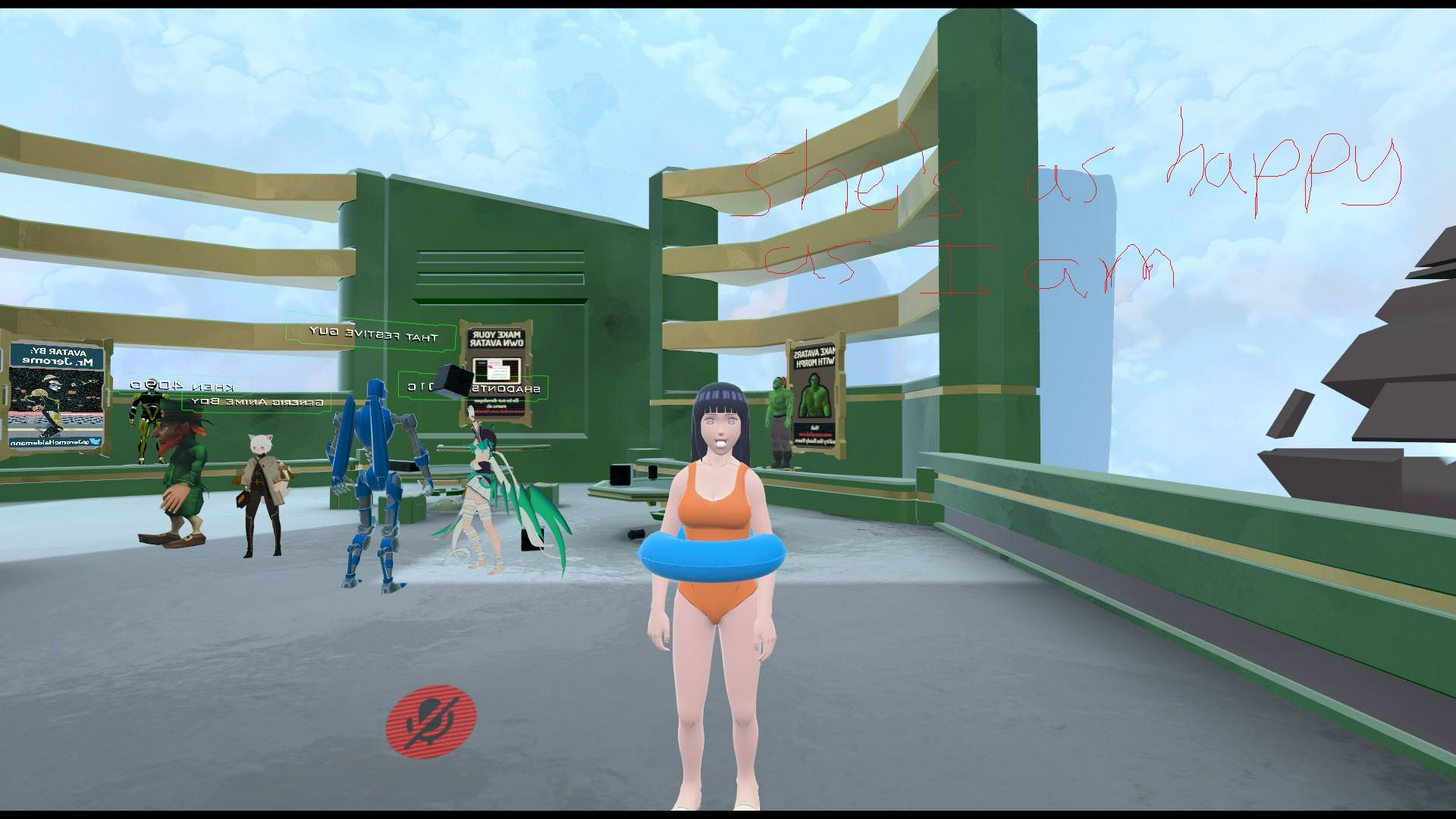 manic warren
i never did mouths but you just have to set all of the mouth bones
lucid sapphire
all of them?
safe bluff
Set jaw to none in Unity @lucid sapphire
lucid sapphire
@safe bluff
The jaw bone in Rigging, or in the VRChat SDK for lip sync?
safe bluff
Rigging and sdk
lucid sapphire
ok
fading verge
any way i could move them?
fading verge
im confused
safe bluff
Look up tutorial on YouTube
fading verge
i know what that is
do i have to do it in blender?
since i know blender can do that
safe bluff
Yeah
safe bluff
Pretty much to whatever you want it to folllow
Unless you're doing vr animation overrides
safe bluff
Should be whole thing
fading verge
ah
safe bluff
Painted to wrist or whatever
safe bluff
Separate mesh?
summer wren
this happens every time i open Worlds/Avatar/Social/System
lucid sapphire
@safe bluff Quick question. I removed the jaw like you said, so now it's closed, but it doesnt move when i talk. any quick solution?
safe bluff
Not recommended to use jaw flap anyways, you could create blend shapes from your jaw though
fading verge
@safe bluff so i did what you told me and
doesnt change
i cant join the sword and sheild bc that would fuck up the textures
safe bluff
No Reason why it should unless the uvmaps are different
If anything just wait for someone else to help I'm gonna sleep
 waxen crow
anyone else run into a problem where they added pinlights to their model, but they dont show up ingame in vrchat?
 onyx ivy
 oblique heron
You need to decimate/delete extra parts of the model in blender.
And a few bones in unity aren't mapped correctly.
fading verge
second error, fix the bones in the rig
desert maple
Avatar is short this probably shorter than you want but then if i increase the model scale by 0.1 i get "This avatar measures too large on at least on axis. It must be <5m on a side. .-.
How does one fix this >_<
fading verge
Go by 0.01s
 gilded schooner
Time to crack open a cold one and rig my first avatar :V
Well, attach it to the bones for VR chat that is.
fleet echo
@lucid sapphire remove the jawn bone in unity humaniod configure
lucid sapphire
@fleet echo I did
didnt help
well, it did, but it only closed the mouth
doesnt move
gilded schooner
Right, so, none of these tutorials regard uploading an avatar from Blender to Unity. Someone wanna help run me through the steps?
lucid sapphire
well
put the mesh into unity
go to xps tab on the far left
click on model to import it
and click the shadless button
then you go to "File" at the very top left, and export it as fbx
gilded schooner
Right, so, you're speaking tongues here. I don't have a 'XPS' tab or anything like that. Dunno even what filetype to save the rigged model in blender as.
lucid sapphire
in blender?
 modest thicket
fleet echo
modest thicket
fleet echo
@lucid sapphire https://www.youtube.com/watch?v=qdqbJm0BhOc make blendshape with the bone in the mouth
 gilded schooner
I got it in. It needed to be fbx or whatever it is
9.9 The problem is the rest of this.
desert maple
I was about to say yea it took me a few minutes to figure that out
Now i'm just having issues where i can't make my avatar tall
gilded schooner
I haven't touched unity in fucking ages, so it's to the point where I need to learn EVERYTHING, from the shortcuts to switch from scale, rotate and move mode
desert maple
Literally my model is at like scale 1 and 0.7 if i even increase it by 0.01 an error pops up and i'm still too small .-.
fading verge
Can you post all your scale values?
gilded schooner
9.9 Jesus all these tutorial videos are traaash..
They skip /everything/ or they rely on you using a default avatar
oblique heron
If it's a mmd model you can try https://www.youtube.com/watch?v=3wCQCQuWfpk

VRChat Custom Avatar tutorial: .pmx files / MMD files. Links: Blender: https://wiki.blender.org/index.php/Dev:Ref/Release_Notes/2.79 Cats: https://vrcat.club...
gilded schooner
MMD?
oblique heron
Miku Miku Dance models
gilded schooner
It's a custom I've made myself.

I
It's already gonna break a few normal constraints considering it only has 3 fingers, and I have NO clue if the bone heirarchy is correct or not
desert maple
@fading verge Give me a second i'm gonna try re-importing to see if it changes anything.
oblique heron
Ah I see
gilded schooner
And I already need to go back and do a simple smart unwrap and AO bake to give it some simple shadows.
desert maple
There's this one which is normal 1x1x1
then this one
@fading verge
Which one do i switch to get this error to go away
 exotic rapids
desert maple
exotic rapids
desert maple
Nope
i'll keep on going down
Like when i go down to even 0.08 the error still shows then "This avatar is short this is probably shorter than you want"
fading verge
You can still upload if it says that, try seeing what it looks like ingame and adjust after
desert maple
i got it to work i had to keep x at 0.8 and then Y and Z i could boost it up a little bit without distorting the model ^_^
 pseudo iron
I have this wierd bone sticking out of one of my flames on my model, it only comes out on my back right flame. i am using dynamic bones, can anyone help? http://steamcommunity.com/sharedfiles/filedetails/?id=1243110194

Steam Community: VRChat.
 stark bronze
Heyyy.. I can't figure this out / am dumb so can someone help me out. Unity tells me the usual hierarchy thing about pelvis, spine neck head. Does this look correct at all (imported model from .dae file)
 stark bronze
Hard to take a good screenshot because of cape bones. x_x
stark bronze
Is it bad if I don't have lower and upper leg in different sections like in the picture ^
fading verge
What fo you mean?
 dire mica
Does anyone know how to see which meshes a bone affects in blender?
fading verge
@dire mica Either move the bone or enter weight painting mode and select the bone
dire mica
Weight paint, gotcha
stark bronze
I subdivided my 2nd spine part to make up the chest(s). Then It let me upload it but it was in T-pose. Tried to re-attach the armature to the model/mesh, but it didn't work. Wat do
Now it doesn't recognize the stuff from the waist down.
dire mica
Is your avatar a human(oid)?
stark bronze
Yes.
dire mica
Was it an mmd model?
stark bronze
no.
stark bronze
It does see the bones under armature in Unity, but it isn't attached to the others. In Blender it shows the entire armature just fine.
gilded schooner
Right, so.
I need me some... Help. Mostly to the point where I'm willing to chuck a few bucks at someone to help me re-rig this hellhole of a mess.
fading verge
what model is it? @gilded schooner
dire mica
Does anyone know how to use a mesh (that is attached to bones) from another blend file
 tender canopy
how do i add bones in blender? need about 15 more bones
 harsh falcon
tender canopy
harsh falcon
tender canopy
no idea where to put those 15 bones
dire mica
Does that work If I want to replace/swap them?
I want to reset a mesh to the older version which has not yet been decimated
But bones should be the same
tender canopy
can 15 bones fit on the hair?
stark bronze
Why does it matter if my Humanoid rig has Upperchest mapped?
fading verge
hm
stark bronze
Is there a way to clear weights entirely off?
gilded schooner
I.. thought there was an option in blender to do that.
fading verge
anything i could do to fix this error?
dire mica
Change scale
fading verge
hm?
@dire mica change what scale?
"Your avatar is humanoid but its feet aren't specified!" got a fix?
Change the scale in file import section
as for humanoid... the error speaks for itself, set the things for feet
fading verge
@fading verge this?
yeah, change scale factor to something more reasonable, compare to official avatar for scaling
so...
what would i put..
fading verge
if i put any other number in, it'll fuck the scale up ^
hmm
not working..
oh nvm
 lucid isle
hallo im newb at rigging i have ears and a tail in place for my avatar i need bones for those yes?
if so how do?
fading verge
my custom avatar doesn't sit, what do i need to do to make him sit
crisp tendon
@fading verge He stays up on the seat ?
fading verge
i cant even sit down with him
i havent rigged it because i like it in tpose
and because rigging is too frustrating
crisp tendon
Then that's the reason lol
fading verge
yeah ive tried rigging but i just cannot comprehend
lucid isle
hi noob
dire mica
Does the cloth component and added rigidbodies/colliders work in VRChat?
crisp tendon
He'll stay in t-pose no matter what
lucid isle
dire mica
Heyo
fading verge
i'll try rig it then i guess
crisp tendon
@dire mica I believe they both do
dire mica
Moment of truth then
lucid isle
i think i can use those exrea unused folded ear bones for her current ears
fading verge
do all bones have to touch/connect?
lucid isle
nvm they went away when i clicked fix
dire mica
Argh cloths working but the movements are quite big
Does anyone know how I can fix this?
Increase collider size? Decrease max distance?
fading verge
Too much force. I would say increase the dampening
dire mica
Thanks, I'll give that a try
lucid isle
hmm ill figure out how to add bones after presants 😄
fading verge
anyone thats good with bones/rigging please dm me if you can help <3
fading verge
@dire mica Did it work?
dire mica
It did, I just botched my avatar however
I had to set the dampening pretty much near 1
fading verge
Wow. Try changing dampening to 0.2 and stiffness to 0.9
Let me just get a link. Its got some helpful values for clothes and stuff
@dire mica https://youtu.be/KywzhVH5o0Q

A Unity tutorial on how to use the dynamic bone plugin, which is available on the asset store here: https://www.assetstore.unity3d.com/#!/content/16743?aid=1...
Check the description
dire mica
Aight
dire mica
Feels like my head is slightly hunched over
 deep lynx
Any idea why my model disappears in blender when I hit Fix model on Cats blender plugin ?
crisp tendon
@deep lynx If there's not skeleton usually that's what happens
 crisp tendon
Uncheck "remove zero weight bones"
 signal frost
how do I lower his hands and cheeks?
crystal vector
@deep lynx I see an error there. Can you post a screenshot of that?
deep lynx
@crystal vector I already started on another model, if u want I can put it back into blender and send u the error?
I'd have to do it later though, going to sleep soon
 teal badge
I was wondering... When a model has a bone layout like Bip01 Pelvis> Bip01 Spine > Bip01 Spine1 > Bip01 Spine2, which bone should I merge?
crisp tendon
Two spines
teal badge
For this rig I'm looking at, it seems like the Spine bone is where Hips should go
crisp tendon
Usually the number 2 with one to make the chest
Pelvis is hips, spine 0 is spine, spine 1 and 2 are chest
If you think they correspond to something else you can always move them manually and change the weight painting
teal badge
I guess there's no definite rule, then
lucid isle
mk...so i wanna make the tail bone for my model
so i select the hips and extrude a bone from there?
im watching a tutorial but its a lil confusing xD
fading verge
so i'm stuck in an ever lasting T-pose. not sure how to fix this. to summarize; i have skirt bones, base bones, hair bones, and a fox ear bone.
I got the mesh separated, and the bones are together and groupped in a hierarchy, but im not sure exactly what im doing.
dire mica
Set to humanoid?
fading verge
yeah humanoid, female, even forced t-pose and such. i think its something i gotta do up in blender
i gotta work at 3m its 12 so im taking a 2hour nap.
if anyone has suggestions, pm me or @ me and i'll run through them when im home
lucid isle
ok so now i know how to make bones
how do i get cats to not remove the ones i make for my models ears and tail
crystal vector
@lucid isle Disable delete zero weight bones
lucid isle
ohhh ok
ok so i applied fix now all i need to know is how to get the silly faces
though i prolly need vr for those
crystal vector
Yup
 dreamy latch
how do i see the VRC avatar descriptor? ive added the component but it seems to be invisible in unity
 cloud field
Can I just fix this problem by rotating the fingers? THey only bend back If I open my hand in VRChat.
lucid sapphire
could anyone possibly spot me with the dynamic bones asset?
or does anyone know if Cloth works just as well, since that's free
nvm, i'm good
cloud field
@lucid sapphire I can do it later because I'm not home at the moment. (Don't know if we can talk about this on VR chat discord though. Whoops...).
lucid sapphire
@cloud field Naw, it's good man. Got it figured out. Thanks for the offer though!
fleet echo
@snow knot best way to fix finger is relabel bone in blender as real finger name
R thumb R thumb02 R thumb03
each finger have there finger would be call
unity will mapping werid spot if there werid name on them
lucid sapphire
@fleet echo Oh, hey Jazneo. I followed your video for the A and F key shapes for the mouth. Is it completely necessary to do the other vowels?
fleet echo
@lucid sapphire well dont need to do that anymore when cat plugin
can make them
it create all the visime shape for you
lucid sapphire
oh
fleet echo
 low river
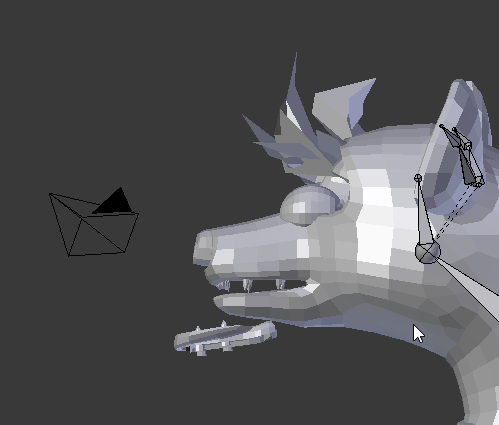
Ok so
When I rig this going off of the tutorial, part of the mouth doesnt get joined or something
 teal echo
Does anybody have ooka miko on fbx?
 warm tangle
Anyone know how to solve "transform 'spine' is not an ancestor of 'L shoulder'"? Everything checks out as green in rigging.
 fair bone
Do you have it set to humanoid?
low river
I have no idea what the hells with this

 crisp tendon
you can disconnect them in blender
 loud zenith
but im not sure
like what the problem is
it doesnt show it in blender
other then a line going from her hip to her hat
like a dotted line
crisp tendon
the line is the connexion
loud zenith
ahh okay
crisp tendon
ct*
loud zenith
how do i disconnect it
lucid isle
ok not sure if rigging issue but uhh my avatars antlers and ears are floating to the back of her head in game
how would i go about fixing that
 polar blaze
https://gyazo.com/3dc7a4db02b353a8e438bbb0839d5443 can't figure out how to fix this 🤔

wait wrong ss
that one
 sick sleet
First time making a character... the build control panel says "Spine hierarchy missing elements, make sure that Pelvis, Spine, Chest, Neck and Shoulders are mapped" i dont known what to do exactly, what i should i do then?
 karmic rune
@polar blaze the bone mapped to lower arm should be the first bone under upper arm.
Under the armature in unity
Same deal with the wrist bone too
polar blaze

 eager lion
Any Idea how this happend
 winter basin


 polar blaze
hmm didn't fix the message
dire mica
Anyone know how I can fix hands going through each other when doing the clap emote?
karmic rune
@polar blaze first bone under right arm should be elbow, first bone under right elbow should be wrist. The twist bones aren't needed, if you want to go back into blender and remove them.
lucid isle
ima have to figure it out my self arent i
 dull totem
I want a 2b model
polar blaze
how do i delete them in blender 🤔
polar blaze
yeah
lucid isle
ok dm me rq
sooo
im on my own?
cuz if thats the case it wont be worth my time trying to fix it cuz i know ill screw it up worse then it is
karmic rune
@polar blaze they'll be under the armature in the same location (under right arm). You don't have to delete if you don't want to, but if you have to go back to blender at any point with it you can remove them then. For the meantime, you can just drag the right elbow above the twist bone, and the same with the wrist bone.
 exotic stump
Do I need to do something special with rigging for VR tracking?
polar blaze
what's the issue?
lucid isle
polar blaze
not sure if i'll be any help tho 👀
lucid isle
and her ears/antlers keep floating to the back of her head
been having this issue all day added bones weightpainted the things
nothings worked
and now shes leaning foreward
and idk how to fix any of these issues
polar blaze
ah that's like way out of my knowledge :x
lucid isle
yeah
and i think ppl are just tired of my constant questions
which is understandable
but i dont want this turning into another chara
polar blaze
well at least i got tarkus model to work 🤔
manic warren
so who got a problem
polar blaze
cause like when i move the order of limbs it doesn't save or give me the option to apply
manic warren
did you rig that yourself
manic warren
you
lucid isle
no i didnt
i honestly dont know how it happened
all i was trying to do was get the antlers and ears to not float to the back of her head then that
lucid isle
originally yes then i was told to add bones and weightpaint it which i did and that didnt work
and now shes leaning forward
on top of it
manic warren
why would you need to add bones
lucid isle
iono thats what i was told to do
manic warren
do you want it to move? around
lucid isle
no...butthey just keep floating to the back of her head
manic warren
i think if you just attached it to the head bone it would be fine
lucid isle
i did
manic warren
and it still messed up
lucid isle
then in idle she would move but they wouldnt
theys just stay stayicin that spot
then when i moved theyd still float
manic warren
are you sure you assigned all of the vertices
i had a problem like that with wristbands once
and just assigned it to the lower arm and it worked
lucid isle
pretty sure i did
manic warren
strange
lucid isle
im not sure cus every time i ask how to check it no one answers
polar blaze
well just gonna upload it and see what happens lol
lucid isle
yeah i can double check to make sure but im fairly certain i did
manic warren
just check that its assigned to the head real quick
lucid isle
thats in the bone stack under armature right?
lucid isle
oh im in blender