#avatar-rigging
1 messages · Page 33 of 1
 lucid orbit
 junior wind
is it meant to stretch the spine bone to where the hips are?
 dire mica
There was a good video for the bones somewhere
lucid orbit
It's in the Pinned Messages in this channel. https://youtu.be/LrCCl_F9XNs
Here's a video on extremely common issues I see with bones and rigging setups, and ways to solve them. I cover: - Leaving Upper Chest Blank - Reparenting spi...
junior wind
that was easy. I just had to re-add the chest bone and that was it
 still lark
something is seriously broken, if the weights are blue it means there are no effects on it, right?
moving any bone in general really fucks it up
does it have to do with the character being made out of lots of meshes, am I supposed to merge them and then the weights will work ?
 fleet echo
need weight paint
lucid orbit
@still lark I have no solution for this other than to reload before you did the automatic weighting and just do it yourself.
fleet echo
weight paint not easy task
 fading verge
Can also just add those polygons into vert group
 real cairn
Could someone help with riggin, I have no clue what im doing :/
 safe bluff
@dire mica please don't just delete bones, use the CATS tool so nothing messes up
dire mica
Ah, I just left them alone
still lark
I think it's happening without any weight paint at all
real cairn
I mean, I kind of get that
But I have no clue as how to set this up, this is my first time.
fading verge
Looks set
Don't really need to mess with the rig in confit if you don't get any issues
Only if you have a wild bone setup really
real cairn
Don't I have to fix the gray ones?
fading verge
Upper chest isn't needed
real cairn
No but I mean the gray bones?
junior wind
hey Neen, do I need to edit bone rigging for the head? saying that hair pieces are the eyes
real cairn
Like the two in the legs and the ones in the hand
fading verge
Yeah that's something you'd fix in configure, Dragon
junior wind
darn...
lucid orbit
@real cairn You have a twist bone in your hand rigging there. Unless you've used Cat's Blender Plugin to Fix Model, that's usually a bad sign.
fading verge
Oh I didn't even look there lol
Did you set up your bones or did you use Cats
Those kind of error things are stuff you'd fix in blender, not the config. unless there's multiple similar named bones in the model
real cairn
No clue, I just used a addon for Blender that just said "mmd tools" and then did all the parenting and then exported it
junior wind
and apparently I don't have a jaw on this character... do I just disable it?
fading verge
Configure is basically for selecting key bones for animations. Pop the original in
Run it through Cats MMD Plugin
Cause you've probably got the dummy bones selected or something
lucid orbit
@real cairn You can run it through Cat's Blender Plugin, but make a save before you do so. Sometimes it messes up. https://youtu.be/0gu0kEj2xwA

Today we'll be going over Cat's Blender Plugin, an amazing Blender script that will save you TONS of time with your armature, visemes, eye tracking, and text...
fading verge
It's such a nice plugin even for non mmd stuff =w=
junior wind
aaand I broke unity trying to close it xD
real cairn
So can I just import the unity model that I was just using or should I just redo it?
fading verge
I'd start from scratch
fading verge
I wouldn't click the remove zero weight bones either, can have some weird results
But yeah fix model
Then you can go to translations tab and translate all the bones and meshes if you need to
Helps for if you have issues in Unity
junior wind
the eyes in unity aren't detecting the change I made in blender after re-exporting it and restarting unity...
got the parenting set up correctly in blender
and I've exported it twice now... but in unity it shows its still has neck as its parent
@fading verge @lucid orbit any help pls? also sorry to annoy you but its bugging me 😛
fading verge
Click on the eye l and eye r bones
Set their parents to Head
Or just drag them in Unity under the head
real cairn
Would anyone here know as to why when I export it, some things are removed?
fading verge
Oh that might be one of my packages lol
junior wind
and in blender its already set to have head as the parent
lucid orbit
@junior wind If you're trying to enable eyetracking, the names and the bone arrangement is incredibly strict.
junior wind
nope, I was told I had to fix the eyes
fading verge
Nah Unity isn't updating his heirarchy
junior wind
they were set to hair pieces
fading verge
I'd say just make sure the file you're putting in is the new export
lucid orbit
@junior wind You need to re-export and re-import your model.
fading verge
Delete out any fbx you have in the project
junior wind
RIP me
fading verge
And import it directly in
junior wind
I've been saving the exports to my backup folder xD
fading verge
Lmao it's the simple things that get you
Yeah that's one of my old assets my bad about the drag and drop misinfo. Forget sometimes
fading verge
Yeah not really required
dire mica
Do I need to keep the key shape Basis?
safe bluff
yes
dire mica
._.
safe bluff
unless you're deleting all the shapekeys in a mesh
dire mica
Well Basis is the only one left
safe bluff
then delete it
dire mica
Hmn
 sand path
how do you use mouth movements? o.o
safe bluff
create visemes
with mmd models you can use the cats tool to easily create them
although they can also be manually made by moving vertexes
sand path
how do you trigger them in game with desktop?
safe bluff
you just have to set them in Unity
then the mouth moves depending on what sounds you make
sand path
😮 oh ok, makes sense
dire mica
Can the model still be decimated if I want to keep the key shapes with that tool?
safe bluff
no but you shouldn't be decimating the face in the first place
 potent quarry
guize me needs halps
safe bluff
?
potent quarry
the inside of the cape turns transparent
safe bluff
need a double sided shader for that
safe bluff
Do you have outline on in Cubed shader
sand path
the fingers look completly fine in blender but on unity they get distorted, the rigging lookks fine as well, any ideas on how to fix this?
sand path
yeah im all out of ideas, might just go to sleap and try again tomorrow
junior wind
could fix it with rotate tool?
 drifting ledge
hi
 wraith dagger
What do you guys use for rigging up characters
im trying to use mixamo but im having some problems
still lark
Do i need to implement inverse kinematics on my rigs so they will work ?
safe bluff
whats the problem
wraith dagger
Spine hierarchy incorrect. Make sure that the parent of both the Shoulders and the Neck is the Chest.
I think its the way mixamo is auto rigging up my character
wraith dagger
omg thank you so much dude
 hazy gazelle
@fading verge Also, since it seems to be a rig related issue, maybe someone lurking here might be able to help
fading verge
@hazy gazelle God I hope so because I have no idea what I'm doing here
XD
What tab is the muscles one anyways, I'm lost in this program's tabs
hazy gazelle
It's in the bone configure
fading verge
Ah, okay
hazy gazelle
puts the model into a crouching posture
and then there's a bunch of sliders and toggles you can fiddle with to see how the stuff bends
 pseudo python
Possibly the shoulders are too close and/or rotated to inward
hazy gazelle
It's about the legs
pseudo python
oof
fading verge
But in the muscles tab she's doing a normal looking crouch
 hardy sonnet
hi I'm trying to adjust my avatar's height in the Unity. having issues while following the tutorials.
added the VRC_Avatar_Descriptor, changing View Position doesn't display the gray dot
 low river
@hazy gazelle yoooooo i found your avs the other day youre super good
hazy gazelle
Oh hai \o
low river
I can appreciate someone with a fine taste for yeens
hazy gazelle
\o/
hardy sonnet
@pseudo python what is the right scale for making my characther like lets say 1.10m
because I saw people adjusting "view position" in the tutorials
pseudo python
Ok
hardy sonnet
that doesnt work
pseudo python
What I do for seeing how big my character is
I import a 3D cube, they’re 1 meter/ ~3 feet
So you can just stack two to get the ~average model height
hazy gazelle
I guess find like some kind of height chart you can slap onto a cube and then size it up properly in unity and rescale the avatar to match?
fading verge
I have no goddamn idea how to fix these stanced out legs 😂
 civic kayak
theres a sample avatar in sdk
hazy gazelle
the view postion thing is basically where the avatars "camera" is at
low river
Yeah thats what i used to see how tall mine would be in comparison to the average
hazy gazelle
my avatars are short by default
hardy sonnet
@hazy gazelle I see, that should be important. But as I said, there's not gray dot that I can adjust and see if its in correct positition :\
low river
Theyre perfect i just like em ok
hazy gazelle
their 1. would prboably be like .5 the example model
Did you add the avatar descriptor?
The lil dot can be a bit of a pain to see since it's well.. basically the same color as everything else in unity
hardy sonnet
yes I have.
low river
The gray dot also may be stuck inside the model if its added
hazy gazelle
and being transparent and grey can kind of disappear when it's inside a model
civic kayak
look from the side and set the position to 0,0,0 then slowly increase it
low river
Yeah
hardy sonnet
lmao you're right. I saw the dot now.
 surreal basalt
Average height for viewpoint is 1.6 meters so you can keep it there and adjust the x y z scale if you want
hardy sonnet
is there a easy way how to add that 1m³ cube
that I am missing or
do I need to import that via downloading
pseudo python
GameObject, 3D models, cube
hardy sonnet
thanks, this is 1m³ by default right ?
pseudo python
Yes
 crisp tendon
hazy gazelle
crisp tendon
hazy gazelle
What I usually do for adjusting the character view is I'll change to the flat view from the side and zoom into the head
fading verge
I think I actually got it
I had to bring the legs in to a T, not out like the vitruvian man, that's where I was going wrong in blender
pseudo python
That’s genius! why didn’t I think of doing that
low river
The gray dot makes it look like the hyenas tiny eye
hazy gazelle
ya
fading verge
Hella, awesome.
Now I just have one more question
Why does part of her hair disappear in Unity but display in Blender
😂
hazy gazelle
have ya checked in the materials folder for her textures to see how those look?
fading verge
They seem to be only appearing from one angle actually...
The materials are set as usual
crisp tendon
@hardy sonnet the one about the arms
low river
The polygon one might be an issue but none of them are errors so it should still import
Or that
 crystal vector
@fading verge Use cubed shader and set outline mode to tinted
fading verge
That just makes the face look weird
crystal vector
Then reduce the line width
hardy sonnet
I dont know what wrong in that. hierarchy seems right to me :\
im a total newbie about this but still..
real cairn
Is dynamic bones what you need for hair flow?
crisp tendon
it says first child, the torsions are the first child, swap those@hardy sonnet
hazy gazelle
@fading verge OH, I think I might know
it's the normals
ya know how you can see through the models from the inside out?
low river
i dont know much about modelling either so dont worry
hazy gazelle
that string of hair is facing inward
crystal vector
@hardy sonnet Go back to Blender and use cats for that
hazy gazelle
so, you instead see through it from outside in
fading verge
That makes sense though
hazy gazelle
different type of normal
low river
I should learn how to 3d model
hazy gazelle
Back on blender, scroll down through the side bar in 3d view and looking for shading, and toggle backface culling
it will reveal all
crystal vector
@fading verge Doesn't add outline mode fix your problem?
hazy gazelle
fading verge
Yeah, backface culling reveals that my hairs are invisible
 craggy hemlock
Okay I have no clue how to set this up. How would I set up dummy bones? Got a model with no actual hands
fading verge
So I guess I'm gonna have to rebuild her from the ground up because I deleted "extra" hair not realizing some were culled and some weren't
At least now I know how to fix all the shit 😄
crystal vector
@fading verge How is she supposed to look like?
fading verge
@crystal vector like this
low river
Dang how do you even learn to model like that
fading verge
But with backface culling I can see how her hair is invisible like unity displays it
hazy gazelle
Was that question for me or ziy?
low river
You haha
hazy gazelle
Those shoulders seem oddly high up
crystal vector
@fading verge One thing you can try it's to set the rendering mode to opaque or cutout
low river
Ziy did you model yours?
low river
Hahaha i figured
hazy gazelle
low river
Stronk*
fading verge
yis
hazy gazelle
I used this for a visual reference when I started getting into making the body
oh, the link doesn't work in here
low river
And dang i should log on so i can bookmark it
hazy gazelle
crystal vector
@@fading verge One thing you can try it's to set the rendering mode to opaque or cutout
fading verge
I did Hotox
I think redoing her with an eye on the backface culling is my only solution
low river
So using Blender is a lot of bringing out blocks?
crystal vector
Mh ok try that then.
fading verge
I said I would go to bed 2 hours ago but now I'm going to redo an entire model import XD
hazy gazelle
Well, there's different ways to build models, I just seem to do well with the "blocking out" style
low river
Ahh i get ya
fading verge
Thanks so much for the help on this guys
hazy gazelle
Another method is making a high poly scuplt, and then rebuilding a lowpoly model over it
low river
If/when i make something itll be very blocky
hazy gazelle
aka, retopology
fading verge
I really really appreciate it
low river
Sounds complicated
hazy gazelle
dire mica
Question. If I only want to keep and use visemes, do I still need to keep the wireframe form of the face(animation override?)
hazy gazelle
Then they use the high poly scuplt to make stuff like the fancy bump map detail stuff that you often see
low river
Ahh. Ill probably start with the one you linked first. May try some today.
crystal vector
@dire mica Do you mean in Unity?
dire mica
No in blender
I've been told that you don;t want to decimate the face if you want to keep the key shapes and that the wireframe form(or however it's called) is for animation overriding
low river
Ahh this tutorials for Maya. The same principals apply to Blender i assume? Ive only messed around a bit in it
hazy gazelle
Ya, roughly
dire mica
Do I need the animation override for visemes?
hazy gazelle
like I said, mostly just used it for the visual reference of building up the body
you don't @dire mica
You can see the option for it in the avatar descriptor
crystal vector
@dire mica If you want visemes never decimate the face
hazy gazelle
Ya, blendshapes are very fragile
dire mica
But I like mauling faces 😛
low river
whats visemes im new to this stuff
dire mica
Aight thanks
crystal vector
@low river It's lip syncing
low river
Ooooh thats what it is
 gilded barn
question, if the hair on my model has bones, will it affect how it works for vrchat? like is it making unity not register it as humanoid?
hazy gazelle
[or shape keys as their named in blender]
dire mica
Visemes works even on desktop right?
low river
I mean, yeah
hazy gazelle
But ya, atleast in blender, if a model your tinkering with already has blendshapes, you gotta keep an eye on them if your altering the model otherwise they'll spike out [litertally]
crystal vector
@@dire mica yes
gilded barn
do i need to delete the bones in the hair ;w;'''
crystal vector
@gilded barn No, keep them
gilded barn
okok thankyou!
crystal vector
@gilded barn Why would you want to delete them 😄
hazy gazelle
If you aren't using the bones for anything, no harm in getting rid of the bones, makes the rig a bit more tidier \o/
gilded barn
idk, im having a problem where unity is saying my model isnt set to humanoid
low river
Debone em
gilded barn
thought maybe the extra bones were the problem
hazy gazelle
Just keep in mind, you'll need to redo weights to fill in for the now deleted bones
crystal vector
@gilded barn You have click on your model and in the upper right in the inspector set generic to humanoid
gilded barn
i did that but when i go to upload it, it still says its not set to humanoid
someone told me i needed to rename the bones to be more clear so im trying that rn
crystal vector
@gilded barn Is this a mmd model?
@gilded barn Simply renaming the bones won't do much
gilded barn
yeah its mmd
surreal basalt
Mmm try using the cats plugin then
crystal vector
Then use cats to rename all the bones
gilded barn
not sure what that is ;w;''
dire mica
Hm are key shapes attached to the entire mesh/object?
gilded barn
i just started all this like 3 days ago, not completely sure what im doing
crystal vector

VRCat: Community-Run VRChat Forums
Cats Blender Plugin (0.4.0)
A tool designed to shorten steps needed to import and optimize MMD models into VRChat
[IMG]
Features
Optimizing armature...
low river
That thumbnail icon
gilded barn
ty!!
hazy gazelle
Ya, mmd models have bones jammed into every nook and cranny considering it's made for animation stuff
a normal game won't need anything close to that many
low river
Yea wont a normal one only need.. like a good dozen?
hazy gazelle
Ya, and then a few extra for some simple dynamic bone stuff
Honestly, probably like 90% of the MMD models running about could probably easily cut down half of the bones in their hair and there wouldn't really be much difference in how they wiggle about
low river
Debone your scalp today
hazy gazelle
I used to have two different strands of bones for one of the hairdoes on my hyenas
then later on when I was sprucing them up, I got of one and moved the other to be more inbetween and weighted them both to it
They don't move independtly of each other anymore, but it's pretty much still the same
low river
So thats why they wiggle?
hazy gazelle
ya, dynamic bones
I got them in the ears, and tail, and then on the hair if they got that
low river
I ouggta learn how to rig, just been usimg Maximo
hazy gazelle
the rig for my yeens started out as mixamo back when I first spruced it up to work in High Fidelity \o/
course, mostly just to get a new set of bones shaped to it, cause I didn't really know a thing about making a rig at the time
automatic weights are very hit and miss, so I fixed that up afterwards
and then steadily tinkered with and added onto the bones over time to what it is now
low river
Oh yeah, i saw on your blog you making them also for SL?
 vocal gorge
Is there any way I can convince my avatar not to twist it's spine when looking over my shoulder with full body tracking
 hazy gazelle
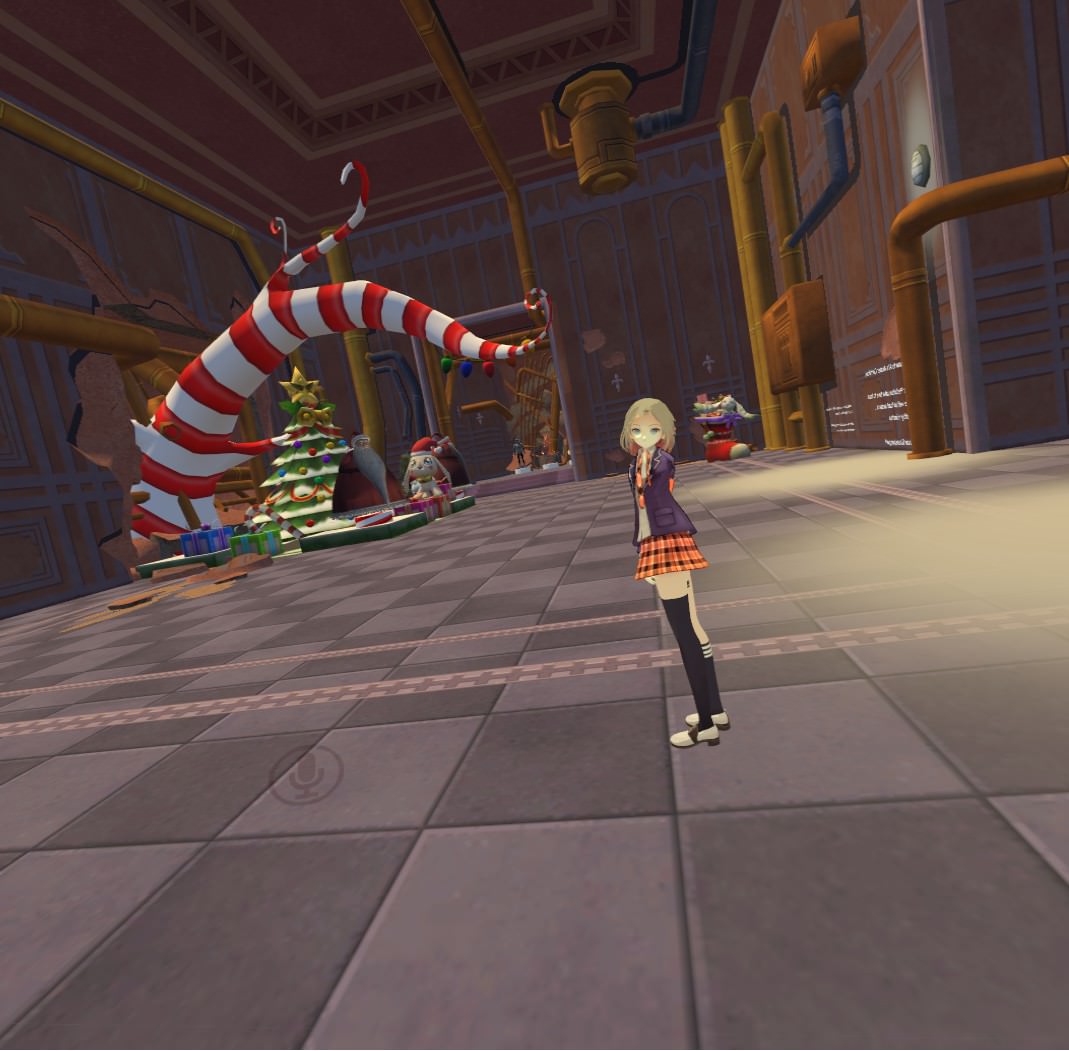
The original one, the Toy maker, I made as a SL thing, hence why I wanted to give it a new rig cause the SL one is a mess
And now, I'm porting them back over onto SL \o/
low river
Link me once ya put em for sale i need some good avs
hazy gazelle
Managed to figure out the art of "rig deform" and made myself a custom rig shaped to the hyena model
It's been pretty easy to do for the most part afterwards, mostly just renaming the vertex groups to match the SL bones and a bit of touch ups to the weights
the skeleton one kind of broke on me since I had to do further alterations to its bones
low river
I love that one too
hazy gazelle
the upper body kind of became detached and shifted upward fro mthe rest of the spine
low river
Sorry if im gushing i just love these yeeens
hazy gazelle
I did a quick fix by duplicating the spine bone on the lower side and then redid the weights to favor the upper body and it pulled it up into place
low river
Nice
hazy gazelle
didya see the fancy hud for the knight?
low river
I think i did! The gif one right? The changing armor? Thats for SL right?
hazy gazelle
ye
I wish I could have it set up that way in VRChat, then I wouldn't need so many pedestals
low river
God thatd be fun but i dont think its possible yet
I mean in VRChat you cant even bookmark avs you get from pedestals... yet
dire mica
It should be possible to keep blender key shapes if I dont decimate the face right?
low river
Heck you cant even bookmark places yet
 lunar comet
Hi guys can i get around that?
 naive tree
is that an mmd avatar? @lunar comet
lunar comet
yes it is
naive tree
i'd suggest trying out cats plugin first, most hierarchy issues should go away
lunar comet
ok ,thank you i'm now to that stuff
naive tree
ppl spend 20h on their first avatar sometimes to just understand the basics, or if they follow correct tutorial it's much faster
low river
Maybe its a philosophical question
naive tree
if you need help with everything, then you need to watch tutorials
if you have a q for specific issues - ask them here or whatever other related channel
@lavish stream I'll give you 1 tip that'll possibly save you a ton of headache, if you follow a tutorial and it says to use pmxeditor to translate bones - don't to that, you can watch tuppers cats tutorial video
with that plugin it's very easy to get just working avatars in vrchat
 lavish stream
ok
hardy sonnet
I am done with unity, but cant see my avatar in the VR avatars section. :\
any ideas ?
low river
what do you guys use to rig?
hardy sonnet
im starting the game through steam, I think I am supposed to logging in with VRchat account, couldn't figure it out
 wary wave
I've been weight painting, suddenly it stops working and I cant paint anymore?
Anyone know why?
Oh nevermind, somehow weight went to 0
 heady finch
Hey everyone. I don't know how to actually google it so i'll ask here. I am trying to fix the Armature of my model but it says the angle between the pelvis and thighs should be 180 degrees, can someone send me an exemple of a good skeleton ?
naive tree
does that error matter to you?
like, you use VR and you getting in-game issues with it?
heady finch
Honestly i'm just trying to make sure my avatar has less issues as possible, so im trying to fix them one at a time
and yes I use VR
I got other stuff but i'd rather try and fix them myself first
naive tree
I mean, if you do not experience in-game issues with errors, then you shouldn't probably bother, but I mean.. understanding what the cause is and how to fix it is better than ignoring them
im just lazy and don't care if it doesn't affect my ingame avatar
hardy sonnet
I still couldn't solve my issue. I think i'm doing something missing. I didn't do anything like associating my VRC account to Steam or adding the custom avatars to steam folders or anything. How can the steam acc by its own reach to the custom avatar.
I see that there's no client of the game. there's only Steam download link and SDK file.
I used SDK file for avatar making, am I supposed to do something else with it ?
civic kayak
Check the Manage Uploaded Content to see if its actually there
 amber wadi
Could I get some help with this?
fading verge
@hardy sonnet log out in game through systems option
Then log into your vrchat account in game
While it's running, it's weird
Is your model a humanoid rig or generic, @amber wadi
amber wadi
@fading verge Nevermind, The model is humanoid, but I forgot to rig the animations so they were generic, now I rigged them into humanoid and everything's good now, thanks
Actually I didn't know that you had to do this xD
fading verge
No worries, it's the simple things we forget ^^
amber wadi
Ok so everything is working in unity but when i log into vrchat i get the stock animations, any help?
 silent lake
are you logging in via steam
because you have to use your vrchat login details
i found that the hard way
silent lake
when you first launch vrchat they should be a option to log out
then use vrchat details
amber wadi
I already log in with vrchat account
 static flint
Is anybody able to link me a video that can show me how to make stuff like the bag of Memes that I want?😁
silent lake
and its not under avatars?
reupload it and see if there is any issues
see if there is any errors
amber wadi
No, I mean, these are ported animations
I'm able to get the idle animation setting the idle animation as custom in vrc avatar descriptor but i don't get any of the others i have
And the controller is set to the custom one
silent lake
im not 100% i had problems with getting a sword to appear but then all of a sudden it worked
civic kayak
anyone here use animation override in desktop mode?
amber wadi
@civic kayak I'm trying to lol
@silent lake It's my first time trying to override the animations, but it's a pain in the head xD
silent lake
yeah i hated it
civic kayak
@amber wadi alright. let me know if you can see your animations in the mirror
silent lake
i did it yesterday spent like 2 hours
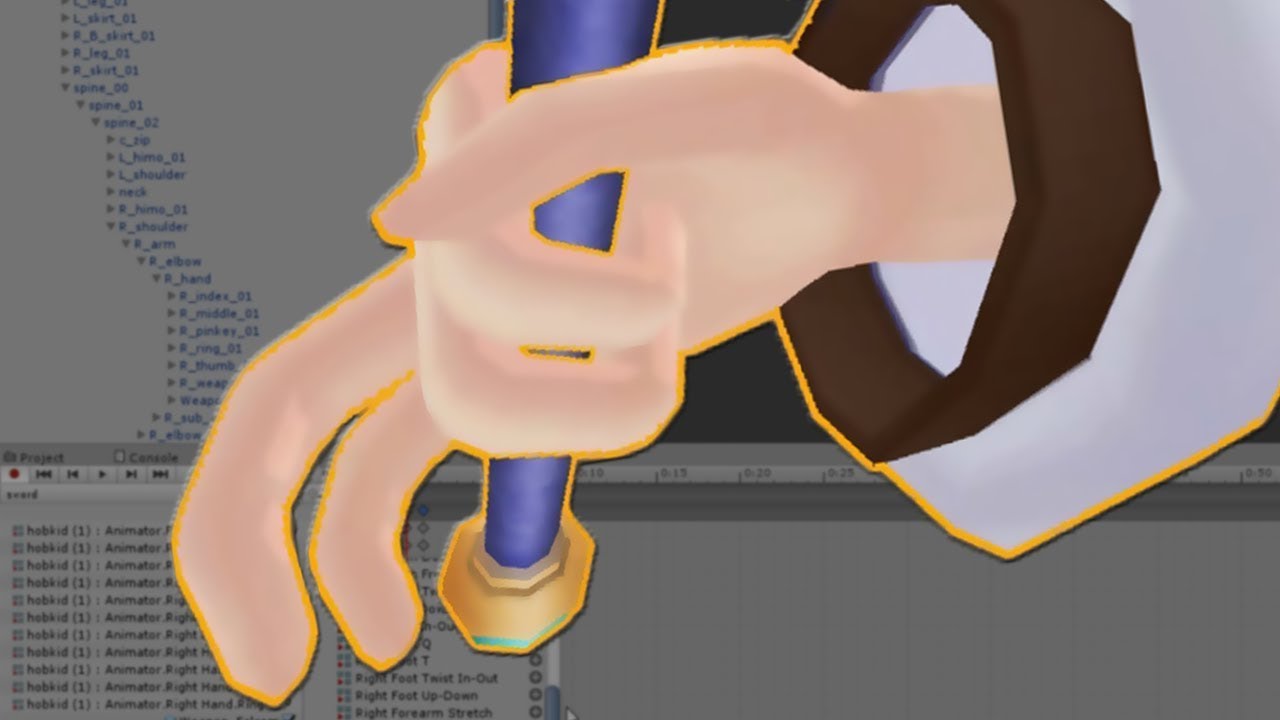
SUBSCRIBE, LIKE AND ALL THAT GOOD STUFF!! :D DISCORD ► https://discord.gg/vNyJgCX PATREON ► https://www.patreon.com/kunoleo
don't know if this will help
its super simple but might be some assistance
amber wadi
I've literally just watched this video lol, i've done everything right
I'll try to publish again the avatar and see if somehow it works
civic kayak
my problem right now is that my character doesn't even show a simple animation like a happy face
static flint
This is what I wanna make. Just need a link or something to show me how to do it.
https://img00.deviantart.net/994c/i/2016/044/a/5/bag_of_memes_by_rexon01-d9rlts5.jpg
 silent lake
i have no idea on actually making models sorry
static flint
Not a prob. Thanks though.😁
silent lake
wait i might have a idea
so you can use a thing called inkspace to create 2d images to 3d
might be able to make a 2d one and just make it to 3d
static flint
Oh Shweet.😃 So inkspace is self explanatory or does it need some getting used to?
 sand raft
Ngl
For a model as simple as that
You might have the best luck using SketchUp.
It's insanely simple to learn, but offers nothing in the way of actually rigging animations.
Though I have no idea if you actually need to map the bones out for the avatar itself for VRChat to accept the upload.
 flat crescent
anyone know how to check what bone specific verts are weighted too?
I have a few on my legs that move when I rotate the chest, but selecting the chest and subtracting weight from legs doesnt get rid of it. Not sure what bone is causing the issue
amber wadi
Ok so i managed to make my custom animations work, but my avatar is like half under the ground, how can I fix that?
silent lake
did you do the animation on a cloned model?
becuase if you did it on the same model as the one you want to upload it fucks it
@amber wadi
amber wadi
I just ported them, and rigged them as humanoid
silent lake
did it come with the animations?
amber wadi
No, i uploaded the avatar into mixamo and downloaded from there
I set the avatar Y position to 0,7 and the animations work fine in unity, will they work fine in vrchat too?
silent lake
possibly
amber wadi
I'm going to test this, if it doesn't work, i'll come back xD
Ooooh i got it!
The root transform position was set to center of the mass
silent lake
nice
amber wadi
I changed to original and now it's ok
heady finch
Okay I finally taken care of that dumb hip[s pelvis problem
dire mica
Wrt visemes, do you need the face mesh to be separte or can everything be joined?
fading verge
@amber wadi I don't know if someone answered you, but if you're on desktop
The animation needs to overwrite one of the emote 1-8
@dire mica everthing can be joined
fading verge
No
dire mica
Daw
fading verge
what's it doing?
fading verge
did you use viceme blend shape?
dire mica
Yeah
dire mica
I don't think so, but it's a minor issue
Mouth seems to be slightly open when not talking however
Oh nevermind , now it's closed
 gentle ivy
The mouth shape tends to not update to the silent shape if you're making noise when you let go of the talk key, usually just tapping the mic key again closes the mouth
 subtle mango
fading verge
subtle mango
fading verge
@dire mica Yea if the mouth is open when you stop talking just tap the mic and it wil close
dire mica
Hm, in that case I'll have to figure out where the mic is on my laptop 😛
But thanks anyways
fading verge
@dire mica No just tap the button
dire mica
Oh the voice talk button
fading verge
Don't physically tap the mic itself XD
 tranquil plank
Does anyone here know of a Unity addon called "Cats", or maybe something with a similar sounding or spelled name? I had a conversation with someone in the avatar test world who recommended it. I can't seem to find anything on it.
dire mica
I think you mean the blender plugin
Here's a video on it
Today we'll be going over Cat's Blender Plugin, an amazing Blender script that will save you TONS of time with your armature, visemes, eye tracking, and text...
tranquil plank
@dire mica That's probably it; I suppose I misheard them. I really appreciate it duder.
 hushed helm
Hi guys ! Just got a model but it's not rigged. I planned to use Mixamo to auto rig it but the model has his arms down on the side, colliding with the hips. I'm currently tring to rotate the arms in a T position, but they are linked and the shirt dosn't follow. How can I achieve what I want ?
No one ?
 digital delta
hey everyone
im trying to mirror weights on my model but i have no clue how. please send help and make sure to @ me if you know a way to help
 runic void
I've rigged a 3d model but it seems that the armature is separate from the mesh since when I load in-game, the mesh wobbles around in T-pose. Any way specifically to link the armature to the mesh or should it just be linked automatically?
fading verge
I have a fully rigged avatar, and made the chest the upperchest bone, but it tells me the spine hierarchy is incorrect. How do I fix this
static flint
Just change the chest to the lower part
flat crescent
Anyone know what would cause my hip bone to become my right and left upper leg bones upon importing to Unity?
Hip no longer there, but right and left leg are gray and in the hip's spot.
real cairn
Can someone help me with dynamic bones, I've been trying to get my hair to have a nice slow flowing feeling :/
lucid orbit
@real cairn More flowy, huh? Try a higher dampening.
flat crescent
Hip bone>Right leg upper>Right leg lower, Hip Bone>Left leg upper>Left leg Lower, Hip bone>Spine>etc.. but Unity is turning my right/left upper leg into a hip bone despite there being one. Anyone have any idea why?
lucid orbit
Unity's auto-rigger is easily confused. Just set the bones yourself.
flat crescent
Yeaaah I'm not even sure what you mean.
Are you talking about after selecting humanoid and hitting apply, in the configure screen and changing names? Or are you tralking about something outside selecting humanoid and hitting apply
lucid orbit
@flat crescent Yes, in the configure screen. Remember that what the bones are actually named doesn't really matter except it makes things easier for you, the user.
fading verge
Could anyone help me? when i try and press eye tracking it says hips was not found in the hierarchy.
but when i press fix model it doesnt show anything for blink, blink, lower and lower
flat crescent
The problem happens before I can get to the config screen. Unity is not giving me a hip bone. It gives a rig error that says I am missing my upper legs, because it thinks my upper legs are my hip bone.
I've already named the bones to match their names in blender in config, Unity just does not bring them in.
lucid orbit
Wrong window o.o;
@fading verge : Eye tracking requires a VERY precise naming and bone order scheme. Your armature MUST be named Armature and it must have hips as it's root and the bones must be named: Hips > Spine > Chest > Neck > Head > LeftEye and RightEye. No deviations are allowed.
fading verge
Here's a very simplified picture of how your bones should look and their heirarchy
@acoustic pilot
I didn't add in eye bones, on the chart cause.. As long as they're parented to the head
They could be anywhere
Oh that's why my tracking is wonky
I have it Eye_L @lucid orbit
Doh
@lucid orbit how would i fix this?
Include a picture, and possibly your heirarchy
lucid orbit
@fading verge Just name everything properly and use @fading verge 's picture as a reference.
fading verge
Alaylle, you know who could pin that
would answer a lot of simple questions
Also, you mentioned the hip direction
Didn't you?
lucid orbit
@fading verge (Yeah, but the picture is a bit wrong since it should be RightEye and LeftEye )
fading verge
Ah yeah, that's just basics tho
This is what it looks like
That also has root as the root armature
So it wouldn't work for tracking anyways
Just a basic structure to get things working
You need to rename the bones
Click on them and find what it highlights, use my picture
And name them as you see
But use EyeRight and EyeLeft instead
how can i extractly know which one im on?
lucid orbit
@fading verge Okay, I can already tell you have bone structure issues. Watch this, please. https://youtu.be/LrCCl_F9XNs
Here's a video on extremely common issues I see with bones and rigging setups, and ways to solve them. I cover: - Leaving Upper Chest Blank - Reparenting spi...
fading verge
Could probably use the remove zero weight bone option as well, I see some dummy bones that could confuse you
@lucid orbit Do you angle your hips like in the image, or reverse
flat crescent
Blender
fading verge
Pretty sure it was you who said something about my earlier comment
flat crescent
I structured mine off of that video
fading verge
Yeah looks good
flat crescent
I'm not seeing anythign wrong, but unity sure is.
lucid orbit
@fading verge I actually do it like in the image.
flat crescent
my upper legs are turning into my hip bone in unity
fading verge
I didn't know if you were saying there'd be issues doing it this way (It was how I was taught in school lmao)
Did you go into configure when setting up humanoid animation?
flat crescent
yep, changed the names to how they are named in blender T^T
flat crescent
Unity
 acoustic pilot
@fading verge So I just scale the current bones so they fit with the legs propperly now?
I thought I just had to fix a spine bone?
fading verge
You need to add in your feet
And it should be okay
Uhh, Extreme, yours is a different issue
Your bone structure is a little wild, try to match the image I posted above
Or here
BoneTutorial
They should have proportions similar to that
naive tree
@fading verge I'll give you one suggestion that'll save a ton of headache. Don't use pmxeditor to translate bones, import with cats and right away press Fix model
fading verge
That as well
naive tree
pmxeditor translation breaks armature fixing
fading verge
LMAO
easy fix thx
As long as you have the basic structure in that image
You can have tons of wonky stuff
But the core bones are very important to specify
flat crescent
Thank you for helping guys! Been asking quite a few questions..
Good news is I think the hip thing is fixed now too.
fading verge
Yeah, everything looked good, you just needed to go into configure and place the right bones
the only thing is now under blink, blink, lower and lower nothing shows up
flat crescent
I keep forgetting that I had to reimport the armature for this file, so the bone names got changed, what they were rigged to was changed, etc...
so I keep getting stuck because I've had to do everything like 3 times now and I dont remember what I have and have not done over again.
fading verge
and i cant press create eye tracking
Is your mesh all one piece
Or do you have head/body
Make sure the correct mesh is selected in the top box
the top box only has Head and Mesh
i can only press Body
acoustic pilot
Alright, I'll try
acoustic pilot
@fading verge How do I attach the bones from end-to-end?
They are all seperated as you already have seen
fading verge
You can click the connected button in the bone options, but it'll skew things
Then untick the box
And fix it
It'll attach it to its parent
Does your model have the key states @fading verge
you move to fast for me lol what?
The first stuff was for Ninja, sorry
Check and see if the model has keystates, those are basically the expressions
Blink, closed eyes, smiles, tongue out, etc
wheres that under?
nvm i found where it is
i dont see anything thats says that
i got it to work thanks
Cool, np!
acoustic pilot
@fading verge So click the bone in edit mode, go to bone options, check the "Connected" box, then uncheck the box
(For all bones)
?
fading verge
Not all bones but yeah it's a good way to get bones you need close, close
Gunna be at Christmas dinner so will be absent for questions for a bit
acoustic pilot
Alright, hope you have a good time!
 near tartan
can i make a skirt not go through my legs without dynamicbones
 hollow jolt
Without using dynamic bone colliders?
near tartan
yeah no $ to buy it
naive tree
cloth physics + unity colliders POSSIBLY
hollow jolt
Truth
 lucid orbit
Its going to look horrible either way. Cloth works best if you use it with Dynamic Bones. Which is kind of ironic.
naive tree
there's also spring joints
 noble portal
in blender i cant enter edit mode to delete bones. I put my cursor in the 3D view and hit tab and it never switches to edit mode. Any ideas?
 dire vortex
hello, How can i bind an existing bone to a mesh?
fading verge
object view
press tab
select any bone
press delet
i dont know why that wouldnt work, in any case you can manually switch between modes
 dry fossil
yo any one know how to rerig lichking by 3dregenerator?
naive tree
@dire vortex what do u want to do
dire vortex
I got this head which is 1 mesh, but i need to split the hair to add shader to it. Im wondering if it affect the bones?
@naive tree I already split the helm from the hair by a selection.
and my bone are reparented for dynamic bones
to a dupe head bone
K nvm the bone, might just be a material issu
lucid orbit
@real cairn You may have to set them yourself in the rigging in Unity.
fading verge
so for some reason in unity when i apply shaders, it will make it where people with vr see two of me. Know of any fixes?
for cubed and rainbow. pretty much shaders ive installed
 limber prawn
what would you need to make a tail on an avatar move?
fading verge
dynamic bone
 idle coral
Or being really good with the cloth component
limber prawn
looks like im gonna have to learn cloth component then
sand raft
Depends on how you want it to move.
I've heard of successes by treating it like a humanoid leg during movement, but that comes with other problems
Could try to relate it to the arm movement, but that may fuck with hierarchy in a way VRChat doesn't like.
 bright furnace
so my hood auto connected to my head bone
first time ever using bones in blender
lucid orbit
Well. That's terrifying.
bright furnace
just trying to show off that problem to the fullest extent :p
 lusty wing
I can't seem to get a model working in mixamo or in Unity, I am lost about what to do now
 tawdry fox
hey, so I downloaded a model from sketchfab and it didn't have .mtl file to go with .obj and .jpg of textures with it for some reason. I imported it into a blender and extracted it back just to get the .mtl file for it, but how do I embed the correct textures with it now intead of default grey ones?
bright furnace
Drag the texture onto the model in blender?
low river
Any of you guys know a good, low-tri method on hair>
 pale hull
@low river You could select the hair mesh in editmode in blender, CTRL + F and choose tris to quads, then select unessesary loopcuts and press X and dissolve edge
low river
I
pale hull
Manually decimate the hair
digital delta
DOES ANYONE KNOW HOW TO M I R R O R W E I G H T S ON MODELS BECAUSE NOTHING IS WORKING
shit wait i think im interrupting something
my b
fading verge
Does anybody here know how to fix an XPS model whose feet are in the floor? moving her in unity and blender didn't work, her feet stay in the floor. I'm having this issue with two separate XPS models and they both seem to be stuck the same amount in the floor
pale hull
@fading verge Try moving the avatar up a bit in the avatar configuration scene.
Moving the hip bone upwards should be enough
fading verge
Oh yeah? Like where you set the bones to be map to the chest and all that?
pale hull
Yup
fading verge
Cool, I'll give that a shot. Thanks so much
fading verge
?
dry fossil
do you know where i can get a no fuck up riged lich king ;c
fading verge
nope
fading verge
Anyone else get a weird bug with their rig being fine one moment
And apparently the feet/head/hands are unmapped
Or well, the SDK says it's unmapped
 fading prairie
if they're unmapped you should be able to assign them manually
fading verge
Yeah, they're mapped
But the SDK is saying they aren't
That's the bug
Nothing has changed in the rigging in the past 15 uploads
Just popped out of nowhere after adjusting an animation
Quick question. If you change something in the Avatar Skeleton Configuration menu, but your avatar is already placed in the hierarchy and has dynamic bones and everything, do you have to place it again and redo your bones, or will whatever you did in the config apply to that model which has already been placed?
fading prairie
you should be able to change your rigging without any problems
the first thing i do with avatars is place them and then i set the rigging
acoustic pilot
We not doing DMs anymore Neen? Just curious
fading verge
I hope so, I don't want to have to redo the bones on this XD
fading prairie
you shouldn't have to
digital delta
so im assuming everyone is too busy to help me out here with mirroring weights on my shitty-ass model because nothing im doing is working rip
fading verge
I've got a lot of DMs atm, but dealing with an issue on my end atm
I'll get to yours soon haha
acoustic pilot
Gotcha, well I'll wait then
😛
I think I got the rig to work though, just trying to figure out the cloth stuff
fading verge
@zarniwoop that fixed it, thank you so much
pale hull
👌
 polar blaze
did i miss a step for materials cause the model is just white 🤔
don't know if this is the right channel for the question for this step lol
 gentle silo
Just a question, but how do I make jigglebones/dynamic bones?
 dry minnow
i have my avatar rig made but in blender the bones don't move the mesh at all, what did i do wrong lmao
@gentle silo you do that in unity using the dynamic bones plugin
gentle silo
Can't afford it
dry minnow
atm that's the only way to do it sadly
crystal vector
@dry minnow Did you try to move them in pose mode?
dry minnow
yeah
i asked someone and it's not weighted properly
so i need to go and do that since automatic weights doesn't wanna work
time to die
real cairn
How do I use Viseme's or make eyetracking, never done it before?
dry minnow
will mixamo keep dynamic bones?
real cairn
Ya im at Cats rn
crystal vector
@dry minnow No
crystal vector
@real cairn Translate the shapekeys first
dry minnow
yeah i'll just do it manually then
both would be an equal pain in the ass and this teaches me something so
real cairn
?
crystal vector
@real cairn cats translate the shape keys.
For eye tracking just hit create eye tracking and then switch to testing to see if it works
fading verge
I'm inexperienced with this but how can I make this work
Same here, but I'll just wait until you get a response from the helpers.
 teal badge
I was wondering... What does arm stretch affect, anyway?
 opaque mango
Do you guys know a good tutorial for adding a hat to a finished model? (was trying to add a santa hat but it was all messed up)
teal badge
That's pretty easy. Just put the hat onto the head bone
By making it the head bone's child, it'll move relative to the head bone. So putting the hat on the head and as the child of the head will mean it moves in sync with the head.
real cairn
What do you need to do after creating visemes to make the mouth move?
teal badge
Did you assign them to the Avatar Descriptor in Unity?
fading verge
^
should look like this if you added the avatar desc in
also
im not sure what this error wants me to do
dry minnow
dumb question, sorry, but does anyone know how to get into vertex groups to assign weight?
fading verge
Not sure I understand but I assigned the V shaped bone to the head and the rest as close as I could but I get this message and the head doesn't move in game (which is basically my goal)
limber prawn
anyone know why a model floats up when it starts walking but sinks back down when its standing?
 fluid mortar
having some issues with blender.. and can't get the bones to show
fluid mortar
 fading verge
odd
fluid mortar
ah nvm found it
'only render' was the issue
alright so the next thing is.. I wanna make it so when i gesture, i remove a helmet on the character's head, and the ears pop out
but.. first i need to put bones into the ears..
fluid mortar
is there a way to select a bone without.. like selecting them all?
everytime i go into edit mode it just goes to the center
 polar blaze
wait wrong channel
fluid mortar

this is before tab
(object mode)
and then the above is edit mode
https://gyazo.com/618e8c74c0ce5b1068b50bf5a9c7be23 and yes there are multiple bones
 fading verge
Anyone got any idea why when in VR my avatar's hand go up inside the body but animate perfectly normally in desktop?
runic void
Could anyone tell me what could be giving this errors?
fading verge
try to enforce the T-pose, usually fixes it on my end
runic void
That did work, thanks a lot!
fading verge
oh may i ask
how does one switch to rotate? like you click on a bone and it shows the sphere to rotate
lucid orbit
Look in the upper left corner for buttons.
 odd tulip
Anyone know which bones I should move to prevent my avatar from having it's arms so far out to the side? https://i.gyazo.com/1ddd22cab9b83f1a870aad6c3b3fb923.gif
 naive tree
walking like a dude that came home from day1 gym
odd tulip
lol
fading verge
doesnt look like rigging issue, more like default mecanim issue
id say modify the animation
odd tulip
That's what I was going to try. Thanks
 vital meadow
is there a way to fix the wrist twist?
dire mica
I followed this tutorial for adding a blink animation https://www.youtube.com/watch?v=p0txtOuZtx0&t=335s

Unity - Custom Animation Overrides, Blinking Animation, Dynamic Bones & Colliders, Viseme. VRChat #3
Importing model - 0:37 Toe Removal - 1:37 Applying Shader - 2:29 Blinking Animation - 3:09 Animation Override (Facial) - 7:24 Avatar Descriptor & Viseme - 18...
Do you still need to keep the blink model after you are done?
Uh, if you are still here guy with tail issues?
dire mica
Aight
 deep lynx
I didn't look into it properly 😛
dire mica
You can also check whether they are attached with shift G iirc
And then selecting children
deep lynx
Yeah I forgot to do that first time so I thought it wasn't working
Do you know if there's any way to make the tail sway?
deep lynx
That's what I'm using currently just curious as to how to do it
deep lynx
No worries, i think i found a tutorial that will help me 😮
deep lynx
How do I stop hair from waving in my avatars face?
fading verge
Anyone got any ideas on why in VR my avatar's hands go in towards his body but in Desktop mode he animates fine? It's not controller calibration, any other avatar I grab works fine.
noble portal
Anyone explain how to fix this issue?
fading verge
Sounds like one of your bones is upside down.
lucid orbit
@noble portal You usually don't need to worry about that particular warning. Hip tracking tends to work regardless. Usually. Not always.
lucid orbit
@real cairn You click on the little dot in the lower right corner of that very screenshot you posted. Keep in mind, if you're doing this, you should have the right bone set in the Jaw Bone of your Rigging Configuration.
real cairn
What if there is no jawbone @lucid orbit
lucid orbit
@real cairn Then you can't use the Jaw Flap for speaking.
@real cairn I mean... if you want to be silly you could set the Jaw Bone in the Rigging Configuration to a part of your hair so your hair flaps when you talk.
lucid orbit
@real cairn I think there was someone that actually set it to their hat so their hat wiggled when they talked.
real cairn
lol
noble portal
So it looks like this model doesnt have a chest bone. Can i use the neck as a substitue?
 dusk token
does anyone have dynamic bones that they can send me?
crisp tendon
@noble portal If it's generic, i don't think you need IK bones ?
 crude kraken
I'm having the problem of the spine hierarchy but I can't find anything wrong. It only happen after I added finger bones
crisp tendon
what problem ?
crude kraken
Spine hierarchy missing elements, make sure pelvis, spine, chest, neck, and shoulders are mapped
crisp tendon
you have no neck
crude kraken
I need a neck to have fingers?
crisp tendon
If you want the body to move you'll need a neck bone yes afaik
crude kraken
So strange. I need fingers to bend my knees, and a neck to have fingers. Alright. I will give it a shot
crisp tendon
It's a whole system
crude kraken
Looks like that did it. Time to test it out. Thanks
 stark bronze
What's the use for Envelop Weighting in Blender?
 open venture
Does anyone has any idea why when I export a fbx file via Blender I cant turn it to humanoid in Unity? it happend on a couple of models now...
dire mica
Are your bones set up properly?
fleet echo
@stark bronze https://www.youtube.com/watch?v=KrTG-fjh1TI

In this tutorial for Blender, we take a look at different ways to set vertex group weights when working with bones and armatures.
open venture
If I only use it in unity i can turn the mmd file into humanoid but if i decimate it in Blender and export it as FBX file and then try to turn it into humanoid in Unity it doesnt let me
dire mica
What's the error message
open venture
 dire mica
Did you use an mmd model?
open venture
yeah
dire mica
Did you do anything with the bones in blender?
open venture
no
dire mica
Right
I would recommend getting the cats blender tool to automatically fix all the bones
It should result in a working set most of the time
fleet echo
it allway base on the mmd creator of the model some time creator mess up
so catplugin wont be able fix all the time lol
dire mica
Yeah hence most
open venture
Ok thanks for the help !
dire mica
For me it worked except for the toes which I had to fix myself
Here's the link
VRCat: Community-Run VRChat Forums
Cats Blender Plugin (0.4.0)
A tool designed to shorten steps needed to import and optimize MMD models into VRChat
[IMG]
Features
Optimizing armature...
And tutorial https://www.youtube.com/watch?v=0gu0kEj2xwA&t=590s
Today we'll be going over Cat's Blender Plugin, an amazing Blender script that will save you TONS of time with your armature, visemes, eye tracking, and text...
fleet echo
yea it tool to help out not use as crotch
dire mica
Yeah I first got mine working without
So I kinda had to learn how the bones and such work
The experience is useful altho it might be more difficult
fleet echo
i know some people convert xps into mmd
dont label all the bone right
the eye tracking , visime and mix weight very useful for non mmd models
dont need to spend hour get your eye bone to work lol
it has test tool
open venture
cats blender tool fixed it, thanks!
crisp tendon
At least translating will help
 somber aurora
so uh
i used mixamo for rigging... now how do i add the bones for the tail, whiskers and pony tail?
and then rig it in blender?
crisp tendon
you add the bones in blender too
tail bones seem to already be there
ponytail will only require one
whiskers one for each
somber aurora
and then unity will take care of the bones to rig , yes?
crisp tendon
no
somber aurora
rip
crisp tendon
you have to do it manually every time
 trail fulcrum
my character walks around in tippy toes i probably messed up somewhere huh 🤔
crisp tendon
don't map toes

 fleet echo
foot need to be ankle
crisp tendon
Well, if you want to keep tip-toeing, keep the toes mapped
if you don't want to keep tip-toeing, unmap the toes
trail fulcrum
how can i remove something from the list in inspector
so thati can remove the toes
im right clicking and trying to drag it out, doesnt work 😖
crisp tendon
you have to set it to none
 vestal dirge
Tiptoes are caused by improper calibration of your height or floor. If this is set right, you can keep toes mapped, and it will make the auto footstepping look better
You want ankle in the Foot slot and toe in the Toes slot. toe_end does not go in a slot



 vestal dirge
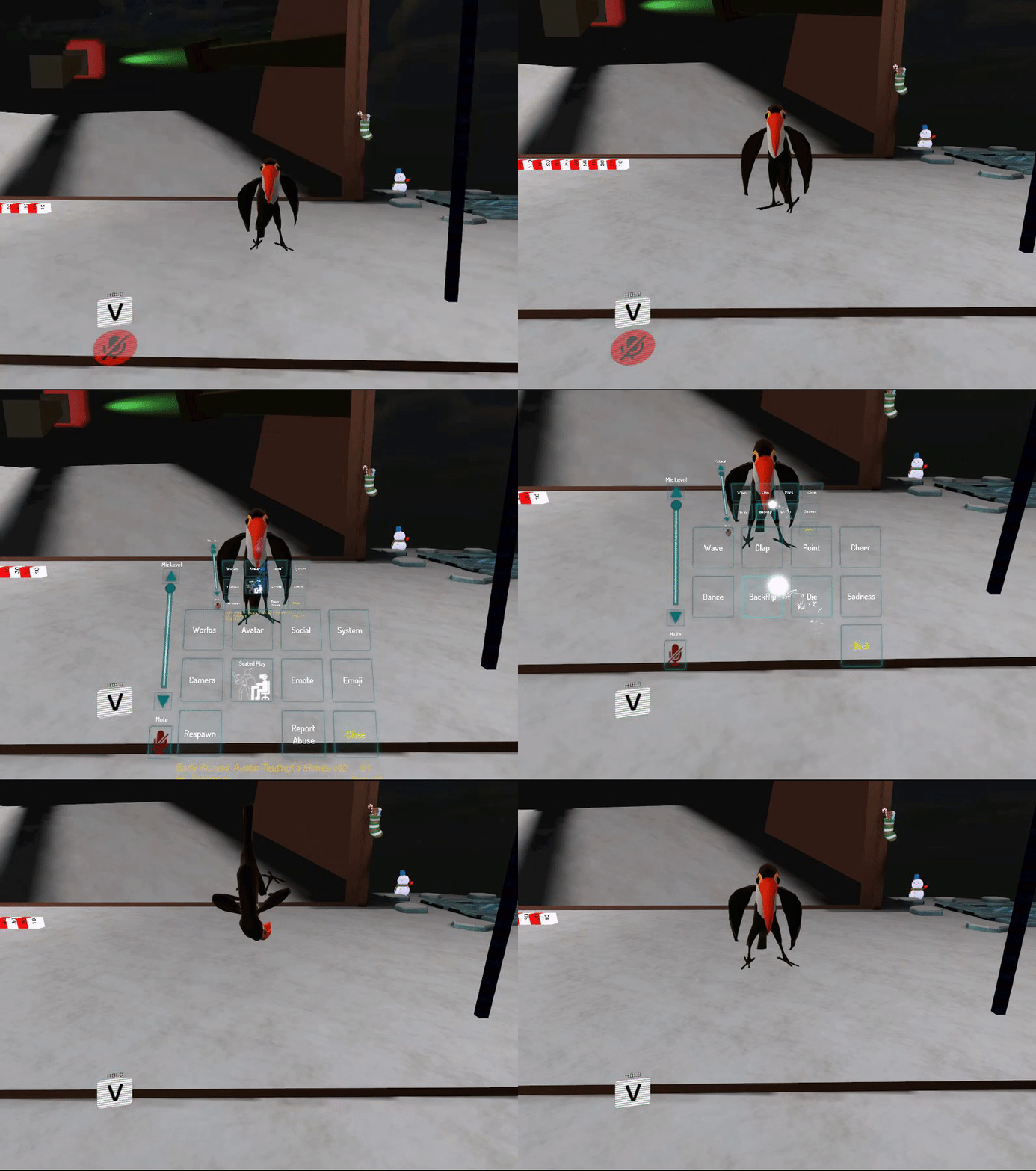
Run the humanoid rig Config. Choose left hand, you'll probably see red bones and more detailed errors there. Looks like it's confused about which finger goes where.
 sullen ice
ok so i followed some tutorials, and i get this message when i click show build control panel
Spine hierarchy missing elements, make sure that pelvis, spine, chest, neck and shoulders are mapped. 🤔
fading verge
Oh!
You had my problem
Here, go to configure
On your rigged model
On your right, you see the humanoid icon right?
Now do you see four grey dots around the neck, shoulder and spine?
Fix em with the bones
sullen ice
i got this
sullen ice
oh 😅 yea hehe
fading verge
You can put the neck as the head
If the chara doesn't uses those eye tracking things
I'm not sure though
sullen ice
fading verge
You're gonna have to mess around with the bones
sullen ice
thx will try something 😄
 ruby blaze
wheres the enforce t pose setting
ruby blaze
yea
fading verge
I assume you don't need to remove it
Just click on it and check if the other bones would parent to it
At least
ruby blaze
its rigged to the right one
but the other one is pulling the model
or does that not matter
fading verge
Are they both connected to it at least?
ruby blaze
yea
fading verge
Should be no problems
ruby blaze
🤔
fading verge
🤔
digital delta
somebody please help i've been googling and asking on reddit and here for days and i've only been ignored
im so desperate. im literally going to scream
i'll just post what i did on r/blender
"basically, i weighted the one side of my model, and when i try to do the copy vert. group method, even WITH topology, it fails to correctly mirror.
i've googled around for a bit, and there's so many methods flying around and i've tried so many. i can't just manually copy the weights because i don't remember all of what i set my weights to on each part
i tried getting help in a modeling-esque discord and all, but i've only been ignored. i feel like there's a simple solution to this but i'm somehow completely avoiding it."
somebody help im gonna scream
i hate being a complete jackwagon but it's also like
its just so frustrating because this should be sO sImPlE but its NOT
 gentle granite
As long as the bones are correctly named and symmetrical it should be easy

How can I mirror my weight painting to the opposed side of my character? I know that there is Mirror function, but it doesn't assign the weight to bones on the opposed side. Can I do it manually?
digital delta
iii'll look
but im 100% sure its symmetrical
thanks for trying to help, i really appreciate it so much
fading verge
Good luck!
digital delta
thanks!!
wait, so
ive read into about the "X Mirror" option
i already have one side's weights painted, uhh
does it mirror once i check that oorrrr
digital delta
I'LL try
digital delta
yeah dont worry i did
sadly.... it does not do anything
ive read about deleting one half of the model and then mirroring it
but, im worried that if i do that the bones wont be connected, and shape keys and stuff
should i try that?
 modest thicket
good place to find mmd?
sullen ice
@fading verge i got my char working! thx 😄 now i want to add a pumpkin mask. you know any tutorials on how to do that? Want it over my head xD
 dark elbow
@modest thicket Deviantart is where I get most of mine
 signal crane
what could cause this?
fingers are bending really really weirdly.
its not weightpainting
fading verge
How do I bind animations to HTC Vive controller? Is there something in Unity I need to know?