#avatar-rigging
1 messages · Page 31 of 1
 fallow saffron
 south bear
yes
fallow saffron
i have no idea whats wrong then
south bear
its probly how most of the grabbing works
 north sable
thats the issue. How did you even upload????
fallow saffron
Everything is 100% according to the script
but its not when i get into the game
my elbows are permanently bent
this is with using VR
south bear
are there forearms?
north sable
so you have shoulders?
south bear
as elboes are a twist bone
north sable
what ways are the bent?
south bear
i normally have this warming https://puu.sh/yKivA/d45364702c.png

it doesnt affect much
fallow saffron
lemme go into vr desktop mode and see what it looks like
north sable
screenshot plz :)
south bear
looks fine to me
north sable
steam vr right?
isnt it something like double tapping the home button
(dashboard button)
fallow saffron
alright
maybe it has something to do with scaling
cause I scaled it down to half in unity
the model
it might it because
ive seen this exact issue ONLY on tiny avatars
so i'll scale everything down in blender
north sable
nah, it could be weird bone rotations or something. easiest fix is just to conteract any issues by rotating the bone in the humanoid rig
fallow saffron
yeah?
north sable
just rotatate it back however far it is wrong in vrchat
north sable
the rotate tool is found at the top left corner
it looks like a recycle logo if it had only two arrows
also dont worrg about that big red NOT IN TPOSE text. its scary but is harmless
its like a suggestion telling you thaf the computer is just confused as to what its seeing
north sable
in vrchat, how far are they incorrect to your controllers?
fallow saffron
pretty far
north sable
then in whatever direction it is, rotate the hand the other what in the Configure
fallow saffron
but then my rig wont be in a t pose
north sable
itll still work. itll just use different rotations as what it thinks is DEFAULT. vrchat will do the same exact thing. BUT youve been messing about and youve just revesed whatever vrchat was doing to the model
fallow saffron
when im in VR and have my arms at my sides, it looks fine
north sable
yep
fallow saffron
that means if i rotate them in unity its gonna bug out even more i think
are you talking about doing something like this? -
north sable
nope. if the hands are the only ones ... wasnt the hands?
fallow saffron
it was the hands and lower arm
no matter what i rotate the model gets messed up lol
north sable
... hmmm try it.... one thing for the arms is to have a look in blender. select the bone in edit mode and rotate it so that POsitive blue is facing forward
you can check the positive part by having a look at bone options in the pose mode, see if one of the numbers under ratation goes up or down
up is what you want :)
 torpid sundial
So im having an issue with xps models, the upload wont ever accept the chest is attactched to the shoulders and neck, im not home so i cant screensnip but i can draw badly
Any idea why this happens?
Im an artist i know thanks
south bear
:/c
south bear
ye?
i wished that when you use the animtion time line it would walk and not teleport back https://puu.sh/yKjjZ/ac4812969d.gif

🤔
fallow saffron
alright, time to test this in vr and then go to bed
too many hours spent trying to figure out stuff.
north sable
rotation tool @fallow saffron in blender is done buy selecting the rotate tool at the bottom bar of the viewport windoe
its next the one with the three arrows and the 3 lines with boxes at the end of the lines
@south bear you need a motion node tk do that
north sable
in the animation in unity, you can select the motion root node
and instead of being constant numbers, in changes that node to animate it with adding numbers instead
south bear
i should really be making a new animation for walking due to the fact that it clips >:c
the bag
north sable
allowing it to move FOREVER :D until unity cant handle the distance
you got any colliders?
north sable
just on the hips i presume?
north sable
as few as possible :)
south bear
iv done acouple of fps tests
and it doesnt hit my cpu and gpu that bad
:T
but then im running on an i7
north sable
if you can, keep it at one collider for the people who dont have great pc's :)
south bear
just test it i guess :T
north sable
could hit someone using a 1080 ti for all i know lol
fallow saffron
yup so the rotation fixed nothing
north sable
@fallow saffron odd. hmmm. it would have to be something with rotation. try other avatars when you can :)
north sable
@south bear mate i normally use my laptop and all i got is i5 with a dgpu or something lol. 😂
i get what i get but theres a suprising number of people with these conditions
south bear
il find out when i get told that im causing an fps issue
but its normally one bone for each thing unless its the bag
but then its done by verts
north sable
okay cool. anyway do the ball colider things cover the area right?
north sable
try over compensating then for the hips or something
south bear
sfm and higher end settings
north sable
i mean possibly. i assume its the same as mmd. find a way to get it to an fbx format
south bear
ay i fixed the weird hips
north sable
:D
 fading verge
I was told before to not map toes in unity but this model I have already has her toes mapped. Should I revert them to -none- ?
south bear
unity doesnt need them
only for foot ik and tiptoes in vr
so unless you want to get on tip toes then no i guess
@fading verge they should be fine but give it a test
fading verge
So I've tried raising my model in blender before export, tried lowering the bones in the feet, anyone know how I can get my feet out of the ground?
north sable
@fading verge doesnt matter. they optional bones you can either have or not
@fading verge wheres the origin point of the model in blender
the dot when you select the model
north sable
hhmmm. have you edited this youself after the fact or is that original
fading verge
original
north sable
thennnn. how about when you click the armature
north sable
nope. origin point should be the only thing it cares about
check the bones on the config menu in unity
maybe it didnt find the legs correctly
happend to me before
fading verge
I'm talking about if the feet are sinking in, and I move them up, wouldn't that stop them from sinking in?
north sable
nooooooooo. but you can try. at this point, if origins are ground level, its all to do with the configure menu
south bear
possibly could be porting over frank west
fallow saffron
okay so the arm bending problem I was having earlier may have something to do with the arm length? when I change my player height in VR the bending starts to go away
north sable
what do you mean Bending....? I feel like you might be alittle confused on how the game decides on where the are placed :)
 safe bluff
What's your viewpoint at @fallow saffron
north sable
@safe bluff my guy I didnt even think of that
fallow saffron
viewpoint in the game? I forget
but if I was too tall then my arms would start bending
like in a permanent position
imagine it like your elbows on a table, that kind of bent
north sable
you know of the grey dot when you upload an avatar?
fading verge
anyone know how to fix it doing this whenever I stand still?
by default the bones are like this:
 crisp tendon
Check blender and its rest pose
fading verge
I've tried rearranging them like this but didn't know what to do with the middle bone:
fading verge
think that could be the problem?
fading verge
yeah
crisp tendon
Yeah so you start from scratch and use cat's plugin in blender to fix the model
https://vrcat.club/threads/cats-blender-plugin-0-3-0.6/
https://www.youtube.com/watch?v=0gu0kEj2xwA&feature=youtu.be

VRCat: Community-Run VRChat Forums
Cats Blender Plugin (0.4.0)
A tool designed to shorten steps needed to import and optimize MMD models into VRChat
[IMG]
Features
Optimizing armature...

Today we'll be going over Cat's Blender Plugin, an amazing Blender script that will save you TONS of time with your armature, visemes, eye tracking, and text...
fading verge
fading verge
finally got it working
@crisp tendon thank you very much 😄
any way to colour in the inside of the coat?
safe bluff
is it colored in Blender
fading verge
yep
but not in unity
actually, pic above is what it looked like before I used the add-on Ruuubick mentioned (Cats Blender Plugin)
and pic below is what it looks like now
@fading verge it should be fine in unity
safe bluff
Might need double sided shader for it
crisp tendon
@fading verge Turn the outline to 0.005 in the shader's settings
Cube's shader
or turn on opaque, but it should already be
fading verge
I use Unit Shadowed for most things
no outline option
the double sided shader messes with the colour unfortunately
 fluid tendon
Is mixamo worth using?
 forest crane
if u dont know rigging yes
crisp tendon
If it's a really humanoid model with normal proportions, yes
fluid tendon
It just always says "sorry unable to map your existing skeleton" when I try to import my avatar into mixamo so I'm confuuuused
fluid tendon
and do the avatars really need to be under 20k polygons?
 limpid scarab
They do to upload it to vrchat
 midnight folio
Hey. I made some dynamic bones for pullstrings of a hoodie on my avatar, however these are pointing straight away from my avatars face, even after i rigged them to align with the chest. how would i fix that?
supposed to look like this: http://puu.sh/yKqfK/ef3506d4ab.jpg
looks like this, however: http://puu.sh/yKqhn/793358c7c1.jpg

 limpid scarab
What are your settings on the dynamic bones?
midnight folio
http://puu.sh/yKqm3/b591fa8117.png settings

 daring flare
Is there any way to fix that hips problem with out using the cat plugin? I would rather not have to go through that decimation nightmare again by using the original.
crisp tendon
@daring flare What hips problem ?
daring flare
The one faederwulf was having above.
crisp tendon
You can attempt fixing it with the plugin and see what your decimation looks like afterwards
But decimating before making sure that the bones and the weight painting is all good is usually not recommended.
daring flare
The decimated one has already been rig repaired as well. It's just that when I stop moving I get that same "presenting the dick" pose that he was getting.
crisp tendon
Did you translate the bones ?
crisp tendon
You can also try to use cat's plugin on the same avatar but a clean one, and look at what is different.
daring flare
I have a feeling that vrchat reads the idle wrong and corrects it as a 45 degree angle when it applies the defualt idle. I've noticed that this happens on models that have an extra waist bone that is pre angled at 45 degrees for use with certain animations in miku miku dance. I'll try editing the bones and getting rid of that bone to see if that stops the problem in vrchat. It might just be using the waist bone instead of hips when it plays the idle. If not, I guess I'll use cat and re decimate it. Thanks for the advise.
fluid tendon
I don't get it should I upload whole folder to mixamo or just the character? because when I upload just the character that I deleted the skeleton in blender it works but when I upload whole folder it says "Sorry unable to map your existing skeleton" again:(
crisp tendon
only the mesh
fluid tendon
Okay and when I download from mixamo should I download it again as FBX or .dae?
crisp tendon
fbx
fluid tendon
how to you make things smaller in unity? just imported my avatar into unity and it is giant
crisp tendon
@fluid tendon scale in top right corner after you clicked on your model
daring flare
Scale under Transform in the inspector. Make sure that all 3 values are the same and use .0? to reduce size from 1.
*.?
.0 would make your avatar tiny.
I usually add the decripter and reduce size until it's close to the hight of the descripter. The defualt descripter hight is like 6 foot in game.
limpid scarab
There is also a default avatar in the SDK where you can compare height with
It's what i usually do to get a general direction on how high i want it to be
 clever cloak
ayyy lol
oh my fucking good
it even lags the shit out of my pc
best thing is that there is an actual body too
and the shirt continues
so its like 3 times the amount of polygons on the chest
 urban fjord
Something tells me this model wont ever see the light of VRChat: https://gyazo.com/db4c2a96faf806a742f0141272e60463

Because I sure am hell not re-rigging it.
Rip Attack On Titan fandom
 serene cloak
I'm having some problems here, with the weight tool.
I can't brush over the shoe, to put some weight on it.
 oblique latch
i have a imported character from gta 5 so hard to do xd but it has no t pose and i am having a hard time rigging it up spent all last night working out how to inport from gta 5 and today i have this prob xd
 stone haven
I get this error in Unity but in Blender I have a headbone with its assigned parent being the neck, it follows the Neck>Chest>Spine>Hips but im not sure why its doing this.
oblique latch
plus when i import the gta 5 guy with its riig in the photo to unity it cannot recognize it and messes up
 ember haven
Hello my avatar has these bones in the ears but I can no way of seperating it so just the ear bones are activated
 queen kayak
ember haven
queen kayak
ember haven
where is neck?
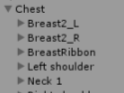 ember haven
OMG I AM BLIND!! XD thank you
oblique latch
when i import it into 3ds max it bugs out as well its so odd xd
oblique latch
how can i fix a thing like this ? its just so odd
 mystic agate
What'd mean
oblique latch
i have a rig frame but when i export it gos to hell in the photo 2 lines up in discord green part is the rig purple is my player
so its not importing the rig as it looks in the photo
ember haven
how do I make it so that th skirt stops clipping into my legs when walkinjg>?
 gleaming kayak
I am not 100% sure on this, but I saw on a tutorial on youtube that if you add colliders to the legs, the skirt will hit them as if they were a solid object instead of going right through them.
@fading verge
I would look up a tutorial on colliders.
 fleet echo
@ember haven dyaminic bone dont do well with skirt. only option to stop skirt from doing is make skirt it own skin mesh use cloth
fading verge
lmao there is another kohaku in here and i got mistakenly tagged haha
oblique latch
all i have to output from a gta 3d rig is 3ds this is not fun at all xd
 true delta
What does adding weight change or make better?
oblique latch
i have the bug in blender as well the rig is not in the right place at all
crisp tendon
@serene cloak what do you mean ?
fleet echo
@oblique latch what format what it was?
crisp tendon
@oblique latch rotate it, then CTRL + A apply rotation and location
oblique latch
all i can export is 3ds as its a gta 5 character and no app supports that format ytd part from ZModeler3
and @crisp tendon that did not fix it
ZModeler3 lets me import what i need but all i can export is 3ds and it just looks like that photo
obj ha no dater so that a no
 vale creek
Anyone who knows how to remove this?
 gentle cypress
Each time I try to apply my pose as a rest pose my armature detaches and my mesh resets to it's original pose, any suggestions as to how to stop this from happening?
safe bluff
@vale creek have you tried going edit mode?
 cold lichen
Is it a difficult thing to set up headtracking without using humanoid?
oblique latch
what i think ishappening to me for some strange reason is its having trouble calculating where the rig needs to be when i export it from ZModeler3 into 3ds format
 round abyss
you cant do head tracking without humanoid
any rigs you see that have tracking and dont look like humanoid rigs are using an invisible biped
fading verge
@daring flare Did you solve your 'presenting the dick' issue? I have that problem on virtually all of my models and have been on a week-long quest to fix it.
daring flare
I did.
fading verge
How did you fix it?
 candid thicket
Hey, I am totally new to rigging, making avatars, unity, etc. Does anyone know how to create a new finger based off of where a hand already is?
Also knowing what buttons to push to show a picture from unity would help me get help
Yes, I tried google
Thank you
fading verge
@daring flare how did you fix it?
daring flare
I reopened my pre decimated avatar in blender and then used cat to fix the armature. Then I re exported it as an fbx and ported back into unity.
oblique latch
is cats just for MMD
fading verge
I will try that in the future, thsnk you Eulogy
No comics, most models work with cats. Mixamo support was recently added with 0.4.0
oblique latch
do you have to have a skeleton like rig for it to work or can it just be a c3d character model
clever cloak
eh i heard that you were able to like reduce the ammount of bones if there's an skirt
how to do it?
as you can see it would be quite usefull for me
(with CATS plugin)
daring flare
I'm not good at explaining but tupper has a good tutorial that can help with reducing the bone structure using cat on youtube.
oblique latch
with cats i have this ?
fleet echo
fading verge
Dev test?
fading verge
Whats it do?
oblique latch
do you run it like a plugin
fleet echo
just drag and drop mmd_tool folder into blender addon folder D:\blender2.79\2.79\scripts\addons\mmd_tools
clever cloak
80 still sounds like too much
fading verge
What does it do though? The dev tools
fleet echo
@clever cloak just need play with it till find good setting for the skirt
fading verge
Less is always better, but a basic rig is 15 bones.
clever cloak
i mean for a skirt
not whole armature
cuz i need to make the skirt dynamic
but i dont want to fuck everyone's cpu
oblique latch
i can do pmd format in ZModeler3 but it need mod things from ets and ats game xd
clever cloak
merging bones breaks the shit out of the skirt
probably cuz the bones dont cover the skirt fully
on blender it is like this
anyone got a fix
 odd heart
@clever cloak do you have the original model file for me so I can fix this/see what's going wrong?
the bones should look like blender in unity
clever cloak
model as in fbx or the pmx
odd heart
both are fine
oblique latch
whats a good way to convert a obj to pmx
odd heart
blender
oblique latch
i did that but it has no pmx or pmd output
odd heart
it's fine don't need texture for this ^^
clever cloak
oke
 sudden nest
Does anyone have some guides on how to rig a model for vrchat? I am having a problem with my model and I can't figure it out. https://docs.vrchat.com/v1.0/discuss/5a3a5291142db90026f2400d
Hello community!
I am trying to import my own avatar from scratch. The model I downloaded had a skeleton, but it was missing a few bones. I was not able to edit the skeleton, so I decided to rig the model on my own.
I have two issues:
-
Unity tells me the model is not in a t-pose and has something to do with the hips.
-
"Spine hierarchy missing elements" error. Not sure if it has something to do with the hips, but I have the neck attached to the chest, the chest linked to the shoulders, the spine attached to the chest, and the hips attached to the spine.
I haven't the slightest idea as to why the hips are causing errors, I tried remaking the bones and moving the hips around. No luck. This problem is making me go crazy!
Below are screenshots that provide a better idea:
https://cdn.discordapp.com/attachments/347995168433111040/393008423672741890/Capture2.PNG
https://cdn.discordapp.com/attachments/347995168433111040/393008414726553600/Capture.PNG
https://cdn.discordapp.com/attachments/347995168433111040/393008415083069453/Capture3.PNG
sudden nest
In unity?
fleet echo
yea
sudden nest
Ok thankyou, I will try this
oblique latch
so i did a bit of googleing but still can not fix this i have a working rig but when i import the 3ds into a 3d program it s not attached to the body ? green thing is the rig plus my guy has no t-pose
sudden nest
Thankyou, this fixed the t-Pose! However, I am still getting the "spine hierarchy missing elements" error
Any ideas?
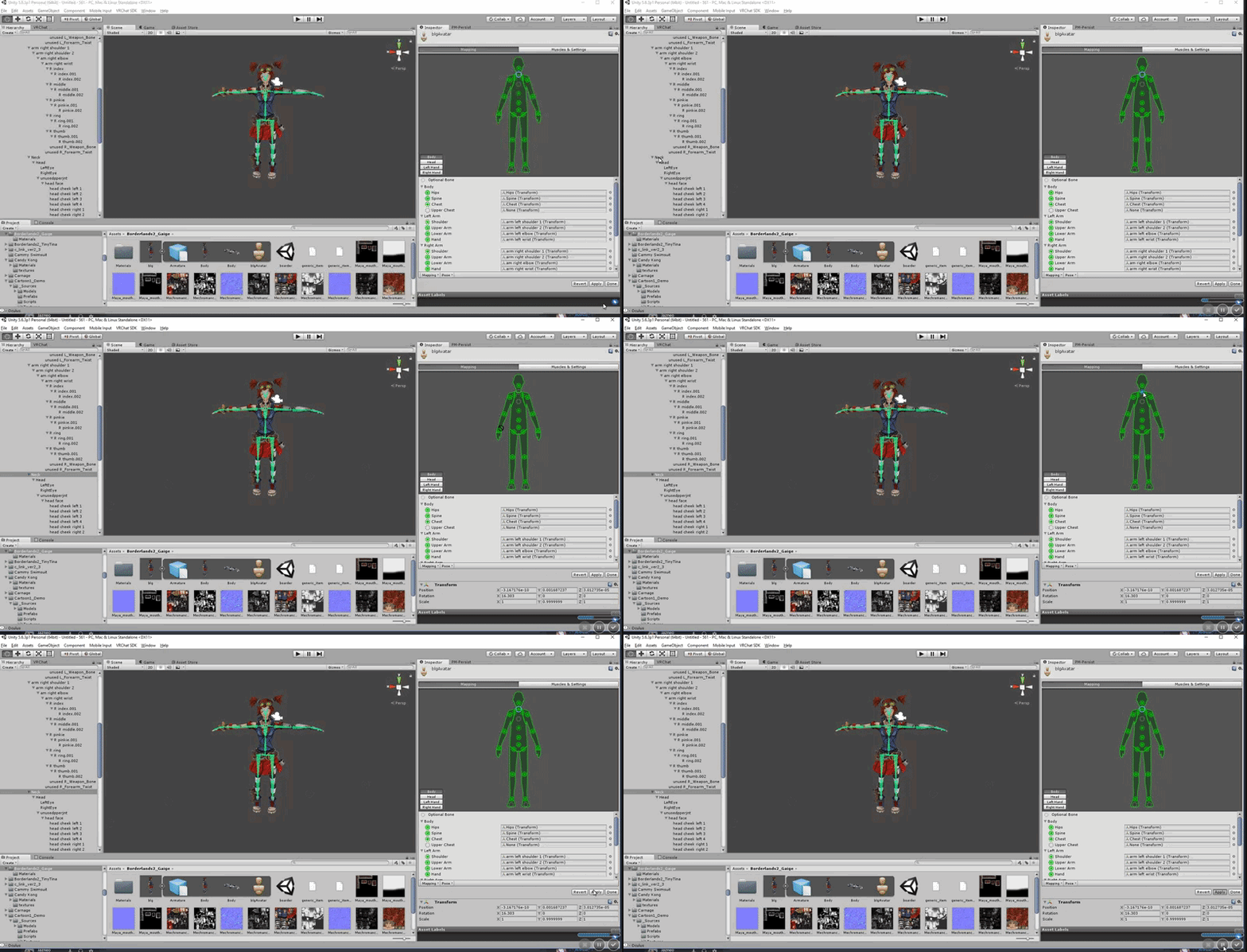 oblique latch
so i did it i have my guy in unity but i can not do a t pose and if i force it plus the auto mapping did not work
fleet echo
@oblique latch look like dont have armature modifer on it
armature modifer tell the mesh to hook to the bone
oblique latch
there a way to fix that in unity or not
fading verge
@oblique latch did you use CAT plugin in blender to fix the model and armateur?
oblique latch
i have no tool to convert it to work with cat or i may just be missing it ? @fading verge
oblique latch
yes its not mmd
i can send you the 3sd file if one of you would like to have a go at fixing it
my guy
 barren parrot
anyone know how to fix this?
fading verge
@naive tree cats works on more than just mmds
 naive tree
@barren parrot select your mesh, go on right side mesh renderer
your box is too big
bounds, there is xyz in two rows
adjust the last one
naive tree
@fading verge yeah probably, I just haven't worked with anything past mmd and xps
oblique latch
all i can import is pmd and pmx in cat
fading verge
It got mixamo support recently
fallow saffron
Did anyone figure out the arms being bent in VR problem?
naive tree
ah right, mixamo is now a thing too
but i dont think it goes past that
or has it worked on other things for you?
fading verge
It has yeah
oblique latch
when i hit inport in cat all i have is mmd
is there a update button with ctas or am i just not doing it right with importing
 lucid isle
hmmm i may need help rigging for mouth and eye movment/blinking
oblique latch
to inport it has to be pms pmd and i do not have it in that format
fallow saffron
you need to get cats blender plugin
and it imports pmds
oh
you can import in anything else too, doesnt matter
just not through the plugin
mmds are pmd or pmx files
fading verge
Hey guys , How do I fixe the spine bone. I have the hips bone as the master than spine, than chest. But for some reason my avatars chest is falling to her hips. Like the stomic is colapsing.
oblique latch
so if i import a 3ds file i can still use cat to fix it or no
naive tree
@fading verge could you post a screenshot
fading verge
Sure thing give me a sec
 ionic rain
Hey if anyone can help, my model imported correctly but when I use emotes, the head doesnt move, it follows where im looking still?
fallow saffron
after following countless videos and using cats blender plugin, etc etc, everything perfect in blender and unity, there still seems to be issues with the arm bones when you actually get into VR mode
lots of people are having this issue too, does anyone know a fix?
oblique latch
@fallow saffron can i work with cats if i import a 3ds file in belder as if so its not working for me
fallow saffron
no clue
oblique latch
ok
fading verge
This is what I was talking about... lol
This is what I was walking about... lol
I posted the scrrenshot but I don't see it ?
On discord
south bear
toad is being toad and not having neck is going to be ok?
fading verge
south bear
What happend
0n0
I have no clue what this means :T https://puu.sh/yKJ4G/2520d6c3d7.png

i do
can any one help with this ?
ionic rain
I can see the screenshot
crisp tendon
@south bear Go to blender and use cat's plugin or extend the bone yourself
naive tree
@south bear import FRESH non-translated version of your PMX
and then use Fix Model in cats
do not ever use pmxeditor to translate bones
or mmd tools translation
they both can break cats
naive tree
oh ok, the error says u have a 0 length bone
gotta fix that
didn't pay attention lol
oblique latch
so if its no mmd then cats is a no go or can you covert to mmd
naive tree
can you mb send the fbx file to me? i could try to check out, haven't had these errors on any of mine, but wouldn't mind scewing around
naive tree
sweet
oblique latch
why it have to be so hard to inport gta t5 characters into unity no fun at all xd
oblique latch
yep @south bear over kill but still looking to have it work
torpid sundial
I've been having issues with models that start as xps files, they never want to accept the shoulders and neck are connected
oblique latch
it may do but with the rig not snaping to the frame in unity its hard to test
south bear
0w0
naive tree
PPL if u ever had these kind of bones: please save these images for hierarchy reference : http://prntscr.com/hpqzh4 http://prntscr.com/hpqzdh http://prntscr.com/hpqyv6


need to fix head and body always (seems so) and legs/arms are fine (mostly)
 onyx matrix
Anyone know how to parent bones from one object to the main body in blender? Like skirt bones to the main body?
naive tree
emm, you select all first skirt bones and then parent to hips with keeping offset?
i think
onyx matrix
How dontoy do that?
oblique latch
would anyone like to try and map the rig to my guy i had a go but its not working out that well
 crisp tendon
@south bear Where is the origin in blender ?
fading verge
Isn't the origin the orange circle inside that center bone head?
crisp tendon
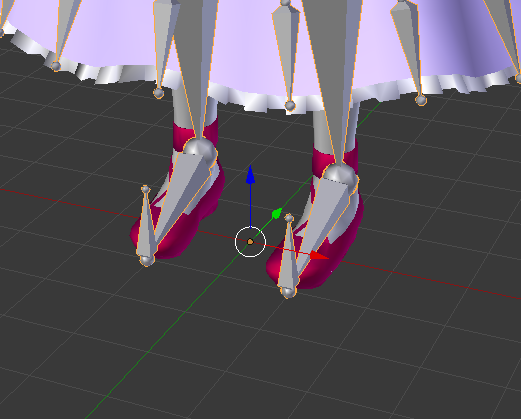
It's in the middle of your root bone
that's why your feet are under the ground @south bear
 fallow dove
real fast whats the quickest way to fix the error angle between pelvis and thigh bones mines is 173
south bear
fading verge
What else could lead to messed up verticies in the mesh when exported into Unity?
No leaf bones. In a vertex group named a bone, and not shared with any other vertex groups. And no shape keys. Trying to brainstorm what else could be causing it...
 grizzled steppe
@here Hi, I just thought I'd ask to see if I could get a bit of help fixing the Eye tracking on one of the models I'm working on.
Would anyone be interested in assisting me?
 brave wadi
@fading verge what does it look like inside unity?
grizzled steppe
One moment.
fading verge
@brave wadi
brave wadi
oh, stretching?
fading verge
Yeh, but doesn't look like it's a transform stretch from the model moving. If it was that, then it would just be unmapped. But yeh.
brave wadi
and does it only happen when you open it in the IK rig menu?
or does it happen when you drag it into the scene?
grizzled steppe
I'm not sure how to screenshot it.. >~<
Would it be okay if I shared screen's with you?
south bear
how am i gonna fix the issue
fading verge
Both. That's just how unity says the model is.
brave wadi
hm, do you know if the vertex might have an extra influencer then?
curiously what program are you exporting from
fading verge
Blender into FBX. In Blender it's normal, and windows 10 trueview whatever file preview has the FBX just fine as well.
But yeah, I'm trying to remove any other extra influences that could have on it.
Not any other bones.
Not any shape keys.
crisp tendon
vertices have influence but wouldn't show up on static like this
weight paint would though
 hoary grotto
Just a quick question, Does anyone have a link to a particles and sound video for weapons and stuff?
fading verge
I only see a single vertex group weight painted to each of them. None of them mix together.
crisp tendon
@hoary grotto you'll need to google the ones you need, there's too many
Odd bone mapping could do that too
Can i check the fbx @fading verge
fading verge
Sent, I'll be remapping the bones now.
 unkempt crane
Hi, does anyone know what to do here? I think this is why my animations won't work.
crisp tendon
unmap jaw bone
brave wadi
yeah uh
your bone is pointed towards two IK entries it shouldn't be pointed towards to begin with
enter the IK configurator -> click "head" in the diagram -> clear out anything that doesn't seem to match
unkempt crane
Okay thanks. I'll try that
 ashen stump
almost
unkempt crane
So, it should be like this then?
brave wadi
no--you need to clear your left eye too, it's tracking your hair joint for some reason.
naive tree
@unkempt crane you're missing neck bone and Neck has to be 1 higher
assign neck to neck and head to head
if thats how bones are named
brave wadi
time to pose some visemes
unkempt crane
So, is this fine, even though it has an error?
brave wadi
nop, you've gotta modify your head hierachy
when it's red that means something's seriously up
oblique latch
i may just give up on my gta 5 rig spent all day looking how to fix it and testing lots of things but its still f rip
 warm nova

 fading verge
Said nobody in the extent of never.
 jovial nest
https://gyazo.com/e8c8a56151c954d70d3ad8ba612d5874 mmm yes what a cutie
 naive tree
put a bag over her torso and she's fine
jovial nest
After my model getting fucked too many times due to it being not zerod out and the armature dying, I've decided that since this week I've done nothing but weight paint and redo armatures, I'm making abominations
naive tree
you can at least freak out some people 😂
especially ones that pay attention to lower body first 
crisp tendon
We need a public dump where people can throw their trash waifus
 alpine hollow
getting some strange things happening to my model only in vr chat
i assume its something to do with t pose not enforcing correctly
fading verge
How do I fix: angle between pelvis and thigh bone should be close to 180?
 prime dome
so i want to add a santa hat to my avatar. I've created the necessary bones needed to rig the santa hat, but how do i weight paint the bones?
 lucid orbit
@prime dome Here you go. https://www.youtube.com/watch?v=Tl4qTgwQwYw

Quick intro and guide to skinning/weight painting. this video is meant for those with a basic understanding of Blender
prime dome
when i select the bone in the santahat in pose mode and then enter weight paint mode on my santa hat mesh, its like the paint isnt applied to that bone
nvm i figured it out! had to apply an armature modifier to the santa_hat mash to target the bones in order for it to work
 placid heath
what is good settings for dynamic bones when it comes to long hair
lucid orbit
@placid heath Don't ask the same question in multiple channels. You're going to get the same response here anyway. There is no "good" setting. Each model is different and you need to experiment on your own.
onyx matrix
For me I like dampening at one and stiffness at .873 and force at -.001 it worked out for me and the lower you go on the bones ease off the stiffness lower like the last bit should be a .740 somethin
And you have to ask the same question here because it gets ignored in other channels hoping someone will spare some time to help you
@placid heath
placid heath
thanks for the hwlp
onyx matrix
No problem
stone haven
I don't see what it means. Could someone help?
 slender quartz
Is it possible to cut out this model and rig it? I removed the background but am not able to get mixamo to get it. https://sketchfab.com/models/abceb47289434de0b2702cec878ecc8c#

Rise of the fallen Angel it’s done!Hope you like it :D
onyx matrix
@stone haven there is a duplicate bone of those bones for me I had to go into blender and use the cats program to remove the extra bones
stone haven
CATS is telling me im missing a leg bone is the higherarchy. But i see it there.
onyx matrix
@slender quartz I'm not sure that's over my skill set their hopefully someone else can help
You might have to manually prepared the leg under the hips
Parent
stone haven
Did that already.
onyx matrix
Ummm in not sure then I tried that manually before the cats and it didn't work and it worked for me after the cats I'm not sure sorry
stone haven
Its all good.
unkempt crane
Anyone know how to fix this? Also, do I even fix it unity or is done in blender.
 dreamy urchin
Anyone know how to fix this? I need to get a chest and upper chest bone so I can build this model
model came pre-rigged
the light blue is all one bone marked "upper chest" and mapping it messes EVERY other bone up
 sinful plank
Looking for someone who can help me get my chracter to have eyes blinking and mouth moving, would be willing to pay
slender quartz
Trying to import this model into mixamo. I placed the wrist and elbow location correct but it is using the side wings insteed of the arms. Any ideas?https://sketchfab.com/models/3ae63fc090a14056bbbd59f25b32ef2f
 fading verge
As a general rule, do not rip sketchfab models unless they have it up for download in some way. Those are used at people's portfolios or are commissioned work, and it has the potential to ruin careers if you fuck with them. If they were okay with you downloading it, they'd let you. Often times they're more keen on pursing legal action, as well. Source: Lots of peers and friends post their stuff there.
stone haven
Anyone have an idea why this is happening?
In blender everything moves fine in pose mode
I have an idea why but im not 100%
 errant mountain
that avatar looks hilarious
errant mountain
Hope you get it working ;-;
stone haven
Its just bug after bug with this so far
 crystal vector
@unkempt crane Your head bone is somehow between your fingers. You should go back to blender and fix that
I suggest using cats for that
 sand folio
Hey guys i need help rigging https://sketchfab.com/models/9707d688dafa428a9e42ab380a708d75#

My gf asked to model this cute little thingThe color are in Vertex Color Layer Look how to apply the vertex colors in your render engineI made it that way, because it was a small model a idid in a few minutes and the texture is really really simple
unkempt crane
Thanks senpai
sand folio
but i dont know how without mixamo
 fluid mortar
https://gyazo.com/38d8f869a451ecc472099b56d6431a6b ..what are these bones..??

 still relic
That moment when you have no idea how you screwed up the model bones and you're too tired to research and learn.
that was referring to me btw, nobody else
fluid mortar
lmao
stone haven
Uuh what lol
 dusky pendant
How do I unmap upper chest?
 mental cloud
does somebody have knowledge of rigging a character for vrchat that has 4 legs and 2 hands ?
dusky pendant
Unfortunately my model has all the bones already named and so it latched onto upper chest
Oh for fuck's sake what's so hard about one damn thing
fading verge
My avatar in game doesnt move . I run around in Tmod. The rig is all green in unity.
 dusky pendant
Oh YAY more questions to not fucking get answered
For the record
Click it on the character and then press the delete key
fading verge
in scene or reimport?
dusky pendant
No, I meant for the unmapping bones
While rigging
Did you set your descriptor up properly ?
fading verge
i am getting some clipping in my fov
 shadow hill
zion click the circle next to upper body and pick none
 minor agate
Hey guys kinda new to Avatars and all that. Just got a problem with this Nanachi where the back hair will become transparent on the front view when moving it from Blender to Unity. Sorry if this is an easy fix thanks in advance for the help 😃
 calm needle
seems my problem was the head bone was angled funny and not the eyes
 steel fable
hey guys i know i helped quite a bit of people here and now i could use some help now. i need someone to put a lower neck in this guy for me please. he has no lower neck bone
still relic
@minor agate this is what I had to do to fix the transparent issue.
Whatever material is used by the hair should be Opaque
minor agate
thanks for the help man I'll check it out, a quick google also told me standard shaders are only 1 sided so if this doesn't work i'll try that
probably should've googled first instead of begging
still relic
I googled too and found that sme thing
minor agate
got 2 sided shaders and that sorted it thanks for the assistance anyway 😃
stone haven
Anyone know why the legs are like this?
lucid orbit
Weight painting issue, most likely.
stone haven
They are fine in Blender.
lucid orbit
@stone haven Hmm... check your rigging. Make sure you haven't put any twist bones in the legs.
stone haven
Not sure how I check that tbh
lucid orbit
@stone haven Really? Like this? https://imgur.com/a/5e4XE
 stone haven
Didn't know what you meant 😛
stone haven
Ye. Pulled it off of Gmod
fading verge
Is this even right section or i should write it somewhere else?
fleet echo
@stone haven https://www.youtube.com/watch?v=kTgrZ3BZ26k
Source tools: http://steamreview.org/BlenderSourceTools/ VTFEdit: http://nemesis.thewavelength.net/index.php?c=178 Crowbar Decompiler: https://www.dropbox.co...
maybe watch this
help
part 1 for texture put part 2 for bones

Source tools: http://steamreview.org/BlenderSourceTools/ VTFEdit: http://nemesis.thewavelength.net/index.php?c=178 Crowbar Decompiler: https://drive.google.c...
i stay with xps and mmd lol
because smd use xps
fallow saffron
how do you tell if a bone is a 'twist bone' ?
also, should I be putting my character in a T-pose in blender before exporting to unity?
 teal badge
Regarding T-pose: It doesn't matter, Mecanim will try to correct them. Just make sure the bones are named properly
fleet echo
@teal badge you mean cats?
teal badge
No.
fleet echo
@fallow saffron to tell twist bone there be straight up bone
there plugin call catplugin
that remove them
teal badge
"Catplugin"? That's a new one 😆
fleet echo
VRCat: Community-Run VRChat Forums
Cats Blender Plugin (0.4.0)
A tool designed to shorten steps needed to import and optimize MMD models into VRChat
[IMG]
Features
Optimizing armature...
make sure use this mmd tool plugin with it https://github.com/powroupi/blender_mmd_tools/archive/dev_test.zip
@teal badge i told you about one time
 marble musk
I clicked next, it started to make the rig but suddenly this happends
it says: Oops! Place all markers on the character!
but everything is allready done
forest crane
@marble musk use different browser
marble musk
like firefox?
forest crane
site*
marble musk
while i'm waiting the autorig I made an editing to a dabbing avatar lmao
and it didn't work @forest crane
forest crane
;_;
marble musk
maybe when I removed the bones I removed something else | :
marble musk
why can't I autorig? 🤔
forest crane
somehitngs not right with model
marble musk
i'll try another model
yeah
i just tryed another character and it didn't work too
can someone remove the bones for me?
please
teal badge
I posted my chart in a thread. Hopefully it helps people out a bit.
https://vrcat.club/threads/vrchat-example-model-rigging-chart.204/
I think it could make a good reference if you're not sure your rig is correct
oblique latch
is there a way to make a character do a t pose if its not supported by the character
fleet echo
@oblique latch https://i.gyazo.com/e58bf963a5cad6bcafde8240f9a322da.gif
 oblique latch
did that but it will not work on my character
 tough raptor
Sorry if I’ve asked this before but does anyone know a tutorial for how to fix the error that’s says the eye left has no vertex groups or vertices
tough raptor
I want to add eye tracking but don’t know how to fix that
fleet echo
name same as the bone
 low river
Alright, does anyone know any entry level avatar tutorials? I tried to follow one last night but im 99% sure its broke
fading verge
any wanna rig spyro(dawn of dragon) for me?
crisp tendon
I'm sure you can find pre-rigged spyro models
but i don't think anyone will rig stuff to help, it's a lot of work
daring flare
The youtuber Tupper has a bunch of very useful step by step tutorials on the full process of making and importing an avatar.
daring flare
I was saying that for CandyCrow.
fading verge
ahh
low river
Dankes
I got into one last night but
When i got to a part with the SDK it stopped working
 blissful phoenix
Hey guys i'm a bit confused on somthing
could somebody help me out with this? ^-^
safe bluff
What is it
 zealous fox
https://gyazo.com/17aac897fe918da40aca73e19916affe is there a way i can hide this avatars cloths so i can put bones in?
 blissful phoenix
I got my model rigged and everything, set it to humanoid and everything seems right but as i go to upload it, it says it's not humanoid
click on the mesh and press h to hide
crisp tendon
Make sure you applied
safe bluff
^^
fleet echo
@zealous fox click on mesh edit mode> P seprate mesh. then click on the hood hit H
blissful phoenix
I did apply
thats sorta the reason i'm confused on it, I hit apply on the rig and everything
safe bluff
Did you click configure and make sure everything set right v
blissful phoenix
yep, I made sure there was no upperchest and that all the bones were in the right places
 fleet echo
disable future proof in sdk setting
safe bluff
What Unity version are you using @mossy tapir
 mossy tapir
then ill get stuck on the next step 😦 5.6.3p1
mossy tapir
server side?
because my internet isn't bad 40 down 10 up
based lord Ruuubick enlighten me
crisp tendon
Hey milly, some users are stuck on this SDK, the next one releasing shortly will most likely fix that issue, in the meantime, please try on another computer
zealous fox
@fleet echo Thank you
crisp tendon
It's been an issue to this day, going backwards wouldn't have made a difference anyway i believe
mossy tapir
Ahh alright Ty again for getting it fixed 😃
Well it be out today? or should I check back in couple days?
Very keen to play Vrchat with my new avatar 😉
crisp tendon
Try again on another computer first if you can, otherwise you'll have to wait for the SDK, and i don't have any date for that, since Christmas is coming up, it's going to be a gamble
mossy tapir
alright 😃
 safe bluff
Something isn't set correctly in the configuration
safe bluff
Oh yea true
blissful phoenix
sorry >-<
crisp tendon
show us the rigging and the avatar


 crisp tendon
Oh it's mixamo ...
blissful phoenix
Someone told to to use it awhile ago
crisp tendon
I have no idea how export works for mixamo, are you not able to chang a setting for that ?
blissful phoenix
well, I exported the model as an fbx
blissful phoenix
alright i'll try it
safe bluff
Think cats tool has mixamo support now if you're willing to try that
blissful phoenix
theres nothing now saying that it won't work
I think you fixed it!
i'll test and see if it's fixed
safe bluff
Sweet, let me know if it works
south bear
just wondering
would it be a good idea to add dummy bones for fingers
just to get ik rigging?
crisp tendon
Some people do that
fleet echo
@south bear yea if dont have all fingure
crisp tendon
but ik only needs the first phalanx afaik
south bear
well my buizel model hasnt got any as the thing has paws
or "paws"
only need to map 3 fingers including the thumb?
crisp tendon
I think so
south bear
also
switched to the smd version
smd has a better rigging
as its for the source engine
my favourate engine
fleet echo
to much work for get texture to work lol
zealous fox
why are hands annoying to do
south bear
because hands are weird :T
zealous fox
im getting mind fucked
fleet echo
@zealous fox just make sure all the bone label like finger name
zealous fox
ah okay
fleet echo
R index
oblique latch
is it just me or does anyone else find blender a bit hard to use
fleet echo
https://i.imgur.com/wcUb6A4.gif This let you rolate with camera with alt with mouse and shift + alt let you drag around in blender
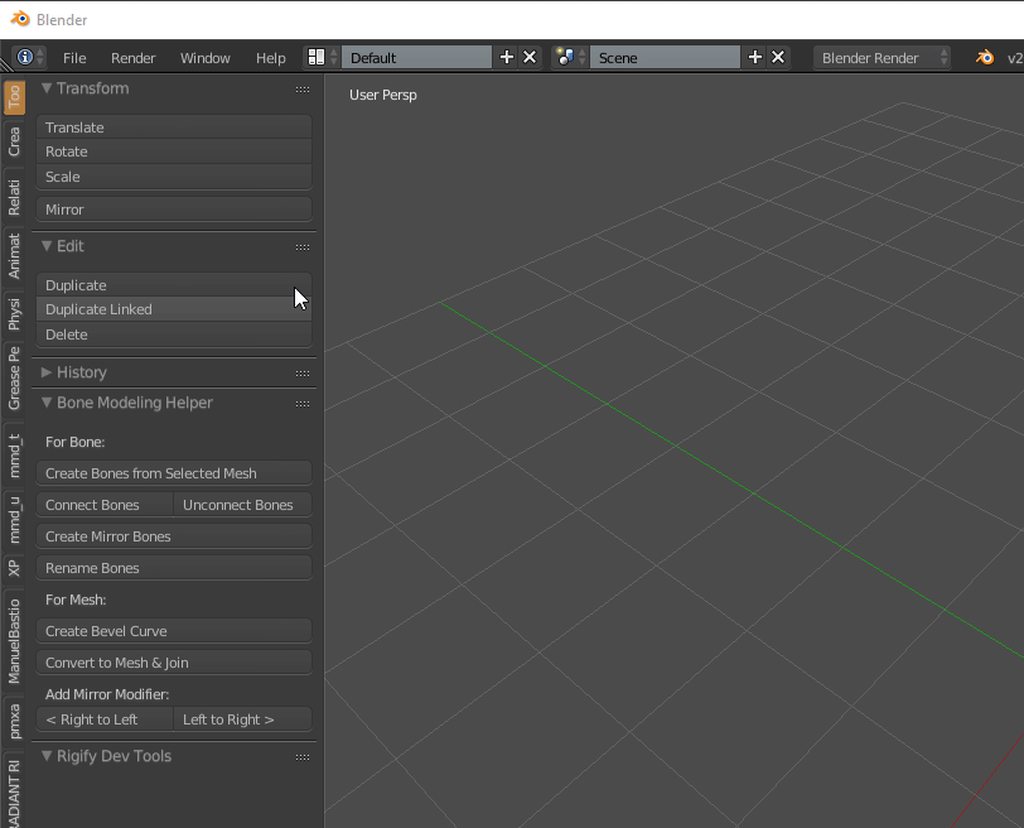 fleet echo
yea
zealous fox
okay got it
naive tree
I felt like a god when discovered Shift+F in blender

 craggy hemlock
So using valve biped- the fingers are always screwed up. How do I fix that?
craggy hemlock
It looks like the thumb is dislocated pretty hard. Can't really get an image right now
I'm assuming it has something to do with the force tpose thing when rigging?
craggy hemlock
Is there a way to delete models from vrchat then?
crisp tendon
"manage uploaded content" in the vrchat settings
south bear
you can replace them
low river
BOOTZEL
south bear
?
low river
its buizel right
south bear
yepper
low river
niiice
You model it or just editing it?
Also guys
I found a model for a gamecube game I liked and I kid you not
instead of it being set up in the T-pose, like all the models, ALL of hte ones for that game are ripped in a pose
fallow saffron
What game?
low river
Go Go Hypergrind
fallow saffron
Never heard of that one
I definitely want some phantasy star online models though
low river
cartoony skateboarding game
which I OWNED A COPY OF
and somehow lost
and its like 50$ phyisclaly now
lucid isle
ok not sure if i should ask here but im running into a problem with viseamse
i was able to do fine in blender
but i got into unity and umm
i cant translate the file either
south bear
im not im just getting sorted for chat vr and fixing the issues that i had with a version i did yesterday
lucid isle
:/
fading verge
so i happen to stumble on a way to make the avatar stand with hands behind back
not sure how i did that though
or how to switch it
south bear
so
for some reason
its saying my thing is under the ground
but when i use the walk animation
hes not
Wut?
not under the ground
is under
should i just ignore this issue?
jovial nest
If you have full body tracking no not at all
jovial nest
If you have vr ehh its aa little noticable
if you dont have vr then it should be fine
jovial nest
rip
 dreamy warren
Ok, I think I have pretty good setup with hip and legs with hip being centered between the leg bones and aligned to them. But in Unity I still see the "pelvis 170 degrees whatever" problem and he's leaning forward as well in VRChat. Any ideas on that?
dreamy warren
yeah...I know that 😅
but its not MMD
I've no idea actually since everything seems ok to me
 round breach
got a model that works ig and want to enhance it a bit, right now i want to change the way a tail looks (bones & the rotation/direction of them)
Is there a way to accomplish this in unity or do i need to edit it in blender and then do the import-step again?
 woven hatch
@near radish you need to go into your hierarchy and restructure the order
@hushed moth
 hushed moth
uhm oki
 hushed moth
okay
woven hatch
then it will fk up your mappings probably
hushed moth
mines like this rn
woven hatch
so you will have to go fix them
hushed moth
google translate
hushed moth
Yeah
woven hatch
did you use cats
woven hatch
it will delete things like pivot bones
you can go into the mapper and relocate things in the structure quickly when you cant find them
Gyazo
hushed moth
Ill tell you if it works
woven hatch
like that
 glossy sparrow
I had issues last night where I restructured the heirarchy, got the bone config screen to stop complaining, but as soon as I hit Apply the heirarchy reverted back to being wrong again and the errors returned.
Super annoying, but I am a novice and maybe missing something.
hushed moth
Looks fine now
woven hatch
on shoulders and neck on the right and find the location on the left, you can drag them under chest and it should fix the issue
I have this fucking stupid bug rn where it says my bones are not mapped when they are, preventing me from uploading
If anyone could help me with this issue it would be greatly appreciated. I just cant figure this out, I have been banging my head off it for most of the day.
https://gyazo.com/f0626694d53d6f37f478b49644d0036c
https://gyazo.com/8f772d141c7bad3f84e5324153cf1bf8
https://gyazo.com/bad20ad5625a635bc3059159fa21d48a
https://gyazo.com/0e240658657f42de4f4d838f1b50233e
https://gyazo.com/9b5ef3439102c70e79e35701d821ebff


Everything looks good to me but its still erroring....
low river
Do you guys think its possible to use Mixamo if the model isnt saved as a T-pose?
woven hatch
yeah
low river
Ahh cool
 pastel kayak
@woven hatch erm, your not mapped, there should be in Spine>Spine, in Hips>Hips, in Chest>Chest, upper chest empty
woven hatch
wtf
pastel kayak
Not IK.Body
pastel kayak
Lol, dw, happens to us all
woven hatch
thank you for noticing my retard error
pastel kayak
Ah, kk
 lethal mason
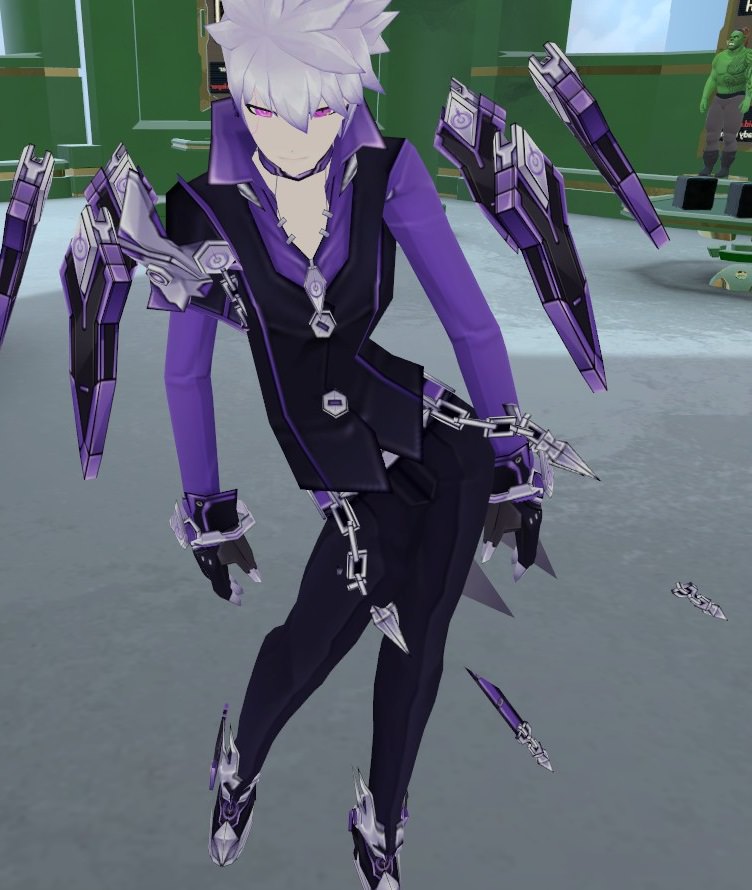
Not sure if this is the correct chat room but i recently uploaded a avatar but the hips started screwing up and were swinging around in circles. By any chance would someone know what i did wrong and if so how to fix it thx. Example of avatar is https://imgur.com/a/EVZWd
 low river
I am so upset a lot of models I desire are unrigged
woven hatch
Mixamo can rig them usually
lethal mason
Yeah thats what i use most of the time
woven hatch
if it says it wont, just spam upload it a few times and it will take it eventually
its a dirty liar
jovial nest
@lethal mason my guess is w e i g h t p a i n t
its always weight paint
when isnt it
That or your chest is too far down
Or you used a mixamo rig
idk
woven hatch
looks like his chest is not attached to his hips
lethal mason
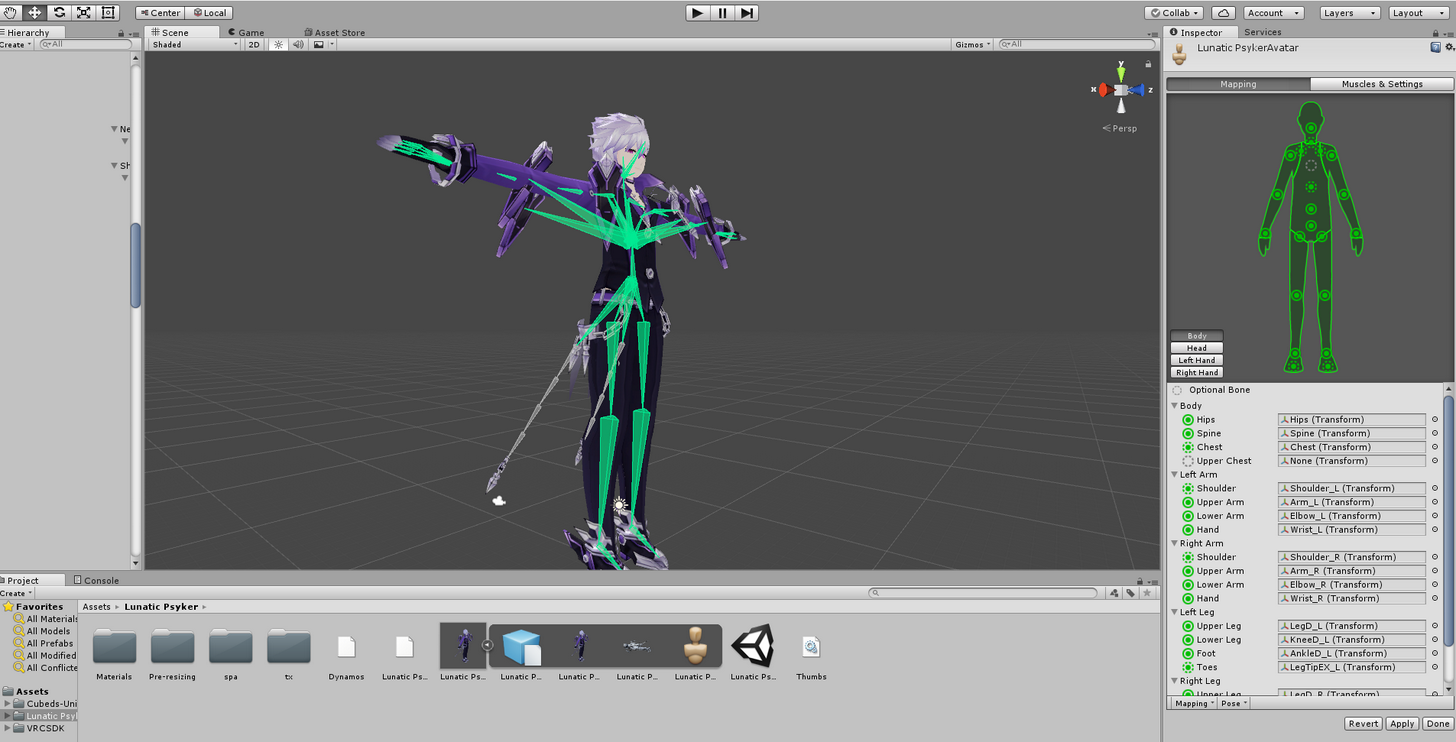
heres a pick of the rigging https://imgur.com/a/p99zI
 woven hatch
yeah thats what I mean, the hips look disconnected
low river
ok question
Is there a way to give someone an avatar i built?
through just file stuff or
low river
Ahh hten they gotta go in and like, "build" it out?
woven hatch
yeah'
lethal mason
Ok i will try lowering them and see what it does
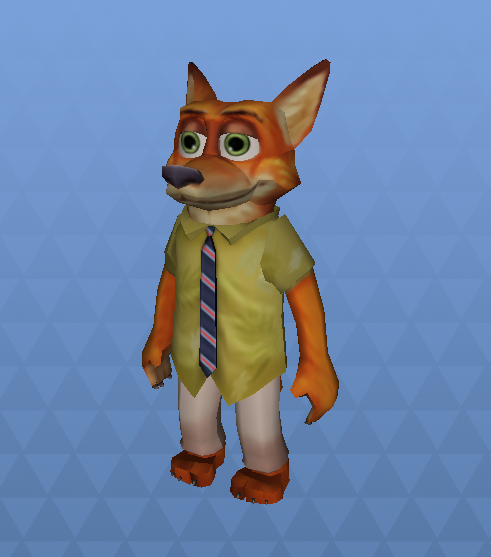






 jovial nest
Make its snoot extend like 10km