#avatar-rigging
1 messages · Page 28 of 1
 fading verge
yeah but i'm using a Lillie model from Pokemon Sun/Moon
 ebon shore
@fading verge I would assume its extremely tedious to do, I would just recommend using a different model if you want better shape keys
fading verge
this is one of the things that happens if i try to rig the model
 crisp tendon
is it not already rigged ?
ebon shore
@fading verge ^
ebon shore
yeah i would just switch models xD
you can probably find another version of that character since shes on a popular show
crisp tendon
Yeah that's pretty awful
fading verge
what bothers me the most is that you can make the right pose easy with bones
all i actually need to know is how to move stuff like this guy does here

This video will demonstrate how you can rig faces in Blender using Shapekeys and Drivers. The model we use is the anime style face from the last few videos. ...
he is like pushing it up and all at once smoothly if i try to do that i grab the entire body/jaw or i just move one square really wierdly
ebon shore
@fading verge hes moving the value at the bottom from the timestamp im at
@fading verge I havent messed with face rigging, thats a monster of its own xDF
fading verge
ok so i better just try to find a better model or just use no lip sync... but big thanks anyway to both of you ^^
ebon shore
@fading verge yeah, the best models imo are MMD models, they usually come fully rigged and all you have to do is the bone translations and cleaning
fading verge
look how easy it is with bones! it makes me legit sad XD
crisp tendon
mfw when it's too anime
 crisp tendon

fading verge
YEP I'm not going to sleep tonight!
 silver storm
how does one fix this issue? is it in Blender or Unity?
crisp tendon
unity
silver storm
how would I go about fixing it through unity?
crisp tendon
Take the elements mentionned and put the below the other element mentionned
If that's not specific enough i can make you a gif
silver storm
That would be great, im still confused
 hollow jolt
@silver storm your issue is likely the shoulders, in unity you likely stuck with the autorig which probably made the shoulders a direct child of the actual shoulders, you can go back into the rigging window and just select the parents of the bones you currently have rigged. Hope that helps
this is quite common with mmd models that come with an existing armature
 ember gyro
I'm getting this message too. trying to figure it out.
I'm understanding everything other problem that pops up except for this spine hierarchy thing. :c makes me flustered.
 lucid orbit
Hips has both legs as it's children. Spine is also a child of Hips. Chest is a child of Spine. Chest has both shoulders and the Neck as it's children.
crisp tendon
Skitzzotv's avatar was missing a spine bone, so the rig couldn't be used anyway
ember gyro
So, would I just drag said parts under where they should be in the heirarchy ?
or will I have to go back into blender.
lucid orbit
@ember gyro You use logic to figure out what bone goes into what rigging slot in Unity.
ember gyro
yeah... I'm looking through it and it looks right... Not sure why I'm getting them message. All the parts are below chest... I just don't think I understand what I'm looking at. :c
or, everything LOOKS like where it should be.
crisp tendon
send a screenshot pls
 limpid scarab
Best is to send a screenshot of the bone hierarchy
ember gyro
i just got off work and am tired... how do I screen shot a window. :c
i have so little function right now
lucid orbit
This is not something you do when you're tired or had a bad day.
 rigid magnet
ctrl + alt + print screen key
then press ctrl + v in discord
prnt scrn should be top right somewhere on your keyboard
ember gyro
This is just getting it into unity after following tupper's tutorial video
and thats what the heirarchy looks like
limpid scarab
Did you run the armature trough the cats plugin in blender?
limpid scarab

Today we'll be going over Cat's Blender Plugin, an amazing Blender script that will save you TONS of time with your armature, visemes, eye tracking, and text...
try this
it pretty much fixes the mmd model for you
crisp tendon
Yeah it's humanoid enough that it should work
hollow jolt
@ember gyro Rerig the shoulders to their direct parent. Right arm->Shoulder should be rerigged so parent "Right Shoulder P" is the right shoulder and leftarm->Shoulder should be rerigged to Left Shoulders P
the Neck, Right Shoulder and Left Shoulder should all be under the same parent, i see that your shoulders in unity are prerigged to the child bone of the proper shoulders
In your case it is Neck,Right Shoulder P and Left Shoulder P.
Hope this is helpful
ember gyro
so.. would that be dragging them under the correct spot or hitting the little dot and selecting the correct one?
hollow jolt
If it's easier for you, you can drag those bones from the left to right menu into the proper box
hollow jolt
Neck is fine
ember gyro
so, just make where it says Left arm - Shoulder > Left shoulder P and the same for the right side.
 ember gyro
Red alert is gone. Now it says LowerArm/LowerLeg is not first child of UpperArm/UpperLeg.
hollow jolt
this will be a common issue with models with a prexisting armature
that's fine
it's a warning
not preventing you from uploading
ember gyro
says ill have problem with specific rotations
hollow jolt
it's the proper rigging based on the current armature
ember gyro
oh, right, the publish button isnt grey. Nice.
Thank you. I have to remember this stuff.
hollow jolt
it's just worried because their are extra bone between the rigged bones in unity
ember gyro
Well, to vrchat I go to see if he works!
hollow jolt
Glad I could be of assistance
If you ever have any questions, feel free to dm anytime.
ember gyro
Will do. This is the first time I've run a MMD through editor and blender to unity.
Just been throwing stuff into mixamo.
ebon shore
anyone know how to fix this; https://gyazo.com/f6c2251b4c559ef2bb53d5cd771247e0
 hollow jolt
shader
ember gyro
opaque
hollow jolt
you can change it from trans to opaque
ebon shore
how do i do that
hollow jolt
can you screenshot?
cause that looks like standard shader with transparency selected
 hollow jolt
well it looks like a selection of 10 materials at once lol
select the mesh in scene
change the shader from there for each individual material
@ember gyro How're those shoulders looking?
ebon shore
@hollow jolt how in the world do I do that
@hollow jolt do you mean from blender or from unity?
hollow jolt
Unity
Just select the mesh in the scene
Top of right menu should have the components in order, Transform ->Skinned Mesh Render->Shaders
ebon shore
@hollow jolt im not sure if im missing something here but I don't see any of those besides transform https://gyazo.com/9bbb16f793215076aaecf23001a124ee
 hollow jolt
That's the model
ebon shore
nvm i got it
hollow jolt
Awesome, so the shader issue is fixed?
ebon shore
apparently there was 1 of the materials that wasn't opaque but since it was only one when they were all selected it didnt show
ye
ty for the help
hollow jolt
Btw, I recommend cubed shader with outline set to 0
Looks great in lighting and preserves how to model should look and standard shadow
ebon shore
alright ill check it out, thanks
hollow jolt
If you ever have any further questions on anything else, feel free to shoot me a dm or @mention
 mental cloud
hey guys can somebody help me out, im trying to get a model ready but I'm running some issues with the fingers in t position which leads to creepy looking fingers, so far I did no rigging myself but fixing the parenting, does that mean if I want to get that model work correctly I have to re rigg it completely? https://i.gyazo.com/7f53c6170a50ac120de849841e2e8bc0.png
 hollow jolt
try unmapping the tips of the fingers
they might not be properly mapped or the bones that are mapped are set further back than they should be
follow the armature in the hierarchy
mental cloud
uh yeah unmapping works but would that lead to weird finger movements with vr headset? i mean would i have to fix them by my self to have proper finger movement?
ebon shore
@hollow jolt is it possible to have multiple avatars? Mine just keep getting overwritten when I make a new one
ebon shore
thanks
hollow jolt
^^
ebon shore
@hollow jolt The blueprint id is empty so do i make one there and attach it?
hollow jolt
you don't have to attach anything, it's automatic. Once you go to upload your model it will recieve a bluebrint id @ebon shore
 remote rivet
is this happening because i didn't weight the skirt correctly?
It'll drift off the body and I haven't applied dynamic bones yet lol
remote rivet
I've heard of Mixamo or whatever although idk what it's for exactly
hollow jolt
the way the skirt is twisting at the waist lol
remote rivet
ohh nah i did it all in blender ahaha
crisp tendon
that's weight painting then
hollow jolt
^
remote rivet
Alright, just making sure. I'll go and fix that up then ty : )
 pearl laurel
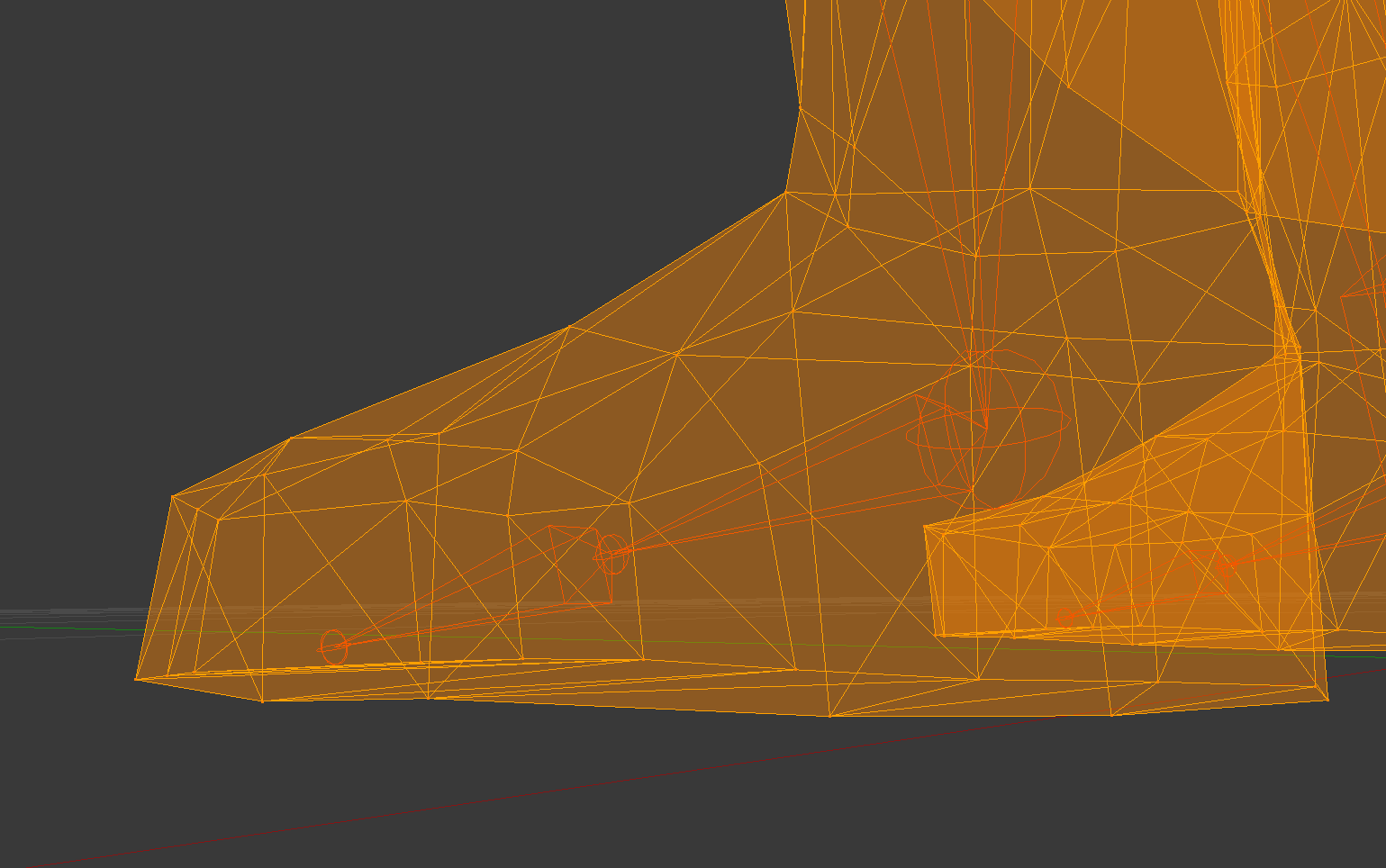
does anyone know why this happens? whenever I walk in vrchat my feet weirdly stay in place... is it weight painting? or did cats plugin merge stuff together weird <:3c want to fix
pearl laurel
okey dokey, thanks for answering!!
Update: I fixed it without weight painting,, I had to parent another bone to ankle waah
crisp tendon
Oh so there were invisible bones on that screenshot ?
pearl laurel
I MESSED around with mixing weight (to try and fix it on my own) and mixxed the toe bones into the ankle and undid it and just parented the toe bones to the ankles
crisp tendon
Gotcha
crisp tendon
remove the jaw bone ?
fading verge
really thats all it needs?
crisp tendon
i think so
crisp tendon
yeah remove it from the rigging
crisp tendon
don't delete anything, simply remove it from the rigging
fading verge
ohh ok i was wondering for a second
ok and atlast one more tiny question
any idea how i get rid of that line? you can only see it from far away btw
crisp tendon
no clue, never saw that before
 pale hull
Select the texture file itself in unity and untick mipmap
You probably want to do that with low res textures
 crystal vector
No that is the material
 urban fjord
So
pale hull
What hotox said. Click on the texture file itself in the assets window
urban fjord
Wanted to ask you guys here, because I refuse to use CATS for one reason: It always detaches all the bones of the model I use, then breaks it completely to where it'd save me time if I just manually rigged it myself.
Does anyone have this issue?
fading verge
ohh my fault sorry ^^;
crystal vector
@urban fjord is it a mmd model that you are trying to fix with cats?
urban fjord
Yea, the model itself works fine without it, but the hips are all kinda fucky.
I was going to cover it in an update video on my Youtube, but it completely buttfucked the model I was using, making it unsuable completely.
crystal vector
Can you show me the bone hierarchy before you fix it?
fading verge
i think moving either the Hip or Waist bone a tiny bit can fix it
thats what i did actually
urban fjord
@crystal vector I've already fixed it. I was without internet for like 2 hours, so I fixed it manually without CATS, works fine now.
Sorry 😦
I've just been trying to give CATS a chance, but every model I used it on, it breaks the model :l
crystal vector
@urban fjord Well I still want to know why cats fucked up. I am one of the devs of cats and I can only fix what I know is broken.
urban fjord
All I can tell you is that it removes the rig itself from the model for me.
I use it for general clean up of names and stuff, that works 100% perfectly.
Its most likely actually, that I work on MMD models with Alot of bones.
I can do another test later on a model with very few bones if you want, see if it works that way.
(I generally work with models that have 5+ Spine bones, as In my free time, I do alot of animation work, as I'm trying to get to collage in an animation course, so I can better work on Game Development)
crystal vector
I have never seen the rig detaching itself from the model.
Ooh 5+ Spines sounds like it's not a typical mmd model.
urban fjord
Yer, I use most of my models in side work, so I clean it up for both the game and then actual animation. So Id generally have in total, 50 or more bones. I'm guessing its just REALLY not made for models like that.\
crystal vector
Well I have never really seen mmd models with 5+ spines. Did you import them with mmd tools?
urban fjord
Yep. No issues with the mmd tools, I always use them. I just have translation errors.
You really need to search for models with alot of bones, most people don't do them, you'd only really find them in deep little corners. I had to get permission for use for the ones I currently have.
 teal badge
Or if a game company gives you permission, perhaps you'll find their models have a lotta bones
crystal vector
I won't search for them. And I can't fix what I don't have. So these models with 5+ spines should probably be fixed manually
teal badge
Surely, you mean 5 spine bones?
I can't think of how you'd have more than one spine. Maybe 1 spine and 4 fake ones.
mental cloud
is there something like a "general" rigging picture that shows which bones at what place should be connected to what bone?
teal badge
...That gives me a great idea. One moment, I'll make one
 delicate mountain
If i have the shoulder and neck under the Chest Hirachy and it still displays me Spine Hirachy error.
what could the issue be ?
delicate mountain
I will have a look into it lateron , but thank you alread
 clever cloak
Anyways since we have cats plugin its not that much of a problem
 civic iris
Do I need to have dynamic bones for skirts to work? Every model that i made that had skirt ended with collision problems like the arms aways lifting the skurt
clever cloak
Well yeah since it makes almost a perfect skeleton in blender
delicate mountain
so is it more usefull to use blender for rigging
and lateron just unity for uploading
clever cloak
Tupper made a video about cats plugin gimme a sec
crisp tendon
you can't rig in unity, so yes
clever cloak
Today we'll be going over Cat's Blender Plugin, an amazing Blender script that will save you TONS of time with your armature, visemes, eye tracking, and text...
delicate mountain
tyvm
clever cloak
Np
urban fjord
@clever cloak Its generally perfect UNLESS the model has ANYMORE then 1 spine bone. I personally have an issue where if I use a model with 2 or more spine bones, the rig gets detached from everything and I have to manually re-rig the entire model. I made this issue aware to one of the devs.
clever cloak
Oh
I guess they will fix it then
Anyways a model with more than 1 spine is already weird
teal badge
The plugin can't account for anything. It'll only work perfectly if your model is a normal MMD
Spine bones aren't spines, just extra joints in the one spine
mental cloud
@teal badge yo buddy possible to upload a higher res cant read without magnifier lul
teal badge
mental cloud
nvm im actually just retarded and discord trolled me
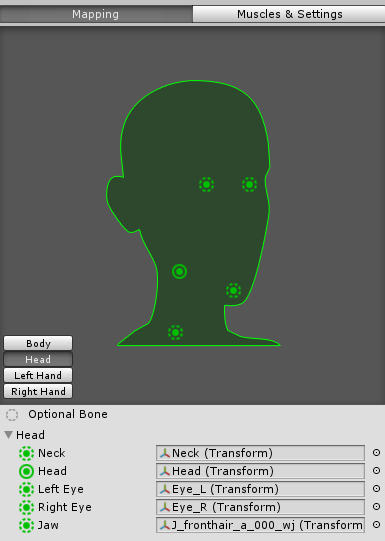
someone mind explaining what a proper jaw bone looks like because unity automatically tries a hair bone for that https://i.gyazo.com/a0a320f469cf9e1c1b16c6d5ee506aa8.png or do you dont use any jaw bones in vr chat at all?
 teal badge
Don't bind one there. It causes issues. VRchat has a seperate setup for jaw bones.
crisp tendon
It's visemes instead for vrchat
mental cloud
ah i see thanks
remote rivet
Anybody have an idea why this would happen and how to fix it? i used cats to fix the armature and when i hit build and publish it didn't come up with any issues other than my borderline high poly count
crisp tendon
how did the arms look in blender/unity
remote rivet
completely fine
crisp tendon
even in the rig mapping process ?
remote rivet
the screen when you manually configure the armature in unity right?
crisp tendon
yep
remote rivet
This is probably the issue lmao but i have no idea how i go about fixing it lmao rip
crisp tendon
remote rivet
Oh thanks!
it's kinda strange though since in my previous attempt where i cleaned the armature manually it worked fine in that pose but oh well
i am but a simple man
ty for the help again : )
crisp tendon
np
teal badge
Is there a way to do the open/close thing in Blender?
crisp tendon
Not sure what you mean
 vivid cave
I fixed up my bone parenting but this angle issue has apparenty gotten worse
crisp tendon
Did it have any effect on your avatar in vrchat ?
vivid cave
I'm going to try now, as soon as it's exported
mental cloud
is it normal when im mapping the toe that my character tries to tiptoe when im looking down?
crisp tendon
don't map the toe
mental cloud
a guide to vr rigging: dont map half of the character 😋
crisp tendon
basically
vivid cave
Wait, don't map the toe when in VR?
Also, what about hand rigging with characters with only three fingers?
crisp tendon
three fingers is enough, but you'll have to use the ones necessary for the IK system
Yes don't map the toes
pale hull
Unless you've set your player height correctly and recalibrate your floor height before playing, you probably don't want to assign toes
mental cloud
so where is the perfect position for the player camera face mid, on the nose, on the head ... ?
 sweet rune
what is the dynamic bones setting of breast?
fading verge
how do i actually create bones to a character? i have a small ralts (pokemon) model and its missing shoulders and a chest
Trying to do some Weight painting, and I am getting Active Group Locked?
Nevermind fixed it
 vestal dirge
@mental cloud ViewPosition is literally where you camera goes in game, so it's a personal preference. On realistic characters I like to put it right between the eyes from the front and centered at the eyeball from the side. If your avatar has a distorted head you may need to adjust this
mental cloud
@vestal dirge thanks
 hexed frigate
If both of eyes are jiggling in unity, are that good or bad ?
@fading verge you must create armatures first in blender or whatever software u use.
fading verge
i just actually did it and i'm surprised i was able to add shoulders, neck and a chest to such a small character
 last gyro
Can anyone explain what i'm doing wrong?
 short crater
Do people normally use all three bones in the thumb or just make two bones
 fickle thistle
Ok so, I have a character model all set up and he's working and all except when I try and crouch down in VR he just stays stiff as a board. Arms and head tracking work fine and everything seems alright but I'm not sure what to do to get legs and my body to crouch, he walks fine
If this helps any
 safe bluff
@fickle thistle are all of his fingers mapped?
fickle thistle
uh
he's a blendyboi
His thumb and index are seperate things then the rest are all just kinda yeah
safe bluff
Need more fingers to have full VRChat IK
That's why it's not bending down with you
You can add dummy fingers in Blender to act as the rest of the fingers
fickle thistle
is there a tutorial link on that? sorry I'm quite new to this D:
 calm needle
instead of pinky, set that to middle finger?
the middle, index, and thumb have to be defined for the ik system to kick in correctly
 bleak rock
anyone know how to get them under one armature
fickle thistle
@calm needle I'll give that a try, thanks ❤
calm needle
you can use control + j to join armatures just like you do with meshes
i do it all the time with spare finger bones i copy and paste so i can get full ik on models without fingers
if the scale and rotation fuck up on joining, apply the scale and ortaiton before joining
bleak rock
so how do i select mutiple i try to ctrl click and do that and it doesnt work
calm needle
shift
 civic snow
I need a little help here with my avatar i'm rigging. Let me get some screenshots and explain my problem
bleak rock
okay shift works for selecting but ctrl + j does not work
civic snow
Well, I guess the rigging problem doesn't exist anymore XD
 dreamy warren
lol
civic snow
Ok, I still need help. Whenever I upload my avatar, it has no animations, even though I have the Simple Avatar Controller as my controller
Why aren't the animations working?
How do I apply my animations to the actual avatar?
I need help
Wrong chat
Lmao
 frigid grove
Generally, should a Bone Collider on the hand extend past the hand or only encapsulate the hand without much empty space?
civic snow
I give up
 hollow sable
same
 young hornet
I'm so sorry for what I'm about to ask.
Can someone help me with this?
@ me for my attention. 😛
hollow sable
i got that problem too
 timid arrow
Will having the sightline there work?
lucid orbit
Upper Chest needs to be set to None
fading verge
I'm having some trouble getting Dynamic Bone to work on this hair piece. I've got the DB attatched to the hair-bone, with the root set as the hair. Nothing happens unless I increase the End Length setting, in which case the bone's physics-pivot is backwards (ex swooshes left when moving left)
timid arrow
Somehow the sightline ended up in teh character's crotchwhen I uploaded it so now I actually can't see anything anymore
 wary stag
Adjust the viewpoint in the VRC Avatar descriptor
timid arrow
swell
fading verge
All my avatars seem to sort of stick our their gut a bit. Using default VR animations for desktop. Is there a way to fix this?
 round sable
I can fix that
 spiral quartz
Also getting this ^, not sure what to do
sweet rune
How do I add eye tracking and visemes for fbx files from the asset store? I know how to do it starting with a pmx file but I can't do it with just an fbx file.
 floral flare
is there a way to fix this rigging offset? https://i.imgur.com/2RoZr7o.png

 left plume
@young hornet Set chest to the Spine2
 desert yoke
hello can someone help me i have no chest bone and dont know how to create one
young hornet
Config?
desert yoke
idk lol im use too it showing like chest and shoulder
desert yoke
ok is there anything labeled shoulders?
desert yoke
you see those grey things?
young hornet
Grey bones?
desert yoke
configured incorrectly
make sure its connected to the chest if its not
mb
i meant the spine
young hornet
;-;
desert yoke
its mapped to the upper chest
young hornet
Can you join the help VC?
 potent hearth


 jovial kite
question for you guys who know blender better than I do. I am decimating but, how can i get back the action bar on the right sided when it's disappeared? I can't continue decimating and I've invested some time into this avatar
 warm smelt
is this the right place for help with dynamic bones? the new separated avatar help channels are confusing.
warm smelt
I have sorta
thing is, whatever I do with colliders, this happens https://vrchat.is-pretty.cool/96c73d.gif
 jovial kite
I actually don't know dynamic bones yet ;p i don't have the script 😭
warm smelt
its on sale for 14 instead of 20 rn
jovial kite
looks though like you need to change some values
 grave geyser
@warm smelt have you added the collider on the dynamic bone?
jovial kite
@warm smelt i know somewhere in this video he talks about avoiding issues with the skirt being too wavy, and how to fix it https://www.youtube.com/watch?v=NY6uU5_KyuQ&t=1822s
 warm smelt
 grave geyser
It won't work if you just add it and don't make the dynamic bone take into account its actually there
Hoh. Hmm
That I do. Dynamic Bones?
fading verge
wait Dynamic bones cost money?
jovial kite
dlet this kappa
grave geyser
Trippin, you've watched VRChatmoments tutorial?
warm smelt
skimmed through it, I'll watch it all the way through
jovial kite
do you guys know how to get the bar back on the right side of blender when it has disappeared??
I can't select the tools for decimate or anything
warm smelt
the scrollbar on the section under the hierarchy
if you scroll that up
do the tabs show up?
jovial kite
no
they do not, i should have scrolled it up for that screenshot
you know how to get them back?
I can always type "add modifier" then choose decimate, but obviously the slider doesn't show up, so i sort of need the interface
warm smelt
put your mouse in the sidebar about where the tab would be https://vrchat.is-pretty.cool/1fdec7.png

and press ctrl-tab
and ctrl-shift-tab
jovial kite
I found a workaround XD
warm smelt
idk how you removed your properties editor tabs, but you can still cycle through that way
jovial kite
You can open an empty blender file
load it and uncheck the box "load UI"
then it loads the default menu settings and all
instead of loading it the way you left your project
warm smelt
ok]
jovial kite
still, this has happened to me more than once, thanks a lot
only 700 faces to delete
fading verge
Need some help with dynamic bones, can someone help or send some tutorial about the subject?
I need to know how to properly add the dynamic bones component and how to test it to see if it worked, i basically wanna make the skirt in my avatar have cloth physics and make it to stop going through my legs when i walk
crisp tendon
@fading verge please check the #tutorials channel
 bronze ibex
SOMEONE PLEASE MAKE MY FBX FILE INTO AN AVATAR
IVE SPENT 7 HOURS TRYING TO DO IT AND IT WONT WORK HELP
crisp tendon
"7 hours" 
 lean mason
is there a video that goes over custom rigging for hair and stuff for this damn game
because im so confused
we need a avatar's FAQ too that might be helpful
crisp tendon
you mean dynamic bones ?
lean mason
idk maybe
crisp tendon
there's a faq but it's not updated often
lean mason
I don't know how to do anyhting other than huminoid
crisp tendon
If you don't know i can't really help you
jovial kite
@lean mason watch Tupper's guides https://www.youtube.com/channel/UCVxjI7B8uhcKqj75nVkm_oA
YouTube
This channel contains tutorials for VRChat (vrchat.net), a Virtual Reality Social app that allows you to upload your own content. You can upload avatars and ...
lean mason
ok ty
jovial kite
@lean mason in his full avatar video he explains dynamic bones towards the end, and in his common bone rigging issues video he tells you how to form a hierarchy before importing to unity so you can get dynamic bones working properly
jovial kite
so watch the common bone rigging issue video, you want to make the bones you are using in your animation, parent to a bone NOT used by Unity/VRchat as a skeleton, so they do not interfere
once you import to unity he shows you the basics, you can adjust the bones script how you would like.
 potent quarry
I managed to make my ears all floppy without having to buy the dynamic bones script
The colliders don't seem to work though
How's collision with the script on the asset store?
warm smelt
5 days later, I figured out dynamic bonez and dynamic colliderz
which I now "affectionally" call dinnerbones
crisp tendon
@potent quarry timestamp https://youtu.be/p0txtOuZtx0?t=1645

Importing model - 0:37 Toe Removal - 1:37 Applying Shader - 2:29 Blinking Animation - 3:09 Animation Override (Facial) - 7:24 Avatar Descriptor & Viseme - 18...
fading verge
Yeah, i did everything exactly as the tutorial said, my avatar's skirt is still not moving
crisp tendon
You probably missed a step, try again just to make sure
fading verge
I specified the root bone, and all other bones like the video showed, changed all values to be exactly the ones that shows in the video
Still no results
Anyone willing to help me with rigging? I think its a simple fix but not very experinced with rigging
crisp tendon
Sure what's up @fading verge
 fleet echo
how setup your avatar for fullbody tracking https://www.youtube.com/watch?v=6U-KMlRr-XE
 crisp tendon
@fleet echo When you helped me fix my weapon and attach it to my hand, my thumb moved away from the other fingers, is that because of the way it's placed in the hierarchy ?
fleet echo
i use muscle animation edtior cost $15
asset store
it make it easier to move the finger in animation

Assetstore: https://www.assetstore.unity3d.com/#!/content/32233 1.4 - NEW: Muscle Handles. - CHANGE: ‘RootQ’ now controlled by eulerAngles instead of Quatern...
crisp tendon
i want to remove the animations from my left hand because they're holding a staff, but the thumb moved in vrchat after i placed the weapon in the hierarchy
desert yoke
mouth movement?
 dry estuary
anyone got a second to help me correct the rig o-o
crisp tendon
🤚
fading verge
Well weight painting is easy once you understand how to do it correctly
dry estuary
Ruubick=boss =3
crisp tendon
vivid cave
Unity is saying I don't have enough bones for a human avatar, but I'm sure everything connects to everything else properly in Blender
crisp tendon
Screenshot pls
vivid cave
potent quarry
How many bones should I put in each fingers?
crisp tendon
afaik it's at least 2 bones in three fingers
@vivid cave What does it look like in unity ?
vivid cave
It won't let me rig in Unity, it says there's not enough bones
crisp tendon
wtf
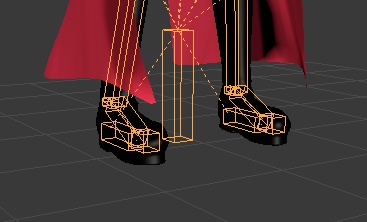
 crisp tendon
"The bones in the animation you're importing need to have the exact same name as in the skeleton you're using."
 crisp tendon
yeah everything
 rigid fiber
ok back to work i go
i was wondering what was up when i saw this https://gyazo.com/e4c39e623f08cc810210aa6c70fdb690

wait nvm that just lighting
 livid depot
Hey guys had an issue where the hands for an MMD I was working on were bending at the forearm. I re-rigged the arms but now the hands look like this

Little confused as to what's causing it
crisp tendon
Did you check the weight painting in blender ?
Actually if you have a picture of your bones hierarchy
for that specific hand
@livid depot
livid depot
Ok gotcha. Yeah the weight painting is all correct afaik

it's happening to both hands
I had to fix the hierarchy of arms -> elbow -> hands
it looks and moves fine in blender
 crisp tendon
https://vrcat.club/threads/cats-blender-plugin-0-3-0.6/
https://www.youtube.com/watch?v=0gu0kEj2xwA&feature=youtu.be

VRCat: Community-Run VRChat Forums
Cats Blender Plugin (0.3.0)
A tool designed to shorten steps needed to import and optimize MMD models into VRChat
[IMG]
Features
Optimizing armature...
Today we'll be going over Cat's Blender Plugin, an amazing Blender script that will save you TONS of time with your armature, visemes, eye tracking, and text...
It's really cool tool made by really cool people that fix most common issues found in MMD avatars
Because if the weight painting is correct, then it's something different that happened when you fixed the hierarchy
crisp tendon
Np, is that a 2B avatar btw ? Good luck !
livid depot
@crisp tendon Looks like that blender plugin may have fixed the issue immediately. Gonna export and check
you are a tech issue god
how you solved my issue from that one screenshot baffles me
❤
crisp tendon
I'm glad that's all the fixing it needed, looking forward to your next stream ❤
 eager fossil
im geting this problem with the build control panel and i dont know how to fix it
crisp tendon
Remove upper chest, that's rule N°1 !
eager fossil
cool found it
i was just confused coz the bone was named Spine4
and now it need shoulders
dont i need blender to create bones?
nvm i think i got it working
 eternal hedge
how do I fix this?
crisp tendon
First you should use the correct version of unity
crisp tendon
Uninstall this version, download and install the new version, open a new project, import your assets and then add the correct vrchat sdk
eternal hedge
ok
 dusky falcon
anyone know how to fix this arm from warping when moved?
crisp tendon
@dusky falcon Are you using cat's plugin ?
@tropic trench Did cat's plugin work on this at all ?
crisp tendon
With that many bones yeah i'm pretty sure it is
 tropic trench
I will try it
But i imported it on blender as a fbx file
Should i import it as a mmd instead ?
I have both files
crisp tendon
You have an mmd file ?
tropic trench
Yep
Well
I downloaded an mmd model
And i transfered it to fbx and thats what i am using right now
crisp tendon
Then why the hell would you not think it's an mmd if you download an mmd
 wet geyser
@tropic trench just delete rigidbodies and joints hierarchies (or use cats ...)
dusky falcon
@crisp tendon Yeah but I fixed it already thanks for the reply though
wet geyser
@wise dune pull up your hip bone a bit higher (i think that was the fix.. or the spine bone...)
eternal hedge
i fixed everthing up and now i need to know how i can fix this
crisp tendon
You're either using the wrong bone or the bone itself is not a "bone"
eternal hedge
wot
wet geyser
well, just seing that you have Spine1 and Spine2 for different parts of body isnt good
eternal hedge
do i just need to edit the value so it isnt 0?
eternal hedge
ok
wet geyser
@crisp tendon it is names, but it also means he can have more stuff of that sort and its mixed as hell
crisp tendon
Agreed but the hierarchy looks ok in his screenshot
eternal hedge
i was following a tutorial and it told me to press the little circle next to chest then click "spine 2"
crisp tendon
Well, it works if your bones are correct
eternal hedge
it doesnt work becuase spine 1 has no value i think
but i dont know how to change it
crisp tendon
Did you open blender ?
eternal hedge
I needed to restart my computer real quick
Wasn’t allowing me to access steam
Got it open
@crisp tendon
crisp tendon
Cool, check the bones
crisp tendon
Do you not update your software in general ?
 forest crane
@crisp tendon did u every made a rig that works with full tracking ?
eternal hedge
i mean it makes sense
crisp tendon
From the website sure but not from steam
crisp tendon
@forest crane I've never used the valve tracking pucks, but mine should work, why ?
crisp tendon
i've pretty much redone my entire skeleton and weight paint for my avatar, lmk if you want to try it
eternal hedge
no wait i just checked and i downloaded it from the website
crisp tendon
Man, if the Ik system worked with one more spine bone, i'd be the happiest trooper on earth
 wise dune
hips bone is kinda bent back and its pushing the rest of the spine forward
eternal hedge
@crisp tendon
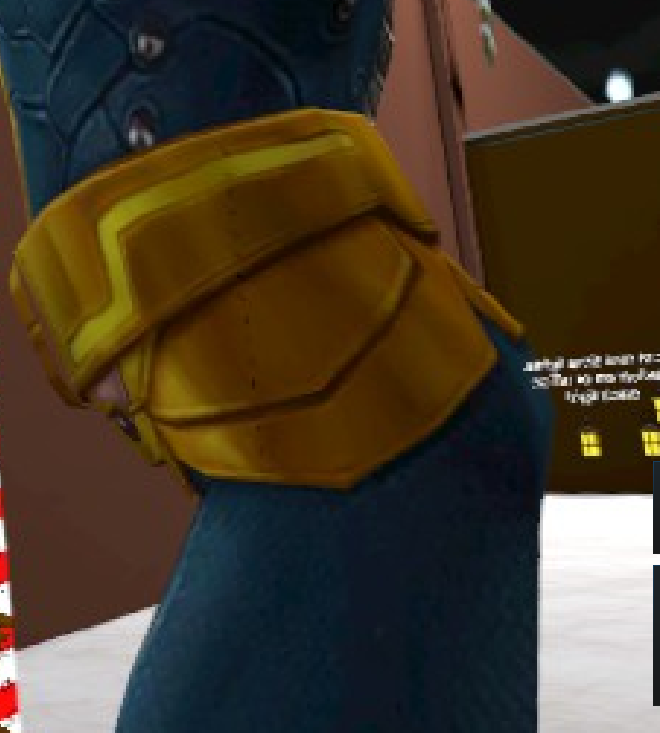 crisp tendon
Why can't you import ?
crisp tendon
what type of file is it
eternal hedge
Fbx
crisp tendon
i'm not sure then, it always imported for me and everybody else so far
crisp tendon
Why is your file type in all caps
crisp tendon
make sure to edit that just in case
eternal hedge
does it matter
crisp tendon
Who the fuck knows that this point, you can't even import your fbx so i'm throwing stones in the lake and watch what comes up
crisp tendon
fyi before you import anything you want to press a and "Del" to remove everything from the scene
eternal hedge
ok
crisp tendon
This may or may not make you tip toe
 trail grove
It's strange considering there's so much to do to be able playing as a playermodel
forest crane
so this ?
trail grove
I think so, you can always adjust it later on!
crisp tendon
@forest crane This is what i'm working with https://i.gyazo.com/79f764236ccc0ba8a0c75338ef8715b7.png
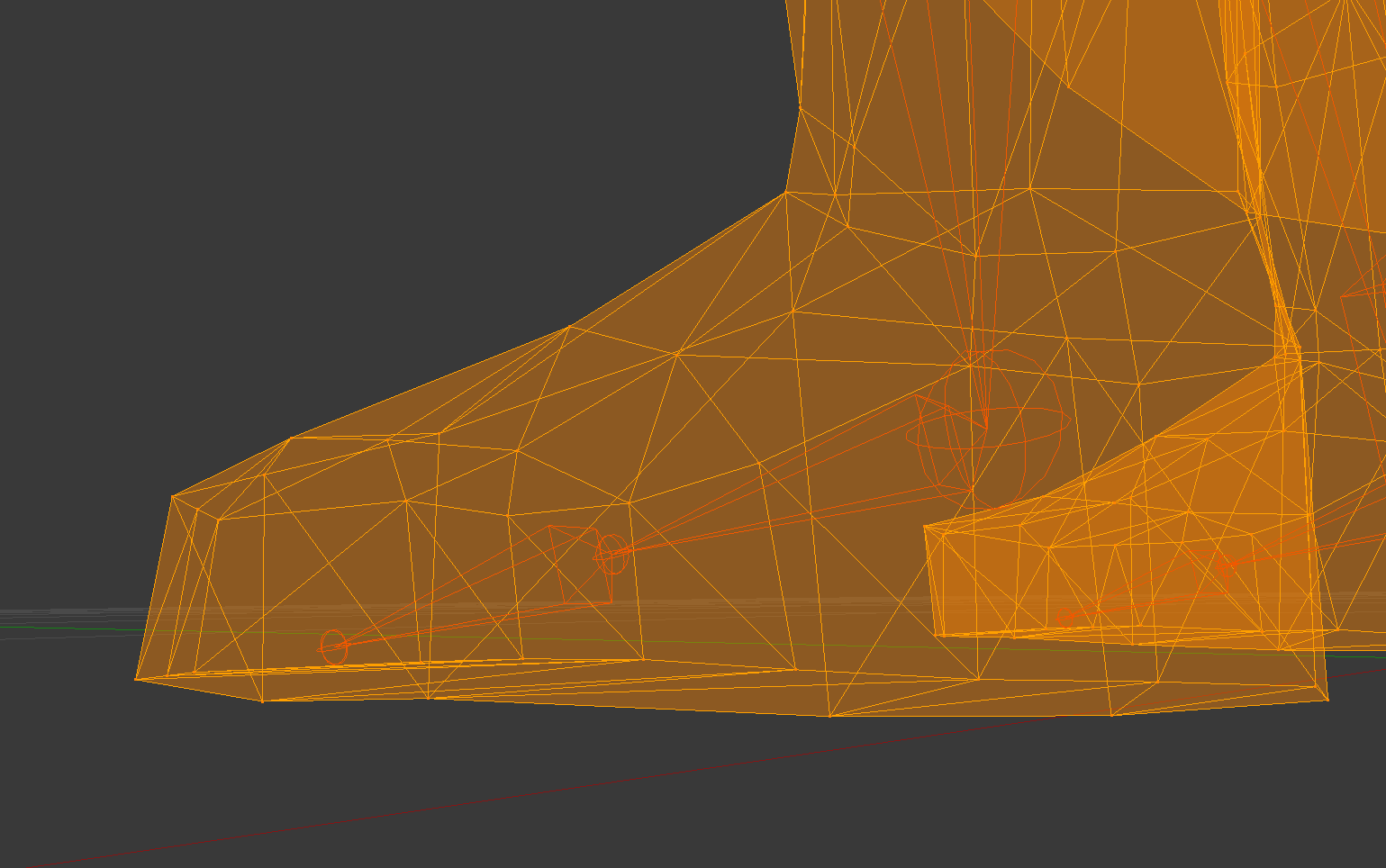 crisp tendon
it doesn't because it depends on the origin
crisp tendon
Well, if it is i might be clipping by half a centimeter then
teal badge
Hmm, if I reorder the bones in this model to fit VRchat, then the animations don't play properly
Is there a way to... get around that?
crisp tendon
I spent 20 hours to try and circumvent that, @pseudo sedge may find a way, but i've personally given up
eternal hedge
how do i check bones on blender
crisp tendon
click armature, the click on the tiny skeleton icon on the menu below then tick the x-ray box
crisp tendon
can you not see your bones after turning on x-ray ?
eternal hedge
It’s still solid
crisp tendon
screenshot pls
eternal hedge
crisp tendon
I'm not sure then
eternal hedge
i feel dumb i need some physical help
or if some could do it for me becuase i dont have a clue what im doing
teal badge
Hmm. Blender can't import this FBX because one of the bone names is kanji
remote rivet
It's not a big deal if I can't fix it, but does anybody know how I can have my model stand up straighter?
I don't use vr and i've tried switching between the female and male animations but both have her hunched over
crisp tendon
check blender for her bones
teal badge
...Huh?!? I imported my model with animations to blender as DAE. Then I reordered the bones with the animation assigned to the model armature. It still seems to play fine. 😰
crisp tendon
So that's good
teal badge
It is, but I don't get how it works
crisp tendon
@pseudo sedge
remote rivet
the bones are completely fine
I've heard from a friend who's good at modelling that it might be because of the new update
teal badge
Oh, no, in that case you must stratch them out a bit in Unity
remote rivet
so i think i'm just not gonna worry about fixing it until a lil later
remote rivet
how do i scratch them in unity?
OH WAIT you mean yours
Sorry ahaha
I thought you were responding to my Q sozzz
 hallow sand
I need help, Im trying to parent all bones right, and i found between the "Left arm" and "Left shoulder" two other bones " Left shoulder C" and "Right shoulder chest IK". Anyone knows what these are for ?!
teal badge
Huh? No, I was talking to you
Sorry, distracted. Just grab your spine in the editor and drag it up
teal badge
Make sure you grab the arrow so you're only going up on one axis.
remote rivet
alrighty
 drowsy pebble
Anyone know why my fingers are so messed up on this avatar? Any solutions?
crisp tendon
Did you use Cat's plugin on blender ?@drowsy pebble
drowsy pebble
yes @crisp tendon
crisp tendon
And that didn't fix the fingers ?
If not then you'll have to create bones for the last finger phalanx
drowsy pebble
this is what it currently looks like
crisp tendon
Yeah it's missing a finger bone at the end of each bone and you'll have to weight paint it
and probably fix the rotation
drowsy pebble
this is what it looks like in edit mode
I dont really know what all the bones sticking up are
crisp tendon
leaf bones
drowsy pebble
Could you recommend a good video or learning source to learn how to add bones and weight paint?
 tame island
@drowsy pebble Hi i dont know much.. But I have a suggestion
- Use that cat addon for blender to fix it
- Manually fix it. N try running it with
Simple avatar controler..
crisp tendon

Quick intro and guide to skinning/weight painting. this video is meant for those with a basic understanding of Blender

Learn Blender at https://Blender101.com In this video we adjust the axis of rotation of the bones we've create so far. We create the finger bones, name them,...
drowsy pebble
@crisp tendon Thank you so much. Also one last thing, what do you mean by fix rotation? What do I press?
remote rivet
I tried to stretch the bones but it made no disernable changes to the hunch
it's alright though, it's really no big deal compared to the other issues ive had
tame island
@remote rivet extrude bones is e?
teal badge
...aaaaand my animation doesn't work. Of course.
tame island
Noice.
remote rivet
Faces, Bones, Verts, whatever
 south rivet
simple question: how do I display all the bones through the mesh like in those videos?
crisp tendon
Click on the skeleton icon and tick the x-ray box
south rivet
figured it out ty tho 😛
teal badge
Groan, everyone says I'm backwards
south rivet
Are there any simple ways to add polys to a mesh? (the sleeves on my avatars arm is kinda low polly at the elbows :S )
http://puu.sh/yInaN/743e7eedfa.jpg as you can imagine it doesn't bend very well
 fading verge
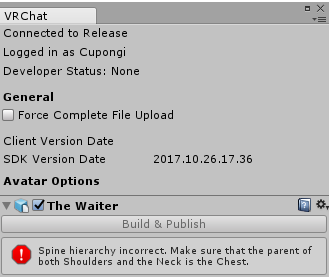
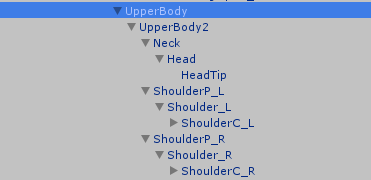
hello, I keep getting an error saying "spine hierarchy incorrent. make sure the parent of both shoulders and the neck is the chest"
looking at the rigging, it all seems to be correct
crisp tendon
hierarchy or rigging ?
fading verge
im not that well versed in this ;;
sorry
this is the error
can you point me in a direction to solve this?
crisp tendon
@fading verge the issue is in your hierarchy, you have to make both shoulders and Neck as child of the chest
 karmic turtle
i am really new to vrchat, blender, unity etc... i finally got it to upload as avatar in vrchat but my character has weird pose. i think it's because of this waist bone. shouldnt it be straight? can i change its rotation simply somehow in unity or has that to be done in blender? because i only manage to rotate the whole model when i try to do it with that specific bone xD
 gentle ivy
Would have to do it in blender while in edit mode. if you're in pose mode the mesh will follow it
 silent marlin
anyone know how to rig an avatar that's in a wheelchair
 violet frigate
https://puu.sh/yItw5/61614b7856.png Could someone help me figure this out? My arms are inverted into my body (in game), because the upper arm and lower arm can't connect do to the blank one in the middle, but there aren't enough places to assign said bone.

 regal star
Does anybody have a simple fix for this error? I've been getting it on almost every model i bring in and it's driving me nuts.
 crisp tendon
@violet frigate you just have a wrong skeleton, take a look at cat's plugin
regal star
I already have cats plugin.
crisp tendon
@regal star simply put the shoulders and neck under chest in hierarchy
silent marlin
make sure it's as Hips>Spine>Chest>Neck/Shoulders
violet frigate
@crisp tendon Should i have clicked fix model first?
crisp tendon
@violet frigate What did you click first instead ?
crisp tendon
it should help if things are named correctly
silent marlin
yeah; that's why it's always a best bet to translate everything first
 odd heart
the plugin works best if you import it un-translated and then press fix model button
 silent marlin
the problem would probably be as to how the spine is parented then
crisp tendon
make sure to rename your chest and hips correctly too please
silent marlin
it should be parented to the Lower Body(Hips)
regal star
... I'm lost. lmao
crisp tendon
i can't be clearer sorry
regal star
ugh
odd heart
@regal star is this an mmd model?
regal star
Ya
silent marlin
Upper Body is usually renamed to spine and lower to hips; Hips should be the parent bone of the spine
odd heart
goto blender.. re-import your model without translating... then press fix model on CATS
crisp tendon
regal star
I already went into blender with it and did everything.
crisp tendon
Did you do what Cat just said ?
odd heart
if you like your current changes.. you will have to reparent yourself
otherwise, the easy route is what I explained
regal star
Welp... Looks like im gonna go look for another model. lmao
regal star
But all this confuses me. lmao
crisp tendon
how, he laid out the step
regal star
Thanks for the help guys. But im not really great with the whole model/rig thing.
crisp tendon
that's literally a one click fix but it's your call dude
regal star
To you. XD
odd heart
if this is too hard for you.. then you might be better of paying someone to make it for you.. best of luck to learning it ^^
crisp tendon
^
regal star
Would rather not waste money. But thanks anyways. XD
 novel cloud
I am in unity trying to set up rig. It says that model is not in T pose. So I go in to Configureations and tet it in T pose. Hit apply and done. But it does not appley it to the model. is there something I am missing?
Wait okay so left eye is also assinged to left jaw. How do I fix this?
desert yoke
anyone know why this is happening after importing from blender to unity?
novel cloud
Am missing chest bones.
 magic crow
Hey guys im having an issue with my legs showing through my dress when i walk
I have colliders on my legs but its happening anyway
and the bones in the dress are set to recognize them

 pale hull
I would weight everything, except the arms, to the chest bone and leave everything else unweighted
The arms are obviously weighted to the arm bones
 manic warren
you think the legs would actually walk?
pale hull
I guess you could weight them to the lower bits if you wanted too, yeah
 graceful garden
Unity keeps giving me this error: spine lower has bone length of zero. is there an easy fix?
crisp tendon
or it's the wrong bone
novel cloud
Chest name does not show up in list.(edited)
 warm pollen
the decimation tab is in the propeties you have to add the modifier ofc
@novel cloud your upper body is in spine...
 viral lily
ye but how to do that
warm pollen
let me search my "where do i find it" folder
viral lily
novel cloud
Do I need to fix that in Blender? @warm pollen
viral lily
no idea where to press to get that tab...
warm pollen
@novel cloud no, look at the green bone at your model
make sure it connect to eaach other
don't use the center bbone
viral lily
i usually just decimate it all
much faster, i just want the character in the game
also i dont see anything noticeably bad about decimating my whole character
he looks just fine to me 😄
warm pollen
if you decimate it all, that mean your hand and face will be fucked up
well, if he want the esy way and doesn't use those blinking stuff
fading verge
Hello, sexies! So what is the best video for naming armature bones so they can be suitable for VRChat? I'm modeling/texturing/rigging my own character, but this is one thing that I don't understand. How should this be done?
novel cloud
@warm pollen How do I seperate them?
 stone glen
For those looking for a good avatar creator tool: https://vrcat.club/threads/cats-blender-plugin-0-3-0.6/page-6#post-889
VRCat: Community-Run VRChat Forums
Solid pink textures typically means that when you unzipped the MMD, the textures had japanese text in them and got garbled because your unzipping...
 void palm
im so confused
 potent panther
ok i need to ask a small question
im new to unity and vrchat avatar creation. i have the process of imprting .pmx files from mmd down to memory now, but, 2 of my models do not have a chest bone in their hierarchy, so i cant upload it as a chest bone is required. how would i add one in blender?
warm pollen
screenshot pls
manic warren
should hand bone be parent of all fingers
silent marlin
I've still yet to find out how to rig a character in a wheelchair to make it where they don't walk using their legs

 stone haven
Im assuming if I want physics im gonna need to buy Dynamic Bones.
manic warren
you can use cloth
potent panther
depending. i think you can usually use clothe but dynamic bones is easier
warm pollen
@potent panther you have center as your selected bbone
potent panther
i know
manic warren
can someone tell me the answer to the simple question
stone haven
I dont have money for Bones so ill look into cloth. Does it work on hair?
potent panther
there is no chest bone thats the problem
potent panther
what do you use for spine then
potent panther
ah ok ill try it
manic warren
is the hand bone the parent for all fingers
potent panther
i moved it but now i have this error. if i try to just move the bone thought the hierarchy everything else breaks
potent panther
k
stone haven
I have a question. What would I call these bones, its a MMD rig. I have the Chest and Spine but theres gonna be an extra, what one would I make the waist and what would I call the extra?
potent panther
jesus christ
stone haven
lol
stone haven
mb lol one sec
warm pollen
open your bone's hierachy too
fading verge
So i am going to put this in both MMD and rigging as im unsure of which it is. I will show you all you need, but, whenever i upload my avi the legs just dont move. I've tried 2 different MMDs and both dont work, i tried using Cats as well. I re parent etc idk what to do. I will show you all you need just ask, im very frustrated after a few days of this loool, but heres a screenshot and video of what it loooks like (everything else works fine besides skirt and hair i need to add dynamic to them) https://youtu.be/MInI8St-6bE
 fading verge
you want to see the bottom half?
 stone haven
Ill work on it later. I gotta do stuff
potent panther
ok so how do i go about adding a chest bone
sorry if its a noob wuestion ive never messed with bones before
warm pollen
click on add
potent panther
not to be retarded but where is the add button
my blender experience was making stuff without bones and simple animations
potent panther
k
manic warren
and it extrudes it
potent panther
which bone should the chest bone come off of
manic warren
the spine
potent panther
the parent has to be hips for unity to accept it
fading verge
thats true
manic warren
for chest?
potent panther
yee
fading verge
wat
manic warren
i always put spine
fading verge
should be spine
manic warren
lol
potent panther
spine has to be a child of hips
manic warren
anyways anyone know how to do fingers
potent panther
uh, how do i assign where it falls in the hierarchy
manic warren
the bone icon and it says parent
warm pollen
do what ?
 manic warren
its a rip from a game, its a statue
manic warren
and the fingers should have the hand as the parent?
warm pollen
else you have to add bone on it
yea
not sure if unity allow you to have absent bone
manic warren
which bone would be absent?
im adding all of the needed bones
and trying to do the hand for fun
is there a way to curve the bone
warm pollen
no

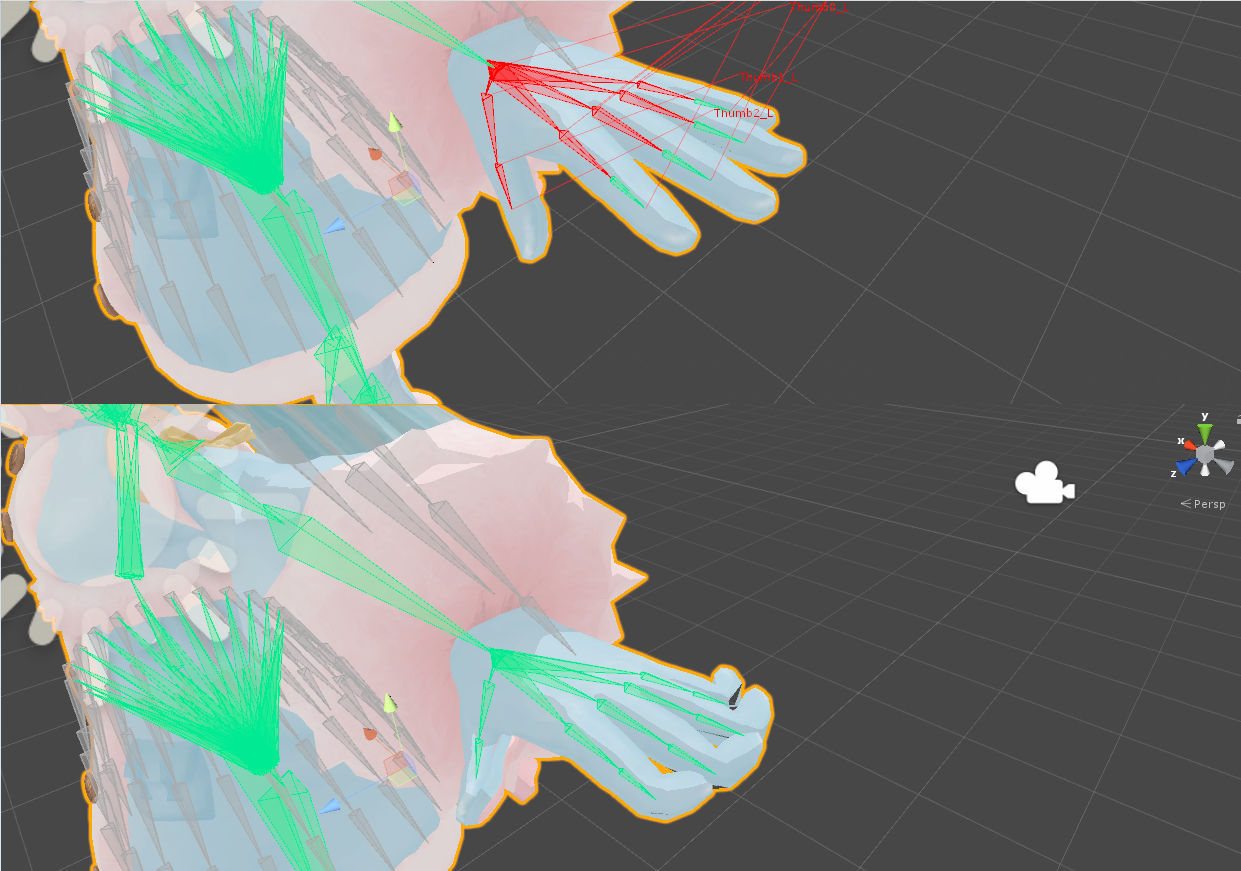




 nocturne edge
Nobody in #avatars-2-general can help me, can someone just tell me how to simply get my model (who has a complete bone structure) to follow my movememnts when I'm in VR, instead of just T-poseing?
I really know nothing about rigging
nocturne edge
yes
nocturne edge
well, I setup the bone structure/ animation type as humanoid, if that's what you mean
and yes
manic warren
and so it doesnt do anything when you move around
manic warren
did you do the bones yourself
nocturne edge
Someone said something about needing Miaxmo to un t-pose, is that right?
manic warren
oh you used mixamo?
manic warren
are you sure you assigned the bones to the model
warm pollen
did you forgot to put in simple avaatar controller
nocturne edge
probably, I don't know anything aboput rigging past putting in a bone structure
how do I put in the controller?
those were to @warm pollen btw
manic warren
you were supposed select both the bones and the model in blender and press cntrl-p and choose with automatic weights
did you do that?
or something similair
warm pollen
Look at the right side, at Animator
nocturne edge
no, lemme go do that
warm pollen
the controller tab
manic warren
yea he messed up in blender
warm pollen
oh ok
manic warren
i think at least
nocturne edge
i'm opening it up rn, Imma do what you guys said, and get back to you in lke 15 if it doesn't work
novel cloud
So been trying to seperate the spine from the chest and all I get is the Center moving with the spine.
warm pollen
never use center
manic warren
try changing the parent from connected to unconnect
warm pollen
Actually i ma work on my VRChat staring guide, so please aask someone else.
manic warren
is that a video or is it written
nocturne edge
@manic warren what do i do in blender exactly? Ctrl-P parents things, but where do I go from there?
manic warren
one second ill get the video i used

Hey guys. This is a quick tutorial on creating a simple, but rather effective character rig in blender. Hope it helps some of you out! Read FAQ below: Follow...
it should start at 10:02
nocturne edge
oh cool
manic warren
just watch from 10:02 since u already got the bones in
potent panther
ok
potent panther
i found the problem
nocturne edge
when I parent them
potent panther
i watched tuppers video on how to set up the bones, and followed it, and this model doesnt have an actual spine bone. how can i splice a bone in the middle of the hips and chest bone?
manic warren
there is a bind im sure of it
and that one guy i have no idea what is happening
broseph you could just extend it off of the chest bone
and make the chest bone the spine
and ur new bone the chest
potent panther
ok, but how do i scale the bones
and there is already a neck and head bone
its a completed skeleton
manic warren
you just left click on the blue, red, or green arrow