#animation
1 messages · Page 123 of 1
 rapid wharf
rapid wharf
rapid wharf
@fierce bane I decided tp do something stupid
restarting from the beginning, but this time my avatar is scale 1
I scaled it in blender instead of unity
hopefully that fixed the issue
 cold pulsar
The vrc IK follower does not take scaling or rotation into account, unless the main avatar game object and armature are 0,0,0 rotation and 1,1,1 scale it will not work.
cold pulsar
That is something else that is breaking, the IK follower doesnt care
rapid wharf
I googled it and someone said that is a known issue with the IK follower?
11 months ago
IK Follower objects are unparented from your avatar. That's why they remain active even if their parents are disabled.
When you sit down or stand up, your Animator "rebinds" itself and loses the references to the IK Follower objects and everything inside. It's already been reported on canny but ignored so far.
cold pulsar
"11 months ago"
rapid wharf
I didn't get any different results when i sat down?
cold pulsar
I use VRC IK Follower on most of my avatars, sitting is fine
rapid wharf
when you stand up you can activate them again?
cold pulsar
What do you mean "activate" you cant turn them off
rapid wharf
I cant turn it on
it works (well not correctly it is too high but I know the reason) but I can use the gesture but when I sit down I can't use it anymore and when I stand back up I still cant use it
cold pulsar
Ah I think I understand what you mean, animating things under it is bizarre as the animator should be referencing its original spot, not the new spot the script places it
rapid wharf
ahh
cold pulsar
You could try animating the spot it will be placed?
Going to be honest you should try to avoid sitting in VRC, its a horrible system and usually breaks a lot of things
rapid wharf
Yeah I dont often, I just sat because I was wondering if that problem was a thing
cold pulsar
Something to keep in mind is the VRC IK Follower is a really dumb script, things break because it is simple
I usually dont use it for animations, really only targets for Final IK
rapid wharf
ahh
I see
ill take that into account
I have another question
not about the Ik follower if you would
cold pulsar
About what then?
rapid wharf
Someone in #avatars-2-general told me to not set the upper chest, so I did that but now I can not build my avatar
says the spine hierarchy is incorrect
cold pulsar
You cant just ignore the upper chest if you have one, instead you should merge the weights of your upper chest into your normal chest
spine hierarchy should be hips->spine->chest->shoulders+neck
Its complaining because your shoulders are children of your upperchest, not your chest
 earnest lagoon
Is it possible to make a gesture animation in blender instead of unity? Like I make the single frame clip in blender and put the clip into the animation override controller in unity.
Or do I have to set it up using unity’s animator?
 zinc viper
So I need to modify an avatar. Basically, this avatar has 8 emotes on it, and I'd like to remove four of them.. And then replace them with songs/dances. I already have all the songs/dances needed, I just dont know how to modify the avatars emotes. Can someone help?
 fierce bane
@zinc viper They're stored under a "Custom Override" if you have the animation with sound already done, you can just swap it in place of the current one
zinc viper
I dont know if they are but ill check
fierce bane
you can find the override by selecting the avatar, finding "sitting animation override" in your avatar and double click in the slot, it'll take you to the override in the assets
zinc viper
Ok ill give it a shot
What if the emote thats taking the slot isnt a dance or animation.. and its a way to add clothing on an avatar?
fierce bane
if it's an inventory system animation, and the avatar is set up properly same thing
zinc viper
Ok cool!
ill try
And if the override animator controller isnt set up..
And i have to make it.. how would i?
fierce bane
you duplicate an override controller if you don't have one, slot it into the standing animations, and place your animations into it as needed
rapid wharf
@fierce bane im gonna say fuck it to the particle and try and make a mesh + animation
shit just won't work
zinc viper
ah k
rapid wharf
@fierce bane hey, I was wondering if you could help me change the hands shape for a gesture?
basically I just want to make it flat when I play my animation
fierce bane
@rapid wharf just have to go to your gesture animation, and add in "animator.<muscle>" components like finger stretch/spread
stretch is the curling of the fingers, spread is side to side
You can also get the paid asset "Muscle Animation Editor" which is like $15 USD I believe? (less on sales)
MAE makes it SO much easier and is highly recommended if you're doing more than one or two...
 median bobcat
I have an animation tied to a gesture but when I'm done doing the gesture the animation continues to play for a few more seconds then stops
What do I do
 hot silo
Rookie question here, looking for some advice please... I've done a fair share or prop animations but avoided animating hands so far but thought I'd give it a try. It looks good in Unity when played, but in game the hand remains still... prop still enables/disables fine so I know it's triggering. Anything I might be missing?
 near rock
@hot silo go in play mode and drop your animation on ur avatar's name on the hierarchy so it plays on ur avatar
hot silo
near rock
does it work?
hot silo
let me check
near rock
you grab the animation from the asset list on the bottom and drag it ontop of the model's name in the hierarchy in play mode
(should work as long as ur avatar is in humanoid rig)
hot silo
hmm, it did nothing. when I dropped it on the Armature it just created an empty animation controller
not even the prop was displayed
near rock
did u drop it on the armature or the model's name ontop of the armature
hot silo
tried both
near rock
did u drop the animation controller on it or the animation itself
near rock
search ur model's name on the asset list so u get to the model/fbx of it
click rig, does it say generic or humanoid?
hot silo
it's humanoid
near rock
that's weird it should work
hot silo
yeah it behaves good ingame without custom gestures
near rock
click ur avatar's name in hierarchy and delete the controller in animator
set it to none
under animator
hot silo
alright
near rock
try again
hot silo
creating the animation from scratch with a new controller?
or just run it with a blank controller?
hot silo
yep
plays correctly
fingers moved and prop showed
so uh, not sure what that means. I'm not supposed to have a controller assigned to the animator when I upload?
just have it assigned under the VRC_Avatar Descriptor?
hot silo
let me try that real quick, I never thought twice about it so far
no go... this is how it looks ingame
prop shows, fingers are stuck in fingerpoint gesture
 young hearth
You need to fix that during when you added in the gun
when adding objects to hands, you have to fix the fingers with it too
hot silo
yeah I have it like this
looks good in Unity, but does nothing ingame
except that last piece
it does set the game object to active
😓
young hearth
did you made sure those other diamonds are the same values?
and you need to move those diamonds
right next to the first lines
hot silo
I had missed that initally but after fixing till no go
so I deleted and copied over to the second frame
young hearth
hm....
hot silo
also tried uploading a dummy cube just to make sure it was uploading correctly and that's not it either
near rock
both frames (assuming they are the only ones) are EXACTLY the same?
hot silo
yep - I deleted and copy/pasted just to make sure
and those are the only 2 frames
is there any way it's not finding the Animator correctly? I know before I had problems when moving props in the hierarchy that it lost it and said object not found
I don't need to add a separate animator on the hand or anything like that right?
 obtuse atlas
anyone here good with particles, only need some help keeping my particle attached to the avatar and not floating off on some random part of me
fierce bane
@obtuse atlas are they world sim particles? if so you need either the VRC_IKFollower (if it's on head or hands) as a direct child of the humanoid bone, and then offset the particle to fit where you need it.
Or to use a rigidbody/fixed joint pairing with the particle under it(fixed placed outside armature)
If they're local sim particles, they should just follow you.
fierce bane
@hot silo fingerpoint is with the thumb down, yours is closer to finger gun...based on that animation the hand looks correct for what you have.
You're only showing index/middle/thumb, so the rest should be in a resting pose.
It looks like the gun just isn't aligned properly with the hand honestly.
 stable island
can yall take a look at my project>
GitHub
Contribute to GhostFire90/WiiDude development by creating an account on GitHub.
my animation (fist triggers disc1) doesnt work
ping me if you figure it out
 dense fog
Just curious to know, is there a way to have ragdolls work as an emote?
By making the ragdoll active could I make it work?
fierce bane
do you want to enable a ragdoll with the emote? or just spawn it while the emote plays?
dense fog
@fierce bane either works
I was hoping to just enable one
but whatever is easier is what I would go with
Thanks btw
fierce bane
@dense fog I mean...you could just enable a model set up to ragdoll for start/end frames of an animation to do it the easiest.
Or do the same using an inventory system if you want to toggle it on/off
stable island
@fierce bane can you shed any light on why my animator disables itself?
it happens whenever the animation starts so its pointless to have
fierce bane
do you have more than one animator on the same object?
Do you have anything that is set to disable it?
The animation's frames would help too
stable island
that is it
and its on a child of something that also has an animator but im pretty sure that shouldnt effect anything
and when i add it as a frame
i get this
and it says in mecanim that it doesnt exist
So nothing?
(sorry if im being impatient, ive been having this issue since i last asked a question, so its been veeerry annoying )
fierce bane
Can you select the controller you're using in your assets with a screenshot?
From the error it looks like you're using the wrong controller type...
fierce bane
can you check the "curves" tab in the animation window?
fierce bane
if that's the one in the animator that's all that matters
can you zoom in? I only see one of the curves...
stable island
fierce bane
@stable island which object is the animator on?
Is the object disabled and never enabled?
fierce bane
is that the object the animator is on?
and it is trying to animate itself to rotate?
fierce bane
make an empty object and place the "WiiDude2" inside that
place the animator on that empty object, animate "WiiDude2" from there.
Enable empty object in your gesture
unity often has issues with things trying to animate their own position and rotation
that's why the avatar has a top level with the animator, and then body/armature after that
stable island
alright but do i have the head armature still be a parent?
and also should i modify the emptys transform or put the animator on the empty and move the disc armature? @fierce bane
fierce bane
be aware if you attach something to the head, you won't see it locally. The head bone gets shrunk down to 0 scale to hide it from your own view while you're in the avatar
so if you want to see it in game you would need to use the IK follower, then the animator, then the object you animate
stable island
Ive been testing in a mirror and it still doesnt work
fierce bane
Just a warning, if you don't want to see it locally then it'll be fine
stable island
So, now, my other question
fierce bane
So Head->Empty Object with animator->WiiDude2
stable island
Yes, but in the animator should i animate the empty or WiiDude2?
fierce bane
WiiDude2
that's the whole reason you're adding the empty in there, so you dont' animate itself
fierce bane
did you mess with the animation in the inspector at all? or the animation controller?
change any settings that way?
it sounds like one or the other is corrupt and causing issues....remaking them would be the easiest way to check though
just select the empty game object, remove the animator, and then hit "new animation" in the animation window and set up your position/rotation changes from there
stable island
But since its the child of an object with an animator it already that isnt an option
so i have to add a new animator then make an animation for it
fierce bane
yes it is...you just SELECT that object first, any animators below another animator will take priority for the animation window
which causes issues if you're trying to animate an object below another, but not from the lowest animator
stable island
Sorry if i seem newbish, this is sorta my first time animating in unity so its a bit confusing
fierce bane
@stable island I didn't even think to mention...did you unclick "preview" on the animation window? it disables while that is previewing, but doesn't have any effect in game
This is basically what you're trying to do right?
median bobcat
I have an animation tied to a gesture but when I'm done doing the gesture the animation continues to play for a few more seconds then stops
What do I do
fierce bane
@median bobcat make sure your gesture is only 1 frame long, (keyframes on 0:00 and 0:01 only, and should be the same)
dense fog
So Im trying to figure out how i can activate the ragdoll with an animation
but I cant figure it out
median bobcat
ok ty
 warm thistle
Good morning! I’m having an issue getting my eye blinking animation to work
Basically, my model didn’t come with blinking, so I created an eye blinking animation, assigned it to a controller, and then applied the controller to my avatar’s animator component under the skinned mesh renderer
It blinks in unity, it blinks in the avatar preview in VRChat, but when I load into the avatar, there’s no blinking...
 ocean knot
@warm thistle are you testing this by looking in a mirror, or did you ask someone else to see if your avatar blinks?
warm thistle
I did both: mirror and asking others. No blinking for either
ocean knot
hmm, i see, and your blink is just a shapekey/blendshape correct?
warm thistle
Yep exactly. I have a 2 minute video I followed, if you want the link to see what I did
ocean knot
is there any reason why you couldnt use the CATs eye blinking?
warm thistle
I’m not a blender user (yet) and bought the unity files from an artist, so wanted to manually create blinking in unity
Here’s the video of you wanna see: https://youtu.be/4t-Ef2sRcjI

In this tutorial I show you how to make your MMD VRChat avatar blink in the easiest way possible. Enjoy!
I make stupid VRChat videos.
Discord:
Zero#0008
Music:
Let them take the monetization for this video I don't c...
ocean knot
ok so, i remember that there were changes to how the animator works in vrchat that mean that this no longer works.
and i know that there's a method by which you can achieve the same thing now, but as it's so rare to need it, i dont know how.
i would highly recommend enabling the blinking via CATs/blender, you will likely find it is very easy to do - a couple clicks.
warm thistle
Ah shoot, ok thanks. I’ll look into that. Thanks for the help!
ocean knot
no worries, ping me if CATs gives you problems
warm thistle
Can do!
 clear yew
Show the animator animation
warm thistle
Sure one sec while I screenshot that @clear yew
warm thistle
Wait, I think I see what you mean. I had the riot selected when I made the animation and not the body mesh, right?
clear yew
I simply put an animator on the Body mesh, select the body mesh and then go into the animation tab and create my blink
warm thistle
I'll upload to VRC now and test it
thanks for pointing that out!
still not blinking...I think I'll try your method: doing the animator first and then creating the blinking
I'll let you know what happens
warm thistle
nope, still not blinking. I created a controller, attached it to the body mesh, clicked create animation, made the eye blinking, made sure it's all linked in the body and not the root, etc. Still not blinking 
clear yew
¯_(ツ)_/¯
 lethal rampart
so im trying to make an emote wherein the avatar disappears. The avatar is composed of multiple meshes, so i turn them all off for the emote.
but when the emote ends, they do not come back, and the avatar remains invisible to everyone
why is this? I've heard that it may be something to do with unity not liking it when you disable and enable multiple mesh renderers
I tried to instead simply shrink the model in the animation to 0, but there unity just refuses to apply that scale modifier at that spot only, and instead applies it across the entire animation start to finish
 ember depot
where would yall recommend me to get custom mp3 files from?
 wide warren
@ember depot what kind of custom mp3s?
ember depot
like from a youtube video into audio
wide warren
Ah, theres a lot of youtube2mp3 sites, but a lot of them are sketchy. Personally what I do is use Audacity and set the microphone to my sound card or Stereo Mix and just record the bits I want
 azure flume
Does anybody have orange justice emote to send?
 heady talon
@azure flume Not at my PC right now but this has the dance in there https://www.reddit.com/r/VRchat/comments/87fhwz/meta_big_animation_pack_363_files/

 wheat scroll
a while back i remember seeing avatars that grew things like plants and flowers around the avatar and where ever they walked (i believed one of them as an earth-chan model). Does anyone know how those worked? im thinking its some sort of particle system but as far as i know particles don't animate. Is my understanding of particles systems wrong, or have i been mistaking what i've been seeing for something else?
fierce bane
@wheat scroll you could definitely do that with particles.
Set up an "over distance" emission to fire a particle down to place a sub emitter on the ground for the flower (mesh particle for 3d flower), have it move upwards at imperceptible speed to orient it with align to velocity, increase size over lifetime of placed flower to "grow" them. (Or use a billboard with a sprite sheet to "animate" it growing from seed to flower, that wouldn't be fully 3d though)
wheat scroll
Hm, Im not to experienced with working with particles, but I think I understand what your saying. Thank you!!! I'll try playing around with the particle system to get what your describing!!
fierce bane
@wheat scroll https://www.youtube.com/watch?v=FEA1wTMJAR0

Udemy: http://bit.ly/BRACKEYSMEM
Everything to know about the Particle System in Unity!
♥ Support Brackeys on Patreon: http://patreon.com/brackeys/
● Learn more: https://docs.unity3d.com/Manual/class-ParticleSystem.html
·····················································...
wheat scroll
Oh funny coincidence, I skimmed over this video right before I asked the question because it appeared in my feed. I noticed renderer module and skipped over to that section. Thats what got me thinking of the effect I mentioned in my question.
Thank you again
warm thistle
@ocean knot @clear yew I got my blinking working! Someone on reddit told me that if one of my gestures is also using the blink blendshape, that prevents my blinking animation from playing. I removed blink and replaced with blink L and blink R on the offending gesture, and now my blinking animation works! Yay!
ocean knot
@warm thistle that's interesting. i guess gesture anim must be overwriting the shapekey causing it to be stuck at 0. glad you got it sorted.
warm thistle
Thanks again for the help nonetheless! Helping me trouble-shoot taught me some things too.
I’m still learning all these nuances in unity
rapid wharf
How can I create a blinking animation even though my avatar does not have any blend shapes?
I do have bones for my eyes lids but there are no animators for them
rapid wharf
nvm I just added shape keys for blinking
warm thistle
@rapid wharf let me know if you don’t get it working! I can send you the tutorial I followed (it might still be above in this convo though; the YouTube video)
fierce bane
@warm thistle if you don't want to blink while your eyes are closed for the gesture, make sure you disable the blink animator's behavior to pause it (just be aware you can technically pause it mid blink by accident, it's just not likely with most blinks due to how fast they are)
warm thistle
@fierce bane oh I didn’t think about that. How do I disable the blink animation while the gesture is active?
fierce bane
Simple template, change the path to Body (or whatever your mesh is named), instead of Armature/Example
You can just copy the keyframes from this into your gesture, select the behavior component and hit F2 to rename it.
the behavior component isn't accessible without an editor script, one to copy/paste, or manually editing the .anim file as text
(the last one requires un-binarizing files as they won't show as text by default)
warm thistle
Okie dokie, thanks! I’ll give this a whirl too!
 glad nebula
hi, i've been trying to set up an animation for an avatar in unity, the animation comes with a prefab with some particles/audio, so I add the corresponding particles to some part of the avatar and then replace some gesture with the animation in a custom override, I see it working in unity but not in vrchat... am I missing something?
fierce bane
Gestures in VRChat can only be a single frame long (keyframe on 0:00 and 0:01)
If you want something longer than that, you have to enable an object with the gesture that has an animator on it running the animation
also just to make sure, you also placed that custom override into your "standing animation overrides" for the avatar correct?
glad nebula
it is a single frame long, it just checks if the game object that came with the prefab is active
and yes
fierce bane
did you make the gesture animation yourself or did it already come with it?
glad nebula
i downloaded the avatar and the animation separately, then tried adding it myself
fierce bane
You said it works in Unity. Is that when in play mode and you turn on the object the gesture should activate manually or with the gesture using a tool or animator?
glad nebula
in play mode, when I turn on the object
fierce bane
That means it's probably the gesture animation causing the issue.
Making your own is the best way to make sure it'll work since it needs to be the correct name and path to find the object to turn on.
Duplicate your main model (always when making an animation, even a simple one...saves fixing the model if it breaks)
Select the duplicate and click the red "record" circle on the animation window, name it what you want.
Go to your object and click the checkbox to enable it
Click "record" again to stop recording.
Place animation into your overrides and test. If it works, problem solved (and you can adjust the hand pose to fix it if you need to)
glad nebula
alright I'll give it a try, thanks a lot!
glad nebula
it still didn't work sadly, the prefab seems to come with an animator and a controller also.. so maybe there's something else?
 wild surge
Does anyone have a link to the crawl a lot of people have been using lately, it looks really nice yet I can't find a place to download it anywhere
fierce bane
@glad nebula I can't really explain how to use a specific prefab, usually they come with instructions.
But generally speaking if you're just enabling an object that has an animator, the animator will start playing as soon as the object it is on is enabled.
There are exceptions depending on setups or what exactly you're trying to do (like inventory systems work differently for example).
But if you just have an object with an animator, the controller should usually be assigned to that animator, and enable the object....
More info would help
 ripe tinsel
If I want a character to have mouth sync animations, do I need to do that before/after getting the model ready in Unity? In other words, should I do the mouth animations before editing the model in Unity or vice versa?
fierce bane
@ripe tinsel Lip sync is powered by shape keys which you set up in the 3d modeling program (eg: blender)
you do have the option to use jaw flap as well (just up/down jaw bone movement) if that fits for what you want (a skeleton head for example could use it and look as expected)
 fleet wyvern
I'm trying to do an animation however the main character model stays in the middle, help?
(here's a wip to kind of show how it's meant to look)
also I'm aware it's abit out of sync
I'm useing Root T to move him around
 ripe holly
;
rapid wharf
basically I have this sleep animation that I am trying to get working properly
see it works in game but for some reason I have the spam it a few times to make it activate
but it also doesn't stay sleeping
it does it for a few seconds and then I stand back up which is probably just a looping thing I have turned off
ping me if you can help
rapid wharf
I think I fixed it by copying the last key frame and pasting it at like 8 hours, that fixed both of my issues but is there an alternative to that
I am sure that isn't the best way I could have done it
 pulsar raptor
When i spawn a clon using a F3 F F5 etc, the clon starts to shake and go away to the original position instead of stay put, like a table, a cube, is there a way to fix this???
clear yew
Any ideas why a custom emote won't play? It plays as a gesture but won't play as a emote.
glad nebula
@fierce bane I've been playing around with it for a couple days and no luck... I can just link you the animation I'm talking about maybe? (not sure if I'm allowed to link here)
 weak light
how much would someone charge for a custom amimation
clear yew
Depend on the animation
weak light
like a thor animation
clear yew
Vrctraders #community-servers-old if you want a commission
 candid schooner
im trying to get an animated texture for a screen using a sprite renderer with animation but it doesn't show up in game, anyone know how to fix it or what may be the reason why?
heady talon
@candid schooner Does the sprite rendered just convert it to a gif? Those aren't whitelisted by vrchat so they get removed upon upload. You need to use a flipbook shader to cycle through images for the effect
candid schooner
im useing a sprite sheet cut with animation to show next frame per particle
candid schooner
i think i figured a way around it
heady talon
also anyone know how I can mess around with shaders like turning them on/off with hand signs?
I thought i could just edit them while recording the animator
 blissful viper
I would like to know the answer of the question above aswell
Additionally, Im looking for a way to toggle animations within other animations,
For example, I have an animator on my hip for my idle tail animation, but I would like it to stop while using a hand gesture, however whenever I try and select the hip animation, the animation tab changes to the hip instead of my hand gesture
heady talon
@blissful viper If im understanding your second question correctly, its because editing something with an animator attached just auto selects them and stops the recording So you need to do it manually in the animator
blissful viper
Yeah we are talking about the same thing, lemmie try it quick
yeah ive tried this before
I cant find the animation in the add property function
heady talon
heady talon
yeah thats weird
I can turn off the avatars main animator but i cant see animators on other body parts
blissful viper
ive always had this issue, not just this hip animator
yeah I cant seem to ever find other animators
im certain there is a way though
 noble shell
Armature/Hips/behavior.enabled to false , might work never tried it on hips , have it usually on body to disable my blinking when doing a gesture, that will turn off the animator
can just edit the path to another animator, it will show up yellow if there's no animator
heady talon
doesnt seem to work on hips
noble shell
have to copy/paste it, cant really find it using that , https://i.gyazo.com/a649933ce7f71e4e91dbcbddb4ec86ee.png

got it off some anim file from a prefab ages ago, no idea how to add it otherwise , so i just copy that to any file to stop that component
fierce bane
@blissful viper Copy/paste, to your gesture, select the component and hit F2 to edit the path to fit your setup.
In the template it assumes the animator is on the "Example" object inside the Armature (Armature/Example)
So in your case it'd be something like Armature/Hips/Tail (assuming the animator is on the "Tail" object under the Hips)
The animator.enabled property is not normally accessible in the editor. You have to get it from another animation, get an editor script that lets you add it, or you can unbinarize your files and edit the .anim file as text and add/replace something to get it in.
@heady talon you would want to use something similar to this shader if you just want to animate a sprite sheet texture. (I think there's a basic one built into unity, but I can't check atm)
https://github.com/thnewlands/unity-surfaceshader-flipbook

GitHub
Surface shaders with flipbook / spritesheet animation functionality - thnewlands/unity-surfaceshader-flipbook
@heady talon For turning a shader on/off with a gesture, what you probably want is to just switch shaders by doing a material swap in the animation (since turning a shader off would essentially just stop rendering it at all)
 ionic nova
another sprite(gif) shader https://vrcat.club/threads/retro-sprite-shader-v2.2222/ if that kind you need

VRCat: Community-Run VRChat Forums
Simple shader that emulates the behavior of directional sprites from many mid-90's pseudo-3d games (Wolfenstein, Doom, Hexen, Duke Nukem, Daggerfall,...
heady talon
about the flipbook shader, there is one built into unity but not the one VRChat uses. So thanks, ill check these out since I havent been able to find one
fierce bane
@glad nebula that really depends on where you got it from, certain sites aren't allowed mention on the server.
glad nebula
hmm I understand, it's one of the first sites that comes up on google though, do you mind a DM?
fierce bane
@glad nebula go for it, temporarily opened
clear yew
does anyone have a tut on how to make an avatar intro
im tryna make my avatar do this when i pick it for like a second or two
if you know anything about it please dm me
 orchid quiver
hello
pulsar raptor
When i spawn a clon using a shift, after a few seconds the clon starts to shake and go away to the original position instead of stay put, like a table, a cube, is there a way to fix this?
ionic nova
@clear yew just use an animation without Loop and (not disabled for use by gestures/anims) but enabled as default, to make it run when avatar is loaded. for that you need to add a second Animator(because main is used by vrc and can't be fully overriden) which will run that animation on entry
clear yew
will it not replay it everytime im in idle or like not doing anything with me hands
like, will it just play when i load in and finish?
ionic nova
no if you'll not assign it to the override template , it would just play once when avatar is loaded. you add an empty inside your avatar, animator on that empty, and then you run an animation with unchecked Loop property, from that animation you can enable/disable objects, particles etc
 proven urchin
Eh
pulsar raptor
When i spawn a clon using a shift, after a few seconds the clone starts to shake and go away to the original position instead of stay put, like a table, a cube, is there a way to fix this?
clear yew
Espanish??
 obtuse spoke
is it possible to use any randomization in animations?
i'm trying to get a gesture to play a random audio clip
fierce bane
@pulsar raptor I'm assuming you mean a world anchored object, one you can place and walk away from, and are activating via gesture (shift+F keys)
Make certain there are no colliders on an object you spawn. Any colliders on an avatar's world object will cause it to shake all over and eventually fly off somewhere before resetting to you.
Instead of calling it a "shift" call it a "gesture", that's the common name and people are more likely to understand what you're saying.
@obtuse spoke we aren't allowed access to audio banks or scripting, so we're pretty limited...
You can make a pseudo-random system using a pausing animator and have its animation have a bunch of different sounds that activate at different times so it may seem somewhat random (would actually just play them in order, it would just feel random to outsiders)
You could also try making use of the audio source limit (I think it's 3 playing at a time?) to try making it play a random one by activating two silent ones, then activating all the others and hope it works....would be VERY unreliable though...
 red ocean
When I make an animation do I have to make every bone active, or just the ones that move?
I haven't tried animations before so this might be a dumb question.
fierce bane
@red ocean If it is a humanoid bone it will be in the default neutral muscle pose (or "bike" pose) if it is not in the animation and the IK is not active. (emotes disable IK for their duration, gestures do not. Duplicate humanoids do not have IK active ever)
At minimum you'll need the arms-fingers and legs it from going into that pose (and the roots to prevent it being half way in the ground)
red ocean
Alright, thanks.
pulsar raptor
@fierce bane i dont mean a objet that you walk away from, and no, i dont use any collider, the clone must be in the avatar following me wile making a animation, the only thing i do is hidden the main body like always do, when i put a objet it stays normal, but when i put a clone with animations (with transforms and no unity objet animations) it start to shake and go away
fierce bane
@pulsar raptor Is the clone the same model as your avatar?
If not is it set as a humanoid? or is it set as Generic?
If humanoid it cannot be animated with transforms, you need animator.<muscle> animations. (and should include animator.root keys or it'll act strangely)
If generic it can't use humanoid muscle animations and has to be transforms only.
pulsar raptor
@fierce bane is the same as the model and yes is rigged, i use muscle animator
but it happens anyway :c
fierce bane
@pulsar raptor Gesture, correct?
Gesture should hide main body and enable clone (which should be outside the armature)
Clone should have an animator on it with the animation made from it that does what you want it to do, correct?
pulsar raptor
yes
Gesture yes, the animation plays correct, but then the clone start to shake and go away
fierce bane
check the curves, if everything is set up correctly there and the animation isn't causing the shake, the only thing I can think of is a collider acting screwy, or a dynamic bone on the root or something freaking out
pulsar raptor
mmm dont have any collider nor dynamic bone so idk, maybe is other broken feature in vrchat because of updates
 swift shoal
Hello, I'm trying to put a vmd motion onto a pmx but it doesn't seem to be working and I can't figure out why. I don't use CATS to convert anything, I just use MMD tools to convert the model to a usable MMD model. No matter what I have selected when importing, whether it's the mesh, the armature, or everything, the animation still won't play. It's odd because when I click the import button to import the animation onto the model, Blender freezes like it's actually importing. The frames for the animation appears in the timeline at the bottom as they should but when I press play the model doesn't move at all. A friend suggested it may be the naming of the bones being English but I know that's not true as I've seen tutorials doing this with English named bones and I have also done this in the past and they have all worked. If anyone has any suggestions I would really appreciate it. Thank you.
 spring nova
make sure that you have the model imported and set up as a humanoid
and the animation will also have to be humanoid, but if it's not there's not much you can do
humanoid is the standard for characters with 2 legs, 2 arms, etc that allows you to have one dance be applied to many different characters regardless of the names of the bones
heady talon
Not sure if this is the right place to ask, but every time I drag a 3D object onto my avatar it turns all black. I thought maybe it was a problem with the shader on the board but the handle uses a different shader and still turns black. I also checked world lighting
nvm im retarded
The Z changes to 0 for some reason when i drag it on the avatar
stable island
Is there a way to add a custom animator key for my model in blender 2.8?
 stark trail
Then what
stable island
Ive got an extra bone in my characters head that moves a disc and is a child of the head bone to make sure the disk doesnt stick out when i tilt the head
Ive tried animating it multiple different ways and none of them seem to work
stark trail
CAT's > merge to parent? I believe the button was called
it will automatically take selected child bone(s), move their weights onto the parent, and delete the child bones
stable island
Well i want to move the disc out of the head itself so if i attempted it like that it would detach the head
stark trail
It wouldn't detach the head :?
im not sure what youre trying to accomplish. Do you want to get rid of the disc completely?
stark trail
but mergetoparent doesnt detach the parent bone or destroy the parent weights, it just adds child weights to it and removes excess bones
continue
stable island
for a hand gesture i want to move the bone attached to the disc so it looks like its shooting the disc out of the console
stark trail
you want to do that with shape keys instead of animating it within unity?
because you can easily key that in unity and it's arguably more performant in most cases
stable island
I would love to animate it in unity but that doesnt work for whatever reason
stark trail
define doesn't work
stable island
I animate it and the animation doesnt work in vrc, ive used the hand gesture to trigger the animator on the disc bone to move
and it doesnt work
stark trail
not normal behavior
the way id go about it is by just adding the disc to the head, disabling it, and attaching an animation (which should automatically add the animator that makes it work)
Actually nk
Head>empty>disc, toggle empty with gesture, add an animation/tor to the disc that makes it zoom
Unless things have changed, that should just work
Idk if it will be visible in mirrors but it wouldnt be a particle so even you should be able to see it
but doing that should just work :?
stable island
Ill attempt
fierce bane
@stable island the object you're trying to animate is a bone and mesh that is part of the model correct?
And how you do this depends on heavily on how you want the disc to act/do after it flies out
stable island
I just want it to fly out and loop
fierce bane
do you just want it to fly out and return? do you want it to shatter if it hits something? land on the ground? etc
stable island
And its not a bone anymore as they suggested up there
fierce bane
is the disc visible at all times or only when it flies out?
stable island
only when it flies out as the empty animating it is disabled until it triggers
fierce bane
Unless you're intending to make a shape key with it, then it should either have it's own bone and be parented to the head, or it should be a separate object entirely (or a particle)
@stable island I think it was you I was talking to before actually...
You basically want this but for it to return instead of resetting position, correct?
fierce bane
so it just flies out then respawns in the head and turns back off?
stable island
yeah, it turns off when you stop the gesture
fierce bane
if you have the disc as a separate object (with only a single UV map to it) you can do it very easily as a mesh particle using burst emission and not looping
Prevents the whole need to set up a separate animator to run such a simple animation
stable island
So i would place a particle emitter on the main body?
and just trigger it with my gesture?
fierce bane
yep you'd just enable the emitter with the gesture and it would turn on, fire once, then do nothing until you released the gesture and hit it again
uncheck looping at the top
disable shape section
in the emission section set "over time" to 0 and a single particle burst on 0:00 time that fires once
In render section click where it says "billboard" and change that to "mesh" place your mesh in the slot (or click the circle and search for it)
If you want it to spin, set up "rotation over lifetime"
And adjust speed and lifetime at the top to set it as you want it...should cover a basic one.
be aware with every method to make this: If the object is attached to your HEAD you will not see it but others will.
The head bone gets shrunk down to 0 scale to prevent you from seeing the inside of your face, or your hair, etc.
extra note, particles cannot be seen in mirrors...still...
if it's attached to the head and you want to see it, you can use a VRC IK follower or a rigid body/fixed joint pair to set it up. (IK follower is recommended for lower lag and to keep it aligned better due to that)
 slender vessel
anyone ever managed to get proper walk/run animations?
like, the animation in unity is perfect
then i upload the character, and the legs move much shittier
than the preview... its like, what am i supposed to do, the animation is perfect in the preview in unity
fierce bane
@snow rover when you play an animation on a humanoid rig it only moves as much as the muscles tell it to, so when there is nothing in it it goes into a "neutral muscle" pose (or bike pose)
It won't do that in game if it's a gesture, it will if it's an emote (because the emote disables IK and goes into a full animation instead of "fingers only" masked animation)
 snow rover
@fierce bane And if I need to do an finger pose animation where there's something in char hand, do I make it linked to the T pose or the "neutral muscle" pose ?
Like, in the char's hand in T pose or the char's hand in neutral muscle
now it's stuck h24 in neutral muscle
fierce bane
@snow rover If you're making a gesture all you need to do is adjust the muscles for the hand to fit what you need, and to activate the object in the hand.
If you're stuck in that neutral pose, check the pins (and in the future always animate on a duplicate model to prevent breaking your main one)
You set up the model with the objects needed, duplicate, make the animation, and then you're free to delete the duplicate (and the controller it makes when you start animating) or leave it.
If you delete it you can always edit an animation by dragging and dropping the animation file onto a new duplicate.
fierce bane
you never came across a duplicate suggestion either? That's surprising given that most tutorials state to make a duplicate (even if they rarely tell you why...)
snow rover
Well, tbh, I never watched tutorial since I already had unity experience
so that's maybe why
 stuck spade
im using a toggle menu for sounds in unity and it works perfect but vrchat isnt playing any sounds even after activating the toggle and using a hand gesture
fierce bane
@noble bear that looks like the small preview window for assets, that generally doesn't show full animations. Commonly only the humanoid adjustments would show there. (also that would be an A pose and not a T pose)
You should be testing in scene view most of the time (make sure you duplicate the avatar when creating animations to avoid breaking it)
Changes made should be clear if preview is active in the animation window.
 noble bear
@fierce bane so when i went into vrchat the model was a-posed and wouldn't break from it
fierce bane
Have you set the model as humanoid yet?
noble bear
yes
fierce bane
select model in assets, rig, humanoid
and did you check the configured bones to make sure they were correct? (IE hip is hip, spine is spine, etc)
noble bear
what
fierce bane
rig->configure button
noble bear
it says @fierce bane
fierce bane
red in top right means either not assigned or incorrect in some way.
Left is because it's in an A pose instead of a T Pose. Click "pose" at the bottom and hit "Enforce T pose" (generally speaking it's better to have it in a T pose in the first place, but this can work most of the time)
can't tell you what is wrong with head without seeing the full right panel with head section selected
clear yew
Got any good videos for animation?
slender vessel
is there a limit for animations or keyframes? whenever i import an animation from mixamo, it looks nice, but then it looks choppy and horrible in the hame
g
 plush vortex
where can I find good idle animations? (maybe for free)
rapid wharf
can someone help me, I am trying to add an audio source to a certain animation and in the animation tab I have the right one, the audi source has the right song, and everythign is how it should be but it is playing the wrong song no matter what I do
I even deleted the other song and it still plays it
fixed it
unity was just bugged to hell
snow rover
I made an avatar with multiple finger emotes but ingame there's absolutely nothing when I change my gestures with F1-9, is anything done wrong ?
snow rover
nobody ?
clear yew
howd i do
rapid wharf
@clear yew No clue what it is but it looks really neat
clear yew
thanks
rapid wharf
you could end the animation where it starts so that it doesn't do that little jump thing perhaps
rapid wharf
aye
fierce bane
@snow rover are you certain the gestures are set up properly?
Your custom override and standing animations are set correctly, so either the things you're trying to turn on aren't in the avatar, or the gesture animation is looking for the wrong path to get to that object
 wet marten
@snow rover i'm having an identical issue as you with my avatar
I havent found a fix yet...
 sweet nymph
hlp needed please
fierce bane
@sweet nymph you should have an animator on the same part as the avatar descriptor, both should be a parent of the body mesh and armature
sweet nymph
stil new to unity i cant find tutorials for what i need to do any way you can help me or find me a tutorial to fix this please @fierce bane
fierce bane
@sweet nymph https://www.youtube.com/watch?v=7P0ljQ6hU0A
Extra note, editing a message with a mention doesn't ping anyone, it does hightlight the message though.

VERY IMPORTANT - PLEASE READ:
This tutorial may still be mostly useful, but there's a few major changes that you need to pay attention to. First off, VRChat now uses Unity 2017.4.15f1, not Unity 5.6. Additionally, there's some new tools for helping with atlasing that you shoul...
sweet nymph
lol
fierce bane
this is a LONG tutorial but covers everything, as old as it is
sweet nymph
thanks
fierce bane
jump to about 1:07:00 if you have a model working and are in unity...
I don't have any more concise tutorial to link, haven't looked in a long time
@sweet nymph https://www.youtube.com/watch?v=SRRt2gZOg_Q much shorter, looks like it covers everything and some extras... around 8:45 for unity start

I'm going to be making more like this, so subscribe if you want to see more!
edit: https://github.com/michaeldegroot/cats-blender-plugin is here now!
Keeping with the tradition of making things as easy and straightforward as humanly possible, here's my updated tutorial for Jan...
sweet nymph
cant find what i need in these
fierce bane
you either didn't put the avatar descriptor on the right object, or you deleted the animator that should be on it by default
wet marten
Have some yellow text on my animations
causing my animations to not work in game for the facial gestures
anyone know how to fix that? i think it's just pulling from the wrong path or something
"the gameobject or component is missing (Body)"
fierce bane
@wet marten is your body mesh named "body" ?
also of note...you should ONLY have your keyframes on 0:00 and 0:01 for gestures in most cases
If you want to fix a path, compare it to your hierarchy. You can select a component in the animation window and hit F2 to check the path and change it to fit your model (for example your body mesh might be named body.001 instead of body you can edit it quickly and fix it)
wet marten
@fierce bane I'll check as soon as i can, iirc the body mesh is something like body_01
 jovial narwhal
How to set a simple face expression?
I have this which sets a correct face expression
Loop is on
It's tied to a gesture. But it doesn't work properly somehow
My bad xD, I missed making them both 100
I need to disable blinking though, how to do that? I used CATs, so I figure it must've made a blinking animation. It can be disabled, but is there a way to disable it only when doing a custom animation?
fierce bane
@jovial narwhal if you used CATS to set up a blink (and it wasn't "don't blink" ) then it can't be disabled. That's VRChat's built in blink and we cannot do anything to pause it without permanently stopping it.
This is a bit more complex but you can use CATS and disable blinking, and then make a manual blink animation (place animator on "body" mesh to control it).
You'd need to either get a script that lets you use the animator behavior toggle component, or to copy/paste it from another animation and edit the path to fit yours (in your case it would just be "body" and placed in your gesture animation)
If you need an animation to copy it off of just ask, I've got a simple template.
jovial narwhal
I've disabled blinking in CATS, and made a manual blinking animation and put it on the body mesh. Any idea where I would get such a component to toggle the animator?
fierce bane
@jovial narwhal
By default this disables the behavior of the animator on "Armature/Example" just select the component, hit F2 to change the path, and type "Body" (assuming that is still the name of your body mesh, capitals and spaces included)
jovial narwhal
Ahhh, it works great! Thanks!
rapid wharf
@sweet nymph click on your avatar
on the right press add component
then type animator
and click on the one that says animator
done.
clear yew
 floral steeple
Today i learned i can just edit animation paths in a text file rather than painstakingly waiting for unity to finally apply the pathing change on a singular component just because i need to remove the root object from every single part
rapid wharf
Can someone help me, I am trying to animate the head of my avatar to become big when I play the gesture but all the happens is my whole body enlarges
floral steeple
is your head a seperate mesh?
rapid wharf
No, I am changing the transform scale of the bone
it works fine when the animator is on the head bone
floral steeple
did you by chance creat the animation on the head bone and then move it into the gesture slot?
rapid wharf
I did
floral steeple
if so that might be because the 0 path modifies your entire armature
rapid wharf
ahh
rapid wharf
wait how did you get all those transforms in there?
floral steeple
Its just transform of seperate bones
floral steeple
If this is for an avatar, yes
floral steeple
My animation is directly on the armature which is why it all starts with the bone name
its also a generic not a humanoid
rapid wharf
alright so I did that
but I cannot scale the head
wait
nvm
maybe
Yeah it is not letting me go above the scale 1
its not letting me change the scale at all actually
floral steeple
Never really done much with modiying armature size, tbh its probably easier if you just cut out the head then make that grow as long as you dont need visemes
as in 2 heads, 1 activated by animation and made larger
clear yew
Does anyone know how long can sitting animations be?
Heard from someone it's 10 seconds, some source said 2 minutes
fierce bane
@rapid wharf it'd be a lot easier if you just made a shape key for it.
You can't edit the transforms of humanoid bones in animations (includes position, rotation, and scale)
You could also add a dummy head bone and have the one with the weight parented to it so it would always follow it if you insist on using manual scale animation instead of a shape key. (dummy bone would be the one assigned in humanoid rig)
 wispy parrot
Can anyone please help me? I'm trying to spawn in a world object with a fixed joint/rigidbody with a toggle on/off with the emote menu, and unfortunately the object disappears the split second after the animator resets my toggle pose in VRChat instead of remaining in the world 😭
median bobcat
how long are emotes
young hearth
@wispy parrot make sure the object has a collider
@median bobcat 3-5 seconds at most, but can go up to as long as you want.
@steep vortex you gotta click on your fbx model on screen on the left list in order for the mucle editor to be seen.
wispy parrot
@young hearth so the reason why the object disappears is because there's no collider with the fixed joint and the rigid body?
young hearth
thats what i thought yes, cuz all objects needs colliders in order to stand or drop onto something in this case the floor.
it could be a number of things too like your animation duration is too short
wispy parrot
I've tried everything from one frame to 100 frames for the toggle emote, when that animation ends, the object just disappears
young hearth
yeah thats because it belongs with the animation and your duration for that animation, times up.
i'm not really tech savy when it comes to animation, cuz i have not explored into the emote toggle field yet. But i can identify it the way you are saying.
wispy parrot
should it be a mesh collider or would a dynamic bone collider work?
young hearth
it is mesh collider
wispy parrot
@fierce bane I believe you know about fixed joints and rigid bodies on world objects, do you know if this would work?
 steep vortex
hi, thanks and sry for my late reply, but i tried to click on all 3 of the belial files but none of them works with muscle animator, even if all of them are humanoid, sadly i can't find anything to this kind of problem in the internet 😦
 restive stump
Right so i put my character into unity and i need to make the base animations where do i get these?
fierce bane
@wispy parrot you do NOT want a collider on world anchored object, it'll almost certainly glitchy out locally, shaking all over and then flying off only to return and repeat.
If the object is appearing and disappearing it's not getting locked in.
I'd suggest testing with a gesture enable first to make sure it works the way you want, then go into inventory system setup for it (to toggle on/off)
@steep vortex MAE not finding the humanoid rig is usually an out of date one for your unity version, could also be unity acting screwy, or other scripts getting in the way...I'm sure there's more potential reasons, I'm just too tired to remember atm
steep vortex
hmm alright it might be the version! cause i think i remember downloading a difffferent version for my unity 2017.4.28f1 with the hope that it'll work X)
fierce bane
Make sure you have the animation window open and your avatar selected. If the animation window isn't open it will break
steep vortex
yeah i tried everything by now, but not reinstalling the right version. thanks, i have some hope again 😄
fierce bane
@wispy parrot just to clarify, you could have a collider on a fixed joint, but it wouldn't collide with the world the way you'd expect as it is part of your avatar even if you "drop it" into the world.
I'm not sure what exactly you're trying to do so suggestions are limited. (also sleep time, can answer later though)
steep vortex
@fierce bane thank you so much, i bought the latest version of MAE (2.3) and now it works!
wispy parrot
@fierce bane thank you, yes the objects will spawn in and work as intended as gestures; but I still have no idea how to fix them so that the animator doesn't turn them off as an emote. Also you were correct; Colliders are NOT good to have on world objects, because the object began to move and freak out, zooming around the map as I moved around
clear yew
wispy parrot
@clear yew can't wait to see your stargate stuff ❤️
clear yew
thanks dude
im 3 months a new game will come out for vrchat with siege and tdm and onsought
wispy parrot
been hoping someone would make a world using the Stargate assets from GMOD/Stargate Unreal Project
clear yew
thats acutal what my game engine for my stargate game is
fierce bane
@wispy parrot my guess is that your inventory system toggle isn't set up right if it doesn't stay enabled.
I'd remake it if you don't understand how it works.
Your emote would enable one animators behavior for a set amount of time, which is turning on and off an object over twice the emote's duration. (So it loops reliably)
This causes everything that object had under it to also be enabled or disabled.
So emote enabled animator behavior And your animator's animation should enable, then disable.
Object should be disabled by default.
I would highly recommend having an animator resetting your world object's position/ rotation too 0,0,0 when not active and keeping the reset object and your fixed joint enabled at all times @wispy parrot
Toggle animator->reset animator->fixed joint->toggled object
All objected in above list would be enabled except the toggled one
(Or just use something that creates the animation system for you and follow instructions)

GitHub
An Inventory system that is easy to set up for your avatars, using emotes. - Xiexe/VRCInventorySystem
wispy parrot
I was using Atomikku's toggle prefab, but I get the feeling that it might not be the right thing to use in this situation https://youtu.be/XcJLjlQLq8Y

Hope this helped! 💕
Link to unitypackage ~ https://vrcmods.com/item/6264
Updated 2.0 ~ https://vrcmods.com/item/6585
Check out how to use VRC Labs ~ https://www.youtube.com/watch?v=GHjWF4yflRU
Check out Gesture Manager ~ https://vrcmods.com/item/4582
=====================...
It works fine for toggling on/off cloth objects, etc.
But probably not for something that needs to "stay active" with an animator
wispy parrot
just click add property, add the corresponding shape keys, and copy/paste the frames from the beginning to the end of the animation onto those added shape keys @jovial narwhal
You can also delete the missing shape keys from the animation after you've copied the frames over, just to clean up the animation, but it's not necessary
fierce bane
@wispy parrot no, that's essentially what I was describing. But with an extra animator level to reset it instead of a cycling animation (which would allow you to fix it in case of a desync)
jovial narwhal
I ended up just duplicating and renaming the shape key on the model itself
wispy parrot
@fierce bane so would xiexe's inventory prefab work for this? Or would it involve more tweaking? Sadly I'm not entirely familiar with how things need to be set up 😭
fierce bane
@wispy parrot I haven't used xiexie's , however it's well known and I believe makes setup easier
 proper hedge
@wispy parrot @fierce bane I didn't read everything, but you just need an emote that handles a world fixed joint/ik?
https://github.com/oofdesu/lin-unity-packages/blob/master/world_fixed_joint.unitypackage
This has a direct example for an emote toggled world fixed joint

GitHub
Contribute to oofdesu/lin-unity-packages development by creating an account on GitHub.
wispy parrot
@proper hedge thank you for your response! someone had recommended your package to me as well 😮
wispy parrot
it works perfectly! ❤️
jovial narwhal
How to manually control eyes in an animation?
Goal: disable the game from moving them. Just keep it at 0
I tried LeftEye bone rotation in the animation, but it's not moving, so I can't verify I'm doing it right
Does this look correct?
jovial narwhal
Seems to not be, my eyes are still moving
 surreal crater
Do animators with layers and set parameters work on models or is that a world only feature?
 full glade
Is it possible to make an avatar whose arms can be activated and deactivated as well, so they don't always move with the VR controllers but can if I want them to?
clear yew
clear yew
does anyone have a tutorial on how to set their own hand gestures to be mapped to specific areas on their controller?
young hearth
Do you mean in unity? or controllers for the vr? because if its for the vr controllers, they should come with their own configuration in steamvr
clear yew
In unity
like for example, if I squeeze the side triggers on the vive controller, I want my avatar to give the middle finger instead of the default gesture
young hearth
yes it is possible to do that
you make a copy of the Avatar gesture and place it in your Assets folder and then throw in the Middle finger animation that You make into the HandOpen slot
which is located in the example folders for vrc sdk
clear yew
sorry I'm not really sure on how to do that
 analog pivot
@clear yew - here

Subscribe if you haven't and click Like if you enjoyed the video! Helps me out a lot!
Hello VRChat, welcome to my very first Tutorial Video for VRChat!
I am not a professional, all I aim to do is to teach you of my personal methods for VRChat Gestures Override and to hopeful...
clear yew
Thanks!
jovial narwhal
Is there a good way to translate these to fit the current shape keys translated by CATS?
The current only way I know is to edit the config file in a txt editor, find all the \u values, decode them, then translate the japanese, and re-encode it. Painful process, and I can't figure out the exact shape key each one corresponds to still.
rapid wharf
my emote is activating on every gesture except for the default hand pose, anyone know whats up with that?
jovial narwhal
my emote is activating on every gesture except for the default hand pose, anyone know whats up with that?
@rapid wharf What's in your override file?
And do you have an animation controller activated on the avatar? If so, what's in it?
rapid wharf
Ahh I fixed it
It only did it after I used the emote I nice and it was a problem directly with the animation
Thanks though
heady talon
How do I delay an animation that activates through a hand sign? I thought I could just delay the keyframe but that doesn't seem to work with hand signs
 torn pawn
enable object that has an animation @heady talon
heady talon
@torn pawn I'm sorry? Are you telling to just active the object?
torn pawn
no I'm telling you to activate an object that has an animation which plays whatever you need at wanted time
heady talon
My problem is I want one sound file to play after another with a gesture. They both play at the same time and everything I've tried doesn't change when they play
torn pawn
how is your animation set up? everything under single game object? or is it multiple objects+particles
heady talon
multiple objects+particle
torn pawn
then put all of them under game object (lets name it "1"), put everything under it, add animator component on that game object, select it and record animation at what time you want stuff to activate/deactivate, have the "1" disabled and with gesture simply enable that "1" game object
or with songs it's easier to just combine them into 1 with Audacity
 lament kettle
so i see that some avatars have props that dont appear unless you do double gestures, aka two different gestures together - is there a tutorial on how i could do this?
 lament prism
Is it not possible to animate skinned mesh renderers?
When I animate them, the actual animation doesn't start in-game.
 stray juniper
i could use some help
I want to add an avatar animation that makes my character look like they are riding a motorcycle
but when I do the animation in the game, It just spawns the motorcycle and doesn't have the character in the position that makes it look like they're riding a motorcycle
what am I doing wrong?
 potent hatch

The video cuts off at the end because my stupid ass forgot to move the loop region over, also the actual name for it isn't custom override empty it's animation override controller but I'm dumb so disregard that..
Anyways, there wasn't a lot of short and digestible tutorials o...
I followed the steps to this video but my emotes aren't playing sound
I've done this before with a different avatar but I dont know what could be wrong I restarted the process quite a few times now and still the same result. Working emote but sounds I put in wont play
Help? Any thoughts?
 wise dove
Hello I wolte ask how to insert an animation with Custom Shader into an avatar, e.g. when I make Fingerpoint that since the effect come
 void nymph
Is there anyway to make animations in blender and import it to unity?
lament prism
Yeah, make the animation and when you import the FBX it'll import with it inside the fbx. Then just duplicate the animation . @void nymph
 thick pasture
Hi! Uhmm i'm having some issues with an animation i'm making.. i want my avatar to sit still in an object and trigger the animation as a trigger animation, because i want to be able to move around while the animation is still keeping my avatar in fixed position.
Sadly, my animation works fine as an emote, but not as a trigger emote (by overriding a hand gesture)
I hope there's someone in here who don't mind helping me out - i' just started getting into unity and learning the ropes B)
void nymph
How do I add a walking animation, I have the anime. File
thick pasture
I think you just add the walking animation to a override controller
 jaunty bone
ok so im attempting to place the wunderwaffe in my hand and it wont work, could someone help me out?
 copper whale
Hey guys, I'm trying to use some extra gestures for my character, so basically, I want to make it so I can pull my gun out with rock n' roll and WHILE the gun is out, I want it to spin the barrel with thumbs up and fire with fist. BUT I don't want my normal thumbs up and fist to do any animation when the gun ISN'T out. TL;DR - I want to learn how to use dual gestures for a minigun to make it spin and fire.
@jaunty bone You're trying to place it in your hand or activate it? Did you press the play button? Is the weapon showing rather than being hidden?
median bobcat
do trail renders work for melee weapons
 tardy patio
Mostly getting the rotation right can be tricky
median bobcat
how do i fix this, the end of the trail keeps extending and stays on a specific point
it still makes the trail but only on the specific point
 blissful arrow
would anyone be able to give me some advice for setting up wheel animations for a bike?
young hearth
can do that in blender with shapekeys
add a bone to the wheel, go into shapekeys and add a blank shapekey > go into edit mode, rotate wheel fully, likely 360 degree and then it should be done after clicking on basis. Once that is done, throw it in Unity and you can make an animation out of it.
 blazing bluff
Quick question, I have a model of a dragon that I want to be able to summon and have float behind me, and do wing flap animations along with a slight tail move. But every time I put the idle animations on it, it immediately goes into the ground. Can anyone tell me why?
full glade
Can anyone take a look at my avatar in Unity and see if they can figure out why the custom animations me and my friend have applied to the model don't work in-game? 😦
We just have two ones at the moment, a custom Idle and a custom Sprint.
And we've been at this for days now, trying to get it to work, tried so many things, tried using different kinds of bones, both normal ones, Dummy ones, tried using different kinds of animation controllers...
We're both at wit's end here now.
full glade
These are the two animations btw https://gyazo.com/ad3b7f193cf88e4678befef5c85b0401 And yes, that IS Tom Servo.
 median bobcat
how can you make something in an animation stationary like if i want to drop down a boom box how do you make it stays in the same spot in the world while you move around
 deft mountain
So....has there always been a 60 limit to emotes, and I just never noticed?
 opaque mica
i'm unsure of if this goes here, but can someone give me the rundown on how I can get particle colliders to work with a local space simulation or make a world space simulation controllable on an armature? my avatar has a weapon that he aims and fires and i'm looking to make the beam explode on impact. please ping me if anybody has a response to this! i've been searching for an answer all day..
void nymph
How do animate a sitting animation? And how do I get those things around the hands and feet and stuff
void nymph
How do I make dynamic bones less jiggly
jaunty bone
@copper whale i figured it out, it wasn't in the hand of the main avatar
also, im having an issue with the soldier animation where the helmet smack sound wont play, got any ideas?
floral steeple
I have no experience with animation controllers and was wondering if this is correct if i want to on awake initatie the shrinking clip which then transitions into shrink and loops between shrink and shrink 0
Nevermind tested it and it's working as intended
void nymph
How do I put my custom siting animation? Someone help me with the process?
floral steeple
@void nymph Chair or avatar?
void nymph
@floral steeple lol I found it, I've meant prone I've been putting it in the crouch the whole time I'm so dummy dumb😅
proper hedge
@opaque mica use a joint connected to the armature, then put your particles under the joint. Alternatively use IK follower
opaque mica
@proper hedge i currently have the particles under an empty, but thay empty is under a joint. Does this make the system not follow the joint?
 high rapids
okay, so im working on gestures and
whenever i click publish she turns into this
and looks stuck in the ground when i equip her
did i do something wrong
shes in a t pose when play isnt pushed
am i doing something wrong
if so how do i fix it
i dont know if this is normal because the only time ive worked with gestures before is with a 2d avatar
proper hedge
its normal, when you animate for a gesture your avatar will get stuck in that pose
thats why people usually duplicate their avatar for the sake of making a gesture
if she is in t pose when you are in editor mode, and she enters that pose in play mode, it might be an animator on your avatar
high rapids
i made an idle pose to disable all the elements for her other gestures and close her eyes
proper hedge
the object that has the avatar descriptor, you can remove the controller reference from the animator component
proper hedge
yes
high rapids
is the animator itself broken
proper hedge
no it should just be set to none
proper hedge
check yourself in play mode first
high rapids
alrighty
proper hedge
do you have gesture manager in your scene at all
proper hedge
yeah
proper hedge
yeah, her armature shouldn't change in play mode, there shouldn't be anything animating it in the editor unless you are running an animator. the game adds an animator reference to the object with the avatar descriptor, replacing whatever is uploaded
that animator controller has all your override clips and stuff, which is also where your idle pose is
proper hedge
does she enter motorcycle pose in game?
high rapids
just now getting in
moment of truth
...
yes ;;
these are my settings
@proper hedge wait am i supposed to put the override into the controller slot as well as the custom standing
median bobcat
what i meant was how do i keep the model on until i click an emote to switch back to the original
high rapids
that sounds like an inventory system but idk im very new to this
i just decided to copy the sample ide animation and paste it into my own idle gesture to see if that fixes it
 gentle moat
@hollow perch didnt you make a script for reverting pose?
 hollow perch
Hey, I can tell you how to revert pose
@gentle moat alt-click the "▶" in hierarchy to expand it fully, then shift click all the blue things (if you have any custom objects in black, unselect those using ctrl-click)
Then, click the little gear icon at the top right of the Transform section in the inspector, and choose Revert to Prefab (second option in the list)
gentle moat
hm
hollow perch
is there something extra you would need to do from a script
gentle moat
i have a script in my project that lets you do that and other things and i thought you made it
hollow perch
I have some scripts for skinned meshes, but not sure I have one specifically for pose changing
hollow perch
actually I didn't make that specific script. @bold bay had a script that looked somewhat like that, but I don't think it ever got added to the prefabs db
hollow perch
pumkin's tools?
gentle moat
i think so actually
hollow perch
If you want my script, it's here: https://github.com/lyuma/LyumaShader/blob/master/LyumaShader/Editor/LyumaMeshTools.cs
 gentle moat
yeah i think i have that one somewhere
hollow perch
it has joining meshes but not textures, and it's available in the gear menu for MeshRenderer. But doesn't have revert pose.
median bobcat
ok so i have the inventory set up for my avatar with the model i want to swap to, how do i hide the original model while it swaps to the one i want and gain control of the new model
 bold bay
@hollow perch it's definitely my script
opaque mica
why does the VRC_IKfollower component only work once then the particles never spawn again?
fierce bane
@median bobcat the only way to maintain control over both is to have them using the same armature. Disable one mesh, enable the other. Or use a shader value shift or material change to hide one and reveal the other
void nymph
@high rapids animating in blender is what I do then I export fix and put it into the override
high rapids
oh goodness
void nymph
@high rapids make sure when u put the fix file of the animation in unity click the arrow to show all properties of it change the rig to humanoid, then click the animation file change the name and duplicate it
*fbx
high rapids
the issue was that i thought i had to make a separate animation to disable effects on idle
lol
void nymph
Is it an idle anim?
void nymph
Lol just put the anim in the idle
void nymph
👏
full glade
So, did anyone maybe want to help with those custom animations that I can't seem to make play in-game?
As outlined in these posts of mine :)
https://discordapp.com/channels/189511567539306508/390924344475254792/691850349383909396
median bobcat
so when im trying to do a mesh render for an animation it stays on for a second, when i go and bring another material into the scene or click on anything some pieces just copy others and gives a look im not trying to do
fierce bane
@full glade Is your model set as a humanoid?
Does it have all the required humanoid bones?
Are your idle/sprint animations only animating humanoid bones from the muscle settings? (IE animator.left leg.stretched. It won't cause problems if you have others, but they will not animate)
@median bobcat Select your body mesh and record the material change there. Dragging it into the scene can have you miss what you're aiming for sometimes, or a second of lag might throw the position off, etc.
median bobcat
i did but like when i drag a material while recording the 2 mesh's just sync with eachother
fierce bane
The only reason I can think of for them to sync is if they share the same material slot
or if both are selected when you do it I guess
full glade
@fierce bane Not sure about muscles. The animations were made in Blender and exported in the .fbx file. Here is what I know we did do though: we set the model as a humanoid in unity, it has all of the required bones but not all of the optional bones, and only the non-humanoid bones are being animated but the mesh is linked to those non-humanoid bones
fierce bane
@full glade everything except upper chest, jaw, and toes are required for full IK (eyes only if using eye tracking I believe)
A blender based animation should work if it properly converted into a humanoid animation...but ONLY humanoid bones for an animation actually animate as I sad on the last line above
full glade
@fierce bane But I've seen hundreds of avatars in the game that had pretty much replaced all custom animations and looked nothing like a human. I've seen robot boxes on wheels.
I've seen floating ones.
How do you do stuff like that?
cold pulsar
You cannot do generic animations on a humanoid model. However you can do humanoid muscle movements for strangely weighted things to get what you want. (Have robot on hip and rotate hip forward on sprint). I've generally avoided custom animations post NetIK due to this bug though.
 dull sleet
I know there are clocks in Vr chat , but is it possible to make a count down timer easily ?
void nymph
@full glade I just made a holographic avatar, I made an idle animation of my avatar floating just had to make sure one of her feet was touching the ground
Anyone have resource on how to make a prop appear when toggled somehow?
Like able to toggle it off and on?
 lucid arrow
Can I ask, does anyone here know how I can create an animation such as I create a sword or cage and Im able to walk away from it?
void nymph
I made a holographic disk prop with an animation, do I just pair it to hip armature and put the animation in the avatar override?
void nymph
If I make a gesture toggle for a prop can I just make an animation of the prop and put it in another gesture?
floral steeple
@void nymph animation for the prop would go on the props own animator.
An animation to enable the prop goes on the gesture
void nymph
@floral steeple omg thank you!
@floral steeple would that enable the prop animation when the prop is toggled?
floral steeple
Yes unless you modify the controller by default it should play on awake (meaning when the prop is enabled)
If you ever get an error after animating that says that your character is missing limbs just disable/enable the parent object that is your avatar and that fixes that bug
void nymph
@floral steeple thank you so much it works!
floral steeple
No problem, by the way since your prop has its own controller you can now actually make your own state transitions
void nymph
@floral steeple state transitions?
floral steeple
You could make multiple animations and have the prop transition from one state to the next
void nymph
I just put the animations in the animator and make transition links to each one?
floral steeple
Yes
Right click the default state and then make transition and then click the next state
void nymph
@floral steeple 😍 genius THANKS!!
floral steeple
this way you can for example have a drone launch from the ground and then hover next to your character.
If your prop is similiar to such a thing i suggest also making it a dynamic bone so that it moves about with your characters movements in a less static way
There's a prefab for Pet movement which has preset bones cant talk about it apparently lol
void nymph
Btw do u know why one of the leg is stuck like that the animation is both were floating
The one leg is stuck on the bottom
floral steeple
is that your actual avatar or a prop?
floral steeple
Which leg is the issue the right one?
void nymph
The one facing down it's supposed to be moving up and down with the other one
Like shes floating
floral steeple
oh hmm havent really messed much with that but if you want it to just float around you could probably unmap the leg bones so they arent seen by vrchat unless that blocks upload
obviously would limit mobility
floral steeple
Balls on multiple game objects that are set as dynamic bones so when the main point is animated the entire structure follows and the balls colide
https://gyazo.com/4611f90310d081f3f77af93e7f086df8
 full glade
@void nymph Wouldn't it just be possible to do one invisible leg touching?
clear yew
OK I have searched the whole internet pretty much
i have no one to ask except you
how to apply animation to your avatar
like I have seen people launch lazer beams in the air and then a massive explosion happening right after
possible to do with particle systems
? human language
maybe?
?
just if could add detail would be nice lol
detail about what ?
If you want to do a laser beam with explosions, you can use particle systems to do that
if you don't know anything about those then the best thing to do is to watch some tutorials about them to learn what they do and how they work
they got a lot of different modules for different effects and they interact with each other differently
 verbal warren
Hey um can anyone help me with this problem i have a particle Aura system for a model but the aura keeps jumping / stuttering away from where i placed it from my point of view but for others its where it is suppose to be ill post 2 images the FIRST one is from my Point of view and the SECOND one is from my friends ( the one from my point of view you can see it in the mirror )
 forest plover
not sure if this is the right discord to ask in but, Im trying to learn how to make better animations, I can do basic things like adding weapons or whatever and sound effects to override a gesture but I have no idea how to make these amazing animations I see everywhere where its like watching a movie with all the effects going on and I can never seem to find anything good online to teach me how to do any of those things, anyone that could give me a hand or know of any good resources to look at to learn to do this kind of stuff?
copper whale
I'm in the same boat as you @forest plover
 heavy oyster
I made a simple animation for a rigged gun, just the slide blowing back and some particles, how would I put that on my avatar and then use it with override animations?
void nymph
to make a tail wag animation can i just make the wag with my idle animation and put it into the idle animation?
or can i just make the animation in blender and put it in a controller on the hip bone?
clear yew
Both can work
Personally, I think it's easier to put an animator on the tail root and animate from there
void nymph
@clear yew oooooh im gonna do that thanks ❤️
void nymph
prop animation isnt playing in game
potent hatch
What would it take to create a basic animation like a Kamehameha wave, hypothetically using Some kind of particle system,
Animation, and causing sounds to play on que. I have no experience with unity animation or particles, but a lead would be good
clear yew
Hello, i am curious, anyone know how did we make animation who touch the entire world?
Like change the color of the sky?
I am searching too how to make character who make appear some objets? like a ballon and can make disappear just after


like in this video
void nymph
can props have bones?
 mental carbon
I think i will ask a dumb question but anyway : i made an animation in loop that is use in an animator controller. I added the animator component on my avatar ,i filled with the animator controller that use the animation. when i play on unity that work but in VRC nothing. Someone as a clue to help me ? thx
void nymph
it is a gesture toggled animation? or emote or default animation like a walking animation?
mental carbon
more like an idle
well i finaly found what was wrong , i don't need another animator controller spécialy for that on the avatar i need just to put in the customoverride ^^". sorry about that
void nymph
@mental carbon lol i did the same thing almost when i was figuring it out, i been putting my custom prone animation into the crouch idle instead of prone
the prop animation is not playing the guns are supposed to rotate out and it is supposed to be spinning instead it just stays like that
stuck spade
i added a custom blink to my avatar (animator on Body) and it works in Unity but it doesnt show in vrchat mirrors or anywhere, how do i fix that
blissful arrow
what does these ones mean do the numbers align with left and right and if so which?
clear yew
how do i animate my 2d avatar to do this when i talk, im hella new to this and when i look it up i find nothing
i have it ready to upload its jus im trying to add this
blissful arrow
Is it possible for me to using unity animation rig my characters and shape keys in blender to animate this bike
void nymph
@blissful arrow make a duplicate put the animation into the model make sure you delete the override on the duplicate you will make the animation on...then on your duplicate go into animate and locate the animation then you can press record and edit the animation
@blissful arrow see if that works
blissful arrow
I’ve done this and it just has my character tposed in the bike...
steep vortex
my dynamic bones won't work for the first time. no matter on which bone i try to add it, it just won't move in Play mode. I restartet my project and reimported dyn bones, nothing works. anyone had this problem before?
 uneven acorn
is it possible to make toggle-able emotes with shape keyss :v
and if it is how do you do it
analog pivot
what do you mean by toggle-able ? - switch on and off - shapekey is just mesh deform
uneven acorn
like have the shape keys lock for the emote@analog pivot
analog pivot
shapekey lock can be done with unity -
- body - blendshapes - set to 100 the lock you want
uneven acorn
but like how can i make to where i can toggle the blendshape on and off through my emotes
basically is there a way to make an inventory system but instead of enable and disable objects, its through shape keys
analog pivot
blendshapes are control via override controller / you can edit animation files for blendshapes and combine them - you can also edit logic for override controller for adding inventory system - there is tutorial for inventory system on youtube
what is your goal ?
uneven acorn
the inventory system on youtube is for separate objects on an avatar, what im trying to do is have a inventory system to where enable and disable wings that i have on my avatar which are all on one mesh
analog pivot
if wings are sepeate mesh you can use animation / .anim files for "Is Active" and toggle them on and off
you can separate the wings with blender
analog pivot
i'll seperate the wings for you 🙂
 cyan prairie
Oi. I got a question about small animations
analog pivot
Ahh ok
cyan prairie
I have a animation where I pull out a clipboard and it just sits in my hand whilst i'm doing the thumbs up emote
but when I stop doing the thumbs up emote the clliboard stays in my hand
analog pivot
create new idle animation add deactivate clipboard to it
uneven acorn
@analog pivot its okieee like i can do it but like i wanted to keep everything one mesh ;-;
analog pivot
i'm sure there is way to do it - idk other way - perhaps with alpha but idk
uneven acorn
reeee i guess ill just work with what i got
analog pivot
@uneven acorn - you can make new shapekey by blender for wings - then you keep single mesh
uneven acorn
i did but i wanna be able to enable and disable it like the inventory systemm
 crystal surge
Hey guys, how are you? So i was putting audio sources on my custom avatar. it works but it is too quiet. How can i make it louder? I can send screenshots if needed. thanks
void nymph
what is MME?
clear yew
Excuse me, anyone know how to activate a shader in game? (with a character who have already one)?
@crystal surge Increase it with Audacity maybe? It can be very quiet if it was very loud before, vrchat limit the big noises
 cedar stump
Heya everyone, I already asked in avatars but the question seems more appropiate for this channel.
I have costum avatar in unity with working animations i can toggle via the EMOTE menu. It's dancing emotes and I want to be able to loop them. How do I go about doing this?
So the avatar animation keeps on repeating until the player moves
blissful arrow
why won't the animation work? i've overiden them but it wont change...
analog pivot
yes you can do this with animations - is how you make them work
 burnt vector
@analog pivot can you tell me how?
clear yew
How do I manually re-path find this bs?
Literally just animated this by hand, un-hit the play button and it all instantly says (missing!)
clear yew
Oh, i think i see what happened
Totally didn't rename the particle systems while play mode was enabled and forgot
 opal wing
how to make fading particle?
 crude valley
You can use 'Colour over life' or 'Size over life' to decrease the alpha or scale the particle down over time to give the look of fading away. Both are options within the particle system.
 sterile vigil
I have an Animator Component on my Avatar's EarsParent bone that plays a looped animation. This animation plays correctly when enabled.
I am trying to make a gesture turn the Animator on when the gesture is made, and turn the Animator off when the gesture is not being made.
This is being done on an exact duplicate of the avatar I intend to upload, and the duplicate I am working on has an empty Animation Controller in the Animator Component in the first object in the hierarchy.
However, when I Record enabling and disabling the Animator in the Animation dopesheet, it says that it is missing.
Can somebody please help me? I feel like this is a minor thing that I simply overlooked.
opal wing
Does it give u warning about "legacy" things?
 fast dagger
ok so i have a mmd dance i want add a key frame to enable the song on the avatar armture but cant seem to work any help
sterile vigil
@opal wing no Legacy warning, just that it’s “missing”
I have read somewhere about that Legacy issue. Does doing so have any affect on usual Avatar actions and movement?
opal wing
 patent crane
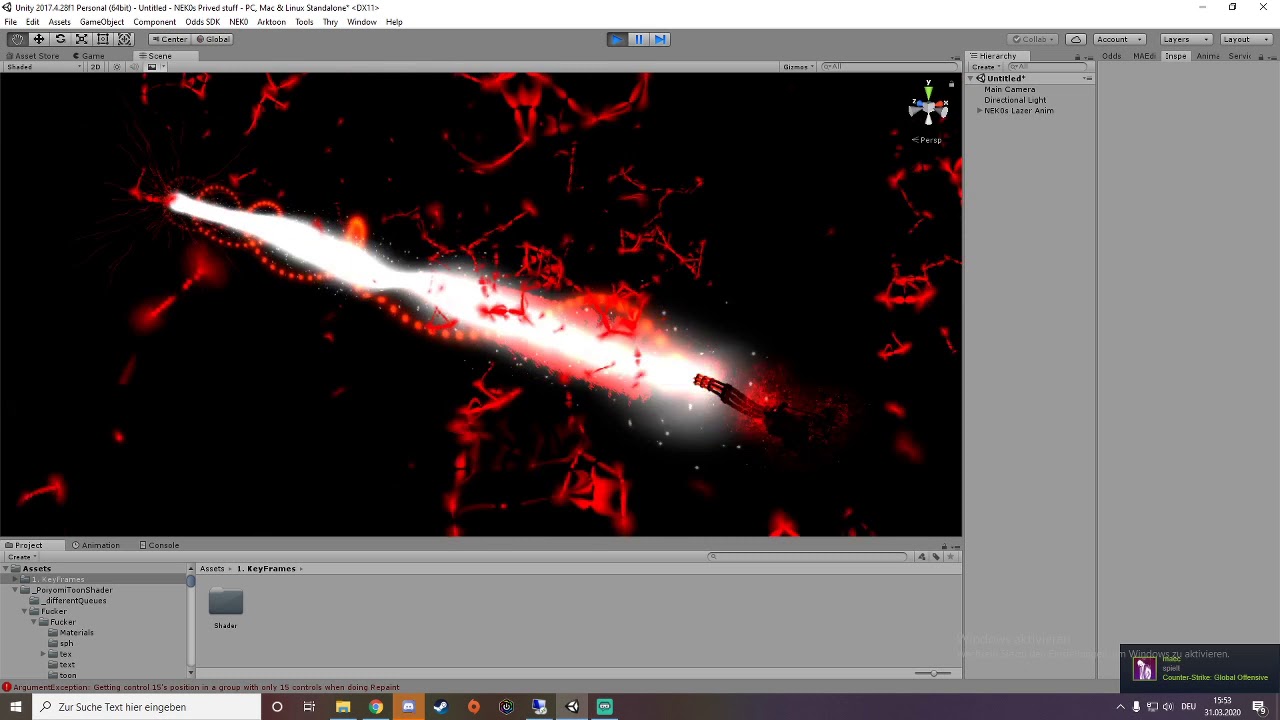
For now its just the animation for the lazer (Avatar and gun still need some work to do)
Dl - https://neko-animation-squad.com/
young hearth
@lusty kindle it is an animation issue, because you have put in a new mesh
the model is detecting that something is not originally there, hence You have to redo the animation
the easiest way to fix this is to copy the values that You see grayed out or take a screenshot and save it elsewhere
put the new prefab accessory on and then Go to create a new animation
and it should allow You to move the tail
just put the values you see back
 lusty kindle
i see. Basically fully redo the animation / copy it - in to a different animation file
young hearth
yes the value, but i don't think you can copy and paste the animation file directly
things tends to go wrong even if it works
lusty kindle
It's only the values of one property. I don't have to assign it a new animation controller though, right?
lusty kindle
i just copied those values, for some reason it freezes them up at a random number again
guess i'll try again but in stead of copy/paste i'll manually input them
there aren't that many fortunately
I take those words back - i can't even edit a single keyframe
when trying to change anything it locks to the same value as before
young hearth
did you create it new?
young hearth
try using a different name, likely no space
young hearth
hmmmm
lusty kindle
i assume my hierarchy looks the way its supposed to?
the mesh of the asset is next to the root of it
For no animation this works fine. I can walk/sit/lay down with those wings staying on my back. However, as for my tail, i have two different wagging animations, one on the root tail bone (slow wagging) which works perfectly and fast tail wagging on the hips bone, but the animation file itself doesn't work, not even by preview, which is the problem i currently am having
I know for a fact this worked up until i added the wings
Please ping me again, if you could help me. Already appreciated
young hearth
@lusty kindle sorry about that, had to run some errands. Okay so, we have to identify the problem and you already pin pointed that its the wings. So for the wings to work on your avatar, it doesn't have to necessarily be Under the Body bones. For unity to add accessories I believe it just needs to be connected to your Armature so that when you select Armature it will highlight everything altogether.
not sure if i remember seeing anything, but i do remember that if you move anything with any bones, the scene asks you that things may break.
lusty kindle
Thanks for the reply. Yet instead i must admit i tried going back to blender and combining the wings with the avatar. It is possible, and it certainly looks a lot more solid in relation to the model's animations. I just stayed away from doing that since animating body parts especially when its scaling of certain bone structures, looks not all too good in unity. But, in the end i think i managed to figure it out.
young hearth
Ahh yes thats one way
going back into blender and rigging the wings into chest or body would be ideal
however adding dynamic effects such as it moving around would have to be animating yep
it doesn't need to be in a dynamic bones
 fringe gust
I'm learning how to get physics animations baked and imported to unity and it mostly works but during game playback the model as a whole will kind of rubberband back and forth while it animates. Looks fine in Blender so it's something in the export or Unity causing it. What's the simplest way to get a shape-key'd animation from blender into unity and make it play correctly?
 late quiver
Hey guys, I have a concern and question. So I have a valve index right? Yeah great and all but, it won't use any of the animations set for the avatar it its hands. For everyone else who doesn't have fingers its fine but for me its just being wonky. I did get it to work for like 30 minutes but then I had to reupload it cause I needed to fix something. Any fixes?
fringe gust
I got the jiggly issue to go away by unticking resample curves AND I figured out how to animate locally, since it was applying itself to global coordinates for whatever reason, but I still have a weird scaling issue where the whole model slightly moves over the course of the animation and also seems to scale along the Z axis too, like the origin is moving/rotating or something weird...
 hollow lark
Anyone know how I can fix my animator issue? This door is supposed to open and I've double checked that the animations are right. In the animator window it seems to work but not in play mode. Posted this in the wrong chat at first so I moved it here.
 timid prawn
Use bool in the animator. And have a trigger enable it
Better have separete object for animation
hollow lark
I've tried using a bool and I have also used the trigger to enable it in-game, still, nothing.
hollow lark
It's because the animation is 2 frames long for each state, transitions do the rest
timid prawn
You can have longer animation. It wont brake
hollow lark
I know I just did 2 frames. I'll try some more and see what it does
Still nothing
I might know the issue now tho lemme try something
timid prawn
Its a toggle or fals true
hollow lark
Yup found the issue
It's because of the Udon script
It works now
It controlled the root motion for some reason
timid prawn
You still have to have a script to enable the bool
hollow lark
Yeah that part I know how to do