#animation
1 messages · Page 122 of 1
 fierce bane
that first part where you rename it to "GameObject15" is where you're going wrong
you are using JUST the name, not the path to it AND the name
 lament prism
What would the name be then I'm so confused.
fierce bane
rename it to Armature/Hip/Spine01/Spine02/Spine03/Shoulder_R/UpperArm_R/LowerArm_R/Hand_R/GameObject15
lament prism
OH
fierce bane
remember the path will only show correctly if you have the animator on it, and you have the "PictoMan (1)" selected (so the animation window knows where it should look from)
normally you wouldn't need it selected, but with multiple animators it bases the animation window on the one you have selected
lament prism
Oh heck. Well I DID try exactly that yesterday, but for some reason it didn't work. Now it's working. 
Okay well thank you so much for making that clear to me now hahaha.
So sorry to bother
fierce bane
sometimes unity is screwy, always try a restart if something should be working but isn't
sometimes the visuals just fail
 spring isle
Why doesn't my crouch animations work?
 torn pawn
custom crouch doesn't work, or if you mean that you can't crouch at all - then for humanoid IK to work you need Proximal Thumb, Index and Middle fingers to be assigned ( can be non-weighted bones extruded from wrist)@spring isle
3 fingers on left and right hand
spring isle
I was talking custom yeah
 lusty kindle
Hello, i am currently making my own animations and adding them to a model of mine, i have some difficulties but i'm not going to explain the entire problem, i wanna make sure i got this right first.
Just to be sure, when animating say a tail on a humanoid character (simply wagging) the animator has to be added to the root bone of the tail, correct?
If this isn't really necessary, i was wondering if i could control the tail animation with the same controller i use for all the different animations. only, this one is bound to the character's root bone and not specifically the tail part. Unity animates this fine, but on VRC this isn't the case.
Thanks in advance
 clear yew
both should work
if you want to animate a tail and ears for example, you can put an animator the tail root and an animator for the ears root
or make a single animator for both of them and put it higher in the hierarchy that will have both elements as child
on the hips for example
lusty kindle
I see, unfortunately in my situation (i'll elaborate on it)
I have two different tail animations (one quickly, one slowly) and i want them to depend on what gesture i am making. Meaning, i figured the animation for the tail has to be in the main VRC AvatarController all the way at the top of the hierarchy. I can add the states just fine, and upon testing the animations they do seem to be playing whenever i want them to. This simply isn't the case when i upload to VRC though, no idea why.
lusty kindle
thanks a lot
clear yew
i have a idle animation on my tail
and a gesture to stop that idle and play something active
lusty kindle
i see.
clear yew
you already know how to toggle on and off animator components ?
lusty kindle
I assume you think i toggle the individual animators on the root bones of each animated body part?
if so, no
i use this controller for everything. this might be a problem (i don't know)
clear yew
you basically make an animation for the tail
with the animator on the root tail
and disable the animator by default
and use a gesture to turn on that animator to play the animation
clear yew
If i take my model for example
I have a bone named "root_Tail"
which is just an empty bone for the tail
and I put an animator on it which move the tail left and right
lusty kindle
yes
clear yew
just that
it's turned on by default
now I have another animator on the parent bone of the root_tail
which is the hips
lusty kindle
Mhm
clear yew
the animator on the hips is disabled by default and the animation in it will turn off the animator on the root_tail and simply bring the tail in front of my model
and I activate that Hips animator using a gesture with the toggle behavior
now, there is no way to turn on/off an animator by just checking/unchecking the box like everything else
you need to use a property called "behavior"
simplest way to have that property is to simply copy it from another animation that has it
and changing the path in the property by pressing F2
lusty kindle
Where can i find one of those, then?
clear yew
Editing by Cheese
Link to the package with assets from the video (Includes scripts)
https://drive.google.com/file/d/1oi1Ryc2O5FAKQg1_92G6CbEaUBmKnzhU/view?usp=drivesdk
This is a guide on how to expand your gestures or emotes and create multi-state animators for use with inven...
I strongly suggest to watch the video to understand more about states too
it use the behavior property to achieve that
lusty kindle
Interesting. I'll certainly look in to it
clear yew
this one too if you are interested more https://youtu.be/sbL9k0VA4OY

I explain how to create a potential infinite amount of gestures using an animator state machine.
========IMPORTANT========
Thank you Bertrand Steenhaut for the help
If you can't open the animation file, you need to set the Serialization to Force Text. While in Unity, go to Ed...
If I remember right he also show you how to create the behavior property
which is basically some text editing of an animation file
lusty kindle
Okay, i'll see how i can build on this. Thanks for the information, i appreciate it
lusty kindle
After messing around with it for a little bit.. i'm less certain if this will work.
The idea of this system is to toggle the animators on each root bone of an animated object. Unfortunately, I have two different animations for the same object, and since there's only the possibility of one animator per bone, it wouldn't switch between these animations (whichever animation dependent on a gesture)
lusty kindle
Does this override the animation below it?
clear yew
I could add a third animation by putting it on the "armature" object
if they are all turned on at the same time yeah
when you use the gesture
lusty kindle
Interesting.
lusty kindle
Alright, making progress i guess. Now when i enter the gesture with the animator parameters, it toggles the between the wagging animations.
Weirdly enough, in unity the tails don't seem to wag, but the animations do seem to be playing. After uploading it to vrc, it still doesn't work.
clear yew
If I want a set joint to just rotate nonstop is that easy to do?
Both of the "ears" should be rotating but I'm not sure if it's worth the trouble of figuring out how to do it
lusty kindle
I can't seem to figure it out. I can toggle the animations but they don't work during preview unless i disable the VRC controller. I'm guessing something is overriding the tail's position, but i don't know what, since i've practically disabled and enabled everything in there. If someone would mind to DM me, i can show this in live-action, it might be easier to solve that way, too. thanks already
 median bobcat
what would be the best settings for audio clips in animations
fierce bane
@clear yew you would set up an animator on their parent (usually better to have a "root" of the two bones, but you could do it off the head).
set up an animation from that animator to rotate them 360 over the amount of time you want.
Click the "Curves" tab and set it to linear to make sure it rotates smoothly when it loops
you can always adjust the multiplier for the speed of the animation after you make it, so don't worry about having to readjust time too much
 hybrid vapor
I have an animation issue, I have a TARDIS model, he doesnt have any bones, no way for normal animations, i have made a TARDIS dematerializing animation though for it, and ive tried to put it on, but nothing, nothing works and i dont know why it wont, i need some animation assistance please
hybrid vapor
For added detail i bound the animation to my emotes, but when in game, i look at my emotes (which have the new animation name) and click it, nothing happens
hybrid vapor
Heres the package incase anyone has any idea how to fix my animation problem
 late whale
Does anyone have the default hand animations?
fierce bane
@hybrid vapor most likely your issue is an improper targeting for the animation.
Check the animation window for yellow components, if they're yellow it means it cannot find the object at the given path.
Is your tardis your main model, or another one attached to the main model?
If it's a sub model, does it have an animator on it? If yes remove that and check the animation window again to see if the components are yellow.
 heady talon
How do you get videos on avatars to work? I tried attaching a video to a plane and it worked fine in unity but didnt play in vrc. Tried using the video prefab in the sdk but that had the same problem
fierce bane
the video component is not whitelisted for avatars and so will be removed on upload.
I'm not sure what the best method is, but is an option:
If you want a video you need to break it into separate images (like with a video to gif) and set it up into a sprite sheet (evenly spaced images in a grid)
And then use a shader to render that sprite sheet into an animated texture
heady talon
So does vrchat just blacklist video file formats on avatars? I have no problem turning the video into a gif since I dont need sound (unless the gif file will be too large)
fierce bane
vrchat blacklists everything not specifically whitelisted
they don't even allow projectors, which you can emulate with a shader for extra cost
you need to also break the gif down into a sprite sheet, not just convert it into a gif
For a list of allowed components see: https://docs.vrchat.com/docs/whitelisted-avatar-components
VRChat
Here is a list of the components you are allowed on avatars VRChat VRC_AvatarDescriptor VRC_IKFollowerPipelineManager Unity TransformAnimatorSkinnedMeshRendererMeshFilterMeshRendererAnimationParticleSystemParticleSystemRendererParticleRendererParticleAnimatorEllipsoidParticl...
heady talon
damn, thanks. Guess i have to get to work
fierce bane
there are online gif to sprite sheet converters though, so one of those might work

 heady talon
all I can think of is that the sword isn't attached to the avatar you uploaded
or maybe you activated its body or something and not the whlole sword
since the icon should look like the audio source above it
 weak light
the sword is parented to the wrist
and i opened the menu of the sword and clicked is active
@heady talon
heady talon
yeah you activated the body and not the sword itself
heady talon
it should work
weak light
tell me about it xd
heady talon
directly under the sword should be an "Is active"
heady talon
as long as you have that on it should be good
fierce bane
@heady talon do you have that animation sloted into your override? and is the override assigned in the avatar descriptor?
 floral steeple
I set up the rock and roll animation to change the material of a mesh, in unity playing the animation changes the material as expected.
However in VRchat the material change does not occur (neither for me nor anyone else)
Anyone got an idea what the issue might be?
floral steeple
Additionally, if i use an animation to make a station dissapear, will the person on it be safely dismounted or could this cause a bug?
clear yew
His pc will actually explode
floral steeple
So nothing out of the usual for vrchat, got it.
 spring nova
it will forcibly eject them @floral steeple
floral steeple
Thanks @spring nova
spring nova
btw if you want to disable entry without kicking someone off, you can disable the collider
if there is no collider, vrc station makes one. So all you have to do is make your own collider and then you can control whether it's enabled/disabled
floral steeple
That’s interesting although generally stations only seat 1 person don’t they?
spring nova
yes, but the reason you'd want to do that is if you specifically want one person to get on and then they can get off later without worrying about someone taking the spot
or maybe you have a whole bunch of chairs, and a group of people that it's meant for. Once they're on, you can disable entry and not worry about anyone else getting on if you have empty chairs
floral steeple
Which gesture would you say Is best for kicking off people? I’m using hand open to enable the seat
spring nova
that's something you want on an emote, not a gesture
floral steeple
I haven’t really looked into emotes that toggle things
spring nova

GitHub
An Inventory system that is easy to set up for your avatars, using emotes. - Xiexe/VRCInventorySystem
floral steeple
Would I just make a new animator on the seat and tie it’s animation to the override?
spring nova
yeah that's sort of the idea. You enable the animator for a specific amount of time in order to advance it's animation, which will enable the thing you want. Then you disable the animator and it will freeze in place
floral steeple
Since I just need to disable the seat for a second to kick em off
spring nova
depends if you want a toggle or just a kick
a kick is easy, no inventory system needed
floral steeple
Just a kick gonna set hand open to toggle the collider
That way I can easily enable and not worry about accidental kicks
spring nova
yeah if you're on vive, hand open is a good gesture. Just be aware if anybody else uses the avatar, pretty much every other controller it's very easy to accidentally do handopen
spring nova
yeah that's really easy to do, you sure?
floral steeple
Yeah I’m 20 feet tall unless I lean down no ones getting on that
 sullen lance
Opening SteamVR or Oculus Dash actually puts your hands onto hand open though.
spring nova
but I mean once they're on there, you would accidentally activate it and kick them off
floral steeple
Why would you use steamVR on oculus?
Oh no
Kick off on emote
Enabling entry on gesture
spring nova
sure, but if you're already going to the effort of an inventory system, why a gesture at all? That's kinda the whole strength of emotes, you don't need to worry about them taking up space on gestures
floral steeple
Quickly picking people up without having to open the emotes menu
Since the emotes menu is slow as hell
spring nova
yeah we hear you ok
this isn't a general chat channel, it's for asking and answering questions
floral steeple
Just personal preference really
spring nova
yeah exactly, just making sure you're informed but it seems like you get the idea. You can make your own decisions
floral steeple
Thanks again
 hybrid peak
ok
weak light
@floral steeple could you help me out with the bug I'm getting
floral steeple
@weak light What bug ya getting?
weak light
Scroll up and look at my gyazo
For some reason my objects nor sounds are playing with the animation
floral steeple
Does it play in unity?
floral steeple
did you set the toggle at 00:00
of your animation
And what happens when you press play on the animation?
weak light
Yep
It makes my hand go into the animation
But the object doesn't spawn
Unity 10/10
Best exspreince
fierce bane
@floral steeple just something worth suggesting, "Rock and roll" is hard to accidentally hit with oculus, so it works well as a gesture you don't want to hit by accident but want easily accessible.
floral steeple
@fierce bane Yeah already have that tied to FX
For some reason the seat isnt activating tho on handopen
fierce bane
can you describe your setup and what you want to do?
Like what should happen with handopen (and if using emotes, what they should do as well)
other than that, screenshots help a lot
fierce bane
so as long as you have an open hand, the collider is enabled? and when releasing it kicks them off, correct?
floral steeple
no the colider being diabled according to Phase shouldnt kick them just disable entering
fierce bane
and just to make sure, you are using a vrc_station correct?
fierce bane
that looks like something on your setup is messed up.
Yellow animation components mean that it cannot find the path.
So it can find the seat but nothing else.
So either you have the wrong item selected and it has an animator, or the rest of the animation is wrong.
floral steeple
The yellow parts are for a different model
fierce bane
secondary model you can toggle between?
fierce bane
so the only thing it should do for this one is toggle the collider then?
fierce bane
do you see the collider enable when you hit preview with the top level of the avatar selected?
fierce bane
also of note, you're generally better off having separate avatars with their own override list (controller is overridden anyway on humanoids so it doesn't matter)
They take up kilobytes of space and can only cause confusion when crossing between them
floral steeple
Yeah im just trying to get this to even work before i clean it up
fierce bane
My guess would be that the station script is compiled on launch and the disabled collider isn't actually included, so when you enable the collider it does nothing because it didn't find it....
I've never tried setting up a temporary allowed seat, so I'm not sure if it's possible to do it the way you're trying
floral steeple
The thing is
if it wasnt finding the colider it should make its own
but its not
there is no seat
i have the same issue with material swapping
fierce bane
unless the pathing is incorrect (had the wrong animator selected when you set it up for example) that's the only thing I can think of
then that definitely sounds like you have the wrong pathing for it
the animator is on the same object as your avatar descriptor, correct?
And the body/armature are a direct child of that object as well, correct?
fierce bane
Cleaning up your animation files so only the relevant objects are in there helps a lot with identifying issues too.
I can't see the finger motions with the seat for example, so it could be just a pathing issue as stated, or it could be something else
floral steeple
fierce bane
just as a note, your OniImpimController will be removed and replaced by a default one on uplaod, so any changes made in there will not carry over
can you select your seat component in the animation and hit F2, then copy/paste the path into here? preferably with ` on either side
floral steeple
DeformationSystem/Root_M/Spine1_M/Chest_M/Scapula_R/Shoulder_R/Elbow_R/Wrist_R/seat
fierce bane
best guess is that it won't let you toggle just the collider...it all seems fine.
Try testing enabling the whole object with the collider enabled by default.
If that works, then the above is most likely the issue
floral steeple
Alright
fierce bane
it's likely not creating it's own collider because it exists, but the compiled script sees it as disabled instead of accessible...or similar to that
floral steeple
By the way, why does the animation that only toggles the state of the seat make me go into the ground?
fierce bane
because you have nothing defining your body pose and position.
Emotes always do that if nothing else is stated because they override the humanoid IK for their duration
floral steeple
Also whats the issue if i cant see my animation clip in the dropdown
fierce bane
that would mean it's not assigned to whatever controller you currently have attached to the avatar, or there is no controller
floral steeple
but if its on the ovverride its stil fine?
fierce bane
if you want to edit an animation and you deleted the duplicate you used to make it, just make a new duplicate and drag-drop your animation onto it and it'll load into a controller for that duplicate (both duplicate and controller can be deleted afterwards)
as long as it is on the override it will work, yes
assuming of course that the override is slotted into the standing/sitting animations (whichever is relevant) on the avatar descriptor
floral steeple
fierce bane
yep, as long as that custom override is in the stand/sitting anims it's fine
just remember the animation window bases what it can see on whichever animator you currently have selected (or the first one it finds above the currently selected object)
floral steeple
but when i upload the animator settings dont matter anymore because its replaced right?
fierce bane
the way your animation is set up still matters, but yes the animator is replaced
floral steeple
Gonna try uploading this with only an enabled seat and emote to disable it
worked,wow
 onyx agate
small question.. the lines that are floating upwards on the loading avatar .. are those particle animation or shader animations?
 icy crow
Particles
 unkempt pier
I just created a square.
lusty kindle
I was wondering, i have been getting in to animating models for vrchat.
One of the main problems i seem to be running in to, is not the animating itself, but after uploading them to vrchat.
Preview in unity makes the model and gestures/idles work fine, but in the game they mostly don't work or use the defaults.
So, i was wondering, if there are overrides that get applied when uploading an avatar, and where i could maybe find these to override them.
(mainly problems with crouching and gestures)
Thanks in advance
fierce bane
@lusty kindle crouching override doesn't work, prone does.
Everything else should, though things like jumping generally don't register properly
What are you having issues with for gestures?
lusty kindle
Due to the nature of some of my gestures, the animations aren't 2 frames long anymore. (more like 12 frames, almost a second) and despite me changing the delay between gestures to 0 seconds, it takes me well over a second to transition between one gesture, to another.
/ if i wanted to upload a custom crouching-like animation, say for example kneeling down, it wouldn't work?
(not prone, my prone animation would still be laying down, rather than kneeling. Think of it as a state between standing and prone)
fierce bane
crouching no, it doesn't work at all as an override, probably due to the IK system
As for longer gestures, you can activate an animator to do something for you instead. Like if you spawn in a planet with a moon orbiting it, the animator on the planet can rotate the planet and the moon over whatever time and speed you want
You just can't make a gesture longer without it causing issues with the others.
Gesture time is also multiplied by 4x(?) I believe for time, otherwise your hand would "teleport" into the pose
lusty kindle
It isn't about making them longer, but making it shorter. My hand/facial expressions are too slow for me. But I've already set them to the lowest possible in transition time (0 seconds, it doesn't appear to do anything)
fierce bane
any changes made to the animator will not be seen in game
it gets replaced with a default one when you upload
Just make sure your gestures are at 0:00 and 0:01 keyframes (the same for both obviously)
It should take 4 or 5 frames to transition, not longer than that
if you're using shape keys to move things in/out of your head for example, you can exagerate the positions a bit to make it faster....but otherwise there's not much you can do to speed it up
been waiting on custom humanoid controllers we've been asking for....it's been...at least a year and a half at minimum...
Sadly they don't seem to care about avatar creators, only world creators
lusty kindle
That's, where the problem is. I have keyframes from 0:00 to 0:01 to... All the way up to 0:12 (12 keyframes) the reason why would be because i want my tail to wag while smiling, i can't achieve that in two frames
Because it multiplies that by 4, is why it takes that long
fierce bane
yes you can
make an animator above the tail that does the tail wag, enable the behavior of that animator with your gesture. That's what I was saying earlier when you mentioned up to 0:12
lusty kindle
Oh, i see. I think i just realised something, too
fierce bane
This contains the behaviour enable animation component
You can copy the keyframes into your gesture to enable an animator (make sure it's checked to enable one instead of disable one)
And then select it and hit F2 to change the path to where your animator is.
in the template it is assuming your animator is on an object named "Example" inside the Armature
lusty kindle
I was editing things in the avatar controller, i was wondering why it didn't change. I see now.. It completely ignores those and only overrides the animations specifically
fierce bane
yes
lusty kindle
I have messed around with behaviors before, they just didn't work. I think i can tell now why this is. Thanks for your information
fierce bane
any animation controllers you have in Unity can be used for testing without worrying about corrupting the in game one, however the double edged sword there is that we also can't edit them...
lusty kindle
I see. That is a bit annoying but, really helpful intel too.
So, as of yet there's nothing i can do about the crouching animations yet. But prone should work fine
 red shard
anyone here good with blender 2.82? cause i cant find how to make visemes in this version and all tutorials ive looked up are using VERY old versions 😦
 still sand
Heya, is there a free way to capture oculus character animation using the controllers? (to record some set of actions, either in blender or unity). Thanks
fierce bane
@red shard seems pretty easy to find to me:
https://www.youtube.com/watch?v=YDu6y_2jFg0

I apologize for the music being too loud, I've been notified in the comments below and will fix the issue for future videos. CC text works if you're struggling to hear.
Follow along with me and learn how to use shape keys in your blender character animations with this Blender...
 spice eagle
How can i make a gesture that adds an expression but that doesnt overwrite the original hand gesture?
For example, i have an scared expression on the fist gesture slot and when i trigger it the hand will go fist and the face will go scared
 near brook
how would i make an inv system animation that plays an animation b4 it activates it
like i want to play a intro, then it changes the outfit
 wild ridge
The animation would just be that the song then a time the the character changes and stay.
I was wondering how would you change say the falling animation or the jump animation to something different.
 candid pulsar
 tender pumice
anyone know where to find the girl skipping animation
 vagrant hound
@fierce bane Sorry, I know you tagged me quite some time ago now. About the behavior toggle keyframe. But I had a question.
I figured out how to change the path, but I just name matching but I realized I'm not sure What I should be targeting with the path.
So let's say I duplicate my avatar and make an animation on a second one That has More than one key frame.
Do I have an make a second duplicate? End drag that keyframe onto there and change the path to the Armature?
That way if I'm holding the original animation and then toggle the behavior pause it'll stop the other animation halfway through until I let it go?
 wintry stratus
So does anyone know how i can fix my problem?
I tried putting an Animation on the model i put on my Armature
but it just t-poses
 oblique hawk
hi there
i made 5 animation's for my avatar and assign them in 5 deferent fingers on one hand
so when i press F3-F7 i will trigger 5 deferent animations.
but that's not work in that away anymore.
because when i press F3 to trigger first animation then cancel first triggered animation with F1 or F2 and then pressing F4 to trigger another animation and so on and so on...
some animation are being repeated even if they not supposed to do that
like for example i call animation #1 with F3 and when after cancelation i call second animation with F4 ... F4 will trigger animation that Belongs to F3
a year or 2 year's ago i was able to call them one by one without mixed animations
why is that happening today and is there a any fix for that or any further fix for SDK for that particular problem
 surreal crater
@wintry stratus is your model set to humanoid instead of generic?
@oblique hawk did you just came back to the game after a long break from the game?
wintry stratus
@surreal crater I have another model added on me, i want to have two models dancing at the same time when i activate the emote
surreal crater
is your main model or the seperate onces T-posing?
wintry stratus
sepperate one
surreal crater
are those set to humanoid?
wintry stratus
think so, should be
surreal crater
could you check that maybe and if it is humanoid tell me how you added the animation to the 2 models?
wintry stratus
both are humanoid
surreal crater
so how did you add the animations
wintry stratus
well for my "primary" i have my Animation Override, that works fine
for the other model i added a Animation
and put the Said animation in
so it only has the Transform and the ANimation
surreal crater
Instead of using a animation component I normally use a animator component
you can right click between your assets > Create > Animator Controller
then select the animator controller and go to your animator tab. If you cant find the tab go to the top of your unity and look for Window > Animator
right click in the grey cubes area > create state > empty
select the New State and look in your inspector you should see a: Motion none (Motion)
click on the bulb next to it and select the animation you want
now drag the animator controller in the animator component on the model and try again
if anything is unclear or doesnt work please let me know 🙂
wintry stratus
ok
wintry stratus
i put the model on my Armature right?
Because if i do hip it moves with my body
Also "Apply Root Motion"?
surreal crater
Its better the place the model outside of your armature because it will still follow you and your rotation but it wont move scuffedly up and down when you look around
Check Apply root motion yes (I think its even default im not sure)
it isnt never mind
my model had it on by default
wintry stratus
Update and CUlling mode?
wintry stratus
In the ANimation Window it still t-poses
surreal crater
mmh
surreal crater
what do you mean by primary or secondary?
wintry stratus
Primary being my main (parent) Model
secondary being the one who just appears for the animation
wintry stratus
it t-poses :/
oblique hawk
@surreal crater
i don't know what you mean by that but...
my avatar is humanoid
and yes sometimes i try to trigger those same animation on that way tomorrow
but most of the time i trigger those animation's on deferent world's
plus i puck those animations in separated duplicated models and set them as disabled but on animation window i enable them
so i dont know what am i doing wrong but i think it's a bug in sdk
surreal crater
How long ago did you make the model, because you said it was around 2 years ago that it still worked right?
oblique hawk
well i say it for other models that i did in exact same way
but in this year my model i setup and upload for about 2 to 3 days i guess
so it's wary annoying for me to see those animations to mix with each other
surreal crater
yeah I understand
oblique hawk
so there is only one workaround to fix that but only as temporary solution
and that is:
in order that every animation will work correctly for every trigger
i need to press 4x L-SHIFT+F1-F8 and then pressing R-SHIFT+F1-F4
in order them will work correctly but when i change world
and try to activate them normally like only one pressing L-SHIFT+F3 or F4
depends what i want...
it not work again so i am forced to do those tedious job again and again
...
so if no-one want to believe me then
try to replicate that and test it as a DESKTOP user
you will really know that i saying a truth.
surreal crater
@oblique hawk I know the problem
Shift F3 is hand open
that hand gesture is cursed
dont use that one
use any other one
and you should be fine
because hand open can fuck up in desktop mode
oblique hawk
well i try deferent one many of them
but problem still persist
fierce bane
@oblique hawk I'm...struggling with the language a bit, but it sounds like you're hitting a gesture to trigger the animation and it keeps going when you tell it to stop?
If so make sure your gestures are only a single frame (keyframes should be the same and on 0:00 and 0:01)
If it's longer they will continue until they finish.
@wintry stratus are you animating the second model as well or are you just expecting it to follow the movements of the first?
It sounds like you're having your main model dance, and enabling a second one you also want to dance with it, correct?
@vagrant hound I don't remember exactly what you were trying to do, so I'm generalizing here.
In the example animation the animator would be on the "Example" object which is parented to the "Armature"
So you want to adjust your path down to where your animator is for it to enable it properly. (capitals and spaces included)
If the duplicate you're talking about is one not parented to the avatar descriptor somewhere, then it doesn't matter if you have multiple or none once you have your animation set up (just make sure you're only animating with it, and not adding things to a duplicate that aren't on the main model)
If the duplicate is in your avatar then you would want to target the top level (where you would normally place an avatar descriptor if it was the main model) which is where the animator is by default (and how humanoids animate).
vagrant hound
Or what a better way to do this to be to have a separate object with its own animator under my Armature. And toggle the behavior on that.
oblique hawk
@fierce bane
yes i doing animation over gestures
so secret leys in the single frame because as you say
"(keyframes should be the same and on 0:00 and 0:01)"
thanks for the help
i really appreciate that
🤟 🙂
near brook
anyone know why muscle animator breaks my sdk completely?
when i put it in my unity project it makes it so the vrchat sdk only have the clear cache option
ok
it might work now
hold up
 livid berry
Does anyone know how to make an object only follow the HEIGHT of a piece of the armature and not take any rotations? Thanks!
near brook
ok muscle animator is not detecting humanoids at all
fierce bane
@livid berry you can use a rigid body/fixed joint pair and set the rigid for the fixed joint like below.
This fixed joint (and the object you want to move as you described) should be placed outside the armature for the best motion. (IE <avatar name>/Object instead of <avatar name>/Armature/~|etc|~/Object)
be aware, this will obviously still follow your body if you move, but won't rotate with you nor move in any direction except vertically (in the example it follows only the heads height)
vagrant hound
@fierce bane i figured it out. Thanks SO much
 outer geode
Hi all,
Struggling for about a week on this. How would I make a sitting animation trigger when I crouch IRL?
Please @me if anyone can help :s
 shrewd wave
I think you just replace the crouch animation in the custom overrides with a sitting animation
onyx agate
so i want to have my avatars emissions blink to be controlled by me speaking ... is there some way to do this? please dm me
 haughty basin
lol
haughty basin
dude chill
haughty basin
ok
unkempt pier
I gonna go
haughty basin
ok
haughty basin
pls dont spam
unkempt pier
ok
haughty basin
ur fine
haughty basin
ok
unkempt pier
don't read my note
haughty basin
notes arent public -_-
haughty basin
@unkempt pier u have vrchat right ?
 mental relic
finally figured out how to get two different materials to be animated https://gyazo.com/e1354f0946401133c3c0dab39e879ed1
 fierce bane
@onyx agate flashing emission with speech is a little more complex since we don't have access to the setup.
- You need to create a duplicate of the section of mesh you want to blink with speech.
- Set the mesh section with a separate material, and you should place it inside the model, behind the normal mesh.
- Make a shape key (or change the viseme shape key) that moves it forward so it sits in front of the normal mesh (exaggerate it a bit since it doesn't usually reach the full movement)
- The material for this should have full emission for the blinky part.
clear yew
An issue I have been noticing is when using an Idle animation when staring directly at a mirror, it will work for about 4 seconds then I do a different pose, ie crouching/proning and the idle just sorta enforces itself and I basically just slide around like I have no rig set up in unity. Any possible fix? (besides not using idle animations)
onyx agate
not finishing an animation that is longer then 1 frame causes that if the animation is set to loop
clear yew
makes sense, cheers
 magic lintel
@fierce bane how do i move the parts back and forth for the animation sorry im kind of new at this whole thing
fierce bane
you need to make a shape key, have that shape key selected, and then go into mesh edit mode and select the verts for the texture and move it forward.
The default position should be as close behind the normal eye as you can make it without seeing it...that'll speed up the movement to the final position which should be just in front of the normal eyes
any verts you move while selecting a shape key will be applied only during that shape key (so make sure you re-select basis after it's where you want if you're adjusting other things)
magic lintel
Sorry Im still really confused on how to do that
fierce bane
look up tutorials on how to make shape keys
if it's only for the eyes or face and each face is a different texture you could just swap materials in the animation though
just make multiple materials and swap the material into the spot
magic lintel
its only for the eyes
fierce bane
then go to unity, duplicate the material you're using for the eyes (or maybe face depending on the setup)
And put the different texture in it, then just hit record and change the material on the body
fierce bane
you can animate a simple material change. It'll still count against you for total materials in the avatar ratings though
 blissful viper
Hey guys, was wondering how i get people to dance automatically when they sit on a chair?
fierce bane
always animate on a duplicate, not your main one
magic lintel
ok ive set up a dup but its still having the same problem of teleporting down
median bobcat
so im trying to export a vmd file into an animation but for some reason when my model plays it the animation just looks weird
fierce bane
@magic lintel just make sure you're not adjusting any humanoid bones (other than fingers) while making it.
If your main model is stuck in the bike pose, then check the pins for a solution.
magic lintel
Ok thank you
outer geode
Yeah so my IRL sitting anim isn't working at all. Struggling for a week lol
near brook
anyone know how tf behavior keyframes work
cause im having a glitch issue
where everytime I get the behavior keyframe in the animation, it will no longer let me click anything on or off in the animation
fierce bane
that sounds like you have a corrupted Unity file, or editor script somewhere
...that's not a thing you normally have issues with
 stable island
hey, i tried to animate a Gesture and now whenever there isnt an animation controller it does this
is that supposed to happen?
fierce bane
check pinned messages
 young hearth
question, what are the cause of eye blinking animation not working sometimes?
fierce bane
eyes not weighted to eye bones, improper hierarchy (needs full IK setup including fingers and eyes), or improper naming
fierce bane
upper chest should never be filled, toes are optional, the rest is required
young hearth
ik
fierce bane
technically you only need thumb, index, and middle fingers for the hands though
young hearth
ye
median bobcat
can someone tell me what the best audio settings are for animations the settings ive set are too quiet
young hearth
change spatial blend to all the way on the left
fierce bane
minimum distance is the closest it can be heard...setting that to 99 is going to make it almost impossible to hear at all
 crude aspen
2D audio (global) is no unless you are going to use audio that has it only when everyone is okay with it.
crude aspen
Man, sometimes unity is just annoying, I couldn't turn on a specific gameobject through animation so I had to create a new gameobject as a root and then drop the old one under that new gameobject.
 fallow anvil
someone can fix my animation?
stable island

I cant change these keys
The values just snap back to where they were
I cant make new keyframes with different values
 covert patio
Oh! Transformations of bones cant be used for animations
Gotta use animators nd shapekeys
covert patio
stable island
Like i exported it to vrchat and it worked
then it just
broke
alright
well how would i mess around with a bone i cant map to the humanoid shape?
covert patio
If its connected to the rig of your humanoid you can do it the same way you do a finger!
So animators or shapekeys or what have u
stable island
I mean, its a separate bone all together. Its kind of hard to explain but im shooting a disk from the characters head
covert patio
And its in no way connected to the rig?
stable island
It has keep offset on the head so it follows that
covert patio
Ok so its under ur avatar’s armature, under head?
covert patio
Then ye same deal
stable island
So i go into Add property and click on animator right? which one would i use from there (Sorta new to this)
covert patio
https://m.youtube.com/watch?v=czEAsvQ-Y-0
U can ignore the sword part, but the part where he starts movin the fingers to wrap around the hilt is basically what u gotta do with ur disc
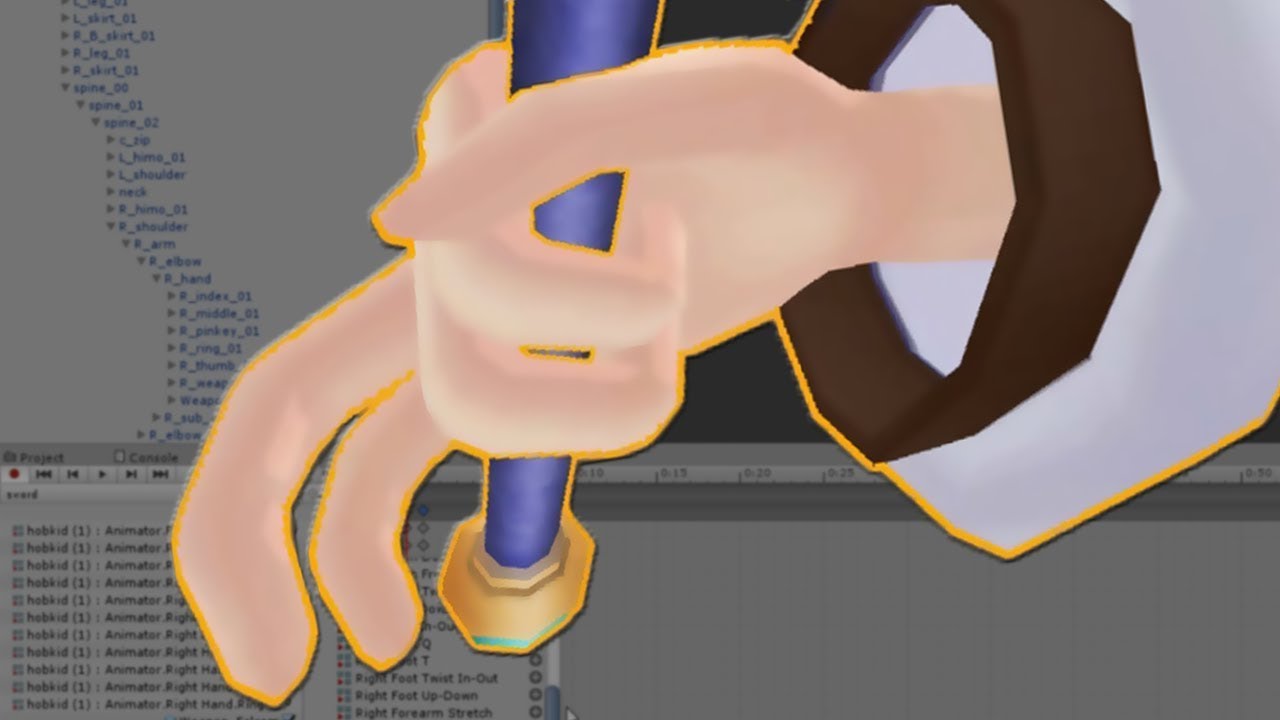
SUBSCRIBE, LIKE AND ALL THAT GOOD STUFF!! :D
DISCORD ► https://discord.gg/vNyJgCX
PATREON ► https://www.patreon.com/kunoleo
stable island
Well thats the thing
that has RightHand.Index but mine isnt there
There isnt a Head.Disc
Wait
Found it
It thought that was one of my eyes
There still is no head.disk tho
covert patio
Maybe that onlh works on actual humanoid bones
Theres also this method. U could put the animator on the disc bone and then make that animation
covert patio
Ye! A gesture is another word for hand expression
So like peace sign thumbs up finger gun etc are gestures
stable island
It would work as the overrides?
covert patio
Mhm!
covert patio
U set the actual gesture (like peace or w/e) to activate the behavior of the animator u put on the bone. Then the animator actually holds the animation of the disc flying out or what have u
stable island
Well that definitely didnt work, maybe i misunderstood your advice tho
So i added the animator to the Disc bone
then i added an animation to the animator that used the transform? but that part confused me as you said bone transforms dont work but i went along anyways and threw that in the rock-n-roll override and now my character is spinning
yikes
covert patio
Oh i forgot to say mayb download himeki’s template if u didnt!
stable island
Ive got the templates
covert patio
ok. behavior disabled by default? Animator on the disc bone?
covert patio
it should be disabled until the gesture does the actual enablin
stable island
Yup
Now that there is an animator on the disc armature what then
or does the animator go on the actual disc
covert patio
that is unfortunately the end of my knowledge
u can try on the actual disc! lemme kno if that does it better
stable island
Anyone else wanna throw their advice at me? i cant find any way to do this
Okay
so i figured out i needed to enable the bone in the mask but i still cant animate it
median bobcat
does anyone know a good video to mp3 converter site that i can use?
mental relic
anyone know what the time limit on emotes are so i can make my emotes the exact ammount of time needed so it doesnt cut off?
fierce bane
@stable island @covert patio Just to clear up stuff earlier, HUMANOID bones can only be moved with the animator settings, anything else is free game.
@stable island you don't need to enable the bone in the mask, that'll be overridden by VRChat's settings anyway.
Make certain that the avatar you're animating on has the disc, and that it isn't being affected by a dynamic bone...those are the most common causes for not being able to rotate a non-humanoid bone
@stable island also be aware gestures (fist, fingergun, etc) need to be only a single frame (keyframes on 0:00 and 0:01 should be the only ones, and the same)
So if you want the disc to rotate over time, you want to use the animator method skipper mentioned before in the screenshot.
 steel meadow
Can someone help me to do music on my avatar? (Example Press shift+F4 to do a song)
 unreal eagle
@steel meadow https://www.youtube.com/watch?v=xxSezH13vAI
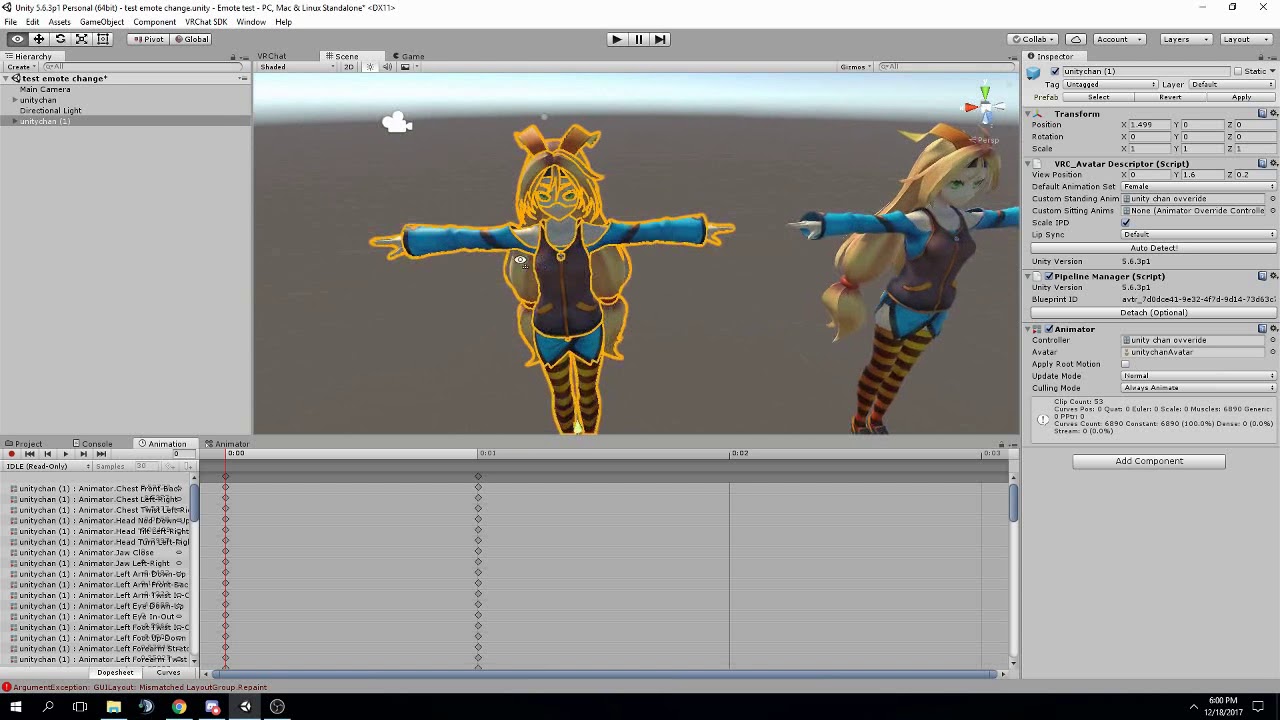
FAQ:
-
If you can't find the animator or animation tab go to window at the top and select animator or animation
-
If your character is going in the ground during the animation you need to add a property to your animation called "Animator.Root.T" and change the Y value of ...
steel meadow
It's just to do emotes @unreal eagle
unreal eagle
The video explains how to customize the shift+f1-f8 functions
unreal eagle
Its the same thing
steel meadow
Oh k
 warm thistle
Good morning! I was wondering if someone would be able to help me with an avatar animation issue I’m having?
 cold pulsar
No one knows if they can't help if you don't state what's wrong
warm thistle
So basically, I’ve attached wings to my model, and when I animate them to flap, my avatar flaps and not the wings lol. I’ve tried a couple times and am not sure what I’m doing wrong 😐
cold pulsar
How are you doing the animation? Editing idle, separate animator on loop...
warm thistle
So basically I click on my avatar in the hierarchy, then select “create animation”
I’ve also tried where I select only the wings in the hierarchy and create the animation that way, but when I assign it to a gesture in the controller, the model flaps instead of the wings
cold pulsar
Well having the wings as a separate object is bad optimization wise but you can't just have an animation on an object it has to be an animator
If you create an animation and drag it onto the ancestor of all wing bones you should be able to use the record feature to animate the wings
I'm unsure how what youre doing is animating the humanoid vs the wings but that may be a naming issue
warm thistle
Ok cool, I’ll try that. Thanks!
 reef nexus
I can't remember if this is true or not, but maybe somebody can clarify. I'm animating part of the humanoid rig on a gesture to make the avatar float. Am I correct in my assumption that humanoid animations are overridden on gestures and only work on emotes?
Ah. Its overridden by the idle animation nevermind.
spring nova
it's not overriden, it just never affects anything other than the hands in the first place
cold pulsar
Yeah emotes override as they remove the ik for the duration, while gestures don't.
blissful viper
Anybody able to tell me how i get an a chair in vrchat to make an avatar do a dance?
Ive changed the override on the seat with the dance on the idle slot but it doesnt seem to work correctly
clear yew
Anyone got a particle limiter?
i used to use the .json from the old vrchat site but that doesnt work anymore
fierce bane
@blissful viper make certain the animation is using humanoid animators, and not just rotations
You should also have a full animation controller with the dance as the default state not just a custom override using idle.
And just in case, make sure seated is still checked. As strange as that sounds it won't force them into a seated position, the animation controller will override a "seated" pose. But it is needed for it to work properly.
livid berry
Does anyone know how to make an object only follow the height of a body part, but not the rotations?
fierce bane
@livid berry probably by reading the response already given the last time you asked that
 vapid inlet
Dear animators, can someone please tell me what is the cause of the avatar glitching out based on this short video I made: https://www.youtube.com/watch?v=HYzIHUh3ccQ
I have no idea what the issue is that is stopping me from animating but it is very frustrating.

 safe osprey
I need a way to keep a game object in a fixed place, like a rigidbody (you know if they worked how they're suppose to) for my animation to work properly, anyone know how to manage that
 vernal pilot
hey everyone, I am trying to add a trigger animation on my avatar but I can't find a tutorial online
blissful viper
@clear yew did you get your particle limiter mate?
not sure about the two most recent questions sorry
blissful viper
ill message you!
fierce bane
@vapid inlet looks like your entire right arm (character perspective) isn't assigned at all in the humanoid rig
Humanoid bones cannot be rotated or moved like that which is why you have issues with animating the other arm.
You need to use the animator.<muscle> properties by clicking on "add component" selecting the animator and adding/adjusting those values for any humanoid bone.
To fix the right arm, select the model in the assets list, on the right, select the "rig" tab, and then click "Configure" and assign the bones where they should be (example, right shoulder as right shoulder)
You never selected the armature, body, or hips so I can't check those. But the reason it teleports is it's likely not where it should be on one or more of them. Body/armature looks paired up properly though, not sure what else would teleport it at the moment.
That "bike pose" is a normal effect of animating humanoid bones, (it's the pose it sits in because all muscle settings are neutral) and it's the reason you animate on a duplicate, because the model can get stuck that way and you'd have to fix it.
When animating the bike pose doesn't matter for most cases like hand or facial gestures.
If you're making an emote however you'll need to pose the whole avatar (as well as root T and root Q so it's not in the ground)
vapid inlet
Thank you for replying, I was about to give up hope 🙂
fierce bane
No worries. It can take a bit to learn, and people come and go from the discord, so being patient and checking back in is important
vapid inlet
Ok, thank you so much ❤️
fierce bane
@vernal pilot what exactly do you mean a trigger animation?
"Triggers" are for worlds only, they will not work on avatars. But if you describe what you're trying to do you might just be using the wrong word for it.
vapid inlet
@fierce bane May I PM you when I have a question about fixing my issues, like if I get stuck somewhere?
fierce bane
you can mention me in one of the channels here if no one responds, DMs are set private because people send random messages a lot
vapid inlet
ok, thank you once again 🙂
 maiden horizon
can someone help me with a lightning effect im trying to put one on an avatar but its really frustrating
dm me if you can
vernal pilot
I mean clip animation maybe?
maiden horizon
idk the difference
fierce bane
@vernal pilot are you talking about the hand gestures like finger point? (shift+F keys if on desktop mode)
 slow nova
I need help with 2 things if anyone is willing to help. My avatar that im messing around with has a halo and I added particles to it. the issue is, if just about anything goes behind the halo (and particles), they go invisible almost as if they were behind the object, like a skybox. how do i fix this? My second issue is simpler: is there a way to make emotes longer than 1 minute?
 olive gull
quick question
my idle and one of the hand gestures end up playing at the same time and overlap causing the eyes to go way lower than it should
how do you stop that from happening
back then using a disable animation as a part of the hand gesture worked but that no longer works so it seems
 grand sonnet
"Back then"? Blink 0 on gestures should still work to my knowledge - you sure you're disabling the correct viseme?
clear yew
That never worked
And will most likely break the vrc blink
If you don't want expressions to combine with the blink, you need to disable the vrchat blink and make your own blink animation
Put it on an animator on the"Body"mesh
And disable the animator when you use a gesture
grand sonnet
my idle and one of the hand gestures
@olive gull
The blink is part of the idle anim, not the auto vrc blink
vernal pilot
@fierce bane Im talking about the animation that you can trigger by hand movement that make the screen go wild like those toxic animations, you know what I mean? I don't know the name of these
 stoic breach
Has anyone here heard of something called vrclabs? Im specifically not referring to the community labs for getting worlds approved. I think its a plugin in for unity but i cant mention of it anywhere
I need it for an animation prefab
 rapid wharf
ok so I made this rasengan particle system, anyway I can set this so when I pull the trigger and grip or something it was start the particle system over my hand?
never messed with gestures or animations before so I would have no idea how to go about it
 wide juniper
looks nice
clear yew
Anyone happen to have a good video tutorial on making more complex animations? I.E pulling out a cigarette carton, having a cig spawn in the left hand, carton disappears and a lighter takes its place, spawns a flame lighting the cigarette and then the lighter disappearing?
I already know the basics but don't know how to go about the items appearing and disappearing after each other in the same animation.
 snow lance
People typically use different gestures to cycle through it all, you could make an animation that turns the stuff on and off in a cycle but then you'd need exact timing every time so it isn't really advisable
clear yew
Hm alright, and a cycle is just a keynote starting another object after the other, like the cigarette carton disappears and a keynote to unhide the lighter takes the next frame?
snow lance
Basically you would place an empty game object under the wrist, then attach the carton and lighter to that, then have an animation on the game object that plays on awake to enable the carton, then after x seconds hides the carton and displays the lighter instead, then after x seconds hides the lighter too and turn off looping, have that game object disabled by default and the gesture will be the normal 2 keyframe gesture that just enables the game object to start the animation playing.
clear yew
Ok and the frames measure out the seconds correct?
fierce bane
@rapid wharf For ease of use I usually recommend having it placed inside an empty object, and having that object disabled by default.
- Place object under wrist, disable by default.
Same as setting up any gesture:
- Go into Assets>VRCSDK>Examples>Sample Assets>Animation. Duplicate the "CustomOverrideEmpty", name it whatever you want (I usually go with "CO<avatar name>") and place it with your other assets (for easy access later)
- Place CustomOveride into your "Standing animation override" slot on your avatar descriptor.
- Right click avatar, and hit duplicate. Use this to animate on to prevent breaking your normal one. (you can delete it afterwards if you want, it's only to animate on anyway)
- Open the "Animation" window and click "Create animation" name this whatever you want (like "Rasengan" in your case perhaps)
- Click the red "Record" circle, navigate to the object containing your animation in the hierarchy and click the checkbox to enable it. Click Record again to stop recording.
- Drag this animation into the slot you want it to take over in your Custom Override.
That's it (unless you want hand poses with it, it'll default to a half open "neutral" hand position).
@clear yew 1:00 is one second in animation time, assuming default settings.
clear yew
Ok so by default one frame is one hundredth of a second or something like that?
rapid wharf
@fierce bane thanks!
fierce bane
@clear yew one frame is 1/60th of a second by default (60fps you can change it in the animation window)
clear yew
Alright good to know thanks
median bobcat
how do you make it so an animation changes the environment
like make everything seem like youre ontop of an ocean
 gray spoke
the model probably has the ocean parented to the body (it's toggled off though) and the animation just enables it
young hearth
anyone know why mixamo's free animation dances have broken feet on them?
or if theres a way to fix that
median bobcat
does anyone know how to fix the camera location when making your avatar sit as their prone
like my custom prone is supposed to be sitting but when i sit the camera is inside the chest area instead of it being leveled with the head
 proper hedge
@stoic breach what do you need from vrclabs? @quartz summit
stoic breach
@proper hedge I found the unity package with it, wasn’t able to make it work though. I needed the ability to copy paths
proper hedge
And the copy path script isn't working for you?
young hearth
@median bobcat thats just how it is, though theoretically it can be edited with another animation to work for it separately
median bobcat
F
 quiet spoke
I'm having trouble finding a tutorial on how to move something like a mask with a gesture. I added the mask in unity, duplicated the model and created an animation where it's been moved to the hand, but I'm not sure how to go from here. I'm pretty sure It'll just show me holding a mask with the mask still on -- so is there a way to make an inbetween or something and hide the mask?
young hearth
you need to make shapekeys of that in blender
and then make the animation in unity
so basically you need to make two shapekeys. One shapekey that wears the mask and the second, You holding the mask.
Then in unity in the animation maker you put the value to 100 for shapekey with mask on then 100 for the mask on hand With another shapekey for mask on, but at 0 value.
the little diamonds must be next to each other keep in mind
rapid wharf
basically I added a second custom gesture and exported it and all but I didn't realize my avatar was in this pose, everything works fine in game but its kind of annoying having it in this pose
young hearth
@rapid wharf might want to double check these too
if that doesn't help then one of the blendshapes or shapekeys you added are broken
rapid wharf
yeah that didn't help
young hearth
yeah gotta go with the second one then
rapid wharf
I dont see anything wrong with the blend shapes or shape keys
young hearth
before you create an animation, click on Play mode to preview if your avatar does that animation
if its t-pose or A-pose then it should be alright to proceed
if it does the motorcycle pose then something have already applied to Your model
rapid wharf
ahh
young hearth
check the Rig Configure maybe and enforce t-pose
young hearth
yep that rig
young hearth
are you sure?
rapid wharf
young hearth
okies...no idea...then....
rapid wharf
here is something
young hearth
but the only reason and explanation is its applied with the motorcycle sitting animation somewhere
rapid wharf
there is a white line like an animation path coming from my guy
young hearth
which animation is that?
rapid wharf
I dont have one thats the thing
ive looked through every bone and mesh
there is no animation there
young hearth
well then you gotta locate that animation file and delete it somehow
could probably explain his motorcycle animation
right click your folders on the bottom left and > Show in explorer
be careful not to delete your rasengan animation
rapid wharf
I think I just fucked it completely
im gonna restart since the prefab is still there
shouldn't be too hard
young hearth
oh wait
rapid wharf
too late
young hearth
@rapid wharf i just remembered that its the rig configuring for me. I fixed it by making sure all of the you know bones are correctly placed. Including the head.
from before my character would always be in motorcycle pose with her mouth opened
rapid wharf
alright I sorted out that issue now I have another one but I need to get a recording first
young hearth
👌
rapid wharf
@young hearth alrighty
got it
the video
I think I asked about this before but it is really bad now, this is an emote I need to lift above my head but nearly the entire thing disappears on the second one and on the first gesture it removes the white core
fierce bane
@rapid wharf make sure Upper Chest is NOT assigned though, everything else is fine to assign.
If you animate on the main model and want to fix the bike pose, just check the pinned messages for this channel
@rapid wharf for the vanishing sphere, are you using a mesh? you can do the same effect with just a billboard circle particle (less demanding and avoids that issue)
The vanishing is caused by it trying to cull something "out of view" when your hips/feet go out of sight...I completely forget how to avoid it with a mesh particle...give me a bit to check
rapid wharf
@fierce bane its a particle
fierce bane
but is it a mesh particle or not?
fierce bane
are you using a different shader on that particle?
rapid wharf
@fierce bane all are using particle/additive soft
fierce bane
go to the render section of the particle that is disappearing, what is the max and min particle size, and the render alignment?
rapid wharf
The vanishing is caused by it trying to cull something "out of view" when your hips/feet go out of sight...I completely forget how to avoid it with a mesh particle...give me a bit to check its this I think
min is 0 and max is 0.5
fierce bane
I'd suggest using 10 for a max almost always for VR.
Max size is the portion of the screen a particle can take up. Leaving it at 0.5 is why you see some particles shrink when you get close (lots of world effects I've seen forget to change it)
rapid wharf
@fierce bane but for other people who see it who are far away wont it be giant?
fierce bane
it shouldn't cause that though...I've seen some particles just make it vanish...even when I duplicated it and edited it from another that doesn't vanish
no it will not, that's what minimum size covers
minimum is the smallest it can be before it locks it, just like the opposite of max size
max is the biggest possible it can be on the screen when you get close enough for it to fill up the space
Min is the smallest it can be when you get far enough for it to pass that point
so for example if you set it to 0.5 minimum and 1 maximum, it would be able to fill up the screen if close, but would never be less than half the screen
fierce bane
you can see that by using a camera, attaching a particle to it and playing with the min/max settings and moving it towards and away from the camera in play mode (easiest if you make a separate "game" window using that camera while you play with it in scene mode)
I actually had an issue with one vanishing and the other not recently...had a few target circles, I duplicated and did minor position/size/texture changes to the extras, and one of them just vanishes...seemingly for no reason
fierce bane
the size is based on the "start size" unless otherwise modified (like size over lifetime)
But you may have run into other issues (like it being larger than intended at a distance) without that
Do you have any parent of that object scaled to anything but 1.0?
I found mention of a bounding issue related to scaled parents from about a year ago with Unity.
Potential fix to use world sim instead of local...but that would also require you to use either the VRC_IKFollower or a fixed joint/rigid body pair to make it follow the hand properly.
rapid wharf
the parent of the particle is the hand if thats what you mean
and the hand is .3 scale
fierce bane
Generally speaking you want to avoid scaling parts of a model directly in unity as it can cause some weirdness
(this being a rarer case)
Looking back on the particles I've had issues with, everything had a scaled parent breaking it...strange as that seems apparently it offsets bounding box and makes the camera think its outside it...
rapid wharf
yeah it definitely had to do with the particle size
my thing is made of 8 or so particles
and I start to raise my hand and the smallest goes first
then I raise farther then a larger scale goes
and so on
fierce bane
the bigger the particle is the larger it's bounding box would be, so if the box is offset improperly the larger particles would take longer to break since their bounding box stays in view longer
rapid wharf
is there any way to increase the bounding box size but not the particle?
fierce bane
are you using the shape component at all?
fierce bane
unchecked completely?
rapid wharf
yes
fierce bane
set the scaling mode to "shape" and increase the scale to 3.3 on all...see if that fixes it for you
rapid wharf
where do I see scaling mode
fierce bane
if you use the shape component in the future just be aware you'd have to adjust the size down to match the new scale to keep it the same
scaling mode is near the bottom of the top section of the particle emitter
6 above "emission"
rapid wharf
I see
ok it is set to shape but it did not give me the option to change the scale to 3.3
rapid wharf
ahh
wont that break the particle size then? I had those set to .3 and 6 and .5 and so on
fierce bane
setting scaling mode to shape means it will ONLY affect the shape's scale and not the particle, setting it to 3.3 because it should balance out the reduced wrist scale
rapid wharf
this is how my particle system is setup
fierce bane
it...shouldn't? if changing the scaling mode didn't change it should be fine
rapid wharf
changing the scaling mode actually did break it my bad
I had it turned off
how it should look
how it looks when changing the scaling mode
fierce bane
you can use "3D Start Size" to adjust the size of the actual particles without adjusting them with scale directly
I'm not sure if this "hacky" workaround will help or not...but theoretically it should increase the size of the emitters bounding box far enough to not cause it....
rapid wharf
ahh I found I can set the transform scale to 1 and change the start size
fierce bane
I'd suggest keeping it at 3 scale, and adjusting start size to fit the look you want
The whole reason for 3.3x scale suggestion is to balance out the reduced hand scale
rapid wharf
when I say the hand scale is reduced I mean the whole character is scaled down to 3.7
.37*
just so it isn't 15 foot tall because the view position was between his legs, and that was at 1.6 meters tall
fierce bane
ah, that's different
you can also adjust that in the file import scale btw when you select the model in assets
rapid wharf
yeah but that would require me to redo everything and I am not trying to do that
testing rn to see if setting the scale mode to shape fixed it
fierce bane
yeah understandable, just thought I should mention it for future notes
fierce bane
how much did you increase the scale?
fierce bane
well crap...I was really hoping that would push the boundary outwards...
you could yeah, be a good way to test it
rapid wharf
yeah it didn't work
actually made it smaller
the bounding box
disappeared if I moved just a little
fierce bane
@rapid wharf did you try reversing it and shrinking the scale instead?
rapid wharf
Yeah, that didn’t work either
fierce bane
you can try the crappy workaround way using either vrc ik follower or rigid/fixed pair, set it to world sim, and use inherit velocity>current with 1.0 multiplier
It would lag a bit behind your hand but should always be visible
rapid wharf
im just gonna say its good enough for now, I am not really gonna be lifting it above my head anyways
fierce bane
@rapid wharf it's only local too, unless other people have it barely on screen and not the rest of you they probably won't run into it
rapid wharf
aye
fierce bane
...I probably should have said that earlier too...crap sorry, too sleepy
rapid wharf
lol np
rapid wharf
@fierce bane ughughguhgughhug
I finally got the thing to not change sizes when it moves closer to the camera
but now the disappearing issue is even worse than ever
clear yew
generic e-boy avatar with shit bass-boosted music ? 10/10 would block
rapid wharf
I’m gonna have to agree
Good animation for what it is but other than that kinda cringe
clear yew
97% of teens would cry if they saw Justin Bieber on a tower about to jump If you are one of the 3% sitting there with popcorn, Screaming "DO A BACKFLIP" then copy and paste this to all ur discord servers
wide juniper
agreed
clear yew
I'm trying to make a teleporter that activates when players touch certain colliders, I used On Enter Trigger > teleport player but it doesnt work. Help? Should it be On Enter Collider ?
spring nova
Did you set the layers of the onentertrigger to playerlocal?
young hearth
@clear yew good achievement and nice, but gonna have to agree with svel
 viral canopy
Hey, does anyone know how to make the volume louder for music in animations? People can only hear it if they're right next to me.
young hearth
need to mess with the graphs
and have a friend nearby to test it with or you can use two pc i guess
rapid wharf
Hideki and I tried to fix this yesterday but could not find a solution but maybe someone else could help me with this problem, I made a gesture which uses a particle system to create a little orb of energy above my hand which works and all, the problem I am having is that when I move my hand above a certain height the thing disappears, well actually different parts of it vanish starting with the smallest particle first (it is made of 8 or so different particles) if you need more information I can give it to you
fierce bane
@viral canopy vrc has been overly aggressive at trying to deal with those who spam toxic things...
Audio was caught in that somewhat recently as well...just have to amplify the audio in audacity or similar if it's still too low after adjusting the graphs.
0 min range, higher max range (30-40 is common) or run it 2d so it's doesn't fade over a distance and just cuts off at max range.
@rapid wharf you can TRY placing it under a VRC_IKFollower object, (place an empty game object under that and your particles inside the empty object.
Set your particles to world sim space, and inherit current velocity at 1.0 multiplier.
It'll turn them into a particle that is based on the world, but follows your hand (there will be slight lag to it, and this is more demanding and stupid to have to do...)
If someone else has a good fix...please tell me...
99% it is caused by a unity bug that offsets the bounding box of the particle when placed under a scaled object (which most avatars are at the top level at least...)
rapid wharf
@fierce bane Wait so I create an empty and place it under the hand and then add the IK follower as a component on the empty and place the particles under that?
fierce bane
almost.
Create empty, add ik follower component, create empty as a child, add particles as children of empty.
Both empties should be at 0,0,0 position/rotation
the extra empty is a buffer to fix a weird "move child to my position"... bug?
fierce bane
just make sure you enable inherit velocity and set to world sim as mentioned
viral canopy
@fierce bane Thank you c:
rapid wharf
@fierce bane sorry for being a total newb but where is the inherit velocity
I set the simulation space to world like you states
stated
I found it I am a blind idiot
 rapid wharf
did you not want it to be 1 material?


 rapid wharf
cant get into voice but I don't know how it is supposed to look
rapid wharf
@clear yew you dont have the correct material applied to it, it looks like the black but that is supposed to be flowing is on the same texture and material as the yellow mouth
you would need from what I can tell two different materials, one for the yellow static bit and the other for the black flowing ink
rapid wharf
being one mesh is fine but being one texture is not, at least from my viewpoint
you may want to ask someone else about it I don't think I can be much help other than what I have already told you
@fierce bane basically doing that made the thing not even show up when I play the gesture
my hand goes into the pose but the orb doesn't appear or make any sound
fierce bane
@rapid wharf make sure you adjusted your gesture animation to fit the new path for the enable
fierce bane
you changed the path to the object you were enabling, so your animation has to be set to that too or it won't find what you're using
fierce bane
for example if it was armature/hips/spine/chest/rshoulder/rupperarm/rlowerarm/rwrist/rasengan
it would then be something like
armature/hips/spine/chest/rshoulder/rupperarm/rlowerarm/rwrist/follower/empty/rasengan
you can select a property in the animation and hit F2 to rename it, changing the path
easier to copy/paste into notepad or something to fix it though
fierce bane
@rapid wharf you can actually test in unity if you want to, just have to use a controller that plays the gesture animation really...
Preferably one that doesn't break the Tpose, or just do it on a duplicate to see if it runs correctly
fierce bane
Reliable testing controller:
- Select "TPoseTesting" and the animator window
- Put your gesture into the "testing gesture" in the "AnimTesting" layer and hit play.
- Toggling the "gesture" checkbox in the parameters section turns it on or off.
Ignore the rest...still a WIP but is functional for a basic test.
Enjoy.
fierce bane
testing in unity helps because you can see if it's activating, but not where you expect it to, or if it's messing up somewhere along the line, or not activating at all, etc
rapid wharf
I am a little confused on how to use the testing t pose thing
I imported it but it only has this
fierce bane
place the TPoseTesting controller in your avatar's controller slot, then follow instructions listed above
rapid wharf
should I create a new avatar just to be safe>
fierce bane
it won't break the Tpose but will allow you to test gestures
fierce bane
you can if you're unsure, always a good way to not have to fix things. It should not break anything though
and vrchat overrides the controller when you upload, so it won't stay
rapid wharf
anything else I should turn visible because nothing happened when I put it in the controller and pressed play
other than my avatar going t pose
fierce bane
didn't follow all the instructions there
rapid wharf
animation testing layer?
fierce bane
edited the instructions to read easier
rapid wharf
ahh
fierce bane
missed mentioning something for newer users and clarified, sorry 😛
fierce bane
show me the hierarchy and the animation's path to your toggle
rapid wharf
hierarchy of what
fierce bane
the avatar hierarchy down to wherever the thing you're turning on
the "hierarchy" list on the left
rapid wharf
the one on the bottom has the actual animation and the top one... I am not sure what that is for but the tutorial I watched had it
actually the animation is on rasengan
fierce bane
and the animation path? can you copy/paste it here?
rapid wharf
where can I copy that
fierce bane
select the gesture animation in your assets, click on the "animation" window, select the rasengan component and hit F2, copy/paste it here
also DO NOT disable the VRCIKfollower object, at all
rapid wharf
Armature/KakashiPart3:Root/KakashiPart3:Hips/KakashiPart3:Spine/KakashiPart3:Spine1/KakashiPart3:Spine2/KakashiPart3:RightShoulder/KakashiPart3:RightArm/KakashiPart3:RightForeArm/KakashiPart3:RightHand/GameObject/GameObject/rasengan
fierce bane
your issue is likely that it is disabled, and you don't have anything enabling it (but you should never disable the IK follower or it will break)
animation path looks fine
What I mentioned above is likely your issue.
Only "rasengan" should be disabled, the two empty game objects above it should be enabled at all times
fierce bane
the second one is probably just an animation duplicate that doesn't matter
rapid wharf
the second guy is the one with the animation
the first guy has no animation from what I can tell
fierce bane
the first one is usually your actual model, with no controller attached
fierce bane
you make a duplicate and animate on it to prevent breaking your normal model
rapid wharf
the second one has the rasengan controller on it
fierce bane
the duplicate does not have to stay as it has no bearing on the final upload, most people just leave it unless they make changes to the model
rapid wharf
the duplicate being the one with the animation controller?
fierce bane
if you're using the second to test the gesture with the controller I sent, just make sure it's the same as the first one's setup (both game objects enabled, rasengan disabled)
rapid wharf
ok so the one highlighted in this picture has the rasengan controller as you can see, it is also hidden all the time.
fierce bane
also if you're using it to test, you should have that model enabled while testing
rapid wharf
this one is visible all the time but the rasengan its self is hidden
which one can I delete
fierce bane
the highlighted one, it won't be uploaded with the avatar.
It is only for testing right now
if you want to test, just make sure it's the same as the first model, and ENABLE it to test with it
rapid wharf
the highlighted one in which image lol
fierce bane
that checkbox doesn't mean "hidden" it means "disabled"
rapid wharf
yeah
fierce bane
The second image is your main model, keep that.
The one with the (1) in the name is the duplicate.
The (1) is the one that can be deleted.
But if you're using it for testing, and it's the same as the main model, test away
rapid wharf
I know I am being an idiot but bear with me for a second here, the rasengan on my "main model" has no animation
the rasengan on the (1) has the animation
is this incorrect, because if I delete it wont I no longer have an animation?
to use in game
actually now that I think about it
fierce bane
your animation is the gesture animation you made. The one that enables the "rasengan" object.
That goes into your "Custom Override" which goes into the "Standing Animation Overrides" of the avatar.
fierce bane
the second one is only to MAKE the animation (or for testing if you don't trust something like the controller I sent), and otherwise has no weight at all on it
rapid wharf
also since the second one is disabled anyways it literally doesn't do anything in game
I see
thank you for clarifying
fierce bane
you only upload the model and what is directly attached to it...the second one wouldn't even be uploaded at all
rapid wharf
yeah
fierce bane
the rasengan isn't actually in the correct position for the second one either btw...so it's actually less helpful 😛
fierce bane
the reason you do not see the animation on the main model is that is has no controller at all (that's normal)
rapid wharf
the video I watched while it worked, its explanations were quite misleading
fierce bane
you can safely place the testing controller I sent onto the main model though, it should not break it.
If you want to test that, duplicate the main model, place controller onto the duplicate and press Play, wait, then stop play. If model is in it's usual pose, it's safe.
rapid wharf
@fierce bane ok so it worked almost perfectly, doesn't even lag behind the hand
the problem is it is floating like a foot to high and to the side
fierce bane
did you make sure to 0 the position/rotation on the IK follower and the empty under it?
fierce bane
it needs to be 0 for both, not the position of the particle
it's not following the particle, it's following the wrist
position wise, is it towards where your palm would be? or the back of your hand?
rapid wharf
I know, thats what it was
fierce bane
in game I mean
fierce bane
and when you flip your hand over it stays with you but moves down with the same offset, right?
rapid wharf
I suppose
it acts like its supposed to
just too high
I set the ik controller and the empty to the same position as the particle just for kicks and giggles
and the particle is where it is in game now
fierce bane
so the two objects above the particle were at 0, but the particle was offset to fit the hand, but in game shifted too far. Correct?
Is the particle scaled at all?
rapid wharf
it is and yes
I think I found a solution
I set the two to the same position as the particle when it is in the hand correctly, move the particle back to where it is supposed to go and then set them back to 0
x0.0009999237 y0.2650001 z0.3099999 ignore this it is just a refrence incase my solution does not work
fierce bane
notepad is good for that btw 😛
rapid wharf
yeah, forgot about that
@fierce bane yeah my solution made it so much worse
also yeah I was supposed to use the IKFollower from the beginning according to the VR chat guide IKFollower is intended to be used to help particle systems sync up with their proper location after the IK has been solved, so you can shoot particles out of your hand into world space without having to use RigidBodies. This is far more optimal and has almost no performance cost.
fierce bane
the IK follower is more intended for things like bullets or launched projectiles that need to be in world space
if you don't use the follower or a rigid setup with a world particle, they just collapse to your feet...not knowing where the anchor point is
or hip...depending
@rapid wharf try setting your particle to 0 position/rotation, and offset the empty object under the IK follower to move the particle where it should be
I remember it being really picky about the setup...and the docs kinda suck...
rapid wharf
ill try that
that did not work
@fierce bane it is the second empty that is causing it
fierce bane
that's...strange, it should have no affect on it
rapid wharf
ok maybe it wasn't that
fierce bane
Feel free to remove that empty object, it's only there to help with positioning issues...but you're having those anyway
this is the issue I have with the ik follower....crappy documentation, picky setups, etc
...it may be better on performance, but if it doesn't work, that doesn't really help
rapid wharf
I am so confused, I set the position of the second game object to the negative of what my normal objects position is at and it was inside my wrist
fierce bane
My best guess is because your model is in an A pose instead of in a T pose...but I'd expect it to offset towards the back of your hand if that was the case, not towards the palm...
rapid wharf
so realistically setting it to 0 would put it where it should be
ok getting rid of the second empty did not help but did not mess it up
rapid wharf
this is the must un cooperative shit ever
@fierce bane fixed it
I moved his arm up to t pose and moved the rasengan to where it needed to go
 cursive nebula
hey
cursive nebula
wanna play vr chat?
rapid wharf
not really the place to ask, try #vrchat-general-1
cursive nebula
oh ok thanks
rapid wharf
yeah that ik follower shit is dumb
 fervent bone
sooooo, i'm exporting my avatar into a unity project, all the shapekeys look/work fine in blender, but upon export into unity, the "thin waist" shapekey (i think) seems to get mixed with a bunch of other shapekeys, namely the blinking and viseme shapekeys D:
anyone had this problem/know how to fix it?
been troubleshootin for about an hour with no luck