#animation
1 messages · Page 117 of 1
 candid pulsar
 odd latch
that could be the problem, F1 to F3 has trouble with triggers, I don't put gesture animations there
I only put gesture animations on F4 to F8
candid pulsar
Ok what’s f8
odd latch
F8 is thumbs up
 fierce bane
FKey to Gesture list:
1(Idle)
2(Fist)
3(Open)
4(Point)
5(Victory)
6(Rock)
7(Gun)
8(Thumb)
odd latch
I think there's a naruto run on one of the animation packs on v-r-c-m-o-d-s
bot warned me
I should know, because my penguin does the naruto run on sprint
odd latch
it should be free to download, but the website blocks the download button if you have adblock, just turn it off for the moment
odd latch
hang on, pause
candid pulsar
Ok
odd latch
try this
 clear yew
@stuck spade - I found the song/dance animation (Despacito), but the download is ONLY that and Mecanim doesn't seem to convert that for some reason. Does it only work on models and not animations?
candid pulsar
One src
 stuck spade
use Blender
stuck spade
also talking about Mechanim is forbidden and illegal to use
candid pulsar
What?
fierce bane
they're not talking to you sharp, they're talking to the person that mentioned them
odd latch
is there a method to speed up an animation?
candid pulsar
Dunno
fierce bane
depending on where you're using it you can use a multiplier
candid pulsar
Perfection
fierce bane
would have to be on the controller which is why I said it depends
candid pulsar
Why aren’t the gestures there
odd latch
oh no, your override controller is empty?
candid pulsar
Wait I can use 4
fierce bane
Rynkar, the "samples" section on the animation window should work fine to adjust the speed if you're not using a controller for the animation
or you could select all keyframes and drag to readjust it with the same samples technically
candid pulsar
I think I got it
odd latch
I found a speed parameter through the animator controller window, would that work?
candid pulsar
And the overall performance is good
fierce bane
if you're talking about this one, yes
odd latch
say I have an animation on a prop that gives it a 360 spin per second, if I set the speed to 2, 720 spin per second?
fierce bane
yes it's a multiplier
odd latch
neat
candid pulsar
Hmm
fierce bane
and -1 would reverse the 360 spin
candid pulsar
Why
Oh wait lol
Didn’t see -
I think I got it btw
Now I just got to cross my fingers
🤞
🤞😬
It hasn’t loaded
clear yew
Using blender? How wil lthat help?
The animation is separate. I can try to import the .fbx I got from converting (that does have the animation because I specifically linked it), but Blender doesn't want to do it (that kind of FBX is not supported)
I used a random mmd model and attacked the despacito.vmd to it when converting in unity, and I got a fbx model with the animation, but I cannot get that animation out of it. It's stuck as part of hte model
This is donwright frustrating.
I don't suppose any kind soul that has the despacito animation or know what he's doing could just give it to me?
The conversion did create Descpatio.anim.bytes file, but that one is unusable in Unity
 pliant plank
Both the blender fbx and the other method (with a tool one can't mention here) should work.
Set the model as humanoid in unity
Make sure the rig matches the proper bones
Make sure the anim name does not have special characters like\ | /
Select the animation file in unity's file browser
Ctrl+D
 turbid shuttle
i think this works as a question but i have a specific idea for how i want to have visemes on my model that would work better if i could use bones to re size certan parts of the model, any clue how i could do that/ anyone willing to help?
pliant plank
CATS has a pose to shapekey button, pose the bones as you'd like, set as shapekey and rename them to match the viseme (it can be any name but it's easier that way)
pliant plank
When you press to go to pose mode it should be there, right under the import model button iirc
turbid shuttle
ah
ok i see it
cheers
is there a list of all the shape keys that are needed again?
Wait
actually i think setting one of the bones as jaw in unity will work better
but from my memory i remember the jaw bone would only move occasionally when i spoke?
pliant plank
The jaw bone only moves around in a pivot with barely any distinction in its movements
As it moves like a hinge, opening and closing
clear yew
@pliant plank - the animation file that's gets exported as part of the fbx is actually still a different format (vmd) and it cannot be copied or moved from the fbx file itself
turbid shuttle
because i remember having models where the jaw bone would only occasionally move up and down idk why
clear yew
the only actual physical files I end up having are despacito.vmd (unusable) and despacito.anim.bytes (unusable)
pliant plank
Can you screenshot the vmd?
The jawbone should move whenever a sound comes from your mic @turbid shuttle
turbid shuttle
epic
pliant plank
Any sound
turbid shuttle
musta been an early bug with mirrors and whatnot i guess
pliant plank
But it doesn't show up in mirrors normally iirc
Others can see it, and on your reflection aswell, but the user normally cannot, unless that was fixed
@clear yew can you screenshot said file?
clear yew
Hm..I think I got it.
The dancing finally works, though the motions are all over the place
pliant plank
Did you fix the model in any way?
VMD motions should be applied onto vanilla MMD models, any changes will break everything essentially
candid pulsar
Something is wrong with my animations
Every time I try to make it so my sword is drawn (aka from hip to hand) it doesn’t work should I remove the animation and add the overwrite back on basically off and on
Please @ me
clear yew
I don't understand your problem from what you described.
candid pulsar
Gestures aren’t working
Or my sprint ani
Animation*
I give permission to @candid pulsar aka me
clear yew
What
 glass yarrow
what
candid pulsar
My gesture for my hands aren’t making my sword appear
 covert patio
Make sure that in whatever gesture u used for the sword, that the box is checked for the sword to enable
candid pulsar
It is
covert patio
Then make sure u dropped that animation within the override
candid pulsar
Yup
covert patio
And then make sure u applied the override to the avatar descriptor
On both standing and sitting
covert patio
You do need the animator on the avatar i believe? So dont delete that
covert patio
Lemme check rq
candid pulsar
Btw is it fine that I put the animation in 2 gestures
covert patio
so this is what m animator looks like. u pr much leave it alone i believe
candid pulsar
Ok
fierce bane
@candid pulsar animator should be empty other than the avatar
covert patio
and heres where the override goes
candid pulsar
Thank you that’s all I need I think
covert patio
Ty Himeki!
candid pulsar
I’ll tell you in a bit if it works
covert patio
ok!
fierce bane
note that you don't NEED to put the override into sitting overrides unless you want to override sitting idle, or you want to use animations while in a seat
covert patio
Oh ok!
odd latch
using the animator toggle, can I switch between different animators on one object?
nvm, I'm an idiot, can only add one animator component on an object
candid pulsar
Still doing it fingers crossed though
candid pulsar
Now do I want to add particles to the sword though
Anyone know how to add music
Anyone know how to add particles as well
covert patio
https://m.youtube.com/watch?v=DFl5k3zh3-Q @candid pulsar this is a good audio one! Particles idk tho
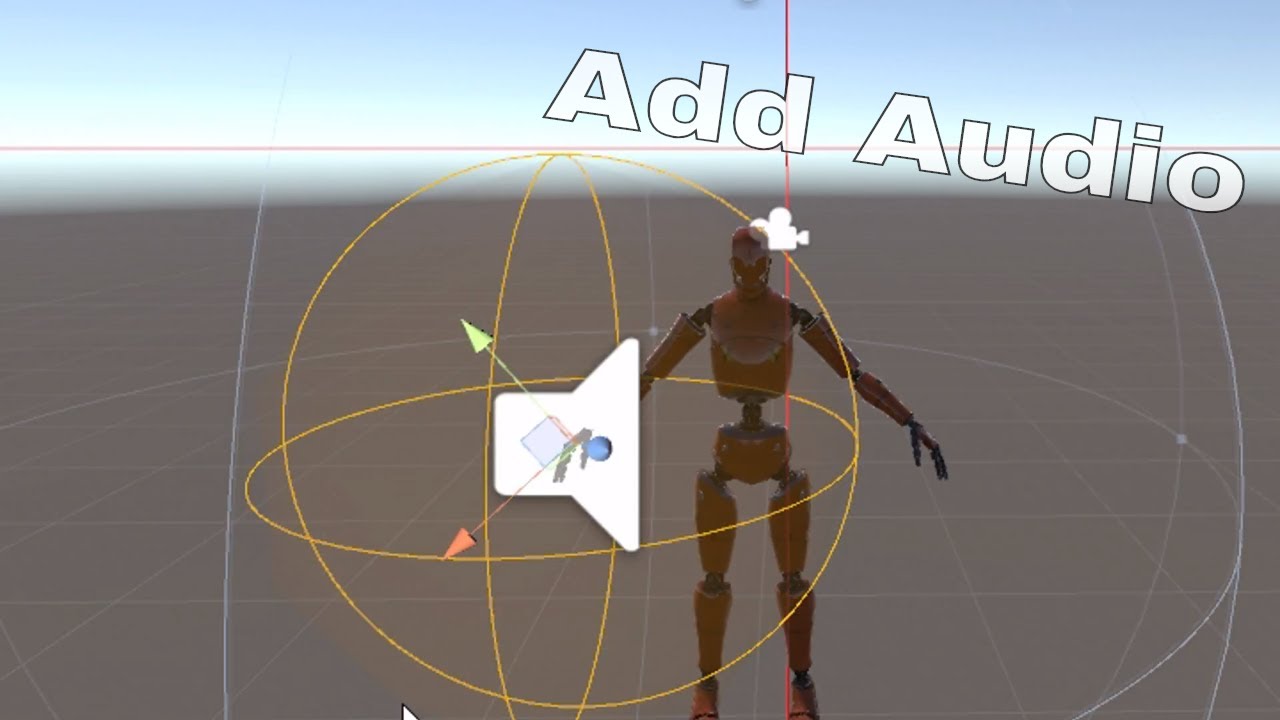
Very basic tutorial on how to add audio to vrchat that is controlled by gesture override / this can also be used for weapons or other objects along with particle systems too.
candid pulsar
Ok thanks
But do you know how to do particles
What does the audio file have to be
Never mind
fierce bane
@odd latch since we can't adjust parameters we can't shift between animations for avatars.
The best option is a multi level animator chain...turning them on/off as needed for what you're doing
which is a crappy workaround...but it's all I know of that works
other than things like inventory systems, or probably stop motion to shift between
candid pulsar
What would happen if I paired a flame particle to my sword
odd latch
you'll have a better time watching tutorials instead of asking for every step in the discord
candid pulsar
Lol
odd latch
multilevel animator chain sounds good, it might be crazy enough to work
I'm don't necessarily want animator switching on the avatar body itself, just on some props I might want doing something different for different gestures
candid pulsar
Hmm
fierce bane
@odd latch then yeah, a chain of empty game objects with the prop at the bottom, and you can put a different animation on each that you can turn on and off
@candid pulsar tutorial on particle basics:
https://www.youtube.com/watch?v=FEA1wTMJAR0

Udemy: http://bit.ly/BRACKEYSMEM
Everything to know about the Particle System in Unity!
♥ Support Brackeys on Patreon: http://patreon.com/brackeys/
● Learn more: https://docs.unity3d.com/Manual/class-ParticleSystem.html
························...
fierce bane
search for free assets on the store, or look up sprite sheets or animated texture sheets
clear yew
It's easy to accidentally do.
candid pulsar
Well crap
I can’t find the file great
Something is wrong the software can’t find the file
Someone help
clear yew
Help what
candid pulsar
It can’t find the vrchat.exe
clear yew
VRChat.exe? Who? What?
candid pulsar
The thing needed to upload
clear yew
What thing needed to upload. I don't understand your problem
candid pulsar
There’s a file source you need to upload VR Chat
clear yew
What, did you mess up your SDK or something? Delete it and reinstall it
clear yew
What do you mean by it. Show a picture of the problem you're having please
fierce bane
delete the SDK files from your assets
close unity, go to the asset location, delete the VRCSDK folder and the .meta file, and the same from the plugins folder. then reopen unity and reimport the SDK
candid pulsar
fierce bane
oh...that's not saying the vrchat exe isn't found at all...
clear yew
That's not asking about the VRChat.exe at all.
Solve your compiler issues first before asking about problems with upload
fierce bane
show the console window
clear yew
I have no idea why you're in your temp files
candid pulsar
candid pulsar
Ok but I’m using discord on phone (obviously from photo)
glass yarrow
maybe download it on your computer idk, it harder to help out with lower quality images
candid pulsar
How do I remove it from temp files
clear yew
Might be better to just start fresh with a new project and scenes, looks like your bungled your current project up a bit.
You can try to delete the script files and see if that helps but I have no idea why it's trying to look in your temp files for a file. I have no idea how you managed to make that happen.
fierce bane
they aren't in the temp files, temp files are created when you try to build and upload so it has a file to upload instead of an entire folder
candid pulsar
Ahh I see
fierce bane
remove ALL scripts from any of the particles you have
candid pulsar
Why
fierce bane
because you can't upload them with it
clear yew
It'd clear up some compiler errors for starters
fierce bane
you are only allowed SPECIFIC whitelisted scripts and components, not anything you want
candid pulsar
I already started a new project
fierce bane
then either you don't have all the needed files for the fire particles you added, or they're for the wrong version (or are otherwise corrupt somehow)
that's what your compiler is complaining about
fierce bane
that's literally what I just said...
fierce bane
it
candid pulsar
Since I’m not using that
clear yew
Remove the script from the demo
candid pulsar
I’m not using that asset so I can remove it all together
 young hearth
so i don't get it, Do you guys make Blink animation in Blender or Unity?
sources on google says Blender can do it and then some other sources says You can do it on Unity?
clear yew
You make the blendshape for blinking in Blender.
young hearth
so creating Blinking has to be in Blender first?
clear yew
Pretty much, you can update the shapekey afterwards I guess
clear yew
What's misleading?
young hearth
sources saying Unity can make blinking animation
young hearth
just random google sources
candid pulsar
Maybe it means make it work?
young hearth
okay so don't rely on it
candid pulsar
So close to it being reloaded
young hearth
@clear yew do you know what lowerlid left and lowerlid right means?
fierce bane
@young hearth they're both right...but it depends entirely on what your model has available
young hearth
thats like mid blink right
clear yew
Means the lowerlids for the eye, it's only used when you're looking down. They can be empty
fierce bane
technically you could use eyelid bones if they exist to make an animation entirely in unity
generally not a thing though
clear yew
Pain in the ass really
candid pulsar
Just to check could you make your sword have a dynamic bone so it sways on your hip
fierce bane
you can make a blinking animation in unity by making an animation for blend shapes if you want to be able to disable it for other facial animations (for example, closed eyes don't need to blink)
young hearth
so i can ignore lowerlids? good it will save me time.
clear yew
Yes you can if the sword is on its own bone
fierce bane
be aware VRChat tries to do blinking whenever it has the things it needs
clear yew
Just make empty blendshapes for them
fierce bane
so you're much better off to at least have the lowerlid blendshape either way
clear yew
The first four blendshapes need to be the blinking ones
fierce bane
even if it doesn't actually change anything
young hearth
okay panda says lowerlids means looking down right?
fierce bane
blink left, blink right, lowerlid left, lower lid right need to be the first 4 blend shapes to avoid issues
clear yew
It's only used in looking down, doesn't mean looking down
fierce bane
technically it'd be the opposite, lower lids go up when you look up, blink makes it blink
young hearth
oh i do look up and down in-game alot so that is a required
fierce bane
people rarely ever use actual lowerlid shapes, they still need to be there even if they do nothing though
young hearth
okay
clear yew
No, nobody really uses them
young hearth
so the shape keys can be blank
candid pulsar
Welp I’m going to take a trillion years to get this done
fierce bane
kinda....they have to move a vertex at least an imperceptible amount or they'll be deleted for being empty when exported
fierce bane
just move any vertex (preferably on the lids since it's made for them anyway)
candid pulsar
It’s taking forever to future proof
young hearth
gotcha~
fierce bane
like I said, it doesn't have to be a visible difference, it just can't be empty
clear yew
I disable future proofing, it's no longer being used now
fierce bane
@candid pulsar note for future upload stuff, go into vrcsdk settings and uncheck future proof publish it'll make it faster and skip that step
candid pulsar
Ok
So not really important got it
YES
ITS Working
Now will the particles and music work is the question
Here we go
It works all of it
Thank you everyone so much
It looks amazing
candid pulsar
Does anyone know how to make an avatar invisible via gesture
young hearth
you create an invisible animation which is easy
candid pulsar
@young hearth how
young hearth
well you're gonna have to search that on youtube
candid pulsar
Got a link maybe?
young hearth
not really, you'll want to learn how to make an animation and then making an invisible animation right after should be cake for you
candid pulsar
I know how to make animations but don’t know invisible
How would I make it invisible
@young hearth do you know how to make it invisible
That’s all I need
young hearth
you are basically creating an animation that has no models
young hearth
thats the point of invisible isn't it? if you want to see yourself in mirror while being invisible, there are something to it
candid pulsar
No just want to be invisible
young hearth
like i said just look up on how to make an animation as an example and listen to the guy
candid pulsar
Via a gesture
young hearth
yes via a gesture
candid pulsar
But there isn’t one
covert patio
Ok iv eonly made one failed invisible one but maybe just disable ur body the same way u enabled the sword
candid pulsar
Tried
covert patio
Or can that not be done-
young hearth
its the same as making you hold the sword
candid pulsar
Wait one sec
covert patio
Except u make the box unchecked insteas of checked in the gesture
Idk if thats how that works tbh tho.
I just know from experiene not to turn off skinned mesh renderer, cuz even when u seem to reappear for yourself, you don’t reappear for others
candid pulsar
Unchecked what
covert patio
So ykno how when u did the sword animation, within it the box is checkmarked for the sword so that it enables?
If the box is unchecked then it disables instead upon that gesture (if its enabled otherwise)
candid pulsar
Yeah so like the sword on the hip
Since one sword appears in hand while the other disappears from my hip
If this works I could theoretically jump scare
Does anyone know how to remove the name tag
@covert patio thanks for the help for everything
Yup works
At least for me
covert patio
I think for that you have to make a super big oval over the head and put an invisible shader on it
I wouldnt recommend it though tbh. Ppl tend to expect trouble from that
Ive heard its bannable? But i havent seen an actual rule down
And m glad makin the sword disappear from the hip is workin!
candid pulsar
Yeah the invisible is killing me so I’m gonna replace it with an ultimate form thing
Aka I stay invisible
candid pulsar
I believe I have made the avatar cooler
 finite marlin
is there a way to toggle on an aspect of an avatar then also turn it off through emote tab?
odd latch
yes, look up xiexie's inventory system
finite marlin
thanks
finite marlin
whats the best way to toggle on and off all 10 finger trails in one go?
covert patio
Xiexe generates a disable all and enable all for all objects u give it! That could help if u didn’t make any other items
finite marlin
wanted to toggle on and off gasmask also is the problem :/
covert patio
Ooooo
Maybe go back to before u generated inventory systems if you have
And generate two different ones
One for the finger trails one for anyrhing else
Therefore the disable all for the fingertrails one will be diff than the others and wont disable other stuff
However do one at a time cuz i think disable alls and enable alls are named the same thing. So dont wanna get em mixed up.
finite marlin
how would i create all 10 on one disable all as i can only have 7 slots?
 proper hedge
Just learn how emote toggles work, make something custom
In unity, make sure you have both animator tab and animation tab
Read what this does
Here is a video of someone doing emote toggles

Hope this helped! 💕
Link to unitypackage ~ https://vrcmods.com/item/6264
Check out how to use VRC Labs ~ https://www.youtube.com/watch?v=GHjWF4yflRU
Check out Gesture Manager ~ https://vrcmods.com/item/4582
==========================
This package is based off of Linde...
@finite marlin
finite marlin
thanks
young hearth
oooo gonna save that video
proper hedge
It's doing a little bit unnecessary stuff and it's based on old version of my package, but it works and overall is good tutorial
finite marlin
@proper hedge for this tutorial what would be the best way to get multiple things tho, in my case i have each trail on each different finger, would it be to have prefabs for each different finger?
proper hedge
If each finger is a separately enabled object, yes
You can technically do it with one setup, but the prefab won't do it for you, and it's more complicated since it involves the armature
I recommend just setting up multiple prefabs and turning them on/off as needed with whatever emote
finite marlin
so no way to get them all to toggle off with one easily then?
proper hedge
With one animation, yes, it is easy. With one prefab/set of animators, it's less easy and the prefab doesn't do that
Like, you can use multiple prefabs, and start them all with the same emote
finite marlin
oh right, how would u make multiple trigger off one emote?
clear yew
What's the difference between AvatarControllerTemplate.controller and CustomOverrideEmpty.overrideController
fierce bane
the avatar controller template is an example of what the controller in game is
The custom overrides go into the custom animation slots (same level as avatar descriptor), and override specific animations depending on the slot used
so custom overrides is what you need unless you're making a generic avatar with custom animations
clear yew
I see people using their finger gestures to trigger their dances instead of the emote slots, which controller would I use for that?
I tried using the override controller xD but it only animated my fingers based on the dance lmao
fierce bane
that is a different thing entirely, you still use the override controller for the gesture that enables the dance.
But instead of just having the dance itself in there, you make a duplicate that is shown and hide your normal avatar.
The duplicate would have an animator on the top level and in the controller of that animator it would have the dance animation. (just make a new controller and drop the animation in as default state)
clear yew
How do I animate it though if there's an animator on the duplicate, when I go to animate it turning off the main avatar that i normally control, it cancels out the recording.
nvm I got it
 woven terrace
any way to make duplicates of myself that copy the movements i make?
clear yew
I think you would have to blender that. Connecting your bones to theirs, kinda like a string puppet, I assume.
Don't take my word for it xD
Can't figure out how to get it to hide myself so I'll just have them dance in front of me x3
Modern Problems require modern solutions
fierce bane
@clear yew you would make your gesture turn off your main model, and enable the second model. The second model would have an animator on it, so it would start animating as soon as it was activated
clear yew
im going to record a quick video and you can tell me if im doing something wrong x3
If you don't mind
Normally you'd do that with rigid bodies.
Doing in in blender would make the bone roots be in weird places and have crazy bending that looks out of control
rigibodies are stinky
fierce bane
@woven terrace your options are shaders that make copies offset at a certain distance, FinalIK ($90 paid asset), or rigid bodies all over...last option is pretty crappy though...terrible on performance
@clear yew parent the duplicate to your main avatar, remove the descriptor and pipeline manager, and disable the entire OBJECT not the animator.
You need to hide the duplicate anyway, so there's no reason to disable the animator too
clear yew
remove the descriptor and pupeline manager from the main avatar? That doesn't dance?
because they're removed from the dancers
clear yew
lawl after I have everything finished
oh forgot to remove some audio sources
still a lawl
young hearth
oof
fierce bane
welcome to VRChat's crappy workarounds
performance is usually pretty bad....though that is quite a high poly count
young hearth
ikr
clear yew
you'd think duplicating the model would make it only reference that one model instead of literally making 7 separate models, smh
one model of mine is around 41k poly
which isn't high compared to most complicated eboy/girl model standards lmao
young hearth
🤔
odd latch
@woven terrace rigid bodies on main armature, and fixed joints on sub armature, although that's for different bodied setups like stands or exoskeletons
I'm not sure about exact duplicates but I also want to know which shader makes the model duplicates
 bitter gyro
I'm not going to ping anybody, but the only clone shader I had was barebones and I had to edit it in notepad++ to get the values I wanted.
Also, Rigidbodies are probably something a lot easier to live with so long as you don't go crazy and put the joints on every single thing. Like you can really animate those extra fingers manually for each gesture. In fact, you may prefer that just to avoid the dreaded physics drift. Among other reason. As long as you're trying to be minimal, I guess it's the best situation if you cannot afford Final IK. Just keep in mind it will not function in combat worlds without a nice bit of effort.. like a lot.
odd latch
oh yeah, the armor floating behind me is awkward stiff on maps with the combat system on
 stoic fern
anyone knows what animation is this called?
 little copper
hi, im looking for a bit of help, don't know if any of you would be able to  i'm trying to change/switch the animator of my avatar with a gesture, from a "normal-default" idle,walking, etc... animations, to flying animations, with a hand gesture. I saw someone with an avatar like that and it is possible, but i have no idea on how to do it, any help? 🙂
young hearth
its the gesture uh.....
@little copper
in Unity on the left hand side
Assets > VRCSDK > Examples > Sample Assets > Animation > and then you see CustomOverride
next to CoinAnim
click on it in unity and it will give you the whole list to your right and thats where you drop in your custom animation
be sure to use a Copy of CustomOverride, warning.
little copper
i know all of that, like im kinda experimented, but thanks, i think i just gave up, too complicated what im trying to do, ima just duplicate the avatar and just have different animations in each of them
young hearth
yeah sure
fierce bane
@little copper you can't actually swap custom overrides mid game in any way.
You can however have a secondary model and hide part of it to fit your animations.
So for example you can go from walking to floating by hiding the real legs, revealing the second, and having an animation on the second pair that has them off the ground.
Just be aware that non-humanoid bones won't animate differently when moving then when static by themselves (would have to use another gesture for example to simulate the moving animation mode)
clear yew
i tried to add blend shapes to my model and then using that model to replace my old one and now all my animations are messed up, animator controller and controller override are set and all the things parented to the model move correctly. can someone tell me how to fix this
What?
i replaced my base model by one with blend shapes
its the exact same except with blend shapes
How did you replace it, in windows explorer and just overwrite it?
imported into project
added into scene
and reparented everything
Does it have the same hierarchy as the old one? Why did you need to reparent everything?
yes it does and i reparented accessories
and particles
Are things named properly?
yep
Are the animation sources yellow? That'd indicate a hierarchy or naming convention issue
nothing yellow
Then what's wrong with the animation?
the model is always t posing
accessories move correctly though
Have you set it to a humanoid configuration?
Might be some pointer issue somewhere if it isn't that
pointer issue?
fierce bane
@clear yew when you say replaced your model, what exactly do you mean? did you only replace the body mesh? did you replace the entire avatar and re-add the descriptor/accessories/scripts?
clear yew
entire avatar
fierce bane
so accessories are moving correctly with the body, but the body mesh itself is in a permanent t-pose?
clear yew
yes
fierce bane
sounds like a weight painting issue really...
try going into pose mode in blender and moving the limbs around, do they move the mesh?
fierce bane
when you're back on the pc and able to test fixes do the above then. If the mesh doesn't move, it isn't weighted to the bones
 delicate coyote
Having a bit of trouble trying to get an animation to work. The animated part of the avatar is another avatar (generic rig) which carries the animation both in quat transforms at two joints and one blendshape for the mesh. I ran the animation successfully from the animation clip, and got it to run in a playtest in the unity editor. The problem is that I can't trigger the animation in VRC.
The entity is there and tracks with the rest of my avatar...it just doesn't activate.
fierce bane
are you activating the animation from a gesture? are you toggling on an animator on the object? are you enabling the object and having it animate?
delicate coyote
I'm attempting to activate the animation from a gesture. I'm using a fresh override, with a copy of the AvatarControllerTemplate from the VRCSDK.
fierce bane
you should just be using a custom override template, not the controller template
custom override goes into the "standing animations" in your avatar descriptor
and your gesture animation should be slotted into that override of course
main avatar's controller should also be empty for upload, it'll get overridden
delicate coyote
Okay...so in the "Animator" component, Controller should be "None" and the custom standing anims should have the override?
 zealous coral
Speaking of animations, ive been having trouble adding music to my animations, ive looked all over and cant figure it out and videos online havent work
fierce bane
for your main avatar, yes
delicate coyote
Okay. That's done.
fierce bane
the other one shouldn't have a descriptor, just to cover bases here
delicate coyote
That's correct. It has no descriptor, and I only see one set of Avatar performance stats.
fierce bane
@zealous coral you just need an audio source component on the avatar (disabled by default), and you enable it in the animation. Due to more recent changes it might just be SUPER quiet in VRC
@delicate coyote so does the gesture itself animate the second model?
delicate coyote
That's what's supposed to happen.
fierce bane
and it's only 2 frames (0:00 and 0:01) and they are the same, correct?
delicate coyote
The animation in the second model? No, it's 15 frames, supposed to be 1/2 second...did it scale wrong? (Sorry, I built this out of Maya.)
It's a wing spreading animation. When triggered, it deploys the wings from folded to spread, and it's supposed to reverse when the trigger is released.
fierce bane
gestures themselves can ONLY be 1 frame long (2 keyframes)
if the animation was made in maya, it's made FOR that avatar, and not made to be done from your gesture
you'll need to activate an animator on the second model with the gesture, and not use the animation directly from it
delicate coyote
That's kind of what I figured anyway. There's an animator on the second model by default.
fierce bane
does it have a controller on it already? or is the slot for it empty
delicate coyote
The field for "Controller" accepts either the override or the controller. By default, it's empty.
fierce bane
yes, but is it STILL empty, that's what I'm asking
delicate coyote
No, I have the override in there.
fierce bane
remove the override
delicate coyote
Done.
fierce bane
make a new controller, drag and drop your animation file into that controller
check the animator panel to make sure it's in there and set as default
delicate coyote
The "base layer" in the animator has the "Entry" node, and there's an arrow from that node to the node with the animation file.
but the file is in there.
fierce bane
thats what you want
make sure the controller is slotted in your animator for that model too
delicate coyote
Done.
fierce bane
is the second model active before this animation?
delicate coyote
The wings model is always active. So, yes. (Sorry, it's been a while since I actually programmed on Unity.)
fierce bane
for future note, for something simple like wings, it's better to have it be part of the same model instead of a separate one.
makes it easier to animate and better on performance
For your current setup you need to have the animator on the wings disabled by default. Not the full object, just the behavior of the animator
@delicate coyote your gesture will need to toggle the behavior of the animator, which is not something accessible by default. This is a template animation that has it included.
Just select it, hit F2 and edit the path down to your wing animator
can just drag/drop this into whatever folder you want to put it in
delicate coyote
Wait, an animation clip?
fierce bane
it is just an animation file
you'd either copy the component in this to your gesture, or use this as the basis for your gesture
and then edit the path of the behavior component
zealous coral
@fierce bane dude im like an actual brainlet, can you help me through a discord call LMAO i can stream it
delicate coyote
I don't see a path or behavior script.
fierce bane
the animation I put in the message above...download that, drag/drop somewhere in your assets, use it
that is what has the behavior toggle, go re read the instructions to edit path
I edited it with a mention to highlight it
delicate coyote
And the behaviors should be beteween the transitions list and the "Add Behaviour" button?
fierce bane
where are you talking about?
have you downloaded that animation yet and looked at it?
delicate coyote
I downloaded it twice. Each time, I selected the file and hit F2...and I was able to change the name in the project window, but I don't see any parameter for entity paths.
fierce bane
select the file, look at the "Animation" window, do you see the animator.behavior component?
delicate coyote
Oh THERE! I was looking at the "Animator" window. Okay, it reads "Example: Animation.Enabled, and hitting F12 shows me a path.
fierce bane
you need to match that path up to where your wing animator is
for example if it was named wings and it was attached to the chest it'd be armature/hip/spine/chest/wings (also assuming bone names)
delicate coyote
back. okay. The animation template has the path to the root node of the wings assembly.
Root bone, sorry.
fierce bane
make sure the path includes the part with the animator on it
delicate coyote
Confirmed, the root bone of the wings assembly has the animator component.
fierce bane
should be good then, that animation (or at least a copy/paste of the component) should be your gesture
delicate coyote
Okay, let me be sure I have it right...the clip with the path goes in the gesture slot in the override, the override goes in the descriptor, and the path should trigger the animation when the gesture is activated?
fierce bane
Correct, just make sure the checkbox next to the animator on the wings is unchecked by default (behavior disabled)
delicate coyote
And the animation itself for the wing motion should be in another animator controller exclusive to that wings animator?
delicate coyote
(If it helps, I have another version of the avatar where the wings are part of the main avatar skeleton instead of being a seperate entity, and the animation clip is compiled with a generic rig, but the rig is then reconfigured to humanoid IK for VRC. This modular configuration was because I thought a humanoid rig wouldn't let the animator act on the bones.)
fierce bane
The animation for the wings should be in the controller for the animator at the top level of the wings. The one the gesture is set to enable
The humanoid rig won't allow animators to act on any assigned bones (hip, head, etc). Any non humanoid mapped bones can be animated without any issue.
The only difference in setup between the modular version and the combined is dependent on the animation. The animator just needs to be on the parent of what the animation acts on. (a root bone instead of "wing bone 1" for example)
delicate coyote
So for the combined version, I'd need to have an animator in the chest, because that's the parent bone for the wing joints?
fierce bane
putting it on a humanoid bone isn't a good idea, making a root bone between the chest and wing bones is a better way to do it
which is also a good idea if you plan to use dynamic bones
delicate coyote
Let's see if I can do this without messing up my weight mapping...
fierce bane
you're just adding a bone (parented to chest) and reparenting the wings to it
select tail end of chest bone, hit E (and then y or z for a single axis drag), drag a short distance and click to place it.
Select each wing and parent to that bone
if you keep "connected" unchecked for the wing bones they won't try to attach directly to the new root bone and will stay where they are
delicate coyote
Actually I just added the new joint to the hierarchy (Wings_Base) in maya, just need to send to Unity.
fierce bane
er...my bad, I'm used to blender and default to explaining in that
completely forgot you were using maya
delicate coyote
Meh, we're both dealing with unity in the end. I work off of the prefab from the import, that makes it easy to handle upstream mods (e.g., weight paint fixes) because Unity updates from the prefab.
fierce bane
mostly, just make sure the change is in the scene and it's set up right
it can be...special sometimes..
delicate coyote
And there it is in the hierarchy.
The prefab needs to be re-rigged to generic so I can get the animation from all the bones...
BTW thanks for all the info, I cannot find a decent information site on how to do this.
Okay, re-rigged back to humanoid, the animation has the wingbones...
Hello...the wings module has its own pelvis, hip, abdomen, and chest. Let's clear those bones out and check the animation, re-path to the root...
delicate coyote
Okay. I've gone back to the combined avatar, and the good news is I can get the animation to work with the rig as humanoid. Here's where things get a little strange...when I get the animation to run, the avatar gets in this crouch position like in the "Muscles and Settings" tab in the rig configuration screen.
In order to make everything work, I have the animator on the root bone so it has the pathing to the mesh (which is an immediate child of the root, because if I parent that mesh to the same bone as the wings, the mesh wants to sum its own rotation and the weighting from the skeleton), and the pathing works to all of the relevant joints.
The problem is the "bridging clip" you sent me...it doesn't seem to want to bridge. I'm going to try to generate a new animation clip from scratch.
fierce bane
@delicate coyote the only thing I gave you is an animator behavior toggle animation
No idea what you're talking about with "bridging"
What is on the mesh that you need that animation to change?
also is it changing over time, or is it just something you want to activate or deactivate instantly?
 delicate mango
so i have a problem doing custom overrides, i try to position my avatar's fingers (i am giving my avatar a weapon) and the fingers do not move. any tips?
 kindred trout
there is an animation that I want to do: I want the weapon on my avatar constantly floating up and down in the air when the weapon is activated upon doing gesture. I put an animator on the weapon and somehow the animation works if the weapon is always activated (the box in unity for the model checked), but it does not work when I hide the weapon.
 torn pawn
make like this:
GO (with animator moving GO2)
-GO2
--Sword
you can disable the sword, but GO2 will still be moving
or put any other effects you want to under GO2
kindred trout
do you mean making a dummy for my avatar
 steel perch
My blinking is not working in vrchat even though I'v tried everything, it seems as my eye tracking s broken too?
Nvm ifixed it had to put it to legacy settings.
torn pawn
legacy settings?
steel perch
Don't worry about it. I did not explain my problem correctly. I fixed my issue.
fierce bane
@delicate mango are you trying to rotate the fingers from the object?
If so that is why. Humanoid bones have to be animated using the animator.<muscle> properties.
"Muscle Animation Editor" helps a lot with setting them up, you can do it manually, it's just a lot more work to add each part.
delicate mango
Alright thanks king
clear yew
can someone help me put sound into my emotes?
it just doesnt work when i do it
and im really frustrated now
fierce bane
Place audio source object somewhere (usually in the top level where body/armature are so the sound doesn't move around)
Disable the audio object
In the emote animation, enable the audio object.
@clear yew ⬆️ forgot to mention, my bad
kindred trout
@torn pawn Legacy is unchecked for the animation
 timid prawn
am not sure why but my generic avatar animation seem to be only local. Its stay stiff on other player
candid pulsar
can anyone help me with downloading something off sketchfab
fierce bane
@timid prawn the only generic animation people will see right now is idle
That might eventually change, but it's due to the networked IK not transfering all the needed information
so if you have an idle people will probably see that whether you're still or moving
delicate coyote
Okay...the animation I'm calling the "bridge" is the one-frame gesture animation you gave me...the one that's supposed to activate the wing spreading animation.
fierce bane
@delicate coyote it's just a component you can't normally access in the editor.
If you set the path for it to the animator, it will activate the animator.
That is all it does, If you want to change a blendshape too, put that in with it
delicate coyote
The problem is, it's not activating the animator. I even tested it by putting the clip in the idle slot so it would trigger automatically. It didn't.
The animator is in the root node, and it triggers the wings when activated. That much works.
clear yew
@fierce bane can you accept my friend request?
fierce bane
@clear yew no I don't accept random ones
delicate coyote
Okay, I think I might have an alternative that so far looks promising. I wrote a simple script to actuate the wing animation and associated sounds. 42 lines of code total including whitespace. When the script is activated, it plays the animation forward. When it's deactivated, it plays the animation backwards to the start.
The thing is I have to leave the animator on for this to work.
clear yew
I don't think your script is going to work, scripting has been left disabled except for one exception
bitter gyro
Custom scripting is an obvious nogo.
fierce bane
if custom scripting was allowed people would be free to do whatever they wanted, not just to themselves but to others as well
delicate coyote
Argh. And it worked too.
 broken jasper
does anyone have any clue as to why muscle animation editor cant be opened despite having imported the asset alreadY?
delicate coyote
Is it possible to access a property in an animation in a parent branch?
fierce bane
@broken jasper check your console, see if there's any related errors
broken jasper
nothing related?
delicate coyote
Wait...was I supposed to be using an animator component or animation component in the inspector?
fierce bane
animator
animation is a legacy component and doesn't work in vrc
@broken jasper check the pavo/mae/editor folder, make sure the scripts are in there
delicate coyote
Gah, it's like I'm so close. okay, I'm copying my animation clip, and deleting everything between start and end, then placing start at frame 0, and end at frame 1. Basic arrangement for gesture animation, right?
delicate coyote
Those same values should be the start or the end?
fierce bane
frame 0 and 1 should be the same
delicate coyote
Would the frame values represent the wings open or closed, with closed being the default at start?
delicate coyote
Okay...then let's keep this version simple. Once I figure out how to do activations and deactivations in the animation timeline (I could not find that property) I can trigger something more complex later.
And believe me, I am not going to start throwing around those obnoxious eye-twisting shaders...nothing sucks more than being on a kart track and suddenly the world goes pixelated.
fierce bane
yeah I tend to cocoon as soon as those or screenshake start up
what do you mean by "activations and deactivations in the animation timeline"
delicate coyote
I'm looking for an "enabled" or "active" flag to key on.
fierce bane
for what exactly?
delicate coyote
Let's say I wanted to go back and trigger a more complex animation or a combination of actions (animation with sound). The animation timeline for the desired effect spreads over maybe a second, but has intermediate states before the end.
The gesture holds a one-frame "turn this on" property.
fierce bane
you have to enable an animator with the animation you want if it's longer than one frame
that's why I sent that template animation before, it's not in the component list unless you have a modified editor script for it
delicate coyote
Huh. Are the start and end frames supposed to have a value of 0?
fierce bane
if you're turning something off, yes
If you're turning something on they should be 1
delicate coyote
And I should be able to change that in the field in the property line?
fierce bane
Yes
sorry, forgot that one defaults to 0 since someone needed to turn it off originally...
assumed since you were making animations, you understood properties more easily and didn't clarify
delicate coyote
And now comes the programmer's epiphany....where I knew that I was missing something really simple and stupid and couldn't find it, and now there it is. Gah. It's like finding that I missed a capital in a variable identifier or something.
fierce bane
or that one semicolon
delicate coyote
Well, yeah, I did...though sometimes things don't always translate.
Or it's a case of..."well, it should be doing this, why can't I find the stupid command?"
Semicolons are easier with a decent IDE. There's a bazillion red squiggles and they have to start somewhere...
fierce bane
lol fair point
delicate coyote
I was also trying to figure out how to test before uploading.
Well, a basic gesture animation works in VRC. So...thank you. I've at least got that much.
fierce bane
@delicate coyote rough in-editor testing for gestures
put a gesture in to the "testing gesture" animation slot in the "AnimTesting" layer, and just check the "gesture" parameter when you want to turn it on/off
just make sure you have the vrcsdk imported first since it uses the tpose anim
delicate coyote
Thanks!
fierce bane
it's just a fairly simple controller with a few layers to use, but it's all I've needed so I haven't gone further in a while
it's just a fairly simple controller with a few layers to use, but it's all I've needed so I haven't gone further in a while
fierce bane
forgot to mention, but since it's a controller, drop it into your avatar's controller slot
zealous coral
Okay so I got the animation and song working but in game my default model stands in the middle while the animation model goes,how do I fix
clear yew
@fierce bane it works in unity. But when i acutally upload it doesnt work. The sdk also tells me that the audios are in. I dont know why they just dont trigger for me when i play the emotes.
i sent a friend request bcuz i wanted to screen share since that is way easier. (im pretty new to the unity thing and explaining stuff with words makes it more confusing to me). I did the videos on youtube. I just dont find the problem.
fierce bane
@clear yew Do you have the custom override in the avatar descriptor's "standing animations" slot?
Is the gesture in the custom override?
If yes to both, send a screenshot of the animation, and of your audio source
@zealous coral you need to either hide (with a material swap), or disable your avatar's body mesh.
clear yew
you mean the custom override where i put the emotes in?
or in the copys where i test the emotes with sound n stuff
the emotes play in vrchat.
but the audios dont click
i do have it in though
thats the cat
i put the emote in
and the sounds are here in the Main Avatar u upload in the end
gave them random names so it wont get confused
@fierce bane
placed them in the hips
fierce bane
@clear yew ...if you give them random names, how is the animation supposed to find them?
the duplicates don't upload with you, they are supposed to be a DUPLICATE, as in "an exact copy" of your avatar for a reason.
the name of the audio needs to match on both
instead of preventing it from getting confused, you're making it confused.
It's like saying "hey go tell Jim to come in here" and then the person walks into a room with no "Jim"
also you have the audio in the hips on one, but the avatar level on the other
"go get Jim from room C" but Jim is in room A
young hearth
excuse me for asking, but where do you guys get those animations from? you know like fortnite dances, break dances, kpop etc
clear yew
shadow
uhm? what?
nvm
accept my friend request im getting warned by the bot for some reason
fierce bane
sending too many messages at a time warns you, it expects it's spam
clear yew
@fierce bane i get what youre meaning but im still a bit confused on what i have to do
fierce bane
set up your audio source objects on the MAIN model
Duplicate main model
Animate on duplicate to enable audio objects
???
Profit
your duplicate should be an exact copy of your main model, no differences in name or setup
clear yew
@fierce bane i copied the main. Tagged the audiosource in the copy of the main, put the animation in the animator. and it still doesnt work ingame.
is there really no way to like call you and screenshare?
fierce bane
animation shouldn't be in an animator, do you mean the custom override?
can't remember if "bypass listener effects" caused issues, I'd leave "play on awake" and "bypass reverb" on but keep the others off
there's also a VRC specific audio component...spatial audio I think?
goes on in addition to audio source
clear yew
in the duplicate i put the animation in th animatior controller
fierce bane
to test it in Unity?
clear yew
yea
fierce bane
and it doesn't play sound when you go into play mode?
fierce bane
and the animation is in the custom override, which is in the main avatar, correct?
clear yew
yea
fierce bane
uncheck "bypass effects" and "bypass listener effects" and try again
clear yew
okey
fierce bane
if it works in Unity and it's an exact duplicate, there are only a few things I can think of. That being one
another being that it IS playing but it's very quiet because of the more recent changes...
You can try using the VRC_SpatialAudioSource and increasing the gain to 10 to see if you can hear it at all
...also just to be sure, make sure your avatar audio is up in game too
clear yew
the other emotes work just fine. The sound everything
fierce bane
are you making an emote or a gesture?
fierce bane
are you sure you're using the right custom override? It's the only thing I can think of that could be stopping it
clear yew
im really not sure himeki im trying it for 2 days now im getting frustrated lmao
fierce bane
and when testing in game, are you switching off and back to the avatar?
clear yew
yea
i am
my other emotes work
but not the ones i just got in
thats why i was asking if i could add you
fierce bane
select your main avatar, click in the box for the standing animations, that should select the custom override
Make sure it's slotted in there and you didn't make an extra or something
covert patio
Quick question! I tried google but idk rlly how to word it, but what timescale does unity animator use? Is 1:00 a minute or a second? when i hit the play button is it just scrolling through this minute super quickly or is it really just one second. pls and ty!
this lil guy in the animation tab for reference
fierce bane
@covert patio it doesn't technically use a timescale for animations.
It uses frames, by default though 1:00 is 1 second as it is set to 60 frames per second (you can see that on the left under "samples")
covert patio
Ooo gotcha! Thank you!!
fierce bane
that description's a bit confusing and badly worded...
TLDR: 1:00 is 1 second, you can choose how many frames are shown in that time if needed by changing the "samples" on the left above components
Remember, gestures can only be one frame, 0:00 to 0:01.
Other animations can be more
covert patio
OH ok gotcha gotcha
thank u!!!
yeee im makin an idle animation and i was like "why is it playin so fast if its supposed to be one minute..."
that makes much more sense. thank u!
fierce bane
you can actually select all the keyframes and drag a line on the right to expand the current animation out to the 1 minute line
@covert patio ⬆️ just to make things easier on you
young hearth
the animation tab kept opening by itself and always changed to it, is there a way to stop it from doing that?
its getting annoying
 azure ocean
I'm not sure if this is the right channel, but I'm having trouble with lip-sync. My avatar's mouth is stuck in an open smiling mouth position. I've followed several youtube tutorial videos on shape keys and making sure lipsync works, so I'm at abit of a loss. (I'm a noobie, my abilities extend to the availability of tutorials to follow)
 clear flicker
is this after you talk or before you even say anything
azure ocean
Just fixed, always stuck at smiling mouth no matter of talking status. (Changed display name fyi)
clear flicker
And what does your basis blend shape look like
azure ocean
Not sure what that means, but the mouth is closed in blender.
I don't know how to hide the black keys
clear flicker
the first blend shape
azure ocean
I haven't figured out how to select individual keys yet. :x
clear flicker
just clicking them does it :-), can you show me the basis one in edit mode
azure ocean
How do I do that? I've changed to edit mode but I still can't right click to select any of the keys. If I do, it just selects all of them
clear flicker
if the key is in blue its selected
say if you click AA in edit mode youll see the mouth open
clear flicker
alright, so its probably a unity issue then
azure ocean
That's how the mouth is stuck ingame
clear flicker
what blend shape do you have selected as sil in unity
azure ocean
sil?
clear flicker
silent
azure ocean
I'll have to open it
clear flicker
No prob
azure ocean
This is how it looks in unity
clear flicker
alright and what blend shape is selected as sil
click the mesh and look at the viscemes
azure ocean
Haha, oh well. Thank you so much anyway. I was just about to say, even if it's just a mistake there, I'd still have thought that the lips at least move when I talk in game, but they don't
So I'm super confused.
 warm shard
Is anyone experienced with particles at all here? I can't seem to get mine to actually follow the avatar's hand correctly. In Unity it looks fine but in-game, the particles just stay in one spot, even though the particles are attached to the wrist. It'll follow which direction it faces, just not where it is.
fierce bane
@azure ocean check the humanoid rig mappings, see if jaw is mapped to anything, if it is remove it
just an extra note, you're confusing terms in blender. The black wireframe arrow things are bones, not keys.
@warm shard are you using world or local sim?
warm shard
world. Also, I just fixed it, it follows the hands now. Had to use ik_follower. Only issue now is that I think the lifetime might be too long and some of the particles don't appear in game
@fierce bane
fierce bane
lifetime would only stop others from appearing if there was a particle limit and it was emitting too quickly for that particular particle to show it all. (still should put a limit in btw)
warm shard
I thought it needed a lesser lifetime since it took a while for the particles to dissipate, which if you moved your arm enough it would lag the game a bit until the previous particles ended
fierce bane
oh are you using particle over distance?
warm shard
No, don't see that option actually. That or I'm blind. If you want I can screenshot the settings I have set in the particle system
fierce bane
emission section and top section would help
warm shard
That helpful? Sorry if I cropped it wrong
fierce bane
didn't expand emission section
extra note, start rotation is from 0 to 360 you can go in multiples of it, but it doesn't act any different.
also remember lifetime is in seconds (unless you sim speed isn't 1, then it depends on that)
warm shard
My bad, didn't know you could actually expand the emission section. Rate Over Time is 15 but Rate over Distance is 0. Burst list is empty
fierce bane
all of those gray bars are different sections to set up
warm shard
Good to know now
fierce bane
rate over time is a constant emission rate
burst fires off a certain number of particles a certain number of times (or infinite)
over distance depends on the amount you move to emit
This is a good overview on particle systems if you're interested
https://www.youtube.com/watch?v=FEA1wTMJAR0
Udemy: http://bit.ly/BRACKEYSMEM
Everything to know about the Particle System in Unity!
♥ Support Brackeys on Patreon: http://patreon.com/brackeys/
● Learn more: https://docs.unity3d.com/Manual/class-ParticleSystem.html
························...
warm shard
What would I change to make it seem like the particles don't trail behind the hand, more as if it's just stuck to it?
warm shard
I mean, when you move your hand it just leaves afterimages of itself and forms and I want it to just be still on the hand with no afterimages behind
fierce bane
local sim means local to the object they're attached to, movement, rotation etc
world sim means movement is based on the world
azure ocean
@fierce bane Humanoid rig mappings in unity?
fierce bane
@azure ocean select the avatar in unity, go to the rig tab, and click configure
you should always check the rig on any new model you use
azure ocean
This is what I see
fierce bane
right side, REMOVE the jaw from the mapping
you can click the O to pull up a list, scroll up and select "None"
you should check the other sections as well to make sure things are mapped properly
azure ocean
I don't know what "properly" is so I wouldn't recognize right from wrong
I'm very, very new at this
Like this?
fierce bane
yes
azure ocean
❤️
fierce bane
screenshot the body with everything shown on the far left as well (don't search)
azure ocean
Like this?
warm shard
Okay, setting it to local worked, thanks. Only issue is that some of the particles don't show up but that's it. Thanks for the help so far
fierce bane
@azure ocean yes that section looks fine, can you scroll down more?
fierce bane
head is not a mesh, it is the head bone
You should use body
and I meant scroll down on the right side
fierce bane
no, in the rig config, below the right arm
fierce bane
yeah looks fine
azure ocean
Hmm this is a new error / warning in the builder
fierce bane
did you remove the animator from the avatar? it should have been where the descriptor was placed
OH
you put the descriptor on the wrong spot
don't delete it yet
click the gear in the top right where the avatar descriptor is
and hit copy component
then remove it and the pipeline manager below it
select the top level which for you is "zelda"
and then click a gear on the right, and hit "paste component as new"
if the pipeline manager doesn't appear, add that too
fierce bane
it should always be placed on the top level, not on the armature or body
it has to be on what contains the armature and body
azure ocean
😬
I'll blame my noobiness
Okey I'm trying to upload it now to see how it goes ingame
It worked!!! ♡
Lip sync and all. No facial animations yet but I guess that's the next thing to lurk youtube videos about 😬
fierce bane
look up how to do gestures and use blendshapes (there's a dropdown under "body" near the top that says blendshapes, 0 is off 100 is maximum.)
azure ocean
I will do just that then!
warm shard
I'm trying to figure out why some of the particles don't appear at all and why some are oddly offset. I wanna assume it's because I had to change them to vrchat-mobile-particles-additive, but I'm confused why it doesn't look the same between in-game and Unity
fierce bane
lighting in worlds has an effect on the way common shaders look, that includes those used for particles
additive adds values based on lighting and background etc for example
if you want it to always look the same regardless of lighting, you'd want an unlit shader of some kind
I don't know what you mean by them not appearing though, can't really say without seeing what you do
warm shard
Well, it seems like it doesn't appear regardless of how dark or bright worlds are so I'm sorta confused
fierce bane
for the offset ones, do you have them under the IK follower?
warm shard
As for 'not appearing', I mean in Unity you can see the start up of the particles and a few ring effects, etc. But in game those just aren't there. Only one or two particles actually is visible
And yeah, they're under an ik follower so they can stay on the hand
fierce bane
is the ik follower offset in unity? or is it at 0,0,0 for translation/rotation
warm shard
No, it's at 0 on everything except the scaling
fierce bane
and do you have the particle directly under it?
warm shard
In the heirarchy, yes. If you mean position-wise, no, the particles are a bit below it
fierce bane
hierarchy wise, they are a direct child?
warm shard
Yes, the particles are child of the ik follower
fierce bane
do they seem like they're closer to the ik follower point than they should be when in game?
warm shard
Yeah
fierce bane
put an empty game object between the follower and the particles, set the empty object at 0,0,0
warm shard
What do you mean by "between"? as in make it child of ik follower or..?
fierce bane
yes, make an empty game object as the child of the ik follower, and make the particles the child of that
warm shard
Alright, did that. So, I guess that makes it so the particles aren't affected by the ik follower's position while still being a child of something in it?
fierce bane
they aren't being forcibly set to 0,0,0 despite giving them an offset. The empty object is instead being set to 0,0,0 and the particles keep their offsets
it's a weird quirk of the ik follower...I'm not a fan of it
you should only need the ik follower for world sim particles though
warm shard
I set most of them to local since that keeps it on the hand the way I want it. I'm only confused on why some of the particles don't appear is all now
clear yew
Are you in fullbody? IK follower breaks in fullbody.
warm shard
No fullbody
Kinda why I am using ik follower instead so it's Quest compatible and works instead of using rigid body for pc
fierce bane
physics objects don't work at all in quest
VRChat
This page will describe various limits in place for the Oculus Quest version of VRChat. These limitations are in place in the interest of performance, user safety, and discouraging malicious behavior. Find more information about limited components on our Quest Content Optimiz...
particles are heavily limited as well
warm shard
Possibly why some of mine aren't showing up since if you want them to be quest compatible, you'd have to switch their shader to the vrchat-mobile particles. Nor can you have too many particles or ones that make your file size too large
 naive cipher
So lets say I want to make a gun appear in my avatar's hand using an animation, how would I do that? Would I have the gun just be really tiny inside the hand, and then grow the gun when the animation is triggered? And if I was to do that, would I animate the gun or the character?
fierce bane
you'd start with the gun disabled, top left checkbox in the inspector while it is selected
you then enable that checkbox to have the gun appear in your hand
warm shard
Place the gun into his hand (usually says left/right wrist) in the heirarchy, resize it and position it the way you want, then hide the gun by just unchecking it in the inspector. Then you'll want to make a new animation (you can make a new controller too if you wish) Then in that animation tab you can click a record button. When you do, unhide the gun and stop recording
clear yew
If the gun is already there on the model you can make a blendshape to enable/disable it. That's the better route to take.
Otherwise you can just enable/disable the object if you're doing it through unity.
naive cipher
I'll try Sam's method first
fierce bane
you can also do a material swap to make it go from invisible to visible...IMO better than a blendshape adjustment as it appears in your hand instead of "growing" quickly into it.
warm shard
You can shape the way their hands wrap around the gun too. Usually I'd copy and paste the values of the hands from another animation, like the animation for a fist, then you can change the values of the fingers by either changing the number manually or scrolling back and forth
clear yew
Mat swapping works too but then you'll have to have a separate material for that to happen
warm shard
I'd just hide it and then make the animation enable it
Also, make sure the animation is at least 2 frames long and that every frame is the same. Otherwise it'll either stick to your hand in an odd way, your fingers will twitch, or the gun spazzes out
fierce bane
1 frame long, 2 keyframes total, and only that long for a gesture
warm shard
For a hand gesture yeah
naive cipher
So just to be sure, I put a single keyframe like this?
fierce bane
no, you NEED two keyframes at minimum
warm shard
Add another keyframe on the 2nd frame
fierce bane
scroll in on the right until you can see 0:01 and put a second keyframe there
naive cipher
So at 0, I have a keyframe that is just the gun being super small, and at 1, I have a keyframe that brings the gun to a normal size?
warm shard
Should look something like that
fierce bane
not at 1 but at 0:01
the longer you make it the longer it'll delay everything until it is done
naive cipher
So this.
fierce bane
yes, just make sure they're they same or it'll twitch between them
naive cipher
So I just attatch that to a custom animator and it'll work?
warm shard
Yes. Go to a custom animator and place that animation into whatever hand gesture slot you want
fierce bane
duplicate the "Custom Override" from the SDK, name it something you'll remember
place that on your avatar descriptor under "standing animations" and slot your animation into the gesture slot you want it to be in (on the custom override)
not a custom animator, that's something different entirely
naive cipher
Yeah, the override
Well hopefully I did everything right, I'm gonna upload now and see how it goes
god damnit the sdk broke again
fierce bane
broke how?
naive cipher
There's no more options here
fierce bane
you probably imported something with a script that messed things up
usually the cause
naive cipher
Yeah, the model I was using did have some dynamic bones
Is there a way to fix that?
fierce bane
check the console
warm shard
If it says something about script errors in the editor, try deleting the sdk from your Unity project entirely (delete it from prefabs too) Close out Unity, go to the vrchat website and install the newest sdk again, then add that back into Unity.
naive cipher
Guess i'll do that
fierce bane
never import the SDK with a package either, import your own and uncheck the SDK folder on any imports
naive cipher
So here, I would unselect this folder?
fierce bane
if that's a model or something, yes
If that's the SDK no
but make sure you delete all the VRCSDK folders you can find before re-importing
naive cipher
All right
fierce bane
including the VRCSDK folder in plugins
warm shard
Also those particles are still oddly offset. Should I change the position of the game object that's in the ik_follower object?
fierce bane
it should be 0,0,0
warm shard
not sure why the particles are still offset still then
They just go to wherever the game object is instead of staying where their own transform is
fierce bane
if they're not world particles, don't use it at all
warm shard
They're on local
fierce bane
I really don't like the way it was made...I use a fixed joint/rigid body more often as it works the way you expect it to...
Just avoid using a lot of them, they also don't work for quest at all...though I don't think the IK follower works for quest either, but I'm not sure
then yeah...don't even use the IK follower, just attach the particles to the wrist
personally I use empty objects to contain the particles and help keep things neat.
So wrist>empty (named) object>particles
warm shard
I did have them attached to the wrist before I used the ik follower, but they didn't follow the hand at all, only where it was facing, that's why I used the ik follower in the first place
fierce bane
you were using world sim before though
warm shard
I'll try it again then
Aside from that, any idea why some of the particles might not appear, unless if it's because they use the vrchat-mobile particles shader?
fierce bane
local particles should follow without issues, world particles will not follow at all, but need a follower or a fixed/rigid to be in the correct position and follow properly
probably just quest being quest from what I'd guess
if you can test without quest, do that. See if it works properly on desktop or PC VR
quest is very limited due to it's low capabilities
warm shard
Okay so I maybe messed up the lifetime or something for one particle system but for god knows what reason, the particles show up now
Not sure why but the particles just pop in and out of existence on my screen, but for everyone else it's constant
fierce bane
go down to the render tab and set max size to 10
warm shard
Don't see that in the renderer tab. I can change Sorting Fudge to change if that helps though I doubt it
fierce bane
not related no
you're looking for minimum and maximum sizes
screenshot the render section and I can mark it
warm shard
This the right section? Also most of it just appears as nothing since multiple particles are selected
fierce bane
@warm shard you're not seeing that option because you're using a mesh render.
Mesh renders are reliant on the default bounds box of the mesh. If it thinks it's out of your view it disables the object. You can see that in any mesh that doesn't fit the expected bounds properly
warm shard
So, what should I try to do to fix it? I mean it's mainly just a nitpick so if I can't fix it really then it's fine
torn pawn
There's something with local particles and your hips not being in view
I couldn't figure out how to fix it, so I just made local particles on fixed joint as well to counter this cull issue
Tried many different things 🤷♀️
warm shard
Kind of a dumb question but what are the best ways to reduce lag from particles for other people? Some were saying they were getting frame drops and I don't wanna screw up people's game by accident
fierce bane
less particles, avoid collision or lights with them, and meshes are significantly more demanding than other types, use only when you need a 3d shape
gravity also has a slightly higher demand than other settings
warm shard
Okay, so should I switch the particles from using a mesh to using nothing? Or one of the billboard types?
fierce bane
if it's nothing it won't render anything
the setting you use depends on what you're doing
in most cases you're fine just using billboard (or one of the others, depending)
warm shard
For now I might just lower particle count to see if that helps since the billboard settings don't seem to help as much
fierce bane
billboard is basically "take this material, put it on a quad, and have it always face the person viewing it"
mesh is "render this entire mesh" so billboard is always better on performance than mesh
vertical billboard is the same as billboard, but it locks it to only rotate to the sides, the top and bottom stay as top and bottom
horizontal is similar
warm shard
Thanks for the info. For now I'm just leaving it as is with a lower particle count. Doesn't look too bad and hopefully has better performance for everyone else, since I dropped each particle limit from about 100 down to 30
The one thing that's still odd is how the one particle system does that disappearing thing which you said it was because it thinks it's out of my view or something and is disabling it. Not quite sure what fixes it. It's odd because it looks like after a while the particles will start to actually show, then later on stops being visible again
fierce bane
Yuumi was saying that using a fixed joint/rigid system was able to fix that.
If you look up/down and it appears/disappears that'll probably fix it
what effect are you trying to make that you're using mesh particles?
warm shard
The effect is more like a particle sphere that rests inside your hand. Or, more like a dozen lines that travel in a circular motion fast enough to make it look like a sphere
fierce bane
if it's just a sphere and nothing else you can do that with a simple billboard particle that has a texture that looks like a circle, it'll always face you and look like a sphere
warm shard
I tried using that but for some reason the texture it was already using didn't go well with it. It ended up looking more like a blob instead of what it normally looks like
It's not too big of a deal though, maybe I'll find a different work around later
fierce bane
do you have something adjusting scale near it?
 split flower
Hey i fixed this problem before but its been so long that i forgot how to do it again, when i go to animate my latest creation after creating a duplicate it will jump back up when i move my curser into the scene but when i move or play the animation again my avatar moves back down. i forgot how to fix this plz help
(side note) the animation contains nothing involving moving the position of the avatar just fingers and some blend shapes
but when i move my curser into the scene to move the view or to rotate that avatar jumps back up and it makes it impossible to tell where i need to move the camera to see better
Nevermind i figured it out again all you have to do is remove any dynamic bones on the hips while animating the duplicate
YAY for me
candid pulsar
Anybody know how to make an animation where particles swirl around the model then make it disappear
candid pulsar
😢
warm shard
@candid pulsar I'd say mess with the values of the particles a bit until you can get them to swirl around the model the way you want. Then make an animation that enables the particles, then at whatever keyframe you want, make it so it disables the model
warm shard
Alright, so I went back to my model and changed most of his particles from meshes to billboard. The one that confuses me now is that when it's switched to billboard, it's size depends on the distance from the camera, and none of the other particles have this effect. What causes this?
clear yew
In the renderer tab of the particle system, you have a minimum and maximum particle size
warm shard
Okay, got it
warm shard
The minimum and maximum are the same, yet it changes size relative to camera anyway
Might just keep it on mesh and the others on billboard
odd latch
@candid pulsar look at the different particle/vfx tutorials on this channel
ignore the recent tutorials with shader graph, that's for the next unity update for vrchat
https://www.youtube.com/channel/UCtb1s859RTxx-RIgFs5ZVQA/videos

YouTube
Hey there, I'm Gabriel Aguiar and I'm a VFX Artist! I like to create tutorials related to Game Dev and 3D Design, but I really love creating Visual Effects f...
clear yew
shadergraph needs HDRP or LWRP, it won't work with vrchat now or in the foreseeable future
warm shard
Anyone know if it's possible to make another avatar model copy your movements? For example, an avatar with a clone of itself that moves at the same time
I sorta doubt you can but it would be cool
clear yew
"Puppetry" using rigid bodies and joints is possible.
warm shard
Guess it wouldn't end up Quest compatible then
warm shard
What's the best way to make an animation of an object spinning? Right now I'm just hitting record and changing the rotation of the object every few keyframes
 dim sierra
anyone know why my Animator .Root T.y property is snapping back to place when I try to change its value? I am trying to create a custom sitting and prone animation for an avatar, which means I need to key frame the root position so that it moves back up to its proper sitting height. I've keyframed my legs so that they stick out like a teddy bear would, but I still have to fix the root height and keyframe the arms.
bitter gyro
If Final IK scripts work on Quest, you could do it that way. The clone I mean. @warm shard
I feel like Final IK should work on Quest. xD They still obviously use IK.
Ah. Unless IK Follower isn't allowed on Quest.
Then you can rule out Final IK puppets right off the bat.
warm shard
ik follower works for quest
Also I have the spinning animation working. Only issue is that unless if you make it go into the idle gesture, it takes a moment for the spinning gesture to end and shape into the desired gesture
naive cipher
So if I want to make a animation to grow a prop, would I use an animation, or one of these? Because it seems the animation will apply only to the avatar itself, not whatever prop it is holding.
I learned that the hard way when my avatar started randomly shrinking whenever I made a fist
Ok that was a bit wordy, let me rephrase that
How do I make an animation apply to a prop rather then an avatar?
candid pulsar
Ok
warm shard
Not fully sure what the issue is but I'd assume just give the avatar an animation controller and in the controller, make an animation that only affects the object and whatever else you want. If the animation is messing with values for parts of the avatar you don't want it to then just delete those parts out of the animation so it doesn't mess with what you don't want it to
I might just be rambling BS here but I don't know
candid pulsar
Always animate using a duplicate
bitter gyro
@naive cipher You would add an Animator component to the object you would want to animate.
If you want to be able to toggle that animation, you'd have to add a behavior keyframe to the gesture you used to trigger the Animator component off and on.
Otherwise, its animation will just play as soon as the object with that component is active. Unless that's what you want.
You cannot use the Animator on Root.
It is replaced on upload.
fierce bane
@warm shard the minimum and maximum size for particles is based on screen size, set minimum to 0 and maximum to 10
then the particle can be up to 10 times the screen size and a minimum of 0 size it
it'll do what you wanted that way
do that in almost any case. the only exception is if you want the minimum size to be a certain amount of the screen, or if you only want it to size to a maximum percent of the screen.
Like a lens flare on a flash light for example, the closer you get the smaller it would be to a point. It wouldn't stay the same relative size as you got closer like a magical orb for example