#animation
1 messages · Page 114 of 1
 dull sleet
 spring nova
At least in the context of avatars, animators are not able to affect objects they are not a parent of. However, particles are able to subemit other particles that are not children. It will ask to parent the subemitter, but once you do that you can just drag it out and it will still subemit
dull sleet
AH . good to know , I'vetried that before but it would only subemit on birth for some reason. I'll give it a few attempts thank you
spring nova
Subemission on death and on collision only work if the subemitter is using burst emission, not rate over time or distance. That may have been your problem
dull sleet
most likely i was messing with bullets at that time
dull sleet
my issue right now is that the firing particle doesnt stay "charged up" after i release the charge and the firing happens.
spring nova
What are you doing to charge it up?
dull sleet
im running an animation on a parent game object to change the burst size over time and turn off the particle generator so that when i release the gesture it would turn on the particle generator again and fire.
 formal fern
anyone playing vrchat
 proper hedge
nah
proper hedge
@dull sleet ever figure it out?
 slow badger
if I use vrc_objectsync on an object with animation will the animation be synced for all players including late joiners?
spring nova
If you mean an animator then yes
dull sleet
@spring nova No unfortunetly anything i tried didnt work.
my biggest issue is that the parent with the animator on it is the one changing the power of the firing , so i can't turn it off to stop the animation, since it just resets all the value upon stopping
also since it contains all the other child animation , turning it off would make it invisible.
spring nova
how are you stopping the animation? Disabling the animator component?
dull sleet
i tried both .
spring nova
disabling the animator component should leave all the values as they were
dull sleet
if i just disable the animator , i have no way of resetting it.
so the next time i start it it start from where i previously stopped it
spring nova
oh, it does that in unity but not ingame afaik
dull sleet
ah ok , i'll check that out then
proper hedge
if you have write defaults checked it will start the clip over
but only after the clip ends
if you stop the animator in the middle of the clip it'll not reset properly
if i remember you can force it to start over by having an animator that writes your default values once the charging animator is shut off
 arctic swan
I'm new to animating but I think you need to put the override in the avatar descriptor too where it says custom sitting and standing anims
@clear yew
spring nova
leave the animator component empty
arctic swan
For my avatar I made an animation clip, and it works, but when I finish the animation override, the model that it uses won't disappear until I do another gesture. How do I fix this?
arctic swan
Yes, is that the issue?
proper hedge
it's the reason you're experiencing that behavior
arctic swan
Ah, okay, that makes sense, I'll probably move it to something else then
 clear yew
How do people create animations that appear to make the environment invisible? For instance, somebody may play an animation that appears to create an inverted sphere with a texture on it, and while the sphere itself, the avatar performing the animation, and all other players (and objects) inside remains un-phased, the environment (such as the floor these people in question are standing on) become invisible, and you would be able to see the inverted sphere if you looked down. Also, while I appreciate whatever help I can get, I'd prefer if it would be more specific than just "its a shader". Thanks in advance.
TLDR: How do I make an animation that makes things such as the floor appear invisible, while leaving everything else (such as players or objects) untouched? Thanks in advance.
clear yew
Im making a model of Giorno and Gold Experience from JoJo Part 5 using animations from the mobile game Diamond Records, i was curious on how i could merge the 2 anims (Stand Rush and a Static Pose) together
I configured them in timeline btw
 random nebula
question what would be the best way to do blinking without using the eye tracking system as I have a model with follow me anime eyes
proper hedge

GitHub
Contribute to HugoZink/RokksPrefabs development by creating an account on GitHub.
random nebula
thank you
clear yew
does anyone know how to make objects in world form so that they don't move when you move AND that they can have animations. Becuase i know that you can make particle meshes and just make them into world, but can you make it so that they have animations too?
proper hedge

GitHub
Contribute to oofdesu/lin-unity-packages development by creating an account on GitHub.
clear yew
do i just apply this to the object?
proper hedge
There are instructions inside. You just need to put the prefab at the base of your avatar, same level as body and armature, and replace the cube with your object, then use the provided gestures or emotes
Depends on which prefab you choose
clear yew
ok
proper hedge
if you want something more stable that a joint(it will jitter), you need final ik, then you can use this
GitHub
Contribute to oofdesu/lin-unity-packages development by creating an account on GitHub.
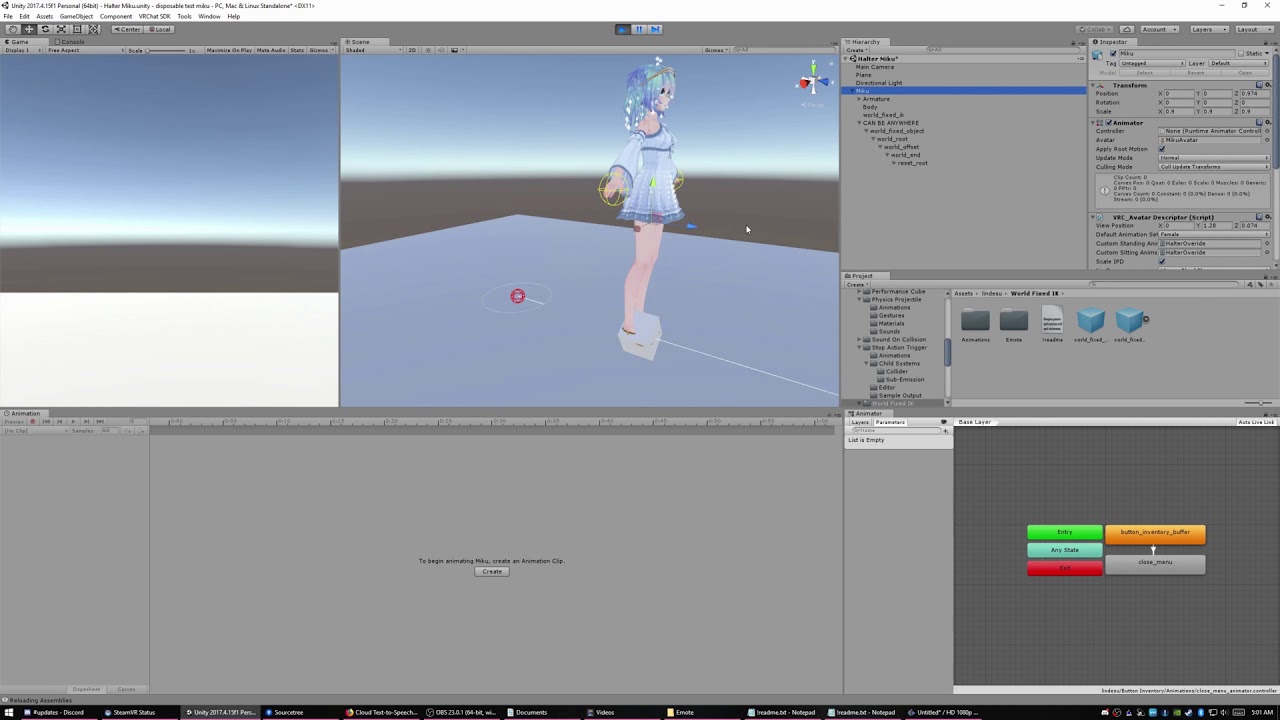
******REQUIRES FINAL IK 1.6.1 to 1.7.1 https://lindesu.ga https://github.com/oofdesu/lin-unity-packages https://discord.gg/8ADXhQT This is a world fixed obje...
clear yew
ok thx
I applied the script like it told me, but nothing is popping up!
@proper hedge
proper hedge
you dont have final ik imported
 warped zodiac
Does anyone here know how to bake an xpresso animation in cinema 4d? I can't use point cache because animation uses node expression, cloner and splines
 warped zodiac
I can also export it in blender using fbx and it works just fine but the problem of baking the whole thing and merging everything into a single object remains since it's not point cache extraction due to complex track hierarchy
 hybrid merlin
this probably sounds really stupid but is it possible to port animations from a ps3 game over to a pc to add to an avatar?
 zealous lance
Well they likely made the files on pc to begin with but getting them out again could be an insurmountable obstacle depending on the format they are in, how the game stores its assets etc
In the end its likely to be both quicker and easier to learn how to animate and recreate it
rather than figuring out how to get it out of the game assetts
since propriety file formats arent very uncommon when it comes to console games
or even games in general
hybrid merlin
Im trying to get persona 5 animations so I doubt I'd be able to recreate any of it
zealous lance
well step one would be popping the game disc into a computer and having a look to see what files are accessible
or downloading the iso
 cedar roost
how can I loop an animation?
 white herald
Any guides on setting up generic avatars to work as humanoid (to be able to add gestures)?
I've got a non-humanoid armature weighted to the avatar, a dummy humanoid armature weighted to nothing, it is set in unity as humanoid. I added the transform mask to each animation. I'm using an override controller to add the custom animations. Gestures, emotes, and standing/prone idle overrides work, but when moving, only the idle animation plays, any ideas? It would work as generic except for the emote/gesture
white herald
Looking at AvatarControllerTemplate it seems like the Locomotion layer only applies to the humanoid legs, I'll try uploading with a custom animation controller on the avatar to see if it doesn't get removed
 cold pulsar
What are you trying to do exactly? How non humanoid is the rig you're working on @white herald?
white herald
think veggietales, I think it's not possible. The only solution that includes everything I mentioned (custom movement animations + very nonhumanoid + custom gestures/emotes) would require replacing the character bones as the humanoid's leg bones and making new custom animations, that's fairly limited and complicated though. I'm just gonna cut the movement animations
cold pulsar
Yeah remember generic changes in walking/idle animations are local only IIRC. Only way would be to link the bones via rigid bodies or weight them accordingly and animate the muscle settings via animations I think
clear yew
how would i go about having an animation continuously play all the time? like a pumping heart for example
 whole raptor
I'm confused. I created an avatar that used three body meshes to switch inbetween to teleport, and I have no clue how to do that now.
The way I did it before was make animations that used "IsActive" to activate them on each one
But I can't seem to do that now/
I remember now, nevermind. I made animations that made them active, and they already had the effects on them
 rugged mural
what is different between RUNFWD and SPRINTFWD?
clear yew
@rugged mural RUNFWD represents the player moving normally while standing
SPRINTFWD is the player actively sprinting (Pressing shift to move on desktop, for example)
 torpid cobalt
how do i make an object separate from the model so that when i move the object doesn't move with it when doing the animation?
clear yew
@torpid cobalt Make sure the object isnt
- Affected by teh armature through weight painting
- Is a child of the model being animated.
torpid cobalt
so in unity can the object be out of the armature but still work in a animation?
white herald
yes
 wispy oyster
Sprite walking animations seem to work locally, but others can't see them. The way I do walking animations for sprites is disabling idle gameobject and enabling walking gameobject.
I remember that some months back an animation that changes materials instead of the gameobject could be seen by others but not locally.
How should I go about doing this 🤔
 lilac falcon
isn't it that stuff not affecting the humanoid pose on a walk animation no longer get shown bc of network ik? not entirely sure if that's possible to get around yet
wispy oyster
could be, the walking animations on my other sprite avatars stopped working after the update hit
white herald
never noticed that change, sucks
 craggy sage
would anyone know why muscle animator is asking for a humanoid model when mine clearly is?
clear yew
@craggy sage You need to specify in the .fbx import settings for "Rig" as humanoid, rather than Generic
craggy sage
it is?
 noble wasp
im out of options ive been messing around with it for 2 hours to fix it but i cant fix it. i got an animator that i turn off with an animation on this button since i cant turn the object off to restart it. basically the issue is when i press the it back on agian it starts at the end of the animation and it never did that before. i tried every option in the animator and animation it doesnt fix it its beyond me. new animations. fresh animators the whole shabang it doesnt fix it. i need some ideas to fix this
clear yew
How can I do effects with other player`s cameras? Like rainbow vision
 crude aspen
Uh oh so I made animation in blender and it plays out fine in unity. In vrchat the animation doesn't reset back to its origin. I guess this could be used to move around an object constantly but I don't want this particular animation to do that.
crude aspen
Baking pose in animation file's settings fixed the issue, though it doesn't loop back into the beginning so it jumps back. Still better than before.
 glass glacier
@noble wasp If you use a UI Button you can do Animator.Rebind which effectively resets the whole Animator.
That will however also reset all Paramaters and other layers. What exactly are you trying to do?
noble wasp
thats the thing all fresh animators and animations do the same thing. basically i have a emission that needs to be animated lit and unlit by swapping animators witha handguesture but for some bloody reason it doesnt reset and replay the animation from the start when on other things like a small lightbulb in the hand i made with the same procidure did work
proper hedge
@noble wasp if you are directly turning on an animator with behavior.enabled 0/1, it will have trouble writing defaults since behavior.enabled 0 is an ungraceful shutdown of the animator
Won't write defaults if it gets shut off in the middle of the clip
You need to either manually write defaults with another animator on gesture release, or you can proxy the animator through another one
 vocal acorn
is Rotation still broken ? like will a generic game object be able to play an animation with rotation properties?
cold pulsar
Rotation was broken on 5.6 avatars to 2017. If you animate rotation on a gameobject in 2017 it should work
 unreal latch
Is there a way to get extra bones to animated it vrc? I've made a bunch of custom animations for my hair and clothing in blender. I imported it to unity and enabled the transforms under the mask section. It all animates fine in unity but in-game vrc seems to just ignore everything besides the skeleton
 wicked star
Hello was wondering if anyone was able to help me with triggered gestures, i.e instead of pulling out a gun that instantly starts shooting first pull out the gun and then use another gesture to trigger the gunfire but only when the gun is equipped.
clear yew
so ive been having this problem for a long time now and i could never figure out how to fix it. basically for a lot of my models i have a floating character in the back, in the animation tab, the model floats perfectly and the animation plays out how i want it to, but whenever i press the play button at the top of the screen, the animation works but the model doesnt move up and down how i want it to, it stays still instead while the other limbs move. if that doesnt make sense i added a gif to help explain my problem https://gyazo.com/c6d5ade55ff0235ffc398168f94bde2f
 torn pawn
@clear yew is the 2nd character rigged as humanoid or generic?
clear yew
humanoid @torn pawn
torn pawn
try having it as generic
clear yew
ah, that worked. what a simple fix, thank you!
 lament prism
Anyone here experience a glitch where, when you trigger a gesture animation, the assets being triggered "flash" for a single frame then start playing normally?
cold pulsar
Dunno why the second message got deleted but yeah when you stack animations on gestures things can get weird
lament prism
I deleted it bc it didn't really make any sense, it's hard to explain.
Is there any way to stop that single-frame flash from happening?
cold pulsar
Not that I'm aware
You're enabling a gun which has an animations that plays on brith right?
lament prism
Yea
The gun does something like this:
just without the fade out dissolve animation because I don't know how they did that lol
cold pulsar
That's a shader, poiyimis I think cuz I saw when they posted it
lament prism
yea that's what I'm using too
I just don't know how they made it so the dissolve animation plays when stopping a gesture.
That's an entirely different issue though lol
cold pulsar
Honestly I'm unsure, we don't get many options with animators as avatar creators. You could trying instead of enabling the object entirely you enable the mesh and the animator via behaviour keyframes
But that has it's own issues with syncing iirc
lament prism
oh that could work
cold pulsar
He did the dissolve by doing the gesture incorrectly. You can see his hand slowly revert which means it's probably longer than 0.01 which causes other problems
That longer period let's him Peter out the dissolve
lament prism
Yes but how would you animate both the fade in and out?
cold pulsar
The objects animation glitches when you enable it because it's just not quite ready at first I think so having it always ready might fix it. Kinda speaking out of nowhere tho so no promises
He could put it on the fist gesture as that is analog
lament prism
I'll try enabling the mesh and the animator only, instead of the entire object, that could help.
 brittle granite
I have created a monster to move players through my world and not hang out at spawn mirror the entire time. He will become awake when you activate the mirror.
 misty tiger
genius
proper hedge
@lament prism include a minor delay before your animation starts, and the single keyframes that occasionally escape won't do anything
To animate back and forth with a smooth transition you need to use animators
And behavior.enabled property
Basically, default on stop animator
Default off start animator
Fade in animator
Fade out animator
The gesture animated the start animator on, the stop animator off
The start animator turns the fade in animator on, and the fade out animator off
Stop animator turns the fade out animator on, fade in animator off
Fade in and fade out go from state A to B, and B to A, with a curve in the clips
Since it's an on press / on release gesture you might be able to directly animate fade out and fade in with the gesture overrides, but iirc there are problems
cold pulsar
I'm just glad I was slightly correct
lament prism
a minor delay as in something like this?
brittle granite
i've made a dog's worst nightmare. oh no!
lament prism
I just moved the keyframes up to the second frame instead of frame 0.
not sure if that's what you mean by a minor delay @proper hedge
@brittle granite you mean a cats right?
brittle granite
Dogs are WAY more scared of vacuum cleaners than they are of cats.
proper hedge
your delay needs to be in the animator or the component you are waking up
lament prism
you mean the asset itself?
proper hedge
no so like, if fingerpoint gesture enables the fade in
you want the fade in to not start until a few keyframes into holding the gesture
you can do this in an animator or with delay settings in the component itself
lament prism
oh right I did that
the other keyframes back there are the ones that enable the asset and start the animation
proper hedge
is that a gesture override or in an animator
lament prism
in an animator
proper hedge
okay seems fine
proper hedge
basically yeah you need to discard like the first 6 keyframes or so
lament prism
so can I just delete the ones at the beginning that are blue?
proper hedge
to avoid it playing anything on a single keyframe or in transition between gestures
the way it is now is probably fine
lament prism
okay
proper hedge
just try to figure out how to animate something back and forth
use the gesture manager if you need to
this will help you do it in play mode
lament prism
thanks
proper hedge
lemme know if you need help i usually have to screenshare to teach people how to do that
lament prism
Well the problem still persists in-game
still flashing the gun for a few seconds before activating the animation
lament prism
figured out how to use the gesture manager kinda and it's showing my issue perfectly.
@proper hedge this is what I mean by "flashing" right before the gesture even starts.
 heavy salmon
so I dont know why but my avatar randomly crash my game and only mine when I'm moving with the headset in vr or with the mouse in desktop, my other avatars are fine and I dont have that issue with them I would need someone to help me pointing out what's wrong with it so I can use it without crashing any help would be appreciated just to dm me if interested to help me out. Thank you
heavy salmon
after switching my shaders I still crash, it's something about my animation
crude aspen
I have a similar flashing to what Blank is experiencing expect it is million times worse. As soon as I enable the object, it infinitelly flashes like that. I don't have any animators on the object.
brittle granite
Animations for Vac monster includes
-Awake
-Search for player (loop)
-Player Spotted
-Pursuit player (loop)
 violet moss
is there any way to make VR users not look silly when doing their walking animations? Desktop users look perfect but VR users are often super hunched over while walking/running
proper hedge
As far as I know, now that you can't self sit, no, there is no way to locomote without looking dumb
 mighty steppe
any clue where i can find the chair animation of the avatar?
where is located the location of where i should put the custom animation for chair?
 gilded hedge
wait is that from the cartoon with the toaster
 elfin hull
what does everyone here recommend for animation making
clear yew
Muscle Animation Editor if you're animating a person
 earnest grove
Right now im trying to give gestures particle animations, but there's no current tutorials telling how its done.
 waxen coral
anyone know how to make the animations for the tail to wag and the ears to twitch
or know a good guide coz i am just confused how to even start this thing
waxen coral
ok i figured it out don't worry
 sick loom
what are some high quality dance animations and where can I get them? most MMD dances are very choppy with the movement which I understand but if there is a possibility to get better ones please let me know. Or even if you know of any good mmd public animations
clear yew
how do i make an idle animation with the arms only? I tried using a downloaded idle but it messes up the crouch
 wide warren
Anyone know what would cause gestures to change very slowly? Example: I have a gesture that makes my avatar smile really big, but if I switch to another gesture the smile goes away very slowly and then quickly switches to the other gesture. Either that or it just slowly fades to the 2nd gesture. Depends on what combo of them I'm using.
torn pawn
@wide warren missing frame or very long animation, generally best to have gestures 1 frame long (0 and 1)
wide warren
Alrighty thanks, Ill check out my animations to see if something is fucky
 junior pollen
Hello, anyone here have seen them avatars that always have their head fixed and staring at you? I was wondering how that sort of effect is possible, if anyone here has the know-how about what I'm talking about.
Thank you.
 brittle flicker
You mean both their head and eyes are pointed directly towards you when you walk near them? Or just their eyes?
junior pollen
Both
brittle flicker
What you're describing sort of sounds like they incorporated eye-tracking but with the head of the model.
Maybe they added tracking for the eyes (as a single bone) and the head (as a single bone).
brittle flicker
No problem.
 patent crane

Animation made by NEK0 Record by Moxxy Shader By NEK0 Music - https://www.youtube.com/watch?v=2k43Th9u2FU Join NAS - https://discord.gg/cYGWTcs VrcMods - htt...
What do you think
 onyx agate
So apparently this model changes textures to do eye open/close (blinking) , can i do the same thing with vrchat blinking or do i have to create blendshapes and move the 6 eye lid bones instead
hybrid merlin
I was wondering if anyone could help me out with 2 things involving an animation Im making?
hybrid merlin
anyone?
torn pawn
explain with what you need help instead of asking useless question like that
hybrid merlin
Fair enough
Basically Im trying to add this wing model to the avatar Im using and I need help figuring out how to get the textures to work properly
the base model should be transparent and only show the texture but idk how to do that or even if I can do that
and I was hoping someone could tell me how to make an animation where it fades onto the character
torn pawn
if you're using poiyomis shader, it has a slot for alphamask, where you can put any noise map and then use the slider to dissolve the material
hybrid merlin
right now it looks like this
 fast halo
or just use the dissolve
torn pawn
or that
hybrid merlin
Im new to unity so all this stuff is new for me
torn pawn
those wings seem to be better with a transparent shader, all in all what I can suggest to you is get poiyomis shader and use that
fast halo
in standard you need to switch to the transparent version of the shader
hybrid merlin
this is how it should look
torn pawn
https://github.com/poiyomi/PoiyomiToonShader/releases/download/V4.2/PoiyomiToonShaderV4.2.5.unitypackage every tab has a tutorial for it, or you slide the thingies and put textures in slots to see what they each do 🤷
hybrid merlin
the blockly black parts should be totally invisible
torn pawn
if you want more standard looking shader then I can suggest Reros standard
hybrid merlin
ok
Thanks for the help
right so I kinda need more help
when I use the packet I get this message
and when I press fix now
it turns to this
and I cant change it back to it's original texture
oh also this
torn pawn
close the latest one, and you're using normalmap in diffuse slot probably
clear yew
i suppose here would be a better place to inquire but
im not the greatest at describing. Has there been issue with Generic models not being able to have server side walk animations?
because the generic model we're using, the walk cycle is apparently only visible to the user, not to others
has that issue been patched or are there any workarounds?
torn pawn
it's been broken for a while now
clear yew
ever gonna be fixed?
 smoky sedge
Hello !
Please tell me how to make an animation when you click on "shift + f2 or f8" so that it stays in place and does not move with the character.
For example, a clone who dances, and I could walk around him.
clear yew
A rigid body with no joint will allow you to place it in the world.
I believe that's how it works
 olive sleet
when ever i upload an avatar with costume animations to vrchat the animations go to the default animations how do i fix?
clear yew
Is your animation override controller set in the avatar descriptor?
 whole panther
Just a little confussed at the moment, I've created a toggle animation to play on a hand gester. It works but I just cant see it reflected in the mirror. I thought it just might be the mirror so i went to others but I'm just see myself standing while it plays. any thoughts?
Oh NVM, found answer on search. 😛
 novel lotus
So need some help with material swapping on an animation...Overall I know how to do it and it works, except for one part...When I throw the material on what was invisible, it switches, but then the material that was suppose to swap invisible suddenly attaches itself and switches too...As if they just link suddenly and they have to be the same material, idk why it's happening, I separated the materials in blender so thought that would help...IDK how much of that made since it's hard to explain...but here's some pics showing it too...
Main model with separate materials but all attached to one body..
Swapping the materials to hide one head and show the other...
Adding the last dark material to the face, suddenly connects the two faces materials and I can't get them to separate...To me this just shouldn't be happening, so any help would be appreciated!
torn pawn
or you can set alpha to 0 so it'sinvisible
novel lotus
I don't understand what u mean, cause the heads are combined to one body and weighted separately, allowing them to both use visemes, then using poiyomi shaders on the material...
So just 6 materials then 3 have alpha while the others are normal, then in the animation have all 6 swap alpha? Or is there a better way then 6 materials...
Nvm doing that still combines all the materials to one transparency bar, making it all invisible during the animation, but outside the animation it works fine...
 red shard
i have a question for those who are good with animations for avatars, how does one go about putting eg a dance animation that has music to it? i got the audio file and animation file BUT when i upload only the animation makes it and not the audio file so its basically dancing with no music. At first i thought putting them into a single file would work but nope 🤷
heavy salmon
There are multiple ways to do it
Add an empty gameobject on your avatar with an audio source component into it, drag and drop the sound file in the repertory field, set it in loop, hit play button on unity, play with the values in the scheme to adjust the music how loud you want, once done copy the game object, turn off play mode, paste the new game object to replace with the modified values, turn that game object off and loop mode, so from there create a custom animation that turn the game object on and the dance animation
Then you can use the gesture you want to play the dance
clear yew
is crouch still unanimatable?
red shard
@heavy salmon thats for gestures yes but what about emotes? cause atm thats my primary focus for this
heavy salmon
Did you ever make an emote based animation?
I've not but you should only have to edit the animation so you activate the game object at the beginning of the animation then you turn it off at the end of the last dance key frame
@red shard
red shard
no i havent made one, as for emotes ive been able to add the animation to it, my main struggle is adding audio hence my questions, tutorials ive watched say to make a duplicate and untag it etc and so far ive hit a dead end with the same problem of emote not playing sound and just the animation
 blissful arrow
so i have a single eye model who has no mouth and i want the eye to change texture when i speak any advice?
clear yew
does anybody know how or have a tutorial on how to make an idle animation for something next to me be on all the time? EX: something rotating on my avatar all the time
cold pulsar
If an object is separate from your main mesh/armature you can just have a looping animation on it. Otherwise you should edit the provided vrc idle animation however I'm pretty sure non muscle edits will not transfer so it's best to keep it separate
clear yew
Made some heart particles
wicked star
I'm trying to make a idle wing flap animation for my character, I made it in blender then exported it over to unity then duplicated out of the main fbx file, then overwrite the idle animation in the avatar controller but what ends up happening is the character drops down into a bicycle pose whenever I stop moving in game
clear yew
smoky sedge
Hello !
Tell me please how to make sure that the animation does not move when it is activated on F1-F8?
I threw a "rigid body" and "fixed joint" on the object, but it starts to twitch in place when I turn the camera or move.
 sharp badge
@wicked star if the wings are attached to your mesh and have bones that they are weighted to, I would create an animation file that animated the wings how I wanted (editing the rotation of the bones most likely), and then I would add that animation as a component to the bone they are attached to. They also need to have their own animation controller in order to animate seperatly, and you need to make sure that no other animations are overriding their movements. Ideally that should work.
@smoky sedge as for your issue, I don't think there's a solution just due to the way that VRChat's network handles everything. Twitching in place is just a side-effect as far as I'm aware. One thing that you can try is instead of using rigidbodies, try using the IKFollower script.
You'll need to make sure that the particles (If you aren't using particles, I suggest making a particle system that instead emits a mesh of the object you want) are children of some empty game object, and then make sure that the game object has the script on it, and that the particles are set to simulate in world-space.
I'm not entirely sure if this will fix that stuttering when you move around, but if anything it helps optimize your avatar by removing a rigid body
wicked star
Thank you for the help @sharp badge really appreciate it 😁
smoky sedge
@sharp badge Thanks, I will try this method.
torn pawn
@smoky sedge you need an animator on the fixed joint object with any controller and checkmarked apply root motion for the fixed joint to stay, though it will still twitch a little
smoky sedge
@torn pawn Thanks, I will try and it is
clear yew
having a problem rn, im tryna animate a walking animation; already have the 1st pose how i want it but when i tried animating the second second pose the 1st pose changes and idk why. Anyone know a solution to this?
clear yew
w8 nvm problem solved
proper hedge
@smoky sedge you can use final ik if you have it, to do a limb ik world fixed object
That won't jitter with most movements
You can also use extrapolation settings on the world fixed joint and globally it will be frame perfect
For you it will jitter worse
torn pawn
@proper hedge I assume you still need animator with root motion on the fj object?
just change interpolation?
proper hedge
Yes and yes, as far as I remember
Interpolation setting to extrapolate, and otherwise it's a regular fixed joint with the 2017.4 work around
Will jitter slightly worse for you, but everyone else will see it as a perfect world object
Crazy there is no whitelisted script for this
Mean, even
torn pawn
yea.. would love that
proper hedge
How long do you think it would take to write a script that just freezes the transforms when enabled? 🤔
Isn't there a method to call which does exactly that?
🤔 🤔 🤔 🤔
 quasi hinge
uhh, maybe?
 jade sun
might add animations to me model
 glacial breach
Anyone know where i can find a good floating animation?
 vocal crystal
Is there a way to adjust fingers for valve index controllers? I want a proper thumbs up, and not sure if its using VRChat for the base or what.
 muted prairie
@vocal crystal https://docs.unity3d.com/Manual/MuscleDefinitions.html

 abstract wyvern
Would anyone know how to bake .anim files into a model in unity or combine two animations into one emote?
muted prairie
You can use the runtime recorder from the asset store/github
 pliant plank
If the animation's already been setup for humanoid use, you can just copy the keyframes from one to the other
lament prism
How can I have it so one gesture override (in this case we'll use the thumbs up gesture) can spawn different animations when triggered by other overrides (like for example, victory+thumbs up would shoot one type of animation, while rocknroll+thumbs up would shoot something different).
proper hedge
typically that is done by disabling both a child and a parent object, having one gesture animate on the parent, and another gesture animate on the child
lament prism
I don't understand how that would work still
Like how would you set something like that up?
Any examples?
proper hedge
1 empty game object as a parent
call it "safety" or something
disable it by default
nest your game object with the effect component on it inside safety
so it's a child of safety
disable the child
with one gesture, animate is.active 1 on safety
with another gesture, animate is.active 1 on the child
the child can't be active if the parent is inactive, understand?
it's like having a light with a cover
the parent is the cover
the light is the child object with the effect component on it
no matter if the light is on or not, the cover being on/off will dictate whether you can see the light(effect)
lament prism
nest your game object with the effect component on it inside safety
by this, you mean whatever I'm animating, like a gun with three different animations?
put those objects inside "safety."
proper hedge
yeah
the basic principle is just that a parent object needs to be active, or the child object cannot be active
lament prism
I'm still lost after reading that a few times
proper hedge
its simple. if a game object is inside another game object, the top level game object needs to be on
its like a series of boxes
lament prism
I get that part
proper hedge
cant open lid of 1 box if its inside another box that is closed
lament prism
I don't understand how to apply this to a gesture animation
like when you actually go to make the animation and want to apply it to, lets say, thumbs up.
proper hedge
different gesture that animates the corresponding object on
like if thumbs up animates a parent on
handgun could animate a child on
rocknroll can animate another child on
handgun and rocknroll won't work if thumbs up isnt being used
lament prism
is there any way you can visually show me what you mean here?
I simply can't understand this unless I see what you mean
abstract wyvern
@muted prairie Thanks! I will try it out when I have the time.
@pliant plank Thank you for the help. :]
lament prism
what do you mean by animate is.active 1 btw @proper hedge
Like you mean this right:
proper hedge
i recorded video for it hold on
lament prism
oh okay
proper hedge
@lament prism https://www.youtube.com/watch?v=yBwD15IiDDU

i guess i am assuming some basic unity/vrchat creation knowledge here
also you will want these things to make it easier
lament prism
I feel like an idiot, that's really simple to understand...kinda lol.
Would that also work if you're using particle systems/objects that aren't inside the gameobject (safety, in this case)?
I'm animating particles that are world space, so I have to put them outside the armature with fixed joints/rigidbodies.
 clear yew
Today is the day I come to the great lands of VRChat for assistance.
Strangely enough, no matter how hard I attempt to figure the issue to this out, Its all come to no avail. I've finished working on this model, and had imported it to unity and wanted to begin animating its basic gestures, but I seem to have run into this issue:
Both hands seem to be performing this very same issue, and I'm completely stumped as to why its occuring, I've checked through my armature in blender, ensured its weight painting is all correct and isnt being influenced elsewhere, I've tried adjusting bone rolls to all face the same direction to ensure that consistency remains, I've deleted and completely reimported the model into unity, but the issue seems rather consistent...
TL;DR
Model is broke, i've tried to fix it using the following methods, but none have worked
- Reimported to unity
- Ensured Weight Paints are all correct in blender
- Ensured no bones are influencing the hands other than the finger bones
- Cleared Bone Rolls / Made all bones face the same axis direction```i need help
You may need to give a little more information than that, Katie..
i need help with my mic
#user-support-old would probably be the best place for that
ok
aha! I fixed my issue
 sinful shoal
hey guys
I want to teach my character how to fly and my friend on Discord promised to teach me, but she said I have to animate my character's wings first...
but I don't know how to 3D animate to begin with or even know how to get her wings involved with the animation (her wings have bones on them)
if anyone knows any video tutors that may help I'll be happy to check them out
I've never animated 3D models before so Im totally newb, especially Unity
as I've hardly used Unity before, only as far as knowing how to turn a Blender model in to an avatar
nothing more than that (also I did make model from scratch)
clear yew
does anyone know why particles that have their emission set to rate over distance spawn way more particles when looking in a mirror than actually spawning in worldspace?
lament prism
also ik I'm late but tysm for that vid @proper hedge
proper hedge
@lament prism you're welcome
clear yew

not sure what i did but when ever i move my avatar is stuck in this position
and animator says this now
i need help
 terse idol
When I hold shift and press F4, nothing happens. My F4 is combined with the mic options so is there another way to do animations?
 bronze sail

So Im trying to make my model here fling like this
I have it done in the animation section with changing the postion over and over

For some reason, it's not working.
 unreal eagle
You have to animate this to have the movement work properly
Animating the gameobject to move basically wont do anything
 fresh estuary
Does anyone have experience with copying and pasting a large amount of keyframes in unity? I am trying to copy and paste a 30 second dance to turn into a 1 min dance and it's taking what feels like an hour to duplicate the keyframes
If I click on anything it freezes unity and breaks the program. I have a great PC too and never have problems with performance
clear yew
anyone know how to make an emote toggle button
some avatars have the ability to turn things on and off with the emote buttons in the menu
 mellow axle
Could somebody help me with this animation? how do i fix this, i think the Problem is that i edit the "Is active" status from my main mesh
here is like everything, that i "animate"
 tepid mango
🅱 r e b a 🅱 s
 silent flare
So it's been a long time since I've ported stuff to VRChat and I've lost memory on how to make it so that when I use a custom emote, the avatar doesn't do that spazzy crouch thing. Would someone be able to help me out? Thanks. ;v;
cold pulsar
Duplicate it and animate on the duplicate, then set the animation in a slot for your animator
silent flare
Okay. So I do know to duplicate the model and animate on that, but do I need to make a controller for the custom emote or no?
cold pulsar
A controller is made and set if you just drag the animation onto the duplicate in the 3d view. That controller is unnecessary in the final product as it's replaced by our avatar override controller
silent flare
Ohhhh! Okay.
Is it alright if I can add you on my Discord? I may need to share my screen with you because like I've said, it's been a very long time so I may not remember much. ;v;'
cold pulsar
Sorry I'm in class for a couple more hours, feel free to ask more questions in text though
silent flare
Okay. ovo
So I have the model duplicated in Unity but how do I edit the default idle animation?
cold pulsar
Inside the sdk there's an examples folder with an idle anim you can use
@silent flare Best practice to use that anim and edit from there
silent flare
Okay!
So I figured it out overtime. How do I save the animation?
So that then I can put it in the custom override thingy.
cold pulsar
If you've been working with keyframes that's the animation, should be a .anim somewhere
silent flare
Alright. Thanks! ;v;
 plucky cobalt
Any way to disable this idle movement? I don't have an override controller on this avatar
cold pulsar
Are you using your own idle animation?
plucky cobalt
Not as far as I know
cold pulsar
Why I say that is that you should use your own idle animation. The default idle has idle shifting and movement so that by default desktop players arnt stoic. If you want to stop shifting I would go into you sdk and ind the idle animation, copy it, and edit it how you like
plucky cobalt
The thing is I haven't been overriding the idle animation before this and everything was fine, but I'll try that, thanks
plucky cobalt
After setting up an empty idle animation (I don't really need anything there), avatar starts to sink through the floor...
Am I supposed to put something in it to prevent that?
cold pulsar
Yeah that's why I told you to get the prefab in the sdk. You need the root position or something like that, I'm not quite sure what component is necessary but I started deleting things till shit hit the fan. @plucky cobalt
It was easier to mangle the given idle anim instead of making my own from scratch in a sense
plucky cobalt
What's the point of an idle animation to a vr user though? I do not want my avatar to move at all by itself, which is why left that particular animation empty. Am I misunderstanding something?
cold pulsar
The idle animation plays at all times for any user when idle. This animation is then overridden by the VRIK. A good showing of this is when in vr, if you open your steam vr menu (and therefore lose tracking in your hands) your hands will drop to their sides like a desktop user
Another example is in VR if you look at your hands your fingers should be moving slightly, this is done in the idle animation
Im not sure if editing the idle animation will remove shifting in the main body as that should be under IK control but I felt it was a good start and I assumed you were in desktop as it looked that way in the gif you posted
plucky cobalt
It was just more convenient to record from desktop.
I added the sample idle animation provided by sdk to the override controller, but result is essentially the same as without an idle override.
Here is what it looks like in vr
And it honestly would've been fine for the most part, but that deforming of the neck at 0:06 looks and feels really freaking disturbing
cold pulsar
Strange deformation can be caused by bone root positions or strange bone weighting, I would check those two first before fiddling with the idle
plucky cobalt
Neck weight painting is fine, this isn't even the root cause of the problem.
You were saying the idle animation is supposed to be overridden by IK, I'm just really confused why is this not the case for this avatar anymore recently.
Like in the past I could feel that my own movement was the only source of influence on the avatar, and nothing else.
plucky cobalt
What the ever living hell...
Completely random public avatars do this as well apparently
Do I need to reinstall vrc or something?
plucky cobalt
So a certain population of avatars is subjected to this bug, and it's not just me, my friends can see it as well.
cold pulsar
@plucky cobalt Maybe you could try the old FBT neck fix, probably won't fix the problem but the neck can't deform if it doesn't have its own bone
plucky cobalt
Again, it's not just about the neck
I would really prefer the whole torso to be stationary, but obviously I can't set zero weight to that area.
I'm wondering if devs are aware of this issue, which apparently is fairly widespread.
cold pulsar
Even if it's widespread it's quite subtle, I haven't noticed anything like it probably just because I'm not looking for it
sharp badge
That looks like more of an IK issue than anything, in which case the only thing to do is wait for it to be patched or see if someone has found a solution for the IK to not do that, which would probably come down to rigging in all honesty.
 sharp pewter
So I've added an animator and animation to an object, and according to everything I've watched, all you have to do is make a gesture animation(the 0.01 sec animation) that toggles the object, which starts the longer animation. This, however, is not working. The objects toggle (appear) but there is no animation. Anyone know what I might be missing?
torn pawn
check if animator is enabled by default, and also check if the frames are not yellow when u select the object
sharp pewter
Where do I check this? There is nothing in the inspector tab. @torn pawn
torn pawn
select the object and check in ANimation tab
torn pawn
can u make fullscreenshot of where the object is in hierarchy
sharp pewter
sharp pewter
This did not fix the issue
torn pawn
Well. Make sure the object is disabled, it has animator that's enabled by default, has a working animation (when u press play in Unity and have object enabled), then animator on it has Always animate, and with gesture you enable the object.
sharp pewter
I think I may have fixed it. I didn't set it to "always animate" in the main avatar as well.
When you say enabled by default, you mean the box next the "animator" is checked, right?
 echo wraith
Any way to make it so hand gesture overrides cancel when an emote starts? I have an animation that changes faces through an emote but the hand gesture override also change facial expressions causing the avatar to hold the last hand gesture override expression through the whole emote animation on other users screens.
proper hedge
Maybe you can animate the blend shape that the gesture was animating, in the emote?
To 0
Are you in desktop?
It might be that you aren't cancelling the gesture
echo wraith
Yeah, seems VRChat at least on server side will lock in your override and that seems to be stronger than the emote since the emote itself turns on and off that face serveral times throughout without canceling the face made by the hand override.
On Oculus Rift
The only solution I found was deleting one hand gesture (rock on) so I can click the emote without toggling a face override with my hand on click.
muted prairie
@bronze sail What's the dance anim called ?
 zealous lotus
just made a modification to an animation on an avatar: to test it out, i made a duplicate and put the animation on top of the duplicate and ran it trough the animator.
had to edit a few things, and unity started acting real funny.
looking like keyframe recording was still on even though i enabled/disabled it a few times.
so i restart unity, and now the animation is played as soon as the character is loaded.
forcing the animation on my character all time.
is there a way i can solve that?
changing to a different animation set didn't work.
putting in another animation didn't work either.
and it seems to play the animation for anything i put in.
imma try and make a new scene?
 stable island
Quick question, is making a custom animation controller difficult?
Like if i didnt want to use the humanoid rig
ive done it for my own games and stuff but im not sure how i would go about it in the vrc sdk
muted prairie
thanks !
 swift abyss
i accidentally made an animation on my original model instead of clone how do i fix this?
clear yew
any suggestions on my animations? https://www.youtube.com/watch?v=Kf2mzy_emTA

Song is Dharma by KSHMR and HeadHunterz
 oblique hawk
hallo everyone
is there a way to prevent automatic reset of avatar position rotation scale when making animation in unity?
any help please
 quartz summit
?
oblique hawk
ok i will ask simple
how to prevent avatar reset during animating in unity
 knotty field
I think you went in the opposite direction. Now do less simple, more details.
quartz summit
Oh I get it
I have an old video one sec
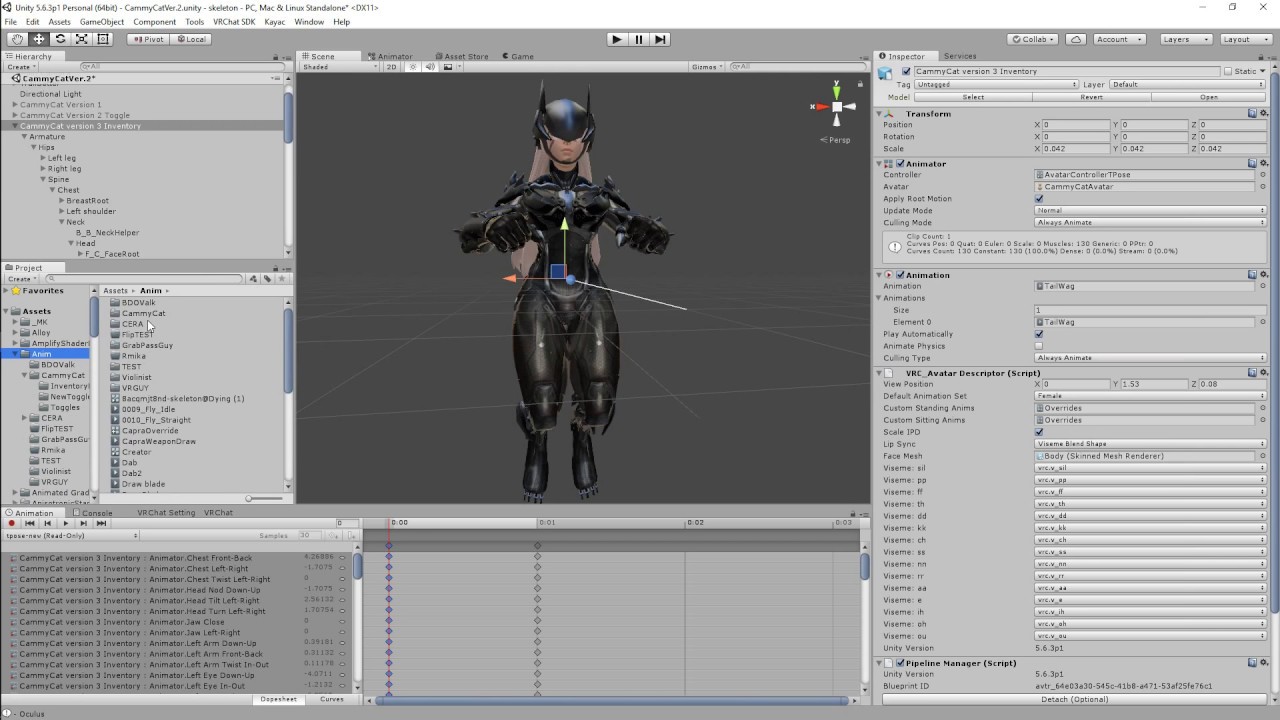
I guess I wasn't descriptive enough with the description last time and confused people. Sorry that I'm quiet i don't like recording myself speaking... Just i...
I should really remake this
fresh estuary
Hi, I'm interested in creating complex, lip-sync-to-audio dance emotes and am having trouble doing this in Unity due to not being able to "pause and rewind" an an animation's audio file as it's playing to test how the lips move with the audio file.
Are there any good solutions to this issue or better tools for creating complex Unity animations?
 kindred egret
Do I miss something or does a "skinned mesh renderer" as shape in a particle system not work as intended? In unity the particles will emit from the skinned mesh just fine. In vrchat however the emission shape is static.
quartz summit
P sure you need to joint them regardless
kindred egret
no joints here. It's supposed to use the mesh shape affected by the armature. Actually it does work to some degree.
However it duplicates the shape. Meaning it will emit from the avatars skin when moving but it will also emit from a tpose shape at the same time.
That's how it looks like. I'd like to get rid off the tpose ghost but keep the particles on the body. Idk seems like a bug to me.
 polar swallow
Hey, anyone know how I would play an animation one time when I first join a world on spawn?
quartz summit
if it involves a rap song I'm not helping :v)
polar swallow
It's not, it's a halo thingy on the ground and goes up to my head
quartz summit
animate it with a normal animator that stays on and set the animation clip to not loop.
polar swallow
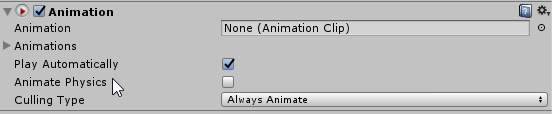
@quartz summit https://i.imgur.com/M7jGHg6.png so I put this on the game object of where my particle system is under right? Then put the animation clip in there?
 quartz summit
No, that's a legacy animation. You need to use an "animator" and make an animation clip for it set to non-looping.
crude aspen
@fresh estuary I remember hearing about some tools to help with it but never found anything when I searched again later.
What I've done to help with syncing process isn't perfect but it's much better than nothing once you get the grasp of it.
The unity editor is split into seperate windows. Each of the windows has an area for tabs on top of them which tells the name of them like animator or inspector. On the right side of the area you can open a menu to add inspector to the window. Now detach the new inspector tab so it is floating by dragging it from its name, might take a moment to find the right spot to detach it.
Next select your audio in your project files. On your floating inspector, press the lock on top area, this keeps the audio file showing up in the inspector even if you click something else in your project files or scene.
Now you can go back into animation window by clicking on the animation tab if it is not already open. Select one or more properties on the left side of your animation window. Move the line indicating the current position in animation timeline to a place that is a couple seconds before the time you intend to animate. This is done to give you time to react on the next steps.
Click on an even earlier time on the song's inspector and click play on animation window as soon as the song's time matches with current animation time. Now you can press add keyframe while the song and the animation are synced to add the keyframes in realtime.
Way better than trying to estimate the timing by first listening and then keyframing and watching the animation again. You might want to zoom in/out the animation timeline depending whetever you prefer having seconds or frames on the timeline's top.
fresh estuary
@crude aspen Thank you for such a detailed method!!! I will be saving this to my files and using it as a reference for next time.
For those of you who would benefit from a way of easily lip-syncing audio clips to Unity .anims, could I bother you to upvote my Unity Asset Store review of LipSync Pro? I am trying to get the developer to implement support of .anims since I've heard he's very responsive, and if we could get this working with VRChat it would make creating lip synced animation clips a breeze.

LipSync Pro is an editor extension for creating high-quality lipsyncing and facial animation inside Unity.
Supported on desktop, mobile and console.
Core Features:
- Easy to use Clip Editor for synchronising dialogue.
- Custom inspector with Pose Editor.
- Also incl...
 oak pebble
anyone know a good guide/video about makeing a swinging sword object animation for desktop users?
not to fun when your just pokeing the enimys with a stationary sword
 sonic badge
Is making a two step animation just enabling something inside something that needs to be enabled?
torn pawn
yes
Parent
-Child
Both disabled, with 1 gesture you enable parent, with a different you enable the child object (with this gesture you can enable multiple child objects, but only the active parent child will be played)
sonic badge
ok thanks
 zinc pond
Does anyone know how a Animation Lock works (with an Fixed Joined that it’s staying on its place)
I just have the the Issue that my Gameobjects are flying around...
zinc pond
Alright I will check it ... hopefully it’s the solution
zinc pond
@unreal eagle Thanks 😉
zinc pond
I know but I forget everytime to remove this shitty collider
xD
Same with random teleportations into other worlds
unreal eagle
Oh you mean getting dragged into a random portal because of colliders on your avatar?
zinc pond
yep
unreal eagle
thats always fun
zinc pond
😄
unreal eagle
lol
clear yew
does anyone know how i can make a trigger animation using the screenspace shader to make a gradual zoom in instead of it just appearing?? and doesn't break the other animations like my previous attempts
blissful arrow
Anyone know how to change a texture when you speak?
 pastel cave
hey, could you give me an animation of crawling on my knees like many avatars in the game?
 marsh spoke
@pastel cave You can find one on Mixamo
If you mean a crawling animation besides the crouch crawl anim in game
waxen coral
so i have an animation set up that always runs to make the tail and ears twitch but this has seemed to of killed the ear animations for the hand gestures where her ears are suppose to move the face works fine but ears will not move in game is there way to fix this or is it just a thing you can't do anything about
pastel cave
@waxen coral oh, then can you give an animation of the ears?: 3
waxen coral
the ear twitching?
i don't know if it would work
it was pretty simple just make keyframes and every few seconds and have the ears rotate a bit downwards then back up
clear yew
We need a new default animation
 flint bison
Not sure if this is the place for this, but does anybody know how I would dynamically set sub emitters start speed based on the current speed of the emitter? I tried "inherit velocity" and it didn't work.(particle systems)
spring nova
Inherit velocity should work, what about it didn't?
 olive swan
Heres a curious question! I just finished my avatar and I have everything working, but I want to add some gestures, emotes, and animation. I'm not sure what the best things to add are.. obviously a smile for pictures and maybe a frown to be funny... but I'm not sure what else to add...
What common emotes, gestures, and animations do you use? Further, what gestures do you bind these to? Is there a standard?
(Ps, I'm good on how to do it. Also, I play on the original rift, i know gestures are easier to do on the index)
cold pulsar
IIRC you can't do finger gestures on the index at all, any sort of finger movement done by animations is overridden by your actual finger movements. Makes things like peace signs or waving impossible without a dummy hand since you can't do finger spreading with index controllers
Besides that, most important gestures for me are actually some of the defaults. Point, openhand and peace. A lot of people add middle finger and OK hand. I almost always replace rock and roll first as I never use it
For faces people usually go smile, frown, sad, ecstatic and other general emotions. Most of my new avatars don't have a face but I was never one to use gestures for facial stuff as I don't do it naturally
fresh estuary
Updating my previous post. The creator of LipSync Pro has an experimental add-on for his plugin that allows you to create lip synced .anims from any audio file. He provides it at request after purchase. I have tested it and it is AWESOME, not to mention the only easy solution to this type of animation I have found (please see my review). Please, please check it out and support this guy! If you're interested in making emotes or gestures where people speak pre-recorded soundclips or sing songs, this is a lifesaver. https://assetstore.unity.com/packages/tools/animation/lipsync-pro-32117
LipSync Pro is an editor extension for creating high-quality lipsyncing and facial animation inside Unity.
Supported on desktop, mobile and console.
Core Features:
- Easy to use Clip Editor for synchronising dialogue.
- Custom inspector with Pose Editor.
- Also incl...
@crude aspen Thought you would be interested in this ^
crude aspen
That'd come handy if I'd ever decide to do avatars for streams like beezleboop and lolathon do.
 split creek
is there a way to toggle a different state of a avatar. For example i have my normal avatar, but want to change its appereance with the same avatar but in other clothes. Can i do that with a hand gesture, so that it stays until another gesture is triggered to revert back to the first version?
fresh estuary
@split creek I think you could add all the clothes on top of each other in Blender, then in Unity have the second set of clothes use an Invisible shader so it looks like they're only wearing one outfit. Then create an .anim that triggers the invisible set of clothes to use a normal shader, and the old set of clothes to use an invisible shader, so they appear to "swap". You wouldn't be able to see the swap in the mirror due to an ongoing bug but it would work
 lime crown
i want to add a knife to a knife animation, but im just not getting it correct
basically i want to summon a knife when im running
does anyone know how to ?
i end up with the knife animation in game but the knife is not added
unreal eagle
How do you have it setup?
proper hedge
@split creek you can use emote, gestures, or a stop action inventory for avatar states
the easiest thing to do is probably to separate your meshes so the clothing can be conveniently turned on and off at a unity object level
there aren't good guides on state management for avatars using gestures or stop action
split creek
@proper hedge can one of these options make it so,that i dont have to hold a specifig gesture the whole time for being in the "changed" status?
proper hedge
yeah
you can make a great interface with this
unfortunately i haven't written a guide for it
its not too hard to figure out with the examples and provided files
split creek
thats awesome, thank you very much for this. I will try to figure it out. 😄
proper hedge
this will help
probably this too
gesture manager will let you test gestures in play mode
enter play mode then drag the prefab into the scene
mixamo gestures are just hand gesture animation files in default vrchat hand poses
just ask me questions if you get stuck. you will probably get stuck if you haven't done any state management with animators
this is a more simple way to do persistent animations with emotes
split creek
probably^^ thanks for the help, im currently not home, so i cant test out, but will later
lime crown
i made a duplicate , went to the animation file after i clicked on the avatar duplicate, then i added the knife to the animation of the knife and positioned it
i ended up with a knife that dosent dissapear untill i do and cancel an emote
fresh estuary
@lime crown try using an invisibility shader to toggle it as invisible rather than a gameobject on/off switch in the animation-- gameobject on/off can be buggy and i find invisibility shaders to be more reliable
you wont see it in the mirror due to a bug but it will be there
fresh estuary
On both dupe and main knife, since the main is what will be uploaded and the dupe is for testing
lime crown
if i put invisible on both , the knife in gestire will be invisible
can you send screenshot of what u want me to do
proper hedge
i think you only get problems with game object on/off when it comes to the main Body mesh
i think i know what you're talking about though
@lime crown your problem is that the knife doesn't disappear when you stop holding the gesture?
not sure i understand
lime crown
the knife dosent appear when i do the gesture, it appears just for me nobody else see it
 vale saffron
how do you make your own animations? like for example have a object float around me
fresh estuary
@vale saffron check out this video for a tutorial on how to create a prop spawn animation: https://www.youtube.com/watch?v=V0l4-pH3vI4

Creating custom animations for hand gestures and emotes in VRChat
vale saffron
i know how to do hand gestures although i need help with that too because when i switch from my hand gesture to a premade one like finger point the hand slowly opens
marsh spoke
Fireplace doggo desires your pats.
The colliders in one of my model's hands can ruffle his ears.
proper hedge
@vale saffron your gesture overrides need to have a starting keyframe at 0:00 and an ending keyframe at 0:01
In other words, a gesture override can only be 1 frame in length, with a start and end
Otherwise it'll do what you experienced
GitHub
Contribute to oofdesu/lin-unity-packages development by creating an account on GitHub.
Use these hand gestures as a basis
vale saffron
Thank you 😄
 limpid talon
So I got a wolf avatar (actual animal) and it has custom walking and running animations, but when I upload the avatar and others clone it, I can't see their wolf avatar's animation, I only see my own working
The only one I see on their's is the "idle" animation, and they just slide around
How can I fix it so everyone sees the animations and not just the person using the avatar?
misty tiger
generic rigs don't have movement animations anymore
devs broke it like 6 months ago and haven't fixed it
the animation only plays locally now
 stark trail
@limpid talon your question has been answered, pinging so u notice > <
misty tiger
i'd give them another year or two before they'll bother tbh
what you can do instead is use a regular (humanoid) armature for the front legs and then use fixed joints and rigid bodies to make the back legs copy the front ones
but that has the issue of the back legs no longer being stuck to the ground if you do something like crouch
it sucks ¯_(ツ)_/¯
olive swan
Hey! So I'm working on doing an idle animation fix... does anyone have the default idle animation for download? I want to get this in and then add one small fix to it
(or is this in the SDK? I couldn't find it)
fresh estuary
@olive swan Hey! They are in the SDK folder. Under VRCSDK -> Examples -> Sample Assets -> Animation -> Avatarcontrollertemplate.controller. Drag the controller onto a dupe of your character in the Hierarchy, then go to the Animation window. The Idle and the other defaults will show up as read-only animations. Copy all the keyframes and create a new Idle animation, then paste. Done 🙂
olive swan
Ah, that makes a lot more sense... thank you!
fresh estuary
you're welcome! 😄
 novel nexus
hi
 primal plume
How to loop short Animations in Unity?
unreal eagle
The default setup should loop without changing any settings
But if they aren't then selecting the animation file will show settings in the inspector and you would want to have loop time enabled
 subtle zodiac
Anyone have any idea how I can activate an animation via shift+ f1, f2,f3 etc. via the VRC_Trigger? or do I have to add another component?
Unfortunately I only found this Old Tutorial: https://vrchat.fandom.com/wiki/Trigger_animations

VRChat Wikia
This will enable you to trigger custom animations by on any avatar. Made by Haczar
And there it is still explained with meanwhile depricated components
subtle zodiac
ok i think i found it now but with the VRC_Trigger and VRC_EventHandler i can't upload my skin anymore? is there any other way?
 gilded acorn
for gestures with the shift + f keys, just put the animation you want to use on your models animation override controller, use one of these, depending which shift + f key you want to use
If you don't have an animation override controller yet for your model, right click in your unity folder, and create one
Then just select ''AvatarControllerTemplate'' on the animation override controller
clear yew
how would i make a beer tape dispens a liquid. If thats possible how would i make it go in a bottle
sharp badge
Have a particle effect hidden where you want it to dispense from with the proper particle effect assigned to it, and then making an event trigger that unhides the particle system on an interaction with the tap. As for making it go into the bottle, there's nothing that you can probably use that wouldn't tank performance. Only thing I could recommend would be something along the lines of there also being a trigger collider that's hidden with the particles that gets activated at the same time as the particle system that is triggered by the cup entering it to cause possibly a hidden object to represent the liquids in the cup be suddenly revealed. Or something like that
 clear yew
Hi. I'm trying to make an animation for a model, where the hands of the model will start spinning around like a drill when I hit a gesture, but they can still be moved (Like how some avatars have gestures for guns or hand lasers that can be moved with the hand). I don't really know where to begin though, since I've tried looking it up and can't find anything to help me. I've tried to record an animation of the spinning hands, but Unity won't let me spin the hands around a central axis so it looks wobbly, and plus the gestures apparently don't allow more than 2 key frames.
Any and all help and advice would be appreciated. I'd get it commissioned but I ate all my money and live in a box with no job
 strong oriole
Does anyone know if it's possible to have different animation overrides for each hand? For example, could I make the left hand rock on gesture give my avatar an angry face while the right hand rock on gesture gives him a scared face? If it is possible I'm sure I could figure it out, I just don't want to spend 4 hours on it only to realize it can't be done.
clear yew
@strong oriole From what I see, not really. It's been a requested feature since 2018, and theres no new info on it, so I believe it isn't possible. However, I might be wrong, so take my words with a large fistful of salt.
strong oriole
@clear yew Good to know, thanks. I'll look into it a bit further but I won't get my hopes up.
 bitter gyro
@strong oriole If you take advantage of the right hand taking priority you can make it so animations can only happen if held in the right hand.
It's actually really useful to make your gestures cancel parts of each other out so that some animations can be set up to only play if done on the right hand.
@clear yew The way I'd try it, if I wanted that effect, is use a separate hand mesh, since you can't force an IK driven hand to rotate. You'd hide the actual hand mesh and show the one you'd animate. It'd need its own bones if you wanted to have the fingers animate while spinning and you'd need to manually animate those fingers. Also, you can change the rotation in Unity from Global to Local or from Center to Pivot.
clear yew
I thought about that but I ended up finding a solution
bitter gyro
Also, you'd have to have an animator on say, the bone of the extra hand in order to get around the single frame limitation.
clear yew
I just split the spin into two animations, put them on each wrist, made the wrists inactive, and set up another gesture to activate em
bitter gyro
And you'd need to toggle the animator on.
strong oriole
I am thinking of giving my avatar one robotic hand, so that might actually serve my purposes well.
clear yew
Also I tried pivot but it hurt my brain
strong oriole
Thanks.
clear yew
@bitter gyro Tried my method, but it also spins my elbows, and trying to move it to only wrists just disables it. I'd do your method but I have a question. I "fixed" my model using CATS in Blender so it would upload, and as such it just has one "mesh" + texture atlas. Is there any way to hide a specific part of a mesh in unity, without going back to the drawing board?
bitter gyro
@clear yew An idea would be to just edit the texture so have alpha on everything you want hidden and then use cutout or fade render mode on a separate material and then just animate a material change from the material with the full texture to the material with the cutout texture.
You'd still need another mesh for the hands. And that mesh would need bones.
So it'd really just be preferable to go back to blender and split the hand mesh off of the model and duplicate it.
clear yew
Alrighty, might as well do that anyways. Plus it'll give me a chance to update visemes I guess :/
bitter gyro
Then you could duplicate the hand's bones and rename the vertex groups of the duplicate hand to the names of the newly made extra hand bones.
@clear yew Keep in mind that even if you overwrite the FBX, you'll still need to drag a new one into the scene since the new extra meshes won't be added into the model that's already in the scene.
clear yew
Wait
Overwrite which FBX? I just planned to make a new project out of it
Or do you mean when I separate the hands
bitter gyro
So if you separate the hands, the one in the scene won't have hands. You'll need to drag in a new one and copy everything over to it.
If you're starting from scratch that's fine too.
But just dragging a new one in and using Pumkin's tool to copy everything over would save a lot of time.
clear yew
Pumkin's tool?
bitter gyro

GitHub
A toolbox for easily setting up VRChat avatars in Unity. Adds functionality to the editor and automates some of the tedious tasks. - rurre/PumkinsAvatarTools
@clear yew
clear yew
Ye
I have a question about where'd I go about starting this. Do I make a gesture that disables the original hand mesh, and activates another?
I honestly am unsure where to begin :/
bitter gyro
Yes. And the other hand mesh should be controlled by their own bones. Not the bones of the original hand.
You would just select all of the hand bones and duplicate them. The new hand mesh should still carry vertex groups that the original hand mesh had, so you can simply give the duplicate bones unique names and change all of the vertex groups to the names of their new corresponding bones.
Then you can either have one gesture that swaps the visible meshes and another that animates the extra hands or put the swap and animation all on a single gesture.
kindred egret
Got a particle system question:
So I have a coffee cup that I can spill. the particles that go to the floor use the default line material and have colliders. when they collide it will spawn a couple horizontal billboard textures on the floor.
The problem: these overrender the coffee spilling down.
All of it is an alpha blended material. But none of the particle shaders seems to work for it.
How do i make the billboard on the floor not overrender the particle trails?
clear yew
Slrighty. Where do I find the vertex group names though, it only lets me rename the bones
bitter gyro
Vertex groups will be in the tab above the shape keys.
clear yew
I found it ye
I duped the bones but they're still in the original heirarchy
I don't rip them out, right? Just make em disabled for now?
Sorry for all the questions this is a bit confusing for me
bitter gyro
You just need to make sure they're parented properly.
clear yew
They are
bitter gyro
As long as you don't apply those bones anywhere in the rig config, they shouldn't be controlled by IK and you can animate them however.
It would just look like you have two wrist hierarchies under the elbows.
clear yew
Alright
And for the gesture itself, how do I make it deactivate the other wrist? So that way they don't overlap
bitter gyro
The other hand mesh should be hidden, so it won't matter if you move your hands.
clear yew
Oh I know, but for the gesture itself, won't it have to hide the original hands and play the new ones?
bitter gyro
If you made a separate mesh, you'd just uncheck the box on the mesh gameobject.
You want to toggle the object, not the skinned mesh renderer.
Because toggling the skinned mesh won't show up in mirrors.
clear yew
So I just use one mesh, then?
bitter gyro
You should have A mesh for each pair of hands but only ever have one of them visible.
So while one is on, the other is off.
clear yew
Ye
But when I trigger the gesture to activate the one that is disabled (the spinny one), will I need to add a part that states to deactivate the other non spinning one?
bitter gyro
In the same gesture, you'd turn one off and the other on.
clear yew
Ye
My question is how do I do that. I'm using the record function for the animations and while I found the "set object active" property, I don't know the opposite one or where it is
Or do I just uncheck the box next to it?
bitter gyro
^
bitter gyro
Or, you can have it in record mode
clear yew
Sorry my brain is at negative functioning lol
bitter gyro
Then just uncheck it in the inspector.
clear yew
Ye
bitter gyro
If you have a lock icon on your animation tab, you can lock it and while it's recording do all the things you want to have in the animation and it'll record everything that it's able to.
If your lock disappears, just open a new animation tab. It's a bug where it disappears sometimes.
clear yew
Okay
The new bones for the wrist, how do I make the duped meshes "stick" on them? Change vertex groups or?
bitter gyro
@kindred egret You can increase the renderqueue for the dripping part in the shader.
It should be in the material settings.
@clear yew The newly duplicated bones should all have different names than the original bones. So if your new wrist bone is named something like Wrist_L.001, then you should change the name of the Wrist_L vertex group on the new hand mesh to Wrist_L.001
clear yew
Alrighty
I still can't find the vertex groups
To be clear though I'm in Unity. Should I be doing this in Blender?
bitter gyro
Yes.
kindred egret
@bitter gyro thanks that worked
 analog cedar
I've seen multiple avatars with tails that can move into a different positions without the use of blendshapes. It seems like an animation that moves all the bones into whatever place you want, and its very fluid. Does anyone have any idea how that is done?
unreal eagle
It probably is just an animation and possibly also animating the dynamic bone component settings
analog cedar
The thing is, I don't know how to make an animation reach a point and then stop before slowly resetting back whenever you want it to
unreal eagle
Its probably just point A to point B
but the dynamic bone if you have it setup on something like that it will cause a smooth transition
So you can have it as a gesture
 dim lake
Sup
clear yew
can someone call me on discord and help me with a simple animation cause i forgot how to do them
 pliant plank
That's pretty nifty
clear yew
hey, does anyone know where I can find the PSY Gentelmans dance animation with the song? Or have the files ❤
 copper cairn
no well im mean not me
clear yew
I tried making a lightning animation and it worked A-Okay until upload, where the VRSDK said it wasn't allowed because it uses a script to animate the lightning. What methods do other people use to make lightning/laser animations?
clear yew
Lotta noise for jitters.
clear yew
I looked at adding "noise" to something like a thin plane
I'll try that, though I don't know exactly how yet lol
Can't figure it out tbh. I tried the noise for particles but I don't know how to make particles into a line
Anyone here made lightning before (without paying for an asset)? I'm kind of stuck
bitter gyro
Use trails and set the actual particle texture to be hidden.
That with good noise settings and a good trail material equals decent lightning.
clear yew
Okay
 weak wraith
heyya. So I have a question for animation on my character. Basically, I want to create a shadow clone of my avatar, which is a perfect replica of my avatar that would appear along side me and mimic all of my head, hand, and leg movements. Is this less complicated than I am imagining?
as always the reward for helping me is virtual headpats
bitter gyro
The easiest way is via shader if you want it to follow you in the exact same spot.
Making it drag behind is a bit harder.
weak wraith
I'll explain what I want to do, so it may be easier to understand. I want to use a world fixed joint to like, leave my avatar somewhere.
I know it can be done as I've seen it done before, but the how eludes me
clear yew
Make a rigid body without a joint I believe is the general idea behind it
bitter gyro
Leaving the avatar in a preset pose or animation is one thing. That's easy. Unfortunately, having it follow what you're doing takes more effort than that.
There's a way to use a Unity script to create an extra bone that parents the entire mesh to it. In theory, that should work. But in my attempts to give it practice, it was difficult to use, as rotation isn't supported.
I didn't try rotating the bone with Aim IK though. So maybe that'd work?
Hmmmn.
But yes, the most basic way for you to drop a pre animated/posed copy of your mesh (if that's what you want), is just using a rigidbody and fixed joint with gravity turned off and no connected body set. Then hiding your own mesh as you enable the copy.
You'd want to have a reset so you can snap the rigidbody back to its default position though, otherwise you'd have to pick it up very time.
You could also use cameras and shaders for the dropped one to copy you realtime, but only your friends would be able to see, so it's not really worth it if you're just trying to mess around in public worlds with it.
vale saffron
what are the moving forward animation?
 sand crater
Has anyone figured out how to fix the issue where the hand changes it's default hand "gesture" when you use an emote with no hand-altering animations?
 stoic valley
I'm using the muscle poser and it tells me to select a humanoid GameObject from the hierarchy, but my model's humanoid already. I have no clue what to do.
clear yew
@sand crater You have to remake the hand gesture yourself for the override you're assigning it to. Otherwise you'll get default claw hand pose when you do your animation.
weak wraith
@bitter gyro do you have any idea what shader I could use to achieve that?
bitter gyro
For the friend only one or..?
Because I'm not sure. I haven't done that one. Didn't feel worth it.
I just know it's been done that way before and it's been around for a looong time..
 still sand
Anyone know if someone has already done an animation for that mental dance by Kate Bush for Wuthering Heights?
because if not, that is my new life goal
(for reference https://www.youtube.com/watch?v=BW3gKKiTvjs )

The "Red Dress" version. Very sharp.High quality when watched in full screen mode.
stoic valley
I think the muscle editor tool has some issues. I keep trying to select a tab other than animation, but while the muscle editor tab is selected, I can't move to anything else, because it just swaps back into the animation tab. The muscle poser also can't detect if my rig is humanoid. Is there anything I need to do to prevent this from happening?
torn pawn
have your rig set as humanoid..
stoic valley
I do. It's not working at all.
It won't let me switch to any other tab either:
Ehh forget it, I have another Idea. Sorry for the harsh tone
sonic badge
How to make animation not loop?
muted prairie
Uncheck the 'Loop Time' in the inspector when you click on your animation file in your assets @sonic badge
sonic badge
thanks mate
strong oriole
Does anyone know if it's possible to make animations and a dynamic bone script apply to a bone at the same time? What I mean specifically is the position that the dynamic bone script considers the rest position changing over time with an animation. I have things set up so that doing that isn't a necessity, but the tail on my avatar would look a hell of a lot cooler if the bones were both animated and dynamic.
If all else fails I could always connect a dynamic bone to a small animated bone, but I'd rather not re-rig the tail to be like that if I could avoid it.
 slow terrace
can someone help, i dont remember h ow to get the standard hand gestures lol
bitter gyro
@strong oriole As long as you aren't animating the bone you set as the root for the dynamic bones script, it should work.
So if you have to, add an empty game object to the bone you set as root, drag it out so that it's under the root parent, then parent the root to that empty gameobject. Then set the root as that empty gameobject.
I think.
Ooor, just don't animate the root.
I may have just lied. It might be that you have the position being animated also. All of the models I have like that have only rotation. But they have the bone that's set as root being animated also. When you record transforms, it adds both a position and rotation keyframe. Try deleting the position keyframes.
 stuck spade
can anyone help me with this? I have a toggle emote to spawn an object but i want it to stay in the place, i put the object under the model name and it has a fixed joint with angular drag 0 and no gravity
also tried freezing pos and rot but that doesnt change anything either
bitter gyro
I usually do infinity on drag and angular drag.
As long as it has no connected body, it should drop in world space.
The problem is resetting a setup like that afterwards. Just a heads up.
stuck spade
what you mean by infinity?
torn pawn
you need an animator with root motion checked and any controller on the fixed joint object
torn pawn
yeah
you can type in Infinity in drag/angular drag
don't need to freeze pos/loc from what I remember either
stuck spade
still doesnt work
torn pawn
it should work 🤷
stuck spade
do i have to put everything on the inventory or portal thingie?
torn pawn
doesn't matter in this case I think, you'll just need to add a reset on disable
stuck spade
the thing is it doesnt stop moving with the avatar
its under the avatar name not armature
torn pawn
yeah if it's outside of armature and with the setup you have, everything should work fine
lemme open my project quickly, I've made only 1 world object in past months
stuck spade
also you know a way to put something 1:1 above your avatar without it moving weirdly when walking?
like a logo or whatever
it always moves randomly when stop walking
torn pawn
have it under your armature
stuck spade
when stop walking it spins back to its place
thats the same if you put it under the armature or name
works ingame, thanks alot, but is there also a way to stop it from shaking?
bitter gyro
IK.
If you're using joints, they'll have that wobble.
Physics is slower so it's visible when it's overcorrecting for your movements to try and stay where you left it.
I think.
subtle zodiac
One knows why my Dynamic Boes are no longer used in VR Chat, but when I run the animation in unity the hair and the other parts of the character move naturally and not rigidly like in VRChat.
subtle zodiac
^thx
stoic valley
I'm trying to do a Dio time stop thingy. How would I make black and white filter around everyone's screens within a certain vicinity? Also, I want to add a shaking effect. Could anyone help on how to do this?
clear yew
Screen shaders probably
stuck spade
Shaders
weak wraith
heya! i'm having an issue with animation where I'm trying to make my character "blink" off the screen. (essentially there's a flash and then my avatar is gone). However, whenever I use the animation ingame to disable my mesh renderer, it never appears again for anybody else. I can see my avatar in the mirror and I can see my hands, however noone else will be able to see me at all afterwards
what am I doing wrong/ how can I fix this?
bitter gyro
Toggle the mesh gameobject instead.
Unless you want to see yourself in the mirror.
Not sure why your animation gets stuck.
Maybe it's an emote and it wasn't set up properly.
 nocturne radish
I'm attempting to do a two-players animation using a chair and replacing the animator, but the IK tries to take over and breaks it. Is there any way to disable the IK in a chair?
bitter gyro
If it's an Emote, yeah.
Otherwise, the only other way, you'd just break their IK until they switched models.
clear yew
is it possible to have ragdoll physics on an avatar as a gesture? so it makes the body fall to the ground?
like in this video https://twitter.com/_TAKUMI928_/status/1175814556775370753



like the one on 0:10
stuck spade
@torn pawn by any chance you know how to make particles stay after switching the animation? Like so it still appears until the lifetime is over
torn pawn
you make the main particle as a subemitter
subemitters can be deparented after they are made a subemitter (so in the end it's a spawn on birth, always active with "play on awake" disabled)
stuck spade
thankies
nocturne radish
is it possible to have ragdoll physics on an avatar as a gesture? so it makes the body fall to the ground?
You could clone the avatar and make every bone dynamic, but most of the people would have that disabled by default because that would be way too many bones. Even though the person in the video just has full body tracking and they're literally falling
bitter gyro
Could always just toggle the emission module instead of the whole gameobject for the particle system to persist after letting off the gesture. That way the particle is always on and it just stops spawning particles when you let go instead of instantly hiding everything related to the system.
Can also use a behavior keyframe with an animator if it's suppose to be a long particle animation that you don't want to hold until completion.
lime crown
is there any free animation that shoots out emotes? like literally just these 🙂 😋 💯 suff like this
nocturne radish
It's super easy to make your own one
vale saffron
i got a sit emote from mixamo and put it on crouch but it doesnt work
all the other things worked
lime crown
super easy stuff would take me days to learn
 pliant dust
The CrouchIdle slot is super cursed. Don't use it unless you know exactly what you're doing.
 vapid spindle
so, how does the idle animation work? when does it get activated, only when you're standing completely still?
bitter gyro
I think Idle is kind of blended into most locomotion animations. Idle is apparently the only locomotion animation that is synced since NetIK, so you can use it to activate things as soon as your avatar loads in and everyone should see it.
If you want local only effects by taking advantage of NetIK breaking locomotion animations being visible across all clients, use anything but Idle.
Also, some things seemed to animate globally anyway, just in a weirder way. I use a behavior keyframe which turns on the animator that has the animation I want to play on locomotion. That seems to consistently give me local only results.
A good reason to have local only effects is if you don't even want your friends seeing your cameras or if you want to make a system for aiming that only you can see. It's a nice trick to know. A lot of possibilities.
 rose folio
when setting a custom override for hand gestures, how do you get the override to stay on? I've made an animation that involves making most of the avatar static in a certain pose and made sure to leave a keyframe for every part for the pose on both frame 0 and 1. In unity when I play the animation it looks fine, however in-game I just use the gesture and nothing happens
clear yew
Question how can I Copy/Paste a Keyframe ? it would help me a lot !
rose folio
You left click on the keyframe and press ctrl+c to copy, then move the timeline line by clicking where-ever on the part of the timeline with the numbers (so if you want to paste the keyframe on the 5th frame, you would move the line to 0:05), then ctrl+v
clear yew
Thank you so much !
 dreamy condor
so i'm running into an issue where i'm putting a light source on an avatar that is enabled through the inventory system/emote menu, and as of right now i am able to get it to successfully turn on, but even when i disable the light source using a separate emote, the light source will not turn off.
the emote has other objects connected to it which do turn off so the inventory is set up correctly, but for some reason the light remains unmoved. does anyone have any suggestions or tips on how i can get it to disable for real? here's the current setup for the disable animation:
oak pebble
im trying to make a animation for a pickup sword object to swing. but i keep hitting problums. do i animate the exact grip handle or the mesh object? i get it to animate but when im in world i eather cant pick it up or it dosent animate , or the animated grip falls off the sword ...im so lost -_-
clear yew
I see all these cool avatars with dances that have particles/lights that go in synch with the music and its really cool, does anyone have a good tutorial or something to help teach me how to do that?
proper hedge
@dreamy condor that looks like a gesture, not an emote
bitter gyro
If it's like a toggleprop, yeah.
I think Emotes max length was like.. 45 seconds? I have no idea if they upped it.
But if you use toggleprop systems you can make an animation persists and loop.
vale saffron
what's are these? i know there the running animations but which is which?
runstrafelt135
runstrafelt45
runstrafert135
runstrafert45
cold pulsar
Well the names mean "Run strafe right 135 degrees", "Run strafe left 135 degrees" but I'm not sure if they are used in game. Could be wrong though
vale saffron
ah ok thanks 🙂
onyx agate
hmm 🤔 wonder indeed if these are used , they are not in animation override so guess not
cold pulsar
When I tested they did not work but that was almost a year ago so I could just be wrong
vale saffron
i mean if you are using it to change the walking and running animation then yes]
clear yew
Why Is it
When I click on my model in the Hierarchy, click record in animation
Then click on body in Hierarchy, Unity likes to hecking cancel the animation. reeeeee
cold pulsar
There should be a little lock in the top right of the animation window, try that to keep recording regardless of what's selected
clear yew
I shall now harass that little lock
Now im getting this error "assertion failed: in order to call GetTransformInfoExpectUpToDate, RendererUpdatemanager.UpdateAll must be called first. UnityEngine.GUIUtility:ProcessEvent(Int32, IntPtr)""
im trying to animate my nanachi's ears going down
cold pulsar
What the hell are you trying to do? Should be as simple as moving the bone transform in the gesture animation
flint bison
Whats the maximum length an Emote can be?
cold pulsar
30 sec IIRC but it's not set in stone so could be diff
cold pulsar
What people usually do is do a gesture instead which spawns a new model and hides your main one, this new model can do an anim forever but you'll take a big hit to your performance rank
bitter gyro
Or toggle prop the intended thing.
Then you can do pretty much whatever.
Just either need a perf cube or ensure you aren't culled some other way.
vale saffron
I saw someone change character and as soon as he loaded it a animation started, he said it's his avatars entrance animation, I would like to know how to do that, how is it done?
bitter gyro
I meeean, 9 out of 10 times those aren't something people appreciate.
They're usually more of a nuisance. BUT, since you asked, you'd just have an animator on your avatar with an animation that doesn't loop.
Just be prepared to be giving people a poor first impression if you're not careful with how you go about it.
proper hedge
lower expectations on purpose so you always impress
 spark drift
Is it possible to use a custom animation controller?
not override controller, but controller
torn pawn
no
spark drift
isn't it kinda dumb to have an animation controller template in the Examples/Sample Assets folder then? :/
Like, usually a template is used to build off from
spring nova
No, the entire point of override controllers is to override the animations withoit changing the base animator
sinful shoal

I feel this is good improvement, I like it
not as stiff looking as before
I was able to use a reference sheet of how bird wings move when the bird is flying and use that to figure out how to make these wings move since they are feathered-based
 peak grove
Can I make an emote that makes my avatars hood disappear until I toggle it back on? I tried setting it up but it just disappears for a second and comes right back.
bitter gyro
Look up toggleprops or emote switcher for Emotes. If you want it on a gesture instead, look up RetroGEO's cycler set up on Youtube. @peak grove
torn pawn
@peak grove https://github.com/Xiexe/VRCInventorySystem

GitHub
An Inventory system that is easy to set up for your avatars, using emotes. - Xiexe/VRCInventorySystem
peak grove
Thanks for the replies Saigo and Yuumi!
still sand
Hi, I was having a play at trying to manually set up an animation toggle, but when I try and disable and enable a secondary animator on the armature (ctrl clicking over to the armature to be able to record enabling and diabling it) it adds it to the timeline, but yellow, advising "the game object or component is missing" and then not doing it
is there something simple that I'm missing there, or should I start from scratch again
torn pawn
you can't record enable/disable animator, copy-paste behaviour.enable key and edit or paste path that points to object that has the animator on it
vapid spindle
I'm so confused... I made an avatar from scratch, I got it into unity, but I can't seem to find any resource that actually explains how you actually create animations and attach them to gestures or emotes... I just want to do a simple smile animation for the victory gesture
I have the shape keys and everything, I just don't understand how to create and add the animations
nevermind, think I found it
hm, not sure I did this right...
is there a tutorial somewhere that explains this step by step?
still sand
thanks Yuumi, I will give that a try
sinful shoal
(ignore what happened in the end there LOL)
thanks to a help of a best friend
I CAN FLY!!!!
flappy flap!!! 😄
my "training" paid off
@deft mantle flap owo
I only fling backwards when I spam backspace (cause I keep thinking of Minecraft I'd imagine...) I only hit spacebar once after activating a certain gesture, then I can control which way to go with forward
here's a better gif where I dont fling myself in to god knows where
I was using ShareX (as thats what I usually do when making gifs/cropped screenshots) and can be hard to use in VRChat/Minecraft

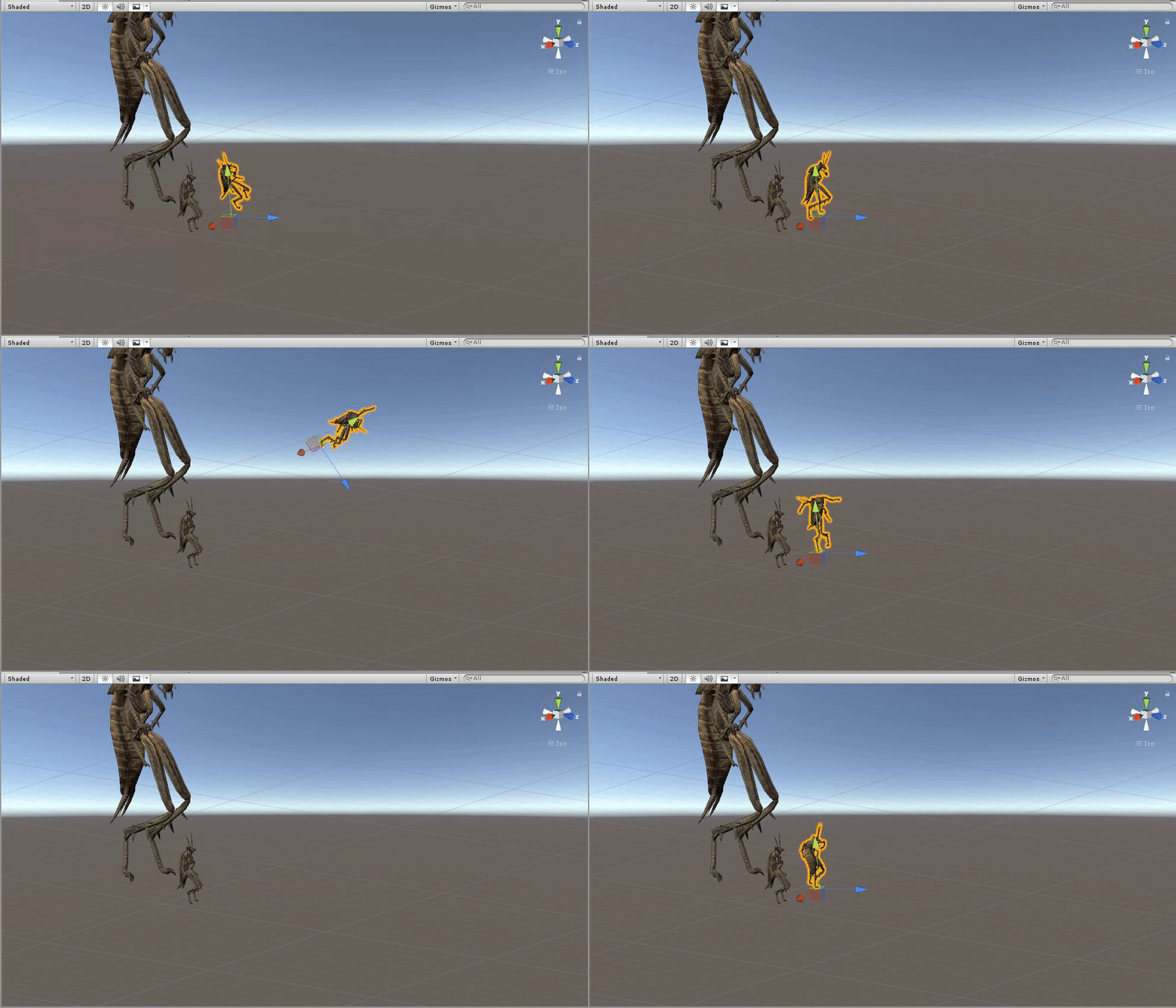


 bitter gyro
It'd be easier to just toggle an animator. Off the top of my head, I'm not sure I've heard of anyone animating the parameters inside of an animator. I haven't seen it. @violet moss
@quartz summit Can you animate the parameters inside of an animator? I know you've mentioned testing what can and cannot be animated.
spring nova
An animator can animate it's own floats, but not other animators
And weight isn't animatable period
clear yew
any reason why the animator is animating 003 but not 002 or 001?
I added a bone script to 003 to see if that was the problem but its not
 fierce bane
@clear yew Dynbones adjust the current state of a transform, they should not be the issue.
Also you only need one dynbone script at the "root" of the ears (depending on the setup either "root_ears" or EarL/R or start at 001 on both) for the effect to continue down the bone chain.
For the issue, do you have another animator somewhere controlling those?
You can also hit "add component" and navigate down to the ears and add the transform to see if it works properly.
clear yew
I made extra sure there wasn't another animator anywhere on the avatar
the dynbone would just be an optimized way of doing it x3 but I like it flowing separately
fierce bane
you can use curves to adjust how much it changes for each bone, I did that for a set of tails for example, where it flows more freely towards the end, but is stiffer towards the root
I'm not sure what else would restrict recording access for those...you could always try disabling the dynbones and then trying to record again
clear yew
Yeah, it was the dynamic bones, the heck
i just turned them off and bam its recording my changes
fierce bane
you can re-enable the bones after you animate it
you can use animations on dynamic bone parts, but not make them that way
fierce bane
the reason the 003 was working is because it had no root transform set
@clear yew Since I mentioned curves, thought I should give an example for that
Fox tail for the example, so starts small, expands then ends in a point, which is why the radius distrib curves the same way, to fit the visuals well.
clear yew
interesting
this is all new to me xD I'm very fresh to unity
most of the stuff I have on my avatar was tought to me from someone whos somewhat familiar with it
fierce bane
curves in dynbones like above are basically "how much of a percent does it affect it at this point"
standard graph, left side is "how much it is affected" and the bottom is "how far along the bone chain"
so in this case you notice it goes above 1.0, so it has a 110% effect at the high point around 60-65% of the way to the end
clear yew
What do you think would be good settings for bunny ears? These are my settings
fierce bane
dynbone settings are very reliant on the setup of each model, amount of bones, distance between them, weighting, etc
clear yew
I appreciate you taking your time btw to edumocate me xD
fierce bane
make a second panel where your inspector is (right click and add tab, project is a good one)
Then go in play mode and move the model itself around by selecting it and dragging the arrows
playing with it to get it how you want is the best method...I can explain what the sliders do but can't really help you with exact numbers 😛
clear yew
gotcha 🙂
fierce bane
the inspector has to visually update if it is shown which can cause some lag and delay in movements, which is why I suggest having another tab to switch to while testing
and I'm always happy to help when I can
clear yew
my computer doesn't budge when im in unity
fierce bane
?
clear yew
as in It has never lagged
fierce bane
it's a visual thing in play mode usually while moving the avatar around trying to test dynbones, may not affect you, worth a try though
clear yew
ooooh uwu
fierce bane
it's because of the dynbones updating the positions a lot and the inspector trying to display it, that's all
@clear yew took a little to find the explanation I gave before, sorry
Damping is how fast it slows down while moving (air resistance).
Elasticity is how fast it tries to return to "normal" position
Stiffness is a limit on the max movement range (at 1.0 it basically doesn't move)
Inert is a portion of your movement it ignores (I believe at 1.0 you'd have to have a collider move it) Higher values take longer for things to move. Lower values move more slowly and fluidly
clear yew
I can't get the ears to move the way I would like them to by having the dynbone at the root instead of the bones individually, but hopefully the curves make it look nicer
 languid grail
anyone remember the panoramic dome in the old hub?
Does anyone know how to make that?
Actually , more like how to get multiple images over time.
I have a VR Headset in my room with a panoramic image.
I would like to show multiple photos in it over time if it's possible.
fierce bane
@languid grail Do you just want it to change the whole image? Fade from one to another? What exactly?
Swapping an image you can either replace the material, or disable an object. Fading you can fade the alpha to 0 over time while fading another image up if a static background would be there, or have it placed behind and not fade it in if no other background(or the opposite direction, fade in second over first)
 hollow monolith
can anyone help me trying to add music to a emote
languid grail
thanks got it
https://i.gyazo.com/6ab4b6b668a4fe7ed06bc2b554edc9af.gif
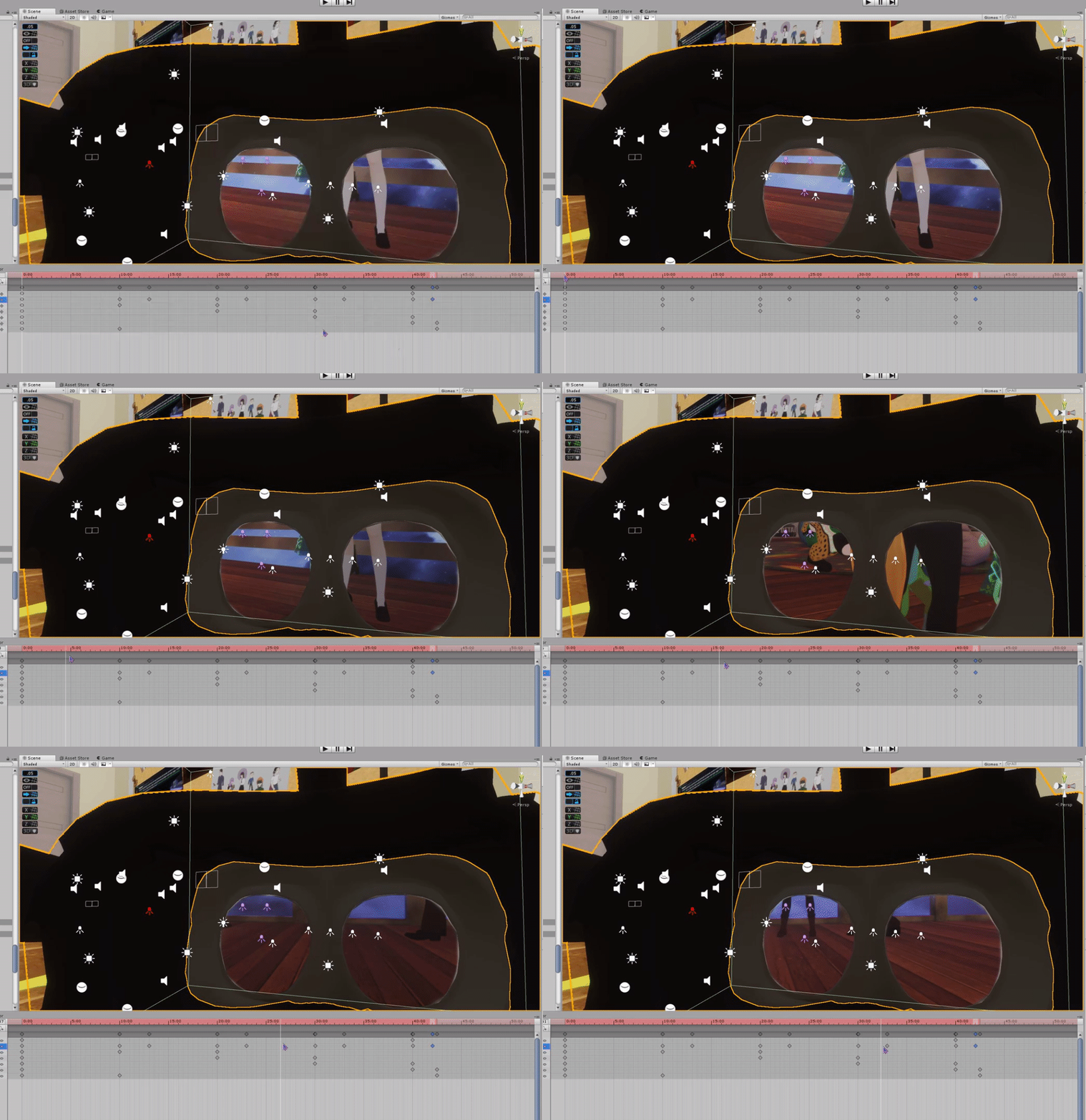
 cold pulsar
Just enable an audio source, or gameobject with the audio source on it, with the music on it
hollow monolith
issue is the audio goes to fast
can i screen share with you and you walk me through it
bitter gyro
You can either hold the gesture or use a behavior keyframe that makes the animation play once then end. But the latter is a chore for someone still learning.
hollow monolith
it just not working
bitter gyro
As long as the enable keyframe is on both frame 0 and 1 and you hold the gesture until the audio ends, then it should be working.
hollow monolith
can i just screen share
violet moss
how do you animate texture offsets on a material without it effecting all the other materials?
torn pawn
what do you want to do?
bitter gyro
It'd have to be a shader option specific to that material. Or have the material on a different gameobject, like a separate mesh. Animators animate all of the parameters that are the same on that object all at once.
torn pawn
don't think it does though, I made a phone that animates tex offsets and it was affecting only that material
you can toggle animator that moves the offset, should work with regular gesture too (?)
bitter gyro
That sounds like an easy way to do a swipe effect for a phone yeah. That's interesting if things are exempt.
Like I usually have to put scripts I want to specifically toggle on different gameobjects so I don't toggle every one of those same scripts at once.
Or things like animating color values affects every material on that gameobject.