#animation
1 messages · Page 112 of 1
 autumn yew
eww, ok. So only emotes loop more. pity
 clear yew
yeah if your keyframes aren't uniform that might've been a problem
autumn yew
I tried 2 frames, with the blink gesture set to 0. That didn't solve anything.
clear yew
was behavior.enabled also a constant 0
autumn yew
0/1
should that be 0/0?
autumn yew
Ok, I will give that a try now. I figured that if when it turns to 1, it should write back default anyways.
clear yew
yeah always, with gestures, have it be a constant value
the gesture won't curve to the end value and rest there, even if looping is turned off
it'll always loop the starting and ending keyframe
so if it's not constant it'll just alternate the values every frame
which would halt an animator cause it can't really start, but it would also probably lock up your property so your gesture can't animate the values
especially with write defaults on
autumn yew
Ahhh, I wonder if vrchat working on adding parameters in the future. Would be able to animate a lot more without actually turning off the animator.
Going to upload and test it now.
Oh, I think it's good now? Even though it's not easy to test if works since I have to hit a gesture when I think it's about to blink. Thanks.
clear yew
i think they will do something about it eventually
 green yoke
any1 know how to edit my gestures to it keeps the facial expressions but removes the finger movements to default
default gestures but keep facial expressions
is that possible?
 marble thorn
i want to hide the mdel for an animation but i dont know how, could someone explane
 surreal crater
@marble thorn you can disable the mesh renderer in the animation. Just hit the record button in the animation you want and tick the box off.
@green yoke make a animation where you have your model standing or sitting however you want it and then add the facial expression to it.
clear yew
Just got FBT, want dance songs but don't want to trigger them every time I use a gesture all the time, and was wondering if anyone knew how to use an emote to disable/enable audio files that are triggered on gestures while preserving the gestures otherwise. So making it switch between gestures with and without sound.
clear yew
@clear yew you can do various things but if you want to use emotes try to understand how this works

GitHub
Contribute to oofdesu/lin-unity-packages development by creating an account on GitHub.
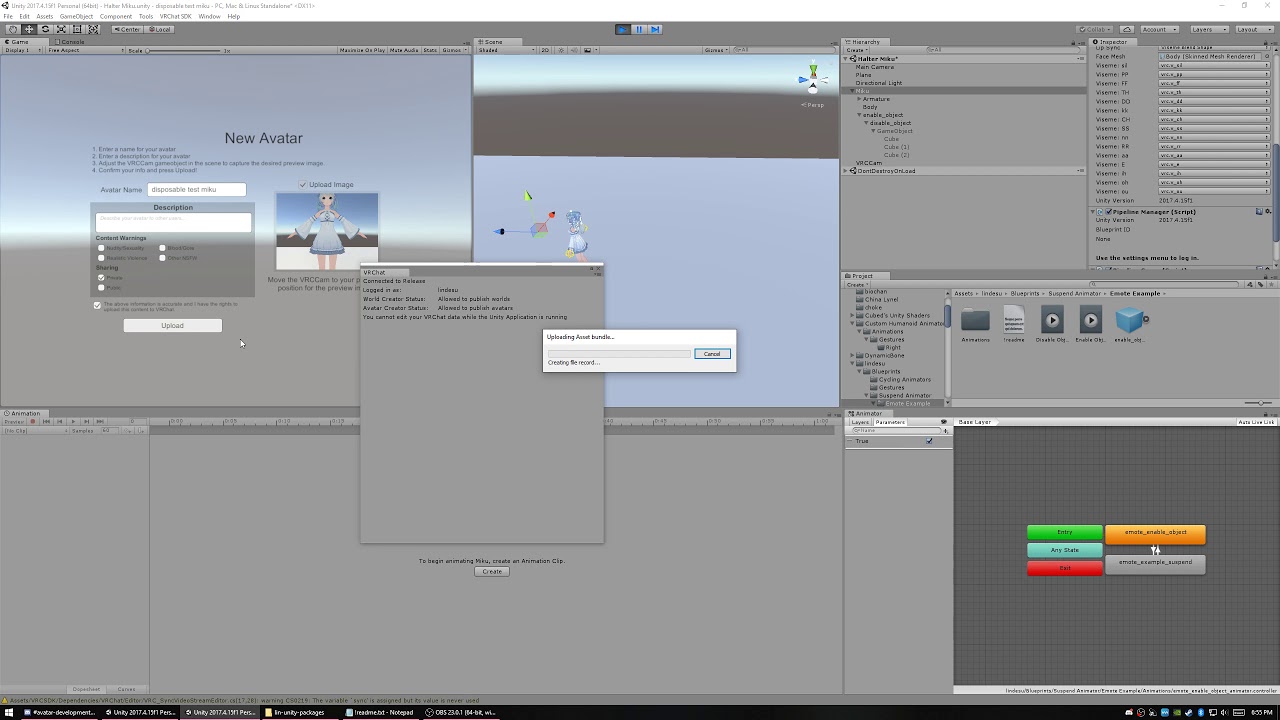
In this discord help video I build an example of pretty much what you are asking for:
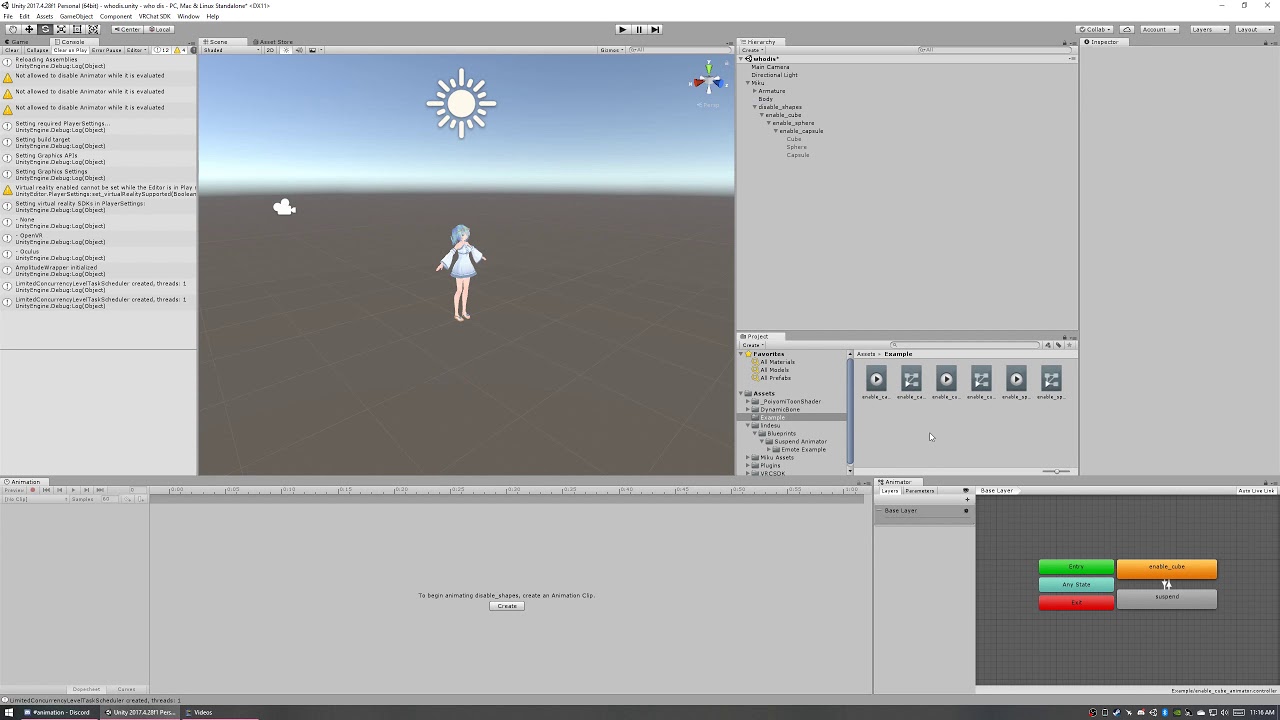
^There is a prefab linked in there if you want to use it
If you figure all that out look for and use the performance cube on my github, will help with syncing people not looking at you
clear yew
ty!! ❤
 chrome forum
I've been posting in this channel for weeks and nobody is answering, can someone help me this time?
 naive niche
well it would help if you asked a questions with subject rather than just asking for help with no content or subject
 fierce bane
@chrome forum Don't ask to ask...just describe your issue. People can't help if they don't know what's wrong.
chrome forum
@naive niche I always show the context of what's wrong, I just forgot this time
@fierce bane My problem is that the Idle Animation of my Avatar isn't the same as in Unity
fierce bane
@chrome forum you're running into IK related issues there. The legs and lower center can't really be adjusted with idle animations because the feet/legs try to track the ground. The rest looks like it fits properly though
 night pecan
hiii!
anyone here?
i need suggestions ^^
im getting my pony character made as a vr character using a nanachi model as a base and im deciding on what custom animations i want for her ^^
these are the expressions i already chose
haha)
soo any ideas or suggestions on some animations she should do?
i definitely want some with her flying
but i dont know exactly how
and with her going on 4 legs
 clear flicker
Fyi middlefinger isnt a default gesture
so you would have to chose which gesture youd want to replace
in thise case it looks like rocknroll
Cool animations though
 fervent plover
yea
 acoustic trout
@clear yew if you just want to dance to your own music in fbt, look in to virtual audio cable to broadcast your own music over your microphone. it's one thing to tie an animation to a song for fun, it's another to hang out with fbt dancers and have only one song on your avatar.
marble thorn
anyone know how to animate the size of an avatar?
 novel python
Hey, kinda new here. If I wanted to pose a rigged model in unity and use it as a prop for an avatar, how would I go about that? I know how to create a prop just fine, but I can't figure out how to pose it and I can't find any resources online that are useful to this specific question.
fierce bane
animate the scale, your viewpoint won't change
marble thorn
@fierce bane how would i animate the scale
welp thanks @fierce bane thanks, not only have you given me a half awansered awanser, you have not also, explane how to do this action
fierce bane
How was that a half answer? Just because you don't understand, doesn't mean it's half answered....
You asked how to animate the size...the size of the avatar is determined by the scale
increase or decrease the scale to change the size
If you want more specific info you have to ask more specific questions
marble thorn
@fierce bane please exple more thourghly
@fierce bane how would i change the scale during an animation
D:
fierce bane
I don't know what you're doing, I don't know what you want to scale for an animation...
Just add the scale to the animation and change it...if you want it to change smoothly add the current amount and then amount you want it to go up/down to...
I'd suggest looking up tutorials on basic animation
marble thorn
i mean i want the hight to stay...
like if i did a fingerpoint, i would stay big until i let go of those button controls
@fierce bane
fierce bane
so set the scale to whatever you want in the gesture then and you'll snap to that size and stay till you release
fierce bane
yes, not certain you can scale yourself properly, but it should work
just be aware your camera position won't move
fierce bane
that's generally what happens when making animations, it goes into a default pose when nothing else is specified
marble thorn
so is it working?
fierce bane
it doesn't actually affect it though, you're seeing something without an idle pose or a proper controller
go try it in game as an override and find out
fierce bane
...you didn't animate on a duplicate, you have a controller in the avatar's animation controller slot. Remove the controller
ALWAYS make a duplicate of the avatar to create the animation on to prevent issues.
fierce bane
you shouldn't have a controller in there at all
that also looks like you set the default size to 0.01 instead of 1
your animation should change it
marble thorn
so like this
fierce bane
yes assuming you intend to start very small
be aware you may have issues accessing the menu or other things at a small size though
marble thorn
nose
fierce bane
if you need to make changes and you deleted the duplicate, then duplicate the current avatar and drag/drop the animation onto the duplicate
it'll apply it and let you see it for editing on a model
marble thorn
@fierce bane the scale when i play the animation resets to 0.01, the models size
fierce bane
what do you mean "resets to" when you stop the gesture it'll stop sizing it
marble thorn
ill send you a pick
great now i cant change the scale on the animation at all
@fierce bane
@fierce bane
@fierce bane
@fierce bane
fierce bane
...
just be patient and wait...seriously...people often have other things to do too...
for starters that animation is NOT 1 frame, it's 60 frames. 1:00 is 1 second, not 1 frame. 0:00 and 0:01 should be the only keyframes you have in the animation
gestures have to be a single frame, emotes can be longer
for your other issue, copy the frames from the first keyframe to the other one, or just edit them on the second keyframe.
It's going back down because you didn't tell it otherwise
fierce bane
don't change the samples...just move the right side keyframes to the correct frame...
marble thorn
So like this @fierce bane
fierce bane
yes
now make sure both of them are set to the same value, you can drag the vertical bar to the next frame by clicking on the timeline at the top of it
fierce bane
click here
frames and keyframes are different
see those diamonds? those are keyframes
the frames are listed at the top
keyframes are how you tell the parts of the animation (like your scale settings) what they should be at
click inside the purple box shown above to go to the second keyframe and make sure your scale is set to what you want (0.05 I think it was)
marble thorn
?
ok @fierce bane now what
oh no this is the one that keeps reseting
@fierce bane the scale keeps on reseting on 0:01 from and then when i go back to the 0:00 frame its all back to 0:05, only the first frame
fierce bane
or like I said before...I'm busy with other things too...
that's why I said move the white line to 0:01 to and change the settings to 0.05 on that one too
Disable play mode though, so you can do it
 fallen flax
Can't an animation not modify scale?
fierce bane
I did say at the start that I'm not sure it'll work
chrome forum
@fierce bane I had already tried disabling the IK in the animation's settings but it's still the same
 cobalt meadow
How do I stop my avatar from doing when ever I crouch IRL should I just add an animation?
 cold pulsar
Pretty sure that's just what happens when you crouch without FBT. The IK just shoves the legs under like that. It probably looks unnatural because anime legs are too long compared to their torsos or arm spans. You can't add a crouch idle as in VR it will never be used
marble thorn
anyone know how to hide an avatars legs in an animation
fierce bane
It looks unnatural because legs don't pose like that in the first place when you crouch >.>
The IK just doesn't know what to do with the legs so the upper leg moves but not the lower leg...
No real way around it that I know of though since it's IK based
 feral pawn
hey anyone ever had a particle animation crash the build menu upon loading the vrc build menu to try and build avatar?
as soon as i take the particles off, the avatar will upload fine. If I dont take them off, as soon as I go into the windows drop down and click Build, the build menu comes up (blank white) and then unity just freezes and doesnt respond
 hallow acorn
Does anyone know how to give animations on an object in a world with either a state machine or a trigger?
the way i've been doing it was having game objects have animations that play on awake and swapping between duplicates of the same gameobject with different animations
but that is really time consuming and I am wondering if there is a better way?
clear yew
Claps Hands Right, I want to make this fade in and out like the in the show, is it ok if anyone could offer a step by step or even a tutorial link. Many thanks in advance!
fierce bane
@clear yew You need a shader that has transparency on it (I think poiyomi and noenoe both have options for that)
You also need to create an animator on the mesh object or higher (if this isn't the main avatar but an object on it it'll be easier)
You then make an animation that scales the alpha or transparency setting from 1 down to 0 over time to make it vanish.
(You can create a new animation, then hit record and adjust the transparency in the material most of the time to get started)
In the case of the Tardis, you'd want to have that happen multiple times, but to partial transparency (1 to 0.3 maybe) then backup a few times before the final fadeout to 0.
(this is less complicated than it sounds, it'll just take a bit if you haven't done it before)
clear yew
@fierce bane Many thanks! I shall try this immediatly
 fast halo
In my shader you just slide the alpha slider
 fallow rapids
hello? I would like some help with adding an object to a gesture along with music
 muted prairie
What do you need help with
marble thorn
@muted prairie how would i add a bone to a model that already has bones on it
fallow rapids
@muted prairie I'
am trying to add a prop and music to one of the gestures
probably rock and roll
a link to a guide would work
I just can't find a good one
muted prairie
@marble thorn You should look at some basic blender tutorials, most of the questions you ask can be easily googled
Which ones have you watched so far ? @fallow rapids
fallow rapids
The ones on dynamic bones, rigging, and porting avatars to vrchat
muted prairie
have you watched one on how to make an animation via gesture ?
marble thorn
@fallow rapids https://www.youtube.com/watch?v=xxSezH13vAI
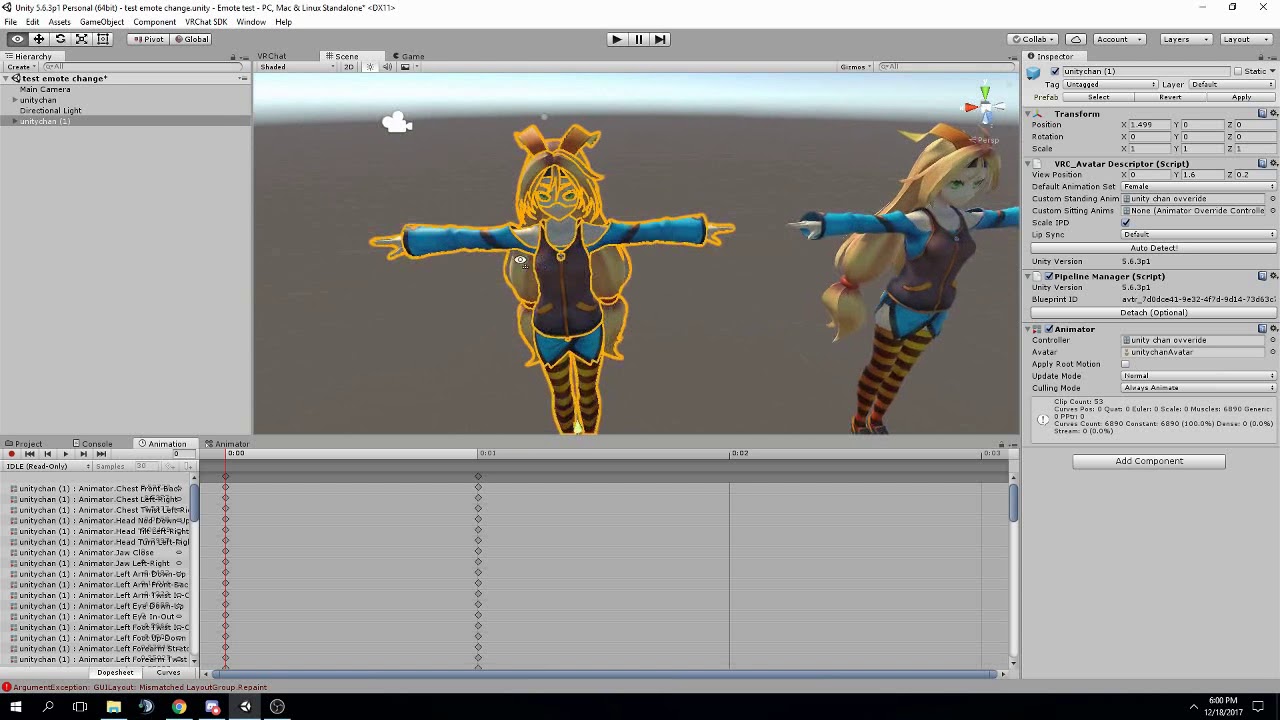
FAQ: 1. If you can't find the animator or animation tab go to window at the top and select animator or animation 2. If your character is going in the ground ...
muted prairie
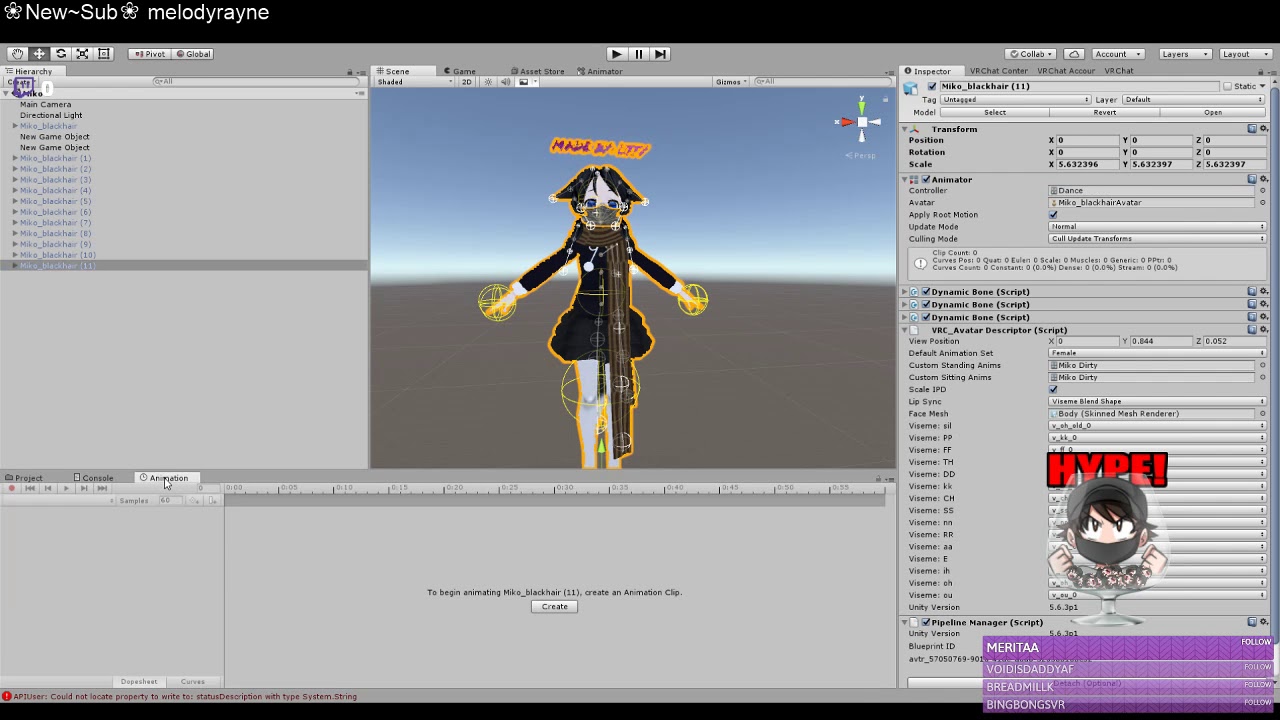
Vrchat dance https://www.twitch.tv/lowkeyliffy Discord: https://discord.gg/yq8vkMH If you have any other questions feel free to message me in my discord
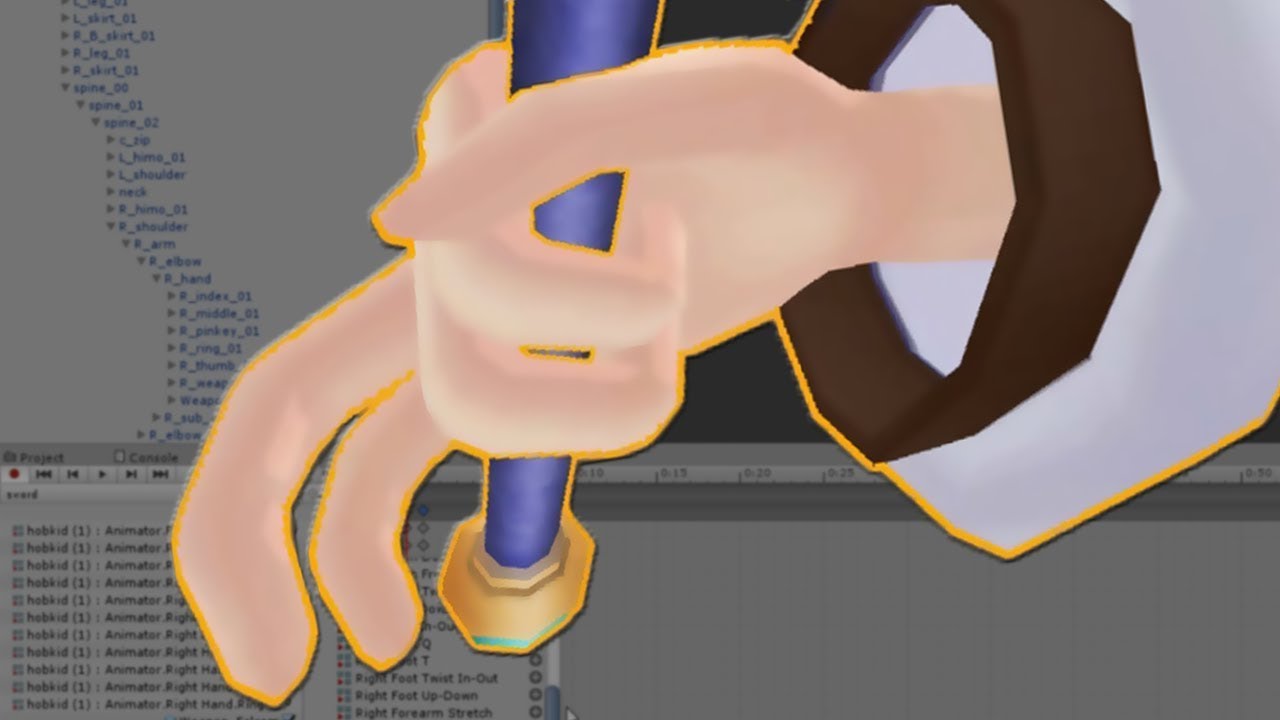
SUBSCRIBE, LIKE AND ALL THAT GOOD STUFF!! :D DISCORD ► https://discord.gg/vNyJgCX PATREON ► https://www.patreon.com/kunoleo
fallow rapids
thank you
marble thorn
@muted prairie i have watched some videos and it dose not alow me to add a single bone
muted prairie
you're most likely in the wrong mode or clicking on the wrong things
If you don't see a warning at the top of blender then you're doing it wrong
 copper whale
Get guys, so apparently my avatar does not contain an animator and won't animate in VRC, is there any way to fix this? I'm VERY rusty when it comes to unity, haven't edited a model in a while.
muted prairie
Is your avatar humanoid ?
copper whale
Yep.
muted prairie
Then i'm guessing it's rigged and weight painted, then you only need to add the animator component to the main model in your hierarchy
where the avatar descriptor is
copper whale
Question, I apparently have everything on the body, should I have it on the model itself?
muted prairie
yep
copper whale
So I have to take the animator off the model? or keep it on the model.
I'm a lil' confused, so sorry.
muted prairie
The main piece on top of your hierarchy is the model
Put the pipeline manager, avatar descriptor and animator on there
animator is a component, in which you'll either put your custom on, or non, in which case your model will get the basic animations from VRC
muted prairie
yep
 keen elm
any good Mocap for vive in unity?
muted prairie

pixivFANBOX
VR Motion Recorderをアップデートしました!
*If you need English instruction manual, please send me a DM on Twitter! (英語の説明書が必要な場合はDMください)
https://twitter.com/Maron_Vtuber
ダウンロードはこちらから!
Download here!
h...
keen elm
shame that i only know english
muted prairie
read the english part then 
keen elm
oh nice i thought only the 2018 and 19 unity supports mo cap with vr in untiy
Thank you @muted prairie for the link..it helped me alot..
 vernal crow
Does anyone know what the animation is called when you lay down on your stomach and having both palms on your avatar face while swing legs back and forth?
 dark cypress
Hello, I need to know how to do emote triggers. Enabling a game object by emote and it staying on till I disable it with another emote trigger
 mellow axle
Can sombody how is a little bit better than me help me?
SOmehow when im trying to make my birb/ a grave dissapear or reapear, my avatar destroy it self and it then "glitched" in the ground
i have this problem like 2 days.... and im since 4 days in untiy soo pls help
surreal crater
@mellow axle are you making the animation on the model it self or are you making it on a duplicate?
surreal crater
so if I understand this correctly your model is now stuck glitched in the ground?
mellow axle
should i try it on a clone an then use it on the model?
it just make it dissapear and reapear with a grave
surreal crater
I think your character is forced into a "A pose" when you do your animation
thats probably because you are not animating any bones
mellow axle
how can i stop this?
surreal crater
by animating the bones
but the thing is im not 100% sure thats the problem
im only used to like human animations and with a human I know how it looks like (the A pose)
mellow axle
mhm.... i think im gonna first try to animate a clone and then putting the Override on the original, if this not works im gonna try, somehow to animate the bones
surreal crater
would it be possible to show a clip or picture of how it looks like when its like in the ground with the animation?
that will probably help with resolving the problem
surreal crater
we could get in a call so you can show me it in unity if you want
that will probably be easier
mellow axle
gimme a second i hope this works now, when im finished
surreal crater
alright
mellow axle
😦
surreal crater
you wanna hop in a call? 😃
surreal crater
you're welcome! 😄
copper whale
So, I finished up on getting the animator working on my avatar, but now I can't click on the ' new avatar ' screen to give the model a name and description and upload to VRC, it's just not letting me click it.
 violet moss
How can I get a humanoid avatar's feet to stand still and not have IK in idle stance? i want them firmly planted on a vehicle
 hollow perch
@surreal crater when it gets stuck uploading, can you make sure unity is not paused (top middle next to the play button). If it is, try unpausing.
fierce bane
@violet moss honestly your best option is a fake set of legs to do that with and turn the normal ones invisible (shader is best bet)
clear yew
I have made a fading animation for my avatar, put it in a custom override template thing (to hands open) and placed it within my avatar descriptor, though in-game it doesn't work when I do that gesture. Am i doing something wrong? (first time doing this so apologies ^~^')
 bronze sail
does anyone here have a file of the torture dance from jojo?
Jameskii used one, and I can't find it anywhere
 round timber
quick question, the animation on the model is kinda spazzing out as if it wasnt sure of what position it is supposed to be. in unity it looks fine
 torn pawn
your frame 0 and frame 1 are not the same, delete frame 1 and copy everything from frame 0 to 1

 glass glacier
Good, never give up, never surrender ;D
feral pawn
;D
 echo glade
Are emotes on a time limit? How do I get around it?
 rugged mural
is there any solution that could be make animation time over than 1 min?
clear yew
So ive made this fading animation that I want to adapt to an avatar (Box used for reference), however when I do it doesnt play in-game at all (set to being a gesture) anyone know why?
fierce bane
@clear yew if that animation is directly on your gesture slot, that would be why. Gestures must be 1 frame only (keyframe 0:00 and 0:01 should be the same)
If you want a longer animation you'd have to enable an animator that has the animation using the gesture's single frame
clear yew
So have an animator with this animation in it, which also uses the gesture?
fierce bane
the gesture would need to enable the animator.
Animator contains that animation (might have to adjust properties to fit the changed path)
clear yew
Ohhh ok that makes more sense now
fierce bane
you'll need an edited animation file if you want to toggle animator behavior on instead of the object.
If you spawn in the tardis and the animation starts right away you'd be fine with just enabling the object
Remember animator has to be above (parent of) anything it animates
clear yew
So the animator as the parent of the gesture, put the animation into the animator and have the gesture toggle it on and off? (put simply i guess, apologies if im not following correctly ^~^')
fierce bane
animator as the parent of anything the animation touches
Do you want the tardis visible before you activate the gesture?
clear yew
Yeah, what I did is make two, one where the textures are opaque, and the other tardis that you see here, what Ive tried to do is that the two interchange when the animation is on
fierce bane
You don't actually new two for this, you can do a material swap from the opaque one to the transparent one and then animate the new material
the important part for what I'm asking, is if you want whatever you're animating to be visible before you activate the gesture, or only when you activate it
(because if the object the animator is on is disabled, so is everything below it...so it wouldn't be visible until activated)
clear yew
Yeah, I want the TARDIS to be visible
fierce bane
can you screenshot your hierarchy with the transparent one you're animating selected?
fierce bane
that...may have a lot more issues...
Generic rigs don't have gestures and there's no humanoid skeleton to rig (even if unweighted to anything)
clear yew
Hm..
fierce bane
also the other model you have in there wouldn't be applied to the avatar
clear yew
I do have an avatar (pfp) which has the same animation if that helps
It has a humanoid too
fierce bane
only things directly attached to the object with the avatar descriptor will upload with the avatar
your current setup shows only an object and an audio source, no armature/mesh
wait...you have an avatar that summons the tardis?
fierce bane
ok the tardis one needs a bunch of work to make it work correctly either way.
The humanoid model is probably just getting stuck on the gesture part
clear yew
Yeah thats what im guessing too
fierce bane
the tardis one as it's currently set up won't respond to gestures at all though. So it'll have a few other issues until fixed
the fading nanachi you'd need to put an animator on the body that controls the fading aspect and enable the behavior instead of the object for the animator
do you know how to copy/paste things from one animation to another?
clear yew
I believe so..?
fierce bane
select keyframe, ctrl+c, go to other animation, ctrl+v (assuming windows)
clear yew
Ah right
Im guessing ill also have to do the material swap aswell since there are two seperate ones
fierce bane
don't have a package file with this set, but you can drop this into your assets wherever. It's just an animation with the animator behavior component in it.
you can just copy the component and drop it into yours...though again you may have to edit the path for it...can't remember how this one is set atm
and yeah...you'd want to use a material swap whenever you can instead of a full extra model (which won't follow your IK unless you do other stuff which is also more taxing)
oh, to clarify, all that does is turn the behavior of the animator on/off instead of toggling the whole object (which would hide any children)
clear yew
Ohh right
Ok.. So reading this, I transport the fading animation over to this behaviour one?
Then do the whole animator gesture thing, along with the material swap?
fierce bane
or the other way
er....correction
that behaviour one would be your gesture that enables the animator
clear yew
Ohh
fierce bane
uncheck the box next to the animator in your hierarchy that will run your animation not the one in the top left, but the box next to the animator
and you'd probably want to put it on the body for a normal avatar (like the nanachi)
and have the gesture both enable sound, and the animator behavior
clear yew
Ok, just re-reading everything to try take it step by step so i don't mess up anything..(i'm one for not understanding and then messing something up so apologies for this)
Ok, i won't lie, this is confusing (tho i do guess this is advanced..) but im willing to try it..
feral pawn
@echo glade Emotes are on a time limit. However, you just make a gesture and it will allow you to go over a time limit.
 leaden merlin
oiii
feral pawn
?
 limber shard
Is it a good idea to make a gun firing animation loop? My logic is that holding the gesture will fire repeatedly, but I don't know if there are any issues I should be aware of.
feral pawn
I believe thats how firing the animation over and over works, however, depending how you have the gesture set up, it may cause the other gestures to break and do the same
got a pic of your heirarchy?
limber shard
The muzzle flash and audio source are parented to the gun itself
I tested it just now and it seems to work, but for some reason it flickers extremely fast for a second before looping correctly.
I could PM you a clip of it to show you what I mean, but I can't really describe it better than that.
 lime leaf
I cant seem to figure out how to put animations on avatars, any help?
clear flicker
watch a tutorial
 leaden rapids
You will need an overrideController, and assign it as AvatarControllerTemplate.
For animations used on the fly, you assign animations on Fingerpoint, handgun, handopen, rocknroll, thumbsup and victory.
(i don't recommend using any animation on Fist as it's bugged and it locks an animation upon switching to that avatar.
No idea if this bug exists on the Index controllers.)
For animations, such as dancing animations e.g fortnite dances, you put them on Emote 1 to 8
Then you drag this overrideController onto your avatar's avatar descriptor, where it says Custom standing/sitting anims, both of them.
For creating NEW animations , such as facial/blendshape animations, you will need to duplicate your existing avatar, and use the duplicate avatar as a dedicated animation avatar, (which you don't upload.)
Right click anywhere on the field below, select Create > Animation.
On that said animation avatar, you drag the new animation file you just created onto the Name of the animation avatar, and edit as you want. Then you drag the new animation file to the overrideController.
fierce bane
@limber shard make sure both of the keyframes for the gestures are the same. That's usually the cause for flickering.
leaden rapids
I guess you're really new to it, then.... yeah best if you watch a youtube tutorial
lime leaf
rip do u know anyone that could help? or can i send u the avatar and the animation?
leaden rapids
I don't know anyone and I don't have the time, sorry
 eternal sorrel
anyone ever found a way to run an image sequence on their avatar?
i wanted to do some projections for my avatar when i do some live covers for visual aid, but i cant seem to get anything close without either the c# script i use or the video player (both of which arnt supported on avatars.
does anyone know a good workaround that is supported by vrchat?
keen elm
what is a good way to make a smooth 360 roation?
leaden rapids
In the animation tab, go to the tab below where it says Curves.
The right click on the beginning of the line, and select Broken, and Both Tangents -> Linear.
Confirm the end line is the same.
 finite portal
Skirt and tail animation works in unity, but only for me in-game. Everyone can see the rest of the pose done using muscle editor though.
How do you animate tail bones and such for an idle prone animation, since I can't use muscle animation editor for those?
finite portal
oh yeah skirt has dynamic bone with force on them as well, but even that it not seen and skirt is still straight for other peeps
fierce bane
@finite portal those not seeing the dynamics probably have the dyn bone performance setting still on.
As for animating non-humanoid bones, just record rotating the bone instead of using MAE
 azure gorge
Can anybody tell me how to make use of .dat animations?
 quasi hinge
Sounds ripped to me!
azure gorge
is that bad D:
surreal crater
never heard of a animation that uses .dat
torn pawn
from where did you get it?
azure gorge
it was given to me from a more experienced friend
i can share it, but if it's not allowed i'd rather not get anybody in trouble
surreal crater
the only thing I can find about .dat animations are runescape animations with a quick search
azure gorge
or myself for that matter
surreal crater
so you can maybe convert it somehow
azure gorge
oh. can you show me the link?
 earnest lagoon
.dat is a file that’s used in several games and it can be used as any type of file (3D models as well for instance) it would help to know what game it came from
there’s no catch-all tools for .dat files unfortunately
@azure gorge
earnest lagoon
If it was made in unity then the animations would be compatible (in fbx format at the very least) 🤔
.dat seems odd.
What’s the game, I can see if there are any tools that can manage it
azure gorge
I kinda was late to realise that animations would be kinda pointless on a head mounted display
 nocturne yarrow
is it possible to play sound on particle collision?
 modern urchin
Is there a guide to importing / adding animations to a quadrupedal creature such as Eevee? There's an avatar world full of every pokemon, but can't for the life of me do the correct steps to get them to play animations.
earnest lagoon
@modern urchin I’m not sure about the avatar world but for quadrupedal/non-humanoid creatures, you need to animate them yourself and apply the animations to a simple animation controller and plug that controller into your avatar. Then make sure the avatar is set to generic and not humanoid
However, generic avatars are kinda broken right now. With the current Network IK system, it doesn’t send the movement of generic avatars over the network, so no one will see the animations (outside of the idle animation).
modern urchin
That's what I was messing up, I was under the (wrong!) impression that it must be Humanoid. The animations being seen by others isn't a big problem, but hope that gets fixed, thanks for the help!
 rustic mesa
when i use a custom prone animation, it acts as a normal idle position on the "new avatar" part of the sdk
should i be worried?
rugged mural
is anybody know that how do i make an animation with recording function?
 verbal kestrel
Is it still possible to "spawn" static objects using animations? And if it is, where would I go about learning how to do it?
I've read some stuff about rigid bodies and joints but I havent found a good explanation of it.
 white herald
@modern urchin old tutorial still works https://docs.google.com/document/d/10BuA_ybyXSSXqXuf6cDyPm52VIpqptgyvuRaphcYH0M/edit

Google Docs
Advanced Avatar Creation: Making Non Humanoids This tutorial was made using Unity Version 5.6.3p1 This tutorial assumes you already have the current SDK imported and knowledge of how to upload a basic avatar. You will also need an avatar you wish to upload as non-humanoid w...
not sure why they deleted the tutorials channel but that used to be pinned
modern urchin
thanks!
marble thorn
how do i make a mesh disapear?
 steel inlet
Is it possible to play a gif during an animation?
Like how some animations change the materials on an avatar. can a material be a gif?
fierce bane
@marble thorn if you want a mesh to be invisible, either turn off the mesh renderer, or swap the material to one using a shader without rendering.
marble thorn
in an animation
fierce bane
@steel inlet same method, swap between multiple materials with images to make a gif. We can't use any other components to do it the normal way like video or sprite sheets.
You could use a sprite sheet as a texture and a single material, and shift the offset to display different parts of it with an animation as well.
steel inlet
so... the complex way i didnt want to have to do. got it
fierce bane
I mean definitely more complex than just "plug gif here" yes
the second method listed is probably the best way...on performance, importing, and sanity
you can just find a gif to sprite sheet converter and then just make the animation to swap between the offsets at regular intervals.
@marble thorn yes...either of those methods work in an animation
 ionic nova
@steel inlet spritesheet texture with flipbook shader from github, for sprite sheet - sony vegas with export frames as .png + any sprite sheet generator, you can't also sync it with audio
 vocal crater
Anyone know why custom animatinos for walking dont show up if your avatar isn't humanoid?
Im trying to have my Strider/Tripod/Three legged avatar to show of it's animations when walking but they're not showing for anyone but me alone
marble thorn
Can someone please teach me particles
clear flicker
Google dot com can
marble thorn
k
fierce bane
@marble thorn https://www.youtube.com/watch?v=FEA1wTMJAR0
Basics video, after that play around with them and ask specific questions

Udemy: http://bit.ly/BRACKEYSMEM Everything to know about the Particle System in Unity! ♥ Support Brackeys on Patreon: http://patreon.com/brackeys/ ● Learn m...
fierce bane
@marble thorn same way you turn everything else on, disable by default, enable object in animation to enable.
The only difference is when you want to do something that leaves them in the world when you let go of the gesture. In which case it's on by default, and emission is disabled/enabled instead. Usually want burst emission for those though.
 lone venture
Very quick question - is it possible to have gradual gesture overrides (for example, a gesture that changes in multiple frames and stops looping once it reaches the end) or do we have to stick with single frame gestures for now?
clear flicker
It's possible yes.
lone venture
Is it possible to change textures or at least the UV mapping with gestures as well?
lone venture
Ah thank you
 buoyant dove
hi i need help so i animation i move that finger snap back was
 crude aspen
So why exactly can't I have multiple audiosources?They are not playing at same time and first one is disabled before using second audiosource.
Only first audiosource plays
torn pawn
you might as well make them as one, audacity is free
unless there's a need for them to be seperate
crude aspen
Sadly not an option, two seperate songs
torn pawn
why do u want them to overlap then?
crude aspen
I don't, they don't play at same time.
The second song never works.
I think old avatars still work so maybe there's a solution to this if audio wokrs without the new spatial audio script.
fierce bane
@crude aspen You're saying they won't play at the same time. Does it play one song, then the second one? If so then you could just merge them into one long audio clip instead.
If you want to play multiple audio files through different gestures or something they should work fine.
You should be able to use multiple audio files though. Make sure there's no script attached to the audio sources and that they have the right clips in them.
I've got an animation that has a looping audio and 3 other timed audio effects to it, so you definitely can use multiple.
Unless you're cutting off the audio, there's no reason to disable it at the end (you just set it not to loop)
crude aspen
I enable audiosource on gesture to play it. It only works with first audiosource I added. I have seperate song on another gesture. So it will work without spatial audio source script? I thought it is needed.
fierce bane
no it's not needed, VRChat uses it's own version
make sure to check the settings of the audio source as well, make sure the clip is set properly and all that
crude aspen
I read something about needing the new one after the recent update, guess my memory is failing me.
crude aspen
Well okay that explains it then.
Uh the sdk force adds the script whenever you even click on build control panel.
Do I really need to downgrade?
If that even is possible if the downloads for older versions exist
fierce bane
no you shouldn't need to, if it force adds it then leave it as is
do you have the master mixer assigned under the audio clip?
crude aspen
Nope
fierce bane
do that and see if it works properly
crude aspen
I'll test quickly with the force added spatial audio script
Good thing you can disable future proofing for easier testing
fierce bane
yep, no point to leave that on at any time
crude aspen
Welp still nothing, mixer did nothing nor having the default force added settings. The first song only works, everytime
fierce bane
you're sure the audio plays correctly? Have you tested it in play mode in unity?
fierce bane
did you make your own mixer or use the VRCSDK one? It's usually named spacializer mixer, not what you have. Not sure if most recent one changed it, but it doesn't seem right there
not actually sure if the mixer is required, I've just used it since the beginning >.>
fierce bane
it should just say "master" when you hit the circle next to the output, just make sure it's under assets
might have been changed in the new versions though...possibly replaced with the script
 gritty elbow
@vocal crater believe that's a bug atm with nonhumanoid idle/movement animations, can only be seen by u atm :/
fierce bane
You are correct, the info needed for others to see it isn't transferred with the networked IK, so they're local only atm. (I also answered them in the other channel they posted in)
 molten plover
 muted prairie
impressive !
molten plover
ty 😄
 raven oyster
I have a dance animation (loop) with a 2 minute song onto in which I would like to have on a emote. I have gotten it to work but as the dance loop have gone through 1 loop the emote stops, any fix on this?
Do I have to copy paste the dance keyframes until it hits 2 minutes?
muted prairie
Did you enable loop time ?
fierce bane
If you're enabling the song in the same emote, then yes you have to copy/paste the keyframes to keep it going.
If you're using the emote to turn on an animator and the sound, you can set the dancing animation to loop.
If you only loop the emote animation (and it enables the sound too), then when it loops the song will likely reset as it disables and enables the audio again
Ruuubick, you don't happen to know if the gesture system was changed slightly on purpose or by mistake do you?
Fist used to have a scaling gesture depending on how it was held (and I used that for a few things), but it now only goes about 20% before snapping to full.
raven oyster
I did try having it disabled and enabled on two different uploads, no difference. I will try what u said, thx
raven oyster
copy pasting keyframes takes forever since unity is slow af but I finna just put them on gestures for now
fierce bane
just be aware gestures can ONLY be a single frame (0:00 and 0:01 keyframes). To put an animation on it, you need to enable an animator instead (and usually a duplicate avatar inside the heirarchy, not like an animation dupe)
raven oyster
Yeap, I got a gameobject where a dummy spawns in with a animation controller onto it
and music
fierce bane
alright, just default the music object on instead of enabling it in the animation if you want to loop the animation.
also set the animation to loop
raven oyster
yup, using combined gestures:
                 -parent (activate object) (ex. thumbsup)
                    -child (activate effects) (ex. fingerpoint)
so I did the emote tutorial with the empty game object but i can't upload my model cuz it seems like it's also adding the specification of the model inside the empty game object which makes it go ! red circle, in the video it doesn't? is this method not working anymore or am i doing something wrong here?
vocal crater
@gritty elbow @fierce bane Any idea if they will/planning on adding/fixing this animation issue? it really sucks we can't have custom animations just because the models aren't humanoid...
 verbal warren
is there someone in here who could help me with an animation problem ( I'm trying to make a gesture to scale my avatars bones but I either get an aabb error or I get the warning saying theses clips are humanoid and are bound to model name and the model is rigged as a humanoid)
raven oyster
I'm having this problem where my emote animation stops after it has been playing for around 30 seconds. the animation clip lasts for 200 seconds ish
but it just stops in the middle of it. any ideas?
verbal warren
emotes cant play past 20 to 30seconds by default but you can use hand gestures to get around that ( make a model with the emote animation you want to use and put it in the main model hierarchy and then make a gesture with the main model's body disabled and the model you want the emote toggled then add it to a hand gesture )
raven oyster
I've done that but I've seen emotes lasting longer than 20 sec before O.o
verbal warren
they are probably using a toggle system for it of witch i dont know how to make ( apart from making items toggle from the emotes as if it was a backpack )
 teal oasis
Could someone help me to set an equalizer for a character?... that's just always on with a low music
 fading bobcat
i need help with crouchidle animation i have a custom sitting animation and i wanna put it on my crouch,but it doesn't work,it worked on proneidle but the problem is that the view point is down below and i can't see anything
fading bobcat
oh do u know how can i move my view point up when going prone?
marble thorn
any one know how to hide my avatar with animations
raven oyster
disable body
marble thorn
k
clear yew
Hello so I'm making an animation that spawns a box with a bunch of pictures in it (I made the box out of a ton of plane objects then set their textures out of photos I had) but when I spawn the box in game it moves when I move and when I turn it rotates so I can't look around
I just want it so when it spawns in it doesn't move
earnest lagoon
@vocal crater I think they’ll work on it eventually. I’ve searched back on this discord and Tupper had said that they intend to fix it. It’s just a matter of getting it to become a priority. (So unfortunately I think humanoid avatars might come first)
raven oyster
@clear yew I'm looking for the same solution lmao
clear yew
F
earnest lagoon
I’m not sure how to implement it myself, but maybe you’ll want to look into something called a “fixed world joint?”
raven oyster
ye that's what I've used on some of my avatars, but others say it moves when I move (think it is client side)
earnest lagoon
I wouldn’t know ^^’ I’m sorry! Someone else here might though
clear yew
I made a gay cage 👀 but it moves when I turn my head
clear yew
What is that under
clear yew
It's in the inspector but what are you using as your base
I'm just using an empty game object
raven oyster
I got a game object with dance animations in it
added fixed joint onto that gameobject
clear yew
Mine is a game object with 110 3d planes attached
raven oyster
110?! xD
raven oyster
lol
clear yew
The ultimate gay cage
clear yew
Alright lemme know how it goes
earnest lagoon
Could you at least make sure they share one material?
Else you’re just going to crash a lot of people
clear yew
Yeah I solved that
Because it was taking too long to load in
Also every picture us 20 kb or smaller
Is*
earnest lagoon
👍
raven oyster
@clear yew
this should work
make an animation clip where it scales 1x1x1 on a 1 frame
drop it onto the gameobject
clear yew
Ok I'll try that I also talked to someone else who said just parent my game object to the body mesh
Ty
 lyric spear
hey, few questions abou avatar animation. firstly, besides blender assuming its the best whats the next best software for a beginner to use to animate? i have actual animation experience mind you, but im comming at 3D from a beginner position.
Also, if i have .anim files i ripped from a game, what does it entail to apply those to an avatar and play them out in vrchat? from my understanding, all 3D model animations should be is relative position/transform properties over a timeframe
clear yew
Let's say I want an object to float around me, does that cause lag for others ( a little or a lot) ?
fierce bane
@vocal crater Can't even guess.
They could see it as an important bug, they could see it as an unimportant feature, or anywhere in between.
I don't want to discourage you from avatar making, but in more than a year the only thing avatar creators have gotten was seats (and technically an unlocked poly limit, but most of the community was doing that anyway one way or another).
And we've had restrictions placed, or features removed repeatedly.
It doesn't really seem like they care at all about avatar creators. World creators on the other hand I've seen get a requested item fulfilled in a week at times.
It's still fun to create and to show things to your friends, make them laugh, etc. For me it's getting discouraging to keep losing things and not see any care for avatar creators at all...
white herald
@lyric spear some people use muscle editor plugin for unity, blender is still best. to import animations as humanoid, you export the rig+animation to unity, unity converts both to humanoid, can then apply to any humanoid avatar
lyric spear
ah well that good, i can keep using what i already have
earnest lagoon
@lyric spear when you have animations ripped from a game, there is no catch-all answer as to how to get them applied to a rig. It usually comes down to importers and way you can get them into blender using plugins. But if you can get them into blender, just export as fbx and they should translate into unity just fine.
But assuming that you have to keep the model’s original skeleton in order for the animation to work, it’s hit and miss as to whether or not you can get it to conform to unity’s humanoid standard.
The original solution (for when it didn’t conform) was to set it to generic, but if you read Himeki’s message above, generic avatars are currently bugged and we don’t know when they’re going to be fixed.
lyric spear
oh, so its not a matter of just even like manually assigning the definitions
so, if the skeleton is more or less the same for either that worst case it would just be a matter of making sure the animations are applied to each given bone
i dont know what animation is like so i wouldnt know how it works, but from the sounds of it, it seems that its a bit complex and pointless to try manually fixing anything if the importers cant do it automatically
fierce bane
if it's not walking/idle animations, you CAN make a duplicate animate for dances, or other certain animations
earnest lagoon
The importers should apply them if they’re good
The problem is getting unity to accept the rig
If you have 3DS Max there are ways to map animations from one rig to another, but that can give questionable results
@lyric spear can you apply the animations in blender?
fierce bane
Unity's "humanoid" animation system is different from other animations that are just translation/rotation. It uses a separate animator system that acts like there are muscles which is the difference from other animations in unity.
Generic or duplicates can be animated since they aren't bound by IK and humanoid forced-setup
(still the issue of generic only registering locally, trust me I feel that pain...I've got walk cycles etc I've made)
lyric spear
im starting at level 1
ive never applied animations before
or done anything like that in any 3D environment
sorry if i didnt emphasize that more
i just figured this would be a good learn-by-doing opportunity
earnest lagoon
Oof I know that Himeki😭 all of my avatars with their hand-made animations broke
(Question for you @lyric spear )
What is the game you ripped the animations from/what are the model and animation formats?
fierce bane
gif is badly looped, but yeah...it sucks not having proper generics....or at least custom humanoid rigs...we could do it our self that way
earnest lagoon
I could’ve had Bepis
fierce bane
that's actually the first version...updated one has a slight bounce to the steps and stuff
earnest lagoon
Still nice work!!
fierce bane
Looks pretty good, a suggestion for your future stuff there, move the root around to keep the feet in place when they shouldn't move. (otherwise it slides around strangely) Or rotate the legs to keep the feet in place if they should be.
also if you're not using them, IK followers are super helpful for setting up animations, just have to pull the follower around to move the bone chain.
earnest lagoon
Oh this one was ripped from Bloodborne
I do have gifs of the of the first ones I ever worked on though
(Sorry for the horrible quality my computer is a potato at recording sometimes. Hence me just holding my phone to it pfff)
fierce bane
ah ok, maybe they shift the position or something...
yeah that looks pretty nice (minus the potato of course)
earnest lagoon
Thank you though TuT
I had never animated anything so I was just kinda eyeballing movements. I know the sway needs some work
The fur was meant to have dynamic bones though hence why it looks stiff in blender
I made the skeleton from scratch (the weight painting was an absolute nightmare for a beginner lmao) but I’m still pretty happy with it. May go back and tweak it here and there at some point
But yknowwww.
The network IK broke her for now ¯_(ツ)_/¯
fierce bane
oh yeah weight painting is always tedious too...I don't think anyone likes it
earnest lagoon
With her fur...it was...a NightmareTM (you can see it get screwy around her shoulder because I had gotten so fed up with it)
fierce bane
I'd gone through an entire arm on one model, zoomed out and just stared at the model for a bit thinking "do I really want this enough..."
earnest lagoon
Ahbzhd oh I feeeeel
And you hadn’t even gotten to the fingers yet huh?
fierce bane
no I started from the fingers
earnest lagoon
Oh lawd
fierce bane
Mr. Torgue from borderlands...and I really just needed him for an animation
his bulky arms had a level of muscle compression and everything...because my mind won't let me half ass stuff
earnest lagoon
Oh gosh.
Yeah sometimes you just gotta think of why you’re doing a lot and decide if you really do just dislike yourself that much XP
fierce bane
that animation could use a bit of neck/head centering too btw, keep the head/neck/body less woodenly attached
earnest lagoon
Oh yeah I don’t remember how it got moved off center
fierce bane
have to counter animate the neck/head (or IK follower to help lock it)
since it's attached to the body
earnest lagoon
Could I just remove the position data that got keyframed in via the dope sheet?
fierce bane
it looks like you animated the hip/body, so nothing should be in for the head since it's just following it locally
earnest lagoon
Welll about thaaaaaaat
The tutorial I was following (for some weird reason) had you select the whole rig each time you keyed in. (Which I know now is a logistic nightmare) buuuuut I def didn’t know then absbbdhdv
Cause this was the first thing I ever animated in blender.
I certainly know more now. So I wanna revisit it eventually. There’s just not much incentive rn with the netIK and all
fierce bane
yeah I know the feeling...the loss of the fist being able to partially do an animation also killed some want on top of the other stuff...I had a tail curl on it that I could partially curl around for example
so it would blend between idle state and the animation state depending on how far you pressed it...now it only goes to maybe 20% before it overrides with the animation
earnest lagoon
Uuuugh That sucks
I have a toothless the dragon avatar that I can fly people around with, but they don’t see his flying animation.
He just kinda floats around with his idle
vocal crater
@earnest lagoon I hope they do work on it eventually, unfortunately every update has just been breaking more than it fixes
earnest lagoon
Lawwwwd I knooooow
I was so bummed when someone mentioned that my avatars were just sliding around and I learned what was going on.
I’ve tried so many way around it but nope! Genetics be 🅱️roke
clear flicker
Are they set to humanoid
vocal crater
@earnest lagoon the only way i got around the moving animations is with hand gestures
so if your flying animation is on a hand gesture it can do the trick
clear flicker
You could have a fake humaoid
vocal crater
you could
clear flicker
Have the rig and a mesh over it with custom walking anims
vocal crater
it takes a lot of messing around
clear flicker
Absolutely
vocal crater
unless i'm a dum bum and i dunno what im doing
earnest lagoon
I’ve tried hiding a humanoid rig in my generic rig, but it breaks the animations
vocal crater
yeah :/
earnest lagoon
But yeah if you had a fully humanoid rig you can re weight paint it to your mesh
vocal crater
it's either, you want your walking animations or a working avatar
earnest lagoon
Problem is, I’m using animations taken from a game. So I need the original skeleton
Yeah exactly
vocal crater
yup
earnest lagoon
You said you got something to work on a hand gesture?
clear flicker
You can use both rigs at once you know
vocal crater
and just beacuse my avatar isn't humanoid the perfomance is automatically Overall Bad
clear flicker
You don't need to delete the game rig
clear flicker
Not only
earnest lagoon
I’ve tried attaching a humanoid rig and the animation plays with the generic skeleton.
But once I set the humanoid rig to humanoid, it breaks the animation
clear flicker
You'd have to do some tweaking
earnest lagoon
How so?
@vocal crater I never got gestures to work lol
So you’d create a second “avatar” that’s disabled by default yet enabled once the gesture is performed? And replace the idle animation with sayyy my flying animation?
(But what about that but where you have to add a single keyframe with unity’s animation system? I thought unity’s animation system only worked with humanoids?)
fierce bane
@clear flicker but non humanoid parts don't animate during humanoid walking animations...so you're still stuck even with a fake humanoid skeleton
earnest lagoon
Then by that logic, what’s keeping the “extra” bones (being the generic rig) from working?
Too many “extra bones” ? Lol
vocal crater
everything has bones, hair, tails etc
earnest lagoon
Exactly my point
vocal crater
but you still need the right amount and in right pose to make a t pose
quasi hinge
tails have an extra animator on them.
vocal crater
omg another Scruffy hahah
fierce bane
wagging tails have an animator placed above what you want to animate in hierarchy...so say you have a "tail root" bone you'd put it on that, and animate the first bone after it on
and no you can't add extra bones for humanoid
you can add bones, but they won't be part of the animatable humanoid rig
earnest lagoon
Yeah I assumed that’s why my silly plan never worked lol
I still don’t get how that gesture method would work though
Because of that single keyframe you have to add w/unity’s animation system that only takes humanoids?
clear flicker
@fierce bane you can't do custom walk animations on humanoid anymore?
Ah I just read it
Gotcha
fierce bane
as far as I know you can't use gestures or emotes on a generic at all
vocal crater
they work for me
¯_(ツ)_/¯

here i was burning my friend with a gesture
and they always see it
earnest lagoon
:U
vocal crater
really proud of this one ^w^
earnest lagoon
How do you get the mechanim to cooperate with a non-humanoid though?
fierce bane
@vocal crater did you apply a controller of some kind to the avatar and use the overrides?
earnest lagoon
Generics work with the override controller
fierce bane
wait...since when? I'd tried a simple toggle light gesture (among a few others) a while back and it wouldn't enable on generics, worked fine setting same avatar to humanoid though
quasi hinge
It's only moving animations that don't work right?
vocal crater
moving don't work, and yeah i beleive i did yes ^^
fierce bane
you cannot have walk, run, airborne, etc. I think idle technically works still?
earnest lagoon
The override controller works, idk about all the functions on it though
Cause you need the single keyframe in the mechanim for the gesture trigger or smth , but the mechanim won’t open for generics
Which is why I’m wondering how Mati got it to work
vocal crater
idle
fierce bane
but you'd always be in the idle
fierce bane
true...and that'd work fine if something floated technically...
if only we could say "these are my hands, this is my head" and link tracking
even if it went screwy due to lack of proper IK
earnest lagoon
Yeah I guess it would work if toothless was constantly flying lmao
fierce bane
I mean...flying while not moving would look weird...I meant more like magical hovery flight
earnest lagoon
Lol I was just being cheeky
Hovering definitely though
fierce bane
or eyebot scifi hover...whatever
vocal crater
you can give toothless a normal idle animation on ground
earnest lagoon
Yeah he has one
vocal crater
and then apply a hand gesture that changes his pose to flying
fierce bane
so you're saying just dropping the override controller in the sitting/standing slots on a generic works?
earnest lagoon
Yes but how did you get the trigger keyframe to work?
fierce bane
or are you saying animation controller instead?
vocal crater
not sure what you mean
fierce bane
he's asking how you get the gestures to work for generics
fierce bane
avatar descriptor/animator pic if that's involved too please
earnest lagoon
Every gesture tutorial I’ve seen has you add in this single keyframe
(This was a screenshot of a tutorial so sorry for the quality lmao)
But that menu won’t open for non-humanoids
fierce bane
why would you add just a single keyframe for a gesture
you need 0:00 and 0:01 for it to work properly
earnest lagoon
But it still has to be done in that menu though, yeah?
fierce bane
and you can always open that on a generic...you just edit the animation for it
vocal crater
earnest lagoon
Ahhh it’s the setup in the inspector yeah?
vocal crater
yus
fierce bane
you make animations the same was as normal moon
@vocal crater so how is your controller set up to allow gestures?
vocal crater
I just drag and drop them in the inspector here
and they just work
not sure if i have a custom override maybe?
fierce bane
not the overrides...the controller
vocal crater
sorry not sure
fierce bane
how is it set up, or where did you take a duplicate from?
a normal humanoid has that slot blank, so it's not just the sitting/standing overrides
vocal crater
well i believe i've been using the one that came with a pen marker i got ages ago, and i've been duping that one ever since
fierce bane
that part's kind of important for why things work >.>
fierce bane
that doesn't help if we don't have the package that contains that stuff
vocal crater
I know but if this is the reason I could try finding where i got it from
fierce bane
if that's the one you're using, you can export and upload it
vocal crater
I'll see what i can do, i'm going to work right now, so i won't be here for the next 10 hours sadly
this might help to find the original tho
earnest lagoon
@fierce bane https://github.com/theepicsnail/Marker
GitHub
VRC Marker for presentation room like drawing anywhere - theepicsnail/Marker
vocal crater
yeee
earnest lagoon
❤️thank youuuu
Cause uhf I just got the animations from my favorite game to work just as NetIK breaks them lol. Hopefully my dummy self can get this to work.
fierce bane
package last updated a year ago...won't even import
earnest lagoon
Made for a different unity?
Try taking the contents of the folder instead?
Instead of the actual package
fierce bane
looking back at his screenshot, the controller he linked was the override slot controller...not the animation controller, and it looks like they have a full humanoid override (so not a customized generic controller). Things not adding up so doubting it being a generic too
vocal crater
Aah shoes.... ill export it when im back home
clear yew
@raven oyster why do you have an animator on your game object?
raven oyster
u dont need it but it's just to make sure it's scaled correctly
clear yew
🤔
Just tried mine and it just flys all over the map
Hmm
I'll solve this when it's not 4am
 languid gull
Is there a pack somewhere with all the animations that VRC uses? So I can preview them in unity or make copies to edit for overrides.
I tried looking through the SDK and youtube only shows me override tutorials
 mild jolt
Can somebody help me? I've got an issue with an Avatar of mine.
I ripped the model from a game so its eyelids are closed by default, but I also got the idle, walk, run etc. animations which are supposed to keep them open. However, when overwriting the animations the eyelids get completely ignored and they stay closed, plus all my Visemes seem not to function aswell. When I remove the Animation Override completely and leave it to the default animations the Visemes are working again.
Is it possible to have Visemes + Custom Animations in the first place? And if so, how can I fix it? Plus the previously mentioned eyelids.
fierce bane
@mild jolt Yes you can have visemes and custom animations, make sure the jaw bone is not mapped in rigging, make sure the visemes are applied in the avatar descriptor.
Also make sure you have 4 shapekeys at the top that move any vertices a tiny amount to prevent it trying to use another shapekey to blink (they can all be the same, just need to be there).
If your eyes aren't opening, might as well see if there's a shapekey for them to open and just set that to 100 in unity (or shape propagate it in blender)
mild jolt
Does it have to be a blink Shapekey or does an animation work aswell? I just created a Blinking animation
fierce bane
has to be a shapekey if you want VRC's blink
You can however put an animator on something to make a blink animation...depends on the animation setup though
whether you use vrc's blink or not, you need the first 4 shapekeys to be blink or (mostly) empty blink
mild jolt
So I just need to create an "empty" shapekey named "blink"?
mild jolt
I think I have another explaination why the Visemes are not working when using the custom animations. Like I stated before, they are all ripped from another game, so maybe I have to delete all keyframes of the mouth bones. Although I see no point in doing so since the mesh gets manipulated directly, not over the use of bones and keyframes.
fierce bane
@mild jolt you need 4 empty shapekeys, the name doesn't actually matter, they just have to be the top 4 shapekeys in the list (after basis)
They can't ACTUALLY be empty however because Blender (or Unity...too tired, can't remember) deletes empty keys.
So you move any vertices just a tiny imperceptible amount and they'll count
mild jolt
I see.
fierce bane
Also if you have keyframes shapekeys for the visemes they should work even if the animations are moving bones...they may act weird, but they'd still work
mild jolt
Yes, but the weird thing is when I don't apply the Override Controller the visemes were all working fine
mild jolt
It was just when I added the Animation Controlelr when the visemes didn't react anymore
And yes it's humanoid
fierce bane
animation controller or override controller?
mild jolt
the one with the + sign
mild jolt
yes
fierce bane
and do the components in the animations say "animator." before them? (not exact, don't have it up)
mild jolt
what components?
fierce bane
if you select an animation and open the "animations" window you should see a list on the left
those are components, the pieces of the model that are being animated
a screenshot of the animation window would work too if you have one selected
mild jolt
I found them, they do all have "Animator." in front of the bone names
fierce bane
should be fine animation wise then
mild jolt
hold on, I did something, I don't know what I did, but now it stopped working
Hmm, everything works fine when I select the model itself in the Project Assets and view the animations in the "Animation" Tab. but clicking on the animation itself, although it's within the model, shows it with the closed lids
I found the mistake, I renamed the animations because they all had "a|" in front of them. This may have corrupted something.
For whatever reason Blender exports the Actions with the Armature name
and I named the Armature "a" because of that
I forgot to mention, I used Blender 2.80 for this, because the model I extracted were the parts of the custom character from Sonic Forces, and the provided tools converted animations in a FBX format only Blender 2.80 can import.
Of course I could have saved it and continued on 2.78/2.79 but I wasn't thinking.
The meshes themselves were simpler to convert and used in 2.78 without further ado, but the animation format was far more complicated.
Update on the rename thing: I was mistaken again. It already stops working by just changing the Rig from Generic to Humanoid. When I change it back to Generic the eyelids open again.
fierce bane
2.79 is what I use, can't help on 2.8 differences though
generic probably won't work since the animations were humanoid ones, and would break a lot of other features
mild jolt
After a bit of research I learned that Unity's Humanoid Rig simply discards facial animations. So there is nothing I can do about it.
fierce bane
You can either copy the keyframes that keep the eyes open and put an animator above them (and fix the pathing)
Or you could convert them to shapekeys in blender (CATS should be able to convert pose to shapekey for you) and you can shape propagate to the others with the eyes open, or just set the shape keeping them open to 100 in Unity to set that as the default.
mild jolt
Changing the blink BlendShape to 100 is simple enough, but my concerns are more at the failing Visemes that function only when I use no Override
fierce bane
Oh....Oh the facial animations....Unity uses specific bones in override animations , and if they aren't part of the humanoid rig, it doesn't include them (eyelids aren't one, but eyes are)...didn't even think of it...
can you screenshot your setup with the override in. The avatar selected with the visemes and animator visible?
@mild jolt ⬆ had to go for a bit, forgot to tag.
mild jolt
Does this do?
The only problem I have is that the Visemes don't play when using the Override
fierce bane
@mild jolt remove the override controller from the top section, animator
it should only be under the descriptor's custom standing
mild jolt
When I move the Animator under the Descriptor it loses the prefab connection
fierce bane
dont MOVE the animator, REmove the override controller from the animator section
@mild jolt this, click the circle on the right, select "none" (scroll up if you have to)
mild jolt
I did

 sharp pewter
Im probably stupid but how do I make animations stop when I activate a different gesture? They keep going even after I go back to the default gesture and then another. Only way I can reset it is by rejoining the world.
 keen folio
Hey, I have a toggle button (OnInteract) that activates a series of animation controllers opening a series of doors on a space ship. I also have a set of audio that plays correctly when I open the doors but it plays in the wrong order when I close the doors. What is the best way to play audio in different orders depending on whether the doors are open or closed?
Just found a way to add sound triggers to animations. That may be the way to go...
 grand dove

works with pvp maps and world objects and I know I used bandicam but im poor soo ye
 vast pagoda
hi how do i animate
 final wind
With Willpower
verbal warren
Anyone here know how to make a hand gesture animation that scales the bones of a model when I tried to make it I kept getting an error saying something about the clips are humanoid and they are bound to model Name but the thing is its a duplicate of the main model so the bones are still the same for both
white herald
make the duplicate generic
 vale saffron
anyone know how to add a marker to your character

Hello, as promised, this is the updated method for drawing in VRChat, courtesy of Snail, and his Snail Marker. Repository Link: https://github.com/theepicsna...
i tried this but didnt work
grand dove
There's another way of doing it even with custom colors and texture
I'll make a tutorial on that as well after work
 grim mortar
how do you get 2 animations to work if they share the same shapekey? every time i upload one works and one doesnt
there hand gestures for the face
grand dove
If it's a viseme it won't work if it's being used for talking
vale saffron
cool thanks @grand dove
grand dove
sorry ren is ganna take some time to figure the build is tricky since im new to that ideal
grand dove

Link to the Snail Marker package: https://github.com/theepicsnail/Marker Link to the Muscle Editor I used in the video ($15 USD): https://www.assetstore.unit...
try this guy not sure if itll work but is about what i would do
 flint sandal
Since the bounds size is limited this doesn't work.
Here's a reddit post on it though.
https://www.reddit.com/r/VRchat/comments/a9brs0/tutorial_fix_for_snail_marker_bounds_issue_very/

reddit
10 votes and 0 comments so far on Reddit
grand dove
I know there's a way to make particle trail thing but can't just pause drawing so it's like writing in cursive but I'll still fiddle with it to see how to drop and add new particle
 late whale
Is there a way to slow down the speed of an animation without editing every key frame? It's an animation for an emote
grand dove
There should be a timer set on the side not in animation tab
 proper hedge
@late whale you can set the speed of an animation clip in an animator
late whale
oh thanks
fading bobcat
anyone know how to convert .vpd file into unity http://seiga.nicovideo.jp/seiga/im9470432 im trying to get this pose but its in .vpd

ニコニコ静画 (イラスト)
ご覧頂きありがとうございます。拙い出来ですが、使えそうなものがあればどうぞご利用くださいm(__)mDL先 https://bowlroll.net/file/203099パスワードはぱすです。・モデルを改変しています。・上半身2ボーン、親
sharp pewter
Can anyone tell me how to make gesture animations reset when I stop using them?
clear yew
yo, is StrafeLT145 northwest, or southwest?
fierce bane
@sharp pewter make sure the gesture's animation is only 1 frame, keyframes on 0:00 and 0:01 should be the same.
sharp pewter
@fierce bane I'm trying to do a longer animation, not just making an item appear
fierce bane
@sharp pewter Then you need to enable an animator that does the animation. A gesture can ONLY be a single frame.
clear yew
https://file.house/V6NR.webm
beautiful
fuckin hate that theres no good way to fix incorrect z rotation from inside unity
 cerulean frost
Hi, got a question and can't find an answer anywhere. I want to do a dance animation with 2 models triggered by emote 1 for example. Is there a youtube tutorial somewhere that explains, how i can animate the second model?
clear yew
got multiple gesture animations overriden in unity but when triggered in vrchat it only responds to one of the animations like I'd press F1-F8 and it'll just play one animation everytime, can anyone help? @ me pls cuz i've been dealing with this problem before going to sleep, thanks in advanced 
fierce bane
@cerulean frost You would want to make a duplicate of your current model, place it inside your current model (even just under the top level with the avatar descriptor is fine) and place an animator on it. That animator should have a controller that has the animation running as the default state. When you start animating your normal model, you also enable that model (and when enabled it'll start animating as well)
@clear yew can you give a screenshot of your overrides? Also does it always play the same animation or a different one, but only one?
Does the animation (or others pressed after it) move slowly? If so, you probably have gesture animations longer than 1 frame (0:00 and 0:01 keyframes should be the same and no more than that)
cerulean frost
oh okay, but what if i want to use another model? i have a dance that is for 2 models, 2 different animations that go together in sync
ah nvm, i did it, thanks a lot
clear yew
https://file.house/DCOK.webm
a goddamn shame I can't utilize Aimmatrixes
otherwise I could fix vrchat funking up thing
*things
fading bobcat
why is my audio so quiet how can i make it louder?
its really quiet even when my avatar sound setting is at 100% :c
ionic nova
@fading bobcat as i know audios on avatars are rip since last updates with new audio things (workaround - enable sounds from mic , with soundpad, virtual cables etc)
fading bobcat
Oh... I see thank u
clear yew
@fierce bane it seems i had an animation that had more than 1 frame and that was the problem, thankies mcspankies
clear yew
https://file.house/yQOV.png
is there an easy way to rotate an animation 180 degrees from inside blender and have it stick

valve apparently decided "yeah what if we like bong rip animate the spy upside down lol"
ionic nova
@clear yew when you import via source tools change up axis from Z to Y 🤔
clear yew
thanks
 paper lantern
Anyone able to help me how to make custom sitting animations for world chairs?
cerulean frost
i have a question about spawned dancers. how do i make them stay in the place they spawned so i can watch them and walk around them? fixed joints don't seem to work :C
fierce bane
You do use a fixed joint, you do not assign a rigid for it to work with.
This package contains the world object setup, including an animation that toggles an animators behavior instead of the object itself (which lets you have an animator that resets the fixed joint position to 0,0,0)
@cerulean frost forgot to tag ⬆
cerulean frost
thanks for the file.
cerulean frost
if i activate the gesture, the dancer seems to space out and keeps appearing / disappearing in the world everywhere
fierce bane
Forgot to state, package was made by Lindesu, not me.
Make sure whatever gesture you're using has 0:00 and 0:01 keyframes as the same settings.
It should activate your duplicates (which should be under the fixed joint as a child), and disable the reset animators behaviour.
That should toggle on the character and lock it in place (be aware they tend to jitter a bit though)
cerulean frost
so the animated models have to be in world_fixed_joint? it is set up like world_fixed_joint > Butterfly Swing (with blank animator) > then the animated avatar
i just changed to world_fixed_joint > animated dancer
hope it'll work
okay, the avatar stands at its place for 1 or 2 secs, but very jittery and then spaces out again
cerulean frost
may the problem be, because i deactivate the body of my actual avatar?
fierce bane
as long as it's not the parent of your others, no. Your skeleton should still be on, you just turn off the mesh, correct?
cerulean frost
i deactivate the body itself but it is not set to parent
fierce bane
a screenshot of the setup would help too, as well as stating which parts in the screenshot you do what with (enable, disable, etc)
fierce bane
@cerulean frost you want the fixed joint to STAY active, the animation can't reset the position of a disabled object
fixed joint shouldn't be disabled by default and enabled in the animation.
cerulean frost
the world fixed joint is active due to the trigger
i copied the trigger from the prefab animation that you sent
the reset joint is active on standard, but will get deactivated due to the animation, the world fixed joint is the other way around
fierce bane
er...my bad, was thinking of a different setup I think...
cerulean frost
do i have to uncheck "apply root motion" on the animator thats on the dancer?
fierce bane
I'm...fairly certain that just moves the object around based on the animation. Not based on where you are.
I wouldn't bother toggling Loli Sad (3) as the fixed joint being turned off also turns it off.
Make sure both keyframes are set the same in the gesture too.
Can you screeshot the inspector for Loli Sad (3) ?
fierce bane
"always animate" means to never cull it when people look away, might fix it if it breaks when it's out of view, and would keep it properly locked if not being looked at
cerulean frost
hmm, okay
fierce bane
I'd definitely set it to always animate if you're dropping an object that has an animation or the animation may reset if people look away and back
cerulean frost
i'll try something else now, i use the complete prefab with my dancer put inside as active, like the cube to see, if that works
cerulean frost
still the same issue :C
fierce bane
If the objects under the anchor have collision they're likely to freak out and move all over.
What exactly are you seeing?
cerulean frost
i read about that, i just removed all the colliders
trying to upload it again right now
cerulean frost
still does not work, now i see nothing xD
cerulean frost
i finally got it to work in a new project, seemed to be a problem with the colliders
thanks for the help
modern urchin
what should a Generic Rig's root node be to allow them to play animations in VRChat
I have an Eevee w/ animations that plays in Unity but doesn't in VRChat, and I want to deduce it to this problem
gritty elbow
Generic animations don't work atm I believe @modern urchin
modern urchin
https://www.vrchat.net/home/launch?worldId=wrld_1658f948-bc3e-4fef-818a-42eaa8c90236 this seems like it would use generic rigs, since their quadrupedes work unless there's a workaround

Pokemon League Avatars
it's basically pokemon with their original animations, which is what I'm trying to accomplish
gritty elbow
I cant check that out atm but all Ik is using generic animation overides doesn't work right now
fierce bane
technically they work, but don't transfer over the networked IK....so only you will see it, others wouldn't


 rugged mural
is there any animation sharing sites?
are exist?
i wanna Ievan Polkka animation but couldn't find
 cyan chasm
@rugged mural I'm pretty sure that's in mmd
 cedar roost
how can I make an Emote loop? also I want to put a song in the emote so the emote needs to loop until the song is over
 low relic
did you try it ingame?
cedar roost
No, but when I hit play it gets in the same position and the descriptor is messed up
I found this but i can't click the record button
low relic
get pumkin's avatar tools to reset the position so it's not under the floor, as for when you click play, that's normal. your animator is expecting to do something at some point instead of being empty. I always upload avatars that appear under the floor when I click play, and they work perfectly fine ingame.
low relic


there should be a unitypackage https://github.com/rurre/PumkinsAvatarTools/releases/download/0.5.3b/PumkinsAvatarTools_v0.5.3b.unitypackage
cedar roost
low relic
you downloaded the github repository, not the unitypackage in releases
I just put the link to the actual thing
cedar roost
k
low relic
and then after importing it it'll be in the menubar under tools
cedar roost
where?
low relic

 low relic
np
low relic
wdym? like make it infinite?
cedar roost
yes
low relic
you can't, emotes are max 1 minute in length, and will break if you walk
cedar roost
well, i want to make a dance and put audio, so the emote finish when the auido finishes
oof
low relic
Ah, well check how long your audio is, take all the keyframes and duplicate them
low relic
I did ctrl-a to select, and ctrl-c ctrl-v to copypaste https://bocchi.is-pretty.cool/9ekksfr.gif


Im sure there's a mouse workflow for this, but I use the keyboard
cedar roost
yes i did that all the time
ok now I put the audio source into the animation ( unchecked in the avatar) and checked in the avatar no?
fierce bane
@low relic you can fix the "stuck in floor" with one of the pins in this channel. always make a duplicate of the avatar to animate on to avoid this in the future.
cedar roost
like this
low relic
I used to make duplicates, then I learned not to and stopped giving a damn
cedar roost
with the screenshot above it should play the audio when the emote is active?
fierce bane
duplicates are simple to make and remove...no reason to go through extra steps if you don't have to >.>
low relic
I find it less confusing myself, so...
fierce bane
I just realized it tagged the wrong person too >.>
low relic
I already gave them the overly free fix of Pumkin's addon
cedar roost
@fierce bane nice
fierce bane
@cedar roost but yeah...that info was for you, duplicate avatar, animate, leave or delete duplicate. Prevents need to fix avatar breaking...2nd pin in channel fixes it too.
I think pumpkins tool technically does the same stuff anyway. Do whatever works for you.
cedar roost
yes Im new in this and i forgot to make the duplicate
do you like my new avatar guys?
low relic
some animations will break your animator, in which case after dragging it onto the avatar you'll need to remove it from the entry point. https://bocchi.is-pretty.cool/6UrWenP.png


now I go back to sleep
cedar roost
good night
cerulean frost
Hi, does anyone know, where to get the idle pose that's shown on the pic? i've seen it on a lot of avatars but can't find it
grand dove
@cedar roost just click on the animation clip and do ctrl+D and you can edit the copied clip
gritty elbow
yeah if u set the animation file to loop, but it wont loop on an emote, put if u have it on a model that u spawn in with a gesture it will keep looping @cedar roost
clear yew
anyone know how to edit extremely complex animations (hundreds of thousands of key frames) without taking ages for unity to delete/move items
takes hours for me to just delete 10 seconds of the animation
 blissful wedge
Hello
I have a dance animation with music, and I have the audio active but music isn't playing in game
animation gods please here me 🙏
blissful wedge
yeah
proper hedge
make sure you don't have other audio sources going at the same time, i think the limit is 3 at once
and make sure you volume sliders will play avatar sounds loud enough
blissful wedge
i Worked it out i think...something to do with the animation controls , because there is no dance in unity only the audio
do you need to put the custom override on the animator tab as well
no still not working
works in unity but not in game
gritty elbow
need to have the audio be activated by the gesture animation if ur using a gesture
fierce bane
@blissful wedge gesture or emote? misread...Make certain if you're using the new SDK that you have the new spacial audio component attached to the audio source, that the audio clip is set properly, that the volume isn't set low on the audio source, and that the gesture/emote's path to the audio source is correct (if it shows yellow, it's probably not correct)
also make sure the audio clip itself (when selected in assets) plays properly and you can hear it.
clear yew
I don't know if anyone knows how to do particle animation, but I need a bit of guidance if someone is free to chat in DMs and walk me through it, its with rigidbodies, they confuse me.
grand dove
Ya don't need rigid body
works with pvp maps and world objects and I know I used bandicam but im poor soo ye
cerulean frost
i put a dancing avatar model onto my hand, so i can trigger the gesture and it appears in the palm of my hand dancing. but if i trigger it 2 or more times, the avatar keeps appearing in a new position, even off hand. how do i fix this?
fierce bane
@cerulean frost did you use a fixed joint?
if so, don't use it unless you need it for something. Place the miniture avatar directly under the wrist (or under an empty object under the wrist)
If you're still having the issue, put an animator that's always on above the mini model that resets the position to 0,0,0 to keep it locked in proper place
cerulean frost
ah, always on, even with the gesture?
so it's the same like the world fixed joints i think
fierce bane
kind of, except you would disable it for the world object
it should just force reset it
as long as the animator plays (set it to always animate for culling) then the object you set in the animation will stay at 0,0,0
cerulean frost
so i put an animator with always animate and always on that resets its own position to 0,0,0 and have it set up like gesture animations on frame 0 and 1?
fierce bane
There is no joint for what was being mentioned. Just another model set as a child of the wrist.
@cerulean frost Yes. You would have Wrist>Animator Object>ResetDummy>Dancing avatar
You could potentially skip the reset dummy and reset the dancing avatar to a specific position instead. Though it's easier just to have a dummy that gets set to 0,0,0 and offset the avatar to the correct position.
I'd recommend having it set both rotation and position in the reset animation if it's already acting up and moving its position for some reason... (extra note, if you find out why it's moving after a bit I'd like to know)
also sorry on delay there...had things to do
cerulean frost
okay, thank you, i tried it with wrist > animator object > dancing avatar and it didn't work, i will try it out later, really need to get some sleep ^^ still gotta learn a lot about unity ._.
cerulean frost
@fierce bane my guess is, that if you have an animated object that changes position and rotation in its animation (like dances do) and you stop it in the middle and trigger it again, it will set the last known changed position of the object caused by the animation as new starting point.
cerulean frost
it still doesn't work, the model keeps getting offset. i am trying now to do it with reros animator behaviour script and a reset pos and rotation animation but somehow the behaviour keyframe doesn't recognize any path that i set up :C i always says "missing gameobject"
cerulean frost
i finally found a workaround. it seems that if you disable/ re-enable animated objects in vrchat, they lose their initial position. i made the mesh of the dancing avatar invisible and just enable it again with the trigger and this doesn't mess with the position. the only problem i have now is, that the particles keep disappearing, although i set them to local render on my wrist
 unreal karma
Hello everyone! I would like to get some help on an animation please (Prefered over DM)
What I'm looking for : Animating a book where I can "flip a page over" with a gesture
And then having multiple pages to go thru one by one
fierce bane
@cerulean frost for the particles, when are they disappearing?
I was trying to say you set it up without disabling the reset animator's behavior. You're just trying to make a workaround for it.
The "missing gameobject" is often just an incorrect path...you can select the component in the animation window and hit F2 to check/change the path to the correct one. (for a gesture it should path down to that reset animator)
You wouldn't be disabling the reset in this case unlike a world object (which needs to not be reset while it's locked in place, or it wouldn't lock in place)
You shouldn't be having this issue in the first place....so I'm not sure what's going on there. If the mini model is a child of the hand, is disabled when not in use, and the animation just makes it dance (and there's no fixed or rigids on it, and no colliders) then it should not desync the position.
And generally dances are made for humanoids, so only the root would be moved around (but not the actual object position), and the rest are rotations.
You can also have the controller for that dance animator start with an idle pose, which would give it a pose to reset to, and then have it transition after 0.25 to 0.5 seconds or so into the dance.
clear yew
how do you change a material within a gesture now?
fierce bane
the same way as before, it won't show in mirrors or cameras
if you have VR, you can usually use holoport to move your character away to see it
 icy anchor
Is there a way to have a material change animation play when the avatar first loads in?
I've tried both putting the animator on a Gameobject with the mesh underneath it, and using behavior keyframes to not even toggle the animator until the avatar loads in
no luck so far, is there a way to do it?
fierce bane
@icy anchor Are you talking about a delayed animation that loads a different material?
There wouldn't be any need for a material change as soon as it loaded as you wouldn't see the first.
You're saying you have a game object with the mesh set as a child of it and not just below it, correct?
icy anchor
It might help if I show
fierce bane
also you could just have an animator on the mesh and you should have the option to switch the mesh still
yep definitely
icy anchor
so I have this avatar that's my normal character on a desktop monitor
when it first loads in, it plays a windows boot screen that works perfectly in unity:
but others can't see the animation play when I load in VRC
The animator is on the mesh itself, not on the avatar base, so it shouldn't be the problem where loading animations don't play if they're on the avatar root
but I have no idea how to get it to work in VRC
fierce bane
can you screenshot the hierarchy where the animator is, and the inspector for it?
icy anchor
sure