#animation
1 messages · Page 111 of 1
 solemn pawn
 clear yew
@wicked python readable quality should be available for that video
 muted prairie
FALL
 quasi hinge
None?
 main light
anybody know how i can replicate the shooting of a model instead of a texture shown in this video at 3:04? https://www.youtube.com/watch?v=Fm77FJilv8g&t=192s
Haunted Mickey mouse scare compilation in vrchat by naddition based on the creepypasta Patreon ► https://www.patreon.com/Naddition Discord ► https://discord....
 wicked python
@clear yew so wich video should I watch
clear yew
both, discord help first
wicked python
ok
clear yew
Ok so, I want to animate these eyes to follow where I am looking, though they are locked at 2 different axis (Light bar for up and down and headlamps for left and right) Is this possible to do?
 brum
brum blissful arrow
Nostalgia grinade
clear yew
ikr xD
Im just trying to figure out how to make his eyes track where I look instead of the guess work it usually does
blissful arrow
hmm
clear yew
Actually let me resay my question
clear yew
Hinges?
blissful arrow
idk
clear yew
So am i this is the first time making my own rigged model xD
Wait..Is it possible to have the eyes work similar to avatar heads? as ofc they track where the player looks, so would it be possible to adapt that to the eyes?
blissful arrow
mayhaps
 fallen rampart
I think you can, actually, yes.
What you could do is, after creating the eyefollow bones in blender, create another set that follow their rotation or are bound to them.
they would need to be "detached" but with the EyeLeft/Eyeright as the parents and add a rotation constraint so they only turn on z and x
would be pretty cool actually
blissful arrow
my aniamtions put me in the floor
fallen rampart
the origin of your animations may not be zero
clear yew
ok, ill try that now, thank you @fallen rampart
blissful arrow
how would i make that it?
clear yew
and thank you @blissful arrow for the suggestions
blissful arrow
👍
fallen rampart
if you moved your avatar mesh when you created the animations that could cause that. Make sure your animation, when you "play" it on your character duplicate that it doesn't change where you are in physical space. It should only animate the humanoid rig or blendshapes
blissful arrow
?
fallen rampart
for a good example of how that should look, take a look at how the "idle" animation looks
you can see that in unity when you click on an animation file as a preview in the bottom right
blissful arrow
fallen rampart
if you wan, you can drag the prefab for your character model into that window, on the right
blissful arrow
no animation..
fallen rampart
you can take the animation out of your fbx by pressing ctrl+d on it to make a copy not bound to the prefab
also try not to have an animation controller that isn't vrchat's baked into the model, that can cause all kinda wonky
fallen rampart
so does it do the animation?
blissful arrow
nope
fallen rampart
so then the animation isn't animating the model probably because the movement isn't calling a humanoid controller
blissful arrow
?
fallen rampart
your animation might not be set up in a way to work correctly with unity's humanoid rig
blissful arrow
should i download the animation as a fbx or collade
fallen rampart
are you getting it off mixamo?
blissful arrow
yes
fallen rampart
so, those DO work
blissful arrow
😕 idk
fallen rampart
but what you should do is just download the animation using Ybot or xbot
and then copy it OUT of the fbx and discard the fbx
blissful arrow
i keep the fbx
fallen rampart
so that you just have an .anim file in your assets directory
clear yew
Might need a small walkthrough for the whole eyefollow bone thing, ive been looking at some guides but they do not show much help for this..many apologies..^^'
fallen rampart
no worries, I wish I could be a bit more clear, it's pretty advanced
so bones follow parent bones, basically
blissful arrow
had to change them to Humanoid
fallen rampart
there ya go
so yeah, the bones follow parent bones - you're trying to get a two headed thing right?
fallen rampart
so think of it like your armbones. If you move your vr controller wrist, the whole hand follows, right?
blissful arrow
although problem their all animated called Mixamo
clear yew
Mhm?
fallen rampart
any child of the vertical eyebones will rotate too, even if that animation is being done by vrchat's internal animator
clear yew
Oh right
fallen rampart
so you need to add a bone off of EyeLeft
and create a vertexgroup to match for the thing that you want to move with the eyes
fallen rampart
sorta, but probably coming off the tail. MMD models often has a single parent bone so you can rotate both eyes at the same time for example
clear yew
Ah right
fallen rampart
the concept is the same basically, you're just rotating a child of the eyebones
(in this case EyeLeft EyeRight)
clear yew
So for example, if I had one bone where the centre bone is (where the two bones branch off of) and vertex grouped the eyes, it would do something like that?
fallen rampart
you could rotate them both with one bone on an animation, yes
clear yew
Right..
fallen rampart
but vrchat will do eyefollow automatically as long as the naming is correct (and the armature tree order)
so you can take advantage of that to move other things at the same time, it's pretty cool
an example would be something like a turret that "locks on" to whoever you're looking at, lol
clear yew
So all I gotta do really is create two bones, one set to the up and down axis (lightbar) and the other left and right (headlamps), that control both sides?
fallen rampart
mmhumm
it'll click once you fiddle with it
if you get regular eyelook working the rest will make sense once you see how they rotate together
blissful arrow
I need one last emote but what?
clear yew
Its not going overly well, though It is due to my lack of experience with bones, ill try it another day
wicked python
@blissful arrow bubbletop?
blissful arrow
?
anyone wanna see the animations i picked if they work?
If i leave an animation with no extra, does it just default?
wicked python
@clear yew
so Ive watched the 1st video and Im kinda confused
and I think thats not what I want
I want to have an emote that when played change what, for example, the f6 would do
clear yew
That's exactly what it shows you how to do
wicked python
Im gonna watch the 2nd video
clear yew
Your F buttons are gestures
wicked python
aaaah
but like
what hes doing there isnt different?
Im very confused sry
there when u were fingerpoiting
it would chagnge between the 3 objects?
clear yew
Fingerpoint would start the animation selected by the emote
wicked python
ah
so
instead of the objects
I need to put the emotes I want the gestures to make?
clear yew
You put your game objects under the parent object that gets turned on by the emote
And animate those objects with your gesture
wicked python
hmm
he hurt himself in confusion!
but Ill just blindly follow the tutorial
I guess thats how you say the expression
clear yew
The emote override turns on the animator which enables an object. In the example, the object is one of the shapes. Cube, per example, is turned on by the animator(which is turned on by the emote)
Now that Cube is on, anything that is a child of Cube can be animated by your gestures(your F keys)
wicked python
ok i guess
Ill be right back
back
ill do that now
but @clear yew
Im still confused
can u guide me by screenshare?
 shut dragon
Can I use Fist to change the value of something in a material, like I can do with the Blend shapes? (Being able to manipulate how high the value is using Fist)
(please ping me)
 fresh estuary
I have an animation + sound effect that triggers when SHIFT+F2 (fist) is pressed. It works great, but when I sit/stand the sound effect from the animation plays even after exiting the gesture (SHIFT+F1). What could be causing this; is it possibly a bug?
 floral imp
its a bug
after you sit down the fist can no longer reach 0, which anything greater than 0 will toggle on a game object
 frigid mauve
can someone teach me how to put animations on gestures?\
 stuck spade
Could someone help me with World Particles? I want them to be bind to a object, when i try using fixed joints it spawns randomly and is not bind. Already disabled gravity and drag, dm if possible
 dark thicket
hum . . . is there a problem when you make a custom animation?
I made an animation, put it into the animatoroverride and such and VRChat overrides all other animations with just the custom one I made
it doesn't loop . . . and restarts when I restart the animation . . .
but it destroys all my other emotes when I activate the emote
dark thicket
its . . . 2 different animations . . . one brings the object in, another is the object with a particle system probably
shut dragon
Usually you can do it using an activator holding everything that will activate and just animate that to appear and make one that will always be on
So for instance you make point, you disable normal animations and activate different ones
But it's tricky if you're trying shape keys
If so, you'll have to try the sorcery with animators
Or just find some way to need both shape keys activators to show something specific
@dark thicket what do you mean? You make a copy of the overrideempty and just use that to throw in the animations you want. Also you gotta make sure to tick the looping button by clicking in the animation
You may be having the issue of having a second of frames into a hand gesture, which would fuck everything up
dark thicket
I have . . . I made the animation by it's own and moved it to my model . . . but anytime I do something like that it just overrides all my other animations when I activate it
shut dragon
Make sure all your hand gestures are just 2 frames activators
Send screenshots of it
dark thicket
I can't atm. I'm at work >~<
It's not 2 frames . . . it's an actual animation and such. Which I guess tends to break VRChat. But it doesn't loop, it plays the animation just fine in VRChat and lasts 10 secs. I'm trying to do something special for a friend.
Would the better thing to do is have the animation be 2 frames, like it should be, that then activates the object with the long animation attached to the object? . . . cause that might be my problem
poke @shut dragon
shut dragon
Yes @dark thicket
Never use more than two frames for hand gestures
Just activate an separate object
dark thicket
woot, the more ya know
 chilly kernel
is it possible to make chair for example and add vrc chair to it make it as a world object and ability to sit on it yourself?
basically is it possible to add vrc chair to your avatar where you can sit yourself
 clear flicker
If the chair wasnt attached to the player, maybe?
Problem is if its attached to the player, once sitting you would just fly into the void.
chilly kernel
the chair is on world fixed joint
so it doesnt move with my avatar
thats why i want to my avatar be able to sit in it too
shut dragon
I don't think you really can be able to sit on your own chairs, no
that would be too breakable for them to turn on
i guess
chilly kernel
is there then way to make object that collides with you and you can go ontop of it
 fierce bane
@chilly kernel no, you cannot. If you could spawn an object that collides, it would allow people to trap people in boxes at spawn (or elsewhere)
Too easily abused to be allowed sadly.
And no you cannot sit in your own avatar chairs. You can however make an animation that looks like you're sitting in a chair.
chilly kernel
@fierce bane no i mean collider that you can go ontop yourself
Since flying colliders still work
But is it possible to make for example cube that you can stand on yourself
fierce bane
it would have to stay attached to you directly, or else it would spaz out, shake all over and eventually fly off in a direction
any placed object interacts badly with the method to place the object in the world, confusing the physics system
chilly kernel
How would you do it tho what collider you use for tgat
fierce bane
flight collision works because it's directly attached to you and not reliant on the physics based fixed joints
so you're essentially stepping on yourself to fly
A box collider is what's commonly used for flight...but it's very specific and tends to vary a bit depending on the setup
so no, you could not drop a ramp for example, and walk up the ramp
chilly kernel
I wish they added ability to even sit in your own chair
fierce bane
if you were sitting in your own chair you'd likely yeet yourself when you sat down
chilly kernel
Unless as i said you make it fixed to the world
fierce bane
just make an animation that looks like you're sitting...same result
no it'd still cause the same issue...fixed joints tend to jitter when you move...so when you jumped into the chair you'd cause it to move while attached to you and likely yeet yourself.
You also have to take into account that sitting and standing animations are separate...so when you sit the sitting animations would take over instead
chilly kernel
My fixed joint is on emote slot
fierce bane
I can't think of any situation where being able to sit in your own chair would even be useful...
You can just make an animation that LOOKS like you're sitting in your own chair anyway
chilly kernel
Well i was trying to make thingy that flies my avatar upwards in fancy looking way
fierce bane
so do it...
chilly kernel
But theres nothing that would work unless someone else makes it and adds chair to it
Its impossible
fierce bane
animation
chilly kernel
No by that i mean my whole avatar
fierce bane
yes...animation
chilly kernel
With the nametag and everything
fierce bane
animate yourself sitting down, launch yourself with flight-mechanics
not impossible at all
chilly kernel
Hmm
I am too stupid for that kinda stuff is it possible to launch yourself high up in the air
fierce bane
yes...just make a collider move up into you from below
It won't collide with the ground but it'll collide with your capsule
you won't really have much control of the speed though...you'd need to animate something for that, and it wouldn't actually move your avatar
chilly kernel
Hmm actually i think i figured thing that would launch you as long as you hold the trigger
Spring joint
It tries to level itself to resting but your avatar keepd going up
fierce bane
all you have to do is move a collider into the bottom of your capsule...as long as it is moved up into you it will keep making you fly upwards
you don't need a spring joint...which doesn't hold it in place, and would have lag because of the physics processing required...
it'd work worse than just a box collider
chilly kernel
XD it would probs crash everyone the further you fly since the spring becomrs more unstable the longer it tries to rest
fierce bane
it wouldn't crash anyone...it'd just be unreliable for trying to fly
extra effort to set something up that wouldn't work
chilly kernel
Ill try your idea :D thankd
wicked python
@fierce bane u there?
fierce bane
@wicked python Just...ask...the question...I said that last time too
 stark trail
im getting kind of desperate, so im going to ask my question one more time before i give up and just go the standard route:
as you can probably tell, i['ve attempted to set up empty objects in blender, or at least what i hope is blender's version of empty objects
i figured there wouldnt be too many conflicts with this since i can always tell the VRC_avi_desc where the body mesh is, but alas it doesnt appear visible or even had any bounds / coords in-unity, AKA it didnt exist
seems fine in blender
im doing this for the sake of being able to safely animate it (mainly just changing its shaders, prob a compact cute loading anim, or turning it invisible if i want) without breaking the prefab instance
what would be the correct way of going about this, so that way the mesh actually appears?
unity sccreen, center used to be NaN before i changed it, kind of afraid of messing with its extent
wicked python
@fierce bane I was about to ask but I had to go
so
lindesu helped me a lot here
now I would like to know:
how is the Fingerpoint activating this when the correct emote is used;
can it be the preset animation or do I rly need to use another fingerpoint?;
how do I get music and an animation working on these things;
is it possible to change to naruto when i click for example on F7?
if you need any extra information tell me gtg again
fierce bane
@stark trail set the extents to 3,3,3 or something and then adjust it so the avatar is inside the bounds but not too far from the edge
It can't be seen because you're INSIDE the bounds and it's likely being considered for culling
@wicked python the prefabs they gave you are examples...I've explained it as best I can already how to set it up...
fierce bane
if capsule is enabled and cube/sphere are disabled, then only cube_mesh is visible
fierce bane
er...I derped on that...
wicked python
himeki I already tested this in game
fierce bane
capsule_mesh
fierce bane
so anything a child of capsule enables when capsule does
wicked python
how is the Fingerpoint activating this when the correct emote is used
like
If I use enable capsule then how will the fingerpoint activate it
u understand me?
fierce bane
no
wicked python
hmm
fierce bane
I don't know how that system works, I cannot help you
fierce bane
won't help, don't know the system in use, can't help
fierce bane
I can't tell you which thing activates what
I can explain the basics of how enabling multiple systems works, but I can't answer specifics with that system
wicked python
k thx for your time
fierce bane
example, if Capsule is enabled (and the others are disabled) all objects that are children of Capsule will also enable
So for example if you placed an animator there that was disabled by default and you enable with Fingerpoint, when you have the Capsule set enabled, and you use fingerpoint, it will enable that and play your animation as if it was an emote (but let you move)
wicked python
ill have to talk to the person that helped me then
wicked python
Himeki I know about that~
fierce bane
@stark trail that...looks like you don't have things set up properly from blender
wicked python
but my question is more like
stark trail
should i try importing this avatar into another program to be 100% sure?
this is from an earlier revision where the shapes were working
wicked python
how do I accossiate the F4 to that emote
stark trail
fierce bane
@stark trail can you see it in blender?
wicked python
and can I use the default animation on F4 or do I rly need another?
like the one lindesu gave me
fierce bane
@wicked python I've tried to explain the basic idea so many ways now....
if you enable an object, all objects beneath it become accessible
so if you use a gesture to enable something in every single set, only the one in the active set will actually enable
how about an example based on your current screenshot...
stark trail
so its not a 100% loss
ignore the borked UV's, im gonna end up re-doing most of this work anyway, point is that it shows up in 3dview
wicked python
my mind now is like
stark trail
im just wondering why it doesnt make it into unity
 narrow current
Try checking the unity logs while importing the model. That’s helped me a few times figure out why a model doesn’t show up in unity.
fierce bane
@wicked python If you want your F4 gesture to enable the cube, sphere, or capsule depending on which emote toggle you activate
You set the F4 gesture's animation to enable cube_mesh, sphere_mesh, and capsule_mesh
If Capsule is the active set, even though the F4 is set to turn on cube, sphere, and capsule meshes, only capsule mesh will actually turn on
wicked python
but my F4 is fingerpoint (not the default one, the one lindesu told me to use)
i downloaded a preset
stark trail
wicked python
the one she created while making the tutorial
stark trail
so this is currently the only good project file i have left, the one with preserved shape keys.
i will have to go thru and re-do the atlas and material orders, but other than that this is what i have to work with
oddly enough ive touched and fiddled around witht he meshe's parenting before this and it still seemed to work fine even after auto-weights
fierce bane
I can't help you @wicked python I don't know the system you're using, and I've tried to explain the basics every way I can think of...
narrow current
Don’t quote me but I think you can ignore warnings, it’s the errors that’ll stop it from showing up. I believe the abnormal mesh bounds is the issue. Check to make sure all the shapekeys are well behaved and not sending verts out to infty.
stark trail
and thhe verts are clearly visible
wicked python
ok thx for the help
fierce bane
@stark trail this definitely doesn't belong in #animation though probably just #avatars-2-general
Can you hop over there? Without seeing the actual model I can only guess as the issue though.
wicked python
nice
clear yew
@wicked python just look inside the fingerpoint animation and see what it does. i set it up to animate each shape_mesh object on. all 3 of them. when the parent is enabled(Cube for example), the child(cube_mesh) can be enabled. when the parent is disabled, the child cannot be enabled. you have to try to understand parent/child relationships with objects in unity.
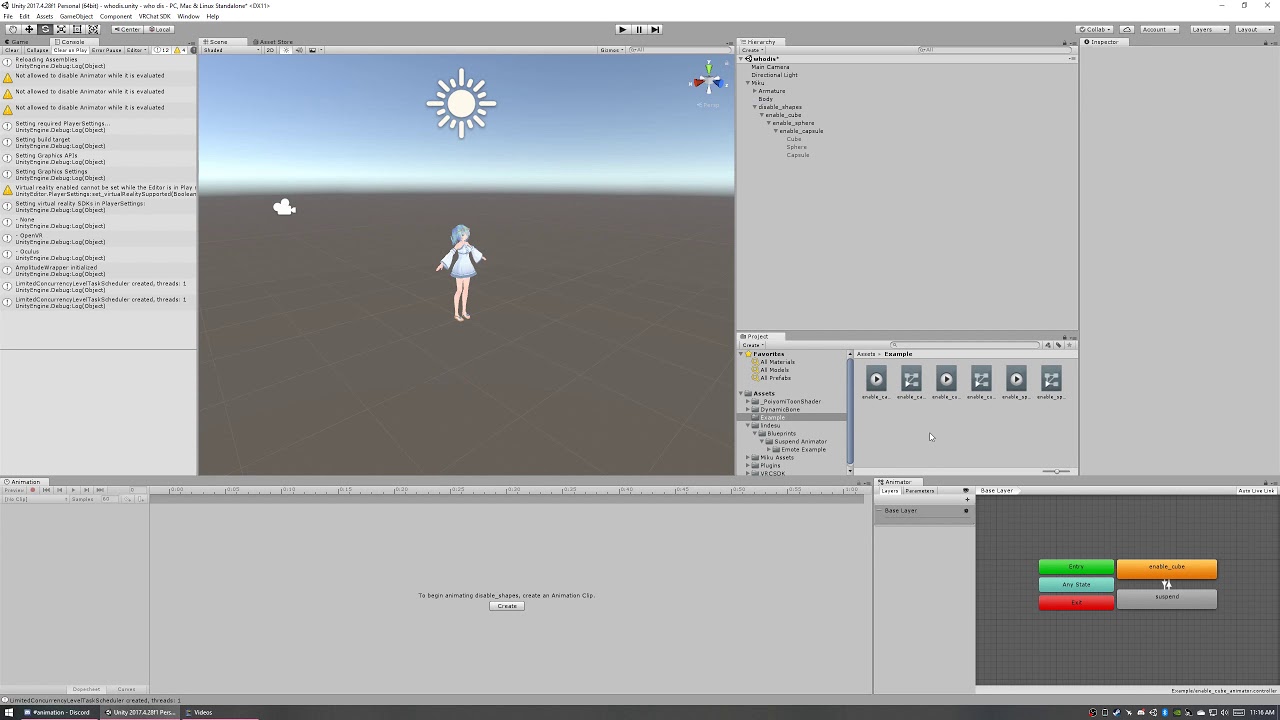
i explain it here as well as what the fingerpoint gesture is doing
wicked python
ah ok
wicked python
?
 winter sundial
Does the "Animation" component even work?
Even with "Play automatically" I can't get it to move a cube
 lavish scaffold
Not in vrchat anymore. Use Animators instead. https://docs.unity3d.com/uploads/Main/AnimationFAQAnimationVsAnimatorComponent.png
 winter sundial
I'm not sure it can do what I want it to. I've only seen this done with the animation component.
What I'm trying to do is move an object with an animation, but multiple times, so the movement is addictive.
muted prairie
You could use add force or add velocity ?
winter sundial
I'd like a constant movement, but I guess I will try with that
lavish scaffold
Doesnt "apply root motion" does that?
clear yew
yes
winter sundial
Maybe a blockade which stops it from moving further, that I remove with various triggers.
So you gave me a solution, thanks!
"Apply root motion" makes it not move at all. It seems to be used with avatars or rigged things, not a default unity cube
clear yew
you can add an avatar reference into the Avatar field
then animate like root T or whatever it was
i forget
but yeah you can move any object using root motion
winter sundial
I have no avatars, neither do I know much about rigging or animations. I will try the addforce hack. It's better than the other hack I considered of having 50 objects and 50stencil adders for each movement step lol
clear yew
@winter sundial
winter sundial
I did addVelocy1000 and setVelocy 1000 on timer (5 seconds). And it's not movnig at all
Thank you!
That was fast. Yours work perfectly fine
clear yew
👌 you're welcome
 warm gazelle
can anybody help me with animation, unity has them set as Read only and they keep Defaulting. so the music works but there is no movement ingame. video shows what unity is doing
 valid edge
how do I make an avatar where a birb walks on a ball and the ball rolls when you move, thank you 😃
wicked python
🅱 ir 🅱
 severe sierra
Are there currently any known issues with gesture overrides not posing fingers that are set correctly in the gesture animation on the index controllers?
Everything else attached to the gesture works fine but the index overrides any finger posing set
 rustic mesa
how can i get my left arm to move like my right arm when i pick up something?
muted prairie
You copy the weight paint of the right arm on the left arm
rustic mesa
can you listen to the audio when you're playing the animation clip?
clear yew
<@&397642795457970181>
 daring quest
Does anyone know why players legs stop working after an animation?
 cold pulsar
@severe sierra the index overrides any finger muscle settings by design, so don't expect to hold tools or guns correctly unless you swap to the non gesture mode and fake holding it yourself.
severe sierra
Is it ever going to be fixed? Because this seems like a downgrade from the gesture system because of a finger tracking gimmick
cold pulsar
I'm not sure, I haven't seen anyone complain about it or a canny made for it. Honestly seems like a pretty big disadvantage for index users. When they first tested the index controllers they had it the way you wanted it to be but reverted it because it apparently felt disjointed for your hands in real life to be doing one thing irl and another thing in game.
severe sierra
But, that's how it is with oculus and vive
Also you can toggle gestures on/off with the index
Seems like a poor reason/excuse
Also if you feel disjointed because of an avatar posing your fingers in a gesture then don't use that avatar
It's been that way for years
cold pulsar
Not saying it's my excuse I'm just relaying what I remember the devs saying
cold pulsar
It's just another thing the devs have decided for us instead of giving us the choice anyways
severe sierra
😦
cold pulsar
You could always 'optimize' your model for vrchat and give him multiple hands to enable disable different hand poses
severe sierra
👀
cold pulsar
Have a couple hand meshes and enable the hand holding the gun with the gun and disable the normal hand that's got index influence on it. Should be easier if your using a mech avatar was well
 fallen flax
They can still be one mesh just different materials that are hidden
severe sierra
More materials for more drawcalls yeah 🙌
cold pulsar
I've just started calling it 'optimizing for vrchat' gotta do weird shit to do simple stuff
severe sierra
Been having to do workarounds for a lot of stuff
That could be easily solved internally
cold pulsar
@fallen flax more meshes is bad, more materials is bad. It's just a mess and more work either way for something that shouldn't be a problem in the first place
I've gone to very poor because to use Final IK you need rigid bodies now so I've got around 10 or so where before I wouldn't need any
severe sierra
☝
cold pulsar
Just makes me feel gross doing some dumb workaround that will be probably broken for some other reason down the line
fallen flax
Out of curiosity, what is final ik used for? I've seen people be upset since it's broken, but I've never fiddled with it
cold pulsar
2 main things I used it for were:
Fully functional spider where the legs would bend to be in position with the ground and conform to ramps and stairs
Moving items around the armature. You can move the gun from your hip to your hand without needing a gun in your hand disabled. Saves on load time as there's just less stuff to load. Doing this method makes it so world particles also work without a rigid body
You can use it for non humanoid parts of armature as well, someone used it for pistons connected the shin to thigh and they would bend correctly depending on how closed the legs is without some sketch weight painting
There are a bunch of other applications you can use but a good amount of them are either broken now or require weird unoptimized workarounds like using rigid bodies due to the updates
fallen flax
Huh, seems like it would have been convenient for an armored avatar I'm trying to make
Unfortunate that it's broken then
cold pulsar
It's also a paid asset so it feels worse paying for something just for it to break. Also makes me throw out the entire ranking system if I want to do anything intricate
severe sierra
The best part was spending ~3 weeks on an avatar only for it to break because of final ik, because nobody was warned, or nothing was stated that it was going to be broken in an update 😃
cold pulsar
Every update now is a flurry to see what functionality they removed from my avatars lmao
severe sierra
back to using multiple game objects to use a weapon
cold pulsar
Hard to optimize when I literally cant
I'm all for optimizing your stuff but I always put fucntionality over optimization so if they remove the optimized ways to do something that won't stop me from doing it the unoptimized way
severe sierra
👌
 white herald
trying to sync dice rolling on an avatar. have a rolling animation. start it by enabling the animator on gesture press, animator disables on gesture release, pausing on a "random" dice roll depending on the duration held, the issue is that it's out of sync between players. Other than slowing it down enough so the delay is smaller than a single dice roll, I'm assuming there aren't solutions? any ideas?
severe sierra
There aren't easy solutions because the syncing between players in VRC is pretty weird and broken
clear yew
imo the way the index controls work are fine. full posing with the hand should be the default, and material or mesh changes to keep a unique, static hand pose should be the secondary case
severe sierra
agreed
clear yew
@white herald yeah i think slowing it down is the only way to make it more consistent without completely changing the behavior into something thats not that fun
only thing i can think of, which would be less fun, would be to do a local roll and then represent that roll deterministically to everyone
it gives you the ability to cheat though and it's cumbersome to control that
you would probably need a button panel with a lot of particle triggers to even make it reasonable
and that would ruin the dice roll acting for the most part
white herald
thanks, yeah i think one person rolling and simply announcing the results is the best option
 tame jolt
I've actually had this problem before, and don't remember how I fixed it. I'm trying to rotate an object along an axis, and Unity has decided to make the Y and Z axes the same. is this something where Unity id being dumb or is there an import setting messed up?
 reef nexus
Anybody know how to make particle effects land on other avatars kind of like that one puking pokemon?
fierce bane
I think that was done with a shader that replicates projection (since we're not allowed to use projectors for some reason)
Basically displays only on overlap with an object within the area
 violet moss
I know it's broken right now but I just want to double check - is there absolutely no way to trigger a shape key to turn on while walking?
 torn pawn
use custom walk and have that enable the shapekey?
torn pawn
vrchat smh
violet moss
yeah they play locally but not for anyone else, so many people don't realize they're broken
i've been told I glide everywhere since the network IK update, took me a few weeks to realize no one was seeing the skateboard anywhere
but generic avatars have it the worst, they just stand still and slide everywhere now
fierce bane
yep, lack of care seems common for anything avatar related...frustrating and ruins motivation for things
 arctic vector
I have two humanoid models in my avatar which have individual animation clips. How would i create an emote animation override that would animate both models? I can play one animation clip on each model but I can't figure out how to run separate animation clips on each individual model.
things i have tried:
- having the second model as a child of the avatar (I can't figure out how to apply the parent animation and the child animation separately)
- combining both models into one object and then importing the animation from blender (the animation doesn't import correctly)
violet moss
Create an empty as the top level game object (in unity or blender, preferably blender so it doesn't break your prefab) and the animator will live there. That way it will be able to acesss both both avatars at the same time - though you will need to retarget all of your animations to expect the extra root gameobject and animate each of the two avatars separately
Keep in mind though I don't think VRIK can apply to more than one humanoid defintion
otherwise they'd both reach for your controller positoin
 earnest lagoon
So it’s not just me. Generic rigs really are broken right now huh?
RIP all my avatars TuT
@violet moss I’ve been told my idle animations still work. It’s just the walking running and jumping ones that are out
Uuuuuugh. Hopefully they’ll just fix it at some point then... hopefully
arctic vector
@violet moss i've setup my objects like you said, but i still have two separate animations for each armature, and when I import it to unity it doesn't animate the second armature.
violet moss
Oh I've never messed with blender animations. I always make my animations in Unity
blissful arrow

 mint plank
Is there a way to make Emotes play out or are they just Capped at 60 seconds?
mint plank
Well thats unfortunate. Days of work down the drain I guess
chilly kernel
uh i got problem with rigid bodies
i have particle ball spawning on my right hand but since my right wrist has fixed join holding inventory system i had to make gameobject to hold another fixed joint with the particle ball. but for some reason the particle ball spawns random locations for all people
and for me little bit away from my hand and when i swing my hand around with it active it slowly flies away from my hand
 analog cedar
I've been having this same problem for days, something about fixed joints seems like it's on a cycle and it always has a semi-random orientation when called in.
chilly kernel
well i have that problem only when i have 2 fixed joints in same hand
because the other one works perfectly
oh wait i think i figured it out...
i forgot fixed joints need to have empty controller atleast
thats why the other one was working perfectly
 eager zodiac
I'm hoping to make animations for my avatar, any videos you guys would recommend to help me get started?
earnest lagoon
I’d recommend learning to animate in blender, it much easier than unity
fierce bane
That depends on what exactly you need to animate though. Humanoid motions, absolutely...especially if you set up some IK followers to use.
earnest lagoon
Works good for generic too. Thats how I did all of mine
Though if it’s particles, use Unity ofc
eager zodiac
Thanks
 dark cypress
Hello, I know that to make music play, I have to spawn an empty which itself plays the music. Am I able to do that with an emote rather than a gesture while still be able to move?
chilly kernel
darn i still have problems with rigid bodies. it keeps spawning at wrong place...
fallen flax
What are you trying to spawn
chilly kernel
@fallen flax particle orb
but the problem is that wrist already has fixed joint on it controlling other animation world partciles
so the second fixed joint is in gameobject
fallen flax
Have you tried using vrc_ikfollower
chilly kernel
uh whats that
wait a minute im actually idiot i think i could just add the orb animation to existing rigid body following that fixed joint
just make animation to activate it. i dont need second fixed joint to control new stuff
tho whats vrc_ikfollower
i though vrc deletes all scripts on avatar
fallen flax
It's a script for world particles
clear yew
ik follower sucks dont bother
fallen flax
Issues with what if I may ask?
I don't really mess with particles but I want to know just for in the future
clear yew
It's also a frame behind making it only marginally better than a joint at low fps and worse than a joint when moving
If only that was supported though
How simple of a script would it be to unparent an object from your avatar in a safe way?
sigh who is going to save this game and fix all these problems
Is there a canny for those issues?
 spare robin
quick question do i put the animator controller in the avatars that i use for gesture overide or the animation overide controler
i just wanna know because i forgot
@muted prairie do you know what i need to do ?
help please ?
@muted prairie can you help me ?
muted prairie
you can put the animator in both, and please keep the pings for the urgent stuff
spare robin
ok
i need to slow my pulse idk what is making it be like if adrenaline is coursing though my vanes
 steel inlet
Quick question, do my props need animators? Or just the main model
example being this sword I have on one of my models
muted prairie
Is your model animated too ?
steel inlet
I think? I made it so doing rock n roll pulls the sword out
muted prairie
so the sword itself doesn't have its own animationss
steel inlet
correct, the sword itself has no animations
muted prairie
then it doesn't need one 😃
steel inlet
Thanks. also nice profile pic
earnest lagoon
Anyone know how recent was the unity and sdk update was? I wonder if generic avatars will work again.
fierce bane
@earnest lagoon Generic avatars not working isn't related to unity or the sdk at all. It's caused by the lack of data transferred with the networked IK specifically.
They work locally with walk animations etc, but the info required isn't transferred, so others don't see it move
earnest lagoon
Yeah I figured. I was just wondering if they updated anything else while they were at it.
clear yew
does anyone know what this error means? it happened right after i finished an animation im pretty sure and its preventing me from being able to upload an avatar and press the play button at the top of unity
i deleted the animation from my avatar in attempts to fix it but it didnt work
clear yew
@clear yew A Null reference exception means that whatever component is on your object is currently attempting to find something that isn't there. This can mean its missing a script, missing an audio file (perhaps you deleted it?) Or some other missing item. This can also include missing animations inside animator components. Be sure to check through all of the components on your avatar and ensure everything is assigned properly in the Inspector.
 limber socket
Hi all, have a real quick question! So when I'm animating an Avatar's face, do I have to transform the face bones or use the Animator?
torn pawn
what do you want to do?
clear yew
hello, i have a question, this animation i made; it has a simple and short (like 30 seconds or so) animation with a song playing but whenever i use it as an emote it gets cut off and when i use it as a gesture nothing happens, what in the flip should i do? i just wanna play the song till the end if possible
Gesture should work so you could try to fix that
Emote toggle would also work
Emote toggle?
It's where you use an emote that is usually very, very short(.5 seconds) and the emote enables or disables a game object and leaves it that way
i see, imma google that up, thanks lindesu
You'll probably run into xiexe's inventory via google
Should work fine
dark cypress
Is there a limit to animation time in an emote? Keeps cutting off around 50 seconds
clear yew
yeah there is a limit but a lot of things you would want to do with an emote have workarounds
dark cypress
I simply want it to keep going with music, how can I do that
clear yew
You could animate a duplicate avatar rather than your main avatar and leave it on with the emote, and have it disable itself when it's over
dark cypress
do I hide my mesh when I do that?
clear yew
You can yes
dark cypress
alright, thanks
steel inlet
limit but a lot of things you would want to do with an emote have workarounds the story of vrchat.
dark cypress
I can't figure out how to make the dupe do the animation
I mean he does it in unity perfectly but can't make it work in vrchat
fierce bane
@dark cypress if you want a duplicate to do the animation, you need to have it attached to the primary model, and it needs an animator attached to it. When you enable the duplicate it will also enable the animator and run
dark cypress
I did that
It stops immediately
should the clip that enables the dupe be 2 frames with a time difference of how long the animation is?
clear yew
@dark cypress the emote override clip should last at least 30 frames and it needs to run behavior.enabled 1 on an animator which is the parent of your dupe
the animator should enable your duplicate, the duplicate should have an animator on it which is on by default
which does the motions and effects etc
dark cypress
yeah that's what i'm doing, I think my problem is with the animator clip that does enable it
I made it 2 frames with less than a sec in time
clear yew
yeah no clip in this should be that short
the shortest clip should be the emote override
and that should be a minimum of 30 frames
behavior.enabled with constant value of 1 for 30 frames
dark cypress
alright thanks, I'll try that
fierce bane
gestures are the ones that should be 2 keyframes (1 frame duration). You were probably thinking of emotes the same way.
dark cypress
Alright i've got 2 problems.
-The animation works on the dupe, but the mirror shows me as stuck in a single pose
-I have 2 other avatars that are supposed to be enabled and animated as well, but none of them are appearing
fierce bane
for the first problem, welcome to VRChat.
If you use holoport you can usually see them work properly...but mirrors are still pretty broken
if it doesn't work for someone else looking at you, or using holoport then the animation might not be set up correctly
clear yew
I’m trying to use a large image for expressions. I change the expression by offsetting the diffuse image. I made a animation that shows in unity and it works in unity. But when The avatar goes into VrChat the armature part of the animation works but the material part doesn’t? Anyone know anything that could help.
fierce bane
@clear yew material changes will not show in the mirror or cameras, either have someone watch for you, or use holoport if in VR
clear yew
Oof I thought it was only particles thanks I’ll tel y’all if it doesn’t work :)
fierce bane
yeah...material changes and particles both.
clear yew
Ooh yeah thanks it works lol
 paper haven
My friend is trying to add a sound effect to his walk cycle, and it's only working locally, I wasn't sure how it needed to be fixed
torn pawn
vrchat broke it
paper haven
so the only solution is to wait
 south current
Am not able just drop an object into my unity scene and animate it with my avatar anymore?
it seems the objects are not moving with the avatar when I start recording the movement
they are kind of just floating above even after being droped into the characters hierarchy
south current
Hmmm maybe I don't remember how to make a gesture replacement
 crude aspen
Why does my animation on gesture work only once? After that it bugs out and plays no matter what gesture I do.
It's 2 seconds...
Just a sound effect and a blend shape
Oh. I have not seen or heard anyone mention of this particular thing anywhere
cold pulsar
If you want to do that hand thing you'll have to have a gesture that enables a new hand that has that animation on it. Welcome to vrchat
crude aspen
I have a blend shape to do some meme stuff so I guess I would have to have that if I wanted more control over the value of the blend shape. At least the sound effect plays correctly even with one frame animation. It's good enough for now.
Thanks for help
Tutorials should mention you cant have longer animations without having problems. They only say put the blend shape values at 0 and 1 frame. Can't wait until the udon system comes out.
cold pulsar
Not sure if it will show up on avatars but here's hoping we get some trickle down
dark cypress
My avatar won't blink, how do I fix that?
When I imported the model, it had an animation component on it that makes it blink but it doesn't look like VRChat supports it.
lavish scaffold
@dark cypress You need to use "Animators" not "animation components"
dark cypress
how do I put the blink into that? The blinking should work at all times
clear yew
@dark cypress create an animator Controller and put it onto an Animator component on the body object of your avatar (where the mesh is) afterwards open the Animator window by going to
Window -> Animator
You’ll be greeted with our handy transition tree. From here you need to create a new state by right clicking the screen and making an empty state. Inside of this state on the inspector place your animation into the animation slot then right click the “start” state and draw a transition from it to the state you’ve created. That’s literally all you need to do
dark cypress
Start state as in the Entry state?
clear yew
Aye
dark cypress
Alright thank you for your help
dark cypress
Play mode in unity doesn't display it though, is that fine?
clear yew
Your avatar should be blinking immediately
Also ensure an avatar is specified in the Animator component on the Body in your scene (this can be found inside of your actual .fbx)
dark cypress
Works in unity now, I'll test in vrchat. Thank you again
clear yew
Purrfect
 frosty moth
ok im really confused on how i should activate the avatars special animations when my keybourd doesnt let me use the buttons needed
clear yew
shift + the F keys will do gestures
frosty moth
i know i need to press shift and f8 but my keyboard doesnt let me
clear yew
It’s generally beside the left windows key or the right windows key
clear yew
typically on laptops, and on some keyboards, there will be control macros on the F keys
and to switch between the macro and the actual F key
frosty moth
huh i didnt know that
clear yew
you either have to press or hold fn
frosty moth
thats kind of cool
clear yew
and then it will switch behavior
frosty moth
k thanks you helped me alot
clear yew
np
frosty moth
i was ready to pull my hair out cuz i couldnt figure out why it wasnt working
so you saved me from some extreme hair loss and for that i thank you very much
 cobalt meadow
Ok, my blinking animation works in unity, but once I apply a animation controller on the avatar and upload, there is no blinking.
 vale saffron
 north tree
Anyone know how to add sounds/audio to animations
fierce bane
@north tree make audio source object on avatar, set the sound file in it, disable the object by default, enable in animation
north tree
Do you have a videoclip resembling all steps?
fierce bane
not offhand, no
clear yew
@north tree https://www.youtube.com/watch?v=DFl5k3zh3-Q
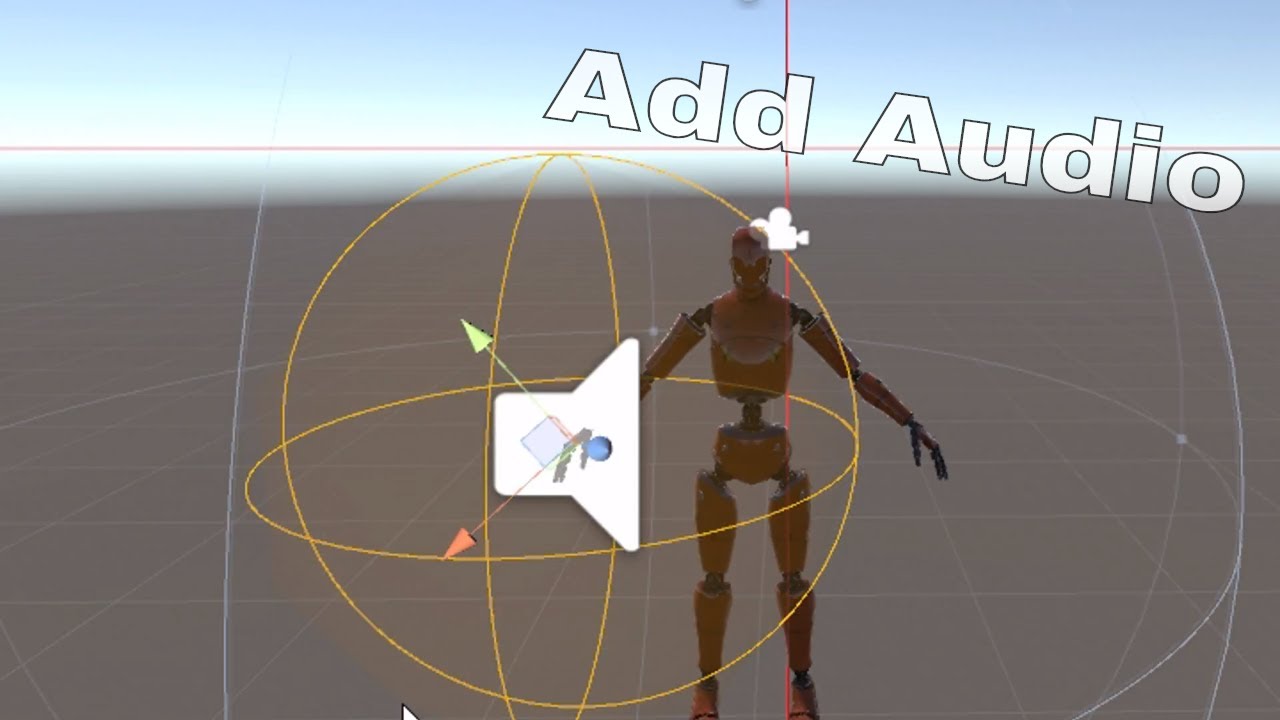
Very basic tutorial on how to add audio to vrchat that is controlled by gesture override / this can also be used for weapons or other objects along with part...
fierce bane
just watched a quick bit of that...but they definitely don't need to be ogg files...
north tree
@fierce bane What if I wanted to make all 8 of my emotes have sound effects
Would I have to make 8 dups for it?
fierce bane
@north tree technically you could make one duplicate...just prepare everything for the emotes before you duplicate
the duplicate is just for animating so you don't mess up your main model
north tree
Ah
Is the duplicate optional or essential ?
When I was overriding animations I got to the point where I didn’t need to duplicate
fierce bane
I would recommend just doing it, it takes no time and avoids other frustration in fixing if you mess it up
north tree
Yeah
fierce bane
you don't even need to keep it after animating if you don't want to
north tree
Alrighty
Thank you very much
1 more thing
I’m kinda goofed at the part when he opens the Animator
fierce bane
explain?
fierce bane
if you have an animation already made for the emote, drag and drop it directly onto the avatar duplicate
fierce bane
the 0:00 and 0:01 animation is for gestures, if they're longer than that they keep playing, causing issues with other animations
emotes don't have the same issue, though they're capped near a minute I believe
also if it's not a gun or something, don't put the audio source on the hand like in the video.
The sound will come from the hand, so if it's a dance the sound will be moving all over the place.
If you want your audio to not move around while the animation moves you, just attach it at the same level as body/armature
north tree
Would something like the hips work?
fierce bane
hips still move around in a dance. If it's attached to the model or the armature directly it won't move (you can still set it's position at hip height if you want )
cobalt meadow
I've been scowering the internet on how to do blinking animations, but after making it work in unity (pressing play will show the blinking animation does work) but the blinking animation isn't showing in-game.
quasi hinge
Are you using legacy animations?
cold pulsar
The animation should be inside an animator and then that animator inside an animator slot on your armature where the hierarchy of the animation works. Should also make sure 'always animate' is on so it's not culled if you aren't visible
cobalt meadow
alright, I'll try following that

 viral parrot
Hey guys I have been working on a model recently and I downloaded some particles and obects for this model. I have a floating orb that I am trying to use but when I bring them into unity all I see is this. Is there a way I can get unity to show me exactly what this object is so that I can position it correctly?
fierce bane
@viral parrot those are the icons for particles, sound, and camera (from front to back)
Hit Play at the top of the screen to see and hear it.
Remember any changes made in play mode will reset when you stop play mode.
viral parrot
oh nice thank you so much @fierce bane
north tree
@fierce bane I've added the Audio file to the animation successfully, the problem is that the audio clip is very faint and others cannot hear it
fierce bane
@north tree do you hear it at all?
north tree
I heard it, but it was a very quiet, faint sound
fierce bane
the audio may be too low. Check the audio source first and make sure the volume isn't low
north tree
@fierce bane I have increased the audio and it still sounds the same
I increased the audio level in particular
clear yew
Is there a way to spawn a gameobject on a particle collision? I wanna set an animation I made to spawn where a particle hits
 grim coyote
i have a complaning, about generic avatars being broken
i hate being slided through the ground in idle animation. how other people see me
clear flicker
So animate your walking animation
Generic avatars dont use a humanoid rig so they cant be animated by vrc, thats how they work.
fierce bane
just have to wait till they fix it....if ever
clear flicker
Thats literally not a thing that will ever happen, its not a bug.
fierce bane
the lack of data being transfered...they didn't incorporate some things across networked IK
you can see the animations locally, but to anyone else you just slide around
clear flicker
Oh, understood. I assume they just didnt animate their walking and were complaining
 nova pilot
so, I'm trying to rotate my ears for this gesture, but the bones don't seem to want to rotate properly
white herald
disable dynamic bones?
clear yew
how do people make those physics projectiles like for example a rocket hitting something or maybe glass hitting the floor and breaking
 clear yew
i mean
you can download the prefab lol
and look at how it was made
what prefab
that one is different than a lot of projectiles, most are just particle systems and don't use physics

GitHub
Contribute to oofdesu/lin-unity-packages development by creating an account on GitHub.
ah
its on my github
ok thanks
👌 np
@clear yew uh it's way complex though if you aren't used to unity. might want to start with particle systems if you're trying to figure out stuff legitimately
ok
i mean you can still use it if you follow the install guide. it's one of my worse guide but it's usable. you can replace the effects and stuff easily. but yeah, try to find some vrchat particle system videos or regular unity particle system videos
most of the time, when someone is shooting a projectile that has collision, they are using a particle system with the collision module
yes ok
dark cypress
I'm having too much fun animating this so I wanted to share it
https://streamable.com/o15vm
 cobalt meadow
Where do I apply a blinking animation? or where do I put my blinking animation which I've just made so that my character blinks once in awhile because I can't find anything on google.
The animation also makes the wings constantly flap too
muted prairie
blink is just part of the shapekeys, same as mouth shapekeys
dark cypress
What I did was putting an animator somewhere besides the main character and it worked fine, I placed it on the mesh
muted prairie
Unless you're animating bones for everything, in which case you'd have to replace the Idle animation in a duplicate override controller
cobalt meadow
placed it on the body itself you say?
dark cypress
yeah
cobalt meadow
this animation both moves bones and visemes though
dark cypress
ah that wouldn't work then, mine only had visemes
cobalt meadow
the blinking works with visemes, while the wing flap animations was done through animating the bones
dark cypress
I think what Ruuubick said is the best way
cobalt meadow
so should i split the animation into two seperate animation?
dark cypress
override the idle animation with the same idle animation + your animation
cobalt meadow
alright then
dark cypress
I think that's how
cobalt meadow
I'll try that thanks
 icy swallow
Why does the hand open and close and the item blink when an item (akimbo pistols) is spawned though an animation? Because the repeat animation box is checked?
cold pulsar
You need to have the same keyframes on 0 and 0.01
 mighty steppe
im trying to install a chair on avatar "PET" witch worked
but when some one sits on the chair...their head is broken and movements...(this when i use an animation to scale the avatar)
any ideas why that happens?
it looks like that
 granite crown
I can't tell what is causing this finger glitch, I though it was because the bones from different fingers were making contact but moving the thumb further away made the thumb twitch more.
 surreal crater
@granite crown make sure on the 0 frame and the 1 frame the keyframes from the hand are the same
granite crown
they are
surreal crater
🤔
surreal crater
make sure the line actually moves to the other side
just selecting them will not change the numbers if im correct
click at the top to change the white bar position
granite crown
yeah, there isn't a discrepancy
granite crown
I just tried playing it in Unity and the thumb doesn't twitch
surreal crater
Im not sure if this will work but sometimes remaking the animation from scratch will fix stuff. I had the same problem with other stuff like audio aswell and remaking it fixed it after dubbel checking everything like 100 times.
granite crown
so just copy the positions and transplant that into a new animation file?
surreal crater
you could try that but I cant guarantee that it will fix it
also what popped into my mind are you just holding 1 gesture only or 2 on both hands?
granite crown
one, the gun appears in the right hand regardless of what hand is going fingergun
surreal crater
no problem 👍
clear yew
nvm
stark trail
weird question for yall animators
is there a way to detect between VR mode and desktop mode for an avatar?
i have an idea for a standing idle for desktop, but not only would it just be an anim, it would also load in an extra object
so one more mesh and material
obv i dont want that shit to show up in vr mode
would this be possible?
specifically idle + object + particles emitting out of object, constant
mighty steppe
can anyone tell me what im doing wrong??
i cant seem to fix that issue for some reason..
violet moss
I thought I was being clever making my vehicles appear via shape key, but it seems there's no way to get props to appear when you walk no matter what
if idle stopped playing when you walked it would have worked
fierce bane
@violet moss Idle blends with walk, so you could potentially use an exaggerated shape key to do it. Pretty sure they have the same issue that generics have in that it would only show locally right now...not certain though, might be worth a shot.
violet moss
people only see humanoid parameters remotely, no matter what. I don't think there's any work arounds that are possible
I think i've exhausted all ideas lol
 novel path
https://scratch.mit.edu/projects/323134120/fullscreen/ I made a persona 5 test battle there isn't much to do on it at the moment on it
and the animation quality isn't to good
lol
well basically it's just a bunch of screenshots
lol
clear yew
so uh, you can't do a gesture while doing a emote anymore, was that meant to be changed? ingame*
mighty steppe
3 days i dont have an answer of how or why the heck unity keeps reverting back the values of an animation.
i cant resize an avatar for an animation
mighty steppe
i cant create an animation witch it resize the avatar for a chair.
 echo wraith
Anyway to add blinking to an avatar without adding a second animator? I'm trying to do one animator to keep it Quest friendly and I have no idea how to animate anything outside of the original avatar like a blink without it being an override.
clear yew
You have to use an animator, which isn't the exact same as an override
echo wraith
I think an animation controller and animation component both add to the amount of animators though, could be wrong.
clear yew
Animation component isn't used anymore, do you mean animator component? In any case, yeah you need to use an animator to animate the Body blinking blend shapes
echo wraith
Okay, I haven't really done any passive animations since legacy so was not aware. I was using Animation component.
Okay, since my avatar already has an animator component for his override I can't create another one on him, can I add a passive blink to his main override animator without it being a hand gesture?
clear yew
the override animator shouldn't count toward anything
it should be empty, as well
like, the animator on your Avatar object should be listed as None with only the 'avatar' field populated
then if you have a budget of 1 animator you can put it on your Body object
put a looping animation clip in it that animates the blinking blend shape
and have the animator on by default
why can't you do blinking with the eye tracking component btw? should do it automatically. usually the reason to animate blinking is because your Body mesh isn't at root or you have a special circumstance or something
echo wraith
If I have none don't I have no animations in game? https://puu.sh/E1bJ6/e86c427265.png

Oh, blink was an example. It's actually just a propeller that constantly spins.
Okay, so keeping an animator empty still counts as an animator which breaks the 1 animator maximum for Quest... So tough. To be clear, I know how to do the animation, keeping it with one animator is the tough part.
clear yew
that animator really shouldn't count... it doesn't do anything. it gets replaced at runtime
make sure your sdk is actually updating your performance profile
if that animator counted then everyone would already be at the 1 animator cap
echo wraith
I mean, the animator is where you throw an override for custom hand gesture emotes so I'd imagine it'd stay after runtime. The Quest limit is 1 max, so the default one wont do anything, once you add a second one it becomes poor performance for Quest users meaning it's blocked by default. I honestly can't see how or if it's even possible to add a running propeller without a second animator unless I somehow make the propeller spin my new default run animation/idle. lol
Thanks for the help, Lindesu, gonna just upload with poor performance for Quest users and tell them to unblock me through performance settings. Saved me a lot of time since I was stuck in my old legacy ways. Haha
mighty steppe
 clear yew
@echo wraith do your sdk say you have 2 animators?
mighty steppe
this what happens when animator to resize avatar works...
clear yew
the override controller for your gestures and emotes isn't the same thing as an normal animator controller
mighty steppe
unfortunately doesnt work for armature...witch unity wont let me do it
it just reverts the values back to 100%
 pulsar pine
hello everyone
clear yew
i mean i think i've seen that done normally before, without broken stuff
are you disabling ik and all that ?
for the person sitting in the chair
mighty steppe
i only installed the chair on something...the chair animation works fine except re-size
size is the only thing that doesn't work
mighty steppe
from where u disable ik?
clear yew
it's something you animate. furthermore, i don't know if it can still be done with netik. maybe it can idk. each avatar has some final ik scripts running on them and if they are sitting in a chair, the animator on the chair can animate those scripts off
so that you can govern what their armature is doing with the same animator
pulsar pine
what are u guys talking about because i also ihave VRchat
echo wraith
@clear yew Yeah, it says I have 2 since my main avatar has an animator component and so does the propeller that animates.
mighty steppe
i dont know what to do to fix that
clear yew
this is a channel for discussing animations for vrchat. you probably want to hang out in the general channels if you're new @pulsar pine
pulsar pine
hold where is it
clear yew
@echo wraith make sure you don't have a stray animator component somewhere else in your hierarchy.
the animator on your avatar object just shouldn't be counted by the sdk
mighty steppe
stray animator?
clear yew
not you, for johnny
for you, there is a screenshot i have somewhere of the properties you need to animate
but it's loose somewhere
also you would need final ik, which is like a $90 unity package
mighty steppe
player mobility whats that exactly?
i know the 2 options from there
except mobile
clear yew
@pulsar pine all the channels of this discord are in a #list to the left, the general ones are at the top
what
echo wraith
@clear yew By default when I first drop the avatar in the count is 1 in the SDK
clear yew
can you screenshot? my sdk (latest) won't even show how many animators i have on my avatar until after i go over the limit by some
with a fresh avatar with the default animator on the avatar object, it doesn't list having any animators on the build control panel
is there a special quest sdk?
echo wraith
Nah, just the latest SDK shows it. 1 sec

And this is a freshly dragged in model https://puu.sh/E1cL7/443f7942ca.png
 clear yew
okay, im seeing what you are now
that's ridiculous that it's counting
yeah looks like you just can't have a passive animator without deleting the one used on the main avatar object
 frank yarrow
i dont like how mesh disabling/enabling gesture animations are now scuffed
crude aspen
So I read there is a way to launch yourself at fast speed by having a collider on something like feet that hits another object you place behind youself. That makes me wonder if you could yeet yourself high by enabling 2 objects in front of you and swinging your hands with colliders attached to them. Or if you had a collider on your avatar that you animate to move like a piston for controlled speed increase. Is this how those flying avatars like that one knuckles one work?
 deft mountain
The second way you mentioned, yes.
You just have a box with a regular collider on it and activate with a gesture.
While active the box will push you in a direction.
Rinse/repeat.
Once you have it where you want, delete the mesh on the box.
 autumn yew
I'm using a custom idle pose, but it jitters/stutters(?) while transitioning from motion back to idle. Anyone know what is causing this? Not sure if stutter is the right term for it. It kind of feels like rubberbanding back to idle position. So it's not exactly a smooth transition.
Is it possible to lengthen the transition time? I feel like that would fix it.
deft mountain
Maybe unrelated, but that also happens when I add something to the armature of certain models that gets activated via gesture. In motion they are positioned fine, but once idle they start shaking. Haven't found the cause yet. I can only suggest you check the properties on the pose for anything odd.
autumn yew
This is probably a different case. The shake only happens for about half a second until it repositions itself to idle. There is no gesture or activation of any kind involved. Just for walking/running/moving back to idle would cause it. It just makes the avatar looks stiff while transitioning back to idle pose.
Hopefully this doesn't further confuse things, but using dynamic bones as analogy... it's like having high elasticity and minimal dampening. So it kind of rubberbands back into idle position after I stop moving. Though a lot more subtle in this case.
fierce bane
you're not likely to find help doing something that could easily be abused
clear flicker
im pretty sure thats straight up against the rules as it is
 pliant plank
Well it really depends on context, having [REDACTED] with a spritesheet animation isn't necessarily evil or harmful, but it can be if used improperly (like all things really)
But i could see something like this being used on a world for an "event" area per example
Or even in an RPG context, in which the host could give those around them a HUD for a scene of sorts, appliances many, but it unfortunatelly gets misused more than it likely should
torn pawn
@deft mountain how about no 🙂
 rich geyser
how would one make a particle effect be stationary when activated instead of moving with the users camera and body
cold pulsar
Attach the particle system to a stationary prop using rigid bodies and fixed joints or final IK
rich geyser
its a multi stage particle effect put on a gesture and i cant lock it in place and if i move it out of the model base the gesture wont work or i dont know how to use rigid bodies right
clear yew
@rich geyser so, depending on what you're doing you can probably just use world particles instead of local ones, but to generally lock all kinds of objects in place you can use a world fixed joint, or if you have final ik, use world fixed ik
this has instructions and prefabs for gesture and emote
this is the same thing except with final ik
rich geyser
i used world sim but that only locked on ring as it was on the start up ill give these a try
 finite portal
Anyone know of that prone idle animation where your avatar is like lying down on its right side?
*Found pic https://www.reddit.com/r/VRchat/comments/9u75q4/help_how_do_i_set_up_this_idle_animation_to_a/
 marble thorn
i wana take the hat off of my charater but i dont know how
can someone please help me
 nimble ridge
@finite portal psst, dms
marble thorn
can someone please me me
hello?
anyone
😦
i mean take it off and put it into my hand
rich geyser
is there any guides on using fixed joint i dont understand it and i can only find guides requiring Final IK and i dont have that
ive also turned every particle set to world and they still follow my LOS
marble thorn
can someone help explane this
fierce bane
@marble thorn find the model in your assets, select it and on the inspector panel, hit "configure" under the rig section. Make sure bones are properly mapped
marble thorn
i fixed it but now im having more problems
now that i have added the animation i tested it and it is out the models hand, i need to fix this
marble thorn
hello
fierce bane
Not sure what you mean by "it is out the models hand"
clear yew
@rich geyser there are instructions in the package I linked you. Try it and then report what is confusing you
rich geyser
the only intructions i found were where to put it but nothing on if i should put the particles in there or another thing and just link them to it
marble thorn
hello i need some help if anyone is one
clear yew
@rich geyser It explains how it works entirely, have you tried it in game?
i dare say it's self apparent how to make it work with any random effect
 gilded sonnet
Hey I'm trying to make a gesture override where I sit down with a piano but I'm wondering where to place the piano in the armature or how to have him sit down
EDIT - I got it to work by positioning the model first and then adding the piano to the skeleton
 weary vigil
I have an avatar npc standing in my world with a idle animation on
the only issue is the idle animation slowly makes her move back
is there anyway to stop that and her fix her position or stop the animation from making her move
dark cypress
I'm not 100% sure but try removing the "bake into pose" attribute on the clip file. If that doesn't work, go into the animation editor and look for a property called "Animator.Root T" in the clip, that one is responsible for movement. Remove the whole property or just the x/y/z keys of it.
@weary vigil
weary vigil
Thanks m8 I'll try that when I get home
weary vigil
The pose I've applied is a controller file not just an animation @dark cypress
is there anyway to edit that, I really like the idle pose in it
dark cypress
@weary vigil I just woke up sorry, have you fixed it? Animation controllers are made out of states which are clips in nature. Click on the idle state, then on the clip and it should take you to the clip in the assets. Press Ctrl+6 to open the animation editor then click on the idle clip to edit it.
Ah but before you edit it, see if it has "bake into pose" turned on
To see the states of an animation controllers, just double click it in the assets
weary vigil
clicking on the controller opens up the animation tab instead of the different clips for some reason
nvm added it to a different controller and found the animation
should bake into pose xz be turned on?
yep i think thats fixed it
also trying to apply an animation from Mixamo to a avatar I found online, but I'm getting some error pose, is there fix for this or is it something to do with the rigging?
echo wraith
Anyone have any guides on how to play with the new audio source? My animations are so quiet now.
Not looking for ear murder, just enough sound to give my friends and I a good jam. lol
 nocturne trellis
how to test an avatar's animation on the avatar in unity before uploading it? (i mean if i downloaded the animation, not if i made it)
cold pulsar
@echo wraith If you haven't I would check the docs on what all the settings do in the new component. Don't know of any guides as it's a lot of trial and error for everyone atm since it's still new.
@nocturne trellis Duplicate your avatar and then drag the animation onto in. That will create a new animator that will play the animation on load. If you then hit the play button the animation will play
nocturne trellis
oooo i see! thanks 👍
echo wraith
@cold pulsar Thank you, I'll do that. 👍 😀
dark cypress
@weary vigil I've had trouble with Mixamoo too. I think you need to upload the character you're using to mixamo then download the animation because mixamo uses transform animation instead of rig animation so any change in naming messes it up
otherwise you'd have to spend at least an hour replacing each property with its corresponding bone
weary vigil
yeh i came to a conclusion similar to that
ended finding soem free animation packs
thanks for all the help tho
dark cypress
Cool, you're welcome
clear yew
hey guys can someone help me with this animation, im trying to make a emote for my avatar that makes my googles come down.
but like i want them to stay down on the avatar
 frail granite
Gah so, I wanna spin a Karambit on my finger, I've got the basics of the spring joint down but I don't know how to actually make it look like a spinning knife
Tried freezing the rotation on the X and Z so it only spun on the Y but the whole thing stops moving
clear yew
@clear yew you need to toggle them on try to understand how this works
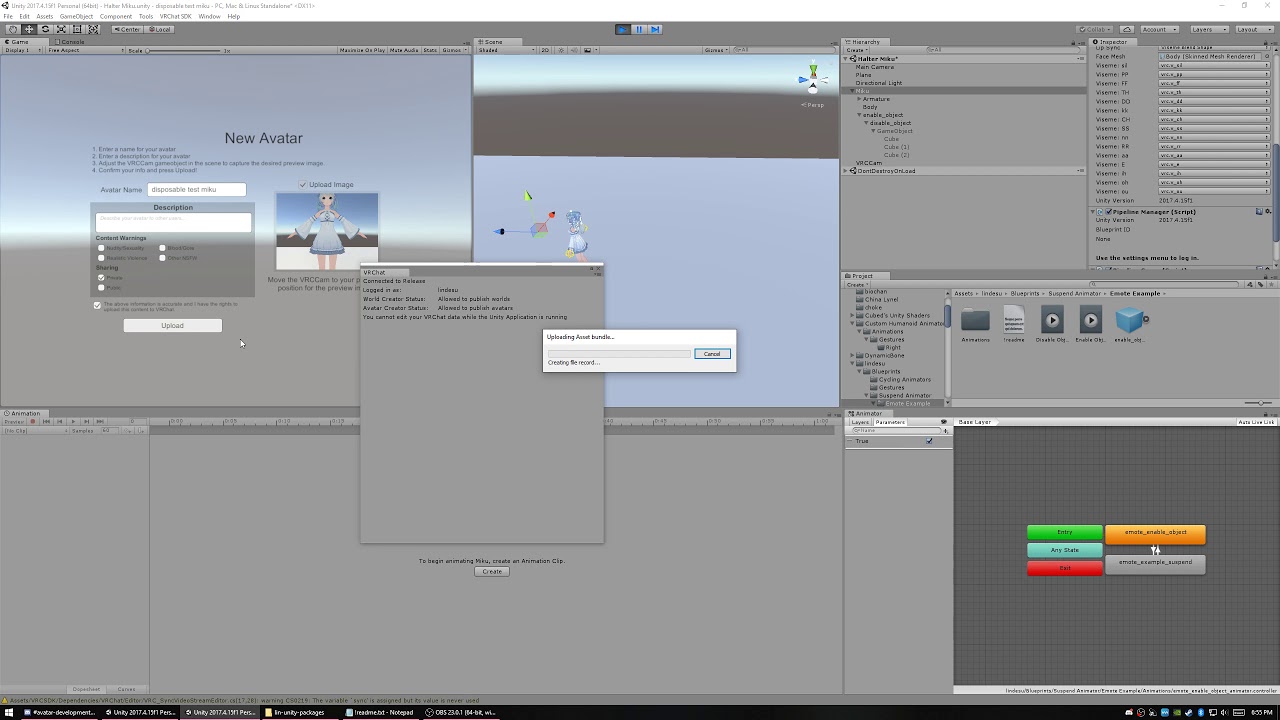


there are other videos on my channel, the discord help ones, i go over various examples
steel inlet
Anyone know how to sync sounds up with emote animations?
Even if i move the animation portion back and leave the audio start at 0.00, the animation and sound still start at the same time. lemme get a screencap
clear yew
you probably need to animate the audio source object off for the first few frames
if you just have an enable keyframe way out where you want it to start, it will take that value and animate it for the starting keyframe
steel inlet
Like this?
Originally the parts above were at 0:00, but the audio was still delayed
even though i changed it to start way before the animations
clear yew
explicitly animate the audio source game object off
for the starting period if you don't want it to start there
steel inlet
ah i think im wording it wrong
the problem is the audio starts after the animation, no matter how far back i push the actual animated part
is there a way to delay the actual animated part to compensate for that?
clear yew
so the audio plays immediately yes?
steel inlet
The audio waits for about .5 seconds before playing, even though in the clip itself it starts instantly.
clear yew
so you want it to start instantly, or with delay?
steel inlet
instantly
clear yew
it should start instantly if you have an enable keyframe at 0:00 of your animation, and the audio itself has no delay on it
steel inlet
thats... what ive been trying to figure out.
clear yew
take the audio into audacity and see if it has a delay in it
might just be silent at the start of the audio clip
clear yew
thx lindesu i appreciate it a lot
clear yew
@clear yew you're welcome also heads up you're on the wrong unity version apparently
echo wraith
I went from not being able to get my audio on animations to be loud enough to my sound is too loud and server wide. Lots of trial and error for me.
echo wraith
I love the sound of 2D audio but I would love it to not play through the whole server. Documentation (https://docs.vrchat.com/docs/vrc_spatialaudiosource#section-using-2d-audio) mentions it still has a drop off in sound but no matter what I've tried the sound has been for the whole server.
Creates a spatial audio source in VRChat
I only have a 3D audio curve, really wish I had a 2D one to play with.
 livid horizon
Anyone know what this issue means and how it is fixed?
The script class couldn't be found
UnityEngine.AnimationClip:SetCurve(String, Type, String, AnimationCurve)
marble thorn
any one know how to upload this avatar, it only says clear player prefrences and somthing ealse, please help me
livid horizon
Basically I am trying to find a way to disable IK for animations, but the one method i found, gives that error I posted a bove when trying to use it.
clear flicker
@marble thorn 15. No posting the same question or statement across multiple channels
marble thorn
crepper!
livid horizon
I do not....I don't want to spend $90, plus I don't think it actually matters. I more or less got the script to add the disabling IK to the animation, but it didnt matter. If someone sits on the chair attached to my avatar, their IK is not disabled. Project is failed. So either the frame didnt work because the Final IK was not part of my assets, or people just cant have their full body IK disabled when sitting on a chair attached to an avatar
@clear yew
clear yew
I guess I'll try it one day and let you know if that's the case
Might be either one, idk if netIK broke being able to disable IK
Do mmd dance worlds still work?
livid horizon
They probably do, I am more in to believing I have no idea how to get it done and have very few people who are willing to tackle the issue with me, heh
autumn yew
When animator behavior is disabled, it should revert back to the default state yes (assuming 'write defaults' is on)? If that is so, it doesn't seem to work as intended?
marble thorn
Cepper, aw-man
clear yew
@autumn yew yeah i think so. to get it to write defaults, the clip/motion/state being played needs to actually end, and when you are animating behavior.enabled 0, it's ungracefully shutting down the animator
so i would think it has no chance to write defaults back
autumn yew
hmm, apparently there's no graceful way to shut animator off? since parameters doesn't seem to be allowed.
clear yew
well, either shut the animator off and write defaults explicitly with another animator, or you separate things a bit, where your gesture animates behavior.enabled 1/0 on an animator, and that animator then starts another animator, and the final animator there will shut itself off and play it's clip entirely, end, and write defaults
autumn yew
Hmm, but main problem is the inability to have more than one animator component in one part. Like the body, for examples.
clear yew
yeah the Body is difficult. Eye tracking seems to be the thing that breaks and you can
can't fix*
need to use eye tracking shader and blinking animation
autumn yew
I would need another animator higher up on hierarchy to write the default state. In this case, it would be the armature, but that wouldn't work as that also has an animator. Would probably need to add an empty game object under armature then move everything under that just so I can fit another animator in. Not sure if that will break everything though....
autumn yew
Blinking haha. I wanted to be able to reset the animator to default state to prevent the 1/100 chance that behavior is shut off mid-blink.
autumn yew
2 states, default state , and a looping
clear yew
is default non-blinking?
autumn yew
in a perfect world, it should rewrite to default. Yes default nonblinking
clear yew
okay so you have a gesture to stop blinking
autumn yew
yes, stop the animator behavior.
It stops it, but on rare occasion it would stop it mid blink which animating other facial expressions also present in that gesture. Makes for a mess.
clear yew
do you always want it to freeze at a predictable eye position?
like, always wide open when you stop blinking?
autumn yew
That's why I was trying to find a way to fix it. But can only think of ways to decrease chance of stopping mid blink... Basically decreasing rate of blink and increasing blink speed...
And yes. I want it with blink at 0.
Or in this case, close to 0 would be lovely enough.
clear yew
so luckily i think in your case, all you need to do is animate the blink to 0 inside the gesture which stops your animator
autumn yew
I just tried that like 30 minutes ago!! Didn't work... for some reason.. hmm
autumn yew
Now I'm attempting to actually have that and the behavior disable on the first frame, and move everything else up one... see if that works.
or no... wait... It should work if animator stops first. Because blink gesture wouldn't work if animator still going. Maybe it's ineffective if it was done at same time... So maybe disable behavior first frame and 2nd frame is blinking to 0.
clear yew
both frames in the gesture should be the same value
autumn yew
So a 3 frame gesture instead of 2? hmm