#animation
1 messages · Page 110 of 1
 mighty steppe
 violet moss
The mirror just reflects geometry. If the shader does not shade the back sides of particles it’s not going to show in a mirror
Because the mirrored particles are facing away from the camera
mighty steppe
i think it also has to do with that message over there
but i dont see any culling to enable or disable
 clear yew
Hey guys, so quick thing, I'm trying to have an audio source thats rather small and localised around my characters hand, only able to hear it when you get super close, but I cant seem to get the settings right for it, any help would be appreciated
violet moss
That message is not related, Speedy
mighty steppe
i used WORLD for simulation space
violet moss
@clear yew the two spheres are the volume falloff. Out side the bigger sphere it’s silent. Inside the smaller sphere it’s max volume
clear yew
ahhh, do I need to set the mixer or have onsp? @violet moss
violet moss
You don’t need ONSP I recommend just removing it
 ionic nova
you can't remove onsp it will be auto added after uploading, you should Disable it; also custom rolloff will be reseted to one that vrc uses
mighty steppe
the particles seem visible for others except me.
violet moss
I find removing ONSP allowed its audio to play on the sfx slider instead of the avatars slider. Depending on if it’s a world or avatar source you may want to do this
Stuff that plays on the wrong volume slider is annoying
 fierce bane
@violet moss are you sure that's the reason?
The same particle effect that is left on by default (standard back culling, billboard particle) shows in a mirror, but not if it is activated by a gesture
violet moss
Perhaps there are many causes for particles not appearing in mirrors then, but I do know simply changing to a double sided shader causes my particle systems to start showing in mirrors
I know the default “particle” shader has lots of issues in vrchat mirrors
 quasi hinge
Depth is another thing Adeon, if you enable soft particles they won't work in mirrors because depth is funky in them.
 fickle python
Can anyone help me =)
Is it possible to trigger a "animation" when my particle collides with world (instead of sub emiter partical)
 rustic mesa
how do i animate a model's armature?
everytime i move it and play the animation it undo's itself
if that makes sense
 tired laurel
can someone help me finding some custom idle animations???
im looking for a sitting idle but so far ive only found crossed legs pose
 wicked crane
I just uploaded an avatar with an override on an emote, but the animation is local. Everyone else just sees a wave. Did I do something wrong?
 tribal echo
k
violet moss
If he avatar did not update for anyone else, probably because the avatar didn’t have a chance to unload for them (you may have changed in and out two quickly that you never vanished for them)
 solar plover
question: i have a particle animation that is triggered by a gesture that works properly in vr but for some reason when i use the same avatar with full body, when i load in with the t-pose it automatically plays the animation and the gesture seems to have no effect. what should i be attaching the animation to? i'd like to not use the hands as i want to animation to come straight up from below the center of the body
 torn nebula
@solar plover Are your particles using any IK Followers to accomplish their effects?
If so be aware that those break animations during the lock-in phase of full body.
Otherwise, for any particle system that doesn't need to track with your hands or such, you can just put the particle systems on the root of the avatar, and they will still be world particles even without any rigid-bodies or IK-followers.
solar plover
@torn nebula much appreciated i will give that a shot. thank you!
 paper lantern
So I have this weird Animation issue... I'm animating the recoiling slide of a firearm, however, the recoil works on the first shot, but when it enters the firing loop, the movement of the slide in the animation is ignored and I have no idea why!
fickle python
Btw is it possible to add pickable object to avatar? Or a object that ohter vr users can interact with?
torn nebula
It is not possible to do that unfortunately no.
 errant pagoda
if i wanted to make an animation with something that the muscle animator can't help with like say a tail, would i just set the parts of the armature i'm animating to active and then everything should work like so?
violet moss
man what is the best way to let yourself manually close your eyes without getting the ugly 2x intensity blink shape key
 marsh heron
ive got a problem. ive set up my facial gestures perfectly in unity, and in unity they work just fine, but in VRChat they seem to stop working. any idea why?
 flint bison
Anybody know any reason that my animations may not be showing up for anybody but myself?
marsh heron
My gestures don’t show up at all ingame. Just in unity
marsh heron
Is this a bug with the .28 version of unity?
 clear flicker
No
marsh heron
That’s great help Blue
clear flicker
I answered your question...?
I assumed you could do the rest and narrow it down from there
fickle python
I wann add a "gloom/light" to this texture (so around the texture) whats best way? Texture with gloom in it, or post processing, or a light or else?
marsh heron
My question is if I set up my gestures perfectly, and they work in unity just fine, why aren’t they showing in VRChat?
violet moss
When you say they work in unity how do you mean? What are you doing in unity to play them?
marsh heron
I press the play button?
violet moss
Then it’s not set up right. The animation needs to play only when placed in your root game object in unity. If it is playing from elsewhere it will not work as a gesture
The animator that triggers the gestures is the runtime one in the root game object so all properties to be targeted from there
 fallen flax
@fickle python there's some shaders that can add fake bloom, could probly try one of those
marsh heron
Except I used a duplicate to create the animation and controller then put the animation in the override like I am supposed to
So I have no facial expressions or my marker : (
clear yew
@marsh heron
GitHub
A simple script which allow you to test your avatar Gesture and Emotes easly on Unity. - BlackStartx/VRC-Gesture-Manager
you can use this to test gestures
your gesture override clip probably isn't targeting the Body object correctly if you can't do a blend shape
make sure your override controller is actually on the avatar you're uploading
and that the standing/sitting slots aren't blank
 teal wing
anyone familiar with making like a 2nd model apear during an animation
which also copys your movment
wicked crane
So I'm making an animation that makes a baton appear in my avatars hand, but everytime I start animating the index or middle fingers (seemingly randomly) to wrap around the handle, all the already animated fingers snap back to their original position before I even moved them. Anyone know whats going on?
 uneven cloak
@violet moss Hiya man, sorry for not answering when you tried to help me with the whole custom idle animation thing the other day. I messed around a bit more and eventually found out that when I added in another custom animation the positioning of my feet ended up changing - I think that the idle animations which I thought werent working are in fact working, except the upper body part doesn't really take effect because the positioning of that part is dedicated by my VR headset. 😛 Thanks for helping anyway. ^^
wicked crane
I sorta found out why my hand was reseting. In the animation clip, 2 bones (tip of middle finger and middle joint of ring finger) were just broken for some reason. Any time I messed with either of those, the whole thing would reset.
teal wing
i need help making a another model spawn behind me that follows my movements
teal wing
so is there away to make 2 models follow the same movement?
like a copy of mine that moves when the other moves?
wicked crane
I recently came back to VRChat after about a year, and it seems that legacy animations were removed. How do I toggle objects now?
Now the object that I make appear with a gesture just sticks there forever.
violet moss
!online
 mild plankBOT
There are 5485 users in VRChat currently
clear yew
@wicked crane
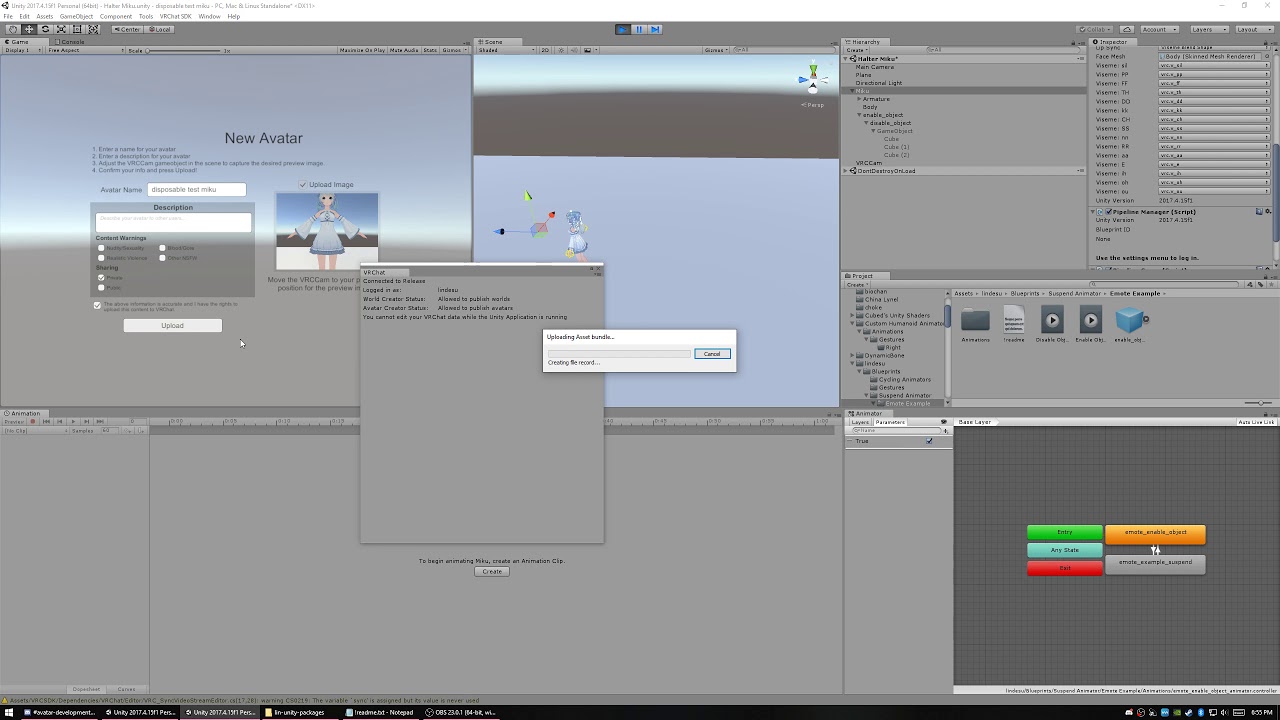
https://www.patreon.com/lindesu https://github.com/oofdesu/lin-unity-packages https://discord.gg/KkpfHz9 Animate on a particular combination of gestures, *wi...
here is a low quality guide for multi hand trigger
which is just a safe way to do gesture toggles


it's low quality because i don't cover 100% of everything and also my mic is crap sorry
wicked crane
Thanks for the videos!
 echo wraith
Is there a rule about having an animated object attached to your hand? I can see the object but no one else can and that makes it very tough to troubleshoot.
 lament prism
Why does the position of this N64 cube move whenever I turn the animation on?
I tried moving it's position in blender, but it doesn't ever line up exactly where I want it, so is there any way to fix it's position in unity?
echo wraith
You could always make an animation in Unity to move it where it needs to go, but sometimes that has been glitchy for me in the sense that in game I see it in a different spot than other players.
lament prism
strange...this sorta sucks 😦
echo wraith
What bone is the object with the animation attached to?
lament prism
None I don't think.
Wait nvm
It's attached to the head bone of my avatar, but it doesn't have its own bone.
echo wraith
Hmm, still should move/stay with you unless another animation is telling it to go up. If you animated the N64 logo in Unity make sure you're not accidentally missing a key frame that's telling it to move up.
 daring quest
is there a way to detach animations from an object? I want to edit the animation that came with the object but it's not letting me
 dull wedge
What comes to mind when you hear this? (Volume warning btw)
echo wraith
Someone dying by a dragon or transforming into a dragon. I think it can go both ways... Maybe someone leaping to stab a dragon.
@daring quest Click the animation from this menu and hit Ctrl+D on it. https://puu.sh/DLy55/e3a381273d.png
 echo wraith
It should create a second version outside of the model that can be edited

@daring quest
daring quest
Yep, I did that, but it's not doing anything. hmm..
echo wraith
Hmm, not sure why
daring quest
Figured it out!
I couldn't duplicate the animation objects because of the vertical bar in the name. You have to click on animation's parent object in hierarchy and in inspector, in import settings click on animations button, change names of animations, and click on apply.
echo wraith
Oh wow, I would've never gotten that one 😬 . Good for you. Haha
daring quest
Thanks, I had to do a bit of googling, hopefully others can learn from my mistake
echo wraith
That's true, always nice to know Discord can be an archive of info. 😀
dull wedge
I tweaked some pitch and reverb settings. What comes to mind when hearing it now? (Volume warning)
 vague drift
That sounds really amazing!
echo wraith
Sounds good!
echo wraith
I see that generic rigs are broken right now so that's why when I trigger my animation it only shows locally. Glad to know so I don't keep trying to fix it. lol
 crimson pebble
can anyone here help me with making a animation for my avatar?!?
i donno bc i have never done it but im pretty shure it will be a bit hard
to do what im thinking of
 slim sparrow
 muted prairie
people can help you, but not make it for you
muted prairie
Then start with the basics, watch tutorials, then ask specific questions
clear yew
Try to do it and when you have specific problems people will help out
crimson pebble
well i have watched tutorials
and how to i fix the crouching thing
like when i start doing animations
the avatar just crouches
and i cant "uncrouch?"
like in unity i mean
slim sparrow
That's the default pose.
You don't have to undo that for hand gestures, but for emotes, you need to set Root T.y to 1, straighten the legs and arms out, etc.
crimson pebble
no i mean like now that its crouching
slim sparrow
Animate in another program like Blender instead and import the animations is what I recommend
Oh yeah
You have to make animations on a duplicate of your avatar.
slim sparrow
Alt-click the armature to expand the entire hierarchy
crimson pebble
but it broke the first one for some reason
slim sparrow
Select all bones, and in the transform component, go to the gear icon
crimson pebble
and the second
crimson pebble
can someone help me with making this
like just the hand
to this hand
i want it to like hit the hand on his chest and then that sorta like is the thing that remains
but i donno how
can someone help?!?
 vocal glacier
Hello, I am beginner in vrcsdk, someone tell me how to add emotion with a gun for an avatar? Maybe there is some tutorial?
muted prairie
You should be able to find some on Youtube
marsh heron
Started from scratch again and this time it uploads with its gestures. -.- I guess updating your Unity version screws up your scenes a bit
Also, my guess is you use collision triggers for that kinda stuff
 unkempt dune
this sounds stupid but does anybody know of there being an animation for the russian dance
 faint wolf
hello, im trying to add animations from left 4 dead to unity... any idea how?
im trying over 4 hours already 😦
 cold pulsar
Haven't done it but I would assume you use crowbar to get the .vanim or whatever valve calls their animation files and get that all converted in blender and then transfer that to unity. Just a guess
cold pulsar
I never touched the animations when I was using crowbar as I only wanted the meshes and textures from dota
There was a plug-in for blender that handles valve files so look that up and then I've heard people animate in blender and export that over to unity
faint wolf
how does it called?
cold pulsar
Not at my computer so I can't check, look up stuff like 'gmod to blender' as all valve games use the same engine IIRC
 lunar belfry
tried to override CROUCHIDLE, completely doesnt work (and instead vrchat tries to blend my normal IDLE but lower me), how do i replace it?
please PING me!! very much appreciated.
cold pulsar
@lunar belfry from personal testing you just can't use crouchidle, might work in desktop but in VR you never "crouch" you just lower. I tested a while ago though
cold pulsar
People have used gesture changes like crouchidle and proneidle but I can't help you if you are using desktop as I've never played on desktop. Ignore what I said
lunar belfry
i see, thanks anyway
violet moss
CrouchIdle is not currently used. It was at one point, but was removed.
along with any non-humanoid properties of the walking slots
crimson pebble
if anyone here is decent with anims could they pm me or call me and maybe help me with this project but not do it for me i wanna learn how and theres no yt tutorials for htis
i wanna make a toggle able weopon with one of the hand gestures
 white herald
look up state machines
crimson pebble
thx
crimson pebble
so if i had a avatar and im playing a animation
and i need a hand to disappear during that animation how would i do that
this is using the state machines also
so like i need something that sorta hides part of the hand is that possible
so like sorta masking it
but 3d
do you under stand?!?
well its a low poly creation
and please explane with this shader
XD
i must learn more
ok what i need here il give you some pictures
so here the hand normaly
hang on it kinda broke
XD
there we go
so thats just the fist
but it still shows my purpose
so you see the knife sorta thing
but the hands still there
i just want the knife to show
but its not the hole model
just part of it
@slate bloom u still here
i scared them off
too mutch to take in
fierce bane
@crimson pebble if they either have their own bones or their own materials it's pretty easy to do. Either scale the bone to 0, or swap the material to one with an invisible shader. (both done in the animation for your gesture)
Otherwise you can make it so it has either of those, or just make a shapekey that shrinks it into nothing or otherwise forms it into the shape needed.
If it's a separate mesh entirely it could just be disabled (something this simple definitely shouldn't be a separate mesh though...no point)
It's pretty difficult to see in those screenshots though, so I may be misunderstanding it, but either way those would be the four ways of hiding/disabling a part.
clear yew
hi guys what did i do wrong? everytime i start a animation it looks like this -.- have the teriyaki fish his own animation for his face and if im not allowed to ask something like this where can i get help`?
clear yew
the problem is only with the face attach
 analog onyx
Gestures should be looped, right?
 torn pawn
they are always looped even if u uncheck
analog onyx
Ah
 west nacelle
Hello, what we have to do for make animation longer than 60sc ? Mine is 2min40long, and stop at 60sc.
 granite vector
Sorry for crosspost (posted in worlds a couple of days ago) but still stuck on this:
I'm making a simple "ride". Two boats take two players around the world. Each boat has an animator, a vrc_station, and object sync. When testing the world by myself it works great. When I try it with a friend though, from my perspective the ride suddenly restarts halfway through, but to the other person it looks normal (I make it to the end of the ride). I'm sure it must be a syncing problem but I tried out some much more complex rollercoaster worlds and those work fine. Anyone have an idea where I'm going wrong?
crimson pebble
ok im back and i tried the scaling thing @fierce bane and it didnt really work
it kinda just glitches
and goes back to normal when i run it
it just resets the vaulue
but im gonna try the shader rn
crimson pebble
i think it worked
clear yew
How do I make the screen shaking effects as an emote?
crimson pebble

i will make a better one :D for now u got that i hope u understand what im trying to tell u whit my bad english XD Question drop in the comments or talk to m...
like this
or this

Discord: ₳ƵUͥ₵AͣRͫ ₴₳Ⱡ₲₳ĐØ#6054
torn pawn
"How do I get blocked by majority of players?"
crimson pebble
pretty mutch
clear yew
What about making people zoom in? I saw this one person with an avatar that just made you zoom in on a burger for a second
try mochie's shader

Patreon
Become a patron of Mochie today:
Read 5 posts by Mochie and get access to exclusive
content and experiences on the world’s largest membership
platform for artists and creators.
 tacit copper
i tried copying all the finger animators from the custom override into a new animation and put that into the animator. but when i now try to move the fingers nothing happens
 misty tiger
@clear yew https://github.com/AkaiMage/VRC-Cancerspace
GitHub
Cancerous screenspace shader for VRChat. Please use responsibly. :^) - AkaiMage/VRC-Cancerspace
 zenith topaz
so i'm trying to create a toggle animation system through statechanges
but i need to edit the animation file in visual studios
however, when i open a animation file in visual studios 2017 community edition with the unity addon, it just like shows me hex code and not C# scripting
anyone know what's wrong with my setup?
clear yew
well you do not really need to manually edit the animation file tbh
you just need the behavior.enabled property
both of these packages have ways to get the behavior.enabled property
the script lets you right click the label in the inspector of an animation file and add the property
the suspend animator package comes with a behavior_enabled.anim file that has the property in it
hi guys i ive a problem to get my avatar in t pose if i move the bones its deforming my arms can some one help me?
in unity
zenith topaz
@clear yew , thx for the prefab
i got it now just gotta finish everything up and test in vrchat
 candid oak
@clear yew gotta go back in blender and fix the weighting
clear yew
its all blue? should i do some weighting in to the inner side of the arms?
clear yew
how would i go about adding a shader to my model when i click an emote
 patent mist
For Blender 2.79b or 2.80 Weight paint when you work on blue become red (red more strong move, green 1/2 move, blue no move) of object rigging.
rustic mesa
how do you enable shaders in animations
record button doesnt work
for shader animations anyway
clear yew
thx @clear yew and @patent mist ill try it
clear yew
@rustic mesa you don't really enable a shader. A material has shader settings and you animate those settings
You can also animate the object with the material on it, or animate a swap of materials
patent mist
@clear yew Sureeeeeeee
violet moss
Even though vrc loops gestures it’s a good idea to enable loop time anyway so any curves will loop across the start/end seamlessly
Otherwise there will always be a keyframe placed at the start/end which under some conditions messes up curved motion
If your walk cycle isn’t seamless that’s usually why
 noble wasp
okay i got this question. why does vrchat with emotes and normal idle animations and runs and stuff. take control of the posioning and keep it fixed even though the animation being played tells otherwise. you cant do skate side to side movement slightly or anything. is there a way to take that control back
because it keeps breaking animations that i put on
violet moss
Disable root motion on the animation
Or more accurately bake root motion
This does not feel good to VR users though they will walk out of their own body
noble wasp
wait what thing is it that you got to tick?
clear yew
I already posted in rigging but im not sure what category this fits under... How would I import an animal that walks on 4 legs?
slim sparrow
Well you can't animate it @clear yew
You can import it and that's pretty much it
You can give it an idle animation though
 stark trail
question
so i learned how to make a VRC inventory system yesterday
got the state machines up and running
problem is that i have no idea how to get them to be stable
each state machine only has two states, enabled and disabled
and i toggle between them with one emote
sometimes it takes like 5 or 6 tries to enter the enabled state
but oddly enough it takes a lot less (1 try most of the time) to get into the disabled state
any way i ccan streamline this and make it better?
because right now its just slow and generally unpleasant to use
clear yew
I think I have no chocie but to give my horse bones (in the future)
Plus; I think if it got bones; it can stand
on its own
stark trail
nvm got it working
just gave it two buttons since it's a two-state thing
never touching something like that until udon for avatars becomes a thing
shudder
 dull sleet
I have a question regarding some particle effects im trying to do in unity , if any of you are well experienced i'd have a challenge to fix 😛
Im trying to fire a sub-particle in a direction once the parent particle dies. All my attempts have resulted in the child particle always firing in the same direction regardless of where i'm facing.
slim sparrow
@dull sleet does the parent particle have any speed on it?
And is it a local particle?
Subemitters only work properly if the parent has any speed/velocity to it
And you may have to attach the particle system to your armature using a fixed joint due to execution order issues
dull sleet
the parent has 0 speed and is local
it's already attached with a fixed joint as well ..... well the parent is
im guessing moving the particle thats attached doesnt change it's speed right
dull sleet
unfortunatly adding speed didnt change it once im in VR chat . it still fire in the direction i originaly spawn in the world
 frank yarrow
so, im basically working on a breath of the wild guardian with a custom walking animation. i have a puppet humanoid skeleton on the model but i cant get the walking animation to work ingame. simple avatar controller override for the walking cycles or custom overrides dont work for it either, anyone have an idea of how i can get this to work?
frank yarrow
i mean, the custom walking animation i made doesnt play on the model when i move.
it works when its a generic model though
candid oak
@frank yarrow there's a bug where if you have hands, and the animations are too complex, it will "bug out" the animation. the fact that it doesnt play at all might be something else though
frank yarrow
i don't have vr if thats what you mean
candid oak
no
hands on the model
in the overrides, did you set the walking animation to all the directions?
frank yarrow
well the "puppet" humanoid skeleton has hands for activating the gestures but its only a skeleton that that the guardian model sits over
candid oak
not just one
frank yarrow
yes. i put it on all of the walk/run animation overrides and it didnt really work
tested in the simple avatar controller aswell
candid oak
oh
candid oak
well did you break the model, alter any bones, or humanoid rigging after doing animations?
frank yarrow
no but unity keeps saying the model doesnt have head and hands mapped whenever i take off or put on the custom override controller
candid oak
@frank yarrow is your puppet the same mesh as the guardian?
frank yarrow
its just a skeleton that the mesh is parented to
candid oak
is it the same mesh/armature tho?
frank yarrow
the human skeleton is a human skeleton that i parented the armature of the guardian to. it had no mesh to begin with, guardian has its mesh though
candid oak
ok
so then
did you weight paint the hands?
to something on the guardian
like maybe, the base of it for instance
frank yarrow
there was nothing i could have weighted that would distort the mesh i dont think and i dont really feel like going in blender just to do that. also when i went in blender to look at the model again, it defaulted to the tpose despite being in a pose when it was imported but showed the bones posed but mesh was static
so let me tell you basically what im trying to do.
by having a "puppet" skeleton, i can make a generic model have gesture animations. such as the guardian being able to target people and shoot its laser and play the music when its in pursuit mode. and with the use of a fixed joint, i can make it so the eye can aim the lasersight because its attached to the head bone of the "puppet" rig which is the humanoid skeleton
another example is a tank where the head bone controls the turret of the tank
candid oak
@frank yarrow well that's all issues. if you want a puppet humanoid to work inside of something else, it has to be made and weighted before-hand. you dont have to do that with accessories, for example, but for that, then ye
frank yarrow
well it could be that it would have had to use the animator keyframes from the humanoid
like chest front back etc
candid oak
no. its just unity cannot look at a separate puppet and go "oh, this mesh is an accessory and the puppet is the rig"
has to be done in blender
unfortunately
or any other modeling software
frank yarrow
welp. guess i have to go back to a generic model then. also blender totally broke the damn thing when i reimported it back in to see if i could do dummy weights. so now the bones dont move the mesh
frank yarrow
i probably would have been betteroff trying the skywatcher instead. that way i could have just made an animator for the propellers to be spinning and have the head be puppeted by the humanoid skeleton again
candid oak
💦
frank yarrow
well for whatever reason the walking animation works just fine for an idle in the custom override for whatever reason yet doesnt function for any of the walking overrides
candid oak
o:
frank yarrow
even though it was animated from the humanoid skeleton and such.
and the walking animation works fine in unity but vrc of course loves to break everything you've worked so hard on once you get in ingame
fickle python
What was the "package"called wich let you move a whole arm
or all fingers at once
Aah i forgot i had it for so long
torn pawn
muscle editor
fallen flax
Buy it from the unity store @fickle python
 autumn locust
Anyone know how to add dance gesture to your avatar?
 lapis shadow
hey! im trying to work on a Moira model from overwatch and i made particle effects for her orbs but i dont know how to get them to turn on with a gesture 😦
stark trail
@lapis shadow you have an animation override already bound to your model? do that and make a new animation and put it in the override whichever hand gesture you want. now, make a copy of your avatar. drag the animation over that copy, and open up the animation window and take a look in it. add a property, and look for the particle system. youll want the "Is Active" property, and make sure that it is not only ticked to true, but that the animation itself is 2 frames long (you should have a key at frame 0 and frame 0.01). you can go ahead and delete the copy now - last thing to do is to make sure that the particle system is off by default on your avatar, so that way it can be turned on by the gesture animation
if you care about how your hands look during the animation, I can DM you a pack of hand gesture animations pre-made so you odnt have to worry about replicating them yourself
obv this is better explained by a video or visual guide, but since you already made an entire particle system for your orbs yourself, hopefully this text can get you pointed in the right direction for animating it
lapis shadow
@stark trail oh my god thank you so much!! youre the best! 😃
i would absolutely love your hand animations if the offer still stands! 😃 @stark trail
clear yew
@lapis shadow here's the default hand pose anims, easy to add your custom stuff to: https://www.dropbox.com/s/7b15xnkgqqkuh89/AnimationQuickBase.zip?dl=0
 lapis shadow
thank you ^_^
clear yew
works with any model that has the standard bone setup for hands
 spring isle
is there a unity tool I can use that'll allow me to easily edit an animation?
 chrome forum
Is there a way to change my character's model during an animation?
spring isle
decided to try just importing an mmd model with the animation. I'm having a problem with the animation twisting the model inhalf
Turning the mmd model to humanoid does the same thing to it
fickle python
@Burori#9860 hard, changing the textures and clothing fine
But modal is different
You could try to change the armuture and nodu
chrome forum
@fickle python I just want to change my character's face and hair (My model uses different parts instead of one single model)
fickle python
The way I think it should work is if you make a model that has two types of hairs with both bones in it and then you use unity to hide or show one of those hairs
 hollow fjord
Hello, friends! I'm hoping to be an aspiring animator when I get older
fickle python
Go for it =} never to late to start! @hollow fjord
clear yew
anyone have a good tutorial for eye blinking and mouth moving when speaking for non mmd models?
 stuck remnant
Hi all, currently have a single simple animation (just facial expressions, no handposes yet) set to all hand poses in the AnimationOverrideController (FINGERPOINT, FIST, HANDGUN, HANDOPEN, ROCKNROLL, THUMBSUP, VICTORY).
After uploading the avatar to VRC, I can see the animation correctly played back when I input any of these handposes, except for HANDOPEN.
When I press the grip button, the hand opens up, and the facial expression does not change- it seems the animation is not being overridden correctly.
Anyone have an idea as to why this would happen?
clear yew
hi guys i need help with a animation i want just a fish in my hand and if i hit someone with the fish , a sound should play but i cant use the vrc trigger how can i solve this
torn pawn
can't do that, but you can make audio source (disabled by default) a child of your fish object, then with a different gesture enable the audio source
audio will be played only when fish is active and the other gesture is pressed on 2nd controller
clear yew
ok thx
clear yew
@stuck remnant handopen is the only animation that's not an on/off toggle, it blends between closed and open hand anim depending on how open your hand is
it's better not to use it for stuff like facial expressions unless you want something you can control by amount
fickle python
@torn pawn cant you? u can use collider and use collider with to only check player
torn nebula
Attempting to create a trail with some additional particle effects, but encountering an issue.
None of the "rate over distance" particles spawn after attaching it to the avatar. On the spinning object I made for testing it inside unity it works fine.
https://gyazo.com/b2223778dab50f5412fa40fa0d4b87a3
 torn pawn
be sure that you have fixed joints for world particles, and in case it's 'rate over distance" you need to change from rigid body to transform (or vice versa)
torn nebula
Oh snap, yes I meant to say rate over distance, not time.
(Edited that now)
And thanks, will try that out.
torn pawn
ye, whatever the default is - doesn't work, so need to change it to other option
torn nebula
Ah, the options in emitter velocity. That does sound like the right thing to poke, yes.
rustic mesa
when using material changing animations, they dont revert back when i use F1
how do i kill the animation off when using F1
fierce bane
@rustic mesa whatever your default material is, is what it will return to when you stop using a gesture (for example, when you switch off of F3 back to F1 or anything else that doesn't assign a material to it)
Just make sure you're animating on a duplicate and you shouldn't run into an issue like that
echo wraith
I have an avatar who has basic mouth movement and his mouth wont move until I switch to another avatar that has a moving mouth then switch back to him. Anyone know how to fix that?
A jaw flap blend shape
 wispy oyster
I'm making a sprite avatar with an audio source. Everything works as intended in Unity but I noticed that the sprite loads faster than the audio does upon switching to the avatar in-game. Are there any "correct ways" to make sprites and audio sync up?
I'm using Error.mdl/Retro Sprites/1-Direction cutout shader for the sprite.
echo wraith
Turns out others can see my mouth move, I just can't until I swap from one avatar with lip sync then back to mine. Good enough for me. Haha
 chilly kernel
how did you make object that stays in the world
i heard that fixed joint alone wont work anymore
 violet thicket
anyone can help me learn how to use emotes as animation locks?
chrome forum
Can someone help me real quick?
My avatar's pose in Unity and VRChat aren't the same
chrome forum
This chat takes ages to respond
 hot bison
Hello everyone, it seems that i need help with getting sound effects working with animations on my avatar. I tried following tutorials on how to make an animation from scratch and add gestures and sounds in it, i tried using templates for the gestures, and adding sound to them, i tried making duplicates of my model, turning it off and audio sources on, tried removing ONSP Audio Source script and many many other things... But whatever i try, the audio on the slot of HandOpen, Victory and RockNRoll gestures doesnt play, rather making fast short sounds, and yes, i made sure that on both keyframes audio source turned on. What could be the problem here?
I dont know if screenshot will help, but here it is anyway
violet moss
More of a blender question but can I position bones in pose mode using the bone heads and tails like I do in edit mode?
hot bison
Nope thats what edit mode is for
violet moss
Well edit mode is for moving the bones without moving the model
I want to move the bones while also deforming the model but using the head/tails since it’s much easier to deform one armature into another
hot bison
Ohh i see, i think you can find button "lock as relaxed pose" or something like that, im not sure however if that will work, make a backup before trying
Nevermind, i made it work, for your knowledge, for some reason that checkbox was unmarked
chrome forum
Why do you guys skip my question?
clear flicker
Consider people missed it by accident
violet moss
@chrome forum rest pose needs to be t-pose. Use a custom idle if you want the legs in a certain pose. It can’t be the rest pose it won’t work like that
slim sparrow
I'm pretty sure the IK is just forcing his feet together like that.
Only solution is unmapping finger bones.
fierce bane
or using unmapped legs to pose instead, and have un-weight bones for the actual legs
slim sparrow
Yeah but that looks dumb when walking
 fluid lion
Hi everyone. My english is not the best but i'll try to explain my question and i hope someone can help me with it 😅 so the thing is i have a pistol on my avatar and i can trigger it to "shoot". I saw someone who shot with a weapon and the animation made a hole texture on the wall he shot at. How can you make this kind of effect?
 fallen crypt
Particle collision birth
Creates an effect made from static particle after the first particle hit a collidable object
fluid lion
Ah thanks. Not really familiar with it but will look into it. One more thing. Is it possible to make it create different effent depending on if it hit a wall or another avatar or i just need to make another trigger type?
clear yew
You can, but the different effect is only visible to the person hit
You can collide an invisible particle with someone's player local pill and they will experience a subemission
fluid lion
Okay that's beyond my animating knowledge. But thanks for the both of you. I'll keep these in mind
chrome forum
@violet moss Sorry for the late response but what do you mean "rest pose"
You mean like the default position of the model like a t-pose?
violet moss
The position your avatar is in when all bones are set to 0 0 0 rotation.
This should be T pose, if it’s not, check “enforce T pose” in bone config but it’s better to do it yourself
chrome forum
When I set the model up in Blender, my character wasn't in T-Pose so it's probably that
@violet moss I checked and all my bones are at 0.0.0
violet moss
but is it t-posed?
 glossy radish
I have a part of my model that I want to constantly spin. What's the best way to make an animation that's constantly playing regardless of my avatar state (idle/walking/acting/etc.)
If it's of any help, this avatar does not comply with humanoid standards and is just a floating bit of geometry.
fierce bane
@glossy radish if you put an animator above that object you can create an animation that does a 360 over however long you want. Just make sure to go into the curves section of the animation window and set it to linear on both keyframes so it goes smoothly
glossy radish
Yea thanks.
 eternal sorrel
Does anyone know how I would go about animating a stage coming out of the ground and staying in the same place until I hit an f key?
Never done any animating in unity of that caliber so I'm not too sure how to attack it
chrome forum
@violet moss Yes it is
fallen crypt
Anyone here have knowledge in animations? I wanna put out my questions:
- Can we import Blender animations with loop states? E.g. Sitting animation, when triggered, the animation plays to the set loop frames until you stop the animation (avatar start to get down on the ground and then stays seated in loop frames and when animation halts, the avatar gets back up on his feet, transitional events)
- Custom Controller - Emotes change avatar states and AO, is it possible? I seen people used emotes to create transitional transform animation, they stay in that state until they trigger another emote. And is it possible to change the AO? E.g. Changing from biped to quadruped
- How people able to make animations play longer than 2 frames in gestures without Legacy anim now? I seen a lot of avatars using transformative weapons like Ruby Rose's scythe, it is very transitional. And also they can spawn another model to dance for them...
 pliant plank
@violet moss not on my laptop atm but, perhaps you can change the tail coordinates whilst in pose mode?
I don't know of anyway to select just the points, but perhaps some messing around with connected bones may help (like freezing the parent but having the tail not connected and supposedly movable), there were also constraint modifiers, but also unsure if those'd help
@fallen crypt
Gesture triggers animator, animator plays animation, the gesture itself is only 2 frames long and just tells unity to keep the animator active, animators on the other hand can be quite long, switching avatar type from biped to quad probably isn't impossible with specific joint setups (albeit really buggy/inconsistent), you can import any blender animation, the loop is defined in unity not blender however
 magic depot
Guys?
I have one question.
Where I can take Badge Seller`s (A Hat In Time) idle animation?
 flint sandal
How would I go about adding those "puddles" when an avatar is walking around? Like it only appears when stepping on the ground?
 fallen rampart
@flint sandal that's done with a particle animation
o.o?
the bot must have caught a flagged word, ok. Anyway, if you find a cat footprint animation it's done in a similar way
essentially you want to leave a trail of sprites or similar that collide with the floor
so, you could use: https://docs.unity3d.com/Manual/class-TrailRenderer.html

or, yo ucan make something that uses this: https://docs.unity3d.com/Manual/PartSysCollisionModule.html
that ejects particles downwards to sit on the floor. Some people just make them emit slowly every second or so and only a few at a time along z to stop in place.
some people will put more advanced shaders on them so that the mesh particles coming off the particle emitter interact with the environment AND other players, but that's a whole other thing. I've seen a gel or liquid that works this way a few times.
but if you do it in a mostly unity way, those particles can even be used on quest
flint sandal
So it's basically just done manually then?
violet moss
@flint sandal walk animations are currently broken. You cannot animate anything other than humanoid bone rotations at the moment for the walking slots. Anything else will play locally but no one else will see it atm. It’s a bug
slim sparrow
You could probably use emission over distance for the particle system
stark trail
vrchat appears to be taking a completely random shape key (moutth open) to do blinking, how to fix?
nvm, got my answer thru google
 vale saffron
I'm trying to make a particle effect, I've switch to mesh in the bottom section, which I think it's called render, I want my gun to shoot giant bullets, but either the particle or mesh is to small or to big, because I can't see it, how do you change the size of it?
daring quest
How do you destroy an object after its animation ends?
clear yew
you typically don't want to destroy an object
just turn it off
but if you are animating something with an animator, and you need the object the animator is on to turn off rather than just animating the children off
for some reason
you can do that with stop action disable(on a particle system)
you can also destroy with stop action but i really don't think thats what you want to do
@Hyperspace2#0700
clear yew
nani. are you hyperspace-san?
daring quest
Yeah, I changed names
 fresh estuary
Hi there, is anyone here familiar with the process of ripping animations from an Unreal Engine game and importing them to Unity? A friend is interested in getting a few animations onto his Walrider avatar (of the Unreal Engine 3 game Outlast) that are on the character in the original game. I'm looking for some pointers on how I would begin doing this, so if you have any ideas or have done something similar before I'd love your advice!
 pine ermine
Hey, If I wanted a 3D object like a sphere, or in my case a moon to circle my head, how do I do that in unity?
 unkempt lion
does anyone know how to increase or decrease animation speed when its running, i want the animation for a model to be slower because it moves a bit too fast
torn pawn
@unkempt lion most likely lower samples is what you want http://prntscr.com/odpmu0

or you can make the entire animation longer by selecting all frames and then dragging to expand
 cerulean knot
Heya, does anyone know if it's possible to get a proper sitting animation for your avatar when using VR?
I've seen some people in VRChat that seemed to have this, but the default you get,where you basically just crouch until your kneecaps are inside your skull before switching to prone animation kind of sucks. I couldn't really find much about it on Google, except for one animation file that seems to be made specifically for desktop mode.
slim sparrow
@cerulean knot those people were probably using trackers to get full body tracking
The only animation you can actually change properly in that manner is prone
cerulean knot
They weren't using full-body. They must have replaced their prone animation then?
 foggy pawn
Anyone know why my emotes won't show up in game? They are set in unity, but ingame it is set as the normal ones. Like wave clap etc
torn pawn
wrong controller in your descriptor @foggy pawn
foggy pawn
But my anim overrides work fine
Wait..
I'm stupid
You right, thank you. I forgot the anim controller, and the vrc descriptor are totally separate xD
 native belfry
Do they have any animation pack or sum
 marsh spoke
Could someone please explain to me or link me a good tutorial on how to add sound to a Unity animation?
Like, I want to add a sound file to a bow shooting animation.
daring quest
I'm trying to get my character to move position to start their next animation, but my object animation plays in the same position in play mode even though I changed it in the animation panel. When I play the animation from the animation panel, it's changing position like I want, but not when I go into play mode. I'm not sure what I'm missing
fresh estuary
Hi there, is anyone familiar with an issue of avatars going into the air slightly during animations? I've got a few from mixamo that look great but raise my avatar four to five inches upward while playing. Is there anything I can do?
fierce bane
@fresh estuary duplicate avatar in unity, drag/drop those animations onto the duplicated avatar
Edit the root position in the animations, and that should fix the position shift
fresh estuary
@fierce bane Thank you!!
fierce bane
I would guess that something is throwing mixamo off on the proper height, I don't use it though so can't help there.
 hasty wadi
hey, can anyone help me? i need to create a gesture that makes a seperate model appear behind the player model, how would i do that?
 fervent bone
is there no way to prevent expressions/visemes from being additive with each other? I made a new avatar, and when people play the expressions while talking it looks really funky :<! if there isn't something already, there really needs to be an animation priority system, not sure if that's possible with shapekeys though
torn pawn
@fervent bone you put -100 on all other expressions that are used

or w/e other values you use in gestures
violet moss
@pine ermine you add an animator component to the thing you want to move and create an animation for it within unity. For smooth orbit I’d offset it on a empty game object and then rotate the empty game object so it’s a perfect circle. Smoother than trying to animate a circle path
clear yew
@daring quest if it's on an avatar all you can do is reset the animation and force people to sync up with you
If it's a world I think there might be a syncing component idk
violet moss
Even for worlds I don’t believe there’s a way to do that
violet moss
And that syncs things mid-animation? I was pretty sure that was only for transforms
 icy thorn
anyone know how to pull out a object? I worked out that using pose mode lets you create shapekeys, but whenever I add an object, shrink it down, put it inside the avatar, parent it to the avatar, then try to use it when making a shapekey, it only applies to the bones. Do I need to attach a bone to the object? Am I approaching this wrong?
stark trail
you went the shape key route first? interesting
usually people just add the object separately in unity and enable/disable it. this triggers perf checker more, but can theoretically be worse for perf in reality (higher loaded tris on a skinned mesh), but it all depends on whichever is worse after all
whhat do you mean it only applies to the bones?
icy thorn
Like, I take the object that's stored in the avatar and I adjust it as well as the bones (using pose mode) and then save it as a shape key. When I activate the shape key though it doesn't scale/move the object though
@stark trail ^ (since you mentioned it's doable in unity, I'll probably do that, but I'd still like to learn how to use shape keys properly)
fickle python
Is it possible to make a emote that only triggers a object, and doesnt move the avatar?
stark trail
@icy thorn what is it that youre trying to do? a simple hand-held object?
icy thorn
Yeah
stark trail
because thhat's really easy and you dont have to move bones at all to do that
@fickle python you're thinking about VRC inventory system or similar
there's a number of guides out there
good luck
icy thorn
AIght, I'll dm you next time I'm working on the avatar maybe?
fickle python
nooo
stark trail
ohk
fickle python
Just to disable a sword or enabl eit
Atm i ahve it
But it enables words
and after emotes ends
disables it
I think i should use the subemite
to do this iq uess then
 shell flume
So i have this avatar with pre made animations but i want to change the avatar but when I tried it and tested it it did not work but when i tested it with the original avatar it worked I placed the controller from original avatar to the one I wanted to use any tips on how i can make it work
 icy swallow
Is adding a weapon from the body of the avatar (say a holster or from on the back), the same process of making it just appear out of thin air?
and does the gun model need to be attached to the armature when its not being used (in the holster)
clear yew
the gun mesh would ideally be in the armature, yes
so it follows the same bone the holster is weighted to
 somber wing
Hello, I'm new to the server, coming for help with trying to create an animated avatar!
Now, since I know I shouldn't ask for much, I only have a simple request
I have been trying to create an animation of Three weapon models appearing around the avatar using this tutorial as reference https://youtu.be/czEAsvQ-Y-0 but have been unsuccessful in numerous attempts
Is there a better tutorial available for doing something like this?
SUBSCRIBE, LIKE AND ALL THAT GOOD STUFF!! :D DISCORD ► https://discord.gg/vNyJgCX PATREON ► https://www.patreon.com/kunoleo
somber wing
It seems fine in Unity, I leave it visible in the animation section, and invisible on the regular area. But in VRChat, it did nothing. Went to the Box with a friend and the objects never appeared
My only guess is that this tutorial doesn't work for objects around an avatar rather than in their hands
fallen flax
Let me skim over the video really quickly and see if there's any mistakes.
somber wing
Animation part starts at 8.05
somber wing
Oh, that. He did fix his mistake in the comments. I did put it in custom standing animation
Not sitting animation, though. Would that of been the problem?
fallen flax
Most likely not
Let me try to find you a better tutorial, this is kind of dated and he takes too long
somber wing
Fair enough
Oh, in case I fall asleep, it is past 1am for me. I may fall asleep randomly. So I'd end up responding tomorrow
fallen flax
https://www.youtube.com/watch?v=h1lho_7p-DE Here's a tutorial made by Vanilla Neko, straight to the point and uses Muscle Animation Editor to help position the fingers, basically using sliders instead of having to use decimal values.

simple tutorial on adding props to your avatar
somber wing
Alright, thanks for the help. I'll try using this one once I get the chance tomorrow, then get back to you
G'night!
rustic mesa
i found one of the crouches in the template, but wheres the lower crouch?
was it PRONE?
rustic mesa
and they dont even trigger an animation
 next pilot
so i have a problem im tryin to put a gesture on my avatars tail but when it has dynamic bone on it the animation doesn play right whats going on?
 icy hare
This has probably been asked before but I just wanna prepare for when I get my Index and controllers. Do I need to mess around with the animations on the hands too much? I'm not sure how sensitive the animations are to real human fingers, do your fingers need to be in the exact same positions to activate an animation or is there some leniency with it?
Also, for example, if your Victory animation actually makes a closed fist, would you activate it by making a fist irl or the victory sign?
clear yew
@icy hare you won't need to mess with the hand pose animations at all, it will form the skeleton to what it thinks your hands are doing
to activate overrides, you need to turn on the gesture toggle and do the matching hand pose, and then squeeze a little bit
it'll start the override on squeeze of the gesture, it's not very hard to do
handopen is just handopen etc
i need to test but i think there are no garbage keyframes either
the only thing is that rocknroll is a bit hard to do now
but if there are no garbage keyframes, and if fist no longer acts like a toggle, then you get victory and fist back
icy hare
Ohhh ok I understand, thanks a lot 😄 I don't have my Index set yet but yeah
vale saffron

This is one of the easiest ways to make a toggle prop (Inventory System) on vrchat. I hope these steps were easy for you to follow, if you have any questions...
so i followed this video but the object still follows me around i want to be able to spawn like a chair and be able to walk away from it without it following me
vale saffron
ok so i got it it to stay in place but it will spawn far and i can walk up to it but i can place it where i want
and if i despawn it and spawn it again it will be in the same place
 vestal bluff
Does anyone know how to make an emote, such as a dance animation last longer than a minute, I've seen people do it in game but I can not figure out how to get my dance animations to go longer than one minute before they cut off
 delicate heron
anyone know a good tutorial on creating custom Idle and walking animations?
fierce bane
@vale saffron if you put an animator as a parent of the fixed joint, you can reset it to 0,0,0 position and rotation while disabled (which also solves the offset when it's disabled becoming the spawn point). And when you activate it you just disable the behavior of the animator to keep it in place (and not resetting to 0,0,0)
vale saffron
im not sure what you mean sorry your making it sound complicated me dumb XD
this is what i kinda understood
@fierce bane
could you make it easier to understand sorry XD
fierce bane
@vale saffron animator as a PARENT of the fixed joint (above it in the hierarchy), if you don't know what parenting is I'd look up some basics of unity
@vale saffron this is an example prefab Lindesu made (hopefully didn't butcher the name), also includes the more complicated to make animation with behavior disable in it
vale saffron
thanks ill give it a try tommorw im going bed soon:)
frank yarrow
i was just using that for an expiriment where i try making a model disabled but spawn another one with the world fixed joint. it doesnt really work because you need the finger point animation from the world fixed joint in your gesture override because it controls the fixed joint becoming active
clear yew
there is an emote toggle version in the same package
frank yarrow
so the emote one can toggle wether or not the gesture one is active? i never really used the enable joint before
pretty sure it wont really help with what im attempting though
its gonna require an entire different gesture to work in unison probably. one to make model disabled and the fingerpoint for enabling the object on the world fixed joint
frank yarrow
im probably making things more complicated for myself then it has to be
shell flume
Question i want to make an animation with gaster blasters and let them fire beams but the problem is that they don’t fire there beams at all and they swing when i move and when i stand still they are not in the right place how di i fix it that they follow me but don’t swing and that they fire there beams
somber wing
@shell flume About the swinging, from what I know the best solution is normally to attach them to your wrists, so that way you can aim them with your arms yourself. But if you're in desktop, I think you'd have to attach them to your head or another part of the model that doesn't move in VRChat's walk cycle
Hope this helps somewhat
clear yew
@Tegura#5022 the emote just turns the joint on and leaves it on until you disable it with the disable emote
shell flume
@somber wing oh ok il try that
rustic mesa
can you make an animation where the player gets faster?
rustic mesa
and also can you set a custom loop time for your audio?
fierce bane
You won't actually MOVE faster, but the animation can be accelerated to any speed you want (and if using an emote you can make it look like you're moving around, though you'd actually be in place still)
I don't think there's any way to set a custom loop time for audio except to take it into an audio program and change the length
clear yew
can someone please show me how to add emotes to my avatar I'm making a NF (The Rapper Tribute Avatar) An Need Help adding sit/prone emote an some of his music to it
 shut dragon
Why my toggled objects spazzes out when using my avatar for a while? https://gfycat.com/PopularShockedFlycatcher
 rustic mesa
ca you set up an object without it following the rotation of the avatar?
fierce bane
Do you want it to follow the avatar, but not turn with the avatar? Or do you want it to just stay in place in the world including not turning with the avatar?
Either way you could do it with a fixed joint/rigid with differing settings.
The first would just be unchecked constraint settings on the rigid the fixed joint attaches to, the second is the world anchored object mentioned a little ways up.
violet moss
Adding animation properties in unity has to be the second most cumbersome click-heavy UI I’ve never seen. Second only to cookie clicker
fierce bane
right? not even a shift or control click to add multiple properties...
 neon lichen
I feel confused. When I making new animation on unity for walking/run its just stuck on pose (no t-pose). Its dont move. How to possible fix it?
Forgot say "Hello",
but I really dont know how to fix it :c
fierce bane
you cannot move the bones themselves, you need to use the animator properties to animate a humanoid (leg.stretch etc
it's a lot easier if you have "muscle animation editor" (not free asset)
neon lichen
Oh yikes, pity losing time for this. Its just was works on unity but in game was broken
clear yew
does anyone know why, when a particle system is parented and set as a subemitter, it loses/changes its emission rate? When it's unparented it works perfectly fine but when it's set as a subemitter it only emits the burst every second instead of constantly
fierce bane
@clear yew if the subemitter is not created on birth it cannot have a rate over time setting, only burst/distance
you can however use burst, set it to infinite cycles, and adjust the count and time to create a similar setting...it's a really strange limitation
slim sparrow
It's because rate over time uses the particle system timer
clear yew
it is created on birth and i set the cycles to infinite already, that's why it's kinda weird that it is limited to emit every 0.5 seconds or something instead of constantly
my interval is set to 0.01 too
clear yew
Dont know if this is the right place but ill ask anyway
I want to essentially make my avatar fade to nothing, kind of like a pulsating fade, is there a possible way to do that?
somber wing
Looking for a unity useable effect that resembles the kind of beams seen in Dragon Ball and so on. Have been unsuccessful. Are there any links anyone can provide?
violet moss
How would I make a material that randomly chooses a texture every time it’s on screen and changes whenever it’s culled off screen? It can be different for everyone
I just want to swap when when unseen
torn pawn
uhhh probably only shader can do it?
violet moss
Can a shader even know when it has just then stopped being culled?
cold pulsar
Could try using animators that start running when culled that iterate through a bunch of colors so you'd have a random color every time someone looks away and back
slim sparrow
Cameras might work but those only work for friends. :/
clear yew
lately ive been having a problem with animations, i want my character on the left to float, and it plays the animation plays fine for the preview, but when i press the play button at the top of the screen, it doesnt play. anyone have a solution? https://gyazo.com/d79350a31823409eced99d280ef79d38

 floral imp
is that animation the default animation state in the animator?
floral imp
When you create a animation it is referenced in a animator, the animator is what makes your avatar animate. If your animation isn't the default state it won't play that animation automatically. You should open up the animator tab in unity, click on the model and check if your animation is the default state
clear yew
i think i know what you mean, hold on
i did make my own animation controller and put it in for the character, but im not sure if thats what broke it, but heres what it looks like
floral imp
that looks correct, assuming the Him animation is the one you want. You can double check by clicking that box, and in the inspector it will give you all the details including which animation file its referencing
clear yew
hia so whats this room im new to it
im not sure on what to look for, i tried removing the animator and adding it back, then going back to default controller, still not working
but i do have an older animation that still has the floating, i tried looking back at that one to see what the difference was but i saw nothing wrong
floral imp
I'm confused too, I hope you can get it resolved
clear yew
i hope i can, im just stuck at a dead end rn so just a
fierce bane
@clear yew notice when you hit play in the animation window the animator's behavior in the inspector gets unchecked (disabled)
but not when you hit play at the top. The controller likely doesn't have that animation set as the default, or the controller isn't applied to the avatar to preview it.
(hopefully you're putting the controller in on a duplicate, not a main model)
Can you show a full screenshot with both hierarchy (with avatar selected) and the inspector?
 hexed sequoia
Hey guys, hoping you can help me with this since some of you probably specialize in both Blender and Unity.
I am currently using an Xbox One Kinect to capture motion data. I am able to get the motion capture into Blender from a program called Delicode NI Mate 2 which puts my body into Blender like this: https://puu.sh/DUTXo/d2c4e0eaa1.gif
From there I use the data that Delicode imports into Blender and I use those points to make a rig, and from there I copy the rotation from the rig onto the VRChat rig.
https://puu.sh/DV15y/1ef57a5a2a.gif
Now, when I go and export this as a .FBX file, the file takes FOREVER to export(and my PC isn't bad by any means. i7 4790K, 32GB ram, rtx2080, etc) , I am talking about 10-15 minutes and ends up being around 80MB and then another 10-15 minutes to import into Unity. When I do get it imported into Unity, even though the rig was moving fine in Blender, it isn't moving at all in Unity and it takes 10-15 minutes to even begin interacting with the .FBX file that I imported. That and the .FBX file has DOZENS of animation clips, looks like it's for each bone like this: https://puu.sh/DV1hl/9ea6587f6c.png
Anyway, I need help. Please and thanks. If you have an easier way to export motion capture data from Blender to use in Unity, that would be greatly appreciated. Thank you!


 fallen crypt
Trying to get the blinking anim working using Animation component on my avatar, but it isn't playing?
 sharp crystal
How do I know how much to move my character's mouth in blender for when i use viseme?
slim sparrow
@fallen crypt the Animation component does not work
Use an animator on the body instead
slim sparrow
Well yes but you need a specific setup for that to work
Using an animator state machine
You can just download this prefab that does it all for you: https://github.com/HugoZink/RokksPrefabs/blob/master/Blinking.unitypackage
GitHub
Contribute to HugoZink/RokksPrefabs development by creating an account on GitHub.
You put an animator component on the Body, assign the BlinkController controller and you're pretty much done. If you want to stop the blinking on a gesture, copypaste the keyframes from the SuspendBlink animation into your gesture override animation.
fallen crypt
Ty again!
stark trail
noobimation question
say you needed to make adjustments to your avatar's shaders, such as a cool fade-away-to-invisible effect
afaik the only way to do this is to duplicate the body mesh and move it down the hierarchy under an empty where you can attatch an anim controller
and disable the other body mesh
1st question - deleting the existing body mesh would break prefab instance ofc, but does it actually break the avatar in this case? ive never broken a prefab instamce before so i wouldnt know what that would turn out like, and using a copy of the body mesh somewhere fown the hierarchy works with visemes so would it really be so critical? this is to keep avatar size down and to please the sdk yelling about tris i would never end up using anyway
2nd question ;) - is there a better way of doing this at all?
slim sparrow
Breaking the prefab instance is generally undesirable but unfortunately the shitty new performance system practically forces you to
Otherwise you could have a permanently disabled Body mesh
And just work with a duplicate or two
stark trail
generally undesirable in what way? what do i lose by breaking it?
is it the kind of thing i can get around by only breaking it last and making a duplicate of my avatar for each destructive edit?
slim sparrow
If you update the model in Blender and put it back into Unity, you have to remake the avatar
If you mess up the rest pose you cannot revert the transforms to prefab
violet moss
You should be able to avoid breaking your prefab by making any of the changes that would normally break the prefab in unity by doing it in blender instead so the model already gets imported the way you wanted to change it
This can include inserting parented blender empties between meshes in the heigharcy, etc
violet moss
They will import as unity empties which normally would break your prefab
stark trail
thx ^ ^
slim sparrow
Oh I completely forgot about that, that's cool.
 fleet wyvern
anybody have a dance of this song? https://www.youtube.com/watch?v=jDR0JMyoQGA

Renai Circulation - Kana Hanazawa [LYRICS] Romaji + English Lyrics: http://www.animelyrics.com/anime/bakemonogatari/renaicirculation.htm
 main coral
is anyone have idle animation for the avatar foot dont go in the floor ?
When i try to make this animation idle it's broken :/
https://nsa40.casimages.com/img/2019/07/21/190721063626533887.png

 patent ether
@main coral Increase Y transform value until it doesnt clip into the ground anymore
main coral
I did it already but it's keep the weird position when u make an animation ^^'
fickle python
@wicked python Perhaps contintue animatiosn questiosn here ^^
 wicked python
oh yea
ionic nova
@main coral remove toe bones in unity model' configure/put in blender tail of ankle bones lower to ground/try to remove\edit-Y of all ankle animation keys
mighty steppe
i have a small question..
i took an animation from SDK it self if im not wrong
i used that animation as idle one...
on unity works just fine
but in chat doesnt work
only the standing position changed a bit
but for some reason the animation starts to work when vrchat is about to crash or disconnects
today for the frist time i saw the animation actualy working when the vrchat got disconnected with a vrchat time out message
for some reason i can only see some of the animation working when im attaching a wing or something on the spine witch is disconnected from the main avatar mesh.
same goes for another avatar that has very very old face expresions
some works some does not...
but those that does not work...they start working when u change the avatar till the other avatar loaded successuful.
lunar belfry
yo guys whats the best way yall reckon i could animate the wheels of a car avatar to spin when i move around? im thinking of blend shapes that just spin the wheel. any other ways? whats the pros and cons of each way?
(i also need the front wheels to pivot when i strafe left and right)
torn pawn
from what I know custom walk doesn't work for generics atm
lunar belfry
i can always rig it as humanoid
but with extra wheel bones and normal human bones not having any weight on them
main coral
@ionic nova
i'm a little scared abt delete bones ^^'
violet moss
You can’y animate non-humanoid properties on movment animation override, be it humanoid OR generic. Hopefully this gets fixed because I really need them, but I i don’t think it’s a priority. Vote on it on the canny. Personally it’s my most wanted fix.
somber wing
Sorry to ask, but I can't find an asset possible to use for a beam on a model whatsoever. Something similar to Jeaya's Undertale models. Does anyone have anything close to such an asset?
lunar belfry
@violet moss what if i rig the 4 wheels as 4 limbs and make custom animations so they never look weird
violet moss
You could, though in VR your head, neck, and arms will be replaced with VR IK control.
mighty steppe
no answer i see..
wicked python
@mighty steppe sry dont know ask it again to get it more visible
and thats not a small question :lul:
@fierce bane I have a question. I wanna an emote thast
when used changes the F's animations
I know thats possible Ive seen it a lot
just dk how
 blissful arrow
anyone know how to add extra animations?
blissful arrow
Like if i use something like Mixamo
can i add the animations from there to my avatar?
blissful arrow
stuff like that, theres an animation site that has animations you can add to models
wicked python
@blissful arrow I think so
blissful arrow
Ok
wicked python
@fierce bane I need your help please enable the dms its easier to speak by there. If you cant please create a server with nothing and invite me
fierce bane
@torn pawn @lunar belfry generic walk animations definitely work...but using a generic with a custom controller you do need all the animations you want to have made.
Example (yes it works in VRC as well):
lunar belfry
so whats the best way to animate wheels? i was going to make blend shapes that turn the wheels for my car avatar, but i want to know how other people are doing it
and what are the advantages and cons of each method
clear yew
ooo morgana
fierce bane
@lunar belfry if you use blend shapes, make certain the wheel itself isn't attached to something visually, otherwise it'll twist until it makes a full rotation. You'll also need to repeatedly cycle the shape from 0 to 100 with a linear curve, and then reset to 0 with a square curve (straight to 0 instead of sliding toward it like a linear)
You can also use an animation that just rotates it 360 in Unity which lets you adjust the speed whenever you want in Unity (Personal recommendation)
You can also pre-make the 360 animation in blender and bake it into the model to use in unity. (What I did for the walk cycle)
Personally I'd recommend just making the spin in Unity as part of your walk animation.
main coral
is anyone have idle animation for the avatar foot don't go in the floor ?
fierce bane
And yes Daishou, I was working on morgana (and debating the persona too) a while ago, don't have a side walk/strafe atm
Forgot to put this up too, don't have a recording of it in VRC though (badly looped gif, but actual animation is fine)
fierce bane
@main coral that's entirely dependent on how you set up the animation (and the body/bones to some extent)
Make a flat plane in unity and make sure the feet are above/on it when it's at 0 height and your avatar is 0,0,0 position
If not, you may need to bring it into Blender and adjust the position and/or make sure the small end of the foot bones are a little lower
main coral
All was fine, i finally did it in blender and it's good ! thanks
lunar belfry
@fierce bane thanks for the advice! for spinning, does the wheel mesh need to be seperate from the body mesh? or should i weight the wheel to a bone and spin the bone itself?
fierce bane
@lunar belfry Definitely keep the meshes merged, no reason to separate. Weighting it to a bone would be easiest by far. (also much better on performance)
If you align the bone to point straight on one axis it'll make it even easier for you to animate.
Then you can just rotate it to 90 degree rotations (or 120 degree if you want less keyframes to do) when in unity.
fierce bane
@wicked python "I need help" is extremely unspecific...
Can't help (nor can anyone else) if you don't explain what the problem is as best you can. Preferably with the same message you mention someone in.
wicked python
i told up htere what I needed
"@fierce bane I have a question. I wanna an emote thast
when used changes the F's animations
I know thats possible Ive seen it a lot
just dk how"
this is what I said
fierce bane
no idea what that means...
"changes the F's Animations" means nothing to me
wicked python
Ok hold on ill make a clip
fierce bane
describing what you want to do better would help too
wicked python
Like
the F keys are associated to animations if you want right?
I want so that when I use an emote, the animations that are on the f keys change
on the clip Ill record I will press F6 and F2 ok?
you will see what I nean
f6 with the left and f2 with the right (shift)
compressing video @fierce bane
fierce bane
those are called gestures
fierce bane
"F keys" is much more specific if you don't know the term though, not just "The Fs"
wicked python
My bad sry
fierce bane
and yes, you slot those into the override as well, the can only be a single frame. The same keyframe on both 0:00 and 0:01 for the animation
wicked python
fierce bane
IE Hand Open is F2 I believe?
wicked python
the 1st time I pressed F6 with the left and F2 with the right it did this. then I toggled animations 2 and pressed F6 and F2, and it was a different animation
thats what I wanna do
Idk
fierce bane
OH, changing what the gestures do by using an animation
wicked python
this avatar has 26 animatins btw
fierce bane
IE set 1, 2, or 3 based on which emote you hit?
wicked python
I know :lul:
ah ok
then just say 'ex:'
Im more used to it
but now u can say both
fierce bane
I've used IE for ages, unlikely to change
wicked python
k
fierce bane
crap...what is that called...
wicked python
I wanna do like an emote that when used changes the Gestures to naruto related stuff
like when I run it changes to naruto run
when I press like f2 starts the music
kage bunshin no jutsu too
lunar belfry
Thanks for the help himeki, ill try to position bones and animate them
wicked python
that must be very complicated but I learn fast when I have interest and Ill find a way to get over it
fierce bane
Emote toggle I think it's called?
Be aware you cannot change your run animation with that
fierce bane
you can't swap overrides, or the slots in the overrides
So swapping your run animation wouldn't work
you could however have it do different things for animations or other stuff unrelated to those specific overrides
lunar belfry
maybe he can override run animation to naruto run but use emote or expression overrite to toggle music on/off
fierce bane
run, crouch, walk, idle, and things like those cannot be swapped by any gestures or toggles
wicked python
music would be an F key yeah
fierce bane
hand gestures however can be swapped
lunar belfry
you can only have one type of run animation per avatar, and you cannot swap out one for another
fierce bane
correct ^
lunar belfry
also you cant bind any key you want, you can change them in vrchat settings but you cannot set them while uploading avatar
wicked python
wait
if I create a duplicate and change the run animation on it
and do the proccess to get everything ready
what would happen
fierce bane
nothing, it would keep the main avatar's upload
wicked python
k
lunar belfry
if you use animation to turn off your original mesh and turn on your animated naruto run, (having 2 meshes in 1 avatar)
fierce bane
your duplicates are only there for animating to avoid breaking your main avatar
wicked python
👍
fierce bane
that...could technically work? but that'd be HORRIBLE for performance...
Also you wouldn't be in that second duplicate avatar
it would just be there and would probably lean in front of you for that animation
lunar belfry
it would work but because normally, the second mesh is disabled, it wont render, thus, total on screen is still 1 mesh at a time
wicked python
the run animation*
fierce bane
on screen is the important part there
the mesh still exists, and the bones also all exist
lunar belfry
thats why if he is doing that, he needs to disable the original mesh in the animation
fierce bane
the bones aren't disabled (or they'd desync)
lunar belfry
and enable the other
fierce bane
you're only saving on the visible mesh, not the computations required to run it
wicked python
...
fierce bane
they're still there and they're still loaded, ready to be enabled and seen
lunar belfry
poorly optimized it would be, and it would be irresponsible to use such avatar in public worlds, but can that work? i think so,
fierce bane
valid point
it should work, though you'd be out of the body for any animation swaps like that and they wouldn't have proper tracking (if in VR it'd be weird too)
lunar belfry
check animation to see if it is missing the sound object
or if the avatar have it at all
fierce bane
To change what the gestures do you would set up a gesture animation that turns on everything you want that gesture to turn on in all of your different gestures (including the ones the emotes are supposed to swap to)
You need to create parent objects (that would be disabled, except for the default gesture set)
Your Emote Toggle for set 2 would turn the default set's parent object off, and the second set's object on
when a parent object is disabled, nothing below it can run
lunar belfry
also if you really have trouble catching up with what we are talking about, i recommend watching maybe like a short tutorial on how to add animation to avatars in vrchat
maybe youtube search or something
wait actually does tupper's channel have one of those?
smh let me check
wicked python
is this supposed to be enabled or disabled? when i enabled it the music started working. btw the untitled 1 is only enabled to test this
@lunar belfry I have 4, 1 with sound´
fierce bane
that should be disabled by default
you enable it in the animation to start the sound
oh...that's your issue
lunar belfry

yellow means it cant find the game object
scroll all the way down to add a new entry
fierce bane
yep, it's also named wrong because you renamed it, as well as the path possibly having changed
fierce bane
beat me to it
lunar belfry
and add it again
fierce bane
wait
wicked python
beat me to it??
lunar belfry
he is talking to me when he said "beat me to it"
fierce bane
just select that audio, press F2 and paste in Armature/Hips/Bubbletop audio
wicked python
added again I guess
lunar belfry
ok now just press play and u should hear sound come out if you set first keyframe to enable object
wicked python
done I gues
amm
Idk this still not workin
Should I restart unity and lose the changes to restart it?
Im confused
solve
solved
for some reason the ubbletop start music dissapeared
just did record enable and stop again
lunar belfry
okay im going to run it through:
- add the audio source to anywhere in the character's hierarchy (and set the audioclip)
- duplicate the character and hide the original
- drag the animation onto the duplicate
- set the game object active on first frame
- press start (u might want to move camera closer to character to hear it)
lunar belfry
yeah just reference it again whenever your sound disappear again
fierce bane
To change what the gestures do you would set up a gesture animation that turns on everything you want that gesture to turn on in all of your different gestures (including the ones the emotes are supposed to swap to)
You need to create parent objects (that would be disabled, except for the default gesture set)
Your Emote Toggle for set 2 would turn the default set's parent object off, and the second set's object on
When a parent object is disabled, nothing below it can run
I can't help with the emote toggle...haven't bothered with it at all
wicked python
ammm
fierce bane
that...should? cover the emote toggle
learning it is up to you though
fierce bane
you just jumped from "simple and common" to " welcome to sneaky tricks to get shit to work"
wicked python
haha
yeah im kind alike that
on music I jumped from creating a basic melody to a whole lo fi music
HoLd Up the file has 16.72 megas and discord is allowing it and oh nvm I forgot this server has nitro
on programming I also jumped from basics to creating a discord bot
🤷 its my personality, I always want more of myself I guess
@fierce bane Ill have lunch now. I will watch the video after lunch. be right bac
 winter sundial
Is there a way to animate movement without having it move back again afterwards?
fierce bane
the only way to really do that is to animate something that moves back towards you at the rate you walk to it (which is different depending on the map)
you can't really teleport, or rush at a spot and be there
winter sundial
It's for a world. I need a way to make animations relative to themselves. A friend of mine once told me it was possible with legacy animations but I don't remember how
fierce bane
legacy animations don't work at all
winter sundial
It was probably the old "animation" component rather than the animator. Do you know how it would be done? relative animations
fierce bane
an animation is always relative to the animator as far as I know, past that I can't really help there
chrome forum
Is someone here to help me?
fickle python
Sup! I am looking for some good fire particles. Anyone got any good advice?
wicked python
im back sry for taking so long
wicked python
@fierce bane what are the enable and disable objects emotes for?
like how is that going to change the gestures
also whats the difference between run and sprint? dont we only have 2 speeds on walking forward in vrchat?
slim sparrow
There's 3
Sprint is used in fast worlds
Walk/run/sprint isn't decided by whether you're pressing shift on desktop or how far you tilt the stick. It's decided by how fast you're actually going. The world can change this
fierce bane
The gesture enables A, B, or, C
The emote enables/disables 1, 2, or 3
1
|- A
2 (off by default)
|- B
3 (off by default)
|- C
Again, if a PARENT is disabled, so are the children.
If you enable 2, you also enable gesture B, if you disable 1, you disable gesture A.
So you swap a set to a different one
wicked python
I think Im getting it
so if I do
if I use the animations2 IE
I will enable gesture B
@fierce bane
but then
the toggle off emote
what will it do? change to 1 for example?
fierce bane
if you do emote 2 (toggles 1 off and 2 on) then you swap sets
wicked python
ok
but what does that have in common with da cubes?
on the video
there were sum cubes
@fierce bane
u understand my question?
fierce bane
I haven't looked into the video. You need an animation that enables set 2 and disables set 1 for the example above
chrome forum
Can someone help me?
wicked python
@chrome forum what do you need
clear yew
@wicked python i made a video for you hold on while i upload
wicked python
thx
 solemn pawn
I have noticed something wrong with generic avatars for non VR users
it appears that the avatars were supposed to move but since the new updates happened they only play Idle animations and their movement animations Doesn't for other players except the user
it is a big problem with custom wall animations or something like that
wicked python
@fierce bane I tried to change the run and sprint animation, but it didnt change
ah nvm
the side run didnt
wicked python
@clear yew so?
cold pulsar
@solemn pawn pretty sure they removed non humanoid animations when network IK came out. It's one of the bugs on the pile that they need to fix
fierce bane
They're still in...probably just not transferred across the net with the rest of the IK
cold pulsar
Yeah that's what I meant sorry. A couple of things are local only since they cut down on what is sent over


 wicked python
k
clear yew
tiny update to the example for a more sensical naming of the child object
also this might be helpful eventually

https://www.patreon.com/lindesu https://github.com/oofdesu/lin-unity-packages https://discord.gg/KkpfHz9 This will improve the sync rate of animator systems....