#animation
1 messages · Page 109 of 1
 hollow helm
 tiny gazelle
So I tried animating a sphere thats slanted to spin in the y-axis but it spins in all directions, how I fix it?
https://gyazo.com/59831f3d7fd09889bb9892a77c4602ed

 cold matrix
is there a common standard or a common preference when it comes to choosing what face expression can pair with different hand gestures for a neko avatar? i've been stuck on this idea for a week now.
 clear yew
@pseudo moon what you want to do is hard because a grenade launcher has drop on the projectile. Simulating the drop with a moving object is more difficult. You CAN do positional animation on projectile impact, though.
@nimble ridge @fierce bane

https://www.patreon.com/lindesu https://github.com/oofdesu/lin-unity-packages https://discord.gg/KkpfHz9 A linear projectile with positional effects on colli...

 huat?
clear yew
huat?
clear yew
Animation starts where the particle collided
Animation/sound on collision, but positional
 pliant plank
@fierce bane i think i know what they are talking about, and it does seem like it is possible to make a theoretically infinite setup using a scriptless method.
Something akin to voodoo to anybody unaware of the inner workings of it, as it seems impossible, but the mines were actually C4 in the case i know, in which they could place them anywhere and trigger them all, or just some of them, anybody could do it, no client or script shenanigans.
But the method has been kept under wraps for quite sometime now.
And yes, all of the C4's placed would stay in place, none would de-spawn untill they exploded, and all of them had their own audiosource+explosion effect on trigger.
clear yew
you can have a high number of mines but it would be limited to actual objects in your hierarchy. an object with a transform is the only way to get positional audio. even if it was global audio, each particle would have to be the last particle in the system to trigger a stop action disable, so each individual mine would need to be a different particle system component
pliant plank
Well that's a bloody large amount of mines then...
clear yew
was it greater than 20?
pliant plank
Pretty sure
clear yew
yeah that's a lot
they might have set it up and duplicated to like 100 or something, and they are cycling through a drop animation
pliant plank
Even had one that spawned a huge circle of ehm around the user, in which they also did alot of spawning
clear yew
were the circle of mines all detonated at once
pliant plank
Positional
clear yew
oh boy yeah, the only way to do that is an object with a position transform
so each mine was a real object lol
pliant plank
Eyup
Or well, perhaps not, the method has been kept under wraps as i said, and from what i heard, it looks like voodoo when you get to know about it.
I've already sort of thought about a plausible way, even if convoluted, mate of mine told me i was pretty close, it just made sense the more i thought 'bout it.
Afterwards i just stopped trying to understand it as i couldn't be arsed to try to set that montrosity up.
If misused, that thing could lag your entire system, think only a few users have direct access to it
But here's somethings to go by, although i might be saying too much already.
The C4 has a trajectory, all of them do.
They hit a surface, they stick to it.
They can all be detonated at once, or in a radius (some of you already know what this means).
Each one is "real" as they have positional audio and each has its own explosion effect.
They may de-spawn but i've personally never seen it happen.
clear yew
Do they have global collision?
With players
As in can everyone see the mine explode when someone steps on one?
pliant plank
It's not a mine per se, it's triggered by the owner, and everyone can see it
 forest bluff
I accidentally put an animation on my avatar and it's stuck in the ground, is there a way to put it back into T-pose? 😦
 fierce bane
@forest bluff check second pinned message in this channel
clear yew
One easy way to do it is to make a prefab of your avatar before it's broken and hit revert. Have to make sure you apply your changes to the prefab to keep it up to date, though
 brittle granite
@forest bluff find a way to get the skin bind pose
clear yew
:3
 ivory lagoon
i can't seem to find a tutorial on a tail wagging anim on gesture -- how would i do this?
when i put it to one second like normal the tail moves hyperspeed
pliant plank
@ivory lagoon make an animator on the tail and put the animation on the animator, iirc you also need to make the path to things as if they were directly under the animator
i.e.:
Tail/NextBone
instead of
Armature/Hips/Tail/NextBone
fierce bane
@ivory lagoon in addition to what EXSGT stated above, you would disable that animator by default, and your gesture animation would be the normal 1 frame long, and enable the animator to make it start up (gesture animations are not one second long, important distinction with animations)
ivory lagoon
im a bit confused -- i can't drag an animation into an animator, just an avatar @pliant plank @fierce bane
it also says the gameobject is missing when i make the path into that
clear yew
wwWhere can I find some cool levitation animation >:c
 proud laurel
Can anyone give me some pointers on how to do that neat trick of shrinking people's avatars down to teeny-tiny sizes when they sit in a seat?
 nimble ridge
+1
 stuck spade
size in the sit pose maybe or the prefab itself
 lime jay
okay so I'm trying to make a music synced animation, the song is 128bpm so I figured that's 2.133333 samples per second. Unity doesn't like fractions so I multiplied that by 60 and got 7680 samples per second now I'm trying to figure out how many samples is a beat 🤔
 spring nova
you could do 128 samples and then just run it at 1/60th speed, that might work
lime jay
Or perhaps I could just do an even number like 8 samples and treat each second of the animation as a beat
 minor hazel
Isn't the Playable Director white-listed? I think that'd be the easiest method to do audio + animation syncs. I haven't tested to see if it functions in VRC
minor hazel
It's listed as a white-listed component but....you can never be sure until you test
Maybe someone else has!
minor hazel
aw damn, that would be hella useful
lime jay
Okay no I figured it out.
If you have 1 second = 1 beat you need to multiply the animation speed by the following factor:
[BPM]/60
minor hazel
It should be ~28 frames per beat in your case at 60fps
but are you just trying to match per 1/4 beat
lime jay
You can enter that into unity easily and it'll automatically calculate it for you, so entering 128/60 in unity results in 2.133333 being input
minor hazel
or trigger custom stuff out like events based off what the audio is doing?
lime jay
The way I'm doing allows for any amount of samples per second in the animation
since 1 second is 1 beat
So it doesn't matter if I put 60 as samples or 8
I'm doing lower numbers because it's easier to keep track of
minor hazel
What kind of animation are you trying to pull?
lime jay
Changing material effects via master shader in tandem to music like launchpad artists are doing

Download this UNIPACK: https://drive.google.com/file/d/1pYIi4IionOmsEx9m_UwvWFnBJKi5INaX/view?usp=sharing - - - - - - - - - - - - - - - - - - - - - - - - - -...
minor hazel
Oh, nice! I love those controllers. I just had to do some mental gymnastics to understand how all that would work, and I think I get what you're saying. Let me know how that works out! My animation experience comes from the world of mograph so Unity's means of dealing with time/syncing are barely familiar 😕

 fallen crypt
Hey guys, I have problem trying to animate the humanoid. It is working, but the IK seems to screw up the whole armature that the anim cannot override it

Ingame
 muted prairie
Are you using dummy bones for the regular armature ?
muted prairie
Then make a humanoid bottom, and animate bones with the actual weightpaint
fallen crypt
Also not sure why my hover height still wasn't precise
It is humanoid
And you see in the gif, it is animated by MAE
muted prairie
Yeah but that's the problem
It'll use those bones as your legs for IK
So what you need to do is make another pair of legs without weight paint
and use those as the humanoid legs in your bone configuration in Unity
fallen crypt
But those fake legs will not move in movement anims?
muted prairie
nope, since you override the idle animation
fallen crypt
Walk Forward, Walk Backwards, Strafe, Running.... all those
muted prairie
I have a few like that myself, it works well
muted prairie
Do you have an idle animation override in a custom controller ?
fallen crypt
Yes
muted prairie
Does it work in Unity ?
muted prairie
Because you're using the same legs for IK
So make dummy legs without weight paint, and it'll work
fallen crypt
The hindlegs doesn't move at all so I am forced to use shapekeys to animate them
fallen crypt
Are you saying this latest update now allow extra bones animate as well now?
muted prairie
It always did, as long as they're not part of the normal armature for IK
fallen crypt
Yeah it still doesn't work

I am using dummy legs now
And see how I always trying to say the extra bones do not animate
I already told you my centaur's hindlegs doesn't worked 2 years ago
 slim sparrow
Extra bones don't animate yeah
Only humanoid ones do
There is literally no way around this.
fallen crypt
Then why the VRC dev team member said his worked o-o
It's been 2 years trying to get this right (1 year I went hiatus)
slim sparrow
Non-humanoid bones cannot be animated in a walk animation.
Humanoid bones can.
And currently, there is a bug where even secondary properties (such as animator enable/disable) isn't synced.
Oh I see, I read up a little
Non-humanoid bones work in idle animations.
But not in walks unfortunately
fallen crypt
Is there anyway to animate sitting properly?
When I sit with my custom anims, the camera clipped way into the avatar
And then it fecked up the orientation of the avatar sitting that way
muted prairie
A generic model and humanoid can also be combined, but that might be another solution entirely
slim sparrow
Yeah that also works, but unfortunately walk animations don't work with those right now
 hollow moss
so im trying to create a blush emote in unity (ive created many emotes already) and i have it set to appear on my face when i use the gesture. the object is a sphere with a transparent blush material over it but in is constantly flickering ingame

ive never had an issue like this
 blazing bluff
Im not sure if this is an animation question at this point, but my avatars mouth opens and closes at intervals. The visemes have been reset to AA OH and CH as of 10 mins ago in blender, and have been set correctly in unity. Any advice?
 lavish scaffold
@hollow moss Make sure frame 0 and 1 are exactly the same. Also make sure the animation is not on loop.
hollow moss
apparently enabling loop rather than having it disabled which was disabled by default for some reason, fixed it -_-
thank you though
lime jay
@minor hazel Hey, you asked to see how the shader keyframe animation turns out. I haven't completed it yet but here's my progress so far https://youtu.be/qaLJUuavfIo
 stark trail
aw yeah
its quesiton time
so for each hand i have thhis setup
and on each wrist bone i have a VRC IK FOllower component
the "heartss" particle system is world particles, and i turn it on by toggling the safety game object with the handgun gesture animation
problem is that it doesnt appear to enable the particles in-game
clear yew
You have the IK follower ON the wrist bone?
That might be why, ik follower should be on a child of the bone
And it does weird stuff
If not set up right
Night be yeeting your particles
stark trail
ah, child
would it be okay to put the IK follower directly on the safety empty game object
or should i put it onm the enabled empty object?
i was anticipating that disabling and enabling it would be an issue
like rigid bodies
which is why i made so many lol
clear yew
Looks like it can go on fingergun particles
Whichever object is a direct child of the bone
And has no offset
stark trail
ah, alright
fallen crypt
Still thinking of ways why my mermaid sitting is so messed up, camera clips into the butt and meshes blocking the view. And when facing up, I can see my whole avatar flip facing up as well... what the cause of this, I wonder....
Anyway, that aside, what is PRONEIDLE? I seen avatars able to use sitting anim via crouch, and I saw one uploaded in "where we can't say here" and said to put the anim into PRONEIDLE
 naive niche
any feeling helpful i need some help with a simple rotation animation
 next pilot
im guessing there is no way to have oninteract 2 times for a button to play an animation? tryin to make a mirror come down from the roof i can get the down part to work but the button seems to only work for 1 click and doesnt do the up animation i setup for it.
minor hazel
How are you triggering the up animation?
next pilot
with the same button as down
minor hazel
Are you setting the condition to True and False vs Toggle?
fierce bane
@fallen crypt PRONEIDLE is one of the humanoid overrides in the controller.
it is the default state while prone. (for desktop, hit Z, for VR Get low to the "floor" height)
minor hazel
I think you'd only need one OnInteract if you use toggle with AnimationBool
next pilot
ill try toggle
minor hazel
It just means it'll toggle between True + False when pressed
next pilot
ok toggle worked
fallen crypt
@fierce bane Tyvm, I see why my crouch anim doesn't work
I have to replace the anim of the original AO
The custom AO doesn't seem to override crouch
fierce bane
@fallen crypt from what I remember crouch idle override doesn't really work at all since it's blending idle and a lower body for the IK
fallen crypt
I wonder if my sit anim have the same issue...
fierce bane
assuming you mean sitting in a chair, that's different
fierce bane
"sitting" override should be separate from the standing override
fallen crypt
Camera went into the butt
fierce bane
as they fit in different slots
fallen crypt
Yeah I did have different AO for stand and sit
fierce bane
ok good
fallen crypt
I'm getting home, I'll show it to you
fierce bane
how did you pose your character? did you copy an idle and adjust it? did you make it from scratch?
fierce bane
and did you pose it as if the chair was at the current height or did you bring it down to the ground?
clear yew
I got an idea for my next Tutorial Video... "How to make Animations for VRChat" and I want to teach the most basic step -- the 4th Step of the 12 Steps of Animation "I forget the name.. but it's about causing something to be unexpected to create something dynamic like a ball bouncing to create impact" -- Oh the word was "Anticipation"
Would be a nice Tutorial video and it' won't even be about animating lol
fierce bane
@fallen crypt do you have dynamic bone on a hip or other humanoid bone?
fallen crypt
None on hips
On hair and chest but removed due to them spazzing out over time on hover idle anim
fierce bane
the script being on a humanoid bone instead of on a child of one can cause issues like the camera (like placing it on skirt root instead of hips themselves for example)
I'd test your sit pose in play mode, select the component with the avatar descriptor and see if the grey viewball shifts for the sitting pose, or if it stays in place and the body moves differently
the animation root should stay in the same place relative to the grey view ball
fallen crypt
@fierce bane Just got home, time to show via screenshare
fallen crypt
Ugh, anyway, here
I even tried moving the view ball to the same height but they remained the same
Okay.... just updated my crouch state, and seems replacing PRONEIDLE sitll doesn't work
next pilot
you can only override the crouchidle from what i remember unless they changed that in the past few months
fallen crypt
I still see people still can use sit anims in crouch
next pilot
yeah crouchidle has always been able to let you override it with w/e animation you want
fierce bane
@fallen crypt do you have root assigned as well?
fallen crypt
In MAE, yes
I still dunno how to make sure due to the darn camera go in the butt, so I can't see what is outside the mesh if my sitting anim is right :/
fierce bane
not sure what's wrong or missing then
I'd compare to another sit anim and see if something missing or different
to deal with it atm, you could always not use a double sided shader so you can see out...but that's hardly a fix
if you're just trying to sit when you use a seat, it should be under the IDLE as opposed to crouched or prone
if you're trying to use that exact pose when you go prone/crouched, it's moving the camera correctly, and your character should be seated on the ground instead
fallen crypt
Anyway to add the viewball to the animation keyframe?
Or we gotta adjust the avatar anim to the viewball height?
fierce bane
not that I know of, it's hardcoded I beleive
with VR it doesn't matter, as crouch/prone activates based on your head height
fallen crypt
Oh right, I wonder, does custom sit anims, the reason why my camera bug into the butt is because the root height is still incorrect? I wonder, do I have to align it to the main model's viewball?
fierce bane
you could set up a "fake" sit animation you toggle with a gesture.
Turn normal legs invisible, and enable a second set of legs (non humanoid of course) to animate into position
Not sure what you mean by that last question
generally speaking, unless you're doing an emote, or other long animation, your head shouldn't be moved around as it won't move the viewball
fallen crypt
I tried the camera still bug into the hip somehow.... o.o
@fierce bane OH!!!! I GOT IT!! FINALLY!
It is the viewball to idle height!!!
fierce bane
did I miss that somewhere?
fallen crypt
Okay, so it's not the sit anim
It is the viewball on the main avatar model
So I adjust it to the idle height and it fixed!
fierce bane
were you not in the head while standing?
fierce bane
but if you move it to the correct position while sitting, it should be above it significantly while standing
fallen crypt
It is correct this whole time (sitting anim)
It is the viewball on the main model have to adjust to idle anim height)
Idle anim + viewball = effect every height viewball in states
Ugh.... now I need to adjust the idle anim's height lower a bit, after sitting, the viewball went to some height limit and forced my avatar's head break from the body...
fallen crypt
 tough cargo
Is there a way that i can trigger an animation and make a model move from the right side of my screen to the left? (Im quite shit at animations, so bear with me)
Its a set of 6 models i think, and i need them to move together on a gesture
 fading bobcat
hello,how can i make an emote last longer?
fading bobcat
ok so its my first time making a keyframe animation and i wanna match it with a dance and first i wanna make sure to get the dance animation to work and everything will be ok,the emote keeps stop playing at the middle in game,so i tried putting an animator to the Armature and put the dance animation inside of it and play it,and everything missing
^idk why its missing when its on armature,if it works i can toggle it through gesture
fading bobcat
it wont let me
clear yew
@fading bobcat maybe the object you are animating is missing the avatar reference?
this thing
fading bobcat
Oh probably I left it on none I think, I'll try when I'm on pc
clear yew
yeah i think it needs it to have access to those specific properties
 torn pawn
not rigged as humanoid, or Armature is named differently
fading bobcat
i put avatar reference and the path is not missing anymore but it doest dance in play mode,but i see some weird blue and red dots behind the avatar and those are dancing
clear yew
does the avatar you're trying to animate have a set up rig?
fading bobcat
set up rig?
if i put the animation to the animator thats on the avatar instead of the animator on the armature it works
 languid lark

RADiCAL democratizes 3D animation for independent content creators.
capture movment from video clip
fading bobcat
woo that can be used for vrchat?
 sinful mulch


 lusty jewel
Imdabes
 mental needle
How do I copy and paste this animation out of my avatar in unity?
ctrl D isn't duplicating it
 white herald
@mental needle if there are invalid characters in the animation name it won't duplicate, try renaming it. that's the only similar issue i've seen
mental needle
yup, that worked. Thank you so much
 wintry dune
So I'm having an issue I've never had before. Bringing out an item with a gesture that I can't see myself but apparently it shows up in mirrors and other people can see it. Anyone know what can cause that?
wintry dune
It's just a separated part of the mesh, but it is connected to a bone connected to the right wrist. @clear yew
 cyan sparrow
Been a while since I made a custom idle, but my prone custom idle is bouncing around any hints?
cyan sparrow
Anyone?
Apparently it was because although there were only 2 frames unity decided to add random wobbles between each key frame instead of just having them be flat
cyan sparrow
Except it is still broken on some maps
 main coral
Hey, i meet a problem for my animation, i tried to make a animation for ride a whale, yes a whale. And i wanted to put it on the gesture of the hand (shift F1/F8) but after lot of try i discover it was impossible to move the body for the hand gesture... so i wanted to know if someone have an idea, make an emote is a good idea but i dont know how do it because i want to move when i ride my friend, and for an emote we cant move.. and for this technic im supposed to create an other emote who cancel the emote Ride a whale.. i find lot of avatar who work like this : one who can ON/OFF some stuff on the avatar or one that i can spawn a village in the map (in emote) and if i want it to deseapper : emote reset
Dunno if anyone will understand.. but i wish someone can explain me how do it, maybe go PV for not be cut by other conversation there...
 stray spindle
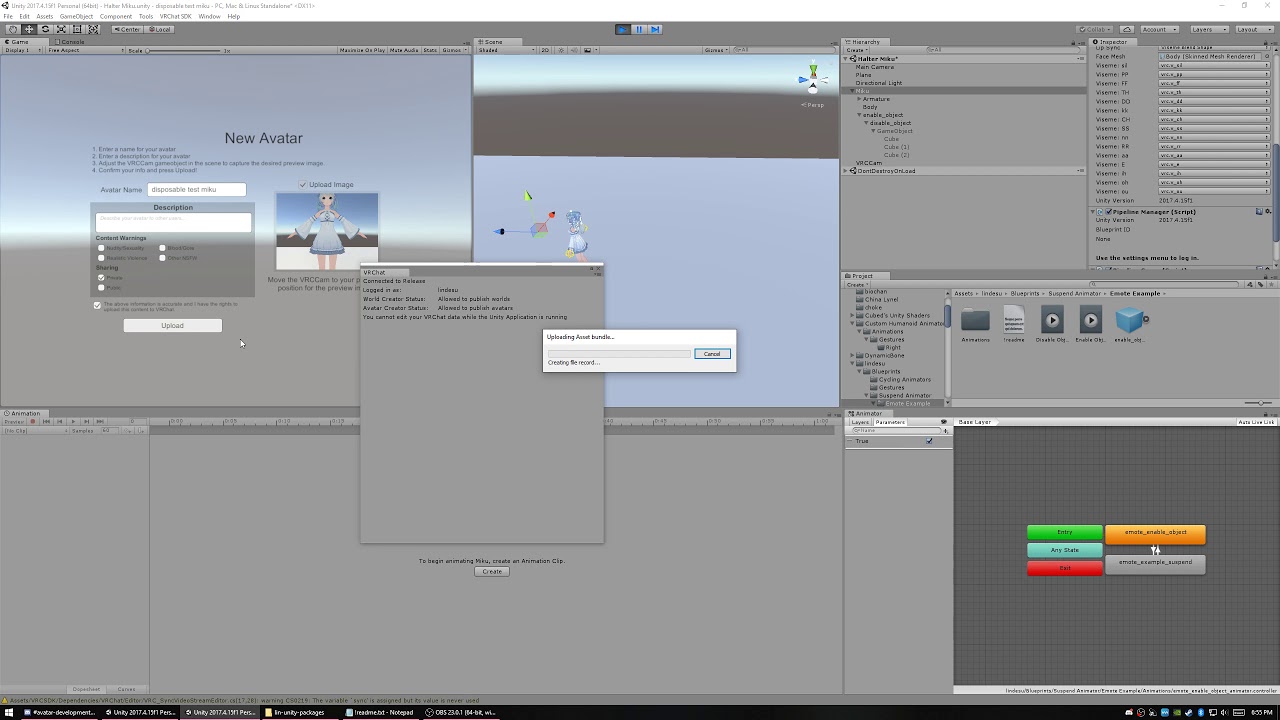
 severe pagoda
Question: How do I create 2D facial animations? Is it possible to switch UVs around to recreate a face (for example replace an "Open eyes" texture with a "Closed eyes" texture to imitate blinking) and is it possible to make eye tracking like this?
clear yew
how do you make 2 gestures activate an animation like when you do a finger point and a fist at the same time to make something appear in the left hand and change the thing thats in the right hand
clear yew
You have 2 disabled objects that are nested as a parent and child
Each gesture should animate on one of the objects
If the parent is disabled the child won't appear
And if the parent is enabled but the child isn't, still won't appear
white herald
@severe pagoda blinking only works with shapekeys, so you'd make 2 sets of eyes, and then a blink shapekey that shrinks the openeyes into the face and unshrinks the blink eyes out of the face, it goes fast enough that it looks semi distant. same with mouthshapes.
white herald
yeah could have manual blink animations
severe pagoda
@white herald So I make a amalgamation of faces with a texture of the eyes that hover off the face that interchange with each other?
white herald
that's how i do it
 raven harbor
Hello, i am having some trouble with my animation. I have created two similar animations, only difference being that one brings out a frying pan and the other is supposed to make a noise (So that i can bring out the pan and then use my other hand to make the sound trigger) but i haven't gotten it to work in game, so there must be some kind of problem in unity with it that causes this but i have no idea what it could be
white herald
neither do i. maybe post screenshots of the setup
raven harbor
The other animation is the same exept for the audio source thing
I haven't bothered about making the fingers wrap around the pan yet since i want it to work first
When i activate the one that brings out the pan, the pan comes out, when i do on my second hand to trigger the sound, nothing happens. I remove both things and do only the animation to trigger the sound, the pan comes back out but no audio
white herald
sound needs to be disabled to start with
and needs to be attached to the model you're uploading, looks like that's missing too
raven harbor
It should be attached, seeing as i am able to move it around with the transform tool
Alright i re added the audio source to make sure it was attached
fierce bane
@raven harbor if you want a two gesture animation (IE you must be holding the pan to activate the sound with the other hand), then do NOT have the frying_pan enable in the audio activation (that's why it activates right now when you let go of the hold.
You have one gesture for the frying pan to pull out, and one for the audio source, and that's all that would be in them. (for your mentioned setup)
BOTH the frying_pan and the Audio Source need to be disabled by default
also your sound may be too quiet, or the range too small, try hitting the audio gesture a bunch of times at different distances from you to check. Or go into play mode in unity and move the camera closer/further while enabling/disabling the audio to test it
extra note, your priority is currently set to 0...so everything else is probably overriding it
raven harbor
Alright, i'll try to see if i can fix that (compleatly new to this so 😅 )
raven harbor
Hmm... no that didn't seem to do any difference
fierce bane
did you test the sound in unity yet?
All the first part will do is prevent the sound from activating without the frying pan being held first
raven harbor
Thing is with how i had it before when i tested the sound in unity, it worked as i intended it to but it just didn't work in game (can't go back to that now)
and also not 100% if i got what you described right
raven harbor
Right, got some help with what you explained from a friend and i tested around but nothing seemed to work
wintry dune
@clear yew So do you have any idea what my issue may be. The item in question attached to the gesture is a rose and it appears in mirrors but not in my hand and everyone else can see it but me.
fierce bane
@raven harbor if you don't hear the music in play mode in Unity, you won't hear it in game. It's either too quiet, or the range is too small, so it fades rapidly
@wintry dune how exactly do you have it set up?
Is it the same mesh render as your body and using either shapekey or bone to shrink/enlarge?
Is it a separate mesh entirely placed under the wrist?
Are you using a different shader from the body?
As much info as you can provide about the setup helps determine what the issue could be.
raven harbor
I have the volume on 1 and max distance is 15 with custom rolloff on volume rolloff
fierce bane
@raven harbor and priority? did you bring that back up?
fierce bane
and can you hear it when in play mode?
(if you enable the object and parents obviously)
raven harbor
I've been trying to see if i can hear it using gesture manager
fierce bane
I have no idea what that is
raven harbor
It's a addon in unity so you can test the gestures out in unity, so you don't have to log into vrc every time to see if it actually works
And yeah i can hear it when in play mode
fierce bane
so when in play mode it works fine, but not in VRChat?
fierce bane
can you show your hierarchy?
raven harbor
hieracrhy?
fierce bane
one of the panels is named that, it's where all the objects for the scene are
fierce bane
you don't have your audio on the main avatar at all...
assuming Len is the avatar you upload that is
raven harbor
No i've made it as a animation, so that it triggers when using the rocknroll gesture
fierce bane
your duplicates do not upload with the avatar, they are only for making animations safely
raven harbor
aaah okay
fierce bane
it must be on the avatar you upload
raven harbor
Right, i just copied it and moved it onto the main avatar
fierce bane
a duplicate should be an EXACT duplicate of your avatar, and can be deleted after the animation is made if you want to (you can always drag an animation directly onto a new duplicate to edit it, or you can keep the duplicate, but keep it up to date with the main one)
make sure the path to that audio source is exactly the same too or the audio source won't work
fierce bane
you put the pan sound on the ring finger second bone >.>
if that's how your animation is set it's fine...if weird
raven harbor
No i accidentaly put it on the second bone, fixed now
fierce bane
from what you previously showed of your animation it should be under the frying_pan
If you open your animation, select the audio, and hit F2 you'll see what the animation expects as the exact path
make sure it matches what's in the animation, or edit the animation until it matches your setup
wintry dune
@clear yew It is the same mesh render as the body. It was apart of the avatar model but I separated it as a separate part of the same mesh so I can activate it on a gesture. It was already placed where it needed to be and is just rigged to a bone connected to the wrist but I only activate the mesh I don't mess with the bone. Its not active by default so when I activate the gesture it pulls it out and makes it appear.
When I am in vrchat and activate it I can't see it in my hand but I can see it in the mirror and other people have no issue seeing it either. There is a moment where it briefly appears in my hand where I can see it without looking in the mirror. But no matter what it's always there in the mirror and others can always see it. I wondered if it had something to do with the animation but there doesn't appear to be anything wrong with it and that doesn't explain why I can see it in the mirror and other people can see it but I can't. It also does use the exact same shader which is cubed shader. I've never had any issue with it before though with any other object that I activated through a gesture.
raven harbor
Nope. still no sound
I've done pretty much the same thing my friend has but it just won't seem to work for me
fierce bane
show me your animation with the path for the audio displayed, and your current heirarchy setup
raven harbor
fierce bane
@wintry dune activate it in your hand, and move your head around, does it pop in and out at certain times?
It's possible it's having bounding box issues.
Do you reveal it with a material swap? Scale shift? What exactly?
@raven harbor your animation is looking for Audio Source but you have it named Pan Sound
Edit the last part of the animation to replace Audio Source with Pan Sound
Extra note, I'd recommend moving pan sound down in the hierarchy near your frying pan object (Unity can be finicky at times and you should try to keep humanoid bones above other objects)
raven harbor
I could always just put it into frying_pan and just copy it down into the pan sound for the animation part
fierce bane
yes you could edit your animation to go Right Wrist/frying_pan/Pan Sound and just drag it in there
usually a better way anyway as it keeps the sound on the pan instead of your wrist (so you could make it come from the pan itself easier too)
raven harbor
Does that look better?
fierce bane
as long as your animation's path is set properly, yes
raven harbor
Animation path is proper
Let me try again
Nope, i still get nothing with the gesture manager
fierce bane
show me the path in the animation again
raven harbor
fierce bane
@raven harbor does gesture manager let you do two gestures at once?
raven harbor
Yes it does
So i can make the pan appear in one hand and attempt to trigger the sound with the other hand
as i want it
fierce bane
and your frying pan sound is only frames 0:00 and 0:01 correct?
raven harbor
yup
fierce bane
and both frying_pan and Pan Sound are disabled by default?
gesture manager also runs in play mode correct? You won't hear the sound if not
raven harbor
In Len yes, in the Pan Sound one no
and yes it runs in play mode
In the Pan Sound one the audio source is enabled
fierce bane
which one is gesture manager running on?
raven harbor
huh?
fierce bane
which avatar is it basing its gestures on? Pan Sound or Len?
raven harbor
It should be Len
wintry dune
@fierce bane I think you are right there Himeki. I actually notice when I do the animation there's a little box off to the side that reminds me of the boundary box on avatars in general. If this is the case can you tell me what I can do to fix it? And I literally just activate the mesh in the gesture. It doesn't scale or anything and there's no material swapping. I just have the mesh unchecked by default then check it as an active object in the gesture.
fierce bane
@wintry dune that looks like a separate mesh render and the bounding box isn't properly centered on it...can you screenshot your inspector with that rose highlighted?
@raven harbor it looks like it's set up properly from what I can see...the only things I can think that would be causing it not to be heard are a too quiet audio file, or a distance issue with the audio source...
if you just press play, then select the frying pan and control left click the pan sound, then enable the checkbox, you should hear the sound activate
...or the camera could be too far away I guess
raven harbor
Well, the audio file is DEFENITLY not too quiet, if i listen to it though another program it's loud, distance shouldn't be the issue
raven harbor
I've heard it before in unity and it's not quiet at all
fierce bane
alright then yeah I'd check the other things I mentioned
raven harbor
but when i click Pan Sound in Len and activate Audio Source i hear nothing
fierce bane
are you in play mode? did you also enable frying_pan in len?
raven harbor
Frying_pan is enabled in len, i'm in play mode and when i activate Audio Source i can hear the pan
fierce bane
disable the audio source again, move the main camera closer or further, and test audio again
wintry dune
Here it is with the rose selected on the animated model unless you meant for me to to the original one that isn't broken.
fierce bane
also just in case...make sure Unity isn't muted 😛
@wintry dune try zeroing out the center field on your mesh render
you may have to adjust it around until it lines up with the rose
raven harbor
No unity isn't muted, because i heard it when activating frying_pan in Len and then the Pan Sound in play mode
But it doesn't pick up in gesture manager
fierce bane
if it works in play mode and you have the correct animations set for your gesture overrides, it should be working
I don't know about or use gesture manager so I can't help with that one specifically
raven harbor
Alright, well i'll try to upload it and test it in vrc
fierce bane
just double check your animation override settings (and that the override is in the avatar of course)
raven harbor
I have the customoverride in the avatar and i think the paths are correct
Ah wait now it says Audio Sources found on avatar, that's a first
So i see this as a good sign
fierce bane
it wasn't on the avatar before, it was on your duplicate
So that means it's on the correct one (it'll probably force adjust your audio file, just a warning)
wintry dune
@fierce bane Do you mean to put zero in all the boxes under boundary? When I do that the box disappears entirely. And when I just zero all the center ones the box itself just moves to where the avatars waist is.
fierce bane
don't zero extent, that is the size of the box
what's the bone for your rose?
@wintry dune This would be a lot simpler for you (and technically more performance optimized too) if you join the mesh with the body and just set the rose's bone scale in Unity to 0,0,0 by default, and have it set back to full size in the gesture animation (it'll instantly go to full size unless you put the gesture on a trigger, like the oculus' grip button for example)
If you really want to do it as is, you'll want to hit "edit bounds" and move the boxes edges to the rose and around it. (just know it might be a bit screwy and will probably have to be a bit larger than needed since it's anchored to the body's rotation and not the rose's)
another option if it's joined is to just do a material swap from invisible to your Flat Lit Toon shader in the animation.
There's really no good reason (for something like this) to have a separated mesh if it's part of the same model though
ivory lagoon
does anybody know how to do the inventory system by any chance? the only videos i can find are overcomplicating it way too much, i'm just trying to get it to lock one game object, not switch between states/different anims
clear yew
@ivory lagoon with emote?
ivory lagoon
with gesture, unless with emote works in vr too
stark trail
you can always make a really shitty "inventory" system
make an empty, disabled game object bound to the rockNroll gesture
then put as many disabled empty game objects as you need in there per "inventory item", and bind those to gestures of your choice
that way you would have to do rock n roll on your right hand and a gesture on your left to "access" those items
clear yew
i think they want it to persist after the gesture is released
ivory lagoon
^ ye
ivory lagoon
i just have one gameobject i want to activate but these tutorials are making it seem way harder than it is...? because they're activating all different kinds of effects
i just want particles to show up and then use my hands like normal instead of having to hold a gesture on one hand
clear yew
if you want it to work with a gesture it's awkward because gestures are funky and fire on accident all the time
if you have like
fierce bane
I mean...if you just want a mesh, or image you can always use an extremely long life particle set to burst and enable emission for an easy persistant object...
If you want more than that it'd be more complex of course
clear yew
an on/off switch and it's activate on press between 2 gestures
it will fire all the time and be annoying because it's on press
so you have to do stuff to make it safer than on press
like cycling with a delay
or involving more animators
ivory lagoon
would having an enable/disable as emotes keep it on while i'm in VR? or is that desktop only?
clear yew
it will work and it's the most simple way persist an animated state
gesture stuff works but it's just, you need to think about the hand interface part of it more
ivory lagoon
i'm just looking to keep it on a constant state and switch it on/off at will, emotes sound like it'll be easier but the only tutorials i've seen are people on desktop mode
i wasn't sure if it worked in vr
fierce bane
wouldn't a single extra animator with a dummy->activation using a delay cover the accidental gesture issue? I mean it's still an extra animator per cycle system...but still
clear yew
yeah you can introduce delays fine, and also using a proxy/dummy animator helps with consistency
cycling animators still aren't great though, they still desync if you mong out or if someone loses frames
you can fix it by holding the gesture more or making it more deterministic somehow
long states and all that
but is annoying
i like to do either multi hand stuff or stop action stuff
for animating in one direction, no cycling
so i can ensure someone is in a state
fierce bane
I haven't used stop action stuff yet, how reliable is it?
clear yew
it's consistent as long as a person experiences the particle death
ivory lagoon
this is all way beyond me haha
might just stick to holding the gesture on one hand
clear yew
i have prefabs but just want to know what you need to do
if you want an emote toggle i have a guide and prefab for that
ivory lagoon
how long does the emote toggle stay on for? 0:
clear yew
as long as you want, given the person experienced the emote
anyone that wasn't there for the emote is in the previous animated state
ivory lagoon
so essentially what i'm doing is trying to have my avatar in a "powered up state" (literally just lit up and lightning flashing around him, all in one game object) and i want to toggle this powered up state on or off
i have the game object and all, it's just a matter of toggling that single game object on or off, nothing complicated
these tutorials are throwing me for a loop though
clear yew
so if you want to do that with an emote:
you can also do it with your hands
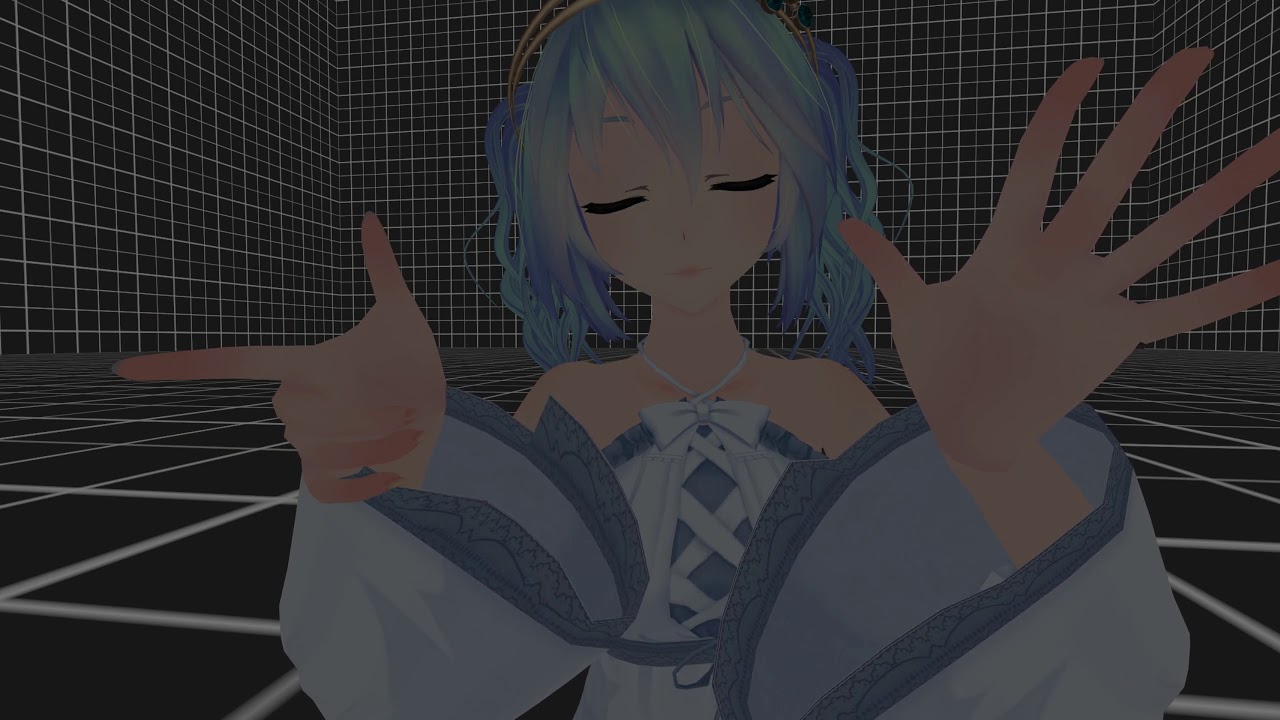
https://www.patreon.com/lindesu https://github.com/oofdesu/lin-unity-packages https://discord.gg/KkpfHz9 Animate on a particular combination of gestures, *wi...
but i dont have a real guide for the hands thing
the package isn't too hard to follow though...
you can stack the multi hand prefab and animate something on and off without disabling any gameobjects
so you can do smooth fades between animated states
ivory lagoon
ooh hands might be easier when it comes to doing it in game -- lemme take a look rq
clear yew
its better as an interface and you can do really nice stuff with it
but you have to understand animators and hierarchy slightly past what is average for people
there are not good guides for this stuff since it's a workaround circus
ivory lagoon
i've been at this for hours and i still don't get it lksljkd
clear yew
yeah
ivory lagoon
hoo boy this stuff's too confusing for me sklfklj
i think im gonna stuck with holding the gesture q__q
i'll try to revisit your prefabs when i get more experience -- thank you! i appreciate the help
clear yew
good luck
ivory lagoon
oh sweet i figured out the emotes version of it
i'll stick with that
thank you again!
clear yew
fallen crypt
Mudamudamudamuda
clear yew
I still haven't figured out how to set an animation to a certain key. Anyone got advise?
 topaz otter
Does anyone have a pack or set of animations for... thicker models than are standard? Mixamo has no idea how to handle shoulders wider than its default female model apparently, so I'm about to just figure out how to animate crouch, sit, and idle from scratch unless someone has a couple animations I can steal.
brittle granite
@topaz otter upload rig to Mixamo retarget animation. Download what you need
topaz otter
Retarget?
The issue I'm having is that my model's arms are bent forward at the shoulder joint by about... fifty degrees more than they should be when uploaded to mixamo.
 deft mountain
Can somebody PLEASE tell me how to make an object spawned during an animation stay in place? I've been told to use rigidbody and fixed joints but they don't seem to do anything. The object still moves with my avatar, at least from other people's POV.
 undone niche
 autumn yew
When I spawn object using emote... I see it fixed to world on my end, but others seems to see it follow me around?
I'm pretty sure I did this same thing many months ago and it works fine. Maybe updates changed something or I accidentally did something wrong...
deft mountain
This is exactly what I was asking about. Having no connected body is supposed to fix the object to the world, but it still shakes, and others will see it move with your avatar.
Trying to find a better method.
autumn yew
Ah ok. So it was updates that killed it. Wonder if it was on purpose.
deft mountain
I'm trying to use mesh particles to achieve the same effect now. I think is doable using world particles with a long duration, but the object I want to spawn has a TON of meshes (it's more or less a building) and I would need a system for each one to do it. Still, this way might work out better for you depending on what you're doing.
slim sparrow
@autumn yew they broke that a while back, probably not on purpose
Final IK was another method but that one broke too.
deft mountain
Figures.
autumn yew
@slim sparrow btw, I saw that you made a prefab for world objects? Does that work?
slim sparrow
Maybe?
fierce bane
Setting angular drag to infinity as well helps with the shaking
I haven't actually run into the issue of world objects moving around with me, so maybe something's different in my setup that solves it.
Armature->named empty object for grouping->animator for position reset (always on, behavior toggle)-> fixed joint anchor (things below are either objects or particles)
as far as I've been told, other people see them stay in place (maybe some jitter, but that's unavoidable due to the janky way we have to do things...)
standard anchor object, nothing special.
parented to an object with only an animator resetting position and rotation to 0,0,0
Dummy is an empty animation (no keyframes), exit time 0.75, fixed time .25s (allows for your hand to flicker off and not have it reset instantly, have to release for almost a second to reset to you)
autumn yew
that rigidbody and fixed joint is basically copy paste of mine... I wonder what went wrong.
clear yew
so i need to get a line (a REALLY skinny cylinder) to connect between 2 bones so the top of the line is connected to the elbow and the bottom is connected to the wrist can i have help on that? (i also dont understand a whole lot about parent and child stuff
fierce bane
The easiest way would be if the cylinder had two bones of it's own, one could anchor to the elbow, the opposite to the wrist
However if you just need it to follow the lower arm, just attach it to the lower arm itself.
A child always follows the parent unless it is animated in some way.
So Child and Child2 would always follow Parent
Same for Wrist and Cylinder following Elbow
@clear yew ⬆ my bad, forgot to mention
clear yew
could u explain the parent and child thing to me quick because i dont understand it at all @fierce bane
fierce bane
see image above, "child" and "child 2" are both parented to "parent"
clear yew
i dont know what child and parent means or what it is or anything about it
fierce bane
that's...about as simple as I can make it....a child always follows the parent unless it is animated in some way
simplistic example. Keys on a keychain, the keys always follow the keychain when you move it, but they can be rotated and moved around the keychain on their own when you move them
so the keychain is the parent, and the keys are children of the parent
fierce bane
the difference there is that if you were to rotate a parent in unity, the keys would all rotate with it, not hang down
clear yew
so how would i get 2 bones on the cylinder
fierce bane
a paperclip on a piece of paper might be a better example....
you can move the paper clip around, or turn it, but it doesn't move on it's own.
Rotating or moving the paper, the paper clip moves too
That's....a lot more complex and you'd have to learn blender for it
if you just want something to follow your lower arm, just attach it as a child
there's...no real reason I can think of to anchor something between your elbow and wrist, unless you have special plans that requires it....like a hanging cloth or something
clear yew
i want a line to be attached to a dot on the elbow and a dot on the wrist and not just the lower arm because it wont be in line with the dot
 tardy abyss
I have a question: how exactly would one be able to set up a blush to show up when triggering a specific animation?
clear yew
if i move the wrist
@tardy abyss you would press record and click on body and change the blend shapes on the inspector then when your done changing values on the blend shapes you stop the recording on the animation
click on body in the hierarchy btw
tardy abyss
The model doesn't have its own blush blend shape.
And I don't know how to go about adding one, except as a separate texture added to the face or whatever that's triggered. Or as another skin for the model that's triggered.
fierce bane
to add a blend shape you have to make it in blender (or other 3d modeling program)
clear yew
you could add a blush to the models head then animate it to move forward outside of the face
fierce bane
if you have an object you can have it scale up, or move out from behind something to have it appear if you really can't get it done in blender....just know it's less optimized that way, and the more you do that way the worse the model is considered
@clear yew you're going to have to learn blender at least enough to understand weight painting to be able to make a shape, add bones, and weight paint the shape to those bones (you could try auto weighting though since it's simple)
tardy abyss
I mainly just wanted to ask, is there a way to trigger it in the Body to switch to another main texture with the blush?
fierce bane
yes you can swap textures with an animation
tardy abyss
Alright.
fierce bane
make two materials, one with blush texture, one without
tardy abyss
Thank you.
fierce bane
default as the one without
Create an animation and swap the material (you can just hit record, change the material, then uncheck record)
just make sure if it's a gesture that both 0:00 and 0:01 are the same (you can copy/paste the one you make to the other)
tardy abyss
I know all of that. Thank you very much for the help. 🙂
clear yew
@slim sparrow world fixed ik stuff still works afaik
@autumn yew you need an animator with root motion checked on the fixed joint
slim sparrow
@clear yew did you also test it remotely? Apparently all Final IK solvers are broken remotely
They work locally
As if the components don't exist for other players
clear yew
It was the first thing I checked, unless they double broke something with subsequent update
VRIK and other scripts get replaced on main avatar object
But limbik and them don't
slim sparrow
Weird, since Limb IK is also used on avatars normally
You would think they would give it the same treatment
clear yew
It might just be because it's not on main avatar object, not sure. Or at least, I don't put limbik script components on main avatar object
But yeah, I recall even aim ik works
As long as target doesn't need execution order
clear yew
@autumn yew
autumn yew
@clear yew I think I also installed your suspend animator prefab. Can these two work together?
To enable a world object with emote.
clear yew
yes there is no conflict, but also i included an emote prefab for the world fixed joint so you don't need to set it up yourself
autumn yew
@clear yew ehh question... would I need the suspend animator prefab if I use this one? If so... where would I put it? Dx
clear yew
they don't share any dependencies
@clear yew I need that katakuri knuckles
just follow the instructions in the world fixed joint emote folder and you should be good
autumn yew
Oh ok! thanks
clear yew
i accidentally added an animation to my avatar then deleted it and now its stick in this position so it wont upload now how do i fix?
next pilot
keep that one up and just place another of the same avatar just copy all the stuff you have on that broken avatar to the new one
fierce bane
@clear yew see second pinned message in this channel for a fix
 lone dirge
Im trying to get my eyes to light up every time i talk as a sort of jawflap blendshape
silent on left, talking on right
i have 2 different eye meshs that swap in and out right now
the first try i did it wasn't smooth enough and the eyes ended up moving too much where you could see the inside of the head at times, especially when it got stuck in mid shape
im wondering if there's an easier way to do this besides doing a blend shape that swaps the emission with the standard
any way to sort of toggle a shader change somehow?
or do a mesh swap on voice?
 stuck holly
Question: Trying to add animations to my avatar. I'm pretty sure I've done it the same way I've done on my other avatars, but this time it just starts spazzing.... like it's looping, and since they're only like 2 frames they just spazz out... (and yes, I've unchecked the "Loop time" option)
Not sure if looping is the exact problem, but that's my theory... but I don't know why it would though...
stuck holly
Seem to have figured it out... Can't remember editing both start, and ending frames on the previous ones... but I had to on this one...
fierce bane
@lone dirge sadly no, we don't have any good methods to set up different things on voice activation.
Blendshapes are basically all that you can do. And the way you're doing it already basically the common way.
Though normally you just move the emission material in front of the other and leave the other in place. (Minor movements that over shoot slightly)
Getting stuck part way is only local however, so don't worry too much about that, a quick "pop" or breath is usually enough to fix that locally too (annoying as it is...)
lone dirge
@fierce bane thnks
First attempt at it didnt work so smooth but the next time I did it with the way that u suggested it wasn't swapping on voice
Not sure why I'll have to take another look today
clear yew
Does this mean I can't add animations to this?
fierce bane
if you mean the "read only" part and you want to edit the animation, just duplicate the animation and you can edit the duplicate
clear yew
hey how do you play an audio clip on the inventory system? i cant figure it out
Play on awake audio source will do it with most inventory systems
 chilly kernel
i made animation in seperate project and then exported it to my avatar project and the shader im using shows in the scene but not game view in avatar project but the project i made it in works fine
 lunar belfry
guys
after the update my walking running animations will no longer animate shape keys
any fixes for that?
i tried reuploading and everything
like, it shows locally
but not to other people in the world
ping me lads!
 solar relic
@lunar belfry hmm hard to say what's the problem I have those issues as well back then (too many broken models are left in my grave yard) what if u cut the head off n paste it on abother body? Or remake a new one since update ruined it..
Like unity can see it... Vrchat can do it.. It just you who can see.. But not everyone else.. Maybe your friend can't see blendshape.. (update make me can't see visemes of model n yes Ivealready send problem but no luck.. Its more to my end or something)
Sorry if I'm not helping much..
Also try doing the animation with just using triggers than using the walking animation slots
lunar belfry
hmm
visemes and everything else work fine
@solar relic i can trigger the same things using expression overrite
where everybody can see
but i cannot trigger them with walking animation slots
but using triggers make them fail to blend animations when switching walk direction
i.e from walk FWD to walk left 45
its very weird
i can see them in my vrchat client just fine but cannot be seen by everybody else
fallen crypt
@lunar belfry I have a centaur with hindlegs animated by shapekeys, some people can see it moving, some cannot
 steel inlet
 echo wraith
Any reason my mesh is invisible when emitting from a particle system? I made it in Blender as multiple meshes combined into one but it has two separate textures if that makes a difference.
Fixed it. Just combined the two textures into one with Blender using atlasing.
 crude wraith
Can someone link me a tutorial for idle animations?
 ashen gulch
not sure if this falls under worlds or animations but, im trying to make an object slide into my world, i made an animation for it, how would i go about activating it with a button, and making it stay on the last frame, then press the button to make it disappear again?
nvm, was alot simpler than i thought it would be
clear yew
bruh, is there no ricardo milos u got that dance animation? i got nothing on the internet
ashen gulch
I've seen a few people do it, must have done it themselves
 lament prism
How can I sync a gif in unity with audio?
I tried with this shader and it just continually loops.
And I tried using a particle system, but then I can't seem to figure out how to slow the gif down.
I'm trying to make an emote, and not a gesture, if that helps at all.
torn pawn
use particle system, put particle lifetime exactly how long the gif plays for
if you made it from a video, like 30 sec video, then make it 30 sec lifetime
lament prism
thing is, How can I make it static?
So that it stops moving when you move
I want to place the gif on a tv screen you see?
lament prism
hmm alright, I'll get back to ya in a second, ty for the tips
clear yew
so i have a drone on an avatar from the division and its clipped to the avatar and has a hover animation but i dont know how to give it a slght delay when you move so it follows you but not 100% of the time but i dont know how to do that
lament prism
Okay I actually managed to slow it down! However I still can't seem to fix this issue:
It still wants to follow the camera @torn pawn
torn pawn
in particle render tab change it from align to view to whatever else you need
lament prism
tysm
 cold pulsar
@clear yew create a chain of empty game objects under your avatar (not armature) and put em in a zig zag with the drone being the child at the end of the chain. Then you can use dynamic bones with the correct settings to make the drone kinda drag behind you if you move too fast
cold pulsar
All of em except the drone
So you have a game object above your head which is the root, which also has the dynamic bone on it which will go to all it's children
Then set exclusion for the drone so the dynamic bones just effect the drones position
@clear yew This is how I have it set up, AimIK is just an empty game object since FinalIK doesnt work anymore
clear yew
Won't the drone like tilt left and right and look wonky when you move?
cold pulsar
Nah because in the dynamic bone settings it has the Y axis frozen (up and down)) and then the zig zag is on the XZ axis
so it will only move on the XZ axis which will make it so it drags when you move
clear yew
Oh ok I'll have to do that later than thanks
cold pulsar
No problem dude gl
clear yew
@cold pulsar finalik still works, aim ik still works, you just need to use a target thats not in the armature. use a fixed joint
cold pulsar
I understand fixed joints work, final IK does not work non-locally when networked IK was added, Final IK has not worked with FBT tracking due to mechanim not having head tracking
You can either have head tracking or Final IK when you use FBT
clear yew
I like this Avatar; it shows you the Basic Functions of Generic Avatars (With possibly no Bone Rigs) and only utilizing Transform/Translate/Move-Tool Animations to give it flexibility
 foggy pawn
Anyone know if its possible to enable an asset with an animation, only on one hand, and the other do something different? For example how on my left hand i can do a peace sign, yet it does not repeat on my right. Is this possible with other assets like particle systems and facial animations
clear yew
@cold pulsar you can use FBT with final IK. You don't need execution order or vrik or fbbik if your target isn't in the armature
Use fixed joint parent for the target where the solving speed doesn't matter much
For aim ik and a drone a fixed joint works fine
@foggy pawn there is one way to do it with stop action and taking advantage of the hand pose, but it's too dumb and not worth it, and it has limitations. It would be best to find a different way to manage your animation
slim sparrow
Oh yeah lmao, colliders in your palms and particles on your fingertips
It's dumb that we don't just get the resources needed to make our avatars function properly. Now they also broke generic rigs, and walk animations on humanoids
clear yew
Yeah lol. It was the first thing I thought of doing with stop action, but we dropped it immediately because since you're not state limited why bother with a hand split
I am a bit sad about avatars. I think we've gotten chairs and the ik follower
And the ik follower not very useful because it only works on certain bones and it's for particles, so it's late update and always a frame behind
Everything else has been broken or constrained
slim sparrow
Well ever since I joined, what we got was chairs and IK Follower
And what we lost is a numerous and unending list
We even lost some chair features that were in before, such as sitting on your own chairs. When I asked about it, the request was very rudely shut down in less than a minute.
clear yew
When I said having a faster ik follower for objects not particles would be the best improvement to avatar workflow in a while
The response I got was skepticism :(
slim sparrow
That how it be
The devs don't care about avatar development, and world devs don't get treated much better either, other than vague promises of Udon
clear yew
I sure hope Udon trickles down to avatars, like quest Dev time trickles
slim sparrow
Udon will never come to avatars
That much I know for certain
I mean with custom animators, we would already get powerful and controllable state machines, so we wouldn't really need Udon all that much
But even for animator controllers they invented excuses not to do it
clear yew
I think the working excuse is that they don't know if they will use overrides as the real interface
So they don't want to touch how it is currently
Really though it probably is an emotional issue + manpower + management rather than a real reason
slim sparrow
It's 99% management tbh, the game is terribly managed
The guy in charge has his priorities entirely out of wack
Fix bugs? Sorry, gotta implement a caste system in our social game first
 leaden ore
Sorry if I'm interrupting anything here, but does somebody know how to set an animation so that it has IKs enabled ingame?
I have all three of the "Bake Into Pose" boxes ticked on, and the animation looks fine in the preview with Feet IKs Enabled, but when I disable them in the animation preview, the animation becomes slightly distorted. (That's how the animation plays ingame for me as well.)
 violet moss
any way to change the height that prone triggers?
fierce bane
No, sadly we can't even do that
prone + playspace mover is the only real option there sadly
violet moss
I have a sitting on floor animation, but prone is so low it puts my view inside my chest
worked for crouch but it's stopped working
slim sparrow
Yeah you can't
Also, prone switches IK type I believe so some form of detachment is almost unavoidable
fallen crypt
I can't seem to change my materials ingame via gesture anim? Or is local can't see it on mirror?
 violet thicket
i promise all my avatars are Excellent - Avatar Performance Rating
https://streamable.com/019k6
 clear yew
my audio source isn't playing when I'm testing an animation in unity, can anyone help?
echo wraith
Possibly move your camera in closer when hitting the play button, might be low volume
The game scene camera thingy
If I have an animation in the form of an emote that makes me move around what do I change so that he's not locked in a walking in place animation? https://puu.sh/DGPQG/e46ccff033.png

I got it. Just had to set all to original and bake into pose.
echo wraith
@clear yew Sorry to @ you, but did that fix the problem?
clear yew
Oh it's okay! I fixed it already actually but a new problem arose and it doesn't play in game but I think I can solve this one sorry for the inconvenience and thank you for helping :D @echo wraith
echo wraith
Oh, it's no problem. I know how annoying it can be when something doesn't work. Haha let me know if you need more help with the new issue if you can't fix it. Just @ me
clear yew
Hell yeah thanks man 😄 👌
 flat elbow
Ok i know someone somewhere had a really simple thing for this but i have forgoten how to do it. when you create a new animation the avatar moves it'self into the muscle test pose. how do i force the avatar to go back into the t pos or how do i make it so by default it leaves the avatar in the tpos when i create a new animation?
 cedar cobalt
when im standing te tail works
when im crouched its like this
it is partnered to the hips so why?
 analog cedar
Does anyone know why my custom override thing would have an empty list?
It seems my avatar controller template is empty
violet thicket
@cedar cobalt odd, if not working on it with blender, you can get it off hip hiarchy and try rigid body/ fixed joint
Should take that to #avatar-rigging yes
@analog cedar they are empty by default
@void sierra please
Bless me with your cinematic animations
 void sierra
Uh sure @violet thicket https://streamable.com/5hh4l
 cedar cobalt
@violet thicket thank you
 terse grotto
so i have a bit of a predicament
the visemes for the avatar are blocking the facial expressions on my avatar
does anyone know what issue causes this?
 strange cloud
someone knows how to export vmd files into an anim file?
 crude tiger
How do you have an animation play within your override?
Say I want to draw a sword. Instead of having it just instantly appear in my hand, how would I make it so that when I press the override, some cool animation plays as it then ends up resting in my hand? How is this possible, considering you're only allowed a single keyframe of animation on overrides?
clear yew
you use the override to start an animator
with then has the animation with length on it\
crude tiger
like a .fbx with an animator component on it?
i got this so far, animation does not play when i use the override in-game though im not sure if this is how you' should have it done
crude tiger
e.e
 neon star
@cedar cobalt, not sure if you got it working but seems to me at least a mesh issue as in it’s not properly attached to the hip of the model
clear yew
How do you do prop toggles now?
With emotes or gestures?
Emotes or Gestures, I just want toggles, don't really care how
Preferrably emotes though

GitHub
Contribute to oofdesu/lin-unity-packages development by creating an account on GitHub.
Thanks
crude tiger
alright,, keep your secrets
clear yew
@crude tiger that looks fine but make your animator set to always animate instead of cull update transforms
crude tiger
i believe I tried that and it still didn't work, gonna have to look it over after work
thanks for the advice though
 fresh estuary
Hi, would anyone be able to explain to me how setting a custom idle can impact the rest of the animation set (walking, crouching, etc?) Sometimes when I set a custom idle I notice that it seems to change the way the character crouches, etc. This can create odd effects like "wiggling knees" during a crouch. Does anyone know why this occurs and how to possibly stop the animation from influencing other animations?
 paper lantern
Can anyone point me in the right direction to working or figuring out how exit animations work?
So for example, I hold a gesture and when I release it, it plays an exit
I'm familiar with Animators for worlds but not for avatars.
 lunar pasture
hello
crude tiger
that worked @clear yew you're a god thank big
violet thicket
pills n glowsticcs
analog cedar
Does anyone know how I can update the blendshapes on my model in unity after editing it in Blender? I save over the .fbx file and it updates changes to the mesh, but not the blendshapes.
analog cedar
Nevermind, I've figured it out
 proud zodiac
Is there a way to manipulate the sit animation? After some testing the way I have the dress rigged it shoots out when I sit lol, so I was gonna edit the animation to have the dress lay properly. I can deal with it if not, its not like I sit often ingame but if it is something I can change Id go in and do it.
analog cedar
Is it possible to get more hand gestures on my Vive controllers? I thought it was possible to support at least 8 on each one, but the stock gestures only have 4.
proud laurel
Can anyone give me some pointers on making a chair that shrinks avatars sitting in it?
 dense mango
Hey can anyone give me some help and tips on something? I have a humanoid robot, but their hand currently looks like this and I need to change all the hand gestures. I only want the grab button to do something, so everything else I want disabled.
so from this
to this
The problem is when I use the humanoid rig in unity, it distorts the hand into this
The two pincers are currently set to be the middle and thumb
actually I think I found it
Mabye if a make the pincers the index and middle finger they will not pop out contorted
deft mountain
Anybody know how to make your avatar hover?
 spare robin
can some one help me fix my animation im stumped
i can send my assets i was using
if that would help
i just wana have a good avatar we can meet up in the pug im
-Qoute-
in game
WAit i saw for around 0.2 sec an different animation
spare robin
i hope this works
also i try to keep my avatars as optimized as possible
NOo
Unity CrAsHed Why why
My WORK
IS Gone
ashen gulch
Always save project often
violet thicket
It should work with index and thumb @dense mango update
 spring isle
looking for some good sit animations
 bronze sail
How would someone rig a insect model so the mandibles move like vismes?
solar relic
@dense mango u could make another extrusion for hands n have those be map In unity. N have the hands u want into addition bones.. In fact u could do blendshape for the hands.. Its called ghost hands.. Or something back then.
bronze sail
bronze sail
How would I do that?
solar relic
Look up YouTube, simple blendshape.. {so u know where to add a blendshape}
Add new blendshape, rename it select it, tab, select mandibles move em.. Make new blendshape repeat.. Depend how u want it to move.. Go back to base. Unity in viseme add those visemes.
If u have cats u could just do 3blendshape and have it generate all the visemes for u.
naive niche
kill it
solar relic
At least it walking.. If it flies and aerial attack your face I'll be freaking out
clear yew
any animation pros on? i need some help
fierce bane
@deft mountain The easiest method for a floating avatar would be to use a separate set of leg bones that have no mesh bound to them (and are longer than normal) as your actual legs, and make custom walk and idle animations to animate the fake legs (and not make you look weird when you move)
@clear yew asking your actual question is a much better way to get help than just putting "I need help"
clear yew
once i had someone willing to help, i was going to flesh out my question.
fierce bane
Always go for at least a rough explanation. Someone could always have come across the exact same issue and know how to fix it, but not be a "pro"
The clearer your question, the more likely a response.
I know tons of people happy to help with things, but if they only see "i need help" they ignore it.


 clear yew
I need help trying to add animations do my unity avatar an cant figure it out every video i watch just losses me so if some one could DM me to help i would really appreciate it
hollow helm
How do I add a bone to a skeleton
 magic depot
Uh,sorry guys,but where I can find Dope BTS animation for Unity?
white herald
if the original animation isn't humanoid and the armatures differ the animation won't transfer
 forest slate
is it possible to reparent an object with an animation? or at least fake it?
i almost did it with finalIK, but i realized that you cannot change the position weight/bend weight in an animation.
white herald
no
clear yew
Well, it is
You don't change the weight you just turn on a different ik script with a different target
Using the same "bones"
@forest slate
You can animate limb ik on/off
forest slate
well, turning the IK script on and off with an animation on a single IK script did nothing, but are you saying that i can use 2 scripts and by toggleing them both, it should work?
clear yew
Yes, turn one off and turn the other on
The 3 bone joint will bend/snap to the target of the active script
forest slate
ill have to try that then
clear yew
Refer to retrogeo's video about final ik, he covers that exact scenario
Keeping in mind that vrik and execution order no longer work
And you have to use ik follower for your targets, or a joint
forest slate
when did they make the execution order change?
i could have sworn it worked a few weeks ago
clear yew
They broke it a few weeks ago with network ik
clear yew
Yeah. It's okay, there is no way they won't fix or replace it, and for now it works with joints
For a stop gap
And Ron says the next update push is going to be a love letter to the community
So surely they'll give us something like execution order
forest slate
hopefully.
i havent had a chance to check, but hopefully my mess of a 2 models in one using IK model didnt break. because of that update
forest slate
ah, oof.
guess its time to move everything to ridgedbodies
fierce bane
@true sparrow best guess based on you image is that the path is not the same as the previous model.
Or one is generic and the other humanoid.
Quicker fix if that's the case, just reassign the model as the correct one.
The animation displayed looks like a generic rig animation, so see if your model is set to humanoid by mistake.
If the humanoid/generic fix doesn't solve it (probably won't do so alone, check it first though), then it's probably a pathing issue.
Select your animation with the animator selected in the hierarchy. Select a component in the animation and hit F2 to see the actual path (I'd suggest copying the text and putting it in notepad or something to read/edit it easier.
If the path does not match with what's in your hierarchy, either fix the hierarchy or retarget all the components (one by one) by changing that path to match the hierarchy parent listings. (again, notepad copy/paste makes this easier)
Changing all the paths is a bunch of work, technically you could do some mass replacements if you know what you're doing and change the files to non-binarized and do a mass replace for each path you need. (faster, less work, more likely to cause issues if you don't know what you're doing.)
 neat blaze
question: is there a way to add key from a generic animation to humanoid animation?
as in, non humanoid bones (around 50 of them) to humanoid animation
 ionic nova
@neat blaze you can copy-paste (ctrl+c-v) keys from generic animation to humanoid
neat blaze
yeah.. i tried that. doesnt work
the humanoid gameobject is the parent of the part that has generic animation
ionic nova
@neat blaze you need to edit path for generic shape keyses, change unity files in properties from binary to text then open anim file via text editor and edit relative path for each key (i think 🤷)
neat blaze
yeah.. i probably need to learn that. do you have a.link/tutorial for it?
ionic nova
@neat blaze you can see here how anim file editing looks like https://youtu.be/sbL9k0VA4OY

I explain how to create a potential infinite amount of gestures using an animator state machine. ========IMPORTANT======== Thank you Bertrand Steenhaut for t...
neat blaze
ill.look into it. thanks.man
 halcyon dirge
@gaunt pebble and I got an issue, he's made an avatar that that goes invisible.
Now.
He uploaded it to his account, flawless.
Uploaded it to mine, unable to turn invisible.
There is no difference between the avatars, other than what account it's on.
Any ideas why?
 marsh heron
So I’ve been trying to make a slime avatar that occasionally drips. I got the dripping part down, but when I tried using a 2d material as a subemitter for when it collides in the world, the splatter doesn’t appear.
clear yew
@halcyon dirge what's the mechanism to turn invis?
and if nhentai re-uploads to their blueprint does it still work for them?
they may have uploaded to their account
something random changes
then uploaded to your account
if it works when they reupload then i have no idea what that could be
have you tried re-uploading to your account?
fierce bane
@halcyon dirge also are you testing with another person or a mirror?
Mirrors still don't display material changes, and if it's another person check that the safety settings are off or the avatar is allowed
halcyon dirge
We've done both
fierce bane
Then same questions as Lindesu's above
fierce bane
@marsh heron what "Render Alignment" are you using for your splatter?
marsh heron
I’ve gotta check when I get home
 gaunt pebble
@clear yew I reuploaded it multiple times for him, we're both on rift too
gaunt pebble
I did, mine works, it's not an avatar thing i think
the invis works for me and its as simple as just turning off the body mesh
fierce bane
make sure the animation path is correct on his avatar then
gaunt pebble
It is 100% the same avatar
fierce bane
so exactly the same avatar, just uploaded on another account?
gaunt pebble
ye
fierce bane
there's nothing account based (other than upload permission) that would interfere
If it still works if you upload it to yours but not on his, then it has to be something in-game.
Safety settings for animations for example.
You are detaching the blueprint ID and either letting it regenerate or setting it to an avatar manually for each, correct?
 lofty bloom
Okay so im trying to make an animation where a car drives up
But the animations always follow my head
So in vr when i turn my head it turns
Is there a way to make it its own thing so its not connected to my head
fierce bane
you could turn it into a world anchored object so it doesn't matter where you move or look once activated
gaunt pebble
He has a new blueprint, sdk doesnt allow me to upload it otherwise because of mismatched account/blueprints
fierce bane
If it works on one account but not the other, the only thing I can think of that would interfere is in-game settings for the viewer...
lofty bloom
Okay thanks
Also anyone know how to make a name band?
Like where you have a glowing thing on your wrist and your name spins around on it so you know its your avatar?
I could try some stuff but i thought id ask first
fierce bane
pretty simple, either you use a cylinder with a wrap-around texture and have an animator rotating the cylinder
Or you use a mesh-render particle the same way, but with rotation over lifetime instead of using an animator
lofty bloom
k thanks 😃
marsh heron
@fierce bane my render alignment is set to world for the splatter
fierce bane
@marsh heron run until you should get a splatter (or run at low sim rate), then pause and check from every angle
It's possible it's just not rotated the way you expect
marsh heron
ok but the splatter appears when the system is on its own, but when parented to the droplet it doesnt appear upon death
ah i got it to work finally
fierce bane
World alignment will always rotate based on the world itself.
Local rotates based on the particle system (so if the particle system is pointing down to make the drips, the subemitter's "up" side is actually 180 from what you expect)
make sure you're not using rate over time emission if in a subemitter that is not created on "birth" of the parent
lofty bloom
Um hey how do i add world anchor?
Because it says it will take it away when i upload
So idk how to make it stay
clear yew
Can someone explain to me why Humanoid Rigs give me a Binding Error for:
I want to make an Animation Idle but it doesn't want me to
Also if i try this other thing this also gives me:
so where do i find these "Humanoid Clips"?
fierce bane
@clear yew you are likely not using animator values, and are instead directly moving the transform in your animation
clear yew
I am
and it still gives me the same results and resetting my animation keys
also if i try moving the values is it literally does nothing (hitting Record)
clear yew
dunno how to screenshot of something that justifies how my values can't move but okay
fierce bane
are you on windows?
fierce bane
as I said, you're editing a transform directly instead of using the animator components
I assume you do not have muscle animation editor, correct?
@clear yew animator components are like muscles, move the muscle and it moves the bones correctly
@lofty bloom a world anchor is a fixed joint without a specified rigid body (so it anchors in place instead)
You need to have an animator above it that you disable the behavior of when you activate the animation. This should set the position and rotate back to 0 (otherwise it'll be offset from you at the distance and rotation you left it the next time you activate it).
(give me a minute to find an exported package...)
The animator for anything else that stays in place would be placed under that anchor.
I believe this was made by Rokk
clear yew
thats one of mine
might be up to date but here is the latest one just in case
filesize is the same so looks good
yep its the same
fierce bane
My bad, I don't use them >.>
clear yew
np all good lol. just wanted to make sure it wasn't old
hm oh
that's how you do that
but exactly how do i edit the animator like that?
since it doesn't have values
Also yeah i do have muscle editor but it doesn't work cause it can't find "Humanoid Rig"
 wicked crane
I have a question. When I make an animation in Unity, my character enters a weird pose. I know this is normal and its fine for simple things like holding something, but how does it affect full body animations like poses or movements?
fierce bane
@clear yew you may have an old version of MAE then, that was a more common issue after the unity update.
Animator properties do have values for each one, it's just not an x/y/z value. You edit the values with -1 to 1 for full movement.
@wicked crane always animate on a duplicate of the avatar (you can delete the duplicate after you make the animation if you wish, or keep it for easy editing of the animation. You can always re-duplicate then drag/drop the animation back onto the duplicate to edit it anyway)
Normally you'd adjust the root and everything related to what you want to move.
Generally IK will interfere with any arms/leg/body/head/etc movements unless you are using an emote, or using a separate model not tied to the IK
 rustic mesa
if i put an animation thats not 1 frame as an expression does it loop?
torn pawn
gestures loop, yes
violet moss
Is there a way to scale a humanoid bound bone in an animation?
Or is it rotation only
wicked crane
How do I create a custom standing/walking animation when my character always enters that weird pose whenever I start animating?
violet moss
I would recommend animating it while it is not humanoid, then converting your animation to humanoid and making the avatar humanoid after you are done animating it
Just keep the humanoid bone restrictions in mind as you animate
(Elbows can’t yaw etc)
wicked crane
Thanks a lot!
 hazy spruce
Anyone want to help me make my first animation or model im swedish btw and i have imported some models
 split zinc
Hey guys, I'm having an issue when I do a material change as an animation tied to a finger gesture it doesn't work as intended in game even though all looks correct in unity. any advice/help?
When I tried it the first time it would change randomly, mostly when loading into the avatar and opening the menu (weird correlation). I remade the avatar file and tried it again and I can't get it to show at all.
fierce bane
@split zinc you can not see material changes or activated particles in mirrors or cameras. So be aware of that. Either use holoport if in VR so you can move your character without moving the camera and see it in 3rd person, or get someone else to look at it
wicked crane
I created an animation while my avatar was generic, so it wouldnt go into that weird pose when it was humanoid, but now I am struggling to convert the animation to a humanoid one. The only way I have found to do this is to get the animation converter tool on the asset store. That costs $12. Does anyone know another way to convert an animation for free?
slim sparrow
"That weird pose" is normal for animations. You're supposed to create the animation in such a way that it doesn't do that. @wicked crane
That's the default pose if you don't have any properties yet
 halcyon magnet
Hello, I don't know much about animating and can't figure out what should I do next for my animation to work in game - it's a tail movement and I would like it to work whenever avatar is standing.
I read many people recommend animating in Blender which is what I did and after importing fbx to Unity I can see the animation work in the lower right corner of the screen where the inspector is.
I tick "bake into pose" for Root Transform Rotation and Root Transform Position for Y and XZ and change Root Transform Position (Y) start to "feet", all the other options I left as default, except for trimming the animation.
First tail bone is parented to hips and the tail does not have dynamic bones script on it and would like it to stay that way if possible or avatar rating drops to bad because of excessive amount of dynamic bones.
violet moss
You can see activated particles in mirrors. The problem is you see the back of the particles and they are often backface culled so they look invisible. Make them double sided and you will see them.
@fierce bane
split zinc
@fierce bane thank you. I'll have to look when I get home and servers are up. But if true how come the first time I tried it I could see it in mirrors but it would be randomly rather than on call?
violet moss
Depending on the avatar there are different methods of accomplishing the same goal. Material change does not appear in mirrors. Swapping to a separate model with a different material on it looks the same and works though is very unoptimized
 uneven cloak
Hello everyone! I have just managed to get my own Avatar uploaded and everything, but I dislike its default idle animation, walking animation, ect. I have tried downloading an idle animation from Mixamo, rigging it as humanoid with my existing avatar/rig(Appears to work in the little preview window at the bottom), putting the animation in the customoverride inspector for Idle, and setting that customoverride as both Controller in the Animator and Custom Standing Animations in the VRC-Avatar Descriptor. However when I go in game my standard standing still animation is still the normal idle which looks rather silly with my Avatar. Does anyone know what could be wrong? I can supply more information/screenshots as needed.
P.S. Custom emotes in the same CustomOverride file are working just fine.
violet moss
You aren’t supposed to set a controller keep it as runtime (blank)
uneven cloak
Gotcha, I'll change that firs then
violet moss
The overrides only needs to be set in the avatar descriptor
uneven cloak
I see, i'
I'm going to reupload it and give it a test drive. Thanks!
That didn't work, unfortunately. The search continues. I read something about having to edit the original idle file instead of putting in a new file, I found the original, but how do I update it?
violet moss
You don’t need to edit the original, as long as your current one animated all humanoid bones
Nothing can be left blank as idle runs under everything else otherwise you will have bones that simply have no animation at all which gives you that odd squat pose
Although if you aren’t seeing it update in game the upload may be failing or the old version never had a chance to unload (for example someone else in the world might still be wearing it)
uneven cloak
Well it kindoff does nothing at all, no squat or anything. As if it still uses the regular human idle emote. While my avatar is more uhh...hunched over.
I doubt that, I made & rigged the avatar myself kindoff. 😛 And the upload is succesfull I guess because I am able to use emotes/dances that I put in.
violet moss
Ok random question
uneven cloak
Sure
violet moss
Did you call your idle animation Idle
uneven cloak
Ohhh I see
violet moss
Does the animation play properly on your avatar in unity if you enter play mode and drag the animation into your top level game object ?
Animation must be targeted for that top level game object, no where else
If the relative directory of the animation properties is based on anywhere else they won’t play
 mighty steppe
does anyone knows where is the button to make particles visible in the mirror?
violet moss
No button. Just make sure to use a double sided shader
Single sided shaders don’t show in mirrors
mighty steppe
a..
mighty steppe
hmm..
il make another shader then..
or i just use a different shader?
ex: standard/mobile diffuse..
is that easy?
this is the shader used by navi and its visible in the mirror.
i used sprites default.
ok then
il give it a try
violet moss
Any shader that has no culling (meaning it is double sided) will work
violet moss
You can if you add “no cull” to the shader code