#animation
1 messages · Page 105 of 1
 slim sparrow
I don't quite understand how it works
Maybe you could try changing the "Root Bone" property of the Skinned Mesh Renderer, after adding it to the second one's hierarchy?
It may still be referring to the Root Bone in the original hierarchy
slim sparrow
👍
 brittle granite
@muted prairie I try to stay away from optimized game objects. It replaces your armature with transforms that can't be edited easily.
 wide sable
Hey, for some reason all the animations in the examples folder are just the idle animation over two frames, any idea what I've fucked up? Literally every animation, handopen, rocknroll, etc is the same and it's all the idle animation. I even deleted the example folder and reimported it from the SDK
 viral vortex
hey does anyone know how to loop a 5sec animation to loop for 32sec animation i really have no idea how to do it
slim sparrow
@wide sable that's normal
The game's animations are not distributed due to licensing
The animations are only placeholders for the override controller.
wide sable
@slim sparrow Ah, for some reason I was convinced I'd copied their animations last time. I've figured it out now, thanks for the help. I'm just dumb haha
 whole raptor
How would I make an animation not loop, but also reset itself after the animation is off?
I'm making an animation on my avatar that involves a dissolve value being increased to make him appear/disappear, and I want to know if there's a way to animate it so that it doesn't loop but resets when not active.
I went to the animation and disabled loop time, but because of that the animation would not apply the dissolve value and instead did nothing but play the sounds and make my avatar appear
I'm very new to animation
 clear yew
you mean the dissolve value returns to default after you are done using the override?
clear yew
How do I make an animation that swaps the skin of my avatar with a different one?
 vapid spindle
not sure if this is the right channel to ask this but: out of curiosity, is it possible to use animation overrides to enable/disable a seat on my avatar?
 glossy grove
yes is possible. but u need two animations, one turning it off while the other turns it on again. disabling the component or empty game object is enough.
vapid spindle
yeah
okay
then next question would be if you can change an avatars leg positions when they're sitting in a seat?
via animations or other means
clear yew
Hey guys, need a quick and with setting up an animation to a gesture or emote (not bothered which, gesture would be better)
Pretty much I've got stuff set up and ready to go I think, and I know how to add an animation to a gesture using the override, however I've got an animation controller all set up for some transitions and such and was wondering If I could have a gesture/emote activate that controller and make things happen?
Its all set up in an animation controller on the duplicate avatar, so even if I could just hide my own self and show the other avatar it should just work, cause if I've got my avatar hidden and the duplicate shown, and I hit play, it does the full animation as I'd like it to, dance/particles/shaders, everything
I think I figured it out
just duplicated the second avatar and hid it under my main avatar, and set an animation to unhide it and hide my mains body
 random glade
vapid spindle
random glade
vapid spindle
that's neat
so is there a way to adjust your avatars legs when you're seated?
in addition to the default seating position
basically what I'm wondering is if it's possible to make one avatar that gives another one a piggybag ride or a ride on their shoulders and for that it'd look better to like spread/adjust the legs
slim sparrow
Yeah, that's something you can actually do
Just change the seat's sitting animation
@vapid spindle
vapid spindle
oh so it's the seat that dictates the animation the avatar that sits in it does?
slim sparrow
Avatars can have their own custom sitting animations but the chair can override that too.
slim sparrow
Most regular seats don't have custom animations because it gets rid of all the user's sitting anims
Including gestures
vapid spindle
ah, okay
slim sparrow
Seats can give the occupants new gestures but they won't be personalized with the avatar etc
vapid spindle
so avatars can have a separate set of animations just for when they're seated?
slim sparrow
Yeah, that's what "Custom Sitting Anims" is for
vapid spindle
ah, TIL
slim sparrow
Mostly useful to make seated-only emotes or to change the idle sit
vapid spindle
thanks for the explanation
so my plan is possible then, nice 😄
working on making avatars for me and 2 friends and one of them wants to be small so I was thinking of giving the other two an option to have her ride on our shoulders or carry her on our back 😄
 livid drift
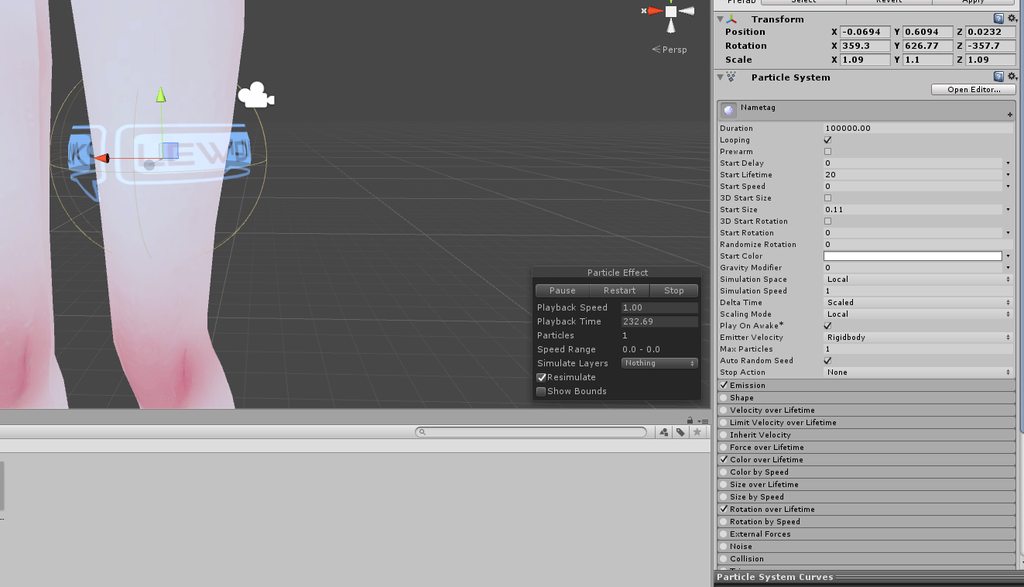
Anyone have experience with adding an armband of sorts that rotates and almost acts as a watermark? Im not sure where to start
slim sparrow
Cylinder with an animator on it, or a local mesh particle system with max 1 particle with rotation over lifetime
Then just put any cutout or transparent material on it
clear yew
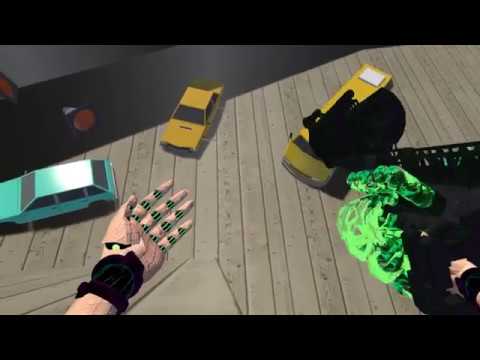
Reference video https://www.youtube.com/watch?v=yTnRpZL8928 i played this game a lot on my ps3, and all armored core since i was like 9 years old. More OW to...
looks like a lag fest, is not, i was at 90 frames all the time while recording at 1080p 60
 chilly kernel
how does one make realistic bow string <.< ive seen someone with one that when you bring ur hand close to the string it attaches to the hand
i have now idea how it works
 hollow perch
@chilly kernel I'm only listing a few ways here you can explore this...there are probably better ways, but one principle for such objects is to make a mesh weight painted to each hand. To make a separate weight painted mesh, you can actually drag "bones" of your bow around in the unity hierarchy after importing it. don't be afraid to break the Prefab. Or you can build it together with your object in Blender on the same skeleton.
The arrow of course is a unity prefab, and then you have options for attaching it to the other hand: from toggling fixed joints, to Final IK solutions like Aim IK, to a single item toggle where you hide an object in one hand and show a bow that's painted to one hand but with the string weight painted to the other hand to make it look stretchy, and of course the arrow itself is a particle.
chilly kernel
i mean that sounds like it works but only thing i dont understand is that how the string attaches to his fingers when he holds hand close to the string. its not different gesture its literally every time the hand is certain distance from the string it jumps to follow the hand
also the bow is particle. i asked and he said he didnt see his bow at all on the camera
which means the bow itself is particle
hollow perch
doesn't mean the bow is a particle. there are other things like material swaps or shader properties that also don't show in mirrors/cameras.
particle systems have a feature called triggers where you can select a specific collider to use. clever use of a trigger or collider here could allow a particle or to jump from one hand to the other, using a feature to show a line between particles.
I'm going to bet the actual system you are talking about is using a trick I haven't even thought of. That's how things are sometimes--many creative ways to do something
chilly kernel
i hate the fact that cant make scripts for things :/
I actually think i got it
its actually pretty clever one
so when the particle enters collider the trigger makes it kill the particle and when it dies it triggers sub system to spawn which has spring joint on it which is connected to wrist rigid body
vapid spindle
that sounds pretty clever
even if I only understand 25% of what you just said 😄
can't wait to start messing around in Unity once I have my avatar done
 wheat sparrow
привет всем
vapid spindle
gesundheit
wheat sparrow
а в какие игры вы играете
chilly kernel
so after experimenting with spring joint....
ive been looking 1 cube orbiting another for 10 minute now
 fierce bane
if you want it to slow down it needs damping to counter the spring
also an "inside" collider with the target of the collider on your hand would pull it in when you got close to it
wheat sparrow
what you look anime
hollow perch
ah yes inside colliders are also a feature of Dynamic Bone @chilly kernel - If you've ever seen an avatar that is able to pulls up a skirt with their hand 👀 that is often done using inside colliders
chilly kernel
inside collider?
wheat sparrow
what you anime are looking you can to list
chilly kernel
this confuses me too much XD
fierce bane
not understanding @wheat sparrow
wheat sparrow
You watched re zero
chilly kernel
can you move ur convo out of animations chat
chilly kernel
well i managed to work the inside collider but for some reason it pulls everything under it inside the collider
even theyre bound to something else trough rigid body
https://cdn.discordapp.com/attachments/442846851507683330/562568582978863114/unknown.png https://cdn.discordapp.com/attachments/442846851507683330/562568609235468290/unknown.png @fierce bane


only problem is how do i disable the inside collider
fierce bane
you just toggle the dynbone script off to disable the attachment which will rapidly snap the string back into position
clear yew
@chilly kernel @hollow perch the bow being referenced is probably using stop action animation to grab the string when the hand is close
ikita recently made one that does that, but im not sure about whether they are using retro's system, my system, or another custom system
i also made that part in weird.cocc's bow, so maybe it's one of those
and also some japanese players are doing stop action for bows now
hollow perch
Ah cool, yeah there are different ways to do it, stop action + final ik would be pretty powerful
slim sparrow
Can't wait for the japanese to find some sort of problem or exploit within it and seeing it get removed lmao
clear yew
i think it's impossible as long as it's stop action disable
i dont know about stop action destroy
probably also nothing dangerous
slim sparrow
That's what we thought about legacy animations too lol
clear yew
i hope it stays safe. its so flexible and good
slim sparrow
It's a pain to set up lol
clear yew
its not so bad. ill have a guide for my prefab soon
its actually really easy
im thinking about what could be scripted and what interactions should have prefabs though so its more drag and drop and less like dealing with state machines
chilly kernel
@clear yew how does it work can you explain in dms or something <.<
also how does one disable dynamic bone script
theres no checkbox
clear yew
idk about disabling dynamic bones since i used physics for my string but i can help. it's pretty labor intensive though to explain the entire thing but not only do you need to understand how to animate with stop action, you have to actually animate your interaction
chilly kernel
i wish there was ready scene with it working 😄 i would understand it after breaking it down peace by peace
you dont happen to have scene with everything setup without objects ofc?
i usually learn easiest by breaking prefab one by one untill i see connection between pieces
clear yew
i mean i could create a working scene but its so particular, would be commission tier
 quasi hinge
for disabling dyn bones couldn't you just disable the component (or if you set it up, gameobject) or set the distance to object to 0?
 lament prism
When I import a model with animation like this, how can I apply the animation? When I click play in unity it's not animating:
 muted prairie
You can duplicate the animation from the assets, then use that instead
lament prism
Nope
muted prairie
that's a unity bug then
 torn pawn
@lament prism rename the animation that so it doesn't contain any /| and etc symbols
then you can duplicate it
 burnt oasis
Is anyone having issues for gestures not working? Seems my just uploaded avatar has cup hand syndrome on all gestures; except for animations.
 lone dirge
I suppose this is the best place to ask this question. In Blender and in unity my left hand works perfectly fine. Able to create hand animations in unity, and pose mode in blender has no issues what so ever. Checking the muscle structure in Unity as well no issues. However in game my hand looks like this
when it should look like this https://media.discordapp.net/attachments/541888303776137236/562754801088200704/unknown.png

another sample
compared to in blender
haven't found any issues with humanoid rigging in blender, ive checked all the muscle settings for it
right hand is completely fine though
lone dirge
@ me if you have a response please thanks
muted prairie
So you're able to do that movement in the muscle view in SDK ?
livid drift
Anyone know how to make the band brighter at all? The animation and everything is working but it feels like you really have to strain to even read it
https://imgur.com/a/5sjj3K2
 slim sparrow
What kind of material is on it? What shader are you using?
You may need an Unlit shader
hollow perch
You might want to tweak the blend mode or BlendOp. It all already looks plenty bright. If I had to guess, you're doing something like One One blend mode. You could try using alpha blending and ads a black halo and some partial transparency to your band so your skin is darkened around the band area and will lead to better contrast.
livid drift
thank you ❤
 grave topaz
Why the hell do my doors keep getting smaller as they open?
Scale is not a part of the animation on literally any door, but they all get compressed as they rotate open.
grave topaz
Yup. Completely redid the animation, but for some reason it warps when opening, but ONLY in VRChat. Not in editor.
fierce bane
@grave topaz Assuming you're applying only rotation it could just be vrchat being strange. I'd try putting a dummy object (offset to the hinge) that rotates and make the door a child of it.
Could also try forcing scale in the animation. Not sure why it would do that though...
Could also try in #world-development to see if someone knows the reason and/or solution
@lone dirge make certain all bone rolls are 0 in blender.
could potentially be the rotated wrist throwing off the IK as well as the normal wrist position is straight out from the arm (tail at about half way between the midle and ring fingers)
Also be certain you're using the muscle animations instead of rotating the bones (humanoid bones cannot be manually rotated and must use the animator component)
my best guess is the bone rolls throwing it off though
lone dirge
someone else gave me the same answer
though he said just make sure the rolls are consistent through each finger chain
not 0
im almost done setting up the tester
fierce bane
that's...interesting....I was fairly certain unity needs them at 0 but I could be wrong about it.
Far easier to set everything to 0 instead of adjusting it to the same as the rest however
fierce bane
yep just select the armature, tap A till all selected, then Alt+R to set all to 0 (as always, check to make sure on a few bones at least)
definitely let me know if the non-zero setup works though. Always good to know when you have wrong info
lone dirge
ye
some of them were wildly inconstent in teh chain
like .00028d
then -136.5
etc
fierce bane
yeah that's pretty likely to cause issues
lone dirge
i also copied all rotations from the right hand into the left
so its more even that way
fierce bane
inverting X I assume?
fierce bane
I mean like -x on right, +x on left
lone dirge
my guy said it shouldn't matter but
either way
problem wasn't fixxed
sample
doing your way now with 0 rotation on all
but at this point i doubt itll help
fierce bane
could you show the bone setup for both hands? blender image is fine
fierce bane
my best guess is still either the bone rolls or possibly the bones not being straight with a slight bend in the direciton they are supposed to go
compare the left/right fingers for example
lone dirge
maybe
i did edit the hand mesh a bit as well
since there was some jaggyness i needed to fix
and shifted the fingers slightly to help with a few basic animations
but with the weights being the same
fierce bane
the left hand has is straight
https://i.imgur.com/lU49WdV.png
And the right hand fingers bend sideways
https://i.imgur.com/aqRbQ5k.png
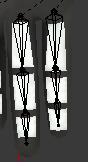
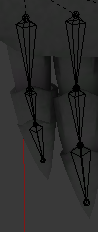
that can absolutely cause IK issues (most common with legs) and could possibly be an issue here
lone dirge
IK?
fierce bane
Inverse Kinematics
lone dirge
and what i did or what u pointed out
fierce bane
the thing where you put your hand in a spot and your arm bends
as you move your hand around, the arm up to your chest follows it.
Normal kinematics would be rotate shoulder->rotate upper arm->lower arm->wrist
Inverse rotates the rest based on the anchored one (in this case wrist)
for IK to know which way to bend it needs a slight bend in that direction.
It bases the rotation on what it already has available when loaded (default position)
lone dirge
so i need to tinker with the default pose
fierce bane
so if say a lower leg is rotated inwards instead of backwards compared to the upper leg it will think your legs should go like this < >
I would straighten the fingers of the left hand, but with a downward curve still (which they look like they have)
reset bone rolls after you adjust bones btw, they can change
and that would be in edit mode, not pose mode, though pose mode should probably have an updated default pose as well
lone dirge
so you're saying edit the mesh itself
fierce bane
extra note: if a bone is perfectly straight the IK will not know which way it is supposed to bend and can result in weird poses.
Even the slightest bend will tell it which way to pose however
lone dirge
i did this in pose
fierce bane
not the MESH but the BONES in edit mode
you have both armature and mesh edit/object modes
lone dirge
kk
so its probably reading this finger as this bend
even though its not as prevalent as i drew
as an added question is it possible the first finger bones are too deep into the hand?
fierce bane
depends on where you want it to rotate
the head of that bone is the point where it will rotate
head being large side, tail being small side
lone dirge
i know how it affects it that way but
fierce bane
for unity the head is the all important part
lone dirge
i only ask because of the way the index seems to just straight up jut out
fierce bane
how is that finger weighted?
fierce bane
it shouldn't jut out if the bones stay in place I haven't had a wrist bone set off to the side like that, but technically it should be fine (and the right hand works fine like that, as strange as the setup is)
lone dirge
it was the way i got the model 🤷🏿
the fingers were a hell of a lot weirder when i first started
fierce bane
yep, just strange design
lone dirge
gonna do a quick rig on this next one
update in 5
nada
i wanna say its slightly better but
bleh
at this rate im just gonna find the original file and start over
 dreamy holly
@lone dirge thats a very strange wrist bone arrangement you got there xD
looks almost like the wrist bone is weight painted to the finger

 lone dirge
ik
but
a week of this
cuz whenever i blink
or do any visemes
just
whats really weird though is that it seems i was editing the mesh on the basis key but that didn't update for all the visems and blink keys
i guess i have to watch out for that whenever i edit the mesh itself
slim sparrow
Yeah, that can happen sometimes, very annoying
That's why I either edit on shape key and apply as basis, or
Uh
Shape propagate
 vagrant mural
so im having a problem with animation thats kinda hard to explain so i'll do my best:
basically sometimes my animation sets to literally every finger pose except for what I set it to
and if I do the correct pose it toggles it off into this mode where doing any other emote puts it right back into the inverted mode
and other times it sets itself to random emotes
literally any clue what's happening?
slim sparrow
Your hand gestures should be 1 frame long, one at 0:00 and one at 0:01
Nothing at 1:00
vagrant mural
ohhhh ok
that would explain it lol the tutorial I watched was saying to put the end at 0:10
 analog harness
Doing some effects on my character, Animation tab isn't showing on my model for some reason, I have the animator though.
slim sparrow
Then add an animation window in unity
 turbid loom
Does anyone know what would cause a particle effect on an avatar to only work in a 180 degree arc? The particle is on a gun and when I stand up and hold the gun straight it will work from about chest height down but when I bring it higher up it will stop working
clear yew
Is there collision on the particle?
torn pawn
you need either fixed joint or ik_follower for world particles
slim sparrow
I don't think that's the issue, it's probably just colliding with the local player capsule or something like that
 blissful wedge
Hey guys, Im working o an animation for an avatar. The orginal avatar keeps sinking into the floor. How do I fix this?
hollow perch
Grrr I answered the question Check pinned message help in #animation . I usually duplicate the model temporarily while animating
blissful wedge
Lol ok
hollow perch
Pins are a discord feature. The one "Help I forgot to duplicate etc"
 wild cedar
I have a problem with my Gameobject refusing to trigger.
Example:
Gameobject is set to spawn gameobject3 and 2 in different timesets
Whereas Gameobject 2 also have an animation.
Gameobject 3 will spawn particles and some random avatars and does not have an animation ofc.
But somehow, only Gameobject 2 triggers and 3 refusing to trigger.
Due to that Gameobject2 is only music.
I set Gameobject2 to always active at the same time as GameObject
But still no luck getting Gameobject3 to trigger as I deleted GameObject2's spawn timer in the animation and just added 3
And now I can breathe out
It has worked before, and now however it doesn't
Maybe new Vrchat update broke something?
wild cedar
Anyway, if someone have a solution. Please ping me if you may, so I can be notified.
Thank you, need to gun git now
 cunning siren
Hello people,tell me pls how can i do animation that depends on your voice output,is it a prefab or it's vrcsdk file?
fierce bane
@cunning siren Visemes are the only thing that activates on your voice.
They are blend shapes that are made in the 3d modeling program (like blender and maya for example) And then set as visemes in Unity under the avatar descriptor.
 tardy abyss
Greetings. Is there anyway possible to 'unlock' access to internal animation files of a model (without having to go into Blender), like these, and possibly add, edit, or remove the .anim files inside the model?
https://i.imgur.com/1xm4rtC.png
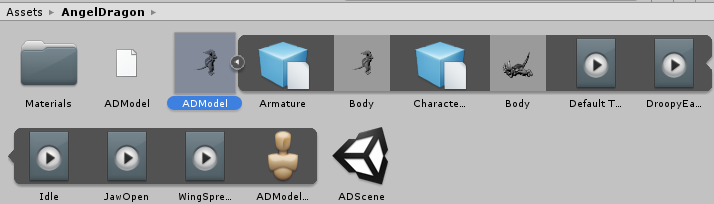 muted prairie
ctrl + d on them
tardy abyss
Ok, and I should be able to work on them as normal (in the dupe)?
muted prairie
nope, they need to be configured internally first
tardy abyss
Well, what I want to do, is set flags (like Loop Time), and then re-add them to the model. But it's not letting me.
You mentioned about configuring them internally. Could you explain?
..Ohh. I see it now. Figured it out. Thank you.
 tiny gazelle
Anyone know if an animation can have another animation contained inside?
hollow perch
can you explain in more detail? Yes, there are ways to use the built in animation overrides (gestures and emotes) to activate a Game Object with an Animator on it, which can have a full animation controller state machine and allow for as many animations as you need using states and layers.
tiny gazelle
I did that but they all turn on at the same time
The highlighted one is another empty object animation
All I did is enable at different keyframes
Why can't I have them spawn in order?
 grand loom
I'm having a bit of a brain fart.. how do you combo gesture the snail marker? Say if I want it to only draw if I have point and fist
torn pawn
put it under disabled game object, first gesture enables game object, 2nd does the usual -10000 to 0
 glass glacier
Can anyone explain to me how VRChat handles animation overrides and how the AvatarController works, etc.
Im currently trying to understand how the default animations are setup because in Unity they appear to set some values in the Animator, but I dont even know how that has to do with the actual Animation. Pls help.
torn pawn
what are you trying to do?
slim sparrow
@glass glacier the AvatarControllerTemplate controller should perfectly explain how the ingame animator works
The game passes some parameters to that animator controller, such as your current movement speed, as well as which gestures you're doing and how far you're crouching.
glass glacier
@torn pawn Im not trying to do anything in particular, I just want to know how the Animation Chain works, from Avatars (Unity not VRChat) to AnimationControllers in generell.
@slim sparrow then please explain me how this makes sense as an animation:
(Default IDLE-Animation used in the AvatarControllerTemplate
slim sparrow
Those animations are all placeholders
The animations themselves should be ignored as they're from various sources (such as Mixamo) and cannot be given out to us freely
The animations are placeholders just so the override controller has a reference for what to override
glass glacier
Okay so every custom animation that you create would be in Transform-Space?
slim sparrow
What?
glass glacier
Okay so lets say you want you avatar to have a middle finger animation. Then you would need to rotate the finger bones in that animation. So you would use the Transform component (Rotation in particular) to do that right?
slim sparrow
You don't rotate the finger bones directly
You use the humanoid animator properties
Like Left Middle Finger 1 Stretch
glass glacier
See thats what I dont get yet
slim sparrow
Pick up Muscle Animation Editor and save yourself a ton of time
glass glacier
Okay, where? Youtube? Or on the Unity Doc?
slim sparrow
Asset store
You can't rotate the middle finger bones directly because they're already mapped in the humanoid rig. Any humanoid-mapped bones can only be manipulated using the humanoid animator properties. This is to ensure that animations for one model will also work on the other.
Because every model will have different bone positions and rotations
glass glacier
Ahh right
slim sparrow
It's a different animation workflow. For real animations and not just poses, you generally animate in some other program (such as Blender). On import, Unity will automatically convert the regular animations to humanoid ones.
glass glacier
What exactly is causing this, and how to avoid it?
slim sparrow
That's the default animation pose. I assume you're in the "muscles and settings" tab in the humanoid configuration?
glass glacier
Yeah, but why isnt it just a standard T-Pose, but that?
slim sparrow
That's normal. You can manipulate the sliders to see how your model will look when deforming it in various ways.
That's just the default animation pose. That's all humanoid properties set to zero
So essentially, everything is only half-stretched.
The lower leg for example is halfway between "fully stretched out" and "completely bent"
An important thing to keep in mind, the IK doesn't like it when the rest pose looks like that. That's why when creating animations in Unity, you duplicate the model first, make the animation on it, then delete the duplicate.
glass glacier
Ahh okay
slim sparrow
Otherwise it will actually get stuck in that pose
glass glacier
But that only has to do with the IK?
slim sparrow
Well that seems to be the biggest part of it. When I set up some simple IK on an NPC in my world, I had weird issues when the base model wasn't T-posed.
The SDK may not let you upload if it's crouched in the floor like that either
In regular Unity this is generally not an issue as an animation will override the pose anyway in play mode
glass glacier
Okay Im slowly beginning to understand
hollow perch
By the way the default avatarcontrollertemplate coming from the sdk has a bug. You need to edit layers for left and right hand and assign an "Avatar Mask" with just left and right hand respectively, then set weight to 1 for those layers
glass glacier
And why?
slim sparrow
Oh yeah, the controller template is missing avatar masks. It's also missing the avatar mask for the locomotion layer, although that one isn't strictly needed.
I have an example animator controller set up here: https://github.com/HugoZink/RokksPrefabs

GitHub
Contribute to HugoZink/RokksPrefabs development by creating an account on GitHub.
glass glacier
This is all black magic to me yet xD Why does it need Avatar Masks? What do they even do? And what is the "bug" even causing?
slim sparrow
It's not 1:1 to the game as this one would theoretically also support separate left/right hand gestures, gesture animations of any length, non-looping gestures, and it has no avatar mask for the locomotion layer

Animators work in "layers"
Every layer can play one animation at a time
In VRChat, there are animation layers for the left and right hands, for hand gestures
To ensure that the hand gesture animations will only actually affect the hands, an avatar mask is used.
So you can't rotate your head on a hand gesture for example
And the avatar masking also ensures that if you do a gesture with the left hand, the finger poses only apply to the left hand, not the right hand.
glass glacier
Aha, and what about the locomotion layer?
slim sparrow
Without an avatar mask, you would half-crouch down into the ground every time you did a hand gesture.
The locomotion layer's avatar mask doesn't appear to be necessary. It prevents you from moving game objects on any walk animations for some reason.
So if you have an extra set of legs, you can't animate those on walk.
The locomotion layer plays all the walking and running animations, as well as the falling one
The avatar mask on the locomotion layer seems to restrict those animations to only allowing humanoid animator properties and other misc properties
Basically anything except moving, rotating or scaling game objects
glass glacier
Is there any comprehensive tutorial on how to work with that Muscle Animation Editor workflow?
slim sparrow
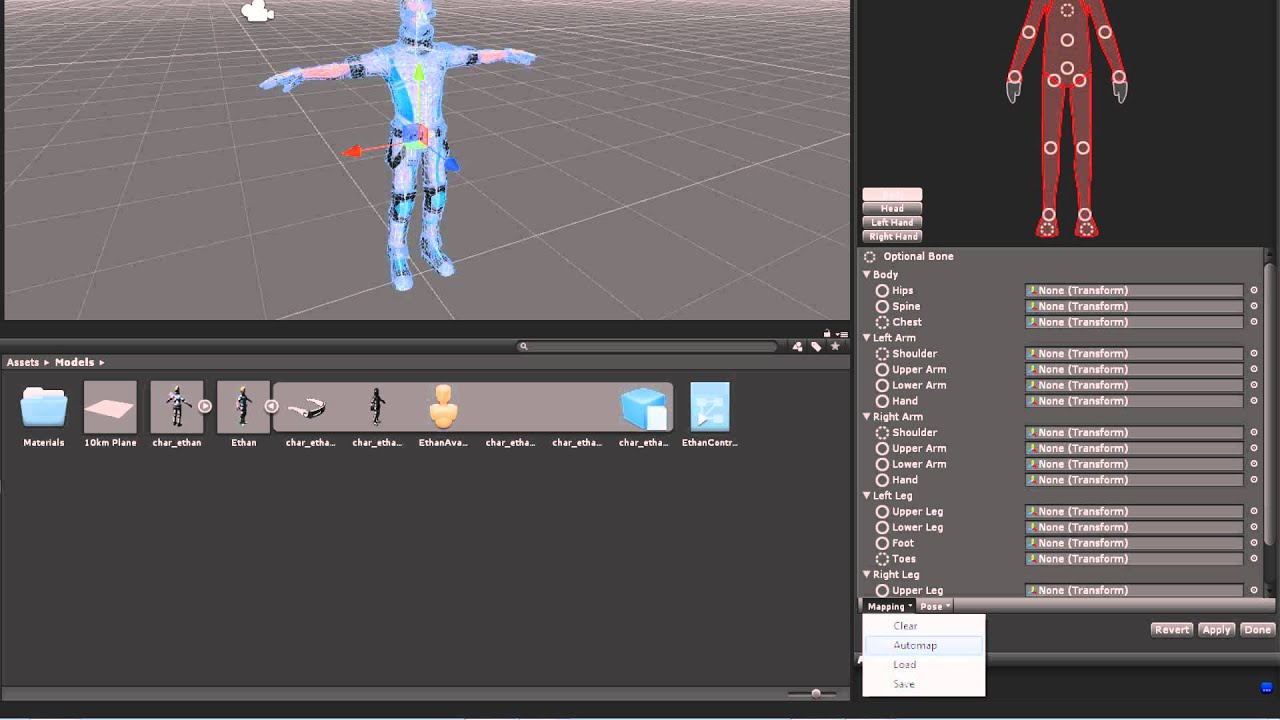
Watch this video in context on Unity's learning pages here - http://unity3d.com/learn/tutorials/modules/beginner/animation/avatars Avatars are definitions fo...
glass glacier
thx
tiny gazelle
I just wanna know if you could make a game object with an animation and make a 2nd game object animation to be in the animation of the 1st game object animation so I could use them in 1 override gesture on one hand
Then if I could have a game object animation on the other hand while the other is playing
fierce bane
any animation triggered by an animator has to have the correct path based on that animator
So the gesture would need armature/firstobject for example, but the second would need secondobject without the armature or firstobject listed (assuming firstobject and secondobject are your animators)
tiny gazelle
I put 2nd object animation in the 1st object animation and put in on the avatar layer before armature
Is that not right?
@fierce bane
fierce bane
thats fine, but the second animation has to be made FROM the 1st object, or have the path edited for the setup
animations are based on the point they're activated from. Gestures for example are made from the avatar's top level (where the controller would be)
So your second object would read secondobject and not firstobject/secondobject
it's a lot easier if you make the animation FROM the object that will activate it, then it will have the proper path from the start
tiny gazelle
Even if I animate all these particles and audio in one object, it all turns on at once
fierce bane
that animation is being done on 1st object directly correct?
tiny gazelle
Yes
fierce bane
and 2nd object is disabled
tiny gazelle
Yep
fierce bane
what is 2nd object set to at 0:00
tiny gazelle
starts at 0:00
fierce bane
then yes, as soon as you enable 1st object, 2nd object is ALSO going to enable
if you want 2nd object not to start it shouldn't have a key until it needs to enable
or the 0:00 key should have it disabled and another disabled key one frame before it enables
(Note: technically doesn't need the extra disabled key if you understand curves)
and your gesture is only enabling 1st Object correct?
fierce bane
if you want 2nd object to start at a specific time (say 10 seconds in for example) then it should not be enabled until 10 seconds in. Any time before that it should be disabled
tiny gazelle
It is off for the gesture until 17 secs
I have something enabled in 2nd object at 0:00
fierce bane
why isn't it just in object 1 if you're going to enable it at the start anyway?
fierce bane
then it should be enabled only at 17:00
Or have a disabled keyframe at both 0:00 and 16:59, then enabled at 17:00
why are you splitting those into a separate animation...?
those could just be placed in the first one and avoid this whole mess
tiny gazelle
Thats my 2nd object
fierce bane
but why do you even have them separated into a second animation?
tiny gazelle
I did do that but it doesnt play in order
fierce bane
You would just offset the first point to 17:00 instead of starting it at 0:00 >.>
you just enable things as needed
brittle granite
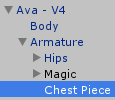
so you want to imagine every component in your hiarchy can only look down the lines of the things connected to it
tiny gazelle
I doesnt work .-.
brittle granite
and it only knows the name of those objects
so you need to put things on the top level. Animation is like calling out instruction notes to a player piano. If you rename things, or the object you want controlled isn't a child in the hiarchy. it breaks
fierce bane
Thor, son of odin
Odin
|-Thor```It will work if your setup is correct, or your pathing is correct
brittle granite
I have a deloreon animation that gets activated. the Emote that is in the Custom overrides. The only thing that is in the animation is "hide avatar" and "activate Deloreon" game object. The Deloreon game object has an animator controller attached to it that is set to "play on awake" it handles all the particles and the animation of the car.
this is what the top level looks like
then when the Deloron asset gets unpacked (activated) it has the instrcutions contained in it.
The thing is, i can put ANYTHING in that deloreon game object. once it's unpacked and it starts reading it's own instructions.
tiny gazelle
Ah so everything has to be organized the same
brittle granite
but if I rename "Delorean" to anything else. The top level emote wont know what to look for.
and wont activate it
yes it has to be organized. nameing conventions and hiarchy MATTER A LOT
tiny gazelle
Wow thats good to know, I'll try it
brittle granite
notice how everything the animator is controlling is directly linked to and BELOW it in the hiarchy window. If you close the little black triangle and to collapse the list. and you can STILL see that object listed in the hiarchy. It's not going to be animated.
Yeah hopefully that provides some insight how it actually works.
tiny gazelle
Hmm okok
brittle granite
It goes deeper once you get into gimbals, frame rate, draw calls, but that's going deep down the rabbit hole
fierce bane
I don't see any reason to run two separate animations for this (there are times when you should, just not this)
You could even just move those 3 objects in the second animation up to the first object and copy/paste the 0:00 to end frames of this second animation to the 17:00 mark and have it work normally
brittle granite
I could do that... but then it'd be locked into what in the first. And I wouldn't able to drop in the complete prefab into my other avatars. or surprise my with stuff like this:
I made a quick edit to his shiba model and only he gets this edit. He works in the navey
or this one for the youngest member of the comunity
fierce bane
I was talking about for akio there
brittle granite
@fierce bane ah... in the future i would tag that individual in order to avoid any confusion
fierce bane
yeah probably should have, hadn't talked at all about yours and had been talking to akio on and off while doing stuff
tiny gazelle
Its hard to add properties on animation in order
Its normal for the first 2 but then the 3rd goes on top
Keeps going on top from there
tiny gazelle
Oh it goes by the alphabet order for some reason
Do I have to rename them?
@brittle granite
fierce bane
there's no reason to rename them
that's just a visual order so you can find something you're looking for
the order has NOTHING to do with animation order
that's all the keyframes on the right...they activate when you tell them to activate
tiny gazelle
So I guess its the hierarchy thats in order
slim sparrow
You can also just press record and manually enable/disable the objects
brittle granite
the hierarchy is the order it's in. think of it as steps.
tiny gazelle
I mean I did enable these right but it all goes on at once so..
fierce bane
select the 0:00 frame of the first animation and show that
muted prairie
I'm still unsure as to what i'm doing wrong, it works for the items above the blendshapes, but not the blenshapes
I tried changing the name of the entry in the animation file itself, but if i use upper case letters it creates spaces in the name
fierce bane
I'm not sure how you have it set up, but is the mesh at that path? blendshapes are bound to the mesh as opposed to the armature.
You can also just select the components and hit F2 (or click multiple times) to access the components path (easier to select whole path and paste into notepad to edit or similar)
it looks like you're adjusting a transform at the same level as you're trying to access the blend shapes
hollow perch
My guess is this model was built as lots of pieces, located inside the armature itself (it will do that if you import fbx with meshes that do not contain an armature modifier, like unity chan was like that) . But oh boy are the perf stats going to be mad at all the extra skinned meshes
fierce bane
ah yeah that's probably it
muted prairie
It's a model inside a world 😄
Well the path should be the one for the object that holds the blendshapes right ?
fierce bane
yes
muted prairie
Ok, so from the screenshot, it should be correct ?
hollow perch
Can you press f2 on that line. Either the path is wrong or the blend shape for that is missing
muted prairie
if the path is correct, it means the actual name of the blendshape is wrong, but i don't know if i can fix that
hollow perch
You can if you know what it should be
muted prairie
not if it doesn't allow me to use upper case letters
hollow perch
Make aure your serialization is set to text and open your anim file in a text editor like notepad ++
muted prairie
i am, it just creates spaces between lower case and upper case letters$
hollow perch
That's just a display issue
Internally it uses exactly what you type
Check the anim file text
muted prairie
Well then i'm confused
path is correct, blend shape name is correct, path invalid still
hollow perch
What's the path. Maybe the root is wrong.
Actually what happens if you hit record and manually change the blend shape you want
muted prairie
SHOPKEEPER_PRE/shopkeeper_model_5706/RIG:RIG:MDR:lowRes_5706
hollow perch
Which object has the animator on it
It is designed to have the animator one level above SHOPKEEPER_PRE
So you need it to be in an empty object with the animator on iy
fierce bane
you could also change the paths to exclude SHOPKEEPER_PRE if the animator is on that
hollow perch
Yes using a text editor or unity animation hierarchy editor from github
muted prairie
I tried using that github editor, i wasn't really 100% on what i was doing
fierce bane
assuming you were ok with doing them one by one, just selecting the component and hitting F2 will open the path for editing as well
hollow perch
Yeah find replace might work
muted prairie
I've done that manually for a few objects, but the blendshapes don't seem to agree on the path
hollow perch
I'd be hesitant to say f2 on every line just because it is error prone and maybe a lot of work but give it a try for these blend shapes maybe
muted prairie
so i'll need to find why it doesn't like that path
hollow perch
Where is the animator
The animations shouldn't include their own object in the path name
So it should be one level higher
muted prairie
oh so i need to remove the last object ?
fierce bane
farthest left in path, the first object usually
so if your object path is SHOPKEEPER_PRE/shopkeeper_model_5706/RIG:RIG:MDR:lowRes_5706
and your animator is on SHOPKEEPER_PRE the path for the animation should be shopkeeper_model_5706/RIG:RIG:MDR:lowRes_5706 instead
muted prairie
interesting, i'll give that a shot, thanks
mmh no dice
i'll try changing both the path and the name
ok it's grey now, if it works i'm going to explode with happiness
muted prairie
So now they're grey https://i.gyazo.com/bed66356fd67ebffa8b387c51e8a0952.png

Which means both the path and name is good
buth i'm not seeing any movement
So my only last guess is that the actual number doesn't correspond to the respective spot in the list for the blendshapes on the object
ie 10300501531 being first in the list might not correspond to innerbrowRaiserL which is first in list
in which case, i might be fucked
Unless it's actually correct, and i'm blind
hollow perch
You should try manually setting the blendshapes or press preview and check it is the right one in the blend shapes section of your mesh. Preview button will highlight what it's doing in light blue
muted prairie
Can't preview on an optimized gameobject sadly, that's why it's a pain in the ass
There's 134 blenshapes, i don't want to do them all for nothing 
hollow perch
Wait that object does not look very optimized. Something doesn't make sense about that
But if you can't preview them it might be causing trouble for the animation when actually playing it normally
(Optimization is about bone hierarchy and using humanoid properties in yout animation to move bones)
muted prairie
Every other piece of the animation plays correctly
hollow perch
The blend shapes have nothing to do with the optimizations
muted prairie
mmh ok
hollow perch
Since the meshes themselves are still there
muted prairie
since it has nothing to do with it, would it still break them ?
hollow perch
Never played with optimize game objects to be honest, but it's annoying if unity pretends it can't preview the blend shapes. Have you tried setting them manually and they work?
muted prairie
manually ?
they work on the gameobject when changing the value, and the animation shows the values still changing if i'm not selecting the gameobject
hollow perch
Like in the blend shapes tab of the skinned mesh in the inspector
muted prairie
the values also seem odd for left & right things, which is why i'm thinking it's not the correct ones
hollow perch
If you set one to 100 it shows the blend shape
muted prairie
yeah that works fine
muted prairie
the bar at the top yeah
hollow perch
I mean the blend shape your animation touches
All the blend shapes your animation changes should be in pink/red
muted prairie
i can't preview/record on the object it actually 'works' on
hollow perch
Ugh somehow I feel that might be related to your problem then
If it's for a world maybe you should make the blend shapes a legacy animation
muted prairie
i basically have two version of the model one .avatar and one .fbx, the .fbx doesn't have the blendshapes, i can edit the animation on the .fbx and preview for bones, but that's all
hollow perch
Since animators seem to insist on being optimized
muted prairie
that's what i was suggested yeah, make an animator just for the blendshapes
hollow perch
Yeah ok give that a try. Should be a simple matter of copying and pasting them
If you do it as legacy you can put the Animation on the same game object so shouldn't have to edit anything other than setting it to legacy in the Debug inspector
muted prairie
it's gonna take me a while, but that's my last hope
hollow perch
Shouldn't take long if you box select all the keyframes copy and make a new animation set as legacy paste and put it on the same game object
muted prairie
there's at least 10.000 keyframes 😄
hollow perch
Maybe better to duplicate the whole anim file and just set the duplicate as legacy and chuck it into the same game object as legacy animation. Don't even need to copy and paste if you do that 😉
muted prairie
much better yeah
tiny gazelle
Welp my animation still doesnt work like this
This time no 2nd game object animation inside
@fierce bane @brittle granite
I even added a bit of space for them to activate in order
They all still enable at the same time
 gleaming adder
if you want them to move in order you need to move the squares
well happen in order
tiny gazelle
Thing is I did enable and disable at different timeframes so thats not it
Maybe unity just hates me ;_;
brittle granite
@tiny gazelle i do not see anywhere in your gesture where it calls for "1st Object" to activate
that is why it doesn't work
your gesture animation timeline does not point to "1st Object"
brittle granite
ok is "Rikka epic transform" animation asset in a your character override?
tiny gazelle
Yeppers
brittle granite
let me see the inspector for you top character
brittle granite
you need RikkaUmbrellaOverides 1 in the animator component
tiny gazelle
Oh whats that?
brittle granite
tiny gazelle
I thought that would break something
brittle granite
no... the animator component is the actual engine that animates in unity. The VRC_Avatar Descripter (script) is just the button mapping and some other vrc stuff
tiny gazelle
Is that for my main avatar or duplicate?
brittle granite
remeber how i taught you the "animator" component is the thing that controlls the animations to everything attached to it in the hiarchy?
the same thing applies here
in the top level as well
tiny gazelle
Hmm ok
brittle granite
basically here's what goes on. "VRC_Avatar Descriptor" only job is to take input commands from VRC game and your controllers. It pings the "animator" component above it saying "Play ______ " Animator component then reads the instructions of "______" and tells the objects beneath it to act according to the instructions it has.
When you Aniamtion component doesn't have the same list as the VRC_Avatar Descriptor it's telling your avatar to do something different from what you've put.
@tiny gazelle
brittle granite
because most people in vrchat aren't professionals and only look up vrchat tutorials.
and a lot of vrchat tutorials don't give the right information.
brittle granite
first object?
tiny gazelle
The animation
brittle granite
animator component is a reader and it reads instructions from animation assets
the animation assets are what hold the information of your animation. you can basically replace that with other animation assets if you wanted.
and if the hiarchy matches up with the names. It will animate those
I could take an entirely different rig, with a different set of bones. as long as I name them the same in the hiarchy it will play. it will broken as shit cause things dont visually line up, but it would still play. It only looks at the hiarchy, and if the names match. thats it
thats why if you put a space in your name after the fact, you break your animation and it doesn't play
tiny gazelle
Alright I shall try it out now
brittle granite
im gonna be hopping in vrchat now. So i wont be able to see the discord. you're welcome to meet up with me in there. my name is the same here as it is in VRC
muted prairie
Ok, i've figured out where the numbers came from, it was the hash number of each blendshape in the model itself that was replaced through export
Now i've got another issue, the blendshapes are moving correctly when the object is inside another object, and the first object has an animation component on it playing that animation
but if the second object, the one with blendshapes, is in the model where it should be, with an animator for the whole model on another object above, it doesn't move the blendshapes
oh it works on the main model with an animation component, but i have no control over it ...
clear yew
easy world fixed ik if you have final ik
finally documented the package

******REQUIRES FINAL IK 1.6.1 to 1.7.1 https://lindesu.ga https://github.com/oofdesu/lin-unity-packages/blob/master/world_fixed_ik.unitypackage https://www.p...
 naive niche
so for non Humanoid model animations in VRchat we would use animator
?
importing Nonhumanoid models does VRchat now block Legacy for in world use ? I'm
not clear if that only applies to models ?
 ripe schooner
how do i put a delay on a particle effect in the animation tab for example i would like my particle effect to start 24 seconds into my song
ripe schooner
how do i put a delay on a particle effect in the animation tab for example i would like my particle effect to start 24 seconds into my song my animation is 60 fps
 timid prawn
is there a way to have animation other then moving with a generic rig ? like gesture for humanoid
 onyx agate
@timid prawn maybe using rigidbody and an invisible humanoid model which does the gesture that starts the animation on the generic model?
onyx agate
attach it like a prop to the humanoids hip ?
will keep the place and rotation in place at least
timid prawn
but does it going to play the animation of walking and idle as well ?
muted prairie
@fierce bane @hollow perch Thank you so much you two, it fixed (mostly) everything so I'm really happy !
glass glacier
Does anyone have a Tutorial/Guide on how to setup Two-Handed Gestures/Animations and how to setup the Avatar Masks for the HandLeft and HandRight layers? ^^
torn pawn
you can't have true seperate hand gestures
combo gestures are pretty simple:
Parent
Child
Both are disabled, one gesture enables parent object, 2nd gesture enables child object, the child will show up only when parent is active
glass glacier
Does VRChat not allow referencing a custom controller in the override controller?
torn pawn
no custom animators
 unkempt spruce
Just saying im animations dont work for Vrchat it only plays the fist animation none of the particals or the animation why is this
torn pawn
u don't do gestures like that, instead enable object that plays the animation
unkempt spruce
oh okay thx
torn pawn
if u need for particle systems to activate at different times, then use delay in particle systems
unkempt spruce
ya i know about the delys just trying to make it work for the VR chat
trying to do somthink like this https://www.youtube.com/watch?v=fLkNTW1nfKw
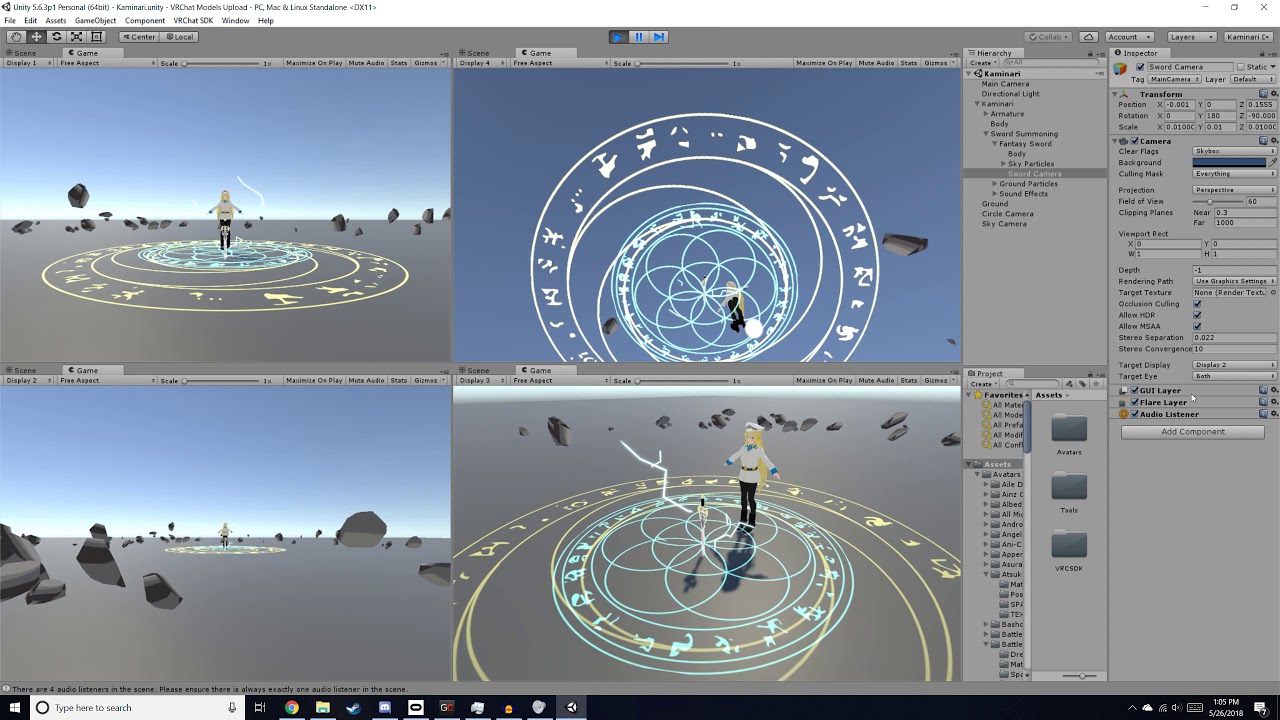 clear yew
@unkempt spruce you need to use your gesture override to start an animator rather than trying to animate everything in the gesture, because gestures can only have a starting and ending keyframe at 0:00 and 0:01
for that type of animation, i would have your gesture enable a game object that is off by default, and on that object have an animator component with an animator controller
the animator controller should have your animation clip in it
if the animator component is on, it should play whenever the object is enabled
now make the rest of your objects a child of that animator object
and animate them
whenever the object is enabled by your gesture, the animation will play
when you release your gesture, the object will turn off, and everything should reset the next time the animator starts up
 olive marten
For custom avatar emotes,
I have been noticing that animations of any bones OTHER than the humanoid bones do not work at all..
is this something common, or is there a way around it?
Google doesn't really seem to help a whole lot..
 upper locust
Anyone here know any tutorials or can help regarding IK Rigging a weapon on a model?
very helpful.
 autumn yew
When adding a custom idle prone animation, how would I change the default ground level view point (if possible)?
onyx agate
@autumn yew you could put a screen in front of you showing a camera view in the different view position
autumn yew
Yea I could think of several roundabout ways. Just checking whether the default prone view point can be altered.
 supple fjord
Maybe try a miniature hi def panosphere in the SDK files to put inside of the default viewport so it looks like your looking at a different height at any angle.
 paper delta
@chilly topaz Hey I would just like to thank you for making this amazing fairy fountain! If possible I'd love to talk to you about changing the song though if you're down of course. Please tag me and let me know!
 trail nacelle
K
clear yew
Hmm has anyone figured out how to use the analog triggers for triggering anims - say enabling a weapon? Everything apart from analog triggers work for me (if i use the touchpad for example it's fine)
I'm probably doing something wrong 😂
torn pawn
dont put enable objects on fist
clear yew
oh? its impossible?
would be easier to control for vive users using the fist / trigger, no?
what are u using
i wanna animate too
slim sparrow
It's not impossible but it's not recommended
You can just put a regular gesture animation in the Fist slot and it'll work. However, you can't release it properly, you have to do another hand gesture for it to go away entirely
paper delta
@chilly topaz Awesome! I sent you a friends on discord!
 reef sandal
Does anyone have a good guide or tutorial on how to set up Spider-like legs using Rigid Bodies and Fixed Joints as a Humanoid rig? I've done centaur models before, but the angle differences with the spider legs reaching out to the sides instead of going vertical are proving to create some pretty scuffed results
 reef nexus
I forgot how to put a floating sign above my avatars head like the name plate but not have it parented to the armature. Does anybody know off the top of their head?
hollow perch
Just put it at the base of your avatar (outside armature) and set it something like 0.2 above the eye height in the avatar descriptor.
reef nexus
no pun intended there
it will follow still?
im speaking of doing this in unity rather than blender of course
hollow perch
Yeah. Then do some sort of simple billboard shader
Or use a particle set to horizontal billboard I think if you don't want to deal with a custom shader
brittle granite
it follows the translation root of the character
reef nexus
ok i couldn't remember
hollow perch
It's the same way your nameplate works
hollow perch
Yeah it's funny to be like one of those chef birb avatars and then move the playspace while the vrchat settings menu is open to walk away from the kitchen or whatever is outside the armature
brittle granite
here is an advance concept I'm looking for. So if I have a bunch of mocap animtion data I converted them to the Mechaim animation system in Unity. Is there any way I can string them together to be used in the emote override of the VRchat SDK?
I know how to string them together for an animation controller useing the state machine, but im looking for condensing multiple animation assets into one animation asset?
I want to see if this is possible without going through a third party program like biped in 3ds max
reef nexus
i mean ur just trying to make one big anim file right?
 misty talon
who wouldnt
reef nexus
you can just copy and paste the key frames in to the dope sheet. thats what i do
brittle granite
the dope sheet of unity?
brittle granite
what you mean "take off of binary"
🤔 i mean that could work, it would take quite a bit to smooth out transitions
brittle granite
and this is all working with the human mechaim animation system right?
reef nexus
so after you do that you can human read the files
well I assumed you already had multiple anim files imported already
brittle granite
oh im not much of a programmer, reading a wall of text doesn't do me much good
reef nexus
anyway its easy to copy and paste. I don't know if you can bake the stuff in unity
reef nexus
you might have to use a 3rd party app if you wanna bake. I know you can copy and paste keyframes from one animation file to the next
brittle granite
so it's easier to copy and paste this text than to copy and paste the keyframes when combining animations assets?
reef nexus
somewhat. but you gotta figure out where the keyframes are
brittle granite
yeah...
reef nexus
its pretty self explanatory if your read it
brittle granite
i'll look into it. if it has terrible results it just might be better manipulating it and blendign it with biped or motion mixer
reef nexus
yeah sounds like you need to bake.
reef nexus
So I heard you can use the emote system to "toggle" game objects rather than the gesture system. Anybody got a guide or quick tip on how to set that up?
slim sparrow

GitHub
An Inventory system that is easy to set up for your avatars, using emotes. - Xiexe/VRCInventorySystem
This one will essentially set it up for you
reef nexus
dope. i really just need to go and read that entire of sheet of prefabs
unkempt spruce
can any one find a video on animations for particals
tiny gazelle
Ikr? I want to know what went wrong with mine
What should the set up be after making an object animation?
clear yew
how are your particles breaking?
tiny gazelle
They enable at the same time
 cedar cobalt
Is learning anims hard?
unkempt spruce
How do i use this thing
i dont know how
i only do gestors
do i add a new object to the charictor or by it self i need a youtube video to show me
unkempt spruce
where exactly inside the char or outside
tiny gazelle
I dont think it matters since you only animate the particles
unkempt spruce
okay thx
tiny gazelle
After you're done, you put it in the avatar and duplicate avatar
Then animate the duplicate to make a 1 milisec animation gesture that activates the empty object animation
After that Idk
Its the same outcome every time I upload
I put the empty object animator controller and the override controller in my avatar and uploaded it but still doesnt work correctly
clear yew
yeah but which part is broken
tiny gazelle
When I do the gesture, everything I animated turns on even tho it's disabled on the first frame
It doesnt go by the order in time
clear yew
so im guessing you have an empty game object thats off by default and has an animator on it, on by default
and a bunch of child objects
tiny gazelle
Yes
clear yew
and when you enable the game object everything is firing at once?
tiny gazelle
That's right
clear yew
well, troubleshoot it a bit. turn the animator off, enter playmode. turn the object on. turn the animator on
make sure your objects are off by default and get animated on by the animator
make sure you animator is animating the objects when turned on
you can reset the animator by turning the object off/on
if its all good, or if something is broken, exit play mode and fix the broken thing by fiddling with settings till its not broken
turn animator on by default, restore everything to the way it needs to be by default
test in game
also make sure your animation clip is correct length
0:01 is not 1 second, 1:00 is not one minute
1:00 is one second
tiny gazelle
Don't think I'm able to check now but @unkempt spruce when you're done, check the empty object animation controller inside by clicking animator tab on top, should say entry pointing to the animation name. You click that name and in the inspector, where it says motion, you drag in the animation you made in there. So when the object is enabled, you can check if it works with the play button.
Maybe it'll get it to work in game
When you wanna upload, make sure to have the avatar override also in the animator controller of your main avatar
clear yew
yeah if it works in play mode it should animate with correct timing in game. if not something is probably wrong with your gesture
 silk wyvern
Can someone help me make an avatar please
torn pawn
yes, best to do that is yourself willing to learn and research
unkempt spruce
i give up
tiny gazelle
@unkempt spruce Here is an example

i will make a better one :D for now u got that i hope u understand what im trying to tell u whit my bad english XD Question drop in the comments or talk to m...
This is similar to it
@brittle granite @clear yew @fierce bane Thanks guys, I got my animation to work!
unkempt spruce
okay it works but i did kinda done somthink wrong such as did the animation wrong so when i load up avatar now it starts the animation lol
clear yew
How can I make a sigh spin to close when you lock a door and spin back when its unlocked?
 grizzled badge
Im trying to make an animation where if I lay in bed IRL I'd have an avatar in a similar position. Could anyone help with this?
My problem is that the avatar floats too high above the ground and for some reason the legs get animated in a weird position even thought they should be still according to the animation file. Also when I move, the legs still have a walking animation for some reason.
fierce bane
did you override both prone and the prone walk animations?
grizzled badge
yea I did
 cosmic socket
having issues with idle animations, anyone got experience with that?
I wanted to add a idle animation to the ears of a avatar. So I created a animation for it, made it legacy and on loop wrap mode and then added a animation component to the avatar. I know it used to work back then, but doesn't work anymore or is there a different way of doing it now?
slim sparrow
You can't use legacy animations anymore.
Add an Animator on the first common ancestor of the ears (such as the ears root bone or the head). Then make the animation from there.
@cosmic socket
cosmic socket
would you mind if I ask you more in DMs @slim sparrow ?
slim sparrow
I'd rather not

Here is a quick tutorial on converting your legacy avatar animations to the animation state machine system. :)
 supple oxide
can i just point out
that the first comment in that video is more helpful than the whole video
cosmic socket
Ah alright, thanks for the video @slim sparrow and thanks for the tip @supple oxide 😄
timid prawn
I might make a video about 2d viseme since most of my avatar are like that and there is not really good info on it. With try and error I know the sweet spot. So might share that knowledge if it can help
cosmic socket
Ah there we go, it works now. Thanks a lot you guys!
supple oxide
Np
 pseudo iris
Anyone messed with buffer particle system?
brittle granite
Most "vrchat" tutorials are full of miss-information or rely too heavily on a trick they don't understand it's actually a bug.
Your better off learning actual game dev and learning how unity works
For example. How to make an vrchat avatar!
Step one: use mixing!
Step two: bring into blender. Use cats!
Step three: um.. this thing in unity! Make sure to de-select chest!!
When in reality... If you know how to make industry standard mocap rig. Your good to go
Your all secretly learning motion capture rigging and retargeting animation daya
Data
Cause that's what VR is...
Motion capture tech
 meager saffron
Lookin' at the default avatar controller template in the SDK and am wondering if these could be added to a non-player model in a scene, and if there's any way to track change in Y-position (eg: is it gaining or losing altitude)
slim sparrow
@meager saffron you could repurpose this animator for a world, yes.
But I don't think you can set the height as parameter
If you're using triggers to move the object up/down, you could increment or decrement a parameter manually
clear yew
https://youtu.be/3IImjGWFnAI model is public
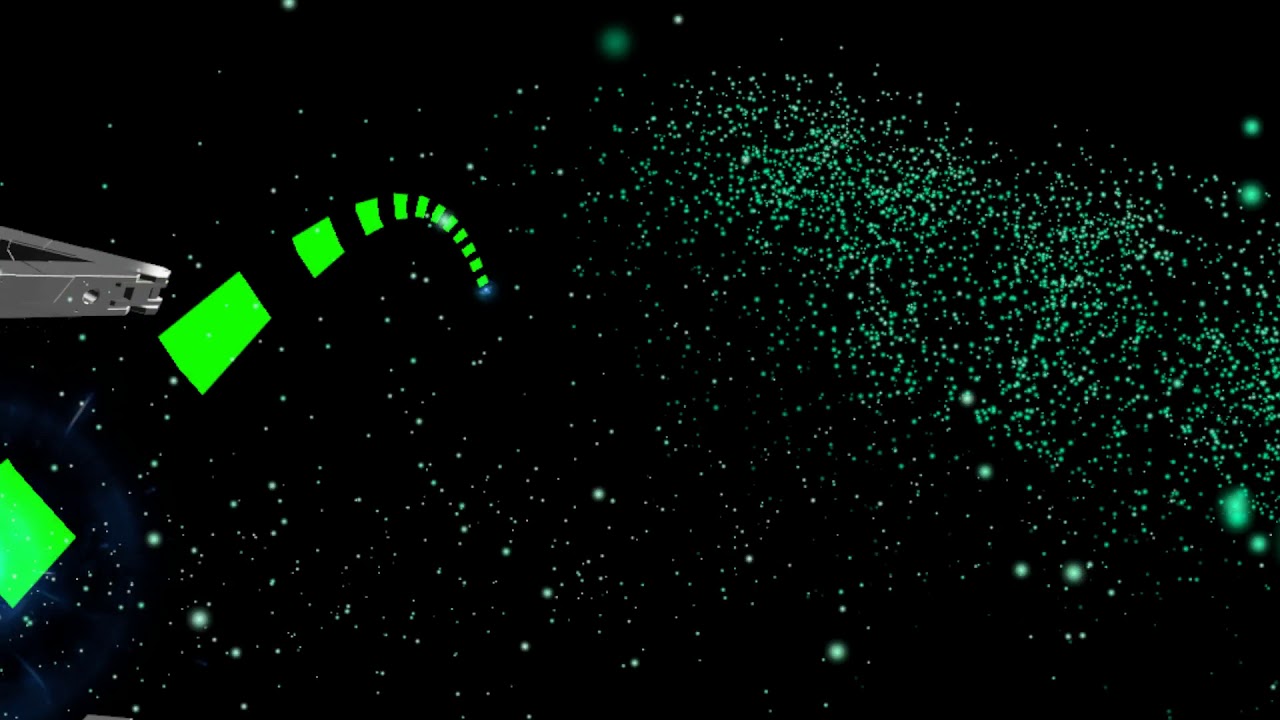
just a test session, i noticed two bugs that i fixed while uploading this video XD Very inferior to gpu particles these are standard unity particles
meager saffron
Was mostly wanting to have an animation transition based on whether something was going up or down. Could be used for like... birds flapping to gain altitude, or gliding when horizontal/descending, or a parachute that pops open once something starts to fall, etc.
Closest I saw was Grounded but that wouldn't work.
lament prism
I need some help. I have a prefab animation of a hovering chess piece and I'm trying to add it as a gesture for an ava I'm working on, however as you can see below the animation doesn't work in game or real-time in unity. What did I do wrong?
slim sparrow
Legacy animations won't work, you need to put it on an Animator
clear yew
the animation clip there, Chess Hover
lament prism
oh
 winter sundial
Is there a way to add a properly to an animation without navigating that tiny ass window and expanding 15 layers of hiarchy for every property?
I hate Unity, but I refuse to believe that it's really this bad
slim sparrow
Press record and do your changes then
winter sundial
Thanks, that's faster. Still quite a pain though. Is there at least a "expand hiarchy" hotkey?
slim sparrow
Alt-click in a hierarchy
winter sundial
Thank you! That worked
 civic fox
Heyho! Im having some troubles with my model. When only the legs are supposed to move, it drags the rest of the lower half of the model with it. My model only consists of one "part" with bones, is that a problem?
lament prism
@clear yew just got back to the project, you can't put an animation in the animator
clear yew
you can, it's pretty easy to get it in there, you might have tried to put an animation in the animator component rather than using the animator controller, i suspect
animator component uses an animator controller, which contains the animation clip
clear yew
then it should animate in unity or something is wrong with the animation clip
you were using the animation component before, which shouldn't work
lament prism
can I make a new animation clip from the prefab?
fierce bane
top pinned message for this channel, watch that
lament prism
alright
clear yew
i dont know what prefab it is but you can just edit the animation file if thats indeed what is wrong. i think the animator probably isn't set up correctly given the first screenshot
lament prism
it's a prefabricated animation I took off of another avatar
fierce bane
the most likely issue you're facing is that you don't have the animator in the same place that is set up for the animation itself
if you select a component in the animation and hit F2 you can see the path that it is expecting (you can also change it to fit your setup)
clear yew
make sure the animator plays the right animation, too
if its a prefab that was set up with an animator and animation component then its old and probably wasn't set to play the right animation in the animator
clear yew
all you need is the animator playing the right animation and you should be able to spot what is wrong if anything
make sure your animator tab is visible so you can see what its doing
lament prism
these are the only two files I have
clear yew
what animation plays by default in that animator
fierce bane
open the animator window, not the inspector preview
clear yew
select Chess, go to animator tab, what does the orange state have as the motion?
fierce bane
and not the animation window either
lament prism
Oh this?
clear yew
yes
looks correct
so if you put this animator on the object and then go to the animation tab, you should be able to see this
take screenshot of animation tab
lament prism
clear yew
nothing looks missing. is this from the context of the object in the hierarchy, or did you select it from the project?
lament prism
I selected the animator
clear yew
in the hierarchy right
clear yew
select it as it is in the scene, in the hierarchy, and then the animation tab will have the context for how it's actually animating
it will tell if you if the prerequisite objects for animation are missing or not
lament prism
you've lost me tbh lol
clear yew
but from the context of where the animator is in the scene
fierce bane
.> oh my bad I looked away and it was off screen
clear yew
so if you select the animation from the project files and look at the animation tab, none of the properties will report as missing because there is no context
you're just looking at the file
but if you select an animator in your scene that has an animation
in your hierarchy
select the object with the animator component on it
then select the animation tab
it has the context from the object in the scene
fierce bane
IE click on the prefab you put onto your hand
clear yew
so it will tell if you something is missing
lament prism
uhhhhhhh
fierce bane
https://i.imgur.com/feUzyoK.png
Similar to this, though your setup will differ
 lament prism
oh lol
fierce bane
that is the hierarchy
clear yew
animation tab, just want to see if any properties are missing
will only get that info if you select it from the hierarchy
fierce bane
find the prefab IN the hierarchy, the one you put on the avatar, select the one that has the animator component on it, then screenshot the animation tab as lindesu said
lament prism
lament prism
the one I selected
clear yew
this has Chess animator on it?
lament prism
yea
lament prism
clear yew
select Chess so it's blue
it should have something
unless that animator right there in the inspector has no clip in it
clear yew
go into inspect, click on the selected animator
it should find it in your project
then you can look at the animator tab
it might be that the state in there is empty
thats probably it
lament prism
ahhh
top left
do I place the animation in that?
AHYES
it works now
@fierce bane @clear yew tysm omg lol
I've been trying to figure that out for a while
clear yew
yee np
lament prism
@clear yew one more question, why does this happen?
clear yew
Might be the animation itself doing that
Seems like you'd be able to just rotate it so when the animation starts, which it does by default as soon as it's on, it'll be in the right spot
Or you can edit the animation to be correct
Like you can probably put it under an empty game object and rotate the empty game object
Also on Chess object change culling mode to always animate
And also you can set avatar to none I think
winter sundial
How does one drop items in world spaec? mesh particles?
slim sparrow
World mesh particles is one way, a fixed joint connected to nothing is another. There is also a somewhat complicated final IK setup but not everyone has Final IK laying around
winter sundial
I'd like a simple method. It would be best if it's synced though
slim sparrow
The fixed joint method is what I always use and it works fairly well
winter sundial
Thank you, I will look up related tutorials, maybe come back here if I can't find a good one
clear yew
@winter sundial Rokk's world objects prefab is here
GitHub
Contribute to HugoZink/RokksPrefabs development by creating an account on GitHub.
winter sundial
Thank you, it seems to be simple though.
A keyframe of "enable gravity" on a rigidbody?
slim sparrow
What?
winter sundial
If I add a rigidbody with a mesh on my avatar, disable the rigidbody, and then make an animation which enables the rigidbody (with gravity on), will it fall and collide with the world? I want to make a dice
clear yew
It will fall but it won't collide with the world out of the box
winter sundial
Oh damn
clear yew
Getting stable world collisions with physics is a whole thing, with mixed results depending on what you're doing
winter sundial
It would probably be easier to use mesh particles or something
clear yew
Yeah it would
meager saffron
I think I'm going crazy; I have an Animation Trigger -> ExecuteCustomTrigger(String) on an animation. The flow works fine and transitions through it properly, but the custom trigger doesn't execute.
- It's the 2nd one in the chain of events, but the previous trigger works.
- The "broken" trigger works if I move it to the earlier trigger.
- I have another animator with multiple triggers that works fine.
- Double checked the transition states and the ones before/after and they are all identical (aside from different conditions)
- Deleted and re-created the animation and the state in the animator.
- Properties on the animation files themselves are identical.
I know the state is being transitioned through because it gets to the one after it, but the trigger never executes. There's no mention of it aywhere in the output log. ^
muted prairie
What action are you executing ?
my custom triggers through anim events are all working
meager saffron
ExecuteCustomTrigger(String) and I input the name of a custom trigger on a VRC_Trigger script on the same object as the animator.
Yeah, I think I'm going crazy. Was half hoping that typing it out would make me realize the solution halfway through. -_-
muted prairie
make sure there's no space in the string name on either side
both in the event string and custom trigger
meager saffron
Yeah, did that and have tried re-naming it a few times, copy/pasting between the trigger & the animation event.
muted prairie
Also you tried in editor and client ?
 wary parcel
what are you trying to do with the Action?
muted prairie
If custom triggers don't work, you might wanna use buttons instead
meager saffron
The trigger action's just a simple enable game object. And yeah, if I edit the parameters in Play mode, it transitions through just fine.
I think I might try just adding a useless key to it so it's not jus the trigger and see if that helps. Other one didn't need it though.
wary parcel
its not toggle? sometimes that screws up
muted prairie
Can you post pics of the setup ?
We might see something your brain is preventing you to 😄
meager saffron
Newp, it's "True". The trigger works properly though because if I swap it into the other identical trigger, it executes normally.
yeah, it'll take a sec.
 void pier
n word
 wooden nimbus

meager saffron
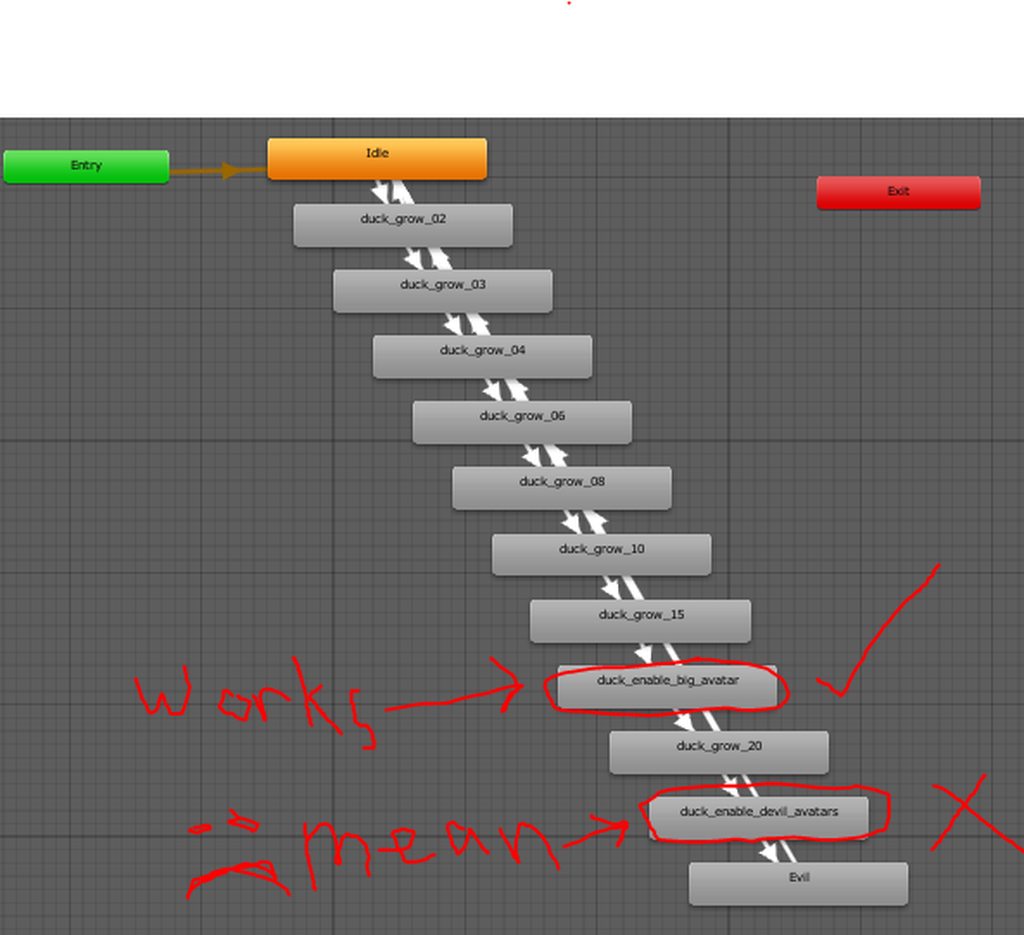


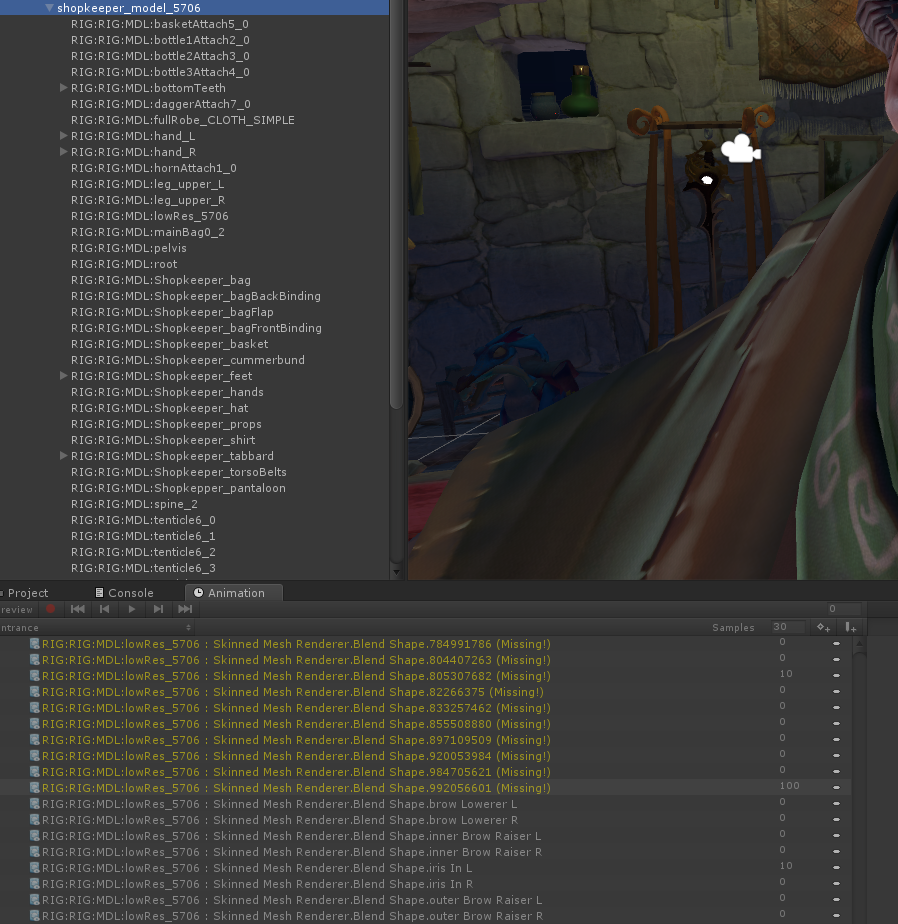
 wary parcel
you seen it plays through it and not skipping the animation?
meager saffron
while poking through, i noticed that the only noticable difference is the transition thingo for the one that isn't working has some weird little ghost thinger on it.
Yeah, it plays through if I edit the params and hit play.
and it makes it to the final state; only way to get there is through the broken one.
wary parcel
can i see the transition detail to the broken one?
meager saffron
for the one before it? Should be in there.
wary parcel
to it*
meager saffron
That's an album, btw ^
er, the one before it isn't in there though.
Can add that.
wary parcel
there is an transition i just want to see the details of it
meager saffron
added ^
wary parcel
that was your problem?
meager saffron
I mean I added a picture of the previous trasition to the album ^
wary parcel
oh album
meager saffron
the transition exists; it works fine in player view and makes it to the final state in-game, just never sends off the trigger.
meager saffron
looping's off.
Oh, or it was off on the old one. -_- I re-created the animation file and didn't turn it off on the enw one.
wary parcel
question, dont you use any type of condition to move on?
meager saffron
I'll test that r/q though.
meager saffron
Yeah, they should be in the transition screenshot. Size/Evil.
meager saffron
still busted. :/
wary parcel
ingame?
meager saffron
Yeah, if I select the object with the animator, then hit Play, it transitions normally through all of them.
Updated the parameters on the animator as well so it goes through the whole thing once I do a test build.
Makes it all the way to the end, but never sends the trigger on the broken one. :/
wary parcel
What type of broadcast is it?
meager saffron
I'm stumped -_- I'm tempted to just re-create this whole animator since there's some optimizatinos I could make to it anyway.
wary parcel
seems strange the whole thing
wary parcel
Should be local if you broadcast the Parameter change
meager saffron
aah, fair point. I'll tweak that r/q. dunno if it's gonna help much.
wary parcel
else everyone will trigger it for everyone
the more players the more triggers being broadcasted
meager saffron
Yeah, updated broadcast type. Haven't gotten around to poking at it with multiple players yet.
Problem is the trigger never executes at all; doesn't show up in output logs either.