#animation
1 messages · Page 104 of 1
 clear yew
 torn pawn
nobody likes them, so no
clear yew
-_-
torn pawn
@weak fractal http://prntscr.com/myifek kind alike this, ignore the names

also set transition duration to 0 so it doesn't blend
 hollow perch
What do you want to take off? In don't understand. You should be doing avatar edits in blender not unity. Then it would be relatively straightforward to remove something or make a shape key or set it to a separate material you can control independently @small kernel
hollow perch
Oh it sat down halfway in the ground and not t posing? Open the pinned messages here in animation and find help I fucked up everything. Easy fix
 small kernel
ok
torn pawn
or try pumkins tools, with that there's option to fix it too
though I think it doesn't always work?
hollow perch
Oh cool
There's also an asset on Booth.pm (japanese community shares stuff there) an avatar creator that does all these annoying steps for you. Costs a couple bucks though

VRChatで使用するアバターの作成・編集を支援するエディタ拡張ツールです。 アバターがうつったモニターを確認しながら表情作成等をおこなえます。 現バージョン beta v0.2.1
Oh wait it's free. The donation is optional
Nice big reset pose button 😃
clear yew
@weak fractal here is a video on persisting states with animators
Editing by Cheese Link to the package with assets from the video (Includes scripts) https://drive.google.com/file/d/1oi1Ryc2O5FAKQg1_92G6CbEaUBmKnzhU/view?us...
Here is a video on a touch based inventory
Here is an emote toggle example with instructions. https://github.com/oofdesu/lin-unity-packages/blob/master/emote_example.unitypackage

GitHub
Contribute to oofdesu/lin-unity-packages development by creating an account on GitHub.
One of these should get you where you need to be
clear yew
Finished the face movements for the animation (^w^)
 warm echo
dose anyone know how to make it so u need to do a gesture in both hands to activate a animation ? i know it can be done as theres models that can do it i just can not find out how to do it. please @ me or DM me thx
torn pawn
Parent
Child
Both disabled, one gesture enables parent, 2nd enables child
child will be active only when 1st gesture is active
 dreamy holly
Hey so does anybody have a guide I can refer to for adding music to my avatar on a certain gesture?
I have tried the ytube tuts but they dont seem to work
 iron sand
is anyone alive in this chat?
 warm bay
Does a particle have to be attached to a bone for it to work on gesture??
 pliant plank
Not as far as i'm aware
clear yew
How do I fix a world animation that works in play mode but doesnt play in vrchat? I have 2 animations, they're the same but with different meshes, one works fine, the other doens't. What am I doing
clear yew
@dreamy holly do you know how to use gesture overrides to enable game objects?
@clear yew post some screenshots of your scene or record a video of the problem so we know what you're working with
clear yew
its pretty simple. look at some tutorials on youtube on vrchat animations and gesture overrides
dreamy holly
i did
They dont work for me
tried 3 diff vids
like the gesture itself
breaks when I use an override
clear yew
does the hand pose go slowly?
dreamy holly
Does pose at all really
it changes the pose to look like my avatar is holding a can of coke or something like that
and it only does this to the gesture I apply the animation to
which is simply audio is active
and it last for 1 frame
clear yew
yeah your gesture animation clip is messed up. it doesn't contain any animation for the hand pose, which is why it goes into that cup shape
but that shouldn't prevent the audio from working
clear yew
your problem might be the number of keyframes, if you mean you only have 1
gestures should be 2 keyframes total, and span from 0:00 to 0:01
both keyframes should have the same value
dreamy holly
yeah mine is
let me get my pc up
ill send a screenshot of my timeline
thats what I got going
and the name of the animation
in my override
then I tell the avatar to use this override
torn pawn
@dreamy holly is the audio source set to Play on Awake?
dreamy holly
ingame sound effects?
torn pawn
yes, in vrchat
dreamy holly
like in the actual game itself?
torn pawn
yes
dreamy holly
Dont think so
torn pawn
avatar sounds and sound effects
dreamy holly
I can hear others effects
torn pawn
check if they are not at 0% volume
hmm
can you make a prefab (drag the avatar next to where FBX and other folders are) of your avatar and send that + the animation to me? dont need any textures
dreamy holly
sure
torn pawn
fixed it
dreamy holly
yes thanks to Yuumi the issue is solved
 vapid spindle
@torn pawn @dreamy holly be so kind to elaborate on how you fixed your issues, it might help others some day 😃
torn pawn
there were 2 issues = missing audio source object on main model and 2nd was audio priority was set to 0
vapid spindle
@versed tree all I can tell you is that it's not in the one of the screenshot
ah, nice to know
 versed tree
Ahh oki its alright i didnt find it but i made the sad face work lol😊 tysm tho😊
vapid spindle
if it's actually called "cry" then you'd have to look for なく or 鳴く
 final gazelle
涙 would be the tears, but if it's the facial expression itself, i'm not so sure on that one
 spice urchin
u can translate them with the CATS plugin (not 100% accurate but usually indentifiable)
u can also just mess with each one individually
 tropic ibex
hello! How would I go about setting up a custom emote to turn on and off a specific shape key?
spice urchin
do u rlly mean an emote or do u mean a gesture
u would most likely just use a gesture 2 'turn on and off' a shapekey
unless its like some toggle
tropic ibex
I mean an actual emote
like, some way to enable and disable a certain shape key without having to use gestures
 lament prism
I just have a quick question, how come sometimes I can't enter animation mode when animating? Changing those values circled in the picture doesn't physically move anything in the preview window.
 covert girder
@lament prism try to click Preview button (under Project panel's header) 🤔
lament prism
Sorry I should have noted that I'm quite new to animations, is this it:
oh ok nevermind
guessing you meant this one eh @covert girder ?
covert girder
yes, but not sure if that will work after you click it )
lament prism
it did, but for some weird reason if I click off of it, and then click it again it doesn't work.
I did what i wanted to do so it's all good 😃
 onyx path
Make sure you're changing the key frames at the 0 second mark instead of the ones at the 1 second mark
Also I don't see any ending key frames at the 1 second mark
lament prism
I didn't add them till after I sent that pic
onyx path
Ah
 naive niche
@versed tree i believe if you import it to blender and run it thru cats translation may help
 hallow acorn
I have an animation i made for an elevator

i have the animation here, but where do I place the animation so the cube will trigger it?
clear yew
@tropic ibex do you know how to use the behavior.enabled property?
covert girder
@hallow acorn if that a world you need to add animator to your elevetor object and use animation from that, one method i know is to create bool property and do transition from elevator bottom to elevetor top anims if bool true and back if false and with trigger change that bool property
 rustic halo
How can I animate both my ship and character in the same animation? I tried adding in my character's skeleton in the animator but when I select my character, the ship animation (landing animation) doesn't preview and instead it moves my character to the animation of the landing. I'm trying to have this landing animation as a gesture to show off to my friends 😖
I'm experienced in animation in maya btw
When I select my character ^
covert girder
you can edit only childs of thing that has animation, so you need to have avatar as a parent of ship, actually if anything was outside of the character with avatar descriptor that will not get uploaded
 spring nova
The problem is that you're applying the animation directly to the character. Without anything specified, it will revert to humanoid default, which is that crouched pose. If you want to animate your character doing something complex like moving around separately from you, then you should have that as a separate model while your real model just has a disabled mesh renderer
spring nova
If you make it a duplicate, you can rearrange it however you want with the ship inside the avatar or whatever is easiest to animate for your workflow. However no matter what, your real avatar needs to be at the top, and that may also be an issue you were running into
rustic halo
So the duplicate needs to be a child?
If so, how do I disable the parent without disabling the child
spring nova
don't disable the parent, just disable the mesh renderer
you may also want to look into world objects, which allows you to basically place down an object that's still inside your avatar, but locked to the world instead of moving with you. Then you put all your animation stuff into that
rustic halo
Alright I think I got things working, thank you
rustic halo
Yeah i still cant find out what a world object is and how to make one
clear yew
I think phase means rigidbodys and fix joints
But I only know how to do it for an emote not a gesture
clear yew
This example drops a world fixed joint on a gesture
GitHub
Contribute to oofdesu/lin-unity-packages development by creating an account on GitHub.
This example drops a world fixed joint on an emote
GitHub
Contribute to oofdesu/lin-unity-packages development by creating an account on GitHub.
@rustic halo @clear yew
 spring wigeon
hey, for dynamic bones, how does one make it so that dynamic bones only moves one bone instead of all the bones it parents?
I've seen so many pre-download avatars do it and I have no idea how they do it.
 slim sparrow
What do you mean?
Dynamic bone script affects the root bone and everything below it. That's why you make "root" bones for stuff like hair and skirts
You can add "exclusions" to prevent that bone and bones below it from being affected.
slim sparrow
Also, the last bone in the chain will never rotate. This means that chains that are only one bone long will not do anything. You can make it move again by adding end length or end offset, which will add a "fake" transform at the end.
End length is very important to make very small bone chains look good. I use them on breasts, ears, and reweighted skirts a lot.
spring wigeon
ok, thank you
tropic ibex
@clear yew I don't know how to use that! how should I use it to get to my goal?
clear yew
the behavior.enabled property is a non-default property that will let you animate the animator component on and off. if you have an animator component with an animation that does your blend shape on the body object(and also makes it persist), you can turn it on/off via an emote which uses behavior.enabled
tropic ibex
are there any guides on how to achieve this?
I have no idea of how I would go about using it
clear yew
there is no exact guide for it
for your case, that is
GitHub
Contribute to oofdesu/lin-unity-packages development by creating an account on GitHub.
use this package, it will include useful resources for you
it has an animation clip called behavior_enabled.anim that has the behavior.enabled property in it
it also comes with rero's scripts for adding the behavior.enabled property
finally, it has an animator set up for making a persistent animated output, and a suspend file for that animator
called output_animator.controller and suspend.anim
pretty much what you want to do is duplicate the output_animator, and rename it to something descriptive
like "insertgoalhere_animator"
then, look at that animator in the animator tab
there will be an orange "state" object
if you select it, the inspector on the right will have a "motion" field
create a new animation clip
name it descriptively according to your goal
drag it into that motion field
once that is done, drag the insertgoalhere_animator.controller onto your Body object
select your Body object and it will have an animator component with the animator you dragged onto it
uncheck the animator component so it's OFF by default
with the Body object selected, go to the animation tab, make sure the dropdown under the record button is selecting your animation file, not the suspend
then add your property for your blend shape
you need a start keyframe and an ending keyframe
they should be the same value
the animation can last from 30 frames/.5 seconds to 60 frames/1 second and that will be fine
once that is done, your need an animation clip to use an emote
paste the behavior.enabled property in that clip, from the behavior_enabled.anim
select the property in the "add property" pane, and hit F2
rename the animation target to be "Body"
add a second keyframe, and to make it simple have it last 1 second
so that should enable your blend shape with an emote and keep it on, but past that are things i haven't thought of
like for example, you need a way to turn it off, which is problematic because you can't nest your Body object in any more animators
or it will break
and also, if your gestures are animating blend shapes, that might also be a problem
cause it might undo the blend shape
tropic ibex
yes, that is the case
clear yew
is it a single blend shape that isn't animated by gestures?
what are you going for btw
tropic ibex
well, my character has wings, and I would like to be able to turn them on and off
clear yew
oh that's much simpler then, since it's not your face
tropic ibex
I made a shape key in blender that makes the wings disappear
clear yew
can you separate the mesh so that only the wings are visible but the armature still exists
and import that by itself
because if you can decouple your wings from the main Body mesh you won't have any issues
otherwise you might need to do a cycling animator on the body mesh
clear yew
definitely do that, so you can nest it under a parent object.
Body object breaks if its not at root and we need at least 2 animators for the best implementation
do you have VR?
tropic ibex
yes
clear yew
you don't need to use an emote, you can use a multi-hand gesture
requires the use of 2 gestures being held for .5 seconds before it activates
tropic ibex
wouldn't I need to keep holding it though?
clear yew
no, it outputs a persistent state
so you could do rocknroll + handopen to enable wings and they will stay on
and thumbsup + handopen to disable
if you can get those wings separated ill screenshare the setup with you
can do it as an emote, multi-handed gesture, or something touch based if you want
tropic ibex
well, I'm not at my pc right now, but I will dm you as soon as I'm able to do it!
 clear yew
Does anybody have any tips for creating gesture toggled animations for non-humanoid models? for example an object such as a car or refrigerator. Thanks.
 hollow perch
@cyan chasm That's cool. Care to share any details about the mocap system you are using? doing it in editor?
 cyan chasm
I'm developing a mocap setup with unity and final ik
By the end of it all I'm hoping the entire software will be nicely standalone with only the need to click a few buttons before you are ready to start recording
@hollow perch
hollow perch
ah very cool, you can use unity runtime animation recorder
hallow acorn
Is there a way to generate an animation controller from an animation?
clear yew
Dragging an animation file on to a model should create an animation controller. Or you can right click and create an animation controller, then click on the controller, click on the animator tab, then drag the animation file into it.
Is this a good place for this? Just made it.
https://youtu.be/8m0Ayx3tcXo

Linkies! Tupper's Megatutorial https://www.youtube.com/watch?v=7P0ljQ6hU0A Blender https://www.blender.org/download/ Unity and SDK https://docs.vrchat.com/do...
clear yew
@clear yew you have to nest it inside an invisible humanoid avatar so you can use overrides
And also do something to fix the movement of the mesh with the viewpoint
I think there are a couple of ways to do that
Do you know of any places i could put the model in the armature so that it remains stationary when walking or moving?
@clear yew
Not really, I don't mess with it often. Last time I did something with a generic I was using final ik and scaled the neck to 0 and that solved my issues
By stationary do you mean not moving at all in the world or just doesn't jitter or wobble unexpectedly with movement
just not wobbling in movement
I think for a regular object at root it will rotate side to side with your view, as typically desired
But not up/down
So all you need to do is put the mesh at root and delete the humanoid's body mesh
Thanks for the advice, ill give it a try!
does anyone have a beard for avatars that i can have?
...
clear yew
Check online
 copper nebula
Does the snail marker just not work very well for those who are reading what you are writing? I'm guessing lag messes it up?
slim sparrow
Yeah, you have to move your finger really slowly
Both the start/end of the writing and the finger movements are delayed or can be interpolated
So you have to write slowly and pause for a short time after pressing or releasing the gesture
copper nebula
Bummer.
 cerulean laurel
So I have a bit of a bug that I cant wrap my mind around. So I have an animation that draws a revolver and in unity its tied to the right hand in both the default and animation models but in VRChat it changes where the revolver is to the avatars left hand and i cant understand why
clear yew
@cerulean laurel wdym?
It moves the revolver to your other hand when you activate the animation?
cerulean laurel
ya
slim sparrow
You may have the position in your animation wrong, or your left/right hand bones are misnamed/swapped
clear yew
^
clear yew
That'd be best
cerulean laurel
its going to be 4. 1st is going to be the main model with both revolvers showing (the holstered resting position and the hand drawn position) 2nd will be the animation version that shows what its supposed to look like and 3 and 4 will be the hands respectively
spice urchin
y cant u just get rid of both guns
ans make them they own models
then put model in the hand
something liek that
cerulean laurel
They are their own models I just made them both visible to show they are there
 fierce bane
@cerulean laurel are you just disabling the holstered weapon and enabling the other or are you doing something else?
cerulean laurel
When I do the animation the one on the hip is disabled and the one in my hand is enabled
@fierce bane
fierce bane
Do you have the hand held one on a fixed joint or something?
cerulean laurel
I set it under the child of the right hand. The hierarchy can be seen for both the normal and animation model
fierce bane
Yes I looked. Can you show the body rig instead of the finger rig? Arm/wrist are not listed there and those are what is important here.
cerulean laurel
Ah I can't right now I'm in class but when I get out I can do that.
fierce bane
The only reasons I can think of for the left/right being confused is swapped mapping, an improper fixed joint setup, or final IK sry up in reverse.
cerulean laurel
I'll check when I get back to my dorm and post the picture
fierce bane
Or an animation perhaps.
Also is there a reason you have an animator on a holstered weapon?
cerulean laurel
so i dont see anything wrong with the hands and lower arms
and the only animator i have for the holstered weapon is in the draw animation it goes from active to inactive
rustic halo
How do i make something in my animation not move with my headset movement
 zinc hatch
is using legacy for costume unity animations still a thing?
fierce bane
@cerulean laurel in your images it shows the holstered gun having it's own animator.
Not animation but animator
@zinc hatch legacy animations will not work at all in VRChat
They will be ignored on upload
cerulean laurel
hmm i see it now in assets but i dont know why its there im not using it for anything
zinc hatch
k
rustic halo
Is there an easier way to rotate joints than to play with the numbers in the animator screen
rustic halo
side question
what's yalls favorite humanoid animation (like dances) download websites pm me
clear yew
https://youtu.be/ofvyzWXvQZI Ok I had to redo this video but it should be legit! Tell me if it works for you please! I want to make sure it helps everyone not just some people!

 spice urchin
unless u use liek a lot of smoothing and fixing prob easier 2 just animate urself using IK lol
 muted prairie
100% missclick
 whole raptor
Got a question for you guys. There's a disappear animation on a gaster model I've seen that uses a static shader and makes him disappear along with his name tag over the course of two to three seconds.
Would anyone know what static invisible shader that would be?
It could be custom so I won't expect any definite answers
Dont know if this is more fitting for animations or shaders chat
It's an animation that plays a sound and uses a shader that makes the mesh have a very high alpha percentage over time, with a static shader.
torn pawn
moons static shader?
whole raptor
Hm.
Not sure.
The animation effect does a shader effect that vertically makes the avatar go invisible.
It has static particles.
Triangular static particles
Avatar's mesh goes to 100 percent alpha..
Some sort of stencil shader MAYBE
 brittle granite
🤔 what would happen if i animate the hieght of the avatar descriptor?
final gazelle
i get the feeling that i've tried that and it either didn't work, or i didn't find a way to get the view position to change -- but if in doubt, give it a shot and see what happens 😛
 glass glacier
https://giant.gfycat.com/MellowKindBlackfly.webm
Thought this is fitting, for those that havent seen it yet...you just gotta love Unity sometimes.

 charred flower
majestic~
glass glacier
How AI will kill humanity
charred flower
in a flailing firefest of doom
glass glacier
>> Knife wielding tentacle
clear yew
To be honest, it loooks like hes dancing, unity cracking a beat
 fast geyser
Do you know the name of the shader effect for when (for example) you "hit" someone it makes a blurry effect ? I want to add an effect like this for when my avatar hits someone with her hammer, it does that blurry effect.
 red linden
probably just a screenspace blur shader with a particle collision to enable it
fast geyser
Hm, I'll have to do some research about it, thanks for the info ^^
Since I don't know how to create shaders, I'll try to find something then try to modify it
fast geyser
Arf I'm having some problems while animating my avatar, I can't pose the arms without them resetting and regaining their default position.
Does it happened often ?
slim sparrow
You can't rotate the humanoid bones directly. @fast geyser
fast geyser
Oh nevermind I've found how to move them !
slim sparrow
You need to use Muscle Animation Editor or manually add the Animator properties like upper arm forward/backward etc.
 deft mountain
Anybody know if it's possible to make a gesture animation that moves my model halfway into the ground? Emote works fine, but on a gesture the view point (I think) prevents the model from moving.
 simple fractal
Does anyone know how to set world particles to collide with avatars too? Ive seen it done but right now i only know how to get them to collide with the ground. I have some subemitting particle systems that put decals on the ground, but the billboard is always flat so if they hit a wall they are still horizontal, is there a way to also make it paint onto the surface instead of displaying like a billboard?
hollow perch
You will want a decal shader. You can check out Netri's github which has tons of cool deferred rendering shaders including a triplanar decal shader
https://github.com/netri/Neitri-Unity-Shaders @simple fractal
GitHub
A compilation of shaders for Unity3D and VRChat. Contribute to netri/Neitri-Unity-Shaders development by creating an account on GitHub.
simple fractal
oh thanks, i pulled that down a bit earlier today, do you know what i should set the particle to in the renderer? (like billboard/mesh etc, maybe im blind but i dont think the triplanar decal one had a readme -ill double check that too)
hollow perch
Nope no readme. A lot of you're gonna have to figure it out
Start with the world position and world normal shaders and make sure those work
Read the documentation for those. Make sure to set up the directional light exactly as descrivbed
Billboard probably will work fine. You just want the mesh covering the area you will paint so a cube mesh might work too
simple fractal
alright, i think it might not have been working because i delete the directional light from my scene and just use "color"
right now im still having the same issue where the texture is always facing the camera, it doesnt line up with the normal of the plane. still trying to work through the documentation though
clear yew
how do i fix this issue with my animation being in the ground
@clear yew Do you have some kind of a custom walking animation?
yes i do
Your animation needs to actually have movement in it for all bones and root positions otherwise it's just going to set your avatar into the floor
so what i the best way to get all with out having to relect all bones
i odd thing is i only have anim on the legs and knees on the vavatar
 ionic nova
@clear yew try to copy keys that your anim doesn't has from vrc's anim files of idle/etc (with ctrl+c, ctrl+v) also be sure that your animation for humanoid
muted prairie
Has anyone had an issue with looping emotes ? Maybe someone here knows what the cause of it is
torn pawn
what issue ?
muted prairie
It loops, even though the loop settings aren't checked
torn pawn
might be missing keyframe at last set? or possibly using wrong animation file, think it also can catch you in loop if it's too short
 slow tide
What do you mean animation component is disabled?
muted prairie
Missing keyframes ? But it has a set duration and a length
It's at least two seconds long, is that too short for the loop ?
torn pawn
2 sec is enough, does the animation end with all keyframes being there?
muted prairie
Not sure what you mean by being there
torn pawn
I'm not 100% sure if it matters, but lets say if you have 5 keyframes, and animation ends with just 4 of them
muted prairie
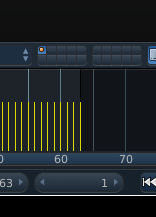
Could it be caused by the animation export "Force Start/End keying" ?
If it adds an empty keyframe then that could potentially create the loop ?
 hollow perch
Double clicking on the top bar should create all of them
torn pawn
yeah
 lime jay
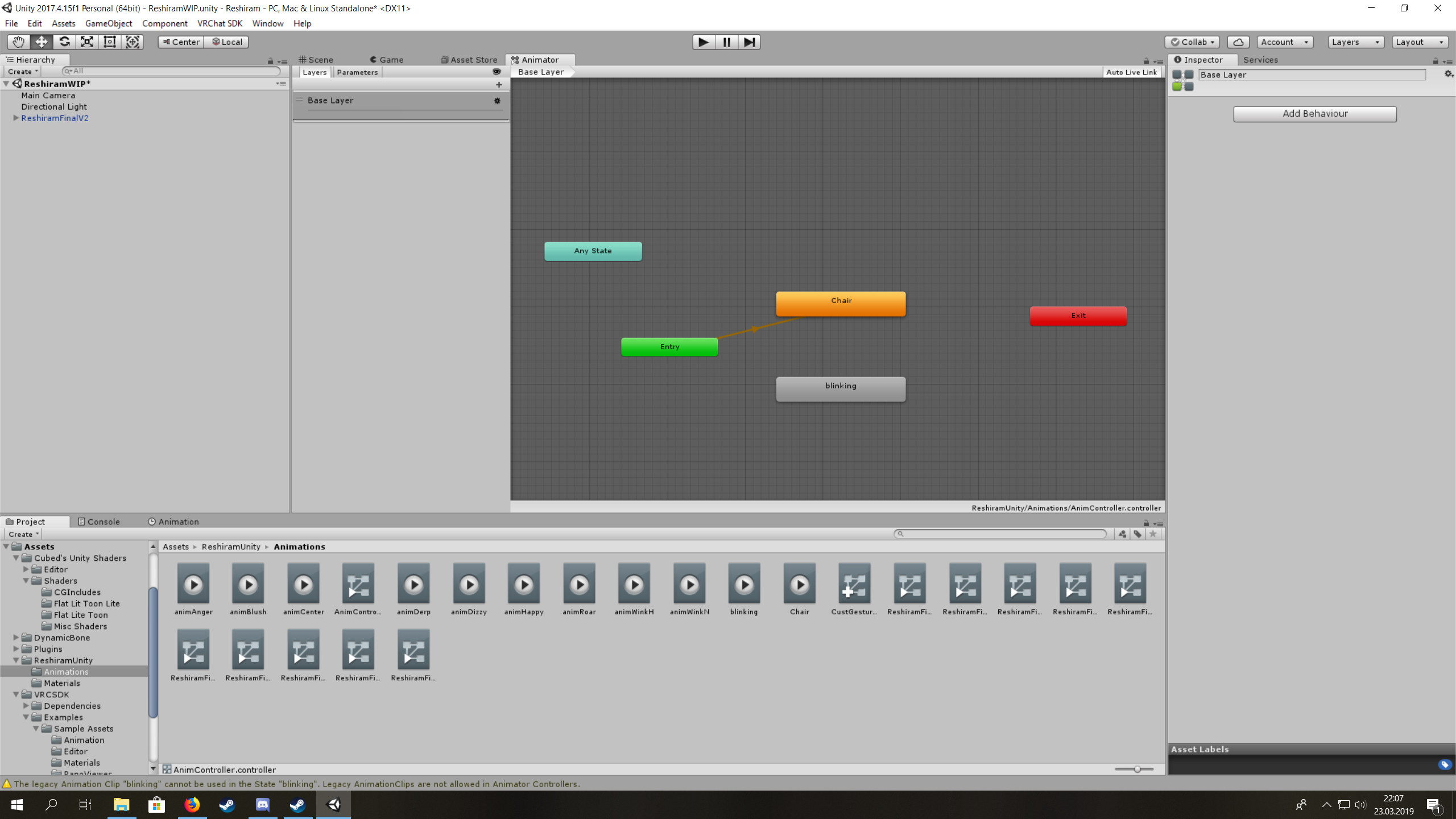
I don't understand animation controllers, I've got two animations that I want to be enabled all the time. The first one is blinking and the second one is so the chair on my avatar works. But I can only have one animation set as default?
 hollow perch
Layers are a godsend
See the layers panel to the left. Go ahead and add a new one. Make sure to set the weight to 100.
@lime jay
lime jay
For both or just the other one?
Nevermind, I see the base layer is always 1 (only goes between 0 and 1, if you set it to 100 it sets it back to 1)
hollow perch
Sorry I meant 100% which is 1.
 void phoenix
torn pawn
void phoenix
torn pawn
hi new, I'm Yuumi
 paper smelt
Guys i need abit of help i crated custom crouching animation where do i put it because CROUCHIDLE doesn't work for me
torn pawn
i remember that crouch was broken, have they fixed it?
paper smelt
so its broken?
torn pawn
I would assume so
 chilly kernel
any particle pros here?
torn pawn
write down your actual question
chilly kernel
how does one make bow and arrow thingy <.<
ive seen some ppl manage to make those that when you bring the arrow close to ur string it snaps to it
hollow perch
Since you're talking particles, you're going to want to experiment with triggers and subemitters .
chilly kernel
i forgot triggers exist
its basically when you bring the arrow next to string the string starts moving with your hand and arrow
i think the bow itself is mesh but the string is particle
torn pawn
string is most likely just a dynamic bone with spring joint, as I said - it very depends how complex it is in the end
in my world i have avatar with working dual wielding bow that shoots depending how strong you pull
to say the least - it's complex setup
string is bone + inverse collider
chilly kernel
spring joint? never used one of those
by inverse collider i assume you mean it has the radius how long it can bent from its original position and it tires to stay inside the for example hand collider i assume?
torn pawn
no, dynamic bone inverse collider
slim sparrow
It's an inside-bounds dynamic bone collider so the transform always gets pulled back to that location
A collider that tries to keep the transforms in rather than out
paper smelt
How do people make objects not attatched to the body so they move and that object stays in place
lime jay
Whenever I add an animation controller to the animator component on my character it's always in a sitting pose when I hit play in Unity no matter what animation I put in the animation controller?
 foggy aspen
How do you do like particle effects and sounds and stuff like that
 lyric edge
i need help with blinking animation
 ivory atlas
@lyric edge like just so your avatar blinks or like blink shape key in a animation ?
 copper vigil
Anyone know how to add full dance emotes with music? From a vmd file
paper smelt
Is there a way to use Emotes for animation that would leave my object in the world even when it stops
torn pawn
your emote activates an animator that enables the object with fixed joint
paper smelt
after the animation edns it dissapears is there a way to make it not disapear?
clear yew
yes
GitHub
Contribute to oofdesu/lin-unity-packages development by creating an account on GitHub.
paper smelt
thanks
to make it fixed to avatar i need to create rigidbody on avatar and on the object in fixed joint select the rigid body?
torn pawn
no, fixed joint connected body is empty, also u need to add animator component+apply root motion + add any controller in it
for better use you want also a reset animation, or else it'll break after first use
clear yew
the emote example is already set up to drop a fixed joint and reset it
if you want it to not do that you would need to edit things
clear yew
that's what you asked for, "Is there a way to use Emotes for animation that would leave my object in the world even when it stops"
but yes you can
you can edit enable_state.anim and reset_state.anim
paper smelt
yeh i know XD but if i can figure out how the fixed joint works then im good
clear yew
and remove the world_fixed_joint
have those animations animate something else on
the example is just a few files, follow the patterns, change what you need
have the animator tab open
have the animation tab open
its all really logical
paper smelt
yeh i figured it out for the most part
just no clue on how the fixed joints work
wait if in fixed joint connected body i add for example head it should be connected to head
meh i'll just try it out
but thanks for that its really helpfull
yes it works Thank you!
 lunar pasture
hello
trying to fix motocycle pose issue
I've tried importing the tpose, when i activate it the hips seem to end up upside down
torn pawn
have you tried using pumkins tools for vrchat, it has option to fix it
torn pawn

GitHub
A tool to speed up setting up VRChat avatars in Unity - rurre/PumkinsAvatarTools
lunar pasture
how do you use script in unity?
torn pawn
it's under options > pumkins tools
lunar pasture
ok, rewind, how do I install pumpkins tools?
i just have a coulple of cs files in my assets folder at the moment
torn pawn
download and import
they need to be in Editor folder
or else your project will have compilation error
lunar pasture
ok, I did download, extracted the zip, it has an editor folder in it and a couple of cs files, where do they go?
torn pawn
import in unity, then you go to Options > pumkins tools
drag in your avatar and click reset pose or whatever the option is
lunar pasture
there doesn't seem to be anything to import in unity, it's a readme file, a licence file and a folder containing two cs files
torn pawn
...
have you even tried importing and then checking Options?
that's how it works
it uses two script files
lunar pasture
what's the thing you select to import?
ok, got it, thanks
wow, I wish I had this when I got started, thanks 😄
her butt is now the right way up 😄
aaaand, now it's not
torn pawn
reset tpose in rig, could be an issue if you overwrote the fbx
lunar pasture
Na, didn't do anything
can I tell you my tale so you know where I've been?
I want to make an avatar that switches body
the models aren't identical but the bones should be
paper smelt
soo i made the object follow me and it does but only for me
lunar pasture
still getting an inverted butt every time i use an animation 😦
 sharp pewter
How do I make an object appear at a certain time, instead of instantly appearing when I do the gesture?
hollow perch
Make it activate an outer object around the object you want and have the inside one also unchecked. Then add an Animator to that outer object. The animator can be a full state machine and turn on the inside object at a good time using an animation clip @sharp pewter
 glossy swan
Is it possible to make a gesture anim to toggle a gameobject on and off? Without reverting to it's original state after you let go of the gesture?
hollow perch
@glossy swan Lookup the VRC Inventory system. you can copy the keyframes from the generated emotes into a gesture and it will work as well

GitHub
An Inventory system that is easy to set up for your avatars, using emotes. - Xiexe/VRCInventorySystem
sharp pewter
How do I make a smooth jumping avatar?
clear yew
@glossy swan https://github.com/oofdesu/lin-unity-packages/blob/master/cycling_gesture_example.unitypackage
https://www.youtube.com/watch?v=va44_PRCLME
this does what you ask. by default it's set up to enable/reset a world fixed joint. it's easy to edit to do something else.
GitHub
Contribute to oofdesu/lin-unity-packages development by creating an account on GitHub.
 foggy aspen
How do you get a model from VRChat into Unity
clear yew
unless you rip it against literally everyone's wishes, you can't
foggy aspen
Oh so people make their own models?
clear yew
yes, or already have the model as a unity package, or something else to import into unity
you can't really take an avatar from someone's account in vrchat and bring it into unity
 frank tulip
How do I make it so an animation doesn't restart when a person enters the world; I have a cruise model that moves around a map and I don't want people seeing others floating above the water while they're on the boat
lyric edge
@ivory atlas its okay i got the blinking animation to work.
clear yew
so it doesn't restart for the people it already started for, or so it doesn't restart for the new joiner?
frank tulip
So it doesn't restart for the new joiner
clear yew
you can't really sync people that have joined after you have animated something for yourself and others, unless they experience the animation again
frank tulip
There's gotta be an option because I remember going into an underwater world and there was a whale that was in sync with everyone who joined first and is new
hmmmm
I really want to get this through, but if I can't...
For instance, there's a boat joiners start out on, so seeing new people, it looks like they're on top of water...
because the boat heads to the island
foggy aspen
animation seems super complicated
frank tulip
Unless it's Animate Physics instead of Normal
clear yew
if it's for a world then there might be a way, im just not your guy. i don't do any world trigger stuff
glossy swan
Any way to change the face mesh dynamically with animations? I have an animation to change my player model, and everything works but lipsync stops working on models other than the one selected by the face mesh (it's actually the same model, but with materials altered, like a different form/recolor)
 fading drift
Im having issues with adding an audio source, when i add it on, the audio isnt playing in game.
 tall zodiac
Is the object enabled
and did you add a audio file to it
This is a bit unrelated to your question but, might be just me asking this really obscure question but has anyone ever tried using MegaFiers or a similar PLA cache import plugin for Unity to make point based animations in VRChat? (Things like shattering meshes or animating deformation without shaders/multiple meshes)
 tawdry basalt
im having issues making my prop not lock to my avatars rig
basically i need help with the rigidbody + fixed joint stuff as currently it either just follows my avatars hips or does this. https://gyazo.com/cd88cd1e32f628f89e6e8985f4494b48
 slim sparrow
It seems you may have a collider somewhere on that object @tawdry basalt
tawdry basalt
Nah i know that issue, i have a fixed joint going to the dog form the hip and form the hip to the dog
but i can't get it to stay in place
slim sparrow
That's not how you're supposed to do it
You put a fixed joint on an object and attach it to nothing
That's how you get it to stay in place
slim sparrow
You make a game object with a rigidbody and a fixed joint, and attach the fixed joint to nothing
When activated, this object will stay in place
 slim sparrow
Unfreeze the positions and rotations
@tawdry basalt
The object also has to be off by default, or it will just spawn at world 0,0,0
tawdry basalt
yeh it is off

guessing i just need to count that by pushing it down on the front a little
slim sparrow
Make sure it also isn't parented to the hips
Just put it next to your armature if it isn't already
tawdry basalt
oh thankies ^_^
sharp pewter
Can someone tell me why when I go to a different hand gesture, it's still playing sounds from the last one?
 wild plover
Moving here
I've been experimenting all day
No matter what I do, I cannot get my animation to play on my model
It's playing on some tail bones (So they don't override any other animations)
- I've made sure to isolate the keyframes of that animation, so it only animates the tail.
- I've tried putting an animator and an animation on both the hip bone (which is the parent of all the tail bones) and as well as the first tail bone.
- Plugging the animator into the regular controller (the default one.) has it run fine, no problems there (Which
- Plugging the animator into an animator ANYWHERE ELSE doesn't work whatsoever.
slim sparrow
Well, that's because the animation is probably targeted from your model's "root".
Your animation is as follows:
Armature/Hips/Tail1.Rotation
for example
Therefore, it will search for Armature/Hips/Tail1 starting from the animator object and going down.
So it won't work if you place it on the tail or hips, because the hips has no child named "armature".
Go to the animation window and press F2 to change the path and make it match.
wild plover
On every bone?
slim sparrow
Yes
It's kind of a pain importing tail animations from Blender to Unity because of this
You'll have to fix the path on every animation property by going into the Animation window
wild plover
God damn, alright
Thank you. I appreciate the explanation
Okay, after doin that, still nothin
Tosses this bad boy up now
@slim sparrow Very sorry to bug you about this. You seem to know exactly what's wrong, very sorry for the ping
slim sparrow
Press F2
Change the path
Where is the animator?
If the animator is on the hips, take off the "Hips" part too
So it just says Tail1
slim sparrow
"No path" means itself, any other path means it'll look in child objects
 hollow orchid
I am having a similar issue
maybe?
no matter what, even if I use the default animations for the hand gestures
I get all these missings for anything that pulls from "Animator."
and i tries all sorts of various things in here
and i just cannot get the (missing) to go away for the life of me
blind edits to these values to indeed work in-game
i just cant get unity to recognize/show me them properly
hollow perch
Check your fbx file and make sure you are rigged as humanoid
hollow orchid
checking
wow it was as simple as that
@hollow perch thanks so much!!
i was doing fbx edits in blender
and re-exporting for updates
and i guess each time i do that
it reverts that
hollow perch
If you overwrite the fbx file it should keep settings and auto update everything
hollow orchid
hmm odd
i wonder what i botched hehe
thanks so much for that tip ive been struggling with that for so long now
working blind lol
 hearty bramble
Hey, whenever I put a dance animation onto an emote, it plays fully in unity, but whenever I do it in-game it cuts the animation short. Is there anyway to fix this?
torn pawn
there's limit for how long it can go
hearty bramble
ah ok, and there's no way to get around that?
 floral depot
Any ideas as to what I am doing wrong? The original AS is disabled, and the animation is laid to the controller. The controller is slotted to the base, but it won't play the audio in game. The skeleton itself appears, however.
clear yew
Is the skeleton 2nd skeleton parented to the main skeleton?
slim sparrow
@floral depot can you show a screenshot of Unity with your original avatar selected?
floral depot
Hm. One sec.
 icy hare
Yo, is there a way to create an animation that only activates while another animation is currently active? I've previously done this with a whip and an audio source - victory spawns whip, hand open makes a whip crack sound only while whip is active. But I did this by putting the audio source as a child of the whip, then hiding the audio source and the whip and having each animation activate each one, and it works
However... with this new one I have a scythe that spawns with rock and roll, and I want hand open to spawn a fireball, and fist to throw the fireball, both only when the scythe is active. But I can't use the same process as above, because the fireball has to be the child of my left hand if I want it to look right and be able to move it around etc. otherwise it'd be moving with the scythe. So, any ideas?
floral depot
Fixed my issue - none of the tutorials explained the original also had to have the sound-clip, only that the dummy needed it. Added it in, now everything works as it should. Thank you folks.
torn pawn
@icy hare have the particle child of different gam eobject that gets activated by the scythe gesture..
icy hare
Oh shit yeah I get you, why didn't I think of that
the scythe gesture activates a game object on my left hand, and in that game object is the fireball particle?
that makes sense
brittle granite
"There's gotta be an option because I remember going into an underwater world and there was a whale that was in sync with everyone who joined first and is new
hmmmm
I really want to get this through, but if I can't...
For instance, there's a boat joiners start out on, so seeing new people, it looks like they're on top of water...
because the boat heads to the island"
@frank tulip animations in worlds can be synched with the players in the worlds. Animation on avatars are only activated it client side.
 lone pumice
Can anyone reccomend me a good particle pack with decent lightning effects?
I wanna be able to shoot lightning bolts from my fingers...
lone pumice
I could use some help i'm so lost.
Anyone around that has experience wiht particles?
floral depot
so I thought I had gotten sound to work on my animations... nope. No one else can hear it but me, what might cause that? My friends came to my room and turned on full avatar and animations for everyone, but still they could hear nothing.
lone pumice
anyone available to help?
can I not use animation scripts
?
I downloaded a Lightning particle pack and it uses scripts
lone pumice
@obsidian vigil Any reason why my dynamic bones are not appearing in the pre build?
I have them all set in my armature, and i dragged the correct bone to the Root.
When I go to build it says i havea no dynamic bones...
lone pumice
They are on the root of the bone I want to use, in this case hair
 obsidian vigil
then wheres the problem?
lone pumice
but when I go to publish it, it says number of dynamic bones 0
obsidian vigil
ignore that sh*t
probably a bug cuz the feature is new
sorry for the language btw
😂
but yeah, its probably just glitched
lone pumice
oh no worries, i swear like a sailor most the time
obsidian vigil
if they move it should work
lone pumice
cool i'ma publish it!
I haven't made a avatar in like a year, so its alot of memory and youtube
haha
obsidian vigil
^^
same
tbh
ive kinda stopped playing vrchat after the whole restrictions were passed
lone pumice
I'm trying to find a good video on animation overrides but they are all so scatterbrained
they are hard to follow
And I just spent a ton of time using a lightning script i purchased from the asset store to my a over ride only to find out that it doesn't work.
So now i'm kind of sad about that.
fml
lone pumice
really? I'm so confuddled
obsidian vigil
with all its bits and bobs
Brackeys actually did a nice tutorial explaining the particle system as a whole

Udemy: http://bit.ly/BRACKEYSMEM Everything to know about the Particle System in Unity! ♥ Support Brackeys on Patreon: http://patreon.com/brackeys/ ● Learn m...
all of the parameters can be used in vrchat as well
just go nuts with it
lone pumice
alright i'ma watach this shi
obsidian vigil
for lightning for example, id use a seamless yellow texture
probably a bunch of random noise
and give particles trails
lone pumice
tbh, i'm trying to make a shermie
with lightning effects
and failing horribly
ok so avatar looks fine in VRChat but it doesn't have any of the dynamic bones
obsidian vigil
da heck
lone pumice
but it has them in unity
lone pumice
so if i hit play in unity i can drag her around the scene
and things with dynamic bones move
wth
obsidian vigil
sadly i cant help atm neither with dynamic bones nor particles
im at work
but i could try and throw together a prefab for lightning particles when i have time to
naive niche
hummm bendy bones particle driven
 violet moss
The muscle sliders for fingers in bone config are really handy, is there a way to use them for actual posing?
In animations?
violet moss
Is that different than the regular animation editor? Or are they properties?
 old rover
I am interested in making it so when I do a slap motion it actually makes a slap noise. Does anyone have a tutorial for this? A little new to VR chat modeling, so all help appreciated
slim sparrow
@violet moss it's an addon for Unity that adds a window to manipulate these properties via sliders
The alternative is manually adding the properties yourself and inputting -1, 1 values yourself
@naive niche that's pretty much a given when you, you know, actually buy it.
icy hare
Hi guys, I've created an animation that spawns a particle effect, which is inside a game object. The game object only spawns when I use a separate animation, so that I can only activate the particle effect while this animation is active. All that works ok, but the actual particle effect doesn't follow my left hand around. It's a small fireball and it appears in the palm of my hand, the game object is the first child of my left wrist, and when I hit play in Unity and move my avatar around, or the left arm/wrist, the particle effect follows it. But in-game, the particle effect is stuck inside my left thigh and doesn't move around with my hand. What have I done wrong? One thing I notice is that the game object is not blue in the hierarchy like the rest of the bits, does this mean it's not properly connected to my left wrist?
 hollow perch
To make particle systems follow arms/legs/head /ik positions, you must use an IKFollower
icy hare
Ah ok I didn't realise, thanks guys 🙂
hollow perch
Put empty game object in your hand, add vrc ik follower component to it, put your particle system inside
icy hare
Ok cool I'll give it a go
 craggy sage
IK Follower works now?
slim sparrow
It's been "fixed" a while ago. It works pretty well but still breaks when you sit down, and still breaks in mirrors.
craggy sage
ah, it didnt work for me a few weeks ago
lord that tutorial is hard to follow its all over the place
craggy sage
so if i make a new idle animation the eye perspective, the little grey sphere, that follows the head, right?
 tacit axle
the head follows the grey sphere, actually
the direction you're looking takes precedence over any animation that isn't an emote
violet moss
is there a way to copy a pose from an animation to the actual model to have it permanently posed that way without the animation?
slim sparrow
That sometimes happens while animating and you save the scene @violet moss
Also, can't you just leave the animator on the model to have it play that pose permanently?
violet moss
t's just a static pose, and vrchat would ding me for having the animator
and it puts me in motor cycle pose, i just want the hands part of the animation
slim sparrow
I don't get it
Motorcycle pose is the default, if you just want the hands part that's exactly what you'll get. What do you want everywhere else then?
violet moss
i have non-humanoid bones that i'm posing
well the problem is when i play the animation the whole avatar squads down so if i save it that's how i'll be in vrchat
slim sparrow
Yeah but I still don't get it
slim sparrow
Then don't animate from the "root" of the avatar
Animate from some other game object instead, put an animator on it beforehand too
Or apply the pose in the humanoid rig
Or in blender
violet moss
but don't i need to, in order to manipulate humanoid parameters?
slim sparrow
You'll have to explain exactly what you're trying to do because I don't understand lol
violet moss
if the animator isn't in the root of the avatar, the animators don't seem to be able to move humanoid bones around
slim sparrow
That is correct
violet moss
but if they are in the root, they make it go in motor cycle pose
slim sparrow
Can't you just add it to the idle animation then? Since you don't want an extra animator
If the object is disabled by default it won't count either, in case you're enabling it later
violet moss
I could, but then it looks dumb on the avatar preview on the menu and i'm ocd
i just want to actually pose it for real
basically i'm trying to make my hands in a fist, not part of any animation, just, the avatar in general has closed fists, even if it were generic
i have a fist hand animation, but i don't know how to apply that to the actual bones so they're just always that way, even out of play mode
slim sparrow
Your best bet is posing them in Blender and applying it as rest pose honestly
violet moss
oof
slim sparrow
Because out of play mode, it'll just follow your model's "resting pose" by default
violet moss
well when i move things around in unity
like i pose tails and stuff
that's how they end up in vrchat
just moving them around in the editor, not an aniamtin
slim sparrow
Well it'll be completely overwritten ingame due to the humanoid animation system. What you're describing is literally impossible without taking at least two steps
Pose in Blender for the rest pose, apply to idle for ingame.
slim sparrow
Oh, well in that case you should add an Animator to the hand
And pose it that way, let it get stuck
Then remove the animator
violet moss
but it's humanoid animations X_X
slim sparrow
Oh, I see
I don't think you can apply humanoid animations to non-humanoids if that's what you mean
violet moss
Darn, what i did is i just made it humanoid momentarily and did wrong bindings to the hands
hopeing i could pose them
and then go back to generic
slim sparrow
You'll have to pose them manually by rotating the bones then
violet moss
thanks DX
don't see why animators can't control hand humanoid parameters from like, the chest
slim sparrow
That's just not how it works
It might if you change the "avatar" property of the animator, but that's about it
Changing the Avatar property is black magic that I don't quite understand
spring nova
Avatar masks are probably what you would want, where you can make one layer play animations that affect the lower body and another layer affects the upper body. That's normally all the control you need. The way that vrchat enforces it's own animator forcing you to put new animators elsewhere is a very special case
lone pumice
I could use some help with particles if anyone has a second
I have the particle made, and I attached it to my chest of my duplicate.
I then hit add property found the particle and set it to active
deleted the end frame and copied the beginning to 0:01
hit play and nothing happens
a little lost on wehre to go from here
fierce bane
create your particle effect on your normal avatar, duplicate it to make your gesture to activate it when you get it the way you want it.
It has to be on the main model to work when you activate it, the duplicate is just so you don't mess up your normal model when making animations
have it active while you set it up, disable it and set the gesture to activate it when you're ready to test in vrchat
 rapid bough
Yo. So i'm trying to play my animations i made for my model through the emote menu however when i click on the emote it won't play anything.
-The animations I'm trying to apply to is a non humanoid object/ a chair.
-The animations have been applied to the animation override.
-The override has been applied to the avatar and the animation controller.
Can you tell me of what could be happening that making the animations not playing?
slim sparrow
@rapid bough generic rigs cannot use emotes
I mean they can if you manage to make an animator controller that reads the emote correctly, but it will loop forever and get you stuck.
Hand gestures don't work at all still
craggy sage
so i want to have my character drive a car but how would i go about that, like where but the car and how to animate it for all movement animations?
 reef sandal
Does anyone have a tutorial on how to make Emotes that I can still move in while they're active? Also how to make infinite Emotes
 feral tulip
I have a 2d particle emitter that is a horizontal billboard with a Circle shape that ends up being a cone, sending the particles forwards along the ground. The particles have a texture sheet. No matter which direction I turn the emitter the particle itself is "facing" the same direction every time instead of facing the direction it is being emitted in. How would I get it to align the front of the particle to the direction it is being emitted in?
fierce bane
@reef sandal Emotes lock you in place for their entire duration.
Gestures let you move freely.
Look up Emote state machines if you want a toggle emote.
Be aware that late joiners and anyone that re-loads your avatar will see the first stage and be out of sync.
And if someone isn't looking at you when you toggle it they'll be out of sync as well.
for an "infinite emote" you'd probably just want to toggle on an animator that has it play on loop
reef sandal
Thank you! @fierce bane
craggy sage
any ideas for me?
craggy sage
does IK always stick when in VR
craggy sage
well like i have a custom animation and maybe im doing it wrong, but when i dont move my feet stick the ground
maybe it has to do with the idle animation?
muted prairie
You'd need to use dummy bones for that animation afaik
wild plover
here's something i've been toiling with for a while
how do you import shape key animations into unity?
if it's even doable
muted prairie
If there's keyframe, it can be baked into the model itself, and then they should be seen in Unity
clear yew
Is there any way to keep the player on this box collider? I just keep sliding off when the boat moves.
 glass mesa
Does anyone know how to pick which dynamic bone you want to edit in a animation instead of it being the top one?
lament prism
How can I animate a generic model in blender for unity?
I just got done weight painting and rigging the entire model, now I just need to animate since it has 3 legs.
@muted prairie I also fixed that problem I was having!
muted prairie
Sweet, what was the cause ?
lament prism
I messed up with the IK Handle
Fixed now
Just have no clue what to do next tbh lol
muted prairie
Learn animation 😄
 cloud reef
Hello, I've got a small problem with dance animations. When I first start to dance everything is fine but after a few seconds my point of view is back to my head and it's standing still while the rest of my body is still dancing. Does anyone know how to toggle point of view so that my character will dance to the end without any problems?
slim sparrow
You can't put animations longer than like 30 seconds on emotes without that happening
cloud reef
Also when I did the override my face expressions disappeared
slim sparrow
Unless you disable the IK in the emote
cloud reef
Oh, how do I disable the IK?
slim sparrow
You need Final IK, you can then disable VR IK, IK Execution Order, FBBIK and possibly Limb IK in the emote animation.
That should cover every case
cloud reef
That would take a while for me to figure out but thanks for answer
slim sparrow
Well if you have final IK it's fairly easy.
Duplicate your avatar, add all the components I mentioned to the duplicate. Disable them all in the emote animation
Then you should be good to go
Keep in mind you will still get movement back, but at least your IK won't be interfering anymore
Alternatively, you can put it on a hand gesture and it'll play as long as you like.
cloud reef
Does it matter what version of final IK I have?
 wide sable
Hey, just got back into vrchat modelling. I know what I'm doing apart from the new animator component. I've seen people do crazy stuff with it, like only being able to pull out an arrow for a bow when you're holding the bow, and cycling spellbooks and stuff. I have some idea about the cycling stuff, just no idea about how to make an item only appear in one hand and not automatically when the bow is pulled out as well with a gesture.
cloud reef
@slim sparrow (sorry the ping) Hmm.. I did as you said and it didn't change anything. Or maybe I didn't quite understand what you meant. What do you mean "disable them in the emote animatoin"- when I go into animations section I can't add any components there, only to character itself. Edit: Nevermind, I found the emote animation.
After those 30 seconds it still bugs out. Is there a way to limit the animation itself and make it end after that time? It won't show the full dance but at least it will look normal.
clear yew
You need final ik 1.7 or 1.71

That's what your emote needs to animate
I think there is no path
lament prism
I'm animating in blender and I'm not sure how fast I should make my animations.
clear yew
does anyone know how to do world animation?
slim sparrow
Final IK 1.6.1 seems to work fine for me, that's also the one the game uses
hollow perch
It shouldn't matter what script you use for the animations anyway, just needs the correct GUID
I've been waiting for someone to make a final IK stub that has the final ik GUIDs and only an Enabled property
clear yew
very impressive people willing to pay the price of final ik to get those animation properties
 grizzled badge
Hey anyone know how I could add an object to my avatar so that it kind of like hangs from it?
I want to have a knife that would spin around my finger
fierce bane
@grizzled badge if you just want to to always be perpendicular then a hinge joint would work
If you want it to always point down in relation to gravity you'd probably want to use a configurable joint instead
Either way it would anchor to a rigidbody on the finger for it's connected body
fierce bane
@clear yew two keyframes, a single frame duration (0:00 and 0:01 should have the exact same settings or it will flicker)
You can however enable an animator with a gesture to have a longer animation play while held
clear yew
I see, want my character's helmet to slide up instead of just instantaniously pop up
how would you go about enabling an animator?
(im still fairly new to unity's bullshittery)
fierce bane
yes you'd need to make an animation for it to go up slower with multiple keyframes
Then place that animation inside a blank animation controller (most commonly with a start->blank animation->your animation)
and disable it by default to then enable with the gesture itself
always remember to animate on a duplicate, not the primary avatar
clear yew
Yeah, so would this controller be the main one in the Main avatar?
Or can you put it in the object you're messing with and have it trigger?
fierce bane
no, add the animation component to your avatar (not on top level as it already has one)
then you make a controller to work with that has your animation in it
clear yew
Can you send animation triggers to these?
using the vrc trigger stuff
so i can choose which one i want?
fierce bane
triggers only work in worlds
clear yew
Mmk
Cause i'd need multiple animations
(for example, one opening the helmet, then one closing it again)
fierce bane
you could use a state toggle to have it go up, then shift to the down on the next activation
clear yew
How would i go about doing that? (sorry for being so naive)
fierce bane

I explain how to create a potential infinite amount of gestures using an animator state machine. ========IMPORTANT======== Thank you Bertrand Steenhaut for t...
here's one way
er...pretty sure that's the right one....
shows state machines which is the major part
clear yew
this one is more recent
Editing by Cheese Link to the package with assets from the video (Includes scripts) https://drive.google.com/file/d/1oi1Ryc2O5FAKQg1_92G6CbEaUBmKnzhU/view?us...
clear yew
I cant seem to figure this out
it says the component doesnt exist
so...
check for an update in the sdk, if you havent yet
I hate unity
it's so unreliable
Uh..
How so?
it's not letting me edit my animations anymore
even though i have the animation lock on
Are you recording?
no
it's just not letting me do anything
Then the answers there..
Apparently
if you lock it then click something else that has an animator
it glitches and doesnt let you animate anything until you unlock it
Or atleast that's what happened to me
But.. You locked it...
No like
it doesnt let the current animator even animate
it just says "Oof too many animators"
clear yew
Are gestures busted or something?
I have this state machine one that should override, but it doesnt override
and it works fine when i do it in unity with a fake animator
grizzled badge
@fierce bane thanks about the hinge idea, worked perfectly
Anyone know why when I press play, my fingers dont seem to go in the position I had set them in the animation?
clear yew
Did you press the little recording dot while you were posing them?
slim sparrow
Can you show screenshots of the animation window?
grizzled badge
sure, just a sec
and no, but at least previously I didnt have to press it
hmm, apparently when I move the animation time slider the fingers pop in place. I think it might work correctly now?
grizzled badge
for some reason even thought everything was aligned perfectly in unity, in VRC they are not. Any idea how to fix?
Also, I'm trying to create a knife spinning animation where I use unity hinge. But the acceleration of the knife spinning is very low. Could appreciate help with that as well.
clear yew
try using 0 mass on the hinge
grizzled badge
I'll try that out
 analog pivot
do i need worry ? i get unity error when edit animation - I don't understand it ?
Could not register property modification for animation binding m_BlendShapeWeights.Array.data[25] of object Body, modifications will not be automatically reverted
i use vr - gesture / animation work ok ?
 west nacelle
hello , how i can enable gesture animation more than frame 0 / 1 without it got stuck on other gestures?
brittle granite
I modded my own Delorean animation for one of my friends who's in the navy
slim sparrow
@west nacelle you can't. What you can do is offload the animation to another animator
So when you pull out an object, you put an Animator component on the object which then animates itself
west nacelle
ouki thanks
 shut dragon
How can I make an avatar animator play the animation from the beginning?
https://streamable.com/2f4tj
I'm trying to make once this knife is enabled, it starts this animation, but every time it is enabled it continues on the state it was
 lament prism
I made this walking animation in blender and I'm not sure if this is good enough for VRC. I'm obviously going to be making this a generic instead of a humanoid. But is there anything I should do, like make it faster, or loop it infinitely?
muted prairie
Does it loop correctly ?
muted prairie
So everything moves forward the same amount ?
lament prism
I would hope
muted prairie
Looks like the head isn't
lament prism
Well I watched some reference vids and in the movie the head in completely stationary
muted prairie
It's above the center of gravity so it looks stationary, but in your anim it's behind it when the legs start moving
you can see it when the gif loops
the head doesn't move but it's not above the legs the same way
lament prism
so just have the head always moving forward a bit?
muted prairie
yep, so that it ends up being in the same position as it started in relation to the legs
and then it can walk indefinitely
otherwise the head would moves back a bit every time you'd keep walking
actually, it would snap forward
You can maybe visualize it, press space in pose mode after selecting all your bones, then type bake action, set the end and start keyframe, bake it, and then you can press play, it'll loop automatically
fierce bane
@lament prism For something like this you don't want to move the head (unless you want it bouncing around)
Make sure the legs return to their starting position and it'll loop when it replays it
as long as the legs move forward, slide across the ground, and return to starting pose it'll loop properly
you want one full walk cycle (which could be longer if you want variances in the walk)
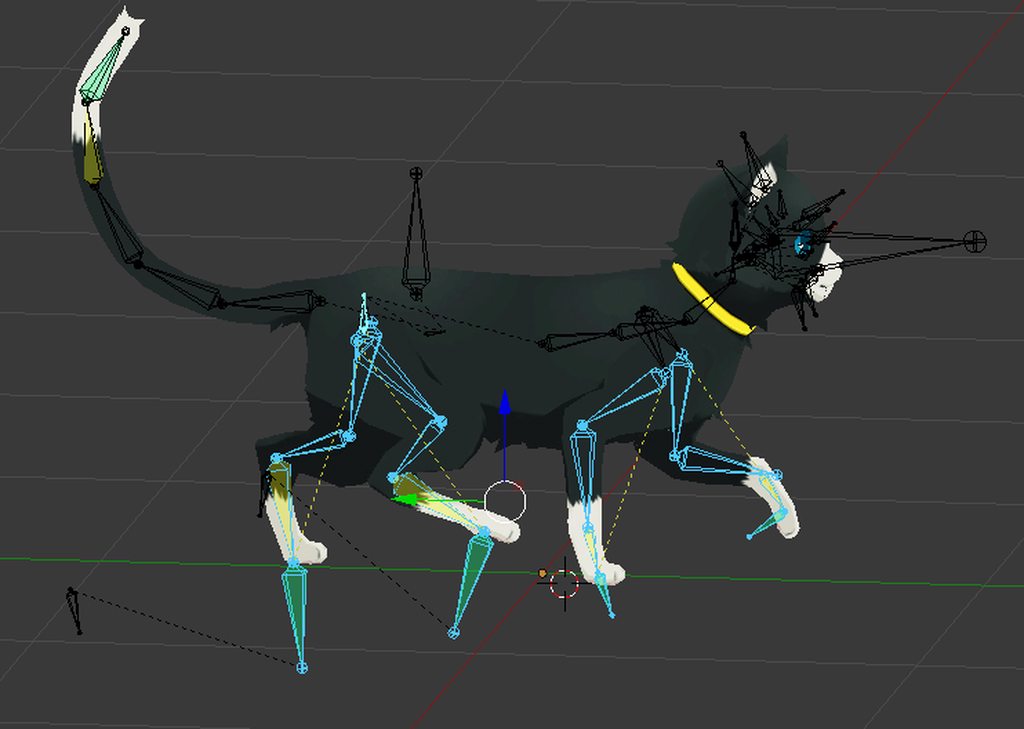
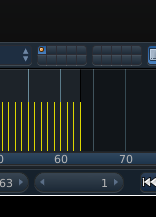
Example simple looping walk cycle
https://imgur.com/YDE704k

 brittle granite
@lament prism awe dangit I was planning on bulding one of these lol
fierce bane
Yeah I saw it and I could just hear the "BWAAAAA"
lament prism
@fierce bane I'm having a pretty hard time looping it tbh
brittle granite
There are a lot of things wrong with the animation @lament prism I can give you a thurough critique if you want to get on a call and i can do a draw over
fierce bane
copy the first keyframe once you get close and duplicate the pose for it
lament prism
I re did the entire thing
well here's my problem now
I haven't animated the head to move a bit when the legs move
but at the very end the one leg moves too quickly and I can't seem to get the movement faster
brittle granite
I would need to see the curves in the graph editor
I could tell you a lot more what is gong on if you show those
fierce bane
you can accelerate it in unity since you're using generic
brittle granite
ok there is your problem
lament prism
oh alright
fierce bane
you just apply a multiplier above 1 and it'll run faster by that much
brittle granite
you have a ease curve when the foot is going back... it should be linier
lament prism
ease curve?
brittle granite
Blank I can explain all of these if we get in a call
brittle granite
there is a lot of info i can drop on ya
lament prism
I don't have a Mic unfortunately
brittle granite
don't worry just be prepared for notes. You can type your response
lament prism
ok lol
ty @fierce bane for the heads up
I'm super stoked to get this into the game, I'll let ya know when I'm done 😃
fierce bane
when setting up the animation controller you'll have an option for animation speed, that's where you can accelerate it to your liking. Do remember those things are massive though, so slow may be what you need, especially if you want it to look right with vrchat's even speed for everything despite size
animation scale? I forget the exact wording
brittle granite
@fierce bane I gave them a thorough crash course in animation
muted prairie
Nice loop Blank !
whole raptor
Hi guys. I'm currently using Moon's shader, and I wanted to know if there was a way to hide my nameplate. I am not doing this in a malicious manner, as this is for an avatar I am currently creating.
lament prism
ty but I'm probably going to re-make it once more tonight with added bones to the feet.
 fallow pier


Does anyone know how to fix this, where the gun just follows the hand instead of staying in the hand
It has an animation on it and collected using fixed joints
fierce bane
@fallow pier is there a reason you're using a fixed joint instead of just making the gun a child of the wrist?
If using particles for the gun, you can just put the rigid on the gun (and particles outside armature on a fixed)
fallow pier
Ill see
I was using a fixed joint because I thought that was the only way to have non looping animations, but it seems im just a tad bit dumb lol
Thank you anyways
clear yew
Out of curiousity, i have an avatar that's using gesture>trigger animation , is there a reason for it beginning to bog down my game?
slim sparrow
@clear yew is it a local particle system?
muted prairie
@slim sparrow I think i remember you explaining to someone how to fix a broken path in an animation, if you don't mind helping me out ?
slim sparrow
Oh yeah sure, I could help out
If a path is broken you can press F2 on the property to manually change it
@muted prairie
muted prairie
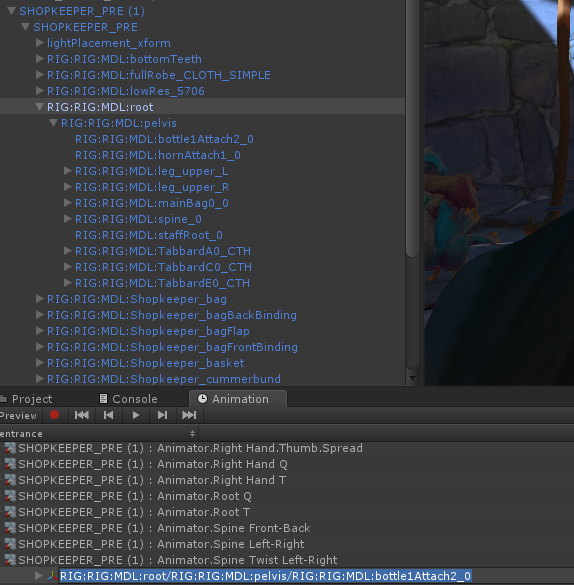
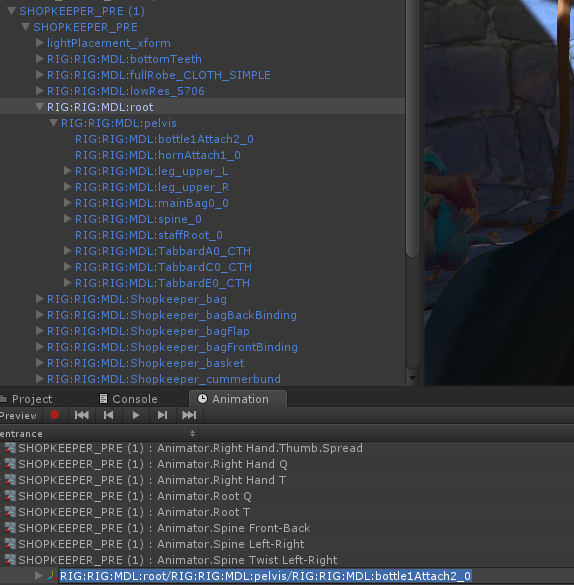
In that case i'm not sure why it's already not considered as being the correct patch
slim sparrow
Hmm, on which object is the Animator component located?
muted prairie
Top one
slim sparrow
Because it will go down from there and search.
Alright
So the Animator is on SHOPKEEPER_PRE (1)?
muted prairie
yep
slim sparrow
In that case, it is missing SHOPKEEPER_PRE/ at the start of the path
Adding it manually at the start should fix it
muted prairie
Ok that worked perfect, now, would you maybe know if it's possible to remove the "Optimized game object" status of a model, without going through the armature menu ?
That'd allow me to animate blendshapes as well, using the method above
slim sparrow
I think if you add the mesh to the "Transforms to Expose" list in the rig configuration, you can still animate blend shapes.
This results in one extra game object but that should be worth it
But I'm not sure if that works. I rarely use that function. It works because each bone gets defined in the generated "Avatar", but I don't think the same applies to the actual meshes.
It's this list:
muted prairie
That's my issue, it's set in stone in the .avatar
I have access to both the correct model, and an fbx version with different blendshapes which wouldn't work with the animator, maybe there's a way for me to take the skinned mesh rendered from the first model and add it to the second one ?
I tried jusst duplicating it and adding it ot the hierarchy of the second one, but it doesn't move