#animation
1 messages · Page 101 of 1
 gleaming pawn
For some reason I can't find any videos about emote looping
But I will try to do as u say with the key frames I just gotta know how haha
 noble mountain
Find the animation itself
click on the animator window and you will see the keyframes of the animation itself
gleaming pawn
Oh I found it now I highlight it and copy iy
It
What do I do next do I add a key frame
I tried copy and pasting but nothing happens
@noble mountainfor some reason no one explains how to do it on youtube or google🤔
 rain reef
Its part of every animation tutorial
all you have to do is copy the keyframes of the animation in the animation window
go to the end
and paste them
then save it
gleaming pawn
@rain reef oh thank u for replying back when i try to do that unity forze for a few sec
and when it comes back to life nothing happens
rain reef
Well i cant really tell you more
its an absolute basic thing
and thats literally all steps it takes
gleaming pawn
yes im sorry im new to this
do u have any video i can watch that will maybe help im not sure what im not wrong
i tried doing it again unity freezes and after a few secs it comes back and nothing happens
i highlight all of the key frames press control c to copy go to the end of the animation and press control v
for some reason it doesnt do anything
 cold matrix
ive imported a animation from blender and have tested with my model, all works in the preview but in the viewport and with a animation controller the model does not have IK enabled, what do I need to change or add to enable IK on the feet and legs?
from the quick googling that ive done, it seems that Final-IK on the asset store should fix my issue, but I would like to know some possible alternatives that dont involve spending $90
 lofty crypt

 simple tinsel
chibi Alucard?
 hollow perch
You do not need final ik for working with humanoid models. @cold matrix make sure your model is rigged as humanoid and make sure the animation you imported is a humanoid animation and you should be fine
If not, you can prebake the ik by running it through blender and export it togerher with your model's fbx file. Unity can then convert the animation to humanoid
 viral trout
Hey uhh, I'm trying to make custom blinking animations for a model, but its now showing up n VRChat, could anybody help me?

Alternative to eye tracking paired with eye blinking. Props to Jazneo Gaming.
I tried following this tutorial and still nothing.
hollow perch
That tutorial is a year old unfortunately and not for this version of unity...but you can check the video pinned in #animation how to convert your legacy animations
 covert girder
now you need to use Animator component on Body mesh and animation not marked as legacy for that
because Animation component is not white listed anymore
viral trout
Hm, I see
 west vortex
https://gyazo.com/b232fbb3eb3e449854305e1cbd903742 quick tease on this animation i'm working on.

i'm still really new with unity animation systems but i experiment alot
 spice urchin
@west vortex use particles if u want it 2 throw and stick
west vortex
the idea is to throw the scythe and have it go far, and explode
then come back and catch it
 worldly star
How do you switch models in an animation?
hollow perch
@worldly star Do you want the other model animated? If animated, just make another animated model, drag it into your model and in your animation, hide your Body skinned mesh renderer and show your new inner avatar (is active)...
Or do you want it attached to your armature so it moves with your arms and legs?
If you want it to move with your arms/leg ik, Is it a simple retexture? Same general shape but different model (can be attached to the same armature) or completely different model and armature (would require fixed joints)
worldly star
I have two of the same models, the other is wearing something else. Attaching the armature to the other one so it moves when I do
 fleet river
hello know how to save a proplety rigged and skinned model from unity as an fbx or from mixamo as a dae
tryed for the last few hours on info i have no clue what im doing
west vortex
are you talking about importing from mixamo to unity as a fbx, thats easy. import new asset, then under rig change it to humanoid @fleet river
cold matrix
@hollow perch I went back and checked the rig types for both the model and animation, both are set to humanoid already without any major/relevant errors, but it does not work, as shown.
Will try prebaking the IK in blender now...
 median spire
anyone know anything or any good sources about walking and idle animations? Im trying to make a custom walking animation
I constantly get the hips below ground
when I try to alter the legs
 slim sparrow
You need to raise the hips up then, Root Transform Y 1
Make the walk cycle in Blender and import it into Unity rather than trying to do it in Unity entirely
median spire
what if its just a model jumping on a skateboard
slim sparrow
You also can't rotate leg bones directly, you need to use the humanoid properties
Same deal then I think
It's a lot easier trust me
Especially when you set up arm and leg IK
median spire
hmmm ok
so make it in blender at regular heights. import to unity. then root transform y?
hollow perch
If it successfully imported as humanoid I'm not sure that is necessary.... Does the Mekanim preview dude show it correctly in the bottom of inspector? @cold matrix where did you get the anim from
slim sparrow
If it's at the correct height in Blender you probably don't have to mess with the height in Unity at all.
median spire
itts not like a jump animation or anything. it just spawns in a skateboard and has the legs positioned accordingly
an i use muscle editor
so the pose is correct
i just need it to not be underground
slim sparrow
In that case, raise the root transform up in muscle animation editor
It governs where the hips are
If untouched it'll be in the floor at 0
cold matrix
@hollow perch yes the Mekanim preview guy shows it correctly and my avatar also shows it correctly in that same preview when i drop her onto it.
I getting the animation from a MMD motion that im importing through the blender mmd tools which im then carrying across to unity by including it in a "temporary" fbx file
only in the unity viewport does it not work. when I turn off IK on the preview guy does it match the viewport
hollow perch
That should work perfectly then. That's what most people do
median spire
@slim sparrow let me try right now thanks
hollow perch
Oh weird. Maybe they do something baking related. I really shouldn't be helping you then. I've never gotten mmd anims to import successfully without using ||XXXXXX|| . If anyone has a tutorial I'd be interested too
cold matrix
ive followed a couple tutorials as well but they dont encounter any issues like this and they are from the old Unity 5.6.3 days
median spire
Also. is there a way I can turn the hips but have the character still going forward?
@slim sparrow do you know?
median spire
Nevermind about the hips.
When I do the hand gesture walking and idling cancel out the leg positions. is there a way to fix that
west vortex
quick question why is it when i play an animation , the person i show it too isnt losing any fps but my fps tanks, is that a bug with unity?
cold matrix
@hollow perch ive been experimenting with the different pose bake options in blender and none of them fix the IK issues when imported to unity. if anyone else has suggestions I'm all ears.
hollow perch
Can you describe exactly what you see? A video maybe?
Maybe it's an issue with the root position (allowing the hips to move like the subete mmd node). Did you make sure to check the root pose checkboxes on the animation itself?
cold matrix
@hollow perch i actually just found the solution! on my animation controller that I am using for testing, the animation state has an option for "Foot IK" by default this is turned off, and when I turn it on the avatar in the viewport moves as expected
hollow perch
Oh on your controller.... i guess if you have it as an emote on your main avatar override, the vrchat settings take care of that for you
Very cool you found it and thanks for following up with the fix
cold matrix
no worries, im uploading the model now, and testing it in game, ill report back if it works or not
cold matrix
@hollow perch for the most part the animation works as intended in VRC, there is only a small issue with the character sinking into the ground but its only ankle deep. Thanks for your help with this. Now to figure out sound -_-
hollow perch
sound is easy, just enable an object while your animation is active, and add a Audio Source set to Play on Awake (default). Remove the ONSP component, and it should pretty much just work
 bronze pilot
anyone knows how to put a fixed object to avatar when it animation dance? if I put an object under avatar, it moves along with avatar's movement.
hollow perch
Objects directly inside the avatar will move together with the player capsule and nameplate
When doing an animation that moves Root T/Q transforms, those also do not move the player nameplate and capsule
so what it sounds like you want is something that uses the X/Y of the Hips (root bone of the Armature) but uses the Z of the avatar base (roughly the lower of the two feet, but not exactly)
I'm wondering if you can do this with a configurable joint connecting the Hips to the root of the avatar, with only X and Z axes set to free movement
also, if it's an avatar dance that you make as an Emote, you could always record motion of your fixed object to match the motion of your root position
bronze pilot
is there way to show an object that is not inside the avatar while animating?
 stone tusk
If i wanted to make a custom sitting animation what root transform settings would i use in the animation? Center of mass? Or at the feet?
hollow perch
@bronze pilot you mean attached to the world? yes you can do that with fixed joints attached to nothing. In certain cases you will want an empty animation in an animator which has Apply Root Motion checked to keep it from moving around
covert girder
that can be done also with mesh particle or final ik, but for the mesh particle this object must have 1 mesh and 1 material
you can also join this object with avatar in blender attach a bone and create animation keys to keep it be at the same place 🤔 then you can create 2 copies of the model generic and humanoid and copy generic keys for this object into humanoid animation with ctrl+c - ctrl+v
hollow perch
which is easy enough to do with ^ material combiner
also usually good idea to decimate them. the new avatar perf rankings penalize mesh particles quite heavily I think...though if it's normally disabled shouldn't matter
mesh particles are actually probably a better performance way than fixed joints that always run
well for low vertex meshes at least
slim sparrow
Yeah, for some reason mesh particles are penalized much more heavily than skinned mesh renderers
I don't get why
You can't get above a couple thousand total without being marked very poor, yet a 70k skinned mesh is fine
 oak jetty
I used all my polygons on the model. Does this affect particle effects?
fleet river
anyone know what the root bone is ive gone this far"
 vagrant hound
so i'm animating in my world
i have a state where my model plays and animation where it sort of crouches down
then it should go to another state where a viseme activates without any condition
just finishing the last animation
but i wanted him to stay in the posing of the last animation
so i copied the values of the last keyframe
and when i play it the transitions work
but he just translates and rotates extremely bizarrely when the last transition happens
absolutely no idea why
it's really aggravating
 violet moss
Oh I made a skateboard animation for my walk/sprint/run just 3 days ago. I didn’t tie it to a hand emote.
It works fine vr, but on desktop the body spins like a tornado while the head stays stationary.
No clue why that happens. And it’s why I didn’t make it public
spice urchin
@violet moss u sure it has full body ik?
violet moss
Yes. It works great in FBT
It works great in both fbt and regular vr. Just not desktop mode
 sullen berry
i just have a quick question on animation. how would i make a starbound style beam up and down animation? I can't really figure out how to get a model to animate properly when I have tried with other animations.
sullen berry
maybe i just don't know how to animate idk.
west vortex
hey guys i'm having a huge issue rn
was wondering if someone who makes huge custom animations for avatars could help me out
spice urchin
wot
west vortex
https://cdn.discordapp.com/attachments/512876030164336642/544680721936285724/Unity_Animation_almost_done..mp4 this is my animation, when i play it in vrchat i get 11 fps, when i remove the particles i get 30 fps, but i still lag, and its local i'm the only one lagging everyone else sees the animation at 90 fps wtf is going on.
At this point i'm very close to scraping the project completely, because nothing i do fixes it.
spice urchin
yea it does that
i actually have absolutely no idea why
essentially i uploaded an avatar with dance animations
then a vrchat update rolled around
and then it was fine till i uploaded it a 2nd time
now am lag super super bad when play the animations
 jolly plinth
anyone can help me with this, i made a simple loop animation and already test run on unity but when i'm test it in game and it's doesn't working
 slow terrace
can i have a gesture that creates an explosion sound and effect but if i suddenly stop the gesture, will it start from the start? how do i do this
||last time i tried this it would resume the anim||
slow terrace
please someone help?
slow terrace
i dont know how to fix this is anyone had this before?
 clear yew
audio isnt playing on emotes
violet moss
Whenever I make an animation that rotates hips a little bit on yaw, it works fine in vr but makes desktop users rapidly spin, locally only (others see the animation correctly). Is this a known bug?
 gaunt sundial
https://imgur.com/Mhr6S6D everytime i try to animate this avatar the left index finger bends to the side dous anyone know how to fix?
 shadow acorn
I got an avatar that came with custom animations, but im not sure how to get them working in game?
they are all set up and such in animator, but arent actually happening in game
not exactly sure what to do, been trying tutorials but none of them answer how to get them actually working
nvm^^ i did iut
actually does anyone know the typical matches for a custom override?
not sure where to put victory lol
 fleet basin
I have a quick question on testing animations? I recently acquired a new animation pack and trying to test out the animations the show the person so they can choose. How do I test them on any character in Unity??
 sullen sun
im curious how do I make it so the world status: "not yet allowed to publish" goes away?
 fringe shore
 hollow perch
Looks fine for an emote override
slow terrace
need to make a gesture on ava to reset once i stop the gesture. anyone know?
theres only so much i can look through in the documentation
clear yew
is it possible to put an animation that was made in blender into unity?
clear yew
@clear yew It's possible
While exporting the FBX go into the "Animations" tab & turn on "Baked Animations" on the export settings
Just be sure your animation is currently active in Blender
I watched a tutorial earlier in the day where I don't believe he turned on "baked animations" and it still worked so perhaps the animation shall still export as long as it's active
does it like export to unity and an animation file is created with it?
When you drag the FBX on to your Unity project & set it up as a Humanoid you'll be able to see the animation file
You can then duplicate it to separate it from the imported model and use it on the model you wish
The model and animation are packaged together when exported
slim sparrow
Yes
 dim walrus
How do I make it to where my lamp will only appear if I use to hand gestures at the same time
Please dm me
covert girder
@dim walrus enable empty object with one gesture, then lamp inside empty with another, so if you just enable the lamp it will still be disabled coz parent empty disabled
 placid copper
how would I make a gesture that depends on another gesture to work
say the Rock gesture and the thumbstick
slim sparrow
Nest your objects in such a way that that's possible
-GameObject
--Gun
You activate GameObject on rocknroll and Gun on another gesture
clear yew
Thats useful to know
Is there any way so that i can replace the default animations with the ones i want?
 onyx agate
use the animation override controller in the vrcsdk folder (make a duplicate of it and rename the dupe for easy usage) @clear yew
it allows you to set your own gesture and emote animations
 stoic ledge
Hey I have a problem, my custom hand gestures are getting triggered by eachother, when I use a gesture everything is all well a good but when I then try to use another gesture it activates the gesture I used before it and either plays both at the same time or only plays the wrong gesture
Oh its even worse, sometimes it triggers a animation that is literally on the opposite side on the controller, it feels like its mixing the new gesture override with my old one in a past version of my avatar this is so weird
 blissful wedge
hey guy
guys*
can you replace the fingerpoint with dance animation using the override
stoic ledge
Yeah definitely, however your hand gestures can only be one second so you would have to put a second animator further into your hierarchy like on your armature, then have the gesture enable that animator and have that animator play your dance animation, thats how I do it atleast
blissful wedge
okay maybe just override one of the emotes instead
stoic ledge
If someone else knows a better way of doing that tell me too
west vortex
hey i have 2 animations, both have different starting and stoping offsets, so when one ends, the other one starts at a different position how do i get the animation i'm pasteing in to have the same position as the animation that just ended
blissful wedge
I tried changing "emote 1 " to dance animation , but when I went in game nothing showed up just regular emotes :/
clear yew
I believe gesture animations can be longer, though I'm not familiar how to add a dance animation to it
I think Gestures only allow the wrist and finger bones to move along with Shapekeys
Ignoring all other animations
stoic ledge
Hmm actually? they used to be forced to just a single frame I thought
@blissful wedge Do your other animations work? You sure you assigned the override to your character
west vortex
 stoic ledge
I think you are going to have to hard change those positions
clear yew
I have made gestures with 60 frames and had them work
stoic ledge
huh
that's good to know
i dont know why it wouldnt work with a dance then because I have a override that changes my head position
west vortex
this is maybe a 500 frame + animation thats going on a gesture
clear yew
I think in general it's suggested to have at least two frames from what I recall reading and seeing in videos
blissful wedge
@stoic ledge If you mean the default emotes then yes but it was like I made no changes. I made a duplicate of the avatar model
stoic ledge
No if you replaced anything in the override that would show up in game after building
so most likely you didn't assign it

If you have them assigned then I honestly dont know
blissful wedge
Yeah I assigned them to this
stoic ledge
I dont know if you also need to assign to override to the animator but I do that aswell
stoic ledge
Hmm
Yeah I dont know because even the name should change in game
you have the right override assigned right? :p if you duplicated it make sure you dont use the default one
I am just throwing things at you this is all I can think of
blissful wedge
@stoic ledge Yeah i'm using the duplicate one " customoverrideempty1"
stoic ledge
yeah I honestly don't know how to help you then
blissful wedge
also do I require a duplicate of my model
stoic ledge
That's only suggested because when doing custom animations the model will sink into the ground
You can fix that by just playing the idle animation in preview before building but it can visually be annoying when editting
I still need to figure out what's wrong with my gestures, they overlap when I try to play them, first time I play one it plays fine but when I play another one it plays the first one instead or plays both at the same time as if they are being retriggered by eachother
blissful wedge
thanks for the tips anyways man, and wow that sounds more frustrating than my issue lol
stoic ledge
Yeah and no one seems to ever had this problem except like 2 people on reddit who got no replies
 kindred oasis
How is it possible to make an animation not move with your character, that also resets it's position upon retriggering it. I currently use the rigidbody method but that seems to not reset the position of if I retrigger the gesture animation.
west vortex
figured it out i had to change the animator root T
blissful wedge
@stoic ledge Finally got it too work, but now I wana find out how to add music to the dance animation? 🤔
west vortex
easy create audio source on your armature, go to the animation that you want it in on the animation tab and add property set active, put it to 0.01 sec add another key set that to disable the check box and your done. anytime you play that dance animation you have the aduo source play aswell
i wish the shit i was doing was as easy but unfortunely, I've started experimenting with stuff i havent a clue how to mess with.
stoic ledge
OK so i fixed my own problem
EXCEPT I DO NOT KNOW HOW I FIXED IT
I LITERALLY REBUILD IT WITHOUT CHANGING ANYTHING AND IT GOT FIXED
God i love unity
@blissful wedge Yeah just activate a audiosource through the animation and have to to play on awake
blissful wedge
okay done , gonna check it in game. Fingers crossed
 broken island
just curious. Is there any way to make an emote that has preficed leg animation but you can still move your hands and head? (kinda like when you are running)
spice urchin
no but u can probably use some sort of dummy bone to do that
ive seen people make animations where their legs were controlled by dummy bones parented to the actual bones
so they could move the dummy bones independantly from the mapped legs
also seen people swap out their leg models
and other tricks
jolly plinth
is it possible to convert mmd vmd to unity vmd? 🤔
hollow perch
Have you tried Going through blender mmd tools and exporting as fbx together with a model?
jolly plinth
no, actually i'm download a mmd motion file and i'm confuse at this part so i'm just asking because i'm new to this stuff
and also for some reason, the loop animation i made only work on unity, when upload to VRchat, it's not working
hollow perch
For the looping animation, You need to be using an animator not old Animation component. And it has to be somewhere inside your avatar, not the same place as the avatar descriptor
jolly plinth
Animator, did you mean the Controller option?
hollow perch
Yes animator controller
My point is you can't put it on exactly your avatar object. Has to be somewhere inside or else set as an override like emote1-8
Also it is not allowed to touch humanoid bones directly (fingers, arms, legs) . Only way to touch those is using an idle or walk animation and using stuff in Animator like Left Arm, Root Q etc
jolly plinth
so if i put it on an emote slot do i have to activate the emote to make the loop animation start?
hollow perch
Yes, well it won't be a loop and it freezes you while it plays. But that's the only way to control everything fully: with idle you will loop it but it gets blended when walking and you can't move the position. Depends on what you are trying to do
jolly plinth
man, what a bummer
@hollow perch oh yeah, i want to ask you this thing even though it's off this topic, there's a model of mine finished 2 days ago and uploaded on VRchat but theres a problem whenever the mirror activate, the knee of my model always face directly at the mirror despite the body facing any direction, if i'm faccing backward at the mirror, my model's legs looke like SCP-966
clear yew
i get how i can put an animation on an object and then have my avatar animation pull out that object and the animation activates but what im confused about is what if you want 2 different animations on an object? how do you choose which one to activate when you pull out the object?
slim sparrow
You have two objects
Each with a different animation
If they're in the same place it'll look like the same object
clear yew
Here trying to make a weapon on my character. I set everything up, but it is not working when I perform the hand gesture. Can someone tell me if the avatars should be unchecked or checked?
Do I need to activate the duplicate model with the animation on it when I do the hand gesture? And how?
Damn, this is confusing.
 still compass
Mmm
 balmy plover
Is blinking broken? All the avatars I updated today suddenly didn't have blinking anymore
It instead uses another visemes which isn't the blinking one is there a way to overwrite VRchat autoblink visemes detector to add my own blinking animation Because I already used the visemes into another animation which is guesture animation but when I try to put blinking into an animator on loop it just keeps going back to the broken visemes that isn't the blinking one
It worked on the older Avatar controller overwrites but the new one broke
Isn't it possible to use the same visemes in multiple animations?
 red linden
check the order of the blendshapes, vrchat will use the first four blendshapes for blinking
clear yew
https://cdn.discordapp.com/attachments/402349592244649996/546134159253438464/unknown.png so i have a particle system that i want to increase in size over about 30 seconds but im not exactly sure what settings to have for that effect. any ideas?
 red linden
there's a size over lifetime option
if you want it to grow for 30 seconds change the particle lifetime to 30
 undone niche
Is there a way to animate bones?
as in, blend shapes don't make my ears flap feel very natural, so i was wondering if i could simply animate the bone rotation
red linden
yeah
if you just want it to be a gesture you can make an animation with the rotation for the ears
undone niche
yeah i just found it xD
i was not finding the it on the tree lmao
why i allways find the solution when i ask the questions 😂
hollow perch
In programming known as rubber duck debugging 🐥 - the trick is you explain your problem to a rubber ducky, and in doing so often discover the answer
😃 it's great on discord because you both get that experience but having the question and answer written out helps lurkers reading the chat both to get ideas and maybe recognize solutions to their own problems (and there are always lurkers)
balmy plover
@red linden how do I reorder blenfshapes because the first 4 are the wrong ones
clear yew
@hollow perch I love rubber duck debugging, I legit have a bag of 500 rubber ducks incase I lose or need to hand one out. I take it everywhere I go for development stuff, its so helpful!
hollow perch
Oh my that's a whole different scale. I'm now imagining you giving a lecture about your problem at a podium to a whole auditorium full of rubber ducks
clear yew
Don't tempt me, I'll do it
At Global Game Jam back in january I brought a bag of 500 ducks to cater to around 257 people. I didn't have any ducks by the time I went back home, which is fine by me haha
hollow perch
@balmy plover Sorry, didn't see your question... you would have to do this in blender, use the ▵/▿ buttons to the right of the shape key listing in the mesh tab of the right inspector panel to reorder them. Should match what you see in unity. Also regenerating them in CATS should do this automatically
undone niche
https://cdn.discordapp.com/attachments/520631669196062730/546315396932829186/unknown.png ok, even though it works in unity the ear rotation, in vrchat they do nothing :/

am i missing something?
undone niche
nvm i found out myself c:
 pliant plank
@clear yew gesture overrides only afaik
clear yew
how do i set up an animation to act as a custom spawn in animation? ive seen some avatars do it but not sure how its done
clear yew
So i downloaded a dance animation and it has these parts to it. Can i just apply it to my avatar and it should work or will it not work because it was made for someone elses avatar? https://cdn.discordapp.com/attachments/402349592244649996/546471321912082442/unknown.png

 bold dome
it should work if mecanim recognizes the animation as a humanoid skeleton
clear yew
no it didnt work it says the parts are missing.
i think its because it was made for a different avatar
slim sparrow
Those are generic rigged animations which are not cross-compatible
If the animation was imported as part of a model, configure the model as humanoid
 merry spear
Hey guys i got a problem, so I have a emote that plays particles and effects on my avatar, and whenever i try to play another different emote, it just plays the same emote instead. Like it continues to play till its animation ends. It does this on both my left and right vive controllers, and it really only gets 'fixed' or 'reset' when i switch to a different avatar and switch back. And by then it will let me play whichever emote i pick first. Seems like it carries the animation over to the other emotes when its played. Anyone know of a solution? thanks
 torn pawn
gesture animation too long? or has missing keyframes/keyframe way out of 1 frame
merry spear
Yeah its a pretty long anim
torn pawn
well, for gestures it takes 5x the frametime to get back to default
merry spear
Someone mentioned that it could be played from a 1-2 frame animation therefore playing the whole long one.
Ah
torn pawn
so in general u dont want anything longer than 1 frame
and if you want to play long animation on gesture, you enable an object that has the actual long animation
stoic ledge
I am having a issue, I made a animation in blender but when I try to import it into unity or cinema4d the bones are all rotated and messed up
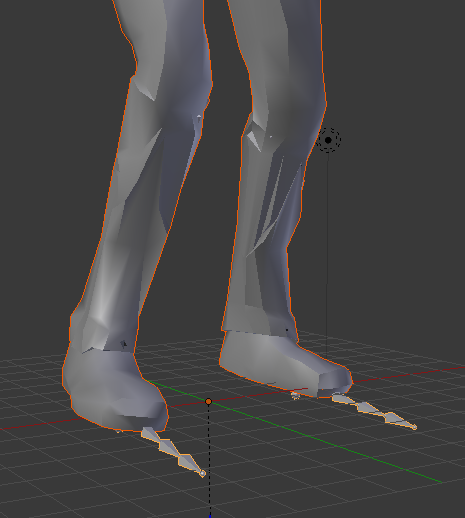
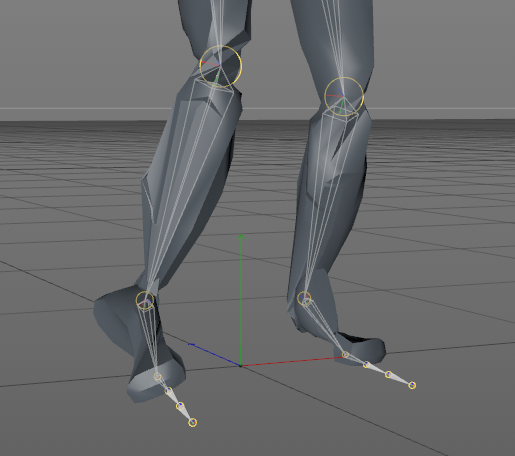

this only affects the animation, it looks fine in T pose
spice urchin
well thats probably bc the first frame of the animation is not in t-pose
make sure that in the config the character is properly posed or that u have a properly posed version whos avatar u can copy
slim sparrow
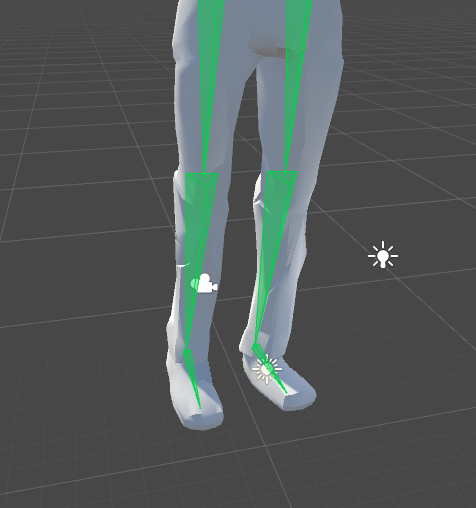
@stoic ledge go to your humanoid rig configuration
Make sure the bones are rotated correctly there
 slim sparrow
Well they're kinda twisted but it seems ok
stoic ledge
the thing is I know it isnt unity because it happens when I import into cinema4D too
 brittle granite
I have a question about Locomotion animation overrides:
Walking, runfwrd, runbackward, etc. Where does the information for those animation lie? I was trying to do a custom override for it. I dublicated the RunFWD animation from the sdk opened it in the animation dialog and it's only 1 frame long?
Am I gonna have to hand animate an entire run cycle with my own rig for it to work? or can i modify the ones that are the default?
slim sparrow
All the game's animations are ingame but not made available in the SDK.
Due to licensing issues
brittle granite
ah that explains it. So i'm gonna have to hand animate the whole locomotion set if i want to have a slight modification to the gait of the character.
that explains why i don't see to many custom locomotions in vrchat.
slim sparrow
Another reason is that they're hard to blend well with each other
spice urchin
@brittle granite practically every animation they use for movement is from mixamo
just import some movement animations from there and modify the keyframes
brittle granite
k
brittle granite
@spice urchin I imported some animation cycles but it seems to not be playing correctly in game. It's like it's looking for a cycle that is 1 frame long like the guesture overides......hrrrmmm... doing some testing more. but any insight would be appreciated.
spice urchin
what u just do same thing u do for the gestures
except u set as humanoid rig for the mixamo (recommend u import t-posing mixamo rig and use copy from avatar)
then u put the appropriate animation in the correct override slot
brittle granite
it seems to get stuck on frame 1 and not the full animation cycle loop
i tried matching what they have has default in the inspector for the animations. as terms of what the root node is and what not
k tried copy rig from other avatar. Tried that and it came back with slight missmatch.. Im going to investigate that
spice urchin
btw u can drag characters (or imports) into the little animation window thingy to preview it
brittle granite
I think i broke the avatar controller because i went into the state machine to the blend tree and modded it form there.
 spice urchin
no
 proven flint
Is there a guide video on how to fix the problem where your avatar is halfway into the ground?
 abstract kestrel
@fierce bane so how do i use the world anchored object again
sorry
i have it but cant figure it out
what does reset while its off mean?
or if anyone else knows
What you want is a world anchored object with a reset while it's off.
Example "World Object" package
i have no clue what this means
hollow perch
@proven flint pinned message has a post help i fucked up everything
 fierce bane
@abstract kestrel When the anchor is disabled it needs to be reset by an animation controller (usually back to 0,0,0 position and rotation), but that animation controller has to have it's behavior disabled while the world anchor is active or it will stick to you.
Check out the example mentioned before. It is a working version that has everything needed, including the difficult to make controller behaviour disable animation
abstract kestrel
I have the prefab... and the item attached, is that all I need to do?
fierce bane
you need to use the animation to enable/disable it too, but technically that's it
abstract kestrel
And when I let go it will stay there
So on fist: in hand
Anything but fist: in place
If that makes sense
Sorry
I'm probably making this too complex
fierce bane
no that's really simple
You take the current world object and flip how it works.
So you have the anchor ENABLED by default, and the behavior of the animator DISABLED by default and the sword in your hand DISABLED
And you have the animation swap that ( So anchor disabled, animator enabled, and sword in hand ENABLED )
spice urchin
u prob dont want it in the fist bc every time u grab something it will stay there
and it will also stay there unless u use a different gesture bc of how fist works
fierce bane
fist is a bad choice for that, yes
 red mortar
Is it possible to do combination gestures? Like have your gestures do the usual change of expressions, but combining fist with finger gun, does something completely different. this is a weird example, but if any of you used the 'Ricardo' model, fingergun on left hand (specifically) activates a dance and song, but that, with rock and roll, on right specifically, activates a uh... flashing series of pictures of ricardo, with another song.
hollow perch
@red mortar yes, it is possible for most things. In the usual case, it's easy (have two objects inside each other, both disabled). Each gesture will enable only one of the two so the inside one won't get shown until both are on, kind of like those door/key puzzles in games
there are some cases where it gets challenging. with those it is sometimes possible to solve by combining animator state machines and toggles in such a way that an effect only happens if gestures are triggered in a certain order
another trick you can make use of is have two hand gestures compete to change things: one turns object 1 on and object 2 off, the other turns object 2 on. The right hand takes priority over the left, so the gesture will only happen if you do them in specific hands
 grave elk
question about animating gestures:
I wanna make it so when i put up a happy face the tail wiggles around, i can get that to work but as soon as I put up another gesture it transits very slow to the other gesture i just put up .
Is there any way to get rid of this effect? cuz I've seen dancing animations on hand gestures that don't give this certain effect
spice urchin
u cant use long gestures
they all have 2 be a single frame long
u will need 2 enable an animator in order 2 do that
 serene lava
So I'm having problems with the disable ik animation thing that's in the prefab list
It's saying that the script cant be loaded
slim sparrow
You need to have Final IK imported
Which also means having Final IK, a rather expensive asset
serene lava
I do have Final IK
slim sparrow
There may be compile errors, clear the console and fix any remaining errors
Unfortunately the latest version of Final IK may give errors related to Unity 2018-only stuff
stone tusk
Does anyone know anything about bringing MMD Camera motions into Unity?
spice urchin
u import the animation like u would any other animation
then u put it on a camera or whatever it is
stone tusk
I import it to the camera in blender and then just stick it on the camera in unity?
Or do i put it on a random object in blender or a model?
spice urchin
i think if u do regular import it just imports 2 the blender camera
stone tusk
Alright : ) I shall give it a shot! Thank you so much
abstract kestrel
can i also ask how to enable/disable stuff from the menu?
spice urchin
?
abstract kestrel
so, disabling say sunglasses from the emote menu
spice urchin
u cant rlly do that unless u figure out how 2 do emote toggles
which requires knowing about animators and disabling/enabling them
also it has sync issues
abstract kestrel
ah
i see
oh well
so uh
the world thing failed
@fierce bane
i dont think i understood your explination, sorry
and the reset possition.... will that not go back to spawn when i release?
and where exactly do i put the resetter
sorry again
its stuck to my hand
 jagged pasture
having a problem with a sword gesture
i'm trying to make it look like i am equipping it, so i have the sword on my back as well. it is supposed to disappear when i take out my sword, but it does not.
abstract kestrel
thats an issue with your animation
you dont have it dissapearing
or at least not on the right frames
jagged pasture
it says i do, when i go into the animation it says to disappear on animation, and i made sure its one frame
jagged pasture
two frames?
abstract kestrel
two frames
jagged pasture
i wish i could take a pic
abstract kestrel
also with the sword disabled wouldnt it just disapear once im done @fierce bane
 jagged pasture
whats wrong with it
abstract kestrel
just let me see it real quick
fierce bane
check both frames, make sure it's enabled on both
@abstract kestrel the sword in your hand should be disabled by default, not the one that anchors
fierce bane
I can't tell you what you're doing wrong without seeing your setup with everything, primarily the animation and the hierarchy
yes
abstract kestrel
if i do it that way i can ony use a specific spot though.... no?
fierce bane
a sword in your hand, and the one in the ground
fierce bane
the ground one will drop where you release it
so you can "stab" it into the ground and release the "held sword" gesture, switching to the "stuck in ground" gesture
spice urchin
particles or rigidbodies (would reset position when inactive)
would make it stay where it was
fierce bane
yes, that's why you have the animation resetting the world object to 0,0,0 (because that is LOCAL not based on the world)
spice urchin
ye
spice urchin
or particle
fierce bane
you position the game object above it where you want it to be
and the child is the anchor which is set to 0,0,0 on position and rotation
clear yew
YEEEET
fierce bane
so when it resets the anchor to 0,0,0 it locks it back to where it should start
based on your position and rotation
abstract kestrel
okay
i think i understand... but again is that not basically replacing the inhand with one in the ground, i would need a second jesture for somthing like in a wall?
fierce bane
depends on how you set it up
if you have it "attached" to your hand it would depend on where your hand was
abstract kestrel
i do
fierce bane
so you could stab it into the floor and leave it there, or stab it into a wall, etc
abstract kestrel
okay
fierce bane
just make sure it's aligned with your hand so that it drops where you want it
abstract kestrel
okay
fierce bane
I've used the same method to drop a portal in the orientation I want it in
abstract kestrel
okay, once more, how do i set up the in ground one?
i think ive messed it up somewhere
sorry
fierce bane
Take the world object package and swap both animations.
The reset should be disabled (unchecked behavior), and the animation to pick up the sword should enable it (checked behavior in animation)
you want to swap the current behavior to the opposite
fierce bane
take the WHOLE PACKAGE and place it down, the anchored sword should be UNDER the sword to be anchored in place
the top level of the package should be under your wrist
abstract kestrel
okay
fierce bane
 fierce bane
er...the object joint should be enabled though
the world object parent should be UNDER your hadn
it should be a child of your hand
 fierce bane
and the activation should look similar to this https://i.imgur.com/XzwwN8A.png
But with the "hand" sword also there and "enabled"
 abstract kestrel
in frame one or two
fierce bane
both
it's a toggle, if you only put it on one frame it will flicker
er...a held toggle I guess..
abstract kestrel
ok
jagged pasture
is there anyway to hide the sword so it disappears when i use the gesture
fierce bane
set it to disable the sword you want disabled, simple as that
jagged pasture
i did do that
it doesnt show up in the animation
it just shows in game
and i know the animation works because i can summon the sword in game
fierce bane
what do you mean?
jagged pasture
i have it so the sword disappears when i take out the sword
fierce bane
and are you using a mirror to watch for changes?
fierce bane
mirrors are screwy
fierce bane
they still haven't fixed them since before the 2017 update
yes that helps if you can't see it
jagged pasture
thanks
fierce bane
make sure you have the sword in your hand enabled with the animation on both frames, and the one on your back/hip/wherever disabled in the same animation, again both frames
jagged pasture
yeah i do
fierce bane
otherwise have someone watch that has your animations turned on
 spice urchin
slidey boye
u set it up similarly 2 humanoid
except u have 2 import all the animations and make them
otherwise u just kinda slide around
u also cannot sit down anywhere
and there is no IK or gestures
fierce bane
Generic avatars are the same as humanoid, but you cannot use any gestures, IK, eye tracking, etc
 strong crown
can you use emotes?
fierce bane
no
strong crown
f u k
fierce bane
the image you linked could just be a humanoid
spice urchin
u can use emotes but its a bit buggy
yea u could literally just replace humanoid animations
same way u override gestures
fierce bane
yep, use the overrides to make it animate walks etc the way you want
fierce bane
reset should already be on if you used the package for the world object
abstract kestrel
oh oka
fierce bane
the parent should have the animator with the "world object parent" in it
the world object parent controller is what does the reset https://i.imgur.com/6NsLVxI.png
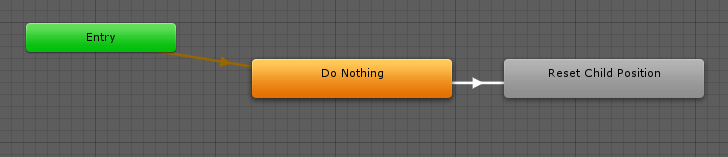 abstract kestrel
ok
and the anim as a whole should be off
and will be turned on with the animation
fierce bane
the animator controller's behavior should be off, not the game object, as shown in a prior image
jagged pasture
nope, people can still see it on my back
abstract kestrel
yeah i got that
fierce bane
Abomination, can you screenshot your animation for me? and your hierarchy where the back sword is?
 abstract kestrel
its still stuck...
fierce bane
click the disabled sword in the animation and press F2 copy the text with control+C and paste it in here with ` on both sides of it
that'll show the path it's trying to use
jagged pasture
Armature/Hips/Spine/sword of cease (1)
fierce bane
is the "Sword" your avatar's top level?
jagged pasture
the sword is what i named my animation duplicate
fierce bane
and your actual model is exactly the same as this, correct?
fierce bane
you didn't rename or change anything in the duplicate but not in the main
abstract kestrel
its still stuck to my hand....
hollow perch
(You don't need to duplicate sword of cease but you need to duplicate the whole avatar only)
Oh you have two swords one out or hand and one in hand and you left the second one called (1). Ignore me
fierce bane
personally I'd remove that (1) and change it so it states "back" somewhere or "sheathed" etc for clarity, but it shouldn't matter for the animation
@jagged pasture When you had someone check for you, they saw the sword go into your hand, correct?
but not disappear from your back?
abstract kestrel
oh do i need to switch the rest around?
fierce bane
did you change the animation settings I stated?
the reset animation itself should be untouched, but you need to make sure to make the changes to the "ActivateWorldObject" animation I stated before
as well as the enable/disable on the WorldObjectParent also mentioned
abstract kestrel
yeah
fierce bane
with the "activateWorldObject" also disabling your hand held sword of course
fierce bane
when you hit the "activateWorldObject" gesture it should actually deactivate the world anchor, placing it in your hand.
Make sure the hand held sword is also disabled by default
fierce bane
"world thing" ?
abstract kestrel
oh
so when i activate it
i can tell there are two there
ist like
anchored ot my hand or something
fierce bane
you said you wanted to activate it to hold the sword, if you're see two of them when you activate the gesture then it's not disabling the one on the ground like it should be (the anchor should be the parent of the anchored sword)
show me your hierarchy
with both swords
fierce bane
Ok, so this is a little more complicated to set up because you want to be able to anchor it wherever you want as opposed to just in the ground in front of you like you said before.
I'll break this into steps to fix the issue
er...actually first screenshot the gesture's animation
fierce bane
you have it enabling both of them at the same time, and have the behavior on for the reset, so both will be on and in your hand
abstract kestrel
ok
fierce bane
the WorldObjectJoint is supposed to be OFF in that animation
which is why I posted the screenshot of that animation setup twice >.>
abstract kestrel
sorry
fierce bane
fierce bane
now by default the weapon will lock in place, when you hold that gesture it'll be in your hand
fierce bane
@jagged pasture can you post an image of your hierarchy and the animation again?
you may also want to remove the "back" sword from the animation and re-add it to see if it fixes the issue, it may just have glitched
if I remember the images right it looked correct
jagged pasture
k
red mortar
@hollow perch in my case I have one of those fallout bots, that plays music on different gestures. But I'd like to add more songs. But this is a new concept to me, and I'm just kinda confused on how to bascially do the following in a gesture override: close fist guves access to 3-4 more songs, like left fist + right gun = civilization (bingo bango bongo)
jagged pasture
retrying it if it doesnt work i'll post
abstract kestrel
eh.... i think somethings still going wrong
hang on let me reload it again
no.... its still like bound to my hand
i can tell the other thing is activating over it too still
@fierce bane
fierce bane
when you RELEASE the gesture it should lock in place.
Did you change both frames to fix the second activation?
abstract kestrel
?
yes i understand that
but its like locked in my hand
and i made both bottom frames the same
like 1 and 2 are identical
fierce bane
@red mortar you can set up a gesture to toggle things on and off under a parent that other gestures activate...I'll give you a quick visual example to clarify, give me a sec
jagged pasture
 abstract kestrel
it should be fixed....

 brittle flicker
Anybody know how to convert MMD effects for use in Unity?
fierce bane
@red mortar So, set 2 would be enabled (for example) by fingergun which would also disable set 1
And set 3 could be activated by rock and roll, also disabling set 1
Fist/Point would enable all 3 first/point gestures at the same time. Since the parent is disabled for all but one set at a time they cannot activate.
In this way only one set is enabled at one time, switching up which ones are enabled by the same fist/point gestures
(gestures could be switched around however you want.
https://i.imgur.com/GUm75AM.png
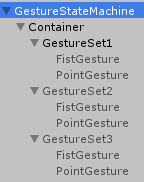
so if you held fingergun (from above example) and Fist you would activate fist gesture of set 2 only.
While if you only held fixt it would enable gesture set 1's fist
@jagged pasture I would remove the back sword from the animation and re-add it to make sure it's working correctly. It all looks like it's set up right
abstract kestrel
im pretty sure ive done everythinglike you said, still stuck to the hand
i dont know what i did wrong
@fierce bane
fierce bane
I can't really tell you what's wrong...as far as I can see it should be working
but without direct access to it to check it over I can't really tell shrug
fierce bane
stay off of the inspector tab, use something else and it's usually fine
something's up with the inspector causing large lag spikes...still no idea how to avoid it otherwise
jagged pasture
do i have to record the animation
fierce bane
you click record, then disable the back sword, and disable record
or manually add the property and set it to 0
fierce bane
you could also delete the duplicate and re-duplicate, then drop the animation back on the avatar to edit it
 abstract kestrel
Okay I'll try redoing it, care to write out the steps so I can copy and paste them to a document..... sorry
I don't have time to keep messing with it right no
fierce bane
@strong crown you need to set up transition conditions for those to ever activate
or use an animation blend to shift between them properly
if you're lost, go look up a tutorial on animation controllers for unity. It's not super simple
strong crown
thank you it actually worked.
fierce bane
I don't know what to say there abomination...it's just enable one disable the other in the same animation
abstract kestrel
Hang on.... since it's a joint do I need to make the world one under its own heirarchy?
Or I'd there something special I have to do for this way
fierce bane
usually you'd want a world object outside the armature, and in order to do that correctly in this case you'd want a rigid body on the wrist and a fixed joint targeting it as a parent of the world object anchor
fierce bane
you'll have to fix the animation up for the new setup though, so be aware of that
select a property and hit F2 (or just click it repeatedly) to access the "path" and make sure it matches the heirarchy
abstract kestrel
For some reason I can't mess with the animation, I'll have to make a new identical one
slim sparrow
You can't change an animation's path if it references itself, a major design flaw in Unity IMO
fierce bane
you shouldn't need to in this case though
abstract kestrel
Okay
fierce bane
just the other parts to be activated/deactivated
but yeah...the lack of a behavior edit is also a rather major flaw....
having to edit the program to be able to make it in the first place is kinda stupid
abstract kestrel
So on play this should happen, hand sword appears, world sword disappears. On relase it should stay in place...
fierce bane
you DO however need to edit the animations path for the anchor toggle for the activation gesture
abstract kestrel
I could have set the rigid body at a bad height
fierce bane
the fixed joint for the anchor should NOT have a rigid body attached.
Only the fixed joint that is the parent if you don't have it as a child of the wrist
the world anchor's fixed joint MUST have the rigid body empty so it anchors to the world
abstract kestrel
That one sentence
Jut
I realized my mistake
I think I know exactly what to do now
But uh
Do I just make the second sword dissappear as well? Or the whole world obj?
@fierce bane
fierce bane
turning off the anchor turns off everything below it
abstract kestrel
So in the anim, turn off the anchor?
fierce bane
a parent disabled, also disables all children
abstract kestrel
Ok
fierce bane
mentioned several times, yes https://i.imgur.com/XzwwN8A.png
the joint is the anchor
abstract kestrel
So.... I had the thing attached to my wrist via rigid body
Turn it off?
When the anim plays
fierce bane
if you turn off the rigid body anything a child of it will also be disabled
not what you want to do
abstract kestrel
So don't actually turn off the second glaive?
fierce bane
because then the animator will be turned off. you want to turn off the WORLD OBJECT JOINT
and turn on the one in your hand
fierce bane
and then the opposite, turn off the world object joint and turn off the hand
so hand is off by default, world anchor is on.
Animation disables world anchor, and enables the hand weapon
abstract kestrel
Mm, alright
So, just to be clear
Frame one hand off world on
Frame two world off hand on?
fierce bane
no.....
the two frames should ALWAYS be the same
for any gesture
otherwise it'll flicker on and off
if you want it to be in the world whenever you're not holding the gesture you need to have the world off and hand on in the gesture animation
and you need to make sure the opposite is true for the default setup
not just on your animation duplicate, either because that has no effect in game. But the actual avatar has to have the world on and hand off by default as well as the other changes mentioned before (behavior off for example)
@jagged pasture it really is this simple for what you were trying to do, so I'm not sure what's going on with yours. Here's one I did for an example.
https://i.imgur.com/7d3g4xJ.png
https://i.imgur.com/fErxhMu.png

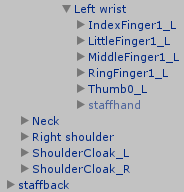
as long as frame 0:00 and 0:01 are both set the same the back one should be disabled and the and one enabled.
Unless the back weapon is fused with the model, in which case you'd have to do a material swap with an invisible shader to disable the back weapon
abstract kestrel
the joint should still be active yeah?
@fierce bane
still anchored to my hand for some reason
its also not dissapearing
fierce bane
re read what I wrote, I've typed it repeatedly
fierce bane
screenshot heirarchy and animation
make sure you're doing the changes on the main avatar, the only use for the animation duplicate is to set up the animation without issues. The main model MUST be set up correctly for it to work
abstract kestrel
https://cdn.discordapp.com/attachments/494642390187900928/547186597553111050/anim.JPG
https://cdn.discordapp.com/attachments/546900872047886347/547185051583119360/heirachy.JPG


rigth
fierce bane
select your world object parent and screenshot the inspector, same for the world object joint
abstract kestrel
https://cdn.discordapp.com/attachments/494642390187900928/547224067598581770/objjoint.JPG
https://cdn.discordapp.com/attachments/494642390187900928/547224070736052245/objparent.JPG

 fierce bane
Looks fine
abstract kestrel
its still getting anchored to my palm for some reason.....
And now it's all messed up position wise
I think the issue is that it's on my hand....
Like it's picking the hand as the stand in rigidbody
Perhaps it's just my placement of things... whatever it is, it is now anchored to my wrist and not disappearing, it never did dissapear, because I could see the double layers
fierce bane
if it's not disappearing you're not turning off the right thing, or the path isn't set correctly
abstract kestrel
... Alright I'll have to set up a whole new animation then
fierce bane
you need to use the one that's there because of the behavior
abstract kestrel
Oh
fierce bane
just delete the other parts and re-add them manually
abstract kestrel
Alright
Either way, the biggest issue right know is the binding to the hand
Which may just be fixed by replacing it
Won't know till I get to try it
serene lava
How would I scale an avatar down in an animation in a way that would work for any character I put it on?
Scaling the armature bone doesn't work as it just gets reset everytime
Same for any other bone like the hips
slim sparrow
Scale the avatar's "root"
Not the armature, the object above it
You cannot scale down humanoid-rigged bones
serene lava
NVM I figured it out
abstract kestrel
it wont scale your view
serene lava
At least the way I did it, you get one animation with your dance, the other with the scale down, then in a controller make two layers, one with your dance and one with the scale down, and set both layers with an influence of 1
Yeah I know it doesn't scale the view, but I'm just gonna have to deal with it
wait im stupid
hollow perch
@jagged pasture are you doing this on a generic animator or humanoid
onyx agate
This may be something easy.. but how can i make model sit on the floor and stay in that untill i toggle that off again (so 3 part animation basically(sit on floor, stay in that position,stand up)
jagged pasture
humanoid, i can check again
onyx agate
still want to be able to use the hands and head rotations
jagged pasture
i mean if i didnt have a humanoid, the animation wouldn't work at all
@hollow perch yes, it is a humanoid. (sorry for ping if you are offline)
serene lava
So I tried doing the IK fix for the dance pad, and I don't think I did it correctly. Can someone help?
red mortar

So, duplicate animation model just goes full sonic
So I can't see the changes in facial expression and fingers
slow terrace
any reason why one song would play then the rest dont? using an animation to enable individual songs
like a playlist
OK
are you aloud only one audio source?
i have 6, = 6 songs, an animation that rolls through all of them, when one song ends the animation starts the next song
slow terrace
dont worry its not working at all now
brittle flicker
Okay, I know there is a way to make an avatar move faster with colliders, but I don't know how. Anyone care to explain how to go about doing this?
slow terrace
im going to do what i was doing originally
 fallen radish
New problem occurred. I have an aeroplane. It appears then animation is on play. But for some reason, almost all of players can't see it. They see only me in the start. They say: "You just felt underground.". What's wrong?
violet moss
I’m using a skateboard that appears on all of my movement animation override slots. When I stand still it vanishes. One issue I have is that the standing / walking transition blends the skating and standing animations on a smooth gradient so moving slowly does not position my feet properly. Is there any way to remove that blending?
Ie when moving at full speed the skating animation has 100% influence so it appears correct, but any less than full speed the standing idle has some influence which makes it look wrong
clear yew
So I was watching a video on how to have a drone or whatever float around you at all times and they used shape keys and blender to animate the floating then imported it into unity. Does this still work?
abstract kestrel
uh
it sorta works
just
when i activate it, it dosnt shift ovr to my hand
so its like resetting to the center of the world or something
@fierce bane
and in one world its attached to my hand
so in the box, its in a single spot, but at the wave of my hand it bugs out
and now im super confused....
fierce bane
@violet moss sadly no this is not possible to fix. If wehad custom humanoid animation controllers we could do it. The only way currently is using generic rig and a custom controller. But generic rigs do not have IK, so all gestures/ emotes/ tracking will not work.
abstract kestrel
@fierce bane would seeing it in vrc help at all?
fierce bane
Out of house atm
 void pasture
Question, Im trying to make my model have the derp blinking. where one eye closes at a different time than the other slowly. how do I make it work. Before it was fine when we could use legacy animations but now I dont know
 stray sinew

Here is a quick tutorial on converting your legacy avatar animations to the animation state machine system. :)
@void pasture
void pasture
Thank you
brittle flicker
Is there a way to make a particle effect explode on collision?
slim sparrow
Yes, subemitters.
fierce bane
@brittle flicker go learn the basics of particle systems. This should help:
https://www.youtube.com/watch?v=FEA1wTMJAR0

Udemy: http://bit.ly/BRACKEYSMEM Everything to know about the Particle System in Unity! ♥ Support Brackeys on Patreon: http://patreon.com/brackeys/ ● Learn m...
 olive lynx
Hello everyone. I haven't been on the game in a while and was told that material changes don't appear in mirrors anymore. Which is kinda of a downer because that's how I reviewed my gestures in game instead of bothering people. Can anyone tell me why the change was made. Was it due to performance issues? Also is there a chance that it could possible come back in future updates? :) Thank you!
fierce bane
@olive lynx As far as I know it's a bug that hasn't been fixed.
I can't think of any reason to purposely remove material changes in the mirror for the local player only.
olive lynx
Oh, I gotcha. Thank you @fierce bane for the help! :)
fierce bane
Same thing for particle effects in mirrors btw, others can see it but you cannot.
brittle granite
https://youtu.be/mFb5_HtFIDo This is what im currently working on. Im making a prefab first and then im going to apply the prefab to an avatar rig so it can have arms and legs. but....hoooo boy it's taking a while to complete. any suggestions?
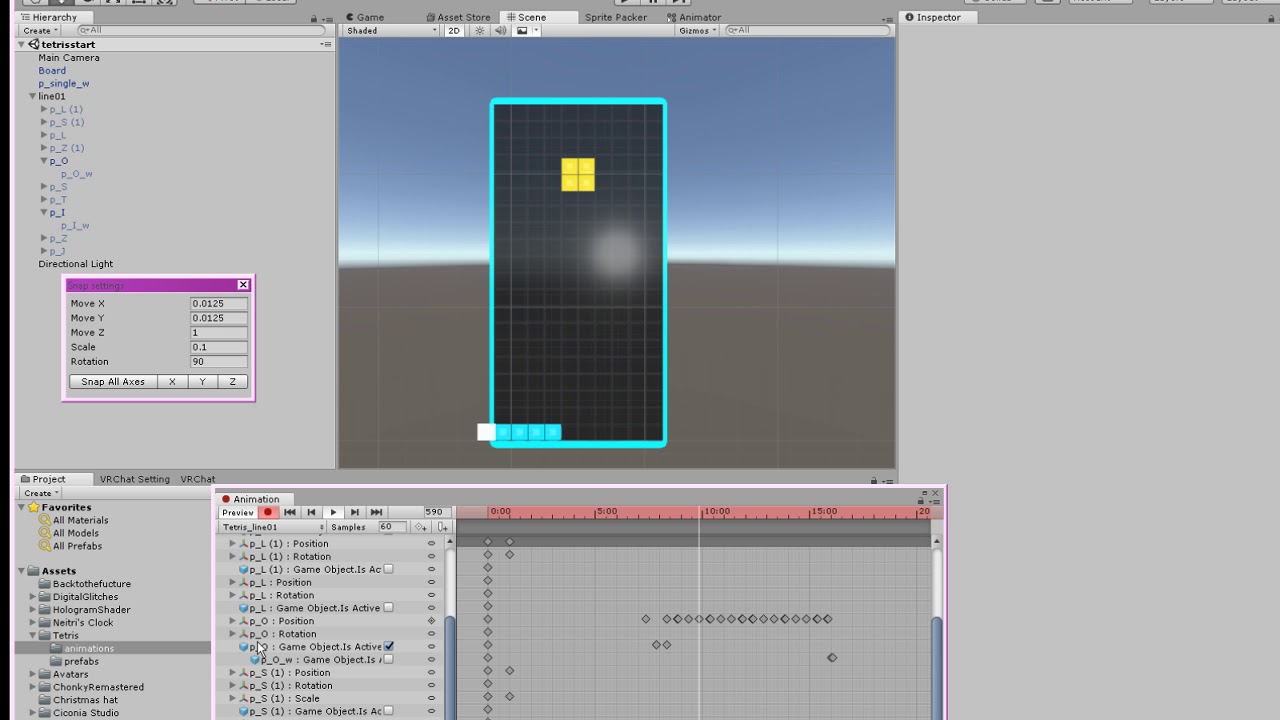
these are all 3D mesh blocks
 azure horizon
hi
spice urchin
does that use shaders / animations
u could also just make that entirely shader only
and have the shader basically play tetris randomly
 last mica
anyone have a few idle animations i can have for my avatar?
brittle granite
its hand keyed with actual mesh
spice urchin
ye ive seen people do that before tho with shaders or at least similar things
spice urchin
one person had a very simple game that played on it
dont remember if it was asteroids or caterpillar
last mica
anyone have a few idle animations i can have for my avatar?
last mica
stop talking about random things in animation chat
spice urchin
theres plenty on places like mixamo
brittle granite
😒 we are talking about animation in the animation chat....
spice urchin
i been learning 2 do shader code stuff and tried 2 make a game u could control with animations changing the properties
but didnt work very well cuz collision stank
brittle granite
well i do have the first line removal done.... i can just keep adding to the animation lenght indefinatly
spice urchin
ye but how long it gona take 2 animate liek 1 hr worth of tetris lol
brittle granite
🤔
brittle granite
yeah i haven't done that yet, i have a series of single blocks to use as object replacement
spice urchin
o that ez just make the bottom part inactive
 misty tiger
you could always go for an all-clear if you're lazy
spice urchin
yea but then it not rlly tetris
spice urchin
yea but didnt use nearly enuff pieces
just offering suggestion cuz that what u asked 4
misty tiger

Two puzzle game juggernauts collide as Tetris®, one of the largest-selling and recognized brands in gaming history, and Puyo Puyo™ from SEGA have combined to...
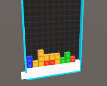 brittle granite
yeah. my plan is to have this play on loop with some sort of all clear for the looping. (Eventually when i animate enough of it)
And then i have to make the BATTLE tetris. Basically an emote over ride that plays this:
AND BIG BEEFY ARMS APEAR ON THE SIDE OF THE BOARD AND START PUNCHING!!!

Tetris 99 Soundtrack Playlist: https://www.youtube.com/playlist?list=PLwDEuPBgBi4MbRp2ClKfHgD9Zeg4tQ7Lz Watch the 24/7 Nintendo Music Stream: https://bit.ly/...
 misty tiger
@spice urchin i am SUGGESTING that he animates a perfect clear
spice urchin
and if they enabled an emote it would turn on crazy fast mode
playing super fast and loud guitar music with like a dozen notes per second
brittle granite
people i have the parts to eventually make all clear
spice urchin
ye
brittle granite
 spice urchin
wait does unity have instancing
brittle granite
yes this is all from one fbx
spice urchin
if so it might actually be faster to just use the same 1x1x1 cubes instead of multiple meshes
i think that what u doing if they prefabs right
brittle granite
yes they are prefabs
 nocturne token
is that real pikapity
spice urchin
?
spice urchin
so
nocturne token
he cool
spice urchin
- not the chat for it and 2) cool so what
spice urchin
 brittle granite
@nocturne token yes I am that animator. I came here with questions about efficiency in unity animations. And if my workflow was appropriate for the projec.
nocturne token
nice love your work, I hope to no longer disrupt
last mica
can someone help me whenever i change a material on an avatar it changes the material for everything else and i think they made it so 2 pictures make up the entire avatar and its annoying
nocturne token
if you go into the model on the assets
there should be a material panel
next to model and rig on the right
from there you can change materials that are in sets of more than one on one model
spice urchin
all material properties will be changed when animating them for a mesh
place them on a separate mesh
west vortex

Been trying to figure out how people do this, as I've made a couple avatars myself and would like to advertise them without having a massive floating billboard above my characters head. if you can help by providing a video or step by step tutorial on how this is done I would appreciate it greatly.
covert girder
@west vortex cylinder mesh + simple shader with UV scrolling and cutout
brittle granite
How long can an animation be in vrchat?
Like, if I animate an entire performance with characters talking and walking about.
I had this idea where I could make snow white type character that you can sing. Then all the little forest animals Coen out to join your singing. (Forest animals are animated character rigs with preset animations)
 noble shell
Not hit the limit yet, have one that is around 15 minutes long ~ but it get quite slow to edit that in unity
then you can just use animator and string up even more to start other things soo there is a limit?
brittle granite
In the early days, I ran into someone in the hub that had a Hitler avatar and an emote with a MASSIVE Nazi parade with marching men, tanks, airplane flyovers in formation. It was super impressive on a technical level.
clear yew
Gasp it's petey
slim sparrow
Pretty sure there is no practical limit to animations
The only exception is that an emote can only be 30 secs or 1 minute long (forgot which) until the IK gets forcibly re-enabled again
But you can put it on a gesture or an emote toggle for example
 fleet wyvern
I need some help, i want to animate a little dance for my avatar- but with the animator tools i can't get it back into T-Pose so i can animate better
clear yew
cool


clear yew
if i want to have a large scale prop in an animation not move with me after i do the gesture, how would i do that?
clear yew
also i have an animation where i want to use a different avatar mesh from the normal one in an animation (as my main, like i could control it and such) and then change back to the normal one during the animation. is that possible?
hollow perch
Rig two meshes on the same armature, animation disables one and shows the other. Or, shape key to morph between them. If you want visemes on both, Your facial expressions need to be on a separate mesh that stays active (best if called Body): you can only have one mesh set as avatae visemes on it so you would have to use something like a shape key to morph it if you want visemes on both
red mortar
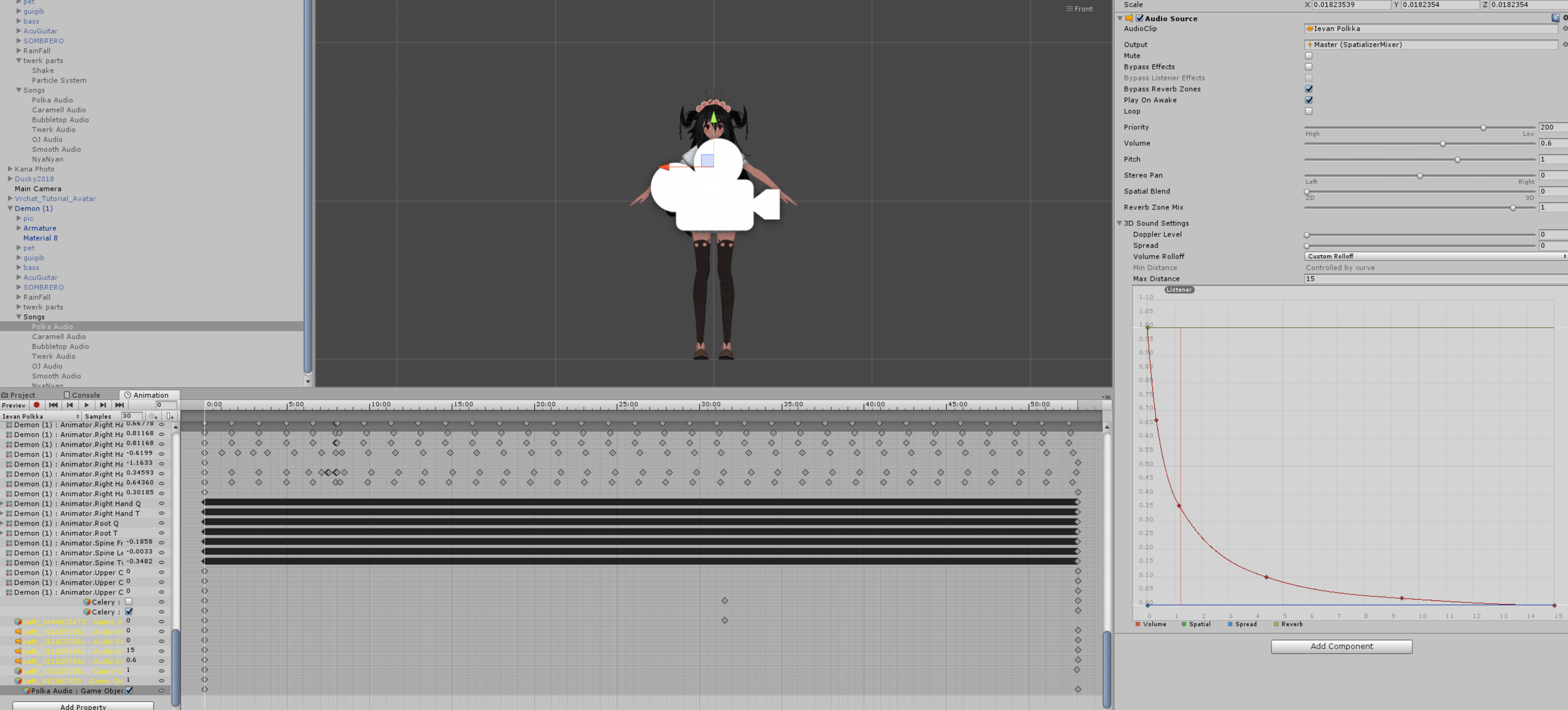
https://i.gyazo.com/0ada93d73fa92c8fcb39d4d40cb8ebc1.png Can someone help me to understand why the song is not playing? Those yellow paths are unimportant, I was just too lazy to delete them.
 fleet wyvern
i need some help on makeing a perfect spin animation ;')
clear yew
im trying to get a particle system with just an image on it that has a transparent background but it does not show up transparent in the particle effect. does anyone have any solutions?
 median orchid
There's a few things you can do for images on particles,
though the best one to mention would be simply putting it on the 'Particle' shader via 'Particle - Additive' or something similar to those lines.
fierce bane
you'd need a different shader, or to adjust the texture to be what you want.
Use sprite instead of particle additive if you want it to be a set color, as additive ADDS to what is behind it
make sure the texture has alpha is transparency, and is set to either transparency or greyscale depending on the way your image is set up.
clear yew
if i set an animation to an emote slot does that lock my avatar in the animation? if so is there a way so that i could trigger an emote and still be able to move around?
slim sparrow
Emotes lock you, yes
Gestures are the only way to trigger animations while still allowing movement
clear yew
Hey, so I got 2 meshes to act as a blinking animation instead of shape keys, does anyone know how to implement that?
spice urchin
just use shape keys anyways
unless u feel like making them blink with animators just use shape keys, no other way to do vrchats blinking (other than shaders etc)
 neat totem
is there a way to work around playing mp4 videos on avatar animations? i have a phone models and i recorded Spotify on my phone irl and i want to have it on the phone model while i paly the song but it says that its going to remove it when i upload the model? why
clear yew
@spice urchin Man, why didn't I think of that? Oh I did! https://imgur.com/a/QCRWGrt
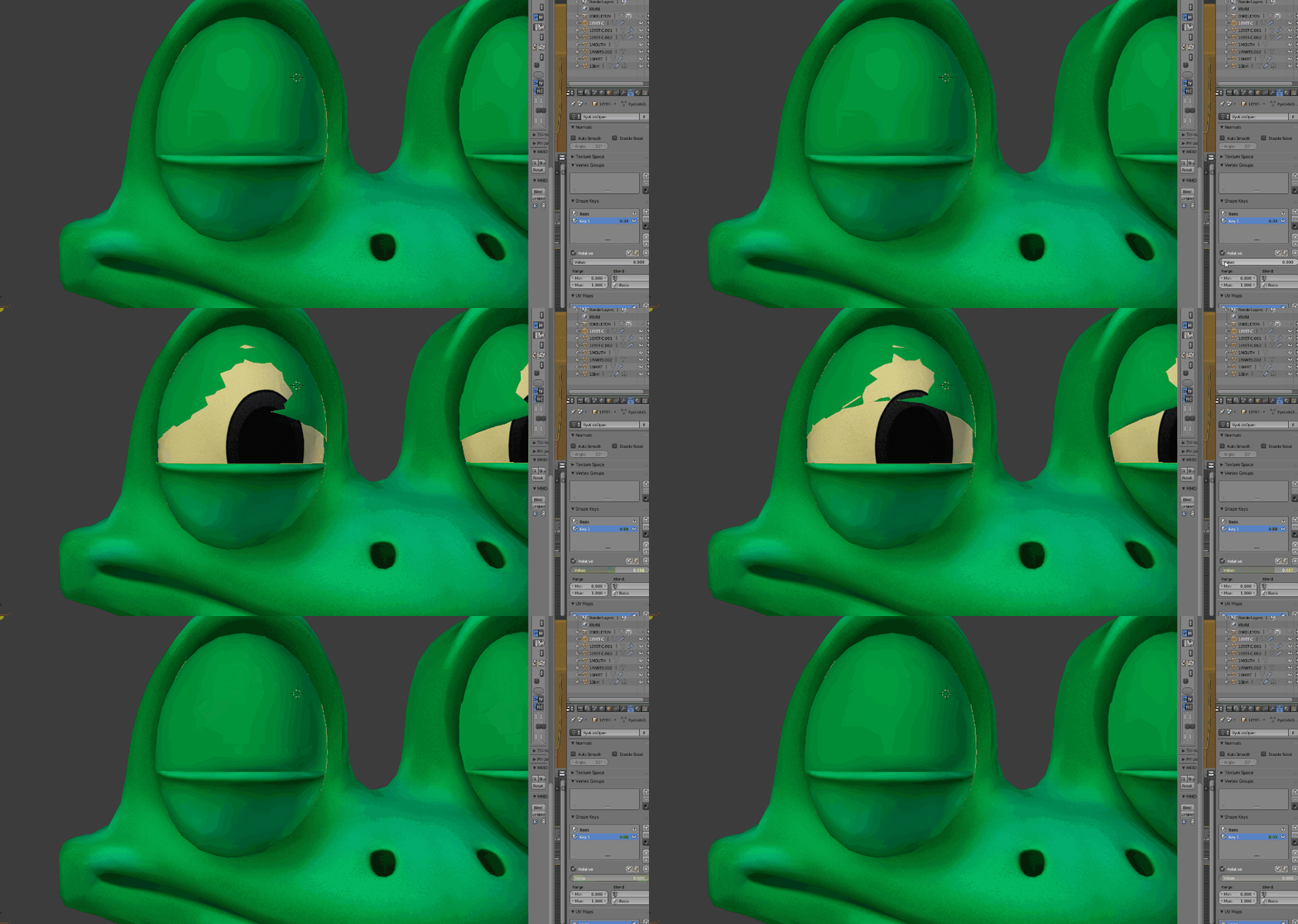
It has too much curve to work around
I'd need like multiple shape keys just to get it to work
spice urchin
that should be fine in game
the actual blinking motion takes like less than .1 seconds
u can also try moving the lids a bit more forward so that theres less clipping
also y the eyes not fully open
clear yew
Because then I'd have to displace a whole lot more polygons
clear yew
@spice urchin Alright, let me ask you this. Do I just need 2 shape keys for left and right, or do I need 4 for Left Top, Left Bot, Right Top, Right Bot
spice urchin
no idea where i found it but bookmark it https://docs.google.com/document/d/1W5KFa_aszCMrJaFD8mb9a-GHYO4X4S9M63GjM4UwuEw/pub
clear yew
already on that page, I'm just wondering if I need them all
spice urchin
u need all 4
no one said they need to be weighted to anything
if u have any eye tracking bones
it will use the first 4 shapekeys
so u better have something there
and the first 2 are blinking, last 2 are just whatever
but they are not part of blinking
clear yew
ok
spice urchin
example

i just usualy make it like a smile and eye raise just bc it subtle and shows up every now and then
here another example
clear yew
Am I able to get Eye Tracking if the iris is on a flat texture? I don't exactly have spherical eyes
spice urchin
https://cdn.discordapp.com/attachments/399314021934825487/548364037218500623/VRChat_1920x1080_2019-01-09_16-46-00.172.png
https://cdn.discordapp.com/attachments/399314021934825487/548364061625024513/VRChat_1920x1080_2019-01-09_16-44-20.706.png
expression changes with eye direction


also there are 3 ways to have eye tracking
1: rotating eyeball
2: rotating/sliding iris (over a hole)
3: moving texture (make ur own shader or use someone elses)
clear yew
Yeah, I'd need the 3rd option
spice urchin
i mean u could always just use clever weightpainting also
there are ways to weight paint things so then when the bone rotates it has a sharper falloff than simple spherical rotation
clear yew
Not sure how that would work, my eyes kinda bulge out https://imgur.com/a/4fD6gSm
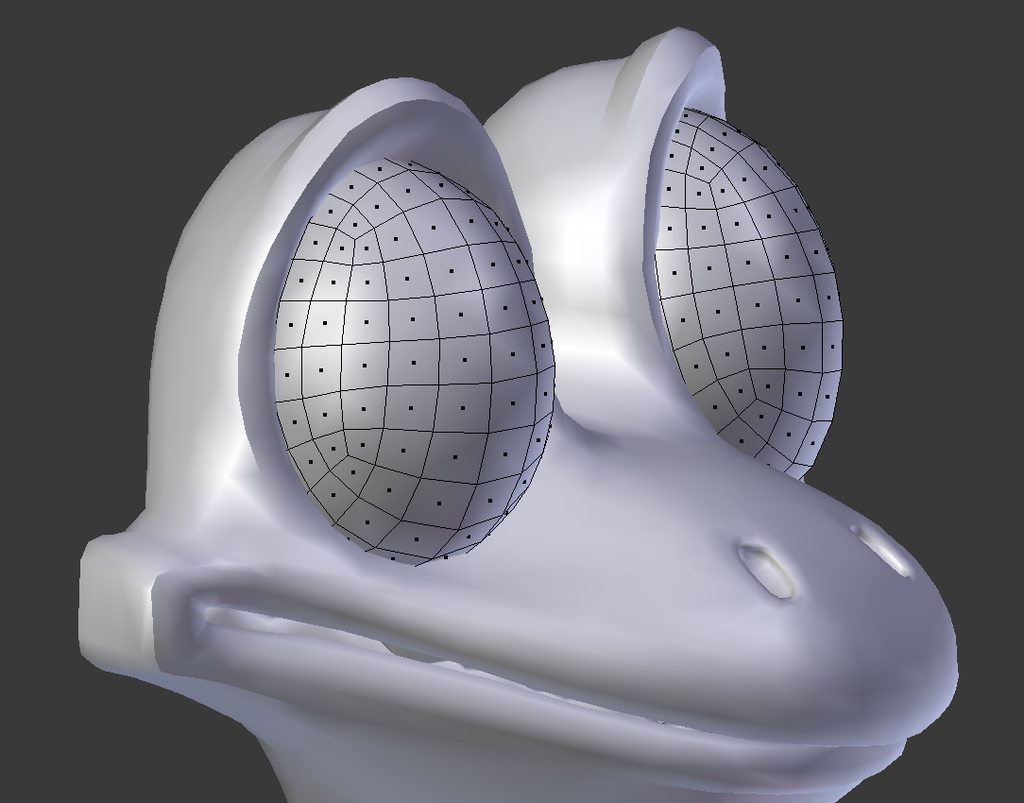
@spice urchin
spice urchin
well thats where floating iris is useful
on my charcater theres a hole
u can have an 'eyeball' that doesnt rotate

and rotate the thing in front of it
clear yew
Do you have any tutorials I can use?
spice urchin
not that ik of
spice urchin
making my own avatar and putting on vrcat so can play 2day
clear yew
Another time perhaps?
 chilly vapor
animator blink would probably be the easiest. Depending on how you want to do it, you can do the multiple blend shapes or go the nintendo route with different eyelid states being a different mesh that get cycled through in less than a second
 reef nexus
In your case Jim, I would do bone based animations for your blink and set it to your idle animdation.
 quasi chasm
me now trying to make my own Singing animation: (the one part looks like if she would say "Meow"! 😂 )
https://gyazo.com/6834e9e5ce9b925d7b459dc9627290b3


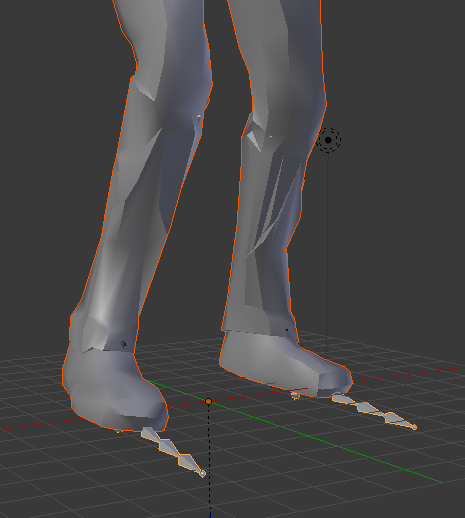
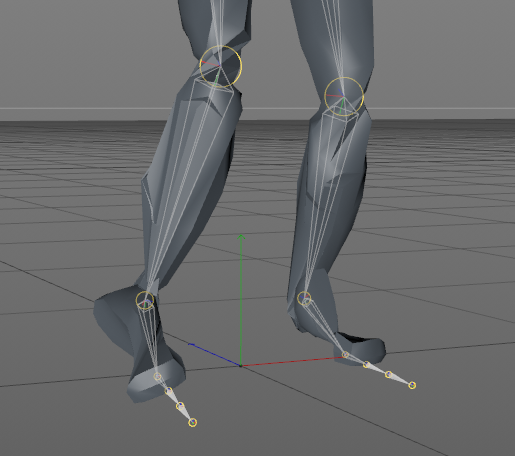
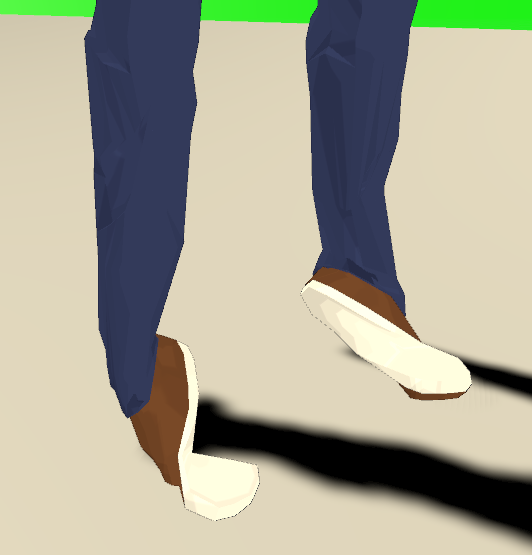
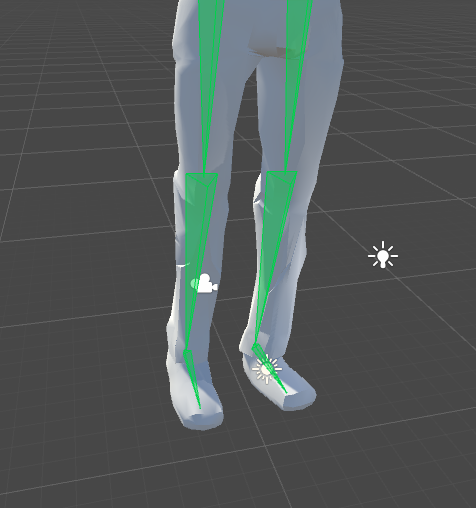



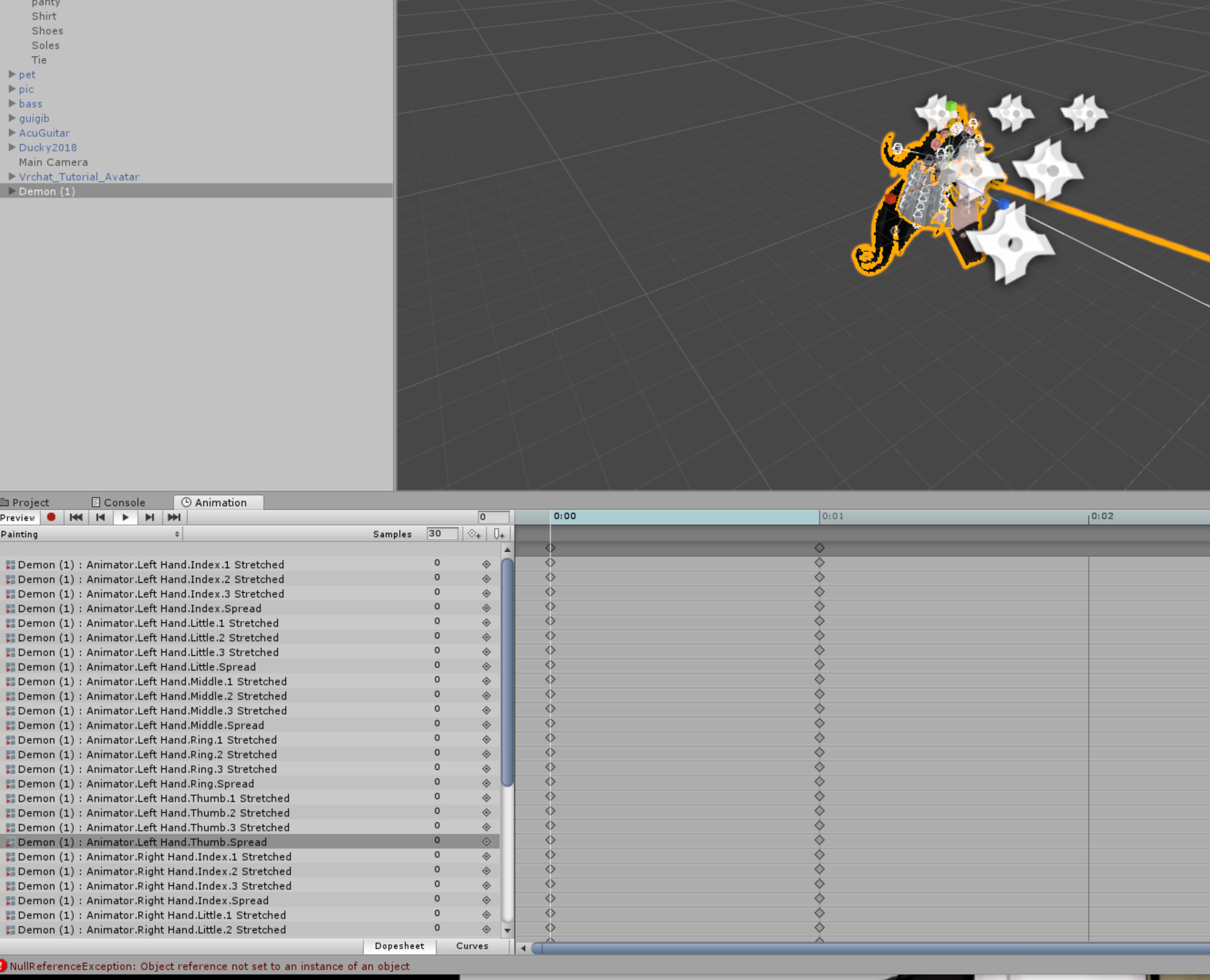
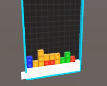


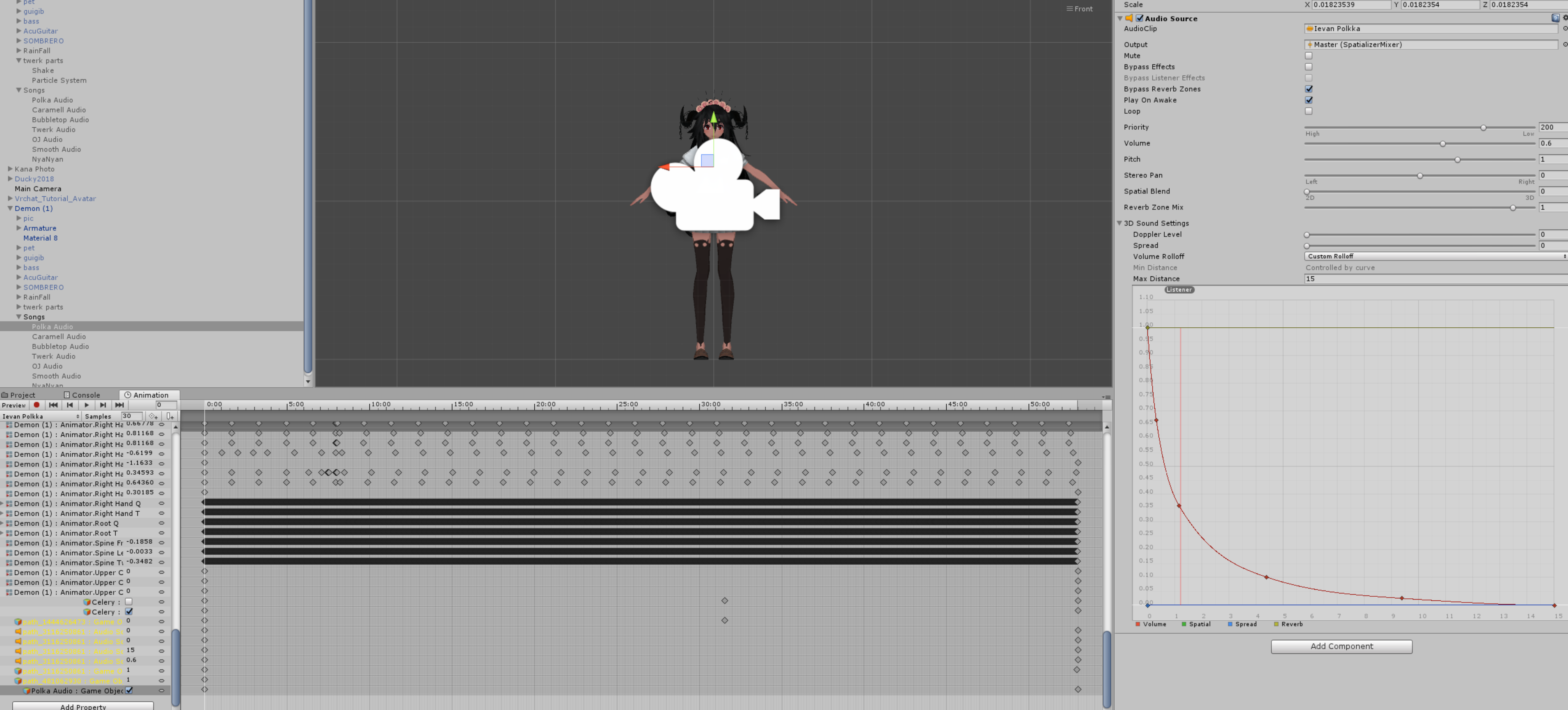


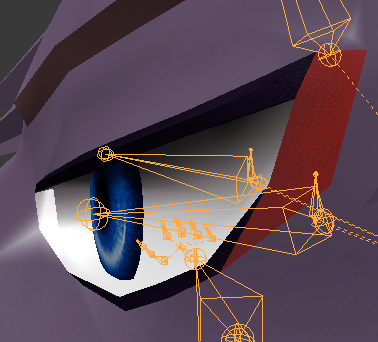
 lavish kelp
dose anyone have a vid of how to copy/move a animation effect from one avatar to another in an easy way almost all the vids ive seen on youtube are on how to make new animations
thanks if you can help
clear yew
You just go to the animation you want to copy and do the shortcut to select all and then ctrl c and go to your animation and select what place your want to paste. (Put the time at a time you want) and hit ctrl v
 fluid crescent
I need some help,i made a spawn animation where i jumped from the sky.The animation worked fine,but after it my model is just frozen.
 covert hawk
So i'm trying to make an animation where the models disappears and 2 other appear and dance.In unity in works fine but in VrChat it just appears for a second and then nothing.Also this animation is done with the emote menu not as a gesture.
 molten plover
I hope this is the right place to ask for help. I create my animations in unity with UMotion which allows IK rigging and everything to it and since my animation is quite large, exporting loading it in unity's standard editor lags it out so much that it's not possible to edit anymore. Apparently the standard editor can't really work well with IK movement so it visualizes it with key frames after each frame which makes it lag so much - but not in play mode! any help on how to solve the lagging issue?
red mortar
https://www.youtube.com/watch?v=sbL9k0VA4OY So I'm attempting to do 'infinite' gestures. I plan to spawn a certain instrument with a left handed gesture, and use right handed gesture to begin a song. I have almost everything set up besides the multiple gestures part. I'd like to know if this video does a good job explaining it, if it does, great, the only problem is right at the beginning he mentions something called 'multi-tiered gestures' and I don't know anything about that ; u; If its not a good video and you know of an easier way, please lmk! Here or in DMs, please!

I explain how to create a potential infinite amount of gestures using an animator state machine. ========IMPORTANT======== Thank you Bertrand Steenhaut for t...
 honest quarry
How do I add sounds and effects to an animation?
 sonic coyote
@honest quarry put a audio source onto your avatar if you put it on a body part/object it will come from that part and then put the audio you want into that audio source, and just make the animation toggle that audio source
honest quarry
@sonic coyote thanks for the help
sonic coyote
😄 
honest quarry
Also how do I add an effect to a weapon that I hold?
red mortar
@Himeki#2865 sorry about the random @, but remember a little while back you showing something almost exactly like the 'multi tier gestures'. Is you set up the go to and this video jist basically adding more than what I need?
Is your set up*
Aaaaand theyre gone o:
fierce bane
@red mortar No I'm still here, not sure why that didn't ping...
The one I mentioned before avoids the "if they're not looking at you/haven't loaded you/joined later" Desync, but is more limited and requires two gesture holds at a time, so no combos like firing a held gun (unless you're switching between hold/hold-and-fire I guess)
 ruby canyon
Anyone know how I can fix the issue of adding a fbx dance animation into Unity (specifically the Onegai Darling dance) into Unity but the Hip/Waist will not rotate or move when put into Humanoid rig. Does anyone have any solutions to this issue? Thank you

 red mortar
@fierce bane so like with youre sets, i could have left hand fist + right point/thumbsup/or rocknroll be a set of 3 combinations gestures, and have left hand rocknroll + rightpoint/blah/ or blah be another 3 set combo for a gesture and so on?
fierce bane
you'd pick which ones you want to use for the actual gesture and keep it the same between all of them (for example Rock and roll, point, and fingergun being your gestures)
And you'd pick what you want to use to toggle betwen them (for example Idle/thumbs up/openhand for the groups)
red mortar
Okay i gotcha, well that does seem like its what im looking for. I don't want to take any more of your time with teaching me all about it, but if you know a good video or forum post about it, i think if I know how to start and with what components, i can figure the rest on my own o:
fierce bane
set 1 (idle gestures) are enabled by default.
Whatever you want to hold to trigger the second set enables that group and disables the first.
Same for 3rd group (if used). except that it enables the 3rd group instead
I can't really make it any easier without video. But you're just using a gesture to enable/disable several things instead of having it enable just one thing (pull out a sword or gun for example)
like in this link, Idle would be "GestureSet1" and the fist and point would enable all 3 of their named items, triggering a sword (S1), gun (S2), and fireball (S3) on fist depending on which was held or none held (examples, they're just bempties there)
While point does something else, maybe facial gestures
https://i.imgur.com/GUm75AM.png