#animation
1 messages · Page 97 of 1
 slim sparrow
 pliant plank
Like... increase it's lenght?
 glacial fog
So as I know, "Generic Avatars" support idle, and walking animations. Do they, with new Unity, finally support emotes, or nothing changed ? ;v
 late cove
anyone have a firm grasp on how avatar seats work yet?
 clear yew
just add a station component to your avatar
it's as simple as that
it's in the release notes
late cove
Not exactly what I meant, the upload panel says that the trigger events aren't supported on avatars, does that effect anything?
I assume its what lets you click on the seat to sit in it
clear yew
you added the prefab, you should add a station component
late cove
ah
clear yew
read the release notes
late cove
Gotcha thanks, I just skimmed and didn't see that
clear yew
np, you can add the prefab and remove the triggers, events and cubes manually and it will upload but .. yeah
late cove
Have you made a model using seats?
clear yew
yes, I just added the station to an empty game object inside the armature
late cove
You havent done anything more advanced? I'm thinking about some things, and wanted someone to discuss with about it
clear yew
idk how advanced we're talking about 😉
late cove
Wanna take it into dms?
clear yew
but then nobody else will benefit from reading it maybe
late cove
Well I dont really wanna bloat the chat with theories that turns out dont even work
I can come back and post them if we find something that is actually cool
clear yew
then sure, I might not be able to help though
 vague panther
hello, does anyone know why only one gesture works on my avatar. Only pointing works.
 hidden skiff
Not sure whether or not this is the right channel to discuss this, hoping it is, I'm trying to implement a chair in one of my avatars and after following x amount of steps to the end of a tutorial, I am left with the Unity notification: "The following component types are found on the Avatar and will be removed by the client: VRC_Station", anyone know how to overcome this? Fairly new to animating
clear yew
update to the newest SDK
hidden skiff
using 2017.4.15f1
clear yew
not unity, SDK
hidden skiff
oh SDK misread 2018.12.04.10.25
clear yew
VRCSDK-2018.12.19.17.03_Public
 lavish scaffold
That is not the most recent SDK
clear yew
is the one you need
lavish scaffold
Yes
hidden skiff
yikes, alright, cheers
clear yew
np 😉
late cove
Hey, if anyone is having problems with the Muscle Animation Editor (The thing that lets you move your fingers easily) the fix is to completely delete the folder called "Pavo Studio" and re importing the tool, the version should be 2.2 btw
That might be worth pinning? It seems a lot of people are having the same problem
 eternal topaz
Is there any way to detect when a specific trigger hits another trigger? I want to be able to put an object on a plate, and have it lock to the plate through animations
 halcyon bramble
So earlier I learned about Legacy animations and later on I learned that they don't work anymore. Is there another method to animate wings or a tail?
 hollow perch
Yes it's easy to convert to non legacy. Check the first pin and ask here if you get stuck.
halcyon bramble
Thanks fren
 meager lake
So my avatar has animal ears, and I wanted the ears to be able to flop down on a gesture. My problem is when I animate it as I usually would with a normal animation override, like a face animation where you put two frames close together at the start of the animation, they flip down really fast, which I guess is normal cause of how the animation was set up.
But, when I try to space out the frames so the ears will fall slower and more naturally, in-game when I try to swap to another gesture, the gesture swap is really, really slow. The only fix I've found for this is to put the frames really close together at the start of the animation but, as I said it looks really unnatural for the ears to do that. So I'm stuck  does anyone know a fix ?
 raw sparrow
So I'm working on Stryfe from Darksiders 3 and decided to animate his cape and breathing animation. The animation is set up. In unitys preview it animates. In vrc it's not there. Plus the custom override from the new sdk is poopoo aswell. Can't put in different emotes either anymore
 naive niche
add the sound to a object under the collider and when it activates it turns the sound on @sudden bay
is any object not active by default use that
or add a second collider just for the sound
 sudden bay
I'll give that a try
 floral imp
Do animation overrides work if a character is non humanoid?
slim sparrow
If you have a generic model, you need to supply a full animator controller and assign it in the Animator component. @floral imp
The overrides can work for this but generally it's easier to take and modify SimpleAvatarController
The "custom standing anims" slot is ignored I believe
floral imp
Oh that’s all. Thanks 😃
 tidal elm
Hi, lil problem here, i created another custom avatar, everything is fine in unity, import is complete and i can see the avatar on manage uploaded content, but i don't see it in game and can't select it, any idea why?
slim sparrow
@tidal elm which unity version did you use to upload it?
tidal elm
The recommanded one i guess, 2017.4.15f1
I still can upload other avatar just fine and they add in game, but not this one.
slim sparrow
I set up basic IK in Blender to pose my hands and feet a little more easily, how do I get rid of excessive wrist twisting? I set up a copy rotation constraint but that only seems to make the hands copy the "target" rotation. The rest of the arm isn't compensating properly
 round panther
how can i add particle to an animation?
 deft mountain
Anybody know how to make a particle color black? It seems like Unity just turns down the alpha when I try, making the particle transparent instead of the color black
 quiet needle
You should be able to click above the color bar for transparency and below it for color/hue pips
 hexed copper
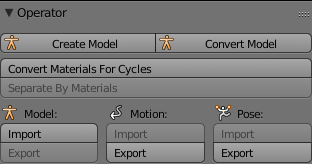
I wanted to import a .vpd (pose) into blender but the option appears as disabled. Can i export a VPD pose to unity from blender?
https://i.gyazo.com/30a3c8f1dd5bfd28c357d1591fdc0f4a.png
 slim sparrow
You have to use MMD tools to import VPD @hexed copper
hexed copper
I'm trying that
slim sparrow
The MMD tools model import option, can't use fix model from Cats either
deft mountain
@quiet needle I'm just changing the start color, there's no color bar.
hexed copper
@slim sparrow is the option disabled because I already used cat's "fix model" option?
Ah I see, I have to click on Pose under the armature first
slim sparrow
Yes, you can only import VPD and VMD's properly on non-fixed models
And also only on models imported with MMD tools and not with Cats
hexed copper
ah
 torn pawn
vmds worked for me when imported models with cats, just need to scale down the thingy from 1 to 0.1
hexed copper
say I get some generic model and import my pose, can I export it as an FBX for unity to use for any avatar I want?
pliant plank
Is the RUNFWD animation stuck with the WALKFWD animation?
For some reason using an animation on RUNFWD also affects the WALKFWD animation
Even if no animation is present on WALKFWD
round panther
why my particles doesnt show in game? (or just doesnt show in front of mirror?)
slim sparrow
@pliant plank they all blend together
If you're gonna override them, the best results can be achieved by overriding WalkFwd, RunFwd and SprintFwd with the same animation.
The game's animator blends a bunch of walk and run animations together to make the analog movement look good
pliant plank
That's rather unfortunate then, as i have an animation for running that bends the character forward quite a bit whilst the walking animation is mostly up-right, but i guess i'll have to deal with it :|
hollow perch
You could try bending the body backward in walk to counteract the forwardity in run
pliant plank
I think that would inevitably make the run also be more up-wards than intended unfortunatelly
It seems to be a take it or leave it sorta deal
But it's alright, i sorta got a walkcycle that plays sort of alright, still bending forward but not remotely as much
pliant plank
Nah it isn't that
 limber gazelle
what a shame
vague panther
hello, does anyone know were i could get middle finger animation?...
torn pawn
yes, make it yourself, takes like 30 seconds
 red moat
i have some problems with animations that activate a second model/armature. i am not sure if it's since the latest update or the jump to unity 2017 in general. but i noticed that if i use a animation where i disable my main avatar and activate a dummy avatar (for example for a animation that animates the whole body) it lags the shit out of myself, like... 0.5 frames per second while for everyone else it doesnt seem to cause any lag and seems to work perfectly fine. thats at least what they told me. there doesnt need to be any particles in that animation... just a second body which gets activated with the animation. did i miss something? reuploading didnt help and also older versions which worked perfectly fine before are causing that problem for me now
hollow perch
Check that you don't have any colliders (box,sphere,capsule,mesh colliders etc) - colliders on your own avatar will collide with your evil MirrorReflection self and could cause lag. That's one example of something that causes lag only for you.
red moat
is that new? didnt had any problems with it til now. and would it be needed to completely deactivate them on the dummy as well? because the main model is already completely deactivated
hollow perch
You would have to have colliders on the double for it to be an issue. The issue is collisions with your main capsule (everyone has a capsule on their avatar added by vrchat) so that could explain why they collide differently
Physics is weird and especially when you are dealing with collisions with a double of yourself which allows flying
So it can cause cpu lag possibly
red moat
hm alright, thanks a lot for the advice. i will try to just remove all colliders and look if it works. i am just wondered why its only now. and not since ever
 fleet mauve
hey, i animated one of the landinglegs of a falcon 9 rocket i rigged via a keyframe animation where i spent a lot of time getting the curves correctly, if i just copy the keyframes to the other bones they dont go in the correct direction, is there a simple and easy way to get animated curves for example from the x to the z axis and invert it?
 finite rock
So i made a walking animation for my humanoid av, and placed the animation inside my custom animation override, but for some reason the animation does not play when i'm on the game do i have to do something else?
eternal topaz
How would I make sure that my animations and triggers only occur within one instance of an object using that animator? For example, I am trying to put food onto a plate, and want to make sure that food doesn't show up on everyone's plate
hollow perch
You might need to add a running anim too. Some people say the blending is very aggressive between walk and run even for normal speed
pliant plank
Legacy animations were sent out the window because somebody found some exploit with it
Unfortunately they're gone for good it seems
There're some tutorials out there for porting legacy animations for animators iirc
Ima see if i can find one
Think this is it https://youtu.be/iHQNw6Tg5-U

Here is a quick tutorial on converting your legacy avatar animations to the animation state machine system. :)
No worries
 final flame
ok so im having problems with animating a particle system so i have a game object set in the hand of my avatar and the game object has the particle system in it but im having a hard time animating the whole thing so when i do a certain hand gesture the particle effect would turn on
and when im not in the hand gesture the particle effect is off
 wise junco
Are they world particles or local
 high goblet
Anyone having issues with SnailMarker? When I import the file into Unity, there is no TrailRender animation. Only Position? 😒
 echo sundial
Anyone here knows to fix hips rotation error on animation?
 violet moss
I want to make a custom idle animation based on the default, where can I get it?
Is it in the SDK?
 solar relic
u can get it from mixamo ( <= havent gone there even since 2017)
but u can just make a simple idle with muslce animator
violet moss
Ok ok. Just get ocd and wanna make sure it’s the same lol
slim sparrow
@violet moss generic rigs have no head and hand tracking
violet moss
Yeah I am trying to get some custom animations for idle but not overwrite the ik for humanoid just some extra bones
slim sparrow
You can't "overwrite" the IK
The IK overwrites the animation
Just get the sample idle pose from the SDK, duplicate it and edit it
Just make it look like it would on desktop, arms down, legs straight etc
violet moss
Oh that’s perfect
Thank you
I feel like an idiot ive been asking the wrong question for a week now
Everyone’s like “you can’t use custom animations and stay excellent because you need a second animator if you want an animation that plays all the time”
 random arrow
question for those here...and applogies of this isn;t the proper channel but I'm having a bit of trouble getting an animation event to play nice with the SDK. Basically I made a animation bool to toggle the visibility of an emission map (by adjusting the emission color) on a button press, buuut unity insists that VRC_trigger, and the VRC event handler it added aren't supported and will be removed by the client?
torn pawn
don't do it 😊
clear yew
Asking for a friend~
grab monitor or headset firmly with both hands ... shake aggressively until cord comes loose
slim sparrow
@random arrow you can't use triggers on avatars
Nor can you use your own animator parameters in an effective way
 wild cedar
Nvm figured it out
violet moss
ok i'm at my wit's end. i made a tail animation that i've put on Idle of my animation override, and it works on desktop, but when a VR user wears the avatar, the tail doesn't wag
violet moss
Can the animation override only animate humanoid bones? Not extra ones not bound in the bone config
hollow perch
I'm not sure vr users play idle and definitely not full body
 spice urchin
and yea replacing the default animations just to get a tail wag or something wont work well
i just make a animator with multiple layers for every movement loop
hollow perch
All animations should be able to modify non humanoid bones. This is probably out of the discussion how to have a tail wag with excellent rating. The only way is if you can avoid extra animators
spice urchin
ye but its masked
hollow perch
I don't think mask affects non humanoid bones does it?
spice urchin
idk people have complained about not being able to animate external body parts for movement animations
but yea theres no real other way 2 do it
hollow perch
Hmm maybe it's all related to the optimizations they do for single animator/single skinned mesh renderer
 hollow perch
Ya extra animator is a solid choice for this I agree. no excellent rating but it's arguably the most proper way to do it
spice urchin
i had 2 use different layers bc i didnt want wagging and twitching to be synced together
they would play out of sync and seem more random this way
hollow perch
That's cool. I sometimes have trouble with two layers. Do you set both to have 100% weight
spice urchin
yea
by default every new layer has no weight
its really annoying but
i forgot they existed on one of my avatars and had like 4 different animators
but yea this better
i kinda wish u could use foot IK for emotes too
i had a few dance animations but i placed them on animator gesture dancers bc u can enable foot IK and an IK pass
hollow perch
I wish... but you should be able to pre bake the foot ik into bone or muscle movement
spice urchin
yee but unity
idk if theres a tool that does that already on asset store
to basically calculate foot IK then set the leg params for the keyframes
hollow perch
Most mmd animations are done with foot ik but blender bakes them when you import from mmd tools or export fbx I think
spice urchin
ye but problem there is
only works for characters with the exact same proportions
or at least same leg proportions
violet moss
I finally got it. Yes, you can use custom animations of non-humanoid bones without using a second animator, aka, you can use them and still be excellent rated. My problem was my idle animation was called "IDLE" which was an internal name. naming it litterally anything else made it all work. finally.
hollow perch
Wat ???!
Ok well that's good to know I guess for literally all the overrides... I usually name my hand gesture overrides slightly different so probably never noticed
violet moss
yeah probably namespace collision
my uploaded animation probably got renamed since the default was there, then i played the default
just a guess. either way, calling an animation IDLE and putting it in IDLE slot doesn't work
pliant plank
Wonder if capitals matter as i have an idle called idle that played properly... maybe i'm mistaken however
violet moss
didn't bother trying. just renamed it TailWag instead of IDLE and it worked so good enough for me
pliant plank
If it works it works
violet moss
So it turns out Idle-Sample.anim in the SDK isn't exactly the animation used in VRChat, like it's from an older version of the client. Does anyone have the current version of the idle animation?
clear yew
@violet moss isnt there an idle animation on the override controller you can change?
 lucid herald
anyone know fix muscle editor in new unity i try use to make new animation will is bug say there no humaniod in gameobject
clear yew
@lucid herald you need the new version of muscle editor
violet moss
@clear yew there are two idles in the SDK, one is an old version of the sidle before the IK fix, the other is a static pose (no breathing/noise) neither are the one used in game when idle isn’t overwritten
clear yew
Candy? XD
 fathom rose
i have aproblem with asigning the overide animations for the hands 1 of the animations ive mad eoverrides all others of them
im on desktop btw
vague panther
Hello, how do you remove hand animations from avatar?
 fallow spire
is there an animation set for 4 leg avatars?
 sour cape
 dreamy condor
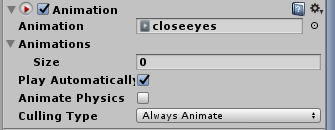
does the unity "Animation" component still work? can't seem to get it working in game, or in the unity play preview:
https://i.imgur.com/xnWkyI5.png
 spring nova
you might need to set the animation clip to legacy in debug mode. Be aware that legacy animations aren't allowed on avatars though, you can only use them in worlds
dreamy condor
yeah, i'd rather not break any rules like that 💦
spring nova
you just have to use an animator instead
dreamy condor
attempting legacy mode regardless, still didn't work. will attempt the animator route
just have the issue with the animator route breaking the t-pose, as this animation is one i'd like to have on the default model
spring nova
don't put it on the root of the model, that will conflict with the other stuff going on. Put it on the thing you're wanting to animate directly
clear yew
You can put it on the root animator
Animators can store mutliple animations and especially for just setting up animations / testing it makes sense as you can go to your animator and change its default animation to the one you want to play with / test to see if it works. Saves you lots of time as you then, only have to pull the finished animation into the corresponding animator / into the override controller
 little mortar
That’s oka
dreamy condor
mirrors, do you have any tutorials on hand about how to do that? when i attempt to set this into the default animator, it just breaks my t-pose and the avatar controller
so i'm not sure if i'm doing something wrong or not 💦
clear yew
Unfortunately im on holidays until the 30th otherwise i would. Regarding the broken t-pose however, this is normal.
A fix for it is to go to your root animator, select one of the prefab t-poses, copy its keyframes and create a new animation yourself where you paste those keyframe values. If done correctly, it will reset your model to a t-pose
Then, after you are done with editing other animations you can always copy / paste the keyframes out of the tpose animation you made, into it again to reset your model into a t-pose
@dreamy condor
Feel free to send me a dm, its bed time for me atm but maybe i can help you out tomorrow
dreamy condor
okay, thank you!
clear yew
You’re welcome^^
 stuck spade
heya, i have an Humanoid Avatar and under that is a generic Avatar. I used rigged bodys on the Avatar to make the Generic Avatar´s hands moveable, now i have the problem the Avatar starts to glitch around after some secounds when selected in VRChat
it starts slowly and then the Avatar starts randomly to pulse and teleports after moving
the generic Avatar is not under the Amature btw.
slim sparrow
@stuck spade make sure to freeze the positions on the objects with the fixed joints on it
But not the rotations
violet moss
@dreamy condor No the Animation component doesn't work anymore. You're expected to use the Animator component instead. If it's simply an animation that is supposed to play 100% of the time and never turn off, you could also bake it into your idle pose instead, which saves an animator.
(But you'll need a copy of the current default idle animation which is apparently out of date in the SDK)
so just use an animator
slim sparrow
It's not out of date in the SDK, it's just a sample idle pose
They can't give out the animations used ingame
violet moss
Are you sure? The SDK contains two. One is just a simple idle pose, the other is almost the same exact animation as in-game (you can notice the relaxed hand noise - it's definitely the same asset) except it's from before they judged the knees around a bit
slim sparrow
You mean the one in SimpleAvatarController? That's a standard Unity asset @violet moss
violet moss
No actually, that one is just a static pose
slim sparrow
I have worked with the idle animation used ingame, it isn't available in the SDK anywhere.
The simpleavatarcontroller one isn't static
The avatarcontrollertemplate one is
(It's confusing)
violet moss
Well, that makes sense, i've tried both
slim sparrow
Either way, they're still a bit different
 wide sable
Hi, I've been trying to make a gun fire on an animation override, but didn't realise the animations were limited to 2 frames without it bugging out, and the old Animation component workaround isn't allowed in anymore. So I need to use the Animator component, but I have no idea how to use that to enable my animation. Anybody got any resources on how to do it or would be willing to walk me through it?
@ me or dm me if you can help or point me in the direction of help
violet moss
Rather than put the entire animation on the hand gesture, the hand gesture should simply activate a game object that plays the full-length animation on awake. @wide sable
This also works for non-prop animations as well, pretty much anything that is not a static pose should just activate an animator that plays said animation separately from the AnimationOverride
wide sable
What object should I use though? @violet moss . Apparently the Animation one is banned, and I don't know how to edit an Animator without breaking it
violet moss
You use an Animator component. This is the new way of doing animations in unity. The Animation component was deprecated by Unity.
wide sable
Can I just use a blank animator component to do it? Or will that break vrchat's animator
violet moss
Don't use VRChat's own animator, just add your own
keep theirs blank
it's for IK
but yeah you can but your own animators anywhere else on the avatar
wide sable
Do I have to put my animator somewhere else then?
violet moss
just make sure the animations are targeted for wherever you put the animator
wide sable
Oh one more thing
Should I do all the finger animations in the override clip or should I do it in the animation clip it's referencing?
violet moss
If you can do them in a single frame, it's fine. You just need all your hand pose animations to be only 2 frames long
or they'll bug out
violet moss
For actual animation, just put them on the triggered game object
You can put any properties you want
An animator component can control the properties of any of it's children.
Just note that for avatars, the properties and condition transitions are not supported in VRC, so don't use those
wide sable
Ok, so I can have my fancy hand animations on the controller without making them bug out?
or do I need to shorten them to 2 frames
violet moss
Yes. the only way you bug out is if you override one of the hand animations on the actual AO with an animation that is longer than 2 frames
the actual triggered game object can have an animator that does absolutely anything at any length
wide sable
Ok, thanks a lot. I'm probably not going to, but how would I make more long animations? Would I need another controller lower down?
violet moss
I would recommend putting the aniamtors as far down as deep in the higharchy as you can get, while still being a parent of everything you want to animate.
For now animators are basically single-use, meaning you'll need one for each aniamtion
wide sable
Righteo
slim sparrow
You can add another layer to an existing animator
Just not to your "main" one
You can have one animator on your Armature object doing the idle ear and tail movements for example
violet moss
Wait, you can turn individual layers on and off via aniamtion?
wide sable
One last thing, if I add the clips from made from a body controller to a leg controller or something will it still work properly not being in the same position?
violet moss
but yeah as rokk said you can trigger multiple different animations via one hand gesture using multiple animator layers (just make sure any new layers have weight set from the default 0 for some reason)
wide sable
Ok, I think I understand everything I need to
slim sparrow
Oh yeah, new layers have a weight of 0 that always trips me up lmao
violet moss
Also Rokk has some fancy isActive animator parameter that i never got to work that maybe he can explain
wide sable
I'll have a play about and see if it works, thanks a lot guys. I couldn't find much on the internet
slim sparrow
I actually gotta sleep now so I can't explain. Basically, check out a package like the toggle props package for an animation that can enable/disable animators entirely
Or get my blinking prefab and apply the same principle to your tail movements or whatever
violet moss
the whole thing is much more convoluted than the Animation component was nice and simple, i don't know why Unity got rid of it. 😦
wide sable
i know vrchat killed it because it could use /.../ to access pretty much everything in the unity scene online so you could disable every game object
and other silly things
like changing the colour of your name
violet moss
oh, here i thought they were just following unity lol
wide sable
Thanks, I'll probably need it. I'll let you know if it goes well
hollow perch
I have a Animator toggle "Behavior.Enabled" anim file here to copy and paste from: https://gist.github.com/lyuma/0485f6191357eec03c7fd402768ffc75

 molten elm
Is it difficult to activate an animator during a gesture, like wagging only when smiling and stuff
Never done it before
hollow perch
See the link immediately above your question. You can add that to your unity project and copy paste the keyframe into another animation to toggle an animator on and off @molten elm
molten elm
doesn't work, or im not doing it correctly
hollow perch
No just two like normal. Paste it at 0:00 and 0:01
 grand robin
how do you add animations to avatars?
clear yew
looking for jump and idle avatar anims
grand robin
The idle and the shift f1-9 ones
molten elm
So when I use the toggle, it shows up in Unity and it doesn't in-game, nobody sees it working either
 hasty drum
(new) How do I make an animation stop at its end and stop it from reverting to its original spot?
slim sparrow
Untick loop time on the animation in your assets @hasty drum
clear yew
I am seeking some help with with my avatars animations.
 native frigate
I want to add an idle hair animation to my avatar, back then I did it via legacy animation and putting that into an animation component on my model.
I started working on models after a long break yesterday and all those animations are broken now
or rather, not working anymore
how does it work now?
ping me if you answer, please
torn pawn
use animator, check pinned msgs
 ivory salmon
Where's the normal dance anim that vrc comes with in unity?
fallow spire
i made a animation but the animation dont start, i made a movement for an object and i put the animation of this movement in an Animation component and i made a second animation to toggle and object... so the toggle works fine and the object is there but the movement animation dont work.. is there a special thing i have to do?
molten elm
Someone able to tell me why my wagging toggle animator for my gesture isn't playing in game but is working in unity? a friend has the exact same animation set up and it's only working for them.
torn pawn
what animator are u enabling? on the avatar?
molten elm
it's a tail wagging animation
@torn pawn
so it'll only activate when i use a certain gesture, though even after my friend tried helping me set it all up it just isn't doing anything in game
torn pawn
where is your animator set on, and is the gesture pointing to it?
molten elm
the animator is on the tail, so it doesn't replace the blinking animator, the gesture is pointing to it and the preview works
slim sparrow
@molten elm you used an Animator component and not "Animation", right?
And make sure you don't have any other animations affecting the tail in your overrides, such as the idle or a gesture (even if the gesture isn't active)
 torn nebula
Would this be the right channel for help with particles?
Currently struggling with getting my sub-emitters aligned correctly. Coming out at strange angles if I rotate the root of the particle system.
 crystal pike
https://cdn.discordapp.com/attachments/439859181642579968/528629375696896060/unknown.png so in blender, i import this mmd motion onto a model which i then put in unity. i copied the animation values from the model which i set as humanoid. i have another model which is the same mmd model just set up for vrchat. the animations plays fine, it just looks like the knees down are flipped backwards
 spice urchin
the rotation/mapping of the bones for either this or the mmd avatar are incorrect
also mmd characters have a hip that is separate from the leg hip
fallow spire
does dynamic bones works within an animation? i have a object with dynamic bones and i made a animation like the object is flying a bit, but the object is stiff, so is it possible?
spice urchin
wat
dynamic bones adapt to whatever bone changes u make in runtime (if u change them in editor mode they warp back to when the component was added)
also u cant animate the bones properties unless u reset it (doesnt change anything)
fallow spire
that means in general? yes or no?
 blissful folio
My visme blend shapes are not working, i've tried re apply the mesh and re doing the avatar descriptor with no change, that mouth just won't move. The blend shapes function when i change them directly on the mesh
what do
 cosmic zealot
did you do this? https://cdn.discordapp.com/attachments/393579248381722639/528686847908380672/unknown.png

[look at what's highlighted]
blissful folio
yep
blissful folio
i think i may have found the solution tbh
cosmic zealot
oh? what was it?
blissful folio
well i'm uploading now but i think i dragged the mesh from the assets instead of the hierarchy.
blissful folio
yeah, makes me wonder how i could've messed it up
cosmic zealot
life does that, but as long as the fix is simple enough, one does not have to worry
hollow perch
@fallow spire it is possible to have dynamic bones unchecked and enable them from an animation
fallow spire
not sure what you mean, i look for a way that my bones works in the animation
hollow perch
My point was just that you can turn dynamic bones on or off from an animation, if you have an effect that wants to change certain bones
 hollow sorrel
Is there a tutorial for how to do new gesture overrides? I can't find a tutorial anywhere. Everything seems to be outdated.
http://vrchat.wikia.com/wiki/Trigger_animations
I believe this is it, but it's so badly explained and vague. I need a video tutorial

VRChat Wikia
This will enable you to trigger custom animations by on any avatar. Made by Haczar
fallow spire
but in generall i dont want to toggle on or off, i just want they work
 cosmic idol
anyway to show material changes on mirrors/cameras?
 verbal ridge
My primary avatar had a tail wagging animation, but then after one of the recent updates, the animation no longer works, and reuploading doesnt fix it, and unity shows it working in play.
 boreal rivet
Can anyone PM me to help me obtain Muscle Animation Editor?
Not sure why but my version no longer works in the newest SDK
 rain reef
@boreal rivet Yes you can legally obtain a copy by going to the unity asset store and paying for it.
 icy moat
Hey guys i have a question. i was wondering where people get all these crazy animations from. is there a special discord groupe for something like that?
spice urchin
????
slim sparrow
Depends on the particular "animation"
Emotes and animations are usually made by one guy and then spread around.
Special effects are often prefabs shared around in Discords, or made by the person themselves
 marsh ember
How can i set a animation trigger with a gesture? Like a animations which is 30 secs long starts instantly on character spawn and plays. If i then do the gesture it starts right where the anim is right now and not from the start. So how can i trigger the animation to start and reset on gesture?
rain reef
Anybody got a tutorial of the separate hand gesture system?
So you can have different gestures on both hands and on combination of both
slim sparrow
I don't think such a thing exists
At best you can nest game objects in such a way that something only activates if two gestures are held at the same time
 scarlet river
My animation doesnt show in the emote menu even though i've put it in the customoverride, placed the customoverride in the avatar descriptor both on standing and sitting,help?
torn pawn
you put your emote in the emote slot not idles
 pliant furnace
Anyone know how to activate and deactivate animators inside animations?
torn pawn
behaviour.enable
fallow spire
is someone here who has knowledge about dynamic bones in animations?? i need help
torn pawn
having an issue where quad mesh particle gets culled based on height, I assumed it was some kind of bounding box, but tried with huge BB and update when offscreen. http://prntscr.com/m1ic9e if the phone goes above the red line or so, and if you're not looking at hip level then the particle gets culled

if the phone is below the red line height, then it doesn't matter where you look at, it will not get culled
tried with normal BB, double the size, update when offscreen on Body, phone is mesh renderer and tried changint it to skinned mesh with BB size of 5x5x5
scarlet river
I did put the animation in emote1 though, it still doesnt appear in the emote menu

 narrow hill
how would i go about setting up a gesture activated prop with an idle anim + a second anim that stops the idle while it plays?
spice urchin
what
oh i think i see
basically u turn on the prop
and have an animator enabled
and another gesture disables the animator or something like that
or maybe swaps the models
but when u turn on the prop it enables the parent of those models
if you want it to stop at where u tell it to
then yea use the disable animator
narrow hill
would the idle animation continue again when the second one is finished?
spice urchin
no like
if u disable the animator
it hangs on the frame it was on
so if you have for example
a gesture that shows a spinning clock
and another gesture that disables its animator
it would stop the clock
it will start from the beginning of the loop tho when its on again
narrow hill
ok. thank you
scarlet river
yes i put them in both standing and sitting wonder if the sitting even work on a static model
scarlet river


 misty bolt
I putted a ParticleSystem into my animation and i setted a delay for it. But the particle system starts after 23 secs automaticly when i change to the avatar... How can i make it so that the particle system should only activate after 23 seconds after i did my hand gesture?
 versed yacht
I'm new to animation, and I made a simple shape key gesture animation for my character's face. She's supposed to have her eyes closed during it, which she does. But she still tries to blink. Any way I can stop her from blinking during it?
misty bolt
i try to make an animation where an GameObject(Plane) is in my face. But this GameObject should show after like 10 seconds. I tried my best but everytime the GameObject is visible and starts blinking. But it should work like so: Music starts playing and when the drop comes it pops up... I dont know what to do tbh :/ Can someone help me out?
fallow spire
is someone here who has knowledge about dynamic bones in animations?? i need help
 dusty chasm
Can someone help me with my sprite avatar so it won't have the animations jumbled on top of each other?
solar relic
@dusty chasm what shader.. how many column and rows .. uhm fps player thingy..
u can pm if u want
spice urchin
make every animation its own object and enable/disable different parts
dusty chasm
I used the custom sprite sheet surface shader
Give me a lil bit to get the columns and rows
solar relic
hmm I use flipbook shader to do it
since its custom I really dont know how it looks like...
it might be overlapped cause of the frames or.. wrong input of rows and column
dusty chasm
I've got the rows and columns inputted correctly and I don't think the frames could cause the animations to overlap
solar relic
wwait overlapped are u making like an full on sprite avatar something or jjust 1 flat gif avatar
dusty chasm
Full on sprite avatar
solar relic
ugh I saw someone made them but I really dont know how they made it :/
dusty chasm
Do you remember their name by any chance?
solar relic
no but I think saw them in a weekly World developer update video
dusty chasm
Ok, thanks for a lead. Guess i got some searching to do lol
misty bolt
Anyone knows why is it doing things like this? I just want to make an animation where my mask appears after 15 seconds but instead it is blinking: https://media.giphy.com/media/69oeknccu8vfrzxTlA/giphy.gif

 subtle heron
How can I more accurately map these animations to my model?
https://gyazo.com/b6191763b5a6ade557d0c593b75934a1
 spice urchin
you cant
other than using your own animation
or making ur character not tpose or have similar limb sizes
which then makes all animations not work very well
i dont think it listens to properties like arm and leg spread in the mapper
 muted prairie
Your model would need more accurate human adult proportions, since that's what those were created for
You try to edit the animation itself though, but that's work
spice urchin
but honestly id worry more about making sure the model is good for vr instead of default animations
 main grail
Does anyone know why my particle mesh disaprears at certain angles?
 thick badger
How the heck do i animate visemes
I have the bones and theyre all rigged up, and ive got my visemes that dont do anything, so i just need to know how i edit them
 small tapir
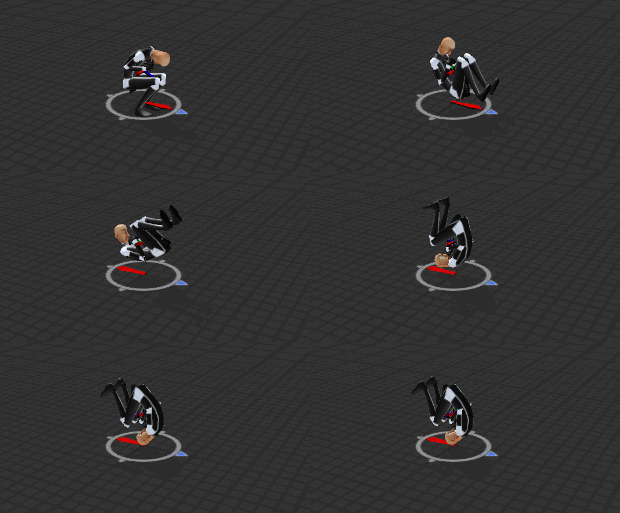
I have a backwards walking animation but the body keeps spinning when i use it, i only have it on walk/run backwards, how do i stop body from spinning?
muted prairie
Have you tried using the running animation and using it for the backwards slot instead ?
Unless it's a very specific animation ?
@main grail Does it have billboard projection ?
small tapir
No, don't have the same running forward as backward. Looks fine in unity but not in game then body keeps changing diraction after each rotation (In Unity https://i.imgur.com/oq6fCfA.gifv )
 muted prairie
So you're not using the opposite for forward run/walk ?
small tapir
Yeah i use this one for run/walk forward https://i.imgur.com/hIia35Z.gifv
 small tapir
@spice urchin Do i do that on the animation or in the animation?
spice urchin
on anim in unity
there are settings
if u don't set it to original/feet
it will try to apply root motion
which doesnt exist for vrchat avatars
small tapir
Thanks will try
spice urchin
the avatar root cannot be moved by animations
u will see that the bottom circle stays in place now
small tapir
But that's how i made the spinning animation i rotated the Root Q X axis
spice urchin
thats not my point
u can see the change of direction
in the animation preview
with the red arrow
but if u make sure to make it stay at original rotation
u will see it stay ther
small tapir
Okey thanks for the help, i had this problem before too never figured out how to fix it 😄
small tapir
The Root Transform Rotation option?
spice urchin
yea
for example say u import a walking animation
typically the animation moves the root forward
so when u look in preview it moves the whole character forwrd
but then if u go to put root transform to original
the root stays in place wnd the character walks forward
teleporting back to the beginning when the loop finishes
since vrchat avatars have apply root motion turned off
in the first animation they would walk in place
if it was like an emote
small tapir
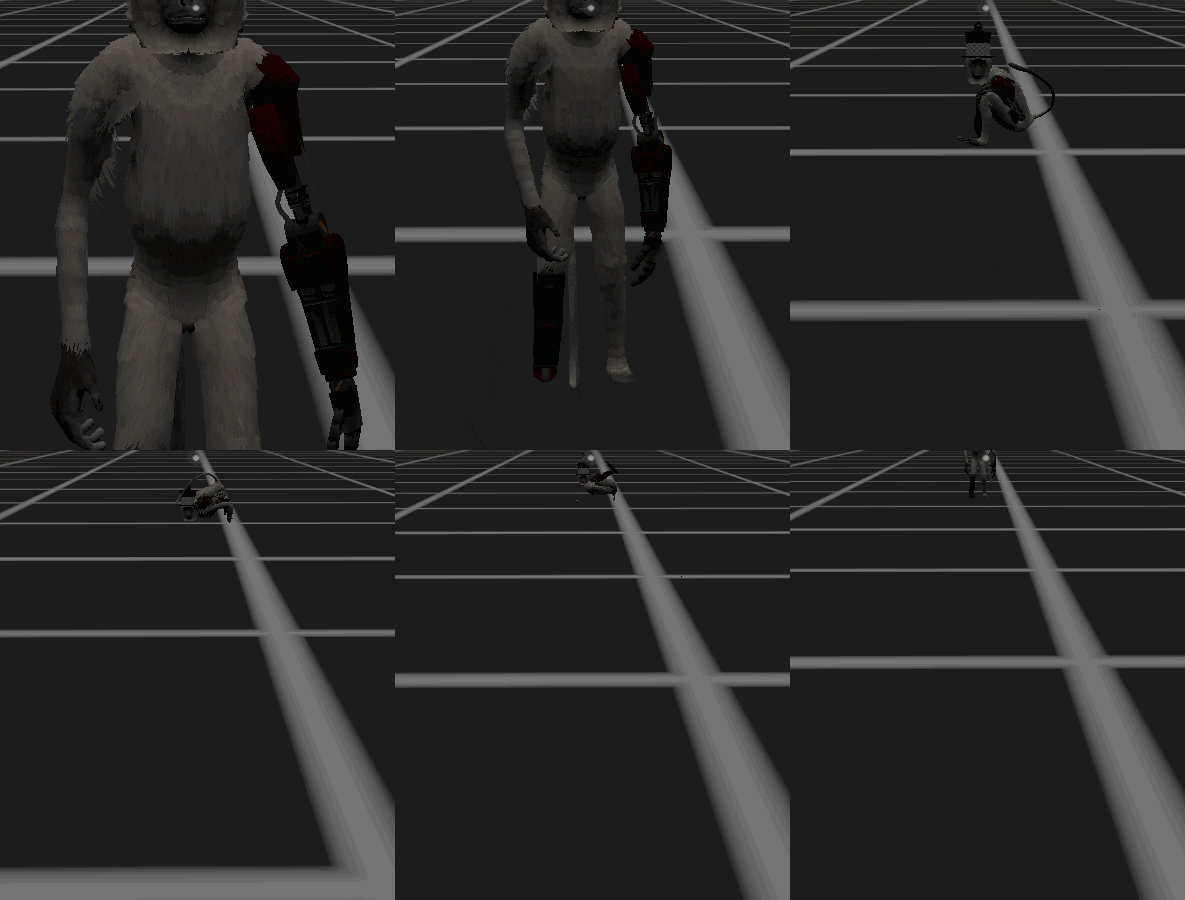
Didn't work, https://i.imgur.com/j6qJdvQ.gifv sry didn't get a good gif
 muted prairie
can you take a screenshot of your animation file settings ?
small tapir
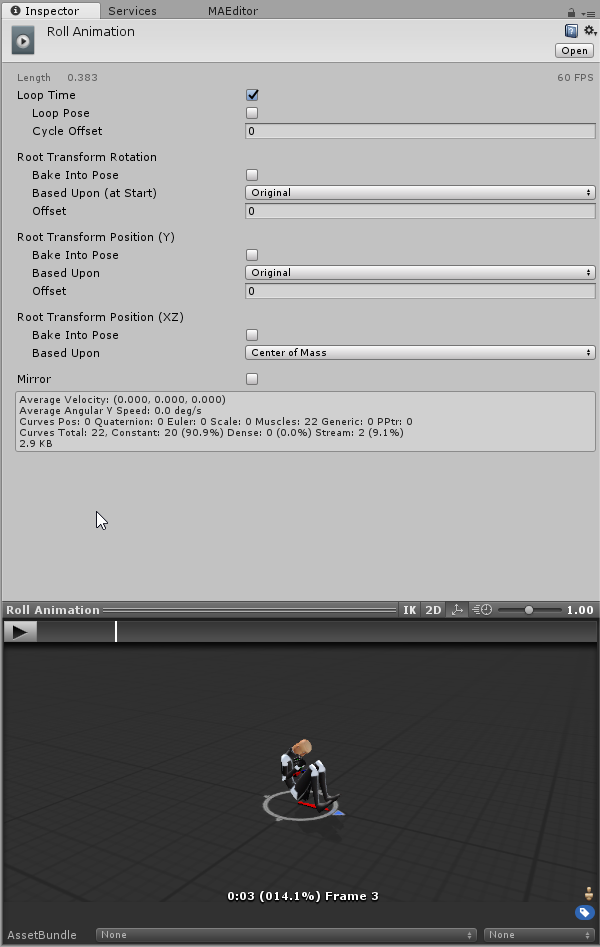 misty bolt
I still can't fix my issue ;-; The GameObject is still blinking in my animation ;/
verbal ridge
anyone know if its possible to use a gesture to disable animators on Body, or Armature
small tapir
Still didn't work, i wonder if it's the neck/head that's doing something beacuse that always face the way i'm looking. Or maybe something with the animation need to have a look
spice urchin
its not even checked lol
no it should work as long as u
re uploaded, switched to another, and back to that one
it might however
be interpolating ur roll
with other movement animations
bc there are more than just 2
small tapir
So it seems this is a local problem for me only no one else sees it that way online
A friend just sent me a video of them filming me, and looks like it should
spice urchin
what
additive adds to the previous
so if u have a walk animation
and an arm raiser
it would make the walk animation play but with the arm offsetted
with normal blend it will just stay raised
fallow spire
<@&378256373701410817> sorry for the ping, but i have to know that.. does dynamic bones works in animations? (maybe you disabled it for the game) i tried a lot but my object with dynamic bones is still stiff, but in unity it works fine...
muted prairie
That's really not an emergency 😦
fallow spire
yea, just answer please
 old mesa
im trying to get seats working on my model but i looked on line and a video said i needed an animation machine and couldnt use legacy
anyone know what im supposed to do when they say that?
fallow spire
you watch probabaly very old ones, just put a vrc chair and delete the event handler and trigger componant
 grand mango
@fallow spire Please don't ping Admins/VRChat Team for non-emergency issues.
fallow spire
i'm so sorry, but the simple yes or no could be very helpful to not more wasting time in things they will not work ingame...
hollow perch
@fallow spire it works in editor. You are making the claim that bones are not working ingame?
When disabled by default and later enabled through animation?
You are asking a very complex and uncommon question related to enabling the dynamic bone component from an animation. I don't see how it would be possible to provide a simple answer unless someone is doing exactly what you are doing in the way you are doing it. Even if I test and say it works for me, you might be trying something different
fallow spire
no, when for example the dev's would have disabled that they dont work inside animations than i would have an answer... this was the question in this case
hollow perch
What doesn't work inside animations? I still don't understand the setting of your question. My understanding is You are asking: if a dynamic bone component is Disabled (unchecked) at upload time and I later use an animator to set the Dynamic Bone.Enabled property to 1, does that enable the dynamic bones. Correct?
I'm 100% sure this worked in 5.6 ingame because I had an avatar that did exactly that. And I just tested in editor in 2017 and it works. Hence it's reasonable to assume it will work ingame but I'm not going to spend my time doing the testing for you. Just upload and see
fallow spire
more or less, the dynamic bones are disabled because the whole animations is disabled
hollow perch
If it doesn't work it's reasonable to assume it is a bug related to the unity 2017 migration and I would post your use case to the canny
If you put an animator directly at the avatar root where your avatar descriptor is, that animator will get destroyed upon loading the model ingame. That's the only case I know of where an animator fails to load ingame. Use overrides instead
However I'm a bit afraid because you use the word Animatiln. Legacy Animations are not supported. See pins for how to convert to animator
fallow spire
i dont talk about animations as legacy and also not about animators on avatars, it is a simple animation for an object what is parant of the avatar and the object has dynamic bones but they dont feel adressed ingame
just the jiggle effect will not work
old mesa
i put the seat in and deleted the 2 things but it isnt working
hollow perch
Ok so you have a not active game object inside your avatar object with dynamic bones on it, and when you enable that game object the dynamic bones do not run? I have never tested this but I can tell you a workaround which is to keep the object's armature always enabled and just use the animation to enable unchecked dynamic bone components at the same time you enable the Body of that object.
@fallow spire if it only happens ingame and you believe it is a bug please create a simple avatar demonstrating the problem possibly as a prefab and unitypackage and file a canny. But the workaround I posted should work though it may cause a worse avatar performance rating
fallow spire
you mean i should try to activate everything what has to do with dynamic bones in the animations?
hollow perch
Possibly. I was going for keep everything enabled all the time except for the mesh and uncheck the dynamic bone objects. Then turn on all the Dynamic Bone.Enabled to checked in your animation. Also as I explained before only the first dynamic bone on an object works this way. Don't put more than one bone script per object if you use animations
small tapir
Quick question: if i have a sound on walking animation how do i stop it? I have it on loop but it keeps playing avatar i stop moving
fallow spire
yea i know, one script is enough
hollow perch
How do you play the sound? With enabled? The problem with idle, walk and run is they get blended. Even .00001 movement is more than 0 so any jitter maybe is enough to round up to 1 for enabling the sound. Maybe try putting it on run since run usually fires for walking anyway but hopefully not on idle.
Can't say I have done this before. All I wanted to point out is the blending is very aggressive and can be quite counter intuitive how it works especially with all or nothing checkboxes @small tapir
small tapir
Ah okey i can test some stuff, i know it works tho, seen other people with footsteps
hollow perch
I wish I knew how it works. I though the people with really precise footsteps use the vrik footstep triggers or something like that but I heard some parts of those got nerfed so not sure
small tapir
@spice urchin Do you mean add it like this? https://i.imgur.com/tpxFhp1.png
 spice urchin
yea
small tapir
Okey that's not how i did it lets try it 😃
spice urchin
its why a bunch of source models have footsteps
cuz they using source movement anims
so easy to bind sounds
small tapir
Awesome that worked i feel stupid i didn't try that first, i had the sound on a game object with an animator on it that started the sound file. And i had that Animator being started with the walking animation
fallow spire
@hollow perch what do you think should be activated in the animations? i activated also one bone where the script is and some parts of the script but no change
 viral trout
Is there a way to use emotions on one hand, instead of overriding both hands?
Say that I wan to use a surprised expression, I want to use it only on my right hand
 ancient bluff
I think this belongs here, but are there any good guides for adding items to an avatar then assigning them to a hand pose? I wanted to add a mic to an avatar I have as well as some other things.
I know how to add a item to the hierarchy of the avatar and then get the item in position I guess what I need help with is actually posing the hand and then how to create the animation to add.
slim sparrow
@fallow spire objects don't have dynamic bone in the mirror
Ignore that
Do not make the dynamic bone object always active, it'll increase strain for no reason
@viral trout nope, no way to do so
fallow spire
whats then the solution?
slim sparrow
Ignore that
fallow spire
what?
slim sparrow
It will work fine for other people
fallow spire
no it doesnt
small tapir
I don't get this i have the same vaule on each keyframe Root Q X 25, so it should not move at all, but yet it keeps changing the value betwen 2 keyframe with same number https://i.imgur.com/v8wsYJO.gifv
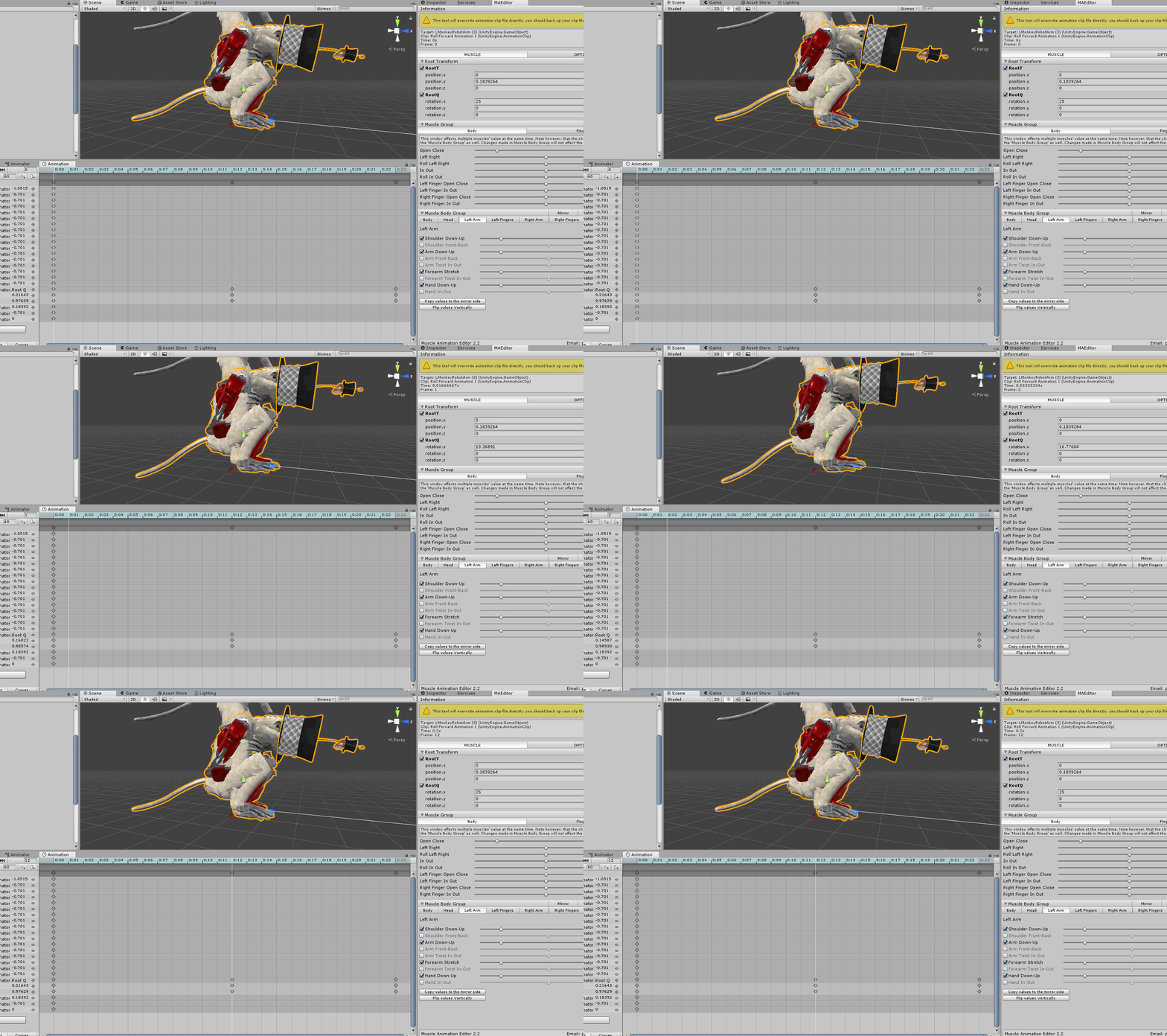
I fixed it, but i still don't get why it happens
fallow spire
is it not possible to put a particle effect on the head bone?
eternal topaz
guys how do I prevent gestures with animations from slowly transitioning in between the two? I want to cancel an animation, but when I do another gesture, it is extremely slow to switch, which ends up looping my gesture multiple times
eternal topaz

I end up doing this whenever I try to do a mesh swap for my avatar as well, anyone know of a fix for that?
 craggy sage
so everytime i click the add property button it shows the menu for a split second then vanishes, is that normal?
or when i click on the project tab?
muted prairie
Is there an error in the console ?
craggy sage
me? i cant tell, when i click it snaps back to the animation tab
muted prairie
You tried googling that ? Sounds like a unity issue
craggy sage
it does, but ive never seen this, like if i detach the tab, it works
lemme try something
muted prairie
You can also try closing the tab and reopening it, as well as quitting unity and relaunching
craggy sage
for everytime i want to make an animation? O.O
well imma try a few things, and if that dont work, imma reinstall unity
OH, just remembered, so i made a empty game object, animated it to just spin on one axis, but it does this oblong loop spin, is that normal?
slim sparrow
@craggy sage could be the smoothing/interpolation, you might be suffering from gimbal lock
wild cedar
Anyone know how to get a shader to rotate?
Like, I want my name to slide around on my cape
slim sparrow
Just animate the texture offset on an Animator or something
wild cedar
Is it that simple? Well then
viral trout
How can I play a sound when I'm moving forwards?
*its for a car model
I made a new audio source for it and dropped it in the override
wild cedar
In the custom override there is a walk fwd animation
Or well, walk fwd "option" out of all of them
Just place the audio animation there, it is not perfectly timed but it works
viral trout
Should I leave the forwards sound unchecked in the inspector?
viral trout
i dunno why when I check it off, it doesn't play when I move fowards
 fierce bane
@fallow spire it does work, but generally you won't see it as the head is locally scaled down super small to not have it in your own way.
If you set it to local scaling you should still see it fine. Or if you use a rigid body to have it lock to the head, and place it outside the armature linked to that with a fixed joint it would also work normally.
fallow spire
i solved it, thx anyways
fallow spire
other question, i tried to make a idle animation and the arm positions looks good, but i made also a simple hover animation like up and down but this dont work, is there maybe a option i forgot to activate or something? and it also breaked the visemes :/
 lapis olive
NEW INQUIRY: I'm sure there is an overwhelming chance that this has been addressed already but here we go..
Ever since the new update a world of mine is having issues with models being disoriented and animating incorrectly upon upload with the new SDK implemented.
For example, I have a tractor model that slowly animations in a levitating movement looped. It behaves normally in Unity 3D editor but in VRChat it's fully upside down. Anyone deal with this? (I have an animation sync on it)
torn pawn
there are no issues if u reupload with 2017, make sure you have the version which Rokk mentioned
 timid prawn
its there a list of what expression people usually put on gesture ? So it can be universal in a certain way
rain reef
No
Its whatever suits your needs best
A thing that is used a lot though is a smile on the victory/peace pose
small tapir
Is it possible to make a walking animation but also with start and stop animation?
pliant plank
Seems like every animation is taken into account to merge their start/stop states seamlessly, so i doubt one can actually do that
Unfortunatelly that method screws up completely different animation types so there's that drawback...
 lucid heart
I have figured out how to make a "third arm" with rigid bodies and fixed joints, but I noticed that the coupled bones will always face in the same direction, independent from their parent bones. Is there a way to make a joint move in local space? So that the rotation is always in relation to the parent bone?
 silent flare
So I'm trying to add a face emote that I made on my avatar and whenever I try to use it in VRChat, my avatar glitches like how this person's avatar does. https://gyazo.com/84031b9f9e8967011efb611cbbc61b08
Any ideas on how I can fix this? ;w;
I'm also not intending to add body movement to the avatar when the face emote is used.
slim sparrow
@silent flare can you show a screenshot of the animation dopesheet?
silent flare
What's a dopesheet? ;w;'
slim sparrow
The animation window
silent flare
OH
Yeah, hang on one second.

I think I deleted the duplicate model I used to make this emote so I may have lost something for it but I can always make another one and then show it if needed.
slim sparrow
No, I mean the animation window
The one opened with CTRL+6
Where you make the animation by adding properties etc
 slim sparrow
Well I'm not sure what you expected lol
Remove the "position" and "Root T" properties
Then it should be fine
silent flare
Ohhhh! Okay. Thanks!
So I just remove those properties right? I don't have to make the emote(s) again in order to fix it?
slim sparrow
Yeah, you just remove the properties
silent flare
Okay. c:
 leaden rapids
so... I have an animation that makes my crown spin in a loop automatically. works in unity but not ingame...
slim sparrow
Did you use an Animator component or a legacy Animation component? @leaden rapids
leaden rapids
Animator, placed on the avatar, under the vrc_descriptor
slim sparrow
Oh, you can't do that, the Animator there is not in your control
Put the Animator directly on the crown or the crown bone instead
leaden rapids
it's a eyeblinking animation I've been using for months because this avatar never had eyeblinking from blender.
slim sparrow
Or the head
Your main avatar object's animator gets a controller assigned by the game
Blink animations are generally done with an Animator on the body
leaden rapids
basically I added the crown-spinning within the same animation the blinking uses, but now neither works ingame. only in unity..
slim sparrow
And moving objects are done with an Animator on the object or its parent
leaden rapids
oh wait, sorry. it's an Animation component, not AnimatoR
slim sparrow
Oh
Well in that case, Animation component is gone
It's no longer allowed due to exploits @leaden rapids. Use an animator
Sorry if this message appeared twice, Discord is having its outages again
leaden rapids
How come the Animation component still works for normal eyeblinking though? 🤔
slim sparrow
Avatars uploaded before September 1st are spared
If you update them now they will break
I had to jump through a lot of hoops in order to get toggle-able blink working again
But if you just want blinking with no ability to pause/stop it on a gesture, you can just put an Animator on the Body
It kinda sucks
You can put Animator components just about anywhere you like at least
leaden rapids
from what I know of the Animation component, I cannot have more than one. Is this different from Animator?
slim sparrow
Yes and no
You can only have one Animator, but an Animator can have many "layers", which means many different animations playing at once.
One animator per object that is
leaden rapids
I don't know where I'm supposed to place the .anim files on the Animator though..
silent flare
The avatar is still spazzing out when I try to play the emote. ;w;
slim sparrow
@leaden rapids https://www.youtube.com/watch?v=iHQNw6Tg5-U
Here is a quick tutorial on converting your legacy avatar animations to the animation state machine system. :)
You basically just drag the animation file onto the object with the animator on it, and this will automatically make a controller and assign the animation in that controller
silent flare
The avatar basically does this but glitches up and down whenever I try to activate the custom emote I made.
 orchid wasp
silent flare
orchid wasp
silent flare
Here are what the animation dopesheets for the custom emotes look like.
leaden rapids
sweet, that video actually helped
my only problem now is how to make the crown spin in a loop smoothly without stopping/slowing down when it resets
so it looks like it's always spinning without any sense of interrupt
silent flare
Does anyone have any ideas on how I can fix the avatar glitching when I activate my custom emotes? I'm really sorry for asking a second time but I'm still having trouble. ;w;
hollow perch
Did you turn off loop
Copy All the posing information from the example idle animation in the sdk into your emote animation. Also make the keyframes a bit further apart
silent flare
How do I copy the posing animation again? TTwTT'
Oh. Never mind, got that part solved. XD
It worked! Thank you so much! ;w;
 slim steeple
Any way to check the default walking animation on a character in a scene? I wanna figure out if there's a glitch with my model that expands it's bound sizes as it walks but I can't figure out how to have it play the walk/run animation of VRChat in the "Play scene" option
lapis olive
@slim sparrow You said, "did you reupload it in Unity 2017.4.15f1?
Or is it still on 5.6.3p1?"
I'm running that Unity version yes, my other worlds have uploaded just fine through this new standard & SDK.
clear yew
Wheres the easiest place to get animations for a Mario model?
I need to rig walking sounds to the legs
timid prawn
Find the animatuon in the vrc sdk and add sound when the character hit the floor. Idk if there is an easy way to do it
There was that pingouin on vrc mod that have a sound when walking. Maybe Search that
clear yew
🤔
timid prawn
duplicate the animation
clear yew
how do you do that
timid prawn
Like any program
clear yew
Ok now I have it hooked up for mario to have a running animation, I just need to add the sound
and for some reason the animation is read only
nvm fixed it
clear yew
well
I got the script and the sounds set up
but vrchat doesnt support scripts
so im kinda fucked right now
clear yew
and now my plans are ruined, so yeah
clear yew
what?
spice urchin
u put animation override in the character
or use generic avatar and make ur own animation controller
clear yew
no im already past that part
spice urchin
but if u want body tracking and all that stuff
clear yew
I want to add sounds to the walking
spice urchin
then y do u need scripts
exactly
u enable the sounds in the animations
and use the animation overrides
 unique night
whilst recording the animation in unity, just enable and disable the audio object and it'll be keyframed in the animation
you can do it that way or just enable and disable the audio component
one of those is more reliable, just can't remember which one it is for avatars
viral trout

I wanted to create emotions for my new avatar but, facial expressions don't work in unity for some reason...
 jade bobcat
@viral trout in unity the value is 0-100 not 0-1
small tapir
Is there away i can avoid my avatar going into animation pose when i animate? Can i keep it in default pose?
spice urchin
yea
just download a t-posing animation, use the muscle editor tool, or use the idle animation from the SDK
then edit that
also duplicate the avatar before animating
and for gestures it shouldnt rlly matter bc every other humanoid param except for fingers is ignored
small tapir
I'm getting sick of my idle animation pushing me into the ground, i have same animation on idle and walking. But yet it wants to put me under the ground a bit. I don't get it
clear yew
When creating animations would it be best to design them for 60fps or should 30 be fine?
spice urchin
typically it shouldnt matter
bc a lot of animations make use of animation curves
so unless ur animation is a giant conglomeration of keyframes
floral imp
I'm trying to set up a idle pose, and for some reason any attempts I make to make the avatar higher so the idle pose isn't in the ground don't work. It keeps reverting the hip (or armature) position to be in the ground.
 austere ibex
so uh i'm trying to test my dynamic bones and whenever i press play it just turns me into the camera
rain reef
@austere ibex press scene in the top of your view window when you enter play mode
austere ibex
thank yoou
hollow perch
@floral imp you are editing the root stuff in Animator right? Changing any positions directly in Armature won't work
rain reef
@floral imp you have to edit muscles, not bones
floral imp
Ok which muscle makes it not do what is happening.
rain reef
The ones you want to pose for your idle pose
clear yew
So I have an emote I'm trying to give a model, but I keep getting the broken emote pose
How do I fix this?
small tapir
Why do my avatar move up and down when i move? https://gfycat.com/MistyWhirlwindHackee

This one don't so there must be away to fix it https://gfycat.com/DeliciousAffectionateCockerspaniel
 slim sparrow
@small tapir the AFK pole is a generic rig
The one on the top moves up/down, but that only happens locally and you can ignore it
It's probably remnants of one of your walk animations, or a crouch walk etc
small tapir
Are you sure it's local? beacuse when i ask online they say they can see it too
Oh i know why it's happning now, it's when i look stragiht forward it happens but if i look up it don't happen
 shy peak
Does anyone have like a reference image for what the animation overrides correspond to on the touch pad?
 tacit frost
I'm definitely screwing something up pretty hard w/ my animation, it's supposed to activate my particle system, and in the unity window it works perfectly, but in-game it just makes my character bounce up and down really fast and lasts forever
hollow perch
Maybe start by copying the example idle pose animation from the sdk and turn off all the looping checkboxes and delete all the keyframes after like 0:30
Then paste in your custom stuff and again make it like 0:10 long to 0:30
Note this is Different from gestures that are 0:01 -
rain reef
@shy peak https://cdn.discordapp.com/attachments/441706643042861056/530937521035542528/IMG_20190105_033556.jpg

The only thing that is slightly incorrect is
The trigger is whatever you set it to
The Fist is the center of the touchpad
shy peak
ty boss
hollow perch
That picture is accurate if you have vive advanced controls turned off
rain reef
Yes, the old control scheme.
But its not default anymore
So its inaccurate on default
tacit frost
@hollow perch Now would I do all that in the animation tab, or in the inspector after duplicating the default idle
hollow perch
Still my preferred. Really? I hope they keep it. Having to hold down the touchpad or trigger to keep a gesture active is frustrating
rain reef
Its not been default ever since the new scheme was introduced afaik
hollow perch
The loop checkboxes can be found in the inspector when you click and anim file in assets. The part about editing the idle pose and pasting your stuff you do in the animation window
tacit frost
@hollow perch Honestly I'm so lost, would attaching it to a gesture be any easier?
hollow perch
Yes because you can have it on by holding gestures and you don't have to deal with baking a root pose or anything
tacit frost
yeeeeeeeeeeeeeesh, nothing is working, I hate this
hollow perch
Are you testing in the unity editor? Sometimes it is picky about clicking on the particle system and pressing simulate. In play mode?
tacit frost
It works every time in unity, but never in-game
that's what's so weird about it
I honestly probably just have it set up totally wrong, but I wouldn't know
spice urchin
man the vive gestures seem so unintuitive
at least on oculus u got a grip and a trigger which makes ur gestures somewhat similar
also all gestures have to be 1 frame long
tacit frost
@spice urchin Mine are
still not working, so maybe I'll go watch a couple guides or something
I dunno
tacit frost
custom I guess, I just want to spawn a particle with a gesture, and it works in Unity every time, but never in-game
I probably just set it up wrong honestly
spice urchin
yea
is it a world particle
if so the only way to truly get those to work is to
connect them with a hinge or fixed joint
and make sure not to ever disable the actual gameobject
enable and disable emissions or put the particle system as a child of the moving object
moving object being the hinged/jointed to the bone
tacit frost
The world object part of it actually works, I tested that part, like it worked totally fine in-game when I would just have it activate right off the bat when I spawn
I'm really just trying to attach it to a gesture or something now so I can control when it spawns
the part im stuck on is just linking it to a gesture, since I've never done that before
The part I'm controlling w/ the animation is just turning emission on, which works totally fine in unity, but in VR chat it doesn't do anything
which just leads me to believe I set it up wrong or something
@spice urchin I'd post a screenshot of what I've got as the animation, but I don't think I can in this channel
spice urchin
links work
tacit frost
Like this is all I've got for the animation and in the hierarchy, and it kinda feels like it should be a bit more involved https://cdn.discordapp.com/attachments/446773724377776152/530987918354022410/Screenshot_175.png https://cdn.discordapp.com/attachments/446773724377776152/530987928206311424/Screenshot_176.png


but I wouldn't really know
spice urchin
ok but
does the gameobject have
hinged to the bone u want
bone has a kinematic rigid body
also particle emitters behave better if they have emissions toggled
if thats what ur doing
tacit frost
it's a world object in the sense that it spawns a particle in the world space, like not attached to my armature or anything, It's basically just meant to act like a static-prop
also It's hard to tell based on the name it gave it, but that animation is toggling emission
tacit frost
the particle system or the gameobject
tacit frost
It just sits there, like it aligns itself to my rotation when it spawns in, but it's just meant to stay totally still (it's a mesh particle of SCP-173)
clear yew
Recently saw a friend with an avatar that can place clones of itself down & stayed while he moved around, does someone know how this is done or on which channel I should ask?
I'd enjoy giving the birb I'm making a little lemonade stand that stays in place while I hand out the lemonade
clear yew
reddit
13 votes and 14 comments so far on Reddit
Found this which helps direct me in the right direction though am still currently confused
clear yew
thats done with what people call a "toggle"
its a persistent animated state
you can use it to place a world fixed joint which has your object
alternatively you can do this with a world mesh particle, which you would orient locally using a shader
for a lemonade stand, which is feasibly a mesh that you would not animate, and could be 1 material, a world mesh particle w/ shader is probably best, because physics stuff jitters

GitHub
Contribute to oofdesu/lin-unity-packages development by creating an account on GitHub.
that is a unity package which will do the world particle thing
replace the bed mesh with your lemonade stand mesh in the render submodule of the particle system
it needs to be 1 material or it won't work as a particle
if you can't figure that out because of the particle system or the shader, or you can't get the mesh to be 1 material, use this instead: https://github.com/oofdesu/lin-unity-packages/blob/master/toggle_basics.unitypackage
GitHub
Contribute to oofdesu/lin-unity-packages development by creating an account on GitHub.
use the emote toggle example, and replace the cube with your lemonade stand
@clear yew
@clear yew Thank you a bunch!
By one material do you mean as a whole?
yes. a mesh particle has to be 1 material for the whole thing
I plan to join my birb model and lemonade stand into one texture but did wonder if I'd be able to have one texture for each
as long as they are separate meshes
that is fine
Also curious, would I be able to add it into the gestures instead?
As a desktop user
For easier access
yes you can but it's less straight forward
Will continue figuring out the basics and manage to upload my first model then come back to this but thank you veeeery much for the info
Helps to know it's possible so I can work towards it and model out what I need > w O
Screenshotted the info for the future
torn pawn
but you don't even need to use a shader in 2017
using align by velocity on ghost particle that's under armature should work perfectly fine for subemitter spawning where you're facing
clear yew
im trying to make my handgesture animation to stay in the last keyframe and not loop over and over
anyone has any idea how to do this?
clear yew
then there is no way.. thank you
and sound keyframe, should i make only one keyframe for it?
to make it not trigger again at the last keyframe
sorry if that doesn't make sense
pliant plank
Make both keyframes enabled and it will stay enabled untill you leave the gesture
You could enable an animator with a gesture i suppose, depending on how long it is you may need to lenghten it to prevent a loop
slim sparrow
If you have an animation with a keyframe at 0:00 and 0:01 both enabling the audio source, it'll stay enabled and keep playing until you release it
pliant plank
Wonder if animators support clamp
I.e. freeze at last frame
I guess a blendtree does just that, since my vmd's just stop there
slim sparrow
Oh, like the legacy animations
pliant plank
Mhm
slim sparrow
I'm pretty sure you just need a non-looping animation for that
Or make a proper animator controller that transitions to a 2-frame animation state that loops
Same effect
pliant plank
Alrighty
slim sparrow
Animators write defaults so they're always controlling values unless that's manually turned off
spice urchin
enable and disable animators
 lunar pasture
hello friendo's
fallow spire
i'm a bit overwhelmed, i wanna make a emote animation but it's a bit difficult. for example i have all the stuff i need on my avatar but when i wanna make a moveing for the avatar then all the stuff on the avatar moves with him but i want then it dont move, and when i do the stuff away from the avatar then it is not longer a part of the animations... the answer is probabaly easy but i have a black out currently x.x
clear yew
How can I update or replace a FBX model within unity?
I created a new animation in blender and re-exported it, then changed the previous FBX to a random name & named this new FBX the previous name but when I click Refresh or Re-Import, the new animations aren't being added in
clear yew
Figured it out
Unity creates a copy within the project files which is the one I had needed to replace and then reimport
spice urchin
u can also save the blend file directly in he assets folder
those can also be imported and update on save
clear yew
@torn pawn every time i try that with velocity alignment, my mesh just continually rotates with the parent
if i use an invisible particle to subemit, how is that subemission supposed to be aligned? still velocity?
hollow perch
I think the trick for subemission ais to put inherit velocity but multiply by 0.000001 or something so it's still facing in the same direction despite being effectively stationary
torn pawn
main particle has to be under armature and very low velocity
then subemitter outside of armature (?)
dont remember the subemitter alignment, but it definitely works cuz i had to redo a lot of those for 2017
clear yew
ive always wondered, is it generally significant for an object to be inside or outside of the armature, even when not under any particular bone? are there any side effects for things like joints?
okay i got a stationary submitted particle
seems to be fine with everything outside of armature
getting that initial velocity and the low factor worked
hollow perch
@torn pawn I thought unity requires subemitters to be direct children of the particle system that emits them? Is there a trick to making a subemitter work when it is in a different part of the heirarchy?
clear yew
you can move the child particle system out of the parent after you assign it as a subemitted particle system,
i don't know how far that goes. i just now tried it with 1 system in armature and 1 out
worked fine
hollow perch
Oh interesting. I could have sworn unity gives an error when you try assigning out of the heirarchy
clear yew
it does on the assignment, but after that it apparently doesn't care and you can move it
hollow perch
Wow that's actually really useful. I was always doing some complicated fixed joint systems to lock each subemitter where I want
Stupid unity.
clear yew
yeah it is pretty useful
hollow perch
❤ and sorry for the ping Yuumi. I feel like this should be in some faq somewhere near that animator toggle trick and other useful things unity randomly restricts you from doing but then is cool with anyway
solar relic
hey can I use the Ui pannel on avatars?
its for an animation im working on... just finished puting together the audio
hollow perch
Unity Ui panels are not allowed and should not be added, at least without substantial security and syncing improvements. However there are still many options:
For a non interactive display of animator state (e.g. inventory systems) I have seen some good examples of this. It may be possible to build something interactive like a ui panel (local only) using a camera+interactive shader. Finally for particle/prop spawning, you can use particle system collision triggers to spawn subemitted particles.
solar relic
no no its not interactive..
its an animation that replicates the battle style of final fantasy 7..
I could do the panel and everything but the tex will look to blurry so I figured just ui panel for the look of it
@hollow perch
so wait ui panel has a syncing issues?
my animation is around 2 mins.. and I think I need the ui panel for 15+ times.
clear yew
so if u can make a seat on your avatar is there a way u can make it so people can pick you up and throw u?
timid prawn
I only need one animator on the body if I have multiple shape key animation for exemple?
 livid socket
Is there a way to be able to move the head of the avatar during an animation?
Like when I try to create keyframes for it it just resets
solar relic
@livid socket what are using to animate?
livid socket
The Unity animation editor
slim sparrow
You can't move humanoid-controlled transforms directly.
solar relic
the default one?
livid socket
Yeah
slim sparrow
Use the humanoid properties like head nod up/down, head tilt left/right
livid socket
But I need to move it upwards
slim sparrow
Make a shape key for that in Blender
Or make a fake bone between the neck and the head
(Breaks eye tracking)
livid socket
My character doesn't have (moving) eyes, so that's not a problem
solar relic
Save your effort.. just use muscle editor or Umotion
or use blender's animation.. and export it
solar relic
yeh but u dont have the flexibility as muscle.
but yes it can do it
@livid socket when u said dint work u ment muscle saying ur model is not humanoid?

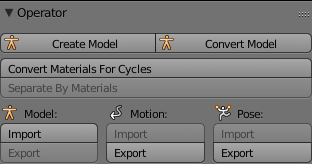
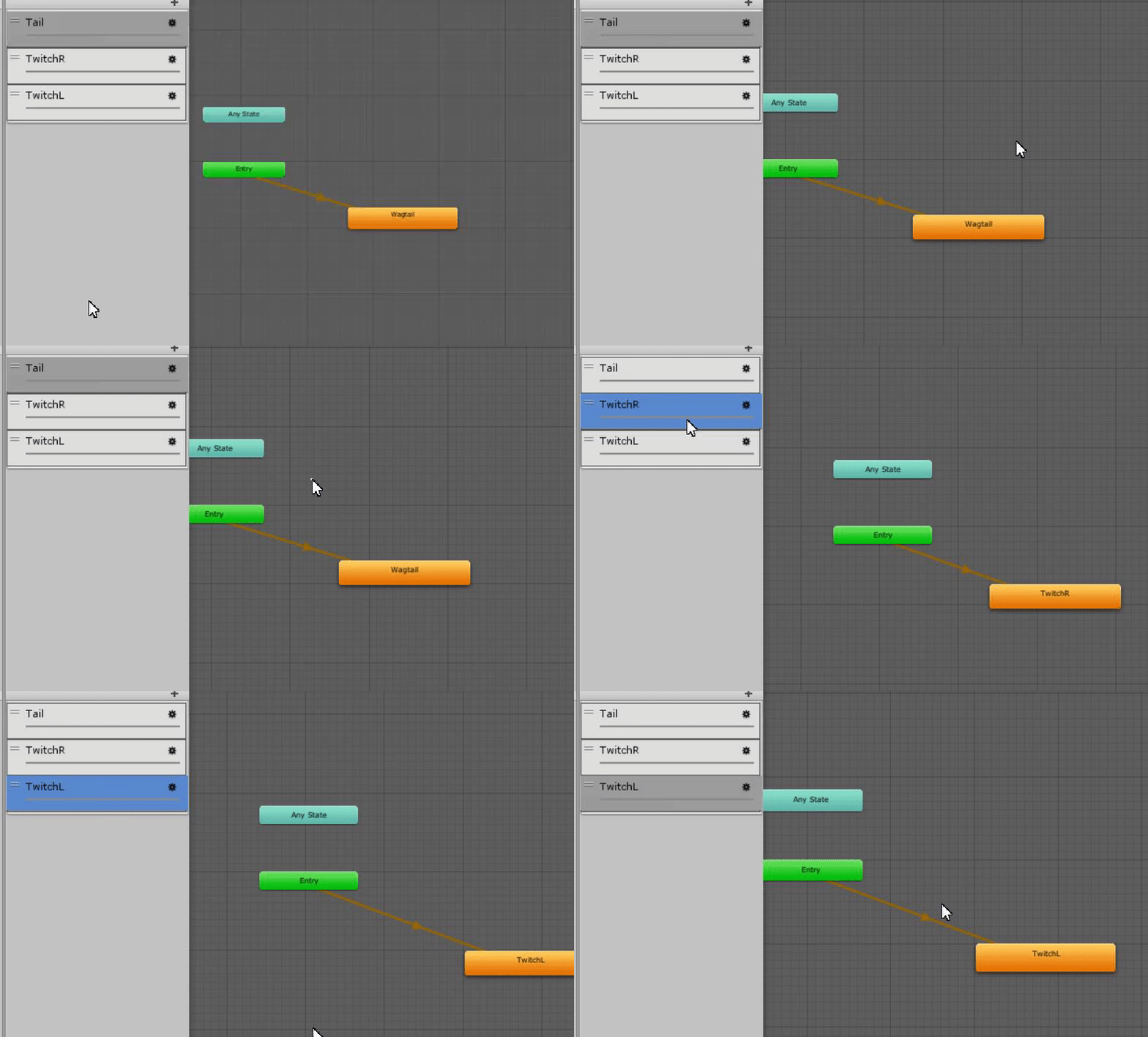


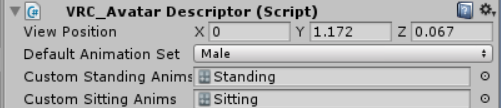



 solar relic
that wont be a problem ._.
u can jusst rig them urself .. as extra bones
n later animate them into ur idle so the eyes move
@hollow perch this is what I ment when I said if uing ui re ok or not
oh no pictures..
livid socket
I don't want the eyes to move as they're just cameras
I'll just add another bone in between
 olive lynx
Good morning everyone. It's been a while since I've been on VrChat. When I've recently logged on Ive noticed that some of my characters animations were scuffed. I.E. Super Saiyan Form. Normally when I do the gesture, my original hair dissapears and the new "Vegito" hair takes its place. But now when I do the gesture, both versions of my hair stay. I went back into unity and redid all the gestures but it still happenes. Even when I change my OG hairs material to an invisble version just like the last animation. Has anyone come across this at all? I could use the help please. :)
I also want to note that I have the newest verison of unity recommened and the newest SDK.
torn pawn
material change doesn't show in mirrors @olive lynx
 proven needle
Hey all, just starting out rigging/uploading models. I'm working on getting eye tracking and gestures working. CATS makes it pretty easy to get the eye tracking bits going. When I was playing around and blender it seemed like if there's an existing shape key that caused the model's right eye to blink and you named the shape key vrc.blink_right it would just work. I may be misunderstanding how this works Is there something similar for gestures? Like naming a shape key that made the model smile vrc.gesture_closed_fist would cause the avatar to smile when you closed your fist? I appreciate any help.
spice urchin
no
its completely unrelated and different
gestures can only be 'modified' or replaced by using animation overrides
 supple fjord
so you could change the animation
spice urchin
the names of the shape keys actually dont matter because eye tracking uses the first 4 shape keys
and u have 2 set which shape keys are used for visemes
its just common practice
proven needle
Ah ok, may have just been a quirk with the cats plugin but without selecting the shape_keys for blinking and just manually renaming them vrc.blink_* it worked when using the CATS eyetracking testing tool.
supple fjord
CATS eye tracking looks for these specific names so it can find them easily. That's why it only works with vrc.blink.
spice urchin
yea only for CATS tho
in vrchat its just the first 4 shape keys
i know this bc for some reason it didnt export with the blink shapekeys and i hadnt noticed
and it started 2 use my visemes instead of the blinking
hollow perch
Oh damn thanks for this @spice urchin . I was just trying to figure out why one of my avatars would keep opening their mouth and close it when you got close. Turns out the two lowerlid shapes got deleted
torn pawn
has any1 encountered an issue where unity would reference a 1 object higher in hierarchy than what it should be from original animation file? fixing the path and sending over the file would revert it back to broken, so it has to be fixed manually by the user
 hybrid roost
Anyone know how to fix an issue where when changing a model's materials in an animation, it doesn't save one or two material changes, or changes it to something else entirely?
This keeps constantly getting in my way while trying to make animations on models, and I STILL have no clue how to fix it.
spice urchin
separate the entity that u want to change the properties of
u can only change multiple of the same component/material properties in animations
hybrid roost
Huh?
I can only change multiple? That doesn't make any sense.
quiet needle
Generally when I go to make new animations I delete my animator armature and reduplicate it to be sure the hierarchy is pointed at all the right targets (keep the animations and reassign your old controller to the new duplicate). I'm not sure if that would help or if that's even going to affect it, but just food for thought.
You can also recreate the controller if you feel like doing a lot of dragging.
slim sparrow
Not sure what you're saying though
Generally people make a duplicate of their avatar, make the animations on it and then throw away the duplicate
quiet needle
Right. You can recreate the duplicate and make a new animation controller, then drag all your old animations onto the new controller file to import them onto it.
Fixes problems with targeting and hierarchy
slim sparrow
You can also drag the animations onto the model directly
quiet needle
True, but that would assign them to the model's controller instead of making a new, clean and fresh controller to work with.
rain reef
Which in the end doesnt matter at all
quiet needle
Unless you're a serial organizer like myself
small tapir
@quiet needle You would hate my unity i have everything in one scene, one project and one hierarchy
olive lynx
@torn pawn ohhhhhh, thank you!
slim sparrow
Lol
I see little point in making new controllers if I'm not gonna use them ingame
I always leave my animator controller unassigned on upload
If I need a fancy preview pose I'll put a controller on a duplicate though
Still haven't settled on a background for my private avatars
 spark coral
Hey, so I'm working on my first model for VRchat and it uploads and works fine, but when I check the animator count it says 6. Is there any way to have one file that holds all my hand poses and facial expressions?
leaden rapids
In unity, is there a way to reset an avatar back to T-pose after it's locked in that animation pose?
fallow spire
how to make the blinking with the new unity? ealier it was easy with lagecy animation but now i dont know
torn pawn
@fallow spire first pinned message
fallow spire
?
leaden rapids
Click the pin icon and you'll see the first video, the one Rantis posted. It'll explain how
Now if someone could just explain how I can reset an avatar back to T-pose...
torn pawn
@leaden rapids https://github.com/rurre/PumkinsAvatarTools

GitHub
A tool to speed up setting up VRChat avatars in Unity - rurre/PumkinsAvatarTools
this tool has option for it
or check pinned msgs
floral imp
So I'm trying to make a idle animation, but I don't quite understand how to make the avatar not go into the low pose position. I tried adding the tpose from the sdk, but my feet were clipping through the floor.
Oh, I think adjusting the rootT y position may be fixing the issue
floral imp
I'm not out of the woods yet. Now my avatar is almost crouching in game. Like the hip bone is trying to be at that one position.
spice urchin
also dupe it before animating