#animation
1 messages · Page 93 of 1
 whole panther
 narrow current
Sure, I hope your avatar making goes well!
whole panther
Yes it works! I'm so happy now! I was able to get one avatar back to normal so I'm sure the rest will follow! but for now bed...zzzZZ
 visual summit
Why is my avatar's back animation not working?
The blades are supposed to move like above
But when uploaded, it froze

 grizzled badge
hey can someone quickly say if
when Im making an animation to an avatar where a prop appears in hand
do I have to import the customoverride to the original avatar'
avatar's descriptor or also to the avatar that was duplicated for the animation
 obsidian vigil
you can delete the duplicate
visual summit
Also, I double checked my animation and it's not legacy
grizzled badge
so the duplicate doesnt need the custom override file?
obsidian vigil
@grizzled badge as soon as your animation is done, you can delete the duplicate
duplicates are just there for animating
after that they can be discarded because they wont be uploaded anyway
grizzled badge
I see, thanks!
 fallow spire
someone here who knows how to make a custom walk animation?
 icy crow
same way you make any normal animation
fallow spire
i would not ask if everything what i tried doesnt work
 thorn idol
well, you create a duplicate of your avatar, disable the other one
assign it a blank animation controller, create an animation inside that controller
animate the walk and thats it?
and put it into an override controller attached to the vrc avatar of the original avaar
fallow spire
can you explain more the part with the blank animations controller?
thorn idol
just create an animation controller, it's an asset
 rain reef
You dont even need to create an animation controller
because its an animation override
You can just make an animation clip and then put it in the provided example animation controller
to override your walking animations
im pretty sure a custom animation controller wont even work with the provided animation override controller
as it only takes animation clips
thorn idol
when i make a bunch of animations i usually just use a regular controller and throw them all in there, animate them in there and then move them into the override controller
rain reef
i mean, thats just overcomplicating things for a walking animation
thorn idol
i dunno if that's inefficient tbh
rain reef
it is
there is an example controller that takes animation clips for walking and so on
and it overrides them correctly
so its more reliable and also already premade so you can save time
thorn idol
oh well
fallow spire
i'm confused, what is now the correct name of this controller?
fallow spire
ok this is what i used everytime for new overrides but it doesnt work... so the problem musst be something else
fallow spire
i need someone who realy knows how to do this
 slim sparrow
I think you are fundamentally misunderstanding something
You can just put an animation in the WALKFWD, RUNFWD and SPRINTFWD slots
Assign that override controller in your custom standing anims slot
fallow spire
this is what i did also
slim sparrow
¯_(ツ)_/¯
fallow spire
jea...
slim sparrow
Screenshots might help
fallow spire
screenshots of what?
slim sparrow
Your setup. The dopesheet of the walking animation, a screenshot of your VRC_Avatar Descriptor component, and a screenshot of your override controller.
fallow spire
befor i do screenshots i still need the correct settings in general, i mean when it is a combination of things they have to be correct then only one thing would be enough that everything doesnt work.... for example the animation self, does it have to be a loop, default, once... legecy.. or something else of these settings... and so on
fallow spire
and what you mean with dopesheet?
icy crow
The timeline where you create your animation
rain reef
you might be better off downloading something for now
or watching a tutorial on animation
we can only tell you how to set it up
fallow spire
here a pic of all the things and a tutorial of exactly this problem doesnt exists
https://abload.de/img/pic5h2fiy.jpg
 slim sparrow
@fallow spire you do not have an "avatar" set in your Animator component
Make sure to set the correct one
Oh nvm, it seems that might not be necessary
Is it a generic rig?
If so, you will need to make your own animator controller entirely.
Take the SimpleAvatarController controller, replace the animations in there, then set that as animator controller
fallow spire
how to replace the animation in the simpleavatarcontrolle? @slim sparrow
slim sparrow
You open the controller and change the motion file
If you have any more questions, I suggest looking up a tutorial on animator controllers
fallow spire
i dont understand, on the simpleava... there is nothing to open
slim sparrow
Click it, click "open" in the inspector and it should open a brand-new "Animator" window
fallow spire
ok i was trying something but the animation only work by themself, like a permanantly animation but it still does not react by walking or running...
 sand crater
So I recently got VR but I haven't gone around to making custom hand gestures and I was wondering if someone could run me through how hand gestures could work along with facial expressions (I have the Vive if that makes any difference)
is the only option to bind hand gestures with a facial expression to maximize emote slots efficiently or is there something that I'm not aware of that could be used to combine hand gestures with facial expressions without sacrificing slots?
Thanks in advance o~o
rain reef
@sand crater You override the hand gestures, meaning, you can add a facial expression to the hand gesture, it doesnt use emote slots.
You can add anything in the animation for the hand override
weapons, particles, facial expressions and so on
as long as you have it in your animation and on your avatar
sand crater
Oh I see
could you tell me how you do hand gestures on a Vive?
is it the one where you hold down the trigger and press on the track pad?
obsidian vigil
@sand crater wut
sand crater
Because the only emotes I know of are the 8 emotes that desktop users have with F1-F8
obsidian vigil
gestures on the vive are done by putting the thumb on a position on the trackpad
sand crater
and it's mirrored on both controllers
obsidian vigil
i think so
sand crater
Oh
when I said emote I kinda meant facial expressions, not the animation emotes
sorry for the confusion
;w;
obsidian vigil
ye ye its fine xD
whats your question though
im a vive user
maybe i can help :3
sand crater
I was wondering if there are more than just 8 hand gesture overrides for the Vive
obsidian vigil
there arent even 8
sand crater
What
sand crater
There's 7
obsidian vigil
as in reassign
obsidian vigil
nah
sand crater
It is
obsidian vigil
grip = fist
sand crater
A total of 7
obsidian vigil
middle pad = fist
sand crater
guess I'll just stack hand gestures with facial expressions 🤷
Thanks for the replies
obsidian vigil
👌
 fierce bane
@sand crater side note, when you go to make animations duplicate your whole avatar and animate only on the duplicate or you'll have to fix the resulting "breaking" of your avatar afterwards.
Duplicates can be deleted after you're done with them, they are not required to be kept.
 main grail
Is it possible to make custom idle aniamtions in unity?
slim sparrow
Yes.
main grail
Mind helping me out i tried making a crouch idle but unity doesnt like that
slim sparrow
Oh, I'm not sure how crouch idle works in this game exactly. What are you having trouble with?
main grail
Well the issue is that i made an animation on a duplicate model and i assumed i could just drop that animation in the crouch idle in the animation overide but the animatioln doesnt effect the original at all
 high tangle
thats a thing a lot of people have pointed out, crouch animations can't seem to be override, not sure why
slim sparrow
Can anyone explain why the lock icon in the animation window keeps disappearing, and how to get it back?
It's incredibly annoying
The only fix so far is to reset my entire editor layout to Default
 onyx agate
it may get shifted offscreen (happens alot in Unity windows)
slim sparrow
The tab is docked on the bottom though
onyx agate
Can someone explain me how to loop part of an animation (i have a prefab walking animation but it is 3 parts basically (start animation> walk animation > stop animation), how to keep it to the walk as i walk go to stop when i stand still etc
slim sparrow
I think you might be able to use offsets, but I dunno
That might not be possible if your avatar is humanoid. You are better off splitting the single animation file into three
onyx agate
@slim sparrow not humanoid luckily .. just gotta figure out how to split the animations. 😃
slim sparrow
Ohh, alright
Well in that case, you should definitely split them somehow. Not sure if the Unity importer can do that for you
You can make an animator controller with state transitions for start/stop walking
Have a look at the SimpleAvatarController for a quick example, although I think that one might use blend trees instead
 upbeat stratus
Hey everyone, I was wondering if someone could give me some tips on how to go about doing this
So currently I have a dance that I want to display when I do a specific hand gesture. So lets use the thumbs up as an example. In Unity I duplicate my character and create an animation dance in Unity. Everything works perfectly, it plays, I have audio all properly in as well. However when I get into VR Chat, it appears as a T-pose. Can anyone help with this?
slim sparrow
@upbeat stratus you didn't use the Animation component, right?
You need to put an Animator component on the duplicate model and it has to be inside your armature
The animator has to play the dance
 paper glade
Legacy is defunct now, and was used for stuff that really had no right to use them in the first place.
slim sparrow
Yep
A lot of people using them for dances and stuff, or idle tail movement
Legacy animations will probably remain throughout the entirety of Unity 2018 though, they're not going anywhere as far as Unity is concerned
They just had a security issue so had to be removed from VRC
fallow spire
can anyone help me please with custom walk animations?
icy crow
5th day in a row 🤔
fallow spire
still the same problem .... i need help until the end and not some little parts of it
 supple oxide
My blink animation was a legacy animation, fixed it now tho
 acoustic nest
@fallow spire if you want to work with custom walk anims I suggest watching this playlist. https://www.youtube.com/playlist?list=PLDyF-2PjPVB-t6wszLcrLYHxnfhj7SmSh

Goes through the whole process of making an animation to using the controller to get it moving
fallow spire
@acoustic nest in general my animation is finish but IDK why it doesnt work
acoustic nest
There is more in there than make my an animation
If you have finished animations then just watch the parts about plugging them into the controller
 fallow pier
I have an animation in game that doesnt work and starts popping in and out like flashing but in unity it works fine? Can anyone help?
fallow spire
do i need a custom idle animation if i have a custom walk animation?
and i did the same like in the video but the animation works also by other walk directions or by it self... so idk what the correct settings are
 smoky fossil
Ok so I got this avatar that has 6 pistons rigged with bones on his back, my question if i make an animation in unity that makes them move in a looped animation will VRchat strip the animation when i upload it? I want it so it is always runiing on the avatar and not a custom overide?
slim sparrow
@smoky fossil put an Animator component on the parent bone of the pistons
Then animate the pistons from there
It will work ingame
"Animation" components won't work, only Animators.
smoky fossil
ok thanks
 glad cape
so i made this particle effect which spawns small pictures of pumpkins with rate over distance. first i was using the flat lit toon shader and the effect worked but was only visibly in my camera and other people couldnt see it at all. then i used the particles additive shader, now i can see it also in the mirror but other people still cant see it. the exception is the "murder" world, there every body can see it but its at a different place: the hips and i cant move it with the hands. in the mirror of that world it still works fine tho.
anybody knows how to solve this?
oh and when i look at it in the camera the pic is rotated by 90 degrees for some reason
 plush bobcat
So, I finally succeeded in converting an MMD model to a VRChat one. My problem now is that either I don’t know how to trigger my custom emotes, or my custom animation overrides don’t work. The overrides are supposed to replace the default emotes like Wave and Clap, right? Whenever I click on them, the default ones are triggered instead of the custom ones. Can anyone help me on this? Thanks in advance!
 muted prairie
Did you override the controller in the avatar descriptor ?
plush bobcat
Yup.
muted prairie
The three ?
muted prairie
There's a controller to replace in the animator, and two in the avatar descriptor
plush bobcat
Ohh, I see... I didn’t know I had to replace the ones on the descriptor. Thanks! But this should replace the default ones, right? Or are there specific keybinds?
muted prairie
It should replace the default ones, yep
plush bobcat
Okay, thank you! finally some fortnite dances haha
 pseudo canopy
How i can save the custom animations for the avatar?
I modify the CustomOverrideEmpty, but how i can put it in the avatar?
pseudo canopy
thanks
 frosty pendant
Hey could someone help me out? I wanna make a stencil sphere I can put on people's head that when they look around see a different world. But how do I have to set it up so it's only visible from inside?
 tulip jacinth
so i've been googling for he past 2 hours
and maybe its just that im bad at it
but
How the FUCK do i get custom scripts to work, since when i write one the sdk just tells me im not allowed to use it
frosty pendant
afaik custom scripts are still not allowed for vrc
slim sparrow
Yeah, you can't use them
The SDK tells you you can't as well, not sure why you think you can
tulip jacinth
everytime
i asked somebody how they made something cool on a model
they just tell me yeah just asuiohndjkjasndjASNDjl,sandj ,ansk in the script and do a cheeky aosihjdoiasjdklasjdklasjhn
slim sparrow
Can you give an example?
tulip jacinth
somebody threw a ball at me at it stuck to me for a bit then dissapeared
i asked him how he did it
and he said he used vrc_trigger
but then i google it
and they removed that last year
pseudo canopy
@slim sparrow the avatar is still in T-pose when I load it in vrchat, I have to press something after putting the file of the custom movements in the avatar descriptor?
slim sparrow
Your model must have an animator, the VRC_avatar descriptor component must not be on "body", and your model must be configured as humanoid.
pseudo canopy
You mean the animator with the runtime animator controller?, also the avatar descriptor i dont put it in the mesh or the bones, and my avatar is in generic because have MMD bones and the motion is from MMD.
@slim sparrow
oh wait
i see the problem with the humanoid config
 steep seal
Hi uhm, how can I make flame particle move alongside with my eye in vr?
fierce bane
I'm not sure exactly what you want there...
Do you just want it to follow your avatar's eye socket? follow the eye movements? Do you want it on your screen in front of one eye?

 thorny cloak
Can anyone help me, im trying to make a tail wag animation on my model but whenever i rotate it to the starting point I want, and set the angle, it resets back to 0
 icy crow
do you have a dynamic bone on the tail?
icy crow
copy the dynamic bone component so you don't lose the values, then delete the dynamic bone from the tail
make your animation then put the dynamic bone back and paste your values in
thorny cloak
You are a legend thank you so much
I actually done fucked up and have another issue, never had it before because ive never done this idk if u can help buuuut
when I went to make the tail wag animation I forgot to click off of my main model and I added an animation onto the Main character... I quickly realised my mistake, deleted the animation, and started working on the correct one (The Duplicate)... Lo and Behold when I got done (just now after your help) and Un-Hid my main model, it is in the animation pose (you know the squatted down, hands in front type thing) not in T pose anymore... did i fuck up bad? or can I reset it back to T-Pose?
 stray sinew
@thorny cloak Open pinned messages and its the second one to fix that pose
thorny cloak
Ok one last thing
Calling all animation experts
I did everything in a tutorial video on youtube and it all works right, I press play on the top of the screen and my characters tail wags like it should... I import the model to VRChat and it doesnt work... I followed all steps in the tutorial, can link it if needed.
@icy crow @stray sinew Idk if u guys know why or not
 lavish scaffold
@thorny cloak Are you using an Animator component? (top) or an Animation component? (bottom) https://imgur.com/a/nQLOCvA VRChat no longer supports Animation components
 thorny cloak
@lavish scaffold Thank you for the help, Along with your help and a thread I found on google, VRChat doesnt support legacy animations anymore, so i gotta use a conttroller, thank you so much
 forest flicker
does anyone know how to make dynamic bones active during MMD motion dance animations?
or is this even possible?
 hollow perch
what do you mean? I think dynamic bone components will remain active regardless of being in an animation (e.g. i've seen hair moving in the MMD world). I also don't think it is possible for an animation to control the enabled state of anything other than the first Dynamic Bone component in an object, so I guess if you want to make sure nobody messes with it you can make the first dynamic bone empty and unchecked, and add another one that does what you want.
sand crater
So I made some facial expressions with blendshape and when I go in game and enable them, even though there are no hand movement/position in the animation, my hands form this shape like it's holding onto something
what's the cause of it and how do I stop it from happening?
I think it's linked to that weird position that happens when you do animations
however even when the animation doesn't have any finger movements it still returns to that weird shape and I don't know why
it has never happened before
 flat cipher
By animating the fingers into the shape you want
flat cipher
I'm not sure, but when you create an animation it just puts it into that weird pose.
You can grab a pack of default gestures on the internet if you search around a bit
I don't think you can copy paste default ones
But if I'm wrong I'd like to know how too
sand crater
Okay, I think the newer SDKs changed or something because I re-uploaded an old avatar that was fine and it still has the same problem
The thumb is still messed up
I applied the animations that you sent me and it's still messed up
flat cipher
I usually make my own hand gestures with muscle editor
flat cipher
What do you mean by thumb being messed up
sand crater
it's bent outwards
it's deformed
like it's been bent
like, I can't even have just a plain non-moving hand now
it's just this weird gripping position with a deformed thumb
like I broke my thumb bone
flat cipher
How does the thumb bone look in blender
hollow perch
Could be a weight painting issue. Make sure it looks good in pose mode if you rotate the arms and fingers
 oblique hawk
hallo
i fallow the instructions how i can make working open close door animation,controller and trigger.
and everythong is fine.
and i fix any incorrect parent folder and object inside of it to correct possition
bu i still have same problem...
and on animation play parent and inside door object are spawned in a incorrect possition.
here is screenshot of the problem
https://cdn.discordapp.com/attachments/441889756750675969/508000337311825941/afaf.JPG
please help.

 grand sonnet
Hi,
Is it possible to add an animation override to a 2D avatar?
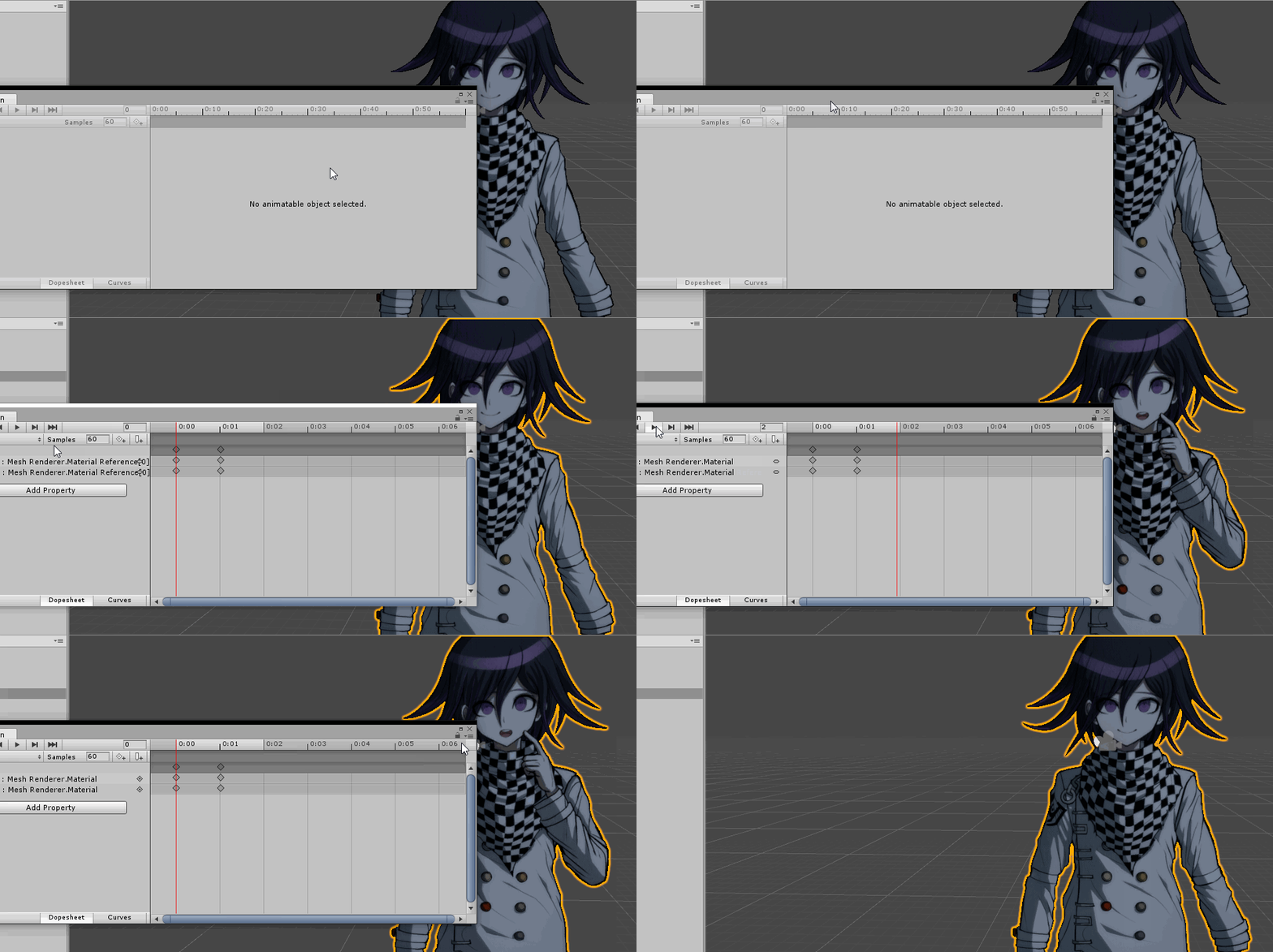
I'm trying to make it so the material of my 2D avatar changes when I change the hand gesture ingame, but I can't get it working and there doesn't seem to be any tutorials.
The "animation" right now just consists of me hitting record in unity and dragging the material onto my character. I can see the change in the animation window but not ingame.
Any tips or alternative means of achieving this would be appreciated. https://i.imgur.com/B2DFdAo.gif
 flat cipher
I don't see why that wouldn't work. Do gestures even work for non humanoid avatars though?
 clear yew
no
only humanoid type rig can use gestures
people usually make a "dummy" armature to use it with generic rigged models
flat cipher
Yeah but be careful what you parent your avatar to to prevent it from jerking up and down when you walk, or override the walking animation
grand sonnet
Darn. I'm completely new to this so not sure how to proceed, but I appreciate the quick answers. Any additional tips/tutorials/steps you could recommend?
flat cipher
I'd just borrow the armature from another avatar of mine and parent the plane to one of the bones
Then export it. If you're using cats make sure to untick remove zero weight bones
Plane should probably be parented to hips
grand sonnet
I shall give this a try, thanks!
 void pasture
Ive seen people use there emotes to spawn in an object and it gets placed in the world. How do you do that? if its allowed
icy crow
fixed joint
flat cipher
And a rigid body which comes with it
You can also use particles to spawn meshes
But that would be more limited
void pasture
still cant get it to work, but thanks for the help. I'll just figure this out some other time
grand sonnet
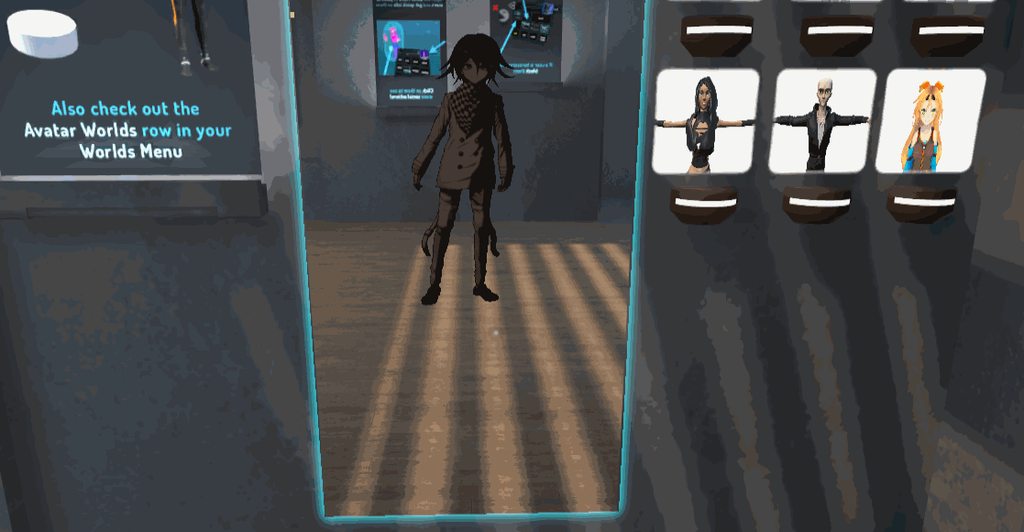
Alright I've gotten this far with my 2D avatar. Not sure what to override the animations with though, this is quite wobbly. https://i.imgur.com/T1C51Mu.gifv
 stuck ferry
Does anyone have a tutoiral on how to add a sound effect to when i basically slap my hand
So it makes the slap sound? It'd really help me out
flat cipher
I think you might be able to just make a blank animation and stick it into the movement animation override
But you'll likely need to move it up a bit since when you create a new animation it sticks it into the ground
stuck ferry
I have no idea how to do that 😂
 granite notch

Sitter du alene og vurderer hva du vil lørdagskvellen på? Kom her da vel!
slim sparrow
@grand sonnet if you want it to wobble less, put the 2D thing outside of your armature
Unless you need crouch and prone to work
In which case just make "blank" walk and idle as said earlier, just set the Root Transform Y property to 1 and nothing else
 bold loom
How can I do a blink animation since legacy animations no longer are accepted, and the cats plugin wont work with my avatar?
slim sparrow
Put an animator on the body @bold loom
 spark fox
I mean
He'll need more info than that
But yea
That's the start
What ya need to do is when you place the animator on the body, you then create an animation which uses the shape keys of the body
Click record when you create the Animation clip
And then go to the body, click the drop-down where it says Blendshapes
You'll see this in the Inspector
Make the first keyframes zero, then put like at least 3 seconds between that and the next frame
The next frame you'll want to animate will also have a value of zero, then the third will have a value of 100, then the fourth will have a value of zero again
Simple setup
I'd describe it in more detail but typing on my phone is bleh
 torpid wadi
Is there a way to increase your character's distance from the ground with a gesture
Without jumping
Thinking of having a platform that temporarily raises me up but im not sure how to go about it
hollow perch
Moving your actual eye/view position isn't possible without collider/jumping/moving the playspace... but you could do something by swapping your real legs for fake so you will be squatting on the platform though your head and hands will have to stay in the same place
Collider might be doable if you can drop the box collider into world space using a fixed joint... you would still probably have to jump. Haven't ever tried this though
Alternatively you could do it as a visual effect in the shader like you could shift the world space y coordinate by some amount that is a parameter you add to your shader and you can animate shader parameters in the animation. But this will not move your viewpoint and for you it will appear not to work in mirrors/camera so hard to test, and the safety system is another wrench because the vast majority of users on default settings don't see custom shaders so they will just think you look broken unless you are lucky to be trusted
 ivory lagoon
i accidentally added an animation to the default model and it moved into the animation pose, how do i reset that?
hollow perch
Check the pins
 muted prairie
Did you find the correct path like shown in the album ?
ivory lagoon
yeah
muted prairie
i can see it in your image actually
ivory lagoon
i found it so i'm good! but

everything's mapped correctly, i'm not sure what i'm missing?
muted prairie
It's not 😉
ivory lagoon
what am i doing wrong? the model is rigged humanoid and everything
prefab isn't broken
http://prntscr.com/le5ivr everything's green
 muted prairie
Check your fingers
ivory lagoon
all mapped/green
muted prairie
In that case, apply, done, save scene/project, close unity and launch again
ivory lagoon
still says the same thing
muted prairie
Try disabling the gameobject entirely then re-enabling
ivory lagoon
still says the same thing... i have no clue what's going on w/ this sdlkfjs
what's odd is that it's yellow errors for the animation model but that red error for the regular model?
muted prairie
Your animation model shouldn't have a descriptor
ivory lagoon
i tried to remove the descriptor but it didn't change anything
muted prairie
Have you tried unmapping something, applying, closing, and then remapping ?
ivory lagoon
when i unmapped something and tried to upload it said that it wasn't rigged humanoid
then when i remapped it it shows that other error message again
torpid wadi
@hollow perch yeah i'm not aiming for the viewpoint changing
i just want to achieve an effect of like having my avatar look like it's being lifted up a bit during an animation
also i'm trusted already so it shouldnt be a problem most of the time

 unborn geode
it works when I use the original PMX file but the dance isnt correct it goes all over the plcae
and when i fix model it doesnt move
 torn pawn
@unborn geode u need to use scale 0.1 on import vmd
 wary parcel
@ivory lagoon Post a picture of your bone hierarchy
You sure have something mapped wrong, so that unity does not know that you have the whole setup correct
Usually it is caused by the bones you have mapped is not weightpainted
ivory lagoon
@wary parcel thank you for getting back to me! i had to just delete the model and duplicate the animation model, change it back to tpose and it worked. that was way more complicated than it had to be haha
still not sure what the issue was
wary parcel
😘
unborn geode
When i fix the bones on the model it doesnt work
unborn geode
 stuck ferry
So I don't know if anyone has a tutorial for this but here we go, what i'd like to do is add a hat to my avatar but when i do the handgun gesture the hat comes off the head and into the hand do you have any idea how to do that? If so It'd be much appreciated if you could tell me 😃
clear yew
I have a single bone I want to turn in an animation, but when I rotate it, it just resets and doesn't create a property. Help?
 eternal topaz
@stuck ferry what you could do is have two hats, one that is in the hand and is disabled, and another that sits on your head. You can animate the two hats getting enabled/disabled when you do the gesture
stray sinew
@clear yew Is bone part of a dynamic bones line? Usually the cause of the resets
slim sparrow
Xiexe's inventory system has toggles
sand crater
Hmm, okay
 reef valve
this has been racking my brain how do people have avatars with start up animations that make there avatar invisible until the animation is finished. i got the animation to work on start up but the actual avatar body is still visible. or if i hide it and make a animation to get it to reappear it just doesnt work. any help would be appericiated thanks
sand crater
Wait what?
Isn't it as simple as hiding your entire model within an animation?
just like any facial expression
the hand gesture slots
reef valve
heres what i mean i found a avatar that starts up and smashes into the ground and after the animation is finished the controlable avatar appears
sand crater
Welp, can't help since I have no clue how animations work, only facial expressions and the very basics
reef valve
ive tried hiding meshes ect i just cant get them to reappear
sand crater
🤷
slim sparrow
Stencils
obsidian vigil
isnt that literally any animation tho
slim sparrow
Or an animator on the body
slim sparrow
Yeah, but an automatically triggering animation on spawn is pretty difficult on humanoid rigs
Unless you break your model's prefab instance and put the body under an animated game object.
obsidian vigil
it wasnt when we could still use legacy :/
slim sparrow
Yepp
slim sparrow
People told the devs that on the Canny but they don't exactly take that into account
I already suggested an alternative to legacy but it's unlikely to happen soon
reef valve
il try a body animation the drop in part works fine on startup its just the hiding the avatar im having issues with il try that and see what happens thanks
sand crater
I'm still waiting for a better emote system
slim sparrow
Same
sand crater
I mean, I can already think of multiple possibilities/layouts
double amount of hand gestures by having each controller having it's own unique controller
or combinations
slim sparrow
Well, that's what custom animators on humanoids would solve
Along with spawn animations
sand crater
as well as combinations
so you can have your finger on the left controller + the other touch wheell
slim sparrow
The devs don't really see hand gesture overrides as the future so I doubt they will expand on it at all
slim sparrow
Well no, they've said so multiple times
sand crater
That's surprising
slim sparrow
They want to implement a better system because the current system is made for, well, hand gestures
sand crater
I wonder when that'll happen
sand crater
I also wonder how hand gestures will be a thing with the knuckle controllers
since there's only a super small touchpad
 tender latch
slim sparrow
tender latch
slim sparrow
Hand gesture overrides probably won't be a thing on knuckles at all
You just make the hand gesture you want
sand crater
That's sad
obsidian vigil
then how the heck would i trigger animations?
slim sparrow
That's not the sad part
@obsidian vigil that's supposedly one reason why they want a better action system
obsidian vigil
i mean, doesnt the input stay the same for the knuckles?
i read the XR docs
the input can be remapped
its literally the same, just different values to read out of
slim sparrow
Yeah, but it's a bit of an either-or system
They wouldn't be able to support the current hand gestures and full hand presence at the same time
Unless they do some weird animator magic
obsidian vigil
they should be able to
fierce bane
I mean...you really just need Idle+5 gestures to cover all the fingers...so it shouldn't be that difficult
obsidian vigil
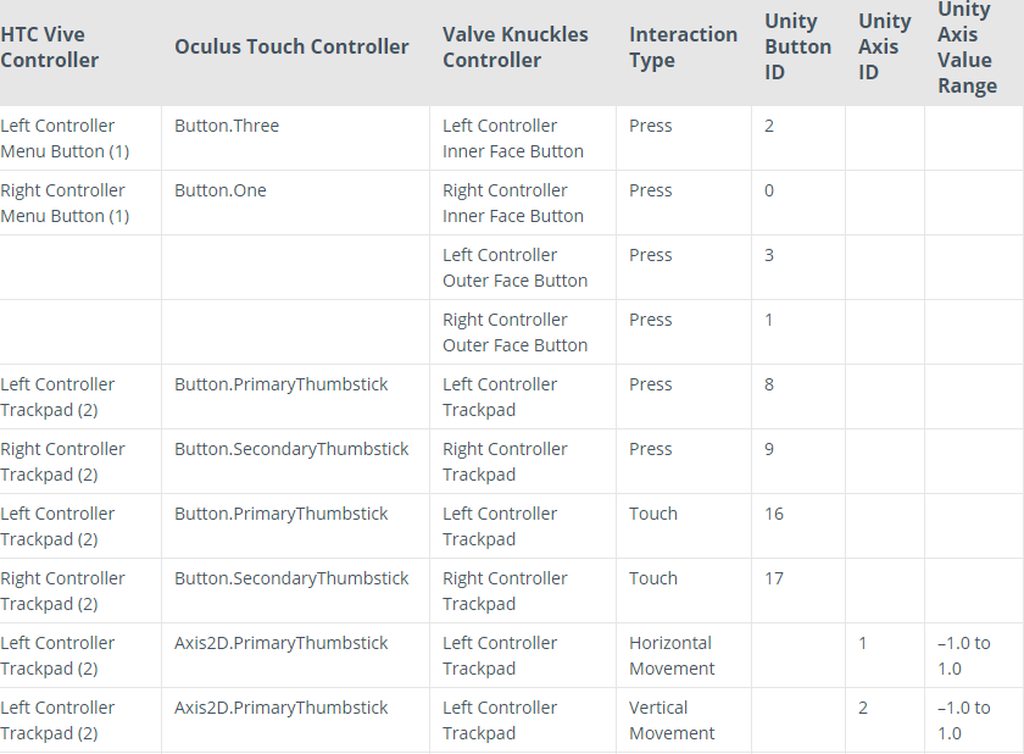
for example
heres the input
if you map the knuckles input onto the oculus input
there shouldnt be any problems
knuckles are closer to the oculus controllers, rather than the vive wands btw
slim sparrow
Yeah I know, but that's probably not the direction the VRC Devs want to go in
obsidian vigil
🤷
from what i can tell
therell either be a third group on vrc
Desktop, VR, and Knuckles
or theyll find a way to use a shared input system
thought i think the first option is more realistic
with a completely split system just for the knuckles themselves
tulip jacinth
how would i go about making an onavatarhit trigger, since the vrc_trigger doesn't work anymore im kinda lost
tulip jacinth
Everytime i use it the sdk tells me i can't
slim sparrow
You're not trying to use it on an avatar right?
tulip jacinth
no on an animation
slim sparrow
In a world?
tulip jacinth
Da
tulip jacinth
wait i'll look through the chat first
i should have done that in the first place
i'll come back if i can't find it
obsidian vigil
that makes no sense
tulip jacinth
no
obsidian vigil
da heck
tulip jacinth
i mean this chat
obsidian vigil
ye but
tulip jacinth
so i dont waste your time
obsidian vigil
are you working on an avatar
or on a world
simple question
that can solve this whole mess
tulip jacinth
Avatar
slim sparrow
...
tulip jacinth
somebody told me thats how i did it
obsidian vigil
then its simple
slim sparrow
You cannot use VRC_Triggers on avatars at all.
obsidian vigil
triggers cannot be used on avatars
slim sparrow
Which is why I asked.
slim sparrow
It would help if you explained what you were trying to do
Or rather what the end goal was
tulip jacinth
oh just make a ball explodes when it touches somebody
becasue i saw somebody else do it
and i wanna do it aswell
slim sparrow
Make a particle system and have it collide on Player and PlayerLocal
Use a subemitter to spawn the explosion on collision
slim sparrow
Yes, that is what I said.
tulip jacinth
alright
obsidian vigil
and set the emission in the sub particle system to bursts instead of over time
tulip jacinth
I'll try that :)
obsidian vigil
👌
tulip jacinth
sorry for @'ng but @obsidian vigil should i have the sub-emitter particle system on active or not?
tulip jacinth
alright thank you
obsidian vigil
its parented to the other system anyway
so if you disable the top one, the bottom one will be as well :3
tulip jacinth
tysm <3
obsidian vigil
np 👌
torn pawn
@tulip jacinth drag the subemitter out of the parent particle (make sure it's always active), disable play on awake, this will make so the subemitter will stay in world until it expires after the particle system is disabled (gesture released)
tulip jacinth
aight
sand crater
What is the light setting that only creates light within a circle instead of the entire map?
Area light?
I want it to light up my surroundings
obsidian vigil
Spot light
sand crater
Oh
but isn't spotlight directional?
I want an area of affect light
What about Point?
obsidian vigil
1 sec
@sand crater really hoping this isnt wrong but
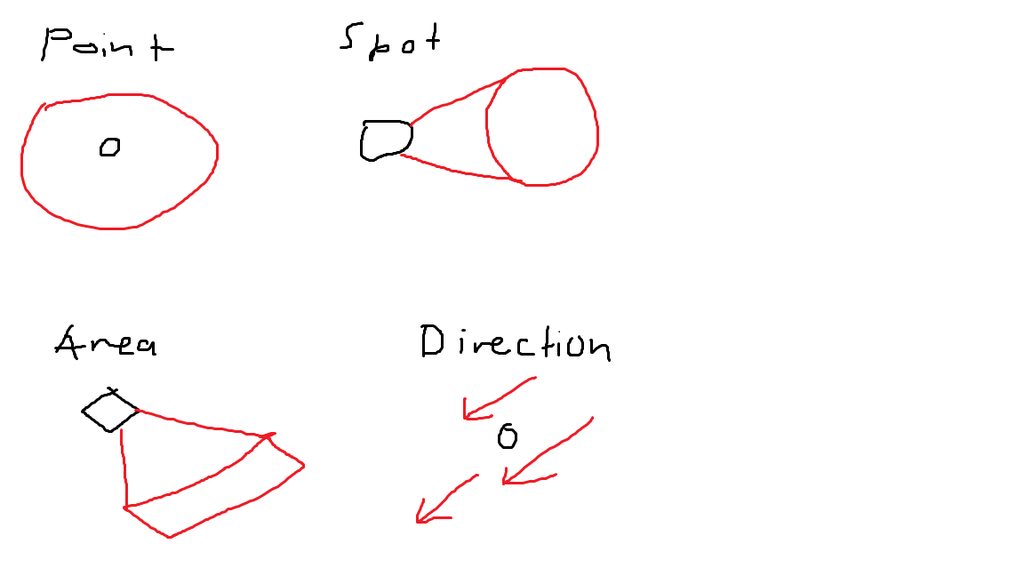
i think thats how they work
tulip jacinth
@obsidian vigil are you like a god
clear yew
 tulip jacinth
ARE YOU A GOD ASWELL 
obsidian vigil
@tulip jacinth i aint no god, ive just been doing this since september last year 😂
with time, comes knowledge 😛
tulip jacinth
god tier knowledge
obsidian vigil
Thanks 👌
tulip jacinth
trivia for you
clear yew

 clear yew
Alexa play Despacito
 clear yew
any shader with emission
 prisma trout
but how can i make it emit only when not lit up
 torpid light
You could probably scale the emission with ```
float3 ambient = float3(unity_SHAr.w,unity_SHAg.w,unity_SHAb.w);
float3 emission = emissionColor * (1-length(ambient));
i gotta be honest with you, i dont even know where to put that
prisma trout
i barely scratched shaders so far
torpid light
you'd need your own shader if you want to scale based on light level
prisma trout
could i use an emitter shader as base and edit it with this?
torpid light
probably i'm not sure what you mean by emitter shader but if you mean a shader with emission, yes
prisma trout
yeah thats what i meant, one that emits light
i'd have to make it cutout to make my idea work tho
basicly what i want to do is a glow in the dark tatoo that changes the models style
torpid light
if it's a surface shader look for
o.Emission = (some sort of code here);
and instead do
float3 emissionColor = (some sort of code here);
float3 ambient = float3(unity_SHAr.w,unity_SHAg.w,unity_SHAb.w);
o.Emission = emissionColor * (1-length(ambient));
and (some sort of code here) should be moved to where i put that same thing in the 2nd code block. So if it was
o.Emission = tex2D(_EmissionTex, i.uv)*_EmissionColor;
you'd do
float3 emissionColor = tex2D(_EmissionTex, i.uv)*_EmissionColor;
float3 ambient = float3(unity_SHAr.w,unity_SHAg.w,unity_SHAb.w);
o.Emission = emissionColor * (1-length(ambient));
ah i see
torpid light
you could also use UNITY_LIGHTMODEL_AMBIENT.xyz instead of float3(unity_SHAr.w,unity_SHAg.w,unity_SHAb.w); I don't know if that 2nd one depends on light probes in the scene or not. I don't think it does but it might
 ivory laurel
Hello! I've been making an avatar for a while and I wanted to implement a few of my own animations. Since the avatar isn't really a human, I gave it a generic rig, and the animations worked, however the visemes did not. So I made a fake armature and added it. And now, all my animations don't work, they just show my avatar standing in one place and the visemes still seem to be broken. Any ideas what could be the problem?
slim sparrow
@ivory laurel walking animations on humanoids cannot move any bones
Except those defined within the humanoid rig
As for the visemes issue, no clue. Make sure all slots are filled in.
ivory laurel
No no no, I mean animations like ,,Flip'' ,,wave'' etc
slim sparrow
And make sure you're not using those visemes in an animation
Backflip probably only controls the fake armature and not the generic rig next to it
ivory laurel
Oh, I think i actually left one of the visemes empty so I'm gonna try to fix it now
Thanks
steep seal
Is there any way I can make a trail for my eye?
clear yew
trail renderer i guess
steep seal
Example pls
obsidian vigil
create particle system
torn pawn
trail renderer
steep seal
I did
 steep seal
Fun thing
obsidian vigil
until you like it
steep seal
Trail when I move
obsidian vigil
ye
steep seal
For vr
obsidian vigil
did you tick work space?
oh
i mean
thats more of a trail renderer then
like the guys above said
its a standalone component
steep seal
But I don't know how to set it
obsidian vigil
called "Trail Renderer"
clear yew
assign a material to the trail
 ivory atlas
You want a line like the snail pens?
ivory laurel
Part two of struggling with animations. Gentlemen, it appears, that all my animations are destroyed whenever I try to change the (Rig)animation type from generic to humanoid, exactly when i apply these settings:
wait i can't paste the screenshot here
welp
Exactly after I agree to : ,,Unapplied import settings for 'Assets/character.fbx' ''
(and I click Apply)
Do you happen to know what should I do in this situation?
Nvm, I should have thought about this. I fixed it by making a dummy avatar and taking its animations and putting them in my custom settings. Animations(emotes) are working, but my visemes aren't. Have I set something wrong?
 clear yew
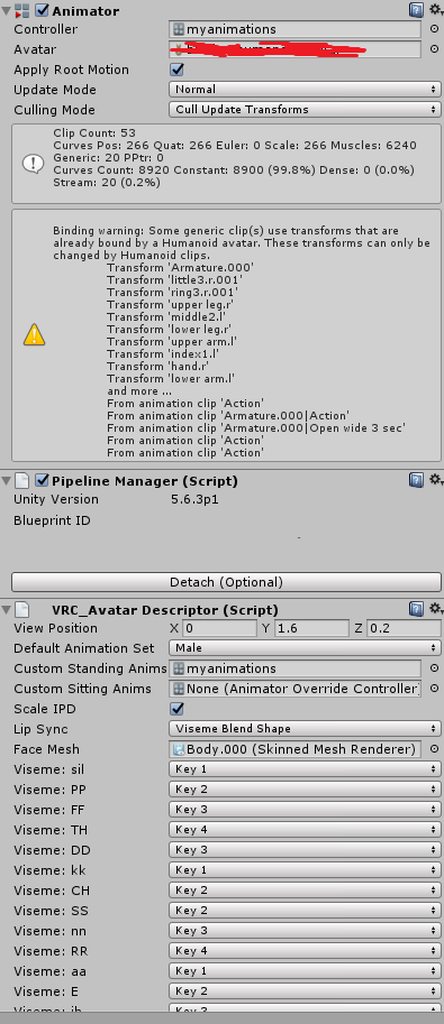
How to prevent the Idle animation from using Inverse Kinematics inside of VRChat?
So that it looks the same as it looks in Unity.
reef valve
I managed to figure out the hiding the body part of the animation you need to create a empty and put your meshes in there then make a animation to turn them off and on
 pseudo iris
anybody have or knows where to find the My Boo dance?
 violet moss
So is it not possible to manually kick off an animation state machine / restart it, on an avatar?
 spice urchin
i got a problem with enabling animators
works just fine when i change bone rotations but when i change blend shapes the values refuse to reset to default

the body animation https://i.gyazo.com/ef3bed368a78a83d13db1bd1c7e27d01.png

hip animation

and it resets the hip animation correctly
but it does not reset the blend shapes for the other
 abstract current
Is there a way to replace the lip sync with your own animations?
without shapekeys.
in my case I was thinking changing the texture for the animation
muted prairie
Through gesture overrides ?
abstract current
no
abstract current
not trying to use shapekeys tho,
torn pawn
@spice urchin have you tried with 2 states, where 1st is resetting it to default (or giving -100, if the blendhshape was set to 100), where 1st state would be around 1.5-2 seconds~
spice urchin
what
idk how to manipulate animator params if i did i would just use a bool and toggle between 2 anims
and i don't think it plays any anim when disabled
torn pawn
or you can have an extra animator that is enabled by default, but you disable it when using gesture, and when u let go of it, the animator is enabled again meaning it resets the shape@spice urchin
spice urchin
yea but its to handle the face shape keys so
cant have a 2nd animator
does anybody know the class for an animator param
torn pawn
Body can't be under game object, right?
spice urchin
i want to keep prefab so can do updates
torn pawn
you can't change params with gesture, from what I know
clear yew
How to i make an object stand til when i move around in my animation ?
flat cipher
Put a rigid body onto it and a joint that's not connected to anything (will defualt to world)
Lock rotation and position and/or gravity if you need because that will make it drop with gravity
clear yew
thank you 😃
flat cipher
Also keep in mind that it it's not perfect. It will jitter everytime you move and might stick to your camera locally, but stay in place for others
clear yew
ok
flat cipher
I have a ragdoll that I spawn and go invisible as an avatar and it's stuck to my camera and spazzes out and stretches all over the place, but looks normal to everyone else
obsidian vigil
@flat cipher yup, i have that with my genji as well ^^
But i guess its just a clientside thing
flat cipher
Whenever you move it seems to try to move the object to where it would have been locally without the world joint (since it's still parented to you), so it turns with you but then the joint takes over
That's why I'm assuming it jitters when you move
And it's stuck to your camera rotation with some voodoo magic locally
fierce bane
make sure you set both drag to "Infinity" it helps a lot with the jitter
slim sparrow
Not sure how much it actually helps
But it hasn't hurt the few times I tried world objects
 granite sapphire
Quick question, is there a way to material swap at a precise timing in animation ? Since legacy is now removed.
And we can't disable/enable animator in a gesture ( would've been to easy eh ? )
clear yew
kinda
it's a tutorial about how to make a state machine system
but it explain how to enable or disable an animator component
you need a property called "behavior"
spice urchin
idk y blend shapes not reset but positions do
clear yew
@granite sapphire https://youtu.be/sbL9k0VA4OY?t=803

I explain how to create a potential infinite amount of gestures using an animator state machine. ========IMPORTANT======== Thank you Bertrand Steenhaut for t...
spice urchin
unity triggering moi
clear yew
either do what he is doing here
or find a toggle system
and copy paste the behavior property from them
and use F2 to modify the path in the animation
granite sapphire
Holy hell the steps
Thanks 👌 i'll look into it when my material is done i guess lul
obsidian vigil
whut
just go to the keyframe
drag material onto the model in the scene
and theres your keyframe
flat cipher
It's not going to stay when the animation ends tho
granite sapphire
@obsidian vigil read again.
spice urchin
u can also merge them if u know shader code and set up some toggle
clear yew
@spice urchin the property is called behaviour tho ?
obsidian vigil
@granite sapphire wdym
spice urchin
u can even have 2 of the same mesh and have the material be dissolved
granite sapphire
"at a precise timing".
spice urchin
in unity
spice urchin
in the animation file it has a different name
clear yew
i only answered about the activating an animator component btw.
granite sapphire
Yayaes
clear yew
but switching material is easy too
go into record mode
drop the material on the model
it will create a key frame for it
granite sapphire
I believe I can't change settings of a parents ?
clear yew
and just move it where you want on the timeline
spice urchin
put the animator in the models u want to change
if u use state machine u can run a toggle on and toggle off
granite sapphire
Yeah, can't change settings of a parents, that's what i though.
And changing the material in the gesture would just change it at first frame, which i don't want since i want to change the material at a precise time of the whole animation
Sooo, behavior time 🤔
granite sapphire
Yeah, on the body mesh
clear yew
put an animator component on the body mesh
and animate it
and then activate that animator with a gesture using the behaviour property
slim sparrow
You can't animate parents unfortunately
Legacy can, this is what the Japanese people were using legacy for
And it's also the exploit that got legacy removed
granite sapphire
Yeah, was doing it aswell
Ik
People were going a biiit to much on the parents list
Lul
no more floors yikies
slim sparrow
I think no more floors is probably the most innocent part of it
Legacy was literally just as bad as VR IK since you could call Unity Actions with them too
slim sparrow
Which means spawn anything
granite sapphire
Japan shrine in miko outfit texture everywhere was kinda weird to see
Sadly i didn't take any screenshot
:<
granite sapphire
Lmfao
slim sparrow
I'm glad webpanels were gone already or we'd have a problem
slim sparrow
It was bad enough in worlds already (have to be approved to be public), imagine if anyone could just bring one in on their avatar
And then spawn triggers that spread the same avatar to everyone else, infecting more people
Literally infecting VRC like a virus
Seems innocuous until it's already spread to like half a day's worth of players and only activates then
I heard rumors that this exploit was being sold too
granite sapphire
Oof
granite sapphire
Hm, and now i encounter a problem, the animation to change the material mess up the original material lmao ?
Holy this is starting to piss me off, i'll just not do material swap
clear yew
14 materials, monkaS
granite sapphire
Sssh, don't mind about it.
spice urchin
oof
lol
some dudes particles lagged so bad
even a 500k poly mesh didnt lag as bad
it kinda funy
but like his particles had this thing where
he did a hand open and switched between like 15 particles
with his other gestures
thorn idol
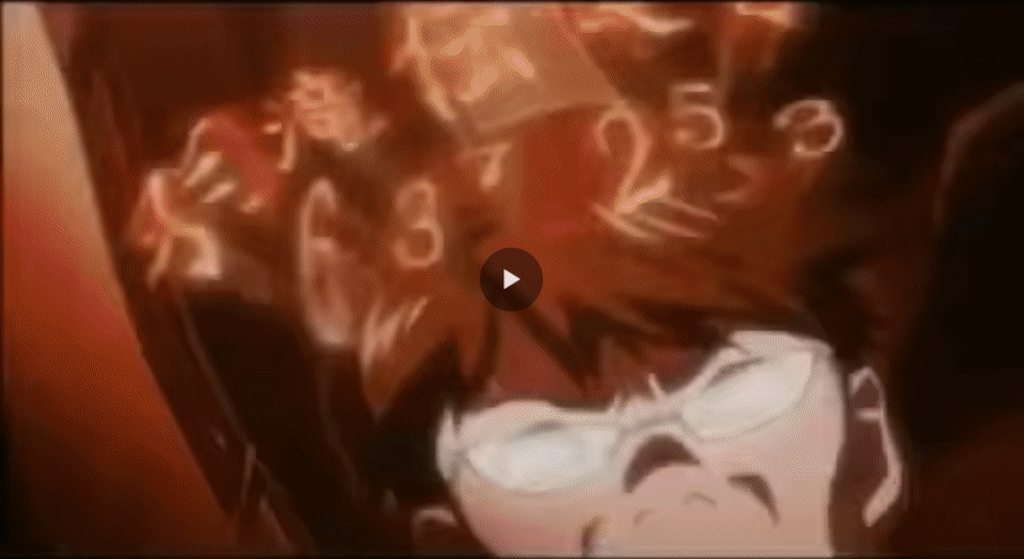
https://i.imgur.com/6YZSLq5.gifv would an animation like this even be viable in 3D?
 final gazelle
the blue slash, probably possible judging from how some games have trail effects when you slash a sword
the red spark...probably also doable if you set up the particle right, but not really sure how to do that in 3D space
you'd probably have to think about viewing angles
thorn idol
i think the effects are mostly a particle thing that is probably possible i think
i mean... the moves
the spin, can it be done... believably?
final gazelle
if you have it as an emote, very likely
thorn idol
yeah, that's the goal
final gazelle
if you want to do that manually in FBT...you're probably gonna break a window >_>;
thorn idol
i could also buy a wireless vive extension and try to spin like that in full body
yeah
i'd probably die
as an emote, i would have the spin and then he just calmly walks back to the starting position
but my issue is if the spin can be believably executed in full 3d
final gazelle
i'm not too good at animating in Unity itself, but assuming you know how to get motion data from MMD through to Blender and then VRChat, or via some other program/process that'd let you do a similar idea
rotoscope your animation on top of that video clip
thorn idol
i dont even know how the movement would look in that one frame between the flash and him having done the whole spin lol
final gazelle
as in, play the animation one frame at a time in the background, and then get your animation to match it, following it frame by frame like you're tracing it
hmm, looks realistic enough at a glance -- i don't see any major stylistic distortions in his body
thorn idol
except pulling the momentum out of nowhere of course
final gazelle
though yeah, may look a little odd when translated into a 3D animation at 60 fps
yeah, you might need to adjust it and take some creative license with it -- mess around with how it accelerates and decelerates at different points
thorn idol
i am pretty close to just trying again on the traders server instead
if someone wants to be up to that
but first i'd need the avatar anyway
don't have the dude yet
also good point on your side there, his body really doesn't contort away or anything, it still seems like all poses are realistically possible
granite sapphire
Welp, fuck that, i'm going to bed
( you can guess, it does not do that shit in unity. :> )
 turbid bridge
anyone knows how to put sounds into a emote?
spice urchin
wait what the hell


bro
u can set animator params with animations
but only floats
hollow perch
Do they actually work though when you attempt to set them? I never could see the params cause any effect when setting them this way
spice urchin
i dont know because they reset in the editor when animating an object
doesnt seem to work unfortunately for whatever reason but was worth a try lol
frosty pendant
Hey 😋 I saw a video of a guy scanning an avatar and displaying it in the world yesterday. Any idea how that is done?
 small igloo
How do you make a world particle with a mesh renderer have local alignment?
tulip jacinth
Does anybody know why windzone isn't allowed :(
tulip jacinth
😢
 bronze peak
ok calling for some help again, so i have a animations for a blink it is a customized blink, i also have a tail wag animation, i have successfully tied them into one animation, so normally i go to my avatar add animation and drag that animation on to it, i hit play always, when i hit play in unity, the tail and the blink work perfectly but not in vrchat, is there a new way i am supposed to do this, Thank YOU in advance if you know what i am doing wrong
torn pawn
@bronze peak I don't think you want them under the same animator, as their parent is your avatar, put the tail anim on tail bone or hips, and the blink on Body
 late fjord
Is there any way to trigger an effect slowly with the vive controllers? I mean for example using the back trigger as "real" type from 0.0 to 1.0 instead of a discrete 0 to 1 transition? I know the back triggers have this kind of analog behavior because you can see them partially depressed in steam vr.
slim sparrow
@late fjord yes, but only if you put the gesture on the Fist slot
Which also makes it partially stuck until you use another gesture
late fjord
Do I still need to make the animation just 2 frames long, and then the parameters between those are interpolated somehow? For example if I want to make a laser gun's beam thicker and sound deeper, change the material color etc.
obsidian vigil
tbh i doubt thats possible
clear yew
yes
animations on the hand gesture slot in the override controller
can't be longer than 2 frames
obsidian vigil
@late fjord you could have it switch on a set interval
by activating an empty object with an animation that delays a second animation for a given time
torn pawn
they can be longer than 2 frames, the thing is that it takes 5x longer to go back to default state, you can use 10 frame animation for gesture, but that gesture will be locked for almost 1 second
and yes, to get longer animations you enable whatever else that has the actual animation on it
late fjord
Yeah, I was hoping I could smoothly control some parameters with the trigger and not be tied to some animation of a specific length in time domain
slim sparrow
The harder you press fist, the more weight is put on the animator layer.
It should interpolate between default and gesture values depending on how hard you press.
spice urchin
anybody know yet how to fix the thing where
blend shapes not reset when animator disabled
 rustic hamlet
Anyone have any tutorial/advice on how to create projectiles/lasers?
flat cipher
You can do that with particle effects that spawn meshes. They can have colliders and spawn impact particles on death too
You don't have to spawn meshes tho, you can use regular particles too
spice urchin
how people make single fire weapons with bullet hole
spice urchin
ye but i can only get liek
auto fire weapons with bullet holes that arent rotated
not single fire with hole in right direction
clear yew
the holes are mesh particle i guess ?
spice urchin
idk
clear yew
?
 full sluice
.>
clear yew
@clear yew Should be.
world mesh particle dont turn properly in unity 5.6
you need a shader for that
clear yew
make the particle system shoot only 1 particle
set it to not loop
activate the collider and subemitter module
and make it spawn a bullet hole sub emitter particle when it collide with the environement
spice urchin
ye but won't it disappear every time it turn off
clear yew
leave the system on by default
full sluice
only if you have it so the particle system turns off when you release the gesture. you can have the particle system always active but have the emission set to 0 when inactive.
clear yew
and only activate the emission module
full sluice
or that
spice urchin
yea but if max particle is 1 u cant fire twice right
clear yew
make it bigger then
spice urchin
and doesnt loop affect whole thing not just emission module
grand sonnet
Hi, anyone happen to have a clue why my gesture-triggered material change isn't visible to myself anymore in game (but is still for others) after the latest update?
clear yew
it's a known bug
since the last update
sit back and wait for them to fix it
you can't do anything currently
grand sonnet
Alrighty, thanks!
granite sapphire
They fucked up mirrors again, right ?
 small tapir
My eyes on my model are getting pushed out in animation in unity anyone know what this can happen?
nvm
bronze peak
ok so it looks like they remove the ability to use legacy animations, so originally you had to hit legacy to get it to work and now when i un check it does not work, any other ideas i tried to separate my animations one on the tail and one on the body but then it does not work in play mode in unity nor vr chat, i also tried following this, https://s2.gifyu.com/images/chrome_2018-11-07_20-35-00.png THANKS IF YOU CAN HELP
 hollow perch
@bronze peak If you move animation clips to a different place in the avatar, you need to redo the animation or edit the path (F2 key) for each row in the animation to delete the parts of the hierarchy that are above it. Also make sure your animations are not marked legacy and they are in an animator controller in an animator component in each place in the heirarchy
 cobalt dew
I know a lot of avatars from avatar worlds have things (normal a duplicate model) that can be dropped in place using a fixed joint with no connected body. Recently someone told me that there was a better way to do this where it doesn't have to be picked up from the same location you dropped it to not desync for others. I have ask around and cant really find out how to do this. Can anyone help me out with that?
 tiny gazelle
Halp, the trail emitter won't stay in place
https://gyazo.com/cddae07ed73679b1dbe46f6a96d11e98
 hollow perch
interesting, that almost looks like a particle system
the issue you are running into is Error's shader (and indeed probably any shader which does this type of effect) is probably dependent on the object center. The problem for a trail renderer is it constructs a mesh with one polygon at each line segment, and there's no really well defined object center, so it's probably centered at 0,0,0 or something
so some options you could try: since I assume your actual avatar is a quad, maybe that shader could be modified to use the center of the triangle hypotenuse instead of the actual object center (which is somewhat meaningless for trails). that way it will behave the same for each quad regardless of if the quad came from a trail or if it is the avatar itself.
Another solution that still requires a change to the shader: you could also try using a particle system instead of a trail emitter--the particle system allows you to tell the shader the center position of each particle. not sure that is of any benefit in your case
fierce bane
Maybe someone else will have an idea...
Mesh-rendering sub emitter spawns but is invisible (collider box is visible using visualize bounds, but mesh is not seen)
Switching to a default material and a basic mesh doesn't does work either.
Billboard spawns fine however
clear yew
are they getting scaled down until they are invisible perhaps ? had that happen multiple times
fierce bane
I've tried multiplying the scale by 10...could try further I guess
obsidian vigil
just leftclick on da cube
and drag
this can result in 2 things
- a bloody massive amount of nothing
or - youll eventually be able to see it
😂
umm
fierce bane
what are you talking about? This is a sub-emitted particle
fierce bane
there's nothing you can drag and see...
fierce bane
burst as propper
obsidian vigil
hmm
obsidian vigil
i just had my things be invisible if they werent atlased
clear yew
does it work when it's not set as a subemitter ?
fierce bane
nope...that mesh just won't show...no idea why
clear yew
no matter the size of the particle system ?
even by changing the starting size to something very big ?
fierce bane
dropping the model itself in works fine, but the mesh displayed particle doesn't
whether at size 100 or size 0.1 no show
clear yew
🤔
fierce bane
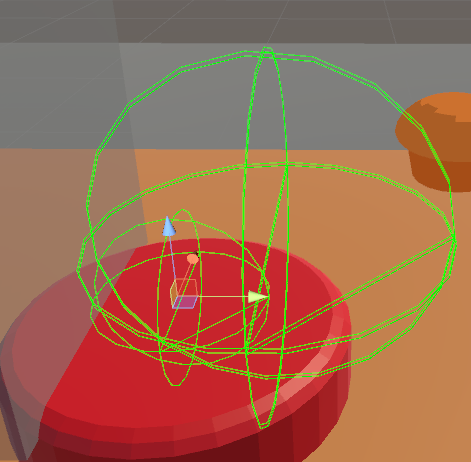
though I've just noticed I'm getting this error
UnityEditor.DockArea:OnGUI()```
But the meshes are all joined...it's one mesh...I bet it's the dual material...
obsidian vigil
exactly
frosty pendant
And 1 material?
clear yew
oh you didnt atlas it ?
fierce bane
I can't "atlas" something without textures >.>
Guess I could just make a dummy texture for the colors
fierce bane
aaand it still doesn't work...single material atlased for a simple two color object...
The object itself works fine though it seems to have a hole in the top (normals checked with backface culling in blender, using import normals)
testing with a non sub-emitted particle to be certain as well
despite having a single mesh joined at all vertices it apparently has 2 sub meshes...so that's what's causing the current issue.
But I have no idea how to fix it...
:headdesk: It had colors still bound. Single submesh now.
torn pawn
@fierce bane can u send me the obj or fbx of the mesh
fierce bane
It's working correctly now...the original "color" submesh was still in it, removing that fixed it.
torn pawn
oki
fierce bane
thank you, I appreciate it though
https://i.imgur.com/4XmfBC8.png A simple muffin was causing me so many issues...
 fierce bane
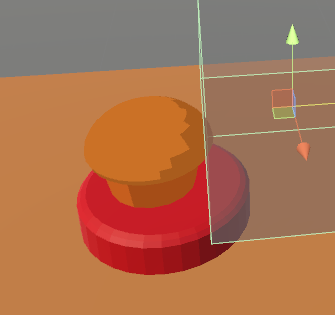
kinda? Collision based "trigger" to spawn a muffin (avatar, not world)
torn pawn
yeah
fierce bane
I just can't make textures...so flat colors that look crappy
torn pawn
could do like multiple triggers to spawn different stuff depending what's touching it
fierce bane
Now that I think about it, I'm not sure how well this will work though...
fierce bane
Well...it mostly works...VRChat however is having a fit >.>
https://i.imgur.com/ovFpyos.gifv
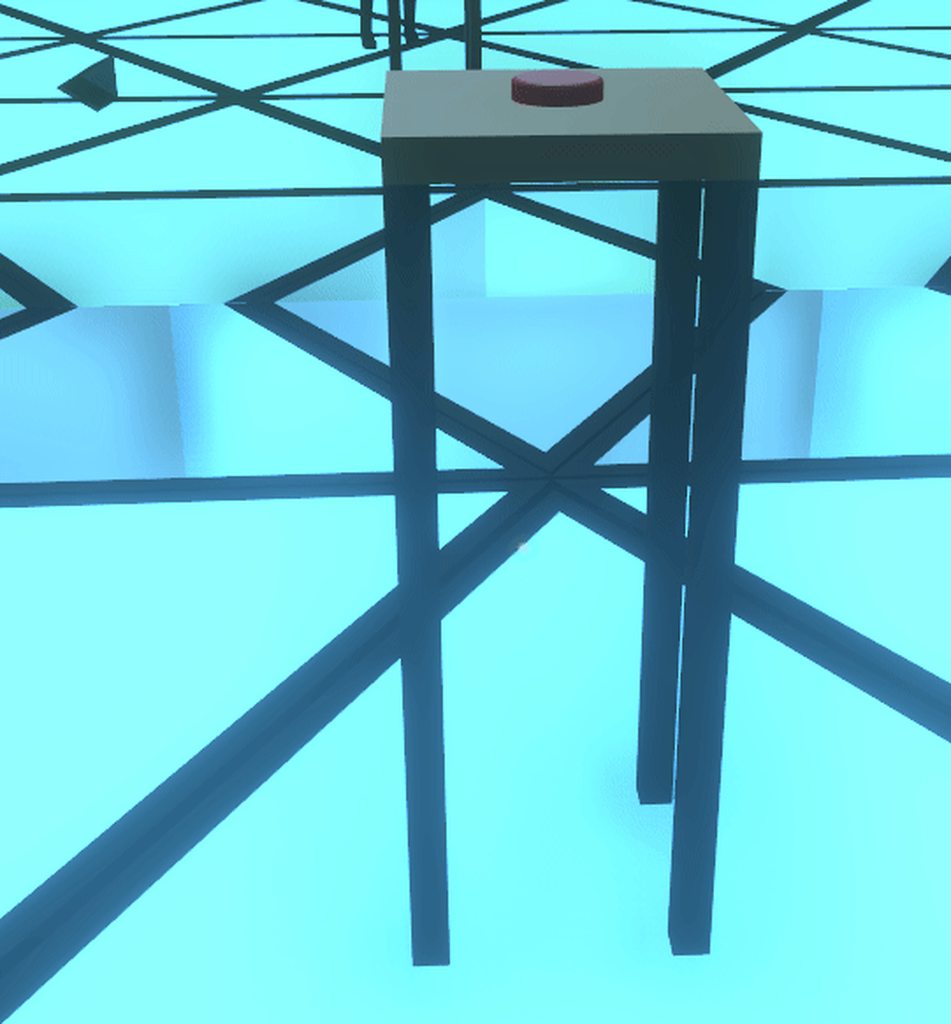 fierce bane
ah...vrchat just hates the colliders then...crap
torn pawn
or if you need it, then mark it as trigger
fierce bane
I only have a simple box collider on the tabletop itself
torn pawn
no, it's colliding with the ground all the time
fierce bane
wait...that works for collision with particles?
torn pawn
particles have tab "triggers"
if you mark collider as trigger, then u can assign that for particles how they react to the said trigger
fierce bane
I didn't even think of that...thank you
torn pawn
u don't use regular colliders to kill particles
fierce bane
not to kill, to LAND on the table that they spawn above
torn pawn
yeah u mark the collider as trigger and then assign it to the particle
and make it "on enter - kill"
then it subemits the actual particle
fierce bane
There's a "trigger" particle above the button, when something collides it creates the muffin. Muffin should collide with the table but otherwise be able to be moved (so gravity+collision)
I'm assuming there's no way to do this properly?
I just don't understand how this is colliding with the ground...
https://i.imgur.com/ViDgq8E.png
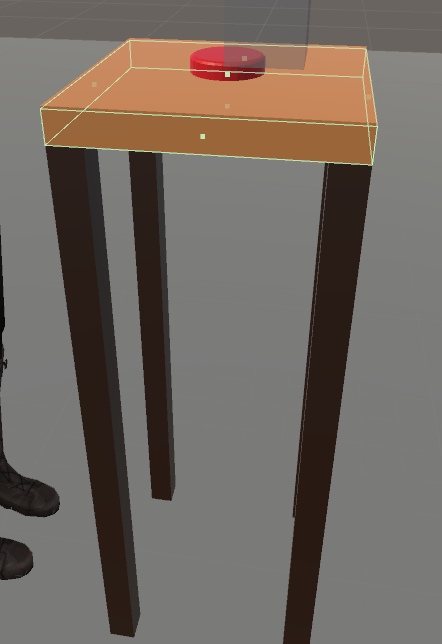








legs have no collision, only the tabletop
torn pawn
your box has a collider
u don't need it rly
it doesn't create muffin when "something" collides
fierce bane
But if I change it to trigger and have it kill the particle and sub-emit a stationary one, it's locked in place is it not?
(unless I misunderstood what you were saying)
torn pawn
it's only specific assigned trigger or triggers