#animation
1 messages · Page 91 of 1
 wind ore
 rain reef
Applying modifers in blender is so much work
 torn pawn
oof you're out of luck then, I'm extra lazy 😂
wind ore
omg
rain reef
it requires 2 clicks
rain reef
How about you just start working on one finally
torn pawn
LOL
rain reef

torn pawn
mine is perfect circle, doesn't always look as good for some things, but the pingpong looks pretty nice, but has an issue when despawn/spawn
rain reef
@torn pawn i guess you have a particle with a trail attached to it aswell?
torn pawn
it's a trail renderer
 red moat
I saw the infinite gestures video a few times posted here noe, but havent really messed around with this stuff yet. Instead of changing particle effects i would like to toggle between custom hand gestures and facial animations. Is it possible with that or would i waste my time fooling around with it? I dont like doing face expressions everytime i touch my controller. It would be awesome to just combine them with that method
torn pawn
you can't make trails like that with particles
 clear yew
@red moat you are wasting your time
red moat
Okay xD thanks for saving me then^^ is there any other method for what i want or is it just dreaming? :x
wind ore
https://imgur.com/a/jtnyXv4 @torn pawn okay um step 1 is done,step 2 is done,idk what is step 3 is... am i doing it correct?
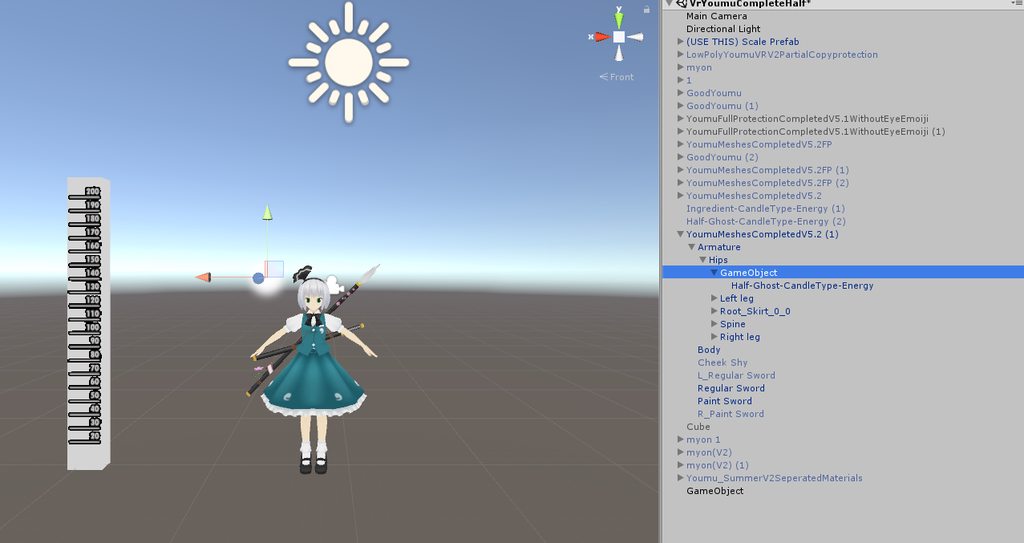 wind ore
O
torn pawn
you put animator on go1, and create animation that rotates go2 360deg
wind ore
alright i try to figure it out.
rain reef
Spoon feeding intensifies
torn pawn
@wind ore https://gfycat.com/SpecificMarvelousJoey (gif by Phasedragon), is what u can do with playing around ping pong curves

 fierce bane
which is also why I said you'd have to play with it after making it based on the quick example I gave earlier 😛
wind ore
😮
torn pawn
yuh, particles is all about clicking buttons and typing numbers and see what they do
wind ore
https://imgur.com/a/EeFuedN @torn pawn hmm so i put a animator on go1 start and then go2 on end of 360 degree's...? wait does it make sense if i am wondering..?
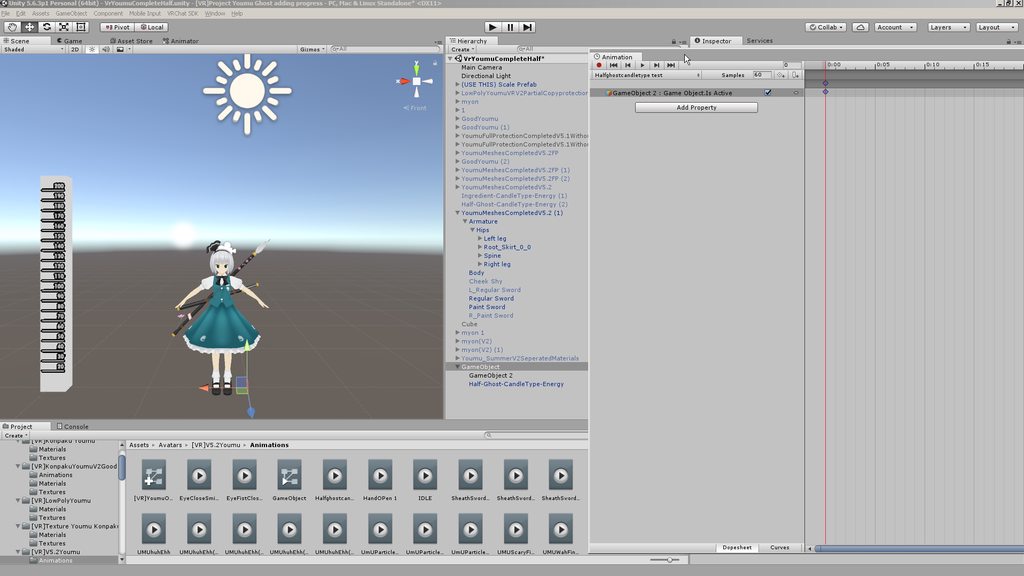
cause idk why my xyz like that...
below on the skirt..
torn pawn
frame 0 needs to be 0deg, then put at like 15-20 sec mark 360
rain reef
is that 6 meshes on your model @wind ore
wind ore
6 meshes not sure..
wind ore
.
rain reef
Walking nuke
 rain reef
🥄 feeding intensifies
 dusty plume
For that can't you also just multiselect to 2 keyframes and right click > linear
 spring nova
 dusty plume
👀 💦
Yo when making a gun in a world. How do you get the particle to burst every time the emission is activated? (need a semi auto pistol)/is there a better way than animating the particle to fire once at a time
spring nova
for a world, you have the luxury of not dealing with enabling emission. Instead use the trigger setparticleplaying, and make sure the particle has looping and play on wake off
dusty plume
I've tried using that too with other things and never worked 👀 💦 . However isnt that one a toggle on/off thing? I need it semi auto, so that it fires once per trigger pull
spring nova
if you have looping and play on wake off, it's not toggle
dusty plume
oh?
spring nova
and every new trigger that comes in will fire off it's own particles without being stopped or interfering with previous particles
dusty plume
Yeah that was exactly what I was trying to avoid with animating the emission instead. Im guessing I still set the setParticlePlaying to True for the event?
spring nova
yeah
 pastel hill
can shell eject work with firing animation ?
spring nova
yeah of course, works quite well
pastel hill
must be in the same animation file?
spring nova
not necessarily.... I mean it depends how you want to activate it. That's entirely up to you. If it's a double barrel shotgun you might want one gesture to shoot, one gesture to eject ¯_(ツ)_/¯
pastel hill
yea cuz i have 2 individual animation files which is simply firing and shell ejecting
wonder could they combine together
dusty plume
You could probably do something with an animator to have something preanimated fire on a guesture
I use something like that on a Mirrors Edge Shock Protector. Where the tazer first plays a charging sound for 1 second, then it fires 3 different particles to give the firing effect some kick 😃
wind ore
https://imgur.com/a/ypErLZW @torn pawn hmm... it's seem strange 4 me
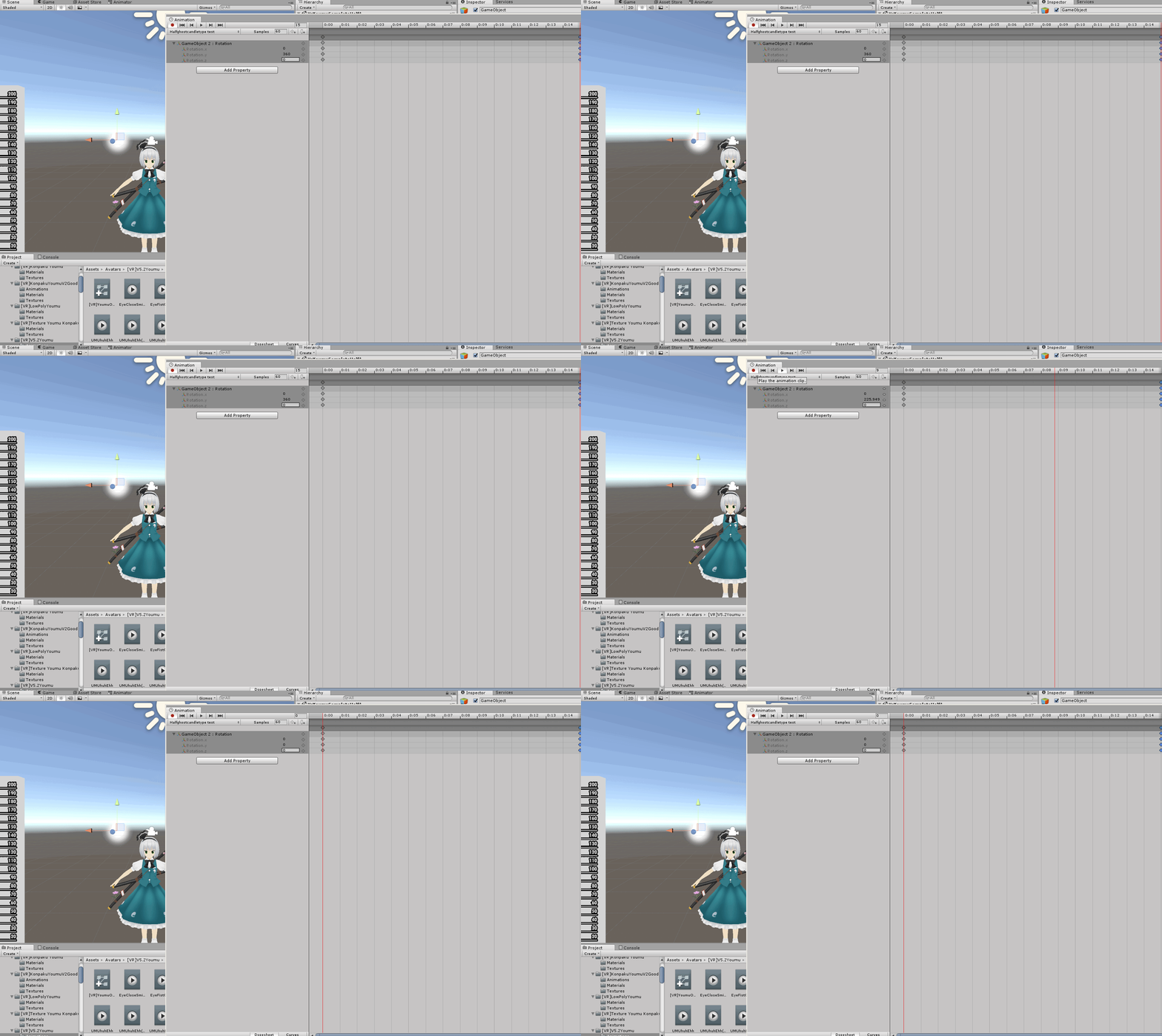
i think i put my x y z to 360... it doesn't move 🤔
dusty plume
is gameobject 2 the particle emitter?
wind ore
yeah
wind ore
https://imgur.com/a/lepHeko @dusty plume

yeah...
the circle around me...
https://imgur.com/a/NmTsqOp @dusty plume i already show
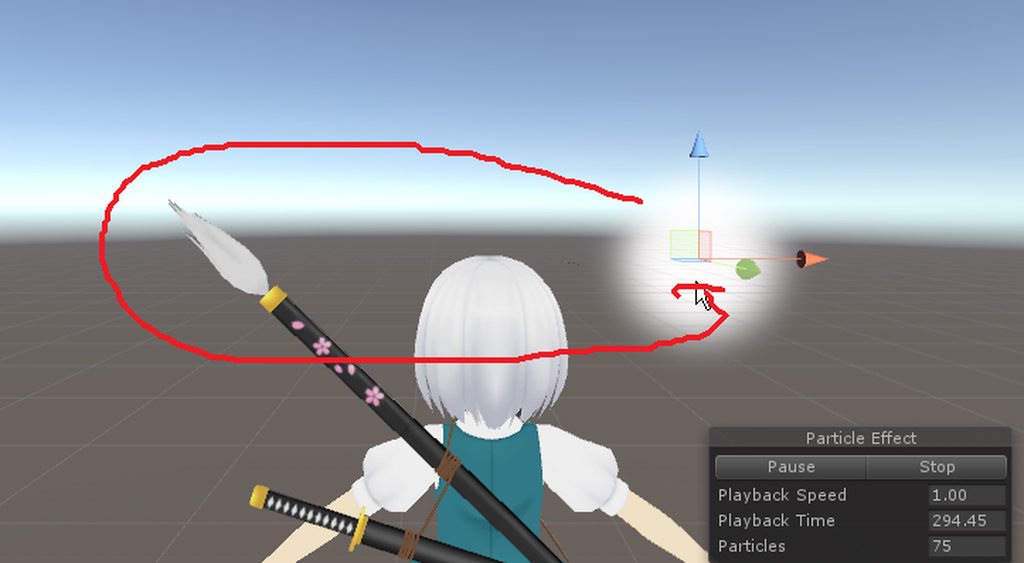 spring nova
he wants the position to orbit around, not spin the sprite
dusty plume
You want the parent to rotate from the center of your avatar (x,z)
wind ore
^
actually
Postion to orbit around..
if u wondering..
is there a way 🤔
rotation doesn't work if i am wondering?
dusty plume
with the parent object rotating, and the particle offcenter, it will start drawing circles 😃
wind ore
mhm..
spring nova
the 🥄 abides https://gfycat.com/SickPointlessDog
 wind ore
Cause i not sure why particles doesn't work with position and rotation..?
O
@spring nova i got a question...umm is there a way to make particle around slower or faster for the example like 1-10 sec stopped and then loop slowly rotate again.
dusty plume
Drag the keyframe further down the timeline 😃
and also just for knowledge. Particle Emitters emit from their transforms, and since particles are just flat images, If you have them sitting still they can't visibly spin.
spring nova
Rotation over lifetime still affects billboarded particles
wind ore
will it affect by animation through?
dusty plume
Only over lifetime as emitted particles don't inherit their emitters rotation
Unless its simulation space is set to Local I guess. which would force particles to inherit everything about their emitters transform as if it were a parent object. However over lifetime is probably more efficient 😉
dusty plume

 pseudo iris
how could i create a flaming sword?
torn pawn
depends what u want it to do 🤷
 midnight comet
 gaunt pebble
I heard legacy animations broke
Reupload fixes it or do they not work at all anymore
 slim sparrow
Yep
Any avatar uploaded after september 1st will not have working legacy animations.
You can easily refactor just about anything to use regular animators instead.
slim sparrow
Or well, almost anything. Toggle-able blinking and world objects will be slightly harder, but we have prefabs for that now
gaunt pebble
ye toggle systems is what i was thinking
slim sparrow
Well, you can toggle animator behavior on/off which still gives us a lot of options. Funnily enough, the removal of legacy gave rise to far cleaner toggle props and blinking prefabs.
 paper glade
@gaunt pebble Xeixe made a new toggle system. It's on his Github.
 uneven acorn
Does anyone know how I can have a point light follow its prefab, the light and the prefab are linked but in-game the light is always under the prefab
paper glade
@uneven acorn First, what do you mean by it's under the prefab?
If you mean it's a child of the object, then isn't that supposed to be it?
OR WAIT
Do you mean the light is just stuck at the root of your avatar?
uneven acorn
The prefab is a flame and the lighting is stuck at my hips
Which I'm guessing is the avatar root
@paper glade
The flame is parented to the wrist
clear yew
@uneven acorn put the IKFollower where the flame is and parent the flame to it
without it the flame will stay at your hips where your wrist would be without IK
uneven acorn
What's an ikfollower
@clear yew sorry I'm the big dumb
Oh wait I found the script
clear yew
ah cool, yeah that should move it with the wristbone
uneven acorn
@clear yew do I put the script on both the bone and the flame
 split flower
Need to make an animation that i can drop a object from my avatar no matter where i am and it will stay there, No i cannot use particles because i want to have animations on the object
 ocean knot
hai guys - i havent really done any state machine stuff yet but i have a quick question - is there a way to get the cycle to resume from where it left off? or does it always start at the beginning of the sequence? or does it just "pause" anyway? thanks a lot
(eg. i have it cycling 3 animations, i let go of a gesture while it is on "2", if i press the gesture again i would like it to continue from 2)
clear yew
is there any way to do a random selection in vrchat using animations or something?
 kindred trout
Hi, does anyone have a t-pose animation template?
 lavish scaffold
I believe there is a controller for that on VRCSDK -> Examples -> Sample Assets -> Animation -> AvatarControllerTPose
 queen bramble
I'm going to need a bit of help here. I'm trying to create a fire laser that looks like this. https://gyazo.com/4628f73b88a2ecf44f13fbf39b67dd48 ,and I've been using the fire particles from this particle pack, the flamethrower https://assetstore.unity.com/packages/essentials/asset-packs/unity-particle-pack-5-x-73777 .
https://gyazo.com/88da01c51733d0548e537e55063021b3 This is what I've managed to make in like 30 min, but I'm running into problems trying to polish it out. The effect seems to keep its size no matter camera size, so when im zoomed all the way in or out it takes up the same % of the screen, and the way the particle works isn't quite what I need. If anyone has experience with these kinds of particle effects or knows a better asset pack I'd like to know, if not, I need some help with this current particle effect i have set up.


Note: this particle pack is compatible for Unity 5.5. Find the brand new Particle Pack for 2018 HERE!
This pack of sample particle assets can be used in your games and to help you understand how to achieve certain effects using the Unity Particle System component and modu...
 fierce bane
@queen bramble set the max size to 10 (or more if needed) in the render settings of the particle effect to fix the "always same size" issue
spring nova
Also minimum size to 0. Minimum is how small it's allowed to get, maximum is how big it's allowed to get, as a percentage of your screen
queen bramble
Setting min to 0 and max to 10 made the whole thing disappear
spring nova
It's probably really small then
spring nova
That will make it display it's "true" size
queen bramble
ah, its that dot.
queen bramble
Ok so its taking form now, need to ask if anyone here knows a way to blend the textures better, currently looks like a flamethrower. End goal is something like this. https://gyazo.com/4628f73b88a2ecf44f13fbf39b67dd48 , currently looks like this https://gyazo.com/e3847d4cb31e2b96e81e29df68525912

Dont believe the parts coming out that make it look more like fire can be changed too much, so im focusing more on the inside of the flame.
kindred trout
@lavish scaffold thankyou very much!
spring nova
@@queen bramble I've got a shader that will be perfect for your project, I'll have to get it to you after I get off work in like 3 hours
 eternal topaz
How do I get an animation clip to only affect the position.y value? Everytime I trigger the animation, the x and y values go to 0
queen bramble
That will be excelent, I will need to work on this tommorow if its in 3hr because itll be midnight by then, but feel free to dm me on this.
spring nova
Sure thing
 rough drum
Anyone here know a way to toggle a mesh on and off via the emote system and not gestures?
I used to have a solution but I've completely forgotten how it worked now.
 molten elm
Is it possible to make scaling work in an animation with a gesture?
fierce bane
Yes you can scale things in an animation
kindred trout
I do not know why after I override my idle animation my avatar stops blinking in game.
fierce bane
isn't the blinking part of the default idle?
Unless you made a separate blinking animation that is
I'm not actually sure on that though
kindred trout
Yes I made a separate blinking animation
My idle animation includes only standing and fingers' position
They should not conflict... but my avatar stops blinking
fierce bane
and you have a blinking animation on an animator running it on loop?
kindred trout
Yes
fierce bane
I'd go with screenshots of your setup, maybe something will be seen out of place
kindred trout
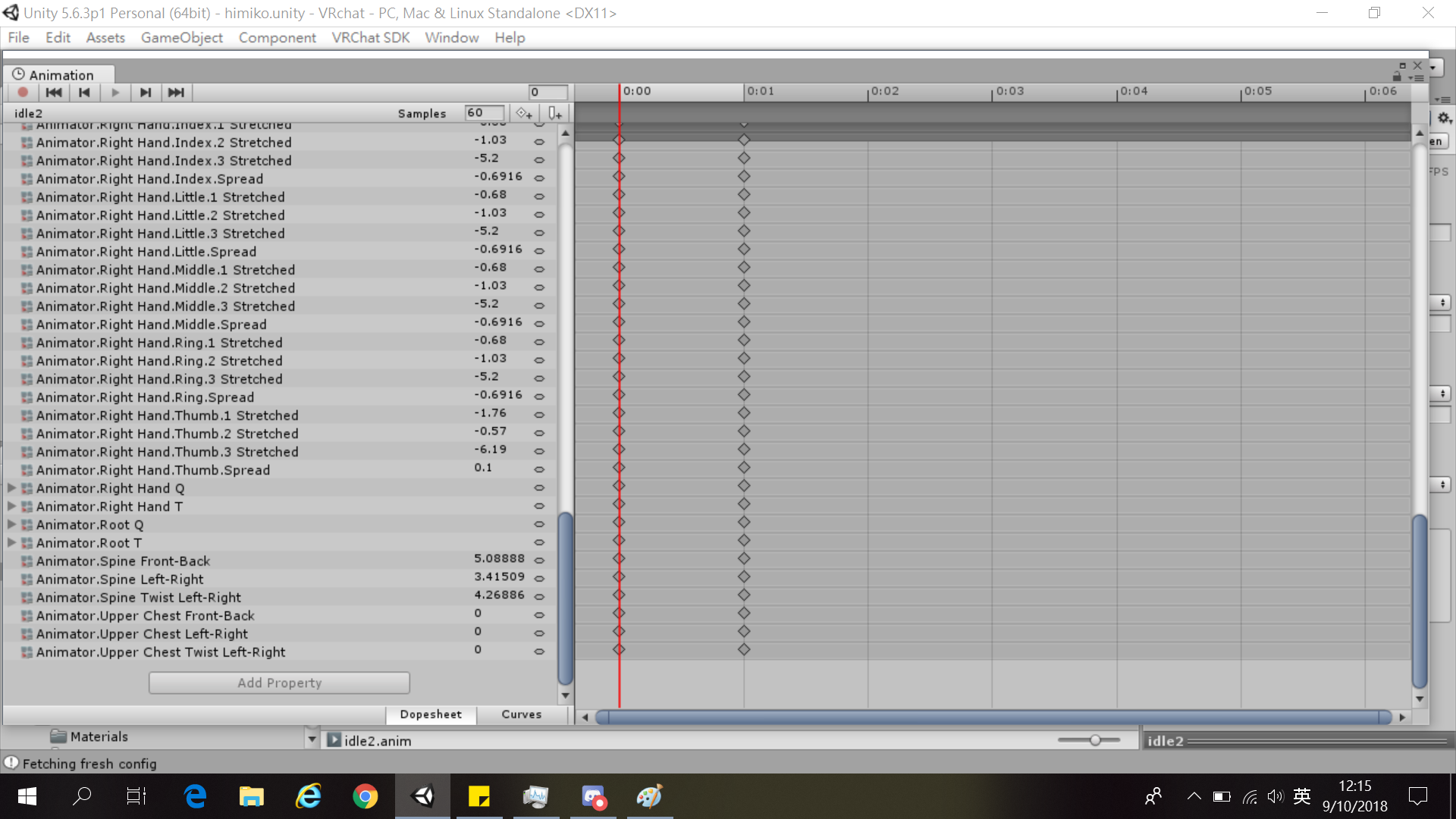
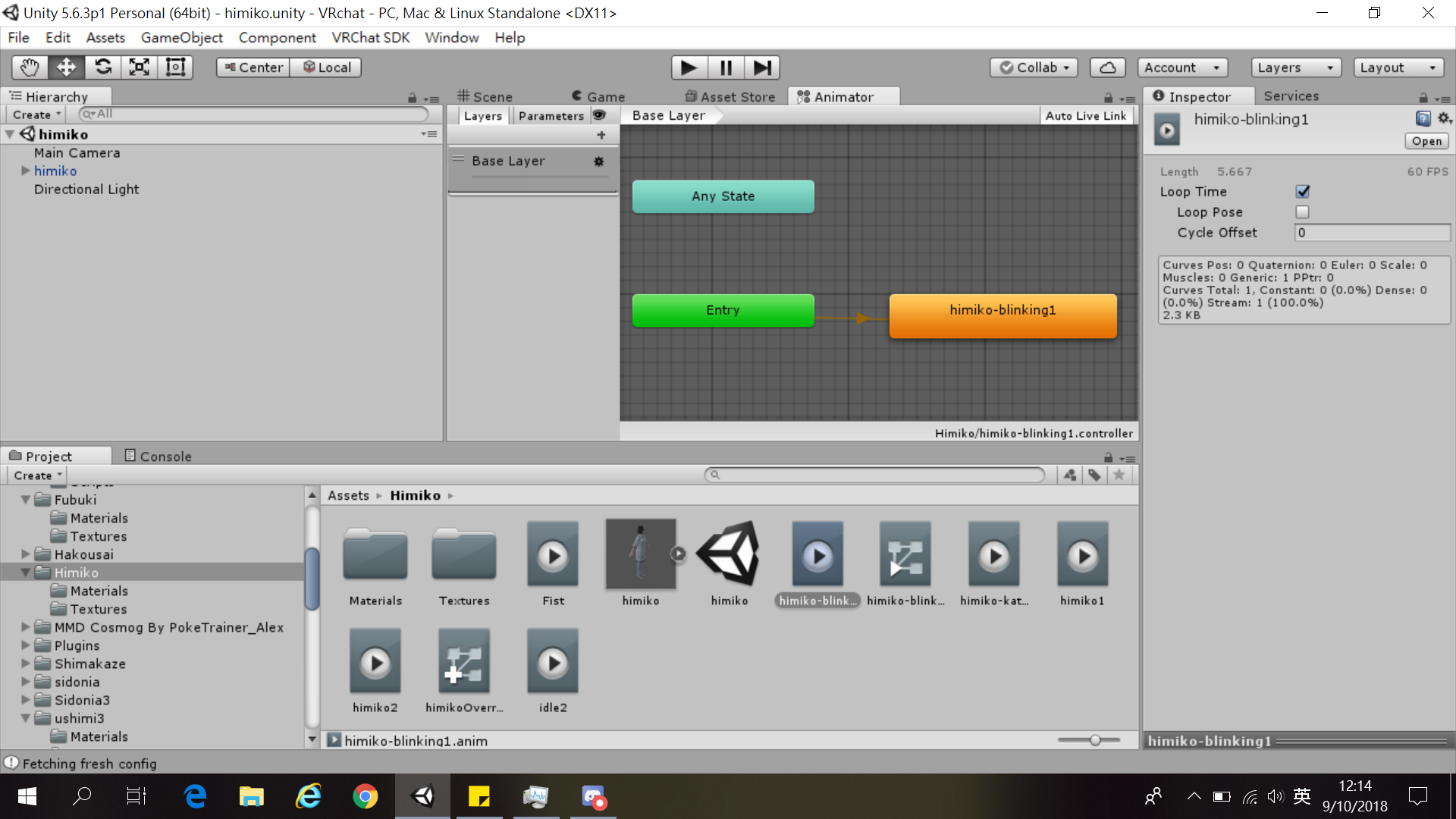
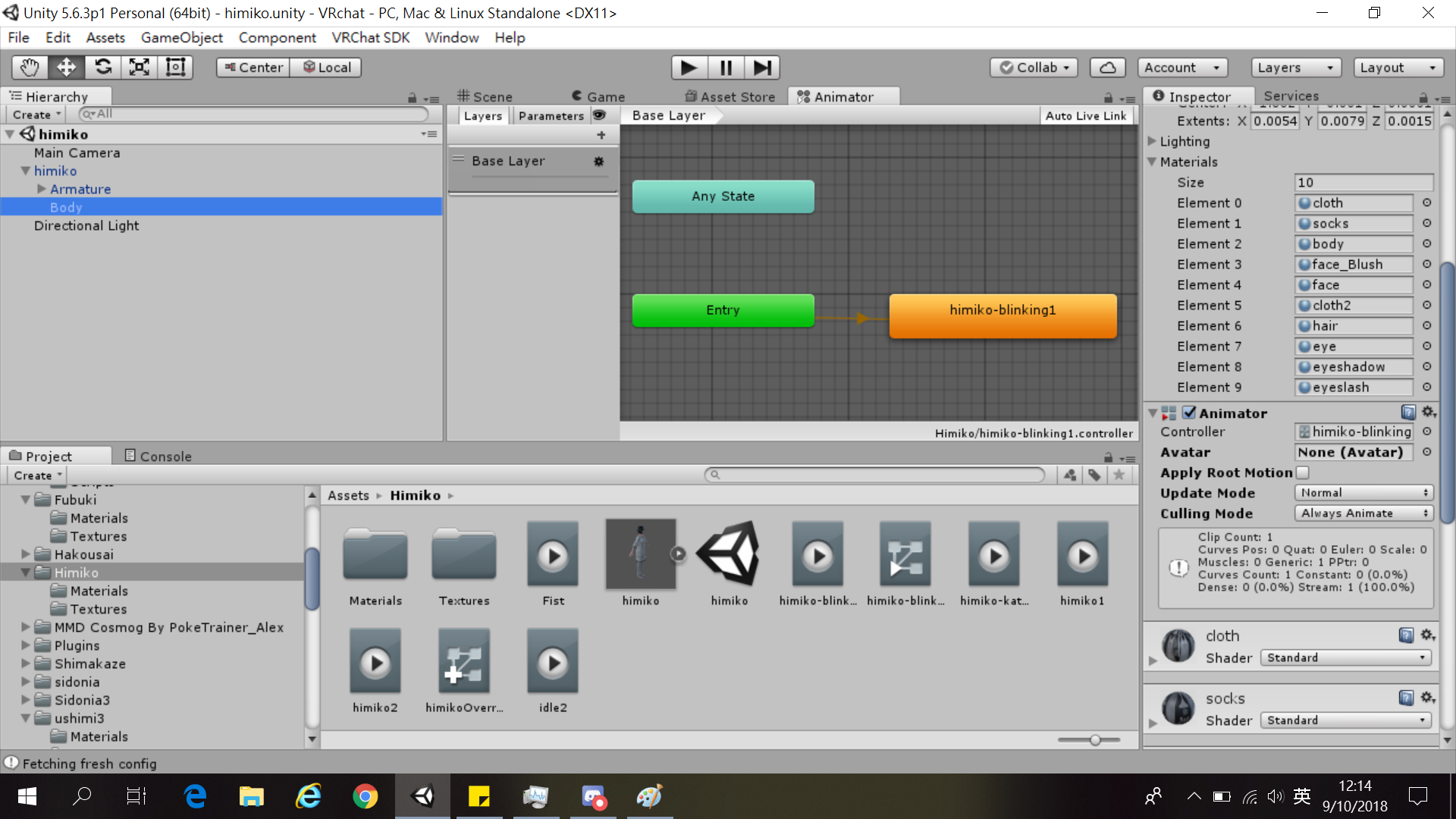
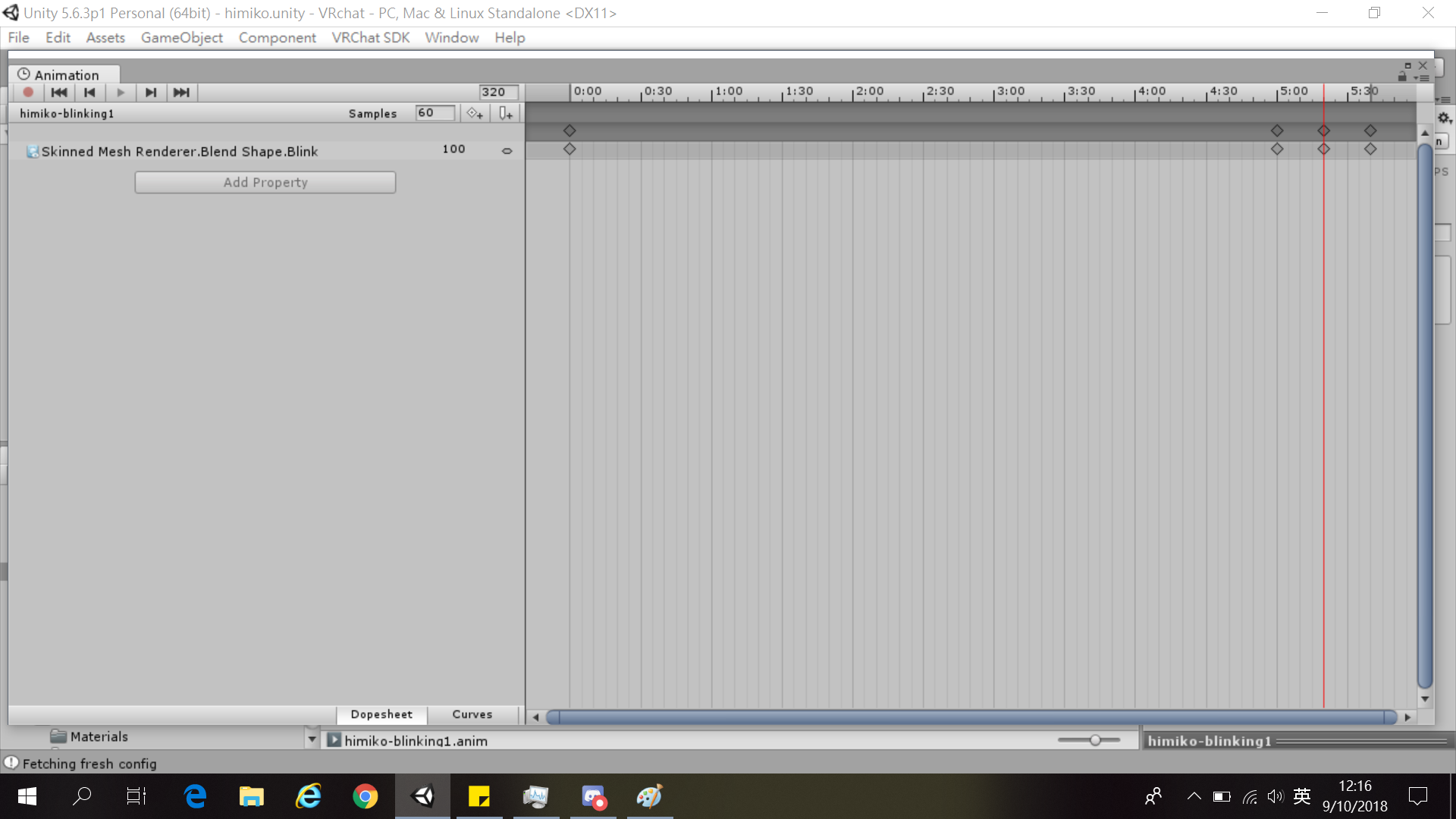
I made a custom override for idle position to fix the avatar's strange finger positions
but after I successfully did it the avatar won't blink, sometimes it blinks but most of time it won't blink, this is quite strange
lavish scaffold
hmm have you tried redoing the blinking animation?
kindred trout
yes
the screenshot I gave you is already a redo...
why strange things always happen on me...
uneven acorn
Anyone know how I can fix my point lighting, I have the prefab parented to my hand but the lighting is stuck to the avatar root not the prefab itself
lavish scaffold
try to disable the idle animation (uncheck the animator) then hit play. Does it blinks?
kindred trout
In unity the avatar can blink normally when I have the idle animation override
And I do not have an animator for the idle animation, I put it directly in custom override
Only the blinking animation has an animator
 lavish scaffold
try removing the idle animation form the overrite. Then if it blinks normally that means the idle animation is not letting the blinking animation do its job
kindred trout
yeah but then my avatar's fingers would go into strange position....
 silver charm
I am trying out the cloth component for the first time on a small bit of mesh -- does anyone have any good settings for like, coat-tails with the cloth component?
kindred trout
that's why I made a new idle animation
I do not know why this avatar's fingers just work different from other avatars
it does not share their values that define the same positions
 charred quarry
Can anyone point me to a tutorial that explains how to create a multi-model animation (like having 3 people dancing?). Does each entity have a separate animation controller? Do you just turn off rendering for the main (real) avatar?
slim sparrow
Every model has its own animator controller, set to play the dance automatically
They usually turn off the body mesh on the main avatar, yes.
pastel hill
how to make an Animation Component working in the animation file for gesture ?
clear yew
hey guys is there a way to hear the music from your audio source when you hit play in the animation window?
all i need is to be able to animate to the music
you need an audio listener i believe
paper glade
Unless you just create an object and then put a Camera component on it, but why would you do that /shrug
 lofty canopy
Ok, I dunno what I'm doing wrong here, but what could be the reason why I can't get my avatar to blink? It used to work through the Unity animation component (it's set to legacy and loop) and then a blinking animation. It does work perfectly in Unity itself, but as soon as I upload to vrchat - the blinking doesn't work.
Oof, it's triggering me right now lol, it's such a basic thing and I can't get it to work. Probably right in front of my nose as well
paper glade
@lofty canopy Use an animator instead of the Animation component
clear yew
legacy animation got removed
paper glade
Set up the Blinking without using Legacy
@lofty canopy Check the pins of this channel, my buddy Rantis made a video about it.
paper glade
Uh oh don't mention the forbidden site
@regal bough change message or you're gonna get the 👏
Also there's something better called the Muscle Animation Editor on the Unity Asset Store.
Go look that up
clear yew
muscle editor is a life changer, i can only recommend to get it
 regal bough
@paper glade i cant even see my own message.. so i can*t change it :/
paper glade
They deyeeted your message then lol
fierce bane
@kindred trout can you show what you mean by "weird finger position"? That's what you should be fixing directly instead of overriding the idle to fix it.
If you can show what you're talking about with that I or others may be able to help
clear yew
@lofty canopy legacy is no more
Just add an animator component onto your body
Protip you can also animate your materials as well
Make your eyes glow brighter
Change color
Etc
Clothing color change
queen bramble
Anyone know how many particles it takes before the game begins to lag a bunch, want to make an effect seem smoother but I don't want to kill a whole lobby by accident.
clear yew
@queen bramble depends
Toaster vs $3000 pc
??
Desktop mode vs vr mode
if im in desktop mode... most tesselations do nothing to me
in vr i will die l0l
torn pawn
@queen bramble don't use high poly mesh particles, dont use noise, don't use lights, limit collision to low quality
and you should be good
queen bramble
The thing im planning on using is a particle system using sphere meshes as the particle, emission is set at 3k rn.
spring nova
yeah that's exactly what I warned you about, I tried that method and it looks okay at best, but requires way too much emission speed.
I ended up working on something very similar and decided on doing this, not actually a particle at all https://i.imgur.com/k4mMJzA.png
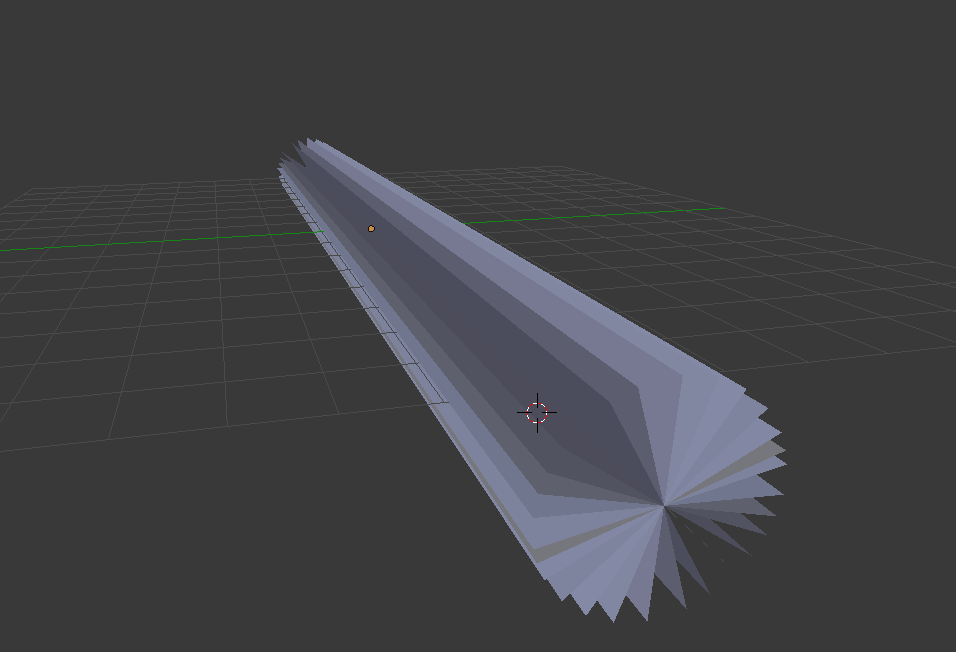
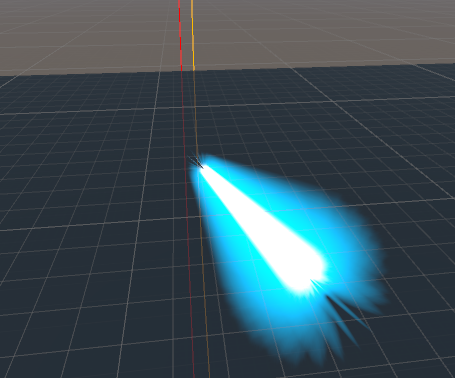 fierce bane
I did something similar for a quick beam blast, but using a shaped particle in its place
kindred trout
@fierce bane https://i.imgur.com/VHjMswz.png

my avatar fingers look like this when they are in the default idle position
fierce bane
that looks like you need a bone roll fix in blender
kindred trout
which freaks people out
fierce bane
er...that might not be bone roll, but an improper rest position.
Could also just be fixable in the rig config in Unity
If you open the rig window, take a look at the end fingerbone and see if it's rotated incorrectly. If so just fix it (or enforce T pose may work for you)
kindred trout
yeah when I open the rig window the fingers are in strange position
when I rotate the fingers the scene warns that the character is not in T-pose, should I ignore?
fierce bane
just ignore it, yes
it's probably the setup in blender that originally caused it, but as long as the hands are in the proper position you should be fine
 subtle heron
How do I sync an animation to audio?
Because the audio is lagging behind the animation in game
fierce bane
you have to time the animation manually with the audio. There's no magical button for it. Compare length of animation to length of audio file and match it
 obsidian vigil
well...
i always
open my sound in audacity
grab the exact time
then pick the according frame
works pretty well
subtle heron
that's not quite my issue
So i have the whole animation completed
https://www.youtube.com/watch?v=1qBHNHCo86E

But when i load it in game the audio doesnt sync, it lags behind the shockwaves
subtle heron
I think it depends on the world
obsidian vigil
oof
subtle heron
is there some sort of trigger like "When audio starts, trigger animation"?
 pliant plank
Don't think so, pretty sure everything in that category gets painstakingly time-stamped
obsidian vigil
@subtle heron you could try a delay
put an empty loop with a set time on an object that triggers your animation in the end
and keeps it active
use the same delay time on your audio source
so when the delay is done and your audio is done
itll start the rest
maybe that way you can sorta align them
kindred trout
@fierce bane It really helps, thanks a lot!
subtle heron
@obsidian vigil i fixed it by delaying the animation by 1 beat, thanks
obsidian vigil
👌
 distant tulip
How do I get an animation that doesnt move my character into the floor / make them stay in place? For example, I would like to use a mixamo animation with jumping without it staying in place,
 craggy sage
i hope they dont go back to legacy animations, the switch to non-legacy was annoying enough
and are legacy animations THAT dangerous?
 frosty pendant
Yeah... You could do anything with it. Removing the floor in the pug for example
slim sparrow
Far more dangerous than that tbh
Someone else found a way to basically bring back similar behavior to VR IK's footstep triggers, allowing you to spawn literally anything for example
Was removed for good reason
@distant tulip on the animation file, tick all three "Bake Into Pose" options, and set all three "Based On" options to "Original".
In your assets
distant tulip
ok
frosty pendant
@slim sparrow my example was just something I experienced myself 😕
slim sparrow
Yeah I know, I was just elaborating
People often don't see most of the ridiculous stuff you can do with this
craggy sage
Im not angry, if its for safety im all for it
slim sparrow
Like when VR IK footstep triggers were removed, people were saying that custom animators weren't that dangerous
Which ignored the fact that those triggers could do far more
The legacy removal kinda sucks
But people have made prefabs to fill 99% of the gaps
Since you can do most stuff with animators. Stuff like idle tail movement for example
craggy sage
yeah, i just updated my mesh with that, all i had to do is animate the rigg
it adds more steps for simple animations but if its safer, its all good
impo safe > cool avatars
rain reef
Anybody got a baseline on how i would start to create a lightsaber with particles 🤔
slim sparrow
Default particle
Shape module is set to edge
Rotated so the white line fits the lightsaber shape
Then tick the option that makes the particles evenly distributed
rain reef
and then set the emission up?
So it looks like one streak?
and how would i make a smooth trail
that looks like the lightsabers trail?
a trail renderer?
clear yew
yes
slim sparrow
Yeah basically
The lightsaber effect itself should probably be local particles with a very high initial burst and pretty high emission rates, but also a sensible maximum that still makes it look good
 rancid valley
So i have my particles set up to one frame in the animationtab, but now i wanna add an Walking animation to it and add it to one of my finger gestures.
How do i solve the problem of having to wait until the animation is done ingame? (Slow hand opening/not reacting)?
I'd like to be able to stop the animation and start it whenever i want, like 1keyframe is supposed to do
rancid valley
So with the animator component the only way i'd know on how to make my avatar move and have the particles it would be that i duplicate it and make the original one invisible and the duplicate have the animation , is that correct or is there a better way?
clear yew
Gestures only allow 1 keyframe or you get the slow hand
Use an animator component with the full keyframes
And your gesture will enable the object
That contains the multiframe animation
Cant you put your particles inside another object and just toggle it
rancid valley
I wanna animate myself, having my avatar's legs have a certain walk animation while the particles activate, basically my particles are 1 keyframe which is nice and works on a handgesture, its just the walking animation thats not
clear yew
Make an idle animation that forces the particle system off
You can make the particle toggle single keyframe
rancid valley
The particles arent the issue tho
The issue is my walking animation thats 7 keyframes long
clear yew
Yea
Walking animation replacement
Just put the particle in as normal
And change your idle animation
So when you stop walking
It automaticly turns off
rain reef
You dont understand what he wants
He has a walking animation and particles that he wants to trigger with a hand gesture
clear yew
So it isnt a replacement
rain reef
@rancid valley Make another hand gesture that deactivates the animator
rancid valley
Together yeah, so i have controll of it
rain reef
so you have a reset animation
rancid valley
So i should just have another handgesture that deactivates my original model's animator?
wouldnt that freeze it? or will it turn back on like a trigger
rain reef
Actually hold up
if you do the walking animation
as an animator
that gets activated on the particle animation
you can do a reset animation to disable the walking animator
you need to make a separate animator for your walking animation though
clear yew
So yes you will need to duplicate your model and put it inside your model
rancid valley
So where would i put the animator in? because i cant put it on the model
rain reef
Yes you can
you make an animator component
look at the pinned tutorial of how to convert legacy animations to animator animations
you will see how to add an animator
clear yew
Its the same as when making a dance on a gesture
rain reef
Oh yeah thats also an option
clear yew
But instead its just a walking animation
rain reef
you could make a duplicate of your body mesh
that automatically has the walking animation
and hide that on default
then unhide that in the animation and hide your main body mesh
So your character is never technically walking so you can stop it whenever
rancid valley
Thats what i did but i'd have now 3 duplicates on my model with different stuff, i was just tryna find out if there's an better optimized way
rain reef
i mean you can try what i said
rancid valley
So where would i put the animator in then? because it literally says "The component Animator cant be added because (Modelname) already contains the same component"
clear yew
Does a multi tiered empty gameobject system work?
If you just stick the thing inside multiple game objects with animators
rancid valley
and in the animation turn off my original animator and turn on the armature animator with the particles?
clear yew
Hm
You can actually put your entire avatar inside empty game objects and put the vrc descriptor on the top parent object and everything stilll works
rancid valley
wait i cant activate and disable animators in animations
i forgot
so i have to do gameobjects
Actually that would hide my avatar so its still not working like that... ughhhh im just gonna create another duplicate. thats some polys more yikes
clear yew
You can
You can disable and enable animators
You use a pulsegate
And it will add the option to your animation window
@rancid valley
rancid valley
I have no idea how to do that, let alone what a pulsegate is
I appreciate the help @clear yew @rain reef i'm just gonna do it the old fashioned way and duplicate my model, its the easiest way for me and im gonna dodge a headache like that
 dusky dock
How to make a reset animator?
clear yew
..
Your reset is at the top of the tree
it changes all the animators back to default
 little copper
hey guys, im trying to make a full custom override with animations but i was having some issues, starting for the standing animation, in unity looks good, but in game doesn't look like in unity, in a bad way, can someone help me? or tell me what am doing wrong? this is how it looks in both https://gyazo.com/c63a637b9f5f01056eb8f3ea80696377
 fierce bane
animating legs being used by the IK generally doesn't work. Creating leg bones to use for the leg rig usually works to get around it. Especially if you have fullly animated walk animations and everything
little copper
it there a way to fix it?
clear yew
lmao
generic model
lol
or just duplicate the model give it an animator component put it inside your main avatar and have your idle animation do a body swap when not moving
i worded that wrong
but you should be able to make sense of that
little copper
i would try, thanks guys
 gaunt sundial
is there someone here willing to screen share with me to help me with a animation? 😅
clear yew
essentially you can make your idle animation a dance animation if you wanted to... you would have to do an avatar swap by disabling your mesh render and enabling the animated version
i think that's the only way to animate the "idle override animation" in terms of IK
fierce bane
...or just make fake leg bones to assign in unity since you stated you have custom anims for everything...
paper glade
Fake bones 
Don't get me started on the stupid stuff I have to do on some Pokemon things
Some don't have fingers, some don't have legs, heck one is literally just a sword
clear yew
lol
XD
thats another way i guess lmao
if you are manually animating it then fake bones do work
 granite notch
https://cdn.discordapp.com/attachments/497162422440820747/499624494676181000/Skjermbilde.PNG
any body know howto help
change the value of my hands so i can accturly hold it my gun is really complicated

if u can help please call me been looking 4 ppl all day😩 🙏
PLEASE😔
fierce bane
They are yellow because the path is incorrect. Click, Pause, Click to edit the path.
Paths are from current location down in hierarchy. (Easier to edit in notepad then copy/paste back over)
So either it's on the wrong object, or you need to edit the paths to be correct (likely the first though since you want it to change the hand)
clear yew
Nice "sphere" with a enable/disable mesh render/mat change toggle spam. is that a prefab crash avatar?
@slim sparrow
@proud grove @gray stump
slim sparrow
Why are you pinging random people @clear yew
red moat
he just wants to know if that guy above uses a crasher avatar i think... if you can confirm that by the looks of the animation screenshot
red moat
eeewww
 icy crow
how's that a crasher? 🤔
 olive yacht
Is there an alternative way to make a blinking animation without using shape keys?
I tried using bone transforms instead and it doesn't seem to work in VRChat, but works in Unity
 spice urchin
how to make the avatar use a one-time particle
i trying to make it so u can throw a prop and it like stays there for a few sec
and u can throw multiple
 pliant furnace
So I'm trying to make a laser beam for a weapon
and the best way from what I know to do so is having trails on a really fast particle
except
the trail won't start till its far away from the source at higher speeds
and if I reposition the emitter itself to make it look like its starting at the gun the colliders may bit something behind me
so I am pretty stumped
and having low particle speed and high simulation speed didn't help
obsidian vigil
try to work with particle size over lifetime
if you start very small
and immediately go massive
or just bigger
it wont start outside of your prop
and for trails
you should be able to control when itll do them
with either the min. vertex distance or the ratio
red moat
I am somehow to stupid to disable the animator of my wings with a gesture. I tried it the same way as with my blinking animation (where it works fine) and have set the classid to 8 and m_Enabled
For the path i tried the root bone from my wings. What am i missing or is the way i try it even completely wrong?
obsidian vigil
you can toggle an animator in an animation? owo
do you just want your wings to stop moving?
or...
red moat
Yeah just so that they stop moving with my gesture^^
And yeah thats what i heard, should be possible, i am just not sure if i do it right. It already works on my blinking animator, so why not on my wings? Dx
obsidian vigil
@red moat idk
but you could try disabling the bones in an animation
then theyll just be still
red moat
Sadly the gesture makes the wings do a special pose, so i cant really disable them, i just want the animator to stop while my wings are doing that pose xD
red moat
Ooohh so i can just tell the gesture animation to switch the animator to one that does nothing? Didnt think of that, i was focused on just a disable animator animation. Thanks! Gonna try that when i am at home
slim sparrow
I don't think that's necessarily possible
You can enable/disable animators in gestures though
If you rapidly toggle an animator on/off it'll get stuck in the first state
First state can be empty or have a different animation entirely
red moat
Yeah i tried to disable it in a gesture like i do with the blinking animator, i just cant get it to work the same on my wings animator somehow xD
fierce bane
I can't even get my animations to list the animator below it to disable it...not sure what I'm missing there
frosty pendant
I think you have to change something in the animation code outside of unity to get the animator enable/disable to show up in the animation
kindred trout
@fierce bane After I re-rigged the fingers and removed the idle animation override my avatar still won't blink
fierce bane
@slim sparrow I thought of doing that too, but I haven't found any way to add the property for any of them, so I'm not sure how to get around it >.>
@kindred trout you have a separate animator for the blink with a non-legacy animation and the correct paths for the properties as well?
kindred trout
yes
animator on the body, non-legacy animation, and the property in the animation has its path as skinned mesh renderer with "body" removed
fierce bane
are you changing blend shapes for the blink or rotating a bone, or what
slim sparrow
@fierce bane get one from the internet
Like from the old toggle props for example
@kindred trout and none of the gestures or emotes in your overrides touch the "Blink" shape key at all?
fierce bane
oh...that's one way around it I guess
kindred trout
one of my gesture used the blink shape key
kindred trout
how?
slim sparrow
Remove it from the animation
Just make sure no gesture is directly touching the blink shape key at all
kindred trout
how would it cause a problem
slim sparrow
Even if inactive
Write defaults
The gesture is inactive and its state is forcibly writing the value "0" to the shape key, ensuring that it goes back to default properly.
This means other animators and scripts can't touch it.
If you want to turn blinking off in a gesture, you will need to enable/disable the Body's animator and suspend the state. I made a prefab that does all of this for you, it should be floating out there somewhere.
slim sparrow
That's the one
Just put an animator on your body and add the provided controller and you're already done
If you wanna disable blinking on a gesture, you can copy the animator behavior keyframes into your current gesture animation
slim sparrow
Toggle props is one prefab that has pulse gates, yes.
fierce bane
Are you able to set parameters with animations somehow?
kindred trout
you are the designer of toggle props?
fierce bane
Since I can't access the controller via animation, I'm not sure how I'd access parameters either, that'd help in setting up a bunch of things
slim sparrow
@fierce bane I tried that a million times but as far as I know, you cannot access parameters in an animation. Even if float parameters appear to be accessible.
I think you can only access parameters that are within the animation's current animator.
So branching still isn't possible
Ooh, unless you have multiple layers
kindred trout
since I am having trouble using the toggle props... I just want to know whether the package in the above link is the same or a different custom package
obsidian vigil
the toggle props is fine
though i feel like people cant see my props
and its different
the one up there
but theres a readme
explaining what you need to do
slim sparrow
Yes, toggle props only works if the person is looking at you directly
The one up there, as the name implies, is for Blinking.
Kuro made a toggle props that works without legacy though
obsidian vigil
i used the one without legacy
but people still cant see it
so i reverted to using a fixed world joint
that worked
kindred trout
this is the issue I have when I use the toggle props... I add pulsegate keys to the animations that I would like to disable blinking during they run, I uncheck the first key (that is located at the start of the animation) and check the last key (that is located at the end of the animation) and when I go in to game, my avatar still blinks during the running of the facial expressions
the keys that I check and uncheck are the ones responsible for the animator behavior

and my animations are not legacy animations
torn pawn
check your animation path
kindred trout
someone told me how it works is that if it enables animator it resets it and it will start over again, disabling and enabling the animator can avoid pausing the blinking animation when it is mid-blinked
I should remove "body"?
torn pawn
no the animation that is in animator
tho rokk made a prefab
has a readme in it too, i think
kindred trout
my blinking animation in the animator has already removed the "body" in the path
slim sparrow
@kindred trout can you show me how the animator controller on the Body is set up?
Just screenshot the state machine
kindred trout
 slim sparrow
That might be your issue
My setup has an empty state with no motion as the entry state
It has a transition to a Blinking state with 0.5 seconds exit time, no transition time.
Right now, what you're actually making the animator do is go back to the first state, which it is already in. Therefore, nothing happens
So you need two states
Toggling the animator off/on will cause the state machine to hang in the first state
Oh actually, the first state should have motion. It should have an animation that sets the blink shape key to 0.
So your eyes can't get stuck midway. This might not even be necessary but I included one in my prefab just in case.
kindred trout
so I should remove aoba-blinking for entry state and create a new state that has aoba-blinking?
slim sparrow
Just make a new state, set it as entry state
Have it transition to blinking with an exit time of 0.5 seconds
red moat
gonna mess around with disabling animators with gestures later today, but i already have a new question xD i thought of having more facial expressions like usuall by using a second face mesh which gets activated when i do a certain gesture and disables the normal mesh. so i could add gestures for both meshes.
my question is now, would it be better for the performance if i just make a duplicate of the body mesh, or if i separate the face mesh and only switch that one, but then my avatar would have 1 mesh more instead of one whole body mesh and that wouldnt be good right? Or should i simply not do any of this for fps sake?
clear yew
@red moat why not just make your blendshapes in blender
Your 2nd body mesh mouth wont move btw
When you talk
red moat
i am a mute so i dont care about talking xD but making blendshapes only would make new facial animations, but wouldnt increase how many i can control with my gestures or do i missunderstand you there? sorry if that are dumb questions, but i havent really done much with that stuff yet xD
clear yew
You can use state change or conditional to get more gestures
Put your body mesh into multiple game objects
And stack animators
@red moat
I have my body mesh as the 6th child of my stack
Youll get a prefab break message but it's fine
red moat
oh yeah that sounds interesting, i'll try to look into that... i have so much to learn xD i wish i would know already so much like many others here xD
 hollow forge
How do i make the grey one to work ?

 restive yew
since the new update with ranks and stuff, my animations don't work, stuff like constant tail movement, i tried reuploading the models with the recent sdk but that didn't work
 muted prairie
Other people told you it didn't work or only you in a mirror ?
torn pawn
@restive yew need to use animators now, check pinned msg
restive yew
shall check it out, thank you  @torn pawn
paper glade
Use animators people
pliant furnace
Wait, can you not use an animation controller anymore?
Also
Is there any way to make a fast moving particle system with trails that doesn't look like its coming out 20 feet in front of the actual thing
olive yacht
For blinking animations and gestures, is it possible to make them without using shape keys? I tried using bone translations and it works in Unity, but not in VRChat
slim sparrow
@olive yacht yes it's possible
But can't you just pose the eyelids and do pose to shape key?
olive yacht
I don't use Blender, which is why I was asking
slim sparrow
If it works in Unity but not in VRChat
There is probably one singular cause
You are trying to move the bones inside a gesture or emote
To, for example, force the blink off or close your eyes some other way
If any of your gestures or emotes touch any bones or shape keys, you won't be able to use those particular bones or shape keys anywhere else.
olive yacht
I'm not sure about that, I made an animation in 3DS Max for it and then applied that animation in unity as I would have for using shape keys
As far as gestures go, I haven't tried those yet. I wanted to be sure it was possible before I went further than blinking
So then it's possible to convert the animation to a blendshape in unity?
clear yew
....
Just use blender
And your blendshapes will be there in unity
Automatically
Use pose to shape key in 3ds max then
Or w.e they call it in there
@olive yacht
Use maya or blender
3ds max is bad
Not vrc or unity compatible
Go get the 3dsmax skin for blender and use that then
Then its like 3dsmax but blender
olive yacht
It really doesn't help to tell me to just discard my knowledge for a completely different program if there's a possibility of finding a solution. If there is an alternative, I would like to at least try it.
clear yew
No1 here uses 3dsmax
Maya and blender only
They are all similar all you gotta do is memorize the keyboard functions
And layouts
Probably only take you a few hours to figure out blender if you already work in the industry
slim sparrow
@olive yacht not in Unity directly
An animation should just work if it's not legacy
It's not an Animation component right? You're using an Animator component on the Body mesh?
And not on the main model right?
olive yacht
I think that may be where I messed up. I was using an animation component on the main model
I was following a tutorial that I found on youtube, is there a more up to date guide on that sort of thing?
slim sparrow
The unity animation guide
Animation components are outdated and are also no longer allowed ingame
olive yacht
Ahh, okay. Thank you
fierce bane
Rokk have you found a way to replace the old legacy reset for static world object?
I was originally thinking I'd just disable the animator...but with it unaccessible I'd have to find an animation with one that disables it, or find a way to tweak the editor to let me access it
fierce bane
is that new after the legacy removal?
clear yew
yes
fierce bane
oh alright, thanks
slim sparrow
Yep, I got solutions for blinking and world objects pretty quickly
My solution is probably slightly more "verbose" in terms of animations and states but it works fine.
clear yew
Hey, so i am looking for a leg swing animation ( https://gyazo.com/4349ae313d900fe74f90c0a5b2b6fe8f ). Does anyone have that or know where to find?
Thanks in advance.
 fierce bane
You could always animate it yourself. A leg swing is just a rotation of one bone per leg (or two if you want the feet to move too).
Can't offer a premade one though, sorry.
clear yew
@clear yew maybe this https://www.deviantart.com/lexusg2014/art/Enjoying-the-sunset-with-the-pool-Motion-DL-491540336

I love this model very much! But some part of bone weight ain't that perfect yet Motion by me Download here : Sit beside the pool P.S: Disable the physics to get the hair as shwon in the pic...
paper glade
Assuming you know how to convert VMD anims lol
The way I do it is kinda complicated
But it works
 normal skiff
something like that really should be one script by now 😦
 atomic oracle
If they removed legacy animations, then how my avatar is supposed to blink?
I have a blink animation that makes my avatar blink every 5 seconds, but that is not possible any more since they removed Legacy
obsidian vigil
@atomic oracle @slim sparrow made a prefab fof blinking without legacy
clear yew
or just check the pins to change your legacy animation to an animator
 vagrant roost
Does anybody know where i can download the Howard Alien meme dance?
 onyx agate
Hey peeps, can someone help me on how to get this particle system i have attached to my avatars hand to only show when using a gesture
Maybe a step by step explanation (in text is best as i cannot keep up with video tutorials
slim sparrow
Particle system's game object is disabled by default
You enable it in an animation using any gesture override tutorial
onyx agate
Hehe.. Guess a no go if i need to duplicate the avatar for this (already at 63K poly)
slim sparrow
@onyx agate that's not the point of duplicating the avatar
You don't upload the duplicate, you only use it to create the animation on
Because creating an animation alters the pose
onyx agate
ok..then i get the tutorials confused (what i need is the Game Object that is set to off to go to On on fingerpoint or rocknroll gesture), is there no add line here option instead of 30 steps?
slim sparrow
There's add property
Just add property, navigate to the particle system
Then add the is enabled property
onyx agate
Think i got it
onyx agate
Nope.., definitely doing something wrong: i have the second avatar.. Created the animation with frame 0:00 being no object and 0:01 with the object.. Choose the animation to the CustomOverrideEmpty (Controller of the main avatar) (handgun gesture)
icy crow
Both 0:00 and 0:01 should be the object enabled
onyx agate
So it is correct the duplicate shows up in the build menu?
onyx agate
alright got it working..now just have to figure out how to keep it sticked to the hand as it is now floating about random and moves with my arm movements from a distance
 dusky venture
Hey so weird question- is there a way to like.. weigh down an item? not gravity wise but- basically i have a sphere that has a fixed joint with some mass so in unity i move my avatar and the sphere slowly makes it's way back over to me, but that doesnt work in vrchat since it's basically glued to my side, so i was wondering if there's a way to make the item either react on a delay so it has to catch up with me or have that following kind of deal work
dusky venture
Well i have a joint i just dont know how to make that work with it, i'd do dynamic bone but the actual item that'd be following me has an armature so it'd basically look like i'm dragging a bunch of jello behind me i believe
slim sparrow
Not if you make exclusions so only the root object is affected @dusky venture
dusky venture
hmm- i'll have to mess with it but so far all ive managed to do is make the object into a punching balloon instead of it slowly following after me
slim sparrow
Increase damping to like 0.6, decrease elasticity @dusky venture
More damping is less jiggling back and forth, lower elasticity means it'll follow slower
dusky venture
i think the issue is the dynamic bone is attaching itself to the ground so instead of following me it's sorta being flung to the ground
frosty pendant
Maybe use upwards force then?
dusky venture
so the most i've managed to do is get the sphere to attach to the main model, but after that it's attached at a fixed length so it cant really like- follow slowly behind me? it's more like it's just rotating around my avatar instead hmm, adding additional empty objects to try to make a line of dynamic bones to maybe make a chain isnt working out either
 broken yew
Im new to animation is there a tutorial on youtube or that i can read?
 blazing bluff
Hey can someone offer some words of wisdom? I made a flamethrower esc particle effect, but everytime I use it, it rotates in a random direction and im not sure why.
torn pawn
@blazing bluff remove checkmark from "shape"
blazing bluff
@torn pawn Awesome thanks for the help
 fierce bane
I'd check the weight painting in blender, yes
 fallow pier
I have no idea how to fix this tbh, if anyone can help please @ me
 rugged lotus
who is meeps
 modern mortar
anyone know why i cant see or select my own emotes dont show up in vrchat? i can only see the default emotes.
 hollow perch
Just a few things to check:
you put your emotes in the animation override controller and you put them on the standing anim override of the VRC avatar descriptor of your main avatar object? (It's easy to put them on your duplicate by mistake, since we often have to create a duplicate to build the animations)
did you make sure to remove any animation controller you put on for testing purposes? The Animator component of your main avatar object should say None (Runtime Animation Controller)
modern mortar
turns out i had forgotten to apply the custom override to the standing animations. a simple step yet i forgot about it. thanks for the help
slim sparrow
World mesh particles don't rotate correctly @open hazel
Need a shader which aligns the particle to its velocity, try Bender's arrowtravel
 royal summit
Yeah u need to do something in the particle system to get the shader to behave right. There’s a few options u need enabled but I’m trying to remember which ones
slim sparrow
You need custom vertex streams in the renderer module
Pass center and velocity along as well
Remove tangent
And I dunno if color is necessary
It should be defaults + center and velocity
royal summit
Should be working in unity. Not sure if it varies as there seems to be few versions out there. Centre point of the mesh is important as well
slim sparrow
Yes, put a box collider under yourself
Preferably on a gesture override
So you can enable/disable it
paper glade
@forest flicker Who was it that you saw that was flying around maps? Was it by any chance me?
 forest flicker
dunno, didnt saw the name, only someone flying around in the distance
so now I am trying to figure out how to make my own avatar fly :p
forest flicker
so...if anyone got any tips how to make one, I am all ears
 hoary coral
Is there a way to Spawn a world particle in such a way that it inherits the starting rotation of it's transform?
hoary coral
looks like that feature might have been 'fixed' in a later unity version, dang
hoary coral
alrighty. I'll see if I can find that
 bold tide
is there a way to toggle a material independently on a unity animation. whenever i try to change opacity of a material, it changes every material on the mesh
bold tide
they are all different materials
https://cdn.discordapp.com/attachments/366718189561839621/500837717697888286/unknown.png
i have the ones turned off that i want to swap out with the ones turned on via transparency

when dragging one off or on within animation, it decides to change the transparency on all of them on the mesh as a group
clear yew
can someone send me a guide/ video on how to give my avatar a knife prop? i know it has something to do with animations
hoary coral
not having much luck locating that shader so far
 chrome python
Anyone got a good tutorial or explanation on any replacement ways for the legacy animation to making a tail move as well as your avatar to blink
icy crow
https://www.dropbox.com/s/lmttb97m38rji3w/Bender's Shader Collection v3 - Final.unitypackage?dl=0 it's in this pack @hoary coral
 hollow forge
Do you know how to make the fingers make sounds/ effects?
gaunt sundial
i am having alot of problems with just making a simple texture animation
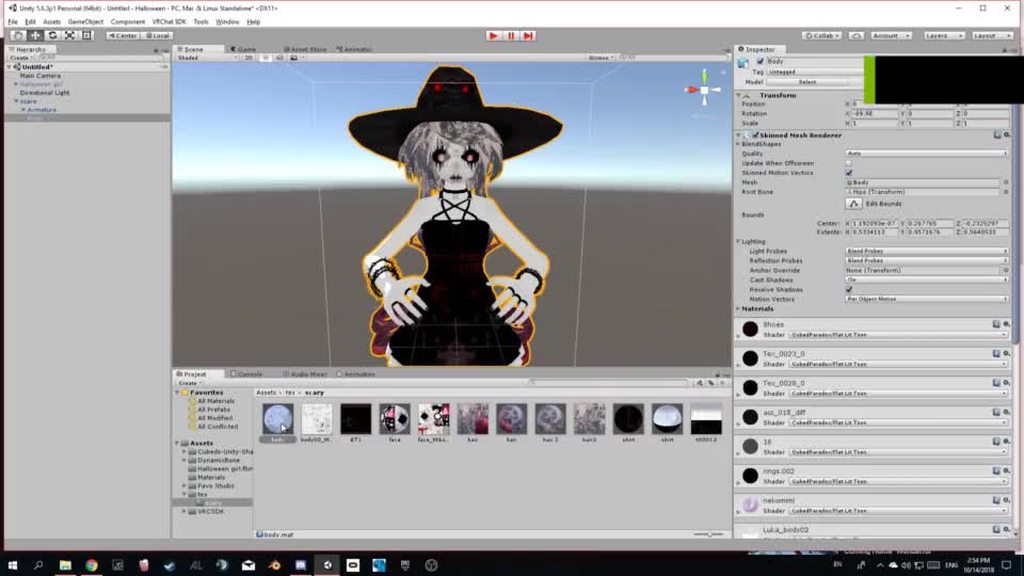
does anyone know how to fix this bc i cant make the animation if this keeps happening?
frosty pendant
you moved the keyframes in the end right?
slim sparrow
Yeah, it seems you only assign one keyframe
Start by removing the last keyframes so you only have 1
Then do whatever it is you need to do
Then make a new frame
frosty pendant
And in the animation you only see the keyframe where the red line is. And since you moved it away it disappears
gaunt sundial
no thats not the problem
its just that the textures start acting up when i ga back to the animation tap
fierce bane
From the recording you posted it IS the problem.
You moved all your keyframes to the 0:01 frame instead of copying them to that frame.
Click the top keyframe to select them all, press Control+C to copy, then Control+V to paste (it will paste where the red vertical line is. That line represents the current frame you're working on)
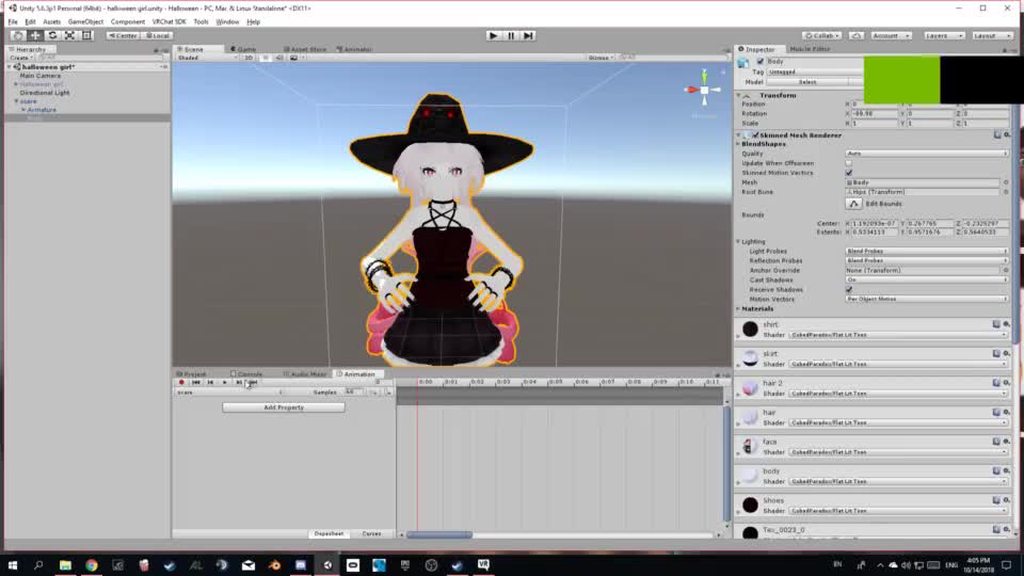 fierce bane
you stopped recording, it is no longer attempting to "play" the animation to show you the preview of the current frame. Of course it's going to revert the displayed avatar back to what it was before.
I don't understand what your issue is...what you're showing is working normally right now
what is it you WANT to happen?
gaunt sundial
thats not the problem its that the texures keep chancing by them selves as soon as i go to the animation tab to chanch the time
fierce bane
When you change the time in the animation tab you move OFF the currently selected frame where you have those textures enabled. So they go back to their defaults because nothing is set on the next frame for them to be any different than your default.
gaunt sundial
😅
fierce bane
Can you explain what you're TRYING to do? Everything you're saying right now is only getting the response of "yes this is how it works" because it's working correctly
fierce bane
Valid reason after several attempts to expain. Sure show me what you need to.
Alright, so the Issue @gaunt sundial is having is that after assigning the materials to the model properly and then stopping the animation recording (or just clicking off) random materials swap into another (the arms in the last GIF for example swap to a skirt or dress texture instead).
re-playing the animation also has the same materials swapped. (mostly just face/body swapping)
craggy sage
gestures dont use legacy animations do they?
 hot orbit
Question, i uploaded a model with an mmd dance, it seemed to work in unity but ingame the model just t-poses, any idea why?
torn pawn
@hot orbit if you're activating model through gesture, then be sure that you are using a different FBX and not the same of your main
fierce bane
@craggy sage Nothing uses legacy animations any more, they just don't work.
If you didn't specifically set something as legacy, it's not legacy.
Gestures normally use standard animations, so no (again, unless you specifically set it to legacy)
hoary coral
hmmm, that velocity based direction shader seems to stretch out my mesh particles into something unrecognizable
 chilly topaz
how do people add custom chair animations provided by the world? (ie. sleeping pillows in Stormy Cave)
 forest dove
How would I go about making an accordion as an item for my avatar
I've tried merging weights and parenting the end bone to the other arm but it just wigs out
I want to try and make a Kass that can play his accordion
Are fixed joints what im after or
muted prairie
You could probably animate the accordion and use gesture overrides, that way you can add sounds on each gesture corresponding to the note
clear yew
I would want to add a blinking animation to my avatars. How to do it without the blinking animation conflicting with gestures?
forest dove
It's less me wanting to play individual notes @muted prairie I would just have a different song per activated gesture, it's more I just want to be able to expand and contract the accordion with VR to give a wee show
@clear yew if you're using blend shapes to do blinking there's no way really, but since shapes are additive to each other there shouldn't be many issues and if there was it would be for the half second the avatar is blinking
kindred trout
Is there a way to avoid my avatar's legs going through its dress when it walks or crouches?
 stray sinew
weight paint likely
Bananers|VR Pole DancerYesterday at 1:59 AM
simple dynamic skirt that wont murder performance https://youtu.be/8u1NBstIcy8

[[ENABLE CC ON THIS VIDEO]] Quick rundown of how I set up a skirt for VRchat that looks good and wont make everyone's frame rate tank. Please be considerate ...
torn pawn
cloth physics or that video
kindred trout
My dress has bones and I used dynmaic bones but my legs still go through the dress when it walks or crouches..
clear yew
but they told you how to fix that tho
either use cloth component in unity
or weight paint the skirt to the legs
kindred trout
It is a long dress
ocean knot
dynamic bones wont stop your legs going thru alone. for a long dress there would be a few fixes. you can either weight paint the dress to the legs in blender, which will make the dress move whenever your legs move. or you can make the whole thing cloth, which may or may not be a very good idea. or you can try and just add some dynamic bone colliders - i dont think this will work as your legs will move too fast and clip through still
it's difficult to make running around in a long dress look very good
 fallow spire
has someone walking animations for an 4 leg avatar?
kindred trout
What should I do after I add the cloth component in unity?
clear yew
extra notes: - this might not be the right choice for your model if the cloth is stylized in a physically unrealistic way - like dynamic bones, this is not a...
ocean knot
is it possible to have two toggle-able state machines on one gameobj?
iirc the behaviour property just affects the first component right? so i cant use multiple ones?
normal skiff
ooo, Muscle Animation Editor 2.0
 toxic solar
Hope I'm asking in the right place BUT: Particles.
I got a simple particle emitter in place that lets me drop candy (Happy Halloween, everyone), hits the ground and everything. Works perfectly as intended... In the mirror. And ONLY in the mirror. In the actual world space, it's emitting as if my character was in a T-pose. So, it's doing exactly what I made it for... but only in the mirror. Can anyone lend me some insight as to what I did wrong? Dx
clear yew
Me need help with animator
I made 2 hand gestures. The first one will simply spawn a box and the 2nd gesture will activate an animator on that box that will play an animation.
Problem is that the animator never reset, if i stop all gesture and do them again, the box animation will not start from the beginning but from where i stopped it.
How do you make sure that it fully reset ?
ocean knot
hmm typically if i want to have an object spawn static and then move with another gesture, i use two of them instead of just animating the one
clear yew
i don't want it to move
it spawn in my hand
and it has an animator disabled by default on it
and i use another hand gesture to turn it on
ocean knot
but it stays in your hand right?
ocean knot
yea, by move i just meant whatever you are animating on it
i think you are activating/deactivating the component, which indeed does just "pause" it
im not sure if thats something specific causing that purely because i just use two objects when i want something like that
clear yew
pretty sure i set something wrong in the animator itself but no clue what do exactly use to make it reset
ocean knot
i am actually incredibly interested in how you achieved it
because i need to be able to pause state machine and have it resume for something im working on, but nobody knows how to do that
seemingly
clear yew
nothing special
Entry > "Clear" state > Animation
i unchecked loop on the animation file
ocean knot
So it's not going from entry when you re use gesture?
ocean knot
that's weird and interesting
i guess you just set it up the same way you would for a longer chain of animations with a state machine?
clear yew
basically yeah
that one video about state machine will basically be : entry > Clear state > object 1 >> Object 2 >> object 3 >> object 1 and loop form there
ocean knot
damnit. well that's hella frustrating, because im about to dive into all this stuff and i'd prefer it the way you have it now, but i have no bloody idea how to achieve that lol.
clear yew
mine just clear state and goes to object 1
ocean knot
yeah the infinite gesture one from zeshin?
clear yew
yes
ocean knot
now im actually hoping that if i follow that, mine "breaks" the same way yours is..but mm i dont know what is up there :/
clear yew
i dont know either, dunno what i did wrong
ocean knot
did you uncheck write defaults on the state box and all that jazz?
clear yew
yes
fierce bane
@toxic solar can you screenshot your "render" section of the particle effect?
Also what exactly is it doing differently in the mirror compared to on your person.
You said "emitting as if in T-Pose" and the only thing I can think of is it's acting as if the hand (assuming that's where it's coming from) is out to the side in a T-Pose instead of following it, Is that the case?
 sacred spear
can someone explain too me how the current way of animations work since legacy animations arnt supported anymore?
toxic solar
@fierce bane Sorry for missing the mention! The IK component was indeed the fix, and for the record yes you described it perfectly! Issue resolved though! Now just a curiosity...
Has anyone made a controllable world particle before? Like you can direct it with the movement of your hand as it moves in a world space? I understand the key seems to be the velocity over time measure, but if anyone has prior experience maybe they could simplify it for me?
@sacred spear Pretty much exactly as you say! No need to mark things as legacy anymore for them to work. I haven't noticed any huge adverse affects so far, spare some jitteryness in my older idle animations.
fierce bane
@toxic solar Yes, I made a kamehameha for a friend that flies forward, but rotating your hand will cause it to turn in the same direction. You can also use two controls to have it move in the set direction, hit the other gesture to stop the movement while held or reverse it, etc
toxic solar
That's sounds so cool!
fierce bane
Use a world particle, then use "inherit velocity" set to current (I suggest less than 1.0 as it can be wobbly if at full inheritence)
toxic solar
Ah, so not velocity over lifetime? Or both?
fierce bane
velocity over lifetime will have it fly in whatever direction you set. That's what I used to make it fly forward at all times (setting it to 0 with another gesture or negative will have it stop/reverse respectively)
toxic solar
Ah okay I get it! Thank you so much you the best ❤
So for that inherit velocity, jsut so I don't screw it up: Great than 0, less than 1?
greater than*
fierce bane
at 1.0 it will follow your hand movement exactly
toxic solar
Understood! Thank you so much!
fierce bane
at 0.0 it will not do anything, as if you had not enabled it at all
for example the kamehameha I mentioned is using a 0.8 for inherit I think
so Local inherit velocity and local Velocity over lifetime causes it to always move forward, but rotate with whatever it's attached to
sacred spear
@toxic solar is it normal for the animation not animating when putting it in the animator ? Since normally with legacy they do animate in unity
When pressing the play button
fierce bane
@sacred spear check the top pinned message here for how to port legacy animations
sacred spear
do i have to do this with eveyr newly created animation?
fierce bane
@sacred spear You have to follow the same setup for anything that needed legacy, yes.
Things like an enable/disable gesture usually don't need it.
sacred spear
i dont seem to be able to get the animation going
its wing flapping animation for a puppet avatar that i created on a duplicate and the animation shows up as normal on the duplicate but does not want too work on the regular one and its not a legacy animation and i made a animator controller for it just dont know where in the hierarchy i have to add the component for the animation to work
fierce bane
The only thing you should be doing with a duplicate is making actual animations.
Adding an animator or any components etc all need to be on your main one so they can be located and activated.
So if it works on the duplicate but not on the main one, there is a difference between the two.
torn pawn
@sacred spear u dont need to make duplicate of the main if making an idle, you put an animator on the bone and then create animation
sacred spear
oh ok thx 😄
clear yew
hey can someone find me a guide on how to make a avatar as tall as this: https://youtu.be/RHYM7_9WTWY without doing anything that can get me banned?

►Support me on Patreon: https://www.patreon.com/Ryan1993uk ►Please Subscribe! https://www.youtube.com/user/Ryan1993uk Stacking with nagzz! battling the colos...
does it have to do something with animation overides?
im a noob btw
well kinda
it's a modified sdk most likely
but i saw something that said you can do it with animation overrides
so there is no legit way to do it
rip me
frosty pendant
Afaik there is no legal way to get beyond the limits given by the sdk
onyx agate
Small question ... Is there a way to not have the Idle animation start each stand still (have a timer on it for instance?)
fierce bane
You can just have a longer Idle. Have it do what you want then fade into the "idle" for a long period of time (basically just creating a fake loop)
I'm not sure if there's another way to do it without custom controllers, but that should technically work
 quartz adder
So when you do whatever you set to fist, when it's a blendshape it has varying degrees of on/off instead of 0 to 100. Does this only apply to blendshapes?
little copper
hey guys, can someone tell me why the model is not moving Up and Down? is for a map and i just made a levitation animation but when i press the play button, it stays static on the same place https://gyazo.com/41ac26e85bb3bf56f6423104cf11506f
 clear yew
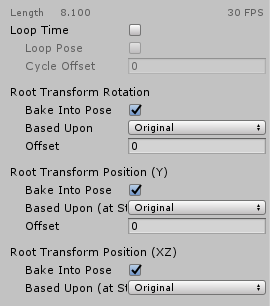
@little copper click on the animation and check the root transforms to look like this https://i.gyazo.com/953a5c54f161e5fabf240b73e9bdbfe9.png
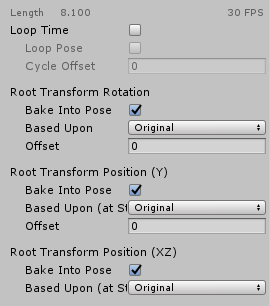
I think that should do it
little copper
@clear yew the problem is that these options doesn't appear in my animation idk why, i made the animation on unity, not on blender or other programs, and also if i press that "Generate root motion curves" it just broke the animation https://gyazo.com/69149291c6384e56cac03319e6b3a91e

pd: i made the animation using Muscle Editor for the animations but i don't think thats the problem
clear yew
root motion is the relative world space tranform you need to move avatars around
what kind of object is the mmd?
you need root motion to lift it 😐
the rest is just relative bone rotations
little copper
humanoid, i tried making it generic but (yeah on generic it moves but the animations with the body doesn't work)
humanoid, i tried making it generic but (yeah on generic it moves but the animations with the body doesn't work)
clear yew
why does it break when you generate the vurves?
curves
no humanoid is good
@little copper what does the animator look like on the model?
little copper
this is what happen https://gyazo.com/e31815e55c393f139dae32bda91057f9
 little copper
she is supposed to move like this https://gyazo.com/fef9ed3908ca57083ac46b017aea25c2
 clear yew
did you animate the xz root motion by accident maybe?
i'm probably wrong here, but you need to use root.Q to move it up and down ?


 clear yew
shouldn't that be (0.0, .0.5, 0.0) or something to just lift her up a little?
I could be very wrong
little copper
okay if i change the values, the model moves all the way
clear yew
hmm, I dont know enough about unity animations to give better advice :/
So I'm a bit new to this animation stuff, but I have made a idle pose and whenever I'm in game I'm half way in the ground even after I changed the position., how would I go about fixing this?
like before, @clear yew did you set these? https://i.gyazo.com/953a5c54f161e5fabf240b73e9bdbfe9.png
Where do I find this tab? I have never seen it before.
click the anim file
 shell vale
If im trying to get claw effect/Trail Renderer.. From a Blendshape, would I attach the Empty Game object with the trail, To my body, or the specific Finger Bone and adjust the game object accordingly. (My claws get longer with a blendshape, so I would need to make the game object go farther than the finger bone.)
clear yew
When I click it only shows, loop pose cycle offset and loop time.
Do I need to add somthing?
@shell vale attach vrc_ikfollower as a child of the finger, attach trail renderer to ik follower
or it won't follow the hand properly
@clear yew I honestly don't know, haru also made an animation and couldn't see those, you need them to move the avatar around and keep it on the floor
Huh.

Thx.
clear yew
particles and trails don't follow the bone rotations of IK properly in vrchat
they just hang where your hand would be in idle ... the vrc_ikfollower solves that bug by rotating all it's children with the proper bone rotations
you can still use empty gameobjects containing the trail, just make sure whatever you want to move along with the hand is a child of ikfollower
shell vale
Aye aye
granite notch
looking 4 emotes 4 my charecters any1 know something nice i could add?
Bdw i know how to make these in blender now so if anybody are intreasted just send me the font and text u want me to add- also its free but shaders and prefabs is always nice to have tho 😏

 shell vale
So... I can -add- The VRC_IKFollower, as a Component..
but how would I make a game object its child if its not in my hierarchy?
 lone bronze
Hey all ! I'm having trouble with an audio source, set to be triggered by an animation. It works in play mode but nothing in game. Any ideas ?
lone bronze
No ideas ? Am I the only one having trouble here ?
 lusty phoenix
Errr, I haven't tried to use audio myself yet - plan to learn soon - but since you're still hanging, I feel the need to ask the age old tech support question... Is it plugged in? (In other words, do you have avatar sound on ingame?)
clear yew
also, are you using the latest sdk ?
shell vale
Any ways to add multiple things to an animation,
or gotta painstakingly add every game object to the animation?
hoary coral
so with an animation component I could trigger an animation by turning the component on/off (leaving the children active). Is there a way to do that with animators?
hollow perch
Yes it's called a behavior toggle. It will freeze the animator in place
Unity doesn't let you make it in the user interface but there are editor scripts that create the behavior toggle (for example "add pulsegate keys")
clear yew
you can just download* a random toggle package and just copy the behavior property from one of the animation files
and just change the path with F2
hollow perch
Now if you want to restart the animator rather than just freeze it, I heard you need to turn the whole object off and on causing a flicker but you only need to for one frame I thiknk
clear yew
posting this here again since i didnt get any solutions yet :
I made 2 hand gestures. The first one will simply spawn a box and the 2nd gesture will activate an animator on that box that will play an animation.
Problem is that the animator never reset, if i stop all gesture and do them again, the box animation will not start from the beginning but from where i stopped it.
How do you make sure that it fully reset ?
hoary coral
apparently turn the entire object off/on
clear yew
doesnt work
hoary coral
which doesn't really work for what I want to do. as that would kill my particles
that would be surprising to me if it doesn't work
as long as you are not freezing it with the behavior property
clear yew
the animator component is not active by default
i use a hand gesture to activate it
and it never reset
hoary coral
not the component, the entire game object
clear yew
still doesnt reset
i wanna choose when i activate the animator too
Make another game object parent with an animator to reset to defaults.
That's the main difference between animator vs animation components for most people.
Animators don't reset state on enable/disable. While animations do.
reset what to default exactly ? all the properties used in the animator for the animation ?
 hardy gorge
can anyone fix a fbx I have that is stuck in the recording position I'm not good at blender and I hate going on it so if possible could anyone fix it for me if I send u the file?
 lofty crypt
 languid gull
Does an avatar have to be set on humanoid for emotes to work?
muted prairie
yes
languid gull
Full bones too? It's really just a sign with a custom emote.
Starting to worry that the animation itself isn't compatible

 hoary coral
so. I have an animator on a game object. it has 1 state with an animation on it set to loop. the animation is not legacy. In unity when I hit 'play' the animation runs and loops. But in VrChat it does not...
anyone know what might be causing that?
torn pawn
@hoary coral is your animator enabled?
languid gull
I'm kinda worried that just animating position/rotation of objects isn't right.
hoary coral
is it a problem that I put a tiny 'avatar' on top of my head, set it to generic rig, and made an animation on it? is that why it doesn't play in vrc but is fine in unity?
or... wrap mode loop
pliant plank
@hoary coral legacy animations are now null and void, if you didn't necessarily use one for it, i'm unsure of what the issue may be
 neon aurora
anyone know how to add background dancers to an emote?
pliant plank
Enabling models with a blend tree animation setup much like standard dancing mmd's have one
languid gull
Regular animation can't enable models?
In emotes, I mean. I've done it before with gestures
hoary coral
I needed to go into debug and change the wrap mode to loop
clear yew
possible to change a shader during an animation?
example eyes are blue
but can i change my shader to make it red for an animation only
pliant plank
You can change the material to another (that includes a shader within the material of course) but i don't think there's a way to change shader settings within the same material
clear yew
hmm allright
 quasi hinge
You can also change the material settings
clear yew
how can i make a continuous animation i have a blend shape that moves my hair when i change the value
so i want the animation to continuously go up and down when the blend shape value is edited
slim sparrow
Put an animator on the body
@clear yew
Then just create an animation on the body that does whatever you want with the blend shapes
Ooh, you can even combine this with custom blinking by putting it on a new layer in the Animator (if you need custom blink)
clear yew
got it
thanks
@slim sparrow last question for the day how can i make the animation automatically replay in vrchat instead of stopping
slim sparrow
Tick "loop time" on the animation file in assets
clear yew
@slim sparrow Beautiful your the best!!!
 fiery star
my avatar sounds have been uploading really quiet even though my sound fx is at 100%, when i change to linear rolloff in unity it keeps going back to the custom rolloff, help?
fierce bane
custom rolloff is FORCED by VRCSDK
I've never been able to change it, it always reverts back...that is their "audio sources will be set to safe levels" which doesn't work as "safe levels" at all
and honestly I believe it should be removed now that they have the safety system...especially because it doesn't properly protect anyway
olive yacht
A quick question, is it possible to move shape keys from one model to another in Unity if it's the same model?
fierce bane
I'm fairly certain not in Unity, no. They're bound to the fbx file instead of separate
olive yacht
Well that's unfortunate. For some reason when I export my model to Blender to try and make shape keys, it breaks the UV map so I hoped that would work
Thank you though
fierce bane
what exactly do you mean by breaking the UV map, what do you see when you try to do it?
olive yacht
My model has two textures with different mappings, and for some reason when I import it to blender from my main program it mixes up the two. This carries over to unity from blender
If I import it directly to unity without blender it is fine
quasi hinge
Are you using Cats?
chilly topaz
how do you apply a model's position transforms in unity for imported animations?? some parts of the body is supposed to stretch a bit but it's not stretching. (all bone rotations work fine atm.)
torn pawn
@chilly topaz trying to convert vmd?
chilly topaz
fbx
i can export it with other file types if i absolutely need to, though i'm still puzzled about this issue
torn pawn
what is the issue? need more info on what you're trying to do
 nocturne radish
Hey there! I had a blinking animation on my avatar, but as it used an animation component with a legacy animation it doesn't work anymore. Can I just add an animator to the body with the blinking animation and it will work or is it more complicated than that?
clear yew
yes, you can just add an animator component on the mesh with the blinking (usually called "Body")
you just need to make the animation file non-legacy
there is a video pinned in this channel that explain that
 nocturne lodge
how do i prevent a world particle setup via fixed joints from drifting every time i activate it
like every time i start the gesture its in a slightly different spot sometimes away from the object or armature
slim sparrow
@nocturne lodge the fixed joint object should always be active