#animation
1 messages · Page 90 of 1
 undone bronze
 midnight garden
Hey is thare a way I can do my mmd animations since thay killed my 1 year of work since it worked only with lagasy
 covert girder
@midnight garden by Animator now, those stuff
 clear yew
Use animator components Yukio
 slim sparrow
That's one thing you really should have been using Animators for all along anyway
It's not too much work to port
midnight garden
So drag the animashen into a animater?
 timber valve
@midnight garden change the animation to non legacy and then drag the animation file onto the root avatar object which will create an Animator object for you and then just make sure that animator object is assigned to your avatar
covert girder

VRCat: Community-Run VRChat Forums
Rip Legacy Animations.
Unfortunately in all newer versions of VRChat, legacy animations have been removed due to security concerns.
The good thing is...

Here is a quick tutorial on converting your legacy avatar animations to the animation state machine system. :)
midnight garden
Ok cuz I have a modle whare I pull it out
clear yew
Pull it out? You mean the relative path thing?
covert girder
@midnight garden video above is about to porting legacy dancing into animator, that you need ) (myb, sounds like)
midnight garden
No like I have a halo modle and I have a modle in that when I pull the ai out it dus a mmd dance
clear yew
Yeah, you can still do that with animator just like normal.
covert girder
you can do a lot of things
https://youtu.be/sbL9k0VA4OY

I explain how to create a potential infinite amount of gestures using an animator state machine. ========IMPORTANT======== Thank you Bertrand Steenhaut for t...
midnight garden
Ok
clear yew
Few more steps really.
As long as it's contained under the main avatar
Enable disable.
Make the dance the default on the animation controller for the child model.
Should work out.
midnight garden
Sigh why did VR chat have to be dum
clear yew
Because major exploit.
midnight garden
Ya but I cant update my mmd club any more so it cant go public
clear yew
Legacy in worlds still works I believe.
If what people have said is true
midnight garden
No it effects world and avatars
clear yew
Alright then.
Should look into an animator solution then and send a message about your specific case to the VRChat team so they can consider it.
midnight garden
Ya sigh
covert girder
animators gives you ability to switch between animations on your mmd world, or be as legacy after model enabling from entry switch to dance anim 🤔
clear yew
now if only we could edit animation parameters properly for a true animation controller
Depends sometimes.
Usually mesh particles or rigid bodies
Probably, haven't looked though.
For particle, just spawn a particle with no movement at all with super long lifespan pretty much.
For rigid body, it's a bit more complicated since they're not the most... reliable tool
You can do a lot with particles.
Including changing their lifespan and such
slim sparrow
Wait, why did they remove legacy in worlds too?
@open hazel fixed joints parented to nothing or world mesh particles
clear yew
I don't know if they actual did yet.
Need to confirm
 granite notch
somebody wanna help make a cool particle system 4 my gun?
clear yew
How do you make it so that when a gesture is used, a different skin texture is used on the model. For example, if I had a demon model with neutral skin tone but use a gesture to make his skin turn white?
clear yew
Add a property that changes the material or changes the diffuse color (depends on if it needs a new texture or not)
 torn pawn
@clear yew press record button and drag n drop material on to mesh or material slot
clear yew
I got it thanks! 😄
 shell vale
I have a question, I know how I need to make an animation on how to make a weapon appear. But what if I had the same weapon on my back, and I want the one to disappear on my back as I do a Fist Emote. Would I just reverse the animation on the weapon in the back?
So like, lets say Set Active, is checked on the weapon to appear in the hand. Do I uncheck it, on the one in the back?
oh wait.. crud.. I can't.. theres only one slot for an emote..
clear yew
you need 2 weapons
one in the hand (disabled by default) and one on the back (enabled by default)
when you make your animation, enable the one in the hand and disable the one in the back
shell vale
Oh right..
I can put both triggers in an animation.. I didn't think of that.
So Trigger Checked for the weapon to appear. And Unchecked for the one to disappear?
shell vale
Aye aye.
Just wanted to be sure.
uh... Any way to create an animation from pieces already on an Avatar?
Cause I created an animation..
and I can't create another one cause its already got one in there. My Eye blinking animation..
Mmmmmh...
torn pawn
there is drag n drop selection if the object has more than 1 animation
 red moat
is there an easy way to disable blinking when using a gesture if you set up your blinking with a animator? i saw someone earlier mentioning it. it really annoyes me that my character keeps blinking while the eyes are closed xD
slim sparrow
Yes, I posted a prefab somewhere
red moat
oh awesome, lets see if i can find it xD
 upper wren
Anyone know of a good way to enable animators in animations?
slim sparrow
Get an animation that already does that then change its path
 chilly vapor
if i remember correclty, they said you could disable blinking by having the animation set the blink value to -100
clear yew
i thought that didnt work
chilly vapor
i havent tried it myself but if the animations are addative like the person said, it might. I definitely need to test it properly at some point
slim sparrow
It probably doesn't work the way you want it to
Just use the method I use, which is to rewind the animator
upper wren
Hmm.. ok then how would I change the path?
clear yew
select the property, press F2
 tender crow
does anyone know where to get blendshapes on unity? when making facial animationsgesture things
Ive been looking for star eyes for like 4 days- D: how do i even get it?
clear yew
whenever i do emotes my head is still controlled by my camera. how do i fix that?
 violet sundial
So hey my particle effect for a muzzle flash gets bigger the farther people are away from it. how do i stop this from happening and make it stay one small size please
feel free to @ me
 still hill
@violet sundial in the render option for the particle system set the max particle size to 10
violet sundial
then min to 0? is 10 max size? wont that just make it huge @still hill
still hill
No leave the min what ever it is I think it's .5 at default
Then just make sure it's resized to your liking and it won't grow or shrink when you move far or get close
violet sundial
okay thank you
still hill
No prob
violet sundial
@still hill so when i set them to 10 they get big in unity do i resize them again if it does that or do i just leave them be?
still hill
Did you change the start size @violet sundial
violet sundial
its at 1 for all of them
and no i didnt do that again fi thats what you mean i reszied them in render options
still hill
Resize them down to where you need it with starting size
If it's a muzzle flash my guess .2 for starting size should be about right
violet sundial
okay moment of truth
still hill
Good luck I'm rooting for ya kid
 tawny wyvern
In regards to getting blendshapes in Body animated in an idle animation using animators - this was totally not working for me for one reason or another, until I tried moving the Body further up in the hierchy away from the base, in this instance, Hips. Once there, the animations worked. Problem solved.
If anyone else has a similar issue, try that. ❤
 hollow temple
So.. I still haven't figured out how to make non-legacy animations with shape keys. Any help or tutorial?
To be more precise, a permanent animation like blinking
 eager vault
Check the pinned messages
hollow temple
Thanks! I'll try that 😄
tawny wyvern
look directly above your first message if you still have trouble, meelo 😛
hollow temple
@tawny wyvern That helped! Thanks
tawny wyvern
I'm glad! It was driving me insane, and the tutorials I saw just didn't mesh up with my experience whatsoever.
hollow temple
I had to redo the blink animation, but now I think it works
do from scratch, pretty simple blink animation anyways
tawny wyvern
Yeah. You can also edit the topology of existing animations in unity as well with that whole F2 while in the animation editor, which helps tons. Glad I know about that now
 toxic solar
Aye hope this is the right section for this: Controllable particles. I've seen multiple, particles that cna be directed with hand movements, and I BELEIVE it has to do with the Velocity Over Lifetime setting but... I haven't been able to figure it out.
Any helpful tips tog et these things to work?
 paper haven
Do Generic rigs still allow hand gestures?
slim sparrow
@clear yew map finger bones
 kindred trout
I made an animation clip for my avatar to hold a weapon. I have bended its fingers to proper positions but when it goes into game the fingers do not bend and the weapon is hanging in the air, how can I fix this?
 cloud olive
alright so i want to be able to drop an avatar while dancing and i can walk away from it
how can i do this?
clear yew
with toggle props
clear yew
make a duplicate of your model
give it the animation dance with an animator
disable it and use the toggle prop system to drop it somewhere with an emote
cloud olive
i have it so i can have it dance in game but its on me so when i move it moves too
clear yew
if you want it to be locked into one spot while you hold a hand gesture, use this https://www.dropbox.com/s/jyqwkrxevr5utcy/WorldObjects.unitypackage?dl=0

rokk made this prefab
combine that with the toggle prop system and you use an emote to drop the dancing model and still use all hand gestures
cloud olive
thanks im now going to try this
wait is their a youtube vid on this i dont want to mess up
clear yew
on what ?
 pulsar creek
k so legacy animations dont work anymore Cuz They dont allow that to work on VRChat(Retarded Update) what is everyone else using to animate constent animations like(Example Eye Blinking,TailWeg, WingMotion ect...)
clear yew
animators
pulsar creek
that doesent work i just tried that
clear yew
it does work since i just did my ears and tail animations
slim sparrow
@pulsar creek it works
You're just doing it wrong, look up some basic tutorials on how animations in Unity work
pulsar creek
its not working for me sad face
slim sparrow
You need to change the path since you are now animating from the perspective of the tail
cloud olive
ill ask later for help i need to go to sleep 🙂
pulsar creek
never mind got it thanks u guys
kindred trout
Can anyone help me with my weapon problem...
clear yew
better to ask your question than to ask to ask
 celest spire
does anyone have a tail wag animation ? :c
slim sparrow
No two tails are alike
Just put dynamic bone on the tail and rotate the root back and forth
kindred trout
I made an animation clip for my avatar to hold a weapon. I have bended its fingers to proper positions but when it goes into game the fingers do not bend and the weapon is hanging in the air, how can I fix this?
(Posted it an hour ago, but no one saw it)
 spring nova
You're probably moving the fingers with the transforms right?
You have to use humanoid parameters otherwise it will just be overwritten
slim sparrow
@kindred trout you were answered by at least one person though
Who told you the same thing as Phasedragon
Was in another channel I think
kindred trout
He told me to ask the question here it did not work out.
if it did not work out
I was moving my fingers under those added under the animator.
spring nova
can you screenshot the animation tab?
kindred trout
Ok
pulsar creek
idk make sure u are using the hand u want to move when using the animation like if the gun is in ur right hand use right shift or right remote
or is it attached to ur wrist bone
kindred trout
it is attached to my wrist bone
celest spire
I should apply the animation on the tail itself for it to wag/ animation loop right ?
clear yew
yes
celest spire
thank you cx
 static hollow
would anyone be willing to walk me through in a call how we need to do eyeblink animations now that legacy animations cant be used? I'm a fairly quick learner but I just don't know where to start.
 royal summit
Don’t have a link but there is a YouTube vid showing how to convert legacy anims and half way through it shows how to do ones such as blinking anims
clear yew
it's in the pinned message of this channel
static hollow
ah thank you <3
tawny wyvern
Best of luck!
 obsidian vigil
How can i get my avatar to blink without the stupid legacy clip?
torn pawn
pinned msgs
celest spire
uhm , does anyone use toggle prop here ? 😮
obsidian vigil
@torn pawn in the vid they do it on a separate object, i cant do that on my main armature though, can i
torn pawn
obsidian vigil
and this also means that clamp forever is gone rite
clear yew
yes
clamp forever is gone
i had 2 animation that relied on the clamp forever
guess those are dead
obsidian vigil
great
spring nova
you can just make a second animation afterwards that it transitions to then just keeps replaying
torn pawn
I mean there should be alternative workarounds, depends on what's needed
obsidian vigil
Well, imma thank Rokk for that prefab but still
it kinda sucks that legacy is gone
and my dynamic bones are broken ingame :/
spring nova
yeah, just setting it to not loop should work as well, but idk what exactly you're doing
celest spire
does anyone have the latest toogle prop prefab / links ?
tawny wyvern
It does, but workarounds seem to be popping up..
clear yew
@celest spire 10 messages above you
obsidian vigil
cats' automatic blinking still works tho right?
torn pawn
yes
obsidian vigil
gud
celest spire
thanks Cx
slim sparrow
@clear yew what does clamp forever do?
torn pawn
clamps forever 
torn pawn
i think it works the same if u remove "loop"?
 pliant plank
I think that just stops the animation and loops back to default :o
clear yew
doesnt it just play one time and then stop ?
spring nova
yeah it should, but the way animators lock onto properties, it's functionally identical to just looping the last frame constantly
clear yew
i had an legacy animation that would spawn a sword with multiple effect and sound effect and the very last frame would disable everything except the sword object, so particle and sound objects would be off
torn pawn
could try doing through having particles and audio under different gameobject, have sword and that object under a parent object, and that parent animator enables both, but disables audio/particle child on, so 1 - 1 for sword, 1 - 0 for audio/particles and remove loop, or make it transition into looping enable/disable states
im prob overthinking it a lot
spring nova
Well if you're using animators you already have the freedom to just have two totally separate animations, a "startup" animation that plays once then transitions into an "idle" animation that loops permanently
torn pawn
yeh, that's the idea I have
clear yew
i dunno how to do that
spring nova
drop in a second animation, right click, make transition
torn pawn
i mean, your first state is the same animation file, then it transitions into 2nd state disable all particles/audio, but enable sword still
 gaunt sundial
hi can someone explain to me how to do an animation that makes the model chance from shader/texture?
gaunt sundial
realy thats it ?
clear yew
yes
by dropping the new material on the model
it will automatically add the switch material property
slim sparrow
Pretty sure that if the animation doesn't loop, the sword should stay enabled anyway
@clear yew
clear yew
a normal animation file without loop in the animator will only play one time
and then goes back to normal
it doesnt get locked into the last frame AFAIK
that's why i used legacy at first
cuz clamp forever was exactly what i needed and it was easy to use
 wise aspen
Can someone help me with animating my model?
Every time i go to enable an object from the animation my character gets messed up and goes into like a crouching position and wont come back up. Ive resarted atleast 20 times now and idk how i got it to work about 2 of those times but now its not working again
Is it the location im playing the animation on? should i be putting it only on the wrist and not the whole body?
clear yew
you need to animate a duplicate or your model will be broken
check pins for my message to fix it
wise aspen
do you know why you need to duplicated it? either it wasnt said in the videos i watched or i just missed it every time
slim sparrow
Because that's how Unity works.
In this case, you need to make your animations on a duplicate and then eventually apply them to the original using the override controller.
 autumn yew
Ahh! I added a parameter (float speed multiplier) into the animator controller; to speed up the action. Then had a animation (gesture) increase said parameter value using animator.parameter, but... it does nothing. Hmm. Anyone know what may be the problem? Thanks!
 lone bronze
Hi guys ! I worked on my broken model to do the animations and dynamic bones, and I wish to "un break" it to upload it. I'm selecting everything excluding objects I added to it and selected Revert to prefab
But it's not working. What am I doing wrong ?
@wise aspen In unity, when you try to animate a model, it will "break" and go into a crouching position with the hands half closed, through the ground. There's no way to avoid that, so you have two solutions :
- You duplicate your model, and you do the animations on that duplicate, cause you don't care if it breaks
- You do your animations, and after you're done you select everything in your model except things you've added to it like prefabs, you go to the inspector you hit the gear and press Revert prefab and it should work (it doesn't now for me that's why I'm asking a question also)
clear yew
what do you mean broken model ?
lone bronze
The thing you get when you use an animation
The crouch thing
You can revert the model using Revert to prefab
But for some reason it's not working for me now, so Idk what I'm doing wrong
lone bronze
Yeah you duplicate
wise aspen
when people spawn those big structures is it just not enabled untill they do an emote than it enables?
 icy crow
Yeah, with an emote or gesture
wise aspen
thought so
1 more thing ive seen people shoot and the item travels till it hits the ground than explodes. is that just good timing? or am i missing something
lone bronze
@wise aspen If I'm correct you can specify in the particle emitter that the particle collides with mesh colliders
The ground and walls usually have them so they will do the action you tell them to do when they collide with them
lone bronze
😛
clear yew
#BringBackLegacy
clear yew
aaaaaaaaaaaaaaaaaaa.
The lack of custom animation controllers hurts my heart.
tawny wyvern
Hmm, I see, I thought I tested this earlier for that. It's gesture overrides that were killing my idle animation visemes.
 unreal kernel
Hey yall, so im trying to make a boat go circles around an island, i animated it but idk how to loop that animation to keep going forever
 white current
my blinking animation isnt showing up in game but it is in unity any way i can fix this?
red moat
Uncheck the legacy box in your animation in debug mode. Put a animation controller on your body mesh and pull your blinking animation into the controller
shell vale
Am I doing something wrong? I have my Sub Particle set as a burst.. and im trying to set it as Death.. But then it just pre-maturely explodes.. and not on death...
 wise aspen
That looks pretty cool
shell vale
Thanks
but yea... trying to get the sparkel to fizzle out when it disppear, yet its not doing that.
wise aspen
Is the timer set long enough?
i dont use particles that much so i dont really no that much
wise aspen
is that not correct? it looks like on death it fizzles
shell vale
Uuuuuuuuuuuuh...
Oh...
maybe it does...
and I thought it fizzled while shooting...
Oh wow...
wise aspen
xD
shell vale
Welp. Nevermind then :v
shell vale
Uuuuh doublegoose's thing basically shows you the Basic Hierarchy of how it should be.
Then I just looked up some lightning ball tutorial.
And, Then, some firework particle effect.
What else to be sure that someone explains how Death Sub particle works.
than fireworks.
The thing is that they keep talking, so you're gonna find yourself pausing and going back constantly, constantly, constantly.
wise aspen
i do that alot so its nothing new to me hah
 wraith flame
Just a quick question. Are walking animations overridable? Looks like I can get other things roniverride except walking animations.
wise aspen
Theres a walkin anim in the over controller so im guessing yea
wraith flame
Yes, theres slots for walking runnings strafing so on but to no effect in the game
And yes it's a humanoid. Just curious if anyone has used this override successfully
 small igloo
For a small avatar when my hands/arms are close to my face/viewpoint they get cut off and I cant see them properly, is there any way to fix this?
torn pawn
I don't think so, it's up to how world camera minimum cull distance set up
icy crow
Just make the animation longer by dragging the keyframes out, if the audio source is looping, it'll keep looping for as long as the animation
icy crow
Yeah
So if you want your song to play twice, then you'd want the animation to be at least twice as long
 dusty plume
toggle props but like not broke? does it exist?
clear yew
yes
dusty plume
where? and how to use it because I found one, but its directions arent easy to follow
clear yew
you can find one on the vrcat club
 last wolf
can someone please tell me an alternate way for legacy animations
spring nova
pinned messages
last wolf
oh it's there
static hollow
is there a way to fix the leg IK's to not break your legs when adding a custom idle anim?
static hollow
the legs in the idle animation are meant to be farther apart but the leg IK forces them to close and the knees bend inward instead of forward
 wide warren
@unreal kernel I did that exact same thing myself actually, what i did was copy the first frame with ctrl c and then paste it at the end of the animation as the final frame
Has anyone else's custom character animations been broken by the update that added crouch and prone?
torn pawn
@wide warren depends what u mean by custom animations
wide warren
My main model is a guy in a cat costume, and he's supposed to crawl on all fours when I sprint. However since that update, when I sprint the head locks straight forward with a weird tilt, the chest is at head height, pelvis drags on the ground and the arms flail wildly out to the sides
 south eagle
It must've used a legacy animation
icy crow
Nah most animations got borked in the update
lone bronze
Hi guys ! Is there such thing as a "toggle" gesture thingy ?
Usually on my models I use two gestures at the same time, one to activate the object and one to turn the mesh renderer on, so I need both at the same time and I can still use them normally otherwise
But I'm trying to work with a model that has a blendshape, so there's only one value to change
lone bronze
No one ?
clear yew
It existed up until the latest update
It got broken with that update
and it got fixed 2 days later
Oh, what's the fix?
using animators instead of legacy animations
lone bronze
Sorry I don't get it
clear yew
Is there a vid on it?
lone bronze
How to use this with a gesture combination ?
clear yew
Thanks
lone bronze
I feel like I'm invisible x)
 dreamy osprey
i have a little issue, wen im in unity animating a model, for some reason after some steps the model returns to it past position
maybe has something to do with musle editor?
wraith flame
Is there a max emote length for an animation clip?
 languid gull
Are dynamic bones relevant to this channel or is that more of a rigging thing?
languid gull
K
 gritty elbow
@wraith flame I think it's like 30 seconds or something like that
wraith flame
Hmm I was just told 10 seconds. Guess I'll just have to test it
 silent gust
Can anyone help me with getting 2d blinking to work after they removed Legacy animations from VRChat?
tawny wyvern
@silent gust That pinned youtube link goes into the fixes on both
silent gust
Oh snap, thanks.
tawny wyvern
If you haven't checked it out yet, the second half deals with blinking and should help get you started 😃
silent gust
I'm making a Toontown model with blinking so this is great.
 stray sinew
🦐
tawny wyvern
yeah! Note that if you have gestures that use the visemes you want to put into your blinking/etc animation that'll cause a little trouble as it goes right now
silent gust
My blink is not looping for some reason.
Only 1 blink plays and that's it.
OK, I figured it out.
tawny wyvern
There ya go 😃
silent gust
Thanks!
It's not working in-game.
So much for that.
@tawny wyvern Got any info on what could've happened to cause it not to work ingame?
tawny wyvern
@silent gust Do you have any custom gestures that use that blend shape?
tawny wyvern
Mmmm thats the thing that I was running into trouble with. How about the animation itself, did you create it from scratch or adapt from the legacy version?
silent gust
I switched the animation out of legacy.
tawny wyvern
When you load/edit the animation in unity through ctrl-6, are any of the entries yellow?
silent gust
Nope. appears to be black.
tawny wyvern
Vedy strange. Working in the unity preview?
silent gust
Yep
tawny wyvern
Fun times! Where is the animator for the blinking set up at? on Body directly?
slim sparrow
If it works in Unity but not ingame, it's almost certainly an animation override issue, or the blink shape keys are actually part of the first four shape keys (such as vrc.blink_left)
What happens if you take off all the overrides?
Just no custom standing anims at all
Or sitting
silent gust
lemme check
OK, now I'm starting to see the yellow text in my animation.
OK, when I preview the animation in the inspector it works
I'm gonna test some things.
 waxen garnet
autumn yew
waxen garnet
autumn yew
@clear yew Blender + mmd tools
Anyone know of way to use material swapping anim as a toggle? As in not holding a gesture. Something like Xiexe inventory system, but for animations rather than game objects?
I think this would be simple if I can change animator parameters via anim.... but that seems broken or I am going about it incorrectly.
silent gust
OK, I think I found out what went wrong.
With my blink
Ayy! I got it working in VRChat now!
 normal skiff
@autumn yew you can at least turn an animator on/off from another animation, but I haven't found a way to change properties yet
it seems like it should be possible but that nobody knows the magic words
clear yew
I've spent weeks trying to figure out how to change animator parameters in vrchat.
No go so far though.
We really need to have the ability to use our own custom animation controller. Instead of getting it overridden on upload.
For you, Shiro, it'd be the same method as the looping state machine, but instead timing based so you can put it on one of the active emotes.
Animation lasts just long enough to change into the next state. Etc.
normal skiff
I have one avatar with a custom animation controller already, it's just non-humanoid
nothing really stops me from making one which isn't humanoid but still looks human, though
the main purpose I would have for setting sub-animators is for things which I can't just easily do in one animator
it would definitely save a bunch of work if we could just get the whole controller vrchat is using, drop it in as the custom one and make changes
if the Action Emotes feature would at least get implemented we could use that to toggle things without ridiculous animation setups
clear yew
We have the controller that has all the basic values and setup needed. It just gets overridden back to that default.
Problem with generics is that it doesn't really have hand gestures or any IK or any of the other standard parts from the humanoid.
normal skiff
that controller lacks all the actual animations though 😦
clear yew
True, it's all dummy animations.
Not too much of an issue though
normal skiff
surely you can put the hand gestures into a generic if the parameters are named correctly... then again I have never tried
IK I'm not as sure about. I have heard of people using IK with non-humanoid stuff but they might all be cheating
clear yew
They definitely could set it up so it can.
They just have to have the same behaviour or similar from humanoids apply to generics. Mostly just input buttons
normal skiff
even custom humanoid animation controllers wouldn't be ideal IMO, you still have to be doing this stuff for about half a year to be at the level where you would be able to use it
clear yew
We used to have the ability to have custom animators through some sort of IK thing but that was patched out with web panel fix
normal skiff
first-class toggles like action emotes .. that would be like a day or two to get working
not the web panel fix, the final IK removal
though most of final IK was already not on the whitelist, so it was always a mystery why that one was
clear yew
Yeah. It was patched out in the patch that fixed web panels.
clear yew
Around that time I guess.
normal skiff
I wanted to use final IK for skirts but discovered months before that that it wasn't on the whitelist
so I guess I got screwed months before the patch that everyone is complaining about lel
clear yew
Sad I spent weeks learning so much about the unity animator and behaviours only to realize I was two months too late to make any use of it
normal skiff
well................we can at least still use those
we just can't use the cheaty method of swapping out the controller
it's too bad fixed joints are so unreliable or I'd know a very terrible but easy way to swap multiple variants of a whole avatar in/out
even being able to swap out the overrides would be really helpful :/
clear yew
Yeah.
Gonna have to see if child animator components keep behaviours so I can just do a pseudo controller and research all the input buttons required for things.
Otherwise, onto the next implementation idea of only timing based stuff
 fallow pier
 clear yew
Check your blend shapes
I imagine you accudently got a few or them corrupted
autumn yew
@clear yew Timing base is a neat idea. Though does not seem easy to make work if I want multiple variations of material swaps rather than simply one. hmm
clear yew
Variations as in multiple different material swaps? Make a longer loop for more possible states.
Though more complex stuff will most likely be a bit harder to make work.
Stacking simple stuff can usually have a decent effect
 pastel hill
can animation use to be show/hide mesh ingame
wise aspen
I overheard someone say that if you use a joint hinge you can attach object to the ground is it true?
slim sparrow
@clear yew I've been asking for custom animators for months now lmao
The devs don't have it as a priority at all
torn pawn
tools for avatar creators 😂 is ok, we got scuffed ik_follower and ppl fall back to joints 👌
well, ik_follower is useful if you're extremely lazy, which does happen
slim sparrow
IK Follower works decently well if you use it correctly
Avatar creators still haven't gotten any new tools in an extremely long time
Seats will be the first thing, if they ever release those
torn pawn
it screws up really badly if you start moving, from what I understand you gotta put ik follower under like 2 or 3 empty game objects
slim sparrow
Yeah, the component has to be on an empty game object with Rotation and Location 0,0,0
torn pawn
apparently it resets to 0 of the object it's on
torn pawn
and it still breaks 😂
 lunar pasture
Hello
torn pawn
@lunar pasture 😊 👋
lunar pasture
@torn pawn howdi
what do you reckon the chances are of making a working wristwatch in vrchat?
clear yew
0
lunar pasture
ok, i beleive you, but just out of interest, which factors are missing?
 split creek
can somebody explain to me, how i can make a permanent looping animation, without the use of legacy animation, since its not working anymore? for something like a tail wig and stuff thats always on without using hand gestures
torn pawn
@split creek pinned msg
clear yew
Make the animation be the default state of an animator.
F2 to change property path. Set to loop.
Check the pinned messages for a video.
split creek
ah ok thanks, i will look at that
split creek
hmm cant seem to get it to work 😦
 kind solstice
Hello. Does anyone know where I can find the nine-tails animation where the tails shelter the body by wrapping around its wearer?
slim sparrow
@split creek you put an Animator on the first bone of the tail, then you create an animation on the tail itself.
Then you set the animation file to loop in assets
split creek
the animation works fine in unity in play mode but as soon as i upload it to vrchat nothing plays, i did it exactly as in the video
the animation even shows in the avatar preview in the menu but not when i actually use the avatar
autumn yew
@split creek Hmm, question. Where did you put the animator?
slim sparrow
That's a good question. If the tail animation is located on your main model, that isn't gonna work.
 somber sequoia
is there a way to combine multiple emotes into one?
as i have three anim files that i need to play one after the other
torn pawn
@somber sequoia you can either copy-paste all keys into one anim file, or make animator to transition from state 1 to 2 to 3
split creek
the skeleton is currently set as humanoid but it didnt work either when it was set to generic
somber sequoia
ty @torn pawn
 muted cobalt
I'm having an issue with Dynamic Bone... for my hair, it likes to clip thru my head, and also sways really extremely to the left and right when strafing

that's what my settings look like
clear yew
.88
.27
.3
.88
try that
muted cobalt
Works pretty damn well with those values, now the only issue is my hair on the front hanging down is going into my forehead when I run forwards
Isn't there a way to make it have collision or something like that?
muted cobalt
Also, a quick question, all of these people I see using unity have live physics in unity (like dynamic bone physics work when they move the model around in unity) while mine stays static until I render it and use it in-game which take a while just for testing out values
Is there a setting to make it render that stuff in realtime while I work in unity?
icy crow
edit your settings in play mode then copy the values before you go to upload
 unkempt sphinx
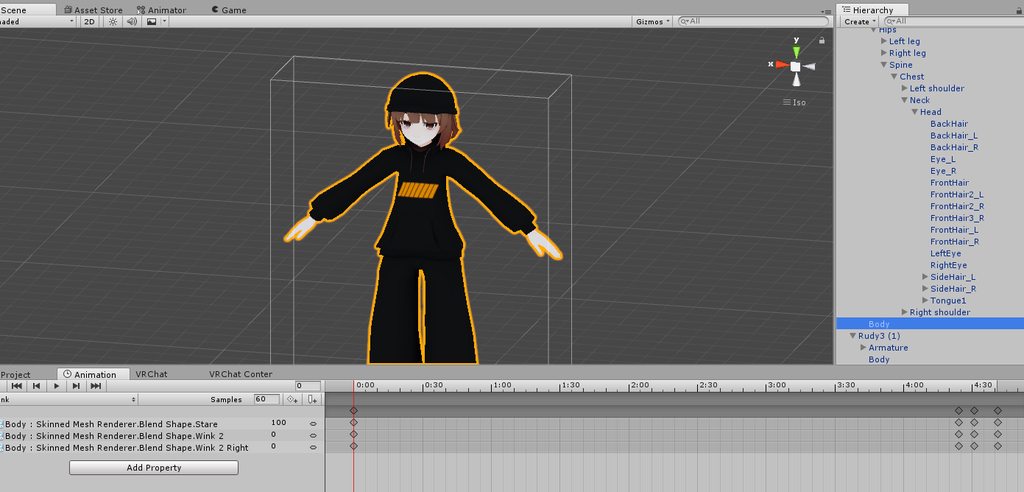
So I've been having this problem for a while now and I have no idea why its happening. All my blinking animations work only with one eye. It happened before the update (at least a couple updates) and it's still doing it after the update. I've animated the shapekeys to work on both eyes. Ideas?
When testing in playmode it works fine.
 craggy sage
how would i use an animation i made in blender to use in Unity? export as .bvh?
tawny wyvern
@unkempt sphinx Do you have a wink gesture by chance?
craggy sage
or do i have to export it with a model?
tawny wyvern
Max, you should be able to do your business with fbx, which will export animations as readily as the model itself.
The only caveat there is if you have multiple animations on a rig blender will give them names that include the "|" symbol, which will prevent you from duplicating the animations out of the fbx host file. You'll need to rename those in the mechanim setup first..
unkempt sphinx
@tawny wyvern Yes, I'm using the Wink 2 and Wink 2 right seeing as they were more of a normal closed state of wink than the regular ones.
tawny wyvern
It seems having gestures with those blendshapes may interfere with having them on an animation..
slim sparrow
Yes
If any of your animation overrides (gestures or emotes) use the wink or wink right blend shapes, the animator will write defaults.
And the body's own animator will not be able to access it anymore.
Try having a separate blink shape key and using that in the Body's animator
tawny wyvern
so you will need to duplicate the blendshapes you want to use for a wink as different ones. 😮
slim sparrow
Yep
slim sparrow
Same problem.
Custom idle animations of any kind can cause shaking. The last update fixed most of it while standing.
unkempt sphinx
Do they need the second frame loop too?
unkempt sphinx
Ok. I have no clue. I haven't been playing with the idles just yet. That was just the first thing that came to mind.
 midnight comet
also i was thinking about messing around with baking into positions and looping position maybe
slim sparrow
Make sure they have the same root transform. A common issue with root transform is that the second frame might shift a little.
What happens if you press play in Unity?
You need to manually set Root T to the same value on both frames
It'll jump down for some reason but it'll work against the same one
midnight comet
damn it is shaking in unity play too
slim sparrow
Yeah, easy fix
midnight comet
i did mess something up
slim sparrow
For example, if the Root T.y property is 1
It might jump down to 0.98576 for example
Just manually set them to 1 on both frames. It'll jump down again but it will be consistent and thus won't shake.
midnight comet
it didn't tho
i mean
they are on the same
everything is the same value
i don't understand
when i play the animation it's fine but in scene play it's shaking
and when i check values they are the same on both frames
oh no
i extended it to 10 frames and even tho it's the same animation it's acting like it's walking
@slim sparrow is it possible that it has the walking animation in it somehow?
midnight comet
that's my problem tho
how do i remove the walking animation from it if it's in my other animation somehow?
craggy sage
so how would i export an animation from blender to unity?
wise aspen
Unity Tutorial - Importing Animations From Blender / Blender to Unity In this unity tutorial number seventeen of the Lost in the Sea series, we import animat...
 cosmic idol
https://cdn.discordapp.com/attachments/430893605293654027/495811507431407616/2018-09-29_23-17-27.gif how can i do something like this

 exotic galleon
Anybody know how i can make a simple floating animation with bot companion in Unity?
clear yew
is there any way to re-route the animations in unity to get rid of the (Missing!)
the objects are still there but in different positions and instead of redoing the animation completely I just want to tell it where the new things are
 torpid light
i think if you click f2 on the animation it lets you edit the path to the object
or maybe double click the name i'm not sure
craggy sage
@wise aspen ok but how do make it so i can attach it to an AO?
wise aspen
@craggy sage inside the prefab after u imported it is there an animation?
craggy sage
im not sure i understand
i used the mete rig, made an animation with keyframes, can i use that in unity?
clear yew
@cosmic idol invis or body swap?
@midnight comet animator and animation swap using a duplicate of your avatar
Thats how you edit prefab animations
craggy sage
ok so now i have it imported and the rigg does the animation, but how do i pull it off of the rigg
or is it stuck on the rigg
wise aspen
i think its stuck on it as a default rig maybe
im not to sure about animations. someone else on here might be able to help better
clear yew
Hm
@craggy sage
What is the prblem?
Did you put the animation on your normal avatar
Remove the animator by changing it to none and remove the animation file from the animator component that you put on the normal version
Otherwise you'll just have to put the fbx file back into the scene then drag all your stuff back over into the fresh file into the same herirarchy spots
And then just make sure to duplicate next time
 ruby thistle
kind of dumb question but how can i make a game object fade in and out?
is this possible to do on teh dopesheet or will this have to be on curve?
spring nova
you'll have to do that on the material. Use a shader that has a fade property like you want and animate it
standard shader has a fade rendering mode, just change the opacity of the color it uses
spring nova
 ruby thistle
ok ok, now is this interchangeable per key? or will i have to duplicate the mesh render in order to get it to fade in? or am i able to just move the slider on the next key?
spring nova
just hit record on the animation and change it
ruby thistle
got it
 ivory lagoon
what triggers do you guys recommend for gun-shooting?
normal skiff
triggers? like in a world? 🤔
wise aspen
How come when i got to change the rotation of one part of the avatar than move onto another one it reverts everything back to before i changed any of it
 devout cave
Is there a way to make particle behave like name plate?
clear yew
In terms of animation Ryebread?
Banana, use billboard always facing player and lock the uh... vertical axis from rotational movement. Something like that.
clear yew
Alternate option.
Use the shader that always faces the player.
devout cave
How do I lock the axis?
clear yew
how does one go about creating animation controllers for a looping animation?
i know i need the animator
but does it have a length i cannot pass?
like the emote 10 seconds?
 brazen crater
well simply put an animation controller with one animation inside will loop the animation, so long as the animation is set to looping. I probably am missing some context though what are you trying to make?
 clever tusk
hm
the proper way to do blinking now is an animator on the mesh if youre using a shapekey for blink, right? how do you disable the blinking during an animation? i can't find a way to disable the animator in animations but maybe im doing it wrong
clear yew
rokk made a prefab for that i think
clever tusk
hrm, im not seeing a link in his posts, probably best to dm him?
clever tusk
ah, figured it out, some steam groups post i found about disabling behavior on the mesh i have the animator on, found it on some steam groups post. create pulsegates on the anim file by clicking on cogwheel and create pulsegate, creates two pulsegate keyframes on the animation, delete the playbutton one, rename the other pulsegate to the name of my mesh
wise aspen
@clear yew yea animation
clear yew
You're probably clicking out of your recording animation if you're directly clicking on the game objects in the hierarchy.
clear yew
Are you animating on the base animator of your object?
clear yew
Use the lock button in the animation window to stay in that animation so you can click out and manipulate children and record their transforms in record mode.
wise aspen
Oh
Ill try
So i added a position key for the base and its greyed out
and i cant change any of the values
clear yew
Are you clicking on the animation in your unity explorer?
You have to have the game object you want to animate selected and switch to that animation
wise aspen
i think it is
clear yew
DM me with screenshots.
wise aspen
k
 clear yew
your model is boviously broken
since you made an animation on the original one instead of a duplicate
 clear yew
put the same override controller that you use in the "animator" component ?
wise aspen
k ill try
yea now is going through the floor
its from the idle animation im pretty sure
I set a custom anim to the "idle" in the override. If you put the animation in a different override slot it works fine
clear yew
you broke your model as i said
wise aspen
do i have to re import it to fix it?
clear yew
at some point you fucked up and activated the record mode on the original
check the pins for my album to fix it
wise aspen
k checking it out now
What does this part mean? "Animation Controller files with the TposeFix animation file
"
or drag the animation into the controller
clear yew
does anyone know where i can find a flight animation for Lugia?
 clear yew
ignore nani
wise aspen
I give up
clear yew
xD
i tried finding it myself for 1 and a half hours
but there is no animation
make your own
also that website is mainly hosting ripped content
which is against the rules
it's what i thought
can someone send me a youtube video of how to make your own animation script?
pretty please i am new to all of this
you should really remove that link tho
got it
(also scripts doesnt work in vrchat)
i see
how do i make animation then
add animator on your model
and go into the animation tab
and enjoy
wise aspen
Forgot i changed my name
I just took the tpose fix animationg and im just editing that to what i need and it seems to be working
 weary onyx
does anyone have that picture to show the shape of the mouth for different sounds to help when making the shape keys
clear yew
wise aspen
with my animations the elbow doesnt have a animator. but almost every else does. did i do something wrong?
weary onyx
ty
ivory lagoon
whoops disappeared before i could answer
i meant triggers as in gestures on the controllers for gun shooting
point/fist keeps making me trigger it by accident haha, i need a better combo
cosmic idol
anyone have an .anim file of 9 tails going around them?
clear yew
So, I saw this video on adding a state machine to your avatar for multiple gestures bound to the same override. https://youtu.be/sbL9k0VA4OY
I explain how to create a potential infinite amount of gestures using an animator state machine. ========IMPORTANT======== Thank you Bertrand Steenhaut for t...
But, the video is more or less just for adding things to your avatar, like particle effects or weapons and etc
But, is it possible to instead have multiple hand gesture overrides? (IE, something like a peace sign in one state, and a thumbs up in another state?
torn pawn
@clear yew be more specific, that question makes very little sense
clear yew
Is it possible to have two hand gestures, bound to the same gesture override via a state machine
Such as state 1a, character makes a peace sign, and state 1b character makes a thumbs up sign
torn pawn
do you mean left hand peace and right hand peace being different animation overrides?
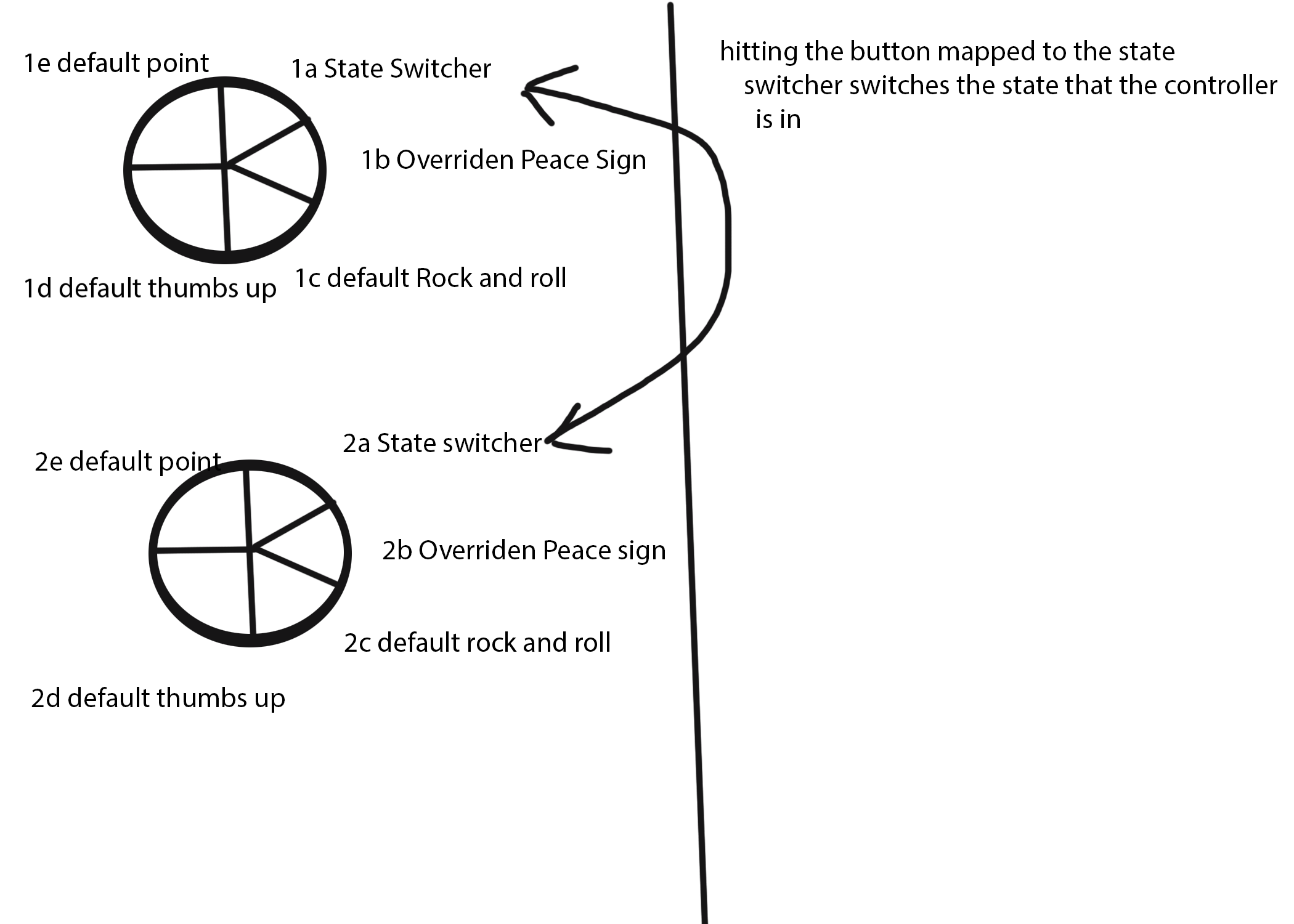 torn pawn
I don't think it's possible, plus video is very unrelated to your question though
clear yew
Its what got me onto that track of thought
torn pawn
like, you can do different stuff with 1 gesture if you cycle through parent objects
lets say cycle through 5 different items, and with one gesture enable objects under all of them, and only the active parent will have its child activated
clear yew
Hmm...
Maybe, if I make go to blender and make a shape key for the hand gesture I want
and then put that on the armiture under a empty object
so it would only be activated when empty object is on
But, that would have make both hands do that gesture ><
Wait no, you couldn't do that in the first place with the animation controller being on the main body, ><
I'm researching methods to do similar things like that currently.
So far, no real luck.
We don't have custom animators and we don't have animator parameters.
Still working on something though.
Got a few more ideas to exhaust.
In that video, the poster mentions it would be possible, but hard to do
Something along the lines of hiding your avatar, and having another appear in its place
But either way, for things such as just adding weapons to your avatar or external thingies, thats a pretty neat way to save some keybinds
dusty plume
You would have to do some wacky things
It can work but limited
Like you can't use it to change any poses, but you can definitely have it so you can turn on and off objects that are children of on and off objects
clear yew
Does an animation component have to be on the main body, or can it be on anything in the armature?
dusty plume
But it will not be synced between people
As in new comers will not see the same thing until the guesture is fired again
You will need them at seperate points
Like if you wanted 2 different props on one guesture
You will have to have a parent with an Animator, than 2 objects inside that for the animator to toggle, then objects insides those that would both be trying to turn on when you guesture
The one that WILL turn on is the one thats parent object has been turned on by the parent animator of those props
But even then, the more efficient mannor is to just have that same aniamtor just cycle between 3 states while guesturing
clear yew
So, my thought process right now is, follow this video regarding state machines https://www.youtube.com/watch?v=sbL9k0VA4OY&t=1s
I explain how to create a potential infinite amount of gestures using an animator state machine. ========IMPORTANT======== Thank you Bertrand Steenhaut for t...
and instead of turning on external things like particles, turning on a game object that has an animation component
dusty plume
Yeah exactly, but animation components wont really work. you'll need an animator instead.
clear yew
Any idea on why you think an animation component wouldn't work?
dusty plume
Mainly because I have only every got those working with legacy animations
and, they are now unsupported
torn pawn
animation components do not work @clear yew
they removed legacy
u dont need animation components anyway, as animator does basically the same thing
clear yew
Should describe the problem a bit to let people who might have an idea know if they can help.
 wind ore
It's about the animator I'm not sure if it work already
and then i can't send screenshot :/
wise aspen
post image on imgur and post the imgur link
 solar bloom
speaking of which, why are we allowed to embed but not just directly post images? it'd be so much easier/faster o-o
clear yew
yo can embed yeah
wise aspen
They said why tho
wise aspen
yet posting the imgur link still shows the image
wind ore
sigh i not sure what am i doing https://imgur.com/a/6apKIRR but this is very diffculty for me..
 wise aspen
What are you trying to do?
wind ore
Making the particle animation while idle...
wise aspen
ok
wind ore
https://cdn.discordapp.com/attachments/389236877078822923/498507497964044308/unknown.png sadly i keep getting this..

cause legacy animation got removed and idk what to do with this.
wise aspen
keep getting what. a floating orb?
wind ore
Floating orb work but in idle animation look very weird..
Cause i wanted to have default idle animation...
https://cdn.discordapp.com/attachments/389236877078822923/498471886041382912/unknown.png i not sure... cause i kinda very new to that...

and then the in-game one...
idle default animation look very weird when i didn't do something to the animator...
the problem is..
how do i make idle standing animator while the particle floating..?
wise aspen
Gonna have to wait for someone else. I just started with animations myself
wind ore
Alright then.
clear yew
it's a particle, right ?
clear yew
and you want to make it spin around you ? you can use the velocity over life time for that
wind ore
Yeah but i think i already did that..
the only thing left is with the...
standing idle animation since the legacy animation not working...
clear yew
what about the standing idle ?
wind ore
hmm that why i am trying to figure out how to make it default idle animation while particle floating around me by using animator...
and then i got this
look so weird...
clear yew
why do you want to use animatore for the particle when you can just use the settings directly on the particle system ?
also you went into record mode on your main model
thus breaking it completely
you are supposed to make animation on a duplicate for that exact reason
wind ore
yeah sadly i didn't get the idle default animation since particle animation got it work cause i really honestly don't know what to do with it..
I tried using legacy animation it didn't work also.. but it got removed..
clear yew
if you want to fix the pose of your model
i made an album to fix it to T-pose again
it's pinned in this channel
wind ore
@clear yew Does it work in-game too?
clear yew
the animation fix ? yes
wind ore
https://imgur.com/a/YbfjmwQ hmm not sure this is correct i suddenly get t-pose ingame...
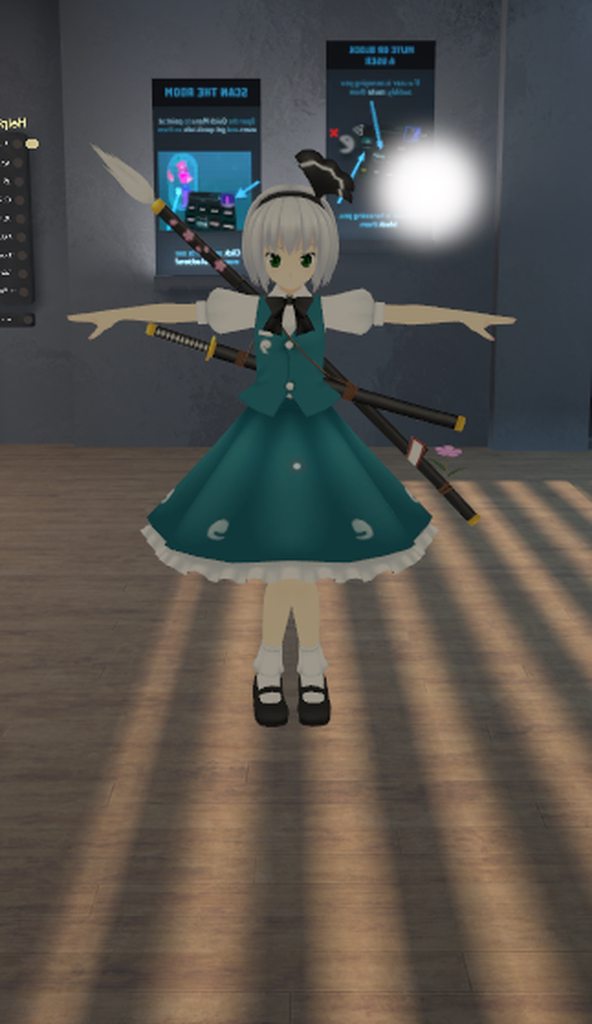
somehow i get https://imgur.com/a/AABJ9Zp this one too..
hmm there no way..?
@clear yew i think my animation never got fix.... 🤔
clear yew
dunno, never had any problem with that fix
 fierce bane
why aren't you just using the particle system to make that orbiting particle? An animation isn't needed at all for it unless you have something more to the animation
red moat
You want a custom idle animation or why do you bother changing it if you only want particles flying around you? Sry, im on the phone and havent read it all
Damn himeki was faster xD
fierce bane
lack of phone typing 😛
fierce bane
You want that orb to orbit around you, correct?
is there anything else you're doing along with that?
wind ore
yeah
and also it need to be idle default model..
Cause why am i not getting this..
https://imgur.com/a/AABJ9Zp this is example..
fierce bane
you want the default idle with that orb orbiting you?
wind ore
yeah
red moat
You dont need a custom idle animation for that
fierce bane
just use the particle system instead of a custom idle animation >.>
wise aspen
does a custom idle anim break the legs so you would have to fix the legs to have it work right?>
 fierce bane
use velocity over lifetime, use a curve, have it alternate between the horizontal dimentions
red moat
I think we are talking a bit apart here xD i still dont get why you want a custom idle animation if you only want that orb flying around you
fierce bane
why are you editing so many values if you just want it to orbit around you....just edit the orb itself instead of the entire body...
same thought as Oida here
wise aspen
Nah i was just asking if thats what you would need to do to use the custom idle. is fix the legs
wind ore
.. i am trying to figure it out what am i suppose to do with particle system and then the animated and then the problem is..
when i upload avatar within the particle system work..
the idle keep getting weird...
fierce bane
remove all the properties animating the body, only keep whatever is animating your particle
it's weird because you're trying to edit the idle with a static T pose and the game is trying to fight it
so you added a T pose animation into your model instead of just animating the particle's movement
wind ore
https://cdn.discordapp.com/attachments/389236877078822923/498507497964044308/unknown.png yeah like this one like how do i get rid of this.. when my particle is animated...
yeah
but it still not a default idle animated..
it doesn't fix my avatar..
fierce bane
what do you have this animation on in your override?
red moat
Honestly if i accidently mess up my model by making a animation on the main avatar, i just reimport the fbx and copy everything i made like dynamic bones and stuff to it to fix it :x
fierce bane
is it on a gesture? or is it on something else?
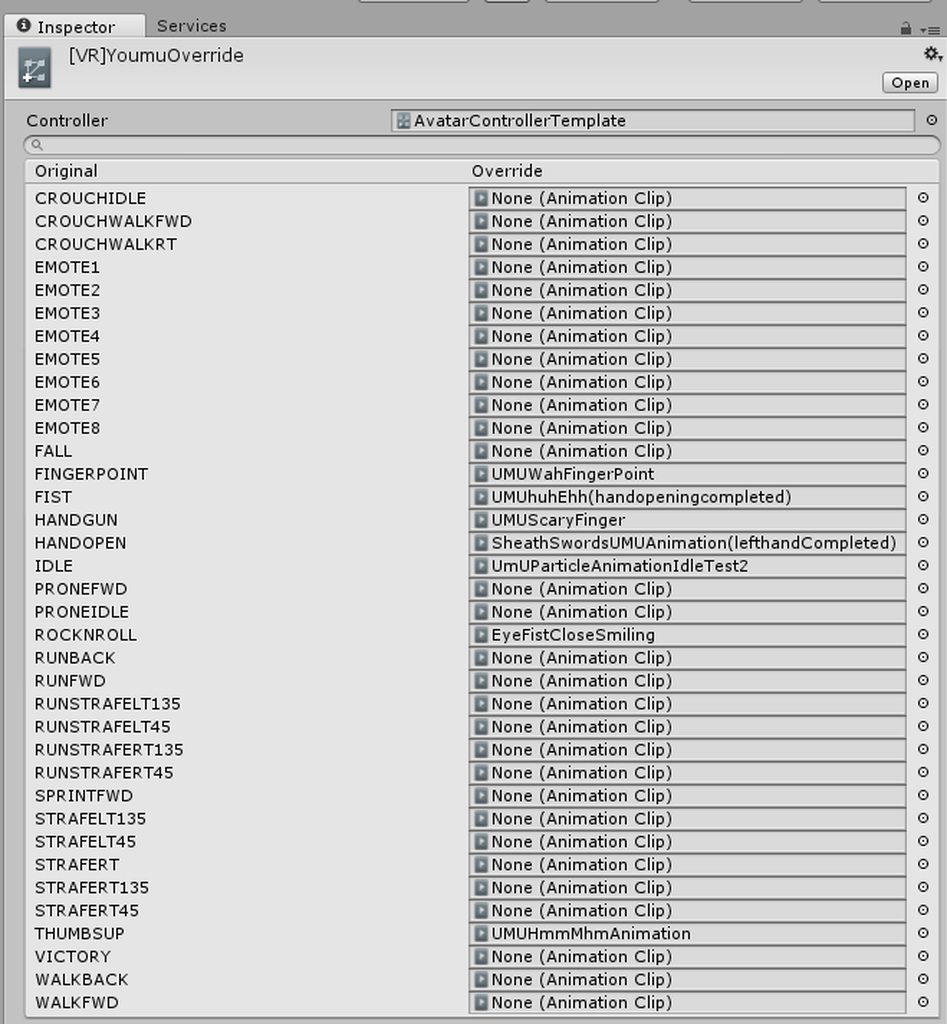 fierce bane
you can follow the guide by rokk pinned in the channel to fix broken fetal pose
wind ore
wait like which one..?
fierce bane
That was the correct window I was talking about, Are you using that animation on the idle?
fierce bane
if so, why? Do you want it to be always active and rotating?
fierce bane
T pose is NOT the default idle >.>
fierce bane
t pose is just t pose
wind ore
then i animated is the wrong one..
i find it everywhere literally it didn't help me...
i think i ask serveral times it's very hard and confusing..
fierce bane
if you're just having a particle rotate around you, you do NOT need to use an animation at all, it just needs to default to on and you need to adjust the "velocity over lifetime" with a curve to make it spin around you properly...that's it
it'll always be on without an idle override
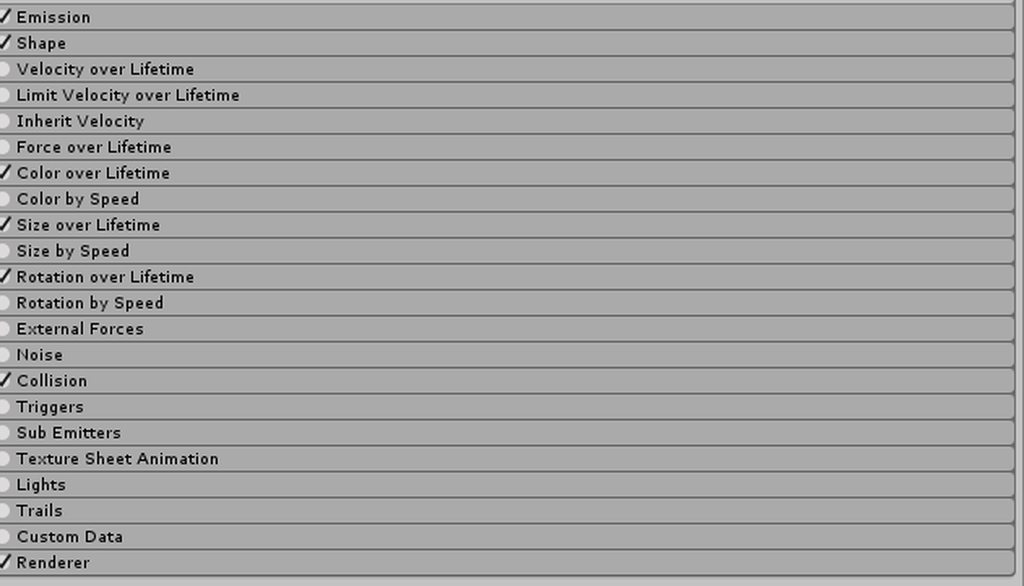 clear yew
but i already told you to use that 
clear yew
Add a seperate animator on the particle and then add the animation on it. Right now you have the animation on the model and it just brakes it.
 fierce bane
far right side drop down, set it to curve
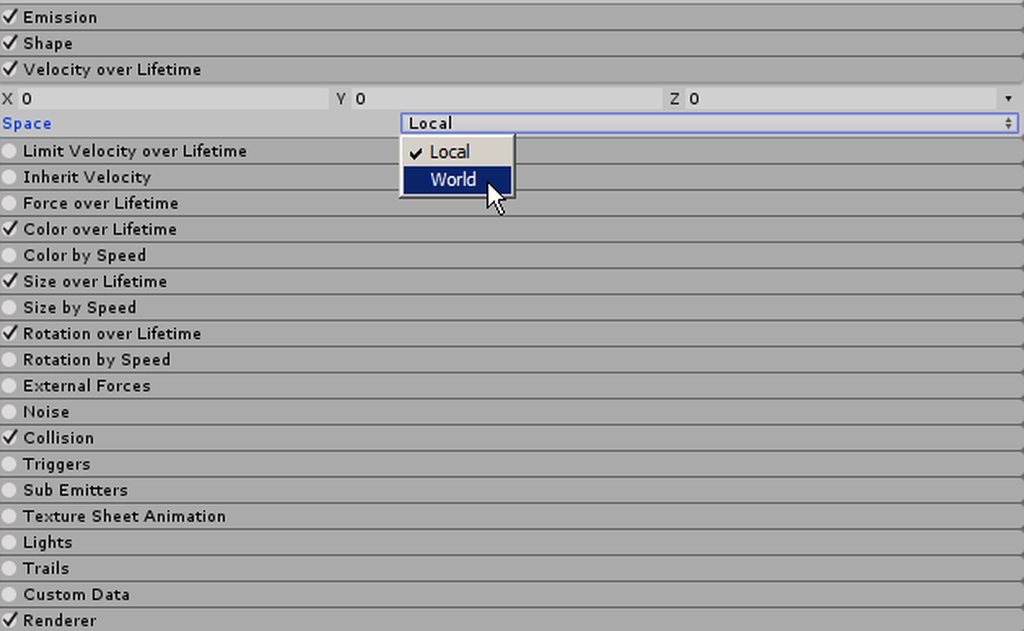
 rain reef
one line above that, on the right @wind ore
wind ore
Emission?
rain reef
Are you trolling
wind ore
I am not
rain reef
in velocity over lifetime
to the far right
there is a little arrow
in the same line as the x y z values
have you found it
wind ore
https://imgur.com/a/JYv8mwu yeah that one?
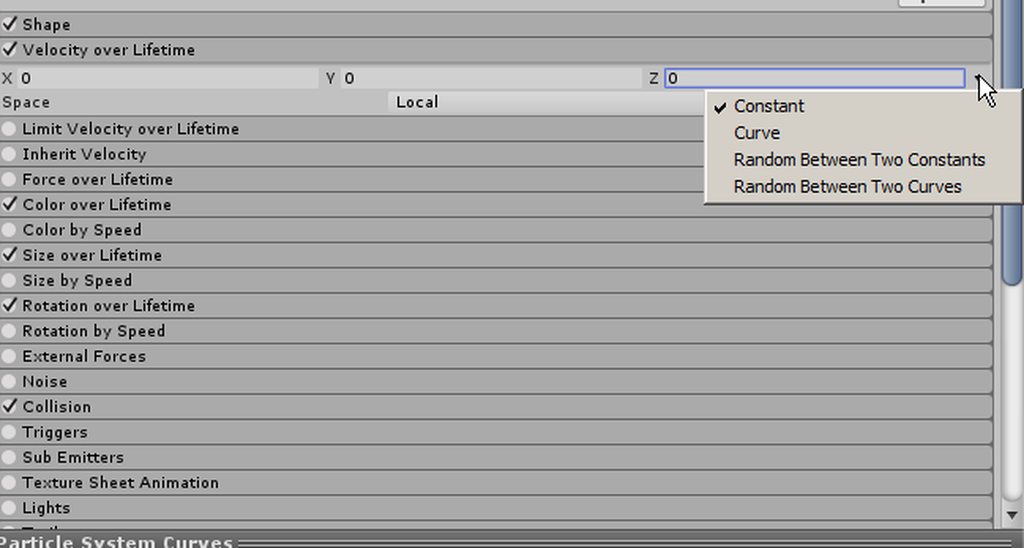 rain reef
curve
fierce bane
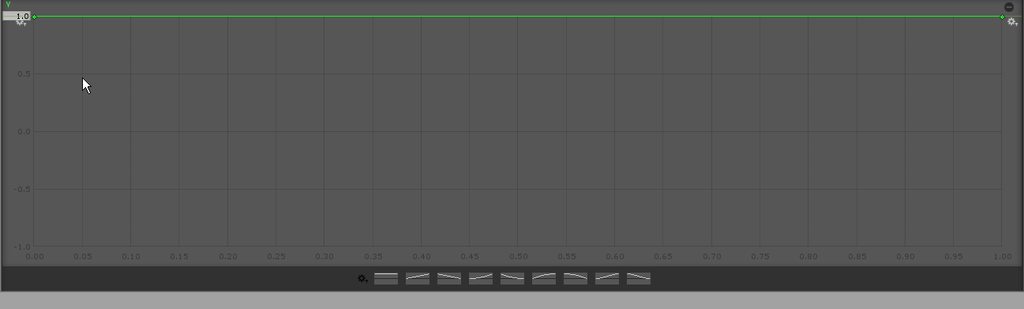
@wind ore This is what you want your curve set to (swap Y for Z if the green arrow in your scene is pointing straight up)
https://i.imgur.com/hyRQeJX.png
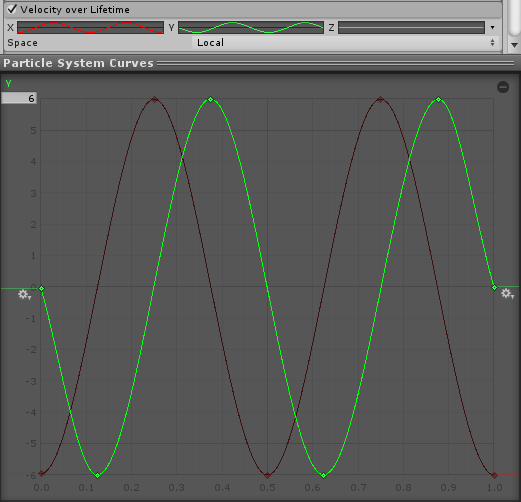
the max number on the top left will vary depending on size, scale, and how large of an orbit
wise aspen
Anyone know how to use rigidbody with gesture?
fierce bane
depends on what you want to do with it exactly
wise aspen
ever play overwatch
fierce bane
yes
wise aspen
well im makin mei and im trying to place her ice wall
i can place it and it stays but when i go to reset pos it doesnt reset
so if i move and replace it again it isnt at 0 0 2
wind ore
https://imgur.com/a/QyxBbgv so i am the on curve @rain reef @fierce bane
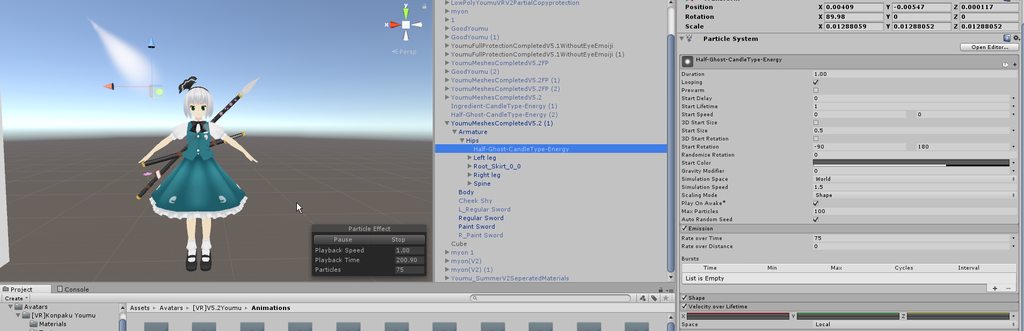
idk why my particle look weird
..?
rain reef
@wise aspen make a gesture that makes the wall disappear and in that set the values back to that maybe?
so like a reset gesture
fierce bane
@wind ore you didn't set up the curve after changing it to curve...check my last message with an image
since you didnt' change it it's just flying off into the distance...turn the camera and you'll see it
wise aspen
the wall disapears it just doesnt change the position back to before i placed it
wind ore
the little '' / '' at the right of the z for velocity over lifetime ...?
fierce bane
@wise aspen instead of the previous legacy animation design, you need to have a reset but using the newer method. Check the first pinned message here
wise aspen
k will check tnx
fierce bane
@wind ore This is what you want your curve set to
https://i.imgur.com/hyRQeJX.png
I think your red/green curves should be swapped however (x/y) based on your last image
wind ore
https://imgur.com/a/asRIaw9 so i check at my back there... seem very weird but velocity overlife time wait... how do i do i play with that..?
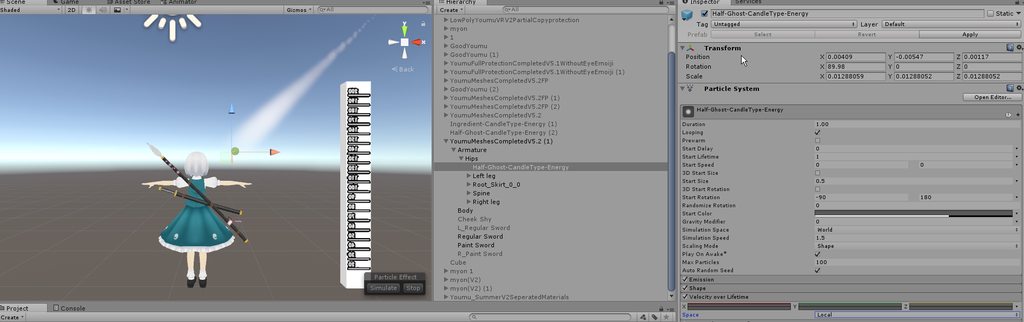
like
it's so small..
fierce bane
you still haven't adjusted the curve...click on a curve and drag up from the bottom, you hid the curve editing pane
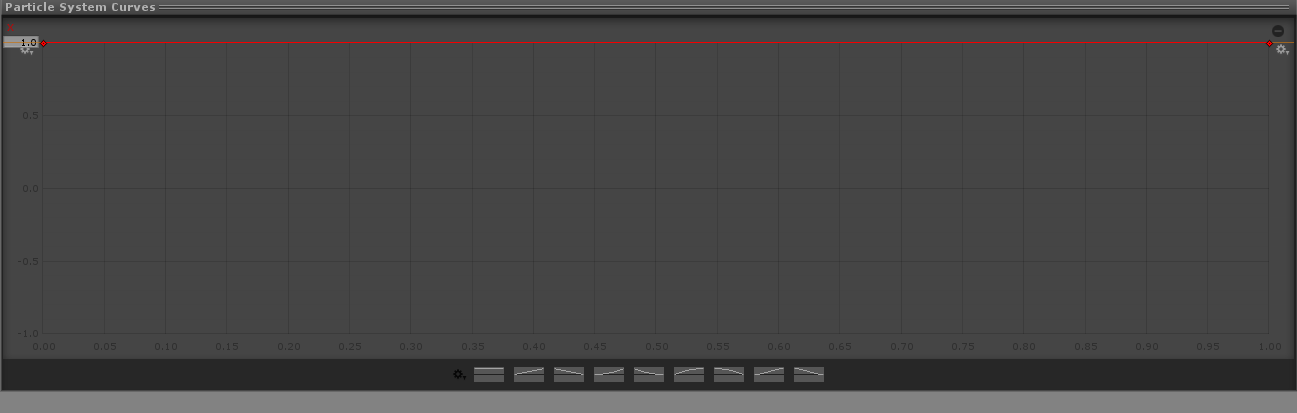 fierce bane
yes
wind ore
Hmm alright
fierce bane
right click to add a key to it.
you will probably want a tighter curve than is displayed in my example above, this is something you will have to play with to get just right
wise aspen
nothing in that video from the pin did anything. i guess im already not using legacy anims
everything was already set properly
wind ore
alright i think i try to get it right
but i don't need the z yellow line to play with
right?
fierce bane
correct
wind ore
Alright then i try to play with.
https://imgur.com/a/u4I9biV i not sure if i can accurate the number with..
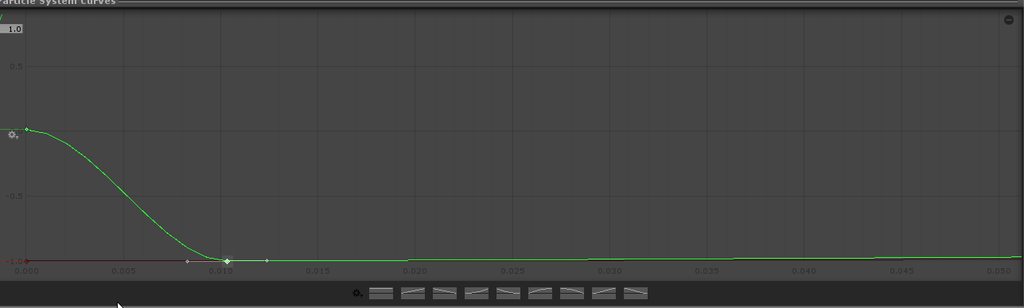
@fierce bane
fierce bane
@wise aspen Basically the previous method was to use a looping legacy animation that re-set the rigid body of the object to the spot based on you you wanted. Activating the gesture disabled the animation and enabled the rigid body's game object.
Fixed joint set to Infinite break, rigid body with all constraints checked.
Instead of legacy animation, follow the video from that pin to make it that way.
fierce bane
Enable system, disable animator
you'd make the animation basically as described above, make the animator as described in video and place it inside exactly how it shows.
Make a gesture animation that enables the wall's rigid body and disables the animator you made
wise aspen
mk
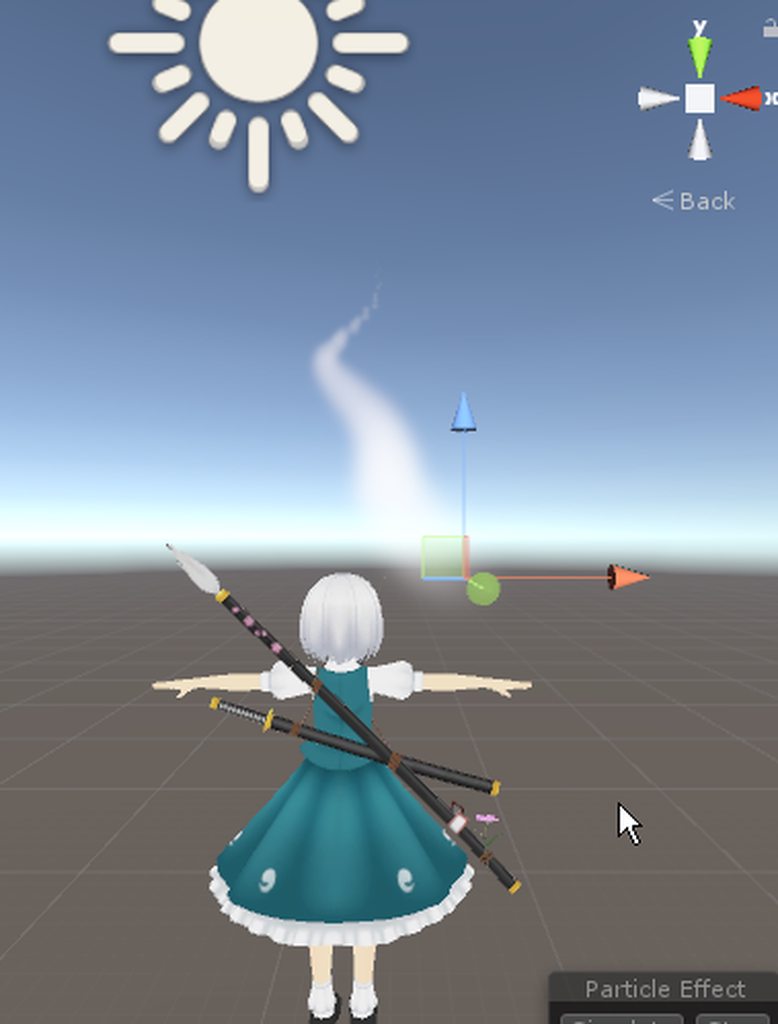
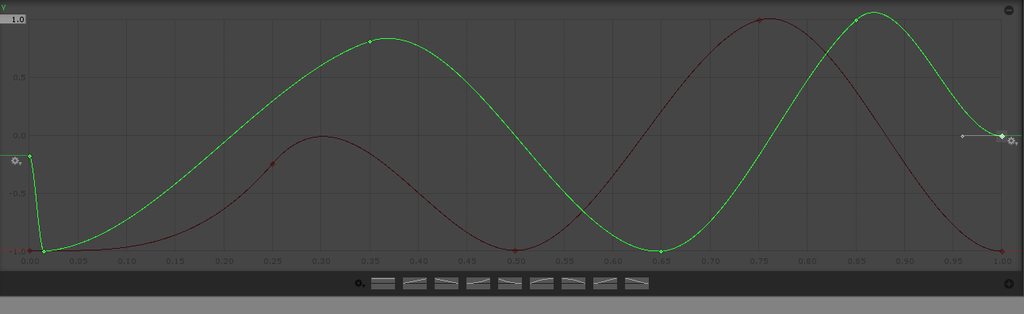 fierce bane
That...doesn't even look like an attempt to get it close...
right click the keys and set them to flat, except the end points (which you can move btw...) which should be set to auto
what is the start lifetime on your particle?
wind ore
https://imgur.com/a/SGJS7rf well i probably restart everything...
since it very confusing
and sweating...
wise aspen
im taking a break this is annoying
Can i force a gesture change?
or am i just making it difficult for no reason
I wanna have it set for 15 seconds than despawn the wall
clear yew
you are probably making it diffuclt for no reason
wise aspen
i tend to do that alot
clear yew
if you want it to disappear automatically after 15 seconds
best bet is to use particles
wise aspen
can i make object into particles?
clear yew
you could probably do that with animator too but i'm not too familiar enough to tell you how
yes you can
but in unity 5.6
world mesh particle will have one fixed orientation
so you need a shader to make them turn properly
fierce bane
You can use a mesh rendered particle to make it look the same as a normal object mesh
you used to be able to use the legacy animation to reset a fixed world position particle exactly the same as a standard mesh
fierce bane
oh I actually have that still I think...I was going to link the album but the pin is gone
clear yew
yeah, it was useless since it relied entirely on legacy animations
https://www.dropbox.com/s/jyqwkrxevr5utcy/WorldObjects.unitypackage?dl=0 world locked object by Rokk
fierce bane
I'm not sure if you can use it but use the pinned conversion to swap it over...I'd assume so but I could be terribly wrong
fierce bane
It's essentially just a position animation that is disabled while it's active in the world. The rigid body gets disabled and the legacy animation still reset the position of the rigid body while disabled.
fierce bane
I know the feeling, audio on impact would be nice too
wise aspen
theres soo much more i could do
fierce bane
yep, agreed
wise aspen
you can use custom scripts for worlds tho right?
fierce bane
I don't believe so? You're still limited, but you can use triggers and other things
wise aspen
=<
fierce bane
I can't give you a proper answer on that...I lost interest in making a world
wise aspen
how come
fierce bane
limited ideas mostly
wise aspen
giving up on the animation and going to work on a world
slim sparrow
You cannot use custom scripts in worlds
wise aspen
k
wind ore
i think i take a break...
i probably don't wanted to the velocity...
sigh i think i over did it again....
Might go ask again..
i think i tried so much 🤷
Sadly i just wanted the orb to be float while idle avatar is fixed..
fierce bane
floating in place is simple, spawn particle with no speed. Orbiting you takes a bit more work.
wind ore
yeah what if animated particle's one will i get this one..? usually i have no idea what to do now.... https://cdn.discordapp.com/attachments/389236877078822923/498507497964044308/unknown.png
I just need that the particle animation animated while the standingidle is fixed..
fierce bane
look...if you just want it to hover next to you and move with you, that would be easy. You don't need an idle AT ALL. Just have the particle spawn and not move...done
if you want it to orbit, set up the velocity over lifetime as stated before.
spring nova
if setting up velocity over lifetime in a circular curve is too difficult, you can also do rotation over lifetime and add pivot in the renderer. The particle itself will stay in the center and rotate, but it will be displayed offset by the pivot, moving around in a circle
wind ore
@spring nova hmm like what example of..? was it easy step by step?
spring nova
wait do you want a billboard particle or a mesh particle?
wind ore
https://imgur.com/a/NmTsqOp @spring nova this one i was looking for the floating orb like circle around me
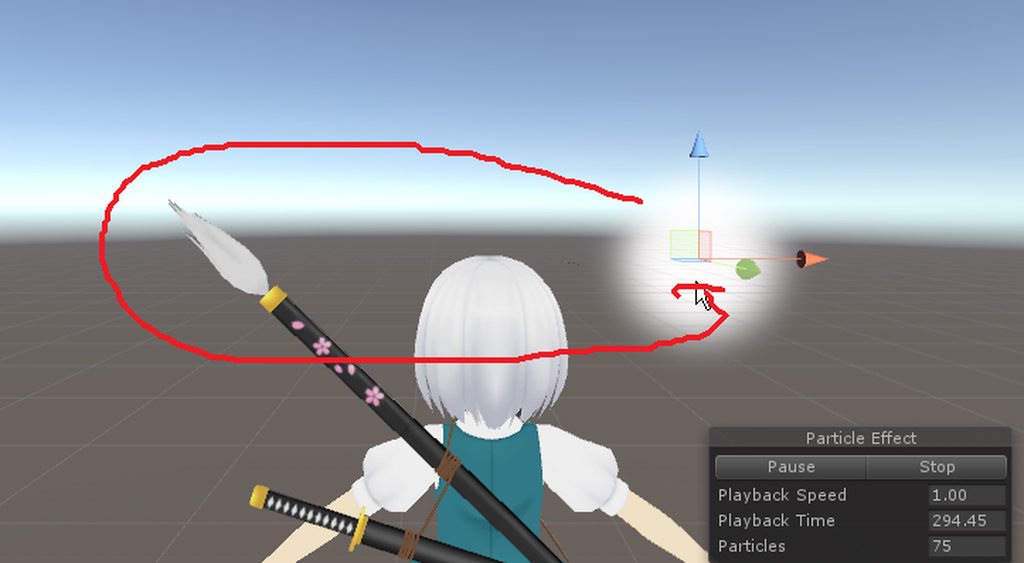
by loop
spring nova
Yeah the pivot thing I was talking about won't work quite as easily on a billboard particle, sorry. You'll have to set up the velocity to make it move around in a circle
spring nova
that's... not even close to what I said
just make a particle and use curves on velocity over lifetime to make it move around in a circle
fierce bane
that's what's been said 3 times now, with example curves to replicate even...
torn pawn
or you could create empty object, put particle in it, drag it on the side and make the game object rotate, that's if you're fine with circle, but with orbit you'll want a velocity/curve
wind ore
@torn pawn like what kind of the empty object 🤔 ?
torn pawn
literally epty game object
wise aspen
it sounds like it would
 torn pawn
this is done with a mesh+bone, but if you create emtpy game object, put particle in it, drag the particle on any axis except height, then create animation where the empty game object rotates 360deg
rain reef
yuumi
torn pawn
and it should be exact same outcome
torn pawn
this is a mesh+bone, cant make prefab
wind ore
alright
rain reef
I mean you can :^)
wind ore
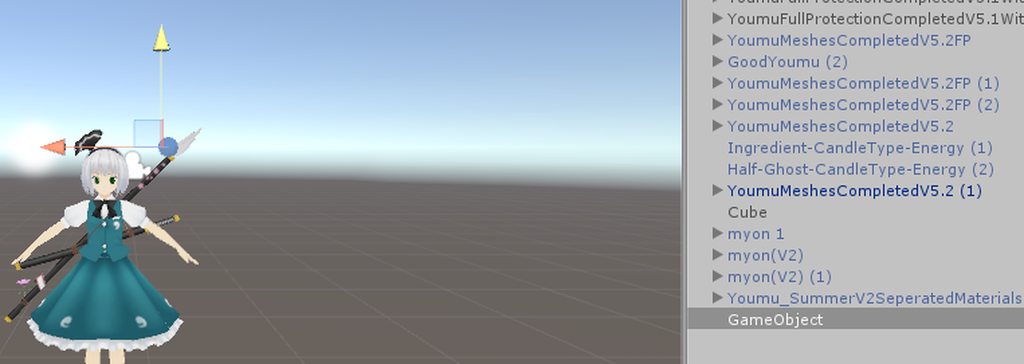
https://imgur.com/a/q0vMFL5 so i created a gameobject what next @torn pawn
 clear yew
gib 🅱refab
rain reef
Put brefab and shaders in bag 👜
torn pawn
@wind ore create another game object under the first, then put your particle under 2nd game object and drag the particle on orange or blue axis how far u want, then put animator component on 1st game object and create (1st game object being selected) animation file that rotates the 2nd game object 360deg
@rain reef if you mean by including the unity+blender earring thing, then not sharing those, even if it was a quick sketchup in blender from pics to mesh
torn pawn
exactly, you wouldn't have any issues doing that 😛
well, forgot 1 boolean as well 🤷
extra work 😦
spring nova
It's not that hard to curve a particle, just use ping pong \o/ https://gfycat.com/EmotionalElementaryFennecfox


 wind ore
O