#animation
1 messages · Page 86 of 1
 fierce bane
also, you are free to delete the duplicate afterwards (and the controller it makes) without risk of problems
 sand crater
Yeah, I tried dragging it a few times and it did that
for some reason it says it's missing
fierce bane
If your duplicate already has a controller on it, remove it, then drag the animation (from the project pane) onto the avatar duplicate
sand crater
even though it's named the same
fierce bane
don't drag the .anim file from a file explorer into it, but from the "project" window
Is it saying the animation is missing, or something in it is missing?
fierce bane
in the animation pane or is that an error that's popping up?
fierce bane
was about to ask if it was yellow XD
click it once, pause wait, click it a second time. You can check the exact path it's looking for that way
if your hierarchy changed after it was created (like you moved things around) it may be unable to find it as it is looking for a specific path and not just the named object
 dark walrus
Thanks @tulip crest 
fierce bane
Alright, it's a good thing to learn if you plan to make more complex ones though. If you edit that path it's looking for you can fix it without recreating all the keyframes
so if it's looking for armature\hips\thing1 and you moved it to the armature from the hips you'd just edit it to be armature\thing1 for example
I forget if that's the correct slash though 😛
sand crater
Weird, now I can't attach the Animation>Enabled option anymore because it doesn't show up >~<
Oh
just applied it to the mesh instead
Never had to do that before
fierce bane
you could try clicking the record button, checking/unchecking the enabled option and unchecking record to do it as well 😛
sand crater
I can't imagine doing an actual animation and not just some facial expressions 😅
fierce bane
I don't usually even bother with it for particle animations, I just time the delays instead...I'm not a fan of the system
 obsidian vigil
Quick question, if i use an animator for my minigun is it possible to get a smooth transition between the barrel starting to spin and spinning?
 spring nova
yeah, go to the curves tab in animation
obsidian vigil
wont it loop and start from the beginning though?
spring nova
Have two animations; one that starts up and one that loops. Put both animations into the animator, with the beginning state being the startup and then transition to the looping
that's in the animator tab, up top next to game, scene, and asset store, not animation tab
 uneven wing
how to i attach a Audio file to a emote?
i think i know how to do one with a gesture
 stray sinew
throw an audio into empty game object(in model's armature) hide it, then activate that game object in the gesture/emote animation
 quasi hinge
They said emote.
stray sinew
Same setup my dude lol
 red moat
i have a little question about the prop toggling. I followed the tutorial and it works like it should. What i wanted to do now is activate game objects within the toggled prop. for example. i want to use my marker, but not everytime when i do the fingerpoint, only if i use the prop toggle before. so what i did is making the prop toggle and putting the marker inside. and set my fingerpoint gesture to use the marker. but i dont seem to be able to activate any gameobject with a finger gesture inside a prop toggle? is this even possible or am i missing something? this way i wanted to save some finger gestures and reduce the amount of avatars i use for specific actions
 spice kindle
Which tutorial did you follow?
red moat
@spice kindle https://www.youtube.com/watch?v=5m8RZQd4JAw this one

This is just a quick tutorial on how to set up prop toggling in VRChat to enable yourself to permanently toggle a prop on using emotes instead of gestures. I...
 lunar pasture
Hi, Can anyone help me with my run animation? I'm having orientation issues, the legs are pointing sideways
 pastel sparrow
Does someone know about sitting animation? How i can edit it? Fucking sitting animation, model's pose, when i sit on chair? I can't find anything about it
 muted prairie
@lunar pasture Do you have a screenshot ?
lunar pasture
If I've not fixed it this time I'll take a pic, it looks fine in unity
 icy crow
its the idle animation in the "Custom sitting anims" @pastel sparrow
lunar pasture
@muted prairie I got it working, thanks anyhow
Can I pester you with a little feature request tho, seen as you're here
muted prairie
If you have a canny post to go with it, sure 
lunar pasture
Can you make it so we can choose the audio device in game? the number of times I've had to restart cos I can't change the game audio to my headset, it's a little frustration I'm sure I'm not alone with
pastel sparrow
@icy crow but how i can open it to edit? If i use same override controller for standing and sitting anim?
icy crow
you have to make your own animation, then drag it into the override controller
then put the override controller on the avatar
walking/running animations are pretty tricky to make
pastel sparrow
Okey, ty
 turbid beacon
anyone happend to know why animations arent coming up under properties?
only transform,amature,body Are coming up
 raven glade
With Cloth, What would i need to select to have the clothes reset in a gesture?
spring nova
The cloth component itself
 bright loom
Anyone explain how to set an idle animation for ears
to just twitch
I know its animator but thats all i know :<
 nocturne yarrow
@bright loom if you just want them to twitch just create it the same way you would create a custom blinking animation, I'd provide a lot more information on how to do it but I gotta head off for college for a few hours. It's not really that hard to make. Hopefully someone else could explain it if you dont know how.
 slim sparrow
If you want them to twitch it's probably easier to put an Animator component on the parent of both ear bones. @bright loom
Doing it with a legacy animation is not advised unless you want to disable the twitching in a gesture.
 mystic spindle
Guys is it possible to export blender animation to a humanoid avatar?
 regal hollow
ye
mystic spindle
yeah but for some reason this happens

even if it's supposed to be like this

what am i doing wrong?
Guys please help
 paper kraken
I have a long animation on my gesture( Crazy Ali memes) but when I use different gesture, the animation still doing the same instead using different one
@mystic spindle Did you set them humanoid before extracting to hierarchy?
slim sparrow
Gesture animations can't be more than 1 frame long
 paper haven
Does anyone have the hand posing info for the ok-hand emoji alot of models seem to use?
like, the animation file
 fallen cave
Help, I'm adding an item with the sound to a model but I noticed that the item is always there and animation doesn't work. Also, the sound starts immediately at spawn and when I select the Avatar in the menu. I just want that both sound and items will appear only when I do the gesture. I don't understand where's the issue, help.
paper haven
@fallen cave Do you have "Play on Awake" ticked on the Audio Source?
You can do what I do, have play on awake ticked but deactivate the audio source until you activate it with your gesture
Play on awake will make it play once as soon as it's loaded into the world
fallen cave
@paper haven Yeah, I have "Play on Awake" but I think that the problem is that the item is always in my hand and it's not activated by a gesture (I don't know why, I set it on "Rock 'n Roll" but nothing). Maybe that's why the sound starts at the beginning, and I need help for that T_T
paper haven
Did you make a new animation of the object being turned on? It should be off by default
and then you assign that animation to the Rock n Roll
fallen cave
I used the CustomOverride on both Custom Standing and Sitting animations, then selected it and dragged the fingers animation onto "Rock 'n Roll" and pick "Detach"
Now I'm trying with the "Thumbs up" since, maybe, "Rock n Roll" is broken on my avatar
(don't know if that's the case, it's the first time I make an avatar animation @paper haven)
paper haven
uh
No, what you need to do is make a new Animation Overider
and make a new animation, which will be your hand item appearing
you slot that into the rock n roll slot and put that on yeah, the custom sitting and standing slots
fallen cave
Oh, you mean going into the VRChatSDK folder, duplicate the customoverider and drag the copy to the assets folder of the item, and use THAT Overrider?
paper haven
You can do that yeah, but you can also just right click, and create new Animation Overrider
and slot avatarcontrollertemplate into the slot when you click on it
 paper haven
There you go
now make an animation of the item in the hand appearing and the audio source activating
and slot it where you want in there
fallen cave
Okay, I did the animation and dragged in "Thumbs Up" (dont mind the name lol)
Then I right clicked the item and added a sound, just to make a test
@paper haven Builded and as soon as the "New Avatar" tab opened up I heard the sound. Now... I don't know if that's supposed to be normal
*built
paper haven
If the audio source is activated and enabled, it'll play if "Play on awake" is enabled.
you need to turn off either the object or the aurdio source till the animation activates it
fallen cave
Oh, so it plays at the start and when you activate it?
paper haven
Uh, no
Play on awake means it'll play as soon as it's loaded and not again unless "Loop" is ticked
you need to turn off the audio source or the object itself if you want the sound to play on cue
fallen cave
Okay, so let me figure out. With "Play on Awake", the sound will play at the beginning. In my case that I want that audio to be played only upon activation of the gesture, I need to do what? Because I don't really know how to turn off audio source / object
@paper haven This thing is really making me crazy because I followed a tutorial but, for some reason, it's not working on me. I guess I missed something back in the animation config.
paper haven
basically
"play on awake" means it'll play every time the object is loaded into the scene
so if you turn it off/on
it'll play it once each time
You'll have a tickbox next to the orange speaker icon, to turn off the audio source
turn it off by default and the animation turns it on
fallen cave
Ahh, so ticking that box makes the sound play only upon activation of the object?
I mean, by ticking it off
@paper haven let me give it a try
paper haven
Yes
if it's on play on awaek
you're deactivating the audio source and then the animation should re-enable it
if you've done the animation correctly
fallen cave
@paper haven I get what is my problem:
https://i.gyazo.com/2eff11f3e916ce35e46402071373fd46.png

The item is always there and always activated. So I can't use the gesture to deactivate it or trigger the sound
fallen cave
yup
paper haven
then
decativate the sign
and make your animation activate it
unless you want it to always be in the hand
fallen cave
@paper haven Oh, so, by deactivating the sign you mean deactivate the animator:
https://i.gyazo.com/d4d12bed6f5a9892c32769f0876eef34.png
 paper haven
no
remove the animator
i mean decative the object itself, the tick box next to the blue cube at the top
slim sparrow
I have an object with an Animator that actually transitions between states.
How do I get it to start from the first state every time it's activated?
It just restarts where it left off
 tulip crest
copy the first state and make transition to every final state?
 stuck spade
heya can someone tell me what animations in the custom override are for the sprinting? i cant see the difference between normal walk and run uh.. im dumb
stuck spade
i know that but i also need the sides and back, im still confused between sprint,walk and run uh
tulip crest
I think it's STRAFELT135/45? I don't test it, i guess the number is the angular, and LT means left, RT means right
and i guess there is no sprint backward
stuck spade
ah okay. Could you maybe tell from the pic everything that is sprint (not normal walk)?
 tulip crest
sorry, i don't understand, what do you mean?
stuck spade
i want to play music while i sprint
but when i walk normal not
and im confused about what is sprinting
i know left and right but not whats now sprinting and normal walk
tulip crest
think about speed 1 is walking, speed 2 is running, and speed 3 is sprinting
stuck spade
there is only 2
normal walk and sprint
you can walk ingame only normal or faster with shift for me
i dont think it has 3 types
stuck spade
desktop pc
tulip crest
what is going on when you press shift and w? could this be sprinting?
 clear yew
there is 3 type
stuck spade
really? OwO
tulip crest
I saw posy to 5.96 is sprinting
clear yew
there is walk
running
and sprint which you can only see in really fast maps
stuck spade
oh
tulip crest
like change world mod speed to 5 or 6
stuck spade
i want the things with shift + w so i have a sound on while running
clear yew
it's all the "run" then
tulip crest
it is walking when just press w right? @clear yew
clear yew
yes
stuck spade
run back, forward and runstr all is running with shift + w? thanks!
clear yew
yeah, you have all the different direction when you run
that's why you have those "strafe 45 /135"
stuck spade
i wonder why they didnt just write runleft walkleft sprintleft
tulip crest
you can put it on sprint as well, so that in some special map, it wont affect you
like in my map, runSpeed is 8, so it will be sprinting when you press shift+w
 cedar pawn
Somebody knows if there is a "easy" way to "Audio Visualization". Like particle that react to the music or anything?
spring nova
Yeah, but you have to animate it beforehand and just play out that static animation
clear yew
there is a plugin for blender to allows for that i believe
cedar pawn
Well i found a lot of plugin and script to make it realtime. But is there a way to "record" the animation so i just play a animation in vrchat.
 vital laurel
I'd like some help with getting an avatar to float above the ground
I'd like for the view position to remain low so that the IPD scaling works
Basically, I'm wanting to make an avatar that is a super small humanoid, stays about 1m off the ground, and has the IPD scaling relative to the size of the humanoid model
I know it's possible. There are some fairy avatars I've seen that do it
 cosmic idol
Anyone know how to make an icon like this above your head with a blinking light https://cdn.discordapp.com/attachments/400401962098491404/485569546107879455/unknown.png
 clear yew
@cosmic idol

GitHub
Avatar prefabs to let others know you are streaming. - printbird/On-Air-Prefab-for-VRChat
vital laurel
Or maybe there's another way to do the IPD scaling
cosmic idol
@clear yew Thats what i needed ty
clear yew
np my dude
muted prairie
@vital laurel Doesn't the ipd scale if you're using an empty game object as your source for the avatar descriptor ?
 fickle slate
do anyone know how to trigger an sound as soon as it collide something ? like for an example, i just fired a rpg rocket and i want it to trigger an explosion sound as soon as it hit something. if anyone do know how, then please do tell me. thanks ^_^
fickle slate
no one? ._. welp ouff.
 ivory lagoon
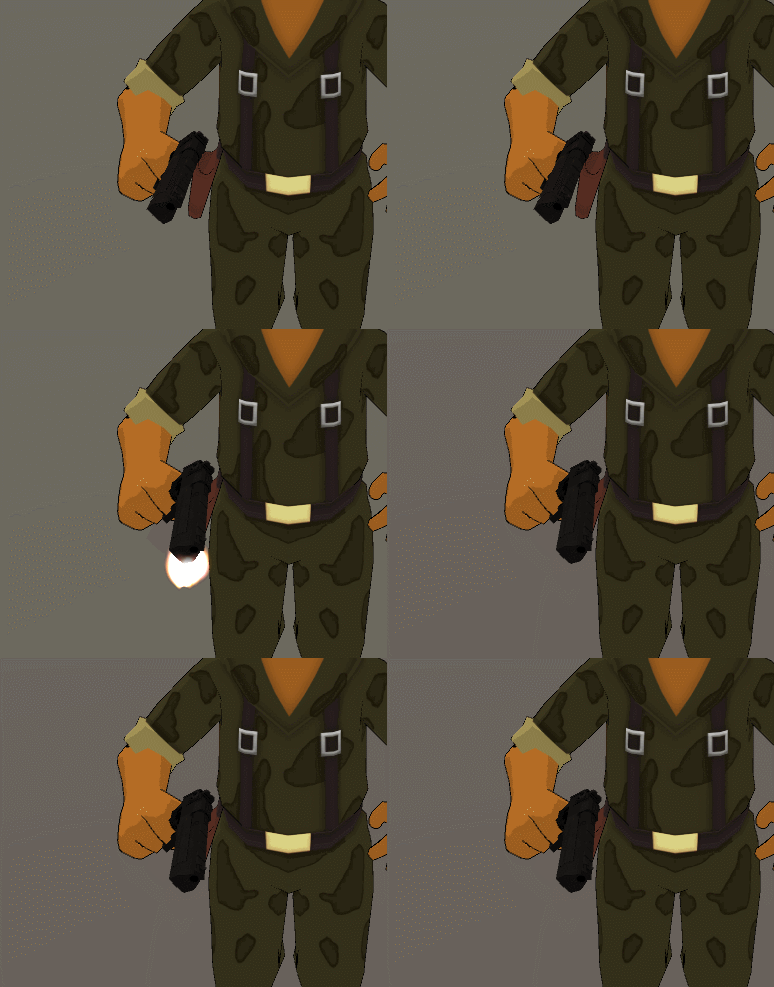
i'm putting a gun anim on my character but for some reason the gun rotates during the animation, but not when it's just sitting still
there's no second key so i'm confused as to why it's moving
https://i.imgur.com/FxLjWPR.gif here's what it's doing when i hit the play button
 clear yew
@fickle slate you can't without scripts
fickle slate
@clear yew how 2 script 101 ?
fickle slate
I did and I haven’t found any decent tutorial
ivory lagoon
wait a second i figured out the problem but now i have an issue
so the gun is parented to the holster because that's where it's attached, do i parent it to the hand for the animation model?
ivory lagoon
ah, so i hide the one in the holster when the gun is active on the animation model?
clear yew
yes
ivory lagoon
alright... i tried to do something like this before and failed so hopefully i can get it this time
thanks!
clear yew
so i haave this avatar with facial animations for gestures and when i go to a certain gesture like my thumbs up and i try to go to another gesture after that it sticks to the animation before it for like 2 seconds then slowly turns into the gesture i changed to, any fixes?
yeah, only use the frame 0.00 and 0.01
i do, its really weird
ill do a quick search in my animations and ill see if there is a 0.02
check at the 1 minute mark too
okay
since it happens a lot with my thumbs up gesture, im gonna check it first
i have found the problem
there is no 0.01
ivory lagoon
i know it's based on preference but what do you guys recommend as hand gestures for guns?
clear yew
handgun
handgun, rock and roll
and i usually shoot with thumbsup
i like to use actions for rock and roll
its like those action games
ivory lagoon
awesome thank you!!
ivory lagoon
oh boy so it messed up pretty badly
despite not having a second key it's acting like i do
clear yew
check better
when an animation blend like that into other gesture
it's because one of them is more than those 2 first frames
ivory lagoon
i zoomed all the way in, there's no second key D: on either anim
his hand opens/closes very very slowly out of the gesture? but there isn't a second key
clear yew
you need frame 0.00 and 0.01, you have those 2 ?
ivory lagoon
wait i need a second key?
clear yew
yes
ivory lagoon
that might explain a lot
clear yew
you need a start key and an end key
and you can only use the first 2 frames in hand gestures
thats why mine went slow
you MUST have a second key
literally, MUST
ivory lagoon
lemme see how adding those keys affects it, the gun was still in the holster when i activated the gesture
and oooh... i don't know how i missed that
ivory lagoon
awesome lemme try that real quick
though another odd thing is the gun isn't in his hand correctly, but in the scene it is...
it's like slightly forward
could that be related to the key issue?
clear yew
might be
ivory lagoon
ah sweet that fixed the slow issue but not the overlapping gesture issue
it seems like the gesture where the gun is static (not shooting) isn't working
the animation models keep resetting so they have the same animation even though i keep changing it and the gun is still in the holster when i activate the animation
clear yew
send a screenshot
ivory lagoon
lemme take a gif for you real quick
clear yew
kk
ivory lagoon
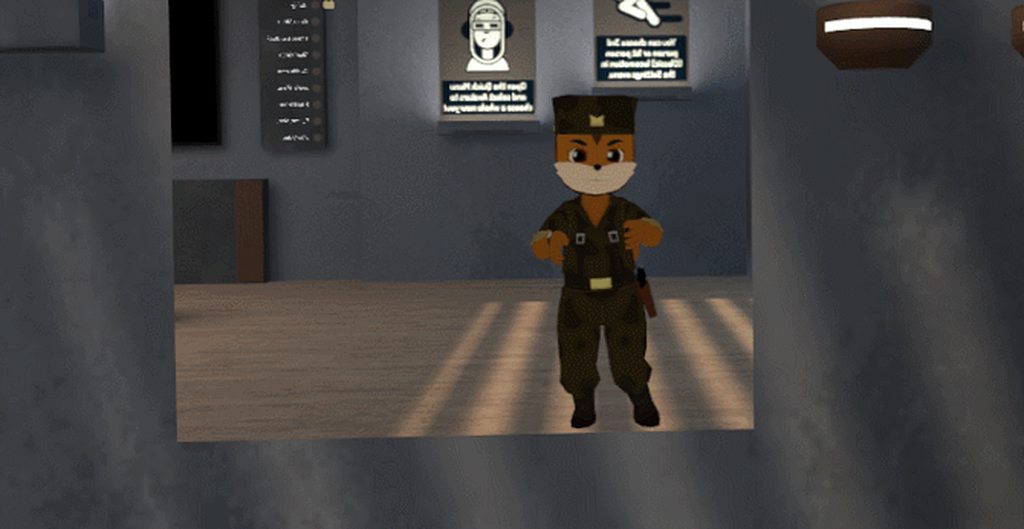
https://i.imgur.com/K6eN7Es.gif not the best cause i had to activate it through oculus haha
 clear yew
i use oculus
ivory lagoon
but the gun is still in the holster and the static gun animation doesn't activate... it seems like it's the shooting anim for both gestures which makes no sense
ivory lagoon
for both anims?
clear yew
yes
ivory lagoon
the animation model i set for the static gun keeps changing it's anim back to the shooting anim when i click on it
one sec lemme get those for you

 clear yew
well
ivory lagoon
http://prntscr.com/kpnygq the gun is perfectly aligned in the scene but not in game...?

did i set something up wrong?
ivory lagoon
yeah, i think so D:
i can't figure out why my one animation model keeps switching back to the other animation
it's whenever i click out of it it switches back
clear yew
check if there are duplicate animations for 2 gestures or more
ivory lagoon
http://prntscr.com/kpnzmi those are the only two gestures i have
 clear yew
i see the problem i think
you didn't set the other animation clips to what they're suppose to be
they're just none
you only have the pistol animations
doesnt matter
yea
uhh idk
ivory lagoon
this is so odd, it's gotta be something with the model that keeps switching back
but i also wonder why the gun in the holster stays since i have it hidden on both animation models
clear yew
from the screenshot i only saw the deagle marked off, and that sprite only
did you add that property and have it not marked off?
ivory lagoon
oh wait does the holster gun have to be added as a property and unchecked?
clear yew
you need 2 guns
one in the holster
one in hand
the one in hand is disabled by default
when you use the gesture, you activate the one in the hand and hide the one in the holster
yes julda, yes
ivory lagoon
oh my god i'm an idiot that should've been so obvious
ivory lagoon
yes xD i don't have a lot of experience in doing animations sdlkjfsd
clear yew
lol
my first time trying to make a custom gesture i think was about 6 months ago
something like that
ivory lagoon
okay that should fix the appearing holster problem... but now i need to figure out why this animation model keeps switching back
ivory lagoon
also oooh! my first time was a while ago and it was literally just an aura animation that i bsed
i've never done a weapon before
ivory lagoon
a few months ago easily
ivory lagoon
i wanna get an rpg on this guy at some point hahah
clear yew
ok
ivory lagoon
i wanted to find out how to do bullets with this gun but just said screw it and kept the little flash
and pulled the gun sound effect from the show he's from
i'm so happy with how the shooting animation is working but i wanna get the darn normal gun working skdljfsd
do i have to add the audio source and particle system to the one anim and keep it unchecked too?
clear yew
adding an audio source you would need to add the distance to like 1 to 100
then play on awake
particle system eh
ivory lagoon
oh i have everything set up! i just want to get it to not shoot when i do the handgun
it's making it shoot when i do the hand gun and rock n roll
clear yew
eh idk
ivory lagoon
tfw you try to build on one of the animation models and have a heart attack because of all the red errors
i thought i messed up my model for a second sdlfjksd
lemme see if leaving those unchecked does the trick
clear yew
kk
ivory lagoon
the good news is the holster problem is fixed
clear yew
yrp
ivory lagoon
noooow it's the gestures messing up...
the shooting gesture works perfect (rock n roll)
when i do the finger gun it makes the sound for a split second then stops and i can't shoot while i'm doing the static gesture
clear yew
redo that animation
ivory lagoon
rip... okay let me try that
ivory lagoon
it's empty
clear yew
when you're done redoing those animations, put the custom override in it
ivory lagoon
on the animation models?
clear yew
no, the avatar controller
ivory lagoon
i'm confused, wasn't i doing that before?
when i put the animations in the controller
ivory lagoon
http://prntscr.com/kpo53u wait what is all this

i duplicated the model and that's what i see
ivory lagoon
how do i make a new animation sdkljfsd
ivory lagoon
where is that sdlkjgskl
clear yew
lmao
ivory lagoon
im sorry i'm so dumb with unity
clear yew

i have multiple sprites of the same avatar because thats how i make my animations
they are hidden tho
clear yew
mhmm?
ivory lagoon
sjohffljdkglkj i already deleted the animations of course i did
ivory lagoon
the stupid controller for the static model was set to the damn controller for the shooting model
aghhhhhhhhh
clear yew
rofl
ivory lagoon
now i have to redo all this
clear yew
or just copy and pastte
ivory lagoon
i already deleted the anims in the assets
clear yew
oof
ivory lagoon
i can't figure out what's still wrong
i assume it's normal that the gun flashes back into the holster whenever i take a shot? or is that an issue
clear yew
it's not supposed to flash back
ivory lagoon
i have no clue what else can be wrong... everything's disabled where it should be, the anims have different controllers, i assume the animations are set up correctly
it's all working in the scene but not in the game
clear yew
how did you setup the whole thing ?
ivory lagoon
what do you mean? as in animations/models or?
ivory lagoon
yeah, it's a particle that flashes quick
clear yew
when i personally do
i make one single gun
with a game object parented to it
and i put particle on that game object
and disable the game object
ivory lagoon
lemme try that and see if it makes a difference
both are disabled on the animation model with the non-shooting gun
clear yew
FingerGun = Hide the gun in holster and show the gun in hand
Thumbsup = Hide the gun in holster and show the gun in hand and enable the game object to activate the particle
ivory lagoon
it's literally one problem after the other
that fixed the gestures being acting the same, thank you so much
but now it's not letting me overlay gestures where i can hold the gun and shoot at the same time
clear yew
what do you mean?
ivory lagoon
so i have the static pistol set to handgun and the shooting set to rock n roll
when i do a handgun it summons the static pistol
but i try to do the rock n roll on the other hand to shoot and it doesn't work
unless it doesn't work like that
clear yew
it should work
ivory lagoon
my hand just goes stiff on the other hand and nothing happens
ivory lagoon
ugh im not redoing all that again
the gesture is clearly working on the opposite hang it's just not activating
hand*
 fossil fern
Anyone know why when I use the same shapekey (i used for blinking) to do a facial expression it break the blinking animation ? I could duplicate the shapekey but I still don't understand why it do that 😫
 granite sapphire
^ I don't understand either.
slim sparrow
@fossil fern the answer is Write Defaults
And @granite sapphire too I guess
When any animation in your animator has a property defined, by default, it will write defaults when not active
fossil fern
🤔
slim sparrow
So if you have a gesture override that sets a certain shape key to 100
When that animation is not active, the animation is actually forcing the shape key back to 0
Unless another animation in the animator wants to override that
The game's built-in blinking is managed by script (most likely), but the animator is overriding it
The only way around this is by using legacy Animation components and activating/deactivating those instead
granite sapphire
Thanks a bunch for the informations ! :)
slim sparrow
This is also why you can't turn off lipsync in an animation
Although I have never tried putting it on a legacy animation
fossil fern
my anims are legacy
ivory lagoon
so question!
cause i wanna avoid using these hand gestures and accidentally triggering them all the time
i have a gun on my avatar, i originally had the gestures as handgun for hold and rock n roll for shoot. handgun would work but when i did rock n roll on the other hand that wasn't holding the gun it would never activate the shot
(the hand went stiff so the animation IS working)
i experimented and switched it to point as holding the gun and fist as shooting and it worked when i did the gestures on the same hand
is it not possible to use the other hand to overlap a gesture...?

 lofty crypt

 fierce bane
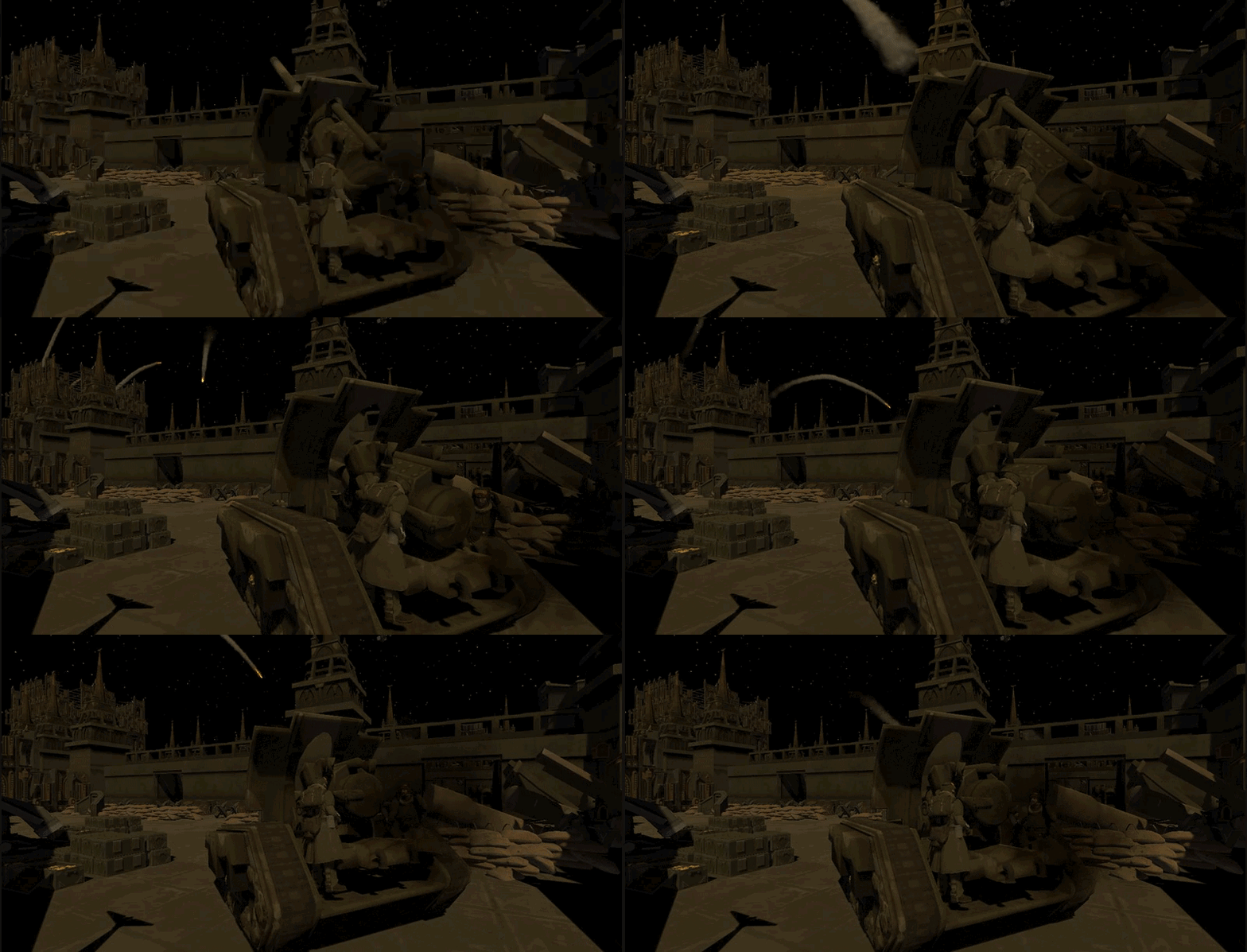
@lofty crypt if you want some input, the smoke shouldn't drop so heavily. The rest looks really good though
the smoke trail on the projectile I mean
lofty crypt
yeah ive been messing with it
before it was really bad
being the first image
ive changed it since being the bottom 2
fierce bane
alright, figured I'd mention it. I know I'd want the input 😛
 fierce bane
is that a newer one?
clear yew
How would I go about adding a dance to a model I unhide during a gesture (if it's a different model than mine) and being able to move around while it plays?
Is there any tutorial?
slim sparrow
No tutorials, but it's pretty easy
Drag a new instance of your model into your hierarchy, next to your Armature and Body.
Drag the dance animation onto the model
This will give it an animator controller that auto-plays the dance @clear yew
Then just enable the model on a gesture and hide your own mesh
clear yew
What if I want to move around while the model plays and stays still?
slim sparrow
Oh, you want the model to stay still in the world
In that case, combine it with Svelsien's world object tutorial with fixed joints. Hold on
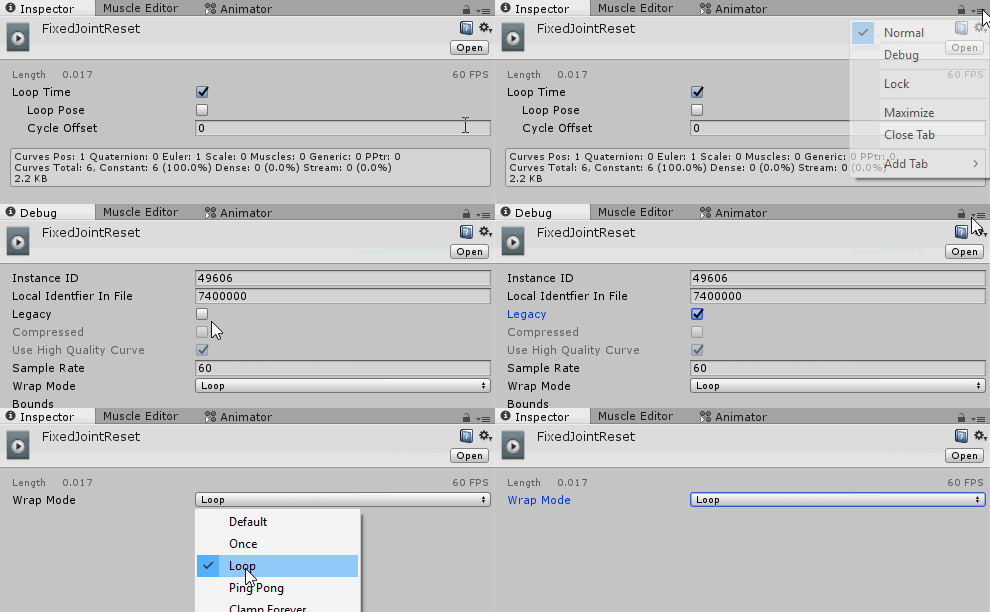
It's an album so make sure to click the link
I'd like to add that you should set the regular Drag to infinity too, not just angular drag
clear yew
Ooo okay, thank you
Instead of using a new instance of my model, if I want to use a different model do I need to connect the vmd to the model in Blender? And does the different model need to be humanoid?
slim sparrow
You can use any model with this method
Just make sure it can play the animation
Whether it's generic or humanoid doesn't matter, the principle is the same @clear yew
clear yew
Thank yooou, going to try doing all of this now 😤
(btw, that album is pinned in this channel)
fossil fern
I have to ask , does it matter how heavy a animtion is ? I don't want to bother other player but I have a big anim 😅
slim sparrow
Yes and no. It depends on what the animation does
Large audio causes lagspikes when activated, not sure how to get around that.
Activating more meshes or laggy mesh particles is also a big no-no
Mesh particles can be optimized by instancing them, disabling shadows
Actually, additional meshes don't have to be laggy either if they're properly optimized
fossil fern
It's a dance so It just move the bones but it's kinda precise so there's alot of key in the animation.
My unity is even "lagging" when I open the animation tab with this emote
slim sparrow
Yeah, that's just while editing the animation
Animations that move bones should not be too laggy.
fossil fern
Ok thanks , I just hope I found out why when I use this emote it break all the other emotes. They all finish earlier than they should (even the original vrc one)
 eternal topaz
what is the overwrite controller slot for not touching the controller?
not the open hand, but the other one
fierce bane
it's just "Idle" (which is also the stance and everything else)
eternal topaz
ok, so I want to have my sword sheathe enable and disable my sword based on if i have it equipped
I have an enabled and disabled animation
should I put the enabled on the gesture I want, then the disabled on idle?
fierce bane
If it is disabled by default, and you set the animation to enable it. It will disable when you release the gesture
you don't need to override the Idle for that. Anything set by default will return to that state when the gesture is released.
eternal topaz
oh ok i see
fierce bane
so basically you just want to enable the blade of the sword when you equip it, so you can draw it and have it out. And when you sheathe it (and release gesture) the blade disables?
eternal topaz
so i'll set the default to have the sword disabled, and the sheathed sword enabled
fierce bane
yes
eternal topaz
and have the gesture disable the sheathe sword and enable the held sword
that makes much more sense
fierce bane
yep, you've got it
remember to make a duplicate of your model to make the animation on
eternal topaz
thx for the help
fierce bane
That avoids messing up the normal avatar. You can delete the duplicate after you make the animation. (and the "<avatar name> (1)" controller that it creates as well (usually same folder as the animation that was made)
eternal topaz
yep i already did all that, I just needed to set the right stuff to be enabled/disabled
ok new problem
i went to test it
and it seems like I have to do the gesture on both hands for the weapon do make the sheathed sword go away
fierce bane
@eternal topaz make sure to copy the 0:00 frame to 0:01 in the animation so they're both the same. It should only require one hand using the gesture to both activate the drawn sword, and deactivate the sheathed one
eternal topaz
yes everything is 0-1
fierce bane
and it's 0:01 for the ending frame, not 1:00
eternal topaz
yeah 0 frame to first frame
fierce bane
I'd check things over, I'm certain it works as I've got a staff I do the same thing with. Drawn from back into hand. Toggles back-staff off and hand-staff on at the same time
eternal topaz
hmm, I don't think I am doing anything wrong, it is one animation set to one gesture, and the weapons are disabled in the proper way
fierce bane
https://i.imgur.com/eUFRYRr.png you are disabling it like this correct? And then using "Is Active" in the animation?
 eternal topaz
yes
and i tested it more, and it seems like it is only the left hand that disables the sheathe weapon
the right hand will spawn the sword, but won't disable the other
but the left hand will spawn and disable properly
*doing the gesture in that hand
fierce bane
that's...weird....so one hand activates one and the other the opposite one?
eternal topaz
no, the left hand does exactly what I want it to do
but the right hand does not disable the weapon
but does spawn the sword
are you using vive?
fierce bane
I don't have a clue on that...that's really weird. Maybe someone else can offer help on that
I don't have VR yet. I have had things tested in VR with things I've done for friends though.
eternal topaz
oh ok
fierce bane
if you're using a trigger, make sure you do a full pull...only thing I can think of
eternal topaz
i think it might be because the oculus has its' controllers mirrored
and the vive has commands for each controller
so there might be some strange programming stuff idk about
fierce bane
gesture wise in vrc only a custom avatar controller would be able to separate gestures between hands (and we can't do it until they implement it)
eternal topaz
well i put in a bug report, so maybe someone with a bit more knowledge can help me
fierce bane
as far as I know it should work with either hand...I have no idea why it would only half work too...if it was per controller, it wouldn't even do the other half that does work
eternal topaz
¯_(ツ)_/¯
fierce bane
maybe someone else here will have an idea on that one when the drop by
eternal topaz
I would assume so, but I think i have encountered this issue before, and just didn't realize what it was doing
I did something similar with a shield, but that was a while ago, and i didn't know as much as I do now
clear yew
How would I get the mouth to move with the dance and/or the blendshapes? They don't seem to import with the animation
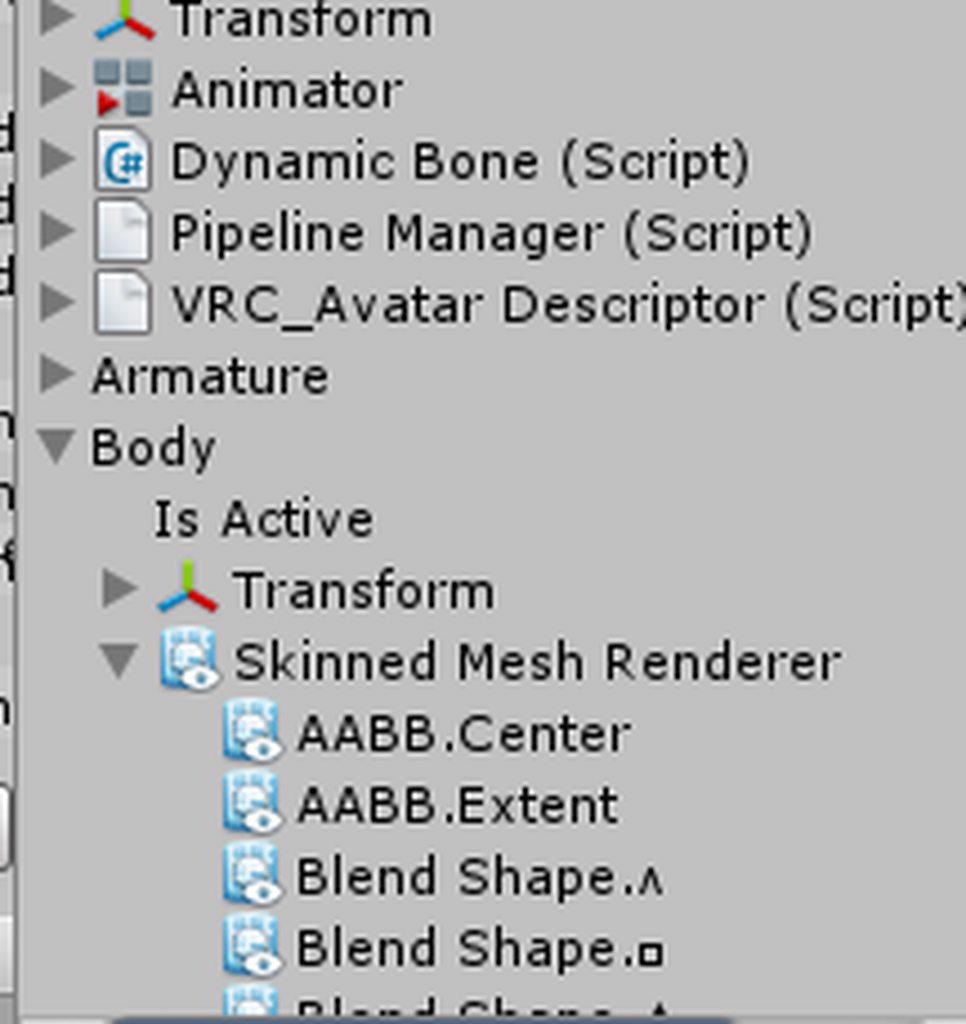
you need to have your model as a .fbx file and go into the animation and do add properties, (your model), body
you should see the blendshapes
 fierce bane
Is there any way to toggle an idle/walk/etc override via gestures or other animations
As in activate gesture/etc to switch from normal idle to a different idle
clear yew
@clear yew I see them all, so just add them all manually?
not all of them
only the ones you need in the animation
if they're japenese or in another language (like mine), then just select random ones
I'm guessing no to all of the vrc ones
vrc ones as in..
the avatar descriptor?
https://i.imgur.com/lPmdrzX.png all these
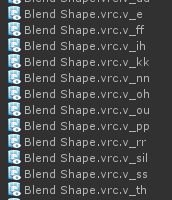
those look like something for visemes
set those aside
unless like
well, hold on
Also how will the blend shapes I add manually know when to activate on the animation?
keyframes
set them from 0 to 100
those vrc things are for mouth movements
like if you're saying oh you'll be using the vrc.v_oh
so you do need those
If I set it to 100, the eyes are closed through the entire animation
There are mouth movements/blendshapes that already go with the song
yes, the eyes will close if it's set to 100
if its at 50 they will be half closed
How would I import the mouth movements that already go with the song? So it sings along with it
you should see a +
one sec
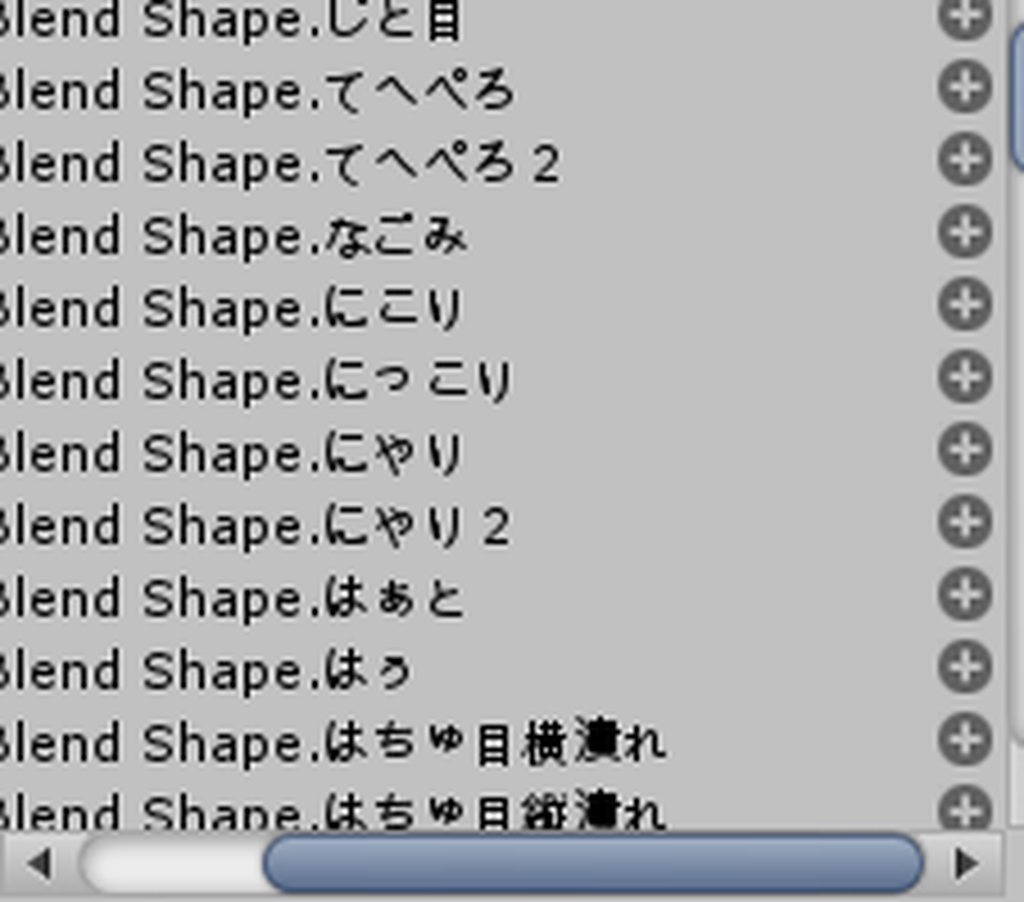
scroll all the way right
I added them
k, good
but it doesn't sing the song in sync
you have to manually sync them
it's not automatic
There's no wayyyyyy
gonna have to
i spend my time making minor horror games, its a huge pain fixing bugs and stuff since i'm a single man making a big game
you will feel pain trying to sync them yourself xD
slim sparrow
If it's a VMD it should come with the shape keys
eternal topaz
Is there any way to get particle systems to bounce off of the ground?
clear yew
activate the collision module
eternal topaz
is that it?
clear yew
yes
to test collisions
i usually put a giant flat cube to act as my ground
so i can configure how it should behave when it hit something
eternal topaz
alright, i'm just looking for some electric sparks to gently bounce a few times
so I think i'm good
 ripe torrent
Ok new question
Anyone know if there is a way to rotate an object with another object?
For example like say when you rotate your hand a cube beside you will point to the direction your hand is pointing to
Any way to do that?
eternal topaz
I think you can just parent the object you want to move with the hand movements
clear yew
something something rigid body / fixed joint i guess
slim sparrow
Configurable joints probably
ripe torrent
Found
slim sparrow
Can copy only rotation
 gaunt pebble
Does anyone know why my audio file sounds different ingame then it does in unity
No matter what I try
the first part of the audio is different
always
cosmic idol
Anyone know how to make an ingame watch that shows local time?
clear yew
nope
tulip crest
GitHub
Utility shaders to implement time-related stuffs in VRChat - y23586/vrchat-time-shaders
I've seen this link before, but i don't try it, tell me too if it works
spring nova
It's not gonna work anymore, it uses web panels
It's also only for worlds even when it did work
I have a really complicated system for an anlog watch that allows you to set he time manually, but you have to do so every time your avatar loads, it's not automatic. Let me know if you're interested
tulip crest
I just check that shader, it is not a real time clock, just a simulation for clock
like you said, set time before make it goes, then it simulates like a clock
spring nova
That vrchat time shader just used a website that has colored boxes that represent the time and change. The shader decodes that to show the time in a human readable format. So you can't even set it, it's locked to a specific time. And last I checked, it was like Alaska time zone and ahead by 15 minutes so it's not that usable anyway
slim sparrow
@tulip crest @cosmic idol @spring nova you can modify the time shaders to work on avatars
You just need to alter the way it gets the time
Have it use the _Time variable
It also never worked in play mode to begin with, was only an example
spring nova
Doesn't that just get the local time since joining the instance?
spring nova
Yeah, there are plenty of shaders out there that do that
slim sparrow
I took those since the others I could find were either on a HUD only or cost $2
Not paying any money for usermade content lol
Can do most of that stuff myself
spring nova
Ah, fair enough
tulip crest
it can be very cool if you can get os system time
make a real time world, reflect the real world time, etc...
or a clock on the wall to tell me it is time to sleep😂
@spring nova and you are right, it has a lot of fun to make world, i recently keep making my world until 0 o'clock
damn i feel my head keeps going with animators and reparent stuffs, the trigger event lines
slim sparrow
There's a good chance it will become possible with Udon
spring nova
jeeze I hope so
slim sparrow
In worlds that is
spring nova
If it's even half as good as unreal blueprints I'd be content
which is to say that's still pretty good considering how expansive blueprints are
Considering they ditched playmaker I think they have their sights set pretty high though
tulip crest
playmaker is great, i hope they will put that in the game sdk
spring nova
they won't, that's what they're making udon for
tulip crest
what is udon? I thought you are talking about a kind of food...
tulip crest
Ohhh
spring nova

Community Manager Tupper gives an update on the 2018.2.2 update. 0:30 Favorite & Recent Worlds 01:32 Sync Video Stream 02:43 VRChat Home Kit 03:42 VRChat SDK...
tulip crest
look forward to it
slim sparrow
It'll be quite some time
spring nova
with what?
 normal skiff
Some way to fetch a bitmap from a URL
I’m away from my computer and the files were checked in as binary so I can’t tell you how it actually does that https://github.com/makitsune/realtime-clock

GitHub
🕒 Show the current time where you live on an analogue clock in VRChat. - makitsune/realtime-clock
Not sure how it deals with transitions either
If at all
Maybe it’s just hitting the URL over and over
slim sparrow
Maybe it's just a video player instead
normal skiff
Also possible, except that they were talking about using a bitmap on another discord server
slim sparrow
Hmm, well I know Unity can load bitmaps from URL's
normal skiff
Actually the server source will be more readable so that bit is easy enough to figure out
It’s making a PNG
I haven’t been at a computer since I heard that it was possible to load an image from a URL so I have no idea how
Or at least not at one which can run unity
Obviously I can do it using a script, which is the normal way
slim sparrow
I can't check what kind of trigger or component they're using right now
normal skiff
Story of my life lol
I went on holidays and it was finished like a day after the start of the holiday
normal skiff
Using PNG means it has to use a complicated library to create the image but I wonder if it can literally be BMP
slim sparrow
Can probably load an image from web lol
I had no idea.
Probably related to their panorama screenshots and vrchive nonsense
normal skiff
Hmm
I thought it might be some VRChat component used to update in-game notice boards
That was my working theory anyway, without asking and/or seeing it
I had seen in-game notice boards before but assumed they were web panels
And maybe they were at the time even
 dire timber
I've had someone tell me they can't open an animation file in notepad or visual studios because it was encrypted. I can open them just fine, anyone know what can cause this?
slim sparrow
@dire timber serialization settings
In your unity project settings, you can change how files like .anim files are serialized. They're usually in binary for me. I can force them into a readable text format.
Very useful for things like enabling/disabling animators, which you otherwise cannot do.
dire timber
Right, I'll pass that info along thanks!
dire timber
@slim sparrow apparently there's multiple ways it gets decrypted? I had someone tell me they found a way to open the file and it's completely different xD
slim sparrow
I just change my serialization settings
It's not encrypted, just not human readable to save space.
dire timber
Right right
slim sparrow
You might be able to go into debug mode and change it manually per asset
dire timber
But is it possible that it can format different for different users?
Like when it's in a legible format
slim sparrow
Maybe? Depends on how they have their Unity configured.
By default, .anim files are not saved in a readable format.
dire timber
Right
Btw, where is that setting at when I go to change it?
I must of changed it without realizing
slim sparrow
Somewhere in project settings
 charred widget
hey, anyone know of a proper video that shows how to adjust the sitting animation on a short avatar?
 ashen sedge
I don't have a guide handy but you need to override the idle animation and put the controller in the sitting override slot in the avatar descriptor. In the animation clip you need to recreate a sitting pose using the muscle groups and add an "Root.Q" property from the armature tab to make your model move up and down and your viewport will be moved along with it. You might have to do some trial and error before you get the Root.Q value just right.
charred widget
@ashen sedge thats what I was thinking, I'll use Morgus's video on custom animations to help me navigate a little.
I just wasn't sure if I had the right idea
ashen sedge
That should be fine
charred widget
@ashen sedge thanks btw
ashen sedge
Anytime 👌
charred widget
@ashen sedge do I add this Root.Q property in Blender or Unity?
ashen sedge
Unity
In the animation view
https://docs.unity3d.com/540/Documentation/uploads/Main/AnimationEditorShowsSelectedPP.png
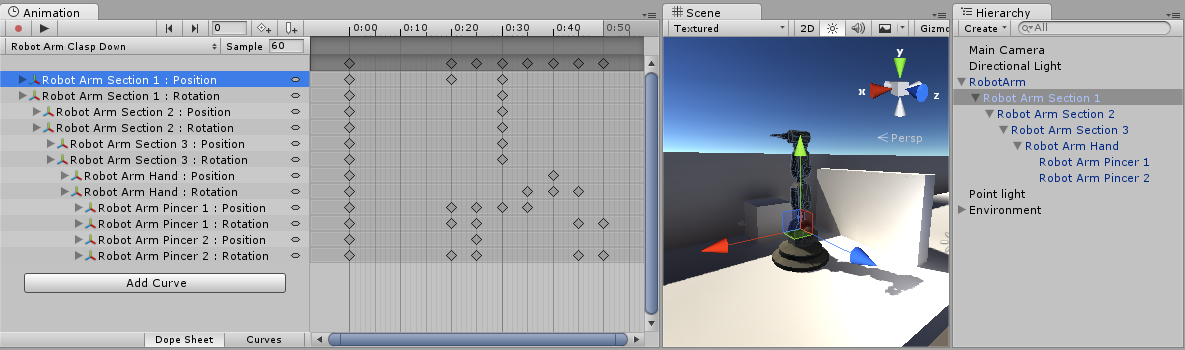 charred widget
I figured that part but am I looking for Root.Q or... ?
ashen sedge
Yes. You add a new property, and under armature somewhere you should find Root.Q. Just add it in and adjust the values so the avatar is a bit higher up
charred widget
ok, so it should be there and not something I needed to make in blender first in order to be able to find it in unity right? 🤔
ashen sedge
Root animation has nothing to do with blender, so there is no special setup or anything you need to do
ashen sedge
Yeah sorry, I was wrong. It was under animator
If you're new to animation overrides then I would suggest looking up tutorials for those. Those rules still applies
Things like making sure the keyframes at frame zero and one should be identical should hopefully be covered in those
charred widget
Morgus's video that I'm looking at mentions the keyframes thing.
I appreciate your patience with me 🙂
ashen sedge
The keyframe thing probably is the most important, only having two, being identical and set at frame zero and one (Timestamp 0:00 and 0:01)
And don't worry about it 😛
ripe torrent
Anyone know How to make an animation play in like world space?
fierce bane
the animation is bound to you, but you can make objects or particles be in world space
 narrow hill
is it possible to have a sound play from a particle as it hits a collider?
clear yew
no
 wary parcel
charred widget
wary parcel
charred widget
hate to ask but are the muscle groups in the animation window in unity?
 signal dove
It's a tab in the right window when you hit "configure" in the rig import settings
I have a bone that isn't part of the humanoid that isn't animating like it should
 lunar snow
Minnow if you mean on avatars no but in a world yes
 frosty root
When overriding animations with the override, the new animations blend with the default ones, is there any way to fix that?
slim sparrow
@frosty root which animations in particular?
Walk animations will do that unless you override Walk, Run and Sprint
frosty root
Idle, walking and running
slim sparrow
Yea
Idle is broken right now and walk only works if you override run and sprint too
Idle is blending with crouch idle and prone idle
frosty root
That explains it then, though I think walk and run are also broken
slim sparrow
(probably)
frosty root
I may be getting something wrong, but, let me explain my setup.
Basically, I use the custom animation override and I put all the different run/walk and idle animations into it.
Then I assigned it to the avatar (incl. idle and sitting animations)
 tall frost
was also making a crouch animation didn't work for the legs
frosty root
What ends up happening is (for the idle animation at least) it just looks a little strange (not what it's meant to look like)
slim sparrow
Pretty sure the desktop crouch and prone update has broken a lot of things. Since idle and crouch idle are now all playing over each other, that might mean crouch walk is also playing over the regular walk. Crouch walk could be the same animation as the default walk
frosty root
I was having this issue before the update too.
slim sparrow
Hmm
Well, idle animations can be difficult due to the IK
Walk should be fine if the same animation is in walk, run and sprintfwd slots.
At least before the update
frosty root
So, no way to fix idle?
slim sparrow
Depends on what the idle does. Does it mess with the legs in any way?
Such as floating
slim sparrow
Basically the only thing that works about idle animations right now is arm movement lol
Don't bother trying to move the legs or hips (root movement)
frosty root
So, I guess I'll just remove the legs from the mapping
slim sparrow
If you're fine with losing gestures, you can unmap a finger bone to get rid of your lower body IK
You can't unmap the legs. You can make fake leg bones and assign those instead, though. That always works
frosty root
Oh god, how would I go about doing that?
slim sparrow
Duplicate the leg and foot bones in Blender and give them a different name. Make sure there's no weight on them
So that nothing happens when you pose them
clear yew
make bones not connected to anything and tell the rig they're leg bones
slim sparrow
Then assign those bones in the rig configuration
clear yew
^
frosty root
Right, but wouldn't that break stuff?
slim sparrow
Not really
clear yew
not at all, it just moves bones that don't do anything
it keeps stuff from breaking actually, cause your rig will be valid
and have all the bones present
frosty root
Yeah, but that would only work if I have a custom idle animation, right?
I would assume it would break things if I don't have an override
slim sparrow
The default idle animation has no leg movement so that wouldn't matter
You said you have overrides for all animations though, so that should not be an issue.
frosty root
Yeah, I am just wondering.
slim sparrow
Oh fuck
I forgot about one detail, and that is a limitation with the game's animator. The game's animator does not allow you to move any bones in walking animations as far as I know.
Avatar masks
So you would have no walk animations with this method
Like, at all
Nvm that then
frosty root
Huh.
slim sparrow
We could fix this with custom animators but we don't have those
So really your only solution is trying to figure out how to make your shit work again
frosty root
Well, it never really worked, I just decided to ask now.
To go into more detail, the problem is that
One oft he knees bends in a weird way
When idle animation plays
Also, as a side question, the rest of the animations seem to be played pretty slowly in the game for some reason, even though they are much faster in unity (I am on about run/walk animations here). I know I could speed 'em up, but that seems like a workaround rather than a solution, so I was wondering if there some other way to fix an animation like that.
slim sparrow
That also has to do with blending
ripe torrent
anyone know how to make an object be in world space but still be like connected to you?
tulip crest
there is no pinned message?
ok, there is, @ripe torrent check this channel's pinned message
ripe torrent
thanks'
 dark viper

 ripe wave
Ok, So I want to do something simple: Add a little flame to appear in my hands when I do a gesture. How would one begin doing that, if possible
fierce bane
@ripe wave That would be done with a particle emitter. You'd apply an animated flame texture to a material, put the material in the "render" section of the emitter, and use the "Texture Sheet Animation" to have it run through the frames of the animated texture.
Then standard prop activate on gesture to activate it.
To make it stick to your hand you want to put a rigid body with all constraints checked and 0 drag/angular drag, no gravity.
And outside of that you want a fixed joint with that rigidbody applied to the "connected body" (I usually put it into the armature, but it can be on the same level as it as long as it's inside the avatar)
The fixed joint should also have both break force and break torque set to "Infinity"
https://www.dropbox.com/s/nr6wzhdj4663py0/Fake char with Head and Hand Targeting.unity?dl=0
This is an example scene you can load up in any project with empty objects as a fake "skeleton" with both head and hand examples for this.
 ripe wave
Oh thank you! I'll look into this. Of course I'm still VERY new to all of this and you just said a TON of words that mean nothing to me. Just makes me realize how new I am to all of this
 granite kettle

what's going on here?
I checked weight painting
its all fine
only the right hand is all jacked up, the left hand is perfectly fine
granite kettle
@muted prairie
since this is faster
what the hell is bone roll
im in blender im not sure what to do
i clicked edit mode and found something called 'roll' while I have a bone selected
everything is "0"
muted prairie
press space, type bone roll, should be an option to reset
If that doesn't fix it, it's an entirely different issue
granite kettle
hell yeah
fixed!
thanks
icy crow
you'd have to copy and paste the existing keyframes and paste them into a new animation
 chilly kernel
hows that possible
just copy the keyframes and make new anim and paste them there?
icy crow
yeah
fallen cave
Heya guys, I have an issue with a model. When I go to select viseme, sil, PP, FF... non of them has their corrisponding sil, PP, FF etc.
Are they named in a different way and I have to find them?
regal hollow
did you make the visemes?
fallen cave
yeah, sorry. I solved the problem
 jade kraken
ugh
these flexes / blendshapes n such when importing a .vta file in blender doesnt properly make the mouth movements work
curse you Source, you and your reliance on using flexes / no-bone shapekeys
ugh, i know litterally nothin about making / rigging up facial shapes
lofty crypt

 toxic solar
Thought I'd ask here since I'm feeling pretty stumped:
So I came back to VRChat recently, and found a pair of avis that have incredible animations. One involving a projectile that you could direct by pointing your fingers in various directions, the other acing something similar to a yo-yo attached to one or both hands.
I figured these were just dynamic bones for the yoyo, an an ever extending projectile out from the fingers, but I just can't replicate these effects.
Any suggestions or tutorials I can watch? I love doing animation stuff.
lofty crypt
directing projectiles with fingers is easy
thats just a particle firing forward that is a local particle
while the trails are world
slim sparrow
Oh, the yoyo is interesting. I tried doing a yoyo myself and never got it to work as I wanted it to.
Directing particles with your finger is actually inheriting velocity from the emitter
On a world particle
clear yew
i saw someone make a yo-yo with only particle, no idea how in the fuck he did that but i know it's possible
slim sparrow
I have an actual yoyo mesh that I tried using final IK on and gave up
Now it's just a test thingy that I can activate on a prop toggle and toss out with Fist
toxic solar
Thanks for the input! I'll see if I can take this back to the whiteboard with me this time around~
 lofty crypt


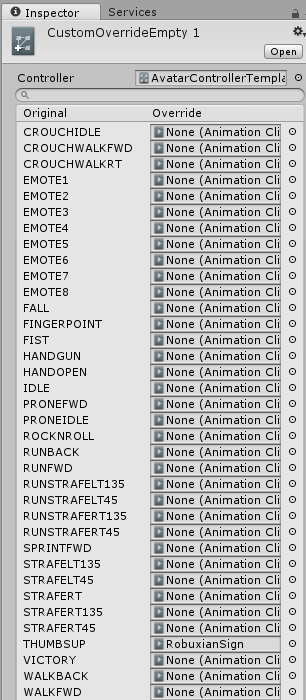
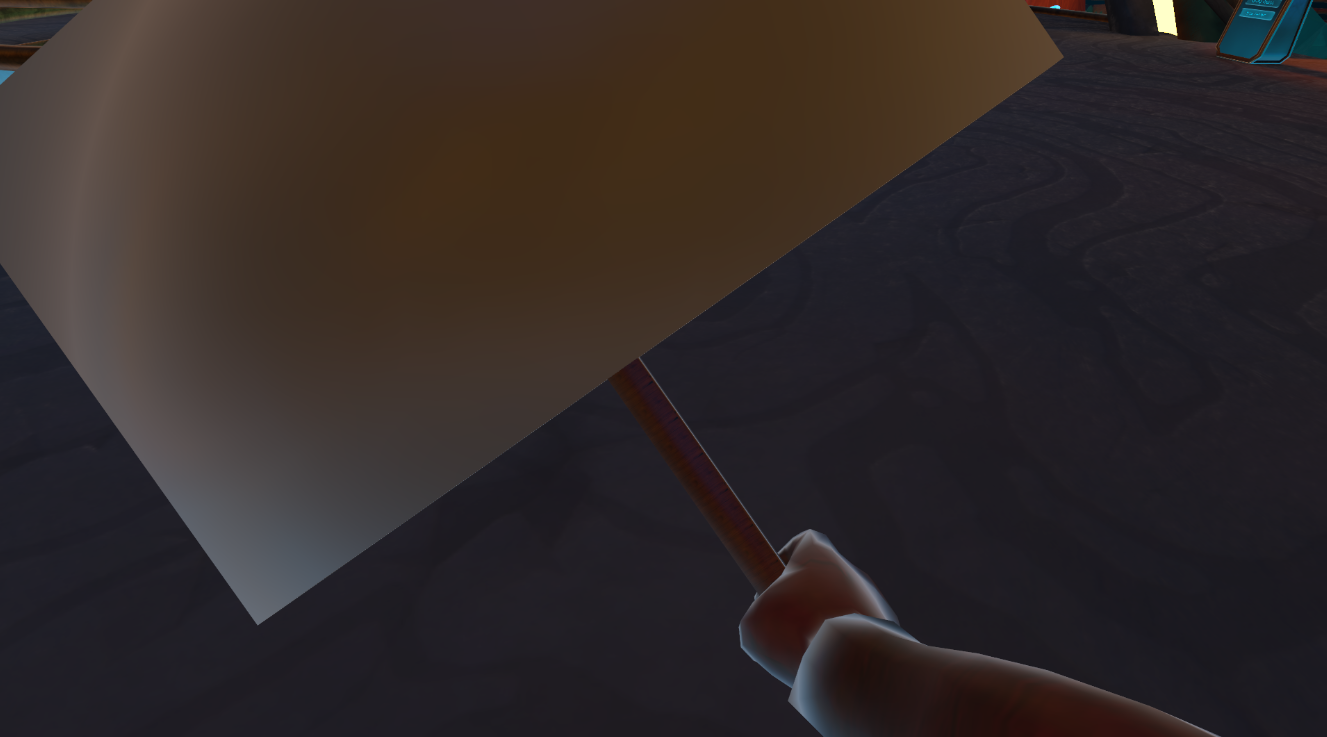


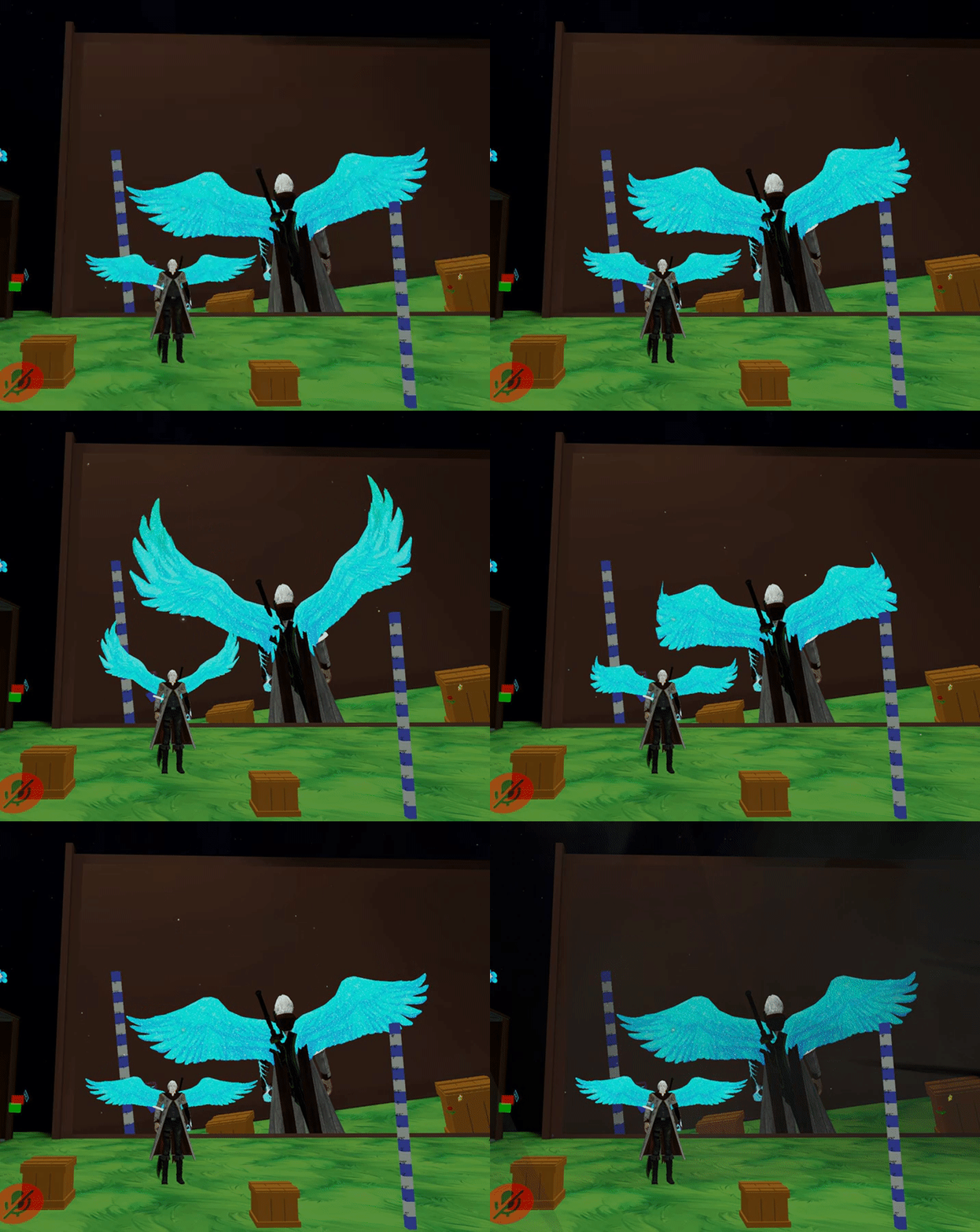
 magic river
Hey guys! sorry for a super simple question
How do I save an animation i've made in blender?
 torn pawn
@magic river when u export, be sure that it's set to "baked animation" http://prntscr.com/krj7fj

 noble ice
is it possible to add an animation override to a non-humanoid rig for custom animations?
lofty crypt
yes
tulip crest
i recently made one non-humanoid avatar by using an invisible humanoid avatar's armature
noble ice
so an armature is the only way to get it done?
 undone glade
Anyone by chance know how to do the fixed joint/point thing, but from the hand? Sort of like placing something from the hand into the world space.
Been trying to experiment, but been a failure so far.
tulip crest
so far i know it is a easy way
 placid copper
if your avatar sinks to the ground while making a one frame gesture, that means that the hands will become bugged right?
but if you make clones for each individual gesture and then use that animation data, you won't have problems??
this is my third attempt now lol
 wraith owl
What is the peace sign hand gesture called in the animation override? I can't find it.
clear yew
victory
 sturdy parrot
Hello! I have a question, I have this character that I'm working with animating it, face and hand emotes I mean, but when I choose add property (is it the correct term) there is not one which can make my mouth look happy, nor another one that makes the eyes close like in a happy way. But I've worked on other avatars that had those properties. Is it possible to add them in some way?
 lilac cave
you have to make keyshapes/blendshapes in blender
using x-mirror, and topology mirror in conjunction with proportional edit in 3dspace should be good for that
if there are bones then use those
basically


@sturdy parrot
sturdy parrot
Ohh! Thanks I'll try to do that ;) thx @lilac cave
granite sapphire
Yo before i'm wasting some times
The blinking animation from cat break my facial gestures
If I force the vrc.blink_left/right to 0 in the gestures, does it "block" the blinking ?
clear yew
pretty sure it will break it
granite sapphire
Guess i'll give it a try then
slim sparrow
@granite sapphire forcing the blink shape keys to 0 in any gesture will break them entirely
You won't have blink at all
Just make empty shape keys for them and make a custom blink anim
granite sapphire
So, is there any ways to not have the blinking not happening when doing a facial gesture ?
If not i'll just go without blinking but meh
ashen sedge
If you're set up with simulated eyetracking, not that I know of
granite sapphire
Using a legacy animation rn
ashen sedge
Disable the animator component for the blinking animation clip via the gesture override?
granite sapphire
Need to check if i can remove a precise animation then
Since I got one for my ears & tails waving
Oh well, i'll get ride of the waving when doing gesture
W/e
 rough coyote
make this into an animation

Subscribe the channel for more videos and press the bell icon for notification
hilaarrriious
 rotund swift
ok I got the flying animation from the vrchat site, but everything makes my avatar's right eye all weird and floaty. can anyone help?
granite sapphire
Remove the right eyes setting from the animation
slim sparrow
@granite sapphire yes, using a legacy animation for the blink allows you to turn off the blink in a gesture
Instead of animating ears/tail in a legacy animation, why not put an Animator component on the tail?
Unless you also need to turn off the tail movement, in which case put a legacy animation on the tail
No need to put it on your avatar object
My setup is usually as follows:
- Blink animation on my avatar. Default on.
- "Stop blinking" animation on my Body. Default off.
- In a gesture that needs the blinking to stop, disable the blink animation and enable "stop blinking"
Stop blinking is really just an animation that sets the blink shape key to 0
If you don't have a stop blink animation set up, you might gesture mid-blink and this will look weird. The blink will pause rather than stop.
granite sapphire
Yikes ; that's actually a lot of thing that should (imo) be included in the controller by default, but oof.
I'm just used to use legacy for tail / ears since I do it for more than 1 year now
But that's a nice setup
slim sparrow
Yeah, there is quite a bit about controllers that I'm not happy about, as you might already have seen :P
granite sapphire
Yep
slim sparrow
The eye blinking in general oughta be moved to an override-able animation and should work with just eye bones mapped, but that's beside the point
What I think would be really nice if we ever get custom animators, is a parameter for talking
So that we can implement our own alternatives to jaw flap
Gestures break the built-in blinking because the blinking is managed through script and not through the same animator
While the gesture is inactive, the animator forcibly writes "blinking is 0" to the shape keys if you have the shape keys added in a gesture or emote anywhere
In the same way, we could manage blink a little bit better if we could make our own layers for it.
But generally as a rule of thumb: only use legacy animations if you need to enable/disable the animation anywhere. Otherwise, you're probably better off with an Animator component
granite sapphire
Got u
So.. you're putting the blinking as a legacy, always "on" and a sec animation on the body which basically make the shapekeys to 0 ? ( trying to remember it w/o reading again 😡 )
Well, working 👌🏻
Thanks a bunch, that's such a pain in the ass
slim sparrow
Yeah, that's what I usually do. I have a premade blink and stop blink animation now
So it's just a matter of importing those animations and putting them on the right components
I never use the builtin blink anymore since I like my own better and I always have the option to disable it
granite sapphire
Well ; i'll do the same since i finally found the motivaiton to do my own model
I mean.. from parts and everything
 elder lodge
yee
clear yew
Can anyone teach me how to animate in blender? This stuff is so hard
 upper sapphire
anyone good with rigid bodies i need help


I put my moon on rigid bodies etc off my armature and it still follows my characters viewpoint and im not sure what to do
:/
clear yew
check the pins @upper sapphire
ripe torrent
i tried the legacy thing and it still follows my viewpoint
ripe torrent
nvm
 rain reef
Did they change the way animation clips work? Are the hands separated now cause i made an animation the way i always did and my second mesh only triggers if i use the right hand
slim sparrow
@rain reef that's not supposed to happen but apparently there are some issues that can arise on Vive
Where fist turns into fingerpoint
slim sparrow
I'm having a bit of an issue on a gun that I animated. I have one gesture to pull out a gun, and another gesture to fire the gun. I made a small firing animation (moving the slide). I did this by having the gesture disable the regular gun and activating an identical "firing" gun. It works, but the original gun doesn't disappear in time.
I have it set up as
- GunParent (disabled by default)
-- GunIdle (enabled by default)
-- GunFiring (disabled by default)
In one gesture I enable GunParent
In another I disable GunIdle and enable GunFiring
But I can still see the original gun when it fires
clear yew
i had that issue too, what i did is parent the gun to an empty game object and animate the game object to make the original gun shoot
slim sparrow
You mean with a legacy animation?
clear yew
yes
slim sparrow
Alright, I'll try that
clear yew
animated the whole thing
clear yew
with the slider moving back and then getting back into his original position
and i set the animation to clamp forever
yeah it works too for automatic
just set it to loop this time
slim sparrow
Alright cool, I'll try it out
wraith owl
Is there really no way to have a hand-gesture animation longer than 0.1 seconds?
I'd like to make a coin (which i have) appear on my index finger for half a second, then as a particle fly up with gravity, so it comes back down.
Then it would loop, so it looks like i'm flipping a coin off of my finger.
I could do all this, except for the fact i can't have hand gestures longer than 0.1 seconds.
slim sparrow
@wraith owl you can do it, you just can't do it in the gesture animation.
Just enable a coin that then animates itself to flip
torn pawn
yes u can have 10 frame animation, but it will take 5x the time to get back to default
so you'll be locked for 50 frames, 60 frames = 1sec
torn pawn
so it's better to activate game object that is animated
wraith owl
Hmm.. I'll attempt to figure out how to apply an animation to it alone.
slim sparrow
You just need a coin object with an animator on it
Which then plays the flip animation by itself
wraith owl
So, would it not be timed to start when i activate the gesture? Or would i enable the animation in the hand-gesture aswell?
slim sparrow
You would enable the coin object in the gesture
Which would then flip itself
Gesture is only 1 frame but the coin can do whatever it likes
wraith owl
I understand that, but would the coin animation activate on the coin when i activate the gesture? Or could i accidentally activate the gesture while it's mid-air?
slim sparrow
Animators only start once the object is enabled
wraith owl
Ah, ok.
slim sparrow
So it would start from the beginning each time, which should be in your hand
wraith owl
Thanks a bunch!
red moat
is there another way for fixing crippled hands with emotes in full body mode rather than using a second armature? i dont want to unnecessary bloat up my avatar :/
torn pawn
w hat u mean by crippled hands
red moat
when you choose something from the emote menu like a dance while in full body mode, your hands get bent by 90 degrees to the side while your avatar does the animation
 severe prawn
Somehow I get slower when I apply IDEL motion. I don't know why.....
icy crow
its getting blended with the crouch idle and prone idle animations
 main lotus
Does anyone know where I can get the effect that zooms everyone's camera when looking at my avatar? I got a small character and a funny idea