#animation
1 messages · Page 80 of 1
 cerulean lintel
Im convinced it some sort of bug, i'll make a video later and post it so I can get other peoples opinions
Anyways, its getting rather late here, so im gonna go get some sleep.
Thanks for the help
 zealous needle
Okay. So, I have an animation that changes the default values of my model's shaders to a rainbow rotation.
For some reason, so long as this animation is in any controller on the model, the shader locks to black values for all colors for said material
Throwing the animation onto the model doesn't activate the animation for some reason
 tidal niche
When doing the handgestures, do you do one animation/pose for each hand, or both hands in one pose/animation?
zealous needle
solved my above: for some reason having an avatar set in the animator was breaking things.
 spring nova
@tidal niche both hands in one pose. Vrchat will mask out the rest
tidal niche
So which are the gestures? as far as I know, there's Shift F1-F8, but on the list I can only make out FINGERPOINT FIST HANDGUN HANDOPEN THUMBSUP
 shut dragon
Is there any easy way to use a 2-frame animation to trigger a longer animation, so the hands won't stuck when doing it?
 spice urchin
dont set anything to fist
its bugged in-game so that u cant un-set it unless u use a gesture other than none
tidal niche
What are the other three hand gestures I'm missing?
my guesses are VICTORY and ROCKNROLL but I'm not sure
 pliant plank
F2 fist
F3 open hand
F4 point
F5 victory
F6 finger gun
F7 rock n roll
F8 thumbs up
I'm guessing F1 is IDLE, then?
pliant plank
Eyup
tidal niche
So I've got a sitting animation, where do I even put it?
pliant plank
Essentially you use another animation override, you can have one for sitting and one for standing, there's 2 slots on the descriptor for such
tidal niche
I can see that, yes
http://puu.sh/AX9wN.png so like, uhhh

anything I change the controller to, it just gives something without a sitting
unless I'm supposed to just take the regular one and replace IDLE with the sitting animation
I swear if that's the way to do it
pliant plank
It is
tidal niche
fucking
aight
fine
sure
would have been fantastic to know yesterday but whatever
 red mortar

 lunar snow
I'm gonna guess that either A and the most likely, your weighting is wrong or B you somehow deleted the bones for the skirt in unity, or ofc C you're using something I'm unfamiliar with for skirt animation
shut dragon
Is there any easy way to use a 2-frame animation to trigger a longer animation, so the hands won't stuck when doing it? 🤔
lunar snow
@shut dragon yes
Second let me type it
You have to have a game object with the animator on it with an animation controller in it with an animation as the main animation (yellow)
Use the hand gesture animation to enable that game object and it will run the animation when it's enabled
shut dragon
http://prntscr.com/k6wat5
You mean, creating one separate from what I want to animate or?

Because I want the briefcase to always be on, but to be animated by a trigger
lunar snow
No if you want to animate a specific object you can attach the animator there
Ah
So then
You have a second briefcase you turn on and shut that one off
The second has the animator
Also keep in mind you can get crazy with what you do after that within the animator
 crimson epoch
so i made an mmd animation. it looks exactly how i want it in mmd and when i import it to blender it looks fine too, but when i watch it in unity the hand positions are off from where they should be. Any ideas what would cause this?
lunar snow
I've had 0 luck doing mmd to anims
 fallow spire
can someone explain me how to make the shader effect with a camera so that every player inside the shader will see the effect
 wary parcel
I do not understand why animator variables are cut off from avatars still
 silk needle
Is it at all possible to have a part of a model animate, like an additive animation?
I've been fussing with Unity for about an hour now and can't figure it out. Plus whenever I try to apply an animation it refuses to work unless I have the Animation Type set to "Legacy"
pliant plank
Yep
silk needle
👀
pliant plank
As long as it's not an actual part of the main rig, like head, arms, hips and so on
And it does need to be legacy
Set on a loop as it's additive
silk needle
So there's no way I could see about making this model's fish head animate independently from the body?
https://i.imgur.com/ZA6sjC2.png
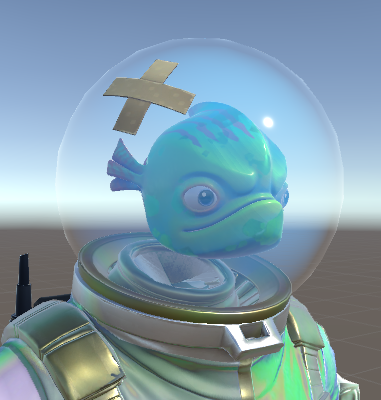
The fins have a subtle swimming animation I'm trying to get working
spice urchin
no u can
u can use a legacy animation and make a copy of ur rig prefab
in legacy mode 2 import it
then u just add an animation and play it
u can also give urself an animation controller (not on the character itself but on a bone or something) and play it there
u would probably need to use generic animations for that tho
 chilly vapor
if you absolutely had to get the fish to be a seperate model, having the shader cull at point blank range would prevent it from being in the view port
but the legacy method should be the easiest way if done right
silk needle
Forgive my ignorance since I'm still pretty oblivious to most of Unity's functions, but how would I go about importing the animations as legacy, but keep the primary fbx as humanoid? The animations are being imported from the same fbx
I tried following a brief tutorial on making blinking animations thinking the same logic would apply with imported animations
 ashen sedge
Couldn't you just make the fish itself a separate object and simply parent it to the humanoid body's headbone?
Then you could animate the fish however you want without it interfering with the body at all
silk needle
That crossed my mind, but I want to give it face posing after getting the tough stuff squared away, and I worry that'd potentially prevent that. If it wouldn't then heck I can give that a go
wary parcel
Nono, as long as you have the fish with its own bodymesh you can choose that bodymesh as an Vismes origin and you get everything you want for it except eye tracking i think
But you could just have an idlepose legacy animation with loop on the fish and then change over to a different object to use for any other animations, or animators. This way you can have everything attached and keep it customizable
If you are having trouble then make the head its own material and give it transparent shader with a pixel that is alpha transparent and use standard cutout and it is totally gone until someone uses a shader to project onto the invisible mesh.
 slim sparrow
Yeah, a separate object for the fish head seems like a good idea.
You can still use gestures and visemes
Although you will probably need a custom blink animation
silk needle
Oooohhh, okay o: I didn't think something like that would work to be honest. I'll give it a shot when I'm available to do so, thank ya guys for your input and help! c:
 valid spire
Hi, I've got a question concerning the walking animation override. I have a generic avatar but want some features that are only supported on humanoids. So I made a fake rig that's not connected to the mesh. Now when i try to override any walking animation my avatar is offset into the air quite a bit (by about half the height of the home world mirror). If i use the walking animation as an emote, it stays on the ground. Can anyone help me with this?
ashen sedge
Try adding Root.T property to your walking animation to move the avatar world-up when walking
You probably have to go by eye and few attempts to make it just right
valid spire
Thanks, I'll try
ashen sedge
I think it should be under "armature"
valid spire
i found it under "Animator", but unfortunately playing around with its values doesn't seem to have an effect on the animation in the game
cerulean lintel
Good afternoon VRChat Discord. Im having some issues with a new model im making. I want this animation to play Audio clip 1 for 6 seconds, then stop and play clip 2 for 2 seconds and a final audio clip for around 15 seconds. Currently, this is the animation I've made. The audio clips wont play, but everything else works the best.
 spring nova
Is this supposed to be a gesture?
cerulean lintel
I want to trigger it using a gesture, yes
Basicly what it does in a nutshell is create an A-10 Warhog, yell 'Suppressing Fire' then start blasting away
The planes appear just fine, the audio wont play for some reason
spring nova
Gestures can only be a single frame, if you want more than that you need the gesture to trigger a second, longer animation
cerulean lintel
So create a second animation thats just one frame that triggered this animation, then apply that to the gesture?
spring nova
Yeah
cerulean lintel
Alright, i'll give it a try
So how do I get an animation to trigger another animation, is it under 'Add Property?'
cerulean lintel
How do i do that?
lunar snow
The gesture turns on the object with the animator and the animation inside plays
cerulean lintel
So
I put a compent on the avartar, an Animator, set the Controller to...whatever the animation controller is for the animation I want to play
lunar snow
What are you animating?
cerulean lintel
Currently im attempting to play some audio clips at certain time points
Ex: Audio clip 1 for 2 seconds, Clip 2 for 6, then clip 3 for 15
lunar snow
So make a game object on the character then set the audio clips as it's children then add the animator to the game object
Add the long animation to the game object and set it up as you want to
cerulean lintel
Ok, I think i got that
lunar snow
Make the gesture turn on the game object
cerulean lintel
Game object, meaning something like...?
The only object I really have here is the avartar, and I dont want to touch that in the animation, least I mess up the pose
lunar snow
If you're only turning on audio you can create an empty on the base of the avatar
spice urchin
u can only use 1 frame for a gesture
lunar snow
Modifying an animator on an object not rigged with a humanoid avatar won't break the avatar
spice urchin
u have 2 enable another animation
cerulean lintel
Alright, let me try it. I think I got it
Gonna upload, then mess about with it
Heres hoping, ye?
lunar snow
Its fairly simple
cerulean lintel
Honestly with all the stuff you guys are teaching me I could probably make and sell my own game.
'Oh, where'd you learn how to do unity stuff?'
'Vrchat.'
One of my avartars that I made is kinda a forbidden avartar now. I cant edit it because I deleted everything in the project and saved it on accident, RIP.
Lesson learned 😛
Alright, its uploaded, lets do it
lunar snow
Just empty game object with the animator on it, an animation controller in it, an animation inside the controller and that game object the parent of the audio source, the game object turned off by default and the gesture for the avatar set to enable the game object.
lunar snow
Lol
Someone with unity in front of them should sc this setup for him lol
I'm out of the office till the morning
cerulean lintel
Alright, i think I have it set up now.
Uploading...again.
Hm
Well
I want the animation to activate some items parented to the bones of the avatar
Is there a way I can put the object under the Game Object and still have them parented to a bone
So i can wave them around?
Or whatever I'll be doing with them
spring nova
You can parent the animation to a bone and the objects to the animation
cerulean lintel
Hm
spring nova
But whatever they are, they need to be children of the animation and you need to update it to point them to the new place under the animation instead of under the bone
cerulean lintel
Alright, i'll mess about with it
cerulean lintel
Mission complete guys
It took me hours and hours of hopping to discords and reddit posts
but mission
com
plete
Im going to bed before my eyes start to bleed
I love you all
lunar snow
Lol
 lime ingot
How would I go about looping an animation back from a certain point?
spring nova
How do you want to determine that certain point?
lime ingot
No clue
spring nova
I'm not sure what you want then, could you elaborate?
lime ingot
Yea I'm really tired sorry
My animation is 60 frames long, and I want to play the animation normally first, but when it has ended it loops back to, say, the 45th frame
And then keeps looping from there
spring nova
Separate it into two animation clips and have both, one after the other, in the animation controller
It'll get done with the first then follow the transition line into the second, and when there are no other transitions it'll just stay there and loop
Do you know how to get to the animator controller page?
With all the boxes and lines
lime ingot
the animator?
spring nova
Is this gonna be on a gesture or an emote?
spring nova
Do you already have it looping by enabling an object with the animation in it? And are you aware gestures on their own can only be one frame?
I'm just trying to get a baseline of where to start
 civic kettle
I don't know if this is the right channel, but I'm looking into making two areas of my avatar light-up as a voice visualizer type of thing. Anybody know resources for that?
What category would that fall under?
 sharp lance
hey does anyone know where i can get my hands on a bible book mesh?
like a open bible book rather, not a closed one. making a priest avatar
 copper whale
Hey guys, I made some pretty cool electricity effects the other day, but my problem is that I can clearly see the particles follow my hand in the mirror, meanwhile, if I'm not in front of a mirror, my effect stays in one spot.
spring nova
you need to put world particles on an ikfollower or fixed joint and rigidbody
Look up vrchat world particles, there are a few videos about it
copper whale
So, I added an Ikfollower on a rigidbody.
Now the particles are a couple feet away from where I originally put them, they also still aren't visible in the mirror.
@spring nova Any other possible problems?
spring nova
either or, not both
 lime cove
Working on a rigidbody = should be on at all times, should be outside your armature
copper whale
Ah, I see.
I already had it on.
Just adding the Ikfollower to it was a bad move, o o f
I put the particles outside and it seems they don't even appear in game now.
slim sparrow
@sharp lance not sure about bibles in particular, but there's a Patchouli Knowledge model made by Arlvit that has an open and closed book
You might need to change the cover texture manually since the cover has a hexagram on it
slim sparrow
@lime ingot use animator state machines
Have the object's animator start at the "beginning" state, then transition into an infinitely looping "loop" state.
 vital laurel
Hey, just a quick question that I’m almost certain is impossible, but I want to confirm
So I have an animation state machine that makes transitions based on the value of an animation parameter
slim sparrow
Avatar or world?
vital laurel
But from what I can tell, I CANNOT update that parameter value with a VRChat avatar
vital laurel
Disappointment, but thank you for confirming that for me
I suppose any state-based animation overrides will have to wait until something changes
I was going to have my avatar’s pen be able to cycle colors by using a different gesture 😭
I can easily make some color changes but it’ll be way less cool than my original idea, but these animations can’t save any changes at all on your avatar as far as I can tell. I was just hoping for animation parameters to be my saving grace on that front
vital laurel
... except now I’ve heard about VRC_ToggleProps. Perhaps I spoke too soon
 regal hollow
Toggleprops is useful but has it's own limitations
vital laurel
Wait, does it toggle by disabling the object?
regal hollow
Or moves between states when use a specific emote
The main issue with it is syncing with late joiners
vital laurel
I’m sure it has limitations but if it can activate/deactivate an object by toggle then I can use it
vital laurel
But if it’s just making the object invisible using mesh render, then that’s not useful
That’s not an issue
vital laurel
So totally active/inactive object. That’s perfect then
regal hollow
The prefab comes with documentation that explains it pretty well
vital laurel
I’ll definitely read up on that. Thank you!
regal hollow
Np
 nimble pumice
can anyone help me? I'm confused why my hands arent animate like the rest of me in vr with a model I'm trying to import
regal hollow
Do your hands have bones
nimble pumice
yeah
regal hollow
What exactly is the issue
nimble pumice
the issue is when I use my vr controlers the fingers on the hands dont move
 main lotus
Is there a way to edit a particale effect to spawn each new particle at a random rotation?
main lotus
thx trying now
 rancid valley
What were the requirements again to set a mesh as a particle renderer? I've literally copied my little armband and replaced the mesh with something i want to work the same as that armband but it doesnt show up at all its just invisible
slim sparrow
Mesh has to be just one material
Mesh particles can be really small sometimes @rancid valley
You can set the particle bigger
Much bigger
slim sparrow
Need to change start size and not just the scale
slim sparrow
Yep
rancid valley
that means its working so i can now change start size
slim sparrow
You can also change the import scale in your assets, in case you need collision
That way you'll scale up the mesh itself
rancid valley
i need collision yeah
slim sparrow
Otherwise you won't be able to get the collision bounds small enough
rancid valley
wait wait wait, where do i change the import scale exactly?
slim sparrow
In the import settings for the mesh @rancid valley
Assuming it's a custom mesh though
If it's like a default Unity cylinder then you can't
main lotus
is there a way to play my sound-game object through unity so I can sync my animations?
 fallen flax
How do I fix an animation that works fine when enabling "Activates Feet IK Preview" in the preview window in Unity? Without it, the legs go everywhere.
spice urchin
how would avatar morphing work
main question i have is animation
bc I'm trying 2 set it up so that it toggles from bipedal 2 quadraped
and back on gesture
do i just combine both animations
and rigs
confused
 trim zinc
I have a problem with animating changes to the emission color, basically the animation should increase the emission to the maximum while being completely dark without it, in unity it looked fine but for whatever reason it doesn't seem to work ingame, have I forrgotten something?
spring nova
Oof that's a tough one @spice urchin you'll need to have both rigs active at all times, but only one mesh on at a time. Then grab all the walking animations from the humanoid and add on all the quadripedal animations so both are playing at the same time
Have you done gestures before @trim zinc
trim zinc
yea, I mean changing the material on mesh copies did work but just changing the emission doesn't for some reason
slim sparrow
If it's a legacy animation it won't work
trim zinc
how do I know if it's a legacy animation, I just made it using the animation window
spring nova
That would be if you put the animation on a component. If you're plugging it into the gesture system that's not the problem
trim zinc
yea I just put in my override
spring nova
Could you take a pic of the animation?
trim zinc
like the animation window?
spring nova
Yeah
trim zinc
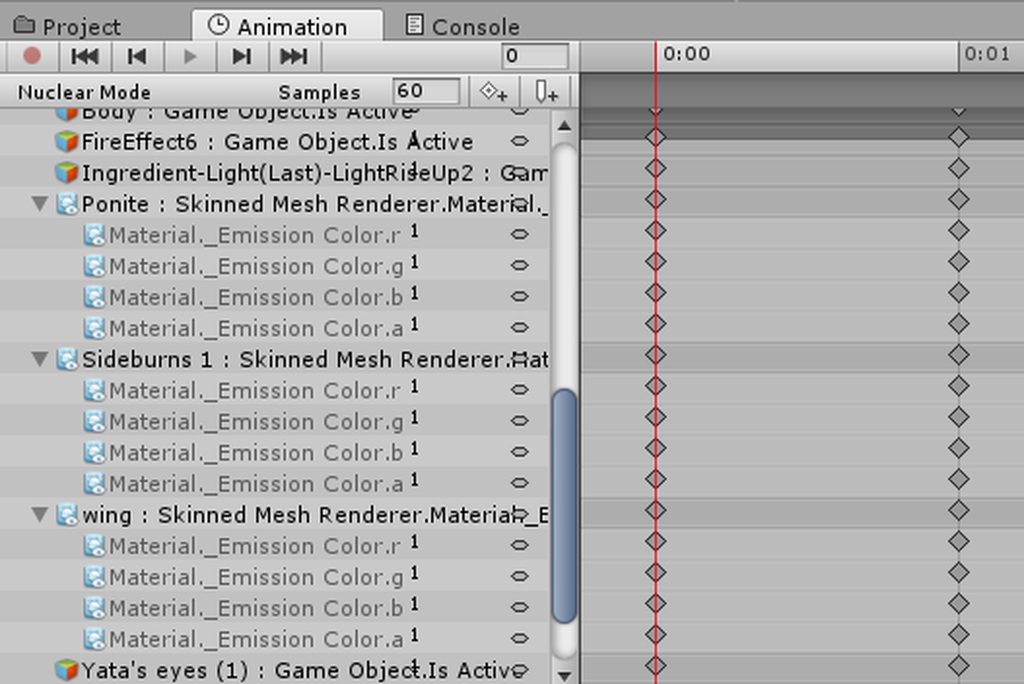 slim sparrow
Stupid question maybe, but the second frame is also set correctly, right?
When you move the red line to 0:01
It should stay the same
I never tried changing emission color in an animation. You might want to swap out the entire material instead. Just make a duplicate of the material and give it emission.
 eager shadow
wait you can swap out materials through animation ?
spring nova
Should be able to change emission directly, but yeah the shader might be weird and not like that or something
trim zinc
well it's just lit toonshader
spring nova
Yeah just go into record mode and drop in another material
trim zinc
at least switching to material flips fixed my problem now, thanks for helping tho
 dense granite
Does anyone have a up to date guide on how to export animations, and import it in vrchat
Feel free to tag me
spice urchin
theres many types of animations so
theres motion animations theres smd animations theres fbx animations theres mixamo animations
they all have different ways u can import
 hollow perch
@spice urchin for your morphed avatar do you want to be able to continue controlling it as a humanoid when in quadraped form or you are ok using generic animations? Also are you intending this for VR? Or are you planning only static walking/idle/run etc animations
hollow perch
But static animations or like follow your head and hands in vr
Sorry I mean static like as in you have all motion defined by anim files not like you aren’t moving
What I would suggest is to put your wolf inside your avatar (with its own Armature etc). Then start with a complete humanoid/muscle animation set for the human (ideally there’s a way to copy all the original vrchat ones). Then in each animation like run,walk, copy and paste in the generic animations for that state of the wolf anim set but changing the path to have Wolf/Armature/Hips etc instead of Armature/Hips etc
I’m inexperienced but what I do is open the anim file in notepad++ or something and find replace Armature/Hips to Wolf/Armature/Hips
spice urchin
i tried doing that before
but it made the animation unusable
when i changed the paths
it couldnt read it so it acted like unreadable file
hollow perch
What program did you use to edit it
spice urchin
notepad++
i used find and replace to change Armature/Hips to just Hips bc i parented it to the hips
but it bugged
i also need 2 find some quadraped animations
bc u can also set it up so that quadrapeds have humanoid rigs
copper whale
What does an Ikfollower do? I'm trying to add particles to a character, this is my first time adding particles, so I'm a complete noob.\
spice urchin
i only have walking/run for forward i dont have any strafe animations
y use ik follower if ur using particles
hollow perch
Ya finding an animation set is a challenge.
https://github.com/s-m-k/Unity-Animation-Hierarchy-Editor this might do what you want
GitHub
Contribute to Unity-Animation-Hierarchy-Editor development by creating an account on GitHub.
lunar snow
@copper whale it's for adding particles to a characters armature
spice urchin
is it so it can follow vrhands and not just hands or smtg
lunar snow
Usage isn't documented the best but it is as follows, gameobject on the bone you want the particles to follow, child of that is the particle system
spice urchin
?
copper whale
Okay, now If I wanted to add a prefab particle to my character, I simply make a game object, add particle { + Sound }, and add Ikfollower to Game Object?
lunar snow
No
Gameobject with ikfollower is on the character, particle system game object under that as it's child
copper whale
Ohh, so the Gameobject gets Ikfollower added as a component?
lunar snow
Yes then you create the particle system on that as another game object
Either way it's just a fix for rigidbody and fixed joints not behaving in some cases
main lotus
I've added a custom animation to my avatar's HandGun gesture, but every single gesture except IDLE is playing it. Has anyone had this problem before?
copper whale
So, this is what I've done.
I made the gameobject with Ikfollower.
I then added the particle UNDER game object + Ikfollower
hollow perch
@main lotus when you animate any property in any state, the animation controller will try its hardest to reset whatever you animate to it’s default factory state in every other animation
copper whale
Once added, I duplicated the original model and added the animation to the new guy.\
And in the animation, the gameobject + ikfollower is active, is this right?
main lotus
LYuma, what does that even mean. I think what I got is a bug.
hollow perch
It’s not a bug but it’s a feature of Mechanim animations. Once you touch something in one state, every state will do the opposite. And doing the opposite might also do something depending on what your animation is changing exactly
What exactly is the animation changing? enabling a game object? Also did you modify idle at all?
main lotus
fixed it, it was a bug.
spring nova
I think the problem is with ikfollowers. They have all kind of wonky issues, and I think what you're running into is that if you put anything other than world particles inside an ikfollower, they won't behave properly.
Instead you should use a fixed joint and rigidbody, which allows you to put anything you want inside it
@copper whale
copper whale
I used a rigid body, but the world wasn't showing my particles. I seriously wish I had a 1 to 1 convo with someone good with particles. lol
lunar snow
World's with combat systems break rigidbodies
spring nova
@copper whale how were you using the rigidbody? It's a bit more complex than just throwing it on there like the ikfollower
lunar snow
The setup for rigidbody particles (or anything for that matter) should be gameobject with a rigidbody on it on the bone to influence the object with the offset you want, game object at the root of the character(in the hierarchy where armature and body are located) with a fixed joint(or other joint for different effects you want to create) linked to the rigidbody on the bone, rigidbody on the bone fully constrained and gravity off on both, I also found that is kineimatic on the bone rigidbody helps in some instances
 waxen summit
Does VRChat not support light source particles? I created a gun firing animation where it's supposed to briefly flash and light up surroundings, but only the particle appears and not the light source.
lunar snow
I've seen lit particles before in game
hollow perch
I’m experimenting with using an empty toggleable object to enable and disable a joint between two other fixed position objects. Basically as long as I have a gesture active my arms will control my character’s wings and when not active the joints are disabled so wings act like normal. One trick I found is to make the empty object basically have joints in both directions: a fixed joint and a configurable joint with Swap Bodies checked. Has anyone played with such a system before?
hollow perch
https://giphy.com/embed/QLN0Z7mnj5KgtuSnWQ A gif of the system in action in unity attached to my leg (I’m fbt and want to keep my hands free).

I’m turning the gesture on and off every 2 seconds in the video.
 royal summit
That’s really cool. If u rotated the legs left or right would the wings do that as well? Or do they only rotate upwards and downwards?
hollow perch
Yes because I have all 3 freeze positions checked and all 3 freeze rotations unchecked. The physics system goes out of control if you have some axes checked and not others
There’s also something weird about it keeping angular rotation from the last frame before the system is disabled. I could see that being a problem if I activate a gesture then turn it off and my wings will start spinning. Even if it is slow but nonzero it might look messed up after some minutes
lime ingot
@slim sparrow I've never used animator state machines, can you link me to some kind of tutorial i could use?
royal summit
Wish there was a way to allow joints to only work on certain axis, I’ve been using them in toggleable props but they can look quite stupid, especially when I emote
lime ingot
It's the same kind of thing I use to move my guardian scout's head
only on the y axis
I control it by turning my hand

Oof that's poor quality, but it doesn't matter, you get the idea
spring nova
nice
royal summit
Wow so it only rotates left and right? If so I need test this on my dragon and sentry gun props
lime ingot
Yea, only rotates left and right
But it breaks sometimes, and I've managed to fix it a bit, although never fully fixed it
royal summit
What happens if it breaks? Does it just start rotating on all axises
lime ingot
I've fixed its position on the x and z axis, so it just spins on the y axis
But I can't stop it spinning
But that's usually when I move it too fast
hollow perch
Really cool
lime ingot
I've also added particle effects to it to simulate the laser
royal summit
Nice!
lime ingot
What can i use to record gifs of my screen?
 lime ingot
When I use my animation in game, then try to use another gesture, it just overrides it. Is there a way to fix this?
 clear yew
did you make the whole animation on a hand gesture or did you animate a game object ?
main lotus
Is there a way to change my character's hair color through an animation?
hollow perch
Yes if you use a grayscale texture and apply a color in the shader you can modify the _Diffuse property of the mesh materials in an animation
lime ingot
Damn, I used a hand gesture
trim zinc
Wouldn't just swapping the material be enough tho?
At least that's how I did it, as changing the emission didn't work out for me
lime ingot
@clear yew I put the animation on a hand gesture
main lotus
I wanna make an effect that glows around my avatar, as if she is standing in a circle of light
trim zinc
@main lotus look up "particle ingredient" on the asset store, has multiple effects including magic circles
clear yew
@lime ingot and it's more than frame 0.00 and 0.01 ?
 obsidian vigil
well... ive got a question.
im working on a spell gesture using multiple particle systems
i want them to always face in the direction im holding the wand in
but when i hold it to my right they sort of flatten
i have them set to mesh particles
they look fine from the front
 slim sparrow
Hmm, that's pretty cool
 slim sparrow
@obsidian vigil since they're mesh particles... are they in world space?
Ah yes
They must be in world space then
slim sparrow
Is that a Harry Potter model from those old games?
You can set the simulation space to local, or use that one shader that aligns mesh particles to their velocity
obsidian vigil
yeah xD
slim sparrow
If the mesh is a quad or plane, you might be better off with world-aligned billboards instead
Lol, that's cool
obsidian vigil
and well i set them to world but they still look like that
slim sparrow
You need to set them to local
Simulation space local
Make sure the shape module has them aligned to direction too
Otherwise I dunno
obsidian vigil
umm
help

@slim sparrow that fixed it but now it apparently wants to wobble
and i cant get it back into a round shape :/
 clear yew
it wont work then
you need to animate a empty game object with the effect
and use a hand gesture to activate the game object instead
hand gesture can't be longer than thr 2 first frames
lime ingot
Yea I've done that
 crystal vigil
can you use an animation to change what shader an avatar uses?
slim sparrow
Yeah, you can swap out materials
 fierce bane
what was that about a shader that orients mesh particles to velocity?
That sounds like exactly what I need if it'll work on world sim mesh particles to let me orient them based on local space
I didn't think that was possible without scripting or a newer version of unity
fierce bane
is it a vertex shift or what exactly?
slim sparrow
I have no idea how it works internally.
 unreal socket
Not sure if this is exactly the right section, but I need advice. I'm working on making a 'forcefield' type object for an Avatar that stays in place when I walk away using rigid body and fixed joint. The first problem I'm having is that it works fine to place it initially, but if I move out of it, stop the gesture to turn it off, then use it again it spawns relative to where it was when I left it and the position doesn't reset, any idea how to fix this?
slim sparrow
If you shine a projector onto them it'll still look like it's pointing the same direction
@unreal socket the parent object of the forcefield needs a legacy animation on it
Which resets the child's position and rotation back to 0 while not in use
So when you enable the forcefield on a gesture, you disable the animation component
unreal socket
I see, not sure how to add that but I'll mess around and try to figure it out
fierce bane
I was actually using rigidbody/fixed joint to try to get around my issue...works fine in unity scene/play but is locked to character in vrc
had the same issue while it was working, tried using an animation gesture to reset position but that didn't work
unreal socket
how do I add a legacy animation?
slim sparrow
Enter debug mode in Unity and you can mark the animation as legacy
You can then use it in Animation components
unreal socket
this might be a bit beyond my ability I guess
slim sparrow
If you just want to summon a forcefield then you might want to use world mesh particles instead
Will be less jittery too
unreal socket
yeah I was trying to figure that out
slim sparrow
Unless you need it to be an object for audio or something
unreal socket
its also got audio
slim sparrow
Then you will need actual world objects unfortunately
unreal socket
so Im looking at the animation in legacy
is this a new animation Im making for the parent object or part of the animation to create it?
slim sparrow
I have no idea what you mean
You make a new parent object and put it inside it
You add an animation to the parent
Then after creating, you mark it as legacy
unreal socket
yeah its already a child of a gameobject with a rigid body and fixed joint
slim sparrow
What
No, you need to set it up differently
The parent of the object with the fixed joint has to have the animation on it
So the fixed joint object gets reset back to you
unreal socket
yeah I think this is probably beyond my understanding right now
Ill probably just leave it be and revisit when I know what Im doing a bit more haha
 forest slate
so i am trying to do a simple prop in the hand, like i have done a million times before, but for some reason, no matter how many times i click the checkbox on the is active property in the animation tab, absolutely nothing happens. i have no idea what to do
fierce bane
make sure time is set to the one you're trying to edit and that your duplicate has the right heirarchy...if all else fails, restart unity...may just be acting weird
forest slate
already tried restarting unity. i also just noticed that it doenst go into animation pose, it just stays in t-pose
fierce bane
do you have the record button pressed?
forest slate
yeah
 fierce bane
@forest slate and you did either create the animation directly on the duplicate, or create then drag it onto the duplicate right? I can't think of what would be interfering
forest slate
i made the duplicate and then clicked create animation on the dupe.
it seems to work when i just drag a new model from the asset tray, so i probably messed something up somewhere
i just need to copy paste all of the dynamic bones and props
ah i found the problem.
so VRchat has this problem where if you put a dynamic bone on the hips, when you sit down the viewpoint stays at your standing height. i usually get around this by reparenting the skirt to a gameobject attached to the hip and put the dynamic bone on that.
but for some reason reparenting the skirt, breaks the entire model.
regal hollow
Hm
 dawn leaf
so when creating a gesture, I come across the problem of the animation contantly resuming if I do any other gesture, how do I fix that
clear yew
How long is the gesture animation? About how many frames?
dawn leaf
its 20 seconds
regal hollow
@dawn leaf is the Animation on another object
clear yew
Thats probably the issue. If you make the gesture animation longer than 2 frames, it sticks. It's best to make the animation on a seperate object, then activate it with the gesture
clear yew
Nah, i did the same thing too lol
regal hollow
It's all just learning with time
 alpine fox
Does anyone know if there is a way to make it so a gesture override snaps in to place, rather that move smoothly to it?
 lilac cave
id think that changing the fps from 60 to a much higher level would do it, if you are talking about keyshapes
 reef chasm
Is there anybody how to make facial expression not crushed by each others? like, right hand's facial expression have initiative?
slim sparrow
@alpine fox not possible unfortunately
That's just the way the animator works
Transition time is 0.13 seconds if the gesture is two frames
main lotus
yo @slim sparrow
After I finish running my gesture animation (HandGun), it then overrides all my other gestures with it's animation (like OpenHands), first time I've seen this happen
slim sparrow
You probably don't have to ping people directly
I'm sure if I waited 5 minutes, there would be at least two people jumping in with the answer.
The answer is that your handgun gesture is probably longer than two frames.
One frame at 0:00 and one at 0:01
Nothing at 1:00 for example
main lotus
ah, thx. I'll rework it
eager shadow
does someone know of the bet how to change the scale of the value (up_down) in the animation view ?
in curves mode
a faster way then mouse wheel it is at 20000 and i need to down to 1
cerulean lintel
Ladies and Gentlemen of the VRChat discord, I cannot thank each of you enough for your help. Your invaluable advice has finally allowed me to fix my broken Combine avartar, and the sound files now work flawlessly! At last, I can drop glasses on the floor of the pug and bully the desktop users into picking them up! Or something along those lines.
Not sure what else a metrocop does tbh
regal hollow
Pick up that can
cerulean lintel
^ exactly
main lotus
How do I make a gesture that is only 1 frame long which calls to play a longer gesture?
clear yew
animate an empty game object instead and activate it through the gesture
main lotus
okay, what do I put in the empty game object?
clear yew
whatever you want to animate
main lotus
can you animate visemes like this?
clear yew
no since it's directly on the root model
main lotus
k thought so. thanks anyways
hollow perch
You can if you use a legacy animation on the root object
I think at least. Never tried doing that but every object is allowed one legacy. Also you are allowed to move the Body mesh into a sub object like armature or hips. I suspect doing so may break viseme sync in places like mmd dance room but otherwise the vrc avatar descriptor doesn’t care where your viseme mesh is
Regarding the legacy animation you have it unchecked and to run it you set animation enabled in your other animation
 night crescent
is there any way to do a randomized sound on a gesture?
hollow perch
Random is possible if you are ok with everyone in the world hearing a different sound. If you want them to be synchronized I think you have to settle with having a looping playlist and basically playing the next sound in the list each time. Both of these can be accomplished with the pulse gate system
The pulse gate system is basically an animation controller that can be paused. It initially has on and off but you can keep chaining more and more things to it and it will cycle through them one by one every time you run an emote. Making the delays way too short or wrong will basically randomize it but due to network delay everyone is different.
night crescent
Hmm, that sounds fine! Are there any tutorials on that? The synchronized one sounds fine to me!
hollow perch
search the discord for toggle props. Basically if you download the unity prefab you will get a PulseGate and PulseOut. You can edit the animation controller for PulseOut and to add more states, copy the transitions exactly with true = true and so on. https://youtu.be/5m8RZQd4JAw

This is just a quick tutorial on how to set up prop toggling in VRChat to enable yourself to permanently toggle a prop on using emotes instead of gestures. I...
A word of warning: this system may desync for players that join late. I think disabling the game object with PulseGate might reset the animation to initial state and resync. Also I don’t know if it helps but I think it is good to set all the animator components to animate always
night crescent
Ok, ty!
spice urchin
the gesture transition stuff
thats based on the animation controller
cant be manipulated
unless of course not using vrchats animation controller
 lofty crypt
https://gyazo.com/282a279aea8f786ac85f78cb58370f95
idle anim thats longer than the gif

 cerulean laurel
so how do i get the animation tab for unity
Im still pretty new to unity and would like to add some sounds to my avatar
fierce bane
click "window" at the top of the main window and select "animation" or just press ctrl+6
cerulean laurel
hey thanks
so do i just keep adding animation things to get more then one custom animation or how would i create a new one
fierce bane
there's a dropdown under the record/play/etc buttons, drop down and create new.
or you can right click on the "project" pane with your other assets and create new animation, then drag and drop it over the duplicate
always use a duplicate to make animations with, don't use your original model, it can mess stuff up
cerulean laurel
thanks
 worldly talon
How to convert VMD to FBX animation file?
clear yew
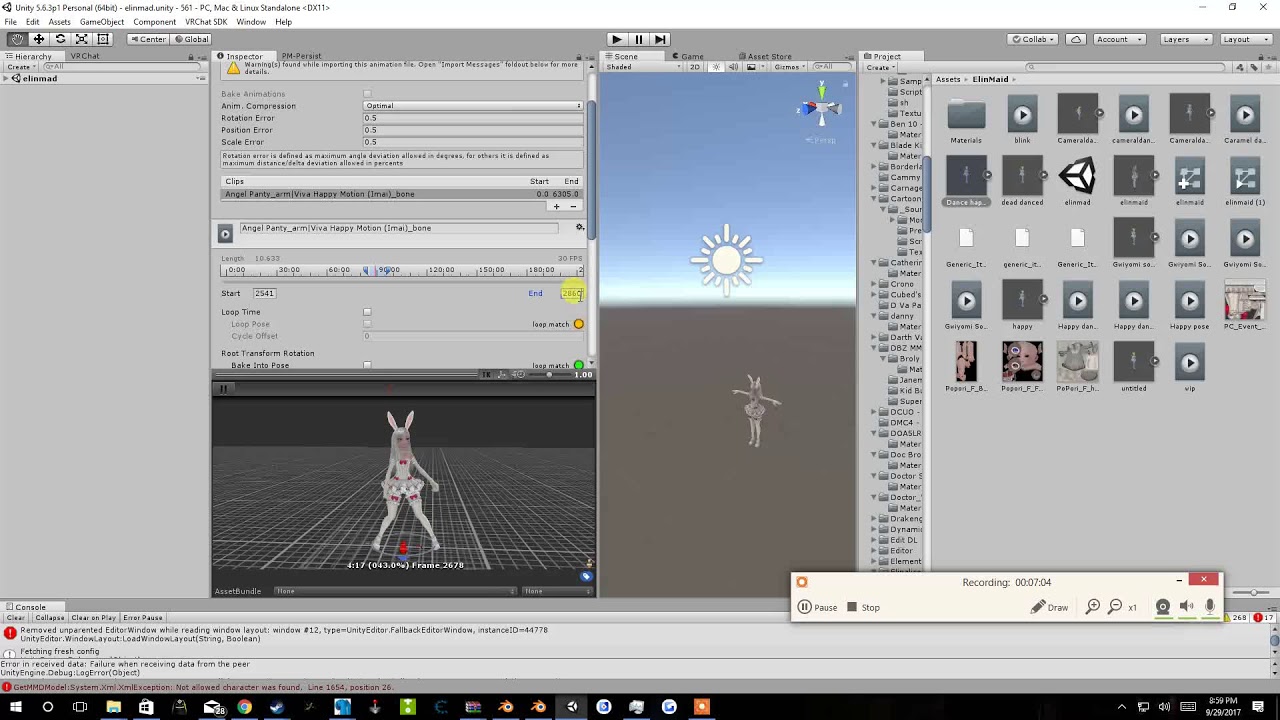
Tupper video on New MMD tool for blender https://tinyurl.com/y8yeonsd MMD Tool update version https://tinyurl.com/ybku6xft EvolvedAnt Gesture Overrides for T...
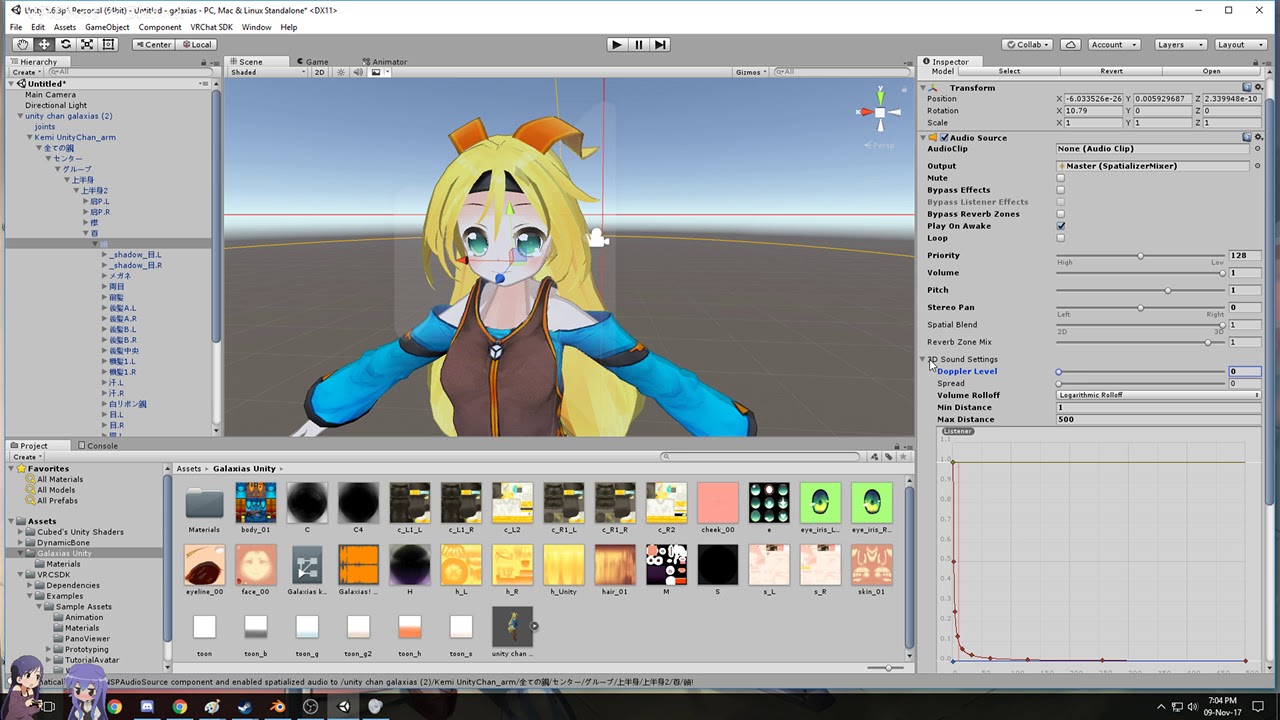
Hi my name is Shana from vrchat and i started not long ago Learning how to import mmd dances to vrchat was one of the fun stuff to do for me so today im maki...
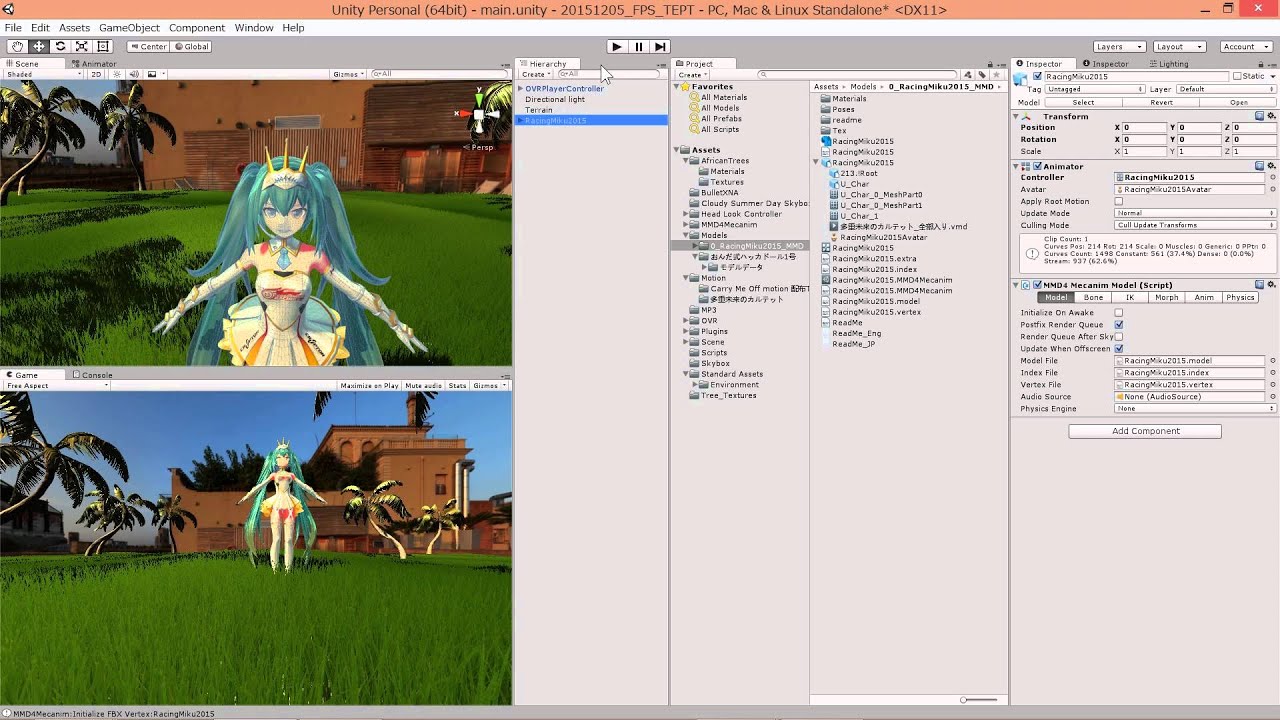
If the VMD-data has some Morphs, MMD4mecanim imports the Morphs into Unity. 音楽:「多重未来のカルテット~QUARTET THEME~」by曲者P(http://www.nicovideo.jp/watch/sm12616770) モーシ...
Plenty of tutorials about it I guess
worldly talon
video not helpful XD
worldly talon
@clear yew can you import and export vmd to fbx?
clear yew
@worldly talon Note that FBX itself isn't an animation format by itself I think. But from tutorials it seems it's possible to somewhat convert the vmd to a format Unity accepts.
slim sparrow
You need to import the motion into Blender using MMD Tools (included with Cats), then export it with the model
There's another way that's better but the devs don't want it discussed here.
I can see why
worldly talon
Can you discuss it to me in DM?
forest slate
so how do i make an always playing animation on my model? i thought it was just adding an animation component and maybe setting it to legacy, but it does not seem to animate no matter what i do
spring nova
Don't use legacy, just a regular animator will do it
And it should be by default, but if it's not, set the animation clip to loop time
forest slate
the animator component doesnt have a slot to put my animation in it though
lunar snow
That's because you use an animation controller in it
The animation controller holds the animations
forest slate
i see, i have no idea how to use this though
lunar snow
You make an animation controller and add it to the animator then open the animator window and drag in the animation
It should link with the appropriate point and be yellow
Whenever that object is active the animation will play
You can also include multiple animations in the controller and make transitions between them
forest slate
so like this?
https://cdn.discordapp.com/attachments/410305882866450450/469714400463552524/unknown.png
 lunar snow
Yes
Make sure the animation is a loop if you want it to always play or continuously play while the gameobject is active
forest slate
if i hit play in unity it just goes into the default animation pose, not the animation i set
lunar snow
Default animation pose?
forest slate
like if the animation was completely empty, when its just halfway in the floor with slightly bent legs and arms
lunar snow
Ok so the animator is on the avatar root
forest slate
yes
lunar snow
What are you trying to animate?
forest slate
im trying to make a fairy. so basically a small model that floats above me
lunar snow
It's a separate model to your own?
forest slate
i made the animations on the fairy
or well, modified existing ones to suit my needs
i clicked create new animation, then copy pasted all the keyframes from the other animation, and tweaked them a bit
lunar snow
Lsounds like you need to move the animator to a different location, like add a game object as it's parent and put the animator there then fix the unlinked parts of the animation
Basically sounds like you set the second character(fairy) as humanoid
Someone else here may be able to give more insight on this at this point as I am moving to info I'm not familiar with, I normally don't humanoid animate secondary models
forest slate
i see
lunar snow
I basically treat any secondary as a prop
forest slate
i think i figured it out. it took creating a bunch of new animation controllers and copypasting the keyframes into entirely new animations but it eventually worked
lunar snow
Ok
trim zinc
How do people do these armbands that either say the creators name or something else, is it just a ring like mesh with the text as material and set to rotate the whole time or is there another way I'm not thinking of?
regal hollow
You could do that, I'm not sure how people do it, could be a shader but what you said would work.
 plain wave
I'm new to vrchat and this whole 3d thing and I downloaded a model from deviantart into blender then into unity and i have it but it says there's no animator and it won't animate into vrchat. Can someone explain to me what i've done wrong or what i need to do please?
spring nova
there's a lot more to the whole process than just dumping it from one program to another. Here's a really long video, but it goes over everything and is definitely worth watching if you don't know where to start https://youtu.be/7P0ljQ6hU0A

VRChat Community Discord: https://discord.gg/VRChat Download VRChat! http://store.steampowered.com/app/438100/VRChat/ mmd_tools GitHub: https://github.com/po...
plain wave
alright
valid spire
When overriding the walk animation for humanoid avatars, I can change the rotation of my avatar transform but not its position. Is there a reason for that? And does anyone know a workaround?
slim sparrow
@valid spire yes, you need to tick "Bake Root Transform" on the animation in your assets.
Then set all the "Based On" options to "Original", too.
Otherwise, Unity will try to actually move your avatar. This is impossible because it's already controlled by script.
 timid prawn

 warm token
how can i make everything around my avatar darker if i use an emote?
clear yew
putting a shader that darken the view on a sphere
valid spire
@slim sparrow I can't exactly find "Bake Root Transform". Did you mean I should do it like this?
oh wait need to upload the pic first
slim sparrow
@valid spire it's when you click on the animation file in assets, in the inspector
valid spire
 slim sparrow
Yeah, those are set correctly
valid spire
unfortunately, it still doesn't consider the transforms position for the animation
it does work with rotation though
slim sparrow
I think walk animations might be limited to up/down
Due to the IK system too
I think if you unmap the thumb on one of the hands, it'll work again.
But you lose gestures
valid spire
i didnt map any fingers or toes, i made a bare minimum fake rig so it can be accepted as humanoid
but i guess position offsets are not allowed for walking animation on humanoids, i tried all directions. They do work on normal emotes at least
 hard eagle
yo guys do you know how can i make an animation work on gesture
hollow perch
What type of animation? Like full dancing emote or some effect or just some part of your avatar changes while holding the gesture. Or you want a gesture but to happen slowly?
 thorny flame
Can someone Help me making a lightsaber? i already have saber but i cant get the light/laser to work.
(sry for bad english)
night crescent
is there a way to fix broken hands when using custom sitting animations?
 austere tinsel
Hi there fellow VRChat peeps, i was told recently that to achieve having an animation that is longer than the standard 1 frame for gestures(without the whole delay and/or inability to switch to another gesture), i need to put whatever it is im animating into a game object. Then activate said game object through an animation, the usual way. but if i do that, whatever it is in the game object wont have an animation(for ex; like a staff unfolding). It will just show the staff instead. I guess what im trying to ask is what is the process behind making the long animations, like those you would see on a weapon?
worldly talon
How to set up animation to trigger my weapon to appear in VRC?
thorny flame
@worldly talon https://www.youtube.com/watch?v=61vO-IswFps&list=LLu19jyCeT8jmTORgcIA6T5A&index=73&t=0s
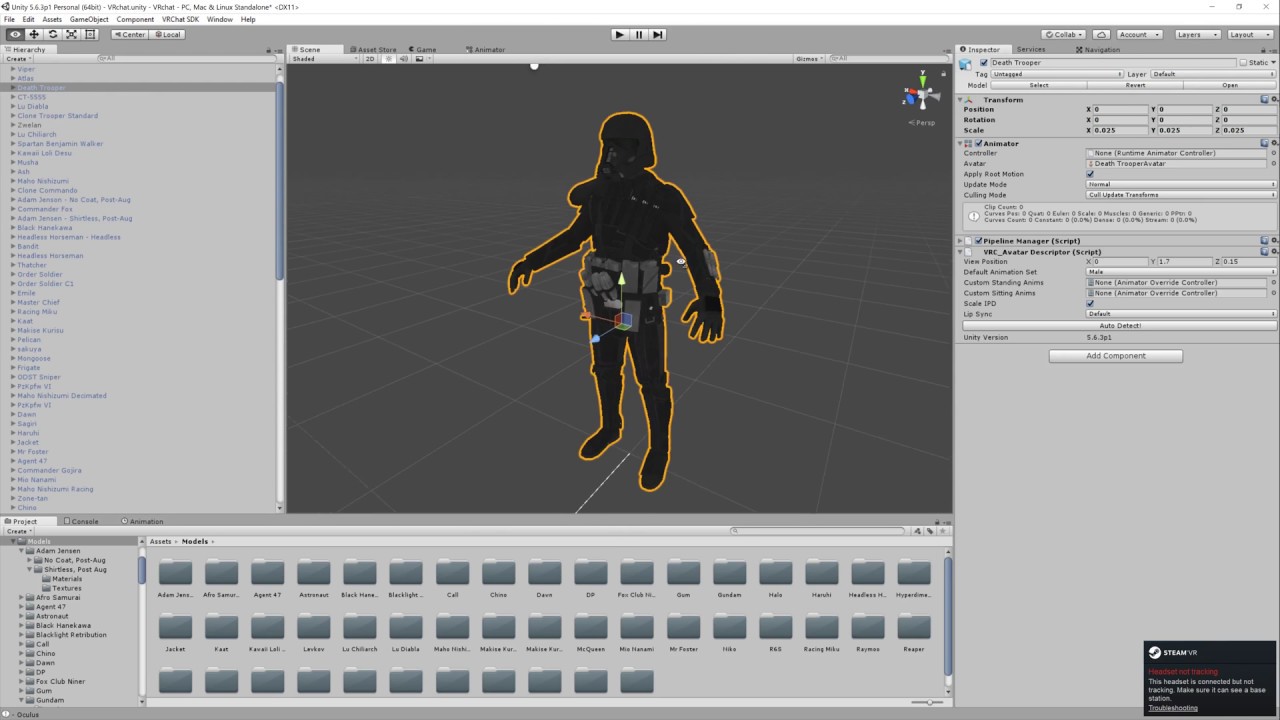
Basic VRChat gun animation override. Audacity used to convert audio files to .ogg.
 floral island
Hey question for you guys. Was thinking about it today. Is it possible to play a video off of a emote? like create a panel with a video playing on it? Or would that not work due to the video storage location?
spring nova
You wouldn't be able to use a regular video panel like worlds use, you'd have to do like a sprite sheet or something kinda like a gif
But it should be possible
floral island
Hmm. Interesting.
clear yew
Hei is there a website for a more feminine animations that isn't www.mixamo.com?
 gritty elbow
How would I create a particle that does an orbit motion?
hollow perch
Vrcsdk comes with a rotate animation example. You can attach it to a empty game object with your particle as child with an offset in the x or y axis and apply the rotate legacy or non legacy animation to the empty game object.
gritty elbow
And that works with particle systems?
hollow perch
You want it orbiting in world coords or as a sub emitter?
gritty elbow
World I think? I'm not completely sure what those mean I'm still learning particle stuff and animations
 torn pawn
 gritty elbow
I tried that settings and it didn't work yuumi
fierce bane
"World space" means it rotates based on the world itself, so if you had it rotate along the X axis in world space, then turned 90 degrees, it would still turn in the same direction it previously did.
"Local space" means it's based on whatever it is attached to instead.
gritty elbow
Yeah I think world is what I wanted
Basically it stays where I spawn it but rotates based from that point
clear yew
When I try to do one of my custom emotes my avatar sinks into the ground and stays there for the duration of the emote. Does anyone know the cause of this?
 red moat
is there a way to set a hand gesture to trigger an emote? my animation does a full body animation, for example like a dance emote. But i know normal custom hand gestures do not support that. So i would like to if i do the HANDGUN gesture that it triggers EMOTE6 instead of having me going into the menu and click on the said emote. Is that somehow possible?
slim sparrow
@red moat yes
In the gesture, you need to disable your Body mesh
(Or just the skinned mesh renderer component)
And then you enable a child model with an Animator on it that automatically plays the animation
red moat
ah okay so basicly a second model that jumps in and plays the animation. so thats the only way for that right?
red moat
alright thank you a lot ^-^
hard eagle
@clear yew you need to set position rotation etc. the right way
clear yew
@hard eagle not sure what that means but i do recall something like that being mentioned... i'll look into it. thanks
@slim sparrow I was actually just trying to figure out how to do that... anyone mind clarifying how to disable a body mesh ina gesture?
ill try googling it or something meanwhile lol....
thorny flame
I have a question, i made a lightsaber, and i wanted to add a Lightsaber sound from Kylo Rens lightsaber. Ive added a Audio Source and implement it to the Animation Tab of my Dublicate, but somehow when i get my lightsaber out in VRChat it doesnt make a sound.
thorny flame
does somebody know why?
 icy crow
is the range of the audio source big enough for you to hear it?
thorny flame
@icy crow yes.
icy crow
hmm, what about the falloff? can you hear it if you go to the centre of the audio source?
might be hard to do if you're not in vr
thorny flame
im in vr
I do have an Oculus
Ive made a Dubstep gun, and i made the exact sound settings, but it woundnt work.
for the lightsaber
worldly talon
I did what this guy said to do to copy an animation from the fbx but it is not working XD
https://youtu.be/oUSe5uDLSJM
Tupper video on New MMD tool for blender https://tinyurl.com/y8yeonsd MMD Tool update version https://tinyurl.com/ybku6xft EvolvedAnt Gesture Overrides for T...
 amber mantle
How to remove the "Emote Time Limit" ?
My Emote is just a tiny bit Longer and it cuts to early
gritty elbow
Set it as a hand gesture @amber mantle i think that's the only other way
amber mantle
I got it as a hand gesture and Emote
some1 has the same Emote as me but his Emote lasts longer
 dawn shale
Hey guys. I'm having issues with my model where it doesn't appear in mirrors. I attach it in unity, and it isn't a shader issue.
It's connected to the spine.
 shut tusk
can there only be one active point light at a time on an avatar?
i have transparent horns i want to put a small point light on for a glow. but i can't see both at the same time
🤔
oh nvm
increasing pixel light count in quality settings fixed the issue 👀
clear yew
you mean the code itself ?
slim sparrow
Looks like a cube with a grabpass
Does a grab pass, then alters the colors of the resulting texture a little
clear yew
yep it's just a screen coloring grabpass on a cube
slim sparrow
Renders over everything with ZTest Always
 rain reef
Hey, just wanted to ask if anyone knows how people animate a spinning tag above their head? it seems like im too dumb to animate it cause the rotation just doesnt happen.
rain reef
I did that, it just doesnt do the rotation
also it seems to automatically smooth out the rotation in the preview instead of it being a constant spinning.
slim sparrow
Yeah, you need to edit the curves to linear to fix that, at the bottom
rain reef
k thats good to know
slim sparrow
The animator controller of the quad needs to be set correctly
When you hit play mode it should start spinning
In unity
rain reef
Yea let me try it again
Idk why it doesnt work, i did something similar before and it worked but i cant get this simple shit to work.
slim sparrow
Remember, you're animating from the perspective of a quad, not your main avatar. You create the animation by selecting the Quad, then making the animation
rain reef
Yes i know
slim sparrow
Alright
lunar snow
Please tell me you're using an animator
slim sparrow
Yeah, you need an Animator component and not an Animation component
lunar snow
:3
rain reef
Ye i have an animator
it automatically creates one when you make an animation clip for a quad doesnt it?
slim sparrow
Yes
rain reef
so ye
slim sparrow
And also assigns the controller
If it works when you hit play mode in Unity, it should work ingame
spring nova
question, did you check it by looking in a mirror? Because mirrors won't show it to you
spring nova
same thing, really
rain reef
@slim sparrow is there an easy way to make the curve linear?
slim sparrow
Yes, in the curves window
Select every keyframe, right-click, then set smoothing to linear
Mirrors do show quads though
Unless it's not enabled by default maybe
spring nova
not quads, animations
slim sparrow
Wot
I have never had that issue. With particles maybe, but animations always work for me in mirrors
spring nova
Oh I guess I didn't notice that
lunar snow
To be clear it's right click key in curves then both tangents then linear
rain reef
yee
found it
its similar to the after effects curves but i just didnt see a linear option because im blind.
lunar snow
Lol
 edgy eagle
Guys im wondering
how do you make a 3d projectile which comes out (for example) a gun like a bullet or a massive rocket ?
icy crow
mesh particles
fierce bane
as moons said, the "mesh" type in the renderer section
edgy eagle
renderer section?
fierce bane
of the particle, it's the last section
you know, the thing you put the particle material in? it's an option near the top of that
edgy eagle
i see the renderer section but cant find the mesh particle
oh wait its in renderer mode selection right ?
calles just mesh
called*
fierce bane
make a mesh and put it in
edgy eagle
dont really know how but i will see
fierce bane
make a shape in blender, or find a mesh with the right or close shape on the asset store
doesn't have to be blender, any 3d modeling program would work
fierce bane
you could also just use a capsule or sphere and add light trail effect to the particle system
edgy eagle
ye
fierce bane
generally bullets would be flying too quickly to need a mesh though, so a standard billboard particle with a short trail would work just fine
edgy eagle
yeah but
i want the projectile to be big
so thats why i went from bullet to missile
or a tank round
fierce bane
you can just increase the particle size for that
other than a missle, the projectiles are generally not seen when firing anyway due to the speed, but you'd see a slight trail behind them (or more for missiles), so just a larger particle is all you really need for it
edgy eagle
well if i were to chose the sphere what texture do i use on it
Nothing or just a plain color
fierce bane
that's up to you, personally I wouldn't use a mesh at all for a bullet, just a standard billboard particle with a trail as I said. The only real reason you'd need a mesh is if it'd be slow moving for some reason or if you plan to hold one (in which case you can just use a normal shape instead of a particle)
edgy eagle
but arent the standard particles 2d or ?
fierce bane
2d and they rotate to the camera view, so they look rounded, and with a trail they look cylindrical. But if they're moving fast you won't see much but a blur anyway so it doesn't matter if they are 2d or 3d
edgy eagle
kay
 humble igloo
Hey guys so wierdest issue I have had and not had before. I made a simple animation for an audio source to play on a model. The audio does not play on a hand guesture, and the animation makes my character spaz out on an emote. I tested an always active audio source and it works just fine. I also have not changed how I have implemented it and it works fine on other avatars normally so I am not sure what the issue could be.
Nevermind I think I know what the culprit is
edgy eagle
@fierce bane Im also wondering about smoke coming out of gun barrel after shooting
any idea how to do that
fierce bane
another particle with burst emission instead of over time. single burst of particles in a set spread, could probably just use a cone shape with black smokey particles
@edgy eagle woops, failed to ping ⬆
edgy eagle
Smoke particles is already in unity or
also burst emission?
and i was thinking kind off smoke when the bullet and muzzle flash has already happend
like a smoke that just goes straight up at the tip of the barrel
fierce bane
eh...alright so not burst emission...probably set the initial speed to 0 and use "velocity over lifetime" with a positive Y set to "world" in the "space" dropdown.
that'll make it ignore the gun's position and instead float upwards based on the world
also world sim space would be a good choice.
fierce bane
yes, start speed, my bad
If you're not understanding terms for particles I'd recommend watching https://www.youtube.com/watch?v=FEA1wTMJAR0

Udemy: http://bit.ly/BRACKEYSMEM Everything to know about the Particle System in Unity! ♥ Support Brackeys on Patreon: http://patreon.com/brackeys/ ● Learn m...
edgy eagle
But just gona ask so i dont have to look through the whole thing
there is smoke particles already in unity
rite
and do i need to have any shape to it ?
or can i just disable the shape
trim zinc
is there any particular reason I can't get a high speed particle working?
I want to create a laser beam but if I set it to a high speed (50 for example) the trail they create is delayed and it looks like the beam starts some distance away, and in VRChat they just don't really appear, but if I lower the speed it doesn't really look like a laser anymore as it slowly crawls forward
trim zinc
that still leaves the gap between the emitter and the trail tho :/
edgy eagle
i think simulation speed might help you with the issue
fierce bane
sim speed is actually a good suggestion for that, it accelerates all of it without adjusting speed.
Also if it's a laser you could just use an invisible particle and have the trail be the laser
trim zinc
that's what I'm trying (tho the particle is really tiny) but the trail is delayed and looks off
more visible now https://imgur.com/a/goLDqN9
 fierce bane
you can use a particle of any size, but set it to gradient color for the particle and give it 0 alpha to hide the particle itself.
That allows you to adjust the trail based on the size of the original without issues too
I'm not sure what you mean by it "looks off"
it just looks like the trail is in the corner of the image there, like it's already flown past the camera
trim zinc
this is now with speed set to 10, but there's still a visible distance between the start of the trail and the emitter https://imgur.com/a/nGJpkpx
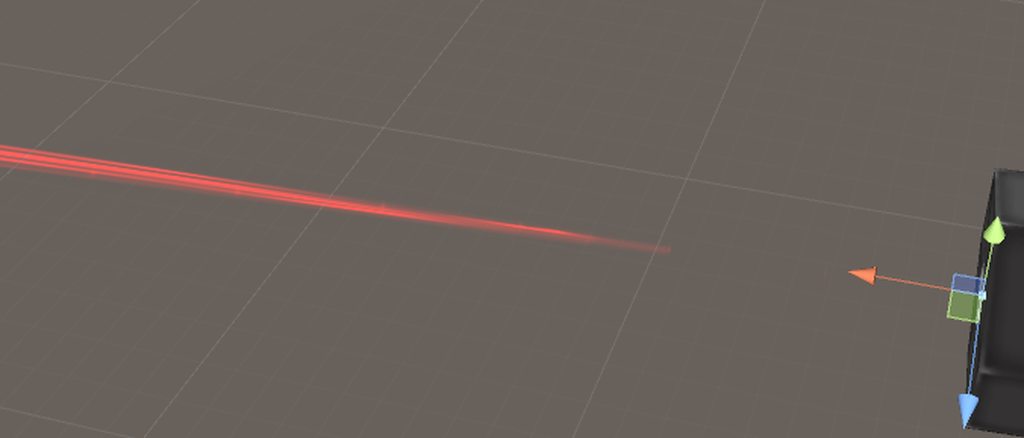 fierce bane
do you have a color over lifetime on the trail set to start with low alpha, or a size over lifetime on the particle and "size affects width" on the trail?
trim zinc
nope am only using trails and collision besides the default stuff
fierce bane
can you screenshot trail settings?
trim zinc
https://imgur.com/a/x6YPGDu here you go
 fierce bane
and main particle system settings
trim zinc
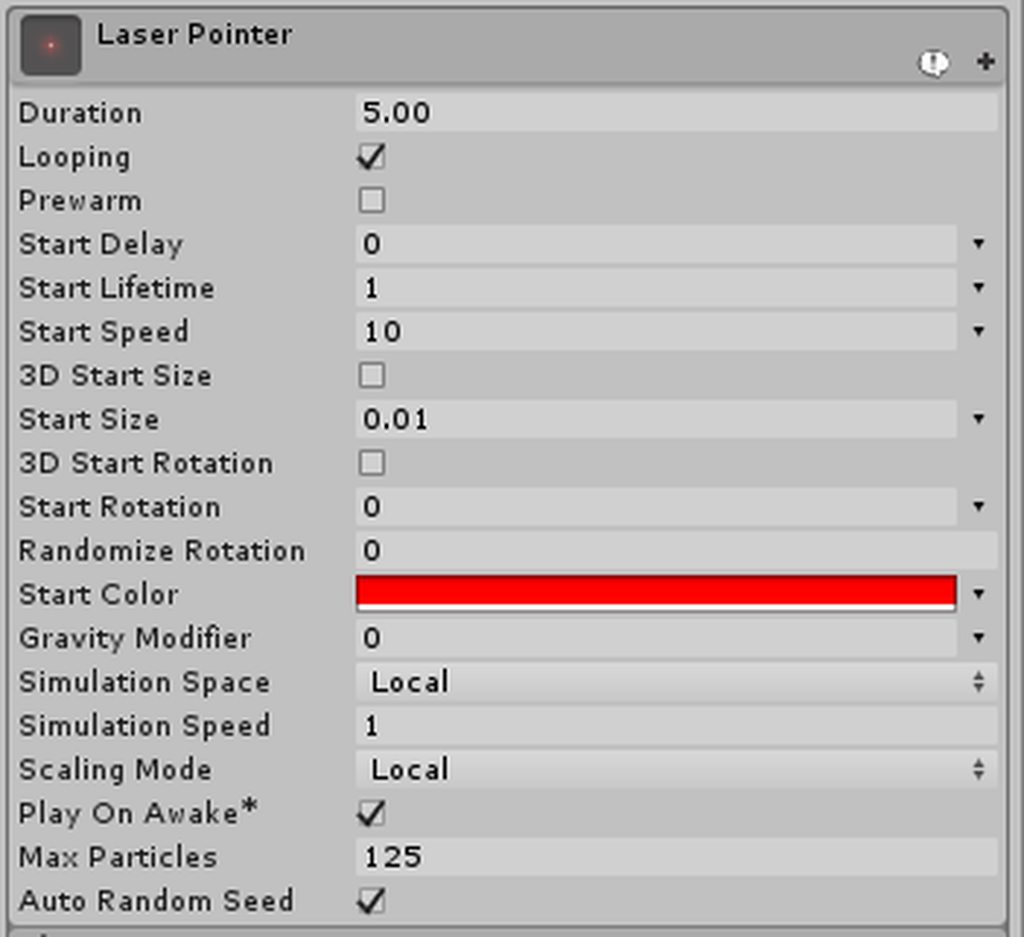 fierce bane
that start speed is pretty low and should work just fine without issues
trim zinc
where is this sim speed setting?
fierce bane
near the bottom "Simulation speed" right under sim space
edgy eagle
its 3 under the red color
trim zinc
oh totally overlooked that
fierce bane
sim speed basically just accelerates the animation of the entire particle system
edgy eagle
but just try lower the start speed and increase the sim speed and see what happen
fierce bane
so if something has a lifetime of 10 it'll technically only last 5 but go the same distance with the same speed at 2.0 sim speed
trim zinc
I guess that could work out
thanks a lot tho since that might actually have solved my problem
edgy eagle
no problem
fierce bane
you may also want to try using 0.1 vertex distance instead of 0
I think there was an issue with it in some version, but I don't remember which
trim zinc
okay
eager shadow
i did some little stuff with idle animation. Am i right assuming that you cant move the head for humanoid desktop avatars ?
 surreal iron
any reason for my rotations to reset while doing an animation?

trying to get that thumb into position
but everytime i confirm the modification, it goes back to original position

and original values
slim sparrow
@surreal iron you cannot move bones directly inside an animation
You need to use the humanoid rig animator values, like thumb stretch.
surreal iron
 slim sparrow
Yeah, those are the wrong ones
You need to look under Animator
Then Thumb Stretch and stuff
Muscle Animation Editor makes this a lot less tedious
surreal iron
is it a package for unity?
slim sparrow
It's a paid asset on the store, yeah
surreal iron
i got really rusty since the last time i modified my last avatar
worldly talon
XD RIP
 south mango
I have a question about gesture animations. I know how to spawn objects using gestures, but I was wondering how people combine them with other gestures e.g. spawning a gun and then using another gesture to fire the gun
spring nova
You just put all the firing stuff, like particles and audio inside the gun
lunar snow
He I think means the type where one gesture turns on the object and the other hand gestures and toggles an animated empty with everything for the fire sequence under it
spring nova
yeah, that's what I meant, I'm just not sure how to explain it other than that
you put object B inside object A. Deactivate both, then the only way object B will show is if both A and B are active. If B is active but it's parent is not, it still won't show
lunar snow
Gun<toggle on with right hand gesture first
Game object<toggle on with second gesture on say left hand
->particles and stuff<won't fire when gun isn't active
That looked better in landscape
Hope it's fine on desktop
I should honestly just start making tutorials for every question asked here and just start linking them instead lmao
fierce bane
For clarity in text use code blocks :P
Gun (toggled with first gesture)
  L Game Object (toggled with second gesture)
    L Particles/sound/etc
I see. Thanks guys. Would this work for desktop users as well or only for vr users?
fierce bane
nothing in that will prevent it from working for either, but a desktop user won't be able to aim it or even raise their arm without an animation that does it for them
assuming of course it is being attached to the hand and not, say a shoulder for example
south mango
Okay, thanks.
lunar snow
F#&$ code blocks why didn't I think of that
dawn shale
Does anyone know why my tentacles aren't appearing in mirrors? I have them attached to my spine and an animation to enable. No matter what I do, they just won't show themselves. They're able to appear in some camera mirrors like in low poly world, but not regular mirrors.
Thing is, I was fucking with one of my other tentacle models, and whatever I did, fixed them completely and they show up in mirrors now. The rest don't.
I have absolutely no idea how to fix this and it's kinda pissing me off now. Any help would be really appreciated, it's a bit discouraging.
 lunar snow
Are others seeing them?
dawn shale
Yes
Perfectly fine, in mirrors aswell
It's a clientside issue @lunar snow
A clientside issue that I keep being bothered by from other people, because I own an avatar world.
lunar snow
Are you disabling the mesh object or the mesh renderer
dawn shale
I just disable the top object 'Kagune', that has the meshes and bones tied to it.
Which, has an animation tied to it aswell for it coming out from his back.
lunar snow
I'm at a loss, use to have this issue with props but I don't remember how I fixed it and the new method is just the standard so idk
 crystal pike
i forgot to make a duplicate of an avatar to animate it and now its stuck in the crouch pose
clear yew
check the pins for my message, i put a imgur gallery to show you how to fix it
clear yew
👌
clear yew
because it's a T-pose and not an A-pose
crystal pike
thought it would be the default one
clear yew
it doesnt matter if it's A pose or T pose
clear yew
start from scratch
crystal pike
ugh really?
crystal pike
no i'd prefer the default
and the tpose doesnt work anyways, it the right arm bent and it goes back into crouching after going into play mode
slim sparrow
The mouth is open because you have the jaw mapped.
You should always leave the jaw bone unmapped in the Unity rig configuration.
crystal pike
ah ok
i have another copy of the same model but it was before i separated the ribbon mesh for the cloth collider so its invisible
can i copy the pose over?
slim sparrow
If you really want the default, you can delete the model from your scene and drag a new one in
And then copy over the old component setups
You can copypaste components
crystal pike
i know i can do that
is the only way to copy the components individually like ive been doing?
and its not that i want the default pose, its that the tpose is broken. it makes the right arm bent and then goes right back to crouch when i exit playmode
@slim sparrow do you know of anyway at all to easily copy compenents or hierarchys to another model?
slim sparrow
Nope.
crystal pike
that sucks
slim sparrow
Uh, hold on.
Can't you like
Expand the whole hierarchy by holding alt or something while expanding the armature
crystal pike
?
slim sparrow
Then select all the bones, go to the Transform component, and hit "Revert values to prefab"?
I think if you alt+click while expanding an object, you see all child objects
crystal pike
do i do this on the new model or crouching model
slim sparrow
The crouching one
slim sparrow
Somewhere in the transform component
crystal pike
i dont see it at all
slim sparrow
It's in an expandable box
crystal pike
wait
slim sparrow
You can also right click on the rotation, position and scale texts and "revert value to prefab"
crystal pike
it shows it when i select any other model than the crouching one

thats all i see when right clicking
im just gonna copy all components over
slim sparrow
Then right-click the position, rotation and scale properties individually
Then press revert to prefab
 livid elm
Gonna ask a real noob question here
Can someone explain rigidbodies to me?
Why would I want them? Are they really handy?
slim sparrow
That depends entirely on what you want to do with them. Within Unity, rigid bodies allow you to simulate physics.
In this game, rigid bodies are rarely used directly on avatars. They are often used because you need them for joints.
livid elm
And joints are what exactly? Why would I want to use them? Can I use rigidbodies and joints to make my animations better in some way?
slim sparrow
Joints can do a whole lot, but the most common use cases are putting objects in the world, and fixing world particles attached to your armature
No
I mean, technically it could, but probably not
I would suggest learning about rigidbodies and joints and experimenting with them
livid elm
I would, but I got no clue what to do with them, honestly
What I really would like to know though, is how I would make the world around me a different color for like, a span of 2 seconds
I want to make the world around me black and white for just 2 seconds, but I can't really figure out how to do that!
slim sparrow
You would need a shader which does that.
livid elm
Do you know which one?
slim sparrow
You could try to find one, but I wouldn't know where. Most shaders I've seen were shared among friends
Just try Googling Unity black and white shader for example
livid elm
Thanks for your help, I'll give that a shot
 lone sage
Yo im a newbie to 3d modeling and animations, im trying to set a particle effect and sound to a hand gesture but my avatar. I have it set to rocknroll but when i try to upload it says my avatar (which is the birb) is a humanoid but its feet, upper arms and head arent specified
how do i change my avatar to be non humanoid
clear yew
non-humanoid = no hand gesture btw
lone sage
but i have seen non humanoid things be able to do animations based on hand gestures
clear yew
they have a dummy humanoid rig
lone sage
no idea what that is
fallow spire
i have a folder with fly animation like for idle, left, right, straight, up, down... but i dont realy know where to put the left, right and so on on it, can someone show me a picture of your override?
eager shadow
@lone sage basically they add hand bones that move to form the gestures but dont have any part of the modell attached
lone sage
is there a certain website to do that on or is it possible in unity
lone sage
got it thank you so much for the help
eager shadow
if you wnat to add handbones you only need thumb middle and index fingerbones and if nothing is attched to the bones they wont be automaticlly set when rigging in unity meaning you have to configure then manually
lone sage
ok
 pale crescent
anyone know if it's possible to create copy rotation constraints in unity?
lunar snow
What are you talking about
fierce bane
basically have one bone copy the rotation of another always (blender has it for example)
spring nova
Yeah, connect the two with a fixed joint and lock the position
dawn shale
Does anyone know why my tentacles aren't appearing in mirrors? I have them attached to my spine and an animation to enable. No matter what I do, they just won't show themselves. They're able to appear in some camera mirrors like in low poly world, but not regular mirrors.
Thing is, I was fucking with one of my other tentacle models, and whatever I did, fixed them completely and they show up in mirrors now. The rest don't.
I have absolutely no idea how to fix this and it's kinda pissing me off now. Any help would be really appreciated, it's a bit discouraging.
http://puu.sh/B0Yd2/d759b51841.png
http://puu.sh/B0Y1Q/fa819a72a0.png

 river folio
quick question: is it possible to make custom walking animations for avatars? I created an animation and put it under : WALKFWD, RUNFWD and SPRINTFWD but it doesnt seem to work at all in vrchat
spring nova
They need to be formatted specially. Try looking at the settings for the default ones, or copy them directly and just modify them
river folio
unfortunately thats not possible since they dont allow you to modify or even view them in unity. All their settings and animations tabs are all greyed out
spring nova
Put the override controller on an empty gameobject and then you can grab the key frames from there and paste them into your own animation
spice urchin
why won't this animation ingame use original root position and the chest/leg lift muscles??? https://i.gyazo.com/63ba5086b3b675f812997fa230c200e3.mp4 i used it instead of sit idle with anim override
dawn shale
 surreal torrent
 cedar thicket
Anyone know a fix to audio lagging in an animation?
clear yew
For some reason when I do finger gestures they are slow to switch. How can I remove the delay?
spring nova
@clear yew the gestures need to be only a single frame, move your key frames over so there's just one 0:00 and a second at 0:01
clear yew
OHHH!! Yea I have loads of key frames from finger gestures a friend gave me
Thank you!!!
 bronze peak
ok, i can't figure it out, please help if you can, i cant get a 3d object to stay where it was spawns and not move with me, ex, i want to spawn a bench, then i want to walk around the bench and make it look like i am sitting on it, but when i move it moves with me, it is on the model not the armature, and i have tried some rigid body things but there is no walk through so far everything i have tried have failed, Thank you in advanced
lunar snow
I've been told the way to do it like 6 times and still don't get it right so don't feel bad
bronze peak
oof
 stable cosmos
anyone active here?
spice urchin
kinda
fierce bane
Haceo or fpsgamer70, if you ever figure it out please let me know too... those damn meshes misbehaving...
hollow perch
I think one way was to create a fixed joint and don’t attach it to anything
clear yew
yep, that's how you do it
hollow perch
with none of the position or rotation checkboxes checked (unless you want it to rotate with you)
clear yew
but you will need a way to reset his position
hollow perch
But once you activate the object it will be stuck I think
It should be possible to walk back and pick up the object by deactivating in the same place you activated it I think
clear yew
that or just reset it with an animation
hollow perch
Oh animation set relative position to 0,0,0?
I was working on an animation to enable a set of fixed joints between me and another mesh so I can kind of control my avatar and pose the other mesh (rotation only motion) separately
And then disable the joints
fierce bane
I actually tried resetting it with an animation to 0,0,0 and it refused to do so...
I've also got one currently that has no pos/rot checked, nor an anchor ...yet it stays attached to me
I've yet to figure out why it won't detatch from me now
hollow perch
You need a joint
fierce bane
fixed joint/rigid body included yes
hollow perch
And joint is set to none? Is it directly under your avatar object or deeper in the heirarchy?


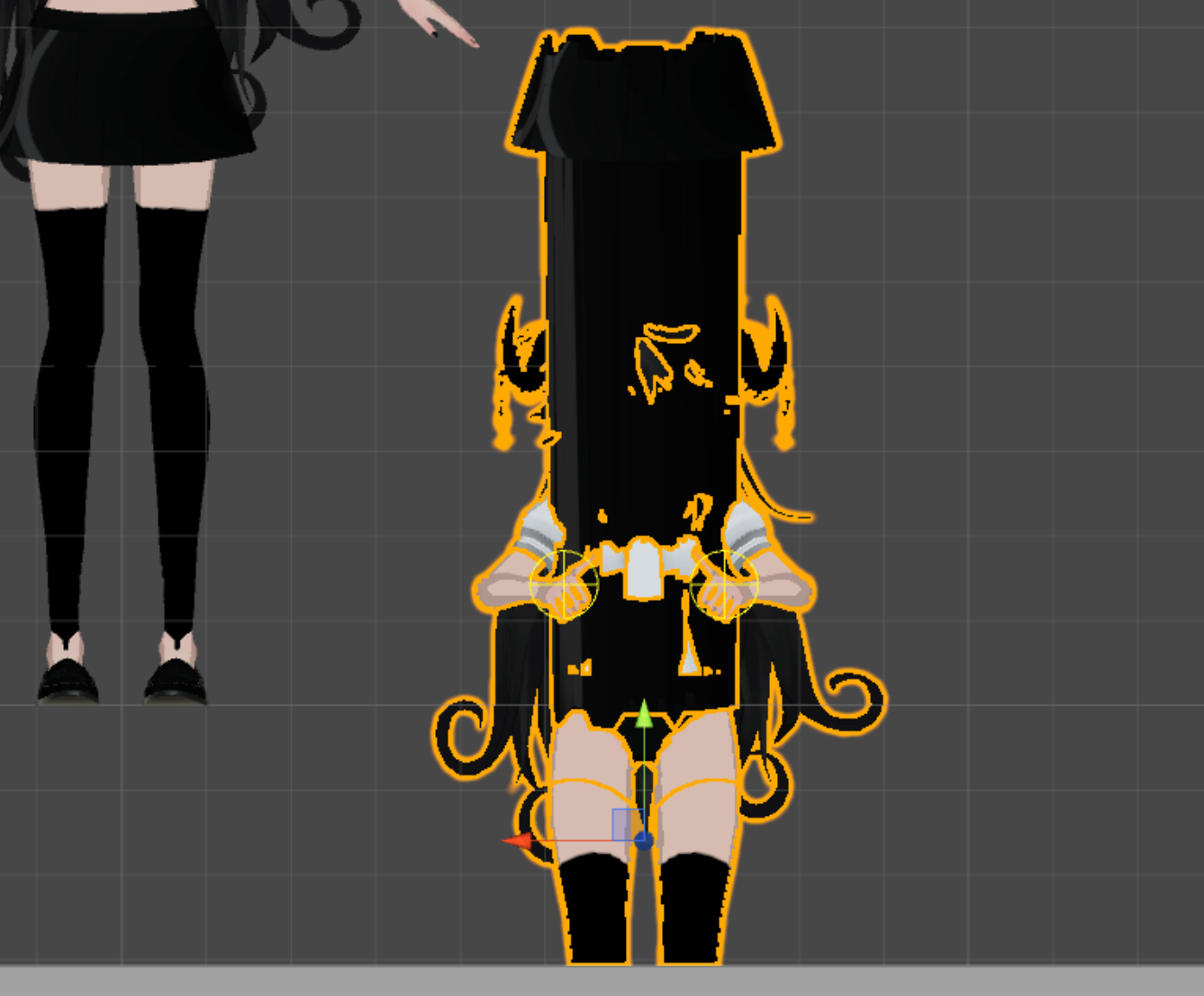





 hollow perch
Oh crap. I haven’t tested any of my joints in game yet because I’m stuck with only my mac for a few weeks.
fierce bane
It is anchored under an empty object within the root (armature)
hollow perch
But i heard elsewhere that this technique should work so don’t lose hope
fierce bane
at one point it dropped properly, then it changed and refuses to work
hollow perch
Maybe you have to break the joint
And depending on how you have it set it either breaks instantly or not
fierce bane
I assume it wouldn't reset to the right position if it did though right?
if only meshes had a "local rotation" option like every other render type >.>
hollow perch
Ya that might not work right. Does deactivating and reactivating the objcet not reset things?
fierce bane
no, when I had it working if I deactivated it, the mesh would remember the rotation around me and the distance from me and have that as the new re-activation point